#cpus-mobo-and-memory
1 messages · Page 153 of 1
 gritty meadow
which will save you a LOT of time updating it after install
and yes. there is a very brief guide on the website
@naive pendant wrong.
 neat perch
Great!
gritty meadow
@naive pendant media tool creation, etc etc
@neat perch the requirements for you are the following:
a usb stick that is 8gig or bigger.
anything on it, will be deleted. be VERY aware of this
you must be on a windows desktop to download and run the tool i linked you to
it will NOT work on a mac or a linux desktop
i believe that is all you really need to know :)
for now at least :)
neat perch
No problem. MACs give us so much headache at the Uni and I try to avoid them in what I do if at all possible. Linux, of course, is a different problem.
neat perch
You've been so helpful, so now, last question? Where in the world are you?
gritty meadow
you are very welcome, also to asking more questions :)
i am located in Denmark
but i work with people around the world, hence me even being up now
neat perch
My guess was close! I working with someone from Sweden some time ago, and your name seemed to be from that general area.
gritty meadow
close enough :)
neat perch
I wrote a book with a gentleman from Stockholm. You are kind to say so!
I think I have what I need for now, unless you can think of something else I should be looking at?????
gritty meadow
well, swedish IS just across the small sea between us, and i am located in a coastal city :)
neat perch
Good man!
gritty meadow
no, you seem to have all the parts you need.
just when you do assemble the machine. Lean on your mainboard manual very hard
neat perch
Thanks, to all. I'll sign off then and order, and see what happens.
gritty meadow
it has all the info you should need for connectors and so on
neat perch
Oh, I'm someone that reads everything in a manual before I try anything. I wish I knew everything ahead of time, but even with all my years, it doesn't happen.
gritty meadow
and you are very welcome :)
:) that is the beauty of life in a nutshell :)
best of luck with your new machine @neat perch
 pastel lichen
Isn't this channel named "cpus-mobo-and-memory" and not "i-want-to-know-about-your-personal-lives"?
gritty meadow
try and smile @pastel lichen you might stretch some muscles you didnt know about :)
neat perch
Sorry. I didn't know that a simple query about where someone might be was getting personal. Won't happen again. I'll just be cold and simple in the future. Thanks for letting me know.
gritty meadow
@neat perch you did nothing wrong :)
neat perch
To me, sometimes a little humanity helps with the communication.
gritty meadow
very much so :)
pastel lichen
@naive pendant I didn't solicit your opinion on that either. Take it to the channel named "i-don't-care-about-your-opinions"
neat perch
Oh, sounds a little like Vorionus got personal.
neat perch
I'm gone. I teach Philosophy and Critical Thinking, so I see others for what they are.
pastel lichen
@neat perch "I wrote a book with a gentleman from Stockholm." Unless you think this is a library?
gritty meadow
best of luck, once again @neat perch thank you for the visit
gritty meadow
@pastel lichen really? you really have to lean on personal attacks?
those are very much against the rules we actually have here.
pastel lichen
Yeah, really, pal. Take it elsewhere. Find a room.
pastel lichen
gritty meadow
<@!628020392161968138> really? you really have to lean on personal attacks?
Don't be upset. If it offends you that stating that this is not the place for talking about your personal life, then you really need to find a safer place. Also, you don't get to define what a personal attack is, which it wasn't.
gritty meadow
I see no need for butting into a conversation that was started and ended as a help to someone asking for help. With comments that bring nothing to the conversation.
if you have a problem with that, there are moderators you can complain to.
pastel lichen
I did. Deal with it, just like I dealt with your personal drivel that I don't need to read about, CPU. You can have the last word - I permit it.
 prisma nymph
 wheat merlin
Just finished installing my first cpu
 late pine
congrats
wheat merlin
Indeed
 naive aspen
The lights on the motherboard turn off in less than a second after turning on the power supply
 glad lodge
Questiok on buying memory is it better to buy 4x8 than 16x2 or it should have the same performance?
 green terrace
Depends on your motherboard
As far as I know, you won’t see much difference
16x2 sticks are cheaper
glad lodge
Yea. Because gamer nexus did a review
He said 4 sticks is better
But he used 4x8 and 2x8
green terrace
Right. That had more to do with dual sided or single sided memory
glad lodge
So thats 32gb vs 16gb
green terrace
Dual rank/single rank
glad lodge
Yea
green terrace
16x2 is dual rank 99% of the time
glad lodge
So if let say i get 2x16 which is dual rank it should be equivalent to 4x8 single rank?
green terrace
There was a certain type of motherboard that preferred single rank but I don’t remember
glad lodge
On his review he used 2x8 single rank vs 4x8 single rank right?
green terrace
Correct
glad lodge
Im planning to buy Asus rog dark hero VIiI
green terrace
Nice board. Expensive.
glad lodge
To pair it with the tridentz 16x2.
 grizzled garden
16 sticks of 2GB 😳
late pine
😳
grizzled garden
Yeah, apparently more sticks = pricier if you're gonna use same RAM amount + same speed
glad lodge
Ahh
green terrace
Plus you can upgrade later
glad lodge
Im looking at this
green terrace
Or go sff
late pine
I mean it makes sense, there are fixed costs such as the pcb and heat spreader
grizzled garden
Yeah
glad lodge
Check this out on @Newegg: G.SKILL TridentZ RGB Series 32GB (2 x 16GB) 288-Pin DDR4 SDRAM DDR4 3600 (PC4 28800) Intel XMP 2.0 Desktop Memory Model F4-3600C16D-32GTZRC https://www.newegg.com/g-skill-32gb-288-pin-ddr4-sdram/p/N82E16820232906?Item=N82E16820232906&Source=socialshare&cm_mmc=snc-social-_-sr-_-20-232-906-_-11202020
grizzled garden
Using up more supplies to make each individual RAM stick
green terrace
Think beyond the material
glad lodge
Compre to this Check this out on @Newegg: G.SKILL TridentZ RGB Series 32GB (4 x 8GB) 288-Pin DDR4 SDRAM DDR4 3600 (PC4 28800) Desktop Memory Model F4-3600C16Q-32GTZRC https://www.newegg.com/g-skill-32gb-288-pin-ddr4-sdram/p/N82E16820232932?Item=N82E16820232932&Source=socialshare&cm_mmc=snc-social-_-sr-_-20-232-932-_-11202020
Compare to that one
late pine
emotional cost of additional sticks
grizzled garden
But with lesser sticks and more on each, just gotta slap more on lesser sticks
glad lodge
So what do you think on the 2 links i sent?
grizzled garden
If you wanna fill up all 4 dimm slots, go ahead lmao
glad lodge
Better to just get the 2x16 right cheaper?
green terrace
Yeah basically the only reason to fill all 4 is for aesthetics
late pine
those are both super expensive
glad lodge
179 for 2x16. Vs 219 for 4x8
late pine
I picked up 2x 32 gb for $170 on sale from newegg
green terrace
G.skill rgb is pricey right now. I’d wait for a sale.
grizzled garden
That's a lot when comparing same speed + amount
glad lodge
Yea i will wait a bit til o get the motherbord
green terrace
I hate when people overspend on ram instead of buying a better cpu
late pine
but still
grizzled garden
I guess RAM is just becoming more expensive cause lol
green terrace
Not saying you are, but it’s common
late pine
like you will notice double capacity more than a 1-3% speed increase
late pine
I guess if you want rgb that is a personal decision
grizzled garden
Eh, that's fine
glad lodge
So just get the first link i sent? Just wait for the sale
grizzled garden
If you're not gonna get it now, just check the price once in a while @glad lodge see whether it lowers
green terrace
My Newegg app isn’t working but it’s ADATA Spectrix d50
For Black Friday Newegg is selling 32gb 3600 CL18 for 120 with a $20 promo card
green terrace
It is.
Again, gotta make sure you’re not overspending on RAM
3200/CL16 or 3600/CL18 are the sweet spot
They perform very close
glad lodge
I want to get 3600/cl16
grizzled garden
Huh, 3600MHz CAS18 is still good? Always thought everyone went for 3600MHz CAS16
Mainly cause yeah
green terrace
You can. CL18 is significantly cheaper.
green terrace
Good luck
glad lodge
Do you happen to know the launch date of asus rog dark hero VIII motherboard?
green terrace
No, but you may want to search the chat. People have been talking about that board a lot.
glad lodge
Which chat
green terrace
This one
 graceful elm
alright
so i have the bios update problem with the new amd cpu where i cant update because i dont have any amd cpus
is it true i could just buy one off bestbuy and then return it right after i do the bios update?
 tawny parcel
My pop os drive isnt detected in the msi Tomahawk bios but is on the f11 boot menu. Can someone please help me
 vague kayak
im trying to gte a mother board that can upgrade past the 5950x cpu to the next gen so i dont have to get a new mobo and cou just cpu when its time to upgrade. any suggestions on anything left on new egg
please and thank ;n;
 hollow thorn
5000 is supposed to be the last generation on AM4, next gen will be on AM5 or whatever they decide to name the socket.
One of the main reasons for the socket and board change is DDR5 ram
 main pulsar
amd will send loaner cpus
if you ask
wait i thought your issue was with windows installing?
 naive pendant
my guess is the 6950x will have 20 cores
graceful elm
562 core 6950x
main pulsar
@graceful elm the symptoms your system is exhibiting is not due to an outdated bios, just an fyi
just making sure
graceful elm
what symptoms
main pulsar
the whole windows boot failure
main pulsar
sometimes
you will know if the system beeps at you
or it will literally just not power on
or it will light up and just do nothing
it varies
graceful elm
so theres a chance that if i put the 5800x in that it will boot into bios?
and i can update it then?
i heard that could brick my board
graceful elm
October 14, 2020
main pulsar
the bios wont be able to match the CPUID with a set of microcode, and it will just sit there
hmm, that miiiight be too old, but its worth a shot imo
all you gotta do is put in the cpu and plug in the psu
graceful elm
i think ill just put it all together
of course i dont have my cpufan, new ram, or new gpu
but i can use the stock cpufan, old ram, and old gpu
graceful elm
alright
main pulsar
you can usually run the cpu for like 10 seconds bare before you really should unplug it
graceful elm
do all motherboards have intergrated graphics?
main pulsar
the moment you know the system supports the cpu, power off immediatly
its not a matter of the motherboard having it, the iGPU is typically located on the CPU itself
most server motherboards have a gpu integrated on it tho
what motherboard do you have?
main pulsar
yeah
graceful elm
alright cool
graceful elm
g series?
main pulsar
2400g
graceful elm
no, its one ive been using for a while
graceful elm
i got an old office computer for free
the case is super small and skinny
so i need a lp card
and it was the best one when i got it
it has served me well
main pulsar
well, your board definitely doesnt support the 5800x
graceful elm
nice
graceful elm
yeah
main pulsar
so it needs a bios update
graceful elm
thought so
should i do the bestbuy return thing, or apply for the loaner thing
i heard the loaner thing takes a bit
graceful elm
whats going on
graceful elm
i feel that
main pulsar
okok
so, you got your board in october
the bios update needed was released in august
graceful elm
that early?
graceful elm
wow
main pulsar
honestly, theres a good chance you got a board with the proper bios
graceful elm
i hope so
main pulsar
i would say, just go along assuming it will work, theres a very high probability that it will be alright
if it doesnt, then it doesnt, we come up with another plan
graceful elm
nice
main pulsar
very unlikely tho
main pulsar
lol thx
graceful elm
would it be cool if i messaged if it didnt work?
main pulsar
yeah my DMs are always open
idk when i wont be busy tho
but theres like, ~30 people here who i know are capable of helping, so if im not around, one of em will be, and when you toss your question in the chat, one of em will pick it up
graceful elm
alright
naive pendant
Is an msi B550 Gaming edge wifi worth for 150 usd?
Or an asus b550 tuf for 10 bucks less?
need help deciding
 fickle flax
do you need wifi or nah @naive pendant?
 neat estuary
Oh the bliss. To save 10$ or nah. I should just start smoking weed to achieve this level of zen
 astral fjord
is this a good dead. did be using it with a ryzen 7 5800x. it's in canadian dollars
Check this out on @Newegg: MSI MPG X570 GAMING EDGE WIFI Gaming Motherboard AMD AM4 SATA 6Gb/s M.2 USB 3.2 Gen 2 HDMI ATX https://www.newegg.ca/msi-mpg-x570-gaming-edge-wifi/p/N82E16813144261?Item=N82E16813144261&Source=socialshare&cm_mmc=snc-social-_-sr-_-13-144-261-_-11212020
 dusty hollow
 deft helm
not instock for another 2 months pog
 vast granite
Not to bad though
glad lodge
Hi again, if im buying memory 2x16 and it says dual channel it does mean it it uses 4 channels right?
 atomic fulcrum
Ryzen 7 2700X for $220 is that a good deal
glad lodge
When is says dual channel does that means its equivalent to dual rank?
neat estuary
Yes @glad lodge As i understand. I hope someone further verifes
glad lodge
Im planning to buy 2x16gb and i want to make sure it is dual rank
neat estuary
When i run Typhhon in Organization you see where it says 2 ranks?
Thats how i know my set is dual i guess
glad lodge
Im not sure if this from newegg is dual rank
Check this out on @Newegg: G.SKILL TridentZ RGB Series 32GB (2 x 16GB) 288-Pin DDR4 SDRAM DDR4 3600 (PC4 28800) Intel XMP 2.0 Desktop Memory Model F4-3600C16D-32GTZRC https://www.newegg.com/g-skill-32gb-288-pin-ddr4-sdram/p/N82E16820232906?Item=N82E16820232906&Source=socialshare&cm_mmc=snc-social-_-sr-_-20-232-906-_-11212020
neat estuary
np
tawny parcel
My pop os drive isnt detected in the msi Tomahawk b450 bios but is on the f11 boot menu. Can someone please help me
 stray vortex
so, NZXT 360mm X73 with the stock fans, pull system, on a 10700kf currently stressed for 2+ hours at 5.1 GHz and under 65*
did I do good?
 shadow hearth
whats a better config with a ryzen 5900x? 4x8GB 4000mhz, or 4x16 3600mhz? Price is similar.
stray vortex
well, be honest
are you really gonna use all that ram?
if not, 4000 would benefit more, maybe a small margin, but it would benefit
shadow hearth
Not at all. But its just the two options I have. got one from prime days and the other as new egg bundle with the cpu.
stray vortex
I would grab the 4000MHz kit then
shadow hearth
both CL18
stray vortex
but, if you think in the future that you'll belefit from the extra 32GB then that's up to you
realistically, the 4x16 is a better value
and would help more in the long-term
shadow hearth
has anyone been able to get 2000mhz on the infinity fabric?
If you can keep your cpu 20C+ below tjMAX while stressed then your cooling is good.
 sour coyote
3600
 fallen lynx
@shadow hearth i haven't heard of anyone breaking 1900
shadow hearth
I800 is the highest i can go stable.
 desert estuary
FINALLY secured a 5950x for my build
 dire bluff
Any one knowledgeable in troubleshooting issues. I think i had a bad PSU and believe it ruined my MBD
 boreal tundra
i want a 5600X but what can i do with bios if i don’t have a 3000 series
 patent jewel
What mobo are you getting
 raw cipher
AMD Ryzen 5 3600X with Wraith Spire Cooler, ASRock B450M Pro4, CPU Is this a good deal for $270?
 ionic skiff
if i were to get an intel i9 10850k, what type of motherboard would be best for it?
neat estuary
@dire bluff reset cmos first.
 desert sundial
so do you get corsair vengeance ram for an intel build and get the gskill comparable if you are doing an amd build?
or does it not really matter?
 violet zealot
If you go to the manufacturer's website you can locate what's called a QVL "Qualified Vendor List" under the motherboard you're looking at
neat estuary
^
violet zealot
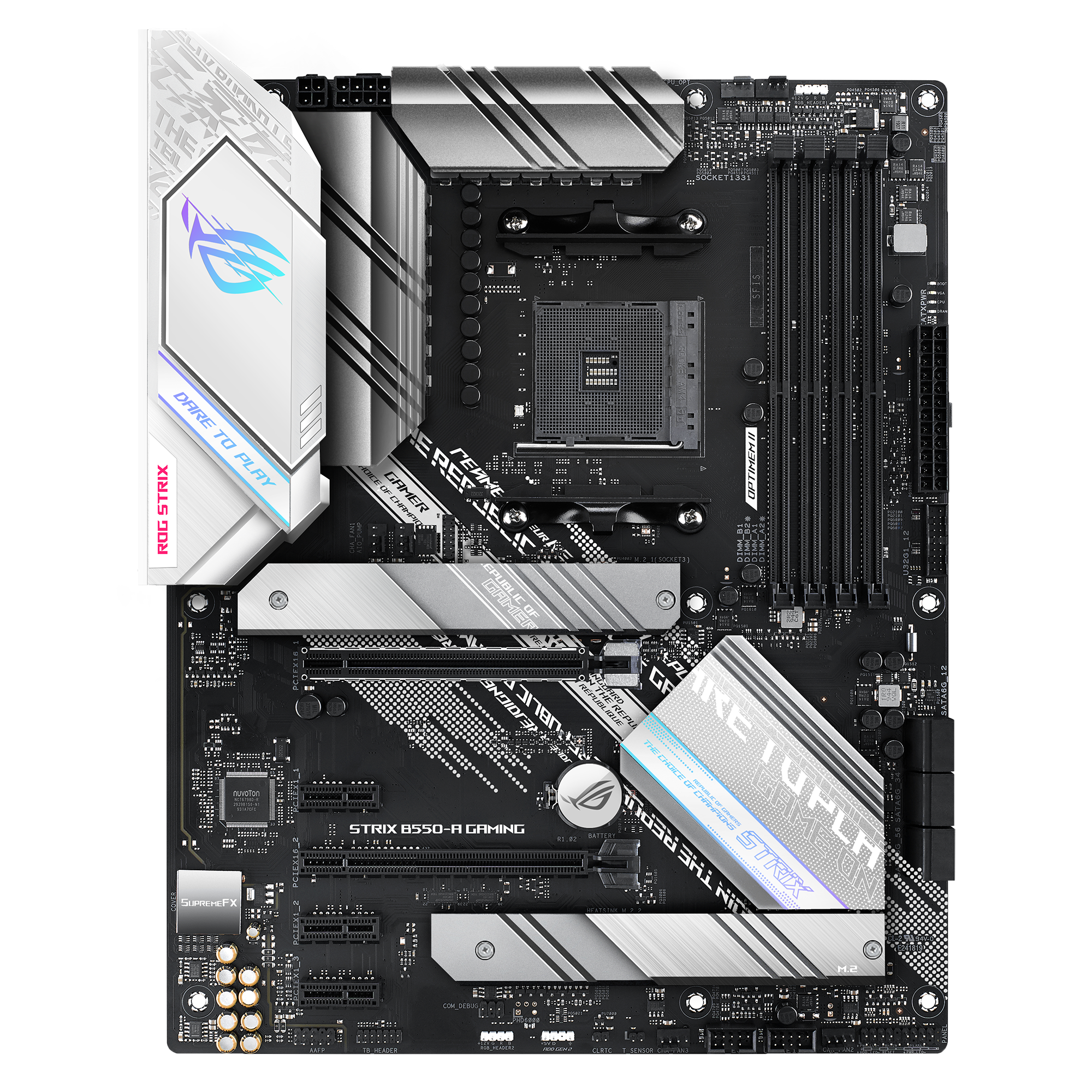
There it is for that one
It'll list the vendor for the memory, and the part no. It's easy enough to figure out using the part number
desert sundial
i had no idea of this, thank you guys so much ❤️
boreal tundra
i want a 5600X but what can i do with bios if i don’t have a 3000 series
@boreal tundra i’m getting a B550
naive pendant
would a 3700x be over kill for 1660 Super?
violet zealot
A CPU being overkill shouldn't be a concern, the GPU being overkill with the CPU is what should be concerning
But yeah, no. That's perfectly fine
patent jewel
I have only four parts left of my build. When I see my cpu in stock should I also buy my mobo and cpu cooler and only have the gpu left or should I just purchase the cpu (5600x) and then wait until I can get the mobo, cpu cooler, and gpu all at the same time?
 plain lintel
AMD Ryzen 3 3100, Motherboard A320M/ac, appart from SDRAM DDR4 2666MHZ, is there something else i should be aware for RAM compatiblity? what would you suggest for 2 X 8 gb RGB?
sour coyote
is it worth the extra 20$ to upgrade from the strix b550i (https://www.newegg.ca/asus-rog-strix-b550-i-gaming/p/N82E16813119322) to the x570 strix (https://www.newegg.ca/asus-rog-strix-x570-i-gaming/p/N82E16813119209) ? I need a x570 board with a usb c header and preferable the 3 and 4 pins rgb connector
hollow thorn
@plain lintel do you already own the A320 board?
neat estuary
The Asus x570i doesnt have a type c front header.. I dont think any x570i does.
But most of the B550i do.. except for the Aorus Pro
Id say the MSI B550 gaming edge ITX is about the best
patent jewel
does anyone have an opinion on my question a couple messages up?
neat estuary
Nobody can answer that question as getting those parts u want is up to luck
Its usually better to buy all at once so you can assemble and test wityhin the return period
patent jewel
Yeah I get that
neat estuary
But when u are hunting for new hard to find hardware its a Big "good luck" from us
plain lintel
hollow thorn
<@248607780900962314> do you already own the A320 board?
Yes
hollow thorn
I'd try to get 2x8gb of 3200mhz cl16 ram with that
plain lintel
Thanks !!
 rancid raven
Any word on the ROG Crosshair VIII Dark Hero release date?
 vivid pewter
Would it be a bad idea to have a 2x16 gb sticks and then add 2x8 gb sticks for a total of 48 gb or will there a problem(assuming timings and speed are the same on all the sticks)?
hollow thorn
It'll be very interesting from the CPU's perspective
Three ranks per channel
not quite sure how performance would be, it'll be interesting.
Compatibility should be fine though.
 sacred umbra
so i just got a i7-10700k but found an i9-9900k for cheaper..do i return and get the i9?
 pliant cypress
9900k would need a different mobo
gritty meadow
it would default to lowest common @hollow thorn
as in, lowest common performance metric the sticks can agree on
sour coyote
neat estuary
Id say the MSI B550 gaming edge ITX is about the best
I was about to pull the trigger on this board actually but I realised it does only have a 3pin rgb header and my H210i has some "smart device" that I am not sure if it connects to a rgb header or a usb header
neat estuary
It has a dock that would only require the board to have one RGB header to power everything.
Oh. I guess idk what needs a 4 pin RGB and what needs a 3.
sour coyote
its becaude I have a phanteks neon rgb strips that has been sitting in my drawer for 3 months since I thought it could conenct to my current build but my motherboard has no rgb header (b350m) and the case (phanteks enthoo evolv matx) has rgb that needs to connect to a 4pin rgb header
sour coyote
neat estuary
It has a dock that would only require the board to have one RGB header to power ...
and that dock actually only taked 4 pin rgb strips
 vocal spire
Can someone explain to me the main difference between intel and and cpus besides the cores and threads
patent jewel
is the Asus TUF gaming b550 plus wifi a good board?
 split copper
Amd cpu is made by amd
patent jewel
wondering because on BF Newegg has 25 dollars instant savings and 25 dollars Mail in rebate
split copper
Intel cpu is made by intel
neat estuary
@vocal spire the best CPUs are currently the AMD 5000 series. If you want the best then pick the size that fits your needs. However you can pick from the 3000 series to save some money.
fallen lynx
naive pendant
would a 3700x be over kill for 1660 Super?
No
tawny parcel
My pop os drive isnt detected in the msi Tomahawk b450 bios but is on the f11 boot menu. Can someone please help me
stray vortex
that moment when your CPU overclock is so good it may very well be a golden sample 👀
1.26V, 5.4 ghz on all cores, doesn't go above 65* under load, stressed for 8 hours, etc
bruh
 plain flame
on a 6700k? damn
shadow hearth
I don't even need to over clock my 5800x. Its screams enough at stock.
 arctic tiger
I can use a 3.0 pcie gpu on a 4.0 pcie mobo right?
shadow hearth
yes
violet zealot
All generations of PCIE are forwards and backwards compatible
arctic tiger
ok
violet zealot
It's not relevant but say you were to take your gen 3 card and use it in a gen 2 slot, it would be limited by gen 2 bandwidth
violet zealot
Don't worry about it, it's like clicking lego together
arctic tiger
also where do i install the SSD on this mobo https://www.newegg.com/asrock-b550-phantom-gaming-4/p/N82E16813157935
violet zealot
What ssd are you getting?
arctic tiger
970 evo 500 gb
shadow hearth
in the m.2 slot
violet zealot
The m.2 slot is just below the first PCIE slot at the top
arctic tiger
ok thank you
violet zealot
Though can I make a recommendation for a different motherboard, cause it can be worth spending just a bit more for quality
arctic tiger
sure
arctic tiger
ok well ima try to scrape together the money for that
 analog sierra
WTB ASUS DARK HERO
sour coyote
why are the b550 so much more expensive than the b450?
arctic tiger
they are compatable with better CPU's n such so it is easier to upgrade and since they are newer boards they are built better to support all the new stuff
violet zealot
They're built a lot better
The board partners didn't really try until X570, they pretty much upgraded B550 to the same extent. It's quite a bit higher quality overall compared to B450, in a way it's like they're cutdown X570. Similar VRMs but lacking certain features like Gen 4 PCIE on the chipset itself, it's why the chipset doesn't need that fan
raw cipher
would I be able to put a 2x8gb ddr4 3200 cl16 in a asrock b450 pro4?
 still garden
I got a question if anyone is able to answer. I recently bought a ryzen 5 3600 x and my psu doesn’t have a 8pin. But I have a molex to 8pin connector and was wondering if I used it would it mess up the cpu.
raw cipher
Thank you
fickle flax
its called estimate for a reason
fickle flax
fedex is ass
graceful elm
lmao
fickle flax
usps is better imo
graceful elm
yes
sour coyote
is it risky to order the mobo without having the cpu? is there a lot of probability to have a dead mobo?
1600x wont work on a b550 right?
 gritty patio
no
it wont
i dont think
pretty sure is was just last gen ryzen and foreward
and warranty should cover you regardless
sour coyote
okok
400cad for a 6500x is that weird?
https://www.pc-canada.com/item/100-100000065BOX.html
like too low?
 long geyser
no, technically still too high
5600x MSRP is $300 USD, rn $1 USD is $1.31 CAD
which is $393 CAD
sour coyote
yeah but right now theyre all 450 cad and around that
long geyser
tho on average you'd see parts account for overhead and round to $400. $450 tho is overpriced
sour coyote
that our "msrp" if i base myself on newegg and amazon prices
long geyser
can consider that minor scalping I'd say
long geyser
unless it was imported instead of standard "improperly" due to low supply which would increase prices
seen that with Ampere cards. To quickly move from US to CA they were imported in a different way then usual, which increased costs
also wow, my spelling errors are going great rn
sour coyote
yeah and pc canada charges 60$ for shipping the 5600x WITHOUT the cooler and 11$ shipping for the 5600 WITH the cooler
its so damn difficult to find the right price
even pc partpicker cant manage this
long geyser
pcpp doesnt like prices that change a lot
so quickly going in/out of stock will not register usually or mess with it
 maiden holly
hello hello im thinking about upgrading my cpu to i7 3770k but my motherboard doesnt support overclock so will the i7 3770k work just like i7 3770 non k?
 cyan night
so im trying to figure out why my 5800x is randomly boosting at idle
do you guys think it may be a bios thing?
hollow thorn
@cyan night that's... What stock setting does...
cyan night
it does?
hollow thorn
Stock boosting behavior boosts high asf on single cores at the lightest load
Like it'll be say 3.6ghz idle, open chrome, instant 4.6ghz on core1 kind of thing.
cyan night
well at boot it was running 4.4
maiden holly
D:
 hollow thorn
Hm?
maiden holly
maiden holly
hello hello im thinking about upgrading my cpu to i7 3770k but my motherboard do...
i dont plan to overclock it btw
 modest ice
maiden holly
i dont plan to overclock it btw
modest ice
maiden holly
i dont plan to overclock it btw
I'd like to help you out but I don't have the answer nor see the point
vivid pewter
What is the percent permformance difference between 3600mhz cl16 vs 3200mhz cl16? Are we talking like a percent or two?
green terrace
@vivid pewter https://www.gamersnexus.net/guides/3508-ryzen-3000-memory-benchmark-best-ram-fclk-uclock-mclock

Memory speed on Ryzen has always been a hot subject, with AMD’s 1000 and 2000 series CPUs responding favorably to fast memory while at the same time having difficulty getting past 3200MHz in Gen1. The new Ryzen 3000 chips officially support memory speeds up to 3200MHz and can reliably run kits up to 3600MHz, with extreme overclocks up to 5100MHz...
I’m assuming you’re on ryzen.
 dense patio
Are there motherboards that exists which don't share the sata ports between the m.2 and the drive?
 glad hawk
maiden holly
i dont plan to overclock it btw
glad hawk
maiden holly
i dont plan to overclock it btw
is it cheaper?
maiden holly
which?
 cosmic pagoda
I'm looking enthusiast MB for overclocking and water cooling where costs isn't really a big deal. Would X570 AORUS MASTER or ASUS AMD AM4 ROG X570 Crosshair VIII Hero be a good way to go? Should I wait a little bit for a board soon to be on the market?
glad hawk
maiden holly
which?
the 3770?
the things you need to consider is if the socket is the same and if the bios support it. other than that the 3770k is a better deal depending if it is more expensive or not than the 3770
naive pendant
cosmic pagoda
I'm looking enthusiast MB for overclocking and water cooling where costs isn't r...
yeah those 2 are good
VRMs on x570s are usually good
maiden holly
im just wondering if the 3770k performs better than the non k on non overclockable motherboard
glad hawk
the k has a slight higher base clock but i think it doesnt matter since they can boost up to the same frequency
cosmic pagoda
I just straight up can't decide. X570 Aorus Master, or ASUS AND AM4 ROG X570. Or if I should go Intel.
fickle flax
what does both have to offer
ofc they have the same chipset and basic features
but which one suits your needs?
@cosmic pagoda
hollow thorn
@cosmic pagoda what do you need it to do?
naive pendant
cosmic pagoda
I just straight up can't decide. X570 Aorus Master, or ASUS AND AM4 ROG X570. ...
for overclocking intel
fickle flax
both are pretty similar when it comes to features
naive pendant
much better capabilities
hollow thorn
@naive pendant smh
cosmic pagoda
Mostly will be doing data processing, and in fact I probably don't need something that heavy.
naive pendant
wdym!
hollow thorn
Zen 3 cpu oc should actually be good
hollow thorn
Lmao
fickle flax
i would go for what is more easily accessible for you @cosmic pagoda
the biggest difference between both is that the aorus master has more usb ports
hollow thorn
@naive pendant on what chip
hollow thorn
@fickle flax too lazy to check rn but I think it was the x570 aorus elite that only had a single chassis fan header
 cosmic pagoda
Def won't be getting elite
fickle flax
it has 7 fan headers compared to 6 on the asus one
hollow thorn
I'm saying one of the Aorus boards had a single chassis header
:p
@cosmic pagoda also which Asus board?
fickle flax
crosshair viii @hollow thorn
hollow thorn
cosmic pagoda
I just straight up can't decide. X570 Aorus Master, or ASUS AND AM4 ROG X570. ...
Lmao this was confusing
What about MSI X570 Unify
cosmic pagoda
@hollow thorn My bad. I basically just can't decide on which one.
fickle flax
if someone is able to oc a xeon chip to 6ghz, i would immediately bow down to them
hollow thorn

HWBOT
The Xeon X5460 @ 5282.1MHzscores getScoreFormatted in the CPU Frequency benchmark. gagarin77ranks #null worldwide and #1 in the hardware class. Find out more at HWBOT.
Only chilled water actually, not even dice or ln2
naive pendant

The German overclocker der8auer succeeded with pushing an AMD FX-8350 to 8.127 MHz - speeds nearly t
cosmic pagoda
How is that even possible
fickle flax
liquid nitrogen i think
hollow thorn
@naive pendant even better, 8.72ghz
https://hwbot.org/submission/2615355_the_stilt_cpu_frequency_fx_8370_8722.78_mhz

HWBOT
The FX-8370 @ 8722.8MHzscores getScoreFormatted in the CPU Frequency benchmark. The Stiltranks #1 worldwide and #1 in the hardware class. Find out more at HWBOT.
cosmic pagoda
Sounds good... I appreciate the help.
fickle flax
the aorus one has 4 more usb 2.0 slots over the asus rog one @cosmic pagoda
hollow thorn
Checked specs, @cosmic pagoda So the Aorus Master has dual bios while Crosshair doesn't, Aorus Master has 3 m.2 slots when Crosshair has 2
fickle flax
go for the aorus master
cosmic pagoda
I think I'll go with the Aorus.
hollow thorn
Power delivery wise both are good, Asus uses doublers while the Aorus master has all true phases
And Aorus Master has the ALC1220vb audio codec while Asus has the supremefx whateveritscalled 1220 codec
naive pendant
For a 1660 super, what CPU should I get? i7 9700K or Ryzen 2700X? (Using pc for streaming, gaming and editing)
fickle flax
but why a 1660 super?
naive pendant
budget pc
naive pendant
Can someone link me a cheap 2060 or 2060S EU or UK website?
split copper
you could try PCPP
uk.pcpartpicker.com I think
cheapest 2060S on PCPP
 sinful widget
Ok I am looking to buy some ram for my msi b450 mobo and AMD ryzen 5 3600 CPU. What ram do you recommend looking for 32gb
split copper
@naive pendant
naive pendant
ok tysm
split copper
yw
patent jewel
in a couple of days the Asus TUF b550 gaming plus wifi will be on sale for 130 after 25 instant saving and 25 mail in rebate should I take that deal for a 5600x or should I go with the B550 Aorus Pro ac?
 prime whale
@patent jewel Shouldnt u go for a 570 board to take full advantage of ur cpu?
Could be wrong about that, but i thought.
gritty meadow
@prime whale chipset does not matter for consumers in that regard. as in. x570 vs b550 wise
prime whale
Cool. Love to.learn.
gritty meadow
@patent jewel its your call entirely on those
patent jewel
I have to really just choose it is very hard decision because I have really wanted the B550 aorus pro ac and 10 dollar off sale ends today but also the B550 gaming plus wifi from Asus is going to be like 50 dollars off in 4 days
sour coyote
sinful widget
Ok I am looking to buy some ram for my msi b450 mobo and AMD ryzen 5 3600 CPU. ...
start by checking your QVL list on your motherboard's manufacturer's website
 tribal yoke
hey guys if the difference between 3200 and 3600 on ram big for ryzen?
naive pendant
maybe for certain tasks. but i would say 3200 & 3600 are both fast and great for ryzen even though the faster the better
 opaque pilot
Had anyone heard any recent news about the asus dark hero? It's been a while from supposed release date and havent seen anyone selling it.
sinful widget
sour coyote
start by checking your QVL list on your motherboard's manufacturer's website
Qvl?
opaque pilot
Qualified Vendor List tl;dr list of product that is officially supported
 real zenith
im looking for a cheep motherboard that can overclock my 2600
something b450 or x470
neat estuary
That cpu doesnt overclock almost at all
not worth it
and all AMD motherboards can OC
real zenith
it is for my entry build until i can afford a 5000
neat estuary
Then u need a x570
real zenith
i am looking for 100 or less
i know with a bios update b450 will support 5000 series
neat estuary
I will let the budget gurus answer your question
violet zealot
Refurbished motherboards are kind of a toss up
neat estuary
Im sorry i just don't agree with ur decisions. They are a waste of money in my opinion and don't prepare you for any future proofing at all. I can see one arguement against my view that B550/x570 is a end of path socket and thus whats the point to buy into it.... and its valid i suppose
gritty meadow
"Then u need a x570" <- @neat estuary could you elaborate on that one?
real zenith
i dont need an x570 and i cant afford one why cant i get a b450?
gritty meadow
@neat estuary i asked if you could elaborate, because your point was quite muddled, that is all :)
real zenith
based off of what i have seen b450 only needs a bois update for 5000 series
gritty meadow
@real zenith he is trying to say that any 500 series chipset will do the trick
gritty meadow
@pliant cypress some are out now, Asrock released theirs a couple of days ago
real zenith
im also on a $100 budget tho
pliant cypress
oh that was early
neat estuary
OK.. Everyone knows gen 4 isnt really relevent.. But what if it becomes so? That then requires you to have gen 4 mobo.. ALso B550/x570 series has other advantages with 5000 series CPU installed
SO if he knows he wants to update ion future anyway.. why no get ready now
gritty meadow
@real zenith consider it a question of: Do i want to invest in potential future support. That is really all it is
its entirely up to you to decide what worth/value you give that support
real zenith
i see the problem as i dont have the budget to get the future proofing motherbord
violet zealot
Try looking for a B450 max board from MSI, those boards will certainly have support for Ryzen 5000 at some point
neat estuary
Ya. It is end of socket life. So the best budget option is actually to stick with a 400 series mobo and update later
gritty meadow
please dont make promises like that @violet zealot, they have a habit of biting you in the behind :)
violet zealot
Though I will also say, I don't think it matters. Zen 2 is good enough for the money 
Well it's MSI making the promise I'm just reiterating their promises 
gritty meadow
their only promise was: we will look into support <- something along those lines iirc
neat estuary
You have to go do some studying to get a good picture of this.. Only Asrock has delivered
neat estuary
If you dont OC, have good air flow.. They all work
Look instead on features you need.. like wifi, USB ports.. etc
neat estuary
@real zenith My interests heavily lie in high end components. I can offer technical advice here or their but around here i let @gritty meadow or @hollow thorn advice on lower end components
hollow thorn
hai
 fluid gorge
does b550 support zen 3 out of the box like thinking of waiting to buy r5 5600x
shadow hearth
yes but my need to flash update bios on some mobos.
neat estuary
@naive pendant if all you do is gaming the B550 is fine.
shadow hearth
the x570 would only benefit mostly if using a pcie 4.0 m.2
i would grab 2 more stick of ram though.
i have the same ram and the xmp profile clocks 4000mhz perfect on my mobo.
but i for sure increase 5-10 fps by filling all 4 dim slots.
im using a samsung 980 m.2 as my os drive running in pcie4 and 2 sata ssd.
$159 is a great deal for a x570. i would stick with that
all in all a solid build you got.
be sure to download the latest bios before on a flash drive from asus that supports the new ryzens incase it doesn't post.
 pine pilot
Dell quality prebuilts ladies and gentlemen
shadow hearth
lol did the use glue instead of thermal paste?
pine pilot
I guess but in their manual it says to lift it out and the cpu should stay in socket
gritty meadow
@pine pilot that has nothing to do with quality, that is just thermal paste being thermal paste
hence why you should ALWAYS twist after you loosen the cooler
pine pilot
Any tips for getting it off?
shadow hearth
twist it off but dont touch the pins.
pine pilot
It doesn't budge at all
gritty meadow
aye, take something plastic and put between the pcb and the cooler, and leverage it loose that way
however
BE VERY VERY careful
when it does come off? it will most likely try to take a trip across the room
and no, that is NOT a joke
pine pilot
Still funny
gritty meadow
so, have a hand ready to catch it
it isnt funny when you have 60% of the pins bent
pine pilot
True
gritty meadow
think of the thermal paste as VERY stubborn glue
because that is how it acts right now
 eager shore
wait, can you twist the cpu off the cooler using swabs with alcohol on them?
that's what a friend of mine did when he was in this situation
pine pilot
Feels more like concrete tbh
gritty meadow
the seal is generally good enough that doesnt work @eager shore
for really really old paste, it is a viable way thou :)
eager shore
he said that it felt similar to peeling a scab off of your knee
gritty meadow
another way that some suggest, but which i only personally use when i am the one doing it, is applying heat to the heatsink, because the paste will get more malleable that way
wedging it off with something plastic, will work
it will take time, but its the one that is the least likely to cause damage
pine pilot
It won't budge so I'm just going to leave it
It's temporary till I get my hands on a 5900x anyway
gritty meadow
sooner or later you need to get it loosened thou :)
 hushed coral
which is better i5 9600k, i5 10400f, or a ryzen 5 3600 for mostly gaming
gritty meadow
personally i would go 3600
stray vortex
^
have a look at the specs of all of them, compare benchmarks
find what works best for you
the 10400f may be better with some of what you'll be running
shadow hearth
they're pretty even offering. guess it depends if you want to go intel or amd. and how much does it cost.
hushed coral
well right now the 3600 is super over priced
gritty meadow
look at all 3 variants @hushed coral
they jump up and down in price
3600/x/XT <- is what i mean with variants
and at times the XT is below the x etc etc
stray vortex
^
pine pilot
Got it
shadow hearth
it'll boot. it'll just run like poo when it heats up.
shadow hearth
looks almost exactly like asus and aorus copied off each others notes.
 autumn fossil
should I buy the Ryzen 5 2600? or spend an extra $100 for the 3600
graceful elm
3600
autumn fossil
:/
graceful elm
imo
 heady root
just wait for 3600 to drop back to 200
and r5 5600 (non x) may be releasing at around 220 usd in the beginning of next year
not sure tho
pliant cypress
I don't think it will
gritty meadow
i dont think they will push those sku's just yet @heady root
they really dont have a compelling reason to right now
 burnt notch
Good b550 not for ocing
heady root
yeah that's true
autumn fossil
hmm
gritty meadow
its not like they are not selling all they have right now @heady root :)
autumn fossil
i was going to wait for the 3600 to drop back down to 200
but then I saw the 2600 was 140 so i ws like idk man, which one
heady root
i wanted to wait for something from next gen but eh
i'm settling for a 3600 whenever it goes cheap
raw cipher
how can i add wifi to my pc if my mobo doesn’t come with wifi? i will be mainly using ethernet though so if that is not possible then that’s fine
gritty meadow
either a add in card (AIC) or a usb dongle @raw cipher
raw cipher
@gritty meadow any recommendations for which ones are good for gaming at least? I have a asrock b450 pro4 if that matters
gritty meadow
for gaming, wifi is not preferred
but its a combination of what your router supports and what your budget is
patent jewel
The only other thing that I dont know about is if I should go with the B550 aorus pro ac now because of the slight sale or in 4 days go for the B550 gaming plus wifi from Asus when it will be 50 off for a 5600x
gritty meadow
same as before really
depends on you
but, have a look at the IO of both
see if there is something you like more on one over the other
patent jewel
I like the better audio on the Aorus and the io as well as the bios flashback process with Gigabyte and just the overall vrms on it as well
so I guess I know my answer then
Aorus it sounds like because of everything I like on it
gritty meadow
:)
patent jewel
🙂
I am also ok with ordering now because Newegg and Amazon upped their return and replace date to January 31st and I plan on building in January so it works out
gritty meadow
that is your call :)
patent jewel
yep I know it is still pretty unlikely for a product to be dead just not impossible
gritty meadow
aye
patent jewel
just ordered Pog
patent jewel
well I already have many boxes in my closet teasing me
everything except my four boxes gpu, cpu, cpu cooler, and mobo so
but when my mobo gets here I can flash the bios with 5th gen ryzen bios update
 grizzled fable
Well that’s great
I just fried my motherboard trying to fix my USB ports
Legit started smoking
I have never done that.
I hope it didn’t affect my CPU and all 😦
It started glowing bright red in the spot where the smoke came from
patent jewel
Rip
 frozen schooner
Sounds epic
sour coyote
any information on when msi will release the b550 gaming edge max wifi?
theres only the non-max version on newegg but its on msi's website
naive pendant
will there be a max version of that board ?
fallen lynx
what is the difference?
 hollow kraken
sour coyote
any information on when msi will release the b550 gaming edge max wifi?
hollow kraken
sour coyote
any information on when msi will release the b550 gaming edge max wifi?
it doesn't need max it can already support zen2 and you would have a zen2 before a zen3
and if not amd can hook you up with a free zen1 or zen+ cpu to update your bios
but u gotta send it back
i dont know if they stopped doing that or not
violet zealot
The point of the Max boards for B450 was to adapt their older boards for future support, they gave it a 32bit bios chip
Double the size of what they typically used for B450
That's what they're already using for both X570 and B550
It's a standard spec, so there's no point in a Max variant
hollow kraken
b550, x570 and a520 are going to get the max feature when zen4 comes out
hollow kraken
violet zealot
It's a standard spec, so there's no point in a Max variant
exactly
violet zealot
Zen4 might be on a new socket, so I wouldn't be so sure. I mean we don't know yet, but that's what I'm expecting anyway
gritty meadow
unlikely that zen4 is not ddr5
neat estuary
pretty sure it is
hollow kraken
it would be nice if every multiple of 5 is a new socket
violet zealot
Well I was hoping "Ryzen 5000" would be on AM5 socket with DDR5, that looks pretty nice on paper. They decided to skip 4000 for desktop so there goes that idea
hollow kraken
4000 is apus and laptops
violet zealot
I know why they went to 5000, cause before it seems like the APUs were a generation behind despite the naming
hollow kraken
4000 is still zen2
hollow kraken
it would have been nice if it was zen2+
violet zealot
The Ryzen 3000 APUs were Zen+ while the rest of the desktop stack was Zen2
violet zealot
Yeah It should probably be on a different socket too
hollow kraken
nah
violet zealot
As long as they go that far I dunno
That's kind of what they did with the older APUs
FM3+ or whatever it was called
violet zealot
I guess it would make things unnecessarily complicated
The athlons are still Zen 1
violet zealot
I think they've been using some mature leftover gloflo silicon for them
gritty meadow
keep in mind, there are budget builders that start with a APU and then go dGPU then change away from the APU
gritty meadow
that would not be a option if am4 didnt support things
hollow kraken
i started with a 3400g and am using a rx5600xt now
im either having connection problems or this chat just died
fallen lynx
its not always very active
gritty meadow
if there isnt a problem being worked on, its generally not all that active
fallen lynx
and i'm pretty sure B550/X570 are the last of the AM4 sockets, along with 5000 series
(barring any kind of mid cycle updates)
gritty meadow
which is very practical when buildchat explodes in activity, because then you can move individual talks down here
 ember knot
Hi, is shoprbc a safe place to buy parts?
gritty patio
never heard of it
ember knot
hmm
hollow thorn
@ember knot what region?
ember knot
Canada
hollow thorn
Yea I feel like I've heard of shoprbc at some point but not for the US
ember knot
Hmm, they seem to have something I want to purchase, but I'm not sure if its safe or not
 high steeple
 timber jasper
https://www.newegg.com/g-skill-32gb-288-pin-ddr4-sdram/p/N82E16820232907?Item=N82E16820232907&nm_mc=AFC-RAN-COM&cm_mmc=AFC-RAN-COM&utm_medium=affiliates&utm_source=afc-PCPartPicker&AFFID=2558510&AFFNAME=PCPartPicker&ACRID=1&ASID=https%3A%2F%2Fpcpartpicker.com%2Flist%2F&ranMID=44583&ranEAID=2558510&ranSiteID=8BacdVP0GFs-OwtVX9yAx_ehmB_2Vfb1cw
hey can someone reveiw this RAM as it seems really cheap for 32 gigs and 3600mhz and its c16
or anyone who has gotten this can you please tell me if its a scam
gritty patio
huh
its on sale my guy
and its g-skill
they make dependable ram
@timber jasper
 devout needle
if the amd ryzen 5 3600 and 3600x are the same price, it is clear that I should get the 3600x right?
fallen lynx
yes
violet zealot
Maybe look at the 3600XT if it's the same price
devout needle
no the 3600xt is not on sale
 hollow iris
Any recommendations for motherboards at a reasonable price for i9 9900k? Looking to build a pc for the first time and could use some recommendations
violet zealot
You would be better off looking at Intel's 10th gen options I would say
hollow iris
I was gonna get the i9 9900k at $319 which is much less than I’ve seen an i9 10th gen for
violet zealot
Well, the 10700k is effectively the same chip and you will have better support potentially for 11th gen whenever that comes out. 9900k, that is Z390 is a dead end
That's the absolute best option for it
Not a bad option for 319 though I will admit that
hollow iris
I don’t mind upgrading in a couple years buying a new mobo for it, but to start out I figured the i9 9900k is new enough that it would last a while but old enough that it would be the cheaper option
violet zealot
I'm actually seeing loads of motherboard bundles for the 9900k here
hollow iris
I was looking at the ASUS Prime z390-A
violet zealot
Would be worth looking at that
hollow iris
On newegg I could bundle it and save $30 on the mobo making it $140
violet zealot
Uh hmmm I think the Gigabyte Aorus Pro might be one of the best Z390 options
For its price point
I remember hearing that from
Buildzoid anyway
devout needle
would there be different deals this weekend?
hollow iris
https://www.newegg.com/p/N82E16813145098 this one?
violet zealot
Yes
And actually it might have been the elite since it's cheaper, but the pro has the bundle option so it's the better pick
hollow iris
Bundle prices actually make that the same as the asus prime one
If planning on getting a 30 series gpu would I be better off trying to find a mobo that has a pcie 4.0? Or better off going for 10th gen now and spending the extra?
violet zealot
The bandwidth difference regarding Ampere isn't really performance breaking, and by that I mean there is a difference; but it's not really that big at least right now
And as it we still don't even know if Intel is gonna have 4th gen PCIE for 11th gen even
hollow iris
So don’t worry about it being 3.0?
violet zealot
Nah, it's fine. For a while when Gen 3 was new it was fine using Gen 2 really, it didn't really make a huge difference
We might start to see that difference with the next generation of GPUs possibly, like at the high end. That's just a guess though, really don't know
gritty meadow
violet zealot
And as it we still don't even know if Intel is gonna have 4th gen PCIE for 11th ...
all reports point to them having 4.0 for 11th gen
violet zealot
Alright, well I might be thinking of if Z490 even supports 4th gen PCIe then
I know board partners have stated they can
gritty meadow
last place i heard it from was Ian Cutress (anandtech cpu editor in chief)
violet zealot
But it's kinda weird
gritty meadow
thats the "in theory, maybe, perhaps, who-the-heck-knows" promise from intel PR department @violet zealot
that is, what you just said is that
basically, expect a new chipset for it to work
violet zealot
So what I would do is go with that 9900k bundle, cause it is a pretty decent deal. When's Rocket Lake expected to launch anyway? Spring right?
hollow iris
Okay, thanks for the help!
gritty meadow
its not as if they have any positive track record "oomph" left that i can point at
 silver pewter
silver pewter
silver pewter
I just haven't bought the brand before.
gritty patio
was my first time
when i first set the xmp profile it wouldnt go to the rated one
but after a couple of weeks i tried it again and it did
ig its just how the cookie crumbles
hollow kraken
i3 10100 vs ryzen 3 3100, wanna see which one is better and what gpus would pair with each
split copper
10100 better single core, 3100 better all core
hollow kraken
lets say if i were to be doing 3d modeling work which one would be best
gritty patio
3100
hollow kraken
and what would be an ideal gpu for the 3100 and 10100
split copper
what for?
hollow kraken
gaming
 static quail
Hi guys
Are there any mobos with updated bios for the 5000 series cpus from amd?
 waxen crow
Asus's Dark Hero board is Ryzen 5k ready, not available yet though.
static quail
cyan night
you have to update them with a usb
Yeah i already know i just dont wanna go through that extra step lol
static quail
Oh ok. Thanks guys
ionic skiff
whats a good motherboard for an intel i9 10850k?
i have no idea about motherboards and i dont wanna get something which is bad
what is the differences various motherboards that are compatible? could someone explain i am very uneducated on this topic and im trying to pick up a motherboard this week on black friday so
fickle flax
a z490
 hexed oak
i'm planning to expand my notebook's RAM. i already have a 2666 MHz CL19 8GB stick on it. is there a problem if i put another one that is CL15 from a other brand, but same size and clock?
hollow thorn
I'd try to match latency
glad lodge
Anyone here know when the Asus Crosshair Dark Hero VIII motherboard release date?
sour coyote
hollow kraken
it doesn't need max it can already support zen2 and you would have a zen2 before...
no the "max" version of this mobo has an easy access buttonfor the cmos jumper which the non-max doesn't have
 runic field
Any word on AMD 5000 series being in stock??
hollow thorn
what
naive pendant
is there a difference between https://www.newegg.ca/intel-core-i9-9900k-core-i9-9th-gen/p/N82E16819118147?Item=N82E16819118147 & https://www.newegg.ca/core-i9-9th-gen-intel-core-i9-9900k/p/N82E16819117957 or it just the box
glad lodge
Question is it better to have front radiator fan or top radiator fan for cooling?
boreal tundra
someone knows when Motherboards for ryzen 5000 will be available
i mean without updating bios
fickle flax
In a few weeks or months maybe
Youre better off getting a b550 or x570 then updating which isnt a big problem or hassle
violet zealot
naive pendant
is there a difference between https://www.newegg.ca/intel-core-i9-9900k-core-i9-...
There isn't a difference as far as I can tell, the cheaper one is just a rebranded re-release. The more expensive one was the original release of the 9900k
If you plan to get that, they have a bunch of bundles with motherboards I would recommend looking at
boreal tundra
so i can update bios even without a ryzen 3000 series ?
violet zealot
If the motherboard you have supports that feature
violet zealot
There's different names for it depending on the manufacturer, but typically they put a button on the rear panel labeled "bios flash" something like that. All the motherboard needs is power and a usb flash drive plugged into the appropriate usb port on the rear to be done
And of course the bios update files loaded onto the flash drive
boreal tundra
Thank Youu 🙂
green terrace
can’t decide if I should buy 9900k and sell my 9700k on eBay. Pretty sure I could sell it for more than I paid.
Deals on Newegg are great right now
Plus with cash back etc....
Think I’ll just keep what I have.
 ocean pumice
3100 or 10100 or wait for 5100?
green terrace
10100 is better but the motherboards are more expensive
3100 will probably be better value
ocean pumice
ok
silver pewter
Apparently the standard price for the 3600 is 220 now :/ anyone know of a good alternative for 200 or less?
 marble vessel
looking to upgrade my ram on my Asus Prime Z370-A ATX LGA1151 mobo
currently runniing 16gb of Corsair Vengeance LPX 16 GB (2 x 8 GB) DDR4-3200 CL16
wanna upgrade to 64gb.
can i just buy the same ram in 64gb config and be fine?
fallen lynx
in theory, yes
marble vessel
ok what if i wanted to get "better" ram?
im worried im gonna get new ram and its gonna throw off mywhole build
fallen lynx
you should probably get crucial ballistix or something like that
vengeance LPX isn't very consistent
hollow thorn
@marble vessel I mean, you only have 4 ram slots
you can't get 64gb from 4x8gb sticks
so you'd have to get sticks with 16gb per stick
fallen lynx
either way you have to get rid of your existing ram
hollow thorn
I'd get a crucial ballistix 2x16gb kit, like 3600c16 if you want to keep the stick for upgradability.
@marble vessel do you care about throwing your compatibility for fitting a radiator on top out of the window
marble vessel
well i dont neccesarily need to keep the original ram
hollow thorn
if you do, don't get Vengeance RGB
G.skill trident z rgb/neo/royal have really nice looking rgb
marble vessel
im not worried about rgb honestly
hollow thorn
Crucial ballistix 2x16gb 3600c16 then
marble vessel
i just want/need more ram
ok so 32 only?
no need to go for 64?
ok pulling the trigger on 33gb of crucial
thanks guys
32* lol
ocean pumice
or maybe get two crucial ballistix 2x16 3600c16 kits
marble vessel
there are 64gb kits too
ocean pumice
o
marble vessel
4x16gb
ocean pumice
yueah
hollow thorn
@marble vessel it's a good bet to go 2x16gb first, because it might be enough, and if it's not, just slap another 2x16gb kit in
marble vessel
yeah i was just thinking that
ok time to buy!
gonna go with 32 first and see if its enough for what im doing
neat estuary
5600x and 5800x are fairly easy to get now if you follow a discord with bot scripts running
Like this one
ember knot
I was watching youtube live
Falcodrin's
And thank goodness
Canada Newegg has zen3 stock rn
Except for 5950x
neat estuary
I tried to link his discord