#cpus-mobo-and-memory
1 messages · Page 147 of 1
 hallow frigate
 errant lily
yeah... that was i said lols, its only 250 more
 neat estuary
Only 100$ more then the 5800x actually
hallow frigate
ppl who never had 12 cores just dont know 🙂
neat estuary
Its a bit absurd how they placed them
 thin mica
@errant lily did get any 3080,90,70
errant lily
dont get the 5800, the performance difference is minimal compared to the 5600 and its only 100 more for the 5900
no, but a couple lucky customers was able to snag it here at best buy
 gritty meadow
@neat estuary not really, its to do with binning and production
gritty meadow
depending on when RKL is actually launching. It could end up being healthy for the market that they at least compete
neat estuary
Some early leaks indicate Intel could come out on top by 5%.. But this margin will have become so close that even hardcore FPS players will likely just ignore its potential in favor of Ryzen.. Thats my dooms day prediction
errant lily
yeah, honestly AMD will most likely focus on single core speeds and eventually outpace Intel
gritty meadow
hm
the problem is not "how to go faster on a single core"
its "how do we actually scale this UP"
 open nova
Anyone know if Newegg Canada has a program to update your B550 board's BIOS to support 5000 series CPUs ? I applied for a Boot kit from AMD on Friday but they haven't responded
gritty meadow
because heat production is a major problem for them
and one that intel will be hitting too
and no, i am not talking about TDP as such
its the actual density of the core itself that is the problem going forward
and unless software suddenly starts scaling a LOT better than it currently does? that (lack of) scaling is going to be a problem
errant lily
also, from all the videos ive watch, apparently faster memory affects performance. 3200 is no longer the minimum anymore
gritty meadow
for zen2 3600cl16 in a 2 stick config was the sweet spot
for zen3... well, things are not the same anymore
as the GN video made quite clear
neat estuary
So interesting point was brought up yesterday .. dual rank memory still only needs 2 sticks.. Its the single rank that need 4
So my spendy 32gb B-die kit should still be fine
errant lily
not to be ignorant... whats dual rank and single rank
gritty meadow
how the memory sticks are configured
physically
scratch that. bad phrasing
its how the memory flash chips are physically configured on the ram sticks.
there. that is much closer to what it is.
neat estuary
Usually they willl have memory chips on both sides of the ram stick instead of just one.. But their is more too it then that
gritty meadow
@neat estuary "So interesting point was brought up yesterday .. dual rank memory still only needs 2 sticks.. Its the single rank that need 4" <- speculation or?
 rigid coral
I got the b550 gaming edge wifi mother board. It comes with a disk but my build won't have a disk drive. Do I need what's in the disk in order for it to run?
neat estuary
Graphically Challenged dropped a vid on it and he said it. He claimed he got that info from GNs vid.. so??? did we miss it?
errant lily
no, go to the manufacturer website for a download that can be put onto a flash drive @rigid coral
neat estuary
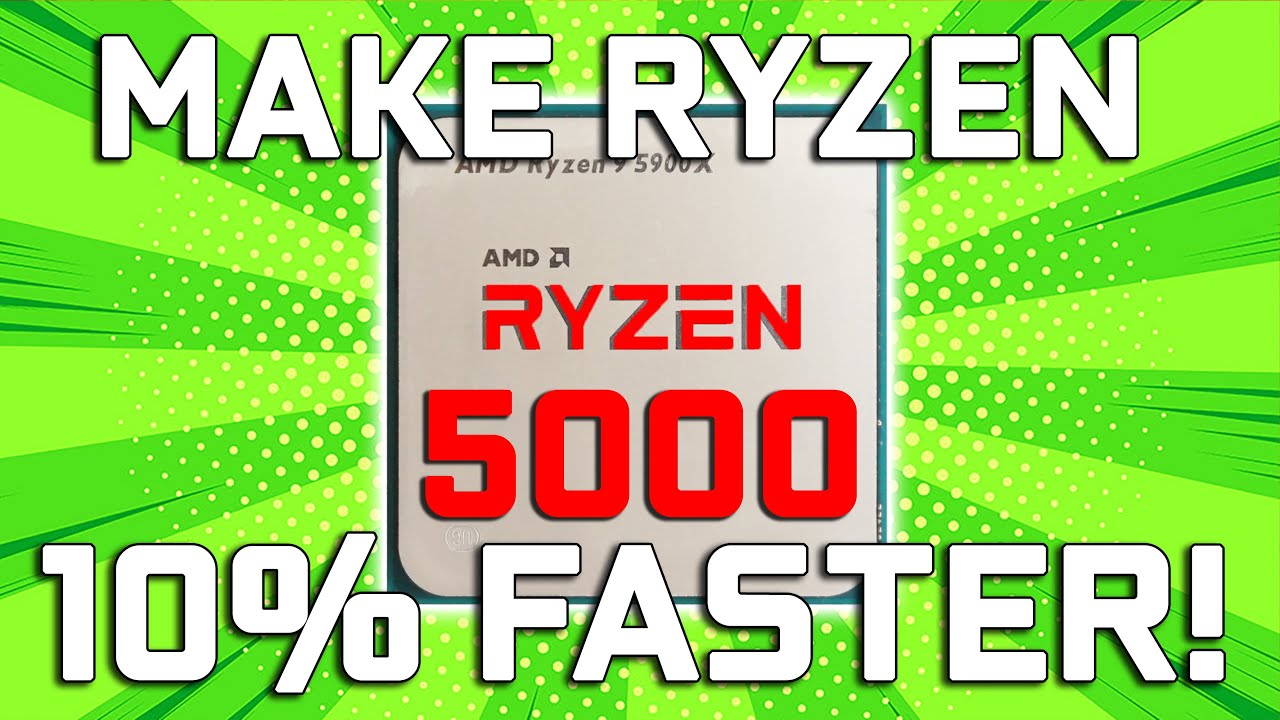
Make Ryzen 5000 10% Faster - 4 vs 2 Sticks of RAM, Speed, & Rank
What RAM should you buy for Ryzen 5000 series processors such as the R9 5900X to get the maximum performance? It turns out How many RAM sticks you use as well as what rank, speed, and CAS latency they are can inc...
gritty meadow
its not "super" important for me personally.
hence why i have not really dug into it yet
rigid coral
Oh ok thank you. When I boot it up is that when I should put the flash drive in?
Same with windows 10 USB install?
 hollow thorn
Side note, take a look at specifics. This gen doesn't look like it'll like higher freq ram
errant lily
plug in your flash drive, boot up into BIOS, set boot drive to flash drive, save and exit, and itll boot into the flash drive @rigid coral
gritty meadow
they did something "weird" @hollow thorn
hollow thorn
mhm
rigid coral
Ok thank you
hollow thorn
Naed, if you don't have too much time, this will give you an idea
gritty meadow
i have seen the video, etc @hollow thorn
gritty meadow
i mean, i have not had time to actually dig as deep as i want in the "why"
hollow thorn
yea
gritty meadow
because logically there is nothing said from AMD about this
neat estuary
Ya i sense the same outcome in the graphs ive studied. It seems 3200mhz is becoming the great buy
gritty meadow
which makes ZERO logical sense
hollow thorn
Dunno
neat estuary
They did make it possible to push the FLCK to 2000.. But its highly experimental
hollow thorn
dunno if yall see the comment, but looks like GN will follow up on it later
neat estuary
Even Debauer said it doesnt make a diffrence
gritty meadow
aye aye, that was clear (extra video coming) from the org video @hollow thorn
rigid coral
@errant lily mind if i DM you a quick question?
errant lily
go ahead @rigid coral
hollow thorn
I mean, supposedly in the next week.
gritty meadow
aye aye
 trim harbor
One message removed from a suspended account.
 main pulsar
with 300 series motherboards, cpu support varies, it depends on the specific board you have
is this the board you have? https://www.asrock.com/MB/AMD/A320M/index.asp
that will support a 3600 with a bios update
trim harbor
One message removed from a suspended account.
 wind field
If I made a custom case for a raspberry pi 4 with the top of the case being a 120mm or a 140mm fan on top keep it nice and cool?
 pastel monolith
if you are asking if your raspberry pi 4 even needs active cooling the answer is no...
wind field
What if I want it to be?
pastel monolith
well then go for it
wind field
Where is the fun in that
 green terrace
Raspberry pi actually does get pretty hot
It doesn’t NEED extra cooling but it’s not impractical
pastel monolith
there is truth in that
pastel monolith
there are a few mobo gurus hanging around here
 forest plaza
1 stick of ram and my pc takes 3 tries to turn on 2 and I doesnt at all
But it power on
Just no boot
forest plaza
Old 2133
pastel monolith
I assume you have tried all the slots
main pulsar
has ths system booted with only one of each stick installed?
main pulsar
no, i mean have you tried each stick individually
pastel monolith
1 doesnt boot either though right? just powers on?
pastel monolith
hmmm thats odd
main pulsar
thats called memory training
forest plaza
thats called memory training
@main pulsar huh
main pulsar
when your system memory config changes, or if the cmos battery isnt holding the system config properly, it will have to retrain memory
every time it boots
main pulsar
as for running 2 sticks, how many motherboard slots do you have?
main pulsar
and which slots are you using?
forest plaza
The ones it says on manual
pastel monolith
might need to replace the battery if it keeps retraining ram constantly
forest plaza
It's a rog strix
forest plaza
Z370 e I believe
pastel monolith
shouldnt be old enough for bad battery
main pulsar
try slots 1 and 3, if that doesnt work try 2 and 4
one of the dimm slots may be damaged
or, it could just be dirty
forest plaza
Hol up 1 is on the very left right?
main pulsar
sure
forest plaza
k
pastel monolith
from CPU 1 , 2 , 3 , 4
main pulsar
technically its like B1 B2 A1 A2 but thats just too confusing for most ppl
pastel monolith
can you read what it says by the light?
forest plaza
It's a dram alert, thanks
main pulsar
now try 2 and 4
pastel monolith
well at least the light matches the problem
main pulsar
even tho the mobo manual probably says no
forest plaza
2 and 4 are the ones that are supposed to work
main pulsar
oh
test one dimm in each slot
i wonder if its either both dimm slots/traces for one of the memory channels being bad, or a bad memory channel on the cpu?
possible, altho unlikely
forest plaza
pastel monolith
I still haven't ruled out faulty cmos battery I dont like that it takes 3-4 starts with one stick. Even if a RAM stick failed it shouldnt have to retrain the ones that are left
pastel monolith
yeah lets try that
forest plaza
Boot first try this time
main pulsar
nice
forest plaza
On to num. 3
pastel monolith
same memory stick
main pulsar
^
forest plaza
Woah it booted
pastel monolith
as @main pulsar said nice job on tubes
forest plaza
Thx
pastel monolith
now lets try slot 2 same ram stick
pastel monolith
we only need 1 or 2 so its semi ok if it is
forest plaza
No boot
main pulsar
if the next two slots dont work, its a mobo or cpu issue, if only one of the slots doesnt work, its a mobo issue
forest plaza
No boot but lights turned on
main pulsar
install 2 dimms into slots 4 and 3
forest plaza
main pulsar
test boot
pastel monolith
is it showing both sticks in bios/windows
forest plaza
Nvm just windows update
 balmy shell
lol
main pulsar
next step is to clean dimm slots 1 and 2
forest plaza
How?
main pulsar
if you dont have compressed air, make your mouth as dry as you possibly can and blow into the slots
with pc off of course
forest plaza
I could get my grandma she has chronic dry mouth
main pulsar
rip
main pulsar
the way things are looking, either both dimm stots are dirty, the dimm slot traces coming from the cpu socket are damaged, or the cpu memory channel is non-functional.
pray that its the first one and not the last two
main pulsar
it doesnt take much
pastel monolith
and it worked with that cooler installed just like that before right?
pastel monolith
I don't like that cord running over the ram
main pulsar
so old system, new cooler
pastel monolith
it can arc
pastel monolith
is it not long enough to go around the ram instead of over?
pastel monolith
its actually important do know how many volts go through that ram it could be causing all the problems
the ram could be arcing to the cord not the other way around
main pulsar
i have my aio pump cord practically touching my ram
it wraps around near the base of it
pastel monolith
and its probably well shielded and not as thin as that one
pastel monolith
I am an electrical engineer although I work on coffee machines lol
forest plaza
No boot no light doesnt make difference still gotta clean tho
pastel monolith
k it was a long shot but worth trying
main pulsar
damn
pastel monolith
did you mess with timings when you changed cooler?
well I guess that doesnt matter since you said you cleared cmos right?
main pulsar
system boots on the other channel, so that shouldnt be the issue
pastel monolith
and god knows your not trying to rma that board with the hard tubing 😭
main pulsar
@forest plaza do you have any other cpus you could test with? did you upgrade your cpu or just the cooler?
at this point, theres not much else he can do that doesnt require pulling out the tubing
pastel monolith
cpu is only a mild nuisance pulling the board will be an all day operation
main pulsar
unless it really is just gunk in the dimm slots
pastel monolith
oh well at least reset cmos and try slot 2 again
if nothing after that ram will just have to be single channel in 3 and 4 til you can try another cpu
main pulsar
did you pull the cpu out of the socket at all?
pastel monolith
LOL
forest plaza
Thankfully not
gritty meadow
question: you are certain the pressure is even on the cpu?
main pulsar
@gritty meadow the system was fully functional for a year, he removed the aio, installed a custom loop, one of the memory channels no longer works
cpu never left the socket
main pulsar
just summarizing is all
gritty meadow
aye aye, been following :) but thank you :)
main pulsar
👍
gritty meadow
just busy in a dm, hence the short question.
pastel monolith
think that having uneven pressure could mess up the ram channel?
getting too hot on a specific sector or something
even from boot?
pastel monolith
I would think it could boot with ram and no cooler at all for at least a 20 seconds or so
main pulsar
how did you tighten down the cpu block?
gritty meadow
uneven pressure = uneven pin contact = heck knows what happens @pastel monolith
pastel monolith
@gritty meadow oh I didnt think about the pins not making contact good call
forest plaza
Well I did screw it without the included springs because it was going down with them
Wasnt^
main pulsar
hmmm
pastel monolith
thats odd
pastel monolith
and the lever was really hard to put down you said...
forest plaza
I already bought an x570 cuz switching to amd but I need this mobo to work
pastel monolith
what cpu is this?
main pulsar
well, run it in single channel for now ig, unless you wanna empty the loop and pull out the tubing
pastel monolith
yeah it should be hard just not harder than the first time you did it with the aio
pastel monolith
but then why touch the lever....
gritty meadow
note: the springs are there to PREVENT you from over tightning it
forest plaza
Oof
 devout mothBOT
 mrbacon0209#8685 has been warned
Reason: Bad word usage
forest plaza
:[
gritty meadow
legit use of that word, but still not allowed :)
forest plaza
Could it be broke or still fixable
pastel monolith
try to back of the screws a little
main pulsar
you could unscrew the cpu block, and slowly tighten it back down
pastel monolith
I actually overtightened a CPU one time and couldnt get 16x in my pcie slot only 4x backed it off a little as I thought I might have over tightened it and 16x came back
main pulsar
tbh, remove the screws, put in all the ram, start it up
there should be enough contact even with the screws removed to test boot
forest plaza
k
main pulsar
remember to just leave it on its back, dont stand it up
pastel monolith
yeah I think you should just back them off not fully remove
main pulsar
ok, now its time to properly tighten it down
main pulsar
insert all the screws, then do half turns
forest plaza
Okie
main pulsar
if you can get the springs in there, go for it
but idk if your gonna be able to put them in without removing the tubing
gritty meadow
also, please do yourself the favour and check your tubing after this
as in, the seals etc
 fresh river
Where are the failure points in an AIO?
fresh river
So like everywhere
main pulsar
in the case of enermax, the coolant
hollow thorn
lel
main pulsar
the seals on the block
hollow thorn
Yes
fresh river
What are the chances of it failing lol
hollow thorn
@fresh river think about it, have you ever heard of a heatpipe exploding?
then think about an aio leaking
sooo
pastel monolith
@forest plaza glad it worked
main pulsar
its super uncommon
fresh river
Ijust didn’t know if it was the pump as opposed to where it goes into the radiator
main pulsar
ive actually never heard of an aio leaking
pastel monolith
the pump will fail just like the fan will fail on your air cooler .... someday
main pulsar
the pump is usually the first thing to croak
hollow thorn
I hear about CM ML aios having leaking issues in the past
fresh river
I got the H100i
main pulsar
like overtime or out of the box?
hollow thorn
out of box
fresh river
Not too worried though
hollow thorn
but I have no sources
main pulsar
oh
hollow thorn
I just know I heard it somewhere
gritty meadow
standard statistics @hollow thorn
hollow thorn
mhm
main pulsar
wouldnt suprise me, it is the cheapest aio
pastel monolith
I do feel like a heat pipe cant explode though and a tube from an aio could leak probably wont but could
hollow thorn
like the tubing itself won't fail
that just wouldn't make sense unless you were using like paper
but the connection points, as in where it goes into the pump or rad
pastel monolith
but the connection can and the heatpipe is welded....
gritty meadow
less potential failure points on a heatpipe vs a AIO @hollow thorn, which equals more points where general statistics can come into play
and keep in mind, i am talking specifically about that old rumour you heard here
hollow thorn
With my limited sample size, even considering survivorship bias, I have never heard of any heatsinks failing
pastel monolith
LOL I got your point I was just shaming your bad analogy @hollow thorn your point was still valid
hollow thorn
but what I do have is such things like @long geyser showing me that corsair GPU block having pretty extreme leak issues
pastel monolith
anecdotal evidence I do it all the time
pastel monolith
Like I wont buy another corsair PSU do they make bad PSUs no of course not but have they sold me 3 bad PSUs yes they also did that...
hollow thorn
I won't buy another Team MS30
but I would buy a team mp34
I won't buy another team Vulcan kit
but I would buy team dark pro kit
But yea, I can't make a great comparison
but what I can do is just talk about the lack of evidence for heatsink failure
pastel monolith
MSI mobo's are also on my *** list this month but they still make good mobos
hollow thorn
:(
I really need to spend more money get a larger sample size of what I've personally tried
pastel monolith
LOL
 long geyser
get 100 of each item
pastel monolith
then start a youtube channel to pay for the tests
fresh river
How much storage should be on a USB drive if it’s only purpose is to boot windows and flash BIOS with m-flash
 naive pendant
Any news on 5000 series restocking?
 charred venture
that question should be in FAQ
do we know when {x product} will be in stock?
no, we're just enthusiasts
gritty meadow
very few people read the FAQ @charred venture
charred venture
true
gritty meadow
we would just be saying: read the FAQ line X
charred venture
easier to just say no i guess
 shadow hearth
AMD twitter claims they’re shipping out daily.
naive pendant
I’m stuck with a half-built pc until I can get my hands on one

I had one in the cart in amd’s website and by the time I put in all the billing info the website was down
 wet rapids
dont buy a cpu
 raw abyss
yea the amd website was glitching I bearly got one
Newegg sold out in like the first 4 min
shadow hearth
There's a 5900x on Ebay going for $4,650 right now.
neat estuary
Great deal
 quaint meadow
the reason pc hardware launches are like this
@raw abyss actually it's the manufacturer's fault
raw abyss
thats also ture
quaint meadow
if they supplied enough inventory, there would be little to no scalping
the demand will not be as critical
raw abyss
idk how multi billion dollar companys cant handle this
shadow hearth
They do have to manufacture cpu's for xbox and ps5's at the same time.
 topaz reef
@shadow hearth bots are messing up auctions thats why
they auto bid so the seller cant sell the items
fresh river
How does mineral oil not short the mobo, or any other part
topaz reef
@fresh river doesnt conduct electricity like other liquids
fresh river
Ah alright, ty
topaz reef
there are better liquids to use tho btw
novec/3m make some really good ones that hyperscalers use
naive pendant
I’m sure even if scalpers were out of the equation the cpus would’ve run out in minutes still
fresh river
I bet there are, I just said mineral oil because its the first one I thought of
naive pendant
Demand too hot
gritty meadow
@raw abyss blame your fellow gamers that are willing to pay the inflated prices :)
raw abyss
lol
gritty meadow
@quaint meadow if you want to blame anyone, blame nvidia
quaint meadow
@quaint meadow if you want to blame anyone, blame nvidia
@gritty meadow it's not just nvidia
raw abyss
$50 mark up for all the cpus except for the 5600x
gritty meadow
time will tell if amd has the same trouble or not
 astral moss
cant just blame one company 😦 covid definitely halted production for a while or at the very least reduced how fast they could manufacture stuff, also everyone is at home gaming or watching tv so more people got into the PC world which also increased demand for the same supply that was around before
naive pendant
Im kind of a tech noob, so forgive me if this is a stupid question. I have a RX5700, a Ryzen 5 2600, and 16gb ram at 3600mhz. I am consistently getting mid to low frames in many games at 1080p low settings (for example, just getting 70 fps in fights in Apex). Am I being bottlenecked by my cpu, and should i upgrade?
gritty meadow
you should not be
shadow hearth
@naive pendant Something else is going on. Ive seen that GPU / CPU combo average 120FPS on 1080p ultra settings in apex.
naive pendant
hm
gritty meadow
@naive pendant what else can you tell us about the system?
shadow hearth
cl19 is average on most ram above 3600mhz. are you running xmp? usually its clocked down if you haven't activated it in the bios.
gritty meadow
nothing to be sorry about :)
@shadow hearth you got the time to talk him through it?
naive pendant
yeah i have no idea what that meant lol
shadow hearth
Short answer. boot up bios and enable xmp.
I think it'll down clock it on the 2600 but maybe tighten your timings.
i have my 3900x running cl14 / 3200mhz and it screams.
naive pendant
Ok, pretty sure i know how to do that. I can try it in a bit.
gritty meadow
before you do, please check that you have discord on your phone @naive pendant
in case you need more help
shadow hearth
if you bsod. try mirroring the xmp timings of the ram manually. sometimes that works better.
 near void
is there a troubleshooting chat or can anyone help me with recent rebuild - new Ryzen 5600x on MSI B550
I just powered on the computer and not getting any signal to monitor
gritty meadow
here or #building-and-recc-chat @near void
seems like build chat is quiet, so lets move there
near void
ok thanks @gritty meadow
naive pendant
@shadow hearth @gritty meadow is this what I change?
shadow hearth
it looks like its already on. load windows. open performance tab in the task manager and check clock speed.
what radeon driver version are you running?
naive pendant
Latest I believe
shadow hearth
20.11.1 or latest stable 20.9.1?
naive pendant
Wait, when I click on the load xmp setting it gives me the option to load the xmp 2.0 profile. Should I do that? The bottom bar goes up to 3600 if I do l it
Do it*
shadow hearth
you can try it. If you bsod or its unstable then reset defaults in bios.
naive pendant
it's 20.11.1
but it's been happening since before i upgraded drivers to latest as well
Im pretty sure I missed a couple of upgrades and upgraded from like some July one to November.
yeah that's what avg is acc to radeon.
shadow hearth
how are your GPU and CPU temps?
naive pendant
im not sure, how do I check?
Im pretty sure my cpu doesnt run that hot, but I have an XFX rx 5700 which runs a little hotter than normal
Alr. Ill try that tomorrow for sure. Im going to try the xmp thing with the profile now, but it's getting really late where Im at so im going to bed. Thank you so much for your help! I really appreciate it
shadow hearth
or use ryzen master
fresh river
i asked this earlier, but If I need a boot USB for m-flash and windows how big does the USB need to be
shadow hearth
i don't think it takes much to run msi m- flash but windows bootable is min 4gb.
pastel monolith
8gb for 64bit
4gb is enough for 32bit windows 10
@pastel monolith
I answered earlier and bios is small less than windows
 tough wyvern
So I ordered 2 2x32 kits of ram instead of 1 4x32 kit, and I still ended up with sequential serial numbers and that is pleasing.
tough wyvern
I know 😛 - I was just looking at the numbers while moving them to their intended computer and went "oh hey, these are in order"
They feel more like "a set" that way.
 full tartan
 uneven lantern
o i need one too
uneven lantern
o i need a micro atx one and idc bout wifi ;-;
 sharp cove
Any AM4 Mini ITX boards out there with Q flash and a USB type C header?
I would just buy this gigabyte board with q flash and call it a day but there's no front usb type c header on that board. Asrock B550 Phantom Gaming ITX has a USB Type C header but that would be rolling the dice. No telling if it will come with the latest revision that supports AMDs new 5000 series chips.
neat estuary
ASUS ROG Strix B550-I Gaming AMD AM4 (3rd Gen Ryzen Mini-ITX SFF Gaming Motherboard (PCIe 4.0, WiFi 6, 2.5Gb LAN, DDR4 5100+ (O.C.), Front USB 3.2 Gen 2 Type-C, Addressable Gen 2 RGB and Aura Sync) https://www.amazon.com/dp/B089D34SZT/ref=cm_sw_r_cp_api_fabc_fvMQFbKASZGZC
The Phantom Gaming and the MSI on are also ok. I’m not certain on bios flashbacks. I didn’t look.
MSI MPG B550I Gaming Edge WiFi Gaming Motherboard (AMD AM4, DDR4, PCIe 4.0, SATA 6Gb/s, M.2, USB 3.2 Gen 2, AX Wi-Fi 6, HDMI, Mini-ITX) https://www.amazon.com/dp/B089CPDLYC/ref=cm_sw_r_cp_api_fabc_cGMQFbTJHEMB4
I’m not a fan of promoting MSI. But when I go over available B550 itx boards I would buy the MSI. It does have bios flashback

 midnight pollen
just use apple dongle, better than most on board audio haha
 thin dagger
 iron token
Hi Guys, I'm planning to get a Ryzen 5900x. Will the x570 TUF Plus mobo be sufficient for the 5900x?
fresh river
most midrange B550s or X570 will be fine
 waxen wyvern
is b550m pro vdh wifi good for 5600x and wifi capability
fresh river
Wifi capability it says up to 433 Mbps, and you'll need t o flash bios but beside that yeah
It is on the cheaper side but you get what you pay for
Definitely not the worst
gritty meadow
@thin dagger no, only people that might know anything about that is Asus.
 prime sleet
Is a Ryzen 9 3900xt better than my intel core i7 8700k?
hollow thorn
In what task specifically? @prime sleet
 potent dew
Probably better, but not the most efficient for it @prime sleet
Also there's no use in spending the money for extra cores if you don't need them
The Ryzen 7 5800X would probably be good if you want gaming performance and want to keep 8 cores, or the Ryzen 5 5600X which is better than the R7 5800X for gaming but has less cores
hollow thorn
@prime sleet Then the SINGLE THREAD SCORE will be helpful for you to compare with.
https://www.cpubenchmark.net/compare/AMD-Ryzen-9-3900XT-vs-Intel-i7-8700K-vs-AMD-Ryzen-5-5600X/3778vs3098vs3859
overall score doesn't matter for gaming.
 gentle horizon
So I have a B450 Fatal1ty with a Ryzen 5 2600. Do you think its worth it to upgrade to a B550/570 with a 3600?
prime sleet
Thanks m8s
hollow thorn
Well, I think you should wait for Jan 2021 and see if that board will get Zen 3 support @gentle horizon
Becauese it's a decent board, no need to upgrade unless you have a need for PCIe 4.0 devices (very likely not now)
gentle horizon
appreciate the advice!
hollow thorn
:)
 steady copper
With the new 5000 series CPUs, does the cas latency matter much or is it just about speed ?
hollow thorn
@steady copper Cas matters a good bit
3866mhz cl18 performs worse than 3600mhz cl16
as seen in GN's testing
steady copper
Alright thanks man @hollow thorn
hollow thorn
Take a look at some of the charts in here
https://www.youtube.com/watch?v=-UkGu6A-6sQ

This benchmark started as an AMD Ryzen 5000 memory timings and frequency benchmark (like of 3600 vs. 3200, 3800, with FCLK changes), but morphed into a 2x8GB vs. 4x8GB benchmark.
Sponsor: EVGA XR1 Capture Card on Amazon (https://geni.us/3IMrqPi)
Watch our AMD R5 5600X CPU rev...
steady copper
Will do
hollow thorn
oh yea
their review settings are 3200c14
and it performs better than 3600c16, which performs better than 3866c18
 olive ether
what's the best cheapest cpu
i was gonna go 5600x but like
i cannot find it anywhere for retail so
olive ether
when do u think they'll restock?
 wary abyss
Where are you shopping for it?@olive ether
 prisma nymph
im still getting the 3600 over the 5600x
 eager shore
bruh last week the 3600 was 190 and now its headed towards the 220 mark
wary abyss
I got a 3600 for 180 not too long ago
prisma nymph
hm yes, back friday deals
wary abyss
those will be hawt
eager shore
sheesh
prisma nymph
reg+ boi
raw abyss
im still getting the 3600 over the 5600x
@prisma nymph
Y?
It's the same price just out of stock everywhere
raw abyss
Oh
prisma nymph
yea, price, stock and bios update shiz
raw abyss
Yea that's true
hollow thorn
Bios update isn't an issue at all imo
raw abyss
What mobo u got @prisma nymph
prisma nymph
imma be getting the b550 aorus pro
which has the bios flashback i just learned recently
so it wouldnt be as big of a deal
prisma nymph
yea, and its another $120
hollow thorn
Cheap board like b550m pro vdh wifi have bios flashback
@raw abyss bios can be an issue
raw abyss
Can, sorry
hollow thorn
Stock produced before they has AGESA 1.0.8 won't post
prisma nymph
was it the x570s that are able to launch with the 5000 chips, or is that b550 as well
hollow thorn
But amd does ship the update kits or whatever they're called
hollow thorn
@prisma nymph both have bios updates before launch with AGESA 1.0.8
But stock produced before that update
Can't post
raw abyss
I'm trying to look for the asus crosshair hero x570 wifi but every1 wants that board for 5000 series so out of stock everywhere
prisma nymph
i thought it could, just you wouldnt have full access to everything
 magic cedar
I'm trying to look for the asus crosshair hero x570 wifi but every1 wants that board for 5000 series so out of stock everywhere
@raw abyss why not rog b550-f gaming
raw abyss
Y not?
hollow thorn
@raw abyss give us a why
hollow thorn
Which feature
raw abyss
Lol
prisma nymph
i was so sad that they didnt use the same look in b550 that they did for b450
hollow thorn
What does it have a X570-p doesn't.
prisma nymph
the b450 f looked so good
raw abyss
Insane overclocking
raw abyss
Trying to get my 5950x to 5ghz
raw abyss
Maybe I'll just settle for the strix or thf x570
hollow thorn
At 180$
raw abyss
Tuf x570*
gritty meadow
eager shore
sheesh
hollow thorn
@gritty meadow wait what is that?
gritty meadow
apple silicon
gritty meadow
8 core CPU: 4 perf cores, 4 efficiency cores
gritty meadow
re: smt: no, 4 big cores, 4 small cores
hollow thorn
Does it have SMT?
 willow flower
Hey guys, I need some help
Building my new gaming pc now, will be running mobo: ASUS ROG CROSSHAIR VIII Hero, CPU: AMD RYZEN 5900X, GPU probably will be either 3080/6800XT, need some help with matching RAM, preferred 4 sticks
hollow thorn
ah
gritty meadow
is the closest
hollow thorn
What about the ram thing
gritty meadow
unified pool
hollow thorn
@willow flower Well, extremely expensive motherboard, but that's your money to spend. How much ram are you looking for?
Oh so like AMD's Infinity fabric?
gritty meadow
no
hollow thorn
or more like the SAM thing
gritty meadow
more like the consoles
gritty meadow
you are basing your expectation on how that has been done on the windows side of things
there is nothing wrong with the concept
hollow thorn
ofc, that's the only stuff I know
gritty meadow
its all about how its implemented
willow flower
Yea its expensive I know, would you recommend another one? I'd like to use one with double Nv.me sticks, and the Hero seems to be just fit fine for me
I don't mind spend some cash on good quality to be honest
gritty meadow
double nvme = just about every single b550 board
willow flower
I think 32GB ram are more than enough, just need help with matching something that will work perfect with this board and cpu
double nvme = just about every single b550 board
@gritty meadow Yep, thats true but I'd prefer x570 chipset
gritty meadow
your money, your choice :)
willow flower
💯😆
hollow thorn
I'm back
@gritty meadow by the way, you think we should make conclusions off the GN video for 4x8 vs 2x16?
willow flower
Another question, I already bought and received my Samsung 980 PRO 1TB SSD, would it be smart to add another older SSD like 970 Evo or it can cause some problems and better go with another 980 pro?
hollow thorn
Since in the comment they said they'd still prefer 2x16, but needed further testing
gritty meadow
i am waiting to see what other videos might pop up for it @hollow thorn
not only GN ones
hollow thorn
@willow flower adding a PCIe 3.0 drive is fine, shouldn't mess with anything. I suggest a cheaper good drive like SN750 or MP34 or Sx8200 pro
gritty meadow
btw @hollow thorn that M1 cpu
hollow thorn
Hm?
gritty meadow
"Designed for low-power, portable systems"
hollow thorn
Ah mobile
willow flower
@willow flower adding a PCIe 3.0 drive is fine, shouldn't mess with anything. I suggest a cheaper good drive like SN750 or MP34 or Sx8200 pro
@hollow thorn Cool, I'll search for one
Any help with my question about RAM? 😄
hollow thorn
Tryna think
willow flower
oh ok
hollow thorn
GN's video on ram is making me think
It's interesting, and we don't have extra testing on it yet
hollow thorn
GN for gamers nexus
eager shore
ohhh ok thx
hollow thorn
@willow flower well, when are you planning to buy and build?
GN is promising a follow up video sometime next week afaik.
And some other reviewers should get onto it too and do testing
willow flower
How these sticks for example? https://www.newegg.com/g-skill-16gb-288-pin-ddr4-sdram/p/N82E16820232759
midnight pollen
i love how apple is vague a lot but some of their thing is half detail and half vague lol
willow flower
@willow flower well, when are you planning to buy and build?
@hollow thorn November/December
midnight pollen
lol 4600mhz
willow flower
But I heard there are some RAM coming our soon
gritty meadow
its how they play their audience @midnight pollen
but this is a VERY interesting chip
hollow thorn
Ddr5, soon as in for the next year.
willow flower
which will work great with the new AMD cpus
hollow thorn
Nothing supports ddr5 yet.
gritty meadow
and 18 hours of battery life in a laptop is nothing to sneeze at
midnight pollen
oh ya very interesting
hollow thorn
@willow flower wait, are you talking about a new ram kit, or a new standard as in ddr5?
gritty meadow
and ofc fanless
willow flower
new ram kit
gritty meadow
etc etc etc
hollow thorn
What kit..?
willow flower
Not sure, saw a video lat night on youtube
hollow thorn
Huh
willow flower
I think it was G-SKILL or something
hollow thorn
And testing so far is showing me better results with lower timings than higher clocks, which is interesting.
willow flower
not sure though , im kinda noob in this pc build thing, thats why I am here seeking for help and guidance lol
gritty meadow
 steel sentinel
trident z royal lmao
willow flower
Maybe it was Trident
gritty meadow
the up to numbers are versus the last macbook air
willow flower
Either Tridentz or G skill
hollow thorn
G.skill makes trident ram
willow flower
Make sense
hollow thorn
Trident z rgb/neo/royal are just models that g.skill makes
gritty meadow
the new mac mine: Up to 3x faster CPU perf than the previous quad-core Mac Mini <- that is a interesting claim about scalability
hollow thorn
You know what, I'll get you 2 different options for the moment for 32gb of ram, but get back to us in a week when we get more testing on the stuff.
willow flower
Alright
amd 5900X is not released yet isn't it?
Or just out of stock
I mean, I know it has been announced already, but I couldn't find it anywhere
gritty meadow
out of stock.
willow flower
Alright
midnight pollen
i wonder what price will be
gritty meadow
699 for starting point on the mac mini
midnight pollen
and the starting is 4 core?
gritty meadow
@eager shore keep in mind, their A14 and previous chip designs are some of the fastest stuff on the planet for their use
hollow thorn
@willow flower we can get other kits and these are just references
Option 1, get 2 kits of something like this:
https://www.newegg.com/ballistix-16gb-288-pin-ddr4-sdram/p/N82E16820164173
Option 2, something like this:
https://www.bhphotovideo.com/c/product/1548846-REG/crucial_bl2k16g36c16u4b_ballistix_32gb_16x2_3600_mhz.html

Buy Crucial 32GB Ballistix DDR4 3600 MHz UDIMM Gaming Desktop Memory Kit (2 x 16GB, Black) featuring 32GB (2 x 16GB) Capacity, 3600 MHz Clock Speed, PC4-28800, 288-Pin UDIMM, 1.35V, 16-18-18-38 Timings, Unbuffered, Non-ECC, Low Profile, XMP 2.0 Support. Review Crucial Ballistix
gritty meadow
@midnight pollen dont know
hollow thorn
We'd need more testing to get you specifics on what'll be better, but both are solid options.
midnight pollen
hmm
gritty meadow
but less than 4 cores would not make sense
willow flower
We'd need more testing to get you specifics on what'll be better, but both are solid options.
@hollow thorn tbh, I never thought of buying Crucial, it can be a good stick
gritty meadow
damn, these are some gnarly claims
willow flower
Can you advise me some other sticks as well that include RGB as well? at least my kid will be happy with all these lights lol
gritty meadow
"17 hours of wireless web browsing, and 20 hours of video playback (10 hours more than before)"
eager shore
nice
hollow thorn
@willow flower yea sure, they're just for reference, and those are good kits, good chance at micron e die.
gritty meadow
hollow thorn
There's also another option for ram for overclocking if you're into tuning ram that I haven't given yet.
Lemme grab some good kits
willow flower
BTW, I've seen that the Crosshair Hero mobo will be on black Friday sale, any idea what would be the discount size (in percentage)? based on previous year deals on mobos?
gritty meadow
"They will be available next week" <- holy effing heck!
willow flower
Lemme grab some good kits
@hollow thorn Thanks mate, appriciate it!
eager shore
dang that looks nice, waiting to see what apple does in the future
hollow thorn
Naed, let's hope it's not a 3080 launch again lel
willow flower
lol
gritty meadow
its apple. they generally dont do things that way @hollow thorn
hollow thorn
I'd be interesting in perf tho.
midnight pollen
hmm studio quality mics ehh, id like to see that in a laptop
gritty meadow
there are a LOT of pc laptop OEM's that are going to be in for a heck of a rude awakening with this
midnight pollen
lol
gritty meadow
because they are VERY heavily leveraging their vertical integration
their software side knows exactly what the hardware can do
willow flower
BTW, I've seen that the Crosshair Hero mobo will be on black Friday sale, any idea what would be the discount size (in percentage)? based on previous year deals on mobos?
hollow thorn
@willow flower
Alt.Option 1-2: (2 kits of) https://www.newegg.com/g-skill-16gb-288-pin-ddr4-sdram/p/N82E16820232858
Alt.Option 2-2: https://www.newegg.com/g-skill-32gb-288-pin-ddr4-sdram/p/N82E16820232860
Yes they're expensive, yes I know there's a cheaper kit of 3600c16, but I'm choosing this for the b die bin
And lemme grab you the crucial alt with rgb
@willow flower
Alt.Option 1-3: (2 kits of) https://www.bhphotovideo.com/c/product/1548861-REG/crucial_bl2k8g36c16u4bl_ballistix_rgb_16gb_8x2_3600.html
Alt.Option 2-3: https://www.bhphotovideo.com/c/product/1548870-REG/crucial_bl2k16g36c16u4bl_ballistix_rgb_32gb_16x2_3600.html
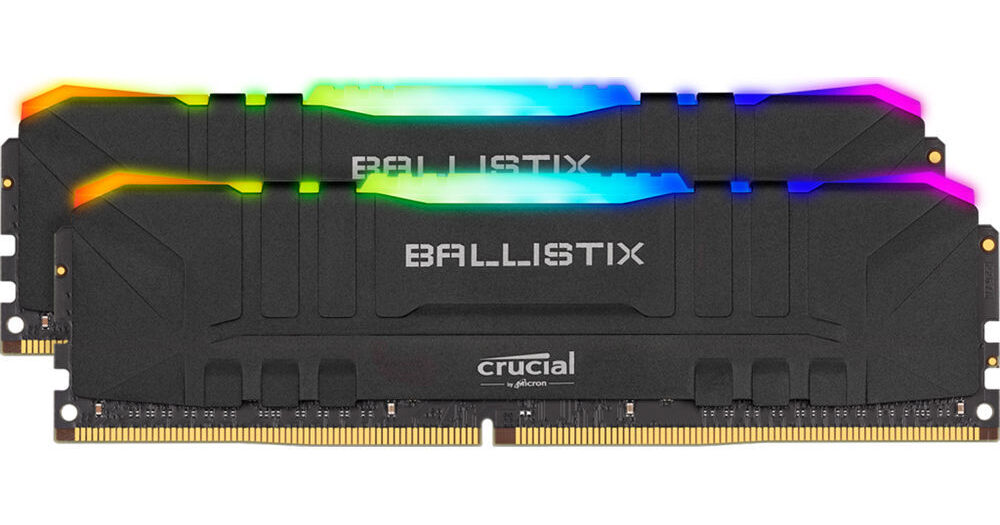
Buy Crucial 16GB Ballistix RGB DDR4 3600 MHz UDIMM Gaming Desktop Memory Kit (2 x 8GB, Black) featuring 16GB (2 x 8GB) Capacity, 3600 MHz Clock Speed, PC4-28800, 288-Pin UDIMM, 1.35V, 16-18-18-38 Timings, Unbuffered, Non-ECC, Low Profile, Customizable RGB Lighting, XMP 2.0 Sup...

Buy Crucial 32GB Ballistix RGB DDR4 3600 MHz UDIMM Gaming Desktop Memory Kit (2 x 16GB, Black) featuring 32GB (2 x 16GB) Capacity, 3600 MHz Clock Speed, PC4-28800, 288-Pin UDIMM, 1.35V, 16-18-18-38 Timings, Unbuffered, Non-ECC, Low Profile, Customizable RGB Lighting, XMP 2.0 S...
willow flower
@willow flower
Alt.Option 1-2: (2 kits of) https://www.newegg.com/g-skill-16gb-288-pin-ddr4-sdram/p/N82E16820232858
Alt.Option 2-2: https://www.newegg.com/g-skill-32gb-288-pin-ddr4-sdram/p/N82E16820232860
@hollow thorn Option 2 is actually looks interesting, however isnt it better to include 4 ram sticks for the cpu?
There was some benchmark showing 4 sticks perform better than 2 for some reason with these two
Maybe I should go with the first option, and just order two of them?
hollow thorn
@willow flower that's why I said "we needed more testing" :D
Because on the video in question (I'll link it in a sec), the comment sent by the guy who made the video said that 2x16 should still be the preferred option
@willow flower alright found the vid, you might want to skim over it, and read the top pinned comment
https://www.youtube.com/watch?v=-UkGu6A-6sQ
This benchmark started as an AMD Ryzen 5000 memory timings and frequency benchmark (like of 3600 vs. 3200, 3800, with FCLK changes), but morphed into a 2x8GB vs. 4x8GB benchmark.
Sponsor: EVGA XR1 Capture Card on Amazon (https://geni.us/3IMrqPi)
Watch our AMD R5 5600X CPU rev...
willow flower
Yep I see it
k I'll just note these neo cl16 sticks and will decide within a week
Probably will go with 2x 8gb, I don't really need 32gb for gaming
Correct me if I am wrong ofc
hollow thorn
Well, I'd suggest 32gb with such an expensive build, you'll prob want it to last a while.
 fallen lynx
you should get 32
gritty meadow
its a choice. some will say 16 is okay, i would personally NOT build anything with less than 32 if building now
hollow thorn
There's also the factor of ddr5 theoretically doubling the capacity right away, making 32gb standard, and game creators making use of that 32gb
theoretically
willow flower
Yea I am, will be using this build for few years for sure
Alright, so should I go with the 2 sticks of 16gb or 4x 8gb?
hollow thorn
That's what we're waiting on further testing for :)
gritty meadow
re: ddr5: that wont happen for a LONG while
hollow thorn
waiting a bit for this
willow flower
and will be back in a week or so
gritty meadow
re: ddr5: remember, lowest common
hollow thorn
@gritty meadow ofc they're not gonna do it right away, I'm saying in a few years.
as in, next year, 2x16gb standard, 3 years later, games start using closer that much on high settings.
oh well, they're my speculations, nothing is certain.
 robust plume
"CPU GO BRRRRRRRRRRRR" -Linus
willow flower
Last questions guys
Any idea what can be the discount size in terms of percentages for 300-400$ mobo?
 keen oar
Yo guys just put in new ram but I have no output
eager shore
try to get an output using one stick of ram at a time
keen oar
I did and it worked
Then I put another stick and it didn't work again
Now even when I put one it doesn't work
I set the xmp
But idk
eager shore
i think that means that the other stick is dead
eager shore
i thought you said that it worked with one stick in and the other out?
 slate phoenix
Should I upgrade my cpu from a 8700
 near flame
what would be a good motherboard to run with a 9900k and RX 6800
 loud escarp
Whats a good cas latency for 3600 and 4000 memory?
fresh river
18-16
 stuck perch
fresh river
stuck perch
fresh river
I'm gonna stick with 3600 CL 18
 proud mesa
eager shore
proud mesa
eager shore
3600cl16 is the sweet spot for most users
loud escarp
Thanks guys
near flame
is 3200 CL16 fine?
hollow thorn
why are you getting 4000mhz?
long geyser
@hollow thorn buildzoid looked into multi rank stuff for Intel some weeks ago
hollow thorn
What was the result?
I know he talked about T whatever it's called vs daisy chained at some point w single v dual rank
long geyser
Single rank seems to be able to beat dual rank if pushed hard enough, but otherwise go dual rank if one can
but that was also intel too, idk much about AMD
hollow thorn
alright
fresh river
corsair veangance 3600mh16cl is too expensive lol
long geyser
Corsair RAM has always been overpriced
loud escarp
4000 for performance, der8auer did benchmarks with 4000 with the new amd processors and the results were great
hollow thorn
screw corsair ram
loud escarp
gskill ram is where its at lol
long geyser
4000MT/s CL18 is kinda meh
fresh river
wwhat is so bad about corsair?
hollow thorn
@loud escarp where tho
yea 4000c18 is prob same as 3600c16
have to wait for more testing on zen 3 tho
long geyser
bdie is where its at
hollow thorn
ikr
@loud escarp With what we saw with GN testing,
3200c14>3600c16>3866c18 on Zen 3
they need to do more tho
long geyser
probs like CL16 4000 MT/s
long geyser
probs not with nice voltage
hollow thorn
1.6v ln2 prob
long geyser
not LN2, but probs liquid
hollow thorn
well prob dice
long geyser
bdie likes about 20c temp for best results
loud escarp
custom loops now cool ram too lol
long geyser
TT has had them for some bit now at least
hollow thorn
I mean ofc aliexpress blocks have been around for a loooong time
but I thought ek had some blocks for a few years?
one of the major brands did before TT
loud escarp
TT solved a problem with its aio that included a ram waterblock before it became an issue and GN talked about it at one point
long geyser
but yeah I've been running 3800 15(16 rounded)-15-15-15-30 on bdie, might be able to get 14-15-n-n (n is unknown). Was sad to see GN do bdie but not really push it
hollow thorn
oo
long geyser
also getting 5600 non X when it comes out. Might just wait till then and tighten timings for 4000MT/s
hollow thorn
mmm
loud escarp
i want to try and get into memory oc and timings stuff
hollow thorn
what kit do you have?
long geyser
erm, language
loud escarp
sorry
 long geyser
gskill kit
hollow thorn
royal? Flare x? Ripjaw? RGB?
long geyser
hollow thorn
oo interesting
long geyser
just went with cheapest ones that had same CL, RCDWR, and RCDRD
and was above 3000MT/s
hollow thorn
ah
long geyser
lazy way, but eh
loud escarp
so if i were to get 3600 c17, could i adjust the timings to be more like c16?
loud escarp
im looking at the gskill rgb kit thats 3600 c17 with 17-18-18-38 @ 1.35V
long geyser
idk much on memory dies and how much the worst ones can tighten timings given their bin. Only know a bit about rev-e and bdie
loud escarp
ahh ok
long geyser
tho to me, I'd take a good guess that could do 16-18-18-38
loud escarp
my current ram is 3200 c16 16-18-18-38 @ 1.2V
 candid vale
should i get a rog strix b450 gaming f or a asrock steel legend?
main pulsar
depends on the cpu you are getting
candid vale
looks
candid vale
main pulsar
i assume you havent bought this case yet
candid vale
nope
candid vale
ok
candid vale
k thx
main pulsar
similar price
loud escarp
would i be able to push the frequecy of my ram past what its rated for or no
main pulsar
yeah, if you wanted to
just depends on of the memory is capable of it, sometimes it is, sometimes it isnt
for your cpu, dont go past 3600mhz
theres no reason to
loud escarp
anyway to see what the safe push would be? the ram im using was engineered specifically for intel according to the website
loud escarp
ok
main pulsar
what you can push it to heavily depends on what you have now
loud escarp
well its a ryzen 5 3600 and my mem is gskill trident rgb 3200c16
im very new to mem oc/tinkering so i really dont have much knowledge on what i can do what what to adjust
main pulsar

TechPowerUp
DRAM Calculator for Ryzen helps with overclocking your memory on the AMD Ryzen platform.
It suggests stable memory timing sets optimized for your m
this might be difficult to use, but you can use it to manually overclock your ram
loud escarp
Its what im using now
main pulsar
oh nice
loud escarp
Mind if I dm a screenshot?
main pulsar
you can just post it here
loud escarp
Might be hard to read but thats what its saying I can do at 3200, I didnt know if I could push the freq to 3600 and go based on that without breaking something lol
main pulsar
you wont know until you test it
3600c16 is your ideal maximum, anything after that is unnecessary for the most part
i would think 3600c18 would be doable
i assume you are running 2x8?
loud escarp
Yeah
I was thinking maybe tighten the timings but stay at c16 and push the frequency to 3600 with a little more voltage?
main pulsar
i would start by going into the bios, disabling xmp or docp or whatever its called, and manually increasing memory frequency
leaving timings at auto
loud escarp
ok
main pulsar
start at the next option above 3200
main pulsar
damn
loud escarp
well i guess timings are off the table too then
main pulsar
im not all that great with overclocking, so idk any specifics, theres probably a way to make it run at more than 3200, it would probably just take alot of manual tuning
but honestly, 3200c16 is good enough for daily use
loud escarp
thats what im guessing too'
main pulsar
and even if you were to get it to run at 3600c16, the performance increase isnt all that impressive,
even though its there
loud escarp
ahhh ok
 icy bolt
wahts a good 16gb 3200 ram kit
main pulsar
why 3200?
icy bolt
idk i heard it is good
main pulsar
if this is for 3rd or 4th gen ryzen i would suggest 3600
icy bolt
theres a 4th gen ryzen?
 harsh girder
 cloud comet
rip my 5900x
neat estuary
March... wow
fallen lynx
march 2021????
 frosty cliff
yeah.... maybe intel isnt so bad after all
 fierce jasper
Woah here
That might be true
But we’re still in AMD hype land wait till January to make positive statements about Intel
hallow frigate
@cloud comet I got that same email. Cancelled my order
cloud comet
depends on what the email is they mentioned in early december
if its still march then im canceling
hallow frigate
Did u happen to go-to their chat and ask for a status on the backorder ?
I did that a couple days ago wondering if that was the email response
cloud comet
nah i didnt
 bronze summit
hallow frigate
bronze summit
hallow frigate
@cloud comet my coworker did the preorder few mins it was available after midnight he hasn't received that email yet
 tall trail
do we have the benchmarks for Ryzen 5000 yet?
icy bolt
yea i think
main pulsar
yep

Our review of the AMD R5 5600X CPU is now up. We're testing it mostly in gaming vs. the Intel i5-10600K crown-holder, the AMD R9 5900X, 5950X, and many others. 5800X next.
Sponsor: Buy the Corsair 4000D Airflow on Amazon (https://geni.us/aMBA1r)
Our Wireframe Desk-Sized Mouse...
there are other vids for each new cpu