#cpus-mobo-and-memory
1 messages · Page 103 of 1
 left root
w
 royal kraken
why?
 gritty meadow
@royal kraken my recommendation, would be to start looking at manuals
royal kraken
that works...i will try Naed...do you think i can access them from newegg.com?
gritty meadow
i doubt it @royal kraken
its a hunt/peck through the manufacturers pages
because i doubt anyone here will be able to help you as such
royal kraken
no problem - thank you
gritty meadow
but, here is something to consider, HP and Dell actually do decent machines that ARE open
royal kraken
yes leaning towards Dell
gritty meadow
at least, i know i have colleagues that drag some of them around
royal kraken
lol
gritty meadow
but again, i honestly dont know how much modification/custom they have done
and the problem/challenge here is, they definitely have the know-how to "fix" stuff
royal kraken
got it...thank you for taking the time to chat with me
gritty meadow
you are very welcome :) and its always interesting to hear that not everything is a blasted windows box
and best of luck, i sadly think you are going to need that and a bunch of patience
oh oh, i think i know which community you might want to ask thou
the level1tech community might be the place to go @royal kraken
royal kraken
oh cool... i will give it a spin
 weak hamlet
permission update.d
gritty meadow
thank you
royal kraken
thank you @weak hamlet
gritty meadow
IF/when you find something, could you check back in and throw me a message about it?
royal kraken
that works
gritty meadow
i would be quite interested in hearing the result @royal kraken :)
royal kraken
perfect
gritty meadow
:)
 naive pendant
heyo! i just have a quick question.. i plan on upgrading my pc soon with a ASUS ROG STRIX B450-f board with a ryzen 5 3600x. Will i need to invest in another cpu to update the bios? or should i be fine just to build it how it is
 main pulsar
most B450 boards will say if they support 3000 series ryzen
naive pendant
ohh alright
main pulsar
check the listing where you plan to buy the board
another thing
that board is overpriced
naive pendant
yeah.. i was thinking the same thing lol..
main pulsar
get something cheaper, or just get an x570
naive pendant
alright.. thats why im still in the "planning stage" and asking these questions
alright
main pulsar
also the 3600 non x is cheaper, and performs about the same
unless you cen get the 3600x for like $10 more, its not really worth it
naive pendant
yeah.. its about 10 bucks more
main pulsar
its like 35 more
naive pendant
but alright.. thanks alot! appreciate it
main pulsar
plan on getting the non x for now
if you come across the 3600x at a better price before you buy your components, then snag it
naive pendant
gotcha!
naive pendant
that looks pretty good for what need,, also supports 3rd gen.. i think i found the one! 😆
is there any known issues with it? or is it just a sometimes here and there issue
main pulsar
nope, its just a solid board
naive pendant
sweet! well thank you alot!
 thorny wind
I got a bad ryzen and troubleshooting took me a whole day :(
 warm path
Oh ok
 simple ginkgo
im running 16GB of 3200mhz Corsair Vengeance LPX. I believe i got it for around $80 on Newegg. Works like a charm with my i5-9400 @fading gazelle comes in white or black if memory serves me. I have the white variant.
simple ginkgo
its all based on what you need. Intel doesnt rely too much on ram speed where ryzen does. had this been a ryzen build id go 3600
i just check and it was $83.45 with tax
 fading gazelle
oh i do have amd ryzen build
simple ginkgo
if your board supports it you could overclock your ram a bit 3600+100-200 more mhz but nonestly at that speed there is no real reason. unless you have a threadripper with 2080ti then you need to max out your mobo with the highest it can support. 4000+
 olive umbra
waiting for that sweet, sweet X570 Tomahawk to drop
I love the idea of the Unify but $460 after tax here in Canada is a bit insane lol
Likewise, gonna go with 3200 CL16 memory for when I build my production rig because uh
3600+ is like $600 where 2x32GB 3200 CL16 Trident Z RGBs are just under $480
well, 3600 CL18 isn't much more expensive but eh
 fringe crow
My 3700x is sitting at and idle temp of 40C to 50C? I have it water cooled with the Deepcool Gamerstorm Captain RGB v2. This cooler worked very well with my FX-8350. Is this just how the CPU is going to run or is this a bit too much? I applied paste twice with the same result.
 long geyser
@olive umbra why are you trying to get a heavy OC board for a production rig? Planning to dry ice/LN2 it? Seems like a bad idea for a production rig tbh. Also, 32gb 3600 CL16 is $224 CAD
ah wait...
Sorry yeah 64gb would be $448
Being 4x16gb
olive umbra
Not so much for the OC as for the 2.5Gbit LAN
Hollywood Series is heavy, so if I get 1.5 gigabit fibre I want to be able to use it lol
(HS currently takes up ~1.3 TB on a 6 TB external I have)
Most non-enthusiast / OC boards don't have 2.5 Gbit NICs
Also dunno where you're getting $448 from but I guess I should have said I'm going for "RGB" memory (though I'll only be using the R part lol), 64 GB 3600/CL16 is $550-610 depending on make
long geyser
@olive umbra Any reason for not getting an add in card for the networking? Cuts $150 CAD off the budget
https://ca.pcpartpicker.com/list/mgcdzN
olive umbra
https://ca.pcpartpicker.com/user/NebulonRanger/saved/9Q78Jx here's the full list
This is going to be used for a lot of different things, most notably being music production and programming
The 8TB spinning disk is there as bulk storage, nothing more
I likely don't need a 750W PSU but there's little else available from PCPP's perspective
so consider that a placeholder
The Prisma fans are great because you can daisy chain them, so I don't need any more than 2 fan headers anyway
The 2TB firecuda 520 is where Hollywood Series will live, since a dedicated SSD is pretty much required to use it effectively
(Didn't get Samsung 970s because frankly, there's little point when SSDs like the FireCuda 520 that use Toshiba flash and Phison E16 controllers perform pretty much just as well for less money)
Tried to get as close as I could to 2080 Ti performance since even if I did have room in the budget for one, I still couldn't justify the absurd $800 tax-inclusive price jump.
Hence the 2080S instead
 nimble olive
I bought trident z gtzr for my Ryzen system a couple years back without noticing and recently just ordered gtzrx with a higher speed but my computer has been randomly restarting for the past coupe of years would the wrong ram have been leading to this
And should I wait for Ryzen 4000 or just buy 3700x even though I will get a b550
olive umbra
I mean there are people still using 2700Xs, I wouldn't assume that the 3700X would be made into garbagio by Ryzen 4000
nimble olive
Ok I think I’ll just buy it now then I’m selling my 2700 anyway
Do you have any advice about the ram issue?
olive umbra
It honestly depends on the board
olive umbra
Hm, that's an ASUS board so Trident Zs shouldn't be having problems anyway
olive umbra
(Gigabyte RGB Fusion and Trident Zs don't get along)
nimble olive
I have a gigabyte card
olive umbra
If you're using RGB Fusion to control any lights on it it's always a possible culprit
nimble olive
Yes I am
It’s randomly changes colors that explains it all now
I’ll set the ram to one color and it’s Always another thank you
long geyser
@olive umbra $150 CAD more but have the 10gb networking, 2080Ti, and optimized the rest of the parts
https://ca.pcpartpicker.com/list/4zW24n
olive umbra
Uninstall RGB Fusion first and see if it fixes the problem
nimble olive
Ok I’ll try that thanks
olive umbra
It's not very good software anyway
nimble olive
Yea ik right
I’m running like four software anywa
Anyway
Cooler master icue aura and egg fusion
Rgb
olive umbra
@long geyser Do you have shops configured on PCPP that I don't? I explicitly disabled amazon because COVID makes it unreliable in terms of shipping
gritty meadow
@olive umbra http://puu.sh/FCwZL/1544d629e5.png

that is how his list looks in default pcpp
so, you can compare and decide if things are worth it etc
olive umbra
I also have 13% tax set up on all stores because Ontario taxes, so it's closer to $5600 after tax
Still in budget, but still
gritty meadow
@olive umbra do remember, we cannot read your mind as to what rules/regulations you are under :)
long geyser
If you have spare parts around, which given how high end this system is I can take a guess you do, then it may be possible to use those parts for the random Amazon shipping to get to you
olive umbra
yeah worst comes to it I can make do with the Corsair H60, MSI 2060 super and other assorted fans until Amazon decides to ship stuff
olive umbra
The H60 may actually do better on a 105W 3950X than it's currently doing on my 140W 5820K lol
 leaden pumice
can someone help me
nimble olive
I’ll make a list
leaden pumice
LAPTOP
nimble olive
Rgb?
nimble olive
I had a laptop
nimble olive
Bye
olive umbra
also @long geyser hilariously enough it's on the order of one singular dollar more expensive to just use a 64 GB kit of the same 3600 CL16 Trident Z RGB over 2 32 GB kits
2x2x16: $605.61
4x16: $606.81
Normally I'd agree with the idea that going the double kit route is better (because it's usually cheaper), but not with Trident Z RGBs apparently
gritty meadow
@nimble olive when the person is asking for a laptop recommendation, giving a sermon on why that is wrong. Is not exactly helpful :)
olive umbra
realistically speaking though you aren't going to find much at $700 USD for a gaming laptop
gritty meadow
that depends on your definition of gaming.
olive umbra
True
gritty meadow
but no, you are not going to find a 144hz capable one
olive umbra
the closest you'll get is a dell inspiron gaming 15 with a 1050 Ti for about $890
Which is by all rights a pretty good machine, especially for one made by dell
gritty meadow
fairly certain there are regular offers/sales on machines in that category, that make them go very close to 700
olive umbra
for sure, the IG15 is one I had off the top of my head though
long geyser
@olive umbra If you're going for CL16 then the 4x16gb isnt cheap
long geyser
has there really been any mem issues on Zen2 tho? I havent heard of any
olive umbra
that and you'd be hard-pressed to find any 4x16 kits that have been tested with most boards
which is pretty much what QVL boils down to these days
I've looked, there aren't many listed
also gonna say that those fans look nice, but advetising 27 CFM as "high airflow" made me chuckle
They're cheap though which is a pro in itself if they work well
nimble olive
@olive umbra I think it’s the sticks themselves because even after deleting the software it kinda now just doing its own thing and aura won’t still work after reseating and swapping positions but my new ram should be here soon anyway thanks for the assistance
olive umbra
Hell, Deepcool RF120 5in1 packs are about 10 bucks cheaper and they have pretty nice airflow at 57.5 CFM
And no problem @nimble olive
nimble olive
Would you recommend going another brand of ram anyway
Because I can return go for Corsair vengeance if it still will do this with my new trident z
olive umbra
I'd avoid it, don't want to clutter your boot drive with 50 RGB packages
Don't go Corsair unless you have other iCUE products
nimble olive
I do
olive umbra
There's no point doing it just for RAM
olive umbra
Alright, that's fine then
nimble olive
Ok
olive umbra
going iCUE for a single product is a waste of time but if you have other Corsair RGB products it honestly is pretty hard to beat
long geyser
Corsair is quite overpriced on basically everything but PSUs. So yeah, one product for iCUE is usually a bad idea
olive umbra
I say this as the man who uses Logitech Gaming Hub for a G910 and that's it
(the G910 is a stellar keyboard though, even if the Spark has the classic white isn't actually white problem)
nimble olive
I would agree icue is overpriced unless you buy it all on sale like I did
And ram prices are good rn
The rgb pro vengeance is 7 dollars more but well worth not dealing with the restarting crap
During my ranked matches
olive umbra
Honestly, Corsair and Logitech have the most mature RGB software out there
long geyser
I do have Corsair mice and keyboards. Keyboard that I usually use has lasted many years now (probs 4+) and mouse is kinda new. Got it cuz 12 button on one side because I like them buttons. But Corsair periphs quality has gone down recently, my dad went through like three failing Corsair products in a year
olive umbra
My G910 is like 5 years old and the Omron Romer-Gs refuse to die
nimble olive
I have the rgb pro mouse 30 bucks on sale later me so far my whole computer gaming of two years
olive umbra
keys still feel like new
nimble olive
Lasted*
long geyser
I think the controller on my keyboard is starting to go. Keys randomly get stuck virtually every now and then
nimble olive
Hyper x makes some solid keyboards as well
Would you guys recommend the ASRock extreme X570 as a good mobo
It’s a little on sale rn
long geyser
depends on your needs
 tacit hemlock
Pcie 4.0
long geyser
Then instead of focusing on chipset you can goto mobo specific stuff. WiFi, 2.5/10gb LAN, lots of SATA/USB/M2 ports, etc
 deep vigil
a need a good mobo in the range of 100 -170 for a i79700k
olive umbra
https://ca.pcpartpicker.com/user/NebulonRanger/saved/9Q78Jx did a bit of optimisation on my original build. In the end, a 2080 Ti isn't super important. Yeah it's the better card, but I'd much rather have a better CPU and more RAM for running digital signal processing in real time
decided to just use the ASUS 10GbE NIC lol
long geyser
@olive umbra the list I gave you had a filter for the SSDs to pick only gen4 ones. That 1tb MP600 isnt the cheapest 1tb gen4 NVMe
Also note that G3 has a pretty bad OCP + OPP (protections) setup
and is generally overpriced
olive umbra
Yeah sadly everywhere seems to be out of the Seasonic unit I have in my current machine, otherwise I'd just get that again
olive umbra
I mean I dont consider $150 amazingly overpriced, since I paid that for the 650 I have right now
long geyser
If you can get in contact with the seller to make sure that you get the 2020 model (rather then 2019, which had some issues) then 650w of same quality for $135 cad
https://ca.pcpartpicker.com/product/fndxFT/antec-high-current-gamer-gold-650w-80-gold-certified-fully-modular-atx-power-supply-hcg650-gold
Also depends on which Seasonic you had. Some of the Focus' had issues with high powered GPUs and randomly shutting down
olive umbra
I have one of the refreshed GX units
long geyser
so fixed issues then
olive umbra
yeah
long geyser
tho I believe stiffer and more annoy cables
olive umbra
I think I managed to sneak the last one or something, since the Egg has been out of them since I bought it
long geyser
As I think it was fixed via caps in the cables
 hollow thorn
A new 650w amp is 145 cad rn
long geyser
I really with there was a way to specify which model you could get for things. Because that Antec one is about AMP perf if you get 2020 one, Problem that I cant really recommend it is that you might get 2019 model which had GPU shutdown issues
kinda same for Seasonic, but at least they made the model a different SKU
olive umbra
corsair units are generally good, but like everything corsair, expensive for pretty much no reason
long geyser
PSUs are their least overpriced thing. About something like 3+ months ago they were basically dominating the low end and mid end PSU market for best PSU for price
hollow thorn
Yea, Corsair PSUs usually have pretty good pricing, slightly overpriced on say RMx, but not ridiculous.
olive umbra
getting a Prisma S36 and three extra fans though is pretty cheap compared to going corsair for aios
hollow thorn
Cx is still the best lower end option when it's in stock at the normal price
olive umbra
Especially considering the H150i doesn't have an RGB fan version yet
so I'd have to buy expensive ass ML120 Pros or white LL120s
hollow thorn
I mean
Iirc h115i had rgb fans?
But all AIOs are expensive for no real reason
Other than Arctic freezer 2, that one's actually really good for the price
olive umbra
I've heard nothing but good about that one yeah
Prisma fans are pretty much as good as it gets for mobo control as the only better option is TT fans and TT software sucks hard ass apparently
hollow thorn
Honestly if I was buying an AIO for looks, I would only get a h100i or similar Corsair AIOs
I don't like the looks of most other AIOs
olive umbra
Fractal's are nice because you get to largely avoid the rat's nest of wires
hollow thorn
Corsair is fine afaik
hollow thorn
Idrc that far with AIOs, you buy them for a clean look, you can wire them to be clean.
olive umbra
(AL12s are also cheaper by a significant margin than most of Corsair's fans)
hollow thorn
But AIOs come with fans lmao
olive umbra
im buying more for exhaust ok
hollow thorn
I thought we were having a discussion about AIOs?
olive umbra
I am but I also want to buy extra fans so I can stick them on exhaust duty
I don't mean to move goalposts, it's more of a tangent
hollow thorn
Eh, I don't quite like most AIOs. Too expensive and most don't look that great.
I just find non-rgb white Corsair AIOs to be nice, if you're going to splurge anyways.
Idrc what you buy for looks
Its your opinion on whether or not it looks good
olive umbra
I don't care for the unicorn puke side of RGB, I'm grabbing lighting to match my other stuff, which is mostly black and red
also @long geyser I just checked, even including Amazon, that MP600 is the cheapest 1TB gen4 available, since everything else in your parametric filter is around $340
long geyser
oh wow, prices change fast. Just a few hours ago it was S50
olive umbra
yeah the XPG GAMMIX S50 is $339 now
and thank the lord that everyone seems to have RM650xs in stock; I don't need 750W and an RM650x while still pricey is more in line with what I actually need
https://ca.pcpartpicker.com/user/NebulonRanger/saved/2GTqpg more expensive board, but the x570 tuf gaming plus is a known great board so I'm okay with the cost
Not going for the wifi version for two reason:
- lol why does a wifi chip cost $30 extra
- I don't use wifi on my current rig, instead I have a 100ft cat6a cable from my room to the router
long geyser
Apart from colors there really isnt any difference between the Phantom Gaming and the TUF
So no reason to get it for "quality" reasons
long geyser
actually wait
custom watercooling is like $380 CAD total
can be gotten for like $360
for CPU+GPU loop
with 240mm+120mm, also RGB
olive umbra
🤔
long geyser

aliexpress.com
Smarter Shopping, Better Living! Aliexpress.com
I can 100% say it works well, given I already have gotten one before
cheaper then your AIO+RGB fans thing
for arguably better perf on noise normalized temps (esp on GPU)
olive umbra
that shipping is a pretty big yikes but it's aliexpress so this is expected
long geyser
well base cost is very cheap
brings total cost to decently cheap
360mm + 240mm is 405 CAD total, and taxes are weird and either included in price or not included at all
olive umbra
yeah, again this is aliexpress
 devout mothBOT
 NotWD#4882 has been warned
Reason: Bad word usage
long geyser
F
long geyser
anyways, if you want custom, I highly suggest this
olive umbra
For its cost, I'll definitely consider it
especially considering also how damned expensive EKWB and especially HydroX kits are
$500 for an XC7 kit if you can find any stock. thanks but no thanks corsair
I wish I could zoom in further on the program kit images, because holy these images are for ants
nimble olive
So j in be been going through my logs and I’m seeing tons of DCOM error 10016 is this what cause my computer to restart it seems to send the warning at the times of the random restarts
I’ve
I’m also looking more into and seeing service control manager error where the dhcp service randomly terminates event id 7034 also a couple errors for event id 7023 Nvidia localsystem container service terminated and a couple 6008 unknown shutdown
Sorry I’m spamming this chat but I’m just trying to get to the Bottom of this ive already ran tests and other possible solutions and still having the same problem
Event id 41 error not clean shutdown
Also another culprit
nimble olive
Ok thanks @gritty meadow
I’m currently playing and waiting for it to restart and check the code at the time it restarts to confirm my suspicions on one of them
gritty meadow
you are very welcome, and best of luck
 stiff kraken
hey friends
3733mhz 18-20-20-40 vs 3600mhz 17-19-19-39
which one is better
nvm, my ram booted with 3600 17-19-19-39 but cpu-z showed 18-19-19-39 for some reason
guess I will stick to 3733 cl18
also my CPU is running at 1.325V in cinebench with PBO on, auto scalar, and no override, but I've heard that voltage is unsafe on zen 2
but that's PBO should it be ok?
nimble olive
I guess my computer doesn’t want to do the restart bs anymore
Even though I was ready this time to fix it
Computer gaming is mint lmao
gritty meadow
pat yourself on the back and cross everything you own and hope it doesnt come back
and i wish that was a joke
nimble olive
It probably will thanks it’s done this on and off for a year and a half now
So at least I’m ready
nimble olive
Yea that is true this chat has helped me a lot
I guess worth the eight hour response from Newegg lmao
One more question I forget who but someone told me trident z does not work with rgb fusion would this explain my ram doing its own thing
nimble olive
Yea I’m trying to now too
But pretty much all components I have, have it
Too many wires controllers and softwares= a huge pain
nimble olive
It was probably an overheating issue
olive umbra
yeah the wires problem is why I really like Fractal's Prisma fans, since you can daisy chain the RGB and have only one wire to the board as a result
 jagged tendon
Hey all! I've made a few minor upgrades to my PC to help with performance a little bit (it's a Dell XPS 8700), but one thing that's been bothering me for a while is my internet speed. I switched a few months ago to have 400 down/50 up, but even plugged with an ethernet my PC caps at 50 down/40 up. At first I panicked a little bit and thought it was my provider that hadn't bumped my internet, but I tested it on my PS4 and laptop and both get the full 400/50. So I started thinking about getting a NIC card, but now I'm reading that it's actually the motherboard that caps the speed. Anyone have the solution? Is it really the motherboard, or can a NIC card increase my speed? Thanks!
 daring patio
Whats a Good 3000/3200/3600 Ram that could OC?
 warped scroll
You planning to OC to 3200ish MHz or overclock from 3200ish MHz?
warped scroll
So you want to overclock from 3200MHz to 3600MHz?
daring patio
yes
@warped scroll
warped scroll
Im not very familiar with memory OCing but that looks fine
warped scroll
Make sure your motherboard supports it
daring patio
Got it thx
 teal sundial
What’s a gpu cpu combo for fortnite at 1080p 200fps while playing 60 on my stream other games I play are gta apex valorant etc
warped scroll
1600 AF plus 1650 super maybe.
That’s if you’re okay playing at 1080p low settings.
Why do you even need to be at 200fps? 144 is high enough for pretty much everyone
 midnight pollen
I'd actually go with something more like 2060 super for fortnite 200fps, might have to turn down some settings as with every competitive game
definitely nvidia for streaming tho on the gpu
cpu I'd go at least ryzen 3600 if you can
 midnight chasm
depends on the budget for sure
i would try to go as high end as you can for streaming
naive pendant
my dragon center does not show user scenario. does anyone know a fix?
hollow thorn
@naive pendant do you have valorant installed?
hollow thorn
For some reason, when I have valorant installed, user scenario just disappears. Try uninstalling valorant.
naive pendant
ok ill see
 muted roost
valorant bad
hollow thorn
(and thats the exact reason why I really dislike valorant's anticheat)
naive pendant
its only 8gb anyways
i really dont care about the anticheat cus idk take my 1$ out my debit lol but it dont let me tweak my fan speed wtf
wait valorant is only 2gb?
@hollow thorn its still not there
im restartin it rn
i just uninstalled it tho
restarting
hollow thorn
Wait till after restart
Oh yea make sure you uninstall the anticheat along with the game, it showed up as 2 diff apps when I was uninstalling it @naive pendant
hollow thorn
yw
 manic cosmos
hey guys i recently started my first pc build and i have the phanteks p400a case which i love and i really enjoy building with it but the fans have 3 ping DRGB yes DRGB connectors on them, but the motherboard i have (the MSIB450 tomahawk max) only has 4 pin input slots, is there anyway i can get the LEDs to plug in, like is there an adapter or fan hub i need to buy???
 celest cradle
Hey everyone, so I have an x570 taichi motherboard and I just put in a 3900x. The bios that was on it was 2.80 and after I put in the new cpu the bios somehow rolled itself back to 2.10. Does anyone know why this happened? I know this board isn't dual bios so I am kind of stumped. I'm not having any issues and everything seems fine, just wondering if there are any ideas. Thanks.
 placid dagger
Never heard of that, before.
hollow thorn
@celest cradle how did you know that the bios on it before was 2.80?
celest cradle
@hollow thorn Because I had a 2700x in there with that bios
hollow thorn
not sure then
daring patio
@manic cosmos I don’t think you have to plug them in
 deft sapphire
Hey guys I'm in need of help with my ram not being able to run in dual channel. I'm using a MSI MPG Gaming Pro Carbon AC mobo with G.Skill Trident Z Royal 3200mhz 16gb (2x8gb) dual channel ram. I've tried just about anything referred to me and nothing. Even replaced the ram and mobo. Is theres something I'm missing? The pc will boot up with either ram on DimmB2 but not DimmA2 and DimmB2 which is what the mobo manual says is the dual channel configuration.
I've tried checking my cpu socket pins, making sure I have even pressure with the cpu cooler, updating bios, clearing cmos, then updating bios again, installing all drivers, nothing so far. Just the same problem. Any help is appreciated.
 tiny jetty
does anyone know of a good ATX B450 mobo that's white?
 copper solar
 tiny jetty
looks MATX unfortunately, might have to look at x470 then
copper solar

 ionic hamlet
MATX will still fit in a standard ATX case
tiny jetty
I'm aware, I'm just a fan of the aesthetic of the motherboard extending all the way to the PSU shroud
looks like I am going to have to go MATX though
 plush timber
Question: I have an older mobo and i'm wondering if i can just put DDR4 memory into it and get rid of the 16gb of ddr3 i have. this is my current mobo. https://www.newegg.com/gigabyte-ga-990fxa-ud3/p/N82E16813128514?Item=N82E16813128514 looking ot get a ne wvideo card an dfigured i'd order memory too
 supple monolith
DDR4 isn't backwards compatible
If you want DDR4 you'll have to upgrade your mobo
plush timber
all right thanks
starting to think i'll have to change out every part... fx 4350, 16gb ram, the psu, getting a new video card now. power color 5700.
gritty meadow
to be fair, those are not exactly new parts :)
plush timber
to be fair, those are not exactly new parts :)
@gritty meadow yeah. built it back in like 2015 i believe with older parts. kept price way down. its a trade desk. not graphic intensive task. but quarantine has me playing modern warfare lol
gritty meadow
:)
plush timber
keep getting an error after a while that crashes it so i figured my video card is very old and weak so upgrade that and see
worse case i upgrade everything and keep the upgraded video card in there too
gritty meadow
there is a good chance that your PSU will complain about the 5700
because depending on what you have in there right now, it will pull a fair deal more power
plush timber
yeah i thought so too. used the newegg calculator and it says its way less than what the product page says
550
calculator with all my stuff said 416w.
plush timber
yeah. thinking that too. lol
whats the worse thing that happens? it just shuts off right? it wouldnt become destructive with power color 5700 in there
gritty meadow
it might just not boot
plush timber
maybe i should just upgrade everything lol... was hoping not to but yeah
ahhh ok
Thanks for your input @gritty meadow much appreciated. will have to consider getting new cpu and mobo too... and ram... poop
gritty meadow
you are very welcome :) and best of luck :)
plush timber
thanks!
supple monolith
I'd recommend ROG mobos (at least over Gigabyte)
Or tuff gaming for lower end
long geyser
ROG has mostly become a name brand with no real quality improvement over other things, but with a price premium
supple monolith
Well, I just say that because I went Gigabyte and ended up returning because I hate their software
Also, ROG has iCue integration 🤷♂️
long geyser
The latter is.... Eh. Corsair stuff, apart from their PSUs, are just overpriced.
supple monolith
Yeah, but it comes down to preference. I really like corsair service and their products (iCue is actually pretty nice), so I'm willing to cash out a little more
plush timber
appreciate it
long geyser
I can't see it as ideal. Their mice seem to have high failure rates (based on experience and reviews). May have been a more one off thing but seems like their keyboards don't last as long as they use to. Their RGB fans are just... Overpriced by about 4.5x. Not kidding there either.
Headsets... You'd be better with an actual set of headphones + seperate mic
Everything by itself seems like a small or smallish tradeoff. But all together the trade off seems quite large for Corsair
supple monolith
I totally agree with the point on headsets and RGB fans (still bought 6 tho). And I regret buying a mousepad that doesn't have both full wireless charging and RGB
But they have great customer service from what I see. I really can't say anything about longevity as I haven't had any corsair products for longer than a month. Mainly I just went corsair because of the simple ecosystem and service
 tight sand
Hi, I got a ryzen 5 3600x and considering a budget x570 motherboard, any suggestions please? this is going to be my first build so I'm not really expert.
supple monolith
Generally agreed that you get the cheapest board that has the features you want. Anything from a reputable brand should be fine, though I like ROG. You can pay more for RGB and stuff but that's preference
gritty meadow
@tight sand https://pcpartpicker.com/product/dmGnTW/asus-tuf-gaming-x570-plus-wi-fi-atx-am4-motherboard-tuf-gaming-x570-plus-wi-fi <- solid enough board
tight sand
@supple monolith Yes that what I'm thinking, and the extra money saved I will put it in a good gpu like RTX, Thanks!
@gritty meadow I saw this one and the price seems fair, what about the one without wifi? because I actually don't need wifi, are the features going to be different? I don't think but I prefer to confirm from you guys.
gritty meadow
there is one that is the exact same price without wifi, and yes, wifi is the difference
so take which ever you want really :)
tight sand
Okay, thank you both @gritty meadow and @supple monolith
gritty meadow
you are very welcome :) best of luck with your build, if you want to have input on your complete list, swing by #building-and-recc-chat and post it there :)
tight sand
ok 🙂
supple monolith
You're welcome 🙂
Good luck
 tender robin
thoughts on i5 9600k?
midnight pollen

 arctic barn
New here and i had a question. Does anyone know what kind of memory goes with an AMD FX-8320? It's what i have with just one stick, and i am looking to add more ram if anyone can help!:D
supple monolith
What motherboard?
arctic barn
GIGABYTE 970A-DS3P
gritty meadow
@arctic barn ddr3
arctic barn
is there a certain hz or pin number for it? like 1600hz or 240 pin?
gritty meadow
if you want to figure out what specific ram you have right now, i recommend grabbing cpu-z and having a look there

CPU-Z is a freeware that gathers information on some of the main devices of your system :
			Processor name and number, codename, process, package, cache levels.
			Mainboard and chipset.
			Memory type, size, timings, and module specifications (SPD).
			Real time mea...
(Memory frequency is usually measured in mhz, not hz.)
supple monolith
Higher frequency (mhz) is better, but you motherboard/cpu might not be able to take advantage of super high speed ones. Like the PC I am using right now will only go up 1800 mhz
arctic barn
New to the computer building scene and that looks helpful! All the help is greeatly appreciated
gritty meadow
your board realistically tops out at 1886
but, go with that the current stick says in cpu-z
hollow thorn
And iirc 240 pin dimm are DDR3, 288 pin are DDR4.
supple monolith
Also it's best to get matching sets of ram
gritty meadow
correct @hollow thorn
arctic barn
Thank you guys so much!:D
 queen crest
yo, should i get a b450 mobo or a x570, im a bit stuck
 urban ferry
what processor @queen crest ?
queen crest
ryzen 7 3700x
im going with the asus tuf gaming x570-plus becuase i need a wifi mobo cuz the room that i am in does not have acces top wired wifi
gritty meadow
the x570 boards with wifi are equal in price to non-wifi x570's
 visual gulch
X570 gets a lot of unnecessary hate. I got told that $200 was too expensive and that I should get a cheap B450 instead lol
Wifi is only like $10-20 extra on some boards
I have a Netgear A6210 which is okay, but the Win10 drivers for it are crap and I hate that it takes up a USB port. Seems fine under Linux though
Now the flagship X570s are hideous and rediculously expensive
Everybody hates on the PCIE4, which I agree is pretty useless for most people. But that's a decent trade off for some of the extra features. Being able to run a second m.2 without losing SATA ports is nice
 mild jackal
I like the idea of management writing the engineers a blank check though
cough, gigabyte x570
visual gulch
Any one in particular? Or all of them?
I miss the old school stuff that didn't have all of the "armor" and obnoxious crap printed all over.
tacit hemlock
What does pcie 4.0 offer anyway?
mild jackal
The x570 aorus xtreme is very "extra" , though I wish other board used a heatpipe chipset cooler
4.0 bandwidth is double 3.0 per lane
tacit hemlock
In what cases is 4.0 useful
mild jackal
Storage / large file transfer or general workstation stuff- https://www.pugetsystems.com/labs/articles/Does-PCIe-Gen4-improve-GPU-performance-in-video-editing-apps-1565/

Puget Systems
PCIe Gen4 is finally here with twice the theoretical bandwidth of PCIe Gen3. But with the current Gen4 motherboards and video cards, does the extra bandwidth actually matter for video editing applications like Premiere Pro, After Effects, and DaVinci Resolve?
 boreal lance
im getting an r5 3600 tomorrow but cant get my hands on a b450 tomahawk max. what yall suggest?
gritty meadow
b450m pro gaming @boreal lance
for a "not trying to oc the pants of the cpu" build, it is a better board on all fronts
also cheaper
 near moat
Looking to get a R 3600x and a RTX 2070 super. was wondering if the B450 tomahawk max had bluetooth?
 spring terrace
will a hynix die set of ram have any trouble reaching xmp speeds on a x570 board?
i heard d-die wasn't that good
i won't be doing any oc btw, i just want it to run at xmp speeds and that's all
it says that it's compatible with x570 on the manufacturer's website so i'm pretty sure it will all run fine, but i just want to be 100% sure
spring terrace
my ram kit is F4-3200C16D-32GVK btw
hollow thorn
@spring terrace they'll run at advertised speeds fine. I got F4-3600C16D-32GTZNC.
 misty pivot
what is a better compatible cpu with my pc, the current cpu is a core 2 duo E8400
mild jackal
Q6600.
But that's an awful upgrade option because it's a very old platform.
I recommend upgrading to a $200-600 build if/when you can.
E8400' sell for 25 cents a piece on ebay.
ionic hamlet
I don't even recognize that model, so it must be ancient.
misty pivot
Okie
devout mothBOT
 Spanky#3953 has been warned
Reason: Bad word usage
 quaint current
thats all the memory speed/types it supports
 noble jewel
I had 3600mhz RAM and it was causing my pc to repeatedly crash according to the guy at my PC Shop
gritty meadow
@noble jewel memory controller is dependent on the specific generation/family of CPU that is being used (thats the Matisse part you see)
noble jewel
right, but is that saying the fastest ram the MOBO supports is 3200mhz without making some sort of advanced changes @quaint current
my ram was matisse though, so shouldnt i just be able to plug in 3600mhz RAM with no issues?
mild jackal
The mobo rarely has a definitive limit on ram speed - more of a practical one
noble jewel
bc he said he put in same GB of ram but lower speed and it is working just fine now
mild jackal
Depends on the model of the cpu, ram, settings.
noble jewel
so idk if RAM itself was just bad or is it the speed
gritty meadow
its not your "ram" that is Matisse, its the CPU itself that is from the Matisse family @noble jewel
noble jewel
ah ok
mild jackal
If you're running ryzen 3rd gen, and don't want to OC for the sake of the hobby, don't buy >3600 mhz
noble jewel
my setup is: Ryzen 3600, asrock x570 pro4
RAM that was apparently messing up PC was 3600mgz Corsair LPX vengeance
quaint current
3200mhz is the highest it supports without oc'ing, but xmp (technically an oc) allows the ram to run at the higher advertised speeds
but i dont really know the technically stuff so i could of gotten it all wrong
noble jewel
so it is likely that the ram sticks themselves were faulty - not bc they were too fast (based on that screenshot i sent)
is that your understanding?
mild jackal
You're a better tech than the tech
noble jewel
and no worries im not technical either haha
quaint current
i'd assume
noble jewel
ok thanks
im just debating on what to do
bc i got an x570 to splurge and have some future proofing
so if i cant run 3600 mhz ram its like wtf you know?
but i got it from amazon so its an easy refund/return
mild jackal
Just enable XMP during setup, good to go from there
noble jewel
i just dont want to buy 3600mhz again and have the same issue if its a speed thing. but if the ram itself is crap then i will just get a similar ram with 3600mhz
ionic hamlet
You got the faster RAM returned to you?
mild jackal
Also - can always just run said ram at a manually lower speed
noble jewel
but the guy at the shop tested some 3000mhz ram and said it works like a charm now
so im thinking 1. the ram i got was just faulty/dud or 2. MOBO just doesnt support that speed/brand/model very well
mild jackal
Good sticks https://www.reddit.com/r/buildapcsales/comments/gac28m/ram_crucial_ballistix_16gb_2_x_8gb_ddr4_3600_9299/
reddit
0 votes and 9 comments so far on Reddit
quaint current
the highest supported speed for third gen is 3200, (just enable xmp to get it running over that without issues), its an issue with the ram sticks
mild jackal
base speed?
quaint current
yeah dunno what i wrote there
mild jackal
The sticks will run at whatever JDEC stock speed the SPD chip on the stick tells the mobo to run them at.
XMP speeds/timings/voltage data is stored there as well.
noble jewel
so based on the screenshot from my mobo motherboard
i should be 100% fine to run at 3600mhz?
just need to change the basic settings in the BIOS page
mild jackal
I actually have these sticks, similar to the above, look cooler? I guess - both are Micron Rev.E
https://www.newegg.com/ballistix-16gb-288-pin-ddr4-sdram/p/N82E16820164149
99 on the latter set is the lowest price I've seen since prime day, (same price)
noble jewel
is 3200 mhz good enough?
Bc i just really want this to be over with haha so if i can just buy what he has at the store for a price that is not crazy i will probably just do it
midnight pollen
3200 is fine, but the timings also matter
mild jackal
If $100 is fine, get those elites, if it's not, I'd go for a cheaper 3600 18 22 22 42 kit
mild jackal
yes
noble jewel
ok ty
tacit hemlock
What ram speed would you recommend for a 1600 af
 charred venture
3200 probably?
mild jackal
scroll down to see popular picks https://cpu.userbenchmark.com/SpeedTest/563877/AMD-Ryzen-5-1600-Six-Core-Processor
 tacit hemlock
Ok 👌
 brave trellis
anyone have any recommandtions for am4? like motherboard wise
long geyser
depends on your needs
warped scroll
1st, second, or 3rd gen Ryzen?
Here are my favorites: B450M PRO4 and B450M Steel Legend
I'm an ASRock fanboy
warped scroll
CPU TDP?
brave trellis
65
warped scroll
B450M-HDV R4.0 if you're gonna stick with 65w for a while
It's a basic board with basic features. Wouldn't overclock on it though
B450(M) Pro4 is basically an upgraded HDV
long geyser
Steel Legend is overpriced and just meh tho
Pro4 is sometimes an alright choice, if the price is right
warped scroll
If you can get Steel legend on sale it's really nice especially with the looks
Got the one I have in my build on sale
Isn't steel legend just like a really decked out pro4?
long geyser
just same thing basically
but the Steel legend goes on sale for same price as TUF Pro
which has mostly same specs except better sound chip
brave trellis
The first option really helps with my buget, So I might stick with that
long geyser
or if you're looking at Pro4/Legend mATX then M2_2 is only SATA
brave trellis
I see
 tacit plaza
what are your guys thoughts on a ryzen 7 3700x and an Asus TUF gaming x570-plus mobo
 vital moon
What are your opinions on the mobo MSI B450 Tomahawk? I've heard bad reviews but I get suggested that It's actually good.
@tacit plaza sounds like a good pair. My old pc had the Asus Tuf but It got fried by my PSU so : (
tacit plaza
I’ve thought about the tomahawk I’ve heard overall it’s good. What kind of PSU did you get I’m planning on getting 650w
long geyser
@vital moon @tacit plaza b450 Tomahawk isnt that great. Bad sound chip, less M2/PCIe slots, worse network chip, lack of WiFi, etc compared to boards at same price, and half of those points compared to even boards that're cheaper then Tomahawk
x570 Asus TUF is pretty decent. Tho if you dont need WiFi then just getting the x570 AsRock Phantom Gaming 4 is good enough, and cheaper usually
 trail gate
Hi i ordered from newegg my first build and just received it, i would need someone that can tell me will i face any problems during the build?
My build is
Processor: AMD Ryzen 7 3800X
CPU Cooler: Wraith Prism (Stock)
MotherBoard: ROG STRIX B450-F gaming
Memory: G.SKILL TridentZ RGB Series 16GB 3200Mhz
Case: Nzxt H510 Elite White
VGA Card: ASRock Radeon RX 5700 XT 8G OC+
PSU: Corsair RM 750W Gold
Storage: Intel 660p Series M.2 1TB
PCpart picker says that i might need to update my bios is that correct?
warm path
@trail gate
You are good to go
Just update bios to ensure you get full support for your CPU
trail gate
But is it ok to build it without updating it?
It says in the package Ryzen 3000 desktop ready
 dawn wraith
Would upgrading from a 8086k to a 9900k be worth it? I play at 1440p high on a 120hz monitor.
tacit plaza
The Asus TUF GAMING X570-PLUS (WI-FI) ATX AM4 Motherboard has an additional 4-pin ATX power connector but the EVGA SuperNOVA G3 650 W 80+ Gold Certified Fully Modular ATX Power Supply does not. This connector is used to supply additional 12V current to the motherboard. While the system will likely still run without it, higher current demands such as extreme overclocking or large video card current draws may require it.
Will i be fine?
this was the warning new egg gave me
gritty meadow
@tacit plaza generally yes
gritty meadow
oh heck, those 490 chipset boards are just taking a wee on consumers
mild jackal
chonk
gritty meadow
it better be, at 1200 usd
long geyser
Too much armor
mild jackal
Condensation magnet
gritty meadow
(must resist commenting on the loop shape on the chipset)
midnight pollen
thicc
 warm scroll

 rough citrus
ordered a gigabyte x570 elite wifi, 3700x and a diyit pc mirage argb case
 wraith plover
seems the MSI MEG X570 Unify is out most everywhere atm 😦
3rd parties have it on the egg, but that's about it...
had to settle for the X570 Gaming Pro Carbon (I'm on the X470 version now)
or had been before the BIOS chip crapped the bed
asrock taichi was out everywhere too
had considered that as an option
asus x570 options were either hard to find or inflated pricing >.<
hollow thorn
I actually really like the unify for higher end x570 board :(
wraith plover
yeah I looked at it as a midrange tbh
considering the upper end of the X570 line
but for ~$300 it's a nice board and I like the aesthetic
I don't need all the RGB shmancy stuffs lol
gritty meadow
barely anything
 zealous storm
The cooler doesn't matter since I will be using a 3rd party cooler anyways
wraith plover
better binning, I guess?
gritty meadow
technically there is a bit of boost room, but if you are willing to adjust the software, it is basically the same chip
its a question of TDP limit really
on eis 65 and the other is 95 watt iirc
zealous storm
Ic, Nvm then I'll stick to the 3600
 pure copper
Hello , I was wondering if anyone knows whether the B450 MB come with updated BIOS for zen2
 vestal sandal
are there any x570 boards with the 24-pin power going parrallel to the motherboard tray, other than the Gigabyte Aorus Xtreme?
it's a beautiful board, but is super expensive
long geyser
@vestal sandal What about this?
https://www.aliexpress.com/item/4000079935335.html?spm=a2g0o.detail.100009.1.187f5f179SznSy
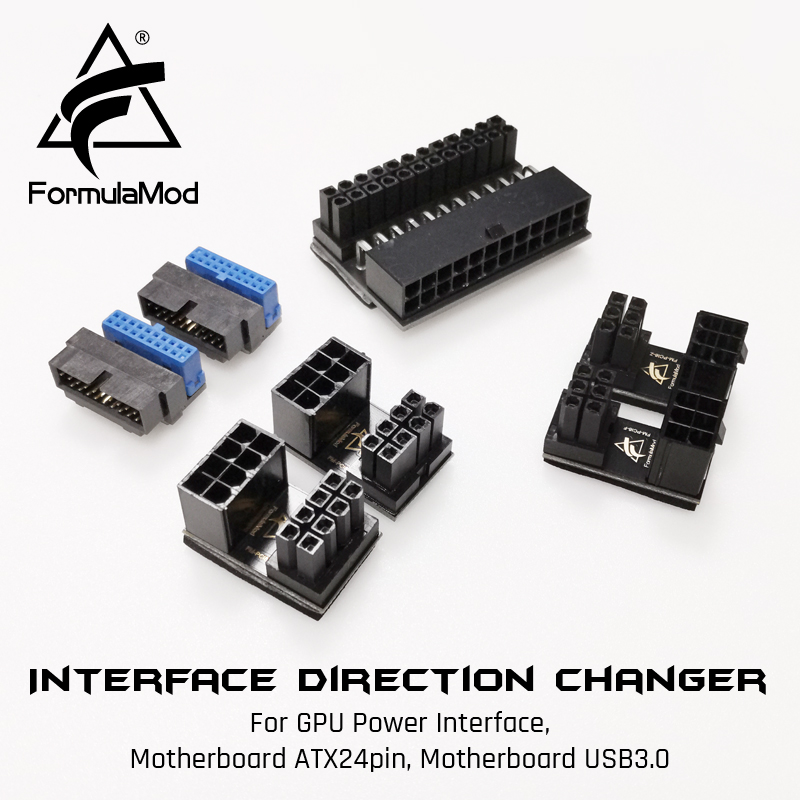
aliexpress.com
Smarter Shopping, Better Living! Aliexpress.com
If you need all of them then I think there is another kit on Ali somewhere
vestal sandal
those actually look somewhat decent
daring patio
left root
this is really important
the gigabyte x570 gaming x
it dosent show it supports 3600 ram speed
what do i do
vestal sandal
qvl list for matisse chips shows ram sticks going up to 4000
what cpu/ram are you using? do you have the specific model # for that kit of ram?
plush timber
I'm curious if theres anyway to fine tune the FX 4350 b/c with the activity monitor open showing performance, the processor is at 99% all the time now
lol and just as i type that it asys 15% ... ok
Do any of you recommend any of the newegg cpu combo deals? I think I saw one that was a ryzen 7 with mobo. i check every day to try and upgrade this thing
 queen tusk
I have a question about my current (older) MoBo, and possible CPU upgrades. I have the MSI B85-G41 and a i5 4690k on it. According to msi's website, this board supports 4th gen intel and I can upgrade to an i7 at the most. Does the mean I can only stick to 4th gen cpus, or can I go to 5th gen or higher?
 split copper
@queen tusk It's an LGA-1150 socket, so you can only install an 1150 CPU. The B85 chipset supports Haswell refresh CPUs, and not Broadwell. This means your highest upgrade is an i7-4790K. I have the i7-4790 non K. It's a great quad core CPU, doing better than early Ryzen 7s in single threaded tasks, but obviously not in multithreading. My 4790 is on a Lenovo H81 board. Not my choice, but I'm going to live with it, as getting an old Haswell board isn't viable (prices are wack), and I don't really fancy buying a newer Haswell board from a random Chinese brand, even though it isn't likely an unreliable option. For more info: https://en.wikipedia.org/wiki/LGA_1150
https://en.wikipedia.org/wiki/Haswell_(microarchitecture)_
hollow thorn
@plush timber budget?
split copper
Reee
split copper
I'm trying to remove the massive previews properly lol
hollow thorn
It's counting it as a part of the URL
You can remove the preview
There's an x
And it's like remove preview for everyone
plush timber
@hollow thorn I'm not sure. was hoping to keep the budget down but get somethign at least recent. i'm working with an fx 4350 and just got a 5700 video card heh. I figure maybe 500-600 for the processor mobo and ram?
hollow thorn
Oh, that gives you a lot of room to just buy stuff new I'd say
How much ram do you think you need?
plush timber
oh doe sit? my PSU is a 550w sea sonic that has been awesome this whole time. everything relaly has but windows but it feels like its struggling. I have 4 screens and right lightspeed trader for hours at a time. i have to reboot if i want to run modern warfare
i'd watn at least 16gb but was looking to go for 32gb
plush timber
i only trade and just got COD MW so thats about it. maybe in the future i'll buy another game but not really that much of a gamer. just lockdown and all
hollow thorn
Like what else do you do on your computer? Video editing, sound engineer, etc?
hollow thorn
Also, any preferred method of cooling the CPU?
hollow thorn
Ryzen CPUs come with pretty good stock coolers so that should be ok
plush timber
nice nice. i dont know the difference between the ryzens. i was lookign at a combo for the 7 3700x. Also the pins on ram. no clue lol
hollow thorn
I think the 3600 should be good enough for you, I don't think you'll have any use for the 2 extra cores lol
but here as an example
https://pcpartpicker.com/list/hTsk9G
Overkill on the mobo, overkill on the ram, just 500$.
plush timber
ooo thanks.
hollow thorn
And if you want to upgrade PSU, rn most are out of stock, maybe if Rmx is on sale or something you can snag one of those
plush timber
how's that 3600 compare to the fx 4350? lol i mean generationally will it be bogged down by the 4 screens?
rmx. copy
hollow thorn
I hate to use userbenchmark but this should give you a sense
https://cpu.userbenchmark.com/Compare/AMD-Ryzen-5-3600-vs-AMD-FX-4350/4040vs2880
Based on 238,854 user benchmarks for the AMD FX-4350 and the Ryzen 5 3600, we rank them both on effective speed and value for money against the best 1,221 CPUs.
plush timber
are there any combo's on newegg that are worth a peak?
hollow thorn
I'll take a look
plush timber
ohh righ tthat site. forgot about it. thanks again
lol @ "hugely faster" everything
i see G.skill a lot. are they that good?
hollow thorn
They are very good
plush timber
and thanks again for your help
queen tusk
very
plush timber
cool. cool. so this combo i had. let me see if i can bring it up
hollow thorn
Also, if you're looking for PSUs, use this tier list, anything A tier and above are great.
https://linustechtips.com/main/topic/1116640-psu-tier-list-40/
Linus Tech Tips
PSU Tier List 4.0 rev. 12.4 welcome to the brand new PSU Tier List! Created and maintained by @DatTestBench, @Stefan Payne, @GreatMasterAden, @Juular, @Elisis, @Maurice from Madagascar and @LukeSavenije Last Update: 12-04-2020 Tiering of various units is opinion based off repu...
Many are either out of stock or too high price right now due to corona
plush timber
nevermind it left my cart lol
hollow thorn
aw rip
queen tusk
thanks @split copper ya just gave me all the info i need to not upgrade my cpu, but instead board the ryzen 5 3600 train
split copper
Nice
plush timber
with all these parts you mentioned and my 1tb hybrid drive and the power color 5700 will i need to upgrade my psu? using newegg calculator says i wont
hollow thorn
You don't need to
plush timber
ty. lol needed definitive yes or no lol
plush timber
how would i tell that? its quiet and seems to be ok. handled the powe routages other night
queen tusk
well for almost hte same price to upgrade to the i7 i can almost get https://pcpartpicker.com/list/m86BsZ
split copper
Yeah Intel tax is real
plush timber
so ryzen 5 is still light yeras faster than my current chip BUT i dont need the ryzen 7 b/c i'm not handling a lot. Can the 5 handle modern warfare with th e5700 to at least give me better graphics and game play? lol hard enough seeing people as it is
split copper
Even for 5/6 year old part
hollow thorn
Yea
queen tusk
oh nice, no compatibility issue!
plush timber
you guys brin gup those links like it snothing. i keep clicking out of curiosity but its same lol
queen tusk
thanks @hollow thorn
plush timber
ohh heres another question. ATX vs micro atx? i think my current mobo is micro atx
hollow thorn
@queen tusk They're starting to get rid of the warnings for boards now
It used to be all B450 boards gave that warning p
plush timber
https://www.newegg.com/p/N82E16811553018?Item=N82E16811553018 this is my current case
queen tusk
I noticed that in the past few days..
hollow thorn
Well, it's an ATX case, I don't see why not putting an ATX board in that case
mATX sometimes saves you money, but not much difference
queen tusk
what really grinds my gears is i made the decision to get teh $399 2060 super 8g from best buy and was in stock last night, sold out this morning when i went to purchase. shot me right in the feels.
hollow thorn
mATX usually just shave some of the space off and sometimes get rid of some of the ports
that should show you the size difference
queen tusk
Critical even. but i found two other 2060 super 8G by GIGABYTE for the same price, so faith restored
hollow thorn
aw it's on preorder for some reason
https://www.bhphotovideo.com/c/product/1542295-REG/msi_rtx_2070_ventus_gp.html

Buy MSI GeForce RTX 2070 VENTUS GP Graphics Card featuring 1410 MHz Core - Boostable to 1620 MHz, 2304 CUDA Cores, Turing Architecture, 8GB of GDDR6 VRAM, 14 Gb/s Memory Speed, 256-Bit Memory Interface, DisplayPort | HDMI, 7680 x 4320 Max Digital Resolution, Dual TORX 2.0 Fans...
ah
good
plush timber
the ASUS mobo is good too eh?
hollow thorn
That Asus mobo is way more than enough, thats why I called it overkill
It gives you Pcie 4.0, some wifi, and some premium feels
You can definally move to a cheaper board if you want to save a buck
But that's a great motherboard nonetheless
queen tusk
I've never had an issue out of ASUS mobos in the past.
hollow thorn
idk what people have against MSI, other than their abysmal x570 lineup, my MSI mobo is just chillin
plush timber
awesome thanks
hollow thorn
You're welcome
plush timber
whats x570 for? i saw a b540 i think it was. i'm assuming speed rating?
anything is going ot be faster than what i have now i'm sure
hollow thorn
x570 is the more 'premium'/advanced version of b450.
Not much real performance differences
plush timber
ahh
split copper
They're different chipsets
plush timber
oh?
plush timber
so a step down from this mobo but not into turd territory would be what? still asus?
hollow thorn
b450 tomahawk max right now
hollow thorn
I'd love to recommend the Asus tuf b450m pro but it's out of stock p
oh wait
one sec
split copper
plush timber
thas an interesting picture
plush timber
so its older and a tad slower and vrm's down graded
hollow thorn
also has wifi bc why not
plush timber
i'm hardwired for trading. had my fair share of wifi or wireless internet slippage lol
hollow thorn
Fair enough
But that is a better board than the tomahawk max, better sound chip and 2 m.2 slots
queen tusk
So if i get the 2060 super, would my current i5 4690k become the bottleneck? having serious issues settling on getting just a vid card (which in actuality i need) and buying mobo+cpu+ram+psu & video card. but that price..
plush timber
hmm.. .looking
i think i have a gigabyte board now. never had an issue
i'm looking on newegg at the parts you gave me in that picker link.
thanks again @hollow thorn
hollow thorn
You're welcome
plush timber
i'll be back with more onc ei order these lol
oh thats another thing. the pin's on ram
hollow thorn
Yea?
plush timber
actually that ram you linked doesn say the pins. i kept seeing like 206 or 280 ping i think
hollow thorn
240 pin is DDR3, 288 pin is DDR4
DDR4 ram goes with the newer CPUs and motherboards
that ram was ddr4
plush timber
yeah. i saw different ddr4's. i cant find the page now. but you explained it. thanks yet again lol
hollow thorn
oh yea theres like 260pin sodimm and like 204 pin sodimm, that's for laptops
plush timber
ah
hollow thorn
280 pin dimm is for desktop ddr4
plush timber
copy that
split copper
copy that
hollow thorn
this is how I tried to label it
split copper
Aw yeah
hollow thorn
idrk 184 pin dimm tho
split copper
Raking in that 184 pin Double Data Rate
split copper
That's what it says 
split copper
I kinda wanna max out the DDR and DDR2 slots on my old computers
plush timber
nice thanks
@hollow thorn so i clickd the picker and clicked th eprocessor to see th eoptions. was going to do it all on newegg but like 2 bucks cheaper on amazon the ni noticed it has a combo of processor and mobo... https://www.amazon.com/dp/B07VXC4JD6?tag=pcpapi-20&linkCode=ogi&th=1
oh thats on eyou mentioned before.
o wait thats not the wifi one thats the elite
hollow thorn
It's out of stock
The cheaper option I mentioned is https://www.newegg.com/gigabyte-b450-aorus-pro-wifi/p/N82E16813145082
queen tusk
I said screw it.. and just purchased my 2060 super. at newegg even. I'm very excited about this. coming up from a dying gtx 980 classified..
hollow thorn
Should be a good performance increse
tacit hemlock
What would be a good cooler for a i9 9900k
plush timber
nice nice @queen tusk
queen tusk
i do pretty decent on games now. but this dying card makes it hard to play with occasional hard crashes to the game/pc. If only the division 2 was more polished and didn't consume 70-90% cpu usage.. lol
hoping the 2060 super will alleviate some of that
plush timber
oh damn... 90%?
with my performance chart my trading software is spiking my use up to 100%
queen tusk
I can see that, assume a lot of information in real-time can get intense
plush timber
i guess but basic black background charts. hmm.. plus 4 screens bein gused. yeah ok that makes sens elol
hollow thorn
@tacit hemlock d15 :D
@plush timber If you think your trading software benefits from more cores, you COULD get the 3700x if you believe that is worth it.
But gaming it doesn't really matter between 3600 and 3700x
plush timber
i'd assume gaming would be more intense on the hardware. but i think anything is better than wha ti have now
i'll compare the 3600 and 3700
tacit hemlock
I'm trying to help my friend with a build. He thinks that he can fit a i9 and a 2080 super in for under 1500 and idk how he got that idea in his head. So I'm trying to persuade him back to the ryzen 7 list I made. Thx for the suggestion @hollow thorn
hollow thorn
lmfao
tacit hemlock
As if he'll be able to tell the difference between a r5 3600 and a i9 9900k anyway
¯\_(ツ)_/¯
hollow thorn
Ask him why i9
tacit hemlock
He doesn't know
He thinks its the best
Which tbh it probably is
But not for what he's using it for
Under the budget he has
hollow thorn
This is one of the cheaper options for a full 9900k 2080s build
https://pcpartpicker.com/list/9VKYtp
tacit hemlock
Nothing is loading for me
tacit hemlock
He doesn't have discord
tacit hemlock
I do like that list tho
Lol
I dont think he will because in all fairness, he asked me for help, not for me to refer him to other people for help
hollow thorn
Hei is the one guy that will rip someone apart until they go amd
tacit hemlock
Lmao true
tacit hemlock
Where did you find that case from @hollow thorn
plush timber
well good news... just made enough to buy all those parts lol
midnight pollen
hehe
tacit hemlock
I thought it wasn't out yet
plush timber
well to pay fo r'em
tacit hemlock
Thats awesome
hollow thorn
bai
weak hamlet
hollow thorn
wtf
weak hamlet
^ in stock
hollow thorn
that wasnt in stock like 2 days ago
weak hamlet
🙂
hollow thorn
2 days ago
weak hamlet
the white ver is 109
really thinking about geting it
but I want a bigger case 😦
so I'm conflicted
hollow thorn
Coolermaster H500 ftw
weak hamlet
hollow thorn
I was talking this one but out of stocck still
https://www.newegg.com/gunmetal-cooler-master-mastercase-h500-atx-mid-tower/p/N82E16811119350
weak hamlet
been noticing a lot of stuff has been out of stock lately
weak hamlet
Yeah
weak hamlet
😠
split copper
I wish my money was in stock lol when will it be back in stock
tacit hemlock
Lol
plush timber
@hollow thorn hey coul dyou help me find a mobo again? that one in th epicker is sold out at the two places that had it
gritty meadow
@plush timber you did actually need the wifi?
hollow thorn
@gritty meadow no, x570 isn't required either.
that was just a good board
@plush timber This is in stock.
https://www.newegg.com/gigabyte-b450-aorus-pro-wifi/p/N82E16813145082
gritty meadow
@hollow thorn wrong board
hollow thorn
wdym
gritty meadow
his is the TUF Gaming x570
hollow thorn
I suggested this board earlier
gritty meadow
see what he linked :)
hollow thorn
oh wait he went back to the x570
gritty meadow
so some wires have been crossed somewhere :)
hollow thorn
I suggested a lower end option before, thought he was talking about it.
gritty meadow
Steel Legend x570 seems to be staying in stock
btw, D.F psu was /is in stock earlier
plush timber
what site is that
well i can start buying parts and when it all comes in swap it out of my case
or maybe buy a new case and build an entirely different computer
teal sundial
Where can I store my r5 3600 until I get the rest of my parts tag me please
warped scroll
In the box?
hollow thorn
@teal sundial anywhere as long is it's not being crushed is fine, it stays safe inside the box.
charred venture
ripjaws v
midnight pollen
if you are willing to go a little bit over there is this https://www.newegg.com/g-skill-16gb-288-pin-ddr4-sdram/p/N82E16820232880?Description=G.SKILL Ripjaws V Series 16GB (2 x 8GB) 288-Pin DDR4 SDRAM DDR4 3600&cm_re=G.SKILL_Ripjaws_V_Series_16GB_(2_x_8GB)_288-Pin_DDR4_SDRAM_DDR4_3600-_-20-232-880-_-Product&quicklink=true
3600mhz cl16
teal sundial
Well I have to do what it takes to get a nice performance so I’ll go over
midnight pollen
ty lol
hollow thorn
Just delete everything from "description" onwards
thats just fluff
And for amazon links, delete everything fron "ref" onwards
 fathom grail
hey everyone, trying to replace mobo, cpu and RAM and do VGA and HD later, can you tell me if this is a good setup for video and music editing and light gaming?
hollow thorn
If you're trying to link something, DM it to one of us and we'll post it on your behave
until you're lvl 3
fathom grail
just sent @hollow thorn
hollow thorn
fathom grail
thank you!
hollow thorn
Lol you just got level 3
midnight pollen

midnight pollen
to check your exact level you type !rank in #ranks-and-levels we can tell because your name went from grey to blue. In this server Blue nametag means you have regular role
fathom grail
oh ok thank you!
midnight pollen
np
fathom grail
anyone have advice on the build i posted haha
hollow thorn
Can you explain why you choose each part?
fathom grail
CPU: seems to be the best one i can get for the money, has two cores for every thread, the highest boost frequency out of the ones i compared, and overall pretty good reviews from what i can tell
MOBO: it fits in my current case, works with the Ryzen 5 and is the upgrade to DDR4 that i was looking for seeing as i currently have ddr3. ton of memory expansion capability, seems like a good product from reviews and has wifi and bluetooth capabilities which is just a bonus (not sure if that's standard at this point). the SATA speed is an upgrade from what i'm using now and also there's an LED on the board so that's sweet.
RAM: Highest speed DDR4 with the lowest timing that i could find for the price range and doubles my current ram
*two threads for every core
hollow thorn
Sorry I was playing some war thunder, but the CPU is fine, I feel like you can get a better mobo, and I don't think team dark pro makes sense for anything other than overclocking ram. @fathom grail
Because I feel you might benefit more from just more ram for video editing
midnight pollen
war thunder smh
fathom grail
can you rec a mobo and ram? i think i limited the search to ATX size boards that can accomodate a RYZEN 5 and that's what i got
nevermind on the mobo i understand that part now
i guess what part of the mobo do you think isn't good about it though
hollow thorn
The chipset, x370 is older so I'm making an assumption that it might not be the best
fathom grail
so my other options seem to be B450, X470 and X570
fathom grail
seems like moving to the b450 is a huge jump in price
fathom grail
maybe i'm looking at the wrong thing one sec
hollow thorn
better sound chip
fathom grail
do you have a link by any chance because i don't see any b450 for 130
hollow thorn
Weird how are you searching for it?
fathom grail
cheapest i see is 170
hollow thorn
I know plenty of b450 boards even under 100$
fathom grail
i limited my AMD mobo search to AM4, ATX and Ryzen series