#cpus-mobo-and-memory
1 messages · Page 98 of 1
 loud adder
Yeah it is 1151, but does that mean any motherboard with a 1151 socket will be compatible or is there other requirements
 gritty meadow
read the rest of the sentence :)
loud adder
Yeah, so that's all the requirements then?
gritty meadow
yes
loud adder
Alright thanks
 ruby portal
Any chatter about 3700x going on sale
 exotic cypress
Good evening everyone. I have a few questions in regard of a purchase I just made. I ordered a MSI B450 pro motherboard. And I also got with it was a Ryzen 5 2600. Wanted to know if the cpu I bought is compatible with the board I got. I’m new to PC upgrades.
 urban ferry
exotic cypress
urban ferry
exotic cypress
Thank you
 warped pecan
is ryzen 5 2600 with b350 worth it and i7-7700k delided witha x270 or b250
 main pulsar
2600 is better than the 7700k, if thats what your asking
 naive pendant
@main pulsar 7700k is way better
main pulsar
4c/8t vs 6c/12t
main pulsar
that doesnt mean as much as you think it does
its a good estimate
but in reality, the 2600 is the better choice
for cost reasons, and for single core performance in all other tasks besides gaming
naive pendant
for gaming 7700k is more than enough
naive pendant
so will the 1ghz higher clock speed
main pulsar
dont forget that motherboards will be more expensive
main pulsar
the 1ghz in clock speed doesnt mean as much
naive pendant
i have an 3700x
main pulsar
im not saying your a fanboy or anything
and i dont care what cpu you have
im saying the 2600 is most likely the better choice
for cost reasons
naive pendant
i disagree
main pulsar
and for performance reasons
naive pendant
performance the 7700k wins
main pulsar
ok, so 3600 vs 7700k, who wins
naive pendant
everything except like rendering
main pulsar
keep in mind, the 2600 is like only 7-10% behind the 3600
main pulsar
well
heres what amazon is selling them for rn
so if he gets a 7700k it will be used
naive pendant
lol you dont buy last gen processors from amazon
main pulsar
if you can find a 7700k that beats the price performance of this
idk what ill do
but all i know is that i wouldnt have to do it
 long geyser
Lol, why not 1600AF? Ranging between $85 - $100
main pulsar
were only comparing the 2 options given, that all
long geyser
Also, do remember that with an OCed 7700k you'd want better then stock cooler
Meaning more money spent
 quaint current
and userbenchmark isnt really reliable for cpu
main pulsar
we are comparing stock 2600 with stock 7700k thats all
naive pendant
i know
main pulsar
it had no bearing on anything, really
main pulsar
 long geyser
Also note lows. Idk 7700k and 2600 lows, but I know 9600k loses to 3600 lows, that's 6c/6t on Intel and 6c/12t on AMD
naive pendant
i had a 7700k it was great
naive pendant
everyone thinks they need 16 cores
long geyser
So if you see a diff in 6c/6t to 6c/12t, is same the same for 4c/8t to 6c/12t as lows will suffer on that low of threads
main pulsar
yep, thats why all we do is tell people to use amd
wait no
intel
PERFORMANCE??
lmaoooo
intel isnt even good anymore
for x86 cpus
long geyser
Idk, pure perf isn't really on Intel's side. 9900k vs 3900x, pure perf wise 3900x wins
naive pendant
find anything to disprove that the 9900k dosent always win in gaming
long geyser
Pure perf =/= gaming perf
naive pendant
intel vs amd for gaming = intel wins
long geyser
Also, 9900k + 2080S vs 3700x + 2080Ti, about same budget iirc. Due to worse GPU, Intel system loses
naive pendant

AMD Ryzen 5 2600x 4.2 GHz OC
intel core i7-7700k 4.7 GHz OC
intel core i5-9600KF 4.7 GHz OC
Nvidia Geforce RTX 2080
Games: 1080p
1-Far Cry New Dawn /Low
2-The Witcher 3 / Low
3-Assassin's Creed Odyssey Low
4-Grand Theft Auto V / Ultra
5-Hitman 2 / Low
i call bs
naive pendant
lol watch the whole thing
long geyser
Have you considered looking at lows?
main pulsar
darn, too bad it costs another 200$
naive pendant
the 1 percent on 2600x are bad
long geyser
9600k vs 3600, same budget
naive pendant
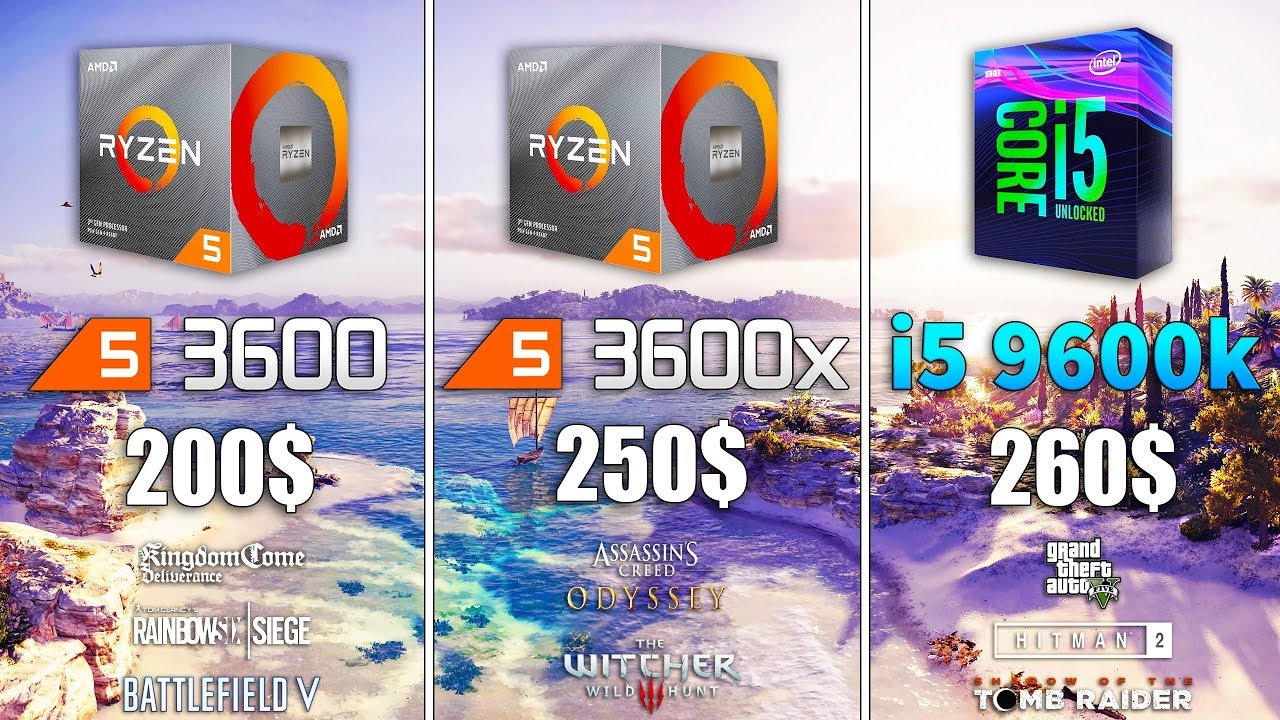
Ryzen 5 3600x vs Ryzen 5 3600 vs i5 9600k (RTX 2080 OC)
World of Warships - https://track.wg-aff.com/click?pid=1149&offer_id=24
Games :
Shadow of the Tomb Raider
Rainbow Six Siege - 00:40
Assassin's Creed Odyssey - 01:34
The Witcher 3 - 02:34
Battlefield 5 - 03:46
Kingdom C...
long geyser
Few games already suffer in lows. That will only continue to grow
long geyser
main pulsar
intel is performing worse in like half of those
long geyser
or, watch an in depth test from a proper tester?
naive pendant

We benchmarked & reviewed AMD's new R5 3600 Ryzen CPU to test performance in games, Adobe Premiere, Photoshop, Blender, compression, & more.
Ad: Buy Gigabyte's X570 Master on Amazon (https://geni.us/HAcFHA)
Article: https://www.gamersnexus.net/hwreviews/3489-amd-ryzen-5-3600-...
naive pendant
lol amd fanboys I see?
main pulsar
remember COST
warped pecan
honestly amd does have a higher core count annd single thread performance
with cost
naive pendant
yeah amd's price to perfomance is better
warped pecan
but intel has more of a higher boost frequency
naive pendant
but intels high clock speeds beat almost everything
main pulsar
architecture is more important than clock speeds
naive pendant
thats why intel can hit 5ghz and amd is limited at 4.2
main pulsar
should be fine
main pulsar
i should be
long geyser
@naive pendant Have you considered looking at the conclusion GN stated? (link has time in it)
https://youtu.be/7AbNeht4tAE?t=1630
main pulsar
if intel + high clock speeds = performance
long geyser
very clearly stated that frame time consistency isnt that great
and will continue to worsen in comparison to AMD as time goes on
main pulsar
hardly
naive pendant
i myself have a 3700x
main pulsar
cool
long geyser
but to go back to a previous argument I had with 9900k
9900k + 2080S vs 3700x + 2080Ti (pretty sure budget is close by for price)
long geyser
900k wins all
main pulsar
900k op
long geyser
but yeah, you're basically looking at Intel if you have more then 2.5k to spend (9900k + 2080Ti)
for pure gaming
but then, you'd want to have or get a baller monitor, speakers, peripherals, etc. Cuz if you spend all money on PC like that and have meh on one of the things I mentioned, you'd be best off going 3700x + 2080Ti and spending the rest for said thing
exotic cypress
Thanks guys! I’m on a budget that’s why I’m going with the Ryzen 5 2600. I’m also upgrading from a FX-6300. That’s why I wanted to upgrade my motherboard as well, same with memory.
 surreal pond
is 4.2 hrtz good for a ryzen 5 3600x when it comes to over clocking
 full flame
4.2hz sounds extremely low 🤔
full flame
4200mhz would be 4.2ghz. I don't know where the 3600x can OC to, but I bet if you Google 3600x overclock you can find some results
 mild jackal
All core 4.3 on the 3700x is typical. Unless you push voltage hard and pull temps down past 0 to get much more than that.
full flame
GN seems to have tested the 3600 at 4.3ghz, but other sites indicate that was out of reach for them fwiw
mild jackal
GN happened to get a chip on the luckier side of the albeit narrow binning curve, but that sounds about right.
 hollow thorn
4.2 usually is okay
quaint current
@long geyser 3600+2080 ti beats 9900k+2080S iirc
hollow thorn
Graphics is usually more important
long geyser
@quaint current unless say you are that 240Hz person, then that 3600 will limit it I think
quaint current
every cpu limits the 2080 ti, just some more than others
 oak sand
@quaint current what about a 3950x or 9900k
quaint current
@long geyser https://youtu.be/0SdcYzAUj7I
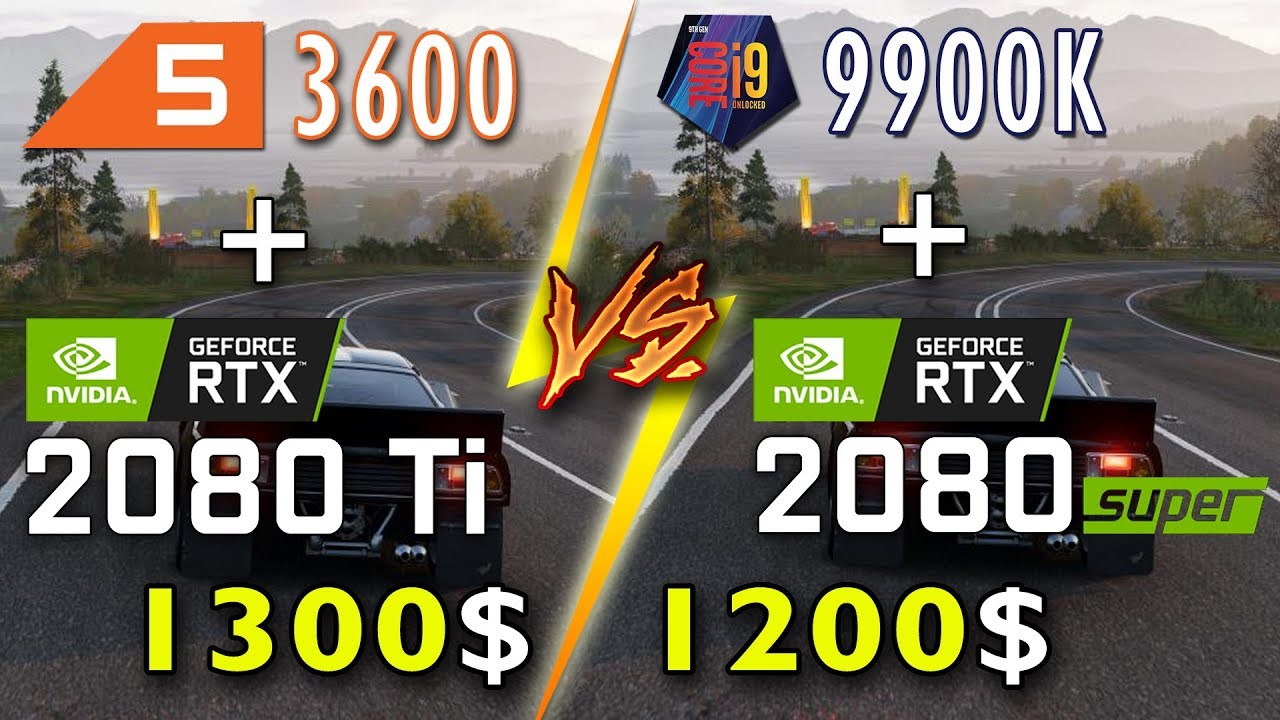
🔥 Like, Share and Subscribe for more!
Should you buy a High End CPU or GPU for your gaming setup?
This time we are doing something odd... pairing the Ryzen 5 3600, a 200$ CPU with a RTX 2080 Ti... a 1100$ CPU! We are comparing it against core i9-9900K paired with a RTX 2080 ...
 boreal wedge
Looking to upgrade to 3600x or 3700x, I have a 450mobo and 3200mhz, 2070s build. Which cpu should I go with?
oak sand
Whichever your budget allows @boreal wedge
 dusk oracle
And what are you using now?
If you're looking to upgrade would have to know what you're using now so i could let you know if it would be worth it or not
 zealous storm
Guys quick question
I have a Mobo x570 Aorus Elite, a 3800x, and 2080s
I'm a. Bit of noob
U guys think with those parts I can get consistent 144hz+ at 1440p
?
 weak hamlet
probably.
zealous storm
:3
Should I OC?
I have a noctua hd-15s chromax black etc. Etc. For my CPU and stock fans on GPU
dusk oracle
Pretty much all launchers would have a frame counter to use in game so if you are getting a constant 144+ fps then you wouldn't need to overclock
Geforce Experience also has a frame counter as well
zealous storm
I mean like OC to try to make the 144fps more stable
Or the 1% low higher
Since I got the daddy of air coolers
Sorry I wasn't specific
dusk oracle
Well always check first on all the games you play before thinking of overclocking and also the other thing is depending on your GPU is the pre settings like how with Asus cards you would have Silent, Gaming, and Boost
zealous storm
Oh okey!
Thanks
I don't know much but I'll check
My GPU is(full name): EVGA GeForce 08G-P4-3183-KR, RTX 2080 Super XC Ultra,
 tacit hemlock
I need someon's opinion on something
gritty meadow
@tacit hemlock ask
tacit hemlock
awesome its you! lol
So i ordered the R5 3600 the other day from amazon and its coming today. Also, the board got restocked today so i was gonna buy that too. however i saw that newegg has this combo deal where i can get the board and the r5 3600x for the price i would of paid if i just got 3600 from amazon and the board from newegg
Is it worth it to return the 3600 to get the 3600x?
Let me know if i didn't explain that well
gritty meadow
A free upgrade is a free upgrade.
gritty meadow
However, make certain it is the right board
tacit hemlock
i believe it is
gritty meadow
(I can check when I get back, in transit atm)
oak sand
@tacit hemlock out of stock now
gritty meadow
@tacit hemlock click the link
oak sand
It says so for me
gritty meadow
see what it says, and go from there
gritty meadow
every time that you type here, time passes
so stay a while and listen
you might be able to miss the sale if you stay long enough
put another way. Stop bobbing about, go and make the order.
weak hamlet
gritty meadow
well, considering it is one of nicer boards, with a very popular cpu, it is not exactly weird that it is out of stock
keep trying @tacit hemlock
and you might get lucky
it is your call
oak sand
What would happen if I had 16gb of ram that are G Skill Ripjaws V 3600, and took the same ram but 2x16 instead of 2x8 and put it in
So 1 set of 2x8, another of 2x16
48gb of ram sounds wrong
gritty meadow
it would work
tacit hemlock
Not meant to be I guess
gritty meadow
it was quite normal years ago to end up with stuff like that when upgrading ram in prebuilts
tacit hemlock
Still annoying tho
gritty meadow
@tacit hemlock two choices: you can sit down and pound sand about it, or you can get on with your day. your call.
oak sand
Is it just the number is unsatisfying, there would be no issues?
gritty meadow
there should not be an issue. mind i have not tried it in many years
tacit hemlock
I'm gonna go on with my day. It's the better option I guess😂
gritty meadow
@oak sand worst that could happen is that one of the sets gets disabled
simple as that really
oak sand
Itd be the exact same ram, just one set is 2x16
Ill do some more research when I get to it
gritty meadow
and that changes nothing about what i said.
tacit hemlock
Wow they also raised the price on just the board by itself
oak sand
RIP
long geyser
Aren't secondary/tertiary timings going to suffer from mismatched RAM (even from same model)? Won't change much, but worth mentioning I guess?
tacit hemlock
I think I'm just gonna get this board https://www.amazon.com/TUF-B450-Pro-Gaming-Motherboard-Lighting/dp/B07R4N68SR/ref=mp_s_a_1_1?keywords=asus+tuf+b450+pro&qid=1582328851&sr=8-1
Because it's only 10 bucks more than the mATX version on newegg
And I have amazon gift cards
Unless you think newegg is gonna come out with that same deal again
 small urchin
Personally wouldnt count on anything, newegg has tons of products and its seems a bit random almost
tacit hemlock
They do seem pretty spastic in they prices and deals
small urchin
And sometimes there is errors or very limited deals
gritty meadow
@tacit hemlock that is a good board
go ahead and order while it is in stock
because it comes and goes, even on amazon
tacit hemlock
Alright will do. No sense in waiting on combo deals when I already have the cpu
gritty meadow
aye
gritty meadow
you are very welcome @tacit hemlock :)
tacit hemlock
I'm not gonna buy it right now but do you have a better suggestion for a cooler for the r5?
gritty meadow
ask again when you want to buy it @tacit hemlock
tacit hemlock
Ok
gritty meadow
you might be 100% happy with the stock one
no need to upgrade just for the sake of upgrading
tacit hemlock
Or with the hyper 212 ;)
gritty meadow
or that
tacit hemlock
Do you think I should use the 212 I have or not even bother
Will it even make that big of a difference?
tacit hemlock
noise on which one? which one will be louder
gritty meadow
stock
but again, it is entirely your call
but i cannot remember if you have the brackets you need or not?
for the 212 that is
tacit hemlock
i do
i just checked and apparently i can't find them
Oh wait nvm i have one of those universal brackets that has both intel and amd built into it
gritty meadow
if it turns out it doesnt work. then you have the stock one
tacit hemlock
Aye
 fair jasper
I am needing to buy some new memory and I have a question about what kind I need to get. I know that my motherboard uses DDR 4 RAM, but I saw DIMM also on the old memory stick.
When purchasing the new RAM do I need to specify DIMM ?
gritty meadow
no
full flame
Just don't get like sodimms or something right?
gritty meadow
@fair jasper do you by chance have the order for the old ?
tacit hemlock
question about ram over here too
fair jasper
No I don't.
tacit hemlock
fair jasper
My friend built this for me
tacit hemlock
according to this picture what is my current memory speed
fair jasper
Ok.. well I will just buy what I have in my cart and hope it works LOL
gritty meadow
@fair jasper you can do that, or we can help make certain it will work, it is your call :)
fair jasper
LOL
tacit hemlock
Do you know naed?
gritty meadow
its double the dram frequency
gritty meadow
no, that is wrong
tacit hemlock
?
 tacit hemlock
ok, so my dram frequency is 1064 according to that chart so... my actual speed would be 2120 about
fair jasper
https://www.newegg.com/ballistix-16gb-288-pin-ddr4-sdram/p/0RN-00A4-000N8?Item=0RN-00A4-000N8
This is what I was thinking of purchasing
gritty meadow
it has ddr3 2400
tacit hemlock
ok
gritty meadow
@fair jasper that should work
fair jasper
OK Thanks!
tacit hemlock
but ddr3 is different tho right
gritty meadow
holy, okay i am all kinds of split into too many places @tacit hemlock
gritty meadow
give a minute or two :)
tacit hemlock
np
tacit hemlock
ok
gritty meadow
look at the earlier picture
tacit hemlock
mine or yours
tacit hemlock
yes
 tacit hemlock
ok
gritty meadow
so in your case, your ram is running at 21xx
gritty meadow
ish
tacit hemlock
ah
gritty meadow
was too lazy to do math
tacit hemlock
don't know what that means so probably not
gritty meadow
is this in your new build or?
gritty meadow
ah, dont worry about it then :)
tacit hemlock
alright then
the 3600mhz ram i plan to buy should be significantly better i would assume right?
gritty meadow
correct
gritty meadow
anytime :)
 fleet inlet
What are mandatory motherboard 'specs' and what are some nice features it can have ? (trying to find a solid board, not overclocking cpu, if that matters). I'm just wondering what spec i should 'prioritize'.
I'm trying to future proof too, I'm building a budget system with a R5 2600, planning to upgrade to 3600 when I have enough cash for that (and when the prices go down in the future, not in a hurry.)
 split copper
you shouldn't have to worry about upgrading the bios since you are getting a 2nd gen, you can use that to upgrade for the 3rd gen later on
fleet inlet
I know that, thanks though. I would like to know if there are certain specs of a MB that could match a certain CPU, if that's a thing.
I was also wondering if some specs are nice to have on a MB (e.g : a certain number of PCIe slots, a certain number of M.2 slots...)
(those are very random examples)
I'm also trying to future-proof.
gritty meadow
@fleet inlet generally, what you are looking at (if you are buying now-ish) is this: b450 chipset. there will generally always be at least 1 m.2 slot on board, there can be more. 4-6 sata ports. (if there are 2 m.2 slots, port 5-6 will generally be disabled if that is in use, this is normal, its a chipset/cost limitation). there is an array of usb ports. a mix of usb2, usb3, usb3.1 and usb3.2. (something to look for in this regard is if there is a usb c connector, generally it is possible to find a single one on a board). those are the regular features
beyond that, you have options like wifi (can be practical if you are moving into a dorm or similar situation where you might not be guaranteed a wired connection, and integrated wifi in general is cheaper and than a board without + an added card/dongle)
the soundchip that is on the board is another fairly major difference.
IF you plan on going with mini-jack based audio gear, look for a board with a 1200 realtek chip
side from that, everything is just about the same (when looking at things in the context you have stated)
@fleet inlet i hope all of that makes sense. If not, @ me and ask about clarifications, and do remember, there are no stupid questions, only silly answers:)
fleet inlet
You explained everything very clearly, thanks !
However, what does the sound chip do ? Does a better sound chip mean better sound quality in headphones for example ?
@gritty meadow
Also, do I need to care about VRMs a whole lot if I don’t plan on OCing and if I’m sticking with 2xxx and 3xxx CPUs ?
Last, is there a noticeable different between USB ´gens’ (2.0, 3.0...) ? And what would people use USB-C for ?
gritty meadow
yes
that is the long and short on the soundchip
keep in mind, if you have a usb headset, it comes with its own chip integrated, so the mainboard soundchip doesnt matter one bit
re: vrm: imo, vastly overrated.
especially when not overclocking
fleet inlet
Alrighty
gritty meadow
the different usb gens = more speed faster basically :)
re: usb-c : it is used on phones and in general, it is the connector we will be using for just about anything for a number of years
mind, right now, it is not super important
and there really arent any b450 boards that really use what usb-c can really do. so it is basically "just" a way to avoid having to use an adapter cable :)
fleet inlet
I don’t really mind buying an extra adapter so I should be fine
 gritty meadow
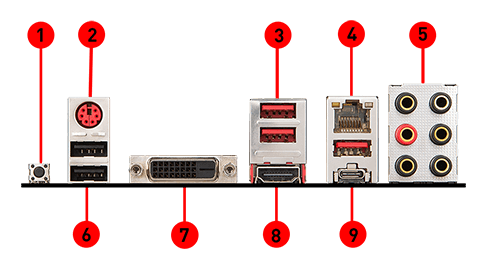
then a normal usb port and then there is a usb-c at number 9
fleet inlet
I see that
gritty meadow
that normal usb above the usb-c is just as fast as the usb-c
fleet inlet
Alright. Not really beneficial then I guess
gritty meadow
at that level of implementation? no, not really
some people like it, because they have usb-c devices etc
but yeah, not really all that useful, yet :)
fleet inlet
I see. Thanks for clarifying ! Back to sound cards, just did a small research on my ‘local’ PCPP, there are 4 sound card ´types’ : Realtek, Creative, VIA, SupremeFX ?
I have to admit I guess all these are very different but I wouldn’t know how they are different 😦
gritty meadow
supremefx is normally just a rebranded 1200 realtek chip
fleet inlet
I will be gaming but also producing music, that’s why I would like the best sound card possible that fits in my budget...
gritty meadow
and realtek does a LOT of different models, but 1200 is the one you want IF you are going for a good integrated
its a start for music
fleet inlet
And prices are kinda weird where I live so it doesn’t really match US prices...
gritty meadow
depending on how serious you are about music, in the long run, a standalone card is highly recommended for that.
but again, that is in the long run
fleet inlet
I suppose I’ll start with a normal Realtek card and buy an external later on then.
gritty meadow
its just physics really, there is a limited amount of "stuff" you can put on a mainboard and actually have room for :)
as things are right now, the 1200 realtek is the best we have
and they are not bad, not bad at all
but, you wont find it listed in pcpartpicker fx
fleet inlet
Got you
gritty meadow
just trying to get the asus webisite to do its thing so i can link you
fleet inlet
Any crucial difference between M-ATX and ATX for MB specs ? I don’t mind both form factors. Would they both match my gaming and music purposes ?
Take your time, thanks 😉
gritty meadow
i would say yes
what i am linking you is a m-atx

scroll down the list (after you click the link)
and look at the sound part
that is the chip you want
1200 realtek
re: difference between m-atx and atx: size and pci-e expansion slots 4 vs 7
considering that most people only ever use 1 slot, 4 is generally more than enough
fleet inlet
$106 USD where I live
gritty meadow
it is 95-ish normally in the us
fleet inlet
I see
gritty meadow
and that is good value for what it is (the board in total)
it has an annoying habit of going in and out of stock all the time thou
fleet inlet
I should be fine with that, living in South Korea 😂
gritty meadow
:)
but armed with the info from up above (since you asked originally) you really just have to start looking around
and dont ever trust a retailers page over a manufacturers page
online shop Billy Bob's page might say that this board has a 1600 realtek chip.
IF the manufacturer page doesnt say the same. dont believe it
fleet inlet
I gotchu. Always be careful with what you read on ‘unofficial’ pages.
gritty meadow
yes
a simple example is that board above, there are 4 boards, all names quite close to each other, that one is the only one with a good soundchip
but it is quite easy to get them confused
fleet inlet
Got it
What would be a good PCIe slot assuming it’s for GPU (planning to buy a 1650 SUPER or 1660)
gritty meadow
does not matter one bit
fleet inlet
I don’t need 4th gen do I ?
gritty meadow
nope
fleet inlet
An Asrock X370m PRO4 is cheaper than all B450M I’m looking at with my search filters (considering what you told me, except the sound card, I think I’ll be fine with USBheadphone chips)
Is that even normal ? I thought x370 > b450 overall
gritty meadow
370 is a fairly dead platform
fleet inlet
Oh :p
fleet inlet
So even 470 is outdated ?
gritty meadow
there was supposed to have been a replacement for 450 out late last year
that was/is the 550 chipset
it is said to come after august this year now
in theory
maybe
fleet inlet
And 470 was released instead (?)
gritty meadow
which is what brings us to all these "old" boards having support for the new stuff
570 is the replacement for the 470
fleet inlet
Understood
gritty meadow
its a cluster of a mess
there is nothing wrong with the 450 boards
they are nice and battle tested
which i personally like
fleet inlet
Good for budget-ish CPUs and builds just like mine 🙂
gritty meadow
good for solid builds with all kinds of budgets really
the 570 boards are nice, and the chipset is really!! nice
but very few people need what it offers
so for them it makes zero logical sense to pay for it
fleet inlet
You seem to know a whole lot about boards. Would you mind if I linked you my search tab with around 40 boards under my budget (all filters applied). The only con is that the site is in Korean, but board names are in English.
gritty meadow
you are welcome to do so, i wont have time to look over them until later tonight thou
fleet inlet
42 boards to be exact
gritty meadow
a pm might be best for the link thou
fleet inlet
That’ll do 🙂
gritty meadow
dont know what the bot here will say to it otherwise :)
fleet inlet
Ill drop the link
 lilac stream
Does the Ryzen 7 1800x work on x570 motherboard's
 midnight pollen
no I don't believe so
But unless you are getting a 3rd gen ryzen chip now it doesn't really make sense to get x570 as the socket will change in about 2 gens
lilac stream
Rip I have a. 1800x rn the mobo I got in today said it supports 1st gen
It's the Asus prime x570 pro
midnight pollen
some people have gotten x570 to work with 1st gen but there have been some bugs
lilac stream
I'm unable to send my new board back cause I had one come in last week that I sent back because I was getting the same problem and thought it was broken
And my CPU I have had for too long to get a refund
oak sand
@lilac stream if possible buy a 2nd gen cpu
midnight pollen
or third
lilac stream
I can't I have no money
midnight pollen
what mobo do you have rn?
midnight pollen
does it still work. why did you buy a new mobo?
lilac stream
I got the new one because I didn't have the money to buy a new GPU and I was going to upgrade my mobo later this year anyways so I got it now
midnight pollen
the thing is 1st gen ryzen can't really benefit from the features of x570 like the gen 4 speeds
lilac stream
Would a 2nd or 3rd gen Ryzen 5 work with the board
midnight pollen
x570 is compatible with both 2nd and 3rd gen
split copper
get two 1st gen Ryzens and combine them
lilac stream
If it's compatable with a 2nd gen Ryzen 3 I wouldn't see why a Ryzen 7 1st gen wouldn't work
midnight pollen
it is the same cpu socket but it just doesn't work. I've seen some people get it to work, but some have had issues like they can't change ram speeds, etc.

eTeknix
The best source for tech and gaming news, hardware reviews and daily fix of tech. The latest reviews of motherboards, GPUs and much more!
Linus Tech Tips
So Im currently making this post from my PC running a 1800x on an x570 Aorus Elite. Supposedly, x570 doesnt support first gen Ryzen? I only found out today because I never thought it would be a possibility. Obviously, my PC is running, but Ive had a couple issues, like not bei...
^ another person with 1800x ^
lilac stream
Would a x470 work with a 1st gen Ryzen 7
midnight pollen
yes
gritty meadow
iirc, the issue with the 1st gen ryzens and the x570 chipset is the bios size
there are a few boards that have a bios chip big enough to support, other boards with a smaller chip? not so lucky
but, i honestly have not looked into it since the months just around launch of the 3rd gen
tacit hemlock
I got my board today. Just need the ram now
split copper
looking at my brother's old computer and I find a molex connector on the board, I'm assuming it's for GPU power but I'm not exactly sure
split copper
yupp
 twilit mica
I’d assume it has something to do with the gpu but idk
Gpu power is usually on the card but that is pretty dang old
tacit hemlock
Does anyone know how i can see what sound card i have
hollow thorn
on your motherboard? just look the mobo up and look at specs @tacit hemlock
tacit hemlock
I can't look the motherboard up because its from a prebuilt and its some weird one
tacit hemlock
i can try
hollow thorn
you could prob see it in device manager somewhere actually
tacit hemlock
im in device manager but i can't understand what its sayinjg
midnight pollen
check your output device, might say something there
midnight pollen
screenshot this
hollow thorn
sonicmaster is an ASUS utility it looks like
I think you have a realtek chip on your mobo
which exact one idk
tacit hemlock
ya lol thats the problem
midnight pollen
why do you need to know your soundcard?
tacit hemlock
I was just curious because I bought this new board that came in the mail today and I wanted to compare them
Is this it? lol
I know its realtek
midnight pollen
well the on board audio is pretty similar and you probably won't notice a huge difference
tacit hemlock
This is what the new one has
Since the board is at least 3 years newer I figured it would be better but Idk much about it
 warped moon
 waxen marsh
guys
can anyone help me
the system detect 16gb ram but only 8gb useable usually it's twice of that
fleet inlet
Solid entry level Ryzen CPU, hyperthreaded, which is a + @warped moon
Are the 2 sticks the same ? And are they installed in the correct slots on the board ? @waxen marsh
waxen marsh
@fleet inlet yes both corsair 8gb at 3200mhz
fleet inlet
Correct slots on the board ?
fleet inlet
Yep do that
If it doesn’t work after the BIOS update I’m afraid you’ll have to wait for an answer from another person..
waxen marsh
The motherboard detect all the ram and their speed i can even change their rgb
If this doesn't work i might even rma both my motherboard and ram for save keeping
fleet inlet
That could be a safe move, but maybe wait for another answer in this #cpus-mobo-and-memory channel, someone else might know more about this problem than both of us combined 🙂
fleet inlet
If a problem happened before maybe the RAM is defective
Have you encountered any other problems with it before (with the board)
waxen marsh
But i already used each of them
Single slot
And both work
Only when they are together that ram usage is half then expected
fleet inlet
That sounds strange...
I’m sorry can’t help much, you should wait for another answer. Best of luck with your memory problem.
fleet inlet
If no one is able to help you here, reach out to me in PMs I can link you another server there
waxen marsh
Wait which one should i put
A1 with b1 or a2
With b2
Cuz i just found out they put it on a2 b2
Since i'm not the one who build this pc so i don't really know the location
Yup not the case wont even start at all
waxen marsh
Just finished rebuilding it and still nothing
midnight pollen
If your talking about ram, dual channel is always in slots a2 b2
Or 2 and 4
@waxen marsh
gritty meadow
@tacit hemlock notice the 1200 number in the second picture
tacit hemlock
Yes I see it
gritty meadow
that is the soundchip model
tacit hemlock
Ok
gritty meadow
and yes, as i have talked with you about before, that is a decent soundchip
tacit hemlock
Yes I understand that part but I wanted to know how decent or sub par the previous board is.
gritty meadow
find the realtek number for that board
tacit hemlock
I have it open on my pc but I cant find it rn because I'm on mobile. When I get home I'll find it.
gritty meadow
:)
tacit hemlock
:)
tacit hemlock
So i don't think i actually have it open. Where would i find the realtek number @gritty meadow
i don't know if this will help but this guy on ebay is selling the exact board i have. https://www.ebay.com/itm/Asus-Desktop-PC-Motherboard-H110-I-G11CD-DP-MB-LGA-1151-DDR4-M-ATX-HDMI-VGA/303330094812?hash=item469fe1eedc:g:S0AAAOSwl6RdrXLv

Just for reference so you can see what board i have
gritty meadow
that looks like the ALC887 chipset @tacit hemlock
gritty meadow
it is old
tacit hemlock
ya i thought so lol. So the new one should be better then
gritty meadow
by a fair margin yes
gritty meadow
np :)
 tulip talon

 mystic pecan
@tulip talon yah
 paper gull
Gigabyte B450M DS3H or ASRock B450M Pro4??
 sage sequoia
I'd like to give you input on the later as I have the standard atx version of that motherboard, but my mom took away the x16 pcie slot before I could use it
both have meh vrms
 cerulean nova
long geyser
cerulean nova
long geyser
@paper gull What's the mobo budget? Need WiFi? Is the sound device you use (speakers/headset) USB or 3.5mm jack? mATX / ATX?
paper gull
Ethernet, 3.5 mm or the HDMI audio that comes out of the gpu, speakers for the HDMI and headset for the 3.5 mm and I can get ether mATX or ATX
gritty meadow
reason he is asking is audio quality
long geyser
You could also do it Naed if ya want. Tis am a bit busy so it'll take a bit for me to get to it (will eventually if you are asleep or busy)
gritty meadow
nah, he is yours Hei :) i have a couple going in pm that i am working on, while doing actual work too :)
 umbral valve
i see a lot of people saying the tomahawk max has a really bad bios
i’m kinda worried
ngl
my first pc didn’t boot correctly but like
midnight pollen
it's a fine mobo, but most people just don't like how msi's bios is set up
umbral valve
i thought msi was one of the better ones
i thought asus and msi were the good ones and gigabyte and asrock were the bad ones
hollow thorn
MSI has good b450 mobos, bad x570 mobos
 crude path
asus ftw
quaint current
yuh the only good x570 msi board for the price is the unify
 knotty acorn
quick question will the b450m steel legend work with ryzen 5 3600 out of box?
 muted roost
It depends if the bios comes updated out of the box to support 3rd gen Ryzen
long geyser
@paper gull for the most part the mobos are the same. Tho the Pro4 does have better VRMs, more fan headers, ever so slightly better sound chip, and a 5v RGB header unlike the ds3h. So very minimal differences but Pro4 is overall better. Nothing else really that much better in the same price range
tacit hemlock
Is it better to have 32gb of memory in 4x8 sticks or 2x16 assuming they all have the same speed and latency
gritty meadow
@tacit hemlock 4 * 8 blocks your slots when/if you want to upgrade later on
meaning, you end up with 4 * 8gig sticks that you are not using IF you upgrade.
aside from that, it does not matter.
dusk oracle
Just saying if i was in his shoes i would go 2x16
gritty meadow
(for the lurkers: yes, there are IMCs/boards that run with lower speeds etc when using 4 sticks, but for the general consumer, it really does not matter)
same here Ecks.
hence why i mention the upgrade path
dusk oracle
But knowing me i would add in 2x8 to have 48gb of memory lol
gritty meadow
well, that is on you Ecks :)
oak sand
@dusk oracle does that work? Ive been considering that as a possible upgrade
dusk oracle
With 4 slots you could always do things such as 2x4 and 2x8 gb of memory
there has been OEM companies in the past that also did 2x1 and 2x2 memory for when they would report 6gb of memory
Note that was for mainly DDR2 memory systems
There are people i know right now that has 24gb of memory in total in their systems cause at the time it was more than enough for them
tacit hemlock
Alright thanks for the input. 2x16 sticks also tend to be cheaper than 4x8 sticks it seems
gritty meadow
it is logically the more sensible course to take @tacit hemlock
tacit hemlock
Ok
 azure trail
whats a good budget intel mobo that supports 9th generation processors
gritty meadow
that is a suggestion for a solid-enough budget board
gritty meadow
you are very welcome :)
azure trail
before you go back to general I have a question
gritty meadow
ask away :)
gritty meadow
no
azure trail
did you come from christocord chat?
gritty meadow
:)
https://www.asus.com/us/Motherboards/PRIME-B365M-A/specifications/ <- in case you need the spec sheet for the board

ASUS USA
Ready for 9th/8th generation Intel® Core™ processors, the Prime B365M-A delivers customizable performance in style with 5X Protection III hardware-level safeguards and 8-Channel HD Audio.
gritty meadow
chipset wise, things are fairly similar (at the level you need to know about)
azure trail
yea, amd is just so affordable so I just recommend that most of the time. But I need to become more versatile
and intel needs to drop some prices
 small tartan
Hey, I think I fried my cpu last night and was wondering, if your cpu is bad would that prevent your usb ports from powering on? Like everything else on the mobo powers on
midnight pollen
if the pc is working it could also be a motherboard issue
you could also check for any bent or damaged pins first
crude path
yeah it could be a specific pin is broken
small tartan
All the pins were fine, I cant POST without a keyboard connected though, just how the motherboard works, I tried to change my fan and heatsink and I think that process ruined the cpu, idk what to do tho because it seems like the mobo is fine? Its at least being powered properly and taking power where it needs to go in terms of like the fans and stuff
Im just gonna be pissed if I spend the money on a cpu and something else is wrong, but I’ll find out in about a week anyway
midnight pollen
what mobo is it?
small tartan
Its an old one, I think its the MSI 970 Gaming
 terse yacht
if I'm replacing my mobo should I also change my cpu?
It's a dinosaur to say the least.
gritty meadow
@terse yacht that depends on your definition of dinosaur ☺ more importantly your actual mainboard/cpu combo matters more. So could you list those two?
midnight pollen
Usually when people upgrade their mobo they are doing a big pc upgrade but it depends what you have rn
terse yacht
I5 2500 (3.2ghz) could be wrong.
And a Acer Aspire Board
gritty meadow
@terse yacht yes, your cpu is a wee bit old (9 years old :) ) so a full replacement is very much recommended.
terse yacht
Hahah I figured. Almost impossible to find it online now a days.
gritty meadow
yes, which is quite logical :)
gritty meadow
well, you would be needing a mainboard + cpu + ram if you upgraded
terse yacht
I have 16gb ram
terse yacht
Alright fair enough so what are some inexpensive main boards/cpu/ram
gritty meadow
you live close to a microcenter?
and for the sake of making certain the parts i recommend are not completely overkill for what you are actually going to use them for. What is your intended use for the system?
terse yacht
Closest one to me is about 3 and a half hours away.
Gaming really.
gritty meadow
https://pcpartpicker.com/list/NPmr6R @terse yacht keep in mind, that is not a particularly fantastic combination, but it gives you an idea about what kind of budget we are talking about
terse yacht
Pretty much in the price range I was looking for and what I was looking
gritty meadow
what GPU do you currently have? and do you have a ssd?
terse yacht
I have an ssd, hard drive.
GPU is a GTx 650ti boost
gritty meadow
hm, is it a safe guess that your current machine hasnt had a PSU upgrade over the years?
terse yacht
No haha
gritty meadow
and based on your previous comment, it is a prebuilt system
so, that means that the PSU will also need an upgrade if you are upgrading anything really
something you might consider doing is trying to have a look at the second hand market in your local area
and look for a faster GPU
(yes, this would still require a new PSU)
but that is really where you are limited the most with your current system
but this also leads to this question: what games are you playing?
and what resolution is your monitor?
terse yacht
Pretty sure it's the acer one with how it's connected to the mobo.
But I mainly play csgo, GTA, Apex. (Siege) can't really play that tho given the graphics for me are shot.
gritty meadow
depending on your budget etc. the simplest/cheapest way to upgrade something in a meaningful way is to upgrade the GPU and the PSU
terse yacht
Will everything else be able to handle me upgrading my gpu and Psu
gritty meadow
the short answer is yes
the main question thou will be the case
because it is a prebuilt, it might be using a weird custom format for the PSU
(and all of this , is why prebuilt pc's of the kind that you have is such a expensive thing to get away from)
terse yacht
See I'm completely stressed over getting a case
gritty meadow
why?
terse yacht
Transferring everything over
gritty meadow
as long as you dont rush it, that is the simplest thing
oak sand
@terse yacht it really is, you are pretty much just building a new pc. I was worried when I did, but after about 2 hours(and remembering there are manuals) it was done
gritty meadow
@oak sand you asked about it yesterday, the number is now 31
gritty meadow
yes
terse yacht
Was thinking about getting NZXT today and transferring everything over and then later down the road upgrade everything
gritty meadow
takes about 30 minutes to assemble a machine
oak sand
Im starting to think you actually are building every prebuilt in the eu
If so, stop overcharging thats literslly why I built my own
gritty meadow
:P
gritty meadow
@terse yacht can you scrounge up an actual model number for your current machine?
2 hours is a good time for a first time @oak sand
a lot of people can easily use 3+ hours on that
a LOT of the speed-up is that i dont have to care about using the screws etc from the box.
oak sand
Oh I accidently found the case accessories
gritty meadow
and i have tools etc that fit exactly etc
oak sand
It was in the hdd bay
All I had was a philips #2 screwdriver and my hands
And some zipties, those things work wonders
gritty meadow
:)
 fossil bridge
“tweezers”
gritty meadow
these are also NOT rainbow barf builds
oak sand
Phanteks includes some nice velcro ties with the AMP, that was nice too
True
I did not have 3000000 rgb strips
@fossil bridge xD yeah
terse yacht
I'll have a look when I get home
gritty meadow
@terse yacht because as i said earlier, the PSU shape is the one thing that can turn out to be a potential problem
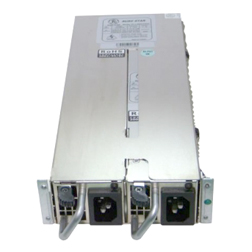
terse yacht
Closest thing to it I could find
gritty meadow
yeah, that is NOT a standard shape
tacit hemlock
lol never seen that before
oak sand
Is that one of the super long ones?
gritty meadow
no
terse yacht
No mines more squared actually.
gritty meadow
@oak sand you are thinking of the redundant ones in servers
oak sand
Yep
gritty meadow
they are way smaller
oak sand
Looked at it wrong way


 terse yacht
This is what the case looks like
gritty meadow
fairly standard ATX case, in theory
gritty meadow
that variant, is a amd model (mind, that shouldnt matter for the PSU shape)
@terse yacht to make absolutely certain, i would like a picture of the back of YOUR machine.
it would be nice to avoid causing a headache for you by recommending something that is wrong.
terse yacht
Just gonna grab the psu. I already have the case open.
gritty meadow
fair enough :)
terse yacht
@gritty meadow
dusk oracle
eww Liteon
terse yacht
I know trust me
crude path
To get a modern mobo cpu ram and gpu, you will need to change that psu as well. At this point you’re pretty much at building a new system, although you can continue to use your ssd and hdd
main pulsar
And case
crude path
It looks like that psu is 300wAtt from what I see online.
Case was in the plans above
terse yacht
I was starting this late last night and stopped so I kinda just popped them in there but thanks for the heads up. I would've left it that way.
So I might as well built an entire new system pretty much?
Just wanted to switch the cases for now.
crude path
On modern boards those are the right slots lol but on yours it likely should be in the blue.
main pulsar
On all motherboards those are the wrong slots
Wait, I said that wrong
Lemme edit
Ok, right now you are running two dimms on one channel, so my previous statement is still wrong....
Just gonna delete it lol
terse yacht
So I'm good or
main pulsar
Well, you should put one dimm in one channel
oak sand
Put the ram in slots 2 and 4
main pulsar
Sorry for making it confusing lol
gritty meadow
@crude path & @main pulsar if you read up, you will see you are making the same comments that i did :)
@terse yacht thank you. That psu is good news actually
because it is a regular ATX psu
meaning, you can most likely just stay with your current case.
main pulsar
About the ram being in the wrong slots?
gritty meadow
and yes, i know you said you potentially wanted to change the case. Imo? dont bother
for now, it is a working case.
and the money you are going to use on a case could be used on making the machine actually perform decently
terse yacht
Okay I'll just put it back in. Can I remove the optical drive well I'm at all this bc it's just useless amounts of wires
gritty meadow
Okay I'll just put it back in <- could you elaborate what you mean here?
re: Can I remove the optical drive?: Yes, if you dont need the drive for anything, you can just disconnect it and remove it
terse yacht
You got it
gritty meadow
some context for all of this:
ideally, the simple and easiest way to make your machine better/faster is to upgrade all of it (that should be quite obvious)
However, that is very much dependant on your budget
For a temporary fix, a new PSU + GPU would give you at LOT of the benefits of doing the simple/easy solution.
how much of an uplift/improvement you will get from this, is again, dependant on the budget.
does all of that make sense @terse yacht ?
terse yacht
Yeah. I've had plans upgrading this since I pretty much got it.
Probably looking to put in 500/600 for now.
terse yacht
Yes I am.
gritty meadow
and what resolution is your monitor?
oak sand
Probably means refresh rate
gritty meadow
aye, but model number will answer that for us :)
@terse yacht the model is quite often printed on the edge/bezel of the monitor itself
OR there is a sticker on the back of it
terse yacht
1920 x 1080
gritty meadow
okay
(see the list down below, this was wrong) <- that would be one heck of an upgrade for you
@terse yacht
and neither of those parts will limit you later on
when you eventually upgrade mainboard+cpu+ram
https://pcpartpicker.com/list/JY4ZyX <- sorry, this is the correct list (had the wrong PSU selected on the other one)
terse yacht
Could you give me an entire list of everything if you don't mind just so I have an idea
gritty meadow
aye, no problem
2 questions thou
do you want/need WIFI?
and what is your headset/speaker connections at the moment? usb? minijack?
@terse yacht
terse yacht
Yes I need WiFi. Mini jacks
gritty meadow
oki, one moment then :)
https://pcpartpicker.com/list/KKb4Zf <- here you go @terse yacht
that is the list for the "full" upgrade
the only things from your current system you will be keeping is the storage and the case
terse yacht
Avoid the warnings?
terse yacht
Thank you so much for all the help.
gritty meadow
you are very welcome :)
IF you need help with anything else, please remember that there are no stupid questions, only silly answers :)
long geyser
If not streaming then maybe get a 5700 in replacement with a Aorus Pro (cheaper mobo with more expensive GPU)
terse yacht
I won't stream ever.
gritty meadow
@long geyser not saying you are wrong. Just remember that the msi CAN be bios upgraded (without a cpu) IF things go south
long geyser
Eh, true. Could do whatever depending on whether there is new mobo stock around him or not
terse yacht
Have a good night man!
gritty meadow
likewise, and ask Hei, he is not all that crazy
long geyser
GN, and lol, "not all that crazy"
naive pendant
hi
 broken osprey
I need help finding a good motherboard
main pulsar

naive pendant
pc pp
broken osprey
should my pc have a pp
naive pendant
yes
main pulsar
ok, so what do you have for a pc right now?
broken osprey
nothing
main pulsar
and what do you have for things like peripherals
broken osprey
I had what I showed you but it’s running on windows vista
main pulsar
i assume you already have a case too?
broken osprey
no
main pulsar
@sage sequoia that is a terrible build btw
broken osprey
the case that’s in is bent
main pulsar
could you still build in it or no?
broken osprey
no
main pulsar
oof
main pulsar
ok, so you need everything except HDDs
broken osprey
yeah
broken osprey
monitor yes but no mouse and keyboard but if I can’t do a monitor with that budget ill just use my tv until I can get one
main pulsar
on 600, you dont have a lot of room
i assume your just gaming?
what kinds of games do you wanna play
broken osprey
I don’t know
main pulsar
i thought you said you didnt have em?
main pulsar
very confusing lmaooo
broken osprey
What I said didn’t really make sense
main pulsar
its ok
broken osprey
imagine not shutting up
main pulsar
@weak hamlet can you mute @sage sequoia for like an hour plz?
please
ngl, it WAS funny, but now ur just being in the way
 elfin roost
stop
oh my god stop
dont tell mods what to do and just stop arguing my god
yeah cause box didnt notify until a minute ago
but jesus stop i have half a mind to mute you both
main pulsar
no
elfin roost
then dont say anything and move on
main pulsar
ok
 jolly pond
so if I wanted to overclock my r7 2700 (base clock 3.2ghz) to 4.0ghz how serious of cooling would I need?
oh wait theres an overclockimg channel nvm I'll go there
 pulsar flame
When i benchmark my cpu boosts to 4.7Ghz but then drops to 4.2 and will stay there. Is this a sign of mobo throttling?
pulsar flame
I9 9900K
Asus Prime Z390P
i have heard the vrms arent good on my motherboard
And since the 9900K is a powerhungry beast im almost certain the vrms are thorttling
main pulsar
an all core boost of 4.7ghz isnt enough to throttle any vrms
thats within spec
what kind of cooling do you have
and what are your cpu temps
pulsar flame
Single radiator AIO
Idles around 30C and under load it can get to 80 but stays around 75
main pulsar
thats not enough to thermal throttle either
oh
thats just default intel boosting behavior i think
unless they changed it
how long does it hit 4.7
10 seconds?
main pulsar
ok, do you know how to get into the bios?
pulsar flame
Yes
main pulsar
go there
pulsar flame
Ok