#cpus-mobo-and-memory
1 messages · Page 71 of 1
 steady breach
 sharp frost
 smoky frigate
So I’m looking to get a 2070ti with a Ryzen 7 2700x but I don’t know what a good mobo would be that’s also compatible, any suggestions?
 copper solar
X470 cream of crop, Asus/rog, msi, aorus
 naive pendant
WTF? Stupid bot blocked my question
naive pendant
right
 modest gyro
Imagine using a 1080ti with a i3 8100
 spark hatch
Hello Hello! First PC build and I am having issues trying to figure out RAM that is compatible with ROG Crosshair VII Hero i looked up the manual for compatibility but last update was March 2018. I am aiming for 32gb 3200hz, 2 or 4 sticks dont bother me.
 dusk jay
your board takes up to 3600 mhz ram so 32 gb ram at 3200 mhz will work but it is over kill you only really need 16 gb @spark hatch
spark hatch
right, I understand. i purchased G.Skill Ripjaws V (according to the mannual) but i got the QCode 50. saying it isnt compatiable
im wondering if its only compatiable to specific Ram sticks
dusk jay
and you bios is updated?
spark hatch
i actually dont know
i built it and turned it on and everything turned on except no display
spark hatch
is there a way i can find out which is the problem?
dusk jay
do you have another pc that takes ddr4 ram
spark hatch
no I'm currently typing on an Imac
dusk jay
try only putting one stick in one slot
spark hatch
testing that now
dusk jay
if it doesn't work send me your exact ram kit
spark hatch
yeah that didnt work. i have the G.Skill Ripjaws V Model: -F4-3200C16D-32GVK
spark hatch
gotcha!
CPU: Ryzen 2700x
MOBO: ROG Crosshair VII hero
GPU: Gigabyte RTX 2070
PSU: Corsair CX750M
M.2: Samsung 500gb
HardDrive: WD Blue 2TB
naive pendant
@spark hatch Sir, that sounds like it is a really nice rig. Hope it all works out for you.
spark hatch
Thank you @naive pendant this will be my first gaming/Streaming/Editing PC im hoping everything comes together nicely.
dusk jay
it is an extremly nice pc would be tragic if something was broken
 manic mauve
iirc with ryzen systems flare x is usually what you wanna get
it seems to have the best compatibility with ryzen systems
gskill flare x
dusk jay
@spark hatch did you ever get it to post cause it all looks compatible
spark hatch
negative... could it be how it was built?
manic mauve
ryzen has always had ram compatibility issues, you mught be able to try updating the bios and see if itll work, if not you could try another kind of ram
dusk jay
then sounds like the ram is toast
manic mauve
Look for compatible memory kits for your motherboard here!
thats what gskill itself lists as compatible with that motherboard
ripjaws isnt on it
dusk jay
if you can borrow some ram from a friend
spark hatch
ok so i like the sound of that i can just go get myself a compatible ram and try again
if that doesnt work i will just go to geek squad or something
dusk jay
yeah just see if you can borrow ram before you buy incase it's not the ram but it's a low chance
manic mauve
everything ive ever heard has said to go with the flare x for the highest chance of compatibility
i used tforce vulcan in my ryzen system but i dont have the same motherboard
spark hatch
gotcha thank you everyone for your help.
dusk jay
no prob
manic mauve
i did a quick search and i see a lot of people reporting issues specifically with ripjaws 1600 and 3200 mhz ram
i would just return it and get some flare x ram
spark hatch
that is what im planning to do now.
Amazon recommended it to me for the Mother board
spark hatch
even for heavy use?
naive pendant
Hey I do have a question if someone can help me out here. I am about to install an SSD to my system. I know, who doesn't have an SSD already, right? My question is this, it was put to my that I have to make sure that when I install the SSD, and it is just a regular SSD not an m.2, I have to make sure that it doesn't interfere/conflict with the PCIe lane that my GPU is running on thereby throttling the PCIe lane from x16 down to x8 or x4. Does anyone know if this is a thing, and if it is, where would I find this information out if it is not in the manual for my MOBO?
manic mauve
nah, get as much as you can afford, higher speed ram actually helps a lot with ryzen systems
intel systems its not as noticable
dusk jay
higher speed ram is good but you should just get some 16gb 3000 mhz ram
spark hatch
i will start with 16 and if it works i get about 16
manic mauve
well it depends on what youre doing for gaming 16s probably fine, if you plan to do any sort of content creation (photoshop, video editing etc) 32 would be helpful
if you plan on streaming and gaming from the same system more is better as well
dusk jay
i have 16 and i edit videos and i never lag
dusk jay
we could argue all day weather 32 is good or not but we all know 64 is stupid
manic mauve
good time to buy more than you might need
naive pendant
@manic mauve true that
dusk jay
yeah
spark hatch
64...Future proofing?
 sterile flicker
@naive pendant To my knowledge I have never head of this. If you install M.2 SSDs into certain spots on particular motherboards it will shut off some of the sata ports from working...example if you have 8 sata ports for SSD/HDD it might limit you to 6 or 4, but as for the PCIe lanes getting use I am have never heard of them robbing lanes.
naive pendant
@sterile flicker Thank you sir, I have been stressing over this for about 3 days now and because of it I have not installed the SSD. Since I have not been able to find anything on it and no one else knows what this guy was talking about, I will get to it then. Thank you very much.
sterile flicker
NP
naive pendant
On that note, I will see you guys when I get this thing put in. Later and again thanks for the help
dusk jay
cya
spark hatch
hey! I think you guys can enjoy my suffering. Well... I got a new RAM (Corsair Vengeance LPX 2*8 3000MHz) plugged it in and it didnt work. Over the last 5 hrs i have been taking it all apart and putting it back together. i was even working up a sweat... then i realized the ":clear cmos" in the back... clicked it once and boom its up and running.
 hasty marsh
oof
spark hatch
now im running into a problem that after i install windows 10 the screen goes blank. any advise?
manic mauve
it might be defaulting to onboard graphics, might need to go into the bios and disable it
"Advanced tab of BIOS, Systems Agent Config, Graphics Config, set to PCI-E"
change it from auto to pcie
spark hatch
im not seeing these settings
manic mauve
hm
well there should be some setting to use the igpu or something in the bios
either that or you need to reseat your gpu or something, but if its working while its booting up its probably fine
just sounds to me once it gets into windows the bios is telling windows to use the onboard graphics instead of your gpu
being that you dont have on board graphics, it displays nothing

If you have an ASUS Motherboard with UEFI BIOS there is no way you can disable the Intel or AMD Integrated Graphics, however there is a way to specify the primary display. Follow these steps to…
these might not point you to the exact menu you need to be in, but basically there should be an option somewhere to change what to use
but hey i could be wrong, apparently i was steering you down the wrong path with the ram situation
spark hatch
you been nothing but helpful. I focused so much on the build that i forgot about the set up. Scouring the internet for answers.
there is a search function and i cant find any of these settings in the BIOS not sure what im doing now lol
manic mauve
do you have "ezmode" turned on or is it in advanced?
spark hatch
its on advance
manic mauve
i dunno, have you updated the bios?
spark hatch
its on the most recent update
 shy kindle
soooo - amd 2700x , or intel i5-9600k
dusk jay
amd
shy kindle
plus to amd - i have the ryzen 1600 now. so i wont need a new mobo lol
dusk jay
i hate intel they just copy amd and amd is an all round better mobo because of its higher core count
shy kindle
im not a fanboy of either. i just like comparisons
but the fact i stream and game off 1 pc makes ryzens a bit more appealing
dusk jay
cause of the giher core count
shy kindle
+10 threads lol
dusk jay
16
shy kindle
yes. 10 more than the 9600k i meant
dusk jay
no 4 more
 iron badge
@shy kindle the 2700x isn't comparable to the 9600k. The AMD version is better overall

Based on 138,858 user benchmarks for the AMD Ryzen 7 2700X and the Intel Core i5-9600K, we rank them both on effective speed and value for money against the best 1,157 CPUs.
I'd recommend intel
but an i7
Based on 140,455 user benchmarks for the AMD Ryzen 7 2700X and the Intel Core i7-9700K, we rank them both on effective speed and value for money against the best 1,157 CPUs.
shy kindle
ende dup nabbing the 2700x. newegg has it on sale for 289. and it comes with the cpu cooler, a team ssd 120gb, and divison 2 gold edition / world war z lol
 weak hamlet
good deal
copper solar

weak hamlet
gotobed
weak hamlet
at idle or load?
weak hamlet
yeah
 brazen sleet
ok then load
weak hamlet
60c
brazen sleet
Intel Core i7 2600K at 38-40ish C
when starting the cpu goes up to the high 40's low 50's range but cools down with some time
weak hamlet
oh ya you're fine.
 night kite
Most stress this guys ^^^^ pc gets is from modding minecraft
brazen sleet
minecraft is on 1.14.1 so no damn Forge yet
hasty marsh
i stayed in 1.8.9
i still do
half of it is for forge and mods and crap
the rest is for actual gameplay
brazen sleet
thats not a bad idea
naive pendant
I need a recommendation currently i have a 2020m pentium 2.4ghz my question is should i buy something better for it. It is one of those laptops that could swap cpu's its socket is
FCPGA988 not to expensive if i am looking for a upgrade im looking to game a little on it but not to much and since it just has intel graphics i wouldnt put more then some small mmo's or retro games.
 wraith plover
Minecraft Steve: like wtf is an alpaca ??? << it's like a llama, but generally less surly
weak hamlet
@naive pendant would need to know what laptop model it is.
naive pendant
toshiba satalite c55-a5309
weak hamlet
not sure you can swap cpu on that..
night kite
Laptop CPUs can't be swapped yet
wraith plover
GeorgeTheUnicorn: Laptop CPUs can't be swapped yet << there's no reason why not unless they are soldered to the socket/board
laptop CPUs have always been changeable on most laptops
in 2002 I was running mobile athlon chips in socket A desktop boards
the system is not always upgradeable, but if the CPU were faulty it can definitely be replaced with the same chip if nothing else
idk of too many systems with the processor soldered in
weak hamlet
it's like 5% of laptops that can swap cpu.
he just needs to see what board it is and what it's allowed to upgrade to, but that board being so old it's better just to buy something up-to-date.
 frank pendant
Hello, I have compiled a list of PC components, and would like to hear professional opinions - any compatibility issues, efficiency issues, good enough cooling etc. Can some one help? Here is the list: ASRock X399 Taichi sTR4 AMD X399 SATA 6Gb/s USB 3.1 ATX AMD Motherboard
Seasonic FOCUS Plus Series SSR-750FX 750W 80+ Gold ATX12V & EPS12V Full Modular 120mm FDB Fan Compact 140 mm Size Power Supply Unit
G.SKILL Trident Z RGB DC Series 64GB (2 x 32GB) 288-Pin DDR4 SDRAM DDR4 3200 (PC4 25600) Desktop Memory Model (two of those)
AMD 1st Gen RYZEN Threadripper 1950X 16-Core / 32 Threads 3.4 GHz Socket sTR4 180W YD195XA8AEWOF Desktop Processor
XFX Radeon RX 570 DirectX 12 RX-570P8DFD6 8GB 256-Bit DDR5 PCI Express 3.0 CrossFireX Support Video Card
Noctua NH-U14S, Premium CPU Cooler with NF-A15 140mm Fan
ASUS DRW-24B1ST/BLK/B/AS Black SATA 24X DVD Burner - Bulk - OEM
Seagate IronWolf 8TB NAS Hard Drive 7200 RPM 256MB Cache SATA 6.0Gb/s 3.5" Internal Hard Drive ST8000VN0022
SAMSUNG 970 EVO PLUS M.2 2280 1TB PCIe Gen 3.0 x4, NVMe 1.3 V-NAND 3-bit MLC Internal Solid State Drive (SSD)
Thermaltake Core X71 Tempered Glass Edition Black ATX Gaming Full Tower Tt LCS Certified Gaming Computer Case
weak hamlet
Sounds like a beast rig 😄
naive pendant
Just like everyone else said in the general channel, I think you should go with only 32gb of ram and get a newer video card.
I would suggest something like this:
https://m.newegg.com/product/N82E16814932030?m_ver=1
Otherwise you are probably going to get a bottleneck running with that RX 570
 zenith forge
Definatly drop the ram down, then get a better gpu
hasty marsh
lmao is getting a threadripper but has an rx 570. ok.
just make sure you upgrade it
so you can get the best performance for your threadripper
 graceful vigil
I use an Aorus z370 gaming wifi motherboard, i7-8086k CPU and 64gb of Corsair vengeance rgb ram running 3333 MHz. I however would not recommend it to many people, just those with extra money to spend. I typically recommend ryzen 5 2600 CPU with a b350/b450 motherboard and 16gb of 3000 MHz ram if possible or 8gb if on a tight budget
naive pendant
Does anybody have some suggestions on an upgrade to balance out my current build? I have a GTX-1060, an Intel-i5 core clocked at 3.20 GHz, but only 8GB of RAM. (I also have 2 hard disks)
I'm also running Windows 10.
(64-bit)
hasty marsh
gtx 1660 ti
 open thicket
ssd boot drive is basically a must
hasty marsh
mhm
i can attest
takes about 10 seconds or less altogether to get to the password screen
 prisma spoke
I boot off a HDD currently and it usually takes over a minute
 twilit pelican
Best CPU to go with a Radeon VII or RTX 2080 for around $250 - $300? AMD or Intel
 slender gyro
wait for Ryzen 3000 series
wraith plover
2700X has been ~295 recently though, great chip for the money
if you're not anxious/rushed to get it built, waiting for 3rd gen might be a good plan
but it will be several months before release, and release day is not always the day they are available
hasty marsh
mhm
wraith plover
one option is to build a system now with an AM4 board and a cheap stop-gap chip to have a running system until Zen2 release when you can swap the CPU out for a new, better model
throw an athlon or ryzen 3 in it for now
slender gyro
problem with that is, is that the older motherboard will not support the newer features the CPU has
wraith plover
like what, besides PCI-e 4.0?
not much else is changing from X470 to X570
AMD would not design a new CPU on a new process and leave it fit an old socket if the old socket was going to cripple the chip and it's features
slender gyro
I can't say for sure. besides that but when the 2000 series released, older motherboards for the 1000 series didnt support the newer version of infinity fabric. I think thats what I read. pretty much the old motherboard was holding the new CPU back
slender gyro
I think something like that may be the case with the 3000 series as well
yes you can still use it, but you won't be able to use its full potential
hasty marsh
most likely
basically if you can wait, just wait till they are available to be bought
wraith plover
with a next-gen chipset mobo (such as X570)
 dark bough
Any advice on which MOBO to get the most out of my i5 8600k, 32GB 3000 RAM?
I currently have a H370 Aorus Gaming 3 WiFi and did not properly research it enough to know that it limits RAM to max 2666 and doesn’t allow CPU to be OC’d (I believe).
Would any ole z370 or z390 be fine? Any personal suggestions?
TYIA
 pseudo pivot
so originally i had a "Team - T-Force Delta RGB 16 GB (2 x 8 GB) DDR4-3000 Memory" for my memory on my first time build but i have heard that a Ryzen CPU and heard most ryzens should be at least DDR4-3200 not 3000
so i found the "Corsair - Vengeance LPX 16 GB (2 x 8 GB) DDR4-3200 Memory" for a reasonible price and wasn't sure which one i should go for
(i have a "AMD - Ryzen 5 1600 3.2 GHz 6-Core Processor" btw)
hasty marsh
i have a ryzen 5 2600x, and i also use 3000mhz ram
it works so you shouldnt worry too much
zenith forge
amd processors would still benifit from faster ram speeds even if you have 3000mhz
 wary cape
just overclock your ram
naive pendant
I have a question, I am looking for a mobo in AM4 socket that has support for RGB and has a little bit of it built into the pcb, all for right around $125, anyone have a recommendation?
dark bough
@naive pendant gigabyte aorus x470
naive pendant
@dark bough thanks, I will look at it.
 dapper flax
bought a kit of g.skill tridentz RGB 32 gb 3200mhz :)
hasty marsh
nice
 honest cedar
hey everyone i have a question. i have a gigabyte aorus ultra gaming 2.0 mobo and an intel i7-7700 and it wont post. it starts all fans and led's and then turns off while giving me a cpu red light any iodeas on what itr might be?
honest cedar
treid going down to 1 stick of ram and different ram tried removing everything except the cpu, cooler, and power cables and still would not post
weak hamlet
could be your cpu
have your pulled the battery off the mobo? and completely clear it?
honest cedar
so i currently have it working in a z-170 mobo but when i swap it to the new z-370 mobo it wont work
so i know it works
also tried using a difdferent power supply and it did the same thing
 glossy lantern
hey
put your RAM into different slots. I had the same issue with my same motherboard and I put my RAM into BD instead of AC
honest cedar
ill try that this afternoon and let you know
zenith forge
Try putting only one of the ram sticks in at a time to see if one is the problem
 urban ferry
why is the ram for amd more expensive?
im getting an amd processor, but im trying to decide which ram to get and this is confusing me
 shut crystal
probably a different sku
urban ferry
whats that?
urban ferry
oh
shut crystal
they are marking the new batches for the new gen ryzen
with optimal configuration for that cpu
urban ferry
oh
night kite
Right one is made specifically for amd @urban ferry
urban ferry
are there any benefits to it though? like does it run better?
for example if i use regular trident z rgb with an amd processor will it run worse than if i used the amd specific ram?
 covert crag
Hey guys, I'm having a lot of issues with multiple games crashing unexpectedly. I'm pretty sure this is not an issue with the game because they run fine for two of my friends. I know this is kind of vague but do you guys have any idea what could be causing the problem?
urban ferry
Whats ur pc specs?
covert crag
CPU - i7-7700
GPU - EVGA 1070ti
Ram - 16gb Corsair vengence
Mobo - Asus h270 prime
 daring tangle
Wow I have a dell optiplex 755 a ten year old prebuilt I through a gt 730 gpu in
hasty marsh
did you just say through instead of threw lmao
daring tangle
Yeah me has bain no smart
covert crag
Ok
 midnight acorn
Anyone interested in the ryzen 3950x?
 languid flame
exactly, but intel has got big balls cause they called out AMD lmao
lets see what happens
midnight acorn
im waiting for my 2700x 50 yr edition to come in the mail. Going to be a nice upgrade from the 1700.
languid flame
Im one of those intel fanboys dude but i will not hesitate to switch
got an 8700K right now and its plenty
midnight acorn
My last intel was a 3770k.
could never get it stable. bad luck I guess.
years ago
languid flame
yeah i got mine stable on 4.8 with my 2080 Ti its a friggin haas
 hallow ice
my last pc was i5 3570k
didnt overclock the motherboard was too cheap for that
also stock heatsink
hallow ice
rtx 2080
midnight acorn
I really want to get up into the 2000 series soon
 mortal sequoia
Should I overclock?
mortal sequoia
this would be my first build tho lol
midnight acorn
I wish people would just give me a pc. he he
languid flame
yeah i know its expensive dude
hallow ice
that one was smashed you don't even know
hallow ice
it was shipping damaged instead of tryna fix he decied to toss it
mortal sequoia
Hmm
 sharp blaze
 arctic dome
ASRock B450M-HDV R4.0 AM4 AMD Promontory B450 SATA 6Gb/s Micro ATX AMD Motherboard https://m.newegg.com/product/N82E16813157871?m_ver=1
 faint merlin
@naive pendant
arctic dome
What CPU/GPU you using? That's a pretty big budget
 graceful flame
good man
arctic dome
1100 can get you a lot.
naive pendant
But tomorrow I’m ordering my case tomorrow
graceful flame
1,100 can get you a lot until you start looking at graphics card prices
arctic dome
Uhhh
arctic dome
I just priced out a 1660ti/Ryzen 2700 build for someone with a monitor for under $1000
arctic dome
Sorry, I fell asleep. Here is the build. https://pcpartpicker.com/user/beardybaldy/saved/nzn27P
 hollow snow
What do you guys think of the new Ryzen generation?
 olive wyvern
what will the socket be for it
 fading fulcrum
Anyone have opinions on an i5-8250U coupled with a UHD Graphics 620?
faint merlin
Wont be the best for gaming
fading fulcrum
How much do you think it could handle? I’m used to console gaming so as long as it can maintain 30 FPS on most things I should be fine
fading fulcrum
Wut
fading fulcrum
That’s what I thought... thanks for the help guys
copper solar
Notebookcheck
Specifications and benchmarks of the integrated Intel UHD Graphics 620 graphics card for Kaby-Lake-Refresh based laptops.
24.3 fps on 720p
xD
fading fulcrum
Aaaaaa rip 15.7 FPS on ARK that’s what I mostly play
copper solar
the fan that comes with it should have paste preapplied on it shouldnt it?
faint merlin
if you ever want to switch to a closed lop water cooling you should
or if you ever want to change out parts
i always keep some spare
 odd sun
Would u guys recommend a build for a student?

 midnight lava
odd sun
midnight lava
odd sun
As a gaming rig @copper solar
copper solar
i5-8600 / i5-9600 + 1060/2060
 charred pulsar
nahhhh i7
hallow ice
price range @odd sun ?
naive pendant
@arctic dome might do that build idk
urban ferry
can someone explain how the base is 2.80, its running at 3.4, and its only being utilized 25%
sorry 19%
arctic dome
That's your boost speed. Your system is auto overclocking to a level that is within the "safe" parameters set by the manufacturer. The processor is able to boost because there aren't a lot of tasks being handled by the other cores. Thus the 19% utilization
urban ferry
did i enable it tho?
hallow ice
no comes with the cpu
arctic dome
Nah
hallow ice
no
arctic dome
If it gets too hot, it'll throttle
 gentle lintel
For when the new ryzen drops 7/7, any suggestions for motherboards? Like I guess what looks good so far as a quality board, or is there nothing really to go by until after they actualy release?
copper solar
9. No e-begging, or selling on this server. @stuck ruin
2nd time ive had to tell you trixstar
and profanity
urban ferry
also @gentle lintel the new 3rd gen ryzen processors work with any AM4 socket motherboard, but only the new ones with the X570 chipset will have PCI 4.0
dude
hes a mod
dont talk back like that
copper solar
copper solar
its ok hes banned.
copper solar
you can self censor with characters as long as its not spam/excessive
 urban ferry
well i mean i wouldnt use any more than a high school teacher would i guess
if that makes sense 😂
idk i dont wanna get banned so ill just not do anything dumb
oof its unfortunate that people think mods abuse power when they make people follow rules
if you just followed the simple rules (which there arent that many of) youre fine
copper solar
its not really abuse if they don't follow the rules 
copper solar
yes
hasty marsh
ok
arctic dome
Theo banned me once. I have never been the same.
copper solar

 quaint current
Rip
urban ferry
cant believe thermaltake makes 32gb rgb watercooled 3200mhz ram
and it looks fantastic
urban ferry
😭
 red tree
I'm looking at making a new system soon. I have an i7-7700K 4.2GHz cpu that I got for free (still unopened). Should I use this, or sell it and get a more recent model of cpu?
 carmine fern
u should sell it to me for 5 bucks
copper solar
7700k is still good, but the z270 boards are really expensive now since it's two generations old.
Expensive or out of stock
 wicked locust
Is the Pentium G5400 gaming?
naive pendant
lmao i used to have a 960 paired with my 7700K
then i upgraded to a 2060
much better performance
 grizzled kindle
I have a 6700k w/ the z170 maximus hero board and I have stability issues using my 2x16gb 3200mhz ddr4 ram sticks, should I upgrade to the i9-9900k and a compatible board or is the smart money on Ryzen 3?
hallow ice
based on probably biased numbers from the e3 presentation
ryzen 3 is the way to go for now
but you should pay attention to results others are getting first
either way I think it will be a very solid choice
 vernal barn
jeez windows 10 1903 with a ryzen was not a joke. 3DMark stress test is over 99% now (was 98.1%)
urban ferry
i need some help
im tryna add a wifi card to an old computer
it goes in the pcie slot
but i cant get it un
in*
hallow ice
could move that connector to a diff slot or just try the top one
urban ferry
but the card looks like this
urban ferry
huh
hallow ice
so it would work on either the white connector or the black one under it
 barren dome
pci wifi cards are still a thing?
hallow ice
facts^
urban ferry
it has this weird plastic tab system
this is an older computer
we got the card awhile ago
hallow ice
I can't help u put it in its lego's
if somethings blocking u its bad case design
something u need to figure out
barren dome
i stopped using wifi for desktop computers years ago
i ran an ethernet cable from my atic to my basment do i never had to
not sure why im talking about ntworking outside of networking, sry
 rough scarab
anyone know a good intel cpu under $300?
 rigid moss
g4560
copper solar
i5-9600K
 vale echo
@red tree you should get an i5 9600k if you are going to overclock
otherwise get an i5 9400f if your not to save some money
copper solar
its good
rigid moss
strix?
 languid kiln
yup
copper solar
x470 is top chipset so yes
rigid moss
yeah strix f is good board
copper solar
and rog strix boards are generally good
languid kiln
okkk
also imma just ask a keybard question here
should i get the cherry mx red
or bron
rigid moss
and 2700x is good, but it might go down in price if you hold out six weeks
languid kiln
brown
rigid moss
peripherals
copper solar
red if you dont like clicky slow feeling when pressing down with brown
languid kiln
Thanks!
copper solar
i prefer red/silver
 chilly agate
Do you think if I was to get a 3800x my x470 should be fine? I currently have an Asus x470-F Gaming
 cosmic burrow
@chilly agate, Just MAKE SURE to flash the UEFI (BIOS) before installing the new CPU or else it won't run. Also, be careful when it comes to overclocking because the VRMs on X470 and similar boards were not designed for the power that new AMD CPUs would need, many manufacturers thought that it would be gradual like how Intel has been for like the past 3-4 generations, but AMD is killing it with new there new launches.... overall though, you'll be fine
chilly agate
Yeah, I have a 2700x placeholder for now, will make sure to do updates before I get a new CPU. Will also be overclocking. So, that's what I'm mainly worried about
cosmic burrow
just check around, let others brick their systems before you do, i think a small overclock wont be much of an issue but look for reviews (if avalible) first just so you know what might happen
i know for me there's no way in HELL i'm slapping a brand new 3800x into my 3 year old B350, it would probably crash within a week if I don't OC
currently only like 3 B350s (mine being one) are even supported to get the new BIOS from my board manufacturer (MSI)
chilly agate
Buildzoid seems to think that 3700x and 3800x will pull less power/watts than a 2700x
 tender coral
hi
 icy apex
I’m relatively new to building a pc. Does anyone know if 2 x 8gb ddr4 3000 MHz Corsair Vengeance pro 16–20-20-38 timing and 16 CAS will work with a Asus ROG STRIX B450-F mobo? Any info greatly appreciated
 winter marten
should be fine, you might wanna get 3200mhz for 4 dollars extra
why are you getting a new mobo now
wait for x570
icy apex
Didn’t think about that tbh. Like I said I’m new to this
graceful flame
would a ryzen 3800x cpu be overkill for an rtx 2070 gpu?
 thorny gate
anyone know if open box motherboards are a good idea?
wary cape
they should still have a warranty
chilly agate
@winter marten i would encourage you to watch Buildzoids thoughts on x570. Needless to say. He thinks a b450/x470 is better for any CPU that isn't 3900x or 3950x. X570 mobo will have a ton of features that aren't really needed at this moment. That most people won't take advantage of at this present time.
 vestal ocean
is the ryzen 5 2600 good
 delicate heron
Whats your gpu
vestal ocean
gtx 1050
delicate heron
I have a 1070 and its good so the 1050 might bottleneck it
Unless you dont overclock
vestal ocean
ok im upgrading to a 1070 or a rtx 2060
delicate heron
Sounds good then brother
vestal ocean
ok
thorny gate
i heard 2070's will drop in price after navi comes out id wait till next month
urban ferry
theyre gonna drop in price after the nvidia super cards come out
thorny gate
super cards?
urban ferry
kinda like the Ti versions of the current cards lol
thorny gate
they have a 2080ti already lol
thorny gate
doubt they will even make a 2070ti
urban ferry
theyre gonna make a 2080Ti super
thorny gate
lol
naive pendant
@urban ferry are they?
urban ferry
its rumored too
urban ferry
check all the Nvidia Super related things
naive pendant
kk
urban ferry
idk if theyre gonna make a 2080ti super
hasty marsh
i doubt it's a rumor
it's been confirmed
that's how we know
though the dates we dont know
i think i heard that they might make a 2070 ti
i think so, ill just check gamer meld's youtube tomorrow
naive pendant
ya i just read some more articles regarding that matter
rumor says that there will be an rtx 2080 ti super
the ones i read previously said that there wasn't going to be one

 upbeat forge
Well my i7 is 7 years old. Beat that! @copper solar
 lucid root
whats good for AMD not
upbeat forge
I mean 8
 austere tree
the best thing right now is the Ryzen 7 2700x
lucid root
ok
austere tree
but the 3000 series chips are releasing on July 7th
so keep a lookout for those and if you need a build parts list, just ask
lucid root
well i have that in my build now im just looking for a upgrade
austere tree
oh the FX 6300? the 2700X would be a dramatic improvement
Based on 274,307 user benchmarks for the AMD FX-6300 and the Ryzen 7 2700X, we rank them both on effective speed and value for money against the best 1,159 CPUs.
lucid root
ok how may more fps in fortnite
austere tree
literally hundreds of percent better
that's not even an exaggeration

#apexlegends #ryzen5 #amd Amazon Links Ryzen 5 2600 - https://amzn.to/2XdFkKF Sapphire RX 580 8gb - https://amzn.to/2IJta2S FX 6300 - https://amzn.to/2...

Comparison between two processors of two different generations in 13 benchmarks, most of them being games. Time stamps: 00:00 3Dmark Time Spy 11:55 7-Zip 16:...
lucid root
that did nothing
austere tree
what GPU do you have?
 vale umbra
Has anyone tried Asrock X470 Taichi Ultimate with M.2 Nvme Raid 0? The two slots are different speeds I would assume they both just drop to the lower of the two.
 tidal marsh
Anyone tried the ASUS ROG Strix X470-F Motherboard? Trying To Finish Up My First Build.
 scenic blaze
hey boys can i ask a question
chilly agate
I have the Asus X470-F @tidal marsh
tidal marsh
Stormm I was wondering about the SLI Capabilites. Does it support crossfire?
Or anything similar
@chilly agate
chilly agate
I'm not sure, I only run one card. So never looked into that
tidal marsh
Okay, I've just seen some conflicting information on different websites
chilly agate
I would look at Tom's hardware and Asus website
tidal marsh
I'm currenty only running one card, but looking into doing a dual card system
Got it. Thanks
chilly agate
CrossFireX, 2 x SLI
from Guru3d
Supports NVIDIA® 2-Way SLI™ Technology
Supports AMD 3-Way CrossFireX™ Technology
from Asus Website
So i would say yes. @tidal marsh
tidal marsh
Thanks @chilly agate
chilly agate
What card do you currently have?
 short herald
anyone recommend a good ryzen cpu for the price?
austere tree
what's your budget?
because the best bang for the buck at the moment is the Ryzen 5 2600
short herald
less than i'd say $180
austere tree
Ryzen 5 2600 then yeah
short herald
ok thanks
austere tree
hasty marsh
mhm
austere tree
still fantastic value
austere tree
hopefully by then the new RTX cards will be out and ray tracing will be...usable?
hasty marsh
eh.
 vast olive
It was a noticeable switch from 1080p 60Hz, so yeah.
hasty marsh
lol
vast olive
And it's a 32'' screen.
vast olive
Compared to about 27''.
hasty marsh
then you'll know smoothness
vast olive
Phew, I share a room with two brothers.
hasty marsh
sAd
austere tree

 novel pasture
Whats a good memory out there? Planning to build a black aesthetic
austere tree
RGB or no?
novel pasture
Rgb
austere tree
budget?
novel pasture
Im tryna see whats the difference here. Hmmm
novel pasture
i5 still relevant to the current games we have?
novel pasture
Im planning to just buy a 1080ti
austere tree
that'd pair well with something like a 9600k
urban ferry
what cpu do you have?
 chrome sluice
i9-9900k
austere tree
and what's your budget for that part?
urban ferry
are you overclocking?
chrome sluice
here and there
austere tree
do you prefer air coolers or all in one liquid coolers?
chrome sluice
Noctua
chrome sluice
but my ram is huge
austere tree
Noctua NH-D15
urban ferry
thats gonna be an issue
austere tree
the D15 has pretty good clearance
urban ferry
the noctua nh d15 is a huge cooler
using all fans, the clearance is 32mm
using just one the ram clearance is 64mm
but if you wanna use the cooler to its full potential then youd wanna use it with all the fans
austere tree
yeah
urban ferry
but if it fits, the NH D15 is great cooler
austere tree
which ram do you have @chrome sluice
chrome sluice
The RAM measures in at 59mm tall.
austere tree

chrome sluice

austere tree
yeah
urban ferry
similar or better performance, and you dont have to worry about ram
austere tree
unless you have a deep af case, then you could adjust the height of the fans
since they're on clips
urban ferry
just FYI an AIO would be a bit easier then trying to mess around with that
urban ferry
and youre not gambling on the fact that your case is good enough
austere tree
is to get a 360mil rad and put noctua fans on it :D
urban ferry
@chrome sluice do you know what case you have?
chrome sluice
the case is old
urban ferry
oh
austere tree
oof
chrome sluice
I have to custom build the opening for the fan
austere tree
yeah it may not support a 240 or 360mm radiator
and a 120mm is not going to handle the 9900k at all
urban ferry
yeah
get a 2 or 3 fan radiator
i can help recommend some AIOs when you have ur case and everything figured out
chrome sluice
in general I'm not okay with AIO
chrome sluice
too many point of failure
austere tree
i get it 100%
chrome sluice
and so much noise
austere tree
some people just don't trust AIOs and i completely get it
urban ferry
yeah i get it too
chrome sluice
I mean it's a 2.5K pc
urban ferry
dont wanna risk a spill
chrome sluice
if it leaks its good bye to 2.5K
urban ferry
makes sense
austere tree
do you know the exact case model? i could check the depth of it
chrome sluice
the clearance from cpu top to case wall is 155mm
urban ferry
rip
chrome sluice
U14S ?
austere tree
i would say the D15s, but it's 160mm with fan
chrome sluice
I mean the fan is sucking the dust in anyway
austere tree
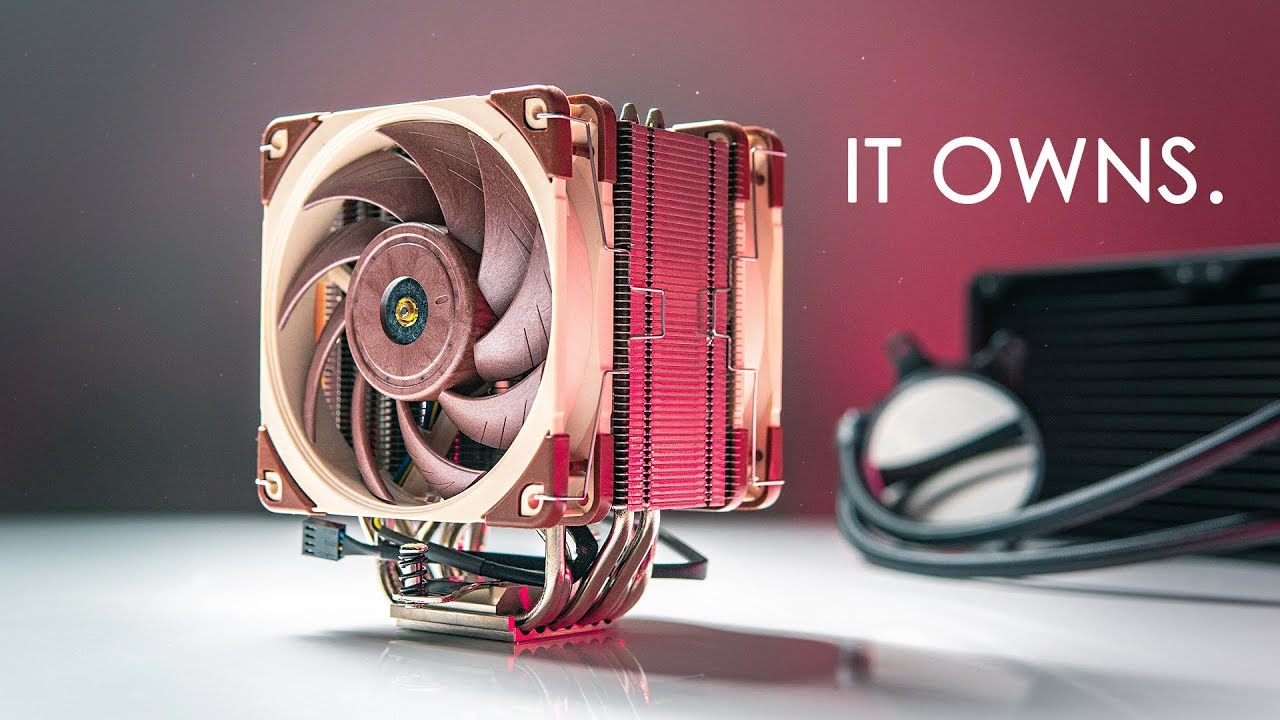
Check prices below Noctua NH-U12A: https://geni.us/ZpYX Noctua NH-D15: https://geni.us/dcEmDI NZXT Kraken X52: https://geni.us/Ke6HA NZXT Kraken X62: https:/...
heck, that one's too tall too
 urban ferry
lol that link has 5 be quiets in it
urban ferry
lol
austere tree
but yeah, the DarkRock TF is your best bet in terms of RAM clearance and case depth
urban ferry
yep it looks pretty good
austere tree

chrome sluice
thanks guys
urban ferry
sure
austere tree
any time
 fossil edge
I’ve heard good things about the tomahawk, thanks for the help!
austere tree
you bet
 cyan quail
If I can find it, aorus makes a good b450 board. Great vrm setup for the price.
Oh that was the second link. My bad @austere tree
 finite shuttle
Hello. Thinking of building an AMD pc and looking at some ATX motherboards. Which brand should I choose and which motherboard? I’m thinking of between $100-200.
austere tree

sorry for getting back to you so late, i was gaming with some friends
that's the best bang for your buck AM4 motherboard
@finite shuttle
austere tree
what resolution?
 sour sleet
1080
austere tree
depends on the game, but it'd be more suited for 144hz
sour sleet
thats kind of what im hoping for just really reliable 144hz for MOST games i play
austere tree
it'd be a solid 144hz in pretty much all titles maxed out
sour sleet
ohh okok thanks lol
austere tree
for sure
sour sleet
im looking into a 4k moniter rn could it do a steady 60 ?
austere tree
nah, i'd look into something like the 2070 or 2080 for 4k 60 solid
that's a whole whack ton of pixels to push
sour sleet
okok and yeah thats true
finite shuttle
thanks for the help will look into it
for cpu is ryzen 5 1600 good enough or should I shoot for the 2600?
austere tree
depends on what you want to do really
i know the 1600 can be found for about $100 pretty easily now and if you can get one for that price, do it
you won't regret it
zenith forge
i5 3570 or i7 3770? (maybe k if I can find a good deal)
Would be playing Rust mainly, as well as rocket league, BL2, WoT, Robocraft, CS:GO, etc.
cyan quail
do you care about hyperthreading?
zenith forge
idk if the better processor justifies the price jump that's the thing
cyan quail
do you do anything besides gaming?
zenith forge
aside from normal internet browsing and youtube/netflix not really
cyan quail
3570 will do you just fine.
zenith forge
no content creation/streaming
cyan quail
used 3570k for $45
zenith forge
where?
cyan quail
good ol eBay
zenith forge
that's the going price on most used non k variants
 zenith forge
dude, I have been looking almost everyday at 3570k listings and never seen one go that low...take a 3 day break from checkin and this pops up
just my luck lmao
cyan quail
how it be dude
zenith forge
looks like I'm buying that tomorrow
 cursive violet
Personally when I upgrade I intend to go with the i7 7700
zenith forge
as long as someone doesn't yoink it
cyan quail
just don't use a stock cooler lol
 craggy estuary
lulz stock cooler
cursive violet
Nah I’ve already got water cooling
zenith forge
the 3570 or 7700
craggy estuary
i'm liquid cooled now
cursive violet
No problem there lol
cyan quail
ivy bridge wasn't exactly known for their temps to be fair
craggy estuary
just hope you have a custom loop
seriously your cooling needs to be on point with those
cyan quail
well, 7700k
austere tree
the 7700k gets so hot
craggy estuary
it's crazy
I even had to start keeping my side panel off period for cooling
with an AC unit next my computer cause it was keeping me warm when stressing it
cyan quail
do you know why? i've seen benchmarks time and time again and the temps show that it gets hot but never understood why. it's on a 14nm process so you'd think it'd be somewhat efficient
cyan quail
yolo
craggy estuary
thats why though is because it's on a 14nm
they're just trying to maximize tf out of it when they're not trying to make the chip itself more efficient
austere tree
my boy broke af
austere tree
nah
cyan quail
but so is the 8700k and those don't get too crazy hot
austere tree
you can use acronyms
craggy estuary
no the 8700 is on a different playing field
cyan quail
lol
craggy estuary
I wish I waited to get the 8700k or at least something with more cores and a high freq
cyan quail
welp, time to go custom loop bois
craggy estuary
I've gotten my i7-7700k up to 4.9 and down to a 4.7 stable but it's just not the same
custom loop is so expensive for me at least just to squeeze out that last little bit of stability
zenith forge
I would use an aio if I knew how to fix the pump in one
my dad had a massively overkill 360mm rad for his non overclocked 2500k untill the pump died
if only I could fix it, then I'd feel safe overclocking the 3570k
craggy estuary
you guys think I could just use a box fan as a side panel?
cyan quail
once the pumps die, it's really hard to fix, being a person that likes to fix things. if it had something to do with the electronics inside the pump, it'd be an easy fix but generally it isn't.
think you should do that
the only 300iq play
zenith forge
yeah, it'll be a side project I'd do just for fun and if it doesn't work then oh whale
craggy estuary
yea thats what I was thinking
cyan quail
you're joking right
cyan quail
think this would be more appropriate.
naive pendant
nasa super computer?
craggy estuary
I like where your heads at tho
cyan quail
big brained boi
naive pendant
the fans are gonna get clogged from the dust lmfao
zenith forge
Probably a $5 pc the guy bought just to take that pic
zenith forge
As long as it wasn't powered on while wet
naive pendant
until it was dry right?
austere tree
and let it sit out in the sun for a day or 2 yeah
naive pendant
lmfao professional cleaning
zenith forge
Bathe it in rice 10 times
craggy estuary
professional no doubt
zenith forge
Strap a rock to your pc and throw it in the pool
craggy estuary
more like all in the hose
zenith forge
Extention cord to make it reach outside and bam...supercooled pc
craggy estuary
lol
cyan quail
Yeah but then condensation forms if it's subambient
zenith forge
gets below 0c temps in winter too
craggy estuary
frozen to the core, literally
cyan quail
Actually break the laws of thermodynamics.
austere tree
oh you mean my soul?
 rustic bridge
Anyone know the best CPU for a CAD/CAM setup?
arctic dome
i9-9900k, probably
Or a Threadripper. Honestly, if you're going high end processors, you'll be good either way
austere tree
if you have the cash for it, a threadripper would handle that kind of work fantastically
rustic bridge
I have a 6,500 budget. It needs to run solidworks, edgecam, mastercam, fusion,and rhino. Any recommendations on other components would be much appreciated also.
austere tree
oh yeah, go threadripper then
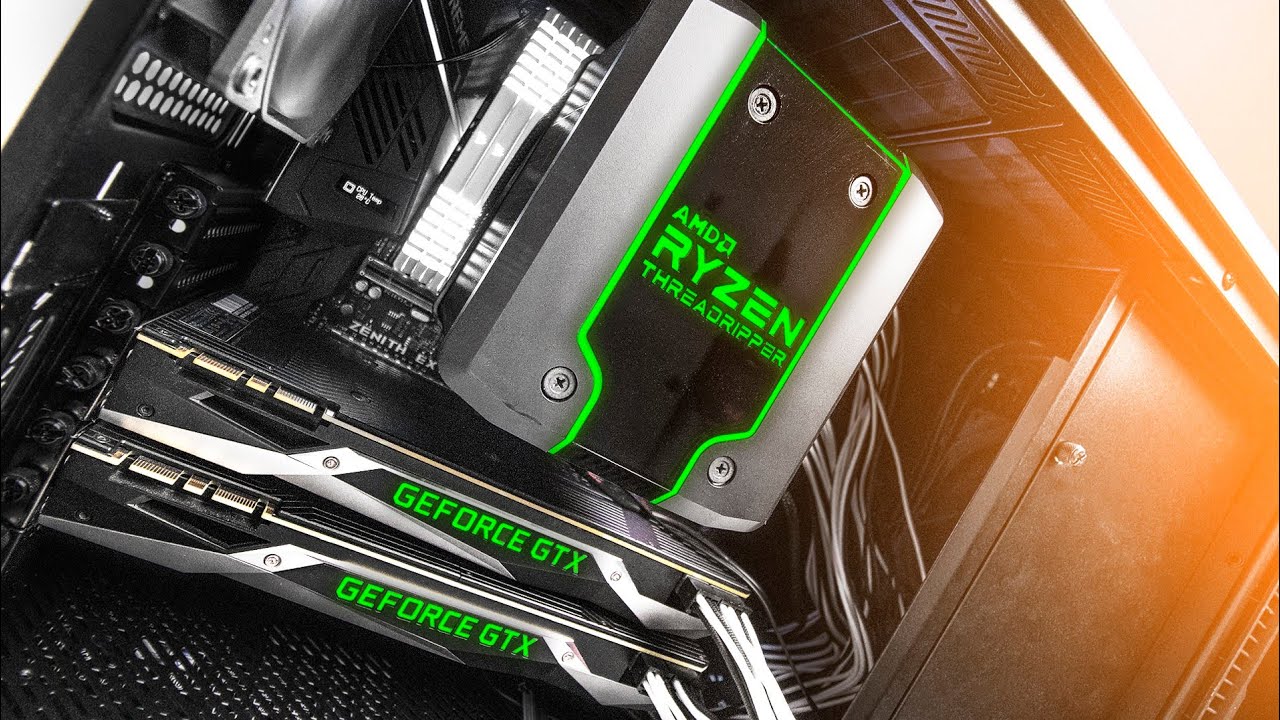
AMD's Threadripper 2 was just launched only a few days ago with the 2950X and 2990WX and we decided to put together an EPIC build for it. It includes the 295...
urban ferry
is the 32 core one out already?
also theyre rumored to make a 64 core one in q4 2019
austere tree
the 2990WX has 32c yeah

Get the Massdrop x HiFiMAN HE-350 Headphones today for a limited time at http://dro.ps/linus-hifiman350 Get iFixit's NEW Mahi Driver Kit today for only $29.9...
arctic dome
What is your project due date?
rustic bridge
My employer is letting me replace the PC I'm using right now. They just gave me a amount to spend and never gave a due date. I would like to build it soon because the PC I'm working with right now is super slow.
I just looked at what the PC that I'm using right now has 2 Xeon E5640 2.66GHz. and a Quadro 5000
12GB of ram
austere tree
yeah something like a 2950x would blow that out of the water
rustic bridge
Thank you
graceful flame
So I'm trying to figure out what thermal compound to get. I'm totally fine with paying for a high end compound. It's just that I don't know if I should go with liquid metal or a paste. I'm leaning towards thermal grizzly for a brand.
Any recommendations?
austere tree
which CPU again?
graceful flame
Likely a ryzen 3700x or 3800x @austere tree
austere tree
oh for something like that the Mx4 or Arctic Silver 5 would be fine
graceful flame
I mean yea, but I'm looking for the best possible performing compound.. Even if it's overkill
I'm just curious what's out there that is really good stuff
austere tree

You guys have been requesting this one for quite some time! And here it is! We have a round up of more thermal pastes than last time, and the results are rea...
graceful flame
Thanks 👌
 pearl apex
-play grammy freestyle
naive pendant
so i read some forums online about how 3333mhz won't work with the core i7 7700K too well
i'm wondering if the same will happen to the corsair vengeance pros i'm about to purchase
such as not getting the post screen or not booting up
 split heart
as far as I can tell, you should be fine. You should only really ever worry about ram clock speeds in terms of the mobo. Your CPU will downclock it to whatever it can handle, and in your bios you can OC it, if it allows it, to 3333mhz.
Regardless of that, to avoid troubleshooting issues, just grab the ram that's compatible with your mobo/cpu combo.
naive pendant
some people have said that in order to achieve 3333 you have to do some more manual tweaking
split heart
In modern boards, XMP should be able to get it where you need it.
austere tree
that's because the 7700k only supports up to 2144MHz
Intel® Core™ i7-7700K Processor (8M Cache, up to 4.50 GHz) quick reference guide including specifications, features, pricing, compatibility, design documentation, ordering codes, spec codes and more.
officially, anyway
split heart
It supports 2133/2400
austere tree
er 2133, my bad
split heart
I used to own a 7700k. 😛
austere tree
i no type gud
split heart
Yup yup.
It can support OCs to 2400.
If you set your bios to XMP or do manual tweaking.
austere tree
yeah but it's definitely going to have issues with 3000MHz+
if it'll even boot at all
split heart
It'll just downclock it.
I put 3200 mhz ram in it before and it just downclocked it to like 1300 mhz or something weird.
naive pendant
well my motherboard specifications on gigabyte's official website does support 3333mhz
split heart
Can't recall.
naive pendant
so problem solved?
austere tree
but if the CPU itself doesn't support that speed in its microcode, you're going to have issues
split heart
Or none at all.
naive pendant
oh
austere tree
yeah, you can cause irreparable damage, actually
split heart
Voltage inconsistencies would be your main culprit there.
I'd like to say most modern systems have a cutoff and won't get to that point.
But all it takes is a split second of faltering to fry something.
naive pendant
would the 7700k be considered "modern"
hasty marsh
the i7?
hasty marsh
for sure
hasty marsh
lol
naive pendant
yeah
hasty marsh
ryzen has a gun pointed behind the back
naive pendant
oh
split heart
I really like the Geil ones. A little gaudy, but they have the super fancy RGBs in them.
https://www.newegg.com/geil-16gb-288-pin-ddr4-sdram/p/N82E16820158605?Description=2400 mhz rgb ram&cm_re=2400_mhz_rgb_ram-_-20-158-605-_-Product
austere tree
GeIL's a great brand for RAM
split heart
I'm buying Geil's as my next upgrade. 32 or 64 gigs of RGB ram. I have an ASUS Aura Sync mobo and GPU, so I gotta.
Also I think the Phanteks Evolv X has aura sync RGB in it.
👍
My day off next month will be dedicated to fixing my cable management too. So hecc yeah.
split heart
Oh, I definitely will.
austere tree
that's a good start to getting there
austere tree
anything you're looking to do specifically?
game? render work? programming?
video editing maybe
okey doke
well you can get great 4k gaming for a lot less than 4 grand
austere tree
a 2080Ti can handle 4k no problem
naive pendant
@polar galleon wait for amd ryzen 9 3950x to come out
cyan quail
um. definitely not about cpus, mobos or ram
austere tree
👀
i leave for a few minutes
yes please
yeah, like KingXF said, i would definitely wait till the new 3000 series Ryzen chips drop on the 7th and then upgrade
thorny gate
thats what im doing, i cant afford the ryzen 9 so ill just get the 3700x which is 12 core 24 thread and rumored to boost to 5ghz
currently using the ryzen 7 1700
thorny gate
do we know when new motherboards are releasing for x570? they are supposed to release a lil bit before the cpu's and video cards
 turbid sluice
@thorny gate The 3700X is 8 core 16 thread
urban ferry
rip
 blissful dragon
I would like some cpu advice because I am confused about something
urban ferry
what are you confused abt
blissful dragon
I have an i7 7700
im not kidding, minecraft literally uses 100% of it when it loads and idk why
urban ferry
here i have an i7 7700 too lemme check if it uses mine