#cpus-mobo-and-memory
1 messages · Page 69 of 1
 sudden creek
 wind karma
What's the power draw of the 9950x3d?
sudden creek
wind karma
What's the power draw of the 9950x3d?
When I overclocked it in Alaska, it pulled 300w in Cinebench though gaming was around 160w max. In my current power limited config due to my damaged PSU it's drawing 120w max with CCD2 disabled.
wind karma
Ok
At 140w I wouldn't expect the air coming off the aio to be that warm, the vrms and ram would probably be fine
At 300w they might need their own fresh air
sudden creek
I use 1.85v VDD for the ram.
So that's why this whole airflow situation has had my mind going loco.
sudden creek
wind karma
At 300w they might need their own fresh air
You think having the top as intake would help counter this issue of the ram overheating.
wind karma
Probably not
sudden creek
Any ideas on how to make all the parts happy?
wind karma
Only thing that comes to mind is not running 1.85v ram and cpu at 300w 
sudden creek
Reddit
Explore this post and more from the mffpc community
Not perfect but I found this post.
wind karma
I'm in a 22ish liter case but with a 4070 and 5700x3d both undervolted
So gaming it pulls like 300w total lol
sudden creek
That's good.
sudden creek
sudden creek
https://www.reddit.com/r/mffpc/comments/1okulo1/lian_li_a3_with_dual_360mm_aios/
5090 (AIO) and CPU (AIO), the cpu hits 90c in OCCT extreme but it's receiving the GPU's heat dump.
wind karma
The gpu is one of those combo models I think
So it's got a fan that exhausts out the rear as well as the aio
sudden creek
He has a MSI Suprim Liquid.
sudden creek
wind karma
So it's got a fan that exhausts out the rear as well as the aio
interesting.
wind karma

 sudden creek
 ripe tartan
No that seems to be a gpu
ripe tartan
No that seems to be a gpu
We're trying to figure out how I keep a 300W cpu, 400w gpu, and a 1.85v VDD ram kit happy in a Dan A3.
wind karma
Honestly the solution might be custom ductwork
If you have cad skills and access to a 3d printer
sudden creek
Having the CPU as side intake makes the CPU and GPU happy but the ram will be receiving roughly 700w of heat dump in a worst case scenario.
sudden creek
wind karma
Honestly the solution might be custom ductwork
to route the heat from the cpu and gpu out the rear so a top intake can cool the ram?
wind karma
I'd probably try to make the gpu its own contained thing so it exhausts out the side and rear
And then idk about the CPU rad
sudden creek
lmao SFF is a pain huh
wind karma
Not if you aren't doing 1.85v on your ram
sudden creek
wind karma
Not if you aren't doing 1.85v on your ram <:kekw:741678350791081994>
Nahhh 1.85v is small.
xD Hynix ICs for the win
wind karma
Isn't xmp for ddr5 like 1.35v
sudden creek
whoa this is sick but I don't have the budget.
 wind karma
Or is it higher
sudden creek
wind karma
Isn't xmp for ddr5 like 1.35v
1.35v with OC kits going to 1.45v
wind karma
Ah
sudden creek
Hynix A and M die can take as high as 1..85v if you keep the temps under control. I know some folks that ran 2v
sudden creek
wind karma
Isn't xmp for ddr5 like 1.35v
You are on DDR4 still I presume?
wind karma
Mhm
sudden creek
Any chance your'd be interested in a 32GB 4000cl18 kit?
wind karma
Probably not, bumped to a 32gb 3600cl16 kit right as ram was starting to spike and gonna try and ride it out till I move to a new platform
sudden creek
Hmm alright.
at this point I guess my best hope is just try it with the aio as intake and try the top as intake and exhaust to see which yields the best results.
wind karma
Also not sure if I'd see much of a benefit from 4000mhz on the 5700x3d anyways
Cause of the extra cache
sudden creek
Fair. I saw a benefit on my 9950x3D though as you've probably figured I tuned my ram to an extreme.
6400cl26 with most timings close to the floor or at the floor (1st, 2nd, and 3rd timings all tuned).
wind karma
wind karma
Also not sure if I'd see much of a benefit from 4000mhz on the 5700x3d anyways
I'll appemd this to *gaming benefit. Not really an oc highscore chaser
5700x3d doesn't really oc anyways
sudden creek
Are those limited to UV only?
this is the GPU I plan to put in an A3.

Actually hmmm. I just noticed the gpu's exhaust is a good distance away from the ram.
wind karma
sudden creek
Are those limited to UV only?
Freq multiplier is locked
So a slight UV and it consistently hits max clocks even on my little single tower cooler
sudden creek
That's good.
wind karma
I believe there were concerns with damaging the 3d cache by OCing? Not sure
But AMD locked it down pretty hard
sudden creek
my v-cache ccd does 5.75ghz with negative COs between -20 with best cores doing -80 and -90mv.
wind karma
sudden creek
this is the GPU I plan to put in an A3.
Thicc
sudden creek
wind karma
I believe there were concerns with damaging the 3d cache by OCing? Not sure
The cache to my understanding was becomming a hot pocket and overheating on early v-cache models.
wind karma
Hmm
sudden creek
wasn't till 9000 series that they flipped the v-cache on top on the ccds.
wind karma
Still wish they'd let you increase frequency even if max voltage was limited
sudden creek
agreed.
sudden creek
wind karma
Thicc
Indeed. 360mm x 140ish x 70mm if I recall.
anyways, seeing this gives me hope that the ram won't overheat since the heat dump is not directly onto it.
I think I am gonna set it up as
- Rear intake
- Top Exhaust
- Side Intake (AIO)
- Bottom Intake (GPU)
This way, the rear intake fan will blow the hot air from the GPU away from the RAM and have all the hot air exhausted limiting the heat affecting the RAM to just the CPU.
@wind karma thoughts?
sudden creek
Mhmm it's decided then.
sudden creek
I can't remember, does the Intel B460M platform have a backplate?
I am looking at this and I feel like I am missing something that this board comes with.


 scenic solar
if you're referring to the cooler backplate then no, Intel motherboards don't come with one, unlike amd
with the b460 you're supposed to use the one that comes with the cooler
sudden creek
scenic solar
with the b460 you're supposed to use the one that comes with the cooler
Ahh thank you.
Seems I've gotten way to used to AMD.
 meager elbow
sudden creek
Seems I've gotten way to used to AMD.
meager elbow
sudden creek
Seems I've gotten way to used to AMD.
Yeah that's one of the nice things about amd
The stock backplate is nice metal
Intel stock cooler doesn't need a backplate
And alot of cheaper coolers use a shitty plastic backplate
sudden creek
meager elbow
Yeah that's one of the nice things about amd
The stock backplate is nice metal
I was freaking out thinking I lost it lmao.
meager elbow
Lmao
sudden creek
I got a buyer for the X670, and both CPU+BOARD combos!!! That pays for my case, board, and fan swap. : 😄
sudden creek
@meager elbow @wind karma @cursive epoch @limpid warren
I am planning on buying a 4G tube of LM with 5ml of conformal coat combo. Can I get some advice on how to apply LM?
I have a TG AM5 Contact frame for my CPU with a foam insert in it.
wind karma
zero clue sorry. Only used paste and PTM
meager elbow
4 grams? how many cpus are you doing got damn
 cursive epoch
get some kapton tape or do conformal coating on the surrounding areas on the mobo
and the cpu's pcb
sudden creek

Amazon
cursive epoch
just in case leaks happen
sudden creek
This is the combo I was looking at
meager elbow
you dont need to use kapton tape for liquid metal, pretty much any tape would be fine
just during application
cursive epoch
kapton tape is just to be safe tbh
sudden creek
meager elbow
4 grams? how many cpus are you doing got damn
About the same price as the 1-2g alternatives
And comes with conformal
sudden creek
meager elbow
just during application
The tape is removed after application?
meager elbow
with liquid metal, less is more
just put a small drop and spread it across the IHS
note that you may need to warm the tube in some warm water
sudden creek
I have Duct tape on hand though that seems excessive
meager elbow
probably not duct tape
cursive epoch
make sure the coldplate is nickel coated or pure copper tho
that stuff eats thru aluminum
meager elbow
yeah no alu coldplates or else it'll disintegrate
sudden creek
@meager elbow so the combo comes with 4G of LM, some swabs, and 5ml of conformal coating.
I have a bare copper coldplate
cursive epoch
that's good
sudden creek
I don't like my CPU hitting 70c in games. I miss the -20 ambient of Alaska.
meager elbow
if you want to be safe, you could conformal coat the surrounding area to prevent any shorts from splashes, but as long as you do it correctly with a small enough amount, you shouldn't have any issue with leakage
sudden creek
meager elbow
if you want to be safe, you could conformal coat the surrounding area to prevent...
Do I need conformal since my AM5 frame has a foam insert?
I'd like to avoid destroying my warranty if possible.
meager elbow
i'm not entirely sure if LM would be able to keep the cpu from hitting 70? cpus tend to boost till the hotspot hits thermal limits, and thermal transfer works better the greater the deta T is
sudden creek
I want to minimize temps for OC and due to downsizing to an Dan A3.
meager elbow
conformal is more for the surrounding resistors/capacitors/other smd components
meager elbow
you do definitely want to use the foam to protect the socket; you don't need to conformal coat the socket or anything like that
you could look at some youtube guides on liquid metal application, but you could put some liquid metal onto something out of the way of the pc, and then use the swab to coat the IHS, because there is a slight risk of you squeezing too hard and squirt some liquid metal onto the rest of the motherboard, though if you're careful and preheat the tube enough you should be safe
sudden creek
I am not against putting conformal on the board if that's recommended. I'd just rather not undo the warranty on my $1000 CPU (local market) unless I do a delid.
sudden creek
meager elbow
you do definitely want to use the foam to protect the socket; you don't need to ...
Oh so remove the CPU, apply the lm then seat the CPU into the socket?
meager elbow
no, keep the cpu in the socket with the foam installed
sudden creek


This is what my CPU looks like with the frame
There is a foam insert under it.
So with the CPU and frame installed, carefully apply a small amount of LM then use the swab to spread it?
And you recommend I run the tube of LM under hot water to make it easier to apply?
meager elbow
sudden creek
So with the CPU and frame installed, carefully apply a small amount of LM then u...
https://youtu.be/w7ChaNf9N-w?t=706 timestamped the relevant part

In this video guide, I'll show you how to apply liquid metal to your CPU, laptop, GPU, and game console using Thermal Grizzly Conductonaut safely and effectively, without making any mistakes that could damage your system.
📌Useful links
Liquid Metal: https://hfixt.com/lqm
Conformal Coating: https://hfixt.com/tgs
Liquid insulation coating: ht...
sudden creek
Thank you.
 vague apex
I'd just be aware that it's going to be a lot of work and some risk for not a lot of difference.
meager elbow
^
probably like 2-3c of difference
(compared to a proper quality thermal paste)
manufacturers have made very good nonconductive pastes
sudden creek
I want to try LM. Part of my consideration is due to my CPU getting really hot with the AC off when it pulls 300w.
meager elbow
only "problem" with paste is that you need to replace it much more often than liquid metal applications to keep its performance, but repasting is alot easier than doing liquid metal
sudden creek
How often should I reapply LM?
meager elbow
sudden creek
I want to try LM. Part of my consideration is due to my CPU getting really hot ...
i'd like to reiterate that thermal transfer works better the greater the deta T (temperature differential) so no matter how good your thermal interface is, thermal energy will transfer slower the smaller the difference between your room temp and the heatsink temp
meager elbow
sudden creek
How often should I reapply LM?
you could go years without messing with it honestly
similar to paste though, i would probably reapply any time you take off the cooler?
sudden creek
meager elbow
you could go years without messing with it honestly
similar to paste though, i w...
Oh that's really good.
How many applications is 4g worth roughly?
sudden creek
Seems LM on average gets 10-13c lower load temps than TG Kryonaught.
vague apex
Says who? That is wildly optimistic even for direct die let alone with the ihs on.
sudden creek
Was looking at some images like this. Granted it's with a very low power chip in the first picture.

 meager elbow
2nd one is delid vs not delid
vague apex
We've also got tom's saying there is a 12C gap between liquid metal and toothpaste. You'll notice in the GN one that's LM + Delid and different coolers.
 meager elbow
https://www.techpowerup.com/forums/threads/kryonaut-12-w-mk-vs-conductonaut-liquid-metal-73-w-mk.229167/ here is an example of only 3c of difference

TechPowerUp Forums
EDITED: A third test done on Kryonaut (after 48hrs of installation) resulted in better temps taking the max temp from 53.0c to 51.0c and the average from 51.9c to 50.6. So despite 'Thermal Grizzly' stating no curing time with Kryonaut; tests clearly show otherwise. The Kryonaut temps below have...
they tested with a chiller set to the same parameters with ambient temps being the same as well
granted, these tests were also almost a full decade ago as well
but liquid metal hasn't improved much in the past decade
but the average paste has, and also ptm
vague apex
If I was redoing anything I'd be going mx7 or duronaut.
sudden creek
meager elbow
2nd one is delid vs not delid
Ahh okay. I missed that. I noticed the different coolers.
How good is MX7/Duronaught compared to PTM?
vague apex
I wouldn't use ptm on a cpu at all. For gpu or laptop sure. TG says durnonaut is a little better than kryonaut and you don't have to worry about the temp sensitivity kryonaut had where you were supposed to keep it under 80C if you wanted it to last.
sudden creek
vague apex
I wouldn't use ptm on a cpu at all. For gpu or laptop sure. TG says durnonaut is...
May I ask why not use PTM on the CPU? I had really good results with it.
Thank you for the tip on the Kryonaut and Duronaut.
vague apex
It should work fine but it's needlessly complicated and more expensive. For direct die stuff it can really help with hotspots and with pump out, you don't have to worry about that so much with an ihs. Just don't get crappy thin paste and it'll be alright.
ripe tartan
https://www.walmart.com/ip/17730365913?
would this work as a USB hub I can plug more of my case usb connectors into?
My case has more usb connectors than my motherboard supports
meager elbow
ripe tartan
https://www.walmart.com/ip/17730365913?
would this work as a USB hub I can plug...
I don't see why it wouldn't, but would likely lower the amount of current your ports can draw assuming they all were drawing the same amount
ripe tartan
meager elbow
I don't see why it wouldn't, but would likely lower the amount of current your p...
I just want them to be usable
I don’t put much more than my kb&m + controller in
vague apex
At least it's not bt.
ripe tartan
Nonono
Like
I want to be able to put anything in those front panel
 vague apex
What case do you have anyway? It's pretty uncommon to see more than 2 usb2 ports.
ripe tartan

Not my picture
Taken off Reddit
But I have usb for case at the front there
And then my mobo
photo #5 and #7

Buy Cooler Master Stacker 830 Evolution RC-830-KKN3-GP Black Aluminum ATX Full Tower Computer Case with fast shipping and top-rated customer service. Once you know, you Newegg!
meager elbow
Damn it got the mesh side panel
ripe tartan
I have cut out the FireWire cable due to issues it was causing
meager elbow
Mesh side panel and FireWire definitely age this case lmao
meager elbow
Kinda surprised it doesn't have a 5.25" bay or 2 unless it's hidden
ripe tartan
Meaning, I don’t have those side panel things
 meager elbow
I feel like PC cases losing the 5.25" bays were the same feeling as like phones losing the headphone jack or like charge port that apple was thinking of
ripe tartan
cursive epoch
the lack of bays allowed more cooling though
so it's a tradeoff that could be worth it
but i understand that losing drive bays can be a problem
meager elbow
They definitely did but sometimes you miss it
Even just one bay would have been nice
cursive epoch
all that storage and silly stuff you can slot inside one of those bays is cool
like a physical fan speed knob is pretty nice to have lmao
ripe tartan
What are half these words
 meager elbow
One of the PCs I got at some point had a drive selector with a good clunk every time you switched between drives
ripe tartan
Oh wait
I have the 831
cursive epoch
fdd, floppy disk drive?
meager elbow
I could only imagine the SRM being the backplate
I looked it up and BTX was a failed motherboard standard by Intel
Meant to replace atx
 lofty burrow
Hey
sudden creek
@vague apex @meager elbow found this and it seems you are right, it's only about a 3-5c difference in temps. This was with a 7900x3D and a mid-range 360mm AIO on a open bench.
 sudden creek
.
Do you guys think the 8+2+2 VRMs on the Gigabyte B850M Force WiFi V2 is going to be an issue for my 9950x3D? I have seen it pull 300w in CineBench with a OC and slight overvolt.
ripe tartan
ripe tartan
https://www.walmart.com/ip/17730365913?
would this work as a USB hub I can plug...
is this a cheaper version

9pin USB 2.0 Header 1 to 2/4 Female Extension Cable HUB Connector Adapter Port Multilier
9pin USB 2.0 Header 1 to 2/4 Female Extension Cable HUB Connector Adapter Port Multilier
@meager elbow
sudden creek
Just sold the 10700F+B460M Tuf combo!
Selling the other motherboard later today than it's downsizing time 😄
sudden creek
Just bought the B850M Force V2 WiFi and some TF9 paste. @cursive epoch @wind karma @meager elbow
 steel galleon
opinions on arctic mx7?
vague apex
I've used 4 and 6 a lot. 7 is supposed to be improved.
wind karma
steel galleon
opinions on arctic mx7?
Very serviceable paste. No real need to spend more unless you're chasing crazy OCs
meager elbow
The people that have tested it has shown that mx7 is one of the top pastes available
 shut thicket
sudden creek
Do you guys think the 8+2+2 VRMs on the Gigabyte B850M Force WiFi V2 is going to...
shut thicket
sudden creek
Do you guys think the 8+2+2 VRMs on the Gigabyte B850M Force WiFi V2 is going to...
300w on normal Aio or some exotic cooling solutions
Because cooling that cpu at 300w is a bigger problem than the vrms
sudden creek
shut thicket
300w on normal Aio or some exotic cooling solutions
LT720 P/P config AIO that I have setup pulling fresh air.
sudden creek
Man I am not looking forward to returning all my stuff.... Well I enjoy the tune but not the time it takes.
vague apex
After my ram died I bought an a-die kit with no profiles on it and I've been too lazy to do anything with it so it's still 5600 jedec. One of the advantages of 4k gaming, don't have to care about cpu/memory performance because it's fully gpu limited all the time.
sudden creek
vague apex
After my ram died I bought an a-die kit with no profiles on it and I've been too...
Fair. I play competitively at FHD so memory makes a huge difference to my lows.
meager elbow
i ran ddr4 jedec for a while and was also fine
probably would have been terrible if i had an igpu though
and i don't play comp games
sudden creek
meager elbow
i ran ddr4 jedec for a while and was also fine
Ddr4 at 2666 was miserable for me. I used it in a 5700G+3070 combo. The stutters in games that like ram were tremendous
It's the reason I upgraded to my 4000cl18 kit back then
meager elbow
I didn't really have stuttering in VRchat or beamng on jedec with 48gb total memory
I had a mixed kit which wouldn't run at 3600 and I was too lazy to find a stable frequency
So I just used it in jedec
I did have some issues but it wasn't ram related iirc
Oh right
My windows was corrupted slightly
Chkdsk and SFC didn't fix it but reinstalling fixed the issues
Basically I added 32gigs more to my system, ran it at jedec for a year, started getting some weird app hangs, thought it was the ram so I removed 16gb and raised the speed to 3600, that didn't fix it and then I reinstalled windows and that fixed it
Windows my behated
Worst os known to mankind
Some days I would rather use anything but windows
Oh yeah in between that I also had a GPU upgrade thinking it was my rx570 causing the issues
In between the time after I had gotten the 32gb extra ram and started getting the issues with apps hanging I mean
sudden creek
Ouch
@meager elbow honestly if MacOS wasn't so damn limiting regarding software compatibility and Apple didn't freaking block you from updating to a new os if your hardware is old for monetary reasons I'd daily MacOS.
meager elbow
meager elbow
Chkdsk and SFC didn't fix it but reinstalling fixed the issues
For more context of it not fixing it, I was running it and it kept saying there was nothing wrong so I assumed windows was fine (wrong assumption to make)
sudden creek
meager elbow
For more context of it not fixing it, I was running it and it kept saying there ...
Unfortunate.
meager elbow
But yeah it works fine now so im happy
But it was truly a pain
Troubleshooting is always a wild cat chase or whatever the phrase is
Wild goose chase
sudden creek
So the B850M Force WiFi V2 supposedly supports 12v@2A so does that mean it should be safe for me to run 6 Arctic P12 Pro fans on one header?
meager elbow
Yeah probably
Realistically 3 off a single header is usually more than enough though?
How many fan headers are on the board
sudden creek
meager elbow
Yeah probably
So each fan is rated for 3.9w watts .
meager elbow
I looked at arctic's site and the fan max current draw is listed at 0.33a
sudden creek
meager elbow
Realistically 3 off a single header is usually more than enough though?
4 total. Ideally I would like all 6 fans on my AIO to be binded to one fan control.
sudden creek
meager elbow
I looked at arctic's site and the fan max current draw is listed at 0.33a
So 1.98 amps with all 6 daisy chained
meager elbow
Yeah
sudden creek
Is it safe to run the header near it's max amperage constantly? My fan curves are usually set very aggressive between 70-100%.
meager elbow
Also 6 fans? A push pull configuration on an AIO doesn't really have any benefit on modern PC fans....
sudden creek
I will brb in like 3-5m
sudden creek
meager elbow
Also 6 fans? A push pull configuration on an AIO doesn't really have any benefit...
Helped me keep my temps under control when my CPU was pulling 300w. Without the extra 3, I hit thermal limiters.
Just enough to make the difference.
meager elbow
Assuming arctic's spec of 0.33a is the starting current, it probably wouldn't exceed 2a, but if it isn't, and is running current, then you might not even be able to start the fans spinning without potentially tripping over current protection on the header
As for it running constantly at the max amperage, the listed spec should theoretically be the safe limit for a 100% duty cycle
meager elbow
sudden creek
So the B850M Force WiFi V2 supposedly supports 12v@2A so does that mean it shoul...
I'm trying to find the spec of it supporting 2a but I don't seem to be able to find it? Where did you see it?
If you arent 100% sure, then you should either use 2 headers with 3 way splitters, or use a fan hub
Gonna go sleep now
sudden creek
meager elbow
I'm trying to find the spec of it supporting 2a but I don't seem to be able to f...
I googled the amperage and this was the description from the gigabyte site for it.

 hollow thorn
From the manual:

I'd say it's fine to do up to 6 per header assuming you're not planning on running them at 100% at all times, most of the time the fan is probably going to be at ~60% and therefore leave you with wiggle room, but still try to spread out the load between headers whenever possible
 hollow thorn
I would really recommend not trusting singular numbers for bottlenecks, if you're curious if you'll be CPU bound or GPU bound, you can check benchmarks for the specific task lol
vague apex
sudden creek
4 total. Ideally I would like all 6 fans on my AIO to be binded to one fan cont...
Gigabyte bios lets you pick which fan headers you're editing the profile for. There is a checkbox and you can edit all of them at once or just pick 2. Or just get a $10 hub with supplemental power.
vague apex
 noble talon
https://pc-builds.com/bottleneck-calculator/result/1nt1y4/ryzen-7-7800x3d/radeon...
noble talon
https://pc-builds.com/bottleneck-calculator/result/1nt1y4/ryzen-7-7800x3d/radeon...
This site is 100% nonsense.
noble talon
i figured
meager elbow
?bottleneck
 silk jungleBOT
"TL;DR Bottleneck calculators take massive generalisations and will cause someone to almost completely miss the entire snapshot of the performance that they wanted to know in the first place.
Bottleneck calculators are a commonly searched tool on the internet to make a generalised comment on a pairing of hardware for things such as games, workstation software, rendering and the like.
Bottlenecks are regarded as a limit for a pc in a given task, and each different workload, each different game, each different task may and will push a pc to a limit in a certain way, and it's never the same way. Some games will push the cpu to a limit, most the GPU, some the ram, etc.
Bottleneck calculators try to generalise this and this is why you should never use them. It isn't a true outlook of the hardware you'd be working with and doesn't give you a real take on the performance, especially when you consider your own individual needs. Some bottlenecks are good for example, a lot are expected and normal, some are caused by the application itself and don't bring out the full pc performance either, the games or apps you use might be very specific and unique in their behaviour and have an entirely different realm of performance altogether."
meager elbow
noble talon
https://pc-builds.com/bottleneck-calculator/result/1nt1y4/ryzen-7-7800x3d/radeon...
Read the above blurb
scenic solar
wow I managed to get the only z490 board that doesn't support 11th gen even with a bios update... thanks Asus
sudden creek
vague apex
Gigabyte bios lets you pick which fan headers you're editing the profile for. Th...
Gotcha.
The new board is here.

 sudden creek
So if anyone was curious, the 9950x3D does come from the factory with a small amount of conformal already applied to the circuitry on the PCB.


 sudden creek
Never seen that weird M.2 loop thing before
Can someone explain to me what I am supposed to do with this?!
@trail gorge @scenic solar @azure echo

 azure echo
sudden creek
Can someone explain to me what I am supposed to do with this?!
<@30802377241211...
azure echo
sudden creek
Can someone explain to me what I am supposed to do with this?!
<@30802377241211...
pull it out
then put in m.2
then stick it back in
sudden creek
azure echo
pull it out
So like pull the tab upwards?
azure echo
yes
sudden creek
How hard? I am pulling hard enough to pickup the board
Got it
Just needed a little more force
sudden creek
azure echo
yes
Am I supposed to trim the tab after or?
sudden creek
azure echo
then stick it back in
Oh ok
Thank you.
Also I despise this pull tab method
azure echo
its meh
meager elbow
Pull tab means you won't lose the rice grain sized screw
meager elbow
Everything has its pros and cons tbh
sudden creek
Besides cost what could be the pro of this?
meager elbow
I don't hate the pull tab because you won't lose a screw that could short something out, and it makes it toolless to upgrade
sudden creek
 noble talon
building a pc early is the worse mistake i did
sudden creek
meager elbow
I don't hate the pull tab because you won't lose a screw that could short someth...
Fair. On a related topic to this board, I found the online manual. Each 4 pin fan header is rated for 12v@2A
meager elbow
Yeah I saw the ping
scenic solar
sudden creek
So if anyone was curious, the 9950x3D does come from the factory with a small am...
they probably learned from Intel mistakes
 trail gorge
I think it is because they are directly exposed
sudden creek
@trail gorge @azure echo @scenic solar @meager elbow @cursive epoch the pc posts!
I am typing from it right now
azure echo
nice
 sudden creek
Damn the memory training is so much faster!
15-20s (MCR OFF) vs 1m-10s (MCR OFF) to get into windows.
sudden creek
It seems Gigabyte they fixed the VRMs overheating issue that BZ found on the B850M Force V1 in the V2.
Pulling 200w on my 9950x3D for about 10m straight and 4 hours at 160w in Hell Divers II my VRMs never exceeded 55c. My ambient temperature was 20c (air conditioner)
In BZ's video the vrms reached about 70c pulling 200w within a couple minutes.
scenic solar
such a weird adapter
 sudden creek
scenic solar
such a weird adapter
sudden creek
scenic solar
such a weird adapter
Lmao. Is this your setup? I am curious how well it's working.
scenic solar
it's the test bench motherboard on a box, I got the adapter from aliexpress just for fun
it works, but it's nothing special
it's a 2666c19 4gb stick
sudden creek
scenic solar
it's the test ~~bench~~ motherboard on a box, I got the adapter from aliexpress ...
fair enough
 novel latch
Sorry if this is a stupid question but does the 7800x3d bottleneck a 5080 at all?
shut thicket
novel latch
Sorry if this is a stupid question but does the 7800x3d bottleneck a 5080 at all...
Nah
Even if it limits it in some extreme cpu bound games like Outer worlds 2 then the fps still would be over 60
novel latch
shut thicket
Even if it limits it in some extreme cpu bound games like Outer worlds 2 then th...
thanks.
sudden creek
5.814Ghz baby! Eat that 5850x3D.
scenic solar
has anyone here had gskill aegis ddr4 ram fail / start giving errors at xmp speeds after some time?
scenic solar
sudden creek
5.814Ghz baby! Eat that 5850x3D.
have you also ran prime95 small ffts?
it can often expose even the slightest instability on your oc
sudden creek
scenic solar
have you also ran prime95 small ffts?
Ran Karhu, OCCT, Adrenaline, and more. Unfortunately bCLK kept causing the PCIe to act out so I currently have it reduced to 5.750ghz.
steel galleon
thermalright cpu holder am5 V1 or V2 for 9850x3d?
steel galleon
what percentage of cpu usage would be considered idle?
less than 15%?
i have wall paper engine, edge and fan control active
meager elbow
steel galleon
what percentage of cpu usage would be considered idle?
Idle typically means no foreground apps open


 obtuse moss
 lyric barn
<@1303449751068475434>
lyric barn
<@1303449751068475434>


This means you need an SSD without a headsink
looking for u
lyric barn
obtuse moss
This means you need an SSD without a headsink
Can u recommend something?
obtuse moss
yes
i was looking for u
u were looking for 2TB. This is 2TB. I can't promise it's the best price, but this is everything you're asking for
meager elbow
its interesting that they have a 3rd physical m.2 connector soldered in but it's completely nonfunctional apparently
obtuse moss
meager elbow
its interesting that they have a 3rd physical m.2 connector soldered in but it's...
i was looking for the third one but they didn't show it so good on u for noticing
wait

this only promises 2 M.2 slots
i see
meager elbow
 lyric barn
And can u also recommend 2 extra ram?
meager elbow
so just make sure to not put anything on the very top (no heatsink) slot
obtuse moss
lyric barn
And can u also recommend 2 extra ram?
go to your order history and buy only the EXACT RAM YOU PREVIOUSLY BOUGHT
anything else is a no no
meager elbow
that's not always foolproof tbh
obtuse moss
even then ^ it's not foolproof
lyric barn
Will putting in 2 extra ram hurt the pc?
meager elbow
ram manufactures may have changed chips even on the same exact model number sometimes if you're unlucky
no, it won't hurt the pc as in damage, however it may not be stable at the rated speeds
obtuse moss
i would take out your previous RAM and put this in.
https://www.newegg.com/crucial-pro-64gb-ddr4-3200-cas-latency-cl22-desktop-memory-black/p/N82E16820156327
Once again, this is what you're asking for. But I can't promise the best price
if you have 32GB ram, I'd stick w/ that
meager elbow
it's worth noting that ram prices are sky high across the board currently
AI datacenters basically ate up the entire market
lyric barn
obtuse moss
Once again, this is what you're asking for. But I can't promise the best price
It's better than add 2 more ram?
obtuse moss
I would not put in 2 more ram almost ever
I would take out ALL ram and put in only fresh ones
meager elbow
it'll guarantee that you wouldnt run into issues at least
lyric barn
obtuse moss
I would not put in 2 more ram almost ever
Noted
lyric barn
❤️
 obsidian fossil
Is there a good rule of thumb for pbo allowances on a 7800x3d?
cursive epoch
Not really no
It's a dynamic boost/oc function, cpu damage is very unlikely
It scales accordingly to the offset you've set
If it's unstable, then it'll just crash and you can go into the bios to tune PBO CO offset
Generally people start with +30 or -30 depending on their goal
A positive offset is an oc, while a positive offset can act like an oc too but it mostly focuses on efficiency all while maintaining peak performance
sudden creek
obsidian fossil
Is there a good rule of thumb for pbo allowances on a 7800x3d?
PBO does not harm the CPU because it's a boost algorithm, the CPU is not being told to run at max speed 24/7.
Also, with PBO the increased voltage you can set is very low so it honestly won't have a big impact on lifespan.
obsidian fossil
Gotchyah. I was considering messing with it because under 75-80% load it chugs along at like 55c
Why not cook eggs on it for three extra frames

 dire dirge
Anyone have a lot of intel/LGA1200 experience? I’m currently testing a i7-10700K with an MSI MPG Z590 Gaming Edge WiFi (latest BIOS) and having trouble with memory overclocking/XMP. The system works fine at 2133MHz but fails to boot or becomes unstable at any speed above that. This happens with two separate 2x8GB kits and a 2x16GB kit (different brands). I’ve tried setting DRAM voltage to auto, 1.2V and 1.35V, but still no luck. These kits work on AM4 without issue. Are there any Intel-specific settings or 10th-gen optimizations I should try, or something particular with Z590 boards causing this?
meager elbow
dire dirge
Anyone have a lot of intel/LGA1200 experience? I’m currently testing a i7-10700K...
Don't have specific experience with that but it sounds like it might be a cpu issue (memory controller might be going bad or something)
If you have another cpu you can test the board with, that would be ideal
dire dirge
meager elbow
Don't have specific experience with that but it sounds like it might be a cpu is...
Super fair guess. Sadly I don’t have another CPU to test it with but I’ll see if I can get my hands on one. That was my best guess as well but just weird it was fine at 2133
meager elbow
yeah def a bit weird but i'm not aware of any issues from 10th gen using xmp
i assume you've also tried a cmos reset for default settings which typically should work out of the box
ripe tartan
Sounds like when I tried to tune my 8500g past 4800mhz.
The cpu simple cannot handle it.
hollow thorn
dire dirge
Anyone have a lot of intel/LGA1200 experience? I’m currently testing a i7-10700K...
main thing to mess with would be vccsa and vccio, smth like 1.2v and 1.15v to start with
 surreal belfry
Cheap ram options?
vague apex
Have you got one of these?

 vale basalt
With CL36 Ram should I switch to Intel or stay on amd
 vague apex
Are you just needing ram or are you getting a whole new pc/platform? There are occasionally some decent bundle deals.
surreal belfry
vague apex
Are you just needing ram or are you getting a whole new pc/platform? There are o...
Check dm
vale basalt
Any techies available ? Preferably someone good with testing ram?
hollow thorn
when in doubt, use tm5
steel galleon
they should launch a 9600x3d microcenter exclusive
vale basalt
hollow thorn
when in doubt, use tm5
Can I send you a pm?
hollow thorn
why..?
vale basalt
I was gonna ask you something tm5
And it’s not all memory related so I was just gonna ask a overall problem question to see if you could answer it
hollow thorn
What's the question?
vale basalt
So I was having random reboots for ages now and it started like just freezing up and having audio repeating and I’ve asked on forums and they said that it was so many different things, I replaced cpu motherboard and even the psu and still having the issue.
I tested the memory on memtest86 overnight and passed, I also ran the windows one and no issues and I just ran the extreme version of testmem5 and 2 full passes so a hour long and also no issues.
Could it be the graphics card? Like a driver hanging issue.
hollow thorn
It's possible that it's something to do with the GPU drivers, if you suspect it, use DDU and cleanly install the last known working driver version
vale basalt
That’s the thing even with the previous gpu I still had these issues but when I installed this one I had black screens but this time it would recover the game would crash and sometimes it would lock up and when loading up the pc this showed up but then vanished
 hollow thorn
What was the previous GPU and what is the current GPU
vale basalt
So like what are the odds another gpu I buy has similar issues?
6950xt was my previous card that I sold and this one was just a test gpu till I figured out what my issue was I also ran DDU after I sold my gpu
This one is a rx 480
hollow thorn
It isn't necessarily a GPU issue, it's just a possibility that it's GPU or driver related
It can be something else like CPU instability or maybe something wrong with the motherboard traces
Best to test one thing at a time still, it can also just be a windows issue with windows corruption, or some issue with your primary drive
vale basalt
I’ve replaced almost everything except the gpu with a new one
The main drive ssd with windows on it wasn’t originally inside my pc cause I changed it with another one
And still did it
And there’s been many different amd updates since I started trying to diagnose this
That’s why I’m so confused on what to do
Again why it makes me wonder if it’s another bad gpu and the guy wasn’t legit with me
hollow thorn
It could be, but if you exhaust other options, it's time to look at what's still the common factor, rarely bad USB devices like keyboards mice headphones etc can cause an issue like that, sometimes it just has to do with bad wiring on your wall outlet that leads to something like ripple on the 12v rail that then leads to weird issues on the GPU
vale basalt
Yeah Im gonna end up buying a new gpu soon anyway and if it happens again im gonna switch rooms
try a different outlet for a few days
cuz the issue is inconsistent
Then if it still happens I’m selling my pc and going console 😂
 stiff crater
hollow thorn
It could be, but if you exhaust other options, it's time to look at what's still...
stiff crater
hollow thorn
It could be, but if you exhaust other options, it's time to look at what's still...
Well, Like Earthing (Ground) Wiring Not Present May Cause That, As For Me A Few Weeks Ago, When I Bought A Secondary Monitor To Use With My Laptop, The Monitor Worked Well When The Laptop Was Not Plugged in to charging, as soon as i plugged in, the monitor started flickering, after too much using my 100% of brain, i figured out that it was the electrical disturbance causing this issue due to lack of Earthing.
 fair sleet
Hey guys, I tried to update my MSI B650-M bios through the MSI center and now my pc doesn't have any display, I see a green light on the boot section of the EZ-DEBUG. Could anyone help?
hollow thorn
Iirc all the MSI b650 boards have flashback if the bios update was interrupted, there will be more information in your motherboard manual, but the general procedure is grab the bios file, rename it to MSI.rom, make sure the USB drive is formatted to fat32, plug it into the designated USB slot, and press the flashback button on the back
fair sleet
hollow thorn
Iirc all the MSI b650 boards have flashback if the bios update was interrupted, ...
i restarted the cmos and downloaded bios off of a usb drive, prolly never using that app again
hollow thorn
using software to update bios is always sketchy, no matter the app
sudden creek
fair sleet
i restarted the cmos and downloaded bios off of a usb drive, prolly never using ...
Updating BIOS should always be done using either a Bios Flash feature or through the actual BIOS.
vale basalt
pretty good deal on right now
 meager elbow
Canada
Wait a minute
"Intel"
Ryzen 9600x
The amd ryzen 9600x has got to be my favorite Intel processor
vale basalt
its a intel deal LMAO
obtuse moss
vale basalt
pretty good deal on right now
was this today??
vale basalt
yes
obtuse moss
checks
vale basalt
saw it to check gpu deals but none there for me

 vale basalt
main menu
obtuse moss
i don't see it anymore
vale basalt
when u search the site
obtuse moss
think it's fixed?
vale basalt
canadian site?
 obtuse moss
vale basalt
canadian site?
obtuse moss
vale basalt
canadian site?
dude has been informed
obtuse moss
vale basalt
lmao
 vale basalt
Was it fixed
obtuse moss
yes
vale basalt
nice whereis my reward
obtuse moss
vale basalt
nice whereis my reward
i gotchu
vale basalt
LOL
 obtuse moss
we here at Newegg appreciate community feedback
thank you for your continued support
XD
vale basalt
tell them to put 5070 on sale now so I can buy one
vale basalt
question @obtuse moss sorry for the ping
is the refurbished listings from newegg official or just marketplace
I need to buy a used card cuz new is too much rn and I dont wanna wait 2 weeks to get a new gpu LOL so usedis my only option
ripe tartan
There’s a few from Newegg themselves.
Check what it’s being sold/shipped from.
Sold and shipped by Newegg is your best bet.
@vale basalt
vale basalt
is there is a way to filter it
my only two options is newegg and ebay and I would obviously trust offical from newegg over ebay
meager elbow
 vale basalt
kk thanks
903 for a used one thats including taxes and shipping
I should be chatting in gpu chat my bad
obtuse moss
vale basalt
is the refurbished listings from newegg official or just marketplace
glad Roomba helped you, dw about pinging me. I'm ok w/ it
 lament jewel
I’m under volting for the first time and I’m noticing a significant increase in my ghz. Is that.. normal? Now only are the temps slightly lower but it’s.. better? Average 4.98ghz before and not it’s 5.3
This all started because 7600x was running extremely hot for some reason even with PbO off
It’s -20 right now, I did a ten minute AIDA test and now to try some games
 strange sedge
lament jewel
I’m under volting for the first time and I’m noticing a significant increase in ...
strange sedge
lament jewel
I’m under volting for the first time and I’m noticing a significant increase in ...
yeah the RYZEN cpus love undervolting
wind karma
Tbh not sure why they don't have a factory undervolt. Seems like pretty much every modern Ryzen can do -20mv all core
hollow thorn
most likely can't guarantee it across the entire operating temperature range for all chips
wind karma
Mm good point
 jade zephyr
So ideally i ran this setup. would i run into bottlenecking with my CPU? if i should get a new one whatre some ideas? i have a lowkey low budget of like 250 USD https://pcpartpicker.com/list/64XZLy
Part List - Intel Core i5-12400F, Radeon RX 9060 XT, Corsair 4000D Airflow ATX Mid Tower
help a brotha out
wind karma
jade zephyr
So ideally i ran this setup. would i run into bottlenecking with my CPU? if i sh...
I'd say that's a fairly even pairing, I wouldn't expect any major bottlenecking
Well, maybe a little at 1080p
jade zephyr
i know i need to upgrade my cpu sometime anyway
wind karma
Why?
jade zephyr
heard its just not really great
jade zephyr
should i be worried then?
wind karma
You could get a 12600 or 12700 but I'm pretty sure the gaming gains are minimal
jade zephyr
alright
sudden creek
wind karma
Tbh not sure why they don't have a factory undervolt. Seems like pretty much eve...
People will need much better coolers. The less voltage the 7000 and 9000 series CPUs receive, the more sensitive become to high temps causing them to very quickly become unstable if the undervolt is to extreme.
I haven't been able to test 8000 series so I can't speak for that gen.
wind karma
interesting
sudden creek
wind karma
interesting
The other reason is profit for why if I had to guess is that unfortunately it doesn't benefit AMD to sell us a CPU that uses even less voltage if the end result is about the same performance as they'd have less product passing QC.
strange sedge
sudden creek
I haven't been able to test 8000 series so I can't speak for that gen.
It’s not a real generation anyways so it’s fine
sudden creek
strange sedge
It’s not a real generation anyways so it’s fine
Fair though I'd love to see 10,000mhz ram go vroom.
strange sedge
sudden creek
Fair though I'd love to see 10,000mhz ram go vroom.
Solder a 9995wc mc on a 9950x3d
Simple
sudden creek
strange sedge
Solder a 9995wc mc on a 9950x3d
Hmmm, honestly if I had the available budget and access to the info on where to solder, I would.
obtuse moss
the Gamers Nexus videos in the early days was not able to fully replicate the issue consistently, so I actually don't 100% know
very interesting
sudden creek
steel galleon
what was causing asrock to fry up boards
Usually a combination of:
- Bad cooling
- poor pin contact
- BIOS defaulting to rather high voltages which would've been fine if the above weren't happening.
steel galleon
when someone mentions oc on amd cpus does that usually indicate that they also undervolt it too?
sudden creek
steel galleon
when someone mentions oc on amd cpus does that usually indicate that they also u...
With AM5 it's usually a combination of a Boost override and undervolt. While a overvolt does make it easier to achieve higher clock speeds it adds way more heat, so people usually achieve the better clock speed by undervolting to gain the thermal headroom needed.
steel galleon
so on a 9600x i can oc and undervolt it on a b850m riptide just fine?
vague apex
Yeah. Unlike intel, amd has cpu overclocking unlocked on their B series boards.
sudden creek
steel galleon
so on a 9600x i can oc and undervolt it on a b850m riptide just fine?
Yes.
cursive epoch
OCing and undervolting with PBO CO is also dead easy
You just apply a negative offset
 raw sinew
steel galleon
what was causing asrock to fry up boards
raw sinew
steel galleon
what was causing asrock to fry up boards
it was PBO
and the asrock bios settings
and it was only x3d cpus
everything else was standard failure rates
sudden creek
raw sinew
and it was only x3d cpus
Happened to regular ones as well.
steel galleon
wait so amd cpus are given more watts than they need?
shut thicket
steel galleon
what was causing asrock to fry up boards
Still not clearly known
It is one of those issues where the overwhelming majority are fine
They have a model that is in the top 10 sellers list so if that thing was failing left,right and centre we would be seeing more of a fuss about it
 sudden creek
steel galleon
wait so amd cpus are given more watts than they need?
sudden creek
steel galleon
wait so amd cpus are given more watts than they need?
Not watts. Think of a power connector with a pin making poor contact. To much voltage for a small surface area causes burns and frying chips.
cursive epoch
If a cpu was given too many watts than it needs, it would simply run very hot without damage for most cases
Too much voltage on the other hand is very damaging
It breaks the silicon inside the cpu, causing permanent and irreparable damage
If not, then it would burn a hole into the cpu and the socket it sits on top of
wind karma
Good example of why gpu and cpu utilization percentages should not be used for identifying bottlenecks (hard to read but gpu is at 130fps while cpu is only at 122, and drops if there's more going on)
 steel galleon
sudden creek
Not watts. Think of a power connector with a pin making poor contact. To much v...
steel galleon
sudden creek
Not watts. Think of a power connector with a pin making poor contact. To much v...
i meant for undervolting
sudden creek
steel galleon
i meant for undervolting
Undervolting is unrelated to the issue reported regarding AM5 cpus frying. Also doing so will only delay the issue caused by improper installation rather than solving it.
 left fiber
I need a new Dell Inspiron 7706 2in1 Motherboard i7-1165G7 2.8GHz Nvidia MX350 DDR4 P47D9. I wanted to upgrade it but I don't think that is possible. What is the best price.

 meager elbow
scenic solar
not in this economy. I'm bringing out the soldering iron
meager elbow
scenic solar
not in this economy. I'm bringing out the soldering iron
you are lucky that the solder pads didn't rip clean off it seems
im not confident that it is still working as intended though
scenic solar
meager elbow
you are lucky that the solder pads didn't rip clean off it seems
luckily they broke on the side of the smd cap, some extra solder managed to make contact
scenic solar
meager elbow
im not confident that it is still working as intended though
running fine till now @3200mts
meager elbow
thats good then
scenic solar
3733 doesn't post with the 10600k, 3600 crashes. but that's related to the cpu/mb combo since the good stick also doesn't work at those freq
lyric barn
obtuse moss
u were looking for 2TB. This is 2TB. I can't promise it's the best price, but th...
Hi my i just got my 2t memory do I need to install anything after I pug it Into my pc?
obtuse moss
lyric barn
Hi my i just got my 2t memory do I need to install anything after I pug it Into ...
ur just ADDING that ssd right?
- install the SSD physically
- format your SSD
- good to go
 obtuse moss
sadly that picture doesn't answer my question.
are you building ur pc from the ground up or adding the SSD to a pc
lyric barn
Add the ssd
obtuse moss
kk
install the SSD physically
format your SSD
good to go
those are ur steps
one sec
obtuse moss
lyric barn
Add the ssd
this is Kingston's official SSD formatting page
https://www.kingston.com/en/blog/personal-storage/how-to-format-ssd
I think I used FAT32 as a formatting style

"If you’ve recently purchased an SSD, you will probably need to format the drive so that it can be used with your operating system. When installing an operating system, there will be an option to select your new drive and format."
 lyric barn
Ok thank you
obtuse moss
that's how to prep for formatting, this also goes over how to format it
i'd recommend watching a few YT videos as well
i don't remember the step by step tutorials anymore. researching how to do it took me like 45 min. doing the steps took like less than 5
but it's very important you format the RIGHT ssd, and not the one already installed
lyric barn
obtuse moss
but it's very important you format the RIGHT ssd, and not the one already instal...
Noted
obtuse moss
<@&525119001324683264> can someone give him the step by step tutorial?
strange sedge
I feel like the easiest thing is to go to YouTube
It’s not a complicated process
1 install the ssd in the topmost open slot
2 boot up windows and open disk manager
3 look for the unformatted drive and format it
lyric barn
Ok thank
 stray stratus
Not all drives need to format but you need to format for NTFS.
When you install it, open " Drive management ". If the PC recognizes it, itll pop up as unallocated/unformated.
Right click and format to NTFS, name drive and how much and let it process. Once done, itll be ready to use
If it's not recognized you can format using CMD or powershell.
It's like 2-3 inputs of code but itll format
lyric barn
stray stratus
If it's not recognized you can format using CMD or powershell.
What are those 2?
stray stratus
Windows built applications
lyric barn
For some reason it's not showing up on my disk
lyric barn
No matter how many time I plug and unplug it
stray stratus
Run both as Admin
stray stratus
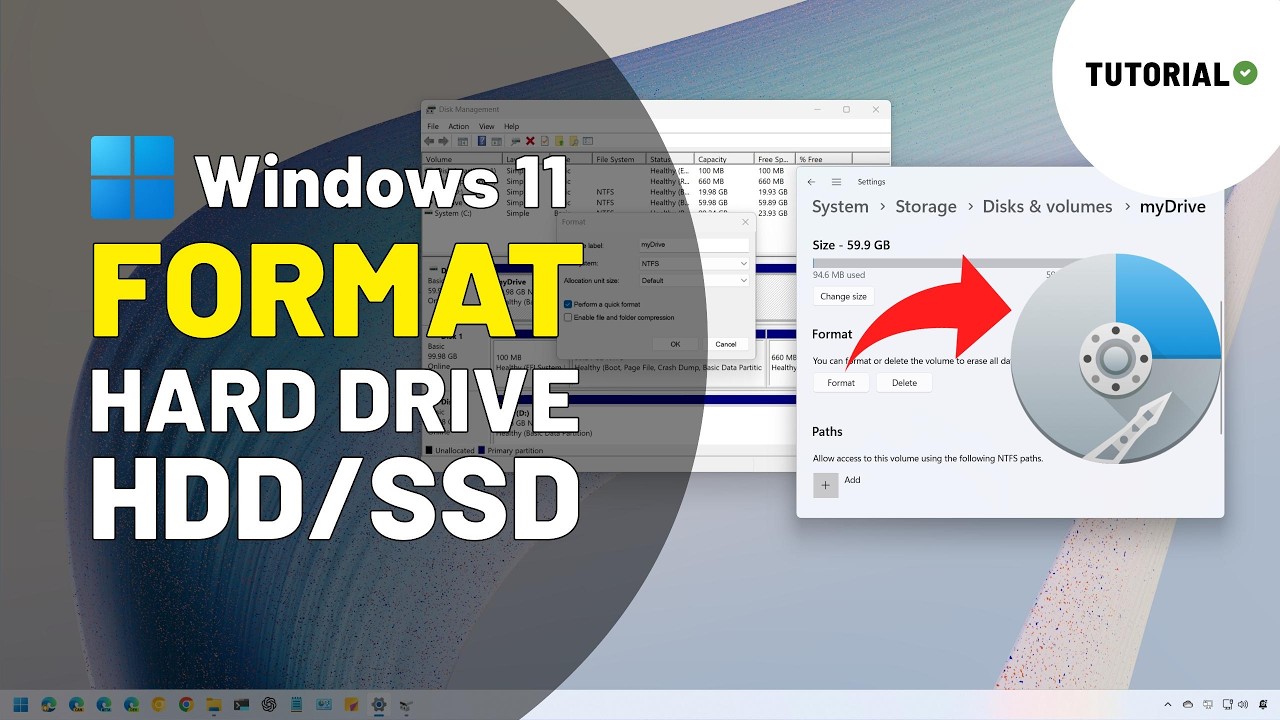
See ➡️ https://pureinfotech.com/format-drive-windows-11/ Commple process to format a drive with an existing or without a partition on Windows 11 using Settings, File Explorer, Disk Management, Command Prompt, and PowerShell.
💖 I need your support
╟─ 🙏 Donate: https://ko-fi.com/pureinfotech
Table of contents
00:00 Intro
00:50 ...
I did not verify this video. I'm at work. If anyone sees issues with it let me know
@obtuse moss at some point we should make verified videos to help with tech issues like these. Add bot commands to dyno to post when People need instructions.
Maybe Newegg can officially make them and post on channel for tech help 🙂
obtuse moss
stray stratus
<@1303449751068475434> at some point we should make verified videos to help with...
we should unify it w/ what tech support does at Newegg as well.
vague apex
Skip to 6:30 for the one I'd do. Disk management, no partitions.
stray stratus
obtuse moss
we should unify it w/ what tech support does at Newegg as well.
Mmm a basic FAQ section for diagnostics? I like that idea.
noble talon
hey guys
i need help
with booting up windows 11
i’ve already tried but it js says
 sudden creek
noble talon
sudden creek
noble talon
Try enabling Secure Boot in the bios
Name varies by board but set the mode to Windows not Legacy
obtuse moss
sudden creek
Try enabling Secure Boot in the bios
this is the way
 pliant siren
is it possible to clear ram cache and does it actually give a bit of cleaner preformance?
hollow thorn
Yes, it's possible to use something like rammap to clear non-working sets, performance only improves if you were running out of memory, but it's not magical, if you re-open or start using whatever app was in the background, it will start using that amount of memory again
vale basalt
Best site to buy ram?
Seems like my ram is the issue on my pc occasionally hard locking and sometimes resetting randomly
vale basalt
<@&525119001324683264>
 severe imp
Nostalgic for old tech? Its a good read and neat to see the old chips history being preserved.
strange sedge
vale basalt
Seems like my ram is the issue on my pc occasionally hard locking and sometimes ...
Try to RMA it
vale basalt
its passed time
vague apex
vale basalt
its passed time
What cheapo brand of ram is it with a time limit on the warranty?
 vale basalt
vague apex
What cheapo brand of ram is it with a time limit on the warranty?
vale basalt
vague apex
What cheapo brand of ram is it with a time limit on the warranty?
Corsair
vague apex
They told you it was out of warranty? Corsair should have lifetime warranty on their ram.
 vocal hemlock
Is the binned M5 pro 15-core CPU, 16-core GPU, 16-core Neural Engine good chip on the 14inch MacBook Pro?
wind karma
vocal hemlock
Is the binned M5 pro 15-core CPU, 16-core GPU, 16-core Neural Engine good chip o...
Yeah, the apple silicon (M series) chips are all great
vale basalt
vague apex
They told you it was out of warranty? Corsair should have lifetime warranty on t...
yeah they said the issue is on my end lol
and said its not the ram lol
strange sedge
vocal hemlock
Is the binned M5 pro 15-core CPU, 16-core GPU, 16-core Neural Engine good chip o...
if youre fine with dealing with a macbook its a great chip
raw sinew
v color my beloved
 sleek leaf
wanted yalls opinion on something
I gotta upgrade my ram, 16gb of ddr4 isnt cutting it anymore
would it be worth upgrading to an am5 motherboard and cpu just for ddr5 or should i just throw another 16gb of ddr4 on the board?
for reference my cpu is a pos and needs to be upgraded anyways, so regardless the cpu is gonna be replaced
obtuse moss
sleek leaf
wanted yalls opinion on something
good question. what AM5 pc would you build? What are your current specs on the PC?
obtuse moss
sleek leaf
I gotta upgrade my ram, 16gb of ddr4 isnt cutting it anymore
how do you know your RAM is the bottleneck?
If I had money, upgrading a few generations up is going to give you that AMAZING feeling. But that depends IF you have the money.
If you don't, then DDR4 RAM 32 GB will work fine for most gamer's needs
sleek leaf
obtuse moss
how do you know your RAM is the bottleneck?
a bunch of different apps keep throwing codes for insufficent memory
and as we speak i only have discord and a browser open and im at like 60% usage
obtuse moss
that leaves room for7 GB of ram right
sleek leaf
obtuse moss
good question. what AM5 pc would you build? What are your current specs on the P...
cpu- r5 1600
gpu-6600xt
16gb ddr4 3200ghz
recently upgraded the gpu so thats why the specs r so wonky lmao
sleek leaf
obtuse moss
that leaves room for7 GB of ram right
about so
sleek leaf
yeah that thing needs to be put down yesterday
obtuse moss
i would keep 16gb, and upgrade the cpu
sleek leaf
was planning on doing both
obtuse moss
is ur pc slowing down?
sleek leaf
definitely
obtuse moss
u said ur usage is at 60% for RAM, are there any other symptoms?
sleek leaf
certain apps will crash every once and a while '
word of all things died on me yesterday 😭
obtuse moss
if u still have 7GB of RAM, i'd just ONLY upgrade the CPU and see how it feels
that's me being price conscious
keeping most of what you have
maybe wipe your ssd too and just redownload only what u need as well
clean boot
sleek leaf
obtuse moss
maybe wipe your ssd too and just redownload only what u need as well
maybe yeah
obtuse moss
let me know how it goes!
obtuse moss
sleek leaf
would probably go with a 5800X3D for the upgrade
shameless plug, get it at your FAVORITE RETAILER NEWEGG.COMMMMM

Search Newegg.com for ryzen 7 5800x3d. Get fast shipping and top-rated customer service.
lol
sleek leaf
yo why does that say 500 😭
raw sinew
sleek leaf
and as we speak i only have discord and a browser open and im at like 60% usage
that should not be happening
raw sinew
sleek leaf
yo why does that say 500 😭
no stock
@sleek leaf i got 3 questions for you
1 when was the last time you reinstalled windows
2 what is your overall budget
3 do you use an SSD or HDD
sleek leaf
raw sinew
3 do you use an SSD or HDD
nvme for my system
sleek leaf
raw sinew
1 when was the last time you reinstalled windows
maybe 2 years ago?
i'd like to keep it under 500 if i can help it
raw sinew
sleek leaf
maybe 2 years ago?
try running the corrupted file command fix
sleek leaf
most likely gonna stay on am4 right now tho
raw sinew
see if that fixes it
raw sinew
sleek leaf
i'd like to keep it under 500 if i can help it
5800xt
200 dollars
youll need a better cooler
so add 50
sleek leaf
raw sinew
try running the corrupted file command fix
through powershell?
raw sinew
sleek leaf
through powershell?
command box
the windows fix thing i dont know the name of off the top of my head
DISM and sfc /scannow
sleek leaf
i'll look into it rn
raw sinew
sleek leaf
https://pcpartpicker.com/product/mCHRsY/patriot-viper-steel-16-gb-2-x-8-gb-ddr4-...
it is about 130 dollars
buy the exact same pair again
200+130+50 = 380x1.0798= $410.33
@sleek leaf is this an acceptable amount or do you want something cheaper
sleek leaf
sleek leaf
i'll look into it rn
ran the scan and it said it repaired some files but honestly i see no difference in performance
raw sinew
sleek leaf
ran the scan and it said it repaired some files but honestly i see no difference...
windows 11?
sleek leaf
raw sinew
<@507343861622767617> is this an acceptable amount or do you want something chea...
thats pretty solid ngl, ty. Tho y did u go for a 5800xt over, say, a 5700x3d or 5800x3d? Just price?
raw sinew
sleek leaf
thats pretty solid ngl, ty. Tho y did u go for a 5800xt over, say, a 5700x3d or ...
price
sleek leaf
raw sinew
windows 11?
yeah. Probably shouldve led with that lmao
raw sinew
5700x3d is 300
sleek leaf
explains most of it
raw sinew
sleek leaf
explains most of it
probably
raw sinew
sleek leaf
thats pretty solid ngl, ty. Tho y did u go for a 5800xt over, say, a 5700x3d or ...
people overrate the x3d cache
sleek leaf
raw sinew
buy the exact same pair again
thats IF i can find it
raw sinew
raw sinew
people overrate the x3d cache
its only really noticeable if you have shit ram or certain games
i still reccomend x3d cpus ofc
but dont sleep on the 9600x
sleek leaf
raw sinew
its on amazon
yeah just found it lol, couldve sworn i couldnt find it a few months ago
raw sinew
sleek leaf
yeah just found it lol, couldve sworn i couldnt find it a few months ago
check other sites
see it its cheaper
@sleek leaf strange question
are you mexican or the other countries south of it
it actually matters
the 5500x3d is a budget king
sleek leaf
raw sinew
are you mexican or the other countries south of it
nah in america
raw sinew
but is only sold down there
raw sinew
sleek leaf
nah in america
ah rip
sleek leaf
if i can find it i might grab it
tho if it isnt sold domestically its probably gonna be a pain to get
sleek leaf
raw sinew
but dont sleep on the 9600x
is it not am5?
raw sinew
sleek leaf
is it not am5?
its am5, im just saying its a great cpu
raw sinew
sleek leaf
tho if it isnt sold domestically its probably gonna be a pain to get
its 225 to get here
youre paying more than the 5800xt for about the same fps and less cores that are slower
in mexico its 150
in uruguay its about 120
and the cheapest i saw it was in argentina for 100
sleek leaf
raw sinew
its am5, im just saying its a great cpu
oh yeah, it is
was considering it if i decided to make the leap to am5
opinions on used cpus?
vague apex
If you were going to spend the money on a used 5700x3d/5800x3d I'd just go am5 instead, pricing on those is insane. 5800xt or finding a used 5600/5600x is what I'd do.
vague apex
I'd also hold off on the ram and do it after the cpu if you still felt you need it.
The x3d ones spiked a lot after they went out of production. A new 5700x3d was $200 while it lasted.
sleek leaf
shame
raw sinew
sleek leaf
was considering it if i decided to make the leap to am5
do not
your gpu is not strong enough for you to feel it really
the 6000 series doesnt even get gaming drivers anymore right
yeah
before you make the jump
upgrade your gpu first
raw sinew
sleek leaf
was considering it if i decided to make the leap to am5
and am5 is much more expensive
CPU Motherboard Memory Combo - AMD Ryzen 5 9600X Bundle with ASRock B850M Riptide WiFi and G.SKILL F5-6000J3636F16GX1-RM5NRK https://www.newegg.com/Product/ComboDealDetails?ItemList=Combo.4855517&Source=socialshare&utm_campaign=snc-typereplacer-_-sr-_-combo.4855517-_-datereplacer

CPU Motherboard Memory Combo - AMD Ryzen 5 9600X Bundle with ASRock B850M Riptide WiFi and G.SKILL F5-6000J3636F16GX1-RM5NRK
only 16gb
over 500 after tax
(you can use single channel with ddr5 its fast enough, but you cant really use more than two sticks)
vague apex
raw sinew
the 6000 series doesnt even get gaming drivers anymore right
They announced dropping 5000 and 6000 to maintenance mode then pretty much immediately walked it back.
raw sinew
vague apex
They announced dropping 5000 and 6000 to maintenance mode then pretty much immed...
ah i see
regardless, still on the weaker end of gpus and about to be cut off
vague apex
Probably in a couple years but they kept going with polaris drivers for quite a while after the real announcement for that support ending.
raw sinew
vague apex
Probably in a couple years but they kept going with polaris drivers for quite a ...
hopefully, but if that handheld gpu thats 2 years old getting axed is anything to go by
not looking good
vague apex
Amd doesn't publish the z1 drivers. You'd have to complain at lenovo for not wanting to keep up with it, or not wanting to pay amd to do it. Or complain at amd for making it if they aren't going to support it.
raw sinew
vague apex
Amd doesn't publish the z1 drivers. You'd have to complain at lenovo for not wan...
lenovo is keeping up with it
they made a statement
vague apex
Sounds like problem solved then.
raw sinew
amd is literally not giving them anything
considering there are no game drivers
no its not
asus also not getting them last time i checked
vague apex
I don't pay much attention to handhelds but I do remember when that story was breaking a while ago that people were talking about the rog one having newer drivers than lenovo's.
sleek leaf
raw sinew
your gpu is not strong enough for you to feel it really
Yeah thats one of the reasons i didnt make the jump
That and the fact I'd have to sell my liver to get some decent ddr5
raw sinew
@sleek leaf searched newegg, microcenter, walmart, bestbuy, and amazon
this is the best deal i could find you

Patriot Memory’s Viper Steel memory modules are designed with true performance in mind. Built for the latest platforms, the Viper Steel provides the best performance and stability for the most demanding computer environments. The Viper Steel utilizes a custom designed high performance aluminium h...
steel viper doesnt sell directly
sleek leaf
found this just now

eBay
Brand new, never used. This kit was sent directly from Patriot as a replacement for a faulty set.
lowkey looks good
raw sinew
sleek leaf
https://www.ebay.com/itm/127716932782?_skw=ddr4+viper+ram&itmmeta=01KKJBNMGET8ZK...
if its actually new, sure
vale basalt
So yeah I think my previous ram was something wrong with it or something
Cuz since switching to my new ram im no longer having stutters in every game
 cloud otter
does anyone know any stick of a single G.Skill Trident silver Ram of 32GB 6000MT & CL30 I can buy and where from?
I also heard Ram speed like 6000MT doesn't matter when you have a ryzen X3D cpu, thats true?
hollow thorn
Are you talking about Trident Z5 Royal...? Why single stick? Ram frequency still matters with x3d, even though x3d can somewhat mitigate having slower ram, you still lose performance with slower ram
cloud otter
hollow thorn
Are you talking about Trident Z5 Royal...? Why single stick? Ram frequency sti...
oo alr, yeah the royal ram
single bc don't have enough atm to buy two and I want to game early as possible
ram n CPU r my last two pieces now
hollow thorn
What exactly is your budget rn?
cloud otter
hollow thorn
What exactly is your budget rn?
I alr bought most of my pieces; i dont care abt the price of one 32GB stick of Trident Z5
as long as I get to buy one early, I'll save up again to buy another stick when I can
hollow thorn
cloud otter
I alr bought most of my pieces; i dont care abt the price of one 32GB stick of T...
uh 2x16 is generally going to be cheaper than 1x32 rn
cloud otter
hollow thorn
uh 2x16 is generally going to be cheaper than 1x32 rn
thing is, I want one 32gb ram for upgradability
so I can get another to double it
instead of getting another pair of 2x16
4 ram slots = less performance in games
imma need lots of ram for this game too
hella mods
hollow thorn
cloud otter
imma need lots of ram for this game too
what game needs 64gb of ram...?
Also populating all 4 ram slots isn't going to degrade performance by a noticeable amount, unless you're trying to do some ocing
cloud otter
hollow thorn
what game needs 64gb of ram...?
my 300 modded vr minecraft world
hollow thorn
Unless you have some crazy stuff, something like ATM9 still only needs 8gb lol
cloud otter
hollow thorn
Unless you have some crazy stuff, something like ATM9 still only needs 8gb lol
not all the mods, lmao
cloud otter
hollow thorn
uh 2x16 is generally going to be cheaper than 1x32 rn
you found one stick?
hollow thorn
random single stick 32gb 6000c30 if you really want to go for that
https://www.newegg.com/p/0RN-002U-004U5
cloud otter
hollow thorn
random single stick 32gb 6000c30 if you really want to go for that
https://www.n...
sadly, only trident royal
hollow thorn
cloud otter
sadly, only trident royal
Why's that?
vague apex
Amd put out an agesa update around the end of the summer that made 4x sticks a lot more likely to work without having to drop down to something stupid like 3600 or 4000, even just regular xmp at 6000 seemed pretty likely to work. I haven't seen anyone else covering this since Wendel did a video on it, he tried a bunch of boards and had the best luck with msi and asus, was using 4x64 too so all dual rank sticks. 4x16 should be even more likely to work.
hollow thorn
iirc that problem was only with 4x32 and 4x64 to begin with
vague apex
I don't think so. Amd definitely didn't make an exception for 4x single rank.
 cloud otter
hollow thorn
Why's that?
cloud otter
hollow thorn
Why's that?
they look amazing
sleek leaf
cloud otter
my 300 modded vr minecraft world
Im ngl if u need 64gb of ram i dont think the issue is the ram
hollow thorn
random board specs, these are current specs but I remember 2dpc 1r being much more reasonable
 sleek leaf
U might need to just optimize the pack
cloud otter
sleek leaf
Im ngl if u need 64gb of ram i dont think the issue is the ram
come on, pls dont change my mind, I need the ram
vague apex
If you want to pay for them and like looking at them go for it. I've only seen patriot and microcenter selling 1x for ddr5.
I always thought royals were kind of tacky myself. The palit gamerock gpus too.
hollow thorn
cloud otter
they look amazing
It would approximately double the amount you need to spend only for aesthetics for something that takes up maybe 5% of the visible space within your PC
personally I don't like royals on ddr5 lol, the old rose gold royals looked so much better
cloud otter
hollow thorn
It would approximately double the amount you need to spend only for aesthetics f...
I love the trident royals, I would notice them 100%
hollow thorn
for reference this is what you'd be paying for
https://www.newegg.com/p/N82E16820374568
it's almost the price of a 9070 for 2x16gb xd
hollow thorn
vague apex
If you want to pay for them and like looking at them go for it. I've only seen p...
tbh I think the diamond-y look can be very classy, but once you add rgb, it becomes tacky
because it starts looking like cheapo transparent plastic, which it usually is
sleek leaf
cloud otter
come on, pls dont change my mind, I need the ram
cant stop u
besides no harm in having more
u could try ebay or facebook marketplace btw
hollow thorn
sleek leaf
besides no harm in having more
harm to your wallet
sleek leaf
ive seen a lot of dudes selling their 2nd sticks to recoupe the losses of buying 2
usually around 100-200 tho
hollow thorn
always a chance you can score something from local market or maybe some open box/refurb but that's more luck dependent
vague apex
I am kind of a sucker for the champagne/gold color stuff so some of the older ones weren't as bad. I don't want rgb on anything though and use a d15 so I'd never see them anyway. I have a nice low profile team kit.
hollow thorn
This looks classy
 sleek leaf
hollow thorn
~~harm to your wallet~~
sleek leaf
hollow thorn
~~harm to your wallet~~
it only costs your soul
hollow thorn
this looks tacky
 hollow thorn
vague apex
I am kind of a sucker for the champagne/gold color stuff so some of the older on...
hollow thorn
vague apex
I am kind of a sucker for the champagne/gold color stuff so some of the older on...
I actually have a kit of trident z neos under my d15 in my old rig lol
 vague apex
If this thing had come with a psu shroud I would have bought one.
 hollow thorn
cloud otter
ur looking at the wrong one foeski
hollow thorn
cloud otter
ur looking at the wrong one foeski
Royal neo is a different line from royal lol
both are on ddr5
cloud otter
royal neo looks better
hollow thorn
gonna cost you even more but yea
cloud otter
hollow thorn
this looks tacky
that in fact is true, that looks fuglyy
vague apex
They just remove the cutouts right? Or am I missing something because they look pretty same to me.
cloud otter
sleek leaf
besides no harm in having more
rlly, having 4 sticks causes no performance losses on games?
cloud otter
vague apex
They just remove the cutouts right? Or am I missing something because they look ...
mhm
unless I'm missing to what meets the eye here
sleek leaf
cloud otter
rlly, having 4 sticks causes no performance losses on games?
buy enough ram and it wont even matter anymore
hollow thorn
cloud otter
rlly, having 4 sticks causes no performance losses on games?
just having 4 sticks doesn't, at high capacities you may be forced to run all 4 sticks at a lower frequency due to the strain on the IMC, but not really applicable for 4x16, and with current bios updates, should not be an issue to run 6000 on 4x16
sleek leaf
shove 20 sticks in there
cloud otter
hollow thorn
just having 4 sticks doesn't, at high capacities you may be forced to run all 4 ...
bet
vague apex
I don't know about am5, on am4 4 sticks was significantly beneficial compared to 2 when the frequency and timings were the same.
hollow thorn
vague apex
I don't know about am5, on am4 4 sticks was significantly beneficial compared to...
I dunno, we never got a follow up on 4x8 vs 2x16 performance differences from GN lol
cloud otter
Part List - AMD Ryzen 7 9850X3D, Radeon RX 9070 XT, NZXT H9 Flow (2025) ATX Mid Tower
my current build atm if it helps determining a more accurate answer to "will using 4x16GB decrease my performance or not"
hollow thorn
I hate the "enhances PC case aesthetics" lmfao
cloud otter

hollow thorn
Anyways I'd probably grab some thermalright fans of whatever look you want, it'll likely end up a lot cheaper
And for the AIO too, that'll likely save you $400 for the same looks
Something like this for example
https://www.amazon.com/dp/B0DK4GSYSB

Thermalright FW360 Ultra ARGB White CPU AIO Cooler,PC 360 Specification Water Cooler System,IPS LCD Screen with 480x480 Resolution,for AM5,Intel LGA1700/1851,High Performance Pump,2.88in LCD Screen
Thermalright has a pretty big range of products to get the specific thing you want
hollow thorn
Idk looks like an easy way to save money off something else to have enough budget to fit in 2x32 royals lol
cloud otter

Seller showed me this for ram, but it says G.Skill "Intel" aren't I supposed to get one that says Amd after it?

Confused bc I came across some that say AMD EXPO and another that has the Intel logo in amazon
hollow thorn
cloud otter
Seller showed me this for ram, but it says G.Skill "Intel" aren't I supposed to ...
Pretty sure that's G.Skill Intl for G.Skill international lol
cloud otter
hollow thorn
Pretty sure that's G.Skill Intl for G.Skill international lol
International any bad or was that a guess?
🫃
hollow thorn
cloud otter
International any bad or was that a guess?
that's just a shortening of the company name, G.skill International Enterprise, it doesn't mean anything
It's like Apple Inc instead of Apple Incorporated
cloud otter
hollow thorn
that's just a shortening of the company name, G.skill International Enterprise, ...
Ogh I see
cloud otter

 vale dirge
Ladies and gentlemen the pc no longer turns on. Good night
meager elbow
sleek leaf
Ladies and gentlemen the pc will not post
have you tried clearing cmos
sudden creek
Anyone have some 6000cl26 D5 sticks they wanna donate to the OC cause?

 cloud otter
Any CPU better than the ryzen 7 9850x3d for gaming?
shut thicket
No
strange sedge
cloud otter
Any CPU better than the ryzen 7 9850x3d for gaming?
9950x3d
But it’s not worth it for gaming over a 9850x3d
cloud otter
 👍
👍
raw sinew
cloud otter
Any CPU better than the ryzen 7 9850x3d for gaming?
no, other than maybe the 9950x3d if you stream
sudden creek
cloud otter
Any CPU better than the ryzen 7 9850x3d for gaming?
9950x3D because it can load the background tasks to the P-cores though the differece is small.
Note that the v-cache ccd on the 9950x3D hits 5.55Ghz whilst the 9850x3D is 5.6Ghz.
cloud otter
sudden creek
Note that the v-cache ccd on the 9950x3D hits 5.55Ghz whilst the 9850x3D is 5.6G...
ooo

less go
steel galleon
how much was it

 potent dew
💀
It's crazy that I bought my kit for like $100 three years ago
Still the one of the best investments in my computer 
6000MT 30CL Hynix M-die
Where should I go look for a cheap-er desktop CPU with a 780M or some other pretty good iGPU?
I want to redo my parents' computer since it has a Zen+ or Zen 2 Ryzen 3 lol
potent dew
potent dew
Where should I go look for a cheap-er desktop CPU with a 780M or some other pret...
I think someone was saying alibaba or aliexpress or something is a good place?
strange sedge
potent dew
Where should I go look for a cheap-er desktop CPU with a 780M or some other pret...
Uh
You mean like a APU?
Cause a 780m would mean am5 I’m p sure… unless you mean a laptop
potent dew
Yes
The only one listed on PCPP is the 8700G and there are definitely more that have the 780M
It's also $267 on PCPP which is kind of crazy
wind karma
potent dew
It's also $267 on PCPP which is kind of crazy
Right but you'll have to buy ddr5 for it. Almost certainly better to stick on am4/ddr4
potent dew
My thought has been to look on Marketplace since prices for used have been pretty good when I've seen it
wind karma
Do your parents game or use 3d software?
If not, something like a 5600G (and 16gb ddr4) is likely more than enough for whatever they're doing
potent dew
Yeah, hmm
I was kind of thinking about a Framework laptop too, because my dad has a not so great laptop he uses for something called Zwift that he will also stream sometimes
Basically a game, not crazy intensive but that's a combination of the game being well optimized and automatically setting quality without giving you a choice
wind karma
IMO framework isn't really worth it unless you're rough/careless with your laptop and need to replace the screen or keyboard
The base price and price of cpu/gpu upgrades means you don't save $ vs just buying a new laptop
I guess the 16 lets you take out the gpu for a more portable laptop which is cool
strange sedge
potent dew
The only one listed on PCPP is the 8700G and there are definitely more that have...
Am5 + ddr5 + that cpu just kinda sucks
Just get a laptop
https://www.bestbuy.com/product/asus-zenbook-s-16-16-3k-oled-touch-screen-laptop-copilot-pc-amd-ryzen-ai-9-365-24gb-memory-1tb-ssd-scandinavian-white/JJGGLQSYLC this would be pretty overkill but it’s such a great laptop for everything
wind karma
There's also this which could be good if they wanted to crank the bike sim graphics + stream?
 long geyser
wind karma
IMO framework isn't really worth it unless you're rough/careless with your lapto...
long geyser
wind karma
IMO framework isn't really worth it unless you're rough/careless with your lapto...
FW ain't too bad after a few upgrade cycles, at least if you're one to upgrade often. Cuz really you just need to upgrade GPU often and mobo (cpu) every once in a while (for most people getting a dGPU computers). Problem is that will take a while as that's a few upgrade cycles, at which point you're really buying into a company promise which is unwise. Even if the company appears based like FW.
wind karma
Might be different now but last I looked, buying a $1200 framework and using/ upgrading it for 8 years was worse performance overall than a $600-800 laptop for 4 years and repeat
I don't remember the exact comparison I made but yeah
Buying framework is definitely a premium but you're supporting a really cool idea
long geyser
I compared with GPU upgrade every gen and mobo every few gens. Then selling anything used for both comparisons. Was comparing to fw16 with dGPU tho, makes things more expensive on both sides
iirc it'd take me like three upgrade cycles to break even, where I am (canada)
Before RAM price increase
wind karma
ok interesting
raw sinew
potent dew
I want to redo my parents' computer since it has a Zen+ or Zen 2 Ryzen 3 lol
what do your parents do?
vale basalt
WHAT cpu settings in bios should I turn off and or turn on to get lower cpu usage on my cpu?
sudden creek
vale basalt
WHAT cpu settings in bios should I turn off and or turn on to get lower cpu usag...
Limit the frame rate in your games or overclock the CPU.
vale basalt
Is there any settings I should have off in bios tho
Or on ?
And I use PBO
so shouldn’t PBO be off when overclocking
sudden creek
Use PBO for overclocking unless you're going for all core.
Start by maxing out the PPT/TDC/EDC, in other words the power limits. From here you need to decide if your goal is better lows or higher average. If the objective is higher average then apply the highest stable clock override then move onto curve Optimizer otherwise skip clock override and go straight to curve optimizer. In both situations the goal for curve optimizer is to use as little voltage as possible so the V/F curve will tell the CPU to try and boost more aggressively.
vale basalt
I’m just trying to get a more stable cpu usage, so I think that would be better lows
My fps is high enough in my games but I keep getting high usage
sudden creek
Why is high usage an issue for you?
vale basalt
It’s causing stutters
You’d think it’s a bottleneck but I’m getting low gpu usage and high cpu at times
Other times it’ll be 100% gpu which is obviously normal
Other times it’ll be other way around
sudden creek
vale basalt
You’d think it’s a bottleneck but I’m getting low gpu usage and high cpu at time...
Means the CPU isn't able to keep up with the GPU in whichever load you're putting it under.
A OC will help reduce the bottleneck but not solve it if it's hitting 100%.
vale basalt
So I figured it out @sudden creek was
It was a setting on in bios
Not sure which one but I turned off turbo boost and asus enhancement
And my cpu usage is back to normal
sudden creek
vale basalt
Not sure which one but I turned off turbo boost and asus enhancement
Interesting. The setting is probably messing with app priority is my guess.
vale basalt
so weird man
arc raiders was running 60% gpu or less and 100 cpu and when I turned it off 100 for gpu and 40-50 cpu
sudden creek
vale basalt
arc raiders was running 60% gpu or less and 100 cpu and when I turned it off 100...
And how is the performance? Usage is not everything.
vale basalt
perfect not a issue
 vocal shore
what is the best intel gaming motherboard of 2026?
hollow thorn
For what CPU, for what budget, for what use, and for which form factor?
shut thicket
God......
steel galleon
for the intel refresh
vocal shore
i should of started off with, I'm looking to build a new pc that is used for gaming. Budget min 1200.00, max 1600.00, Form factor ATX, (ASUS) Motherboard intel, memory ddr5, 3 to 4 m.2, has 3.5 audio jacks , a intel i9 cpu chip that will work with mb, a liquid cooled cpu cooler, A RTX Nvidia vc, m.2's for win11 and games or ssd's for games, PSU, atx tower case with rgb on front (if any) and glass door on the side and has room for ssd, hdd and the cpu cooler, rgb system fans that will fit in the case, razor wireless keyboard and mouse, mouse pad with rgb. Even if your recommendation goes over my budget any recommendation would be appreciated as i would like to get the best stable parts as possible. Thank you in advance for anyone who gives their recommendation.
ok thank you!
that was 3 to 4 m.2's
i thought m.2 was much faster than ssd
vague apex
Pretty much every z890 will have 4+. Amd boards generally don't though.