#cpus-mobo-and-memory
1 messages · Page 59 of 1
 meager elbow
I'll test when I get home to see if I can get 5v 1.5a to spark with my bench power supply but it seems kinda too low for that
At the costco
 dull flint
I'm more after what you'd suspect the behaviour is
We don't need to go starting fires mr. Electrician
💀
meager elbow
Lmfao
Not too sure tbh also I'm busy shopping for groceries so I'm focusing on that 
 scenic solar
the brick that powers the hdd is 12v 2a
it's a really small spark, like .5mm but noticeable with low light
and it's not just one, it's constant as long as I move the usb connector over the metal part of the usb port
dull flint
scenic solar
and it's not just one, it's constant as long as I move the usb connector over th...

That is an active short
meager elbow
You speak as if that is normal to happen any day
dull flint
meager elbow
You speak as if that is normal to happen any day
"It's not a bug it's a feature"
meager elbow
Idk if you can say that for this instance 
What would the spark do for you
Maybe generate like 2 ozone molecules
dull flint
meager elbow
Idk if you can say that for this instance <:Kek:737190947670065153>
Included taser
TASER TASER TASER [Chucks Corsair box]
meager elbow
6000v
dull flint
Just see the cop walk in like
"Put the gun down son"
Hand hovering over his corsair on his belt
This one btw
 dull flint
Insane
 limber dragon
you can spark with a 9v battery, and that's crazy low current
meager elbow
not really?
they have a tiny capacity but they can output over 1a afaik
hmm
looks like some people are saying like 400ma of current? i dont have a 9v battery to test though so idk
meager elbow
i guess the sustained current is lower
 grizzled bloom
Oh wait maybe I was looking at a different size 9V battery
PP3 is the common size you find in the battery aisle
 meager elbow
that doesnt say what the max current is, just the capacity though
grizzled bloom
Yeah I'm still looking for that, just saying I forgot there's multiple sizes
meager elbow
probably depends on the battery and temperature from what it seems
at least from what i've gathered so far lol
due to internal resistances
grizzled bloom
Yeah it varies primarily by composition of the battery itself from what I'm seeing, plus those other factors
At any rate, 1A is totally possible
 dull sluice
ryzen 7 9800 3dx vs a ryzen 7 7800 3dx, is it worth upgrading to the new cpu atm for gaming?
meager elbow
if you have a 7800x3d then it's not worth upgrading
grizzled bloom
Unless you have a 4090 and play at 1080p or 1440p low then no it's not worth it
grizzled bloom
It's more that modern games have more load on the GPU than the CPU, unless you play at lower resolutions and quality settings
dull sluice
hmm I play alot of Throne and Liberty. So trying to max my fps during big Zergs.
The game is probably just horribly optimized for the amount of ppl. But not sure what else to upgrade if thats the case lol
dull flint
dull sluice
i have a 7900
It's kinda hard to justify
Although, there is definitely scaling
Just for the price rn it's...meh
scenic solar
dull flint
<:shock:620554644724383774>
just measured the voltage between the usb grounds, seems like there is an alternating 1V 1Hz for some reason
meager elbow
That is...... Weird
dull flint
Lmao
So something is treating that usb port as a ground
And it's quite literally alive
Is my educated guess here
Easy way to check is by disconnecting the usb ports to see if it persists
scenic solar
dull flint
So something is treating that usb port as a ground
the port is grounded, as it should be, like any other metal part of the case. apparently the sata-usb psu is the one creating that extra charge that has to go somewhere
dull flint
scenic solar
the port is grounded, as it should be, like any other metal part of the case. ap...
And that chose the usb plug as the ground point
Makes sense at least in theory
Could redo the ground on that usb pcb
Mayhaps

 prisma hill
I have a couple questions,
Does anyone know if there is a chart like this but for cpus instead of gpus?
And what are the differences between motherboards, like theres obviously different sockets, different number of slots or ports etc but otherwise is there any real difference?
Also for ram is the only difference between different ones just the size and the speed?

 hollow thorn
For gaming, TPU has a ton of data on all of it
Just look at specific reviews

or look on the database
https://www.techpowerup.com/cpu-specs/
the VRM differences can matter a lot on cheaper boards, but the vrm differences don't matter much once you get to the mid-end and higher end boards. Main thing is still connectivity differences
Ram frequency and latency give you a hint to what the die that's inside the ram sticks are capable of doing, whatever brand and naming that's slapped on top doesn't really matter, hynix m die will perform practically the same (as long as it's not corsair, corsair locks pmic voltages)
prisma hill
hollow thorn
the VRM differences can matter a lot on cheaper boards, but the vrm differences ...
Connectivity as in how cpu is connected to the other parts? Like if it's directly connected to an m.2 vs sharing lanes with other things?
prisma hill
hollow thorn
Ram frequency and latency give you a hint to what the die that's inside the ram ...
Higher frequency and lower latency is best then I assume?
hollow thorn
prisma hill
Connectivity as in how cpu is connected to the other parts? Like if it's directl...
Stuff like usb headers, argb headers, how many m.2 slots, etc
there isn't as much lane sharing now, but that does matter on boards that still do it
hollow thorn
prisma hill
Higher frequency and lower latency is best then I assume?
up to a point that you can support, yes, and it's also about getting frequency and timings that only decent dies can achieve, like 5600c40 could be anything, 6000c32 is hynix for sure and will be able to achieve higher freq if you want to oc it
prisma hill
hollow thorn
up to a point that you can support, yes, and it's also about getting frequency a...
So its the type of die within that matter for ram
Bc that leads to faster speeds lower latency
hollow thorn
Yea, what die you get in your ram stick is going to dictate what the limits of your ram will be
grizzled bloom
It depends on your CPU. AMD? You won't get much by getting higher speed, you want lower latency instead. Intel? It can make a good difference in your 1% low frame rates, making it feel smoother.
prisma hill
Does lower latency for amd also help with 1% lows
grizzled bloom
Yes
prisma hill
Interesting
I'm not gonna upgrade my ram or anything I'm just interested in knowing what the differences are
grizzled bloom
If you get a good memory die like Hynix A or M, then you get really good results from overclocking and there's guides for recommended settings that usually work
A good 6000 CL30 kit is often one of those dies
prisma hill
But if you're not overclocking then you can just get like a "normal" ram kit and it'd run the same?
grizzled bloom
It will get about the same average fps but with more stuttering and lower lows
How much it matters depends on the game and CPU in question. For example, the AMD X3D processors don't care about the memory nearly as much because the extra cache effectively hides the latency
 naive pendant
Hey so am having an issue and am confused. I have a B650M Pro Series Wifi motherboard. I am trying to update the BIOS using a USB Stick, Flash. I start the flash, couple seconds later it turns off. Computer turns back on with a RED VGA AND BOOT on the motherboard, and I get no display. Tried doing it with the PC turned off, and issue still persists
Anyone has any ideas on what to do next? Can't load Windows Recovery Mode since display won't show, but recovery mode works. Just can't see it on the display
dull flint
Oof
 grizzled bloom
Yep even when it's good it's bad
 burnt spear
Good to know my 13600k won't be outdated anytime soon at least lmao
 hazy rover
I am looking to purchase a new laptop for software development. I have narrowed down these two CPUs which fit my budget. However i am unable to select one because i am looking that the following comparison on CPUBenchmark and it says that the overall scores are as follows:
|AMD Ryzen 7 7730U|Intel Core i7-1355U|
|-----------------|-------------------|
|18529            |14790              |
Single Thread ratings are as follows:
|AMD Ryzen 7 7730U    |Intel Core i7-1355U |
|---------------------|--------------------|
|3058                 |3501                |
Now this is confusing me a little but because i thought most applications depend on single code performance which would make Intel a better choice in this case and but if we look at the overall score AMD is better. https://www.cpubenchmark.net/compare/5215vs5317/AMD-Ryzen-7-7730U-vs-Intel-i7-1355U please
 sudden creek
hazy rover
I am looking to purchase a new laptop for software development. I have narrowed ...
sudden creek
hazy rover
I am looking to purchase a new laptop for software development. I have narrowed ...
Professional software typically prefer Multi-Core performance in my experience. Also depending on the kind if software dev you are doing I'd check what GPU the laptop comes with.
hazy rover
both come with integrated graphics, nothing dedicated
i mostly work on pycharm, django flask backend development, do not do AI
sudden creek
Okay so just programming.
sudden creek
I would recommend the 7730U then. It consumes less power which means you will have better battery life and also it can maintain faster clocks for longer as a result.
iGPU is slightly better on the Intel chip if I recall correctly but for programming that won't make a difference.
hazy rover
okay. thanks. the laptop with Ryzen is also 20% cheaper. what would you say are the major differences between these two processors ? on Toms Hardware someone mentioned Intel Core i7-1355U have 2 performance core and 8 efficient cores do you know what this means ?
sudden creek
Intel in recent generations have implemented a sort of hybrid-architecture design similar to Apple's M chips.
A performance core is your standard ripping fast CPU core with 2 logic threads.
Efficiency cores are slower than performance cores and contain 1 logic thread but they are far more power efficient and are much smaller size wise.
They are good to have for multi-threaded applications or for when you are doing light-weight tasks that simply don't require the power of a regular core.
hazy rover
okay got it. is the architecture of the Ryzen different ?
sudden creek
The one you are looking at implements the usual design of only performance cores.
Let me double check the specs on the two.
Yeah the AMD chip should be much better. 16 threads (AMD) vs 12 threads (Intel) while also having more cache and lower power draw
@hazy rover
AMD:
- 8c16t (cores and threads)
- 16Mb Cache (Ram on the CPU)
- 15W TDP (power draw)
Intel
- 10c12t
- 12Mb cache
- 55w TDP
sudden creek
Value wise I think the AMD one wins. I am curious why you don't use Amazon or Newegg?
grizzled bloom
Generally speaking AMD does have the better integrated GPU. Once Intel has Xe2 on more chips that might change.
hazy rover
i am not in the US
sudden creek
hazy rover
i am not in the US
Country?
hazy rover
India
sudden creek

Amazon.in: Online Shopping India - Buy mobiles, laptops, cameras, books, watches, apparel, shoes and e-Gift Cards. Free Shipping & Cash on Delivery Available.
Amazon India
Should be able to find some better deals I think.
hazy rover
most of the time Amazon cannot match the price with our home grown Flipkart
also Amazon is cluttered and Flipkart is quite neat and clean in terms of presenting information about the product but i do check the prices on Amazon before i place an order
hollow thorn
You can look around https://pcpricetracker.in/laptop too
sudden creek
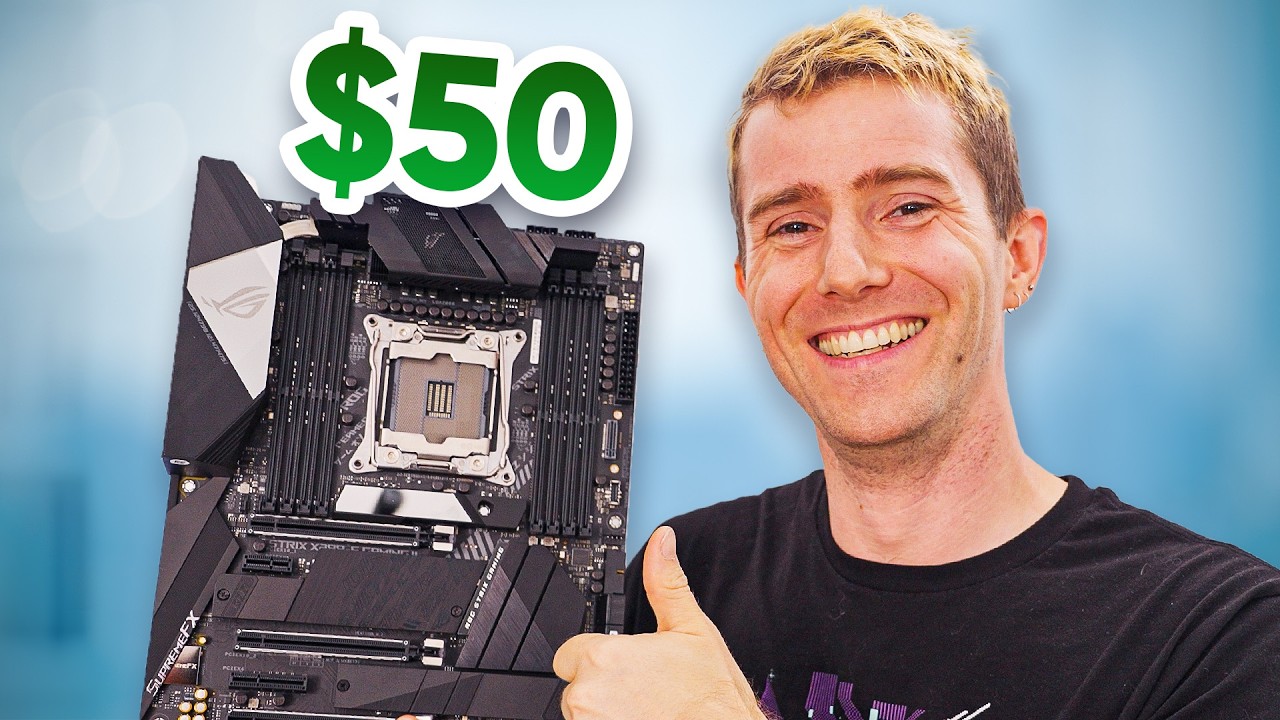
Pre-order iFixit FixHub Power Series products today at: https://ifix.gd/FixHub-LTT
The cost of motherboards has ballooned in recent years so to help out those on a budget we wondered if there was a cheaper, sketchier way to get a motherboard from eBay.
Discuss on the forum: https://linustechtips.com/topic/1584309-how-to-get-a-500-motherboard-f...
Great video
Just noticed, when did I hit Champion rank?
grizzled bloom
Earlier today from what I can tell
meager elbow
grizzled bloom
Earlier today from what I can tell
much longer than that if their level is anything to go by lmao
 grizzled bloom
Huh. So it is. Guess I didn't notice either.
meager elbow
you on silent mode? or are fans going crazy
burnt spear
For some reason putting it back on silent dropped temps 16c
I guess it was forcing it to boost
meager elbow
perhaps
 balmy mango
Hi Everyone. I purchased 2 Kits of DDR5 for 4 sticks. How can I test which Kit works best? Do I have to stress test the kits separately or can I test all 4 sticks at the same time and figure out which kit is best? Also can I mix and match the Kits? https://www.newegg.com/corsair-32gb-ddr5-6000/p/N82E16820982102
sudden creek
balmy mango
Hi Everyone. I purchased 2 Kits of DDR5 for 4 sticks. How can I test which Kit w...
-
You will need to do stress tests on both kits separately.
-
Your test should be a combination of Benchmark Apps and gaming
-
Do not mic and match sticks that can cause poor performance and controller issues.
-
Running 4 sticks at the same time has a horrible impact on performance so long do that if you need the extra storage.
balmy mango
@sudden creek Thank You! Would You recommend I swap these out for a 2x32GB Kit instead? The build is Gen5 Gaming on x870e & 9800X3D
burnt spear
Yes 100%, and gen5 gaming isn't a thing
Unless you mean pcie gen 5, which both for gpu and ssd won't make an impact
balmy mango
Gen 5 Ready.. lol
sudden creek
balmy mango
<@217356391675985921> Thank You! Would You recommend I swap these out for a 2x3...
Unless you are doing CAD (3D Software) or 4-8K Video Editing then a Gen5 drive won't make a noticeable difference for you.
2x16GB is enough if you are just gaming. I personally use 2x32 because I do Cad, Video Editing, and run servers.
Regarding the board a B850 would be enough for a 9800x3D unless you want the extra pcie.
@burnt spear I am actually looking into upgrading to a 2x48GB kit. I have reached the point where I have run out of available memory at times lmfao.
burnt spear
Part List - AMD Ryzen 7 9800X3D, Montech XR ATX Mid Tower
burnt spear
sudden creek
<@654444344274845698> I am actually looking into upgrading to a 2x48GB kit. I h...
Oof
sudden creek
No servers running. Just work and gaming I hit 64GB
burnt spear
What cpu are you on again?
sudden creek
7950x3D.
burnt spear
And have you tried optimizing background usage and the likes?
sudden creek
MSI X670 Pro motherboard
sudden creek
burnt spear
And have you tried optimizing background usage and the likes?
Yeah. I terminate all apps I am not using.
And use process lasso to optimize what uses what cores
burnt spear
I wonder how 4x24gb does
balmy mango
sudden creek
Unless you are doing CAD (3D Software) or 4-8K Video Editing then a Gen5 drive w...
I want the x870 for the lanes. I'm sticking 1 or 2 Gen 5 NVMe and a 5090 when I get one
sudden creek
Also I am not sure how this happened but last night Discord must of had a memory leak or smth because it managed to consume 30.1GB of ram.
burnt spear
24gb sticks scale very well with tuning if I remember right, but I'm unsure what the difference would be like stressing the imc
burnt spear
balmy mango
I want the x870 for the lanes. I'm sticking 1 or 2 Gen 5 NVMe and a 5090 when I ...
How many ssds do you plan on using?
sudden creek
balmy mango
I want the x870 for the lanes. I'm sticking 1 or 2 Gen 5 NVMe and a 5090 when I ...
Just understand that you will be paying extra for those lanes.
burnt spear
In games you won't notice a difference between a 5090, $500 x870, and a gen 5 ssd and a 5090, $180 b650, and a decent gen 4 drive
balmy mango
burnt spear
How many ssds do you plan on using?
3 or 4. 2 Gen 5 and 2 Gen 4
burnt spear
(And gen 3 drives but that's out of the convo)
sudden creek
burnt spear
24gb sticks scale very well with tuning if I remember right, but I'm unsure what...
I haven't done a deep tuning on my current chip yet but I managed to do 6400cl32 with Trefo at 64K if I recall. I had to reset my bios and haven't gotten around to re tuning
burnt spear
So you need 12-16tb?
balmy mango
I just like to seperate my Drives for different applications
sudden creek
I am quite curious what this oc is being used for. Because this is a very unusual setup if it's just to game.
PC*
burnt spear
Fair, but partitions do the same thing
balmy mango
Bootd Drive, Game Drive, Storage and for whatever I like
sudden creek
Hmm alright. Just understand a gen 5 drive won't make any difference in gaming for quite a few years to come.
balmy mango
burnt spear
Fair, but partitions do the same thing
Oh.. I didn't know that
burnt spear
Part List - AMD Ryzen 7 9800X3D, Montech XR ATX Mid Tower
balmy mango
sudden creek
Hmm alright. Just understand a gen 5 drive won't make any difference in gaming ...
Understood, Some games are even better on Gen 4. I just want to future proof it and have no regretts
sudden creek
Only way a gen 5 drive will make a difference is if you do a lot of 4-8K video editing, CAD, or running servers off of it
sudden creek
balmy mango
Understood, Some games are even better on Gen 4. I just want to future proof it ...
For the money, a solid gen 4 drive will last you for years just fine and by then gen 5 will be much cheaper. If you still don't want to go that route go for it.
I still use gen 3 drives for gaming.
balmy mango
sudden creek
For the money, a solid gen 4 drive will last you for years just fine and by then...
I'm splurging now, because Crypto is at all time Highs. So I'm splurging before my gains drop
sudden creek
Alright.
If you are planning on really doing a all out future proof build I'd suggest going for like a 9950x3D and a quality X870E board that you can overclock on with 2x32GB ram kits using Hynix chips.
balmy mango
Will just be primarily for gaming and the 950x are usually better for workstation rather than Gaming
I purchased the Asus Strix x870e Gaming for this build so I can OC and fit at least 1 NVMe Gen5 SSD and dedicate the rest for 5090
sudden creek
7950x3D has a CCD for gaming and a CCD for work type apps. It's v-cache CCD only falls behind the 9800x3D by like 10fps. On par if not better if you use process lasso and tune every thing in.
It can be a bit of a pain to setup at times though.
9950x3D is set to release on January 7th if I recall.
That's the improved version of my 7950x3D.
balmy mango
Ya thats what I would have prefered, but I was fortuante to reserve the 9800x3d for just a $50 markup
sudden creek
Alrighty guess at least one part of this build is gonna be within the realm of reason lmao.
balmy mango
If 9950x3d releases within 30 days I happly return and swap
sudden creek
Just note, the 9950x3D is going to be dual CCD like the 7950x3D.
That means you will want to learn the basics of process lasso to tell apps which cores to use which helps with gaming because if done right you can make the v-cache ccd only run the game and nothing else.
balmy mango
That sounds too complicated for me... I think I should just be content with my 9800X3D
sudden creek
Yeah it took me a bit to understand. Easy once you get used to it. It's simply to optimize the system doesn't actually need to be done
Like my 7950x3D can run anything just fine without process lasso but using it has made my frames far more stable and increased it because my V-cache ccc is only ever running the game and nothing else so my performance has been on par with a 9800x3D from what I can tell.
Also note, the v-cache cores on the 7950x3D boost higher than the 7800x3D.
I am guessing AMD plans to do the same for the 9950x3D.
balmy mango
I wish I have the patience to do that, but I don't. I just want to plug and play
sudden creek
Yeah go 9800x3D the. 🤣
burnt spear
balmy mango
I purchased the Asus Strix x870e Gaming for this build so I can OC and fit at le...
$470 for a mobo when the 9800x3d should be $450 is ridiculous lol
sudden creek
Agreed.
 distant gulch
So much money for only so much performance 😔
sudden creek
I think I spent $200 on my MSI X670 Pro which got paired with my 7950x3D at $800 smth.
balmy mango
I know, I paid for the Brand.. I still love Asus and I'm pairing it with Corsairs iCue for my RGBs
sudden creek
So long as you are aware then we won't nag you nearly as much
balmy mango
I'm fully aware.. All for the brand
sudden creek
If you are serious about future proofing I would strongly recommend 2x32GB sticks.
6000-6400cl32 is about the sweet spot most AMD cpu.
balmy mango
Ya I'm actually watching DDR5 benchmarks for gaming and the 64GB Kit is making a difference

Use G.Skill Memory For Your Next Gaming PC - https://www.gskill.com/products/1/165/Desktop-Memory
In 2024 and 2025 how much RAM do you really NEED for gaming? In this video we will cut straight to the point and show you REAL world results in gaming and some other testing to see what the optimal amount of RAM for each person is, and if you’ve ac...
sudden creek
Between my browser tabs, discord and a few work apps when I am gaming I use up around 40GB
balmy mango
OK I'm sold
sudden creek
I can vouch for my Kingston Renegade 2x32GB kit but idk if it was pot luck for me or not I ended up getting Hynix Chips on the ram. 6400cl32.
balmy mango
 sudden creek
Anything above 6400mhz on 2x32GB I wouldn't count on working.
balmy mango
21FPS lows to 58FPS.. Thats crazy
distant gulch
32 does plenty for me 
balmy mango
32GB is more than enough, but I want to future proof and those Lows are huge
distant gulch
I hate the word future proof 😭
balmy mango
Well Dang. 2x32GB Kits are sold out
distant gulch
2x24 should be way more than enough for the average person
sudden creek
balmy mango
Well Dang. 2x32GB Kits are sold out
Teamgroup and Kingston make good ram kits.
sudden creek
distant gulch
2x24 should be way more than enough for the average person
This guy is far from normal lmfao. I wouldn't try to pitch him down I already tried. Best to just help them get what they want for cheaper if you feel inclined.
balmy mango
sudden creek
Teamgroup and Kingston make good ram kits.
No doubt, but my build is Icue.
sudden creek
A RGBless ram kit is recommended due to excessive heat on DDR5 sticks.
balmy mango
Sorry I'm very picky with my components.
sudden creek
Corsair sticks are known to literally fall apart due to the glue melting on their RGB lineups.
G.Skill used to have that issue a lot on their lower end sticks.
balmy mango
Can the Gskill Royals pair with Corsairs Icue software?
sudden creek
sudden creek
Corsair sticks are known to literally fall apart due to the glue melting on thei...
This is something I would strongly recommend avoiding getting RGB if you going Corsair.
sudden creek
balmy mango
Can the Gskill Royals pair with Corsairs Icue software?
I do not know. I'd imagine yes though that's just a guess.
G.Skill Royals are beautiful.
balmy mango
They really are, but sadly they don't sell CL30 or lower for the 48GB
sudden creek
You don't need it that low.
burnt spear
Corsair icue is filled with bugs and takes tons of system resources
sudden creek
Just manually tune it at those latencies.
Takes like 10m and saves you like a hundred bucks.
balmy mango
burnt spear
Corsair icue is filled with bugs and takes tons of system resources
lol I think we've already gone trough this..
burnt spear
Open rgb or windows dynamic lightning works much better
burnt spear
balmy mango
lol I think we've already gone trough this..
I talk to a lot of people in this server and don't remember most people's names until we talk multiple times
But it doesn't really change it
balmy mango
Only Option it has
 burnt spear
Corsair is a very prominent company yet has multiple issues that makes them much less desirable than alternatives
sudden creek
balmy mango
Only Option it has
You are not going to be able to run those frequencies.
Just a heads up. You will need to downclock it.
Definitely future proof lmao it will be like another 4 years before you get a and cou that can run that speed without ln2.
balmy mango
Not even witht he EXPO profile?
burnt spear
A 48gb kit should be under $160
sudden creek
Nope.
sudden creek
AMD you are lucky to do 6400mhz.
burnt spear
6400 is stable for almost everyone with newer bios
sudden creek
It is now?
sudden creek
I remember Fal and all the others struggling to hit 6200-6400 with stability about half a year ago.
balmy mango
I guess I'll be sticking with the 32GB
burnt spear
Especially on a $470 mobo (cough) 6400mhz will not be an issue
distant gulch
Why are you coughing? Are you sick?
burnt spear
Very
balmy mango
sudden creek
Corsair sticks are known to literally fall apart due to the glue melting on thei...
These Dominator Titaniums. I can swap the RGB tops with none RGB if Heat becomes an issue for me during testing
burnt spear
Corsair is the only brand with a quality control issue of mixing ram dies in the same kit, which causes inability to run expo/xmp/docp
It's been an issue for years and they haven't fixed it. They also lock the pmic voltage on ddr5, which again, no other brand does
Most of the time they're also just grossly overpriced, while being worse than the competition
distant gulch
Corsair --is the issue--
burnt spear
I've seen at least 4 people in this server in the last two months with faulty corsair vengeance ddr4 kits
All w mixed dies
Actually it might have been 3
But the point stands
balmy mango
sudden creek
I remember Fal and all the others struggling to hit 6200-6400 with stability abo...
I'm just hoping for 6000mhz so anything over with RGB on is a bonus
burnt spear
Alr I'm going to watch YouTube, peace
distant gulch
 balmy mango
Nice
distant gulch
Aneurysm
 brisk falcon
I'm having to re apply thermal paste for the first time, what's the best way to apply it? I see a lot of pea sized dot but then I see all kinds of stuff on patterns for best cooling
grizzled bloom
brisk falcon
I'm having to re apply thermal paste for the first time, what's the best way to ...
Technically the best is to spread a thin layer over it
If it's AMD then a X pattern works well if you don't want to spread it
Intel 12-14th gen you can do a line longways to let it spread more evenly.
dull sluice
Anyone know what’s going on?
 dull flint
That's a new one
dull sluice
So I’m full cooked or? I can’t figure this out
dull sluice
So originally I had 32, decided to add 2 more sticks
dull flint
There's your problem then
dull sluice
It worked fine for past few days
dull flint
Same ram spec can have different chips underneath
And the different chips need different values to run
The conflict leads to errors like this
It's a very normal outcome
Take the extra sticks out and stay with 32
hollow thorn
It's a matter of putting more strain on the IMC with 2dpc too, even if it's the exact same die
dull flint
Yup
dull flint
dull sluice
So I needa figure out which 2 ram was the system first
Check by serial number
And the manufacturer date also gives it away
If it's on there that is
hollow thorn
Best to first check that both kits are stable on their own first, then you can start doing some tweaking given that you know what dies you have to try and make both kits work together
dull flint
I mean I'd work in reverse tbh
If it was fine with the old sticks then return the new sticks, ez
dull sluice
 dull sluice
But I don’t understand on behalf I took the 2 new sticks out. Pretty certain they’re the correct ones
dull flint
Did you put the old two in the right slots
The 2nd closest and 4th closest to cpu is the best 2
dull sluice
2nd and 4th
 dull flint
If you still crash, swap those two sticks in those two sockets around
Sometimes it's only stable because of the order
Listen I gotta go lad, if you still run into issues, do a cmos reset (motherboard manual, also known as JBAT) and reenable xmp and your fan curves
It may be that the board needs to undo the wildness of the 4 stick catastrophe 
dull sluice
Not certain. But thanks
dull sluice
Hmm if anyone else has an idea, that would be great. It keeps freezing here as well.
 grizzled bloom
?cmos
 silk jungleBOT
How to clear CMOS (works for AMD and Intel)
https://www.intel.com/content/www/us/en/support/articles/000025368/processors.html

Intel
Defines CMOS technology and how to clear CMOS using the jumper or battery methods.
grizzled bloom
You probably have a jumper, most modern boards do
You can use a screwdriver to jump the pins
dull sluice
I don’t even know what that is. Not sure what or how that’s an issue. Or how to tell
The mb its self is brand new in terms of install/updates. not sure if that makes a difference
I may of found the problem, but not certain
Aren’t I supposed to enable xmp when using / adding new ram?
 grizzled bloom
The CMOS is where the BIOS stores configuration data. If you had a bad configuration stored, that will cause any number of problems.
Enabling expo is a VERY bad idea until you get that bad configuration cleared, you can actually ruin your motherboard or memory
Or at least your windows installation
dull sluice
Okay fair enough.
So prior to this I was using x2 16gb ram. And upgraded to x2 more, and things have been smooth. The ram I just bought, not even 3 days ago. Installed, booted up just fine.
I went to restart today, and got that blue screen, so I played around with the ram sticks to see if that’s the issue. I myself haven’t a clue. I ended up putting back in all sticks, and currently on the bios, in the bios I’d assume theirs nothing here that I need to be looking for? You’d suggest restarting this cmos thing?
grizzled bloom
Yes, having the BIOS freeze even once is a strong indicator that it is in critical condition
dull sluice
It froze when I put back in 2 sticks
Now that I put back in the 4, it hasn’t done that. Idk if that’s a difference
But than again it still shouldn’t do that
grizzled bloom
And the bad configuration from that one freeze is still stored in the cmos
dull sluice
I see so it’s kinda like a cache, in a way?
grizzled bloom
Sort of, more like RAM in pure function
dull sluice
I’ve never done this before, currently I’m on a MAG B650 tomahawk. I’d need to find out where this button is and take it apart and put it back in?
 dull sluice
 grizzled bloom
Yep that's it
Touch those two pins with a screwdriver for about 15 seconds and it should be cleared
dull sluice
Alright. Done.
dull flint
dull sluice
It froze when I put back in 2 sticks
So maybe we have the wrong two to begin with?
Check the batch number on each
Send us a picture
Before you turn them on
Sticker is on the back
 dull flint
Those are the same kit yeah
grizzled bloom
Ew samsung bin
dull flint
Yeah what's the other two look like
dull flint
grizzled bloom
Ew samsung bin
Could even be micron and thus barely stable
dull sluice
I do not still have the box for the other 2
dull sluice
Pc not on yet
dull flint
Pop em out lets have a look
 dull flint
One sec
Sorry got a problem rn
Try the two new sticks
@grizzled bloom batch 2404 iirc is a problem batch
dull sluice
Power on, with the 2 new sticks, and set aside the old ones, yes?
grizzled bloom
*expo 1
dull sluice
So go to bios, hit xmp 1?
grizzled bloom
No extra timing set?
dull flint
Not yet
dull sluice
Enable this, what does that do? I’ve never used this setting before.

Kinda like overclocking ram?
grizzled bloom
That sets the memory to use the correct timings and voltages
So you get the speed you paid for
It is technically overclocking in the sense that it's running above the stock speed
dull sluice
Yes, correct?
 grizzled bloom
yes
dull sluice
The bios didn’t freeze
grizzled bloom
It's ok I'm only debugging a program right now, it takes time between compiles
dull sluice
 grizzled bloom
Continue
It shows that when it detects boot failure several times
But that should be fixed now
dull flint
Wait let it cook
dull sluice
Back to this screen
 dull flint
Continue
dull sluice
 grizzled bloom
Ok next time try troubleshoot and automatic repair
(it doesn't work often but you never know)
grizzled bloom
yes
dull sluice
Ryzen 7 7800 3dx
dull flint
How old is this bios
 dull flint
dull sluice
It’s updated for the cpu
dull flint
dull sluice
It’s updated for the cpu
When did you update
dull sluice
July
dull flint
Did you add anything else to the pc
dull sluice
Add? No, just the basic. The only new thing was the recent ram.
dull flint
So no ssd, maybe wiring changes?
 grizzled bloom
startup repair
dull flint
Ok yeah the install might be so bad now it's beyond the point of nearly no return
A recovery disk or a complete wipe and reinstall (NOT RESET) might be the fix
dull sluice
Same screen
I still have the usb for windows. Not sure what else to do at this point.
dull flint
dull flint
A recovery disk or a complete wipe and reinstall (NOT RESET) might be the fix
Think this is the play
dull sluice
So go back to to troubleshoot
grizzled bloom
Yeah most likely needs a reinstall of windows at this point
dull sluice
Reset this pc / Advanced options?
grizzled bloom
From what I gathered of the breadcrumbs of info available, you originally got the memory and never enabled xmp or expo and just set the speed to 6000. That's already bad. Adding the second kit of memory and trying to do the same thing, that's worse. Total failure of the OS is basically a matter of time with that configuration.
Not a reset, you'll need to load up that USB and install from there
You can't trust a single system file on that SSD right now
dull sluice
Okay so back to the bios than?
grizzled bloom
I think the hotkey on MSI boards to choose a boot device was F9 or F10 when the MSI logo pops up, you can pick the USB from there
Could be F8
dull sluice
 grizzled bloom
Use a device
dull sluice
Hopefully it opens the screen
Okay so I’m on the typically screen

I’m installing again, vs repair?
grizzled bloom
yes
dull flint
Delete all the old partitions if you don't want complications
Whatever is on there is cooked anyway so that old boot install will need to go
All old partitions on that drive**
dull sluice
Lil to late for that I assume considering it’s installing

That would be the top one, considering I’m not using a disc?
grizzled bloom
It won't let you do an upgrade, custom is the only option
dull sluice
Ohh I see
grizzled bloom
Upgrades need to be done from inside a working system
 grizzled bloom
Deleting all of the partitions there is the ideal way here, which will delete all data on the drive
If there's files you can't afford to lose or download again then you can try just hitting next, but there's a bug that might stop you there
dull sluice
Honestly
I don’t remember what’s on a lot of my ssds. Besides games.
I do have thumbnails and such in a folders but ig it is what it is
So I need to delete all of these or specific ones?
Does what type it is matter?
 dull sluice
 grizzled bloom
Right now hit next

 grizzled bloom
First one
dull sluice
Okay it looks like it’s reinstalling

I am back on.
Now should I restart first and see what happens?
grizzled bloom
Couldn't hurt
dull sluice

Alrighty
It made me completely start fresh
New account windows login the whole thing
grizzled bloom
Go ahead and run this, and click load profile. Select the anta777 extreme profile. It'll close, open it again and it'll load the correct profile. Let it run until it finishes. One error means it fails, and it can take a few hours.
This is to make sure that the memory is good now
So you don't have to reinstall windows every few months
dull sluice
Okay, downloading it, hada grab discord right fast.
hmm not sure what you mean

I needa download something to read that file
grizzled bloom
When you open the program there will be a button to load config
Point it at that file

 dull sluice
 grizzled bloom

 grizzled bloom
Yes the configs are only text files
dull sluice
so load config, extreme, and it closes by its self, right?
grizzled bloom
It'll pop up that "testing complete" box when it's done
dull sluice
alright its doing it
i see where it now shows its running extreme
im guessing this is a stress test for the ram?
grizzled bloom
Yes
dull sluice
i assume i'll have to do this test again, when / if im able to put in the other 2 ram stickss or are those bad?
its still testing
dull flint
dull sluice
i assume i'll have to do this test again, when / if im able to put in the other ...
Ye after the test finishes, turn the pc off, swap the old sticks in, test again
New sticks out
Or whichever the order is rn
If you complete the test btw then I'm like 99.99% sure it was the ram all along that caused the mess lol
But testing the old kit as well would clarify that everything was stable until the mix
dull flint
Nvm turns out it wasn't the power strip but something inside tripping the entire system
What's the bet I've cooked an RMx
Doing literally nothing but light use for 2 years
meager elbow
Felix once again with his midas touch
dull flint
Figured it out, was an extension
dull sluice
Pretty sure its done. Not certain, but looks like its asking me to activate windows as well

 dull sluice
the test or?
dull flint
Ya
dull sluice
the numbers are still moving
dull flint
1.5 hours should've been long enough the heck
I wonder if the fclk is configured correctly
dull sluice
Do i close it?
dull flint
I want to say yes
I'm gonna say yes
Close it, switch it off, swap the sticks around, try the other kit, same test
That was....weird
But Fal isn't here and I apologise I was barely here last night for the bios stuff
Pc was buggering me around
dull sluice
Swap sticks as in, put the old ones back in?
dull flint
Yes, take the current ones out with the pc off, put the old ones in, retest
dull sluice
these current sticks are the new ones
dull flint
Nothing errored but that was phenomenally slow
Ok old then
Lol
Really slow without error makes me think you have a rare 7800X3D that doesn't run 6000 synced
That or the ram itself is the contributing factor towards it
1.5 hours should do 3 cycles which is the default full test
9 was weird
dull sluice
i left it running
cause I passed out
ANyhow im back on, booted up
Run the test again, w/ these current sticks?
Same test?
Its doing the extreme test again. I'll keep you posted.
 dull flint
Np
If it errors at all then the kit needs rma
So just hold tight until it's done
As I said, about 1.5 hours
Go watch a movie lol
dull flint
Yes
Even once can be considered worthy of it
Depends on the error tho
Anw
Leave it to run for now
 dull sluice
Update, looking okay or?
dull sluice
 dull sluice
ran a light test as well. Seems the extreme doesnt wanna finish, last time as you saw it was over 9hrs.

Guessing now I put the other 2 sticks in, and power on?
dull sluice
 hollow thorn
would not really trust results from just superlight, it doesn't run enough tests for long enough to really check stability, extreme1 can take anywhere from 1hr to 3hr on average, longer with more ram at lower speeds
sudden creek
@dull flint, @burnt spear, @grizzled bloom, do you guys think ai have stripped out and secured the inside of my PC enough for checked luggage?
I will be putting the PC back into IT original box with the foam cushions and filling the inside with foam peanuts. I will also wrap the outside of the box with bubble wrap after I seal it with ducked tape.


Open to opinions from anyone else as well who has experience shipping and or moving PCs around as checked luggage.
dull flint
This is an extreme amount of effort for what I hope is only 1 trip
Would change to a smaller case in future if you need to travel again
sudden creek
dull flint
This is an extreme amount of effort for what I hope is only 1 trip
I am a very cautious person.
sudden creek
dull flint
Would change to a smaller case in future if you need to travel again
I won't be moving homes like this for a very long time. At least a year.
sudden creek
dull flint
This is an extreme amount of effort for what I hope is only 1 trip
You think this is enough?
dull flint
I couldn't tell you for sure mate
I have not needed to travel with a case like this before
Normally I take a laptop lol
sudden creek
If I wanted to secure it some more what would you think of recommending?
sudden creek
dull flint
I have not needed to travel with a case like this before
This is my 3rd or 4th time packing it for checked luggage. Last time someone dropped my PC case tearing the side of the box open (I suspect that's what caused the horrid whine from my fans that led to its recent death)
dull flint
Can't say if anything else comes to mind
Though I would recommend if this is a regular thing, downsize case
Z20 can very easily fit into a carry on suitcase for example and uses normal parts
You will make your money back
sudden creek
I plan to either do that or make a Brief Case desktop for when I travel next time.
sudden creek
dull flint
You will make your money back
Haha yes indeed.
dull flint
A nice am5 matx
Decent 240mm
Good 140mm psu
And any graphics card you like
Z20 would run a high end rig very easy
I know because this was my planned build until 4 months ago
Then I went to a dan a3
sudden creek
Mhmm I don't doubt it.
So here is what I think I will do:
- leave the PC interior as is
- wrap the PC with a layer of two of bubblewrap
- put it back into the original box with the hard Styrofoam
- fill the air pockets with foam peanuts
- reinforce the damaged exterior with cardboard
- seal it with duct tape
- put bubble wrap around the outside
@dull flint do I need to worry about the bubblewrap creating static when coming into contact with the motherboard's io?
dull flint
dull flint
I have not needed to travel with a case like this before
Like I said lad I can't really help here^
Sorry


 lyric turret
sudden creek
lyric turret
sudden creek
 grizzled bloom
Now turn it on and make the torrent suffer worse than a H510 elite
dull flint
grizzled bloom
Now turn it on and make the torrent suffer worse than a H510 elite
As you can see it's still not as bad with that small opening
dull sluice
Im back online now.
Ram is working fine, no blue screen errors, I believe my operating system just cooked.
So reinstalling windows, fresh slate, seemed to fix whatever problem it was.
I went and got a new windows key, and everything seems pretty solid.
dull flint
dull sluice
I went and got a new windows key, and everything seems pretty solid.
Using the old sticks?
grizzled bloom
There was no need to get a new windows key, it would have been tied digitally to your microsoft account
dull sluice
Yeah, I think the issue before was, when I bought the new sticks, i just poped them in. They weren't originally bought when I built it. I didnt do anything to the bios either. Just plugged them in and went on w/ life.
I needed a new key on behalf I couldnt remember my old mirco account, so thats on me.
dull flint
dull sluice
I needed a new key on behalf I couldnt remember my old mirco account, so thats o...
Shoulda come back after it was all done
Ahhhh
Oh well
We know a few tricks to do it cheap
That's all I'm allowed to say
grizzled bloom
You might have been able to recover the account or get you a cheap key yeah
dull sluice
it was windows 10 anyhow, I paid 20$ for windows 11, so not to bad
dull flint
Ah $20 is ok
grizzled bloom
Yeah that's about the right price
dull flint
But yeah I was gonna address that with you after the testing was done lol
Anyway yeah, classic example of ram mixing, lesson learned
dull sluice
Nah I couldnt get the account back, they locked me out, and considering the phone number was different when it was made etc. Just a pain in the butt
dull flint
I'd take the new sticks back now
And power on

Just send them the problems you had
dull sluice
You dont think leaving all 4 sticks in now is good idea?
dull flint
"My pc wouldn't turn on with these in"
dull flint
dull sluice
You dont think leaving all 4 sticks in now is good idea?
Uh ofc not
💀
We found the issue
grizzled bloom
Mixed kits of memory are part of what caused this whole thing lol
dull flint
I am willing to put money down you have a mix of hynix and samsung
So you shouldn't mix like at all
dull sluice
ok ok sec
dull flint
If you want more, return the new kit, sell the old kit, buy a 2x32 kit
4 sticks of ddr5 is cancer let alone mixing kits
dull sluice
So when you buy ram sticks, even tho they're the same brand, they can be random sticks?
grizzled bloom
Better yet a 2x24GB kit since you don't need to sacrifice speed on that size
dull flint
And those come from several major suppliers
Which are hynix, samsung, micron, nanya
And a couple others
Those are your ram GB slapped onto the "Tforce" sticks
dull sluice
So ideally, x4 16gb sticks of ddr 5, isnt a good idea?
dull flint
They run at different specs for each
Yep
Just do not
At all
Do 2x32 if you want 64
grizzled bloom
4 sticks of DDR5 in general is a bad idea, even with a matched set, since it can severely limit you and sometimes won't work at all
dull flint
4 ram slots on ddr5 wasn't meant to even happen
It was a last minute addition to the spec
They're meant to run single rank per channel by design
(Single stick)
 grizzled bloom
If you look at Intel documentation, it will show the speeds you're expected to get with various configurations.
1 stick, single rank - 6400
2 sticks, single rank - 6400
2 sticks, dual rank - 6000
4 sticks, single rank - 5200
4 sticks, dual rank was something insane like 4400
Below jedec for most kits

 dull sluice
Should I keep the old sticks in, or replace them with the newer ones?
I don’t remember which were Sam’s
dull flint
What was the last sticks I had you testing
dull flint
dull sluice
Back here
dull sluice
dull sluice
This one older one, you said bad batch?
So take those out, and just use the newer ones, correct?
dull sluice
Yes
dull flint
dull sluice
And this was which kit
dull sluice
Older kit
dull flint
Use the older kit only
Return the new kit
2404 is known to have problems in the batch but if you passed that test then you won't be having those problems
dull sluice
I didn’t have issues till I installed additional ram.
Okay I got this screen since I took the ram out
 dull sluice
 dull flint
We don't need to do expo (It's like the tiniest bit better) but if you prefer to do expo you'd need to test those old sticks again
Click A-XMP 1
Did you ever configure fans
dull flint
dull flint
Click A-XMP 1
Ok just do this then f10 and save and exit
dull sluice
 dull flint
Mhm
dull sluice
Alright back online
dull flint
Ok
Go to command prompt as admin
Type
sfc /scannow
If it comes back "Repaired them" good
If it says "No errors" even better
And we return the new sticks
 dull flint
Sweet
Ok we put this behind us now
I would return the new ram
And we ball like this
32GB is just fine unless you do Star Citizen
dull flint
dull sluice
You mean the game thats never coming out
Ya lmao
grizzled bloom
The forever alpha
grizzled bloom
It's only because they can get away with not optimizing it because "It'S a BeTa"
dull flint
Ironically still runs better than most donning the indie "Beta title"
dull sluice
I mean youre not wrong
The other problem I run into, and ik I cant be the only one. Some games run better on intel vs Amd. Vice versa. So I could only imagine how problomatic that game would be to "fix"
sudden creek
dull flint
As you can see it's still not as bad with that small opening
Lmao.
It's now worse than a H510 if I can get it plugged in.
 loud crater
i was playing a game and the display was frozen, but the audio was still playing from before it was frozen, then the audio stopped and a blue screen appeared very briefly, the display went dark and i was back to the lock screen, like the pc was restarted
i think i should reinstall windows
 rapid thunder
What are the prevailing thoughts about the comparison between the Ryzen 7 7700 and the 7800X3D?
The X3D recently became available on Amazon again and for what looks to be sub-MSRP.
I paid about $289 for a 7700 that's still NIB but can get a 7800X3D for $439 and am debating returning the 7700 to get the X3D chip.
 restive minnow
hey folks Happy holidays. I've got a nice shiny new GIGABYTE Z890 AORUS Master and Intel 285K processor to go with it. What I'm looking for is some CUDIMM to go with it. There's DDR5 8000 MHz CL38, 8400 at CL40, 8800 at 42, 9600 at 46, etc. What's the primary driver of performance? The frequency or the CAS Latency?
sudden creek
rapid thunder
What are the prevailing thoughts about the comparison between the Ryzen 7 7700 a...
Personally I think the x3D is quite worth it for the drastically better 1% lows and a good boost to peak frames.
I assume you will be able to get your money back from the 7700 or at the very least most of it? Because otherwise the price-performance ratio is really high.
sudden creek
restive minnow
hey folks Happy holidays. I've got a nice shiny new GIGABYTE Z890 AORUS Master...
Cas latency doesn't matter as much on DDR5 and if you really want it honestly isn't too hard to do a quick tuning to lower it.
Also, I am extremely skeptical about any kit beyond 8000mhz working on a 285K without having either golden samples or some exotic form of cooling.
rapid thunder
sudden creek
Personally I think the x3D is quite worth it for the drastically better 1% lows ...
I got it on Newegg and appear to be well within the return period. The box is completely unopened or marred in any way so I anticipate getting a full refund for it. Just a little on the fence as to whether the performance bump I might get is worth another $150 give or take.
dull flint
rapid thunder
What are the prevailing thoughts about the comparison between the Ryzen 7 7700 a...
It's about
15% ish
9800X3D is about 10%-ish on top
Faster
And that's in a very cpu heavy scenario so consider it more like 5-10%
If it costs 5-10% of your total pc budget in markup to grab that, it's kinda worth it
dull flint
sudden creek
Also, I am extremely skeptical about any kit beyond 8000mhz working on a 285K wi...
They work because of CUDIMM
More importantly
Kinda weird to get a 285K these days unless it's strictly for workstation
Huge amount of sunk cost just to even get close to a 14900K let alone an X3D if this is in any way used for games
CUDIMMs are not cheap
sudden creek
Cudimm? What are those. I missed that part.
grizzled bloom
They're normal DDR5 but with an extra clock redriver component to help with signal integrity
sudden creek
grizzled bloom
They're normal DDR5 but with an extra clock redriver component to help with sign...
Does AMD support Cudimm?
Ahh just read that while Cudimm sticks work, AMD runs it in a bypass mode of some sort that makes it pointless.
grizzled bloom
There's literally no point on AMD anyway since there's no need to run above 6400. CUDIMM doesn't start to benefit until ~8000.
 tender sleet
rapid thunder
tender sleet
rapid thunder
As of now, the 7800X3D looks to be on sale for a pretty good price for those interested. Deal is on Amazon.
dull flint
They're usually fairly easy to notice
I haven't looked but if it has a really long and random name
Barely any store reviews
Or maybe a bunch of negative reviews
Yeah, not a real seller lol
rapid thunder
The feedback section didn’t look very good, and most of it was in reference to posters rather than PC hardware.
I thought Amazon had checks against this sort of thing
dull flint
It happens way more often than you'd like to believe
rapid thunder
Looking at the store front, I guess all the advertised prices are too good to be true.
Just canceled my order. Hopefully that’s the end of it.
rapid thunder
The seller just disappeared from the item listing page
I guess we’ll wait and see how cancellation and charge reversal works with Amazon
I’ve never had to do this before shopping with them
dull flint
Rest assured if you weren't updated with any shipping details, your account shouldn't be charged
You shouldn't have any money deducted
If you do reach that stage tho contact amazon CS immediately and explain your concerns
They'll reverse the charge
rapid thunder
My credit card shows payment pending for it. I guess we’ll just have to wait and see. I’ll keep checking on it over the next week.
Thanks
dull flint
rapid thunder
My credit card shows payment pending for it. I guess we’ll just have to wait and...
Np, but yeah if it doesn't clear in the next 24 hours contact Amazon CS
Also your bank
Amazon is very efficient, those pending payments last 2 days at most
You can issue a chargeback in that time
sudden creek
@dull flint, @burnt spear I will be moving into the new home tomorrow. Fingers crossed the PC is fine and working.
balmy mango
Yooooo... 8900X3D in NewEgg Right now https://www.newegg.com/Product/ComboDealDetails?ItemList=Combo.4742200
Combo Deal, wish the Board was Strix.
 cyan raft
dull flint
Wouldn't take strix or hero
cyan raft
dull flint
Wouldn't take strix or hero
Damn hero is now bad these days?
dull flint
cyan raft
Damn hero is now bad these days?
You like overpriced then you got it fam
dull flint
X570 was different
I mean
Not like
Wildly different but now on ddr5 it's just a pure "what" moment
cyan raft
Yeah i know
dull flint
So yeah if you spend hero money go get a gene or apex
And even then the justification is bleh
cyan raft
I probably would still get a hero ngl just because of the IO it gives
dull flint
You can compete with that quite readily
The gigabyte boards have good io at the upper end for example
One thing they've been doing well
You can get similar i/o on one of their x670's for sub 200
cyan raft
True but gigashyte has shafted me so many times now
 cyan raft
Asrock has good offerings now?
cyan raft
Smh only 24 power stages, not good enough
I need 30 minimum
These motherboards suck, woweww
And it's only ATX? Everyone knows that EATX boards are obviously better
Im losing out on at least 2 fps because of it
sudden creek
cyan raft
Im losing out on at least 2 fps because of it
I pray you are joking.
balmy mango
I'm looking to upgrade and transition to AMD CPU for a High end Gaming build. I'm reading lots of positive reviews for the Ryzen 7 9800x3d. But come next year they are lunching a Ryzen 9 9900X3D. Should I wait for the 9900X3D or is the 9800x3d the best for gaming performance?
dull flint
Just 9800X3D for gaming
If you can find one at a normal price that is
Getting a second CCD will add nothing for games, ever
burnt spear
only issue is pricing and stock
if you can find one under $500, fantastic
if not, id either stick to a 7600/x for now, or buy a used 7800x3d
dull flint
dull flint
Getting a second CCD will add nothing for games, ever
The extra cores work on a new ccd for the R9's, so the latency hit means they do absolutely nothing for a game
balmy mango
Will the extra cores from R9s give a decent boost to RTS games or fairly negligible?
Was also able to reserve a 8900x3d for $524.62... lowest price i can find.
hollow thorn
Not for most RTS games, most don't use more than 4-8 cores.
balmy mango
I'm also upgrading from an Intel i7-10700k. So I'm quite excited.
hollow thorn
You should be able to see a nice bump in performance
balmy mango
Yes sir. Also going from Gen 3 NVMe to Gen5
dull flint
Gen 5 does absolutely nothing for games
balmy mango
Just better boot times
dull flint
Gen 5 from even sata ssd's is like less than a 20% load time increase
Yes so you're paying $200 for 2 seconds less boot time
Don't do it
hollow thorn
Yea direct storage is still not a thing, I wouldn't even say 20% load time or 2 seconds boot time, it's <1s boot time difference and no perceivable difference in most games
dull flint
My fastest boot drive isn't even any nvme it's my sata
It boots to windows like instantly
balmy mango
I have the cash to spend so Im going all out, don't want to have the feeling of regret.
dull flint
Buying on that metric isn't even trustworthy
hollow thorn
The tech is good but the software isn't there to be able to use the tech
Direct storage was supposed to be here 3 years ago
dull flint
Buying on something that does nothing for a gaming pc honestly
hollow thorn
Now there's like 3 games that support it
If you want to be an early adopter and hope that there will be something that'll benefit from it, go for it, but we can't recommend it based off what it's able to do right now
balmy mango
I understand and appreciate the feedback, but its what I've always wanted to do eveytime I make upgrades so I don't have to for a while. I will however stick with the R7 8900x3d, so thank you!
dull flint
I love how it's like, me sharing the impact of my own experience and it still doesn't hit home
Lol
I'm looking at my old self in the mirror

Hindsight is 20/20
hollow thorn
I mean it's fine as long as you understand what you're spending your money on, I have 6tb of gen 4 drives, and I have nothing that can take advantage of it right now
dull flint
Oh I get that
I'm always in that camp of like " If you understand then fine " lol
But to clarify I've been doing this same practice for a while now
I have the scars
Just forewarning not to share in my own mistake
hollow thorn
Yea, I don't really regret it, I'm just happy whenever I do something that actually takes advantage of it lol
Glass half full kinda thing
dull flint
If it made a meaningful difference I'd endorse it
This is like picking corsair hardware to me lol
Just a loss
hollow thorn
Corsair hardware is actually detrimental to your performance lol
dull flint
It is
balmy mango
Yup, I understand what I'm paying for. Just don't want to have regrets and be able to brag to my co-workers 
dull flint
Even gen 4 is dubious to endorse
Like
The only reason I add gen 4 is it costs the same as gen 3
In terms of actual difference it's a fraction of a second
The people that truly benefit don't play games lol
hollow thorn
Yep, I got gen 4 because it was within 10$ of the equivalent 4tb gen 3 drive, I'll take the rare moments when I can move files faster over the money
hollow thorn
balmy mango
Yup, I understand what I'm paying for. Just don't want to have regrets and be ab...
Bragging rights are always fun lol
dull flint
hollow thorn
Yep, I got gen 4 because it was within 10$ of the equivalent 4tb gen 3 drive, I'...
Exactly, I agree in leveraging a cost-effective uptick
But gen 5 is double the price of gen 4
It's gross
If you don't run servers or export renders 40 hours a week for pay they're not worth
hollow thorn
Yea the pricing is terrible rn, I honestly don't think servers or exporting renders can even take advantage of that speed without also having an ungodly amount invested into the other pieces of hardware
dull flint
Yup
hollow thorn
It feels like it'd end up only being useful for million dollar racks working on AI
dull flint
It's like buying a massive 8K screen or a small 4K monitor
There's just no point to them
dull flint
hollow thorn
It feels like it'd end up only being useful for million dollar racks working on ...
Until directstorage actually does something yeah
hollow thorn
dull flint
There's just no point to them
Hey tbf very small 4k panels can be nice for vr lol
hollow thorn
I have a friend looking to get one for flight sims, that's the only one I know
hollow thorn
Looking at flight sim setups, a 1k(?) vr headset isn't that expensive relative to tens of thousands of dollars worth of other bits and pieces
Crazy stuff
dull flint
I find the full cabin ones insane
hollow thorn
Yea a singular panel of good quality can cost you a thousand dollars
 frigid hawk
i have a 3070 and a i5 12600k and on cinebench the bottleneck is like 8.71 but the i5 and 3070 are shown to work good together, i have been crashing when playing and im wondering if i need to do something with my cpu and just get a new one or better cooling, or replace my cpu with like an i7
hollow thorn
I wouldn't really trust any bottleneck calculations, and if you've been crashing, it's not a performance issue, it's some kind of instability
If it's giving you bsods, you can figure out the issue from that, if not, check event viewer
 grim sequoia
balmy mango
I'm looking to upgrade and transition to AMD CPU for a High end Gaming build. I'...
grim sequoia
balmy mango
I'm looking to upgrade and transition to AMD CPU for a High end Gaming build. I'...
What'd you go with for motherboard?
 grave pilot
Anyone have any idea what this is all about for my friend, sounds memory or hard drive related
 dull flint
That almost sounds like the power button is being triggered on it's own
Like something under the button maybe
That's a new one for me
balmy mango
grim sequoia
What'd you go with for motherboard?
Asus Strix X870E-E Gaming, Finished it off with Corsair Dominator Platinum 2x32 DDR5 for topping.
 hexed herald
Yo I have a question about ram
My motherboard is a gigabyte b560 ds3h ac what’s the best 16gbx2 of ddr4 I can get?
dull flint
The cheapest that isn't corsair
3200 max
Like literally anything not corsair it's very easy
grizzled bloom
What kind of budget are you looking at
Because I know a really nice $500 set of memory...
What you don't like the 4000c14 kits felix?
Guaranteed B-die
dull flint
Need to sell mine
Don't have a need for those anymore I just use them cos they're on hand
grizzled bloom
I should sell one of my kits too. Even when I upgrade my server to a 5600G I don't think I'll need 32GB.
dull flint
I'm gonna sell them and get a cheap kit
I'll use those instead, reap my profits while I still can lmao
Welp I'm outtie 5000
hexed herald
Thanks guys
 wind karma
hexed herald
My motherboard is a gigabyte b560 ds3h ac what’s the best 16gbx2 of ddr4 I can g...
wind karma
hexed herald
My motherboard is a gigabyte b560 ds3h ac what’s the best 16gbx2 of ddr4 I can g...
If you didn't find some already
https://pcpartpicker.com/product/B8QcCJ/silicon-power-gaming-32-gb-2-x-16-gb-ddr4-3200-cl16-memory-sp032gxlzu320bdaj7

Silicon Power GAMING 32 GB (2 x 16 GB) DDR4-3200 CL16 Memory (SP032GXLZU320BDAJ7)
hexed herald
wind karma
If you didn't find some already
https://pcpartpicker.com/product/B8QcCJ/silicon-...
Thanks man, need it for marvel rivals
wind karma
Yeah that should be plenty for that
hexed herald
 rapid thunder
So… that 7800X3D I ordered from what we decided was probably a scam account? It says it was shipped.
If it actually arrives I’ll at least inspect it before deciding what to do next.
How difficult would it be to pass a cheaper chip off as a 7800X3D? I’ve heard of some scams on used parts where the seller passed off a cheaper, lower powered chip off as something better and it wasn’t obvious until it was benchmarked and examined in some software or other.
dull flint
rapid thunder
So… that 7800X3D I ordered from what we decided was probably a scam account? It ...
Did they not cancel?
Oh god did you reverse the charge lad
That's really sus af
And yes those scams exist, they use IHS' (The metal top cover) of other cpus or even the real ones, and slap them on the fake chip, label it as if it was the chip, then ship it
Some are really really good at it, basically impossible to tell at a glance without trying to open them up or trying to use them
Well, I pray this doesn't end in you being scammed out of money lad, it's wayyyy harder to reverse a charge with each passing day after purchase
Best hope amazon fulfill the responsibility for that if nothing else
grizzled bloom
rapid thunder
So… that 7800X3D I ordered from what we decided was probably a scam account? It ...
Take a video of opening the box, keep the cpu in frame while you install it, and see what the bios says the CPU is. All in one video. That way there's no way for them to dispute it when you do have to charge back.
dull flint
Then upload to youtube as a private video when they request evidence
rapid thunder
dull flint
Did they not cancel?
Apparently it didn’t cancel, though I’m not sure why since I did so only a couple hours after ordering. I’m curious enough to test it out before trying to return it.
We shall see how this adventure plays out I guess. If it’s bad I’ll return it to Amazon with the very justified reason of it being counterfeit merchandise.
rapid thunder
grizzled bloom
Take a video of opening the box, keep the cpu in frame while you install it, and...
Can you safely post to bios without a cooler on?
grizzled bloom
You can just set the cooler on top, no paste required
dull flint
rapid thunder
Apparently it didn’t cancel, though I’m not sure why since I did so only a coupl...
Did you contact Amazon CS or the bank??
You really should if you haven't
Like
Rn
rapid thunder
Huh, when I looked at it through the customer service screen it says a refund was issued the 25th, the same day I ordered and cancelled. Of course it also says the refund was issued to a gift card… I’ve never heard of that being a thing but since this is a family account I may have to check with my folks in the event they get it in the mail.