#cpus-mobo-and-memory
1 messages · Page 52 of 1
 grizzled bloom
 hollow thorn
Oh nice
 scenic solar
Any particular differences between these two? Is it ok if i mix them on a system

*pc with no ecc support
grizzled bloom
scenic solar
Any particular differences between these two? Is it ok if i mix them on a system
Both guaranteed hynix (duh) but I don't know what die exactly. The timings are different so I doubt XMP will work right and you'll need to manually set things.
They're also quad rank RDIMMs so whether they'll work at all depends on the CPU and motherboard in question.
scenic solar
i7 4770 and hp 280 g1 mt motherboard (one of those older tower pcs)
I already got one ecc with a cheap bundle that had a cpu for my collection. Its 1866mts but I'm not sure if it will default to 1600 or lower (hopefully not) otherwise it's worse than the current 2*4g 1600mts
Oh wait I don't think I can do 32gigs, 16 max iirc
grizzled bloom
32GB max supported for the 4770, I'm looking at Ark now
grizzled bloom
Ok so the reason your board only supports 16GB is because it only has 2 DIMM slots
scenic solar
A friend of mine has a 4 slot one that might be compatible with what I have but it takes many hours to disassemble the whole build
Just have to ask what model so I can get some specs
grizzled bloom
scenic solar
A friend of mine has a 4 slot one that might be compatible with what I have but ...
The 4 slot model that supports 32GB appears to be the G3 model that ships with 6th/7th gen CPUs
DDR4 only
scenic solar
No, I know my friend has a similar pc to this one and it uses a third gen cpu iirc
Ddr3 obviously
grizzled bloom
Hmm
scenic solar
Yet it has 4 slots
grizzled bloom
Well HP will still lock your memory speed to 1600 either way
scenic solar
Not lower?
My optiplex 3050 server defaulted to 2133 with 3000mts dimm because it supports max 2666
grizzled bloom
Whatever jedec bins are loaded into the sticks
scenic solar
Oh that's related to the dimms themselves?
grizzled bloom
Yes
grizzled bloom
On locked boards like these it doesn't read the xmp profiles at all and just reads the top supported speed of the jedec bins
scenic solar
 scenic solar
grizzled bloom
On locked boards like these it doesn't read the xmp profiles at all and just rea...
scenic solar
grizzled bloom
On locked boards like these it doesn't read the xmp profiles at all and just rea...
Sp you're saying it could run 2666 if it was not a dell mobo
scenic solar
scenic solar
This is the mb my friend has
grizzled bloom
scenic solar
Sp you're saying it could run 2666 if it was not a dell mobo
If it was not a LOCKED mobo. The key here is whether the chipset allows memory overclocking.
scenic solar
Ok got it
grizzled bloom
Because XMP is overclocking
scenic solar
Whenever I can I'll test out the ram stick and see what speed it runs at
I could also try mixing different ones 1600 & 1866 and hopefully it runs ok
grizzled bloom
I can tell you for sure that the H81 chipset in your board only supports 1 DIMM per channel and does not allow memory to run higher than 1600, the max supported by the CPU.
grizzled bloom
Now this is interesting. Wendell got ahold of some crash telemetry data and did a lot of digging. It looks like Intel has some hardware issues that no amount of BIOS or microcode updates can fix.
https://www.youtube.com/watch?v=QzHcrbT5D_Y

Intel's 13900k's and 14900k's are crashing at an alarming rate? Why isn't anyone talking about it and what is Intel's solution?
Forum Thread here: https://forum.level1techs.com/t/intels-got-a-problem-13900k-ks-kf-14900k-ks-kf-crashing/213008?u=autumn
0:00 Intro
1:07 The Data
5:08 Data Breakdown
10:17 What's Causing the Problem?
13:30 What's Be...
Thousands of crashes, with 90% of them being 13900k/14900k, that's not good at all
Error rates are also increasing over time for each user with frequent problems
Issues also exist on workstation boards, which are definitely not pushing power since they focus hard on stability

 dull flint
grizzled bloom
Now this is interesting. Wendell got ahold of some crash telemetry data and did ...
dull flint
grizzled bloom
Now this is interesting. Wendell got ahold of some crash telemetry data and did ...
Was pretty sure once they had that internal investigation leak
Then tried to play it off
Wendel with this vid kinda confirms the investigation was true
So they're gonna play quiet as much as possible then until next gen?
grizzled bloom
Probably. Meanwhile they're dealing with their failure rates of up to 25% from enterprise consumers.
dull flint
Maybe it's time I sell my intel stuff for real

I have a good bin and it's never lived it's life on stock voltage but I would probably lose a lot more value if I don't move at some point soon
 vagrant mist
AMD once again
grizzled bloom
Funny enough, AMD represented less than 1% of the crashes in the telemetry data. Enterprise customers are being steered towards the 7950X instead of the 14900k by way of exorbitant charges for support
dull flint
AM5 is just that good tho
grizzled bloom
Not just AM5, but all of AMD I'm talking about.
dull flint
It's the first time I've used an enthusiast level pc and I have so little issues specific to the platform itself
I had the early agesa bug, and one weird occurrence of my FCLK misbehaving (Of my own doing)
That's it
LGA1700, countless issues
Apex was good
Unify was good
But just, bandaids
Bandaids to a core problem rearing it's head
The 9900K method of yeeting power is just no longer feasible especially on the new node
Which is sad cos 12th gen I still think was excellent
But none of these compare to AM4
Not even mildly
LOL
AM4 was by far the worst
grizzled bloom
grizzled bloom
Not just AM5, but all of AMD I'm talking about.
The distribution being:
1584 decompression related errors
1431 are 13900K(S)/14900K(S)
The next highest CPU?
i7 9750H with exactly 11.
AMD as a whole accounts for exactly 4 entries. Probably anomalies from overclocking.
He doesn't say which game or studio he got the data from, but we can assume it's a UE5 game because those are the ones with the most issues loading in.
 astral tusk
So i found a bundle on Canada computers and it has the i9 14900k and an msi mag z790 tomahawk and saw that i needed to do smt in the bios. Anyone know what ur supposed to tweak in bios?
astral tusk
O
I9 14900 isnt good ?
Im still looking into mobos because my knowledge of them is basically 0 other than compatibility and pcie
 burnt spear
astral tusk
O
burnt spear
astral tusk
O
What are you using the pc for
And what is your budget for the whole build
astral tusk
3.5k cad. I already have a gpu and aio which puts me at around 2.1k
And im using it for gaming, 3d design and work (mostly just documents)
burnt spear
astral tusk
3.5k cad. I already have a gpu and aio which puts me at around 2.1k
What gpu and aio?
astral tusk
4080 super kraken elite 360mm
burnt spear
Gpu isn't a bad purchase... I'd imagine that aio cost well over $200 though
And outta curiosity, how much was the 4080 super?
burnt spear
Solid price on the gpu
The aio if you're not absolutely set on it I'd consider returning it
Did you buy it for the lcd display?
astral tusk
Is it not worth it? I saw mixed opinions online
astral tusk
burnt spear
Did you buy it for the lcd display?
Yeah im ngl i did lol
burnt spear
One sec, let me see if there's cheaper options with an lcd display in Canada right now
Nzxt aios are just mediocre and incredibly overpriced
There's 60 USD aios that outmatch it
burnt spear
astral tusk
Yeah im ngl i did lol
Did you just want it to display temps?
astral tusk
burnt spear
There's 60 USD aios that outmatch it
No way 😭😭😭
astral tusk
burnt spear
Did you just want it to display temps?
Inwas gonna put a gif on it lol.
burnt spear
Yeah... nzxt as a whole is very mediocre
astral tusk
burnt spear
Yeah... nzxt as a whole is very mediocre
Good thing im going for a fractal case. That wooden accent is nice
burnt spear
Part List - AMD Ryzen 7 7800X3D, Phanteks XT PRO ULTRA ATX Mid Tower
List with a few aio options and one heatsink
Any of them will keep the 7800x3d in the 70s-80s, including the heatsink and the aio you already have
The ld240 I'm not sure if it's customizable, or just temp display
Oh also here's a fractal north alternative
https://ca.pcpartpicker.com/product/Y7Hqqs/magniumgear-neo-air-2-atx-mid-tower-case-mg-ne523a_bk06w

MagniumGear Neo Air 2 ATX Mid Tower Case (MG-NE523A_BK06W)
astral tusk
Is deepcool ok to still purchase? I saw them on amazon but wasnt sure since they apparently got kicked out of the market for selling to russia
burnt spear

MagniumGear Neo Air 2 ATX Mid Tower Case (MG-NE523A_WT06W)
burnt spear
astral tusk
Is deepcool ok to still purchase? I saw them on amazon but wasnt sure since they...
Stupid American politic BS
-an American
astral tusk
burnt spear
Oh also here's a fractal north alternative
https://ca.pcpartpicker.com/product/...
I kind of orefer the straight wood. In terms of airflow though, are they similar?
burnt spear
Yep, either choice is fine
astral tusk
burnt spear
Stupid American politic BS
Lol yeah i was looking at that and got confused
burnt spear
Just another option for you
astral tusk
I see. I was hoping for either h9, lian li or fractal but not more h9.
burnt spear
H9 is very mid
astral tusk
What would u recommend for mobo and cpu? Something newer/powerful is preferable since im not looking to upgrade anytime soon
burnt spear
I'd look at the king 95, sky two, nv5, hyte y60 and the other hyte variants
astral tusk
burnt spear
I'd look at the king 95, sky two, nv5, hyte y60 and the other hyte variants
Oo i saw hyte is getting more popular. Im gonna take a look
burnt spear
The full list above included a recommendation. The cpu, you can't really do better than that aside from 7950x3d
The mobo you could spend a bit extra on
It won't really affect performance though

ASRock B650E PG RIPTIDE WIFI ATX AM5 Motherboard (B650E PG RIPTIDE WIFI)
astral tusk
Any intel recommendations?
burnt spear
14700k for sure, one minute on motherboard
astral tusk
Ok. Yeah ive heard good things on the 14700k. Better value/performance than the 14900k
burnt spear
Part List - Intel Core i7-14700K, Phanteks XT PRO ULTRA ATX Mid Tower
burnt spear
astral tusk
Ok. Yeah ive heard good things on the 14700k. Better value/performance than the ...
The 14700k/14900k only perform like 2-4% better than the 13600k/14600k in most games
astral tusk
I see. Im gonna take a look and look at the prices then. Im gonna compare price/ performance
grizzled bloom
astral tusk
And im using it for gaming, 3d design and work (mostly just documents)
I would strongly recommend a 7950X (or 7950X3D if you do a lot of games) instead of the 14900K because there's about a 25% chance that your CPU simply crashes loading certain games or under all core workloads. Even after the BIOS updates limiting the power (and therefore reducing performance) Intel still has problems.
I can refer you to several deep dive videos on the topic, as well as updated benchmarks with the new power limits in place showing AMD now holds a very strong lead in multi core operations.
grizzled bloom
Oh GN picked it up again too
https://www.youtube.com/watch?v=oAE4NWoyMZk

Sponsor: NZXT C1500 Platinum PSU on Amazon https://geni.us/KvKlUi
Intel's CPUs, including the 14900K and 13900K (and others of those generations) have had ramping instability reports from consumers for months now, but Wendell of Level1 Techs has sources stating that Intel's CPUs are also failing in enterprise and server deployments. This concern...
hollow thorn
This is pretty topical
https://semiengineering.com/verification-tools-straining-to-keep-up/

Widening gap in the verification flow will require improvements in tools. AI may play a bigger role.
dull flint
grizzled bloom
Oh GN picked it up again too
https://www.youtube.com/watch?v=oAE4NWoyMZk
Based on this I have enough to recommend some pretty severe downclocking
I will absolutely update the post later
I feel like I might send an email to GN about what we observed in the other chat about a change in psu dropping 10 degrees celsius
Really want to, it might be a good thing worth investigating
 wind karma
LTT calling out AMD for their mobile chip naming 🙏
https://youtu.be/k3jDxPXZuPE?si=1DxOL8hAkWNz6GAz&t=150

Visit https://www.squarespace.com/LTT and use offer code LTT for 10% off
Checkout the G.Skill Trident Z5 Royal at:
https://lmg.gg/TridentZRoyalNewegg
https://lmg.gg/TridentZRoyalAmazon
AMD, Intel, Nvidia, Apple and pretty much everyone else think you are an IDIOT. They think they can just mislead consumers by tweaking their naming schemes for ...
burnt spear
like the core ultra crap is any better
wind karma
yeah it touched on Intel as well
burnt spear
absolutely no reason to abandon the naming scheme intel has been using
wind karma
AMD is worse though
burnt spear
it's too complicated
grizzled bloom
burnt spear
absolutely no reason to abandon the naming scheme intel has been using
Oh there's a reason. It's just to confuse you into thinking "ultra" is better when it's mostly just the same chip with a NPU for AI.
Moving "processor" into the middle of the name is unforgiveable though
 rocky iron
Hi I'm wondering what channel would be more appropriate for vr and display port from thunderbolt 4 out of a laptop
I've done quite a bit of research and most of what I found is vague and is not what I'm looking for
 tender sleet
X670E Pro RS Wifi or B650E PG Riptide WiFi (Price diff is 100 dollars dead on)
Pro RS Wifi exchanges 2 USB 2 for 2 USB 3 on the back, adds a SPDIF port and a DP to the integrated graphics, features otherwise appear identical
SPDIF would be useful for me, but I can probably get a better sound card for less than a hundred bucks that has a SPDIF output, so IDK
 vast meadow
tender sleet
X670E Pro RS Wifi or B650E PG Riptide WiFi (Price diff is 100 dollars dead on)
P...
vast meadow
tender sleet
X670E Pro RS Wifi or B650E PG Riptide WiFi (Price diff is 100 dollars dead on)
P...
I think you answered your own question, also why upgrade motherboards? It's almost always pointless
tender sleet
vast meadow
I think you answered your own question, also why upgrade motherboards? It's almo...
better chipset?
but I'm really not sure if X670E truly has anything big over B650E
X670(E) kinda feels almost pointless
unless you LN2 OC
vast meadow
tender sleet
better chipset?
Well what do you need? If you need more IO you should be able to just use a pcie card or usb hub etc on your current board
 long scaffold
Are these compatable with 4070super and ryzen 77800x3d


 long scaffold
vast meadow
Well what do you need? If you need more IO you should be able to just use a pcie...
long scaffold
vast meadow
Well what do you need? If you need more IO you should be able to just use a pcie...
What you think ?
dull flint
Ml240l kinda ass
owns one
Like it'll work, but in like a "Any other choice that's from 2023 or 2024 would beat this" kind of way
Thermalright frozen aios are all affordable at that price and plain better
long scaffold
dull flint
Thermalright frozen aios are all affordable at that price and plain better
Can you send link pls
dull flint
Thermalright frozen 240mm
Click amazon
$46 is the cheapest
They're all good
long scaffold
Ok
 long scaffold
dull flint
Yeah if it's cheap enough
long scaffold
dull flint
Yeah if it's cheap enough
It’s 55
dull flint
Not too bad
Frozen edge should be 45-ish
Or if you don't mind air, phantom spirit is 35 and comparable
Same results different style
 maiden surge
So I ordered 2 sets of new Ram last week, now they are both about $120 off the price I paid, I contacted them and was like hey this is not cool, will you honor the sale price for me, they said no, I said well i could send them back and get a refund and reorder, they said do that. Kinda stupid of them they need to pay for 2 more shipping fees... Not sure why but sounds stupid to me
 limber dragon
just policy, that's fairly normal
maiden surge
just seems kinda stupid, one order of ram I don't even have yet... if that is policy, I need to become dumb so i can write policies too.
grizzled bloom
Nothing we can do about it here, since none of us work for newegg
If it were up to me I'd process it as a rain check but 
maiden surge
I know this is discord, I just thought i would come to say this. It is what it is I guess
 gritty patio
maiden surge
So I ordered 2 sets of new Ram last week, now they are both about $120 off the p...
gritty patio
maiden surge
So I ordered 2 sets of new Ram last week, now they are both about $120 off the p...
It’s because companies don’t like to have a price protection policy thus the only way to get the discounted amount is the long way around
Sometimes they’ll honor it like one time Amazon did it for me but I’ve always had to do a return and order new
maiden surge
gritty patio
Sometimes they’ll honor it like one time Amazon did it for me but I’ve always ha...
yes seems like the way, I guess many people wouldn't bother, that must be why they don't do it. Sending it back is a bit of work, while a phone call is too easy... The sad thing is now, I will most likely start buying my things off amazon instead now, because they did the same for me once, and one time they just gave me the product. Oh well Newegg, time to shop elsewhere
gritty patio
maiden surge
yes seems like the way, I guess many people wouldn't bother, that must be why th...
Ya they never give me any problems and more often than not thy have the best prices
maiden surge
gritty patio
Ya they never give me any problems and more often than not thy have the best pri...
Agreed
 magic oxide
Here's a build I've been buying parts for: https://pcpartpicker.com/list/GFQddH
Besides the fact that I might return the CPU/Mobo for obvious reasons I've been looking into other ram as options, specifically these two:
Part List - Intel Core i9-14900K, Thermaltake Core P6 ATX Mid Tower

G.Skill Ripjaws S5 96 GB (2 x 48 GB) DDR5-5600 CL40 Memory (F5-5600J4040D48GX2-RS5K)

Corsair Dominator Titanium 96 GB (2 x 48 GB) DDR5-6600 CL32 Memory (CMP96GX5M2B6600C32)
magic oxide
Didn't mean to put the corsair as 96gb so just imagine it says 64
grizzled bloom
magic oxide
Didn't mean to put the corsair as 96gb so just imagine it says 64
Don't get Corsair memory. You often can't do anything with it except run at factory XMP settings because they lock the PMIC. You have to hope you get a good stick and good memory controller that doesn't need extra voltage.
I'm guessing the "obvious reasons" for changing the CPU are related to the very high rates of instability on the 14900K.
In which case a 7800X3D would be the move, better at gaming anyway
magic oxide
grizzled bloom
Don't get Corsair memory. You often can't do anything with it except run at fact...
ah so should I just go with the G.Skill Trident Z5 thats already on the build list?
magic oxide
grizzled bloom
I'm guessing the "obvious reasons" for changing the CPU are related to the very ...
yeppers
grizzled bloom
If you're staying on Intel then you can use that same 6800 kit, but AMD chips can't push that high. 6000c30 or so is ideal, unless you want to wait until next gen launches at the end of this month which is supposed to support up to 8000 on memory.
magic oxide
grizzled bloom
In which case a 7800X3D would be the move, better at gaming anyway
Wont just be for gaming, ill also be doing the following Heavy rendering, running server, 3d modeling, editing, work, data processing and gaming ofc. Everything only reason I stayed on intel rn was for their quicksync.
prob locked to intel for a bit just because its past the return window
unless I can sell it to someone
but yknow how that goes
grizzled bloom
Test the 14900K and see if it's stable for you. If it becomes unstable later, ask Intel for a refund.
magic oxide
yknow what, you right
grizzled bloom
We might see a soft recall soon on those chips if the damning evidence piles up more
magic oxide
yeah, I had gotten it for an amazing deal at the time too, like 400 in dec
so might be worth a shot seeing if it runs ok
grizzled bloom
The server and modeling tasks are probably going to be the ones that crash, if anything. Maybe run Blender on a loop for a few hours and see how it holds up.
magic oxide
but yeah thanks for the advice on the memory, only reason I was considering it was cause I looked at it before and amazon has some amazing deals on them rn
grizzled bloom
If you want to save a few bucks on memory you can do one of these https://pcpartpicker.com/products/compare/636p99,xJV2FT,pkKscf
G.Skill Trident Z5 RGB 64 GB (2 x 32 GB) DDR5-6400 CL32 Memory vs. OLOy Blade RGB 64 GB (2 x 32 GB) DDR5-6400 CL32 Memory vs. Mushkin Redline Lumina 64 GB (2 x 32 GB) DDR5-6400 CL32 Memory
The performance difference between 6800 and 6400 will be unnoticeable except in synthetic benchmarks
magic oxide
grizzled bloom
The performance difference between 6800 and 6400 will be unnoticeable except in ...
ah really, got it thanks
dull flint
My suggestions aged pretty well it seems
https://www.youtube.com/watch?v=YsmStRPI47I

Support us on Patreon: https://www.patreon.com/hardwareunboxed
Join us on Floatplane: https://www.floatplane.com/channel/HardwareUnboxed
Buy relevant products from Amazon, Newegg and others below:
Asrock B650 PG Lightning - https://geni.us/q9w2CFU
Asrock B650M PG Riptide WiFi - https://geni.us/Zdk6r
Asrock B650E PG Riptide WiFi - https://geni.u...
A620i ax being the only one that won't handle a future r9
tender sleet
Cheap IS cheerful with AM5 it seems
 past rain
I have a intel i5-8400 i think with windows 10 if I switch it with a i7-9700k will it be able to plug n play kinda or I have to do sumthin after the fact
grizzled bloom
past rain
I have a intel i5-8400 i think with windows 10 if I switch it with a i7-9700k wi...
You might need to update your motherboard BIOS, making sure that the 9700K is supported, but that should be all you need to do.
There's a surprising amount of 8th gen motherboards that never updated for 9th gen
past rain
@grizzled bloom well I think I have a 9th gen motherboard
I might be saying the cpu wrong
I have to go home n check which 1 i have
grizzled bloom
The exact model of motherboard would be the best thing to report back with
That way I can double check for you if your board supports 9th gen
burnt spear
you can check in system information, next to baseboard manufacturer
grizzled bloom
CPU-Z works too, the mainboard tab
If you post that tab then it'll say what bios version you have too
past rain
Dam I do only have a 8400
I should c a drastic performance from a 8400 to a 9700k right @grizzled bloom @burnt spear
grizzled bloom
past rain
Dam I do only have a 8400
What motherboard do you have tho
If it's some random OEM board then it's possible it won't even support the 9700k
 grizzled bloom
past rain
Asus Rog maximus hero IX <@396513761550270464>
grizzled bloom
past rain
Asus Rog maximus hero IX <@396513761550270464>
That board only officially supports 6th and 7th gen. If you have an 8400 then you must have a modded board, so you need a modded BIOS. I've never done a coffee mod before but we'll assume yours already has it done since you have the 8400, in which case you'll need this BIOS. Rename it to creative.rom and use flashback to update it. https://drive.google.com/file/d/1XF59GuJbHDmCmc8JWZnZGTpzrMqhCBoI/view?usp=sharing
Google Docs
past rain
@grizzled bloom dam I have to get another motherboard fudge cookie I was trying not to do that
Maybe it's the X
1151 chipset
I'm sure I can fit the 9900k but didn't have the budget then
grizzled bloom
If you download cpu-z and post a screenshot of the mainboard tab we can be sure what model you have, and see what BIOS you have
past rain
Ok wen I get home from work I will
 grizzled bloom
past rain
<@396513761550270464> after I downloaded the cpu-z it gave me a notes file
grizzled bloom
past rain
<@396513761550270464> after I downloaded the cpu-z it gave me a notes file
What do you mean? That's an exe, a program

 elfin warren
Yes
past rain
Well wen I typed cpu-z n tryd to download sumthin it said it's unavailable
@grizzled bloom
 cerulean wadi
Unzip it if needed
 cerulean wadi
I'll defer to Fal cie on this. They'll see the ping eventually. 9700(K) would definitely be a solid swap, hopefully not too expensive.
past rain
Ok
burnt spear
It's a rog maximus z370

Asus ROG MAXIMUS X HERO ATX LGA1151 Motherboard (ROG MAXIMUS X HERO)
There's like five variants of the same mobo
But same difference
And yes it supports 9th gen
past rain
yes i was wondering if i could jus plug n play my intel i7 9700k from my intel i5 8400
or is there sumthin i would need to do for it to work
or is it a plug n play @burnt spear
burnt spear
Update bios
past rain
so i jus need to update bios after i switch cpu
past rain
so update then drop the cpu in the motherboard
past rain
ok
grizzled bloom
past rain
You're running the very first BIOS version that board ever had, so you'll definitely need to update that but you can run the 9700K no problem.
https://dlcdnets.asus.com/pub/ASUS/mb/BIOS/ROG-MAXIMUS-X-CODE-ASUS-2701.ZIP?model=ROG MAXIMUS X CODE
past rain
@grizzled bloom ok ty for clarifying jus need to get a cpu cooler n ill install it later
 shy wyvern
My 13700K is doomed
I thought it was just windows jank that I've been crashing in games the past few months
grizzled bloom
You could be another victim of rapid degradation of the ring bus
RMA with Intel maybe
cerulean wadi
Stock 13600k similar? Wondering if I should just go to a 12700K, if anything yet.
burnt spear
cerulean wadi
Stock 13600k similar? Wondering if I should just go to a 12700K, if anything yet...
on a non z board it's a non issue
excluding i9s
long scaffold
Pc build coming soon started ordering some parts today 😩

 burnt spear
long scaffold
Pc build coming soon started ordering some parts today 😩
burnt spear
long scaffold
Pc build coming soon started ordering some parts today 😩
you got a parts list for the rest yet?
long scaffold
burnt spear
you got a parts list for the rest yet?
Some what yea
Let me show one sec
long scaffold
burnt spear
you got a parts list for the rest yet?


 burnt spear
nice list, id save a bit on the ssd
this is a very nice ssd at $50, although it's not on amazon https://www.newegg.com/pny-1tb-xlr8-cs3140/p/N82E16820177096?
for amazon either https://pcpartpicker.com/product/2x4Ycf/teamgroup-mp44l-1-tb-m2-2280-pcie-40-x4-nvme-solid-state-drive-tm8fpk001t0c101
orhttps://pcpartpicker.com/product/VhbTwP/hp-fx900-pro-1-tb-m2-2280-nvme-solid-state-drive-4a3u0aaabb

TEAMGROUP MP44L 1 TB M.2-2280 PCIe 4.0 X4 NVME Solid State Drive (TM8FPK001T0C101)

HP FX900 Pro 1 TB M.2-2280 PCIe 4.0 X4 NVME Solid State Drive (4A3U0AA#ABB)
long scaffold
burnt spear
nice list, id save a bit on the ssd
10-4
 versed topaz
Hey I have no idea if this is good or not
I have to send a picture
Can someone tell me if this is good or not
burnt spear
versed topaz
Can someone tell me if this is good or not
Currently intels 13th/14th gen cpus, at least the i7s and i9s, possibly cpus below that, are having major issues
We had a convo about it in #general-chat if you scroll up a bit
versed topaz
burnt spear
Currently intels 13th/14th gen cpus, at least the i7s and i9s, possibly cpus bel...
But should go to AMD than?
burnt spear
Yes
versed topaz
burnt spear
Yes
What AMD cpu?
versed topaz
burnt spear
What's the pc being used for
Gaming
versed topaz
burnt spear
and what is your budget
1000-1500
versed topaz
burnt spear
Country?
USA 🇺🇸
versed topaz
burnt spear
And what's the monitor?
I got 2
versed topaz
burnt spear
I'm assuming you have microcenter based on the i9 bundle
Yes
burnt spear
Any preference for aesthetics, and do you think you need more than 1tb of storage?
versed topaz
burnt spear
Any preference for aesthetics, and do you think you need more than 1tb of storag...
I like aesthetics. But I don’t want it to be over kill.
The 1Tb isn’t going to be enough I have to have a lot more
versed topaz
burnt spear
White or black
Black
burnt spear
versed topaz
2 is fine for now.
Part List - AMD Ryzen 7 7800X3D, Radeon RX 7900 XT, Phanteks XT PRO ULTRA ATX Mid Tower
If you wanted an nvidia gpu, 4070 ti super is the 7900xt's competitor, but is $100 more
https://pcpartpicker.com/list/J42yYN
Part List - AMD Ryzen 7 7800X3D, GeForce RTX 4070 Ti SUPER, Phanteks XT PRO ULTRA ATX Mid Tower
Or 4070 super is around $580, which is much better value
4gb less vram, around 10% worse
Could do the 7600x bundle from mc as well, and grab a second stick of the ram it comes with
versed topaz
burnt spear
https://pcpartpicker.com/list/Gg4bbL
I like the 7900xt
What’s the bench mark?
versed topaz
burnt spear
Wdym
What’s the bench mark on the gpu?
burnt spear
What do you mean.
 cursive epoch
Performance
 brisk valley
So question, would this memory work in a rig with a 7800X3D? Or do I need to find something that's specifically EXPO Defined
https://www.newegg.com/p/0RN-002K-000J3?item=9SIBDGPK7G1441&nm_mc=AFC-RAN-COM&cm_mmc=afc-ran-com-_-PCPartPicker&utm_medium=affiliate&utm_campaign=afc-ran-com-_-PCPartPicker&utm_source=afc-PCPartPicker&AFFID=2558510&AFFNAME=PCPartPicker&ACRID=1&ASUBID=&ASID=https%3A%2F%2Fpcpartpicker.com%2Fproduct%2FdFMMnQ%2Fsilicon-power-xpower-zenith-rgb-gaming-64-gb-2-x-32-gb-ddr5-6000-cl30-memory-su064gxlwu60afdhsw&ranMID=44583&ranEAID=2558510&ranSiteID=8BacdVP0GFs-vzEGjXPlmtg_vulnePbrJQ
As the next thing that has the same CL and 6000MTs speed but has EXPO advertise is the Trident Z Neo at >210$.
And then there's the next best step down that advertises EXPO with the Team group T-Create at CL34 6000MTs
tender sleet
EXPO only really means it's fully validated for AMD platforms
I run an XMP only DDR5 kit with my 7600X and it works fine
With that specific mobo and CPU, it does
But it might not if I used another mobo
dull flint
brisk valley
So question, would this memory work in a rig with a 7800X3D? Or do I need to fin...
Get this instead
Just plain better and clearance sale
brisk valley
tender sleet
With that specific mobo and CPU, it does
But it might not if I used another mobo
So go for EXPO if I want the least headaches?
dull flint
Nope
tender sleet
I'd believe so, but beware I'm still a mood with DDR5 myself
dull flint
No
EXPO just adds two memory timings
It's not better, also most DDR5 ship with both XMP and EXPO anyway
Get the one I linked it's cheap af, rare sale
Blades are really good ddr5
brisk valley
dull flint
Get the one I linked it's cheap af, rare sale
Either way, I'm pairing this with a 7800X3D, 6400MTs apparently is unstable with it last I checked
dull flint
brisk valley
Either way, I'm pairing this with a 7800X3D, 6400MTs apparently is unstable with...
Depends on the chip
Also you can clock it to 6200
Takes 5 seconds
brisk valley
It really prefers a stable tight timed 6000-CL30 (or tighter CL)
brisk valley
On a 7800X3D?
dull flint
It depends on your silicon luck
dull flint
brisk valley
On a 7800X3D?
I can do it with one CCD off or both on
It's a vast number of factors
brisk valley
dull flint
I can do it with one CCD off or both on
7800X3D is single CCD
dull flint
Type of motherboard, silicon quality, IMC quality
ik
1dpc boards will often do 6400
brisk valley
Well, I bought a B650E Aorus AX ice
dull flint
Good board
6400 is realistic
Yes it doesn't always work out the box
Most AM5 can do it tho now
brisk valley
dull flint
Good board
Good deal too, got it for 240 total which was the cheapest for good deals of B650E
dull flint
total?
Oh with tax
B650E riptide 
Taichi lite also around that price which is really just AM5's best motherboard ever
But aorus ice is decent
I would expect 6400 to work
If not work out of sync or with a light adjustment
It's not common for 6400 to flat not work on a newer agesa
tender sleet
dull flint
B650E riptide <:peebo:841363187504250961>
Between the PG Riptide and the Taichi Lite
Is it worth spending more on the Taichi?
dull flint
If you want a premium board on AM5 rn, you stop at taichi lite
Anything north is fallacy
I could see it justifiable
Though it'd be for a specific reason
X670 Gaming X is OP af as well for less
Full feature set bar a 7 seg
brisk valley
dull flint
Oh with tax
Nu, before it (260 after).
All the other options that were cheaper at the time cut features (aka were B650 rather than E)
And the Errant Steel Legend B650 (despite having more features than it's B650E counterpart) was something that was unreviewed on my end and availalblity seems sketchy stateside still
Either way, only caveat about the ram you suggested was it's black only (going for a whiteout build at this rate as the ICE was the best value board in my budget/feature range at the time I got it)
gritty patio
Question rq
I got a board that was supposed to be new but it was clearly opened and repackaged. I already contacted Amazon and they gave a partial refund even if I decided to use the product. My issue is that there seems to be fur on it in various places and I’m worried if this would affect it once turned on.
elfin warren
Nah, just clean it off and go. Fur won't hurt anything.
 elfin warren
Is a return still available for full refund if you don't install it or is all you're going to get half refund and that's it?
gritty patio
I will still get a full refund
Amazon doesn’t care if it’s used just as long as you return the way it was for the most part
Last time I purposefully got a used board, it had a beat up box but it was fine
elfin warren
Well, no harm in seeing if it will boot if you're OK with the minor scuffing
gritty patio
Yeah I’m chillin
Just don’t want any of my other parts to go out
Is that a possibility?
elfin warren
That is something you can't know until you try it.
Take off the CPU socket cover and check for bent pins before anything else
gritty patio
Would you? lol or just wait for a replacement?
elfin warren
I'd look it over and check the CPU socket. If I couldn't see anything more than the scuff you saw, I'd try it
gritty patio
Okay thanks
elfin warren
YW
elfin warren
Windows 10 or 11 I presume? Might have to reactivate Windows with your MS account after install but should be fine.
gritty patio
Bet
gritty patio
elfin warren
Windows 10 or 11 I presume? Might have to reactivate Windows with your MS accou...
Okay so the power cord from the case doesn’t work
Like it won’t fit my psu even tho my psu fits in the mount
elfin warren
Is your psu upside down and port is blocked?
gritty patio
The socket on my current psu isn’t big enough bcuz I just tried it on another psu
No
elfin warren
Oh that's weird
elfin warren
Any psu cable should fit, even a monitor power cable. Unless the PSU is big wattage monitor cable will work
 grizzled bloom
Is it maybe an OEM unit like a Dell or HP
gritty patio
Nope
A g6 850
Like it fr just worked on some old psu I had
But didn’t fit in my current
So weird
elfin warren
Ohhhh I see now.
grizzled bloom
Yeah that's a standard unit, weird
The 90 degree cable might just get in the way, like it's not deep enough
gritty patio
Ya well ig I’ll use it for my sisters build and she’ll get the scuffed mb
That’s what I was thinking but it worked on the other so I think the g6 socket isnt wide enough
 viscid arch
Hi, I got my ram installed and I’m in bios
What are the key things I need to check and should I have extreme memory profile (x.m.p) on or off…right now it’s off
I checked task manager and it’s running at the rated speed (3200) without xmp
cursive epoch
You should have xmp enabled still
It's running jedec 3200 speed with terrible latency
 high tapir
make the switch to amd? i have a 2070 and will have to upgrade soon
cursive epoch
why not if you can afford it without putting a dent in your wallet
is this cpu or gpu talk?
coz channel is for cpus, but we can always veer off the channel's topics 
 cyan raft
buy a 5090
grizzled bloom
high tapir
make the switch to amd? i have a 2070 and will have to upgrade soon
Well you sure as heck shouldn't be buying Intel right now until we know more about why they're failing, assuming you're referring to CPUs.
 flint root
a friend was planning on getting a new laptop. Im just a bit hesitant about the intel stuff right now. I know it mainly is an issue among the high end skus of the 13th and 14th gen. wanted to know if the issue is among the laptop skus as well or just desktop
dull flint
flint root
a friend was planning on getting a new laptop. Im just a bit hesitant about the ...
H or HX is not confirmed by intel but has been claimed by Alderon at this stage, pending more information
In layman terms: yes but no
flint root
dull flint
H or HX is not confirmed by intel but has been claimed by Alderon at this stage,...
ic, cuz i was looking into an i7-14700HX laptop
amd it is ig
if i cant touch the 2 latest gens of intel what else can i do XD
dull flint
HX chips are basically unlocked desktop chips in laptops anyway so
tender sleet
That's honestly wild
Just a gen or two earlier Intel was crushing AMD in battery life
 reef yacht
@Fal'Cie That's LGA 1200, which is on the compatible list
Bro can you help me now?
@grizzled bloom
Installing the Kraken 360 rgb
But the usb to put on my motherboard there is no usb 2 port
how to install a kraken 360 on a bs560h6 em motherboard
Look where is this on my motherboard?? I don't see anything like
burnt spear
You have two cables
There is only one port for the cables
Either look into an adapter of some sort, you need a new motherboard, or you go without some usb ports on your case.
reef yacht
burnt spear
Either look into an adapter of some sort, you need a new motherboard, or you go ...
Usab port on my case, ordered a usb and 9 pin cable some hours ago
grizzled bloom
PSA: NOT CLICK BAIT
Your Intel 13th and 14th gen CPUs are at risk.
https://www.youtube.com/watch?v=B3EW5lRIZYc

It is VERY important to do this with your Intel system NOW to mitigate the risk of degrading your CPU while we wait for microcode updates.
Sponsored Links
Falcon Northwest has been building high end systems for gamers since 1992! Learn more about what Falcon Northwest has to offer at https://www.falcon-nw.com/
Get your JayzTwoCents Merch Here...
grizzled bloom
grizzled bloom
PSA: NOT CLICK BAIT
Your Intel 13th and 14th gen CPUs are at risk.
https://www....
 next thistle
Hi! I installed BIOS version F11b on my mobo (Gigabyte Z790 UD AC) last month, and now I see that Gigabyte has release F11c two weeks ago... shoul I installed it, or should I wait for F12 or later?
vast meadow
next thistle
Hi! I installed BIOS version F11b on my mobo (Gigabyte Z790 UD AC) last month, a...
Unless you see a feature/security thing that looks important don't bother doing it
 sudden creek
grizzled bloom
PSA: NOT CLICK BAIT
Your Intel 13th and 14th gen CPUs are at risk.
https://www....
sudden creek
grizzled bloom
PSA: NOT CLICK BAIT
Your Intel 13th and 14th gen CPUs are at risk.
https://www....
What is happening?
elfin warren
Intel CPUs are not good and failing. 13600-13900 and 14th gen I think
sudden creek
Yikes I am glad I didn't grab the 14900K. When I was purchasing I was like 1 click away from pulling the trigger.
cursive epoch
dealing with a bad 7950x3d is better than a cpu that will degrade no matter what
grizzled bloom
next thistle
Hi! I installed BIOS version F11b on my mobo (Gigabyte Z790 UD AC) last month, a...
This is one of the rare cases where you'll want to update your BIOS immediately to avoid having your CPU start crashing in a way that cannot be fixed without a RMA.
sudden creek
cursive epoch
dealing with a bad 7950x3d is better than a cpu that will degrade no matter what
Well in my case my CPU was faulty and randomly crashed frequently. They didn't tell me the reason but they said they would only replace my CPU if they found that it was faulty when I was on with support. Thankfully they replaced it so I don't have to deal with my old one..
 echo saffron
Need opinions, Newegg site just listed refurbished Z790 tomahawk ddr4 on site for $100. Match that with a $300 12900ks, do you think that’s an upgrade from a 10850k with Z490 gaming edge? Or should I stick with what I have
cerulean wadi
ddr4 is a slight disservice to 12th gen tbh imo (although $100ish is a solid price for sure), and/or I'm tempted to say go something like 13600K(F) possibly. I was just partly looking at an old 12th gen review and 11900K isn't very few behind (we know 10850K maybe isn't also) https://www.tomshardware.com/reviews/intel-core-i9-12900k-and-core-i5-12600k-review-retaking-the-gaming-crown/4
echo saffron
cerulean wadi
ddr4 is a slight disservice to 12th gen tbh imo (although $100ish is a solid pri...
I’m not gonna lie. All the Intel stuff going on right now is making look away from 13900k and 14900k 😬. I was only interested because I’m not sure if I should jump on the lga1700 train yet or not. I’m also not a fan of the P core E core design. Especially cause I play Star Citizen a lot
burnt spear
echo saffron
Need opinions, Newegg site just listed refurbished Z790 tomahawk ddr4 on site fo...
Not worth it imo
Well
Do you just game?
echo saffron
burnt spear
Do you just game?
^
echo saffron
I see I see
burnt spear
Also I'd argue a 7500f off aliexpress is more trustworthy than newegg refurb lol
dull flint
echo saffron
Need opinions, Newegg site just listed refurbished Z790 tomahawk ddr4 on site fo...
It's ok, 7800X3D + nice cheap AM5 would be way better imo
burnt spear
$140 or thereabouts
dull flint
dull flint
It's ok, 7800X3D + nice cheap AM5 would be way better imo
Can reuse your aio for that
echo saffron
I was just about to say if I’m going amd I’m going 7800x3d
echo saffron
Star citizen loves the 7800x3d from what I’ve read
burnt spear
What gpu do you have?
echo saffron
4070
dull flint
Yes it does
Star citizen loves X3D tremendously
And 64GB can help if you run big ships
echo saffron
I usually run all sizes
dull flint
Mmmm I'm not all particular on the specifics
But I know a couple things about the performance on that game lol
I would say X3D for sure personally
echo saffron
You kinda just validated the x3d lol so that helps me think
dull flint
Run it with a solid AM5
burnt spear
Also your cpu mobo and ram would sell for a good chunk
dull flint
Like A620i lightning itx
B650 eagle ax
Or A620m pro rs
All really good for basically all am5 atm
echo saffron
Yeah I could probably get like 200 for the cpu and like $100 for my mobo
echo saffron
Yeah probably
echo saffron
True true
dull flint
Some good 6000 CL30 32/48/64 gb
Like silicon power
It's quite an easy suggestion tbh
cerulean wadi
For being a longtime Intel user for not huge reasons, I'll also suggest AMD when incl AM5 and such at this point
echo saffron
Also the problem with my wallet is that it’s obsessed with Kingston and RGB so there goes out any cheap RAM lol
dull flint
Kingston sell a couple cheap renegade kits iirc
But more importantly
Aim for 6000 CL30
Or rather
And kit with CL32 or less
It guarantees hynix
echo saffron
Yeah I prefer tighter CL
dull flint
And hynix is just good on DDR5
Oh it's not about the CL
CL actually does nothing
It just identifies that it's hynix
Which is what's actually good
echo saffron
I see
dull flint
Few brand suggestions for good value
Team group
Silicon power
some Kingston skus
Ripjaws
I forgot the amd version of ripjaws
Lmao
Fury/fury renegade can be cheap
Not often
Lexar
Uh
KLEVV
V-color
dull flint
dull flint
B650 eagle ax
Pair it with a board like this and you're cooking
Adata can have cheap ram, the XPG ones are quite nice quality
echo saffron
I think I’ll probably wait till a big jump in generations. Maybe like Intel 15th gen or a couple years after 9000 series has weaved out any issues and think about switch over
dull flint
Look like big squares
echo saffron
I don’t have any issues with my 10th gen I just wanna start planning when my rig actually shows signs of being old lol
dull flint
10th gen is still nice imo
My 10850KA was my first serious chip and unironically excellent
It ran almost 5.3 all core under 1.35v
Which should've made it a 10900K lmao
echo saffron
It’s a pretty badass cpu. My first ever modern cpu
dull flint
Hold on, let me get you a dummy list to look at
echo saffron
I keep it at 5.0 for now haven’t gone in yet for serious Oc
dull flint
Basically this
https://pcpartpicker.com/products/memory/#b=ddr5&Z=32768002,49152002,65536002&L=25,320&sort=price&page=1
Choose Memory
Pick any from here, all good
Cheaper the better
And you run the sticks at 6400 or less
echo saffron
Would you recommend 2x32?
dull flint
Yeah for star citizen I could
It's in that link
2x16, 2x24, 2x32 all there
Just scroll until you hit 2x32, or cancel the filters up top for 2x16 and 2x24
Up here
 echo saffron
dull flint
echo saffron
dull flint
Mmmm not CL36
echo saffron
Oh you’re right my bad
dull flint
Look in here
Choose Memory
Cheapest is 162 rn
And good kits imo
Zenith is pretty decent looking irl
dull flint
dull flint
I forgot the amd version of ripjaws
Flare X5 finally remembered lol
echo saffron
this one, the
Kingston FURY Beast RGB 64 GB (2 x 32 GB) DDR5-6000 CL30 Memory
Much better
Price isn’t much of a concern. I like the looks of the Kingston a lot
dull flint
I mean if you love them ig, they're no different in function at all to the Xpower kit at 166
echo saffron
They’re purdy
echo saffron
Let’s see it
dull flint
Nope that's probably the best one for their price
echo saffron
That’s fine
dull flint
And just so we are clear they won't perform any better or different to the others
They're just different looking
echo saffron
Sounds good
dull flint
Alr
echo saffron
For now I’ll see how amd does with the 9800x3d or whatever they call it when ti comes out
dull flint
https://pcpartpicker.com/product/Dq4Zxr/asrock-b650m-hdvm2-micro-atx-am5-motherboard-b650m-hdvm2
https://pcpartpicker.com/product/zQhv6h/asrock-a620i-lightning-wifi-mini-itx-am5-motherboard-a620i-lightning-wifi
https://pcpartpicker.com/product/qcbRsY/asrock-b650m-pro-rs-wifi-micro-atx-am5-motherboard-b650m-pro-rs-wifi
https://pcpartpicker.com/product/cRQcCJ/msi-pro-b650m-a-wifi-micro-atx-am5-motherboard-pro-b650m-a-wifi

ASRock B650M-HDV/M.2 Micro ATX AM5 Motherboard (B650M-HDV/M.2)

ASRock A620I LIGHTNING WIFI Mini ITX AM5 Motherboard (A620I LIGHTNING WIFI)

ASRock B650M Pro RS WiFi Micro ATX AM5 Motherboard (B650M Pro RS WiFi)

MSI PRO B650M-A WIFI Micro ATX AM5 Motherboard (PRO B650M-A WIFI)
https://pcpartpicker.com/product/cPNYcf/gigabyte-b650-gaming-x-ax-v2-atx-am5-motherboard-b650-gaming-x-ax-v2
https://pcpartpicker.com/product/Tz2WGX/asrock-b650e-pg-riptide-wifi-atx-am5-motherboard-b650e-pg-riptide-wifi

Gigabyte B650 GAMING X AX V2 ATX AM5 Motherboard (B650 GAMING X AX V2)
ASRock B650E PG RIPTIDE WIFI ATX AM5 Motherboard (B650E PG RIPTIDE WIFI)
For boards probably one of these atm
dull flint
echo saffron
For now I’ll see how amd does with the 9800x3d or whatever they call it when ti ...
Be at least 6 months, prices will be wildly different by then
Some are speculating 9800X3D won't even happen
Due to the latent buffs from 7800X3D not coming from IPC
(I doubt this a fair bit however)
All of the above boards will do all the way up to 7950X(3D) as well btw
Food for thought
echo saffron
Yeah it’ll be interesting to see
dull flint
9950X would be the only one I wouldn't stick in the A620i atm
And maybe B650M pro rs
Little bit strong for those ones
echo saffron
If I was out of my mind I would end up getting a X870E lol
cerulean wadi
2nd gen of AM5 is probably a fine time for me also to upgrade, haha. $150 12700K was a flake seller on HWS. Nothing else similar is too appetizing lately, especially w/ work or otherwise just being tired. ---At very least , might be some 600 series chipset and/or 7000 series cpu deals once next gen is out
dull flint
echo saffron
If I was out of my mind I would end up getting a X870E lol
X870E is just X670
echo saffron
I bet
echo saffron
Oof
echo saffron
Rip
dull flint
Best X670 imo is the gaming x
You get like
EVERYTHING
And it's one of the cheapest X670/E choices
dull flint
This onehttps://pcpartpicker.com/product/N9XV3C/gigabyte-x670-gaming-x-ax-v2-atx-am5-motherboard-x670-gaming-x-ax-v2

Gigabyte X670 GAMING X AX V2 ATX AM5 Motherboard (X670 GAMING X AX V2)
With this one as a runner up https://pcpartpicker.com/product/R226Mp/asrock-b650e-taichi-lite-eatx-am5-motherboard-b650e-taichi-lite

ASRock B650E Taichi Lite EATX AM5 Motherboard (B650E Taichi Lite)
Taichi lite is the peak of AM5 for a not horrible price
But unless you OC and benchmark a lot, not really much value to it
The HDV above is the best overclocker for AM5 out of all of these
dull flint
I mean I've never hated gigabyte but their software being cringe is no stretch of the imagination
Thankfully almost everything I recommend from gigabyte now doesn't need their software
echo saffron
I was gonna say I mean hardware mostly
dull flint
Ye hardware wise they aren't bad of late
Only exception being they need gpu support brackets
Apart from that, decent
cerulean wadi
I like those 8+ usb ports and such
dull flint
Ya
GB went the I/O route
And I dig it
A LOT
You buy a $200 motherboard, you get $200 motherboard features, like the days of old
Not like now where you need to fork over $500 to Asus for the same thing
(Probably more like 350 but anw lol)
There are money of no object choices
Like for example the gene or taichi cararra
They don't really beat anything above though
I don't really see anything from the next gen am5 boards tempting atm
You might see a slight memory OC improvement at the very high end, say 8400+ MHz
That's gonna be really it
Objectively they seem otherwise just cheap and boring
cerulean wadi
heck, that GB says 8000 support already. That would be pretty good. How doable is that? 6400+ was more mobo issues and not cpu issues, yea? --- gotcha. I'm barely familiar w/ the 2:1 or 1:1 thing and about wanting to do 6400ish ram or 8000ish ram.
dull flint
The difference to them doing 8400 vs current boards doing some 8000 is maybe 1 or 2%
Yep
It's not gonna be game changing
AMD is cheapening AM5 out to reduce costs
Not that it really affects consumers, if anything it'll keep prices good
But it does make a change you can't really notice
dull flint
cerulean wadi
heck, that GB says 8000 support already. That would be pretty good. How doable i...
It's a desync thing, Most AM5 boards can do somewhere near there
But 8000 desync is where you want to be, otherwise stick to 6400 synced
i.e UCLK = MCLK 1:1 synced
Some fall short at 7800, others 7600
Running 64gb you'd be asking a metric tonne from the cpu for 8000 so staying synced is the play
<6400
cerulean wadi
Ok, I'm getting most of that. Change by time I do anything, some 8000ish ram won't even be crazy priced.
dull flint
Well this is why picking Hynix matters
You can grab 2x16 5600 CL46 Teamgroup elite or t-create
And it's like, $73?
It's H16A underneath 99% of the time
And will do 8000 in ambient
@limpid warren got his to boot like 8600
But it's a lot more difficult than synced
If you want an easy time, synced is VERY straightforward
burnt spear
$80 now I think
dull flint
Hynix is the play for DDR5
They made themselves pretty set in stone at this point for the rest of DDR5 that it's good
cerulean wadi
They are what Micron was for a few gens.  --- ah, so about $200+/32GB for 8000 right now, not surprising.
dull flint
We'll probably be on CAMM or DDR6 by the time the others catch up
grizzled bloom
dull flint
Hynix is the play for DDR5
Also any of the 24Gb dies. It might be worth getting a 48GB kit for the speed and "future proof" abilities.
dull flint
grizzled bloom
Also any of the 24Gb dies. It might be worth getting a 48GB kit for the speed an...
If they could make the kits not cost the same as 64gb yeah I'd agree there
 limpid warren
cerulean wadi
Ok, I'm getting most of that. Change by time I do anything, some 8000ish ram won...
limpid warren
cerulean wadi
Ok, I'm getting most of that. Change by time I do anything, some 8000ish ram won...
they definitely boot 8600. I was trying to find a screenshot but at least for now, here's 8266c36 lol

here's the relevant part

those are 2x16gb teamgroup t-create classic 5600c46-46-46-90 for which I paid $95. They have similar 2x24gb t-create "expert overclocking" (🙄) 7200c34 that are about $200ish. Full disclosure tho: (1) 8000+ will likely POST fairly easily, but getting them to daily stable is a heck of a mission & likely time-consuming; (2) depends heavily on how good/bad your motherboard is; & (3) how good/bad the IMC on your CPU is. I haven't done a fully stable daily memory OC on Intel since 12900K. 13/14th gen is notoriously unstable & memory training is terribly inconsistent even on a $800 motherboard.
cerulean wadi
Good to know. Probably stick to 6400-7200.
limpid warren
if you're looking for memory for AMD, I'd do what @dull flint & @grizzled bloom were saying & go for synced UCLK:MCLK
dunno if that statement will hold up well once Zen 5 launches but that's how Zen 3 & 4 were
limpid warren
ya there's like a wasteland between 1:1 UCLK:MCLK & 1:2 where you really shouldn't bother because it's worse
lol
like people running desynced FCLK on Zen 3 so they can run like 4000c16 or something
I used to hate seeing RAM for sale that "supports Ryzen processors" where the XMP was like 4000c[x]
cuz it's like, "buy expensive memory for far worse performance than cheaper memory"
I know it's counterintuitive but it's RAM so like
it only makes 100% sense to probably less than 10,000 people on the entire planet
myself NOT included lol
limpid warren
dull flint
You want synced <6600 if you can't hit 8000+
I was looking at JEDEC DDR5 spec sheet the other day cuz I hoped to find some formula or something (I didn't find it) but man it's written in like Egyptian hieroglyphics
dull flint
The way it works is you essentially introduce a large latency penalty by running them at half sync
And this penalty is what you overcome by pushing the bandwidth higher
It's like changing gears on intel
I want to say it's like running half speed? But ram isn't that simple
You're changing essentially a bandwidth point within the IMC in relation to the IF
limpid warren
for example
 dull flint
You could surmise that if they desynced these as well
It could ALL go faster after a certain point
FCLK being desynced will eventually be better as we hit higher speeds
So the same thing makes a bit of sense for MCLK and UCLK
limpid warren
one thing that always bothered me is why going from 2T to 1T command rate didn't double performance
like isn't double the amount of stuff going on in half the time?
dull flint
Yeah that's a really similar thing
You're essentially doubling but you're actually not
Like tREFI
limpid warren
or double the amount of stuff happening in the same time lmao
AHH
I wish someone would make like a poster
dull flint
Lol
limpid warren
I don't care if it's like 20' long (that's like uh a little over 6 meters btw lmao)
that show every timing as like a single event happens
dull flint
There's just so much interaction with banks on nand it's overly complicated
limpid warren
so I could see which timings + other timings have to fit within certain timings
dull flint
Every timing has a different role for communicating a charge
It's just...too much to think about lmao
limpid warren
lol dual rank is insane. It jumps from one side to the other, giving one side something to do then the other another & repeats
another thing that will never make sense is why tCKE isn't 0 if power down is disabled
I dunno it's just so far beyond my comprehension. All I've ever really accomplished is knowing what numbers to guess to start with & whether to increase or lower the numbers based on the outcome behavior lol
I don't understand anything in a true fundamental sense
dull flint
limpid warren
another thing that will never make sense is why tCKE isn't 0 if power down is di...
Probably the same reason DR and QR tertiaries are adjustable but don't do anything
On single side ram
Lol
limpid warren
like if I try to picture RAM, all I can come up with is like that excel sheet GN tried to use to explain it in some video like 10 years ago
like okay column address strobe addresses uh something from the top of the column
& row address strobe does it from the side
I dunno wth a write burst is lol
lol aliens could come abduct like .0000002% of the world population & no one who understands how any of this works would be left
like what percentage of motherboard owners actually take advantage of the option in BIOS to enable or disable row hammer prevention?
I have no clue what row hammer prevention does & how enabling or disabling it would help or hurt anything lol
fine granularity refresh rate? what?
limpid warren

these JEDEC sheets have page after page of charts & diagrams just talking about like a single training option lol
limpid warren
dull flint
I have no idea
yo on a lighter note, Crucial has a system scanner for suggested upgrades they sell at the bottom of this page. I'm gonna see what it suggests lol https://www.crucial.com/articles/about-memory/everything-about-ddr5-ram

Crucial
DDR5 RAM, the successor to DDR4 memory, is the fifth-generation double data rate (DDR) SDRAM and the improvements are the greatest yet.

well it's yet to find any upgrades & it's been like 10 minutes
dull flint
Lol
limber dragon
mine ran.... its uhhh saying I should downgrade my ram and get a pcie5 nvme https://www.crucial.com/scanview/7B27FC8131D926C3
Crucial
Crucial Memory and SSD upgrades - 100% Compatibility Guaranteed for ASUS ROG STRIX X670E-I GAMING WIFI - FREE US Delivery.
it doesnt read right as well
 hollow thorn
limpid warren
I have no clue what row hammer prevention does & how enabling or disabling it wo...
hollow thorn
limpid warren
I have no clue what row hammer prevention does & how enabling or disabling it wo...
Row hammer is a weird way to attack ram that makes ram dump out what's stored at a different address than what an application should be accessing
hollow thorn
limpid warren
like if I try to picture RAM, all I can come up with is like that excel sheet GN...
I still think this is pretty good for how the basic timings work and what they do
https://youtu.be/7J7X7aZvMXQ
Check out Crucial NVMe SSDs Here: https://crucial.gg/BranchEducation_P5
Have you ever wondered why it takes time for computers to load programs or video games? Also, ever wonder why your computer uses both DRAM as well as SSDs when they both are used to store data?
Well, most of that time is spent moving data from a hard drive or SSD into DRA...
past rain
could i get guidance on how to update my bios to install a new cpu
old but new for me
im trying to go from a i5 8400 to a i7 9700k
cerulean wadi
Exact model of mobo?
cerulean wadi
Edit, idk if this vid is too new
https://www.youtube.com/watch?v=KdX6qxRRodM
--basically, 32GB max flash drive in a pc/laptop, download buos file, extract only bios file to flash drive, stick drive in pc, in bios you find the bios update menu & there's a couple small steps there.
past rain
ty
cerulean wadi
If you get stumped, can take a pic of the bios or such & the contents of flash drive.
past rain
@cerulean wadi so question now that i retrieved the bios now i can switch out the cpu
on a flashdrive
cerulean wadi
If bios is updated, yes can remove flash drive & swap cpu.
past rain
well i havent updated bios my i5 is still running on the original bios
but i downloaded it to a aflash drive so i can switch out to the i7 9700k
@cerulean wadi
cerulean wadi
File was unzipped/extracted? Gotta be extracted. Current cpu, file on flashdrive, insert drive to pc, turn on pc & enter bios. Swap cpu after new bios
past rain
yes i sent it 2 a 64gb flash drive i think @cerulean wadi
does a drag n drop into the flash work
or do i have to double click on where it says application
cerulean wadi
Idk what application means. We're just putting the file on a flash drive, no double clicking.
past rain
ok now disassemble pc n install new cpu
cerulean wadi
No bruh, lol. Gotta go in current bios and get it updated w/ that file. I sent a good vid
past rain
o ok
past rain
@cerulean wadi k updating bios now after this may I switch out the cpu
@cerulean wadi I've been met with this screen do I continue
 hollow thorn
Only option is run setup so go for it
grizzled bloom
That screen means the flash was successful so if you wanted you can shut it down and do the swap now
 past rain
@grizzled bloom ok will do
cerulean wadi
Bingo. Will be fun to see 9700K on that screen in a while.
past rain
Hit a speed bump @cerulean wadi @grizzled bloom I bought a nzxt 240 aio n it says to connect the USB 2.0 internal header but I only have 1 so do I have to sacrifice 1 of my 2 plugs for my aio
My previous 2.0 plug was my 3 thermaltake fans in that header
past rain
Yea was no other way I basically need a eatx mb but don't got it so jus gonna have to deal
past rain
welp we locked in i7 installed still got my lights but no controlled lights no biggie
limpid warren
hollow thorn
Row hammer is a weird way to attack ram that makes ram dump out what's stored at...
lol heck the only person who attacks my RAM is me
grizzled bloom
past rain
Hit a speed bump <@742588277898608713> <@396513761550270464> I bought a nzxt 24...
There's plenty of cheap ways to solve this.
You can get a 2.0 header splitter.
You can get a 3.0 to 2.0 adapter.
You can get an adapter that turns the header plug into a regular type A USB plug.
past rain
all g
grizzled bloom
Oh there's also PCIe cards and M.2 you can get to add more headers
past rain
my pc fans dont work but everything else is working
yea imma switch out my HDD
then my fans should work n switch to a nvme ssd
@grizzled bloom
case fans i meant
grizzled bloom
Ah I see. There's cheap adapters for those too.
past rain
yea i think i can configure sumthin to make it work

Everything else working
So I jus gotta consolidate my memory n upgrade n ill be able to have n available power to my case fans
@grizzled bloom
vagrant mist
Is that all exhaust?
scenic solar
me when error
 shy wyvern
I am getting so fed up with my CPU. Constant crashing even with static voltage. and intel is like "we fixed oxidation issues in 2023". I purchased my cpu in december of 2022...
and then I try to get warranty help with it and try logging in with my email and I get this

like how do you have a submit a warranty claim option with my S/N yet I can't create an account to submit the warranty request???
This whole thing is a mess. I should've just bought a 7900x at the time
dull flint
@shy wyvern Try contacting intel through other channels
Like their discord has people who can probably help
Also contact your retailer as well
Warranties are usually endpoint claimed rather than direct from manufacturer
dull flint
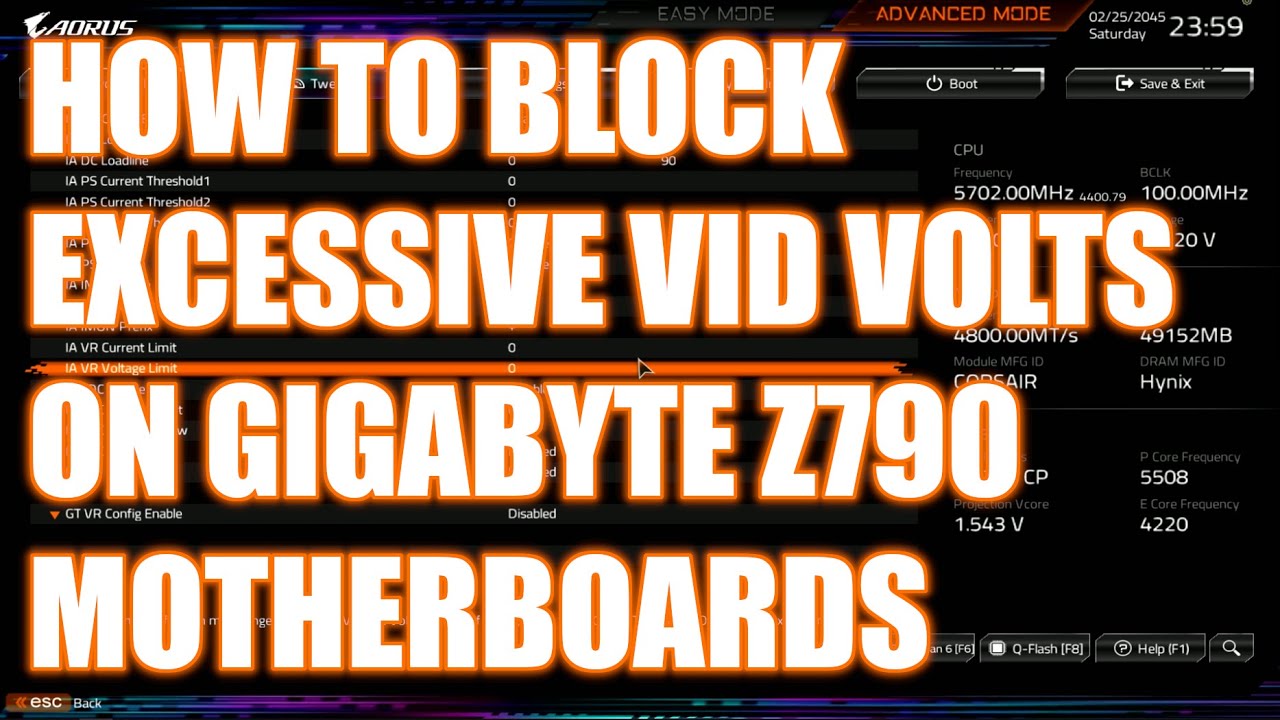
My Patreon: https://www.patreon.com/buildzoid
Teespring: https://teespring.com/stores/actually-hardcore-overclocking
Bandcamp: https://machineforscreams.bandcamp.com/music
Twitch: https://www.twitch.tv/buildzoid
Twitter: https://twitter.com/Buildzoid1
Facebook: https://www.facebook.com/actuallyhardcoreoverclocking
#intel #overclocking #14900k
I believe the setting name is similar for other boards and brands
Though the place to find it should be different
And disclaimer, likely this may still not be a fix
shy wyvern
I have static voltage
At a pretty low voltage
I have a launch unit (manufacturered Sept 2022)
It might be oxidation issues
I've already tried voltage control but it keeps getting more and more unstable over time.
It's starting to degrade to where I'm having to raise the voltage but that's going to cause a runaway train effect
I just wish they were public about this before now because I really have done a lot before now to fix issues.
vagrant mist
shy wyvern
I just wish they were public about this before now because I really have done a ...
and risk losing lots of money? heell nah, they probably
aren't gonna do an official recall and really talk about it until they're forced to
grizzled bloom
It wouldn't make much sense to recall all of them anyway, since not all of them are affected and it's a gradually occurring issue.
At least from the business perspective
vagrant mist
fair enough, at least on the recall side
but then why put out a statement saying the microcode will fix everything and not ever mention permanent damage and degradation of chips and how microcode can't fix that
grizzled bloom
The official statement they made was very short, probably because the more they say the more they're digging themselves into a hole. We've gotten more details from unofficial channels.
shy wyvern
They mentioned in their statement that microcode won't fix CPUs that are already damaged
They acknowledged it!
vagrant mist
Oh yeah they did
Nvm
Still no way for normal people to even have an inkling on how they could mitigate the damage
They just have to sit there and pray
 pliant rock
I bought myself a new computer case, because when I first built my PC I cheapened out on the case and it's quality was on the poorer side and I need more space for Hard Drives, so I bought a Corsair 5000D case on the suggestion of a friend who uses it and says it's good, (it was also on sale) and it matched what I needed. Then I thought since I'm going to have to take out most of the components from the computer anyway, should I replace my motherboard which is currently a Gigabyte X570 Aorus Elite Wifi, socketed for an AMD chipset. I plan on sticking with AMD processors, so does anyone have any suggestions on a replacement or would it be best to keep the motherboard if it's fine as is. I'd like to future proof if necessary if my current Mobo is missing important features.
burnt spear
pliant rock
I bought myself a new computer case, because when I first built my PC I cheapene...
First off 5000d is overpriced and meh
The x570 was also likely very overpriced, and there's absolutely no reason to get a better mobo on the same socket
The next time you should upgrade your mobo is when you feel the need to upgrade your cpu
The motherboard does not affect performance or experience as much as you think it does
burnt spear
You cannot use your current cpu with a new motherboard
Your motherboard and cpu are on the am4 socket
pliant rock
Oh that’s right
shy wyvern
vagrant mist
Still no way for normal people to even have an inkling on how they could mitigat...
If they had a defect in 2022 with oxidation, and they corrected it as they said
Why not warn people that they had a manufacturing defect??
dull flint
Tulip
Honestly just get on the holler with them
As much as you can
And contact your retailer as well
Not your fault the website doesn't work
shy wyvern
Microcenter told me I had to go through intel
dull flint
Excuse me?
That's wrong
If you bought via a retailer, standard practice is the warranty via the retailer
I don't believe they told you the correct truth
shy wyvern
They gave me the batch number and serial number from my purchase
 shy wyvern
That's for full gaming builds
I am 1400 miles from my original store, they said I had to go through intel or go all the way back to Denver
shy wyvern
Yeah I live near Atlanta now
dull flint
It's obligation under their original point of sale
I was about to call that massively litigious
LOL
Ok fair enough
I would link the intel discord but I'm not allowed to
shy wyvern
Yeah that's how I knew to contact Intel in the first place
dull flint
You should start reaching out through any channels you can to them
Explain you're trying to do it and the website won't let you
shy wyvern
I did they said they will get back to me August 2nd
burnt spear
Three days is wild
burnt spear
I need to submit my warranty claim when I get home
dull flint
So you're in a queue of probably a few hundred/thousand people
burnt spear
Can I find all the info I need in windows or do I need to clean the cpu off?
dull flint
The box has all the info
burnt spear
Don't have the box :c
shy wyvern
It's not even for the warranty claim, it's fixing my account so I can file!
burnt spear
PAIN
shy wyvern
burnt spear
Don't have the box :c
Contact your seller
burnt spear
I'm prolly due for a repaste anyways
dull flint
shy wyvern
It's not even for the warranty claim, it's fixing my account so I can file!
Yeah I can't help past that point, but they're talking to you at least
shy wyvern
Microcenter got me the details without me having to take the cooler off
burnt spear
Oh interesting
I wonder if amazon will do the same
Felix
Since when is 5000xt about to be a thing
I hate it
dull flint
Since dying platform lives on AMD fine wine shilling
burnt spear
It's been literally years, stop beating the dead horse we don't need more irrelevant cpus
shy wyvern
It's actually great for people that only have a few hundred to upgrade
People sometimes just need to upgrade from 2600 to something new
Or a 3200G
dull flint
Oh yeah no doubt
But the socket won't improve further
They're just making up numbers now
shy wyvern
Well a lot of people don't upgrade computers for 5+ years anyways
dull flint
It won't improve but we're getting these binned versions like Intel KS chips
shy wyvern
Don't even talk about Intel they're making me tilted af
dull flint
I kinda agree with Bacca tbh, releasing more of the same thing as if it's new is a bit annoying
I have that whole qualm with 14th gen specifically cos of that
burnt spear
shy wyvern
People sometimes just need to upgrade from 2600 to something new
Ye but x3d should've been the end of it
shy wyvern
Also apparently if you are gifted the CPU, even if you have the original receipt, Intel will not accept the warranty claim. Has the be the original name on the receipt. I've never had to issue RMAing motherboards or other things for friends/family members?
shy wyvern
I think they have their place for strictly upgrade purposes
As long as no one builds into a dead platform it's fine
dull flint
shy wyvern
Also apparently if you are gifted the CPU, even if you have the original receipt...
Seems to be the case with AMD as well afaik, warranties are denied in the states for prize items
burnt spear
Some of them maybe. 5600 and 5600x prices have been going up, so maybe 5600xt will come out around 110
5800xt if it's 5700x3d pricing makes absolutely no sense whatsoever
dull flint
I know someone just the other day denied an XTX warranty and it was a prize one
shy wyvern
dull flint
Seems to be the case with AMD as well afaik, warranties are denied in the states...
Also they require you to go through your builder if it's a pre built. That's going to piss off a lot of builders when all the 13th and 14th gen start to get returned
shy wyvern
For such a big issue?
shy wyvern
They already said no matter what they're not recalling it
They just said to "contact support if you're having issues"
But they want us to wait for mid August for the microcode update
dull flint
shy wyvern
They already said no matter what they're not recalling it
I've seen so many tech companies try this before. If public opinion and stocks plummet as a result of those words then they WILL recall
Asus tried this with AM5
shy wyvern
But if the microcode is limiting voltage isn't that going to affect boost?
dull flint
And their repair department
We have newegg themselves
They will try to avoid a recall as much as possible
But nothing is certain
A recall is a big undertaking, doesn't mean huge backlash won't coerce them to cut their losses on one
shy wyvern
Well they have two separate issues. The 2022 13th gen models have oxidation issues, which is very different than the voltage issue that's affecting later models
dull flint
shy wyvern
But if the microcode is limiting voltage isn't that going to affect boost?
The implication is these chips could never boost that high to begin with
dull flint
shy wyvern
Well they have two separate issues. The 2022 13th gen models have oxidation issu...
Yes
Throw enough lawsuits and public negativity at a company and they will change their mind
shy wyvern
I'm definitely getting hit by the first one. September 2022 manufacturing date
dull flint
The entire reason Intel is suddenly doing all this was because of 1 video
shy wyvern
I literally have the launch batch 
shy wyvern
Well if you look online 13th gen was having a lot of crashing issues
dull flint
Suddenly level1techs makes a very damning video and intel is sending weekly updates
shy wyvern
But we were all blaming the games
dull flint
shy wyvern
Well if you look online 13th gen was having a lot of crashing issues
Ya but that wasn't enough
Level1Techs got Enterprise talking
Suddenly they could see each other having issues and it wasn't just a weird coincidence
And enterprise is huge
shy wyvern
I ended up setting static voltage 1.28V and it fixed my issues for about a year and then I was screwed again
dull flint
Way bigger than consumer
shy wyvern
I'm down to 1.25 but I can't lower it anymore without lowering my clocks under 5.5. any higher is consistent crashing
dull flint
Intel started working on all this again because opinion of them absolutely tanked in one week
shy wyvern
Literally if I set above 1.25V I crash like crazy blue screens
dull flint
shy wyvern
I'm down to 1.25 but I can't lower it anymore without lowering my clocks under 5...
Genuinely think yours has something wrong hearing that
You should not need to be that low
shy wyvern
I've been gradually lowering it over time
Someone I know with a 13900K turned off their ecores and got it stable
I may try that
dull flint
Not even alder degraded at that low
shy wyvern
Like there's a serious issue with mine
dull flint
shy wyvern
Literally if I set above 1.25V I crash like crazy blue screens
Curious if there's an LLC or vrm issue involved
What mobo are you using
shy wyvern
I am on my third motherboard, I've already tried swappinf
dull flint
Just tell me which lol
shy wyvern
Z790 A PRO
shy wyvern
Had a Z690 P DDR4 before this
dull flint
Look for a setting called
IA VR Voltage Limit
Set that to 1.25V
Set ring bus clock down to 4 GHz
P core ratio to 53
shy wyvern
And before that a Asus Z690 motherboard
dull flint
E core ratio 40
You can turn off the static voltage if you like, it won't exceed 1.25v
shy wyvern
If I'm stable doni need to lower my core ratio below 55? I have it there