#cpus-mobo-and-memory
1 messages · Page 35 of 1
 proper sinew
What about 5200?
 grizzled bloom
Like a 13600K, since there's limits on the overclocking of the non-k chips
 cyan raft
For a 13900k I got 6000c30, 5600c36 will be perfectly fine for a 13400f
proper sinew
Its still faster than ddr4?
proper sinew
4800 cl 38 too slow?
grizzled bloom
4800 is about the point where it's equal with a good kit of DDR4, so you'll want to stay above that
proper sinew
Ok cool
proper sinew
grizzled bloom
5200 c30 (or lower cl) would be ok
5200 cl 36?
grizzled bloom
Good enough probably
A little tweaking on that and you can get it to run faster too
proper sinew
So i should get a pair of ram instead of one?
grizzled bloom
They have 24Gb chips now that they can use to make 24GB and 48GB sticks
And they're actually really good
cyan raft
They also generally overclock better if you ever want to go down that rabbit hole
grizzled bloom
What was it seby got the 24GB stick to? 11,150 or something right?
grizzled bloom
I would only get a 4800 kit if you were prepared to spend a few days getting it tuned
cyan raft
grizzled bloom
What was it seby got the 24GB stick to? 11,150 or something right?
Something like that
proper sinew
grizzled bloom
I would only get a 4800 kit if you were prepared to spend a few days getting it ...
Manually setting it?
proper sinew
Would that crash my pc?
proper sinew
cyan raft
Takes a few days but performs a lot better than XMP
Ohh
cyan raft
Only if you don’t test it for stability
grizzled bloom
Yes manually overclocking makes the 4800 sticks good, and it can be difficult and risky if done wrong
It's mostly time consuming if you do it right
cyan raft
proper sinew
Ohh
For DDR4 at least, tuned 2133 ram beats out 3600xmp
proper sinew
How risky?
grizzled bloom
cyan raft
Something like that
Maximum DDR5 Frequency Challenge with 24GB Modules – DDR5-11158 Achieved
As part of the maximum DDR5 memory frequency challenge, G.SKILL provided the latest 24GB DDR5 modules to the three finalists, and all three contestants were able to push the memory speed over DDR5-10000, with the fastest speed at DDR5-11158 set by Seby9123. This demonstrates the incredible overclock potential of the new G.SKILL 24GB DDR5 memory modules.
Dang I was really close going by memory
proper sinew
Bircked my pc or only craching it
cyan raft
Don’t be stupid and set like 3V going to the ram and you’ll be fine
grizzled bloom
Crashes
cyan raft
Mostly crashes
grizzled bloom
Bricks are really hard to make these days, especially if you have a motherboard with flashback
proper sinew
cyan raft
Don’t be stupid and set like 3V going to the ram and you’ll be fine
Green ram?
Old school?
cyan raft
Hmm?
proper sinew
3v ram?
cyan raft
Do not set your ram to 3V
proper sinew
Whats that?
cyan raft
Voltage
cyan raft
As long as voltages are safe, you don’t have any risk of damaging your PC
proper sinew
👍
proper sinew
Did you do xmp or tuning ?
cyan raft
I manually tuned everything
proper sinew
And gpu?
cyan raft
Also overclocked
grizzled bloom
I overclocked my whole system too
proper sinew
Goddam
grizzled bloom
Even my SSDs
proper sinew
💀
cyan raft
grizzled bloom
Even my SSDs
What about that PSU tho 
cyan raft
Not if it’s tested for stability
proper sinew
How do you test it?
grizzled bloom
cyan raft
What about that PSU tho <:kekw:741678350791081994>
Overvolt it, 130V input 
Hours upon hours of stress testing
cyan raft
There are programs that stress test
cyan raft
grizzled bloom
Overvolt it, 130V input <a:thisisfinefire:595186623013191680>
Nah, make sure it ain’t a switching PSU and bring it to Europe
grizzled bloom
Then once you're done stress testing you have to test leaving it on idle
cyan raft
220V heheh
proper sinew
I will do alot of rendering
grizzled bloom
cyan raft
Nah, make sure it ain’t a switching PSU and bring it to Europe
RMx tho
And even manual switch PSUs will just refuse to start with wrong voltage
proper sinew
Idk is it smsrt to manualy tune everything
For me
Plus im begginer to that kind of stuff
cyan raft
Overclocking everything took off a good bit of time off of all of my renders
grizzled bloom
It's not worth it generally for the average person
cyan raft
But if you’re a beginner, I wouldn’t
grizzled bloom
But if you get a cheap kit of DDR5 you'll need to tune it to get the most out of the rest of the system
proper sinew
It is my first deskop pc
cyan raft
Focus on actually learning how to render and model well
proper sinew
cyan raft
Focus on actually learning how to render and model well
Yea i will, thanks
grizzled bloom
It's a lot easier to just get a kit with the speed you want so you can set it and forget it
cyan raft
grizzled bloom
RMx tho
And even manual switch PSUs will just refuse to start with wrong voltage
Guess that’s true for some new manual switch PSUs, i remember I had an old 110V PSU and as a joke plugged it into an EU plug without a transformer
Good times
“Built” a small bomb
proper sinew
The fact i was orginaly going for ddr4 then remebered there is ddr5, i dont think i need that much speed
grizzled bloom
When I was in high school (think 2010 or so) the kids in the spanish class decided to play a prank and switched the teacher's pc to 220V.
I was called in to help (because ofc I was) and I just flipped it back to 120V and it was happy.
proper sinew
Think*
cyan raft
Always good to have a newer platform so you don’t need to switch motherboards when you want to get faster ram down the line
grizzled bloom
{yes even in high school I couldn't help but be the tech support}
cyan raft
{we all were the tech support in high school}
proper sinew
Most tech support i did was switching a html channel 💀
cyan raft
I remember setting up mining programs on all the school computers as “tech support”
Then next year I was forced to shut them down because the school was complaining their PCs were “too slow”
grizzled bloom
Our computers were network booted, no local storage except for a few that were incorrectly configured. Which I installed Halo CE on.
grizzled bloom
There's a ton of sites with free resources for learning
proper sinew
Ok thanks
proper sinew
13400f
B760/b660
Rtx 4070
16gb x2 ddr5
1tb nvme sdd
Is this ok?
Im sending a request for a computer to a techstore
Btw should i go for 13400f or 12400f
grizzled bloom
13400f is basically a 12600kf with a couple extra limits
Whichever is cheaper between the 12600k and 13400
proper sinew
Other guy just suggested to go for 12400f
grizzled bloom
If the goal is to save money go for it
proper sinew
The guy said it same performace as 12400f
grizzled bloom
I'm pretty sure a 12400 would be able to keep up with a 4070, at least at 1440p
proper sinew
Is it worth it to go for 13400f instead of 12400f?
grizzled bloom
It depends on what you're doing with it
grizzled bloom
Then it's definitely worth getting a 13400 because it has more cores
proper sinew
F model?
proper sinew
grizzled bloom
All the F means is it doesn't have integrated graphics
Dont need it
Ok thanks
Wait
What K means?
Overclock?
grizzled bloom
K means unlocked for overclocking
proper sinew
proper sinew
13400f
B760/b660
Rtx 4070
16gb x2 ddr5
1tb nvme sdd
So is this ok?
grizzled bloom
Yes
grizzled bloom
Happy to help
 maiden anvil
havent tried that yet I will look into it
heres what I found
Crash dump file: C:\WINDOWS\MEMORY.DMP (Kernel memory dump)
Bugcheck code: 0x9F(0x4, 0x12C, 0xFFFF800F5EDBC080, 0xFFFFFB0C18D10820)
Bugcheck name: DRIVER_POWER_STATE_FAILURE
Driver or module in which error occurred: amdppm.sys (amdppm+0x3dfb)
File path: C:\WINDOWS\System32\drivers\amdppm.sys
Description: Processor Device Driver
maiden anvil
Several possible issues could be
Chipset drivers-updated
Connection to gpu - I have the stock PS that only connects with a Y connection. Would be better with 2 separate connections. Unfortunately not possible with existing PS. Looking to upgrade in a few months I'll likely upgrade to 1000 modular.
Good news ram is running solid at 3200 now
 vast meadow
maiden anvil
Several possible issues could be
Chipset drivers-updated
Connection to gpu - I...
vast meadow
maiden anvil
Several possible issues could be
Chipset drivers-updated
Connection to gpu - I...
What gpu are you using?
maiden anvil
vast meadow
What gpu are you using?
3060ti currently looking to upgrade to 7900xtx or something similar in capability
vast meadow
maiden anvil
3060ti currently looking to upgrade to 7900xtx or something similar in capabilit...
well 1st off, a 1000w is a tad overkill, 850w would handle the 7900xtx just fine, secondly, try DDU and reinsall the graphics driver
?ddu
 silk jungleBOT
DDU (Display Driver Uninstaller) Guide by Pato
https://github.com/NeweggTechie/Graphics-cards/wiki/How-to-use-DDU

GitHub
Contribute to NeweggTechie/Graphics-cards development by creating an account on GitHub.
 untold belfry
I have a HP Pavilion d7-3085dx and I want to upgrade the RAM to 8GB it has 4GB 2x2GB now.
So I would need (2) two 4GB sticks to total 8GB's. Its not DDR3L (1.35 v) its just plain DDR3 (1.5 volt)
where can I FIND these pleeze?
grizzled bloom
I just find them on ebay
DDR3L is cross compatible with DDR3, you can put L sticks into regular slots and regular sticks into L slots
 amber canopy
I bought ddr3l recently 
 eternal helm
Who woulda guessed (I definitely would've never guessed)

 icy river
Okay I need help my computer will only load into bios and say secure boot violation invalid signature detected check secure boot policy in setup and I have tried to disable secure boot and save but it won’t do anything it’s stuck in a loop and I can’t figure out what to do I have an asrock motherboard I’ve looked up every video and article and tried everything someone please help.
grizzled bloom
What exactly do you mean by "everything", have you tried clearing CMOS? Updating BIOS?
icy river
grizzled bloom
What exactly do you mean by "everything", have you tried clearing CMOS? Updating...
Explain it I’ll try it
silk jungleBOT
How to clear CMOS (works for AMD and Intel)
https://www.intel.com/content/www/us/en/support/articles/000025368/processors.html
Intel
Defines CMOS technology and how to clear CMOS using the jumper or battery methods.
 manic plinth
Can someone explain to me why my z790 maximus hero can overclock my ram better than my kingpin?
Same chipset
vast meadow
Could just be bios differences although the kingpin should have better results because it only has 2 slots
 burnt spear
Depending on how bad the results are, could need to rma it
Or you just got really lucky on the maximus
cyan raft
And very unlucky on the kingpin
 scenic solar
What's the best program (not overcomplicated) that I can use in windows to change ram speed and timings? I got some 3200mhz ram for my optiplex 3050sff but afaik the mb only supports 2400mhz ram. So I'll have to stick to a lower freq but cas latency is gonna be the same (16) but having it run slower than max speed should allow me to set lower cl... (As well as lower the other main timings too) maybe something like 14 instead of 16
 brazen island
Is it possible to have 196gb ram on i7-12700k and 600 chipset? Because on intel website that says max memory for i7 is 128gb.
burnt spear
No
cyan raft
scenic solar
What's the best program (not overcomplicated) that I can use in windows to chang...
None
Bios only way
vast meadow
brazen island
Is it possible to have 196gb ram on i7-12700k and 600 chipset? Because on intel ...
max you can have on consumer platforms is 128gb of ram
eternal helm
brazen island
Is it possible to have 196gb ram on i7-12700k and 600 chipset? Because on intel ...
@hollow thorn this you? You stole my name bro
 hollow thorn
burnt spear
scenic solar
What's the best program (not overcomplicated) that I can use in windows to chang...
hollow thorn
burnt spear
scenic solar
What's the best program (not overcomplicated) that I can use in windows to chang...
If you've an amd cpu, ryzen master
 long geyser
scenic solar
What's the best program (not overcomplicated) that I can use in windows to chang...
long geyser
scenic solar
What's the best program (not overcomplicated) that I can use in windows to chang...
Note you cant really change any secondary/tertiary timings, which is where a lot of perf is held at. Only other way is BIOS mod.
https://www.reddit.com/r/AMDLaptops/comments/omj6mu/guideproviding_advices_for_tightening_ram_timings/

reddit
38 votes and 64 comments so far on Reddit
 cursive epoch
sadge indeed
scenic solar
What's the difference between these two? AliExpress gives no description but only the model

 grizzled bloom
At a glance it looks like the one on the left uses all 4 PCIe lanes and the one on the right uses only 2 1
The one on the right is also only PCIe 3.0
Ah no they both only use 1 lane, it's just the one on the left has 4.0 so it's double the bandwidth
 sharp falcon
Hey, gotta question regarding CPU types. I have a good understanding about parts and other computer info, however I am wondering if there is any considerable difference in performance between a cpu with and a cpu without integrated graphics. I have a dedicated card for my pc and I’m looking to upgrade a generation to be able to use my 4.0 gen m.2 port. I’m aware what cpu types there are I am only wondering if there is any performance difference between the two. I’d disable integrated graphics anyway since I have a dedicated card. Please tag or reply as I probably won’t see a response otherwise
 dull flint
Depends on the cpu
But generally speaking no integreated graphics just means it doesn't have any
Cpu is otherwise the same
(this doesn't apply to am4)
vast meadow
integrated gpu would actually be nice for running any secondary monitors off of, taking the load off your main gpu
 midnight pollen
There are specific use cases where having integrated may be useful. For ex if you were more of a vm person you could run the host os on integrated graphics and save the dedicated for vms to run applications. It may also be useful for troubleshooting in the event of a hardware failure or malfunction
 cerulean wadi
Say $100ish for 32GB ddr5, this decent? https://www.newegg.com/g-skill-32gb-288-pin-ddr5-sdram/p/N82E16820374369
cerulean wadi
Yea, not too picky either way but don't want funky looking stuff or rgb.
burnt spear
cerulean wadi
Yea, not too picky either way but don't want funky looking stuff or rgb.
I thought I was in tech deals channel
Lmao sorry mb
That's a good kit yeah
If you're ocing there's a 5600c46 kit for $75-85 from teamgroup that's gauranteed A die
 native thorn
Which is better, a network adaptor or a wifi motherboard for wifi
cursive epoch
they're equally good
cursive epoch
but wifi on board is very neat
dull flint
Integrated wifi also cheaper by equivalence
cerulean wadi
builtin at least might save a pcie slot perhaps, and it's been more than decent for a few years. Intel's AX210 or similar chips are pretty good.
cursive epoch
even mediatek is fine
 eternal turtle
scenic solar
What's the best program (not overcomplicated) that I can use in windows to chang...
eternal turtle
scenic solar
What's the best program (not overcomplicated) that I can use in windows to chang...
cl 16 2400 is jedec iirc
scenic solar
grizzled bloom
Ah no they both only use 1 lane, it's just the one on the left has 4.0 so it's d...
Look like it is 1x but you never know since AliExpress often uses images that are different from the actual product

This one is 4x but kinda expensive too

 dusk valve
whats the best cpu to go with a 6700
grizzled bloom
At what resolution?
A ryzen 5600 would work perfectly fine usually, or an i3 12100 if you want even cheaper
dusk valve
grizzled bloom
At what resolution?
A ryzen 5600 would work perfectly fine usually, or an i3 121...
1080p
grizzled bloom
Ok, then what kind of budget are you looking at because 1080p gets weird
If you want the absolute best then 7800X3D
dusk valve
grizzled bloom
If you want the absolute best then 7800X3D
i found a deal at microcenter for a 7700x and ddr5 and thought it would be good

Micro Center
Get it now! Find over 30,000 products at your local Micro Center, including the AMD Ryzen 7 7700X, MSI B650-P Pro WiFi, G.Skill Flare X5 Series 32GB DDR5-6000 Kit, Computer Build Bundle
grizzled bloom
Yep that's perfect
 strange ridge
My neighbor is looking for some insight, figured I’d ask here
“I know we have a bunch of pc gamers here. I am thinking of pulling the trigger on finally building a new pc and I am seeing Ryzen 7 7700 on sale however the Ryzen 9 7900x is on sale. Anyone have either one and would say go one way or the other?”
grizzled bloom
For gaming, the 7700 is perfectly fine. There's some cases where it can beat the 7900X because of how it works, too.
strange ridge
So if it’s in his budget just get the Ryzen 9 7900x?
grizzled bloom
You can, but for most people it offers nothing extra. It's usually worth saving some money on the CPU and using that to get a better GPU.
burnt spear
strange ridge
So if it’s in his budget just get the Ryzen 9 7900x?
That's the opposite of what fal said
strange ridge
burnt spear
That's the opposite of what fal said
Sorry was distracted when I responded
burnt spear
You're good just wanted to make sure you got what he said right instead of making the "wrong" purchase
If they're gaming, 7600/7700/7800x3d are the main options to consider
7800x3d is the single best gaming cpu
strange ridge
Yeah I was just responding for my neighbor, I’ve also been considering upgrading my CPU (currently I’ve got a Ryzen 7 3800x) with a 4080 suprim. And I’ve been eyeballing the 7800x3d for a little now
burnt spear
You'd definitely see a big improvement
3800x with a 4080 even at 4k has got to be limiting it
 narrow patrol
How good is a core i5 11400? I bought a prebuilt about two years ago (I have massive regrets) and technically it’s just a desktop, not a gaming pc but I mainly use it to game.
I desperately need a new GPU as my CPUs built in one is very bad for games.
burnt spear
narrow patrol
How good is a core i5 11400? I bought a prebuilt about two years ago (I have mas...
It's great, not far off from a 5600. You'd be fine at 1440p with up to 3080/6800xt
Could go higher and still see a benefit but I wouldn't bother
The psu in the pre built also matters
If its too low power or a bad model you'll want to replace it
narrow patrol
My power supply is 300w max
cerulean wadi
Acer I think. Some extra msgs in gpu channel
narrow patrol
cerulean wadi
Acer I think. Some extra msgs in gpu channel
Yeah acer
cursive epoch
Ah, well then you probably can't upgrade it
narrow patrol
Well I could but I would pretty much need to get a whole new rig
Scuffed photo of it

 split copper
gotta love prebuilts
scenic solar
prebuilt with rgbs is very sexy
 hollow thunder
Hey all, I’m trying to upgrade to the 7900 xt but I have an AM4 socket mobo, and I want to know what would be the best AM4 cpu for the 7900 xt for playing games maxed at 1440p
grizzled bloom
Best? 5800X3D hands down
Or if you're near a microcenter you can get a 5600X3D and save a little money
hollow thunder
Thank you, I think I’ll go with the 5800x3D tho 🙏
 solar cedar
time to put my Ryzen 5 3600 to rest. As someone that does After Effects and Premiere/Resolve work should I just get the Ryzen 9 5900x and max out the ram or get myself on AM5 asap
cuz I dont want to be "too" far behind but also I hate spending money lol
I also have a 3080 so thats also def being bottlenecked rn
grizzled bloom
solar cedar
time to put my Ryzen 5 3600 to rest. As someone that does After Effects and Prem...
For the price of a 5900X you might as well upgrade to the 7700, which beats it in almost every way
vast meadow
solar cedar
cuz I dont want to be "too" far behind but also I hate spending money lol
If you need cores, staying am4 would save you a bit of money, but slower, how much money depends on if you are getting more ram, what cooler you have and all this assuming your board is good enough for a 5900x. You may not be bottlenecking also depending on the games and settings you play at with the 3080, but that's not necessarily a bad thing. If moving platforms, there should be 14th gen intel and Ryzen 8000 coming in about a month so I'd wait for that
 dim cloak
vast meadow
If you need cores, staying am4 would save you a bit of money, but slower, how mu...
dim cloak
vast meadow
If you need cores, staying am4 would save you a bit of money, but slower, how mu...
Also iirc some or most 12&13th gen based boards are gonna be compatible with 14th gen
scenic solar
Just installed 1*16gb 3200MTs ram on my optiplex 3050 sff, it boots but seems to take forever on windows loading screen it's been about 5 mins now...
Solutions?
Do I just shut it off and try again? Or should I wait?
 royal elk
dim cloak
Also iirc some or most 12&13th gen based boards are gonna be compatible with 14t...
royal elk
dim cloak
Also iirc some or most 12&13th gen based boards are gonna be compatible with 14t...
Yes "14th gen" is just a raptor lake refresh
So it's still on lga 1700
scenic solar
Seems to work fine now, just had to wait a bit
royal elk
Arrow lake or 15th gen will be on a new socket lga 1851
burnt spear
scenic solar
Do I just shut it off and try again? Or should I wait?
As you found out, just gotta wait a bit for the memory to train
If it ended up taking too long I'd day clear cmos and try again
scenic solar
I restarted It a few times and it booted just fine so I guess it was just the 1st time after the swap
 cursive plaza
assuming this is the place to ask this....I was looking at a refurbished motherboard (funds are very limited and anything would be an upgrade from my 13+ year board) and was wondering if anyone knew about this board. specifically, what the max GPU series it can accept
appologies for the long link
grizzled bloom
For the future you can shorten links by deleting the "?" and everything after
The nice thing about PCIe is it's completely backwards and forwards compatible. You can put a 4090 on a board from 2008.
It wouldn't get the full performance in that case obviously but that's an outlier
 sudden creek
What do we know about 14th gen and 8000 series cpus currently?
grizzled bloom
14th gen will be a refresh of 13th gen and is expected to do maybe 10% better, and it'll still be on LGA1700 (RIP desktop meteor lake)
8000 series is expected to do 20-25% over the current non-3D parts
Which would put it above the 3D parts in most things
In other words next gen is going to be a bloodbath. Intel basically gave up on the next gen and are focusing on the next next gen, arrow lake, which is looking quite good.
grizzled bloom
Arrow lake should get them back in competition. Early results are pointing at 40% over 13th gen.
sudden creek
Excited for 8000 series though.
sudden creek
grizzled bloom
Arrow lake should get them back in competition. Early results are pointing at 40...
Wowzas.
What's the expected core count with the 8950x or 8950x3D if they make that again.
grizzled bloom
We're not sure yet but I have seen some tests of 12 and 16 core CCX dies, those could just be for epyc but we might get 24c/48t on desktop
sudden creek
Oh sweet hopefully so.
grizzled bloom
There's also leaks of mobile AMD chips with big/little cores
That could have been a faked screenshot though
sudden creek
I've heard about those.
What's the current ETA on 8000 series? Holding off for that before upgrading CPU side.
grizzled bloom
ETA Q1
sudden creek
Haven't been looking into PC stuff much lately as I have been fishing and can't really use my PC along with it seems I am gonna need to do surgery soon so I am rather out of touch.
royal elk
sudden creek
What's the current ETA on 8000 series? Holding off for that before upgrading CP...
You're the one with the 8950x
You should know
Frfr
sudden creek
Yeah lmao.
sudden creek
grizzled bloom
ETA Q1
Neat.
cursive plaza
grizzled bloom
It wouldn't get the full performance in that case obviously but that's an outlie...
So how would I determine the max GPU that would retain full performance?
grizzled bloom
That board has PCIe 3.0 x16 so the only GPU I'm aware of that will throttle is the 4090
cursive plaza
Ok perfect! Then I should be good to go then 🙂
cerulean wadi
grizzled bloom
That board has PCIe 3.0 x16 so the only GPU I'm aware of that will throttle is t...
Any extra input if you hear that mobo is $80total & from hong kong?. 
 grizzled bloom
Well that wasn't there earlier, it was free shipping before unless I'm totally blind
cerulean wadi
Obviously limited stock & perhaps seller just changed when I viewed it. I definitely would be just checking Ebay if I wanted a Z170 or similar.
cursive plaza
no it said it before...but for 80 refurbished thats not bad. better than 80 for used and chancing it working
scratch that...just says used-like new....perhaps i shall look for a refurbished one
cursive epoch
used like new and refurb aren't that much different
refurb could just mean it's cleaned up or a return
cursive plaza
good point.....I cant do anything now but I will do more homework before just making a purchase. like where its coming from lol
grizzled bloom
cursive plaza
good point.....I cant do anything now but I will do more homework before just ma...
Instead of spending $80 on a used motherboard you can get an AMD B450 board for $65. That'll get you access to much better processors. Cheap ones too.
burnt spear
Yeah, no point in replacing a mobo if your current cpu and mobo work together, or if you're buying a new mobo, cpu, and ram just go b450+3300x/3600/3700x/2700x/2600 etc, or whatever fits in budget
And leaves a decent upgrade path in the future
cursive plaza
I mean I've been dealing with a 13yo machine and just now need to update the mobo and cpu. There are a couple cpus I could get to make my current one better but they are outdated and would be used. I have a Dell precision t3600 workstation running with a inspiron 1650 v0 cpu, 1gb firepro v4900 gpu, 4gb 1050ti superclocked gpu, and maxed on 20gb dell ram. It's been working fine mostly because I don't care for top of the line graphics. Just wanna be able to play. Also got a couple pci expansions to add hard drives. All on a stock 660w psu that can't be swapped because of how it was made. It's like a custom size
So anything will be better than I got now haha
burnt spear
True, but you're likely spending very similarly to what a b450 and a used cpu would cost for much less performance
Hell, 4500 is $72 and has $60-70 mobo options new for both, and is far better than anything on a z170 socket afaik
burnt spear
Part List - AMD Ryzen 5 4500
grizzled bloom
Far better than the xeon you currently have
cursive epoch
that too
grizzled bloom
X79 at that
cursive epoch
4500 is behind 3600 but that's ok
$72 is $72
4500 is cezanne
aka laptop architecture
wait no
it's renoir more like
burnt spear
burnt spear
cursive plaza
burnt spear
True, but you're likely spending very similarly to what a b450 and a used cpu wo...
Then I should go this route. Thanks!
cursive epoch
hell you can go with amd a520 boards
grizzled bloom
Ok so bad news, that Dell uses completely non-standard parts so to upgrade you'll need... basically an entirely new computer
cursive epoch
z170 was 6700k
burnt spear
cursive epoch
hell you can go with amd a520 boards
Eh, about the same price
burnt spear
Fair
burnt spear
grizzled bloom
Ok so bad news, that Dell uses completely non-standard parts so to upgrade you'l...
This throws a hitch in the plan tho
cursive epoch
b450 might not have bios updated to support 4000
burnt spear
@slow hawk
cursive epoch
and it's a pain especially without flashback
grizzled bloom
I get the feeling this is not a standard ATX screw layout, can't quite put my finger on it /s
 grizzled bloom
Good old Dell, why use the standards in place when you can change things juuuuust enough to force people to buy only your first party replacement parts
grizzled bloom
Did you see the new one though? They got rid of the slanted design at least. Better airflow and smaller footprint.
cursive epoch
Yeah
That was a move at least
They also added some actual ventilation
The gpu is decent oddly enough
Just choked by the case as usual
I like clip-on fan brackets, but non standard chassis is still hurtful
cursive plaza
grizzled bloom
Ok so bad news, that Dell uses completely non-standard parts so to upgrade you'l...
Pretty much doing that. Just one piece at a time. I have a tower I want to use. Just need a new board
grizzled bloom
You're on top of it then, nice
eternal turtle
cursive epoch
z170 was 6700k
z1 and 270 were compatible
cursive epoch
hm cool
 main pulsar
cursive plaza
Pretty much doing that. Just one piece at a time. I have a tower I want to use. ...
main pulsar
cursive plaza
Pretty much doing that. Just one piece at a time. I have a tower I want to use. ...
THE ONE PIECE IS REAAALLLLL
cursive plaza
how good is a B550?
dull flint
Good if it's super cheap
Also depends on which b550
A lot are amazing some are disgusting
 cursive plaza
I am adding parts to my newegg cart so I can work to get everything.
cursive plaza
dull flint
Wth I didn't know they had aorus elite for a520
with that response it sounds like its better than the B550 lol
dull flint
Yeah I'm genuinely thinking it might be but I'm not learned on that board
Instead at that price
Look up
Asus tuf gaming a520m wifi ii
That one is also $99
Very good board, will run anything ryzen
cursive plaza
my issue is that I need at least 2 PCI 16s. I dual gpus
grizzled bloom
What's the second GPU going to be
cursive plaza
but again, anything will be better than my t3600 motherboard lol\
dull flint
Cos second gpu unless you have a bifurcation motherboard will run off the chipset
It needs some form of split lane
grizzled bloom
A lot of boards with a second (or third) x16 slot will only run it at x4 mode too so if it's a powerful enough GPU to saturate more than 4 lanes you might need to go up a tier
cursive plaza
well right now I have my original 1gb AMD firepro V4900 which I use for just background processes on a 3rd monitor and I currently run a GeForce 1050 TI Superclocked at 4G
dull flint
Hmmmmm
cursive plaza
I am only looking to replace the 1gb with a 2000 series and use the 1000 series as the background processing (like streaming)
grizzled bloom
Ah that'll run perfectly happy on x4 mode if it's just for background stuff
dull flint
What if you had a 5600G
Would elimate all need for second gpu
That said, you'd be making a sacrifice in perf either way
cursive plaza
what is the brand? I am looking for around $100 for a board whether used, open box or new
dull flint
Esp when the asus board has wifi
Amd ryzen 5600g
It's a cpu with onboard graphics
Probably better onboard than the firepro lol
cursive plaza
I could care less for performance. I am a gamer who just likes to game with friends. I will easily sacrifice graphics and things as long as it runs smooth so I can play
cursive plaza
dull flint
Probably better onboard than the firepro lol
seeing how the firepro was manufactured in 2011 yea probably haha
dull flint
Hmmmmm
If you could go up a tier to am5
We could do this with 0 sacrifice
But it just depends how much you'd be willing to spend
cursive plaza
since I have 3 kids now with the newest being not even 2 mo old then not a whole lot lol. I also have a car I have to rebuild
dull flint
Cos it's about 300 to 350-ish for AM4
And about 500-ish for AM5 with better end results
cursive plaza
maybe some day lol
dull flint
Fair enough lol
grizzled bloom
dull flint
Probably better onboard than the firepro lol
It is, by quite a bit
cursive plaza
ill make a list of things i want/will keep and share to to see how compatible it will be then
how does one share a wishlist from newegg?
dull flint
I'm not sure tbh, you can share your shopping cart if you're logged into newegg
Beyond that I wouldn't know, I normally opt for pcpartpicker
cursive plaza
this is honestly the first time I have ever had to search for components to build a PC so I am new to the sites lol
cursive plaza
I have an older Dell tower (was a dual core machine) that is stainless steel that I want to gut and build into that.
grizzled bloom
Sleeper build? Those are always fun
It would be tricky with a chassis like that though
cursive plaza
it would be tougher to keep my t3600 case and do that. the power supply for the t3600 is custom shaped and I have the highest PSU that it was manufactured with
ok so its not letting me share it..so here are the parts I am looking at (minus ram and harddrives because I have 32gb of DDR4 ram from my wifes first PC and harddrives still have space)
RTX 2060 Super 8GB
Corsair RMX 2021 Series 750W PSU
AMD/Gigabyte Aorus A520 Elite AM4
AMD Ryzen 5 5500 Zen 3 6-core 3.6 GHz
and as stated I have the 4GB 1050 TI Superclocked dual fan model I will retain
my shell will hopefully be an old Dell XPS 630i
someone on ebay managed to do an upgrade on it becuase it has windows 10 lol
cursive plaza
I added that to it so I can clone my operating system onto it. currently still have OS on HDD
but for budget, cheapest is best. I will even consider used parts to keep cost down
dull flint
Alr
Part List - AMD Ryzen 5 5600, Radeon RX 6650 XT
Something like this
How fast is the 32gb ddr4 you have?
cursive plaza
dont know off the top of my head
dull flint
Ah then yeah just use that
cursive plaza
and I actually only have 16gb...so Ill probably add more RAM lol
dull flint
It's not mixed sticks yeah?
Ah if you want more I'd buy a new kit and sell the old
Cheaper than buying extra
cursive plaza
nope. wife bought a new PC and it came matching, she wanted more immediately and at the same tome got 64gb worth of ram
dull flint
And less compatibility issues
cursive plaza
probably what I will do then
dull flint
Alr one sec I'll add it to the list the kit I'd get
Part List - AMD Ryzen 5 5600, Radeon RX 6650 XT
Boop
 brave fiber
is buying a wifi mobo worth it or could I just buy a regular mobo and some wifi antennas
cursive plaza
thanks! I like it all. now I have some decisions to make because your list and mine both look good and arent too far off cost lol
brave fiber
ok
dull flint
cursive plaza
thanks! I like it all. now I have some decisions to make because your list and m...
No worries. The cpu is a big jump but gpu yeah perf wise they aren't too different
 minor mesa
I just noticed that my i7-12700k is only showing 8 cores/16 threads in Windows. (task manager and CPU-z)
What do I look for in BIOS to see why the e cores are not showing? (asrock z690 steel legend)
burnt spear
are you on w10?
minor mesa
nah, w11. all latest drivers and bios update. i suspect it's due to some overclocking setting or something, i just don't know which setting.
bios sees the E cores, but windows does not.
 wind karma
I may need to swap my motherboard due to not having enough nvme slots, lol. Looking at these two boards:
https://pcpartpicker.com/product/cYJp99/asrock-b450m-pro4-r20-micro-atx-am4-motherboard-b450m-pro4-r20
https://pcpartpicker.com/product/TG9tt6/asrock-b550m-phantom-gaming-4-micro-atx-am4-motherboard-b550m-phantom-gaming-4

ASRock B450M PRO4 R2.0 Micro ATX AM4 Motherboard (B450M PRO4 R2.0)

ASRock B550M Phantom Gaming 4 Micro ATX AM4 Motherboard (B550M Phantom Gaming 4)
The b450 board actually seems to have better I/O, is there any reason to pay the extra ~5$ for b550?
not planning to do any cpu OC, this is going in a very cramped case that's hot already
oh b550 has pcie 4.0
oh I only have pcie 3 ssds
cursive plaza
How is this board??
 grizzled bloom
B460 doesn't allow overclocking or XMP so it's a pretty bad deal
cursive plaza
I mean that doesn't matter to me fully. I just saw a wifi board got 35 and got curious lol
cursive epoch
It does when performance gets hurt on 10/11th gen cpus
Ram is limited to 2666 on non-k stuff without xmp
cursive plaza
I don't need top of the line lol But sounds like I'm not going that route regardless lol
dull flint
I mean, you want the best bang for the buck though
Also buying used boards can be sketch, bent pins (can't see any in that pic but not all are revealed there) are a killer
 naive pendant
best z790 motherboard for io
burnt spear
Yes
grizzled bloom
naive pendant
best z790 motherboard for io
What specifically are you looking for? Do you mean IO like USB ports? Thunderbolt? PCIe slots?
naive pendant
a motherboard with tonnes of usb at back and no video out for even more usb and at least 4 memory banks (slots)
or a motherboard with the minimum ammount of video outs, becuse i will use a f cpu
dull flint
naive pendant
a motherboard with tonnes of usb at back and no video out for even more usb and ...
If I had to guess off the top of my head, LiveMixer probably
But fair warning, 4 sticks of ddr5 is extremely hard to run. Highly suggest you don't
If you want high capacity ram, go ddr4 z790
Runs way easier
 agile jolt
Today all of the sudden, my CPU light on my mobo came on and now my system isn't putting out an image. I've tried to reset the cmos and reset the bios and neither has seemed to fix the issue. I've reseated the GPU a few times and that still doesn't fix the issue. Any suggestions? At my wits end with this computer.
Short update, apparently it was a faulty ram overclock, as resetting my ram seem to fixed it. Unsure why it was acting up now
 compact zenith
If I said I was thinking 🤔 of buying a series 13 I9 for my Z690, later this year, would Ravell end up telling me to wait again, because so and so announced a series 14 CPUs?
Watch me buy one in October 2023, and be told there will be new series days from now. Seems to be my luck 😁
 hard leaf
👀
no im not xD, i just advised you not to buy a 12th gen when 13th gen was 1 month away.... since 14th is just a raptor refresh ehhh w/e
still i dont see the point of replacing a 12900 for a 13900... so little gain for so much money, but then again, its your money 😛
 stark violet
hard leaf
still i dont see the point of replacing a 12900 for a 13900... so little gain fo...
stark violet
hard leaf
still i dont see the point of replacing a 12900 for a 13900... so little gain fo...
14900k could be a send off upgrade to lga 1700
As the platform is done for after that 😛
grizzled bloom
They are slapping more e-cores on it so it would be good for moar threads
stark violet
grizzled bloom
They are slapping more e-cores on it so it would be good for moar threads
Cinebench go brr
grizzled bloom
 hard leaf
yeah, 14900k over the 12900k is a worthy jump if i have the money, bot 12900 to 13900 i think not
stark violet
Sounds like a sad ending to a platform regardless yeah
brave fiber
is AC better or worse then antennas
vast meadow
brave fiber
is AC better or worse then antennas
Ac is WiFi, antennas are wifi
dull flint
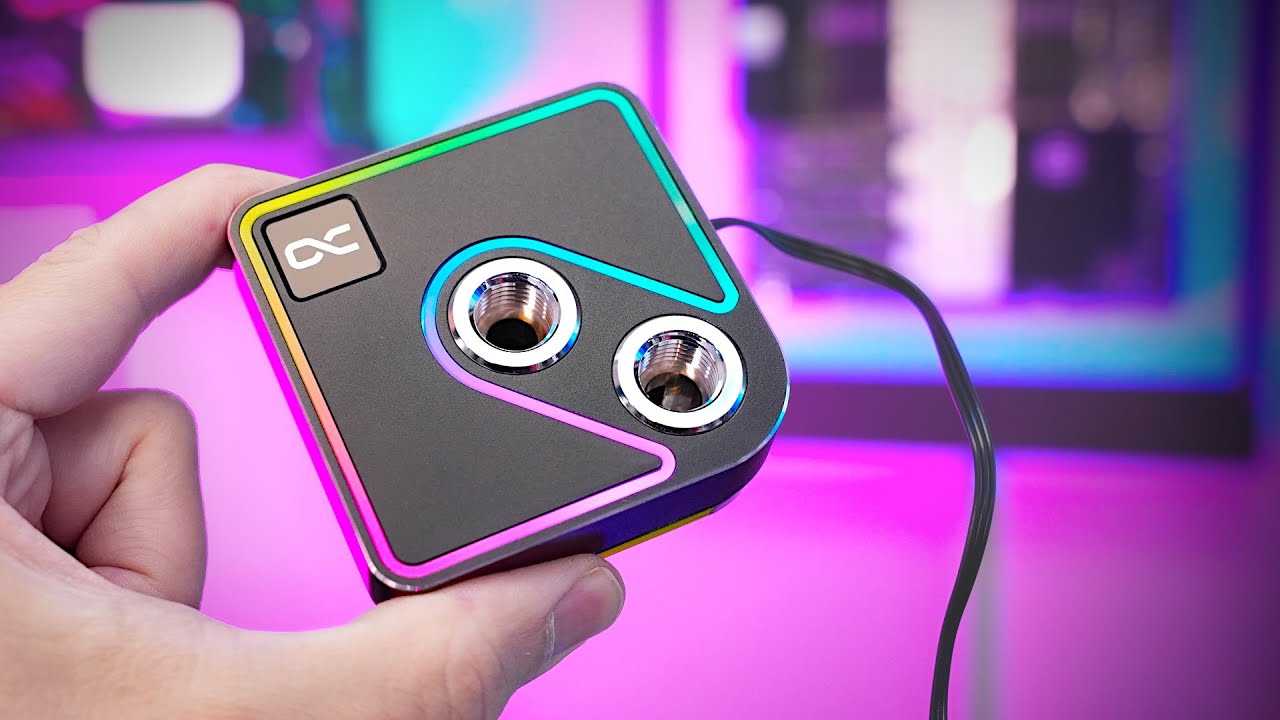
Support me on Patreon:
https://www.patreon.com/der8auer
Music / Credits:
Outro:
Dylan Sitts feat. HDBeenDope - For The Record (Dylan Sitts Remix)
Paid content in this video:
- /
Samples used in this video:
- Stealkey Customs ...
Wow, alphacool giving heatkiller a run for the money

 hollow knot
Is there any fix for amd inception vulnerability?
cursive epoch
you meant zenbleed?
only impacts zen 2 cpus
and a patch is available/coming anyway
just be careful with links and things you access, then everything will be just fine and dandy
i've never gotten myself affected by any of these serious vulnerabilities tbh
never patched them cause i had pretty old hardware with no bios updates given to it
cyan raft
dull flint
Wow, alphacool giving heatkiller a run for the money
This ain’t making it easier to dissuade myself of another custom loop
hollow knot
cursive epoch
you meant zenbleed?
Inception impacts zen 3 and zen 4 cpus
hollow knot
Yeah i have a 5600 non x. Im gonna run starfield on it in like 10 days
cursive epoch
it works similarly to spectre vulnerability
which is never realistically exploited anyway
dull flint
It's not something you should be worried about, they release this data publicly after giving manus time to come up with a solution
cursive epoch
^
dull flint
And thereof otherwise to neglect it when the performance impact to fix it is far too significant
cursive epoch
the patch seems to impact productivity tasks
hollow knot
But that was on linux not windows
cursive epoch
in the end it's not a concern
hollow knot
I was worried. Since this is my first build pc i made.
cursive epoch
nah it's fine
dull flint
There are more novel steps you can take to secure a pc
cursive epoch
absolutely nothing serious or prevalent lol
dull flint
And also yes, it's not serious because these sorts of methods take a lot of effort to pull off unless you have a real target on your head for that sort of attack
cursive epoch
exactly
dull flint
Think of it like, you're a tree in a forest
cursive epoch
the worst you'd get hit is ransomware these days
dull flint
They may choose to cut you down but it's one in thousands
hollow knot
Thanks a lot. Guys
dull flint
Yes you're more likely to click on a dodgy website than get branchpredicted
Just virus scan regularly, and avoid dodgy website
cursive epoch
And use adblock
dull flint
It's the most reasonable measures you can take
hollow knot
So keep safe with standard cyber security tips.
dull flint
Yes
cursive epoch
Ads can be malicious even from google ad service
hollow knot
Dont fall for phishing attacks qnd the like
dull flint
I come from a family of cyber security
cursive epoch
Basic practices gets you a long way
dull flint
There's a LOT you can do, but it becomes the case of is it even worth doing
cursive epoch
I stopped getting infections ever since I started doing these stuff
dull flint
Well it's also like, the premise needs to exist for the threat actor to begin with
cursive epoch
That's certainly true
hollow knot
Yeah. I never once updated my bios ever. Is that an issue.
cursive epoch
A normal pleb isn't their target
dull flint
It's not like staying up to date with these things is bad, but you're not going to die tomorrow either
cursive epoch
No, outdated bios is ok
dull flint
hollow knot
Yeah. I never once updated my bios ever. Is that an issue.
A 5600 non-x uses a very recent bios, you're more than fine rn
hollow knot
Ofc i keep my gpu drivers updated
dull flint
But a periodic update introduces microcode to prevent those sorts of intrusions such as inception
So when it drops, you can update if you want
But until then just maintain normal practice
hollow knot
They probably update zen 4 first then zen 3
dull flint
If you want something really secure, move all your personal data onto encrypted external drives
Like that, is already very extreme for personal use
But it's simple to do
So yeah don't stress over it
You'd be the one in a million in a day, more likely to be struck by lightning
Just as long as you maintain good practices
stark violet
hollow knot
Yeah i have a 5600 non x. Im gonna run starfield on it in like 10 days
same but 7800x3d
 frosty depot
stark violet
same but 7800x3d<:deviousfroge:1054935096811081768>
frosty depot
stark violet
same but 7800x3d<:deviousfroge:1054935096811081768>
Really? Like your server name doesn't already tell him that.
cursive epoch
it's funny but i think we gotta keep it a bit civil
anyway yeah, i do think saying you have the best parts constantly kinda gets old
hollow knot
stark violet
same but 7800x3d<:deviousfroge:1054935096811081768>
With my 32 gig ram and 6800xt with fsr i will vet 4k60 at med settings
 ocean cradle
I am not trying to take advantage of the promotion they're doing with sharing this, but I'm wondering if this will work with an AMD ryzen 5 2400g
It's a motherboard that says it's compatible with 5000 series amd cpus, but I don't wanna get it, just for it to somehow not be compatible with an AMD Ryzen 2400g
grizzled bloom
ocean cradle
https://www.newegg.com/gigabyte-a520i-ac/p/N82E16813145239?Item=N82E16813145239&...
It does not
Lowest it goes is 3000 series https://www.gigabyte.com/Motherboard/A520I-AC-rev-1x/support#support-cpu
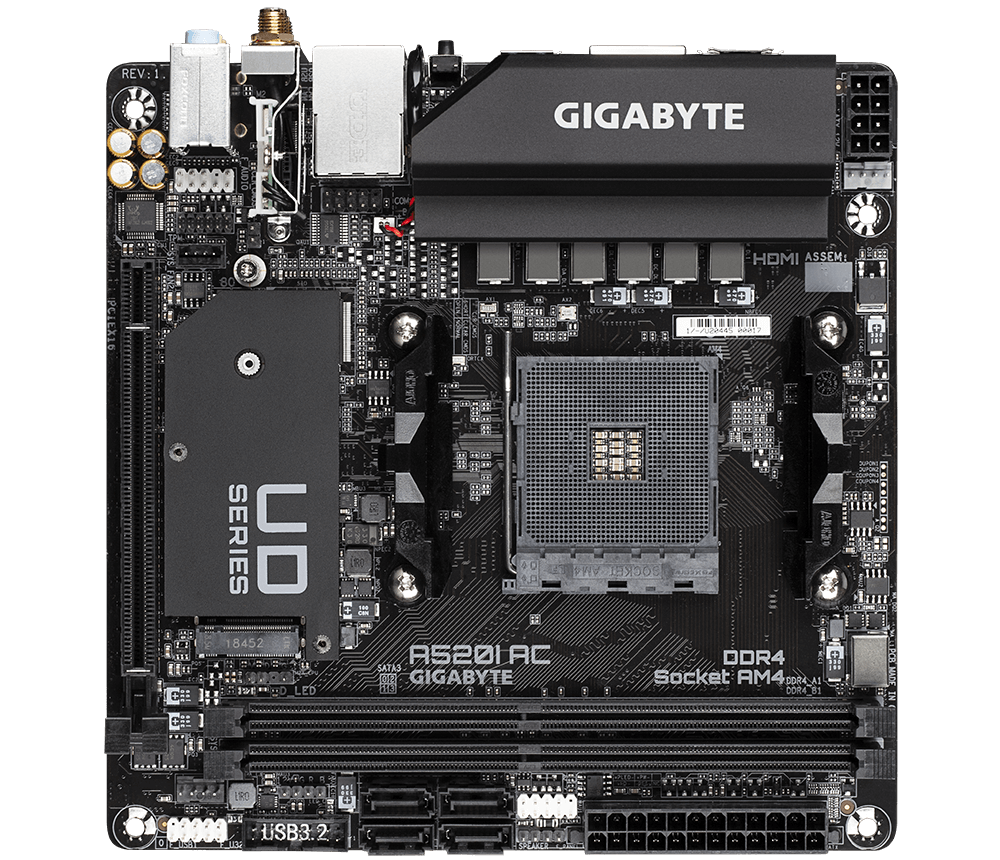
GIGABYTE
Lasting Quality from GIGABYTE.GIGABYTE Ultra Durable™ motherboards bring together a unique blend of features and technologies that offer users the absolute ...
 tender sleet
Would it be worth paying 146k HUF for a TUF X670E-Plus Wifi?
burnt spear
No
That's worse than either of the other two boards you were considering
B650>x670 unless you need an abnormal number of pcie lanes or are running raid
burnt spear
Vrms
Also what, 50k huf more than the strix?
The strix has better power delivery, likely better ocing (and I think ram ocing)
If you need more usbs, just get a USB hub for 10-20 usd
If you need more storage drives, then maybe you have a use case for x670s, but you'd only need that many ports if you need upwards of 10-16tb of ssd storage
Extra pcie slots isn't really needed, you're not going to ever run more than one gpu unless you use a second one for something like streaming or encoding
tender sleet
14+2 70A power stages for the TUF X670E
14+2+1 60A SPS power stages for the PG Riptide Wifi
they are damn close tbf
burnt spear
burnt spear
If you need more storage drives, then *maybe* you have a use case for x670s, but...
On a b550, the one I used to have, I could've easily had 10tb of storage between 2 sata slots and 2 nvmes
And that was a dirt cheap b550, among the worst
The x670 just isn't worth 150% of either of the other b650s
When you're not gaining anything that will be used
tender sleet
What sort of crazy world are we living in?
burnt spear
Wdym?
tender sleet
For absolute ages you wanted the top mobos for the features
burnt spear
In the US, 4tb nvme ssds have gotten as cheap as $150
burnt spear
tender sleet
For absolute ages you wanted the top mobos for the features
On am5 motherboards are overbuilt
tender sleet
and now a low-mid range "downgrade chipset" motherboard actually matches the top sellers
I feel like a fossil lmao
burnt spear
The 125 usd a620m pro rs wifi is a great mobo for the 7800x3d
On lga1700 there's definitely some mobos I'd avoid
tender sleet
Oh yeah you can't OC X3D chips anyway
burnt spear
But most am5 motherboards are very solid
burnt spear
burnt spear
On lga1700 there's definitely some mobos I'd avoid
Most h610s I wouldn't trust for over a 12100f/13100f
There's a few a620s I wouldnt bother with
But much less than most other sockets
And even those ones are mediocre for the most part
tender sleet
burnt spear
The 125 usd a620m pro rs wifi is a great mobo for the 7800x3d
TBF
TUF GAMING A620-PRO WIFI is 88k HUF for me
At that point I'm willing to pay 100k for a B650E PG Riptide Wifi
cuz I need Bluetooth on the mobo
tender sleet
oh it is
tender sleet
burnt spear
That's fine then
these are the ones I was debating between (there is a site where I can get a STRIX for 92k HUF on backorder)
 burnt spear
https://pcpartpicker.com/product/NL26Mp/msi-pro-a620m-e-micro-atx-am5-motherboard-pro-a620m-e this is I think the cheapest am5 mobo

MSI PRO A620M-E Micro ATX AM5 Motherboard (PRO A620M-E)
Would be fine with a 7500f or 7600, id just spend a bit more for a good bit better mobo
burnt spear
tender sleet
these are the ones I was debating between (there is a site where I can get a STR...
Either is a fine choice, both are great motherboards
The strix is better I believe, but backorder is annoying
tender sleet
the Strix has more fast USB ports and 2 PCIE ×1 ports
But the Riptide has an ×4 slot for an external SSD
but even at that 111k price
it's like neck and neck IMO
royal elk
burnt spear
https://pcpartpicker.com/product/NL26Mp/msi-pro-a620m-e-micro-atx-am5-motherboar...
Thats like not bad lol
burnt spear
Oh they're easily fine for one
I'd imagine they'll be fine for next gen flagship too
Though you're gaming, right? You'd want an x3d chip, not 7950x
tender sleet
aye
dull flint
tender sleet
Would it be worth paying 146k HUF for a TUF X670E-Plus Wifi?
no way
tender sleet
dull flint
no way
Wdym?
Is that good or bad?
dull flint
objectively speaking you'd gain basically zero value over the strix or riptide
AM5 be like this, cheap is best
 halcyon relic
how does a threadripper pro 5955 compare to a 7900x3d nowadays? picked up an Asus pro WS WRX80 mb for cheap and going to be running a server, really just wondering if I should consider that or just return/resell the motherboard and go 7000 series
vast meadow
halcyon relic
how does a threadripper pro 5955 compare to a 7900x3d nowadays? picked up an Asu...
whats the use case for the server?
vast meadow
halcyon relic
lil bit of everything
i mean idk why oud get an x3d for that since its more and worse in multi core applications but a regular 7900x would stomp it, 7950 would do it more, only reason for a TR would be for the extra pcie lanes or something
halcyon relic
maybe I was wondering just in general new gen Ryzen * not necessarily the x3d
hmm okay basically just decide how much ram i’m going to need and how many pcie lanes i’m going to use ?
vast meadow
halcyon relic
hmm okay basically just decide how much ram i’m going to need and how many pcie ...
well if youre gonna use more than whats available on a x670e(doubtful) then yeah the TR would make sense otherwise 7000
long geyser
halcyon relic
hmm okay basically just decide how much ram i’m going to need and how many pcie ...
Also if you want an all in one solution to server features, mainly such as IPMI. Cant imagine there are any cheap AM5 mobos with such features. That said you can get external devices that can simulate most stuff like IPMI, such as some Raspberry PI thing (idk the most valuable solution tho).
WRX80 mobo also seems to have PCIE bifurcation which can be useful in certain scenarios, but not for the average person. I dont think even for the average homelabs person either.
I highly doubt WRX80 platform will be worth it but it might be.
grizzled bloom
long geyser
Also if you want an all in one solution to server features, mainly such as IPMI....
Building on this, it would be easy to wire a pi to the power pins and enable remote access features on boot. You can get any old cheap pi clone for a simple job like this.
 lyric turret
What’s some good ram that’s compatible for a 1660 super
grizzled bloom
What does a GPU have to do with system memory
lyric turret
No I meant like compatible lol
grizzled bloom
The GPU does not care at all what the memory is
lyric turret
Oh Ight
grizzled bloom
The CPU is what cares
lyric turret
Ohh yea that’s what I meant lmao
lyric turret
It’s for my brother AMD Ryzen 5 2600 Six-Core Processor
grizzled bloom
I'd recommend DDR4 3200 c16
This would be good https://www.amazon.com/dp/B092ZCVHS8

Render in higher resolutions. Witness realistic pictures and smooth transitions. End choppy animation and catastrophic lag. Handle complex tasks with ease. Browse unlimited tabs and multitask like a pro. Do what you love faster with confidence. Sound like a dream? The new XPOWER Gaming DDR4 makes...
Or save a few bucks and get smaller capacity if you're on a strict budget, but I do really recommend 32GB
https://www.amazon.com/dp/B08QV1V17R

Render in higher resolutions. Witness realistic pictures and smooth transitions. End choppy animation and catastrophic lag. Handle complex tasks with ease. Browse unlimited tabs and multitask like a pro. Do what you love faster with confidence. Sound like a dream? The new XPOWER Gaming DDR4 makes...
lyric turret
Yea I’ll get 32gb
lyric turret
grizzled bloom
This would be good https://www.amazon.com/dp/B092ZCVHS8
He has the AsRock 450m/AC mobo, this ram@works for this?
grizzled bloom
Yes
 spark loom
Is this too much power for an RTX 4070 without going with an AiO or custom loop liquid cooling? https://www.newegg.ca/Product/ComboDealDetails?ItemList=Combo.4561609
I want to upgrade to 2K, but I also don't want to run hot if I'm just running a cpu heatsinc fan
burnt spear
That link isn't working for me
And how is a gpu related to what you're using to cool a cpu
dull flint
spark loom
I want to upgrade to 2K, but I also don't want to run hot if I'm just running a ...
Upgrading your cpu is the least effective way to move up resolution
burnt spear
^
Even an 8700/3600/10400f is fine with a 4070 at 1440p
Also 1440p isn't 2k, that's a misnomer
dull flint
Alao, if you haven't already bought it, a used 3080 10g is identical performance but you can get them much cheaper
burnt spear
Or 6800xt/6900xt/6950xt are cheaper or similarly priced and better
(If you don't need Cuda for workstation tasks)
spark loom
I'm upgrading everything. Starting from scratch. Haven't built a pc in like 8 years. I don't know anything about what to buy anymore.
dull flint
I'll do all the work so you don't have to, in 5 minutes lol
Budget, wifi yay or nay, monitor, mouse keeb?
spark loom
All in I figure about 3500 with a 1440p monitor
spark loom
Canada yeah
spark loom
burnt spear
Definitely should not be considering a4070
why is that?
also gotta factor in tax to that so a 2400 setup will run 3000
dull flint
Did you need mouse and keyboard
spark loom
no
dull flint
Alr
Part List - Intel Core i5-13600KF, Radeon RX 7900 XT, Deepcool CG560 ATX Mid Tower
@spark loom
I wouldn't really consider going any higher, CA seems to have an aggressive price curve for the higher end stuff rn
spark loom
hmmm
dull flint
Like 240hz 1440p kinda fits? But with taxes it'll probably bleed over
Odyssey G7 would be the monitor pick instead for that
burnt spear
What I came up with https://ca.pcpartpicker.com/list/cLjLDZ
Part List - AMD Ryzen 5 7600, Radeon RX 7900 XTX, Fractal Design Focus 2 RGB ATX Mid Tower
I'd go for that frozen notte at that price over the ak400
Didn't see how cheap it was
dull flint
That works too yeah, depends on your priorities
burnt spear
Pg riptide is a better mobo, if you need wifi can just get a separate card
dull flint
I'd not pick msi classic xtx tho
spark loom
So you guys are all about the Radeon GPU hey
burnt spear
dull flint
I'd not pick msi classic xtx tho
Ah is it bad?
Gaming oc is same price
Could go that instead
burnt spear
spark loom
So you guys are all about the Radeon GPU hey
The xtx is a bit better than the 4080 and a good bit cheaper
spark loom
so its a 4K card?
burnt spear
The 7900xt imo isn't quite worth it compared to the xtx or 6950xt, but I haven't checked 6950xt prices in Canada
dull flint
spark loom
So you guys are all about the Radeon GPU hey
Nvidia in recent is pushing a premium agenda, what you get for the money spent is pretty meh.
And you can ask me about all the latest stuff I've owned it lol
burnt spear
The xtx is great for 1440p too, sure it's good for 4k but that doesn't mean it's bad for 1440p
spark loom
fair
burnt spear
Even 4090 tbh, depending on what you're doing and what you want 1440p 240hz is reasonable
dull flint
Nah I still hold true to 4090 being 4K
burnt spear
1440p 144-170hz like the m27q is a great choice for the xtx
dull flint
Average fps over 120 @ 4K is definitely 4K
burnt spear
dull flint
Nah I still hold true to 4090 being 4K
I definitely agree it should mostly be for 4k, but special cases like very major streamers and such I think it makes sense
dull flint
I'd also consider 240hz for the xtx
spark loom
I think I'd swap out for Kingston RAM and SSD - lifetime warrantee and all that.
burnt spear
What models?
dull flint
They all have lifetime warranties
burnt spear
Model matters much more than brand
dull flint
Lifetime warranty on ram is standard for the industry lol
burnt spear
Yeah, it's near impossible to break ram unless you're being stupid or your psu dies
dull flint
Also I didn't see a kingston ssd that looked worth buying here
burnt spear
Often they're not worth anywhere really, only one I can think of is kc3000 i think it is that's decent at times?
Could be wrong about that name
burnt spear
Ye
dull flint
Everyone knows it but it's just, expensive
burnt spear
I think in Germany sometimes it's competitively priced
burnt spear
Ye
I would go for this ram over the teamgroup kit https://ca.pcpartpicker.com/product/4bPQzy/gskill-ripjaws-s5-32-gb-2-x-16-gb-ddr5-5600-cl28-memory-f5-5600j2834f16gx2-rs5k

G.Skill Ripjaws S5 32 GB (2 x 16 GB) DDR5-5600 CL28 Memory (F5-5600J2834F16GX2-RS5K)
Same die but lower times for xmp/expo
burnt spear
Everything else kinda a tossup
If just gaming, 7600
If workstation tasks too, 13600k
burnt spear
Psus are so similar it's a toss up but i think the seasonic is better, case is personal preference, pg ripdite is great just lacks wifi, but can buy a separate card
That frozen nottes a great price
I think after conversion it's a better price than in the us
If I didn't have a clc 280 I would've bought the 240 here already
dull flint
At a rate of like 1.3:1? Maybe
burnt spear
Actually I think it's near identical
dull flint
Yeah I am going to get a notte the next chance I get
dull flint
@spark loom let us know if you have more questions
We do lists like this daily, and take from a lot of sources for recommendations
spark loom
Thanks. It seems youtube is hella biased toward certain brands.
dull flint
The cheapest nicest pcs you can get lol
Oh yeah for sure
Marketing is also a huge trap
burnt spear
^^
dull flint
We look at benchmarks and proper metrics
Things like i5, ryzen 7 etc make no sense to performance these days
burnt spear
A lot of people, including a lot of popular YouTubers, are suckered into believing in some brands are way better than everything else
dull flint
If I was anything rn I'm a bit of an asrock shill lol but only cos they're so cheap
burnt spear
But in reality brand is near irrelevant, EVGA makes some of the best psus, and has some of the worst models that are known for catching fire
Gigabyte has exploding psus, and then makes some of the most competitively priced monitors and some great motherboards
burnt spear
dull flint
If I was anything rn I'm a bit of an asrock shill lol but only cos they're so ch...
Thermalright is the only company I shill rn
dull flint
Thermalright deserves shilling
burnt spear
They haven't missed on a product in quite a while
Dirt cheap great fans, the beat priced coolers with some of the best performance
dull flint
@spark loom anytime someone recommends noctua on youtube, remember thermalright sells the same stuff for a third of the price
burnt spear
They even have an aio now that's dirt cheap and performs so similarly to some of the best
spark loom
this was what I had down before your suggestions https://ca.pcpartpicker.com/list/ZhJRGP
dull flint
Not too bad, but you'd get basically the same performance for less out of the lists above
Also hyper 212 wouldn't work with the i7
It'd be running too hot just doing basic windows stuff, the high end intel stuff nowadays are like mini volcanoes
spark loom
yeah that's why I was asking about cpu cooling in the first place. wasn't sure if gaming would cause it to heat up a lot.
dull flint
Wouldn't heat up much from gaming but it would still just be way too hot under the 212
That cooler has been outclassed several times over since it's inception
dull flint
You could do this @spark loom
https://ca.pcpartpicker.com/list/MR8XHG
Part List - Intel Core i7-13700K, Radeon RX 7900 XTX, Fractal Design Pop XL Air ATX Full Tower
Better performance for less, same cpu gpu
Fitting a decent monitor in that tho with tax? You might go over 3500
So 13600kf makes more sense
Almost the same performance in multicore, same single core, but much cheaper
And you can use a cheaper cooler
You could use a dual tower
burnt spear
If you're gaming though 13700kf is pointless, it games within 3% of the 13600k and 7600
dull flint
Yeah you'd want other needs in mind to use that i7 tbh
Could do this
Wait oops wrong psu
Part List - Intel Core i5-13600KF, Radeon RX 7900 XTX, Deepcool CG560 ATX Mid Tower
This
Pop air xl also still works if you like that case
One of those few cases I take exception with
Good value in it
burnt spear
How's the p41 plus compare to that ssd?
spark loom
dull flint
You could use a dual tower
what do you mean dual?
burnt spear
Ah alr
dull flint
spark loom
what do you mean dual?
Dual as in two fin stacks instead of 1
burnt spear
Ohh right that literally is the s70 just different look
dull flint
The frost tower cooler I just linked is a dual tower
You can run dual tower quite well up to 13600k, Beyond that....nah
burnt spear
Dual tower coolers from thermalright (and a lot of others) perform similarly to a lot of 240mm aios
Ft120 would prob be fine with 13700k for non multi core tasks but then why have a 13700k lol
burnt spear
Ye
dull flint
Like buying a graphics card made for 4k but running it in 1080p
burnt spear
I personally am running a 10100f with a 4090 at 480p
I plan to upgrade to 900p soon
Oh also my psu is a 700w Thermaltake smart
cerulean wadi
Lowest res I ever used was 1280x960.... on a CRT 10+ years ago. Pcmr.
burnt spear
It's also a full custom loop in an h510 elite
 chilly narwhal
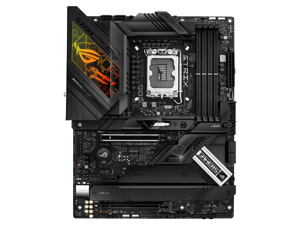
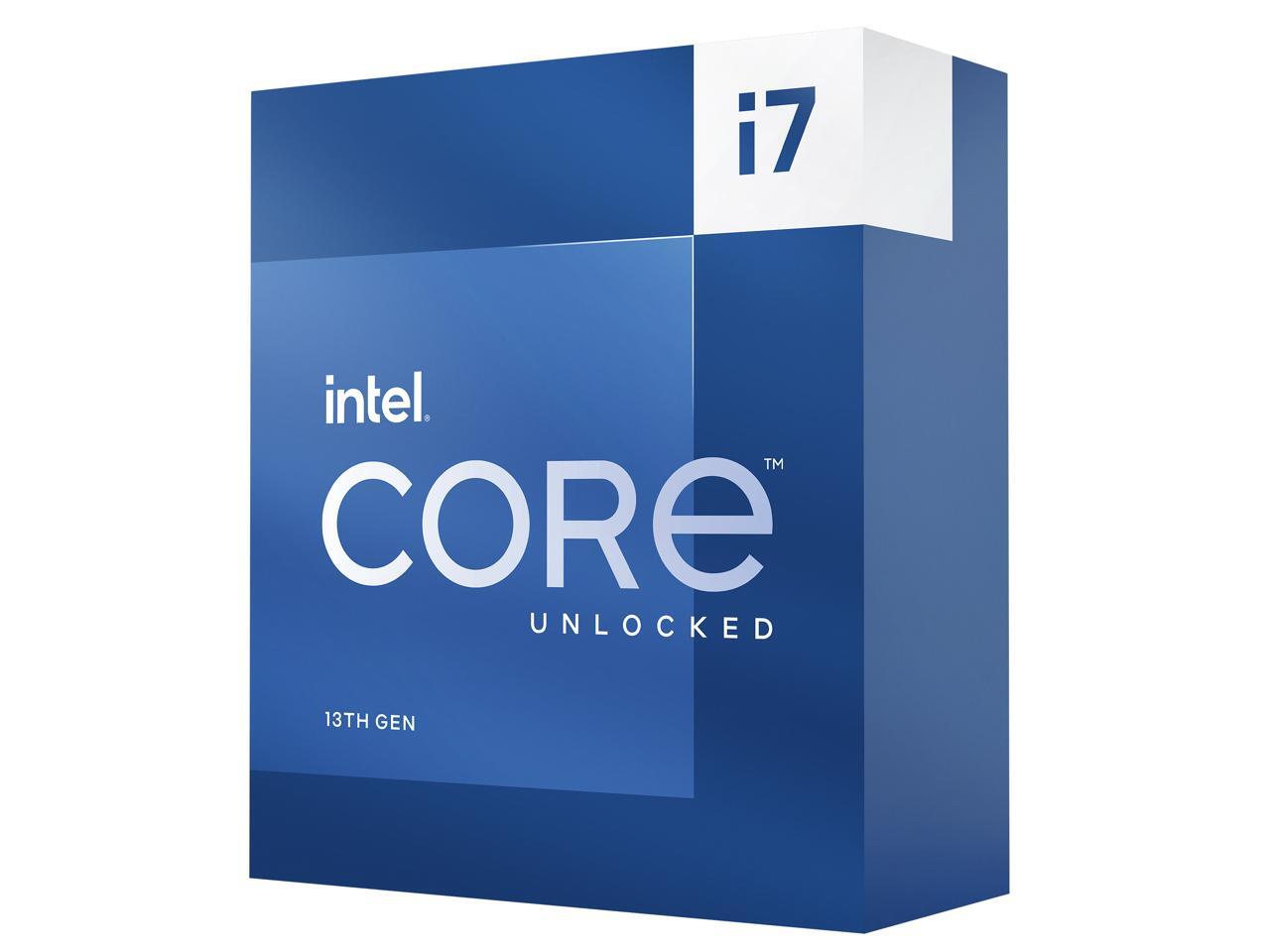
I want to buy an Intel processor, which one do you recommend, the Uncloked or the regular one.
and a rog strix z790 motherboard

and un cloked I9 13 gn, is chep know 300 ,dls

Wich you guys recomend
vast meadow
chilly narwhal
https://c1.neweggimages.com/ProductImageCompressAll300/19-118-427-04.jpg
that motherboard is a humongous waste of money, which cpu you should get depends on what youll be doing with the computer
chilly narwhal
vast meadow
that motherboard is a humongous waste of money, which cpu you should get depends...
video editor and stream and game
vast meadow
chilly narwhal
video editor and stream and game
then get a 7950x3d and motherboards that expensive are a huge waste of money, a 150-200$ one would do just a good a job
im assuming you had the budget since you where gonna buy a 400$ motherbaord
chilly narwhal
vast meadow
then get a 7950x3d and motherboards that expensive are a huge waste of money, a ...
thats mb is now $279.99 and a discount of 20.dollars
My question, what to process for me, is the one cloked or the regular one, which do you recommend?
vast meadow
chilly narwhal
thats mb is now $279.99 and a discount of 20.dollars
still overpriced, and the best cpu for your use case is the ryzen 7950x3d
chilly narwhal
vast meadow
still overpriced, and the best cpu for your use case is the ryzen 7950x3d
I don't have the budget right now for this processor, I think that with Intel I want to know if my option is right.
vast meadow
chilly narwhal
I don't have the budget right now for this processor, I think that with Intel I ...
you do if you dont just buy an overpriced motherboard, 13900k is like 100 less, even then you could 7950x non 3d
same price
chilly narwhal
ok.
chilly narwhal
vast meadow
you do if you dont just buy an overpriced motherboard, 13900k is like 100 less, ...
They do not recommend what I want to buy but if I can do what I need.
vast meadow
chilly narwhal
They do not recommend what I want to buy but if I can do what I need.
who dont lol?
software recomendations are often extremely lazy and test like 2 things
chilly narwhal
Ok, bro this processor uncooked is more better than regular ?
vast meadow
the k models are better yes
 limber fractal
is the i9 12900k worth 320 or should I spent a bit more/wait to get a i7 13700k
vast meadow
limber fractal
is the i9 12900k worth 320 or should I spent a bit more/wait to get a i7 13700k
whats the use?
chilly narwhal
limber fractal
is the i9 12900k worth 320 or should I spent a bit more/wait to get a i7 13700k
yes thats i think i713700K I more faster than the other one is correct.
chilly narwhal
vast meadow
the k models are better yes
waht is yhe difern the uncloked ,and not uncloked.?
vast meadow
chilly narwhal
waht is yhe difern the uncloked ,and not uncloked.?
what?
cerulean wadi
English be hard. Yalaniv, unLocked*. 1 can be overclocked & also higher base/boost speed (K model)
limber fractal
vast meadow
whats the use?
rn its just gaming
chilly narwhal
cerulean wadi
English be hard. Yalaniv, unLocked*. 1 can be overclocked & also higher base/boo...
ok I buy the K, it's better than the other one, that's my question and it's cheaper right now with integrated graphics, thanks for your time.
limber fractal
chilly narwhal
yes thats i think i713700K I more faster than the other one is correct.
yea but its 70 more dollars for like 5-6% better performance
i just bought the i9 12900k and if i ever change my mind imma just return it
chilly narwhal
limber fractal
i just bought the i9 12900k and if i ever change my mind imma just return it
to edit streaming and game videos, some designs
vast meadow
chilly narwhal
ok I buy the K, it's better than the other one, that's my question and it's chea...
It also has a higher power limit allowing for better multicore performance
vast meadow
limber fractal
rn its just gaming
Then get like a 7700 or 7800x3d
chilly narwhal
bt i like intel
cerulean wadi
That was to the other person. Patois multi-tasking
chilly narwhal
cerulean wadi
That was to the other person. Patois multi-tasking
I already ordered it thanks.
 tidal hound
I have 8 other usb 2.0 and 3.0 ports + a usbc so I don’t think it’s really an issue, but would it be bad to use the bios port for peripherals?
:P

I’m guessing it’s not an issue but I thought I would still ask
vast meadow
tidal hound
I have 8 other usb 2.0 and 3.0 ports + a usbc so I don’t think it’s really an is...
nope thats fine


 cerulean wadi
Might just need to re-enable it.
cursive epoch
yes
burnt spear
Depends on country
lyric turret
US
burnt spear
M450 for 1tb, 670p for 2tb
I'll have to check if you need 4tb
And if you need a high speed ssd, xs70 if it's still $88
vast meadow
 neon sigil
my friend was looking for a 1tb ssd and i told him to get the sn770
neon sigil
my friend was looking for a 1tb ssd and i told him to get the sn770
It's a decent drive but very bad value
neon sigil
vast meadow
It's a decent drive but very bad value
oh really
its like $49 right now
thought it was good for that goddamn
i just saw the sn850x for like $55 though
vast meadow
neon sigil
oh really
Equivalent 1tb drives go for like ~40$
neon sigil
i see
what would be good then
surely the 850x for $55 is good i imagine
or the msi?
vast meadow
Actually 35$ for a better drive atm
vast meadow
neon sigil
surely the 850x for $55 is good i imagine
Yes it's one of the best
neon sigil
i might as well buy one too if its that cheap
vast meadow
No better than the sn770
vast meadow
Eh
vast meadow
neon sigil
ok ill tell him to get the sn850x then
What are they using it for?
neon sigil
vast meadow
What are they using it for?
eh just general gaming and work
hes a high schooler like me so nothing serious really
vast meadow
neon sigil
eh just general gaming and work
Just get this then
https://www.newegg.com/solidigm-1tb-p41-plus/p/N82E16820329021
Sn850x is only really worth if you're doing professional work
neon sigil
ah ok
that being said i doubt he'll go for a relative no name brand knowing him but ill pass it on
also how do you decide which ssd's are better
any specific sources or
when i look at benchmarks on like tomshardware like crystaldiskmark i see the sn770 doing pretty well
vast meadow
neon sigil
that being said i doubt he'll go for a relative no name brand knowing him but il...
It's literally intels ssd section that sold to hynix
vast meadow
neon sigil
any specific sources or
Reviews, p41 hynix hsd the random speeds (most important metric) of any budget ssd, basically the same randoms as the hynix p41 platinum, best ssd on the market for randoms, and some of the best sequentials
chilly narwhal
vast meadow
Then get like a 7700 or 7800x3d
So you recommend 7700 or 7800x 3d
burnt spear
chilly narwhal
So you recommend 7700 or 7800x 3d
The 12900k is worse than a 7600/13600k in gaming
The 13600k matches the 7600, but costs more and motherboards are often more expensive, the 7600/7700/7800x3d are fine on a $125-$140 a620 or b650, the b650 hdv or a620m pro rs wifi
Right now there's a $125 good b760 pro rs that's great, but cheapest decent board with wifi and is ddr5 is $150
Could go ddr4, but lose 10-15% performance, $90-110 good mobo options
7800x3d is the best gaming cpu period
If you're doing workstation tasks, or that and gaming, then an argument can be made for 13600k/13700k
But if just gaming 10 times outta 10 you go am5 right now
14th gen might change that, as 13th gen prices will likely drop
And maybe 14th gen i5s will be more competitively priced
chilly narwhal
Because I'm order I trady the 13700k I’m thinking. Going to change for 7800x3d
I like ASUS which mobo you trcomemt that processor
For that processor
 jade hawk
guys, i bought gigabyte A620 S2H - its says in NewEgg spec... Support 6400mhz RAM
but the fact it doesnt
i put on it Corsair Vengeance DDR5 6400mhz and enable EXPO
the PC still crashing
chilly narwhal
chilly narwhal
So you recommend 7700 or 7800x 3d
Because I'm order I trady the 13700k I’m thinking. Going to change for 7800x3d
chilly narwhal
chilly narwhal
So you recommend 7700 or 7800x 3d
I like ASUS which mobo you trcomemt that processor
neon sigil
vast meadow
Reviews, p41 hynix hsd the random speeds (most important metric) of any budget s...
ah gotcha
burnt spear
chilly narwhal
I like ASUS which mobo you trcomemt that processor
I recommend not getting an asus mobo, they've had a lot of issues especially with am5 rn
burnt spear
jade hawk
i put on it Corsair Vengeance DDR5 6400mhz and enable EXPO
Am5 doesn't like over 6000mhz often
Try setting it to 6000mhz in the expo profile
 ivory nymph
Before I go down the RMA path, can someone challenge my logic on this. I have a 12900K, 13700K, Z790 MSI board, and a Z690 gigabyte board, 3 different pairs of ram sticks, as well as a few different PSU's to try. Both boards, with either CPU, give a no CPU present diag led. RAM works in my AM5 systems, same for the PSU's. Is it safe to assume bad luck and I got two dead mobo's/cpu's?
 gleaming goblet
I have a GSkill 16GB DRR4 3600MHz kit that I was running with an i5-7600k and Asus Z170-E. The board "supports" up to 3466MHz and CPU "supports" up to 2400MHz. I was able to run in XMP 2.0 mode just fine.
Now the kit is being used with an i3-12100f and Asrock B660M Pro RS. The CPU "supports" up to 3200MHz and the board "supports" up 4800MHz (O.C.). But when I try to set the Asrock board to XMP, it doesn't boot.
Could someone help shed some light on this? Also, I was able to get the BIOS on the Asrock board to show target ram speed is 3600MHz but windows only shows 2133 🤷♂️
cursive epoch
Check with cpu-z
gleaming goblet
cursive epoch
Check with cpu-z
So if CPU-Z tells me 3600MHz, I can assume the BIOS settings are correct?
cursive epoch
Yes
That's good then
If it says that
Or something like half of 3600
1333 and such
Then it's running 3600
gleaming goblet
cursive epoch
That's good then
Just confuses me that enabling XMP on a newer board and CPU would cause it to crash
gleaming goblet
I understand it's not a crazy good board
But something 5 generations older would?
burnt spear
ivory nymph
Before I go down the RMA path, can someone challenge my logic on this. I have a ...
It's technichally possible they need a bios update, just highly highly unlikely
ivory nymph
burnt spear
It's technichally possible they need a bios update, just highly highly unlikely
Makes sense. I qflashed the z690 but no change after the flash/bios reset.
burnt spear
Ah alright
The z790 would 100% not need a bios update for the 12900k
Hmm
I guess it's possible, but if that is the case you're the unluckiest person I've seen in this server
Should get a trophy
ivory nymph
for real
cursive epoch
gleaming goblet
But something 5 generations older would?
it's the cpu being 12100f
needs gear 2 to run 3600
and i don't think it has gear modes anyway, sadly
gleaming goblet
Gear 2?
cursive epoch
only k skus has it
Intel
Explains Gear 1 vs Gear 2 DDR4 Memory Speeds Support with 11th Generation Intel® Core™ Desktop Processors
here's the explanation
it halves cpu's memory controller speed
gleaming goblet
CPU-Z under the memory tab says DRAM Frequency is 1064. So I guess whatever settings I have in BIOS aren't working
cursive epoch
Yes, you have to reduce ram speed to 3200
gleaming goblet
cursive epoch
Yes, you have to reduce ram speed to 3200
No luck.
dull flint
Wut
What you should do is enable xmp then manually adjust for 3200 in the frequency tab
cursive epoch
^
dull flint
Even a bad 12100f or b660 can do that
burnt spear
Try 3000mhz then, but your windows install could be corrupted
Or the ram sticks could either be bad or have mismatching dies
gleaming goblet
Fresh install. Slot 1 and 3 in CPUZ under SPD tab are all same info
burnt spear
Did you check mobo manual to see if it should have sticks in 1 and 3 or 2 and 4?
Sorry if this was already checked
gleaming goblet
2 and 4...... how big a difference does that make?