#cpus-mobo-and-memory
1 messages · Page 21 of 1
 cerulean wadi

 versed elk
Does 13th Gen intel have the same mounting problems as 12th gen? Basically would I benefit from the termalright mounting bracket using 13th gen?
 dull flint
Yes
Lga1700 still uses the same ILM afaik on the next gen boards too
So a thermalright frame will be very good, especially if you do it from day 1
versed elk
Cool. I will get one ordered then. Just ordered mb yesterday, so I've finally committed on my platform
 grizzled bloom
Yep next gen is rumored to be LGA 1851 but still use the same physical dimensions as 1700
dull flint
Here's hoping they fixed 1700's problem
grizzled bloom
LPDDR5X 7500 is also contained in the same leak
Supposedly officially supported on meteor lake
 cerulean wadi
Yea helps maybe use some current coolers which is good (w/ or w/o adapter kit). Would be nice if 14th gen worked on current mobos for a change (or even just 700 series). 
versed elk
https://pcpartpicker.com/list/xwhCW4 This is my build so far.
Part List - Intel Core i5-13600K, GeForce RTX 3070 Ti, Fractal Design Meshify 2 Compact RGB ATX Mid Tower
 fading fulcrum
Wondering if anyone who knows more about DRAM might be able to help me. I'm running 16GB of G.Skill Trident 3600 C19 on a Gigabyte Z490 Vision G with a 10700K. Both sticks run fine at 2133 but whenever I enable XMP the computer can't post and just cycles before going into the bios and changing itself back. Even though the mobo doesn't explicitly support the RAM on its support page, the XMP profile enabled by default matches what the RAM should be able to do (3600 19-20-20-20 1.35v). I don't think it's a problem with the RAM since memtest finds nothing wrong when they're running at 2133. Don't want to mess with anything manually as I don't know much about OC'ing RAM and don't want to damage anything.
 vast meadow
What slots are the ram in (from left to right)
fading fulcrum
A2 and B2 (second and fourth from the left). I’m 95% sure this is what the manual wants as long as I’m reading it right
fading fulcrum
I’ll give that a go. Was reading through the manual and it looks like that might be the highest it supports
vast meadow
It should work fine with 3600mhz
dull flint
Z490 goes to the moon
Gigglebit 4800MHz? Yes
Sounds like something is wrong more than not supported
cerulean wadi
If xmp w/ 3200 works, then we try xmp w/ 3400, then maybe 3500. 3600c19 isn't a great bin & perhaps that ram is among those that can't really hit it's stock xmp setting.
fading fulcrum
It booted with it set at 3200
Guess I’ll just have to mess around and see where I can get it
Thanks for the help y’all 🫶
dull flint
Booting ≈ stable
 vivid lynx
Will there be a noticeable difference between 3600 cl18 vs 3600 cl16?
cerulean wadi
Not for most stuff. There's* also some 3200c16 ram that can just be oc'd up near 3600c16. 3600c18 is mighty fine.
vivid lynx
That's the plan to get 3600 ram 32gb from 3200 16gb
 limber dragon
dull flint
Z490 goes to the moon
limber dragon
dull flint
Z490 goes to the moon
z490 ehhhhhhhh, z590 yes
vast meadow
cerulean wadi
Not for most stuff. There's* also some 3200c16 ram that can just be oc'd up near...
Basically only ballistix and maybe super old b die if you where lucky
vast meadow
vivid lynx
That's the plan to get 3600 ram 32gb from 3200 16gb
You'll have to do c18 basically but usually luck of the draw to what you can do and ram oc takes ages to do, usually just easier to pay the extra 10$ or just use the 3200 kit at 3200
limber dragon
vast meadow
Basically only ballistix and maybe super old b die if you where lucky
and cjr
vast meadow
Oh right forgot that was even in any 3200 kits
limber dragon
I had a 3200c16 corsair cjr kit
vast meadow
Ah fair enough

 main pulsar
big oop
 amber canopy
proper bozo moment
dull flint
Dude they're getting the fine wine ready smh
 eternal helm
amd getting ready to commit fx fraud lawsuit 2.0 :
amber canopy
https://www.ebay.com/itm/165875487771? why does this exist

eBay
Find many great new & used options and get the best deals for G.SKILL ARES 8GB (2x4GB) DDR3 1600MHZ PC3-12800 F3-1600C9D-8GAB at the best online prices at eBay! Free shipping for many products!
this is disgusting
amber canopy
amber canopy
https://www.ebay.com/itm/165875487771? why does this exist
@dull flint @stiff kraken
lmao
 stiff kraken
what
stiff kraken
just looks like average potato ddr3 to me
dull flint
amber canopy
just look at it
I'm confused
 amber canopy
what lol
dull flint
Idk what ram it is like this
dull flint
All I know is iiwiwiwiwii

 amber canopy
dull flint
iiiiiiiiiiiiiiiiiiii
amber canopy
dull flint
iiiiiiiiiiiiiiiiiiii

 willow valve
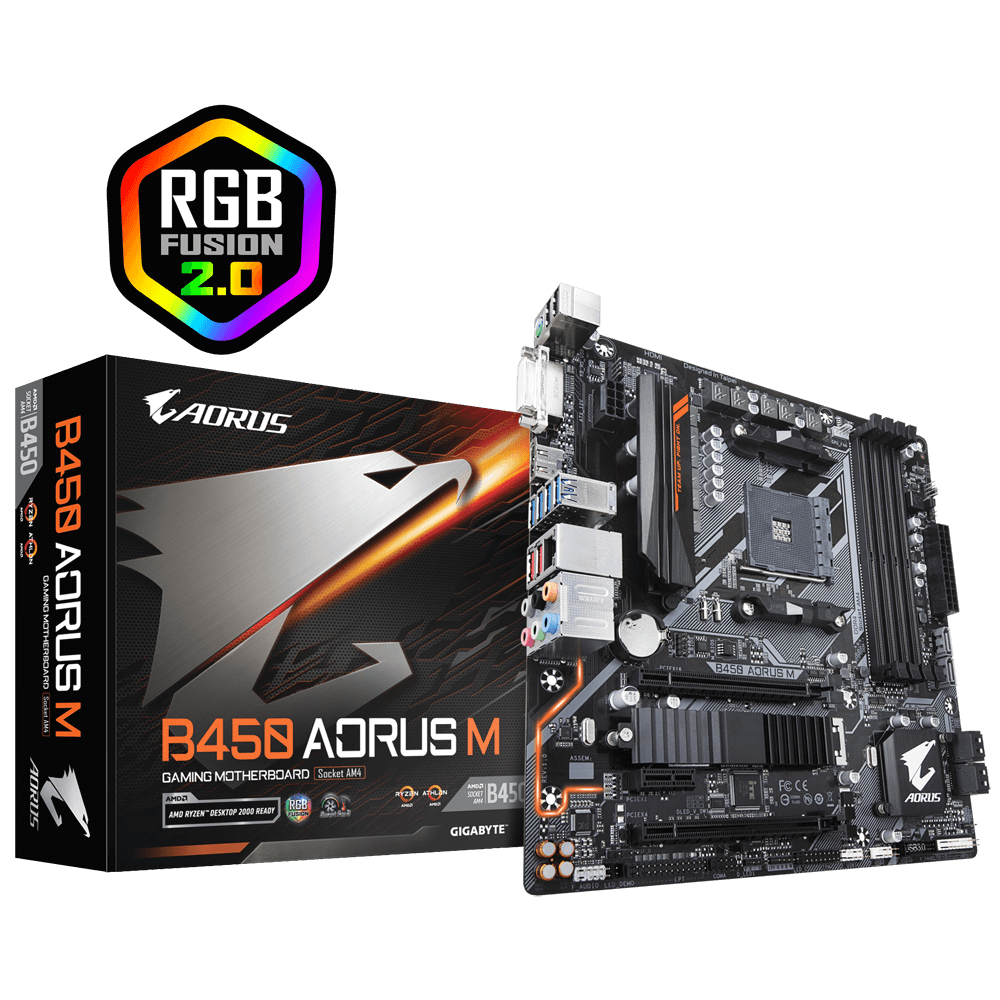
hello I have a b450 aorus M with ryzen 5 2600, im upgrading to a 5800x, besides the bios update that I need to do in order for it to support the 5000 series cpu is there anything else I need to change for software/hardware?
 hard leaf
no, just update bios and plug and play... probably a clean windows install if it gives you problems. but thats pretty rare
willow valve
sounds great, thank you
willow valve
hard leaf
no, just update bios and plug and play... probably a clean windows install if it...
hello, im a little confused
GIGABYTE
Lasting Quality from GIGABYTE.GIGABYTE Ultra Durable™ motherboards bring together a unique blend of features and technologies that offer users the absolute ...
this says that for some I need to follow F40 installation, the mobo has F42g, at the start before knowing this i tried to do the latest one and it wouldnt read the file
do I have to do all previous updates for it to let me do the latest one?
willow valve
I did
do I need to format the flash drive to fat32
can I just jump to the latest one without updating anything else
 burnt spear
It's possible, I'm not very familiar with updating bios as I've only done it twice. Worth a shot
Yes you can
If the most recent won't work, try the second most recent
willow valve
alright will do, thank you!

 vast meadow
did you put in a new CPU?
willow valve
Yes
grizzled bloom
willow valve
Yes
If you don't use bitlocker press Y.
Update your chipset drivers after you get into windows.
willow valve
I googled the error and I disabled it in the bios, does that suffice?
it didnt appear again
grizzled bloom
Yeah that's fine. I usually do the same.
willow valve
sounds good, thank you!
grizzled bloom
It would only pop up once anyway.
willow valve
it kept popping up on boot
vast meadow
Btw if you changed the motherboard you'll wanna reinstall windows
willow valve
It's the same motherboard
grizzled bloom
Same mobo new cpu
vast meadow
Ah okay
grizzled bloom
Still update the AMD chipset drivers though
2000 required a special power plan that 5000 doesn't and the new driver will know that
vast meadow
Nope

 vast meadow
That doesn't look like it adds up to 13gb
 dense heart
yeah ik
vast meadow
Can you keep scrolling in the app list?
dense heart


 vast meadow
Hmm, see if ending the razer synapse tasks impacts anything
Just process of elimination it sounds like
Also you can try using this bat file and run the ram cleaner
?bat
 silk jungleBOT
Link to a general windows fixes and scans by Risen
https://github.com/Ryzen5950XT/Windows-stuff/releases/download/Windows-utilities-and-fixes-batch-file/Win.Utils.Fixes.Latest.launcher.bat
dense heart
stopping the services?
grizzled bloom
"In use" includes memory reserved by an application that isn't actually being used
vast meadow
Ohh right
grizzled bloom
I see several things open like discord (duh), steam, antivirus, razor x10...
dense heart
idk why the antivirus is doing anything
grizzled bloom
Wallpaper engine
dense heart
that's closed
vast meadow
It's minimised
dense heart
no i closed it after that ss
vast meadow
Ah okay
dense heart
 grizzled bloom
And the VR server?
dense heart
still 75
 hollow thorn
Use rammap or the script in the bat file, clear everything and see what happens
grizzled bloom
Is steam running an update?
dense heart
atm but only started that after all this
it's about done so i'll close steam after
and what does that bat file do
grizzled bloom
It includes a ram cleaner script
vast meadow
If you go to the ram clearing section it uses a program called rammap from Microsoft, basically clears out any ram that's not needed
dense heart
now that steam and edge are closed again it's back to 65
but for literally nothing being open that makes no sense
okay testing the bat

this right?
grizzled bloom
Yep, 1
dense heart
 hollow thorn
2
 hollow thorn
iirc 1
dense heart
it doesn't do anything
it worked after i reopened it
brought it down to 44
what all will the debloater remove?
hollow thorn
random stuff that gets installed with windows
dense heart
do you know if it has options or just automatic
hollow thorn
dunno which version pato in put in the script
I think he just put this into the script
https://github.com/Sycnex/Windows10Debloater

GitHub
Script to remove Windows 10 bloatware. Contribute to Sycnex/Windows10Debloater development by creating an account on GitHub.
vast meadow
hollow thorn
dunno which version pato in put in the script
It's rawrs but i believe so
vast meadow
dense heart
1 runs it once, 2 runs it on a task schedule ie it auto runs every x hours or days idk what the default is
dense heart
what about the debloater
vast meadow
If you paste iwr -useb https://git.io/debloat|iex into PowerShell
It'll let you use options
Not sure if the one on the bat lets you change options
But that does
vast meadow
hollow thorn
I think he just put this into the script
https://github.com/Sycnex/Windows10Debl...
Can't remember but i think it explains here
dense heart
yep
dense heart
what does that mean?
 vast meadow
You need to enter your password for the account
dense heart
the actual password or pin?
vast meadow
Password
vast meadow
Task scheduler
 long geyser
grizzled bloom
It includes a ram cleaner script
long geyser
grizzled bloom
It includes a ram cleaner script
I found that hecked my laptop, caused some heavy hangup times
It also didnt help me apart from "peace of mind". It just moved most of my RAM to being cached, which Win will automatically do if low on RAM.
grizzled bloom
Ymmv
I'm never the one to suggest it but once it's been suggested I'll guide people through it
long geyser
Yeah, but also feel like it's partly cuz my laptop firmware or Win install is borked
 wind karma
 burnt spear
yeah, non x cpus have much lower power draw i believe
vast meadow
dull flint
40???
With a d15 too not even like a 360mm
vast meadow
long geyser
Yeah, but also feel like it's partly cuz my laptop firmware or Win install is bo...
My laptop (lenovo ideapad) has no issues with it, it's an i5 8250u PL'd and UV'd to crap and and has like 12gb ram idk if that's any use for you to compare too
cerulean wadi
Eco mode should be default on some of the X models tbh. AMD and Intel too busy trying to one-up eachother on performance that stock efficiency on some cpus is really bad. Well not just efficiency, but I mean avg/peak wattage.
dull flint
Oh yeah power draw is terrible I get that
But now AMD have publicly demonstrated how dumb it really looked when they shipped the x variants
I was caught on that for a while, yeeting the power for less than a couple % gains
vast meadow
dull flint
But now AMD have publicly demonstrated how dumb it really looked when they shipp...
Tbf in multicore there is like 25% differences
dull flint
vast meadow
Tbf in multicore there is like 25% differences
Not if you curve optimise it
vast meadow
Ohh?
vast meadow
Uwu
dull flint

Check prices on Amazon below
AMD Ryzen 7950X: https://geni.us/POdZz
AMD Ryzen 7700X: https://geni.us/wVA29rc
AMD Ryzen 5800X3D: https://geni.us/WfQS9s2
RTX 3070: https://geni.us/XIkf
RTX 3060 Ti: https://geni.us/bhjm
Ryzen 7000 runs really hot and absolutely chugs power out of the box - but we can fix that!
Video gear
Camera: https://geni.us/5...
vast meadow
Optimum tech 
 mild jackal
What's wrong with it running 95c? I mean, I think CO makes sense for daily, just run some corecycler overnight. Can usually do -10 at least 0 fmax.
Sub-optimum tech
cerulean wadi
This is a pretty decent power scaling article
https://www.anandtech.com/show/17641/lighter-touch-cpu-power-scaling-13900k-7950x/2


 dull flint
mild jackal
What's wrong with it running 95c? I mean, I think CO makes sense for daily, jus...
dull flint
mild jackal
What's wrong with it running 95c? I mean, I think CO makes sense for daily, jus...
It's not the 95C part (tho yes I have some reservations about that) it was more that they ran the power way up out of the box instead of shipping eco mode
I'd feel a lot better seeing them under stock coolers if they all had their 80W-ish limit
mild jackal
Agree they should've made run it like 120w or something stock, then had a one click "pbo" or "overclock mode" in bios for the 230w/95w behavior
mild jackal
dull flint
I'd feel a lot better seeing them under stock coolers if they all had their 80W-...
I mean, the chip monitors temps on some a short timescale that no matter what cooler you use, it'll stay at safe temps
dull flint
Ye I get that
mild jackal
Like, the chip putting out 100w into a prism vs 250w into an lnf2 - the tctl/tdie could be at 90c on both
dull flint
Still, would be nicer to see
Ye
But also tbf, chips for a long time have been mostly this way lol
Zen 4 just works to that limit better, ye?
 rose sentinel
hey guys okay so my pc turns on but theres a dram and cpu light flashing what can i do to fix this?
burnt spear
what mobo, cpu and ram do you have
rose sentinel
its a MSI b150 gaming m3 , i7 6700k corsair vengeance 3200mhz
rose sentinel
i got it working i had to reset ram to slot 1,3 2 and 4 wasnt working for some reason.... (idk why the ram was in thoes slots though lol)

 cinder marsh
Mobo question: Why do some mobos have a shared SATA port?
limber dragon
shared from nvme to sata? Usually because its through the chipset, and there's only so many lanes
 misty obsidian
Looking for suggestions, what's good z790 motherboard available in canada right now ?
https://ca.pcpartpicker.com/products/motherboard/#sort=price&c=162&page=1
budget is max ~400cad
burnt spear
misty obsidian
Looking for suggestions, what's good z790 motherboard available in canada right ...
Are you cpu overclocking?
misty obsidian
no, 13900k with stock clocks
burnt spear
Also ddr4 or ddr5
misty obsidian
5
burnt spear
Ok, one minute
misty obsidian
Z690-P looks good, around 350cad
burnt spear
This seems to be the best option https://ca.pcpartpicker.com/product/8ncG3C/gigabyte-z790-ud-ac-atx-lga1700-motherboard-z790-ud-ac

Gigabyte Z790 UD AC ATX LGA1700 Motherboard (Z790 UD AC)
I'd wait for a second opinion though
burnt spear
That was an early adopters issue that they fixed
vast meadow
Also if you where using 4 sticks of ddr5 that was basically impossible they might has well have made 2 stick boards
 vivid pewter
Did the 7000x3d chips ever get their prices announced?
hard leaf
yeah, on february
 cursive epoch
it's probably gonna be expensive
grizzled bloom
Probably nearly the cost of the next CPU up is my guess
dull flint
Eco mode go brrrr
 cursive epoch
but still expensive cpus ree
amber canopy
pfft, just get better cooling 
grizzled bloom
Lap it like you're not a scrub
 iron nacelle
same with 2066
use so many strips of sandpaper and tape
and then i apply lm to the copper like a brainlet and have to relap it in like 3 months when i remove cpu
amber canopy
iron nacelle
use so many strips of sandpaper and tape
ikr 🗿
 dull flint
We're here if you need an emotional support person
amber canopy
dull flint
We're here if you need an emotional support person
will you emotionally support me
dull flint
amber canopy
will you emotionally support me
I'm not ur girlfriend
amber canopy
 amber canopy
@dull flint guess what
eternal helm
chicken butt?

 amber canopy
 royal slate
Needing a good and well priced AM4 mobo anyone got any tips?
vast meadow
Country and do you already have the cpu because intel 13th gen beats out am4 in pretty much any way
royal slate
vast meadow
Country and do you already have the cpu because intel 13th gen beats out am4 in ...
USA and yes I have my cpu Ryzen 7 5700g
vast meadow
royal slate
USA and yes I have my cpu Ryzen 7 5700g
Can you return it?
royal slate
Its my current cpu😂had it for a minute
royal slate
vast meadow
Can you return it?
Would you be able to inform me of an am4 mobo and an Intel mobo with an Intel cpu?
vast meadow
royal slate
Its my current cpu😂had it for a minute
Ohh then why do you need a new motherboard?
Its a decent cpu just not a good choice if you're buying it new
royal slate
vast meadow
Ohh then why do you need a new motherboard?
I was going to be upgrading my pc and use my old parts for my gf pc but just wanting to get a better mobo and just want a good option
vast meadow
royal slate
I was going to be upgrading my pc and use my old parts for my gf pc but just wan...
Honestly unless you're having issues with the motherboard there's no point getting a new one for the 5700g
As for what you should get for your upgrade it'll depend on your budget
royal slate
Like 150-200 for a mobo would what I want to spend ideally
vast meadow
Well mobo + cpu+ ram as if you're giving the 5700g away i assume you'll need new ram too?
royal slate
I got some ram already for it
vast meadow
Well motherboard will depend on if your rams ddr5 and what cpu/budget
royal slate
vast meadow
Well motherboard will depend on if your rams ddr5 and what cpu/budget
Oh yea I got ddr4, and idk abt the cpu yet just looking for options and wanted to start at the mobo😂
vast meadow
royal slate
Oh yea I got ddr4, and idk abt the cpu yet just looking for options and wanted t...
Well what's your budget for cpu and motherboard combined because no point looking at one without the other
royal slate
Well 150-200 for mobo and maybe like 200-300 for the cpu
vast meadow
Okay
vast meadow
You need wifi?
royal slate
Would be cool but I have wifi adapters
vast meadow
Also do you have a cooler that you will be reusing?
Because that'll eat into your budget too on the higher end if you don't have a decent one
royal slate
I completely forgot about that, if you could just throw me an option for a cooler😂
vast meadow
royal slate
I completely forgot about that, if you could just throw me an option for a coole...
Lower end without WiFi
https://pcpartpicker.com/list/Jm3t2m
Lower end with wifi
https://pcpartpicker.com/list/KrpzrD
High end without WiFi ( if it has enough usb ports for your liking, it only has like 5)
https://pcpartpicker.com/list/kZpmH2 ( can put just a m.2 wifi card in which can be taken out from a m.2 wifi card if you have one of those)
If that's not enough usb ports you'd be looking at something like this
https://pcpartpicker.com/list/6GVbxs
Higher end + wifi
https://pcpartpicker.com/list/sJXWwc
burnt spear
ag620 is same price as ak620 if you don't want white btw
vast meadow
It's like 5$ more i think but ye
burnt spear
apparently they released a non rgb version that's 55 rn
burnt spear
seconded
royal slate
third
royal slate
vast meadow
Lower end without WiFi
<https://pcpartpicker.com/list/Jm3t2m>
Lower end with wi...
Appreciate it
vast meadow
No problemo
 obtuse forge
some one know that are ryzen chip safe at 1.4 volts
amber canopy
They idle at around 1.4v
dull flint
obtuse forge
some one know that are ryzen chip safe at 1.4 volts
Stock/PBO yes for ryzen 3K and 5K
Static? Absolutely not
Degradation over 1.15V static, some say even lower
Thats for chiplet cpus afaik anyway
 white pelican
what are good mobos for around $100-$150
grizzled bloom
obtuse forge
some one know that are ryzen chip safe at 1.4 volts
Which generation of Ryzen? Zen and Zen+ (1000/2000) are ok running that at load with adequate cooling for the short term, but will degrade over time faster. Zen 2 and higher, 3000+, it's very inadvisable to run 1.4v unless you're doing subzero overclocking.
grizzled bloom
white pelican
what are good mobos for around $100-$150
For what cpu, or at least what brand and generation of amd or intel?
white pelican
grizzled bloom
For what cpu, or at least what brand and generation of amd or intel?
i5-12400
grizzled bloom
Are there any extra features you need like wifi?
white pelican
yes
grizzled bloom
grizzled bloom
You could save $20 and get the ds3h ax but this one leaves room to upgrade to a 13700 or something later
cerulean wadi
140 pretty nice. Only better deal might've been my $99 proart that's been $199 ever since.
grizzled bloom
Yeah that was an amazing deal, I thought it had to be a pricing error it was so good
 cerulean wadi

obtuse forge
dull flint
Stock/PBO yes for ryzen 3K and 5K
Static? Absolutely not
5700g i think i have pbo enabled
grizzled bloom
Then no don't run 1.4v unless you're doing subzero
obtuse forge
grizzled bloom
Then no don't run 1.4v unless you're doing subzero
so i turn off pbo right
that will turn it down right?
grizzled bloom
If you haven't set the voltage manually then it's not actually running at 1.4v. It's idling there, which is different.
obtuse forge
It’s at 1.4 when full load
obtuse forge
I’m in bios and it says pbo auto
obtuse forge
grizzled bloom
What are you using to load it
CPU Z
grizzled bloom
Or that
dull flint
What mobo brand?
obtuse forge
dull flint
What mobo brand?
B550 mortar
dull flint
Hm ok, prolly just cpu-z
Asus has the funny ai overclock that can load cores with some silly settings
Wondered if it was asus lol
obtuse forge
how do i turn off the 1.4 volt setting i disabled pbo in bios alr
dull flint
Pbo and stock are both fine for 1.4
grizzled bloom
Did you touch the voltage manually? If not it's fine
dull flint
Because that's idle
obtuse forge
grizzled bloom
Did you touch the voltage manually? If not it's fine
no
dull flint
Did you change clocks?
obtuse forge
dull flint
Did you change clocks?
no
dull flint
It's likely fine
Check your load voltage
Under cb23 or p95
When you're running it
obtuse forge
im donwloading
dull flint
Not after or before
Those will tell you idle not load
Idle 1.4 is fine
Hell idle 1.5 is fine lol
obtuse forge
dull flint
Those will tell you idle not load
tested again in cinebench on full load its still 1.4 volts
obtuse forge
dull flint
Restart then go into bios
What now
obtuse forge
Where is voltage
dull flint
Make sure frequency is auto as well
obtuse forge
Ok it says 1.448 v
dull flint
You'll need to F7 then OC tab
obtuse forge
Ok
dull flint
Anything sus
obtuse forge
Nothing all just auto
obtuse forge
Oh yeah I saw videos of people testing this cpu and they are getting around 56 c while with a air cooler but me gets 70
obtuse forge
I mean with a good air cooler
70c with 50watrs of tdp
While gaming
I see people using stock cooler and getting 67 c
dull flint
Ah while gaming, that's ok
obtuse forge
I see people testing this cpu and using 70watts while playing a game but my cpu only uses 50 watts how that make sense
( 5700g )
dull flint
@limpid warren do you remember if zen 3 apu's have different voltage tolerance to chiplets?
Besides soc
obtuse forge
No I don’t know that is a thing
dull flint
Ye ryzen is complicated lol
obtuse forge
Damn I might just save up for a 5800x3d
dull flint
Eh, you have a gpu?
dull flint
Ah
obtuse forge
And then I got one
dull flint
Which gpu tho
obtuse forge
The Rx 6700 non xt
dull flint
Hm ok, good gpu
obtuse forge
Also I got some issue with my psu fan
dull flint
Issue???
obtuse forge
Chill it’s the fan
dull flint
No that's the most important part
obtuse forge
?
dull flint
If the psu fan isn't running properly then the psu will be running hotter than spec
grizzled bloom
If the power supply isn't cooled properly it can literally go up in smoke
obtuse forge
The fan speed Increases when my game is loading parts of the map
grizzled bloom
Normal
dull flint
That's normal
obtuse forge
Like loud
dull flint
Ye
obtuse forge
And I’m sure paying Minecraft
grizzled bloom
Yeah, you just got a loud model then
obtuse forge
The tuf 550
grizzled bloom
Yeah tuf doesn't have the highest quality stuff
 limpid warren
dull flint
<@808772530017665024> do you remember if zen 3 apu's have different voltage tole...
limpid warren
dull flint
<@808772530017665024> do you remember if zen 3 apu's have different voltage tole...
I know they have PBO/CO for both the APU & the CPU. The ASUS B550-F I was using set 1.25v by default for SOC (which btw is awesome for memory OC until you install APU drivers & it steals all your heckin SOC voltage). I did like 4933 with synced FCLK. Also, the die is monolithic so not sure there are chiplets?
obtuse forge
i got this pc a year ago with this psu so im using it with a rx 6700
and i got hundred bucks laying around so im looking for upgrade
grizzled bloom
limpid warren
I know they have PBO/CO for both the APU & the CPU. The ASUS B550-F I was using ...
Correct no chiplets
limpid warren
before APU stole all muh darn SOC voltage
 dull flint
You know your core voltages tho?
obtuse forge
what cpu u got
limpid warren
dull flint
You know your core voltages tho?
Core?
dull flint
Ye
limpid warren
eh let me check the archives
dull flint
His board is all auto so assuming safe but if you have it handy would be great
limpid warren
dull flint
His board is all auto so assuming safe but if you have it handy would be great
not sure about "safe" but got me silver 1b cup lol
 grizzled bloom
obtuse forge
and i got hundred bucks laying around so im looking for upgrade
grizzled bloom
obtuse forge
and i got hundred bucks laying around so im looking for upgrade

Thermaltake Toughpower GF1 PE 650 W 80+ Gold Certified Fully Modular ATX Power Supply (PS-TPD-0650FNFAGU-1)
limpid warren
dull flint
His board is all auto so assuming safe but if you have it handy would be great
I'm amazed EK is doing these https://www.ekwb.com/shop/ek-quantum-velocity2-direct-die-d-rgb-1700-nickel-plexi

EKWB - Premium Liquid Cooling solutions
Direct Die CPU water block for the Intel® socket LGA 1700-based CPUs
limpid warren
I always got the sense that de-lidding was eh taboo or something
dull flint
limpid warren
I'm amazed EK is doing these https://www.ekwb.com/shop/ek-quantum-velocity2-dire...
I saw and I'm tryna talk myself out of it

grizzled bloom
limpid warren
I always got the sense that de-lidding was eh taboo or something
Only for normies
limpid warren
nothing but LN2 beats de-lid with LM imo
dull flint
Ye
limpid warren
the solder on IHS sucks
dull flint
But I want my xtx waterblock so
grizzled bloom
Do they have one for delidded AM5 yet?
dull flint
I will pass I think unless I can really see the skies on the KS
grizzled bloom
dull flint
I will pass I think unless I can really see the skies on the KS
Bruh KS is trash.
2% better than the 7700X, 5% with 7200 memory, for more than double price
limpid warren
lol too late mine arrives Friday
dull flint
grizzled bloom
Bruh KS is trash.
2% better than the 7700X, 5% with 7200 memory, for more than d...
Point isn't to run it stock tho...
grizzled bloom
It's binned but come on, be realistic lol
dull flint
6.4 ghz game clocks?
All core?
Uhhh
That's a whole generation
I got 6.2 at high voltage on the KF but all core I can barely scrape 5.8
Even if it was a TEC, I'm being very realistic lol

It's becoming a tradition that every time a major CPU launches, I upload a video discussing the overclocking techniques and capabilities. While it's not a major launch, Intel releases the Core i9-13900KS flagship Raptor Lake processor today. The main talking point of the KS is that it's the very first desktop processor boosting to 6 GHz out of t...
Watch dis
Not saying everyone should buy it, no, pointless for anyone who doesn't know what to do with it
For the normie it is indeed trash 
grizzled bloom
6.7 was idle tho. 6.2 gaming all core is nice.
limpid warren
grizzled bloom
It's binned but come on, be realistic lol
lol wasn't the basic OC to try to run the boost frequency on all-core?
dull flint
grizzled bloom
6.7 was idle tho. 6.2 gaming all core is nice.
Big jump yeah, over 5.8
Or rather 5.6
5.8 is on the upper end of all core for k
grizzled bloom
limpid warren
lol wasn't the basic OC to try to run the boost frequency on all-core?
At ambient with a really, really good cooler maybe depending on binning
grizzled bloom
DD is a little different, it doesn't take as much cooling to get good clocks
dull flint
Ye
Except the chip will draw whatever power it wants at ambient
If it asks for 500 well, I'm in true intel hedt at that point

grizzled bloom
Might as well OC a threadripper at that point
dull flint
Kekw
@limpid warren btw a91 is supposed to have ks microcode
A6 has all the non K chips
limpid warren
grizzled bloom
Might as well OC a threadripper at that point
I would but so much $
limpid warren
dull flint
A6 has all the non K chips
we need official BIOS this is ridiculous
dull flint
Ikr
grizzled bloom
limpid warren
I would but so much $
And a grand for KS isn't?
cerulean wadi
2023 exteme edition = good deal. 
limpid warren
grizzled bloom
And a grand for KS isn't?
it wasn't a grand lol
dull flint
obtuse forge
Ok it says 1.448 v
@obtuse forge I went to check with some better eggheads on the topic and I'm pretty certain you're safe with this voltage now
I just wasn't 100% sure due to my lack of cezanne experience but we good 
white pelican
hey can someone dm me a link on the diff between ARGB and RGB
dull flint
white pelican
hey can someone dm me a link on the diff between ARGB and RGB
RGB - 12V 4 pin/remote control/molex whatever colour
ARGB - addressable, 5V 3 pin, often more expensive
ARGB also tends to come with more control for multiple lights
white pelican
dull flint
ARGB also *tends to* come with more control for multiple lights
is argb controlled through the motherboard and rgb controlled through an actual controller?
dull flint
RGB can be controlled via motherboard but it's single colour and via a 4pin 12v plug
The product has to have the 4 pin plug to do it
white pelican
oh ok
dull flint
Argb however, almost exclusively motherboard 3 pin headers
white pelican
so u only get rgb color for rgb
dull flint
Ye
white pelican
ok makes sense
dull flint
Some rgb however have hard programmed sequences of multiple colours
these won't be motherboard controlled
white pelican
ok
dull flint
Argb however can do it basically on any
white pelican
alr
if you have 3 argb fans do you use a splitter so all of them can connect to the mobo
dull flint
As long as the count of little lights in each fan doesn't exceed 80, you can (usually)
Unless the board is old or the fans are some real dodgy bootleg
white pelican
and the same thing for rgb to the rgb header on the mobo?
dull flint
Np
 drowsy steeple
Anyone have thoughts about the Asus X670-P Prime mobo?
burnt spear
X670s are not worth it over b650s unless you need 3+ nvme ssds
drowsy steeple
So save 70 bucks and go with the b650 version
vast meadow
i wouldnt go am5 unless youre getting the free ram like you do at microcenter
grizzled bloom
Honestly AM5 isn't looking too bad when the 7700X is within 2% of the 13900k
Plus 7800X3D next month
burnt spear
grizzled bloom
Honestly AM5 isn't looking too bad when the 7700X is within 2% of the 13900k
For gaming so is the 13600k tbf
grizzled bloom
True
drowsy steeple
The ram is with a processor, and I already have that.
grizzled bloom
Then definitely B650. 99.9% of people don't need the extra features of X670.
If you were in the 0.1% you'd know
burnt spear
^
vast meadow
drowsy steeple
The ram is with a processor, and I already have that.
In that case if you're in the US I'd get this
https://pcpartpicker.com/product/n8nypg/asrock-b650m-pg-riptide-micro-atx-am5-motherboard-b650m-pg-riptide

ASRock B650M PG RIPTIDE Micro ATX AM5 Motherboard (B650M PG RIPTIDE)
 delicate iris
Is it okay to have shared memory with the graphics card or does it cause a lot of slowdowns?
vast meadow
delicate iris
Is it okay to have shared memory with the graphics card or does it cause a lot o...
You can only do shared memory when using an integrated gpu
delicate iris
then my mobo must be acting funny says im sharing 8gb of my ram with my 1660
obtuse forge
dull flint
<@779835880146862120> I went to check with some better eggheads on the topic and...
thanks
burnt spear
delicate iris
then my mobo must be acting funny says im sharing 8gb of my ram with my 1660
where does it say that
 grizzled bloom
delicate iris
dxdiag
grizzled bloom
delicate iris
dxdiag
That's normal
dull flint
It will preallocate but not use it
grizzled bloom
Yeah it's just cache
That's what keeps it from outright crashing when you run out of vram
delicate iris
ah, i was hoping that was it so I could diagnose a microstuttering issue in games.
grizzled bloom
It could be related if your vram buffer is full
dull flint
Beating me to me words Fal reee
delicate iris
hmm will have to check, does it in all resolutions and settings in multiple games. Might be the slow RPM laptop hard drive too
delicate iris
just bought it, but its a 5400RPM instead of a 7200RPM
dull flint
Ok likely not that
I have a 5400 and it plays games fine
Haven't used it for games in a long time tho
delicate iris
going to try that crystal disk and see, i did kinda manhandle it a bit when installing
grizzled bloom
Slow drives mostly affect load times. Once it's loaded most of what it needs is cached in memory.
delicate iris
gotcha, ill get a performance overlay and see if im just maxing out my VRAM somehow and dipping into my shared/pagefile memory
grizzled bloom
1660 doesn't have a whole lot of memory for modern stuff
delicate iris
true only 6gb and mine isn't the super or ti version
delicate iris
I wonder if Fortnite normally takes 9 gigs of system RAM ?
grizzled bloom
Including what's used by Windows or not?
delicate iris
no just fornite itself
i got MSI afterburner and my GPU is only using 50-60% of its own memory and its sitting around the 70's in usage
15-28 ms frametimes
white pelican
what other mobos could run well with i5-12400 beside aorus pro
burnt spear
most b660s, all z690s and most b760s
white pelican
thx
amber canopy
@dull flint would you like to see something i bought

 grizzled bloom
Sassy
amber canopy
sussy
cursive epoch
sass onboard
 bronze summit
Hmmm Mac and cheese
 white pelican
bronze summit
Hmmm Mac and cheese
white pelican
bronze summit
Hmmm Mac and cheese
that’s gotta be a violation
white pelican
what’s the difference b/t an ATX and a micro ATX
eternal helm
Matx will usually be cheaper, its always a smaller board in terms of top to bottom when in a case, and it may lose some ports and stuff over a atx board
for pure value, matx usually better, but some people go for aesthetic or expandibility reasons
 scenic solar
Is there any way I can undervolt a intel m5y10c CPU? Intel xtu doesn't support those CPUs and since my surface pc gets pretty toasty I wanted to try some undervolt, btw it has passive cooling so it easily gets to 90C and throttles
grizzled bloom
Try throttlestop
scenic solar
grizzled bloom
Try throttlestop
Probably need some help with it since it's my first time using it
First thing: should I be doing the uv while charging the tablet? Do set max performance near the battery settings?
white pelican
can someone give me a short description of the B-550A Aorus Pro AX DDR4 Micro ARX LGA1700 mobo
 rocky beacon
vast meadow
white pelican
can someone give me a short description of the B-550A Aorus Pro AX DDR4 Micro AR...
rocky beacon
vast meadow
white pelican
can someone give me a short description of the B-550A Aorus Pro AX DDR4 Micro AR...
do you mean b660? because LGA1700 is intel 12th and 13th gen, lga1700 being the socket, b550 is amd, am4 (ryzen 1000-5000)
 vast meadow
ATX
dull flint
But imagine if ARX was a thing
white pelican
vast meadow
do you mean b660? because LGA1700 is intel 12th and 13th gen, lga1700 being the ...
yeah mb lol
dull flint
Which cpu did you wanna pair it with
vast meadow
its a good motherboard, got wifi/bluetooth, uses ddr4, has bios flashback (called Q flash)
white pelican
dull flint
Which cpu did you wanna pair it with
i5-12400f
dull flint
B660m aorus ax is a nice mobo, 139 iirc?
vast meadow
ye
white pelican
dull flint
B660m aorus ax is a nice mobo, 139 iirc?
yup
dull flint
That'll fit well with a 12400f if you want gigglebyte
white pelican
ok thanks
 outer adder
so if i get the same ram as the one in my pc does it matter where my ram is placed (g skill trident x)
like i know ram sticks have like cetain spots to go in
scenic solar
grizzled bloom
Try throttlestop
Is rs bench as intensive as other CPU stress test like p95 or cinebench?
scenic solar
TS bench is throttle stop stability test but I was wondering if I should have tried other stress tests for my CPU
Sorry for the ping, didn't know it was 2am for you
Btw I was able to achieve -80mV offset on the m5y10c and now it takes a lot more to throttle, still limited by the TDP but it's fine
vast meadow
scenic solar
Is rs bench as intensive as other CPU stress test like p95 or cinebench?
Would recommend p95 small ffts or OCCT small extreme
Also cinebench is not a stress test it's just a benchmark
versed elk
Any difference in ddr5 memory brands? Looking either gskill trident or corsair vengeance
hard leaf
gskill bae, c*rsair meh... unless dominators
vast meadow
versed elk
Any difference in ddr5 memory brands? Looking either gskill trident or corsair v...
Speed and latency matters, brand not really unless you care about manual ram overclcoking
 torpid shore
versed elk
Any difference in ddr5 memory brands? Looking either gskill trident or corsair v...
torpid shore
versed elk
Any difference in ddr5 memory brands? Looking either gskill trident or corsair v...
Team Group 5600 CL36-36-36-76 is the best bang for your buck right now. G.skill and Corsair you're just paying for the name.
grizzled bloom
True enough. There's only a few memory dies on DDR5 right now, and the good ones cost a lot more.
Even the cheap ones handily beat DDR4 though
mild jackal
We should try keep the recommended ram pin updated with dates
Then again the techdeals channel kinda does that, but better
vast meadow
torpid shore
Team Group 5600 CL36-36-36-76 is the best bang for your buck right now. G.skill ...
Assuming they're in the US actually this would be for only 10$ more
https://pcpartpicker.com/product/XsqPxr/gskill-ripjaws-s5-32-gb-2-x-16-gb-ddr5-6000-cl36-memory-f5-6000j3636f16gx2-rs5k

G.Skill Ripjaws S5 32 GB (2 x 16 GB) DDR5-6000 CL36 Memory (F5-6000J3636F16GX2-RS5K)
dull flint
There's a kit of guaranteed hynix m which I can't remember what the code for it is but they're like, 120 for 32gb and they're bare sticks
vast meadow
Well yea but a lot of ppl don't wanna ram oc
dull flint
I think they're patriots? I sent them to you once pato
Well no but just dialing a higher xmp is an easy saving
mild jackal
These days you can get stuff that might be a-die, and at worst m-die for under 200
vast meadow
Yeah ik what you're talking about but for most ppl they wanna just hit xmp and go
Yeah 6000mhz Kingston is like 170$
dull flint
Sure but if we really talk best bang for the buck it'd be that one kit I was shown a while back
mild jackal
dull flint
PSD532G4800K is m die
https://pcpartpicker.com/product/Zq2WGX/patriot-signature-line-32-gb-2-x-16-gb-ddr5-4800-cl40-memory-psd532g4800k
$110.

Patriot Signature Line 32 GB (2 x 16 GB) DDR5-4800 CL40 Memory (PSD532G4800K)
I found it, it's even cheaper now
dull flint
You can validate the claim if you want yeah, oc discord was very confident in this kit
mild jackal
The picture shows MEBD, so if it's not that, easy grounds for return
Idk why there are only 4 ICs, I can't imagine they're running x16
That would not be good for performance
dull flint

vast meadow
mild jackal
8000 or bust https://www.memoryc.com/42317-32gb-g-skill-ddr5-trident-z5-rgb-8000...
Yeah dor the cheap price of 700
dull flint
That 8000 kit won't even boot on my board
Maybe 1 stick
The sadge problems of a cheeky ram channel
 cedar kindle
If anyone can give me a motherboard recommendation for the 13600k I’d appreciate it. I’m hoping to get at least 3 M.2 Gen-4 slots for storage. If one is Gen-3 that’s fine
I don’t have a 12th gen cpu, so it needs to have a bios flash button or be compatible with 13th gen out of box. Motherboards are one of the things that scare me with how many options there are. Hoping to stay around or below $250
I was looking at this one, but would love some alternatives https://pcpartpicker.com/product/mcmmP6/asrock-z690-extreme-wifi-6e-atx-lga1700-motherboard-z690-extreme-wifi-6e

ASRock Z690 Extreme WiFi 6E ATX LGA1700 Motherboard (Z690 EXTREME WiFi 6E)
vast meadow
cedar kindle
I was looking at this one, but would love some alternatives https://pcpartpicker...
You going ddr4 or ddr5 and do you need/want wifi?
cedar kindle
vast meadow
You going ddr4 or ddr5 and do you need/want wifi?
DDR4, wifi is a nice to have but I don’t need it
vast meadow
cedar kindle
DDR4, wifi is a nice to have but I don’t need it
And you're in the US?
cedar kindle
Yup, smack dab in the middle
vast meadow
If this is enough usb and stuff for you and no wifi
https://pcpartpicker.com/product/kYwypg/asrock-z690-pg-riptide-atx-lga1700-motherboard-z690-pg-riptide
Non wifi but 4 m.2 slots and nicer io and vrms
https://pcpartpicker.com/product/GvmmP6/msi-pro-z690-a-ddr4-atx-lga1700-motherboard-pro-z690-a-ddr4
Although for 10$ more this has wifi
https://pcpartpicker.com/product/pgKKHx/gigabyte-z690-aorus-elite-ax-ddr4-atx-lga1700-motherboard-z690-aorus-elite-ax-ddr4
 rocky iron
anybody know where i can contact msi for motherboard issues
cedar kindle
vast meadow
If this is enough usb and stuff for you and no wifi
<https://pcpartpicker.com/pr...
Thanks for the recommendations, those seem to be the popular ones to pair with a 13600k from other places I’ve looked
 polar zenith
anyone got a good recommendation for a AM4 Motherboard, Micro atx, that has on board wifi
cursive epoch
rocky iron
anybody know where i can contact msi for motherboard issues
email them
cursive epoch
polar zenith
anyone got a good recommendation for a AM4 Motherboard, Micro atx, that has on b...

MSI B550M PRO-VDH WIFI Micro ATX AM4 Motherboard (B550M PRO-VDH WIFI)
vast meadow
polar zenith
anyone got a good recommendation for a AM4 Motherboard, Micro atx, that has on b...
Btw at least in the US there's not much point going am4 anymore
 robust hare
 polar zenith
vast meadow
Btw at least in the US there's not much point going am4 anymore
polar zenith
vast meadow
Btw at least in the US there's not much point going am4 anymore
I’m in Canada but why
vast meadow
polar zenith
I’m in Canada but why
Because in the US you can get the 12400f for just as cheap or cheaper than a 5600 and so on, and it also has an upgrade path to 13th gen
In the case for canada the 5600 +b550 still makes sense as it's like 40$ cheaper than 12400f +b660 in that case I'd get this
https://ca.pcpartpicker.com/product/RHWzK8/gigabyte-b550m-ds3h-ac-micro-atx-am4-motherboard-b550m-ds3h-ac

Gigabyte B550M DS3H AC Micro ATX AM4 Motherboard (B550M DS3H AC)
vast meadow

Tom's Hardware
Patch your Ryzen and EPYC systems.
long geyser
vast meadow
In the case for canada the 5600 +b550 still makes sense as it's like 40$ cheaper...
AssRock better choice in CAN cuz $40 - $50 CAD MIR
grizzled bloom
Hmm, time to update bios again
vast meadow
grizzled bloom
Hmm, time to update bios again
Luckily for you it only effects ryzen 2000 desktop and the apus
grizzled bloom
vast meadow
Luckily for you it only effects ryzen 2000 desktop and the apus
I thought it was 2000-6000
vast meadow
grizzled bloom
I thought it was 2000-6000
Iirc that's the laptop cpus effected but I'll check

Ye
I'm guessing that's cuz some 6000 mobile cpus are still zen +
grizzled bloom
Well LTT got it wrong in tech news today then. Not the first or last time.
vast meadow
grizzled bloom
Well LTT got it wrong in tech news today then. Not the first or last time.
actually they just said 2000-6000 series so technically they weren't wrong
grizzled bloom
They weren't wrong but they weren't accurate either
dull flint
I need to firmware updoot my lappy 
vast meadow
Yeah
 quiet aurora
My b660 says it has an led indicator light or something, but I have never seen it on
It even shows on bios
But I haven’t seen it
hard leaf
only works at the startup and if any malfunction happen. After the initial startup those led shutdown
quiet aurora
Ah alright
Thanks
I was wondering cause i thought something was wrong when the lights weren’t Turing on
hard leaf
if you want to see em, they are usually located near the 24 pin atx power cable
usually 4, vga, cpu, ram, bios
if everything is working as intended those leds are off
vast meadow
Here's an example of what they'll look like, pretty faint usually
white pelican
can someone explain what heat sink is i don’t get it that well
vast meadow
white pelican
can someone explain what heat sink is i don’t get it that well
It's the metal part of a cooler, it literally sinks in the heat
white pelican
vast meadow
It's the metal part of a cooler, it literally sinks in the heat
so it’s on the bottom of the cooler?
 split copper
I think the heat pipes and fins are also generally considered part of the heatsink
split copper
When you touch a metal pole, you feel cold because the heat you generate is escaping into the pole
hard leaf
heat sink are the big metal plates where the heat is sink
cooler is the whole kit, the union between a cold plate, pipes, heatsink and the fans
the whole set is the "cooler"
white pelican
that makes so much more sense thank you
vast meadow
white pelican
so it’s on the bottom of the cooler?
All of the metal parts
hard leaf
it cools down by transferring the heat from the silicon to the heatsink and using the fans to move that heat away from the heatsink
 lyric turret
Hey
Hey so I had a i7-12700K before I got the 12700Kf the K has integrated graphics ig, how do Ik the game is not using those instead of the gpu graphics or how do I check to see if I even have them installed
hollow thorn
If you plug the monitor into the GPU, it's using the GPU
If you plug monitor into the motherboard, it's using the igpu
lyric turret
Corrcet Ik that, but the cpu comes with intregrated graphis
lyric turret
Thinking about getting a upgrade
Don’t think my i7-12700Kf is good enough for my@hiild
Build
grizzled bloom
12700k is enough for a 4090 lol, what are you talking about
cursive epoch
They've been getting stutters in some games
I suspect it's gpu driver issue rather than the cpu being too weak
lyric turret
I RMA my gpu last week they just got it gonna get a warranty replacement on it
grizzled bloom
What memory are you using?
A lot of the time stutters can be reduced by either overclocking memory or getting a better kit
cerulean wadi
Some games are extra funky, and/or tpu is. Yes I'll start gaming on the x27q of course. 1080p on a 3080 truly feels a bit ridiculous.
 cerulean wadi
Very astute. I cherry picked CP2077, haha.
amber canopy
@eternal turtle
 amber canopy
Cool, they all actually work
 amber canopy
Updated pic of my current main RAM tray 
 vast meadow
Our first proper 13th gen non k review 
https://youtu.be/JH8UTc6lwX8

Find Aorus Gaming Laptops Here: https://www.aorus.com/en-au/laptops/gaming
Support us on Patreon: https://www.patreon.com/hardwareunboxed
Join us on Floatplane: https://www.floatplane.com/channel/HardwareUnboxed
Buy relevant products from Amazon, Newegg and others below:
Asrock X670E PG Lightning - https://geni.us/GCK0u
Gigabyte X670 Gaming X ...
grizzled bloom
Ooh, time to see how it does with a 4090 lol
amber canopy
HW unboxed 
grizzled bloom
Wow it really is just an overclocked 12100
Stagflation ftw
5% more clocks for 13% more money, get yours today!
dull flint
amber canopy
Updated pic of my current main RAM tray <:weggChefKiss:904600580419387413>
iiwiwiwiwii!
IIIIIIIIII
IIIW|_|WIII

IIII_IIII

 vast meadow
grizzled bloom
5% more clocks for 13% more money, get yours today!
vast meadow
grizzled bloom
5% more clocks for 13% more money, get yours today!
Yeah really sad
Hopefully the 13400 isn't like this i suppose even if it is at least it has some e cores
dull flint
Well since it's now a gen old the 12100F will probably get cheaper so in reality this could be a win in other ways
grizzled bloom
We already know that it's Alder Lake v2 and not Raptor Lake so those e-cores are probably all it has going for it
dull flint
Wait nvm I'm not reading again
It's just far enough down the stack it's a meh
13400 sort of gave that away when it came out

grizzled bloom
Still crushed by 7600X
 dull flint
Ye but 7600 still has platform tax
grizzled bloom
True but I did hope it would at least TRY to compete
dull flint
Stack 7600(X) higher to like, 12600K/13600K imo
grizzled bloom
wtf happened here
 dull flint
That said zen 4 scales well with a better gpu
You give up a lot of raw cpu perf but I reckon there can be a good few times where a 7600(X) build makes sense with something like a 4080
More sense than trying to work with a 13400 imo for pure gaming
grizzled bloom
I'd still wait for X3D next month
dull flint
Oh ofc
Zen 4 is still a rubbish value proposition
They have offset some of the mobo tax, but there's still the rest of it and the ddr5 tax to go with it
grizzled bloom
7800X3D is about to destroy the charts. 7950X3D is a weird core layout how only one CCD gets the vcache so it's supposed to clock high when needed on one CCD and use the cache when needed otherwise. I don't see that working too well.
dull flint
X3D will be interesting
It won't win synthetics but I agree that 7800X3D will be the one to beat
For stock gaming performance it's going to stack the reviews up fast
grizzled bloom
We already see 7700X beating 7950X in many games because of the core to core latency. At least in lows if not averages.
grizzled bloom
More Watts per core is nice too
 uneven willow
Part List - Intel Core i5-12400, Radeon RX 6700 XT, MSI MAG FORGE 100M ATX Mid Tower
grizzled bloom
Keeps my room warm when I OC my 5800X
dull flint
uneven willow
felix i remade the build and saved 500 lira
Changle cooler
If there is a cheaper cooler get that one
uneven willow
a400 got more expensive than what it was yesterday
and it doesnt look cool
what about esports duo
dull flint
Example this is $20 and it's still more than enough for the cpu
https://pcpartpicker.com/product/q6H7YJ/thermalright-assassin-x-120-refined-se-6617-cfm-cpu-cooler-ax120-se-d3

Thermalright Assassin X 120 Refined SE 66.17 CFM CPU Cooler (AX120 SE-D3)
uneven willow
34
uneven willow
dull flint
Example this is $20 and it's still more than enough for the cpu
https://pcpartpi...
i dont have this in my country
dull flint
Esports duo is good but again still premium
Go cheaper cheaper cheaper
You might make enough savings to upgrade gpu
uneven willow
msi mag forge is good too right
plus it has 5 fan slot
it comes with 3 fans 2 in front and 1 in the back
but ill replace them with p12's since i dont want any rgb
dull flint
Mag forge is fine as long as it doesn't have the glass on the front
Otherwise it's absolutely terrible
uneven willow
dull flint
Mag forge is fine as long as it doesn't have the glass on the front
the one i selected is mesh
dull flint
Ye I know
uneven willow
yeah airflow gets damaged when the front is glass
dull flint
Ye
vast meadow
grizzled bloom
We already know that it's Alder Lake v2 and not Raptor Lake so those e-cores are...
I thought that was a leak that never got confirmed, did they basically do a 10105 again? But for all the way up to 13600
grizzled bloom
Yep they refreshed Alder confirmed. 13100 is literally a 5% overclocked 12100.
Gets between 0-3% more fps for 13% more money
At least the 13400 and higher have e-cores now
vast meadow

dull flint
We kinda knew the alder lake refresh parts weren't going to be amazing in single thread perf tho
 eternal turtle
amber canopy
<@369668313208324100>
eternal turtle
amber canopy
<@369668313208324100>
my r15 is over double that
vast meadow
dull flint
13th gen doesn't support bclk oc
You mean the non k parts?
vast meadow
grizzled bloom
Yep they refreshed Alder confirmed. 13100 is literally a 5% overclocked 12100.
Well that's sad especially since ark says raptorlake, at least the 13400 has an extra 2mb l2 and l3 over the 12400
burnt spear
But the difference in mobo cost likely won't be worth it
13400f and b660/b760 probably cheaper than 12400f and bclk ocable mobo
dull flint
would it make it comparable to zen 4 tho

since mobo cost is similar but still ddr4
but then bclk 5 minute oc
and tbf 13400 and 12400 game basically the same
stock
vast meadow
dull flint
since mobo cost is similar but still ddr4
Afaik there's now the cheapest external clock gen mobo is ddr5 and like 200$
Pretty sure they're all ddr5
eternal helm
Thought the mortar max or whatever was d4?
Yeah looks like it
Heard MSI was bring our a b760m mortar max soon too 👀
lyric turret
How hot should a cpu get? Like what’s to hot?
 sudden creek
Not sure which chat to ask in, sorry in advance if this is the wrong one.
I am looking into a new server provider for my game servers and I was wondering if you guys have any recommendations.
My budget is up to $100/mo.
burnt spear
lyric turret
How hot should a cpu get? Like what’s to hot?
Depends on the cpu
I'd try to keep most under 90c
lyric turret
burnt spear
Depends on the cpu
I7-12700Kf
Mine stays at like 60,66,70C on max settings 2k res
burnt spear
That's perfectly fine
cerulean wadi
vast meadow
Even still 200$ motherboard
I debated that myself. Ended up picking the aorus pro ax b660m. If lucky, won't have issues w/ the Intel 255v ethernet chip or w/e I've read about.
hard leaf
as long as you download the lastest drivers from intel, it should be fine
i have the 225 myself as well, no problems so far
cerulean wadi
Led to believe was partly a hardware issue, but perhaps not. I seem to usually have decent luck w/ stuff though. 
hard leaf
the comment section is very misleading. Most of those angry comments are just from ppl who want the ethernet to work plug and play
when you look at the 5 star comments, some say the same... just update the drivers from intel and it will work fine
vast meadow
Zen5 looking to be big little according to leaks 
amber canopy
post the leaks
vast meadow

Oh you mean the other leaks
Fine

AMD Strix Point DESTROYS Low End GPUs - PS5 Slim = No Liquid Metal?!
Many gamers have been left understandably disappointed by the RTX 40 and RDNA 3 / RX 7000 GPUs, but there is still hope in the mid-range graphics cards and APUs. We have exclusive info today on AMD Strix Point, which is powered by Zen 5 and RDNA 3+. We examine Ryzen Strix Poin...
Believe that's the source
grizzled bloom
PS5 slim not having LM makes sense, since it's more power efficient and generates less heat
I'm pretty sure I heard that one a while ago, at least before the LM killed some consoles
 tardy inlet
Hello everyone I am looking for some help with the custom Laptop I am building out of my old bulky military laptop case it has plenty of room to hold a desktop motherboard and corresponding parts that go with it and has pre-set hole made in the case for things like the motherboard ports and SSD tray and a small graphics card if I wanted it but the problem I am running into is how to wire/solder the monitor and keyboard to the board without messing the board up and wasting a good motherboard
The board I am using is a ASUS ROG Z790-I gaming motherboard
vast meadow
grizzled bloom
I'm pretty sure I heard that one a while ago, at least before the LM killed some...
Quite possibly, didn't actually watch the video that was just the source for the zen5 leaks afaik
eternal helm
tardy inlet
Hello everyone I am looking for some help with the custom Laptop I am building o...
i personally doubt thats even possible
few issues i see at first:
PSU mounting/sizing may be insanely difficult as it used to be a laptop case
There really isnt a way to solder peripherals to a motherboard, best you could do with the keyboard is get a bluetooth one and just use the little adapter (saves some cable room)
Monitor cable cant be soldered to board
the only way i see to hardware the keyboard in other than finding some wacky adapter or header that maybe runs off pcie would be to somehow solder it into the usb traces in the board (super super sketchy and good chance you ruin the board doing it)
 midnight pollen
multi layered mobo standoffs to screw keeb directly to mobo while being clear of components
lyric turret
Gonna order the AMD Ryzen 7 7800x
hard leaf
dull flint

grizzled bloom
lyric turret
Gonna order the AMD Ryzen 7 7800x
There is no 7800X
There's 7700X and 7800X3D
grizzled bloom
Well I guess there is a 7800X but it's Intel
amber canopy
grizzled bloom
Well I guess there *is* a 7800X but it's Intel <:kekw:741678350791081994>
based
I have one

be jealous
 wicked gorge
So had a message saying memory is bad after some updates. Could it just be the updates? Also if memory How to find out which it is?
grizzled bloom
wicked gorge
So had a message saying memory is bad after some updates. Could it just be the u...
What gave you that message?
wicked gorge
I'm not 100% sure was a random pop up, and I just ran memtest. And says there's an issue
wicked gorge
And I keep getting blue screens, irql_not_less_or_equal. Has been the latest one
amber canopy
Have you run any memory tests or changed your memory settings before that started happening?
wicked gorge
I just changed it to run normal, no over clocking. And only one I ran was the memtest
amber canopy
So you have the memory running at JEDEC specification? Stock. Try running TestMem5 to start with and see if it comes up with any errors.
 amber canopy
Do you have CPU-Z installed
wicked gorge
Not familiar with that one
grizzled bloom
Reseat your memory
dull flint
amber canopy
be jealous
Do u have 7700x
dull flint
Sadge
wicked gorge
grizzled bloom
Reseat your memory
Reseated. Still running errors in testmem5
grizzled bloom
Try running one stick at a time
wicked gorge
I'll have to do that tomorrow, got 4 sticks. So just run 1 stick see if I get a blue screen/error on test? And if I don't should be good a good stick then?
amber canopy
wicked gorge
I'll have to do that tomorrow, got 4 sticks. So just run 1 stick see if I get a ...
Yea, re-run the test with each stick individually and if you dont get errors, that's good, then move onto the next stick
If all the DIMMs get errors we'll go from there
wicked gorge
Thanks! I'll update when I can!
grizzled bloom
Maybe 2 at a time since you have 4 to help narrow down which set is bad, then which one in the set
amber canopy
ivybridge-e > Zen3

 mild jackal
As usual

 amber canopy
I already did and tried some other stuff
The board is just screwed
incompetent ass seller
amber canopy
dull flint
Trust me bro

 dull flint
Haha
amber canopy
dull flint
Haha
whats so funny
dull flint
hahah
vast meadow

Find Aorus Gaming Laptops Here: https://www.aorus.com/en-au/laptops/gaming
Support us on Patreon: https://www.patreon.com/hardwareunboxed
Join us on Floatplane: https://www.floatplane.com/channel/HardwareUnboxed
Buy relevant products from Amazon, Newegg and others below:
Radeon RX 7900 XTX - https://geni.us/OKTo
Radeon RX 7900 XT - https://gen...
Seem to be roughly 12% faster than the 12400 in gaming ntb
cerulean wadi
I like saving $100 for only 12% slower.
long geyser
I just realized how huge the difference is between 13100 and 13400. Either be "very" cheap and get 4P+0E or be "kinda" cheap and get 6P+4E. No inbetween like 6P+0E.
vast meadow
Yeah well i guess they're using the 12400f to fill that spot
vast meadow
cerulean wadi
I like saving $100 for only 12% slower. <:kek:585582975136301077>
It's more like 50 but you also get 8 e cores and a lil bit more cache so in reality if you have a few things open, discord chrome etc maybe windows defender decides to scan you won't see a perf hit, and if a game like using 8 cores it can do that on the slightly slower 2 e cores +6 p
I really wanted to see like a 13200 or 13300 though with 4 e cores
Heck even 2 if they could do that
cursive epoch
I would scream if 13100 had 6p
vast meadow
Maybe 14100 🤞
cerulean wadi
Idk about your prices but 13500 to 12400 is $68 change for usa. Few days ago I bought a nice used one for $130. 
vast meadow
According to pcpp, 13500 price atm doesn't make sense at 300$ I'm sure thats just a 3rd party or something but the price diff between 12400f and 13400f is 45$
cerulean wadi
Yea for some reason brought up 13400(f) prices, haha. Plus I hope someone isn't paying $165+ for even a 12400F anymore w/ some of the sales there are.  (pic for my statement that started this dumb back n forth, lol):

I figure even if I had 7700k, 8400, 9400, or 10100 already - the 12400 is gonna be a pretty good upgrade.
vast meadow
Tbf the 13500 is supposed to be like 230 i think
 finite elm
Someone wants the "Best Gaming CPU", am I right to say wait for 7000X3D on Feb 14th? lol
finite elm
Yeee they were asking if they should switch from AMD to Intel, So I was like get the 5800X3d or Wait for the 7000X3D CPU's.
If you are switching, the 13700k or 13900k aren't bad, but the next upgrade will require you to get a new mobo, while AM5 should last a bit longer.
vast meadow
5800x3d is only good if you already have a am4 mobo now
finite elm
Ye they do have an AM4 mobo
vast meadow
Well 5800x3d would be decent but it's not "the best" granted as long as they play 1440p ~medium or high than they probably won't notice much
finite elm
I'll just tell them to get the Ryzen 3 4100 for the luls
vast meadow
Kekw
grizzled bloom
DDR4 vs DDR5 is crazy sometimes. I really do recommend D5 for 13th gen.
 cerulean wadi
I'd like to see a 1440p version of that perhaps. Pretty wild D5 lets it stretch its legs like that. 
grizzled bloom
Sadly HUB only does 1080p on their CPU test charts
vast meadow
1080p makes sense in cpu benchmarks to make sure you're not gpu bound
In 1440p you're gonna see less of a diff
cerulean wadi
Yes I know, exactly.
grizzled bloom


A good 10% difference at 1080p
But yes 1440p is closer since some games become GPU bound (or at least less CPU bound) even with a 4090
grizzled bloom
grizzled bloom
Sadly HUB only does 1080p on their CPU test charts
Oh right I forgot they do have 1440p results, they're just on Floatplane and Patreon
YO WAIT Intel locked bclk on 13th gen!
Even using a B660 with external clock gen!
cerulean wadi
Sure is a worthy alternative to 12600K I'll say. People might like that D5 is a definite help in some games at least too. Something competitive I suppose has lots of variation to not be a good bench? --- Ah, what about the B760 mortar max.
grizzled bloom
That's a BS move by Intel, another shameless money grab
So much for "let's see how far we can clock the 13400"
amber canopy
grizzled bloom
DDR4 vs DDR5 is crazy sometimes. I really do recommend D5 for 13th gen.
Ddr3 >
grizzled bloom
But only in quad channel