#cpus-mobo-and-memory
1 messages · Page 19 of 1
 cursive epoch
 unkempt cipher
So like the size of a quarter?
cursive epoch
That works
But I would go smaller since it can probably seep out
Doesn't hurt to apply more than less tho
unkempt cipher
Gotcha alright thanks so much, gotta order everything now
 versed elk
So I'm working on my second ever build. It will be used for video editing. I'm planning on using the 5800x3d. I am looking at 2 - 16gb 3600 g skill sticks. Is it worth going 2 - 32gb sticks? Or does the price per performance drop off?
He'll I think I could get 4 - 16gb sticks for the price of 2 - 32 gb sticks
 hard leaf
If you will be using it for video editing.... why a 5800x3d? thats a gaming cpu, it sucks at productivity
a 13600k will beat him full time
or a 7700x
versed elk
A friend of mine was telling me it was killer for productivity
hard leaf
he is wrong
is a killer for gaming, but sux at productivity
they dont use the extra cache
also 2x32 is way better than 4x16... less stress for the memory controller
versed elk
Good to know. Thanks. I was originally looking at the 13600k, but the mb and ddr5 is a bit on the rich side for me. Maybe I will splurge
versed elk
Yeah but why? If I'm spending for 13th Gen I might as will go for it.
hard leaf
thats true, im just saying its possible
versed elk
How well will the 13600k do with an ek 280mm AIO?
versed elk
Already have the aio
hard leaf
the only cpu that ask for superior cooling is the 13900k, the other ones can fare pretty well on air or 240/280 aios
ill take the 13600k over the 5800x3d any day of the week, both for production and gaming
granted video editing will be way better on ddr5 than ddr4, but even on ddr4 it will be better than the 5800x3d
just so you know
versed elk
OK thanks. How much does ddr5 scale against ddr4? Would 2 8gb stick ddr5 compare to 16gb sticks of ddr4?
hard leaf
its all about transfer rate, both ddr4 and 5 can have the same amount of memory storage, but ddr5 can transfer a lot more info at the same time, thats why ddr5 will be a lot better for video editing
not that ddr4 is bad, just not as fast as ddr5
but it will be fast too
versed elk
Yeah I know the size vs rate isn't really comparable. Just 16gb sticks of ddr5 is expensive 😫
hard leaf
they are not as expensive as they used to be, but then again you can go well on ddr4 anyway if you are budget tight
versed elk
I guess I will just have to see how well I do on taxes this year lol
hard leaf
this is a rough comparison, you can look for another videos on youtube

As a creator, is DDR5 worth it over DDR4 and how big is the difference? In this video you'll find out!
Sponsor Message:
👉Spice Up & Speed Up your Video Workflow With Motion Array: https://geni.us/MArray
DDR4 Testing Platform:
CPU: https://geni.us/i512600k
MOTHERBOARD: https://geni.us/AeroGD4
COOLER: https://geni.us/ryujin360
64 GB RAM:
- 3200...
if you look for more videos eventually you will make a pretty picture of what is better for you
versed elk
OK cool so ddr5 is only generally 5-10% gain. Thanks for the help
 burnt spear
versed elk
How well will the 13600k do with an ek 280mm AIO?
burnt spear
versed elk
How well will the 13600k do with an ek 280mm AIO?
Will do great
My 13600k is around 50c in games with a bit worse 280mm
Haven't seen it go over 80c
burnt spear
I haven't cpu oced no
 amber canopy

 stoic bane
Should I get 4 ram sticks (4 x 16gb corsair Dominator Platinum) or 2 ram sticks (2 x 32gb, CORSAIR Vengeance RGB Pro SL)?
My goal is to get the ram sticks for RGB, but I would also like performance and I don't know what the difference would be necessarily if I were to get the 4 instead of the two
 hollow thorn
I personally don't like Corsair's rgb on ram but 32gb sticks themselves usually don't OC well, but imc might have more trouble if you do 4x16
amber canopy
The memory controller wouldn't have a problem driving 4 16gb dimms
hollow thorn
Meant for running 3600
Depending on chip imc might not like 4x16 3600
If 2x32 sticks were already xmp 3600, they should run fine
 cerulean wadi
Ballistix here tomorrow. We'll see if I can get it to 3600c16 on b660 w/ 12400. If not, 3400ish & maybe cL15 is fine. Here's my 12400T btw. Idc, but maybe I can adjust PL to get 200+ mhz back. $139 was pretty good. Has igpu also. 👍

 grizzled bloom
12400T is probably a 12400 that failed frequency validation so they clocked it down and power throttled it. It'll never hit that 4.4GHz without bclk.
 civic bronze
What do you guys think of the MSI B550 Tomahawk mobo?
grizzled bloom
It's fine but for that price you should be jumping up to next gen
civic bronze
You have any recommendations?
grizzled bloom
What's your budget for this and what do you have already?
There's plenty of B660 (intel) and B650 (amd) boards for less than that tomahawk costs
If you have DDR4 memory already you can go for a B660 and a cpu that fits your budget
If you don't have the memory yet I'd still go Intel right now unless you have a specific reason to want AMD
civic bronze
I do have ddr4 and a ryzen 7
grizzled bloom
Which ryzen 7? There's about a dozen of them
civic bronze
5800x3d my bad
grizzled bloom
Ah ok then. You can do a much cheaper B550 than the Tomahawk that will have the same performance and features you need.
Are there any special features you want like wifi, high speed lan, usb c?
grizzled bloom
Yeah, I'd recommend the arctic liquid freezer for its offset bracket. It'll help tame that hot chip.
civic bronze
Well unfortunately I already have a different one ordered F
grizzled bloom
grizzled bloom
Which one? The 5800X3D is one of the hottest CPUs in the market right now and needs a 360mm or really good 280mm
civic bronze
I dmd it
grizzled bloom
H150i Elite... acceptable but not ideal
civic bronze
Dang...I should have asked here first then lol
grizzled bloom
It'll work ok if you're just gaming. Don't worry about it hitting 90 degrees too much, that'll happen on almost any cooler.
civic bronze
Well I'll mostly be gaming...but I stream some to, but I use a capture card for that most of the time
 dull flint
Do you have a mobo that works already btw?
Or ur going straight for a new build with the x3d
civic bronze
Yeah but I'm going to a better cpu@dull flint
civic bronze
A horrible one haha
grizzled bloom
Odds are good that even a mid tier B350 can handle the load at stock
Especially if you undervolt
civic bronze
It's a super cheap asus...let me find the specs
grizzled bloom
The only way it'll be insufficient is if it doesn't have VRM heatsinks
civic bronze
A320m possibly
dull flint
Haha still possible to work
Sadge, no heatsinks
@grizzled bloom call me stupid if this is a dumb idea
Could you buy an m.2 heatsink to stick it on a board
grizzled bloom
You'd want it to be mounted properly with proper pressure over the vrm
dull flint
Pressure huh 
Well yeah I agree with upgrading the board @civic bronze
Lolol
But always worth checking first
civic bronze
Yeah thanks for the help
I'm also not sure if I will have to upgrade the power either...but I'm not sure if this is the right channel to ask hah
dull flint
Go for it, what psu you have, and what gpu are you going to use?
civic bronze
The only thing i know about the psu is its 600w....I have a 2070 currently but might upgrade
burnt spear
I would check the model
dull flint
We like to know the exact psu name here as it helps us to learn if it's a psu loaded with safety features or something barebones, stripped and dodgy
grizzled bloom
2070 and 5800X3D should be happy on a 600W C tier
civic bronze
Alright let me check
600W Digital Storm Performance Series
That's all I can find
It was a pre-built I got from a friend and I'm pretty much stripping it
grizzled bloom
They'll take just about anything and rebrand it. Does it have any modular cables? Or all permanent
civic bronze
It has modular cables
grizzled bloom
All modular or some?
civic bronze
All
grizzled bloom
Ok so based on the available data that should at least be a C tier unit
There's very few fully modular 600W units and they're all C or higher that I can see
grizzled bloom
Yep I'd say it'll be ok
civic bronze
Alright ...thanks for all the help
cerulean wadi
grizzled bloom
12400T is probably a 12400 that failed frequency validation so they clocked it d...
We'll find out soon, lol. Idk if it's mostly that or part was making em also lower power for oems. 4.2ghz isn't too bad. Just trying to sell my FS140 for not much loss & switch to a modest $15-20 single tower, or save it for 13600(K). Also: (pic) 

 devout mothBOT
 drjuanf#8721 has been warned
Reason: Bad word usage
 cedar kindle
Is $80 a decent/average price for 32GB of DDR4 2x16 3200mhz RAM?
dull flint
to buy or sell?
cedar kindle
To buy
dull flint
to buy? kinda if it has rgb
if no rgb then no
$67 gets you that spec
sorry 70$ now

Silicon Power GAMING 32 GB (2 x 16 GB) DDR4-3200 CL16 Memory (SP032GXLZU320BDAJ7)
cedar kindle
That’s what I figured, thanks
 dusk tide
New to this PC world. But I bought a Asus Prime Z390-A 2 years ago and I use a i7-8700 and was looking to upgrade. With my motherboard am I only limited to 8th-9th gen CPUs?
dull flint
the shape of the socket means you can only fit certain cpu's in it
intel (and AMD) change their sockets as time moves on
dusk tide
Ok thank you very much. I’m trying improve my pc for gaming/streaming. Any recommendations or insight on what I should look for when it comes to upgrading my CPU and Mobo for that?
burnt spear
Supposedly intel is making an adl cpu called the n95 that is just 4 ecores with similar performance to the 1400
 eternal helm
Does it offer case air filtration too?
 sudden creek
Is this ram good? Found this for about $100 cheaper than my Trident Z5 Neo RGB sticks I had in the cart as their price went up by about $120.

Construido con componentes de alta calidad, el TOUGHRAM XG RGB D5 cuenta con un diseño único y 16 LED para una experiencia de iluminación más dinámica, proporcionando un alto rendimiento de juego con colores RGB vivos. Diseñado con 2 colores diferentes de aluminio y recortado con una raya cromada...
Cheapest 2x16 c36 6000mhz ram I could find on Amazon.vom.mx with RGB.
It uses Hynix-M-Dies and has timings of 36-38-38-76.
dull flint
Ooo that sounds decent
Oo it actually says in the article hynix m
I approve of this decision

Save the article when you buy it, as in the event you don't get the hynix m as specified, you can get a refund
sudden creek
Good to know.
Also, I found the MSI Edge board for the same price as the Tomahawk, which is better?

Este producto está fabricado con materiales de calidad. El producto es fácil de usar y se adapta a todos.
Price difference is about $10
Both with free shipping and import fees included.
hard leaf
better? no?
both the tomahawk and the edge are basically an msi-a pro but with a lot of flair
tomahawk : msi-a pro with more heatsinks
edge : tomahawk with rgb
 frosty depot
hard leaf
tomahawk : msi-a pro with more heatsinks
frosty depot
hard leaf
tomahawk : msi-a pro with more heatsinks
Except the tomahawk is way better than the other 2. 
sudden creek
Gotcha, also learned from, WiFi (Falcie) that the Edge also has 200mhz higher ram support, and 2 extra sata slots compared to the Tomahawk.
sudden creek
 vast meadow
Different heatsinks
vast meadow
Different heatsinks
For better or worse?
vast meadow
Uhh tomahawk and edge are pretty close in that regard
sudden creek
Will stick with the Edge then.
Also, finally managed to bring the system to sub-2k without sacraficing performance or aesthetics.
hard leaf
nice
finally after 3 gruesome hours, my 13600kf system is alive
😄
had some scarejumps along the way
sudden creek
Neat!
devout mothBOT
 Guaddo#4579 has been warned
Reason: Bad word usage
 naive pendant
What is a good CPU that does well for:
- multitasking,
- average amount of everyday gaming. COD, Roblox, MC & a couple other large games,
- web design/development,
- a few art projects,
- some Blender modeling.
I'm looking for a CPU that is under 200. But I don't mind if it's a little above.
hollow thorn
12400
burnt spear
https://pcpartpicker.com/product/JmhFf7/amd-ryzen-7-5700x-34-ghz-8-core-processor-100-100000926wof best bet

AMD Ryzen 7 5700X 3.4 GHz 8-Core Processor (100-100000926WOF)
naive pendant
Everyone keeps suggesting me the AMD 5600
hollow thorn
It'll probably take a bit more information, total budget and spread of what you're expecting to do with it
hollow thorn
5700x is 200$ right now so on that front, 5700x is a better bet than 5600
burnt spear
naive pendant
Is there not any good Intel CPUs
not under 200
13600kf is great for the price
and 12600kf is down to 224 right now
hollow thorn
12400f is decent for 160$ but it'll be worse for most multithread workloads
But if for some reason that 40$ saved gets you a better GPU and you want the better gaming experience, that's the better option
Otherwise, 5700x is better for most tasks outside of gaming
naive pendant
Ok
I won't be streaming or anything of that sort. I'll probably end up getting addicted to gaming & not doing anything productive lol
burnt spear
streaming is more gpu heavy than cpu now
cpu encoding for streaming is painful in most cases
naive pendant
Yea I heard
hollow thorn
What's going to be the total budget and what are you looking at in terms of other parts right now?
burnt spear
^
burnt spear
do you have a pcpartpicker.com list?
hollow thorn
What have you bought already, and how much are you willing to spend now for the rest of the parts?
naive pendant
But I'm pretty sure I'm going to have to spend about that much for things like the monitor & keyboard.
burnt spear
i'd change psu to bitfenix formula gold 650
cursive epoch
Looks all good
vast meadow
naive pendant
https://pcpartpicker.com/list/jrKdPX
If you don't currently have the psu and case I'd stretch for this:
https://pcpartpicker.com/list/vK7gyK
If you already have a case but not the psu then I'd consider stretching to this:
https://pcpartpicker.com/list/sBqXqm
If you already have the psu and case:
https://pcpartpicker.com/list/YspJDq
Part List - AMD Ryzen 5 5600, Radeon RX 6700, Fractal Design Focus 2 ATX Mid Tower
Part List - AMD Ryzen 5 5600, Radeon RX 6750 XT
Part List - AMD Ryzen 5 5600, Radeon RX 6750 XT
naive pendant
I got the case, not the PSU or anything else. I'm probably going with that CPU.
The only thing that I need to figure out is a good mobo, GPU & RAM.
Anyone know a really good mobo for the AMD R5 5600? I mean in compatibility, how gud it is, & if it has plenty of ports/slots?
dull flint
The mobo, ram and gpu are in the list
Click this that pato did:
https://pcpartpicker.com/list/sBqXqm
Part List - AMD Ryzen 5 5600, Radeon RX 6750 XT
For compatibility terms you have a handful of working options with that chip, it's a bit bare on the IO but it also works to the budget
6 usb ports isn't bad tho relatively speaking
 delicate iris
Say someone left a CPU outside in sub freezing temperatures for a few hours, how long should I wait to install it in the motherboard without the risk of condensation?
eternal helm
Depends on humidity and stuff
amber canopy
delicate iris
Say someone left a CPU outside in sub freezing temperatures for a few hours, how...
Why would that happen though, I'm confused
dull flint
That's not how 2 overclock 
delicate iris
its 72 degress inside and 21 outside so its starting to sweat
amber canopy
If that did happen, just warm the cpu back up to room temperature or a bit colder. You could calculate at what temperature the air around the cpu would start to condense but I forget the formula and I don't wanna Google it
Humidity, surface temperature, something, I suck at math
dull flint
I would definitely leave it for at least a day
amber canopy
That is totally unnecessary
dull flint
If it's frozen?
amber canopy
Literally all it needs is to be warmed back up to the point where the air won't condense on it lol
Heck, I've thawed hardware by putting it under hot water before 
dull flint
Hmm ok
eternal helm
Just please do not thaw it in the microwave
 sudden creek
amber canopy
sudden creek
amber canopy
.....
 bronze summit
delicate iris
its 72 degress inside and 21 outside so its starting to sweat
bronze summit
delicate iris
its 72 degress inside and 21 outside so its starting to sweat
My aio started to do that
I brought it back inside from the window
delicate iris
yay it still worked, now I have to install 4 separate BIOS updates in order to get my actual expensive processor to work. The newest BIOS disables the processor i'm currently using to update the BIOS so I don't know how thats gonna go.
cursive epoch
If board has flashback it's doable
If not, well..
Gotta buy a cpu
Or borrow from someone
amber canopy
ch341a lol
 long geyser
Yes, but also no. Cant trust the average person to know how to properly use external BIOS flasher tbf. I've only gotten to talk to two people who tried to use an external BIOS flasher without proper knowledge, both killed or almost killed their ROM chip with incorrect voltages.
amber canopy
it's an option
thats why i brought it up
it's obviously the person's choice if they want to go that route.
it's not that hard, and those chips dont die that easily unless you really screw it up, trust me, ive tried.
all it takes is a couple decent YT tutorials lol
long geyser
How common is it for a 1.8v chip to die from 5v input? That's what happened with the those two people, but I dont really know if their ROM chip died from that as they flashed it on an already dead GPU.
amber canopy
Oh they were 1.8V? 3V chips are more common. those are the ones I tested
Most CH341a chips come with the 1.8V adapters though so.... really silly user error on their part unless they didnt get one
 mild jackal
That will kill it instantly
Yes most ch341a come with adapters or switches, but it's an easy mistake to make
 fluid wharf
Asus a407m
My friend just bought this
PNY xlr8 ddr4 sodimm 8gb
He say the bios detect the memory but stuck on asus logo loop,
 hollow knot
fluid wharf
Asus a407m
My friend just bought this
PNY xlr8 ddr4 sodimm 8gb
He say the bios d...
hollow knot
fluid wharf
Asus a407m
My friend just bought this
PNY xlr8 ddr4 sodimm 8gb
He say the bios d...
Single or double? And is he mixing his ram
fluid wharf
Single,no mix
long geyser
For GPUs seems like 1.8V is common. Mobos I guess are common for 3V? Also how common is it for the CH341A's 5V only data lines to kill 3V ROM chips?
amber canopy
long geyser
For GPUs seems like 1.8V is common. Mobos I guess are common for 3V? Also how co...
My chips only got hot, they never died
Longest I kept one in was probably like 30s to a minute or so, I don't remember
 heavy agate
What is the best memory in this configuration:
128GB 8x16GB DDR4-3200 PC4-25600 1Rx4 RDIMM ECC Registered Memory
For this motherboard:
ASUS Pro WS WRX80E-SAGE SE WIFI sWRX8 AMD WRX80 SATA 6Gb/s USB 3.0 HDMI Extended ATX AMD Motherboard
Thanks.
amber canopy
heavy agate
What is the best memory in this configuration:
128GB 8x16GB DDR4-3200 PC4-25600...
@mild jackal
unkempt cipher
Hey is there anyway of taking our the backplate anywhere here that I'm not seeing?

 vast meadow
did you unscrew it from the front?
unkempt cipher
vast meadow
did you unscrew it from the front?
No I haven't messed with anything yet, I just wanted to know if it was possible to take the backplate out from the back
vast meadow
yeah but you need unscrew the stuff from the front
unkempt cipher
Yeah I thought so just wasn't sure if I had to yoink everything out before I even get to it
grizzled bloom
unkempt cipher
Yeah I thought so just wasn't sure if I had to yoink everything out before I eve...
It might be taped or glued down but it shouldn't damage anything if you pull it off
 sterile mauve
hey good evening guys i was wondering if someone had time in there day for me to ask them some questions about upgrading the ram in my PC
grizzled bloom
sterile mauve
hey good evening guys i was wondering if someone had time in there day for me to...
What are your questions?
sterile mauve
grizzled bloom
What are your questions?
can we talk in general 1 cause its a lot to write lol
hard leaf
in fact is better here, general is a mess most of the time with the most random topics xD
grizzled bloom
I can't do VC right now
sterile mauve
im going try my best to explain it
i wanted to upgrade my ram but the ones i have are sold as a 4 pack and im missing 2 i was wonder if i can just pop 2 more in there or should i buy another pack of 4
dull flint
Ideally buy two larger sticks and sell the 2 you have to avoid stability
sterile mauve
i was thinking that since i really didnt know
but i dont know what to buy really smh
dull flint
Well depends on what your system specs are
sterile mauve
dull flint
Well depends on what your system specs are
are you available for vc 1
2mins thats it
dull flint
I don't do VC
sterile mauve
ok check this out
my ram sticks in my pc say corsair vengeance cmk32gx4m4b3200c16 on the side
when i google it only a 4 pack comes up
sterile mauve
yea
dull flint
Just sell them
sterile mauve
but i need 32 or more
sterile mauve
ok thats what i was going to do and just but the 2 pack 16
sterile mauve
so i can put any ram sticks in my pc
dull flint
Silicon Power GAMING 32 GB (2 x 16 GB) DDR4-3200 CL16 Memory (SP032GXLZU320BDAJ7)
This kit
dull flint
Or this if you want rgb
https://pcpartpicker.com/product/kGkWGX/geil-orion-rgb-amd-edition-32-gb-2-x-16-gb-ddr4-3200-cl16-memory-gaosg432gb3200c16bdc

GeIL Orion RGB AMD Edition 32 GB (2 x 16 GB) DDR4-3200 CL16 Memory (GAOSG432GB3200C16BDC)
sterile mauve
i like the ones you just referred
me thanks buddy
hollow knot
i went for g. skill ripjaws v 2x16 for 85
dull flint
85 for ripjaws what freq?
hollow knot
3600
hollow knot
i went 3600 since i had a ryzen build
sterile mauve
whats is the best for gaming in that price range if you had to decide
dull flint
SP's
sterile mauve
i have a i7-8700k
dull flint
hollow knot
i went 3600 since i had a ryzen build
Makes sense
sterile mauve
ok perfect
dull flint
sterile mauve
i have a i7-8700k
Definitely the SP's
hollow knot
then philly sp
sterile mauve
ok thanks
 violet helm
is corsair rgb pro 3200mhz cl16 16gb ddr4 going to be fine for gaming
vast meadow
It'll work but it's usually super overpriced
violet helm
vast meadow
It'll work but it's usually super overpriced
its like 60 bucks or sum
70 bucks
burnt spear
Silicon power 3200c16 kit is $40
vast meadow
It has no rgb but almost double
hard leaf
violet helm
its like 60 bucks or sum
yeah uber overpriced, you can get 2x16 3200c16 at 65usd most of the time
 hardy sage
Is pny ram any good?
My brother is wanting to buy a pc and we found this
is there another brand at the same price and speed that would be better?
vast meadow
hardy sage
is there another brand at the same price and speed that would be better?
This is the same perf for 10$ lees
https://pcpartpicker.com/product/P4FKHx/silicon-power-sp016gxlzu320bdaj5-16-gb-2-x-8-gb-ddr4-3200-cl16-memory-sp016gxlzu320bdaj5

Silicon Power GAMING 16 GB (2 x 8 GB) DDR4-3200 CL16 Memory (SP016GXLZU320BDAJ5)
hardy sage
vast meadow
This is the same perf for 10$ lees
https://pcpartpicker.com/product/P4FKHx/silic...
Awesome, thanks a lot!
vast meadow
np
 whole oasis
Quick question guys, I am planning to buy (2x8) of rams and this is my 2 options,
Kingston Fury Beast 16GB(2x8) 3200MHz DDR4 CL16.
Teamgroup Elite Vulcan TUF 16gb 2x8 Memory 3200mhz Ddr4
MOBO : Gigabyte Z390 GAMING X ATX LGA1151
CPU : Intel Core i5-9600KF
GPU: MSI Gtx 1050ti
dull flint
The cheaper one
whole oasis
what RAM stick is compatible in my MOBO?
dull flint
Likely both are
Z390 is sort of at the time where it starts to not really matter much which ram
And 3200 is part of the standard speeds of ddr4
So it should just work whichever kit you get
whole oasis
because someone told me that if i get 2 3200mhz it will not work on my mobo?
dull flint
Well that board says it supports up to 4133 so I think you're fine
If they're saying that based on QVL, QVL is a bit of a meme
whole oasis
thank you very much 😄
dull flint
Np
Just don't go mixing kits
So like, 2x8 of one kit then 2x8 of another
It's a big oof
whole oasis
okay okay
dull flint
dull flint
For budget 16gb 2 options
Silicon power gaming 2x8 is like, 41$
Silicon power zenith has rgb and is 49$
2x8 again
For 2x16 you have silicon power gaming again (yes they like to be the cheapest) at $67
whole oasis
never heard of that brand
dull flint
It's ok
They're basically hynix mystery meat sticks
They're very good value for money
cerulean wadi
Lmao, hynix mystery meat. Love that phrasing.
whole oasis
okay okaay
dull flint
I think the cheapest 2x16 rgb is teamgroup?
Tforce deltas
They're like 81$ iirc
Use this website below
Choose Your Parts
Go to the memory tab and search these up
Sort by price lowest first
It'll give you the cheapest and where to buy
whole oasis
thaank you again 😁
 upper aspen
whole oasis
because someone told me that if i get 2 3200mhz it will not work on my mobo?
upper aspen
whole oasis
because someone told me that if i get 2 3200mhz it will not work on my mobo?
also i u get faster ram then the mobo can handle the ram will just slow down to the maximum supported speed
amber canopy
fr
bronze summit
grizzled bloom
No one should be buying zen 1 today anyway
Wym zen 1 is good just like x79

burnt spear
what ram speed would be ideal for 1000 series?
my friend has one with a single stick of 8gb 2133mhz, so I'm looking for a kit to suggest to him
but idk if 3200 would be stable
vast meadow
burnt spear
but idk if 3200 would be stable
Id say 2933/3000 to be safe
Could always tell them to xmp then downclock to 3000
burnt spear
he knows nothing about computers so it'd be tedious to show him how lol
vast meadow
Fair enough
 gloomy violet
my f panel cable isn’t working. anyone have any suggestions? pc is able to run when using a screwdriver. yes, the pc is plugged in.
amber canopy
bronze summit
Wym zen 1 is good just like x79
x79 is literally flat out better than zen 1
bronze summit
amber canopy
x79 is literally flat out better than zen 1
sus
amber canopy
🗿
grizzled bloom
1650 v2 scores about the same as a R5 1600 and for a lot cheaper, plus quad channel memory. So yeah x79 is a better choice there I feel.
eternal helm
I'm going to cheat and call the 1600af a zen one due to naming, which beats a 1650 v2
Get clowned x79 bummer
amber canopy
have fun overclocking memory on it let alone reaching anywhere near the same bandwidth
grizzled bloom
eternal helm
I'm going to cheat and call the 1600af a zen one due to naming, which beats a 16...

1600 AF alone, not including memory or motherboard, costs as much as a 1650 v2, quad channel memory, and motherboard
eternal helm
amber canopy
have fun overclocking memory on it let alone reaching anywhere near the same ban...
I'll make a 1600afg then
grizzled bloom
Ok but why cut down the already low cache by adding an iGPU
grizzled bloom
That is an abomination and I'm behind it 100%
grizzled bloom
Not necessarily
hollow thorn
eternal helm
1600AFGx3d
So monolithic and 3dvcache?
grizzled bloom
Yes, I love the idea lol
hollow thorn
Giant block of cache
grizzled bloom
Too bad those zen+ cores can't decouple fclk
So it'll still be a lower memory bandwidth than x79
long geyser
Hack the architecture's mainframe, make it decouple fclk
eternal helm
Any piece of silicon can be overclocked if you're determined enough
amber canopy
xeon phi lol
grizzled bloom
eternal helm
Any piece of silicon can be overclocked if you're determined enough
Wire an external clock generator to a motherboard that didn't have one in such a way that it only affects the desired clock using a potentiometer
eternal helm
Perfect
amber canopy
https://www.youtube.com/watch?v=vcJDWMpxpjE this is cool
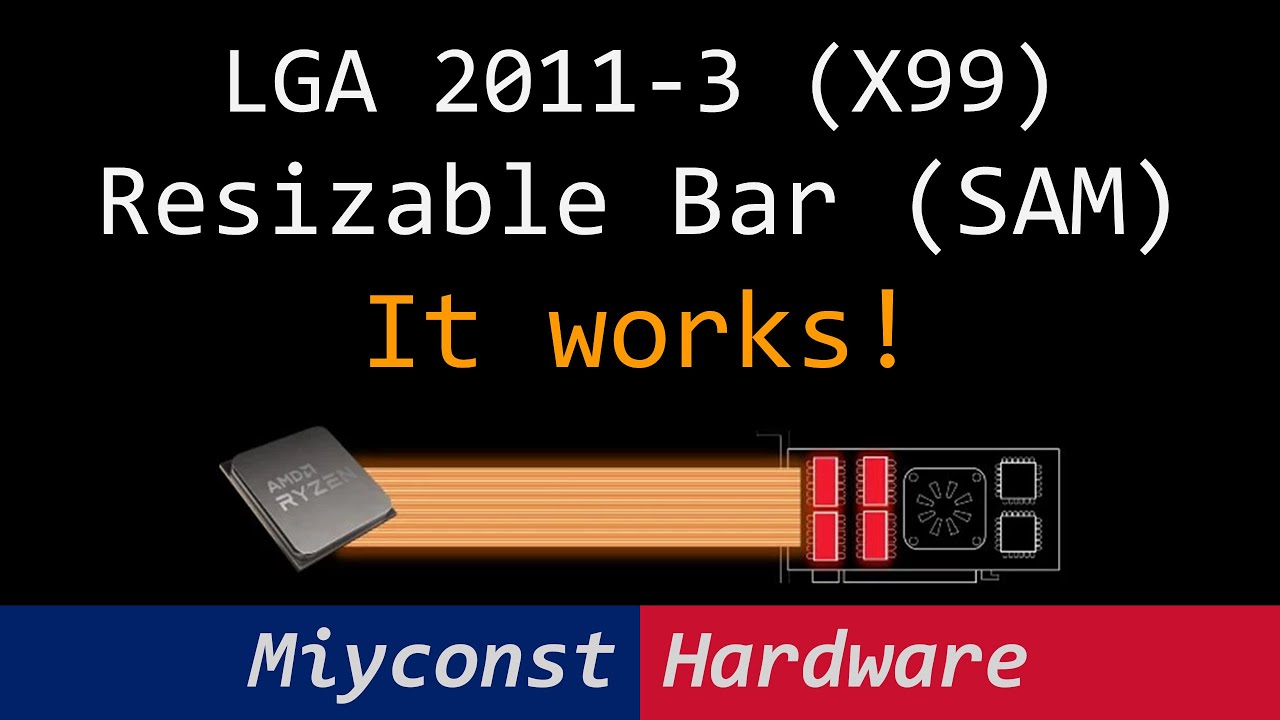
Українська версія: https://youtu.be/MWqKrTG85Zs
00:00 Welcome to Miyconst Hardware
02:40 Warning!
03:25 Preparation
05:10 BIOS update
07:01 BIOS settings
08:01 Validation
08:17 Enjoy & Like
Support Ukraine:
https://www.hospitallers.life/
Download links:
https://github.com/xCuri0/ReBarUEFI/releases
https://github.com/LongSoft/UEFITool/releases...
Some X79 boards also supported this as well, without any funky modding
cursive epoch
bruh damn
dull flint
Another reason to comprehend that this X99 is alien technology
cursive epoch
^
amber canopy
 sterile temple
Hello, just wondering if you know the solution of games crash with XMP enabled on Asus z690 maximus and CORSAIR Dominator Platinum RGB 32GB (2 x 16GB) DDR5 6200 (PC5 49600) Intel XMP 3.0 . I couldn't play a single game, also orange light blinking on the motherboard. I think something wrong on bios or ram I couldn't find the solution yet.
dull flint
sterile temple
Hello, just wondering if you know the solution of games crash with XMP enabled o...
Cpu?
It sounds like a bad kit tbh
Or board
sterile temple
dull flint
Cpu?
i9 12900k
dull flint
Ok that should just run out of the box tbh
Try 1 stick of each in the two slots A2 and B2 (the second and fourth farthest slots from the cpu) at xmp and see if it will have problems
1 stick of 16gb is not really slower than 2 sticks with ddr5 due to 2 32 bit channels so it shouldn't impact the experience much
But you'll be able to test if it's mobo slot or ram stick like this
Or in a rare event, a bad imc on the cpu
sterile temple
dull flint
It sounds like a bad kit tbh
yes I tried and it did not boot on a2 b 2
dull flint
At all?
sterile temple
dull flint
At all?
yea it just goes strait to bios
sterile temple
I don't know the numbers but when I had it closer to the cpu it did not boot
dull flint
CPU >>> A1 | A2 | B1 | B2
sterile temple
currently it's on a2 b2
dull flint
Try a1 b1
sterile temple
Okay
dull flint
Unless you already did and it's worse
sterile temple
if it doesn't work, what could be the problem?
sterile temple
dull flint
Easily fixed, just warranty it
sweet, and as far as the ram what is the best I could replace it?
sterile temple
lol and CORSAIR Dominator Platinum RGB 32GB (2 x 16GB) DDR5 6200 (PC5 49600) Intel XMP 3.0 is not bad just my kit is damaged
vast meadow
Or if you get money back, it will depend on where you live mainly
dull flint
Take it back to where you bought it with a receipt and explain what happened
Or if online, make a warranty claim
vast meadow
sterile temple
lol and CORSAIR Dominator Platinum RGB 32GB (2 x 16GB) DDR5 6200 (PC5 49600) Int...
It's pretty badly priced but its okay
dull flint
sterile temple
lol and CORSAIR Dominator Platinum RGB 32GB (2 x 16GB) DDR5 6200 (PC5 49600) Int...
It's a very good kit but bad sticks at that point yes
sterile temple
dull flint
Or if online, make a warranty claim
I will do that for sure haha
dull flint
Hynix M should just run at 6200 on Maximus
It's not really copium 4 dimmer enough to not
Unless you got really unlucky lol
sterile temple
haha
dull flint
If you find yourself with a refund @sterile temple then pop back in here again and give me a ping
But yeah test a1 b1 first
sterile temple
dull flint
If you find yourself with a refund <@838342092232589325> then pop back in here a...
Sure I got it from newegg
I have to call them back and see the options
dull flint
All g
grizzled bloom
Another C*rsair kit having problems?
delicate iris
Does a chipset driver have anything to with installing BIOS updates? For some reason anytime I try to installed a BIOS revision past 07/2021 it says that the BIOS file is invalid.
grizzled bloom
Not the chipset driver
But sometimes you need a stepping stone version of bios to update to before doing a newer one
Especially Asrock and sometimes Gigabyte
delicate iris
I stepped up to the version right below the one I need my CPU to work on but I can't get it to recognize the file for the life of me. I wonder if it's because it will disable support for the CPU I currently have in it on order to update the BIOS.
grizzled bloom
What board are you using and what version are you on currently
delicate iris
ASUS Prime A320M-K, BIOS revision 5606 07/13/2021
grizzled bloom
Ok so when you say it'll remove support for your current cpu, you're using an A series chip or Athlon?
grizzled bloom
I think it would still update and just not post afterwards, at least that's what my X470 did
delicate iris
Yeah thats what I was hoping for, I wonder if I'll have to do some complicated EFI shell stuff to force it.
grizzled bloom
You've tried all the newer version of bios? 5862, 6024, and 6042?
delicate iris
Yep all three and used the renaming tool as well just in case
grizzled bloom
Weird
Well the renaming tool is only for flashback
I've seen issues like this when someone downloaded a bios for a very similar but not quite the same model
Last thing I can think of is double checking the model name in the bios info page matches exactly to the download page
delicate iris
Gotcha, will do
 olive zephyr
Hey one of my friends is looking for what motherboard they have they have a motherboard called Lenovo and the base model is 3716 its black, but I am unsure if I found what I am looking for? I dont want to tell him to get RAM he cant use because the MOBO doesnt support it
hollow thorn
OEM Lenovo board isn't going to be commercially available, what chipset is it?
hollow thorn
olive zephyr
Hey one of my friends is looking for what motherboard they have they have a moth...
Actually tell them to download cpuz and take a screenshot of it on the CPU screen
olive zephyr
I never heard of CPUZ
hollow thorn

CPU-Z is a freeware that gathers information on some of the main devices of your system :
			Processor name and number, codename, process, package, cache levels.
			Mainboard and chipset.
			Memory type, size, timings, and module specifications (SPD).
			Real time measurement of each core's internal frequency, memory frequency.

		T...
Which link should he do?

 inner mist
THANK YOU SO MUCH
hollow thorn
?
olive zephyr
Zennii is my friend


 cursive epoch
looks like ddr4 running at 3200 mhz
olive zephyr
So his board can handle up to 3200 MHZ of DDr4? Just making sure.
cursive epoch
yes
vast meadow
olive zephyr
So his board can handle up to 3200 MHZ of DDr4? Just making sure.
It will only so 3200mhz cl22 though
olive zephyr
I have never heard the term of cl22.
vast meadow
I'd be very surprised if any oem boards have xmp
vast meadow
olive zephyr
I have never heard the term of cl22.
It's the cas latency number
hollow thorn
It should just run everything at 3200c22 so while looking for ram you don't have to pay attention to it, even though it performs worse
(Assuming it doesn't let you do xmp)
olive zephyr
This was a prebuilt so I am unsure of what the exact board can do.
So DDr4, 3200mhz with cl22
Would you guys recommend a 16 GB, or 32 GB Kit of RAM for this?
vast meadow
hollow thorn
It should just run everything at 3200c22 so while looking for ram you don't have...
Will it because ik on normal boards 3200c16 kits will run like 2133
Depends how much you wanna spend and your use case i guess
olive zephyr
$80 - $200.
I currently see:

Corsair Vengeance LPX 32GB (2X16GB) DDR4 3200 (PC4-25600) C16 1.35V Desktop Memory - Black, 2 count (pack of 1)

TEAMGROUP T-Force Vulcan Z DDR4 32GB Kit (2x16GB) 3200MHz (PC4-25600) CL16 Desktop Memory Module Ram (Gray) - TLZGD432G3200HC16FDC01
hollow thorn
vast meadow
Will it because ik on normal boards 3200c16 kits will run like 2133
Yea but it seems like it was just defaulting to that freq so I'd assume it'd continue doing that
vast meadow
if 16gb https://pcpartpicker.com/product/P4FKHx/silicon-power-sp016gxlzu320bdaj5-16-gb-2-x-8-gb-ddr4-3200-cl16-memory-sp016gxlzu320bdaj5
if 32gb https://pcpartpicker.com/product/B8QcCJ/silicon-power-gaming-32-gb-2-x-16-gb-ddr4-3200-cl16-memory-sp032gxlzu320bdaj7
Silicon Power GAMING 16 GB (2 x 8 GB) DDR4-3200 CL16 Memory (SP016GXLZU320BDAJ5)
Silicon Power GAMING 32 GB (2 x 16 GB) DDR4-3200 CL16 Memory (SP032GXLZU320BDAJ7)
olive zephyr
Thank all of you for the help ^-^
vast meadow
no prob
 cyan raft
Speaking from experience here, Lenovo boards do not offer XMP
vast meadow
cyan raft
Speaking from experience here, Lenovo boards do not offer XMP
Yes but does it run xmp sticks at 3200 jedec?
cyan raft
Yeah it does
That’s what came stock with mine
Oh XMP sticks, I’m not sure
I think it might’ve, I know I tried it a while back but I honestly don’t remember
delicate iris
If I use an AMD stock cooler do I need to set a more aggressive/manual fan curve? For some reason my old 2017 CPU is idling at 48 celsius.
grizzled bloom
What cpu exactly?
grizzled bloom
So you've got the wraith stealth, which is the worst of the stock cooler options
Luckily the 2600 isn't a hot chip
Idle temps don't matter at all, how's you load temp?
delicate iris
Actually haven't tested it under load yet, got concerned when I saw the idle
I'll prime95 it and see.
Also, when putting in an M.2 ssd even if it's unitialized it should still show up in the BIOS right?
grizzled bloom
Yes
delicate iris
Oh I got gen 4 by accident that's probably why it's not showing up.
grizzled bloom
That shouldn't matter, it's supposed to be cross compatible
 lusty crow
what would u guys rate the ryzen 7 7800x 1 through 10 disregarding the price for it (please don’t reply with another cpu and say it’s better i just wanna know the general answer)
dull flint
7700X? Meh
I can't disregard the price as considering what it is, that's a huge factor
Perf wise? Good, but not in W11
I know I'm not gonna sound very favourable here but it just makes a lot more sense to shop elsewhere than AM5 rn as the value for money just isn't really there *(yet)
hard leaf
true, 7800x meh
dull flint
If I was to say ignoring a budget, I would still not be picking 7700X as it's not truly winning anything
hard leaf
in fact as felix said, am5 is not worth rn
dull flint
Like for 7700X money I'm sure you could do 5800X3D which is just objectively better for the lay person *in games
Or otherwise 12600K/13600K for productivity
grizzled bloom
Or just wait 1-2 months for 7800X3D
grizzled bloom
Probably not any hotter than the current ones that are designed to run at 95C
The IHS will be thinned to make room for the cache
And a big reason current ones are so hot is that thick IHS
burnt spear
Ah ok
 lost epoch
I learned the hard way to not get a ddr5 motherboard unless you have ddr5 ram :/
First time builder
 celest wasp
is this the right channel to ask for help about choosing the right ram for upgrading a newly purchased laptoip?
amber canopy
Yes 
naive pendant
Need some help with something
Current setup:
5800X
Gigabyte B550M Aorus Pro-P
EVGA RTX 3080 Ti XC3
32GB Corsair DDR4 3600 18-22-22-42-84-1T
1TB WD SN550 SSD
Corsair RM750x PSU
Corsair H100i RGB Elite
Thermaltake Core P3 TG Snow Edition
3x Sceptre 24" 2k displays
I mostly use my computer to fly on MSFS. I have narrowed my issues of not really making it to the next level of simulation rendering from software to the hardware that I am using. I am close, and considering the previous versions of FS, it looks amazing. But, it can get better, I know this because I have seen it.
My question is this, do I use the platform I have listed above and just get a 5800X3D, or do I invest the money and go AM5?
hollow knot
does pbo harm cpu lifespan?
vast meadow
naive pendant
Need some help with something
Current setup:
5800X
Gigabyte B550M Aorus Pro-P...
5800x is a great cpu and it's too early to buy anything worth your money that's a real upgrade over it and MSFS is a pretty graphically demanding game especially if you're running tripple monitor you should make sure PBO is on in bios, it should give soms nice gains in cpu perf, while you're there, double check XMP is on and you could overclock your gpu, technically you could upgrade but the only real upgrade worth your money right now is a 4090
vast meadow
hollow knot
does pbo harm cpu lifespan?
No
hard leaf
just wait for ces on early january for the am5 non x variants or some news on the x3d ones if you are into am5
if not just as pato said, only upgrade on your setup is a 4090 or a complete overhaul to am5
hollow knot
is there any diff in perf ddr4 vs ddr5 rn
im not upgrading or anything im just wondering
hard leaf
yeah ddr5 have a higher megatransfer rate
depending on the app and the MT rate that could translate between 5-20% more performance
hollow knot
hard leaf
depending on the app and the MT rate that could translate between 5-20% more per...
but perf is still low min like going between 3080-3090ti /6800xt-6950xt
hard leaf
you are comparing apples to potatoes
hollow knot
nvm then
hard leaf
an example, on games a ddr4 3600c16 is as fast or even faster than a 5200c40 kit
faster ddr5 like 6000c32 or something translate on a 4-7% more performance in game
but video apps or cad applications can lever a lot more performance from the higher transfer rate of ddr5 kits
for gaming ddr5 kits are meh upgrade, but for workload apps ddr5 is way superior
hollow knot
@hard leaf i meant on a gaming perspective
sterile temple
Hey guys, does orange blinking light on the asus motherboard a bad sign?
hard leaf
you should check your mobo manual to be sure
grizzled bloom
sterile temple
Hey guys, does orange blinking light on the asus motherboard a bad sign?
That depends on which light exactly it is, there's at least 4 if it's a debug light
sterile temple
grizzled bloom
That depends on which light exactly it is, there's at least 4 if it's a debug li...
Z690 Hero underneath the GPU orange light flashing
sterile temple
hard leaf
you should check your mobo manual to be sure
sure
grizzled bloom
sterile temple
Z690 Hero underneath the GPU orange light flashing
Is it this one?
 sterile temple
grizzled bloom
Is it this one?
sterile temple
grizzled bloom
Is it this one?
Yes
grizzled bloom
Just an activity light then, nothing to worry about
sterile temple
grizzled bloom
Just an activity light then, nothing to worry about
cool thank you
 solar marsh
does anyone know what the red lights that the Asrock b550 has mean? the pc i'm using dosent show video and when i connect the gpu it dosent do anything not even the fans
it has the cpu red light and dram on
cursive epoch
solar marsh
does anyone know what the red lights that the Asrock b550 has mean? the pc i'm u...
What cpu, ram and mobo do you have?
solar marsh
hold on

it's for a cousin and they told me they had to Buy a new psu cause the last one burned
cursive epoch
cheap prebuilt moment
cursive epoch
well um, if the pc was working before the last psu died
solar marsh
cause the gpu fans don't even work
cursive epoch
the mobo must've been fried
solar marsh
prob
burnt spear
^
cursive epoch
only way would be to test the gpu, cpu and ram in another am4 rig
cursive epoch
yeah you can try that, but for ram make sure to disable xmp before that
can cause the pc not to boot with different ram
solar marsh
how can i do that if it dosent even boot
solar marsh
si there any chance of like my pc getting fked
cursive epoch
fried components will just not work
cursive epoch
if it's just mobo that's dead then that's not too expensive of a fix
if gpu dies too then yeah, oof
solar marsh
yea they said they sent it to get built and the guy just gave it too much voltage and it fried the psu
oh bruh
if i use Radeon don't i need the drivers
cuz my Main pc has an nvidia gpu
 golden pike
sup legends
yall around ?
got another weird issue
might be the wrong chat but - anyone know how i can electronically disable my 2nd pcie slot?
i didnt realize since i got my capture card (which i dont always use) my gpu has only been getting 8 lanes
however, i just added 2, 2tb m.2 SSDs to my system and ive entered bandwidth splitting hell
i know how i wanna do it, i just want to be able to easily and electronically turn of the 2nd pcie slot... i dont see an option for it in bios. the only alternative seems to be to take out my internal capture card when im not using it.
im also getting a weird issue with USBs now - i cant get into bios with all of my USB's plugged in anymore. the PD is weird and my keyboard isnt getting power quick enough or flickers. There was also a USB over charge or something. never seen this before, didnt add anything. super weird.
also anyone know of a way to tell how much power is being outputed from a USB C port?
sorry for so many questions lol
grizzled bloom
The top x16 slot is supposed to be directly connected to the CPU and share 20 lanes with the top m.2 slot so if it's dropping lanes there's another reason for that
The other slots are supposed to be attached to the chipset and run separately
Only a few consumer grade boards allow for selective disabling of headers and slots
I'd recommend a powered USB hub if you have more than a few low power devices plugged in, like keyboard, mouse, headset, etc.
USB over charge can also be caused by a short circuit, dirt, dust, the like
golden pike
very interestoing
golden pike
grizzled bloom
Only a few consumer grade boards allow for selective disabling of headers and sl...
dang this sucks man
i heard the performance difference is usually like 1-2%
so im not too worried but ive also seen its as much as 15%
grizzled bloom
It's usually 0% and the 15% is an exception known as the 6500 XT
golden pike
however the only way for me to get 16 back is if i physically go in my case and remove my capture card
interesting
i got my 4090 strix
finally
do you think x8 and x16 would be a big difference?
grizzled bloom
4090 might manage to use all 16 lanes at 3.0 mode but if you're at 4.0 I doubt it
grizzled bloom
Nah there's protections to keep it from damaging devices. Worst that happens is the port dies.
golden pike
hmm
for sure
my system and devices work
its just weird
like i can tell
the bios issue is so weird
my keyboard just wont get power in time or will hiccup
i have 8 drives in my system now
maybe adding the 2 more drives just pushed it over the edge
or something i have no idea tbh
ty for the info
im gonna do more researhc to see if i can just turn of second slot
cuz having to remove my cc for full bandwidth is sad
lol
golden pike
If anyone has any suggestions please do@let me know
Long story short: trying to give my gpu all 16 lanes. I have a capture card in my bottom pcie. This makes the lanes split 8 and 8. However im rarely using the cap card, and would prefer giving my gpu the bandwidth.
I would like to have a way to easily disable the second pcie slot so i dont have to go in my case and remove the cap card whenever i wanna make the switch. Its not as easy as it sounds due to the nature of my build.
My lord and savior @grizzled bloom i believe is saying its likely im out of luck. Anyone have any ideas? Thank you sm.
Basically- i want to leave my cap card and nvme’s in their slots but be able to “disable” them so my system wont recognize it and give my gpu all the bandwidth! Thanks 😊
frosty depot
golden pike
Long story short: trying to give my gpu all 16 lanes. I have a capture card in m...
What happens if you go into Windows Device Manager and disable your cc? Will that free up the lanes for your gpu?
golden pike
I have not tried that. I will give it a go when i wake up, heading to sleep now. thats a fantastic idea to try though
Thanks so much for the suggestion :)))
 lime roost
Hey, does anyone know if I can add a m.2 ssd to my ASROCK H510 MB ?
 rocky beacon
Does not look like it.
golden pike
frosty depot
What happens if you go into Windows Device Manager and disable your cc? Will tha...
hey brother
this unfortunately didnt end up working D:
oh well
any other ideas?
 limber dragon
golden pike
Long story short: trying to give my gpu all 16 lanes. I have a capture card in m...
limber dragon
golden pike
Long story short: trying to give my gpu all 16 lanes. I have a capture card in m...
which mobo?
limber dragon
unless you can get it in the very bottom x1 pcie slot, it'll go x8
unless you want to go into bios each time you want to use the card to enable/disable the second pcie slot
golden pike
limber dragon
unless you want to go into bios each time you want to use the card to enable/dis...
is that a thing tho?
ive looked everywhere - cannot find the option
limber dragon
you should be able to disable pcie slots, but very much so bios to bios options
golden pike
limber dragon
unless you can get it in the very bottom x1 pcie slot, it'll go x8
i didnt know
my mobo has
i might be blind bro
ill check lol
golden pike
Small Business - Chron.com
How to Disable PCI-Express in BIOS. If you're having trouble with your computer's PCI-E video card, temporarily disabling it to run diagnostics using the on-board video can be much easier than trying to work around crashes and video glitches. By entering your computer's Basic Input/Output System -- or BIOS ...
I wish it was this easy lol
golden pike
limber dragon
unless you can get it in the very bottom x1 pcie slot, it'll go x8
But yea i check the cc doesnt fit in 1x so rip i just wanna figure out how to electronically disable ugh
Might not be possible. I looked everywhere
limber dragon
you should be able to just set pcie 1 to x16, and it'll disable slot 2
grizzled bloom
golden pike
But yea i check the cc doesnt fit in 1x so rip i just wanna figure out how to el...
You can cut out the end of the slot where it blocks the card. Even x16 cards work in a x1 slot that way. There's boards that come with open ended slots but yours is apparently not one.
golden pike
grizzled bloom
You can cut out the end of the slot where it blocks the card. Even x16 cards wor...
We talking physically
Cut it?
To fit my capture card
I will definitely need to look at thos
This
Merry christmas my bro
:))
hard leaf
i did that with my old pc, use a dremel
my 1x port was closed so i made it an opening to fit an nvme expansion 4x card
 lyric turret
anyonwe know why its so high 5ms? monitor is 1ms..
 hollow thorn
lyric turret
anyonwe know why its so high 5ms? monitor is 1ms..
hollow thorn
lyric turret
anyonwe know why its so high 5ms? monitor is 1ms..
1 second is 1000ms
200fps is a frame every 5ms
hollow thorn
It's not really going to matter to you, it'll take more tools
golden pike
hard leaf
my 1x port was closed so i made it an opening to fit an nvme expansion 4x card
Yooo
Thats awesome
And did it lose any like major performance..?
Oh wait i cant do that sadly
With the way my mobo is
Rip
I just need a way to disable this dang thing
golden pike
limber dragon
you should be able to just set pcie 1 to x16, and it'll disable slot 2
Any ideas on how to do thisb
?*
limber dragon
grizzled bloom
You can cut out the end of the slot where it blocks the card. Even x16 cards wor...
I wouldn't on a c8e
limber dragon
golden pike
Any ideas on how to do thisb
I'll check if my apex has it. Don't really feel like assembling a c8h
cerulean wadi
lyric turret
Welp ty xD
1ms on any monitor is usually marketing btw & not really realistic. Although, the monitors with DyAc or w/e have even less blur than some monitors.
hardy sage
How much should i expect to spend on a mobo for an I9 13900k?
And should i go with z790 or z690?
burnt spear
hardy sage
How much should i expect to spend on a mobo for an I9 13900k?
are you making a whole new build or just getting a new cpu
and are you gaming?
hardy sage
Basically new. Have everything new but my gpu, which is a 2080 super
burnt spear
If you're gaming, I would just go fort a 13600k
within 3% gaming performance of the 13900k
hardy sage
Cpu is in hand. I will be gaming and streaming.
hardy sage
Once college starts it will be used more
burnt spear
do you have ram and cooler already?
hardy sage
Yes
burnt spear
what are they
hardy sage
32 gb at 3600mhz and a corsair aio
burnt spear
F again tbh... one second

MSI PRO Z790-P WIFI DDR4 ATX LGA1700 Motherboard (PRO Z790-P WIFI DDR4)
hardy sage
Is that the absolute best?
burnt spear
no, but the absolute best would run you $1000
which is just pointless
spending hundreds on a mobo is pointless for most people
hardy sage
Ah, didnt know that
burnt spear
it'll be more than enough for a 13900k
tbh the $150 b660 aorus pro ax would likely be fine
$130 b660 mag bazooka would be too, but no bios update button
cerulean wadi
I'll toss in a vote for that z790.
hardy sage
👍
 neon void
hello I am trying to install the ryzen 5 5600x into my pc I have the strix b450-f Gaming II mobo do I need to update my bios?
 meager elbow
you might
neon void
yea
it has the button
how would I know if I need to update it or not tho cause I haven't touched anything inside my pc in a year I kind of forgot how to do certain things
hardy sage
burnt spear
https://pcpartpicker.com/product/rLzhP6/msi-pro-z790-p-wifi-ddr4-atx-lga1700-mot...
What would be the difference between the one you said and this one? https://us-store.msi.com/MAG-Z790-TOMAHAWK-WIFI-DDR4?utm_source=hatch&utm_campaign=MSI+Systems&utm_content=63a89fa1dbbb0b745ba4e811
MAG Z790 TOMAHAWK WIFI DDR4
neon void
ROG Strix B450-F Gaming II ATX motherboard features a robust power delivery, optimal cooling controls, AI Noise-Canceling Microphone, AI Networking and cyberpunk-inspired aesthetics.
checking rn
well first the one I have is am4
burnt spear
hardy sage
What would be the difference between the one you said and this one? https://us-s...
this one being overpriced
in terms of usability there is no difference
the only feature you might use is more ports on the io
that's about it
hardy sage
Okay, thank you!
 sour estuary
😬 ok need help and suggestion ddr3 sodimm for laptop
limber dragon
golden pike
Any ideas on how to do thisb
not seeing it on my apex, might not be on your's either then
golden pike
rip thanks for checking bro appreciate it
limber dragon
its usually in a bifurcation/speed menu, and there's just nothing here
and Im I'm seeing is speed select, not enable/disable
neon void
Just put in a new cpu and now the monitor won’t turn on and my keyboard and mouse don’t light up
Ryzen 5 5600x and strict b450f II mobo
burnt spear
neon void
Ryzen 5 5600x and strict b450f II mobo
You need to update bios
cedar kindle
So right now there’s an $80 price difference between the 12600k and 13600k. Is the price to performance difference worth it for the 13600k paired with a 3070?
cerulean wadi
Not imo. 13600k wattage also moderately higher also afaik.
burnt spear
With a 3070 won't matter
 narrow canyon
I have a question about RAM utilization
grizzled bloom
What about it
narrow canyon
when i'm idle, its at 60%, i've done what google says but nothings changed
cursive epoch
how much ram do you have in your system?
and what are you doing to have that much ram usage
narrow canyon
only 8gb ddr4, i plan to upgrade but later
grizzled bloom
Is that used or reserved
grizzled bloom
Oh 8gb yeah modern Windows OS wants more
cursive epoch
Yeah that's normal
narrow canyon
i have windows 11
grizzled bloom
I'm sitting at 5.8GB with just discord and one firefox tab
narrow canyon
4.5 with just discord
cursive epoch
windows 10/11 takes up quite a chunk of ram
grizzled bloom
Yep
narrow canyon
ok that makes me feel better, how much ram would be good, i can run most games fine but when i loaded fortnite i had like 10 frames
cursive epoch
Depends on your current pc specs
narrow canyon
1660 super ryzen 5
cursive epoch
Yep
That needs more ram
Upgrade to at least 16 and you'll have better experience
narrow canyon
ok cool thanks
cursive epoch
A typical 3200 mhz kit is around 40-50 bucks assuming you're in the US
cursive epoch
Oof, that's expensive
narrow canyon
is having 2x8 different than 1x16
cursive epoch
Yeah
narrow canyon
what's better
narrow canyon
i found 2x8 3200 for 47, better?
cursive epoch

TEAMGROUP T-Force Vulcan Z 16 GB (2 x 8 GB) DDR4-3200 CL16 Memory (TLZGD416G3200HC16CDC01)
I would get these
narrow canyon
that's exactly what i just found on amazon i think
narrow canyon
how's delivery with newegg, i've actually never used it
cursive epoch
It's normal really, nothing different
narrow canyon
ok, and if i already have a 16gb stick, is there a pattern i'd need to follow when putting them in? i've heard putting them not right next to each other if there's 2, no idea about 3
cursive epoch
I would just remove current ram and put new ones in
grizzled bloom
Use slots 2 and 4, it might not work at all mixing kits
cursive epoch
Depending on boards you might have to do 1 and 3, but most of the times it's 2 and 4 like falcie mentioned
narrow canyon
wait i can't use my hyperx 16gb with another brand?
grizzled bloom
Wait 3 sticks? Do 16gb in slot 2, 4gb in slot 3 and 4, maybe it'll work maybe it won't
grizzled bloom
It almost certainly won't run xmp
cursive epoch
Where the 2x8 half is dual, and the 1x16 will be single
grizzled bloom
And you'll need to do manual tuning
narrow canyon
some words were used that i dont know, but what should i do instead?
cursive epoch
Would suggest using the new kit on their own only
grizzled bloom
cursive epoch
For a pc like that 32 gigs is wasted imo
If he has 8gb right now and 2 sticks that means 4gb sticks
cursive epoch
Oh right
cursive epoch
ah
grizzled bloom
Ah I see, odd setup and again it may or may not work at all
You can try and cross your fingers, do 16gb in slot 2 and 8gb in slot 3 and 4
narrow canyon
well i got a pre and it came with a 1x16, just wanting to get more ram
could i get the exact same stick?
grizzled bloom
2x16gb isn't too expensive right now\
narrow canyon
i have a 1660 super and an amd 5 is that too much ram
grizzled bloom
It's not too much until you get to 64gb
But a simple 2x8gb kit is plenty
Which ryzen 5? There's like a dozen of them
grizzled bloom
Ooh that one LOVES fast memory

TEAMGROUP T-Force Vulcan Z 16 GB (2 x 8 GB) DDR4-4000 CL18 Memory (TLZGD416G4000HC18JDC01)
narrow canyon
how can i tell if that would work with my current stick
grizzled bloom
It's a roll of the dice if it'll work but if it's from a prebuilt then it's unlikely the current one is good enough to run that speed
Even if it doesn't then 2x8gb is plenty for most 1080p games
grizzled bloom
nope
narrow canyon
ok, it's still 3200 though
grizzled bloom
That's pretty low for a 5000g series
narrow canyon
the mhz?
grizzled bloom
It's unlikely your current stick could do more than 3600 c18 at best
And that's with overclocking and tuning
But the 5600g can pretty easily run 4000+
narrow canyon
i have this Omen gaming hub thing and it says my ram can get 3467 MT/s
with overclock
grizzled bloom
Right, sounds about right for mid bin c-die
narrow canyon
what does a mhz difference do
grizzled bloom
It controls the frequency at which commands can be executed and how fast data is read and written
narrow canyon
what about size difference
grizzled bloom
More memory means more room to store data for computations
narrow canyon
ok, but with a 1660 super and ryzen 5 5600G i should get that link you sent? or at least 4000 mhz
grizzled bloom
The one I sent is the cheapest decent kit at 4000+ that'll help get the most out of your processor
And you shouldn't need to do more than just enable xmp to run it
narrow canyon
whats xmp
grizzled bloom
Technically speaking it's Intel eXtreme Memory Profile
AMD just uses the stored data to set it's own settings
It's the speed/timings that a kit is tested to be working at
narrow canyon
ok, so if i get more ram, do i have to do anything but put them in?
grizzled bloom
enable xmp in bios
narrow canyon
ok, last thing and you may have answered this, but what would be the most optimal amount, how much memory should i get
with 4000mhz
grizzled bloom
If you're looking for optimal 2x16gb
But most games don't need that so you'll see only a couple % difference between that and 2x8gb
narrow canyon
ok, i have 1080p 75 hz monitors, all i'd maybe change is to 1440p higher hz but not anything crazy
grizzled bloom
At 1080p you definitely won't need more than 16gb total
1440p a couple of games can use 32gb
narrow canyon
ok thanks
grizzled bloom
If you did end up going the 32gb route https://pcpartpicker.com/product/dqbTwP/gskill-ripjaws-v-32-gb-2-x-16-gb-ddr4-4000-cl18-memory-f4-4000c18d-32gvk

G.Skill Ripjaws V 32 GB (2 x 16 GB) DDR4-4000 CL18 Memory (F4-4000C18D-32GVK)
narrow canyon
i think i'll just get 2x16 4000mhz
are prices around $100 for that? or am i looking in the wrong place
narrow canyon
ok thanks
 rigid condor
So I’m looking for another 2 sticks of ram my current ram is 6000mhz and timing of 36-36-36-76 but I can’t find anything else in stock will 36-36-36-96 work? I know ram shouldn’t be mixed but maybe I’m wrong and does alder lake still have xmp ddr5 problem when all 4 slots are filled?
 wheat salmon
Xmp problem when all 4 slots are filled on a dual channel cpu has been around since at least DDR2
Best way to confirm what speeds work when 4 sticks are installed is to go to the manufacturers motherboard page
Different ram timings will work but will result in the computer taking the looser timings unless you manually overclock and adjust the timings in bios
grizzled bloom
rigid condor
So I’m looking for another 2 sticks of ram my current ram is 6000mhz and timing ...
B660 and Z690 still cannot run 4 sticks at that speed without some serious tuning
And even then it's hit or miss if the board can even do it
versed elk
Can someone please explain to me the differences in gigabytes z690 aorus boards? It looks like the all have identical I/O.
versed elk
Atx ddr4
grizzled bloom
So we're comparing these boards? https://pcpartpicker.com/products/compare/HxkWGX,pgKKHx,gsPQzy/
Gigabyte Z690 AORUS PRO DDR4 ATX LGA1700 Motherboard vs. Gigabyte Z690 AORUS ELITE AX DDR4 ATX LGA1700 Motherboard vs. Gigabyte Z690 AORUS ELITE DDR4 ATX LGA1700 Motherboard
Two have wifi one doesn't, and one has higher official memory speeds for overclockers among other enthusiast features
The base specs are otherwise identical yes
Oh and one has 2 more usb ports instead of a hdmi port
versed elk
Looking to build a 13600k video editing rig. Trying to spend $200 or less on mobo. Looking at either an aorus board or Asrock z690 extreme.
I'm thinking the Asrock is the better buy
grizzled bloom
Do you need the wifi?
versed elk
Yes
grizzled bloom

MSI PRO Z690-A WIFI DDR4 ATX LGA1700 Motherboard (PRO Z690-A WIFI DDR4)

ASRock Z690 Steel Legend WiFi 6E ATX LGA1700 Motherboard (Z690 Steel Legend WiFi 6E)
versed elk

ASRock Z690 Extreme WiFi 6E ATX LGA1700 Motherboard (Z690 EXTREME WiFi 6E)
grizzled bloom
Yeah that would work too
versed elk
Yeah I've seen those. For a little bit more this has better audio and two type c ports
grizzled bloom
If those are important features to you then go for it
dull flint
@versed elk look up asrock z690 pro rs
Erp nvm, it's no longer 140$

Ooo this works too
https://pcpartpicker.com/product/kYwypg/asrock-z690-pg-riptide-atx-lga1700-motherboard-z690-pg-riptide

ASRock Z690 PG Riptide ATX LGA1700 Motherboard (Z690 PG Riptide)
versed elk
How is ASrock as a brand? I've never used any of their stuff.
grizzled bloom
Their high end motherboards are good but the low end is trash. GPUs are ok in general.
 sharp flume
Ok, I am looking at am turning my build into a itx build in the lian li q58 case. For a motherboard my choices have lead to the asus rog strix b550-I. Looks good and everything but I am slightly hesitant because my fiend just got an asus board and has had several issues.
Looking for recommendations for itx boards with wifi (just in case), usb c, and around $200
 dull flint
Yeah b550i is a bit extreme
It's probably one of if not the best itx am4 tho
Despite asus issues
sharp flume
I figured it would be but I do want to have the upgradeability for the future
i am using the tomohawk max b450 right now.
 sharp flume
how common are the asus issues? Thats is my main concern.
burnt spear
buying based off of brand is pointless
sharp flume
Looks good but I am looking for usb c on the back
sharp flume
burnt spear
buying based off of brand is pointless
Im not buying off brand. the assus just keeps popping up in what I am looking for
burnt spear
can also use a usb c to usb a adapter
sharp flume
could 
dull flint

ASRock B550 Phantom Gaming-ITX/ax Mini ITX AM4 Motherboard (B550 Phantom Gaming-ITX/ax)
Probably the most reasonable itx choice
6x90A vrm so should be alright
Granted asrock has it's own weirdness but still, if you're looking to save over the strix b550i this would probably be it
Otherwise I'd invest in a z690 aorus lite and a 12600K/KF
hollow thorn
There's the b550 issues but other than that no brand really has big issues
sharp flume
Ok. Im not looking to buy for a entire new pc just enough to get it to an itx.
Thanks for the input guys!
dull flint
Np, I wouldn't really go cheaper than that board above
The two cheaper b450's below it take a big hit on vrm capabilities
Which matter for itx
Especially in a tightly packed case, less likely to have good airflow to make it run less hot as a board
 brazen forge
Will a Gigabyte B560 motherboard work with a intel i9 11900kf?
hollow thorn
Theorhetically compatible, but might not be recommended depending on the board