#cpus-mobo-and-memory
1 messages · Page 18 of 1

 bronze summit
Bruh
 long geyser
Balance them to stand
they cant roll then
bronze summit
Wait nevermind I'm dumb
 dull flint
Put them on a tissue even better
 hard leaf
thats why we love you
dull flint
Stops rolling
bronze summit
The last one is on my aio
long geyser
Put them in a small 50kg metal box that cannot be closed.
Cant lose stuff in the box cuz it small
Cant lose/spill the box cuz it too heavy to move
Cant lose access to the box cuz no door
dull flint
Better yet work with glue on hands
It'll stick to you when you forget

The spring is somewhere in the damn room
I promise
Look on the ground
Under your desk or bed or wherever
hard leaf
we lost direction on this project.... wth was he trying to do in the frist place?
long geyser
dull flint
Better yet work with glue on hands
Nah, just buy like 20L of glue and dump it on everything.
bronze summit
I found the sping
 dull flint
Yay
long geyser
bruh
bronze summit
It's just chilling as I lifted up my pc
hard leaf
now now, what about getting the contact frame?
 grizzled bloom
hard leaf
we lost direction on this project.... wth was he trying to do in the frist place...
grizzled bloom
hard leaf
we lost direction on this project.... wth was he trying to do in the frist place...
13600K isn't running memory at xmp but 12100 did on the same board, so kenzie is swapping back and getting a new cpu, and in the process it was pointed out that the cpu mount is godawful thanks to LGA1700, so here we are
long geyser
dull flint
See? Still in the room
So long as the door is considered a pathway to an extension of the room, the entire world is part of the room
 hollow thorn
But what about closed door
 bronze summit
The braket looks fine
 long geyser
hollow thorn
But what about closed door
long geyser
hollow thorn
But what about closed door
Then the world is considered the room, and the room is the world
hollow thorn
That's deep
dull flint

eBay
Click here to see description.
@bronze summit
I picked a us seller so you wouldn't have to wait
long geyser
grizzled bloom
13600K isn't running memory at xmp but 12100 did on the same board, so kenzie is...
If the CPU mount is the issue why are we trying to get the cooler mount off?
bronze summit
@dull flint the one screw still into it was making it unbalanced and I was not able to screw it in but now that I forced the left side to straight I can now
dull flint
Ok
bronze summit
long geyser
If the CPU mount is the issue why are we trying to get the cooler mount off?
No no cpu issue
dull flint
I don't understand what you said but ok great, it works now
grizzled bloom
long geyser
If the CPU mount is the issue why are we trying to get the cooler mount off?
Because the cooler wouldn't go back on
dull flint
Lol
bronze summit
grizzled bloom
Because the cooler wouldn't go back on
It's on now
bronze summit
dull flint
https://www.ebay.com/itm/314224892320
What is this

 long geyser
bronze summit
What is this
long geyser
bronze summit
What is this
Something that fixes Intel's BS
dull flint
Did you watch this??
bronze summit
I mean how does it fix
dull flint
Watch the video
It mounts the cpu with even pressure
Versus the garbage lga 1700 that mounts it 2 sides only
hard leaf

bronze summit
dull flint
Did you watch this??
No I'm trying to get cpu cooler back on
grizzled bloom
I'll give you the short version: Intel's ILM is crap. It fixes it.
bronze summit
My poor desk 
 bronze summit
No I want it on desk
dull flint

long geyser
bronze summit
I mean how does it fix
Trying picking up a wet spaghetti noodle with only two fingers. It will droop
Now try with 40 fingers. It wont droop pretty much at all.
That is what uneven vs even pressure does to something that can bend.
grizzled bloom
That is physically painful to look at
bronze summit
Well we should have just went with 011 mini and the feet could have stayed on pc case
dull flint
Take it off the desk
dull flint
bronze summit
Well we should have just went with 011 mini and the feet could have stayed on pc...
you chose focus 2
bronze summit
I asked for VOTES
dull flint
I gave you mini as an option
bronze summit
PEOPLE VOTED FOCUS 2
grizzled bloom
Another thing that tape could fix if you had it. A little on the bottom of the case feet, no more scratching.
dull flint
Omg
bronze summit
grizzled bloom
Another thing that tape could fix if you had it. A little on the bottom of the c...
Oh I didn't think about that
hard leaf
that is painful to watch
long geyser
At this point it'd be better to scrape the desk more, make it even. Scrape off the entire first layer with the PC.
bronze summit
Or
dull flint

bronze summit
I just buy LTT desk mat
grizzled bloom
long geyser
At this point it'd be better to scrape the desk more, make it even. Scrape off t...
Yes, sand the desk. No more problem.
long geyser
grizzled bloom
Yes, sand the desk. No more problem.
Let me make it clear that the desk must be sanded using the PC
dull flint
Such a nice wooden finish scratched up by a pc
bronze summit
Okay now where did I lay the thermal paste
dull flint
Aaaaaa-
dull flint
bronze summit
Okay now where did I lay the thermal paste
MOVE THE PC OFF THE DESK
long geyser
bronze summit
Okay now where did I lay the thermal paste
In the mobo like the cooler spring?
bronze summit
No
long geyser
We are so far gone I already forgot that it was the spring that got lost, not the standoff
bronze summit
Good
 hard leaf
too much paste
hard leaf
long geyser
Is this a temporary test?
bronze summit
Yes
hard leaf
he will use it until the rma brings back the 13600k, so it should use more
bronze summit
I'm not rma
hard leaf
so are you going to test the sticks only?
bronze summit
hard leaf
so are you going to test the sticks only?
I'm still in microcenter 15 day return policy
@dull flint do you have OCD
dull flint
You give me ocd moments kenzie
bronze summit
You like my pipes
 dull flint
bronze summit
You like my pipes
dull flint
bronze summit
You like my pipes
I do, signals the end of a tale
I can't believe the desk though
dull flint
You can't fix that
bronze summit
You know like when there's a hole in wall they just put picture inf front of it haha
Okay moment of truth
 bronze summit
Oops
hard leaf

bronze summit
It was free
grizzled bloom
bronze summit
But we can just put carpet over it
Put carpet... on the desk? That completely defeats the purpose of putting it on the desk
bronze summit

hard leaf
dull flint
Considering the size
 bronze summit
 dull flint
hard leaf
https://tenor.com/view/michael-scott-thats-what-she-said-he-said-gif-25165146
dull flint
hard leaf
https://tenor.com/view/michael-scott-thats-what-she-said-he-said-gif-25165146

More like
long geyser
grizzled bloom
Put carpet... on the desk? That completely defeats the purpose of putting it on ...
No, but the carpet on the PC, and the PC on the desk
 grizzled bloom
What's the worst that happens? It's already broken this is just to narrow down the cause
long geyser
 bronze summit
I think I broke the ram it was 50C in my o11 pc case
long geyser
Why are your sticks in A1?
bronze summit
Bc Felix said too
dull flint
We swapped them to test them in the other slot
Don't just bloody say I said so reeeee
bronze summit
I bloody will
dull flint

bronze summit
You said to so YEEEEEET
bronze summit
Let me switch ram slots
long geyser
I mean 12100 hasnt really been tested. You confirmed it doesnt work using the incorrect config
but not the correct config, for the 12100
dull flint
Eh
bronze summit
long geyser
I mean 12100 hasnt really been tested. You confirmed it doesnt work using the in...
It has
I was using cpu like 3 days ago
dull flint
It's still dual channel?
bronze summit
But what I can say is ram worked in 2A
 dull flint
You have a lifetime warranty just claim the warranty
bronze summit
Fine
dull flint
Free replacement for expensive sticks
bronze summit
I beat you came into my room while I was working and sabotage it I bet you ran 10000mhz at 2v on my ram
bronze summit
grizzled bloom
Just flew in and boy are your arms tired
 winged widget
Should I get a 13600k or 5800x3d for gaming?
 vast meadow
13600k
 compact zenith
Went to buy another build last night, and I seriously messed up my card that pays 8% back. I inadvertently typed in -2k and system approved it, dropping card to $0 limit. Never mess with a bank card until you had plenty of ☕😋
 potent dew
Would it be worth update the BIOS on my B450 Aorus Elite? I'm running F32 (I think) and the newest is F64c. I see that SAM is in one of those updates, is that worth updating to get with a 2700X and a 2070 Super?
vast meadow
you cant use sam anyway
potent dew
Didn't think so
bronze summit
Bruh
hard leaf
potent dew
Didn't think so
SAM is a feature for 3000/5000 cpus, 2000 series cant use SAM
 hollow knot
so sam boost is like what 10 to 15 percent better performance than without sam?
vast meadow
it depends on the game tbh
hard leaf
depends on the application
hollow knot
i meant on average
hard leaf
some games are worst with sam, much like rebar
hard leaf
sadly
hollow knot
quick question after i install os on my system should i install all updates and drivers os, chipset and gpu then oc the ram?
dull flint
True
hard leaf
hollow knot
quick question after i install os on my system should i install all updates and ...
yes
wait, no
dull flint
But on the other hand you have one company actually using it versus two others who just flipped a switch
hard leaf
you can oc the ram before any of those things... well it doenst matter when you do it anyway
dull flint
hollow knot
quick question after i install os on my system should i install all updates and ...
Make a backup clone of your windows
Then ram, cpu, gpu
hard leaf
thing is xmp is the safe oc, if you are going to manually play with the timings, yeah clone windows
hollow knot
@hard leaf this is my first build im just wondering. i saw people on youtube say do everything first then oc ram
hard leaf
oc can corrupt your windows easily
hard leaf
hollow knot
<@367090380426182666> this is my first build im just wondering. i saw people on...
depend on the type of oc... xmp or manual tuning?
hollow knot
hard leaf
thing is xmp is the safe oc, if you are going to manually play with the timings,...
thought xmp is basically same on amd and intel right? if so then xmp
hard leaf
then nah, you can pretty much xmp/docp right before anything else
xmp on amd is called docp, or expo on am5
hollow knot
so just enable xmp/docp then im done right?
hard leaf
pretty much, yes
hollow knot
i could check if it works via task manager right?
hard leaf
yes
hollow knot
my last piece im missing is my mobo which will arrive tomorrow on my bday. im gonna rip out my old rx560 2gb and put in the new pc until i could get either 6800xt/6900xt
vast meadow
hard leaf
then nah, you can pretty much xmp/docp right before anything else
its only called docp on asus boards cuz they dont wanna pay the small fine for using the term xmp
hollow knot
i got a gigabyte elite board
vast meadow
also you should enable precision boost overdrive (PBO) if you have an amd cpu
hollow knot
vast meadow
also you should enable precision boost overdrive (PBO) if you have an amd cpu
what does it do. have a 5600
vast meadow
its basically more aggressive boosting that would be better than an overclock
and it does it automatically but its also not static
its really cool
hollow knot
i really not that familiar with oc the cpu. i have never done that b4
@vast meadow will it hurt the cpu?
vast meadow
nope
hollow knot
i will probably just install my games on new pc but not play them until i get new gpu
hard leaf
you do you i guess
hollow knot
so xmp the ram and pbo the cpu.
hard leaf
👍
hollow knot
do i need to go 2 advanced settings?
vast meadow
for xmp no for pbo probably
hollow knot
also i use a wireless keyboard and mouse combo will i have issues getting into bios with it?
im a controller player even on pc
hard leaf
you shouldnt have any problems
most bios these days can load wireless functionality as soon as you turn on the pc
hollow knot
im on a 7 year old pc. it doesnt
hard leaf
well get a cheap keyboard and mouse for situation like that
5 bucks should do the trick
vast meadow
or you can just enter bios from windows
hard leaf
or you can upgrade your bios as well
hollow knot
also do i also need to setup the boot drive b4 i install os i have a nvme and a hdd which i will use 4 my anime, movies and tv series
hard leaf
you can decide that on the windows installation
hollow knot
k.
hard leaf
boots drive selection most of the time is cyclic, eventually it will hit a bootable os on one of your drives
hollow knot
i meant for a new pc build
hard leaf
same
it will cycle between optical divres, thumb drives, nvmes, satas, hdd..... eventually it will hit the usb stick with the installer
hollow knot
my bro knows how to do it but i want to learn from you guys thx a lot
hard leaf
and once you install windows it will cycle again, but if you remove the usb stick with the installer then it will boot from the drive containing windows instead
hollow knot
thx. i need to check mobo once it comes if it needs bios flashback with 5600
hard leaf
most likely
hollow knot
didnt 5600 come out in may
hard leaf
5600 is a pretty new cpu and most of the 450/550 mobos are on the shelves, probably with an old bios
hollow knot
hard leaf
5600 is a pretty new cpu and most of the 450/550 mobos are on the shelves, proba...
im getting gigabyte elite b550 ax v2
hard leaf
the same applies
you could end with a brand new out of the factory mobo, or one stored for months
hollow knot
it all depends if mobo is a shelf one or not
hard leaf
yup
if you are lucky then no bios update needed, if not, well is not that hard to update bios
hollow knot
it will have sticker on mobo telling what bios it has installed right
hard leaf
on the box, yeah
hollow knot
it will come on my birthday tomorrow. if early enough my bro and i would build it together
hard leaf
👍
im pretty sure your bro can handle most of those issues by himself
according to the info you gave us in the past about him
 clever mango
For power for a 13600kf on my mobo do I just plug in an 8 or 12?
12= 8 plus a 4 just to clarify
 limber dragon
8 is fine
vast meadow
nah it would be hard to even use enough wattage to warrant more than the 4+4 pin
grizzled bloom
The extra 4 is only for stability when doing extreme overclocking
clever mango
Bro I just realized, how tf do I apply thermal paste to this thing. A line?
hollow thorn
X pattern tends to work well
clever mango
Alr ty
 livid kestrel
Alright guys need some advice on a build, anyone up to help?
 upper aspen
livid kestrel
Alright guys need some advice on a build, anyone up to help?
upper aspen
livid kestrel
Alright guys need some advice on a build, anyone up to help?
Just ask your questions and folks will be around to help you
 signal lake
Anyone have a decent budget mid tower to reccomend? Transferring atx board w air cooler into it w a 1070
vast meadow
If you're in the us, fractal focus 2 is great and around 70%$
signal lake
Indeed I'm in the US. It's a build for my gf as I'm upgrading my full atx basically w brand new externals
She does want some sort of "pretty lights" too but one can always accomplish that with fans
In that focus is it two 140s in the front?
Here's a seperate question, do these mid towers necessitate an aio with how cramped they are?
I see most of the builds w an aio top mount
Or is my air cooler gonna be alright
There is these musetex cases, are they trash?
bronze summit
vast meadow
If you're in the us, fractal focus 2 is great and around 70%$
I agree its great
signal lake
That focus 2 is sexy though
I like it a lot more than crazy Chinese looking musetex with 6 120mm rbg fans in it
Another question, reasonably cheap aio to pair w that case for an 8600k?
vast meadow
signal lake
In that focus is it two 140s in the front?
Yes and there's rgb and non rgb options of it
Air cooler will be perfectly fine
signal lake
Yeah the one on Newegg has two rbg 140s in the front. Looks really slick with the tint
Gonna pick that up, great price.
 devout mothBOT
 Hazyhex#6694 has been warned
Reason: Bad word usage
 cerulean parrot
hey i was wondering if anyone knows why the motherboard lights wont turn on i have a STRIX B365-G
grizzled bloom
cerulean parrot
hey i was wondering if anyone knows why the motherboard lights wont turn on i ha...
B365-G doesn't have built in rgb lights that I can tell, the B365-F that's full ATX does
dull flint
@grizzled bloom something happened while I installed the 4090, now a long way from 430W peak. I'm wondering if either the paste is buggered or the mount
It's now like, stopping short at like 330W
Something happened
Might turn the limiters off and see if I can still replicate it

bronze summit
dull flint
It's now like, stopping short at like 330W

 cedar kindle
So I decide to bite the bullet and got a 3070. Anyone know a good CPU to pair it with so it won’t bottleneck?
 sudden creek
cedar kindle
So I decide to bite the bullet and got a 3070. Anyone know a good CPU to pair it...
sudden creek
cedar kindle
So I decide to bite the bullet and got a 3070. Anyone know a good CPU to pair it...
An I5-12600K or I5-13600K would do you very well, a KF would also work well.
cedar kindle
There’s a pretty good deal on a R5-7600x compared to those (about $50-$70 cheaper). Do you think the extra saving are worth the slight performance decrease?
sudden creek
cedar kindle
There’s a pretty good deal on a R5-7600x compared to those (about $50-$70 cheape...
I haven't looked at the benchmarks for the 7600x so I can't say. Let me take a quick look.
Also remember, AM5 platform mobos are $$.
cedar kindle
Ya I forgot, they make you use DDR5 too, right?
sudden creek
Yes.
cedar kindle
Thanks for reminding me lol
sudden creek
Looking at it, I think you'd be much better off with a I5-13600K.
DDR4, cheaper mobos, and also more than 2x the core count and higher boost clocks.
6p+8e cores,.
versus 6p cores.
cedar kindle
Do you think the integrated graphics are worth an extra $15-$20 or should I got with the F version?
sudden creek
Also, I'd recommend a z690 mobo instead of a z790 unless your trying to make a very high end system with like DDR5 mem.
sudden creek
cedar kindle
Do you think the integrated graphics are worth an extra $15-$20 or should I got ...
Depends on if you can make use of it with your creative work.
vast meadow
cedar kindle
There’s a pretty good deal on a R5-7600x compared to those (about $50-$70 cheape...
7600x is a pretty bad choice unless you get one for like honestly like 140$ because of very expensive motherboard and ddr5 costs, you could get a 13600k for cheaper
Or 12600k for even cheaper
Or 5600 even
sudden creek
@cedar kindle, https://www.youtube.com/watch?v=ucNewAZ8g4E

I've seen too many people about to make this mistake, so please don't YOU make it!
Sponsored Message:
30% Coupon Code: TN20
Windows 10 Pro Oem Key($15): https://biitt.ly/nEliC
Office 2019 Pro Plus key($42): https://biitt.ly/gnDE5
Windows 10 Home OEM Key($12): https://biitt.ly/e7F0u
Windows 10 Pro OEM + Office 2019 Pro Plus Key Pack ($54): http...
this will explain some things with the f part of the CPU for creative work.
Probably worth watching.
cedar kindle
Thanks, I appreciate all the help!
sudden creek
But yeah, I'd recommend like a 13600K or KF if you don't need the iGPU.
z690 mobo with ddr4.
cedar kindle
One final question, intel CPU’s like 2 sticks of RAM better than 4 right?
 burnt spear
Imo ddr5 isn't super expensive anymore compared to the gains it offers, 6000c36 kit is $145 now consistently
cedar kindle
2x16 is better than 4x8?
vast meadow
burnt spear
Imo ddr5 isn't super expensive anymore compared to the gains it offers, 6000c36 ...
Wait really?
burnt spear
Ye, some gskill kit
vast meadow
Never 4 sticks on ddr5
burnt spear
Oh it's ddr5
sudden creek
1dpc if your using DDR5.
vast meadow
burnt spear
Ye, some gskill kit
Oh nice
sudden creek
😢 darn MX.
Costing me a heavy $$ on everything.
@cedar kindle, I5-13600K, DDR4 2x16gb, and a z690 mobo should do you pretty well.
cedar kindle
Many thanks to all of you 🙏
sudden creek
Good luck with your build, and remember to have fun!
 shy wyvern
My friend heard that faster and more memory speed was good so he upgraded his 2x8GB sticks (2400 cl14) to 1 x 32 (3800 cl18) and was telling me how his computer was running slower and I've never face desked so fast in my life
shy wyvern
I felt defeated
burnt spear
But also 
shy wyvern
Told him a 2 engine plane with 1 faster engine and missing the second engine will always be worse than having 2 slower engines
sudden creek

shy wyvern
My best analogy for dual channel ram
burnt spear
That's a good analogy
grizzled bloom
That's actually perfect lol
sudden creek
Are there any mobos that can even handle 4x32gb DDR5 sticks?
shy wyvern
Trying to explain things in non tech terms to technologically inept friends and family is always fun
My z690 can barely run 4x ddr4 tbh
grizzled bloom
The issue is more that having 4 sticks of anything on Z690 limits you to about 4400
Z790 is a bit better
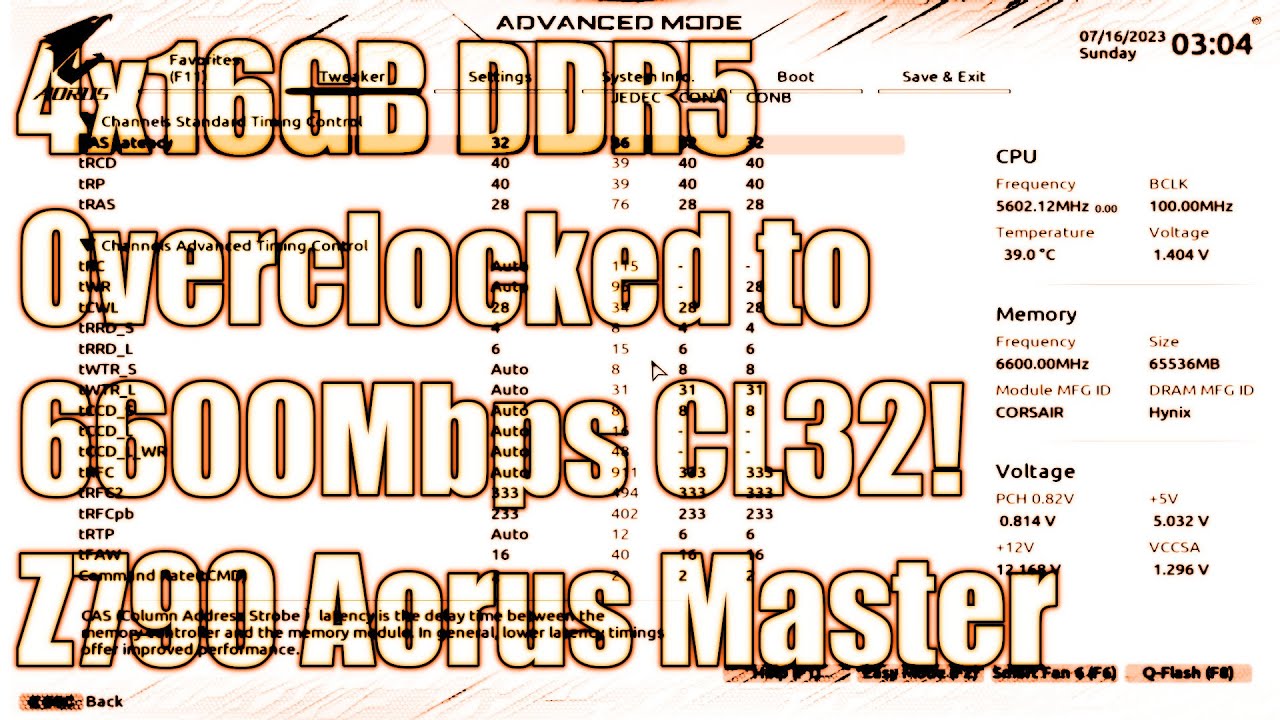
Text version: https://www.patreon.com/posts/73783675
My Patreon: https://www.patreon.com/buildzoid
Teespring: https://teespring.com/stores/actually-hardcore-overclocking
Bandcamp: https://machineforscreams.bandcamp.com/music
Twitch: https://www.twitch.tv/buildzoid
Twitter: https://twitter.com/Buildzoid1
Facebook: https://www.facebook.com/actua...
Average users could get 6200 prob
 hardy sage
Im looking to streaming on my pc. and I need a new cpu. Current pc is I7-8700, RTX 2080 Super, and 16gb of ram (ddr4 3200 mhz)
What should I upgrade to maximize performance for streaming and gaming at the same time
(willing to upgrade anything other than the gpu, and if possible please provide a middle of the road upgrade and the best upgrade)
thank you!
 mild jackal
vast meadow
Never 4 sticks on ddr5
mild jackal
vast meadow
Never 4 sticks on ddr5
Totally fine on am5
shy wyvern
Have you tried to stream on your current setup and confirmed you're CPU bottlenecked?
If streaming using nvenc I don't think you'd actually really be CPU bound with the CPU, streaming would have very little effect on the CPU if using GPU encoding
vast meadow
mild jackal
Totally fine on am5
Still worse and more expensive than 2 sticks no?
mild jackal
Probably more expensive most of the time, but shouldn't perform differently
vast meadow
hardy sage
(willing to upgrade anything other than the gpu, and if possible please provide ...
Depends on your budget but I'd probably recommend a 13600k and 32gb of ram , make sure you're using the nvenc encoder while streaming too
Also make sure xmp is on
mild jackal
Normies will be happy with 6000 c32 or whatever xmp on those boards
vast meadow
Ah okay that's good
mild jackal
I'm about to switch my daily to 4x16 m-die and a 7950x
vast meadow
How come not 13900k?
mild jackal
Don't own one yet, much less a bin reject
And I don't really game anymore
If I did it'd be ark or something lol
Sadly that means I have to go back to yet another gigabyte board for the daily as I use the gene for benching https://hwbot.org/submission/5132773_

HWBOT
The DDR5 SDRAMscores getScoreFormatted in the Memory Frequency benchmark. Forksranks #60 worldwide and #60 in the hardware class. Find out more at HWBOT.
And I want more pcie/nvme anyway
vast meadow
Yeah but 13900k wind in a lot of mt tasks too right?
mild jackal
If I had a bin reject 13900k and z790 that I'd be happy with laying around instead of these, that's what I'd be using
hardy sage
vast meadow
Depends on your budget but I'd probably recommend a 13600k and 32gb of ram , mak...
Ty
vast meadow
No problem
 pure moss
So I'm trying to use the flash bios button on my msi pro 690-a ddr4. All the guides I've seen say the light should flash for several minutes. Mine flashes for about 10 seconds and then stays solid until I turn off my psu. Anyone know what it could be?
pure moss
I unzipped, then removed the file from the folder... I did not put the folder on the usb drive
named it MSI.ROM
I figured it out, I just googled MSI Pro Z690-A bios driver and downloaded the first one on the MSI website, there are apparently 4 versions of this motherboard, and I got the wrong one. It's working now that I have the correct one
Thank you anyways though!
devout mothBOT
 Qbo#4182 has been warned
Reason: Bad word usage
 naive pendant
is the 5500 okay?
 amber canopy
in what context lol
naive pendant
amber canopy
in what context lol
wdym
dull flint
5500 ryzen?
naive pendant
dull flint
5500 ryzen?
yes
dull flint
Definitely worth saving the extra and putting it into a 5600
The difference is pretty huge
For like what, $27?
It's worth doing
dull flint
And a 5600 is like 125?
Heck I'd take up some handy work for $45
Or sell something
5500 iirc is more like a 3600
Fair bit of a step down from a 5600
Or try and find a 5600/5600X used for 80-ish
naive pendant
dull flint
Or try and find a 5600/5600X used for 80-ish
have 30$ in amazon gift cards
naive pendant
dull flint
5500 iirc is more like a 3600
anythings an upgrade when you have a 3000G 🤷♀️
naive pendant
dull flint
And a 5600 is like 125?
which is a very moderate step up to me.
dull flint
You don't have to ping 3 times lmao
I mean if you can justify then ok
A 3600 is getting pretty old tho, while a 5600 is still quite relevant
Yeah you get half the L3 cache with a 5500
That's a big drop
hard leaf
Getting a 5500 is just wasting money rn
Not an upgrade from your 3000g... more like a sidegrade
shy wyvern
Microcenter has 12700 + z690 board for $370 right now...
12600k + z690 for $300
Insanely good deals
vast meadow
The 12600k is decent the 12700 one not as much tbh
shy wyvern
12600k for $300 with motherboard is pretty decent value, especially with a $240 6650XT
dull flint
@grizzled bloom I think I figured out what was wrong with the alphacool subzero
It's only been on there for a short time, it's dry.
Not sure if bad sample
Going back to NT-H2 💀
vast meadow
F
dull flint
It reminds me of like
First delidding a laptop from the factory for a repaste?
Maybe a gpu?
Where it's just, so dry and a bit lumpy
It was on there for like 2 weeks
Maybe the heat transfer was too much for it? Confusion
vast meadow
Oof must be bad batch
dull flint
Ok my peak is now back to 390W
Still 40W short of where I was
I know direct die can peak 450W
NVM
426W JUST NOW
400W+ SUSTAINED
NT-H2 OP
I WILL DIE ON THIS HILL

It was so hot I had a whea error



OMG
OVER 1.3v ooo ok
That was fun flipping the switches back
Degradation alert
bronze summit
dull flint
101c that's cold come on now
300F on cpu or bust

@granite river come here
430W go brrrr
bronze summit
 granite river
a 500w speaker at max volume
 lyric turret
wwelp
 merry wolf
Can u bios update every motherboard without cpu amd montior
amber canopy
ch341a moment
limber dragon
dull flint
are you manually setting voltage, or is voltage still on auto?
 arctic tide
planning on buying oloy 32gb ram on newegg, should i get 3200 cl16 or 3600 cl18?
for ryzen 5600
burnt spear
3600c18
 frosty depot
What is good 2x8gb ddr4 sodimm?
grizzled bloom
frosty depot
What is good 2x8gb ddr4 sodimm?
Sodimm? Does the laptop (or miscellaneous device) support xmp?
frosty depot
grizzled bloom
Sodimm? Does the laptop (or miscellaneous device) support xmp?
Tbh, I have no idea
grizzled bloom
Most don't, it's even fairly rare on gaming laptops
frosty depot
Yeah it's a gaming laptop. He said it only supports up to 16gb. This is what he currently has.
 grizzled bloom
If it's a relatively recent device that doesn't have xmp then 3200c22 is the best you can do. Buying faster is useless because it'll fall back to jedec.
frosty depot
I see. He has a Dell Inspiron with a 1050, so I'm not sure if you consider that relatively recent.
Like a 7000 series or something like that. I can't find the text for some reason.
grizzled bloom
If it's a 7th gen Intel then I wouldn't do more than 2666
Low end like that is definitely not going to have xmp
dull flint
limber dragon
are you manually setting voltage, or is voltage still on auto?
Yeah manual. I turned the clocks up and I think it was adaptive just for that test but I've been using static and later I'll be trying a V/F curve to see if I can tease a bit more out of it EDIT: I'm stuck to 1.3V max rn
Unlikely it will tho, someone also told me to try an LLC with more vdroop
I went straight to 5/6 but I didn't try stock lol
amber canopy
grizzled bloom
If it's a 7th gen Intel then I wouldn't do more than 2666
Seriously? That sounds pretty low
Is it a locked chip or something
Oh laptop
dull flint
7th gen laptops do 2666 xmp yeah
I was able to dial mine up to like 2900 tho
Kekw
XTU ftw
limber dragon
dull flint
Yeah manual. I turned the clocks up and I think it was adaptive just for that te...
if manual, then you're not doing 400w. CPU package power is just VID*current
dull flint
Unify x
dull flint
Is POUT the one I should be watching
dull flint
Ah
 dark arch
Hey everyone
bronze summit
grizzled bloom
Really far
Just breathe in and out
I mean hey who else is gunna bring up x79 seems nobody else has it only person here is far
 cursive epoch
Looks like dead gpu
devout mothBOT
 Ch33ms#5635 has been warned
Reason: Bad word usage
 brisk lion
Oops
Well it boots up
I just need a better gpu
Any cheap recommendationz(dont need anything special cuz its just a second pc meant to run some fun games and stream the rest 9f games it cant play)
 polar moth
cursive epoch
brisk lion
Any cheap recommendationz(dont need anything special cuz its just a second pc me...
polar moth
cursive epoch
brisk lion
Any cheap recommendationz(dont need anything special cuz its just a second pc me...
What's your budget and region?
brisk lion
The netherlands budget like 50 buckz
also i have this problem in which the pc is connected to the internet via ethernet but it says unknown wifi
brisk lion
brisk lion
also i have this problem in which the pc is connected to the internet via ethern...
Does somebody know how to fix ig
 inland marlin
i have an i5 8400, 2060, and 32gb 3200mhz
Currently in the market to make an upgrade and i was wondering if the Ryzen 7 5700x would be a good choice for my build. (it’s on sale so it won’t break the bank)
and would the 5700g also be good?
burnt spear
5700g is a good bit worse than the x
5700g has worse gaming performance than the 5600
How much is the 5700x?
vast meadow
polar moth
https://www.newegg.com/g-skill-16gb-288-pin-ddr4-sdram/p/N82E16820232530?Descrip...
Extremely overpriced
polar moth
Ah? Really?
90 dollars for CL14 3200mhz 16gb ram set aint too bad compared to other prices on Amazon currently
vast meadow
polar moth
90 dollars for CL14 3200mhz 16gb ram set aint too bad compared to other prices o...
Ah didn't notice it was b die but do you want to overclock your ram?
polar moth
No, all I want is 3200 or 3600 so my mobo can support it natively or with XMP
vast meadow
Then it's very overpriced for what you want
burnt spear
Getting b die is pointless if you're running xmp
You can get a 3200c16 32gb kit for $68
vast meadow
What cpu you got?
burnt spear
Or 3600c18 for $75
polar moth
i5-10400
vast meadow
What motherboard?
burnt spear
The lower latency doesn't really help you much
polar moth
So B-die is meant to overclock I see.
burnt spear
B die and Rev e are mainly bought to oc yeah
polar moth
Specs i5-10400, ASUS TUF B560M PLUS and RTX 3070Ti
burnt spear
For xmp with a 10400, just 3200c16 is what you'd want, though im sure patos about to link a kit
vast meadow
You upgrading from 8gb or something?
polar moth
Gotcha, I understand now. I'll forget about B die. thanks for the info on bdie
Upgrading from 3066mhz (actual clock 3000mhz cl16) 4x8gb ram
vast meadow
Not really any point
burnt spear
Not sure it's really worth upgrading from that
polar moth
You sure? 3200 and 3600mhz shows a bit increase in FPS
vast meadow
3200 vs 3000 is very small
devout mothBOT
 Nether#5648 has been warned
Reason: Bad word usage
vast meadow
3600 is a little bit better but I can't remember if it'll be supported by your cpu
burnt spear
I'm fairly sure it's not
vast meadow
burnt spear
Thought it capped at 3200
Can't recall but i dont think so
burnt spear
And it really won't be much of a perf gain
polar moth
Then what else I am supposed to buy with my extra money 😛
the reason why I am looking to buy 2 matching ram sets is I dont like my 2 kits with different serial numbers
vast meadow
Uh your system is pretty balanced
burnt spear
Depends on your build and what you do. Or you just save it for your next major upgrade like platform or gpu
vast meadow
Yeah I'd just wait for 14th gen intel or ryzen 8000 and or next gen gpus
Maybe more storage?
burnt spear
You think 14th gen will have more ecores again?
burnt spear
Yeah, doesn't the 4090 still limit the 13600k at 1440p and 4k?
bronze summit
grizzled bloom
Not so much 1440p depending on the game but definitely 4k
Wait what you mean by this
Is that good thing or bad
vast meadow
13600k will bottleneck a 4090 at 1440p but at 4k 4090 is the bottleneck
bronze summit
Oh I see
I was gunna pair 13600k with 4090 to run M32U
The 4090 bottlenecked is that severely bad?
bronze summit
Yea I see now I got confused
bronze summit
🤔
burnt spear
They should make the 13600k $1000, easy fix
burnt spear
They'd raise prices if they wanted to
Surprised 13700k isn't more expensive with the e core increase
hard leaf
burnt spear
You think 14th gen will have more ecores again?
as far as i know, 12th and 13th gen are pretty much the same... 14th gen is a complete overhaul
burnt spear
Eh, with ddr5 the gap is bigger I think
bronze summit
🤔
 bronze summit
hard leaf
as far as i know, 12th and 13th gen are pretty much the same... 14th gen is a co...
bronze summit
hard leaf
as far as i know, 12th and 13th gen are pretty much the same... 14th gen is a co...
Welp time to throw while system away get 14th gen
bronze summit
JK my i5 is 
burnt spear
Throw away 13600k to buy 14100
bronze summit
Lol
vast meadow
burnt spear
Throw away 13600k to buy 14100
14100 ddr5 8000
burnt spear
14100k when
hard leaf
yeah but according to rumors 14th gen is set to launch q1 2024, maybe q4 2023 at the earliest
was delayed 😦
too far away in time
vast meadow
That's normal timings, q4 for the k cpus then q1 next year for non k's
hard leaf
no no, last i read about that was q1 2024 for k cpus
like the delay is real
maaaaybe q4 2023
still, imagine waiting a whole year for another gen.... nope
 bronze summit
🤔
grizzled bloom
14th gen is also supposedly using chiplets tiles
They were very specific that it wasn't chiplets, even though it looks a lot like chiplets
 naive pendant
grizzled bloom
14th gen is also supposedly using ~~chiplets~~ tiles
They were very specific tha...
naive pendant
grizzled bloom
14th gen is also supposedly using ~~chiplets~~ tiles
They were very specific tha...
"hey bro can I copy your homework?
sure man just change it a little"
hardy sage
Upgrading CPU soon, will have i5-13600k and a 2080 super. would it be worth upgrading from 16gb to 32gb of ram?
with faster speeds?
(using pc for streaming and gaming)
hardy sage
Its 3000 mhz
grizzled bloom
Yeah that's a bit low for a 13600k
You could do a 3600c16 or 4000c18 kit of 32gb for not too much money
hardy sage
Can i ask what all the different things mean?
What is c16 and c18?
or is that something that would be easier for me to look up
inland marlin
burnt spear
How much is the 5700x?
i can get it for 199
then + the am4 mobo it comes out to $360
hardy sage
is 4 8gig sticks better than 2 16 gig sticks?
and what company has the best ram right now?
vast meadow
it depends usually 2x16 and whoever has the cheapest for the speed
hardy sage
vast meadow
it depends usually 2x16 and whoever has the cheapest for the speed
thank you
grizzled bloom
hardy sage
and what company has the best ram right now?

G.Skill Ripjaws V 32 GB (2 x 16 GB) DDR4-4000 CL18 Memory (F4-4000C18D-32GVK)
C and CL refer to CAS Latency, which affects how quickly the memory can issue commands to read and write
Lower is better for CAS
But it has to be balanced with the frequency as well
hardy sage
👍
vast meadow
hardy sage
👍
I wouldn't always get the one falcie linked, what cpu do you have ?
4000mhz just won't work on a lot of cpus
hardy sage
im buying the i5-13600k
vast meadow
Ahh well then yeah that's a nice kit, I'd personally just get a 3600c18 kit for way cheaper tho
hardy sage
what would the difference be in speed?
vast meadow
hardy sage
what would the difference be in speed?
Honestly very little
https://pcpartpicker.com/product/64WzK8/geil-orion-rgb-amd-edition-32-gb-2-x-16-gb-ddr4-3600-cl18-memory-gaosg432gb3600c18bdc

GeIL Orion RGB AMD Edition 32 GB (2 x 16 GB) DDR4-3600 CL18 Memory (GAOSG432GB3600C18BDC)
I wouldn't be able to justify 30$ for not much extra
hardy sage
could i go with corsair? someone else told me that they have bad ram
it just matches my peripherals
vast meadow
I mean you could but the kit i sent is the cheapest 3600c18 kit
Corsair is stupidly priced
hardy sage
what is the difference between 3200 vs 3600 vs 4000?
is this ram bad? price doesnt really matter as of now. id rather pay $30 more if it matches everything else i have
vast meadow
It depends on the scenarios and latencies
I mean up to you i think it's a gross overpayment though
hardy sage
vast meadow
It depends on the scenarios and latencies
what would it be compared to the GeIL Orion?
vast meadow
The kits i and you linked will perform the same
hardy sage
vast meadow
The kits i and you linked will perform the same
Awesome, thank you very much!
vast meadow
Np
bronze summit
so from hwinfo it seems idle temp is 50C but max is good
 sudden creek
What is the smallest size for motherboards?
amber canopy
iirc, itx is 11.7x11.7cm
hollow knot
Im just wondwring will itx case fit 40 series or 7000 series gpus
vast meadow
dependeds on the itx case and the model of gpu
for example the 7900xtx is pretty slim but 4090 is huge
hard leaf

limber dragon
itx is smallest standardized size. You can always get smaller in custom form factors
 wind karma
I wanna make an itx build so bad
but also its so expensive and i don't really need it

 tulip merlin
amber canopy
tulip merlin
amber canopy
Interesting board, what is it?
amber canopy
nope, that's part of the power delivery itself
tulip merlin
ok, cool
amber canopy
yea
vast meadow
amber canopy
nope, that's part of the power delivery itself
Power delivery on a board is what vrms are
amber canopy
vast meadow
Power delivery on a board is what vrms are
Yes... that's the power delivery. What's your point?
vast meadow
amber canopy
Yes... that's the power delivery. What's your point?
Ah i see what you meant, on first read it looked like you said power delivery and vrms are different things
wind karma
This doesn't look like it would hold an am4 cpu, right?
 vast meadow
i mean it would fit but it looks quite large so it would probably rattle around and with all the pins i wouldnt like to
wind karma
It's about 5cm
The inner pocket is only like 1/5 of a cm which doesn't seem deep enough for the pins to float
dull flint
wind karma
Yeah this thing is def fked
Traveling In a few days so I gotta figure something else out
Worst case scenario I'll make room in my luggage for the matx mobo box and bring that while thing with cpu in socket
wind karma
I have limited room though, gonna see about getting an actual clamshell made for am4
Amazon prime come in clutch please 🙏
dull flint
Suppose you could buy a little plastic tray off ebay or something?
Actually
What about going to a pc store
And asking them for one

wind karma
dull flint
What about going to a pc store
Yeah unfortunately I'm in a small town and don't think there's a PC store
No car so it's a couple hours to take transit into Denver
dull flint
Ah ew
I remembered when I got my 10850KA they had a special box for it, but I never got the box
Went down to the PC store and asked them for the box and they just gave me one lol
Functionally does me nothing but they apparently had more in the back from other builds lol
 solemn frost
If you too mount a cooler that has an ARGB cable but the ARGB header on the mobo is on the bottom of the board, could you still connect the ARGB?
dull flint
Argb extension cables are quite cheap
solemn frost
Ok good stuff
Part List - Intel Core i7-13700KF, GeForce RTX 4080, Fractal Design Meshify 2 RGB ATX Mid Tower
Here’s the build
bronze summit
@dull flint ahhhh its Here
 dull flint
solemn frost
https://ca.pcpartpicker.com/list/2B7rC6
dull flint
solemn frost
https://ca.pcpartpicker.com/list/2B7rC6
How much of this have you bought
solemn frost
dull flint
How much of this have you bought
Gpu, cpu, cooler, case
burnt spear
I made a few changes https://ca.pcpartpicker.com/list/jDyb6r
Part List - Intel Core i7-13700KF, GeForce RTX 4080, Fractal Design Meshify 2 RGB ATX Mid Tower
Oh you alr have aio
I'd still change the ram and psu tho
solemn frost
Have the pro rs motherboard but thinking of switching to the steel legend since I use more usb ports
burnt spear
Also ssd
dull flint
burnt spear
I made a few changes https://ca.pcpartpicker.com/list/jDyb6r
This is better
Sadge you already have the aio and gpu
bronze summit
Nzxt best aio


 cyan raft
Kenzie is about to find a way to break the socket installing that frame
dull flint
Wouldn't surprise me tbh
bronze summit
 THIS IS NOT A DRILL
dull flint
I'm not helping with this today, I have a lot of work ahead of me
bronze summit
dull flint
Wouldn't surprise me tbh
I'm not trying to break it on purpose but things happen
cyan raft
“Uhh where are the socket pins??”
bronze summit
I can do it today I got work
bronze summit
cyan raft
“Uhh where are the socket pins??”
Bruh
bronze summit
Guy on gamer nexus said to keep cpu insocket
dull flint
He also said a bit more than that
bronze summit
dull flint
Nor tomorrow either
Well not like I need your help I can look at the tutorial gamer nexus did
bronze summit
 wind karma
Got lost in #general-chat so sending here
Can anyone personally reccomend a 3d printed AM4 Cpu holder for transport? Lost my original clamshell
Found these which seem fine
but if anyone has a recommendation that they've used i'm happy to take it
limber dragon
just use some foam and tape....
wind karma
limber dragon
just use some foam and tape....
gotta protect the pins, no?
limber dragon
that's what the foam is for
wind karma
wait like stab the pins into the foam...?
didnt think they were stiff enough to do that
limber dragon
have you touched the pins before?
wind karma
limber dragon
have you touched the pins before?
nah
limber dragon

wind karma
sorry didn't realize I was supposed to test their sturdiness
always been straight outta the box into the mobo
maybe I'm thinking of a different density of foam
wind karma
limber dragon
<:gnffs:416629958279168001>
Does the foam my GPU came in work for this?
evga gpu, black foam maybe 1/2cm thick
not a cutout but just wrapped around the gpu
wind karma
?
bronze summit
Who the hell said the instructions where simple and clear on the contact frame
Not clear

Wtf is this
4 pics and that's all I get
limber dragon
bronze summit
Who the hell said the instructions where simple and clear on the contact frame
take off old -> put on new
there should only be 2 steps
bronze summit
limber dragon
there should only be 2 steps
Bruh
limber dragon
issa ilm
bronze summit
If it is to tight it willbream mobo
limber dragon
says who? Just dont break your pcb
hardy sage
Is ddr5 even worth it rn?
bronze summit
limber dragon
says who? Just dont break your pcb
Gamer nexus
dull flint
hardy sage
Is ddr5 even worth it rn?
Depends if you think 5% or so for nearly/basically double *normal ddr4 is worth it
If you're going for an enthusiast build and you overclock the snot out of it then yeah, kinda getting to be worth doing
But if just to have it? Not really
 eternal helm
if you do a lot of productivity that can take advantage of that real bandwidth it could be nice
limber dragon
bronze summit
Gamer nexus
hate to break it to you, but a bend in a mobo doesnt really do anything... this is the z790 apex https://cdn.discordapp.com/attachments/902660521889759263/1047780442658586674/CAEF9F06-1408-4406-A9B1-D83D85C8C37B.jpg
 eternal helm
- a microcenter nearby would be very nice for the deals
bronze summit
limber dragon
hate to break it to you, but a bend in a mobo doesnt really do anything... this ...
Oh god
limber dragon
this is every z790 apex, and have you heard any issues with it?
bronze summit
@copper solar is your mobo bent
 copper solar
no
hollow knot
damn my m2 screwdriver didnt fit new pc build m2 drive . pc build need 2 wait til screwdrivers come in tomorrow at least
bronze summit
copper solar
no
You don't have apex you have rog don't you
copper solar
i do
limber dragon
every apex is bent until you take the heatsink off... they didnt use the right dimensions for it 
dull flint
Sounds like an afterthought
bronze summit
@limber dragon I did a straight line on my cpu this time
 limber dragon
and not enough pressure overall
paste is supposed to fill micro-gaps, not have a physical layer
limber dragon
contact frame isnt going to help that cooler
bronze summit
limber dragon
contact frame isnt going to help that cooler
The cooler is ek
Weird didn't here any click
 limber dragon
why would there be a click?
dull flint
There is no click
bronze summit
limber dragon
why would there be a click?
They had click on the video
Also it's not screwing in
limber dragon
you mean gn's torque wrench had a click?
bronze summit
Hm
dull flint
Do not screw it in any further than just after you feel the slightest bit of friction
 royal elk
Lefty loosy righty tighty
bronze summit
 hardy sage
dull flint
Depends if you think 5% or so for nearly/basically double *normal ddr4 is worth ...
hardy sage
dull flint
Depends if you think 5% or so for nearly/basically double *normal ddr4 is worth ...
Thanks!
bronze summit
It's boots
bronze summit
@dull flint OMG
AHHHHHHHHHHHHHHHHHHHHH
IT WORKED
REEEEEEEEEEEEEEEE

79C BRRRRRRRRRRRRRRRRRRRRRR
this is old test

new test

@stiff kraken looky i got lower temps UwU
@grizzled bloom look at this

bronze summit
 stiff kraken
red numbers are more fun
stiff kraken
red numbers are more fun
we can do that
limber dragon
red way more fun
 bronze summit
limber dragon
red way more fun
bronze summit
limber dragon
red way more fun
aw i wanna make my cpu pull 300W
limber dragon
you should be able to with more vcore
mine's just running stock with a throttle temp of 90c
dull flint
bronze summit
CongratulaWellDoI'mSoProudOfYGood Job
bronze summit
dull flint
CongratulaWellDoI'mSoProudOfYGood Job

 steady fable
Did the BIOS undervolt on my Ryzen 7 5800X and running 10C cooler in MSFS...havent run Cinebench yet, but I expect that to be better as well

 silent folio
Would it be worth the effort to try to trade/sell my unopened 12900k for a 13700k?
Long story short, I purchased a 12900k for $340 through an employee discount. I wanted 13th gen, especially the 13700k because from all reviews that I've seen report that it's faster, runs cooler, consumes less power, and produces less heat than the 12900k. Unfortunately, the 13th gen series was not available through the employee discount program. So I decided to go for the flagship for higher resale value, heck I could even make a profit potentially if I could sell it. However it just seems like a hassle often times with shipping or a local purchase.
I'm wondering if I should just nix trying to sell/trade it and just install it once I receive it, because I know at best, it isn't THAT much of a performance increase from 12900k to 13700k. Thanks in advance.
To add a little more context, I am upgrading to a new processor from a 6700k, I have a ddr5 board now to accompany the 12/13th gen processor, I am aircooling with the dark rock pro 4, and I also have a contact correction frame to replace the stock lga 1700 cpu retention issue.
cursive epoch
silent folio
Long story short, I purchased a 12900k for $340 through an employee discount. I ...
I would say it's worth it, but which exact mobo do you have?
silent folio
cursive epoch
I would say it's worth it, but which exact mobo do you have?
asus z790-a
cursive epoch
If it has bios flashback you can easily update bios without needing a cpu
Ah z790
Yeah go for it then
silent folio
ty
vast meadow
silent folio
Long story short, I purchased a 12900k for $340 through an employee discount. I ...
Can you return it? And yeah 13700k is better
 slim trench
hello
frosty depot
slim trench
hello
Well hello there @slim trench . You look scrumptious. Mind if I take a bite? Maybe just a nibble?
slim trench
lol
frosty depot
pulls out taco sauce packet
slim trench
i was wondering can i talk abt problems here
frosty depot
Sure. What ya having a problem with? I hope you haven't lost all your cheese 😱
slim trench
XD
I dropped my Amd CPU and did not bend or break a pin but I lost 2 RAM channels
and it is the two closest to the cpu
hollow thorn
slim trench
and it is the two closest to the cpu
The two slots closest to the CPU are 2 different channels
Unlikely dropping your CPU leading to those two slots being dead
hollow thorn
It most likely has nothing to do with the chip
slim trench
hmm
hollow thorn
If you lost a memory channel, you'd have either slots 1 and 3 dead or 2 and 4 dead
Wait
hollow thorn
slim trench
but i checked there were no bent pins or broken ones
Any pins missing?
hollow thorn
hollow thorn
If you lost a memory channel, you'd have either slots 1 and 3 dead or 2 and 4 de...
Scratch that I'm confusing myself
First and second slots would be the same channel
hollow thorn
Take a picture of the pins if you could?
hollow thorn
How does memory react when you put it in the slots closest to the CPU?
Doesn't get detected at all or?
slim trench
get a ram error on the board and it does not boot
even when i put it in the recomended slots 2&4 it does not boot but when i have it in slots 3&4 it works
i even reset the bios and it did not change
hollow thorn
What about 1&3
hollow thorn
If you get a chance to check the pins again, look at yellow pins here
 hollow thorn
Take the fan off on the ram side to make accessing ram easier with d15
slim trench
I can get the ram in just a tight fit
But changing slots is a lot easier than Meticulously looking at cpu pins
hollow thorn
Prob want to take a glance at Mobo socket and those pins too in case it's the socket that's damaged for some reason
slim trench
It is a new board so I will check
1&3 no boot
Hold on
1&3 we got boot
Gonna try 2&4
@hollow thorn
I have boot now
Your not gonna belive it but the cooler had pryed up one side of the cpu @hollow thorn
vast meadow
Not surprising if you fully screw in one side before the other and not screw in even increments tbh
slim trench
Well I screwed them in evenly last time but I could of done one side a little bit more
silent folio
vast meadow
Can you return it? And yeah 13700k is better
Nope, sadly not
hard leaf
silent folio
Long story short, I purchased a 12900k for $340 through an employee discount. I ...
Not sure if you are allowed to do such a flip using the employee discount program tho. Be careful doing that
Heard some stories of ppl who were found selling parts that way
silent folio
hard leaf
Not sure if you are allowed to do such a flip using the employee discount progra...
Eh, I'll take my chances with a one-off
vast meadow
One off should be fine
silent folio
Should I try to do a 1:1 trade for a 13700k or make them pay a little more
Or what price should I try to get for a 12900k? $430?
vast meadow
if you can yeah get a 1:1
 signal kite
Is it worth upgrading my 3700x for 4K gaming? Besides StarCraft it doesn’t seem like many games benefit much.
hard leaf
4k gaming is gpu bound, your cpu will be idle most of the time so.... no
burnt spear
not really unless you're buying a 4090
mild jackal
Depends what you play, I'm sure you could find titles where a 3700x is bottlenecking a 3080 or similar at 4k 120+
Mainly on 1% lows, frametime consistency
amber canopy

 dull flint
Neat
amber canopy
dull flint
Neat
https://hwbot.org/submission/2582275_wizerty_cinebench___r15_core_i7_4930k_1707_cb one of the many scores on this chip i plan to beat

HWBOT
The Core i7 4930K @ 6330MHzscores getScoreFormatted in the Cinebench - R15 benchmark. Wizertyranks #null worldwide and #1 in the hardware class. Find out more at HWBOT.
im probably gonna need to buy a few more chips
dull flint
 dull flint
Oh wait yeah you right
amber canopy
Ivybridge-E is the architecture


 unkempt cipher
Hey what can I use to clean my cpu to reapply thermal paste?
cursive epoch
unkempt cipher
Hey what can I use to clean my cpu to reapply thermal paste?
q tip and isopropyl alcohol, 90% or higher is recommended
and do get the pure kind, no moisturizer added
unkempt cipher
cursive epoch
q tip and isopropyl alcohol, 90% or higher is recommended
I see on amazon's top choice there's this https://www.amazon.com/gp/product/B07NFSFBXQ/ref=sw_img_1?smid=ATVPDKIKX0DER&psc=1

Solimo Isopropyl Alcohol helps in reducing the risk of infection. 99% by volume, read label for instructions.
cursive epoch
Yep that's what you would get ideally
unkempt cipher
cursive epoch
Yep that's what you would get ideally
Gotcha and with the thermal paste, about how much paste should i apply in size?
cursive epoch
There's honestly never too much, but there's too little that you should worry