#cpus-mobo-and-memory
1 messages · Page 16 of 1
 grizzled bloom
grizzled bloom
grizzled bloom
I have 11 installed on a 256 with most of my programs and it's less than half full

 naive pendant
grizzled bloom
I have 11 installed on a 256 with most of my programs and it's less than half fu...
naive pendant
grizzled bloom
I have 11 installed on a 256 with most of my programs and it's less than half fu...
oh alright
in that case ill see how much a 128 is
grizzled bloom
I wouldn't go that low, that's past the dimishing returns zone
naive pendant
ok
grizzled bloom
Drives get slower and not much cheaper
grizzled bloom
I'd look into some of the things bacca said too, like the 6700
Couple adjustments https://uk.pcpartpicker.com/list/M74Mgb
PC Builder - AMD Ryzen 5 5600, Radeon RX 6700, Phanteks Eclipse P500A ATX Mid Tower
 burnt spear
grizzled bloom
Couple adjustments https://uk.pcpartpicker.com/list/M74Mgb
burnt spear
grizzled bloom
Couple adjustments https://uk.pcpartpicker.com/list/M74Mgb
Txm 650 tho :p
Oh sad, price went up
Nzxt c 650 is 50£ tho
grizzled bloom
I think they had it set to only amazon

Wait that was me
wtf why was it set to amazon only
burnt spear
Weird
grizzled bloom
Anywho yeah setting my merchants correctly and changing to C650 gets you under 1k
naive pendant
grizzled bloom
Couple adjustments https://uk.pcpartpicker.com/list/M74Mgb
if i switch to a bracket instead of a built in vertical gpu then will i be able to get better cooling and be able to get a better case?
burnt spear
The p500a is a very good case
grizzled bloom
Cooling still doesn't matter much but as far as a "better" case it doesn't get much better until you spend more
burnt spear
Imo a bit big considering you're not using a 360mm aio, id take a look at the p360a/g360a/p400a
 shy wyvern
I updated bios and lost 40 watts on the CPU for the same voltage and clocks? Very weird
Nvm more like 60 watts??
I'm at 55°C max load with cinebench what is going on
grizzled bloom
Same performance?
shy wyvern
Yeah same score
grizzled bloom
Trippy, guess they did some serious optimizing
shy wyvern
My last bios was from January, someone told me my 4090 flickering issue is a MSI bios issue
The flickering went away after bios update so that's odd
grizzled bloom
win-win ig
shy wyvern
I guess so I'm so lost on how they could optimize it that much
My CPU went from 190-210 watts on OC to currently 130-140
shy wyvern
I have voltages manually set that's what's blowing my mind
grizzled bloom
Yeah you'll still get vdroop though
shy wyvern
Ram still stable with anta extreme it seems
I'm just lost af rn how you can pull 60% of the power previously at same settings and get the same performance and stability
Prime 95 170 watts instead of 220 I had earlier
My mind is blown rn
grizzled bloom
New platform issues they resolved prob
shy wyvern
I guess update your motherboards for 600 series if you haven't yet
I'm still at 19.1K cinebench too, I'm just blown away by the power difference
grizzled bloom
I have a general rule: never buy the first model on a new platform. Applies to cars too. You always get those growing pains.
shy wyvern
flips the eggs cooking on my melty 4090 power connector I have no idea why you have that rule
Wtaf I'm down to 12 watts at idle now too, that's much lower
Oh what my P cores are turning off during idle now they didn't used to do that, "core" 0-11 is parked XD
grizzled bloom
Figured sleep states had to do with idle
shy wyvern
Yeah it's going into ecore only at idle
I've never seen my ecore hotter than my p core before
grizzled bloom
I guess this is a case of "if it ain't broke... it is and you just didn't know it"
shy wyvern
I'm just hoping this fixes all the GPU related blue screens too
If not, Nvidia's driver release in a few hours should
 hollow knot
my friends keep telling me to get ddr4 3600 no ddr4 3200 ram back and forth. with 5600 6800xt at 4k which ram should i get 3600 or 3200
 proven whale
Building a video editing computer. Was looking at the 7950x cpu but i can't decide on which motherboard is needed ... so many options ... any help? planning on doing 128gb ram to max it out for speed of editing and processing video

 hollow thorn
don't need to go expensive
something cheap like this should be fine
https://www.newegg.com/p/N82E16813145412
 cursive epoch
hollow knot
my friends keep telling me to get ddr4 3600 no ddr4 3200 ram back and forth. wi...
cursive epoch
hollow knot
my friends keep telling me to get ddr4 3600 no ddr4 3200 ram back and forth. wi...
i would just get 3600c18
similar price as 3200c16
shy wyvern
I put on a thermal right contact frame but it may be too late
My CPU started to spin on the counter, meaning it's already somewhat warped, hopefully the contact frame helps mitigate it
hollow knot
cursive epoch
i would just get 3600c18
Would it matter that much if im gonna game primarily at 4k. Where gpu takes on most of the workload? Will 3200mhz work in that situation
burnt spear
3200c16 and 3600c18 are very similarly priced rn
hollow knot
I guess i get 3600 2x16gb stack next week on sale
 charred plinth
hello?
anyway, got a q500a laptop...upgrading from i5 to i7 chip(3632qm)..will the kinston ddr3 16 gb x2 ram chips fit in the slot? thank you in advance
naive pendant
for a USB download of windows, how large does the USB have to be?
i have an old 4gb drive and i found a cheap 32gb one
 unreal shell
I was referred here by the app, I need to see if the specs of this laptop will allow windows 11. Check this out on @vague haven: Lenovo Flex 4 1580 80VE000QUS 15.6" Touchscreen 1920 x 1080 2-in-1 Laptop, Intel Core i7-7500U 2.5GHz, 16GB RAM, 256GB SSD, AMD Radeon R7 M460 2GB, Windows 10 Pro Grade B https://www.newegg.com/p/1XV-0001-026H1?Item=9SIADT2HNV1697&Source=socialshare&cm_mmc=snc-social-_-sr-_-9SIADT2HNV1697-_-11172022
naive pendant
unreal shell
I was referred here by the app, I need to see if the specs of this laptop will a...
as long as it has atleast 10gb of data you can easily get windows 11
its not 256
got*
unreal shell
It's an older laptop, but someone told me worry about the specs more than anything else
naive pendant
unreal shell
It's an older laptop, but someone told me worry about the specs more than anythi...
what are you using it for
unreal shell
I'm a noob who just started A+ certification and would use this for virtual labs and an occasional hearthstone game
naive pendant
unreal shell
I'm a noob who just started A+ certification and would use this for virtual labs...
youll be fine
unreal shell
The memory I can use an external and not to worry about that
naive pendant
as long as youre not using it for heavy gaming or rendering
unreal shell
Noooo... just to get me by for about 2 years
naive pendant
unreal shell
Noooo... just to get me by for about 2 years
honestly i think you could probably find a better deal but if you want the touchscreen then thats a good choice
unreal shell
The RAM is what my professor... said is very important
naive pendant
unreal shell
The RAM is what my professor... said is very important
oh yeah its good
16gb is alot for an old laptop
and for that price is really good
unreal shell
naive pendant
honestly i think you could probably find a better deal but if you want the touch...
Really.... better??? .ok I'll look for a non touch screen to see what I can find
naive pendant
unreal shell
Really.... better??? .ok I'll look for a non touch screen to see what I can find
ill have a look for you
burnt spear
unreal shell
I was referred here by the app, I need to see if the specs of this laptop will a...
it will run windows 11 but imo that's kinda overpriced
naive pendant
burnt spear
it will run windows 11 but imo that's kinda overpriced
thats what i was thinking
the ram is good for the cost
unreal shell
$299... I can find better??
naive pendant
yeah alot better
naive pendant
its probably best to buy a cheap gaming laptop then upgrade the RAM by hand
unreal shell
16GB minimum
naive pendant
@burnt spear why not?
burnt spear
unreal shell
I'm a noob who just started A+ certification and would use this for virtual labs...
virtual labs, you'll want to focus on cpu perf
you don't need a dedicated gpu like in the laptop you linked
ram, 16gb will def be enough but you might be better off upgrading ram yourself
burnt spear
naive pendant
<@654444344274845698> why not?
they don't need gpu perf
they need cpu perf
naive pendant
no they said they need 16GB ram
its probably best to just install 16gb by hand
rather than look for one with 16gb
naive pendant
but for good cpu you may only get 4-8gb of ram for that cost
unreal shell
Bacca lots of labs indeed
burnt spear
burnt spear
ram, 16gb will def be enough but you might be better off upgrading ram yourself
.
burnt spear
burnt spear
virtual labs, you'll want to focus on cpu perf
.
naive pendant
oh
naive pendant
burnt spear
.
didnt realise you said that sorry
burnt spear
youre fine
burnt spear
unreal shell
Bacca lots of labs indeed
is $300 a hard limit?
unreal shell
Give or take a 100 more
naive pendant
afk
burnt spear
alr
The two I could find are these ones https://www.ebay.com/itm/265157698831?mkcid=16&mkevt=1&mkrid=711-127632-2357-0&ssspo=IZv0H-iASTG&sssrc=2349624&ssuid=2lqo7k9oqdg&var=&widget_ver=artemis&media=COPY
https://www.walmart.com/ip/Acer-Swift-3-14-0-Full-HD-11th-Gen-Intel-Core-i5-1135G7-8GB-LPDDR4X-512GB-NVMe-SSD-Silver-Windows-10-SF314-511-51A3/534855652?irgwc=1&sourceid=imp_zmXQ1Zz7WxyNUkix4pXmXUxOUkDTeNVZUxKzT00&veh=aff&wmlspartner=imp_2553023&clickid=zmXQ1Zz7WxyNUkix4pXmXUxOUkDTeNVZUxKzT00&sharedid=&affiliates_ad_id=565706&campaign_id=9383

eBay
Acer Swift 3 - 13.5" Laptop Intel Core i5-1135G7 2.4GHz 8GB Ram 512GB SSD W10H.
Sorry for long links on mobile
unreal shell
No problem. Thanks.
burnt spear
they will be over budget with the ram upgrade though, unfortunately
unreal shell
Not bad price .... I m keeping memory dedicated to performance and storing everything to external
It may work
 vast meadow
You're looking for a good laptop under 400?
naive pendant
vast meadow
You're looking for a good laptop under 400?
under $300
unreal shell
vast meadow
You're looking for a good laptop under 400?
Yes
vast meadow
I'd go with this if you don't mind refurbished
https://www.newegg.com/natural-silver-natural-silver-with-a-vertical-brushing-pattern-hp-17-cn1053cl-home-personal/p/N82E16834273562?Item=N82E16834273562
Or this if you want new
https://www.newegg.com/silver-hp-elitebook-845-g7-mainstream/p/1TS-000D-14ZR7?item=9SIAKVUJAU5469
unreal shell
burnt spear
would have to add an ssd to the first one
Second one would be a better option?
Cool thanks guys
naive pendant
is the 3600 better than the 4500?
 obtuse forge
3300x is better than the 3600 in gaming but not in mutithreading
obtuse forge
naive pendant
is the 3600 better than the 4500?
5600 is a good option
obtuse forge
naive pendant
dont have 5600 money
save
naive pendant
I have nothing to save 💀
obtuse forge
naive pendant
I have nothing to save 💀
3600 it has pcie 4.0 4500 doesnt
obtuse forge
naive pendant
is that it? 🤔
same core count
obtuse forge
naive pendant
like is it a non-performance difference mostly?
get 3600 dont buy 4500 it is not a good cpu
naive pendant
okay
 pliant dove
just got a z690 board does the highlighted sticker mean it has the update for the 13th gen intel processors?
https://i.imgur.com/ros5uKZ.jpg
grizzled bloom
pliant dove
just got a z690 board does the highlighted sticker mean it has the update for th...
Possibly but you can find the factory installed bios version on the part of the box with the barcodes, and cross reference that with the website
vast meadow
naive pendant
wont have 5600 money
Its 120$ brand new
cursive epoch
obtuse forge
3600 it has pcie 4.0 4500 doesnt
pcie 4.0 is only available with B550 or X570
since they're using 3000G
im assuming they're rocking B450
or older
also yeah, 5600 is 120 rn
 limber dragon
3000G is also zen/+ based and doesn't support higher than 3.0
 woven elk
do most z690 motherboards work with the 13th gen?
burnt spear
All do with a bios update
woven elk
ASUS Z690-E ROG Strix Gaming is this overkill for i7-13700k with ddr5 ram?
burnt spear
Strix is almost always terribly priced
If you need wifi https://pcpartpicker.com/product/T2H7YJ/gigabyte-z790-aorus-elite-ax-atx-lga1700-motherboard-z790-aorus-elite-ax

Gigabyte Z790 AORUS ELITE AX ATX LGA1700 Motherboard (Z790 AORUS ELITE AX)
woven elk
Awesome, I order it and its coming sometime next week, once again thank you 🙂
naive pendant
vast meadow
Its 120$ brand new
same thing
if I was getting 3600 I'd be looking for a very good used deal
probably on hwswap
cause 💸
 compact zenith
Almost lost my Z390 today. Seems it's not just water coolers that vibrations can kill, the cases themselves have a few weaknesses that can turn deadly for the PC too. My cat was sitting on top of my older glass Thermaltake Z390 I been fixing up, and growling which got my attention. He only growls like this, when I slowly pull my blanket out from under him when he's been sleeping. But while sitting on top of the PC, that's a new one. I saw it slowly tipping over, which is what was annoying Snowy sitting on top. Fact most sides are glass, didn't want it falling over so grabbed it in time as my cat jumped off, quite a bit annoyed too. Case felt wierd like it was off balance, and found out the screws on two feet disconnected from the case. Didn't know it was just washers, screw and bolt that secured them. I'm used to seeing punch rivits In the feet. Got to check all the tower cases now. Vibrations caused this.
grizzled bloom
Yikes, sounds like poor QC to me if the screw was loose enough to get vibrated out. Glad it wasn't total catastrophe.
 hard leaf
you need to find a shaman or something
everyday you surprise us with more catastrophic things on your tech things
grizzled bloom
No kidding
compact zenith
The case is five years old, been dragged across my desk countless times. Surprised the other foot didn't Disconnect until I picked case up to put first one back in.
Usually I only have to tighten the card screws, and motherboard screws and CPU fan bolts a few times each year. I redo the thermal paste once a year to get trapped dust and cat hair out. Should have seen another desktop my mother in law gave to my kids 12 years ago. Don't know what the CPU was, it was a slow system my kids shared till they built their own 4 years later. The vibrations caused the fan that rested on top of the CPU, to dig some deep gouges on top. Couldn't even identify what the chip was, since writing was ground off.
Ravell, other than the I9s 13th gen additional cores, is there much notable
difference in speed between Gen 12 and Gen 13?
grizzled bloom
Are you on a fault line or something geez, I've never heard of those lapping themselves
compact zenith
I live in California lol, there are fault lines all over. Two train rails run behind my home, and six blocks away is a very large active airport. It's not just computers, we had to be careful with lights and appliances as well. I replaced all overhead lights because ones already in house, would crack the moment one of the 3 thumb screws got loose.
grizzled bloom
Ah yeah train tracks/planes will do it too
I'm in cali too but never had those issues 
compact zenith
Not to mention the first week after we moved in, before the train station got moved behind us, but still close enough, right after a train passed, one of those globe like bulb covers, disconnected from ceiling and just missed my wife's head. As Get smart would say, missed it by that much.
Sort of reminds me of the I love Lucy episode where they got stuck at a motel next to train station. A bit over exaggerated. Oh yeah, bunk beds and furniture I have to tighten every few months too, though ladder I take care of monthly.
Makes me wonder, what holds this place together.
grizzled bloom
That sounds like a nightmare
No wonder you have so many issues
I bet the wiring is loose in spots too
 compact zenith
I redid the entire homes wiring 10 years ago. Found out there was an electrical fire here 30 years ago, and found one rooms outlets wired with speaker type wire. It was more expensive for the permits than the replacement cables I had to run from breaker box.
hard leaf
once i found speaker wires on my pickup... man i was so enraged
since then all the mechanic work is made by myself e_e effin mechanics
compact zenith
Heck, need to look for the pictures I took. The outlet boxes had soot in them from fire.
When I was able to drive years back, I did all my repairs except transmission and time chain belt. Went to get my car inspected, and dealer said brake replacement would be $420. I already knew pads were $14 from aids auto store, and did my own repairs. Couldn't believe thinking back how many times my parents got ripped off, before I did the repairs myself.
grizzled bloom
The difference is the mechanic probably wanted to do a full system flush, when you can just pinch off the tube and top it off when you do it yourself. A flush takes a lot of time and fluid but can be worth it sometimes to extend life of the parts.
I'm probably going to get my coolant flushed when I get them to fix my leaking tubes, it's looking pretty nasty
compact zenith
Oh, been so long, forgot about the Calipers. Those were a pain to clean. Owned a Dodge Daytona that I stupidly went to test and forgot to put the pads in, so the piston not only shot out of the Caliper, it also tore the gasket, and the gaskets had to be machined on, one item I didn't own, so traded it in for a replacement+ $45.
Easy to push the pistons in with a clamp, but found out the hard way, not to test them, at least with my car, without a set of pads in. The one thing I didn't like about my car, how fast the pads burned up. Made it a point to check them often, or Id find myself replacing the rotors with the pads because the pins dug into the rotors quite fast.
Ended up junking that car after the engine seized. Was on expressway on way home after managing a RadioShack store and didn't see a tire in the road till it was too late. Amazed I didn't get into an accident as it took out my steering, and another part that caused all oil to split out. The few moment it took to pull over, resulted in engine seizing. One tire killed my car lol.
 boreal moth
I need a Mobo recommendation for a i5-12600k
Anyone know some good ones
Doesn’t need wifi
I have a wifi card
 cerulean wadi
Msi pro z690-A is a good one. Haven't checked prices in a while. Also always glance at the wifi model price because ya never know.
grizzled bloom
boreal moth
I need a Mobo recommendation for a i5-12600k
DDR4 or DDR5? If you don't have memory yet I'd recommend DDR5
grizzled bloom
Even the cheapest DDR5 available is better than good DDR4
grizzled bloom
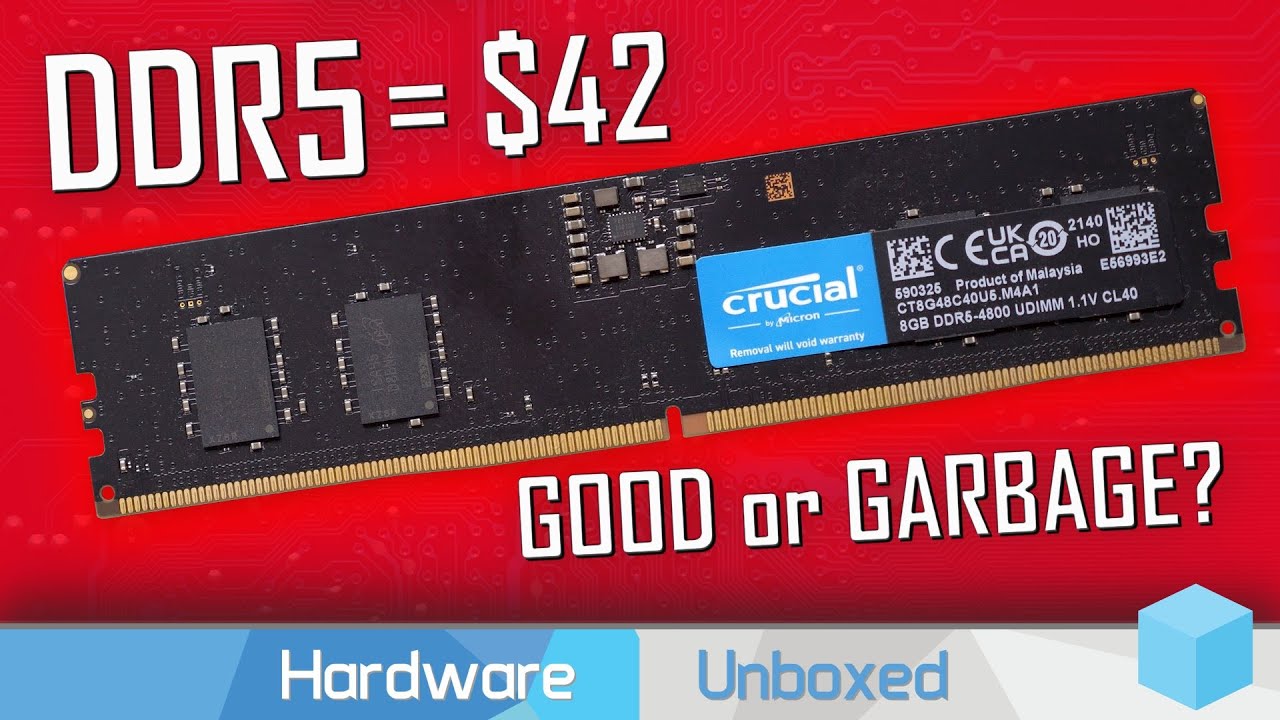
Support us on Patreon: https://www.patreon.com/hardwareunboxed
Join us on Floatplane: https://www.floatplane.com/channel/HardwareUnboxed
Buy relevant products from Amazon, Newegg and others below:
GeForce RTX 3050 - https://geni.us/fF9YeC
GeForce RTX 3060 - https://geni.us/MQT2VG
GeForce RTX 3060 Ti - https://geni.us/yqtTGn3
GeForce RTX 3070 - ...
boreal moth
I don’t have the ram Yet tho
So I can change
What would you recommend
This is the parts I was going to buy rn
grizzled bloom
What games would you be playing? 16gb is still enough for most but some like 32gb now
boreal moth
I have 32GB rn so I’d want 32 again
I play a lot of shooters but also flight sims
https://pcpartpicker.com/list/pFXc78 this is what I was going to buy - the Mobo
PC Builder - Phanteks Eclipse G360A ATX Mid Tower
@grizzled bloom
boreal moth
Is cas latency not a big deal anymore
grizzled bloom

DDR4 PyPrime 2B record: https://hwbot.org/submission/4758130_rauf
DDR5 PyPrime 2B record: https://hwbot.org/submission/4987588_p5ych0
My Patreon: https://www.patreon.com/buildzoid
Teespring: https://teespring.com/stores/actually-hardcore-overclocking
Bandcamp: https://machineforscreams.bandcamp.com/music
Twitch: https://www.twitch.tv/buildzoid
...
What really matters on DDR5 is the tertiary timings, and the kit I linked is a hynix kit that tunes REALLY well
6000c36 DDR5 is beating more expensive 3600c14 kits of DDR4
grizzled bloom
Definitely. That's the whole reason to get Z690 and a K processor after all.
grizzled bloom
It's a good one, decent dual tower
boreal moth
Would you recommend anything else over it
grizzled bloom
Maybe a Fuma 2
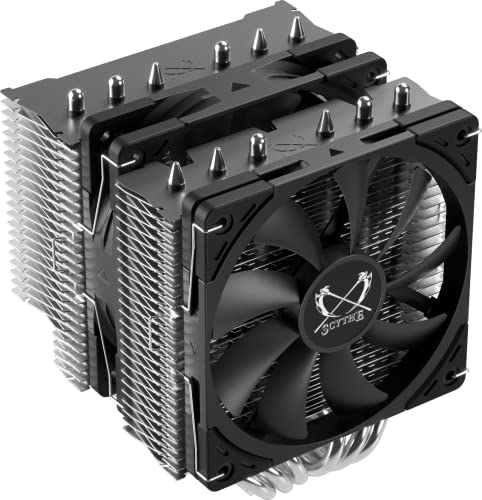
Scythe Fuma 2 Rev.B 39.44 CFM CPU Cooler (SCFM-2100)
AK620 if you can swing the extra $10

Deepcool AK620 68.99 CFM CPU Cooler (R-AK620-BKNNMT-G)
Thicc fans on that one
grizzled bloom
Happy to help
Wow I just double checked the cooler height compatibility and it'll be a tight fit, like 2mm of space
boreal moth
Oh
Yike
Should I go with the other cooler
Lol
Or keep the tight fit
I mean it does still fit
grizzled bloom
Tight fit still fits
boreal moth
All good then 👍
 viscid crow
I was just referred here. Are there sales techs on now?
burnt spear
Wdym
 midnight pollen
It's getting a bit late here but also this is a community server. if you have questions about tech feel free to ask and if someone has an answer they will likely reply
though if it is a question regarding an order that would go to one of the cs in #faqs
burnt spear
If you're looking for early black Friday deals, check #tech-deals and scroll through r/buildapcsales on reddit
viscid crow
I am wondering if anyone knows a little about older model motherboards, specificly...
I have an AMD/8-core FX-8350 4.0G 8M R and 2x 16Gb DDR3 memory sticks. I would like a motherboard that I can use these on that will accept 64Gb of memory. I realize that I will need some more Ram as well
grizzled bloom
viscid crow
I was just referred here. Are there sales techs on now?
No one here works for Newegg if that's what you mean
But I'll dig up a board
viscid crow
Can anyone else answer my question? I just looked up Gigabyte site and I am sure they can help during business hours tomorrow
grizzled bloom
I'm looking for a board right now
viscid crow
Although I can use any motherboard manufacturer
grizzled bloom
It's going to be a used board because that's a decade old at this point
grizzled bloom
I'm guessing that means you have a board with only 2 slots right now?
grizzled bloom
Oh, which board is it? I'll double check that while I'm at it
viscid crow
Gigabyte GA-970A-UD3P
viscid crow
I don't know...Prolly 1.0

 grizzled bloom
@viscid crow Alright dug up some general information.
Most 970/990 boards can support 64GB memory, albeit limited to about 1600 speed if you're lucky due to the memory controller.
Windows 7 Pro only addresses up to 32GB so I hope you're on 10. Home does 16GB.
What I'd do is just get the 2 new sticks, matching the speed and timings of your current set to maximize the chance it's compatible with each other. Then try it in your current board.
viscid crow
Ok. Thank you very much. I though about doing that but thought it would be a waste of money
grizzled bloom
If you want to be absolutely sure the sticks are compatible you need a matched kit like this, note non-ecc https://www.ebay.com/itm/303642267472

eBay
Frequency: PC3-12800 DDR3 1600 MHz. Before you order, make sure the RAM is compatible with your motherboard/CPU. Number of Pins: 240pin. We will reply you as soon as possible.
 amber canopy
Which board is he using? Are you sure it works with x4 dimms?
grizzled bloom
amber canopy
Which board is he using? Are you sure it works with x4 dimms?
Gigabyte GA-970A-UD3P
Official QVL is useless for 90% of these AM3 boards but it does currently work with 2x16gb sticks.
Most 970/990 boards should be capable of running 64gb according to my research, they're the last gen on that socket.
If it does work, he saves money. If it doesn't, he needed a new board anyway in that case.
 winged lynx
 zinc stream
i have a GALAXY Z690 Metal Master and a COLORFUL CVN Z690 GAMING FROZEN V21 motherboard, which motherboard can better use the 13700kf
 dull flint
Wow uh, I don't know either of those of the top of my head hang on
I'd trust the colourful more @zinc stream
But the galaxy supposedly has a much better vrm if it's press release is anything to go by
So if you can verify the vrm on the galaxy you have is indeed 90A stages that could likely be better
I wouldn't have high expectations of the RAM you could run on it tho
grizzled bloom
Whichever brand has the better, more consistent BIOS updates. Smaller brands like that tend to put board updates on the back burner.
zinc stream
dull flint
Wow uh, I don't know either of those of the top of my head hang on
ok,thank you
i will use galaxy on my pc
hollow knot
Is the x570 tuf gaming plus wifi a good mobo with 5600
vast meadow
Way too expensive I'd just go with the msi vc wifi
 steady fable
Getting new, better ram to go along with my ryzen 7 5800x…I know I should run 4 sticks since ryzen gets a little speed bump that way (correct?), so am thinking 4x8Gb to get me to 32GB…but would I benefit from getting the DDR4-3600 C16 over the C18? Or would that not be noticeable?
hollow thorn
steady fable
Getting new, better ram to go along with my ryzen 7 5800x…I know I should run 4 ...
4x8 and 2x16 both perform better than 2x8 assuming 16gb stick is dual rank, buy whatever is cheaper, 3600c16 will OC better than 3600c18, but performance is not noticeably different
steady fable
hollow thorn
4x8 and 2x16 both perform better than 2x8 assuming 16gb stick is dual rank, buy ...
Thank you...yeah I have this currently https://www.amazon.com/G-Skill-Trident-3200MHz-PC4-25600-Channel/dp/B085ZVZFMC Another user said maybe I could even OC that up to 3600 maybe?

64GB G.Skill DDR4 kit, Trident Z Neo designed specifically for the latest AMD Ryzen 3000, X570 Series. 3200MHz, PC4-25600, CL16 (16-18-18-38) at 1.35V. With Trident Z Neo RGB heatsinks, 2x 32GB modules.
hollow thorn
I mean, 3200c16 is going to be wacky dies, wouldn't count on ocing it, especially since its a 2x32 kit
I would probably just sit on that kit too, it's an alright kit
if you really wanted to you could grab like
https://www.amazon.com/dp/B0897TY95J

Patriot Viper 4 Blackout Series memory modules are designed with both true performance and sleek style in mind. Built for the latest platforms, the Viper 4 Blackout Edition Series provides top quality performance and matches perfectly with almost any PC build.The Viper 4 Blackout Series utilizes ...
 grand burrow
How much can a mobo slow down your system?
I have a B450M with 3080 and Ryzen 7 2700
 rocky iron
is a cpu really less then a pound? damn i didn't even know, i bought my first cpu and it was mad light
i mean then again it didn't come with a cooler so it makes sense
amber canopy
Well yea it's tiny, the only thing that would really weigh much is the IHS
rocky iron
seriously when i got my package i was like, did i get scammed? lol
amber canopy
Some larger socket sp3 or lga3647 chips probably weigh closer to a pound though lol
rocky iron
then i look inside, and just like yeah thats my cpu
amber canopy
What did you buy
rocky iron
a 12700k
its not really a big upgrade for me, i just wanted to be able to upgrade a little more with a motherboard thats more like future proof
i did a 2 year generation upgrade lol, i'm kinda weird
but i won't have to upgrade to a new one anytime soon (i hope) like we talking 5 years
maybe even more
hollow thorn
grand burrow
I have a B450M with 3080 and Ryzen 7 2700
The CPU will slow you down more than the mobo
amber canopy
grand burrow
I have a B450M with 3080 and Ryzen 7 2700
Dont buy into Zen or Zen+ honestly
Those chips were pretty bad and aged pretty badly as well
If you dont want to spend much on a CPU, get a 3600 probably
dull flint
Or just a 5600
amber canopy
whats the pricing of those two chips these days actually, i have no clue
dull flint
3600 used is decent too but it'll prolly struggle with a 3080 at 1080p
New? Same price pretty much
May as well get 5500
amber canopy
well nobody would buy a 3600 new lol
dull flint
Used would be good, def sub 100

 amber canopy
YOU MUST BE ENLIGHTENED
rocky iron
Why is the cpu power cable not coming off the motherboard
And the main power connector, I've been here stuck for like 15 minutes trying to unplug it
I did everything out of order so it's like
Hard
grand burrow
Lol. looking at the Ryzen 9 5900X, is there a reason I shouldn’t buy into Ryzen? (I’m assuming that’s what you meant by zen)
@amber canopy
dull flint
@grand burrow which b450m do you have
When he means zen and zen+ he means say, 1700x, 2700x etc. Those two series
Zen 3 is quite good but need to know what motherboard you have so we can check what cpu it can handle
grand burrow
Asus tuf b450m plus gaming
 tropic glen
dull flint
Zen 3 is quite good but need to know what motherboard you have so we can check w...
tropic glen
dull flint
Zen 3 is quite good but need to know what motherboard you have so we can check w...
It's meh
dull flint
Ok? I own a zen 3 chip and it's fine
dull flint
grand burrow
Asus tuf b450m plus gaming
I could likely handle a 5900X but probably not the best bang for your buck
Is this just for games?
grand burrow

Powered by 2nd generation AMD Ryzen AM4 processors, the Asus TUF b450m-plus gaming delivers 24/7 performance. Embrace reliability and stability with Asus TUF protection to ensure your components can keep up with you. Integrated M.2, Gigabit LAN and USB 3.1 Gen2 deliver maximum connectivity speeds.
dull flint
Ye I went and found it
grand burrow
Sry. Uh mostly for games but also CAD
grand burrow
I’m willing to change whatever, except gpu. 32GB Ram
dull flint
How heavy do you find the cad work you're doing rn on your pc?
dull flint
Yeah that's a fair justification tho
grand burrow
And mostly viewing
grand burrow
Ok. Should I look into a mobo as well?
grand burrow
Stock
dull flint
You'll want an aio
grand burrow
240 or 360mm
dull flint
Arctic has b stock 280mm aio's for 50$ on ebay
tropic glen
If buying a mobo you might as well get a 13600k. As that would defeat the point of the 5900x
dull flint
Ah 360's too if 280 doesn't fit
 tropic glen
They run hot due to die density, and don't run much cooler if you throw more at it
tropic glen
dull flint
The aio is cheaper than an AK620
Ak620 is $50 on newegg rn
Stupidly good deal
dull flint
So...if they have the option for a $50 280 aio, and a good one, why not do it?
280 will slap the ak620 for the same
If you're gonna recommend a dual tower, thermalright pa120 or pa120se is a better suggestion
Non-se works better for lga1700
tropic glen
dull flint
So...if they have the option for a $50 280 aio, and a good one, why not do it?
Potentially less reliable and the cooling doesn't matter on a 5900x
The 5900x is usually one of the easiest zen3 cpus to cool
6core ccd
tropic glen
Pump
dull flint
Oh you mean the arctic?
tropic glen
Yes
tropic glen
The artic aios are great, but the 5900x doesn't need it
dull flint
Again, why try justify against a similar price for better perf lol
dull flint
grand burrow
I’m gonna bookmark this…
https://pcpartpicker.com/product/QVrRsY/thermalright-peerless-assassin-120-se-argb-6617-cfm-cpu-cooler-pa120-se-argb-white-d1
https://www.ebay.com/itm/354106545275

Thermalright Peerless Assassin 120 SE ARGB 66.17 CFM CPU Cooler (PA120 SE ARGB White-D1)

eBay
COOLER THAN OTHER AIO WATER COOLERS: The ARCTIC Liquid Freezer II has a more efficient cool plate, pump and radiator that makes a difference among other AIO water pc fan coolers.
Pick your poison
@grand burrow if you can give used a fair go try here
https://www.reddit.com/r/hardwareswap?utm_medium=android_app&utm_source=share

reddit
grand burrow
Arctic
dull flint
5900X's going for well under 300 there
grand burrow
Fantastic! Thanks everyone!!


 compact zenith
dull flint
Reference from a week ago
compact zenith
dull flint
Reference from a week ago
Please tell me those pictures are of before the repair?
dull flint
compact zenith
Please tell me those pictures are of before the repair?
Before and after
And it also freaking WORKS NOW
HELL YES
BOOYAH
 grizzled bloom
 compact zenith
What concerns me, are the small tabs of metal sticking up. Looks like they may hang up and bend when something is plugged in
dull flint
That's before
After they're lined up
Took me AGES
Were it not for the value of the board I wouldn't have bothered to repair it perfectly
compact zenith
Did you bend the pins back, or replace the USB ports using a soldering iron?
compact zenith
That takes good eyesight, something I no longer have. If you have soldering experience, I suggest looking at Digikey. They have just about every semi conductor known to man kind. Wouldn't be surprised if those USB ports were about 50 cents to $2.00 each.
dull flint
Ah well I don't have any soldering kit rn
That's the next step really for me, 3 things, soldering, hardline loops and familiarising myself more with PSUs and their internals
After that I've learnt enough to make it a career lol
compact zenith
If you plan doing surface mount repairs, I suggest getting a normal soldering iron with temperature control, and a microfine tip. Microfine tips are great for hard to reach areas. I used to make $75 to $150, repairing the PlayStation 2 systems people botched up trying to mod back in the days. They would use a normal soldering iron, and end up knocking off the surface mounts next to the ports they were trying to modify.
It's good to practice on a bad board to gain experience.
compact zenith
If you plan doing motherboard repairs, always put a cover in the CPU socket if no CPU present. One bead of solder, can seriously damage a socket.
That's one repair I can never do now. My hands shake and half blind. Building a PC without damaging anything is still easy for me. But components now a days, forever out of me reach 😦
.
.
On another note, My daughter's I7 Z690 Aorus Master is acting a bit wonky. Just found out, fast boot isn't working on her system. Bios is updated and also turned on, but for some reason, the 2TB Kingston Fury is not booting into Windows under fast boot. Google searches are only turning up how to shut it off, not any info on how to get it working.
Think it's an efi issue. Unlike my system and my son's, I noticed the 500mb system partitions got drive letters assigned to them.
Actually, I bet it's that stupid issue with the SATA drives. Older windows 10 efi partitions are getting used again despite the NVME being a fresh format. I just need to disconnect them and see if it continues. If I get a boot error, then that's the problem.
dull flint
Aorus you want to set boot to fast or ultra fast in the menu. It's a bit different to fast boot, which you don't need enabled
Ultra fast skips usb until after bios, fast is normal
Disabled is a like 50 second boot up
That is if it's anything like what my aero g does
You find these options in the boot tab of the bios under advanced settings
limber dragon
dull flint
Ah well I don't have any soldering kit rn
You'd need a hot air for usb port replacement
compact zenith
dull flint
Aorus you want to set boot to fast or ultra fast in the menu. It's a bit differe...
All that I already had set up. Was the wrong EFI partition and windows 10 drivers, coupled with incorrect appcenter programs. Instead of Z690, it was loading from the windows 10 drive which used to be in a Z390 version. Looks like my daughter restored entire drive instead of just the partition. I disconnected the drives, booted under the NVME and fastboot worked.
I just got done using diskpart drive 1, and restoring just the partition so no second efi to confuse system.
To bad Macrium Reflect doesn't have option to leave out the windows 10 install. I'm going to have to back up the needed folders and wipe the drive once more so nothing is left, just to be safe.
 ebon sinew
is this cpu good for vr https://pcpartpicker.com/product/LT3gXL/intel-core-i7-12700f-21-ghz-12-core-processor-bx8071512700f

Intel Core i7-12700F 2.1 GHz 12-Core Processor (BX8071512700F)
ebon sinew
I think I will go with the i5 13600k because of faster multi tasking and will be good for vr, paired with the amd 6900xt
shy wyvern
I never thought I would be bottle necked at 4k with a game like spiderman holy hecc
time to buy a 13700k and throw it into my rig ig
dull flint
Welcome to 4090 lol
shy wyvern
yeah but like
bottlenecked at 4k highest settings is absurd to me
I guess I need an upgrade
dull flint
I've been saying this here for a while tho, 5800X3D/13600K+ is as low as I'd go with the card
I've had many naysayers
12900K would also work
shy wyvern
13700k Seems a little bit faster than 12900k and is cheaper here locally
currently $379 at microcenter
dull flint
Ye, it's def a better chip
shy wyvern
versus $480 for 12900k
faster, same amount of cores, and still works on z690
no excuse not to get it over 12900k imo
dull flint
12900K tho would work with a 4090 as well tho, it just has enough grunt
Is my point
But yes, 13700K>12900K easily
shy wyvern
lemme look on marketplace to see if there's any used 12900ks though
I will swing for a $300ish 12900k
dull flint

shy wyvern
I saw 12700ks going for $240 locally so don't think it's too much of a stretch
dull flint
Depends on the halo tax tbh
shy wyvern
Halo tax should vanish when the i7 is faster than it??
unless people big stoopid
which actually makes sense 
shy wyvern
hold up there's a ftw 1050???
shy wyvern
I open facebook marketplace and first thing I see if a ftw 1050
it's so overbuilt what is that thing
 shy wyvern

it's
SO BIG
for a 1050ti
like ???
how much did this retail for I feel like I'm tripping
dull flint
Looks very nice too
vast meadow
shy wyvern
I saw 12700ks going for $240 locally so don't think it's too much of a stretch
Flagships always hold their price way better for some reason
hard leaf
shy wyvern
I never thought I would be bottle necked at 4k with a game like spiderman holy h...
are you aware the it will bottleneck on the 13700k as well?
vast meadow
hard leaf
are you aware the it will bottleneck on the 13700k as well?
Not in csgo 
 vast meadow
Never enough
hard leaf
imagine a bottleneck at that point
vast meadow
Not til we see 7900xtx in action
hard leaf
even then, 4090 wins over that one
any other new tech is below 4090 until the 4090ti somewhere on 2023
or a 7950xtx
grizzled bloom
vast meadow
Idk if csgo has engine limit
400 is engine limit
vast meadow
grizzled bloom
400 is engine limit
Deff not 400
 vast meadow
Hmm
I'm pretty sure its a lot higher
@grizzled bloom https://youtu.be/5GneP6MuVOk

This video contains a paid promotion for NordVPN. Get the deal here ➡️ https://nordvpn.com/kliks . It's risk-free with Nord's 30-day money-back guarantee! ☝️
What is a VPN? https://nordvpn.com/what-is-a-vpn/
I have a super-fast mega-PC. Let's use it to stare at the ground in CS:GO to see if I can reach 1000 FPS!
CPU: Intel i9 13900k
GPU: Geforc...
Starts around 4 mins
It's quite interesting actually
shy wyvern
hard leaf
are you aware the it will bottleneck on the 13700k as well?
From what I saw from 13700k reviews the 13700k is about the same as 13900k
hard leaf
kinda but still, the 4090 will bneck both anyway, thats the point
i think the 13900 has a bit more cache, not sure tho but both should be pretty similar
burnt spear
Even at 1440p I'm pretty sure the 4090 is the limiting factor with a 13600k
cerulean wadi
Even at 4k in many games the 4090 is the limiter. 🤣 -- 4070 (ti) (efficiency) is gonna be fun to see.
vast meadow
in 4k youd expect gpu to be limit
higher res = more gpu limited, lower res = more cpu limited
hard leaf
thing is, there is no cpu currently that can feed the hungry 4090. you will have your gpu bottleneckd one way or another
vast meadow
hard leaf
thing is, there is no cpu currently that can feed the hungry 4090. you will have...
Depends on the game bro
burnt spear
13900k 4090 for 480p 24hz csgo
vast meadow
Nah 13900k and 4090 at 1080 and 1440p
You should watch 3kliks vid
Really interesting actually
amber canopy
shy wyvern
I used to have the same 1050ti
 sharp sundial
For a Ryzen 5 5600X, what is the best way to remove just the stock fan without stripping the small screws? I wanted to replace my two memory sticks with four new ones. I didn't plan on having to maybe rotate the whole fan and have to clean/replace thermal paste as well. Replacing RAM was supposed to be easy!! ||I should have put it on the other way originally  ||
||
My fan basically blocks the 4th memory slot with the AMD logo. I'm trying to replace x2 8GB sticks with x4 16GB sticks. I know to twist the heat sink sideways and to avoid lifting the fan straight up as to not rip out the CPU. I just don't want to have to deal with removing the whole thing.
hollow thorn
There's no secret to it, just gotta remove the whole thing and rotate it if whatever orientation it is currently in blocks a ram slot
sharp sundial
Can I just pop off the plastic? I'm too afraid to just lift up on the AMD logo to see if I can or not
sharp sundial
Transplant success. New thermal paste, new ram. That was scary
 hollow blade
I need help i got a asus rog z690-e gaming and i9 12900k i try to update my bios but asus says to update intel me before but i cant instai intel update im on first version of the mobo pls help
 frosty depot
What would be some good DDR3 (heh) laptop RAM? I'm looking for 2x8 or 2x16. One of my buddies has an Inspiron 7000 Gaming laptop that only has 8gb RAM.
naive pendant
did they lower the base clock speed of the P-cores in the 13900K by -0.2GHz to accommodate additional E-cores, threads and regular cores?
 supple walrus
hi guys i have a question
i just got this mobo ASRock B450M PRO4 R2.0 AM4 AMD
but i have a ryzen 5 5600g
will it boot out of the box?
hollow knot
b450 might need a bios update
supple walrus
yeah but it needs to boot first right?
grizzled bloom
What version of bios is installed? It should say on the box near the barcodes
supple walrus
i dont have it in hand yet just ordered
grizzled bloom
Well you won't know until you have it then. It'll depend on how long it sat on the shelf.
grizzled bloom
The board doesn't have a bios flash button so you'd need an older CPU to update with. You could get a $20 athlon off eBay.
It'll need to be version P5.00 or higher to support the 5600g.
grizzled bloom
Any AM4 one, they don't have any that it won't support by default
5.00 released in March 2021 btw just in case it doesn't say what it came with. If the board was manufactured after that it should work.
supple walrus
is it possible that i can take it to any computer store and tell them to update the bios for me?
grizzled bloom
You could do that but that's a time consuming process and most shops I've asked would charge $100+
supple walrus
true
grizzled bloom
Since you basically have to build the whole thing
supple walrus
i live in canada, canada computers is our like microcentre but they charge so much
man a athlon g200 is also like $70 including shippping
supple walrus
used prices also high aswell
grizzled bloom
Hmm I'll take a look in a bit
I'd still say wait until you have it before doing anything drastic
supple walrus
yeah you know what ill wait theres a 1% chance the bios might be a 5.0
grizzled bloom
More than 1% at least, I'll give it 25%
supple walrus
if its not a 5.0 then i might refund and get one which is out of the box
getting another cpu and flashing seems like a stretch
hollow knot
5600 vs 5600x vs 5700x which is best with 6800xt or 6900xt
hard leaf
of the 3 the 5700x is the best, then the 5600, and last the 5600x
however on price 5600 is the best of the 3
hollow knot
hard leaf
of the 3 the 5700x is the best, then the 5600, and last the 5600x
will fs140 be enough for 5700x
 eternal helm
hard leaf
of the 3 the 5700x is the best, then the 5600, and last the 5600x
eternal helm
hard leaf
of the 3 the 5700x is the best, then the 5600, and last the 5600x
Tbf 5600x is ahead of 5600 in the performance aspect (hardly more than MoE but still)
woven elk
can Z790 AORUS ELITE AX (rev. 1.0) mobo fit a 4080?
vast meadow
ye
hard leaf
in fact any mobo with a pcie x16 can fit that card, you should worry of your case
 stone fog
I need help moving a laptop motherboard into a custom case that I built.
Well. All of the internals of a laptop minus the keyboard and mouse pad
grand burrow
Performance difference between a Ryzen 9 5900X and a Ryzen 9 7900X? Paired with a 3080. worth the $130 upgrade?
hollow knot
hard leaf
in fact any mobo with a pcie x16 can fit that card, you should worry of your cas...
i meant it wont cause any bottleneck issues with 6800xt/6900xt
vast meadow
grand burrow
Performance difference between a Ryzen 9 5900X and a Ryzen 9 7900X? Paired with ...
its way more than 130 and also just go 13600k or 13700k
grizzled bloom
7700X games better than 7900X because single CCD
And it's cheaper right now than 5900X
So then the only additional cost when building a new rig would be the mobo and ram
hard leaf
hollow knot
i meant it wont cause any bottleneck issues with 6800xt/6900xt
no, it will not
grand burrow
Well I’m dumb and forgot about sockets so I will just be getting the 5900X
hard leaf
that should be a fine pairing
hard leaf
z690+13600k 👍
 devout mothBOT
 Knoppix#4058 has been warned
Reason: Bad word usage
vast meadow
grand burrow
Already have an AM4
ahh if you have an am4 board just keep am4 then ye
grizzled bloom
grand burrow
Well I’m dumb and forgot about sockets so I will just be getting the 5900X
Do the 5800X3D instead, it's still one of the top gaming CPUs and the best gaming chip on that socket
vast meadow
If you can find it*
grizzled bloom
It's been popping up here and there for $330
Wegg has it currently at $329 with game bundle
Wegg ebay account has same price
hollow knot
quick question do we always have to keep our bios updated over lets say 4-7 years
i have never updated the bios in my hand me down pc
grizzled bloom
Normally with bios the "if it ain't broke don't fix it" rule applies but over that long of a span some major fixes and stability fixes get pushed out
Assuming it's a current-ish gen socket board, like a Z390
hard leaf
yup, if aint broken then dont touch it
hollow knot
but if the mobo comes with wifi i should keep that updated right?
hard leaf
same rule applies
hollow knot
thx
hard leaf
if it works, dont touch it
hollow knot
so only if i upgrade a cpu which needs a bios update then i will update bios
hollow knot
thx
grizzled bloom
Wifi drivers are notorious for breaking with updates
cursive epoch
tfw i keep my bios updated on my laptop
grizzled bloom
Laptops are a bit different too since power saving features are often baked in and an update can significantly impact your battery life
cursive epoch
lots of other potential fixes too
like fan profile
some laptops at launch have had issue where the fans are lazy to work
 clever mango
Hey ive had a 9700k since 2018 and have been looking for an upgrade. Right now im paring it with a 3060 ti. Any thoughts on if/what I should upgrade 2? (I am aware that I will need a new motherboard for any worth it options to upgrade)
was thinking 13700k maybe
vast meadow
clever mango
was thinking 13700k maybe
if you are just gaming id grab 13600k instead
clever mango
its 70$ more than the 13600k, u think its still worth me getting a 13600k?
also this is the mobo i wanted to get https://www.amazon.com/gp/product/B0BG7DY6MT/ref=ox_sc_act_title_1?smid=ATVPDKIKX0DER&psc=1 any thoughts?

ASUS TUF GAMING Z790-PLUS WiFi D4 takes all the essential elements of the latest 13th Gen Intel® Core™ processors and combines them with game-ready features and proven durability. Engineered with military-grade components, an upgraded power solution and a comprehensive cooling system, this mother...
vast meadow
clever mango
its 70$ more than the 13600k, u think its still worth me getting a 13600k?
in gaming theyre basically the same, I would just get this motherboard and update the bios using bios flashback https://pcpartpicker.com/product/GvmmP6/msi-pro-z690-a-ddr4-atx-lga1700-motherboard-pro-z690-a-ddr4

MSI PRO Z690-A DDR4 ATX LGA1700 Motherboard (PRO Z690-A DDR4)
vast meadow
Np
cerulean wadi
Pato think I should 12100/12400, bios update, then eventually later 13600k... or just go 12600K(F)? Lol, was waiting for $220-230 again.

 bronze summit
cerulean wadi
Pato think I should 12100/12400, bios update, then eventually later 13600k... or...
bronze summit
cerulean wadi
Pato think I should 12100/12400, bios update, then eventually later 13600k... or...
13600k is nice

Free mobo
That mobo is like $250 rn
cerulean wadi
The day MC does more online deals is when their sale numbers jump big time.  . At least Frys Electronics was around Northern CA.
bronze summit
cerulean wadi
The day MC does more online deals is when their sale numbers jump big time. <:Fe...
Well if they do online sales they go out of stock 
That piece is now stuck 

My fat fingers
Is that enough?

 hard leaf
terribly wrong
bronze summit
I shut pc down
bronze summit
hard leaf
but that temp at that voltage.... auch
bronze summit
Oh ummm
I just took the aio off

It wasn't even touching ?
Round 2

WHAT THE HELL
 burnt spear
Either your mount is bad or you didn't use enough paste
 burnt spear
Then you didn't screw it on right
Does that black part come off the screws?
If so, the aio goes on first and then those go on


 maiden flame
what is an affordable motherboard with 2 slots of m.2 ssds
burnt spear
Most motherboards
maiden flame
Is that a decent motherboard for its price? Would there be a better one for the price?
burnt spear
If you want wifi, I'd probably go b550 pro vdh wifi since that one doesn't come with it
And I believe it has 2 m.2s as well
 lyric turret
Question how do i find out what bios version i have Bc i i dont think i got the right one or not a updated on
hollow knot
lyric turret
Question how do i find out what bios version i have Bc i i dont think i got the ...
it will have sticker near the cpu socket.
lyric turret
hollow knot
it will have sticker near the cpu socket.
no i mean like which one i have installed
my mobo is PRO Z690-ADDR4
cursive epoch
boot into the bios
cursive epoch
you can, yes
lyric turret
cursive epoch
you can, yes
says i got the BIOS Version/Date American Megatrends International, LLC. 1.10, 12/13/2021
lyric turret
Yep and how do i find out if thats the correct one? going to my mobo website
hollow knot
lyric turret
no i mean like which one i have installed
look for bios and ur cpu
cursive epoch
just look at the release notes for the bios
also since your pc is working fine i doubt whatever your problem is might not be related to bios being outdated
hollow knot
@lyric turret as long its stable version and my cpu is working thats enough for me
cursive epoch
bios update is last resort to any problems
hollow knot
i really dont want to play around with the bios at all if i cant help it
lyric turret
Title
Version
Release Date
File Size
AMI BIOS
7D25v19
2022-11-09
9.28 MB
hollow knot
is that the stable version?
cursive epoch
Um, anything that doesn't say beta should be stable version
lyric turret
Im under bios not drivers to
lyric turret
Im seeing if i can find my bios version under the tabs but i dont
unless this is it-AMI BIOS
7D25v10
2021-09-15
8.59 MB
cursive epoch
What is your pc's problem?
lyric turret
i think my cpu isnt working right..
cursive epoch
How so?
hollow knot
why u think that
lyric turret
i did alot of tests etc, so on say apex its a cpu bound game and gpu.. when i lower grahpics it tends to be put more on my cpu and when that happens the fps is really bad
cursive epoch
Maybe I might be able to help and solve it without jumping into bios updating
ah that's normal lol
lyric turret
but also at the same i just wanna make sure my Bios is updated
vast meadow
lyric turret
i did alot of tests etc, so on say apex its a cpu bound game and gpu.. when i lo...
have you enabled xmp?
lyric turret
vast meadow
have you enabled xmp?
yes
hollow knot
put the game at 1440p or higher will make apex more gpu bound
lyric turret
alright
But could someone help me to see if i should update my bios or not? idk hwo outdated my version is
i built this pc in august
cursive epoch
You don't need to
lyric turret
You sure?
cursive epoch
Your solution is just to run high graphics
hollow knot
yeah unless u r getting a 4090 or something like that
hollow knot
then run it at 1440p or 4k. 1080p with a 6900xt will make the game cpu bound
lyric turret
Yea good thing I ordered a 2k montior lol
hollow knot
when i build my pc with either 6800xt/6900xt i will run it at 4k.
hard leaf
lyric turret
Alright but could you see how outdated my gpu is if any
just breathe pal
you are almost last gen
hollow knot
as long ur cpu works with ur mobo dont bother updating bios at all
lyric turret
So on the website my mobo doesn’t support my cpu
hard leaf
then how is running?
cursive epoch
that's false
hard leaf
dudem chill
hard leaf
if your mobo doenst support your cpu then your pc will not turn on
lyric turret
Oh wait that’s WiFi. Ddr4
hard leaf
omg
hollow knot
@lyric turret relax. and breathe in and out
lyric turret
I’m dumb my bad
cursive epoch
Every B660 and Z690 boards will work with 12th gen
Even H610
Just calm down, take a breath
lyric turret
Oh okay
hollow knot
if u able to turn on ur pc then u r golden @lyric turret
hard leaf
your pc is fine, you are just playing on lower setting and lower resolution
your cpu will work more than your gpu on that scenario
cursive epoch
which just in turns hurts performance due to the game's cpu bound nature
gpu works less, cpu works harder
it's normal behavior
hard leaf
indeed, your gpu is a 4k oriented gpu... its largely wasted on a 1080p monitor
cursive epoch
cpu bottleneck is way more noticeable than gpu
since they come in the form of stutters
hollow knot
if u have a high end gpu like a 6900xt and u play at 1080p it will be more cpu bound higher resolution gpu bound on games than cpu bound
u basically want ur games to be gpu bound not cpu bound in ur games
hollow knot
high end gpus higher resolutionn is better right @hard leaf
hard leaf
kinda, sometimes at 1440p you get the best gaming experience
higher resolutions means lower frames
and at 1440p you can lever both the gpu and cpu to be even
hollow knot
well my build i will play at 4k since i own a 4k monitor
hard leaf
yeah you do you
burnt spear
1440p 120hz >4k 60hz
hollow knot
4k60 is the sweet spot for my rpgs and open world games
hard leaf
exactly that, i will play at lower resolution but higher frame rates over 4k any day of the week
burnt spear
And in a lot of games even the 6900xt struggles to hit 120 fps at 4k, hell a lot of modern games won't even run it at 75
hollow knot
burnt spear
And in a lot of games even the 6900xt struggles to hit 120 fps at 4k, hell a lot...
even the 40 series?
burnt spear
4090 easily
hard leaf
hollow knot
4k60 is the sweet spot for my rpgs and open world games
yeah, thats what i meant with "you do you" if you are happy playing at 60 fps to justify 4k then go for it pal
hollow knot
4090 is like 1500 min
burnt spear
4080 could probably do 120, in games that implement new dlss well it'd do 144 easily
7900xtx could do it I'd imagine
hollow knot
hard leaf
yeah, thats what i meant with "you do you" if you are happy playing at 60 fps to...
my shooters i play cod and everything else on my xbox series x
hard leaf
hey im not judging you, just saying that 1440p is the sweet spot for both fps and performance for the whole pc
if you are happy at 4k 60 fps then good for you 🙂
hard leaf
burnt spear
7900xtx could do it I'd imagine
even if it does, ill plan to run mine on 1440p
not going to sacrifice fps for more pixels
👍
amber canopy
burnt spear
1440p 120hz >4k 60hz
Your opinion sucks, fight me about it
4k glory all the way
amber canopy
my opinion is valid
you know why
because i have a 4k 60hz & a 1440p 240hz
fight me
(the m27q hasnt arrived yet tho)
vast meadow
amber canopy
because i have a 4k 60hz & a 1440p 240hz
probably a tn panel for the 240
amber canopy
lol no, it isnt
shy wyvern
Should I clean install with a new CPU?
grizzled bloom
Is the only thing you're changing the CPU? Same motherboard?
If yes then no need to reinstall but if weirdness happens you might need to.
shy wyvern
Same motherboard and ram
I did a clean install of 11 when going to 12600k so I figured I'd ask
vast meadow
if just keeping same motherboard there is no need
shy wyvern
I think the memory controller for ddr4 on this CPU may be worse than my 12600k
Yeah ram = unhappy rn
Sa is at 1.25 vddq is at 1.45
I know these sticks are stable at these settings because of my 12600k
4000 (30x133), gear 2, 16 16 16 34
shy wyvern
shy wyvern
Sa is at 1.25 vddq is at 1.45
Is it safe to raise voltages anymore than this?
Idk what to do the memory controller got worse gen over gen for ddr4 lol
compact zenith
Just ordered a replacement magnetic case filter fan for my Thermaltake desktop. Haven't been able to find it, ever since I swapped out the defective motherboard, and looking at footage, I think it got shipped back to Newegg when I sent the bad one back. Something on the mothetherboard or in the box attracted it. Box was put down, and later, it was boxed up and shipped back. My guess is, it's stuck to bottom of motherboard box. Thermaltake wants $45, so bought an adjustable one for $7. Adjustable is also more feasible, as I can completely cover the top, where as the original only covered 2/3 top of Case, leaving too much space for dust to get in.
grizzled bloom
shy wyvern
I think the memory controller for ddr4 on this CPU may be worse than my 12600k
Weird how many people have this same experience
 livid sparrow
Anyone know what type this stuff is? https://www.newegg.com/neo-forza-32gb-288-pin-ddr4-sdram/p/0RN-0097-00053
hollow thorn
timing is pretty loose so prob like djr?
livid sparrow
That is what I was guessing, but I am not a ram guy, so doesn't hurt to ask
tropic glen
shy wyvern
Sa is at 1.25 vddq is at 1.45
Cpu vddq should stay around 1.4v
SA can go up to 1.35
I wouldn't go over 1.3v
On sa
tropic glen
lyric turret
i7-12700kf
I ran at a locked 300fps with a 12700k and 6900xt
Both with manually tuned bdie ddr4 dual rank and m die ddr5 single rank
 arctic tide
planning on upgrading my 7600k + maximus ix hero mobo to something newer, any suggestions under 300?
i saw that the 5600x is on sale for 150, is that a good idea?
eternal helm
5600 non x will save you a few bucks
Like 2% slower than 5600x, hardly bigger than margin of error, nothing noticeable at all
hollow knot
5600 on amazon for 118 wont arrive at least til january
eternal helm
Dang
5600x works then, or may be able to fit the 5700x in if you want more cores depending on what you do
hollow knot
its why im probably either getting it from newegg for 136 or get 5700x for 198
im building some time in december im not waiting a month just so i could save 18 bucks
arctic tide
mostly doing gamedev, blender, and gaming
5600 probably works then at 142
dont feel like waiting till january lol
hollow knot
@arctic tide u chose what mobo?
hollow knot
im getting gigabyte elite b550 ax v2 for 150 newegg. wifi board. 2 m2 drives only 1 run at pci 4.0x4.
arctic tide
oh wait the 5600 is cheaper on newegg?
hollow knot
arctic tide
oh wait the 5600 is cheaper on newegg?
a few bucks
arctic tide
awesdome
any other discounts or bundles that are worth it?
im planning on upgrading ram too
hollow knot
4 ryzen cpus i would go 3600mhz ram
arctic tide
ah man the newegg one is backordered?
hollow knot
2x16gb g skill ripjaws series v 3600mhz for 85
newegg also 3200 version is same price
@arctic tide what r ur needs for ur mobo upgrade?
arctic tide
oh ive got ethernet, 1 m.2 and 1 sata drive at 4.0 rn
mainly just want usb ports lol
ik i can get a pci card or something for that but i dont really want to
arctic tide
rn im using 9 lol
hollow knot
arctic tide
rn im using 9 lol
do u use all of them
arctic tide
hollow knot
do u use all of them
yep
hollow knot
arctic tide
yep
then i have no clue for mobos with huge amount of usb outlets. i have 4 or 6 usb slots on pc i barely use more than 1 which is usb dongle to my wireless keyboard and mouse combo. another maybe to my portable hd.
hollow knot
arctic tide
yep
how r u able to use all of them?
arctic tide
carefully
alright so i’ve got keyboard, mouse, vr headset, monitor usb hub, iphone cable, wifi, bluetooth
oh and webcam and mic
hollow knot
@arctic tide try x570 chipsets some mobo has upto 8 usb slots on motherboard plus whatever on the case
arctic tide
ooh i’ll see
hollow knot
arctic tide
alright so i’ve got keyboard, mouse, vr headset, monitor usb hub, iphone cable, ...
why do u need iphone cable to pc. its a lot slower than to power outlet?
arctic tide
hollow knot
why do u need iphone cable to pc. its a lot slower than to power outlet?
oh it’s for data transfer as well
hollow knot
arctic tide
alright so i’ve got keyboard, mouse, vr headset, monitor usb hub, iphone cable, ...
get a wifi mobo and most modern boards should have bluetooth included
hollow knot
arctic tide
probably better than my 10 year old wifi adapter
try this https://www.newegg.com/gigabyte-x570s-aero-g/p/N82E16813145324 wifi board 8 usb slots on mobo plus whatever on case
vast meadow
Do you already have an am4 cpu tomato?
arctic tide
vast meadow
Do you already have an am4 cpu tomato?
i do not
planning on buying a 5600
going from an intel 7600k
vast meadow
Ah okay, what requirements you looking for?
 boreal pewter
Hello - I am purchasing a 13600k with a asus z690 prime-p
I do not own a 12 gen cpu. Is there a way to flash the bios without the cpu installed or will I have to take it into the shop?
hollow knot
boreal pewter
Hello - I am purchasing a 13600k with a asus z690 prime-p
I do not own a 12 ge...
should have bios flashback button
hollow thorn
Doesn't seem like it has bios flashback
boreal pewter
hollow knot
should have bios flashback button
hey thanks for the response, I was looking at pictures of the motherboard I/O panel and it appears as if this model doesn't have that
hollow thorn
boreal pewter
Hello - I am purchasing a 13600k with a asus z690 prime-p
I do not own a 12 ge...
Microcenter offers updating the bios for you for like 20$, you can loan a CPU from someone, or buy a cheap pentium for it and flash using that
hollow knot
i really thought most modern mobo have bios flashback
dull flint
Instead of z690 prime-p, you could get msi* z690 pro-a if that's an option
hollow thorn
MSI neat
boreal pewter
@hollow thorn can you recommend the cheap pentium cpu - I haven't been on intel since 8th gen and I am a bit unfamiliar
dull flint
It's usually the cheaper bios flash z board, it's also a very high quality board despite the looks
The vrms on it are incredibly good
boreal pewter
dull flint
Instead of z690 prime-p, you could get msi* z690 pro-a if that's an option
thanks for the suggestion, I have already bought the bundle without doing my due dillegence. I will prob have to take it into the local computer shop and hope they have the cpu. I don't live in the city so micro center is no where near me
boreal pewter
I can't get the pc to post without the cpu installed right? I mean I've never tried it Im just assuming that's the case
boreal pewter
Ah this is what you get for being a cheap ass
dull flint
Nah this is marketing at work
They'll sell you a decent bundle or set but they won't know themselves if it works
80+ gold is a favourite for marketing
When in reality 80+ gold doesn't really mean much at all for quality lol
boreal pewter
I've been on a Ryzen 3900x for 3 years or so, I was really impressed with what I saw with the 13600k. I didn't want to go the DDR5 route just yet so I found a affordable z690 board without really thinking about the fact that the platform just launched and the mobo's that are being sold are most likely back stock and haven't been flashed
dull flint
There's a chance they could be flashed but chances are not, and it's better to be safer than sorry
boreal pewter
In your opinion do you think that using the 13600k on a z690 board will limit preformance or features? I'm not really all that concerned about single digit performance %'s
dull flint
Z690 won't limit it at all
The differences between z690 and z790 in your case is simply more USB ports
Only ddr5 z790 has had some improvements in memory compatibility so that doesn't apply to your case
vast meadow
hollow thorn
MSI generally has it, gigabyte too
Honestly shout out to gigabyte they seem to have flashback on all their b660s even ds3h and gaming x
vast meadow
arctic tide
i do not
This should do nicely
https://pcpartpicker.com/product/tr4Ycf/msi-pro-b550m-vc-wifi-micro-atx-am4-motherboard-pro-b550m-vc-wifi

MSI PRO B550M-VC WIFI Micro ATX AM4 Motherboard (PRO B550M-VC WIFI)
burnt spear
hollow thorn
MSI generally has it, gigabyte too
A lot of msi b660s don't
dull flint
vast meadow
Honestly shout out to gigabyte they seem to have flashback on all their b660s ev...
And they really should. I look forward to the day when post codes become standard then motherboards would be a lot easier to work with
burnt spear
I think the tomahawk does, and the mortar might
vast meadow
burnt spear
I think the tomahawk does, and the mortar *might*
Mortar b660 def doesn't
vast meadow
dull flint
And they really should. I look forward to the day when post codes become standar...
Eh that's not as important to me tbh but yeah nice feature
Never needed one tho
dull flint
When something is seriously wrong it helps a lot
Instead of like, diagnosing no video or something else less specific you can tell what the pc is doing
vast meadow
dull flint
When something is seriously wrong it helps a lot
Just don't let that happen 
dull flint
Asking the techie to try not test the limits smh
What is this, the Newegg server?
smhmh
hollow thorn
MSI been lacking on b660, Gigabyte has been good, but both have flashback on all their z690 boards that I know
dull flint
Would def pick msi for z's tho ngl lol
Gigabyte hasn't done that well for memory performance on lga1700
hollow thorn
boreal pewter
<@278694081440251905> can you recommend the cheap pentium cpu - I haven't been ...
this might be the cheapest compatible chip
https://www.bhphotovideo.com/c/product/1675549-REG/intel_bx80715g6900_celeron_g6900_desktop_processor.html
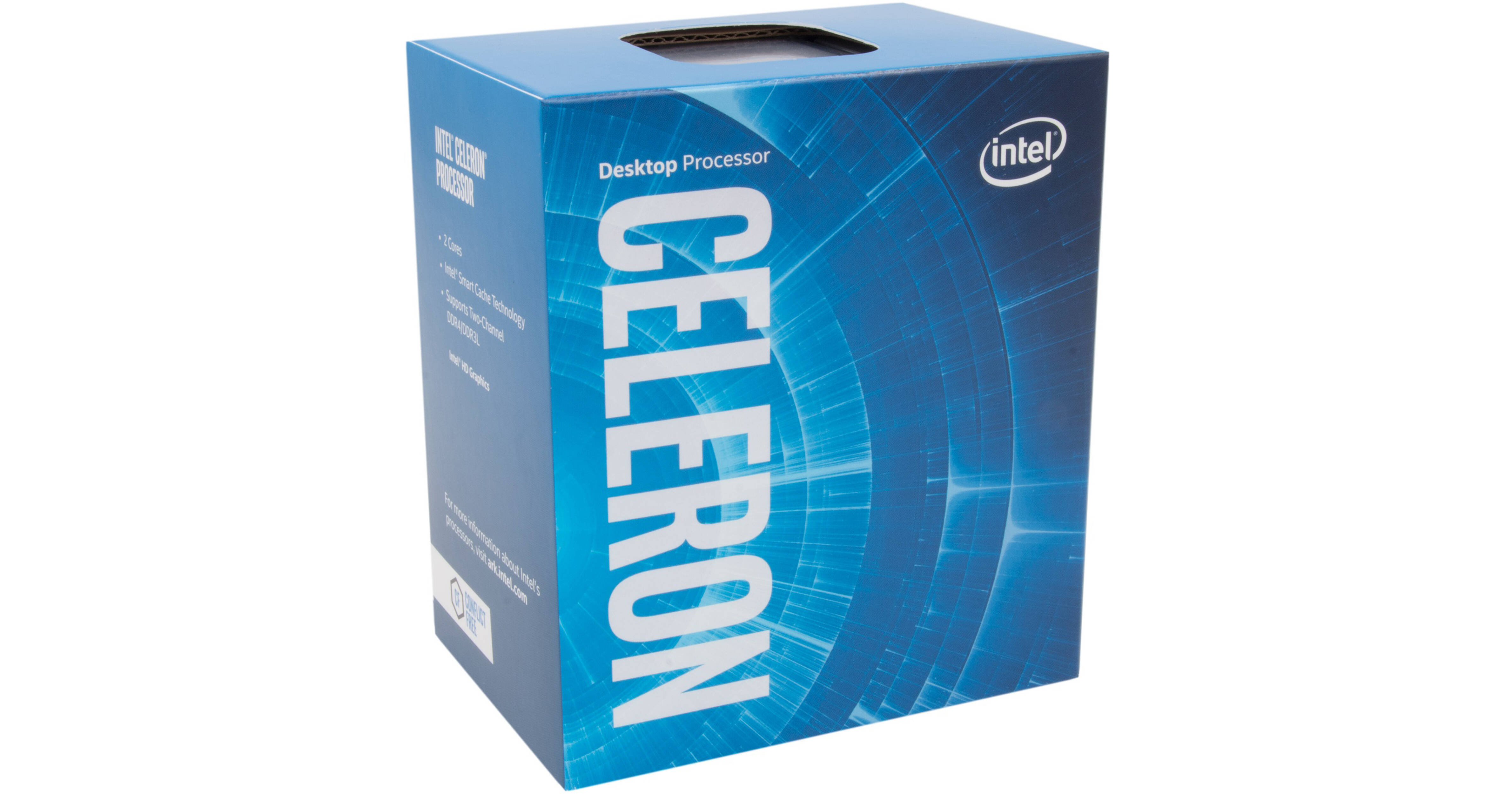
Buy Intel Celeron G6900 3.4 GHz Dual-Core LGA 1700 Processor featuring 2 Cores & 2 Threads, 3.4 GHz Clock Speed, LGA 1700 Socket, 4MB Cache Memory, Dual-Channel DDR5 Memory, Integrated Intel UHD 710 Graphics, Includes Thermal Solution, 12th Generation (Alder Lake). Review Intel G6900
vast meadow
dull flint
What is this, the Newegg server?
Nono test the limits just don't screw up the system lol
Skill issue smh
arctic tide
vast meadow
This should do nicely
https://pcpartpicker.com/product/tr4Ycf/msi-pro-b550m-vc-w...
is that a pretty good motherboard?
idk anything about amd lmao would it overclock
vast meadow
Yeah but on ryzen you don't want to manually overclock, you're better off using precision boost overdrive (pbo)
dull flint
It's the safe way to do it
vast meadow
arctic tide
is that like an automatic overclock?
It's basically just like better more aggressive boosting but yeah
arctic tide
oh got it