#cpus-mobo-and-memory
1 messages · Page 15 of 1
 naive pendant
 hard leaf
most of the time work
hard leaf
most of the time work
still nothing
 cursive epoch
probably ded cpu
naive pendant
Was working perfectly fine 2 or 3 days ago
will try a different cpu soon if that's the case then
 grizzled bloom
naive pendant
Was working perfectly fine 2 or 3 days ago
grizzled bloom
naive pendant
Was working perfectly fine 2 or 3 days ago
If it was left switched on during the flood it's possible a surge killed parts. In which case the power supply and maybe motherboard would need replacing.
cursive epoch
^
 compact zenith
Don't know what games your playing, but it hit me earlier, Steam is chock full of games, many Terraria type clones, that are still in Early Access stage, with very bad memory management. They not only freeze up ports, they also stick in memory, despite being closed down. For example, one I have been beta testing that's now under a new name that's multiplayer and was called OutWorlder, that will one day blow StarBound out of the Skye, had some serious issues with my older Z390 where despite being shut down, had portions of it still stuck running, as it was using both NVME and spindle drives, and data that constantly would read and write, bottle necked. That's why when people closed the game, then reloaded it, were unable to connect to the server. It was still trying to catch up from the previous load, and shutting the PC down while it was still writing, destroyed that specific game. Even worse last year if it was saving to one drive. Last year one drive acted similar to a CD writer, and would reindex the entire folder, just to save one file. Shut the PC off while writing to one drive, lost you the entire folder. Not sure what was done since last year, but do know, shortly before my 3 new Z690 builds, haven't had one drive data loss at all. Haven't looked yet to see what was done, but I'd highly advise, if you were playing other games prior to the one your running now, check with task manager, to see if any segments are still running, and either wait for them to complete, or if your sure they aren't writing important data, either end them or reboot the computer.
 frosty depot
compact zenith
Don't know what games your playing, but it hit me earlier, Steam is chock full o...
frosty depot
compact zenith
Don't know what games your playing, but it hit me earlier, Steam is chock full o...
idk about the other stuff, but there is a bat file made by a very wonderful Techie of this server (albiet doesn't have title because some mods are mongs) that can flush the ram of stuck stuff.
compact zenith
The game I'm beta testing, takes advantage of both cores and memory management. When I plugged my kids 32Gb ram into my PC already sporting two 32x16, not only did it crash my PC, the game server made changes to make use of the extra ram, but never fully wrote the new info, so had to revert from a backup, as both data and config corrupted due to being crashed during write process.
compact zenith
frosty depot
idk about the other stuff, but there is a bat file made by a very wonderful Tech...
If it's safe, I'd love to see it.
I do a lot of beta testing, and something that can do that, without me having to reboot my server in mid test would be a life saver.
That is, if I can actually get a cmd window open if it's not a fatal system crash.
Something else I just found out today when making a backup, the new pro licenses, seems to have installed Windows server. Is this now an included part of windows 11?
I been using Apache and MySQL for years, and avoided Microsofts version for a long time as long ago, when I went to try it, screwed my system up badly as it couldn't handle their server. The lag it generated, was so bad, had to use NTI backup to restore from a two month old backup, which taught me a lesson to backup often, like daily lol.
frosty depot
compact zenith
If it's safe, I'd love to see it.
get my DM?
compact zenith
Long before Terraria, Minecraft, and even Final Fantasy, I only liked the Ultima series. Richard Garriott used to yell at me, often, because of the cheats I'd post on Q-Link and prodigy. I stopped when Ultima Online was announced. Oh sorry Reorixst, I'll go check.
Thanks. Got to love remote file transfer. Grab almost anything anywhere, then send it to my server.
Actually, I sorta stopped posting my cheats when they hired me lol. My boss always joked he hired me to shut me up.
I was a bit of a troll, before we even knew what trolls were back then.
 robust hare
do i need a new mmother board if imm changing to 7900x fromm 5600x
compact zenith
If the motherboard is over two years old, then I'd say yes.
 cerulean wadi
7000 series is all a new socket, so yes.
compact zenith
Like your avatar chillin. It looks like a bad arse Owl, but it also looks like two owls going head to head. Not bad.
cerulean wadi
A wolf, but that's a cool interpretation. I think the same sometimes. That's the thing about perspective.
compact zenith
Sorry, I am half legally blind lol. No joke.
When I code, I have to use a full screen TV as a monitor to see what Im doing.
 compact zenith
Is that from breaking bad?
cerulean wadi
Bubbles. Trailer park boys I think it is. His glasses are hilarious.
compact zenith
OMG, my wife loves that show. Mostly because it has the actor from the 70s show.
Seen a few myself. That ex cop always gets karma in the end heh.
robust hare
cerulean wadi
7000 series is all a new socket, so yes.
thx
compact zenith
I haven't even finished setting up my new system the way it should be, because once I found the 2018 file history, been doing nothing, but restoring all my old work I thought long lost, so just restore it to new location, and come back a few hours later. 3:44 am saw someone start a petition to stop David Tennant coming back, and went to see if it gained any traction. See no sign of it's existence lol. I musta missed something good.
Sorta funny when someone posts something they think everyone else will follow, to get flamed outa existence. I made posts like that myself over the years. I tend to leave them for the karma I gained.
 amber canopy
Reddit 💀
compact zenith
Yup. Few years ago, they had some update that caused my account to split into two, same name, and a pain to switch between. Asked a mod why they deleted an article of mine, to have it thrown back in my face, showing me it wasn't deleted, which was when I discovered the split account issue. By time I caught on to it, didn't want to delete either of them as both have mega karma built up, not an easy thing to do, so made another Windows log in, so I can switch between the two, and not have to log out and lose the thread.
One of the things Im subscribed to, are the Starbound groups. Been making mods for a while, yet when it comes to code you can just paste in game, I can't for the life of me make heads or tales of what it does.
grizzled bloom
Lol my best reddit post was a TIFU. Figures, people enjoy my pain.
compact zenith
Two discords I belong to, actually made channels for my stories. It's mine boggling when things you feel should go viral and don't, yet sneeze wrong and find it upvotes 4k times. Go figure lol.
 burnt spear
Are there any plus sides of getting a b660 tomahawk wifi over z690-a wifi at pretty much the same price if you don't care about cpu oc?
Both about $150
As far as I can tell there's no reason not to get the z690 for the same price
 vast meadow
Get the z690 ye
The pro gets you an extra m.2 and they're both showing at like 215 for me? Unless you're talking used
burnt spear
Amazon warehouse is where I'm looking
I kinda wanna wait for z690 a pro to be at 120 there again tho
not in a rush to buy tho, I'm gonna be buying cpu in like 2 weeks
so I'll just keep an eye on prices till then
follow up question, is the 13600k harder on vrms than a 12600k?
or is it about the same
burnt spear
oh fs, just wondering for if i see a good deal on a cheaper b660 like m-a
I'm not too concerned with ocing, it'd be nice to have for if I want to but it's not high on priorities for me
burnt spear
 sturdy veldt
i got a question regarding some ram i want to buy but not sure which one
sturdy veldt
i got a question regarding some ram i want to buy but not sure which one
shoot
sturdy veldt
okay thx well
i got a Ryzen 7 3700x and my motherboard is a Asrock B550 i want 2 stick of 16 i just dont know what to buy tbh
i am kinda confused
burnt spear
What country?
sturdy veldt
Canada
burnt spear
have you alr bought the 3700x?
sturdy veldt
yup its in my system
burnt spear
kk, I'd get this then https://ca.pcpartpicker.com/product/PJ6qqs/teamgroup-t-force-vulcan-z-32-gb-2-x-16-gb-ddr4-3600-cl18-memory-tlzgd432g3600hc18jdc01

TEAMGROUP T-Force Vulcan Z 32 GB (2 x 16 GB) DDR4-3600 CL18 Memory (TLZGD432G3600HC18JDC01)
burnt spear
nah, just normally not worth the price it goes for now
sturdy veldt
ahh okay i see
burnt spear
since 5600 is normally cheaper and has the same multi core score while having much better single core
burnt spear
I wouldn't get corsair ram, one sec

TEAMGROUP T-Force Delta RGB 32 GB (2 x 16 GB) DDR4-3600 CL18 Memory (TF3D432G3600HC18JDC01)
vast meadow
If corsairs the cheapest it's a decent choice
burnt spear
that's cheaper though i believe
vast meadow
I didn't look just sayin
sturdy veldt
alright i think im gonna go with the rgb TForce thx alot for the info guys
thx for you time Bacca
compact zenith
Got to check out my co workers HP system tomorrow. From what they described, think the whole thing is fried. They were using their USB ports to charge tasers, and one of them obviously broke, and arched through the USB port. Speaker screeches, upon power up. No error codes. That's a pretty expensive accident.
 hollow knot
compact zenith
Got to check out my co workers HP system tomorrow. From what they described, thi...
hollow knot
compact zenith
Got to check out my co workers HP system tomorrow. From what they described, thi...
why are they charging tasers on a pc to begin with. it would be better through an outlet
compact zenith
If I would hap Hazzard a guess, they most likely are those cheap keychain ones. I can easily see someone going home, being lazy and just plugging it into the PC when going online.
hollow knot
compact zenith
If I would hap Hazzard a guess, they most likely are those cheap keychain ones. ...
when im thinking tasers im thinking the ones that cops or security guards carry
compact zenith
Problem with those, people keep them in their pockets, sweat sinks in over time, and eventually you get a short.
Ones police carry, use a heavy duty charger, not USB.
Reminds me of this wierd plug in air oxidizer my mom purchased in late 80s. Put it on top of the Atari 2600 sitting on the TV, plugged it in, and it fried both the game console and the television.
compact zenith
Youd smell this ozone smell, and power arched when it came close to any electronic item.
Anyways, just found out they are using a 24gb RTX import that they spent $400 on? Didn't even know such a thing existed.
I take it back. If I got my hands on an RtX, especially with RGB import, I'd spend the $400, even if I didn't yet have a use for it lol. 24gb, that's quite useful.
Shoot, wrong channel.
naive pendant
Yo I gotta question, does the A320M/ac work with a ryzen 5 5500? Im looking to upgrade and google is making it difficult to figure it out.
*or 5600g
 bronze summit
Hi
cursive epoch
naive pendant
Yo I gotta question, does the A320M/ac work with a ryzen 5 5500? Im looking to u...
it does, with bios update
but i would do with 5600 instead
naive pendant
cursive epoch
but i would do with 5600 instead
5600g or 5600x or just 5600?
and thank you!
cursive epoch
plain 5600
naive pendant
alright
cursive epoch
5600x offers nearly the same perf as 5600 but for more money
naive pendant
yeah
naive pendant
ahh okay
 flint parrot
Does the MSI MPG Z590 GAMING PLUS ATX LGA1200 Motherboard support a E typed m.2 pcie wifi card
grizzled bloom
flint parrot
Does the MSI MPG Z590 GAMING PLUS ATX LGA1200 Motherboard support a E typed m.2 ...
Not without an adapter, all the M.2 slots are M key and E key doesn't fit.
flint parrot
grizzled bloom
Not without an adapter, all the M.2 slots are M key and E key doesn't fit.
How can I tell if it will work with a motherboard without a adapter
hard leaf
burnt spear
yay or nay <@367090380426182666>
ill do it, you will have your cpu in a week anyway
burnt spear
alr bought it, so glad we agree
hard leaf
120 is a steal for a z690
burnt spear
just gonna wait like 2 weeks to buy cpu though
just bc i like to keep my bank at a certain number
burnt spear
you'll be the first to get the dms about either everything going wrong or the pics of the finished build
hard leaf
looking forward for the assembly video as well, im sure felix and pato will be happy for it as well

burnt spear
i actually gotta figure out how im gonna record it
don't have a tripod or anything like that
maybe i'll just turn a laptop around and use the webcam lmao
hard leaf
any shelf can double as a tripod 😛
grizzled bloom
flint parrot
How can I tell if it will work with a motherboard without a adapter
If you're shopping for a board a lot of them include wifi cards, look for AC, AX, or wifi in the model name.
If you specifically need an E key slot there's a filter on pcpartpicker for "M.2 Slots (E)".
Choose A Motherboard
flint parrot
Thanks
 pale fox
hey so I have a pc but i am not too sure what my mobo is but I have a serial number if anyone could help me out: DBE17110010350330D30A1
grizzled bloom
pale fox
hey so I have a pc but i am not too sure what my mobo is but I have a serial num...
Press windows key+R and enter dxdiag. Your motherboard model is listed as "system model".
There's nothing we can do with a serial number.
hollow knot
Between gigabyte b550 elite v2 and elite v2 ax models i already have a wifi pci card and have a sata ssd that i wanted to install from old pc which would be a better choice
compact zenith
If they converted a 13th series I9 system, into tubes and components like they used over 75 years ago, could you imagine how much space would be needed?
Wonder if Newegg would still offer free shipping on a system like that lol.
grizzled bloom
You mean the vacuum tube computers that took up literally the entire room and had the computing power of a calculator that can only add/subtract?
compact zenith
And play chess.
compact zenith
Actually, thought they took up an entire building.
Brb, need to fact check something.
Sort of a let down, when one discovers years later, what they taught you in school, wasn't correct at all. Well, not exactly not correct, but mixed history thrown into one lesson.
grizzled bloom
compact zenith
Actually, thought they took up an entire building.
It was a very large room, like a small warehouse type room. Or an entire basement at a university, also a large room.
compact zenith
When I was a kid, and saw the repair bill for fixing my family's TV in the 70s, and RCA TV, my neighbor who was an engineer showed me these huge green books he'd let me use, to order the correct vacuum tubes and at 8 I'd do our TV repairs. When I was 14, and my bulky moniter blew a fuse, was the first time I realized, tubes were no longer used.
$78 to replace a vacuum tube. Buying three of the same tubes that would burn out often, was 3 for $8
I was about 9 when I learned the hard way, those sets can still give you a very bad shock, even when unplugged. Heck, still have a small scar from that burn to this very day. My father and neighbor gave me one hell of a lecture too.
compact zenith
grizzled bloom
It was a very large room, like a small warehouse type room. Or an entire basemen...
The size in components changed a lot since the 70s. Tubes to semi conductors, semiconductors to surface mounts, then surface mounts dropped drastically in size.
Just about everything I learned in the early 80s is useless today, unless repairing an old gaming system or TV.
At least a meter still has it's uses 😅
One thing I don't mind, even with inflation, was building 3 new systems at what I would have paid for just one 20 years ago.
compact zenith
Crazy question. If I have 2x32, can I get away using only one memory slot, and loan my other to my daughter? Not to familiar with memory slots of this time, and remember 15 years ago trying to do similar with an older Asus motherboard caused the memory stick to fry, just plugging one in.
This is DDR5 ram btw.
 dull flint
you can
compact zenith
Thanks Felix.
Just ordered new ram today, so until then, I can at least loan her one of mine.
dull flint
you could technically just do that from here onwards because the architecture of DDR5 is more forgiving to use 1 ram stick vs. 1 ram stick on ddr4
compact zenith
I'd like to see some DDR 5 2x64 one day.
dull flint
probably will happen eventually
compact zenith
My Z390 is ddr4, and 4x32. Or shoot, 4x16, need to check. That build was long before I found out it's not a good idea to use all 4 slots. Come to think of it, I have an older board with 6 slots. Prior to the I7 Series.
compact zenith
Think it's the ASUS p6758D pro. Don't take my word on it. I'd have to look in my storage of older motherboards.
dull flint
4 stick compatibility is specifically a first-gen ddr5 problem rn
compact zenith
I been looking at the DDR5 ram, and it looks like the RGB type are the ones that fail more often, at least the T-Force ones.
The Corsair Dominator RGB 2x32, doesn't give me any ram errors/issues, but often enough, if I reboot instead of powering down completely, the RGB locks up, and have to shut down completely, or software won't see the ram to effect the RGB.
When I go to clean the Z390, that's going to be a nightmare. The fan I got was supposed to be mothetherboard controllable, but turned out not to be. Most likely why NewEgg yanked it after a short time. I can't reach the fans release lever, as it's below the ram sticks, and forgot there is something blocking the release by the fan.
Will take a few pics later, and post them.
Unlike the big square bulky fan, this is round like a merry go round.
Brb
That's just sickening. $15 now. Paid $80 few years back. That lever is not reachable.
Sort of like how the bulky RTX lever can't be reached on my Aorus Z690, at least the Z690 I was able to use a cut up mouse pad to protect my board to get the card out, and swap out the NVME. The Z390 and that fan, it's going to be a nightmare removing.
Those fans were an annoyance to install, but once in, good luck getting them out heh.
Actually, I plan tossing that fan once I remove it for a proper fan when I clean the old thermal paste up. The clip wires are exposed, so I can just snip those safely, and no risk damaging the ram or board.
hard leaf

compact zenith
Ravel, I might actually get a series 13 Z790 and I9. My wife likes my system so wants me to build her the same thing, so told her I'll swap my case with hers, just switch the doors off as we have same glass case, and I sure as heck don't want Naruto and hello kitty stickers on my doors. Then I'll just replace the motherboard, ram, and CPU. Oh, must remember to keep my NVME drives lol
Ravel, how is it almost every time Im writing a long message to you, you reply out of nowhere before I even finish typing lol.
hard leaf
magic
compact zenith
Oh, crud, add another PSU to the list. Totally forgot, my wife's case has a GameMax installed. She refused to let me replace it.
I just hope the platinum EVGA drops to $199 again.
hard leaf
just joking... felix told me to come here to annoy you by cutting in half your train of thought

dull flint
did I?
hard leaf

dull flint

compact zenith
That would only work if I was actually on my computer. You see, when I'm typing with my phone, the keyboard blocks the screen so don't see a word until I hit send lol. Sort of a pain when you have several mods telling you to change the subject lol.
 compact zenith
hard leaf
<:pepehmmm:903335097305034783>
compact zenith
hard leaf
<:pepehmmm:903335097305034783>
This is how I feel at the moment. Can't even look at a computer screen. Think I got the flu, and it's like having the worst of hangovers, without ever having the benefits.
Oh, that's why I can't do the same emojis you all post. I don't have nitro this second half. Discord charged me twice, and kept saying posted means a hold, 40 days later, so bank fixed it, they ended Nitro, then bank reversed the correct one too. Then got apology much much later, and haven't bothered to renew. When I do, I'll boost over here if it's not maxed out yet.
And yes I will definitely renew. I'm tired of getting red text warnings my messages are too big heh.
 long geyser
compact zenith
And yes I will definitely renew. I'm tired of getting red text warnings my messa...
long geyser
compact zenith
And yes I will definitely renew. I'm tired of getting red text warnings my messa...
Just export as txt file and never get Nitro 
Tho dont think mobile has an option to do that automatically
compact zenith
Most likely can if I use one of my rooted phones. One of my banks, require I use their windows software, or their android application, when logging in, and they purposely disable screenshots on the Android devices, so I make sure to have at least two rooted devices so I can screenshot regardless. Especially when I pay off my credit cards fully, and they try using the float pay excuse to charge late fees. Twice this year they had to refund interest and their $39 late fees, when I sent them screenshots.
long geyser
Cant just export Bank Statement as PDF and screenshot that?
(edit: or just give raw PDF)
hollow knot
R intel gpus garbage?
burnt spear
I wouldnt exactly recommend one to most people atm
vast meadow
And highly depends on the games , like direct x 12 and vulkan games run pretty good (when the drivers aren't being buggy) but anything that's not those 2 runs terrible, for example in csgo the a770 and 12900k(or 7950x) is about the same as a 780 ti with a 4770k fps wise
compact zenith
long geyser
Cant just export Bank Statement as PDF and screenshot that?
(edit: or just give ...
Bank statement will only show when it's posted, not when they actually got paid, which is why it's important to screenshot the day they get paid, as good banks give a printable Reciept. Disreputable ones don't, show a HTML that can't be printed, then replace it with the day they choose to post it. Syncrany is notorious for that, plus when you select payoff, meaning the entire loan, it's important to check after. They almost always generate a few cents interest, like 18 cents, then if you don't see it, thinking you paid the loan off, they hit you with a $29 to $39 late fee. Hence I use my rooted phone to capture everything, as it overides the screenshot disabling feature.
 shell igloo
can anyone help me with trying to make a motherboard post? ive a pc with an asus x79 deluxe w/ 4930k and 32gb (4x8) ddr3, one day it was left on when i was away for a week, when i came to it, it had power but no display, once powered off and "cooled" it works. but later on it would just wont post, ive checked gpu and ram. if i do single sticks it would have the pc post but inconsistent, each stick was tested 3 times. ive thrown everything onto a intel dx79to, the cpu has no dirty pads or anything, same thing with the intel board, no post
compact zenith
Does the speaker beep any warnings?
shell igloo
compact zenith
Does the speaker beep any warnings?
nope
the little number thing doesnt spit anything
on the intel nor asus board
ive checked the intel board if i bent the pins, still straight pins
also been tested with 2 power supplies
compact zenith
So you basically power on, and don't get a bios boot screen? Nothing?
shell igloo
ive cleared cmos battery too
shell igloo
compact zenith
So you basically power on, and don't get a bios boot screen? Nothing?
powers on, no bios boot screen
compact zenith
How many hard drives you have?
compact zenith
No drives at all, not even 1? Check all USB ports too. Even a thumb drive plugged in can stop some older systems posting.
shell igloo
compact zenith
No drives at all, not even 1? Check all USB ports too. Even a thumb drive plugge...
the only usb ports occpied are a mouse and keyboard
its sitting on a box to test, it isnt in a case
cpu fan is plugged in if you're wondering
a gpu that is verified to be working is in the system too
compact zenith
My son's old Asus p5w deluxe wouldn't post. Spent 3 hours on it to find a little silver item he forgot he put in the back of the PC which was a 64gb thumb drive. Was so small, looked like it was part of the system. Once removed, system posted. A bad hard drive also stops posting, with no error beeping.
Something else you can try, in case one of the cases USB ports are shorting out. Start disconnecting the cases USB cables and see if that clears up the issue.
shell igloo
but the motherboard isnt in a case at the moment
when i've disassembled the pc, it never had a usb drive or anything small like that
compact zenith
Wait, you have all the parts outside the case, connected? Do you even have a case? One of two things I can think of. One, something under the board shorting it, or because it's not in a case, it's not properly grounded, and a safety is kicking in.
shell igloo
when it stop functioning, it was in a case. ive swapped the cpu and ram to a different motherboard
and it still in the same state
i believe its grounded just fine, its on top of a motherboard box
ill put the motherboard in the case and see what happens
wait
the intel dx79to doesnt support the cpu currently installed....
why would a intel board with a x79 chipset wouldnt support the same cpus as an aib x79 motherboard
amber canopy
shell igloo
the intel dx79to doesnt support the cpu currently installed....
probably an out of date bios
Those intel X79 boards are a mess
shell igloo
yeah i just checked online for a compability check
atleast im the one who didnt pay $100 for a old motherboard
😎
amber canopy
shell igloo
it decides to work now
what was the original issue?
shell igloo
amber canopy
what was the original issue?
no clue
it stop posting after being left on for a week
then it inconsistently worked
by black screening after some usage
compact zenith
Sorry @shell igloo . My due process server just showed up, and have to jet for a bit. I'll be back in a bit. Forgot to say bbl. Bad habit of mine.
shell igloo
eh the pc works for now, you're probably right about usb ports shorting
flint parrot
grizzled bloom
If you're shopping for a board a lot of them include wifi cards, look for AC, AX...
So I can use any board that has WIFI in the name to connect to wifi
compact zenith
Back. My server was being kept from the building, so go figure I go with him, and they give zero problems lol.
compact zenith
shell igloo
eh the pc works for now, you're probably right about usb ports shorting
When it comes to old cases, the first to short out is usually the audio and Mike jacks. Then over time dirt, dust, and oxidation kills the USB ports, causing shorts. If your good with a soldering iron, they normally are easy to replace.
compact zenith
New NVMEs came today, just need to wait for the replacement ram.
Went with 32x2 this time like my system. Bought two sets.
Timings may be a little slower, but rather give up a little speed for reliability.
Corsair Dominator.
amber canopy
🤓
 compact zenith
From my notice I thought that was a 6gb NVME, but logging in, see it's a ram stick. I keep forgetting, some of you have vast collections of these. Isn't collecting baseball cards and garbage pail kid stickers, a cheaper hobby?
amber canopy
well i do something with ram besides have it
and I generally sell the DIMMs that are obsolete
compact zenith
Actually, after I saw today's prices on two packs, that's a big no at being cheaper lol.
amber canopy
yea i got 3 of these dimms for 23 total
its really not that expensive
DDR3 is pretty cheap a lot of the time, even for good dimms
compact zenith
I remember bringing my kids to their first computer show, and warning them to be careful of what they say. Pointed out a set of generic ram, that was marked $28, and made up a story on how desperate we were to get ram for her desktop, that just happened to need that ram on display. Vendor quotes her +$200 more. We didn't need the ram, was just trying to show my kids they need to be careful at these shows. Learned something that day. That my daughter knew some very inappropriate curse words in Spanish.
amber canopy
💀
compact zenith
Stuff kids learn in 3rd grade lol.
Was about 6ths months before she built her first system. That ASUS p57 pro gamer.
Or was that p67. Shoot, got to look.
She did everything except connect five cables. The cables built into the case were not only not marked, they had nothing to stop them getting plugged in wrong. Like the HD audio and USB, that I had to tripple check and meter out just to make sure.
 shy wyvern
I'm tempted to make a super cheap media PC with 3600 + GTX 1050 + 8 GB of ram rn, it would cost like $275 total
 amber canopy
😍 😍 😍
 compact zenith
That happy shopper seller is a scam artist, abusing the market place. They used Amazon to drop ship a cheap item, just to get a completed tracking. Before Amazon took it back, they weighed the box with similar size, and weight came at 3 ounces. Definitely not Dominator ram.
compact zenith
amber canopy
😍 😍 😍
If that was a Z790, with that many ram slots, I'd fill each one, with 1x32, no matter what anyone told me lol.
I take it this is another mothetherboard your adding to your collection?
amber canopy
I dont really "collect" motherboards tbh. Every motherboard I buy it's because it will be used
For overclocking
My x299 OCF, this black edition, my x99 edition 10. all my primary overclocking boards for their respective platforms
My x99 extreme6 is what's in my daily
I do sorta collect memory though. It's not as irresponsible for me compared to do the same with motherboards since DDR3 is so cheap, relatively speaking.
I dont collect useless memory though. I sell stuff that's obsolete
compact zenith
That MB from Russia? The name sort of hints to it, then there is the single file molex power connect, not double like Im used to seeing.
You always seem to post interesting boards. Ones that I can't even locate a place for an NVME.
amber canopy
From russia? no? why do you ask lol
amber canopy
compact zenith
You always seem to post interesting boards. Ones that I can't even locate a plac...
this board was from before nvme was on motherboards. next generation had nvme.
technically X79 boards support nvme but it's not official
that's why a lot of chinese "x79" boards have nvme slots
compact zenith
I was guessing Russia, because of the Republic in its name. But I keep forgetting, other countries use the same title.
amber canopy
thats just branding lol
compact zenith
Sounds better too. For some reason, The United of Gamers just doesn't sound right lol.
 compact zenith
I bet I could add NVME to my old p6x58d Asus motherboard, just adding a card with support.
I really need glasses. I thought it said $5 at first.
grizzled bloom
compact zenith
If that was a Z790, with that many ram slots, I'd fill each one, with 1x32, no m...
Hope you enjoy running DDR5 at 4400
amber canopy
well hey what if it was quad channel 🤓
grizzled bloom
Is there a quad channel Z790 though?
amber canopy
not as far as i know lol
compact zenith
I noticed the dual CPU boards seem to be fazed out.
amber canopy
compact zenith
I noticed the dual CPU boards seem to be fazed out.
which socket?
compact zenith
Been like 10 years since I seen one. Can't recall the Pentium chip, but can say it was right before the I series we have now.
Think it was Pentium IV.
amber canopy
there's still plenty of dual socket boards
its jus ta matter of whether or not the CPUs support dual socket configs lol
compact zenith
When I worked geeksquad, I got a call that a customer couldn't install his OS on one properly. Told him to bring it in and I'd take a look. I assumed he meant windows, but was Linux, which I have zero knowledge.
Another tech took over, but that was the first time I saw one.
 rocky beacon
amber canopy
i did order this today actually... lol
rocky beacon
amber canopy
i did order this today actually... lol
$65!
hollow knot
what is a good b550 mobo with wifi
amber canopy
rocky beacon
$65!
exactly
rocky beacon
That is insane, I hope it's legit.
amber canopy
apparently it's been dropped off already and in transit
grizzled bloom
compact zenith
I noticed the dual CPU boards seem to be fazed out.
Dual Epyc is still a thing. Makes for insane servers.
The pathetic, outdated X299 uses it too. Still waiting on Intel's new xeons.
amber canopy
I dont think there are dual socket LGA2066 boards
intel used lga2066 as their HEDT/workstation platform and lga3647 for their server/workstation stuff
3175X chad cpu
hollow knot
which motherboard should i get between 570 and 550 amd chipsets
amber canopy
x79
hollow knot
whats x79
amber canopy
amber canopy
hollow knot
whats x79
@mild jackal
amber canopy
hollow knot
whats x79
you must seek enlightenment
 mild jackal
You know those crazy people that try and talk to you on the subway? That's this guy.
amber canopy
mild jackal
You know those crazy people that try and talk to you on the subway? That's this...

 undone parrot
would a tower heatsink suffice for a ryzen 7 5700x?
undone parrot
ok bro ty
hollow knot
should i get a 550 or 570 motherboard for a 5600 and 6900xt setup
dull flint
Whichever is cheaper
Namely for 5600, one with bios flash button
So Asus Prime B450m-A II or MSI B550M Pro VDH Wifi
Specifically
grizzled bloom
hollow knot
should i get a 550 or 570 motherboard for a 5600 and 6900xt setup
B550, the VRM design is newer and you don't have to worry about a chipset fan failing
dull flint
Need bios flash first for a 5600
grizzled bloom
Yes, either use an older model CPU to flash or get one with flashback
hollow knot
my friend was confusing the hell out of me between 570 and 550
grizzled bloom
Very few people need the extras from X570
hollow knot
im getting gigabyte elite v2 ax. had to change mobo since mom wants my old pc with wifi card inside
cerulean wadi
570 mainly just more pcie lanes. 570s is the fanless, but indeed 550 is plenty.
grizzled bloom
X570S 💰
hollow knot
just need 1 nvme and a hdd and thats about it for me
hollow knot
hdd is for movies and shows plus any game that is under a gig in size dont deserve to be put on nvme
dull flint
Really any board that supports your chip will work for your needs, it just needs the right bios
5600 is minimum tdp chip
hollow knot
i thought gigabyte states that their mobo 550s will work with amd 5000 series out of the box
grizzled bloom
Yeah even the cheapo ones with no heatsinks would work
dull flint
Not all 5000 series chips came out at the same time
5600 released much later than the others
grizzled bloom
hollow knot
i thought gigabyte states that their mobo 550s will work with amd 5000 series ou...
That applies to the first runs, the 5600 and 5700X came out a few months ago
dull flint
So no, it's not expected to work out of the box with any board
hollow knot
grizzled bloom
That applies to the first runs, the 5600 and 5700X came out a few months ago
i didnt realize that
dull flint
Some people have told me boards often ship now with the right bios but I really doubt it
grizzled bloom
That's why I take a "better safe than sorry" approach and have a plan for if it isn't right
dull flint
You never know if you find a board that's been kept away in stock for a lonnggggg time
hollow knot
how will i know if the board will work with 5600 out of the bix once it gets to my place
dull flint
dull flint
So Asus Prime B450m-A II or MSI B550M Pro VDH Wifi
By picking one of these two ^
They have a feature that lets you update bios without needing the cpu to work
A.k.a a bios flash button
hollow knot
gigabyte has the same thing
grizzled bloom
Q-flash button yeah
Not all boards have it, pay attention to models
My midrange X570 doesn't have it
hollow knot
which will be better buy a wifi card or a mobo with wifi?
vast meadow
Depends on prices etc
grizzled bloom
Also depends on your needs
dull flint
hollow knot
which will be better buy a wifi card or a mobo with wifi?

MSI B550M PRO-VDH WIFI Micro ATX AM4 Motherboard (B550M PRO-VDH WIFI)
compact zenith
grizzled bloom
Dual Epyc is still a thing. Makes for insane servers.
Wait a second. Does that mean there are, let's say dual CPU 13th gen I9 motherboards?
amber canopy
no consumer chips support dual socket configs
probably some semi-obscure chip out there im forgetting that does but as a general rule they dont
skulltrail had some i think?
compact zenith
When you said they make great servers, it made me think of the two that run heavy on my system, at least they did with my Z390. Come to think of it, it's always the MMORPG server emulators, that run heavy with my systems resources. ServeUo and rAythena come to mine. Actually rAythena run quite heavy with CPU resources. This is the first time, I'm running an I9. I usually stuck with the I7, mostly out of habit. I really need to look into taking advantage of those extra cores.
 viral urchin
So I have a new pc i just built and I have a USB drive with windows installed but its not installing
Is there something im doing wrong
shell igloo
compact zenith
When it comes to old cases, the first to short out is usually the audio and Mike...
yeah it started not posting, unfortante its that one legendary antec case i forgot the name of
shell igloo
shell igloo
yeah it started not posting, unfortante its that one legendary antec case i forg...
so ive unplugged the case usb and audio headers, ive put a usb drive into the pc and pressed bios flashback with no others usb devices plugged in
walked away from it, came back into the pc sitting in windows
then i plugged all the usb devices in and shutdown the pc
turned it on, now its back to square one
now im testing each individual usb device
it skips the bio post
black screen with monitor knowing its on
straight into windows
shell igloo
i think ive fixed the issue, in bios it can start up with usb "partial initalization" where it can recognize only mouse and keyboard to speed up boot times
but its always having cpu fan error every other post
even tho its functioning fine with the fan curve ive setted on
 steady wigeon
Currently trying to find a good CPU that's compatible with my PC since I don't know whether I should upgrade my GPU or my CPU
Mobo didn't get an update to support 9th gen Intel CPUs even though it uses the same socket
current CPU is an 8th gen i5-8400 @2.80 GHz
shell igloo
steady wigeon
Currently trying to find a good CPU that's compatible with my PC *since I don't ...
your mobo doesnt have a bios update for 9th gen?
odd
well an i7 8700k exists
dull flint
Used 8700K probably
Or buy a new motherboard and CPU, probably the better solution (and cooler probably)
cerulean wadi
Mainly get 2x threads. Anything over$80ish for that 8700(K), I'll almost just suggest going used/new 10400(F) setup or 12400(F) setup. On sale 12400 is $150ish & various $100ish mobos would be plenty. Use current ddr4 and you're set. Even 12100 quad core would be pretty slick depending on game or light multitasking.
vast meadow
steady wigeon
Currently trying to find a good CPU that's compatible with my PC *since I don't ...
Just a new cpu and motherboard and probably case and power supply is your best option, but what do you do with your pc and what gpu do you have atm and what's your budget
8700k wouldn't be worth the upgrade
 sharp widget
ok. im a little confused. i have a asus rog crosshair viii formula with a ryzen 7 3700x. i am looking to upgrade to a ryzen 9 5950x. for some reason, i seem to remember looking up that my mobo didnt support a ryzen 9 so im currently looking at compatibility in pcpartpicker. interestingly, my mobo is listed as one that is compatible with the ryzen 9 5950x. did i miss something?
burnt spear
sharp widget
ok. im a little confused. i have a asus rog crosshair viii formula with a ryzen ...
it supports it
sharp widget
thank you!!!
vast meadow
sharp widget
ok. im a little confused. i have a asus rog crosshair viii formula with a ryzen ...
You will just need to update your bios
sharp widget
vast meadow
You will just need to update your bios
good to know. just read it could simply have been a bios thing at the time. with the latest bios, it would seem to work
vast meadow
Yep
hollow knot
what will happen if i dont update the bios before i install the new cpu on the motherboard
burnt spear
it wont work
steady wigeon
vast meadow
Just a new cpu and motherboard and probably case and power supply is your best o...
So essentially, I upgrade most of my PC
Yeah it’s going to take a long time for me to get the money to do that, might as well wait
Used market might help me in this case iirc
 raven mango
is there a major difference performance wise with the i5 12400 and i3 12100, looking at i3 cuz it’s the cheaper route but i wanna be able to have my game on and discord would i be able to do that with the i3 and would my gaming experience be smooth?
i get my pay next week and im going to pull the trigger on one of them (pairing with a 6600XT)
burnt spear
raven mango
is there a major difference performance wise with the i5 12400 and i3 12100, loo...
check pricing on 5600
raven mango
ok one sec
i can’t find anything or i’m just dumb
send me a pc parts picker (Canada) with just (storage,mobo,gpu,cpu)
@burnt spear
burnt spear
one second
burnt spear
raven mango
send me a pc parts picker (Canada) with just (storage,mobo,gpu,cpu)
do you need wifi?
raven mango
yes
burnt spear
PC Builder - AMD Ryzen 5 5600, Radeon RX 6650 XT
raven mango
ima send you what i got
gimme a sec
PC Builder - Intel Core i3-12100F, Radeon RX 6600
what would be the difference??
is it worth the extra money
@burnt spear
burnt spear
100%, the 12100f is worse than the 5600, including mobo cost the 12100f is same price
could drop the mp33 in my list to the 512gb one and it's not much more
raven mango
hm will i have the bios update issue or no?
raven mango
worst comes to worst i come here
could i call you if i did. run into that issue??
like on discord
@burnt spear
raven mango
same same
i get paid next week so i’m sure i’ll order something along the lines of what you sent me and then piece it together or even send me a youtube vid how to do it, thanks for your help and i’ll definitely go with the build you sent me!
compact zenith

TweakTown
Patriot's Viper Venom DDR5-6200 32GB dual-channel RAM kit is a serious contender for anyone moving to DDR5 memory. Join us as we take a look.
What exactly does raising the voltages on the ram do?
grizzled bloom
It's the same principle as raising voltage when overclocking other parts, it allows higher power draw and more stability at high clocks
amber canopy
Gotta keep them electrons workin 🤓🤓
It's not really about the power draw that allows it to be stable, that's just an effect of raising the voltage
I was binning 3 of these ddr3 sticks yesterday

Got em to do 1333MHz 7-13-7 1T at like 2.1V
Good I think but not super great. Hoping they can do the same at 2V. None of them can run that at 12 trcd though 💀
compact zenith
grizzled bloom
It's the same principle as raising voltage when overclocking other parts, it all...
In other words, something I shouldn't even think of trying, until I get a better CPU cooler.
grizzled bloom
CPU cooler has very little to do with the memory
compact zenith
Not an easy thing, when water coolers aren't an option.
grizzled bloom
If the memory has a good heatsink you can push decently high voltage with no issues
Specific voltages will vary by memory die
compact zenith
I would think, raising voltage on memory, wouldn't that result in CPU getting hotter?
grizzled bloom
No? The memory voltage controller isn't on the CPU
It's on the motherboard or the memory itself
Certain timings can increase load on your IMC in the CPU but that's not voltage related either
compact zenith
Memory in my system is Corsair Dominator, 2x32. It's the same ram I'm upgrading my kids systems too Tuesday. Decided to get rid of the T-Force ram, as it's been an issue for a while, and two PCs getting ram going bad, figure I might as well do all the systems, then wait for the ram to crap out as well
grizzled bloom
The specific capability of the memory as far as voltage and timings will vary by the die of the memory itself, and to a lesser extent binning
dull flint
You know it shocks me that you fork out this much to change the systems yet you won't give an aio a try, no offense
compact zenith
I was assuming, if the ram was made to run faster by raising the voltage, then the CPU would be running slightly faster, as it was getting information more quickly. That was my line of thought.
grizzled bloom
Not how that works
compact zenith
Forgot. AIO a water cooler?
dull flint
Yep
A totally sealed and tested water cooler
A 12900KS deserves nothing less to work at full performance
amber canopy
compact zenith
Forgot. AIO a water cooler?
AIO just stands for all in one, but yea people generally understand it as a closed loop liquid cooler in that context
grizzled bloom
I've seen some liquid coolers that can't even keep up with the 12900K, limiting it to essentially a 12700 level of performance
grizzled bloom
cough cough dellcough
dull flint
Well one thing's for sure is no air cooler can totally leverage a 12900KS
Lost performance in that system by using air, would've been better off with a 16 core ryzen
grizzled bloom
You could power limit the CPU and be ok but... then you're not getting what you paid a bunch extra for
dull flint
Exactly, may as well have got a 12900F
amber canopy
 burnt spear
Is there any leaks on when 13400 will come out?
Just curious, I'm still going for a 13600k
grizzled bloom
Unless there's more "accidental" leaks
amber canopy
 grizzled bloom
#1 It's cheap
#2 Quad Channel
#3... uh...
amber canopy
"uh" lmao
grizzled bloom
My HP board would like a word
dull flint
Ok I'll give you that
amber canopy

 amber canopy
you guys wanna know something funny
apparently some ddr3 that would've been at least good was actually DOA this whole time
too late for a refund
 grizzled bloom
Well, see point #1
 vast meadow
burnt spear
Is there any leaks on when 13400 will come out?
vast meadow
burnt spear
Is there any leaks on when 13400 will come out?
Should be January like the 12th gen non k's
compact zenith
I feel so bad for the trouble Newegg service is going through, and he's been more helpful than any customer service I have ever known. It's one of those very rare going above and beyond customer service.
compact zenith
amber canopy
https://media.discordapp.net/attachments/776524417316290571/1039024441172172840/...
If your trying to explain using a fast meme, why not use one with The Flash?
amber canopy
compact zenith
If your trying to explain using a fast meme, why not use one with The Flash?
 compact zenith
That's from the Terminator 2 movie right?
amber canopy
something like that, i forget lol
compact zenith
Saw that movie the day it was released, and the long wait line was more than worth it. The special effects we see on a daily basis was brand new when that film came out, and was a huge change back then.
Actually, Abyss was the first failed attempt. Terminator 2, addressed all that failier lol.
 grizzled glen
what do you guys think of the asrock b550m steel legend?
grizzled bloom
It's pretty decent for the price
vast meadow
Unfortunately no bios flashback though
 brisk lion
Dont know if this is the right place to ask it but, my pc has problems picking uo wifi like in Windows it says ip configuration failed or something like that and it doesnt want to connect to internet
dull flint
Interesting
https://www.techpowerup.com/review/rtx-4090-53-games-core-i9-13900k-vs-ryzen-7-5800x3d/2.html

TechPowerUp
Intel's new 13900K offers amazing gaming performance, thanks to improvements to caches, IPC and higher operating frequencies. But is that enough to beat the 3DV Cache-powered AMD Ryzen 7 5800X3D? What about platform cost?
DDR5 6000 on the i9
So it's not even at it's best possible performance
compact zenith
brisk lion
Dont know if this is the right place to ask it but, my pc has problems picking u...
By any chance, did you recently add an NVME drive to the motherboard? I see this often with older boards, and moving the WiFi card to a different slot, tends to fix it. Sort of like the old ms dos days with IRQ conflicts, the drive and wifi card fight with one another. If you have an open PCI express slot, like opposite side of board, move the wifi card there. Don't let the size of the slot fool you. It's still usable.
grizzled bloom
dull flint
So it's not even at it's best possible performance
Going much higher doesn't get you much, maybe 1-2% if anything.
dull flint
I'm aware, but it still contributes
Any and all of it
That's if you stick to XMP btw, with tuned DDR5 it has a lot more potential than 5800X3D which is very lethargic to better ram
That said, the AM4 chip is still representing better gaming value
brisk lion
compact zenith
By any chance, did you recently add an NVME drive to the motherboard? I see this...
No wifi card
compact zenith
Another thing that can cause WiFi failier, is running two anti virus, or running new antivirus software, with old components from another still installed on ones PC. Norton antivirus is one such type that causes this issue.
A viral infection can also disable internet.
Best way to check for infection, is pull the boot drive and use a freshly formatted system to scan that drive. Do not install or run anything from that drive, just scan it. Running anything off that drive can infect the computer doing the scanning.
brisk lion
Okay i will
Cuz even gpu drivers do not work the moment i install them gpu doesnt work
And if its infected is there a way to get it away
I could also format the entire drive because therr is nothing importsnt on the pc its a mostly still fresh install of windows
Ill check tomorrow tho cuz im yonna sleep
compact zenith
Let's say you have a bad virus and choose to format. Boot off of window install DVD if you have one. This way there is no risk of virus loading into memory. If possible, don't connect the hard drive until you booted into install, and choose repair. Use diskpart and clean all to completely wipe the drive. This way, there is no chance of anything getting left behind. Make 100% sure you also select the correct drive. Drives show up in different order when using the install DVD, and you don't want to accidentally wipe the wrong drive. Back up any important data first. Stuff like family photos, my Starbucks gift card, etc etc.
If you don't have an install DVD and need to make one using the media creation tool, do it from another computer, one you know is clean and has had no contact with the infected one. Do not download the image onto the infected PC, use another or your just reinfecting yourself. And above all else, don't let those big box stores offer you a free virus scan. Most get their systems infected when they were clean to begin with.
burnt spear
https://www.hardwaretimes.com/intel-13th-gen-cpus-facing-issues-on-z690-boards-core-i7-13700kf-48-slower-than-the-12700k-on-the-asus-tug-z690/ is this a realistic issue?
Hardware Times
The 13th Gen Core processors continue to face various issues when paired with the older Z690 motherboards, most notably on ASUS hardware. This was first reported by the editor of Hardware Luxx, according to whom the Core i9-13900K was up to 25% slower on the ASUS ROG Z690 Hero (compared to its Z790 successor). Today, …
Because if so I might just buy a used 12600k instead of a 13600k
long geyser
It's large enough that Intel/manufacturers cant ignore, so a fix or statement should be released soon™️
burnt spear
long geyser
It's large enough that Intel/manufacturers cant ignore, so a fix or statement sh...
Is it something I should worry about, or will new bios versions help with it?
long geyser
burnt spear
Is it something I should worry about, or will new bios versions help with it?
Depends on when you getting new CPU. While I do expect a fix, it's hard to say how long it'll take to fix. Could be a month or something (cant imagine it'll be too much longer assuming issue is widespread).
burnt spear
I got a z690 a pro for $120 off warehouse, planning on buying the cpu in two days with my paycheck
As long as it'll be fixed I'm not too worried about it
If it were a permanent issue then I'd be concerned
long geyser
There is a chance it might be, but I highly doubt it.
burnt spear
Good enough for me. Worst case scenario I doubt it's worse than a 12600k
Could always swap out mobo down the line if it is ig
long geyser
Ye, when it easier to get cheap z790 or smth
burnt spear
B760 would be fine for me
I'm not concerned about ocing, it's a bonus to have but not required, just got the z690 since it was so cheap
Just have to buy cpu soon to make sure it's working, otherwise I'd just wait for the issue to be either fixed or addressed
long geyser
burnt spear
Just have to buy cpu soon to make sure it's working, otherwise I'd just wait for...
Looking at other reviewers, doesnt seem to be widespread. Some complaints about memory issues, but cant find much else. So idk if it's much of an issue.
 warm adder
If a mobo has built in WiFi can I not use a card to upgrade it and not use the integrated one?
burnt spear
warm adder
If a mobo has built in WiFi can I not use a card to upgrade it and not use the i...
My mobo came with an m.2 wifi card, I have a pcie wifi card in it right now
And I've used a USB wifi card as well
hard leaf
warm adder
If a mobo has built in WiFi can I not use a card to upgrade it and not use the i...
ofc you can, you just have to turn off one of those in windows.
even on the bios
warm adder
hard leaf
even on the bios
Ah perfect! Thank you!
dull flint
burnt spear
Because if so I might just buy a used 12600k instead of a 13600k
I'm positive bios updates will fix that
It was also only a couple of cases iirc and strictly asus boards
naive pendant
can i buy 32gb of ddr4 ram with 50 dollars?
burnt spear
naive pendant
can i buy 32gb of ddr4 ram with 50 dollars?
no
naive pendant
burnt spear
no
whats the minimum then
burnt spear
should aim for this https://pcpartpicker.com/product/B8QcCJ/silicon-power-gaming-32-gb-2-x-16-gb-ddr4-3200-cl16-memory-sp032gxlzu320bdaj7

Silicon Power GAMING 32 GB (2 x 16 GB) DDR4-3200 CL16 Memory (SP032GXLZU320BDAJ7)
otherwise just buy used
naive pendant
thanks
compact zenith
RunUO was top of my list on CPU and Ram resource hogs till I saw my son's game he was playing, World Of Warships. The settings that game have, look like they take advantage of every Motherboard and Video card aspect. What shocked me, my son's using a 12gb 2060 RTX for that game, yet that game is taking up almost 18gb of ram.
Shoot, forgot to see what his CPU was doing
 limber dragon
burnt spear
https://www.hardwaretimes.com/intel-13th-gen-cpus-facing-issues-on-z690-boards-c...
limber dragon
burnt spear
https://www.hardwaretimes.com/intel-13th-gen-cpus-facing-issues-on-z690-boards-c...
so its running in single channel mode, and the author is wondering why its not having good performance?
 stark violet

Watch the full WAN Show: https://youtu.be/CYoWAjUAI7A
► GET MERCH: https://lttstore.com
► AFFILIATES, SPONSORS & REFERRALS: https://lmg.gg/lcsponsors
► PODCAST GEAR: https://lmg.gg/podcastgear
► SUPPORT US ON FLOATPLANE: https://www.floatplane.com/
FOLLOW US ON SOCIAL
Twitter: https://twit...
pray and hope something like that never happens to consumer cpus
vast meadow
Simple solution, cause too much backlash
grizzled bloom
Holy mother of salami, AMD Genoa has up to 12 memory channels
That means 6TB of DDR5, or 10TB using CXL. That's a spicy pepperoni.
vast meadow
and 96 cores per cpu
 vast meadow
dull flint
1/4 epyc
vast meadow
dull flint
1/4 epyc
Well since you can dual socket... 1/8th epyc?
vast meadow
dull flint
wut
Hmm?


 grizzled glen
how often should you replace your thermal paste?
 hollow thorn
whenever you have a problem with it
grizzled glen
oki
 muted roost
I’m tryin to build my younger brother a pc for Christmas using old parts I already have like gpu case, case and storage. I need to buy a mobo, cpu and RAM.
I wanted to ask what mobo y’all would recommend for this setup https://pcpartpicker.com/list/K8GCv3
PC Builder - AMD Ryzen 5 5600, Radeon RX 5700 XT, Lian Li LANCOOL 215 ATX Mid Tower
Saw the 5600 going for a great price so figured why not
Doesn’t need any fancy bells n whistles or wifi but I’d also not like it to bottom of the bin. I’d rather not break the bank since I have to buy other presents lol
burnt spear
muted roost
I wanted to ask what mobo y’all would recommend for this setup https://pcpartpi...
I think b550 pg riptide is $90
Also I'd either get a 16gb 3600c18 kit for $44 or a 32gb 3600c18 kit for $72
burnt spear
3600c16 is good, just not really worth for the most part rn
I'd take a 32gb kit of 3600c16 for $5 more than a 16gb kit of 3600c16 any day of the week
muted roost
Fair nuff
vast meadow
muted roost
I wanted to ask what mobo y’all would recommend for this setup https://pcpartpi...
For do this
https://pcpartpicker.com/list/MXDW78
PC Builder - AMD Ryzen 5 5600, Radeon RX 5700 XT, Lian Li LANCOOL 215 ATX Mid Tower
Or go 32gb with this kit
https://pcpartpicker.com/product/KV4BD3/oloy-32-gb-2-x-16-gb-ddr4-3600-memory-md4u1636181chkda

OLOy MD4U1636181CHKDA 32 GB (2 x 16 GB) DDR4-3600 CL18 Memory (MD4U1636181CHKDA)
compact zenith
Karma at it's best. Friend in NY had a dishonest customer who did a charge back and left the computer at his store, claiming they sold a bad system. Customer actually swapped the motherboard for one that doesn't even come with the system, and here is where karma kicks in. They left the new CPU in the bad motherboard, and the customer tried demanding it back lol.
limber dragon
we get that sometimes here (repair shop, not a sales shop mind you). Last one was a lady bought a recertified laptop, broke the screen, claimed it was a faulty screen, she paid for the new screen, THEN filed a chargeback on both the laptop and screen. CC company gave her a refund of the screen transaction, we get to keep the laptop
 molten quarry
I just bought an asrock wrx80 motherboard. I want to put ecc ram in it. Its say it supports it but I just got crucial 3200 ecc ram and the board will not boot. AsRock only shows two ram modules that are compatible that are ecc. Does any one have any idea how I can find compatible ecc ram thats not on the AsRock QVL list?
grizzled bloom
molten quarry
I just bought an asrock wrx80 motherboard. I want to put ecc ram in it. Its say ...
What CPU did you put in it? Is the bios updated?
 weak jackal
So for some reason my ram is causing my keyboard to stutter whenever I first turn on my pc(goes away after restarting my pc) I had this issue before when I first built my pc but it mysteriously went away and now that I upgraded my ram(16gb-32gb) it started again. Which is why I am convinced this issue is to do with my ram. Does anyone know what the issue is? (All bios and gpu driver are up to date)
grizzled bloom
weak jackal
So for some reason my ram is causing my keyboard to stutter whenever I first tur...
What motherboard, cpu, and memory? I'm guessing XMP is enabled?
weak jackal
grizzled bloom
What motherboard, cpu, and memory? I'm guessing XMP is enabled?
Yea xmp is enabled, cpu is i5 12600k, I have a msi z690 pro ddr4 (no Wi-Fi) and 2 16gb Corsair vengeance rgb 3600
grizzled bloom
Corsair 
The only things I can think of besides corsair being corsair is the OS is corrupted or some other critical driver like the chipset is out of date
dull flint
Yeah clean install of windows might fix that
If nothing else
Definitely ram related, that's a ram instability behaviour (or one of them)
mild jackal
molten quarry
I just bought an asrock wrx80 motherboard. I want to put ecc ram in it. Its say ...
What DIMMS? if they're 128GB - you might have to enable memory remap over 1TB
I had that issue on the wrx80 asus board
molten quarry
They are 32gb
 summer marsh
Hello i just bought an acer nitro 5 rtx 3050 ryzen 5 5600h with 8 gb ram 3200mhz
and i want to add 8 more gb, what kind of ram should i buy
cursive epoch
you should buy SODIMM DDR4 3200mhz
mild jackal
molten quarry
They are 32gb
That should work out of the box, surprised it doesn't.
What model ram?
Does it work with half of the channels populated?
 zealous storm
Hey peeps, been here a few times for this issue.
I have downloaded the file that was suggested and ran it but nothing. I have also updated windows 10


not sure if this helps but
my file explorer is still randomly eating ram. and Idk what I could do. idk how hard a windows reinstall could be but I can try that idk. im desperate
alternatively if it could help I can buy another 16gb and see if that helps mitigate the issu e
pls @ me if u know smth
 devout mothBOT
 Shaggy#9568 has been warned
Reason: Bad word usage
compact zenith
I tend to give the impression Im always having PC issues, but actually just have the bad habit of talking about the bad stuff too often. Most of the time it's all good. On the other hand, when it comes to expensive computer components, I'll pay $40 more to buy from Newegg, then try saving $40 from Amazon, who I actually do have issues weekly, and sure as heck won't trust with a $5,000+ multiple system purchase. Example as follows. Improper packing leads to shipments from Amazon that look like this, so understand, I'll trust Newegg with my orders ever time lol. Just wish Newegg would sell cat treats!!!


Ordered a 72 pack of eggs once, no shipping material, goo was dripping out of the box, and Amazon told me to ship it back, on their dime, but my sarcasm was "Send me a turkey baster, and I'll send you your soup back"
Lol, UPS refused to even touch the box.
 severe mountain
looking for a dell machine in the 79xx or 78xx that has as many cpu cores as i can get under 1200 dollars
vast meadow
severe mountain
looking for a dell machine in the 79xx or 78xx that has as many cpu cores as i c...
Why so specific?
What you tryna do?
severe mountain
for now have the ability to run several vms in one computer
i have had luck with dells
and i am familiar with that model
and something i could put used nvidia cards into
vast meadow
Okay but i wouldn't recommend dells in general they use way too many proprietary parts which will especially effect the ability to put gpus in it
Why not build yourself or tell me whats your budget including gpu?
severe mountain
after building your own the price goes up
and i want what the pc does
not the pc
if that makes sense
vast meadow
severe mountain
after building your own the price goes up
It's far cheaper to build a pc yourself and no idk what you mean
hollow knot
dell pcs have junked several times so i wouldnt buy dells at all
this was back in the mid 90s
mild jackal
Dell servers are top tier, either R or T series would be fine - but you probably wouldn't want to sit next to it.
HP's are the ones that'll freak out if you replace a fan
 wind karma
I've had good experiences with both Dell laptops and desktops but that may just be an anomaly
Also their customer service can be really bad
for gaming building your own is gonna be better though
vast meadow
They make good laptops yeah but not desktop pcs
amber canopy
mild jackal
HP's are the ones that'll freak out if you replace a fan
or hard drive 
mild jackal
haha enterprise/server support is incredibly good. The servers are expensive, but you can get 4 hour part replacement support.
Also the have actually useful employees answering questions on their forums.
I asked about some obscure server power supply compatibility between a DSS telecom server vs an R840, got a real response
hollow knot
vast meadow
They make good laptops yeah but not desktop pcs
agreed. talking about 90 or early 2000 era prebuilt desktop pcs
 rigid crag
someone please help im actually lost for answers now
basically my pc hasnt been working for months due to a motherboard cpu light
finally got a new cpu i put it in and now im getting a dram light
i tried taking out the graphics card, still dram light
i replaced the ram with other ram I had, still the dram light
i reseated the cmos battery
and its still not posting and still getting that light
someone please give me any suggestions
vast meadow
what motherboard and cpu?
hollow thorn
What ram
hollow thorn
If you have the whole list that might be useful
rigid crag
uh ok 1s
CPU: AMD Ryzen 5 3600
RAM: 16GB Corsair Vengance RGB Pro 3200MHz (8 GBx 2)
CPU Cooler: AMD Cooler Master Wraith Prism RGB
GPU: Gigabyte Geforce 970 TI
Power Supply: Corsair CX750 non-modular power supply
Storage: 500GB Crucial MX200 2.5" SSD and 1TB Seagate Barracuda 7200rpm 3.5'' HDD
Motherboard: MSI MPG B550 Gaming Plus x AMD
ill take any suggestions or anything i can try to get this computer working without buying another part
i want that to be the last resort
hollow thorn
Try to do bios flashback, documentation is in the manual, you can update bios with a USB stick without the PC booting
vast meadow
Yeah should work out of the box with b550 but worth a shot
hollow thorn
Oh wait I read it as 5600 for some reason, updating bios might still be helpful though
rigid crag
ill try that but any other suggestions?
literally anything atp im despereate
desperate
also i didnt say thank you sorry im a bit off rn thank u guys
hollow thorn
Take a picture of it maybe
rigid crag
picture of what
i mean its just a dram motherboard light
the fans are running at max on startup for some reason
rigid crag
i will in a little im gonna try that bios thing quickly
@hollow thorn can you send me the download for the motherboard bios flash
and how to do it?
hollow thorn
rigid crag
<@278694081440251905> can you send me the download for the motherboard bios flas...
Download
https://www.msi.com/Motherboard/MPG-B550-GAMING-PLUS/support
Video
https://youtu.be/iTkXunUAriE
Powered by AMD Ryzen AM4 processors, the MSI MPG B550 GAMING PLUS offers perfect balance between appearance and performance with Wi-Fi, Extended Heatsink Design, Core boost, Pre-installed I/O Shielding and Mystic Light. Equipped with a PCI-e 4.0 slot as w

In this demonstration, we’ll show you how to use Flash BIOS Button with MSI motherboard.
rigid crag
ive got the bios flash
installed
should i get the beta?
or the stable build
which one
hollow thorn
Stable
rigid crag
got it
let me download that one rq
watching vid now
@hollow thorn does the computer and power supply stay on during this process?
or is it like power supply on pc off or vise versa?
hollow thorn
Computer off, power supply on
rigid crag
got it ty
the pc turned on
is this normal???
@hollow thorn
i started it and it started flashing red then the pc turned on?
do i do anything?????
i dont wanna brick the pc
the bios light is still flashing
hollow thorn
Let it do its thing
rigid crag
ok the pc turned off then turned back on
the red light stopped flashing
still a dram light
if you arent busy can you hop on a video call and i can show you everything?
its much easier then sending photos imo
rigid crag
ok
hollow thorn
Leave only a single stick in slot 2
rigid crag
ok
hollow thorn
Try booting
hollow thorn
switch sticks same slot
rigid crag
okay
ohhh
we have a cpu light now!!
not better but its results!
wait.
no the boot light is on
not cpu or ram
rigid crag
alright
arry for the silence
i was reseating my cooler so my cpu didnt burn up during testing
imma try to boot it again see what happens
ok now im getting a cpu light again..
WAIT
IM LYING
boot light
let@me replug ssd maybe
ok ive replugged the ssd
still getting the boot light?
im lost now what to do
hollow thorn
boot has to do with boot drive so usually storage things
rigid crag
ok now its weird
now im getting a vga light??
on startup it switches from cpu, to ram, to vga
hollow thorn
let it sit, it's supposed to cycle through them in order, only care about what it lands on after a minute or so
rigid crag
okay its not posting but it lands on boot but sometimes all the error lights go off and it doesnt post
just sits there
the main error its presenting rn is boot
any suggestions?
@hollow thorn
we unplugged the ssd and managed to get to the bios
hollow thorn
cool
 astral pivot
Any advises would be appreciated. I've been trying to update bios on MSI Z690 Edge wifi for the new build with 13900kf. I have tried multiple USB devices and formatted FAT32 and MBR partition but I don't think the MB is recognizing the USB at all. The light on USB is not lit.
 rose tangle
so is the 5800x3d going out of production ? if i want one should i simply grab one asap or wait for a deal
does anyone know if amd is continuing to produce the chip?
shy wyvern
is there a way to save my current settings for after a bios update?
astral pivot
I assume once the new x3d is announced, the 5800x3d will stop been made
dont quote me on that
shy wyvern
I thought they had stopped produciton of 5000 series all together
mild jackal
shy wyvern
is there a way to save my current settings for after a bios update?
Not really, you can save the bios file in a human readable format on asus boards though
usually the .cmo/similar file from one bios won't apply to another
 slim anvil
hey guys, with this pc: https://pcpartpicker.com/user/Cheesi_/saved/dtkzP6, which ram should i get for black friday?
was looking to get one that isnt too expensive
vast meadow
slim anvil
hey guys, with this pc: https://pcpartpicker.com/user/Cheesi_/saved/dtkzP6, whic...
Have you already got the rest or are you buying new or are you upgrading current ram?
slim anvil
vast meadow
Have you already got the rest or are you buying new or are you upgrading current...
everything on there is my current pc. i was looking to upgrade my ram but im not that intelligent in computer part stuff
all i know is i need 2 sticks instead of 1
vast meadow
slim anvil
everything on there is my current pc. i was looking to upgrade my ram but im not...
I'd get this atm and just try sell your single 16gb stick for maybe like 30$, sales might be different on black friday but I don't think they will drop a significant amount
https://pcpartpicker.com/product/dWH8TW/team-t-force-vulcan-z-32-gb-2-x-16-gb-ddr4-3600-cl18-memory-tlzrd432g3600hc18jdc

TEAMGROUP T-Force Vulcan Z 32 GB (2 x 16 GB) DDR4-3600 CL18 Memory (TLZRD432G3600HC18JDC)
slim anvil
vast meadow
I'd get this atm and just try sell your single 16gb stick for maybe like 30$, sa...
alright cool, thanks!
vast meadow
No prob
burnt spear
astral pivot
Any advises would be appreciated. I've been trying to update bios on MSI Z690 Ed...
Is the psu on?
 lean warren
does anyone know rthe different between the b550 f gaming wifi vs wifi II?
difference*
 oak matrix
How much of a difference does 3200 RAM make compared to 3000 for gaming?
burnt spear
Depends on cpu, but overall not a huge difference
oak matrix
burnt spear
Depends on cpu, but overall not a huge difference
Ryzen 5 5600x
burnt spear
I'd say around 3-4% if I had to guess, but can't guarantee that's correct. Also depends on the gpu it's being paired with
oak matrix
How about 3600 speed?
burnt spear
The difference would be noticeable if paired with like a 3080, if it's paired with a 3060 ti you won't see a difference
oak matrix
So not with a 1660 Super or even a 2070 super then lol
burnt spear
In most cases no
If you're unlucky it could lead to a bit of stuttering, but if you already own the ram just use it and see what happens
If it runs fine then it runs fine, if it doesn't then replace it
If you don't own the ram, just get a 3200c16 or 3600c18 kit
oak matrix
Gotcha. I’ve had no issues with mine, just looking at Black Friday deals and wondering if that was worth it
More worth it to get an nvme ssd and a new monitor lol
burnt spear
Only reason I'd upgrade from that ram is if it gives you issues or going from 16gb to 32gb
If you don't have any ssd right now, 100% get an ssd
If you have a sata one, meh
Could go either way
oak matrix
burnt spear
If you have a sata one, meh
Samsung 870 1 TB Sata
burnt spear
Nice ssd
If you have fast enough internet ig you'd see difference in download speeds with an nvme, slightly faster boot times and such as well
Won't be anywhere near as noticeable as hdd to ssd though
oak matrix
Plus it might just be nice to have extra storage, even if it’s 500 GB. The monitor however, currently 1080p 60hz. If I do end up going to the 2070 super that will be my bottleneck
burnt spear
I'd def get a new monitor
I'm expecting some very nice black Friday monitor deals
Prime day had some really good ones
oak matrix
I call my build the 1080p king, but if my friend is gonna get me the 2070 super I can easily do 1440p
vast meadow
Yeah deff get a 144hz monitor before anything else imo
dull flint
oak matrix
How much of a difference does 3200 RAM make compared to 3000 for gaming?
Maybe 1%
Even with the fclk gains it's such diminishing returns it's simply not worth
grizzled bloom
Bumping fclk is part of why you get better 1% lows (less stuttering) with 3600, the cores are able to communicate with each other faster and hand off tasks. It's mostly applicable for running higher fps.
 astral flume
Dears, is xmp ram will work with assus tuf b650-plus?
To be more specific,
OLOy Blade RGB 16GB (2 x 8GB) 288-Pin PC RAM DDR5 5600 (PC5 44800) Desktop Memory Model ND5U0856360BRSDE
Will work fine with
ASUS TUF Gaming B650-PLUS WiFi Socket AM5 (LGA 1718) Ryzen 7000 ATX Gaming Motherboard(14 Power Stages, PCIe® 5.0 M.2 Support, DDR5 Memory, 2.5 Gb Ethernet, WiFi 6, USB4® Support and Aura Sync)
?
grizzled bloom
astral flume
Dears, is xmp ram will work with assus tuf b650-plus?
Should be fine
astral flume
@grizzled bloom thanks for your reply is there any doc I can read?
grizzled bloom
TUF GAMING B650-PLUS is equipped with outstanding features, including 6-layer PCB design, DDR5, PCIe 5.0 M.2 support, Realtek 2.5Gb Ethernet, rear USB 3.2 Gen2x2 Type-C®, front USB 3.2 Gen 1 Type-C®, BIOS FlashBack™, DisplayPort/HDMI, USB4® (Thunderbolt™ 4) header, Addressable Gen 2 headers, Aura RGB header, Aura Sync, Q-LED Core, ASUS OptiMem I...
There's the "official" supported memory list. If it's not on the list one with similar specs to the kit you have should be.
This looks like the non-rgb kit of the same memory
 astral flume
@grizzled bloom not mentioned xmp right?
grizzled bloom
The memory specifically says AMD compatible on the Newegg page so it should have EXPO (the new AMD version of XMP)
grizzled bloom
I already found the memory on there, except the black version instead of white
It's compatible
vast meadow
Qvl's are pretty pointless
vast meadow
astral flume
ASUS TUF Gaming B650-PLUS WiFi Socket AM5 (LGA 1718) Ryzen 7000 ATX Gaming Mothe...
I would not recommend getting 2x8gb of ddr5 at all also wouldn't recommend ryzen 7000 at all it's very overpriced
grizzled bloom
Actually 2x8gb ddr5 isn't as bad as we initially thought
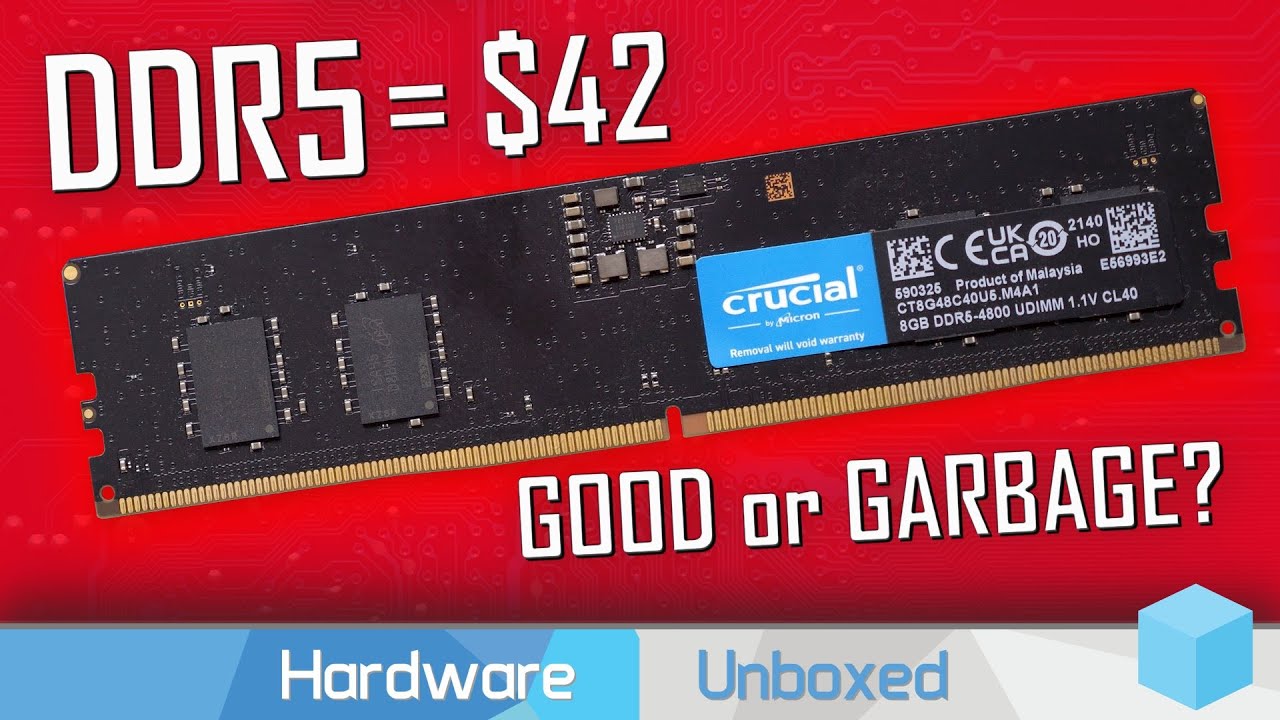
Support us on Patreon: https://www.patreon.com/hardwareunboxed
Join us on Floatplane: https://www.floatplane.com/channel/HardwareUnboxed
Buy relevant products from Amazon, Newegg and others below:
GeForce RTX 3050 - https://geni.us/fF9YeC
GeForce RTX 3060 - https://geni.us/MQT2VG
GeForce RTX 3060 Ti - https://geni.us/yqtTGn3
GeForce RTX 3070 - ...
vast meadow
grizzled bloom
Actually 2x8gb ddr5 isn't as bad as we initially thought
Yeah but still if you're only getting 16gb save the money and get ddr4 imo
astral flume
vast meadow
I would not recommend getting 2x8gb of ddr5 at all also wouldn't recommend ryzen...
Miss the boat 😂 the pc component has been shipped
vast meadow
Personally I'd still return it and buy a 13th gen cpu and get a better one or save some money and get a comparible one
compact zenith
Forgot who it was that used a phone to put a screen in their case. A similar article came out today.

Fstoppers
Thanks to the popularity of mini touchscreen monitors, these little screens are more available and affordable than ever. For this reason, now might be a good time for photographers to add one to their existing setup. Once in a while, someone creatively uses an existing product in an interesting way. This week, Nik Moe of Work From Hype is that p...
Figured the above might be a cheaper alternative.
grizzled bloom
It's pretty common to do that actually. There's an app to buy but that's it. Then you just leave it plugged into your USB port for the rest of its life.
You'd do that with an old phone that has little value otherwise typically, like one of those free phones
 tranquil wolf
i had an old Moto X i used as a sensor display, the app was like $2 on the Play store, easy to set up, but the phone died on me so i have not bothered to get a replacement
compact zenith
I have plenty of smart phones, like 40+ after I saw not the above article, but what one of the regulars did with their desktop, which made it look like something out of StarTrek next generation, was tempted to give it a try. Only thing that has me a bit worried, is someone hacking my server through the phone. Older models I'm not so worried about. Newer ones, like my kids Nokia 7.2, those have some severe security issues. Some lady earlier this year said something to my son and put her apple phone next to my son's Android. She got all his saved CC#s he stored. Had he not set his accounts up to be almost empty, she would have charged up a storm. I have my kids lock their cards as one security precaution, where they can be unlocked when needed in mere seconds. The second was to open extra accounts with no overdraft protection and leaving only 50 cents in each one. Then when they need to buy something, they transfer the exact sale amount. If a seller tries a rebill, or hidden fee, or like in the above case where they got his card numbers, they all decline. Yes, there are laws here where the bank must return the stolen funds, but who wants the aggravation of having all their money stolen and having to wait a long time to get it back. The above system stops that chaos. I started doing this almost 10 years ago. Was having dinner at Red Lobster and told my card was declined. Called my bank to find my account was emptied out, using a pin in another state. I asked them how can that not set off a red flag where the same card is used with pin by my home all day, and at same time with pin in another state? They did an override for Red Lobster, then stopped my card and lucky for me, returned all funds next day. Opened 6 additional accounts that day, each with its own card, no overdraft. Stops merchants charging more than agreed sales, hidden fees and rebills, and lowers the risk of funds getting taken, meant for another sale.
grizzled bloom
That's why you turn off all the wireless capabilities of the device and connect wired
compact zenith
You should see my data report for my Nokia X100. Device has some not so great flaws. Data and wifi were off today, yet records clearly show a little over 400mb of data was tethered as a hotspot. Find it unnerving, since I haven't seen the phone broadcast at all, and Metro PCS, aka T-Mobile just tells me it's a known issue.
grizzled bloom
Root and kill the driver lol
shy wyvern
Is 13700k worth the upgrade right now?
cursive epoch
no if you're not running ddr5
grizzled bloom
grizzled bloom
https://youtu.be/IstA56IAeVA
If the reason is the cost to upgrade the board AND the memory then sure, but even cheap DDR5 beats b-die now.
hard leaf
yeah, as foxy said, 13th gen truly shines with ddr5, if you are using ddr4 then they are no better than 12th gen cpus
hey gratz on the techie badge felix
now i can take your advice more seriously 😛
 amber canopy
dull flint
Now I only appear less stupid
amber canopy
dull flint
Now I only appear less stupid
techie test of knowledge:
what is the best platform
dull flint
The one at my feet

 amber canopy
correct answer:
 dull flint
Thanks man
astral flume
Hi, thanks for reaching out to our team. We'll be more than happy to assist. Yes, that RAM is compatible with your motherboard. You can use the QVL to confirm compatible RAM for your model. https://www.asus.com/motherboards-components/motherboards/tuf-gaming/tuf-gaming-b650-plus-wifi/helpdesk_qvl_memory/
Asus reply
hard leaf
good for you
dull flint
astral flume
Hi, thanks for reaching out to our team. We'll be more than happy to assist. Yes...
Nice, although to give fuel to the fire here there's only a handful of official ddr5 chips that brands are using for DDR5 ram, so it would be an honest shock if any sticks didn't work on that board
Like, maybe a few extra changes to get some sticks working with the cpu but the sticks won't flat out refuse to work
That's in the case it doesn't work straight away either, 5600 should certainly work fine if it's not faulty
grizzled bloom
There's a couple issues with older sticks of DDR5 from before the EXPO spec was out but anything that says "AMD compatible" is fine, and it does on the memory page.
burnt spear
hard leaf
yeah, as foxy said, 13th gen truly shines with ddr5, if you are using ddr4 then ...
Wait wat
Pain
hard leaf
sadly thats the hard truth
😦
need to cope with that as well... either ddr4 with 12600k or 13600k with ddr5
dull flint
Def the latter
hard leaf
yup
hard leaf
12700f is expensive rn
dull flint

hard leaf
even more than the 13600k... weird
hard leaf
we will see it at 312 on black friday! yay deals!
burnt spear
hard leaf
need to cope with that as well... either ddr4 with 12600k or 13600k with ddr5
I already ordered my 13600k, have a ddr4 mobo and ddr4 ram
Is it even with fast ddr4?
Ah whatever, if it has worse performance it has worse performance. Not like I'm going to spend $150-200 on new ram and return this mobo to spend more on another one
vast meadow
burnt spear
Wait wat
Afaik that's not right, ik ddr5 can help but doesn't make it as slow as 12600k
burnt spear
Mm, sucks to know I won't be able to keep up in benches though
Though I knew that beforehand, obviously fast ddr5 will be better than Rev e ddr4
vast meadow
Mainly MT is the difference i think
vast meadow
Ye
burnt spear
Ah
That's good to know then, most multi threaded load I do is minecraft lol

Looking at benches, looks like 5800x3d beats it consistently even with ddr5, so all the 13600k has going for it is multi core perf and being able to oc
vast meadow
burnt spear
What's that in tho?
burnt spear
Watch dogs legion
1080p paired with 4090
Other benches show similar results though
At 1440p and 4k it makes absolutely no difference though, im assuming that's just because the cpu load isn't hitting 100%
vast meadow
Hmmm
burnt spear
Actually in some benches at 1080p there's almost no difference between ddr4 and 5
Far cry 6 is like 3 fps difference
vast meadow
Yeah sounds more like what I'd expect
burnt spear
I guess it's just dependant on the game engine
Whatever it is, it'll be what it'll be
vast meadow
The extra e cores nice for multi tasking and kinda future proofing the cpu tho
burnt spear
Yeah, still just wish w10 had e core scheduler
naive pendant
https://uk.pcpartpicker.com/list/XpZwZw
any way i can improve RAM or MOBO with the extra £45 ive got
grizzled bloom
You could get a kit of 3600c16 memory and you'll get better frame rate stability
G.Skill Ripjaws V 16 GB (2 x 8 GB) DDR4-3600 CL16 Memory vs. Corsair Vengeance RGB Pro 16 GB (2 x 8 GB) DDR4-3600 CL16 Memory vs. Corsair Vengeance RGB RT 16 GB (2 x 8 GB) DDR4-3600 CL16 Memory
That's another 25 pounds or so
burnt spear
naive pendant
https://uk.pcpartpicker.com/list/XpZwZw
any way i can improve RAM or MOBO with t...
Txm 650 is cheaper and a much better psu
I'd get a 1tb mp33 instead of that p2 for the ssd
There's a 6700 that's cheaper than that 6650xt
naive pendant
burnt spear
Txm 650 is cheaper and a much better psu
just a quick question, do you know of any GPU exhaust fans?
grizzled bloom
The kind that sits on the back of the case?
Those don't really do anything
naive pendant
burnt spear
Gpu exhaust fans?
yeah theyre designed to output hot air from your gpu
naive pendant
grizzled bloom
The kind that sits on the back of the case?
Those don't really do anything
im using a vertical gpu
burnt spear
If anything I'd look at getting a pack of p12s, as your case only comes with 2 fans I believe
naive pendant
burnt spear
If anything I'd look at getting a pack of p12s, as your case only comes with 2 f...
if i bump up the RAM to 24GB then will i get a noticeable difference? (2x 8gb + 2x 4gb)
burnt spear
Though won't really matter, low power components
24gb isn't worth it
Only 16gb will run in dual channel
Just get a 32gb 3600c18 kit
naive pendant
burnt spear
If anything I'd look at getting a pack of p12s, as your case only comes with 2 f...
3 on the front and one on the back, i purposefully avoided RGB because it costs more for one less fan
naive pendant
burnt spear
Just get a 32gb 3600c18 kit
ight 👍
grizzled bloom

TEAMGROUP T-Force Dark Za 32 GB (2 x 16 GB) DDR4-3600 CL18 Memory (TDZAD432G3600HC18JDC01)
naive pendant
grizzled bloom
Link for ya https://uk.pcpartpicker.com/product/sfxbt6/teamgroup-t-force-dark-za...
for some reason its now £14 over budget even though it costs less than the original 24gb
i dont think pcpp is mathing
grizzled bloom
Did you remove the other kit of memory?
naive pendant
yeah
grizzled bloom
Hmm what's the new list link
grizzled bloom
You changed the P2 to a 1TB
naive pendant
did i?
oops
sorry 😅
i guess im not mathing 🤣
ok im gonna make a few more changes
ight im switching to semi modular PSU just in case
and now i have an extra £21 to improve with
i might just increase the SSD or maybe upgrade the MOBO
grizzled bloom
The only worthwhile upgrade for that mobo is one with wifi if you need that
naive pendant
how much space does windows 10 take up?
im only planning on using the SSD for OS and vitals
grizzled bloom
Before or after you remove junk like candy crush lol
naive pendant
grizzled bloom
Before or after you remove junk like candy crush lol
after removing junk