#cpus-mobo-and-memory
1 messages · Page 13 of 1
 compact zenith
compact zenith
compact zenith
Was a user micakit banned from here by any chance? Reason Im asking, I see a friend request, that originated from here, yet their ID and name don't come up at all in a search.
I always check, in case a normal user I may know on a discord, is using a different name and also to make sure I block if it's a scammer, or worse
 grizzled bloom
Micakit#9603?
compact zenith
Yes
Ravel, how many more days now, till your series 13? Come to think of it, are there even any mothetherboards made yet to take those CPUs?
 burnt spear
Yes
 cursive epoch
There are
burnt spear
And October 20th
cursive epoch
X670 boards are already out
Sorry, I meant Z690
lol
erm, no
Z790
What's wrong with me tonight
compact zenith
Wait a second, the series 13 is the same LGA1700 socket?
Oh, oops, just caught the correction lol
 amber hornet
What's the deal with the weird sepparated ubs&Sata slots in the z690 taichi
cursive epoch
that's not weird
amber hornet
I guess it's weird to me
Like, I get the use of isolating certain ports but they're kind of hard to access
 sudden creek
Will the 13900K have Pl3? I can't seem to find a clear answer.
cursive epoch
maybe
sudden creek
Out of curiosity which do you think will perform better when refurbished as a server CPU afterwards? 13900K or 7950X?
Gaming Server.
cursive epoch
13900k
 vast meadow
compact zenith
Wait a second, the series 13 is the same LGA1700 socket?
vast meadow
compact zenith
Wait a second, the series 13 is the same LGA1700 socket?
Yes same socket
Intel does 2 gens usually of same socket
sudden creek
cursive epoch
13900k
Because of ECC correctly?
vast meadow
amber hornet
Like, I get the use of isolating certain ports but they're kind of hard to acces...
Sata isn't a hotswap port
cursive epoch
Sata can have hot plug tho, if enabled on supported mobo
vast meadow
sudden creek
Out of curiosity which do you think will perform better when refurbished as a se...
It depends on the type of server and how well they can handle e cores and also will have to wait til 13900k comes out but ryzen 7000 is sad
cursive epoch
^
sudden creek
vast meadow
It depends on the type of server and how well they can handle e cores and also w...
Heavily modded MC server(s).
cursive epoch
But 3D cache version is probably gonna beat Intel
That's gonna have to wait tho
And $50 more
vast meadow
sudden creek
Heavily modded MC server(s).
It's hard to tell, ik 10850k/10900k where the best option not sure since e cores where introduced tho
sudden creek
vast meadow
It's hard to tell, ik 10850k/10900k where the best option not sure since e cores...
Got it.
MC benefits from better Single core/threaded performance because of Java correct?
burnt spear
vast meadow
It's hard to tell, ik 10850k/10900k where the best option not sure since e cores...
Why not 5900x or 5950x?
sudden creek
I think it's Java. Been learning it and I noticed the way it handles things is extremely reliant on one thread or a few being as quick as possible.
 untold breach
Just caught up with all the messages. Would it be worth sticking with z690 or doing z790
burnt spear
Depends on pricing when they come out
untold breach
I like how the mobo I chose has two tb ports and 10gbe built in
sudden creek
Oh well. Whatever the case, the 13900K will make for a major server CPU replacement for my Ryzen 3900 once I get meteor lake.
burnt spear
Personally I'm likely going to go for a z690 on amazon warehouse
sudden creek
Will z790 boards have any actual benefit over z690?
Besides having the gen 5 M.2 slots.
burnt spear
Possibly higher speed ddr5 support
Maybe better vrms compared to their z690 same model
sudden creek
Got it.
untold breach

ASUS Global
Every aspect of ProArt Series motherboards is built to remove barriers and deliver optimal performance to content creators who work in 3D modeling and rendering, animation or media production. The series empowers you to concentrate on your creativity and expand what is possible.
That's why I was going with
sudden creek
That be looking nice.
Do the Proarts have decent OC capabilities? Never used one before.
grizzled bloom
sudden creek
Do the Proarts have decent OC capabilities? Never used one before.
Nope. It's mostly other features like 10gb+2.5gb Ethernet.
sudden creek
Hmmm, honestly I don't think I need a obnoxious 7,400mhz DDR5 stick or Gen 5 NVMe so I think I will probably save a few bucks and just get a higher end z690 instead and pair it with a DDR5 6400 mem.
sudden creek
Even if I buy a z690 classified?
sudden creek
Because I was looking at the classified which is retailing at $400 in MX.
untold breach
But that's a good question
cursive epoch
classified will do good
it's essentially top end ddr5 board
and yes, all z mobos supports ocing
how well they do that depends on the design like vrms
sudden creek
So DDR5 on the classified I won't have any issues if I do 1dpc?
untold breach
cursive epoch
it's essentially top end ddr5 board
How do I find out how good it is
cursive epoch
I don't have time to explain, but erm.. I suppose you can do your research
sudden creek
Got it.
I think I will go the classified route depending on how much z790 costs compared to the classified at launch then.
Is the ILM issue existent on the classified as well?
sudden creek
Great. I really appreciate the help.
sudden creek
Lmao I suppose so.
untold breach
cursive epoch
I don't have time to explain, but erm.. I suppose you can do your research
You've given me more to consider. Thank you!
sudden creek
Gonna either give my current system to my youngest bro once I upgrade I think or turn my current system into some sort of test rig.
untold breach
cursive epoch
nah
I don't want to spend money on this only to regret it. So whatever direction looking into things takes me can only benefit my wallet
cursive epoch
That's good
Are you looking to put together a whole new rig?
I can try to help if that's so, to skip the technicalities
untold breach
cursive epoch
That's good
Yes. I've pre-ordered the 13700kf. I'm coming from a 6700k.
Ive had lots of problems with my Asus TB3 AIC and I've read some of my TB problems are due to AIC which is why I'm looking for built in.
untold breach
I have a 10gbe network as well which is why I was drawn to the proart
cursive epoch
proart is a decent choice to be frank
untold breach
I have a 10gbe pcie card currently
cursive epoch
if your use case is this specific haha
untold breach
cursive epoch
proart is a decent choice to be frank
I thought so. I game on a TV with a TB3 optical cable currently. But that stopped working. And I'm having strange problems with ports despite reformating
cursive epoch
i don't know what else to recommend at this point tbf
without going even more expensive
untold breach
I'm not looking for a crazy oc. So maybe I stick with it
cursive epoch
yeah that'll do plenty
untold breach
Thank you for the peace of mind
sudden creek
Would there be issues doing 2dpc on the classified?
untold breach
I understand ram speed. Does it matter which cl timing I go with?
Built for creators, ProArt Z690-Creator WiFi has 16+1 70A power stages, DDR5, PCIe® 5.0, Thunderbolt™ 4, WiFi 6E, 10 Gb & 2.5 Gb LAN and four PCIe 4.0 M.2 slots
sudden creek
Lower timings are better.
cursive epoch
sudden creek
Would there be issues doing 2dpc on the classified?
it can absolutely do it with no issues
well lower cl is better, but you don't gotta worry too much
just get something like 5600 at least
sudden creek
cursive epoch
it can absolutely do it with no issues
Sweet. I am leaning more and more towards just getting the classified which looks sweet imo.
2dpc 6400mhz cl32 should be fun.
untold breach
sudden creek
2dpc 6400mhz cl32 should be fun.
Thanks
sudden creek
untold breach
Thanks
Oh no, sorry for the misunderstanding. I meant for my board. Not sure if it'd run 2dpc on the Proarts.
sudden creek
Yeah.
Basically CL is the number of cycles it takes to process a piece of data to put it simply.
grizzled bloom
CL matters a lot less on current DDR5, tertiary timings are more critical.
 true lantern
Hello- I'm looking to replace a motherboard. Is this the right place to ask for advice?
 tranquil wolf
true lantern
Hello- I'm looking to replace a motherboard. Is this the right place to ask for ...
tranquil wolf
true lantern
Hello- I'm looking to replace a motherboard. Is this the right place to ask for ...
sure is, what CPU, what spec info you got?
true lantern
tranquil wolf
sure is, what CPU, what spec info you got?
Great! I'm looking to replace this on a 7-year old rig: https://www.newegg.com/p/N82E16813131801?Item=N82E16813131801
 hollow thorn
true lantern
Great! I'm looking to replace this on a 7-year old rig: https://www.newegg.com/p...
hollow thorn
true lantern
Great! I'm looking to replace this on a 7-year old rig: https://www.newegg.com/p...
At this point, I'd just recommend upgrading instead of just trying to find the same board again
true lantern
I agree- I'm looking for a compatible upgrade
hollow thorn
An upgrade would mean new CPU, new motherboard, and new ram.
If you're willing to do that, what is your general budget? 200$? 300$? 400$? Etc?
true lantern
hollow thorn
An upgrade would mean new CPU, new motherboard, and new ram.
Around $300
hollow thorn
Something like this could be worth trying
https://pcpartpicker.com/list/n6KxRv
PC Builder - Intel Core i5-12400F
Could go 12100 and have it be a bit cheaper if you'd like
Assuming you have a GPU
 cerulean wadi
If not in a hurry, also look for when 12400 nonF is $150-160. Another prime day coming up at least. (Oct 11 maybe)
hollow thorn
Yea black Friday and all are coming up
true lantern
hollow thorn
Something like this could be worth trying
https://pcpartpicker.com/list/n6KxRv
Thanks! I notice you recommended an i5, will this build perform similarly to my old build? Or were you simply recommending the best I could get for my budget?
true lantern
hollow thorn
Assuming you have a GPU
I do but it's a gtx 760, also been wanting to upgrade to a gtx 1660 or similar
cerulean wadi
12th gen 12400 or even 12100 will blow away your 9yr old 4th gen, but indeed that 760 is now the big bottleneck. Remember to fresh install windows (to an ssd). Also research 1660S/Ti & 1070(ti)/1080 as you might get lucky. To show how they compare to 760:
 hollow thorn
true lantern
Thanks! I notice you recommended an i5, will this build perform similarly to my ...
hollow thorn
true lantern
Thanks! I notice you recommended an i5, will this build perform similarly to my ...
Relative performance wise, it'll have more cores and more threads and a lot faster cores, the problem for getting a definitive number is that it's so old that the benchmarks ran on that aren't really ran today
 bronze summit
🤔


 dull flint
I'm sad, no unify
I hope that means they saw no memory improvements over 690 and decided not to bother but I doubt it
I hear the dark isn't the biggest fan of A die
bronze summit
dull flint
I'm sad, no unify
It might come out
dull flint

bronze summit
Idk what to buy lol z690 is nice but higher memory speeds will also be nice
Higher memory speeds means less CL
grizzled bloom
You're killing me
bronze summit
grizzled bloom
You're killing me
Sorry
grizzled bloom
bronze summit
Higher memory speeds means less CL
No it doesn't
dull flint
CL doesn't matter on DDR5 much if at all
Esp for you kenzie, you need to really tune it to make it matter
bronze summit
grizzled bloom
No it doesn't
Well 5400 is like CL something while 6400 is CL32
grizzled bloom
That has nothing to do with the speed though
dull flint
Since the board will auto other longer timings to run the CL making it irrelevant
bronze summit
grizzled bloom
That has nothing to do with the speed though
Hm
Well from what I seen higher speed less CL
grizzled bloom
The only thing CL is good for in DDR5 is figuring out which die it's using
dull flint
Pretty much
bronze summit
Hm..........
dull flint
And that does matter for a good part
grizzled bloom
Tertiary timing matter the most

 bronze summit
Just seems we keep going up in numbers haha
grizzled bloom
DDR6 isn't even in spec yet 
dull flint
Ram is ram really
bronze summit
Mobo says support 7000mhz that's fast
dull flint
Even new A die won't be an amazing jump ahead I've read
grizzled bloom
bronze summit
Just seems we keep going up in numbers haha
Google "Moore's Law", that's literally a thing
 grizzled bloom
bronze summit
Mobo says support 7000mhz that's fast
grizzled bloom
bronze summit
Mobo says support 7000mhz that's fast
I've seen some Z690 boards getting to 9000 though, stated spec doesn't matter much
 amber canopy
moores law is 💀
bronze summit
grizzled bloom
I've seen some Z690 boards getting to 9000 though, stated spec doesn't matter mu...
Oh wow
dull flint

 grizzled bloom
72-126-126-126-127
bronze summit
Lol
dull flint
Hey wasn't far off lol
bronze summit
@grizzled bloom I found it
grizzled bloom
RIP
 bronze summit

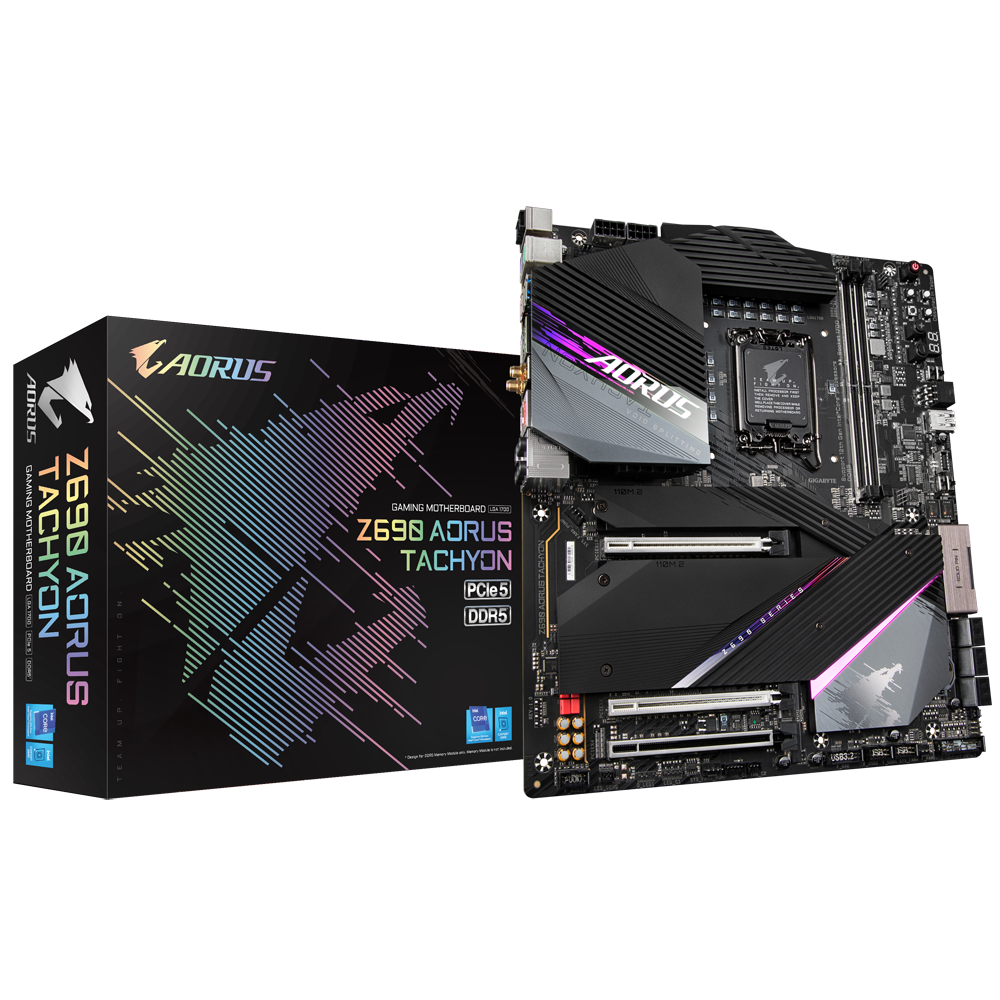
GIGABYTE
Lasting Quality from GIGABYTE.GIGABYTE Ultra Durable™ motherboards bring together a unique blend of features and technologies that offer users the absolute ...
It's under this mobo
dull flint
Kekyon
 dull flint
I hope the 790 version is better
bronze summit
Lol
grizzled bloom
bronze summit
See? More expensive isn't always best
grizzled bloom
All DDR5 boards should have only 2 ram slots rn anyway
amber canopy
fastest memory anyone has gotten on the x79 platform is 4004MT/s
bronze summit
Isn't that good then running 4 slots
grizzled bloom
bronze summit
Isn't that good then running 4 slots
No DDR5 has a strong chance that it will simply refuse to train the memory and not work at all. Some cases people have gotten it working but only at BELOW jedec speed, around 4400.
grizzled bloom
The 2 slot boards have always gotten much higher memory overclocks, since the dawn of DDR
 bronze summit
Maybe I'm getting over myself this mobo has really no use for me except ram slots
amber canopy
best ram
 grizzled bloom
Here's a thought, maybe what literally every experienced person here says is true and most people don't need to spend more than $200 or less on a mobo to get everything they need/want.
bronze summit
grizzled bloom
Here's a thought, maybe what literally every experienced person here says is tru...
But buttons haha
amber canopy
most i've spent on a motherboard ever was $140 i think
grizzled bloom
Anything above that is for specific features, like 10Gb ethernet (and buttons)
amber canopy
BUTTONS
 bronze summit
Well these 2 I was looking at the master has more rgb and OC ability

 compact zenith
bronze summit
4 slots bad
compact zenith
bronze summit
4 slots bad
Glad someone else said it, instead of me.
amber canopy
I personally hate screens on motherboards (and AIOs)
bronze summit
compact zenith
Glad someone else said it, instead of me.
Pato said it first
grizzled bloom
amber canopy
I personally hate screens on motherboards (and AIOs)
Right, so much cheaper to DIY it and not hard at all. If you can plug in HDMI and power you're done.
amber canopy
compact zenith
Glad someone else said it, instead of me.
😔
 bronze summit
grizzled bloom
Right, so much cheaper to DIY it and not hard at all. If you can plug in HDMI an...
bronze summit
grizzled bloom
Right, so much cheaper to DIY it and not hard at all. If you can plug in HDMI an...
🤔
grizzled bloom
amber canopy
😔
You know xeon boards don't fall into that lol
Quad Channel >>>>> Dual Channel amiright
dull flint
amber canopy
😔

bronze summit
@grizzled bloom oh also the master mobo I think it's the z790 tho it comes with EZ-latch on pcie slot and ssd slot so you press a button and they pop out seems better then currently rn
grizzled bloom
How often do you think you'll be removing the GPU though
It's a nice bench board feature tbf
compact zenith
I remember when the I7 Series first came out, and was excited to get mine, far ahead of release time with the employee discount program, to have the day roll around, and no CPU, and find out, someone in corporate made some deal with Intel, to allow them to hold off till a week before release date to ship to all staff that trained. I was so livid!
dull flint
Ya good for benching
bronze summit
grizzled bloom
How often do you think you'll be removing the GPU though
Well with my current pc I had to remove couple times already
dull flint
The ez latch is nice for installing M.2's tho
The older screw in system they had such pepega screws with gigglebit*
bronze summit
Me who broke a screw inside the screw hole
bronze summit
Screw so small
compact zenith
The M2? The Z390s, the base for the screws were not pressed in on one of my 3 boards, the older Aorus Masters. Was wondering why the screw kept turning, very little pressure, yet never actually unscrewed. Went to left the lid up, and found the base attached to the lid, came right out of the motherboard.
Rest of slots were fine, just the first slot. I ended up soldering them in.
bronze summit
Lol
compact zenith
Glad the Z690s were fine. That board is just too covered .
bronze summit
Nice
compact zenith
Actually, no wait, one of the 3 I just got are bad. Brb, keep forgetting to do an RMA.
I built 3 new Aorus Z690 systems. One for each of my kids, and last for myself. Go figure, out of entire order, mines the one that's bad.
For some reason, after 30 minutes, system loses connection to USB, Sata Spindle drives, and video. Had to use a portable NVME drive to install os onto the 2TB NVME. Using the blue Ray external, would result in installation aborting as it kept losing connection.
What really sucked about the whole thing, was finally being able to watch episode 1 of Rick and Morty, and have video go out, 10 minutes after the show started.
6 years from now, I'm going to end up buying a Z1290 series 17, and someone's going to tell me I should of waited 3 days, because Series 18 is coming out
bronze summit

dull flint
I wonder if a bios update would fix that
Or maybe chipset update since that's an io thing
(i think?)
compact zenith
dull flint
Or maybe chipset update since that's an io thing
Talking about the issues I was having? I updated everything, on all 3 mothetherboards. The one Im having trouble with, was used. The protective bag it was in, was very staticky, there was a strange metallic like dust, like very fine glitter. The dust was similar to what you would see when drilling out a copper clad board, and there is zero visible damage. No bent pins, no cracks, and taking meter readings is not easy with most covered. I used my air compressor to get the dust off, but I'm wondering if that dust is metallic, if any of it got trapped under the heat sinks, or other parts covered. Neweggservice was helping me a few days back, and haven't heard from him in days, I'm going to call office up soon.
 mystic inlet
How big a downgrade or what would i be missing going with a Z690 godlike verse one of the Z700 MB for the I9 13900?
vast meadow
mystic inlet
How big a downgrade or what would i be missing going with a Z690 godlike verse o...
Z90? Uh z690 godlike is a colossal waste of money
compact zenith
Now why didn't you tell me that before I purchased 3 😂
Or are you not talking about the Aorus Master Z690
Or more than likely, you did, I just didn't see before it got spammed off the screen.
GameMax Z790 Titan Pro looks promising.
Now I know everyone is asleep rofl.
BBL
vast meadow
compact zenith
Or more than likely, you did, I just didn't see before it got spammed off the sc...
Don't think i ever saw your list before you bought or if i did i definitely told you, the aorus master is a nice price tho at like 200$, the z690 godlike is like 1200$
mystic inlet
I know the price of the godlike, just like the lcd screen and some rgb. Seems most of the newer mb are going away from rgb features
dull flint
There's much cheaper ways to put an LCD in your PC
$1000 is enough to do it nearly 10 times
 scenic solar
i'm starting to get a bit worried that my nh l9i could have vrm clearance issues... is it possible?
 hollow thorn
Doubt it, throw the specific board into noctua's compatibility thing if you want
compact zenith
vast meadow
Don't think i ever saw your list before you bought or if i did i definitely told...
Basically, when I first joined here, I had already made the large purchase. Three Aorus Master Z690, Two I7, One I9, and the heat of the discussion was that I should cancel and wait for Series 13. Also at the time, bad set of RAM, and two very damaged shipments I posted pictures of. We never got around to anything being a waste of money, though a few were saying I should have gone with a ddr4 ram system, not DDR5, as that was over priced, and we touched on two big issues, one, I was using 4 ram slots, not two, which does in fact work, at least with 64gb ram, 4x16. Can't say if 4x32 will work, and not trying. The other topic, which most likely why we didn't talk of prices, everyone was yelling at me to not reuse the GameMax power supplys, which I was actually able to verify was the cause of my spindle hard drives dying past two years. Verified that with an ocillisope. Cold power start up sent a very quick voltage spike, an ordinary voltage meter won't see. One thing I can definitely state is a fact, with the Z690 Aorus Master Motherboard, the SATA slots to use spindle hard drives is a complete waste. Unless you need a sata port for anything other than a spindle drive, paying what I did, for the speed, don't use spindle drives. Not even one, unless you keep it as an external or hot swap. Adding even one, drops the load speed 80%. Without sata spindles connected, and booting off a Kingston Fury 2TB, your immediately into Windows login upon cold start up. Add even one drive, you get a 56+ second delay loading up. When I get this bad board replaced, I'm keeping all spindle drives offline until needed.
burnt spear
For the ram thing, do you have xmp enabled?
compact zenith
Comparing my Z390 to the Z690, Aorus Master, it's a very beautiful mothetherboard. Never thought I'd like anything other than ASUS
Bacca, you asking me this?
burnt spear
Ye
compact zenith
I'll have to check the BIOS, I'm unsure at the moment. Borrowed a medical camera this morning and was able to see, there is more of that metallic dust trapped under heat sink and under carriage protector. Not even my compressor can get to it.
After system runs 30+ minutes, USB, SATA, Video connection gets lost.
burnt spear
Try replacing the mobo battery?
compact zenith
I'm just glad it's only one like this. Purchased 3.
burnt spear
Can't remember the name rn, possible the battery is bad even tho it's new
compact zenith
Yes, I do that with all new installs, replacing the cr2032.
hollow thorn
Anyways a dead sata port isn't too uncommon, doesn't mean they're all dead
compact zenith
It's the Motherboard. Tested it on my kids systems, got same result. After warm up, all drives except the NVME vanish, USB ports disconnect and can't use keyboard or mouse, unless I use the 3.1 ports in back.
When they drop, happens same exact time. Audio works, but video fails. It's not a driver or virus issue. Clean OS install, I had to use a portable NVME I made. DVD took too long and install would abort due to USB disconnection.
scenic solar
hollow thorn
Doubt it, throw the specific board into noctua's compatibility thing if you want
thanks, didn't know noctua had a compatibility website
 hollow thorn
You're welcome
Update drivers and update bios maybe
https://www.gigabyte.com/Motherboard/Z690-AORUS-MASTER-rev-1x/support#support-dl
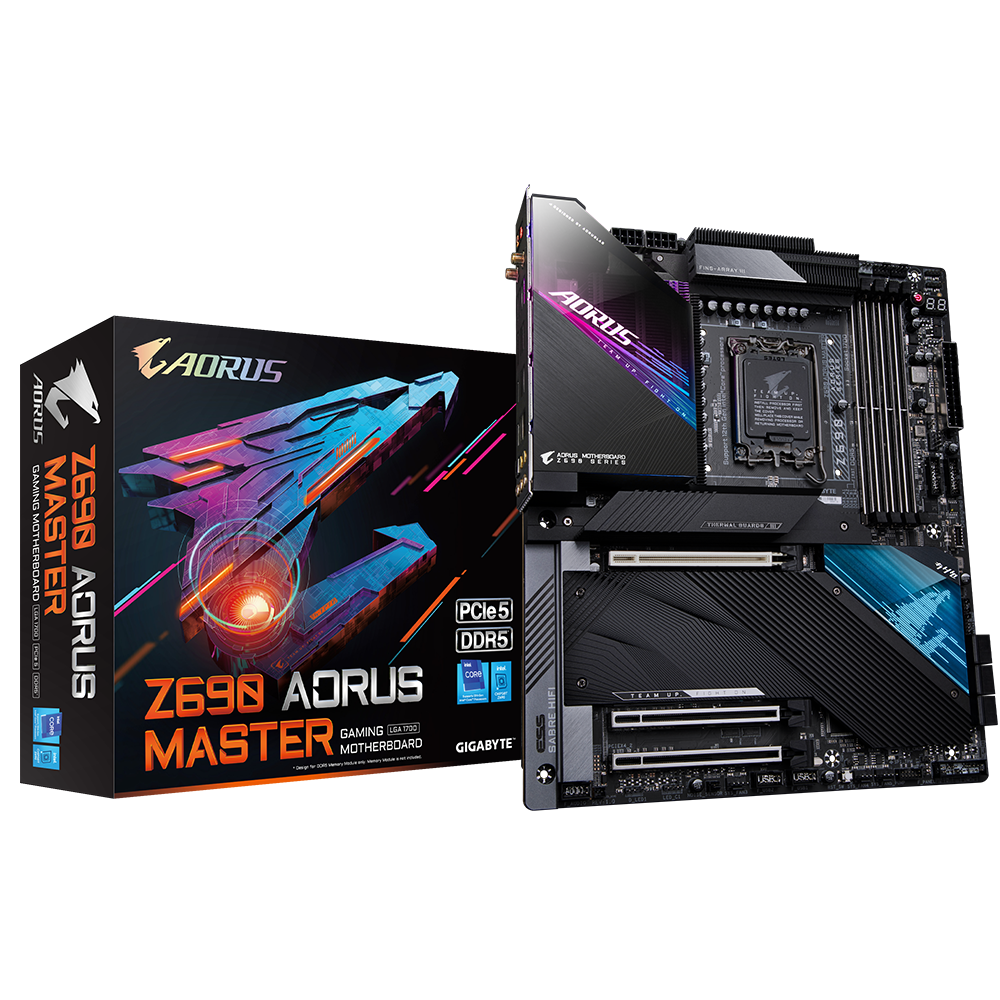
GIGABYTE
Lasting Quality from GIGABYTE.GIGABYTE Ultra Durable™ motherboards bring together a unique blend of features and technologies that offer users the absolute ...
compact zenith
I put the motherboard in my son's case, and my daughter's, got same results. Put my son's MB in my case, all worked fine. I think that metallic dust trapped under the heat sink and board protector, is the cause.
Bios, drivers, all updated.
I got it's replacement on the way too. Cables are also fine. Quick swap out and I'll be good to go.
 frosty depot
compact zenith
I put the motherboard in my son's case, and my daughter's, got same results. Put...
frosty depot
compact zenith
I put the motherboard in my son's case, and my daughter's, got same results. Put...
What is the board protector and what heatsink are you referring to?
compact zenith
The plate on underside of the motherboard, I call it a protector. The heat sink, black part above the CPU and the RGB section that contains the ports in back, both have metallic dust under them that my air compressor can't seem to get out. I can't raise the PSI or I can risk damaging the board further.
I never got around to looking up what that bottom plate is. First time I seen it, was the Aorus Master Z390. Not even the older ASUS Z97 has that.
 hard leaf

hollow thorn
compact zenith
Bios, drivers, all updated.
Then roll them back
Try rolling back USB/io drivers
hollow thorn
compact zenith
The plate on underside of the motherboard, I call it a protector. The heat sink,...
The backplate?
hollow thorn
The backplate
You screw brackets into the backplate and screw whatever cooler you have into the brackets
Unless there's heatsinks on the back of the board for some reason?
compact zenith
Before I send the board back, I'm going to try using another camera to take a picture of that dust. Can see it clear as day on the micro telescope, but take a snapshot, blurry as hell. That Mothetherboard was sent to me used. I had to send Microsoft a copy of my Newegg invoice to show them I just purchased it because the license failed, as it was registered prior to me getting it.
compact zenith
hollow thorn
Unless there's heatsinks on the back of the board for some reason?
When I take the board out, I'll take plenty of pictures. Can't access much of the underside of the board at the moment.
hard leaf
no need, just rma the board
compact zenith
Oh, my kids systems bios, drivers, same exact as mine. They have no issues at all. Only thing different, is I have I9, they have I7. Ram for me is Corsair.
 compact zenith
It's the Dominator RGB. Give me some slack lol. I at least got 2x32 instead of 4x16
hollow thorn
compact zenith
When I take the board out, I'll take plenty of pictures. Can't access much of th...
If you're suspecting dust under the backplate, take the cooler off and the bracket off and you can take the backplate off
compact zenith
It's going back. Rather not risk doing something that can cause them to blame me. Neweggservice who helped me with the Ram, knew of the used board issue, and metallic dust day I got it. I was willing to wait to see if the board was good, but took two extra weeks, because I had to wait for the proper ram and EVGA 1600w psu. The PSU may not be RGB, but my case covers most of it, so RGB would have been a waste of money.
The board came in a plastic bag, that was very very staticy.
hard leaf
seems like technology hates you
every single piece you bought came with some sort of failure
😦
hollow thorn
Hence why I say it sounds like your delivery guy hates you lol
compact zenith
I also checked to make sure the serial numbers matched. When I used to work loss prevention, I once caught a shopper trying to return a hard drive they swapped In the box, and obviously had their own shrink wrap machine. Was a Maxter drive. They had a hard time explaining their so called I bought it like that, after my boss who had his ID, verified the drive he tried swapping, was actually a warranty replacement.
My delivery guy loves me. My garbage pickup, now he hates me rofl.
Ravel, out of three complete builds, only one bad ram stick, and motherboard. That's not bad.
All the hassle, was just the extra stuff I had to buy for me after.
hard leaf
well at least that's the impression you give us, every day you tell us of a different failure on one of your systems, i mean, one bad item is ok, happens from time to time, but so many different items every day is concerning
maybe mr1111 is onto something 😛 maybe your delivery guy hates you
hollow thorn
It might not be the guy delivering to your door, but maybe the truck driver that takes the package from the distribution center to local centers hate you lol
compact zenith
hard leaf
well at least that's the impression you give us, every day you tell us of a diff...
Your right, I did report a lot of problems, as each one was discovered. But in the end, none of the equipment was bad, except the motherboard. When USB or drives vanish, usually it's a virus. The timing when things were going wrong, led me to think virus, especially when the issues started happening not long after connecting the SATA drives.
compact zenith
hollow thorn
It might not be the guy delivering to your door, but maybe the truck driver that...
The bad boxes, including that one that wasn't taped, just the lids folded, they all came from the Georgia warehouse. I still can't believe not a single ram stick, NVME, was stolen from that untaped box. Which was amazing, because when the UPS driver went to hand me the open box, the drive was sticking out the bottom.
hard leaf
well, steal from one of the packages is a serious crime
hollow thorn
Lol
hard leaf
not amazing, but expected
one thing missing and the whole line will be risking their jobs, from the delivery guy up to the delivery center bois
a damaged item, well... could be anyone guess
compact zenith
Come to think of it. I keep forgetting to ask Neweggservice if they were able to see via security camera, if that box was actually shipped out like that. For an untaped box to get passed QC, and UPS, just doesn't sound right
hard leaf
if they do i don't think they will share it with you without a legal order
hollow thorn
Yea that's a real privacy issue
compact zenith
Oh, I'm not asking for a copy. I was just wondering if he'd be able to tell me if it left the warehouse like that.
hollow thorn
compact zenith
Oh, I'm not asking for a copy. I was just wondering if he'd be able to tell me i...
They wouldn't be able to see it either lol
Privacy concerns
hard leaf
they wouldn't tell you either for the same reason
compact zenith
New Motherboard will be here Friday.
They even offered to swap out my I9 for Gen Raptor when they come in, for the trouble with that one board. whatever that is.
I'm joking about the Gen Raptor swap. Before Ravel strangles me 😂
compact zenith
The ram they let me switch out is one thing. If they had really made the offer of a Gen 13, I'd most likely refuse it. I'm never comfortable with new release hardware, especially expensive ones that can have bugs
Bye bye lol
 lime quartz
@hollow thorn i got u
hollow thorn
thanks
compact zenith
Your ban list must be immense!
I was reminded last year, how much Discord was so much like IRC, when several users snuck on, and flooded everyone off my own server. Five similar names, was like, no, their can't flood me out like IRC. Boy was I dead wrong heh.
Anyways, barring any shipment issues, I should be able to swap out the board quick enough. The only pain will be, having to swap the NVME drives and reseating the CPU.
I tend to clean off the thermal paste, before removing the CPU.
Just wish they made A $250 8TB Fury NVME. Then I'd just use all those drives for backups.
compact zenith
@hollow thorn I just remembered something. I realized now why I gave the impression that a lot was wrong. I totally forgot about the Amazon Fresh order two weeks back. Forgot what channel I mentioned it on. Think it was the PSU one, where I can't for the life of me remember what the discussion was at the moment, only that while we were all talking, I took a quick glance at my security camera monitor, to see if the Delivery guy was here yet, and instead, see like 3 or 4 raccoons, tearing up what at first I thought was my neighbors trash, then moment I saw the Frozen Frontera Carne Asada dinner box being torn up, realized it wasn't my neighbors trash they got into, it was my Amazon Fresh order the idiot driver, instead of bringing it to the house, unloaded it on the sidewalk instead, and even took a picture to show that's where he left it. They tore into all 8 bags, but only went for the frozen dinners, and left all else inside alone. Three frozen dinner boxes, made one heck of a mess. Went online and changed tip from $25 to $0. First time I ever did that. Had to get service to help, as couldn't find the option to do it.
compact zenith
Check this out on @Newegg: ASRock X670E Taichi AM5 DDR5 AMD Ryzen™ 7000 X670E SATA 6Gb/s Extended ATX Motherboard https://www.newegg.com/asrock-x670e-taichi/p/N82E16813162071?Item=N82E16813162071&Source=socialshare&cm_mmc=snc-social-_-sr-_-13-162-071-_-10052022
Was looking at the MB, and was wondering, is it me, or does this image look like a bad Photoshop?
I haven't seen a real AMD mothetherboard in years, and the image, it just looks odd to me for some reason.
compact zenith
Oh, forgot one last oddity was that the Motherboard yesterday, kept booting itself up like power button pressed, and don't mean sleep mode. I use a power block for each item, so turned direct power off to it. It freaked my wife out 2am, when suddenly it went on, filling our room with colorful lights.
 elder linden
Yeah, the images they used in the sales listings look like bad photoshop. Pretty sure it's actually just a highly touched up picture of the board shopped over a graphic of the box.
 gritty patio
okay so i gave my friend my old pre built but its not reading the ssd we tried installing
im assuming a bios update
but i havent really been looking cause i gave up after i couldnt find a solution
its an i5-6400 but idk what the mb is but its made by acer
gritty patio
bet thanks
hard leaf
you will get a window like this
 gritty patio
be tthanks
 shy wyvern
An overclocked 12600k only needs 1 8 pin CPU power cable right?
If I unplug the second one my PSU can support 4 PCIE power cables, which is enough for a 4090 lol
 long geyser
Yeah, 8P EPS can easily support OCed 12600k
Also note that good 8P PCIe can do like 350w - 380w or smth, so could just use daisy chain connectors and use two cables on PSU side for 4x8P to 12+4P (or Corsairs cable, pretty sure they violated ATX spec with a 600w 2x8P to 12+4P connector. Which is weird but as I said still fine).
hard leaf
its like 420w so so
 limber dragon
Spec is 396w per eps 8 pin. Solid power pins are like 450w+
 obtuse nymph
Best DDR5 64 GB ram?
sudden creek
Any updates on z790 Mobo? Been away off for a few days.
vast meadow
obtuse nymph
Best DDR5 64 GB ram?
Do you need 64? Also country? And best is subjective because it can mean speed/price
vast meadow
sudden creek
Any updates on z790 Mobo? Been away off for a few days.
Basically z690 with a few extra pcie lanes
obtuse nymph
vast meadow
Do you need 64? Also country? And best is subjective because it can mean speed/p...
yes lol. US
if possible speed/price 🙏
sudden creek
vast meadow
Basically z690 with a few extra pcie lanes
Got it. So I'd be better off just getting a good Z690 like a classified?
vast meadow
obtuse nymph
yes lol. US
This kit, if you're lucky and get a hynix chip on the ram you should be able to easily oc to 6000mhz or 6200mhz
https://pcpartpicker.com/product/4jxRsY/kingston-fury-beast-64-gb-2-x-32-gb-ddr5-5600-cl40-memory-kf556c40bbk2-64

Kingston FURY Beast 64 GB (2 x 32 GB) DDR5-5600 CL40 Memory (KF556C40BBK2-64)
vast meadow
sudden creek
Got it. So I'd be better off just getting a good Z690 like a classified?
I wouldn't waste money on a classified unless you want to do xoc tbh
obtuse nymph
vast meadow
This kit, if you're lucky and get a hynix chip on the ram you should be able to ...
dope, appreciate you ✊
vast meadow
Np
dull flint
Z690 pro a ddr5 is supposed to be cheap and it should be good enough
sudden creek
dull flint
Z690 pro a ddr5 is supposed to be cheap and it should be good enough
Are you talking to me?
shy wyvern
I have the ddr4 version and it's a wonderful board
dull flint
sudden creek
Are you talking to me?
 sudden creek
I already planned on getting DDR5.
shy wyvern
Running 4 x 8 GB ddr4 4000 cl14 rn and it runs great
dull flint
I mean it tho, basic MSI board is actually very nice quality
shy wyvern
The memory controller is heavily over clocked though because it does not like 4 sticks of good memory
dull flint
That'll probably run in most z690's without concern at xmp
But you mightn't be able to take it further
sudden creek
Will keep my eye out. If they're less then $340 in Amazon.com.mx then I'll for sure get them.
dull flint
Prolly not
The first consumer sticks are 345 USD on newegg rn
I imagine MX you won't see that price for a while
sudden creek
Probs not.
I think I will probs get like the 13900K, Z690 Classified, Best 4090 I can get within $1800, and some Trident N5 sticks for ram.
dull flint
Could you even get a 4090 near msrp in MX?
sudden creek
dull flint
Could you even get a 4090 near msrp in MX?
I can buy it off Amazon.com and have it shipped to MX.
dull flint
Why not do that for the ram then?
dull flint
If you do them both together I imagine shipping shouldn't really go up
sudden creek
Shipping is for each unfortunately.
So yeah, gonna buy off Amazon.com for the CPU and GPU and the rest I will buy off amazon.com.mx.
Well I gotta work now. Thanks for the help and I enjoyed the convos. See y'all later.
dull flint
@sudden creek
https://www.newegg.com/asus-geforce-rtx-4090-rog-strix-rtx4090-o24g-gaming/p/N82E16814126593

Buy ASUS ROG NVIDIA GeForce RTX 4090 OC Edition Video Card (PCIe 4.0, 24GB GDDR6X, HDMI 2.1, DisplayPort 1.4a, GPU Tweak) ROG-STRIX-RTX4090-O24G-GAMING with fast shipping and top-rated customer service. Once you know, you Newegg!
2 grand
vast meadow
dull flint
<@217356391675985921>
https://www.newegg.com/asus-geforce-rtx-4090-rog-strix-rt...
Gross looking card anyway
vast meadow
dull flint
1700/1750
Gaming x at msrp
dull flint
Ya I don't like the new strix either
sudden creek
Personally I like it.
cerulean wadi
40 series is a bit bland tbh, plus $250+ more than msi suprim for instance is pretty wack, but not like $200ish is a big deal for people paying that much.
hard leaf
vast meadow
Gaming x at msrp
how dare you
limber dragon
msi are the only cards that dont look just copy/paste from reference for 4090s
hard leaf
suprim or bust
sudden creek
The palit cards looked interesting.
hard leaf
i mean, all of the cards are similar in performance
just take the best looking for you
for me... suprim
felix is an avid shill of gigglebyte
and pato hate us all equally

sudden creek
Mhmm, got it.
hard leaf
still the strix one is fairly better over the rest, but not enough to justify 400 usd
not enough
sudden creek
Leaning towards the palit one for the crushed crystal look if I decide to rule out Strix non oc at $1799.
hard leaf
the black kaleidoscope
sudden creek
Will need to look at dat later.
vast meadow
hard leaf
how dare you
gaming x gud and cheapor
dull flint
sudden creek
Leaning towards the palit one for the crushed crystal look if I decide to rule o...
I suggested non OC may be 1799, haven't seen one yet
hard leaf
i bet
dull flint
Also suprim is MSI's flagship, the AIO one would run as fast easily
hard leaf
dull flint
I suggested non OC may be 1799, haven't seen one yet
no palit on egg sadly
well... not sadly, its ugly to me
hard leaf
man im almost fully comitted
last night i made some math.... ill be left with 252 usd if i get the suprim
 cerulean wadi
$252 can get 12400F on sale + mobo, or $12100F , cheap mobo & ram maybe. Although, there's no $100ish mobo I would pair w/ a future 13600K & such.
hard leaf
Yeah im in no hurry for a pc after the card is on my hands, i will gather some 500usd more for a mid tier pc 
In a couple months 
dull flint
4770K go brrrr
untold breach
So I contacted Asus today about this mobo. I didn't see 13th gen on the compatibility list. The first level of support said that it's not listed so it's not supported. Period. However, he kicked it up to the next level to get back to me in a day or two hopefully.
I was under the impression since they're both lga 1700 I could drop the new chip in a 690 board? Am I wrong?
https://www.asus.com/Motherboards-Components/Motherboards/ProArt/ProArt-Z690-CREATOR-WIFI/
ASUS Global
Every aspect of ProArt Series motherboards is built to remove barriers and deliver optimal performance to content creators who work in 3D modeling and rendering, animation or media production. The series empowers you to concentrate on your creativity and expand what is possible.
limber dragon
you mean the new chips that arent out yet, so boards dont "officially" support an unreleased product?
untold breach
limber dragon
you mean the new chips that arent out yet, so boards dont "officially" support a...
Yes
limber dragon
well there's your answer
untold breach
limber dragon
well there's your answer
🤷♂️
untold breach
limber dragon
well there's your answer
I wanted to order it but I'm wary unless I know
So I was nervous
limber dragon
so dont order it until 13th gen is released and see if they have a bios for it???
 heady sparrow
Anyone know if the AMD Ryzen 5 5600G - Ryzen 5 5000 G-Series Cezanne (Zen 3) 6-Core 3.9 GHz Socket AM4 65W AMD Radeon Graphics Desktop Processor - 100-100000252BOX and ASUS ROG STRIX B550-A GAMING AM4 AMD B550 SATA 6Gb/s ATX AMD Motherboard work together
 hybrid grove
I'm not the biggest expert on this particular issue. What would cause my cpu to thermal throttle. Everything was fine then one day it just started getting hot. I reset the bios and put all the settings back to the way I had them before the reset and everything is back to normal.
I have a artic 360mm aio with a 5800x. X570 aorus elite. (If that matters)
dull flint
That does help
How long have you had it mounted for?
First thing I'd check would be pump rpm
Also the arctic 360mm coolers have had a recent recall, you should check into that
Oh wait
I see it's back to normal now
hybrid grove
Oh snap. Yeah I've just had a string of bad luck with AIOs. Both me and my brothers msi mag 360mm pumps died.
dull flint
Ah yeah the mag ones have clogging issues
hybrid grove
But I've had the cooler since June or July I believe.
Pump doesn't make any concerning noise on the artic one
dull flint
Luckily tho the arctic company will send a service kit to fix the issue
Free
You should def look into it
 patent rampart
Hey guys, I am looking for a x570 board for some extra pcie lanes, any suggestions? I am fine with almost any brand
dull flint
Or try hwinfo 64 and look for your pump rpm
hybrid grove
Yeah let me re-download that and check
dull flint
If both of those are fine then a repaste could possibly fix it tho 4-5 months isn't too long
dull flint
patent rampart
Hey guys, I am looking for a x570 board for some extra pcie lanes, any suggestio...
Bump
hybrid grove
I just repasted it 2 weeks ago. When it first started doing it. The paste helped for a little bit then it got worse
dull flint
Ah then probably not the mount
hybrid grove
Until I just reset the bios
hybrid grove
dull flint
Or try hwinfo 64 and look for your pump rpm
Is that under sensors?
dull flint
Yeah
You'll see a few readings for RPM
You might need to check inside the pc to figure out which input is which
Fancontrol also works to check this (turning fan channels on or off)
hybrid grove
Yeah on this board it's called "cpu opt" at 1450-1500 atm
 verbal hawk
patent rampart
Hey guys, I am looking for a x570 board for some extra pcie lanes, any suggestio...
verbal hawk
patent rampart
Hey guys, I am looking for a x570 board for some extra pcie lanes, any suggestio...
Most of the VRMs on the original set of x570 suck compared to their b550 counterparts...if you really need a x570 grab one of the newer x570S boards. The MSI MAG X570S Tomahawk WiFi is a good one.
hybrid grove
All this makes me want to go back to air coolers 😂
I gifted my friend a vetroo 360mm aio 2 months ago and it started leaking last week. Thankfully he happened to notice it quick and nothing was damaged
patent rampart
verbal hawk
Most of the VRMs on the original set of x570 suck compared to their b550 counter...
Wouldn't it be reasonable to go with a b550? The reason for upgrading is because I use 2 m.2 drives and it disables some SATA ports meaning I have to use a SATA to pcie
Should have added, considering the vrms are better, wouldn't it be ideal then?
verbal hawk
patent rampart
Wouldn't it be reasonable to go with a b550? The reason for upgrading is because...
Mostly all b550s only will have 2 m.2 slots, usualy a full gen 4x4 and a second gen 3x4 or some are gen 3x2 but the second slot may or may not be shared with sata/pcie ports etc. x570 will generally give you usually 3 to 4 m.2s but most certainly the 3rd or 4th slot may also disable some sata or maybe a pcie slot. Every board is different. But unless you got a whole bund of sata drives most boards have 6-8 sata ports so even if half of them get disabled you should have more than enough.
verbal hawk
patent rampart
Should have added, considering the vrms are better, wouldn't it be ideal then?
what cpu do you have?
patent rampart
Ryzen 9 5900x
verbal hawk
as long as you don't grab a cheap low end b550 you'll be okay...pretty much you'll be fine with any X570S board.....
patent rampart
Alright, thanks a lot my man, really appreciate it
burnt spear
patent rampart
Ryzen 9 5900x
If a b550 has enough pcie lanes for you, yes it'd be better than an x570
patent rampart
I understand a bit more of what I am looking for now so once I get home today I'll figure out what will be best considering my setup. Though b550 might be what I go with depending on prices between a good b550 and an x570
burnt spear
B550s tend to be cheaper while having better vrms
patent rampart
Figured as much
 fleet hemlock
What would be a good choice 600 series motherboard for this CPU?
https://www.newegg.com/intel-core-i5-13600kf-core-i5-13th-gen/p/N82E16819118417
burnt spear
fleet hemlock
What would be a good choice 600 series motherboard for this CPU?
https://www.ne...
Aorus pro ax, b660m-a wifi, mag bazooka
Assuming you don't care about ocing
vast meadow
I don't know if the other 2 have flashback but aorus pro ax def does
So aourus pro ax imo
fleet hemlock
burnt spear
Assuming you don't care about ocing
I don’t care for OC yah
burnt spear
vast meadow
So aourus pro ax imo
Ah right forgot about that
fleet hemlock
Will B660 allow a gen4 pcie boot drive?
vast meadow
Yes
amber canopy
Overclocking da mushkins

 rocky beacon
That kit was awesome.
amber canopy
Yea I love these dimms
compact zenith
hybrid grove
All this makes me want to go back to air coolers 😂
To me, it doesn't matter how much they claim their water coolers are 100% sealed, I'm sticking with air coolers, mainly because the vibrations have caused the hoses on two different models, to slip off the radiator or CPU. It was just luck that both times, the hoses just missed important components.
compact zenith
The replacement board works fine. For some reason, and I think it's corruption from the last board, bios only shows one Kingston fury, and loads the backup os from the older motherboard, until I disable boot option 1. Then the proper NVME loads up. Also, it loads quite fast. Even the spindles don't lag it to much once connected. I plan disconnecting them, once I move key programs from that drive, over.
dull flint

Intel Alder Lake source code is now online Tom’s Hardware reports that Intel could be in trouble after a serious data leak. It is reported that 12th Gen Core series source code has now been posted online after it was leaked by a 4chan group. The source code is 2.8GB in size after compression, and […]
vast meadow
dull flint
https://videocardz.com/newz/intel-alder-lake-source-code-has-reportedly-been-lea...
Funsies
Bios info hmm..... Bios flashing for b660 multiplier oc 
 compact sun
hey i need a newegg rep...i have a tiny problem with a motherboard i bought in 2020
someone point me to the right place please? 🙂
vast meadow
compact sun
someone point me to the right place please? 🙂
Dm @glad socket
compact sun
thanks
grizzled bloom
Keep in mind it's the weekend and they might not be in the office
compact zenith
compact sun
hey i need a newegg rep...i have a tiny problem with a motherboard i bought in 2...
Just so you know, Neweggservice is usually around M-F 8am to 5pm pst. At least those are the times he's been on. I haven't seen him on weekends, but again I only been here a little over a month so that's not saying much.
compact sun
ok thanks 🙂
compact zenith
.
The replacement Aorus Master Z690 is working almost perfectly, except won't boot off drive 0 unless I disable boot option 1, which only shows one Kingston Fury. Im wondering if the bad motherboard could have written a bad efi section that's causing this. I'm going to do a reinstall format and see if same thing happens. The other thing that surprised me a bit, was the system booting up on its own after it was shut down completely.
limber dragon
Its a bios thing afaik. There's some weirdness with legacy/uefi and boot priorities on giga z590/690
compact zenith
I noticed that with multiple NVME. Even repaired the uefi boot on the bad board. Going to do a fresh format this time, and see if this corrects. I have a feeling, each motherboard has something in the controller, similar to each hard drive that has its own unique bios. The drive 1 that it keeps defaulting to, unless I disable option #1, is from the older Z390. I'm almost willing to bet, it's the controller on the MB seeing info from the bad one. Images restored don't show up, again unless option 1 disabled. If the new install works, then I know I'm right. Hopefully it corrects the system booting up on its own as well lol.
 velvet badger
hey question i have a msi mpg z490 gaming edge wifi with a i5-10600kf and im out of sata ports on my mobo is there a way to add more sata ports or would i have to upgrade my mobo, if i have to upgrade mobo what would be a good choice id like to stick to msi
cerulean wadi
Use a sata adapter that goes in a pcie slot, and I know that mobo has a couple m.2 slots to use up also. Most mobos just have 4-6 sata ports anyways. Don't swap mobo unless/until upgrading cpu also.
grizzled bloom
That's the main advantage of using a full ATX board over a micro board. Expandability.
cerulean wadi
Yep indeed. Ironically there's some new mobos with only 4sata ports because in exchange they went for tons of m.2 slots and/or pcie lanes. Personally wouldn't want to deal w/ 4+ sata drives anyways (and the cabling tbh).
compact zenith
cerulean wadi
Yep indeed. Ironically there's some new mobos with only 4sata ports because in e...
The M2 slots, are great for read/write speeds, if your into gaming. I'm removing all but 1 spindle sata drive, which is kept offline till needed, as it drags down speed of the PC. I'm using 2TB fury NVME, and just about everything I do is instant, until I activate the SATA drive.
fleet hemlock
Real talk:
Lower end Z690 mobo vs higher end B600 motherboard
compact zenith
.
I verified the new issues, we're almost exactly what I thought they might be. When I swapped out the bad Z690 for it's replacement, it was reading configurations off the boot drive that was telling the bios, the bios was updated already, when in fact, it wasn't. It was using drivers the bios wasn't updated for on new board. Plus the bios info of the board didn't match the drive, so needed programs were not running. Soon as I did new install, the bios for appcenter kicked in, and updated. Not having any issues now. System stays off, RGB behaves.
compact zenith
fleet hemlock
Real talk:
Lower end Z690 mobo vs higher end B600 motherboard
I been sticking with Gigabyte Aorus series, which took a bit of getting used to. Used to only use Asus, which irked me a number of years ago with their Nexus tablets, plus an Asus mb I only had 10 days, had problems, and Asus reply to me was they knew of the issue, and it's fixed in the next revision, meaning they wanted me to buy another mothetherboard, so sent it back to Amazon, and went with the Aorus Master Z390, and stuck with the Aorus series ever since
I'm using the latest 12th gen I9.
Come to think of it, haven't heard a word from Ravell. Guess he got his 13th gen.
hard leaf
fleet hemlock
Real talk:
Lower end Z690 mobo vs higher end B600 motherboard
lower end z690
fleet hemlock
whys that?
 flint parrot
Does it matter what slot I put my ram in
fleet hemlock
flint parrot
Does it matter what slot I put my ram in
yeah make sure to put it in the pcie x16 slot
hard leaf
flint parrot
Does it matter what slot I put my ram in
yes
fleet hemlock
hard leaf
most likely... aesthetics
but a cool looking pc gives you +20 fps!!!!!!
hard leaf
for 2 sticks usually are put on the the A2 and B2
fleet hemlock
what motherboard are you considering @flint parrot
flint parrot
I mean like if I have 4 pcie slots and one ditch of DDR4 ram does it matter which pcie slot it is in
hard leaf
ddr4 donest go to pcie slots
fleet hemlock
flint parrot
I mean like if I have 4 pcie slots and one ditch of DDR4 ram does it matter whic...
oh i was joking dont put it in a pcie slot XD
fleet hemlock
jokes will from hereon be held in other channels  🤝
🤝
hard leaf
flint parrot
I mean like if I have 4 pcie slots and one ditch of DDR4 ram does it matter whic...
check your mobo dimm channels, usually are 4 and they are numbered like A1, A2, B1, B2
you put your 2 sticks on A2 and B2
flint parrot
I know it doesn’t go into there but I’m just doing a case swap. I’m just making sure it doesn’t matter which slot it goes in
hard leaf
A2 and B2
flint parrot
Mine are just numbered 1234
hard leaf
then 2 and 4
fleet hemlock
most mobos want ram here right?

sorry ovals are hard on a phone
omg wait i had an idea
compact zenith
Ravel, you are alive. Um, your calling my Aorus Z690 low end? I agree overpriced, but low end?
flint parrot
fleet hemlock
most mobos want ram here right?
Yeah
hard leaf
lower end z690 most of the time beats an overpriced 660
fleet hemlock
YEAHHHH I DID IT
 compact zenith
Did what? Removed the ram?
flint parrot
fleet hemlock
YEAHHHH I DID IT
😂🤦🏽♂️, I was just seeing if it matters which of those four slots I put it in
fleet hemlock
fleet hemlock
YEAHHHH I DID IT
i couldve just highlighted 
dull flint
It can matter yes
fleet hemlock
flint parrot
😂🤦🏽♂️, I was just seeing if it matters which of those four slots I put it in
glad to see you got a good mixture of help and misinformation in your searches

dull flint
*Particularly if you don't space them apart
flint parrot
fleet hemlock
glad to see you got a good mixture of help and misinformation in your searches
I know you helped me learn how to break my ram
compact zenith
I was thinking the same with the NVME, and found my motherboard, likes to moch me, by changing the NVME drives 0 and 1, to mess with my head.
fleet hemlock
shame that it didn’t embed
 fleet hemlock
dull flint
I've already preordered 13th gen
fleet hemlock
dull flint
I've already preordered 13th gen
which sku?
 fleet hemlock
niiiiiiice
fleet hemlock
amd makes good cpus but the value isnt very good for me since the build im working on is around the 1500$ budget
the 13600k on a cheaper motherboard platform with cheaper ram is too good of a deal to ever justify a 7600x
hard leaf
indeed
if anything i will go ddr4 as well on 13th gen
efff am5 nd ddr5
yo felix, where are you planning to get the waterforce? some local retailer?
dull flint
First place that isn't gross I trust
cerulean wadi
@flint parrot @fleet hemlock 👍 (excluding a few specific mobos):
 fleet hemlock
seems like you put el in a1 and b1
cursive epoch
yeah
compact zenith
Krikey, I forgot what my GHz is for the I9 I got. Windows is highly irking me. It keeps putting the restore partition and EFI partition on the second NVME. It's not an easy drive you can just unplug like a SATA. Trying to see if there is another means to shut that second drive off so the install process doesn't mess with the other drive.
compact zenith
Wow, didn't realize that what is pissing me off, is a huge two year issue, with a work around for those with fastboot In bios.
cerulean wadi
cursive epoch
it's supposed to be a1 b2 lol
A2 & B2*. Edit for Xanthor: fast boot is dumb anyways. Turn that crap off. Boot w/ ssd is fast enough. Fast boot makes a restart act like going in and out of sleep in a way, or something like that.
compact zenith
@cerulean wadi I'm fighting a losing battle. Actually, fast boot with this MB is quite effective. When it's on, I turn PC on and directly into Windows login. With it off, the loading is delayed. This is with two NVME connected only, no spindle drive. What is irking me to the extreme, with no actual fix, and it's happening mainly with gigabytes motherboards, which there is a two year old post, still burning hot today, is no matter what I do, force an efi partition on drive 0, or even remove the second NVME during windows installation, Windows will move it to drive 1, every single time. That means, every time I want to image the OS drive, I now have to image both drives 0 and 1 or risk not getting a full backup, which is a waste of drive space.
 vernal cosmos
compact zenith
<@742588277898608713> I'm fighting a losing battle. Actually, fast boot with thi...
vernal cosmos
compact zenith
<@742588277898608713> I'm fighting a losing battle. Actually, fast boot with thi...
two year old post?
burnt spear
Would an 1135g7 8gb ram laptop be enough for 30+ tabs of chrome?
Cpu obviously, unsure on the ram
Budgets $500 for a work oriented laptop
Found that and a refurbished 12th gen i5 (forgot exact model because intel naming), otherwise same specced
Oh and a bit bigger screen
burnt spear
cursive epoch
but ram can be problem
Yeah, the person it's for lives near me so if I have to I can put a second stick in
Just wondering if I should wait and see if its fine or do it immediately
grizzled bloom
I'm having a similar issue with the windows boot loader. It keeps overwriting my EFI partition completely. I had a triple boot set up, gaming windows, bench windows, and Linux main. Windows managed to kill its own OS with this issue. Only the gaming windows shows up when I try to boot.
Luckily I keep my Linux /home on a separate partition so I can safely just reinstall, and the bench OS is no major loss.
compact zenith
I before the Z690 build, had 14 Sata Spindle drives and two 1tb Rocket NVME. Got them when they were $499 with heat sink. Out of the 14 Sata drives, which are 16 in total when you include the two NVME, I also had an SSD. The SSD proved to be a godsend, because I couldn't do a strait windows install onto NVME without the Z390 BSOD. I made a full install onto the SSD, with all servers, then imaged them onto both NVME, and took one NVME, and SSD offline. Something I can't seem to do with the Z690. I was able to have 3 separate boot drives with the Z390, all with it's separate efi partitions. The Z690, even when you manually make one and copy the info, it gets moved from drive 0 to drive 1, and won't let me take drive 1 offline. I tried. All day yesterday, and had to use diskpart to remove 8 efi and recovery partitions it added to drive 1. You should have seen the mess it made when I hooked up just five sata spindle drives. I was at least able to prevent the spindle drives from having their partitions moved, but just connecting them copied the efi and recovery to drive 1 NVME. Wiped them all out, increased the drive size to maximum, then after boot up checked in drive management, to see windows shrunk drive 1 by 1200mb and put the efi back on it. That's when I gave up and saw the old Necro post on Reddit. Can't really call it Necro, if the subject never died out, which explains why it's not locked like so many other old ones.
Pulling the NVME, pointless. Once you put it back, even though it's drive 1, drive 0 writtes it's info to it, moment you boot up, so can't take it offline.
Heck, I even forced drive management through shell during install to disable drive 1, and still it activated after reboot and written to. To me, that's not safe, because if that drive fails one day, they all fail
Anyways, Ravell talking about the 13th gen I9 being 6.5 GHz, got my attention last night. When I looked at mine I just got, Intel Core i9-12900KS - Core i9 12th Gen Alder Lake 16-Core (8P+8E) 3.4 GHz LGA 1700 150W Intel UHD Graphics 770 Desktop Processor - BX8071512900K, I noticed on Newegg it says 3.4ghz yet on Amazon, the same exact CPU says 5.2 GHz, so which is the true info?
tranquil wolf
compact zenith
I before the Z690 build, had 14 Sata Spindle drives and two 1tb Rocket NVME. Got...
it's both, one site lists base (3.4) and the other Performance-core Max Turbo Frequency (5.2)
 cerulean wadi
14 drives and.... a KS. 
compact zenith
Down to 5, and those will be kept disconnected until needed.
I should check what the system says it's at. Id try overclocking, but not till I get a better cooler.
cerulean wadi
Slap whoever said get the KS, even if it's you.
grizzled bloom
It's literally just an overclocked K
A pretty mild overclock all things considered
 mild jackal
It's higher bin, but that money is better spent elsewhere until you have an 8k build or something
limber dragon
I've built with a ks before, vids are stupid low
Granted it was like $5k not including the 3090 he provided
compact zenith
I got the Aorus Z690 master, with 64gb ram, and I9, to handle gaming, servers, and programming I do. Sometimes I write articles, but that's just on the side, and on rare occasions. I'm working on a top 20 multiplayer Terraria clone article as we speak. Best money spent with the fury 2tb NVME, as I can keep the spindles offline easy enough, and run everything off the NVME. The satas are only for storing over 500 steam games, only touched 50 of them so far, other drive space movies and shows, but the gaming servers and their clients, those I keep on the NVME. Fastboot I'm into Windows instantly, unless I forget to take a SATA offline. My system started booting up again on its own, or so I thought. Turns out, my wife's cat discovered she can turn the system on, hopping onto the keyboard. She likes attacking the fish on the screen saver. I was looking at an old ide pin drive today, to see if I could find my old hex editor and key for it, when I almost clicked an installer, for the most horrible program I remember having one hell of a time removing, that my kids had installed 6 years later. Talking parrot, BonsaiBuddy. I still consider it a virus till this very day.
Heh, Wikipedia has it wrong. It came out in 1999, not 2000.
Anyways, thanks for the help Ravel and Fal. I may have spent a bit more than planned, but least I won't be frying any more hard drives with Gamax 😂
I'm hoping 64gb is enough. My 390z was 128gb. To me, my own PC is like someone's dream car. Sadly I can't drive. Heck, I'd be one of those people, accidentally driving into a 7-11 drive through that didn't start out with one if I did heh.
Next plan, frying spell check on my phone.
Bbl
compact zenith
Forgot to mention. The issue with efi and recovery partitions being moved, it in consensus that this is taking place during the fresh format windows 11 install process, when it asks you to sign into your Microsoft account. Microsoft isn't just saving your hardware serial numbers, they are saving images of your past systems and using that information to put what they think is best for you're new system, based on old habits. In other words, it's just another feature Microsoft is ramming down our throats, if you want it or not. My older satas they couldn't move the partitions, because I put jumpers set to prevent writing to those drives. I got films and pictures backed up of my kids as they been growing up I don't want to lose, and it just takes one slip, to lose them all. Got multiple backups, but far as the lifespan goes, can never be safe. The newer 14tb spindles, don't seem to have those write protect jumpers. Like the 16tb EXOS Seagate. I don't see them on those and wonder if they did away with the option, or set some type of bios setting that requires a utility. Last year I purchased an off brand 8tb SATA for $80. Wasn't going to use it for anything important, and stupidly didn't read the warnings and activated the write protect application. Found out after, it's permanent. Ever wonder if drives that can't be written to, can still get viruses written to them? Company in China wanted $200 for me to send the PCB in to reset it. Tossed it instead.
Only reason I didn't try doing it myself component wise, the drives PCB was encased in a centimeter of black epoxy.
Brb, think I got images.
compact zenith
Sorry, got distracted over the RGB settings. Took me a moment to realize one of the RGB fan controllers is bad, or more likely, wired wrong. The controller, 1 of 3, also has RGB, and when you use the remote to tell it to switch to motherboard, it stays solid, but switch it to it's own built in system, the fans go by controllers instructions, but the controller itself goes by mothetherboard. Easy fix since I got extra controllers.
frosty depot
compact zenith
Forgot to mention. The issue with efi and recovery partitions being moved, it in...
Ok, so what happens if you install a fresh copy of windows without signing into your Microsoft account?
frosty depot
@vast meadow what do you think of this? https://www.newegg.com/p/N82E16813157987?Item=N82E16813157987
VS the Gigabyte B560M Aorus Pro AX Micro?
It's cheaper for sure. I just don't know if it's a good enough mobo to last a while.
vast meadow
frosty depot
<@191276897227898880> what do you think of this? https://www.newegg.com/p/N82E16...
Well it donut has wifi
frosty depot
vast meadow
Well it donut has wifi
True. I have a 25ft ethernet cable though, so I think I might just go that route instead.
Thats a good $20 savings.. if I leave that cooler out, that's another $20
vast meadow
Then why not just get a like 70$ board or something
frosty depot
vast meadow
Then why not just get a like 70$ board or something
I didn't know there was cheaper
I figured all the boards were going to be around 100
 frosty depot
vast meadow
https://pcpartpicker.com/product/CmvdnQ/gigabyte-b560m-ds3h-v2-micro-atx-lga1200...
frosty depot
vast meadow
https://pcpartpicker.com/product/CmvdnQ/gigabyte-b560m-ds3h-v2-micro-atx-lga1200...
Noice.
Glad I kinda waited to grab some of this stuff.
@vast meadow I just love pinging you. :)
450w psu would be more than enough for 10105f and 1650s yeah?
This is what we've come to so far. Sub $300
Theory - Intel Core i3-10105F
vast meadow
frosty depot
<@191276897227898880> I just love pinging you. :)
450w psu would be more than...
Roood
Ye
compact zenith
frosty depot
Ok, so what happens if you install a fresh copy of windows without signing into ...
To be honest, I would need to see if it's even possible to even go ahead without logging in during installation of windows 11. Windows 11 halts installation if you don't connect to the internet, which was an annoying roadblock, when the install DVD and NVME flash drive didn't come with internet drivers. The Z690 in their infinite wisdom of moving ap center to bios, stupidly didn't include drivers for Ethernet, or WiFi, so was stuck installing windows 11 until I ran a command prompt shift-f10 and ran taskmgr to then be able to search the install drive and find the drivers I copied. Got past that block then got to a make and account or log in, so never did try to see if one can bypass it without making one. Windows 10 you can make a local account, but not so sure of 11 during install process.
frosty depot
compact zenith
To be honest, I would need to see if it's even possible to even go ahead without...
You can skip logging in when installing windows 11
Install without internet. Don't connect to a network
It's going to try it's hardest to get you to, but you can skip all that.
grizzled bloom
Just like it'll try its hardest to make you think you need a license key
dull flint

 long geyser
OpenRGB best
dull flint
glitched out on me so I stopped trying to make it work
grizzled bloom
RGB memory is touchy. I've had it stop working when I bumped it installing a fan. Reseating it often helps.
dull flint
it's been really robust lately, the trident software
which is unusual, it used to be the worst of them all for me
It might be their newest version fixed stability or something
or maybe my lack thereof with mobo software now has something to do with it - not sure
I just use the software tho to keep either white or off tho
but yeah if only they'd fix the CPU drain issue lol


1.4V
amber canopy
L
cursive epoch
the usual ryzen limit
amber canopy
That wouldn't kill the chip outright, especially so fast
Something else went wrong
He probably just got unlucky with something
amber canopy


 sterile flower
amber canopy
sterile flower
amber canopy
How to prep for a delid
sterile flower
amber canopy
That wouldn't kill the chip outright, especially so fast
Might not have been vcore that killed it

 finite elm
12500H or 6600H?
amber canopy
sterile flower
Might not have been vcore that killed it
Ehhhhh
sterile flower
amber canopy
Ehhhhh
IOD went from 12nm to 6 iirc
compact zenith
X79 trying to say that CPU fans aren't needed, because he can take a torch to one, and it will still work? Don't see any future pictures or videos after the torching 😉
amber canopy
compact zenith
X79 trying to say that CPU fans aren't needed, because he can take a torch to on...
 compact zenith
What is that?
.
Found out this morning, I basically wasted $100 on a new pro license. Microsoft after seeing my old hard drives and RTX card, transfered my Z390 license over to new system. My emergency boot drive uses old license, and normal boot drive has new. Tried to swap the old and system refuses. Not a bad thing, since I'm selling off my Z390 and rather it not have my technet license on it. Just got to make sure to use new drives when I use the last key.
Z690 is definitely a huge leap from Z390.
hollow thorn
compact zenith
What is that?
ln2 pot
compact zenith
My wife got woken up 4am this morning, as the Z690 booted up on its own, not with cats help like last time stepping on keyboard. Seems Microsoft can power on the system for an update, when powered down, not sleep. Guess if I want system to stay off, got to cut it's power. Only issue about it powering up on its own that early, it doesn't load in the RGB settings fully, hence my wife got woken up by a neon light show.
grizzled bloom
That sounds like a hybrid sleep setting, disable hibernation
@compact zenith powercfg /h off
compact zenith
Thanks Fal. Discovered something else. Had 5 hard drives that supposedly just died, and put them aside to troubleshoot so I would know what hardware to order to fix them. Tested on three different Z390 systems, never would get picked up. Plugged them into the new Z690, and 4 of the 5 got picked up. Backing them up to a 16tb drive, just to be safe.
All 3tb Seagates.
amber canopy
Just had this come in for 180 + shipping 😍
 compact zenith
It have any M2 slots?
amber canopy
right side of the board
compact zenith
Now I feel dumb. Ultra M2. Got so used to seeing boards that come with heat sinks or covers, didn't even see the open slots.
7 expansion slots. Not bad.
hollow thorn
amber canopy
Just had this come in for 180 + shipping 😍
Not x99 or x79 smh
Real nice board though
amber canopy
hollow thorn
Not x99 or x79 smh
its x299 which is basically just x99 but better in every way
hollow thorn
So what you're saying is x99 and x79 are worse
amber canopy
in terms of performance yes
I still like the X79 platform more though
X79 > X299 > X58 > X99
hollow thorn
Add x299 enjoyer to your name smh
hollow thorn
Lovely
compact zenith
I discovered one thing I absolutely hate about the Aorus Master Z690 board. Having to take out my NVME under it. The hardware blocks the tab, so once the RTX 2060 locks in, you can't reach the tab to unlock it to get it out again.
.
Is X299 even a gaming board?
vast meadow
That's fairly normal
vast meadow
compact zenith
Is X299 even a gaming board?
No it's hedt
compact zenith
I was looking at the Manuel for my z690, because I noticed the SATA slots are numbered 2-3 4-5 and 6-7. It mentions a SATA slot 1, but shows no reference to it. I figure, either SATA 1 is a different connector, or it's counting the one on back of board?
 lyric wolf
Hi
 zealous storm

does anyone know what may be causing this issue where my unopened files explorrer is not only making my whole pc lag but obviously destroying my 16gb of ram
if it helps this is what HWmonitor shows
 grizzled bloom
zealous storm
does anyone know what may be causing this issue where my unopened files explorre...
grizzled bloom
zealous storm
does anyone know what may be causing this issue where my unopened files explorre...
Use this to run system repair tools, sfc and dism. https://github.com/Ryzen5950XT/Windows-stuff/releases/download/Windows-utilities-and-fixes-batch-file/Win.Utils.Fixes.Latest.launcher.bat
zealous storm
okeh, thanks
compact zenith
Heh, I get lazy when it comes to having to run long tests, unless I'm on a serious project. Since my system is new, I haven't made all the backup types I normally do. My boot drive I only store the OS on, and it's programs I keep on another partition. When system starts lagging from all the installing and uninstalling, I just load into my emergency boot drive, and do a full OS partition image restore that takes 33 seconds. On rare occasions, if virus, then I'll diskpart all clean the drive and then restore the full drive. That takes 2 hours. Defragmenting I do once or twice a week too.
compact zenith
grizzled bloom
That sounds like a hybrid sleep setting, disable hibernation
I was going to check bios to see if there was a similar setting. I actually have sleep disabled for the PC as it's supposed to soon be a 24/7 server. Unlike past OS that I got to beta test long before release, I never got a chance with Windows 11, and though it's nice, Im still learning it, as only been using it for 2 weeks now. Don't like the task bar, that I'm turning back to Windows 10 type, when I get time. I liked the ability to yank up the task bar, and keep what Icons I wanted on it. Windows 11 is very restrictive.
grizzled bloom
Hybrid sleep is not the same as sleep mode
compact zenith
Knew you'd say that lol
grizzled bloom
It's a low power state where memory contents are saved to the disk and reloaded on wake up
Sometimes it'll default to doing that instead of shutting down
compact zenith
When I tell the PC to shut down, the RGB ram sticks turn on and don't always go off. Guess it's time to start a new journal. Reason I look in bios first, is I try to avoid running a script, as when I restore or format, I might forget to use those scripts again, and hybernation isn't a bad one, but other types can really mess up a gaming server, like rAythena that uses 4 servers or Don't Starve Together, which mine uses 6. DST going to take a bit, as new Ethernet and wifi I got to program the Mac addresses for the adapters into both the router, and server settings files or that's seriously going to mess up.
amber canopy
vast meadow
No it's hedt
Hedt is (was) used for gaming too lol
Actually, I'm one of those people
sudden creek
Out of curiosity, is downloading ram still a thing?
 upper aspen
sudden creek
Out of curiosity, is downloading ram still a thing?
upper aspen
sudden creek
Out of curiosity, is downloading ram still a thing?
uhh...
DownloadMoreRAM.com - CloudRAM 2.0
or are you being serious with using google drive storage as swap?
mild jackal
It's probably been a long while. Would be a lot of work to keep it current
amber canopy
yea
vast meadow
amber canopy
Has this been updated
Not for a while
 copper solar
Who knows how to make ddr5 more stable
patent rampart
Been looking at motherboards that are x570 and b550, can anyone verify if this one still has issues with the wifi and other components? https://www.newegg.ca/asus-tuf-gaming-x570-plus/p/N82E16813119197?Item=N82E16813119197&Source=socialshare&cm_mmc=snc-social-_-sr-_-13-119-197-_-10142022
vast meadow
copper solar
Who knows how to make ddr5 more stable
Run 2 sticks
vast meadow
patent rampart
Been looking at motherboards that are x570 and b550, can anyone verify if this o...
No known issues to my knowledge also a massive waste of money to buy
patent rampart
vast meadow
No known issues to my knowledge also a massive waste of money to buy
Any suggestions in that case? I was looking at an MSI board that was suggested to me, but I am also looking at other options just to see what works best for me
vast meadow
patent rampart
Any suggestions in that case? I was looking at an MSI board that was suggested t...
You already have the cpu? As I'd wait 6 days for 13th gen intel instead
patent rampart
Yea, I am upgrading from a b450 cause of problems with my m.2 drives and sata drives
Ryzen 9 5900x to be exact
vast meadow
Ohh i see
vast meadow
patent rampart
Yea, I am upgrading from a b450 cause of problems with my m.2 drives and sata dr...
Need wifi etc? How many m.2 and sata you want?
patent rampart
vast meadow
Need wifi etc? How many m.2 and sata you want?
I have currently 2 m.2 drives, one is nvme, I also have like 6 or so SATA drives. Would be nice to have wifi but not a deal breaker if I don't have it
I also have a 3080, doubt that makes a difference between pcie 3.0 and 4.0 though
vast meadow
patent rampart
I have currently 2 m.2 drives, one is nvme, I also have like 6 or so SATA drives...
Oh you have a sata m.2 as well?
patent rampart
vast meadow
Oh you have a sata m.2 as well?
Yes
vast meadow
Okay
vast meadow
patent rampart
Yes
Would get this instead
https://ca.pcpartpicker.com/product/XV6qqs/gigabyte-x570-aorus-elite-wifi-atx-am4-motherboard-x570-aorus-elite-wifi

Gigabyte X570 AORUS ELITE WIFI ATX AM4 Motherboard (X570 AORUS ELITE WIFI)
patent rampart
vast meadow
Would get this instead
https://ca.pcpartpicker.com/product/XV6qqs/gigabyte-x570-...
Thanks my man, very much appreciated!
vast meadow
Np
 tawdry crag
Guys 13600k or 5800x3d?
vast meadow
We don't know yet but 13600k is looking to be the winner
cursive epoch
^
mild jackal
copper solar
Who knows how to make ddr5 more stable
Lol, what sticks?
 cerulean schooner
Hi there, Newegg sent me here...I was wondering if I could get some help with a motherboard selection please?
upper aspen
cerulean schooner
Hi there, Newegg sent me here...I was wondering if I could get some help with a ...
just ask
 amber canopy
upper aspen
https://dontasktoask.com
amber canopy
upper aspen
https://dontasktoask.com
People can be courteous you know
upper aspen
sure but dontasktoask.com summarizes why you shouldnt ask to ask
 cedar kindle
So I’m currently debating between r5-5600x or the i5-12400F CPU’s (currently a $10 difference in favor of the i5 including a motherboard) I just saw they have the r5-7600x coming soon but it’s $100+ more than the other options. I’m planning on getting a 3060-ti at the moment.
Can anyone weigh in on what they would recommend? I will probably make the purchase in 4-6 weeks.
vast meadow
check prices again when going to buy
also check r5 5600 non x prices usually a good bit cheaper than the x
cedar kindle
Is the X just integrated graphics?
dull flint
X is just slightly higher clocks, you wouldn't even know which is which side by side were it not for the letter
5600 non x you can pair with a Prime B450M-A II and use it out of the box with a bios flash. Works out a fair bit cheaper than a 12400F and mobo
cedar kindle
vast meadow
check prices again when going to buy
Ah ok
dull flint
12400F is also worth it for the single core gains tho, so really either of those aren't a bad idea
cedar kindle
Ok, so pretty much just go with the best deal? On a side note will those CPU’s be fine with a 3060-ti
I’m trying to avoid having a CPU bottleneck like my current setup has
dull flint
3060 Ti shouldn't be cpu bottlenecked even at 1080p in most games
Not on a 5600 non-X or 12400F
cedar kindle
Ok, thanks for the help! I’ll be running 1440p but I don’t mind running mid graphics if needed.
dull flint
Np
burnt spear
cerulean schooner
Hi there, Newegg sent me here...I was wondering if I could get some help with a ...
I find it hilarious that newegg refuses to pay the mods of this server yet tech support uses this server when they don't know what to do
What to yall think they'd do if everyone here just stopped helping people with their issues
burnt spear
cedar kindle
Ah ok
What's your budget for the whole build?
And what parts have you bought so far?
cedar kindle
burnt spear
What's your budget for the whole build?
Somewhere around $1,100-$1,300max, so far I have two m.2 drives and a dream. I already got all the peripherals.
I’m planning on purchasing all the parts over the next 4-6 weeks
I’d prefer to go cheaper, but if the performance bump is worth the price I’m willing to spend a little extra
dull flint
You should probably wait to see what happens, 4-6 weeks is enough time for sales to change and rotate
Also still new gpus on the way, rdna 3 and 13th gen all may have an impact
1300 you could probably do like a 6700XT build rn
Maybe 6800
cedar kindle
I’m well aware the prices will change in that time, but I want to get some feelers out there on what to look for
I’d prefer to stick with NVIDIA, not sure I fully trust AMD GPU’s
cedar kindle
lol
dull flint
PC Builder - Intel Core i5-12400F, Radeon RX 6900 XT, Cougar MX330-G Air ATX Mid Tower
That's 1300
PC Builder - AMD Ryzen 5 5600, Radeon RX 6800 XT, Cougar MX330-G Air ATX Mid Tower
That's 1000
PSU choices mightn't be perfect as things seemed to have shuffled a bit since I last looked
cedar kindle
Thanks for all the input, I really appreciate it!
dull flint
Np
burnt spear
cedar kindle
Somewhere around $1,100-$1,300max, so far I have two m.2 drives and a dream. I a...
Can do a full 6700xt 5600 build under $950
cerulean schooner
upper aspen
just ask
My apologies. I wasn't aware of dontasktoask.com nor was I aware that I needed to be. I was asking to see if anyone was available to help with it. I was actually trying to be courteous in not assuming that someone was just sitting at their computer waiting to answer my question. I have never been on this type of forum before and have no idea what the proper etiquette is, but comments like yours tend to make people like me not want to ask questions on these forums. Thankfully someone else was kind enough to answer my question instead of nit picking my method for asking. No I'm not lazy, I have done my homework on the components, I was just confused about on aspect and was looking for more detail. Have a blessed day!
cerulean schooner
burnt spear
I find it hilarious that newegg refuses to pay the mods of this server yet tech ...
Agreed, I thought Newegg sold electronic components, but when I contacted tech support this is where they told me to go.
mild jackal
Thanks for understanding. So yeah, try and give us some info on what you're looking for? Budget, use case, aesthetic preference, any parts that you currently own and plan to use with said board. @cerulean schooner
copper solar
is sk hynix still better than samsung for ddr5?
mild jackal
Very much so.
cerulean schooner
mild jackal
Thanks for understanding. So yeah, try and give us some info on what you're loo...
Thank you, I have an AMD rig with Asrock X470 Motherboard in a Cooler Master cube case with 16G ddr4 ram, 850 watt power supply and a Vega 64 Graphics card. I built it roughly 5 years ago. While the Vega is a good graphics card, it does not play well with the software that I use for work, so I want to rebuild in a different case with better cooling and Invidia RTX Graphics. Don't really want to get into a Quadro Card territory. I just purchased a 5950x. I want to stay with AM4 for now because I use my computer for work and don't want to deal with the issues associated with a new platform. I use it for mostly design work, gaming and I am an audio nut. I want great sound and graphics, I think it may be best to go with an external audio interface but I am certainly open to suggestions. I suppose I am having the most trouble deciding on a motherboard. There seems to be way too many choices but I don't feel like I understand the differences enough to make a solid call. Somebody on another thread recommended https://www.newegg.com/gigabyte-b550-aorus-pro-v2/p/13-145-271. This looks like a good option. I am interested in RGB but tasteful. Liquid cooling would be cool but not open loop. My budget is 3-4K....
mild jackal
But you can run a 5950x in your current board
Arctic freezer 280/360 AIO would be my pick
amber canopy
The bstock 420mm one is still pretty cheap assuming it fits in the case he's using
cerulean schooner
mild jackal
But you can run a 5950x in your current board
Yeah, so that's one of the places I got stuck at. I read somewhere that to get the best performance out of the 5950x, I would need to go to the X570 chipset. But I'm totally fine with reusing the one I have if it will work, leaves more money for graphics card!
mild jackal
Not really. Some higher end x570, or x570 gen2, or b550 boards are better for memory overclocking, but I don't think it'll matter for sure use case
cerulean schooner
mild jackal
Not really. Some higher end x570, or x570 gen2, or b550 boards are better for m...
Ahhhhh, not really interested in overclocking outside of auto overclocking mode. Can't really risk a catastrophic failure with my work computer. Just need and want GREAT performance. If it was a toy...sure, I would love to learn more about the hobby side of things.
cerulean schooner
amber canopy
The bstock 420mm one is still pretty cheap assuming it fits in the case he's usi...
I'm not finding that one. I found something called arctic freeze 420. Is that it?
amber canopy
Lemme try to find it for you
amber canopy
cerulean schooner
I'm not finding that one. I found something called arctic freeze 420. Is that it...

eBay
COOLER THAN OTHER AIO WATER COOLERS: The ARCTIC Liquid Freezer II has a more efficient cool plate, pump and radiator that makes a difference among other AIO water pc fan coolers.
71 plus shipping
dull flint
Nice
amber canopy
You're in the US right
dull flint
360 also there for no rgb iirc
cerulean schooner
amber canopy
https://www.ebay.com/itm/354032079782?
Awesome...Thank you much!
cerulean schooner
amber canopy
You're in the US right
Yes, I'm in the US
 rocky iron
Just have a question if anyone can answer, when putting in a new motherboard, do you have to reinstall windows onto the same drive or no
vast meadow
Technically no but you 10000% should
rocky iron
ugh that would be so annoying, is there a down side if you don't reinstall?
vast meadow
Yeah weird crap can happen
It's way easier to reinstall right now trust me from personal experience
rocky iron
well I'm thinking about it still, I also don't really have a way to reinstall it, unless I can install it on a flash drive through my computer now
vast meadow
rocky iron
well I'm thinking about it still, I also don't really have a way to reinstall it...
Yeah you can, windows media creation tool or download the iso and burn that to the usb drive
Just be careful cuz it will wipe the usb
rocky iron
vast meadow
Just be careful cuz it will wipe the usb
yeah alright, I might have to get one because I don't think windows 11 will fit on a 8 gig stick but yeah thanks again
wait also how would I get my pro version that i have now onto the stick
grizzled bloom
rocky iron
yeah alright, I might have to get one because I don't think windows 11 will fit ...
It 100% will fit
grizzled bloom
rocky iron
wait also how would I get my pro version that i have now onto the stick
If you're signed into your microsoft account you can run the activation troubleshooter and transfer the license, unless it's an OEM license.
rocky iron
grizzled bloom
It 100% will fit
how big is a windows install then
grizzled bloom
After it's installed it can take between 25-40GB
But the installer takes about 6GB
rocky iron
oh okay
rocky iron
grizzled bloom
If you're signed into your microsoft account you can run the activation troubles...
idk what u mean by this but I can't do it right now anyway i'm probably not upgrading my pc stuff until like wayyy later
grizzled bloom
You don't need to worry about it until later anyway. Just make sure you're signed into your microsoft account so it saves the license.
grizzled bloom
It might be an OEM license and non-transferrable then but you can still try. It saves the digital license to your microsoft account, there's no key to worry about.
rocky iron
Yeah i have my microsoft account connected to the pc
i actually have 2 computers connected to the same account
one is windows 11 home, and the other is windows 10 pro
I'm upgrading my windows 11 computer
sudden creek
What would be a bigger upgrade for me to do first? CPU or GPU?
I currently have a 3070 and a I7-10700f. Mostly do games like MC and Halo and a lot of video recording/rendering.
.
I plan to upgrade to the 4090 and 13900K so ai was wondering which upgrade I should do first as I am doing this in steps.
grizzled bloom
GPU
grizzled bloom
Think of it this way.
If the gpu is the bottleneck then you're not getting as many frames rendered and cpu usage is lower.
If the cpu is the bottleneck then it can't send as many frames to the gpu for it to work on.
With your current setup the 3070 is the bottleneck in most 1440p games (and even more so at 4k), so upgrading that will let the cpu send more frames.
amber canopy
This motherboard sucks and nobody should use it
 grizzled bloom
Oof
amber canopy
ive had it for like 8 months, it's just been particularly annoying recently lol
gonna keep it since it's basically a collector's board at this point
grizzled bloom
Do I want to know what happened to the ILM
Could just be thermal paste on it but it looks weird
amber canopy
its just thermal paste yea
sudden creek
grizzled bloom
Think of it this way.
If the gpu is the bottleneck then you're not getting as ma...
Got it. Is there any like good way to check for bottlenecks? I've been mostly using task manager.
Also something there's one more thing I'd like to ask if you'd indulge me. The 13900K has support for ECC memory meaning I can later reuse it for a server correct?
grizzled bloom
sudden creek
Got it. Is there any like good way to check for bottlenecks? I've been mostly ...
Task manager is bad about GPU and memory stats. One way is to load up hwinfo and run your favorite high quality graphics game. Then see what hits 100% more often, individual CPU cores or the GPU core.
grizzled bloom
sudden creek
Also something there's one more thing I'd like to ask if you'd indulge me. The ...
Yes but no. DDR5 has on die error correction and standard sticks would be more than fine for most home servers. It does not support the higher capacity, dedicated server memory.
sudden creek
grizzled bloom
Task manager is bad about GPU and memory stats. One way is to load up hwinfo and...
Ahh got it. Thanks.
sudden creek
grizzled bloom
Yes but no. DDR5 has on die error correction and standard sticks would be more t...
I plan to reuse the CPU for my gaming servers once I switch to Meteor Lake in the future.
Would it still be fine?
grizzled bloom
Personally I wouldn't use one of those for a server since the e-cores hurt it in those tasks. I'd disable the e-cores. It maxes out at 128GB of memory. In short, it would work with some tweaks and most game servers don't need more than 32GB anyway.
sudden creek
grizzled bloom
Personally I wouldn't use one of those for a server since the e-cores hurt it in...
May I ask what do you mean by "hurt it in those tasks"?
grizzled bloom
Well to start with they limit you to only using windows 11 or higher which is less than ideal for any server
Having the overhead of the task scheduler and it having to constantly switch things between e and p cores depending on usage actively hurts performance and responsiveness
"Background tasks" get assigned to the e-cores. What's a server? Nothing but background tasks
sudden creek
If I disabled all the E cores, would it be worse then a R9 3900?
That's what my server currently uses.
grizzled bloom
I haven't seen benchmarks with them disabled yet so idk
copper solar
anyone know if https://www.newegg.com/team-32gb/p/N82E16820331923 is hynix a-die?
hollow thorn
copper solar
anyone know if https://www.newegg.com/team-32gb/p/N82E16820331923 is hynix a-die...
Theory is Hynix a-die
https://www.tomshardware.com/news/teamgroups-speedy-ddr5-7200-c34-ram-hits-retail-for-dollar350
 copper solar
hollow thorn
Theory is Hynix a-die
https://www.tomshardware.com/news/teamgroups-speedy-ddr5-7...
copper solar
hollow thorn
Theory is Hynix a-die
https://www.tomshardware.com/news/teamgroups-speedy-ddr5-7...
yeha i saw that article lol, no one is clear on what the vendor is
er hynix m or a
mild jackal
Lol, looking to upgrade the daily?
copper solar
possibly
limber dragon
Its either god m, or a. Most likely a
I have a kit of backorder with eta ship date on the 19th
copper solar


 vast meadow
Uwu
vast meadow
dull flint
NANI
 dull flint
MORE INFINITY MIRRORS
scenic solar
Can small magnets interfere with component If placed near/on motherboard rear I/O?
(also GPU I/O)
cursive epoch
nope
 dull flint
nice
 dim cloak
dull flint
NANI
dim cloak
dull flint
NANI
At what price
 zealous pond
Do I need to upgrade from a 9600k?
burnt spear
if you're buying a 4090, sure
zealous pond
I don't plan on it. I also have an (XFX)RX6600
burnt spear
then no
burnt spear
if anything you'd go for a better gpu first
burnt spear
yeah thats fine, just saying the cpu is better than the gpu needs
well
needs used loosely here
utilizes would be more accurate
dull flint
dim cloak
At what price
Same price as LS720 looks like
vast meadow
Sheeesh
copper solar

 midnight pollen
If anyone knows any decent usb 3 controllers that have usb c and isnt asmedia ping me, if available at microcenter that is a plus
compact zenith
I actually have a SATA USB PCI express, but for the life of me, don't know where I put the card edge part. I only wanted the controller to add an additional 4 sata ports, when I was running 14 Sata drives, off my Z390.
Brb, getting specifics
MZHOU PCI-E to USB 3.0 PCI Express Card incl.1 USB C and 2 USB A Ports,Adding M.2 SATA III SSD Devices to a PC or Motherboard Using M.2 NVME to PCIe 3.0 Adapter Card with Low Profile Bracket https://a.co/d/6imdv9I

MZHOU PCI-E to USB 3.0 PCI Express Card incl.1 USB C and 2 USB A Ports,Adding M.2 SATA III SSD Devices to a PC or Motherboard Using M.2 NVME to PCIe 3.0 Adapter Card with Low Profile Bracket
New version. Mines discontinued