#cpus-mobo-and-memory
1 messages · Page 5 of 1
 dull flint
 silver turret
this good to ?
dull flint
Ye
 vast meadow
Get whichever is cheaper
dull flint
Eats a 3050 alive for gaming
vast meadow

silver turret
 vernal cosmos
dont buy it
vernal cosmos
dont buy it
BRUHHHHHHHHHH
vernal cosmos
get this one
silver turret
vernal cosmos
dont buy it
i was going to buy it
silver turret
jk i am JOKEING
vast meadow
vernal cosmos
the gpu that has motherboard pics in gallery?
But i want the graphics board
Or mother card
vernal cosmos
also if u have a list of parts ur gonna buy, send it over ill take a look
dull flint
Graphic board go brrrr
vernal cosmos
im also indian so i know the market here very well
 vernal cosmos
vast meadow
But i want the graphics board
Or mother card
vernal cosmos
vast meadow
But i want the graphics board
Or mother card
 silver turret
where u fFrom
vernal cosmos
india
dull flint
silver turret
where u fFrom
Where u?
silver turret
this world
dull flint

vernal cosmos
silver turret
where in india
Why would i tell you that
silver turret
idk
vast meadow
vernal cosmos
https://tenor.com/view/captain-america-youre-not-worthy-avengers-age-of-ultron-m...
 silver turret
vast meadow
https://tenor.com/view/that-is-america-ass-captain-america-avengers-endgame-gif-...
silver turret
vast meadow
https://tenor.com/view/that-is-america-ass-captain-america-avengers-endgame-gif-...
what the
dull flint
 vast meadow
silver turret
what the
vast meadow
silver turret
what the
You never seen end game?
silver turret
 silver turret
vast meadow
You never seen end game?
silver turret
vast meadow
You never seen end game?
i have
vast meadow
That's a scene from it
silver turret
i mean whAT ThE why u put that
vast meadow
Cuz he put a captain America gif before
silver turret
vast meadow
Cuz he put a captain America gif before

what AMD cpu is good or i3 12100F
vernal cosmos
silver turret
what AMD cpu is good or i3 12100F
give budget
silver turret
10000
vernal cosmos
for the entire pc
silver turret
but if i give a AMD Graphics card and AMD better
 hard leaf
im so confused at this point o.O
silver turret
vernal cosmos
for the entire pc
60000
silver turret
ok
vast meadow
silver turret
what AMD cpu is good or i3 12100F
In most regions amd don't have a competitor to the 12100 tbh
 grizzled bloom

Support me on Patreon:
https://www.patreon.com/der8auer
Save 10% on your iFixit purchase: DER8AUER10
https://eustore.ifixit.com/der8auer
Pro Tech Toolkit: http://bit.ly/2JOFD8f
Find my products at Caseking:
Delid Die Mate 2: htt...
 midnight pollen
Lol
 ebon jackal
Anybody know of a MOBO diagnostic tool?
vast meadow
ebon jackal
Anybody know of a MOBO diagnostic tool?
what for?
ebon jackal
vast meadow
what for?
system is locking-up on me. I have reinstalled Windows and or Linux, and I get the same outcome - after an hour or so, system locks
sometimes it randomly reboots
vast meadow
ebon jackal
system is locking-up on me. I have reinstalled Windows and or Linux, and I get t...
have you overclocked anything?
vast meadow
might be no harm to run a memory stress test
ebon jackal
any tools for that?
dull flint
Last few times when I got hard resets I had PSU related issues
vast meadow
ebon jackal
any tools for that?
https://www.overclock.net/threads/memory-testing-with-testmem5-tm5-with-custom-configs.1751608/ run the extreme anta77 profile
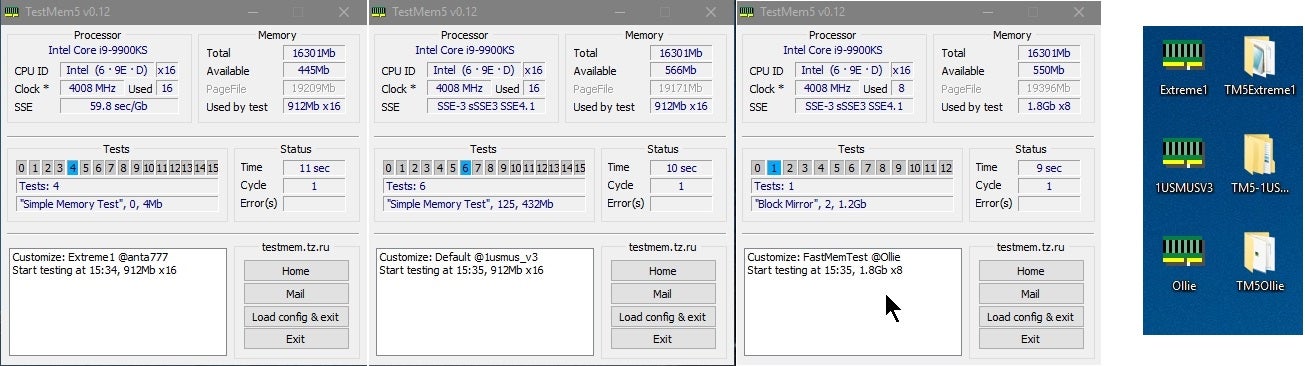
Overclock.net
Hello everybody
I am just making a very light tutorial with a collection of custom config files and a DOWNLOAD LINK for TM5 v0.12
anta777 absolut config Official Intel DDR4 24/7 Memory Stability Thread
None of the work is mine but it seems like a pretty good and fast testing app
if you get a single error it fails
dull flint
Ram stress would be good too
ebon jackal
any way to run something out of OS?
system just locked on me again. I'd prefer not to have to reinstall Windows again.
vast meadow
https://www.memtest86.com/ you can boot to this from a usb drive but not as good as test mem 5

MemTest86 is the original self booting memory testing software for x86 and ARM computers. Supporting both BIOS and UEFI, with options to boot from USB.
ah then why would you have to reinstall?
dull flint
Memtest86 may show errors yeah, but very unreliable. It basically is useless on 12th gen intel with e cores if you're using that I've found
Can pass a whole full test then boot into windows and die again 
 boreal moth
What’s the difference between the i5-12600k and kf models
 burnt spear
boreal moth
What’s the difference between the i5-12600k and kf models
burnt spear
boreal moth
What’s the difference between the i5-12600k and kf models
K has an igpu, kf doesn't
 dim cloak
Don't need igpu if you have a dedicated graphics card
 mild jackal
OCCT is another easy option for cpu, ram, gpu testing, but TM5 is more customizable and can be more thorough.
Karhu is kinda the meta for ddr5
 sudden creek
The I9-13900K I heard rumors of a unlimited power stage, I was wondering if someone could enlighten me on it and if it'd be worth switching to a Z790 mobo for that feature once 13th gen comes out?
vast meadow
It'll come out to z690 too
hard leaf
unlimited power stage will require heavy cooling tho... 350w+ aint no joke
 cursive epoch
yep
 long geyser
Esp when going through a meh TIM and IHS which isn't flat. Man do I wish direct die was more available for CPUs, would help so much.
 amber canopy
hard leaf
unlimited power stage will require heavy cooling tho... 350w+ aint no joke
amber canopy
hard leaf
unlimited power stage will require heavy cooling tho... 350w+ aint no joke
TEC

sudden creek
hard leaf
unlimited power stage will require heavy cooling tho... 350w+ aint no joke
Would 420mm AIO do the job then later on CLC?
Also, my room temperature is 17c on avg so that should also help.
hard leaf
for a 13900 unlimited, yeah
i mean... if it dont then your next option is custom loop 😛
dull flint
8 more e cores, I'm guessing it might actually be a bit easier to cool than the 12900K
Since the power concentration won't be as small
sudden creek
hard leaf
i mean... if it dont then your next option is custom loop 😛
Got it.
I am looking forward to Overclocking either the 12th or 13th gen I9.
Not sure which I am gonna decide to get first.
 limber dragon
sudden creek
The I9-13900K I heard rumors of a unlimited power stage, I was wondering if some...
limber dragon
sudden creek
The I9-13900K I heard rumors of a unlimited power stage, I was wondering if some...
that's nothing new for K chips and Z mobos. 90% of the time the mobo will default to 4095w pl
sudden creek
Got it.
Do you think there would be any issues with the pump being used with the Z690 KingPin Mogo?
Mobo?
Asking because it has the CPU rotated.
limber dragon
everything is rotated
limber dragon
just check forums for cooler and that mobo compatibility issues
sudden creek
I guess worst case I just used it as a open test bench setup until I get a new AIO.
limber dragon
or ya know, do some research beforehand
like instead of just getting a dark, do some research to which which mobo would do what you need ||like memory speeds||
sudden creek
limber dragon
or ya know, do some research beforehand
Can’t find clear answers on the mobo when used with the arctic freezer II.
limber dragon
you also only spent 3 minutes looking
sudden creek
limber dragon
like instead of just getting a dark, do some research to which which mobo would ...
I know what the Motherboard is designed for which is why I am getting that.
sudden creek
limber dragon
you also only spent 3 minutes looking
11 days.
Been researching my entire setup upgrade.
limber dragon
its designed for an ln2 pot
sudden creek
limber dragon
its designed for an ln2 pot
Extrême Overclocking, and normally used with a Ln2 pot to try to break records.
limber dragon
and you get evga™️ quality bios updates and memory support
sudden creek
I am crazy but not crazy enough to use Ln2.
limber dragon
||and apparently crazy enough to go with a dark over an apex or ux||
sudden creek
Yep.
 sterile flower
dull flint
8 more e cores, I'm guessing it might actually be a bit easier to cool than the ...
sterile flower
dull flint
8 more e cores, I'm guessing it might actually be a bit easier to cool than the ...
I've seen ES results, it's a lot easier to cool
dull flint
Yeah I would've thought so
sterile flower
400w+ isn't trouble for a good loop
sudden creek
I can't wait to try a CLC system once I am back in ShangHai using Graphene.
That stuff looks so cool.
Currently not going to attempt any sort of CLC since I will need to transport the PC with me on airplanes every like 6 months.
long geyser
Tbf 400w is pretty easy with a decent AIO. 280mm NZXT x63 was a great recommendation for custom cooling a 500w 2080Ti back in the day (generally with non-NZXT fans). IHS and TIM are generally the biggest issues with CPUs, and they aren't fixing it for 13th gen sadly.
 naive pendant
is the b550a pro good for its price?
grizzled bloom
No, it doesn't have any VRM heatsinks. I wouldn't use anything more than a 3200g with it.
sterile flower
long geyser
Tbf 400w is pretty easy with a decent AIO. 280mm NZXT x63 was a great recommenda...
GPUs are stupidly easy to cool vs CPUs, compared to previous Intel CPUs RPL is really easy to cool
grizzled bloom
naive pendant
is the b550a pro good for its price?
Maybe this one for a 5600X or lower, it has a heatsink and WiFi. https://pcpartpicker.com/product/Ytdrxr/asrock-b550-phantom-gaming-4ac-atx-am4-motherboard-b550-phantom-gaming-4ac

ASRock B550 Phantom Gaming 4/ac ATX AM4 Motherboard (B550 Phantom Gaming 4/ac)
grizzled bloom
sterile flower
GPUs are stupidly easy to cool vs CPUs, compared to previous Intel CPUs RPL is r...
Indeed, GPUs have much more spread out heat loads because of the massive dies.
long geyser
Based on tests done from old direct CPU die stuff, TIM+IHS is half the issue. But sadly we aint going to be seeing easy direct die stuff anymore.
sterile flower
I know at least 2 people running direct die daily on ADL
limber dragon
you just have to be careful with the delid because of smds under the ihs
 tight swallow
i just recently upgraded to a 6600xt and was wondering what cpu I should upgrade to that would be a good match
hard leaf
any 12th gen and 5000 amd cpu will match perfectly
well from 5600 and up
if you use it only for gaming a 5600 or a 12400f is more than enough... add more cores if you are into video editing or cad applications
burnt spear
tight swallow
i just recently upgraded to a 6600xt and was wondering what cpu I should upgrade...
depends on current cpu
tight swallow
burnt spear
depends on current cpu
ryzen 5 2400g 💀
burnt spear
what mobo?
 ruby basin
uh, do i have to worry??

 eternal helm
ruby basin
eternal helm
ruby basin
even with a 3060?
hard leaf
no
hard leaf
long story: your mobo have one extra connector for your cpu while your psu dont have that cable, but you wont need that additional 4 pin connector because thats usually reserved for extreme oc and your 660 is not fitted for extreme oc
cursive epoch
wait for mobo power, but it's all good with a 3060
hard leaf
short version: that connector is pointless
cursive epoch
ye
hard leaf
why 660s mobo have an additional eps connector is beyond me
ruby basin
hard leaf
short version: that connector is pointless
very good news to hear in the morning, thanks yall
cursive epoch
hard leaf
why 660s mobo have an additional eps connector is beyond me
cause yes
but tho it does benefit cpus with unlocked tdp available
like pl2 on 12600k and such
and that's it
hard leaf
i read somewhere that it provides more "clean" power to the cpu but that remains as an urban legend
funny thing: general wisdom on forums is "if your psu have the additional cable then just plug it in because... why not?"
and im like: less cables at the back? 👀
grizzled bloom
hard leaf
i read somewhere that it provides more "clean" power to the cpu but that remains...
It's more about voltage stability. When you load up the 12v rail the voltage can drop a bit. Adding more wires helps.
Certain power supplies this can help more than others
sterile flower
limber dragon
you just have to be careful with the delid because of smds under the ihs
Pull a jufes and solder them back on
sudden creek
What are the top 3 AIOs for both 360mm and 420mm? My Focus is more on the radiator and pump it has as I plan to swap out the fans.
Please ping me when you reply, and thank you for helping.
vast meadow
sudden creek
What are the top 3 AIOs for both 360mm and 420mm? My Focus is more on the radia...
For 360 : arctic liquid freezer ii
Ek rgb
Lian li Galahad
(Maybe deepcools new one, ls70?)
For 420 arctic liquid freezer ii is the clear winner
grizzled bloom
sudden creek
What are the top 3 AIOs for both 360mm and 420mm? My Focus is more on the radia...
If you're going to be changing the fans anyway you can save some money and get the EVGA CLC. The only issue with that one is the stock fans are loud, it performs pretty well.
sudden creek
grizzled bloom
If you're going to be changing the fans anyway you can save some money and get t...
Arctic vs EVGA which has a better rad and pump?
grizzled bloom
sudden creek
Arctic vs EVGA which has a better rad and pump?
Arctic has a thick radiator, more than most other AIOs. It also comes with their p12/p14 fans, which are excellent.
sudden creek
Got it, would the pump have issues if rotated to it's side? The Mobo I am getting rotates the CPU socket.
vast meadow
No issue
vast meadow
Uni fans?
sudden creek
Yea.
vast meadow
Fun but meh for the price
sudden creek
The price is fine with me as it will save me a lot of work and they look nice. Though was asking because I plan to swap out the fans on the Freezer for Sl-Infinity fans.
 agile jolt
I hear the term ram timing alot
What exactly is it
I assume it's something I should change
burnt spear
agile jolt
I hear the term ram timing alot
the cl
ex: 3200c16, timing is 16. Then there's secondary timings ex: 3200c16-16-16-38, the secondary timings are 16-16-38
then there's subtimings, which are a whole nother thing that i really don't understand
atleast that's as I understand it, some of those terms could be wrong
burnt spear
yes, but it can be hard/annoying
well
I won't say yes, depends on what you're doing
if you're ram tuning, then probably
grizzled bloom
sudden creek
The price is fine with me as it will save me a lot of work and they look nice. ...
That would be a downgrade on fan quality. You'd be sacrificing performance for looks.
sudden creek
grizzled bloom
That would be a downgrade on fan quality. You'd be sacrificing performance for l...
Shouldn't be a big difference performance wise.
Isn't it like a 10% difference in performance?
grizzled bloom
It's hard to measure but 10% is pretty significant. That can mean the difference between throttling and not.
dull flint
It'll be a bit more than 10%, the size of the fans are some 20-25% smaller than a standard 120mm so they would need to spin a lot faster to make up for that size difference, but these only go to 2100 rpm, much like a normal fan.
Think of it more like the difference between 120mm and 140mm. They'll spin the same speed but one pushes a lot more air due to bigger fan blades and surface area
grizzled bloom
There's a list of recommended fans in the #old-cooling pins, including pics.
dull flint
probably cooler master sf120m argb
pricey tho
I would just pick arctic p12 argb
or inwin sirius loops
grizzled bloom
The stock fans that come on the liquid freezer a-rgb variant look fine to me, and perform great.
dull flint
oh yeah those are p12/p14 argb already
tight swallow
I just recently upgraded to a 6600xt and was wondering if getting a Ryzen 5 5600X would be a good cpu to go with it
 cerulean wadi
Sure
grizzled bloom
If you're just gaming save a few bucks and get a 5600 non X
dull flint
basically same thing, just cheaper and no X
unless you like your ex

- leaves over bad yoke *
grizzled bloom
Exactly. It games the same. Only difference is in CPU heavy workstation tasks.
cerulean wadi
Lately I see em $5-10 apart on some sites is all.
grizzled bloom
In gaming they're within measurement error range. Almost no difference.
tight swallow
grizzled bloom
If you're just gaming save a few bucks and get a 5600 non X
alright so there would really be no need for a 5600x even for more demanding games like rust and escape from tarkov?
grizzled bloom
Correct
tight swallow
okay thanks
grizzled bloom

More than a year after AMD launched their Ryzen 5000 CPUs, budget friendly versions of the architecture are available. We start by looking at the R5 5600 against the 5600X & i5-12400.
Sponsor: Arctic Liquid Freezer II 280 A-RGB (Amazon) https://geni.us/wsAsaa and Arctic MX-5 Thermal Paste (Amazon) - https://geni.us/EXf0I or the Arctic Liquid Fre...
tight swallow
okay thank you for the help, and thanks for helping me pick out a 6600xt like a month ago lmao
dull flint
@hard leaf
 sudden creek
dull flint
probably cooler master sf120m argb
sudden creek
dull flint
probably cooler master sf120m argb
Think I will get this.
I was gonna pay 29.99/fan if I had gone with the Lian Li SL-Infinity fans anyway.
So if it means better performance with good aesthetics I guess I will switch to the CM SF120s.
hard leaf
yeah thermaltake is the only way for a good build... good job intel
sudden creek
hard leaf
yeah thermaltake is the only way for a good build... good job intel
?
TT owns CM?
hard leaf
no no, that wasnt for you xD
grizzled bloom
hard leaf
yeah thermaltake is the only way for a good build... good job intel
The thermalright one was good too
hard leaf
yeah wallmart ones kinda sucked
sudden creek
hard leaf
no no, that wasnt for you xD
Oh okay, I was so confused.
dull flint
so that was my i9 when I took the cooler off yesterday
I got the thermalright plate on now
dim cloak
I need that so core 2 can stop suffering
sudden creek
What is the best waterblock for LGA 1700?
 hollow thorn
prob like an ek monoblock depending on board
 errant grail
how do i fix this?
 vast meadow
errant grail
how do i fix this?
vast meadow
errant grail
how do i fix this?
You're trying to load a saved bios profile from previous bios version?
errant grail
vast meadow
You're trying to load a saved bios profile from previous bios version?
so anything i can fix this? ive cleared the cmos but still get this
i can still boot to windows if i press load optimize defaults but just wanted to get rid of this
vast meadow
errant grail
so anything i can fix this? ive cleared the cmos but still get this
Would try enter bios, clear your settings in bios, reboot, then enable xmp and cpu clock again
sudden creek
Are there any other mobos that have all the bells and whistles like the EVGA classified or kingpin motherboards while staying within $550?
vast meadow
Are you going to do ln2 overclocking?
If not there's no point spending that much money on a board
sudden creek
I don't plan on using Ln2. Not right now at least. Though I liked the board as it has every thing you need for extreme overclocking.
Currently in search for a mobo that performs as well as the classified or kingpin in just about every way so I have some options to pick from.
vast meadow
sudden creek
I don't plan on using Ln2. Not right now at least. Though I liked the board as...
Apart from 1dpc for memory oc it doesn't really have anything special
sudden creek
yes.
Let's use the classified as a better comparison (will cost me $60 more then the kingpin though).
vast meadow
What features do you actually want on it apart from 1dpc and good vrms tho?
I mean do you even wanna oc memory that hard?
sudden creek
vast meadow
I mean do you even wanna oc memory that hard?
For the fun of it and slight extra performance yes.
vast meadow
sudden creek
For the fun of it and slight extra performance yes.
Like you can memory oc very well on a lot of 2dpc boards and save hundreds of dollars and you might get 50mhz 10mhz less ram speed which is practically indifferent
sudden creek
For features, I'd like to have very good Vrams, 1dpc (2dps is fine if no choice), capabillity for lots of over clocking, preferably 2 high speed ethernet ports, lots of USB 3.2. Those are my main discerning factors on my mobos of choice currently.
That and bios.
hard leaf
dont take this in the wrong way... but from what i saw all these days you just want to overspend just for the sake of overspending
midnight pollen
No filter avoid
hard leaf
there is a lot of other cheaper mobos that can fulfill what you want to do without that much overspending, if you are not going to ln2 ocing
sudden creek
hard leaf
dont take this in the wrong way... but from what i saw all these days you just w...
I am not very knowledgable in Motherboards sorry about that.
hard leaf
then why you want to spend that much?
sudden creek
I am willing to go up to $500 for a good mobo if it means good bios, looks, and lots of neat feature.
sudden creek
If there is like a $300 mobo with the same stuff I'd be fine with that.
burnt spear
just overpriced
cursive epoch
spending money is one thing, but wasting it is another
midnight pollen
Not many consumer mobos i know of that have 2 eth ports, thats really only enterprise or server space but you could get a network card separately
sudden creek
I plan to use the new 13th gen cpus once those are out, so B550 won't work.
cursive epoch
$300+ mobos are only needed for extreme overclocking
hard leaf
sudden creek
I plan to use the new 13th gen cpus once those are out, so B550 won't work.
those weird proart mobos come with 2 ethernet ports 😛
sudden creek
cursive epoch
$300+ mobos are only needed for extreme overclocking
That's what I plan to do.
vast meadow
The only real special feature is the 1dpc and creature comforts tbh, i would get
https://pcpartpicker.com/product/qsPQzy/gigabyte-z690-aorus-tachyon-eatx-lga1700-motherboard-z690-aorus-tachyon
Or
https://pcpartpicker.com/product/P4Gbt6/msi-meg-z690-unify-x-atx-lga1700-motherboard-meg-z690-unify-x
If you really want 1dpc
But would get this personally
https://pcpartpicker.com/product/gyytt6/gigabyte-z690-aorus-pro-atx-lga1700-motherboard-z690-aorus-pro @sudden creek

Gigabyte Z690 AORUS TACHYON EATX LGA1700 Motherboard (Z690 AORUS TACHYON)

MSI MEG Z690 UNIFY-X ATX LGA1700 Motherboard (MEG Z690 UNIFY-X)

Gigabyte Z690 AORUS PRO ATX LGA1700 Motherboard (Z690 AORUS PRO)
burnt spear
Do you care about overclocking?
midnight pollen
I didn’t even know asus had a proart line of mobo
sudden creek
burnt spear
Do you care about overclocking?
Yes.
cursive epoch
not cooling with aio and stuff
burnt spear
ah
hard leaf
if i were into oc i should take the unify
sudden creek
cursive epoch
not cooling with aio and stuff
Ahh okay, then no. I am not crazy enough to use LN2 on a brand new CPU.
cursive epoch
but unify is still a solid choice
burnt spear
sudden creek
Ahh okay, then no. I am not crazy enough to use LN2 on a brand new CPU.
just wait a day, then do ln2
cursive epoch
lol
sudden creek
Lmao, no ty.
burnt spear
also ignore the b550 comment, thought you were someone else
hard leaf
however, no point rn anyway if what you want is an 13900ks, if you have that much cash to spend then go straigth to a z790
sudden creek
Hmmm, how long does it usually take after new gen CPUs release for the mobos to follow?
 sudden creek
Because I mighty do that.
sudden creek
midnight pollen
dang they got thunderbolt and 10gig too
That's nice.
What mobo is that?
hard leaf
must be a proart z690
vast meadow
sudden creek
Ahh okay, then no. I am not crazy enough to use LN2 on a brand new CPU.
then just get the Gigabyte Z690 AORUS PRO
midnight pollen
the z690 proart creator
sudden creek
Are those different?
midnight pollen
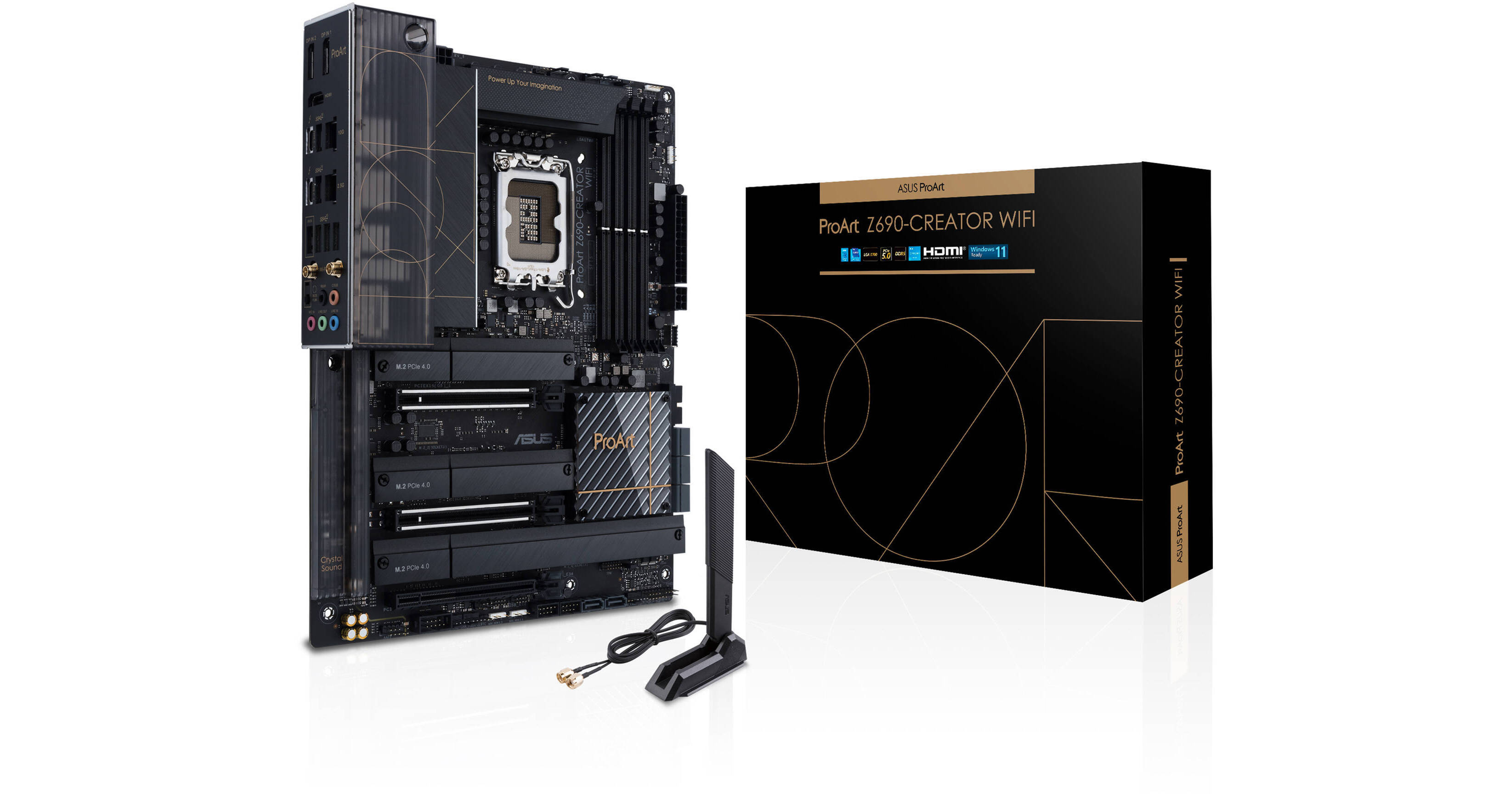
Buy ASUS ProArt Z690-CREATOR WIFI LGA 1700 ATX Motherboard featuring ATX Form Factor, Intel Z690 Chipset, LGA 1700 Socket, 4 x Dual-Channel DDR5-6000 (OC), 8 x SATA III | 4 x M.2, PCIe 5.0 | PCIe 3.0, Realtek 7.1-Channel Audio, 10GbE + 2.5 GbE LAN Ports, Wi-Fi 6E (802.11ax) | Bluetooth 5.2, Supports Windows 10/11 (64-Bit). Review ASUS Z690 Creat...
vast meadow
Also yeah wait til z790 if you're going 13th gen
midnight pollen
wow has 3month of adobe free too
vast meadow
Proart is always so overpriced
midnight pollen
honestly that doesnt seem bad at all considering its 2.5g 10g ethernet, thunderbolt, etc
hard leaf
is not bad
vast meadow
midnight pollen
honestly that doesnt seem bad at all considering its 2.5g 10g ethernet, thunderb...
Thunderbolt is only redeeming quality for that price rbh
sudden creek
What's the difference between Z790 vs 690?
vast meadow
Z790 will come out with 13th gen and have some improvements no doubt, we don't know what yet tho
hard leaf
jk, 790 is the upcoming mobo series for 13th gen
sudden creek
Got it. I knew that 690 mobos would support 13th but wasn't sure if there'd be any actual improvements.
hard leaf
thing is, 700 series will be for sure an improvement over 600 series
but they will be overpriced as well at launch
vast meadow
midnight pollen
honestly that doesnt seem bad at all considering its 2.5g 10g ethernet, thunderb...
2.5gb is on the z690 a pro (ddr5 version is 145$)
Pretty standard now
sudden creek
Guess I will wait for the new mobos and CPUs to come out before I look for those.
In the mean time I need to figure out what I am gonna do for CLC.
hard leaf
my advice is to research in deep about motherboard features used on ocing
midnight pollen
not thunderbolt though
hard leaf
and why they are used
sudden creek
hard leaf
my advice is to research in deep about motherboard features used on ocing
Any recommended articles for me to go read up on?
vast meadow
midnight pollen
not thunderbolt though
Yes hence TB being proarts only redeeming feature
midnight pollen
thunderbolt is pretty important to some creatives, although pcs in general are not very popular with creatives lol
sudden creek
Got it.
vast meadow
sudden creek
In the mean time I need to figure out what I am gonna do for CLC.
I answered this a few days ago
hard leaf
thats why overpriced mobos for me could be potentially good on the eyes of someone into oc
sudden creek
vast meadow
I answered this a few days ago
?
vast meadow
vast meadow
For 360 : arctic liquid freezer ii
Ek rgb
Li...
^ @sudden creek
hard leaf
and some pretty good mobos to oc in my eyes could be garbage in the eyes of an overclocker
sudden creek
Oh on that I decided to switch to a custom loop.
sudden creek
I thought it meant Custom Liquid Cooling.
cursive epoch
nah
vast meadow
Nope
sudden creek
Wups.
vast meadow
Custom loop or open loop
sudden creek
I am gonna go with a custom loop.
Though since this is new to me I am gonna need some help if you don't mind....
I figured I'd try something new and would also make for a much nicer PC system and give me something to kill time with.
vast meadow
My advice would probably be to ask @long geyser for some help, they're good with custom loops
sudden creek
Got it.
Also to make sure, for a custom loop I'd need these correct?
Pump/res, fittings, tube, waterblock(s), rad
vast meadow
Ye
sudden creek
Any recommended waterblocks for CPU? Preferably with a screen but not needed.
Are Thermaltake and Corsair CPU waterblocks good?
long geyser
No, EK is overpriced and just as reliable as anyone else
long geyser
If you're spending that much money on CPU blocks then TechN for AMD or Heatkiller for Intel. Cheaper stuff like Bykski, Barrow, and Bitspower are also not much worse then EK/Corsair stuff for significantly cheaper. I usually would go with cheap but decent Chinese stuff unless one is getting a 300w+ CPU (12900k/13900k or smth), or high heat density CPU like 5800x (pretty rare to run into this issue).
For GPU blocks, I'd generally just recommend Bykski or Barrow unless one is trying to do a competitive OC. They tend to be the cheapest options for nothing noticable in perf differences (and are sometimes the best options depending on GPU PCB). If one is trying to do best of best then you'd need to know specific GPU and find the best model for that PCB (No real company is the winner here for average use case).
For rads, bit to think about here. Best one can usually get is Hardware Labs stuff. Corsair's rads OEM is also Hardware Labs so Corsair rads are top quality. That said don't really have to go highest quality. Pretty sure Alphacool is cheaper and not that bad, afaik they're well recommended. As per usual for Bykski and Barrow, they are also not bad for the price - Not super amazing in rads tho and not as high on my recommendation list.
For bits fittings (edit: wrote bits too many times I guess lol) I believe Bitspower is still considered one of the best. Iirc they use to be considered the best some years ago now but idk how well updated that info is. Tho it's pretty hard to get a bad bit from any company. I'd prolly just get cheapest from whoever (Barrow, Bitspower, Bykski, Corsair, EK, etc).
D5 Pump is generally considered the best pump. Tho there are either some lemons out there or a few variations of the D5 pump as I've heard of a few unfortunate issues with it (pump propeller getting damaged due to internal pump base not being machined correctly. Easy to replace the propeller but any propeller put in the pump will be not really usable after a shortish period of time so gotta constantly replace it). There are also DDC pumps which are worse and have a lot more variety. They are typically louder and weaker (won't always be an issue, usually only for loops that have a high flow impedance).
 echo dome
Guys should I pick an i5-12400F over R5 5600x? I am upgrading my pc
echo dome
echo dome
Guys should I pick an i5-12400F over R5 5600x? I am upgrading my pc
I see the intel one is a bit cheaper
sudden creek
long geyser
If you're spending that much money on CPU blocks then TechN for AMD or Heatkille...
So this is what I should go with if I am understanding you correct? Also before I forget, thank you very much for helping me. I really appreciate it.
CPU block: Heatkiller
GPU block: whichever is best for Strix or FTW3
Rads: 420mm Corsair or Hardware Labs
Pump: D5 pump probably from like Corsair, EKWB, or Thermaltake
Bits: probably just go with EK or Corsair depending on which I get so everything matches up.
vast meadow
echo dome
Guys should I pick an i5-12400F over R5 5600x? I am upgrading my pc
12400f
echo dome
vast meadow
12400f
cheers mate
tight swallow
I’m planning on buying a ryzen 5 5600x and was wondering if I need to/should buy a new motherboard to go with it, my current motherboard is an asrock b450m pro4
burnt spear
tight swallow
I’m planning on buying a ryzen 5 5600x and was wondering if I need to/should buy...
Should be fine if you update bios
Also just get a 5600, cheaper for pretty much the same performance
tight swallow
for me in canada the two are basically the same price rn, that’s why I was going to go with the 5600x
tight swallow
burnt spear
Should be fine if you update bios
would it be beneficial to buy a new motherboard though or not really?
tight swallow
burnt spear
What cpu do you currently have?
I have a ryzen 5 2400g, when playing games it’ll be in the 90s for usage while my 6600xt is in the low 30s 💀
burnt spear
Hmm
I'd wait for someone else then, I'm not sure
I think it should be fine for gaming
tight swallow
burnt spear
I think it should be fine for gaming
are you talking about my current motherboard?
could anyone else help me out with this?
vast meadow
tight swallow
I have a ryzen 5 2400g, when playing games it’ll be in the 90s for usage while m...
Sound's about right btw get the 5600 non x and save like 30$ they're basically the same
tight swallow
vast meadow
Sound's about right btw get the 5600 non x and save like 30$ they're basically t...
gotcha and so should I upgrade from my asrock b450m pro4 motherboard or would there be no point?
vast meadow
tight swallow
gotcha and so should I upgrade from my asrock b450m pro4 motherboard or would th...
nah just update the bios on it
tight swallow
vast meadow
nah just update the bios on it
alright so I just have to download the top one here?
 vast meadow
what bios version are you on rn? you can check in bios or with cpu z
@tight swallow ^
sudden creek
What does Standard G1/4” Threads mean on a waterblock?
vast meadow
they are 1/4 inches
sudden creek
What is that in mm?
hollow thorn
long geyser
If you're spending that much money on CPU blocks then TechN for AMD or Heatkille...
tbf I think EK is the only one doing monoblocks with specific board partners
tight swallow
vast meadow
what bios version are you on rn? you can check in bios or with cpu z
American Megatrends Inc. P1.60, 2018-11-05
hollow thorn
sudden creek
What is that in mm?
6.35mm
could also just google 0.25 in to mm
sudden creek
480x40mm vs 360x64mm radiator. Which would be better?
vast meadow
tight swallow
American Megatrends Inc. P1.60, 2018-11-05
so you will need to download and run this driver first before updating bios https://download.asrock.com/Drivers/AMD/AllIn1/Allin1(v18.10.20_NHDA).zip
then you will need to update to 2.0

then you can update to 5.30
the most latest
but dont do that last bit until you have the 5600
because it will not work with your 2400g
tight swallow
vast meadow
so you will need to download and run this driver first before updating bios http...
oh okay so should so just wait till I have installed the new cpu before doing all of this?
vast meadow
tight swallow
oh okay so should so just wait till I have installed the new cpu before doing al...
Might as well
tight swallow
vast meadow
Might as well
and how do I update to 2.0?
oh wait that’s just on the update page for the motherboard
vast meadow
if you press instant flash it actually has a guide on how to do it
tight swallow
and so even though getting a 5600x only costs $20 CAD more there’s no point getting that over the 5600
vast meadow
nah
tight swallow
when installing the new cpu is there anything special I have to do before that?
vast meadow
just update bios before the cpu
tight swallow
vast meadow
just update bios before the cpu
okay so
- download and run the driver
- update to 2.0
- update to 5.30
- install the new ryzen 5 5600
vast meadow
yep
tight swallow
great, thank you for the help!
vast meadow
np
long geyser
sudden creek
So this is what I should go with if I am understanding you correct? Also before...
Yeah, sounds about right. Tho I'll have to confirm on Heatkiller for ALD. I havent looked at best block for ALD, tho Heatkiller has usually been the better buy for most (recent?) of the Intel generations. There be some big IHS changes with ALD so maybe Heatkiller failed this time around (which is unlikely, but hey,  ). GPU blocks should be available from any company given you're going for the popular PCB, so its just a matter of finding which block has the highest fin density (usually). The pump you could prolly get off Aliexpress from some Chinese company like Barrow or Bykski as they seem to be okay. Could also get a D5 from Alphacool or Aquacomputer. Lots of options to find a cheap pump. I think the machining issue might be a lemon that doesnt need to be worried about.
Also I wouldnt entirely recommend this, but you can go for Optimus for GPU block and maybe CPU block as they are the best but at a really high cost (better but much more expensive manufacturing process then a typical block). Given you seem to be trying to get the higher end stuff thought I'd recommend it. IMO I wouldnt really recommend it, kinda like getting a 3090Ti so to speak with the high price and diminishing returns. But if you have da money, might as well.
Also, if you like having nicely customizable hardware control the fans outside of PC software, I'd recommend Aquacomputer. They have some nice fan controllers with temp probe plugs (for liquid temp sensors).
long geyser
hollow thorn
tbf I think EK is the only one doing monoblocks with specific board partners
Havent really looked into it, but ig. Tho IMO monoblocks kinda dumb, extra "useless" heat into CPU(+GPU?) loop. Should be at least a small tiny bit of airflow over mobo ignoring VRMs IMO, which would fix most VRM issues as many VRM issues come from lack of airflow (apart from AsRock Intel boards lol)
hollow thorn
but why would you splurge on hefty block without splurging on monoblock :p
Sure vrms won't need it but uh splurging
 finite elm
 vast meadow
I'm disappointed about the 7600x pricing tbh
cursive epoch
299

but im not surprised
amd being amd
im gonna wait for perf figures
compared to 13th gen that's also coming soon
13400 might actually perform better
at least in multi core, single is probably a tie
vast meadow
cursive epoch
13400 might actually perform better
13400 won't be available til January most likely tho
cursive epoch
yeah
but i'd say it's worth waiting for
paying 299 for 6 cores right at launch doesn't sound good
when intel has more for less
im not too obsessed with core count but when the other competitor offers more for less, and especially if single core is still very good. it's a no brainer to go for cheaper one
dull flint
$10 more gets you twice that with a cheaper mobo and ram on ADL
I really feel like the OC discord hit the nail on the head, it's almost DOA lol
cerulean wadi
5600X was $300, but still. Intel is gonna kill at the mid/low end w/ the 13400/13500
long geyser
AMD better have some baller perf improvements as their $400 7700x might just be equal to a $300 12700
vast meadow
cursive epoch
but i'd say it's worth waiting for
Unfortunate thing is that misses the Christmas rush then :/
cursive epoch
tru
it misses christmas rush
missed opportunity by intel
but however 13600k will still be spicy
if it manages to come out in september
vast meadow
cerulean wadi
5600X was $300, but still. Intel is gonna kill at the mid/low end w/ the 13400/1...
Yeah and idk bout the rest of yall but i was saying bad pricing would usually recommend 10400/11400 even tho not as good
cursive epoch
ryzen 7000's only saving grace is the fanboys if it doesn't have huge improvements
aka dead on arrival product
cause like, 13900k will have more cores right out of the bat compared to 5900x
or amd will have to dump prices and hope they get people to buy (which will have to happen anyway at this rate)
silver turret
TEAMGROUP T-Force Delta TUF DDR4 16GB (8GBx2) 3200MHz (PC4-25600) CL16 Desktop Memory Module ram - TF9D416G3200HC16CDC01 - (TUF Alliance RGB Module),10540033 https://amzn.eu/d/9NT1pO3

Certified by TUF Gaming Alliance 120° ultra-wide-angle lighting effects Asymmetrical, minimalist design Aluminum alloy cooling module with high heat transfer efficiency Supports Intel & AMD motherboards Energy saving with ultra-low working voltage Supports XMP2.0 and one click overclocking techno...
Good or bad
vast meadow
@silver turret stop deleting and pinging people
silver turret
Ok
vast meadow
It's fine ye
 night vessel

silver turret
Yea because i gtg go so yea
vast meadow
cursive epoch
ryzen 7000's only saving grace is the fanboys if it doesn't have huge improvemen...
Thing is as well as 300$ cpu price you needa consider the mobo and ram as well and 80$ for 32gb of ddr4 vs like 180$ for ddr5 :/
silver turret
tomorrow i am go to but it so
vast meadow
silver turret
Yea because i gtg go so yea
Doesn't matter don't do it again
silver turret
silver turret
TEAMGROUP T-Force Delta TUF DDR4 16GB (8GBx2) 3200MHz (PC4-25600) CL16 Desktop M...
Good or no
silver turret
vast meadow
Doesn't matter don't do it again
Yea
cursive epoch
vast meadow
Thing is as well as 300$ cpu price you needa consider the mobo and ram as well a...
oh yah
i completely forgot about am5
lol
ddr5 cost is still big
silver turret
Ok
silver turret
silver turret
TEAMGROUP T-Force Delta TUF DDR4 16GB (8GBx2) 3200MHz (PC4-25600) CL16 Desktop M...
But is it good
cursive epoch
pato already said it is good
dull flint

cursive epoch
bruh
dull flint
vast meadow
I already said
he already said
silver turret
dull flint
<:Reeeee:646233862971719711>
Is it good
dull flint
read
silver turret
silver turret
TEAMGROUP T-Force Delta TUF DDR4 16GB (8GBx2) 3200MHz (PC4-25600) CL16 Desktop M...
This
vast meadow
RAM IS RAM
dull flint
 cursive epoch
no need to ask anyone else
vast meadow
Jesus
dull flint
so new contact frame on
looking like I can do 5.2p
but need to do some undervolt trickery

cursive epoch
okay back to am5, i think ryzen 7000 will have a hard, if not very hard time competing with 13th gen
silver turret
vast meadow
RAM IS RAM
Yea but not corsair
dull flint

vast meadow
silver turret
Yea but not corsair
It really doesn't matter that much just get the cheapest 3200mhz c16 kit
cursive epoch
^
vast meadow
dull flint
so new contact frame on
The walmart one 
silver turret
vast meadow
It really doesn't matter that much just get the cheapest 3200mhz c16 kit
Ok
dull flint
thermalrite
cursive epoch
i hope that got the words across
dull flint

silver turret
dull flint
<:TeriDerp:683347603274203211>
vast meadow
silver turret
<#500102614680338456>
Stop doing this just get some patience
silver turret
vast meadow
Stop doing this just get some patience
Ok sorry
 vast meadow
dull flint
IT'LL DO 5.2 LOCKED
vast meadow
dull flint
IT'LL DO 5.2 LOCKED
Hmm?
dull flint
12900KF
all core
5.2p 4e
clock watchdog timeouts scare me I lost a full windows install once because of that, corrupted the windows hello sign in so I got stuck out of my sign in
vast meadow
Lmao
dull flint
ah well, changing the aio on it soon to something better so see how it goes
on a good note the system is dead quiet now filled with p12's
vast meadow
P12 superiority, just don't let them spin at ~900-1050 rpm
dull flint
yea i know
vast meadow
Then there's a weird motor humm
 vast meadow
It's very weird that it happens
dull flint
they all do it tho
vast meadow
Literally quieter at max rpm than 900 rpm
dull flint
20+ P12's on me now and they all do that sound
comfortable 5.1p 4.0e all core at 93C
guess I'll live with this until eisbaer pro

might even lap the cpu
dull flint
if I can gain performance I will

intel won't honor my warranty anyway keklamao
ah wait did I post the TR frame pic?
cursive epoch
idk

 vast meadow
dull flint
20+ P12's on me now and they all do that sound
vast meadow
dull flint
20+ P12's on me now and they all do that sound
I might just set the baseline for my fans above that 1050 ish rpm threshold and not worry about fan life since they're literally like €5.50 each
vast meadow
dull flint
Very stonks
vast meadow
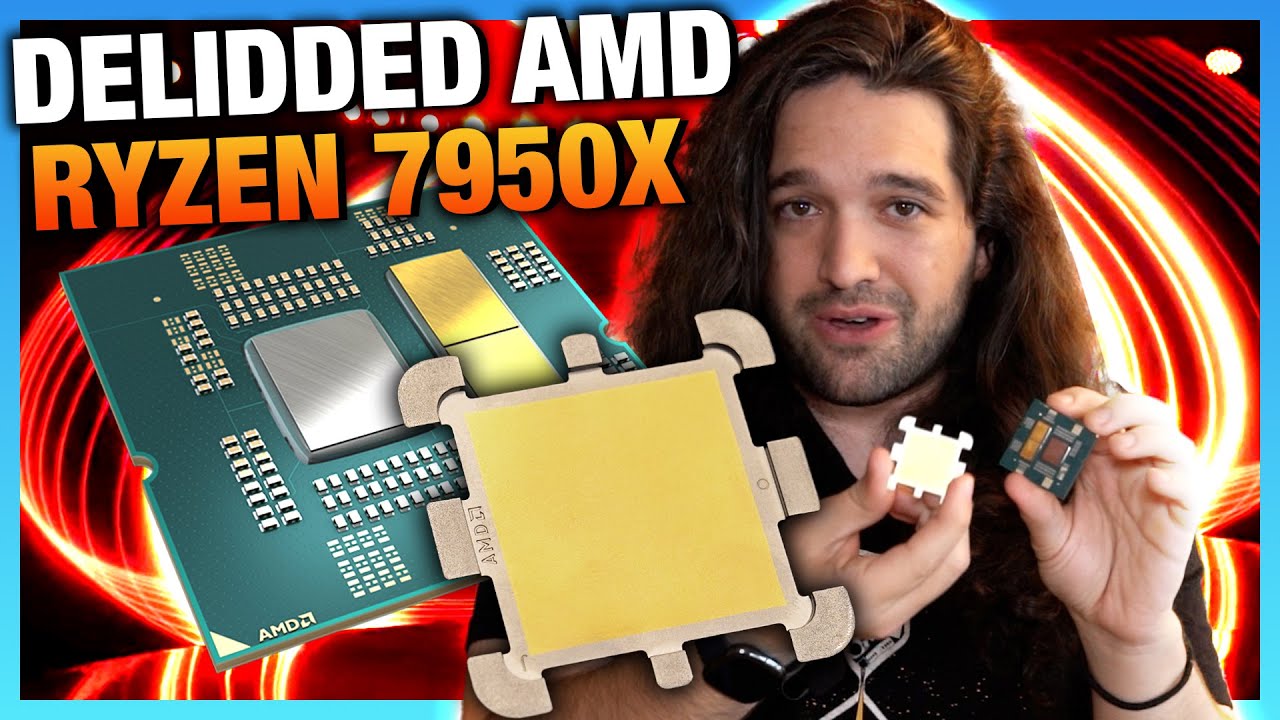
Sponsor: Linode Hosting - get $100 credit with GN (https://geni.us/UaKrUmF)
AMD just formally announced its 4 new CPUs for Zen 4, their prices, and their release date. Now, we're looking at a delidded Ryzen 7000 CPU to learn more about the very unique IHS (Integrated Heat Spreader) design with the "spider leg" shape. In this quick video, we'll t...
hard leaf
👀
need to see reviewers benchmarks... not convinced about am5
to me rpl will feast on amd real soon
vast meadow
Ddr5 - decent kit 220$ + at least 300$ cpu + at least 150$ mobo is a big ask
And ddr5 is more in eu and stuff sooo
vast meadow
Interesting there's going to also be a b650 extreme
dull flint
they already talked of a B650 tachyon so I'm a bit convinced that B650 should be enough for the full experience
another case of B550 stonks
hard leaf
another gen of 550s over 570s history repeats itself xD
hard leaf
beautiful barebone b650
 cursive epoch
da heck is this
oh wait bare mobo, ye
what a color scheme
splash of colors lmao
hard leaf
yeah kinda... wack
seems like a nice vrm line up anyway
more than enough for a budget to mid build
if ddr5 can be considered "budget" at this point 😛
cursive epoch
yeeeah
ddr5
one big obstacle to am5
imo they shoulda gone with something like
am4+
new socket
vast meadow
hard leaf
beautiful barebone b650
Beauty is...... Subjective
silver turret

Redragon K630 Dragonborn 60% Wired RGB Gaming Keyboard, 61 Keys Compact Mechanical Keyboard with Tactile Blue Switch, Pro Driver Support, Black
vast meadow
cursive epoch
imo they shoulda gone with something like
Issue was the ddr5 choice was done like 2 years ago or something, would have taken a while to add ddr4 controller although they almost pushed it back a year for ddr5 prices, you think they could have added a ddr4 controller in that time even as an add on
cursive epoch
that's definitely enough time to put ddr4 controller back on
silver turret
hard leaf
beautiful barebone b650
soo beautiful
silver turret
silver turret
https://www.amazon.in/Redragon-K630-Dragonborn-Keyboard-Mechanical/dp/B08Y8QY5NS...
@vast meadow is this good
hard leaf
hopefully ddr5 prices must be competitive by the time am5 hits the shelves
something near 150usd for a cheaper 32 gb 5200 kit at least
could make am5 builds a budget alternative over intel
silver turret
silver turret
https://www.amazon.in/Redragon-K630-Dragonborn-Keyboard-Mechanical/dp/B08Y8QY5NS...
can anyone tell me if this is good
silver turret
what did i do
vast meadow
kept asking and pinging ppl with no context
its annoying
go ask in #peripherals-and-displays
vast meadow
It's annoying i didn't answer cuz me idk
silver turret
Ooook
finite elm
vast meadow
Thing is as well as 300$ cpu price you needa consider the mobo and ram as well a...
You can get 32gb DDR5 for like 130$ if you catch a sale Was in #tech-deals a lil bit ago
hard leaf
oh rigth the 5200c40
vast meadow
finite elm
You can get 32gb DDR5 for like 130$ if you catch a sale Was in <#50010296970287...
was this accounting for the 2tb ssd tho?
vast meadow
5200c40 is practially jedec
hard leaf
the nvme deal is with a 6000c30 kit
finite elm
vast meadow
was this accounting for the 2tb ssd tho?
32gb 5600c36 for $155 (not much more than a 3600c16 kit) https://www.newegg.com/team-32gb/p/N82E16820331839?Item=N82E16820331839&Source=socialshare&cm_mmc=snc-social-_-sr-_-20-331-839-_-08152022
155
hard leaf
that like 350usd + 2tb nvme 5000r/w
vast meadow
finite elm
32gb 5600c36 for $155 (not much more than a 3600c16 kit) https://www.newegg.com...
thats 180 rn tho cant count on sale
vast meadow
the one revell linked is best deal atm
finite elm
Yea
hard leaf
yeah its pretty good
the timings are nice
and the nvme is... nice as well
not the best gen4 but 2 tb and faster than the best gen 3 drives anyway
finite elm
I don't get the pessimism for AMD 7000 🤔 Y'all are acting like they're gonna pull an intel and stagnate between 5000 series and 7000 series lol.
The 5800x3d already beat the 12700k for single core. I wouldn't expect the 7700x to be a step down from that and lose against it.
vast meadow
finite elm
I don't get the pessimism for AMD 7000 🤔 Y'all are acting like they're gonna p...
no its just you have to take whole system cost into consideration plus 13th gen will be out v soon and still use ddr4
finite elm
Pricey, yes. But the gaming performance will more than likely be fine. The 13900k having more cores doesn't make it better than the 7900x, we've already seen this play out before lol. never forget the AMD FX 8350
hard leaf
7700x and up are fine... but the 6 core "budget" one is 300usd and you need to account on ddr5 as well
thats the problem
finite elm
vast meadow
no its just you have to take whole system cost into consideration plus 13th gen ...
Yeah but they also only do 2 gens per socket
hard leaf
like, 8 cores and up is understandable not to be cheap because those are not oriented for gamers, but the "budget" options are not real budget anymore
unlike intel and the 12400 or 12100 variants
extremely budget friendly for gamers
its like amd missed the memo, gamers = need affordable prices
finite elm
Happens more than likely due to how their modular CCX's work.
hard leaf
the performance is there, no doubt on that... the price for the whole platform is the problem
hollow thorn
Cheap single ccx chips like 3300x kinda didn't happen for Zen 3
Node too expensive now prob
finite elm
You're paying for the 8 core CCX with 2 cores removed on the 5600x and 7600x.
so 3/4ths the price Makes sense. sadly. As you are getting 3/4ths of the product.
vast meadow
yes but 7600x + mobo + ddr5 32gb = 300 + 180? + 180 = 630 vs 13600kf + mobo + 32gb ddr4 = 280 + 120 + 80 = 480$ and has 6 p cores and 8 e cores
hollow thorn
finite elm
You're paying for the 8 core CCX with 2 cores removed on the 5600x and 7600x.
s...
It's still the same silicon, they can still only get that many chips on the same wafer
vast meadow
top precent ^
finite elm
hollow thorn
It's still the same silicon, they can still only get that many chips on the same...
Thats what I'm saying
finite elm
They make 8 core CCX's. They don't make a smaller CCX, they alter it for the 6 core and 12 core CPU's
hollow thorn
But yea budget Zen 4 prob isn't happening
Maybe they'll backport it to n7 for a budget chip but we'll see
finite elm
Which is probably why they are doing the mendicino CPU's for budget laptops
2 to 4 Zen 2 cores
hard leaf
thing is, at that price point, intel will destroy amd on the budget level and even on the mid level because cheaper and capable cpus, mobos and ddr4 support, and yes, 14th gen surely land on ddr5 only but by that time ddr5 kits will be more affordable (maybe at top performers ddr4 prices).
rpl dont need to match zen4 performance on the budget tier to win, the price for the whole system will grab the crown for intel anyway
maybe amd have the 7600 non x and 7500 already on the oven for the second round o.O not to mention the X3D variants on early 2023
to go toe to toe against the 13500

vast meadow
when the ryzen 5 is practically priced against the i7 k with high end ram its kind of embarrassing and then add to that that people can reuse their ddr4 ram its like ....
finite elm
vast meadow
when the ryzen 5 is practically priced against the i7 k with high end ram its ki...
Intel has the price advantage because they have their own fabricator
hard leaf
more like the ddr4 advantage
finite elm
AMD is competing price wise with NVidia and other companies for TSMC
vast meadow
well they do also have fab advantage but most of it coming from ddr4
hard leaf
upgrading your system using your old ddr4 kits saves you a lot of money and make the decision easier about intel/amd
finite elm
vast meadow
well they do also have fab advantage but most of it coming from ddr4
300$ for I7, 300$ for Ryzen 5.
Thats what I'm talking about
hard leaf
even if both intel and amd cpus are tied on the price range
hollow thorn
AMD is also supposed to be using a more advanced node for io die again so that's even more added price
vast meadow
finite elm
Intel has the price advantage because they have their own fabricator
unfortunately the consumers dont really care...
hollow thorn
Although that might mean AMD's claims that they work better with ddr5 might hold some weight
Who knows, maybe adl imc actually sucks, we just have nothing to compare it against
finite elm
They already said they support up to 6400mhz while intel will only do 4800mhz without overclocking it manually iirc
hollow thorn
What if the limits of ddr5 memory as we know them are just limits of adl imc and not the ram?
:p
Just fun things to think about
hard leaf
finite elm
They already said they support up to 6400mhz while intel will only do 4800mhz wi...
on alder lake....
everyone and their grandmas know that the real battle will be against raptor lake
vast meadow
biggest ddr5 limiter so far has been 2dpc imo
finite elm
hard leaf
everyone and their grandmas know that the real battle will be against raptor lak...
13th Gen Raptor Lake With Up To DDR5-5600 Compatibility So still AMD will have faster RAM on that end.
vast meadow
finite elm
13th Gen Raptor Lake With Up To DDR5-5600 Compatibility So still AMD will have f...
ehhhhh intel never officially supported anywhere near what their imc can do
finite elm
Well assuming the opposite doesn't help anyone either
Zen3+ works pretty well with DDR5 already
Was there a DDR4 compatibility issue with Zen 1?

 finite elm
vast meadow
try run 4 sticks of ddr5 over 4800mhz <a:sip:964174361609244676>
finite elm
vast meadow
try run 4 sticks of ddr5 over 4800mhz <a:sip:964174361609244676>
On an Intel CPU that only officially supports 4800mhz?
That doesn't translate to AMD?
 vast meadow
finite elm
On an Intel CPU that only officially supports 4800mhz?
vast meadow
finite elm
On an Intel CPU that only officially supports 4800mhz?
11900k "officially" supports only 3200mhz yet it can do 6000mhz+ on ddr4 with the right stick
finite elm
vast meadow
11900k "officially" supports only 3200mhz yet it can do 6000mhz+ on ddr4 with th...
Different architecture but okay
vast meadow
12900k only officially supports 3200mhz on ddr4, same thing
finite elm
You're pointing out problems with Intel CPU's to Suggest AMD will have a problem
Thats Rich
hard leaf
i will cut him some slack in that point to @finite elm he is right, we still dont have any benchmark to prove if am5 will be as terrible to support 4 sticks of ddr5 as alder lake is
looking forward to the review embargo lift
vast meadow
finite elm
You're pointing out problems with Intel CPU's to Suggest AMD will have a problem
huh?
finite elm
assuming it will be broken on AMD because it is on Intel is not fair
vast meadow
thats not a problem
finite elm
You all started it
hard leaf
thats also a valid point (what rommy said)
finite elm
long geyser
AMD better have some baller perf improvements as their $400 7700x might just be ...
"as their $400 7700x might just be equal to a $300 12700" This is "Fair" without benchmarks? but going by official support is not?
silver turret

Certified by TUF Gaming Alliance 120° ultra-wide-angle lighting effects Asymmetrical, minimalist design Aluminum alloy cooling module with high heat transfer efficiency Supports Intel & AMD motherboards Energy saving with ultra-low working voltage Supports XMP2.0 and one click overclocking techno...
finite elm
Y'all talk a lot of trash without any benchmarks but want to complain about me citing official support of a simple number
I cited a single official number on DDR5 speed
but go on
vast meadow
silver turret
https://www.amazon.in/TEAMGROUP-T-Force-3200MHz-PC4-25600-Desktop/dp/B07WRGQPDH/...
you have already asked
stop
silver turret
vast meadow
you have already asked
no
vast meadow
yes you did
silver turret
vast meadow
you have already asked
i asked what ram do i get
finite elm
"We have no official numbers so you can't say anything"
Except that number which is official. but it doesn't count
So only be madge at amd.
Pato literally upvoted that comment btw
vast meadow
silver turret
i asked what ram do i get
we already told you
finite elm
7700x worse than 5800x3d. 100%
Totally
5800x3d already beat the 12700.
Explain why AMD would take a step back
silver turret
vast meadow
we already told you
that is too expensive
finite elm
5800x3d > 12700 > 7700x ACCORDING TO THAT COMMENT
When did I ever say you did
I said PATO
vast meadow
finite elm
5800x3d already beat the 12700.
Explain why AMD would take a step back
in games yes, but thats just from pure chache alone lol
7700x has not much more chache than 5800x
silver turret
vast meadow
in games yes, but thats just from pure chache alone lol
and yea if u tell it is good i will not ask
finite elm
vast meadow
7700x has not much more chache than 5800x
so now cache is the sole measurement of performance?
No other improvements
Alright
burnt spear
I think yall are getting a lil heated here
vast meadow
no lol obviously clocks and ipc lol
burnt spear
We will know very soon, there's no reason to argue with eachother
vast meadow
silver turret
and yea if u tell it is good i will not ask
we did
finite elm
vast meadow
no lol obviously clocks and ipc lol
So why would 7700x perform worse
silver turret
vast meadow
we did
not this one
silver turret
vast meadow
we did
i dont know someone told me a 8k ram but this is 5k so
vast meadow
finite elm
So why would 7700x perform worse
never said that ...
finite elm
"as their $400 7700x might just be equal to a $300 12700" you upvoted
which means the 7700x performs worse than the 5800x3d.
vast meadow
vast meadow
It really doesn't matter that much just get the cheapest 3200mhz c16 kit
@silver turret
silver turret
vast meadow
It really doesn't matter that much just get the cheapest 3200mhz c16 kit
Oooo yea i have bad memory sorry
silver turret
burnt spear
Well soon you'll have good *memory*

but no RgB
RgB = 9999999 fPs anD hAcK
ok
yo see #peripherals-and-displays is it good
long geyser
cursive epoch
that's definitely enough time to put ddr4 controller back on
Doubt it, AMD has no in house fabs. Order date to shipment of product date is usually 7 - 8 months for those without an in house fab usually (So basically only Intel has short process times). With two years that leaves you with one tested beta test and one tested "final" version (planned final version, allowing one more actual final version), or two tested beta tests and one testless final version.
That said idk what AMD can do with such low amt of test samples, maybe they could do it fine. But it really isn't that much time to play around.
long geyser
The only thing that changed with 5800x to 5800x3d was cache. The 5800x has 64KB/512KB/32MB cache, 5800x3d has 64KB/512KB/96MB cache, and 7700x has 64KB/1MB/32MB cache. It's a "mid" end CPU that already beats the high end in cache bound only scenarios, so it's already a weird one. Given the 7700x barely has any more cache then the 5800x then what matters now is if the new improvements in clocks, IPC, and memory can make it reasonably better then existing CPUs. It isn't unreasonable to think the 5800x3d beats the 7700x in like 7z decompression or smth, which is completely cache bound.
long geyser
vast meadow
try run 4 sticks of ddr5 over 4800mhz <a:sip:964174361609244676>
On AMDs site for 7700x memory support:
Memory Channels: 2

Max Memory Speed:
1x1R: 5200 MT/s
1x2R: 5200 MT/s
2x1R: 3600 MT/s
2x2R: 3600 MT/s
So looks like AMD won't have fun with two DIMMs per channel.
long geyser
I assume one could get over 3600MT/s as that seems pretty damn low, but it certainly won't be super close to whatever actual max of single DIMM per channel.
cerulean wadi
Gonna keep my eyes out for cheap 4x8 ddr4 kits as ddr5 gets more popular 
7600x vs 5800x/5900x will be good fights, just going by similar price. Wonder how soon they're gonna be smart and have a sub-$250 option.
vast meadow
long geyser
On AMDs site for 7700x memory support:
```
Memory Channels: 2
Max Memory Speed...
3600 ddr5 
vast meadow
 main pulsar
very few need more than 2x16gb to begin with
main pulsar
very few need more than 2x16gb to begin with
Thing is 8gb sticks of ddr5 is garbage
vast meadow
cerulean wadi
Gonna keep my eyes out for cheap 4x8 ddr4 kits as ddr5 gets more popular <:Pepe_...
4 sticks have a very very hard time running and 8gb sticks are only 1/2 banks of 16gb stick
long geyser
cerulean wadi
Gonna keep my eyes out for cheap 4x8 ddr4 kits as ddr5 gets more popular <:Pepe_...
Even with a $200 option, still won't be fun until cheap but not terrible DDR5 exists.
I do hope AMD didn't just murder themselves here. I don't want to lose competition. Assuming AMD does well with perf, still only going to be a small percentage of peeps going for it due to high cost.
vast meadow
Sad thing is it's not really their fault either, don't think ddr4 was nearly as expensive
burnt spear
no big company is
grizzled bloom
long geyser
On AMDs site for 7700x memory support:
```
Memory Channels: 2
Max Memory Speed...
Sure but all the current 5000 series all say a max of 3200 so...
cerulean wadi
Well they are ddr4 based as you know so...
finite elm
cerulean wadi
Well they are ddr4 based as you know so...
They are saying they don't put the actual number.
grizzled bloom
The official specs don't include "overclocking" like XMP profiles
cerulean wadi
Same old same old, but definitely a bigger hit w/ 4dimms than ddr4 sometimes suffers from. Although not like most people are gonna do 4dimms of ddr5 anyways, with the density changes and such.
grizzled bloom
Just go by what each motherboard specifically says it supports, the CPU memory specs are rather useless
finite elm
Question, What would 4x1R refer to in dual channel if 2x2R is 4 sticks in dual channel?
finite elm
I wonder who's putting 32gbs of ram in a machine with a 6800u. Sounds fancy
cerulean wadi
32GB itself isn't all that crazy. Under $100 often enough
finite elm
Lpddr5 @6400mhz
Max Memory Speed
4x1R
DDR5-4800
4x1R
LPDDR5-6400
From the 6800u's page. Lol
cerulean wadi
Ah, had to lookup that cpu. Really if you're spending so much on a laptop, why go 16GB. Possibly 4dimms in a laptop? 
finite elm
cerulean wadi
Ah, had to lookup that cpu. Really if you're spending so much on a laptop, why g...
So far it'll mostly be handhelds with the Lpddr5 and 6800u.
The laptop(S? ) that are out now have 4800mhz ram. Besides the Asus with the 2.8k oled screen for no reason.
The Lenovo I believe has 4800mhz ram
Lemme check.
Nevermind. The Lenovo has 6400mhz ram.
It's soldered cause it's Lpddr5 btw
vast meadow
finite elm
Max Memory Speed
4x1R
DDR5-4800
4x1R
LPDDR5-6400
From the 6800u's page. Lol
8gb ddr5 is sad tbh
finite elm
vast meadow
8gb ddr5 is sad tbh
I only know of Lenovo's laptops and a budget 6600u handheld that have 8gb options. everything else I've seen is 16gbs
Lenovo has 2 6000u laptops with 8gb ddr5 (soldered) Both with the 6650u lol
Both over 1k 
https://www.lenovo.com/us/en/p/laptops/thinkpad/thinkpadt/thinkpad-t16-(16-inch-amd)/len101t0020 Wait a minute, look at these prices.
How are they selling laptops for almost 2k without a DGPU? These are ON SALE
The ThinkPad T16 is powered by up to AMD Ryzen™ 7 PRO processors with integrated AMD Radeon™ graphics and multiple 16:10 energy-efficient display options.
3000$ laptop with no GPU???
"estimated Value" bs smh
@vast meadow Look at that est value then the specs. They out here faking massive sales
 vast meadow
finite elm
<@191276897227898880> Look at that est value then the specs. They out here fakin...
vast meadow
finite elm
<@191276897227898880> Look at that est value then the specs. They out here fakin...
thinkpad is business line-up usually overpriced
finite elm
I guess they're like. "Businesses don't care they won't look into it"
vast meadow
Basically
long geyser
grizzled bloom
Sure but all the current 5000 series all say a max of 3200 so...
The point wasnt to show what the max DDR5 clock was, it was to show that AMD expects running two DIMMs per channel will be significantly harder then running one DIMM per channel
grizzled bloom
Well yeah
It always is
long geyser
Which was to expand on that AMD is going to have the same issue Intel is having, four total DIMMs be hard to do and a reasonable solution hasnt been made yet (obv that one should always expect dual DIMMs per channel to be hard. Tho one should expect to have closer freq limits between one and two DIMMs per channel)
grizzled bloom
Having any expectations at all right now is reaching for info we don't have regarding DDR5 support
vast meadow
dull flint
they already talked of a B650 tachyon so I'm a bit convinced that B650 should be...
Found out b650e has pcie 5 gpu slot whereas the non extremes only have gen 4 gpu slot
grizzled bloom
We've known that for a while
 long geyser
b650e?
grizzled bloom
Not that it'll make a huge difference with PCIe 5 anyway
long geyser
It will once RX 7400 releases with a x1 slot
 vast meadow
long geyser
b650e?
vast meadow
long geyser
b650e?
Yup announced at the event yesterday
dull flint
Am I the only one that's had the feeling that a lot of chipset instability is gonna come with the dual chipset boards
grizzled bloom
They're the same chipsets, it's just the slot configuration that's different
dull flint
Isn't b650 a single chips and X670 are two b650 chips slapped together? Or did that change
grizzled bloom
I never once heard that. Not saying it's not possible, I just didn't hear that.
dull flint

Tom's Hardware
AMD brings its multi-chiplet strategy from Ryzen CPUs to the chipset
Yeah here's that pic
 grizzled bloom
Interesting. Each seems to serve a separate purpose with a few exceptions like 20gb Ethernet using 10gb off each. Stability likely won't be an issue as far as I could guess but who knows.
dull flint
- shivers in old usb issues *
grizzled bloom
After all, how many boards are going to have 20gb Ethernet
long geyser
dull flint
* shivers in old usb issues *
I mean, could be more USB controllers. Having two USB controllers would be nice for lot o' USB boards. Tho it be unlikely.
grizzled bloom
Nah it'll be one of the first things they cut costs on. 2.5g is plenty for even high end consumers.
Workstation boards might have 10gb
dull flint
I'm just worried about it cos they delayed the release due to Agesa issues
I feel like we're gonna experience some kekw compatibility
Rumour now circling that 2600 FCLK is the norm
grizzled bloom
They delayed it to update the agesa to include their XMP implementation
long geyser
The thing AMD actually needs to start doing is fixing their crap. Took them far too long to "fix" USB/audio issues, and even then it still isnt truly fixed. That's the part AMD needs to really change
dull flint
Yeah that's what I'm thinking
Some random io issue that's perverse enough
On the flipside at least X570S I didn't have these problems
Only some LLC weirdness which was fixed with a bios toggle
grizzled bloom
Perverse? Pervasive I think you meant lol
grizzled bloom
The issue with X570 was it's a repurposed IO die from 2000 series
That's also why it needed a chipset fan. Too hot. X570S used a newer process node.
grizzled bloom
I know you weren't, just bringing it up as an additional "huh" fact
dull flint
Yeah, it's not worthy of dismissing
grizzled bloom
Reusing those old IO dies was a good idea to save money but kinda bit them in the end
mild jackal
I thought it was just an agesa update
I did hear those early rumors that it was a different node/die as well
dull flint
The zen 4 delay?
mild jackal
I meant x570 vs x570s
dull flint
Oh
mild jackal
14nm matisse die
dull flint
I'm personally not sure but I did find changing to a new board got rid of some pains
Asus randomly cmos'ing me was nice
mild jackal
Oh yeah, those new gen x570/s/b550 boards have a much better memory config
The crosshair 8 vs C8 dark hero is a world of difference
dull flint
For sure
mild jackal
5133mhz 1:1 on the dark hero lol (with cezanne)
dull flint
5700G?
dull flint
 dull flint
By then you're talking non-APU speeds for cpu perf* lol
mild jackal
dull flint
By then you're talking non-APU speeds for cpu perf* lol
Kinda, those cezanne chips only have half the L3 cache of vermeer, but they certainly have a cool niche
 azure shore
is there a channel for ethernet problems
finite elm
 errant grail
is 2cores laptop good just for school work?
finite elm
errant grail
is 2cores laptop good just for school work?
What kind of school work? Browser and word processor probably. Spreadsheets will make it iffy
finite elm
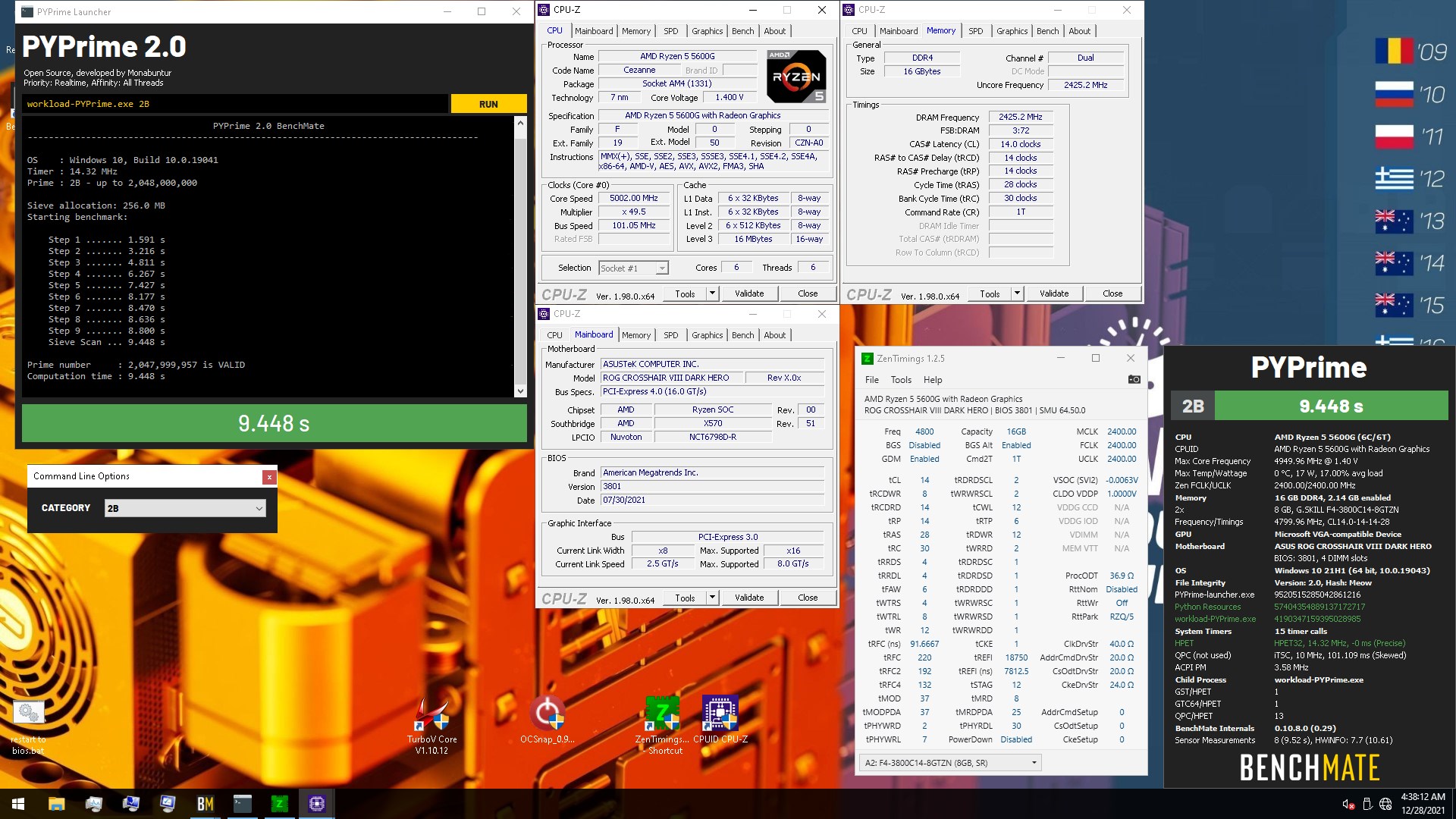
What's your budget?

 finite elm
That CPU's fine I think
errant grail
i already have a good computer to do all the heavy task
just need something light
to carry to school
finite elm
Can always check Ryzen 3 5300u if you're worried about the 2 cores.
Or a quad core Intel cpu. Other than that that cpu should be fine ya
errant grail
yeah that one is on sale just making sure if its good
burnt spear
im about to be doing school work on an 8th gen i3 with 2 cores
not really worried about it at all
most it'll have to do is run 10 tabs of chrome and maybe discord at once
finite elm
burnt spear
im about to be doing school work on an 8th gen i3 with 2 cores
Sometimes you gotta ask cause some people do other work on laptops for school
burnt spear
Ye, sounds like we're doing similar things so just reassuring them
Actually I take that back, I might try running minecraft on it
Still think it'll do fine, my old 4030u laptop nearly ran mc at 40fps
Far better igpu and a good bit better cpu
grizzled bloom
azure shore
is there a channel for ethernet problems
Depends. That could be here or #electronics based on the issue.
errant grail
yeah just need something light in school work

what about this one?
extra 100 for extra 2cores
 strange spindle
errant grail
yeah just need something light in school work
strange spindle
errant grail
yeah just need something light in school work
Leveno has good light laptops
 bleak wyvern
Can a b550 aorus elite run with a 5800x3d?
cerulean wadi
bleak wyvern
Can a b550 aorus elite run with a 5800x3d?
Wouldn't been faster if you used google , but here: Yes, just need at least Bios F10 which is nearly 2 years old.


 karmic perch
Is AMD less stable than intel?
hard leaf
both have issues, you need to be a lil more specific
amber canopy
FX 👁️ 👄 👁️
 compact zenith
It used to be, more you spent, the better the quality. I'm looking at timings on ddr4 and DDR5 memory. Why do I feel, getting a LGA1700 motherboard, might not be a great idea. For instance, the ddr4 timings are 19-19-19-19-25, yet average I see in ddr5 is 40-40-40-40-79.
Is DDR5 memory calculated differently?
It's like all the top brands of DDR5 are slower than the older ddr4 type.
I just ordered 3 Gigabyte z690 Aorus Master motherboards. LGA1700 I9. When I ordered the 64gb of DDR5 ram, the two free NVME 2TB drives were a nice bonus, but when I saw the timings, it made no sense to me as the ram was $510, yet ddr4 $160. Checked other high end DDR5 and timings are all average.
Normally I stuck with ASUS, but got attached to the Z390 and decided to upgrade my kids PCs and mine to the Z690 versions.
dull flint
The reason for the timings being so much bigger is because architecturally the burst length of DDR5 is doubled
compact zenith
Thanks. That paints a much better picture.
dull flint
So lets say CL14, on DDR5 is like CL28, except this is a very layman example and is not indicative of real life performance
DDR5 is much faster and more efficient, but comparing them like for like on paper specs is difficult to make a proper judgement
Since by design DDR5 made a number of changes, burst length being just one of them
Also 3 i9's?
hard leaf
And z690s?
compact zenith
I'm building my kids two systems, and mine. We run several servers off them at same time. Two of them are the older Z390
The older Z390 Aorus, it runs Windows 11 ok, but something during updating or after, is causing the cr2032 button cell to drain faster. I replaced 2 on two systems in a 30 day period.
When system blue screens, we know to change the battery. It's strange. I'm used to them lasting 3 years, not 30 days
dull flint
hard leaf
Yeah
compact zenith
The bios resetting is the other hint to replace the battery lol.
dull flint
Are you OC'ing all 3 systems?
hard leaf
Still i9s a z690s for your kids seem xtre.ely overkill
dull flint
Yeah also you won't leverage a 12900K/F/S without doing OC
It's just a higher clocked 12900 if you leave it stock
hard leaf
Yeah but why you need that much cpu power?
amber canopy
hard leaf
Still i9s a z690s for your kids seem xtre.ely overkill
you dont know what they need the systems for though lol
dull flint
CPU power aside I can understand getting the best as a father lol
hard leaf
Your power bill will suffer a lot for no reason
dull flint
But also you should consider a b660+ddr4+12700F instead and save a lot of money
hard leaf
And power
dull flint
Gaming wise at stock they're extremely similar
compact zenith
I'm not over clocking mine, can't say my son isn't. Besides 3 NVME , I also have eight spindle drives. RunUO, Don't starve, rAythena, T-Shock, and Starbound are just about always running on mine
 devout mothBOT
 FlexibleFelix#0713 has been warned
Reason: Duplicated text
compact zenith
He also uses high end art equipment for school, and even with the RTX, the I7 slows down.
compact zenith
Brb, got to check.
dull flint
12700F is still a more reasonable choice here but I get wanting to spare nothing if that wasn't enough
hard leaf
well if he have the money and dont care on the budget for his 3 systems i say let him be
compact zenith
Ok, I messed up. I keep confusing his system with his brothers. His is an Z97 Asus pro gamer Intel Core i7-4770 - Core i7 4th Gen Haswell Quad-Core 3.4 GHz LGA 1150 84W Intel HD Graphics Desktop
hard leaf
i9s on z690s using ddr5 seems like extreme overkill to our eyes, but it will work regardless
hard leaf
yup
compact zenith
His brother has the z390.
dull flint
You've gone way way overkill there haha
hard leaf
as felix said you can safely get away with a 12700f+3200c16 ddr4+b660m mobo and you will save a looooooot of money
4770 is an ancient cpu, 4 cores 8 threads
12700f is 12 cores 20 threads
plus an advanced architecture
compact zenith
I was considering that, but the issues he is having, I rather spend the extra money so it lasts a long time, not save $90 now, and find out I should have spent the money when I could
hard leaf
or even more
dull flint
Hence why we brought that up, good sum
hard leaf
12700f = 320usd, 12900k = 600
660 = 150, 690= 250+
ddr4 = 120 ddr5 = 300
its more than 90 buck worth of saving
compact zenith
Besides, at least two I get reimbursed half of by my employer, so taking advantage of a good thing.
vast meadow
hard leaf
ddr4 = 120 ddr5 = 300
Z690 pricing is more like 160+ tbh and good ddr5 like 250$ but rest is fairly accurate 
hard leaf
like 600usd worth of savings, hell you can build another pc with that
hard leaf
vast meadow
Z690 pricing is more like 160+ tbh and good ddr5 like 250$ but rest is fairly ac...
yeah i was looking for a capable 6000c32 at least 😛 those are still expensive
buying a 4800c40 kit not worth over a 3200c16 by a longshot
compact zenith
Not to mention, the $510 for 64gb ram, I'm also getting two 2tb NVME 5000 read/ 4000 write with the package.
vast meadow
hard leaf
yeah i was looking for a capable 6000c32 at least 😛 those are still expensive
You want 6200+ when looking at ddr5 cuz that means guaranteed hynix, there's a nice patriot kit of 6200c40 for 240$ i think
dull flint
Anyway, not a beat down, just a suggestion, either way you're kids ought to be happy or I'll get mad for you
compact zenith
Lol
hard leaf
hynix 
dull flint
vast meadow
You want 6200+ when looking at ddr5 cuz that means guaranteed hynix, there's a n...
Kingston 6000 C40 is guaranteed H16M
And good h16m
vast meadow
hard leaf
yeah i was looking for a capable 6000c32 at least 😛 those are still expensive
Xmp up to 6000 can be samsung ya see
hard leaf
indeed
dull flint
Also I have 5600 C28 ripjaws which are hynix guaranteed
vast meadow
dull flint
Kingston 6000 C40 is guaranteed H16M
Aye but he ravell talking bout a team/g skill kit
dull flint
Uhhh
vast meadow
C28 dam
dull flint
3fast5u
hard leaf
yeah c28... damn bro
dull flint
vast meadow
Nooom
hard leaf
on xmp or manual tuning?
vast meadow
Xmp
dull flint
XMP, for now 
hard leaf
bro, no full auto on buildings!