#graphics-cards
1 messages · Page 147 of 1
 reef atlas
reef atlas
reef atlas
My brother said the founders edition for rtx is usually crap
 red hamlet
5700 series is still a mess imo
 spice prawn
nothing on the market can push that kind of pixels at 144frames unless you go way down in settings [edit: frames]
reef atlas
And they take few weeks to release a better version of 3080
red hamlet
yes just wait
reef atlas
Ok I guess I'll just wait :(. Thanks.
spice prawn
lets just have a bit of knowledge spreading here. A 1440p panel has this resolution: 2560*1440. That leads to 3.686.400 pixels
now, you want to place two side by side, and run them as one screen: that is 5120*1440. Which leads to 7.372.800 pixels
reef atlas
Oh I meant having one screen play 1440p while the other is just to match the other monitor for movies/shows/work
spice prawn
regular 4k monitors have a resolution of 3840*2160. Which leads to 8.294.400 pixels
so, what it seemed you wanted to do what close-ish to 4k work load in a very weird aspect ratio
Oh I meant having one screen play 1440p while the other is just to match the other monitor for movies/shows/work <- this is not "dual monitor gaming"
this is dual monitors with one used for gaming.
reef atlas
Lol I guess I need to word better
spice prawn
depending on the words you have used when you have asked people. They answer based on how they think about it
spice prawn
1440p on a single monitor, the 5700xt is fine for that, i cannot remember how high the performance on it goes thou
2sec
reef atlas
Should be able to handle witcher 3 on max I hope
spice prawn
well, you are not going to just max everything in every game at 1440p and get 144 frames steady
that is just not happening
reef atlas
Ok specifically witcher 3 at the least?
spice prawn
no clue, you can look that up yourself :)
reef atlas
XD
Would a 1060 run 1440p monitor one for gaming and monitor 2 same monitor but not for gaming
If it cant run 2 1440p same time for gaming
spice prawn
the problem/challenge is not having 3 monitors showing the desktop
the problem/challenge is having them all push pixels at a rate that is NOT a slideshow
(i used 3 monitors above because that is the regular limit on the nvidia side of things)
having, as you want, 2 monitors (1440p) on the desktop can be done with a Nvidia 1030
not a problem
so the question is not: would a 1060 be able to X
reef atlas
Gaming 1440p with 144fps on one should be too while watching netflix on the other though?
spice prawn
netflix doesnt remotely stress the gpu
it is a trivial thing for it
the main question is: does X card perform as you want at 1440p?
if yes? then just add a secondary monitor.
it is that simple.
reef atlas
1060 is x?
spice prawn
it could be
or it could be the 5700xt
does not matter
the logic behind what i wrote above works for all cards
spice prawn
read what i wrote :)
IF a given card, performs as YOU want at 1440p
then adding a second monitor is trivial
 lone pond
960 barely plays apex on 60fps on all low settings
lone pond
Looking to speak with someone with experience in builds, regarding what my next step should be. GPU is dying however I am gonna open it up and reapply some thermal paste tonight: but with my taxes I figure why not upgrade my components and if this thermal paste fixes my card I can sell it cheap. Anyone willing to talk?
lone pond
I have a Ryzen 5 2600 on an MSI x470 Gaming Plus MOBO. I have a EVGA 980Ti FTW Edition.
I have about $600 to spend. I want to get a new GPU. But I’m considering adding some cosmetics as well if I can get a lower card with not too much of a performance loss, to be able to add some cosmetic stuff
 brisk flame
i see
lone pond
I’ve been looking at RTX 2060S or 2070 or 2070S
spice prawn
2070super is entirely in range
lone pond
Obviously 2070S would basically cover my whole budget
brisk flame
and is a decent upgrade over the 980ti
spice prawn
the evga xc has a bit of bling to it too
lone pond
But I’m asking. Between the three... is the 2060S that much of a difference?
I want the 2060S XC if I don’t get a 2070
spice prawn
consider this question: would you have been okay with the 970 vs the 980ti?
lone pond
Honestly this is my first build
I don’t know much
Which is why I’m asking
If I can DM someone I can show you three options I’m considering and maybe you can understand my thoughts a bit
spice prawn
consider this, the length you of time you have had the 980ti is almost entirely because you went that "far" up the stack of card
you can dm either of us i think
brisk flame
you can show the options here if you would like

 spice prawn
"This is my build right now
I’d like a bit more color haha I know it’s cosmetic but that’s why I’m asking if the 2060S is that much of a difference, or if the 2070S really is just worth getting that" <- what he has said so far
lone pond
^^
spice prawn
well, everything is a tradeoff really
brisk flame
the aio and fans can really add the most color to a build
lone pond
I want a reliable Liquid cooler if I am gonna get one
spice prawn
yes, but 100 bucks for what amounts to a bit of light ...
lone pond
Are cooler master AIOs good?
brisk flame
what type of monitor do you have?
lone pond
BenQ 1440p
brisk flame
they are alright, ive read good reviews on it
lone pond
But I’m trying to get rid of it for a 1080
lone pond
Yeah
lone pond
Right now I’m running 1440p
brisk flame
is there anything wrong with your monitor?
lone pond
Just a dead ribbon
brisk flame
ahh
lone pond
brisk flame
if you do any fps gaming, a 144hz monitor will really be nice
spice prawn
(mind, i am playing devils advocate here)
lone pond
Eventually I’d get a higher Refresh rate but it’s not a priority
spice prawn
the 2070S is an investment in the future/longevity(length of time until you come back and ask for a replacement recommendation from us)
lone pond
My comp is having crashes from the GPU and that’s the main issue. I’m being selfish wanting cosmetic stuff
spice prawn
certain it is not the PSU?
brisk flame
so you need a new gpu and monitor on a $600 budget?
spice prawn
just GPU sassy
brisk flame
could be a psu
lone pond
I already RMA’d the PSU, bought a new CPU, MOBO, New RAM
spice prawn
kk
lone pond
The monitor I’m not worried about
spice prawn
aye, i know, but the 600 is for the GPU alone :)
lone pond
I can’t even notice it
brisk flame
is it a solid green, or just a discoloration?
spice prawn
its the vertical line @brisk flame
lone pond
Realistically I’d only like to spend $400-500 on the GPU
spice prawn
the green is part of the site :)
lone pond
$600 if it’s gonna be something that’s like okay.... then my build is how I’d like it
brisk flame
if your gonna keep the monitor and push 1440p, the 2070s is the best choice
spice prawn
dont spend 600
brisk flame
plus, it leaves room for a 1440p 144hz in the future if you would like
spice prawn
for what you seem to indicate you want to do, 600 would be overkill
lone pond
Are you being my Financial angel on my shoulder
spice prawn
nah
lone pond
I’m confused
spice prawn
but there is overkil and then there is silly overkill
lone pond
So what do I do
brisk flame
the stock cpu cooler is fine, the case fans you have are still spinning i assume, just get a new gpu
its a good cooler actually
spice prawn
re:gpu: we will get to that in a moment @lone pond
lone pond
The fans are all hand me downs, one of them is ripped from a CM CPU cooler and rigged to be a case fan
spice prawn
as long as it works and doesnt annoy you with noise
lone pond
Nah it doesn’t
spice prawn
question for you: Would you prefer to spend 100 extra for 1+ year of extra time until you have to visit us again?
lone pond
I was also thinking.. just buy a new case, with lighted case fans already and a gpu and bam. Done
$700?
spice prawn
nah, this is the 2060s vs 2070s rephrased
brisk flame
i mean, if you WANT a new case enough
but, the case you have rn is fine from a performance standpoint
spice prawn
which is a question of 400 vs 500
lone pond
Uh. Hmmm. I’d spend the 500. Cause that gives me $100 for new fans. Which I think now is all I need for cosmetics, my cooler is indeed just fine
😝
spice prawn
:)
brisk flame
would you like some case suggestions?
lone pond
I’m using a USB3.0 WiFi Adapter right now... would it improve my speeds and connections if I bought a Wifi card?
lone pond
I know wrong place
spice prawn
nah, it is fine (that you posted here)
lone pond
Well mines connected to a wire to the top of my case, but I could get the same bandwidth with antennas attached to the back of my case and connected straight to my mobo
spice prawn
you dont have the option of going with a ethernet cable?
lone pond
Unfortunately no
spice prawn
shame
spice prawn
well, 100ft cat6 cable is simple (in theory)
but, the recommendation would be for you to have a look at your access point and see what it supports
and then get something that fits that
lone pond
Fair enough
 wispy stone
I tried 3 different USB wifi adapters once and they all had high ping and just couldn't reach their advertised speeds
Wifi card is the way to go
spice prawn
depends on the access point and the board it is plugged into
and the finer details can be talked about when he knows what standards he needs support for
finer details = usb or pcie
wispy stone
I plugged them into 3.1 Gen2 usb
wispy stone
bottom line, wifi card gives me significantly better connection, high speeds, and far less ping
spice prawn
this is not a personal thing @wispy stone but i have done this for too many years to easily trust the statements of users :)
so unless you have some product names (which i would be interested in, because new info is always interesting)
wispy stone
sure let me grab em...
spice prawn
but the statement "3 usb wifi sticks" does not mean anything really :)
brisk flame
https://www.newegg.com/black-corsair-icue-220t-rgb-airflow-atx-mid-tower/p/N82E16811139142
this one is also good, but doesnt have an exhaust, you could take the one of the three from the front tho
wispy stone
no, I simply was getting too high ping on the first stick, so when i returned the first one, i decided to buy 2 while at the store and just return the one I didn't like
in my case, they were all just not good enough
spice prawn
aye, and i get that it can happen.
and in theory i agree with you
in practice, access point details come first thou
then the stick/card can be looked at
because IF the access point is "interesting" enough, you might be going beyond what a given stick can handle
spice prawn
aye, i know that one.
wispy stone
it's a cheap brand but it hasn't given me a single issues
been happy for a about 3 months now
spice prawn
any info on the sticks you tried?
wispy stone
yes let me grab those, bought them from micro center
spice prawn
cheers

 spice prawn
third one?
wispy stone

so the AC1300 was the one I had hopes for but speed could not go past 200 mbps
I have 400 at home
spice prawn
there is one heck of a difference in antenna size between the models
wispy stone
well, to be fair, I just wanted it to work as it was so much easier to just plug in a usb and I got them at the micro center store
spice prawn
aye aye
wispy stone
my router is a Netgear Nighthawk, I forget the name of it though
spice prawn
the "spider"?
wispy stone
AC1900
 near berry
Meanwhile I'm using a Huawei B715S-23C 4G router
 spice prawn
ah yes, that one
wispy stone
it's overkill
spice prawn
not the spider
wispy stone
In my city we have internet speed of up to 1200 mbps
I tried the 1000 but it was so unnecessary for me
dropped it down to 400
braggin rights
wispy stone
daaaaayyum
spice prawn
there is a good chance that IF you had taken a usb extension cord and placed the AC600 away from the case, things could have worked out
near berry
But eh this 40-80 Down 40-60 Up 4G is enough for me to even stream with
near berry
And this costs 40€ a month with the device included (adv max speeds that could be available at different places around the city is 300/300)
I don't have any GF or similar LUL
wispy stone
to me 200-300 is like the speed most adequate for most families
I wish everyone had at least 100 available to them
near berry
I live alone, well with a housemate, but he has his own 4G modem and connection
Wired 300/20 would be available, buut at cost of 50 a month
depends on apt complex/age of building and connection type for the speeds and costs
wispy stone
yeah, very much so
near berry
Most laughable I've seen is at my mom's place. 16/0.8 speeds for 60. Meanwhile 4G gets her 60/40
near berry
least 4G is usable and cheap around here
unlimited data for 20-25€ a month and theoretical max speed cap of 300 both ways
brisk flame
mobile gaemer
near berry
yes. Sold my old desktop and this is my main PC now
Got this laptop for 450€ used vs normal avg used price of 700€
Could flip this
near berry
Well my secondary system right now is a desktop LUL, but it's a Non-K OC Celeron project waiting for a motherboard
near berry
7700HQ is it, but there are a few laptops with a 1151 socket that can take 7700K
near berry
7700HQ is it, but there are a few laptops with a 1151 socket that can take 7700K
I'm waiting for the Asus Z170-Deluxe for the Celeron G3900 Project, that will later on get a cheap i7 6700 for it
Not for any more than 15€/$
brisk flame
no
near berry
I don't give any value for LGA 775 parts
Well I've found a C2E QX9770 with it's box and all for 40€ in my country and it sit for 3 years till it sold at 20€
I loved the Q6600. Had one OC'd to 3.7Ghz with 1.59V for 3-4 years
wispy stone
When I was a kid, my mom got me a new PC with a Pentium 4... she had no idea what she bought me and I was the cool kid (for about a week)
spice prawn
depends on your budget
brisk flame
for just a gpu
 velvet wigeon
Yes
spice prawn
list the rest of your build please
brisk flame
mainly cpu, and monitor
velvet wigeon
Don't know exact monitor
spice prawn
cpu, ram, storage and monitor are the relevant ones for now
velvet wigeon
But cpu would be ryzen 5 3rd gen or 7 2nd gen
spice prawn
so you are building a machine?
spice prawn
total budget and when is your purchase date?
spice prawn
use case?
spice prawn
i mean, what is your intended use ?
spice prawn
student?
velvet wigeon
Yes
spice prawn
okay, so not professional 3d modelling
brisk flame
what software do you use most
velvet wigeon
No like hobbyist
spice prawn
okay
the budget you listed, is that the machine itself ? or does that include monitor etc?
spice prawn
hm, it is easy enough to spec something for you.
however, generally any list we make is only "valid" for 2-3 weeks
because changes in price etc
velvet wigeon
Ok
spice prawn
so the end conclusion would be for you to come back in 2+ months for a list that is actually relevant
spice prawn
you are very welcome.
 wicked hound
That many months comes close to a release date right?
velvet wigeon
However is nivida generally better than and?
wicked hound
I dont pay attention to what they are
spice prawn
we are past GDC at that point yes @wicked hound
spice prawn
something for you to start thinking about is what case you want @velvet wigeon
spice prawn
black or white?
velvet wigeon
Black
spice prawn
https://pcpartpicker.com/list/mzHpzN <- that comes in about 400 under the budget.
reason for that is we have not talked storage
spice prawn
that is hard to know if you dont say so :)
spice prawn
np
https://ca.pcpartpicker.com/list/ZrtkWb <- that is the same list in CDN
yes, i know it is above budget,
and i changed the GPU to one with less "bling"
velvet wigeon
It's doable
spice prawn
however, keep this in mind.
that is "now"
3 months can change a lot of things
i have saved it in my account, so it is up to you when you want to come and shout at me about an updated version
spice prawn
you are very welcome :)
see you in a couple of months (or whenever you are 2-3 weeks max from wanting to purchase things)
velvet wigeon
Ok see you then lol
spice prawn
:)
 autumn harbor
I don't have detailed information on flashing a gpu bios.
How risky is it
And is it even worth it?
 cyan vault
What card? @autumn harbor
autumn harbor
The 5600 flashing with xt Bios
 verbal cairn
Is the 5600 even a released card ?
autumn harbor
Sorry folks i was talking about the 5700
cyan vault
Ah
Ok
Still which one
And if you're happy with your current performance, why do it?
autumn harbor
No its pretty good.
I just heard about this new flash update thing and wanted ur guys opinion
 lone marlin
1070 ti or 1660 ti?
verbal cairn
1070 Ti has better frame rates
lone marlin
ok thx
verbal cairn
But prices are pretty different
 shrewd zenith
whatsa good bang for the buck card to get ri ght now that will allow 1080 gaming at ULTRA / MAX settings?
 nocturne dagger
rx 580 or 10606gb used
shrewd zenith
thank you @nocturne dagger
nocturne dagger
anytime ive went the 1060 6gb route and it does great
 abstract monolith
the rx 580 and 1060 6gb are neck and neck when it comes to benchmarks it seems
abstract monolith
i'd look up a bottleneck calculator, but i dont know if theyre true or not
shrewd zenith
thank you @abstract monolith I didn't know they excited
nocturne dagger
dont go by bottleneck calculators the 10606gb will be fine i have it with a i5 4690k
shrewd zenith
existed
abstract monolith
like i said i dont know if they actually work or dont but i think it should be good with an fx 8350
spice prawn
eh, the fx-8350 is not known for its good performance
nocturne dagger
its not but itll be fine
shrewd zenith
thank you
spice prawn
it is a fairly quirky chip with a bit of a temper
@shrewd zenith you planned on being around a bit later too right?
 sweet lotus
https://pcpartpicker.com/list/Z7qNx6 is this a good "upgrade route"? (pieces I already have are marked as purchased) also, the fancy 5700xt is just a placeholder as I might be waiting
spice prawn
imo, the CLC is a very expensive light strip without any other practical use in that build [edit: with->without]
sweet lotus
the liquid cooler?
shrewd zenith
yes of course @spice prawn
spice prawn
@sweet lotus yes
@shrewd zenith i am going out on a call for a bit, so i will catch you later
shrewd zenith
sounds good, have a good day Naed
spice prawn
@shrewd zenith as i mentioned earlier, the fx-8350 is not a powerfull cpu, even for its time it was a weak cpu. It came out after the sandy bridge 2500k, and got the snot beat out of it by that cpu. nvm the intel 3xxx it was actually supposed to compete with.
mind, this is not to say that you will 100% certainly be bottlenecked
bottlenecking is not a "yes/no" question.
its a "it depends entirely on what you are doing" kind of question
and just to get the peanut gallery off my back, the 4690 it was compared against is so far ahead of it in performance that it isnt funny
and that is before we get to the whole "keep it below 61c" quirk that it has.
oh, lets not forget that it LOVES power
shrewd zenith
thank you @spice prawn
 mighty raptor
should i get an upgrade to my r9 200 series gpu?
spice prawn
in what you use your machine for, are you in need of more performance?
mighty raptor
i'm planning on getting an 144 hz monitor
and still use the 75hz monitor as a secondary
spice prawn
none of that really answers what i asked about :)
mighty raptor
i mainly use my pc for blender or rainbow 6
or youtube
i wanna see what gpu is better but doesn't break my bank.
spice prawn
depends on what model you have and what budget you have
cyan vault
@sweet lotus
Different keyboard
Get the red devil instead
If you really want to save get the 5700 red devil and flash the bios
Just use the stock cooler also
sweet lotus
im not really comfortable flashing the bios but ty for the tips
brisk flame

eBay
Find many great new & used options and get the best deals for MSI AMD Radeon RX 580 8GB GDDR5 PCI Express Graphics Card (R580AR28C) at the best online prices at eBay! Free shipping for many products!
 vivid condor
what do yall bois think about a 2070 super?
 warped sable
You can’t just ask what we think about a 2070s, it’s a great card but if you have a pentium cpu then that’s not great
spice prawn
well, it is still a nice card, just not that usefull
 unborn spire
Best 250$ under gpus?
 tired swan
1660S, rx 590
 gray vapor
RX 590 doesn't even come close to a 1660 Super though
tired swan
what benchmark are you looking at?
in this one at least it is at most 5 fps behind for $30 less
https://www.youtube.com/watch?v=kcPNDKLg7qE

Radeon RX 590 vs GeForce GTX 1660 SUPER vs RTX 2060 l 1440p l
Buy GTX 1660 SUPER - http://bit.ly/2rRg52K
Games :
Red Dead Redemption 2
PUBG - 01:15
Borderlands 3 - 02:42 (Ultra Settings, 1440p)
Forza Horizon 4 - 04:09
Assassin's Creed Odyssey - 05:14
Battlefield 5 - 06:26
Th...
except in like outer worlds where its 10fps
gray vapor
I look at benchmarks from actual people not someone that says what it is without proof
spice prawn
thats funny, i could have sworn that you dont ever link anything to backup your statements @gray vapor
 spare relic
GT 710 gets 400 fps in Battlefield 5 2160p ultra Ray Tracing HD
tired swan
is the techpowerup benchmark thing accurate?
spice prawn
GPU 2019 benchmarks: Compare two products side-by-side or see a cascading list of product ratings along with our annotations.
techpowerup is generally fairly accurate yes
for their benchmarks that is
tired swan
because according to it the 1660S is about 20% faster, which i would consider worth it actually
guess i just need to look at more benchmarks
and you could probably save some money on a psu by going with the 1660S, so i guess id go with that one
gray vapor
Naed you'd need to be around more often to witness things then
spice prawn
or care less about details like backing up statements
gray vapor
Topics about this has been covered numerous times already which people including myself will show videos from hardware unboxed and Gamer Nexus so we don't always have to keep showing it over and over again
spice prawn
here is the "thing", the people that ask cannot read your mind.
you are free to act like they can, that is your choice.
gray vapor
ya because people can't really use YouTube right
spice prawn
you really dont get it do you?
if people ask for help, they want help.
what is the actual practical use of the statement you delivered above?
there is no one that forces you to post here. If you dont want to help the customer get the answer they are looking for. Then dont answer.
that is imo, what this community is trying to do.
wicked hound

TechSpot
Just in time for the holiday shopping season, we have not one but two new Super graphics cards from Nvidia. So what's new on the GTX 1660 Super? Not a lot on the GPU front, but Nvidia has upgraded the GDDR5 memory with a massive 75% increase in memory bandwidth. In fact, this pro...
Looking at individual game benchs makes it hard to determine perf overall
Probs why people keep constantly misjudging perf of two components competing against each other
spice prawn
indeed, which is why context is so important.
wicked hound
You have this specific bench, major perf difference
30% better
Just trying to look at a bunch of benches that all look decently better and guess the average perf increase is kinda hard
 elder marsh
Naed is a techie don't bother arguing with him he is right.
wicked hound
If we are going by roles... Ecks would easily win being a Mod Trainee. So.. sure?
 granite juniper
dang 5700 slaps in bf2
 slim solstice
Just switched from the 960 to the 1050ti should I see a HUGE difference?
lone pond
Can play 958 of 1000 games that are newer on high and ultra
Sweet
This is a cheap build lol
slim solstice
Oh @wicked hound , got a new graphics card for free, my huge problem fixed, didn’t even need to find anything on letgo lol
lone pond
Bruh lol
 rigid crag
Would it be a bottleneck to pair a 2070 with an i5 6400
granite juniper
lone pond
When I try to play games, after a while it says “graphics device lost” or something similar and then shuts down. What’s the deal with that?
Oh and then my gpu doesn’t work until I restart my computer
 violet dock
what the heck is a ryzen 5 pro?
 stiff zodiac
for pro gamers 🙂
wicked hound
Wasnt it more or less confirmed support for ECC memory rather then "it'll probably work"?
stiff zodiac
xD
 hexed forge
yeah some of the amd gpus are rediculously huge
 mellow kiln
Well I think the rx480 is more normal sized, and the 1050ti is teeny
But the 1050ti is hella more efficient, plus nvenc, soooo.... Why not run both in the same system? >:)
gray vapor
Why not just use a 1650 Super or 1660 Super?
mellow kiln
Because my solution is much more ghetto and looks cooler
Especially when you open task manager
gray vapor
But yet the 1650 Super out performs the 480 and uses New NVENC
mellow kiln
Also I just so happen to have both of these cards with me at the moment
1650 super is cool, but it's not as cool as saying you're running both amd and Nvidia gpus in 1 computer
Also it allows me to run xplane on the 480, insurgency on the 1050ti, and encode OBS on the 1050ti as well (x264 don't work cuz xplane chews CPUs and GPUs)
 ashen burrow
Hey guys i have a question i have 2.5k
should i buy a pc now or wait till the 30series launches
 cold stream
wait
 nocturne yarrow
@rigid crag to answer your question, it should only bottleneck on games that are intensive to CPU (like r6 and - that's the only one I can think of at the moment).
I used to have a 1070ti and i5 8400. When I got my i7, my frames in siege jumped up by 100. However, in other games that are mostly gpu based, it hardly made a difference (ie Minecraft with shaders and 3D textures).
 fallow nest
How much 1080 ti
verbal cairn
Pretty expensive. At this price point, I would just get an RTX card @fallow nest
nocturne yarrow
Agreed ^
spice prawn
@elder marsh debate is encouraged, stamping your feet and claiming you are right? is not. @wicked hound was debating, putting forth his view on how users/consumers understand/see the benchmark graphs
gray vapor
@fallow nest Depends where you get it cause new would be too much right now but used would be between like 400$ to 600$ depending on the seller and of course the model.
granite juniper
If you get it used for more than $450 it’s a terrible purchase
gray vapor
Well if it is a hybrid version then expect to pay more than 450$
 young venture
Someone is selling an Sapphire Nitro* 5700 xt for $385 (shipping included). Should I cop or wait for new GPUs to come out?
It’s near brand new btw
granite juniper
I’d you can deal with the drivers yeah
spice prawn
are you willing to risk that for 45 usd?
"near brand new" <- is imo not worth the risk saving that small amount
 solemn panther
young venture
solemn panther
young venture
😆
spice prawn
you could take the drivel with you?
young venture
Cause it was either that or getting the SE edition from amazon.
But at the same time, I’m thinking if I should wait to get a 2080 super when prices drop.
spice prawn
you are going to have to wait a bit for that
 fallen schooner
*if prices drop
granite juniper
money is money
spice prawn
eventually it will drop.
you might have a house and kids by then, but the price will have dropped
granite juniper
but yeah nvidia barely drops prices at all unless a new amd card comes out
 fiery nymph
guys how should i oc the 1650 super i overclocked it on core +150 and memory +1500 but when i play games, after a while the game will froze and say that my video card drivers crashed
fallen schooner
dont oc it.
fiery nymph
gpu isnt going more then 65 degrees
granite juniper
silicon isn’t good then if it’s not thermal
spice prawn
@fiery nymph ask in #overclocking and take great notice of the text at the top of the channel
fiery nymph
bruh
gray vapor
@fiery nymph when overclocking a GPU take it up a little at a time until it is actually stable and won't cause any issues.
spice prawn
@gray vapor perhaps say that in the right channel? :P
gray vapor
This is still the right channel for it since it is a GPU question
spice prawn
its OC related.
gray vapor
Still a GPU question
gray vapor
The question is already here just answer it here instead of moving around to different channels
besides the channel here isn't busy as well with a bunch of other people talking
spice prawn
just remember the example you are setting @gray vapor
fallen schooner
can you both not nit pick.
gray vapor
Box i am just saying that for everything you don't always need to redirect it somewhere else
 vital zephyr
@gray vapor @spice prawn theres some mad tension between you two
 maiden sun
I have an rx 580 xfx black edition and it only consumes 100w and gets up to 60c under load unlike EVERY video I’ve watched where it’s at 180w much higher than mine, Any ideas why?
fallen schooner
how long have you had it
fallen schooner
even tho, 60c underload is completely fine
maiden sun
My problem is the card is hardcore underperforming compared to other people’s
fallen schooner
you return the card, they send you a new one.
fallen schooner
installed latest chipsetdriver?

ASUS USA
AMD AM4 motherboard with PCIe Gen 4 for ultra-high transfer speed, and ASUS OptiMem for improved memory overclocking
spice prawn
it might not prompt you for it, but do give you system a restart after
maiden sun
Yeah, I’m restating now.
And also, my adrenalin stopped working completely after this started happening, I re installed it and it still wouldn’t open.
spice prawn
https://www.guru3d.com/files-details/display-driver-uninstaller-download.html <- have a go with this one
Guru3D.com
Here you can Download Display Driver Uninstaller, this Display Driver Uninstaller is a driver removal utility that can help you completely uninstall AMD/NVIDIA graphics card drivers and packages from your system, with...
BUT, one thing at a time :)
maiden sun
Hell yeah, I went form 60 FPS on battlefield 4 to 90!
Thanks dudes!
Battlefield 1 on ultra****
Not 4
spice prawn
its @fallen schooner you should be thanking :)
fallen schooner
oh nice it's all good?
 cunning falcon
best cheap lol
spice prawn
i think we have been here before @cosmic frigate
cunning falcon
i’m pretty sure gaming x is best but
spice prawn
(sorry Iambox)
 cosmic frigate
Yeah.
cosmic frigate
As long as it cools enough and boosts and sticks to the rated speeds they should all be the same within 3-5 frames
At most
Otherwise exact
cunning falcon
how would i know that
like i’ve been told asus tuf sucks cause of like some heatsink thing
but besides that i have no idea between a evga sc ultra, gaming oc, asus dual evo,
cosmic frigate
You just have to research defects and stuff. @cunning falcon
cunning falcon
i guess i'll just pick evga sc ultra cause it's the cheapest lol
cause everything techincally can come with defects
and if evga does i know they have a good customer service
or at least from what i've heard
cosmic frigate
EVGA is a good quality and dependablity
cosmic frigate
Oh
spice prawn
yes, but you have to understand/keep-in-mind the context that those numbers are observed
does that make sense? @tiny fable
 tiny fable
Yeah like the settings are all the same to achieve the benchmarks right?
spice prawn
that is one part
but in laptops you are always looking at a thermally constrained enviroment
imagine taking a big desktop GPU and removing 3/4 of the heatsink
it is going to have some real trouble with cooling, very quickly
so the specific designs of a given laptop matter a LOT
hence: if laptop A with GPU 1 gives you 60 frames
that does not mean Laptop B with GPU 1 will give you 60 frames
make sense?
tiny fable
I’m processing this rn hold up 😂
I’m new to PC and got my first laptop 2 months ago trying to learn
Wait nvm I get it just made differently
spice prawn
:)
tiny fable
If it’s running like 30frame difference could it be the GPU itself all with the same specs I mean I think that’s like a significant number
spice prawn
aye, a 30 frame difference could easily be GPU related
tiny fable
Because I’m running a game at 70FPS avg 75max but the bench mark is 90FPS RTX2070
spice prawn
@feral nexus that i have some sand you can get for a low low bargain of 5 thousand
 feral nexus
where?
hexed forge
i think he was making a joke that you're over paying lol
spice prawn
@tiny fable the machine that is producing the 90 frames: If following the above (earlier) example. We could consider Laptop 1
your machine (laptop 2) has a different cooling system. So you are getting less frames
does that make sense or am i just confusing you ?
@hexed forge more that a barrel of sand is more productive for his use
hexed forge
lol what is the point of those gpus?
spice prawn
okay :) and yes, that is not that great news for you
you are very welcome :)
best bet to figure out what exact performance you should expect, is to look at your EXACT model of laptop when looking for scores :)
 night mica
I wanna ask some questions about Radeon cards. I see them a lot as an alternative to nvidia (I think) but I just don’t know anything about them. Is there any reason to buy one instead of nvidia other than price difference? Are they even any good?
spice prawn
if you want convenience in regards to streaming, they are preferred
if you want value at a given price point, they are competitive
cunning falcon
is a 5500xt equivalent to a 1660?
in terms of pricing 5500xt is amazing, but i'm not sure about price to performance
cause right now, i'm over budget and if i can't get enough money to continue with it, i'll need to go from 1660 super to 5500xt
 wet temple
5500xt is closer to a 1650 super, i believe
gray vapor
8gb 5500 XT is on par with the 1650 Super
cold stream
oof
 karmic solar
The 5700xt is supposed to be what, a 2070?
hexed forge
roughly, yes.
night mica
What’s the general consensus on the 1660 ti? Is there something similar price wise that just totally overshadows it or is it actually a decent card
night mica
Good to know. Thanks
 ancient crystal
it boggles the mind that people can get on the internet without computers
like someone can never have a PC and still be internet savvy
cyan vault
@ancient crystal lol me rn
karmic solar
Yeah it's called a phone @ancient crystal
ancient crystal
no but when i was a teenager phones had buttons on them and very simplistic green backlit LCDs
so to me like a phone being one's lifeline to the internet is a new thing
it's been in the span of maybe 8 years that a phone has been reliable as your main internet device
8 years is nothing to me
well not even 8 years
if you're talking about average people phones and not rich people phones it's like 3-4 years
i used to text people on a 2-line graphical display, if someone handed me a nokia 5190(EU: 5110) and told me it could be my phone forever i would probably take it
 austere badger
Should i get the 2070 over the super assuming it's 100usd cheaper?
spare relic
I still can't rely on a mobile OS to bring full featured internet access
 mossy pelican
Y'all remember when the commercials for the BlackBerry came out
 fallow temple
Is there anyone that can explain bios flashing, referring to the 5700 xt
spice prawn
the 5700xt is the top of their current lineup, so... what are you going to flash onto it?
 lone pond
Hey I have a question so I have an rx 5700 xt ROG Strix but i am having trouble when i play games like Border lands 3 i have stuttering during gameplay and after a couple minutes my pc will completely crash what should i do for this?
 round mason
the classic amd drivers
 ember imp
Isn’t the ROG Strix the version that has the thermal issues
lone pond
i have warranty would it be better just to return it and get something else?
round mason
if you dont want to do the diagnosis then sure return it
lone pond
but is it the same with all the other variants?
round mason
nothing is ever truly the same. Your 5700xt might be deffective or that its the Rog strix problem or its an amd driver problem.
lone pond
hmmmm alright then well thank you then
round mason
i dont want to sound like an nvidia fan boy but amd gpus have been having miriads of problems with their new line-ups
lone pond
yea its all good i have read other articles of the same i just thought that i might find a solution here
round mason
👍 hopefully you get your sys up and running soon with whichever solution you choose
lone pond
alright then cool thank you
granite juniper
yeah its a driver issue
 grizzled nimbus
cheapest gpu for borderlands2 on med 1600x900 60 fps?
cunning falcon
what’s a good gpu under $200
used works as well
was thinking new 1660super or used 1070ti but i’d like other suggestions more budget oriented and friendly
i have a 2600x btw
granite juniper
1070 ti wouln't probably be under 200, i'd say 200-220, but 1070 should be 170-190 for a good price
ancient crystal
driver issues are not always the problem with AMD GPUs
 dreamy dragonBOT
 SashaK#7280 has been warned
Reason: Bad word usage
ancient crystal
oops
a lot of it is the manufacturers doing a bad job making hardware
and not to the specs of the driver
a lot of times you'll have one brand of the same GPU working totally differently from another
XFX had their THICC cards that were an absolute disaster
the powercolor red dragon 5600 XT behaved poorly for reasons of the hardware manufacturer making mistakes
stiff zodiac
@ancient crystal yeah nvidia have bugs too 😦 amd driver bugs shaming XD
ancient crystal
lots of stuff happens
grizzled nimbus
gt 740 2gb ddr3 sc for fallout nv, bl2, and cod bo1, and cod waw would that be a fine gpu for med settings at 900p 60fps??
stiff zodiac
no
lone pond
Probably closer to 2060 than a 1660ti
shrewd zenith
hey everyone, what is the quietest/fastest RX 580 card on the market?
cyan vault
@shrewd zenith depends on budget
shrewd zenith
$300 canadian
gray vapor
If your budget is 300 for a GPU why not go with a 1660 Super since the performance would be a lot lot better
gray vapor
590 is slightly weaker than my 1660 non super
cyan vault
True
shrewd zenith
590 is faster than the 580 no?
gray vapor
590 is pretty much a higher overclocked 580
cyan vault
But nvidia has better cards at that price
shrewd zenith
this one? or is there a betetr card that performs just as well at a lower price point?
gray vapor
That is too much for a 590
shrewd zenith
its Canadian
verbal cairn
I’m not sure there are any 1660 supers for less than 300 CAD except the single fan Asus one on PCPP
gray vapor
yes it is too much for a 590
gray vapor
Id pay the little bit extra for the EVGA one like this https://www.newegg.ca/evga-geforce-gtx-1660-super-06g-p4-1068-kr/p/N82E16814487479
He also was talking about a quiet card and that Asus is anything but quiet
verbal cairn
Oh my bad
gray vapor
@shrewd zenith On Kijiji you can find 1660's for cheap as well
This is just an example for Kijiji in my area https://i.gyazo.com/52dd9ed9a78f52c62daccbf2669d7d71.png
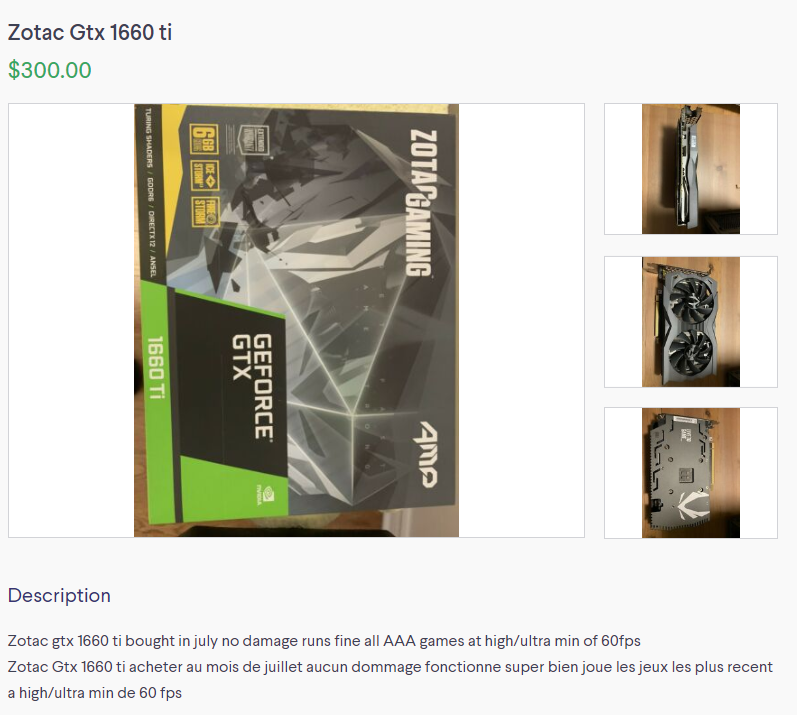
@cyan vault would you pay 225$ for that (and i converted the 300$ to USD)
cyan vault
Lol no
gray vapor
It is a 1660 Ti
slightly better than a super and isn't 225$ like the normal price for a super?
rigid crag
What do you think is the best upgrade to a gtx 1060 6gb around 300 bucks
rigid crag
How big of a difference is there. Is it worth the upgrade
rigid crag
K
shrewd zenith
I would never got a used card
basically, I am looking to upgrade my current windforce 280x OC
but, my onboard memory is DDR3 2x8 gigs
and my max monitor resolution is 1920x1080
amd fx 8350 CPU, so a super high end card would bottle neck
 devout pawn
You might want to consider upgrading your cpu, mobo, and ram first
lone pond
So if anyone wants to get the AMD 5700XT, let me just stop you right there and tell you to not do that. Great Cards, but the Driver Updates suck.
 balmy cairn
Is there not a way to get past the drivers? A friend of mine encountered crashing when trying to update the 5700XT drivers from AMD
cyan vault
I have one
 random moat
Will summer 2020 give me a good reason to upgrade from my gtx 1080 for $500?
ember imp
I have a 5700XT. Latest 2020 drivers suck. I downgraded to the latest adrenaline 2019 version 19.12.1. It’s far more stable. Still not completely perfect I still get crashes but much better
round mason

Why I can no longer recommend Radeon.
♥ Check out https://adoredtv.com for more tech!
♥ Subscribe To AdoredTV - http://bit.ly/1J7020P
► Support AdoredTV through Patreon https://www.patreon.com/adoredtv ◄
Buy Games on the Humble Store! -
 zenith orchid
My graphics card won’t turn on. I have tried both pcie slots and the rest of the computer works is there anything I could be doing wrong?
It won’t go in any farther but is that too much space?
round mason
Why arent you using the first slot? @zenith orchid
zenith orchid
Tried it and did not work
round mason
Define not work. You arent booting with a video signal?
zenith orchid
Second one won’t work either is the graphics card just a dud?
No fan
Fan wont work and I don’t think the graphics card outputs
round mason
You dont think? So you plugged your gpu to your monitor by hdmi or whatever and tried to turn it on?
No fan doesnt mean your gpu isnt working
zenith orchid
Ok it can boot up
round mason
Then theres nothing wrong
zenith orchid
Ok thanks
round mason

zenith orchid
Is there a reason why it would not work on top slot?
Nvm got it to work any ideas on how to get the fan going?
round mason
the fan will work when the temp ramps up
zenith orchid
Ok thanks
round mason
you can manually set your own fan curve too in msi afterburner
wet temple
yeah
 heady jolt
so the zotac 980ti amp omega and zotac 980ti amp are different sizes - height, and thickness - also different power connections...imma need 2 flex birdges instead of my nice single HB SLI bridge...
 mild otter
So, I'm thinking about getting an RX 570 (if it sucks then i'm ok with it, it's better than my brother's graphics card) but I need to know if I should buy the one all the way at the bottom ($113.99) or save up more money for buying it straight ($139.99)?
wicked hound
$140 for a 570 is a bad deal. Just get a $160 1650 Super at that point
round mason
^
mild otter
well, it's something i won't have to save up for long for.
round mason
honestly the difference is so negligible that no matter what choice you decide in it wont be a wrong one.
mild otter
Well, it comes with an XBOX game pass (value of $30) if i buy it for $140.
for free, btw
round mason
alot of em come with the pass from varying prices. Honestly i could go deep into the difference in fan setup, manufacturers reliability, etc. but its literally just $20~ difference. Not worth stressing over it
mild otter
well i mean i don't even use XBOX i have a playstation4 what is the point?
round mason
xbox game pass can be used on windows to have access to their game library
i used the pass to be able to play and finish metro exodus without paying a single cent cause i got the pass for free when buying my amd processor
spice prawn
there are a bunch of good games on there
mild otter
is it permanent?
spice prawn
no
mild otter
how long does it last
mild otter
it says it has an expiration date for redeeming but it doesn't say anything about an ending date for the subscription itself
spice prawn
because you can keep it going IF you input your creditcard and pay for it
mild otter
ahh
round mason
oh and btw you cant play multiplayer with other people if they have the game on steam and you play using xbox game pass @mild otter
spice prawn
@round mason is that one not game specific?
round mason
honestly im not too sure about that. Ik It doesnt work for ark and i was reading a forum saying it being a general thing for other games
spice prawn
fair enough :) i have no idea about it at all :)
mild otter
niiiice
 rocky cargo


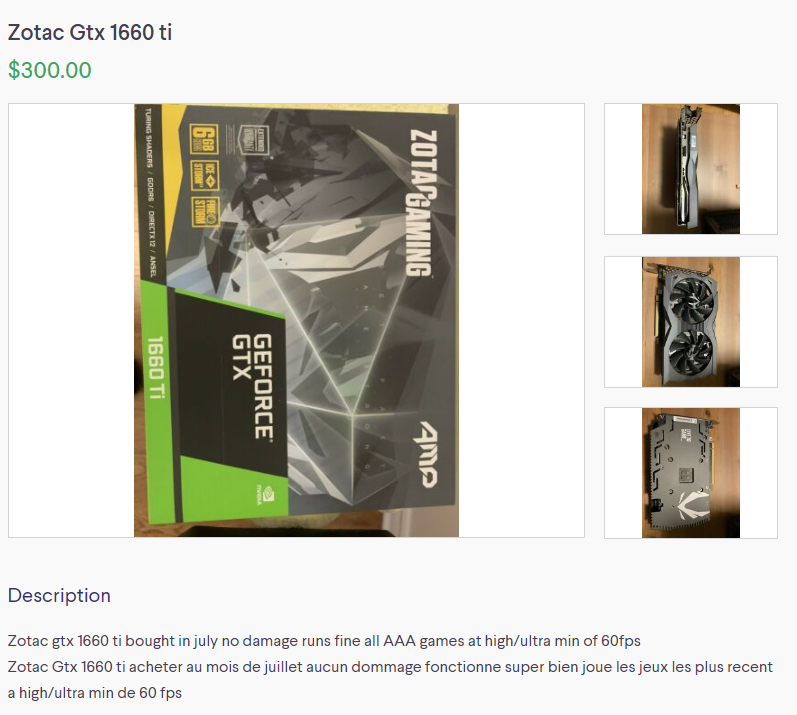 mild otter
send a pic
round mason
Was never fond of the evga carda aesthetics but aside from that its a great card
spice prawn
@round mason you mean the 1 fan setup or the 2 fan - clear shroud one?
round mason
The 2 fan
lone pond
hey has anyone attempted to put a waterblock backplate on a noprmal cooler
i have an evga card that has a cold plate so i think it ll work
round mason
Like replacibg the fans with a block?
 raven kestrel
hey i got a question i would like your opinions would you say a msi gaming x 2070s or a msi gaming x tri 2080 the 2070 is 100 less idk the gap between the performance
autumn harbor
If u can afford 2080 then go for it without hesitation
round mason
the 2070S is the best value of the super lineup. 2080 and 2070S are pretty much almost the same performance but id agree wit ^
lone pond
@round mason no like just use the stock heatsinks cooler but replace the stock backplate
 magic pebble
the 2080 and 2070s are similar, but there are situations where the 2080 will always win. if prices are similar go with the 2080.
the only advantage of getting a 2070s is that you are guaranteed to not have to deal with the micron memory failure issue that was only a problem on a small amount of the initial release of rtx cards. I would be surprised if any of those are still out in the wild on store shelves.
shrewd zenith
Video Card PCI-Express Radeon Sapphire RX580 8GB PULSE PCI Express HDMI/DisplayPort/DL-DVI-D RX 580 8GB GDDR5 VR Ready / Mining Video Card 11265-05-20G
is that a good deal?
verbal cairn
hell nah
that's 1660 super price range
which is considerably better than a rx 580
gray vapor
AMD pretty much needed the extra 2gb just to perform similar to Nvidia's 6gb cards (and referring to the 10xx series)
magic pebble
the amount of ram has nothing to do with performance unless you fill the frame buffer
and an rx580 is either equal or will outperform any 1060 card in dx12 or vulkan in most games. dx11 the 1060 6gb will win most of the time.
The 1660 cards will vary depending on the model but the 1660 super and 1660ti are absolutely better cards than the rx580. the normal 1660 vs rx580 the 1660 is still the better card, but at that point I would start to argue price to performance and that you should just save a few more dollars and get a super or ti.
magic pebble
The biggest thing to remember is that unless you are gaming at 1440p with maxed out settings in a handful of games you will never get close to filling 6gb. 4k you could have issues in something like Control with everything maxed, but your fps would already be so low its unplayable at 4k. The only game I have seen come close to maxing 8gb at 1440p on my 2080 were rise of the tomb raider with everything maxed went right around 6gb and red dead redemption 2 with everything maxed went to just under 7gb.
Even then those numbers are not necessarily accurate because I think it was Gamers Nexus that showed that either the amount of vram used will increase in some games even if the game isn't actually using that much ram. and having less ram can provide the same performance. A 4gb rx 580 might not lose any performance vs an 8gb rx580 even though something like gpuz reports more than 4gb of vram being used on the 8gb card.
 light schooner
round mason
light schooner
round mason
@lone pond there is no point in doing that. You arent cooling any components even if you could do that
lone pond
@round mason it's purely cosmetic
cyan vault
But its a lot of work.....
lone pond
That's what I'm doing
cyan vault
Oh yeah totally
lone pond
Plus the evga cards you dont void any warranties
round mason
ah i see then go for it

Join us on Patreon: https://www.patreon.com/posts/33902352
Merch: http://crowdmade.com/hardwareunboxed
GeForce RTX 2070 Super - https://amzn.to/2FNCMJ6
GeForce RTX 2060 Super - https://amzn.to/2JiiCrP
GeForce RTX 2080 Ti - https://amzn.to/2D9Antn
GeForce RTX 2080 - https://am...
 river wadi
Hey so I am looking at graphics cards and I was wondering if an evga 1660 6gb sc ultra for 200 hundred dollars would be a good deal
granite juniper
I’d go for a 1660 super for a little more
mild otter
i decided i'mma buy the RX 570 for $140 because it come with the XBOX gamepass, but i'll need to save up... mmm about $160 because my mom says i need to save up more than i'll need so if there's anything I need to pay after i buy it then I'll have some extra cash
round mason
coolios
wet temple
just out of curiosity , how does the 1660ti peform at 1440p/1080p high-refresh
wicked hound
1440p is kinda sucky at decent settings. 1080p it'll probably average 100~ fps on high/ultra, I think
granite juniper
on high i'd say 40-60 on most games, maybe 30-45 on more demanding games
huh not that bad https://www.techspot.com/review/1797-nvidia-geforce-gtx-1060-ti/
TechSpot
Nvidia's latest attempt to excite gamers arrives in the form of a new mid-range GPU with no RTX features on board. The new GeForce GTX 1660 Ti comes as no surprise as it's been widely rumored for some time: a cut down Turing GPU that trims off the fat and offers better value f...
zenith orchid
Is the graphics supposed to sag a little when plugged in or is the pcie slot broken. I have to lift it up a little to screw in
zenith orchid
Ok thanks
I assembled my pc yesterday and it took tons of try’s reinstallling the graphics to work. I ended it up to get it to work but overnight it stopped working again. Is it more likely to be the motherboard or gpu causing it?
 opaque badge
never had this problem and I've assembled about 1pc's all with used parts. unless you have an extremely beefy card like a gigabyte windforce Xtreme or asus strix your graphics card shouldn'
be not working if it is saging. sounds like your pcie slot or the graphics card pcie male adapter is damaged.
try installing it in another pci-e lane if your mother board allows it. if you that works and the secondary slot had the same amount of bandwidth there is nothing wrong with leaving it in a lower slot. That is if you don't want to RMA the board.
zenith orchid
Lower one has same problem
spice prawn
@zenith orchid take a picture
wispy stone
When I was GPU shopping this December, my sorta-budget was to stay under $500.
I was indeed prospecting 5700XT, 2060, 2060 super, and 2070.
I ended up getting the 2060 Super. I simply didn't want to risk being another person dealing with AMD drivers or black screen issues or whatever... and seemed like the best value in terms of cost to performance on Nvidia's line up
If it last me 3 years without seeming outdated, then I think I'd happy
Previously I was on an MSI "gaming" laptop w/ 60hz screen
going from that to having a 2060super and coupled with (2) 240hz g-sync monitors... the jump was quite dramatic in terms of visual quality
At first you really don't notice the diff between ~240fps and ~144 fps, but after actually playing for a more prolong period of time, I notice I seem to hit my shots better on high frame rare.
round mason
@opaque badge i have the gigabyte windforce but i have no sag
wispy stone
Best way I can describe the difference between 144 to 240 fps is this: The actual motions/movements both seem smooth, but on high fps I feel like time moves slower, like everything goes in slow motion
round mason
@zenith orchid a quick fix for it is to buy a gpu brace https://www.amazon.ca/Graphics-Support-Holder-custom-Gaming/dp/B01DQK7DDW
 vestal matrix
So today I was trying to continue setting up my oculus rift s, and I decided to update my gpu drivers to see if that was why it wasn’t working. So I updated them, restarted my computer, and now it won’t turn on. The computer starts, but my monitors say no signal or input not supported. Any help?
stiff zodiac
sad
 misty field
Anyone got experience with asus RMA process?
zenith orchid
Does this look installed right? It won’t turn on
light schooner
Nice power color
zenith orchid
I already tried the first slot but it also did not work
zenith orchid
I built yesterday and after moving it a lot it turned on and I could download windows but overnight it stopped working again
zenith orchid
Yeah
light schooner
Have you tried taking it apart and putting it back together
This happend to me once and this worked
zenith orchid
I have unplugged and replugged and tried all the pcies
light schooner
Humm what card?
zenith orchid
Power color red dragon 5700
light schooner
Hummmm what psu and mobo?
light schooner
Hummm I would send that mobo back and get a replacement the psu is a good one is it 80+
Also the psu could have shorted that first dlot
Slot*
zenith orchid
Ok thanks
 lucid whale
ok peepuls
light schooner
........
lucid whale
i found a 1070ti ftw2, for $210. there's no box, and it was only used for a year, was never oc'ed, and looks to be in great condition
do i go for it
still has a factory 2 year on it
light schooner
Hummm
Idk man could be a faulty card
Or he could say it's a 1070ti and it be a 1060
lucid whale
he said he upgraded to a 2080 and had no use for it anymore, and was happy to take pictures
the card says 1070 ti on it
light schooner
Only get it if he says you can get your money back if he says no then dont do it
lucid whale
ok
lone pond
is the 1650 a disappointment? msi gaming x 1650 i mean.
light schooner
Yes
gray vapor
All non super 1650 is a disappointment
light schooner
All 1650 are bad go for a 1660s
brisk flame
No, 1650 good for systems with no pcie power cables
rigid crag
I saw a 1660 super for 220. Looking kinda fresh ngl
gray vapor
But there is a lot of systems now i have seen that has like a 350w to 400w PSU that has a 6 pin included
cyan vault
Any suggestions on how to make this look better? Its like, a splitter for 2
wicked hound
Best looks is to just not use a splitter, two individual cables
wicked hound
It came with the GPU?
wicked hound
probably
granite juniper
@lucid whale I got my strix 1070 ti for $226 it’s not a super sketchy price, I’d go for it if you’re looking at a card in that budget
cyan vault
Hmmmm
wicked hound
So you can either keep it how it is, or use both cables and try to hide the one connector on each of the cables
fold the connector inside to where ever the cable is folded towards
cyan vault
Ill see
 coarse bison
My 1080 arrived in the mail today
wet temple
gg
lone pond
1070 ti or 1660. Building my buddy a pc and he can't make a descion I'm partial to 1070ti but he is being picky lol.
gray vapor
1070 Ti would out perform the 1660 but a lot
lone pond
That's what I was telling him. But he wants to point out it's older haha
ember imp
If your buddy is willing to go used the you can get a 1070ti for around the same as a 1660S and it’s way better