#graphics-cards
1 messages · Page 104 of 1
 proper wave
^
also looking better is purely up to you
the data im referring to was a recent test
where people where given the same clip
 lilac garnet
decisions decisions
proper wave
lilac garnet
decisions decisions
3070ti is holding its own
but the 9060xt is still running ahead
i would just save a bit longer
 olive bobcat
Yeah ^
proper wave
because it seems like you are in the position where you can
where as my buddies dont really got a choice
its either buy a b580 or save until a 9070xt
no stock of anything in their countries
(the 9070xt is a $700 card btw)
lilac garnet
if i had to be honest with you i wouldnt buy the 3070ti till 2 weeks from now anyways
proper wave
lilac garnet
if i had to be honest with you i wouldnt buy the 3070ti till 2 weeks from now an...
just save until the 9060xt
plus prices are falling in germany and japan
if we're lucky the price drop will hit the US market soon
nothing crazy
only like 5%
but still
lilac garnet
i have a little trouble saving money, which is why wanna get something soon
hate to admit
proper wave
lilac garnet
i have a little trouble saving money, which is why wanna get something soon
with that mindset no wonder you have trouble saving money
"i cant stop spending money, which is why i need to spend it RIGHT NOW"
proper wave
i cant teach you self control, but if you can just be frugal for a bit
have a ramen night or 5
turn off the lights in your house when you're not in the room
make sure the cable box is off alongside the tv
do the dishes by hand
ect
lilac garnet
i really dont need to worry about any of that, still live at my parents house
proper wave
lilac garnet
i really dont need to worry about any of that, still live at my parents house
well just keep on the grind for a bit
lilac garnet
precisely
proper wave
stop drinking if you do for a bit or cut back
proper wave
then what are you spending money on
if you have trouble saving
no bills, no addictions
proper wave
you're not supposed to have those!!!!!!!!!
all gamers are either single or closeted homosexuals
couldnt be me :3c
(im out)
lilac garnet

I appreciate the humor after telling me to eat ramen for a day, or 5 💀 😭
proper wave
lilac garnet
I appreciate the humor after telling me to eat ramen for a day, or 5 💀 😭
not humor
seriousness
ramen is like 98 cents a pack
20 bucks 20 backs
20/5
4 packs is plenty for dinner
lilac garnet
it is so good though too, i wouldnt mind it
lilac garnet
sodium
proper wave
not that
it doesnt digest
its not real noodles
the person who did the study ate instant ramen for about 1/3 of the nights he did the research for it
which is ironic and funny
just because it was cheap and fast
proper wave
lilac garnet
https://tenor.com/view/ok-cat-okay-cat-cat-ok-cat-okay-thumbs-up-crying-cat-gif-...
just dont spoil her as much for a bit
or do free things for her
like clean her car
lilac garnet
i guesssss
lilac garnet
thanks for the tip
proper wave
anyways refurbished 3070ti as last resort
9060xt if you can save 100-150 more
also
@lilac garnet are you downloading games on that HDD?
lilac garnet
proper wave
<@164720941849378818> are you downloading games on that HDD?
Nonono, I have an SSD
lilac garnet
lowkey not entirely sure why i got it, i hardly use it... i want another SSD but thats not urgent nor happening soon
proper wave
lilac garnet
lowkey not entirely sure why i got it, i hardly use it... i want another SSD but...
storage
good for storing videos if you make content
and pictures
and old games
also @lilac garnet do you know what postal is
 lilac garnet
proper wave
also <@164720941849378818> do you know what postal is
lilac garnet
proper wave
also <@164720941849378818> do you know what postal is
like my zip code?
lilac garnet
i do not
lilac garnet

Buy XFX Swift AMD Radeon RX 9060 XT OC Gaming Edition with 8GB GDDR6 HDMI 2xDP, AMD RDNA 4 RX 9060XT 8GB with fast shipping and top-rated customer service. Once you know, you Newegg!
ye
?
359
 rancid bramble
lilac garnet
https://www.newegg.com/xfx-swift-rx-96tsw8gbq-radeon-rx-9060-xt-graphics-card-do...
rancid bramble
lilac garnet
https://www.newegg.com/xfx-swift-rx-96tsw8gbq-radeon-rx-9060-xt-graphics-card-do...
ew
get 16gb
unless theyre playing smaller titles on 1080p
proper wave
lilac garnet
https://www.newegg.com/xfx-swift-rx-96tsw8gbq-radeon-rx-9060-xt-graphics-card-do...
16gb
not 8gb
8gb is dogshit
"9060xt 16gb"
lilac garnet
hearddddddddddd
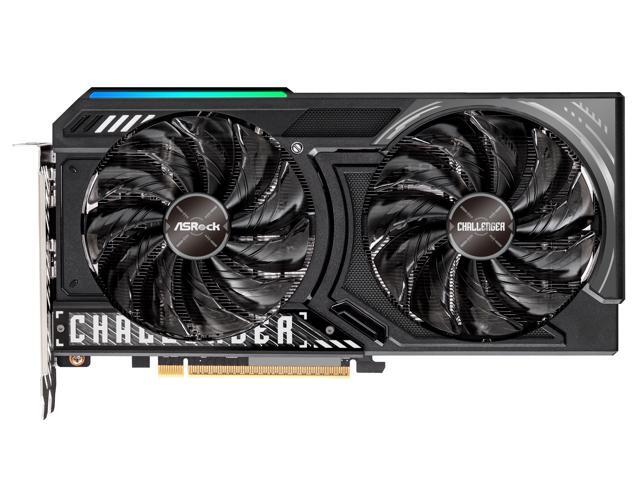
Buy Open Box: ASRock Challenger Radeon RX 9060 XT 16GB GDDR6 PCI Express 5.0 x16 Graphics Card RX9060XT CL 16GO RX 9060XT with fast shipping and top-rated customer service. Once you know, you Newegg!
rancid bramble
lilac garnet
https://www.newegg.com/asrock-challenger-rx9060xt-cl-16go-radeon-rx-9060-xt-16gb...
ebay is also an option
or jawa
lilac garnet
yh
olive bobcat
lilac garnet
https://www.newegg.com/asrock-challenger-rx9060xt-cl-16go-radeon-rx-9060-xt-16gb...
I have that one
Good card
$400 is good

 inner token
olive bobcat
inner token
olive bobcat
how u know it aint a broken one lol being returned as the original
olive bobcat
inner token
how u know it aint a broken one lol being returned as the original
If it’s clearly defective, they’ll take it back
Read the second line
 maiden haven
ur getting the thing on the box and not the stuff that comes with like connectors and such
proper wave
lilac garnet
https://www.newegg.com/asrock-challenger-rx9060xt-cl-16go-radeon-rx-9060-xt-16gb...
oh also
the white asrock thats ugly af
its like one of the best models
models dont really matter since EVGA left
but if its the same price or less than 5 dollars
you might as well buy the better version
proper wave
maiden haven
ur getting the thing on the box and not the stuff that comes with like connector...
only 12v gpus have connectors that come with the gpu
lilac garnet
lilac garnet
https://www.newegg.com/asrock-challenger-rx9060xt-cl-16go-radeon-rx-9060-xt-16gb...
i wouldn’t need more fans with this card right? https://pcpartpicker.com/list/GzPPVW
Part List - Intel Core i5-12400F, GeForce GTX 1660 SUPER, Corsair 4000D Airflow ATX Mid Tower
 wanton edge
lilac garnet
i wouldn’t need more fans with this card right? https://pcpartpicker.com/list/Gz...
wanton edge
lilac garnet
i wouldn’t need more fans with this card right? https://pcpartpicker.com/list/Gz...
A 1660 super doesn't consume much so cooling shouldn't be a problem
2 fans is good enough
lilac garnet
i’m not nothing a 1660 super, i’m buying the gpu i replied to
wanton edge
lilac garnet
i’m not nothing a 1660 super, i’m buying the gpu i replied to
9060 xt still runs cool with just two fans
 minor spire
lilac garnet
yh but non refundable open box
minor spire
lilac garnet
yh but non refundable open box
I bought a 7900xtx pulse open box, and returned it because it would crash because thermal throttling. It was no issues to new egg
olive bobcat
olive bobcat
This screenshot comes in handy @minor spire
minor spire
olive bobcat
This screenshot comes in handy <@830881504846282752>
Well mine had a 30 return policy and I exercised it on that purchase. Maybe they changed policies since then
 vernal shell
updated my 9070xt and a lot of games feel much better? recent driver somehow fixed a lot of issues , anyone else know anything?
vernal shell
 vital oriole
I would find the patch notes of the driver release
vital oriole
I would find the patch notes of the driver release
well thats peculiar because ive read them , apparently it was a marathon focused thing but it cleared up so many issues i had
not complaining,bt it piqued my curiousitu
vital oriole
Yeah, it's all good
inner token
A what now 😂

 round zinc
I was going to ask if you meant the brand. I see it now though.
inner token
Lmaooo
inner token
IM STILL HAVING DAMN freezing bro
like wtf
new gpu and it happen within the first 2 hours of using it
 hot bough
inner token
and its hard to recreate it just randomly happens
hot bough
inner token
and its hard to recreate it just randomly happens
Have you tried matching the mobo's PCIe version, cleaning contacts, and a fresh windows install? Also did you use DDU to uninstall old GPU drivers
inner token
I updated bios changed motherboards aswell
Only thing I haven’t done was replaced ram
hot bough
inner token
Only thing I haven’t done was replaced ram
Do you have Hynix ram?
inner token
Nosir
hot bough
If so, try this:
- 1.3v vSOC
- 6000mhz
- tCL30
- 1.55v VDD
- 1.45v VDDQ
- 1.5v VDDIO
These voltages are safe for other dram ICs as well though I wouldn't go higher than that unless you have Hynix memory and sufficient cooling.
inner token
Corsair Vengeance
hot bough
inner token
Corsair Vengeance
Corsair uses memory from Hynix, Samsung, and Micron
hot bough
In any case even if it's Micron it Samsung the above is still safe
inner token
I will try that for the meanwhile tho
hot bough
The idea is to intentionally take binning or wacky motherboard vendor voltages for the ram out of the equation
It's intentionally giving the ram more voltage than it needs for such low speeds.
round zinc
inner token
Corsair Vengeance
If you wanted to see what it is.
 inner token
It’s just weird cause it did it with two different motherboards and two different brands
so im going with tighter timings apparently better for amd
round zinc
Tighter timings are better for everything as long as it's stable. Amd just tends to be more memory sentitive than intel and am5 kind of runs into a wall somewhere in the 6000-6400 range where you might have to change the fclk ratio and then you would have been better off with slightly slower memory instead of letting it do that. So 6000 cl 30 might be better for some stuff than 6800 cl 34 or whatever would have been.
They're usually fairly small differences and unless you want to get into memory oc and tuning as a separate hobby it's likely not worth worrying about.
inner token
yeah even on stock settings for the ram it still crashed
hot bough
round zinc
Tighter timings are better for everything as long as it's stable. Amd just tends...
Note that fCLK can be stabilized by adjusting VDDG and VDD-MISC voltage.
hot bough
inner token
yeah even on stock settings for the ram it still crashed
@inner token have you tried the changes I suggested?
hot bough
inner token
sorta lost on how to try that <@217356391675985921>
Go to BIOS > ADVANCED MODE
In ADVANCED MODE
you will see a bunch of memory settings
 hot bough
inner token
hot bough
inner token
What do you see in MAIN?
That said:
CPU SOC - 1.3v
DRAM VDD - 1.55v
DRAM VDDQ - 1.45v
CPU VDDIO - 1.45v
Manually set the memory speed to 6000mhz and cl (sometimes called tCL) to 30
Keep XMP/EXPO enabled
Set VDDG IOD to 1.05v (1050mv) if you want some extra buffer room for the fCLK
Can raise VDDP to 1.15v to help stablize memory training
inner token
Main just shows pc Info
hot bough
inner token
Main just shows pc Info
then use the AI Tweaker tab. Seems ASUS bios has changed since I last used it.
@inner token if you want to make this quick and simple just shotgun approach with the suggested changes above
inner token
Would that affect anything on the motherboard or just the ram lol I’m not familiar with messing with clocks for memory
hot bough
inner token
Would that affect anything on the motherboard or just the ram lol I’m not famili...
All of that affects the RAM except SOC, VDDG, and to a certain extent VDDP
inner token
Soon as I changed soc my pc froze 😎
Not sure of because of my pc always freezing up or cuz of the voltage change
Nvm was just my mouse freezing I guess lol
hot bough
inner token
Not sure of because of my pc always freezing up or cuz of the voltage change
SOC does not cause the pc to freeze
inner token
The max for my dram VDD and VDDQ is only 1.43500
hot bough
inner token
The max for my dram VDD and VDDQ is only 1.43500
Enable HIGH VOLTAGE mode
inner token
Kk
hot bough
Probably under ADVANCED MEMORY
hot bough
inner token
The max for my dram VDD and VDDQ is only 1.43500
Also note, DDR5 spec considers 1.65v VDD to be the safe limit with sufficient cooling.
inner token
Yeah I got optimal cooling
3 front fans 2 top fans and a rear exhaust
Plus a big air cooler
hot bough
inner token
Is that all?
Save this to a profile called TEST then try booting. Make sure Memory Context Restore and Power Down Mode is disabled.
MCR has a tendency to sometimes save unstable values allowing the pc to keep posting with unstable values.
MCR disabled needs PDM to be disabled
hot bough
inner token
I don’t see power down mode
Do you have a search button?
hot bough
Strange lemme check what asus calls this nonsense
inner token
They have power down enable
hot bough
inner token
They have power down enable
set that to disabled
inner token
Kk
hot bough
Once you have made the above changes give her a go
inner token
Idk how to save results so I just did save and restart
If anything goes bad I’ll just clear cmos
So far it passed memory training gotta head out for a bed so I’ll update when I’m home to do some stress testing on the ram
hot bough
inner token
So far it passed memory training gotta head out for a bed so I’ll update when I’...
aight.
inner token
Bit
inner token
Ran a occt test and no errors
And no freezing
I’ll have to play for a bit to see if it still freezes up
hot bough
inner token
Ran a occt test and no errors
Good.
hot bough
inner token
And no freezing
Was it freezing before in those?
hot bough
Aight well keep me updated.
inner token
will do
its a odd issue lowkey
rarely happens on siege but usually happens once or twice a day on arc raiders and fortnit
hot bough
@inner token good so far?
inner token
Haven’t really played much but hasn’t happen yet but again it’s a very random timing it’s hard to actually make it happen
 unkempt bone
budget is $1,184
Part List - AMD Ryzen 7 9850X3D, Radeon RX 9070 XT, NZXT H9 Flow (2025) ATX Mid Tower
should I keep the 9070 XT or can I upgrade given the budget amount?
proper wave
unkempt bone
budget is $1,184
did you make a typo
you are 2x overbudget

i may be misunderstanding
unkempt bone
@proper wave budget for the gpu is 1184
I alr got everything else except the CPU and GPU
& ram, but I plan on using the ram I got on this build alr
proper wave
unkempt bone
I alr got everything else except the CPU and GPU
the 9800x3d and the 9850x3d are literally the same thing, but the 9850 is the 9800's that won the silicon lottery and have a factory overclock
so if you are lucky and know how to OC you can get a 9850x3d for $20 off
if you're not only 5 less FPS
do you plan on only gaming or do you work or stream on your PC @unkempt bone
unkempt bone
proper wave
do you plan on only gaming or do you work or stream on your PC <@241383668277313...
gaming and recording videos, maybe stream
proper wave
unkempt bone
gaming and recording videos, maybe stream
AMD gpus are great for gayming, kinda suck for anything else though
 proper wave
@unkempt bone thats DDR4
not DDR5
you need to buy a b550 motherboard
and you are limited to the 5000 series cpu line
unkempt bone
ik, I changed my mind, buying ram and staying with 9070xt
 cold fox
unkempt bone
ik, I changed my mind, buying ram and staying with 9070xt
cold fox
unkempt bone
ik, I changed my mind, buying ram and staying with 9070xt
Great choice
Could also look at the non xt so save on some money
proper wave
unkempt bone
ik, I changed my mind, buying ram and staying with 9070xt
if you are buying ram then you need to get a new motherboard and CPU too
you cant put a 1000-5000 in a b850 mobo
unkempt bone
getting 6000
unkempt bone
getting 6000MT 30CL ram
proper wave
the cpu
DDR5 ram needs to be in an AM5 system
you cant put it in your current build
 proper wave
@unkempt bone if you havent bought that yet
dont
because there are combo deals on newegg
which will let you get a better price on the motherboard, cpu, and ram
cold fox
He’s bought everything
proper wave
oh i see
cold fox
He said he alr bought basically everything
unkempt bone
except motherboard, cpu and gpu
unkempt bone
bet
unkempt bone
yeah
proper wave
rough
@unkempt bone not possible
730 is the cheapest non used/openbox/refurbished 9070xt
which leaves 370 dollars for the combo
then add tax
unkempt bone
it's fine, I'll go one by one
proper wave
unkempt bone
it's fine, I'll go one by one
one by one is more expensive
unkempt bone
🦎 ik, but need a krisp white pc build
proper wave
unkempt bone
🦎 ik, but need a krisp white pc build
then even harder
as swag is money
@unkempt bone what is your current build
ill see if there is something we can keep that you can save on
if you do not know, you can check in task manager by clicking Performance
unkempt bone
proper wave
<@241383668277313556> what is your current build
ogh, not upgrading, making an entirely new pc
first out of the trenches build
proper wave
i thought you played dark and darker
unkempt bone
lmao on my old gaming laptop, but gave it to my sister
unkempt bone
back on ryzen 3 3200g w gtx 1070
proper wave
1, we use that ram you got and make an AM4 build
unkempt bone
 proper wave
2, we forbid the swag and make the employee of the month build (i call it that because it works hard and like shit)
proper wave
unkempt bone
https://tenor.com/view/aww-hell-nahh-aww-hell-aww-hell-nahh-gif-9659330954843262...
AM4 is fine
unless you got a 5090 you wont feel the bottleneck of the 5700x3d
still cheaper than intel
unkempt bone
I'll wait a month more n my total budget = 2.4k
proper wave
unkempt bone
I'll wait a month more n my total budget = 2.4k
2.4k is more like it
if you want i can get you a parts list
unkempt bone
ogh dont worry, these parts i got i want bc swag, white and pretty good
proper wave
unkempt bone
nope, but if they have rgb
yes
and free fans
the build they chose for the white is ugly af, but if you arent stupid and put a white mobo inside it looks nice
 unkempt bone
ogh I alr have the case and AIO alr
unkempt bone
mhm
unkempt bone
everything except CPU, GPU, MotherBoard & RAM
proper wave
unkempt bone
everything except CPU, GPU, MotherBoard & RAM
you got a PSU?
and a monitor keyboard and mouse
and a headset
and a SSD
just double checking
alot of people forget the smaller things
proper wave
sounds good
proper wave
unkempt bone
everything except CPU, GPU, MotherBoard & RAM
so 2400 for these when you get payday
unkempt bone
yeah
unkempt bone
850W
MemoryC
Buy Zotac GAMING GeForce RTX 5070 Ti AMP Extreme INFINITY NVIDIA 16 GB GDDR7 online from MemoryC at low prices. Worldwide shipping, money back guarantee, in-stock guarantee!


this graphics card looks sick as hell
proper wave
unkempt bone
850W
rough
proper wave
unkempt bone
https://www.memoryc.com/74375-zotac-gaming-geforce-rtx-5070-ti-amp-extreme-infin...
it will look like dogshit in a white case
i have mastered the art of feng shui
the trick is blaming the furniture when something goes wrong in life
unkempt bone
proper wave
it will look like dogshit in a white case
LMAO I'll let it slide bc of the infinity mirror design
proper wave
ffs man
@unkempt bone sadly all the combos have black ram so i had to use the default deals, you can see this menu by typing combo in newegg search

9850x3d is 30 dollars more
proper wave

this should be good
id reccomend the 5070ti
as though the 9070xt is equal in gaming power
NVIDIA cards perform better in dark and darker
and in other games too like darkitde, helldivers, ect
proper wave
built for nvidia drivers
also nvidia has better driver support and features
however nvidia sucks at linux
@unkempt bone just so you know
that card you are looking at
is more expensive than the 5080
so you will be spending a model up's worth of money, for a card that doesnt match your computer
and it also takes you overbudget
because tax
unless you want a less powerful CPU and a B850 motherboard
unkempt bone
I can wait another month
proper wave
@unkempt bone im talking about the 2400 budget
this is more on top of that
and it may be sold out by then
because almost every other site is sold out or backorder
they dont make 5070ti's anymore
not profitable enough
despite what nvidia claims
unkempt bone
yeah, I can buy the GPU rn and wait a month to buy the rest
proper wave
at this point id go for the 9070xt

Buy ASRock Steel Legend Radeon RX 9070 XT 16GB GDDR6 PCI Express 5.0 x16 ATX Graphics Card RX9070XT SL 16G with fast shipping and top-rated customer service. Once you know, you Newegg!
matches the swag, $750, the same gaming power
proper wave
unkempt bone
https://www.memoryc.com/74375-zotac-gaming-geforce-rtx-5070-ti-amp-extreme-infin...
and also just so you know
you will not see the fans

it will look like this
proper wave
proper wave
<@241383668277313556> sadly all the combos have black ram so i had to use the de...
@unkempt bone anyways you got all the links and parts
 proper wave
 unkempt bone
I rlly like that
unkempt bone
ik it's just the infinity mirrow design caught my eye
proper wave
unkempt bone
ik it's just the infinity mirrow design caught my eye
it looks nice, but its a black build
a computer is like a suit, you dont wear a white jacket, black tie, black shirt, and gray pants
you either go all one color or contrast
RGB is like paisley

your computer should look like this guy
unkempt bone
true words

 lucid thistle
Anyone having problems with amd gpu drivers today I’m getting constant black screens and can’t even open and software to try to fix it
lucid thistle
lucid thistle
Anyone having problems with amd gpu drivers today I’m getting constant black scr...
Nvm just had to uninstall and reinstall two times
 bold solar
proper wave
bold solar
proper wave
just like everything amd does with their gpus
copying nvidia
they started to ai code
so amd starts to ai code
 solid glacier
Pc just randomly shut off
And now there’s a red light next to boot snd all my fan are at max speed?

 forest oasis
boot led would be drive or os issue
solid glacier
forest oasis
boot led would be drive or os issue
So it boots
But nothing displays
And the cpu light just stays on
forest oasis
Hmm
If the cpu light is on, it probably didn't boot
It probably didn't even pass POST
Either that or it could be memory training
solid glacier
Pc turns on
Eveyrhting is on fans etc
But no display
I even tried 1 stick of ram still nothing
solid glacier
forest oasis
It probably didn't even pass POST
I had it running 5 mins with bot sticks still nothing
I’m thinking fried CPU or mobo
Both
forest oasis
solid glacier
I’m thinking fried CPU or mobo
did you do anything in the case or plugged anything in or such recently
solid glacier
nope I was just doing school and it black screened and no display so I restarted the pc and now my cpu light is on and no display
forest oasis
hmm
solid glacier
I have zero clue lol, I got a appointment tomorrow at Best Buy I’ll buy a new cpu and see if it works if it does the cpu fried if it doesn’t boot I’ll buy a mobo and see
forest oasis
both the cpu and mobo randomly dying is pretty rare but my brain is also too fried to think of anything else
solid glacier
forest oasis
both the cpu and mobo randomly dying is pretty rare but my brain is also too fri...
It was the cpu btw
Just got a new one and it works
forest oasis
damn
solid glacier
Also


Does this look like it’s in?
The gpu
I feel like it’s sticking out a lot
But I mean the pc is running fine how do I check if it’s fully using the gpu ?
Tech gpuz?

 olive bobcat
solid glacier
Does this look like it’s in?
olive bobcat
solid glacier
Does this look like it’s in?
 forest oasis
solid glacier
forest oasis
solid glacier
this clip does not look like it is down

i can't tell if it's open and you didn't push it in till it latched or if you broke it from not opening it before putting the gpu in
solid glacier
forest oasis
this clip does not look like it is down
Like pushed down? It’s pushed down but the gpu isn’t in
forest oasis
Pushed down means opened
forest oasis
forest oasis
this clip does not look like it is down
I meant closed in this my bad
hot bough
solid glacier
Also
Is the PCIe Retention Clip fully locked in around the GPU's PCIe? The GPU can run even if it's not fully seated though this is not recommended.
hot bough
solid glacier
It was the cpu btw
What CPU was it and please check if any of your motherboard pins on the back is touching the case.
solid glacier
hot bough
What CPU was it and please check if any of your motherboard pins on the back is ...
It was the 9800x3d
It internally fried itself somehow
solid glacier
hot bough
Is the PCIe Retention Clip fully locked in around the GPU's PCIe? The GPU can r...
Uhhh
solid glacier
hot bough
What CPU was it and please check if any of your motherboard pins on the back is ...
So I Jsut reseated it
And the end doesn’t go on
It won’t clip
Bro
I took out that black thing
And the gpu wont go in still

Gpu won’t go in lol
Bc of this thing

 cloud tangle
I’m looking for an AMD equivalent of my current RTX 5070 TI, I’m not sure where to look, but I need similar specs to my current card because Linux isn’t too kind to my current card
Probably, I’ve heard that AMD gets better price to performance than Nvidia
The price for a brand new 5070 TI in my area is 1.2k
I got both my current and backup for 950 used.
I don’t have issues with either, they just don’t mesh well with Linux
Yeah, I saw prices starting to skyrocket, and didn’t want to get caught with a bricked card at insane prices
No?
Oh well, what’s done is done
Not sure that ASUS will allow me to use a warranty on a resold card, they still have no drivers for my motherboard on Linux
Interesting, I’ll take a look
cloud tangle
 craggy condor
or a 4090 or something lol
craggy condor
or a 4090 or something lol
Im specifically avoiding Nvidia hardware because of its limited Linux support
craggy condor
cloud tangle
Im specifically avoiding Nvidia hardware because of its limited Linux support
9070/xt then
 thick siren
Just waiting for FE drops again 😭
 velvet grail
hello, I need some help troubleshooting my pc. current specs: i5 8500, GTX 1080 Ti OC, 2x8GB DDR4 2666, B360N WiFi ITX, Be Quiet SFX L 600W
the problem is the GPU crashes (app closes/freezes) in Furmark, and BeamNG. Crashes started after upgrading from H310+9400F to B360N+8500, same GPU, no crashes before.
previously had a 450w psu and power rails sagged under load (12v @11.4v), so, thinking that was the problem, today I swapped to the 600w psu.
now 12V sags to 11.85V (on pcie) under full load (within spec), PSU probably not the issue.
Furmark at 100% TDP crashes in like 5min, capped @95% takes a bit more, 90% is stable
BeamNG crashes faster as it pulls ~300W vs Furmark's ~250W likely because it hammers VRAM too
Undervolt in Afterburner also delayed/prevented crashes
temps are fine (60°C core, 75°C hotspot), memory temp not exposed in hwinfo
im assuming it could be vram overheating, or pcie power delivery from the B360N being marginal, or the new CPU simply removing a bottleneck that was masking the issue before.
Any ideas what's most likely or what else to test?
hot bough
Has anyone else been having issues with the games crashing on a 9070xt? I am running all stock and below stock settings and I've been experiencing random crashes where the game suddenly freezes then crashes.
I've tried:
- restarting
- downclocking the card
- reinstalling the game
Happens in:
- Fortnite
- HellDivers 2
- Marvel Rivals
 torn garden
Your ram is manually tweaked or just one click xmp
hot bough
torn garden
Your ram is manually tweaked or just one click xmp
xmp right now. and i've thoroughly tested for mem stability.
hot bough
So far downclocking the gpu has helped but not solved the issue
velvet grail
vital oriole
Have you ran DDU yet?
yes, full windows reinstall too
vital oriole
The voltage sag is something I haven't heard or observed
11.85V should be high enough though, according to info I've read from forums
I'd try underclocking the vram
If that solves your issue, then you can confirm that it is a failing gpu
velvet grail
just ran occt and it passed. I then ran a few more tests with furmark and I guess I figured out what the problem is.
with fixed 100% fan speed it runs fine for hours, but as soon as I drop the fan speed and let the temps climb up a bit (not even by a significant amount) it crashes
I don't get why the crashes started happening after the mb and cpu swap... maybe I had just tweaked the fan curves when I upgraded
I definitely did since different mb had different fan headers so I likely also tuned the gpu fan for some reason (in fan control)
well I guess this means a repaste is necessary, might be overheating on the vrms, vram or something since all reported temps in hwinfo are fine. 60C core, 70C hotspot under furmark load
hot bough
@wanton edge Well this is annoying

Just did a fresh DDU but it seems to have something with driver timeout
wanton edge
hot bough
<@255061019322351618> Well this is annoying
You mentioned that you're running all stock, does that include CPU and ram?
If those were tweaked set them to default and try again. Sometimes a CPU or ram overclock can mess with radeon
hot bough
wanton edge
You mentioned that you're running all stock, does that include CPU and ram?
Will retry with 100% stock tomorrow. One thing I have noticed is that a down clock on the gpu of -300 to the core and I haven't had any issues.
I'm also noticing my gpu is maintaining like 3,100mhz in-game on high settings which seems very aggressive.
wanton edge
hot bough
Will retry with 100% stock tomorrow. One thing I have noticed is that a down cl...
Surprisingly, that issue is somewhat common for 9070 xt cards because it's boosting way too high
hot bough
wanton edge
Surprisingly, that issue is somewhat common for 9070 xt cards because it's boost...
it was trying to do 3,400mhz in games before the downclock.
wanton edge
I don't get this issue because I run this card at 0% PL or lower with a less aggressive undervolt
wanton edge
hot bough
it was trying to do 3,400mhz in games before the downclock.
That's too much lol
hot bough
What confuses me is why it is boosting that aggressively
Cause before the game crashes I noticed something consistent
the gpu load hits 100% and it's trying to clock like crazy
hot bough
wanton edge
Surprisingly, that issue is somewhat common for 9070 xt cards because it's boost...
Didn't start happening till like maybe 1-2 weeks ago.
wanton edge
hot bough
Didn't start happening till like maybe 1-2 weeks ago.
When you have room for power + an aggressive uv + max frequency at default you get this. Now I used to run -55mv on my card as daily prior to my CPU overclock but now I had to go back to -40mv due to many crashes recently
Now it's stable again
I think what AMD did to these cards are wild as they're programmed to run as high as possible.
hot bough
wanton edge
When you have room for power + an aggressive uv + max frequency at default you g...
So it's a result of too much headroom?
wanton edge
Yea, the silicon can't handle those super high clocks
You should also check on power spikes as well as these cards love to push over 500w spikes
Now I assume your PSU can handle that but there's always somewhere to look
hot bough
wanton edge
You should also check on power spikes as well as these cards love to push over 5...
at stock it hits ~520w spikes. WIth +10% it's gone as high as 580w.
wanton edge
Wow...
hot bough
SF1000 psu from Corsair. I have the 9070xt Mercury Magnetic OC model.
So it has 3x8pin
hot bough
You too have a good one.
hot bough

Edit final: I applied to the seller for a refund for the card. The seller took an interest in the problem, and as he had several cards from different…
 Reddit
interesting reddit post regarding the same experience I am having
 hot bough
Entire reddit full of people describing the same issue I am having with the 9070xt boosting to ~3.4Ghz and trying to maintain that in games on the newest drivers then experiencing crashes.
https://www.reddit.com/r/radeon/comments/1qhv1i4/rx_9070_xt_is_unstable_by_nature/
hot bough
So I did some more research and asked around in the OC servers. @wanton edge in the newest drivers for the 9070xt, AMD has changed the boost algorithm for the core clock to be significantly more aggressive. Reverting to older drivers solves the issue or reducing core fmax like I did which I think is better since the GPU will now maintain those higher clocks.
hot bough
hot bough
So I did some more research and asked around in the OC servers. <@2550610193223...
@rancid bramble @round zinc @naive flicker
Figure this may be worth notifying you guys Incase you find anyone else running into random game crashes and driver timeouts on the latest drivers for 9070xt and 9070.
For comparison my GPU was boosting to about 2.9-3Ghz on the previous drivers in HD2 now it's boosting 3.3-3.4Ghz
round zinc
Did they remove the max clock slider in adrenalin for 9000 series?
hot bough
round zinc
Did they remove the max clock slider in adrenalin for 9000 series?
Still available for me at least.
I am currently running a reduced max clock because of the new drivers.
round zinc
Does it not work or is this just an easy fix? I have a 7900xtx btw.
hot bough
round zinc
Does it not work or is this just an easy fix? I have a 7900xtx btw.
The GPU (9070xt and some 9070 (limited data)) are boosting significantly higher then on previous drivers. Roughly 300-400mhz based on my sample and a few others.
An easy fix is just setting a negative core fmax in adrenaline.
Increasing PL helps
One user reported that reinstalling the latest drivers without adrenaline worked but I haven't confirmed it.
I wonder why AMD made the new driver so aggressive. Gearing up for some Benchmarks maybe?
round zinc
They both just break stuff occasionally. I'm using 25.9.1 because February drivers broke fsr 4 int 8 for me and cyberpunk was consistently crashing after a few minutes.
hot bough
round zinc
They both just break stuff occasionally. I'm using 25.9.1 because February drive...
Seems like it.
I have a sneaking suspicion they are relying on Generated Code to much for these new drivers.
wanton edge
hot bough
So I did some more research and asked around in the OC servers. <@2550610193223...
Sounds good
hot bough
I am amazed by how much my power spikes dropped going from no undervolt to -80 uv. 112w difference.
580w vs 466w
torn garden
@hot bough I would try to get a replacement
A gpu should be rock solid stable out of the box
His steel legend 9070xt seems to run around 2900mhz-3ghz and he has yet to report any stability issues

So power colour is pushing the thing into instability for not even 2% performance improvement lol
hot bough
torn garden
His steel legend 9070xt seems to run around 2900mhz-3ghz and he has yet to repor...
Mine is 100% stable at the 3.1Ghz it's rated for. The issue is the new drivers boost the core clocks a lot more aggressively on 9070xt causing my GPU to boost to 3.4-3.45Ghz in games and sometimes crashes because of that.
Because AMD decided to make the max core frequency at stock settings 3.45Ghz for all 9070xt if your GPU has looks like it has headroom it will try to boost that high.
.
With some tuning I am currently maintaining 3.3Ghz with -150 core and -80mv UV plus 10% PL.
torn garden
Hoping that is 100% stable for you
Crashes in games especially multiplayer ones like fortnite,marvel rivals are simply unacceptable
wouldn't you have to apply the UV everytime there is a new driver update
A bit of a bandaid type solution
round zinc
Adrenaline saves your settings through driver updates.
solid glacier
Someone wants to trade a PNY 4090 for my 5080 worth or nah
hot bough
solid glacier
Someone wants to trade a PNY 4090 for my 5080 worth or nah
Pros:
-
More VRAM
-
Better raster performance
-
xx90 tier bragging rights even if it is a generation old
Cons:
-
No new DLSS features such as Frame Gen and DLSS 5.0.
-
Potentially lower resale value when RTX 6000 series lands
-
Higher power draw
torn garden
I don't think I saw much confirmation saying dlss 5 is exclusive to Blackwell and later
torn garden
solid glacier
Someone wants to trade a PNY 4090 for my 5080 worth or nah
The hassle of taking a gpu out and putting it back I personally would just stick with the 5080
round zinc
Why would they want to do that? A used 4090 is around double the cost of a 5080.
solid glacier
anyone got a benchmark with their 4090?
craggy condor
solid glacier
Someone wants to trade a PNY 4090 for my 5080 worth or nah
yeah absolutely except that it's 100% a scam lol
solid glacier
craggy condor
yeah absolutely except that it's 100% a scam lol
nope traded it this morning
hot bough
solid glacier
nope traded it this morning
And it works?
solid glacier
yep
zero problems with it
i tested it before i did the tradfe
kinda wish i didnt bc i forgot about the frame generation with 5series
round zinc
You can always just sell it for $2k+ and buy a new 50 series.
solid glacier
true
hot bough
solid glacier
yep
Excellent
hot bough
Interesting, did you choose that for gaming or productivity?
solid glacier
Gaming i wanted to try it since iv had a 9800x3d i have up to 30 days to return it
hot bough
Gotcha.
solid glacier
but i think im gonna go back to the 9800x3d ngl
hot bough
I imagine it'd be worse in heavy titles and better in light titles due to the limited cache.
Think of Modded MC vs Vanilla MC. When there isn't much that needs to be placed on the cache it works better due to the higher clocks.
hot bough
solid glacier
but i think im gonna go back to the 9800x3d ngl
Return, sell 9800x3D, upgrade to 9950x3D.
solid glacier
bet will do!
hot bough
In all seriousness, I kinda doubt you will see more than a 5% difference in games with the 9950x3D unless you ensure all apps besides the games are loaded onto the frequency cache. The 9950x3D does have a much higher boost clock of 5.55Ghz on the cache CCD though.
 reef bramble
@analog junco
What is your CPU and RAM currently?
I'd recommend like a 5070ti for about a 1k budget
I doubt you'll find a 5080 for 1k
 analog junco
reef bramble
<@199963274739974144>
What is your CPU and RAM currently?
analog junco
reef bramble
<@199963274739974144>
What is your CPU and RAM currently?
I upgraded the 2 item u recommended last time
 analog junco
reef bramble
I doubt you'll find a 5080 for 1k
analog junco
reef bramble
I doubt you'll find a 5080 for 1k
How much of a difference is 70ti and 80?
Performance wise
 celest wave
reef bramble
analog junco
I upgraded the 2 item u recommended last time
celest wave
reef bramble
analog junco
I upgraded the 2 item u recommended last time
5070ti would be the a better pairing than a 5080 for that computer
You should llook to upgrade to 32gb of ram w/ the rest of the money saved over
@analog junco
analog junco
reef bramble
You should llook to upgrade to 32gb of ram w/ the rest of the money saved over
I did upgrade my ram
U recommend
 analog junco
reef bramble
5070ti would be the a better pairing than a 5080 for that computer
analog junco
reef bramble
5070ti would be the a better pairing than a 5080 for that computer
Noted
craggy condor
analog junco
Performance wise
not enough to notice
analog junco
craggy condor
not enough to notice
Ok ty 5070it is
round zinc
9070xt is worth considering too. About the same performance as a 5070ti and probably $200+ cheaper.
craggy condor
that too
9070 xt vs 5080 is a little more jarring just because of the feature difference. but still similar ballpark
analog junco
round zinc
9070xt is worth considering too. About the same performance as a 5070ti and prob...
I'm clueless about computers part, price and performance wise 9070xt or 5070p?
round zinc
5070ti vs 9070xt is about as close as it gets. Nvidia dlss is better than fsr and supported in more games, nvidia's encoders are better but if you're just gaming they are pretty similar.
 lofty pollen
Would 985x3d + 5090 survive with 1000w?
torn garden
lofty pollen
Would 985x3d + 5090 survive with 1000w?
Using the exact same combo with rm850x but we never know where gpu power consumption will go from here so might as well get a 1kw unit
lofty pollen
torn garden
Using the exact same combo with rm850x but we never know where gpu power consump...
Oh sick ur running that on 850watts??
torn garden
lofty pollen
Oh sick ur running that on 850watts??
rm850x is 850watts so it would seem
lofty pollen
torn garden
rm850x is 850watts so it would seem
What kind of games do you play? Or whats your most use of your pc?
torn garden
lofty pollen
What kind of games do you play? Or whats your most use of your pc?
Idk how to answer since I try to dabble into almost anything .main use case is gaming and web browsing
torn garden
I used to do video editing but the payout was so little that it was not worth investing time into over my businesses
analog junco
round zinc
5070ti vs 9070xt is about as close as it gets. Nvidia dlss is better than fsr an...
Last question can I pull 2 gpu into my motherboard or its not recommended?
 cerulean rover
analog junco
Last question can I pull 2 gpu into my motherboard or its not recommended?
cerulean rover
analog junco
Last question can I pull 2 gpu into my motherboard or its not recommended?
The question is what are you trying to achieve with that
analog junco
cerulean rover
The question is what are you trying to achieve with that
Just for gaming?
Like if I get a new gpu can I just plug the new one in?
cerulean rover
There is no current mainstream game that supports multiple different GPUs, and 99% of the current games do NOT support SLI or crossfire
If your goal is gaming performance, multi GPU will hurt you more than it helps you 99% of the time
analog junco
cerulean rover
If your goal is gaming performance, multi GPU will hurt you more than it helps y...
Noted tyvm
cerulean rover
In terms of physical compatibility and such, it's possible, the main problem is software actually supporting it
forest oasis
it might be useful if you're not gaming though
or it could be useful if you're streaming potentially
e.g. you have an amd gpu and cpu, but you want to use qsv to stream/record
 random walrus
Iirc lossless scaling can offload frame gen and or upscaling onto a second gpu but that's pretty niche
craggy condor
i wonder how well that works with an iGPU
forest oasis
i think that was the gpu the developer had in mind specifically
it's one of the usecases outlined
i can say for certain though it won't work well with a dying igpu
lmao
vital oriole
craggy condor
i wonder how well that works with an iGPU
tried. did not work well
 wicked hound
vital oriole
tried. did not work well
wicked hound
vital oriole
tried. did not work well
Typically needs one of the higher end iGPUs
wicked hound
cerulean rover
In terms of physical compatibility and such, it's possible, the main problem is ...
Yeah afaik realtime checkerboard rendering works pretty well with mGPU. But no one cares to do that now-a-days
cerulean rover
wicked hound
Yeah afaik realtime checkerboard rendering works pretty well with mGPU. But no o...
iirc that's why you can use random stuff together for blender, but games don't care
wicked hound
cerulean rover
iirc that's why you can use random stuff together for blender, but games don't c...
Rendering programs may like them cuz checkerboard can also be used for one GPU with insufficient VRAM? Don't know all the Inefficiencies to worry about with mGPU rendering, but afaik checkerboard is pretty good with consistent frametimes which be important for real-time rendering.
 lavish otter
@solemn panther 
 nocturne marlin
If you were to guess honestly what GPU this is without seeing it, what would you guess? The CPU is i7-8700

Also has Hyperx Fury DDR4 if that gives any clue
forest oasis
nocturne marlin
If you were to guess honestly what GPU this is without seeing it, what would you...
Intel® UHD Graphics 630
there is no dgpu in this system
also they mounted the radiator wrong
if they are including a dgpu without showing it, it's pretty much impossible to guess because somebody may hve either an older gpu than the cpu, a gpu of the same generation as the cpu, or a gpu much newer
but usually sellers won't remove a gpu to sell a pc so it probably only is the igpu
nocturne marlin
Ah damn not as good as I would have hoped..
Got excited and without looking thought it was a white GPU with 2 fans, but it’s probably just someone who took out the GPU and that was their old “shell”
Was selling it for $150 lol
forest oasis
nocturne marlin
Got excited and without looking thought it was a white GPU with 2 fans, but it’s...
the bottom thing there is just an aio with white fans lol
idk why it's down there, it's not good for the pump though
round zinc
$150 for a working 8700 with board, ram, psu, case isn't terrible. It's a single stick of ram though and that cooler is likely not in great shape from being upside down.
nocturne marlin
I built this PC for my wife 5-6 years back or so, she mostly plays Switch 2, but wants to get back into her PC. I think her current hardware above is ok and just needs a new GPU. She wants to maybe find the best possible for like $300-$400. I know now is like the worst pricing for GPU, but what would you recommend probably USED/REFURB in that range? Any particularly good deals?
 round zinc
3080 should be available for $300 or a little more. If you want a certified refurb model zotac store has them in the refurb section for $370 and they have 4070 open box (2 year warranty instead of 90 day, 12gb of vram instead of 10 for $440.
Is that a 550W or a 650W? All of these would be kind of borderline on a 650W except the 4070 and really wouldn't recommend them on a 550. A lot of models of 3080 and 6800xt also use more than 2 pcie 8 pins and might be rather long for the case.
9060xt 16gb occasionally are $400 or even less but they sell out pretty fast at that, typical price is more like $450 now. For something new that's probably the best option though, a bit slower than a 3080 or 6800xt or 4070, 16gb vram, single 8 pin power so no needing a new psu concerns.
nocturne marlin
round zinc
3080 should be available for $300 or a little more. If you want a certified refu...
650
nocturne marlin
round zinc
3080 should be available for $300 or a little more. If you want a certified refu...
I should have mentioned she just got LG 39” oled 4K monitor so that is driving this. Not sure if that changes things or compatibility.
round zinc
nocturne marlin
I should have mentioned she just got LG 39” oled 4K monitor so that is driving t...
Higher priority on vram. A lot of games go to 12+gb on vram for me at 4k. So 6800xt or 9060xt 16gb look more attractive and 3080 10gb less. Radeon 9000 and nvidia have better upscalers available than older radeon cards too so another + for 9060xt 16gb and the 4070 12gb which can use a better version of dlss than 30 series.
And is that 4k or is it an ultrawide? 39" would be kind of weird for a 16:9.
nocturne marlin
round zinc
And is that 4k or is it an ultrawide? 39" would be kind of weird for a 16:9.

Guess not 4K she is hoping she got a good one now. Was a good deal lol
round zinc
Still more pixels than regular 1440p, falls in between there and 4k. I'd say most of that same stuff applies though.
random walrus
round zinc
Higher priority on vram. A lot of games go to 12+gb on vram for me at 4k. So 680...
For upscaling the 30 series still gets dlss4 (albeit with a higher performance penalty)
craggy condor
nocturne marlin
If you were to guess honestly what GPU this is without seeing it, what would you...
Arc C580 (it doesn't exist)
round zinc
Yeah, 6000 and 7000 radeon will get fsr 4 too, but it's a weaker version of int8 instead of fp8 so the performance gains are rather mediocre on quality mode or even balanced mode. Similar sort of story with 30 and 20 series dlss 4, they can use it but not the better/efficient version.
At least nvidia didn't make people wait a year or more for it though.
craggy condor
3090 can use DLSS 4 transformer just fine. i saw like 3% performance difference between that and 3.8, but you get that with the .X version changes anyway
i think i also tested my 2080 ti and didn't notice a difference, but i didn't measure it either so idk what the exact performance difference worked out to
FSR 4 tends to have more % performance uplift than DLSS 4 anyway though, so as long as the quality is the same on RDNA 3 idc if the % uplift is 10% worse than 3.1 or whatever
random walrus
Yeah the performance/overhead penalty for dlss4 is largely overshadowed by the massive quality leap
In many scenarios you can go a full step lower and see similar outputs which is crazy
 half locust
would it be a good idea to put ptm7950 on my 9060xt?
it doesnt have any from the factory
random walrus
If it's running really hot maybe but otherwise I'd leave it
half locust
random walrus
If it's running really hot maybe but otherwise I'd leave it
70C max
random walrus
Nothing to worry about
half locust
alright
half locust
random walrus
Nothing to worry about
when should i repaste or add ptm7950 tho
in like 3 years?
only have the gpu for 5 months im just wondering
random walrus
Probably more like 5, idk
round zinc
When the temps and/or fan noise start being bad.
vital oriole
you can get by for so long by simply cleaning the heatsink from dust
pastes last pretty long
 hollow beacon
all around build or prebuilt for like $1000-1200?
olive bobcat
hollow beacon
all around build or prebuilt for like $1000-1200?
Any specific needs? RGB, nvidia, AMD, intel, etc
hollow beacon
olive bobcat
Any specific needs? RGB, nvidia, AMD, intel, etc
i mean obviously i would like my pc to look nice but im really just going for a good high fps experience pc looks isnt the biggest part
also i want a rtx graphics card like has to be that and 32 gigs ddr5 ram
im willing to spend more than that but thats kind of what i wanted
so really my only preference is geforce graphics card and 32 gigs ram basically just want to be able to run any game at like 240 fps on high or ultra
sorry for the yap and repetition
 heady stratus
hollow beacon
i mean obviously i would like my pc to look nice but im really just going for a ...
heady stratus
hollow beacon
i mean obviously i would like my pc to look nice but im really just going for a ...
On 1080p, 1440p, or 4k
also a big distinction
hollow beacon
heady stratus
On 1080p, 1440p, or 4k
idk im not big on tech to be honest so i would just say 1440
heady stratus
See the problem is, NVIDIA scaled their GFX so you have to buy a 4070/5070 or better for 1440p or better gaming
8GB VRAM is not enough
hollow beacon
i want a 50 series
heady stratus
But you said prebuilt, that adds an extra $300-500 to the costs
Yeah you'd want minimum the 5070 with 12 GB VRAM for max setting 1440p gaming
hollow beacon
im willing to build shouldve said that but prebuilt was prefered
whats the difference between like 5060 and 5070 for example i dont get it
heady stratus
With the new DLSS and frame generation built in, the only limit would be your Resolution in games with that card
the higher resolution you play in , 1080p VS 4k, your VRAM usage will be higher, when your VRAM hits a limit that it cannot go past, it throttles the card, and slows it down
Then you get frame skips, lag, etc
or just lower frames
hollow beacon
dude im not trying to be rude or anything but when i say dont know tech i dont know tech like this all sounds gibberish to me
heady stratus
Say for instance i'm running on a 3090 with 24GB VRAM, I was playing FF7 Remake and it was pulling 16GB of VRAM
That means i still had 8GB of headroom
If you buy a 5060 and its only got 8gb of VRAM, and your game is using 8GB of VRAM, it's gonna tank the performance
hollow beacon
okay i understand kind of
vital oriole
just keep in mind that dlss and frame gen also consumes more vram
cerulean rover
hollow beacon
whats the difference between like 5060 and 5070 for example i dont get it
Primary difference for performance is more cores, secondary is more vram (and more memory bandwidth), which can matter a lot more at higher resolutions
heady stratus
cerulean rover
Primary difference for performance is more cores, secondary is more vram (and mo...
Ray Tracing is Expensive, Path Tracing, even more so
hollow beacon
i just want to run my games at high settings while being high settings.
i mean
high fps
sorry
cerulean rover
At 1080p, the performance difference is just from the more cores, at 1440p, it's game dependent, but if a game needs more vram than 8gb at 1440p, the performance difference can be as much as 2x as the 5060 struggles to keep every texture in vram
heady stratus
^^ I'd stay shop for a minimum 5070 - less regrets later
cerulean rover
Higher settings = more that needs to be stored in vram
heady stratus
one of the new I5 series or AMD processors would be fine too, mini ITX boards are okay if you're on a budget
Definitely 32 GB DDR5 minimum
cerulean rover
Unfortunately not anymore
hollow beacon
so the 1200 budget is out of mind now im hearing
heady stratus
Noooo still possible if you get all the right parts for the right price
cerulean rover
It's a tight budget but it can be doable, especially with some deals
heady stratus
Atleast this isn't during the Ethereum Bitcoin mining days and GPU's are plentiful and sometimes even on salle
Storage becomes an issue too i suppose
a 1TB M2 runs about $150 anymore new
heady stratus
I would never recommend buying PC parts off Ebay,
1TB M2 ($150), Intel I5 Chip ($150), 32 GB DDR5 is the problem, that shits expensive ($400), 5070 (With Tax) $700, Board ($80), PSU ($80), Case ($50-150)
So yeah maybe breaking the bank more than you expected if you're starting from scratch and have no existing components
hollow beacon
heady stratus
I would never recommend buying PC parts off Ebay,
1TB M2 ($150), Intel I5 Chi...
also are these like how much they cost at most? or average price i guess in bos
box
heady stratus
Problem with eBay is there's no warranty, no guarantee that what you're buying hasn't been abused or has some hidden fault
In the long run you're not saving much either for that peace of mind having something that's atleast been re-certified/refurbished professionally
hollow beacon
where do i find profesionally refurbished?
and where do most people get their parts matterfact
heady stratus
just randomly, some things are sold and they those listed
*Looks at the name of the Discord Server 🙂 *
hollow beacon
heady stratus
*Looks at the name of the Discord Server 🙂 *
yeah i didnt think of that one real hard
heady stratus
NewEgg has a parts picker feature on their website to help you customize a setup
cerulean rover
hollow beacon
should i get parts off ebay or is that risky
Main source of savings would be microcenter bundles
Can generally get a ~$400 bundle with cpu mobo and ram, that shaves off ~$200
cerulean rover
Wdym
hollow beacon
cerulean rover
Wdym
can i send u a picture of one of the bundles and you tell me if its good or not?
or in one of these channels
cerulean rover
A bit of a stretch for your budget but yes it would be good if it fits your budget
hollow beacon
whats not a stretch
cerulean rover
Tbh this is the cheapest still with 32gb
https://www.microcenter.com/product/5007294/intel-core-ultra-7-265kf,-asus-z890-ayw-gaming-wifi-w,-crucial-pro-32gb-ddr5-6400-kit,-computer-build-bundle
But at these prices this would be more reasonable for your budget
https://www.microcenter.com/product/5007382/amd-ryzen-5-7600x3d,-asus-b650e-max-gaming-wifi-am5,-gskill-flare-x5-series-16gb-ddr5-6000,-computer-build-bundle
hollow beacon
is the second one only 1x stick of ram? or 2 8 gb ones
if its one wouldnt i be better off buying the more expensive one you sent
ngl i just saw shipping is not an option for either of these and the nearest microcenter is like 4 hours away
cerulean rover
Yes, single 16gb stick
Unfortunately that's about the best you'll be able to get for the budget
You can always try scouring fb marketplace for your local area but there's no guaranteed results
heady stratus
You can blame AI for the cost of RAM
I bought 128GB of DDR4 about 5 years ago for around $250, it costs about $1000 + now
hollow beacon
heady stratus
You can blame AI for the cost of RAM
ok thanks but i have a new question i have this laptop right now(i got it on sale a while ago)
and i thought it would be better i can only run MINECRAFT at like 144fps and it still tears BAD
and rn for some reason i can only run 60 fps
heady stratus
Make sure that in games where you see screen tearing, it's usually a VSYNC issue
just turn on VSYNC If you see screen tearing and match your Screen resolution refresh rate to your FPS (144 hz - 144fps)
heady stratus
Was at Walmart today, staring at this price tag wondering how the 5070 and 5080 command a $700 price difference going from just 12gb vram to 16gb....
 round zinc
You're missing a step with the 5070ti. The msrps were $550, $750, $1000. 5080 is much further over msrp than 5070 is.
Nvidias naming for 40 and 50 series has been kind of bad too.
 molten cosmos
I feel 1249 is a good price for a 5080. I see those going for like 2000 lol
round zinc
12-1300 is pretty normal in the current market. There will be some priced higher but even $1200 is pretty steep.
molten cosmos
Turns out I was wrong. I didn't know that
I wish things were sold for their msrp lol
torn garden

Is 8GB of VRAM actually that bad in 2026? Here's the truth (it's complicated).
Test system specs (ResizeBAR/SAM ON):
CPU: Ryzen 9800X3D https://amzn.to/40Nor9v
Cooler: Corsair H150i Elite https://amzn.to/3VaYqeZ
Mobo: ROG Strix X670E-a https://amzn.to/3F9DjEx
RAM: 32GB DDR5 6000 CL30: https://amzn.to/41XRtkM
SSD: Samsung 980 Pro https://amzn.to...
cerulean rover
heady stratus
Was at Walmart today, staring at this price tag wondering how the 5070 and 5080 ...
Most of the price difference there isn't from the vram, it's from the die itself, the die itself is ~50% bigger with about ~75% more cores
 naive flicker
heady stratus
Was at Walmart today, staring at this price tag wondering how the 5070 and 5080 ...
naive flicker
heady stratus
Was at Walmart today, staring at this price tag wondering how the 5070 and 5080 ...
1300 smackers for a passable amount of vram
vital oriole
that's the way gaming is these days
vital oriole
hollow beacon
ok thanks but i have a new question i have this laptop right now(i got it on sal...
minecraft without any optimization mods runs badly
4050 in the loq should get 100 fps easily with a shader in minecraft with iris
and with many other optimization/enhancement mods such as distant horizons
however the cpu is the factor that limits you in this case
7235hs is a quad core cpu
craggy condor
at least it's zen3 plus
vital oriole
that's one good thing about it at least
heady stratus
Playing RE Requiem at 4k max settings, I've yet to have a game get over 18k VRAM usage
 torn garden
That is why there are no discussion regarding if 16 is enough or not
molten cosmos
Space marine 2 at 4k according to the Internet will use up to 20gb vram
Maybe try 4k widescreen
forest oasis
heady stratus
Playing RE Requiem at 4k max settings, I've yet to have a game get over 18k VRAM...
get on vr
heady stratus
forest oasis
get on vr
I have a meta 3, been playing bunch of PCVR games. Tried the new FlatOut -looks amazing but screws with my Vertigo hardcore
I'm working on metro awakening currently
forest oasis
lmao
nocturne marlin
Would really like a couple second opinions.
GPU] PNY GeForce RTX 5060 Ti Overclocked 16GB GDDR7 - $419.99 NEW
VS.
Used 3080TI. $460-470 with shipping
vital oriole
5060ti, easily
nocturne marlin
vital oriole
5060ti, easily
Ok yeah, I was telling my wife it’s a crazy deal to go grab it, but then I read 3080ti used is like 30% more raw power and not too different in price so I’m like shit I dunno now and started second guessing. What is your reasoning on the 5060ti easily? Just so I feel better about giving her the right recommendation lol
vital oriole
it's newer, so that means it'll be supported longer. it also has more vram at 16gb that'll keep the gpu relevant for a good while
not to say that 12gb isn't a small amount, assuming it's 1080p gaming
with some 1440p depending on titles
nocturne marlin
She just got a new 1440p oled monitor
vital oriole
but if your wife doesn't mind the older card, paying more for more performance is probably the way to go
12gb is still fine for 1440p
nocturne marlin
vital oriole
but if your wife doesn't mind the older card, paying more for more performance i...
She doesn’t mind an older card which is why I asked originally lol 🤣
vital oriole
fair point
nocturne marlin
Now I’m confused all over again lol
vital oriole
then i see why not, 3080ti it is
sorry for the confusion
or a 4070 would be a good card too. at the right price, that is
nocturne marlin
vital oriole
then i see why not, 3080ti it is
I should have maybe also mentioned her current PSU is 650w
vital oriole
which cpu does she run currently?
nocturne marlin
I7-7700K
vital oriole
hmm, the 3080ti shouldn't cause any issues as long as the psu is of decent quality
last i remember from the top of my head, it has transients reaching around 300-400w
nocturne marlin
Z270 Xtreme4 mobo
vital oriole
650w should have more than enough headroom
worry free option is like i mentioned, finding a 4070
it's much more efficient while perfoming not too far from the 3080ti
you're looking at 200w vs 300-350w average power consumption (4070 vs 3080ti respectively)
nocturne marlin
Was looking between the $350-$450 range max
vital oriole
this one's right on the money, 449
i'm not in the us, so i'm not sure if shipping is free for you
it's a refurb unit, so it comes with warranty
nocturne marlin
Ok understood, 5060ti does have Blackwell and it’s really splitting hairs at 4070. What really got me was the 3080ti having 30% more raw performance I was like, uhhhhh
vital oriole
the 4070 closes the gap while providing you the efficiency of ada
it sits comfortably between 3080 and 3080ti
nocturne marlin
She doesn’t change her stuff out often and just didn’t want to buy something that in 2 years her pc would be stuttering on high graphics
vital oriole
3080ti is still faster than the 4070, but the gap is not as far as 30% when pitted against 5060ti
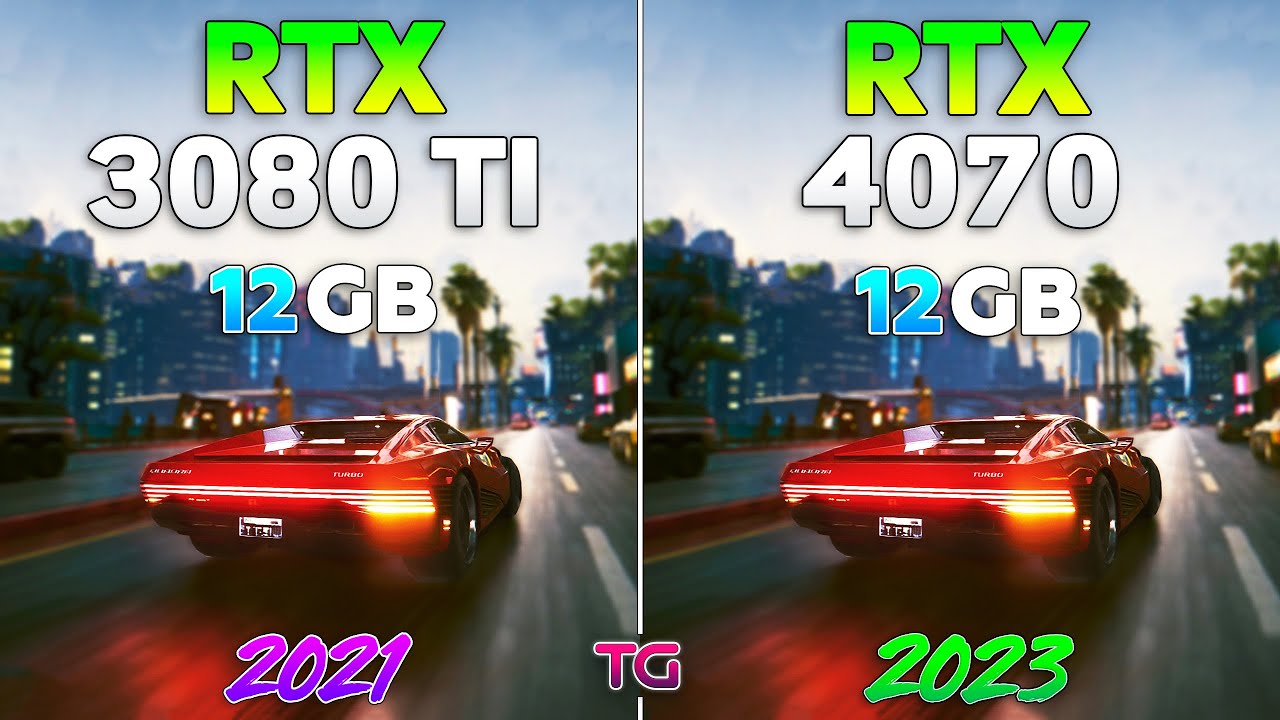
RTX 3080 Ti 12GB vs RTX 4070 12GB l 1440p
Games :
Starfield - 0:00
Microsoft Flight Simulator - 0:54 - https://gvo.deals/TestingGamesMFS20
CYBERPUNK 2077 - 1:46 - https://gvo.deals/TestingGamesCP2077
Red Dead Redemption 2 - 2:45 - https://gvo.deals/TestingGamesRDR2
Forza Horizon 5 - 3:47 - https://gvo.deals/TestingGamesForza5
Alan Wake 2 - 4:...
have this video as food for thought
 heady stratus
 solemn panther
86C
solemn panther
86C
I've been able to keep my memory junction temps around 90 under full load and my GPU around 70 with my Mini Copper heatsink mod on my asus 3090
Idle right now it sits at 40C
solemn panther
heady stratus
I've been able to keep my memory junction temps around 90 under full load and my...
My core temps where 86
As for memory..... idk
heady stratus
oof, one sec i'll show you the setup i use
heady stratus
solemn panther
My core temps where 86
See how I layered the mini heatsinks in arrays?

Then the fans are set to exhaust, so they just pull the air as they sit on top of the heatsinks
The fans themself are plugged right into the 3090, which i like that the card even had that option
solemn panther
heady stratus
See how I layered the mini heatsinks in arrays?
You took off the backplate!!? I've never seen anything like it

Holy 🐄
heady stratus
solemn panther
You took off the backplate!!? I've never seen anything like it
this is all mounted on top of the back plate, the memory chips are right underneath it and the heatsinks are drawing heat directly from the memory chip arrays on the card
solemn panther
Wow
heady stratus
2 noctua fans cranked up to 100% constant, dropped my temps by up to 15C peak
 heady stratus
Yeah, I've got a datavac, but that doesn't remove the fine dust
i'd have to get in there with Q tips
solemn panther
Hmm
 naive bane
What is the reason we don't have Nvidia SLI anymore? Will it return? Can it return?
craggy condor
naive bane
What is the reason we don't have Nvidia SLI anymore? Will it return? Can it retu...
awful scheduling. why have a higher FPS when it plays like a lower one? probably not. in a way, through MCM GPUs rather than true discrete GPUs
forest oasis
naive bane
What is the reason we don't have Nvidia SLI anymore? Will it return? Can it retu...
technically still exists, but as nvlink and exclusive to server/workstation cards pretty much now
the technology has proven itself to be basically completely useless for gaming
especially with how fast single gpus are now
cerulean rover
naive bane
What is the reason we don't have Nvidia SLI anymore? Will it return? Can it retu...
SLI/Crossfire needs to make sense for 3 parties to make a return.
First, for consumers, it's already out of reach for 90% of consumers because of the price of needing 2 GPUs, needing a better PSU, and needing to get a compatible motherboard, along with other considerations like heat and electricity cost. There are very few consumers that just happen to already have 2 identical GPUs and want to use SLI for gaming, and there are even fewer may buy another if it was supported. It also needs to provide enough of a performance uplift on the software side for those consumers to even be interested in getting another GPU for SLI, and implementations in the past have failed at that.
Then, for developers, there needs to be a big enough section of the player base who already has this hardware setup that might make it make sense for them to develop something to accommodate SLI/Crossfire, and then the development timeline will get extended if they want to accommodate this small section of the player base. This also leads to very inconsistent results on the software side, requiring a ton of time and commitment, otherwise you get something like Fallout 4's SLI implementation, where you lose performance with 2 GPUs compared to running a singular GPU lol (In testing with 1080tis back in the day)
Lastly, for manufacturers, it needs to make sense for them to spend months of development making the driver compatible, along with making the hardware compatible (modern GPUs need way more bandwidth, which will necessitate another development like the old SLI bridges), just for the tiny payoff of potentially less than 1% of their gaming audience to maybe buy another GPU. And as a reminder, gaming is now <5% of Nvidia's total revenue, why should they chase after <1% of <5% and put months of development work into that?
heady stratus
cerulean rover
SLI/Crossfire needs to make sense for 3 parties to make a return.
First, for co...
But.... my dream of 2 Strix 3090s 🙁
random walrus
I wonder if we'll see a sort of return but via one card doing the rendering and another doing the upscaling and frame gen
I think you can do that with LSFG but it would be cool to see it work with dlss and fsr
hot bough
random walrus
I think you can do that with LSFG but it would be cool to see it work with dlss ...
LSFG does indeed have this capability. The main issue is that it has noticable latency unless you generate a significant number of frames.
craggy condor
random walrus
I wonder if we'll see a sort of return but via one card doing the rendering and ...
not any real need to with how much low precision float and matrix performance modern GPUs have. 9070xt has like 1500 TOPs or something. given enough vram you can pretty easily run a small LLM, upscale, and create ai voice (for the LLM generated dialogue) at the same time without really touching the shaders
imo that's probably where gamibg is going next, we just need better models and wayyy more vram. iirc PS6 is supposed to have 30/48GB standard for the handheld and full console respectively, so that should help
random walrus
Especially with dlss4 we're seeing that it's possible to make & run better upscaling models, just at higher performance penalties. It would be nice to offload that to another gpu
Also potentially if it was done as a sort of smaller accelerator style card, then people on older generations (like Nvidia 20 series or the int16 AMD gpus) could drop in a newer generation accelelerators
That sounds awfully consumer friendly though, so I doubt we'll be seeing it lmao
craggy condor
random walrus
Especially with dlss4 we're seeing that it's possible to make & run better upsca...
that's more of a latency thing not really throughput. you'd be massively increasing latency by talking across PCIE bus from one device to another
and with regard to overall throughput, like i said 9070 xt even has like 1500 TOPs
 sinful bobcat
Thinking if I should get a 1060 or 1070
~My wallet, my wallet is telling me no... But my body is telling me yeees~
 graceful frost
1070
 brittle heron
RX 580
Freesync monitors are cheaper
RX580 is cheaper than the 1060 and between the 1060 and 1070 in performance
Just do it
200 bucks
That's how cheap one of the 8gb versions is!!!
sinful bobcat
🤔
graceful frost
I’m still using a 970 so I’d say get anything that beats that lol
graceful frost
I don’t have anything against AMD I Just favor intel for some (probably dumb) reason
 valid crypt
You'll never push me onto AMD GPUs. Many have tried, all have failed.
brittle heron
After you've had the power of a 1080ti, it's hard to go back
graceful frost
GPUs I’m NVidia all the way lol
brittle heron
But right now AMD owns the midrange
IMO, the RX580 is a far better value than any 1060 will ever be
graceful frost
Good thing I have a 970 🤣
brittle heron
Still a decent card, I have friends who have 950s. I however, have none...
But not for long!
Hopefully
valid crypt
I'd be more than happy to rock AM4, but Nvidia all the way. Crimson software kills me
EVERY.
TIME.
brittle heron
smh, $1200 paperweight
 jaunty jewel
what about a amd radeon 7850 graphic card?
brittle heron
Ask Steve, I'm only aware of current gen...
valid crypt
Never met a person with a 7000 series GPU in my heyday so couldnt tell ya
Knew ppl with GTS 9000 series, gtx 200s, etc
jaunty jewel
i had a tower from newegg it was an ibuypower
took out the graphic card, and replaced it with that.
even had an hauppage tv tuner card.
valid crypt
An upgrade from what was in it, for sure.
But the last prebuilt I bought from a store was a Compaq in 98'
jaunty jewel
i know its horrible , but im running a nvidia gt force 490
valid crypt
My emotes T-T
 valid crypt
Im looking to pick up a gpu hopefully by Christmas
brittle heron
Lol, I'm looking to build a system by christmas
jaunty jewel
I KNEW it was either 2010 or 2012.
valid crypt
Im going full custom cooling loop, so unfortunately cant have it by xmas T-T
jaunty jewel
i know this is in the wrong chanel, but is there any towers that are completly plain, and yet big enough to handle most mobos, that are under 100?
just the chasis alone.
brittle heron
NZXT h500, any ThermalTake ATX case
Have you ever used pcpartpicker.com?
It's super useful
jaunty jewel
i havent, but then im also not really smart on what i want
valid crypt
@brittle heron solid build, not thrilled with that captain aio, but if you must lol
jaunty jewel
the case looks big but with the glass/plastic opening isnt what im looking for.
when i say plain i meant solid metal.
nothing fancy, no lights, no nothing
brittle heron
@valid crypt buuuuuuuut aesthetics
jaunty jewel
think of a dell middle school tower.
valid crypt
No acrylic side panel?
jaunty jewel
Nothing. just solid peice of square metal.
valid crypt
Bad cheeseburger!
brittle heron
Chez*
valid crypt
CHIZ
jaunty jewel
icanhazcheeseburgers.
sinful bobcat
You're an S
sinful bobcat
That's like rupees, yeah?
jaunty jewel
i wouldnt know im a usd user.
sinful bobcat
Check the top right of the website... Make sure it's set to USA