#graphics-cards
1 messages · Page 102 of 1
 cold fox
 hot bough
I see. I need to also replace my PSU, I plan to get the Corsair SF1000
cold fox
sfx case?
hot bough
Yes/no.
cold fox
mini matx?
hot bough
Two reasons.
- I fly with my pc a lot so I want to downsize in general
- Very well rated PSU
- The case I am getting in the future is the SSUPD Meshroom S with the extension and legs
hot bough
cold fox
ahhhh i love that case
I like it because it's just barely within Carry-On limits for United Airline.
While fitting full size parts.
@fickle glade, do you know if the 9070xt XFX Mercury supports dual bios? Part of me is debating the idea of flashing a higher powered bios if that exists.
cold fox
hot bough
<@760258368719159318>, do you know if the 9070xt XFX Mercury supports dual bios?...
yes but they have to be identical
oh wait
app you can change it?
idk
better to assume it doenst
hot bough
cold fox
app you can change it?
What do you mean by "app"?
hot bough
In any case, from what I can tell the 9070xt XFX Mercury has the highest TDP/Boost bios of all the models
So the only way to get it higher is to mod the bios
cold fox
and no 12v
hot bough
Which is beyond my skill sets.
cold fox
you can +10% pl on it
hot bough
So with max power limit it's what a 450w card?
cold fox
should be ~400 i think?
hot bough
cold fox
should be ~400 i think?
Site doesn't show an answer but google has searches saying 380-400 watts
So assuming 400 watts a +10% increase will be 440w.
cold fox
it should be 400 after the 10%
 naive flicker
 little sleet
gotta manual delete
little sleet
gotta manual delete
Can we get a trap channel please
little sleet
 hot bough
@cold fox do you know if there is any performance difference between the XFX: Magnetic vs Gaming?
To my understanding the two perform the same but the Magnetic has fans that are very easy to replace and possibly longer warranty.
hot bough
<@&525119001324683264> have any of you tried running an AMD and Nvidia GPU at the same time? I am debating running the 9070xt with my RTX 3070 if possible for Blender and to use the two in tandem for frame generation which I heard can be done using the Lossless Frame Generation software on steam.
 sonic holly
hot bough
<@&525119001324683264> have any of you tried running an AMD and Nvidia GPU at th...
sonic holly
hot bough
<@&525119001324683264> have any of you tried running an AMD and Nvidia GPU at th...
I have no experience with running AMD AND NVIDIA at the same time, but I have had a dual GPU setp for over 2 years now (3090 and 3060ti 16GB). They can be useful for some things, but useless for others. If you want to do something like blender or lossless scaling, keep in mind that you need fast PCIe, otherwise the second card will be useless (as is the case with mine, my 3060ti 16GB is only on 1x gen 3, so its 1GB/s, making it uselss for most things)
hot bough
sonic holly
I have no experience with running AMD AND NVIDIA at the same time, but I have ha...
I see. My board has 5.0x16 for Slot 1 and 4.0x4 in slot 4 which is a full size slot.
sonic holly
That might be fast enough then actually
I have no idea how AMD and NVIDIA could cause issues tho. I know that 2 NVIDIA GPU's can be a bit of a pain to keep working reliabily as is
hot bough
I don't expect to use both GPUs for gaming outside of frame gen
But I was thinking that maybe using the 3070 and 9070xt at the same time may be beneficial for Blender.
sonic holly
That I highly doubt. I used blender for many years, and I don't see any way in which you could have a scene rendered with both HIP and Optix, personally
plus that 3070 likely shreds teh 9070XT for ray rendering even with HIP
hot bough
Anyway to share the Vram?
sonic holly
not in something like blender, and especially not across brands, no
At least from what I know. I don't know of any programs that work that way outside of the open source Ai community
open source AI can do some crazy crap with VRAM and multi GPU, but I don't think mainstream programs have any level of that functionality yet
hot bough
Damn. What gave me an idea is that a friend I knew said the company he worked at years ago had developed some CAD software to pool stuff like Vram from multiple GPUs together
So I was hoping that was an option.
sonic holly
its usually possible with bespoke software, drivers, and specialized hardware, like an NVIDIA Quadro
hot bough
So it sounds like, my best bet is use the 3070 for Blender, 9070xt for gaming, and possibly be able to use both for Frame Gen using Lossless Scaling?
sonic holly
Yeah, I would say so
hot bough
And I guess albeit not ideal if I am working on a scene that needs +8GB of VRAM in Blender I can just switch to the 9070xt despite slower speed
sonic holly
3070 for rende,r 9070xt for gaming, 9070XT for native frames and 3070 for lossless scaling frames
sonic holly
hot bough
And I guess albeit not ideal if I am working on a scene that needs +8GB of VRAM ...
Yeah, that seems reasonable
I have no idea if the 9070XT is actually slower, they may have made some big strides with HIP. Its been a long time since I have used blender as is
hot bough
Do you think the CORSAIR SF1000 can handle a 9950x3D, 3070, and a 400w 9070xt?
If I do buy a 9070 I am gonna get the XFX Mercury which can draw up to about 400w.
Did some dirty math.
300w (9950x3D) + 400w (9070xt) + 220w (3070) = 920w not including power draw from the fans, pump, SSD, or spikes.
sonic holly
it would be very smart to power optimize the cards. Especially for stuff like renderind
I do local AI, and power optimization is a huge thing
my 3090 can use 430 watts, but capping it to 250 watts gets me within 99% of the same performance
hot bough
I see. Sounds like I may make two separate profiles. One for daily and one for rendering.
sonic holly
same thing with rendering. Also, you are not likely to hit yopur CPU, and both GPU's all at the same time with a transient spike. I would assume it would be fine
I have a 1200 watt PSU, and it handles my use case fine (Granted, mine is a lot more optimized)
I have a 12600k, 3090, and a 3060ti 16GB, so they can all transient spike together and its perfectly fine. In real world my 12600k is undervolted, 3090 is power limited, and 3060ti is clock locked
hot bough
Question, do you think 5.43-5.45Ghz all core with cache/FPU enabled for the V-Cache CCD is good? Roughly 120w power draw.
hot bough
sonic holly
I have a 12600k, 3090, and a 3060ti 16GB, so they can all transient spike togeth...
Gotcha.
I plan to overclock the hell out of the 9070xt hence the reason I chose the XFX Mercury. My 3070 can't overclock to save it's silicon heart.
sonic holly
Just as long as you realize that overclocking is a monumental waste of power and leads to faster hardware death, then by all means, go for it 😅
if you just want faster, then fair enough lol
hot bough
sonic holly
if you just want faster, then fair enough lol
I enjoy it, and have always had good luck with performance uplifts.
My RAM OC albeit obnoxious netted me about 20% better .1% and .01% lows in games with a minor bump of about 6% to average highs.
CPU tuning has been a complete headache on this 9950x3D. Each core has such wildly different voltage tolerances.
Doing about 5.55Ghz all core on V-Cache CCD with the Cache isn't overly stressed.
Mostly heat limited.
 onyx zinc
I know the 60 series cards get a lot of hate, but 2018-2020 me would have been through the roof with excitement for a card like this back then. And yes, it’s the 16GB model.

 sacred crow
Do 60 series cards in general get a lot of hate? I thought a lot of hate is just the current GPU landscape compared to what it used to be.
60 series are probably the most bought gpu from Nvidia.
 torn garden
I don't remember the 16gb 5060ti getting any hate
 cerulean rover
5060ti 8gb still got a lot of deserved hate
 random walrus
sonic holly
Just as long as you realize that overclocking is a monumental waste of power and...
random walrus
sonic holly
Just as long as you realize that overclocking is a monumental waste of power and...
This is not universally true
The 9070 and 9070xt both OC very well
And as long as you don't mess with voltage and stay at safe temps, the lifespan is unaffected
hot bough
random walrus
And as long as you don't mess with voltage and stay at safe temps, the lifespan ...
Well answered.
I also wish to add that, so long as the positive voltage applied isn't obnoxious the hardware will still last a long time. Take my D5 Hynix A RAM for example, I've been running 1.65v VDD for two years and 1.85v VDD on it for about 9 months now. No degradation at all. As per my 9950x3D I've run a positive +25mv offset on it for a year with no signs of wear and 1.27v VDDG with 1.2v VDDP. Long story short is that, even though technically more voltage means a shorter lifespan, the hardware can still last many years before showing signs of wear.
 round zinc
Didn't you say you wanted to get a meshroom? How are you planning to run dual GPU?
hot bough
round zinc
Didn't you say you wanted to get a meshroom? How are you planning to run dual GP...
Can run one in the back and in the front with some tinkering about.
Also the back has two mounting positions for a GPU.
round zinc
Doesn't the psu block the secondary pcie slots? Or is there somewhere else to puit it?
hot bough
@round zinc
I can put one on the left and one on the right side.
 hot bough
round zinc
Doesn't the psu block the secondary pcie slots? Or is there somewhere else to pu...
hot bough
round zinc
Doesn't the psu block the secondary pcie slots? Or is there somewhere else to pu...
PSU if it's SFX can go in the front.
This is the case without the extender to show the other GPU mounting position.

Now the bigger issue is going to be thermals with two air cooled GPUs next to each other.
cold fox
hot bough
<@981674102215569408> do you know if there is any performance difference between...
Nah
onyx zinc
torn garden
I don't remember the 16gb 5060ti getting any hate
Only problem with the 5060TI 16GB, as with any GPU, is the price. It’s too close to the now available 450-500$ 5070’s and at their 429$ MSRP get beat out by the similarly priced 4070, or up to 100+$ cheaper 3080

 heady plover
what parts of a laptop gpu detect and determine voltage and amperage? is it on the gpu die? or is it an external thing? if a pc believes its gpu is constantly using 800watts and therefore wont give it more power and its been determined that its 100% not software or firmware then could it be solved by replacing broken hardware?? there are people who are skilled and do things like gpu swaps on laptops. could a similar thing be done but specifically for the power delivery/detection?? i dont actually plan on doing any of this btw. its an issue im having but not an issue i plan/need to fix.
 tawny pendant
I am looking for some help, my son's pc started acting up today. It turns on, it posts, I can see ethernet activity however the graphics card will not stay on. The fans spin for a few seconds after start up but then stop. I'm at a loss on where to even start.
I'm not sure if it is the GPU or the power supply
round zinc
heady plover
what parts of a laptop gpu detect and determine voltage and amperage? is it on t...
So it thinks it's using 800w even when it's idle and throttles itself terribly? Find a board view, figure out where the shunt resistor is at and check it.
round zinc
tawny pendant
I am looking for some help, my son's pc started acting up today. It turns on, it...
Fans turning off on GPU is normal, basically all modern gpus have a zero rpm mode. What do you mean by it posts then turns off?
heady plover
round zinc
So it thinks it's using 800w even when it's idle and throttles itself terribly? ...
yeah it does. id do it but honestly i have very little knowledge of electronics at this size. i dont know how to read the sheets ive seen so far and i dont know which resistors to start probing
sacred crow
This looks like a classic scam.
naive flicker
@royal copper @vital oriole there's two
 dawn onyx
why is the 4060lp going for way more than the 5060lp these days?
round zinc
Things that are out of production go up in price instead of completely out of stock. It's just how amazon and other big online marketplaces work because of weird incentives and penalties on the sellers.
dawn onyx
round zinc
Things that are out of production go up in price instead of completely out of st...
But even second hand market comps are weirdly high for that card
There WAS an advantage but thankfully nvidia quietly added the physx 32 bit support back recently
naive flicker
@vital oriole
 regal path
hello i have a very stupid question, how DO i upgrade my pc's GPU? i never had a PC this long before, im wanting to upgrade it but how do i know what will work with the motherboard? what factors should i know before making a choice on what GPU to get . . .
 rain frigate
regal path
hello i have a very stupid question, how DO i upgrade my pc's GPU? i never had a...
rain frigate
regal path
hello i have a very stupid question, how DO i upgrade my pc's GPU? i never had a...
The important information ℹ️ you will need to find. Is information about your motherboard to know what the specifications of your motherboard and what limitations your working with.
The other factor on a GPU upgrade is based on your power supply (PSU). You need to know how many Watts your PSU can output.
@regal path a great website to check out is PCPartPicker.com
regal path
how do i find out the watts on the PSU? is there like a sticker on the it?
rain frigate
Most likely there's sticker on the PSU
Sometimes it'll be even labeled on it in regards to how many watts you have
round zinc
Can you take a picture of it?
regal path
ya hold on
round zinc
Not letting you post a picture? I can't remember if it's this server where you have to have a role first.
regal path
i cant post pictures here Q_Q
 regal path
thanks ^^
round zinc
Not a great model though. What gpu were you planning to upgrade to?
regal path
RTX 3050 or RTX 3060 Q_Q
round zinc
Should be fine for something in that power range. A used gpu? The pricing on those is pretty bad for new ones.
They're two generations old and still go for basically full price.
regal path
im looking at new but i would not mine getting a used one
also would a 3060 be better then the 50?
round zinc
Significantly. Check the prices on 5060 or 9060xt though. Those are a lot faster than a 3060 and they are all around $300.
regal path
oh? would they work with my motherboard tho?
round zinc
Yeah. All gpus use the same connector to the motherboard, pcie. The generation can be different but it's backwards compatible. Like pcie gen 5 works fine in a gen 3 slot. You lose some bandwidth in the connection but it's usually not significant unless you're also playing a game that's trying to use more vram than you have available.
regal path
fair XD
 olive bobcat
@regal path what’s your budget for gpu upgrade?
 quiet escarp
@olive bobcat You available for a quick question
olive bobcat
quiet escarp
<@423224499849134081> You available for a quick question
Always
 quiet escarp
Prebuilts are like $200 cheaper than building
Whats your thoughts on this
I put it in PC Part Piccker
exact specs
$100-$200 more
I basically did an anaylsis and found out prebuilts are currently cheaper
due to memory and storage prices
@olive bobcat Let me know what you think
olive bobcat
If that works for you, go ahead
quiet escarp
olive bobcat
If that works for you, go ahead
I want your expert opinion
olive bobcat
Just make sure there’s no other cheaper option
quiet escarp
If you have better parts, a better prebuilt, or want me to build one
I built my previous pc
Just any suggestions from Mr roomba
@mighty island any thoughts, I used to love your advice from 1-2 years ago
olive bobcat
Check this out on @Newegg:Yeyian Gaming Desktop Phoenix Tempered Glass Intel Core i9-14900KF GeForce RTX 5070 – Ai Powered 32GB DDR5 6000MHz RGB 2 TB NVMe SSD 240mm AIO Windows 11 Home - YPI-PG49KFC-5701N https://www.newegg.com/yeyian-warriors-gaming-desktop-pc-geforce-rtx-5070-intel-core-i9-14900kf-32gb-ddr5-2tb-nvme-ssd-phoenix-tempered-glass/p/N82E16883630085?item=N82E16883630085
Check this out on @Newegg:CyberpowerPC Gaming Desktop PC GM70929 AMD Ryzen 7 9800X3D 32GB DDR5 2TB NVMe SSD AMD Radeon RX 9070 XT Windows 11 Home 64-bit https://www.newegg.com/cyberpowerpc-gaming-desktop-pc-amd-radeon-rx-9070-xt-amd-ryzen-7-9800x3d-32gb-ddr5-2tb-nvme-ssd-gm70929-black/p/N82E16883230895?item=N82E16883230895
I’d honestly suggest this second one
quiet escarp
olive bobcat
I’d honestly suggest this second one
But I was told from people in this server that cyber company has bad parts
olive bobcat
1tb more storage
Same cpu
(Imo) better gpu
quiet escarp
and they cheap out?
quiet escarp
olive bobcat
That’s usually it in my experience
I know for a fact this is better
my only issue is Cyberpower
likes to cheap out on other parts
yk
not just the PSU
olive bobcat

This is what someone else got
Ram is meh, and same with PSU. But it’s better than the one you posted.
quiet escarp
olive bobcat
Ram is meh, and same with PSU. But it’s better than the one you posted.
your def right, but would you buy this even tho the parts are better
but risking the other parts?
because I do not want to change the PSU
etc
olive bobcat
Yeah
If anything, psus are still relatively cheap. Resell the one you get in the prebuilt
Montech century is a solid PSU
@naive flicker isn’t the century 3 the good one?
 quiet escarp
@olive bobcat and you wouldnt recommend building it right
since it is probably more
olive bobcat
quiet escarp
<@423224499849134081> and you wouldnt recommend building it right
Yeah at the moment

 mighty island
quiet escarp
<@122901618369757184> any thoughts, I used to love your advice from 1-2 years ag...
mighty island
quiet escarp
<@122901618369757184> any thoughts, I used to love your advice from 1-2 years ag...
think cyberpower is fine these days
but yeah we live in some interesting times where prebuilts can be cheaper than custom
quiet escarp
mighty island
think cyberpower is fine these days
Would you suggest buying a prebuilt, building it on your own, or you can find the best pc under at 2k or less?
mighty island
these ram prices...
quiet escarp
mighty island
these ram prices...
want your expert opinion mr mushroom
mighty island
working rn so I don't have too much time to look but think you can do better than that
quiet escarp
mighty island
working rn so I don't have too much time to look but think you can do better tha...
please, whenever you got time. You can either dm me or @ me
mighty island
pretty good price for a 5070 system
that still has x3d
not much diff between 7800x3d and 9800x3d paired with a 5070
quiet escarp
mighty island
not much diff between 7800x3d and 9800x3d paired with a 5070
would there be another thats better pc if I added $300-$500 extra?
mighty island
1400 for a 5070 system if you don't care about x3d
msi has a 5070ti system for 1700 too but no x3d
don't see any deals on x3d + 5070ti
quiet escarp
mighty island
msi has a 5070ti system for 1700 too but no x3d
my only requirements is that it needs to be x3d + have an extra PCIE slot
is there other websites other than newegg
or is newegg the best
mighty island
can check amazon/best buy/micro center if you have a local micro center but don't rly have time to check that for you rn
mighty island
mighty island
https://www.newegg.com/cyberpowerpc-gaming-desktop-pc-geforce-rtx-5070-amd-ryzen...
either way this one looks solid
there's an extra pcie slot there
quiet escarp
mighty island
can check amazon/best buy/micro center if you have a local micro center but don'...
I do not
mighty island
7800x3d definitely a stronger gaming cpu than 8700f
quiet escarp
mighty island
7800x3d definitely a stronger gaming cpu than 8700f
definitly. I currently have a 7800x3d and going to give the pc to my brother
4060ti
32GB DDR5 6000mhz
I dont want to downgrade
want to upgrade to a new one
mighty island
maybe grab that and save the extra money or treat yourself to nicer peripherals or something
it's definitely still an upgrade
7800x3d 5070
save $300 towards the next build when ram prices are hopefully sane lol
I just recommended a cyberpower to a friend and it's been fine
quiet escarp
mighty island
save $300 towards the next build when ram prices are hopefully sane lol
your suggestions are awesome thats why I @ you
the games I will be playing
need a very strong CPU
thats a bigger priority than the gpu
mighty island
the way I see it as long as it's not a brand that does weird proprietary OEM stuff
the only brand related concern is their customer service
quiet escarp
mighty island
the only brand related concern is their customer service
whenever you got time I know your working
dont want to distract you
lmk when your free
mighty island
oh wow what happened to ssd prices
mighty island
mighty island
https://www.newegg.com/cyberpowerpc-gaming-desktop-pc-geforce-rtx-5070-amd-ryzen...
yeah i don't think you can really beat this price with a custom build
quiet escarp
mighty island
yeah i don't think you can really beat this price with a custom build
ssd prices are 2x
memory prices are 3x-4x
mighty island
i would just grab this, i don't think the diff between 7800x3d and 9800x3d is gonna justify the price increase
or since you know how to build pcs anyway maybe you can swap the cpu yourself and sell the 7800x3d if you really want maximum cpu performance
looking like around 2k to custom build a comparable 9800x3d 5070 system so even buying the prebuilt and doing a cpu swap yourself would end up cheaper lol
well
idk how much an open box 7800x3d sells for these days
i guess that would probably void your prebuilt's warranty though
i would just try out the 7800x3d 5070 prebuilt as is for a bit, make sure it's all working etc. then consider cpu swap later if you truly feel you need it
quiet escarp
mighty island
i would just try out the 7800x3d 5070 prebuilt as is for a bit, make sure it's a...
bet preciate the info
quiet escarp
mighty island
quiet escarp
<@122901618369757184> https://www.costco.com/p/-/ibuypower-element-gaming-pc-des...
looks good to me
quiet escarp
mighty island
looks good to me
This is EXACTLY what I want
😭
but the closest one is 80 MILES :C
quiet escarp
mighty island
looks good to me
But IBuypower PSUs 😭
mighty island
80 miles not that bad of a drive for this big of a purchase
my nearest micro center used to be 400 miles
haven't heard of ibp psus being a problem recently, either way you have warranty
quiet escarp
mighty island
haven't heard of ibp psus being a problem recently, either way you have warranty
Isnt this like 100x better than all your other recommendations?
but I got to drive 80 miles..
mighty island
well yes, didn't check micro center cause you said you didn't have one local
quiet escarp
mighty island
well yes, didn't check micro center cause you said you didn't have one local
Mhm I might consider this, should I just buy this or do you have another pc recommendation from microcenter

 mighty island
powerspec is solid
quiet escarp
Awesome thanks
mighty island
powerspec is micro center's store brand
random walrus
possibly the best prebuilts tbh
quiet escarp
random walrus
possibly the best prebuilts tbh
On PC Part picker shits like 2.3k lol
to build it
1.8 on Micro
quiet escarp
my PC build of a 7800x3d and 4060ti went up $500. ITs the same price as a 5070 ti 9800x3d lol as the prebuilt
 ancient crystal
regal path
olive bobcat
<@341413831391707136> what’s your budget for gpu upgrade?
ancient crystal
regal path
olive bobcat
<@341413831391707136> what’s your budget for gpu upgrade?
im just window shopping, no idea how much im getting for the holidays and the rest i can cover with my card, again just depends on the holidays
 verbal mesa
Question about 9070xt vs 9070. I was dumb and got persuaded into buying a 9070xt open box because they didn't have the asrock challenge 9070 that I wanted and the 9070 reaper was like $20-30 more expensive than the 9070xt I got before tax
I want to go back and return in and buy a 9070 instead because of the how much less power it uses compared to 9070xt
Thoughts about this? I plan on gaming on 1440p
Part List - AMD Ryzen 7 7700, Radeon RX 9070 XT, Jonsbo D32 PRO MicroATX Desktop
Here is all the parts I currently purchased
random walrus
verbal mesa
Question about 9070xt vs 9070. I was dumb and got persuaded into buying a 9070xt...
Nah whoever persuaded you was smart. Why pay more for a worse card
Power difference is negligible unless you live somewhere with super high electricity costs
verbal mesa
random walrus
Power difference is negligible unless you live somewhere with super high electri...
Wait actually?
I was looking at wattage tho it was about 50% jump in watts from 9070 to 9070xt
Like a tdp of 220W to 304W
Also with open box I'm little worried about warranty too. Although they said the warranty still exists for powercolor apparently (it starts from when first person bought it) I looked at the sight and the terms were saying how it's only for new items and orginal owner
But there are issues with asrock too, I read online saying their limited warranty for graphics cards is convaluated. Something about warranty being 1 years instead of 3 years
Gosh my brain is hurting
random walrus
I mean the warranty thing could be something to look into. But typically if the card works on arrival it isn't gonna randomly crap out on you later


Most of the US has super cheap electricity
verbal mesa
random walrus
I mean the warranty thing could be something to look into. But typically if the ...
Ahh that's good to know. I never bought open box thing so I'm really anxious rn
I emailed powercolor about it yesterday hopefully they get back to me next week 🙏
Ah ok the electricity doesnt seem too bad at 12 cents kWh, Imma check my electricity I feel like it might be higher
I was just thinking since Im not going to be playing 4k anyways, might as well get 9070 non xt for the long term savings
Also I remember seeing vram temps being much better on the 9070 non xt in a few benchmarks so was concerned about that also. 9070xt from what I have observed from some benchmarks has the temps at ~90ish celcius although I have seen undervolted ones have much more sane temps
round zinc
They use the exact same memory config and speed so that would be some combination of cooler design and lower overall heat load.
The main thing to care about would be whether the warranty actually applies. If it does then the 9070xt has more cores and higher potential. You can power limit it and/or undervolt it and get same or better performance at that tbp range as a 9070.
cold fox
verbal mesa
Also I remember seeing vram temps being much better on the 9070 non xt in a few ...
as long as the temps arent insanely high theyre not any huge factor, obv better temps are better but nothing worth worrying about when you alr have the card
verbal mesa
round zinc
The main thing to care about would be whether the warranty actually applies. If ...
Ahh yeah the warranty is definitely on the top of my concerns. Hopefully they get back to me soon.
But yeah I do plan to undervolt if I keep the 9070xt but even then undervolting a 9070 will yield about the same difference 😭
Also the main thing is I feel that the 9070xt is too powerful. I'm only planning on doing 1440p gaming so I'm not sure if it's worth it for the extra power
verbal mesa
cold fox
as long as the temps arent insanely high theyre not any huge factor, obv better ...
Gotcha, that's good to know.
hot bough
random walrus
I mean the warranty thing could be something to look into. But typically if the ...
Me the guy who lived in California....
verbal mesa
Man.. I think microcenter people straight up lied to me
I asked in the Powercolor reddit where some of their staff is (I think they are staff) and they said they "dont really have a normal coverage for open box." but also mentioned if it is within 60 days I can ask them for help which is pretty nice
But no 2 year warranty is too scary for me I think 😭 I'm no expert with pcs and am worried I won't be able to troubleshoot problems
naive flicker
@little sleet spam? It's in multiple channels
little sleet
cant tell if bot or someone just waving in some channels in hopes someone replies
 vital oriole
verbal mesa
But no 2 year warranty is too scary for me I think 😭 I'm no expert with pcs and...
vital oriole
verbal mesa
But no 2 year warranty is too scary for me I think 😭 I'm no expert with pcs and...
pc parts often don't have issues so short in their lifespan
especially with gpus
 solar walrus
👋
verbal mesa
vital oriole
pc parts often don't have issues so short in their lifespan
Ok that's good to know 😭 Do you know what's the best way to benchmark and stress test it to make sure it's running as intended?
random walrus
verbal mesa
Ok that's good to know 😭 Do you know what's the best way to benchmark and stres...
Furmark for thermal testing, 3Dmark or Unigine Superposition for stability
verbal mesa
random walrus
Furmark for thermal testing, 3Dmark or Unigine Superposition for stability
What about steel nomad? I heard that one brought up alot
random walrus
verbal mesa
What about steel nomad? I heard that one brought up alot
Yeah that's a part of 3Dmark
verbal mesa
🫡
 solid glacier
850w PSU or 1k wat PSU for a 5080 and 9800x3d
round zinc
A little extra never hurts. Usually not much of a price gap between the two either.
 gilded tangle
solid glacier
850w PSU or 1k wat PSU for a 5080 and 9800x3d
gilded tangle
solid glacier
850w PSU or 1k wat PSU for a 5080 and 9800x3d
id say 1k incase for whenever overclocking the ram sticks on higher speed
torn garden
Enough headroom with 850 for that rig but we never know what direction future hardware might take in terms of power consumption
3090 was inefficient 4090 efficient and now we are back to being sort of inefficient with the 5090
round zinc
The gaming power efficiency on 40 and 50 series is basically the same. Which isn't surprising because it's using the same node from tsmc and a lot of the architectural changes were to streamline ai crap and the switch to gddr7. Efficiency isn't really the problem with picking a psu though, it would be total system power and then maybe you account for bad transients on one generation. Like 30 series and radeon 6000 were both pretty terrible for spikes. Any new atx 3 certified psu is going to be capable of handling pretty ridiculous spikes though.
And the 5090 is the most power hungry consumer card we've seen afaik. I also wouldn't expect to see them make desktop cards that use more power than that. They seem pretty averse to putting two power plugs on a gpu now.
verbal mesa
I'm curious what's a sff graphics card from Nvidia for 1080p gaming and productivity?

Looking at these right now, does 1080p even need 16gb vram?
hot bough
verbal mesa
Looking at these right now, does 1080p even need 16gb vram?
No. 8GB is enough for the average FHD game, with 12GB being plenty.
random walrus
16gb 4060ti is really an ai / workstation card
 velvet grail
this would have been less messy with a flexible sli bridge
 torn garden
verbal mesa
Looking at these right now, does 1080p even need 16gb vram?
torn garden
verbal mesa
Looking at these right now, does 1080p even need 16gb vram?
Nope but definitely needs more then 8
vital oriole
8 is still good for 1080p
even maxed out in some cases
but 8gb gpus typically don't have enough power to max out the latest AAA games at native 1080p anyway
 summer island
What's up with PCle 3,4,5 x16
For GPU??

 round zinc
summer island
What's up with PCle 3,4,5 x16
For GPU??
round zinc
summer island
What's up with PCle 3,4,5 x16
For GPU??
Pcie is how the gpu talks to the cpu and from there the rest of the system like storage and ram. Pcie is cross compatible between generations, doesn't matter if it's gen 1 or gen 5 it'll still work. Each time you go up a generation the bandwidth doubles. The x16 part is the number of lanes in the connection. Pcie will always work at the lowest supported spec, eg a gen 3 x16 (lanes) gpu in a slot wired for gen 4 x4; you'd only have x4 lanes and they will run at the slower gen 3 speed; so a gen 3 x4 connection. Using a gpu on a motherboard/cpu that are a generation behind generally doesn't matter much, like gen 5 x16 in a gen 4 x16 slot will work fine. As that lack of bandwidth becomes more severe it's more likely to cause lost performance or stutters though.
summer island
round zinc
Pcie is how the gpu talks to the cpu and from there the rest of the system like ...
It's all in motherboard right?
Or GPUs have different versions?😭😭🙏🏼
So 9060xt comes with PCIE 5.0
and which is the best motherboard??
Cpu = ryzen 5 9600x
round zinc
summer island
So 9060xt comes with PCIE 5.0
and which is the best motherboard??
Cpu = ryzen 5...
The best motherboard for you depends on if you care about any additional features like lots of usb ports, wifi, more than 2 m.2 ssd slots, a better audio chip, aesthetics, etc... And also size to fit a case. The main ones are standard atx, shorter micro-atx and small mini-itx.
Cpu and motherboard both determine how many lanes and what generation are supported. You don't have to worry about the cpu with a 9600x though. It's only the 8000 series cpus that have fewer and slower lanes available.
summer island
round zinc
Cpu and motherboard both determine how many lanes and what generation are suppor...
Best motherboard for 9600x with a possible upgrade option to 9800x3d?
round zinc
summer island
Best motherboard for 9600x with a possible upgrade option to 9800x3d?
https://pcpartpicker.com/list/VnLyDj These would all be pretty reasonable options.
Part List
If you plan to upgrade to a 9800x3d I'd probably give asrock a skip though.
summer island
round zinc
If you plan to upgrade to a 9800x3d I'd probably give asrock a skip though.
Msi?
And what's the difference between 650 and 850?
round zinc
The guaranteed minimum features. Almost every b850 will have a gen 5 x16 gpu slot, b650 was almost entirely gen 4, b650e is guaranteed gen 5.
summer island
round zinc
The guaranteed minimum features. Almost every b850 will have a gen 5 x16 gpu slo...
Going with 850 thanks man!
What's the main difference between msi vs gigabyte and asus
Apart from UI?
random walrus
summer island
What's the main difference between msi vs gigabyte and asus
Apart from UI?
They're different manufacturers, they all have a range of models
hot bough
 half locust
Neat
summer island
random walrus
They're different manufacturers, they all have a range of models
Performance wise which is best?
round zinc
summer island
Performance wise which is best?
As long as you don't try to put a very high power draw cpu in a very cheap crappy board it doesn't matter much. Even that cheap smaller asrock board has a good enough power delivery system to handle a top end cpu alright, the others are all better than that. The regular variance between brands and models is low single digit % because of slight differences in boost behavior and memory training, nothing worth worrying about. I'd focus more on the connectivity features like usb ports and ssd slots.
hot bough
summer island
What's the main difference between msi vs gigabyte and asus
Apart from UI?
Depends on the model. They all make very bare bones and very high end boards.
hot bough
round zinc
As long as you don't try to put a very high power draw cpu in a very cheap crapp...
I want to add to this that the board does matter if one wants to do Overclocking because a lot of the lower end boards have low voltage limits and or missing features along with differences in trace layouts which affect signal integrity for large overclocks.
summer island
round zinc
As long as you don't try to put a very high power draw cpu in a very cheap crapp...
Suggest me one
round zinc
For competitive or enthusiast overclocking yeah, you'd care more about the board. Most people are just doing xmp/expo and minor pbo stuff, don't exactly need an apex or tachyon for that.
summer island
Imma play games mostly in 1080p rarely 2k or 4k
Occasionally Blender, Adobe (photoshop and after effects), DaVinci
round zinc
Do you know what case you're using? Do you have any aesthetic goals like all white or anything like that?
hot bough
round zinc
For competitive or enthusiast overclocking yeah, you'd care more about the board...
You are right. There are plenty of budget options as well like the Gigabyte Force, ASRock HDV, MSI MPOWER, Asus AYW OC, etc.
Budget being $100-300 compared to the ridiculously priced Asus boards at $700+
round zinc
Itx usually has some good budget oc options too.
hot bough
summer island
Imma play games mostly in 1080p rarely 2k or 4k
Occasionally Blender, Adobe (ph...
- What CPU
- How many storage drives do you want/need
- What is your budget
- Do you need wifi?
- Any aesthetic preferences?
hot bough
round zinc
Itx usually has some good budget oc options too.
MSI Evo TI
Has iirc 3x M.2 slots as well.
The B650E Taichi boards are also good.
Not two dimmers but I have seen a lot of impressive results on those.
round zinc
The b650e taichi lite was ~$220 for a while and that was a lot of board for the money.
hot bough
Agreed.
A good alternative is the Gigabyte Force board.
Get grab it for $150-200 depending on region and it has 3x M.2 slots in a M-ATX form factor.
5.0x16 Slot and 5.0x4 M.2
WiFi as well which a lot of budget OC boards don't have.
That said it's USB ports are lacking so one would want to get a hub or USB AIC.
summer island
hot bough
1. What CPU
2. How many storage drives do you want/need
3. What is your budget
4...
For this build i will use 9600x
And will later upgrade to 7800x3d or 9800x3d
1tb-2tb nvme and 2tb hdd
Yes need wifi
$300-400 cad? Can pay more if necessary cuz i wanna spend once on motherboard
Asthetics are welcomed🙌🏼
round zinc
summer island
For this build i will use 9600x
And will later upgrade to 7800x3d or 9800x3d
1t...
https://ca.pcpartpicker.com/list/QRwqYd With current prices I'd be getting one of these three. Well featured and pretty cheap b650e tuf plus, a white option with the ayw, and a very whited out option with the aorus ice. Past that asus tuf plus, giagybte aorus elite, msi tomahawk, asrock riptide quality tier of boards you're not really getting much extra for your money imo.
Part List
summer island
Thanks!!
hot bough
summer island
For this build i will use 9600x
And will later upgrade to 7800x3d or 9800x3d
1t...
Gigabyte Force should be within your budget. Has everything you want and it's design means it has lots of OC headroom.


 inner token
 rustic pulsar
Looks normal to me
Random shutdowns isn't always related to the power supply
rustic pulsar
inner token
Looks normal to me
Now when I press the power button the PC will just turn on for a split sec and then turn off. I took out the GPU and it boot normally
im concered about top bottom left pin in the last image, the one that is a bit less shiny
inner token
how old is the pc and whats the psu and is it a prebuilt
rustic pulsar
inner token
how old is the pc and whats the psu and is it a prebuilt
2 years, I have a MSI MEG Ai1300P
inner token
is it a prebuilt
rustic pulsar
no i did it myself
inner token
and what kind of ram
rustic pulsar

G.Skill Trident Z5 Neo 64 GB (2 x 32 GB) DDR5-6000 CL30 Memory (F5-6000J3040G32GX2-TZ5N)
inner token
and when did the issues start
rustic pulsar
a week ago i had some random crashes, I assumed it was just software so I would change some things and try to fix... but guess not
crash = blackscreen and PC instantly off, kernal power error
inner token
was there any blue screens
rustic pulsar
nope
inner token
no new overclocks or any existing overclocks
and when it turns off does the pc completely power down or does it just reboot and no lights turning off and on
rustic pulsar
inner token
no new overclocks or any existing overclocks
nothing new, the same OC I had for 2 years
inner token
have you tried turning off the overclock to see if the issue persists
rustic pulsar
inner token
and when it turns off does the pc completely power down or does it just reboot a...
sometimes it would restart or I would lose display and have to reboot. Other times it would be completly off
round zinc
If it's turning off immediately after hitting the power button it's shorting. Working without the gpu narrows that down to two possibilities, gpu and power supply or maybe cable.
rustic pulsar
or pcie slot?
inner token
does it happen more often when it's been on for a long period of time
round zinc
Maybe.
inner token
or does it always happen no matter how long its been on
round zinc
rustic pulsar
Now when I press the power button the PC will just turn on for a split sec and t...
I thought you said it progressed to not working at all here?
rustic pulsar
round zinc
I thought you said it progressed to not working at all here?
sorry, meant when I had the GPU in. I removed the GPU and it powers on fine
round zinc
So the randomly turning off was before and now it doesn't work with the gpu in at all?
rustic pulsar
round zinc
So the randomly turning off was before and now it doesn't work with the gpu in a...
correct. It works fine without GPU
inner token
cause a gpu won't pull much power only way to know if it's a psu or gpu without a tester is try another psu or try another gpu
rustic pulsar
I can get a tester for cheap
round zinc
A real psu tester costs several times more than a good psu. If it's working on igpu a cheap psu tester isn't going to tell you more than that. You can look in the slot to see if there are pins misaligned or try it in a secondary slot if you can. If you have the octopus adapter you could try with that instead of the native 12vhpwr cable too.
rustic pulsar
inner token
cause a gpu won't pull much power only way to know if it's a psu or gpu without ...

A. Insert the power 20pin or 24pin and P4, P6 or P8 plug into the corresponding position of the power tester. (if the 20pin or 24pin interface tester alarms and displays “LL”, it needs to plug in 4P! Please make sure 4P is inserted in 4P position! )
B. Turn on the power supply, at the ...
inner token
You could either dish out the money for a tester or try and find other components to borrow to test
rustic pulsar
inner token
You could either dish out the money for a tester or try and find other component...
is it safe to try a secondary slot?
inner token
Cheapest option for you is bring it to a technician that can check parts for you
And yes
Just make sure it’s x16 or you’ll lose performance
round zinc
There are no consumer motherboards with multiple slots wired at x16, that's only a thing on hedt or server. It would just be to see if it works anyway to narrow down between gpu or mobo.
rustic pulsar
ok i will try my 2nd slot
rustic pulsar
inner token
And yes
i have booted to windows and have display!!!! Does that mean its the slot?
inner token
rustic pulsar
i have booted to windows and have display!!!! Does that mean its the slot?
It could be but also may have just needed to be reseated aswell try the other slot again to sorta get a bottom lining for yourself to see if it
rustic pulsar
inner token
It could be but also may have just needed to be reseated aswell try the other sl...
the slot connector is broke anyways, so it may just not be seating well
the plastic part on the board (not the clip) broke
inner token
Yeah could be man
Just test it out and see if it reboots on you again
May be something very minor
rustic pulsar
inner token
May be something very minor
i can, but I already tried it a few times when trobuleshooting my prior issue of random power downs
 vagrant nest
Anyone know a good PC for under $1000???
olive bobcat
vagrant nest
Anyone know a good PC for under $1000???
USD?
Check this out on @Newegg:ABS Cyclone Aqua Gaming PC - Windows 11 - Intel Core i5-13400F - Intel Arc B580 12GB - 32GB DDR4 3200 - 1TB M.2 NVMe SSD - CA13400FB5803 https://www.newegg.com/abs-kaze-ii-aqua-gaming-desktop-pc-geforce-rtx-5070-ti-intel-core-i9-14900kf-32gb-ddr5-2tb-nvme-ssd-ka14900kf5070ti/p/N82E16883360942
@vagrant nest
round zinc
Why is that url so weird? It says 14900kf and 5070ti.
olive bobcat
No idea
vital oriole
recycled link possibly
hot bough
Very much worth a watch.
https://www.youtube.com/watch?v=hqfutB69rmE

Stop clicking "Express Installation" and turning your gaming PC into an 800MB data farm. NVIDIA's official installer bundles telemetry, background services, and bloatware that tracks your gameplay and slows your system. This complete DDU + NVCleanstall guide shows you how to remove every trace of old drivers in Safe Mode, block Windows Update fr...
torn garden
Sounds like dude put on Tinfoil hats to the max
 prime jolt
i currently play on 1080p (1440p in the future) and play a multitude of games. I’m going to also be running a 7800x3d with this gpu. Ideally I’d be playing at high to max settings on most story/singleplayer titles without dipping below 60 fps. I’ve been researching a lot but just looking to get some opinions outside of outdated reddit posts
cerulean rover
prime jolt
i currently play on 1080p (1440p in the future) and play a multitude of games. I...
Other than newer dlss versions, which you shouldn't really use at 1080p and most of the time won't need at 1440p, 3080ti is going to perform the best assuming everything is still around the same price
 random walrus
I think the 3080ti is a big enough raster performance increase over the 4070 that the extra dlss4/4.5 performance overhead won't be much of an issue
olive bobcat
What GPU’s would be a good trade for a 9060XT 16GB?
equals, lessers, etc.
random walrus
olive bobcat
What GPU’s would be a good trade for a 9060XT 16GB?
equals, lessers, etc.
 olive bobcat
random walrus
olive bobcat
random walrus
How old is this though
And does it take into account frame gen at all
random walrus

TechPowerUp
The AMD Radeon RX 9060 XT launches at a highly competitive $350 MSRP, which is much lower than the NVIDIA GeForce RTX 5060 Ti 16 GB, yet the card offers similar performance. Thanks to the dual BIOS feature, noise levels of the ASUS Prime are incredible: whisper quiet!
random walrus
olive bobcat
And does it take into account frame gen at all
I hope not
olive bobcat
Okay
hot bough
torn garden
Sounds like dude put on Tinfoil hats to the max
Fair. Also you can unselect a lot of the stuff by just doing Custom Install.
As much as I dislike bloatware, as with Windows I do enjoy that because of the info given, it makes it easy to automate things and makes the user experience better.
granted I do minimize the info provided.
cold fox
prime jolt
id get a 9070 or 9070xt
random walrus
cold fox
id get a 9070 or 9070xt
$420 3080ti beats both a $590 9070 and $660 9070xt in price/perf
random walrus
still supports dlss 4 I believe
cold fox
not full dlss4
random walrus
no frame gen?
cold fox
that doesnt matter, i mean im 99% sure the actual upscaling is worse
random walrus
pretty sure it gets the transformer model which in my eyes is really the good part of dlss4
slightly higher performance overhead, yes
9070 is ~13% perf for 40% more $ and 9070xt is ~27% perf for 57% more $
unless you get one used but idk how many are on the used market
cold fox
yeah its better value. but again its used
random walrus
so?
cold fox
the drawbacks of being used exist?
random walrus
might need to repaste it. That's literally it
cold fox
uh
higher chance of it being broken or breaking? less warranty time/no warranty time?
chance of being scammed
random walrus
If someone has gone out of their way to find used prices I'm assuming they are comfortable with ensuring the card isn't broken
I guess the fans could break but other than that and paste, gpu components don't really age
unless it's been run at stupid temperatures but there are built in measures to prevent that
random walrus
random walrus
9070 is ~13% perf for 40% more $ and 9070xt is ~27% perf for 57% more $
if the price difference was closer I'd say sure, go new. But this is pretty significant
cold fox
still, there IS downsides to buying used, and if they wanna risk that then 100% get that 3080ti, but otherwise
 heady stratus
I'm hoping my strix 3090 will still perform well on the next gen gamess, it's held its own with a few cooling modifications for about 5 years now
torn garden
By next gen you mean ps6 exclusive games ?
Because rn even the most cutting edge stuff is current gen
prime jolt
prime jolt
poll_question_text
Which GPU for 1080-1440p, well-rounded triple A/shooter gaming?
victor_answer_votes
5
total_votes
8
victor_answer_id
2
victor_answer_text
4070 ($440)
random walrus
3080ti is cheaper and faster lol
I guess the 4070 has slightly less performance overhead for dlss transformer model
^Would be something to look into before buying the 4070 over the 3080ti @prime jolt
round zinc
Can be slightly faster but it's also older and uses like 100w more.
olive bobcat
random walrus
Where’s the 3080ti?
round zinc
It will vary a bit depending on resolution and list of games used to get the average. It's not going to be a night and day sort of difference you'd ever really notice though.
 random walrus
round zinc
It will vary a bit depending on resolution and list of games used to get the ave...
random walrus
round zinc
It will vary a bit depending on resolution and list of games used to get the ave...
I've heard 3080 12gb is close to the 4070 but idk maybe i was mistaken
random walrus
olive bobcat
Where’s the 3080ti?
See the poll higher up
round zinc
That would be close, the difference between 3080, 3080 12gb and 3080ti was pretty small.
torn garden
4070 is more preferable over a 3080
 frank dagger
Update to the cursed build. I took my gpu to a professional chip guy. Apparently the gpu was fine. He says the problem was likely a bad hdmi cord... i seriously don't get how a bad hdmi can cause a system to shut down, have a system skip bios, disconnect an m.2 ssd, and make the pc suspend itself.
Is it even possible?!
frank dagger
omg... it was the hdmi and im getting 10 extra fps... how in the...
naive flicker
frank dagger
omg... it was the hdmi and im getting 10 extra fps... how in the...
you were not kidding abt the cursed part
rustic pulsar
Would appreciate some assistance
GPU fan makes this noise but only at low rpm
That’s 30%, here is 50 and 80% fan speed
summer island
Ancient engine type shii
 cold fox
solid glacier
might of messed up
cold fox
solid glacier
might of messed up
what about it
round zinc
solid glacier
might of messed up
Asrock with 9800x3d? It's supposed to be fixed but 'd swap it out if you can do a return. That's also a non wifi version if you care about having built in WiFi or Bluetooth.
solid glacier
yer
velvet grail
on my 1080ti pc I used to connect two displays directly to the gpu since I had no igpu. I now moved to an i5 8500 which has uhd630, do you recommend connecting the 2nd display to the igpu to reduce load on the 1080ti or is it negligible? I only game on one monitor
both displays are identical 1080p60 btw
round zinc
velvet grail
on my 1080ti pc I used to connect two displays directly to the gpu since I had n...
It's very negligible.
cold fox
velvet grail
on my 1080ti pc I used to connect two displays directly to the gpu since I had n...
It’s better to only use the gpu and disable the igpu since it increases your cpu temps
 nocturne marlin
Preference in the $3-400 ranged maybe even used is fine for gaming only?
Saw 9060xt for $280 with a lot of positive reviews, but on TEMU
 ionic thorn
is a 5070 ti worth it
random walrus
ionic thorn
is a 5070 ti worth it
9070 and 9070xt are typically much better value
ionic thorn
random walrus
9070 and 9070xt are typically much better value
yeah but rt wise
like dlss
random walrus
Nvidia does have the upper hand in both of those
torn garden
It was looking like they were catching up with fsr 4 but with dlss 4.5 nvidia increased the bar to a new level
random walrus
Arguably didn't even catch up. Fsr4 caught up to dlss3 (CNN model) but dlss4 (Transformer model) released about the same time and blows fsr4/dlss3 out of the water
And 4.5 is a nice improvement too
round zinc
Game support is a pretty big gap too.
cold fox
ionic thorn
yeah but rt wise
not really
5070ti is about 7% better in both non rt and rt over 9070xt
cold fox
random walrus
Nvidia does have the upper hand in both of those
not anymore
random walrus
cold fox
not anymore
dlss absolutely does
cold fox
meh, ive tried dlss 4 and fsr4, they look pretty much the same
random walrus
Though yeah I suppose the RT gap is largely closed by the extra raster on amd cards

 random walrus
Dlss4 transformer model is massively improved in motion
cold fox
random walrus
Yeah clearly /lh
whats lh
random walrus
Lighthearted
 nocturne marlin
Based on researching last couple days it seems like a used 6750xt would prob be my best bet on a card under $300 that i can put in an older i7 rig to keep it going another 4-5 years? Gaming only
random walrus
nocturne marlin
Based on researching last couple days it seems like a used 6750xt would prob be ...
Might be able to find a used 3080 for $300
6750xt is good too though if you're aiming for more like $225-250
3080 10gb for ~285 shipped
https://ebay.us/m/soNHz8

eBay
The PNY GeForce RTX 3080 XLR8 Gaming EPIC-X RGB Triple Fan Edition with 10GB of GDDR6X memory is a high-performance graphics card that offers exceptional gaming experiences. Featuring NVIDIA GeForce RTX 3080 chipset, this card supports APIs like CUDA, OpenCL 2.0, DirectX 12, OpenGL 4.6, and Vulkan for improved graphics performance. With a coolin...
nocturne marlin
random walrus
3080 10gb for ~285 shipped
https://ebay.us/m/soNHz8
Says $260 + $55 shipping for me. Otherwise seems good but shipping kills it for me. If you see anything else like that in that $250-350 range just looking for good value
random walrus
Ah yeah shipping was a lot less for me
Are you in the US?
This is $300 and free shipping for me. Blower is less than ideal though

eBay
The GIGABYTE GeForce RTX 3080 TURBO 10GB GDDR6X Graphics Card is a high-performance graphics card equipped with 10 GB of GDDR6X memory, ensuring smooth and efficient graphics processing. It features DisplayPort and HDMI connectors, making it versatile for various display setups. With support for DirectX 12 Ultimate, OpenGL 4.6, and Vulkan APIs, ...
nocturne marlin
random walrus
Are you in the US?
Florida, you prefer the 3080 of 6750xt? Everything I read says XT better
random walrus
Pretty sure the 3080 is faster
Lemme double check
I know the 6700 is about equal to a 3060ti and the 6750xt is a bit faster
Can't find the techpowerup chart with both of them

Ah there's this @nocturne marlin
nocturne marlin
Ok yeah looks like 3080 better according to this chart even though 2gb less
I’ll be on the lookout for something in decent condition, but this really helps me start. If you randomly come across something though let me know for sure!
random walrus
Yeah the 10gb vs 12 is something to consider but imo at the amount of raster performance those cards have, 10gb likely won't be an issue unless you're doing 4k
If you look around locally you might find a 12gb 3080 for ~300
Which gets you not only the vram but a raster performance boost as well
At the end of the day though the 6700xt/6750xt may be easier to find and is still good value if you can get it for under $300
solid glacier
Updated my bios now my
Pc won’t woot
Boot? It’s the latest boot version so it should boot
Started up fine before I posted bios
My cpu temp is 112 in bios
That means my AIO isn’t working?
But the fans are on
I might of fried my cpu
Can’t figure out how to use the AIO
verbal mesa
Thinking of cleaning my graphics card, especially the dust on the fans. I only need a soft bristle toothbrush and isoproyol alcohol 91% right?
And should I be using gloves when handling isoproyol alcohol?
random walrus
verbal mesa
And should I be using gloves when handling isoproyol alcohol?
Nah don't need to. But tbh for cleaning dust I'd stick to a brush or compressed air
solid glacier
I’m getting no display on my monitor
But no lights are on my mobo like error lights
Like my OLED won’t shoot any display
I don’t think it’s my gpu bc fans are working
vital oriole
try changing the input source on your monitor
solid glacier
Ye I did
I was just playing cod and it randomly shut off
And says no signal
Okay got it
Question
Is a hdmi 8k cable better than dp cable
solid glacier
should i switch back to the dp cable then?
olive bobcat
Dp is better than hdmi
 upper phoenix
Ok peoples! Lets Rock this....one.:} My Main rig is not the subject of todays enquiry. Which is on the trade in I am about to do with Newegg. The offer was a buck of my backup rigs gpu upgrade. I am trading in a card with less than 300 hours on. When I upgrade my MR's cpu the 5600x will slide into the BUR. I mean it isn't nothing special. All I would say abouyt BUR, 1. Its the backup. 2 AMD build currently has a intel Arc770 on a B550 mobo. Everything else is basically not worried bout. I mean I havent touched BUR, I built it for my son but. Anyway, I want a decent backup, yk? I mean between my roommate, son, and few friends I actually have. I am a MAD Gamer here! Used to be yk Hs;) I have 6950XT. A770 to a??? tbh I had....this is my thoughts on BUR. Should the time arise where I am needing to use BUR for every day type.....I would not want to take a step backwards Ig. Ik that places me in the 7000 series but idk jack bout them really. I learned tech\computers..after cars and guns. But before I raised my damn hand...sooo a Long *** time ago. I went college for it. I started in the mental department like literally damn smh;} ANy and all help. I mean I am here asking for idk, your attitudes and opinions. ....and saying hi! So Hi.
I am surfin g doing my research right now as well.Is rdna4 a thing yet?
budget is...idk whats a sideways step to the 6950xt? I hate Google! We BEEF'N. yk big beef'n.
If you can't tell, I am not a people person. I am a HUGE introvert. Everyone claims they an intj, ok....you think its kool huh? Well I don't. Frickn hate it!
cerulean rover
6950xt puts you at about a 4070 super/5070/4070ti/between 3090/3090ti, a bit below 7900xt. RDNA4 does exist, 9070/xt is the newest generation
ionic thorn
what gpu should i get for my 7800
olive bobcat
ionic thorn
what gpu should i get for my 7800
What’s your budget
ionic thorn
750-890
olive bobcat


eBay
GeForce RTX 5070. NVIDIA GeForce RTX 50 Series. Part Number. Max GPU Length. Form Factor. 1 x 16-Pin. Power Connector. Thermal Design Power.
5070 saves you $300
ionic thorn
is the pny 5070 ti worth it
 cosmic bluff
Really most aibs are great just go for which is cheapest
cosmic bluff
ionic thorn
is the pny 5070 ti worth it
Pny on the 5070ti has thicker coolers so consider sag bracket
ionic thorn
cosmic bluff
Pny on the 5070ti has thicker coolers so consider sag bracket
thank you i will consider it
 forest oasis
Consider sag bracket for any modern GPU pretty much
ionic thorn
im skeptical js cuz its kinda my first build
cosmic bluff
I can comfortably say though if the 50 series card calls itself sff (2/2.5 slot) then you won’t need a support bracket anytime soon as most models weigh even less than 30 series
round zinc
Counterpoint. It's like $5-10 and a good idea anyway.
forest oasis
It's included with most gpus
 upbeat ocean
cosmic bluff
Pny on the 5070ti has thicker coolers so consider sag bracket
upbeat ocean
cosmic bluff
Pny on the 5070ti has thicker coolers so consider sag bracket
consider sag bracket on any gpu really, even if you dont need it like at all youll already have it if you upgrade to a bigger gpu and theyre like 5 bucks
 fierce marten
Is a 9070xt a good choice for dual woled monitors?
random walrus
fierce marten
Is a 9070xt a good choice for dual woled monitors?
might avoid oled for a second monitor as static images on it will burn in
olive bobcat
upbeat ocean
consider sag bracket on any gpu really, even if you dont need it like at all you...
This, plus it just avoids sag overtime.
 summer bane
Can someone help with this riddle, i have 2 monitors connected to gpu just moved my primary over to my secondary as i got a new primary, my now secondary is connected with hdmi used to be DP which the other primary now has, my secondary will randomly go black usually just for a few secs and its completely random could happen 4-5 times within a minute, or not happen at all. Any questions/ Answers or recommendations.
forest oasis
summer bane
Can someone help with this riddle, i have 2 monitors connected to gpu just mo...
try a different hdmi cable
also make sure you have a valid ground
ionic thorn
guys any cheap 5070 ti around ny 😭💔👅
summer bane
forest oasis
also make sure you have a valid ground
I’ll try a different cable later today. But how would I go about checking the ground
olive bobcat
ionic thorn
guys any cheap 5070 ti around ny 😭💔👅
Check fbmp
fierce marten
Is 500 for a 5070 a good deal?
It’s a fb find but no box, says it’s brand new and is still in the plastic bag also has the connectors
forest oasis
It's not brand new if it doesn't have its box
For something to be classified as new, it needs to be sealed in original packaging
The second it gets opened, but not used, it is classified as open box
And then if it's used then it's used
Also 500 is slightly sus
Going rate for used is is still around 600
vital oriole
the lack of a box can affect warranty too
..and to me it sounds like a return scam if it doesn't have a box
 rancid bramble
fierce marten
Is 500 for a 5070 a good deal?
rancid bramble
fierce marten
Is 500 for a 5070 a good deal?
yes
hot bough
Between a Nitro+ 9070xt and a Pulse 7900xtx how close is the performance?
I am debating getting the Nitro+ 9070xt (new) for $970 or the Pulse 7900xtx (used) for $750 + probably $50 for shipping.
hot bough
I am in Mexico so the original price is in pesos. I've converted it to USD in the above.
hot bough
hot bough
I am debating getting the Nitro+ 9070xt (new) for $970 or the Pulse 7900xtx (use...
I could probably talk them down to $700 for the 7900xtx.
round zinc
I have an xtx pulse and it's actually surprisingly nice for a base model. I'd probably get some other model of 9070xt that's cheaper than a nitro though.
Nitro also uses the melty plug.
hot bough
The Nitro is a preference. I am aware it uses 12VHPWR as well.
Cheapest 9070xt for me is the Asus Prime at $835 new though that's the bottom of my preference list.
round zinc
Any reason in particular against the Prime? That, Pulse or Swift would be at the top of my list for a base model.
hot bough
Personal
- Not a fan of the looks
Source: TechPowerUp
- It runs very hot (and I like overclocking so this leaves very little headroom)
- It is a very noisy model
- In tests it clocks about 200-300mhz lower than the Mercury or Nitro+ and usually around 3-5% slower.
Granted it's still a 9070xt so it's on my options list.
@round zinc
Unfortunately the Nvidia card market is not so good used and horrible new here in Mexico.
Unless I look at 3000 series but that wouldn't be much of an upgrade.
round zinc
Tpu doesn't have a prime review. The main difference between models will be the coolers and then there are different power limits if you're into OC. Nitro or Mercury would be among the higher ones, I think those are 340 stock instead of 304. That let's you move the limit slider higher.
Hardware unboxed has a video with most of the different models.
hot bough
Okay this is kinda tempting. A RTX 3090 (water blocked) and comes with the radiator and all necessary parts to make it functional in a loop for $633.
See posts, photos and more on Facebook.
hot bough
round zinc
Tpu doesn't have a prime review. The main difference between models will be the ...
give me a sec, I can send the TPU review.
Oh my bad, it was a review by TechSpot.
hot bough
round zinc
Tpu doesn't have a prime review. The main difference between models will be the ...
Mercury is at the top of my list but it keeps going OOS.
Same cost as the Nitro+
hot bough
olive bobcat
The XTX is better for UW
Is this because of the VRAM?
I will be using the card for mostly gaming, and some Blender, and Adobe Photoshop/Premiere.
olive bobcat
hot bough
Is this because of the VRAM?
Yes

RX 9070 XT VS RX 7900 XTX– 20 Games Benchmark | 1080p • 1440p • 4K | R7 9800X3D
RX 9070 XT VS RX 7900 XTX - RX 7900 XTX VS RX 9070 XT
In this comprehensive benchmark video, we pit the RX 9070 XT against the RX 7900 XTX across 20 popular games, testing performance at 1080p, 1440p, and 4K resolutions. Utilizing the powerful R7 9800X3D proc...
hot bough
Please correct me if I am wrong. The 7900xtx does or does not get Redstone and other current and upcoming technologies that the 9070xt gets?
random walrus
hot bough
Please correct me if I am wrong. The 7900xtx does or does not get Redstone and ...
Does not. New FSR/Redstone stuff is only for RDNA4
hot bough
random walrus
Does not. New FSR/Redstone stuff is only for RDNA4
Glad I asked.
round zinc
Radeon 7000 can use the worse int8 version of fsr 4 but they haven't announced adding it into the official driver package so you have to mod it in yourself using a leaked version. The real version of fsr 4 uses fp8 which the older generations don't have the hardware for. 9000 also has significantly better rt capabilities.
I haven't tried it myself yet but I'm going to be replaying cyberpunk at some point and I plan to try the int8 version on a 7900xtx then.
hot bough
round zinc
Radeon 7000 can use the worse int8 version of fsr 4 but they haven't announced a...
I am leaning towards the 9070xt.
Specifically the Nitro+ to avoid cable hassles.
olive bobcat
I’d suggest it.
cold fox
hot bough
Specifically the Nitro+ to avoid cable hassles.
Nitro+ has cable issues 😭
hot bough
cold fox
Nitro+ has cable issues 😭
12VHPWR I'm aware.
cold fox
why would you pay more for that crap connector
hot bough
For the cooler and higher clocks. Also the Cable is placed by the fans so I am not as concerned about melting.
My backup plan is the Mercury from XFX if it comes back from being OOS.
cold fox
if you wanna spend allat extra money for a literally worse gpu then go ahead
hot bough
Worse because of the connector?
hot bough
Same cost as the Mercury with higher clocks. The Magnetic Air version of the Mercury is my preference though again as said it's been OOS.
I will be purchasing end of this week so maybe it will be back in stock by then.
 hot bough
Pulse and Tuf both clock lower though.
And both cost more last I checked earlier today.
cold fox
the clocks really dont do much
all the 9070xt are good, why overpay for one with a worse connector and unnoticable gains
hot bough
The options in my area are the Nitro+, Mercury (OOS), and Asus Prime.
hot bough
While some other models like the Tuf does exist in my area, it costs 25% more than the Mercury or Nitro+
So allow me to rephrase my statement. The options in my area within 16700 mxn are the Nitro+, Mercury, Asus Prime, and occasional Power Color Reaper or Asrock Challenger.
https://www.amazon.com.mx/PowerColor-Hellhound-Radeon-9070-GDDR6/dp/B0FW46JDWZ/ref=sr_1_11? this does show up a lot though I am not crazy about the appearance.

PowerColor Hellhound AMD Radeon RX 9070 XT 16GB GDDR6 Reva Edition
hot bough
My point exactly
hot bough
So yeah my options are limited.
My current plan is get the Mercury or Nitro+ 9070xt models depending on which is in stock and the Lian Li SP1000 PSU. Backup plan is to get the Asus Prime 9070xt model if my budget is to tight at the time of purchasing.
hot bough
My current preference list based on sources (raw performance then temps then cost take preference):
- $960 XFX Mercury (2.68ghz) / $840 Saphire Nitro+ (2.72ghz)
- $905 Gigabyte Gaming (2.7ghz)
- $835 Asus Prime (2.5ghz)
Sources
https://www.youtube.com/watch?v=4bvT5XvG65Y
https://www.techspot.com/review/3015-amd-radeon-9070-xt-roundup/

Get Insta360 Link 2C on Amazon: https://bit.ly/3U9SCU5
Get Insta360 Link 2 on Amazon: https://bit.ly/3IaOD7c
First 10 orders can use our Promotional Code 'LINKWEBCAM' to get a free 2-in-1 invisible selfie stick + tripod!
Support us on Patreon: https://www.patreon.com/hardwareunboxed
YT Membership: https://www.youtube.com/channel/UCI8iQa1hv7oV...
hot bough

https://www.techpowerup.com/review/sapphire-radeon-rx-9070-xt-nitro/5.html
Patreon: https://www.patreon.com/buildzoid
Twitch(mainly gaming streams): https://www.twitch.tv/buildzoid
AHOC Shirts: https://actually-hardcore-overclocking.creator-spring.com/
Bandcamp: https://machineforscreams.bandcamp.com/music
My FPS game: https://buildzoid.itch.io...
hot bough
hot bough
https://www.youtube.com/watch?v=NePUhv4QK30\
notes from this video regarding the Nitro+ card's 12VHPWR connector:
- Two shunts
- Two fuses
- Split power delivery
hot bough

While testing the 5090 GPUs that I repaired, I THOUGHT there was an issue with my soldering, turns out the issue was with the cable... but it's NOT the usual issue... this one is new. Check this out!
Check out the DeltaMate Fittings from Thermal Grizzly!
https://www.thermal-grizzly.com/en/deltamate-fitting/s-tg-dm-fit-1
https://www.thermal-g...
hot bough
hot bough
https://www.youtube.com/watch?v=lQ2FsIT61sQ
Worth a watch. Seems the issue can happen within the wire and is heavily dependant on the fitment.
hot bough
0.o just found the Nitro+ for $840 and Mercury Magnetic for $880.
The mercury mag at $880 is very appealing.
hot bough
Does anyone know if an RTX 3070 will run fine in a 4.0x4 PCIE slot?
forest oasis
hot bough
Does anyone know if an RTX 3070 will run fine in a 4.0x4 PCIE slot?
It definitely won't have the full bandwidth for maximum performance
It will work though, crypto miners even use a x1 connection to maximize the amount of GPUs they can use on one system
torn garden
Also god forbid you run out of vram with that configuation hwub showed how devastating it can be for pcie 8x gpus like the 5060 now imagine half that
hot bough
forest oasis
It definitely won't have the full bandwidth for maximum performance
It will wor...
I want to try Lossless Scaling for myself to see how the well the whole Dual GPU thing works.
forest oasis
hot bough
I want to try Lossless Scaling for myself to see how the well the whole Dual GPU...
For that application, 4x lanes might be usable? I wouldn't know for sure though, but it's worth a try
Does your mobo not have an 8x though
Typically the 2nd 16x slot is an 8x on most consumer mobos nowadays
forest oasis
Oh
round zinc
forest oasis
Typically the 2nd 16x slot is an 8x on most consumer mobos nowadays
This is not typical at all. It's a handful or so of very expensive boards each gen.
hot bough
My idea is to use the 9070xt for native and see how well the frame gen feature from Lossless works with the horsepower of a 3070.
round zinc
If you only look at the hero, ace, taichi, master sort of boards that youtubers get sent to showcase then it might seem typical.
hot bough
hot bough
My idea is to use the 9070xt for native and see how well the frame gen feature f...
@round zinc @forest oasis
round zinc
I've never used lossless scaling, I don't know if it has any bandwidth requirements or benefits.
hot bough
Also on a related topic I found the Mercury 9070xt in stock and at a much cheaper price so that will be the card I am gonna get.
forest oasis
Idk, mine had 2 16x (3rd gen and 2nd gen PCIe), and I saw at least 3 others that were much more newer so I just assumed
Specifically for ATX sized boards though
round zinc
If you're looking at high end boards then x8 x8 bifurcation ends up being a standard feature. Usually the starting price for that feature is in the pro art or taichi lite range though.
forest oasis
Bifurcation is quite rare on consumer boards
hot bough
I currently have both the MSI X670E Gaming and MSI X670 Pro boards.
forest oasis
round zinc
If you're looking at high end boards then x8 x8 bifurcation ends up being a stan...
Also I meant a physically 16x slot with 8x pins, no bifurcation support
hot bough
My current plan is to get the Gigabyte B850M Force V2 board when I downsize to the Dan A3 case.
round zinc
Bifurcation has two common meanings. The x16 top slot or x8 x8 top and secondary slot is one, and splitting a single slot into x4 connections for an nvme/raid card is another.
You won't see a secondary slot wired for x8 unless it's bifurcating those 8 lanes away from the primary x16 slot or it's an hedt platform.
hot bough
Do the AICs wired for like 8+4+4 require a board with bifurcation?
One idea I had is to get an M.2 to X16 PCIe slot adapter.
hot bough
Seems all these Oculinks are for 4.0x4 none are 5.0x4.
ionic thorn
hello guys , i was thinking do getting a 5070 for 500 and then upgrading to a 5070 ti when they r more available would this be a good idea ?
olive bobcat
You wouldn’t have much of a performance increase
Just stick with the 5070
rancid bramble
ionic thorn
hello guys , i was thinking do getting a 5070 for 500 and then upgrading to a 50...
yeah just get 5070 and stay with it
save up more for the future for a 5080 or a 6070 lol
hot bough
ionic thorn
Thank god sir
I am in agreement with Titan. Get the 5070 and upgrade when there will be an actual noticable performance bump.
ionic thorn
hot bough
I am in agreement with Titan. Get the 5070 and upgrade when there will be an ac...
Yeah i mean lowkey been overthinking it for no reason since i want my card to last me a good 3-7 years
hot bough
ionic thorn
Yeah i mean lowkey been overthinking it for no reason since i want my card to la...
Don't count on any GPU lasting more than 3 years without needing to rely a lot on upscalers and turning settings down.
ionic thorn
hot bough
Don't count on any GPU lasting more than 3 years without needing to rely a lot o...
yeah hence why the ti letters been making me bug
hot bough
Grab the 5070 and come next gen or the one after sell the 5070 and upgrade for only a couple hundred.
Do that and you will be able to keep upgrading with low cost and not need to turn settings down in games.
Also you could probably get a 9070xt for the price of a 5070.
cold fox
ionic thorn
Yeah i mean lowkey been overthinking it for no reason since i want my card to la...
Go for a 9070/xt then, that vram on the 5070 is the opposite of future proof
heady stratus
hot bough
Don't count on any GPU lasting more than 3 years without needing to rely a lot o...
I got my 3090 with that exact intention back in 2020, did a bit a small mod adding 64 copper heatsinks in parallell arrays on the back of the card and 2 exhaust fans for cooling the Memory, still works like new
 forest oasis
heady stratus
I got my 3090 with that exact intention back in 2020, did a bit a small mod addi...
forest oasis
heady stratus
I got my 3090 with that exact intention back in 2020, did a bit a small mod addi...
Where did the air come in from 🧐 isn't it just a PCB so no air actually goes through
round zinc
Looks like there isn't much of a gap under them, between the fan and backplate, to suck air in.
heady stratus
They sit on top of the heatsinks actually, creates a 1/2" gap for air to freely flow, hard to see
forest oasis
I mean, if you say so
That camera angle made it look like it's flat on top with little to no gap
heady stratus
I did this after I first bought the card as the memory junction internals got way hot, dropped the average temp by 20c +
round zinc
I was never a fan of clamshelled memory and the 3090 was a really power hungry card to do it on.
heady stratus
6 years in and it's still a Power hungry horse, I got the Strix edition, runs clean
I'm honestly waiting to see what happens with the 6th gen Nvidia cards, from what i understand the 5000 series was just not worth it
round zinc
If you weren't interested by 40 series then 50 series didn't have anything noteworthy.
I've upgraded every couple gens before but this time I think I'd need something significantly faster than a 7900xtx (50%+) and down around the 200W range to be seriously interested. Would be shocked if that happens next gen.
heady stratus
Exactly, the only thing i'd get upgrading now would be better raytracing, but imo that ship is a little overblown
hot bough
heady stratus
I got my 3090 with that exact intention back in 2020, did a bit a small mod addi...
Lmao nice work.
 quasi flicker
Any idea why HWiNFO only shows 2.5 GT/s on PCIe?
 cerulean rover
quasi flicker
Any idea why HWiNFO only shows 2.5 GT/s on PCIe?
cerulean rover
quasi flicker
Any idea why HWiNFO only shows 2.5 GT/s on PCIe?
What does gpuz say about bus interface?
It can also report a lower number when not in use
round zinc
2.5 would be gen 1. That can drop down automatically sometimes but doesn't look like it would be sitting in an idle state if it's pulling 80W currently.
quasi flicker
cerulean rover
It can also report a lower number when not in use
I was in Fortnite, it just had dropped down to 30 FPS since I tabbed out to get the HWiNFO screenshot

The test in the questionmark menu doesn't change the @ x16 1.1
I'm using the power profile from winutil

Battlefront II at 1440p
cerulean rover
kinda sounds like driver issue, prob just restart first and see if that does anything, then try ddu and reinstall drivers
quasi flicker
I already did a DDU, although I did just install 25.9.2 so I could need to restart
Also forced PCIe 4.0 in BIOS
round zinc
Amd you have to restart after installing a driver.
quasi flicker
Never been prompted for that anytime recently, and this was happening with 26.1
round zinc
I actually don't think I have either. It's been months since I saw it too.
cerulean rover
can try messing with the power profile
round zinc
7900xtx has been my only radeon and I've seen it a bunch.
quasi flicker
BFII is running at 200 FPS, or it seems that way anyway
cerulean rover
Because it does kind of sound like this

 cerulean rover
It should be off
quasi flicker
Okay

Game is capped by the engine or something at 200
Also what should I use for a memory test? It seems fine so far, but I dropped my Tras to 30 (Hynix M-die, EXPO is 6000 @ 30-36-36-76).
hot bough
quasi flicker
Also what should I use for a memory test? It seems fine so far, but I dropped my...
Karhu (Cache+GPU enabled) and Y-Cruncher VT3. I'd say 10,000% coverage on Karhu is safe to call very stable and 100 iterations or ideally overnight on Karhu.
 hot bough
Well this is frustrating. the 9070xt Mercury on sale went OOS the day before my pay comes in.....
torn garden
Klarna or whatever is there for situations like this
hot bough
torn garden
Klarna or whatever is there for situations like this
I am in Mexico though I appreciate the info.
In anycase I asked some pals and I found another vendor selling the Mercury for $85 more
hot bough
Just bought the Corsair SF1000, gonna wait till morning and buy the 9070xt mercury.
rancid bramble
hot bough
Just bought the Corsair SF1000, gonna wait till morning and buy the 9070xt mercu...
waiting to buy gpus when you have the funds is not wise lol
you just said how because your money was a single day later you couldnt buy the first one
whats to say it doesnt go oos again
forest oasis
If it's something as rare as a GPU being on a decent sale, you should just buy it 💀
Even if you don't have the liquid funds to buy it yet, just use your credit card since you know you'll be able to repay the credit the next day
hot bough
forest oasis
Even if you don't have the liquid funds to buy it yet, just use your credit card...
No credit card unfortunately.
Despite my credit score of +700, banks aren't letting me have a unsecured card due to my age.
forest oasis
Oh
hot bough
forest oasis
Oh
I found a Computer & Office supply store in Monterrey, Mexico called unimarQ that ships. I am waiting on them to get back to me on how long the estimated delivery is. They're charging 15,100mxn (on sale) for the 9070xt Mercury. My backup plan is PCdigital which is selling it for 16,200mxn.
Both are selling specifically the 9070xt Mercury Magnetic (black version)
hot bough
@forest oasis @rancid bramble @wanton edge @random walrus @echo flame @vital oriole @lavish otter @olive bobcat @mighty island @shy sluice
I am happy to say, after years of talking about upgrading my gpu and then dealing with unexpected medical and life situations I have finally got myself into the position I needed and just purchased the 9070XT Mercury Magnetic!
My B850M Force V2 board should be here tomorrow, the GPU and PSU should arrive in a week or less.
rancid bramble
hot bough
<@297812853174566913> <@1012023780283002970> <@255061019322351618> <@35838308518...
finally dawg
congrats
hot bough
😄
hot bough
4 damaged discs, two slipped discs, being hit by a car, catching a lung disease, and 4 seizures and two heart attacks later I finally made the money I needed
rancid bramble
...uh
hot bough
It's been a hectic two years
hot bough
forest oasis
how many of those are caused by getting hit by a car
None, the car ran over my foot and caused me to have severe leg pain.
hot bough
I was working at the State Fair and the prick wouldn't follow the guided path (working as a flagger)
hot bough
forest oasis
i would have assumed that the damaged/slipped discs were from the car
Fishing for salmon. I hooked into a King that pulled the fishing rod hard enough to rotate my torso and boot got caught in rocks while I was waist deep in glacier rapids
That's what dislocated two of my discs
the damage discs was caused by repeated fishing for 8-10 hours a day for 3 months without rest.
hot bough
the seizures are caused by the damaged discs giving me spasms
 wanton edge
hot bough
My B850M Force V2 board should be here tomorrow, the GPU and PSU should arrive i...
wanton edge
hot bough
My B850M Force V2 board should be here tomorrow, the GPU and PSU should arrive i...
Amazing!!!
hot bough
wanton edge
Amazing!!!
I am very excited
wanton edge
hot bough
I am very excited
these cards are really great for what its worth, 1440p/4k gaming at more than playable framerates + FSR redstone
hot bough
wanton edge
these cards are really great for what its worth, 1440p/4k gaming at more than pl...
I am excited to play it at 1440P. Supposedly it can get 144fps in Marvel Rivals at ultra with FSR enabled. (this is ray tracing enabled)
So I am hoping that it can hit 144fps for the 1% lows with RT turned off
wanton edge
hot bough
I am excited to play it at 1440P. Supposedly it can get 144fps in Marvel Rivals...
this is true
hot bough
It will be nice to see my 9950x3D not so bottlenecked lmao
wanton edge
9950x3d was sleeping with the 3070 lol
hot bough
lmao yes
hot bough
wanton edge
9950x3d was sleeping with the 3070 lol
I will say overclocking the L3 cache made my 1% lows so much better.
I am annoyed that 2x24 and 2x32 DDR5 6000cl26 ram kits cost literally $1500+ now in mexico
wanton edge
hot bough
I will say overclocking the L3 cache made my 1% lows so much better.
I guess thats like the ring ratio from intel
I wanted to increase the speed for my i5-13600k but it demands too much voltage.
wanton edge
hot bough
I am annoyed that 2x24 and 2x32 DDR5 6000cl26 ram kits cost literally $1500+ now...
Ram is cooked everywhere
hot bough
wanton edge
I guess thats like the ring ratio from intel
it's the stacked cache in the cpu
It scales linearly with the cpu's boost clock
It boosts to whatever the fastest core is boosting to
wanton edge
i see
quasi flicker
quasi flicker
Any other ideas?
wanton edge
quasi flicker
Any other ideas?
did you reseat the gpu on the same pcie slot or installed it on another?
wanton edge
slow?
forest oasis
what is even the problem? looking at it, it doesnt look like it's strange?
idk why they're highlighted when they all seem like they're normal
ionic thorn
hot bough
<@297812853174566913> <@1012023780283002970> <@255061019322351618> <@35838308518...
nice i’m debating on buying a 9070xt myself
just not sure
hot bough
ionic thorn
nice i’m debating on buying a 9070xt myself
If you wait a week or so I can give you my feedback.
ionic thorn
hot bough
If you wait a week or so I can give you my feedback.
Thx

the 5070ti itching my eye
th tz why
thats £
hot bough
5070ti if you use production software a lot.
otherwise I recommend the 9070xt (No 12VHPWR, and has a lot more overclocking headroom)
wanton edge
ionic thorn
nice i’m debating on buying a 9070xt myself
Since I own the 9070 xt I do have a couple things to say
Pros
- Performance is very good, and it's one of the top consumer GPUs you can buy as of now.
- can game at 1440p/4k flawlessly (depends on the game tho)
- RT performance is much better than it's predecessor (RDNA 3), some games with RT can be run at native.
- with 16gb of vram you don't have to worry about lowering textures or having slowdowns due to resolution increase.
- FSR 4 upscaler is very good, even with performance or balanced, the output image still holds up.
- Can get very efficient when tweaked
- It's video encoder for recording is superb and can use latest features like AV1
- Uses traditional power connectors = no risk of burning your house down (there are a few models that use 12VHPWR)
Cons
- it's not really worth getting these cards way above MSRP, and I'm talking $750+ and up
- Due to Cuda/DLSS having an advantage over the PC space, AMD Radeon has limited support with some software.
- Driver updates are much slower than Nvidia's offerings (if you desire game ready stuff).
- slow support on ML stuff like FSR redstone.
- Vram (hynix) can get very hot, though I've read that some models with Samsung chips are 20c cooler.
- Uses more power than the 5070 ti
torn garden
ionic thorn
the 5070ti itching my eye
What is the premium for the 5070ti
More then $200 and it starts becoming not worth it
ionic thorn
wanton edge
Since I own the 9070 xt I do have a couple things to say
Pros
- Performance is ...
So beautiful card just a melting chip
wanton edge
ionic thorn
So beautiful card just a melting chip
I forgot to mention that they typically stay really chilly
ionic thorn
oh i see
ionic thorn
torn garden
More then $200 and it starts becoming not worth it
well idk there is some going for low 1k
like
the gaming trio for 1.01k
gigabyte and msi both at the same price
msi in micro center for like 984 i think
torn garden
Performance difference is less than 15% iirc
wanton edge
Still, buying a 5070ti for $1000 is just too much
cerulean rover
It'll vary depending on application, most of the time within around 10%
wanton edge

ionic thorn
wanton edge
Still, buying a 5070ti for $1000 is just too much
yesh i figured
cerulean rover
if you're not doing anything that needs cuda, I'd say 9070xt is a better buy right now
even with inflated prices
wanton edge
^^^
ionic thorn
 wanton edge
Are you playing rivals without a GPU?
ionic thorn
cerulean rover
if you're not doing anything that needs cuda, I'd say 9070xt is a better buy rig...
i was js having doubts about rt
ionic thorn
wanton edge
Are you playing rivals without a GPU?
my ps5
wanton edge
Ah ok
torn garden
Dlss is more a selling point then RT
cerulean rover
I've had 0 games where I actually left RT on to play the rest of the game
torn garden
But if you plan to do PT definitely go 5070ti
cerulean rover
RT is a cool thing to turn on and look at, not exactly something that's good for gameplay imo
 torn garden
Once the Ai bubble bursts I think Nvidia will ramp up game collaborations for PT and RR
 torn garden
Back to the stone age we go
wanton edge
Real
cerulean rover
where's the vram compression tech at smh
ionic thorn
sorry guys first time building a pc
wanton edge
ionic thorn
sorry guys first time building a pc
You're fine
ionic thorn
js scared of messing smth up but honestly the 9070 looks like a good deal atm
do you have any suggestions onto which one to get
i know there is sapphire,.. etc is that js aesthetic
wanton edge
This BUM didn't list this card "for parts" instead they labeled it as used

You can't make this up
 wanton edge
ionic thorn
i know there is sapphire,.. etc is that js aesthetic
wanton edge
ionic thorn
i know there is sapphire,.. etc is that js aesthetic
I guess you can get the 9070, those cards are not too far off from the XT varient
How much you wanna spend?
ionic thorn
well ngl i was willing to spend 1k for a 5070ti 😭💔
so at this point anything
lokwey than 1.2k at least
wanton edge
Damn
ionic thorn
5080 and 5090 r too much for my type of gaming
wanton edge
ionic thorn
5080 and 5090 r too much for my type of gaming
What games you wanna play? Do you have any other interests (video editing, modeling, renders)?
ionic thorn
wanton edge
What games you wanna play? Do you have any other interests (video editing, model...
mc ,storygames(rdr,tlou,elden ring ), fps games, steam simulators
wanton edge
Radeon seems like the one then
ionic thorn
so i shouldn’t worry about games with heavy ray trace
torn garden
You will be fine for regular rt
wanton edge
ionic thorn
so i shouldn’t worry about games with heavy ray trace
Doubt it, tried Ray tracing with my 9070 xt and it handled it well

 cerulean rover
would probably recommend not getting the only 9070xt model that uses 12vhpwr xD
wanton edge
ionic thorn
think ill get this
Have you checked these yet?
-
ASRock Challenger Radeon RX 9070 XT 16GB https://www.newegg.com/asrock-challenger-rx9070xt-cl-16g-radeon-rx-9070-xt-16gb-graphics-card-triple-fans/p/N82E16814930145?
-
GIGABYTE Gaming Radeon RX 9070 XT 16GB https://www.newegg.com/gigabyte-gv-r9070xtgaming-oc-16gd-radeon-rx-9070-xt-16gb-graphics-card-triple-fans/p/N82E16814932751?
-
GIGABYTE Gaming Radeon RX 9070 XT 16GB https://www.newegg.com/gigabyte-gv-r907xgamingocice-16gd-radeon-rx-9070-xt-16gb-graphics-card-triple-fans/p/N82E16814932823?
-
ASRock Steel Legend Radeon RX 9070 XT 16GB https://www.newegg.com/asrock-steel-legend-rx9070xt-sl-16g-radeon-rx-9070-xt-16gb-graphics-card-triple-fans/p/N82E16814930136?
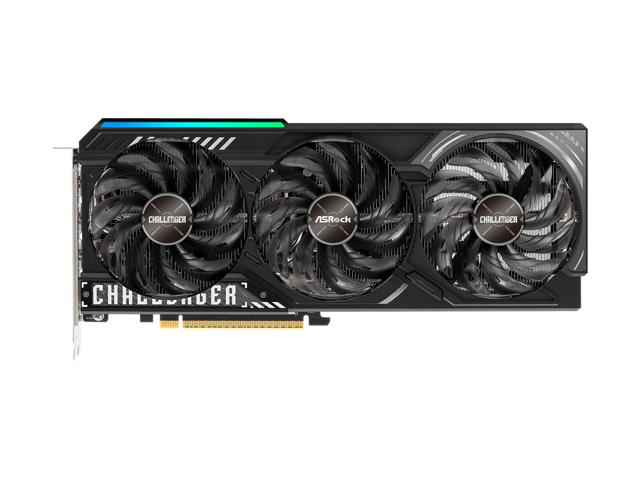
Buy ASRock Challenger Radeon RX 9070 XT 16GB GDDR6 PCI Express 5.0 x16 Graphics Card RX9070XT CL 16G with fast shipping and top-rated customer service. Once you know, you Newegg!

Buy GIGABYTE Gaming Radeon RX 9070 XT 16GB GDDR6 PCI Express 5.0 x16 ATX Graphics Card GV-R9070XTGAMING OC-16GD with fast shipping and top-rated customer service. Once you know, you Newegg!

Buy GIGABYTE Gaming Radeon RX 9070 XT 16GB GDDR6 PCI Express 5.0 x16 Graphics Card GV-R907XGAMINGOCICE-16GD with fast shipping and top-rated customer service. Once you know, you Newegg!

Buy ASRock Steel Legend Radeon RX 9070 XT 16GB GDDR6 PCI Express 5.0 x16 ATX Graphics Card RX9070XT SL 16G with fast shipping and top-rated customer service. Once you know, you Newegg!
wanton edge
cerulean rover
would probably recommend not getting the only 9070xt model that uses 12vhpwr xD
Facts
ionic thorn
wanton edge
Have you checked these yet?
1. ASRock Challenger Radeon RX 9070 XT 16GB https:/...
my case is white so i’ll get a white one i think
olive bobcat
Steel legend always looks nice
wanton edge
Either the white gigabyte or ASRock will do
wanton edge
No problem
inner token
do yall recommend latest drivers for 6950xt or should I get a later one
velvet grail
there shouldn't be anything wrong with the newest ones, still, do you really need to update?
I wouldn't update unless you need support for newest games or you're on a very old version
 echo flame
ionic thorn
my case is white so i’ll get a white one i think
echo flame
ionic thorn
my case is white so i’ll get a white one i think
Steel legend irl


Barely seeing it through the mesh is kinda cool
cold fox
ionic thorn
think ill get this
12vhpwr + its also absurdly expensive
olive bobcat
He’s getting steel legend
cold fox
nice
hot bough
ionic thorn
think ill get this
It uses 12VHPWR, the Taichi does as well. So you will be taking a risk doing so.
ionic thorn
hot bough
It uses 12VHPWR, the Taichi does as well. So you will be taking a risk doing so...
does that mean my entire rig gonna burn down
hot bough
ionic thorn
does that mean my entire rig gonna burn down
Means your GPU is at risk of experiencing a melted connector unless you get lucky and all pins make perfect contact
round zinc
The nitro also uses a terrible placement for the plug where you have to bend the cable out at a 90.
So they can hide it under the extra decorative bit of backplate.
ionic thorn
soo
recommendations for gpus
one is steel legend
5070ti is a kidney and 3 fingers
5090 is a heart and 5 toes
wanton edge
yes
round zinc
ionic thorn
recommendations for gpus
If you are looking at white 9070xt it depends what the price gaps are in your region.
 fierce marten
anyohe else think asrock cards look off
torn garden
Looks are subjective
I personally find the Founder editions gpus look not as good compared to the likes of Astral,Aorus Master
 ashen vine
Aorus Master ICE is top tier