#graphics-cards
1 messages · Page 81 of 1
 odd siren
 pseudo bobcat
Again I should probably ask. I'm just used to laptops redlining the CPU and GPU
odd siren
With hotspot/mem up to 100+
GA102 iirc has a max thermal limit of 89C core
hotspot can go higher
pseudo bobcat
I should probably ask him to run gpuz just to see if there's any hotspots
odd siren
There will be
Always is lol
I would ask instead what paste it is
If he says something like "Kryonaught" or maybe "Corsair" or something like that, it's bleh
pseudo bobcat
Too thin?
odd siren
Uh...
Not quite the right word
Depending on sample, even in good pastes
Variance is quite easy to accomplish
So you can get pastes that are just very easily heat saturated
Like the bad picks
And those quite literally dry out on short notice
odd siren
It happens even on the pastes we recommend
MX-6 is solid tbh
You can get bad batches even nowadays
 forest oasis
you should use mx5 frfr frfrfrfr
odd siren
And quickly evaporating paste is a sign of a bad batch on a good pick
pseudo bobcat
Already use mx4 on my CPU, so I know the name.
odd siren
But I'm not entirely surprised he says it's happening
The XTX I have
It has a slightly similar sized GCD
(Middle die)
MX-6 evaporates on that after 6 weeks to the day
450-ish watts on a die that size...it checks out tbh
But my experience with ampere is you shouldn't need PTM
However it would be a pretty penultimate fix if it came to that
Since PTM is just so much better at being a paste lol
pseudo bobcat
Hmm, not reassuring whatsoever (different seller, I just thought this answer to "what's wrong with the card" was funny)

 livid idol
You'll never get a straight answer, it's in their interests to play dumb
 frank dagger
Alright, its that time again! For the cursed build problems!
my GPU now seems to just go blank and display nothing after a possible set amount of time(it lasts 2-3 hours). No DC sound of it losing connection to the PCIE, reinstalled clean drivers, and pc auto reboots after a while...
And again, some reason pc doesn't want to record crash logs
odd siren
@frank dagger change how the pc is plugged into power
So new plug on a power board, new plug on the wall socket, different wall socket
Try that for a bit see if it's better
frank dagger
i should also mention... other change is that i got a refurb corsair psu after the other one had some problems
it is out of the refurb waranty... but if it is that.... ima be mad, but im tryin another stress again after reseating it again
frank dagger
Ye, i think it was the power strip. Connected to wall and nothing up yet. Supposedly it was a better power strip too but damn it. Guess it sucks. I may as well try and find a UPS then?
Fudge...
Nevermind...
I think psu is bad again...
Maybe I'll do a psu stress test
 keen nacelle
frank dagger
Maybe I'll do a psu stress test
keen nacelle
frank dagger
Maybe I'll do a psu stress test
Not sure thats a good idea
Psu causing issues can kill other parts
frank dagger
it didn't shut down the pc per say, but it seemed to failsafe, slow shutdown while the screen was black, then restarted after a good few minutes.
that's what the error is now
i still feel like doin at least one psu test. this only happened 3 times.
refurb waranty is already long gone. corsair is 2 months. we're already 5 months in on this one.
keen nacelle
reset cmos?
could also try power limiting gpu to like 60%
id also monitor cpu/gpu/vrm temps under load
frank dagger
limiting power did make the previous unit stable though at the cost of performance.
its winter and my home has poor insulation. so temps are below 80C guaranteed
keen nacelle
oh yeah i just mean as a way to see if psu is the issue
keen nacelle
frank dagger
limiting power did make the previous unit stable though at the cost of performan...
and that's not really how that works
contact could be bad somewhere, maybe not enough paste, bad pads, good few things that could cause bad temps
frank dagger
The corsair rmx 850W, refurbished. Previous unit had similar problems of being unstable
keen nacelle
hmm, otherwise same pc?
frank dagger
Yep. Default, nothing was changed since the last time
So probably bad luck on the PSU then
keen nacelle
frank dagger
Yep. Default, nothing was changed since the last time
id suspect other things first
frank dagger
I can lower the power to make it stable until i get something new. I put it at 70% before.
keen nacelle
odds of two bad psus is lower than something else being the issue
frank dagger
I bought sleeved cables when the previous unit was bad. So bad power cables isn't the question
keen nacelle
do you have a full pc list?
frank dagger
ryzen 3900x
aorus pro-p b550M
corsair vengence platnium 32gb 3600 hrz
3080ti FE
corsair 850 RMX (refurbished)
 neat ventureBOT
How to clear CMOS (works for AMD and Intel)
https://www.intel.com/content/www/us/en/support/articles/000025368/processors.html
Intel
Defines CMOS technology and how to clear CMOS using the jumper or battery methods.
keen nacelle
doing that will disable xmp w it
id also check what cpu temps are like, especially if you haven't repasted the cpu in a while (no clue if this is a fully new build or not but I imagine not with a 3900x)
frank dagger
2021 was when it was updated. i have repasted after hot swapping cpu's back in june.
keen nacelle
id just check temps and voltage just in case
frank dagger
what am i lookin for in voltages?
im not sure how to gauge that yet.
keen nacelle
if you have a cpu benchmark run a multi core test and send me a ss of the voltage section
honestly ima tag in @livid idol if youre around for the voltage help
livid idol
Yeah I'm here, just didn't want to step on toes
livid idol
It can be confusing for people on the other end with multiple people giving directions and theories
CMOS clear is a good start, maybe a BIOS update too
If the BIOS is from 2021 then there's multiple major fixes since then
frank dagger
oh, bio's been updates since june as well.
WELP! there's a new one last month!
I started a gpu stress test on OCCT in extreme before you suggested cpu and it survived.
Ima do cpu before update bios, disabling xmp, and under voltin the gou
i wish the dang motherboard manual actually shows what sensor is where, but one place is around 90C
everything else is 50 and below
livid idol
What's the name of the sensor is at 90
frank dagger
temp #5 off the icue
livid idol
OCCT has it's own monitoring
I recommend closing iCue completely
To avoid conflicts
frank dagger
oh, it seems to be CPU... temp #5 seems to be cpu based off process of elimination
livid idol
Yeah but which part of the CPU, because iCue doesn't tell you
hwinfo64, which is what occt is using, will tell you
frank dagger
i dunno what else to say, it just says cpu

that's whats high
cause of the cpu stress test now atm
livid idol
Oh that's the motherboard sensor section, so that'll be socket temp
Look under the CPU section
 keen nacelle
is that under load?
livid idol
During the stress test yes
It's within the safety limits but still higher than I'd be comfortable with personally
You might benefit from a repaste of the CPU
frank dagger
Realistically i wouldn't be near those limits since i just do gaming now. Usually under 70-75C
Also have all the filters and panel on atm. Its the corsair crystal 280x case (the verge build case)
livid idol
Yeah but the problem with that is when you're gaming it'll boost higher, which makes it more sensitive to heat
frank dagger
Its all on stock speeds though
livid idol
Right, it boosts as part of the stock behavior
frank dagger
How does this factor in now than the multiple times from before?
livid idol
Older CPUs get more sensitive to voltage, some more than others
But if that's corsair memory then I do agree that can be a point to look at
frank dagger
keen nacelle
corsair ram can be fun
I'll do a RAM stress test tomorrow
Cpu is the last thing i can do tonight
frank dagger
I'd rather see the results over 4 hours of stress testing than to watch it reboot and not know if it passed or not
livid idol
That's why I would recommend using y-cruncher, it logs everything independently and you can just open the log it generates as it runs
frank dagger
Not sure if i still have it atm after wipping the os back in june. But let me see
Still got it, running now
livid idol
Run the VT3 stress test
You can launch it by dropping this file into the folder and opening it
If it gives an error that means you need to update ycruncher
VT3 is somewhat newer
frank dagger
i gotta do that tomorrow then. the app doesn't have an auto update. i gotta look and find it in the russian site then that isn't translating.
livid idol
What russian site? I linked the download page
frank dagger
When i clicked home it led me to something else
livid idol
Here's the direct link then http://www.numberworld.org/y-cruncher/y-cruncher v0.8.5.9543.zip
That sounds like you clicked an ad that led to a sketchy site or something
frank dagger
Nope, that was from the same site i download the test mem back in last year... clicked the home from the app. Led me to something else
livid idol
Oh I'm not talking about testmem5
This is totally different
TM5 won't do logging just in case it does crash, y-cruncher will
And I don't think TM5 has been updated in a long time, just new profiles have been made
odd siren
frank dagger
it didn't shut down the pc per say, but it seemed to failsafe, slow shutdown whi...
Try another wall socket
If that really helped then we were definitely on the right track, if now you get repeatable lower degree issues then it'll be windows stability as a result of dirty power instead, which can be fixed potentially
 hot bough
Does anyone know what the release date and likely cost of the 5090 is going to be?
 random walrus
hot bough
Does anyone know what the release date and likely cost of the 5090 is going to b...
random walrus
hot bough
Does anyone know what the release date and likely cost of the 5090 is going to b...
January 2025
No price announcement yet. Based on the fact that the 4090 was MSRP $1600 but has been stuck at 2k, and the 5090 is supposedly a big jump, I'd guess $2500-3000 for the 5090
hot bough
Ouch that is steep.
Well I guess we will see how things go. I have been working my butt off to bank $2,000 for a GPU upgrade.
random walrus
May depend on whether or not the the 5080 & variants pull down 4090 pricing
But yeah leaks say 5090 has 30% more compute units than 4090, 32gb vram, and some other spec boosts
hot bough
If that's true that sounds like a tremendous improvement over my 3070 Workstation and gaming wise.
 naive bane
Poor technicians.. they need to install so many 5090s
I mean the anxiety of putting one in x.x
 craggy pier
random walrus
But yeah leaks say 5090 has 30% more compute units than 4090, 32gb vram, and som...
craggy pier
random walrus
But yeah leaks say 5090 has 30% more compute units than 4090, 32gb vram, and som...
Nvidia will be like
"Well how else are you gonna get the performance? We're gonna charge 50% more because we actually really need the money 🥺"
random walrus
I mean that's how a free market works or whatever
If nobody is able to compete with them at that level they get to choose the prices
Though with the 4090 consumers are actually choosing the prices, it's selling for well over MSRP (and as far as I know not being scalped)
 dawn notch
Coil whine / rattle under load
Asus 6700xt
I'm thinking of gluing the caps and inductors
frank dagger
livid idol
You can launch it by dropping this file into the folder and opening it
Started the test
forest oasis
capacitor noises come from inside the cap, and wont be fixed by just putting glue over it
coil whine on the other hand could be fixed with hot glue sometimes
dawn notch
forest oasis
capacitor noises come from inside the cap, and wont be fixed by just putting glu...
i saw smtg about them rattlting together
forest oasis
wdym
dawn notch
like if they are close together sometimes they can bump
forest oasis
hmm
dawn notch
idk
forest oasis
there shouldnt really be an issue on computers though
most capacitors are surface mount
dawn notch
i just want a way to permanantly fix it
not with software
and it sounds like a coil\
so
frank dagger
frank dagger
Started the test
I know ya think its the RAM at fault. But we've tested it over 4 instances in the past 3 years. I think maybe its fine doods. As much as corsair could be poo. Maybe this set is actually a good one.
10 min past, so far so good
livid idol
frank dagger
I know ya think its the RAM at fault. But we've tested it over 4 instances in th...
It can take several hours for an error to show itself, and the VT3 test is also testing parts of the CPU in the process like the infinity fabric and memory controller
I usually say 12 hours min, 24 preferred
 tough plinth
what does this mean? i just had a crash so i checked for updates and it just showed me this
 forest oasis
Perhaps it was in the middle of a download and crashed
tough plinth
how could i redownload?
frank dagger
3hrs and still fine. Ima leave it overnight. It'll hold
 boreal turret
Every time when I start up my PC my computer fans start to spin really fast at 70% for a few seconds by a few seconds I mean at most around five seconds and then it goes back to normal. My fan curve is set to be at 40% when the computer is in its 30s in terms of Celsius But when I turn my PC on right now it was at 38 Celsius and the fan curve was 71%.
tough plinth
tough plinth
what does this mean? i just had a crash so i checked for updates and it just sho...
it now says this

 limber flax
Then it should be updated
keen nacelle
boreal turret
Every time when I start up my PC my computer fans start to spin really fast at 7...
Pretty sure this is normal
forest oasis
boreal turret
Every time when I start up my PC my computer fans start to spin really fast at 7...
many computers do this on boot; 100% fan speed until POST is finished
which is a few seconds
boreal turret
forest oasis
many computers do this on boot; 100% fan speed until POST is finished
What is post
forest oasis
Power On Self Test
boreal turret
Well it didn’t always happen it started like a year ago
forest oasis
Some people bypass it for faster boot
boreal turret
When u turned it on a few min ago it didn’t stop spinning fast
boreal turret
forest oasis
Some people bypass it for faster boot
?
forest oasis
Skipping POST makes your PC start like 3 seconds faster
boreal turret
Does skipping make the fans run fast
forest oasis
No, would do the opposite likely
boreal turret
How do I skip it
forest oasis
Fast boot in the bios setting
Might have a different name
Idk if it skips fan checks
frank dagger
it made it 12 hours
dood this ram set is good guys, can we drop the sus on this set now after the 5th stress test?
 toxic topaz
im having a hard time finding a rx 7900 xt that can fit in my pc case
keen nacelle
toxic topaz
im having a hard time finding a rx 7900 xt that can fit in my pc case
Do you alr own the case
random walrus
what case?
toxic topaz
its a montech x1 mesh black
keen nacelle
And what cpu?
toxic topaz
ryzen 7 5800x
keen nacelle
And yeah doesn't look like many 7900xts fit in there, and the ones that do are oos
At least in the US

PowerColor Fighter OC Radeon RX 7900 GRE 16 GB Video Card (RX 7900 GRE 16G-F/OC)
Imo that's the answer
This has worse cooling but is shorter, the power color will be cutting it close length wise

ASRock Challenger OC Radeon RX 7900 GRE 16 GB Video Card (RX7900GRE CL 16GO)
toxic topaz
these are gre
keen nacelle
Yes
keen nacelle
keen nacelle
And yeah doesn't look like many 7900xts fit in there, and the ones that do are o...
.
toxic topaz
hmm
keen nacelle
So your options are not getting a 7900xt, or replacing case
Also what power supply do you have
toxic topaz
a 500 watt evga bronze
keen nacelle
toxic topaz
ryzen 7 5800x
5800x will limit a 7900xt too
keen nacelle
toxic topaz
a 500 watt evga bronze
Im assuming you were planning to swap that too
toxic topaz
ye
keen nacelle
Bc that's not handling a 7800xt let alone 7900 lol
toxic topaz
what cpu would be good
keen nacelle

Cooler Master MWE Gold 750 V3 750 W 80+ Gold Certified Fully Modular ATX Power Supply (MPX-7503-AFAG-2BUV)
On the same socket, 5700x3d and 5800x3d have all non 3d cpus beat by about 20%
Switching mobo and ram too, 7500f, 7600/x, 7800x3d or 9800x3d should be the main options

BitFenix BFG GOLD ATX3.0 850 W 80+ Gold Certified Fully Modular ATX Power Supply (BP-BGA850UMAG)
Id do one of those for psu
toxic topaz
alright thank u
toxic topaz
keen nacelle
https://pcpartpicker.com/product/2W26Mp/cooler-master-mwe-gold-750-v3-750-w-80-g...
another thing, which case should i buy that offer good airflow
forest oasis
Anything that doesn't have a solid front panel
 lime pollen
AMD cards are malware
craggy pier
My guy is so devoted he joined this server almost a year ago and only spoke now to call AMD malware

Hard not to respect it tbh
 novel palm
windows 11 forced an update and afterwards i had no display with the gpu connected. had to reinstall drivers for the gpu to display again. now when im doing something, after a while my screen turns black and i have to restart my pc for it to work again. any fix to this?
frank dagger
frank dagger
it made it 12 hours
Also maybe as another hint. I have a power strip that shows amp draw on it. It went from 5 amps to 2 amps as soon as the complications began
odd siren
frank dagger
Also maybe as another hint. I have a power strip that shows amp draw on it. It w...
Can you try a different socket in the house mate
I still suspect it's power
frank dagger
odd siren
Can you try a different socket in the house mate
Yep... still fails even on a new socket
So its the PSU then
livid idol
novel palm
windows 11 forced an update and afterwards i had no display with the gpu connect...
Sounds like you got a bad driver update. You can try uninstalling recent Windows Updates.
hot bough
How large of a PSU do you guys think I will need for next gen's gpus?
Currently banking up for the new release.
 junior locust
850 at the very least
1000 or more most likely
like I'm expecting needing a 1200w with something like 13/14th gen i7/i9 going along it
livid idol
If you're looking at a 5090 maybe yeah
I've seen dual 12V-2x6 plugs
Which could just be for reliability reasons (nvidia begging us not to melt their GPUs again)
hot bough
Is a good 1000 watt or more PSU?
hot bough
livid idol
If you're looking at a 5090 maybe yeah
Yeah, hopfully this time around I can finally save up enough to upgrade and not get slammed with medical bills.
livid idol
1000W should be good. I can't imagine needing more unless you unlock the power on Intel.
As it is, 850W is plenty for the 4090 with room to spare
hot bough
How much does a good modular 1000W psu cost nowadays?
livid idol
hot bough
How much does a good modular 1000W psu cost nowadays?
$130-170 depending on what features you need.
Cheapest with dual 12V-2x6 for example is $150 but it's a new model with few reviews.
novel palm
livid idol
Sounds like you got a bad driver update. You can try uninstalling recent Windows...
i havent tried uninstalling windows updates but ive ddu’d several times and reinstalled amd drivers and the issue still persists
i cant even boot my pc up with my gpu and need to switch to cpu sometimes
well it just displayed msi and then no signal
livid idol
novel palm
well it just displayed msi and then no signal
You can always try safe mode. I assume you know how since you did ddu.
novel palm
livid idol
You can always try safe mode. I assume you know how since you did ddu.
i uninstalled a windows quality update, it booted fine, but once i entered in my password in the lock screen it went black
restarted again and now it works
hopefully it stays that way
man it just shut off
it goes to no signal even on safe mode
novel palm
motherboard VGA light on
hot bough
livid idol
$130-170 depending on what features you need.
Cheapest with dual 12V-2x6 for exa...
So $200 should get a good psu without much of a problem then?
livid idol
hot bough
So $200 should get a good psu without much of a problem then?
https://www.amazon.com/dp/B0CC88BCG9?tag=pcpapi-20&linkCode=ogi&th=1
Dual power just in case the 5090 does end up needing it

80 PLUS Platinum efficiency (up to 93,9%) , ATX 3.0 PSU with full support for PCIe 5.0 GPUs and GPUs with 6+2 pin connectors , Handles massive power excursions , Virtually inaudible Silent Wings 135mm fan , Funnel-shaped fan opening on PSU case for high airflow intake, Full bridge LLC technology ...
hot bough
awesome thank you.
Should I be concerned by the fact that it says it needs a enitre month to arrive?
livid idol
High capacity power supplies are in short... Uh, supply. That's the manufacturer selling it.
hot bough
Gotcha.
I will probably purchase the power supply come holiday sales then get the first 5090 I can snag within $2000 come release.
frank dagger
frank dagger
Yep... still fails even on a new socket
Even power limiting didn't help, still crashes to black and reboots
frank dagger
Now its starting to fail in idle...
 zenith merlin
!ddu
 dreamy dragonBOT
DDU (Display Driver Uninstaller) Guide by Pato
https://github.com/NeweggTechie/Graphics-cards/wiki/How-to-use-DDU

GitHub
Contribute to NeweggTechie/Graphics-cards development by creating an account on GitHub.
naive bane
Is it still true that laptop 4070 gpu for example aren't the same as 4070 desktop gpu in terms of performance while the laptop is hooked into the outlet or not, let alone ram?
junior locust
Very far from it
A laptop "4090" is about a desktop 4080 in performance
regardless of power limits and whether you have it plugged into the wall
odd siren
Regardless of *laptop power limits
junior locust
Ye my bad
odd siren
If you crank many mobile chips to the tdp of their desktop equivalent, you should get the same performance
junior locust
odd siren
If you crank many mobile chips to the tdp of their desktop equivalent, you *shou...
I mean they're not gonna take all that power
limber flax
Whether you can is another issue
limber flax
Mount CPU cooler on it
odd siren
Vram count
Power filtering
But if the cores are the same, the theory exists
Like how a 13900HX is just a 13900K if you can cool it
junior locust
also apparently
a laptop 4070 at 120w is at best equal or up to 25% slower compared to a desktop 4060 Ti 8Gb
odd siren
Because 4070m sucks
odd siren
It's more like 4060 super
junior locust
But yeah, 4070m is not really amazing
limber flax
Is a 4060m better then? Assuming same power limit
junior locust
naive bane
Is it still true that laptop 4070 gpu for example aren't the same as 4070 deskto...
So in this particular case, very much true, and probably always will be true honesly (because power and cooling is the limiting factor)
junior locust
limber flax
Is a 4060m better then? Assuming same power limit
I don't think so, but that's mainly because 4000 series mobile stuff kinda stinks in general iirc
limber flax
Fair enough
junior locust
the problem is that it's marketed as just a 4070 when it is in fact
limber flax
I dunno anything about 4000 series mobile
junior locust
Not the same transistor count as a desktop card
there is no notion of them being mobile chips
limber flax
Its not the same damn card then is it
junior locust
100% not
limber flax
Oh yeah its the same card with just less cores
junior locust
Then it's really not the same card now is it?
junior locust
But yeah, I'm just
Honestly disappointed
3000 series mobile is unironically better value with the discounts (if there are discounts)
odd siren
limber flax
Is a 4060m better then? Assuming same power limit
In a price by price situation it usually is yes
Most laptops charge 100, maybe 200 more for the 70
For basically nil improvement
(I know not 0) but it's pretty bad
junior locust
Isn't a 3070 laptop like 10% slower but cost like 30% less now?
limber flax
Time to buy last gen Zephyrus g14-
junior locust
odd siren
>4060m
What's the gap to a 4070m then? 25%?
odd siren
Like less than 10%
junior locust
I'm not exactly the most versed in mobile GPUs I will admit
But I know for sure that mobile GPUs are a lot slower than the same name desktop GPUs
craggy pier
if you want to feel scammed buying a mobile gpu get a 4090m
that thing alone costs more than my entire system only to perform about as well as my gpu
livid idol
The 4090m is literally the same die as the 4080 desktop and it can get less fps than the 4070m if it has bad power and/or cooling
 livid idol
Yeah that single heat pipe on a vapor chamber can totally cool 200W
odd siren
Dell engineers be like:
livid idol
odd siren
Dell engineers be like:
120mm aio on a 14900k and another for a 4090 should do it, no more fans are needed in the entire system except those 2
odd siren
"What? They increased the power consumption!? But the chip's the same size, tthat's just crazy talk"
Tightens stock fan faster
craggy pier
what, the more power the better it'll run, right? thats totally how it works, right? 🥲
craggy pier
thats the kind of talk youd see on linkedIn
 keen nacelle
toxic topaz
<@654444344274845698> sorry to bother u but which one should i buy?
keen nacelle
toxic topaz
<@654444344274845698> sorry to bother u but which one should i buy?
The cheapest, or the sapphire pulse if its within $10-20 of the cheapest
Hellhound is also a bit better than the other models, but at the end of the day it'll be a negligible difference
So I'd say phantom gaming oc or the sapphire pulse, I think the sapphire has a longer warranty
toxic topaz
keen nacelle
The cheapest, or the sapphire pulse if its within $10-20 of the cheapest
thank u!!
keen nacelle
Np
toxic topaz
it'll be a bit cheaper since i have $50 giftcard and student discount
toxic topaz
should i wait until cyber monday
keen nacelle
It wouldn't surprise me to see prices fall another $50-100 then
Last year we had a 7900xtx like $300 cheaper than it was going for at the time
keen nacelle
It didn't last long but it isn't a bad idea. It's up to you if you'd rather wait a bit and potentially save money, or just buy and forget about it
toxic topaz
would the powersupply i bought be enough for it?
keen nacelle
What psu was it? I forget
toxic topaz
keen nacelle
https://pcpartpicker.com/product/2W26Mp/cooler-master-mwe-gold-750-v3-750-w-80-g...
i bought this one ^
livid idol
Those 6950 XT deals were crazy too a couple years ago
keen nacelle
Xtx might be pushing it with a 750w
I'd prolly stick to the regular xt, or power limit an xtx. It has some high power spikes
toxic topaz
ill upgrade my cpu in a few months too
livid idol
It should be fine if it's paired with a lower power or AMD processor
toxic topaz
one more thing
toxic topaz
i have ryzen 7 5800x
 toxic topaz
Part List - AMD Ryzen 7 5800X, Radeon RX 7900 XT, Lian Li Lancool 207 ATX Mid Tower
yea
the bios is already up to date
keen nacelle
Thats just for if someone is buying a 5000 series cpu with a b450, the bios might not support the new cpu
But you don't need to pay any attention to it
toxic topaz
 keen nacelle
That 5800x cannot be happy under a single tower cooler lol
keen nacelle
toxic topaz
Another thing not to worry abt
Fal could explain usb headers better than I can
toxic topaz
toxic topaz
i have ryzen 7 5800x
i got the ryzen 7 5800x for $170
forgot where i bought it but def was a steal
keen nacelle
5700x3d is typically around 180-200
toxic topaz
damn
keen nacelle
When did you get it?
keen nacelle
toxic topaz
https://pcpartpicker.com/list/MXLjcx
Oh also did you buy everything but the gpu so far?
toxic topaz
keen nacelle
Oh also did you buy everything but the gpu so far?
yea
keen nacelle
Idk if we've had this conversation before I do this a lot
toxic topaz
most of the parts are already in my pc
keen nacelle
Ah alr
toxic topaz
just changing the case, and psu, and gpu
my current case kept me from upgrading gpu since it only supports upto 305mm gpu size
keen nacelle
Right
toxic topaz
the lian li lancool 207 supports up to 410 i believe
keen nacelle
Pcp says 375mm but it might be 410 without the front fans
keen nacelle
Nice
random walrus
keen nacelle
5700x3d is typically around 180-200
Or under $150 on aliexpress
toxic topaz
random walrus
Or under $150 on aliexpress
are they even real
random walrus
Yes
toxic topaz
oh wow
random walrus
Tray cpus so no official box
toxic topaz
ah
random walrus
I ordered one recently for about $135 (after tax) after some coupons and coin discounts
toxic topaz
nice
random walrus
There's a sale coming up in like 2 days with a $20 off $140+, I'll probably post then as long as sellers don't up the prices beforehand
random walrus
Difference is you can get one for about that much on ebay or whatever, vs the 5700x3d doesn't really have a used market

 gritty cloud
i’m working on a movie project. my monitors turn off at the slightest movement. could my gpu be cooked?
keen nacelle
gritty cloud
i’m working on a movie project. my monitors turn off at the slightest movement. ...
I'd check cables
gritty cloud
keen nacelle
I'd check cables
nothing loose or disconnected
i can see a few pins kind of sticking out. i can’t push the gpu in any more because of the bracket
 olive bobcat
toxic topaz
olive bobcat
toxic topaz
$10 off
livid idol
gritty cloud
i can see a few pins kind of sticking out. i can’t push the gpu in any more beca...
Pins on what
The video cable? The GPU power? The PCIe slot? A USB header?
livid idol
toxic topaz
nothing to worry ab right?
That just means you can't use the USB C port on the case without an adapter
Or a different motherboard with the correct header
toxic topaz
livid idol
That just means you can't use the USB C port on the case without an adapter
Any adapter is fine?
keen nacelle
toxic topaz
Any adapter is fine?

The XFX AMD Radeon RX 7000 Series graphics cards, featuring the groundbreaking AMD RDNA 3 architecture, deliver ultra-high frame rates for your favorite games at 4K max settings.
toxic topaz
keen nacelle
https://www.amazon.com/dp/B0BNLT17XQ
I’m gonna buy the sapphire one from Newegg since I have a few unused gift cards
keen nacelle
2 years warranty (shipped in generic box with no accessories)
keen nacelle
toxic topaz
I’m gonna buy the sapphire one from Newegg since I have a few unused gift cards
Oh
Just read this
 wary swift
I have a problem
The monitors don’t display something the pc is working the monitors working too
I was using the pc and the monitors suddenly stopped
toxic topaz
keen nacelle
https://www.amazon.com/dp/B0BNLT17XQ
It’s now on Newegg too for $619
Are these rx 7900 xt perform the same?
keen nacelle
Yes
toxic topaz
keen nacelle
Yes
Which one is cooler or more quiet
Sapphire pulse rx 7900 xt
Or
Xfx speedster merc310 rx 7900 xt
gritty cloud
livid idol
Pins on what
where the gpu connects to the mobo
the gold pins are receding at an angle
livid idol
How much of an angle? If it looks like the right side isn't making good contact with the slot then that's a problem
toxic topaz
toxic topaz
Which one is cooler or more quiet
@keen nacelle
keen nacelle
toxic topaz
Which one is cooler or more quiet
Same difference
If it matters to you check YouTube comparisons
The sapphire has better warranty support from what felix has told me
toxic topaz
Ah so it already comes with warranty
Also which case fans do you recommend I prefer rgb
livid idol
Everything comes with a warranty, it's required by law
toxic topaz
Ah ok
livid idol
It's just some companies are better at honoring it
keen nacelle
toxic topaz
Also which case fans do you recommend I prefer rgb

Thermalright TL-C12B-S V3 X3 66.17 CFM 120 mm Fans 3-Pack (TL-C12B-S V3 X3)
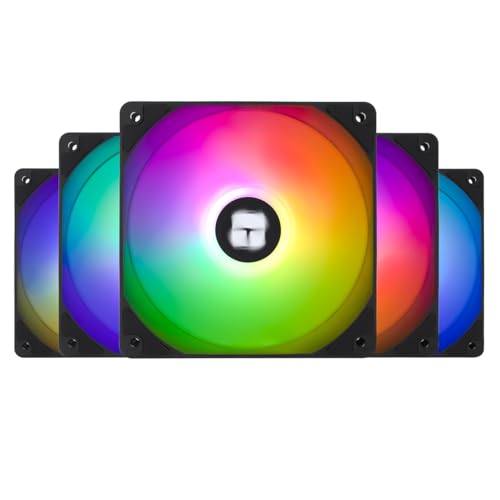
Thermalright TL-C12C-S X5 66.17 CFM 120 mm Fans 5-Pack (TL-C12C-S X5)
toxic topaz
keen nacelle
https://pcpartpicker.com/product/yDmNnQ/thermalright-tl-c12b-s-v3-x3-6617-cfm-12...
I should be able to fit 3 fans on top and 2 in the back?
Or is it one in the back
keen nacelle
You could possibly fit all 5 but no point, id just do the 3 pack
Forgot what case you were using
toxic topaz
keen nacelle
Forgot what case you were using
Lian li lancool 207
toxic topaz
Kk thank u so much
toxic topaz
@keen nacelle @livid idol i just ordered the gpu thank you guys for the help
toxic topaz
when all my parts arrive, should i uninstall all the nvidia drivers before disassembly ?
livid idol
Yes, you would boot into safe mode, run DDU with the remove and shut down option, when it shuts down swap the GPU, then you can boot windows and install the new drivers
?ddu
neat ventureBOT
DDU (Display Driver Uninstaller) Guide by Pato
https://github.com/NeweggTechie/Graphics-cards/wiki/How-to-use-DDU
GitHub
Contribute to NeweggTechie/Graphics-cards development by creating an account on GitHub.
toxic topaz
livid idol
Yes, you would boot into safe mode, run DDU with the remove and shut down option...
Another thing, should I upgrade my motherboard my current one is a bit old and supports memory speeds up to 2600

This is my current one
@keen nacelle
 keen nacelle
toxic topaz
keen nacelle
toxic topaz
The differences will be small
 clear frigate
Possibly dumb question but can you sli a 1070 and a 1080 or did it need to be the same exact card?
forest oasis
clear frigate
Possibly dumb question but can you sli a 1070 and a 1080 or did it need to be th...
Iirc it just needs to be from the same generation so yes
But I think it would run at the slower GPUs speed so you would have basically 2 1070 cards rather than 1 1080 and 1 1070 card in terms of performance
Also sli isn't magic and won't work with 99% of games
And actual performance impact is usually not by much
clear frigate
Fair just have friend with a 1080 and another selling a 1070 was curious if sli was an option for them to buy it or not
forest oasis
I wouldn't buy them for sli
If you already owned those 2 GPUs, then it might be fun to experiment with
But definitely not worth buying a GPU over
livid idol
clear frigate
Possibly dumb question but can you sli a 1070 and a 1080 or did it need to be th...
Unless that's for production work that specifically supports multi GPU, SLI is not a good option for several reasons.
Most games don't support SLI, the ones that do are 10+ years old usually.
When SLI does work, it would limit the 1080 down to 1070 performance making it effectively a dual 1070 setup. The VRAM capacity would not increase as well.
Games that do support SLI often had bad implementations of it, resulting in screen tearing and stuttering.
clear frigate
Cool beans so not worth doing in this case
livid idol
The better option it sounds like is to sell the 1080 and use that money plus whatever is saved up to get something else like a 3070 used
 autumn grove
Should I get 4060 ti, or 4070, or 3070. The reason why 3070 there cuz i can get for 280. But im a light gamer only fort, forza, and whatnot. Upgrading from 1660 super
I wanna play new flight sim, not seriously but for fun
And i wanna save money
forest oasis
why not an amd gpu
also we're right on the cusp of the release of the new generation of gpus
livid idol
autumn grove
I wanna play new flight sim, not seriously but for fun
You'll be disappointed, it's the same as FS2020 with a couple new features they could have just done a DLC for, plus the asset streaming makes it look like garbage since the servers are overloaded.
autumn grove
forest oasis
why not an amd gpu
Nvidia investor
autumn grove
forest oasis
also we're right on the cusp of the release of the new generation of gpus
dont need all that
Trynna save money
forest oasis
prices for current goes down slightly whenever a new gen comes out though
forest oasis
what are the prices for each
livid idol
None of those are going to be particularly good at flight sim, based on the system requirements. No one can benchmark it properly right now due to server issues though.
1080p high should be doable, probably not ultra
livid idol
Yeah it just launched
livid idol

Fly with PurposeLaunch your aviation Career wherever you choose in the world. Gain experience, build your reputation, and complete certifications to gain access to authentic aviation activities ranging from Medevac, Remote Cargo Ops, Aerial Firefighting, Search & Rescue and more, all the way to becoming an Airline Passenger Transport Pilot. Set ...
Price
$69.99
Recommendations
4911
 livid idol
 livid idol
That's up from the "overwhelmingly negative" it was before at least
forest oasis
amazing

it's edging on overwhelmingly negative

literally edging
well, actually nvm
it's right in the middle of mostly negative currently
craggy pier
guys its not edging
 solid glacier
anyone got a build for 2k? for black friday? USD for only gaming. 1440p
if theres good deals
let me know ty!
craggy pier
solid glacier
anyone got a build for 2k? for black friday? USD for only gaming. 1440p
Nah what you gotta do is like say that but link a build with a water cooled 9900X3D and a rx 6500xt
Techies love correcting horrible builds way more than free labor
livid idol
solid glacier
let me know ty!
9800X3D + XTX fits easily in that budget with better stuff on other parts too
https://pcpartpicker.com/list/YJYD8Q
Part List - AMD Ryzen 7 9800X3D, Radeon RX 7900 XTX, Montech XR ATX Mid Tower
If you really wanted Nvidia instead you can get a 4080 super for another $100 and still be under budget
solid glacier
livid idol
9800X3D + XTX fits easily in that budget with better stuff on other parts too
ht...
tysm! yea prolly get 4080 super
toxic topaz
@keen nacelle so should I upgrade the motherboard if so which one do u recommend
 quasi flicker
Any recommendations for an upgrade from a 2060?
$300 range
Looking at the 6750 XT but there seems to be a bit of a lack of stock leaving you with about three options
Also, specifically looking for >8GB of VRAM, a jump of 2GB doesn't seem worth it with how the trend is going for games
Or could it be worth waiting for RX 8000 and RTX 5000?
keen nacelle
toxic topaz
<@654444344274845698> so should I upgrade the motherboard if so which one do u r...
I wouldnt bother personally

ASRock Inc. is established in 2002, specialized in the field of motherboards. ASRock strives to build up its own brand. With the 3C design concept, “Creativity, Consideration, Cost-effectiveness”, the company explores the limit of motherboards manufacturing while paying attention on the eco issue...
@quasi flicker

XFX Speedster SWFT 309 Radeon RX 6700 XT 12 GB Video Card (RX-67XTYJFDV)
quasi flicker
What's the difference between SWFT and QICK?
keen nacelle
I've not looked at a comparison but not much
Small things like maybe a small boost clock diff, or maybe a slight oc

 cerulean rover
USB 3.2 gen 2 is the weird one that's mostly for front panel usb-c
You can get cheap converters from Amazon
It's not necessary if you're not planning on using the front panel type c port
quasi flicker
Okay
livid idol
Or spend the $10 on a different motherboard instead of an adapter if you plan to use that front C port
random walrus
quasi flicker
Looking at the 6750 XT but there seems to be a bit of a lack of stock leaving yo...
6750xt is probably the best choice for $300
Or something used
$370 for a 7700xt, not sure how much better that is than a 6750
quasi flicker
Looked at the userbenchmark review of the 6800 and 6750 XT for a laugh and the beginning of the 6800 review looked like an actual review
Then quickly spiralled into deranged hatred
The 6750 XT review was all the usual derangement
forest oasis
lmao
started off that message with a "why would you ever do that" then seeing "for a laugh" then it turned to "hell yeah"
that site really is just running off of copium
random walrus
It's sad bc that site is usually high up in search results and if you don't read the reviews seems like a well put together trustworthy benchmark site
I know personally I used it for quite a while when I was younger & before I realized the bias
 ivory herald
It's why some servers have an often used command:
 odd siren
We have one
?ubm
Oh
Well
We had one

Maybe I typed it wrong?
I didn't, I think something happened to the bot lol
That's what's supposed to show up
ivory herald
Good, because it fills up most of the screen
 junior locust
random walrus
It's sad bc that site is usually high up in search results and if you don't read...
junior locust
random walrus
It's sad bc that site is usually high up in search results and if you don't read...
Cuz they pay massive amounts of money to be raised up by Google
They're busy spouting off about "AMD MaRkEtInG tEaM bUyInG rEvIeWs" while they themselves are buying elevation in search results
ivory herald
odd siren
Get a bigger screen then
Forget how that doesn't change if newer phone has same res. 
 wicked hound
odd siren
I didn't, I think something happened to the bot lol
wicked hound
odd siren
I didn't, I think something happened to the bot lol
Im here to gaslight you now, you typed it wrong. You used the wrong question mark. ||/s||
wicked hound
ivory herald
Good, because it fills up most of the screen
Get the font that is like 1x5 pixels wide. It's a funni font that uses sub pixels as "pixels" to make the font work as 3x5.
Only works for standard subpixel layouts
random walrus

pretty neat
oh that's the 2x5 grid version
Here's the 1x5

I can actually read the 2x5 on my 27in 1440p panel. Have to get about 10 inches away though
 random dock
ivory herald
It's why some servers have an often used command:
random dock
ivory herald
It's why some servers have an often used command:
Was funny they also got called out by blur busters recently for saying more then 240hz is useless
random walrus
tbf for the average person it kinda is
random dock
 random walrus
Ok that's a pretty reasonable callout
esp the 120 vs 240 part, that's prety easy to notice
random dock
Even if not running at 480 in all games the windows browsing experience do feel better
 winged spade
I really need a 4070 super to go on a black friday sale its the last part i need
naive bane
winged spade
I really need a 4070 super to go on a black friday sale its the last part i need...
I think I saw one in amazon
winged spade
Im only seeing the 4070 ti supers go on black friday sales but are still like 600-700 bucks
I did score on getting a $600 cpu 60% off last week
keen nacelle
winged spade
I did score on getting a $600 cpu 60% off last week
?
I hope not an i9
And 4070s was just on sale but open box, $500 w 2yr warranty
4070 ti at $550
winged spade
keen nacelle
I hope not an i9
Ryzen 9 5900x
keen nacelle
If you can return it i would
13600kf at $175 is better
Or 7600/x is better in games
 rapid flume
Is the 4070 super worth the extra 15 percent over the reg 4070
keen nacelle
Yes
The 4070s is much value
Although 7900xt at $620 is still far better value
Like 15-20% better than the 4070s with 8gb more vram
 earnest pilot
how easy is it to break a gpu while assembling it
random walrus
earnest pilot
how easy is it to break a gpu while assembling it
Pretty hard as long as you make sure to line up the slot
PC components in general are sturdier than a lot of people think
livid idol
Except for CPU pins, those are as fragile as people think. Possibly more.
forest oasis
You know what is more fragile than most people think
Usb 3 internal header
Worst garbage ever
🤬
keen nacelle
winged spade
I did score on getting a $600 cpu 60% off last week
90 days warranty (shipped in generic box with no accessories)
craggy pier
livid idol
Except for CPU pins, those are as fragile as people think. Possibly more.
I wont even graze them with my fingers
 forest oasis
Gold prospectors when they see cpus
hot bough
earnest pilot
how easy is it to break a gpu while assembling it
Just don't drop it and line up the Clip with the slot when installing and your fine.
If you have a heavy gpu a anti-sag support is recommended./
hot bough
In my case thankfully it has a built in anti-sag support so I am set there 😀
craggy pier
my gpu is a fat aa, but it does come with support pillars thankfully
hot bough
I am currently saving up to get a Monitor and PSU upgrade come holiday sales then ideally a 5090 once it releases.
hot bough
craggy pier
I wont even graze them with my fingers
I got lucky with the 5700G I won a while back. It had some bent pins that with a little bit of precission I managed to rebend and slot into the board.
Worked like a charm after installation.
random walrus
hot bough
I am currently saving up to get a Monitor and PSU upgrade come holiday sales the...
Holiday sales are already here
https://pcpartpicker.com/product/BBhv6h/aoc-ag276qzd-265-2560-x-1440-240-hz-monitor-ag276qzd

AOC AG276QZD 26.5" 2560 x 1440 240 Hz Monitor (AG276QZD)

AOC Agon PRO AG276QZD2 26.7" 2560 x 1440 240 Hz Monitor (AG276QZD2)
random walrus
One is OLED, one is qd OLED. Part number has a 2 at the end, not sure if one is better
hot bough
I wish I could take advantage.
random walrus
Depending how far you're moving, if you kept the packaging it might be alright
hot bough
Flying by plane from MX to Alaska.
random walrus
Ok yeah probably not then lol
hot bough
Also I learned that MX does not have black friday sales so...
That sucks.
They will sell you stuff from Christmas 2 months in advance but no early sales.
autumn grove
My 1660 super actually handling medium mode very well
In flight sim
earnest pilot
hot bough
If you have a heavy gpu a anti-sag support is recommended./
should i get an anti sag support for a 7900 gre?
or do i just use a random item
hot bough
earnest pilot
should i get an anti sag support for a 7900 gre?
So long as the card isn't experiencing the bends it doesn't matter. Personally I recommend a anti-sag device as those tend to look nicer and can clip into something so moving isn't an issue.
random walrus
earnest pilot
should i get an anti sag support for a 7900 gre?
Sorta depends on the card, as well as how well the case and motherboard supports it. You can always skip the support for now, see how it looks once installed, then decide if you want one. Doesn't need to be fancy.
 sullen cave
anyone know how to install a gpu mine doesn’t wanna go in
limber flax
sullen cave
anyone know how to install a gpu mine doesn’t wanna go in
Might be worth checking if the metal plate with the HDMI and display port plugs aren't hitting the motherboard
Otherwise it will just go in until it clicks
livid idol
sullen cave
anyone know how to install a gpu mine doesn’t wanna go in
Sometimes you need to loosen the motherboard screws a little to allow it to shift to the side and allow the GPU to slot in to the rear bracket
autumn grove
Currently looking to upgrade 1660 super.
Current other specs
Ryzen 7 5800x
600w psu
32gb rams
Budget 400-450. Preferably nvidia
livid idol
autumn grove
Currently looking to upgrade 1660 super.
Current other specs
Ryzen 7 5800x
600...
How do you feel about used or refurbished parts
3070 for $240 https://www.zotacstore.com/us/zt-a30700f-10plhr-r-1
That's a massive upgrade for your system
90 days warranty (shipped in generic box with no accessories)
And for reference that GPU is currently $400 new and is better than the 4060 ti
autumn grove
livid idol
How do you feel about used or refurbished parts
Okay ish
But wont 4000 series be carrying more longevity
 dense cliff
Hey guys if I get an OC version of the 4080 Super does that mean I need to have a 850 watt PSU? Nvidia shows on their website that 750 is the minimum for the reference non-oc version but newegg card description says it requires 850.
keen nacelle
autumn grove
But wont 4000 series be carrying more longevity
Not when the only two cards in your budget are the 4060 and 4060 ti
7700xt, 6700xt/6750xt, 6800, used/refurb 6900xt, 6950xt, 6800xt, 3080 10/12gb/ti
But what model psu do you have?
keen nacelle
dense cliff
Hey guys if I get an OC version of the 4080 Super does that mean I need to have ...
Oc is just a very minor overclock
Like my 3060 ti gaming oc has a 50mhz memory oc
Which is nothing and won't change power draw
odd siren
"OC" is just a marketing term that used to be really prevalent, it basically had you paying extra for what is usually still the norm for *what almost any version of that gpu can do
It's like how AMD adds an X to the end of their CPUs
But for basically everyone except overclockers they're actually no different to the non-X version if you know how to use them (Emphasis on "Know")*
As are "OC" vs non-OC
So if you see an OC version it's basically identical to the non-oc, it both uses the same power and also means it should run at basically the same clocks plus perhaps a fraction of 1% extra speed
Which equates to maybe 1 or 2 fps in a 500 fps situation and 0 in basically everything else lmao
They're absolutely not worth paying extra for
In fact you could really just put "OC" next to any GPU and as long as they can't see the serial sticker no one would ever know if it was or wasn't either lol
toxic topaz
@keen nacelle my gpu comes today and it is the final part until I build it
sullen cave
is it fine if my gpu fans only turn on when it get hot
forest oasis
yes
it's better this way
saves a few watts of power and extends the lifespan of your fans
hot bough
sullen cave
is it fine if my gpu fans only turn on when it get hot
Yes that is ideal.
I have mine set to turn on when the GPU hits 60c.
sullen cave
is that the best or should i put like 50
 echo flame
Thats up to you to decide
If your gpu can stay below 50 when not gaming then sure
The default for mine is 55
Right now the temp is at 46 but I have seen it in the low 50s
hot bough
sullen cave
is that the best or should i put like 50
So long as you are not thermal throttling you will be fine. Thermal Throttling is when the component in question overheats so it slows itself down to avoid overheating.
My case has a lot of airflow so my GPU rarely gets above 50c unless I am gaming that's why I have my GPU fans set to turn on only if the GPU hits above 60c.
sullen cave
i think mine has enough airflow
autumn grove
keen nacelle
But what model psu do you have?
Rosewill lepton gold
keen nacelle
I'd replace that
 south halo
Part List - AMD Ryzen 5 5600X, GeForce GTX 970, NZXT Phantom 410 ATX Mid Tower
Do you guys think the gpu is gonna be a big bottleneck in that system
Im thinking of potenitally in the future either upgrading or adding another gpu to the 2nd motherboard slot
keen nacelle
Yes the 970 will bottleneck your cpu, but thats not a bad thing inherently. You'll still get far better perf than with your old cpu, and a bottleneck just means it's limiting performance. It's not harming anything
Dual gpu does not help perf. I would replace, not add
south halo
Alright thanks
quasi flicker
Anything seem off with this listing?
https://a.co/d/c38RCy6

The all new XFX Mercury 319 Ultra and Black family of graphics cards brings together 20 years of experience and leadership in GPUs. Coupled with the all new AMD Radeon RX 6000 Series of RDNA2 GPUs make this arguably the best XFX series ever in both thermal design and performance.
livid idol
Yeah that GPU doesn't exist, not the way they listed it
quasi flicker
What?
livid idol
Typical scamazon seller. They'll string you along for long enough to cash out and then ghost you. It'll take months to get your money back.
livid idol
I mean they don't have a GPU to sell
You will never get one sent to you
If you do get something sent it'll be a cheap pair of sunglasses or something
quasi flicker
Oh
livid idol
Amazon is fully equipped and capable of blocking these scammers too, but they don't because they're profiting from the scams as well
quasi flicker
Might just be stuck with a 6750 XT at the price
quasi flicker
livid idol
Amazon is fully equipped and capable of blocking these scammers too, but they do...
Sounds like the problem that YouTube Kids has
Thanks Newegg app
Didn't want to search anyway
That's crazy
Amazon shows that fake listing first
dense cliff
Was wondering which company you all would suggest for getting a pcie power to 12 pin adapter? Or if I could just stick with the one they send with the GPU? Hopefully Nvidia is out of its burning connector phase now.
junior locust
That's staying if you don't properly seat it
As for companies
There's not one that's confirmed to be 100% safe because the issue is fundamental to the 12VHPWR standard itself
But you can get a Wireview Pro if you're okay with spending a little more
It's got a version that goes from 3× 8-pin to the 12+4 one
dense cliff
Thanks ill give them a look, maybe they'll have some black Friday/cyber monday deals.
toxic topaz
is it normal for gpus to run this temp ?
i know my bottom 2 fans right under the gpu arent connected bc no header space i ordered an adapter for them
nvm
craggy pier
95 is pretty rough
toxic topaz
nnvm
craggy pier
Lol
toxic topaz
that was utiliztion
craggy pier
toxic topaz
that was utiliztion
Oh lmao i couldnt see with how blurry it was

 craggy pier
Yeah those temps are more than fine
Technically 95 is "safe" but i wouldnt recommend it, anything above that and itll probably throttle
But 70 and below or even 80 and youre no where near worrying
toxic topaz
yea thanks
quasi flicker
Is 24.20.11.01 a beta version or something?
For Adrenalin and AMD drivers
DX12 is broken in 24.9 and 24.10
Okay it is
quasi flicker
Any chance my RM650x (2018) would have a problem with my 7700X and a 7900 XT?
odd siren
650 is pretty low for that spec
Gotta be honest
7900XT is like some 480-ish loaded power, add the power of a 7700X on top, getting awful close to max there
I'd be doing 750W with those two
quasi flicker
Okay
Seems like for gaming it sits more around 350W
320W from what techpowerup says
odd siren
RDNA 3 is extremely spike happy so while it may say "I run 410W"
It's spiking constantly to way higher
Even in stable tests
So it's essentially running at that much higher power
@quasi flicker

Measure across that top band of white peaks and take a rough average
It's again somewhere I'd pin around 480-ish is a safe power budget
This is one of the lower TDP models too, pulse
Not like a phantom gaming that's higher power
quasi flicker
odd siren
It's again somewhere I'd pin around 480-ish is a safe power budget
What does the 7700X sit around?
odd siren
Do you use pbo yes or no
quasi flicker
No
odd siren
Take 105 and add roughly 20% is nominal
keen nacelle
Rmx 2021 handled a 6800xt for me, but that was ~350w
keen nacelle
7900xt id be much less confident, I agree with felix
odd siren
480+157 is 637
quasi flicker
Okay
odd siren
Yeah I really think you want a 750W
An rmx is a good unit, but you have basically no power left for anything else
Even if we consider it that you won't run both cpu and gpu at max
It's just no wiggle room
keen nacelle
quasi flicker
Okay
This could be a drop in upgrade, wouldnt need to swap cables
https://pcpartpicker.com/product/6NcG3C/corsair-rm750x-2021-750-w-80-gold-certified-fully-modular-atx-power-supply-cp-9020199-na

Corsair RM750x (2021) 750 W 80+ Gold Certified Fully Modular ATX Power Supply (CP-9020199-NA)

Corsair RM850x (2021) 850 W 80+ Gold Certified Fully Modular ATX Power Supply (CP-9020200-NA)
quasi flicker
Okay, thanks
odd siren
7800XT would be fine with an RM650X
keen nacelle
Or you could just power limit the gpu to like 85%, give yourself a bit more headroom
odd siren
That's not too far off a 7900XT
quasi flicker
Yeah that's what I'm using now
keen nacelle
odd siren
7800XT would be fine with an RM650X
So would gre
odd siren
quasi flicker
Yeah that's what I'm using now
Oh yeah didn't see that
Just keep with what you got if the extra psu is too much
It's a good gpu still
quasi flicker
Yeah
odd siren
Yeah I'm not far off

It's actually likely a little higher than 157 based on this
Cos reported power almost never matches transient
quasi flicker
Looking for an upgrade for my brother and I keep thinking that with how prices seem to be at 12GB+ of VRAM, it would be better to just trade his current one in, give him my 7800 XT (and RM650x), and upgrade mine
odd siren
Again, wouldn't happen to be you doing max power all the time, but it only takes one scene
One brief moment where both go full tap and click off it goes
Too much on the nose here
odd siren
quasi flicker
Looking for an upgrade for my brother and I keep thinking that with how prices s...
That makes more sense yeah
quasi flicker
quasi flicker
Looking for an upgrade for my brother and I keep thinking that with how prices s...
And part of the problem with that is my dad doesn't want to spend much, I don't really mind upgrading
keen nacelle
quasi flicker
Looking for an upgrade for my brother and I keep thinking that with how prices s...
What gpu and psu does he have?
keen nacelle
So he'd need a new psu anyways
odd siren
Yeah def needs a psu in the mix
quasi flicker
Yeah
odd siren
So one way or another there's no avoiding it lol
keen nacelle
Give him your rm650x too, grab a 750 or 850 and give him the cables from the new psu
odd siren
Yep
keen nacelle
Just so you don't need to redo your cable management
quasi flicker
"cable management"
quasi flicker
imeanwhat
odd siren
Cos 850W will last a lot longer down the line for upgrades is all
quasi flicker
I got an AIO and that is a pain
odd siren
Is it 20?
quasi flicker
Yeah either way
odd siren
Isn't AGL 850 like 90
quasi flicker
$20 for another 100W and still RMx
keen nacelle
odd siren
Isn't AGL 850 like 90
Oh I thought we were talking specifically rmx
odd siren
Nah
Don't need to shop corsair anymore these days
Rmx is great but the competition has caught up
keen nacelle
Personally I would buy rmx just to not have to redo current cables
And its on sale rn
odd siren
I guess
quasi flicker
I've seen what happens when you mix and match cables
odd siren
Little bit more effort and a tenner for much longer life tho
quasi flicker
lol
odd siren
quasi flicker
lol
RMx to RMx should be both type 4 and compatible
quasi flicker
Could it be worth waiting for 8000?
keen nacelle
quasi flicker
I've seen what happens when you mix and match cables
Corsair has a good few models that use the same cable pinouts
odd siren
Not really
odd siren
We're right on the cusp of next gen
Each time this happens, old gen stock goes on good sales
Cos people wait thinking they get better
This is usually the best time to buy
quasi flicker
Okay
keen nacelle
quasi flicker
Oh
There's also the option of a $400-450 6950xt/6900xt, or a similarly performing used/refurb gpu
quasi flicker
So grab a 7900 XT then
odd siren
We normally clock the best sale prices right before next gen drops
quasi flicker
huh, makes sense I guess
odd siren
Yeah then the price goes back up cos people learn what new gen does
quasi flicker
lmao
quasi flicker
I wonder if the XTX would drop significantly, but that might be asking a little too much of my 7700X
quasi flicker
Also an idea running on hopes and dreams (probably)
odd siren
550W transient
quasi flicker
💀
odd siren
It's constant on both of mine
Lmao
So +70W is expected
Which mathematically makes sense cos it's about 15% more power, but also 16% more gpu die
So it's almost directly translated
Lol
quasi flicker
lmao


 quasi flicker
Yeah, looking at the 6750 XT (to replace the 2060) and it's like
Okay price or extremely overpriced
odd siren
Ye
AMD will sell like, 1-3 versions of it
Really cheap
The rest are resellers for a fortune
💀
quasi flicker
Dang
odd siren
But the best sales for 6750XT for example were about 270
Only 4 years after release are we finally seeing that again
Last time was in fact some 2 years ago
quasi flicker
I think there's one SWFT that's near that price and that's it
quasi flicker
SWFT, QICK, and MERC are basically just sorted by the better quality chips, right?
Other than some design tweaks
odd siren
Cooler changes iirc
AMD doesn't really do silicon binning
And on 6750XT they're basically all binned so it's shrug
quasi flicker
odd siren
AMD doesn't really do silicon binning
Yeah I think it's XFX that does, just seeing which ones can be overclocked more I guess?
odd siren
quasi flicker
Yeah I think it's XFX that does, just seeing which ones can be overclocked more ...


As long as you get Tier 0/1/2 tho, the chip on the card itself can be plenty good enough to get some of the best results
So choice doesn't really matter
Aqua is the only tier 0 possible card iirc
quasi flicker
"Other variants TBC"?
odd siren
Old post
quasi flicker
Oh
 odd siren
quasi flicker
Where is this from, and is there one for pretty much every chip?
odd siren
quasi flicker
Where is this from, and is there one for pretty much every chip?
Old webpage on an overclockers website
keen nacelle
Very nice
odd siren
 sharp trellis
Paid $370 for a 6900xt. How did I do.
sharp trellis
Paid $370 for a 6900xt. How did I do.
That's nice af
Though I paid $300 for one 2 years ago

We can both tease everyone else with our highly valuable budget gpus

Which model is it btw @sharp trellis
odd siren
Mine was a nitro
sharp trellis
However for that price I'm not complaining
sharp trellis
Solid overall despite aSSUs incident
odd siren
It had a weakness to backplate vram
But the 6900xt doesn't have any there
So it's solid
sharp trellis
odd siren
It had a weakness to backplate vram
Could you elaborate on that
odd siren
The tuf cooler was reused on multiple models
I had a 3090 one
The vram was hot af
Really almost all 3090's had the issue tho
sharp trellis
odd siren
Really almost all 3090's had the issue tho
😬
I'm glad the 7900xt and 6900xt models wasnt reused

maybe not the 6900xt, i havent gotten it today. it will be here next week.
 odd siren
Lol
Just making sure you double checked the PSU is good for it
Whichever cpu+ the 6900XT you're probably looking at a good 750W+
sharp trellis
my wife has 5600x and an 3070ti that will be swapped over to 6900xt
and psu is 650w corsair
sharp trellis
let me check
sharp trellis
odd siren
Corsair which kind
its CX650M
sharp trellis
2 years or so
odd siren
One sec
 odd siren
Yeah this basically explains what I am thinking without being direct
 odd siren
sharp trellis
the fact it has no efficiny sticker
odd siren
sharp trellis
the fact it has no efficiny sticker
Bronze
sharp trellis

