#graphics-cards
1 messages · Page 79 of 1
 odd siren
 livid idol
The correct way to set up a new GPU, especially moving brands, is ideally a full reinstall of Windows, and when that's not possible DDU in safe mode.
Most people don't know/don't do that
So the drivers conflict and crash
 forest oasis
nvidias can crash and can be noisy as well
 naive bane
Why not 7800xt,wont it be better
odd siren
I had more issues on 4090 hands down vs xtx this gen
odd siren
naive bane
Why not 7800xt,wont it be better
It's only a couple %
livid idol
Technically yes a little bit, but upgrading the CPU will help in many other ways
odd siren
So if you pay a bunch for a couple % better it's not really worth
Same reason we talked over the 4060 ti tbh
naive bane
I was the happiest folk around town an hour ago
Now im the saddest
xD
But
Would have been saddier without you guys ❤️
odd siren
Lol

Get you all sorted out, give amd a whirl
There's always a used 3080 if things don't work out, that alone is a big improvement for you over the original plan
Big quality of life change either way
odd siren
3080 has a wide gamut of possible performance
Lol
3080ti is like a 30% or more jump over 2080ti for example
Actually according to toms hardware it's more like 60%
12gb 3080 gets fairly close to that
odd siren
odd siren
Actually according to toms hardware it's more like 60%
Man I am not great make math thing today
 odd siren
Any 6800xt
Any not that price
Try closer to 400
450
Less than the price of the cheapest 7800xt you can find, let's go with that
naive bane
odd siren
Less than the price of the cheapest 7800xt you can find, let's go with that
Why not the 7800xt?
Also why not the nitro? I assume you suggest me the 6800xt merc at 339$
I found 7800xt nitro at 539$ at amazon
livid idol
The 7800 XT is slightly better but not $200 worth of better
naive bane
livid idol
The 7800 XT is slightly better but not $200 worth of better
And anything better than the 7800xt will not fit into my system?
livid idol
You could get something better but it's not really worth it until you upgrade the CPU too, since you have a 6 year old processor
naive bane
livid idol
You could get something better but it's not really worth it until you upgrade th...
How well that merc do?
Seems abit sus
Also I dont think my monitor support free sync.....
LG 34GP83A-B 34 Inch 21: 9... https://www.amazon.com/dp/B08DWD38VX?ref=ppx_pop_mob_ap_share

Immerse yourself in the action with this ultra-wide, WQHD Nano IPS curved monitor for gaming. See moving objects on the screen more clearly with a high overclocked* 160 Hz refresh rate and 1ms Motion Blur Reduction. AMD FreeSync Premium support virtually eliminates screen tearing and minimize stu...
6800xt is also pcie 4
Wont it have the same issue as the 4060ti?
 cerulean rover
naive bane
6800xt is also pcie 4
cerulean rover
naive bane
6800xt is also pcie 4
Pcie 4.0 x16
The problem with 4060ti is that it's pcie 4.0 x8
You get as much bandwidth with pcie 3.0 x16 as pcie 4.0 x8
But if you limit the gpu to only 8 lanes, with pcie 3.0, you'd be running the equivalent of pcie 4.0 x4
Currently GPUs are just about saturating pcie 3.0 x16, so 4.0 x16 isn't necessary for everything
Pcie 3.0 is about 1GB/s per lane, pcie 4.0 is about 2GB/s per lane
livid idol
naive bane
Also I dont think my monitor support free sync.....
Yes it does
All the adaptive sync technology is inter compatible
naive bane
I turned vsync on and now im getting 80-90c and i can peacefully play cod bo2 mp with my 2080ti :> but its only been 20min who knows what will happen to the temps in 1 hour :x
the 4060ti seats in living room, in its bag :<
Why when I turned vsync on everything is now smoother? or maybe i did not turned gsync on
 random walrus
Ideally you want to turn on freesync, on both the monitor and in game. Might need to enable it in Nvidia app/control panel as well, I forget
Vsync is similar but introduces input lag & doen't work as well if your FPS is below your monitors refresh rate.
naive bane
welp i dont see a way to limit the fps to 144fps beside enabling vsync or that is doable within nvidia panel
im going to sleep thanks everybody
livid idol
Vsync makes the GPU wait to send a frame until the monitor is ready for it.
Freesync changes the frequency at which the monitor becomes ready for a frame.
You can set a FPS limit in the Nvidia control panel or in the new Nvidia App.
 haughty musk
for some reason recently, my in game graphics have been stuttering while i play, when i built my pc around 5 months ago, everything was fine until this issue started happening every time i loaded the game for about 2-3 weeks now. I tried uninstalling and reinstalling the drivers, restarting my computer, and even removing the adrenalin software that comes with the drivers. I have all in game settings on performance butthe issue still keeps happening
livid idol
haughty musk
for some reason recently, my in game graphics have been stuttering while i play,...
Stutter is often caused by either the CPU or RAM. Try updating your BIOS and chipset drivers, making sure to enable EXPO after. We can help with a quick overclock on the memory, too, if you're interested.
It's also worth checking for background tasks that might be using some of the CPU, like Windows Update.
haughty musk
livid idol
Stutter is often caused by either the CPU or RAM. Try updating your BIOS and chi...
might have to wait until tomorrow for that bc there's a hurricane going on atm and dont want to yk
livid idol
Looks like the 5090 is going to be near or at $2500, 5080 $1300-1500, and 5070 $600-700. The 5070 is apparently slightly better than the 4070 ti.
None of this surprises me, Ngreedia strikes again.
cerulean rover
Incredible
 keen nacelle
That's ridiculous
cerulean rover
I hope amd keeps sensible pricing
keen nacelle
I'm never buying a new gpu again if this price trend keeps up lmfao
odd siren
If it ends up true then once again, proven right that we won't get anything better
Makes AMD not look stupid as they can't be bothered competing with a $2500 solution
"Yeah you can have your win, we don't care about your 1%" 💀
Ah
related note
Oh, I know where this is coming from
@livid idol source is mlid
Take with a massive grain of salt
He gets so many things wrong
 long oracle
7900 xtx is currently 53% cheaper than 4090 isnt that a loophole since its only 40-50% worse in ai
so 2 for less than 1 4090 is a good deal?
 limber flax
What do you think?
I feel like the question is answered there already
Its a no brainer for gaming if you don't use RT
haughty musk
haughty musk
might have to wait until tomorrow for that bc there's a hurricane going on atm a...
ok i just updated it and im im the bios what are the steps to overclock the ram just to make sure
 junior locust
cerulean rover
I hope amd keeps sensible pricing
junior locust
cerulean rover
I hope amd keeps sensible pricing
Unlikely lmao
GPUflation is real
haughty musk
livid idol
Stutter is often caused by either the CPU or RAM. Try updating your BIOS and chi...
also why EXPO instead of A-XMP (not too sure of the difference)
long oracle
limber flax
Its a no brainer for gaming if you don't use RT
for ai workstation
its 54-60% cheaper
amd should not care about giving good price since if they go toe to toe with nvidia both will be forced to have lower prices.
unless they are a secret ||monopoly||
long oracle
long oracle
for ai workstation
not full time
limber flax
long oracle
amd should not care about giving good price since if they go toe to toe with nvi...
what? how does both of them charging exorbitant prices force them to lower it?
if both players in the duopoly charge higher prices there's no reason to go down
long oracle
limber flax
what? how does both of them charging exorbitant prices force them to lower it?
if both have similar performance then they will have to compete on costumers by maybe lowering prices, otherwise if only nvidia is providing the best stuff they will be charging even more exploiting the fact that there is no competition
limber flax
But AMD is competing, their price to performance is way better than nvidia's
Nvidia just markets better
Plus if we're talking AI nvidia is gonna keep leading cause they already had a head start
And they're not going to slow down for any reason
Unless AMD steals their engineers and designers from nvidia they're at a disadvantage in terms of AI
long oracle
that unless should happen lol
livid idol
haughty musk
also why EXPO instead of A-XMP (not too sure of the difference)
EXPO is optimized for AM5 with an additional timing set
haughty musk
livid idol
EXPO is optimized for AM5 with an additional timing set
oh okay
i had it set to A-XMP first so thanks
odd siren
livid idol
Looks like the 5090 is going to be near or at $2500, 5080 $1300-1500, and 5070 $...
No prices for RTX 50 GPUs have been shared with any partner.
 Twitter
·
Twitter
·
Kopite kimi has denied it too
As I said, grain of salt (not trying to lecture)
But I wouldn't be surprised if 2000+ happened
livid idol
No solid prices sure. He does say repeatedly that it's more of testing the waters than prices.
livid idol
We're deep into it right now too with everything launching so close together
naive bane
After 40 minutes of just cause 4 those are the temps i get, is it good?

swapped to a new card
the memory junction temp which is the second one worries me abit
it reaches 90c
forest oasis
looks fine
livid idol
naive bane
the memory junction temp which is the second one worries me abit
The memory is rated to 110C, with it throttling at 100C
naive bane
livid idol
The memory is rated to 110C, with it throttling at 100C
umm idk what you meant... is all good with the gpu?
forest oasis
naive bane
umm idk what you meant... is all good with the gpu?
yes
naive bane
im scared that if i will play bodycam it will get burnt lol
forest oasis
naive bane
im scared that if i will play bodycam it will get burnt lol
modern hardware has safety features; if it gets too hot, it will shutdown before it will become damaged
 worldly yoke
Is a 4060ti a good starter graphics card for my first PC build
cerulean rover
worldly yoke
Is a 4060ti a good starter graphics card for my first PC build
What's your budget and what are you trying to do with it?
worldly yoke
Around 1600$. Mostly for gaming but a little bit of school work
cerulean rover
Any specific games or applications?
worldly yoke
Call of duty and Microsoft excel
cerulean rover
worldly yoke
Call of duty and Microsoft excel
Should be able to fit a 7900xtx into that budget, example repurposed list:
https://pcpartpicker.com/list/hs6Gvj
Part List - AMD Ryzen 7 7700X, Radeon RX 7900 XTX, Montech XR ATX Mid Tower
Cod likes AMD GPUs
haughty musk
my games have started crashing
haughty musk
im gonna try to reinstall windows on a separate partition to see if thats the issue
does this mean i have to make a factory reset?
 tough plinth
my amd sidebar (alt z) showed up randomly, its not supposed to open on startup 😭
tough plinth

the monitor overlay thing showed the hmdi connection thing like most monitors do, but it was just under the white line on the right side and again on the top right
the blue glow on the bottom left is just a reflection
again, i just turned the monitor off and on and it was fine lmao
this is so strange
 mellow glen
Alright, been a while lol but the issue randomly came back... and I do think this issue is specifically tied to Unreal Engine 5 games because I tried out Fragpunk
this time it caused the system to stutter on launch
Only thing left that I have not tried would be RAM/Motherboard. I did end up reinstalling windows as well + different cpu + different power supply
 topaz furnace
Guys should I get the Asus ROG Zephyrus with a Ryzen AI 9 HX 370 and a 4070 or, for $100 more, the same laptop but with an Intel ultra 9 185h with a 4080. I’m an engineering student using AutoCAD, Fusion360, Solidworks, Matlab, etc
livid idol
topaz furnace
Guys should I get the Asus ROG Zephyrus with a Ryzen AI 9 HX 370 and a 4070 or, ...
If all you're using it for is school work, option 1. Those programs favor a strong CPU, and the Ryzen part is a bit better.
If you're also going to game on it, option 2 for the better GPU.
topaz furnace
Do you think there will be a noticeable difference between the Intel and Ryzen CPU
livid idol
As far as them being AMD or Intel, no. Very few programs care about the brand of CPU.
The HX 370 will be about 8% better at single core and 17% better at multi core loads though
Not a huge difference
topaz furnace
Hm okay
And in terms of gaming i’ll be doing very light if any. I’ll probably wait for the next gen gpus and the 9800x3d to build a new PC for that
livid idol
We're still a few months away from GPUs but the 9800X3D should be announced soon for a launch at the end of this month or the start of next month
topaz furnace
Yeah, I hope the 3D V-Cache CPU’s aren’t a flop like 9000 series was
livid idol
Theoretically with the huge efficiency increase of 9000 series they won't need to worry as much about the reduced voltage, and they should be able to leverage that to increase the clock speeds. My ballpark guess is 400-500MHz over the 7800X3D and if that's true, it would net about a 8-10% gain from that alone.
Nothing to write home about but a decent improvement. It would also explain why AMD has been so strict about not leaking clock speeds.
topaz furnace
Makes sense
topaz furnace
livid idol
The HX 370 will be about 8% better at single core and 17% better at multi core l...
So do you think I should save $100 and go with the ryzen ai 9 and the 4070 combo
livid idol
That's what I would do in your position
 little kernel
i have 1650super i want to upgrade what should i buy? (i use blender and aftereffects with 3d stuff) and ofc games 😂
keen nacelle
little kernel
i have 1650super i want to upgrade what should i buy? (i use blender and afteref...
What's your budget?
And what cpu and power supply do you have
little kernel
keen nacelle
And what cpu and power supply do you have
500w and i5 9400f
little kernel
keen nacelle
What's your budget?
idk im saving right now
keen nacelle
I would probably suggest a gpu and power supply upgrade together, and then a cpu mobo and ram upgrade after
little kernel
keen nacelle
I would probably suggest a gpu and power supply upgrade together, and then a cpu...
yeah thats what im gonna do
but i want some recommendations
keen nacelle
little kernel
but i want some recommendations
You can grab this
https://pcpartpicker.com/product/tWMTwP/cooler-master-mwe-gold-850-v2-850-w-80-gold-certified-fully-modular-atx-power-supply-mpe-8501-afaag-us

Cooler Master MWE Gold 850 - V2 850 W 80+ Gold Certified Fully Modular ATX Power Supply (MPE-8501-AFAAG-US)
Solid psu on a good sale rn, sets you up for any upgrade down the line
little kernel
keen nacelle
I mean it really depends what you want to spend
I dont wanna spend much
Almost 700 to 750$
That range
little kernel
keen nacelle
For gpu+psu?
plus mobo and cpu
little kernel
little kernel
Almost 700 to 750$
i can save more than that but thats just for this month
next will be around 110 maybe each month
keen nacelle
little kernel
plus mobo and cpu
Id say do 4070/super and a good psu this month, or a used 3080/ti or similar 40 series gpu
Then go to am5 with a cpu gpu and ram upgrade next month
little kernel
keen nacelle
Then go to am5 with a cpu gpu and ram upgrade next month
i already got 24gb ddr4 ram is ddr5 good to upgrade to?
keen nacelle
Yes
 open elbow
I don't have the GPU yet, still shipping, but I recently bought an XFX 7900 XTX, and theirs comes with an anti-sag bracket which is pretty neat bc I know these huge GPUs tend to sag which easily damages or even kills them, but is that enough?
Like is it maybe worth dropping the extra $10 or whatever to get one of those anti-sag screw stand things? I've read a bunch of reviews of the GPU itself but none really mention the anti-sag bracket it comes with or how well it works, even video reviews don't really mention it lol
cerulean rover
open elbow
I don't have the GPU yet, still shipping, but I recently bought an XFX 7900 XTX,...
Literally anything can be used for anti sag, using spare Lego pieces is popular and effective without spending anything
open elbow
I can't really think of anything I own that would work for the same purpose, I don't have Legos or anything 
 tiny olive
I have a GTX 2080ti liquid cooled that got some leakage. Doesn’t appear to be leaking anymore. But while it lights up, Motherboard doesn’t recognize it.
Worth getting repaired vs trashed?
forest oasis
did you make sure it was dry before powering it up
which ideally means you took off the faulty waterblock off
livid idol
open elbow
I can't really think of anything I own that would work for the same purpose, I d...
Find a sturdy stick at your local tree
Wood accents are popular right now 
open elbow
livid idol
Wood accents are popular right now <:kekw:741678350791081994>
I am using a Fractal North for my case so the stick would fit right in! 
odd siren
tiny olive
I have a GTX 2080ti liquid cooled that got some leakage. Doesn’t appear to be le...
Not leaking anymore is more concerning than still leaking
Leaking at all, you turn it off test with towels or paper towels handy until you found the leak, and fix it
If the pc won't post anymore I think it'd be buggered but you won't know unless you test
naive bane
Im downloading bodycam right now
I hope it wont fry my new gpu : o
 velvet grail
I can't believe I just spent 15€ on the nr200 pcie riser just for it to not be long enough to reach the two sides
All because of that asrock itx-ish thing with the x16 slot at the bottom
And the fact that the riser is meant for a perfect fit with an actual itx board
I also forgot to check AliExpress before buying, they have 15cm risers for just 9€. I'm so disappointed with this purchase >:[
forest oasis
F
naive bane
Downloading cod bo cold war
I wonder how good the fps and overall experience will be
naive bane
does HDR makes the gpu hotter?
odd siren
Might a tiny bit
 craggy pier
naive bane
does HDR makes the gpu hotter?
craggy pier
naive bane
does HDR makes the gpu hotter?
Computers actually process in 32 bit roughly, and the only difference between hdr being off (8 bit) and hdr on (10 bit) is the end results so it barely at all affects it
But technically yes it does impact gpu performance
 glossy orbit
Hi guys im looking to trade in my gpu and i wanted to know a bit more about the newegg trade in system.
Do you send your trade-in into newegg before you receive your new one
Or do you get the new one and then send it into newegg to get reimbursed for the trade in value
Or what actually happens when you do a trade in
cerulean rover
glossy orbit
Hi guys im looking to trade in my gpu and i wanted to know a bit more about the ...
The purchase of the new GPU will be at full price, and at the same time of the purchase, they will ship you a shipping label to send in your trade in. You will have up to 14 days to ship your trade-in in, and after it is shipped, it is inspected, then if approved, you will receive a refund for the amount of the value of the trade-in, or a gift card of that balance.
livid idol
My understanding is you get an estimate before, and a final value after you send it in
glossy orbit
cerulean rover
The purchase of the new GPU will be at full price, and at the same time of the p...
ohh got it thank you very muich!!
cerulean rover
You're welcome
glossy orbit
livid idol
My understanding is you get an estimate before, and a final value after you send...
yaa thjats what i was thinking too
but i was wondering if the money will go back to your bank acc or would it be somewhere else
but mr1111 already answered that so thank you very much 🙂
 frigid anvil

 open elbow
I don't have the GPU yet, still shipping, but I recently bought an XFX 7900 XTX,...
open elbow
open elbow
I don't have the GPU yet, still shipping, but I recently bought an XFX 7900 XTX,...
ok so small update on this, the included support bracket is actually too long to fit in the case but the card itself fits fine (barely). For some reason it extends slightly further past the card and it's just barely too far out to fit. I know these cards sag and I don't feel safe installing it until I have something to support it properly with, bc I'm hoping to keep using this for at least 4yrs. What should I use instead? People suggested Legos and sticks before, and while kind of funny, sticks are dirty and brittle, and frankly Legos are literally more expensive than any of these GPU supports I see online. The screw style ones are only like $6, but is one of those on the far end enough with nothing else on such a long card? Will it sag in the middle? I'm really not familiar with GPU sag bc I've never owned very large cards.
forest oasis
open elbow
ok so small update on this, the included support bracket is actually too long to...
use disposable chopsticks
if you dont like the exposed bamboo, put a straw sleeve over it lmfao
floppa (former member of this server) did this and it worked great
if you dont have disposable chopsticks, go order some sushi and ask for an extra pair of chopsticks
or chinese takeout whatever
open elbow
ordering takeout w/ chopsticks is still more expensive in this economy than buying the dumb little adjustable thing for $6 on Amazon so that isn't really particularly helpful lol
forest oasis
fair, some people may have some laying around from when they ordered some though
open elbow
feels like people in here have a particularly weird dislike for GPU supports because both times I've tried to ask this question in here the answers have been useless to me. I don't just keep random vaguely stick-shaped junk laying around.
forest oasis
i have a whole stash
craggy pier
i use all my chopsticks
open elbow
Both times I've tried to ask this question I've basically gotten non-answers
forest oasis
hey
craggy pier
open elbow
feels like people in here have a particularly weird dislike for GPU supports bec...
i just use what my gpu came with
forest oasis
always nice to have chopsticks laying around
well, my gpu mount is metal, but it came with the gpu
craggy pier
actually i have an extra set of supports since my case came with one as well
forest oasis
gpu support doesnt have to be anything fancy
all it has to do is keep the gpu from sagging
craggy pier
Does the job for me ✨
 forest oasis
and it doesnt need to support much weight, the need for a support is mainly because the gpu only gets supported by the pcie slot and the 2 case screws
leaving one corner just hanging out
which wasnt a problem until gpus got a little too heavy
forest oasis
a strong recommendation
open elbow
craggy pier
i just use what my gpu came with
yeah the one that came with my GPU just barely doesn't fit in my case which is pretty sad. It's also metal so I can't exactly cut it short (I don't have the tools)
forest oasis
3d print something if you have a 3d printer
craggy pier
cut an unsharpened pencil to a certain length
open elbow
forest oasis
all it has to do is keep the gpu from sagging
So just having something supporting the one side will be enough? It won't sag in the middle? I wouldn't think it would but I'm also a bit paranoid bc I spent $700 on this thing
craggy pier
theres a lot you can do
forest oasis
well, i mean, i'm not stopping you from buying the $6 screw, just giving other options that you may have the materials laying around to diy a solution that is free or cheaper
craggy pier
open elbow
So just having something supporting the one side will be enough? It won't sag in...
dont worry about the middle
case and pcie slot has that covered
forest oasis
open elbow
So just having something supporting the one side will be enough? It won't sag in...
just need the far corner and it's enough
craggy pier
just the side
open elbow
ok that's good to hear
craggy pier
even then it wont just self distruct, you could easily just never install a support
i wouldnt recommend it since it can damage it, but you technically could and still function
open elbow
I've read too many horror stories haha
craggy pier
lol understandable, its not exactly a cheap hobby so small mistakes are something to avoid
forest oasis
anything as simple as a disposable chopstick cut to length is enough to prevent gpu self death from being saggy
craggy pier
^
forest oasis
the support doesnt need to lift much weight; all it needs to do is remove the torsion that the gpu is getting from only being supported by 3 points
craggy pier
when i first built mine i spent like 30 minutes panicking that my cpu was too big when installing it into the motherboard, little did i realize it was normal
theres a lot of lil freak things 😭
open elbow
I'll probs order the cheap little thing and just cancel my order if I find something that works before it gets here lol
Other random quick question too
forest oasis
lmao
open elbow
Is it good to use the same power cables for my new GPU? I'm just swapping the 7900 XTX in for my old 3060ti in my current build, but should I be worried about power cable degradation or anything? Not sure if that's really a thing
craggy pier
use your power cables that came with the psu
forest oasis
same psu right?
open elbow
yeah same PSU
forest oasis
dont mix and match psu cables
craggy pier
bad idea
forest oasis
ok, then you're fine
no need for new cables
unless you want some premium sleeved cables for aesthetics
craggy pier
yurp
open elbow
Ok good to know my build is only 10 months old too so it's not like it's been in use for years
forest oasis
yeah the conductors wont degrade like that
craggy pier
its not like theyre regular chargers that are shuffling around when youre using your phone and stuff
forest oasis
really the only way it would break is if you crush them/cut them or bend them constantly thousands of times
craggy pier
they sit still
open elbow
Yeah I've seen horror stories of like the cables and connectors melting but my 3060 Ti runs like a refrigerator so I doubt the cables have gone bad
forest oasis
well, that's specifically for people who either used a sata power to pcie cable (terrible idea)
craggy pier
my 7900 gre runs pretty damn hot with my cables resting right on top and ive not had any issues lol
forest oasis
or they didnt plug in the connector all the way in (specifically the new 12 or 16 pin pcie cable)
craggy pier
your pc parts arent built with the intention of destroying themselves
forest oasis
well
open elbow
I would hope not at least
craggy pier
(usually)
forest oasis
intel would disagree frfr
craggy pier
if you have an intel cpu then yeah
craggy pier
forest oasis
intel would disagree frfr
LMAO yup
 craggy pier
corsair my beloved ❤️
open elbow
Ok so I'm getting ready to throw my new GPU in (for real this time) but I have never used DDU before and have no idea what I'm doing. By default it has a bunch of things ticked, what should I be doing here? I've tried looking up specific instructions but all I can really find is generic "boot into safe mode with the internet connection turned off and use DDU to remove your old drivers", but are the default settings fine? I am so lost lol

I have an AMD CPU currently installed so I imagine I probably don't want it to uninstall AMD stuff??? But idk.
forest oasis
You can just leave everything on default
open elbow
Should I not tick the options to remove nvidia physx + control panel?
Oh I just did some reading, didn't realize PhysX is both pretty much dead and also not Nvidia exclusive. Ok then, well nvm 
open elbow
Ok so I got it installed and set up and everything, working great 🙏 idk about Temps and stuff, I'll check all of that later but the PC booted and the GPU hasn't burst into flames so that's a success I think
long oracle
is $180 for a 6600xt strix good?
long oracle
ok yes
naive bane
What makes the gpu prices so high? from which year (approx) the prices will go down by alot, if known?
 naive bane
odd siren
https://tenor.com/view/8ball-bart-simpson-shaking-shake-magic-ball-gif-17725278
naive bane
odd siren
https://tenor.com/view/8ball-bart-simpson-shaking-shake-magic-ball-gif-17725278
I see, unknown then
odd siren
Ya
long oracle
naive bane
I see, unknown then
bitcoin and ai
never going down only increasing, thats for upcoming models
were not even in inflation anymore
forest oasis
???
inflation is always happening
healthy for the economy
keeps the economy flowing
though only if the inflation rate is relatively low
livid idol
Yeah that 12% was bonkers
random walrus
naive bane
What makes the gpu prices so high? from which year (approx) the prices will go d...
Supply and demand
And I wouldn't say gpu prices are high rn (at least not in the US)
Maybe a tad high in comparison to older cards accouting for inflation but I wouldn't expect any big drops
Also the used market is pretty darn good last I checked
livid idol
random walrus
And I wouldn't say gpu prices are high rn (at least not in the US)
The 4090 is still above msrp
An msrp that is already too high
The 4080 super is also still at msrp
random walrus
livid idol
The 4090 is still above msrp
1800 vs MSRP 1600, so ~12% over
random walrus
livid idol
An msrp that is already too high
People are clearly buying it at (or over) that MSRP though.
random walrus
xx90 replaced titan right? Which was really meant for special use cases/ "I have too much money"
Not trying to defend Nvidia, I currently despise them for the 3060, 4060, and 4060ti
livid idol
The 90s sort of replaced the titan but then they didn't at the same time
They were heavily marketed to gamers
The 3090 especially
The 4090 marketing embraces the AI trend a lot more
But what really replaced the titans were the quadro cards as far as actual work goes
Things like the RTX 6000
long oracle
forest oasis
inflation is always happening
I meant the shortage like when gpus were 3times the price
forest oasis
well, that wasnt msrp pricing, that was scalper pricing
and even during that time, if you had the time patience and luck, you were still able to buy gpus at msrp
but then after companies noticed that people are buying the scalped gpus, they also raised their msrp
and that hasnt gone back down
long oracle
impossible to find at msrp it would be gone in milliseconds
people has bots buying for them
had
livid idol
That's why I camped outside a best buy to get a FE model
long oracle
still was too much work for average person
livid idol
... there's bot services you can pay to get you a gpu
forest oasis
also yeah some retailers made it so that you can only buy in person to prevent as many scalpers from grabbing the stock and reselling for markup
and prebuilts didnt have the scalper prices, though they did have the prebuilt prices
long oracle
forest oasis
also yeah some retailers made it so that you can only buy in person to prevent a...
yeah like Microcenter 10k miles away
forest oasis
no microcenters in this country
long oracle
even prebuilts suffered
livid idol
It was a weird time when prebuilts were recommended more than DIY because it was thousands of dollars cheaper
 livid idol
People still do that
long oracle
bruh the cheapest i found were 1k with the cheapest gpu
livid idol
Grab an older workstation with a RTX A4000 in it for $500, sell the A4000 for $500 and then piece out the rest for pure profit
You can get a decent budget gaming PC doing that too, just sell the quadro card and use the money to get a better gaming gpu
long oracle
lol I think the markets not demanding for that anymore
since components are cheaper new now
livid idol
It's not as common sure but people still do it
forest oasis
flipping pcs is one way to make some money
even if they dont use any of the hardware
long oracle
lol thats like an office job with unstable salary
forest oasis
buy a pallet of used pcs, dust them out and test them and make repairs, then sell them
long oracle
u not making insane money just my opinion
forest oasis
well, yeah
livid idol
No one said it was a viable job
forest oasis
it's more of a side job or if you have no job
livid idol
Just a side gig yeah
long oracle
ok valid
forest oasis
not even too too time consuming once you have a process up
livid idol
I bought a pallet of PS2s and I refurb them in my spare time
long oracle
but since you have no job where you getting that money from
forest oasis
have scripts run to test, have a single windows image to copy to every computer, etc.
long oracle
youd be taking out loans whenever you find a treasure deal
forest oasis
normally you would be buying office pcs/workstations
long oracle
like this guy
 forest oasis
yeah gpu flipping also is a thing
usually if you look around occasionally, you would see like pallets of used hardware go up for sale in auctions and such
long oracle
where pls all I find is crusty old gpus with (no negotiation)
forest oasis
small lot of 5 computers on govdeals canada

if you won this for 100, and sold each system for $100 each, you'll still make a little bit of extra cash
long oracle
auction doesn’t hit like hand to hand century deals
tbh id scrape these ugly cases and do something like make a new case design and start a company
gotta think out the box
livid idol
You need to get lucky with the auction route, and keep an ear to the ground on every local auction site
forest oasis
but yeah, your competition is just other pc flippers lmao
long oracle
forest oasis
but yeah, your competition is just other pc flippers lmao
thas what im sayin
forest oasis
i dont think anybody else would by buying lots of old pcs
you can also do the same with power tools and other old returns
long oracle
forest oasis
i dont think anybody else would by buying lots of old pcs
exactly
forest oasis
might not get as much profit though since ususaly those pallets are sorted already
long oracle
ye only slight profit most the time
livid idol
Sometimes you'll get lucky on amazon warehouse too and find a box with "miscellaneous PC parts" that are just returned items for cheap
long oracle
alrighty
livid idol
Bonus points if you do an unboxing youtube channel since you can call it a "mystery box"
long oracle
lol already preparing for a youtube channel might as well add that
forest oasis
$0.12 for 100000000000 views ong
long oracle
lol takes time snd innovation to get a fan base
livid idol
forest oasis
$0.12 for 100000000000 views ong
And that's only after your channel gets big enough to qualify for revenue sharing
"Blocking ads hurts youtubers"
Not as much as youtube itself hurts youtubers. Everyone knows sponsors are where the money is.
I think LTT can live without the 0.0002 cents I would have generated
forest oasis
lmao
craggy pier
"it hurts the youtubers" no it hurts the youtubers
 pallid nova
got a question, my gpu has a weird problem where shifting the power cable affects whether or not it displays. however, even when it doesnt display, theres power to the gpu (the rgb and fans spin). is this the gpu or the power? i recently reseated it into the mobo and was having the VGA light light up. now the display turns on but shifting the power does what i described before
cerulean rover
it's likely the GPU's power connector being loose in some way, usually the RGB and fans get powered from the 75w provided by the PCIe slot, and the rest takes from the PCIe power cables
pallid nova
would it be that the connector is faulty?
i made sure its seated all the way in and that i heard the click
livid idol
It is possible that it's faulty. If this is a Nvidia 40 series card then do not use that cable if you don't like fire in your PC.
cerulean rover
pallid nova
would it be that the connector is faulty?
it may be the cable or the port itself, display depending on the orientation of the cable probably means there's something wrong with the contact
pallid nova
livid idol
It is possible that it's faulty. If this is a Nvidia 40 series card then do not ...
it is a 40s 💀
cerulean rover
the 16pin melting incidents can mostly be pinned on bad contact and/or defects with the cable or port
livid idol
Ok so that means the sense pins aren't making full contact and the cable is either not actually inserted correctly (which is a major issue on that connector, where it appears to be but isn't) or the cable is bad
pallid nova
just wanted to add that this cable was working since august until i decided to reseat the gpu because i forgot to take off some of the plastic 💀
pallid nova
livid idol
Ok so that means the sense pins aren't making full contact and the cable is eith...
ok lemme go get a new one.... i dont wann fry my gpu
thanks for reassuring its not the gpu... that thing costs so much
livid idol
If it's an earlier version of the 12VHPWR cable then that's even more dangerous, they've made several revisions since then
What you want to look for now is called 12V 2x6
That has a much more recent standard that's easier to insert and less likely to melt
pallid nova
this is the one that connects to the gpu right? not the three connector one that comes with the gpu
livid idol
The connector being fragile is one of the original issues with 12VHPWR
Are you using the included adapter (3x 8pin it sounds like) or one that goes straight to the PSU
pallid nova
yeah
i have the rog strix 4080 super. if that helps im using whatever came in the box
livid idol
The adapter then. What power supply do you have?
pallid nova
or it might be this connector i got.... so the 3x8 pin is at the back and i have this one. here lemme take a pic
pallid nova
livid idol
The adapter then. What power supply do you have?
rm1000x
livid idol
Does it look like this?
 pallid nova
yeah thats the one at the back
livid idol
But with 3 instead of 4
The good news is Corsair has EXCELLENT cables you can get to upgrade your power supply to the latest spec
pallid nova
livid idol
If it's an earlier version of the 12VHPWR cable then that's even more dangerous,...
wait im reading the box i think i have that one 💀
from the box of extra connectors i got
pallid nova
livid idol
The good news is Corsair has EXCELLENT cables you can get to upgrade your power ...
true. the other cables are all corsair and their really good.... though this is only my second build so im used to crappy ones
livid idol
I have the RM850x myself for this exact reason, they were the only ones that had the original 12 pin connector for the 30 series FE cards.
 livid idol
That looks like an extension
pallid nova
Yeah it is
livid idol
This is one of the cases where you do NOT want an extension, they melt more than anything else
 forest oasis
that isnt what i would call the most trustworthy brand (i dont think i've ever seen this brand)
pallid nova
Amazon 🫠
livid idol
Yikes. Hopefully we caught it before it caused any permanent damage.
Good old scamazon
forest oasis
not that aliexpress only has garbage, but you have to kinda skim through it
and also it's probably way marked up compared to what the original seller would have been selling it for
livid idol
pallid nova
What brands do u guys recommend
I'm finding the right one for your psu

CORSAIR
Connect your latest NVIDIA® GeForce RTX™ Series graphics cards safely and securely with the CORSAIR 12V-2x6 90 Degree Angled GPU Power Cable, with ultra-flexible embossed sleeving to make cable management easy.
There
pallid nova
forest oasis
and also it's probably way marked up compared to what the original seller would ...
Yeah i knew it was too good to be true. I got this box for 40 cad incl tax
livid idol
Oh cad, one sec
CORSAIR
Connect your latest NVIDIA® GeForce RTX™ Series graphics cards safely and securely with the CORSAIR 12V-2x6 90 Degree Angled GPU Power Cable, with ultra-flexible embossed sleeving to make cable management easy.
forest oasis
pallid nova
What brands do u guys recommend
well, certainly not some generic/no name/no established brand one
pallid nova
Holy crap 30 bucks. Hopefully canada computers has it. Im gonna go double check
pallid nova
forest oasis
well, certainly not some generic/no name/no established brand one
Im dead 😭
livid idol
The one I linked is the 90 degree one that will have the cable going the same way as you have it currently so you don't need to worry about smashing it against the glass too
pallid nova
Yeah that was a problem with the crappy one i have.
Im also gonna take a look at the mobo power
livid idol
Yep it's another inherent flaw to the original design
livid idol
pallid nova
Holy crap 30 bucks. Hopefully canada computers has it. Im gonna go double check
Canada Computers has some but they're more expensive and also not the newer version or angled adapted
Corsair ships to CA
pallid nova
Is type 5 just the newer version?
pallid nova
livid idol
Canada Computers has some but they're more expensive and also not the newer vers...
Yeah im just gonna buy from them
livid idol
Type 5 is for different power supplies, you want type 4
pallid nova
Aah okok
livid idol
Keep in mind the ones at canada computers are the older 12VHPWR standard
12V 2x6 is the newer one that's easier to use and safer
 candid prawn
Guys, I kinda wanted a new PC and my goal is probably to buy one next year, Im hoping for early next year. BUT
Meanwhile, do you think it may be worth it for me to upgrade the graphics card?
https://pcpartpicker.com/list/JDTqL9
Part List - Intel Core i7-8700K, GeForce GTX 1080 Ti, GeForce RTX 4060, Corsair Crystal 570X RGB ATX Mid Tower
candid prawn
Right now Throne and Liberty  , ESO, and some shooters
pallid nova
candid prawn
Guys, I kinda wanted a new PC and my goal is probably to buy one next year, Im h...
1080ti is goated lol.
livid idol
candid prawn
Right now Throne and Liberty <:hidethepain:667788392666497035>, ESO, and some sh...
You're probably fine waiting then, none of those are heavy on the GPU
candid prawn
Im kinda having low fps in TL
livid idol
More likely the CPU since I'm seeing people running it on max settings with a 1660
All those critical vulnerability exploit patches have drained about 20% of the original performance of the 8700K also
candid prawn
rip, can I just stay vulnerbale?:Djk
so my CPU was at 85% while my gpu was at 32%, does that sound right?
candid prawn
thanks!
livid idol
Actually now that I look again throne and liberty recommends at least the 11600K, which your 8700K is definitely not
So 100% a CPU bottleneck
 pallid nova
livid idol
There canada https://www.corsair.com/ca/en/p/pc-components-accessories/cp-892034...
pallid nova
livid idol
There canada https://www.corsair.com/ca/en/p/pc-components-accessories/cp-892034...
Is cable mod a reputable brand? Just the gpu cable is 50 dollars for me 💀
livid idol
Mostly yes
They had issues with melting adapters too but have resolved it
The general consensus about them is their replacement cables are good but the 90 degree adapters should be avoided
livid idol
A replacement cable using the configurator would be fine
It's just the little adapter piece that turns a regular cable into an angled one that melted
Cablemod charges $45 USD for their replacement cable though
livid idol
Because this new gen cable keeps breaking and they keep needing to re-engineer it
pallid nova
Wait what. Isnt the 12v-2x6 not supposed to break
livid idol
Yeah it just cuts the power if it detects a bad connection instead of powering through and melting
livid idol
That's a great way to look at it
pallid nova
(Im coping.... i havent gotten paid yet)
livid idol
At least you can still use it without the extension until you get the replacement cable
It just won't look as nice
pallid nova
Yeah... rather than rerouting the cables from the back im just gonna display from mobo for now. I have too many midterms to game anyways
livid idol
That's always a good option too
pallid nova
Wait sorry one more question
For the corsair cable does it matter if it comes with only 2 pcie cable heads?
livid idol
It does not
pallid nova
 livid idol
Corsair uses good quality connectors and thick 16 awg cables
So using 2 is perfectly fine
pallid nova
Oo so its still enough power?
livid idol
Yep
 livid idol
Also keep in mind that it's only 12 power pins on the GPU side, 6x 12V and 6x ground, which is an exact match to the pins contained in 2 of the standard PCIe cables
They used additional cables in the adapters to account for brands that aren't Corsair and use worse cables
pallid nova
Theyre cables that came with the psu and the three splitter came with gpu
livid idol
Yep. That adapter uses 3 cables just in case you have a low quality power supply. Which you don't.
pallid nova
Ooo. I see. So with the new cable, i can get rid of this pigtail mess and just directly plug into psu and gpu
livid idol
Exactly
pallid nova
Okok... 50 bucks dont sound too bad anymore
pallid nova
livid idol
Exactly
Ty for answering my questions 🙏🙏im still pretty noob at this lol
livid idol
Happy to help
Glad we were able to figure out the issue quickly too before you became another warranty claim statistic
pallid nova
Thats true.... hopefully no damage has been done 🙏🙏
livid idol
If you want to fall into a rabbit hole https://youtu.be/Y36LMS5y34A?si=jPIiHqJHK1uaeh_d
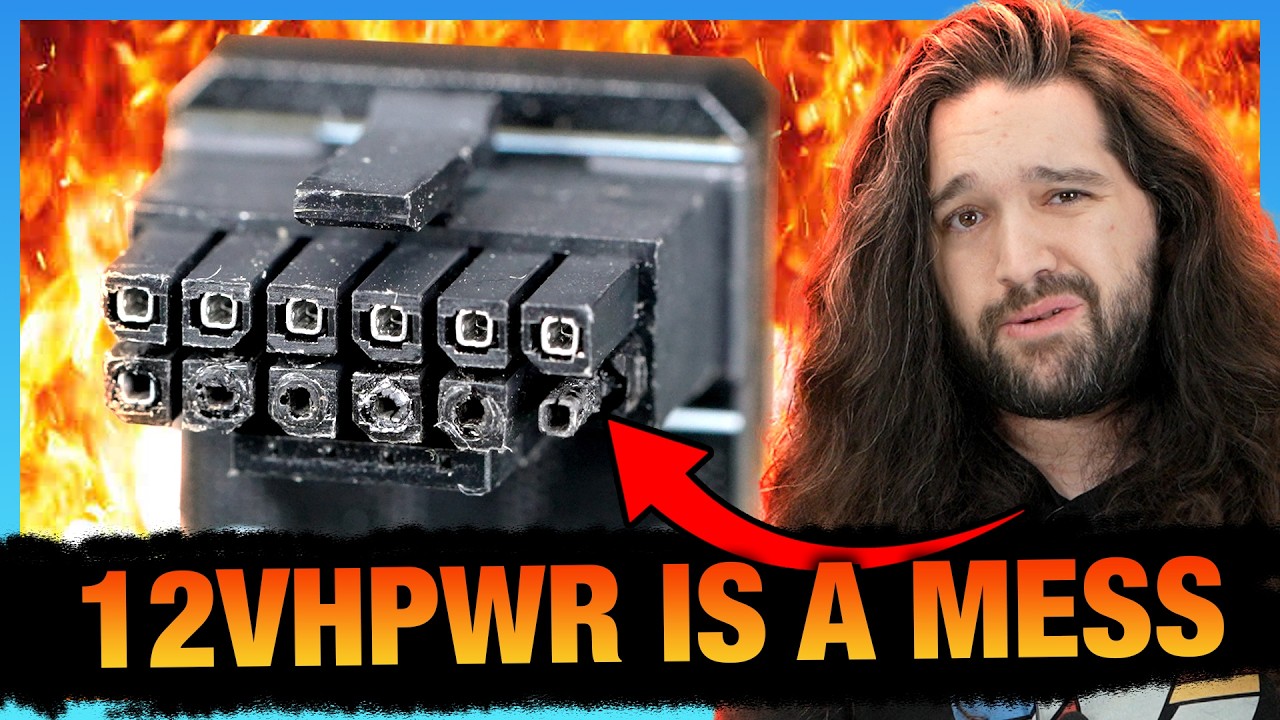
Sponsor: Antec C8 with fans on Newegg https://howl.me/cmXtq5tnNJ7 - and without fans on Newegg https://howl.me/cmXtsXoSlzL
This investigation digs deep into the 12VHPWR and 12V-2x6 specifications, highlighting the contradictory design documents leading to confusion as manufacturers cut corners. We talk about the CableMod recall of its angled ada...
 silent cradle
How many grams of UTP-8 would I need likely for my 7800xt?
limber flax
5 million
silent cradle
odd siren
You shouldn't need any unless your core hotspot is garbage
Idk how long ago it was, saw performance decrease in 6 months of having it.
Pcs are dust magnets, been meaning to repaste for over 3 months now
limber flax
Succ
pallid nova
livid idol
If you want to fall into a rabbit hole https://youtu.be/Y36LMS5y34A?si=jPIiHqJHK...
Probably will.... im trying to get into the nitty gritty of pc building
livid idol
silent cradle
Pcs are dust magnets, been meaning to repaste for over 3 months now
If you're careful you can reuse the pads already on there. That memory isn't hot like Felix said, so even lower quality stock pads are fine.
silent cradle
livid idol
If you're careful you can reuse the pads already on there. That memory isn't hot...
I mean I just bought 10g of UTP-8 for 2$ and I can't stop it already, should I just repad the memory then?
livid idol
How much you need depends on the exact model you have but 10g should be enough for that. Try to put about as much as you think it will take to match the pad thickness.
silent cradle
livid idol
How much you need depends on the exact model you have but 10g should be enough f...
It’s the pulse, but this was a convo like 2 months ago, there’s no 7800xt gutting yet.
Nobody has opened their 7800xt pulse and measured pad thickness and the amount of pads
I assume there’s 5 because of the Nitro 7800xt model, but I don’t think they listed the pad thickness or type with the nitro.
but hopefully 10g is enough cause I’m 100% going to be screwing up or something
odd siren
10 should be more than enough
 solemn panther
Hm
 warped apex
whats up with the 7900 xtx rn with lag?
odd siren
livid idol
You'd be waiting a minimum of 3 months, possibly 5, for the 5090
 random dock
livid idol
You'd be waiting a minimum of 3 months, possibly 5, for the 5090
random dock
livid idol
You'd be waiting a minimum of 3 months, possibly 5, for the 5090
Currently have a 4070ti super so ig I can wait wait a bit but really crave more performance then this gpu can currently provide
When buying the gpu I had no idea 480hz oleds would be a thing in my lifetime
livid idol
They did come pretty suddenly
We're almost to where you can buy one monitor at a good price and be happy for many years
odd siren
Feel like there won't be a whole lot of games you could saturate a 480hz with anyway
Not with a 4090, let alone 5090
Very few games that happily sit in the 480fps range that aren't somehow massively cpu bound to begin with so throwing more at a GPU very likely wouldn't improve that high end
livid idol
Many of them have engine limits that are closer to 200 and often less as well
odd siren
Yup
random walrus
I think overwatch 2 got a bump from 300fps engine limit to 600
But that would mean playing overwatch 2 🤢
forest oasis
Real
craggy pier
Diminishing returns really slapping themselves on the wall here
craggy pier
A tickle would be a compliment
random walrus
I hope AAA game developers/studios/investors/etc come to the realization that gameplay >> graphics
I feel like there's been a lot of downhill since around 2016 with large performance drops for marginal graphics gains
Maybe more like 2018
Coincidence that DLSS was introduced in 2019...?
craggy pier
Youre talking to the same companies that think, in quote, indie games like pal world and lethal company create "unfair standards"
livid idol
Devs are getting lazy with ports is part of the problem. They're relying on DLSS/FSR to get playable frame rates.
Just to save a few days' worth of work too
forest oasis
to be fair, a day's worth would probably cost like $4k for a dev team of 20 people
assuming 8 hour days
with an hourly of 25 dollars an hour
idk how much game devs make
pallid nova
does anyone know why i keep getting this windows security error when trying to download graphics drivers from nvidia experience?

 vital oriole
lmao
 ivory herald
pro tip, download the standalone driver.
livid idol
pallid nova
does anyone know why i keep getting this windows security error when trying to d...
If you got that from nvidia.com get one marked as "WHQL" instead. If you didn't get it from nvidia.com, run fast and far from that site, delete that immediately.
There's a few issues with downloading through GFE, like an unsigned driver version or possibly something more malicious like DNS poisoning
naive bane
Why SLI is not being used anymore? what happend? will it come back?
keen nacelle
naive bane
Why SLI is not being used anymore? what happend? will it come back?
Running two gpus is almost never beneficial for most users
It's only useful for some workstation tasks, maybe if you need more display outputs, or maybe streaming
A lot of the time it actually hurt gaming performance
forest oasis
They should bring back sli for VR though
Since VR is rendering 2 like 1440p screens at the same time
So you'll actually be able to utilize 2 GPUs properly
livid idol
naive bane
Why SLI is not being used anymore? what happend? will it come back?
SLI isn't used in most modern games, even if you had a set of GPUs that supports it. Driver level support for it is no longer developed, so any game that wants to support it needs to manually add it which takes more effort than 99.9% of devs are willing to do.
livid idol
forest oasis
They should bring back sli for VR though
That sounds like a recipe for motion sickness since the issue with SLI was the GPUs getting slightly out of sync and causing screen tearing
forest oasis
livid idol
That sounds like a recipe for motion sickness since the issue with SLI was the G...
i mean, the problem was because sli was rendering like half the screen on each gpu right? while for vr, it would be rendering on one screen for each gpu
https://developer.nvidia.com/vrworks/graphics/vrsli like, nvidia did it back in maxwell
livid idol
Each GPU was rendering half the screen yes... but it was every other horizontal line of pixels.
If the VR screens go even 2 frames out of sync with each other it will cause extreme motion sickness like back when VR first came out with atrocious frame rates
forest oasis
iirc there were multiple sli implementations? some that split the screen into halves, some that rendered every other line kinda like interlacing, and such?
livid idol
Yes there is multiple methods to it and it depends on what the dev intended
forest oasis
livid idol
If the VR screens go even 2 frames out of sync with each other it will cause ext...
i wonder how noticable it would be though, especially if you're able to hit the like 144hz range, if a frame goes out of perfect sync once in a while
livid idol
If you do a quick turn, even one frame out of sync would make me sick
forest oasis
like, currently, there's not really any gpu that can render some of the modern vr headsets with insane resolution at a stable framerate
odd siren
They should do vr in vertical render scans rather than horizontal
That way if one gpu lags, your eye sees the past

forest oasis
iirc not even the 4090 (i think that was what my friend has?) can handle the valve index at 100% resolution at 144hz, and that's a 4+? year old headset
and there are even higher res headsets now
livid idol
It's effectively 4k144
There's bigger issues than the GPU at that bandwidth requirement
forest oasis
yeah the index cable is quite easily damaged
once that signal integrity goes down, you get visual artifacts and then you'll need to buy a new tether
(which is like $150)
livid idol
Only because they did that stupid sharp 90 degree turn cable right?
 livid idol
Must be another one I'm thinking of
odd siren
Needs moar thunderbolt
forest oasis
technically there is like, an almost 90 degree turn, but that comes out of the headset, and that isnt what ususally breaks

nvm less than a 90
more like 45
wait
hold on that doesnt seem right
wtf is this angle again i forgot math 💀
forest oasis
brain exploded
odd siren
Reticulating spleens
livid idol
Once new headsets can utilize USB 4.0/TB 5 at full 40+ Gbps a lot of the compromises they've had to make can go away

 solid glacier

welp gg xD
i bought my borhter a new mobo but his cpu and ram doesnt work for it
keen nacelle
yeah... no thats am5 with an am4 cpu
keen nacelle
7500f off aliexpress or 7600/x
solid glacier
oo 132
livid idol
You'll also need a kit of DDR5 memory
Something like this (probably samsung so good at xmp/expo but not for overclocking)
https://pcpartpicker.com/product/cY9wrH/teamgroup-t-create-expert-32-gb-2-x-16-gb-ddr5-6000-cl38-memory-ctced532g6000hc38adc01

TEAMGROUP T-Create Expert 32 GB (2 x 16 GB) DDR5-6000 CL38 Memory (CTCED532G6000HC38ADC01)
keen nacelle
$3 more gets you hynix https://pcpartpicker.com/product/cnbTwP/gskill-flare-x5-32-gb-2-x-16-gb-ddr5-6000-cl32-memory-f5-6000j3238f16gx2-fx5

G.Skill Flare X5 32 GB (2 x 16 GB) DDR5-6000 CL32 Memory (F5-6000J3238F16GX2-FX5)
pallid nova
livid idol
If you got that from nvidia.com get one marked as "WHQL" instead. If you didn't ...
I got it from geforce experience
How do i prevent dns poisoning?
livid idol
If that's actually what's happening here, which is rare, there's no way to stop it without changing your ISP or jumping through several hoops including a VPN
That's what makes DNS poisoning so nasty
pallid nova
Oooo… so should i be downloading from GFE or nvidia.com?
When i downloaded from nvidia.com it also gave me that warning. Though i got told by someone that the driver might not be signed yet since it did come out yesterday
forest oasis
pallid nova
When i downloaded from nvidia.com it also gave me that warning. Though i got tol...
you could try downloading a previous version and see if that also gives an unsigned warning
pallid nova
It has for the past 2 patches
Or rather versions
But every single update was from gfe or nvidia.com
livid idol
If you downloaded from nvidia.com and the driver was marked as WHQL, there's no reason for it to give that error unless something is screwy elsewhere. If you have a VPN try using that and manually set your primary DNS to 8.8.8.8
@pallid nova
pallid nova
it had WHQL... thats why im worried now
pallid nova
livid idol
If you downloaded from nvidia.com and the driver was marked as WHQL, there's no ...
i dont have a vpn on

i got this
livid idol
Yeah that's WHQL so it should be signed and sealed by both Nvidia and Microsoft
You can get a free trial of a VPN to test with. I use Surfshark.
pallid nova
aight im gonna try. i have a nord subscription
also, would these drivers be affecting the black screens i get from time to time? it flashes black screens for no reason. i checked the hdmi for both as well as reseated the gpu.
not to mention sometimes a bsod
man this new pc has so many more problems than my old one.
livid idol
pallid nova
not to mention sometimes a bsod
Put the contents of the C:\Windows\Minidump folder into a zip file and DM it to me. I'll be able to analyze the crash dumps in a bit when I get home.
pallid nova
wait i totally forgot about analyzing the crash dump hold on
craggy pier
Do yall think the 5000 series are going to go down once they release?
Or do you think enough chumps are gonna fork over 2.5k to make up for it
odd siren
No way they go down
Nvidia has been trending up very rapidly for many generations
And not to mention current gen 40 series has barely price shifted (In the case of the 4090, upwards even)
Too many signs point to a big uptick
Both in performance and price
random dock
Well performance going up is most important imo
Everything else even price upto a point is secondary
random dock
Yeah 4090 was also rumoured to be over 2k iirc
keen nacelle
People were saying 4090 was 3x a 3090, 600w, among other very not true things
Ill wait for official pricing lol
forest oasis
i think it's nearly impossible for a megacorporation to lower prices on something that has a measurable improvement from the previous generation, no matter how small the improvement is
i do believe it's possible for them to either not raise the price much, or raise the price by a fair bit
but never lower
i will go to a walmart naked and get arrested if they actually lower the price
keen nacelle
Im just hoping 8000 series lives up to the rumors
This gen perf but much cheaper
If it is ill probably hop to that, otherwise I'll be going used/refurb
junior locust
keen nacelle
No shot 5090 will be over 2k
I can almost guarantee you it will be
If the 4090 sold out in like 10 seconds for 1600
You can easily go 2 grand and sell out in 15 seconds while making 40% more profits
If nGreedAI goes extra greedy, 2500
odd siren
keen nacelle
No shot 5090 will be over 2k
4090 is already up to 1800 msrp iirc
I wouldn't be surprised personally considering how much happened in the last two years
cerulean rover
They'll probably just make it called 5090 ti super or something and use a worse die for 5090 so prices don't look like they increased by much
craggy pier
keen nacelle
Im just hoping 8000 series lives up to the rumors
When do you think those would be releasing, rumors aside
craggy pier
random dock
Well performance going up is most important imo
Well i mean when consumer grade products cost an executive level price it becomes an issue for sure 
The price to performance looks promising for the 5070 from what ive seen
The rumor mill is chugging along, but the lower series cards hopefully wont suck
I wish amd or even intel would throw some competition into the bubble on higher end cards
But we know that reality 😔
junior locust
craggy pier
The rumor mill is chugging along, but the lower series cards hopefully wont suck
Almost certainly they will suck
This is nGreedAI we're talking about
They're not a graphics company, and you're nothing but a wallet to them
craggy pier
😔
junior locust
Expect the worst so you can't be disappointed
forest oasis
No company is there to be your friend
Any company that tries to be, will always end up in the dirt
 normal hawk
forest oasis
Any company that tries to be, will always end up in the dirt
normal hawk
forest oasis
Any company that tries to be, will always end up in the dirt
Not according to Valve worshippers lol
craggy pier
I hate nvidia, but if they (hypothetically) offered better value than an amd alternative, i would buy the nvidia card
Im not here to get personal with nvidia, throw some dice have a cup of coffee, i want a product
normal hawk
Like watching people comparing pc handhelds and the focus is always on the "twice the price" despite that not even be true. The steam deck OLED is priced close enough to the ROG Ally and Legion Go. The LCD steam deck being 399 isn't even half the price of any of them except the ROG Ally X.
craggy pier
Same goes even for brands i really do bias towards, like sennheiser for example
normal hawk
I love my steam deck. But there are tons of reasons why someone would prefer either of the other options that they just disregard with the price and move on.
forest oasis
normal hawk
Not according to Valve worshippers lol
well, at the end of the day, valve aint there to be your friend either
sure, they're quite consumer friendly, but that's because they're smart enough to know that happy customers = loyal customers
craggy pier
The only time i might ever buy the worse product is if im confident in the brand or the people behind and want to help it grow
But thats a niche and the tech field is too large for my money to make an impact lol
odd siren
craggy pier
I hate nvidia, but if they (hypothetically) offered better value than an amd alt...
I completely align with this
normal hawk
forest oasis
well, at the end of the day, valve aint there to be your friend either
sure, the...
That's what I'm saying lol. I just mean valve worshippers just automatically love anything from them.
forest oasis
well, i guess their PR is working then lmao
blindly loyal customers are still loyal customers after all
craggy pier
Youve never heard of apple have you
forest oasis
apple has a different method of capturing customers
craggy pier
Add 200 bucks
forest oasis
it's not by being consumer friendly, but just having the prestige that it tries to impart into their brand
their whole marketing is basically just "we're different from everybody else so we are better"
craggy pier
90% of their marketing is "everyone else has one"
Even when samsung has a big slice of the pie
random walrus
forest oasis
it's not by being consumer friendly, but just having the prestige that it tries ...
And offering an admittedly top tier cross-device ecosystem
forest oasis
true
but that's technically part of the prestige
it just works
seamlessly (with their own products)
 coral nexus
Question, thinking about upgrading GPU, from 6800 (non XT) to 7800/7900 XT, will the jump be highly recommended?
forest oasis
coral nexus
Question, thinking about upgrading GPU, from 6800 (non XT) to 7800/7900 XT, will...
highly recommended? absolutely not, especially not the 7800
recommended? maybe if you get a killer deal on a 7900gre? would still not be a big upgrade honestly
better to skip a generation before upgrading,
coral nexus
seems best buy has a GRE 7900 for sale. But ive never used the xfx radeon version.
keen nacelle
We're fairly close to new gpus, personally with a 6800 id stick it out
coral nexus
MSI is always my hand picked, but they dont make cards for this series. So GRE7900, minimum, would be reccomended IF I find a good price?
keen nacelle
The 7900 gre is probably about 25% better than the 6800
keen nacelle
coral nexus
MSI is always my hand picked, but they dont make cards for this series. So GRE79...
Anything that isn't an asrock challenger or asus dual
coral nexus
keen nacelle
Anything that isn't an asrock challenger or asus dual
does that include XFX Radeon, GRE7900, is that okay?
keen nacelle
Yes, imo just not a worthwhile upgrade from a 6800
New gpus from amd are rumored to be focused on value instead of increasing performance
Like 7900xtx performance around $600-700 if the rumors are to be trusted
forest oasis
gre is only worth it with a killer deal to upgrade specifically (which i doubt the current sale on it is a killer deal), but yeah also next gen is gonna come out in within a few months so even with a killer deal, you may be better off waiting for the next gen
odd siren
Next gen isn't the thing for me
To me it's like, anything sub 7900XT is like within 30%
So hard pass
Sales around this time of year and before the next cycle for radeon tend to be really really good so I would say it's not a terrible idea, just you really want to aim quite high vs a 6800
forest oasis
true
odd siren
Like 7900XT is around 630 rn which is honestly fantastic
Raster is a stone's throw off a 4080/Super
May get a little better but that's already excellent
coral nexus
im looking at 550 atm for a GRE XFX radeon 7900 Xt, I figured that was a solid deal, but I wasnt certain it would be worth the upgrade. But considering that price point, thats a good deal atm? And IF I want to upgrade its minium gotta be 7900, no lower, correct?
odd siren
Nah GRE is a pass imo
Way too close to a 6800
Aim 7900XT or 7900XTX
It's not like the GRE is a bad buy, it's just not worthwhile for your current hardware
keen nacelle
coral nexus
im looking at 550 atm for a GRE XFX radeon 7900 Xt, I figured that was a solid d...
In my opinion it's not worth it unless your 6800 is having issues and absolutely needs replacing
coral nexus
keen nacelle
In my opinion it's not worth it unless your 6800 is having issues and absolutely...
for context, game wise, Throne and Liberty. on a ryzen 7 7800 3dx.
Ive had the 6800 for a long min, so was thinking about upgrading.
odd siren
Yeah you really want a beefy gpu to make that upgrade worth it
coral nexus
so better to wait?
coral nexus
its a couple months out for new Gpu's, right? Its apiril?
odd siren
Within 6 months supposedly
 raven wharf
@odd siren

you ever hear anything abt this? https://videocardz.com/newz/zephyr-introduces-radeon-rx-6800-6900-with-white-pcb-four-years-after-amd-release#disqus_thread

VideoCardz.com
ZEPHYR launches new Radeon RX 6800/6900 graphics cards, RX 7000 in the works Brand new RDNA2 cards. It’s hard to believe, but some AMD board partners that once made Radeon RX 6000 cards are no longer around, making it feel like ancient history. Yet today, the Chinese company Zephyr has announced new graphics cards based […]
raven wharf
ik you crave white radeons
long oracle
bruh I dont pay attention to the new market prices is that good or not cuz I think it is
long oracle
which is slower 💀 16gb aint gonna save it and its $50 more
odd siren
Can get a 3080Ti for less than that 4070 and be completely faster
Same with 7800XT tbh, not slower at all
Still faster even if you factor in heavy RT:

Only 2% slower in full RT head to head ☠️

Meme resolution but the 7800XT beats it at full RT in 4K lmfao

Not bad for ebay https://www.ebay.com/itm/315892177839


eBay
Reference AMD Radeon RX 7800 XT 16GB GDDR6 Graphics Card With Box
Or this for even better price/performance https://www.ebay.com/itm/286119315422


eBay
Factory Refurbished so no original box, but other than a bit of fan dust, NIB quality!
Or one of these great things https://www.ebay.com/itm/176643810785


eBay
Auction is for Dell 3080 graphics card only. Card works great and was used as a spare with plenty of life left in it. Heat sinks included on bottom of card.
And this is ebay, so the usual good prices aren't even common on this site
random walrus
GN did a review of the 3090 version of the OEM dell card and was pleasantly surprised by the quality
I assume the 3080 is the same cooler
random walrus
The plastic shroud reminds me a tad of older evga models, like 900/1000 series cards
random walrus
 random walrus
odd siren
I don't really mind the zero aethestic look either
random walrus
odd siren
I don't really mind the zero aethestic look either
shroud points downwards in most cases anyways
odd siren
Yeah very "All business no bs" look
random walrus
Makes sense for an OEM card
No visible branding other than "geforce rtx" which I wouldn't be surprised if it was required by nvidia
odd siren
Oh yeah that is always required
It used to be enforced as prevalent and green


Not all that long ago was the green part rescinded
coral nexus
Its better to uninstall an older amd gcard, before installing a newer amd card, correct?
I normally dont do that, just pop it in.
long oracle
odd siren
Can get a 3080Ti for less than that 4070 and be completely faster
they’re out of stuck since forever
and I think if I pay a lil more I’m going for the super since it’s faster than the 7800xt so
appreciate the effort tho
 heady stratus
Good, I need my 3090 to last another few years
craggy pier
It literally isnt faster tho 😭
long oracle
craggy pier
It literally isnt faster tho 😭
yes it is
long oracle
rt and dlss
long oracle
np lol glad u acknowledge this
craggy pier
Yee, i personally prefer what the gre has compared to the super but i think theyre both great options
long oracle
understandable it’s indeed good for raw 4k
craggy pier
I think its a bit more suited for 1440p generally if youre a frame rate junkie, but it can do 4k
long oracle
ye like playable better at 4k than the super
craggy pier
In cyberpunk as an example without rt you go from about 110fps with 1440p to about 50fps with 4k
Still perfectly consumable performance, but if you want rt youre def gonna be using 1440p
long oracle
ye cyberpunk kinda more optimised for Nvidia
long oracle
yea but these days almost all new cpus can keep up with the existing gpus
tough plinth
i got this popup after i installed amd adrenalin software version 24.10.1. it doesnt disappear when i click to focus on another window like a regular popup.

oh that popup is from the epic games launcher
the last game i played was fortnite
raven wharf
favorite gpu shroud design? mine is tied between the XTX reference and XFX's 6950 XT


red and black is just 
 random dock
Is it now
odd siren
Seen it IRL, yes it is
random dock
odd siren
Seen it IRL, yes it is
Soo actually helped with temps?
junior locust
I think it changes colors with temp increase
Like it's green when cold, blue when hot type of stuff
craggy pier
Ive got a 7900 gre (specifically the red devil from powercolor) and ive heard its an overclock monster and im tempted to dig into that since ive never touched oc before, what kind of things come with doing this, lifespan wise and other?
odd siren
random dock
Soo actually helped with temps?
Nope
It just changed colours
Like some coffee mugs you see 💀
craggy pier
Or even just undervolting
odd siren
craggy pier
Ive got a 7900 gre (specifically the red devil from powercolor) and ive heard it...
Undervolting is more or less overclocking for AMD
Ryzen and Radeon both
Curve optimiser and voltage slider in both cases serve to undervolt but the chips still boost to the same ppt (power limit)
So it'll just use less voltage to achieve the same result
If it has headroom to boost then it will, and they most often if not always do boost higher
So the balance becomes a bit similar to nvidia overclocking, like, "How high can I get the clocks at this voltage?" type approach
If you want to actually reduce power you reduce the power limit either separately or together with it
Like PBO but reversed
craggy pier
My question is why dont the parts just use lower voltages stock then?
odd siren
Cos they only bother with one or a couple programmed vbios'
If they all hit that range successfully and "stable" then they become official cards
If they don't, downbinned or trashed
limber flax
It'd take too long to individualize the values
craggy pier
Fair enough
odd siren
You're after an easy range that can be produced en masse
odd siren
So hand crafting each card would take 1000 cards an hour down to maybe 1 or 2
Removes tons of automation
The other side of this is we also tap into the groundwork that gives us "silicon lottery"
Since they're all "stable" according to the manu, but some do it much better than others
You'll get hand-picking for certain lineups
craggy pier
Appreciate the info 
craggy pier
I might try just a small undervolt and see how it goes then, probs chop off 50mV or something
odd siren
Sure
All radeon RDNA 3 cards have a wide range
Some like running low voltage and also low clock
Some high voltage, high clock
Sometimes a mix of either or
craggy pier
Ill poke at it a bit, nothing crazy
Would be nice to squeeze 5% or more perf from what ive heard
odd siren
The widely accepted rough binning check would be probably, I think it's gpu-z ASIC quality reading
The lower the better
odd siren
craggy pier
Appreciate the info <:pepeegg:798097342598611003>
Np, there's a thread online at oc.net called something like, "XFX Merc 310 owners thread" and in there, the OP has a huge post that'll teach you a ton of things about RDNA 3
Extremely useful thread
 odd siren
I haven't really scratched the surface on everything to know
 lofty crane
I have a stupid question
if I put in my 1650 gtx and my 3060 and use the 3060 for a good monitor and the other for a bad one is that a good idea?
random walrus
If you're just putting discord or a browser on the second monitor while gaming I doubt it's worth it, I'd sell the 1650/use it elsewhere
livid idol
lofty crane
if I put in my 1650 gtx and my 3060 and use the 3060 for a good monitor and the ...
That is a thing you can do but it would serve almost no benefit. Using the iGPU built into a CPU would be a better option.
That way you don't have to worry about extra power usage
silent cradle

FurMark benchmark scores database - OpenGL / Vulkan
Okay some context: Benched my GPU back in July, saw there was a big decrease in my FPS with high/rising temps and a few days ago I repasted my GPU, with even lower FPS than before. The image + link above is one I just did with presentmon data into a spreadsheet cause Falcie thought it might of been a bottleneck
this test was directly after I repasted (https://www.gpumagick.com/scores/show.php?id=426620) and this one (https://www.gpumagick.com/scores/show.php?id=204497) was the one back in july. I don't have any other links saved for my previous benches unfortunately
FurMark benchmark scores database - OpenGL / Vulkan
FurMark benchmark scores database - OpenGL / Vulkan
I don't know why my performance is just all over the place, only thing i've really updated was my drivers and furmark, otherwise I noticed with this latest bench I didn't have my overclock on while the other two did with that HYPR X preset
livid idol
silent cradle
https://www.gpumagick.com/scores/436092
With both the CPU and GPU being equally busy I would assume the issue lies elsewhere, like RAM
Maybe you updated bios and forgot to set xmp/overclock again?
silent cradle
livid idol
Maybe you updated bios and forgot to set xmp/overclock again?
I have yet to update my bios still but i'll do that in a bit
But that could be it honestly
random walrus
Second test does have lower temps but also lower power draw, idk if that could be part of the issue
 reef wyvern
 silent cradle
random walrus
Second test does have lower temps but also lower power draw, idk if that could b...
silent cradle
random walrus
Second test does have lower temps but also lower power draw, idk if that could b...
No clue how mine managed to get to 287w when TDP is 260 & I know nothing about overclocking 😭
livid idol
Easy answer is the motherboard is probably ignoring the default limits
Or at least doing some fudgery
odd siren
DDU, update bios
Leave XMP on, radeon overlay off
Then retest
Using presets and all that will cause disparity
livid idol
Oh right GPU. It's pretty normal for a GPU to spike over the power limit temporarily.
odd siren
Variability is possible especially when iirc hypr x involves FSR
Yep it does
FMF2
?ddu
 neat ventureBOT
DDU (Display Driver Uninstaller) Guide by Pato
https://github.com/NeweggTechie/Graphics-cards/wiki/How-to-use-DDU

GitHub
Contribute to NeweggTechie/Graphics-cards development by creating an account on GitHub.
odd siren
Do DDU, bios update, run stock + XMP, radeon overlay off, check results then
Things like framegen will cause inconsistency
craggy pier
whats yall's hope for the 8000 series
maybe there'll be actually competent budget cards (it'll never happen)
craggy pier
so you arent disappointed in the case of a disappointing launch?