#graphics-cards
1 messages · Page 68 of 1
 odd siren

 random walrus
the calculator I used is an even smaller chance than that I think
either way, versus the amount of those cards sold the stats indicate it is user error
or just straight up trolling. tbh 7 granted RMA requests seems weird to me
odd siren
I would believe on several occasions the RMA being "approved" but nothing happens
That sort of bs happens a lot
You know
"We couldn't find anything wrong"
But they don't say that, they just quote 'Approve' it
odd siren
I tend not to as they tend to be model or board specific. Zip ties are universal
 wicked hound
This is the precise reason I just got a Moore Threads MTT S80 and never looked back
odd siren
Omg
That Frankenstein ass chinese gpu
I forgot all about it
I bet you googled that name
wicked hound
I knew Moore Threads, didnt know the model name
They are my goto company for random GPU cuz they are modern company
But most jank of the modern companies that I know of
 lilac osprey
odd siren
I tend not to as they tend to be model or board specific. Zip ties are universal
lilac osprey
odd siren
I tend not to as they tend to be model or board specific. Zip ties are universal
I don't think that one is. It has one big heat sink for the gpu, and a zillion little ones to fit individually to all of the specific card's specific features, using thermal glue
Although reviews commonly say the included thermal glue doesn't hold
lilac osprey
Oh, you thought it was a water block?
odd siren
I thought it was a fan frame
one of those fake shrouds
yeah I'd never use a substitute heatsink unless it was like for like
or with known backing
lilac osprey
Oh I see
 wary thorn
Are links allowed to be posted here?
If so then does anybody else know if there r any other gpus that r like this. Preferably around this quality or even around 7800xt performance
I like how it's custom in a way and if there aren't any other are there trustworthy people that actually do work and paint the tops of gpus n stuff. Of course they couldn't paint every part but y'know
random walrus
I dunno if I've seen cards like that which aren't a limited run
AMD has done cyberpunk, starfield, and Avatar gpus but they don't make many and do them as giveaways
wary thorn
How bad is the 6800xt compared to the 7800xt when it comes to strictly gaming setups
Cause ngl I’m rlly considering I just don’t want the performance difference to be drastic but I also understand the artwork n collaboration makes the price go up ofc
 keen nacelle
wary thorn
How bad is the 6800xt compared to the 7800xt when it comes to strictly gaming se...
keen nacelle
wary thorn
How bad is the 6800xt compared to the 7800xt when it comes to strictly gaming se...
Theyre near identical
7800xt bit lower power usage, better rt, and better for streaming/some workstation tasks
 marble dagger
yo @keen nacelle do you know anything that could help me with booting windows? i just installed a new gpu on my friends pc
and it keeps crashing before booting
keen nacelle
marble dagger
yo <@654444344274845698> do you know anything that could help me with booting wi...
Was it working before the new gpu?
What gpu was it before and what's the new one?
keen nacelle
What's the power supply?
marble dagger
some evga non-modular 600w
keen nacelle
Model + wattage if possible
OOOH
Pls tell me not evga W1-3 or evga n1-3
If so that is your issue
marble dagger
see i have no idea which one it is
keen nacelle
Those are literal bombs
marble dagger
so one sec
keen nacelle
Like burn house down, PGM type bombs
keen nacelle
Ye?
marble dagger
the psu has a ton of cables coming out of it, is that non modular or semi
keen nacelle
Non
marble dagger
ok
keen nacelle
If there's only a few cables it's semi
marble dagger
gotcha
keen nacelle
It should say it on the side facing the outside when you take the side panel off
marble dagger
see i asked him what it said and either he didnt know where to look or it just didnt say anything
well
anything right
ok so its not the evga n1-3
because
im pretty sure those have colored looking cables
keen nacelle
When you try to boot, what happens
marble dagger
and his did not
keen nacelle
Does it just black screen, blue screen, not turn on, etc
marble dagger
keen nacelle
When you try to boot, what happens
so like itll sometimes get into bios when he hits f2, but most the time if he touches a button itll just go black
keen nacelle
marble dagger
and his did not
Some do some don't
marble dagger
hm
keen nacelle
marble dagger
so like itll sometimes get into bios when he hits f2, but most the time if he to...
Try resetting cmos ig
But id very much suggest checking that psu
An rx 550 consumes so little power it could be fine with that, but the 4060 could very quickly cause issues
marble dagger
alright, ill look up how to reset cmos, thats in bios right
marble dagger
cause he literally can;t get into bios most tries lol itll crash instantly
keen nacelle
We had a command for it
Basically there's a little silver battery on the motherboard
There should be a tab on one of the sides
 neat ventureBOT
How to clear CMOS (works for AMD and Intel)
https://www.intel.com/content/www/us/en/support/articles/000025368/processors.html
Intel
Defines CMOS technology and how to clear CMOS using the jumper or battery methods.
marble dagger
oh the circle looking one
keen nacelle
Psu has to be off though
marble dagger
u want him to take it out, after turning the psu off
keen nacelle
And then take it out and leave it out for around 15min
keen nacelle
Then put it back in
marble dagger
whats that supposed to do?
keen nacelle
It resets all bios settings
marble dagger
oh cool
keen nacelle
Which normally a gpu wouldn't mess with, but its the only thing i can really think of atm other than psu
Unless the gpu isn't fully in the slot
Wait
Display cable is plugged into the gpu, right? Not the motherboard
marble dagger
yeah im pretty sure, we tried fixing this a week ago and it was plugged into that
i will check tho
hes showering rn so stand by if u can
ill ping u if needed
 livid idol
It's possible you might need to go into windows safe mode and run DDU to get rid of the old AMD drivers, sometimes conflicts can happen causing issues like this.
?ddu
neat ventureBOT
DDU (Display Driver Uninstaller) Guide by Pato
https://github.com/NeweggTechie/Graphics-cards/wiki/How-to-use-DDU

GitHub
Contribute to NeweggTechie/Graphics-cards development by creating an account on GitHub.
marble dagger
@keen nacelle does this help identifying it
 marble dagger
bad psu?
i think his friend cheaped out on certain things
when helping him build it
livid idol
At the very best that's an E tier unit
keen nacelle
marble dagger
he'll need a new one, modular for ease i would assume, to run a 4060? no?
I'll grab some links
This is best value rn, it's way overkill but gives a lot of upgradability
https://pcpartpicker.com/product/YRJp99/corsair-rm750e-2023-750-w-80-gold-certified-fully-modular-atx-power-supply-cp-9020262-na

Corsair RM750e (2023) 750 W 80+ Gold Certified Fully Modular ATX Power Supply (CP-9020262-NA)
marble dagger
yeah that's the one I just bought
very happy with it so far
but like for possibly fixing it tn, hes abt to put the cmos thingy back in
its been almost 15 min
what are we to look for after he does that?
keen nacelle
https://pcpartpicker.com/product/8LNxFT/msi-mag-a-bn-650-w-80-bronze-certified-atx-power-supply-mag-a650bn
https://pcpartpicker.com/product/x4hv6h/thermaltake-toughpower-gf1-2024-750-w-80-gold-certified-fully-modular-atx-power-supply-ps-tpd-0750fnfagu-p
https://pcpartpicker.com/product/xLtKHx/apevia-prestige-600-w-80-gold-certified-atx-power-supply-atx-rp600w

MSI MAG A650BN 650 W 80+ Bronze Certified ATX Power Supply (MAG A650BN)

Thermaltake Toughpower GF1 (2024) 750 W 80+ Gold Certified Fully Modular ATX Power Supply (PS-TPD-0750FNFAGU-P)

Apevia Prestige 600 W 80+ Gold Certified ATX Power Supply (ATX-RP600W)
The other options imo
keen nacelle
marble dagger
what are we to look for after he does that?
Just try booting and see if it works
marble dagger
okay
hes doing it rn
@keen nacelle yo he actually can get into windows now?
but it still crashed
however
its way further than hes ever gotten
like he actually got like
1 minute into being on his desktop before it blackscreened
keen nacelle
marble dagger
1 minute into being on his desktop before it blackscreened
I'd replace psu before anything else.
Honestly even turning the system on is a bad idea
wary thorn
Can I dm someone n ask them smth abt a specific gpu n a site it’s on
 vital oriole
ask here
wary thorn
Ok so I’m getting a 7800xt
Almost all r above 500 n some r above 600
I need to get the link rq but a site called classy shop is selling one for 300 which idk abt prices but when comparing it to popular sites it seems sketch with price but idk so was asking
vital oriole
that's sketchy
wary thorn
Also as u see in first link I’m looking at the sapphire pure but this one on their site says sapphire AMD but it has same specs and even the same number at the end
vital oriole
id get the one from newegg
wary thorn
But then they r selling a racer nitro 5 for 800 so its like not everything is super cheap but this one is just odd yknow
How much does a rtx 4070 12gb go for
If u know
keen nacelle
wary thorn
I need to get the link rq but a site called classy shop is selling one for 300 w...
That's not legit
wary thorn
Ok thx
keen nacelle
wary thorn
How much does a rtx 4070 12gb go for
If u know
530
wary thorn
Yeh they selling to for 300. Also after u said that I scrolled down n they selling Rolex’s for 8k I think they claiming they have everything no matter what the product is lol thx
Oh also can one of u review a monitor I saw yes I know wrong channel
vital oriole
Feel free to ask
wary thorn
Ok ima send it in monitor section tho
odd siren
wary thorn
Yeh they selling to for 300. Also after u said that I scrolled down n they selli...
That sounds sus
wary thorn
I think all gpus r 300n not even 300 and some cash on top. Jus exactly 300 lol
wary thorn
Would y'all trust a random tiktok store that had a 7800 xt priced at 519 with free shipping but doesn't have super professional pics for most products and everything is priced slightly below market average?
keen nacelle
wary thorn
Would y'all trust a random tiktok store that had a 7800 xt priced at 519 with fr...
Link it?
I'll check it out
wary thorn
Idk how to link but I can send pics would u prefer dm or here
NVM
Idk if it's possible to not show reviews or if he just none for any items
He doesn't claim it's refurbished or used in anyway way and ofc price doesn't reflect used value
 spare relic
I just wouldb't on principle because it's tick tock 
wary thorn
😭
I mean true but the price isn't super super crazy it's just odd
I'm at the point. To where I could technically have slight cash to buy Newegg one but if this one is real it would save me a ton
Just by the little amount of that made sense
keen nacelle
wary thorn
Idk if it's possible to not show reviews or if he just none for any items
Yeah nah
He not legit
wary thorn
Ok thx
 craggy pier
What do yall think about the rx 590 for budget budget builds?
vital oriole
no

 heady turtle
craggy pier
What do yall think about the rx 590 for budget budget builds?
heady turtle
craggy pier
What do yall think about the rx 590 for budget budget builds?
Depends how budget and the country
craggy pier
heady turtle
Depends how budget and the country
US, where i am the cards going for about 90-100$
Which i think is pretty damn good value for a bit less than 5k on 3dmark
spare relic
go for a 970 on ebay or something
around 60 shipped
basically the same thing
I guess 480/580 are 70 shipped as well
odd siren
craggy pier
What do yall think about the rx 590 for budget budget builds?
Painful imo
You have to work with the funny driver
spare relic
on ebay aim for good reviewed sellers, with recent sales (last six months or newer) sort by us only, sort by price lowest to highest, choose every conditon but parts only and then the only information you need to care about is whether the title has the name of the card you searched and the seller has good reviews
that's how you ebay gpu I think
odd siren
I'd look for a $120 5700XT or maybe 5500XT for a bit less tbh
Maybe used arc A750
A 590 for 90 just sounds like a lot of pain, the $30 would be so worth it
Or as maniac said, yeah, 970, 1060 6gb
1070
Etc
spare relic
imo
prefer newer gen
just so you keep getting drivers from daddy nvidia for longer frfr
spare relic
this is why I went rx 7600 🤓
heady turtle
craggy pier
US, where i am the cards going for about 90-100$
Should be able to get a 1070 for that
 solid glacier
Hey do I gatta put windows on a usb stick for my brothers pc build or does it come with it already
spare relic
if you're building a computer and it wasn't already set up you will need to
 hot bough
solid glacier
Hey do I gatta put windows on a usb stick for my brothers pc build or does it co...
hot bough
solid glacier
Hey do I gatta put windows on a usb stick for my brothers pc build or does it co...
Unless the SSD came installed with windows you'll need to install it manually which is pretty easy either way.
spare relic
just gotta create installation media on the usb drive you'll be using
then unplug, plug it into the new computer and open up the bios to set it to boot to the flash drive, and then follow the installation process
wary thorn
WTF is installation media
I thought u jus built pc n then after everything was setup u jus put USB in n it would be recognized then u did everything thru monitor after that


 solid glacier
What about the power switch

Got it but the
Tower fans won’t work at all
So the only fan working is my cpu fan
No tower fans and no gpu gans
Fans
Any ideas?
Welp
I have no idea
lilac osprey
I hate when those connectors are several little ones, instead of a single piece like the audio connector
 raven wharf
this was a real thing?

if so its actually kinda sick
a reference 6900 with a little aio on it
 gray fog
yeah
livid idol
solid glacier
Tower fans won’t work at all
Did the case come with a fan hub? If so make sure the hub is not only connected to the motherboard but also the additional power, usually SATA.
odd siren
raven wharf
this was a real thing?
It was and it was extremely mediocre
Looks cool tho
Bit of a unicorn if you find one, they weren't that common
raven wharf
odd siren
It was and it was extremely mediocre
considering its a single 120mm aio yeah id imagine it was
if i ever found one and i had the money and skill itd be cool to turn it into a 360mm
i was always a big fan of the reference style 6000 cards
the refresh 6050s i think are my favorite looking cards

i hope for rdna4 or 5 they go back to something similar
 jaunty remnant
can anyone recommend a good gpu for this build?
Part List - Intel Core i5-12600KF, Radeon RX 6700 XT, NZXT H9 Flow ATX Mid Tower
keen nacelle
Idk if we've talked about this before or not I think I recognize your name? Not sure. I would highly advise against that ram, can get much better for cheaper
But 6750xt or 7600

Silicon Power Value Gaming 32 GB (2 x 16 GB) DDR5-6000 CL30 Memory (SP032GXLWU60AFDEAE)
jaunty remnant
is there a huge difference between the two?
also just wanna make sure this is the one you mean

Sapphire PULSE Radeon RX 7600 8 GB Video Card (11324-01-20G)
keen nacelle
7600 is around 15% worse and has 4gb less vram
And yeah
Otherwise around that price I'd look for used. That price range is really dry rn compared to 6 months ago, when we had 6700xt at 310
 lime kelp
Anyone know if there are previous drivers before 24.1.1 for the AMD 7600XT
odd siren
23.12.1 might work
AMD gives a couple months leeway in the lead-up to release
Nay probably a lot of older drivers work as it's just a 7600 with more vram
It's not really a new card at all
24.1.1 should be the most ideal though, if there were any optimisation issues that needed addressing
lime kelp
I bought a AMD 7600XT and replaced at Geforce 970, im having issues with this card, the screen blacks out freezes
underperforms
i reinsalled drivers like 3 times
heady turtle
lime kelp
i reinsalled drivers like 3 times
ddu all drivers theres usually remnance of the old driver hanging arround
?ddu
neat ventureBOT
DDU (Display Driver Uninstaller) Guide by Pato
https://github.com/NeweggTechie/Graphics-cards/wiki/How-to-use-DDU
GitHub
Contribute to NeweggTechie/Graphics-cards development by creating an account on GitHub.
lime kelp
Bah still getting blackscreens
Thinking i should RMA
Its brand spanking new
@heady turtleAny advise?
heady turtle
lime kelp
<@191276897227898880>Any advise?
you followed the guide above exactly? its very rare that the gpu itself is actualy the problem
lime kelp
Yea
heady turtle
try a different driver version
heady turtle
there should be
lime kelp
24.1.1 only driver out for 7600XT
heady turtle
ah
honestly yeah return it imo, its not a very good choice of card anyway
basically a 7600 but with extra vram that wont be utilised
reach for a 7700xt or get a 6700xt/6750xt tbh
heady turtle
lime kelp
Any idea onto how to get all drivers reset back to original windows?
ddu and dont install gpu drivers
hot bough
found this to be kinda funny.
https://youtube.com/shorts/6tf81P7q5OE?si=rYzzpe5aIB5zUfZ2

Just a Funny video of Nvidia 4090 vs 3090 Ti.
4000 Series price is relatively higher but the performance is also better too. I just don't think many gamers are happy to see the price increase.
Enjoy!!
#gamerneutralized
 unique relic
I'm getting an rtx 3080 from someone I know its an evga rtx 3080 ftw3
I want to change its thermal pads bc that person used to do mining with it and hasnt changed the pads
which sizes should I get for this card
heady turtle
unique relic
which sizes should I get for this card
Honestly meh, the pads are probably fine, check the memory temp first in a game/stress test if you're worried
unique relic
heady turtle
Honestly meh, the pads are probably fine, check the memory temp first in a game/...
yes 1 week later I'll be back home and do that, just from my cleaning they looked a bit weared out
actually I took a pic of the inside but the card is very dirty in pic, I cleaned it after opening it

side note I havent tested it yet however its from someone close so in case of an issue its fine but I dont think this card has issues
odd siren
Oh woag
3080 10g
Is that evga
Oh yeah you wrote it up above
Lol I guessed it in one
send help

unique relic
I'll repaste the thermal paste 100% just worried about the thermal pads rn
odd siren
unique relic
I'll repaste the thermal paste 100% just worried about the thermal pads rn
I'd test the pads first
Unless they are truly like, noticeably dry
 odd siren
I know 2 people who have changed pads on evga cards and had bad mounting issues for coldplate
Also those look, ruined
The vram ones look ok
unique relic
yeah but these ones need some new pads I think
unique relic
when I was cleaning the pcb and the cold plate the pads touched the ground for some I dont know if that affects these tho
well I'll see when testing
odd siren
I mean
If they're pretty clean not really
Pads exist as a reason to heat soak a minor amount of heat
It's not a huge deal if they aren't clean
unique relic
then it should technically be fine
odd siren
Just not, I guess...ethical 💀
unique relic
yeah
so about the inductors will their temp show as hotspot
in hwinfo
if u have any info on that
odd siren
They won't but there's so many phases on that card I posit that it would be ok really
It's good practice to swap anyway
If you do a job you may as well do a good one
unique relic
I found sizes in evga forum for the pads however the issue is stock pads are a bit squishy
so technically replacement pads should be similar in squishiness
I found a brand called "pullsar ice dragon" or whatever in amazon
17w/mk
I dont know the brand but if its like advertised it should be enough
odd siren
unique relic
I found sizes in evga forum for the pads however the issue is stock pads are a b...
This is the bit that worries me
From people I know, the pad sizes given from online sources are dubious
To my knowledge ftw3 wants really squishy pads
Forget w/mK
Just look for squishy af
As I said, coldplate mounting issues
unique relic
reviews for this ones say squishy but I have no idea
odd siren
Neither
Worth asking around about
I normally use k5 pro cos it's all just way too complicated for the investment
Tons of people would disagree with me tho, but it's just plain easy
unique relic
so a thermal paste?
odd siren
It's more like a putty that sets
unique relic
ohh I see now
odd siren
Think of it more like a play-doh constituent once it dries
It's messy, but it's reusable 1000 times over and needs no measuring
And it's not the best by a long way, but good enough most times
For uh, gddr6x I'd probably say k5 pro isn't ideal
For that I'd actually do honeywell ptm7950
If the pads aren't to be too thick
So like, 1mm or less
unique relic
I also saw a rly good one from thermal grizzly however its too thin
0.2 mm
def wont be enough
odd siren
Kryosheet? Yeah it's not worth
odd siren
All thermal grizzly stuff is just overpriced
It's decent, but german manufacturing makes it expensive
Not any better than ptm7950
unique relic
for the sizes I found some resources but all are different
for example this from "thermalpad.eu"

looking at my pic 1 mm seems believable
odd siren
unique relic
for the sizes I found some resources but all are different
Another reason I'd be concerned
unique relic
someone in evga forum said 2.25 mm for those
yeah thats just so different
1 and 2.25 mm
odd siren
And probably different density pads too
Well, as I said ask around about it, but you got a plan B from me if it don't work
K5 pro and honeywell would be a pretty permanent solution (honeywell to the core while you're at it)
unique relic
I didnt know about those 2 products, so thanks for those
definitely a good alternative
odd siren
Made my life easier for hardware so they're worth sharing lmao
Plan C would be reuse pads but add a drop of mx-6 over each component
Jank but adds life
unique relic
I have an mx-6 so thats an option
odd siren
Those pads are kinda wrecked tho so you'll need at least something new
unique relic
yeah I plan on spending some for the thermal pads as first solution
odd siren
The vrm/inductor ones
unique relic
3080 is still a good card so its worth imo
odd siren
Ye
unique relic
ok well my cpu will bottleneck anyways but thats a worry after I get the thermal pad stuff done
odd siren
Good luck with it
unique relic
thanks
keen nacelle
solid glacier
Is the Rx 7600 better than 6700xy
Nah
It's about on par with 6700
Around 10% worse?
unique relic
is thermal putty and thermal pad very different
in a forum I saw someone saying that this card has thermal putty on VRMs so he didnt replace it
 cerulean rover
Thermal pads or putty? Lots of gpus use thermal pads to help transfer heat from the vram/vrm chips to the heat pipes that might be a couple of millimeters away and not directly touching the chip
unique relic
I meant thermal pad*
not paste
yeah thats why but is thermal pad and thermal putty the same thing
random walrus
I believe thermal putty is just a more malleable version of pads; instead of cutting to size and getting the height right you just apply it, kinda like thermal paste but thicker
solid glacier
Is the ryzen 5 5600x better than the 5600
random walrus
solid glacier
Is the ryzen 5 5600x better than the 5600
not really as far as I know
in theory it's clocked slightly higher, and might have a little more OC headroom
but i doubt you'd notice the difference
It also has higher power draw/runs hotter
solid glacier
Alright jw bc I got a ryzen 5 5600 for my brother and I just picked up the 5600x
So not sure if it’s worth changing
random walrus
yeah this benchmark has them well within margin of error for gaming https://www.youtube.com/watch?v=sYiuPK_fz2A

Games : @1080p
Far Cry 6 0:01
Cyberpunk 2077 1:04
Hitman 3 2:12
Horizon Zero Dawn 3:27
Shadow of the Tomb Raider 4:42
Red Dead Redemption 2 5:57
Watch Dogs Legion 7:17
PC Specs:
Nvidia RTX 3090 24GB
AMD Ryzen 5 5600
AMD Ryzen 5 5600X
ASUS ROG X570 Crosshair VIII Formula
RAM: 32GB (2x16GB) DDR4 3600 MHz CL16
Samsung 970 EVO Plus SSD 1TB
CPU Co...
heady turtle
solid glacier
Ag okay so liek zero difference pretty much
For amd the non x is basically 0-1% worse that can be overcome by just turning on pbo anyway
 carmine ivy
Guys what happened to newegg free shipping??
livid idol
It'll vary by item and your location, that's all we know
 solid glacier
Bruh
What was the point of me buying gig internet
If my download is only 103.7mb a sec lol
Is there a way to fix that
livid idol
That depends on the cause of the slow speed. If it's over WiFi then I'd expect that unless you're a few feet from the router. WiFi speed drops off fast with distance and obstacles.
I get a little more than that using powerline Ethernet, other people with better wiring have better results.
 toxic sparrow
How do I stop coil whine it seems to only happen on rocket league for some reason
odd siren
toxic sparrow
How do I stop coil whine it seems to only happen on rocket league for some reaso...
Set an fps limit
They're completely mutually inclusive
High fps = high coil whine
toxic sparrow
Yea that worked but it’s strange I get high frames on other games and it dosent whine
odd siren
toxic sparrow
Yea that worked but it’s strange I get high frames on other games and it dosent ...
Rocket league runs on a toaster my friend
Game is as old as the hills
You're probably getting like, more than 500 fps and it's just making the card reverberate like mad
It's the only way to fix whine
Unless you can physically see the vibrating part and you cover that in putty
toxic sparrow
odd siren
You're probably getting like, more than 500 fps and it's just making the card re...
1.2k fps on rocket league and 1k in Fortnite creative
No whine any more for some reason
raven wharf
uh
 vital oriole
driver error
raven wharf
how do I fix
vital oriole
ddu and the usual reinstalling
neat ventureBOT
DDU (Display Driver Uninstaller) Guide by Pato
https://github.com/NeweggTechie/Graphics-cards/wiki/How-to-use-DDU
GitHub
Contribute to NeweggTechie/Graphics-cards development by creating an account on GitHub.
keen nacelle
 lofty crane
I'm looking for 4060
lofty crane
I'm looking for 4060
May I ask why?
At times it loses to the 3060, and it's priced the same, two years later. It's really bad value
lofty crane
fr?
keen nacelle
Yeah its laughably bad
lofty crane
better to go for 3060?
lofty crane
GPU
keen nacelle
4060 ti is also really bad value, but if you'll only buy new and nvidia this is the cheapest I would do
https://pcpartpicker.com/product/gYNYcf/msi-ventus-2x-black-oc-geforce-rtx-4060-ti-8-gb-video-card-rtx-4060-ti-ventus-2x-black-8g-oc

MSI VENTUS 2X BLACK OC GeForce RTX 4060 Ti 8 GB Video Card (RTX 4060 Ti VENTUS 2X BLACK 8G OC)
If you'll go amd, 7600 at 260 beats 4060 and 3060 by around 20% iirc
6750xt around 10% better than 4060 ti I think? $15 cheaper
lofty crane
I'm not a fan with amd gpus
lofty crane
keen nacelle
There's refurb 3060 tis for $290-300 on ebay too
could be terrible gpu
livid idol
lofty crane
I'm not a fan with amd gpus
Any specific reasons why? They've improved a lot in recent years
keen nacelle
YO
Check this out on @Newegg:MSI Ventus GeForce RTX 3060 Ti 8GB GDDR6 PCI Express 4.0 Video Card RTX 3060 Ti VENTUS 3X 8G OC LHR https://www.newegg.com/msi-geforce-rtx-3060-ti-rtx-3060-ti-ventus-3x-8g-oc-lhr/p/N82E16814137821R?Item=N82E16814137821R&Source=socialshare&cm_mmc=snc-social-_-sr-_-14-137-821R-_-02132024
Grab that
Open box direct from MSI
$250 3060 ti
livid idol
Ok yeah that's decent
lofty crane
livid idol
Any specific reasons why? They've improved a lot in recent years
Heard some troubles with the AMD graphics on the card
keen nacelle
That 3060 ti is best value card rn period lol
livid idol
How long ago did you hear that? I've heard of no issues in the last few years besides the occasional bad GPU, and at a similar rate to Nvidia cards.
Only issue was a bad cooler on the 7900 XTX but that's Biostar's fault
keen nacelle
I do agree with fal though, amd cards are perfectly fine
lofty crane
keen nacelle
Check this out on @Newegg:MSI Ventus GeForce RTX 3060 Ti 8GB GDDR6 PCI Express 4...
Not available in the UK
keen nacelle

Gigabyte WINDFORCE OC GeForce RTX 4060 Ti 8 GB Video Card (GV-N406TWF2OC-8GD)
lofty crane
After seeing that price for 250 i was jealous
I paid 450 for my GPU
It came with a small packet of sweets
livid idol
XFX Speedster QICK 319 Core Radeon RX 6750 XT 12 GB Video Card vs. Gigabyte WINDFORCE OC GeForce RTX 4060 Ti 8 GB Video Card
6750 XT gets more fps than the 4060 ti except in ray tracing, which the 4060 ti isn't strong enough to do anyway.
keen nacelle
And a better cooler
livid idol
Plus 12GB on AMD is already aging better
Several games hit the 8GB limit and start loading low res textures now, even at 1080p
Most recent data from HUB, the 6750 is a few fps above the 6700.


So the 6750 XT seems comparable to the 16GB model of the 4060 ti or 3070
Oh and the 3060/4060 are a good 15-20% below all of these
 livid idol
400 pounds?
Oh yeah, so it is
Actually 376 gbp

XFX SPEEDSTER SWFT 319 RAD RX6800 16GB GAM
It shows 402 if you're outside the UK, using a VPN to get there shows the right price
And that one beats the 3070 ti
raven wharf
livid idol
It shows 402 if you're outside the UK, using a VPN to get there shows the right ...

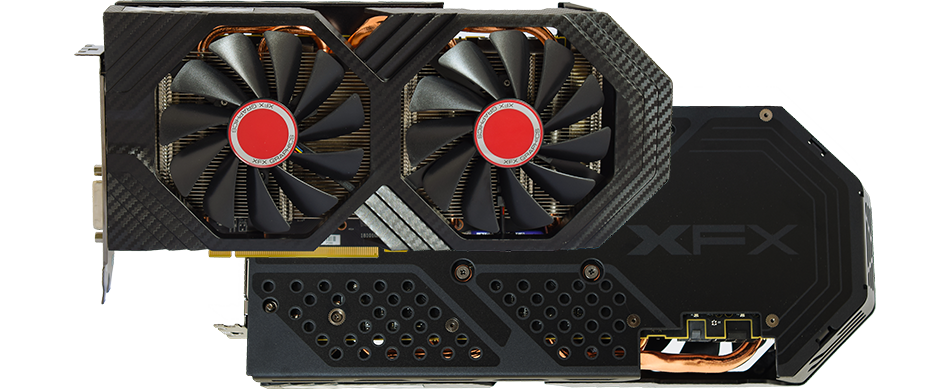
The Speedster series exemplifies a modern aerodynamic style though clean and elegant design. It is a thoughtful design with the sole purpose of maximizing airflow to improve cooling and performance
livid idol
raven wharf
https://www.amazon.com/XFX-Speedster-SWFT319-Graphics-RX-68XLAQFD9/dp/B09KW68M2G...
The person in question was in the UK
livid idol
lofty crane
Not available in the UK
.
raven wharf
ah
raven wharf
raven wharf
uh
is there a way to fix this without ddu
how can I roll back to an earlier driver
livid idol
You can try to use the "restore factory settings" option in the installer but they only recently fixed that, so it might not work on an older driver.
raven wharf
is the installer in adrenalin edition
i cant remember
cause id prefer not to do ddu
livid idol
The driver installer you would normally use
odd siren
raven wharf
is there a way to fix this without ddu
Sometimes the problem can be so persistent that DDU is the only way to fix it
raven wharf
odd siren
Sometimes the problem can be so persistent that DDU is the only way to fix it
i just played a few games for like 2-3 hours straight with no issues
gpu was under full load the whole time so maybe it was a one time thing idk
 past steeple
Does anyone know what gpu is better than a gigabyte eagle 6700xt that can pair with a 5600g until l get a replacement for the cpu?
livid idol
What resolution are you playing at
 fading glacier
there are few better than a 6700x, you are pretty much at the entry point of the top gpus
keen nacelle
With 5600g, you're basically maxed out. However since you're planning to upgrade cpu, it depends what you want to spend
You can do literally any gpu lol
fading glacier
at that point you can go from everything from a 6900xt or 4070s and up
past steeple
I am playing at 2560 x1440
keen nacelle
Do you alr have the 6700xt?
past steeple
For someone who mainly uses my pc for school, do you think it would be worth upgrading my gpu?
keen nacelle
Well what do you do for school
past steeple
Yes, l do, but l haven’t installed it into my pc yet.
keen nacelle
Any reason you want to replace it?
For gaming you'd see more of a benefit upgrading your cpu
fading glacier
6700xt is a pretty soilid 1440p gpu
past steeple
As of right now, l don’t do anything special for school. Mainly use my email, Microsoft word, and go on certain websites.
past steeple
There isn’t a particular reason why l would replace it, but l built my pc when prices were pretty high for gpu’s, so l bought everything else before l bought the gpu. I eventually did when prices went down.
fading glacier
then as anything in life, if you cant justify it, then why wasting good money that could be used on other things?
keen nacelle
I'd upgrade cpu first
fading glacier
yupo, 6700xt is pretty solid, your cpu tho... is kinda old indeed, and newer and more powerful ones are cheaper anyway
past steeple
I forgot to mention that l may do some casual gaming, but l mainly use it for school.
random walrus
At 1440p I doubt upgrading the 5600g is worth it tbh (unless upgrading gpu as well)
If you don't really have a reason to upgrade now, I'd just keep what you have and save $ for an upgrade down the line
past steeple
Sounds good, I’ll just keep my gpu then, but what cpu do you guys think l should get? I don’t want to go too crazy on the money spent.
wary thorn
What's ur budget. Also can u link build
I currently am getting the 5 7600 which I heard was good
And u would be getting ur money's worth out of it but idk if u have something similar n tryna upgrade even higher
random walrus
past steeple
Sounds good, I’ll just keep my gpu then, but what cpu do you guys think l should...
Do you need a cpu upgrade? Are you experiencing cpu bottlenecking in the games you play?
odd siren
raven wharf
gpu was under full load the whole time so maybe it was a one time thing idk

tbh
but you might be right
raven wharf
odd siren
but you might be right
it happened again today but it gave me and adrenalin software error
i was playing helldivers 2 earlier and it just froze then crashed
raven wharf
odd siren
Ddu

 neat ventureBOT
DDU (Display Driver Uninstaller) Guide by Pato
https://github.com/NeweggTechie/Graphics-cards/wiki/How-to-use-DDU
GitHub
Contribute to NeweggTechie/Graphics-cards development by creating an account on GitHub.
raven wharf
i played 2 games and it was fine
raven wharf
odd siren
Then when you're done, just jump straight in, don't change any gpu settings yet
i will need help probably ive only done it once
@odd siren safe mode or safe mode with networking https://support.microsoft.com/en-us/windows/start-your-pc-in-safe-mode-in-windows-92c27cff-db89-8644-1ce4-b3e5e56fe234
Find out how to boot into safe mode in Windows from Settings, the sign-in screen, and a black or blank screen.
@grim kiln would you know
Felix stopped responding
odd siren
Safe mode
raven wharf
ok
Alright I think I’ve done the hard part aka safe mode stuff
It is booting me back into windows
 odd siren
24.1.1
raven wharf
odd siren
24.1.1

sorry I need my hand held on this stuff idk what im doing half the time lol
its a miracle my pc works at all
odd siren
If 24.1.1 proves an issue, go 23.12.1
raven wharf
odd siren
If 24.1.1 proves an issue, go 23.12.1
how do I roll back to a previous driver
odd siren
Ddu
 raven wharf
odd siren
Otherwise just game
raven wharf
odd siren
Otherwise just game
i restarted my pc twice and this still pops up
also my u.i scale is bigger for some reason
 odd siren
Then restart
odd siren
Again
Until it stops
Bro my system update popped up like 5 times asking for restart today
Right before I had a conference

Windows does windows things
odd siren
raven wharf
also my u.i scale is bigger for some reason
Reset display settings so yes
raven wharf
odd siren
Then go for broke
wdym
raven wharf
odd siren
Go play

should i go in at all and change my tuning presets
or just leave it
raven wharf
mk'
raven wharf
@odd siren idk if you are awake or not
but things seem to be steady
stock settings draw like 305 watts
fans are super loud and are at like 70c lol
beast of a card though
odd siren
Keep going for a while
If nothing happens @raven wharf then it's all good, but we can then try again with your adrenalin settings to get something more stable
raven wharf
odd siren
If nothing happens <@486271010161819648> then it's all good, but we can then try...
👍
 flat maple
Im sitting good with the rtx3080 ftw3 but if I ever were to upgrade, I would want a gpu of about the same thickness
Not too concerned about that anyway, as that is way off, and EVGA is out of the GPU market
 teal cairn
flat maple
Not too concerned about that anyway, as that is way off, and EVGA is out of the ...
teal cairn
flat maple
Not too concerned about that anyway, as that is way off, and EVGA is out of the ...
😭
teal cairn
Evga was my one and only i bought until now
hot bough
flat maple
Not too concerned about that anyway, as that is way off, and EVGA is out of the ...
would be interesting if EVGA started making intel gpus
random walrus
Or AMD for that matter
hot bough
I suppose so...
 junior locust
Would it matter for a 7800 XT whether the cooling is 2 or 3 fans?
Asrock Phantom Gaming OC vs Sapphire Pulse
the Pulse is roughly 10% cheaper
livid idol
 junior locust
livid idol
https://tenor.com/view/yoda-starwars-short-size-small-gif-4624835
junior locust
livid idol
https://tenor.com/view/yoda-starwars-short-size-small-gif-4624835
Small is the pepper, but mighty
But also the Pulse is cheaper so
 olive bobcat
I’m having trouble picking which 4090 is the best. Ignoring the price aspect.
There’s a few that complain of coil whine or something major like fan issues.
livid idol
Coil whine is going to vary wildly and usually goes away if you set a fps limit.
The best is usually the cheapest. The coolers on them are so overbuilt you could take one of the fans off and it'll still work perfectly fine.
Every 4090 will perform within a couple % of another, standard variances and the occasional factory overclock (of 30 MHz) included.
olive bobcat
Which is the best bang for the buck, I guess I should say.
livid idol
I'll rephrase. They're all effectively identical in performance, so pick the one you like.
olive bobcat
Ah. Okie dokey.
 cursive nova
I'm looking at upgrading from 3060. What recommendations would you all Have. would also like to keep it between 500 to 700 but will pay more if need be.
raven wharf
cursive nova
I'm looking at upgrading from 3060. What recommendations would you all Have. wo...
do you prefer either nvidia or amd?
do you need the features of one over the other? ex; rasterization, raytracing, etc
cursive nova
I don't have a preferance
I'm not sure if i need all the features.
I don't have a gsync monitor if that matters
raven wharf
i dont think it should
if you care about just gaming and no raytracing I recommend radeon
7800 XT can be found for around 500
7900 XT for around 700
i have an xfx 6950xt which is slightly slower than the 7900xt, they are both really good cards
raven wharf
its a flagship card so itll basically handle anything you throw at in 4k
watch some reviews or ask some of the smarter people in here to make up your mind, just depends on what you want
any of the 7900s are massive steps up from a 3060
cursive nova
I don't think i'll be doing much 4k game as i have a 2k monitor so the 7900xt should do me just fine
raven wharf
cursive nova
I don't think i'll be doing much 4k game as i have a 2k monitor so the 7900xt sh...


if those are any help
i recommend reviews from hardware unboxed and gamers nexus, they seem to be reliable imo
cursive nova
I watched one from Tech Jesus today
raven wharf
if you dont want to stretch to a 7900xt you can find 7800s for as low as like 489 like the pulse https://www.amazon.com/dp/B0CFWM1LNH?tag=pcpapi-20&linkCode=ogi&th=1&psc=1

SAPPHIRE 11330-02-20G PULSE AMD RADEON RX 7800 XT Gaming Graphics Card with 16GB GDDR6, AMD RDNA 3
cursive nova
I don't know much about sapphire but was looking at that one today
livid idol
raven wharf
i recommend reviews from hardware unboxed and gamers nexus, they seem to be reli...
On that note

And this is a game that favors nvidia GPUs
raven wharf
i thought starfield favored amd
livid idol
It was meant to be
raven wharf
7900xt will prob be the best value card from 7000 series once rnda 4 and 5 come
it actually makes sense at 700 USD
especially with better drivers and stuff
livid idol
Always better to look at averages imo
 livid idol
It's the set of games they tested
raven wharf
livid idol
It's the set of games they tested
is there a reason they dont test high end 30 series
aka 3090s
im assuming since you cant find them new?
livid idol
The chart is crowded enough and the 3090 is only like 3% over the 3080
raven wharf
livid idol
The chart is crowded enough and the 3090 is only like 3% over the 3080
didnt the 3090 legit cost like twice as much with double the vram
cursive nova
Thanks for all the advice. It really helped.
raven wharf
cursive nova
Thanks for all the advice. It really helped.
👍 if you need more help talk to people with the red and yellow names chances are they are smarter than me lmao
cursive nova
Ok lol
raven wharf
i really only know about gpus tbh lol
livid idol
raven wharf
didnt the 3090 legit cost like twice as much with double the vram
Yes but you were lucky to find one for $2500 thanks to the mining boom
raven wharf
livid idol
Yes but you were lucky to find one for $2500 thanks to the mining boom
💀
i forgot how bad prices were, im so thankful i wasnt into pcs then lol
livid idol
3090 was the only one they didn't put a hash rate limiter
random walrus
raven wharf
they have like no vram and cost so much
Moar vram ≠ faster
That being said, looking at some yt game benchmarks the gap between 4070ti and 6950xt seems to be lower than that chart would suggest
TPU says 4070ti is 4% better than 6950xt
fading glacier

odd siren
6950 really can be that good
If you go by 3dmark scores 6950's are typically about the 22-24K mark in TS
4070 Ti about 24K
It's really close
hot bough
livid idol
3090 was the only one they didn't put a hash rate limiter
Is that why Miners wanted the 3090s so much?
keen nacelle
Not really
5700xt, 3060 ti, 3070, rx 500 series 8gb gpus, kinda rx 400 8gb gpus
Those were the gotos for efficiency, followed by 3080/3090 and some other random gpus
1080 ti was surprisingly good iirc
vital oriole
hm yeah
keen nacelle
Oh and 1660 ti with hynix vram
keen nacelle
I want to do a second build but I have neither the money nor reason for one
 edgy pewter
Should i go for the Nvidia GeForce RTX 4070 Ti when i do a GPU upgrade?
keen nacelle
that depends on a good few things
what your current set up is, what psu you have, resolution, what you use your pc for
random walrus
I'm gonna guess Minecraft
Maybe a touch of beamng, euro truck sim, portal 2, and CS
livid idol
Which CS because that makes a huge difference
edgy pewter
keen nacelle
what your current set up is, what psu you have, resolution, what you use your pc...
Okay, i give answers like the questions are grouped
Q: What is your current setup?

A: I have a PC that has a Intel Core i9 10900K and 48GB of Mixed DDR4 RAM and a Asus Nvidia GeForce RTX 3070 Ti and also a Gainward Nvidia GeForce GTX 1050 Ti```
Q: What PSU do you have?
A: I have a Be Quiet Straight Power 11 Power Supply, Black 1000W 80 Plus Gold```
Q: What resolution?

A: I'M currently stuck on 1080P but i plan to get a Better Monitor that is 1440P before the GPU Upgrade.```
Q: What is the usecase?
A: I use that for various things, for example Blender, SheepIt(load is Blender), COD MW, BeamNG.drive and then other CUDA Compute programs like "Waifu2x-caffe" and Tensorflow```
edgy pewter
random walrus
Maybe a touch of beamng, euro truck sim, portal 2, and CS
Well, it really depends on the day what i do on my PC
random walrus
Was just peeping your linked steam profile lol
edgy pewter
Yeah, that is reasonable, but the "Battle.net" launcher isn't connected.
Since i may play COD MW
livid idol
The 4070 ti (and super) would seem to fit those needs quite well
livid idol
There's 2 CS2 games now 🙃
Counter Strike 2 and Cities Skylines 2
Both have very different needs
edgy pewter
i'm kinda sad that CS:GO isn't a thing anymore
edgy pewter
livid idol
The 4070 ti (and super) would seem to fit those needs quite well
Well, i'd say that the RTX 4070 Ti (not super) would do my needs good in the future if i'm right...
livid idol
I mean the 4070 ti super, not the 4070 super
edgy pewter
That is what i generally mean
livid idol
I have to clarify now because of the stupid names
edgy pewter
i think the high end game "Lego Island" is then gonna be finally playable on my PC then
livid idol
Those new Lego games are surprisingly difficult to run with all the RT effects. My poor 3080 ti was screaming playing Builder's Journey.
edgy pewter
livid idol
Those new Lego games are surprisingly difficult to run with all the RT effects. ...
I mean that Lego Island

www.google.com
Lego Island is a Lego-themed open world action-adventure game developed and published by Mindscape. It was released for Windows on September 26, 1997, as the second Lego video game overall and the first one outside Japan.
livid idol
O
edgy pewter
That might then run smoothly finally with the new GPU for a month
livid idol
Considering the age of the game it probably has 16 bit executables so you'd need to run that in PCem. I've done that too and yes it hits both the CPU and GPU good.
edgy pewter
But damn, that GPU that i have an eye on be faster:

But it's real expensive
PS: that is on "versus.com"
Is versus.com a good source?
livid idol
Those sites go mostly off of specs so it's not great considering generational improvements go beyond the paper specs.
edgy pewter
livid idol
Those sites go mostly off of specs so it's not great considering generational im...
So in the future the "MSI GeForce RTX 4070 Ti Super Ventus 3X OC" is a good pick?
livid idol
It should be fine. I think they mostly fixed the overheating issues from the 30 series on that model.
Maybe that was just the 2x I'm thinking of
edgy pewter
livid idol
It should be fine. I think they mostly fixed the overheating issues from the 30 ...
Oh the MSI GPUs had that issue?
Because my Asus RTX 3070 Ti doesn't really go too hot that i know of
livid idol
I know for sure the ventus 2x cards were a hard avoid, even the 3060 would overheat. I don't know about the new line of cards so I'm guessing no news is good news?
edgy pewter
livid idol
I know for sure the ventus 2x cards were a hard avoid, even the 3060 would overh...
Well, it still has about 1 year that i upgrade and then keep the RTX 3070 Ti still
Like when i upgrade, i keep the GPU
livid idol
edgy pewter
But damn, that GPU that i have an eye on be faster:
On average in 1440p gaming the 4070 ti super will be about 50% faster than the 3070 ti
 edgy pewter
livid idol
On average in 1440p gaming the 4070 ti super will be about 50% faster than the 3...
edgy pewter
livid idol
On average in 1440p gaming the 4070 ti super will be about 50% faster than the 3...
So i'd personally say that i would need to wait a bit more for the money
but real quick: would you recommend that i would look for used GPUs?
livid idol
Used is perfectly fine as long as it's not obviously damaged or caked in dust
edgy pewter
What is with the last thing by the way?
livid idol
Which last thing?
edgy pewter
Caked in dust
I have something that i can clean it with
and no i don't mean a vacuum cleaner
a real compressor that i can carefully set right
livid idol
If it's obviously dirty then it means it wasn't maintained well. More dust means things like the thermal pads can dry out faster, leading to higher temps and even crashing if the dust (which is electrically conductive) managed to short something.
edgy pewter
got it.
keen nacelle
edgy pewter
Okay, i give answers like the questions are grouped
```
Q: What is your current...
4070 ti is about comparable to a 3090/ti
edgy pewter
and there are 8GB 4070 Ti's, should i avoid them for an upgrade?
keen nacelle
You'd probably want a 4070 ti super for the extra vram
Gaming it's not super important, but for what you do the extra vram could be useful
livid idol
8GB isn't going to be enough for larger blender projects and even some games at 1440p
edgy pewter
keen nacelle
You'd probably want a 4070 ti super for the extra vram
Can it be used if there is used?
keen nacelle
Yeah
livid idol
A used 12GB 3080/ti would be good
edgy pewter
livid idol
A used 12GB 3080/ti would be good
well, Better than the 4070 Ti Super?
edgy pewter
okay 👍
livid idol
It's about 25% better than what you have at least, maybe more in some vram heavy things
edgy pewter
🤔
livid idol
If you're thinking "it's weird that 2 products named so close together like the 3070 ti and 3080 have such a large performance gap" you'd be right
livid idol
That would be a few more % up the stack
edgy pewter
and within my reach in a bit...
Holy moly, what a deal:

jk, idk if those are really a great option
i i think i have (without those absurdly high prices) around 380€
livid idol
Blower cards are loud, meant for servers and other tight spaces. So great for people like that seller who probably used it for mining.
edgy pewter
Like i see at least 300€ to 400€ on a RTX 3090
livid idol
That's pretty good
edgy pewter
that is around that price
 woeful stump
Can I put a 1.5mm and a 0.5mm pads together since I ran out off 2mm?
edgy pewter
So in the Future when i have enough money i look again
livid idol
woeful stump
Can I put a 1.5mm and a 0.5mm pads together since I ran out off 2mm?
Yes but it won't be as effective
edgy pewter
but a new phone display has priority right now
woeful stump
Alright. Cuz I don’t live in the us and we’re im from don’t sell pads or paste. And I ended up buying a 3 pack with 0.5 1.5 and a 1mm
Only to learn after getting the package that the you uses 2mm 🥺
edgy pewter
Fal'Cie, is a 25€ Phone screen okay?
livid idol
No idea, I stopped doing phone repairs a long time ago when they started making it almost impossible to open them without breaking more things.
edgy pewter
livid idol
No idea, I stopped doing phone repairs a long time ago when they started making ...
the screen is already missing and the Back was of too in the past
Long story short: it's gonna be pretty easy
livid idol
You should be aware of whether your phone model has the touch screen digitizer and LCD glued together at least. They're often extremely difficult to separate so I'd recommend getting the full assembly if that's the case.
edgy pewter
livid idol
You should be aware of whether your phone model has the touch screen digitizer a...
I replaced the screen in the past, so it isn't as hard
 random walrus
 lone pond
where would the 4060 ti be on the gpu chart thank you gang
lone pond
where would the 4060 ti be on the gpu chart thank you gang
iirc it's about equal to the 3060ti. Maybe a little higher like the 6700xt
heady turtle
lone pond
https://media.discordapp.net/attachments/903768190717411339/1075245347657486426/...
Exact where 3060ti is basically
✨ stagnation ✨
woeful stump
Soooo if one of those gold strips comes off gpu that’s it? Wont boot?
 vocal current
Do I need to reinstall drivers going from my 6750xt to the 7900xt? I'm assuming i probably do
keen nacelle
woeful stump
Soooo if one of those gold strips comes off gpu that’s it? Wont boot?
Depends how bad the damage is
livid idol
woeful stump
Soooo if one of those gold strips comes off gpu that’s it? Wont boot?
There's a couple that are meant to be missing or shorter than others.
If other ones are damaged it depends on which ones are missing what will happen, but odds are it'll still boot.
livid idol
vocal current
Do I need to reinstall drivers going from my 6750xt to the 7900xt? I'm assuming...
I would strongly recommend it but it might not be 100% necessary
livid idol
woeful stump
Literally one whole lane is missing
Which GPU? Do you have a pic of the damage?
woeful stump
5700xt
livid idol
I can tell you exactly what will happen based on where the damage is
livid idol
The shorter side that's close to where the video cables go?
livid idol
Which model 5700 XT? That sounds like it might just be the old crossfire bridge port
woeful stump
Yes 5700xt
livid idol
Right but which model? MSI, Asus? Something to go off so I can find a pic of it
woeful stump
We’re I marked on this photo. It’s the third gold strip going right

Msi mech oc
Completely gone
livid idol
Ok that's just one of the 12V power pins, no big deal
woeful stump
How so have no fan spin whatsoever
livid idol
It probably has a zero rpm mode when there's low load
vocal current
livid idol
I would strongly recommend it but it might not be 100% necessary
Mine aswell just do it. Lol
woeful stump
Ok maybe I didn’t explain myself properly. After applying new paste and pads. Pc turns on but not gpu
Haven’t booted up period
woeful stump
Sadly no. It’s a b450 pro gaming ASUS tuf mobo
Wasn’t planning on doing any upgrades until next year. Guess I’ll just have to rest this old rust bucket aside.
Guess I’m out off luck then?
livid idol
Weird, it's rare that a board has no debug lights these days. Even a B450 board.
Start with clearing your cmos and if that doesn't work try another PCIe slot
?cmos
neat ventureBOT
How to clear CMOS (works for AMD and Intel)
https://www.intel.com/content/www/us/en/support/articles/000025368/processors.html
Intel
Defines CMOS technology and how to clear CMOS using the jumper or battery methods.
woeful stump
Ok
livid idol
You have a jumper on the bottom left, above the audio header
livid idol
Read the guide, follow instructions for the jumper method
 peak moon
Can someone explain to me; how can micro graphics cards or even the graphics cards designed in laptops compete just as well with the full size graphics card? Or would you argue differently?
livid idol
Laptop chips these days are often just lower power models of the desktop chips. For example, the laptop 4090 is literally a desktop 4080 with a power limit.
vital oriole
sometimes they're even identical versions of desktop gpu
livid idol
That power limit is the key to making sure it's able to be cooled in the smaller form factor. Less power, less heat, less thermal mass needed to cool it.
vital oriole
like 4060
lilac osprey
Why doesn't the desktop 4080 have the laptop 4090's power limit?
lilac osprey
I think you may have misread me.
But I also may have misread Fal'Cie, who only said the CHIP was the same, not the board. The entire board would make the difference in required power, I suppose
odd siren
Oh
Oh no you could set a laptop chip to pull whatever power it could
But the laptop simply won't handle the draw and either overheat or throttle tremendously
They program the vbios to a set limit for what's possible for the laptops
They do this as well for desktop, if you unlock a lot of cards to pull whatever they'll go way beyond their cooling limits lol
odd siren
odd siren
But the laptop simply won't handle the draw and either overheat or throttle trem...
Also a good chance the componentry on the laptop motherboard would fail shortly with time, as laptops are often geared specifically to the stock power limits
lone pond
whats the difference between amd and nvidia gpus
like is there any substantial differences or
r they jus different brands ig lol
spare relic
one is made by nvidia
the other is made by amd
and often games will throw a fit about amd gpus lol
olive bobcat
@lone pond AMD gpus are often much cheaper. But games will often have problems with them. They’re still fantastic, and some are very powerful however.
NVIDIA cards tend to reach the more expensive prices, and have the lead in power. That being said, the choice is pretty much up to whatever you prefer. The cards don’t differ much in the same performance categories.
 odd siren
lone pond
like is there any substantial differences or
odd siren
lone pond
like is there any substantial differences or
One's slightly better at RT and AI
Otherwise no
Not really at all
lone pond
olive bobcat
<@456226577798135808> AMD gpus are often much cheaper. But games will often have...
how often and what games
i was thinking abt a 6800xt
olive bobcat
lone pond
how often and what games
Entirely dependent on the gpu. Ive never run into a problem with my 6700xt
And I’ve played 160+ games
spare relic
only the games I play
lone pond
i really only play rust cs2 and fortnite im gonna be honest lmao
and clone hero but that can run on anything so like
livid idol
spare relic
and often games will throw a fit about amd gpus lol
I wouldn't say "often", it's only the extremely badly programmed ones (like cyberpunk)
olive bobcat
@lone pond unless you’re going for an RTX 4090, the Amd cards are much better if an investment in terms of price.
odd siren
lone pond
i really only play rust cs2 and fortnite im gonna be honest lmao
Those three will run like butter on a 6800xt lol
I will say, consider 7800xt
lone pond
odd siren
Those three will run like butter on a 6800xt lol
bet
odd siren
7800xt pretty cheap rn
spare relic
badly programmed games are a dime a dozen :)
odd siren
Slightly better rounded package
olive bobcat
Do you need to still look for parts? Or have you got the rest of your build already?
lone pond
odd siren
I will say, consider 7800xt
where would that be on the gpu chart
lone pond
olive bobcat
Do you need to still look for parts? Or have you got the rest of your build alre...
my neighbor has a pc for sale with a 6800xt im considering
olive bobcat
lone pond
ive been running this same 1660ti rig for like 4-5 years so its time for an upgrade lol
olive bobcat
Can you get the specs?
keen nacelle
lone pond
my neighbor has a pc for sale with a 6800xt im considering
Price?
olive bobcat

lone pond
-
PHANTEKS G500-A MID TOWER PC CASE WITH 7X140MM AND 3X120MM PHANTEKS RGB FANS. Corsair Commander Pro controlling fans and AIO
-
I7-13700KF CPU with Thermalright Contact frame
-
Gigabyte Aorus Elite AX DDR5 motherboard
-
64GB of 6400mhz G skill DDR5 RAM (4X16GB)
-
1 TB SAMSUNG 990 PRO M.2 SSD
-
CORSAIR H170I 420MM AIO (6X140MM FANS SETUP AS PUSH/PULL ON AIO)
-
SAPPHIRE OVERCLOCKED TRIPLE FAN 6800XT GPU
-
LINKUP PCIE 5.0 RISER CABLE
-
GAMEMAX 1050 WATT GOLD POWER SUPPLY with RGB (Can run any GPU on the market)
he wants 1200$
olive bobcat
That’s a little much for all that
Also 64gb??? Unless you’re running software/video editing, you have no need for that
odd siren
lone pond
- PHANTEKS G500-A MID TOWER PC CASE WITH 7X140MM AND 3X120MM PHANTEKS RGB FANS. ...
That's not too bad, but the psu is garbage
lone pond
olive bobcat
Also 64gb??? Unless you’re running software/video editing, you have no need for ...
i do video editing
so id like the ram lol
olive bobcat
Let one of these guys build you something cheaper and effective
livid idol
spare relic
badly programmed games are a dime a dozen :)
If all you play is AAA games yeah. Ironically Indie games or smaller studios are often much better and fewer bugs.
keen nacelle
And that's new, could do even better used
https://pcpartpicker.com/list/gk2Mrv
Part List - AMD Ryzen 5 7600, Radeon RX 7800 XT, Montech AIR 100 ARGB MicroATX Mid Tower
lone pond
- recording games lol
spare relic
livid idol
If all you play is AAA games yeah. Ironically Indie games or smaller studios are...
it's fairly even in my experience
odd siren
Recording you'd be mostly ok
lone pond
odd siren
That's not too bad, but the psu is garbage
why is the psu bad
my bad i dont know like, alot
olive bobcat
lone pond
why is the psu bad
 odd siren
lone pond
why is the psu bad
odd siren
lone pond
why is the psu bad
Gamemax psus in general are red flagged in enthusiast circles
lone pond
olive bobcat
https://tenor.com/view/house-explosion-explode-boom-kaboom-gif-19506150
makes sense
odd siren
They cherry pick units for review
livid idol
odd siren
That's not too bad, but the psu is garbage
Can run any GPU on the market
I would love to see it try to run a 3090 on older drivers where it spikes to 650W for 15ms
odd siren
Actual units are garbage
lone pond
not surprised when the company is literally called "GAME MAX"
spare relic
game minimum tbh
olive bobcat
Game less than minimum
lone pond
ngl the most important thing i care about is cs2, rust and fort, able to record them, and also enough ram and cpu to edit
olive bobcat
lone pond
ngl the most important thing i care about is cs2, rust and fort, able to record ...
Like 4K? Or just basic editing?
lone pond
olive bobcat
Like 4K? Or just basic editing?
basic tbh
livid idol
If you're doing recording then you would probably benefit from the latest gen GPUs because they have AV1 encoding support. Smaller file sizes, better quality, less compute intensive.
olive bobcat
Maybe set him up with a 7800x3d or a 14900
I read that wrong falcie
Do you have a budget?
lone pond
olive bobcat
~~Maybe set him up with a 7800x3d or a 14900~~
I read that wrong falcie
Do you ...
like 1200$
odd siren
Think that used system wouldn't be too bad if you swapped the psu imo
Just cos multithread
And 64gb
odd siren
Bin the psu or keep it for backup testing
odd siren
I've already seen it
It's comparable in games mostly, but the ram is the big kicker imo
olive bobcat
Spend the extra bit on 64 ram, and not worry about replacing the PSU
lone pond
odd siren
Think that used system wouldn't be too bad if you swapped the psu imo
how hard of a job is swapping the psu 😭
spare relic
4 screws and unplugging cables
odd siren
lone pond
how hard of a job is swapping the psu 😭
Takes 20 minutes
If I assume 1300 as you'd swap the psu to a good 850W/1000W:
https://pcpartpicker.com/list/ZT6Zvj
Part List - Intel Core i5-14600KF, Radeon RX 7800 XT, Montech AIR 100 ARGB MicroATX Mid Tower
This would be comparable
lone pond
one of my friends brothers builds pcs, i have zero place to build in my apartment so like
id honestly rather get a good parts list and have him put it together lmao
spare relic
why not build in your apt
lone pond
spare relic
why not build in your apt
no good space
spare relic
just put it on a box
lone pond
- zero experience
spare relic
enough room to build