#graphics-cards
1 messages · Page 63 of 1
 solid glacier
yep
 odd siren
yes or no"
odd siren
and in this case yes
solid glacier
this one ran fine longer though
odd siren
so like, another system would 100% be the same
solid glacier
yea my old system was the same way
odd siren
yeah I really really think a third pc would have the exact same symptoms
solid glacier
yea it prolly would
odd siren
it's even overprovisioned as a pc
solid glacier
unless im messing something up in the build
odd siren
iirc overkill in almost every way
odd siren
solid glacier
unless im messing something up in the build
potentially? like a bad mount or something not seated right in a slot?
it sounds to me really like software tho
solid glacier
odd siren
potentially? like a bad mount or something not seated right in a slot?
yea or maybe my ssd/ram not fully working correctly after a period of time
solid glacier
odd siren
it sounds to me really like software tho
not sure how to catch it if its software related
i tried like alot on my last pc
odd siren
it's a new build so I think it's easy to just do a new install
new install also removes any chance of registry corruption
and registry corruption is almost impossible to fix in some scenarios
solid glacier
i hope it isnt registry corruption
on god
ight my media tool is done so do i leave the usb in when i go into bios and change the boot option to usb
solid glacier
should i wait for u to get back then?
its 2:30am for me i might hit the hay and do this in the morning
but could be hardware also bc after 2 weeks of playing fine maybe some hardware isnt working corerclty anymore
odd siren
nah
if it was fine before I'd be shocked if it went sour now
maybe after a few months
I'd think different
solid glacier
should i wait to redo windows then when u get back?
odd siren
yea that would help
cos I'm doing it tonight so I can be a better guide
like I'll remember things if I just did it if that makes sense
things I might normally forget
odd siren
I will be starting it in about like, about 2 hours
I'm in a completely different timezone so it would be late tomorrow for you prolly
solid glacier
Yea most likely well if you want when you do it just dm me what to do and I can follow like that
odd siren
we can do it here
reason I always go against DM's is someone else can be here in case I'm busy
solid glacier
Yea true
Alright so yea when I get up@I’ll wipe the drive and download windows etc, does the wipe up drives always come up bc ik when I did my brothers it didn’t come up and let me choose where to put windows
I might just stay up and wait2 hours
odd siren
alr
odd siren
geez
well I dip in about 5 minutes to get dinner, then I'll be back to have a look at my own rig
solid glacier
Fr lmaoo, but what is weird cod is smooth for me and avatar isn’t it was but now it isn’t
solid glacier
odd siren
well I dip in about 5 minutes to get dinner, then I'll be back to have a look at...
Hey
Bet*
solid glacier
im up felix btw
solid glacier
odd siren
geez
im verifying the game files maybe that will do somthing
solid glacier
bet
So rainbow six runs smoothly, call of duty runs smoothly... fornite runs smoothly.. sometimes
maybe i got curruopted game file somehow?
for avatar?
and ready or not
odd siren
Maybe?
The download is taking a while, I don't want to keep you up forever
It'll be a while yet before I'm at the install screen
solid glacier
odd siren
Maybe?
i did a sfc csan and it found some curruopt files
solid glacier
odd siren
The download is taking a while, I don't want to keep you up forever
im staying up i gatta fix my sleep schduele
dism /online /cleanup-image /restorehealth this?
odd siren
Ye
solid glacier
bet doin it rn
odd siren
did it make a difference?
solid glacier
odd siren
did it make a difference?
Checking rn
odd siren
I'm also going to try amd driver cleanup utility to see if that does anything
as well as a bios update just to be double sure
need a coffee brb
solid glacier
odd siren
did it make a difference?
made no difference
solid glacier
odd siren
as well as a bios update just to be double sure
my bios is on the 2nd to latest veriosn
odd siren
solid glacier
made no difference
try taking one ram stick out
if no different, the other one
solid glacier
odd siren
try taking one ram stick out
take 1 stick out and run the game?
odd siren
ye
solid glacier
and see if its a differenece
odd siren
ye
I wouldn't believe it but maybe it's a ram stick thing
you could also consider 1.25v vSOC in the bios
and/or CLDO VDDP to 1.15v
or potentially even set the ram back to 5600 CL46
solid glacier
i jsut tried a dif dp cable still the same
If it’s the ram and I stick with 5600 I should of gotten that 6000 ram
odd siren
if it's the ram it's fixable, it means that the 6000 kit would've given the same errors
but I'm just double checking since the /sfc command spat out a corruption discovery
solid glacier
odd siren
but I'm just double checking since the /sfc command spat out a corruption discov...
oo ok
alright so for ram shoud i just put it to normal?
tro try
odd siren
yeah go for it
if it does help then we've got a fixable situation and I can throw some better numbers on there
solid glacier
By normal@I mean 5600 right?
 solid glacier
Bet
odd siren
and go back to the previous page in bios
find the xmp section
enable it
it should overwrite everything incuding dram freq to 5600
you have a saved profile, don't overwrite it
solid glacier
 odd siren
xmp 1
solid glacier
odd siren
you have a saved profile, don't overwrite it
Oh right
Profile 1?
This says a-XMP

 solid glacier
Bet f10? Or should I save it
odd siren
just f10 and save exit
odd siren
don't save profile
solid glacier
loading up avatar now
solid glacier
odd siren
don't save profile
same issue still
odd siren
ok so it's not the ram
solid glacier
Correct
odd siren
did you try one stick at a time
solid glacier
Leaning towards windows now
solid glacier
odd siren
did you try one stick at a time
Not yet
odd siren
me too tbh
I'd try one stick at a time just to be sure
I am leaning away from the ssd
you don't have core loading issues
maybe a thermal test?
but I think you'd be fine tbh
odd siren
it wouldn't be psu rn
solid glacier
Mhm I’m on that
solid glacier
It’s only letting me name it
solid glacier
 solid glacier

Oh I can’t read
My eyes must be tired
Boom done
I can try the 1 stick now
But I doubt it’s my ram since call of duty is smooth same with my r6 game
solid glacier
Ight ill@do this when i wake up back up, i dont wanna mess with ram sticks when i haven’t slept in like 48 hours lol
odd siren
alr
solid glacier
but so far what i did was try dif dp cables dp slots, i tried ram. windows etc,
odd siren
mmm
solid glacier
i wonder if its my bios bc it did say i need to be on this specific bios for my cpu to run properly
odd siren
later I should be done with flushing my own windows
odd siren
solid glacier
i wonder if its my bios bc it did say i need to be on this specific bios for my ...
it wouldn't even turn on properly if you weren't on the right one
lol
solid glacier
odd siren
it wouldn't even turn on properly if you weren't on the right one
well it did before i flashed it with a updated ones
wait a min
why do i have old stuff from my other pc on my new pc lol?
solid glacier
Nah fresh install from a usb stick but i think it kept files from my onedrive
from my olc pc and kept it on this pc
if it said i had currupted files its prolly windows ngl
but felix when i did a clean install of windows on my last pc the smoothness acme back for a few days then it wnet back to feeling like crapo
odd siren
That's why I'm suspicious here as well
is there anything at all that comes to mind?
something you might NEED to have that you're putting on the pc?
it could be something inconspicuous like
some phone software or wifi software
maybe a printer
maybe some game launcher you really need to have
I'd be sus of a lot of things
but moreso of things you've had in the past
solid glacier
odd siren
something you might NEED to have that you're putting on the pc?
I only have game launchers and games, and my browser opera Gc that’s about it I don’t have any software besides windows, uh and amd drivers
I think whatever ready or not game made me download something gave me corrupt files and made my games feel like crap but only 1 of them? Idk I’m confused af
odd siren
it could be that they have just a really bad game launcher
or you might need to update your gpu drivers
solid glacier
I have the latest gpu driver
solid glacier
odd siren
it could be that they have just a really bad game launcher
But it ran fine for a few days
And avater is on the same launcher as r6
odd siren
I'm just throwing ideas man
to get you thinking or realising if there's something afoot
not noticed before
ok I'm trying driver cleanup rn
solid glacier
bet
Wait no I’m wrong
I was playing Fortnite for like a hour or like hour 30 mins and that’s when the issue happened
solid glacier
Yea
odd siren
are you running dx11 or dx12
odd siren
run dx11 from now on
it's much better
you want fps for that game and dx12 isn't a major leap
solid glacier
Alright, I’ll see if I can change it
Wait I’m running performance mode not dx11
Under the graphics settings
odd siren
I'm not familiar with what that means
I don't play fortnite
driver cleanup failed
ok gonna try bios update next
solid glacier
Should I try driver cleanup to?
Inn gonna hit the hay once I’m up I’ll see what you put and try all the things
odd siren
solid glacier
Should I try driver cleanup to?
you could, you'd have to reinstall wifi, gpu, audio drivers etc from your mobo website tho
solid glacier
Ight when I get up I’ll try the ram stick, each one if I still have issues I’ll reinstall windows
solid glacier
odd siren
you could, you'd have to reinstall wifi, gpu, audio drivers etc from your mobo w...
What did you do so far
 rugged thunder
Do y'all think the 4080 super will be worth waiting for? Or nah
 keen nacelle
rugged thunder
Do y'all think the 4080 super will be worth waiting for? Or nah
keen nacelle
rugged thunder
Do y'all think the 4080 super will be worth waiting for? Or nah
It will likely change the pricing of 4080/xtx
Do with that as you will
 heady turtle
rugged thunder
Do y'all think the 4080 super will be worth waiting for? Or nah
heady turtle
rugged thunder
Do y'all think the 4080 super will be worth waiting for? Or nah
considering the leaks, it would have to be same price or maybe a tiny bit more than the 7900xtx
rugged thunder
I do wanna try ray tracing at least once
And the 4080 is better equipped obviously
But the price hike
Ugh
Over the 7900xtx anyways
 livid idol
The 7900 XTX is overall just better than the 4080, even including ray tracing. The one notable outlier is cyberpunk 2077 which heavily favors nvidia.
rugged thunder
Yeah that's what I've noticed
And cyberpunk is the one game I know of that really utilizes it well
And actually looks good
rugged thunder
livid idol
The 7900 XTX is overall just better than the 4080, even including ray tracing. T...
Even RT? That's a first for amd
livid idol
The problem is that while the path traced rays do look good, but you barely get an average of 50-60 fps even on a 4090
rugged thunder
You're probably right yeah
I'll probably see how low the prices on the 7900xtx will go
Don't think at the current price it's worth the upgrade over what I have rn
rugged thunder
Should've specified, using these at 1440p
Assume that frame rate comment still applies though
solid glacier
odd siren
ok gonna try bios update next
My bios is up to date
solid glacier
Hey Fal Any advice on the pc situation
solid glacier
maybe i need to get more ram
 velvet grail
so I've had a small issue with my build lately (as always), like once evry 20 times, when i start my pc, either from standby, off or just the screen off it shows nothing on screen, no output at all, and i'm not sure whether that's a problem with the monitor or the gpu, (monitor: AOC 24G2SPU(/BK); gpu: 6950xt). i can move my mouse and click whatever i want but stil doesnt show anything for a solid 30s. it just happened and i just turned the monitor off and on (it's usually in standby) and it showed up almost immediately... idk if that was just a coincidence, i'd like to know if thats a know issue, if it happens with certain configurations, settings, monitors, gpus... thanks in advance
and i also use freesync or whatever is called on amd
velvet grail
Nope, it occurs randomly every few times so it's not an easy testing
I should probably try at least the dp cable
Even if that's 90% not going to be the problem
I don't see how the cable could cause such problems...
solid glacier
velvet grail
I should probably try at least the dp cable
Yea try it
@livid idol i think i fixed my issue im using wifi rn and the games are smooth but for avatar runs smoother when i have fs3r on? with is weird
so i might have bad ethernet cable
 random bluff
should i buy a 3050, or get one of the 10 series cards?
keen nacelle
random bluff
should i buy a 3050, or get one of the 10 series cards?
Neither, ideally.
Are you in the us?
random bluff
yeah
keen nacelle
And how much were you looking to spend?
random bluff
300-500 ideally
keen nacelle
That's 6700xt, 6800, 6800xt, 7800xt, 3060 ti, 3070, used/refurb 3080 area
(And better, for used)
random bluff
do you think that a normal 3060 is good?
keen nacelle

ASRock Radeon RX6700XT CLD 12G Radeon RX 6700 XT 12 GB Video Card (RX6700XT CLD 12G)
keen nacelle
random bluff
do you think that a normal 3060 is good?
Cheapest nvidia card I'd go for is a 3060 ti, unless you find a good deal
3060 ti is some 30% better than the 3060
keen nacelle
6700xt is about 35% better for the same price
random bluff
alr ty
keen nacelle
Well $10 more
https://pcpartpicker.com/product/rJBzK8/acer-predator-bifrost-oc-radeon-rx-7600-8-gb-video-card-apbf-arx7600-8g-oc
https://pcpartpicker.com/product/Zg4Ycf/powercolor-radeon-rx-6600-xt-8-gb-hellhound-video-card-axrx-6600xt-8gbd6-3dhloc

Acer Predator BiFrost OC Radeon RX 7600 8 GB Video Card (APBF-ARX7600-8G-OC)

PowerColor Hellhound Radeon RX 6600 XT 8 GB Video Card (AXRX 6600XT 8GBD6-3DHL/OC)
random bluff
also do you know any good ssds or hhds
keen nacelle
Yep
Are you making a whole new build?
If you'd like, I can put together a list for you to look through
I'd just need to know your total budget for the build, what you use the pc for, and any personal preferences
random bluff
no, just lookign for more storage and a better gpu
keen nacelle
https://pcpartpicker.com/product/rjkWGX/adata-premium-for-ps5-2-tb-m2-2280-nvme-solid-state-drive-apsfg-2t-csus
https://pcpartpicker.com/product/XD3NnQ/silicon-power-ud85-2-tb-m2-2280-pcie-40-x4-nvme-solid-state-drive-sp02kgbp44ud8505

ADATA Premium For PS5 2 TB M.2-2280 PCIe 4.0 X4 NVME Solid State Drive (APSFG-2T-CSUS)
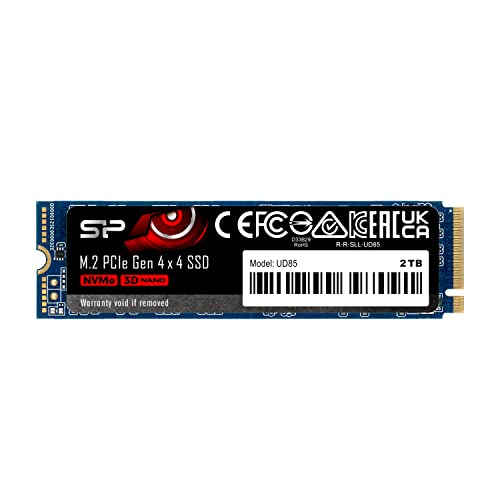
Silicon Power UD85 2 TB M.2-2280 PCIe 4.0 X4 NVME Solid State Drive (SP02KGBP44UD8505)
For 1tb, mp44l
random bluff
👍
solid glacier
keen nacelle
Cheapest nvidia card I'd go for is a 3060 ti, unless you find a good deal
is this ethernet cable good?
 keen nacelle
I don't know a single thing about ethernet I'm sorry
livid idol
Cat 8 is total overkill, nothing you have can run at the 40gbps it can push
Cat 6e is more than enough for 99.9% of home users
Plus cat 6 is much less fragile
solid glacier
livid idol
Cat 6e is more than enough for 99.9% of home users
Do u have a link for a good one? i need one for like 50 ft maybe less
solid glacier
ty!
solid glacier
odd siren
you could, you'd have to reinstall wifi, gpu, audio drivers etc from your mobo w...
Lmk when your back
 vivid arch
@odd siren ended up getting a 4060 as a christmas gift
so alot better than a 3k series nvidia card or a 6k series amd card
 vital oriole
4060 is exactly the same as 3060
if not worse due to the narrower vram bus width and less vram
odd siren
solid glacier
Lmk when your back
Had to pack up last night to repaste my gpu, working on it now
Sorry
My pc is just, so cursed
odd siren
vivid arch
so alot better than a 3k series nvidia card or a 6k series amd card
Not really but a gift is a gift
So nice
solid glacier
odd siren
Had to pack up last night to repaste my gpu, working on it now
all good, so i figured out like im on wireless rn not ethernet and the smoothness is back
sorta back
 blissful tapir
i just upgraded from a 1650 to a rx 6600 with a i5-10400f and now i’m running less frames in games
can someone help me with that
 neat ventureBOT
DDU (Display Driver Uninstaller) Guide by Pato
https://github.com/NeweggTechie/Graphics-cards/wiki/How-to-use-DDU

GitHub
Contribute to NeweggTechie/Graphics-cards development by creating an account on GitHub.
blissful tapir
velvet grail
Have you uninstalled previous drivers with ddu?
yes i’ve done all that
velvet grail
Did you also reinstall new official drivers from AMD website?
blissful tapir
velvet grail
Did you also reinstall new official drivers from AMD website?
yes
velvet grail
Ok, could you check a few things like GPU utilization, temperatures and power consumption?
Oh and also what model is it
solid glacier
odd siren
Had to pack up last night to repaste my gpu, working on it now
lmk what uv done so far
solid glacier
found my problem
 odd siren
solid glacier
lmk what uv done so far
odd siren
solid glacier
lmk what uv done so far
Things keep breaking the more I try to fix mate sorry
I'm not even at the windows part still
I just fixed my gpu repaste and now a strip is broken and needs a new cut & solder
odd siren
solid glacier
found my problem
Jitter?
solid glacier
odd siren
Jitter?
600 upload latency lol
which explains the non smoothness and choppy
odd siren
Ohhh that could be bufferbloat yeah
solid glacier
i just ran a crap ton of tests everything is working right
my wifi is just screwed
odd siren
So it's all working again?
solid glacier
Yes and no it still isnt smooth but ik the problem is my wifi and not my pc so thats a good relief
odd siren
Set them to limit your upload by a few mbps below what your limit is
odd siren
solid glacier
through spectrum?
Through whatever your router is
Idk where to look in each router only my own
solid glacier
my upload is only 20 btw
odd siren
20mbps
solid glacier
yea
odd siren
Set QoS to 18mbps upload
That should fix the huge latency
If not you should consider a second mesh node to link to your original (if the original supports mesh)
Well I'm glad your pc seems better, sucks that I couldn't get started when I thought I could but I guess that's a silver lining for you
Ends up with you finding the fix not through a reinstall lol
I'm soldering today, then I'm trying reinstall myself
I HOPE
EVERY TIME I FIX SOMETHING, ANOTHER THING BREAKS

solid glacier
yea i just gatta figure out how to login to my router
solid glacier
odd siren
EVERY TIME I FIX SOMETHING, ANOTHER THING BREAKS
xD
odd siren
My pc case is literally cursed
solid glacier
what case do u got
odd siren
O11 Evo secret cursed edition
solid glacier
okay so yea idek how to log into my router im on the support page of my isp but it doesnt load when i load what i gatta do
odd siren
PCMR haunts the inside of my o11
odd siren
solid glacier
okay so yea idek how to log into my router im on the support page of my isp but ...
As I said, idk where to look, there's 1000 different brands and isp's for this stuff
solid glacier
yea im on spectrum support page
odd siren
I'm also not USA so even more so
I have zero clue
Like absolutely zero
I just know it's QoS rules
Set to 18mbps upload
That's all I know
solid glacier
hm yea idk i cant find mine gg
solid glacier
odd siren
I'm also not USA so even more so
i mean i could always buy my own
neat ventureBOT
DDU (Display Driver Uninstaller) Guide by Pato
https://github.com/NeweggTechie/Graphics-cards/wiki/How-to-use-DDU
GitHub
Contribute to NeweggTechie/Graphics-cards development by creating an account on GitHub.
solid glacier
 nocturne sphinx
just installed my RX 7600 from previous 5500 XT
nocturne sphinx
just installed my RX 7600 from previous 5500 XT
^
solid glacier
odd siren
I have zero clue
okay so i dont think its my interente issue i still have bad upload latency but my fortnite is running smoothly. and now it isnt running smoothly lmao idk whats going on sometimes my games are smooth sometimes there not this is so anooying
okay so on my monitor settings like on the button itself everytime i check the hz it changes
 cobalt sinew
I'm trying to play armoured core 6 and am getting an average of 8fps on a 8gb 3060 with 16gb of ram and an i9-11900h, it feels like the game is running off of intergrated graphics to me but I have nothing to back this up and all nvidia control panel settings for the game are set to high performance
Can anyone give me why this could be happening is my laptop just completely buggered
livid idol
cobalt sinew
I'm trying to play armoured core 6 and am getting an average of 8fps on a 8gb 30...
Sounds like it's not switching off the integrated graphics. There's a few ways to fix it, the easiest is to update your drivers, both intel and nvidia. You can also set the preferred GPU in nvidia settings, or turn off the integrated graphics entirely in bios, which will impact battery life.
nocturne sphinx

this is at idle
tried changing refresh rate
didnt have an effect
also ddu didnt help
nocturne sphinx
velvet grail
Free Sync
Game crashes even with clock speed turned back
So Im guessing gpu brokey
Gonna rma
velvet grail
Oh I thought you had a problem with the memory freq being too high even at idle.
So you're also having crashing issues in games?
Try setting everything to default, even if you lower he clock speeds it doesn't mean it'll be stable
You could also use ddu if haven't tried that yet.
?ddu
neat ventureBOT
DDU (Display Driver Uninstaller) Guide by Pato
https://github.com/NeweggTechie/Graphics-cards/wiki/How-to-use-DDU
GitHub
Contribute to NeweggTechie/Graphics-cards development by creating an account on GitHub.
solid glacier
odd siren
I have zero clue
Yea idk what my problem is
rugged thunder
Is this a good spot for the GPU stand? Or is it stressing anything out?


Noticed yesterday it had some pretty bad sag so I picked a stand up
Without it the sag is pretty noticeable
 vital oriole
looks like the best location
rugged thunder
Alright
Never noticed it till now
Maybe I just don't stare at my computer enough
vital oriole
use the stand and not worry about anything too much
cracked pcb is the worst thing you want to happen
rugged thunder
Yeah, I'll just leave it in that position
Paid overnight shipping to get it because it stressed me out to see
 spare relic
I'd just tip the computer on its side and wait longer lol
rugged thunder
Meh it was $3
Stand itself was like $8 I'll live
Financial blow I'll never recover from
odd siren
Time to declare bankruptcy
spare relic
True
 rugged thunder
Time to never look at my PC internals for another year or so
 fading glacier
at least until next year
rugged thunder
"I'll wait till the 8000 series"
There's no upgrade to me rn that makes sense anyways
fading glacier
indeed
ill also wait till 70 series or amd 12k series
my 4080 should last me at least 7-8 solid years... heck even more depending on how bad the next gen games end to be
rugged thunder
My 6800xt will be my main until it dies on me
Definitely worth the $500 ish I paid for it
 sacred gulch
rugged thunder
Without it the sag is pretty noticeable
sacred gulch
rugged thunder
Without it the sag is pretty noticeable
DUST
rugged thunder
I am aware
I've ordered an electronic air duster
Half of my house isn't even foundation, it's on dirt
solid glacier
odd siren
https://tenor.com/view/poor-mickey-mouse-hungry-stingy-bread-gif-9574980
What you find out?
 hot bough
Any data on RTX 5000 series?
fading glacier
only that is coming in 2025
 wicked hound
rugged thunder
"I'll wait till the 8000 series"
wicked hound
rugged thunder
"I'll wait till the 8000 series"
Cant wait for $1000 RX 8400 1 bit edition
rugged thunder
It'll be amazing
fading glacier
unless you want to check clickbait "techtubers"
fading glacier
depend of your currentt gear
for you, yeah totally not worth
any on 20 series or below... worthy
spare relic
I'll tube your tech in a minute
rugged thunder
fading glacier
depend of your currentt gear
6800xt gang for life
All 0.3% of steam users with one anyways
So like 7 people
spare relic
There is only 20 people on steam
rugged thunder
True...
fading glacier
what is steam?
rugged thunder
Think a car
fading glacier
😮
rugged thunder
That's a bit far out
odd siren
With steam
spare relic
Steam is also car
livid idol
Where does boat come in
spare relic
Earlier
odd siren
When they graduate from Steam II
Boats are hard, that's Steam IV
Not for a couple years
odd siren
solid glacier
What you find out?
I found out I'm not a bad solderer yesterday lol. Finally got everything in my pc in functioning state
solid glacier
odd siren
I found out I'm not a bad solderer yesterday lol. Finally got everything in my p...
xd what have you tried so far?
Besides what you stated
odd siren
solid glacier
xd what have you tried so far?
A few drinks and some new years partying
lol
odd siren
solid glacier
xd what have you tried so far?
tried new bios, my pc seems to be booting to windows a lot faster now
but windows still laggy af, trying a reinstall of that next
the bios agesa may have had something to do with my problem (that or somehow I had bios corruption)
wicked hound
I remember trying some weird low AF CPU PLs (basically semi bugged low) on AMD and it'd kill Windows login time. Yet everything else was reasonably performing. Was it login time taking forever or actual boot?
odd siren
Startup past login, post, boot, even bios has/had artifacts
Something is really off with this system
Yet tests show no issues now
If the reinstall does nothing I'm intending to rma the board and cpu
Cos at this point those are the outliers, everything else was proven working up until this point
solid glacier
odd siren
the bios agesa may have had something to do with my problem (that or somehow I h...
Hm I’ll try doing some of this to my pc, but don’t think anything will work, so my upload already is really high but yet some of my games are running smooth sometimes and then there not, so maybe it’s my montiro I’m gonna use the warranty on that and ship it out and get a new one, but thats gonna take a ljttle bit lol, or it fan still be my pc maybe my ram isnt working correctly? what are some goood rsm tests? i can run OCCT maybe?
odd siren
solid glacier
Hm I’ll try doing some of this to my pc, but don’t think anything will work, so...
Try testmem5 anta777 for a few hours and y-cruncher vst for a few hours if you want to look
I'm wondering if it's maybe just time to do another ddu
Wouldn't hurt
solid glacier
odd siren
Try testmem5 anta777 for a few hours and y-cruncher vst for a few hours if you w...
Ight bet I’ll Run DDU and use a different driver instead of the latest one, then ill@run some tests
 mint depot
Hi - I am new to PC building and need help locating a graphic card for my PC. Any help/direction would be greatly appreciated.
 modest reef
@mint depot "Hi - I am new to PC building and need help locating a graphic card for my PC. Any help/direction would be greatly appreciated."
#tech-deals is mainly used for posting deals on hardware/software
mint depot
ok, sorry
modest reef
You're totally fine!
 fading pelican
does anyone have tips on what i should upgrade from i have a rtx 3050 oc edition 16gb ddr3 and an i7 4790
would ddr4 make a BIG difference?
 random walrus
I don't think you'd be able to put ddr4 in as its a ddr3 board @fading pelican
 ivory herald
No of course not. If Draco means swapping to a ddr4 mobo and suitable cpu, tbh would just be a big upgrade specifically from having a certain cpu.
random walrus
ivory herald
No of course not. If Draco means swapping to a ddr4 mobo and suitable cpu, tbh w...
tbh I dunno if a 4790 is actually going to hold back a 3050 that much
but would def want to upgrade cpu before or at the same time as a gpu upgrade
ivory herald
Yea. Say we're thinkin just goin to ddr4 and a 6600K or w/e, for sure wouldn't do that.
odd siren
Just about anything half decent new would explode performance out of that pc
Except maybe the psu 💀
 tawny elbow
Can someone help me installing a new gpu
 rustic pulsar
tawny elbow
Can someone help me installing a new gpu
rustic pulsar
tawny elbow
Can someone help me installing a new gpu
Just stick it in
fading pelican
random walrus
tbh I dunno if a 4790 is actually going to hold back a 3050 that much
it doesnt
at all ngl
but geeting a different cpu,mobo and ram is basically a whole new pc💀
vital oriole
it does in ways you probably don't notice
livid idol
 lone pond
how do i change my pcie speed
lone pond
how do i change my pcie speed
Depends on your motherboard model, every brand has different bios versions and organizes things slightly differently. Most have a search function now, though.
vital oriole
like 1% lows, where smoothness isn't there compared to a more modern cpu
fading pelican
livid idol
Depends on your motherboard model, every brand has different bios versions and o...
B85
random walrus
fading pelican
but geeting a different cpu,mobo and ram is basically a whole new pc💀
that's really the best use of your money. Anything else isn't going to do much
unless there's a better cpu for that socket. Doubt it would be worth the cost though
fading pelican
vital oriole
like 1% lows, where smoothness isn't there compared to a more modern cpu
the only game that has struggled is minecraft RL craft
vital oriole
once you hop to a modern cpu it's a big difference
you can spend like around less than $200 for platform upgrade if you use tiktok shop
cpu, ram, board
fading pelican
what would be your go to cpu to upgrade if you had my build
vital oriole
5500/5600
fading pelican
ryzen right
vital oriole
ye
fading pelican
and a 3060ti would be a big boost compared to a 3050 i bet
mightve been 4060ti i cant remember which one i looked up
livid idol
You can get a used Ryzen CPU/mobo combo off eBay for about $100-150, memory is like $40 for 32gb
fading pelican
im scared to buy anything used
cause my gpu was originally a rtx 2060
and it stopped working like 20 minutes in
vital oriole
even with 3050 you still will see tangible gains with a better cpu
fading pelican
oh for sure i bet
livid idol
Ryzen is usually a safe bet since the pins are on the CPU and not tiny little wisps of metal that break if you breathe too hard
AM4 I mean
fading pelican
fading pelican
and it stopped working like 20 minutes in
i went into bios and everything i fr tried like EVERYTHING to see why the GPU stopped working suddenly
and my motherboard just stopped detecting it in general
 raven wharf
will we ever see evga become a board partner for amd
lone pond
can i plug a pcie 4.0 gpu into a pcie 5.0 slot? it looks like it doesnt fit. are there any adapter cables i could use
dang the 5.0 riser cables are over $100..
ivory herald
pcie is backward and forward compatible (so far). Yes, a gen4 gpu will go in a gen 5 slot, gen 6 slot, etc (for foreseeable future)
lone pond
its in a x1 slot instead of the main slot and its gimping me so much lol
ivory herald


 x4 slot might be "open ended", x1 slots often are not and often just for wifi adapters or such
lone pond
this guy i paid to put this together charged $50 an hour
odd siren
lone pond
can i plug a pcie 4.0 gpu into a pcie 5.0 slot? it looks like it doesnt fit. are...
Ye. It'll run at 4.0. It's backwards compatible
lone pond
he should have checked the manual and put it in the main slot
i was just guessing
xP
lone pond
they had an actual storefront and everything
lone pond
yeah all the cabling and RGB is working
lone pond
yeah he got right to work and got it done. should be simple enough to pull this out and reseat it and install the brace then ill be fine
odd siren
Should be
 lone pond
god they make pcie latches so hard to get to nowadays
whats a good way to safely test if gpu's in right?
lone pond
it did click and i immediately stopped pushing, very hard to see the latch with the big nvme heatsink gigabyte boards have
odd siren
fair enough
yeah don't be rough with a pc
it's uh
very cringe when the hardware no longer resists 💀
lone pond
this is why people do verticle mounts some of the time now huh
 lone pond
argh 😛
 robust gazelle
Yo
solid glacier
odd siren
Ye. It'll run at 4.0. It's backwards compatible
I’ll be home tommrow to do all the testing, gonna start with DDU on a different driver
lone pond
odd siren
if it clicks, it's in
yessss i got it in right first try
my antisag bracket a lil janky
but other than that perfect
pcie 4.0 x16 like it do
now i can play cyberpunk again
toodles every1
solid glacier
lone pond
pcie 4.0 x16 like it do
How did you check if it was pcie 4.0 x16?
livid idol
Usually gpu-z or in bios
odd siren
Wym high demand @rocky mortar
 rocky mortar
Rust
I get like 70 frames with a lot of tearing at medium settings and i want more smooth gameplay
odd siren
What gpu have you got rn and monitor
rocky mortar
6700xt and a 1440p 144hz
odd siren
70 fps, what settings?
rocky mortar
Medium settings
odd siren
Oh sorry you wrote that
rocky mortar
Even when i set the worst settings i get like 90
odd siren
They recently changed the engine afaik and it runs into a cache bottleneck
Lucky for you we've had a few people through here
keen nacelle
What cpu you on?
odd siren
That talk about rust
rocky mortar
Ryzen 5 5600g
rocky mortar
I honestly dont know
odd siren
Hmm, that would be necessary info here
I can't suggest a cpu upgrade if the board can't handle it
rocky mortar
It’s something that came with an omen prebuilt and i can’t find any info on it
rocky mortar
I’m not at pc rn lol my b
odd siren
I believe omen uses standard atx fittings, but I can make a rough interpretation
rocky mortar
I can find what prebuilt it was though
odd siren
That would help a bit but I'd prefer to see it physically
Your exact psu model would help too
rocky mortar
The prebuilt came with 1x16, 1660 super so i can’t imagine it’s a great mobo
odd siren
odd siren
Your exact psu model would help too
Especially after hearing it had a 1660
You bought a whole complete new ram kit ye?
Or did you just add a second stick
rocky mortar
2x8 4000mhz
odd siren
Ok
When playing do you get any crazy stuttering
Not so much like, frame tearing, like game hanging
Freezing, slow loading
Crashing ("not enough memory" warnings)
rocky mortar
Every now and then depending on the game
Nothing crazy

HP OMEN 25L Gaming Desktop PC | AMD Ryzen 5 5600G 6-Core | GeForce GTX 1660 Super | WiFi | HDMI | Display Port | White Lighting CPU Cooler | Windows 11 Home (16GB RAM | 1TB PCIe SSD)
odd siren
How much would you be willing to spend here
rocky mortar
Ram i could just get 2 more of the same set no?
odd siren
Probably also mobo if we had to change
odd siren
rocky mortar
Ram i could just get 2 more of the same set no?
No it would be a new set, 2x16
Mixing sets, even from the exact same product lineup, risky stuff
rocky mortar
I heard something about channels and stuff a few months ago on this server when i bought it but i forgot it lol
odd siren
Most brands use multiple types of chips for their ram, so unless you buy 2 sets of the same at the same time, same place, the chances you get mixed ram is really high
rocky mortar
Ok
odd siren
Even from the same set you bought a while ago, we've seen it happen here
So is it just, 500 spent? Or 500 net spent? Say if we factored in selling some stuff
rocky mortar
I’d say net
odd siren
Alr
rocky mortar
Idk who’d wanna buy a 6700xt though
rocky mortar
I gave up on selling a 1660 super because it’s out dated
spare relic
Lower the price and boom you get a sale
rocky mortar
Yeah $100 is a bit much but i’ll figure something out
spare relic
i.e. look at eBay sold listings lol
rocky mortar
Yeah
rocky mortar
Okay i’ll do that
I’ll keep looking to see if i can find the prebuilt and info on it
odd siren
I might be out but someone else here might be able to pick up where we leave off
rocky mortar
odd siren
Give us a ping when you can send the pics
I should be able to tonight if i don’t forget
Okay
odd siren
All good
solid glacier
odd siren
All good
How’s your Pc coming?
Gonna buy this montior Jsut to test and see how it runs if I have any smoothness or not, if I do then it’s my montior and I’ll use the warranty on it
 odd siren
solid glacier
How’s your Pc coming?
odd siren
solid glacier
How’s your Pc coming?
About halfway through, I stopped last night
So far the reinstall seems to have been a positive effect but I'm not certain yet
solid glacier
Reinstall of windows?
solid glacier
I’ll prolly try that with this monitor that I’m getitng, how long should I test this monitor for? I can prolly load up avatar and tell, if I have the same issues next step is Trying different wifi,
Or I can try a reinstall of windows complete on my old monitor
odd siren
Before committing any money I would consider the reinstall lol
Very rare that a monitor tends to be the problem
And considering yours will be one of the ones probably that we recommend a lot
I really hold doubts on it
solid glacier
True, but I mean I did a fresh reinstall windows on my old pc like twice and I had the same issues, it temporary fixes for a good few days then it comes back,
I’m picking up that montior from a local Walmart so I can return it anytime that’s the only reason I’m doing it, but yea I’ll try a fresh windows install when I get home tommrow
Does a fresh install wipe Bios?
solid glacier
Oh Ight cool, I’ll try a fresh windows install then,
solid glacier
odd siren
No it doesn't
I mean my brother has a 1080p 165hz monitor but that montior is like 3-4 years old, should I try that? But that’s gonna bottleneck my pc lol
odd siren
You could
And yes it would bottleneck a bit
But if you can jack the settings high enough it might work to test
solid glacier
Of the games or the monitor?
Btw do you chnage any windows settings when you do a fresh install? Like the performance mode switching to high performance or keeping it on balance
odd siren
solid glacier
Of the games or the monitor?
The game settings
odd siren
solid glacier
Btw do you chnage any windows settings when you do a fresh install? Like the per...
I change a LOT
Lol
solid glacier
Hmm what do you change? You should name everything yoy change and I’ll do it on my end
odd siren
So far nothing beyond a local account
rocky mortar
M19769-011 Hp 600W
ATX Power Supply GT15-0324

Found a photo and the psu by looking way back on another server
No idea if there’s anything identifiable in the mb in that photo
@odd siren
Mb: HP Omen Oassi OC RKL-S Z590 30L Motherboard M47175-001 M21501-001
Psu: M19769-011 Hp 600W
ATX Power Supply GT15-0324
keen nacelle
What are you hoping to do with this information
rocky mortar
I thought felix was still here. I’m looking to upgrade my gpu and i was trying to find my psu and mb
rocky mortar
Ryzen 5 5600g
keen nacelle
Ahh right, 6700xt iirc
keen nacelle
So you'd likely be better off either upgrading cpu, or upgrading cpu mobo and ram to am5/ddr5
 keen nacelle
Mwe non v2?
keen nacelle
Oof
rocky mortar
I just play games and buy things, idk if i’m supposed to know what those words mean
keen nacelle
Ok so
Rust likes a cache, part of the cpu
Ryzen 5800x3d, 5600x3d, 7000 series x3d processors have a lot of cache
So rust performs really well with these cpus
5600g isn't a great cpu, you'd have to upgrade it anyways, at 1440p I wouldnt pair it with much more than a 6700xt anyways
Maybe up to a 6800xt/7800xt or so
So I would either look for a deal on a 5600x3d or 5800x3d, or go to 7800x3d, New mobo and ram
odd siren
@rocky mortar can you send us a pic of the mobo in full
I don't want us to suggest a 5800x3d for a mobo that can only run a 65w chip
keen nacelle
^ fair
rocky mortar
When i get home i can, i found that picture from a few months ago for a problem i was having
odd siren
Alr
keen nacelle
Going to 7800x3d, would cost something around this
https://pcpartpicker.com/list/j4HxxH
Part List - AMD Ryzen 7 7800X3D
odd siren
Cos a lot of oem builds are made to exact spec
So adding more is gaming it a bit
And you might throttle via board
Which leads to sluggish gaming
rocky mortar
That prob what happened to me, i went from 1660 super to 6700xt
odd siren
Mmm
Maybe from the case?
Perhaps
The case leaves some to be desired
Not mesh, so it really just cooks inside
rocky mortar
Here’s some more photos i found


 keen nacelle
That is the most barebones a board gets, from what it looks like
spare relic
I'd suggest a change 
rocky mortar
Might as well buy a case too then sell the whole thing as a prebuilt
odd siren
You could ye
Put the 1660 super back in
You'll be spending a bit more than 500 tho I think
But you'd net a lot back
Rust btw, although this will be better?
I hear has a lot of flakey engine quirks and limits
Getting over 100fps is apparently difficult even on good systems
keen nacelle
odd siren
Board, cooler, ram, 5800x3d
Can do 7800x3d rebuuld for $640 before tax, if you would rather that
odd siren
Depends on the price difference to 58
rocky mortar
All i play is minecraft with shaders and rust
keen nacelle
$634 for 7800x3d https://pcpartpicker.com/list/RtZjvj
Part List - AMD Ryzen 7 7800X3D
And one sec, checking 58
odd siren
Cheers
keen nacelle
Part List - AMD Ryzen 7 5800X3D
$100 diff for like a 25% difference
And upgradability
livid idol
Dang has it really gotten that close
keen nacelle
Yeah 5800x3d price is so ass
odd siren
Yeah I'd do 7800x3d then
keen nacelle
If they dropped it to like $280 it'd at least be semi relevant
odd siren
Wayyyy more life in it
Do a whole build bar gpu
He can flip the pc for a few hundred
Works out to be about 800-ish for the new pc roughly
Sell the prebuilt for maybe, 400?
You could also then go to like an rx 6800 or 6800xt
Flip the 6700xt even, if it's still not quite fast enough
But you'd want a better psu than a 600W one for that
rocky mortar
So 7600x3d with ram and 6800xt
odd siren
Part List - AMD Ryzen 7 7800X3D, Radeon RX 6700 XT, GameMax M60 MicroATX Mid Tower
rocky mortar
Idk if a 3 fan would fit
spare relic
check the case and gpu site specs
odd siren
Part List - AMD Ryzen 7 7800X3D, Radeon RX 6800 XT, GameMax M60 MicroATX Mid Tower
And flip old pc in both situations
spare relic
you might be able to fit even larger than they recommend as maximum but those recommendations exist for a reason
if it fits it sits
odd siren
340mm max vga length
That's pretty long
You could fit a 4090 in that, lol
(FE but still)
rocky mortar
I’ll look over it all more when i get home, but i could probably get like $500 if i stick all my old parts in the old case
odd siren
Yeah man
Weigh it all up, see how you feel about it
Either way x3d is the way to go
Rust LOVES x3d
rocky mortar
Not a single dollar i’ll spend will make me better but the game will look pretty
odd siren
And 7800x3d will also last a very long time
Even 5800x3d still relevant and that was a what, early 2022 release?
Still one of the best gaming chips
Unfortunately your current motherboard looks like it very much won't enjoy one tho
💀
rocky mortar
Yeah it’s whatever Omen gave me
odd siren
If you were lucky tho
spare relic
odd siren
Unfortunately your current motherboard looks like it very much won't enjoy one t...
 odd siren
If you were LUCKY
You could snag a 5600x3d
Specifically this
And stick that in there, would go over very well
That would be my plan B if not a whole new pc
They're limited numbers tho, not easy to find
keen nacelle
Either have to have a microcenter nearby, or get incredibly lucky
rocky mortar
I have a microcenter down the street
keen nacelle
Check what they have the 5600x3d for
rocky mortar
1000
 rocky mortar
Oh i didn’t even look at the photo, i’m at a basketball game my b lol
keen nacelle
Lmao yeah was a lil lost
odd siren
200?
 rocky mortar
Never heard of hssl but it looks fine
odd siren

rocky mortar

HSSL Technologies (US)
AMD RYZEN 5 5600X3D 105W AM4 - 100-100001176WOF
odd siren
Oh they have actual store addresses
Ok
Yeah if you can confirm it's legit then go for it tbh
Their NY store does show up as their office
rocky mortar
What’s the difference between the x and the x3d
odd siren
vcache
odd siren
keen nacelle
From what I know, amd *only* supplied microcenter with 5600x3d
Ye, but could be reseller maybe
rocky mortar
How in the world would they profit reselling at $200 though
I’ll go in person and ask if they got any hidden on a shelf and not online or something
keen nacelle
rocky mortar
How in the world would they profit reselling at $200 though
Are you certain microcenter doesn't have like a bundle for it or smthn?
Or I think they have a 5800x3d bundle for $350
Or 7800x3d bundle for $500
Honestly I'd just shop around their bundles, anything 13600k/14600k/13700k/14700k, 5600x3d, 5800x3d, 7600, 7700x, and any x3d 7000 series
The x3d would be ideal for you, but the cpu upgrades otherwise would still help you
rocky mortar
When i look up 5600x3d all tht shows up is that prevuilt
keen nacelle
One sec
What microcenter is nearby
If you'd rather dm me that or don't want to share it at all that's understandable
https://www.microcenter.com/product/5006636/amd-ryzen-7-5800x3d,-asus-tuf-gaming-b550-plus-wifi-ii-ddr4,-g-skill-ripjaws-v-16gb-ddr4-3200-kit,-computer-build-bundle
https://www.microcenter.com/product/5006637/amd-ryzen-7-7800x3d,-gigabyte-b650-gaming-x-ax,-gskill-flare-x5-series-32gb-ddr5-6000-kit,-computer-build-bundle

Micro Center
Get it now! Find over 30,000 products at your local Micro Center, including the AMD Ryzen 7 5800X3D, ASUS TUF Gaming B550 Plus WiFi II DDR4, G.Skill Ripjaws V 16GB DDR4-3200 Kit, Computer Build Bundle

Micro Center
Get it now! Find over 30,000 products at your local Micro Center, including the AMD Ryzen 7 7800X3D, Gigabyte B650 Gaming X AX, G.Skill Flare X5 Series 32GB DDR5-6000 Kit, Computer Build Bundle
If those are available, one of those two
With the first, you'd want to add more ram soon enough
So it's more like $380-390
So about $110-120 for 20-25% more perf as well as upgradability
keen nacelle
rocky mortar
Bottom is $500
Also btw check this out
https://www.reddit.com/r/buildapcsales/s/j0Jq1DgrW2

Reddit
Explore this post and more from the buildapcsales community
May or may not apply
But yeah I'd choose one of those bundles
It's up to you, but the 7800x3d one is better value. Doesn't mean it's necessarily the better choice for you
But imo the $150 is very very worth it
keen nacelle
rocky mortar
https://www.microcenter.com/product/5006636/amd-ryzen-7-5800x3d,-asus-tuf-gaming...
Yeah its fine, you'll prolly want to go 32gb over 16, when you go in to buy it, they might let you sub a 32gb kit in and just pay the difference
ivory herald
5800x3d = no igpu
livid idol
Without some kind of gpu it won't complete the power on self test process
raven wharf
do we think we could see rdna 4 sometime in 2024? I feel like if they don't do high-end that we likely could
solid glacier
odd siren
So far nothing beyond a local account
oop
odd siren
@solid glacier I fixed it
try this
Reddit
Explore this post and more from the Amd community
change it in windows power plan settings
solid glacier
odd siren
<@511256003485106177> I fixed it
you fixed your pc issues?
boom ill see if that works
i was just about to reset my pc lol
solid glacier
odd siren
<@511256003485106177> I fixed it
also if this doesnt work. when i reset windows how do i get ti to the reset windows option? do i just change the boot to my usb? last time i did this it didnt show up for me to clear the drives
odd siren
solid glacier
you fixed your pc issues?
completely
odd siren
solid glacier
also if this doesnt work. when i reset windows how do i get ti to the reset wind...
I'd do a complete reinstall
reset is a bandaid
reinstall is a clean slate
solid glacier
Oh yea I mean reinstall
It doesn’t pop up for me to clean my drives so I think I’m doing it wrong
solid glacier
odd siren
I'd do a complete reinstall
how do i make sure the disk thing pops up?
odd siren
Have only one ssd in your system
The boot drive
And when you get to the install menu to pick the drive
Delete everything until it says
"Drive 0 unallocated space"
And it's just your ssd but blank
If you don't do that part then you'll have a completely cluttered ssd that sometimes will boot another install
You could also do secure erase in bios but...I can't remember what that's called in msi
solid glacier
odd siren
Have only one ssd in your system
my ssd is under my gpu xD do i have to take my ssd out?
livid idol
Do you have more than one
Because if yes you probably want to pull the extra ones out so you have no chance of accidentally deleting the data you want to keep
solid glacier
livid idol
Do you have more than one
yea i got 2
sacred gulch
Is it "nornal" for MSFS to be locking up when starting it after installing a new GPU? Unsure if anyone would know this. Also going to try another game to see if the issue persists.
Must be MSFS2020 because BF2042 works with no issues. Still cant figure out what though.
neat ventureBOT
DDU (Display Driver Uninstaller) Guide by Pato
https://github.com/NeweggTechie/Graphics-cards/wiki/How-to-use-DDU
GitHub
Contribute to NeweggTechie/Graphics-cards development by creating an account on GitHub.
livid idol
Often enough we have that on demand lol
sacred gulch
Did that.
Having only 1 game crash on me is where it's weird.
I followed JayTwoCents video on it as well.
livid idol
Verify the game files and if that still doesn't work you can try resetting Windows
sacred gulch
Rather not reset windows again lol.
livid idol
Yeah it's a pain but it helps narrow down the problem
You can also try lowering the settings in game to see if that helps, could be full memory or vram
sacred gulch
What makes it annoying is that there is no crash message either. Just basically a lock up.
I ran the game on a 8gb card and upgraded to a 12. So if it's that then uh.
livid idol
I know msfs is a real memory hog, it might have auto changed settings when it detected new hardware
sacred gulch
I'll see if launching the game in safe mode makes a difference too. Could be a plugin that doesn't like the new GPU maybe?
livid idol
Or the additional load on the GPU exposed a weakness in other parts
Especially if you have anything overclocked
sacred gulch
New GPU new motherboard, new PSU. Only thing that is moved over is the RAM.
New cpu
It's technically the OC edition 4070
But again, it's only crashing in 1 game.
Gonna try reinstalling the game.
solid glacier
livid idol
Often enough we have that on demand lol
So what should I do?
sacred gulch
@livid idol I think, I found the issue. MSFS2020 has a "Rolling Cache" file that generates as you use the game and all. I deleted that file and it seems to have fixed my issue.
sacred gulch
I even did the "clean install" option for the new driver.
solid glacier
livid idol
It's normal in the sense that issues like that happen a lot when changing GPUs
I don’t wanna keep any of my data so am I good to leave both of the SSDS in
sacred gulch
Reinstalled the game and it fixed it's issues.
keen nacelle
rocky mortar
Can i put a 1660 super and a 6700xt in the same pc?
Yes, but it won't improve gaming performance
The tasks it would help in are few and far between
rocky mortar
Okay
solid glacier
@odd siren hows the pc coming? still smooth?
odd siren
It hasn't lagged once since I posted that reddit thread
solid glacier
fR?
solid glacier
this?
 odd siren
Ye
solid glacier
im gonna try playing some avatar now and see if it feels sohppy if it dfoes ill do a fresh windows install and then do that usb
odd siren
Alr
I'm now finished reinstalling so I'm down to help if I'm around
Just waiting on one more download atm
solid glacier
Bet, Yea illl do mine after i try that game
odd siren
Pretty sure I did that, restarted, then it was gone
Selected high performance power plan
As well
solid glacier
odd siren
Pretty sure I did that, restarted, then it was gone

what about that hard disk thing
bro when i change it to high perfornance and apply it, it goes right back to balanced lmfao
anyway to fix that xD
ivory herald
Disable that hdd setting, 0 minutes or w/e.
solid glacier
Bet