#graphics-cards
1 messages · Page 61 of 1
 wraith wagon
 raven wharf
325?!
 random walrus
Yeah wait what?
3440x1440=4953600
3840x2160=8294400
Basically 5mil vs 8.3
Even if it's 3840*1440 that's still only 5.5mil
Ohhh
Reddit
Explore this conversation and more from the buildapc community
Increased relative horizontal view means more stuff rendered
 solid glacier
Uh this popped up when trying to run Riva turner statistics? Any clue? Since this popped up my games hasn’t been smooth

 neat ventureBOT
DDU (Display Driver Uninstaller) Guide by Pato
https://github.com/NeweggTechie/Graphics-cards/wiki/How-to-use-DDU
GitHub
Contribute to NeweggTechie/Graphics-cards development by creating an account on GitHub.
 vital oriole
run ddu too
solid glacier
bet thx
 upbeat sable
So im trying to see if i need to update my graphics card and it doesnt give me the option to check

 livid idol
 upper vale
where can i ask for help about graphics issue ?
upper vale
where can i ask for help about graphics issue ?
Here. What's your issue?
livid idol
upbeat sable
So im trying to see if i need to update my graphics card and it doesnt give me t...
That's the latest driver for all current AMD cards
upbeat sable
livid idol
https://www.amd.com/en/support/graphics/amd-radeon-rx-7000-series/amd-radeon-rx-...
My new issue is that I tried to manually install a driver update and now my screen looks like solitaire
livid idol
DDU time
And if that doesn't help, reset windows because AMD drivers have been slightly bugged
upbeat sable
livid idol
DDU time
When it says to "check all the boxes" does that mean I need to check all the boxes in the Amd specific area?
livid idol
Yes
upbeat sable
livid idol
https://www.amd.com/en/support/graphics/amd-radeon-rx-7000-series/amd-radeon-rx-...
Also I have an RX 7800 xt, do I still use these files?
upbeat sable
livid idol
It's the same driver for RX 500 series and newer
OK, and I assume I download the adrenaline one?
I figured it out, thank you so much
 sharp trellis
How's the FE 4090?
Helping a friend to switch out RGb stuff to non rgb stuff, 7900x3d/4090
livid idol
sharp trellis
How's the FE 4090?
It's fine. All the 4090 models are good cooling and that's the only real difference. Good luck finding one of the FE models.
livid idol
 odd siren
it's a reference card, works and does reference things
odd siren
it's a reference card, works and does reference things
The FE Nvidia cards aren't reference
odd siren
you're right
sharp trellis
odd siren
how's it as in what
Power cables
odd siren
I forgot nvidia does that
odd siren
sharp trellis
Power cables
newer ones should have atx 3.1 so less likely, but still you will get the same risk
livid idol
Ah, make sure the cable is inserted fully and check it periodically and you should be fine
odd siren
yep, always make sure of that
sharp trellis
And no bending
odd siren
bending is fine
livid idol
Bending is fine, 90 degree adapters are better
livid idol
Yep the whole bending thing was just speculation and has been proven to be not the problem
sharp trellis
Alright thank you guys
solid glacier
My current pc hasn’t sold yet but I wanna buy the parts cheap but if my current pc doesn’t sell that’s sucks xD
solid glacier
livid idol
Yep the whole bending thing was just speculation and has been proven to be not t...
Someone offered me 700 for my pc😳
 livid idol
Can't blame him for the hustle. You miss 100% of the shots you don't take.
solid glacier
solid glacier
hopefully its in stock on cyber monday xD
 carmine adder
Yo I need help understanding the rtx 3060 return policy for Newegg
livid idol
That's likely a question for @cursive urchin , send a DM and they can get back to you during business hours on Monday.
Unless it's a simple question like "how long do I have to change my mind"
carmine adder
Oh ok thx
So like there’s no manufacturer warranty, but there’s also the extended holiday return policy. Idk if I ever return it am I supposed to return it to manufacturer or Newegg and if i return it to newegg would I be eligible for refund?
livid idol
Is it refurbished or new?
carmine adder
New
livid idol
Then if you're within the return window you would send it back to newegg, and if you have a problem after the return window you do have a warranty with the manufacturer.
carmine adder
Ah ok
But what if there’s nothing wrong with it?
(I’m not a scalper trust me bro 😂)
livid idol
Newegg usually allows returns and may charge a restock fee, that's getting into the part of the question I can't answer.
 quasi flicker
Since I'm switching from an NVIDIA card to an AMD card, what should I do about drivers?
Remove NVIDIA drivers, remove the NVIDIA card, then install the AMD card and drivers?
Or just swap cards then delete the NVIDIA drivers and install the AMD drivers
livid idol
quasi flicker
Remove NVIDIA drivers, remove the NVIDIA card, then install the AMD card and dri...
This, using DDU to remove the drivers and the "clean and shutdown" option
Then you can swap cards while it's off
quasi flicker
Does it matter if I use safe mode?
livid idol
Yes
solid glacier
Fal do u think i should sell my current pc for 700$usd?
livid idol
What was the PC again
I can't be expected to remember everyone's lol, I've been talking to like 8 people today alone
solid glacier
https://pcpartpicker.com/list/LB9Rwc Heres my current pc but my is 3600mhz instead of 3200mhz,
Part List - Intel Core i7-12700F, Radeon RX 6900 XT, Phanteks Eclipse G360A ATX Mid Tower
livid idol
The 6900 XT alone is still going for $400 used
I'd say no 700 is a fair bit too low
And the processor is another $200 used
So yeah it's worth at least $900 I think
solid glacier
ight bet
quasi flicker
Adrenalin is a 10/10 experience
It has been showing "Time remaining: 00:06" for the last five minutes
livid idol
Reminds me of the directx updater that would show a full completion bar even thought it's not even halfway done
quasi flicker
It shows 96%, too
solid glacier
livid idol
The 6900 XT alone is still going for $400 used
For my build the ramsticks are out of stock
livid idol
If you like corrupted drivers sure
quasi flicker
Pretty sure it already installed those, my screen flashed a few times
It's been at least 10 minutes since it's moved it all now, other than the constant slideshow

Windows show the driver is installed
31.0.22023.1014
quasi flicker
TSR seems a little flaky sometimes
Like my weapons in Fortnite keep getting pixelated then go back to normal
Oh, it happens when I turn quickly
Although if having that means I can run the game on epic and with 144 FPS for once, then I'm fine
 merry glacier
I'm wondering if someone could help with new video card settings. I installed a 7800xt today(from a 6600xt with no problems) and the font on websites, Discord, pretty much everywhere is jagged and not clear. Am I missing something? TIA
vital oriole
merry glacier
I'm wondering if someone could help with new video card settings. I installed a...
run ddu and reinstall drivers
?ddu
neat ventureBOT
DDU (Display Driver Uninstaller) Guide by Pato
https://github.com/NeweggTechie/Graphics-cards/wiki/How-to-use-DDU

GitHub
Contribute to NeweggTechie/Graphics-cards development by creating an account on GitHub.
merry glacier
I ran DDU before installation, should I run it again?
solid glacier
https://pcpartpicker.com/list/ZZBTPF Fal i thought corsair psus arent that good
Part List - AMD Ryzen 7 7800X3D, Radeon RX 7900 XTX, BitFenix Nova Mesh M ARGB MicroATX Mini Tower
odd siren
There are a lot of amazing corsair psus
And a lot of meh ones
And some garbage ones
Just like any other brand
RM/e/x stand out for being very solid for what you get though
solid glacier
this one good?>
odd siren
Yes although, 115 is a bit high
solid glacier
odd siren
Yes although, 115 is a bit high
Ye I’m getitng the list that we talked about in build chat
 primal dust
Can a 1660 super do newer games above 60 fps at 1080? Trying to decide if it’s worth a monitor upgrade
primal dust
Baldur’s? That’s interesting! Should I be looking at 90 hz? 120 hz?
livid idol
You can get pretty close to 120 on 1080p low in some areas
And with freesync monitors being pretty much everywhere there's little reason not to get a little higher hz than you expect to get fps in game since the GPU can tell the monitor to wait for frames to refresh
random walrus
Could also run your games uncapped on whatever monitor you currently have and see what the fps looks like
 novel musk

i’m curious, i sent this Gpu back for RMA replacement and it’s out of stock, where r they gonna send me a new replacement lol
merry glacier
I bought a new 7800xt and I think the temps are a little high, what do you guys think it should idle at?
livid idol
It's probably got a zero rpm mode at idle so the fans don't even kick on until 50C or something
merry glacier
I mean the hotspot at idle is 54c
primal dust
livid idol
You can get pretty close to 120 on 1080p low in some areas
So I can go 144 (a standard from what I can tell) and I’d be ok?
livid idol
Yes
merry glacier
Also, the Memory Junction Temp is always 70+ not sure if that's normal.
livid idol
With free sync on it'll look fine even at 40 fps unless it's just a bad monitor
Memory goes up to 100 before it throttles
merry glacier
When I run a benchmark it's solid but during gaming it gets much hotter. Running Heaven now and edge temp is 53 max hot spot is 70 max. I did uv it so I guess that made it better.
It never gets to %100 utilization though.

 fading glacier
novel musk
fading glacier
novel musk
out of stock to sell, usually they rma you from the manufacturer
so it should be no issue to you
novel musk
fading glacier
out of stock to sell, usually they rma you from the manufacturer
ok that’s a relief, glad u answered!
fading glacier
egg will take the card and send it to the manufacturer then if everything is in order the manufacturer will send a new card to egg so they can send that to you
novel musk
got it. oof….. that’s gonna take 2+ weeks then
i live in PA and my 4080 just got scanned by UPS today on the way deliver to CA… takes like 1 week for it to deliver there
livid idol
merry glacier
It never gets to %100 utilization though.
That's because you're running it at 900p so you're CPU limited
novel musk
i hope my 4080 replacement can arrive before xmas
novel musk
oh my god
i just stumpled upon this video talking about why the GPU failed to get recognized by the mobo after a BIOS update https://www.youtube.com/watch?v=LQG153s1NIM
i swear if this was what causing my 4080 to not show up
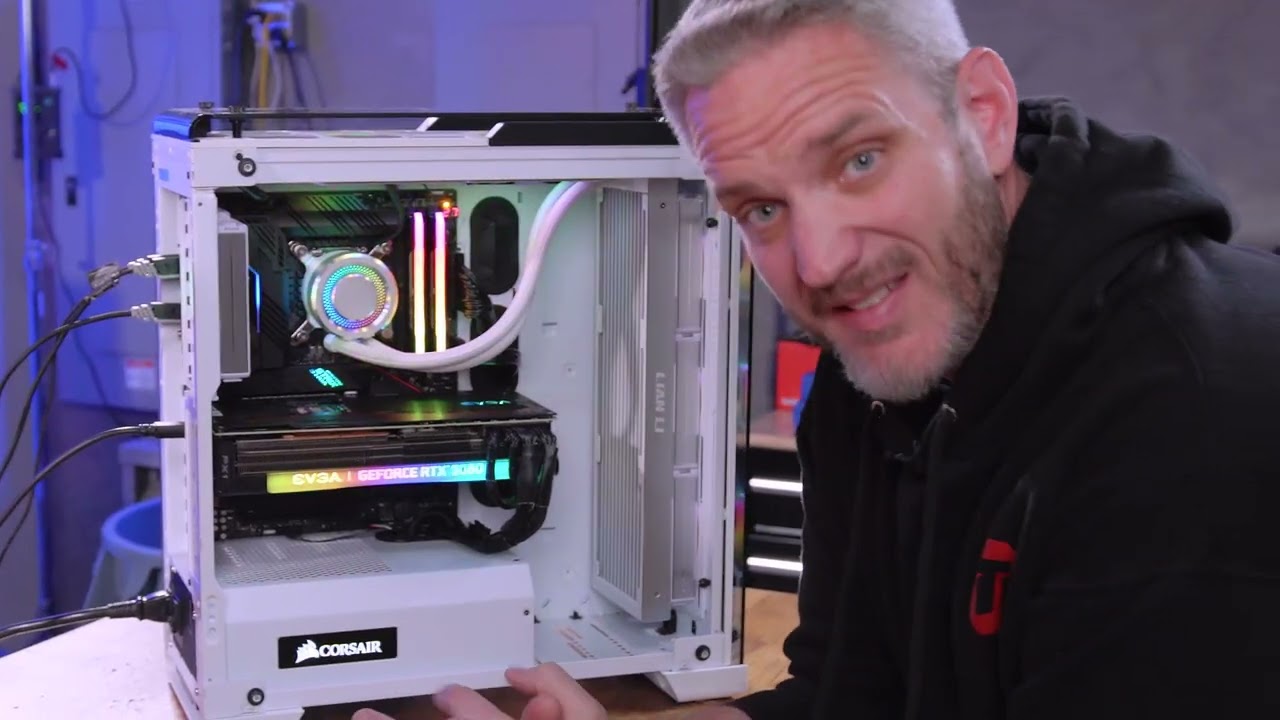
Learn more about the All New NZXT H1 2022 at https://nzxt.co/JayH1
Get your JayzTwoCents Merch Here! - https://www.jayztwocents.com
○○○○○○ Items featured in this video available at Amazon ○○○○○○
► Amazon US - http://bit.ly/1meybOF
► Amazon UK - http://amzn.to/Zx813L
► Amazon Canada - http://amzn.to/1tl6vc6
••• Follow me on your favorite Soci...
welp my 4080 is already in the RMA process so i can't test that now anyways
fading glacier
o.O
last time i made a bios update was to support the 13th gen xP
dont do bios update if you dont need it
if it works, let it be
livid idol
But muh memory overclgoaighbng
 ivory herald
Update to latest before installing windows & there goes part of some supposed risk. 
 lunar aspen
https://pcpartpicker.com/product/TvpzK8/pny-xlr8-gaming-verto-epic-x-rgb-oc-geforce-rtx-4090-24-gb-video-card-vcg409024tfxxpb1-o
Is gamestop a good place to buy cards at?

PNY XLR8 Gaming VERTO EPIC-X RGB OC GeForce RTX 4090 24 GB Video Card (VCG409024TFXXPB1-O)
livid idol
Yeah they're fine but they sell fast
lunar aspen
Would this card be worth if I'm water cooling?
lunar aspen
livid idol
Yeah they're fine but they sell fast
Wow yeah that was fast
livid idol
Yep. The GameStop rewards program means people can use coupons and get bonus credit so people jump on that fast.
odd siren
lunar aspen
Would this card be worth if I'm water cooling?
Can competently tell you right now, unless you have one of the "slim" 4090 cards that have known sacrificed cooling power, the whole lot of them run almost as good as a waterblock anyway
You'd be paying $400 for maybe 1% improvement in temps and/or performance
No point to an xlr8 on water
raven wharf
4090s on Newegg are going for 3000 now that’s absurd
I could build a no compromise all AMD build for like 2500
 ivory herald
Partly caused by the china ban and how much it's used for "ai" type stuff. Sure wish I originally had $1600ish for one. Many of us sure don't need one though.
 cosmic bluff
Leave the 4090s to the real gamers and content creators
 sage jay
 nocturne marlin
What do you mean, YOU people
odd siren

 coral yew
So I put in the 7800xt and got drivers installed but how do I get the Radeon settings app?
livid idol
Right click an empty space on the desktop
If you're on windows 11 you might need to click "show more options"
upbeat sable
So my computer has crashed a few times with a gray screen and blue lines here recently and was wondering if anyone knew what that could mean
livid idol
Sounds like bad drivers or bad video memory
upbeat sable
it started happening after i reinstalled the Graphics drivers
livid idol
And I think you were one of the people that's been troubleshooting drivers for a while already?
Have you tried reinstalling windows or trying the GPU on another computer?
upbeat sable
Yeah, a few days ago i accidentally installed the wrong drivers and i had to do the ddu thing
but before that, i never had the crashing issue
also, Adrenalin is doing the same thing where it doesnt give me the option to check for updates on my current driver
livid idol
DDU is a little iffy on AMD lately, sometimes you need to reinstall windows to fix persistent issues
upbeat sable
and my current driver is from 8/29/23
does reinstalling windows delete everything off of my drives
livid idol
Not unless you tell it to
upbeat sable
ok good
livid idol
You might need to run installers again but the data will still be there
upbeat sable
do i need to redownload windows 11?
livid idol
The best way is to run the installer off a usb like when it was new, and tell it to install to the existing drive. It'll automatically move the old installation to a folder called windows.old and set up windows like new again, but with other data intact. If you need to, you can copy user data and such from the windows.old folder.
DO NOT press the format button. That's the one thing that'll erase your files.
upbeat sable
will i have to retype my windows license key?
livid idol
No it's tied to your windows account
upbeat sable
livid idol
No it's tied to your windows account
so after i reinstall windows 11, do i need to use the DDU again?
livid idol
No
 livid idol
Yep that's one way
upbeat sable
livid idol
Yep that's one way
also, do u know why the adrenalin app wont give me the option to update my drivers?
or is that also tied to reinstalling windows
livid idol
That should be fixed once you reinstall
upbeat sable
ok bet. for the time being while i download windows, should i leave my pc alone, or can i go ahead and play games and stuff (just not at 4k)
livid idol
You can do whatever you like, downloading doesn't take much resources
upbeat sable
well, i meant just in case it crashes again. because its done that when I play Cyberpunk or Warhammer darktide at 4k
livid idol
Oh well yes avoiding crashing is good so the download doesn't corrupt
coral yew
livid idol
If you're on windows 11 you might need to click "show more options"
Alright thanks was trying to do it through parsec but locked myself put of my pc since apparently I can't do administer privileges through it... I tried right clicking the desktop but didn't hit show more options
Out*
coral yew
Turned out apparently my stuff didn't get installed correctly and after restarting the PC and attempting to reinstall it worked
Noticed the driver was missing as my GPU usage didn't popup in task manager
Seeing that bar in the bottom right is weird coming from a 2080 super lol

That much usage was over half my VRAM
raven wharf
will the 40 super series coming in january/feb have an impact on the 7900 series pricing?
i imagine nvidia would like to compete with that in some way by lowering the 4080 to be in line with the xtx's price
i havent read up much on it but I imagine all the 40 supers aim to be the better purchase over the 7900 series? unless they just jack up the price in "typical" nvidia fasion
is this decent/accurate?

This video leaks EVERYTHING there is about Nvidia’s SUPER GPUs. [SPON: Use “ALLONAE” during the AliExpress Singles' Day Sale to get $25 OFF on Orders over $100 https://s.click.aliexpress.com/e/_mLA0Y9e ] [Hidden Gems: https://s.click.aliexpress.com/e/_mrewmni ]
0:00 Current 4090 Pricing looks BAD…but things are about to change…
0:59 RTX 409...
fading glacier
moore law is full of ****
dont follow that dude he is always wrong
also, this is the answer to all those questions you have in mind
 raven wharf
fading glacier
https://tenor.com/view/8ball-bart-simpson-shaking-shake-magic-ball-gif-17725278
livid idol
fading glacier
dont follow that dude he is always wrong
raven wharf
fading glacier
https://tenor.com/view/8ball-bart-simpson-shaking-shake-magic-ball-gif-17725278
livid idol
fading glacier
dont follow that dude he is always wrong
Not always but often enough. He puts so many disclaimers on things it's hard to fault him, though. "This will probably change" or "that isn't finalized yet" are said frequently. It's still fun to watch.
raven wharf
he said that rdna 4 will be like between 7900xt-xtx in performance but cost around 400-600
does that have any truth to it
vital oriole
sounds like pipe dream
cosmic bluff
raven wharf
does that have any truth to it
in the future when the parts are outdated then will we see the price that low
merry glacier
6800xt down to $439.99
 lone pond
where would the 3050ti compare on the gpu chart?
 keen nacelle
lone pond
where would the 3050ti compare on the gpu chart?
keen nacelle
lone pond
where would the 3050ti compare on the gpu chart?
Between a 1660 and a 1660 super in raw performance if I remember right
But the 4gb limits it in a lot of titles
lone pond
keen nacelle
Between a 1660 and a 1660 super in raw performance if I remember right
okay, thank you
idk i was considering one but i think im gonna go with a 1080ti or a 2080ti
keen nacelle
3050 ti is a mobile gpu only
I would try for 20 series, 6000 series, or 30 series
Or 7000/40 series
random walrus
lone pond
idk i was considering one but i think im gonna go with a 1080ti or a 2080ti
I'd also look at 3060ti/6650xt/6700xt
New 3060ti not really worth but might find a used deal
lone pond
random walrus
New 3060ti not really worth but might find a used deal
theres a person on fb near me with a surplus of 30 series gpus that were used for mining
i think it was like 275 for a 3060ti
or something like that
random walrus
Yeah that's not terrible but probably not worth unless you can haggle it down some more
ivory herald
If that's about the lowest 3060 ti then I would also hunt a 3070 a bit.
lone pond
okay, thank you!
keen nacelle
3070 refurbs and open box on newegg/ebay are $300
6700xt can also be found fairly cheap used
It's between the 3060 ti and 3070
 wheat crag
should i be concered if i cant keep my finger on the back of my 3090 fe for more than 6 seconds bc of how hot it is? the temps are normal but im concerned if anythings get damaged longterm
 keen nacelle
wheat crag
should i be concered if i cant keep my finger on the back of my 3090 fe for more...
keen nacelle
wheat crag
should i be concered if i cant keep my finger on the back of my 3090 fe for more...
No, 50c is a very very safe operating temp for example, yet would burn us if we touched it
The backplate helps to cool the vram, so it's normal for it to be a bit toasty
 spare relic
your finger will get damaged longterm
lone pond
hey where does the 4060 compare on the chart?
 safe coral
do we have a marketplace section for buying and selling pc parts? im looking for GPU
random walrus
safe coral
do we have a marketplace section for buying and selling pc parts? im looking fo...
No buying/selling here as far as I'm aware. r/hardwareswap or Ebay are your best bets
people here can help you look at those/other marketplaces and find something though.
safe coral
random walrus
No buying/selling here as far as I'm aware. r/hardwareswap or Ebay are your best...
thank you ✅
ivory herald
Hardwareswap also has their discord w/ buying/selling on there
 keen nacelle
i mean they can't just summon it to give it to you, they're out
it's unfortunate but there's not really anything else they could do
how much was it?
novel musk
keen nacelle
how much was it?
$1279 i think
right now i’m trying to find a good white one from amazon/other shops
odd siren
Ventus 4080 was like, 1079 iirc?
keen nacelle
novel musk
$1279 i think
There's a gigabyte white one that's a better model for $1300
odd siren
odd siren
Ventus 4080 was like, 1079 iirc?
That one's kinda white, and more than ample
keen nacelle
Though that's awfully priced, $300 more got you a 4090 what, 2 months ago?
odd siren
New ventus is ok
keen nacelle
And $230 less is a white xtx last I checked
odd siren
Yeah tbh, anything over 1000 for a 4080 isn't great
White tax sure but like, pure card performance it's meh
novel musk
i’m trying to get a 4090 but rn all of them are like $2000+
novel musk
so i’m trying to find a $1200 ish 4080
odd siren
XTX can come in white for less and performs overall the same
Just saying
Like a good
200 less at least
Or take a normal card, paint it white
novel musk
keen nacelle
There's a gigabyte white one that's a better model for $1300
this one?
 novel musk
odd siren
XTX can come in white for less and performs overall the same
novel musk
odd siren
XTX can come in white for less and performs overall the same
what’s the major difference between XTX and RTX?
I plan to play GTA 6 and other AAA titles like forza horizon etc
and sometimes AI stuff (image generation etc)
livid idol
Forza LOVES amd cards so you're set there, GTA we don't know anything about
novel musk
yes but i want the overall best compatibility card
vital oriole
xtx will still work fine for gta 6 im sure
livid idol
Generally speaking nvidia cards are better at AI generation but if that's not an every day thing it's not a major difference
Compatibility? This isn't Intel Arc we're talking about, AMD has full compatibility with every game ever
novel musk
sounds like i could go for amd card then
odd siren
novel musk
what’s the major difference between XTX and RTX?
I plan to play GTA 6 and other...
Forza is night and day better on AMD
I play it a LOT
Done a lot of tests
It's just so much better
4000 series has an advantage in blender and RT nowadays
livid idol
 odd siren
You might get the odd game that doesn't work first week or first day but then it's fine
Yeah it'll do 4k 60
Hell XTX can do 4K 144 easily under the right settings
It's 4k worthy for sure
 neat ventureBOT
DDU (Display Driver Uninstaller) Guide by Pato
https://github.com/NeweggTechie/Graphics-cards/wiki/How-to-use-DDU
GitHub
Contribute to NeweggTechie/Graphics-cards development by creating an account on GitHub.
odd siren
livid idol
I suggest plasti-dip instead
I say yeah, works well for a temporary solution
livid idol
Yep much easier to change your mind later and go tie-dye or w/e
novel musk
XFX Speedster MERC310 AMD Radeon RX 7900XTX Black Gaming Graphics Card with 24GB GDDR6, AMD RDNA 3 RX-79XMERCB9 https://a.co/d/c24yaaZ

The XFX AMD Radeon RX 7000 Series graphics cards, featuring the groundbreaking AMD RDNA 3 architecture, deliver ultra-high frame rates for your favorite games at 4K max settings.
this one?
keen nacelle
novel musk
this one?
Si
odd siren
You can paint that white ye
It has a silvery white backplate
So it's already half done
novel musk
damn that’s good
odd siren
They have white versions of those too but those are sadly oem only
I had pics, months ago of them
They look really good with white over the black
REALLY good
novel musk
huh this top part looks pretty ugly imo lol but i guess i can put like some decorations


@odd siren they can be powered with these right?
three of the PCIE cables from the PSU
livid idol
Yes the XTX uses the old standard 8 pin connectors, unlike the new Nvidia cards.
novel musk
thank god i hated the new connectors nvidia wants me to use
livid idol
I'm pretty sure everyone including Nvidia hates the new cables Nvidia made people use considering the huge scandal of melting connectors
novel musk
😂
random walrus
novel musk
huh this top part looks pretty ugly imo lol but i guess i can put like some deco...
Just make sure they have a high enough melting point
livid idol
Yes, there's a new idea in the works of splitting the 12+4 cable into 2x(6+2)
odd siren
livid idol
Yes, there's a new idea in the works of splitting the 12+4 cable into 2x(6+2)
Pretty sure that's happening and is real now
livid idol
And shortening the sense pins so if it's not in perfectly it refuses to power on
odd siren
Would basically turn it into a beefier eps
The shortened sense pins are already implemented
livid idol
Not on every PSU or adapter that ships with the cards but yes it's in the wild
livid idol
It's rather annoying that some companies are preferring to run out of stock of the old, dangerous connector before switching
If only it was widespread enough for a class action lawsuit... but I don't think there's enough victims
Which is good but also bad for holding them accountable
odd siren
Doesn't stop them from being liable at all
Like sure, with any potential fire you'd probably have insurance depending on the severity of the situation
But I think places like reddit make a huge scandal out of bad practice quite easy nowadays
Either way you'd be able to get a warranty claim I'm sure
livid idol
Gigabyte at least is known to refuse warranty for that
odd siren
Are they?
livid idol
As soon as it came out that it was partially user error they wiped their hands of it
livid idol
Yep. "Should have used a brace"
livid idol

Graphics Card GPU brace bracket kit. Support your cards from sagging and weighing on the motherboard. Bead blasted anodized aircraft 6061 grade CNC milled aluminum, comes in 3 colors, Red, Black, Blue. Prevents sagging and stress on motherboard, adjustable for different video card weights and siz...
odd siren
Oh no it sounded like you read this story lol
livid idol
Oh the story, hang on

Reddit
Explore this post and more from the gigabytegaming community
random walrus
livid idol
Yep. "Should have used a brace"
Hope someone responded with "should've shipped it with a brace in the box"
raven wharf
novel musk
huh this top part looks pretty ugly imo lol but i guess i can put like some deco...
best looking 7000 aib card stop the cap
 hot folio
livid idol
Gigabyte at least is known to refuse warranty for that
hot folio
livid idol
Gigabyte at least is known to refuse warranty for that
Gigabyte literally refuses warranty for everything
They’ve sent me back gpus that died because of a bad vram batch, a mobo that they claim they didn’t find any issues (none of the PCie slots work)
odd siren
Gigabyte **USA
hot folio
True
odd siren
I've had 3 successful RMA's with Gigabyte AUS
 wicked hound
I've had 1/1 successful RMAs with Gigglebit on some cheap AF used mobo that iirc didnt even have a reciept (maybe it did, idk).
odd siren
that sounds about as dubious as the rma department itself
might be the trick everyone needs to know, send the stuff in dodgy af 
novel musk
@odd siren does this fit into the rx7900 xtx? it has that “line” on the top two right pins not sure if that’s supposed to be there

and this one don’t have the “line”
 livid idol
novel musk
<@101107951401455616> does this fit into the rx7900 xtx? it has that “line” on t...
livid idol
novel musk
<@101107951401455616> does this fit into the rx7900 xtx? it has that “line” on t...
The one that splits into 6 and 2 fits, the other is for the CPU
odd siren
if it says "pcie" it goes into a xtx
odd siren
extension cables are like extension cords that go into wall plugs
they just make things longer, and cablemod ones make it look nice as a result
we're talking about the psu ones
it should all be labelled
novel musk
there’s no labels on them xd

 odd siren
the bottom one looks like eps
the top looks like pcie
but I keep saying these should be labelled
vital oriole
no
lone pond
idk people have told me "dont buy amd" some have told me "yeah amd is good" idk
newegg discord i trust
vital oriole
they're decent now
lone pond
like something like a rx 6800
lone pond
livid idol
6000 series was excellent value, 7000 is pretty competitive
okay, thank you
is something like a 6800 a good card in 2023/24
non xt
livid idol
Yeah, very solid GPU for 1440p
lone pond
alright, thank you
livid idol
And light 4k
I haven't checked prices today so I can't say how good of a value it is currently compared to the newer 7700 XT or 7800 XT
But performance is good
keen nacelle
lone pond
is something like a 6800 a good card in 2023/24
Mainly depends on price though
random walrus
Finally got around to getting a decent undervolt on my little dual fan evga 3060ti
under load, dropped ~5C
fans sound much better
coral yew
is it possible to make the fps counter on AMD's software always show up when in game so like if i restart my PC itll be enabled when it restarts by default?
 honest hemlock
Anyone know if is should go with the ASUS ROG Strix NVIDIA GeForce RTX™ 4070 Ti over the GIGABYTE GeForce RTX 4070 Ti WINDFORCE OC 12G? Or does it really matter
 old kernel
honest hemlock
Anyone know if is should go with the ASUS ROG Strix NVIDIA GeForce RTX™ 4070 Ti ...
old kernel
honest hemlock
Anyone know if is should go with the ASUS ROG Strix NVIDIA GeForce RTX™ 4070 Ti ...
I've had really good experiences with Gigabyte!
random walrus
I've heard their RMA process has given some people grief
I did have a gigabyte card for a while and it was solid
livid idol
It's hit or miss with them. Depends on which repair center you send it to I think.
odd siren
honest hemlock
Anyone know if is should go with the ASUS ROG Strix NVIDIA GeForce RTX™ 4070 Ti ...
Any strix of any kind is a hard pass. Paying way over the msrp, let alone the fact that the msrp itself is a hard pill to swallow, for a card with basically 0%-2% uplift is just gross
Go with the cheapest 4070Ti, the cheapest will be the best value
hot folio
GigabyteUSA is probably the worst RMA service in the US
random walrus
Seems like these days the OCd cards provide a very minimal uplift and every partner is making decent cooler designs
odd siren
That's basically it in a nutshell
 lament widget
keen nacelle
Mainly depends on price though
lament widget
keen nacelle
Mainly depends on price though
At this point, if youre paying more than $430US i think you're not making the wisest decision on a 6800. Ive seen xt models going for 450 now, 7800xt just under 500, and my microcenter having 6950 reference models for 600
 nocturne nest
Whats a good price for a used 7800xt
 olive bobcat
hot folio
GigabyteUSA is probably the worst RMA service in the US
olive bobcat
hot folio
GigabyteUSA is probably the worst RMA service in the US
Not me currently having half my stuff from them
lament widget
nocturne nest
Whats a good price for a used 7800xt
Id say 475 or lower
coral yew
I sent in a GPU to gigabyte and pretty certain they just returned a whole new card to me not 100% sure though as found out my issue was actually a PCIe cable...
vital oriole
it's hit or miss really
random walrus
I don't think it's uncommon for RMAs to just get you a refurbished unit
Let's you get a working part earlier and then more time to repair units
hot folio
The amount of times gigabyte just sent my thing back without even looking at it claiming they didn’t find any issues is insane
novel musk
@odd siren rx7900xtx is so good wtf. thank u for telling me about amd gpu
this time it worked perfectly, no faulty black screen bs
spare relic
I love random channel spam
random walrus
spare relic
I love random channel spam
Is this why I keep getting unread markers on random channels that when I check don't actually have any new messages? Are people spamming & getting msgs deleted?
I'm also on discord beta so could just be that doin something weird
 heady turtle
random walrus
Is this why I keep getting unread markers on random channels that when I check d...
heady turtle
random walrus
Is this why I keep getting unread markers on random channels that when I check d...
Yes it's usually when it's spammer removed by bot
random walrus
So either happening more often recently or new discord beta leaves the unread markers more often
heady turtle
I haven't seen an increase in spammer it's usually at least 1 a day here
 harsh narwhal
Honest opinion. If you had the cash, would you buy a 4080,4090, or wait?
livid idol
random walrus
So either happening more often recently or new discord beta leaves the unread ma...
I think the issue is the bots, they've been slower since the update so maybe they're taking an extra few seconds to delete.
random walrus
I'm also noticing that getting normal messages to mark as read isnt as consistent
(across all of discord mobile, not just this server, so probably related to discord beta or update)
 spark zinc
odd siren
I daily XTX myself
spark zinc
odd siren
I daily XTX myself
What's ur oc
odd siren
spark zinc
What's ur oc
1st in firestrike for nearly 8 months
spark zinc
odd siren
1st in firestrike for nearly 8 months
I still need to attach a elmor on mine
this is mine
odd siren
I never evc'd it
odd siren
Yeah no, I use it for work so, I don't want to have stability issues
And I'm using a loop as well
spark zinc
Ah
odd siren
@spark zinc still 2nd place
https://www.3dmark.com/fs/29579177


3DMark.com
Intel Core i9-13900KF Processor, AMD Radeon RX 7900 XTX x 1, 32768 MB, 64-bit Windows 10}
Pretty sure if I went back I could beat this too. Lol
Can't be bothered tho, More important things to do
spark zinc
Not bad

 wooden vine
I believe I have been sent a dead gpu (the vga light is on and there is no post and my other gpu works in the system Does anyone know a fox before I send it back
 silent cradle
New gpu chart when
 velvet grail
solid glacier
velvet grail
solid glacier
It has to be something with psus, two of mine also came in that same condition
Either broken box or full of tape
Do people bite those boxes?
random walrus

AMD and Ubisoft announced at Gamescom the AMD Radeon RX 7900 XTX Avatar Limited Edition graphics card, delivering breathtaking 4K experiences for gamers across the landscapes of Pandora. Featuring thermal reactive paint, this card is a sight to behold both when idle and under load.
With one of only 500 custom-shroud GPUs, gamers can truly exper...
don't love the "avatar frontiers of pandora" text on the backplate but other than that what a gorgeous card
raven wharf
solid glacier
How much isit
not for sale, same as the starfield xtx
very few made, only way to get them is from giveaways or if you were like a content creator or something and amd sent you one
wooden vine
My gpu won’t work and it makes me really sad 😭😭😔😰 (the vga light is on and there is no display please help)
vital oriole
wooden vine
My gpu won’t work and it makes me really sad 😭😭😔😰 (the vga light is on and t...
make sure your monitor is actually plugged into your gpu
wooden vine
It is
That’s when it doesent work
It does work tho when I have it plugged into the mobo
wooden vine
vital oriole
make sure your monitor is actually plugged into your gpu
When I found that out I tried reseating the gpu and resetting the cmos but it still only connected to the mobo
vital oriole
are external power cables connected properly to the gpu?
wooden vine
Yes there in there good
I tried using 1 cable that split into 2 6+2 pins as well as 2 cables that split into one 6+2 pin each and neither worked
wooden vine
vital oriole
try taking the gpu off and clean the contact pins
What too clean with?
I have 91% isopropyl alcohol
wooden vine
Is 91% safe enough or do I need 99% also should I just use paper towel?
vital oriole
paper towel and 91% is ok
wooden vine
Okay thanks you bro 😀 appreciate the help
vital oriole
what's the specs of your pc btw? might help diagnosing the problem
wooden vine
Gaming x ax gigabyte mobo Corsair vengeance 32 gb. 750 watt nzxt psu 7600x and 6800 gaming z trio by Msi
solid glacier
What windows should i buy with my build
wooden vine
solid glacier
What windows should i buy with my build
10 pro or 11 i would go 11 but it’s up to you
 solemn panther
odd siren
<@350124341238824960>
solemn panther
odd siren
<@350124341238824960>
perhaps
raven wharf
in the current market is the 7900xt or xtx a more worthwhile upgrade from 6700xt
hot folio
Xtx is the better upgrade
random walrus
There are more steam users with Steam decks than 6700xt & 6600

crazy how here and in most tech circles the 6000 series is often recommended but Nvidia continues to dominate
hot folio
Tech circles are such a small percentage of the main consumer market
random walrus
yeah

also they've seen lower growth than older gpus like the 1650, 1050ti, 1050, 1070
raven wharf
6000 series will age like fine wine
im super happy with mine
i will consider upgrading when I make the jump to 1440p
maybe
it should do fine
random walrus
raven wharf
i will consider upgrading when I make the jump to 1440p
I have a 3060ti and it works pretty well for 1440p, 6700xt should as well
odd siren
random walrus
crazy how here and in most tech circles the 6000 series is often recommended but...
The market doesn't understand
random walrus
The whole 5700xt fiasco or whatever that was really put off a lot of people
I know someone who had issues with their 5700xt and when it came time to upgrade went for a 3060 over a 6700xt
fading glacier
yeah, its sad
most people will prefer nvidia over amd just because a friend of a friend of a friend told them that amd gpus are just bad
but thats human nature at its best, you can destroy 100 years of reputation in a single second with just one mistake
odd siren
I think it's more just the wide adoption
You see nvidia and intel 1000x more often over the years
"Oh I know them"
Mindshare takes the fore
Esp. when most people haven't a clue what any of the hardware can do nor what the names mean
AMD dropping the ball is one thing but back in 2020 I didn't even know who amd was
fading glacier
same thing happen on amd
most people doesnt have an answer when you ask them why they dont like amd gpus, they just heard it that they are bad
odd siren
Then that one guy saying they hated their experience 5 years ago
fading glacier
most people are just too lazy to look deeper into the whole piicture
odd siren
What bugs me is the driver experience side by side is almost identical now
Yet most refuse to acknowledge it lol
raven wharf
fading glacier
most people doesnt have an answer when you ask them why they dont like amd gpus,...
had that actually happen to me
one of my friends at work said he had a 3080
he looked at me like i was crazy when i said i had amd
odd siren
raven wharf
had that actually happen to me
We all have, if I had a nickel for every time
Lol
It happens a lot in here
raven wharf
odd siren
We all have, if I had a nickel for every time
its just weird it happened earlier and now were talking about it
odd siren
Fair
odd siren
odd siren
Esp. when most people haven't a clue what any of the hardware can do nor what th...
Actually I double back to this, it shows it's colours even in the more unusual things:
https://www.gamesradar.com/steam-survey-suggests-players-are-leaving-1440p-gaming-monitors-behind/

gamesradar
QHD displays could be on the decline
random walrus
 random walrus
Yeah for sure, it's just weird to see that large of a drop
vital oriole
1366x767 being 4% is funny to me
odd siren
It's likely correlated with the decline in pc buying
vital oriole
so many people using craptops with 768p
odd siren
vital oriole
so many people using craptops with 768p
CS2 people
vital oriole
hm that too
random walrus
I used to have a sub-1080p laptop, probably around 8 years ago
Played a lotta Minecraft on that thing
heady turtle
odd siren
CS2 people
Nah but it scales to monitor, that res is what res is being used by your monitor normally in windows
vital oriole
that's what i thought
livid idol
Sounds like a handheld device resolution to me
solid glacier
got 75% of my parts waiting on gpu cpu mobo and case
wooden vine
Why myst I be cursed with this vga light
And how do I fix it
I think I’m taking a step in the right direction now tho
Becuz before it would connect to my mobo
But now it’s not
random walrus
livid idol
Sounds like a handheld device resolution to me
Steam deck is 720 and rog ally is 1080
I'd assume those are the 2 most common handhelds
(besides a switch which wouldn't be on steam)
wicked hound
odd siren
Actually I double back to this, it shows it's colours even in the more unusual t...
Could just be surge of laptop users. Almost no QHD laptops
raven wharf
vital oriole
1366x767 being 4% is funny to me
1336x768 is unironically what I have rn
im using like a 7 year old smart tv that was small enough to be used as a monitor since its what i had lol
vital oriole
wooden vine
Why myst I be cursed with this vga light
after reading your specs, i think you need to set your mobo's pcie setting to pcie 4.0 mode
it should be in cpu settings
if asrock mobo
gigabyte should be more straightforward afaik
wooden vine
vital oriole
after reading your specs, i think you need to set your mobo's pcie setting to pc...
Also what’s pcle asmp
Still doesent display 😭
odd siren
😂😂😂
 raven wharf
odd siren
😂😂😂
raven wharf
odd siren
😂😂😂
watching it now, funny
random walrus
odd siren
😂😂😂
Is this in response to the IDF reportedly using AI for bombing targets?
Or something else?
odd siren
This is government in response to nvidia trying to create gpus that circumvent the chinese export bans
random walrus
Ah
 vivid arch
@odd siren turns out it was the cable, running good now without issue, not having any flickering problems
odd siren
lol nice
wooden vine
vital oriole
after reading your specs, i think you need to set your mobo's pcie setting to pc...
Yooo I tried it in another computer and it also didn’t work does that mean it’s toast 😢
 regal spade
can anyone help me, after upgrading my gpu to a rtx 4080 whenever im gaming my fps randomly goes down to 20fps and mouse cursor start lagging when i move it around and desktop is just every laggy also than after a couple seconds it goes back to normal?
neat ventureBOT
DDU (Display Driver Uninstaller) Guide by Pato
https://github.com/NeweggTechie/Graphics-cards/wiki/How-to-use-DDU
GitHub
Contribute to NeweggTechie/Graphics-cards development by creating an account on GitHub.
odd siren
^do this
regal spade
odd siren
^do this
done this , updated drivers no luck
do i try it again and uninstall amd and nvidia dfrivers and see if it works out?
heady turtle
regal spade
do i try it again and uninstall amd and nvidia dfrivers and see if it works out?
Yes


 hot bough
wooden vine
Does this look fully seated
hot bough
wooden vine
Does this look fully seated
If you are asking about the pcie slot, you should heat a click once fully seated, can sometimes take a bit of force.
Once fully seated, the clip will be flat and not at an angle.
wooden vine
Okau
I push pretty hard and the tab is all the way up
And I hear like a faint pressing noise
No click tho
wooden vine
hot bough
Once fully seated, the clip will be flat and not at an angle.
Idk if u can tell but do it look like it’s at an angle
hot bough
wooden vine
Idk if u can tell but do it look like it’s at an angle
If it's flat you're good.
If you heard the lil noise from the clip when slotting the gpu your good to go usually.
wooden vine
Okay thank you
 hot bough
solid glacier
Got all my pc parts, time to build 😳
hot bough
solid glacier
Got all my pc parts, time to build 😳
Congratulations! Good luck and have fun on the build 😄
solid glacier
hot bough
Congratulations! Good luck and have fun on the build 😄
Ty! I’m gonna start building tommrow
solid glacier
Hey I need a exhaust fan any recommendations
solid glacier
I’m watching a video but there isn’t a arrow on my mobo
 rustic pulsar
solid glacier
I’m watching a video but there isn’t a arrow on my mobo
rustic pulsar
solid glacier
I’m watching a video but there isn’t a arrow on my mobo
what the question here?
solid glacier
I’m wondering if I need to put any more stand offs in
Dang this is hard to put in
How many cpu pci cables should I use for my ryzen 7 7800x3d
keen nacelle
Cpu isn't pci (just so you know going forwards), but 1
2 is for ln2 ocing with an i9 or r9
Well ln2 ocing in general but 1 is fine for basically everything even heavy ocing
solid glacier
So only use 1 cpu cable?
solid glacier
Ight cool
Bruv it’s so hard to put these cables in with this big cpu cooler should@of put the cooler on aftee
I can’t even see if it’s on
solid glacier
Man I’m about to rage
Doesn’t even line up

NICE
What do I do now
Lmao can’t do anything
odd siren
solid glacier
Lmao can’t do anything
Flip it upside down, you got it wrong way round
solid glacier
Iv never seen this plug b4

Also
I have my SSDs in m2.1 and m2.3 should I put it in m2.2 slot?
solid glacier
odd siren
Flip it upside down, you got it wrong way round
Before I put my GPU on
solid glacier
odd siren
Flip the psu upside down
Ye I did
I put one of my SSDS in the m.3 slot bc it has a heat sink
Should I put it in the m.2 slot ? I’m not sure if there all the same soeed
Oh nvm there all m.2
Dman she’s a beautiful
It came with a sag bracket but u can’t use it with this case doesn’t work out
solid glacier
@odd siren it’s oc ram time what do I do
keen nacelle
solid glacier
<@101107951401455616> it’s oc ram time what do I do
In bios go to ram settings, try something like 6000c32-36-36-72 first
At like 1.4v
Beyond that I'd follow a guide or felix's/someone else who's actually tuned hynix ddr5 advice
solid glacier
How do I run DDU again?
!DDU
Using hwinfo60 ik there’s a way to check to see if your gpu is fully seated correctly I just forgot how
odd siren
?ddu
neat ventureBOT
DDU (Display Driver Uninstaller) Guide by Pato
https://github.com/NeweggTechie/Graphics-cards/wiki/How-to-use-DDU
GitHub
Contribute to NeweggTechie/Graphics-cards development by creating an account on GitHub.
odd siren
solid glacier
<@101107951401455616> it’s oc ram time what do I do
Change these settings as follows

Ddr5-6000
Cas latency 30
Trcdrd 36
Trcdwr 36
Tras (trp) 36
Trc 76
Dram voltage/ vdd dram 1.4v
As well as make sure dram vddq matches vdd dram
It should all be under advanced memory settings/timings
Called "primary timings", then voltage for dram will be on it's own in the advanced section
Then save your settings in bios so you maintain the xmp
odd siren
solid glacier
Using hwinfo60 ik there’s a way to check to see if your gpu is fully seated corr...
It's either in correctly or you have no display/massive stability issues, there's no middle ground
solid glacier
odd siren
Then save your settings in bios so you maintain the xmp
Ight this is sorta a lot lol
So1 problem
How tf do I get rid of AMD Radeon graphics integrated
 odd siren
solid glacier
Where do I even start lol I can’t find any of these
odd siren
solid glacier
Where do I even start lol I can’t find any of these

Those 5 then dram frequency and dram vdd & vddq
odd siren
solid glacier
How tf do I get rid of AMD Radeon graphics integrated
Don't need to disable it just don't plug anything into it
solid glacier
It won’t let me switch it off auto
 odd siren
Type a number
solid glacier
Oo
solid glacier
odd siren
Trcdrd 36
This tcl?
odd siren
No
solid glacier
 odd siren
30 36 36 36 76
odd siren
Change frequency to 6000
Dram frequency
And then change dram vdd & dram vddq to 1.4v
 odd siren
Mhm
Dram voltage and dram vddq voltage
1.4
And if you've also managed to change dram frequency to 6000
Save your bios settings
solid glacier
It switches to 1.5 when I put in 1.4
odd siren
Then put in 1.35
solid glacier
Goes to 1.500
odd siren
Impossible
 odd siren
Not vpp
solid glacier
Oh
odd siren
Change vpp to auto
odd siren
odd siren
Dram voltage and dram vddq voltage
^
solid glacier
Ooos got it
odd siren
Vpp needs to stay auto
solid glacier

 odd siren
Save your bios settings
odd siren
odd siren
Save your bios settings
^
solid glacier
Bet so I just click f10?
solid glacier
How?
solid glacier
 odd siren
No
 odd siren
You will see it

 solid glacier
I’m not sure it says auto on bios
solid glacier
I’ll just restart if that’s fine without saving then redo it?
solid glacier
Ight
solid glacier
Do I go back into bios?
odd siren
If you want to set fans sure
solid glacier
How do Ik if it trained
odd siren
It will boot and run without issues
 solid glacier
What about the manual thing though
odd siren
What manual thing
odd siren
Oh
solid glacier
odd siren
Why does vddio say separate and vpp manual
This
odd siren
It's probably fine
If you have blue screens then we can revisit it
I've never had an msi bios say that to me is why it was weird
It doesn't normally say that
Even under the same circumstances
solid glacier
Where’s my integrated graphics for Ik not to plug soemthing in
odd siren
Idk where to find that one in the msi bios
It's able to be disabled...but doesn't really make a difference
You might have better luck asking someone else for that one
solid glacier
 odd siren
You now have faster ram without paying a cent for it
odd siren
odd siren
You now have faster ram without paying a cent for it
Integrated graphics disabled
solid glacier
Boom
 odd siren
Save your bios again
Then f10 and done
For clarification can you send a cpu-z screenshot of your memory and spd tabs
solid glacier
Yea! I gatta get cpu z rq
I flashed my bios awhile ago for the right version for support of my cpu but I don’t think it worked lol
This the version I’m on

Is it this version
 odd siren
Idk
Shouldn't matter
It's 1C
It's close enough
Go download cpu z and get the screenshots pls
 odd siren
Yes

 odd siren
And spd?
solid glacier
 solid glacier
Perfect, now what should I do
odd siren
All done
odd siren
solid glacier
Perfect, now what should I do
Nothing, if it has issues, then any ram kit at this speed (xmp) would have issues
It should work without doing anything
solid glacier
Perfect ig I download games and see if they run smooth
odd siren
You can adjust your fans in bios if you think you need to, but that should really be everything
(I can't decide if you need to adjust them or not, you need to test and find out)
solid glacier
Yea I gotcha
solid glacier
Ez thank you sm
odd siren

solid glacier
Next issue is I gatta figure out why my rgb wont work lmao
Oh I forgot to put the back of my pc on
LOL
solid glacier
Ty!
raven wharf
how substanial is the jump from a 6700xt to a 7700xt at 1440p
odd siren
if you're going 7700xt go 7800xt
the difference is like, 20% more performance for 50$
it's a no brainer
raven wharf
i figured, was curious
odd siren
the jump to 7800xt would be less than 30% so not really worth it unless you need that much fps
7700xt is just ignore-worthy
raven wharf
odd siren
the jump to 7800xt would be less than 30% so not really worth it unless you need...
its such an underwhelming card
odd siren
7800xt is honestly a decent card for this gen
we need something like the 7600xt to fill the gap
or 7700
raven wharf
i still stand by that it should of been
7700 XT = 7600 XT
7800 XT = 7700XT
7900 XT = 7800 XT
7900 XTX = 7900 XT
raven wharf
odd siren
we need something like the 7600xt to fill the gap
if they just drop the price on the 7700 xt
by like another 100
odd siren
they won't
odd siren
it's going to be a long time
raven wharf
launch msrp should of been much lower
odd siren
yes
well we were all expecting the 7800xt to beat the 6800xt significantly, turned out to be the reverse
raven wharf
i entered in like 10 different giveaways for like 7800 XT and 7900s so one can hope 
raven wharf
odd siren
well we were all expecting the 7800xt to beat the 6800xt significantly, turned o...
yeah that was a suprise
odd siren
I still stand by my feelings that RDNA 3 is proving to be AMD finding their footing in the driver department
rdna 2 has gotten a lot better alongside it
raven wharf
you have an xtx right
 odd siren
I use 2 of 3
raven wharf
i imagine 6900 xt was your previous main?
raven wharf
odd siren
I intend to sell the 3rd soon

is your main xtx on water judging by your pfp
raven wharf
watercooling is so crazy
def something i want to try when im older with more money and experience
odd siren
it's painful at first
and then
it's less painful but also still painful
my next pc's will be air cooled

water is nice, air is nicer when it's good
raven wharf
what do you do that you use a 6900xt for workstation
workstation rigs have always confused me
i get like rendering and stuff
odd siren
CAD
raven wharf
but besides like an engineering field idk what theyd be used for
odd siren
AMD is a beast for CAD
RDNA 3 has a lot more uses in the workstation side of things
MI instinct also great
and radeon has gotten better with the new rocm
radeon pro also has ai accelerators as well now
but RDNA 2 is just good at cad
and the system works better the less I change things
odd siren
it's basically like
nvidia has had it's grips on workstation segment for years with CUDA
but the recent improvements on AMD's side of things are tipping things the other way now
raven wharf
the general thing I understand with my limited workstation knowledge is that intel and nvidia good, amd only good in few things
odd siren
go back like 6 years and everyone and their dog would be using maxwell, pascal nvidia cards
odd siren
raven wharf
the general thing I understand with my limited workstation knowledge is that int...
yes
but with rdna 3, amd is good at a LOT of things
raven wharf
ive heard a bit of that
odd siren
intel is excellent due to single thread perf
amd is good at things like decompression/compression/some forms of nvenc encode
but also intel has stuff like quick sync
it's a whole different ball park
but as the years go on the line is blurring between the big two
AMD can be so much faster in things like, creo for example now
that a card like the 6500xt can absolutely clap a 4090 in the right conditions
but before this was just all cuda dominated
CUDA has been and still is really good
raven wharf
odd siren
that a card like the 6500xt can absolutely clap a 4090 in the right conditions
i find that hard to believe
olive bobcat
It could
I’m not very experienced with GPUs, But as I’ve learned, there’s been a massive step up with AMD cards vs NVIDIA recently
odd siren
I'm trying to take a damn screenshot but hdr is ruining the colours
took a photo lmao


@hot folio has a really good screenshot
of specviewperf
but certain situations the amd cards are just complete winners
hot folio
WHOOOO BE SUMMONINGGGG ME
odd siren
oh no cring
hot folio
odd siren
oh no cring
I’m going to cring you
odd siren
cring cring pick up the banana fone
olive bobcat

raven wharf


 odd siren
yeah that's the ones
hot folio
Solidworks, nvidia wins
odd siren
and yes it's very specific
hot folio
It basically comes down to what you specifically need
odd siren
specific driver/program support/software tech compatibility = specific programs go NYOOM
this is the same reason why blender is just an nvidia love cluster
blender loves nvidia optix
and it comes up a lot as blender has a huge amount of weight in the content creation space
games, videos, movies
all big benefactors
especially when you consider enthusiasts dropping into this discord and what they might do
hot folio
Yo Felix, how loud are B12 extremes?
Kinda want to add 3 120mm fans to my dad’s lian li Galahad
odd siren
no idea
hot folio
Having to run the unifans at 100% just to get my temps down to 85C is annoying me
odd siren
they're so expensive and mid tho
If my experience tells me anything it'll make very little difference
but I could be wrong
hot folio
I’ll give the B12s a shot
odd siren
oooo
 near wind
when r u guys dropping the 4070 ti to 729 again 🙏