#graphics-cards
1 messages · Page 35 of 1
 livid idol
mersenne.org is for prime95
(It's called that because it's computing Mersenne prime numbers)

 livid idol
2021 and 4096 MiB
 livid idol
Yep
 solid glacier
graphs only? or tables to
 livid idol
Graphs are good for a quick glance
solid glacier
and this is for cpu only? or is it gpu to i should have only cpu graphs up or
livid idol
CPU and kinda memory
 livid idol
It'll bounce around pretty steadily
 livid idol
90-100 is max depending on your CPU
 livid idol
Looks good so far. Watch out for major dips in usage or frequency.
livid idol
You don't have that graph up but power works too
solid glacier
You sure? I can enable it and stop this and run it again
livid idol
If there's a drop it'll be reflected in power draw
solid glacier
Do you think i should test my gpu after aswell or no? Bc the rma people did and there was no drops on their end
Big alike

Spike*

 solid glacier
livid idol
If there's a drop it'll be reflected in power draw
solid glacier
livid idol
If there's a drop it'll be reflected in power draw
So far eveyrhting is good almost been a hour
 solid glacier
livid idol
Looks good so far. Watch out for major dips in usage or frequency.
solid glacier
livid idol
Looks good so far. Watch out for major dips in usage or frequency.
It’s done now what
Now what


How do these look
What shoudl@I do next?
livid idol
Seems fine to me
solid glacier
Do you think I should@run that overnight test still?
livid idol
Yeah that game is still a mess as far as optimizing, give it a couple months
 primal dust
Current rig:
Ryzen 5 5600x
B550-A Pro with Gigabyte wifi/Bluetooth adapter
Samsung 860 1 TB Sata SSD
MSI RTX 1660 Super
The next logical step is to upgrade the GPU obviously, would a 3070 be a good step? Problem is it costs like as much as it cost to finish my build last time around I think
livid idol
3070 would be good, try looking used. Alternatively, a 6750 XT has about the same performance level.
There's 6750 XT models you can get for $400 right now new
primal dust
Huh, that’s pretty reasonable! I’ll start looking around
 odd siren
7900 XT has dropped in price to ~$800 or less
Finally justifiably decent versus the market
 white bloom
what couldve caused my gpu to goto 75c during a game that never went above 64 after i downloaded a driver update? its fixed now after i restart, but its never gone that high even during stress tests
livid idol
Maybe a glitch in the fan curve. If it doesn't happen again call it a fluke.
 balmy estuary
kuku kaka
 oak rivet
Asked my friends who got 6800xt and 3090 with a 10400f
Guy with 6800xt is getting more fps then us both with Nvidia cards in hogwarts
livid idol
Yeah there's that driver overhead and poor optimization at work all right
 heady turtle
Yoo 7900xt now available for 800$ now things get interesting
https://www.newegg.com/asrock-radeon-rx-7900-xt-rx7900xt-pg-20go/p/N82E16814930083

 stable gust
Hello guys
I was wondering when Rog Strix 4080 white will be available on Newegg and how to turn on notifications for it
If anyone could help me
livid idol
We don't work for Newegg so we can't really answer that. You can ask @cursive urchin but I can't promise they know either, it's not their department.
Notifications aren't a feature that I'm aware of. Most people use bots if they're that interested.
stable gust
livid idol
We don't work for Newegg so we can't really answer that. You can ask <@507238750...
Thanks
stable gust
livid idol
Notifications aren't a feature that I'm aware of. Most people use bots if they'r...
How can I use bots?
livid idol
Well you have 2 options. Program one yourself and have it use API calls or pay a service. I don't know of any I just know they exist.
oak rivet
stable gust
I was wondering when Rog Strix 4080 white will be available on Newegg and how to...
it is available?
but the strix card is only 100$ away from a 4090 it seems
stable gust
@oak rivet Nope, just black. I want a white one
stable gust
oak rivet
but the strix card is only 100$ away from a 4090 it seems
oh really
No the difference is $326
heady turtle
stable gust
No the difference is $326
to the strix maybe but theres plenty of 4090s for 1600$
strix isnt even worth over 1250 maybe
not even worth getting a non msrp card this gen theyre all very overbuilt
heady turtle
stable gust
<@1029306874887155783> Nope, just black. I want a white one
just get the aero ? https://pcpartpicker.com/product/g4KKHx/gigabyte-aero-oc-geforce-rtx-4080-16-gb-video-card-gv-n4080aero-oc-16gd

Gigabyte AERO OC GeForce RTX 4080 16 GB Video Card (GV-N4080AERO OC-16GD)
stable gust
@heady turtle My build is Asus+Corsair. I really want that Rog strix card. I currently have Rog strix 2080 super White
Oh I cannot share pics 😦
 keen nacelle
Strix tax isn't worth it whatsoever, just overpaying for a brand
oak rivet
A 4090 is enough faster to justify its little premium over a strix 4080 imo
Seems like the msrp of the white strix 4080 is 1599$ same as a msrp 4090
 sonic mural
keen nacelle
Strix tax isn't worth it whatsoever, just overpaying for a brand
sonic mural
keen nacelle
Strix tax isn't worth it whatsoever, just overpaying for a brand
@ orange mushroom
 wicked hound
$1509 4080 is a very bad deal when you can get a $1600 4090. While your PC may be an art piece, it is still primarily a compute machine. I'd highly recommend prioritizing perf over brand when the imbalance is this great.
solid glacier
heady turtle
Yoo 7900xt now available for 800$ now things get interesting
https://www.newegg....
okay now idk if i wanna get the 4070 ti or the 7900xt
odd siren
Oh damn, the new Arc drivers made a huge improvement again
solid glacier
livid idol
Seems fine to me
what should i do next now cpu came to be fine after the overnight test
livid idol
odd siren
Oh damn, the new Arc drivers made a huge improvement again
Did they make the control panel a standalone app again or is it still an OSD?
That's what I'm waiting on to start recommending it
livid idol
solid glacier
okay now idk if i wanna get the 4070 ti or the 7900xt
Depends on how much you want extra features like DLSS and ray tracing. Are those worth $100 to you?
livid idol
solid glacier
what should i do next now cpu came to be fine after the overnight test
I'm back to being out of ideas sorry
oak rivet
livid idol
Did they make the control panel a standalone app again or is it still an OSD?
You can choose
livid idol
Oh that's new then. You didn't have the option before.
odd siren
livid idol
Did they make the control panel a standalone app again or is it still an OSD?
No talk about that yet, but considering they're getting to AMD levels of price/perf parity now with better RT, they're making some quick strides towards being truly viable soon
odd siren
oak rivet
You can choose
Oh I didn't know this, I hope it's better
odd siren
solid glacier
okay now idk if i wanna get the 4070 ti or the 7900xt
Between my experience of Ada and RDNA 3 I'd say XT at the new $800 price, but based on your problems I'd say 4070Ti just to see if it's any better cutting AMD out of the picture
 fading glacier
however, coming from a 6900xt that will look like a sidegrade 😦
livid idol
DLSS 3.0 tho
odd siren
Given as many problems as there's been I feel like this isn't really a sidegrade in this situation
livid idol
And that 6900 XT has been nothing but trouble
odd siren
Yeah
livid idol
Yeah
odd siren
Yeah
 odd siren
Lol
 fringe scroll
You can always pay me the 800 and downgrade to a 6700xt
 odd siren
It wouldn't be the first time we've seen a gpu just be disgustingly difficult to work with
fringe scroll
Navi 22 moment
livid idol
Right. There's even documented cases of motherboards simply not liking a specific graphics card. Applies to all brands.
Try the GPU in another computer, it's fine. Try another GPU, it's fine. Put them together, it doesn't even post.
oak rivet
the intel arc osd thing was fixed like a month ago
 livid idol
Ah cool. I'll start recommending that in certain cases then, it's a good value for recent games.
odd siren
A750 does seem quite nice at the 250-ish mark
livid idol
Basically a 3060 with extra steps in some games
odd siren
We need someone in here with more first hand experience tho, Ralic hated his
oak rivet
wish it had the 16gb vram tho
livid idol
Unnecessary at that performance level
odd siren
Like every other card at that class punches at 8gb besides the 3060 lol
Ok, 1080ti? But that's a 5 year old flagship lol
oak rivet
AMD Radeon VII 
odd siren
LOL
oak rivet
certain someone was involved in creating both the intel and amd card
solid glacier
Hm
solid glacier
livid idol
Unnecessary at that performance level
Hey the purple is my cpu frequency not my gpu


We read it wrong that was my Cpu with the 3 major dips not my gpu
odd siren
Something's really wrong there
solid glacier
Yea very… me and FAL read it worng we thought that was my gpu but that’s my cpu frequency
odd siren
What cooler is this cpu on
solid glacier
Deepcool AK620 68.99 CFM CPU Cooler
odd siren
12700KF is stock, yes?
solid glacier
Wdym stock?
odd siren
No oc
oak rivet
during the gpu test its normal for cpu to idle tho
odd siren
No not like this
Cpu boost freq graoh should be a near straight line
That wild fluctuation is signs of hitching and instability
solid glacier
 odd siren
60 fps on extreme sounds kinda normal
Maybe project lasso might help
So it's not fumbling with application priority
That way you can park other apps onto the e cores and dedicated the p cores to just the main app/3dmark/game etc.
solid glacier
So is the cpu frequency not normal?
odd siren
Not really no
It should be a straight 5ghz+ lock
Not a wild ride like that
I would consider looking at project lasso, it may help
I don't use it myself but there's a lot out there that do for 12th/13th gen
solid glacier
Should@I try reseating the cpu cooler?
odd siren
Nah
solid glacier
So there’s like no fix to this besides project lasso?
odd siren
I would wager if not the cpu itself having a problem (like, 1 in ten thousand chance) then it's OS level
Cos you've replaced everything else iirc
solid glacier
Is there another test I can run to test if it’s the cpu
I mean if it’s my CPU i could RMA it
odd siren
You could but I doubt they'd come back with anything positive
solid glacier
Hm I mean performance goes to crap after a week with a fresh install… idk if that’s cpu related maybe one of my Pins is bent?
odd siren
Nah if it goes to crap after a week it's probably not the cpu then
That's OS
Either a program or some level of corruption has gotten involved
oak rivet
using the performance power plan brings the cpu upto a higher p state always
odd siren
You've already rma'd the ram, maybe we try a different OS drive
odd siren
oak rivet
using the performance power plan brings the cpu upto a higher p state always
It should still be locked to a higher ghz even without it
solid glacier
odd siren
You've already rma'd the ram, maybe we try a different OS drive
Iv tried my HDD and SSD
odd siren
Have you now? Hm ok
solid glacier
odd siren
Either a program or some level of corruption has gotten involved
Idk, bc I only have apex instslled and a browser and it still went to crap
solid glacier
odd siren
Have you now? Hm ok
Yea I tried like a week or two ago
odd siren
Try project lasso still
solid glacier
Iv tried windows 11 pro 10 pro and rn im@on a debloated windows 11 stilll doesn’t work I used Thisiswin11
What’s project lasso?
odd siren
odd siren
That way you can park other apps onto the e cores and dedicated the p cores to j...
^

Real-Time CPU Optimization and Automation. Keep your PC responsive during high CPU loads and automate process settings with rules. Apps run YOUR WAY!
solid glacier
Oh is it a OS? Like do I have to reset my windows or
odd siren
It works with windows
solid glacier
Never heard of it so I would need some help using it
 vital oriole
it's just a program
solid glacier
So I just install it and be done with it or lol
Also should I unistall apex before doing this or
oak rivet
ideal lines should look something like this ig
 solid glacier
oak rivet
ideal lines should look something like this ig
solid glacier
oak rivet
ideal lines should look something like this ig
What test did you do
oak rivet
timespy
heady turtle
solid glacier
okay now idk if i wanna get the 4070 ti or the 7900xt
7900xt is a bit better outside of RT anyway
heady turtle
livid idol
Depends on how much you want extra features like DLSS and ray tracing. Are those...
They're both 800$ now btw


 heady turtle
Indood
livid idol
Hmm they continue to make good progress. https://youtu.be/xUUMUGvTffs

LG 27GR95QE on LG.com: http://bit.ly/3ZgPRkI
Enter LG's giveaway now and win a 45" UltraGear monitor:
https://geni.us/HardwareUnboxedEVENT
Support us on Patreon: https://www.patreon.com/hardwareunboxed
Join us on Floatplane: https://www.floatplane.com/channel/HardwareUnboxed
Buy relevant products from Amazon, Newegg and others below:
GeForce R...
CS GO is finally playable getting over 300 fps
odd siren
any more strides like this and I will legit start offering intel systems as an option
livid idol
I was only waiting on them to fix the UI, which they have so I'd call it a valid option vs the 3060 or 6600 XT especially for 1440p
odd siren
they're down to about the 270-ish mark here for a750
Really tempted to try a card
need someone to keep dailying arc so I wouldn't be blind leading anyone lol
livid idol
Not bad for didgeridollars
odd siren
yeah for after imports that's phenomenal
livid idol
Hmmm
 odd siren
yeah it's really tempting
livid idol
I'll bet dxvk would help a lot with dx9 games

 odd siren
everything looks fine until I use the snip tool lmao
also I'm on the other rig rn
let's see
3060...


livid idol
 odd siren
it's legitimately viable to buy an A750 here
242 usd
jesus I thought it was higher that's almost 1 to 1
I have a build for a friend that's waiting to go out that I'd love to source this card for but I bet he'd have issues

If I'd sold the 3080 by now I'd try picking one up
idk
I need a really good reason 
oak rivet
Except csgo the gain was not really there in actual AAA titles tbh
It remains in that 3060 and 6650xt tier
Also said csgo felt stuttery compared to its Nvidia and amd brothers
odd siren
he said it was no longer stuttery
actually no I didn't hear the last bit
you're right
my mistake
odd siren
they're working hard on legacy support rn
since that's their biggest shortfall
who knows? next update might be more rounded
oak rivet
I would like to see how their driver cpu overhead thing is like in a 720p low test
What is the weakest cpu with rebar
Ig 10100f
vital oriole
you can even go older
odd siren
yeah you can
vital oriole
i think x99 supports it unofficially
odd siren
those are just the enabled ones
 polar bison
https://www.bestbuy.com/site/sku/6513906.p?skuId=6513906
What do you guys think
odd siren
rebar has been around for a very long time
livid idol
vital oriole
i think x99 supports it unofficially
X79 even
livid idol
polar bison
https://www.bestbuy.com/site/sku/6513906.p?skuId=6513906
What do you guys think
$10 cheaper https://www.newegg.com/asrock-radeon-rx-6650-xt-rx6650xt-cld-8go/p/N82E16814930070
6650 XT is a good value overall
polar bison
livid idol
$10 cheaper https://www.newegg.com/asrock-radeon-rx-6650-xt-rx6650xt-cld-8go/p/N...
Can I ask how
heady turtle
How it's 10$ cheaper or good value?
polar bison
good value
heady turtle
It performs well and is relatively cheap
odd siren
$10 less for basically the same perf but a decent enough cooler
polar bison
Only thing is I do not want to ship anything to where I live so that is the only reason I'm not to sure
odd siren
@oak rivet a neat idea for your friend to try while he has the xtx idle power problems, plug his second monitor into his igpu
not a fix but a workaround if he has one
odd siren
it doesn't, rip
oak rivet
also this idle power thing seems to be vary wildly unit by unit
like you and a few others report below 50w and some report upwards of 80w
odd siren
it's been reported as "specific configurations"
so yes, it's not consistent
he could try changing his desktop layout and it might get better
but monitors in use, monitor hz and layout will play a role
also animated wallpapers but that's a given
solid glacier
oak rivet
timespy
Ye I did extreme
oak rivet
Still doesn't change anything lol
solid glacier
I installed that project lasso Felix what now
solid glacier
Which cpu test is the best on 3d mark to run?
 orchid loom
solid glacier
orchid loom
solid glacier
why is the cpu jumping around like that
solid glacier
orchid loom
why is the cpu jumping around like that
I’m unsure, I got a lot of people telling me different things lol. First people said it’s normal bc it’s a gpu gest? And a cpu frequency isn’t always steady?
That’s why I wanna run a cinebench test
orchid loom
solid glacier
I’m unsure, I got a lot of people telling me different things lol. First people ...
let me run the test really quick what was it you were running in 3dmark
 orchid loom


 idle idol
I am looking to upgrade from my RX 6600, is there any GPU's I should upgrade for 1440p
livid idol
What's your budget and what power supply do you have?
livid idol
https://www.newegg.com/asrock-radeon-rx-6800-rx6800-pgd-16go/p/N82E16814930048
That will do 1440p quite well
You'll want to make sure that's a good tier power supply though, what model is it
idle idol
Can't remember what kind of model but it's a Seasonic Brand.
heady turtle
You'd probably wanna check which model
livid idol
Seasonic could be very good or very bad
idle idol
Found the box it's a Focus+ Gold
livid idol
Yep that can handle the 6800 nicely
idle idol
Alright,
 gray hearth
Can someone help me with my new gpu it isn’t showing up in device manager or anything(3060 TI)
livid idol
gray hearth
Can someone help me with my new gpu it isn’t showing up in device manager or any...
Have you tried installing the nvidia drivers? It'll be a generic display device until then
livid idol
Fans usually don't start spinning until it gets hot
If you right click the desktop and open the nvidia control panel does it show under configure surround/physx?
gray hearth
I’m gonna mess with it again tomorrow I’ll ask for help tomorrow if I need thank you
 sour estuary
it's henie time
 limber dove
ok i just joined here i have a couple questions ones a questions the others more of need for opinion..
rn i have a EVGA 3060ti in my rig i grabbed a 6700xt 12 gb the other day what would yall run?
next when you run dual gpu do they need to be the same brand or just the same card as in an msi card and say an asus card?
livid idol
What do you mean what would we run? The 3060 ti and 6700 XT are about the same performance level.
You can in theory mix and match GPUs as you please.
vital oriole
Drivers might conflict
livid idol
Might yes but in theory no. Theory does not always correspond to reality.
 sage kiln
does RTX 4070 TI work well with the Ryzen 7 5800X 3D at 4k and 1440p or it'll bottleneck?
vital oriole
nah, it'll be good
oak rivet
At 4k definitely wouldn't hurt to aim for a 4080 or 90
oak rivet
I would be more comfortable doing 4k with a 3090
heady turtle
3090 is weaker tho lol
odd siren
it'd do 4k tho
vital oriole
fair enough, the extra vram comes in handy
odd siren
Both can do 4K lol
oak rivet
both will need some help from time to time with a feature 
odd siren
Sure but they'll both do it
vital oriole
^
heady turtle
odd siren
it'd do 4k tho
Well ofc but why would you trust a weaker card to do 4k better kekw
 ebon parcel
Got a new GPU. But it seems to have more ports for another power connector. Am I to use all of the ports?
Also when it's inserted into the motherboard the DP and HDMI ports are partially obstructed. Should I shave away the case to alleviate this?
heady turtle
ebon parcel
Got a new GPU. But it seems to have more ports for another power connector. Am I...
Yes all the power ports on the graphics card have to have it turn on, and if you lift the gpu up before screwing in you should the dp and hdmi should fit fine if not send a pic of what you mean, if you're confused about the power you can send a pic of that too and what power supply you have(name ) (or pic if you're unsure)
odd siren
heady turtle
Well ofc but why would you trust a weaker card to do 4k better kekw
They'd both do 4K tho lol
I never said anything about better
heady turtle
Exactly but that's what safi was saying
heady turtle
oak rivet
I would be more comfortable doing 4k with a 3090
^
 heady turtle
I'll says you in a minute
 heady turtle
 oak rivet
At 4k the 12gb vram is not ideal
ebon parcel
heady turtle
Yes all the power ports on the graphics card have to have it turn on, and if you...
I have a photo of what the back of the computer looks like with the card in, but I don't know what my PSU is. Next time I'm home I'll somehow get a picture of that. Should I send that first pic here or in a DM or?
heady turtle
ebon parcel
I have a photo of what the back of the computer looks like with the card in, but...
heres preferable
ebon parcel
Okay
So, you can kind of see how the ports are tucked just behind those horizontal pieces of metal. They are a part of the case and I can't simply unscrew them or anything. Idk if it's a good call or just plain crude to take some kind of saw or filer and shave off some of that metal
 heady turtle
looks fine to me
limber dove
livid idol
What do you mean what would we run? The 3060 ti and 6700 XT are about the same p...
i wasnt meaning running a 3060ti and a 6700xt i meant is it possible to run two different BRANDS like an msi 3060ti and an asus 3060ti or two different brand 3700xts
limber dove
fading glacier
is possible... but why?
honestly cause i make more money than i need and like to buy cool stuff to look at to alleviate crappy symptoms of depression
the whole things gonna be water cooled too XD shi i got coolers on my m.2s
oak rivet
then sell all those midrange gpus and buy a 4090
limber dove
oak rivet
then sell all those midrange gpus and buy a 4090
i had one a few weeks ago and i didnt like how big it was so i put it in my wifes rig
 ivory herald
Unless for "work", is just more a waste than it ever was since "sli" is dead.
limber dove
ivory herald
Unless for "work", is just more a waste than it ever was since "sli" is dead.
again its strictly to make myself feel better not for the usefulness for my needs. i want to water cool 2 gpus in my build and get a big case and put a mini system in it to store movies pic and stuff. I AM FULLY AWARE TRUST ME I HEAR MY WIFES VOICE THAT ITS A WASTE OF MONEY.
heady turtle
No filter evading pls :)
limber dove
ok sry
fading glacier
well, then its doable
heck you can even buy a mobo with 4 pcie slots and fill them with gpus
ivory herald
Brand is largely irrelevant btw. At least you're thinking 3060ti/3070 instead of something even more expensive.
wicked hound
limber dove
again its strictly to make myself feel better not for the usefulness for my need...
Buy a good primary GPU and a basic secondary GPU. Or just hook secondary GPU block to nothing but a placeholder.
That way you get the aesthetics of a dual GPU system without much sacrifice to wasting budget. Also, why does size of GPU annoy you when you are going to add a block to it (removal of 4090)?
limber dove
wicked hound
Buy a good primary GPU and a basic secondary GPU. Or just hook secondary GPU blo...
because two 4090s would be massive and leave no room for the second system in the case the gpu "1650 super" is already going to be mounted vertically then custom rbg plates for the cards another reason is the powerdraw from 2 4090s scares me and lastly i wont have room for other cards like usb pci expansion
limber dove
ivory herald
Brand is largely irrelevant btw. At least you're thinking 3060ti/3070 instead of...
this is also a very big reason i dont want 2 4090s XXD also im leaning towards getting another 6700xt instead of another 3060ti ive only ever used nvidia and wanna try amd
ivory herald
Could. Multi-gpu for gaming on either brand is about equally useless so no loss there.
wicked hound
limber dove
because two 4090s would be massive and leave no room for the second system in th...
So some notes here:
-4090 PCB arent much larger then 3070 PCB in regards to width. Block height will almost always be the same. So size wont actually change much from 3070 to 4090 apart from length.
-Power draw can be fixed fairly easily with power limits.
-Remember my first point. Get a good primary GPU and a meh/null secondary GPU with a block. For your purposes the second one is for aesthetics and wont be used so no point in limiting the budget around silicon that wont be used. Just getting the aesthetics of two blocks is your main point.
limber dove
ivory herald
Could. Multi-gpu for gaming on either brand is about equally useless so no loss ...
oh i know its useless im a hobbiest and tech just does something to me i cant tell you how many keyboards i got on my wall i dont use anymore when i meet someone new i just throw them a kb or mouse to help get them started i gave a friend an old 980ti the other day
limber dove
wicked hound
So some notes here:
-4090 PCB arent much larger then 3070 PCB in regards to widt...
im not using a 3070 though im using an EVGA 3060ti oc 12 gb its a 2 fan even putting in the 6700xt is a big difference in size once in the case 2 fans compared to 3 fans which is why i was seeking opinions on the two in the begining
im also going to be using this case
wicked hound
limber dove
the whole things gonna be water cooled too XD shi i got coolers on my m.2s
Are you or are you not liquid cooling the GPUs?
limber dove
yes i am
thats why im concerned about all the space
and its going to be dual system
so 3 gpus and 2 cpus all water cooled and depending on how that goes 1-2 pumps and rez
wicked hound
Height will always be the same regarding custom looped GPUs (one slot). So your main concern is width and length. Here is a mockup of GPU widths+heights. You should have more then enough room for the other stuff you've mentioned so far even with 4090s. I currently dont see why you are constraining yourself to small PCB GPUs.

So long as the two primary blocks you get are special with rear mounted IO you could even fit the 1650S at the top most likely.
ebon parcel
heady turtle
Yes all the power ports on the graphics card have to have it turn on, and if you...
Idk if I can take it all the way out but here's most of my PSU
 ivory herald
 it's 500w and I see what looks like a couple 6pins but idk what else.
 ebon parcel
I got it plugged in and powered on but I see nothing on the screen
heady turtle
can you send a pic of the gpu?
ebon parcel
With it already installed?
heady turtle
ye
ebon parcel
 ivory herald
I'm not gonna mention the ram (oops, I did). -- This is the biggest issue though:
 ebon parcel
Aw
I got thr new RAM in blue because why not 
So am I going to need a new PSU or maybe there's an adapter or?
ivory herald
Any "6 to 8" adapter or such would be pretty sketchy, yes.
ebon parcel
Oo- as in I probably should not try it or?
solid glacier
nvm
ebon parcel
I got a new PSU
solid glacier
heady turtle
Yeah new psu would be the best route
Hey someone’s told me to do this “in the bios enable above 4g decoding and resizable bar.
may also want to set the pcie slot the gpu is in to gen 3”
 rocky mortar
My pc is telling me to power down and connect all pcie power cables, they’re all connected though
oak rivet
If modular psu check that side aswell
 hasty sphinx
rocky mortar
I plugged in the cable and the side that looks like a ram stick
hasty sphinx
rocky mortar
I plugged in the cable and the side that looks like a ram stick
If you have a modular PSU.. check that the cables are plugged into the PSU correctly.
rocky mortar
No idea what modular means
It cannot be taken out if thats what you mean
Wothout taking a lot of screws out
vital oriole
Modular psu means its cables are removable from it
livid idol
 pine rapids
2x8p enough for a custom 12vhpwr cable?
pine rapids
2x8p enough for a custom 12vhpwr cable?
Depends on the power supply but usually if it's an A tier unit it's fine
heady turtle
solid glacier
Hey someone’s told me to do this “in the bios enable above 4g decoding and res...
Ok?
odd siren
solid glacier
Hey someone’s told me to do this “in the bios enable above 4g decoding and res...
Try it, see if it helps
oak rivet

if you're noticing high CPU usage from Nvidia's latest drivers (531.18) you're not alone. Seems to be a bug with the latest drivers where Nvidia container uses 10%+ CPU after logon or after closing games. Rolling back to previous drivers will fix
Likes
244
 Twitter
·
primal dust
Twitter
·
primal dust
Too good to be true?
 keen nacelle
Not really, but I would verify it works before giving them the money
oak rivet

Sell your GPU at Jawa! https://bit.ly/jawagpu4
What is the best value gaming GPU around $250 in 2023? Here we look at the lower budget GPU offerings from Nvidia, AMD, and Intel in the latest games including Unreal Engine 5.1. We look at ray tracing in depth at various settings, as well as with FSR2 and DLSS. All GPUs tested on latest drivers as...
that 3050 is funny losing to the 6600xt even in some light rt workloads
ugh that a750 frametime graph lol

also seemed to have some black screen issues with a capture card
 trail hollow
Any suggestions? I’m looking to upgrade my old pc from 2080 ti to either 3090 ti, 4070 ti , or 4080 and all the other parts to be compatible. I only play games like apex and Cod, and now getting into some 1440 or 4K games. Do you think 4080 is worth it for those types of games or should I go with 4070 ti? Also debating over i9 13900k or i7 13700k. Thanks
I only have about $2000 for the build
 hot bough
trail hollow
Any suggestions? I’m looking to upgrade my old pc from 2080 ti to either 3090 ti...
hot bough
trail hollow
Any suggestions? I’m looking to upgrade my old pc from 2080 ti to either 3090 ti...
If you're only gaming then there's no point in getting an I9 from this generation. A 13600k would be more than enough.
I'd recommend 4080 if you plan to play games at 4k while wanting a good amount of fps.
For 1440p the 4070 ti.
trail hollow
Thanks
Do you think a PNY 4080 XLR8 supposedly new but sold locally on facebook for $900 a good deal seems to low to be true
hot bough
It's possible, but I'd verify that the seller actually has it and that it's in working condition before buying if you do attempt it.
Plus if the vendor is local I'd recommend buying it in person to make sure they don't swindle you.
odd siren
trail hollow
Any suggestions? I’m looking to upgrade my old pc from 2080 ti to either 3090 ti...
going all next gen on 2K you probably won't fit an i9 or i7, not that those would be any better in games versus a 13600k anyway
for something like a 4070ti that is
fading glacier
yup, 13700 or 13900 is way overkill, a 13600k will do just fine
odd siren
and as we've said a buttload lately, i7 or i9 of last gen are trumped by the i5's of this gen in basically everything
fading glacier
4070ti also ok for 1440p, if you want 4k then go the extra mile for a 4090 or a 7900xtx instead of the 4080
trail hollow
Awesome thanks i actually got a deal locally on a i7 13th gen for 300
fading glacier
try to get some 280/360 aio for that beast
odd siren
it'd be 1440p this build
odd siren
trail hollow
Awesome thanks i actually got a deal locally on a i7 13th gen for 300
that's good
trail hollow
what do you guys think on DDR5 ram speed does it matter 5600 over 6000
hot bough
@trail hollow, take the 4080 locally if it's legit to stay within budget or go 4090 to maximize 4k performance but you'd go over budget.
trail hollow
oh ok Thanks @hot bough @fading glacier @odd siren
fading glacier
a 4080 at 900usd is way too sus, take it with caution
hot bough
fading glacier
a 4080 at 900usd is way too sus, take it with caution
That's why I said to meet them in person.
Since it's local.
fading glacier
and on a police station
trail hollow
can they fake cards just like how they do with airpods and all that
fading glacier
scams can take a lot of forms
odd siren
trail hollow
oh ok Thanks <@217356391675985921> <@367090380426182666> <@101107951401455616>
Part List - Intel Core i7-13700KF, GeForce RTX 4070 Ti, Phanteks Eclipse G360A ATX Mid Tower
like this
hot bough
Also pay with Paypal if you really don't trust it.
odd siren
ah wait forgot to link the ram brb
hot bough
So PayPal can hold the money for you till the product is verified.
trail hollow
sounds good
hot bough
Remember to do the buisness option and not the friends and family.
fading glacier
still if the 4080 turns out to be fake, just get a 4070ti or a 7900xtx
there is one pretty strong on the #tech-deals section
odd siren
https://a.co/d/3tpjFaJ
https://pcpartpicker.com/list/dXwkNc
@trail hollow

Part List - Intel Core i7-13700KF, GeForce RTX 4070 Ti, Phanteks Eclipse G360A ATX Mid Tower
fading glacier
man that ddr4 is so tempting
odd siren
using this ram, I'm 5% over budget but worth it (also monitor included)
trail hollow
ill check them out thanks
odd siren
fading glacier
man that ddr4 is so tempting
it's $90 for good b die
odd siren
Like, as good as some of the best ddr5
fading glacier
indeed
odd siren
so any ddr5 discussion is now irrelevant
hot bough
Why white ram.
odd siren

odd siren
hot bough
Why white ram.
cos cheap
oak rivet
Still don't think bandwidth heavy games it will match ddr5
hot bough
.... Nasta.
oak rivet
Like spider man to name one
fading glacier
games crave for latency
odd siren
oak rivet
Still don't think bandwidth heavy games it will match ddr5
you'd be surprised how overall good ddr4 and ddr5 still trade blows when pushed
fading glacier
and also b die can be overclokd to heaven
oak rivet
If its a new build why not just go ddr5
fading glacier
cause budget
fading glacier

oak rivet
With future generations being ddr5 exclusive you could also carry that ram over
odd siren
good ddr4 is just, makes any ddr5 discussion pointless unless you're doing like, file compression
fading glacier
oak rivet
With future generations being ddr5 exclusive you could also carry that ram over
unlikely
with future generations, this ddr5 gen will be slow af
odd siren
oak rivet
With future generations being ddr5 exclusive you could also carry that ram over
or you can wait until ddr5 is cheaper when you build later and net zero regardless
with ddr4 like that you'll be kicking for a while
fading glacier
best to get the current gen ddr5 instead of carrying over last gen slow ddr5
also im biased, im not into the "carry over" "future proof" thing
in 4 to 6 years best to make one big investment instead of one part at a time
the whole package
odd siren
well to me spending almost double for being almost the same perf under tune makes it totally pointless imo
and later on when you buy ddr5 on your next build it's not some old school ddr5 6000, it'll be what, 8000, 10000 xmp
when it's actually feasibly better
fading glacier
exactly my point
oak rivet
The 5800x3d and 7950x3d do pretty well with lower speed ram
odd siren
yes they do
because l3 cache
that's their quirk
but zen 4 x3d also still scales with ram
it's a bit more sensitive unlike first gen
fading glacier
and you get to the same point, faster ram in the future will scale better with x3d as well
so, best to get 8000/10000xmp faster kits instead of the lousy 6000 of today
carry over ddr5... pfff
odd siren
well, zen 4 x3d stops scaling at 6400
ebon parcel
the GPU is in, it powers on, (even gets warm), but my computer thinks there's non installed. I also can't open the NVIDIA control panel
 lone pond
camcorder camera filming ship fishing in heavy rain weather
Dival Siqueira Filho
/iamgine
ebon parcel
Is the driver for a 1080 ti supposed to crash my PC every time I try to install it? Even with the GeForce thing doing the installation, that's what happened to me.
keen nacelle
?ddu
 neat ventureBOT
DDU (Display Driver Uninstaller) Guide by Pato
https://github.com/NeweggTechie/Graphics-cards/wiki/How-to-use-DDU

GitHub
Contribute to NeweggTechie/Graphics-cards development by creating an account on GitHub.
ebon parcel
I'm still crashing
solid glacier
Another test but it was the Time Spy Stress Test
 heady turtle
lone pond
Dival Siqueira Filho
/iamgine
heady turtle
lone pond
Dival Siqueira Filho
/iamgine
We don't have the mid journey bot here mate
fading glacier
journey, such a beautiful band
oak rivet
 heady turtle

Tom's Hardware
60,000 Ponte Vecchio GPUs were inadvertently added.
ebon parcel
Does anyone else keep crashing when a driver is being installed?
heady turtle
odd siren
That's still a 2/3 of AMD
I've a feeling that includes the ones they force down ppls throats in laptops tho
heady turtle
ebon parcel
Does anyone else keep crashing when a driver is being installed?
Maybe try DDUing
?ddu
neat ventureBOT
DDU (Display Driver Uninstaller) Guide by Pato
https://github.com/NeweggTechie/Graphics-cards/wiki/How-to-use-DDU
GitHub
Contribute to NeweggTechie/Graphics-cards development by creating an account on GitHub.
ebon parcel
I've tried that
odd siren

GeForce graphics driver bug may cause 10%+ CPU usage from NVIDIA Container NVIDIA is aware of the new issue that has been reported by some players. NVIDIA RTX 4090 Founders Edition (AI edited), Source: HardwareLuxx A new graphics driver bug can cause high CPU usage from NVIDIA containers. Gamers have noticed a sudden spike of […]
Oh nyo
 ebon parcel
I've tried getting older drivers but it still blue screens during installation. Is it a Windows issue too?
odd siren
Can you describe the blue screen error
It often will have an error description that will point the user in the right direction
 astral ginkgo
hi
i need help
my monitor shows pixelated black with some other colors like rainbow
whats wrong with my pc
hello
can someone help me
ebon parcel
odd siren
Can you describe the blue screen error
This is what I see every single time the process bar on the driver installation window reaches about half way
 odd siren
ebon parcel
This is what I see every single time the process bar on the driver installation ...
odd siren
ebon parcel
This is what I see every single time the process bar on the driver installation ...
Do sfc /scannow and chkdsk /r
That is likely related to the drive your windows is on
/the drive you're installing the drivers to (if it's a different drive for some reason)
ebon parcel
Oh so should I have been trying to install the drivers to the same drive the os is on?
odd siren
Are you able to try that?
odd siren
odd siren
Do sfc /scannow and chkdsk /r
Also def check these
heady turtle
odd siren
https://videocardz.com/newz/nvidia-acknowledges-10-cpu-usage-driver-bug-after-ex...
Wtf is with the hornet
ebon parcel
I'm at work right now. Idk if I can use Splashtop to access it.
I just remembered I left my computer with it unplugged from any source of power before I came to work anyway
odd siren
heady turtle
Wtf is with the hornet
Idk I'll horn it u in a minute
odd siren
ebon parcel
I'm at work right now. Idk if I can use Splashtop to access it.
I just remember...
All good. I float around, we can run this later
heady turtle
odd siren
Idk I'll horn it u in a minute
 oak rivet
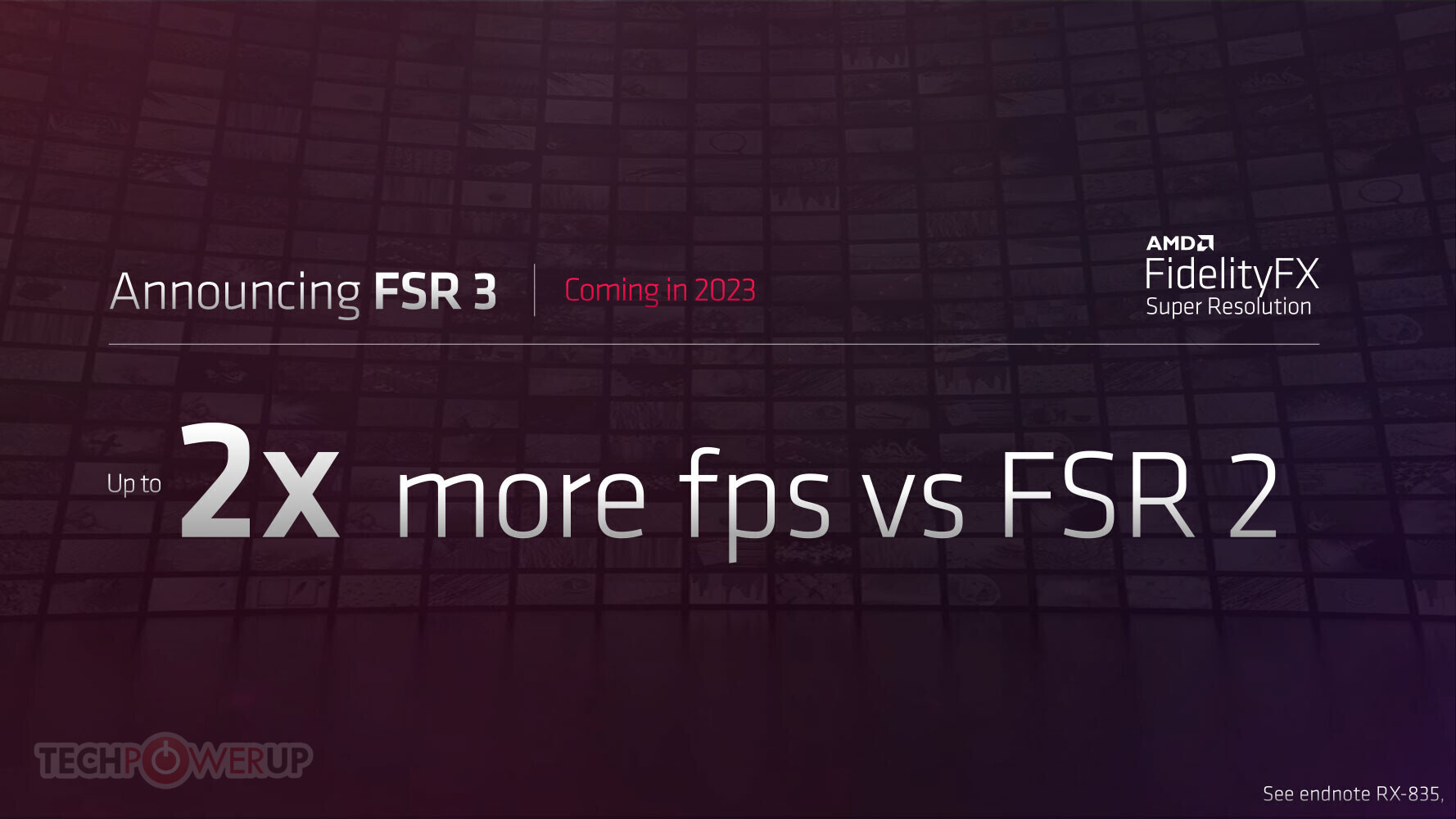
TechPowerUp
AMD could tease its next-generation graphics performance enhancement rivaling NVIDIA DLSS 3, at the 2023 Game Developers Conference (GDC 2023), slated for March 23. While the company didn't name it, its GDC 2023 session brief references an "exciting sneak peek of new FidelityFX technologies" that wi...
might finally have that frame generation competitor
ebon parcel
odd siren
All good. I float around, we can run this later
Alrighty. I'm home. Btw where do I type those slash commands? And should I keep one monitor plugged into the motherboard?
livid idol
Administrator command prompt
Right click the start button
I've never seen monitors that plug into keyboards before though
ebon parcel
Back in a reset loop. I really don't know why this is happening.
vital oriole
At this point I would try making a boot media again
solid glacier
solid glacier
Another test but it was the Time Spy Stress Test
does this look good
ebon parcel
Making a boot media?
Also I managed to boot it in safe mode, use ddu, but instead of restarting, I installed a driver, but it blue screened as soon as I hit restart
trail hollow
4080 founders edition or msi 4080 trio?
fading glacier
none, go straigth to 4090 or 4070ti instead 😛
trail hollow
yeah its like 600 more i would if i could hah
fading glacier
none
trail hollow
ok thanks
fading glacier
fe sport 2 fans cause those are larger, but perform the same as the 3 fan cards
cause the 3 fans cards have smaller fans
trail hollow
sounds good thanks
heady turtle
trail hollow
4080 founders edition or msi 4080 trio?
what country you in?
because if tis the US, the tuf is the best model atm since its msrp and super overbuilt
wicked hound
7900XTX is also generally a better buy then 4080
heady turtle
trail hollow
cool ill check them out
I'd personally get this
https://pcpartpicker.com/product/gCBG3C/asrock-phantom-gaming-oc-radeon-rx-7900-xtx-24-gb-video-card-rx7900xtx-pg-24go
But this if you do end up going 4080 (about same perf outside of ray tracing)
https://pcpartpicker.com/product/yRLFf7/asus-tuf-gaming-geforce-rtx-4080-16-gb-video-card-tuf-rtx4080-16g-gaming

ASRock Phantom Gaming OC Radeon RX 7900 XTX 24 GB Video Card (RX7900XTX PG 24GO)

Asus TUF GAMING GeForce RTX 4080 16 GB Video Card (TUF-RTX4080-16G-GAMING)
ebon parcel
would it crash if I got a studio driver isntead of a game ready one?
heady turtle
No but it'll be less optimised for games and more towards production workloads n stuff
oak rivet

Neowin
The new NVIDIA GeForce Hotfix Driver Version 531.26 release is supposed to fix the issue in the last graphics driver release that caused higher-than-normal CPU usage by NVIDIA Container.
ebon parcel
should I worry when it says "this device isn't using any resources because it has a problem."?
livid idol
Have you tried taking out the GPU and putting it back into the slot, or trying another PCIe slot altogether?
ebon parcel
Are you talking about where it fits on the motherboard?
livid idol
Yes
ebon parcel
I haven't tried another slot yet
keen nacelle
I'd also check windows install
ebon parcel
Good idea; I have tried several driver versions, they would all crash during installation. Once in safe mode, one did successfully install, but as soon as I hit restart, the computer crashed (bsod)
So it makes me wonder if it's the Windows version I'm currently on. And if either I should wait for the next update, or try to see if I can't use an older version
livid idol
You can always do a clean install to help narrow it down
ebon parcel
Doing a reset. Like I chose to keep files, but it said apps that didn't come with the PC will be removed. So I guess I'll have to reinstall other things like games, huh
livid idol
Steam makes that easy at least. Just launch the game and it auto installs the game and dependencies.
ebon parcel
Some of my games didn't come from Steam; I hope I can still redownload them
I wonder if this will get rid of all those extra outdated Unity projects.
But anyway I'm going to let it reinstall Windows while I sleep
ebon parcel
Idk if that worked. after I woke up, I came down to the computer on the 'it didn't restart correctly' screen. So I just DDU'd and wondering if I should take it to a repair shop or just wait until the next driver update or Windows update •/
solid glacier
https://youtu.be/K-L5plhivd4 so I set a frame limit thing on riva turner like I set it to 240 bc that’s my refresh rate, should I turn off amd freesync?

Download Links ✌️✌️: https://www.msi.com/Landing/afterburner/graphics-cards
ASUS TUF A15 Benchmark: https://youtu.be/fYEYGaSVXWg
MSI AFTERBURNER TUTORIAL: https://youtu.be/MLoXVW4GRO4
Find Me On:
Facebook 👉: https://www.facebook.com/zenogrid76
Instagram 👉: https://www.instagram.com/zenogrid/
Youtube 👉: https://www.youtube.com/zenogrid
Twit...
vital oriole
so you were running games uncapped
that's the issue then
freesync is good, keep it on
heady turtle
Nah shouldn't be having issues like that unless they are experiencing huge frame drops
solid glacier
vital oriole
so you were running games uncapped
I set a frame limit on riva turner and it’s smooth again
I had AMD freesync always on (even when I was having problems) so I set a frame limit on riva and it’s smooth again..? but should I still keep AMD freesync on
 cerulean rover
Freesync is good for frame drops
 cedar anvil
I think f up the gpu
😭😭😭😭😭😭


Im pretty sure the connector wasn’t right and was trying to fix it but somehow the click also got out when I disconnected
Did I f it up
livid idol
I can't really see what the second pic is but the first looks fine
fading glacier
seems like the clip from the pcie slot
cedar anvil
 fading glacier
it will be fine
cedar anvil
The click meant to keep it in place
fading glacier
neh, it can be on place without it
fading glacier
its just a marketing gimmick
 odd siren
The clip fell out by the looks of it
cedar anvil
Im lining it up perfectly but the left part of the gpu just doesn’t want to go in
 livid idol
Loosen the screws for the motherboard and shift it slightly
odd siren
Yeah some cases/gpu io can be a massive pain for pcie slot fitment
DON'T LET GO OF THE GPU
It'll be essentially floating when you click the gpu into the slot
No support
You'll need to shift the mobo back over, screw the gpu in, then screw the mobo in
You can let go of the gpu once it's screwed in
odd siren
Can you still pop the mobo out of the case
odd siren
Double check it clicks in place with the mobo out and flat on the mobo box
If it does it's not some absurd tolerance of those two, it's the gap between the mobo and the case
My 7900 XTX does this
It has no clearance in my mini o11
For the little tabs
livid idol
Sometimes the metal legs that go between the board and case get slightly bent
odd siren
Ye, or too thick
cedar anvil
This would mean disconnecting all those small cables
Thx god I am leaving the psu part for last
odd siren
Well you can also try just jotting the mobo to the right a little
Holding the gpu while you do it, very carefully
Like only 1 or 2mm
livid idol
Yeah you don't need to take the whole mobo out, just shift it over a tad
cedar anvil
Will still be
Aligned with all the points in the case or nah
I unscrew it
Already
livid idol
When you move it back into place it will be aligned
cedar anvil
So connect the gpu and them screw it again ah bet bet
odd siren
ye just hold the gpu up until the gpu itself is lined up and screwed in
 ebon parcel
So after putting in the old GPU, booting up, had the driver installed, I shut it off, switched to the new one, turned it on, and the screens were black. But, I was able to access and use the computer with Splashtop. Tho the aspect ratio was 4:3 and much lower resolution from either of my monitors (also there was one display). I checked the device manager and it shows no Nvidia driver. Nvidia control panel doesn't open, and GeForce experience shows that there is a driver available, but the download button doesn't work. So I shut it off, switched cards, turned it on again, and everything is normal. It's so weird.
I should also mention that I updated the BIOS
idle idol
Hey am I plugging in the Two 8 pins right?
 fringe scroll
No does your psu have another 8pin?
odd siren
@idle idol what psu and what gpu
fringe scroll
Yuh
fringe scroll
idle idol
Hey am I plugging in the Two 8 pins right?
If so def use the two separate cables rather than a splitter whenever possible
 umbral galleon
Need a good amd cause nvidia poo
odd siren
What kind of 550w
fringe scroll
Yea and does it have two 8 pins
idle idol
No,
odd siren
idle idol
Seasonic S12II
Um yeah no definitely don't even try turning this on until you have a new one
Dodgy psu
fringe scroll
Damm
odd siren
What cpu do you have @idle idol
odd siren
Grab this one
https://pcpartpicker.com/product/n34BD3/enermax-revolution-df-650-w-80-gold-certified-fully-modular-atx-power-supply-erf650awt

Enermax Revolution D.F. 650 W 80+ Gold Certified Fully Modular ATX Power Supply (ERF650AWT)
It's in stock at Walmart, probably the cheapest one I'd suggest
odd siren
Link?
idle idol

Best Buy
Shop Thermaltake SMART 700W ATX 80 Plus Power Supply Black at Best Buy. Find low everyday prices and buy online for delivery or in-store pick-up. Price Match Guarantee.
Ye
odd siren
Yeah the D.F is pretty overbuilt, it's $25 more but it'll comfortably run your specs
It comes with all the latest and greatest safeties which is what you really want for something like a 3070
Nice 3070 btw
idle idol
Thank you,
odd siren
I had a TUF 30 series, it was a fantastic cooler
 vital oriole
which one?
keen nacelle
Or d.f 650 for less
lone pond
Question. I've been hearing a lot of problems with bad drivers on AMD's drives, does anyone know if they have been fixed? I am looking to get me a 6700xt/6750xt or maybe a 3060TI/3070.
odd siren
They recently seem to be addressing the MPO related driver timeout issue on AMD's end
fringe scroll
odd siren
They recently seem to be addressing the MPO related driver timeout issue on AMD'...
LETS GO
odd siren
As far as a new card you should easily pick an amd card for almost half the price of the equivalent nvidia one
odd siren
fringe scroll
LETS GO
IKR?! waiting for rdna 2 to get the fix
lone pond
lone pond
Question. I've been hearing a lot of problems with bad drivers on AMD's drives, ...
they and Nvidia both have issues, just different kinds in my experience. Nvidia's have always been the kind that annoy the hell out of me, but cause no real harm, whereas AMD's ones have been much harder to make happen, but generally more "wtf amd" than "oh that's kinda bothersome"
they're fine. I love my 6800
fringe scroll
WOOO
fringe scroll
odd siren
IKR?! waiting for rdna 2 to get the fix
Fr 🙌🏼
odd siren
lone pond
they and Nvidia both have issues, just different kinds in my experience. Nvidia'...
Most real take on both sides ngl
I'd say the same
lone pond
I own both, so y'know :p
fringe scroll
My pc got called low end trash because i run amd 🗿
fringe scroll
fringe scroll
My pc got called low end trash because i run amd 🗿
He owns a 3060 and 9600 non k
lone pond
lone pond
Question. I've been hearing a lot of problems with bad drivers on AMD's drives, ...
as far as picking a card, I'd just snag a $300 6700xt off of ebay and call it a day unless you care a lot about RT performance. I'm pretty sure used 3060 ti's run you about the same, but 8GB is a little rough for 1440p and especially 4K. idk what res you play at though. plus RDNA 2 overclocks like a champ (bar arbitrary driver limits), which is nice
fringe scroll
lone pond
as far as picking a card, I'd just snag a $300 6700xt off of ebay and call it a ...
You can say that again I got 2.85 stable on my 6700xt
lone pond
fringe scroll
You can say that again I got 2.85 stable on my 6700xt
sick! that's where the driver limit is, correct?
lone pond
my 6800 maxes out the 2600mhz cclock slider (runs at 2.55), but only at 1.08v. it can absolutely crank out a few extra 100mhz but AMD said no 
fringe scroll
I unlocked the power limit aswell
So I saw 300w in furmark 💀
I game its fine tho
lone pond
jesus lol. I haven't hit it with a furmark run, but it does 330w in Timespy which is neat. stock is like 220 lol
I want to play at 1080p FHD easily, also try to get at 1440p. I'm going to be using either gpu for these games & programs.
Games - Battlefield, Predator: Hunting Grounds, maybe a couple COD games, MC, Need for Speed, Atomic Heart, Cyberpunk, & etc. Most of the games I'll be playing are fps shooter, high end & open world.
Programs - Blender, UE 4 or5, Unity 3D, Substance Painter, Clip Studio, & etc.
odd siren
6700xt will do 1440p
lone pond
lone pond
as far as picking a card, I'd just snag a $300 6700xt off of ebay and call it a ...
Doesn't the 6700xt have 12gb?
fringe scroll
lone pond
jesus lol. I haven't hit it with a furmark run, but it does 330w in Timespy whic...

Oh my
odd siren
Get a used nvidia card for blender
lone pond
yep, that's a big part of why I prefer it over a 3060 ti. 8GB just didn't hold up at 1440p in some of my games when I had my 3070 ti
odd siren
Blender is like a black hole for amd
Otherwise hell yeah, 6700xt
Used 2080 would be good
lone pond
Is there any Nvidia card that is just as good as the 6700xt or better that can do 1440p pretty easily?
lone pond
odd siren
Used 2080 would be good
Ah
I believe I heard something about a future blender update doing good things for AMD but I may just be misremembering. I don't pay any attention to that stuff
odd siren
lone pond
I believe I heard something about a future blender update doing good things for ...
I really hope so, blender, maya* related tasks and RT are like the last 3 things nvidia has the stronghold in
lone pond
I hope UE5.1 gets insane adaoption, Lumen looks fantastic and runs extremely well on Radeon. I think that would be a pretty big breaking point for Nvidia's RT wins
plus their upscaling is absurdly good. looks better than DLSS in fortnite and gets similar perf gains
fringe scroll
Rt is stupid in alot of games anyway the performance hit and stutters are still to big
Also fsr is getting really good cant wait for there next refresh
lone pond
yep. definitely depends on the game and hardware though. CP2077 looks fantastic, even if it would practically be a slideshow on my 3060
Anyone have this card & know if it's any good?
 vital oriole
nope
not for 649
no chance
at that price 6950xt will do
and it'll destroy 3070 in workstation loads
odd siren
lone pond
Anyone have this card & know if it's any good?
Nah for that much you'd get a 3090 used
vital oriole
or ^
heady turtle
Or a 6950xt new
fringe scroll
Geuss ima die than
odd siren

3070 Ti prices are whack like
For 150 more you get a card 60-70% faster
Used 2080/Super would be the play imo
lone pond
odd siren
3070 Ti prices are whack like
I paid $1100 for mine kek
it paid itself off via mining, but still-
odd siren
I mean there was at least proper scaling back then
lone pond
aye. got it in the shuffle too, so free board was nice
odd siren
Lol
lone pond
vital oriole
at that price 6950xt will do
What is an equivalent to the a 6950xt on the Nvidia side?
keen nacelle
Could also settle with a 3080/12gb/ti used for 500-600
Tho extra vram of the 3090 I'd imagine is very useful for blender
lone pond
I won't mind spending $500. Maybe $600 max but I want something that will last me a good, long while. Looking at 3090 prices are heart wrenching lol.
keen nacelle
Used 3080 then
heady turtle
Or if you want new a 6800xt
keen nacelle
Blender
heady turtle
Where did they say blender?
I just saw felix say blender as if they wanted to use it for that
oak rivet
odd siren
Used 2080/Super would be the play imo
its also a different class of product to a 3070ti
keen nacelle
heady turtle
Where did they say blender?
Idk, I'm just going off Felix saying it lol
keen nacelle
lone pond
I want to play at 1080p FHD easily, also try to get at 1440p. I'm going to be us...
Oh right here
heady turtle
lone pond
I won't mind spending $500. Maybe $600 max but I want something that will last m...
If you only want new, a 3070 isn't worth more than like 50$ over this imo
https://pcpartpicker.com/product/9m3gXL/zotac-geforce-rtx-3060-ti-lhr-8-gb-gaming-twin-edge-oc-video-card-zt-a30610h-10mlhr

Zotac GAMING Twin Edge OC GeForce RTX 3060 Ti LHR 8 GB Video Card (ZT-A30610H-10MLHR)
Otherwised used up to 3080 should be doable
odd siren
oak rivet
its also a different class of product to a 3070ti
Well a 3090 is too for 650 used, I don't see your point
keen nacelle
Used 2080 ti might be worth over regular or super depending on price diff, extra vram could be useful for blender
Purely depends on price diff though
Tbh should just go for a geforce 256
oak rivet
a 2080/super are much weaker then a 3070ti didnt say anything about price tho
odd siren
Yeah they didn't, until after that
keen nacelle
oak rivet
a 2080/super are much weaker then a 3070ti didnt say anything about price tho
The 2080 super is not far behind the 3070 ti
 faint plank
Hey, I am currently rocking a Radeon RX 5500 XT Mech Overclock Dual-fan 8GB GDDR6 PCIe 4.0 and was wondering what a good upgrade was
keen nacelle
faint plank
Hey, I am currently rocking a Radeon RX 5500 XT Mech Overclock Dual-fan 8GB GDDR...
what is the rest of your pc
what country are you in
and how much do you want to spend
faint plank
keen nacelle
what is the rest of your pc
• Ryzen 5 3600 Maltisse 3.6GHz 6-Core AM4 Processor
• B450 Tomahawk Max AMD AM4 Motherboard
• Lian Li case
• Ripjaws V 16GB DDR4-3200 RAM
faint plank
keen nacelle
what is the rest of your pc
and USA
faint plank
keen nacelle
what power supply
idr
faint plank
keen nacelle
can you check?
idk, my power supply is in a weird spot that covers that info
ebon parcel
Trying to get my new card working by uninstalling the driver with the old card, switching the cards, and attempting to install the driver. But when I use GeForce, it says that the package is corrupted, and when I try to install using the driver launcher itself I get this:
 livid idol
?ddu
neat ventureBOT
DDU (Display Driver Uninstaller) Guide by Pato
https://github.com/NeweggTechie/Graphics-cards/wiki/How-to-use-DDU
GitHub
Contribute to NeweggTechie/Graphics-cards development by creating an account on GitHub.
livid idol
That's the proper way to change GPUs. This deletes all references to the old card that might conflict.
ebon parcel
I still got that package is corrupt message
solid glacier
cerulean rover
Freesync is good for frame drops
So leave it on? Even with my frame limiter thing in riva turner
livid idol
Test both, off and on
It's usually beneficial but in rare cases or cheap monitors it's worse
cerulean rover
it's good for when your framerates drop
ivory herald
Personally run vsync "off", gsync On, and the usual afterburner (RTSS) cap of 3ish fps under my refresh rate.
solid glacier
I never have V Sync or G sync on, but I did this RTSS cap I set it to 240 fps for my limit and things are really smooth, but if I turn off the limit then it’s back to poor performance
solid glacier
ivory herald
Personally run vsync "off", gsync On, and the usual afterburner (RTSS) cap of 3i...
I don’t got G sync I only have free sync
ivory herald
Eh they're pretty much the same in use. Most monitors are freesync models. Gsync setting itself is generally an Nvidia gpu thing and AMD software would say adaptive sync or something.
hot bough
Hello, I am back. Could someone teach me what a MCM GPU is exactly? I am a bit confused about it.
 hot bough
To my understanding MCM uses multiple GPUs. Is it multiple GPUs inside one card working together?
How exactly is it different from what we currently have. Is it two GPUs working together, another input/output die or what's going on?
I can't seem to find a good article explaining in detail what MCM GPUs are and how they differ from what we currently have.
So, MCM is a multi-chip-module. So rather than one GPU module, there's 2 or more of them I get that I think but how do they work together?
So a Input/output chip will spread the data across multiple GPU chips to process more data at a time?
So kind of like having a lot of E cores on a CPU?
odd siren
Yeah, think of it kinda like, several cpu cores yeah
But they load themselves equally instead of occupying one
hot bough
Not as powerful as a p cores but by having multiple you get a higher capacity for data being processed?
hot bough
Oh they are still equally powerful GPU chips?
hot bough
So each GPU chip is like having another CPU core.
odd siren
Yeah, there you go
hot bough
Okay now it makes a lot more sense to me.
odd siren
So instead of one huge die, they have 6 cut up in smaller chunks that work to the same efficiency as that large as heck die
hot bough
And the Input/output die gives instructions on what to process at a given time?
odd siren
The benefit is yield and thus cost
odd siren
hot bough
And the Input/output die gives instructions on what to process at a given time?
I'm not really brushed up on this edit: nvm
Don't take that part as gospel
hot bough
Are there any downsides to a MCM design?
odd siren
Gpus are like, completely* different to cpus in reality
hot bough
Latency, power draw or?
odd siren
hot bough
Are there any downsides to a MCM design?
Not sure tbh
The reading out there would really all point to good things
Maybe communication between each gpu die needs to be synced? Not sure
hot bough
Would the IO die need to be upgraded? I feel that having to give IOs to multiple GPUs puts a lot more strain then just one.
odd siren
Edit: nvm
Given everything needs to work together one way or another I would presume
The architecture needs to be capable of handling and accepting each EDIT: mcd
hot bough
What does the CD part stand for?
livid idol
ivory herald
Eh they're pretty much the same in use. Most monitors are freesync models. Gsync...
Not just "pretty much", they are the same. All modern gsync means is freesync that Nvidia has tested to be working. The old hardware for gsync is long gone.
odd siren
hot bough
What does the CD part stand for?
So I have this slightly mixed up, the gcd is the center processing chip, IO and graphical CU's are in this die
But the mcd's, memory chip dies, are the ones split off on rdna3
Or memory complex dies
They contain l2 cache and IF
But the principle is still similar, they all work in unison but they bring the yields down all the same
Here, this will tell you a lot better info than I could
https://www.techspot.com/article/2570-gpu-architectures-nvidia-intel-amd/

TechSpot
Three vendors. Three new architectures. Three approaches to GPU design. Join us as we dive right into their semiconductor hearts and see how Ada Lovelace, Alchemist, and...
hot bough
Thanks.
odd siren
Np man, sorry I went off on a tangent lmao
oak rivet
Xtx being a gigachad here
 keen nacelle
I went off on a tangerine
 spare relic
Understandable
umbral galleon
What’s the best 6800
heady turtle
The cheapest
wicked hound
livid idol
Not just "pretty much", they are the same. All modern gsync means is freesync th...
gsync hardware still exists. The recent Alienware AW3423DW had it, main thing that made the AW3423DWF cheaper and technically better (lower latencies, lower power draw, iirc move towards passive cooling, and cheaper) was removal of the gsync hardware module.
lone pond
keen nacelle
I went off on a tangerine
I want a tangerine, give me that tangerine!
livid idol
wicked hound
gsync hardware still exists. The recent Alienware AW3423DW had it, main thing th...
It seems you're correct. I thought they had phased out the module completely due to every single true gsync monitor I'm aware of having a idle/sleep power draw too high to sell in states like California. They must have fixed that issue and brought it back.
 dull patio
livid idol
dull patio
livid idol
What about it?
oak rivet
Think he wants to know the claim process
 random walrus
or wants to buy the key
 crystal storm
Yo I just got a gigabyte 3070 8gig, but I need an evga 3080 ftw3 12 gig anyone got any deals on it?
livid idol
crystal storm
Yo I just got a gigabyte 3070 8gig, but I need an evga 3080 ftw3 12 gig anyone g...
That's awfully specific. Any reason why that one exactly? It can be hard to pin down an exact model from last gen without looking at used.
crystal storm
Building a pc for a very annoying family member
livid idol
And they wanted that one for whatever reason I'm guessing
And I'm also guessing they want new parts?
Because you can get a 4090 for what people are asking on this 3080
crystal storm
No used are ok they're just annoying
livid idol
Ok
crystal storm
Like he's my cousin and he's spoiled asfk, my aunt wants me to build him one that she'll pay for
He literally only plays roblox but watches too much Linus tech tips and wants a balls to the wall pc
livid idol
Fun stuff
livid idol
@crystal storm I think this is the best I'll be able to find without getting lucky on Reddit https://www.ebay.com/itm/364167872325

eBay
Find many great new & used options and get the best deals for EVGA GeForce RTX 3080 Ti FTW3 ULTRA GAMING 12GB GDDR6X Graphics Card at the best online prices at eBay! Free shipping for many products!
It's the ti which is better than the 3080 12gb anyway
livid idol
(even if it is only a little better)
crystal storm
Thanks man appreciate it
livid idol
That's still fairly close to the price of a 4070 ti, bear that in mind as well.
Happy to help
crystal storm
Hey it ain't my pc
livid idol
Yep it's auntie's money anyway lol
But at least this way you know you didn't get her completely ripped off
vital oriole
roblox pc moment
livid idol
Truly meme worthy
odd siren
Interesting, what the 7900 XT lacks in RT it makes up in raster
vital oriole
but muh frame gen
livid idol
You mean on the 3 games that are supported by it? lol
odd siren
No
vital oriole
odd siren
You'll see what I mean later
vital oriole
im referencing to certain someone
odd siren
But it's essentially, pick your poison, overall performance is identical
livid idol
vital oriole
it's a mess of an engine
What did you expect from a game who's business model is literal child labor
livid idol
It's easy to pick up, getting back to that "child labor"
vital oriole
lmao true
and they make a fortune outta it with how much they take away from earnings
livid idol
Microtransaction central
I heard about one kid that made a super popular game and got a ton of robux that could have been cashed out for a fair chunk of money. They didn't realize and spent them on a hat.
livid idol
1440p or 4k
odd siren
Both
Idk if I'm allowed to share it rn, the video is coming out later
And I mean for a game that barely looks better anyway with RT that's kinda awesome considering you couldn't even run it on AMD a year ago
livid idol
odd siren
Idk if I'm allowed to share it rn, the video is coming out later
If by later you mean within 16 hours I can wait but if not... my DMs are open 😉
If it's from HUB then it's probably a couple hours from release
oak rivet
livid idol
You mean on the 3 games that are supported by it? lol
The game library seems to be over 15 now
Around 20 games or more have it iirc
And it makes the most sense in hogwarts due to how cpu bound that game is
livid idol
Are those the games that have actually launched or is this another RTX launch moment where they have a bunch announced, and their headlining game is canceled?
It took how many months for the first RT game to come out again?
4?
oak rivet
odd siren
And I mean for a game that barely looks better anyway with RT that's kinda aweso...
I saw the video
7900xt is kinda based let's just say

 spare relic
Sometimes people will call graphics cards VGA
odd siren
Jeez that costs more than a 4090