#graphics-cards
1 messages · Page 34 of 1
 livid idol
livid idol
livid idol
Dang

 livid idol
 solid glacier
is this normal?
solid glacier
is this normal?
yes
solid glacier
my mouse corsor is now running ike crap
livid idol
No
solid glacier
alright well i restarted and it was there still
livid idol
You can turn tpm back on if you want
solid glacier
should i turn it on or nah
livid idol
Might as well leave it on since it doesn't hurt
solid glacier
yea
idk what ti can be
so stuck
Guess its time to pay 150 to powergpu lol
-150
solid glacier
livid idol
https://tenor.com/view/im-done-towel-throw-in-damn-finished-gif-16937450
look at cached
now look at this cached
 livid idol
You can ignore cached for most purposes
solid glacier
 fading glacier
have you tried rolling back to old video drivers?
fading glacier
have you tried rolling back to old video drivers?
Like old gpu drivers
The only solution I had was reinstalling a fresh windows which fixed my problems for like a few days and then it comes back
fading glacier
uh
solid glacier
yeaaa

 orchid loom
solid glacier
why is my voltage all over the place
orchid loom
solid glacier
why is my voltage all over the place
bc its noit gunna be stable
hmm i love being voltage capped
 solid glacier
orchid loom
bc its noit gunna be stable
solid glacier
orchid loom
bc its noit gunna be stable
i dont get what your saying lol should i cap it or...
orchid loom
solid glacier
i dont get what your saying lol should i cap it or...
idle its gunna be like that
your volatge is fine jumping around at idle
solid glacier
yea bc i alt tabbed to take the screenshot so it shot down to 36w
orchid loom

fading glacier
its normal
orchid loom
im upset im getting voltage capped while getting 60FPS in my game only 😡
fading glacier
its normal for a gpu to dial its own voltage/wattage usage
solid glacier
fading glacier
its normal
thats nomral for gaming for my voltages to be spiking like that
 solid glacier
no i mean like my fps problems
 fading glacier
solid glacier
no i mean like my fps problems
fading glacier
solid glacier
no i mean like my fps problems
your fps problems are pretty strange indeed, every setting we see is ok
even those you think are weird, in fact are ok
to me the problem lies between your monitor and your gpu, but that should be checked on site sadly
fading glacier
hopefully youll get a better card this time
fading glacier
hmmm
solid glacier
yeaa
fading glacier
so, what's your plan now? it is clear that we exhausted every available idea to help you remotely
solid glacier
rn its either
buy a new gpu to see if that solves it but gatta sell this one first
or sell my whole rig and quit gaming bc iv had these problems since iv built the thing
or call gigabyte and demand a new gpu to be sent out
solid glacier
fading glacier
so, what's your plan now? it is clear that we exhausted every available idea to ...
the 6900xt seems like its better in 1440p than the 3080..?
 hasty sphinx
solid glacier
the 6900xt seems like its better in 1440p than the 3080..?
hasty sphinx
solid glacier
the 6900xt seems like its better in 1440p than the 3080..?
Are you going for the highest fps possible? the 3080 12gb is a high end card capable of playing any game at 1440p with high fps.
AMD has issues, as you know from experience at this point. It could be something as simple as the AMD drivers not meshing with something in your system. With the amount of troubleshooting you've done, it's clear that AMD is just not going to work in your build.
solid glacier
Correct
solid glacier
hasty sphinx
Are you going for the highest fps possible? the 3080 12gb is a high end card cap...
and yes i want similar fps ot my6900xt
hasty sphinx
solid glacier
and yes i want similar fps ot my6900xt


The cards are going to vary by the game.. 6900xt wins some/ 3080 12gb wins some and in others they are pretty evenly matched.
You won't regret going with the 3080 12gb over the 6900xt..
solid glacier
alright cool
im Gonna go ahead and order thatr 3080
bc if it still have problems ill just return it
hasty sphinx
solid glacier
bc if it still have problems ill just return it
good idea.
 cedar comet
If anyone remembers i had this issue with my GPU a while back and thanks to @livid idol he helped me out with my issue by informing me of the program DDU. Well it's been roughly 2 months and my issue came back. I followed the steps i was given last time and this time around it doesn't seem to be solving the issue. Anyone happen to have any ideas on what else i might try? I've changed absolutely nothing on my pc. Nothing installed, nothing uninstalled, no game settings changed on any games, i'm just... at this point i might as well be drawing my games in a flip book because it's virtually the effect I'm getting.
What's weird to me is that all FPS counters in the games I've played are saying 60fps locked, maybe 1 or 2 dip but always goes back. I did attempt to turn off vsynch just for the hell of it and i actually stopped skipping frames but the gargantuan tear ripping through the screen rendered all my games unplayable. It made me concerned it was my monitor but video works fine with 0 issues, and I have my backup 1050TI that the issue does not occur on.

 delicate oyster
The problem isn't finding the best, but finding what works for what you play... I am looking for the primo in the 30s that will replace my ancient 1070... But when do you think that will go optimal with the 40s coming out?
fading glacier
40 series are out since last year
 heady turtle

 odd siren
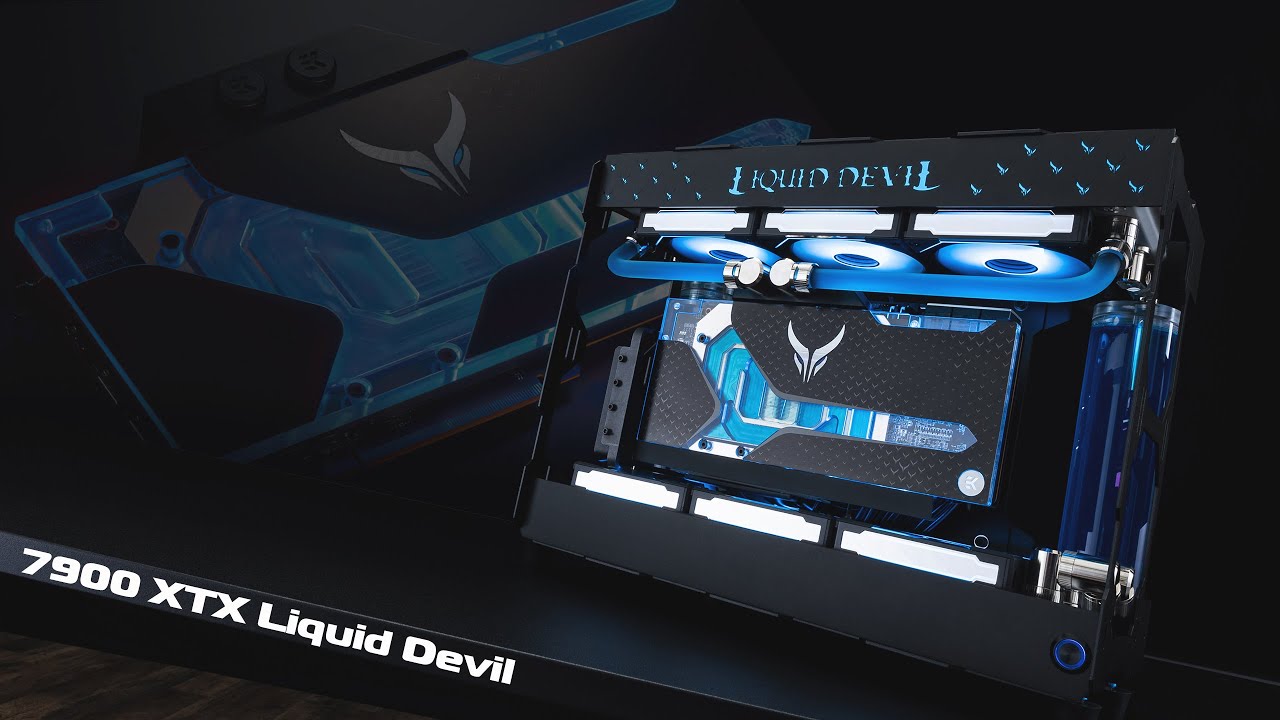
In this video we take the brand new PowerColor 7900 XTX Liquid Devil for a spin to create a themed showcase system like we've done in the past. Chassis for this one is the interesting little Calypso from Yuel Beast designs which gives you plenty of layouts and orientations.
00:00 - Build
03:39 - System Filling
04:20 - Showcase
►Build Specs ...
orchid loom
MORE FPS
 oak rivet
Frame generation is your friend
heady turtle
Damm i though frame generation was food 
 wicked hound
Anything is food if you're brave enough
solid glacier
hasty sphinx
good idea.
what about a 4070ti?
solid glacier
Question guys I had windows 10 pro and I upgraded to 11 so@im installing a fresh windows install, do I choose windows 11 home? Bc I checked and when I upgraded it only said windows 11
solid glacier
fading glacier
cheapest will go for 850+
That’s how muchkuch it is
heady turtle
if you have pro install pro
heady turtle
same thing
heady turtle
uninstall all that msi bloatware and install them manually from the site for audio etc and then for anything intel, chipset, wifi etc use intels driver updater
heady turtle
solid glacier
You sure?
windows keys are the exact same for 7-11
solid glacier
Okay then I gatta redo it bc I chose windows 11 home not pro
So choose windows 11 pro
 fathom bridge
I need help with pc after installed my rx550 in my dell and when I went to turn on it was not detecting a boot software but when I did a test start without it after I bought it started just fine
does anyone know if its anything to do with the GPU
solid glacier
 solid glacier
heady turtle
uninstall all that msi bloatware and install them manually from the site for aud...
solid glacier
heady turtle
uninstall all that msi bloatware and install them manually from the site for aud...
Bet
So Unclick everything
fathom bridge
fathom bridge
does anyone know if its anything to do with the GPU
id kinda like to get it up and running so I can hopefully run vr
heady turtle
if you signed into chrome or edge or whatever thats it
solid glacier
heady turtle
if you signed into chrome or edge or whatever thats it
I resetted windows again
And it’s back to smooth
Something in windows or idk have to be causing it
Maybe it’s windows downloading something? Should I turn off drivers for windows
heady turtle
Worth a try
fading glacier
solid glacier
What do you think about the 4070 ti vs 3080
like 10% more performance, not counting dlss3 and rtx
if you are going brand new then go the extra mile and get a 4070ti
3080 is the better deal if you buy one used at like 550 so so
much much better deal
orchid loom
so the gpu can do 0RPM at 300W+ but if gpu hits 90C it drops power to 300W


 dense cliff
Was wondering, when changing to an AMD gpu do I just need to uninstall GeForce Experience and the driver and no other programs?
*from Nvidia
hasty sphinx
dense cliff
Was wondering, when changing to an AMD gpu do I just need to uninstall GeForce E...
?ddu
 neat ventureBOT
DDU (Display Driver Uninstaller) Guide by Pato
https://github.com/NeweggTechie/Graphics-cards/wiki/How-to-use-DDU

GitHub
Contribute to NeweggTechie/Graphics-cards development by creating an account on GitHub.
dense cliff
k, will use that, also, do I have to boot into safe mode or just boot straight in after installing card?
hasty sphinx
dense cliff
k, will use that, also, do I have to boot into safe mode or just boot straight i...
straight into after installing card.
 languid heart
My card is 333MM lol
hasty sphinx
languid heart
My card is 333MM lol
just sand off 3mm xD
oak rivet
orchid loom
so the gpu can do 0RPM at 300W+ but if gpu hits 90C it drops power to 300W
The fans should kick in at 50c
languid heart
No way
I need to min/max this build and have it future proof as much as I possibly can
I don’t give AF about RGB I just want the best of the best for the value. Keeping in mind of new technologies and standards as well as the latest platforms
languid heart
solid glacier
What do you think about the 4070 ti vs 3080
4070 Ti no matter the situation
 umbral granite
languid heart
4070 Ti no matter the situation
umbral granite
languid heart
4070 Ti no matter the situation
Honestly this. Maybe if you can find an amazing price on a 3080 it would be worth it. If it was a 3090 vs. 4070-Ti it’d be more of a debate
hasty sphinx
umbral granite
Honestly this. Maybe if you can find an amazing price on a 3080 it would be wort...
that dlss3 for future proof though
fading glacier
languid heart
I need to min/max this build and have it future proof as much as I possibly can
future proofing is a lie
dont fall for it
fading glacier
languid heart
4070 Ti no matter the situation
wrong, a used 3080 can be found as low as 500 usd while providing 10% less performance from the 4070ti at 850usd
new to new, ofc the 4070ti any day... but no one should be buying a 30 series new rn
oak rivet
frame generation would help the cards in the long run is a better wording
fading glacier
im pretty sure that the 40 series is just a stopgap
and the 50 series will be teased by the end of this year
 vital oriole
next gen will also get much better frame gen
fading glacier
that being said frame generation could end as a testing ground for a groundbreaking tech on the 50 series cards
TLDR: no future proofing
when next gen hits, your 4090 will be as fast as the next 5070ti... just as this gen was
vital oriole
40 series is merely a stop gap
fading glacier
much like the 4070ti to the 3090
vital oriole
50 will also feature mcm
fading glacier
if you are on 30 series, just wait patiently
heck even 20 series
not only the price is stacked against the consumers, but also the speed of developments
if you think about it even 10 series users should avoid ada, they can easily snatch a 30 series on the used market
like a 3080 at 500usd so so as i said before
vital oriole
and 2 years later, get 50 series 
fading glacier
yup, im pretty sure 50 series will be teased at the end of this year and the first 50 series card will be out by march 2024 so so
vital oriole
doubt it, but they should definitely come out 2 years later
fading glacier
kinda, the gpu cycle is 18-20 months
vital oriole
after all the lower skus releases
fading glacier
but ada being this unpopular, could be shorter
odd siren
I quite like ada tbh
vital oriole
the only massive gains are within 4070ti or better
fading glacier
ada wafers were bought in the middle of the gpu crisis
odd siren
It's too good for itself
fading glacier
thats why its so expensive
vital oriole
like the hardware, hate the price
fading glacier
but the next 50 series mcm wafers should be cheaper, thus cheaper cards
fading glacier
dont think so, ada is unpopular cause of that
vital oriole
or stay the same IF radeon does a better job with the price
odd siren
Unless it's such a wreck of a gen with ada you won't see a drop
fading glacier
they will try to underdeliver to lower prices
oak rivet
ada is unpopular but man those 4090 and 4070ti sales say otherwise
odd siren
Turing was bad enough post gpu mining boom that we got ampere
But ampere was so good we got ada
The market will tell you what happens
vital oriole
nvidia took notes of radeon 7000 pricing
odd siren
Yup
vital oriole
and took it to their advantage
odd siren
They're ready to drop their prices too
vital oriole
so i pray radeon does better pricing
odd siren
They know amd is a bit of a threat rn
fading glacier
hahaha so many clickbaits on youtube about PRICE CUTS!
4090s are getting price cuts from 2000usd to 1999usd
OMG
oak rivet
there will always be a premium on geforce gpus due to the feature set advantage
vital oriole
arc price cut is real at least
but they're not a threat at all
to be fair it's their first entry
fading glacier
oak rivet
there will always be a premium on geforce gpus due to the feature set advantage
this gen amd is closing the gap
so that "always" will end soon
oak rivet
fsr 3 needs to be a frame gen competitor
fading glacier
amd is slowly getting into the productivity apps
vital oriole
amd already closed the gap this gen, just the real disadvantage rn is no av1 support
the cards has av1 but the softwares doesn't support em yet
i wouldn't put hope on dlss 3 since it's minor compared to what's coming
it's child's play compared to the next dlss
vital oriole
by then nvidia will have a major edge
and ofc abuse their price with it
unless radeon 8000 becomes a threat
with aggressive pricing and gains
but this i very much doubt pricing wise
intel is our only hope for cheap gpus
oak rivet
but the perf tier they offer is not really enticing imo
they need a 6900xt,3090,4070ti performing card imho
oak rivet
oak rivet
they need a 6900xt,3090,4070ti performing card imho
at 500$ with 16gb vram
odd siren
oak rivet
but the perf tier they offer is not really enticing imo
Lowkey agree and hope battlemage does this
oak rivet
the 3050 seems soo close in price to a 3060
but in the recent games i see it seems to have like half the performance to a 3060 12gb
odd siren
3050 shouldn't exist
vital oriole
it did and everyone bought it anyway
odd siren
It never once has been a good buy
vital oriole
moners
odd siren
$130 and it starts making sense
fading glacier
ive heard that battlemage was cancelled already, and celestial will have heavy delays
odd siren
200 you can get a 6600
fading glacier
the budget thing on intel hit hard on the gpu department
vital oriole
battlemage is delayed, not cancelled yet
next gen will just be alchemist refresh sadly
odd siren
fading glacier
ive heard that battlemage was cancelled already, and celestial will have heavy d...
The guys running the show say different things tho
vital oriole
but it's just a rumor
fading glacier
yeah everything at this point are just rumors
odd siren
MLID started the whole cancelled arc rumour mill
To the point intel actually refuted it
oak rivet
intel might also have to ramp up the speed on how many games have xess coz it seems to be better then fsr on arc gpus
odd siren
I think considering how many years of RnD and their persistence to driver updates I have my doubts arc has an uncertain future
Xess is good
Their rt perf is good
AV1 is incredible
Honestly they aren't slouching, they just don't have something complete yet
oak rivet
the last two AAA games to release had day one Xess which is nice to see
vital oriole
i feel confident in intel
odd siren
Intel is putting a lot of stock into this situation
vital oriole
they released more drivers in a year than anyone else
and quality had been going up
oak rivet
but i am seeing they are suffering a bit financially
odd siren
vital oriole
they released more drivers in a year than anyone else
By factors of multitudes
Oh yeah profit loss
Oh well
odd siren
Recession expects loss
vital oriole
just less of it
vital oriole
idk why people are panicking over lower profit
it's still a profit
just not a record high
odd siren
Intel was making losses not long before
oak rivet
its just some rumours of them ceasing to exist
odd siren
Alder lake saved them
Sapphire rapids genuinely looking amazing
Pat Gelsinger really led the charge to change the tune of Intel
Under the previous CEO intel was going to close their desktop segment iirc
odd siren
Intel is bringing hedt back
vital oriole
you can oc the xeon again lol
odd siren

vital oriole
at least the buyable ones
vital oriole
64 lanes even on the 6c/12t ones
granted they're oem only
but still 64 lanes for entire sapphire rapids lineup
oak rivet
what will the single core perf be like
 last barn
odd siren
<@956440029457178625> buy a 2023 intel hedt
last barn
odd siren
<@956440029457178625> buy a 2023 intel hedt
i might lol
odd siren
oak rivet
what will the single core perf be like
It's hedt, you don't really worry as much about that
last barn
it'd still be excellent
last barn
plus most of the chips are unlocked so...
last barn
not that many people would be OCing the high core count ones very much lol
realistically anyway
for practical use i mean
odd siren
What matters more is the platform expansion, ram expansion, lanes, storage etc
vital oriole
intel hedt you can actually buy
and the fact that the chipset is shared
and same socket too
odd siren
Chiplet stonk
vital oriole
it's stonks
intel actually doing a good job with hedt?
that's sick
used tr is piss expensive
last barn
vital oriole
intel actually doing a good job with hedt?
its a little too early to be saying that
last barn
single core you mean?
vital oriole
ye
livid idol
vital oriole
not 13th gen perf obv
Considering it's been delayed over 2 years and it's based on 10nm (Intel 7) I'd expect between 11th and 12th gen single core
Which is still a MAJOR improvement over Intel's last offering when they threw their hands up in the air in surrender to threadripper
(and consequently lost a large chunk of market share)
livid idol
AMD got fat on their monopoly over HEDT/server, so Intel coming in with strong competition can only be good for us
If they can just beat TR 5000 then they'll have 9-12 months to enjoy the crown before 7000 comes out
vital oriole
tr pro also became oem only
it's a shame
there's no tr 5000 an average person with a small business can get
it's possible, yes, but they come in very limited quantity
oak rivet

The driver devs at @IntelGraphics are always busy. New beta diver 31.0.101.4125 with optimizations for
▶️ Company of Heroes 3
▶️ The Settlers: New Allies
▶️ Atomic Heart
▶️ Wild Hearts
▶️ Like A Dragon: Ishin
 Twitter
·
Twitter
·
 jovial turret
Yo anyone else have an issue with your AMD drivers not being compatible with the new windows update I have tried every fix I can find and none of them have worked!
livid idol
Roll back the update
livid idol
Yes the Windows update
Then to prevent it from reinstalling you can pause the updates
neat ventureBOT
DDU (Display Driver Uninstaller) Guide by Pato
https://github.com/NeweggTechie/Graphics-cards/wiki/How-to-use-DDU
GitHub
Contribute to NeweggTechie/Graphics-cards development by creating an account on GitHub.
livid idol
That fixes all sorts of weird issues
jovial turret
Thanks! I will try it!
I tried to boot into safe mode and now my computer won’t even post
livid idol
Well that's not supposed to happen
That Windows update must have done a number on your system
Clear cmos and try to get back into Windows, you may have to do a pc reset (keeping files intact)
?cmos
neat ventureBOT
How to clear CMOS (works for AMD and Intel)
https://www.intel.com/content/www/us/en/support/articles/000025368/processors.html

Intel
Defines CMOS technology and how to clear CMOS using the jumper or battery methods.
jovial turret
I just got done doing that it booted up in safe mode I am going to try the ddu now
So I am having trouble with the ddu file when I try to extract it it asks me to say yes to all and when I click that it just goes away
livid idol
Tick the box for "show extracted files"
jovial turret
I don’t have a box for that
Nm I got it
When it did the restart it said something did not go as planned no need to worry undoing changes is this something I have to worry about or is it normal after ddu
livid idol
Sounds like it tried to update windows again but failed, nothing to worry about
jovial turret
Well I still can’t use 2 displays but I can actually play a game now😂
Nm I got it figured out
livid idol
Cool. Glad it's working for you. It was a little touch and go for a minute.
oak rivet

Seems CPU bottleneck here.
Ultra Settings
CPU: 100%
GPU: ~30%
AVG FPS: 77+
Seems like even with a 10400f I will get a huge perf uplift from my current gpu with a 4070ti
livid idol
Yeah at higher resolutions and detail the CPU matters less in intense graphics games like that. You'll especially see a boost in RT.
oak rivet
oak rivet
https://youtu.be/hV2qPHvtIF4
It got like 70 fps avg here with frame gen fps would be upwards of 100 or much more
Jensen helping people with older cpus  💪
💪
 keen nacelle
A gpu existing that gets a number of frames with your cpu means f all about "Jensen helping people"
heady turtle
Mr nv cares about 2 things, money and money
odd siren
Jensin Impact
solid glacier
How long should I shut down before using shift and clicking shutdown? For it fully shuts eveyrhting down like how many times should I use the shift and shutdown instead of regular shutting the Pc down? At the end of eveyr week or? Bc I’m if I regular shut down my pc components are still on
solid glacier
:|
solid glacier
fading glacier
you should turn off your pc when not in use
I’m asking how long should I do a regular shut down for pc holding shift while shutting down, shuts all the components off
Like how many times should I do it? Everytime I get off the pc or
fading glacier
first time i heard that
usually i touch the power button once and the pc shut down itself
solid glacier
It does but it doesn’t completely shut off the components
So shutting down wihtout holding shift key doesn’t actually turn your components off lol, they still “stay on”Where if you hold shift and click shutdown it shuts down the components completely
Go under task manager and click your cpu and on the bottom, what does the active time say lol
fading glacier
solid glacier
Go under task manager and click your cpu and on the bottom, what does the active...
instructions unclear 😮
oh
1:05:02
1 day 5 hours hmmmm
fading glacier
well never had any problem so far
so w/e
ill keep doing the button procedure when not on use
😛
ill trust the pc will handle itself
solid glacier
Yea lol
solid glacier
fading glacier
usually i touch the power button once and the pc shut down itself
So you just push the power button to shut off? And not clcik shut down or
@livid idol any advice on this^
livid idol
That's hybrid sleep mode. You can turn that off if you want.
That's one of the first things I do when I install Windows. Disable hibernation and it saves a bunch of space on your boot drive.
solid glacier
The holding shift down?
solid glacier
livid idol
That's hybrid sleep mode. You can turn that off if you want.
Or that^
I don’t tjink@holding shift down and hibernation sleep mode is the same thing
Here's The difference between an ordinary shutdown vs a full shutdown. An ordinary shutdown is where all the background processes of Windows and 3rd Party apps are stored from the RAM (Memory) will be put to the Hard Drive or SSD you have installed on your computer. So, Basically the RAM gives the memory to the Hard drive then the hard drive turns off. The Reason it can't be stored in the RAM is because RAM requires power to function unlike a hard drive where it can store things even when it's powered off. This is called "Fast Startup" and is enabled by default. A Full Shutdown on the other hand will not do all of this. So, after you Shift + Shutdown it will just shutdown instead of throwing all the processes to Hard Drive. This might result in faster shutdown times, but your Startup times will way slower than before. Just as u/ALurkerForcedToLogin said, You should only do this when you are taking out the power supply from your computer.
Upvote 2 Downvote
livid idol
Holding shift does a full shutdown. Hybrid sleep is the new version of hibernation and it's enabled by default. You can disable it with the command powercfg.exe /hibernate off
solid glacier
Yea how frequently should I do a full shutdown? Or is it not necessary if I diable the hibernation
solid glacier
livid idol
Holding shift does a full shutdown. Hybrid sleep is the new version of hibernati...
Do I run this in command promp as admin?
solid glacier
livid idol
Holding shift does a full shutdown. Hybrid sleep is the new version of hibernati...
Or just regular
fading glacier
livid idol
That's one of the first things I do when I install Windows. Disable hibernation ...
this?
 solid glacier
fading glacier
this?
solid glacier
fading glacier
this?
Holding shift does a full shutdown. Hybrid sleep is the new version of hibernation and it's enabled by default. You can disable it with the command powercfg.exe /hibernate off
If you do this don’t have to worry
But idk if to run it as administrator
 solid glacier
Don’t see it
 livid idol
solid glacier
But idk if to run it as administrator
livid idol
solid glacier
But idk if to run it as administrator
Yes run it as admin
livid idol
fading glacier
this?
No it's a hidden setting. You can turn off hibernation through power settings but the command is the only way to be sure it won't turn itself back on, because that does happen.
solid glacier
 solid glacier
livid idol
No it's a hidden setting. You can turn off hibernation through power settings bu...
solid glacier
livid idol
No it's a hidden setting. You can turn off hibernation through power settings bu...
Didn’t do anything
Hm lol now what
livid idol
It did. The lack of error means success.
Now you reboot and you can delete your hiberfile.sys from the C drive root
You'll see it's rather large
livid idol
That's fine as long as you didn't change "off" to "on"
livid idol
You'll need to enable viewing hidden and system files
solid glacier
Ohh
livid idol
Or you could do it with the del command
solid glacier
What’s the Del command?
solid glacier
Alright so I do del C:/Hiberfile.sys
livid idol
The direction of the \ matters
solid glacier
Is there a space anywhere
livid idol
Between del and C
solid glacier
 livid idol
"/" means an argument to the command, "" means a path
LOL discord deleted the \
That's correct though
solid glacier
Cool but my windows must of installed wrong
Why does it say system32
I have a 64 but windows no?
 livid idol
dir C:\ /A
That'll show all the files, including system and hidden files, that are on the root of the drive
If there's no hiberfile.sys then microsoft finally got smart and did it automatically
solid glacier
Yea I don’t see it
livid idol
Just swap and page files, cool
solid glacier
Huh lol
livid idol
pagefile.sys and swapfile.sys
Those are normal but you can reduce their size, not relevant for this
solid glacier
Oh Ight how do I do that
livid idol
Nah don't worry about it
livid idol
Pagefile being equal to the system RAM size is normal, reducing it can cause issues with low virtual memory conditions
Nope if hiberfile isn't on C drive then it's gone
solid glacier
Oh alright
Good
So I guess
Back to my question lol
Should I keep holding shift down while shutting down or
livid idol
Now all your shutdowns will be full shutdowns
solid glacier
Without holding shift?
solid glacier
solid glacier
This does look right to be safe?
livid idol
yes
solid glacier
Cool cool
Thanks again!
Last question
Should I have fast start up@on
Like in bios
And isn’t there one for fast startup for the ram
livid idol
BIOS fast startup is fine unless you're having specific hardware issues
The one for RAM is called different things based on manufacturer but it basically skips the memory training, using the last good values
The main BIOS fast startup skips certain hardware checks, and assumes they're still good from last time they were checked.
solid glacier
Alright so what do@you suggest I do for the ram, bc isn’t there something like fast ram timings or is that something different than fast ram startup
livid idol
That would be different, that's for overclocking it sounds like
solid glacier
livid idol
BIOS fast startup is fine unless you're having specific hardware issues
Well I am bc I have that performance issue’s remember lol THR only thing h that fixes it is restalling windows fresh but that only lasts for a week
livid idol
That's a different issue, hardware POST test only checks if the hardware responds correctly and identifies itself.
solid glacier
Oh okay so whT should I do
livid idol
That's why you can be overclocking memory and it'll pass POST easily but when you try to boot windows it doesn't even try
livid idol
solid glacier
Oh okay so whT should I do
If you're referring to the performance issues I have no idea short of swapping hardware.
solid glacier
livid idol
That's why you can be overclocking memory and it'll pass POST easily but when yo...
Ohh hm
Iv swapped eveyr hwrdeare besides my PSU a mobo and SSD/HDD
but I did tests on the memkpry
And came out to be fine
fading glacier
the lion, the witch.....
fading glacier
ikr
 solid glacier
Bro on Firefox when I go full screen on twitch it fades out to black and then back lol anyone know why
solid glacier
wicked hound
https://tenor.com/view/ghost-dance-summer-camp-island-ghost-gif-26464800
Loll
livid idol
solid glacier
Bro on Firefox when I go full screen on twitch it fades out to black and then ba...
That's a normal transition. Desktops don't do sliding transitions like phones do.
livid idol
Yeah. Because that's the transition effect Firefox picked.
solid glacier
livid idol
Yeah. Because that's the transition effect Firefox picked.
Does me changing it to 0 effect anything or nah it Jsut gets rid of the transition
 livid idol
Try it and see
solid glacier
livid idol
Try it and see
I mean it stopped the transition, but I mean performance wise
 hallow palm
friends display starts
flickering and whatnot
like a flickering bar across the entire screen
not sure if its gpu related but it only seems to happen when he opens certain games
livid idol
That's usually a bad cable or port. Probably cable.
heady turtle
wicked hound
https://tenor.com/view/ghost-dance-summer-camp-island-ghost-gif-26464800

 timid hamlet
Hi! I was wondering if anyone else has had this issue with their GPU?
I just finished assembling my new build PC yesterday. I have a flickering on the screen. Like a small white line. I noticed it when I downloaded Modern Warfare 2.
Any recommendations on a fix for this?
GPU: AMD Radeon™ RX 6950 XT
keen nacelle
timid hamlet
Hi! I was wondering if anyone else has had this issue with their GPU?
I just f...
Make sure gpu is all the way in the pcie slot, and the display cable is plugged all the way into the monitor and gpu
After that if it persists, if possible try another cable and or monitor
After that if it persists, I'd say try ddu. If it persists after that, I'd RMA the gpu
timid hamlet
keen nacelle
After that if it persists, I'd say try ddu. If it persists after that, I'd RMA t...
Thank you! I’ll try that this evening.
 spice mulch
OK i want all of your guys opinions 4070 ti or 4080?
 sacred crow
Use case, Price, Overall Budget?
spice mulch
Im not too bothered about price but under 1300 would be nice, use case hard gaming and long time use 4-6 years with no problems.
livid idol
spice mulch
OK i want all of your guys opinions 4070 ti or 4080?
Only go 4080 if you have a 4k 120hz+ monitor. Otherwise you're leaving power on the table. You end up CPU limited at 1440p ultra.
(in general, exceptions exist)
spice mulch
livid idol
Only go 4080 if you have a 4k 120hz+ monitor. Otherwise you're leaving power on ...
4k 70hz, want to max out my games to +70 fps on max settings
livid idol
In what games
livid idol
spice mulch
4k 70hz, want to max out my games to +70 fps on max settings
If they're raytracing enabled games and you don't want to use DLSS then that makes some sense but otherwise you'll see well above 100 fps in almost everything

If your target is 4k70 then the 4070 ti is more than capable
 hot bough
Just found out Cyberpuerta has a bunch of RTX 4090 at MSRP.
livid idol
Ooh that's cool
hot bough

Venta en línea de Hardware, Computadoras, Laptops, Impresoras, Monitores y más.
✓Precios accesibles ✓Excelente servicio
✓40,000 productos ✓14 años en el mercado ✓500,000+ clientes
It's making me question if I wanna do a cpu or gpu upgrade first.
heady turtle
livid idol
imo this is only useful for relative as they sometimes do games like csgo or rainbow where it boosts fps vs others
heady turtle
oh i thought they had a diff graph for RT
from the sounds of him speaking in the vid it doesnt say RT included and also its before RT in the video
livid idol
Hmm well it's been a bit since I watched it so maybe they did it that way
hot bough
PNY NVIDIA GeForce RTX 4090 24GB OC XLR8 Gaming
Any ups/downs to this 4090 aib?
compared to the 4090 aorus master.
 livid idol
PNY is fine. All the 4090 coolers are overbuilt anyway.
livid idol
Yep
hot bough
I see. If I can't get my hands on the 4090 aorus master at a reasonable price I'll probably get the suprim or XLR8 as my backups as they both look neat.
spice mulch
livid idol
If they're raytracing enabled games and you don't want to use DLSS then that mak...
So you would go 4070ti and I'll hit all games +70 maxed settings even with some being rtx?
livid idol
Not all games but the broad majority. If you really wanted you could get the 4080 to be sure, or even the 4090 because it's not much more money for a lot more performance.
wicked hound
MSRP wise the 4080/4090 have same perf/$ and both have fairly bad perf/$. Generally for most people bad perf/$ can only be slightly acceptable on flagship products.
spice mulch
livid idol
Not all games but the broad majority. If you really wanted you could get the 408...
I'm starting to hit maxes on my 3060 in Deliver us Mars and Hogwarts Legacy. Do you think a 4070 would be a good option for futur3 proofing for the next 4-6 years or should I spend the ~$300 more for a 4080
odd siren
Future proofing is not a concept
In 2 years 5000 series may be way faster to the degree that anything before it is hopelessly uncompetitive
Personally for the right price a 4070Ti is very good, low power and strong specs
spice mulch
odd siren
Personally for the right price a 4070Ti is very good, low power and strong specs
I'm not worried about Power. I just want to have the very good quality for the next 3-5/4-6 yeats
livid idol
Who knows what'll happen in 4 years. Maybe one of the 3 brands will have a massive breakthrough tech making everything else irrelevant.
oak rivet
or it could be a rocket lake type scenario we never know
fading glacier
spice mulch
I'm not worried about Power. I just want to have the very good quality for the n...
the bois already said to you that future proofing is a lie
not only 50 series will be out in 2 years tops, but take into account that ngridia and amd have the game developers in their pockets to develop more demanding games to "force" ppl to upgrade if they want to stay ultra
take the 3090 as an example... its hopelessly outclassed by the 4090 (heck even by the 4080)... in just 2 years!
imagine how the 5080 or 5070ti will outclass the 4090, let alone the 4080/4070ti
TLDR, dont buy thinking on future proofing, buy with your current use case scenario in mind
a 4070ti will fill that fine on your 4k/70hz rig
livid idol
Tbf based on past trends the 4090 is an anomaly. Normally generational jumps aren't this large. But that also reinforces how unpredictable it all is.
odd siren
"Moore's Law is dead." - Nvidia's own Jensen
fading glacier
livid idol
Tbf based on past trends the 4090 is an anomaly. Normally generational jumps are...
you are an anomaly 

livid idol
Thank you I do try to break the mold
spice mulch
Ok so get the 4070ti? Don't waste m9ney on the 4080?
fading glacier
exactly
by the time you feel the need to upgrade your game experience probably the 5070 will be out for less than 700usd and will give you 4080 performance (just a guesstimation)
or 60 series or beyond
odd siren
more like a 4080 will justify upgrading more than just the GPU anyway due to bottlenecking
wicked hound
fading glacier
not only 50 series will be out in 2 years tops, but take into account that ngrid...
Not really. Lot of the time it's just dumb business decisions to push unfinished games with no time for optimization. Sure there will be supersampling/raytracing sponsors that may replace bad raster/optimization implementations (so, a case where one is "forced" to use new hardware) however whether those features are implemented or not the raster/optimization will still be trash for older hardware. For most of the bad examples that exist today, they arent implemented cuz Nvidia/AMD is paying them but rather they are implemented and "required" cuz impatient game companies want money.
fading glacier
true, like every developer these days are leaning more and more to supersampling technologies to push more games in less time that end as bad products that require the latests hardware to run somewhat "acceptable" anyway
also frame generation 😕
timid hamlet
keen nacelle
After that if it persists, if possible try another cable and or monitor
Thanks! DDU was the solution !
oak rivet
Still even with super optimized games there should be upscalers
oak rivet
oak rivet
Still even with super optimized games there should be upscalers
Helps when people try to do stupid res their gpu was never intended for like someone using a 3060 with a 1440p monitor
 random walrus
vital oriole
"can't run this game well? just use dlss"
random walrus
vital oriole
"can't run this game well? just use dlss"
Plus they use half baked rendering for a lot of lighting & effects and then force TAA to fix it >:(
vital oriole
^
also while i hate games abusing upscaling tech to excuse out of trash optimization
i do still like to have it in any games
free perf is free perf
oak rivet
livid idol
Just not at high refresh on ultra settings
It barely scratches 60fps at 1080p on a 2020 game
Ofc that is at ultra settings but still
vital oriole
that's the point
don't run ultra and you'll be able to get by just fine with a 3060 on 1440p
heady turtle
Bro that's probably rt cyberpunk lol
vital oriole
probably
in all other games the 3060 can do that res just fine
as long as you don't use rt or ultra
heady turtle
Low-med on 1440p would honestly be okay on a 3060
Wouldn't recommend it but it'd be fjne
 fallow berry
Yo, my graphics card boost to a higher fan speed than I can manually adjust tf is this?
 karmic cedar
thank
hasty sphinx
karmic cedar
thank
You're welcome
 lone pond
where does the A380 fall with the driver improvements? 🤔
oak rivet
somewhere between a 1650 and 1650super would be my estimate
fading glacier
super ti 😄
 spare relic
A380 is somewhere between a B747 and an AN-225 
livid idol
I hate how right you are
oak rivet
are those even gpus
fading glacier
its a comparison on the A380, is the only thing that matters
 hasty monolith
Is resident evil 4 remake as intensive as forspoken or hogwarts legacy?
 fading glacier
hasty monolith
Is resident evil 4 remake as intensive as forspoken or hogwarts legacy?
fading glacier
hasty monolith
Is resident evil 4 remake as intensive as forspoken or hogwarts legacy?
no way for us to know about an unreleased game... wait for benchmarks
spare relic
hogwarts legacy more like dog warts leg I see
hasty sphinx
spare relic
hogwarts legacy more like dog warts leg I see
was a pretty good game. enjoyed every bit of it.
oak rivet
hasty sphinx
was a pretty good game. enjoyed every bit of it.
Same but damn is it heavy on the cpu
It's not the typical you fire up max settings out and end up gpu bound type of game
oak rivet
hasty monolith
Is resident evil 4 remake as intensive as forspoken or hogwarts legacy?
These gpus should meet a certain expectations without rt
 solid glacier
Okay so @livid idol performance issues are back Lmaoo. Told ya it’s idk I don’t get it. It’s only been a week of a fresh windows and the poor performance is already back
solid glacier
fading glacier
no way for us to know about an unreleased game... wait for benchmarks
Performance issues are back already aftwr a week of a fresh windows install
solid glacier
Not sure what hardware tbh I changed CPUs rams RMA my card
Not sure what program inonly got apex installed and drivers
Unless it’s windows not agreeing with my card
livid idol
You even tried upgrading from windows 10 to 11, I doubt it's windows
solid glacier
Idk what hardware it could be
I’m so confused unless it can be my ram but it’s only a month old but like idk
Maybe I got another bad set?
hasty sphinx
solid glacier
I’m so confused unless it can be my ram but it’s only a month old but like idk
Did you try an Nvidia GPU?
solid glacier
Not yet I have it ordered
Waiting for it to ship
But I tried my brothers 1660 TO
TI
And sitll same issues
solid glacier
Yep besides SSD/HDD
But I ran thsoe tests on them and they came out fine so that’s why I haven’t switched it
hasty sphinx
I wonder if something is wrong with your mobo
livid idol
That's the problem. There's no real way to test for motherboard issues except to rule everything else out first.
solid glacier
So it could be my ram possibly or my PSU or mobo
I could try getting the new recent driver people been saying it’s fixed a lot of their issues
livid idol
Maybe the Pro driver
solid glacier
Pro driver?
livid idol
Yeah it's not gaming optimized but you can game on it
fading glacier
livid idol
That's the problem. There's no real way to test for motherboard issues except to...
im with you in this one... if everything else fails...
solid glacier
The 22.2.2 driver
livid idol
 foggy atlas
Good morning, evening, or night everyone. I just had a quick question between two GPUs. I am debating on a 3090 Nvidia and 4070ti Nvidia. The 3090ti is out of budget for me. Any help would be appreciated.
In case this info is needed:
Main games I play is Overwatch 2 and League of Legends. I also stream.
For creativity/work: I use programs like Autodesk Maya, Blender, Photoshop, etc. I also am learning how to code.
I have the RAM figured out but I want to make sure I'm not limiting what I need.
livid idol
PRO Edition
solid glacier
 livid idol
4070 ti does beat the 3090 a fair bit
livid idol
solid glacier
Yep
solid glacier
I mean
foggy atlas
livid idol
4070 ti does beat the 3090 a fair bit
Then I should be fine with a 4070ti? It's my first build so all the information gets confusing after a while of reading ^^;;
solid glacier
I gamed quite the hours like 2 hours on apex, could it be memory leak? And I just restart the game to fix it?
livid idol
Yep the 4070 ti is the winner between the two. It uses less power, gets more fps, has newer features, and stays cooler. The only down side is it's physically larger.
foggy atlas
Yeah that's the confusing part there.
oak rivet
livid idol
4070 ti does beat the 3090 a fair bit
3090ti*
fading glacier
out of question
livid idol
He said 3090 ti is too much
fading glacier
4070ti beats the 3090 a bit, but the 3090 have 2x the vram
but both are fairly similar
oak rivet
Well it does beat a 3090ti is what I meant
livid idol
True. How much rendering do you really do, and how large are the renders?
fading glacier
we know... but the 3090ti is out of this convo
foggy atlas
Currently I'm not rendering much for now since in still a student but that could change
livid idol
Student projects don't tend to be too massive and you won't be doing too many renders
True also, the games would be quite happy at 4k even
solid glacier
solid glacier
I gamed quite the hours like 2 hours on apex, could it be memory leak? And I ju...
This
oak rivet
If overwatch and league is his world then yeah would go with 3090
livid idol
You can rule out memory leaks by running hwinfo in the background and looking at stats when you're done
fading glacier
tldr, both are quite similar in performance, the final word is on 12gb vs 24gb
you will not notice any differences on your games
with either of those
livid idol
Yeah no DLSS 3.0 or RT to worry about
foggy atlas
Alright thank you so much for the info and time!
fading glacier
but you will notice the vram difference once your projects start to grow
food for thought
livid idol
Used market might also be worth looking at, lots of people are dumping 3090s after upgrading
You can get one pretty cheap
foggy atlas
Alright ^^
fading glacier
haha some friends are trying to seduce me into buying sons of the forest xD
livid idol

eBay
Find many great new & used options and get the best deals for PNY GeForce RTX 3090 24GB XLR8 Revel RGB | Fast Ship, Gift Quality! at the best online prices at eBay! Free shipping for many products!
solid glacier
Yea idk csnt figure it out
 hot folio
fading glacier
haha some friends are trying to seduce me into buying sons of the forest xD
hot folio
fading glacier
haha some friends are trying to seduce me into buying sons of the forest xD
Do it
 cerulean rover
fading glacier
haha some friends are trying to seduce me into buying sons of the forest xD
cerulean rover
fading glacier
haha some friends are trying to seduce me into buying sons of the forest xD
Resist
hot folio
Buy it, it’s a great game
cerulean rover
Don't buy it, wait for discount
fading glacier
yeah im thinking the same, discount... been 2 days and my friends are like headless chicken running in the forest... without clear objectives.... like the game still need a lot of polishing
hot folio
That’s what the original forest was also like
There aren’t any clear objectives at first
Objectives will eventually get clear by exploring the island
hot bough
I am pissed at Steam for taking my money when I tried to buy Sons Of The Forest and they didn't give me the game.
Been back and forth with support from both my bank and steam with no help on the issue.
Btw Steam support is complete s---.
 sage jay
can confirm
fading glacier
thats why i use paypal :V
orchid loom
hot bough
I am pissed at Steam for taking my money when I tried to buy Sons Of The Forest ...
orchid loom
fading glacier
haha some friends are trying to seduce me into buying sons of the forest xD
I tried it but its to hard i gave up
solid glacier

Check out the Viper V765 Mechanical Gaming Keyboard here, and thanks to Viper Gaming for sponsoring today's video! https://amzn.to/3mH1CAc
Microsoft just keeps marching to the sound of their own drum, and to be honest, we let it happen. Today I'm going to show you a quick and easy way to Debloat Windows 11, Disable Telemetry, and keep both Micr...
Gonna try this video
Maybe deblosting windows will help
solid glacier
livid idol
https://www.ebay.com/itm/155368417047
Im gonna try resetting my bios with my new windows debloat, how do I go about doing that? Should I do bios first or reset windows first
Yes
Bc that’s the only solution that fixes my problems for a short while
And I’m gonna flash bios bc maybe it’s something in bios that’s causing it
version 7D25v11 I need this version of bios
So I don’t got the correct version to support my cpu
The MSI PRO Z690-A DDR4 ATX LGA1700 Motherboard supports the Intel Core i7-12700KF 3.6 GHz 12-Core Processor with BIOS version 7D25v11. If the motherboard is using an older BIOS version, upgrading the BIOS will be necessary to support the CPU.”
I have no idea Whcih version I have I can’t find it under the msi bios versions
The v11 is from 2021
Alright, so shiudl I go to v11? Or the newest one out?
7D25v1A this one came out 1-11-23
Not sure if it’s stable though
Oh alright
7D25v19
Then thsi onev
PRO series motherboards, tuned for better performance by Core Boost, Memory Boost, Extended Heatsink Design, M.2 Shield Frozr, USB 3.2 Gen 2x2, Lightning Gen5, Front Type-C, 2.5G LAN
fading glacier
solid glacier
So I don’t got the correct version to support my cpu
if you don't have a correct version for your cpu then you shouldn't be able to see the bios in the first place.... tldr, your version supports your cpu
solid glacier
Alright but I wanna reset it just to make sure it isn’t my Bios causing my issues
fading glacier
yeah go ahead, i was just clarifying that point
solid glacier
Alright so you guys think my version is good?
 ivory herald
Optimized defaults, get newest bios, optimized defaults again. Latest bios doesn't hurt when yours is 1+ yrs old
solid glacier
Which version is my Bios though I don’t see it on the msi page
fading glacier
latest bios will add support for 13th gen, for your cpu it will not make any difference
but, you can flash it if that gives you peace of mind
solid glacier
ivory herald
Optimized defaults, get newest bios, optimized defaults again. Latest bios doesn...
Alright so for this? I just flash my BIOS? Then get new bios or what I’m confused lmao
ivory herald
On main screen there's a "reset" button often called optimized defaults, and I didn't realize your bios is actually v19 from Nov 22 so not very old.
solid glacier
Alright so just click reset button, then I Leave it at default resintall windows once that’s done, go back into Bios and optimize them
There isn’t a win11 vs win10 Biosversions is there? It’s just all same firmware
fading glacier
bios versions have nothing to do with the os
solid glacier
fading glacier
bios versions have nothing to do with the os
Ight figured as much ty
Mhz*^
fading glacier
not each stick, sticks are ddr: double data rate, so your rated speed x2
solid glacier
Yea bc of XMP 2.0? Or
fading glacier
each stick is 1795.6 x 2
solid glacier
So that means it’s not registering my Xmp isn’t on?
solid glacier
Oo okay bet
ivory herald
Ram is 1800mhz and 3600mt/s, megatranfers/second. Ddr1 started this 20ish years ago
solid glacier
solid glacier
Alright so just click reset button, then I Leave it at default resintall windows...
Chilling, I don’t see the optimize or reset
ivory herald
Can you show full screen, and maybe ez mode
Oh, back to advanced. Maybe slick the button save/load bios settings, or motherboard settings.

 ivory herald
Yea bingo
solid glacier
Alright after I f6 I reinstall fresh windows then go back into a bios and optimize them?
ivory herald
Yea, and if you're gonna update bios just because, might as well before reinstalling windows.
solid glacier
Should I update Bios or nah idk which version I should use
ivory herald
I would to get it out of the way.
solid glacier
Which version should I do
^
I only have a 12th gen cpu btw
Only@one I see I can do is v19 Whcih came out in November the 19th
solid glacier
ivory herald
I would to get it out of the way.
^
If I get a new bios version is there even a point of doing f6
?
solid glacier
fading glacier
not each stick, sticks are ddr: double data rate, so your rated speed x2
^
solid glacier
ivory herald
Yea, and if you're gonna update bios just because, might as well before reinstal...
I think I have the latest Bios version, idont see another one besides the beta one and this one

 ivory herald
I think so. Haven't tried 11 yet. Dealing w/ snow.
solid glacier
Alright just finished deblosting win11
Let’s see how long this lasts lolll
After following that video I csn update my windows now right?
Check out the Viper V765 Mechanical Gaming Keyboard here, and thanks to Viper Gaming for sponsoring today's video! https://amzn.to/3mH1CAc
Microsoft just keeps marching to the sound of their own drum, and to be honest, we let it happen. Today I'm going to show you a quick and easy way to Debloat Windows 11, Disable Telemetry, and keep both Micr...
solid glacier
Alright resetted windows and performance issues are gone lol let’s see how this lasts but now I got some big input delay
Not sure why I have input delay now
Maybe BIOS?
solid glacier
fading glacier
each stick is 1795.6 x 2
It might be my cpu
I lower the settings on my game apex and my performance e was awe full
Raised them back to max performance is great
 cyan vault
What would be the best thermal paste to use for a GPU repaste? Don’t have any other normal paste left
Price doesn’t really matter unless it’s somehow like, 100 dollars
fading glacier
noctua nt-h1
odd siren
*h2
spice mulch
is 140mhz worth $50?
 oak rivet
spice mulch
is 140mhz worth $50?
oak rivet
spice mulch
is 140mhz worth $50?
No
spice mulch
oak rivet
No
So I should get the one on the right?
oak rivet
Just get the cheaper one
fading glacier
new nvidia driver out with the new thingie for chromium
reading about it
ok... no
random walrus
fading glacier
new nvidia driver out with the new thingie for chromium
The upscaling?
I have hardware acceleration turned off on my browser because it makes text blurry lol
heady turtle
spice mulch
is 140mhz worth $50?
Factory overclocks are never worth it, nothing you couldn't do in 10 seconds in msi afterburner
 rustic pulsar
heady turtle
Factory overclocks are never worth it, nothing you couldn't do in 10 seconds in ...
rustic pulsar
heady turtle
Factory overclocks are never worth it, nothing you couldn't do in 10 seconds in ...
are cards that have a higher factory OC not binned higher?
i is it best to look at stuff like power limit and vrm if i want the best of the best
cerulean rover
Very few are actually binned, cards like hof are actually binned, stuff like strix aren't
livid idol
RIP Kingpin cards
odd siren
You'll get binning for the sold frequency but that's it and for Ada, means basically nothing
odd siren
Well it gets you somewhere but definitely north of 2760
livid idol
Nowhere that would affect any normal person
Who would notice a 5% gain? It's imperceptible. 200 fps becomes 210. Who cares?
vital oriole
^
odd siren
No but like, I'm emphasising that it's still meaningless even if you try lmao
heady turtle
rustic pulsar
are cards that have a higher factory OC not binned higher?
Factory overclocks are so easy to hit there's no need
oak rivet
You can try putting the oc bios on
keen nacelle
Iirc my card is +100mhz on vram
odd siren

Thank you Seasonic for making today's video possible. Check out their Prime TX 1000 Power Supply at https://geni.us/aryiquT
It’s been over a DECADE since I’ve run an AMD graphics card in my system, but with me swearing off the 40 series from NVIDIA, it looks like it’s my only option for an upgrade this cycle.
Discuss on the forum: https://linu...
I don't normally watch Linus, but interested in this 'cos he's gonna try dailying XTX
lone pond
keen nacelle
Iirc my card is +100mhz on vram
I wasn't aware AIBs were allowed factory OCs on memory. Interesting
odd siren
Whoa.
https://www.pcworld.com/article/1526632/intel-is-already-tied-with-amd-for-desktop-gpu-sales.html

PCWorld
After less than a year, Intel's Arc desktop GPUs are neck-and-neck with AMD Radeon — but still way beyind Nvidia.
Whoa.

A fair bit of that would be Arc
oak rivet
odd siren
https://youtu.be/Z4_qgKQadwI
It turned into him complaining about windows install and barely anything about the gpu 
odd siren
Yes
And his first test went off well
There's still more parts to go, he might run into something absolutely insufferable
Normally when they do those trial things it's a few episodes (a few weeks?)
oak rivet
I think the cpu in there is a 5950x?
odd siren
In linus' system? It's a threadripper iirc
Been a good like year or so since I intently watched his stuff so I really don't remember too well
oak rivet
It should be a 3960x then
odd siren
I really have no clue mate lol
oak rivet
He is playing at 4k soo mostly gpu bound for the most part
odd siren
But he uses a raid card and a nic card with his gpu so I think it's still threadripper
I could be wrong
heady turtle
odd siren
Whoa.
https://www.pcworld.com/article/1526632/intel-is-already-tied-with-amd-for...
HOW
 rocky mortar
I'm looking to upgrade, but dont know what to get and not go broke
heady turtle
rocky mortar
I'm looking to upgrade, but dont know what to get and not go broke
What do you have now, what's your budget and what country?
rocky mortar
currently have a 1660 super, budget is kinda not set, US
heady turtle
rocky mortar
currently have a 1660 super, budget is kinda not set, US
Can't really recommend much without at least a range of numbers "not go broke" could be 200$ or 600$ depending on who you ask
rocky mortar
$500 i guess
odd siren
What psu and cpu do you have
fading glacier
300w and a 4770, what do you recommend me felix?
livid idol
A 6750 and a PSU upgrade 🙃
fading glacier

odd siren
A 750Ti
 livid idol
Your baby is missing a tooth (pcie pin chipped)
fading glacier
a veteran of hundred battles no less
now you made me boubt... going to unscrew it
fading glacier
figured as much xD the second to last pin was suspiciously squared even for a shorter pin
but yeah seems chipped
maybe its working at x15 or something xD
livid idol
Nope it's probably still x16, there's enough pin there to make contact
fading glacier
time to put back the monster on his house again
ivory herald
The short pin is more than fine, it's a very common thing.
 waxen orbit
livid idol
Nah a chipped pin is fine tbh
waxen orbit
livid idol
Nah a chipped pin is fine tbh
pretty sure that's a manufacturer thing

unless ur talking about smth else and im blind
livid idol
That's a pretty common spot for a chipped pin is all
waxen orbit
i think i remember forks or someone saying that the 1 pin is smaller so ur card is grounded before 12v
and also grounded after 12v when removing card
livid idol
That wouldn't really make sense because that's not a power pin, it's data
waxen orbit

 livid idol
According to the spec, pin 81 PRSNT2# HSIn(15)
It's a sense pin
Pin 80 next to it is ground though
waxen orbit
all my gpu boardviews say it's a pex pin, not sure if data or power tho
waxen orbit
pcie is technically hot swappable, might just be for that
so longer pins make contact first
ancient standard they just never bothered to change
waxen orbit
yeah sounds about right
livid idol
That's literally the point lol
waxen orbit

What you’re seeing is actually not a broken connector. These pins are intentionally kept short so they connect last. Remember that PCIe is hot-plug capable, you can add (and theoretically also remove) cards in a running system. If you look inside a USB plug, you can see something similar: The data pins are shorter than the power supply pins.
found this
livid idol
There we go then, SU usually has accurate info
waxen orbit
now, hotswap ur gpu
waxen orbit
😔
oak rivet
6650xt goes hard lol

it seems like that driver overhead thing really coming into play here
vital oriole
i mean 6650xt is nearly 3060ti in perf too
but i do have to say that it beating 3070 is nice
hot bough
https://www.youtube.com/watch?v=u7M0psGeu1s
Gotta love seeing Minecraft destroying GPUs as usual.

The RTX 4090 is absolutely incredible. It'll run just about anything you throw at it, and it will do it very well. But how can it handle Minecraft with the most demanding shaders/resource packs available?
DOWNLOADS
Sonic Ether PTGI Shad...
cyan vault
This seems like way too little on a gpu, right?
 livid idol
It's not ideal yeah
fading glacier
way too little
you need to go overboard on gpus, one spot without paste = dead chip
cyan vault
Surprised my temps weren’t worse tbh
livid idol
It also looks like uneven contact on top of that
cyan vault
Not sure how much to apply, does this seem reasonable? And also there’s a little that went off, do I need to get rid of the extra
 livid idol
That looks about right
Don't worry about the mess
It's not conductive or anything unless you used really cheap paste
cyan vault
I'm using some H2 :)
I used isopropyl alcohol to clean it, should I still give it a few hours just to be sure its dry?
livid idol
Depends on the concentration of isopropyl. Less than 90% I'd give it 10-15 minutes. Less than 75% maybe 20-25.
cyan vault
Seemed to have worked well. Small bump in performance and similar temps but almost no fan noise
solid glacier
So my ram is fine and stable on XMP lol
So it isn’t my ram, that’s causing the issue, or my gpu or my hdd/SSD (I did a memory test on the nvme snd hdd and there running fine) I RMAEd my gpu, so I gatta left is my mobo to test PSU and cpu? How would I test my cpu
 hasty sphinx
solid glacier
So my ram is fine and stable on XMP lol
So it isn’t my ram, that’s causing the...
hasty sphinx
solid glacier
So my ram is fine and stable on XMP lol
So it isn’t my ram, that’s causing the...
Stress test with Prime95
Can also check out Cinebench, but thats more of a benchmark.
solid glacier
hasty sphinx
Stress test with Prime95
Prime95 for my cpu or and how long should I run it for
What about OOCT
CPU with corecycler and OCCT's CPU and Linpack tests
hasty sphinx
solid glacier
Prime95 for my cpu or and how long should I run it for
I think you'll want to run Small FFTs for at least an hour.
I was about to ping you falcie ❤️
livid idol
All of the above, when testing CPU and RAM it's best to go for a shotgun approach and varied workloads
solid glacier
hasty sphinx
I think you'll want to run Small FFTs for at least an hour.
Small FFTS? So run OOCT on my cpu for a hour that’s it?
Also I tested my ram for 2 hours and no errors came
hasty sphinx
solid glacier
Also I tested my ram for 2 hours and no errors came
What test did you use?
nvm it's in the screenshot
Did you try the Anta Extreme test?
ivory herald
They did pcbdestroyer. Indeed should do extreme also, but dang how much time do ya need just for xmp stuff. 
solid glacier
I’m just seeing if my ram isn’t bad/unstable or not
solid glacier
hasty sphinx
Did you try the Anta Extreme test?
No I did the PCB destroyer
livid idol
If you're not having any specific problems then you can call it good here
hasty sphinx
solid glacier
No I did the PCB destroyer
Yeah
solid glacier
I’m having those peroformanfe issues I’m just testing everything to see what is causing it atm, I RMAed my gpu etc
livid idol
Then you'd want to do the full suite of tests and watch the graphs in OCCT for anything that's off
livid idol
Well you'll want to run P95 for about 30 minutes at least, OCCT tests are an hour each in the free version, cinebench takes a couple minutes but you can loop it for as long as you want.
Corecycler you can run overnight
solid glacier
Which is the better one to do? Atm
I’ll do the corecycler tonight
By overnight I slepe at 2-3am get up at 12 in the afternoon is that good or tonlong lol should I set a timer
solid glacier
livid idol
Then you'd want to do the full suite of tests and watch the graphs in OCCT for a...
Also what am I looking for@in the graphs Iv never used OOCT
 livid idol
solid glacier
livid idol
solid glacier
The top one
livid idol
solid glacier
Also what am I looking for@in the graphs Iv never used OOCT
The same kind of dips you've seen before, in clock speeds or usage %
livid idol
solid glacier
By overnight I slepe at 2-3am get up at 12 in the afternoon is that good or tonl...
That's fine
solid glacier
What should I run rn? For about a hour
Also last time I stressed tested my CPU it was getitng to hot on OOCT
livid idol
OCCT Linpack
It's a lighter, variable load
It's closer to what you'd see when gaming where it's not a constant full throttle thing
solid glacier
What’s the link for it is it pinned
livid idol
It's one of the OCCT CPU test options

