#graphics-cards
1 messages · Page 7 of 1
 hasty sphinx
 heady turtle
Use afterburner
hasty sphinx
it does the same.
even with the Override zero fan speed option checked.
@heady turtle I gave afterburner another try, but it doesn't want to work. As soon as my gpu drops temps to the spot I have it set for 30% fan speed, it just stops the fans.
I have disabled anything related to gpu fans in Fan Control
 drifting sequoia
is the 2070 super better than the 3060?
heady turtle
hasty sphinx
<@191276897227898880> I gave afterburner another try, but it doesn't want to wor...
You able to send a pic of your afterburner curve?
heady turtle
drifting sequoia
is the 2070 super better than the 3060?
Bout equal
drifting sequoia
i see
 little lantern
Should i get a RX 6900 XT for 699$ Or keep waiting for the next gen of gpu's?
I play and develop games with a 1080p 60fps screen.
Is it a good price?
Ok thanks
 livid idol
6900 XT @ 1080p  🤡
🤡
You'd be a lot better off using that $700 for a 6750 XT and a 1440p monitor
 vital oriole
^
 keen nacelle
livid idol
6900 XT @ 1080p <:kekw:741678350791081994> 🤡
keen nacelle
livid idol
6900 XT @ 1080p <:kekw:741678350791081994> 🤡
I ran a 6800xt on a 650w psu at 1080p
with a 3600
not cursed at all
livid idol
Living dangerously I see
But at that resolution the GPU won't be using as much power anyway
 normal hawk
I'd totally get a 6900xt so I could put HoloISO(Steam Deck OS but repackaged for other devices) on the PC behind my TV. Replace the 3080 :l since NVidia sucks on linux
 verbal mesa
 drifting sequoia
after months of choosing a graphics card I decided to opt for the 6700 the only bad thing is that my processor is a 3400 g lo
livid idol
Could be worse, but not ideal. The CPU might bottleneck the GPU at 1080p but if you're doing 1440p it's not so bad.
5700X has been seen as low as $199 lately too, and 5600 at $180. Even the 5500 at $134 would be an upgrade.
Personally I'd wait. AMD claims AM4 isn't dead yet so we'll possibly see a new gen or at least a refresh next year on it.
 velvet grail
Planning to power a 180w 1080 that has 2×8pin PCIe power connectors, it's going in a mini build with a flex ATX PSU limited to 1×8pin PCIe... I don't really get why it uses 2×8 pin even if it's not 300w or slightly less... Maybe it's for overvolt+oc since it's a watercooled card
The real question is... Is it ok if I buy a 1×8pin to 2×8pin? (Making sure the wire and the cable pins are 18awg or more
I guess it's not a problem since some PSU provide connectors from one 8pin PCIe to 2*8pin..., That's 300w draw summarize in one connector
I basically answered my own question
velvet grail
Wot
heady turtle
No 8 pin pcie power connector is rated to safely pull 300w
heady turtle
velvet grail
I guess it's not a problem since some PSU provide connectors from one 8pin PCIe ...
^
 magic wing
well yes because ur not a graphics card
velvet grail
My MSI a650gf provides 8pin (PSU) PCIe to 2*8pin PCIe, the cable coming off the PSU goes directly to the 1st PCIe 8pin and the 2nd PCIe 8pin is connected to the 1st one
magic wing
gpu might draw 300W depending on what u have tho
heady turtle
magic wing
well yes because ur not a graphics card
Maybe he's an artist
magic wing
heady turtle
Maybe he's an artist
Ohhhh mans painting 300W
velvet grail
magic wing
gpu might draw 300W depending on what u have tho
That 1080 is rated for 180w
magic wing
makes sense
velvet grail
I'm going to power a 1080 180w, I usually undervolt all my GPUs too
And no I'm not going to produce 180w from my body to power a 1080 @magic wing
heady turtle
Should be fine but is there not a pigtail or something you can use instead
My worry is a psu with only 1 8 pin probably shouldn't be powering a 180w gpu
 fading glacier
still wondering how fabio always find ways to torture his pc parts everytime
like one day he have no budget for anything better, and the next one his budget allow to buy another part to torture 😛
just buy a better psu man
dont stress your gpu nor your psu trying to do cheap things which borderline into the danger zone

btw @heady turtle... completed the 12700f system for my sis bday... that pc is a beast
the asrock legend z690 works like a charm
👍
now im jealous on my 4770 and 750ti 😢
velvet grail
fading glacier
still wondering how fabio always find ways to torture his pc parts everytime
There's no flex ATX PSU with more than one 8pin PCIe on the market... Or if there is is probably 600+ watts and costs over 120€
And I don't torture my parts... 
(with overclock yes)
Forgive me
fading glacier
you are trying to put an sff build on a tight budget... and sff builds are sometime even more expensive than normal atx builds
cant blame your for that
but torturing a 1080 with the 1 pcie experiment is beyond me
just... why?
velvet grail
Mine won't be more expensive than a normal build, all components are in a budget and best price-quality
fading glacier
if you dont have the additional connector then settle for a lower end card, or go for a higher end psu
dont squeeze the poor parts, you are putting yourself and everyone in your house at risk with your experiment
magic wing
velvet grail
Mine won't be more expensive than a normal build, all components are in a budget...
ehh you overspend in parts and underspend in others
velvet grail
fading glacier
but torturing a 1080 with the 1 pcie experiment is beyond me
But I don't get why they put 2 8pin for a 180w card when they could use one + 30w off the PCIe MB connector
I guess
fading glacier
well, they know more than us, thats for sure
velvet grail
And those 30w more probably won't detonate my pc
fading glacier
because you need headroom to spare, on everything you build, electrical or otherwise
thats why
velvet grail
magic wing
ehh you overspend in parts and underspend in others
Yeah sometimes but I usually try to get cheap parts because I don't really want to spend so much on a build
(except for my main build)
magic wing
velvet grail
Yeah sometimes but I usually try to get cheap parts because I don't really want ...
you dont have to build then
fading glacier
then settle for a lower card, or spend on a higher psu
magic wing
if you dont want to spend, then dont
velvet grail
magic wing
you dont have to build then

fading glacier
its a safer aproach
magic wing
what card is it again?
velvet grail
magic wing
if you dont want to spend, then dont
I don't want to spend "too much"
velvet grail
magic wing
what card is it again?
1080 gaming Xtreme waterforce
Or something similar
It has waterblock with 120mm rad
Embedded waterblock
fading glacier
and then again, this will not be your primary gaming rig, you dont need that much gpu power
magic wing
velvet grail
1080 gaming Xtreme waterforce
that pulls 230W
fading glacier
you can settle for something lower to match your already small psu
velvet grail
It's for a build I can carry around for when I'm not home, I also want to be able to game on it
magic wing
magic wing
that pulls 230W
- spikes
velvet grail
Oh
magic wing
A simple google can get you power draw numbers for a specific card btw
velvet grail
Main rig has 2080, this one build I want a good card that's not the whiny, hot and loud old 1070
magic wing
lmao
velvet grail
magic wing
A simple google can get you power draw numbers for a specific card btw
I got the "rated" one from techpowerup
fading glacier
yet you want to power it with an insufficient psu
magic wing
not all 1070s are whiny and hot
fading glacier
like? ok?
magic wing
dont blame an entire card for you buying a blower style one
its a you issue not a 1070 issue
velvet grail
magic wing
not all 1070s are whiny and hot
But mine has coil whine that gives headaches
I know it's an issue on my card, not all pny cards obviously
Coul whine can occur on basically any GPU
And can be different
And caused by different things
magic wing
but yes cheaping out on a power supply automatically makes your build worse than a dell pc
velvet grail
Dəll
fading glacier
thats the meaning of overspending on some things and underspending on others
you are overspending on your 1080 and underspending in your psu... you will end with a crappy system regardless
velvet grail
@magic wing I'd still be safe with 230 spikes, the PSU provides enough current on 12v to power both CPU and GPU at rated tdp
magic wing
just like you wouldnt cheap out and buy stale dirty looking food because its cheap or less food than you need because ur don wan spend too much you shouldnt buy insufficient psu
fading glacier
230 spikes on one pcie
there is no safety in that
one spike and bye bye cable along with half your rig
magic wing
fading glacier
230 spikes on one pcie <:kekw:741678350791081994>
nah the rail gives enough power tho
velvet grail
A spike doesn't last minutes, it's probably less than few second or less than 1 sec...
fading glacier
its enough to fry the cable
magic wing
well
velvet grail
No
magic wing
the cable will probably be fine
velvet grail
I guess I could have a 500w spike and be safe if it's like .5 sec
magic wing
it really doesnt need 2 8 pins, an 8 pin and a 6 pin will be plenty
but it does need that
velvet grail
Also the spike is "worst case scenario"
magic wing
real world scenario
fading glacier
in fact spikes are a common scenario
velvet grail
@magic wing find the max power spike for a 1070pny xlr8
magic wing
velvet grail
<@499525349109923844> find the max power spike for a 1070pny xlr8
ask nicely and i might
dont order me around lol
velvet grail
Srry
Could you find me the max power spike for 1070pny xlr8?

Because after using that card and monitoring with hwinfo I never got spikes over 154w
Maybe spikes will be different on another card but I guess it's still fine
However you say I could plug 8+6 pin on the 1080 instead of both 8pin
?
fading glacier
doubt hwinfo can notice spikes of less a millisecond
according to google spikes on the 1070 are 75w over the tdp
magic wing
 magic wing
velvet grail
However you say I could plug 8+6 pin on the 1080 instead of both 8pin
magic wing
velvet grail
However you say I could plug 8+6 pin on the 1080 instead of both 8pin
nope
velvet grail
Oh... However I'll be safe with those 1080 spikes, if there's enoug current provided by the 12v rail
magic wing
I said power draw wise it would have been fine, if its got an 8 pin, you have to put in an 8 pin
velvet grail
K
magic wing
velvet grail
Oh... However I'll be safe with those 1080 spikes, if there's enoug current prov...
Honestly, do whatever lol
velvet grail
So you have to remove CPU pwr
I could slightly move down the max power slider for the card on MSI afterburner to make sure it stays slightly under the max rated wattage
+UV
fading glacier
but im pretty sure, if the 1070 can reach 225w in a spike being a 150tdp card, then a 1080 with a tdp of 180w could easily pass the 300w spike
velvet grail
To a point where I'm not loosing performance
velvet grail
fading glacier
but im pretty sure, if the 1070 can reach 225w in a spike being a 150tdp card, t...
Maybe...? Who knows, risen said 230....
fading glacier
yeah, who knows
velvet grail
I'll check on Google all the spikes I can found
fading glacier
you should check a better psu instead to power your rig, but i digress
velvet grail
 velvet grail
fading glacier
you should check a better psu instead to power your rig, but i digress
velvet grail
fading glacier
you should check a better psu instead to power your rig, but i digress
I can look for one but it's not easy I've already served but almost nothing better popped out, unless it's 80€ more
fading glacier
well, you want a power hungry gpu, expect to pay a little more for a better psu... at least that my motto
its like trying to get a 3090ti while rocking an 850w psu
it could work... in theory
but most of the time it will shut down.... if i want so much gpu power then at least i need to upgrade my psu as well to give my rig headroom to spare
because my wallet cant allow that, then i need to settle in something more cozy, like a 3080
velvet grail
velvet grail
Here basically no more than 300 w spikes, with UV+ max power draw limit I could reduce them, however I'm looking for a "better" psu
velvet grail
fading glacier
but most of the time it will shut down.... if i want so much gpu power then at l...
Also the shutdown, controlled by OCP on PSU is my worry for better PSUs, they don't always specify and what if they don't have OCP or OPP
fading glacier
if they dont have ocp or opp then your psu will die
ocp and opp protections are built to safely shut down your pc
instead of blowing your psu
and potentially the rest of your parts
velvet grail
I chose bequiet, it's reliable, they specify almost everything on their PSUs and also most of them are reliable, theyre usually good but as always: 
velvet grail
fading glacier
ocp and opp protections are built to safely shut down your pc
F ik
The bequiet PSU has OCP, OPP, OVP, UVP, SCP... Basically all you may want/need
fading glacier
in ages past the protections were a single fuse, these days are well built systems for that
velvet grail
Also to look for a better PSU that should support the 1080 slightly better I have to look on AliExpress or other different websites since Amazon doesn't offer many flex ATX PSU options other than bequiet and Silverstone
fading glacier
well, thats on you as risen said
its your choice, we were trying to talk sense into you
but you are hell bent on your project,then go ahead
my advice was simple, dont spend on a power hungry gpu if you cant spend on an adequate psu for it
either go into a lower tier card or buy a better psu... your choice at the end of the day
but pairing your experiment with a watercooled 1080... thats on you
velvet grail
I'm sure I'll be safe enough for spikes, I'll eventually try not to push that GPU to its max
fading glacier
then you do you man 🙂
velvet grail
I was more worried of constant 180w on one 8pin PCIe more than anything else
As I said before UV+power limit
I'll keep looking for PSUs
However I have time to buy the components
However what other program will let me see max power spikes since hwinfo doesn't detect them? Or do I have to use external tools, like some PSU testing stuff
@fading glacier if you know any
fading glacier
external tools for that, like oscilloscopes
and stuff like that
when the gn guys made the power spikes video they showed the tools that they used for the testing
velvet grail
Yeah, I noticed, saw they said 300w spikes for 2.2ms, that's not possible to get throught software
*for a 1080ti
Tha heck
 fading glacier
maybe that one never saw light
fading glacier
oh no
velvet grail
8gb?
Lol
velvet grail
@fading glacier i could go for bequiet SFX power 3 450w and spend 15€ more compared to the other one. It is bigger so I'll have to redesign the case a little bit, however it's 450w instead of 300w, provides plenty of current on 12v line (approximately 37A) so I'll get more than 400w for both GPU and CPU.
And it has 4+4pin CPU & 2×6+2 pcie
At first this one wasn't really ano option for me since I'd had to redesign the case but at this point I guess it's the best option
drifting sequoia
369dlls 6700 go to pay?
magic wing
drifting sequoia
369dlls 6700 go to pay?
?
drifting sequoia
This
o sorry the capture has not been saved
I just hope I made a good purchase
 odd siren
Did you update the psu
drifting sequoia
At the moment I continue to see which font is best for me to buy
I still need to update the computer more in the course of the year
but for the time being I already have the graphics card that I hope will be a good purchase and will last for many years
 glass helm
Yay!

 elfin apex
glass helm
Yay!
elfin apex
glass helm
Yay!
a 3080ti right before the 40 series launch?
i mean, it's not a horrible idea, just saying you'll get more power with a 40 series card
glass helm
yea and a 1200 watt psu
ive thought about it but im not really good at trouble shooting pcs. this is only my second build
keen nacelle
1660 super for $80 on marketplace local to me
Might grab it for a friend
Figure it's a worthwhile upgrade from a 1650
heady turtle
keen nacelle
Figure it's a worthwhile upgrade from a 1650
That's nice yeah
heady turtle
elfin apex
a 3080ti right before the 40 series launch?
3080 ti full stop since the 3080 12gb is so much cheaper 
glass helm
heady turtle
3080 ti full stop since the 3080 12gb is so much cheaper <:KannaSip:610232546093...
cant find it and i got it new for 1100
keen nacelle
You in the US?
glass helm
most 12g i seen were like 800 -900
heady turtle
800$ yeah, 300$ less for 5% ish less perf
fading glacier
and now we are near the rumored "heavy price cuts" in the high end cards at the end of august according to chinese sources 😛
 karmic crag
elfin apex
i mean, it's not a horrible idea, just saying you'll get more power with a 40 se...
karmic crag
elfin apex
i mean, it's not a horrible idea, just saying you'll get more power with a 40 se...
availability is also a factor
 ivory herald
Less so than patience to wait a week or however long if needed to find a $750ish 12GB 3080.
 fading glacier
depends on the gpu
livid idol
Nah that's fine, as long as the hotspot isn't like 20 degrees higher than other core readings
heady turtle
depends on the delta
 random walrus
fading glacier
depends on the gpu
random walrus
fading glacier
depends on the gpu
3060ti
The EVGA one with 2 fans
I put it in a small case and airflow isnt as good as my other case, I don't care if the fans are loud cause the cpu cooler is louder lol
random walrus
Yeah
odd siren
It's fine
 atomic crater
Anyone else have a RTX2070 Super that random gives you a black screen for 2 seconds then goes away while playing games?
vital oriole
Try updating your gpu driver
atomic crater
vital oriole
Try updating your gpu driver
Thanks for replying. I have already done that via the nvidia program. It still did not resolve my problem.
vital oriole
Okay, can you instead downgrade the driver?
Or run DDU to completely uninstall the driver and reinstall it again
atomic crater
DDU?
 cerulean rover
!ddu
 dreamy dragonBOT
DDU (Display Driver Uninstaller) Guide by Pato
https://github.com/NeweggTechie/Graphics-cards/wiki/How-to-use-DDU

GitHub
Contribute to NeweggTechie/Graphics-cards development by creating an account on GitHub.
cerulean rover
i have learned the ways of the command
 dense cliff
Is it possible to run a graphics card with two power supplies? Like I was thinking of getting a 3090 FE but my system PSU is only 850w. So i was going to use a 450 watt PSU for two of the 8-pin connectors and one 8-pin from my system PSU.
odd siren
What model 850W is it @dense cliff
dense cliff
Seasonic 850w Gold
odd siren
Specifically?
dense cliff
ill see if i can get the model
FOCUS-GX-850, https://seasonic.com/focus-gx#specification
page defaults to 1000w psu but has a dropdown to change it to the 850w one for techincal specs.
odd siren
Focus gx should be fine running the FE on it's own
dense cliff
yeah I just got skeptical cause of some people saying it had 480ish watt spikes. But maybe that wasnt a problem for the reference design
odd siren
That's with any decently crazy desktop cpu too
Spikes are higher actually
But it should be fine
Good PSU's have a degree of leeway to go over the power spec a little, so it may be rated for 850W but it can actually go higher, let's say 1100W? (No this isn't the actual number) before it'll cut off
dense cliff
I have an older Zen2 3900xt which has the absolute crappiest game performance i've ever seen but takes 125watts TDP
odd siren
If you're running it with that you should be totally fine
Not even slightly sceptical about it
On another note, why 3090?
dense cliff
I got a valve index a couple weeks ago and the 3070ti just aint putting out as good of frame times as i had hoped
odd siren
We're so close to next-gen
If that's all you need it for I'd wait a bit longer imo
Not to mention rumoured big price drops incoming
dense cliff
I wonder if frame times would be improved if my RAM frequency was better
dense cliff
its running at 1600 mhz for some reason after a BIOS update
odd siren
RAM OC tho so you tighten timings. Sticking to XMP tho? Yes but also not really
Ah ok yeah
Where did you see that, bios?
dense cliff
no bios reports 2100mhz but HWinfo64 reports 1600mhz from both DIMMS
dense cliff
DOCP I had to disable cause my system would halt with a DRAM HALT orange QLED on the mobo
DOCP to 3200mhz
odd siren
What does cpu-z say
If that says 1066 then it's docp off
If it's 1600 it's running docp
1600 is unusual is all lol. If docp is off it should default to the jedec 2133
dense cliff
Shows Current memory clock at 1064.7mhz
odd siren
Yea so jedec
dense cliff
Love how it says i have "unlimited" max clock speed potential even though the DIMMS say 3200mhz max
odd siren
You can try a few things, if you don't know the type of IC's your ram is I'd do like, 1.35V DRAM voltage, 1.15 vSOC
And then try docp
dense cliff
Alright, Ill BIOS it and give it a try
odd siren
If you have instability and/or stuck at 2133 then the stuttering in VR could very well be related
dense cliff
brb
odd siren
Kk
dense cliff
Alright they report the right speed now :D. Couldn't find the SOC settings tho. Voltage is 1.35v.
odd siren
You should run a few quick tests to check your stability
Try TM5 anta777 extreme or TM5 PCBdestroyer imo
OCCT memory test, I think even OCCT linpack works?
TM5 is my go to for it tho but OCCT is there if you can't get TM5
dense cliff
Ill try OCCT, not sure why the download has a cooler master download and a regular download button
odd siren
Just a cooler master skin afaik
dense cliff
Should i use version AMD64 or just the default 2019
dense cliff
wow my AIO is a POS lol started the test and its already throttled xD
odd siren
Eh?
You should check the pump speed is maxed
EDIT: nvm
It's not page file size but total ram tested
dense cliff
how long should i test for, default is 30 minutes
odd siren
Oh you're doing linpack lol
odd siren
yeah do this
 dense cliff
ok will do
odd siren
yeah the linpack test was only testing 2gb
dense cliff
Wonder if i should get a new CPU if i get a new GPU
dense cliff
oh yeah i forgot my mobo is a bit older so i dont even know if i can use Zen 3
Not sure what Max AIO pump speeds are but under 100% CPU load its at 1670ish RPM
odd siren
that sounds low
I would check that the pump speed in the bios is maxed
like always
fans can be whatever speed but an aio pump not running as fast as it can is a big hinderance to performance
dense cliff
i was also worried about the pressure plate on the cooler being round instead of square but its never actually overheated so i guess its fine.
odd siren
nah that won't really matter, as long as it gives full pump contact
if you see even 1 error btw then you have instability
dense cliff
will errors just show where the green checkmarks are in the test?
odd siren
30 minutes is also a pretty short time but it'll tell you if you're at least terribly unstable or somewhat stable in that range
odd siren
dense cliff
will errors just show where the green checkmarks are in the test?
ye
I would consider TM5 Absolut, PCBdestroyer or Anta777 extreme for at least a good few hours of cycles just to be sure
cos again, 30 minutes is not long
if you want to be extra careful, you do that while you do a GPU 3d test in OCCT which is running the GPU to warm up the ram so it's even harder
can use furmark for that too
dense cliff
if its stable i wonder if I could do an all core overclock to 4.7
odd siren
I believe all core OC on Zen 2 can degrade the cpu
dense cliff
ah
odd siren
since it runs too high an amperage most of the time so not the best idea
just stick to enabling pbo
dense cliff
what temperature is considered high on a RAM module?
odd siren
high enough that it errors
lol
every ram stick and IC has it's own tolerance don't worry about it
worry about it if it errors
 storm kraken
hello, I'm trying to download the drivers for a red devil rx 6800 xt and every time I try to run PowerColor DevilZone after downloading it, nothing happens
even "run as administrator" doesn't change anything
nvm, uninstalling it and redownloading it worked
fading glacier
you can also ddu next time something bad happens on your next driver update 😄
!ddu
dreamy dragonBOT
DDU (Display Driver Uninstaller) Guide by Pato
https://github.com/NeweggTechie/Graphics-cards/wiki/How-to-use-DDU
GitHub
Contribute to NeweggTechie/Graphics-cards development by creating an account on GitHub.
 sonic mural
Personally would reccomend using the adrenaline factory reset over ddu but yeah
 wicked hound
I'd do factory reset and then DDU. Risen has mentioned that DDU misses some AMD stuff that the resetter doesnt
magic wing
sonic mural
Amd wacky
Ddu wacky actually
heady turtle
magic wing
Ddu wacky actually

magic wing
heady turtle
<:NoU:994966000925691904>
Yes
sonic mural
magic wing
Ddu wacky actually
Probs still amds fault
Just like the hellhole of a voltage offset slider they made
magic wing
ah yes how dare amd not develop ddu
sonic mural
Mpt is good atleast
 past steeple
Anyone know if l should get a 3060 that is $40 more than a 3050 that l got? I can return the 3050 because l haven’t opened it yet but would the 3060 be a better buy?
fading glacier
is a better buy? yes, absolutely
past steeple
The 3060 is also 12gb and the 3050 l got is 8gb
fading glacier
is a nice plus but the real upgrade isnt the memory
more cuda, more rt, more tensors, better memory interface
better bandwidth
livid idol
past steeple
The 3060 is also 12gb and the 3050 l got is 8gb
Irrelevant, the 3060 ti is also 8gb and is about 20% higher fps than the 3060
fading glacier
still a nice plus from 3050 to 3060
but not the real game changer between those 2
vram is like power supplies... bigger is a nice to have but dont affect performance unless you use it completely
8gb is more than enough for the resolution aimed at those cards
livid idol
8gb is more than enough for most games at 1440p even
fading glacier
yup, and the 3060 is like an entry level 1440p card
livid idol
Yeah it can do 1440 medium pretty well
fading glacier
in moments like this i miss my old 3060ti
past steeple
livid idol
Irrelevant, the 3060 ti is also 8gb and is about 20% higher fps than the 3060
I just don’t want to pay that much more than what l originally did with the 3050
Before l got the 3050 l used a 5600g so will that pair well with the 3060 if l get the 3060?
keen nacelle
how much was the 3050?
 keen nacelle
how much was the 3050?
keen nacelle
keen nacelle
how much was the 3050?
@past steeple
past steeple
keen nacelle
how much was the 3050?
I got it for $380
keen nacelle
wtf

ASRock Radeon RX 6700 XT 12 GB Challenger D Video Card (RX6700XT CLD 12G)
that 6700xt is slightly better than a 3060 ti
https://pcpartpicker.com/product/9F6p99/pny-geforce-rtx-3060-ti-lhr-8-gb-xlr8-gaming-revel-epic-x-rgb-dual-fan-video-card-vcg3060t8ldfxppb then there's this

PNY GeForce RTX 3060 Ti LHR 8 GB XLR8 Gaming REVEL EPIC-X RGB Dual Fan Video Card (VCG3060T8LDFXPPB)
and to answer your question, 5600g is more than fine to pair with a 3060
odd siren
Definitely take that 3050 back for a refund asap lol
odd siren
past steeple
I got it for $380
Is this CAD?
Or is it AUD??
@past steeple which country are you in
past steeple
I am in the United States
past steeple
odd siren
Definitely take that 3050 back for a refund asap lol
Yeah lol
odd siren
Oh yeah then no 380 is not worth it at all
past steeple
I did want to get a gigabyte card just of how it would look in my build
odd siren
past steeple
I did want to get a gigabyte card just of how it would look in my build

Gigabyte Radeon RX 6700 XT 12 GB EAGLE Video Card (GV-R67XTEAGLE-12GD)
past steeple
This performs better than the gigabyte 3060?
odd siren
Much better
It's within reaching distance of a 3070
Overclock it properly and it'll match or beat *a 3070
past steeple
Ok sounds good. Just curious because l am new to pc stuff
past steeple
And my cpu being the 5600g would be fine with this?
odd siren
Yes
odd siren
Specific model?
past steeple
Msi
odd siren
Msi agf?
keen nacelle
mpg?
past steeple
I will look
past steeple
It is the mpg one 650w gold
odd siren
Yeah mpg will handle it no problem
past steeple
Yeah l did some research before getting that one
That’s good. Would that gpu handle a 1440p monitor if l plan on getting one? I currently have a 1080p monitor
odd siren
Ye
odd siren
It'll do 1080p anything
1440p class card
If you want a 1440p display down the road, G27Q
keen nacelle
or m27q/x27q
odd siren
Or if you see it on a sale like, sub 280, M27Q-P
past steeple
I like a single monitor setup so if l got one big monitor it would be around 32 inches. The 6700xt would handle that?
keen nacelle
https://www.bestbuy.com/site/hp-31-5-ips-qhd-amd-freesync-gaming-monitor-black/6483573.p?skuId=6483573 this is great if its still in stock

Best Buy
Shop HP 31.5" IPS QHD AMD FreeSync Gaming Monitor Black at Best Buy. Find low everyday prices and buy online for delivery or in-store pick-up. Price Match Guarantee.
odd siren
past steeple
I like a single monitor setup so if l got one big monitor it would be around 32 ...
Yes
The X32 Gorf linked would work fine with it
past steeple
Ok thanks for the help again. I hope Newegg will accept me returning in the 3050 even though its been a while since l bought it
keen nacelle
past steeple
Ok thanks for the help again. I hope Newegg will accept me returning in the 3050...
how long?
i think it's a one month return period
past steeple
It’s been longer than a month but l didn’t unbox it
keen nacelle
...
past steeple
I hope l can return it
keen nacelle
fat rip
 rustic pulsar
past steeple
Ok thanks for the help again. I hope Newegg will accept me returning in the 3050...
rustic pulsar
past steeple
Ok thanks for the help again. I hope Newegg will accept me returning in the 3050...
could always sell on ebay/to a friend for something
past steeple
Yeah l could
odd siren
Sell at a huge loss
keen nacelle
past steeple
You think they won’t allow me to return it?
no
rustic pulsar
sry just got here, why are u returning it?
keen nacelle
because he paid $380 for a 3050
odd siren
$380
rustic pulsar
hahhahaha... rip 💀
past steeple
I can email Newegg just to ask if not l could try to sell it
 stiff finch
💀
hasty sphinx
past steeple
I can email Newegg just to ask if not l could try to sell it
never hurts to try.
velvet grail
1050ti mobile, what are safe temperatures for GPU hotspot? it's getting to 96 and keeps rising when constantly under load
(it's on a couch so the airflow is restricted but I made it on purpose to represent real life scenarios with "heavy workload")
hasty sphinx
velvet grail
(it's on a couch so the airflow is restricted but I made it on purpose to repres...
real life scenarios under load will restrict airflow? Why not just test it with REAL real life scenarios?
so find yourself the heaviest workload you can that doesn't restrict airflow lol
if there is no airflow... of course it's going to just keep raising and raising in temp
That's like shutting all your doors and windows in the summer and turning heat to full blast.
velvet grail
hasty sphinx
real life scenarios under load will restrict airflow? Why not just test it with ...
I mean when the laptop is on your lap, the airflow is restricted since the vents are on the bottom
hasty sphinx
velvet grail
I mean when the laptop is on your lap, the airflow is restricted since the vents...
are you gonna be doing a heavy workload with it on your lap?
velvet grail
However is it safe 92 GPU and 100 hotspot?
velvet grail
hasty sphinx
are you gonna be doing a heavy workload with it on your lap?
Not always
hasty sphinx
that sounds like you are asking to put wear and tear on laptop.
velvet grail
No, I wanted to know just to see in the worst cases how bad it'd be with those temperatures
And it got 92 & 100 max, for the rest it stays around 87 & 94
For GPU it's not a really good temp since it thermal throttles but hotspot is good temperature?
hasty sphinx
hotspot being that high on either one is not good. But AMD would prob handle better than nvidia
hasty sphinx
velvet grail
1050ti mobile
oh right, I forgot I read that
velvet grail
So is 100c max hotspot good? It stays like that for fee seconds, for the rest it's 94-96 under load
hasty sphinx
on nividia.. I woulnd't want above 90c
velvet grail
hasty sphinx
on nividia.. I woulnd't want above 90c
K
hasty sphinx
that's gonna drastically reduce the lifespan
hasty sphinx
just use it like normal and use a undervolt profile for when you know you are going to be using it in bad conditions
no reason to lose out on performance when you don't need to
velvet grail
I'll do UV+ slight OC
hasty sphinx
that works
velvet grail
Is it normal for hwi64 to not read CPU temperatures correctly on a laptop?
velvet grail
It says 78C hottest core when it's 27C and sometimes it says 2C Min CPU temp and 100 max
hasty sphinx
sometimes mine will say 0c min on my desktop
 hasty sphinx
I wouldn't pay attention to min
the others looks fine
you can always just reset the values
velvet grail
Not the thermal throttling, it constantly spiked to 90C on certain cores but they're wrong since it's not under any load
Also had changed thermal paste
Should stay under 70C with cinebench
hasty sphinx
well my cores spike all the time
velvet grail
Do you have intel CPU?
hasty sphinx
just something in the background uses it for a split second causing it to heat up for that second
velvet grail
Maybe intel temperature sensor update more frequently and also show those small temp spikes
hasty sphinx
possibly
magic wing
velvet grail
I never saw these temperatures with my AMD CPUs
seems like a laptop issue not a intel issue
hasty sphinx
I think you're just trippin a little
magic wing
velvet grail
How can it go sub ambient
no software is 100% bug free
hasty sphinx
when have you ever known a software to be perfect 100% of the time lol
hasty sphinx
magic wing
no software is 100% bug free
damn you.
velvet grail
Yeah I know but for me it's strange to get these issues with intel CPUs
 magic wing
velvet grail
Yeah I know but for me it's strange to get these issues with intel CPUs
magic wing
velvet grail
Yeah I know but for me it's strange to get these issues with intel CPUs
You buy a bad laptop, you cant expect good things
velvet grail
But I guess it's fine, maybe software problem maybe hardware who knows, maybe it's not even a "problem"
hasty sphinx
velvet grail
Yeah I know but for me it's strange to get these issues with intel CPUs
it's not an intel issue
you're just pointing the finger at it lol
velvet grail
However as I said before it may be the sensor that updates more frequently and registers all spikes
Which is not a bad thing ig
magic wing
or maybe you bought a badly cooled laptop
 velvet grail
magic wing
~~or maybe you bought a badly cooled laptop~~
velvet grail
magic wing
~~or maybe you bought a badly cooled laptop~~
Maybe, anyway the laptop it's not mine, It's my cousin's it was a present, I'm now just undervolting since he told me it gets pretty hot and burns you legs when you're using it
hasty sphinx
velvet grail
Maybe, anyway the laptop it's not mine, It's my cousin's it was a present, I'm n...
thats.... any laptop
lollll
there is a reason there are labels that say not to use in your lap
velvet grail
I don't think there are fans that can ramp up in .1 seconds and cool down a 90C spike
hasty sphinx
when you repasted, did you clean out the laptop as well?
velvet grail
hasty sphinx
there is a reason there are labels that say not to use in your lap
I mean it doesn't actually hurt you but it's not really nice to have it heating up constantly in summer
Lap-top
velvet grail
hasty sphinx
when you repasted, did you clean out the laptop as well?
Yes
hasty sphinx
velvet grail
I mean it doesn't actually hurt you but it's not really nice to have it heating ...
yeah, but warning labels say not to use in lap lol
hasty sphinx
also, did you have an amd laptop to base your "intel issues" off of?
velvet grail
Never knew, never had a laptop, my cousin doesn't read manuals, he's kinda lazy
magic wing
theres an actual heat standard that laptops need to pass
velvet grail
hasty sphinx
also, did you have an amd laptop to base your "intel issues" off of?
No, never had amd laptops
magic wing
💀
hasty sphinx
ok then how do you know that amd laptops aren't the same way?
magic wing
reor let it go
odd siren
AMD laptops get just as hot too
hasty sphinx
I can't. I gotta know the reasoning.
velvet grail
They could be, but I guess I'll never know if I don't test one
However as I said already 2 times that may not be a problem
hasty sphinx
❤️
velvet grail
A good sensor that updates more frequently it's not a bad thing
Ok, I'll undervolt now bye
magic wing
odd siren
Source: Me
idk about ur source bro
hasty sphinx
magic wing
idk about ur source bro

magic wing
velvet grail
They could be, but I guess I'll never know if I don't test one
However as I said...
testing one gives 0 usable data
odd siren
velvet grail
How can it go sub ambient
HWinfo64 bugs out all the time saying my g.skills are -256C
magic wing
You will have to get the exact same laptop, one with intel chip and one with a comparable amd chip
odd siren


magic wing
otherwise ur just comparing cooler design in laptops not the chips
magic wing
odd siren
<:Kanna1:861843070458658816> <:tericlownhic:893824274584989697> <:Kanna3:8618430...
I hope u step on a lego
honestly
hasty sphinx
magic wing
I hope u step on a lego
one of the little single lego
odd siren
a stud?
hasty sphinx
that's pointing straight up
odd siren

hasty sphinx
odd siren
a stud?
I know I'm a stud, but please keep it in my dms
normal hawk
I hope when Radeon 7000 GPU's launch I can get a 6900xt or 6800xt for cheap for my console I wanna build.
velvet grail
Uhhhh
So... I was going to undervolt + overclock with MSI afterburner but I realized the GPU frequency drops when the laptop it's not charging, does the laptop apply a clock offset for when it's not charging? Can i change the freq/voltage curve? Or should I use some particular programs
Or does it use two separate curves for when it's charging and when it's not...?
heady turtle
odd siren
AMD laptops get just as hot too
Amd laptops : -200c
Intel laptops : 200c
Source : some guy on reddit : trust me bro
heady turtle
odd siren
<:Kanna1:861843070458658816> <:tericlownhic:893824274584989697> <:Kanna3:8618430...
Lmao
heady turtle
velvet grail
Uhhhh
So... I was going to undervolt + overclock with MSI afterburner but I real...
Laptops usually get less power when unplugged
Just wattage limited
velvet grail
So it limits the max power draw of a component? (I know it applies to bot CPU and GPU)
Like if the tdp of the CPU is 50w it cuts down to 40 and the frequency drops together with the wattage
vital oriole
Yes
They drop in tdp significantly
It reduces performance at the goal of achieving better battery life
velvet grail
Did some crazy undervolt for the laptop gpu, got from 78 & 90 (GPU & hotspot) with good airflow to 54 & 62 under load with heaven benchmark
The GPU runs 1.8GHz with just 0.881v
heady turtle
nice temp drop but keep in mind you might be sacrificing stability
would test with more than heavenm
pretty lightweight
velvet grail
It's been going for 30+ mins
heady turtle
heady turtle
pretty lightweight
^
velvet grail
I'll also do furmark
heady turtle
would recommend timespy and furmark and a few games as well before calling it stable btw
velvet grail
Yes
But I had it to crash below .881 1.8GHz, and set the .875 to 1.75GHz, looks like it should keep it stable, now I'll start furmark
And I did notice heaven isn't using the maximum frequency, it stops to 1809MHz and doesn't go to 1822
However I did drop the consumption by 20 watts
23w instead of 43 with heaven
@heady turtle for some reason furmark is running with just 1530mhz is it normal? the wattage is pretty high however
Googled, apparently furmark is supposed to push the wattage tot he limits, not the frequency
(63C in furmark)
magic wing
heady turtle
would recommend timespy and furmark and a few games as well before calling it st...
overwatch best gpu stability test pog?
heady turtle
honestly
heady turtle
velvet grail
Googled, apparently furmark is supposed to push the wattage tot he limits, not t...
yeah no harm making sure all the freq/voltages are stable under some stress
keen nacelle
I'm just now finding out the 660m barely loses to the 1050 ti mobile
 pine knot
12gb 2060 any good??
heady turtle
Around 2060 super level
keen nacelle
pine knot
12gb 2060 any good??
Depends on the price
Only worth if within $25 of 6gb imo
normal hawk
keen nacelle
I'm just now finding out the 660m barely loses to the 1050 ti mobile
Can't wait for the 6800u handhelds.
hasty sphinx
I know this sounds ridiculous, but... can a gpu learn to run cooler than it was when it was first bought brand new? I've been running the same game at the same ambient temp for a week and a half now, but the last couple days my gpu has been running 8c cooler than it was the first week.
cerulean rover
Sounds like changes to the environment, like room temperature, unless mounting pressure was weird or something, or if the thermal paste has to set or smth
hasty sphinx
I see. Nothing ambient has changed. fans have been same speed. everything has been the same.
so.. paste setting sounds plausible?
cerulean rover
Maybe check clocks?
odd siren
Ssg master
livid idol
cerulean rover
Maybe check clocks?
It's 5:53
How does that help though?
hasty sphinx
cerulean rover
Maybe check clocks?
same clocks as it has been
cerulean rover
livid idol
It's 5:53
How does that help though?
Smh
wicked hound
hasty sphinx
I know this sounds ridiculous, but... can a gpu learn to run cooler than it was ...
Should've been monitoring power as well. Could be changes in game affecting GPU power consumption
Also dont forget clocks =/= power consumption
hasty sphinx
wicked hound
Should've been monitoring power as well. Could be changes in game affecting GPU ...
yeah my power consumption has been the same as well
I monitor ALL that stuff pretty diligently
that's how I know my temps are cooler than they have been
I mean I have a sensor panel, I have HWiNFO up on 1 of my 3 screens at all times.
I use OSD in my game with my info at all times
heck even my GPU has a screen with the temps lol
That's the only reason I asked, because it seems really weird to me
wicked hound
Well if power is the same, then the only things that could affect temps are:
-GPU die to heatsink TIM
-heatsink (that said, should never be positively increased unless switching heatsink. Only way for this to change temps if it were damaged which affect temps negatively)
-airflow over heatsink (by fans generally)
-temp of air going through heatsink (So ambient air temp of the case assuming non-open bench case. Internal air temp can be affected by CPU cooler, case fans, and external ambient temp)
hasty sphinx
wicked hound
Well if power is the same, then the only things that could affect temps are:
-GP...
not sure what TIM is, but I get everything else. I'm saying nothing has changed value wise. ALL my numbers throughout my room/PC are all the same (except 8c cooler GPU temp) as they have been since I put the GPU in. GPU/CPU/Case fans are on the same curve they were on the day I put in the GPU. The same exact programs that were running from day 1 are still running. Nothing has been closed. My PC has not been restarted because it's my vaca and I've nolifed my PC with very little hours of sleep.
hasty sphinx
ah ok
odd siren
or something like that
hasty sphinx
To me at this point what Mr said makes sense about the paste setting or whatever.
hasty sphinx
I didn't know it was a thing
wicked hound
hasty sphinx
not sure what TIM is, but I get everything else. I'm saying nothing has changed ...
I use TIM cuz it's meaning encompasses thermal paste, thermal pads, and liquid metal
hasty sphinx
wicked hound
I use TIM cuz it's meaning encompasses thermal paste, thermal pads, and liquid m...
ah I see.
The more I know 😛
Thank you guys for helping me figure it out. I couldn't get it out of my brain as to why
or most likely cause.
 crystal storm
hey peoples, quick question, i have a 6500xt oc and i want to upgrade graphics cards to a 3060ti, also i have a ryzen 5 5600x, i think itll be a good investment, thoughts?
keen nacelle
What psu do you have?
sonic mural
If you can get that 3060ti for a half decent price, huge upgrade
crystal storm
noioce
@keen nacelle ive got a corsair rm750x 80+ gold
also have a deal for a 3060 12g oc for 350~
but if anyone has anything better im open to opinions
livid idol
You can get a 6750 XT for cheaper than a 3060 ti
livid idol
That matches the 3070
keen nacelle
Ye, or if you have a best buy near you they've had FE cards in stock recently
crystal storm
hmmmmm
keen nacelle
$400 3060 ti vs $400 6700xt, personally I'd get the 3060 ti though an argument could be made for either one
livid idol
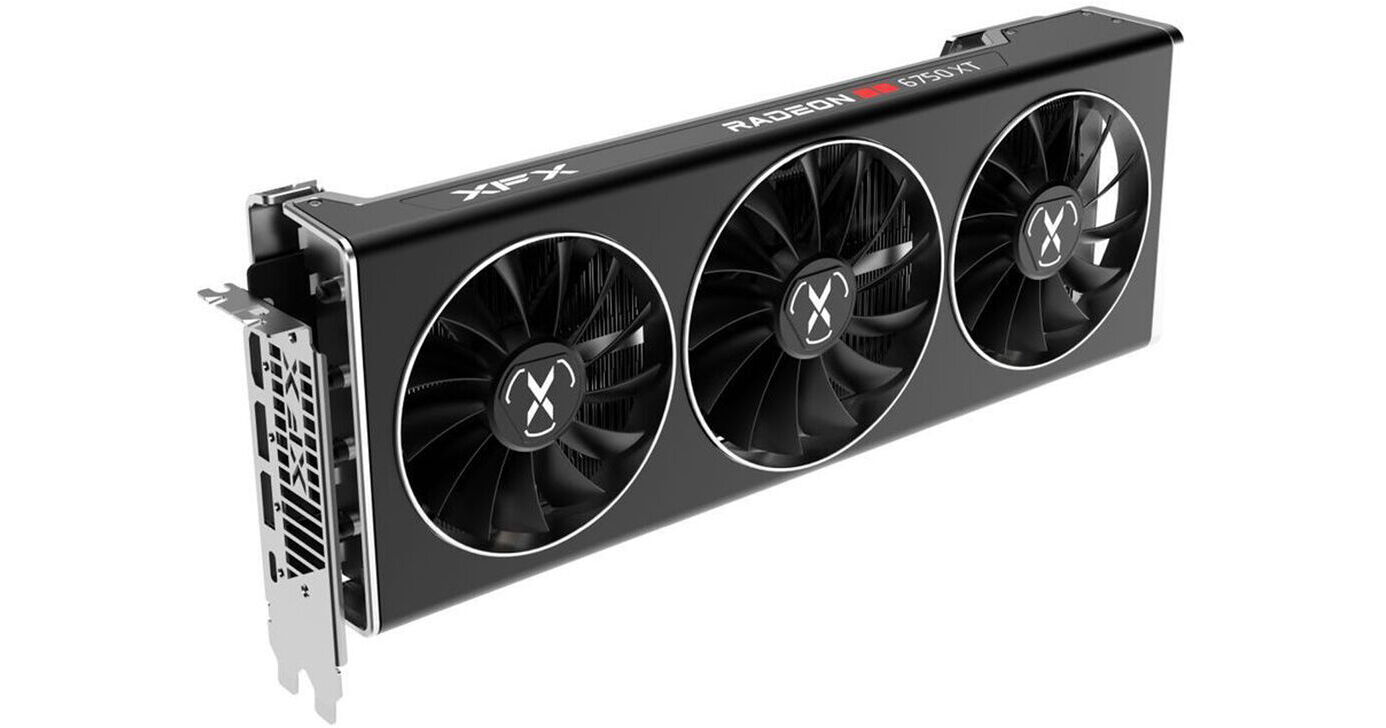
Buy XFX Radeon RX 6750 XT SPEEDSTER MERC 319 BLACK Gaming Graphics Card featuring Boostable to 2623 MHz, 2560 Stream Processors, RDNA 2 Architecture, 12GB of GDDR6 VRAM, 18 Gb/s Memory Speed, 192-Bit Memory Interface, HDMI 2.1 | DisplayPort 1.4a, PCIe 4.0 Interface, Triple Fan Cooler. Review XFX Radeon RX 6750 XT
crystal storm
oooo
crystal storm
ill probably end uip getting the 6700
keen nacelle
Don't feel like going to pcpartpicker to get the link
6700 is also it's own gpu, at $370
keen nacelle
Not really worth it atm, 11% worse than 6700xt for $30 not a great deal
crystal storm
i love this chat
livid idol
Welcome to the wonderful world of GPU names, where the 6700, 6700 XT, and 6750 XT are all different cards within $100 of each other and very different in performance
keen nacelle
Also where 5700x is a cpu and 5700xt is a gpu
There's also 6600m 6600u laptops
With 6400mhz ram
Or 6800m and 6800u laptop
Also 5600, 5600x, 5600g, and 5600xt
3600xt, 3800xt, and 3900xt are all cpus, whereas 5500xt, 5600xt, and 5700xt are all gpus
 cosmic bluff
 this is only the tip of the iceberg
odd siren
Yeah but that 30 series stock tho
fading glacier
yeah like... they are still producing 60tis?
why... just why?
if those leaks are true, probably the 4090 will be ready at the stores by late october
so, early september will be the last push to sell those 30 series
odd siren
Ready to fly out if n31 is good
fading glacier
and late spetember the 40 series official announcement
i dont think the aibs will hold 40 series on warehouses till next year
if they are already on the factory lines
odd siren
Oh ofc they won't hold stock
fading glacier
seems like nvidia is preparing to tackle navi31 head on
odd siren
But they'll try everything to delay next-gen if they have too much stock
fading glacier
nvidia is way too proud to let amd hit the market first
maybe thats why those 4090 are already "in production"
break glass just in case of a 7900xt launch
odd siren
That just worries me tho, stahp rushing you nvidiots 
I mean it's all speculation, but that would explain the rumour that the other cards bar 4090 have had their tdp's sliced
Since the 4090 already on it's way
fading glacier
yup, much like 4090 is already the emergency card, all the others can sit on the test bench a lil more
juggling specs every week
probably the next shell will be the 4080 by xmas if everything goes well against amd, or even next year
i mean, with just the 4090 on the street nvidia will keep selling the 30 series anyway
but all rumors by this point... effin corporations
and speculations
odd siren
It would give me more reason to wait for a 4090 kp if I went that route
fading glacier
not me 😦 im aiming at a 4080 or 4070....
but next year? no way, ill settle for a 7900xt instead
unless 4090 destroy amd
then ill reconsider waiting till january 😛
 rich wraith
Does anyone think my blower fan is running a bit.. odd? It claims its at 1107 RPM

Just making sure, it looks a bit wobbly
For a year and a couple of months, 6/22/21
I'm actually experiencing crashes on it when playing games, black screens on the monitors plugged into the gpu, audio loops, but the monitor plugged into my igpu stays on
It never goes above 60c, so I'm wondering if I just need to set a higher fan curve, maybe the vrms are overheating?
heady turtle
rich wraith
I'm actually experiencing crashes on it when playing games, black screens on the...
What are the hotspots getting to?
You can use hwinfo64 to read
Also no harm doing a ddu
!ddu
dreamy dragonBOT
DDU (Display Driver Uninstaller) Guide by Pato
https://github.com/NeweggTechie/Graphics-cards/wiki/How-to-use-DDU
GitHub
Contribute to NeweggTechie/Graphics-cards development by creating an account on GitHub.
heady turtle
Also you have a blower 6800xt?
Sure thats an aio 6800xt then
Instead of ddu, do factory reset in drivers is what I've been hearing is best for amd iirc @magic wing can tell you more
rich wraith
heady turtle
What are the hotspots getting to?
I haven't actually tested that quite yet, but I just got HWinfo64 and will be tracking that.
I think what I'm going to try first is setting a custom fan curve to ramp up the fans to like 2000 or 2500 rpm when it hits 50c, because so far I've just been using the amd tuning defaults for undervolting and balanced presets which keeps it around 1100 rpm. But I seriously appreciate the advice and will be trying a driver reset first thing if it crashes again! The crashes are so random though it could take a day or more to happen. Very grateful to you though!
fading glacier
If you are undervolting then probably the crashes are due instability, look onto that as well
Oc and undervolting can crash a card if pushed too far
rich wraith
sigh the last 3 amd gpu driver updates are lagging my entire system just when opening a new tab in opera or switching between windows!
I so regret buying an amd gpu
22.6.1 has been the only stable one for me
heady turtle
rich wraith
22.6.1 has been the only stable one for me
Then roll back to it
Also i would not trust any sort of auto undervolt or overclock feature as stable personally
rich wraith
heady turtle
Then roll back to it
I know but it reaches a point where I may eventually need to stay on the latest driver for features or security.. I can't do this forever
heady turtle
rich wraith
I know but it reaches a point where I may eventually need to stay on the latest ...
Security is not an issue with gpu drivers
fading glacier

heady turtle
It's only improved support for games/support for new games
magic wing
heady turtle
Instead of ddu, do factory reset in drivers is what I've been hearing is best fo...
yes
rich wraith
heady turtle
Security is not an issue with gpu drivers
But still in that case if it does apply to a game I want to play then I would want the latest driver if it performs bad but the latest driver makes my system perform bad in other areas
idek anymore
heady turtle
rich wraith
But still in that case if it does apply to a game I want to play then I would wa...
Nah just dont update if it's not stable
fading glacier
or kill your undervolt profile to see how the card behaves
still suspect of low power draw rendering the poor card unstable
 blazing echo
Price check for strix 3080?
fading glacier
Use pcpp for that
livid idol
Asus GeForce RTX 3080 10GB 10 GB ROG STRIX WHITE OC Video Card vs. Asus GeForce RTX 3080 10GB LHR 10 GB ROG STRIX WHITE OC V2 Video Card vs. Asus GeForce RTX 3080 10GB LHR 10 GB ROG STRIX GAMING OC V2 Video Card vs. Asus GeForce RTX 3080 12GB LHR 12 GB ROG STRIX GAMING OC Video Card
Strix tax is still strong
cosmic bluff
I have the V2 white strix 3080 10gb and loving it but I would've been better if it didn't have RGB or if it was pitch black
fading glacier
sometimes too much white is annoying
a checkerboard build is way better white-black-white-black
 grizzled nimbus
i went back to 60hz and i cant see without getting a headache
 quick imp
whenever I launch steam games it loads in and continuously zooms in, black screens, zooms out, and repeats
 random zinc
odd siren
Turn the rgb off
random zinc
odd siren
Turn the rgb off
loosing 10% performance?
livid idol
quick imp
whenever I launch steam games it loads in and continuously zooms in, black scree...
!ddu
dreamy dragonBOT
DDU (Display Driver Uninstaller) Guide by Pato
https://github.com/NeweggTechie/Graphics-cards/wiki/How-to-use-DDU
GitHub
Contribute to NeweggTechie/Graphics-cards development by creating an account on GitHub.
quick imp
worked
velvet grail
Why are there different version PCIe riser cables (2.0, 3.0, 4.0...)? Is it like the same as Ethernet cables where wire twisting is important to get more bandwidth? (Aka CAT5, CAT6, CAT8...)
livid idol
velvet grail
Why are there different version PCIe riser cables (2.0, 3.0, 4.0...)? Is it lik...
Signal integrity becomes more important the faster the bandwidth is so they need to use higher quality materials and better techniques to get the riser cables to work at higher versions.
Similar to Ethernet yes.
velvet grail
livid idol
Signal integrity becomes more important the faster the bandwidth is so they need...
Ok, I know this thing doesn't apply to hdmi cables for now, but will it be a thing for like 1080p 480hz (when it'll be a thing) or really high refresh rates and resolutions?
Like if they'll ever make 4k 480hz compatible hdmi/dp cables...?
livid idol
1080p 480hz is already very doable with HDMI 2.1
4k480 is 4x the pixels and will require a cable with triple the bandwidth of 2.1. I'm pretty sure by then there will be a new standard.
velvet grail
Okk thanks for the info
 cinder dew
AMD got RTX?
 opal iron
Yeah
cinder dew
OOOoooooo
opal iron
It depends on the car
All 6000 series have it although i wouldn’t recommend using it on a RX 6600 and lower
fading glacier
rt no point on this gen
opal iron
Ray tracing is only for bedrock
odd siren
What does that mean
I've heard it so many times
Like bedrock the only thing in the game that changes or 
opal iron
Theres 2 types of minecraft, minecraft bedrock and minecraft java
Bedrock is the cross platform version
opal iron
Where you can play with console and mobile users and java is the pc only version that can be modded
fading glacier
that make two of us
👀
also thought that bedrock was the tile where rt is relevant
my my
 fading glacier
join the club
 fading glacier
cinder dew
AMD got DLSS?
odd siren
And RSR
fading glacier
which is similar
fading glacier
is the same as dlss
odd siren
Far is a long way away
fading glacier
but on amd
odd siren

cinder dew
fading glacier
but on amd
Oooo
fading glacier
hahahaha that one was good
cinder dew
odd siren
Far is a long way away

can i use Amd gpu with i3 12100 or should i get a AMd cpu
fading glacier
yes you can
cinder dew
what is better
fading glacier
its an example
cinder dew
but i am geting RX 6600
fading glacier
you can pair any existant modern gpu with a 12100f without problems
that includes the 6600
 fading glacier
yeah im thinking the same
give him time
xD
damn, im goin to steal all your emojis
cinder dew
yea but what is better like if i use a AMD cPU anD A AMD GPU
fading glacier
intel is way better rn
cinder dew
Ooooooo
cinder dew
DONT TALK THAT
fading glacier
these days we usually recommend 12th gen over amd unless the one looking for advice already owns an amd mobo
12th gen is faster than 5000 amd cpus
generally speaking
 odd siren

cinder dew
fading glacier
i think risen was kidnapped 😛
odd siren
The cat took control of his head this time
magic wing
honestly yeah
cinder dew
magic wing
my other cat is also on my lap now
odd siren
Risen is rising amongst the cats
odd siren

cinder dew

Introducing AMD Radeon™ RX 6600 series graphics cards, featuring the breakthrough AMD RDNA™ 2 architecture. Engineered to deliver an incredible 1080p gaming experience, the AMD Radeon™ RX 6600 series powers the next generation of gaming with vivid visuals and elevated experiences.

MSI Radeon RX 6600 ARMOR 8G Gaming Graphic Card
fading glacier
both are good, choose the cheapest
cinder dew
.
odd siren
Cheapest genuine seller
cinder dew
ok
cinder dew
fading glacier
both are good, choose the cheapest
But what is BeTTer
odd siren
Choosing the cheapest genuine seller is the better choice
As ravell said both are good
cinder dew
i gtg bye i come in 1 hr
odd siren
lol
fading glacier
hey felix, id love your opinion/choices on a pcpp for this: budget 1.8k on us only for mobo, cpu, ram, cooler and gpu
cinder dew
lol he still tysing i gtg bye
fading glacier
cy later man
odd siren
Sounding like a 12400F-12700F 6900XT build
keen nacelle
fading glacier
hey felix, id love your opinion/choices on a pcpp for this: budget 1.8k on us on...
PC Builder - Intel Core i9-12900F, GeForce RTX 3080 12GB LHR
Could get an lf2 360 if you want to
fading glacier
hey bacca, gud morning 🙂
keen nacelle
Morning
fading glacier
yeah, its like an exercise in case i fail to reach rpl
keen nacelle
Well, 13700 will likely beat 12900 in both multi core and single core
fading glacier
damn, that build is beautiful
yeah probably fit a lf2 360 there
and all of that could easily be within the 850g6 coverage, ill save that list 🙂
odd siren
Adata swordfish has a heatsink for the same price/perf
fading glacier
in fact maaaaybe shrink the 12900 for a 600k and stretch a bit for an 80ti or even a 90
odd siren
Farthest I would stretch on a gaming build would be like an OCF or red devil ultimate for 799
120 over a gaming X but also XTXH so a good 10%-ish in that 120
But a 3080 12gb will still be in that same league
And you can do more with a 3080
fading glacier
yeah you are right, the 3080 tuf is ok, and i can shrink the 900 for a 600k and save the rest for a 4k monitor in a couple moths
fading glacier
still im comfortable with my g32qc
odd siren
1440p if 27" or so
fading glacier
that 4k should be as a secondary for movies
odd siren
Ah i c
odd siren
Reo had issues with the 12gb tuf just a heads up
Might be better to seek an alternative model
odd siren
Strix would be good for 800
fading glacier
ill keep an eye for any deals with the bazooka and an LF2 360 for now
odd siren
LS720 is in that LFII 360 range
It also has a white variant and is at this point known to be similar perf
fading glacier
still too few reviews to beat the lf2 , not fully convinced
odd siren
Yeah it's not definite, but there's enough info that it's on the good side of perf rn
fading glacier
the infinity mirror is kinda cool tho
yeah performance wise seems on par with lf2 plus rgb
its a possibility as well
maybe ill end up buying everything but the cpu
or take the i3 route while rpl arrives
odd siren

 fading glacier
yeah looks gorgeous, and go well with my white 5000x D:
T_T
effin white tax
https://pcpartpicker.com/list/j9r76r modded on bacca original list... now im very tempted
PC Builder - Intel Core i7-12700K, GeForce RTX 3080 12GB LHR
vital oriole
ooo
fading glacier
200 free for a nvme maybe 😛 or to go for a z690
vital oriole
tfw 13900 leaked with 5.6 ghz boost