
#Careers for carers
1 messages · Page 1 of 1 (latest)
 twilit valve
 sharp pumice
Good use of links to language-specific rooms!
It would help for the animated text to be displayed longer, and the stretches where no text is displayed to be shorter.
twilit valve
sharp pumice
Good use of links to language-specific rooms!
It would help for the animated te...
The portraits with text you mean? I need to find a better way to turn gifts into animation. Next time I'l probably use something like After Effects.
Thanks for the feedback.
Did you go further? The story the old lady tells is well constructed 😉
😉
sharp pumice
Ich spreche nur ein bischen Deutch. 🙂
twilit valve
sharp pumice
Ich spreche nur ein bischen Deutch. 🙂
🤣 🤣 I keep forgetting there is no English track. Well, beside the story the rooms hold interesting items, different since there are different ladies talking about personal stuff. (We didn't find an older man willing to act...)
 royal pulsar
A very nice collection of rooms. One thing you might add (since it seems this is targeted at desktops/laptops) is clickable links to the QR codes in the "end" room. You should be able to either hide the link previews slightly behind the QR code image (the buttons should display in front if you're close enough) or use a transparent image instead of the auto-generated preview.
twilit valve
To teleport to a waypoint at the spot where the qr's are positioned, you mean? Good idea! Better would be if I could link directly out of hubs into the e learning or feedback.
royal pulsar
twilit valve
To teleport to a waypoint at the spot where the qr's are positioned, you mean? G...
Uh, I actually meant linking directly out of Hubs to whatever those QR codes link to, but you can teleport to a waypoint too. 😅
Hubs can link out to anything you want, as long as it's available on the web (it'll open it in a new tab).
twilit valve
Well @royal pulsar my instance is not capable of doing that, unless something changed recently. I'll check again one of these days!
royal pulsar
twilit valve
Well <@773005172314079253> my instance is not capable of doing that, unless som...
It's been a feature for a long time. All you should have to do is add a link element to the scene in Spoke or Blender and change it's URL property to the website URL. You should also be able to just enter a room, paste the website URL into the chat, click the magic wand, and then pin the spawned link where you want it. If you wanted to use a transparent image, then I think you'd need to add an image element in Spoke and modify its href property (for Blender you'd need to add both the link and image components to an empty and set their URLs).
As far as I know the above should work in any instance 🤔
twilit valve
Not in mine for some reason, I'll check again and ask @dim sleet if he knows a solution
 dim sleet
twilit valve
Not in mine for some reason, I'll check again and ask <@745889642343170069> if h...
dim sleet
twilit valve
Not in mine for some reason, I'll check again and ask <@745889642343170069> if h...
Ohh, this teleport is a feature, that is here, it's called 'named waypoints'
There has been a hubs tutorial for the same
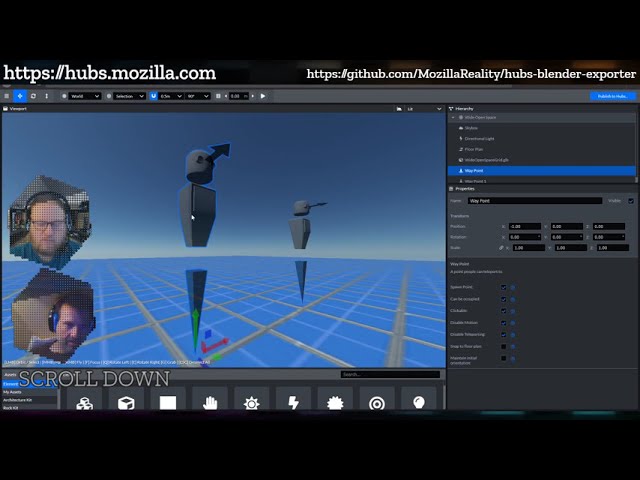
Broadcasted live on Twitch -- Watch live at https://www.twitch.tv/mozillareality
twilit valve
dim sleet
Ohh, this teleport is a feature, that is here, it's called 'named waypoints'
No no, it is the links to outside hubs that don't work 😉
dim sleet
twilit valve
No no, it is the links to outside hubs that don't work 😉
Ohh, then let me check this tonight to figure out why it's not working,
There were some problems in newLoader which Imaginer and I resolved with a PR in one of the Community collaboration sessions
Will check it tonight what caused this problem
twilit valve
@royal pulsar @dim sleet so I tried the external link (as a spanwed object in the chat) and it gives "broken media link". The link does open (choose "open link" after space bar or right mouse click). The probably means Hubs is not capable of grabbing a webpage preview, which leads to the error.
dim sleet
twilit valve
<@773005172314079253> <@745889642343170069> so I tried the external link (as a s...
Ohh, it's not Hubs problem, but a problem with my hosting