
#VGN 4K Dongle
273 messages · Page 1 of 1 (latest)
 umbral chasm
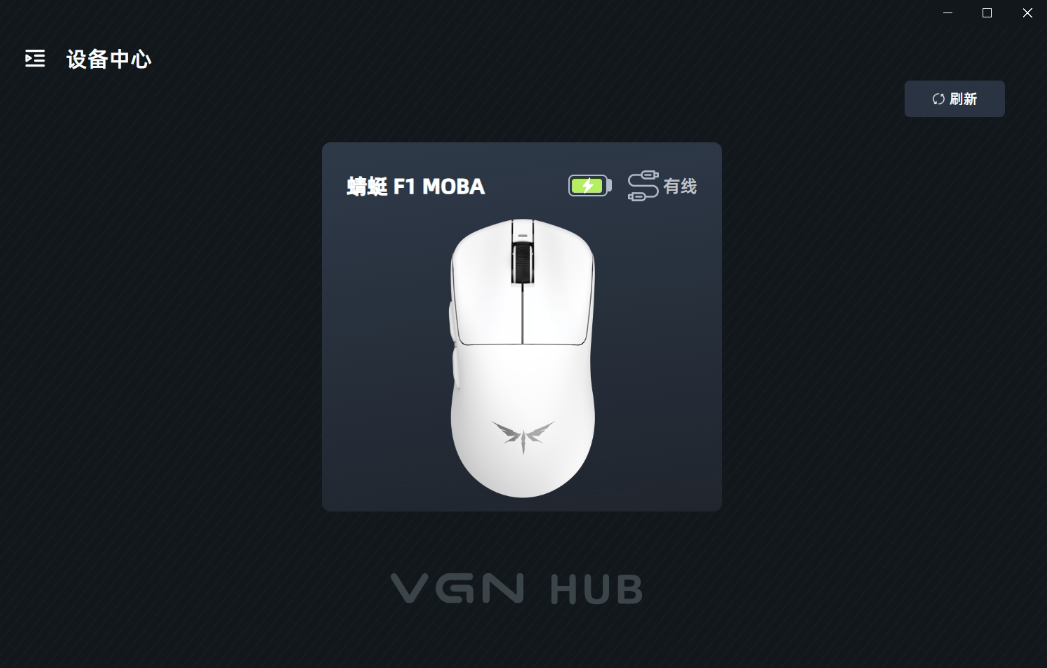
this is start up page of vgn hub, I only have 1 mouse the other one is i guess the hub?

but If i disconnect the cable it doesn't work
and if i click on the mouse on the right then redo the pairing process I get the same issue as above
 stone abyss
which video you watch again?
umbral chasm
this one
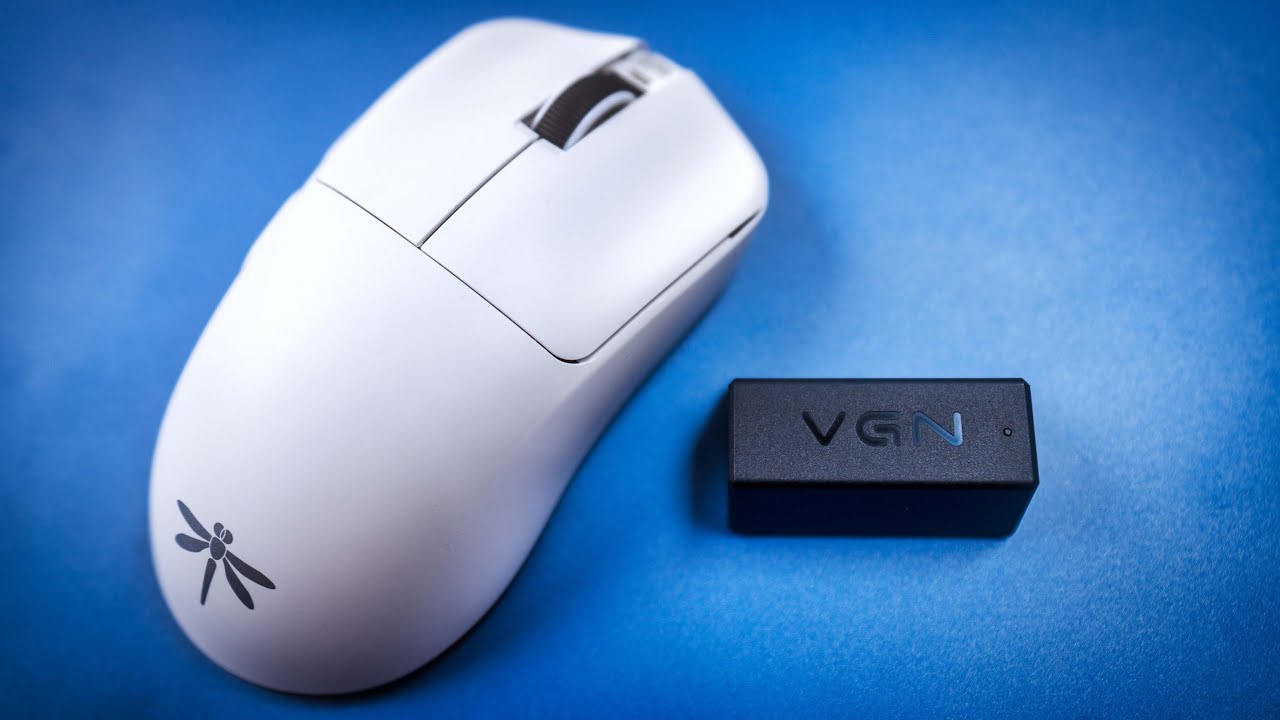
VGN HUB-2.0.7-1 - https://drive.google.com/file/d/19v-JcTBG74cUD7csk6lDjtz2dxokmZ2m/view?usp=sharing
-----Affiliate Links-----
$5 off mechkeys.com
Use code: AimAdaptMK
VGN Dragonfly: https://mechkeys.com/products/vgn-dragonfly-f1-series-mouse
VGN Dragonfly F1 4K Dongle: https://mechkeys.com/products/vgn-dragonfly-f1-4k-dongle
but i'm using the 2.3.4 vgn hub (I tried uninstalling and reinstalling, didn't work)
umbral chasm
stone abyss
which video you watch again?
.
stone abyss
hmmm, not sure then, because I pair using the older version, but not the really old like in the video. If I remember Its ver 2.2.5
But what i do is: plug in the mouse, update firmware, then plug the 4k dongle, go to the pair screen press enter when it appear the screen ask me to press 3 button, now I unplug my mouse, and it went smoothly
umbral chasm
the issue is i cant do anything
I cant pair it to a mouse
and for some odd reason if i plug it in it shows up a mouse in the main screen
its like its stuck
stone abyss
you press this right? not the bottom one right? Because I think the bottom one is reset the pairing (not sure tho, but that what i take from the translating lens)
 umbral chasm
which is why i wonder if there is a way to unpair
umbral chasm
stone abyss
you press this right? not the bottom one right? Because I think the bottom one i...
yes
stone abyss
it hsow up like that until you pair it
umbral chasm
umbral chasm
I tried pairing the dongle with the mouse and did the 3 presses (middle + left +...
but any time i try to pair i get the issue in the first image here
its a cycle unfortunately
stone abyss
before this newest version, the software has trouble running on non-Chinese pc localized, not sure if it's related. But I upgrade the VGN hub to 2.2.9, run seem fine, just not sure about the pairing part
stone abyss
maybe
umbral chasm
you got any links?
stone abyss
aimadapt doesn't leave the link?
umbral chasm
whos aimadapt?
stone abyss
the one from video you just watch
 spark orchid
umbral chasm
whos aimadapt?
spark orchid
umbral chasm
whos aimadapt?
VGN HUB-2.0.7-1 - https://drive.google.com/file/d/19v-JcTBG74cUD7csk6lDjtz2dxokmZ2m/view?usp=sharing
-----Affiliate Links-----
$5 off mechkeys.com
Use code: AimAdaptMK
VGN Dragonfly: https://mechkeys.com/products/vgn-dragonfly-f1-series-mouse
VGN Dragonfly F1 4K Dongle: https://mechkeys.com/products/vgn-dragonfly-f1-4k-dongle
stone abyss
in the description there is google drive link
https://www.youtube.com/watch?v=A-53uf9kMkM this one still has the link live
DOWNLOAD LINK:
https://drive.google.com/file/d/1483KkcqiinKRB9ebdTdwXTcCM-xkjppP/view
AFFILIATE LINKS BELOW ( SAVE 5-10% ON YOUR PURCHASE)
Code YourCloudy at G-Wolves Checkout: https://shop.g-wolves.com/?ref=HTZTZ3lf/ ($10)
Code YourCloudy Lethal Gaming Gear: https://www.lethal.gg/?ref=YourCloudy
Code YourCloudy SprintGG US: https://sprintgg.c...
stone abyss
anything still plug in on your pc
any type of wireless dongle or peripheral devices?
except your keyboard
umbral chasm
bluetooth keyboard but that didn't change anything
stone abyss
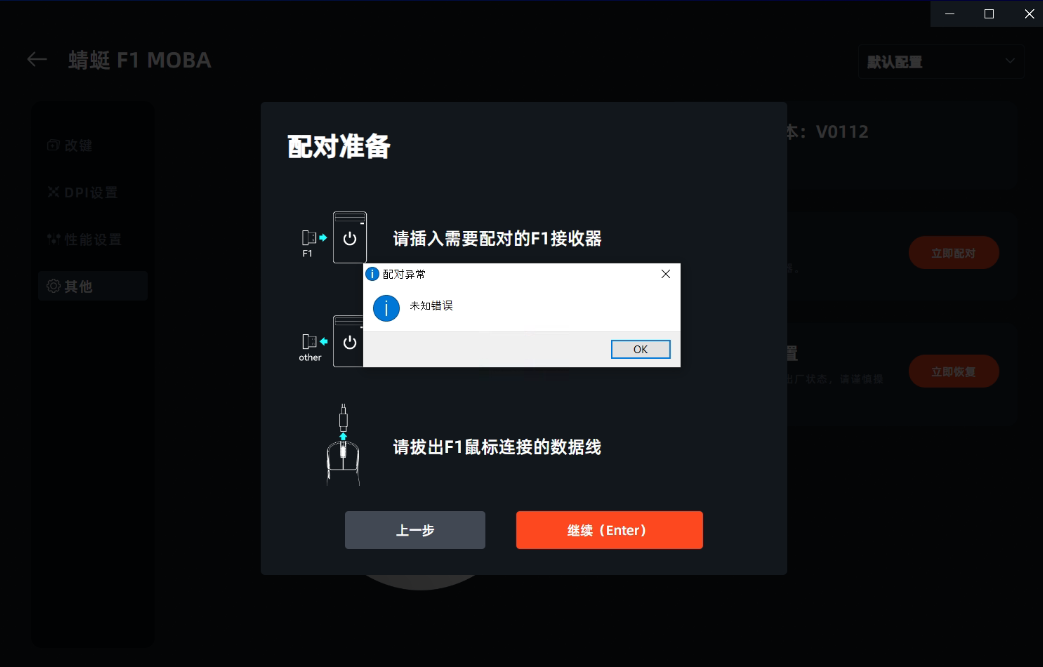
i'm out of solution, it put your error image on google translate, it said something unknow error about pairing
umbral chasm
If anyone else can chime in that would be great
I even tried it on another PC (a laptop) that never connected to any VGN stuff
and the reciever still shows up as a white F1 Pro
I tried 3 versions of the hub, 2.0.7, 2.2.9 and 2.3.4.
I already emailed VGN themselves to any unpairing process if possible
 twin coral
this one works for me
mandatory reminder to NEVER just download and execute random .exe you download
when deleting make sure its all removed and restart the system
dw about the error it just says "unknown error" in chinese
umbral chasm
I even tried a completely different pc
umbral chasm
twin coral
and reset the mouse and dongle?
how do i reset the dongle?
umbral chasm
give it to me as a step by step, because i did factory restore the mouse using the last button on the right in the vgn hub
and the mouse is now paired to the OG dongle (That came in the box)
but idk how to reset the 4K dongle
twin coral
ok perfect
id unplug the dongle now
delete vgn hub
completely and utterly
and then restart pc and try again
umbral chasm
I did all that then went to a different pc mate
so yea no luck
the moment i plug the 4K dongle into any vgn hub, it shows that it is paired to an F1 pro
which isn't mine
i think
umbral chasm
umbral chasm
this is start up page of vgn hub, I only have 1 mouse the other one is i guess t...
this image
the one on the left is the dongle
twin coral
umbral chasm
which isn't mine
doesnt matter
since you can always repair
re-pair
which will overwrite the dongle
umbral chasm
well it doesn't work on my end
twin coral
can you show me what exactly youre doing?
so you have it unplugged before pairing right?
the dongle is plugged in and recognized
and youre in the parigin m=enu
 umbral chasm
not yet
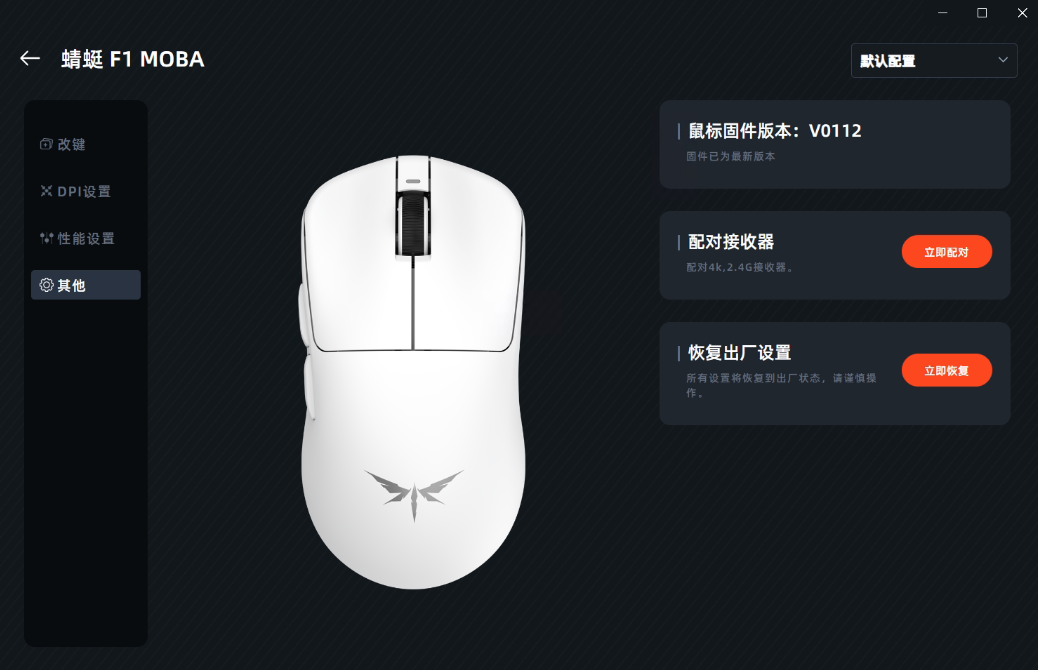
as you can see, no dongle yet
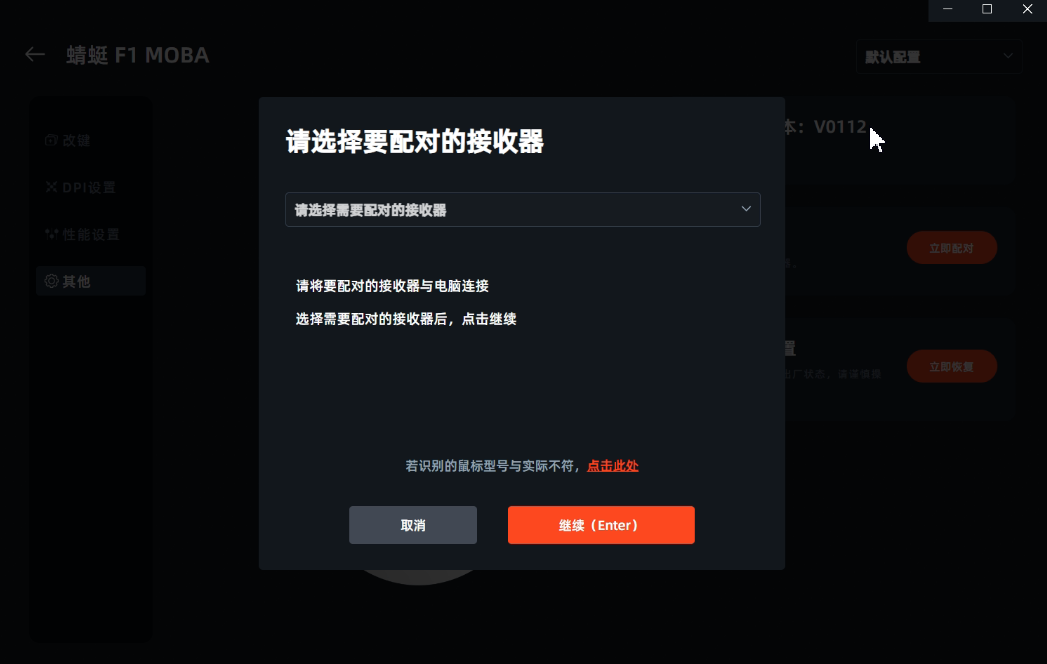
now i'll insert the dongle
its recognized
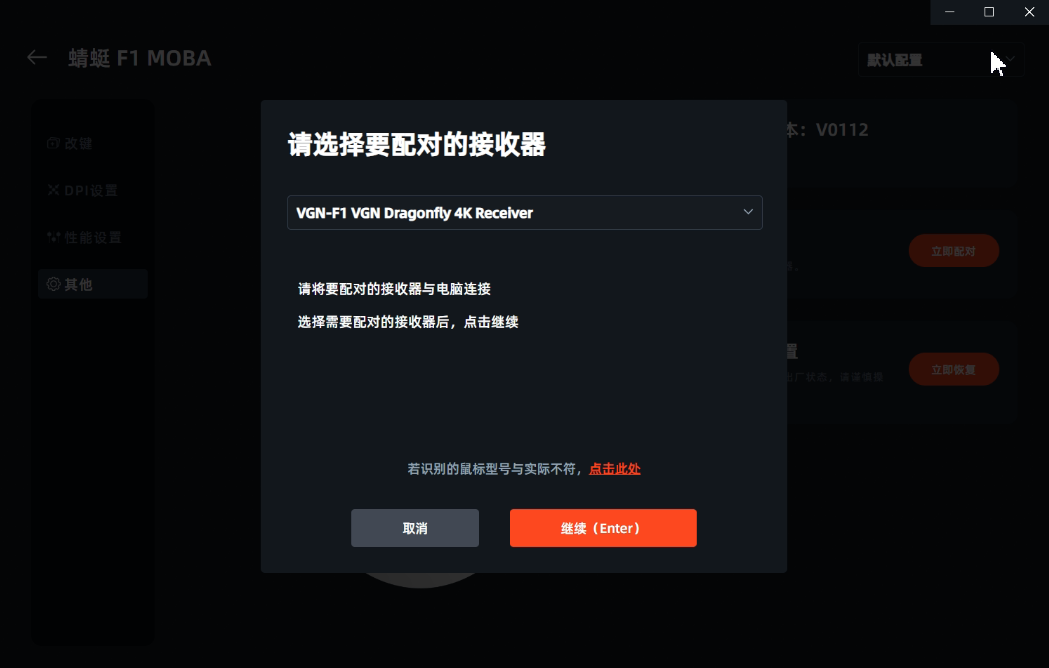
i press enter and this is the screen after
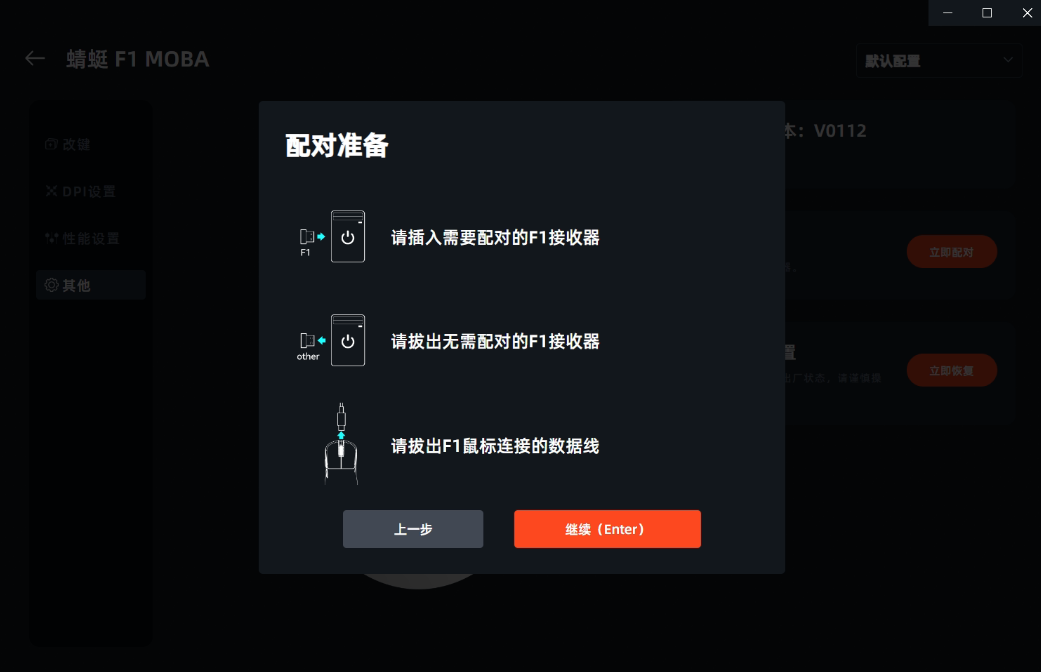
and now i'll press enter again
and this is the result
 umbral chasm
yes ofcourse mate
umbral chasm
on the right?
twin coral
yeah
umbral chasm
thats the pairing button
twin coral
middle button
umbral chasm
thats what i'm doing
umbral chasm
cuz this is the latest version
umbral chasm
i'm at the home page
umbral chasm
yes?
twin coral
then cogwheel
umbral chasm
ok
twin coral
is there another pairing menu?
umbral chasm
nope thats only in the old versions
same pairing menu is the one inside the mouse they just relocated it
in newer versions
umbral chasm
i tried man
the issue is this
gimme a sec
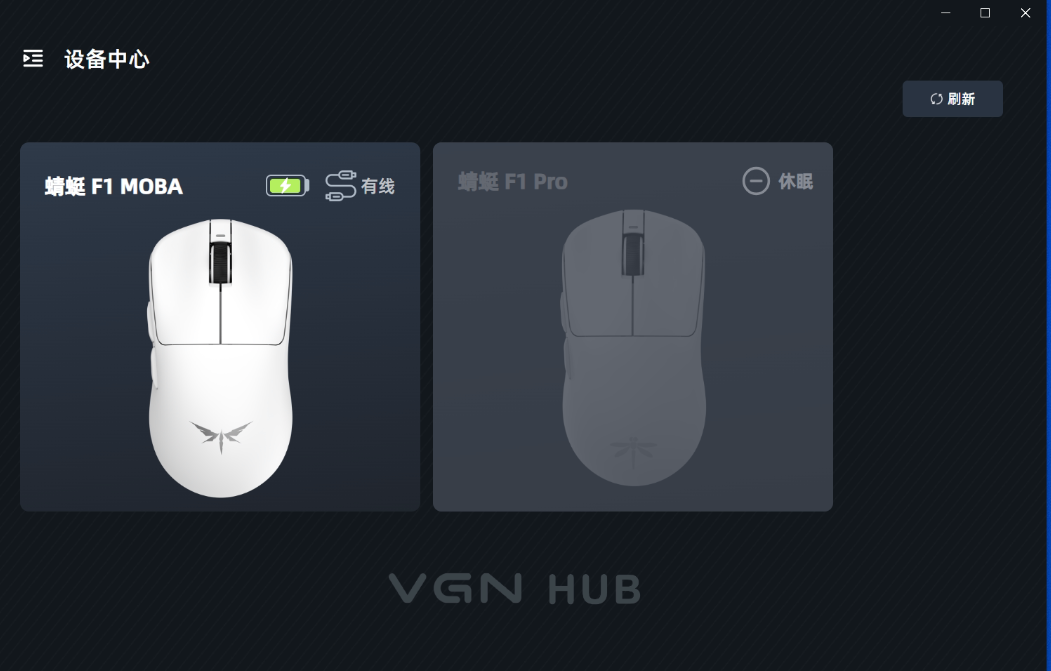
this is with the mouse connected via usb and dongle also connected via usb
twin coral
yes
umbral chasm
if i remove the mouse, the dongle still shows like a mouse
umbral chasm
well then i have no idea whats the issue
twin coral
oh maybe the issue is the mouse isnt ihn pairing mode?
i just thought of that
so it says unknown error bc it cant find anything
umbral chasm
nope unrelated
its supposed to show me the "press those 3 buttons"
but it never reaches that point
and i did try making the mouse into pairing mode before pushing the button
twin coral
have you tried just pressing that before hand anyways?
umbral chasm
but it also didn't work
umbral chasm
well it doesn't
twin coral
how long you pressing the buttons?
twin coral
the mouse
umbral chasm
yea the mouse blinks fine
twin coral
aight
umbral chasm
i've got it into pairing mode before but that doesn't help
anyway version 2.0.7
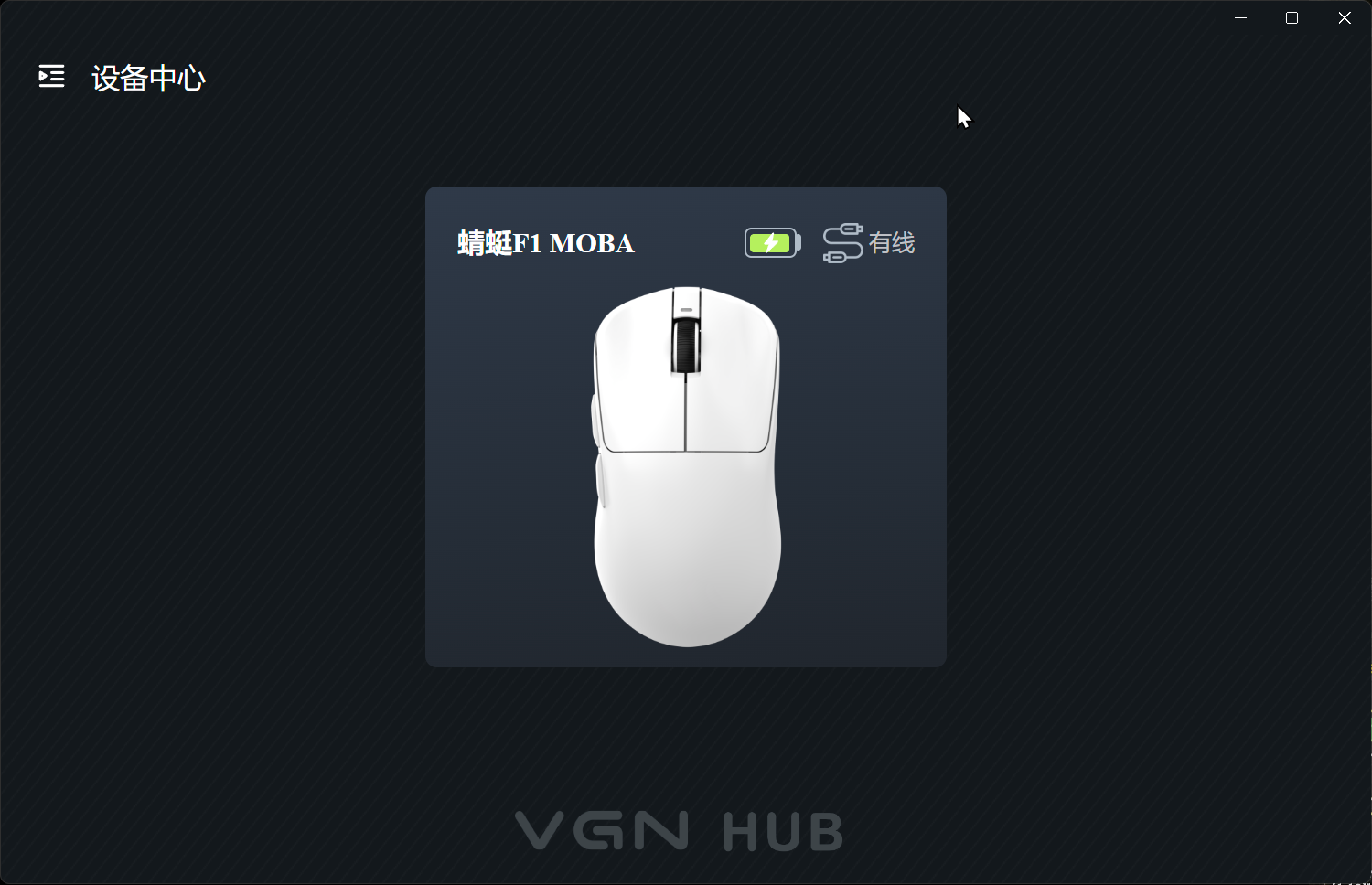
what do you want me to do
twin coral
insert dongle
umbral chasm
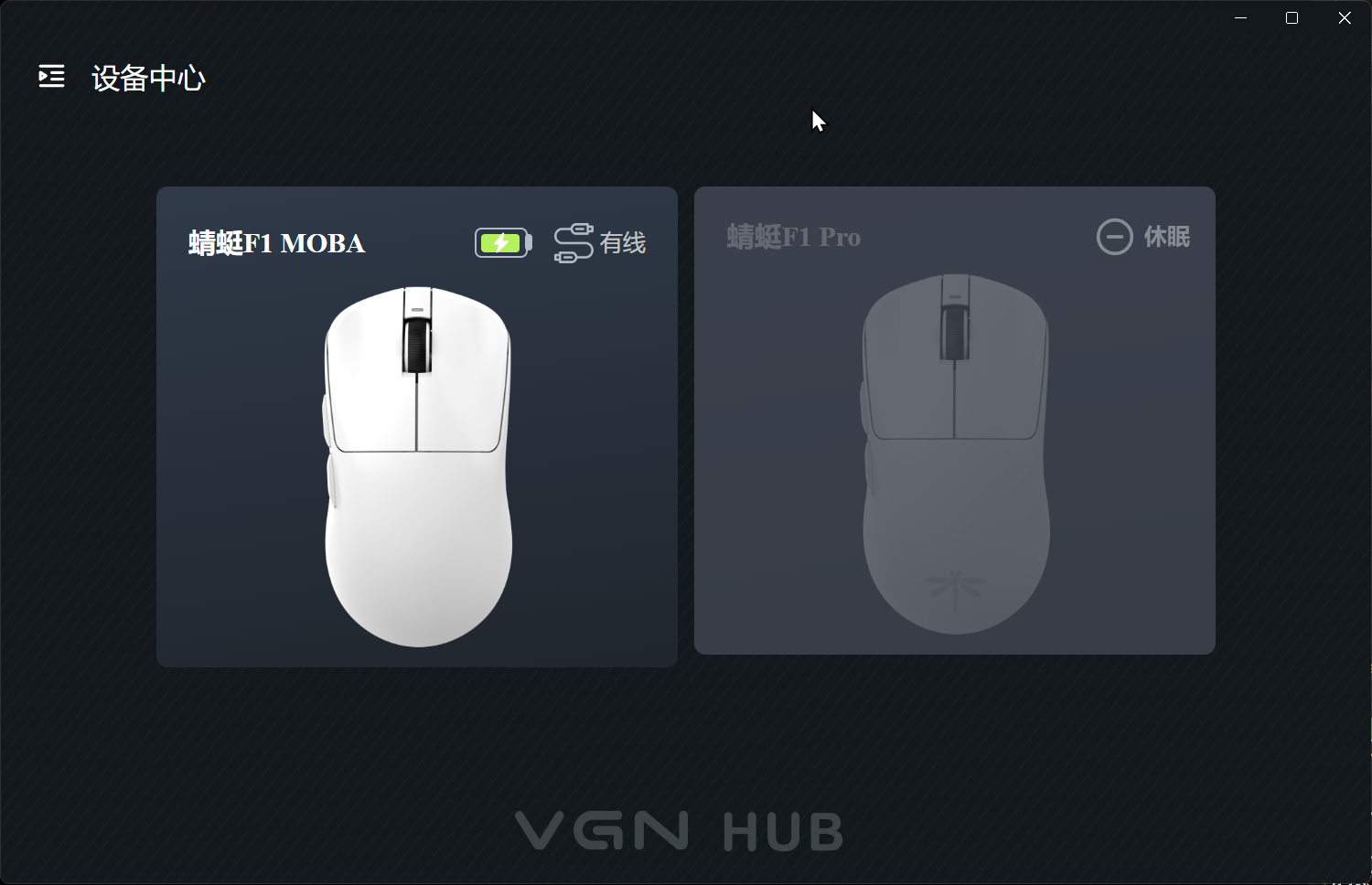 umbral chasm
top left > cogwheel?
twin coral
so menu -> cogwheel
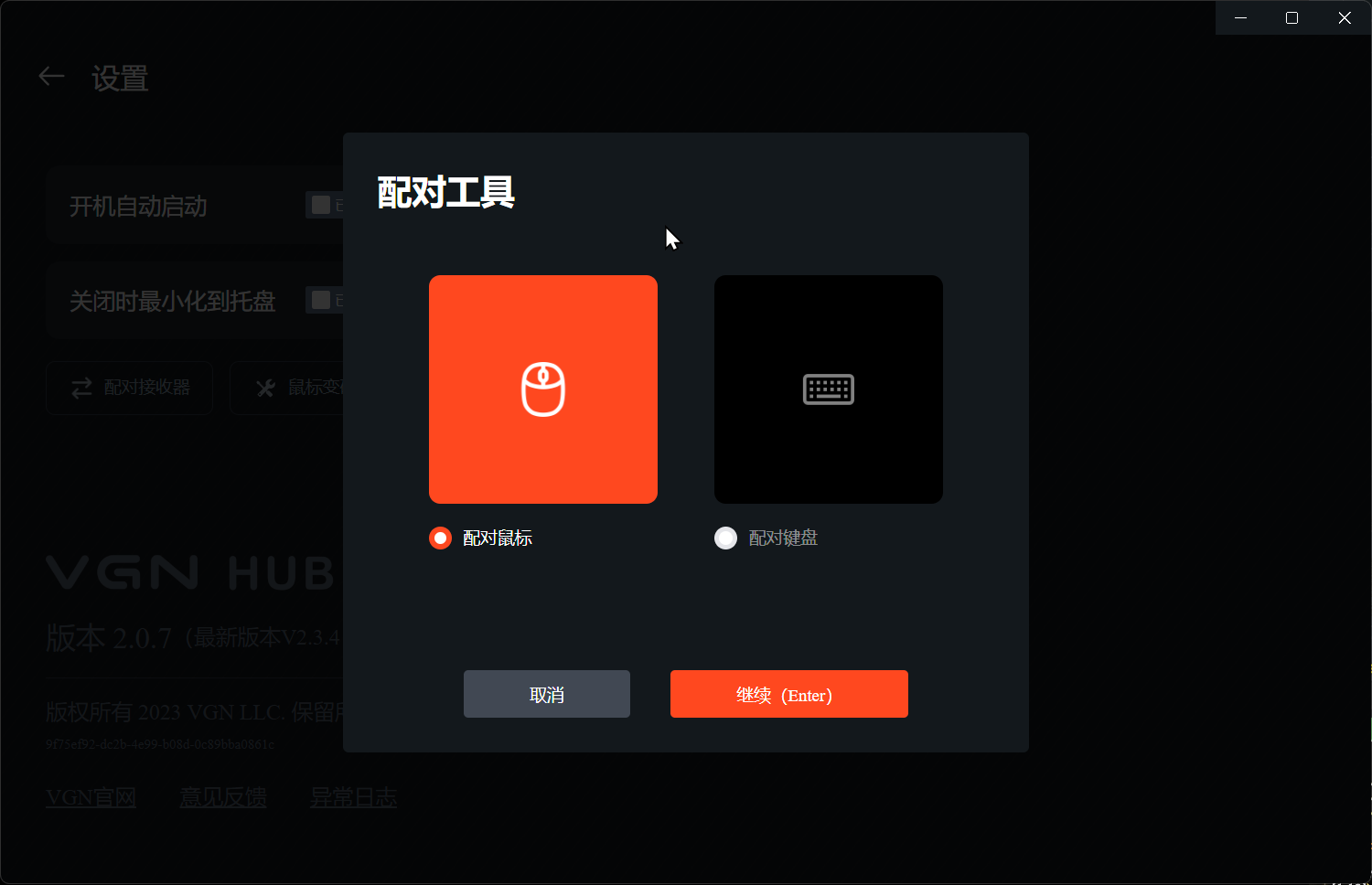 umbral chasm
 twin coral
enter
umbral chasm
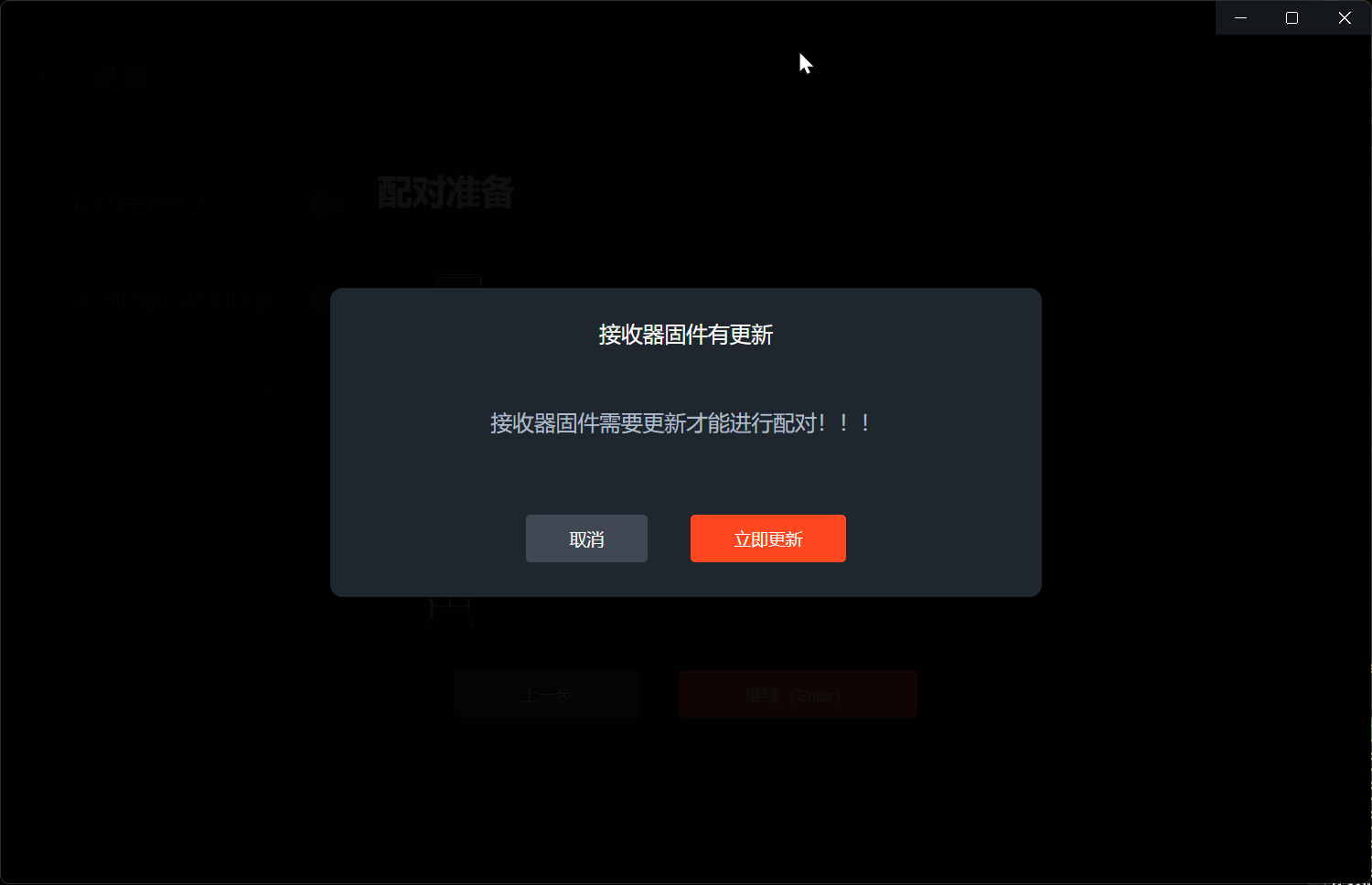 umbral chasm
and now
twin coral
go to home
then click the mouse
then cogwheel on the left
it should offer a firmware update for the dongle
its version must be v0108
at least mine is and it says up to date
umbral chasm
well where can i find this update thing?
this is the only page that i didn't send a picture of
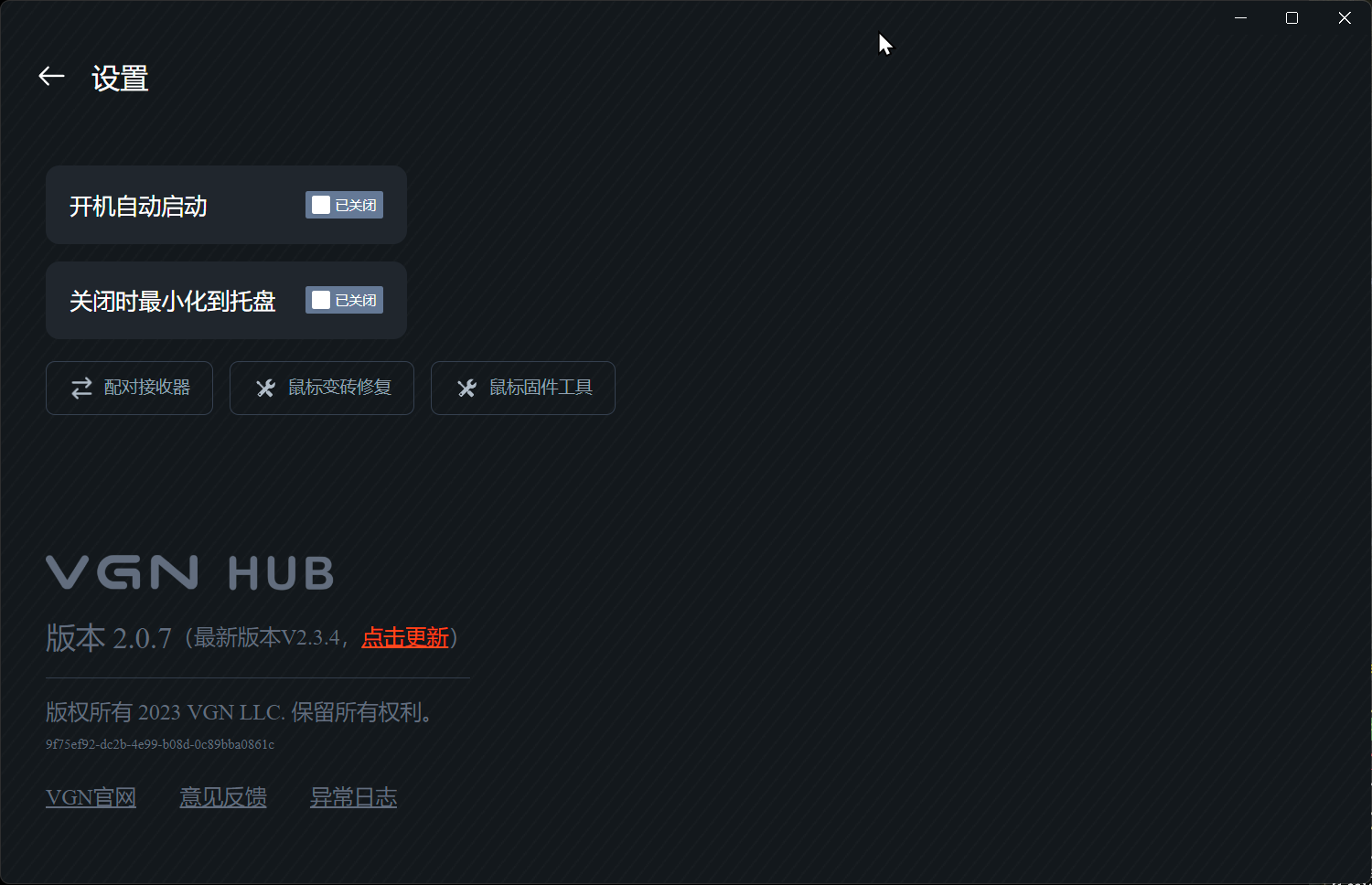 twin coral
go to general voice 1
umbral chasm
and this is the mouse thing
twin coral
pls
umbral chasm
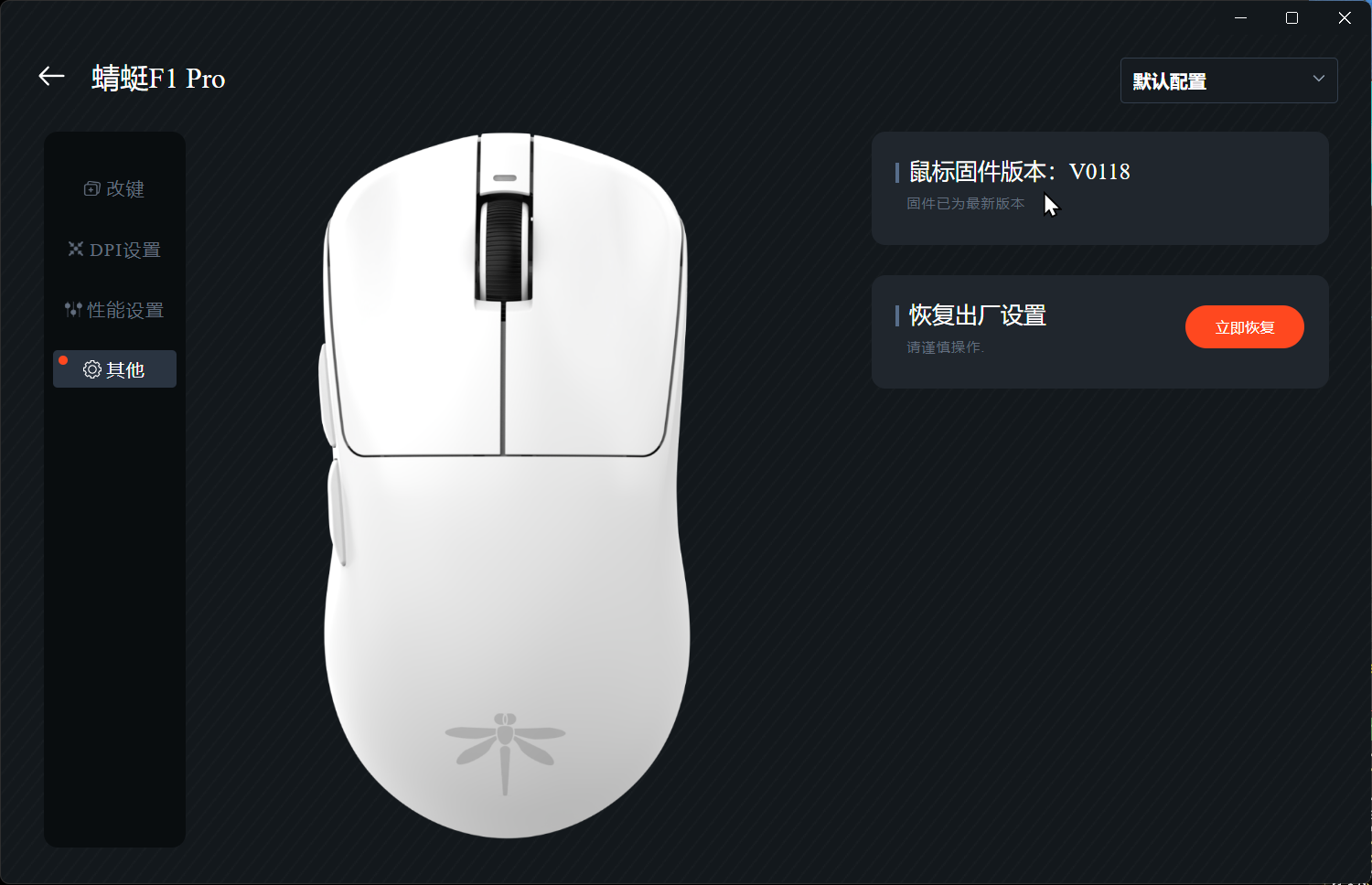 twin coral
then press 3 buttons
and off you go
ussually
yes
uhh i had headset off until now
press orange button maygbe
i didnt press there
it was in the mouse menu
well bc its paired
yknow what ill repair
ill pair to 2.4
then to 4k
whats shwoing up is the 2.4 dongle
ok im 2.4 now
ye then idk
press orange button
trya gain?
umbral chasm
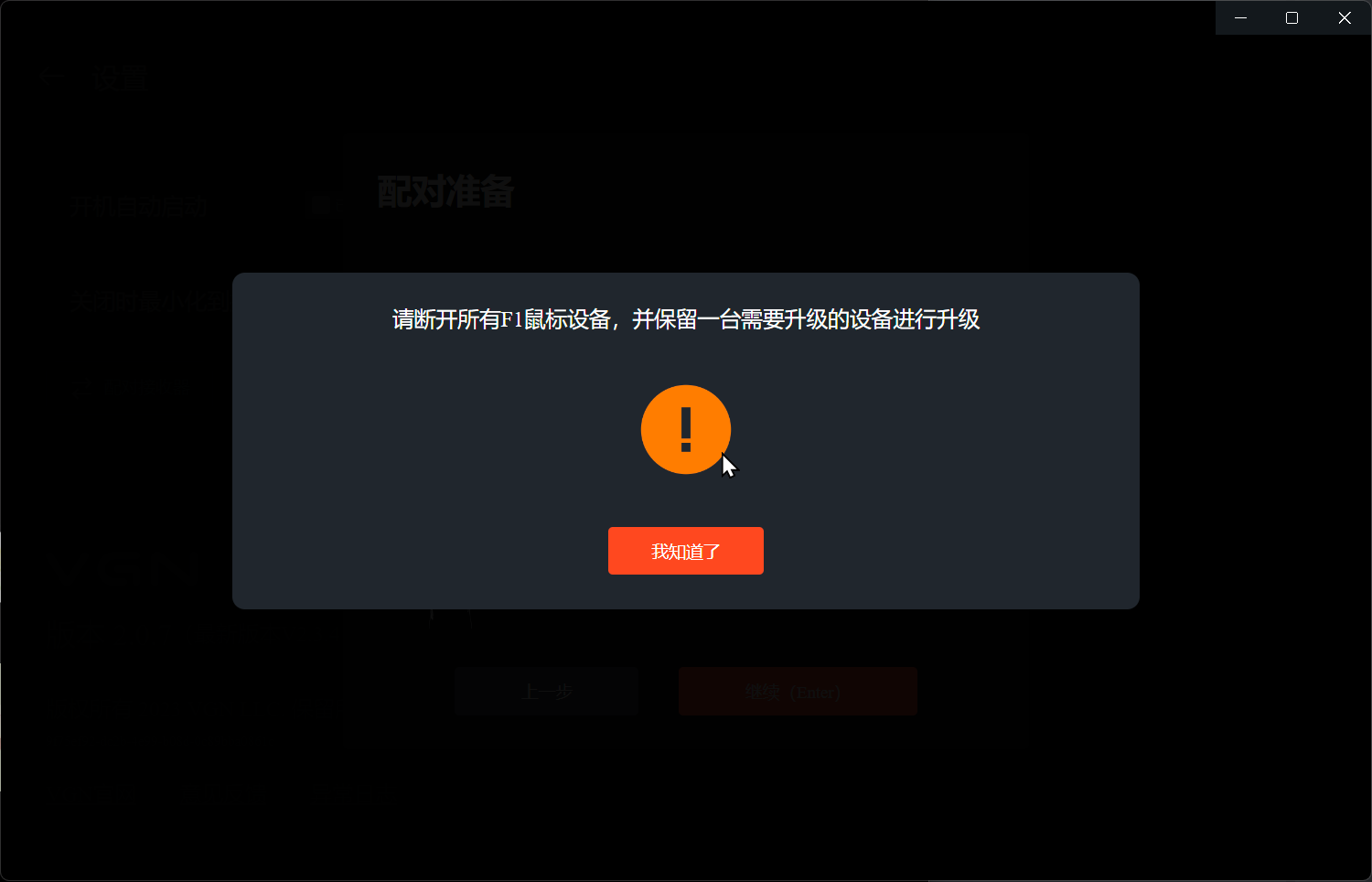


 twin coral
try again in the pair menu i wanna rerad the message
slower pls i cant read chinese that fast
no plugging
leave unplugged
and press orange iwth another mouse
thats how i did it
yes
press orange
dont dsay it befor eits done
you have to pair still tho
you only downlaoded update
ye
enter
3 buttons
kaboom
ez
np
its actually my job to help ppl with tech
so np really
idk
proabaly not
razer doesnt offer
so this wont either i think
you can however always repair
re-pair
with other mice
pairing only works in vgn hub
afaik'
it will show up with 4k AFTER pairing even in regular vgn softare
glad you got yours going
you could have tried selecting the button with the TAB key on the keyboard
imitrating a mouseclick
umbral chasm
twin coral
you could have tried selecting the button with the TAB key on the keyboard
probably
but i honestly didn't know
much much much thanks man