#Stencil does nothing

1 messages · Page 1 of 1 (latest)

lone otter
#

THIS IS SOLVED (question below is not), normal was in object space and not world space -> ||I'm guessing I'm calculating the view direction wrong? I'm not sure any other way I should do it though

When remaking this pass of the shader in shader graph it appears to work perfectly fine (first image is written shader, second is shadergraph). I don't wanna use shader graph though because I'd like to have my outline and the normal render be in the same shader file

Code I believe to be relevant (full shader file is attached):

            // in the "Normal Render" pass:

            struct appdata
            {
                float4 vertex : POSITION;
                float2 uv : TEXCOORD0;
                float3 normal : NORMAL;
            };

            struct v2f
            {
                float2 uv : TEXCOORD0;
                float4 vertex : SV_POSITION;
                float3 normal : NORMAL;
                float3 viewDir : TEXCOORD1;
            };

                // In vertex shader, o is v2f
                o.normal = normalize(v.normal);
                o.viewDir = UnityWorldSpaceViewDir(mul(unity_ObjectToWorld, v.vertex).xyz);

                // in frag, i is v2f
                float product = fresnel(i.normal, i.viewDir, _FresnelPower); // fresnel power is 1
                return product;

                
            float fresnel(float3 normal, float3 viewDir, float power)
            {
                return pow(1 - saturate(dot(normalize(normal), normalize(viewDir))), power);
            }
```||

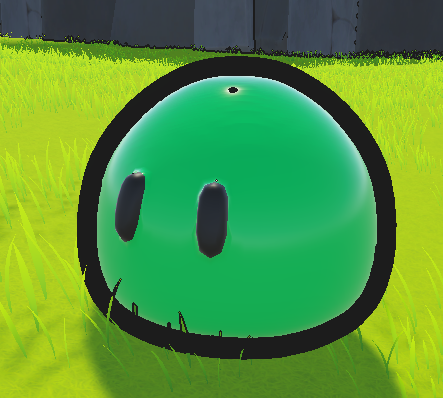
Also if possible, I'd like to know why the stencil appears to not work right, I'd like the outline to not overlap the normal render (3rd image shows this best). And everywhere I look I appear to be doing this correctly despite it not working correctly, unless I'm completely mistaken on how it should look 

In outline pass:
```js
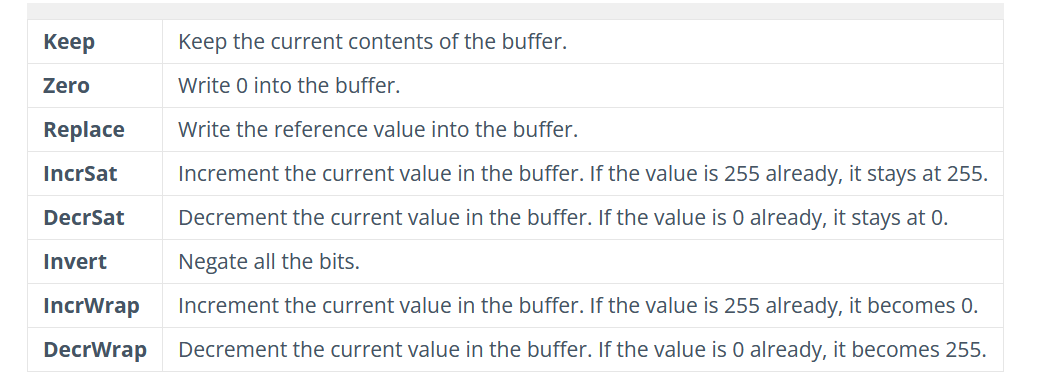
            Stencil
            {
                Ref 2
                Comp Less // Changing this does nothing, even when I change it to Never, it still renders
                Pass Keep
            }

In normal render pass:


            Stencil
            {
                Ref 2
                Comp Always
                Pass Replace
            }

(again if the above isn't sufficient the whole shader file is provided below)

#

Feel free to answer one of the two questions if you don't know both

lone otter
#

Fixed it, the normal was in object space 😅

#

Still having the stencil issue though

#

Stencil does nothing

dapper rivet
#

Mask should be ref 0 -> Always -> Increment
Outline should be ref 1 -> Equal

#

or w/e buffer values that increment onto each other

lone otter
#

but not Increment

dapper rivet
lone otter
dapper rivet
#

Odd, it shouldnt draw over the mash with this setup so only thing I can think of is the mesh is rendering after

#

Actually let me think about it

lone otter
#

I have changed the shader a little bit

#

there it is but in a gist this time so you don't gotta download it

#

I have tried swapping the locations of the passes

dapper rivet
#

Actually maybe I'm thinking the inverse

#

So mesh draws first -> buffer becomes 1 at all places where outline should not be

#

Outline draws everywhere where 1 isnt

#

so outline should also compare 0

lone otter
#

Well also when I set Comp to never

#

nothing changes

#

When I do believe it shouldn't show up at all

dapper rivet
lone otter
#

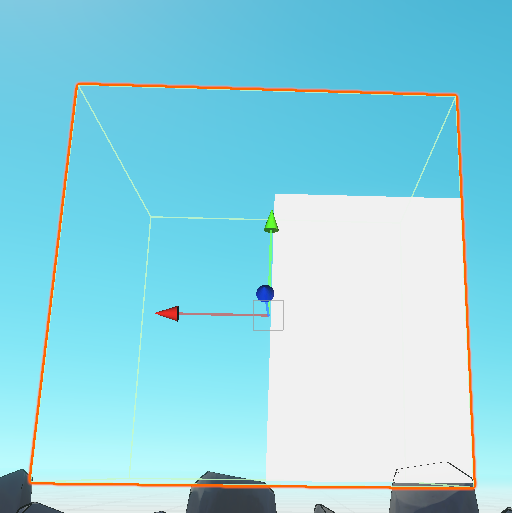
Well, now I've made a basic shader, one with an invisible cube that writes 1 to the shader buffer

#

then one that only passes if the shader buffer is one

#

and as you can see nothing has happened

#

@dapper rivet

dapper rivet
#

Are these in the opaque queue

lone otter
#

yes

#

well the clear one isnt

dapper rivet
#

clear one should be

#

because what's happening is the opaque is drawn first then the transparent so buffer values wont write from front to back

lone otter
#

still nothing happens

#
Shader "Unlit/WriteStencil"
{
    Properties
    {
        _MainTex ("Texture", 2D) = "white" {}
    }
    SubShader
    {
        Tags { "RenderType"="Opaque" "Queue"="Opaque-1" }
        LOD 100

        Pass
        {
            ZTest Always
            ZWrite Off
            ColorMask 0
            Stencil
            {
                Ref 0
                Comp Always
                Pass IncrSat
            }
            CGPROGRAM
            #pragma vertex vert
            #pragma fragment frag

            #include "UnityCG.cginc"

            struct appdata
            {
                float4 vertex : POSITION;
                float2 uv : TEXCOORD0;
            };

            struct v2f
            {
                float2 uv : TEXCOORD0;
                float4 vertex : SV_POSITION;
            };

            sampler2D _MainTex;
            float4 _MainTex_ST;

            v2f vert (appdata v)
            {
                v2f o;
                o.vertex = UnityObjectToClipPos(v.vertex);
                o.uv = TRANSFORM_TEX(v.uv, _MainTex);
                return o;
            }

            fixed4 frag (v2f i) : SV_Target
            {
                return 0;
            }
            ENDCG
        }
    }
}
#
Shader "Unlit/ReadStencil"
{
    Properties
    {
        _MainTex ("Texture", 2D) = "white" {}
    }
    SubShader
    {
        Tags { "RenderType"="Opaque" }
        LOD 100

        Pass
        {
            Stencil
            {
                Ref 1
                Comp Equal
                Pass Keep
            }
            CGPROGRAM
            #pragma vertex vert
            #pragma fragment frag

            #include "UnityCG.cginc"

            struct appdata
            {
                float4 vertex : POSITION;
                float2 uv : TEXCOORD0;
            };

            struct v2f
            {
                float2 uv : TEXCOORD0;
                float4 vertex : SV_POSITION;
            };

            sampler2D _MainTex;
            float4 _MainTex_ST;

            v2f vert (appdata v)
            {
                v2f o;
                o.vertex = UnityObjectToClipPos(v.vertex);
                o.uv = TRANSFORM_TEX(v.uv, _MainTex);
                return o;
            }

            fixed4 frag (v2f i) : SV_Target
            {
                return tex2D(_MainTex, i.uv);
            }
            ENDCG
        }
    }
}
dapper rivet
#

Seems fine to me. Like the ReadStencil should always be invis unless the mask is covering it

lone otter
#

which is not the case

#

it always shows

#

let me try in a different unity project

dapper rivet
#

It's invis for me so I'd double check your materials

lone otter
dapper rivet
lone otter
#

Yeah this is why I want to test on a different unity project

#

hmm unity is refusing to load I'll restart my pc then try again

#

same thing on a different project

#

same as the renderer in the other project

#

@dapper rivet

#

or well I did try changing the depth texture settings

#

with 0 change

dapper rivet
#

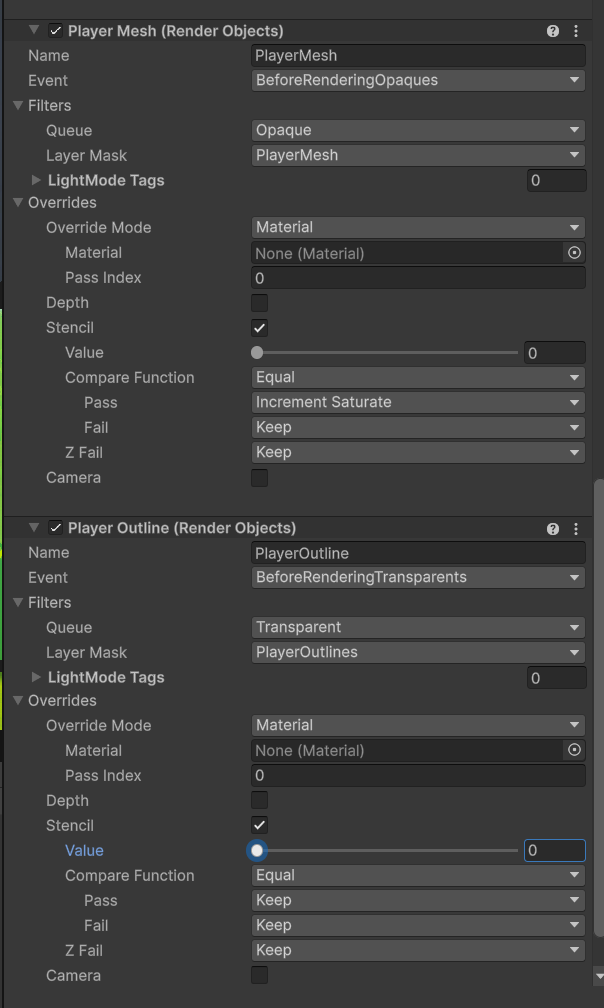
Not entirely sure what the stencil override there does but you want render objects probably

lone otter
#

Well I guess that seems to have fixed it

#

I wonder why controlling it from the shader doesn't work