#@Spazi i think im doing something wrong
1 messages · Page 1 of 1 (latest)
 prisma trellis
What is the problem at this moment precisely
And what instructions are you following
 fiery sinew
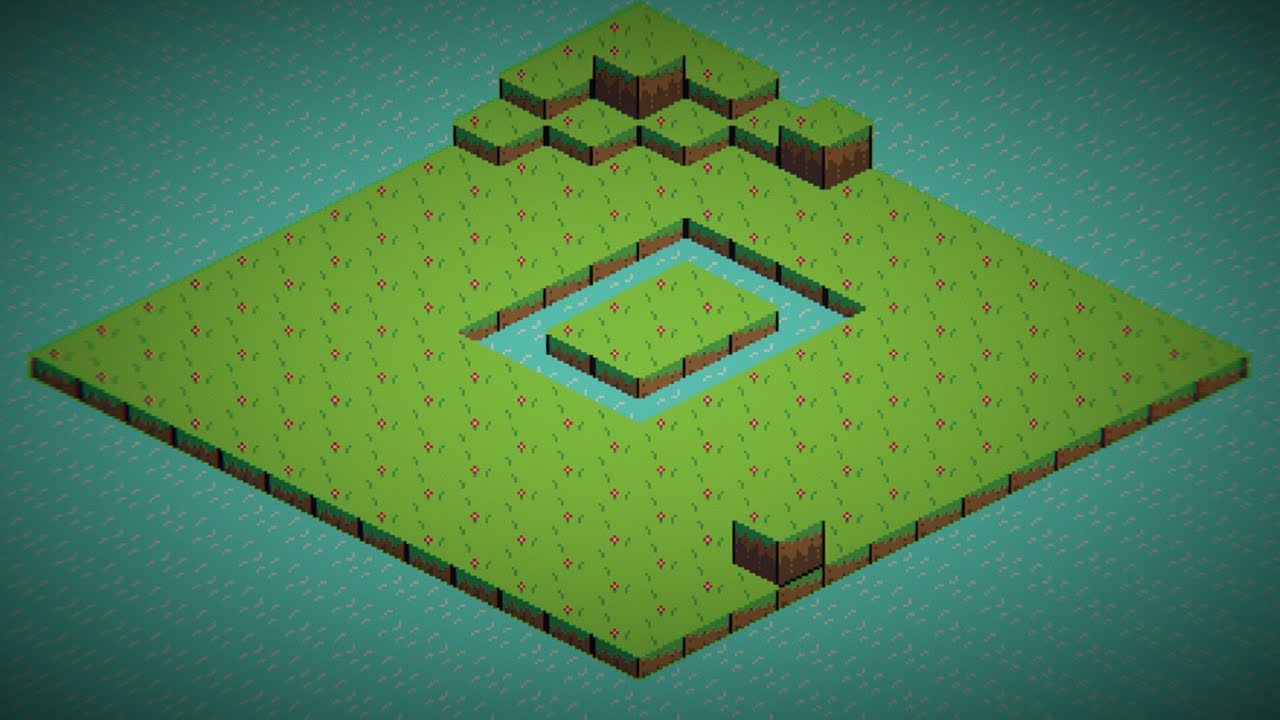
i found this tutorial on youtube
i can link it if it will help u
If you want to see some of my stuff for yourself. Check out these links:
Discord: https://discord.gg/48q2vC9mJn
Tactics Toolkit: https://assetstore.unity.com/packages/templates/packs/tactics-toolkit-238215
Tactics Toolkit Pathfinding: https://assetstore.unity.com/packages/templates/tutorials/tactics-toolkit-pathfinding-237954
Itch.io: https:...
but what's not working is that it doesn't let me pick the tile i place in the palette
@prisma trellis
here is an example
@prisma trellis could u walk me trough how to make one, i could make a new project and just try it again
@prisma trellis yo u here?
prisma trellis
fiery sinew
The ppu is wrong, and you should still enable the grid in the palette
fiery sinew
prisma trellis
The ppu is wrong, and you should still enable the grid in the palette
I cant seem to enable to grid
prisma trellis
What happens if you click the grid button?
prisma trellis
If you're using Unity 6.2 it could be a bug with it
6.2 URP specifically
So I'd test with 6.1 or 6.0 or with built-in render pipeline if you're sure you don't need urp features
 prisma trellis
fiery sinew
it isn't on URP
prisma trellis
fiery sinew
it isn't on URP
Try in another project made with 6.0
fiery sinew
alright
fiery sinew
@prisma trellissoo
6.0 half works

the grid and placing works but when i deselect it and try to select it again it doesnt really work anymore
can u help me redo the thing, maybe i did something wrong @prisma trellis
YOOO I MADE IT WORK
thanks for letting me know to 6.0
this really helped alot
prisma trellis
fiery sinew
this really helped alot
 editor problems are really tough to figure out when everything's new and confusing
That's why I pretty quickly do tests in other versions iif things aren't workinig right just to make sure I'm not scouring for an user error that's not there
fiery sinew
prisma trellis
<:UnityChanThumbsUp:885169594808029275> editor problems are really tough to figu...
hey bro im looking for an opinion, should i make the grass outline like connected if its next to other grass if you know what i mean
 prisma trellis
fiery sinew
hey bro im looking for an opinion, should i make the grass outline like connecte...
prisma trellis
fiery sinew
hey bro im looking for an opinion, should i make the grass outline like connecte...
If you wish
Rule tile of tilemap extras can do that if you want to spend the effort to make sprites for each tile connection and then set up the rule tile
fiery sinew
as you can see the tiles dont overlap eachother exactly how can i make them overlap in a easy way?
prisma trellis
There's buttons to rotate and flip tiles in the tile palette
But it doesn't really make sense to rotate isometric tiles
Flipping them sideways works to an extent, but beyond that you need new sprites for each "rotation"
prisma trellis
fiery sinew
as you can see the tiles dont overlap eachother exactly how can i make them over...
They do overlap a bit, I'm not sure what kind of overlap you are referring to
fiery sinew
prisma trellis
They do overlap a bit, I'm not sure what kind of overlap you are referring to
th tiles corners

its kinda weird
prisma trellis
The weirdness I see is because they overlap a distance less than a sprite pixel's width exactly
Which may be a result of you changing either PPU or tile's size between the last two images
fiery sinew
yeah
fiery sinew
prisma trellis
Which may be a result of you changing either PPU or tile's size between the last...
i dont rly understand this part
prisma trellis
fiery sinew
i dont rly understand this part
Can you show the last screenshot again but with grid visible?
fiery sinew

oh yeah how do i turn these weird boxes off
i accidentely turned it on when i pressed a few keys now its starting to get annoying
prisma trellis
fiery sinew
i accidentely turned it on when i pressed a few keys now its starting to get ann...
the rightmost sphere

Or the solid one

 fiery sinew
i can fix this my making them smaller?
prisma trellis
Which typically happens by altering the PPU value of the texture, or the scale of the tiles, or the size of the grid
Do you remember doing any of those in the last couple of hours?
fiery sinew
i mean
the ppu is like 8
and the pixels for the texture is about 32 x 32
i didn't think it would matter much because its WAYYY smaller when i put it to 32
prisma trellis
fiery sinew
i mean
Do you remember which relevant variables you've changed around?
PPU is "pixels per unit" so how many pixels of the sprite take up one unit
A grid cell by default has the width of one unit, but if you changed that variable it would not be so
Keeping it consistent makes it much easier for you
If your tile sprite is 32 pixels wide, you know 32 is the right PPU for a grid with 1 unit width cells
So for example you don't want to set the PPU wrong first, then scale the grid to compensate
fiery sinew
prisma trellis
Do you remember which relevant variables you've changed around?
just the pp
the ppu*
fiery sinew
prisma trellis
So for example you don't want to set the PPU wrong first, then scale the grid to...
this confuses me
like alot
prisma trellis
fiery sinew
the ppu*
If your tile sprites really are 32 real pixels in width, that should be your PPU
fiery sinew
how dom i fix it being really small on the grid?
prisma trellis
If the tiles are still too big, that would point to grid size being wrong
Or tilemap's tile scale being wrong, if you have the option to change that
prisma trellis
fiery sinew
how dom i fix it being really small on the grid?
Well, what is your grid size currently
fiery sinew
i did make the tiles bigger than the default tile size
3, 1.5, 1
cell size
here are the properties
 prisma trellis
fiery sinew
here are the properties
prisma trellis
fiery sinew
here are the properties
If we presume sprites' true PPU is 32, the error is right here
Should be 1, 0.5, 1
fiery sinew
prisma trellis
Should be 1, 0.5, 1
then the tiles are small . . .
i want the tiles to be bigger personaly
prisma trellis
fiery sinew
then the tiles are small . . .
It's a starting point
With PPU 32 and cell size 1, 0.5 what does it look like
Unless there's a third wrong scale at some point, then the grid should exactly conform each tile and vice versa
prisma trellis
fiery sinew
Like it did here
fiery sinew
prisma trellis
It's a starting point
With PPU 32 and cell size 1, 0.5 what does it look like
like ALOT of tiles

in need it to have less tiles in the field of view
prisma trellis
fiery sinew
Is the PPU really 32 in this picture
fiery sinew
i mssed around with the settings
 fiery sinew
prisma trellis
Is the PPU really 32 in this picture
fiery sinew
prisma trellis
Is the PPU really 32 in this picture
nope
prisma trellis
Like I said it should be
fiery sinew
fiery sinew
i mssed around with the settings
this looks good, i can try to make some changes and test it
prisma trellis
Don't "mess around", set the variables to the exact values they should be first
prisma trellis
fiery sinew
is there a way to change the ppu In the pallete?
No, it's a texture import setting
prisma trellis
I suppose so if the palette you have has the wrong grid scale
Or rather may be able to change it directly from the palette asset


 fiery sinew
prisma trellis
Or rather may be able to change it directly from the palette asset
fiery sinew
prisma trellis
Or rather may be able to change it directly from the palette asset
i amde a new palette with the 1, 1.5 gird scal
fixed it

@prisma trellis could u help me with this?
prisma trellis
fiery sinew
fixed it
Still not quite right
fiery sinew
prisma trellis
Still not quite right
whats glitched?
prisma trellis
Tiles are overlapping with sub-pixel offsets, like before
Though since it's the palette it doesn't really matter if it looks exact or not
But once your scene has the correct settings you can copy them over to the palette
Which doesn't have right settings currently either
You should tweak cell gap only after your tile and grid scales are correct
Which they're not because the tiles are much bigger than your grid cells
I'm still waiting to see 32 PPU, 1, 0.5, 1 grid no gap in scene view
fiery sinew
prisma trellis
I'm still waiting to see 32 PPU, `1, 0.5, 1` grid no gap in scene view
its gonna be like way smaller then
wich i dont wan ther eto be 500 tiles on the screen
prisma trellis
fiery sinew
its gonna be like way smaller then
What is going to be smaller?
If changing a variable to the right value makes the result worse, that means there are other different variables that also need to be corrected
Not that the change was wrong and you need to revert it immediately
fiery sinew
prisma trellis
What is going to be smaller?
the cels
isn't there a way to fix it with this cell size
fiery sinew
prisma trellis
Not that the change was wrong and you need to revert it immediately
true but
prisma trellis
fiery sinew
the cels
Hmm maybe you mean then your cells are smaller relative to the camera's view
Because that's also a factor
Camera size determines how many tiles can be seen relative to screen space, so also how big they appear
But importantly changing camera size is much simpler change than changing PPU and grid size and tilemap scale and what else
prisma trellis
fiery sinew
wait but what will changing the thing to 1, 0.5 and ppu to 32?
It tells us if something else than those two variables is affecting the relative size of your cells and tiles
Which is important troubleshooting information
And it establishes a standard in your scene that you can rely on
You won't have to guess or figure out how big the distance between tiles is when you're building the level or writing scripts
PPU is a value that should be standard across all your assets so their pixel sizes are always the same relative to each other, which helps tremendously when authoring more assets