#also, let's make a thread. please post
1 messages · Page 1 of 1 (latest)
 crisp lark
here
Once you pick Visual Studio Code in the external tools section, you can click "Regenerate Project Files"
 late delta
@fallow apex
crisp lark
close VSCode and double click one of your scripts
 fallow apex
wait
crisp lark
then it should be working.
also, very importantly: there must be no errors, or the package will not start working correctly
so you won't be able to pick the code editor
fallow apex
 crisp lark
If you don't see "Visual Studio Code [1.83.1]" in that list, something is not working
 crisp lark
fallow apex
crisp lark
fallow apex
open "External Tools".
 crisp lark
That looks good.
crisp lark
Click "Regenerate project files", then close VSCode and reopen it
late delta
open script from unity
fallow apex
 crisp lark
Click yes.
crisp lark
 nova imp
It works!
nova imp
It works!
well, not quite
fallow apex
ok wait
crisp lark
it wouldn't be running any analysis in that screenshot
You know it works if it shows red underlines when you type random stuff
fallow apex
crisp lark
it wouldn't be running any analysis in that screenshot
F5?
crisp lark
 nova imp
crisp lark
well, not quite
nova imp
crisp lark
well, not quite
It shows an error for the first curly brace. But yeah
fallow apex
wait*
crisp lark
fallow apex
F5?
It will start when you click "Yes, I trust the authors"
nova imp
fallow apex
wait*
Stop saying wait lol
fallow apex
FUCK
crisp lark
nova imp
It shows an error for the first curly brace. But yeah
ah, that's the syntax highlighting
nova imp
crisp lark
ah, that's the syntax highlighting
In vs code it only does a red one for me when pointing out an error.
crisp lark
nova imp
In vs code it only does a red one for me when pointing out an error.
it's smart enough to do brace matching even if there is no other analysis
nova imp
It uses other colors for normal highlighting
fallow apex
I pressed F5 and this is what happened
 nova imp
crisp lark
it's smart enough to do brace matching even if there is no other analysis
nova imp
crisp lark
it's smart enough to do brace matching even if there is no other analysis
Ohhhhh, I get it. Of course!
crisp lark
fallow apex
I pressed F5 and this is what happened
Ah, you started trying to debug the game.
fallow apex
wait
crisp lark
Click this to quit.
 nova imp
fallow apex
wait
nova imp
fallow apex
wait
Stop saying wait
crisp lark
F5 is a shortcut.
fallow apex
nova imp
Stop saying wait
I've been working with Unity for 8 hours, sorry for the brain burn.
crisp lark
you'll have a much easier time once this is working
Can you show me the Console in Unity?
I want to make sure there are no errors right now.
It'll be okay if there are errors once you get your code editor working, but for the first setup, it's important that there are no errors.


 crisp lark
You are missing a closing brace.
Even without any code analysis, VSCode can see that you have a { with no }
fallow apex
 crisp lark
Select the entire file and press ctrl + /
This will comment out every line of code. That should let Unity compile.
fallow apex
ok

 crisp lark
Click cancel. You aren't trying to debug Unity right now.
Don't hit F5. That tries to start the debugger.
fallow apex
I don't know if my debugging thing is working, my head is on fire.
fallow apex
crisp lark
Don't hit F5. That tries to start the debugger.
ok
crisp lark
We aren't trying to do that right now.
We are trying to get your code editor to show you your errors.
crisp lark
I need you to follow my instructions.
It will work.
Go back to Unity. Are there any errors in the console?
fallow apex
YES
crisp lark
crisp lark
Select the entire file and press ctrl + /
This will comment out every line of c...
Do this.
fallow apex
ctrl / just?
crisp lark
Yes. Those two keys, together.
crisp lark
crisp lark
Select the entire file and press ctrl + /
This will comment out every line of c...
Ctrl A will select all of the text in the file.
crisp lark
you can also just delete all of the code and then put it back later
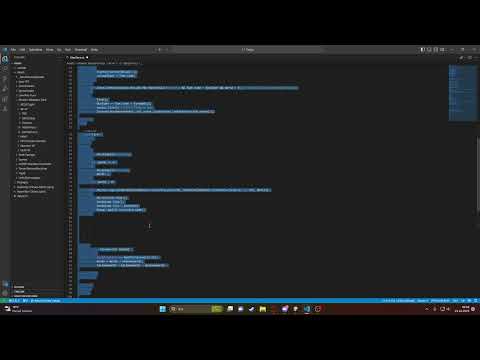 crisp lark
Do not push F5. We are not debugging Unity.
fallow apex
There's just a mistake as expected
I'll send you the code and you'll fix it and send it back or I'll faint soon.
fallow apex
 crisp lark
you just need to let unity compile correctly once
or select all of the code and cut it
and put it somewhere else for now
 crisp lark
There should now be no errors in Unity.
 crisp lark
fallow apex
It's still the same
crisp lark
fallow apex
It's still the same
You have saved the file again. Now it's back in Unity's folder. Don't do that.
crisp lark
Screenshot the console.
fallow apex
Error still present
fallow apex
crisp lark
Screenshot the console.
ok
crisp lark
I cannot read your mind here. You have to show me what you are seeing.
fallow apex
 fallow apex
ok
crisp lark
you need to get rid of that file and not save a new copy
 crisp lark
Close VSCode. Go to Preferences, make sure you still have "Visual Studio Code" picked, and click "Regenerate Project Files"
fallow apex
Currently on desktop but not installed in Unity
fallow apex
crisp lark
Close VSCode. Go to Preferences, make sure you still have "Visual Studio Code" p...
ok
I did it
@crisp lark
crisp lark
Now double click a script asset to open VSCode.
 crisp lark
this means that it couldn't set itself up correctly
 crisp lark
I would restart your computer, first.
crisp lark
One of the extensions that was installed is called ".NET Runtime Install Tool"
It is supposed to do this for you
fallow apex
I'm here
Computer
Rebooted
Open
Unity
wait
OH
@crisp lark
I started Studio and it gave no error
AH FUCK
gave
Fuck this shit, I'll rewrite the code.
crisp lark
crisp lark
this means that it couldn't set itself up correctly
It gave you this error?
fallow apex
crisp lark
this means that it couldn't set itself up correctly
Yes
 crisp lark
That won't help with the editor not working.
crisp lark
crisp lark
this means that it couldn't set itself up correctly
If this persists, then you will need to click "Get the SDK" and install it manually.
The page should look like this. Pick .NET 7.0
 crisp lark
You'll then need to restart VSCode (and maybe your computer). I think it will ask if you want to use the installed SDK
I had to do this because it was not working right on my Macbook.
fallow apex
Downloaded and installed
Computer restart
I started Studio and it gave no error
@crisp lark
crisp lark
I have seen the runtime install extension not work for several people. I wonder if there is a common problem.
crisp lark
fallow apex
I started Studio and it gave no error
Show me a screenshot of it
fallow apex
 crisp lark
Great! It's working now.
This only shows up when it's working

now you can move that file back into your project
you can also ask it to format your code for you. push ctrl + shift + p, then type "format" into the menu and hit enter
crisp lark
the ".NET SDK" is software that knows how to run and analyze C# code
fallow apex
Will I be able to see my mistakes?
crisp lark
VSCode needs it so that it can understanad your code
Yes -- you will now see them in the "Problems" window
 crisp lark
Normally, the ".NET Runtime Install Tool" extension is supposed to do this for you
But it wasn't working for some reason
maybe it was having trouble connecting
 fallow apex
fallow apex
fallow apex
.
crisp lark
It is at the bottom
 crisp lark
Clicking that will also open the Problems window
fallow apex
 fallow apex
crisp lark
Clicking that will also open the Problems window
fallow apex
crisp lark
Clicking that will also open the Problems window
okay
ok
YESSSSSSSSS
FUCKKK
YESSSSSSS

AĞAĞAĞAĞA
x:dsaDSA
I LOVE YOU DUDE
BRO
DUDE I LOVE YOU

fallow apex
❤️
crisp lark
you're welcome
fallow apex
ty