#Debugging
1 messages · Page 1 of 1 (latest)
 silent hazel
aye
 red wind
are you able to hover the values?
red wind
what values u think im talking about
red wind
make sure the breakpoint actually hit though
 devout ivy
i think it did
devout ivy
well how do i know it did
devout ivy
 silent hazel
it'll be
 silent hazel
👍 aye thats one good step
devout ivy
im hovering

 silent hazel
😄
red wind
jesus
red wind
devout ivy
yeah im seeing values
ok which values can you see
silent hazel
ur problem is code is supposed to assign a value and the error is there is no value..
ur looking for values taht are missing or not what they're supposed to be
 red wind
devout ivy
loadeddata is null
red wind
devout ivy
loadeddata is null
yes we know this for sure from the earlier NUllRef
devout ivy
yes
silent hazel
LocalRow/DefaultCompany 🤣
devout ivy
SaveFolder "C:/Users/myname/AppData/LocalLow/DamseyDiou/Eternal Dusk\saves" string
red wind
devout ivy
but its what its supposed to be
like this ?
 devout ivy
red wind
like this ?
devout ivy
red wind
like this ?
yes
red wind
saves is the folder
red wind
devout ivy
yes
can you also send script again I lost it
 devout ivy
red wind
can you also send script again I lost it
devout ivy
red wind
can you also send script again I lost it
alright
silent hazel
^ yea see SAV file
devout ivy
using System;
using System.Collections;
using System.Collections.Generic;
using UnityEngine;

public class SaveLoad : MonoBehaviour
{
    [SerializeField] private string fileName;

    [SerializeField] private MouseLook plrscrip;
    [SerializeField] private GameObject plr;

    private StaticDataSAve saveFileSystem;

    private void Start()
    {
        Debug.Log(saveFileSystem.ReadFile<SaveData>(fileName));
        Load();
    }
    private void Awake()
    {
        saveFileSystem = new();
    }
    [ContextMenu("Save")]
    public void Save()
    {
        var newSaveData = new SaveData();

        newSaveData.PlayerPosition = plr.transform.position;

        saveFileSystem.SaveFile(fileName, newSaveData);
    }
    [ContextMenu("Load")]
    public void Load()
    {
        var loadedData = saveFileSystem.ReadFile<SaveData>(fileName);

        plr.transform.position = loadedData.PlayerPosition;

    }
}
[Serializable]
public class SaveData
{
    public Vector3 PlayerPosition;
}
its in a weird state
but yk
devout ivy
what in notepad?
devout ivy
its a textfile
{"PlayerPosition":{"x":373.24957275390627,"y":19.842966079711915,"z":367.2515563964844}}
devout ivy
yeah
silent hazel
printyprint :ahem:
red wind
no becasue you don't have that
devout ivy
what am i supposed to be doing
red wind
devout ivy
what am i supposed to be doing
can u also screenshot ur editor that has this script
devout ivy
yeah
red wind
and verify by searching hierarchy t:SaveLoad
red wind
devout ivy
oh i need to dismiss the pause thing
ah yes you have to stop the debugger
press stop button
in VS
devout ivy
 silent hazel
🟥
red wind
red wind
and verify by searching hierarchy `t:SaveLoad`
did you do this
where it is
red wind
search that inside the hierarchy
silent hazel
... eh how
red wind
there should be at least 1
silent hazel
its the 1 u screenshot us
 red wind
maybe you have dyslexia or
red wind
ok I'm trying to think why it would be null. lemme test something..
also send your other scripts you copied
silent hazel
i was also testing something
devout ivy
red wind
also send your other scripts you copied
theres only one
only one other script
devout ivy
using System.Collections;
using System.Collections.Generic;
using System.IO;
using UnityEngine;

public class StaticDataSAve
{
    public string SaveFolder => Path.Combine(Application.persistentDataPath, "saves");
    public string FileExtension = ".sav";

    public StaticDataSAve()
    {
        if (!Directory.Exists(SaveFolder))
            Directory.CreateDirectory(SaveFolder);
    }
    public void SaveFile<T>(string fileName, T data)
    {
        fileName = Path.Combine(SaveFolder, fileName) + FileExtension;
        var dataString = JsonUtility.ToJson(data);
        if (File.Exists(fileName))
        {
            //damseydiou is awesome
        }

        using var file = File.Open(fileName, FileMode.Create);
        using var writer = new StreamWriter(file);
        writer.Write(dataString);
        Debug.Log($"Written File to {fileName}");
    }

    public T ReadFile<T>(string filename)
    {
        if (!File.Exists(filename))
        {
            //file doesn't exist, show error
            return default(T);
        }

        using var file = File.Open(filename, FileMode.Open);

        using var reader = new StreamReader(file);

        var dataString = reader.ReadToEnd();

        var data = JsonUtility.FromJson<T>(dataString);
        Debug.Log($"Loaded data from {filename} | ");
        return data;
    }
}
yeah
i knew it was my issue
i just didn't know what
notice i never blamed you, the creator of the tutorial
devout ivy
wait did i say that
i meant "to the best of my abilities"
but my abilities are pretty shit
red wind
no worries
devout ivy
so, what did i do
red wind
it's literally 1 line missing
devout ivy
oh no
red wind
ok let me see if I can make you see it
devout ivy
what is it?
red wind
nah lol
think about it this way
it cant find the object
that means the path is probably wrong
so knowing that is the issue , something is wrong with the path
devout ivy
alright
red wind
if we look at how we set the path inside save
devout ivy
my brain is at 3% power rn
devout ivy
omg
red wind
do you see what I mean now?
devout ivy
did i put them the wrong way round?
red wind
no no
devout ivy
or...
red wind
hint : filename
devout ivy
red wind
where did you guess that
in my head
but i thought it can't be that
but why is one camelcase and the other lowercase
red wind
wdym
devout ivy
filename and fileName
red wind
just me being tired at 3AM
devout ivy
oh
red wind
there is no difference at all
devout ivy
i know
red wind
functionally
devout ivy
but i was confused
red wind
yay!
red wind
5D chess moves
devout ivy
roughly how large would the file size of like, 1000 different variables be
i know its different every time
red wind
a few megabytes maybe
red wind
it really is much better then playerprefs aint it 😛
devout ivy
level count, settings, etc
red wind
ehh those are good to do inside a file
imagine a game where you accidentally put the wrong settings now when you boot your user is screwed without going into registry file..
easier to change a config file
🤷♂️
devout ivy
what?
devout ivy
what kind of setting doom the user
all i have is sensitivity and inversion
thats all i need
the rest is on the player
red wind
video settings i suppose
devout ivy
yeah i don't know how to do those 😜
red wind
you never put the wrong resolution on a game and it was black screen or bigger than your supported monitors?
on any game
devout ivy
not really
red wind
well games today are different
devout ivy
most games only allow the size of the monitor maximum
so thats not possible
and if it is, i can just emulate a resolution
red wind
not true always.
red wind
if the game window is bigger than the resolution on your monitor it's cutoff menu and can't click stuff
devout ivy
i know what you're saying
devout ivy
devout ivy
i can trick my monitor into thinking its 4k
but i can do this
red wind
🤷♂️ just saying this was a thing back then where you were able to just change / or force different resolutions in most game through a .ini file
red wind
just saying playerprefs is annoying for a front-end user to mess with settings intsead of just going into file
devout ivy
the average person doesn't know how to do either
what would the best way to save which gameobjects in a list are active
red wind
devout ivy
what would the best way to save which gameobjects in a list are active
depends what do you want to store, it can just be a simple bool or just only add the quantity to save
devout ivy
red wind
depends what do you want to store, it can just be a simple bool or just only add...
i have a lot ofpickupables, i want to store which ones have been picked up
red wind
devout ivy
i have a lot ofpickupables, i want to store which ones have been picked up
this one can get complex actually.
red wind
you would need to store them as items with unique iDs
devout ivy
that makes sense
red wind
devout ivy
that makes sense
like you can store what was picked up easily
the problem is not putting the same objects there when you come back
this way you can't constatly pick up the same items each load
most inventory tutorials do this
lemme see
devout ivy
yeahhh
devout ivy
red wind
this way you can't constatly pick up the same items each load
yeah thats the purpose
red wind
devout ivy
yeahhh
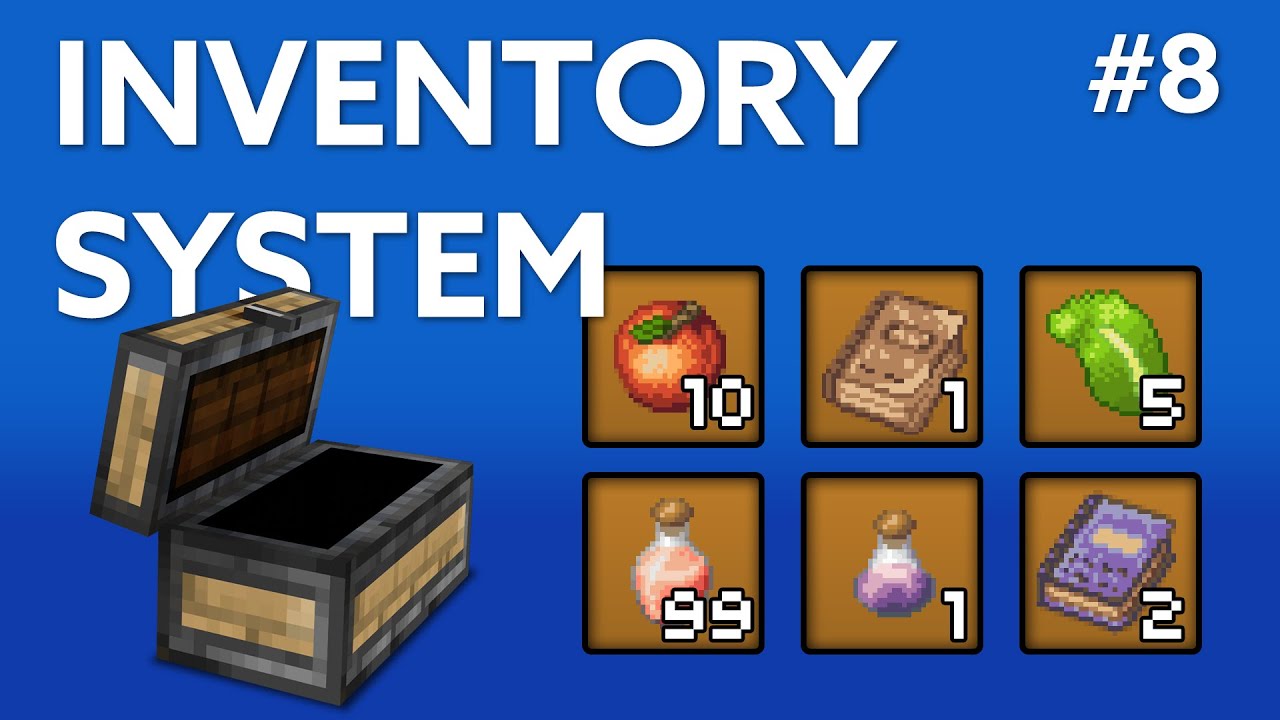
This series will teach you how to create a minecraft style inventory system in Unity 3D - this is includes stackable items, with a max stack size and the ability to split and combine stacks, and delete them from your inventory.
I show off everything we will be doing in Episode 0. I would love to expand this series if it's positively received wi...
this might help
it's for chest but the same concept applies for anything like backpacks or just inventory in general
it's part of a series so it might be confusing to just jump into only this vid
but it talks about storing unique items and such
maybe you can adapt it to simpler version for yourself
devout ivy
would it not just be best to have a lot of bools
would that not be the best way to do it
red wind
easier would be to only tell the spawner how many to spawn instead
red wind
so if spawner spawns normally 10 items.
you pick up 8 then next time you load it only spawns 2
devout ivy
i wanna spawn them i random places but idk how without just having tons of checkpoints
devout ivy
red wind
so if spawner spawns normally 10 items.
you pick up 8 then next time you load it...
but then they might be in the same place as one you already picked up
red wind
devout ivy
i wanna spawn them i random places but idk how without just having tons of check...
either that or math..
devout ivy
or someone could be like "i saw the item, i'll come back later for that"
and its not there
should i not just have 10 - 20 bools for it
red wind
devout ivy
but then they might be in the same place as one you already picked up
exactly now you see how it quickly grows to knowiing much more about the item itself
what would that do?
you need to store the item itself
devout ivy
well if i have a bool for each item which is "item.activeSelf"
and on load, item.SetActive(item.activeSelf)
or the bool that represents it
red wind
how would you tell which one to set active false 🙂
devout ivy
as i just said
you store in a bool on save, whether or not its active
then on load, setactive(thebool)
would that work?
red wind
each item needs to have that bool tho
wasPickedUp or something
I mean you can, but it gets messy
devout ivy
is that not the most efficient way to do it?
OOH
could i have like a 10 digit long integer
comprised of 1 or 0 for each item
red wind
when the item saves itself with the bool, how does it tell whos who (json file onloading)
red wind
right
devout ivy
and a bool for each item
would that work?
i would think that is literally the most optimised it can get
red wind
if it was that simple people would do it
devout ivy
because everything beyond that is, like, more
well whats the problem with it
i see no issue
 devout ivy
red wind
the only thing I can say is <:tryitandsee:1090612861178478703>
devout ivy
red wind
the only thing I can say is <:tryitandsee:1090612861178478703>
i have done this now
it works
why don't people just do that
red wind
devout ivy
why don't people just do that
huh ? do what
devout ivy
the thing i said before
about having a bool for each item
to track if its been picked up
that works, if i pick up and item, save, and load, its not there anymore
red wind
devout ivy
that works, if i pick up and item, save, and load, its not there anymore
show me
how you store it
devout ivy
using System;
using System.Collections;
using System.Collections.Generic;
using UnityEngine;

public class SaveLoad : MonoBehaviour
{
    [SerializeField] private string fileName;

    [SerializeField] private MouseLook plrScript;
    [SerializeField] private rifleit gunScript;
    [SerializeField] private GameObject plr;
    [SerializeField] private GameObject enemy;

    [SerializeField] private GameObject ammobox1;
    [SerializeField] private GameObject ammobox2;
    [SerializeField] private GameObject ammobox3;

    private StaticDataSAve saveFileSystem;

    private void Start()
    {
        Debug.Log(saveFileSystem.ReadFile<SaveData>(fileName));
        Load();
    }
    private void Awake()
    {
        saveFileSystem = new();
    }
    [ContextMenu("Save")]
    public void Save()
    {
        var newSaveData = new SaveData();

        newSaveData.PlayerPosition = plr.transform.position;
        newSaveData.Bullets = gunScript.bullets;
        newSaveData.EnemyPosition = enemy.transform.position;
        newSaveData.ammo1 = ammobox1 == null;
        newSaveData.ammo2 = ammobox2 == null;
        newSaveData.ammo3 = ammobox3 == null;

        saveFileSystem.SaveFile(fileName, newSaveData);
    }
    [ContextMenu("Load")]
    public void Load()
    {
        var loadedData = saveFileSystem.ReadFile<SaveData>(fileName);

        plr.transform.position = loadedData.PlayerPosition;
        enemy.transform.position = loadedData.EnemyPosition;
        gunScript.bullets = loadedData.Bullets;

        if (loadedData.ammo1)
        {
            Destroy(ammobox1);
        }
        if (loadedData.ammo2)
        {
            Destroy(ammobox2);
        }
        if (loadedData.ammo3)
        {
            Destroy(ammobox3);
        }
    }
}
[Serializable]
public class SaveData
{
    public Vector3 PlayerPosition;
    public Vector3 EnemyPosition;

    public int Bullets;

    public bool ammo1;
    public bool ammo2;
    public bool ammo3;
}
big code
its very unoptimised
red wind
you don't see anything wrong with that?
devout ivy
it works
red wind
it doesn't scale well
devout ivy
thats all i need
devout ivy
red wind
it doesn't scale well
well no
its unoptimised, i said
but it works
and i only need 3
so, im not bothered
red wind
alr but that should answer this #1137392799524859935 message
devout ivy
it doesn't
red wind
?
red wind
because they scale well
devout ivy
oh
devout ivy
interesting
red wind
lists / collections are used
devout ivy
yeah
red wind
but dictionary lets you store more complex data
red wind
just learn those first then put it on a saving context
devout ivy
so would it be like...
red wind
it's like a very powerful key / value collection
devout ivy
how is it different to a list
red wind
because you can use more than the index
you can use anything to lookup something
do you know how player prefs works?
same concept
key value pair system
red wind
so dictionary you can make the Key anything
red wind
it can literally be anything
it can be a whole class
or struct
so you would store basically what makes a certain item what it is
red wind
how?
devout ivy
i thought it was just string then int
devout ivy
what is T
red wind
type
devout ivy
oh
devout ivy
 red wind
devout ivy
red wind
devout ivy
lemme see the code
devout ivy
 red wind
devout ivy
red wind
devout ivy
ammoboxes[item] = true;
 devout ivy
using System;
using System.Collections;
using System.Collections.Generic;
using UnityEngine;

public class SaveLoad : MonoBehaviour
{
    [SerializeField] private string fileName;

    [SerializeField] private MouseLook plrScript;
    [SerializeField] private rifleit gunScript;
    [SerializeField] private GameObject plr;
    [SerializeField] private GameObject enemy;

    [SerializeField] private Dictionary<GameObject, bool> ammoboxes = new Dictionary<GameObject, bool>();

    private StaticDataSAve saveFileSystem;

    private void Start()
    {
        Debug.Log(saveFileSystem.ReadFile<SaveData>(fileName));
        Load();
    }
    private void Awake()
    {
        saveFileSystem = new();
    }
    [ContextMenu("Save")]
    public void Save()
    {
        var newSaveData = new SaveData();

        newSaveData.PlayerPosition = plr.transform.position;
        newSaveData.Bullets = gunScript.bullets;
        newSaveData.EnemyPosition = enemy.transform.position;
        foreach (var item in ammoboxes)
        {
            ammoboxes[item] = true;
        }

        saveFileSystem.SaveFile(fileName, newSaveData);
    }
    [ContextMenu("Load")]
    public void Load()
    {
        var loadedData = saveFileSystem.ReadFile<SaveData>(fileName);

        plr.transform.position = loadedData.PlayerPosition;
        enemy.transform.position = loadedData.EnemyPosition;
        gunScript.bullets = loadedData.Bullets;

        foreach (var item in ammoboxes)
        {

        }
    }
}
[Serializable]
public class SaveData
{
    public Vector3 PlayerPosition;
    public Vector3 EnemyPosition;

    public int Bullets;
}
here is the whole code
red wind
devout ivy
```cs
using System;
using System.Collections;
using System.Collections.Generic;
...
item is a KeyvaluePair
not GameObject
devout ivy
yeah
because its a thing on dictionary
but how do i edit the value
and how do i assign the gameobject
so many questions
red wind
you can just loop through the Keys
devout ivy
what?
red wind
foreach (var gameObject in ammoBox.Keys)
    {
        ammoBox[gameObject] = true;
}```oh i see
well i don't want to change the gameobject and im not sure why thats allowed
but either way
red wind
you're not changing the gameObject
you can name it whatever you want
gameObject is the Key
and is type GameObject
devout ivy
        foreach (bool item in ammoboxes.Values)
        {
            ammoboxes[item] = true;
        }
well it stops working when i do this
red wind
because it's wrong
devout ivy
well cheers mate
red wind
you're using the value as a key
devout ivy
well what do i do then
red wind
why did you change it from what i've sent at all
devout ivy
i have not
red wind
myarray[index]
you should probably learn these things before attempting your own ways to make save stuff
collections are the core concept of saving
red wind
it's okay to not know if you don't know, just don't make it confusing on yourself
devout ivy
they're pretty similar to lists too
red wind
list is an array
devout ivy
i do know them
devout ivy
alright, so....
red wind
thats why .Count instead of .Length
devout ivy
i gotta figure this out now
foreach (var item in ammoboxes.Keys)
        {
            ammoboxes[item] = item.activeSelf;
        }
would it be this?
wait no
red wind
storing as GameObject is worthless
devout ivy
foreach (var item in ammoboxes.Keys)
        {
            ammoboxes[item] = item == null;
        }
but...
how do i assign the ammoboxes to it
red wind
wdym assign ammoboxes
devout ivy
how do i add the gameobjects themselves to the dictionaries
devout ivy
but...
im really confused
im trying to get whether or not the gameobject is null
how is it gonna know what gameobject to do?
red wind
hey remember i mentioned why this is complex ?
red wind
storing them as unique item is the whole thing
devout ivy
so what do i do?
red wind
give them unique ids
store the whole class / info about the item
like
Dictionary<string, ItemData> ammoBox
red wind
no shit
red wind
save systems range in complexities
you can make it simpler but requires good thought out of your particular use case
devout ivy
why is all this necessary just to get a list of whether or not an item is active
red wind
devout ivy
why is all this necessary just to get a list of whether or not an item is active
how else would you do it