#Weird Friction Thread
1 messages · Page 1 of 1 (latest)
 pine hazel
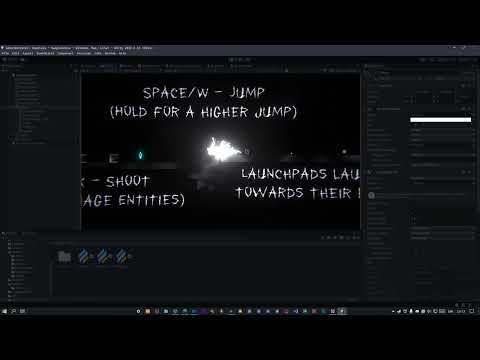
For some reason, when my player dies it's friction gets messed up
here are the scripts that affect the player:
Player, where the dying happens:
https://gdl.space/okisozaqif.cpp
Movement, where the friction happens:
https://gdl.space/ivugexedif.cs
Ground:
https://gdl.space/qijenemulo.cs
I am honestly so confused with this, any help is appreciated
pine hazel
I've also tried resetting all these values at the start of a transition which didn't help:
            _rb.velocity = Vector2.zero;
            _rb.angularVelocity = 0;
            _rb.inertia = 0;
as soon as I commented these 3 lines out it's working

I am so confused please help me
 daring lintel
so you are confident that the only difference between "friction is broken" and "friction is fine" is removing the visual effect trigger?
pine hazel
daring lintel
so you are confident that the **only** difference between "friction is broken" a...
yes I literally just tested that
daring lintel
i forget if visual effects can have any physics effects
pine hazel
yeah but vfx are finished before renabling the rb, how can it affect anything?
daring lintel
also, i'm unclear on where exactly the problem is
what timestamp should I be looking at?
and what is the expected behavior?
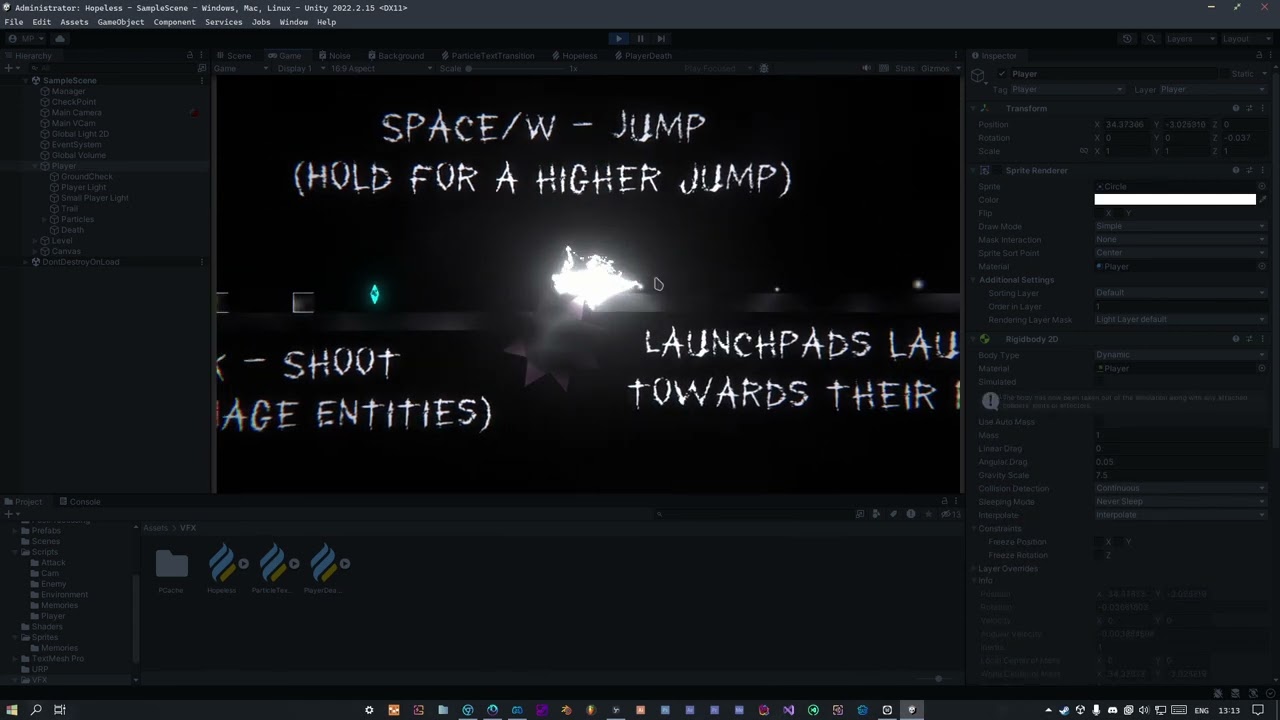 daring lintel
is the problem that the player slides to the left after landing on those spikes?
daring lintel
well, you just lerp the player directly towards a checkpoint, right?
daring lintel
ah, so it's a problem with trying to move while you're dead, specifically
i was having trouble understanding the issue
pine hazel
y
daring lintel
it is an orb sliding around; i don't have a lot of context :p
ok, i'm still confused, though: at 0:48, you land on a spiky thing, then slowly slide towards the checkpoint, ending at 0:52
pine hazel
I mean I've pretty much shown everything in the vid
daring lintel
where is the problem? is it after you reach the checkpoint? is it during the slide to the checkpoint?
pine hazel
daring lintel
ok, i'm still confused, though: at 0:48, you land on a spiky thing, then slowly ...
yes, that's how it's supposed to work
pine hazel
daring lintel
where is the problem? is it after you reach the checkpoint? is it during the sli...
after I reach the checkpoint, look at the dash
instead of stopping when I land it's sliding
daring lintel
are any errors showing up in the console?
pine hazel
nope
daring lintel
ah, i see that you die a bit earlier
and after that death, you don't drop nearly straight down after the dash ends
pine hazel
daring lintel
and after that death, you don't drop nearly straight down after the dash ends
that and when I land I keep sliding instead of stopping after a short period of time
I've tried completely disabling the friction and using the rb's drag but that didn't work either
after the first death it just feels slidy
daring lintel
i would throw a log statement into the drag function
and see if it's still being called
pine hazel
it is
with the correct value
one of the first things I've done
it's the vfx part that messes it up
I've tried disabling parts of the death script
and this is the only thing that fixes it
daring lintel
very unusual.
pine hazel
Here is something that might be of use to you
leaving the code with no comments but disabling the death effect in the hierarchy works fine
then enabling it and causing the death makes the bug appear again
but
if you disable them again in the hierarchy it goes back to normal
I'll try enabling them after disabling them again
that does owrk
men I am so confused
changing the vfx layer to default doesn't help either
this just straight up doesn't make any sense
daring lintel
i wonder if the player is interacting with the death effect in a way that messes up your movement
pine hazel
possibly but why does it suddenly work after disabling-enabling the death effect go 0_o
daring lintel
what does the death effect object's inspector look like?
pine hazel
 daring lintel
and turning the Death game object off and on fixes your friction?
daring lintel
what about turning the visual effect component off and on?
pine hazel
daring lintel
what about turning the visual effect component off and on?
sure, that's easy
I want to know why it happens tho
daring lintel
now, just for the sake of sanity-checking this
stick some other random component on it and see if toggling that does anything
something that does nothing, like a mesh renderer
it is unlikely that it'll do anything, but i want to have a very clear idea of what's going on here
pine hazel
I'll just toggle some of the particles I have on it
daring lintel
on the death object? it only has the visual effect
pine hazel
but I don't think that'll work because at the end of the script(after everything that has to do with vfx) I toggle some components
pine hazel
daring lintel
on the death object? it only has the visual effect
no, I didn't think you were talking about that obj
daring lintel
i mean just doing this manually in the inspector
If toggling other random components has no effect, then it seems conclusive that this is, indeed, somehow the fault of the visual effect on the death object
pine hazel
toggling the random component doesn't solve the issue, it has to be either the whole game object or the vfx component
daring lintel
Okay, so it really is that thing's fault.
i forget if visual effects can have colliders or anything on them
I suppose you could also try switching the effect (and commenting out the lines that set the float parameter) and seeing if the behavior is the same
pine hazel
daring lintel
I suppose you could also try switching the effect (and commenting out the lines ...
I am guessing that would make the difference even w vfx disabled because I am still changing that float
it didn't friction was fine
this is the vfx graph


if the quality is bad you can open the original
daring lintel
pine hazel
I am guessing that would make the difference even w vfx disabled because I am st...
i don't understand; can you rephrase this?
pine hazel
daring lintel
i don't understand; can you rephrase this?
wouldn't
yeah that sentence was p bad
what I was trying to say is that not affecting the float shouldn't make a difference because with the vfx disabled, changing the float didn't mess up the friction
daring lintel
oh, i just meant to disable it because i'm pretty sure you get an error if you try to set a parameter that doesn't exist
so it'd break if you changed the visual effect being used
i'm still pretty baffled by this
pine hazel
ik
I had a similar thing to this happen when I was in a play mode with the resolution set to 1920x1080 and a window scaled to to a small cube
pine hazel
it confused me but stopped happening when I resized the window
daring lintel
that explains everything
pine hazel
daring lintel
i know what it is
what
daring lintel
_playerRb.AddForce(new (-amount, 0), ForceMode2D.Impulse);
this adds a constant amount of force
every single Update()
pine hazel
yes that's kind of what it's supposed to do
daring lintel
the higher your framerate, the stronger your drag is
the particle effect is reducing your framerate
pine hazel
no way that was it 0_o
daring lintel
i was a little suspicious of that line but i didn't look closely enough at it
pine hazel
how was it reducing the framerate after the transition was done??
daring lintel
well, it's still got tons of sparks flying everywhere
pine hazel
yeah but I stopped it
and particle's lifetime is set to 4.5
4.1*
that's like a second longer than the transition it self
daring lintel
Stop() just ceases spawn events
pine hazel
daring lintel
Stop() just ceases spawn events
if you look at the graph above, i have only 1 spawn event that is set to burst iirc
daring lintel
i'd have to squint at it more to see exactly what's going on
anyway, you should be doing physics in FixedUpdate()
note that you should still do input in Update()
so, you should read the player's input in Movement.Update, then use it to apply force in Movement.FixedUpdate
daring lintel
just use ForceMode2D.Force in that case
it's equivalent to multiplying by the timestep
 pine hazel
wait really?
daring lintel
.Force says "apply this much force" -- it tells it how hard you're pushing
.Impulse says "hit it this hard"
imagine pushing on something with 1 newton of force: that's a continuous thing
so, every physics update, you tell the game "i'm still pushing on it"
impulse is instantaneous
every frame, you're telling it to add a specific amount of momentum
i had a similar problem in one of my games: mouse sensitivity went down at high framerates
i was multiplying the mouse input by deltaTime when i shouldn't have
well, i guess that's the opposite problem :p
pine hazel
ohh
daring lintel
whew, this makes a lot more sense now
daring lintel
anything else that applies force should also go into FixedUpdate, ideally
although your solution should work alright
pine hazel
also, it works just fine with the ForceMode.Impulse, is there a chance it could cause some more issues in the future? because if not, I'd like to keep the movement feeling same
pine hazel
daring lintel
anything else that applies force should also go into FixedUpdate, ideally
yeah ik, cba to re-write the code and this isn't that cpu intensive so yeah
daring lintel
AddForce(x * Time.deltaTime, ForceMode2D.Impulse)
AddForce(x, ForceMode2D.Force)
these are equivalent
pine hazel
the game is for a kind of a game challenge so optimizations/scalability isn't as important, if it works, it works
daring lintel
barring any weirdness from running them in update
pine hazel
I see, so it wouldn't make a difference from my current code other than being cleaner, will do that
didn't know that was what force was, thanks a lot
you are an absolute genius, there is no way I would've figured this one out on my own...
daring lintel
ha, i've seen a lot of things :p
pine hazel
one question, should I disable-enable the particles after dying because as we've just realised, my fps gets worse even after the transition is complete
daring lintel
It sounds like something is getting stuck
which is weird; i'd definitely expect for it to go back to normal after 4.1 seconds
i wonder if it's trying to set the position of the particles even after their lifetime ends
i'm not super familiar with visual effects
maybe ask in #✨┃vfx-and-particles
daring lintel
also, make sure to close the thread when you've got everything figured out