#archived-urp
1 messages · Page 30 of 1
 marble vigil
 warped roost
Yes
marble vigil
URP has to be installed and configured to be active
 novel palm
does urp support realtime lights with shadows?
 tiny quail
@marble vigil i've did everything to mitigate UV overlapping and i still get light bleed https://i.imgur.com/tnpv7hB.png
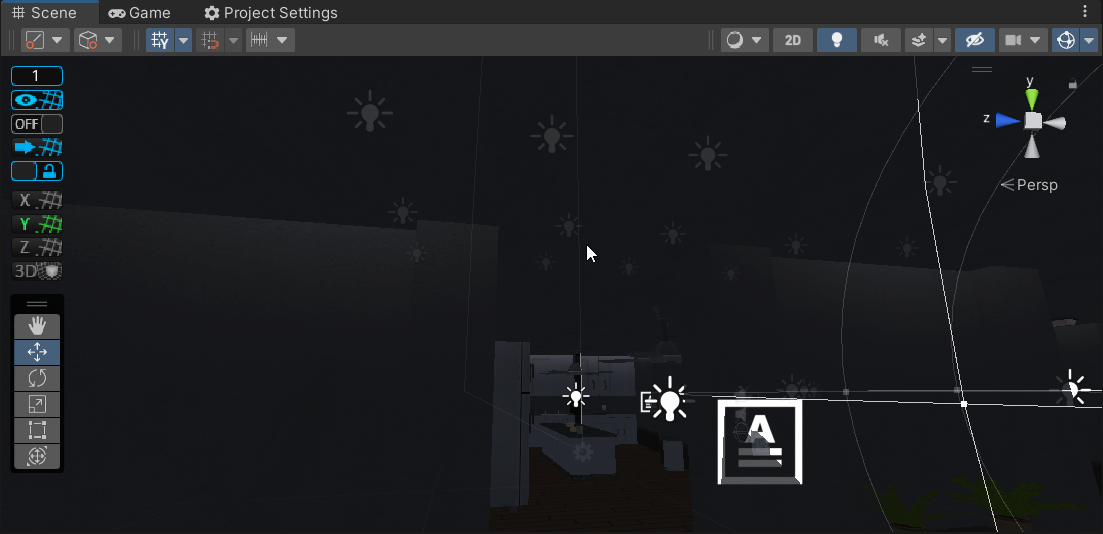
@novel palm yes, update to the latest version and it does
novel palm
tiny quail
<@410143752603172868> yes, update to the latest version and it does
what do i update, urp? i think its up to date
marble vigil
novel palm
does urp support realtime lights with shadows?
Yes, of course
Do you mean specific kind of lights
novel palm
marble vigil
Yes, of course
Do you mean specific kind of lights
i decided to update unity editor also, i mean regular point lights
 empty path
tiny quail
<@166982635950702592> i've did everything to mitigate UV overlapping and i still...
empty path
tiny quail
<@166982635950702592> i've did everything to mitigate UV overlapping and i still...
unity auto UVS are utter garbage. Make your own lightmapping UVs or use Bakery lightmapper in the asset store, which has proper UV generation
marble vigil
novel palm
i decided to update unity editor also, i mean regular point lights
Point lights shadows were added in URP 11 / editor 2021.1.
Auto UVs are not perfect but I haven't had them cause any overlaps or leaks when correctly configured
tiny quail
@novel palm update unity
novel palm
tiny quail
<@410143752603172868> update unity
i did, it works just fine
tiny quail
so it fixed it?
novel palm
tiny quail
so it fixed it?
yea
tiny quail
@marble vigil hey so im using bakery now, im not getting any more light bleeding which is fantastic but now im getting some light glitches where some walls or objects are darker or pitch black, and this here, its like the shadows and some of the texture is really bad.. https://i.imgur.com/IAtVQVu.png
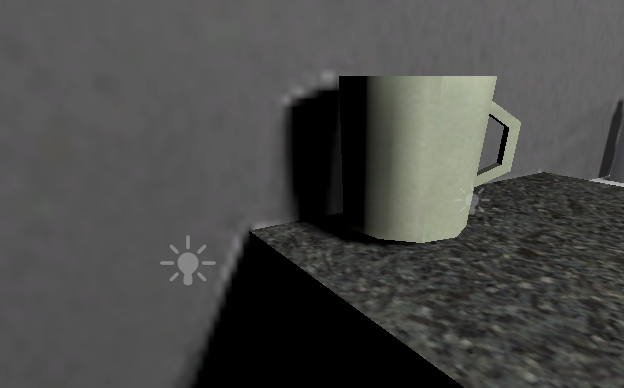 tiny quail
https://i.imgur.com/JC1V9Ng.png fixed the major issues, now have this sort of light leak...
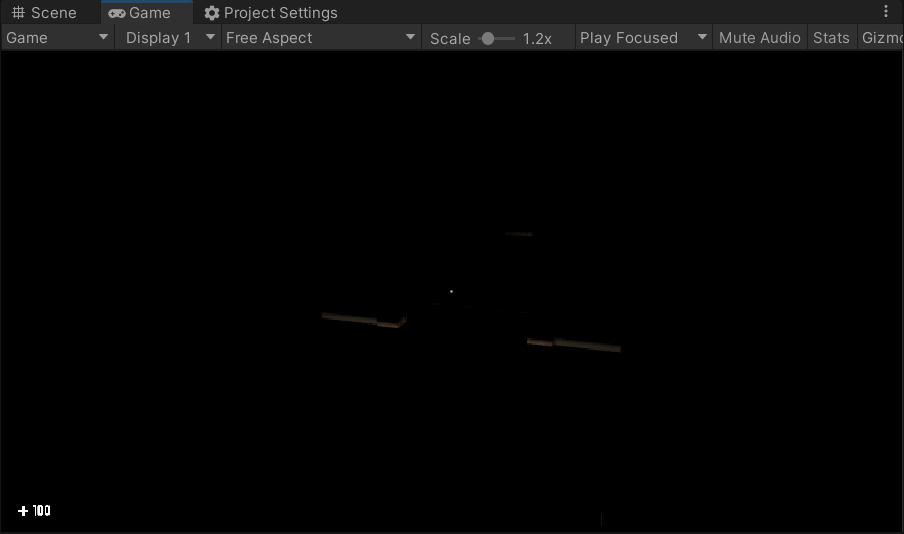 tiny quail
fixed
 foggy juniper
is there a property or function that im not using to enforce that a render pass be last in a scriptable render feature? i've got them in the desired order in AddRenderPasses, but the last one always renders first, according to the frame debugger (and visual glitches). reordering them in code does nothing.
the other two are rendered in the correct order.
the (desired) last pass is fairly simple, where i just combine the results of the channelPasses into the camera color texture with a blit + material.
public override void AddRenderPasses(ScriptableRenderer renderer, ref RenderingData renderingData) {
  renderer.EnqueuePass(channelPasses[0]);
  renderer.EnqueuePass(channelPasses[1]);
  renderer.EnqueuePass(combinePass);
}
 dry willow
foggy juniper
is there a property or function that im not using to enforce that a render pass ...
dry willow
foggy juniper
is there a property or function that im not using to enforce that a render pass ...
The passes are sorted by the renderPassEvent field of the ScriptableRenderPass.
I would assume currently each of your passes use the same value, but I believe you can also set the enum as an int, like value + 1 to force the order.
https://github.com/Unity-Technologies/Graphics/blob/b25abb44b04e7a01cf7c8e4973378a3421b2de28/Packages/com.unity.render-pipelines.universal/Runtime/Passes/ScriptableRenderPass.cs#L46
foggy juniper
gotcha, ill give it a shot
or maybe im just clueless and forgot to set the event for that pass entirely 😅 that solved it, thanks!
 tight elk
Hello guys. Big problemo - I'm trying to apply a material to a mesh, but it doesn't work (mesh is properly uv'd). When applied to a regular plane, it works as expected. Any ideas?

 oak zealot
U mind sending us a pic of the UV map, for reference
Almost looks like the middle face is of bigger scale
 sinful gorge
Does anyone have experience with copying and generating meshes in Unity?
https://forum.unity.com/threads/make-new-mesh-from-section-of-other-mesh.1279058/

Unity Forum
I want to copy a part of a mesh based on collision.
If I collide with a mesh I want to copy all triangles within a set range and generate a new mesh...
 pearl parrot
per vertex lights? unity 2019.4 lts
pearl parrot
pearl parrot
per vertex lights? unity 2019.4 lts
i found it, i don't want to ditch forward renderer tho to have more than 8 vertex lights
tight elk
oak zealot
U mind sending us a pic of the UV map, for reference
You mean this?
 oak zealot
well, some of the faces are bigger on the uv, which might result in it being textured wrongly.
tight elk
If it appears correctly in 3 other programs, it should appear correctly in Unity as well, no?
 cinder kindle
You sure you're using the right UVs in Unity @tight elk? You could have 'swap UVs' toggled in the import settings or sample from UV1 in the shader

 tiny quail
whats the issue?
tight elk
Normal map doesn't appear in this specific mesh
It works if applied in a simple Unity plane for example
tiny quail
what does it look like in the scene view?
tight elk
tight elk
Hello guys. Big problemo - I'm trying to apply a material to a mesh, but it does...
Like this
The problematic mesh is the one in the right (blob in the chest)
marble vigil
Most clues seem to point out that the mesh doesn't actually have a working UV map
tight elk
I just noticed some very minor artifacts in the blob when I zoom in extremely close

Almost like the normal map wants to pop through lol
marble vigil
You could try assigning other base map textures to it so see if they work either
Also, check that you don't have extra copies of the mesh overlapping
 marble vigil
Mmm quite sure? Didn't have any geometry hidden before you exported?
tight elk
No no, nothing

See outliner, only my 2 objects
And I also merged by distance several times, to rule out vertices close together
Normals are also ok
If I check Create from Greyscale in the texture import window, it kinda does ...something

So I know UVs are correct because these black outlines are close to the normal map
marble vigil
Looks quite bizarre!
tight elk
I know! It's quite weird...
tight elk
So I'm guessing no ideas 😅
I even remade the mesh actually, same problem! What the hell 💀
 brittle crow
hi yall I have a unique problem smh. I'm trying to convert my project to URP but the options that i should be seeing aren't there. i need to drag the URP to the settings in my project but nor is it letting me its also not coming up as an option when i try to do it manually. pleeease help I've been wasting so much time with this today
 split stone
brittle crow
hi yall I have a unique problem smh. I'm trying to convert my project to URP but...
split stone
brittle crow
hi yall I have a unique problem smh. I'm trying to convert my project to URP but...
Can you record a video of what you are seeing?
 vernal yarrow
Hey, it is possible to make trail generate lighting ? Trail will be lighting up some area
marble vigil
vernal yarrow
Hey, it is possible to make trail generate lighting ? Trail will be lighting up ...
Not a trail renderer exactly, but you can generate a trail of particles which use the Light module
Just consider the light limits of your render pipeline / rendering path
brittle crow
split stone
Can you record a video of what you are seeing?
sure
 dusty sequoia
I am trying to get view/projection matrices for VR, not sure where is the correct place
CameraData::GetGPUProjectionMatrix(int) seems to return the same thing for 0 and 1
dusty sequoia
Seems like XR with the Vulkan backend is just broken


 soft lion
 weary cliff
neither the albedo or alpha option doesnt exist in both unlit and lit shader gra...
weary cliff
neither the albedo or alpha option doesnt exist in both unlit and lit shader gra...
Albedo is called Base Color nowadays, same thing. You have to make the shader graph Transparent to get alpha value (or enable alpha clipping which works on opaque too)
weary cliff
soft lion
Albedo is called Base Color nowadays, same thing. You have to make the shader gr...
oh
 copper pilot
@feral dune use two cameras?
 rich schooner
Hi ! I want to use URP in my Unity project but when I installed Universal RP it wrote this in the console, I don't know what to do. Thank you very much for any help ^^

 night prawn
hey, a couple question :
1: Is the URP version of the surface shader still planned?
2: If so, do we have a time frame of when it's coming?
cause it's a pain to have to make changes to a ton of pass in regular text shaders when we just wanna slightly change how lighting is calculated & whatnot
 placid laurel
night prawn
hey, a couple question :
1: Is the URP version of the surface shader still plan...
placid laurel
night prawn
hey, a couple question :
1: Is the URP version of the surface shader still plan...

but they want to replace surface shaders
 night prawn
thanks
rich schooner
rich schooner
Hi ! I want to use URP in my Unity project but when I installed Universal RP it ...
I really don't understand why, and I can really start my project without it ^^
soft lion
placid laurel
but they want to replace surface shaders
just out of curiosity, do you have any extra information of the shader blocks system? it would be great to have system that was able to do things after the lighting calculations and shadows etc. sometimes it's quite frusturating how you can only change the base color etc. (using surface shaders or lit shader graph) and you can't affect the way lighting is applied or make after lighting calculations
placid laurel
soft lion
just out of curiosity, do you have any extra information of the shader blocks sy...

 merry monolith
there's a forum thread about this where Unity announced they are working toward this
basically whole SG2 stuff on github is about this
soft lion
oh thanks. the roadmap page I have seen earlier but I didn't know about the forum page
merry monolith
Unity Forum
We know that the introduction of the Scriptable Render Pipelines brought a lot of complexity to writing shaders in Unity. We are working on improving...
Timeline
So when can you get your hands on this? It won’t all come right away. Over the next year, we will release the Shader Foundry layer - including a public, supported C# API for constructing shader code in the Foundry. We will also update our Shader Graph Targets to take advantage of the new system. Along with that, we will start releasing previews of the new ShaderLab features that will become the preferred way to write shaders for Unity. If you prefer, you will still be able to write directly in the low level languages you use today. Since this all has a lot of nuance and we need to get it right, we’ll be reviewing the work in progress with a lot of people both internally and externally before we finalize and release it.```basically when Unity writes we would have previews of this at 2022, they really mean it will be in preview 2023 or 2024
expect that and you may get pleasantly surprised if they actually deliver this on original timeframe (which probably never happened with Unity)
soft lion
I thought shader blocks were something very different. this seems very hype
soft lion
merry monolith
https://forum.unity.com/threads/focusing-on-shaders.1171444/
is there any way I could find any sample made with Shader Blocks system doesn't such things exist yet?
merry monolith
there are bunch of foundry branches on github but I haven't even dared to try any of them
looking at the PRs it looks like Unity is still trying to figure out very basic functionality so I wouldn't expect it to be even close to usable yet
I also wonder if they've taken some bad path here, making this overcomplicated same way as SG (1) was
I haven't checked ANY foundry / SG2 code myself, but I've played with existing SG internals and it's clearly overengineered and overcomplicated in ways that makes it major PITA to maintain
 lusty canopy
how can I setup a camera to not clear the depth buffer on rendering?
or rather: Im using two cameras
- should only 'fill up' the depth buffer by rendering primitive meshes
- renders additional objects that should utilize the 1st camera's depth buffer
how can I achieve this?
 frigid parcel
 rich schooner
I'm still trying to install URP but it says that ^^' I don't know how to fix it at all, thank you very much for any help ^^
 rich schooner
I restarted Unity and now it says that 😭

 distant edge
why isnt emmission working in my webgl build? its working in the editor
Im using the script to enable emmision and then slowly lower it then disable it
then after it disables I set it back to its original color so it will be bright again when I repeat this process
this is whats supposed to happen
copper pilot
Anyone know what to look into to see why my reflection probes don't work in build?
 obtuse girder
Anyone quite figured out first person weapons (i.e. fov and not clipping thru walls) in URP? Google suggests a lot of random incomplete solutions that don't ever quite work right 🤔
distant edge
meshRenderer.material.EnableKeyword("_EMISSION");
        meshRenderer.material.SetVector("_EmissionColor", new Vector3(
            meshRenderer.material.GetVector("_EmissionColor").x + 1f,
            meshRenderer.material.GetVector("_EmissionColor").y + 1f,
            meshRenderer.material.GetVector("_EmissionColor").z + 1f
        ));``` this is my code for chainging the emmission ```cs
for (int i = 0; i < 15; i++)
        {
            meshRenderer.material.SetVector("_EmissionColor", new Vector3(
                meshRenderer.material.GetVector("_EmissionColor").x - 0.1f,
                meshRenderer.material.GetVector("_EmissionColor").y - 0.1f,
                meshRenderer.material.GetVector("_EmissionColor").z - 0.1f
            ));
            yield return new WaitForSeconds(0.1f);
        }
        meshRenderer.material.SetVector("_EmissionColor", normalEmissionColor);
meshRenderer.material.DisableKeyword("_EMISSION");``` pure horizon
obtuse girder
Anyone quite figured out first person weapons (i.e. fov and not clipping thru wa...
pure horizon
obtuse girder
Anyone quite figured out first person weapons (i.e. fov and not clipping thru wa...
make a second camera that only renders the FPS weapon and render that after the normal stuff
that is how its done forever
pure horizon
distant edge
```cs
meshRenderer.material.EnableKeyword("_EMISSION");
meshRenderer.mat...
if the shader variant with emission enabled is not included into the build the emission will not show in the webgl version
does it show the emission or just not the glow ?
 tribal lantern
i tried to change shadow settings, i tried to bake lightning, nothing works
it just a strected out cube, that is a wall, but the shadow circles is on every object.
placid laurel
is there a way to make box projection in URP reflection probes work ?
merry monolith
@placid laurel are you using Unity 2021.2+?
placid laurel
no
merry monolith
then no
placid laurel
but if i did use it could i?
merry monolith
they added support there
merry monolith
they added both box projection and probe blending on 2021.2
so 2021.3 has all that
just saying that you shouldn't use 2021.2 specifically since 2021.3 LTS is out already 🙂
tribal lantern
Nobody knows my problem?
merry monolith
@tribal lantern pretty hard to say anything without actually seeing the issue
your wall looks fine here
tribal lantern
cant u see the circles on the wall?
the shadow
i see them clearly
i can do a red circle where it is if u dont see xD
tribal lantern
nah its the same if i build and got full screen on and so
wait gonna paint a little
save the image to ur computer and open it full screen if u dont see
merry monolith
I can see those but was thinking you were looking for something more extreme
if you fully disable shadows, those go away?
tribal lantern
need to upgrade my project again to URP too see, but i think it dosent go away
cant understand every object have that circle shadows
merry monolith
I'm not seeing a huge issue here, considering you'd probably have textures on your flat surfaces anyway
I have to zoom in and crank up display brightness to notice that
merry monolith
have you tried changing the HDR settings on URP asset?
I'd guess that's just some limitation coming from used color buffer
but this is not my area of expertise
tribal lantern
Yeah i tried to disable HDR too but still the same
so im confused i want to upgrade my project to URP but cant becouse of the circle shadows
sinful gorge
I want a decal shader that does the same as 'zwrite off' in a regular shader pass, but applied on a decal. Does anyone know how to do this as zwite off is not a regular command
tribal lantern
Somebody knows what wrong with my shadows?
 drifting stream
I had some materials (where the texture was plain) but after upgrading to URP they got a grainy/noisy, how/where can I remove that noise? If you look at the further parts the noise starts to go away. That's what I want for the whole thing

 torpid matrix
Hello. I want to add upr to an already existing project. Once I install it through the package manager I want to create a "render pipeline asset" but the button just doesn't exist for me. Anyone got any idea what I'm donig wrong?
 distant edge
pure horizon
if the shader variant with emission enabled is not included into the build the ...
distant edge
pure horizon
if the shader variant with emission enabled is not included into the build the ...
the blocks just stay the same, nothing about then changes
 jagged moss
Hi all, am working on a 2D project and would like to ask if anyone knows how to achieve opaque/transparent layer masks for a 2D URP setup?
pure horizon
distant edge
the blocks just stay the same, nothing about then changes
check out shader variant collection to include all needed shader variants in your build game
https://docs.unity3d.com/Manual/shader-variant-collections.html
 whole fog
Is there any way I can tell these Quads to not overlap transparency?

The shader im using is irrelevant, its basically just this but with more steps in between:

and Im setting the base color to 0-255 Alpha to fade in
merry monolith
@whole fogwhat's the goal here?
whole fog
I want to make a (1) scaleable / stretchable speech bubble that uses a (2) single material that can (3) fade in / insolve / dissolve out as one;
And Im thinking the textbox and arrow parts will have to be separate elements to do that.
merry monolith
you could try doing it like this ... just make sure you have opaque texture set on your URP asset and make sure you use transparent surface type on that SG

this shows up like this:

you'd also want additional alpha clip if you need things to show through on the fully transparent parts if you have such
basically when you sample scene color like that, it doesn't actually know anything about other transparent materials behind your object, it just knows what the opaque pixel there is
if that makes sense to you
whole fog
Yea, Im reading the documentation on the scene color node atm. And trying to figure out how this works.
Thanks for the direction 🙂
Ok, I got it working. This is great. Thanks again ^^
 errant condor
hi guys, I have just installed UMA (for characters), used their converter to convert materials to URP, but characters are still pink. I am using 2021.3, and in Window\Rendering\Render Pipeline Convert are no elements to convert. Anyone can help? 🙂
 kind hedge
How do i make a light 2d only affect an image(an image has not a sprite renderer)
 queen cloak
hmm on the off chance someone knows this, but does URP defered pipeline support adding a color function to the finalgbuffer? 🤔
 opaque sinew
Anyone have experience with decal projectors in URP? My decals are rendering above my emissive materials which I do not want. In traditional shader graphs you can adjust the render queue but it looks like decals do not have the option?


The decal doesn't have a Queue Control or UserOverride option
 fair arrow
Hello, I am using URP and I have a part of my game being rendered to a rendertexture.
What is the best way to show this render texture to the camera that outputs to the game window ?
Also, how to correctly implement a system like that ?
I tried using a canvas and a RawImage but it doesn't seem like the correct solution.
 snow linden
does fog work in regular 3D not urp
 tropic breach
Hello! I wanna make a material in urp that uses a texture that loops. Basically when i scale the object the texture doesnt but instead loops itself over and over. How can i do that
tropic breach
 warped skiff
Input world space as texture uv
warped skiff
Input world space as texture uv
do you need code for this?
 pure horizon
 sage juniper
trying to pass my friend the project over github but this happens
sage juniper
trying to pass my friend the project over github but this happens
sure that he has the same unity version?
sage juniper
pure horizon
sure that he has the same unity version?
already solved, gitignore issues
but ty
 cloud pelican
hello
I got a visual like this:

The intended look:

I already set things like this

and upgrade project materials to universal RP materials

Now, the question is where did I go wrong to get the purple looking screen
 flat abyss
Helloooo
Can anyone please help find where i can disable the srp batcher??
I haven't found it anywhere, im on unity 2021.3.2f1
merry monolith
@flat abyss cs GraphicsSettings.useScriptableRenderPipelineBatching = false;
there hasn't been any menu entry for that for a long time now
you can only access the toggle via scripting api
you might be able to toggle back and forth with inspector set to debug mode too
(when you examine SRP asset)
flat abyss
hey! I actually found it
Just a sec will send a screenshot
@merry monolith here you go

its hidden, you have to press the three vertical dots on top right corner 🙂
and then it will reveal the options
merry monolith
ah, nice
 crimson tapir
Can the overridden material in a Render Object receive any lighting information? (For the 2D Renderer)
 errant isle
In shadergraph, if I multiply my 'emissive texture' by a value X, I can control its intensity. But the problem is that if that surface input is unused (no texture assigned) the emissive value will still apply to a full white color.
anyone know how to stop this? Do I add some sort of predicate branch boolean node ?
dry willow
errant isle
In shadergraph, if I multiply my 'emissive texture' by a value X, I can control ...
You can change the Texture2D property's "mode" to Black, which will make the default colour (0,0,0,0) when no texture is assigned
via the Node Settings window when the property is selected
fair arrow
Hello, I have a dialogue UI for my game that is being rendered to a Render Texture and that will display on top on whatever is in the current scene, is using a RawImage the "correct" way to display such a full-screen image ?
 flint blaze
I have a global post processing volume in my scene. But it's effects are not visible in the Editor, only when hitting 'Play' - is there a way to enable it in the Editor as well?
 barren glen
in 2D, how can I make a LineRenderer glow (have extra bloom, without affecting the rest of the scene)
 ancient barn
Can I get better performance or better occlusion culling if I use multiple small occlusion areas instead of one big area?
 fair oxide
flint blaze
I have a global post processing volume in my scene. But it's effects are not vis...
fair oxide
flint blaze
I have a global post processing volume in my scene. But it's effects are not vis...
do you have multiple cameras in the scene?

 tender mirage
anyone know how to make emissions produce light in the scene in 2021
marble vigil
tender mirage
anyone know how to make emissions produce light in the scene in 2021
Baked light with light probes or precomputed GI using Enlighten
 keen anchor
So, urp is turning all models pink and updating the textures is only a temporary fix
 indigo moon
Why are all my project normal maps like this ? They are in regular color until I set them as normal maps


Purpleish : as default texture, gray : as normal texture
marble vigil
indigo moon
Why are all my project normal maps like this ? They are in regular color until I...
Doesn't really matter as long as they work as normal maps
 little grail
Hey, my smooth materials are all sort of greyish when looked at from a particular angle. I'm having the same problem with particle systems and my water shader and it's very ugly and annoying.


Can anyone please help?
 delicate berry
I have added custom render pass and rendering objects by calling draw renderers into a separate render texture. But the RT doesn’t have the alpha values. How do I get it work please?
 spring depot
how do i make a cube cross section with urp

 proven hornet
Shaders or their order brokes when I build the game, does anybody have a solution? Pardon me, I know it is a pretty common question but I kinda stuck.

 fair oxide
little grail
Hey, my smooth materials are all sort of greyish when looked at from a particula...
fair oxide
little grail
Hey, my smooth materials are all sort of greyish when looked at from a particula...
are the lights in the scene enabled?

not sure if this is the problem, however
marble vigil
little grail
Can anyone please help?
I'd guess the normal map strength is way too high, or the normal map is in wrong color space or something similar
little grail
Alright thanks, Ill have a look
delicate berry
delicate berry
I have added custom render pass and rendering objects by calling draw renderers ...
Any one?
placid laurel
How do I exclude object from being effected by urp and be normal?
marble vigil
placid laurel
How do I exclude object from being effected by urp and be normal?
What do you mean "be normal"
placid laurel
marble vigil
What do you mean "be normal"
Look like without urp
marble vigil
placid laurel
Look like without urp
What do you think URP does, exactly?
It's not possible to exclude objects from it, but you don't really ever have to
placid laurel
adds lihgt
ok
so should i just add a light source to objects i dont want to be affected my light?
marble vigil
placid laurel
adds lihgt
Are we in 2D or 3D?
placid laurel
2d
marble vigil
Ah, if you want to exclude sprites from light, use an unlit material
placid laurel
ok
marble vigil
@placid laurel Just for the sake of clarity URP is a rendering back-end and a toolset which includes many more features than lighting, such as post processing and shaders
spring depot
How do I use URP to make a 'cross section'

where a volume of a mesh is not rendered and you see inside of it?
Like this
 spring depot
i got it to work a little better but its loaded with flaws
- it doesnt cut all the way through even if the cross section volume fully encompasses the entire box
- lighting inside is weird
- anywhere that the screen passes through the box becomes culled, not just the overlapping area
 spring depot
more examples that lack explination, I want cutaways, intersection, cross section, what word can I use?

 delicate berry
That’s stencil buffer right?
spring depot
I dont know
Im too fucking stupid to figure it out on my own and I cant find a single resoruce to help me
marble vigil
spring depot
Im too fucking stupid to figure it out on my own and I cant find a single resoru...
This looks pretty complete at a glance https://codeburst.io/unity-cross-section-shader-using-shader-graph-31c3fed0fa4f?gi=1c0319fc5047
 thorny sparrow
 lean dust
Is there a way to render a light on one camera view and not another?
 tardy beacon
How to port custom post processing stack v2 effect to override framework?
proven hornet
proven hornet
I found out that the shaders I built with the shader graph won't be rendered on the final build. The amplify and regular shaders do work but most of the shader graph shaders look ghostly. I upgraded my project to 2021.2.11f1 a while ago and It caused most of the 2d shader graph shaders to be broken, maybe this upgrade could be the reason? Can someone help me please?
merry monolith
@proven hornetcould be issue with shader stripping if it works still in editor
proven hornet
merry monolith
<@320529561584402432>could be issue with shader stripping if it works still in e...
Might be, I don't know how to deal with shader stripping.
- Shader Graph issues appeared after upgrading my Unity Version, might be a good clue?
merry monolith
@proven hornet it's another reason why it could be related to shader stripping
they redid the shader stripping on 2021.2
people have had tons of issues with it, but usually for the opposite reason (too many variants let past it)
you can try to force your own custom shaders in the build from project settings->graphics
easiest way to test this is to just up the always included shaders-array there and put one of the shaders there that misbehaves now and see if it helps
if it does help, then could try something more sophisticated solution in case you have a lot of shaders that break this way
if you distribute the content with asset bundles etc this could be some factor here as well
(I don't really know much about that side, just saying it aloud because it could be affecting this)
proven hornet
merry monolith
you can try to force your own custom shaders in the build from project settings-...
Thanks, what do you mean by forcing shaders?
Adding it to the "Always Include Shaders"?
merry monolith
next guess would be something wrong with the other resources your shaders use... like those textures
proven hornet
Another clue, shaders do write to depth buffer
merry monolith
ah, you have depth enabled on the URP asset that is used in the build?
asking in case you use different srp asset on quality overrides
proven hornet
merry monolith
ah, you have depth enabled on the URP asset that is used in the build?
I do.
 merry monolith
and you sure that URP asset is being used in the build?
I ask this because everyone isn't aware of the SRP asset overrides on different Quality tiers and Unity sets those on new projects
proven hornet
merry monolith
and you sure that URP asset is being used in the build?
Yep, just checked a few times now.
merry monolith
some kind of frame analysis tool could be handy here because you'd see what ends up in the build there
renderdoc, nsight etc
I actually don't know if unity's own frame debugger lets you hook it into builds (never tried it outside editor playtesting)
proven hornet
merry monolith
renderdoc, nsight etc
Thanks, I'll take a look
merry monolith
if those tools are not an option could also just do naive SGs that implement one part of the thing, like depth fetch and try to visualize that... see what actually breaks it in build
there's also that hidden SRP debug tool on dev builds.. I think URP has it now too?
proven hornet
merry monolith
there's also that hidden SRP debug tool on dev builds.. I think URP has it now t...
Is there a hidden SRP debug tool?
Wow
I've never used third party frame analysis tools. Don't know which is better.
merry monolith
I can't remember the keyboard shortcut but pressing gamepad's both analog stick buttons at the same time launches it
it mainly lets you visualize buffers and such
proven hornet
merry monolith
I can't remember the keyboard shortcut but pressing gamepad's both analog stick ...
Oh yeah, I accidentally pressed some button on keyboard and saw a debug interface
merry monolith
this tool only works in dev builds, Unity strips it away from release builds
proven hornet
I thought It was an asset
merry monolith
nah, that's built in
proven hornet
proven hornet
I thought It was an asset
I tried finding the same combination but have never been able to do it again :D
Unity Forum
In the Editor, when in Play mode, a "Debug Canvas" shows up automatically in the hierarchy and is visible in the Game view. It wasn't there before so I...
merry monolith
yeah that thing
not sure if Unity has even documented it being there
it has a lot of nice timing data too
Ctrl + Backspace ?
yup
I'll never remember that one 😄
the gamepad route is really easy to remember though
I dunno if this really helps all that much on your issue though
proven hornet
You can't frame debug but you can debug the primitive buffers I guess 🤔
I'll play with it for a minute
For example invisible object's wireframe is not here

🤔 But it could be about the pass they are using
The depth buffer and ambient occlusion pass sees them

This is kinda scary
Something feels so wrong
pure horizon
read the text again
proven hornet
oh crap my reading skills 😶
merry monolith
btw you really don't want to try without unused variant stripping
your build will take like days and shaders will take a ton of space
I wonder if Unity providing that option is there only for people who want to write their own shader stripping logic
proven hornet
merry monolith
renderdoc, nsight etc
Mate, I appreciate for learning about renderdoc. It is amazing!
Still looking through the results but I can see that this tool will be amazingly helpful for me in the future.
merry monolith
I personally mostly use nsight on windows but renderdoc is the industry standard tool everyone typically uses
proven hornet
Another clue, unlit shader graph shaders do work in build but the lit ones doesn't
And the lit ones does render till the d-buffer ends.


 lime schooner
I have 10bit depth, maybe on 8 bit its not visible.
warped skiff
test on different devices
marble vigil
lime schooner
Its possible to improve quality of that fog?
I think enabling dithering on the camera would improve this
Might require linear color space instead of gamma to have the full effect
But dithering is pretty magical
lime schooner
I would blame render texture but its even visible in scene view.
marble vigil
lime schooner
I would blame render texture but its even visible in scene view.
Color banding is quite universal
Monitors just can't display enough dark and dull toned color regions for smooth gradients
But as long as the renderer has enough color data, the gradients can be dithered to conceal the monitor's color limitations
lime schooner
I using render texture to downscale result image, I can do it via shader?
marble vigil
lime schooner
I using render texture to downscale result image, I can do it via shader?
Sure there are better ways to do it
The quality asset has a render scale option which can use Nearest Neighbor sampling to pixelate the screen
If that's not flexible enough you could look into custom post processing shaders
lime schooner
Well I just realised I gonna need posterize image anyway so it will reproduce it no matter what.
Im just dumb and I making issues lol.
PS1 color depth is 24 true color
marble vigil
lime schooner
Well I just realised I gonna need posterize image anyway so it will reproduce it...
Dithering would most likely turn it into noise
 marble vigil
Let me know if any of you recognize this bright fringing issue with urp SSAO

The shadows behave weirdly up close as well
Probably something with this specific mesh, normals or tangents

 final ether
any reasons why the lod cross fade doesnt work? 🤔
merry monolith
that's bit loaded question
@final ether ^
you didn't mention Unity/URP version you are using.. theree's been partial support for a while but Unity finally added full support on recent 2022.2 alphas
final ether
merry monolith
you didn't mention Unity/URP version you are using.. theree's been partial suppo...
ah, well im on 2020 and from what i searched so far it seems that you need to create a custom shader for it which i havent looked into yet
 merry sage
is there a way to convert this custom shader to URP? Because it seems like it's not working and it's just pink

 severe pivot
 merry monolith
@severe pivotyou need Unity 2021.2 or newer for this
setting is in the renderer asset
marble vigil
merry sage
is there a way to convert this custom shader to URP? Because it seems like it's ...
Not convert, but it can be remade
Looks simple enough
merry sage
This is all I changed in the shader for now

the rest is default
I would appreciate if you can tell me how to remake the same thing in URP
marble vigil
merry sage
I would appreciate if you can tell me how to remake the same thing in URP
How familiar are you with Shader Graph?
merry sage
marble vigil
How familiar are you with Shader Graph?
I've been working a lot in blender with shader nodes, does that count?
marble vigil
Sure, it's very similar
Shader Graph does generate a script which you can poke at as you wish
Writing an URP shader from scratch is much more tedious than making them in SG
merry sage
ah ok
marble vigil
@merry sage As far as I can tell this should do the same stuff as your shader
Start with a Lit Graph (or PBR graph if using an old version)
 marble vigil
merry sage
whats the difference between lit and unlit btw?
marble vigil
merry sage
whats the difference between lit and unlit btw?
Lit receives light and shadow, unlit does not

 gleaming cradle
merry sage
whats the difference between lit and unlit btw?
gleaming cradle
merry sage
whats the difference between lit and unlit btw?
Unlit does not receive light. It helps if you want to develop for mobile and save on computation
 elder quarry
Hey, im building a game for Android im currently testing it on my phone and i've run in to some performance issues. I think it has to do with my current graphics api which currently is using vulkan and opengles 3, should i change it to opengles 2?
 pearl horizon
how do i disable upscaling filter in urp?
my options is only automatic, bilinear, nearest-neighbor, fidelity-fx super resolution
i can do point filtering in the built-in render pipeline but can't find it in urp
marble vigil
pearl horizon
i can do point filtering in the built-in render pipeline but can't find it in ur...
nearest neighbor and "point" mean the same thing, I assume
pearl horizon
it is!
how stupid i am
sorry for the useless question. simple wikipedia search would've answered it
placid laurel
Can I make something Transparent cast shadows in URP
Don’t care if I need to update but can I do it :C
 quaint zodiac
hello, I have moved to a newer version of URP and one of my shaders stopped working with transparency, and the only shader graph difference is that a "sprite mask" node was added during the upgrade process, what could be causing this issue?


(couldn't find any documentation on the node itself)
((and it seems fine in the preview))
inspector view looks like this
 marble vigil
placid laurel
Can I make something Transparent cast shadows in URP
marble vigil
placid laurel
Can I make something Transparent cast shadows in URP
Sure, at least with shader graph
placid laurel
U got some reference that could help pls
 fallow aspen
is URP better than the standard renderer for mobile games now? If I'm developing a 3d mobile game in standard, is the improvement significant enough to justify a switch?
opaque sinew
Can anyone help me get this renderer feature working?https://github.com/DMeville/RefractedTransparentRenderPass/blob/main/RefractedTransparent/Assets/RefractedTransparentRenderFeature/GrabScreenFeature.cs
Unity is throwing this error when I add the feature: You can only call cameraColorTarget inside the scope of a ScriptableRenderPass. Otherwise the pipeline camera target texture might have not been created or might have already been disposed.
merry monolith
@opaque sinew unity changed slightly how you handle that stuff
It is not a big shift but cant remember the exact changes out of my head. Would refer to docs or how unity itself implements renderer features on urp (SSAO etc)
I have this VR compatible RF example that also needs cameratexture, even though that example is bit outdated now it should still run. there are two different setups on the example.
more traditional one:
https://github.com/0lento/URP_RendererFeature_SPI_Example/tree/c5f6b55871f32672d05c1742c2f0b3dc650fd399/Assets/RendererFeatures
one that uses opaquetexture directly (which means also that if you downsample opaquetexture on URP asset, it will downsample it here too):
https://github.com/0lento/URP_RendererFeature_SPI_Example/tree/main/Assets/RendererFeatures
 stoic quiver
Do i need all of these includes if im using URP?

 errant grove
So i need to use: https://docs.unity3d.com/Packages/com.unity.render-pipelines.universal@12.1/manual/universalrp-asset.html instead of https://docs.unity3d.com/ScriptReference/QualitySettings.html ? And redo my code for set the settings ?
Code like:
QualitySettings.antiAliasing = 2;
will not work anymore ?
 steep marsh
If I have Material with the standard builtin shader set to Fade then how do I convert it to URP?
steep marsh
It was from an asset in downloaded that was set up for builtin
except for albedo yeah. Looks like it should be I think. But what to do with cutout?
marble vigil
steep marsh
If I have Material with the standard builtin shader set to Fade then how do I co...
"Fade" is "transparent-alpha"
"Transparent" is "transparent-premultiply"
steep marsh
ahhhh
marble vigil
fade/alpha fades out specular reflections
transparent/premultiply preserves specular reflections
Don't know about the math beyond that
Though I'm pretty sure Unity invents a whole new meaning for premultiply whenever they implement it
 warped dove
downloading the universal render pipeline closes my project when it's done downloading, and is importing. I can't reopen the project, the loading bar appears but dissapears shortly after. Any fix to this? this has happened even after creating a fresh new project. I am trying to create a water shader using 3d.
seems to be a error in "importing(iteration 2)"
because that's where it stop loading(freezes, then closes)
when i reopen my project.
do i contact unity support for this?
can anyone help?
 cloud grotto
\ProjectName\Packages\manifest.json .. find the URP stuff and remove it
warped dove
thanks, i can re open the project
warped dove
cloud grotto
`\ProjectName\Packages\manifest.json` .. find the URP stuff and remove it
hmm, seems like it still doesnt fix the issue that i cant downlaod urp
i just retried, the same issue happened except the fact manifest.json doesnt exist
the packages folder is empty
nevermind manifest.json just showed up again
"com.unity.render-pipelines.universal" is what i delete?
it's attached to a version numbers
with a :
"com.unity.render-pipelines.universal": "12.1..6",
 mystic delta
Did you regenerate Library as well?
 sacred owl
im missing the shader graph option in my shader list, any idea what could be the problem for that?
People in the internet say i have to clone a repo for that, but that thread is years old

 warped dove
sacred owl
im missing the shader graph option in my shader list, any idea what could be the...
warped dove
sacred owl
im missing the shader graph option in my shader list, any idea what could be the...
are you talking about "PBR graph"?
mystic delta
Make sure all relevant packages were installed
 warped dove
ok
sacred owl
mystic delta
Make sure all relevant packages were installed
they should be
"Blank shader graph"
warped dove
what's this? does this mean same project is opened in two tabs?\
 mystic delta
@warped dove Library folder is in the root of the project. Delete it to regenerate and restart.
warped dove
ok
warped dove
reboot my pc?
mystic delta
sacred owl
You've installed urp as well, right?
warped dove
or reopen the project?
sacred owl
Yes
 mystic delta
You can make sure that it's not a problem with install by creating a new project with urp template and see if everything present there
sacred owl
but I cant create that "Lightweight Pipeline Asset", just some other URP Assets
mystic delta
sacred owl
This is very old
mystic delta
Use any of the tutorials on Unity Learn, they are updated.
Should make sure first you are using proper tutorial and not looking for non-existent features
sacred owl
deleting the library still wont hurt much right?
mystic delta
It's just time
warped dove
sacred owl
deleting the library still wont hurt much right?
it will just reinstall it
how do i cleanly download urp
window > package manage > select unity registry from dropdown > install right?
mystic delta
Yes. Also relevant for you <#archived-urp message>
warped dove
already tried that
mystic delta
And you get errors?
mystic delta
Your new urp project crashes Unity?
warped dove
i created a project, and started downloading urp. but while downloading unity closed(it was importing urp when it closed)
and reopening doesnt work
it starts to load then closes at "importing(iteration 2)"
mystic delta
You might not have enough memory. And/or it's install related. So make sure you install it properly. Also relevant <#497872469911404564 message>
warped dove
how much memory is needed?
 mystic delta
What does search on those errors say?
sacred owl
mystic delta
What does search on those errors say?
many people saying "got the same issue" lol
mystic delta
First of all make sure you are using updated Unity and all packages were correctly installed and not blocked by something on OS
And this step #archived-urp message
sacred owl
hmm
i just removed and reinstalled the urp from package manager and now they seem to be gone
weird
Im literally so retarded, even tho unity is retarded as well. So i was looking for the blank shader graph as you know in the shaders

there it wouldnt pop up, but than one step above the shader options are the shader graphs, they just patched it to be at a different place... why would you do that ffs
mystic delta
@sacred owl Don't use ableist slurs, please.
merry monolith
any idea why specular highlights get trashed on android platform?
with Windows platform selected:

android selected (in editor):

this seems to work correctly on 2022.2
it's broken on 2021.3
(with URP)
 glacial patrol
Hey, im currently working on a 2D game and now i want to add shadows. I created the project without URP and now i need to add the URP. I already created a new Render pipeline asset and set it in my graphics options. Now i need to upgrade my assets to the URP. For some reason the option to upgrade my assets doesnt show up. Under Edit>Rendering it only shows Materials and generate shaders included. Does someone know how i could add shadows to my project?
merry monolith
@glacial patrolthat script got replaced by render pipeline converter
I mean.. in newer URP versions
and yes, it is a mess
glacial patrol
ye actually used that one too, does my project should be pitch black after converting?
glacial patrol
merry monolith
and yes, it is a mess
oof
merry monolith
no idea how 2D projects are setup / what to expect but pitch black doesn't sound fine
glacial patrol
well isaw a video where all sprtes turned black after the upgrade
because you need to add lights
mystic delta
If your 2d shaders were swapped for lit ones you need a 2d light source
merry monolith
ah
merry monolith
did you use the material converter properly?
glacial patrol
ye
merry monolith
well.. try with that doc page instructions I guess
glacial patrol
mind if i dc stream to show you?
merry monolith
I do
glacial patrol
:/
merry monolith
I don't know anything about 2D stuff.. just know that converter exists
glacial patrol
damn
merry monolith
and there's very detailed instructions on the docs
so you better try with that first before asking others 🙂
glacial patrol
already tried xD
stoic quiver
does using URP in an all-UI build have any performance improvement or build size reduction?
 livid verge
I'm not sure I really understand how blitting works, but I've seen a few threads complaining that there's no easy way to do Graphics.Blit in URP and XR.
I just want to do what's in the example script at the bottom of the page here (copy from a texture that can't have mipmaps or aniso to a rendertexture that can):
https://support.vuplex.com/articles/how-to-fix-aliasing-on-Android
Is there another way to do this so it'll work in URP and VR?
merry monolith
@livid vergeofficial docs have blitting example
basically cmd.blit is no go
the newer the URP, better options you get with it but I dunno if they got SRP blitter fully functional yet on the newest version even
if you've stumbled to those threads, you've probably seen my example links there too
also from my old RF sample, this commit shows the difference between old cmd.blit https://github.com/0lento/URP_RendererFeature_SPI_Example/commit/4000938f9e43a644c2f4019db184e9013ba7d717
livid verge
Yeah, I saw that, but I have 10.7 in my project right now (2020.3.24f1) and not sure about upgrading right now. But also, that's for fullscreen blitting, I'm not really sure how to modify it to just one texture instead
merry monolith
what are you doing with it?
these same things apply to 10.7 too
(in fact my RF sample was for 2020.3)
livid verge
Trying to convert that example I linked to work with URP/VR basically. Their texture apparently can't directly have mipmaps or aniso or anything, because it uses some android framework, but it looks very jaggy from angles or farther away, so they give an example of blitting it to a rendertexture with both set.
merry monolith
that example on that link doesn't work for you?
I mean the full screen blit is broken in VR but you aren't trying to do that there
livid verge
The Graphics.Blit example? I think I ended up with the texture looking black with two white rectangles on it. But I also wasn't sure if I needed to make a completely new object with the rendertexture material assigned to it or if that example replaces the original texture at the end of each frame
stoic quiver
stoic quiver
does using URP in an all-UI build have any performance improvement or build size...
well it seems that build size is larger in URP, but im still not certain if performance is improved in URP over the standard renderer
merry monolith
@stoic quiver that's expected
and would that perf matter if you only use UI?
you are not exactly utilizing the renderer much
stoic quiver
merry monolith
and would that perf matter if you only use UI?
i guess every bit matters tbh; its going to be running in the background
its a bot ; i just chose unity instead of WPF or something similar because its easier to build a decent UI in
merry monolith
unity used to have something for that kind of use but I honestly can't remember what that was called
stoic quiver
hmm
livid verge
merry monolith
that example on that link doesn't work for you?
This is what the texture looks like when I try that script example. I have no idea what's going on there. It also doesn't change at all, so I'm not even sure it's updating every frame like it's supposed to

 random stone
I have a grayscale renderer feature that simply takes camera target (cameraColorTargetHandle) and turns it into grayscale (using a Blit with material/shader within the renderer feature). I also use a stencil buffer to exclude certain parts of the screen, but I think that is not related to the issue.
To the point: I noticed that when I disable MSAA in the URP Render Pipeline asset, the renderer feature breaks - everything (except fragments excluded by stencil) turns solid black. The same happens if I force disable MSAA on a rendering camera. As long as the MSAA is set to 2x or above, the effect is working.
I honestly don't have a clue why is this happening, as the effect doesnt seem to be related to MSAA in any way. Any ideas what could go wrong?
merry monolith
@livid verge there are those other ways to blit still using cmd.drawmesh
but it's bit more involved
also could check what kind of functionality SRP blitter has on 2020.3
it's very possible it wasn't a thing yet on 2020.3
opaque sinew
I've been getting this awful error like mad ever since updating to 2022.1. It makes all of my cameras, scene and game go black and requires restarting Unity. Anyone familiar? MissingReferenceException: The object of type 'UniversalAdditionalCameraData' has been destroyed but you are still trying to access it.
merry monolith
@opaque sinewyou using some custom URP package?
errant grove
It is normal that URP upgrade do this ?
https://media.discordapp.net/attachments/497872424281440267/978800428777111632/unknown.png?width=1479&height=897

 stiff bobcat
Does anyone have any experience with Unity's CommandBuffer.DrawRenderer in URP? I'm working on runtime lightmapping for our level editor, and the baking works except that it doesn't include the environment lighting (as in the SH from the skybox/ambient).
My bake shader is the same as the runtime shader (except for transforming verts into UV space of course), so my thought is maybe DrawRenderer doesn't like rendering the environment lighting for some reason? I have the pass explicitly set to -1 just to be sure, but it's just not working and I feel stuck
random stone
Is it true that the camera target cannot be blitted when the MSAA is disabled in forward rendering? Does that mean there is no way to perform custom effects on a camera target without MSAA enabled?
merry monolith
No, not true @random stone
random stone
merry monolith
No, not true <@347028693761130496>
Well, I just can't get any color texture to render properly with a custom blit, every single one outputs black screen.
I managed to get _CameraColorTexture to work ONLY with
Blit(cmd, ref renderingData, m_blitMaterial);
However, Blit functions discard the stencil buffer for me, and I do need stencil
merry monolith
Trying to do that for desktop or vr?
random stone
Desktop only
merry monolith
Should work still then
But you could also use cmd.drawmesh like they recommend today
Docs have blitting example
random stone
merry monolith
But you could also use cmd.drawmesh like they recommend today
Yes, I did that, and that's what doesn't work for me
cmd.SetViewProjectionMatrices(Matrix4x4.identity, Matrix4x4.identity);
cmd.DrawMesh(RenderingUtils.fullscreenMesh, Matrix4x4.identity, m_blitMaterial); cmd.SetViewProjectionMatrices(renderingData.cameraData.camera.worldToCameraMatrix, renderingData.cameraData.camera.projectionMatrix);```The material directly samples _CameraColorTexture (I'm only doing a grayscale effect of thee entire screen, except pixels excluded by stencil)
But it is rendered as solid black if MSAA is set to Disabled.
If MSAA is set to 2x and higher, everything works
It's apparently because the camera target handle is a different thing depending on whether MSAA is enabled or not
merry monolith
I think stencil is stored with depth buffer.. Which is handled differently when msaa is used
random stone
I though about that too, but the stencil is working even when MSAA is disabled
merry monolith
I'd start by examining this with frame debugger or with other frame analysis tool, see what data you got
random stone
That is - the pixels are still excluded, but everything else from the camera target is black
random stone
merry monolith
I'd start by examining this with frame debugger or with other frame analysis too...
I did that, it doesn't really help.
merry monolith
Is the color texture there in both cases?
random stone
No, according to the frame debugger, when the DrawMesh is used, it's just black. However, when using the Blit() function, it's there:


The upper screen shows the usage of Blit(). It does the grayscale as it should, but the stencil is discarded (I want the entities to be excluded).
The buttom one shows the usage of DrawMesh, with the same material and no other change.
For the record, this is the desired visual output:

But, as I said, this only works with MSAA enabled, which I would like to get rid of for optimization reasons
random stone
I just noticed that with Blit, the pass renders into _CameralColorAttachmentB, although in case of DrawMesh, it's _CameralColorAttachmentA.
merry monolith
yeah it does that
but you are not supposed to use it like that
(you could though)
if you conf the renderer feature like shown in examples, it works without special names like that
you could take a look at URP's own SSAO implementation too to see how they do it
random stone
I don't use these special names myself. I only use _CameraColorTexture in the shader, or alternatively, a cameraTargetHandle inside the render pass. I don't really have any control over which target is chosen here
merry monolith
I also have this sample here that may or may give some pointers on the setup https://github.com/0lento/URP_RendererFeature_SPI_Example (probably good idea to check the commits in that too since the last commit kinda changes the workflow there which may or may not be what people want)
it's been almost year since I've played with these.. but like seen on that sample, there's things like m_RenderPass.ConfigureInput(ScriptableRenderPassInput.Color); to init the thing properly
also worth noting that if you are on bleeding edge URP (Unity 2022) they have RTHandle change there in addition but the old setup is still partly backwards compatible
random stone
merry monolith
also worth noting that if you are on bleeding edge URP (Unity 2022) they have RT...
I'm aware of that, I updated most of the features I use with RTHandles. There is a backwards compatibility after all.
random stone
merry monolith
it's been almost year since I've played with these.. but like seen on that sampl...
I'll give it a go, thanks for a reference
merry monolith
ah nice.. rthandle change isn't usually that big but not everyone is aware of it hence mentioning 🙂
 merry monolith
should really update that sample for it I suppose (there's also some minor buffer setup issue on that sample too because Unity kept changing how they want those to be handled)
@candid owl that asset store asset probably also had additional URP version.. but in my experience they haven't really ported these packs with URP specifics in mind so it'll not look like that in URP
 candid owl
OK
random stone
merry monolith
it's been almost year since I've played with these.. but like seen on that sampl...
So I tried to browse through the reference code and add a few things from there, as you suggested. No difference at all.
What I really don't get is that why is either k_CameraTarget.rt or colorAttchmentHandle.rt property always null
merry monolith
if you took the very last version of that sample, it depends on URP's opaquetexture
but version prior to that does the more traditional thing
you have something like m_RenderPass.ConfigureInput(ScriptableRenderPassInput.Depth); there?
random stone
(since you mentioned opaque texture, I'd like to note that I could sample that and it would work, but it would, obviously, exclude all the transparent object from the final image, so I can't use that either. I guess it's obvious but just pointing that out)
merry monolith
yeah it's not ideal for many reasons
for example if one downsamples opaquetexture on URP asset, it would just downsample the whole effect too
so using it for final blit of your effect can be problematic
only reason I put it on that example was because Unity did similar on their own sample on their docs
but been thinking I should just omit that commit
random stone
merry monolith
you have something like m_RenderPass.ConfigureInput(ScriptableRenderPassInput.De...
I did put this into pass constructor (with .Color instead of .Depth), no difference
merry monolith
I'm out of suggestions now, but I don't really fully understand everything about these either 🙂 I just reverse engineer what Unity does for their own systems
URP SSAO depends on depth, so you could find some pointers on that code
my repo's readme has direct links to those files
altho with 2022 versions / master etc you have to use packages path in the repo now
I think the location is still same otherwise
random stone
I can see a usage of Blitter class here instead of other methods.
merry monolith
ah they moved to those already
btw Unity also updated their blit examples on that master branch
these changes are probably not mirrored on the site docs yet
I think they added more info about the srp blitter there too
keeping up with this stuff is kinda nightmare right now
they've redid these setups so many times already in recent years
it's partly because they broke the old system without having replacement out yet and they had to come up with workaround quickly
random stone
merry monolith
btw Unity also updated their blit examples on that master branch
Reading a bit more about how Blit works internally, it seems it can't really be used in any provided form, as the depth buffer is always discarded there.
 plucky sage
Hi guys! I am new to Unity and I wanted to try adding some lighting to my 2D game and from what I've looked up, it seems like installing URP and creating a Universal Render Pipeline asset is the first step, but my menus look different from everything I can find on the web. Can you guys tell me which I should use?
Edit: I'm using Unity Editor version 2021.3.3f1
 random stone
plucky sage
Hi guys! I am new to Unity and I wanted to try adding some lighting to my 2D gam...
random stone
plucky sage
Hi guys! I am new to Unity and I wanted to try adding some lighting to my 2D gam...
I'd suggest to create a new project with URP 2D template installed. It will create all the assets and settings for you.
plucky sage
random stone
I'd suggest to create a new project with URP 2D template installed. It will crea...
Would I need to start over on my project?
random stone
If you mean what amount of additional work might be necessary to port the project, I can't really tell. It depends on a project.
Do you wish to use 2D lighting?
plucky sage
I would like to
random stone
As far as I remember, you need to specifically use URP 2D Renderer to use 2D lighting
merry monolith
@random stonebut Unity's SSAO uses depth already?
or you mean rather, the stencil mods you do get cleared?
random stone
merry monolith
or you mean rather, the stencil mods you do get cleared?
Actually, if I remember correctly what the frame debugger showed, the depth is still there, it's just stencil that doesn't seem to be working.
When using any kind of Blit that is
(RenderPass.Blit, CommandBuffer.Blit, Blitter functions, etc.)
I remember reading that it's the internal Blit shader that causes the depth/stencil buffer not being considered (so not necessarily discarded as I said earlier, just ignored)
If you want to use a depth or stencil buffer that is part of the source (Render)texture, you have to manually write an equivalent of the Graphics.Blit function - i.e. Graphics.SetRenderTarget with destination color buffer and source depth buffer, setup orthographic projection (GL.LoadOrtho), setup material pass (Material.SetPass) and draw a quad (GL.Begin).
Older documentation for Graphics API
So I suppose the only viable option for my usecase is to use DrawMesh directly, which is fine, but for some reason, I can't get to the color texture of the camera with this setup.
I tried it both ways - setting any of the k_CameraTarget, renderer.CameraTargetHandle or RenderPass.colorAttachment as a global texture and sampled it in the grayscale shader
AND
Directly sampling any of the _CameraColorTexture, _CameraColorAttachmentA/B
All of these work when the MSAA is enabled, none of them work without it.
(the latter should not be used this way, but out of desperacy, I tried all of them)
errant grove
Someone have complete guide for use URP ?
random stone
errant grove
Someone have complete guide for use URP ?
opaque sinew
merry monolith
<@340309225232400385>you using some custom URP package?
I have a blit render feature installed but have tried without that package and pretty sure I still got the error. It's inconsistent and having a hard time replicating it. Sometime it will happen back to back requiring multiple restarts, others it will be hours of working in Unity before it happens.
errant grove
random stone
https://docs.unity3d.com/Packages/com.unity.render-pipelines.universal@14.0/manu...
Ok
random stone
merry monolith
No, not true <@347028693761130496>
I also find this. This is why I asked about being able to Blit the camera target in forward rendering in the first place.
How to reproduce: 1. Open the attached "Test.zip" project 2. In the Hierarchy window select Main Camera then go to Inspector window ...
merry monolith
my response to that was because I use forward without MSAA and with HDR and bunch of renderer features so it's not like completely broken as it works for things I've used it for
there could be some intermediate buffer in play tho
that being said, I dunno if the issue you linked here ever applied to URP's forward
random stone
merry monolith
there could be some intermediate buffer in play tho
Right? I think so too, there must be something, even if it was rendering directly into the backbuffer, even that should be accessable.
random stone
merry monolith
that being said, I dunno if the issue you linked here ever applied to URP's forw...
It likely doesn't but I think it's still relevant to the issue
merry monolith
if it fully broke like that, URP's own SSAO wouldn't do anything either
random stone
Fair point.
merry monolith
@random stone have you tried this without opaque texture enabled from URP asset?
merry monolith
just asked because I remember there being some issues in past with opaque texture and some RF config
but yeah.. I'd just try to mirror what others have done that worked on similar case.. there's no good docs about any of the URP internals.. those few blitting docs are all we get (unless one counts those autogenerated API docs that are IMHO useless since they just explain the obvious)
 mighty cargo
Just a few questions before I start working intensively on this approach, but how performance friendly are decals? About how many in can I expect to use in a scene before they lag? Are they mobile friendly?
random stone
mighty cargo
Just a few questions before I start working intensively on this approach, but ho...
I don't know about amounts as I only use one decal projector per scene. However, I did notice that when set to Screen Space, it is rendered in one draw call, as opposed to DBuffer methods that issues a lot more draw calls.
Generally, a couple of dozens decals should not cause any noticeable performance hit.
Not much of an info for you, I know, but hopefully this little observation of mine will be of some use
mighty cargo
random stone
Not much of an info for you, I know, but hopefully this little observation of mi...
Definitely! Thank you. I don't have any experience with it at all.
I would like to use decals in my levels to add some extra details and wearing in a more unique way, without relying on pure textures. I wasn't sure if decals or vertex painting was the route to go.
random stone
Depending on how complex your geometry is, you can opt for different methods, even simultaneously. For flat surfaces, nothing prevents you from using simple quads - it's very simplistic but it might work well if done correctly. For more complex geometry, use projected textures (decals).

 soft lion
 maiden prawn
Well, once the light ray is blocked by a shadow caster, it will not light anything after that. The reason this looks odd is because the middle box doesnt cast shadows (why would box like that not cast shadows)
mighty cargo
random stone
Depending on how complex your geometry is, you can opt for different methods, ev...
You're right, I can definitely get away with using quads in a good handful of places. Thanks!
 real dome
Does anyone knows how to make blur like that?

 covert pumice
Only way to make camera stacking not apply post processing on overlays (color adjustment) to use different renderers?
random stone
covert pumice
Only way to make camera stacking not apply post processing on overlays (color ad...
Overlay cameras cannot have different renderers AFAIK
covert pumice
random stone
Overlay cameras cannot have different renderers AFAIK
This is how we solved it currently so Color Adjustment PP doesn't affect the stacked cameras. We have one Renderer for the main camera and one for the overlays.
The volume mask on the overlay cameras seems to work for bloom effect disabling, but not for the color adjustment effect.
random stone
covert pumice
This is how we solved it currently so Color Adjustment PP doesn't affect the sta...
There was a bug in Unity that allowed to have different renderers for base and overlay cameras. This is, however, not intended by design and it has been fixed in the latest URP update.
From the URP 14.0.2. changelog:
Fixed an issue in where a user could stack cameras with different renderers and not get a warning in the editor (this is not supported).
covert pumice
🙃 Then how do they intend us to have post processing on only one of the cameras?
random stone
Well, there is a post-processing toggle on every camera
covert pumice
Which doesn't care if it's on a stack by another camera 😅
random stone
Well I just tested it in 2022.2 and it seems to be working fine
covert pumice
Ok, I'm on 2021. It works for Bloom with layer mask, but not Color Adjustments effect.
random stone
I'm testing specifically Color Adjustment as that's the only post-process effect I use in my current project. Let me check how this behaves in 2021.3, I happen to have it installed
Hmmm, I don't see any issue in 2021.3 either.
covert pumice
random stone
Hmmm, I don't see any issue in 2021.3 either.
I tried creating new project in 2021.3 and same effect.

 rare salmon
random stone
There was a bug in Unity that allowed to have different renderers for base and o...
rare salmon
random stone
There was a bug in Unity that allowed to have different renderers for base and o...
I got scared by that suggestion (as it would make the stacking feature pointless), and after a bit of looking I think the changelog message is a bit misleading. I think by renderer they mean deferrend/forward/forwardplus, not the Renderers the URP asset takes. And even then, I think the point is just to stop someone using deferred rendering on overlay cameras (see https://github.com/Unity-Technologies/Graphics/blob/master/Packages/com.unity.render-pipelines.universal/Runtime/UniversalRenderer.cs#L58 (SupportedCameraStackingTypes()) for relevant code).

GitHub
Unity Graphics - Including Scriptable Render Pipeline - Graphics/UniversalRenderer.cs at master · Unity-Technologies/Graphics
random stone
Yep, as I was trying to reproduce the issue of the fellow dev above, I noticed there is no limitation to have different renderers. As you said, the way aforementioned message is formulated is a bit misleading
 woven bough
Hi, how do I make the URP decal projectors only project on certain objects?
maiden prawn
Why do my lights knock out each other? (I already set the per object lighting limit to 8)

The light with the red circle doesn't really work

but if i delete one of the lights, it works
Is there any way to set that value over 8 somehow?
woven bough
merry monolith
<@372491168073777152>you'd have to use Unity 2022.2 for that
Is there any way to do that in currently supported versions?
merry monolith
woven bough
Is there any way to do that in currently supported versions?
not that I'm aware off
woven bough
merry monolith
not that I'm aware off
Ok, well thanks for the answer.
 upbeat sun
Hi guys, im upgrading the project from standard to urp.. But the process is very long, 4 hours for now 😦
Its normal this lot of time?
 marble vigil
maiden prawn
Why do my lights knock out each other? (I already set the per object lighting li...
marble vigil
maiden prawn
Why do my lights knock out each other? (I already set the per object lighting li...
The light limit is per mesh that's within any light's Range, so big ranges and big continuous meshes are a problem
If you can't work around those limits, you could look into deferred rendering path
It solves the light limit problem but has some tradeoffs

 merry monolith
maiden prawn
i dont have this setting
merry monolith
maiden prawn
i dont have this setting
?
maiden prawn
I cant set rendering path to deferred, i dont have that setting in my editor
as you can see on the second picture
dry willow
You need to be on a newer version of Unity/URP. I think 2021.2+
merry monolith
^
yeah, 2021.2+ is correct
they added it there
@maiden prawn in addition, I'd suggest using docs for the version you have installed yourself to avoid confusion
 zenith sun
is there a way to put shadows on an object with a composite collider and rigidbody in a tilemap?

 dark tide
hi all! I know this is not supported, but I downgraded from 2021 to 2020 and now exactly one side of my floor has this over the top flickering going on (everything else is working) - anyone have an idea where/what I could investigate?
 cyan swallow
what is the RTHandle replacement for GetTemporaryRT?
cyan swallow
cyan swallow
what is the `RTHandle` replacement for `GetTemporaryRT`?
ahh ok, its much more complicated than that... https://github.com/Unity-Technologies/Graphics/blob/632f80e011f18ea537ee6e2f0be3ff4f4dea6a11/Packages/com.unity.render-pipelines.core/Documentation~/rthandle-system-using.md
 ancient harness
how do I apply bloom to specific objects

 deft narwhal
is it possible to take advantage of some of the 2d renderer urp features in a 3d game? I want to have a 2d character (made of sprites) with a procedural pixel outline in a 3d environment. is this possible? It should be noted that in addition I would love for them to be lit by the world. Very similar to paper mario
 sand quest
Hello
I am trying to modify the fov to a render objects feature from script and i cant get it going

i mean here
I assigned this into a public ScriptableRenderFeature but not sure how to get the type render objects from it
random stone
I'm sorry to again spam about my issue some of the fellows here have been kind enough to discuss with me recently, but since I haven't been able to solve it in a span of 3 days now, I'm gonna ask again in hopes this will reach someone who might have encountered a similar issue and have been able to resolve it.
I'm trying to implement a simple fullscreen effect using a custom renderer feature. However, I am unable to retrieve the camera color texture to be able to work with it as long as the MSAA is disabled. With MSAA enabled, both ScriptableRenderPass.cameraColorTargetHandle and BuiltinRenderTextureType.CurrentActive provide the current color texture of the render target when binded into a shader and the effect is working. When MSAA is **disabled **however, both handles/identifiers result in black screen, as if they pointed to an empty (not null) texture.
So my question is - how can one get the color texture/buffer of the camera when the MSAA is disabled? I think this is a very trivial thing to do and I am unpleasantly surprised how much trouble it caused for me.
soft lion
 sick kite
Any idea as to why this is happening with my shadows?
sick kite
Any idea as to why this is happening with my shadows?
Maybe its the lights shadow near plane being too low?
merry monolith
@random stoneyou may want to share some stripped down repro project so people could take a closer look
random stone
merry monolith
<@347028693761130496>you may want to share some stripped down repro project so p...
I actually did create a stripped down project as I was trying to test this in older Unity/URP versions, just to be sure it's not a fault of my setup. I'll pack it up
random stone
Ok, here's a lightweight repro project showcasing my issue. Whoever would be kind enough to take a look, please read the README.txt in the project root, it describes the reproduction steps.
Project was created in Unity 2021.3
 ember knoll
When i change my Pipeline to URP my texture is bit disturbed how can i fix this


 worthy hemlock
Does urp have decals built in now?
random stone
worthy hemlock
Does urp have decals built in now?
Yes, it does.
worthy hemlock
random stone
Yes, it does.
Thanks
rare salmon
random stone
Ok, here's a lightweight repro project showcasing my issue. Whoever would be kin...
Just a quick speculation after looking at the RenderFeature. Are you writing to the same target as you're reading as a texture? I don't think that works. Maybe with MSAA on, it first resolves MSAA to a different buffer and thus they work as they're now separate.
random stone
rare salmon
Just a quick speculation after looking at the RenderFeature. Are you writing to ...
Thanks for taking the time to respond. Yeah, I've read about reading and writing to the same buffer not working, and it does make sense to me. This is probably why it doesn't work for me.
Although my question is - what other option do I have? I can't use any Blit function as they all cause the stencil to be ignored.
Without creating any additional temp RT, I could just use Blit function that takes ref renderingData as a parameter and it would work (the screen would turn into grayscale), except for the stencil - that would be ignored, meaning the entire screen would be grayscaled, even the objects I want to be excluded.
merry monolith
@random stone your greyscale shader is really designed for built-in, you should use HLSL syntax with URP
I don't really know where to go fixing that shader since it's nothing like URP shaders typically are
for example stencils aside, it breaks without MSAA anyway
random stone
merry monolith
<@347028693761130496> your greyscale shader is really designed for built-in, you...
Yeah, it's just a temporary thing. I'll use Shader Graph later
merry monolith
where for example my saturation pass example still does proper grayscale even without MSAA
how is the stencil really working here? I see it checked for id 2 but how is that set to the cubes?
btw, 2022.2 (maybe 2021.1 too, not sure) has fullscreen SG target and some stencil support (altho I can't remember if those stencils were for both URP and HDRP or just HDRP)
random stone
merry monolith
how is the stencil really working here? I see it checked for id 2 but how is tha...
There are two other renderer features in the URP Renderer settings - built in Render Objects feature, one for opaque, one for transparent (to simulate what I use/need in my usecase). Those features set the stencil to ref 2
random stone
merry monolith
btw, 2022.2 (maybe 2021.1 too, not sure) has fullscreen SG target and some stenc...
Yes, but as far as I can tell, the fullscreen shaders use _CameraOpaqueTexture
I actually tried it and it worked well, but transparent objects weren't included in the effect, obviously
rare salmon
Ok, after a bit of testing I got it working with a temporary RT where you copy the color first. Obviously not optimal, but with full screen effects you'll probably have to do a lot of buffer management at some point.
 merry monolith
ah, I was just about to write that you probably need intermediate texture since you are essentially reading and writing from and to the same camera color texture here
rare salmon
And with a bit fewer copying of buffers. The bit that tricked me first that you have to restore the camera depth target as that's where the stencil bits are.
 random stone
rare salmon
Ok, after a bit of testing I got it working with a temporary RT where you copy t...
random stone
rare salmon
Ok, after a bit of testing I got it working with a temporary RT where you copy t...
Since you started about not being able to read and write to the same buffer at the same time, I gave it another thought and I figured out pretty much the same solution as you did - using a temp RT, set it as a render target for color but the original depth buffer handle for depth, draw the fullscreen mesh and then just blit the RT back into the color buffer.
My solution doesn't fully work yet as now the cubes are rendered black, but it's likely my oversight somewhere. I'm sure I can combine the two to get it working now.
Thank you so much for your help guys. Not only that I got the feature working but thanks to you, I also learned a ton of new stuff just from discussing things with you and experimenting. Thank you again
merry monolith
ah I only now saw @rare salmon's earlier comment.. my bad 😄
and yeah this was the reason why the sample I put on github had intermediate RT. only way you can avoid this is if URP just provides this for you, their opaque texture is good example of this
random stone
merry monolith
and yeah this was the reason why the sample I put on github had intermediate RT....
Yeah you do need *some * texture for these effects I reckon. Whether you can use one created by the engine down the line or have to create one yourself depends on the usecase. I'm sure there's a lot of effect that can be achieved with just the opaque texture.
Do you think it would be ok to use the temp RT in case MSAA is disabled, but not creating it when MSAA is enabled? As with MSAA, the engine-created MSAA RT can be used directly, so I could save some runtime memory
merry monolith
it did kinda glitch in the editor when I opened your project
I mean it didn't blit it reliably on the editor either all the time (with MSAA enabled)
if it works reliably in build.. I don't see reason why not
random stone
merry monolith
I mean it didn't blit it reliably on the editor either all the time (with MSAA e...
Yeah, you're probably right, it might not be stable. The only thing I noticed is that the effect didn't work immediately after the Editor started, so there's that.
merry monolith
could have been the same here, didn't really do extensive testing with it 😄
random stone
Maybe I'll give it a few rounds of testing later to see how it behaves in builds. But for now, I'll leave the RT there for safety.
merry monolith
why do you use cmd.DrawMesh there btw?
I mean that whole thing is going to be incompatible with VR SPI so if you keep incompatible things there, could just keep using cmd.blit for simplicity?
I may have missed some step here though
random stone
I just tested it and the stencil is gone when you use Blit
That is due to how Blit works internally
The DrawMesh is basically what Blit does in the native code, but here, we explicitly set the render target with color and depth/stencil separately
opaque sinew
I'm trying to track down the culprit for this error:
The object of type UniversalAdditionalCameraData has been destroyed but you are still trying to access it.
Can anyone help me with where to look? I'm not destroying this component anywhere and all cameras in my stack still have the component. It results in a completely black screen in the scene and game views and requires a hard restart of Unity.
sand quest
Can someone provide me a shadergraph or any type of shader that works with gpu instancing and srp batcher? I'm trying to get this to work for 2 hours and it just wont
merry monolith
@sand quest just check the instancing on the bottom of material settings? If using shader graphs that is
 bleak elbow
hey i can't change the texture properties of the file I uploaded
 random stone
bleak elbow
hey i can't change the texture properties of the file I uploaded
random stone
bleak elbow
hey i can't change the texture properties of the file I uploaded
Create a new material and assign it where you want to use it. This looks like an imported material or such, that's why it can't be modified.
bleak elbow
random stone
Create a new material and assign it where you want to use it. This looks like an...
yes I imported the FBX format I wonder is there a way to easily import from C4D
errant grove
URP uses its own integrated post-processing solution. If you have the Post Processing Version 2 package installed in your Project, you need to delete the Post Processing Version 2 package before you install URP into your Project. When you have installed URP, you can then recreate your post-processing effects.
What mean version 2 ?
My current version of post processing asset package is 3.2.2.
 tired plover
Anybody knows a fix for Transparent render textures in URP on 2021.3?
PLEASE I'M BEGGING YOU
Alright for those who are having the same problems as I, create a new material, Particles -> unlit, set it as transparent, put your render texture on it and bam. done.
sand quest
merry monolith
<@438581357250084864> just check the instancing on the bottom of material settin...
Well, i did create a shadergraph, enabled instancing, put it on some plane, duplicated the plane in the scene 5 times, there are 5 batches. Instancing doesnt work.
 desert swan
Hello everyone. I have a problem in that I want to draw URP 2D/Lit sprites in my bullet hell game using a low level in order to abandon GO completely for bullets only.
I will immediately make a reservation that I do not want to use DOTS, since I want to make my own Data-oriented design, which I have already done in principle. And yes, I tried to rewrite to ECS from Unity, but the difference turned out to be zero (although I did not use Hybrid Renderer, but it would definitely be faster with it). And the reason why ECS from Unity equaled my decision was that I had to take components from ordinary code, which ate up a good amount of time.
Returning to the question, maybe someone has ideas to draw sprites through instancing? Because Graphics.DrawMeshInstanced wants to draw only URP/Unlit and nothing else. And with Graphics.DrawMesh, even taking into account the rejection of GO, works slower. Even with URP/Sprite Unlit doesn't want to. I tried to figure out how sprites are drawn in 2D URP, but I only realized that meshes are collected, I believe, at the stage of SRP work and I did not find how to add more meshes there. I also tried to figure out how Hybrid Renderer works, but going through the scripts I didn't find anything interesting for me. I also saw BRG, but I understood that it is very unlikely to work with 2D URP due to the fact that there is no DOTS_INSTANCING_ON keyword.
In general, if someone knows how to draw Lit sprites or add them to the rendering pass, then I will be immensely grateful.
merry monolith
@sand questyou may want to read https://docs.unity3d.com/Manual/GPUInstancing.html basically as long as the shader is SRP batcher compatible, it will use SRP batcher instead
and every SG shader is SRP Batcher compatible
you can see this if you select the shader graph and look at the inspector
 sand quest
I know, I read it. But how do I make the shadergraph or any other shader incompatible?
merry monolith
you can just turn SRP Batcher off is you don't want it
merry monolith
then look at the "Intentionally removing SRP Batcher compatibility for GameObjects" on the doc you just linked 🙂
sand quest
Man, I've looked, I dont understand what they are saying. I tried, it didnt work🤣

what does this mean? I added a random declaration in the shader's properties block, but what's unitypermaterial constant buffer? Actually, I dont even need to know what's unity permaterial. This should've done the trick right?

just added a random property, is this what I'm supposed to do?
merry monolith
@sand questyeah I dunno if that'll work
but you could just search that same shader for CBUFFER_START(UnityPerMaterial) and remove this line, along with the line CBUFFER_END later there
just leave actual content between intact
no need to add any extra properties
basically srp batcher looks for that UnityPerMaterial
sand quest
merry monolith
but you could just search that same shader for CBUFFER_START(UnityPerMaterial) a...
there is no such thing inside this shader's code
i basically duplicated the default simple lit shader
this is the simple lit shader, there is no cbuffer_start or unity per material or anything like this in this shader code
merry monolith
there should be if you use shader graph
that part is NOT in the regular property section
just use search for CBUFFER and you'll see it
sand quest
merry monolith
just use search for CBUFFER and you'll see it
just compiled a shadergraph

no such thing inside the compiled code

nor this
merry monolith
it should be like

 merry monolith
well.. you should have properties between those two lines, my screenshot was just from empty SG
sand quest
merry monolith
it should be like
I dont have those in my shadergraph complied code. Are you in URP 12?
sand quest
wtf, lol
merry monolith
you get the generated SG from this "view generated shader"?

 merry monolith
oh you are not supposed to work with compiled version at all
sand quest
so delete those and its good? let's see
merry monolith
those two lines yes, but not the float4's between them
sand quest
and take this code and make a new shader with it right?
asking because i dont really see anything happening after saving
merry monolith
it opens the shader source code on temp folder
you can use "save as" from visual studio and save it inside assets folder somewhere
sand quest
roger that
merry monolith
but you probably still need some instancing scheme to get gains from this
 merry monolith
you sure you look at the same file?
(that you saved)
it should show this

(for whatever you have there)
 merry monolith
yeah... wonder if you still need to remove those lines, maybe the macro is dumb and doesn't know about the comments? 😄
I really wouldn't know
sand quest
ok i have some weird stuff going on

check this out, lol
im deleting, searching, then it appears again
oh damn, this is in a lot of places
sand quest
its not the same
well
deleted them all
it still shows as compatible
could you give me the shader you edited?


it is the same shader
that i modified
merry monolith
just removing the first cbuffer mention makes the shader instantly incompatible for me
but real question is... why you even need this?
errant grove
Someone have fixe https://forum.unity.com/threads/urp-material-converter-loading-forever-stuck-unity-2021-2-beta.1159373/ ?
Unity Forum
Hi everyone, just upgraded my Unity 2020 project to Unity 2021.2b.
Then installed URP (Universal Pipeline Renderer).
After that figured out how to...
sand quest
merry monolith
but real question is... why you even need this?
because i have a lot of objects that are of the same mesh and material and the srp batcher is slow on them, creates a batch for each. Such as bullet shells
it creates a batch for each
but with instancing there wont be a batch for each
sand quest
merry monolith
just removing the first cbuffer mention makes the shader instantly incompatible ...
doesnt work for me :(, can you pass me the shader?
merry monolith
it wouldn't do you any good though
 long hill
apprently, MaterialPropertyBlocks cause a large drop in performance with URP. what should I use instead- surely not a new material per object?found no answer here: https://forum.unity.com/threads/what-is-a-viable-substitute-for-materialpropertyblocks-in-hdrp.1184599/
Unity Forum
I have up to a thousand game objects, each with a half dozen materials, and I want to set a single unique int to the renderer of each one, to use as an...
 ocean hinge
I think propblocks are fine
mystic delta
For anything that requires completely unique properties you can use a pool of materials to swap around.
soft lion
long hill
apprently, MaterialPropertyBlocks cause a large drop in performance with URP. ...
Unless youre using gpu instancing, you shouldnt use mpbs in urp/hdrp because it breaks the srp batching. So ig you have to choose between multiple materials or gpu instancing (which may not be faster on most cases). Im not really aware of the implementation details of srp batcher but it should make it much faster (compared to birp for example) to have multiple materials and many draw calls. From unitys blog post about srp batcher ”We aimed to speed up the general case where a Scene uses a lot of different Materials, but very few Shader variants”. That means using many materials shouldnt be a big problem, hdrp and urp are optimized to handle that better than the built-in render pipeline. You may still want to use gpu instancing in cases where theres a lot of instances of same object with same material (+ per renderer material property blocks)
long hill
thanks guys!
ocean hinge
soft lion
Unless youre using gpu instancing, you shouldnt use mpbs in urp/hdrp because it ...
You also think SRP batching is more performant than combining a bunch of meshes to one?
soft lion
ocean hinge
You also think SRP batching is more performant than combining a bunch of meshes ...
Is this referring to srp batching being more performant than gpu instancing on some cases? In general id say combining meshes would be more performant than srp batcher because every draw call has to be made anyways even though its bit cheaper with the srp batcher. Of cource combining your whole map into one mesh isnt always great idea either (lod, frustum culling, occlusion culling, z-culling etc. can make use of individual meshes)
tired plover
soft lion
Is this referring to srp batching being more performant than gpu instancing on s...
Unless you want to make AAA games with a 20 million dollar budget for Iphones 4 and Galaxy 5's, the difference in "price" between SRP batching and combining is negligible for the vast majority of use cases
 acoustic dagger
Hi i have made unlit decal in URP for my project but i want to use normal map and otehr maps which is not possible i also checked HDRP decal its too basic we cannot use alpha in that so is tjheir any way i can make lit decal. Thanks
ocean hinge
soft lion
Is this referring to srp batching being more performant than gpu instancing on s...
Doing a Towerdefense with surrounding terrain. That’s like a few hundred trees, bushes and thousands of Gras patches. I’m not sure if I should combine all of them, because they use several materials and shaders, or if I should let them cull, depending on zooming grade.
 soft lion
ocean hinge
Doing a Towerdefense with surrounding terrain. That’s like a few hundred trees, ...
soft lion
ocean hinge
Doing a Towerdefense with surrounding terrain. That’s like a few hundred trees, ...
You dont need to combine everything by hand tho, static batching should do that for you automatically. And what comes to gpu instancing, according to docs: "The threshold at which inefficiencies begin depends on the GPU, but as a general rule, don’t use GPU instancing for meshes that have fewer than 256 vertices.". So id not use gpu instancing for grass either. So id just make all the trees and grass (batching) static and make sure static batching is enabled from player settings
you can always use profiler to actually see how different options perform
ocean hinge
soft lion
you can always use profiler to actually see how different options perform
Isn’t the SRP batching more performant as Static batching?
soft lion
ocean hinge
Doing a Towerdefense with surrounding terrain. That’s like a few hundred trees, ...
Id use profiler to find out if you have a performance problem to begin with. srp batcher seems to scale very well with larger amounts of objects. I just made little experiment with over 9k objects (about 750k tris in total). with srp batcher I got 60fps (same without srp batcher was 5fps) even with one material for every object and everyone having different color (same shader for every material tho). static batching with single material I got about 100fps (so not that much better). I'm using gtx 1050ti and i5-4570 so it's somewhat bad pc these days
soft lion
ocean hinge
Isn’t the SRP batching more performant as Static batching?
static batching combines objects with same mesh and same material into single mesh so it could be bit faster but the difference doesn't seem to be too massive in my case atleast. when using same material for all the objects I got about 90fps (srp batched) and with static batching I got about 100fps
ocean hinge
soft lion
static batching combines objects with same mesh and same material into single me...
Ok, i think I have to check it individually
night prawn
hey, is there any way to do subsurface scattering in URP without writing custom shaders right now? cause I need it for an ocean shader and custom shaders are hella tedious right now, what with having to also rewrite all the other passes instead of them being generated automatically
ocean hinge
soft lion
static batching combines objects with same mesh and same material into single me...
Tested it now:
No Batching: 153 FPS, 2200 Drawcalls
Static Batching: 150 FPS, 1700 Drawcalls
Dynamic batching : 140 FPS, 956 Drawcalls
SRP Batching 190FPS, 2200 Drawcalls
Seems SRP is working best performance wise.
soft lion
ocean hinge
Tested it now:
No Batching: 153 FPS, 2200 Drawcalls
Static Batching: 150 FPS, 1...
i'm just wondering how can no batching be that fast?
ocean hinge
i dont know 😄
 cloud cradle
do any of you know why these trees only render from further away? I am using URP and this happens both in the editor and in playmode, as seen in the videoclip
soft lion
cloud cradle
do any of you know why these trees only render from further away? I am using URP...
it seems like the shader used for rendering the closer lod levels isn't compatible with urp
 broken wagon
I have a camera stack set up with URP including one main camera and one ui camera. For some reason OnMouseDown events only work with either one of the cameras (depending on what priority I set on the main camera). Is there any way to get them to trigger for both cameras (i.e. being able to click on both UI elements and world objects)?
cloud cradle
soft lion
it seems like the shader used for rendering the closer lod levels isn't compatib...
is there a way to fix that?
soft lion
cloud cradle
is there a way to fix that?
Use/make shader that supports urp?
sand quest
merry monolith
it wouldn't do you any good though
it would though, i would get to see if something is wrong with my unity. If i paste your shader and it displays as srp batcher compatible
merry monolith
@sand quest
that shader itself wouldnt do anything logical... graph here :p

just had to connect those properties somewhere so they wouldnt get stripped
sand quest
hmm
well yours is not compatible
so I'm doing something wrong without doing something wrong
glacial patrol
is it possible to make every piece of a grid in unity 2d cast a shadow? like if i want to block light with every walltile on my wall grid
empty path
ocean hinge
Tested it now:
No Batching: 153 FPS, 2200 Drawcalls
Static Batching: 150 FPS, 1...
unity's static & dynamic batching has a large overhead, it's always far better and more performant to combine meshes, there's tools out there to do it fairly easily
soft lion
I thought combining meshes is exactly what static batching does but I may be wrong then
empty path
Not sure how they do it internally but it's more complicated than that, it's better to combine it yourself, always gives better performance
 solar lotus
Does Unlit Color Map still exist in unity shaders or is it gone/replaced with something else
 steep furnace
Hey everyone, I'm trying to upgrade my project to URP from built-in pipeline. Using Unity's material upgrader, only a few shaders are upgraded to URP.
Shaders like Custom Shaders and Unlit Shaders are not being upgraded.
In the documentation of upgrading to URP, it is mentioned that we need to upgrade Custom Shaders manually. But I cannot find any proper guide for upgrading my custom shaders to work with URP. Can anyone help me out!!
Currently, I'm using Unity version: 2020.3.31f1
soft lion
steep furnace
Hey everyone, I'm trying to upgrade my project to URP from built-in pipeline. Us...
are those vertex/fragment shaders or surface shaders?
steep furnace
soft lion
are those vertex/fragment shaders or surface shaders?
I'm having all kind of shaders you mentioned in my project.
soft lion
steep furnace
I'm having all kind of shaders you mentioned in my project.
well, surface shaders are the harder ones because there's no surface shaders (yet) in urp. you have to recreate the surface shaders using lit shader graph. if you want to convert vertex/fragment shaders, you have to first learn about the differences between birp and urp shaders. cyan have made this nice tutorial about urp shaders (you can skip into the Summary of Built-in vs URP differences part for functions and keywords you have to change): https://www.cyanilux.com/tutorials/urp-shader-code/#summary
steep furnace
soft lion
well, surface shaders are the harder ones because there's no surface shaders (ye...
Sure, will look into it. Thank you.
 ocean quest
cloud cradle
do any of you know why these trees only render from further away? I am using URP...
ocean quest
cloud cradle
do any of you know why these trees only render from further away? I am using URP...
Did you figure it out? As I've had a similar issue in the past
 crimson ruin
Can I get some help setting up URP
 marsh needle
@crimson ruin u tried to set up the layer correctly?
(i read the stuff in the other channel ^^)
marsh needle
wait i do some screenshots, i figured the same stuff this week by my self out 😄
crimson ruin
Thanks so much!
marsh needle
First you create the RenderPipeline and set it up in the Graphics Settings?
marsh needle
allright
crimson ruin
Or converter or whatever


 crimson ruin
Yes
crimson ruin
I didn't make one I used the converter
marsh needle
such that, its a simple Mat.

ok if that material from you work, its ok.
ok next, you created a light?
crimson ruin
I didn't yet, but I still see everything
marsh needle
like this?
 marsh needle
crimson ruin
I didn't yet, but I still see everything
marsh needle
crimson ruin
I didn't yet, but I still see everything
Thaty unity:D
u havent a single light in, unity got a big brain, and say, i show you all, because, yeah no light 😄
marsh needle
if u set one Light, you should see nothing expect the light
marsh needle
now u have to set the target Sorting Layers ->

here u can set up with what the light u created react with
(sorry for my bad gramatic, english is not my native language)
crimson ruin
Thanks! You're grammer is fine lol
crimson ruin
Cool!
cloud cradle
ocean quest
Did you figure it out? As I've had a similar issue in the past
Nope, I still have this problem
 hot imp
Hey all, wanting to add a texture to my sun/moon. I created a procedural skybox, was wondering if I could convert that into a custom shader and add a texture field
 crystal pebble
Why does using Fade Rendering Mode on a Material seem to increase depth buffer "sensitivity"? When I put a Text Mesh Pro object just in front of a quad with a Fade mode material, the TMP is occluded even when it's 0.1 z in front of the quad, at certain depths. Even if I make the near/far range of the camera like 10 total units. This doesn't happen with Cutout mode.
steep furnace
soft lion
well, surface shaders are the harder ones because there's no surface shaders (ye...
Hey, with your help, I'm able to make my vertex and fragment shaders work in URP.
What about the surface shaders? When I explored regarding how to write surface shaders in URP, I'm getting code with thousands of lines.
Is there a simple way to write surface shaders in URP?
soft lion
steep furnace
Hey, with your help, I'm able to make my vertex and fragment shaders work in URP...
no, surface shaders simply doesn't exist on urp. easiest way is to recreate the surface shader in lit shader graph (which is pretty much same as surface shaders but in graph based form)
 lime niche
soft lion
no, surface shaders simply doesn't exist on urp. easiest way is to recreate the ...
lime niche
soft lion
no, surface shaders simply doesn't exist on urp. easiest way is to recreate the ...
Thanks for this answer. I am still recovering projects migrating to URP from SRP and struggling with following tuts that dont say URP or HDRP up front or dealing with my lack of shader graph environment/ configuration knowledge. I come from Amplify Shader world before.
soft lion
Shader fundamental are still the same on shader graph compared to amplify. Its mostly just different ui
placid laurel
soft lion
Shader fundamental are still the same on shader graph compared to amplify. Its m...
In some way yes, but Amplify have more features(transmission, translucency, tessellation)
soft lion
placid laurel
In some way yes, but Amplify have more features(transmission, translucency, tess...
Are those graph types or what? Hdrp sg supports tessellation too nowadays. Im not very familiar with amplify but I just meant the process of making shaders and the way you have to approach problems is very similiar