#archived-urp
1 messages · Page 29 of 1
 polar kettle
 upper lake
(not sure if this is your problem though)
upper lake
(not sure if this is your problem though)
I will have a look at it in the morning! Will let you know! Thank you!!
 empty yew
where is dat
polar kettle
This helped to Understand the problem better. But iam not gonna do all those steps for ALL my assets. thats alot of work, thats why i use Substance. So iam trying to figure how to fix it with substance
 placid laurel
Hi my dears, im on 2021.2.18, apparently changing something in the URP asset doesn't bring any difference on the viewport (i.e. I disabled shadows but no change)
placid laurel
polar kettle
This helped to Understand the problem better. But iam not gonna do all those ste...
try dithering

Also


 placid laurel
16bit + None Compression - suicide for memory
polar kettle
this is the result..
placid laurel
polar kettle
this is the result..
export in TGA
polar kettle
placid laurel
16bit + None Compression - suicide for memory
iknow, but ia mtrying to fix those jagged artifacts
allright
tga is 8 bit tho

same result

this is the HP
placid laurel
still not having any change in viewport upon changing the URP asset, can't work on the scene like that. Any tips on what may be wrong?
polar kettle
placid laurel
still not having any change in viewport upon changing the URP asset, can't work ...
do you have your URP asset assigned in the project settings?
placid laurel
yep, i tried now to swap it with some others but still no changes
polar kettle
placid laurel
yep, i tried now to swap it with some others but still no changes
Thats weird...
did you assign it to the right quality setting as well?
placid laurel
I get this prompt I wasn't used to
 polar kettle
can yyou take a screen from the quality settings window
placid laurel
Oh! my mistake, I didn't know there should be a reference in the quality settings too (was it like that in 2020? I don't recon). Thanks!
polar kettle
yeah iam using 2020 URP XD
placid laurel
thanks, you saved me some cigarette breaks yelling against god ❤️
polar kettle
well i just did that because of my problem XD
polar kettle
oke, iam beginning to read online that unity only supports 8 bit normals? So then its impossible to fix the bit depth? it might be from older articles but i would not know a fix anymore#
 grim sequoia
Hello, I'm looking for a way to change the deferred shader rendering but I can't find the option, I'm using unity 2021.16, URP and Cinema machine
 merry monolith
@grim sequoia deferred is supported on URP 12+ / Unity 2021.2+
if you are on Unity 2021.1 you have to update to 2021.2 to be able to use deferred
grim sequoia
merry monolith
<@!332123209929457664> deferred is supported on URP 12+ / Unity 2021.2+
thx!
 merry monolith

Take deep dive into how to use and configure the Universal Render Pipeline (URP) and its diverse scalable features to achieve performant but beautiful visual content on each target platform.
Speakers:
Felipe Lira (Senior Manager, Graphics Engineering, Unity)
Jonas Mortensen (Technical Artist, Unity)
 neon oak
is there a way to disable frustum culling from happening alltogher when using URP?
 clear sentinel
SOme good answers with the culling matrix here https://answers.unity.com/questions/36446/disable-frustum-culling.html
Unity is the ultimate game development platform. Use Unity to build high-quality 3D and 2D games, deploy them across mobile, desktop, VR/AR, consoles or the Web, and connect with loyal and enthusiastic players and customers.
 soft lion
In general, why would you want to? Maybe if you use some very wonky vertex shader for every single object…
 distant edge
does anyone know why all my textures are black?
someone said to try manually generating lighting but that didnt work
 void frigate
Hi all,
I've spent quite a bit of time looking at this now and I'm kind of convinced this is a bug, but I don't know.
This is a realtime point light under the forward renderer.
The shadow artifact responds to literally nothing: resolution, cascade settings, bias, etc..., but will go away when the floor is asked to not cast shadows.
Does this look familiar to anyone?

I'm reading that shadows from realtime point light are pretty new feature wise, so I'm kind of thinking maybe this is just a bug?
Something says that TAA might fix it, but that's not available in URP...
I'm also reading that setting the bias should have an effect, but it doesn't. This is a relevant thread: https://answers.unity.com/questions/948727/how-to-stop-real-time-shadows-in-unity5-from-blink.html
Unity is the ultimate game development platform. Use Unity to build high-quality 3D and 2D games, deploy them across mobile, desktop, VR/AR, consoles or the Web, and connect with loyal and enthusiastic players and customers.
oh boy, not easily, but thank you I think that's the best suggestion. I'll give it a try
yep, the floor is a better lit shader
void frigate
recalculating/smoothing surface normals seems to have no effect
it's not an interaction with baked data, clearing lightmaps has no effect
oh wow, switching to built-in Lit clears the artifact... maybe a bug with Better Lit?
okay, that's progress at least
distant edge
does anyone know why all my textures are black?
someone said to try manually generating lighting but that didnt work
 steady vapor
did you switch from dynamic to baked lighting?
 opaque plume
How can i have alpha textures with depth of field?

in HDRP there is a simple checkbox for "depth write" that fixes this there, there is also one in URP shadergraph but it doesnt fix it
merry monolith
@opaque plume you can't use opaque with alpha clip mask for that?
or you use it already?
I'm assuming you are using transparent rendering now
opaque plume
yeah i found that fix actually
 sinful wolf
Hello everyone, I'm making a sight shader on URP with Shader Graph. I have two cameras on scene, one renders weapons and the second renders everything else. I use the Scene Color node to take a picture from the camera. The problem is that transparent objects are not displayed in the scope. I've seen a lot of videos where people make glass or water through this node, and they don't display transparent objects either.
 clear sentinel
sinful wolf
Hello everyone, I'm making a sight shader on URP with Shader Graph. I have two c...
clear sentinel
sinful wolf
Hello everyone, I'm making a sight shader on URP with Shader Graph. I have two c...
probably has to do with the render queue. Transparent objects are usually drawn last. Your scope is being drawn before them
sinful wolf
clear sentinel
probably has to do with the render queue. Transparent objects are usually drawn ...
yes, I tried to change render queue, and it didn't change anything. The documentation says this:

But I already found solution, and and it consists in taking a texture from сustom RendererFeature
soft lion
sinful wolf
Hello everyone, I'm making a sight shader on URP with Shader Graph. I have two c...
The texture for scene color node is updated between opaque and transparent rendering. Even if the scope is rendered after the transparent objects, youd get the same effect because the scene color texture doesn’t update after every rendered transparent object. You could probably fix that by manipulating the render queue of those transparent objects to render at the end of the opaque rendering
soft lion
sinful wolf
yes, I tried to change render queue, and it didn't change anything. The document...
Changing the queue of the scope doesn’t change much. You should change the queue of the other transparent objects in order to render them before the scene color texture is captured. I’m not familiar with that render featire solution but id imagine it adds some extra overhead
sinful wolf
soft lion
The texture for scene color node is updated between opaque and transparent rende...
Changing priority slider in both directions didn't change anything
 soft lion
The render queue solution could probably mess up the transparent object sorting tho because opaque queue is rendered from front to back so maybe that would not work on most cases.
soft lion
sinful wolf
Changing priority slider in both directions didn't change anything
I don’t think the priority is quite same as render queue. I think the priority slider only changes the order inside the ”render queue category” defined by surface type so you can’t have opaque render queue on transparent object
sinful wolf
soft lion
I don’t think the priority is quite same as render queue. I think the priority s...
And how I can change render queue? I don't want to write custom shader for this
soft lion
I think that would probably be the only option. I’m not really that familiar with urp. You would be better to stick with the solution you found anyways because the render queue solution would mess up the rendering order as mentioned
sinful wolf
Ok
 high shore
why is my urp material pink im tryna make it glow
 soft lion
high shore
why is my urp material pink im tryna make it glow
soft lion
high shore
why is my urp material pink im tryna make it glow
Most likely your render pipeline isn’t set up correctly. Make sure to follow every of these steps https://docs.unity3d.com/Packages/com.unity.render-pipelines.universal@13.1/manual/InstallURPIntoAProject.html if you have downloaded urp to birp project
high shore
ah perfect thanks
high shore
soft lion
Most likely your render pipeline isn’t set up correctly. Make sure to follow eve...
have a nice day
opaque plume
is there a way or asset to get soft shadows with the URP?
soft lion
opaque plume
is there a way or asset to get soft shadows with the URP?
Doesn’t every light source have option to select either soft or hard shadows? Is there some problem with the soft shadows option? What your shadows looks atm?
opaque plume
well yeah those are "soft" shadows

but i'm thinking about even softer shadows https://assetstore.unity.com/packages/vfx/shaders/next-gen-soft-shadows-137380
soft lion
Decreasing the shadow quality would give you blurrier shadows
opaque plume
huh you're right, and they actually look pretty good as well
guess its a bit unintuitive to decrease a quality setting to get better visuals lol
soft lion
Yeah, that’s how it is. Soft shadows only softens the harsh pixelated edges of shadows but doesn’t make them ”smoother”. Higher shadow quality (/more cascades/smaller shadow distance) makes the shadows sharper
 late monolith
is there a good tutorial somewhere on custom render features? i would like to experiment with custom fog
I mostly want to learn how to use a depth texture and do some maths to create a nice fog effect
merry monolith
there are some around but they are all outdated since Unity keeps changing how these work
if you don't need VR SPI for the effect, then even the older ones might still work
neon oak
how does one use occlusion culling with URP and game objects? I tried baking occlusion data with objects set to static, but when I look at my vertex count, it's not getting any lower
(nor is my framerate getting higher)
soft lion
neon oak
how does one use occlusion culling with URP and game objects? I tried baking occ...
Are you sure the occlusion culling is enabled? Do you actually have any objects behind others or is it just objects being outside of camera view (which is handled by frustum culling even without occlusion culling)
 celest wind
Question, i have a 2d character a la paper mario made up of several sprites that are rendering with z testing
However I get insane z Fighting because the sprites are rendering on top of eachother

What is the solution here? I want my character to Ztest so that it can intereact with the environment, but I dont want this guys beard to flicker in and out of existance.
 mint pumice
How do you make it so only certain layers have post processing?
I tried the volume mask but.. it literally does nothing if it's set to work on anything but default

 marble vigil
mint pumice
How do you make it so only certain layers have post processing?
I tried the volu...
marble vigil
mint pumice
How do you make it so only certain layers have post processing?
I tried the volu...
Volume mask defines a layer mask for volumes
Objects can't be excluded from post processing unless you stack multiple cameras
mint pumice
Any chance I could bug you to take me through doing that?
marble vigil
Approximately none
mint pumice
Understandable </3
marble vigil
There's guides for this somewhere I'm sure
mint pumice
I've got it setup but it seems to be doubling the pp effects
 unkempt folio
If one or more cameras have the same Volume masking settings, yes, the post processing also stacks. I recommend having two volumes each on their own layer then using Volume mask on each camera.
mint pumice
I fixed it by making the second cam not a child.. then a child again
odd but whatever
unkempt folio
Camera Stacking does not follow our Earthling logic.
mint pumice
Alright nevermind it had just unstacked it.. the issue still exists even when it's not a child
the volume mask on the second camera is set to nothing hm
merry monolith
I'll post this here in case someone tries to search using Discord search for the issue I fought with today:
URP SG (and ASE's URP templates) don't render ShadowMasks right if you use URP in deferred mode (URP 12+). Unity fixed this on 2022.2 alpha and might backport it later but we'll see if that will happen. The root cause for this was that Unity forgot to add this line to Lit URP SG's gbuffer pass:
#pragma multi_compile _ SHADOWS_SHADOWMASK```
it's trivial fix for ASE template and URP SG fix isn't hard either, it's also one line change but it's kinda tedious to maintain as you need a local URP copy for this(URP SG fix is just this line addition https://github.com/Unity-Technologies/Graphics/pull/6681/files#diff-d7ee91f2ee0b96c57c271ff2a4a7ba435fcf9b4378e042de1df573a8d1bdf2ceR890
void frigate
Hiya all,
I'm trying to understand how model design is supposed to work-- and, maybe not what is done to avoid bugs.
This picture is a folder of mesh that are used to cast shadows only. Walls_4x2_Entrance_01_Shadow is used together with a prefab that is composed of multiple modular pieces such as windows, a door, floor, etc.
It seems that this whole piece of mesh is necessary to stop light from bleeding through the cracks, in addition to the modular pieces also casting shadows. (Funnily enough, there are still light bleeds).
Anyway, this... doesn't seem right. This seems like a massive amount of extra everything: more game objects, more shadows being drawn, more mesh to create, etc...
..., I guess the question is, is this right? Have you fellows come across this before?
 distant edge
does anyone know why all my textures are black?
someone said to try manually generating lighting but that didnt work
 copper pilot
celest wind
copper pilot
celest wind
Are they sprite renderers or mesh renderers?
You'll probably want to set the order using a sorting group.
neon oak
soft lion
Are you sure the occlusion culling is enabled? Do you actually have any objects ...
ah! it's working now, my parameters for the occlusion data baking was not precise enough
 candid forum
celest wind
However I get insane z Fighting because the sprites are rendering on top of each...
candid forum
celest wind
However I get insane z Fighting because the sprites are rendering on top of each...
i think you can set the render priority in debug mode, havent tested that though
candid forum
distant edge
does anyone know why all my textures are black?
someone said to try manually gen...
do you use lightbaking?
candid forum
celest wind
no sry i think the only solution is to avoid overlapping meshes. you can write your own script to cut holes or set the transparency to 0 where your meshes are overlapping
but why are you using 20 planes for one object? just go to blender and create 20 materials for one mesh instead of using 20 planes
 hallow flare
yea
you should use 20 materials and 1 plane
since you can edit the material colors and stuff later on anyways
marble vigil
void frigate
Hiya all,
I'm trying to understand how model design is supposed to work-- and, ...
The cause of the light bleeding is most likely sharp normals and unwelded edges, not simply separate mesh parts
You would have a shadow mesh where all vertices are shaded smooth and overlapping ones are merged, then have only the shadow mesh cast shadows
Still it'd really need automation with an editor script or something
neon oak
does someone know if this is a problem with URP? when I enable MSAA, I'm getting a white outline around my meshes when they are in front of fog
 merry monolith
@neon oak specular aliasing? does it go away if the materials are less smooth?
 ocean hinge
neon oak
does someone know if this is a problem with URP? when I enable MSAA, I'm getting...
ocean hinge
neon oak
does someone know if this is a problem with URP? when I enable MSAA, I'm getting...
try to play with the anti aliasing in the settings
soft lion
btw don't crosspost
 neon sinew
hello! i've been having some issues with some post processing effects recently, for some reason even when completely standing still motion blur is fully active are there any known causes for this?
and another thing i would like to ask, what is the best way to make motion blur only apply to 1 specific camera? or would i have to have a seperate shader for the render texture that projects the specific camera i want to apply it to?

(using unity 2021.2.19f1 and urp 12.1.6 if that helps)
 whole fog
not sure if I should ask here, but how do I change the Interpolation that is used for Zooming Out / Temporarily Downscaling a Sprite? I'm getting weird Nearest-Neighbour-like pixelization
(I'm using an ortho camera if it's relevant)

(you have to Open Original to see the pixelization)
marble vigil
whole fog
not sure if I should ask here, but how do I change the Interpolation that is use...
"Generate Mip Maps" must be enabled
Mip maps are used to handle downscaling
Filter Mode Trilinear may also improve the downscaling quality when used together with mip maps

 ocean hinge
whole fog
made things look like a jpg
ocean hinge
whole fog
made things look like a jpg
MipMaps / LODs do exactly this: creating a random color of neightbour pixels.
It is a normal behaviour, that you get steps in your graphics, when zooming out, because there is a spot, where you cant display all the pixels on the screen anymore.
When some pixels share the same screenspace, the shader have to choose one of them and draws them on the screen. (this also can create flickering pixels) this can be avoided using LOD / Mipmaps.
You can also try, disabling the compression. This may help for your problem, but i think it wont.
ocean hinge
void frigate
Hiya all,
I'm trying to understand how model design is supposed to work-- and, ...
Why are you using this mesh for creating shadows only?
whole fog
so are you saying there is no way to zoom out sprites in Unity similar to a drawing software like CSP / PS / etc.? (in other words without getting weird pixelizations / jpg steps)
ocean hinge
whole fog
so are you saying there is no way to zoom out sprites in Unity similar to a draw...
When 2 "Sprite pixels" share 1 "Screen" Pixel, there is this stepping.
Did you try to change the compression to none?
 ocean hinge
is this game view?
ocean hinge
But the file is downscaled?
whole fog
Im not sure what you mean. The Sprite is larger than this size, its just a zoomed out camera / downscaled sprite
I suppose I'll go around the issue by making 2 versions of the sprite - one large and one pixel-perfect for the camera
I just wanted to know if there's a way to set the interpolation for zooming / scaling for sprites. Apparently.. not really?
marble vigil
whole fog
made things look like a jpg
Texture compression is more visible on lower mip levels
whole fog
Any way to reduce it?
marble vigil
whole fog
Any way to reduce it?
Increase compression quality or set it to none
You have to consider that unity as a 3D engine doesn't really "downscale" textures, rather it stores lower resolution versions of them which it fades to over distance
whole fog
None compression didnt really help.
Kjarudi recommended a few other options I tried out, and as far as it seems the optimal route might be to make different versions of the sprite for the various zooms/scalings
marble vigil
whole fog
None compression didnt really help.
Kjarudi recommended a few other options I t...
None compression with generate mip maps enabled didn't work?
It definitely should
whole fog
oh my bad
it kinda works actually
I tested the two separately but not together
great, no multi sprite versions then. Thanks ! 🙂
 jagged dock
does anyone have good anti-aliasing for mobiles?
void frigate
ocean hinge
Why are you using this mesh for creating shadows only?
Well, I didn't make them. They came in an asset pack and have been confusing me 😅
void frigate
marble vigil
The cause of the light bleeding is most likely sharp normals and unwelded edges,...
thank you, welded edges are a new concept for me, I'll do some googlin'
marble vigil
void frigate
thank you, welded edges are a new concept for me, I'll do some googlin'
It simply means merged in this situation
Shadow mapping inflates/deflates the mesh geometry in normal direction, so parts which are not connected (or separated by non-merged normals) can stray apart from each other creating gaps
void frigate
hm, I guess I'm still confused
does that mean the shadow mesh is sometimes necessary? or could this maybe be fixed by working on the mesh normals?
It's just so strange to me that so much effort has been put into these shadow mesh, and they still aren't capable of stopping all the light.
Ahh... okay, I think I understand a little what you're saying about expansion.
Four of these Roof_1x2 can be placed into a cross for modular roofs. They leak light at the seems.
The shadow mesh exists, but, in this case for the roof, it is not a contingent roof, but also modular pieces. So it experiences the same problem.

The image I linked before of a whole wall does stop light between the modular pieces.
Well, that still doesn't tell me how to stop it. I'd like to build with modular pieces and also use real time directional light.
Mesh combining modular pieces doesn't seem feasible or reasonable
Okay, thank you again Spazi, you got me on the right track. Looks like I have some reading to do:
https://forum.unity.com/threads/light-passing-through-mesh-at-seams.641449/

Unity Forum
I bought these cliff sides off the asset store.
It seems that light passes through the mesh at the seams or sharp angles.
[ATTACH] [ATTACH]
I...
... I still don't think I get this. I have to, on a scene-by-scene basis, look for light bleeds and adjust bias on each offending light?
 long mango
I have a question about trees and URP. Over the years I've purchased a number of environment packs that have trees. Since I've switched over to URP, finding the right shader for them has been difficult. Anyone have any suggestions on how to deal with this? Or how are you guys dealing with tree shaders?
void frigate
I've also struggled with that. I was very hopeful when Unity bought SpeedTree, but they've done nothing with it and have kept all the payment models in place.
I finally found some shaders and models I like by Polyart.
long mango
I'll look into that. I was going through the Big Environment Pack and I can't find a good shader for the trees.
void frigate
Polyart doesn't have translucency channels and such, if you're going for that real look. Lux URP Essentials does, though, and is also a great asset to have in your belt for URP.
long mango
I haven't heard of that.
I'll look into it as well.
I had some Speedtree models already and applied the URP Speedtree shader to them and that seems to work well enough. I just don't have many trees from them and don't want to buy a bunch, either.
void frigate
SpeedTree looks "the best," in my opinion
but it comes with cost (performance, dollars, and time)
long mango
I don't know why they didn't consider this tree issue with URP.
Well...foliage in general.
void frigate
Nature Renderer is going on sale shortly 😛
long mango
void frigate
Nature Renderer is going on sale shortly 😛
I guess that's worth picking up as well?
void frigate
long mango
I guess that's worth picking up as well?
Depends what you're making, of course. I kind of think dynamic wind, seasonal colors, weather, and time of day features are more than most solo indie devs can handle.
long mango
I don't need any of that. Just some trees in the scene. They don't move or anything, but I do want them to look nice.
Basically, stuff like this.
 void frigate
ahh, I'd probably use Lux for that
void frigate
void frigate
... I still don't think I get this. I have to, on a scene-by-scene basis, look f...
Hm, I think this is just how things work... cranking the shadow quality way up is a mitigation, but not a complete solution.
Good enough for me I s'pose.. most of the light is stopped. This will be a serious problem if players want to turn down shadow quality, though.
Will definitely break immersion to the point of redesign.
Looks like some people also set all their models to cast double sided shadows... but that doesn't work too well, I'm seeing.
 long mango
Just checked out Lux. I guess they're good for URP trees that seem to work.
void frigate
His glass shader is really pretty, too. Lot of good stuff in there.
void frigate
long mango
Basically, stuff like this.
I just noticed, you also have the problem I'm trying to solve in your picture, haha.
 long mango
Yeah. I gave up trying to fix that stuff.
I don't think players are gonna care and messing around with URP to fix shadows has been frustrating.
I tried to go to HDRP, but the performance is soooo bad.
void frigate
I haven't tried HDRP, yet
but, I'm glad it exists. Hopefully URP will stay simple and reliable
soft lion
long mango
Yeah. I gave up trying to fix that stuff.
Have you tried double sided shadows?
long mango
Yeah. One of the things I want to fix in URP is this...

Shadows bleeding through walls is so annoying.
void frigate
is that baked light?
long mango
Nah. Realtime.
I tried baked lighting, but my frame rate tanked hard.
So I just stuck to real time shadows.
void frigate
baked should be significantly more performant
long mango
It should, but that wasn't what happened.
I originally had baked lighting throughout. But my frame rate dropped down by like 40% AND I had and insane amount of hitching.
Was driving me insane.
So I removed all that and went with real-time lighting and that worked significantly better.
void frigate
did you try the bakery first?
long mango
Yeah. I followed Unity's lighting example they put up on YouTube.
void frigate
ahh, the bakery is another asset
long mango
Oh.
void frigate
The built-in lightmapper is kinda awful, but maybe they're making progress lately. Been a while since I've tried it.
long mango
I don't want a bunch of assets like that, so I'm just dealing with what Unity is giving me. Heh, heh.
It might be better in newer versions of Unity. I'm using 2019.4 right now.
void frigate
^ bakery
also more of that light bleed I didn't notice top right on the trim lol
wow that's going to be everywhere...
ocean hinge
Bakery is a must have when baking lights ^^
long mango
I'm fine with the way the real-time stuff is, but something to keep in mind in the future.
 forest thorn
how do i switch from hdrp to urp in 2021.2?
void frigate
forest thorn
how do i switch from hdrp to urp in 2021.2?
I'd recommend exporting your project into multiple packages. Import them one at a time and use the new material converter as things are brought in. Make some layout scenes to visually verify things are working.
forest thorn
void frigate
I'd recommend exporting your project into multiple packages. Import them one at ...
Wdym by exporting into multiple packages?
void frigate
You can right click on a folder and export it as a package.
forest thorn
Ah
void frigate
it will include dependencies, which is neat
forest thorn
void frigate
I'd recommend exporting your project into multiple packages. Import them one at ...
Is their a way to do it in the same project?
void frigate
completely unsupported afaik, things should break on ya'
depends on your project though of course, might be fine if it's simple
opaque plume
What causes the URP to have this softer light falloff?

both are using linear colorspace and no post processing
merry monolith
@opaque plume realtime lights in built-in RP use custom falloff that's almost linear (see the legacy option on following image). in baked lights + realtime URP + HDRP they use inverse squared falloff.
 opaque plume
oh interesting, and i guess inverse square is the most realistic then?
merry monolith
it's supposed to be more physically correct way to do it, yes
I'm guessing Unity never bothered to change this on built-in mainly due to large amount of projects having their lighting setup tuned with the old concept
would have been nice if they would have at least given some option to toggle between
opaque plume
yeah, i'm also going for more of a retro-look here so having that old linear falloff in URP would be nice
merry monolith
this was recently discussed on NGSS discord.. apparently you'd need to mod the URP source code itself to tweak the distanceAttenuation if you want to change this for real-time lights
I think you can still change the fallback for baked lights
@opaque plume curious why not stick to built-in?
(for your use case that is)
opaque plume
i saw that URP has a super easy integrated way to render at a low resolution with sharp pixels
 neon oak
void frigate
I just noticed, you also have the problem I'm trying to solve in your picture, h...
neon oak
void frigate
I just noticed, you also have the problem I'm trying to solve in your picture, h...
oooh, I have the same bug and I thought it was a problem with my meshes, good to know the problem isn't on my side
neon oak
opaque plume
i saw that URP has a super easy integrated way to render at a low resolution wit...
which URP version? I don't have this option
opaque plume
the Upscaling option is missing 2021.2.10 but it exists in 2021.2.19
so basically get the latest 2021 version
merry monolith
they added that on .16 I think
along with FSR
(they redid the scaling settings to be able to add FSR)
opaque plume
funny how they hide such things in those tiny releases
merry monolith
it's weird because it's quite unusual for Unity to do this nowadays (add features after engine version has been out)
by engine version I mean 2021.2 tech stream now
neon oak
merry monolith
(they redid the scaling settings to be able to add FSR)
do you know which version of FSR they added in?
merry monolith
2021.2.16f1
"URP: Added support for FidelityFX Super Resolution 1.0 upscaling filter."
it was a backport from 2022 cycle
or rather, they implemented it first on 2022.1
I'm guessing they really wanted this to be in 2021.3 LTS which is about to release any day now
neon oak
oh okay, thanks
neon oak
merry monolith
I'm guessing they really wanted this to be in 2021.3 LTS which is about to relea...
wait really
I'm waiting for 2021 LTS before upgrading from 2020
merry monolith
they always release the LTS in spring, it could be days or few weeks away
neon oak
wow, cool cool
merry monolith
they already have staging branch on github preparing for this https://github.com/Unity-Technologies/Graphics/tree/2021.3/staging
(they also have internal 2021.3 version already)
they aren't super consistent on the LTS release months though... 2020 & 2017 LTS got out in March, 2018 got out in May and 2019 LTS took all the way to June
 restive atlas
Hey everyone, I am trying to work with shader graphs in Unity 2020, but I can't get the shader to work at all.

I also added a new Pipeline Asset as well
 merry monolith
@restive atlassave your floor sg?
it won't update the changes you make until you save it
ocean hinge
restive atlas
Hey everyone, I am trying to work with shader graphs in Unity 2020, but I can't ...
Did you assign a texture to your Material?
The Material you assign in Shadergraph mostly do not apply in the Material.
restive atlas
merry monolith
<@231810695195394049>save your floor sg?
Oh my.... I'm so stupid.
That fixed it! Thank you so much 😄
restive atlas
ocean hinge
Did you assign a texture to your Material?
The Material you assign in Shadergrap...
Yeah, I did that. I'll have to keep that in mind though.
Thank you both for your quick help 🙂
ocean hinge
nevertheless you should assign textures not in the shadergraph directly. Better add a "Texture2D" property and link it.
merry monolith
ocean hinge
Did you assign a texture to your Material?
The Material you assign in Shadergrap...
in this case, the texture wasn't assigned as a property so it's hardcoded to always use that texture regardless what you put in the material
ocean hinge
Okay 😄
merry monolith
but yeah, I do agree with your point
usually you would want to make your shaders as reusable as possible
restive atlas
merry monolith
but yeah, I do agree with your point
Definitely. I might have some question related to this further down the line, if that's ok 🙂
restive atlas
ocean hinge
nevertheless you should assign textures not in the shadergraph directly. Better ...
I'll keep that in mind.
merry monolith
if you have some generic shader / shader graph related questions, just ask in #archived-shaders and people will be happy to help 🙂
well, can't guarantee the last part but people usually try to help anyway 😄
ocean hinge
Post screenshots or nobody can help
placid laurel


and yes the normal strength is set to 2
but yet
it acts like i dont have a normal map
ocean hinge
you have a normal map texture?
 ocean hinge
Use a Sample Texture 2D with Type "Normal" instead of your "Normal from Texture" Node
 ocean hinge
You're welcome ^^
 slim fog
Hello, I am using URP now and imported a model. The model has flexes/morphs. Is there a way to auto calculate normals?
ocean hinge
slim fog
Hello, I am using URP now and imported a model. The model has flexes/morphs. Is ...
In the Import Settings are several settings for this.
slim fog
ocean hinge
In the Import Settings are several settings for this.
Hello, you mean the general import settings, or the import settings for that model?
ocean hinge
The Model Import Settings
slim fog
Okay, thank you. I will try that.
slim fog
ocean hinge
The Model Import Settings
That really helped a lot. Thank you.
void frigate
is there a way to have this not be pink while using None on material creation mode?

it's just a fbx file in my project folder

I dare say this counts as a bug for URP,

There's no way that I see to ask the FBX to not request this old standard material..
Harmless, I guess, but very annoying.
void frigate
Ohh, this is new🤞

 vital turtle
Hey guys, when using the Depth of Field Post Processing Effect, how do you keep the focus on an object that's closer to the camera while blurring out background objects? I'm using these settings and changing the focus distance doesn't do anything. In fact, it seems like the camera refuses to focus on objects that are close to it

This is what this looks like

Things only seem to go out of focus when they're closer to the camera
 bold wyvern
Hey there, in the last days I tried to create a custom shader graph to use as my skybox. When I apply the shader graph as the skybox it works just fine. The only problem is, that when I make unregular object in the skybox (not for example a gradient, but stars) they appear mirrored on the x-Axis. I supposed it is a problem with the method the texture is formed to the sphere of the skybox about I am not really sure. Can someone explain why the problem appears and how to solve it? Thanks
merry monolith
pls don't crosspost 🙂
void frigate
void frigate
Ohh, this is new🤞
Crash/memory overflow
 boreal rapids
vital turtle
Hey guys, when using the Depth of Field Post Processing Effect, how do you keep ...
boreal rapids
vital turtle
Hey guys, when using the Depth of Field Post Processing Effect, how do you keep ...
Your aperture is pretty low, you're gonna get more bokeh = blurred background, try increasing it and then play with focus distance
 plain shore
ok I've installed the package
 steep marsh
So I changed the render pipeline preset settings from high fidelity to balanced and now my LODs don't work anymore. Is there some settings I'm missing?
steep marsh
Also anyone know why after baking the lightmap I get these bright dots on some spots?
 ocean hinge
Show your Lightmap Settings pls
merry monolith
neon oak
I'm waiting for 2021 LTS before upgrading from 2020

Unity
Unity is the ultimate game development platform. Use Unity to build high-quality 3D and 2D games, deploy them across mobile, desktop, VR/AR, consoles or the Web, and connect with loyal and enthusiastic players and customers.
neon oak
merry monolith
https://unity3d.com/unity/whats-new/2021.3.0
wow! that was quick 🙂

 ocean hinge
merry monolith
https://unity3d.com/unity/whats-new/2021.3.0
ocean hinge
merry monolith
https://unity3d.com/unity/whats-new/2021.3.0
Is this LTS?
merry monolith
yes
ocean hinge
cool
merry monolith
hub still lists it under "other versions" but I'm sure they'll fix that soon
Unity hasn't put official announcement out yet
ocean hinge
steep marsh
Also anyone know why after baking the lightmap I get these bright dots on some s...
How does it look when you change the view from shaded to baked lightmap?
 ocean hinge
merry monolith
Unity hasn't put official announcement out yet
ocean hinge
merry monolith
Unity hasn't put official announcement out yet
cool. Was waiting for this, because i wanted to try the visual scripting 2021 offers
steep marsh
ocean hinge
How does it look when you change the view from shaded to baked lightmap?
Like this

Shall I try setting the Lightmap resolution texels per unit up to like 50 and increase the padding more?
ocean hinge
And how does the "texel validity" look like?
Did you check "generate lightmap uv" in the import settings of your models?
The UVs seem to be stretched @steep marsh
steep marsh
ocean hinge
Did you check "generate lightmap uv" in the import settings of your models?
The ...
You mean checking the "Generate Lightmap UVs into UV2? Its unchecked for the models now
Thanks for helping btw!
ocean hinge
steep marsh
You mean checking the "Generate Lightmap UVs into UV2? Its unchecked for the mod...
Yes. When baking lightmaps, your Model UVs must be prepared for this when you UVed them. If they aren't perfect, you can unity let generate new Lightmap UVs into UV Channel 2.
steep marsh
Ahhh! Is that the "UV overlapping warning"? 😅
ocean hinge
possibly
you can btw see the overtlapping UVs when you choose it in the dropdown menu

 agile gull
With the Unity PixelPerfectCamera, how do I disable the PPC for one camera and have it enabled on another?
 graceful falcon
how do i use fog with URP? the fog in Lighting is broken
id guess it depends on verticies
void frigate
steep marsh
Shall I try setting the Lightmap resolution texels per unit up to like 50 and in...
That could be a few things, low texels is one of the things it could be.
I typically do prototype bakes around 2-4 texels per unit, and those artifacts are common.
40 texels per unit is typically enough to clear them, though.
 pliant schooner
I have problems with modifying the weight value from the urp volume. any idea on how to modify it?
marble vigil
@steep marsh Your lightmap UVs don't have enough margins so light leaks from one UV island to another
That also gives the UV overlap warning
steep marsh
Thanks guys! Got lots better results with better margins and letting unity bake UV2s!
 sour hatch
Hi, I have a question. When I increase the value of my Normal Map, strange reflections appear on my character. Does anyone know what this could be due to?
 foggy juniper
im trying to create a render feature that offsets the camera matrix a little bit, 2 times in a loop. i can only ever get one of the two matrix offsets to render, according to the frame debugger. any ideas where im going wrong? here's the Execute method of the pass
public override void Execute(ScriptableRenderContext context, ref RenderingData renderingData) {
    SortingCriteria sortingCriteria = SortingCriteria.CommonOpaque;
    DrawingSettings drawingSettings = CreateDrawingSettings(shaderTagIDs, ref renderingData, sortingCriteria);

    CommandBuffer cmd = CommandBufferPool.Get();
    using (new ProfilingScope(cmd, profilingSampler)) {
        ScriptableRenderer renderer = renderingData.cameraData.renderer;
        Camera camera = renderingData.cameraData.camera;

        for (int i = 0; i < 2; i++) {
            context.ExecuteCommandBuffer(cmd);
            cmd.Clear();

            Matrix4x4 transformMatrix = offsetMatrices[i] * camera.transform.worldToLocalMatrix;
            cmd.SetViewMatrix(transformMatrix);

            cmd.SetRenderTarget(renderTargetIdentifiers[i]);
            context.DrawRenderers(renderingData.cullResults, ref drawingSettings, ref filteringSettings, ref renderStateBlock);
        }


        ConfigureClear(ClearFlag.None, Color.clear);

        cmd.SetRenderTarget(renderer.cameraColorTarget);
        Blit(cmd, renderer.cameraColorTarget, TemporaryRenderTargetID, material);
        Blit(cmd, TemporaryRenderTargetID, renderer.cameraColorTarget, null);
    }

    context.ExecuteCommandBuffer(cmd);
    CommandBufferPool.Release(cmd);
}
and a visual example of what im seeing
i think it has something to do with the 2 lines at the beginning of the loop, but i cant figure out what im doing wrong
also the matrix transform isn't actually working, which may or may not be linked?
 dry willow
foggy juniper
im trying to create a render feature that offsets the camera matrix a little bit...
dry willow
foggy juniper
im trying to create a render feature that offsets the camera matrix a little bit...
You need to do the context.ExecuteCommandBuffer(cmd); after the cmd.SetViewMatrix and cmd.SetRenderTarget I think.
foggy juniper
i have to keep the ExecuteCommandBuffer and Clear together or Unity crashes. putting them after SetRenderTarget causes nothing to render
this is 2021.3.0, btw
dry willow
Yes, you'd still want to Clear it after too. If putting it there causes nothing to render perhaps the view matrices being set isn't what you expect?
foggy juniper
oh true. they should only be offset by a tiny bit on the local x axis, but maybe something else is up
that was it! (for the most part). looking back i see i was using the wrong camera matrix to construct the new view matrix. thank you!
 plain ocean
Why are small white dots visible in-between meshes? they fit perfectly but this still happens. The greenline represents the modular walls.
 ocean hinge
plain ocean
Why are small white dots visible in-between meshes? they fit perfectly but this ...
ocean hinge
plain ocean
Why are small white dots visible in-between meshes? they fit perfectly but this ...
could be caused by AntiAliasing
soft lion
I'd imagine anti-aliasing could actually fix that. That jagged corner looks like they are not using aa atm. I don't know what would be the best anti-aliasing type to fix that
plain ocean
@ocean hinge @soft lion thank you both! I will check if antialiasing effect the white dots, tonight.
soft lion
you could try both msaa and some post processing aa
 quick helm
I have a really strange question which I can't find anywhere in documentation.
Right now I have a custom fog renderer feature that I'm trying to swap out mid-game via a C# script. Does anyone know how to change the custom property of a feature within C#?
I've been able to get my settings and render data assigned properly, just don't know how I'd go about making the change to the feature itself

 dense veldt
My materials got this really weird patches of colors over it, any clues?

Recently upgraded from Unity 2020.3 to 2021.3
Target platform is Android
slim fog
sour hatch
Hi, I have a question. When I increase the value of my Normal Map, strange refle...
Maybe reduce the smoothness?
sour hatch
slim fog
Maybe reduce the smoothness?
I tried, it worked, thank you ! The result is much better now !
dense veldt
dense veldt
https://gyazo.com/1c9634abf3b246df1535bfb164eefe38
I have isolated the issue, its coming from changing target platform
Don't know how to fix it.
dense veldt
I figured it out, its because Im stupid and didn't read the warnings (tbf, who reads warnings)

Thank you summitgamesentertainment
LMAO NVM
IT DIDN'T FIX IT
IM GOING INSANE
placid laurel
When I add stylized water urp to my project URP but it has a pink error and it makes me very upset. Is there any way to fix it?

 pearl parrot
transparency doesn't cast shadows?
 marble vigil
pearl parrot
transparency doesn't cast shadows?
marble vigil
pearl parrot
transparency doesn't cast shadows?
It does not
You can use an opaque "shadows only" mesh in its place if you want to have shadows
Semitransparent shadows aren't a thing unless you get really hacky
marble vigil
pearl parrot
why do hdrp have transparent shadows?
Not sure
Neither way is "correct" for transparency so I guess they just went with either
Would be better to be able to toggle the shadow without having to use a shadow mesh
void frigate
Has anyone seen something like this before? I really have no clue what to make of this. It only happens in the Editor at very specific angles, and is fine in Play.

 fair oxide
void frigate
Has anyone seen something like this before? I really have no clue what to make o...
fair oxide
void frigate
Has anyone seen something like this before? I really have no clue what to make o...
does it shimmer?
void frigate
this one is stable, but I was having rapid flickers with another material... which has stopped doing that. I did get a picture though
 fair oxide
interesting. I've never encountered this problem before, sorry.
I assumed initially it could be a z-fighting issue
void frigate
ah, I can see the resemblance
fair oxide
that's what happens when there are multiple faces at the same spot
void frigate
both these scenes were working for weeks, this just started.. quite confused 😅
merry monolith
pearl parrot
i mean the shadow in hdrp is opaque
it's kinda weird that they use different logic there but out of the box, URP stock shaders don't do shadow pass if your have transparent selected... it's not something URP couldn't do, in fact you can still do this if you use shader graph
SG implements shadows regardless what you pick there
the shadow will be on/off kinda thing there too
pearl parrot
why is this happening?
 marble vigil
pearl parrot
why is this happening?
marble vigil
pearl parrot
why is this happening?
Good question
How did it start?
marble vigil
And which editor/URP version are you using
 teal hedge
How can i stop the game from automatically decreasing resolution of an object in the scene when i open other windows? My camera doesnt have dynamic resolution checked off so im confused why its doing it. using URP
teal hedge
Edit: it seems to only happen when i open up the settings panel in front of it. what could be causing this?
 barren nest
Does anyone know if it's possible to get custom main/additional light data as a shader graph node when working with the deferred pipeline (via the GBuffer)? I've worked with examples for forward rendering, but can't seem to find much about deferred, and the way the URP shaders are laid out makes it difficult to pick apart.
soft lion
I’d be surprised if the render pipeline provides any lighting data to the fragment shaders because it’s not needed for shading
quick helm
bit of a simple question, but is there any way to set a different profile for a volume through script?
placid laurel
how come this model turns out all brown in unity? it looks like it's only taking one pixel from the uv.

 neon oak
how can I animate a post process volume in the timeline? I click record but when I change my values in the inspector, nothing is being recorded.
slim fog
sour hatch
I tried, it worked, thank you ! The result is much better now !
You're welcome 🙂
Is there a convenient way to parents clothes to a character in Unity3d
jagged dock
fsr for mobiles on urp?
 peak anchor
I updated to 2021 now and am looking to replace the default grass shader on terrains. Apparently they implemented this, but where do I find it?
https://portal.productboard.com/unity/1-unity-platform-rendering-visual-effects/c/228-terrain-srp-details-grass-textures
 stiff terrace
is there a way to add opacity map to a unity URP material or is it literally impossible
cant seem to find tutorials on it
 fossil lily
stiff terrace
is there a way to add opacity map to a unity URP material or is it literally imp...
fossil lily
stiff terrace
is there a way to add opacity map to a unity URP material or is it literally imp...
if you want to control the parts which need to be visible and the part which needs to be transparent, you go with a transparent texture (.png file) which goes into the main tex
stiff terrace
fossil lily
if you want to control the parts which need to be visible and the part which nee...
thank you so much 😭
my savior
 loud olive
How can i make the camera in urp depth only ?
soft lion
loud olive
How can i make the camera in urp depth only ?
You can take a look at camera stacking
loud olive
how can I make png in unity transparent if the background is black?
this is my icon

these are the settings
 marble vigil
loud olive
how can I make png in unity transparent if the background is black?
marble vigil
loud olive
how can I make png in unity transparent if the background is black?
If you can't use "alpha source: from greyscale", then you don't have many practical options
It's best to remove the background of the icon in an image editor and save it as transparent PNG
loud olive
ok
 arctic cobalt
I'm trying to draw a lot of different meshes that all share the same material using Graphics.DrawMesh, however this prevents dynamic batching and or the URPs batcher from being able to combine the meshes. I've been doing it manually using Mesh.CombineMeshes, but this is quite slow and operates on the main game thread and was wondering if there's a threadable or bustable solution that could use NativeArrays of the underlying vertex data?
 frigid parcel
the scene colour node is grey even when i enable opaque textures and make the shader transparent
 clear goblet
how do I stop unity stripping the emission variants from the simple lit shader. No object in the scenes have the material since they are all instansiated at runtime. My current solution is to have a hidden cube with the material in the start scene. I dot see a proper variant in the shader variants collection that I can add.
copper pilot
frigid parcel
the scene colour node is grey even when i enable opaque textures and make the sh...
Scene color doesn't work with transparent materials.
merry monolith
copper pilot
Scene color doesn't work with transparent materials.
you specifically need transparent material to be able to render scene color behind the shader's object
basically you need to do two things for this to work, have transparent surface type and opaque texture enabled on the URP asset, both which @frigid parcel has done already
@frigid parcel my first guess would be... you've enabled the opaque texture from asset that's not currently in use
would at least double check it's set on the right asset
quick repro here

SG set to lit + transparent and opaque texture enabled from URP asset
frigid parcel
 copper pilot
Oh wait, yeah.
And make sure that opaque texture is enabled/'use pipeline settings' in the camera
frigid parcel
yeah i have that
copper pilot
AND in your URP settings?
 merry monolith
scene color, you see it on my screenshot
frigid parcel
it looks like this
 merry monolith
if it can't access the opaque color, it will output full grey
frigid parcel
depth texture works
merry monolith
if you change other settings from that same URP asset, it changes those on your scene/game view?
I'm still trying to get confirmation you are changing the right asset
I ask because after Unity putting extra URP assets per quality levels, people have been struggling with this
(URP assets set in quality levels override the URP asset set in graphics setting and Unity doesn't give a warning about this)
 merry monolith
nah
you only need to adjust the ones you actually use
go to your project settings->quality and note the SRP asset override there per quality level
basically this: #archived-urp message
the reason why I try to hammer this in is that you should be aware of what actually affects your settings, not just randomly enabling toggles on dozen assets until it works 😄
 crystal summit
i can show a video, but something doesnt work with my urp projet, i have a world canvas and it has a ui text in it, the world canvas has the right camera that display that ui text and it still follow the screen, i have a follow script attached to another camera to make it follow the player if iI turn it off the world ui doesnt move.
 blazing wigeon
so, ive got 2 problems:
-
i made a shader in shadergraph and only applied it to my terrain layer, however all objects that overlap with the terrain also gets the shader effect. How do i make it so the shadergraph only effects the terrain?
-
The unity particle system(fire/smoke effect) in the following video gets displayed behind all objects, how do i make it appear normally (objects infront are infront, and behind are behind)? Ive tried messing around with the sorting layers but that didnt change anything.
This video demonstrates both issues: https://youtu.be/_ha16FROmtM
ping/reply if you have an answer pls
 desert vault
can anyone help me find the option for indirect lighting color in URP
realtime (EDIT: found it)
 thin thistle
I am developing a custom render pipeline based on URP and I'm adding some custom pass.
To help debug, I would like to be able to save the result of RenderTextures between passes on disk for further analysis and share with artists.
Of course, the Frame Debugger let us view those but it would be great to automatically save those intermediate steps on disk.
I init my RenderTextures during the Create of my ScriptableRendererFeature (I could do the init in the pass) specifically so they aren't from the cmd buffer GetTemporaryRT. Eventually, they will be temporaryRT to save on memory.
I thought I would write the RT to disk it during the endContextRendering callback: RenderPipelineManager.endContextRendering += CustomOnPostRender;
and then use the ReadPixels to a texture (of the right size), EncodeToJPG() and finally WriteAllBytes on disk.
I have two questions:
1 - Is there a way to retrieve the RT that Unity uses and that aren't temporary in the endContextRendering callback? For instance _CameraDepthTexture or the final RT (what we see on screen)?
I could use a blit with my own RT as destination but I think it would duplicate the memory if anyway Unity keeps them during the whole frame.
RenderTexture.active is null at this point.
2 - In certain cases, I am using some Experimental.Rendering.GraphicsFormat that aren't supported by Texture2D. Is there something I'm missing to convert between different formats or do I really have to write a custom blit to rebuild the RGB channels to export to PNG?
pearl parrot
is there a way to fake volumetric spot headlights?
 slim vault
Is there a way to add post processing layering to Render Objects feature?
marble vigil
pearl parrot
is there a way to fake volumetric spot headlights?
Two pretty good options are
https://twitter.com/BinaryImpactG/status/1313418728701218819 Line renderers
https://youtu.be/hTbXFH1a4BM light shaft meshes
 sharp sun
What is going on here? It's saying that I don't have a URP asset set

When I, in fact, do

(trying to load URP in my HDRP project... maybe this is just a bug... 2021.2.19f1)
marble vigil
@sharp sun Did you check Quality tab?
 rough galleon
I'm unsure if this belongs here, but does anyone know a possible reason why parts of my model keeps disappearing when zooming in or viewing at certain angles?

several answers online say to press F, but that doesn't work
soft lion
rough galleon
I'm unsure if this belongs here, but does anyone know a possible reason why part...
Maybe boundaries of the mesh are messed up so frustum culling thinks the sword is out of the camera view
rough galleon
how do I check if it's messed up, and how would I fix it?
soft lion
Does that happen in game view or only in scene view?
rough galleon
both
maybe it's because the object starts off small and then transforms into a large object, and the boundary is still the small thing
soft lion
Boundaries are calculated automatically but they can be wrong if you use procedural mesh generation or vertex shader that moves the vertices when rendering
rough galleon
again, how do I check if it's messed up, and how would I fix it?
soft lion
You have to visualize it using gizmos for example but in general that shouldn’t be a problem. How do you scale the sword? Using shader? If you change the scale using the scale property of transform, boundaries should scale accordingly
rough galleon
it's scaled via animation
here's what it looks like https://sketchfab.com/3d-models/argent-vgdc-f6a3a874462d4108bd418b221ba84812

Weapon model for UMN VGDC Spring 2022 game project, Argent: Hidden Crown. Free for personal use. - Argent | VGDC - Download Free 3D model by MooKorea (@MooKorea) [f6a3a87]
soft lion
rough galleon
it's scaled via animation
Is it skinned mesh animation or?
soft lion
Then it is
Skinned meshes can have some boundary issues, don’t remember how it was exactly. ”skinned mesh bounds unity” on google would probably give some results
rough galleon
I see, thanks
soft lion
According to the documentation, atleast these can cause problems with bounds:
animations added at run-time;
additive animations;
procedurally changing the positions of bones from a script;
using vertex shaders which can push vertices outside the precalculated bounds;
using ragdolls.
I haven’t worked much with skinned meshes (skinned mesh is basically a mesh controlled by bones/amrature) but if I remember correctly, you can adjust the bounds manually from the skinnes mesh component same way you can scale colliders
rough galleon
I think I fixed the problem-- while searching online I found you can manually edit the bounds, and mine were just really small
 soft lion
rough galleon
I think I fixed the problem-- while searching online I found you can manually ed...
soft lion
rough galleon
I think I fixed the problem-- while searching online I found you can manually ed...
The bounds are calculated automatically using the animations you use but in some cases it may not work well enough
Why you even need to scale up the sword in the animation? Wouldn’t it be easier to have it correctly sized without any animations?
soft lion
Having larger mesh and scaling down instead of up would probably prevent some bounds related issues. If you decide to scale the bounds manually, be careful not to scale them too much so the sword doesn’t get rendered (bounds are basically meant to determine the box area where the mesh is. That box is used to choose whether the mesh is inside or outside of the camera view and needs to be rendered) when it is actually outside of the view so it doesn’t make any performance impact (not going to be huge performance impact obviously but there’s no point rendering objects outside the camera view)
soft lion
np
 half ermine

anyone have any idea
why the square on the left
is not showing in the game view?
placid laurel
excuse me how to upgrade shader to urp, i cant upgarde this LowPolyWater to URP ;-;

 mystic delta
Custom shaders you'll have to recreate for URP
 near dove
urp 2d light target sorting layer isn't working properly.
What should i do
https://gamedev.stackexchange.com/questions/197676/lights-do-not-fully-respect-sortinglayers-in-universal-render-pipeline
Does anyone have a solution for this?

Game Development Stack Exchange
I just installed Universal Render Pipeline (10.5.1) into my Unity (2020.3.15f2) 2D project and believe I have everything configured correctly.
I created a new RenderPipeline asset
I deleted the de...
 warped skiff
I saw some urp shaders that use CGPROGRAM instead of HLSLPROGRAM
i thought cg wasn't compatible
soft lion
warped skiff
I saw some urp shaders that use CGPROGRAM instead of HLSLPROGRAM
cg shaders are supported by urp too but it doesn't support srp batching so ig it's not very recommended to use it
placid laurel
mystic delta
Custom shaders you'll have to recreate for URP
How to???
Also i am newbie
soft lion
placid laurel
How to???
Also i am newbie
you know how to write shaders? if no, there's not really any easy options (other than learning to write shaders...). you'd be better finding asset that supports urp already
placid laurel
Also i don't have moneys to buy URP low poly water
soft lion
then do it yourself (i'm surprised if there's no low poly water shaders for free/free tutorials online about water shader graphs) 🤷♂️
placid laurel
Hmmmmmm ok
 thin zodiac
is that possible to change how the light distance attenuation work from a shader ?
merry monolith
@placid laurel you could always just stick to built-in renderer too
@thin zodiac depending on your URP version, it would be defined on the internal URP shaders.. so you'd have to modify these from the URP package itself or duplicate and swap the include (or lighting function) on your own shaders
and if you use older URP version, you'd look into this file:
https://github.com/Unity-Technologies/Graphics/blob/v10.9.0/com.unity.render-pipelines.universal/ShaderLibrary/Lighting.hlsl
thin zodiac
cursed solution i guess
merry monolith
thin zodiac
cursed solution i guess
actually. I just remembered this https://texeltalk.blogspot.com/2021/01/a-retro-reflective-shader-for-unity.html, that blog post had example shader here https://gist.github.com/D4KU/dc9467e2f77bdb2069dac964f2d1e7ec which actually does feed in distance attenuation on that shader
that shader is based on this bare bones URP custom shader template https://gist.github.com/phi-lira/225cd7c5e8545be602dca4eb5ed111ba (this template is not functional on deferred mode but you get the idea)
maybe that helps... just remembered I used that myself to make reflective signs show up further away
thin zodiac
i'm going to read that thank ytou
merry monolith
basically what happens there is that you just bypass the lighting function with your own equivalent there
 mortal furnace
Hi. i have a really strange problem, maybe someone can help me!
In my project i have 2 URP renderer: one regular and one 2D. All time before the problem, project was using 2D renderer, but know i have my own render system which works on regular URP renderer, and i'm not sure about how it working with 2D one. So know i want to switch project's renderer to regular one. To do this i go to Project Settings -> Graphics -> Scriptable Render Pipeline Settings and set it with new URP renderer SO. But somehow cameras on all scenes, no matter old ones or new, have old renderer. Ok, maybe it just some meta data mess, but Frame Debugger tells the same thing. So my question is: what i do wrong? how it possible when i changing render pipeline asset and things continue renders with 2D renderer?


Now, when i've deleted 2D renderer, cameras have switched to new one
 visual snow
I think this is more a URP question but.... I'm having a weird issue

Multiple objects that share the same material are being affected by the opacity of the sprite renderer on other objects that share the material
I have Object(1) and Object(2)
the material parameters are not being touched at all, but when I raise the opacity on Object(1)'s Sprite Renderer component, it doesn't raise the opacity of the other sprite renderers, but the material does become equally visible on all objects that share the material... and if I raise the opacity on another object, its stacks additivley
omg I even duplicated the material and put the different duplicates on different objects
and its still happening
mortal furnace
@visual snow is it happening in edit mode only?
visual snow
no, it happens in play mode too
mortal furnace
is it possible that you actually edit prefab values?
mortal furnace
But i see that AnimSpear isn't unpacked
visual snow
well I just ocmpletely unpackked all of them, and its still happening
ALSO I am even more confused now because I made a NEW SHADER and a new material
and put that new material on one of them but not the other two
and its STILL happening
mortal furnace
hmm, i've faced some black magic with URP today, you can see it in this chat. What unity version you use?
visual snow
2019.3.5f1
mortal furnace
What Frame Debug shows?
mortal furnace
There is window in unity Frame Debugger. I'm not sure is it built in, provided with URP or inside separate package
visual snow
render pipeline debug?
mortal furnace
1sec, i'll show what i'm talking about
visual snow
wait I think I know what the issues is omg....
mortal furnace
 visual snow
yea I got it ....
for some reason... the image I was using as the sprite on the glow effect was HUGE and overlapping onto the other objects, which for some strange reason share the mask
mortal furnace
frame debugger let you inspect rendering process step by step (and much more), so you can use it with future rendering issues
 minor elk

Anyone know why I cant connect my displacement uv to the position output? I'm just trying to make a simple material with scrolling displacement
marble vigil
minor elk
Anyone know why I cant connect my displacement uv to the position output? I'm ju...
You can't plug any node network into Vertex that is already used in Fragment, nor can you use Sample Texture 2D in Vertex stage
"Sample Texture 2D LOD" can be used, however
 random stone
Is there a particular reason for decals projecting on transparent surfaces being unsupported in URP? I really need this feature. I tried custom shaders for decals (for URP) I found around the web, but none of them works on transparent surfaces. Is this an engine/renderer limitation?
soft lion
random stone
Is there a particular reason for decals projecting on transparent surfaces being...
I believe decals uses depth buffer to reconstruct the world space position of rendered pixel and because transparent objects doesn’t write to depth buffer, there’s no way to know where the transparent objects are after all objects are rendered
random stone
Yep, I kind of expected this to have something to do with DBuffer. Thanks for clearing that out.
random stone
soft lion
I believe decals uses depth buffer to reconstruct the world space position of re...
For the record, we can now force depth-write on transparent materials in shader graph. That fixed my issue
soft lion
You could but there are reasons why transparent objects tends not to write to depth buffer. It can mess up some sorting related things (I don’t really know much about it)
thin zodiac
hoy, i want to do turn objects between player and camera transparent. But, we are using decals so, we can't turn surface type from opaque to transparent. So I thought of doing a render pass feature but i don't know if it's a good idea and also if eys, how to do it well.. Any help ?
 feral quartz
im using urp for 2d, how can i make the post processing volume apply to a specific layer / object?
 tame wyvern
Hi all! I want to make a distortion effect (like ray´s space deformed) when shooting like in this video, but I do not know how to do so, any idea? I would purchase this asset but it is not URP compatible, so useless in my project. https://www.youtube.com/watch?v=VhxSm7lUpoo&t=7s&ab_channel=KnifeEntertainment

PRO Effects: Sci-fi Shooter FX will upgrade your First Person Sci-fi Shooter to a new level.
Demo: https://drive.google.com/file/d/1b2KUnZFOYIVB_x0jIgw2H30jABIE-gGR/view?usp=sharing
AssetStore: http://u3d.as/1Z1f
arctic cobalt
tame wyvern
Hi all! I want to make a distortion effect (like ray´s space deformed) when shoo...
it's probably using a grabpass, you can get the same functionality with the Opaque texture checkbox in your urp render settings and using _CameraOpaqueTexture in your shader
 quasi drum
im trying to add a texture to something but the material uses something called "Legacy Shaders/Self-Illumin/Bumped Diffuse"
and my project uses urp
marble vigil
quasi drum
im trying to add a texture to something but the material uses something called "...
URP/Lit (and Simple Lit, even) does all that and more
 candid owl
hi, I want to take a shadowmap from URP feature, asyncly
URPfeature render shadowmap;
yield;
get the shaodwmap, after the frame end
how to do this ?'
 stuck coral
Just upgraded to 2021 LTS from 2020 LTS, anyone else seeing huge increase in build times?
Seems to be down to shaders.. I'm seeing "Preparing variants for compilation <number> / 1308M" surely that can't be right
Also seeing failed builds due to errors in the standard URP/Lit shader (maximum ps_4_0 sampler registers exceeded at path/LightCookieInput.hsl followed by the same error with ps_5_0)
please someone tell me I'm doing something wrong here and unity hasn't just taken a broken alpha release labelled it as LTS
quasi drum
marble vigil
URP/Lit (and Simple Lit, even) does all that and more
yes but when i have the material using URP the texture is grey for some reason
 river tiger
hi, does anyone know what this error is and why it may be happening?: 'Packages/com.unity.visualeffectgraph/Shaders/VFXCommon.hlsl'. at line 1722
warped skiff
you might need to install vfx graph
river tiger
i have it installed
 dire condor
Can I make simple transparent material using URP without having to make shader?
clear goblet
Yes, just change the surface type to transparent
dire condor
clear goblet
Yes, just change the surface type to transparent
i found that, but where is some transparency settings or something? it didnt really change anything
or im just blind, i dont understand
clear goblet
if I'm not mistaken the alpha of the tint color controls the transparency if there is no base color map. If there is then it comes from the alpha of the texture itself
dire condor
clear goblet
if I'm not mistaken the alpha of the tint color controls the transparency if the...
it acts like any other basic material
 dire condor
That actually makes a lot of sense, thank you :d
 sly oasis
Apologies for the terrible quality phone recordings, my HDMI capture device is on the fritz...
I'm not sure how many will care about this anyway, but small personal achievement that took a lot of trial and error, getting URP to work on Xbox One X with DX12.
The difference between DX11 and DX12 really speaks for itself, and honestly if I hadn't of stumbled across the setting, I might not have even considered continuing to develop for Xbox in Unity.
This was a "prop hell" scene I knocked up using a bunch of free marketplace assets. Most of them not made for URP and were 'upgraded' by me to be supported.
sly oasis
 thorny sparrow
I want to use URP interact with lights
thorny sparrow
I want to use URP interact with lights
how do you mean exactly?
rough galleon
I have a lot of questions in #archived-lighting , if anyone is available
 rotund flower
so i have some shaders/scripts for adding glitches to a camera (not made by me) but thay dont work on urp after i swaped but i cant find any script that fits what i need is thare any way to convert the shaders?
https://github.com/staffantan/unityglitch
thats what im using
soft lion
rough galleon
I have a lot of questions in <#497873729578336276> , if anyone is available
Next time don’t promote your questions on other channels
 exotic jetty
Hello ! I have a problem ! I create a Unity 2D URP template and now i would like to use the 3D lighting system. The thing no light is rendered at all in the game and scene view. I don't know exactly where it's coming from, i tried to tweak a little bit the render pipeline and the lighting windows but nothings changed
For me there is a chance that it's come from the rendering part of my camera. Under renderer i can only select renderer2D. IF someone have an idea about this !
 languid arch
Does anybody know how i can access those two properties from script in URP12? Ive tried light.shadowCustomResolution and light.shadowResolution but they seem to not do anything.
The documentation https://docs.unity3d.com/ScriptReference/Light-shadowCustomResolution.html also states that shadowCustomResolution is not used in URP. So is it possible at all to change those values from script?

 warped skiff
exotic jetty
Hello ! I have a problem ! I create a Unity 2D URP template and now i would like...
warped skiff
exotic jetty
Hello ! I have a problem ! I create a Unity 2D URP template and now i would like...
If you're using 2d renderer it limits what shaders ypu can use
exotic jetty
@warped skiff i erased the settings file and selected another pipeline and it seems to work. I still don’t understand anything about this 😄
warped skiff
2d renderer sucks thats all u need to know
exotic jetty
Haha ok ! Thanks 🙂
thorny sparrow
sly oasis
how do you mean exactly?
I want to make a game in which you control a light with your mouse and the other space is dark I am using 2021.30f1
 limber tulip
i'm trying to follow brackey's tutorial on outlines but i dont' seem to have the unlit master shader node that he has. i only have a color and an alpha node
this is my first time working with shaders in unity (done some stuff in blender before) so i'm kinda confused
 cedar birch
Hello. Does anyone have experience with URP on mobile? Having some performance issues with brand new project. Literally adding 2 lights with shadows and post processing volume brings down the framerate from stable 60 to ~30.
ocean hinge
limber tulip
this is my first time working with shaders in unity (done some stuff in blender ...
cant follow your question without seeing what you have ^^
soft lion
cedar birch
Hello. Does anyone have experience with URP on mobile? Having some performance i...
Realtime lighting let alone realtime shadows are very rare on 3d mobile games. Realtime lighting and some post processing effects can be really expensive on mobile devices. Everything that can be precalculated should be. Simple lit shader should be cheaper than the regular lit shader or complex lit shader but it has more limited properties to play with. I have heard that most of the post processing effect are so expensive they shouldn't be used for mobile and it would be better to use custom effects made by you or use optimized mobile post processing effects from asset store
 shut idol
I seem to be having some issues with the render pipeline converter. I just created a new project in 2021.2.14f1 and tried converting the materials of an asset I imported from the asset store. But no materials show up in the render pipeline converter:

 serene orbit
I changed my project to use URP and now my shadows seem a little bit off.
The far left and far right shadows just end abruptly. If I put a spotlight above the object in those areas, it correctly casts a shadow but the overall one seems to be short now. I am only using the default directional light at the moment
 ocean hinge
serene orbit
I changed my project to use URP and now my shadows seem a little bit off.
The f...
ocean hinge
serene orbit
I changed my project to use URP and now my shadows seem a little bit off.
The f...
Possbily the Shadow Bias
serene orbit
ocean hinge
Possbily the Shadow Bias
Hmm, the shadow bias didn't fix it, but when I turn the depth to 0, there is a big circle shadow over the scene?
 ocean hinge
serene orbit
Hmm, the shadow bias didn't fix it, but when I turn the depth to 0, there is a b...
ocean hinge
serene orbit
Hmm, the shadow bias didn't fix it, but when I turn the depth to 0, there is a b...
Yeah. Bias 0 means, the mesh shades itself instantly. Never set it to 0 ^^
serene orbit
I see! Good tip!
ocean hinge
serene orbit
I see! Good tip!
Did you fix it?
serene orbit
No 😦
limber tulip
so i'm trying to make an offset, but my problem is the alpha. if i just try to highlight the offset parts like this, all the areas i want transparent are black. how can i make them transparent?

right now it's looking like this:

 pure horizon
limber tulip
right now it's looking like this:
pure horizon
limber tulip
right now it's looking like this:
if you just want the black part to be transparent you can pipe the color into the alpha output.
limber tulip
limber tulip
right now it's looking like this:
i just want to get the alpha values of this image and use them, but i don't know how
 sharp ingot
I read a lot of posts that said that the urp shadows are sh*t....how about it...I also havn't great experience with them too
limber tulip
this doesn't have anything to do with shadows
pure horizon
limber tulip
i just want to get the alpha values of this image and use them, but i don't know...
if you can use the split node to break the vector 4 into the components
then you can take the alpha channel out of it
https://docs.unity3d.com/Packages/com.unity.shadergraph@6.9/manual/Split-Node.html
limber tulip
ill try that out thanks
sharp ingot
limber tulip
this doesn't have anything to do with shadows
but? lighting?
limber tulip
i'm using unlit shaders
hmm this is what happens now. (left is just the normal image, to the right is the one with the shader)

i'm honestly confused by this
 cyan talon
It's just maths. Figure out what you want as an output, and do the maths to make it happen
Presumably you've split your subtracted output and used that alpha. Think about how that works right now
where the two overlap their alphas will be 1. You combine with subtraction, 1 - 1 and get 0. So where there is overlap, the alpha is 0
limber tulip
well could you tell me what i'm doing wrong then
wait
shit
nope i still dont get it
i'm subtracting alphas
they are 1 everywhere
oh
yea i get it
cyan talon
you should also use the preview node on that output, which might help you understand what it is
limber tulip
yea i just figured it out
because i'm offsetting the image, it's also not overlapping on the other side, meaning it will have an alpha of 1 there
quick question: how do i change all the pixels' colors to another color. i know about the replace color node but it only seems to change one specific color to another, which isn't my goal
cyan talon
Just feed in a color into the Base Color output
limber tulip
i love you
 empty path
Stuck on this, just clicked on a material and off we go.
Anyway to do a save? I'd restart unity but I have a lot of unsaved work.
edit: went away after a few more minutes
 rotund flower
im getting this error spamed in console
Reduced additional punctual light shadows resolution by 4 to make 6 shadow maps fit in the 512x512 shadow atlas. To avoid this, increase shadow atlas size, decrease big shadow resolutions, or reduce the number of shadow maps active in the same frame
UnityEngine.GUIUtility:ProcessEvent (int,intptr,bool&)
ive done what it says but it still spams
limber tulip
anyone know how to change the color of all the pixels in a texture? i have to add it to something after so i can't just set a color as the base color. i tried using replace color node but it only replaces a specific color, but i need it to replace all the color in the texture
 static shadow
Does anyone know how to handle this? All of my lights are currently set to realtime, as I need to be able to toggle everything but the lights are bleeding through from the outside into the wall.

 urban monolith
is there a way to make the icons in assets folder not pink after upgrading mats? in the preview panel it shows the correct colors but the icon in assets folder is pink
 urban monolith
reimporting did not ill look into regenrating library never done that
mystic delta
@urban monolith This looks helpful https://aussieguy92.com/wiki/unity-101/how-to-fix-pink-prefab-previews-after-urp-update/
urban monolith
thanks
so everything works in the prefabs but in the meshes folder which is the import settings folder they are still pink i guess i can live with that
mystic delta
Well nuking the Library should fix it if it is capable if displaying them correctly at all
urban monolith
i changed the import settings on the meshes, they were set to legacy for some reason...changed to use embeded and re imported again and fixed all.. so all are looking great
Thank you for the link though saved a lot of time
 half relic
Not sure if this is the right place
Basically just wanna ask asset integrations
Have anyone tried URP + Amplify + Bakery + Magic Lightmap switcher + Magic Lightprobe combo?
Any general tips when integrating several graphic tools together?
half relic
Like this. I'm not sure what's going on
Flat pink, ok. But this one's pink but properly shaded
Material preview shows grey correctly
 cyan talon
If you've baked lighting, rebake. Sometimes it bakes with the shader error magenta
@half relic
half relic
Ah yes thats the one
Happened right after adding Bakery
 rare fern
Sooo, I'm tryiing to create a special renderer that will render shapes of 1 colour.
It does render objects with chosen layer only.
But those objects are rendered with white colour, meanwhile Material chosen in renderer feature is fully red.
Any idea why it's like this and how I can get to choose a colour of this special render?

 inland saddle
I've added my own custom post-processing effect:
using System;
using UnityEngine;
using UnityEngine.Rendering;
using UnityEngine.Rendering.Universal;

[Serializable, VolumeComponentMenu("Custom/Transparancy")]
public sealed class Transparancy : VolumeComponent, IPostProcessComponent
{
    public ClampedFloatParameter transparancy = new ClampedFloatParameter(0.24f, 0f, 1f);

    //Can be used to skip rendering if false
    public bool IsActive() => active && transparancy.value < 1f;

    public bool IsTileCompatible() => false;
}
How do I know make this Component do stuff?
 bleak oar
https://www.youtube.com/watch?v=DZyLiU09QRM which version of unity is this? my 2021.03 version doesnt have it and I would love to have this

It's here! Realtime point light shadows in the URP! No longer burn time baking your light maps just for point lights. Learn to adjust and refine the shadows of your scene. Baking is still great, but now you can also have point lights following characters and animated in the scene while casting shadows in realtime.
bleak oar
how do I get a real time shadows with point light? I have this light set up as Realtime but it's not casting any shadows

the object in the picture needs to move so I dont have Static Shadow Caster on but I do have Shadow as On

 velvet trellis
is the SRP batcher just flat out broken in 2022.1.0b16? I've got a bunch of default capsules in an otherwise empty scene in a largely blank URP template project with the standard lit shader on all of them, and I'm not getting any batching at all, the frame debugger is reporting no batching due to SRP: First call from ScriptableRenderLoopJob
 sinful oracle
hey, i have a warning with URP, which is this:

but i don't find on graphics the way to resolve this
Thank u 🙂
I'm supposed to get universal render pipeline on rendering, however i only get this:

am i totally stupid or not x)
marble vigil
sinful oracle
am i totally stupid or not x)
The docs page above is ancient
You'll find more accurate instructions by changing the docs URP version to match your project's URP version
sinful oracle
Ohh, okay thanks !
static shadow
I just downloaded a car from the AssetStore but it's not URP friendly. On 2019.3 I was able to hit a convert button to URP, but that doesn't seem to be the case now and the 'Render Pipeline Converter' doesn't seem to be wanting to take any of my files. How can I convert assets now?
 static shadow
bleak oar
how do I get a real time shadows with point light? I have this light set up as R...
static shadow
bleak oar
how do I get a real time shadows with point light? I have this light set up as R...
#archived-lighting message Check this. I had the same issue.
sinful oracle
I've done a shader graph to be compatible with URP, but it doesn't work, i've done like my tutorial like the picture, but the preview is always pink..
 sinful oracle
really?
merry monolith
just installing the packages will not actually enable it, you have to assign the SRP asset for it. it's instructed on the getting started docs 🙂

 merry monolith
yes
sinful oracle
what should i put in it?
merry monolith
your URP asset
sinful oracle
that i created in my assets then?
merry monolith
merry monolith
it shouldn't reset but if you deleted the original asset you assigned and just created a new URP asset, it would clear that entry
sinful oracle
It works this time, i have another problem but it's not about URP
thanks a lot man 😉
 acoustic zinc
Hi guys,
I am doing this Sebastian Lague Ray Marching stuff: https://github.com/SebLague/Ray-Marching and this project working fine even on 2021.2.16f1 version of unity engine on buildIn shader. But i am now developing project based on URP and this stuff don't work in URP. Do you have any ideas why, because i spend on it like 12h and don't find solution? Or you have maybe different tutorial about ray marching that work in URP ?
bleak oar
static shadow
https://discord.com/channels/489222168727519232/497873729578336276/9687809765640...
Thank you that worked!
serene orbit
Reposting because I still haven't fixed this:
I changed my project to use URP and now my shadows seem a little bit off.
The far left and far right shadows just end abruptly. If I put a spotlight above the object in those areas, it correctly casts a shadow but the overall one seems to be short now. I am only using the default directional light at the moment. Anyone have any ideas?
 marble vigil
serene orbit
Reposting because I still haven't fixed this:
I changed my project to use URP a...
marble vigil
serene orbit
Reposting because I still haven't fixed this:
I changed my project to use URP a...
Can you recreate the issue in clearer circumstances
Hard to see what's going on
 keen wigeon
does anyone else get this error from time to time when using urp?
[Worker1] Trying to get RenderBuffer with invalid antiAliasing (must be at least 1)
also this:
[Worker1] Attempting to get Camera relative temporary RenderTexture (width || height <= 0) via a CommandBuffer in a Sriptable Render Pipeline.
I mean it works, but it's really annoying
 cyan kestrel
Hello all, a friend of mine told me to use URP to fix an issue I was having but it doesn't appear to work. Please correct me if this is the wrong channel.
Basically I made a 3D model in Blender with a material, exported as FBX and put it into unity. When trying to apply the material, it just appears purple. A video I was sent fixed this issue using URP but it didn't seem to work for me. Any ideas? Thanks in advance.
 willow flume
is there a simple way to have an unlit material receive shadows?
marble vigil
willow flume
is there a simple way to have an unlit material receive shadows?
No simple way
It wouldn't be very unlit if it recieved shadows, would it?
willow flume
marble vigil
No simple way
It wouldn't be very unlit if it recieved shadows, would it?
well i mean there's usually exceptions right? You can have lit objects that ignore casting and receive shadows. I just want an object to ignore directional lighting but can still have a shadow cast on to it
i havent really done a whole lot of rendering stuff since deferred rendering started becoming popular. But shadows were just a texture render target that was multiple with other buffers.
marble vigil
willow flume
well i mean there's usually exceptions right? You can have lit objects that igno...
Sure there are exceptions
For example toon shaders have much control over how the surface reacts to light and shadow
But that's not simple unless you know your way well around shaders
willow flume
i guess the answer im looking for is that can this be achieve in shader graph alone or do i need to make custom HLSL scripts.
marble vigil
willow flume
i guess the answer im looking for is that can this be achieve in shader graph al...
Usually a bit of both but there are existing options, such as
https://www.patreon.com/posts/lit-toon-shader-54740865
which you may be able to modify to your needs
willow flume
marble vigil
Usually a bit of both but there are existing options, such as
<https://www.patr...
cool thanks. i figure it be close to a toon shader
 stone panther
If I only display the outer side of an object in unity with urp I get strange shadows. As soon as I render the object from both sides I get a normal shadow. Do I now have to render the object from both sides or is there a better option?

 marble vigil
stone panther
If I only display the outer side of an object in unity with urp I get strange sh...
marble vigil
stone panther
If I only display the outer side of an object in unity with urp I get strange sh...
Edges with sharp normals appear as gaps when casting shadows
The best solution would be to disable shadows on that mesh and use a copy of it which has smooth normals as a shadow only mesh
stone panther
marble vigil
Edges with sharp normals appear as gaps when casting shadows
The best solution w...
smooth shading is on and what is a sharp normal?
marble vigil
stone panther
smooth shading is on and what is a sharp normal?
This is a 3D concept you'll have to familiarize yourself with
You have non-smooth normals around a few of the edges there which is causing the light leaking
stone panther
do you mean smooth shading or what do you mean?
soft lion
stone panther
do you mean smooth shading or what do you mean?
They just meant there seems to be quite many sharp edges (flat shaded edges. Smooth shaded edges can be very sharp without any problems) here in which shadows are bad at

 cerulean sandal
How do I get things like "walls" to block light in unity 2d?
 thick radish
Can I apply my URP shader to a material without losing the cutout property of the texture I applied to the material. I want to create a glowing leaf but when I apply the shader to the material it just sets the texture I was using to null so I get a glowing square. I want to keep the shape of the leaf from the texture.
cerulean sandal
Thanks I will try it
 desert abyss
say i want to port my boring, default rendering pipeline to urp
is there anything i should do beforehand?
is it the same as porting over materials and models to hdrp, where everything turns into this pink mess?
marble vigil
desert abyss
is it the same as porting over materials and models to hdrp, where everything tu...
Basically so
Conversion to URP is not destructive but requires changing a lot of settings and converting a lot of assets so a backup of the project can come in handy if you don't have full confidence in your ability to sort it out or reverse it if it seems to get tangled up
It should be less work than conversion to HDRP as that has a lot of parts that aren't directly compatible
desert abyss
how would i go about porting models to urp?
marble vigil
desert abyss
how would i go about porting models to urp?
You don't
Only shaders, and by extension materials need to be converted
marble vigil
Only Unity's own shaders/materials can be converted, so any custom shaders you have need to be URP supporting variants
desert abyss
so i ported over everything
it's fine now
but nothing's happening, and there's no "post processing" option under the camera
marble vigil
desert abyss
but nothing's happening, and there's no "post processing" option under the camer...
You did do all the steps? Instructions in pinned messages
marble vigil
The project size is not important
merry monolith
the point is... URP's intro docs are literally meant for people starting to use URP.. most of your basic questions will be answered there
we can help here if you struggle even after you've read the docs, otherwise we'll just be repeating here what the docs already explained better 🙂
 mossy herald
I do not know where to ask this, so i will simply ask there. Does anybody here know how do i make a mirror using URP?
marble vigil
mossy herald
I do not know where to ask this, so i will simply ask there. Does anybody here k...
URP has no planar reflection feature by default so you'll have to find one or find instructions how to make one, there's some around
I believe the Boat Attack demo implements planar reflections so you may be able to steal that
pure horizon
mossy herald
I do not know where to ask this, so i will simply ask there. Does anybody here k...
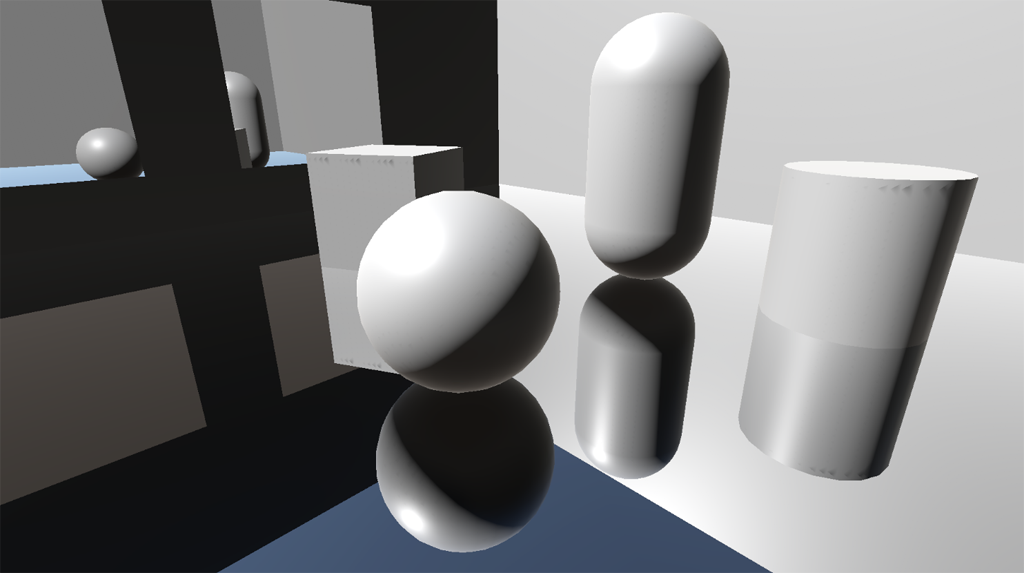
GitHub
Planar reflections for Unity's Universal Render Pipeline. - GitHub - Kink3d/kMirrors: Planar reflections for Unity's Universal Render Pipeline.
 shell scroll
Soooooo
I want to render to a texture with post-processing
I want to put a post-processing volume on a camera, then output to a render texture
Nevermind
Hah
Fixed it
The rubber duck strikes again. Was about to take a screenshot when I noticed an option that made all the pain go away.
marble vigil
shell scroll
The rubber duck strikes again. Was about to take a screenshot when I noticed an ...
Do share the solution
shell scroll
There was no solution as such, I had just failed to set the right culling mask
So when I set the post-processing volume to local, nothing happened which I assumed meant that the post-processing was not happening
Then, while I was looking for a good place to screenshot to share here, I noticed that my volume mask was set to Nothing
Set it to the layer the camera was sitting in, and ta-da
Now the only problem is that I need to add my own post-processing effect and that seems to not be officially supported by URP
So I'm gonna see if I can pull this off very quickly in legacy instead
 fringe tulip
Hello there. Dunno if I gotta ask here in one of the scripting channels but is it normal that Renderer Features still have the checkmark on after disabling them through script? Meaning URP SSAO in Unity 2021.latest.
Thanks!
(Script works and SSAO is definitely turned off. Using .setActive() which reflects properly in-game but not in the Unity Editor UI.)
cerulean sandal
Update: I got the shadows to work, I needed I sxript on the game objects that will allow shadow
marble vigil
cerulean sandal
Update: I got the shadows to work, I needed I sxript on the game objects that wi...
You don't normally need scripts for shadows
cerulean sandal
marble vigil
You don't normally need scripts for shadows
In the 2d
This is one example of it:
https://youtu.be/vpMM8VzkmoA

As always I am bringing you a straight to the point Unity tutorial on how to create 2D lights in unity + Realtime 2D shadows + post processing to create easy to use effect to the game which will improve the look of your game in under 5 min!
Join the Discord squad
https://discord.gg/7pVyCnr
Affiliate links to my SetUp:
Lenovo Legion Y540 PC:
ht...
 twin heron
can someone plz help me with URP, why all the time the objs middle parts get more bright and white with URP postprocessing in unity
ocean hinge
twin heron
can someone plz help me with URP, why all the time the objs middle parts get mor...
Post screenshots, give more infos.
twin heron
Here this blue color flame supposed to be blue, but under URP it shows blue only in the edges... I want it to be totally blue...like a flame. not for this all my objects except black, center is whitish and bright like this
 twin heron
ocean hinge
Post screenshots, give more infos.
twin heron
ocean hinge
Post screenshots, give more infos.
This is my shader properties for the particle material
 marble vigil
twin heron
marble vigil
twin heron
Additive blending makes brightness accumulate which starts tinting towards white (if there is any non-blue color in the sprite)
That's how it'd look in real life if you had an intense blue flame
You can try blending mode "alpha" for brightness to not stack
twin heron
marble vigil
Additive blending makes brightness accumulate which starts tinting towards white...
Thank you I think its the problem, But I think for the flame this type is better. thanks
 coarse radish
I'm attempting to figure out various aspects of URP and how it impacts performance in the profiler. One thing I'm noticing is that in my game, when I keep the camera stationary, I get 30fps consistently. However, when I wiggle my mouse a bit to move the camera continually, I get 60fps. This is the opposite of what I expect. In fact, in the profiler, the draw calls are identical, they just take twice as long when the camera is stationary. What's up with this?
(I have vsync off, fwiw)
 indigo flame
With the profiler open keep the camera still and then once the fps has leveled out from standing still move the camera around and then pause the game. Hopefully it had enough time that the profiler has information from both instances so you can compare and see whats happening during both states
coarse radish
yeah I have been comparing. There is no difference that i can see. On the before I move the camera, on the CPU side, WaiteForPresentOnGfxThread is 21.97ms, and on the frame after I move the camera, its 6.39ms
on the GPU side, GPU ms for each frame is 16.77
no camera movement: https://i.imgur.com/boM6pnm.png
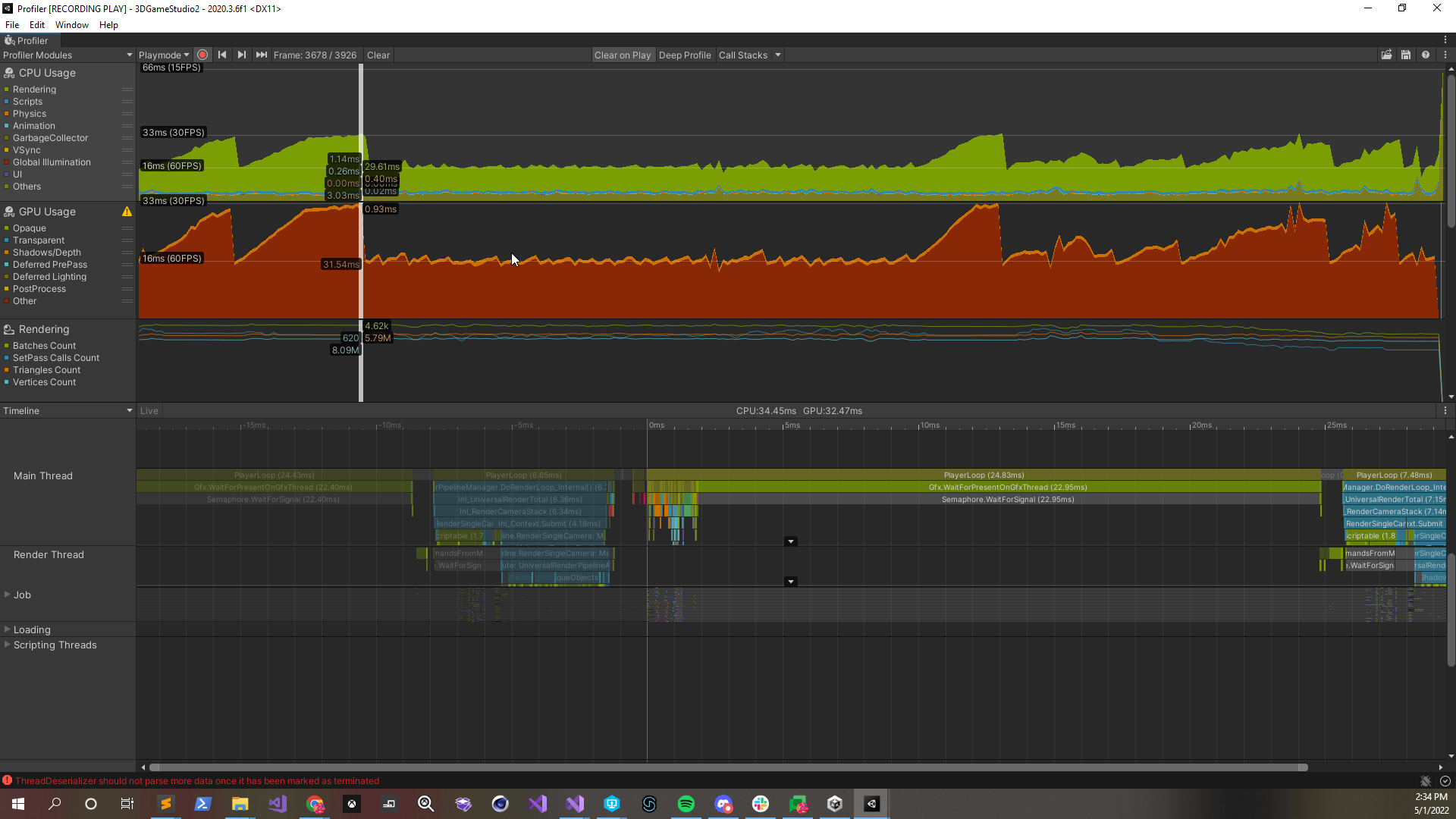
after camera movement: https://i.imgur.com/GzV3kD7.png
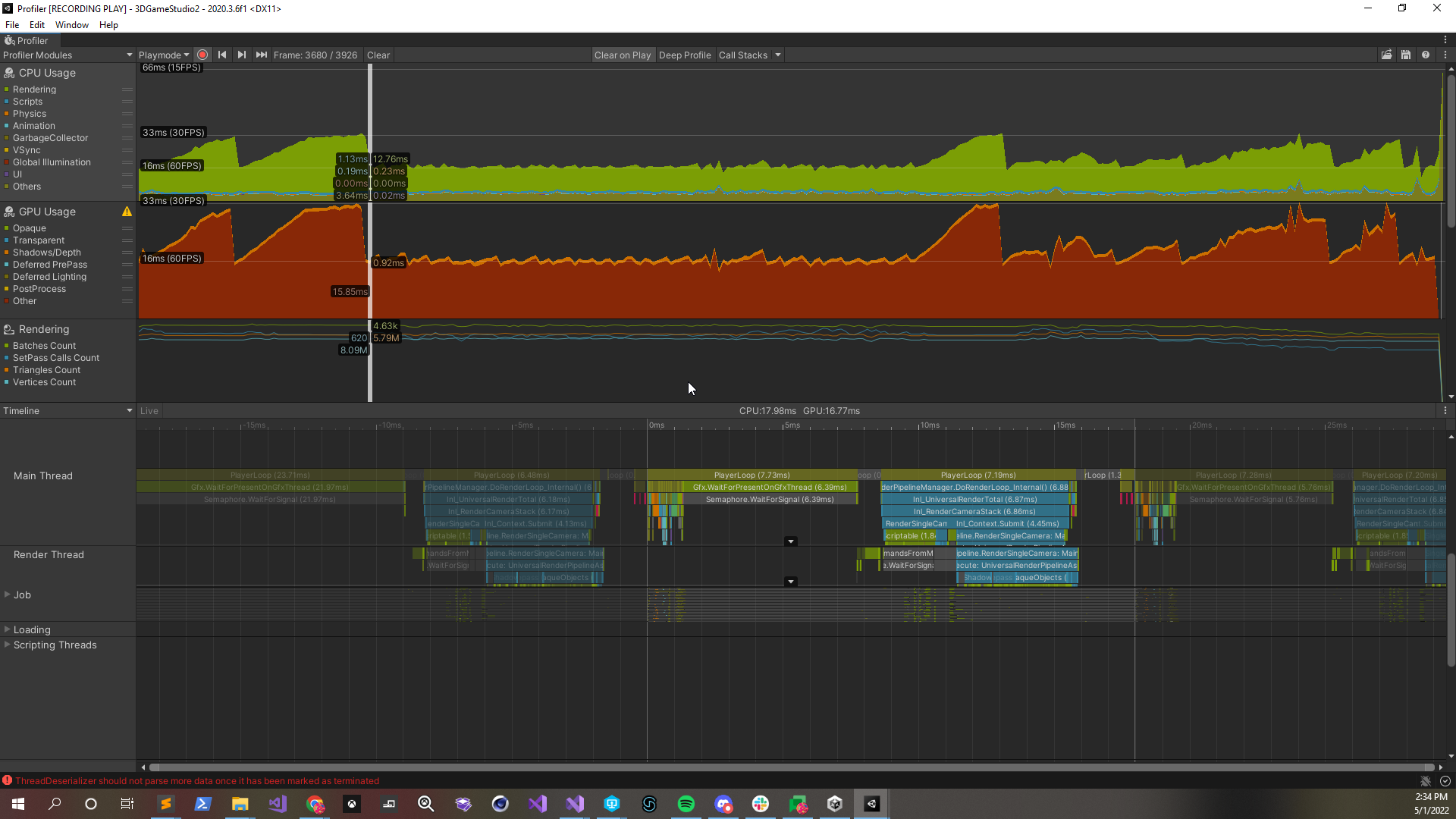
 pulsar thunder
is this in editor or dev build
coarse radish
editor
pulsar thunder
try dev build with profiler support
coarse radish
that's fine, but can this behavior be explained?
pulsar thunder
Unity Editor being weird I guess? I can't think of a good explanation sorry 🙂
coarse radish
I'm asking because I'm teaching a class, and I'd like to know what this behavior is, such that I can explain it to my students
gotcha
I suspected as much, but I was hoping there was some explanation 😛
it seems super suspicious that my FPS is either locked to 30, or locked to 60...
coarse radish
I assumed it was Interaction Mode stuff, but that doesn't apply in play mode
2020.3
marble vigil
coarse radish
it seems super suspicious that my FPS is either locked to 30, or locked to 60...
Vsync caps FPS to specific thresholds based on what FPS can be reached
coarse radish
lordy
marble vigil
30, 60, 120 and so on I think
coarse radish
right but I have vsync off in the player settings
although maybe that doesn't apply in the editor?
marble vigil
Editor has its own vsync checkbox in the game window resolution dropdown
coarse radish
ohhhhh
yeah that's unchecked lol
I cannot connect to the profiler in my development build for some reason, but I am noticing the same framerate behavior with the camera
ok I was able to connect and yeah it's basically identical behavior in both the build and the editor
hmmm, ok it looks like PostLateUpdate.PresentAfterDraw is what is changing, time-wise
on frames where the camera is stationary, it takes 19ms on the GPU. On frames when the camera moves, it takes 4ms
you know what, I'm going to make sure this is still a problem on the laptop I'll be teaching from. Cause if it doesn't happen there in the editor, then I can just ignore it as part of my lecture...
indigo flame
It almost seems like it waiting for something to do could be causing an issue but it doesnt logically make sense for that
coarse radish
well, doesn't seem like it's an issue on my laptop, soooooo... problem solved!
now to invent a bunch of ways to cripple my framerate, so I can teach my way out of them...
indigo flame
Draw calls, vert counts and over post processing effects (not properly tuned), not culling, not baking lighting. Theres some suggestions mostly from personal experience of things that can murder framerates
coarse radish
gotta have SSAO with 20 samples, that's critical to visual quality 😛
this laptop is too new... my scene won't render at anything below 120fps unless I crank Render Scale up to 2x lol
indigo flame
Lol
coarse radish
there's no view modes like overdraw in URP 2020.3 right?
indigo flame
Im not sure, i use hdrp primarily
random stone
Anybody managed to blit the camera target into temp texture while retaining stencil buffer? There's very little info about that online, most of it apparently outdated.
dry willow
random stone
Anybody managed to blit the camera target into temp texture while retaining sten...
Instead of blit, you need to use cmd.DrawMesh will a fullscreen quad (e.g. RenderingUtils.fullscreenMesh) if you need to use stencils.
I have a drawMesh branch of my feature here which might work, though I made it more to support VR and haven't tested with stencils in particular. https://github.com/Cyanilux/URP_BlitRenderFeature/tree/cmd-drawMesh
random stone
dry willow
Instead of blit, you need to use `cmd.DrawMesh` will a fullscreen quad (e.g. `Re...
I actually did that and it's working, but there is a tiny little problem. The shader that I pass to the DrawMesh method needs to sample global _CameraColorTexture, which I wanted to avoid.
The Blit function automatically uses _MainTex property, so I don't have to feed the camera texture to it manually. And honestly, I haven't yet found a way to bind the camera texture into a material via code (I'm probably just missing something)
dry willow
random stone
The Blit function automatically uses _MainTex property, so I don't have to feed ...
I use a global texture & cmd.SetGlobalTexture(Shader.PropertyToID("_MainTex"), source);
random stone
Sampling _CameraColorTexture in shader or binding it by name in the render pass code causes this weird thing in the editor where when I select any material or UI object in the hierarchy, some renderer features just stop working (decals, and other custom features that rely on the color texture).
random stone
dry willow
I use a global texture & `cmd.SetGlobalTexture(Shader.PropertyToID("_MainTex"), ...
Yeah I tried the SetGlobalTexture before but I probably misunderstood the concept of how this works. Reading through the code you posted, I think I understand it better now and I can see what I was missing before
placid laurel
On URP, is there a way to increase lights higher than 8?

It just looks weird in my game with only 8 visible at one time
marble vigil
placid laurel
On URP, is there a way to increase lights higher than 8?
No
Deferred rendering is an option if you need a lot of realtime lights
placid laurel
If I baked the lights would that solve the issue?
marble vigil
placid laurel
If I baked the lights would that solve the issue?
It's a good workaround
Baked lights have no limits so you'll only need to worry about dynamic objects being lit by mixed lights
You can also get more mileage out of lights by decreasing their ranges and reducing the size of continuous meshes, as limits are per object
placid laurel
I see
 vernal yarrow
Hey, why did my post processing turned off after converting scene to urp 2d lighting ? How to turn on effects ?
marble vigil
vernal yarrow
Hey, why did my post processing turned off after converting scene to urp 2d ligh...
Please do not crosspost
vernal yarrow
marble vigil
Please do not crosspost
So can you help me ?
 fading flame
Is anyone aware of issues with Custom Render Passes in URP on OpenGL in builds?
I have an unlit Shadergraph with float4(1, 0, 0, 1) into the frag base color node that I'm using as a blit during a custom renderer material.
When using Direct3D, Vulkan, and OpenGL, works fine in editor in both scene view and play mode. When using Direct3D and Vulkan, works fine in build.
When using OpenGL, screen displays black instead of red in build.
gist link: https://gist.github.com/occasoftware/8f19ac17c13f6403e3913da3fae07008 and Shadergraph attached


Gist
Render Pass Example. GitHub Gist: instantly share code, notes, and snippets.
 split stone
placid laurel
On URP, is there a way to increase lights higher than 8?
split stone
placid laurel
On URP, is there a way to increase lights higher than 8?
Which version of Unity are you on? You might be able to try the forward+ lighting if you are on a recentish version.
Add this: URP_ENABLE_CLUSTERED_UI to your project scripting defines. Then where you select forward or deferred there will be a checkbox (when forward is selected) with the option for clustered lighting.
Note that this is prerelease still and is still being worked on.
thin zodiac
hey, i'm trying to sove a light issue on urp, when i'm far of my light, it seems good, but when i'm closer it work not as expected. Any idea ? We've first thought it was due to max light per object, but it also appear when i'm using deferred lighting

 marble vigil
split stone
Which version of Unity are you on? You might be able to try the forward+ lightin...
marble vigil
split stone
Which version of Unity are you on? You might be able to try the forward+ lightin...
How recent does it have to be?
split stone
marble vigil
How recent does it have to be?
I think it might work in 21.2 and 22.1 but maybe it's a bit broken there. I'm on 22.2 alpha and it's pretty stable here but a lot of work has gone into it on the last few months.
pearl parrot
parallax corrected cubemaps?
marble vigil
pearl parrot
parallax corrected cubemaps?
Box projected cubemaps are already in starting with urp 11 or 12 I think
pearl parrot
im using unity 2019, because it offers good performance j..
ocean hinge
thin zodiac
hey, i'm trying to sove a light issue on urp, when i'm far of my light, it seems...
Do you have LODs on this object?
thin zodiac
ocean hinge
Do you have LODs on this object?
no (hi again btw lmao)
ocean hinge
thin zodiac
no (hi again btw lmao)
Hi ^^ So what happens if you come closer to the object? Can you make a video or something? 😄
thin zodiac
when i'm free ye
placid laurel
Anyone know how I can enable deferred rendering?
marble vigil
placid laurel
Anyone know how I can enable deferred rendering?
https://docs.unity3d.com/Packages/com.unity.render-pipelines.universal@12.0/manual/rendering/deferred-rendering-path.html
Supported on URP 12.0 and onwards
placid laurel
marble vigil
<https://docs.unity3d.com/Packages/com.unity.render-pipelines.universal@12.0/man...
Can't find my asset
 marble vigil
placid laurel
Can't find my asset
marble vigil
placid laurel
Can't find my asset
It's not exactly named like that 🤔
 south horizon
Is there any obvious reason a Graphis.DrawMesh is showing a visible mesh, but Graphis.ExecuteCommandBuffer(buffer), with a buffer that does the exact same thing, doesn't work? I can see the polygon count going up, but nothing is showing on the screen
thin zodiac
to anyone who want to see my problem (this was record with using deferred rendering path)
marble vigil
thin zodiac
to anyone who want to see my problem (this was record with using deferred render...
It's very unusual that this sort of problem would happen in deferred rendering
Since it seems localized to that one light you have ways of trying to prod it to see if it reacts to anything, or if it can be fixed by replacing it with another identical torch
split stone
south horizon
Is there any obvious reason a Graphis.DrawMesh is showing a visible mesh, but Gr...
Graphics.DrawMesh emits a mesh into the scene graph for one frame. This gets processed by all passes and similar with real material processing. cmdbuffer.DrawMesh just draws a mesh RIGHT THEN AND THERE in the command stream and does not do anything with the scene graph and lighing. The naming here is bad IMO the cmd buffer version should be cmdbuffer.DrawMeshNow like we have Graphics.DrawMeshNow
thin zodiac
marble vigil
It's very unusual that this sort of problem would happen in deferred rendering

i"m going to try to add a torch
(maybe my shader is a part of the problem)
it appear on a certain angle (and on differents torch too) edit : it's look really like a shader issue 😭
south horizon
split stone
`Graphics.DrawMesh` emits a mesh into the scene graph for one frame. This gets p...
Thanks for the clarification. Does the same apply ro DrawRenderer? If so, how can I fix this?
split stone
south horizon
Thanks for the clarification. Does the same apply ro DrawRenderer? If so, how ca...
I guess the question is “what are you trying to achieve”?
Because if I know that I can recommend an approach.
split stone
Generally:
If you want something to render properly in all passes and for certain cameras (i.e cast shadows, go into g-buffer, be considered a 'real' scene object), then you want to use Graphics.DrawMesh so it's 'real' for that frame. You would call this in an update or late update somewhere in your project.
If you just want to render a mesh without anything being set up then you can use the cmd buffer. This means that any state the shaders need (lighting, pass state or what have you) likely needs to be set up by you. We normally use this way to render simple unlit meshes that are needed for a single pass or for a full screen quad for post fx and similar.
Really it depends on your use case what you want to do.
south horizon
split stone
Generally:
If you want something to render properly in all passes and for certai...
Thanks a lot for the info! I am trying to understand the various approaches I can take to achieve an effect on an object without having to change a fundamental shader. For example, an outline effect, an inner glow effect, (perhaps?) a dissolve effect seem likely candidates for command buffers and a custom render feature, instead of having to modify the base shader to a large degree.
split stone
Yeah that's the kind of stuff.
Long term (not planned): I want us to have a way to inject additional passes into a shader so that you can add features to the base shader. In reality this is the proper way of doing shader replacement so then you still get vertex animation and similar.
 dusty sequoia
I added this log to my ScriptableRenderPass's OnCameraSetup method.
Debug.Log($"OnCameraSetup {renderingData.cameraData.camera.GetInstanceID()} : {Time.frameCount}");
And in scene view I am seeing duplicate logs where the same camera is being setup more than once. Why is Unity calling this method more than once per camera and how can I manage per camera resources this way?
split stone
Doest that happen in playmode or just edit mode?
and what if you use: Time.renderedFrameCount instead?
split stone
I'm not sure if framecount is incremented in edit mode reliably. I think it's mostly for playmode.
EditMode does not have a clear definition of a 'frame' like playmode does.
dusty sequoia
ok, it looks like it just happens in edit mode
thanks for the clarification, looks like the framecount was not the issue for me and its actually something else
thin zodiac
is anyone know if by using deferred path it change anything regarding light distance Attenuation ?
marble vigil
thin zodiac
is anyone know if by using deferred path it change anything regarding light dist...
It's not supposed to make any difference
thin zodiac
marble vigil
It's not supposed to make any difference
the thing is that i use this function to handle additional lights
void AddAdditionalLightsSharp_float(float Smoothness, float3 WorldPosition, float3 WorldNormal, float3 WorldView,
float MainDiffuse, float MainSpecular, float3 MainColor,
//returns
out float Diffuse, out float Specular, out float3 Color) {
Diffuse = MainDiffuse;
Color = MainColor* (MainDiffuse);
Specular = 0;
#if defined(SHADERGRAPH_PREVIEW)
#else
float highestDiffuse = Diffuse;
int pixelLightCount = GetAdditionalLightsCount();
for (int i = 0; i < pixelLightCount; ++i) {
Light light = GetAdditionalLight(i, WorldPosition, half4(1,1,1,1));
half thisDiffuse = 0; light.distanceAttenuation * light.shadowAttenuation * saturate(dot(WorldNormal, light.direction));//* GetLightIntensity(light.color)
Diffuse += thisDiffuse;
Color += 0; light.color * (thisDiffuse);
}
#endif
}```
for this test i set the color and diffuse to 0 on the loop and it's look like this and the "bug" is not there
edit : if i replace the light.color by a constant it seems to work as expect thin zodiac
but i do not understand why the color on the floor is there
my shader actually look like that and i have light hell

 limber dagger
is there a way to blur a shape like this but not behind? (might not be possible) to simulate volumetric lights
 pure horizon
limber dagger
is there a way to blur a shape like this but not behind? (might not be possible)...
pure horizon
limber dagger
is there a way to blur a shape like this but not behind? (might not be possible)...
you could use a noise in world / object / screen space to regulate the edges
the only way i think you could blur it if you would render it into a separate camera, blur the image via a post effect or custom blit and then past it over in your normal scene ( sounds hacky)
placid laurel
south horizon
Thanks for the clarification. Does the same apply ro DrawRenderer? If so, how ca...
In my experience CommandBuffer.DrawRenderer has been completely broken for a while. I had to resort to creating duplicate mesh renderers at runtime on a separate layer to be able to draw renderers on an individual basis.
At least on URP it doesn't work anymore, works in the scene view only.
 tribal dawn
(Not exactly sure where to send this, cause this is a glitch referring to the pixel perfect camera with the urp, but I need to fix it because it glitches a script I'm working on)
I'm having a weird glitch where the pixel perfect camera sets the camera size in an unstable way. Meaning for a brief period the pixel perfect camera sets it to say 0.2 units higher then usual. This is causing me me a lot of problems in regards to a script I'm working on. Anyone know how to fix it?
limber dagger
pure horizon
you could use a noise in world / object / screen space to regulate the edges
the...
Srry i forgot to tell i got what i wanted i just used a fresnel / multiply / OneMinus and put it to alpha
 cinder kindle
limber dagger
Srry i forgot to tell i got what i wanted i just used a fresnel / multiply / One...
cinder kindle
limber dagger
Srry i forgot to tell i got what i wanted i just used a fresnel / multiply / One...
Nice one, care to show how it looks? :)
limber dagger
cinder kindle
Nice one, care to show how it looks? :)
here ! now i need to blur where it touch the ground
 cinder kindle
Nice result for such a simple setup 👍
south horizon
placid laurel
In my experience CommandBuffer.DrawRenderer has been completely broken for a whi...
I've seen it work in some assets though.
placid laurel
south horizon
I've seen it work in some assets though.
Idk, I encountered issues with it very recently and saw forum threads about it.
So I put my crap on a new layer and use the DrawRenderers API.
Bear in mind I am talking about .DrawRenderer(), not .DrawMesh().


 merry monolith
@knotty bear make new urp asset and look for those values there
 knotty bear
thanks
 echo steeple
I just switched back to default Unity lighting
but why it keeps mentions a URP shader during the build

*I've convert all the shader to default
warped skiff
it's still part of the assets
you could probably delete those folders but it probably wont be stable
echo steeple
warped skiff
it's still part of the assets
omg
is there any chance to spot any of object on my scene using URP still
currently I ain't find any pink shaders
 tame harbor
I created a new project on version 2021 LTS and now on 2022.1.0b16.3019 and both is showing this error on the urp package, someone know why or how to fix it?

I literally just created the project, didn't changed anything
warped skiff
echo steeple
is there any chance to spot any of object on my scene using URP still
I mean it's in your project
like in your assets folder
so it has to compile it
echo steeple
ok copy that
warped skiff
u might be able to uninstall urp through the package manager
ocean hinge
Does someone know if its possible to let the camera only render specific "Tags"?
I know it works with layers, but are Tags also working?
echo steeple
warped skiff
u might be able to uninstall urp through the package manager
oh this is dirty takling
love it ❤️
echo steeple
yes it's no longer build for URP. but all my object dissappear since I've been delete them all from the asset 😄
tame harbor
tame harbor
I created a new project on version 2021 LTS and now on 2022.1.0b16.3019 and both...
someone had this issue?
foggy juniper
is there a way to change main light shadowmap resolution at runtime without multiple URP assets? both the shadowmap resolution and toggle properties on the URP asset are readonly, which seems kinda odd
merry monolith
@foggy juniperunless URP does some exception here, SRP assets in general are not designed to be runtime modifiable. One reason for this is because SRP assets are used as basis for shader stripping, it removes all shader variants that are not used be SRP assets
no idea if there's a way to tweak those shadow settings still
foggy juniper
the best im able to do is turn on/off the light component's shadow, no resolution changes though. a bummer but i can make it work i suppose
 grizzled kettle
hey guys installed URP but the create menu option to create the pipe line is not shwing up any help?
steep marsh
Is this normal? Takes up most of the frame time

 flint blaze
Does URP support Realtime GI?
 feral dune
Anyone know if it's possible to separate characters from post processing in URP?
I'm trying to make only my environment affected by post processing and have my characters be excluded
marble vigil
flint blaze
Does URP support Realtime GI?
Only a precomputed type in the form of Enlighten
 tiny quail
im getting a lot of light bleed through walls and from the 2nd floor, im using point lights and hard shadows, still getting light bleed, any ideas? https://i.imgur.com/ogjZ3Uq.png
 marble vigil
tiny quail
im getting a lot of light bleed through walls and from the 2nd floor, im using p...
marble vigil
tiny quail
im getting a lot of light bleed through walls and from the 2nd floor, im using p...
lightmap UV overlap looks like
The walls on the right are "copying" the lighting from the walls on the left
foggy juniper
how is memoryless rendering meant to be used? no matter what configuration i use when creating a RenderTargetIdentifier, i either get visual glitches or the editor just locks up and i have to force quit + restart
im trying to use it within OnCameraSetup in a custom render feature
 warped roost
Shouldi use the built(urp) post processing or post processing stack v2? I need auto exposure but the build in does not have it :,(
marble vigil
warped roost
Shouldi use the built(urp) post processing or post processing stack v2? I need a...
URP does not support post processing stack v2 and by extension it doesn't support auto exposure
May be some third party assets for it
warped roost
When i installed it fron package manager most effects included auto exposure worked?
marble vigil
warped roost
When i installed it fron package manager most effects included auto exposure wor...
Then your project isn't using URP, or it's using a really old version of URP which still supported PPs2