#archived-urp
1 messages · Page 28 of 1
 rigid roost
 ripe pumice
rigid roost
Okay so. If I were to make a shader that would cut a hole in a mesh, like a cyli...
ripe pumice
rigid roost
Okay so. If I were to make a shader that would cut a hole in a mesh, like a cyli...
you need to be more specific about what the end result and the hole looks like
rigid roost
ripe pumice
you need to be more specific about what the end result and the hole looks like
doing more research I found that what I want to accomplish can be done by a CSG so I might just do that instead, though I'd rather use a shader if possible.
the blender term im looking for is attempting to do a boolean operation
 mint trail
Okay, so uh
Everything in my unity project that uses URP textures is just pink, even if I update all my textures.
I would really appreciate a solution for this
Seriously.

Even in a Unity project built with the URP settings, the URP materials are still a bright pink.
 marble vigil
mint trail
Even in a Unity project built with the URP settings, the URP materials are still...
marble vigil
mint trail
Even in a Unity project built with the URP settings, the URP materials are still...
Is a project template with the URP sample scene pink as well?
mint trail
Not the initial template, funny enough
 dry willow
mint trail
Not the initial template, funny enough
dry willow
mint trail
Not the initial template, funny enough
It looks like you deleted the Settings folder then, which contained the pipeline asset.
You can recreate it though, see https://docs.unity3d.com/Packages/com.unity.render-pipelines.universal@13.1/manual/InstallURPIntoAProject.html

 soft lion
Could you use words to describe your problem?
 lament canopy
URP is using Shadow atlas technique for Addational light. Instead of using the light shadow resolution to calculate the soft shadow, it uses the shadow atlas resolution. which means faulty soft shadow.
atlas resolution 1024 - Spotlight shadow resolution 1024
correct soft shadow.
atlas resolution 4096 - Spotlight shadow resolution 1024
wrong soft shadow
 violet bison
I cannot stack my cameras. The "Overlay" option is for some reason greyed out...

 iron compass
violet bison
I cannot stack my cameras. The "Overlay" option is for some reason greyed out...
iron compass
violet bison
I cannot stack my cameras. The "Overlay" option is for some reason greyed out...
are you using the deferred renderer?
iron compass
then change that to forward
violet bison
doesn't that mess up the lights?
iron compass
it messes up performance if you have many light sources
iron compass
correct
 sand zinc
does anyone know how to access URP decal components through script?
violet bison
can I even layer a camera on top of my current one?
As you'd do without URP in the first place.
iron compass
violet bison
can I even layer a camera on top of my current one?
As you'd do without URP in t...
thats what stacking does
 tiny quail
https://i.imgur.com/YTiCmfd.png
model not displaying material
 violet bison
iron compass
thats what stacking does
violet bison
iron compass
thats what stacking does
right, is there no other way to achieve the stacking effect then?
I don't want my items clipping into walls.
iron compass
violet bison
I don't want my items clipping into walls.
put colliders on/around them
violet bison
that'd make them affect the world around them (I don't want that). I want them to only be visible in front visually.
 solemn isle
violet bison
so no stacking if I've got deferred?
solemn isle
violet bison
so no stacking if I've got deferred?
Deferred rendering camera can be used as a base, stacking cams should be forward.
Alternatively, you can use RenderObjectsFeature or write your own to display stacked stuff.
Does anybody know, how additional lights work in URP? I get very inconsistent results with them with a fullscreen shader.
How does Unity pick which additional lights are available?
 fossil lily
violet bison
I don't want my items clipping into walls.
fossil lily
violet bison
I don't want my items clipping into walls.
use render objects for it
https://www.linkedin.com/pulse/how-prevent-weapon-clipping-unity-urp-without-
dont know if unity will ever make a blog post or video for it since it's something a lot of people ask and end up going with 2 camera approach
ripe pumice
solemn isle
Does anybody know, how additional lights work in URP? I get very inconsistent re...
my guess is they're tied to light probes and it makes a best guess based on that
 timber glade
There's a limit to how many additional lights are available
And if it's a low amount and there is more around than the limit it'll just ignore the further away ones iirc
solemn isle
Additional lights count seems to always be zero, then randomly corrects value, then randomly goes to zero again.
It works fine with normal surface shaders, but fullscreen blits behave weirdly.
I have some suspicions, but I'm still going trough urp source code
Funnily, renderingData.lightData.additionalLightsCount always contains the correct value of visible lights from C#.
 warm cliff
Hey guys, I'm creating a top-down stealth game where making a loud noise triggers a visible sound wave. I want the sound wave to be an invisible sphere the expands from the sound's origin point and renders a lightly-colored line on wherever it makes contact with the environment sort of like so:

Does anyone know how would I do this in URP?
 merry monolith
@warm cliff search for keywords: intersection shader graph
you should find some tutorials on the topic with that
warm cliff
Thank you
soft lion
Seems like depth texture magic
merry monolith
in the nutshell you basically check from scene depth and vertex position if they are close enough to be drawn as intersection
it's not a whole lot of nodes to implement this
 sweet flower
Why is the camera preview and in-game view so shitty compared to the unity editor view? The colors seem to have lost their HDR. (URP)
 marble vigil
sweet flower
Why is the camera preview and in-game view so shitty compared to the unity edito...
marble vigil
sweet flower
Why is the camera preview and in-game view so shitty compared to the unity edito...
Does your camera have the post processing checkbox enabled
sweet flower
marble vigil
Does your camera have the post processing checkbox enabled
yes. there is a noticeable difference in game when i turn bloom on/off
i think the camera does not have HDR tone mapping enabled but i don’t see a way to enable it
marble vigil
sweet flower
i think the camera does not have HDR tone mapping enabled but i don’t see a way...
There is a setting for it on the camera component but it may have shifted around in recent updates

Not a switch you would easily hit by accident
sweet flower
marble vigil
There is a setting for it on the camera component but it may have shifted around...
That’s what i have it set to. Maybe i accidentally disabled in the pipeline asset? Where is the pipeline asset config?
marble vigil
sweet flower
That’s what i have it set to. Maybe i accidentally disabled in the pipeline asse...
In the settings folder, but those settings should affect the scene view as well
@sweet flower Well, since the mystery wasn't solved with the obvious stuff, I'd test and see if it happens in a blank scene, if so, in a blank scene in a new project
sweet flower
marble vigil
<@!216749520703193089> Well, since the mystery wasn't solved with the obvious st...
Fixed it here:

 ocean quest
hey so I followed a tutorial to install the URP and I need to upgrade my materials as everything is pink right now. However when i go to "Window > Rendering > Render Pipeline Converter" my materials dont show up, does anyone know a reason or fix to this? im not sure why
 ocean quest
Update, its now broken my project .-.
 placid laurel
sorry to hear that
ocean quest
placid laurel
sorry to hear that
No worries. Somehow managed to fix it aha
Took me about 2hrs to figure out tho
placid laurel
big oof but at leas t it is fixed
ocean quest
placid laurel
big oof but at leas t it is fixed


All fixed and got my shaders working
Character is just temp, was just testing stuff aha
 mystic crescent
Hello. Is there a way to mask smoothness in URP/Lit? I have an object made of wood and metal, I don't want the wood to have any smoothness but the metal should be nice and shiny.
I have made a metallic map which works fine, but the smoothness slider seems to affect the entire object

Ah ok, I figured out I can use the alpha channel of my metallic map to "mask" smoothness on the object, where alpha values of 1 respond to the smoothness values and values of 0 ignore it
 pastel pagoda
Is there a way, to tell to the RenderObject to ignore ONE layer?
What i mean is to render on top of it while being rendered behind everything what is infront of it.

 jagged dock
why does my shader's alpha is red?

 exotic hare
Anyone know why I am getting these effects in game view, but not scene view?

 wanton roost
anyone know why a SpriteRenderer with flip ticked no longer shows up via a RenderObjects material pass?
flipped sprite on the left, unflipped on the right


seems to also be the case with any negatively scaled objects
fixed it in my shader by disabling backface culling
\o/
 lilac scaffold
How would i be able to make this scene look better?

 balmy hearth
quality wise or interior design wise?
if interior design wise this would be my ideas
 warm cliff
@balmy hearth is absolutely right. Lighting would also work wonders on this. The outside light coming through the door and casting shadows across the floor, perhaps some interior lamps or light coming from the floor above, etc ❤️
Now that I think about it, pinging kx actually wasn’t necessary lol
balmy hearth
its alright, i was in this channel lurking anyways
lilac scaffold
oh very interesting, those are amazing ideas both of them, thanks for the feedback👍
warm cliff
Np! I wish you really good luck with this XD
balmy hearth
good luch
i dont know what the game is about, but maybe you could add some hunting guns?
as show obviously
lilac scaffold
sure ill add some, for show cause its for a game jam so I don't have much time to add many features and very small details
warm cliff
You could always look up reference pics
 ivory prism
why is my shadow so chunky


shad res is 4096
shadow is set to hard shadow
tried setting normal bias to 0

soft shadows also look bad
i've checked vertx's guide and there's nothing about it
idc about the performance i want the shadows crispy
ivory prism
 mystic delta
Setup cascade shadows, so it will use more detailed one up close.
mystic delta
Setup cascade shadows, so it will use more detailed one up close.
thank you this fixed it, didn't think about making more cascades
nothing I read suggested doing that.. !yw
jagged dock
why does my shader's alpha is red?
 soft lion
ivory prism
soft lion
ivory prism
Also keep the shadow distance as small as you can to get sharper shadows
 slim vault
For some reason I don't have any shadows in game build, while I have no problem in editor itself.
I know about quality settings, but even changing it in game doesn't help.
Any help? 2021.2.8f
warm cliff
@slim vault Could it be that your camera is too far away to render the shadows?
slim vault
warm cliff
<@!293437885208854529> Could it be that your camera is too far away to render th...
nah, but I fixed it by updating unity to 2021.2.13f1
 tired fable
slim vault
For some reason I don't have any shadows in game build, while I have no problem ...
tired fable
slim vault
For some reason I don't have any shadows in game build, while I have no problem ...
sometimes it's related to cascades and the quality setting that's chosen
you should set your directional light to important
turn off all other realtime shadows other than that one
and modify your quality to have one cascade
you can add more cascades back to what makes sense for your scene physically later
marble vigil
2021.2.12f1 fixed a lot of weird bugs, especially the sort that appeared in only builds
 rain condor
hey guys i have a problem in a URP project w/ world space canvases

what is up with the blue line? it should not be broken like that but straight
googling about this sadly only brings up line renderer issues
 dense cairn
I'm trying to follow the instructions to create a Universal Render Pipeline. I have a 2D project and went to Assets > Create > [this is where Rendering should be]. The option for Rendering to create a Pipeline Asset isn't there. Anyone know the reason/how to fix it?

 copper pilot
dense cairn
I'm trying to follow the instructions to create a Universal Render Pipeline. I h...
copper pilot
dense cairn
I'm trying to follow the instructions to create a Universal Render Pipeline. I h...
Do you have URP installed?
dense cairn
copper pilot
Do you have URP installed?
Yeah that'd be it. First time working with it. Thank you.
copper pilot
Don't worry, happens to everyone 😄
 unkempt pivot
hey, I'm getting this weird shadow thing
unity 2020.3
Using URP

 cyan talon
unkempt pivot
hey, I'm getting this weird shadow thing
unity 2020.3
Using URP
cyan talon
unkempt pivot
hey, I'm getting this weird shadow thing
unity 2020.3
Using URP
you have not baked a reflection probe so that is the sky reflecting off of the ground. You can bake a probe and reduce the specular/smoothness of the ground's material
 pearl parrot
ohhh
 subtle harness
adding the "decal" render feature on my pipeline asset tanks my framerate even without any decals spawned, basically cuts it in half from 40 to 20fps. Anyone know what I can do to optimize this? Or are unity decals just unusable?
 clear sentinel
rain condor
googling about this sadly only brings up line renderer issues
clear sentinel
rain condor
googling about this sadly only brings up line renderer issues
looks like a texture filtering/antialiasing issue
ocean quest
unkempt pivot
hey, I'm getting this weird shadow thing
unity 2020.3
Using URP
the "bright" outline/casted shadow?
copper pilot
@subtle harness I switched to Driven Decals on github. Unity's decal feature is hot garbage.
 echo pier
Hello, I have one question about URP and bloom, I'm working on a URP 2D project and want to use bloom, but I want to use bloom only on specific objects, can this be accomplish and if so, how?
soft lion
echo pier
Hello, I have one question about URP and bloom, I'm working on a URP 2D project ...
You can increase the threshold of the bloom and make the intensity of those certain objects high enough to get affected by the bloom. If you use HDR you could set the treshold to 1 and use HDR color for those objects
echo pier
soft lion
You can increase the threshold of the bloom and make the intensity of those cert...
So sprites that don't use HDR color don't get affected?
Or i still use HDR color on them and decrease intensity below threshold?
soft lion
I think you have to make sprite shader graph in order to use HDR colors for sprites
so if you set the threshold to 1, only objects with that shader/material should be affected by the bloom
 empty drift
Hey I kinda need help here, i made some assets in blender and now wanted to import them to my unity project where im using URP.
But if i import materials to my unity project they just turn grey or atleast dont look like they looked in blender. Does anyone know how to import them properly?
warm cliff
Hey there @empty drift What you should probably do is import the materials separately and apply them Unity
 craggy echo
Hey. I had URP in my project, with all my materials upgraded to it. for some reason, I've decided to switch back to the Built-In Renderer. How can I again upgrade my materials to the default renderer?
 candid forum
empty drift
Hey I kinda need help here, i made some assets in blender and now wanted to impo...
candid forum
empty drift
Hey I kinda need help here, i made some assets in blender and now wanted to impo...
no you just need to find the option that exports your textures correctly. are the textures even included?
 thorn pulsar
Hi guys, i have trouble understanding something about the packages and package folder. Basicly, when i include something like #include "Packages/com.unity.render-pipelines.universal/ShaderLibrary/Core.hlsl", the file is not actually located into the Package folder but in Library/PackageCache/com.unity.render-pipelines.universal@10.7.0/ShaderLibrary/Core.hlsl
I have trouble to understand how it works and why it is that way. My issue here, is that i try to setup VSCode to recognize my #include files with an hlsl intellisense extension, but since it is referenced in the Packages folder but there is nothing in it, it doesn't work. Does anyone has a solution around this?
sand zinc
does anyone know how to make a decal only affect certain objects/layers/materials?
 maiden crest
hey, i cant add bloom on my volume
it gives an error saying: InvalidCastException: Specified cast is not valid.
when i click it i get sent to a part of code saying: var pipeline = (HDRenderPipeline)RenderPipelineManager.currentPipeline;
It seems like its trying to use the HDRP, but i dont have that one enabled, can anyone help me out here?
 undone mulch
uhm do i need to do anything special when making Vr and using URP
pearl parrot
is there anyway to make the 2d backgrounds effected by the 3d character shadows?

and make the background having some depths
like the character not being able to be seen through walls

 verbal fern
what if i dont have mettalic map

but i do have specular map
can i replace with it?
on RED channel
can i use this same method for URP shader?
because i took this from HDRP documentation page
marble vigil
verbal fern
can i use this same method for URP shader?
URP doesn't use the same mask maps as HDRP
The textures are the same (depending whether you're using metallic or specular workflow) but packed in different order
placid laurel
A multisampled texture being bound to a non-multisampled sampler. Disabling in order to avoid undefined behavior. Please use Texture2DMS in the shader.
UnityEngine.GUIUtility:ProcessEvent (int,intptr,bool&)
i swear to god
I am OVER
with this
help
THAT
and
i seem to be not able to change a camera type
to overlay
marble vigil
placid laurel
to overlay
Sure it's not the main camera you're operating on?
placid laurel
marble vigil
Sure it's not the main camera you're operating on?
100000 percent sure
 dry willow
verbal fern
where to put my smoothness map?
dry willow
verbal fern
where to put my smoothness map?
It's typically combined into the alpha channel of the Metallic map or Albedo/Base map, can switch between those using the "Source" dropdown under the Smoothness slider.
placid laurel
How would you add decals in URP in Unity 2020 or lower?
 bronze briar
placid laurel
How would you add decals in URP in Unity 2020 or lower?
bronze briar
placid laurel
How would you add decals in URP in Unity 2020 or lower?
I think there's a free asset for it
Question: which is less demanding, 2X anti-aliasing or setting Render Scale to 2?
 violet bison
bronze briar
Question: which is less demanding, 2X anti-aliasing or setting Render Scale to 2...
violet bison
bronze briar
Question: which is less demanding, 2X anti-aliasing or setting Render Scale to 2...
Just straight guessing I'd say that the anti-aliasing is incredibly more performant. I believe render scale 2 would mean rendering at twice the set resolution which always has an impact on performance.
violet bison
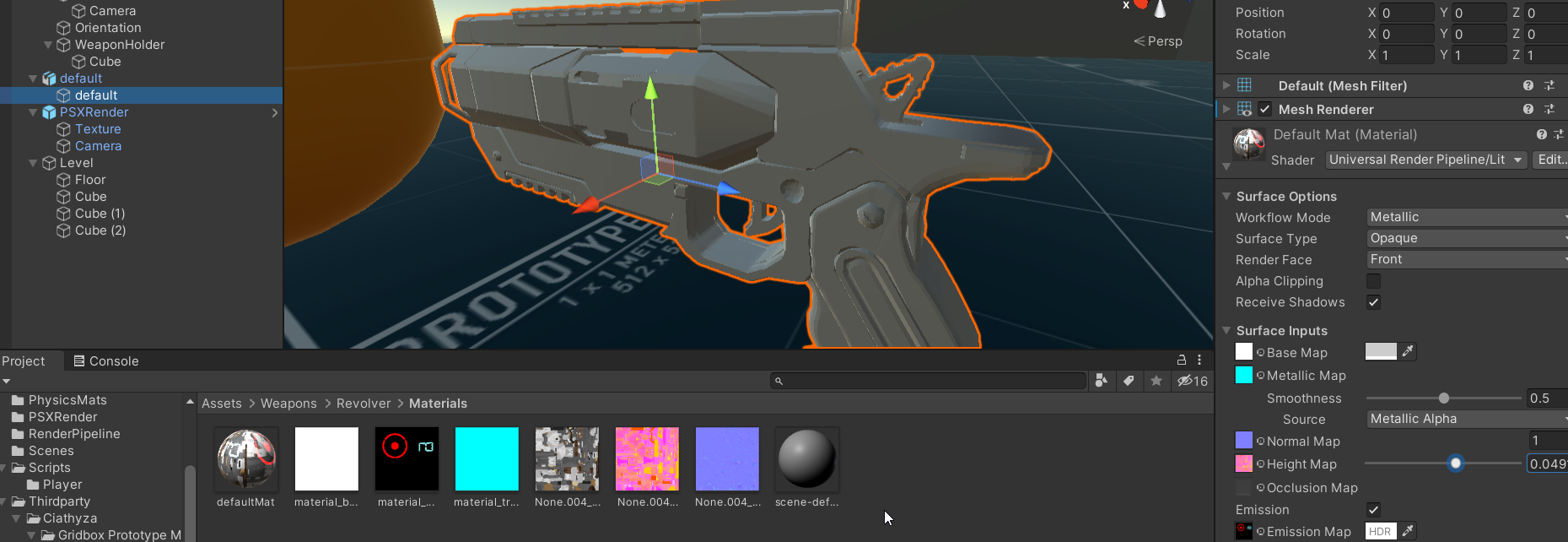
I want to achieve this effect with some sort of material; it might need to be a shader though. The problem is of course that black emission isn't really a thing, black doesn't emit any light. Settings the emission to white and the base colour to black doesn't help though, as the emission overrides the material's colour. Is there a way to force the material to keep a certain colour while emitting another (that can have bloom)?
 undone mulch
does anyone have a good tutorial for day night cycles in urp, or can i just do a general day night cycle?
 lime ridge
undone mulch
does anyone have a good tutorial for day night cycles in urp, or can i just do a...
lime ridge
undone mulch
does anyone have a good tutorial for day night cycles in urp, or can i just do a...
You can make a simple Day Night Cycle by just rotating the Directional Light X axis (if you're using a procedural Skybox).
undone mulch
lime ridge
You can make a simple Day Night Cycle by just rotating the Directional Light X a...
im not rly sure what kind of skybox im using
lime ridge
The default scene already starts with a procedural Skybox setup, so you just need to open the Lightning Window (Window > Rendering > Lightning) and in the Environment Tab check if the Skybox is there, and also the Directional Light of your scene is set as the Sun source)

After that, change the Directional Light X rotation value and it should change the sky color based on it (you should even see the sun passing by the scene)
Although it is not one of the best effects, for a simple day night cycle it works fine \o\
undone mulch
ok, i do wanna make a better day night cycle tho
bronze briar
All of these materials show up as magenta in the asset view, but they look fine in the scene view and inspector

 dull breach
hello! i checked the pin, not sure if this is the correct place to ask but, when creating a new project, I dont seem to see a "universal render pipeline template" https://docs.unity3d.com/Packages/com.unity.render-pipelines.universal@12.1/manual/creating-a-new-project-with-urp.html
any idea where I can this this template? did i forget to check some box when installing unity hub?
nvm, i think im blind and it was renamed to "3D Sample Scene (URP)"
soft lion
bronze briar
All of these materials show up as magenta in the asset view, but they look fine ...
Ig you just changed your render pupeline? The asset preview is sometimes very slow at updating (and I don’t know how to force them to update, let me know if someone knows)
undone mulch
does anyone have tips on how to make a day night cycle
pearl parrot
pearl parrot
and make the background having some depths
like the character not being able to...
help?
 latent wigeon
does xr work not URP?
 split edge
does 2020.3.19f1 unity version not support URP?
ah it's a package i have to install, i see
 marble vigil
pearl parrot
is there anyway to make the 2d backgrounds effected by the 3d character shadows?
marble vigil
pearl parrot
is there anyway to make the 2d backgrounds effected by the 3d character shadows?
For both effects you'd need to recreate the 2D background in 3D mesh form that matches the background image
For shadows you'd find a shader that allows it to recieve shadows and apply them to the background image, and for occlusion you'd use the z-buffer of the invisible mesh to mask the character out of the background
Though that's all massively convoluted compared to just using a 3D background to begin with
placid laurel
WHY CANT I CHANGE CAMERA TYPE TO OVERLAY :CCCCC

for a couple of days ive been asking
on google
nothing works
if u have a fix
please
please
help :C
soft lion
placid laurel
WHY CANT I CHANGE CAMERA TYPE TO OVERLAY :CCCCC
is that the only camera in your scene? ig (don't really know) you have to have one base camera in order to use overlay cameras
placid laurel
soft lion
is that the only camera in your scene? ig (don't really know) you have to have o...
no i have got two
the one im highlighting is supposed to be
the overlay cam
the other is base and main camera
marble vigil
@placid laurel And the other one is a Base Camera?
dry willow
If you're using URP's deferred rendering I think it doesn't allow camera stacking (for some reason)
placid laurel
dry willow
If you're using URP's deferred rendering I think it doesn't allow camera stackin...
:CCCCCCC
is there anyway
i can make both work
marble vigil
I thought it should work by falling back to forward rendering
But I don't think I tried it
placid laurel
marble vigil
I thought it should work by falling back to forward rendering
But I don't think ...
okay ill see
works but
no more infinite lights :C
AHAHAHAHAHAHA
I TRICKED THE ENGINE
I SWITCHED BACK TO DEFFERED AND IT WONT F#$*&# MY S&$^# UP NOW
soft lion
chill mate
marble vigil
Either way overlay cameras don't support deferred rendering
placid laurel
soft lion
chill mate
sorry it was an issue that made me eat away at myself for 2 weeks
soft lion
is there some technical reasons of why camera stacking doesn't work on deferred rendering?
placid laurel
marble vigil
Either way overlay cameras don't support deferred rendering
thats true but i finally found a way to trick it into doing overlay cameras
i used forward to make overlay camera work
then i switched again to deferred
i had the cake and ate it at the same time
soft lion
placid laurel
thats true but i finally found a way to trick it into doing overlay cameras
i us...
Highly doubt that is going to work either way
marble vigil
No idea what the technical reason is, but this page says it's possible but falls back to forward rendering
https://docs.unity3d.com/Packages/com.unity.render-pipelines.universal@12.1/manual/urp-universal-renderer.html
placid laurel
placid laurel
it did
the cameras layered
and at the same time the lights arent flickering
soft lion
lights won't flicker if pixel light count is high enough (on deferred, there's no pixel light count, pixel light count is only for forward path)
dry willow
marble vigil
No idea what the technical reason is, but this page says it's possible but falls...
In that case maybe to unlock the Overlay Camera option the camera needs to use a renderer set to Forward rather than Deferred
(as in, can have two renderers assigned to the URP asset and select the forward one for the camera you want to switch to overlay)
marble vigil
dry willow
In that case maybe to unlock the Overlay Camera option the camera needs to use a...
This seems to be the way it works
Kinda weird how the documentation implies the fallback happens automatically, like it does for transparent materials
Maybe it used to
dry willow
Yeah it should really be updated if that is how it works. The camera stacking page also has no mention of this since that was written before deferred was introduced.
soft lion
deferred is still very new stuff on urp
marble vigil
placid laurel
the cameras layered
and at the same time the lights arent flickering
I think we'll be expecting you to return once you realize that the cameras are either not being overlaid or not actually deferred at all
placid laurel
marble vigil
I think we'll be expecting you to return once you realize that the cameras are e...
non of these statements are true
yep it got ruined as soon as i selected the overlayed camera
placid laurel
dry willow
In that case maybe to unlock the Overlay Camera option the camera needs to use a...
ill use the method on the link
i hope to god it works well
placid laurel
yep it worked :D
 wooden arch
Sprite Lit URP Shader, has same Light Values under shadow or light. Particle is directed towards view


 stable solar
I'm trying to get both 3D and 2D lights working in the same scene, but camera stacking just seems to be broken?
It will show the 3D rendered scene in the game view, and the 2D rendered scene in the scene view for some odd reason
marble vigil
stable solar
It will show the 3D rendered scene in the game view, and the 2D rendered scene i...
What scene view shows is independent of any cameras or camera stacking
I can confirm that camera stacking is not "broken"
stable solar
Any ideas what the issue could be? I have the 2D and 3D renderer set up, and the 3D camera as my base
The scene is simple with a cube throwing a shadow onto a plane, and another sprite that is completely lit, even though it should be partly shadowed
Ah, it seems scene view uses the "default" renderer
dry willow
Yeah, scene view uses whatever is marked as default
stable solar
I don't know if this is me, but it seems absolutely broken on my end. If I select cameras during playmode, the game view changes to the scene view...
It will also cycle through multiple odd renders if I select the cameras in the hierarchy

Why is the game view showing the scene view...

I think something with the camera data just broke, after re-creating them multiple times the strange behavior is gone. However, I still don't have any lighting on my sprites..
On a somewhat related note, while I try to figure this out, do you think the following approach is realizable?
I would like to use the 2D lighting system, but I would also like to render 3D "sun shadows". My idea for this was to tell the 3D part of the rendering how "high" a sprite is in the scene, and in the shadow pass the shader would need to rotate the sprite 90° around a pivot that is the height distance away, basically propping the sprite upright in the scene, making it cast a shadow onto a tilemap.
 terse stag
ok so, I'm trying to make a mirror, and this is how it looks

what am I doing wrong?

 soft lion
terse stag
what am I doing wrong?
soft lion
terse stag
what am I doing wrong?
I mean what is wrong? doesn't that look fine already?
terse stag
well
moving around doesn't seem to change the view point of the mirror
and it also appears huge
soft lion
terse stag
and it also appears huge
oh you mean the box?
 soft lion
well, obviously you're not getting perfect results using reflection probes. reflection probe is just way to approximate reflections with minimal cost
terse stag
how can I make a mirror then
soft lion
if you want flat mirror, you can use second camera and custom shader for the mirror
 dense canyon
terse stag
how can I make a mirror then
dense canyon
terse stag
how can I make a mirror then
try looking up how to make planar reflections
terse stag
ok
 peak pike
Is there something particularly hard or impossible in making Unlit Height Gradient for URP in the object space? Is it because surface shaders are not supported?
Most solution I've seen uses either world position or UV coordinates. And few with position axis just use them to lerp between colors. Therefore I don't know how to tune values beyond lerp(_SecondColor, _MainColor, saturate(i.position.y)).
marble vigil
stable solar
On a somewhat related note, while I try to figure this out, do you think the fol...
I really can't wrap my head around how you plan to combine the 2D and 3D shadows using overlay cameras
It might be best to try to make the effect entirely in 3D space with 3D lights
dry willow
peak pike
Is there something particularly hard or impossible in making Unlit Height Gradie...
If you want to pick a start/end (min/max) point can use an Inverse Lerp before saturating (i.position.y - min)/(max - min). And rather than a lerp, you could sample a gradient texture if you want more control over colours.
Surface shaders indeed aren't supported in URP. But they are more for lit shaders anyway. It's usually easier to use Shader Graph though.
One main issue with object space is that the range of values depends on the mesh. Different meshes can have different ranges, and possibly also aligned to a different axis. But you could assign different materials to them. The draw calls would still be batched via the SRP batcher as long as the materials use the same shader (and variant), and assuming the shader supports it (all shader graphs should).
stable solar
marble vigil
I really can't wrap my head around how you plan to combine the 2D and 3D shadows...
Yeah I'm not sure if it can even work at all, I was mainly inspired by this "post" https://answers.unity.com/questions/1734167/combined-3d-and-2d-lighting.html.
I think you are right in that it is easier to do entirely in 3D, the unity 2D lighting system is just really easy to use and doesn't cost me anything, so I thought it would be worth a shot. It's a real bummer that it just doesn't work together without any additional work. The docs seem to hint it does somehow work with camera stacking however.
No interoperability with 3D Lights and 3D Renderers
Currently both 3D and 2D Lights can only affect 3D and 2D Renderers respectively. 2D Lighting does not work on or effect 3D Renderers such as the Mesh Renderer, while 3D Lighting will similarly have no effect on 2D Renderers such as the Sprite Renderer. While interoperability between the respective Lights and Renderers may be developed in the future, currently a combination of 2D and 3D Lights and 2D and 3D Renderers in a single Scene can be achieved by using the camera stacking technique.
The post seems misleading
Sure you can overlay 2D and 3D cameras but they won't "interact"
stable solar
Yeah that was something that confused me too. E.g. how would the 3d shadows shadow a tilemap that is being shadowed by 2D lights (since that would require it to use the 2D renderer, which doesn't receive 3D shadows...)
Do you think my idea for rendering the sun shadows in the first place could work? I've not done much shader work so I'm not entirely sure. Basically I want the shadow pass(?) to "prop up" the sprites so they can properly cast shadows, if such a thing can be done somehow
I could duplicate the sprites since they aren't seen by the camera since they don't have depth when propped up anyways, but I rather it work automatically with only a single sprite
marble vigil
stable solar
Do you think my idea for rendering the sun shadows in the first place could work...
I can think of many convoluted ways to fake shadows and shadowcasting with sprites, each with various limitations
Overall I guess it'd be easier to just make the sprites using textured quads with ordinary 3D lit materials, if you want them to interact with 3D lighting
stable solar
marble vigil
I can think of many convoluted ways to fake shadows and shadowcasting with sprit...
Basically this is what I am trying to do

Combined with some form of "fake" 2d shadowing for local shadows (such as e.g. https://assetstore.unity.com/packages/tools/particles-effects/2d-lights-and-shadows-119920 or something similar)
peak pike
dry willow
If you want to pick a start/end (min/max) point can use an Inverse Lerp before s...
Wait, do you mean that object space in shared behaves differently than in the engine?
In my understanding position.y should be between object min and max bounds, but clamping the values should make this irrelevant. Ans since it's a space rather that UV unwrap, a complex geometry on static meshes should be also irrelevant to the final gradient.
marble vigil
stable solar
Basically this is what I am trying to do
Rendering a drop shadow like that is not terribly difficult
Making it interact with obstacles and 2D shadow casters would be, I predict
stable solar
I'm fine with it not being perfect. Do you have any resources on how I would go about modifying the vertices during the shadow pass to "prop up" the sprite? Or how would you go about adding a drop shadow?
dry willow
peak pike
Wait, do you mean that object space in shared behaves differently than in the en...
Object space is just the vertex positions directly from the mesh. It's not normalised based on the bounds of the mesh or anything. (0,0,0) is it's origin. But you can have vertices at any point within that space.
e.g. The default unity plane spans 10 units, so a range of (±5, 0, ±5), while a cube is a single unit (±0.5, ±0.5, ±0.5).
It may be easier if you use a shader/graph to output position.y and see for yourself how it maps on various meshes.
Also, since you mentioned static it reminded me that if you mark GameObjects as static ("Batching Static" in particular, as there is different types of static on the dropdown), Unity will combine meshes which will change their vertex positions to be more like world space.
marble vigil
stable solar
I'm fine with it not being perfect. Do you have any resources on how I would go ...
Frankly I have no idea how to mix custom shadows seamlessly into 2D light's shadow pass and I can't find resources for it either, which is why I predict it would be hard
And probably not worth the effort if 3D lights can already do the same thing
placid laurel
Hey guys don't know if this is a urp or shader topic but does anybody know how to create a transparent bottle which will not change the inside color? The pic with the eagle shows what I want and the other one shows what I got .. the problem is that it seems like my colors are not powerfull under the glass 🙂

 stable solar
marble vigil
Prop up?
stable solar
marble vigil
Prop up?
This is basically what I want to do, but in a shader.

My idea was to rotate the vertices along a pivot depending on the z-"height" of the sprite, and then render into the shadowmap
marble vigil
Does it need to be a shader? I mean it looks good as it is
stable solar
🤷 is it fine to just duplicate all sprites? I have a lot of objects that are made up out of multiple sprites, e.g. a sword is a grip, a pommel, a connector and a blade
Code wise it's not really an issue, I'm just wondering about performance
marble vigil
I kinda doubt you can make anyone's machine chug with a few extra sprites
stable solar
What about CPU performance? Since I'll need to mirror all positional changes for child objects onto the Z axis (if that makes sense)
e.g., the character's hand
I guess I'll just try it. The shader approach seems "neater" in my mind, but I have no idea how to go about it 
Thanks for all the help!
marble vigil
stable solar
I guess I'll just try it. The shader approach seems "neater" in my mind, but I h...
It might be, but without any knowledge of how to implement it it's probably not a very practical solution
Which one's more optimized comes down to testing them, and considering the target hardware
And if it makes no difference at all, it's not good effort to optimize
 hybrid cloud
Has anyone ever had a problem with culling performance when using URP + Hybrid Renderer? I spawn ONE entity with a mesh renderer that's like 10 vertices and suddenly I lose 3ms of CPU time, mostly on culling

I added more screenshots here:
https://forum.unity.com/threads/urp-loses-whopping-3ms-of-cpu-time-once-a-single-hybrid-renderer-entity-is-spawned.1250653/

Unity Forum
Hello!
I've run into a pretty big problem.
I have a game where I use URP and a hybrid DOTS approach - most things are handled in the regular way but...
 fast hill
I asked in #💻┃unity-talk but maybe this is more appropriate to ask in
I haven't touched Unity in a very long time, and I don't really know what these render pipelines are
I've read up on the manual a bit but I'm not sure what is more appropriate to pick: BiRP or URP
By my understanding, BiRP is virtually depreciated, but if I wanted to just... use Unity like I used to, will URP be more complex?
I'm going to start my project on URP then, but please do answer anyways, I am still curious
irk... It's more complicated...
 azure charm
- URP performance optimization of multiple cameras
- How to set BuildAssetBundleOptions.DisableWriteTypeTree when Unity Addressables is packing
- Unreal can be used in a hot update solution for commercial games
- UGUI SpriteAtlas is in use, callback instantiation, AtlasRequested, and the order of Start is reversed.
- The rendering pipeline is dynamically loaded from the AssetBundle, and the post-rendering is abnormal.
URP Performance Optimization of Multiple Cameras
https://blog.en.uwa4d.com/2022/03/10/urp-performance-optimization-of-multiple-cameras/

- URP performance optimization of multiple cameras 2) How to set BuildAssetBundleOptions.DisableWriteTypeTree when Unity Addressables is packing 3) Unreal can be used in a hot update solution for commercial games 4) UGUI SpriteAtlas is in use, callback instantiation, AtlasRequested, and the order of Start is reversed. 5) The rendering pipeline…
how about this one, this is the URP performance optimization
soft lion
fast hill
I asked in <#497872424281440267> but maybe this is more appropriate to ask in
I...
In my opinion, urp is not more complicated than birp. Its very similiar with birp and its very easy to get used to
 sudden mirage
Hi, does the vertex color not work in URP?
 soft lion
sudden mirage
Hi, does the vertex color not work in URP?
soft lion
sudden mirage
Hi, does the vertex color not work in URP?
It definitely should work. Is the color (don’t really remember the name) under that set to black?
sudden mirage
changing the shader color works, but this means I have to make a new material for each different color text?

since this is a universal material
cyan talon
If it's just set to white does the inspector work
sudden mirage
white dosent work too if i do not change the material color
 cyan talon
that's black
soft lion
Because those colors are multiplied together, when its white, vertex color should have full control over the color (because a*1=a)
sudden mirage
o i get it. material change to white
then i can change the vertex color
thanks!
 fast hill
soft lion
In my opinion, urp is not more complicated than birp. Its very similiar with bir...
fast hill
soft lion
In my opinion, urp is not more complicated than birp. Its very similiar with bir...
I see... I wasn't used to having UniversalRenderPipelineGlobalSettings, and it scared me
 amber barn
quick question, i have a 2d game with 3d elements sometimes, i usually just bake the lighting but here i'd like it to be dynamic however the light here doesnt work, the model is completely flat, why is it? very new to 3d in unity

i use the urp2d
marble vigil
amber barn
quick question, i have a 2d game with 3d elements sometimes, i usually just bake...
Flat? As in shape or lighting?
If it's a dynamic 3D mesh it would need a realtime 3D light to light it
amber barn
lighting is flat
i guess its a dynamic 3d mesh
it follows the player around to emulate perspective
i might just go with some texture work and postFX to make it work as it's just a room and from what i've gathered i have to work with multiple cameras and i dunno if this single room is worth the hassle
stable solar
What's a good base shader to use in URP for 2D objects that need to be lit? The normal Lit shader seems to work fine, but it isn't respecting the Sorting Group script
Oddly it seems to work if I set the surface type to transparent, but then the object won't cast any shadows...
I'm guessing I'm missing some kind of shader feature / keyword
marble vigil
I do wonder that
Seems that you either use a 3D shader and miss out on some sprite compatibility, or a sprite shader and miss out on 3D lighting effects
terse stag
so, I'm making a vr game rn, and I want to use HDRP for desktop users, but I wanna release it on the Meta Quest 2 and other platforms that are way weaker. Is there a way I can make my own Scriptable Render Pipeline and disable steps in the rendering process based on platforms and #if statements or is it just not possible to make such a flexible RP?
I know this is about URP but it has to do with both RPs and yeah
 grim sequoia
Hello! I don't understand what is happening, some objects partially disappear and when the camera changes location it appears, it only happens with the shadows and particles, what could be happening?


 shell seal
Hey, have a question about rendering pipelines in game engines in general.
Since all the rendering stuff happens in GPU, the vertices data needs to be copied to the GPU memory.
Since games are rendered many frames a second and vertices and objects are always changing position, does it means that the game engine (such as unity) has to copy into the GPU memory all the vertices data every single frame from scratch?
Doesn't that seem a little overkill for the CPU? specially with scenes that have millions of polygons
soft lion
shell seal
Hey, have a question about rendering pipelines in game engines in general.
Since...
I don't really know but id imagine vertices really gets copied to GPU every frame (don't expect i'm right). One incorrect assumption in your message is that vertices changes positions every frame. Well, obviously objects tend to move in games but very rarely you really need to change the vertex array. Position, rotation and scale of object is represented using single 4x4 matrix per object in a way the vertex positions (positions on vertex array are saved on local space so those are not affected by pos, rot, scale) can be transformed into world space using that. Also when using GPU instancing, not every objects vertices needs to be moved to GPU separately because then GPU can render multiple objects at once using the same mesh (and same shader)
stable solar
So anyone have an idea how to get sorting groups working with opaque alpha clipped shaders? 
 spice jacinth
I'm trying to implement a first person weapon rendering system where the gun would always render in front of the environment. I tried using the camera stacking but the weapon is unaffected by the shadows in the scene and doesn't cast ambient occlusion. Is there a better solution?
marble vigil
spice jacinth
I'm trying to implement a first person weapon rendering system where the gun wou...
https://youtu.be/5AmI2yOx0Nc have you looked at this tutorial?

Learn how to create a first person shooter style camera in Unity that will not clip through walls, without using multiple cameras. This FPS camera is created using Unity's Lightweight Render Pipeline or LWRP using scriptable render passes. Download the demo project here: https://ole.unity.com/FPSDemo
It's a bit old so things may be in different places, but RenderObjects feature should still allow you to do the same things
spice jacinth
aha
I have seen this one previously but glanced over it as it's a bit older
will give it a try
 restive quarry
Hi, so for some reason the roof of my testing area is poop colored but I want it to be the same color of the floor color. I recently converted to the URP lighting and this happened, could anybody help me?
 marble vigil
restive quarry
Hi, so for some reason the roof of my testing area is poop colored but I want it...
marble vigil
restive quarry
Hi, so for some reason the roof of my testing area is poop colored but I want it...
It's likely reflecting ambient scene lighting
The lighting window will let you control this
restive quarry
marble vigil
The lighting window will let you control this
which settings would help me?
marble vigil
restive quarry
which settings would help me?
You could try changing this to gradient or color

Though from your image I can't know for sure where it's getting its color
This is just an educated guess
restive quarry
marble vigil
Though from your image I can't know for sure where it's getting its color
This i...
Me neither
Alrighty that fixed it, thanks
restive quarry
marble vigil
You could try changing this to gradient or color
When I set the light intensity to 0 the scene is unaffected.
 meager harbor
https://forum.unity.com/threads/srp-batch-problem-node-use-different-shader-keywords.728522/
is unity fiexd this bug?
i still have the same issue with 2021.2
Unity Forum
I am having an issue where the Frame Debugger reports to me that a batch is broken due to using different shader keywords.
However, Frame Debugger is...
btw why urp only support single pass?
in my case, i have fur shader from birp which it have 20 passes, and i successfully convert it to urp by separate all passes into 20 materials and drag it all into mesh renderer array.
i know the urp single pass setup is benefit for performance.
but like what i did, separate all passes into 20 material, is this better than one shader file but multipasses?
placid laurel
Can anyone help me with this error?
I was trying to make an object glow using the component volume
after making a new profile in volume component
when i start using bloom and intensity this happens:

 marble vigil
placid laurel
Can anyone help me with this error?
I was trying to make an object glow using th...
marble vigil
placid laurel
Can anyone help me with this error?
I was trying to make an object glow using th...
Are you sure that's possible? Post processing volumes are triggers for cameras, not objects
spice jacinth
So I tried fixing the clipping and still no luck
I mean, I managed to prevent the weapon from clipping through the environment
but the hands model now clips through the weapon
placid laurel
marble vigil
Are you sure that's possible? Post processing volumes are triggers for cameras, ...
idk it was a youtube tutorial about glowing objects
btw i kinda solved it i just made another project and it did well
marble vigil
placid laurel
idk it was a youtube tutorial about glowing objects
btw i kinda solved it i just...
I'm interested in seeing the tutorial as well ^^
marble vigil
placid laurel
https://www.youtube.com/results?search_query=make+objects+glow+in+unity
There yo...
I do know how to search for tutorials, rather I'm wondering what the specific one you used is
placid laurel
marble vigil
I do know how to search for tutorials, rather I'm wondering what the specific on...
oh sorry that was the wrong link
placid laurel
marble vigil
I do know how to search for tutorials, rather I'm wondering what the specific on...
In this tutorial we'll create the awesome glow effect (also called bloom effect) on a Gameobject in Unity 2020. Using only a few easy steps.
····················································································
🧡 Subscribe to Oxmond Tutorials. Stay tuned!
https://bit.ly/SubscribeOxmondTutorials
✅ Free Assets from the Unity Asse...
 fresh anvil
Hello! I am trying to have a transparent background on a webgl canvas with urp in unity 2020.3.30.
I tried this script in a .jslib and with a solid color camera with 0 on alpha, but it doesn't work
glClear: function (mask) {
if (mask == 0x00004000) {
var v = GLctx.getParameter(GLctx.COLOR_WRITEMASK);
if (!v[0] && !v[1] && !v[2] && v[3]) {
// We are trying to clear alpha only -- skip.
return;
}
}
GLctx.clearColor(0, 0, 0, 0);
GLctx.clear(mask);
}
};
mergeInto(LibraryManager.library, LibraryGLClear);```
Anyone has a clue? exotic jetty
Hello ! Is it normal that in unity 2021.2.15 i only have 2D / 3D and 2D URP as template when creating a new project ?
exotic jetty
Ok so i think it was because my unity hub wasn't updated
timber glade
Hi, I've got a material being added to certain objects in a scene via a URP Render asset feature
Is there a way do a setfloat/setvector type operation via script to those? When I look at what materials are currently attached to one of the objects gettting the override material, said OR material doesn't actually get listed
clear sentinel
timber glade
Hi, I've got a material being added to certain objects in a scene via a URP Rend...
can you just reference the material directly?
timber glade
clear sentinel
can you just reference the material directly?
Actually yes, that was the ticket! Thanks!
 vale tide
Hi guys. I have 2 effects. One is fog which uses 2D renderer. Second one is heat distortion effect which works only when I set Heat Distortion universal renderer to default. Otherwise is that grayed. Is it possible to use both of these renderers together?
 vale tide
Nevermind. I just created new camera, set universal renderer (distortion one) as default and created overlay camera with 2D renderer and fog effect and attached it to the main camera with universal renderer.
 odd fog
Hi, I'm having this issue with my shader where it doesn't render at all in play mode and bugs out in scene mode where the emission doesn't go all the way down when I'm viewing it up close
I'm assuming it's to do with URP cos in the shader preview it works finehttps://imgur.com/a/U1FlfX9
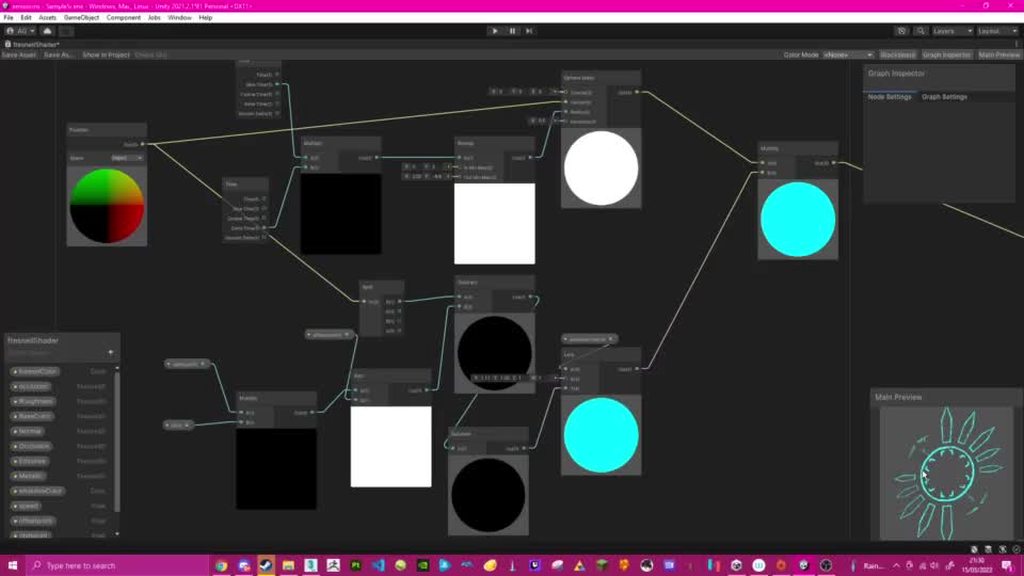
but this is what it looks like in scene and play https://imgur.com/a/k4KQim8

Sometimes it works normally in scene but never in play mode
soft lion
odd fog
I'm assuming it's to do with URP cos in the shader preview it works finehttps://...
Um… why are you multiplying sine time by deltaTime?
odd fog
The fade out goes in really quick if I don't add the deltatime
I've been trial and erroring so and that worked for the effect I wanted
soft lion
odd fog
I've been trial and erroring so and that worked for the effect I wanted
Thats absolutely not gonna work
That can work in shader graph preview but that doesn’t make much sense atleast for me
odd fog
Why would it give me that effect in preview if it isn't actually what it's gonna give me?
soft lion
Because deltaTime most likely doesn’t update on preview
Correctly alteast. It may be some constant value like 0.02
odd fog
I'd have to change the deltatime value to .02?
soft lion
Maybe
You could replace it by something like that but even then it doesn’t make much sense. You could just do the same with the existing remap node (ig? I think I’m done today. I’m quite tired rn)
 swift rain
Hey everyone, I'm sure the solution to this is super simple - I'm not finding it though. I started a new URP project (without Sample scene) in 2021.2.15f to do some PBR emission tests - and my PBR materials are not displaying correctly.
**Pic 1 ** is the URP project without the sample scene
Pic 2 is the same object/materials in a URP project with the sample scene.
I've checked the render pipeline settings, and tried to make sure they were identical. What am I missing here?

 timber glade
Missing normals for one thing?
placid laurel
Your probably missing something equivalent to the hdrp sky and fog volume. However I’m not sure because I don’t use urp
 dusky badger
sometimes need to bake lighting at least once, but I agree normals look missing
timber glade
And are you using scene lights?
(The little light bulb icon next to the "2D" icon in the viewport's top toolbar?
 blissful kite
In my unity Project i have a problem that there is made a bunch more Tris then normaly should be there. I have found out that at least lighting has to do something with it. If i turn of the lighting my Tris Counter goes from 3M to 1.3M
Obviously i dont want to turn of the light for my game. Is there a way to get this problem fixed?
marble vigil
blissful kite
In my unity Project i have a problem that there is made a bunch more Tris then n...
When using forward rendering each mesh affected by a light is rendered again per light
If deferred rendering is an option for your project it's better in that regard
But in either case it's prudent to keep light ranges at minimum, to not have huge continuous meshes under punctual lights and use LODs to reduce these runaway polycounts
Also, baked lighting gets around this issue, but it won't be realtime
 frozen palm
blissful kite
marble vigil
But in either case it's prudent to keep light ranges at minimum, to not have hug...
frozen palm
blissful kite
marble vigil
But in either case it's prudent to keep light ranges at minimum, to not have hug...
Yeah i should try to do LOD for everything
marble vigil
blissful kite
Yeah i should try to do LOD for everything
Yes, for everything that can be viewed from more than 20 meters or so
If you can use baked occlusion culling, that helps greatly as well
soft lion
blissful kite
In my unity Project i have a problem that there is made a bunch more Tris then n...
I think one reason your vertex count increases when using lights is that shadow pass renders the mesh again
soft lion
marble vigil
When using forward rendering each mesh affected by a light is rendered again per...
I’m not 100% sure what you mean by this but either way I don’t think this is the case. As far as I know, all lights are calculated in for loop and no extra passes are required for each light
blissful kite
soft lion
I think one reason your vertex count increases when using lights is that shadow ...
Is this something i can change?
soft lion
blissful kite
Is this something i can change?
Well, *decrease amount of shadow casters or light sources casting shadows (or decrease shadow distance). Shadow pass is still quite cheap so I don’t know if you really have to be concerned about that increase in tri amount. Using LOD and and different culling systems is good idea tho
marble vigil
soft lion
I’m not 100% sure what you mean by this but either way I don’t think this is the...
I'm probably mixing it up with shadow pass
blissful kite
OMGGGGG i fixed the problem lol! You guys are Amazing!
I had the Max shadow Distance to 5k i reduced it to 1k now and instant 2x less tris!
soft lion
blissful kite
OMGGGGG i fixed the problem lol! You guys are Amazing!
I had the Max shadow Dis...
5k? Thats 5 kilometers right?
blissful kite
I guess yes i used it once to make some Clips of Big Structures
soft lion
Very rarely in games you need shadow distance higher than 100m
blissful kite

This is the Map
Its quite big thats why i had it kinda in the first place i will play around with the Value and i heard i can make the Shadow Distance as an Option in my Game
soft lion
Could you just bake those lights and use distance shadowmask to use relatime shadows for only objects near to camera?
blissful kite
I cant Bake because the File Size will get big. Its a Browser game
currently i have the filesize down to 11MB
soft lion
Fair enough
blissful kite
I cant thank you enough for helping haha i am so happy now!
soft lion
In general its good to keep the shadow distance as small as possible to get bit better performance and increase shadow quality
blissful kite
Yeah i see that now! I learned the Hard way but sometimes that is best to appreciate specific Options
marble vigil
@soft lion https://www.reddit.com/r/gamedev/comments/inkh0/what_are_the_differences_between_forward_and/
...with forward rendering you're doing lighting calculations for every triangle, not just the ones that are seen.
Incorrect to say that the mesh is rendered again for each light, but apparently every vertex is still taken into calculation
My knowledge about the technical side is probably more spotty than yours
soft lion
marble vigil
<@!689758471003963472> <https://www.reddit.com/r/gamedev/comments/inkh0/what_are...
That still doesn’t take more triangles into account when light count is higher
dry willow
I think you're mixing up forward rendering in the built-in pipeline vs URP. Built-in does extra passes for each point/spot light iirc, but URP is all single-pass using a loop
marble vigil
I see!
soft lion
Oh it does? Interesting, always learning something new. Why is it like that tho? (I mean why does birp work like that)
marble vigil
So the cost doesn't stack that much with shadowless lights on URP?
I guess profiling can answer that pretty definitively
blissful kite
So with URP i am able to have more lights and it doesnt make a difference?
soft lion
The light count should still make a difference
blissful kite
Alright
soft lion
But it doesn’t change the amount of tris rendered (if they don’t cast shadows)
blissful kite
Ahh okay!
soft lion
May be bit cheaper than birp tho
blissful kite
I think i need to have a good read on how Lighting and rendering works in a deep fashion
soft lion
If the light per object count is high, its better to use deferred rendering path
blissful kite
soft lion
If the light per object count is high, its better to use deferred rendering path
So for example if i use a directional Light as the "Sun"?
soft lion
Deferred path is added very resently to urp so it doesn’t work for older unity versions
blissful kite
Ahh okay it doesnt work for the 2020 ?
soft lion
blissful kite
So for example if i use a directional Light as the "Sun"?
I meant to say light count
So if theres lets say more than 4 point lights per object, deferred could be good choise
blissful kite
Okay yeah i think in my case it doesnt really matter i am currently only using 1 Light for everything
soft lion
blissful kite
Ahh okay it doesnt work for the 2020 ?
Its added on 2021.2
soft lion
blissful kite
Okay yeah i think in my case it doesnt really matter i am currently only using 1...
In that case it would not help
blissful kite
Alright then i will not be an option for me at the moment i am using the long lasting 2020 version
spice jacinth
I am trying to create a material that's only visible through another transparent one. How would I do that? Tried searching up some info but got nothing
Nevermind
got a solution here

Guide for using the Stencil buffer in Unity to create portals & windows when using the Universal Render Pipeline. This info is also suitable applicable to...
 whole fog
I'm not sure if I should ask here but I can't find the proper channel.
What is happening with my transparent images in Unity and how do I make them resemble the lighting to the right (the original png)?
I'm using URP.
This weird "opacity posterization" remains when I posterize the image beforehand (lowering color ranges) or lowering opacity, etc. It clumps values in a very unpredictable way so I can't really "hack" it
(@tag me please)
 marble vigil
whole fog
I'm not sure if I should ask here but I can't find the proper channel.
What is h...
marble vigil
whole fog
I'm not sure if I should ask here but I can't find the proper channel.
What is h...
This could be caused by the way your photo editor / image format stores/compresses alpha channel data, but definitely worth checking if the switch between gamma and linear color space in unity has any positive impact
Though it's also possible that you have a lit material in unity and it's recieving light, or has a custom shader that changes its appearance
whole fog
Import setting changes do nothing.
I'm using Linear, but let me try switching to Gamma.
The photo editor is not the problem (I think) because in all sorts of viewers and editing programs (CSP, GIMP, Krita) the image displays correctly
I'm not sure about that last point
ok, it just finished doing the Gamma changes and now it works properly. Strange though, I thought Linear was supposed to be better?
does using Gamma have a negative impact on the project somewhere
at least according to this, one should use Linear
But.. anyway, thanks a lot for the help guys 🙂 Really appreciate it. This was bugging me for some months now..
 slim talon
I've got a UDP project where I made rotating swirl around floating (prefab) pickups in the game. The project has one main scene in addition to a title screen, but I added a simple "testing" scene to work out my Vfx. There's a rotating sphere on which the effect is mapped. On the testing scene, the effect works perfectly, but in the main game scene, using the same prefab, I see a pink circle which implies a URP problem.

Here's what I see in the main scene.
Any ideas?

It's all the same project.
Unity version 2021.2.7f1, if that matters.
My only other thought is that I put both of the objects seen in the first screenshot into the scene, whereas the one below is instantiated during play.
Might that have something to do wit it, and if so, why?
marble vigil
whole fog
does using Gamma have a negative impact on the project somewhere
Depends on your project
Linear color is much better at simulating HDR lighting in 3D space
In 2D unlit it probably only makes a difference if you do very fine gradients and blending
marble vigil
whole fog
Import setting changes do nothing.
I'm using Linear, but let me try switching to...
By the last point I mean that if your texture has a lit material and it's recieving light, it'll naturally be whiter than the texture alone
Or if it's got a shader that messes with the brightness somehow
but it's hard to guess without any info
whole fog
Yea actually my shaders completely broke in gamme but my lighting is arguably better now
regardless, I found something interesting

(these are cuts from screenshots taken from the ingame camera)
(I made a fake scene where I imported a sprite to test the color transitions. Its a 0% opacity to 100% opacity black gradient on a pure white bg. I wanted to see how it clamps transparencies
and gamma just works better. According to some forum posts, linear is a bit bugged)
marble vigil
whole fog
Yea actually my shaders completely broke in gamme but my lighting is arguably be...
Are you using custom shaders and are your sprites lit? It'd be an important clue
whole fog
custom shaders yes. Its ok I guess ill just go fixing them by hand
most are UI elements, others use Sprites-Default
something else, for the 3d objects (there are a few here and there): the lighting got better when I switched to gamma

and at this point im sharing this for anyone who might find this interesting

shaders broke, but I guess that makes sense given that they were made for Linear
but if you notice the Transparency bleed is much higher now. I was struggling with that in the shadergraph cuz it was cutting off too harshly
So I guess its actually more usable now, even if the colors are temporarily a mess.
All in all, gamma seems to work better for sprites using transparency. So.. would recommend xD
That should be a bit more noticeable here

it seemed very hard to lightly bleed edges (or so I thought) using Step n Lerp nodes. With gamma, might not be such a hassle. In case anyone might find this useful.
Anyway , sorry for the flood spam, thanks a lot again guys
things work just perfect now 🙂
whole fog
slim talon
Here's what I see in the main scene.
Any ideas?
can I see the material & lighting settings? this is a common problem with an easy fix usually. Just search pink materials online
slim talon
Thanks, @whole fog, for the tip. I'm familiar with the pink lighting issue and that wasn't it. As it turns out, I am using an asset from the store that does a whole lot of cool effects with shaders, etc (the Allin1Vfx toolkit) and it needs to treat prefabs differently. I contacted the author of the asset who explained it like this.
By default this asset doesn’t save the Material you are using, instead it keeps it as part of the Scene in order to avoid having too many objects cluttering your project. This means that by default, when you turn a GameObject with an AllIn1VfxShader material into a prefab, the prefab won’t render correctly since it doesn't have a reference to the Material inside the Project Asset files.
What you need to do there is save the material (the effect) and apply it to the instantiated prefab. Once done, it worked perfectly.
Again, thanks for replying.
whole fog
sounds like a more uncommon pink material problem
cool that you figured out the cause quickly 🙂
 ripe palm

this keeps happening
when i turn on URP
happens across all surfaces tht have light on them
marble vigil
ripe palm
happens across all surfaces tht have light on them
You could provide more info, like a less cropped image, URP version and quality setting asset
 ripe palm
marble vigil
You could provide more info, like a less cropped image, URP version and quality ...
ripe palm
marble vigil
You could provide more info, like a less cropped image, URP version and quality ...
(gonna quickly reply so u see this)
marble vigil
ripe palm
and idk wht ur last demand is
URP requires an asset which includes graphics settings, including shadow settings
I've not seen this type of issue before but anything could be an important clue
 marble vigil
There should be more shadow settings in the section above, but there's unlikely to be weirdness there if it's a freshly created asset
I would try to see if the issue persists in a blank scene with new lights and some default cubes
If so, then try in a new project created with the URP sample scene
ripe palm
alot of work but finee
 thorny moon
how do i get UI to be affected by light with URP?
 plucky sapphire
Hello
I'm trying to get a better understanding of the shadow casting and draw calls
Right now i have a scene with just a dude an some environment, no doors, walls and such:

My total draw calls are at 700, with 533 being shadow-related.
A lot of the calls are for doors, walls etc that are outside of camera, and i dont think the shadow could reach the camera view at all. Also, in the preview they are pure black.

Is there a way to optimize this, and where do i even start with checking what exactley is happening?
whole fog
According to the unity help images Linear should give better results but so far it has performed worse for Shadergraph nodes; 3D objects and 2D sprites. Im not sure if I'm doing something wrong here
but things like Overlay, Screen, etc. blends work properly in shadergraph with Gamma. Before I was wondering wtf was going on
and 3d models were washed out with Linear
 obtuse girder
Is it not recommended to use URP with low/mid-poly flat-shaded models? Light bleeds through the edges of the faces. I can only get rid of it by setting Normal Bias on Shadows to 0, but that causes some freakout banding effect (inset pic bot-left). Thickening the model does not help.
 marble vigil
whole fog
According to the unity help images Linear should give better results but so far ...
marble vigil
whole fog
According to the unity help images Linear should give better results but so far ...
If you have custom shading or lighting (or post processing), you can't expect same results with the same settings in gamma and linear, though neither is strictly "correct"
Without knowing what shading or lighting your materials have, it's impossible to guess why they look different
whole fog
what I mean is that the blends in shadergraph only work the way they are supposed to (in CSP, GIMP, Krita, etc.) when using Gamma
at least there id expect same results
marble vigil
If you switch the photo editor to linear color mode, do blend modes work as they do in unity with linear color?
whole fog
Im not even sure those programs have that option, let me chec
regardless I doubt many use it
marble vigil
Gimp might have
The math is probably the same, but if the data is different so will be the results
whole fog
yea but GIMP isnt exactly the best art software. its more for editing
thats all there is in CSP
 marble vigil
(Though if you get down to the technicalities it's the art programs that are doing it "wrong")
https://youtu.be/LKnqECcg6Gw
whole fog
while I understand Linear is technically better, if it messes with the workflow with other programs its worse (for me at least)
So even if those programs do it wrong, thats fine. I get the values I want 😄
marble vigil
It's a hugely convoluted topic though
I'd just forget trying to make everything match exactly and just tweak stuff until it looks good
whole fog
if we're gonna talk about wrong I would never use RGB, LAB is the best but... no one uses it.
Well yea but tbh it was impossible to get smooth shadow drop offs in shadergraph with Linear precisely because it groups tarnsparencies
and so there's a huge cut off. Which was useful for some shaders, but mostly a bother. And you cant properly "expand" black-white texture areas because of this. I was wondering what I was doing wrong.
Granted, switching to gamma I had to spend 14 restless hours converting my shaders but
I expect the workflow will be much better from now on. For Diablo 3-like shaders at least
My point is: Linear is causing far too many problems with transparent sprites. You import an image and it looks way way different
I dont know if thats fixable and I was doing something wrong, but according to my tests thats just how it works
aanyway, Im taking up the channel here. That's all I have to say on the topic on my end 😄 If anyone wants to see more of my tests on the differences best PM me
 icy mountain
I think this is a common problem. What settings do I need to do to get rid of jaggy shadows?
 soft lion
icy mountain
I think this is a common problem. What settings do I need to do to get rid of ja...
soft lion
icy mountain
I think this is a common problem. What settings do I need to do to get rid of ja...
higher shadow quality/more cascades/smaller shadow distance
icy mountain
@soft lion I think it's max, is there anything more i can do?
 soft lion
icy mountain
<@!689758471003963472> I think it's max, is there anything more i can do?
soft lion
icy mountain
<@!689758471003963472> I think it's max, is there anything more i can do?
does those settings have any affect to shadows?
icy mountain
soft lion
does those settings have any affect to shadows?
Yes, if i uncheck "Cast shadows" the shadows disappear
soft lion
ok, then ig you're modifying correct asset 😄
icy mountain
I reduced the shadow resolution to 256 and it looks better somewhat... fuzzier to be expected, but its no longer a train wreck
OK, the shadow resolution isn't the bottleneck that's for sure
Oh found a solution, I increased the number of "Shadow resolution tiers"
thank you

 south pagoda
Does anyone know where we can see up to date URP changelogs? Apparently 12.1.5 + 12.1.6 have both been released already but I don't see their changes?
https://docs.unity3d.com/Packages/com.unity.render-pipelines.universal@12.1/changelog/CHANGELOG.html
 heady jewel
Hi, I am having trouble with urp in unity version 2022.1.0b12, I start the URP 3D Project and then it says (1st Picture)
However when I click ok and try to build my game I get these(2nd Picture)
Can someone please help me?

 stable solar
Any idea what's going on here? Unity is culling my shadows very weirdly when they are near the top of the screen. This doesn't happen if the object is at the bottom...
https://streamable.com/yu6bna

The tree is made up of multiple sprites, and I assume unity is culling sprites from the shadowcaster pass when it shouldn't, I just have no idea why or how to fix it :[
Disabling Light.useViewFrustumForShadowCasterCull fixes the issue, so it is definitely due to frustum culling.
Guess I'll disable that for now until I find an actual solution to the issue 🤷
 stiff basalt
Hi, I am having issues with Dots 0.5 / Hybrid Renderer v2 which I posted in detail in the DOTS channel but if I could fish some kind tech artist to help me, I would be grateful!
#archived-dots message
placid laurel
heady jewel
Hi, I am having trouble with urp in unity version 2022.1.0b12, I start the URP 3...
Have you opened the project previously in a different version of unity ?
heady jewel
first one yes but then I created like 3 more
in the newest one and started it as urp project
placid laurel
And also created in the 2022 version ?
placid laurel
Ok give me a sec
heady jewel
as soon as project opens I got a message from first pic then when I try to build it errors on 2nd pic
heady jewel
placid laurel
Ok give me a sec
any updates?
mystic delta
@heady jewel Don't spam unrelated channels. Did you follow the instructions for the material upgrade in the warning?
heady jewel
mystic delta
<@!576156118519119894> Don't spam unrelated channels. Did you follow the instruc...
I didn't spam in unrelated channels, just in unity-talk (because I didn't see this one at first and later because nobody replied), urp only asked once and hdrp just now because I didn't get any help here in unity talk or here, and second I do not have any materials in my project it's a new project I just started and instantly got these errors when I try to build it
mystic delta
heady jewel
I didn't spam in unrelated channels, just in unity-talk (because I didn't see th...
Your templates could be corrupted. Start new project using one of the default templates. If you get errors again, reinstall cleanly, preferably to a new non-system location and make sure system didn't block any install features with third party security programs.
heady jewel
mystic delta
Your templates could be corrupted. Start new project using one of the default te...
don't have any third party av just windows defender with everything off other than real time protection and I gave unity and unity hub admin access so I doubt that's the case, also I tried starting a new project that's not urp then installing urp from package manager that didn't help
I already tried all the things I can try my self and I couldn't find anything online on this problem
mystic delta
Using admin on Editor itself blocks some usability features. It should function without it
heady jewel
I've had experience with alot of programs and I am 90% sure that won't fix my problem but sure let's try it
mystic delta
If you have permissions problems, they could manifest with part of Unity not able to write into its folders. So installing into a clean directory would fix that.
heady jewel
well as you can see I do not have that problem
my problem is connected to urp as far as I can tell and I am building other projects in older unity versions and before installing urp with new version completely fine
mystic delta
Other errors are not related to URP, it could be corrupted packages, which could be a result of lack of access at some point. Again reinstall cleanly to a new location or research the exact errors.
heady jewel
mystic delta
Other errors are not related to URP, it could be corrupted packages, which could...
researched the errors but there is nothing online and ok I will try reinstalling unity now
mystic delta
If you open the same project after, make sure to delete its Library folder, or problems will carry over.
Also make sure project folder is not in the system directory
heady jewel
I'll make a new project just to be sure
heady jewel
mystic delta
Also make sure project folder is not in the system directory
all my projects are in D/Unity Projects and all my Builds are in D/Unity Builds
Unity is installed on C
mystic delta
Install it into a new directory on C if you want to keep it there. It's all just to create ideal conditions and exclude OS weirdness.
mystic delta
Just make sure not to use downloadable templates while you're testing for stability
heady jewel
mystic delta
Just make sure not to use downloadable templates while you're testing for stabil...
just tried it with this one same error, now I am starting a new empty 3d Core and wil ltry to import urp my self but doubt it will help
 mystic delta
What was the same error?
heady jewel
let me open that project and I will send you ss
mystic delta
Oh you're on beta as well
heady jewel
yeah so was my friend and he was able to build the game
we used unity collab
I mentioned all those details yesterday
mystic delta
If you're not into problem solving should not use beta
heady jewel
mystic delta
What was the same error?
 heady jewel
mystic delta
If you're not into problem solving should not use beta
heady jewel
mystic delta
If you're not into problem solving should not use beta
what version should we use then and what do we lose when we downgrade?
mystic delta
Templates were known to be broken for new versions sometimes
The one that is not beta. The Hub recommend the version to use
 mystic delta
2021.2 is pretty stable
heady jewel
ok, let me try installing that one then and will let you know if I get any more errors
heady jewel
mystic delta
2021.2 is pretty stable
yeah downgrading the version to 2020.3.31f1 fixed it instantly, really hope they'll fix 2022 version too because UI looks so much better there
 stoic quiver
Is there a way to make the pixel perfect camera have the same height limits like the normal camera has? There are places in the game that arent supposed to be seen
marble vigil
stoic quiver
Is there a way to make the pixel perfect camera have the same height limits like...
Pixel Perfect component doesn't change how you control or limit the camera's movement or position
The notable difference is that the component will override the camera's orthographic size, so you need to check what value that is before coding limits around it
stoic quiver
marble vigil
Pixel Perfect component doesn't change how you control or limit the camera's mov...
it changes how much it sees depending on the resolution of the window...

 marble vigil
stoic quiver
it changes how much it sees depending on the resolution of the window...
marble vigil
stoic quiver
it changes how much it sees depending on the resolution of the window...
Same is true for any camera resolution and size, regardless of Pixel Perfect
With Pixel Perfect you can't use Free Aspect in game view, it will give you an incorrect view
hence the warning
 stoic quiver
well how am i supposed to "restrict" the amount of stuff one sees
stoic quiver
marble vigil
hence the warning
that has nothing to do with my issue

as you can see
this thing seems to stay 1:1 no matter what setting i do
 marble vigil
@stoic quiver The process is the same either way
You choose an aspect ratio for your game to use which will define the edges of visible area
Then you restrict the camera's position based on those edges
With pixel perfect you also need to set resolution in addition to aspect ratio, following the restrictions of pixel perfect rendering
In both cases you need to view the game window with the target resolution to visualize visible areas accurately
stoic quiver
yeah well it doesnt seem to be working "the same way"
the normal camera only extends the view horizontally, but pixel perfect its both
marble vigil
stoic quiver
the normal camera only extends the view horizontally, but pixel perfect its both
You need to get the pixel perfect reference resolution and pixels per unit correct first
It's not immediately obvious how it works
stoic quiver
how do i get those 🤔
marble vigil
stoic quiver
how do i get those 🤔
https://blog.unity.com/technology/2d-pixel-perfect-how-to-set-up-your-unity-project-for-retro-8-bits-games should be instructions for it somewhere here
stoic quiver
myeah this isnt working
the article is also from 2019 which i assume decent amount is changed; and considering im using the URP pixel perfect component, theres a decent amount of differences there also
marble vigil
stoic quiver
the article is also from 2019 which i assume decent amount is changed; and consi...
Nothing looks to have changed and the settings are identical between render pipelines
stoic quiver
well its not fixing my issue
theres no such setting that seems to fix it
actually theres one way to fix it, and its a bad way
 marble vigil
Do you know what resolution and aspect ratio you want your game to display as?
stoic quiver
considering this isnt a development for an arcade rig with a single resolution and aspect ratio, no
marble vigil
Pixel perfect rendering doesn't work with every resolution or aspect ratio, and as pixels can be only scaled in integer increments you will need to know how much scaling you want
stoic quiver
yeah, thats dumb as hell
marble vigil
That's the mathematical nature of rendering pixels perfectly
stoic quiver
i see no reason why they couldnt do it in a way to be able to work as a normal camera, but without the issues it has for pixel games
the only reason im trying to get the pixel perfect one to work is because of these built parts of an object for example showing "gaps" in certain resolutions
 marble vigil
stoic quiver
the only reason im trying to get the pixel perfect one to work is because of the...
marble vigil
stoic quiver
the only reason im trying to get the pixel perfect one to work is because of the...
That's a tricky problem to solve if you don't want to go through the whole process of figuring out a correct reference resolution
Still a workaround you could try is to either make sure the problem sprites are perfectly on unit grid
Or if that fails move them a tiny bit inside of each other, even half a pixel should suffice
 silk blaze
hi, is there any way to have very soft shadows on border? I can only have hard edges and can't find any info on soft shadows. And on the assetstore there's only NGSS but it's not compatible with urp :(
marble vigil
silk blaze
hi, is there any way to have very soft shadows on border? I can only have hard e...
By hard edges do you mean jagged or sharp type?
Jaggedness can be fixed, but there's no soft shadows for realtime lights
silk blaze
not jagged, soft shadows. but yeah that's what I thought, no soft shadows for realtime lights. that's quite bad 😦
marble vigil
silk blaze
not jagged, soft shadows. but yeah that's what I thought, no soft shadows for re...
I believe this is for optimization reasons, for now anyway
Even just high quality shadow filtering is expensive, and proper shadow softening that can consider light source size and distancing is very challenging for realtime graphics overall
HDRP's high quality filtering does something like that
 granite pecan
hey!
i've got this problem where the FPS rig i've attached to the camera weirdly pops in/out as you move it. i've changed the near plane on the camera and tried to move it around but parts of the model dissapear randomly; changing materials doesn't seem to fix it either :/
here's how it looks in action; https://youtu.be/ZKKyiFPUc0Y

 charred siren
hey guys, im trying to get an HIZ depth texture in URP using unity 2021.2. I found a github that does this for versions before 2021.2, using the CustomDrawing and Drawing classes. issue is, it doesnt work in 2021.2, as those classes were removed
what is the best way of going about getting an HIZ depth texture for use with occlusion culling?
 brave geode
How do I import pbr textures to Unity from polyhaven.com? Unity uses some weird R channel for metallic and alpha for smoothness (roughtness).
textures from polyhaven have R,G,B for AO/roughness/metalic
 viscid scarab
Hi, I have two projects, one for my main game, the other for VFX test. In my VFX test, I'm able to use URP / Particles / Unlit, and my VFX look okay. I started a new project (using SteamVR which may be the issue), and i'm not able to access the Unlit. I think that's why they look so different... If anyone has a fix, please let me know! Thank you! (Edit, they're both using the exact same settings and material)

 quiet umbra
Do ambient occlusion exist in urp?
pearl parrot
quiet umbra
Do ambient occlusion exist in urp?
third party ao exists
merry monolith
quiet umbra
Do ambient occlusion exist in urp?
there's built-in URP SSAO since Unity 2020.2 / URP 10
quiet umbra
Yeah, i found it, but it's kinda weird tbh
merry monolith
it's not great but it exists 🙂
there are 3rd party solutions which also come with their own issues
would recommend HBAO from asset store myself
quiet umbra
HDRP also have ao but hdrp really laggy for me
merry monolith
HDRP has quite big initial overhead so it won't run nicely on weaker hardware
 echo moth
https://forum.unity.com/threads/is-there-any-way-to-add-a-material-with-a-normal-map-to-a-spriteshape-sprite.760145/ anyone know if support for normal maps on the spriteshape fill material is planned soon?
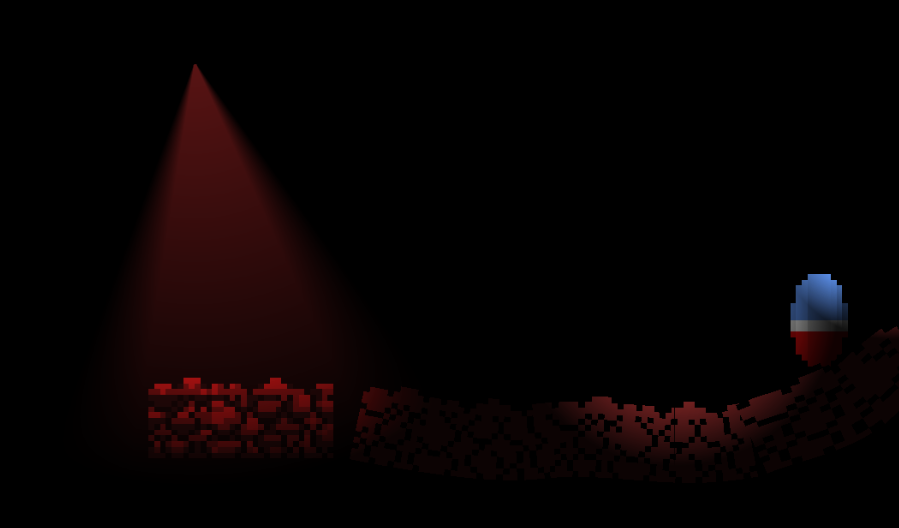
Unity Forum
Hi all!
I'm playing around with 2d lighting and sprite shapes. I know with a sprite renderer, I can just assign a material that has a normal map on it...
(or if there's a workaround to make it work)
placid laurel
cant find a built in renderer channel
so heres my question
is there a built in decal system for the built in rp
soft lion
placid laurel
cant find a built in renderer channel
I think birp question could best fit in #💻┃unity-talk . afaik built in decal system doesn't exist atleast yet. projectors could be used to achieve something similiar. As far as I know, the projector system is not the most efficient tho
placid laurel
Ooooo
Could u link a page on projectors ?
 warped zephyr
Is it possible to use default-material on a tilemap with URP?
It comes up as pink for me, even if I upgrade the project.
 crimson rivet
I'm having an issue where all ShadowCaster2D components stop rendering when the camera moves outside of a certain y or x point, and renders again when inside. And I cannot figure out why this happens
 tepid sundial
Hi! Currently having issues with URP out of nowhere, post fx works completely fine in a different scene and in editor but nothing when in game


yet it works completely fine in another scene
 toxic yarrow
anyone know why the fragment shader nodes are greyed out? I can't apply alpha to anything
 copper pilot
@toxic yarrow you need a vertex master node to feed into the fragment.
cyan talon
Creating a shader graph from one of the suitable templates is probably a better way to start
having to change the base to get where you were going in the first place is just adding an unnecessary complication
pearl parrot
tepid sundial
do you have post processing on the camera enabled?
 inland saddle
Any idea why this Render Texture is taking up only the topleft trriangle of my screen?
 tepid sundial
pearl parrot
do you have post processing on the camera enabled?
tepid sundial
pearl parrot
do you have post processing on the camera enabled?
Yep
Same layer too
And layer mask is selected
Global volume too
 kind harbor
Confusing weirdness. Our game is running on URP 7.7.1 and using HBAO. All was good until we upgraded from 2019.4.9 to 2019.4.36 (latest LTS)
Now the alpha pass is drawing as if the zbuffer is empty, unless I either disable HBAO or disable MSAA.
Disabling HBAO makes the game look crap.
Disabling MSAA fixes the alpha pass, BUT now it's doing a depth prepass and HBAO is using THAT depth buffer instead of the real one, which means it is ignoring any of our custom shaders that don't have a DepthOnly pass.
Is there a fix for this that doesn't involve adding DepthOnly passes to a bunch of shaders for a pointless prepass (because it isn't even being used to optimise the main pass until 2021.2)?
 stoic cosmos
anyone an idea what this error means? https://gyazo.com/e8c158612b0060e68161925c16bd178f
 kind harbor
stoic cosmos
anyone an idea what this error means? https://gyazo.com/e8c158612b0060e68161925c...
kind harbor
stoic cosmos
anyone an idea what this error means? https://gyazo.com/e8c158612b0060e68161925c...
I was having a similar error when I had a Microsplat TraxManager on the player but the level wasn't set up for it. Try disabling anything you recently added to narrow down where it's coming from...
kind harbor
A lot of stuff might have changed by moving from one revision to another. Upgrading the minor version ONLY is supposed to be backwards compatible, but beyond that all bets are off...
stoic cosmos
damn, ok i will downgrade again xD
tepid sundial
tepid sundial
Hi! Currently having issues with URP out of nowhere, post fx works completely fi...
I'm still having this issue and my brain is about to blow up
legit works fine in the next scene and in editor but nada in actual game
got it, changed the canvas to camera space and works now
marble vigil
tepid sundial
got it, changed the canvas to camera space and works now
Well found
By "in game" did you mean in build or in playmode
tepid sundial
playmode
 glossy wyvern
Looking to copy the camera data from one camera to a render texture or array / native array efficiently using command buffers or another efficient way to copy the pixel data from the main camera into a byte array (native or otherwise) does anyone have any pointers?
 proper tree
Hello hello
Got a VR (on occulus quest) project wich is using spacewarp, the build work on quest 2 but not on quest 1 (i have just a black screen on quest 1)
I saw a git project, wich make work the spacewarp on the quest 1 too (i tried the apk and it work), but there are no infos on how to use this on quest 1
If somebody have an answer, or something, tell me
the git app : https://github.com/nukadelic/unity-application-spacewarp

GitHub
Template unity project preconfigured with ASW for the Oculus Quest 1 & 2 using a custom render pipeline - GitHub - nukadelic/unity-application-spacewarp: Template unity project preconfigur...
 modest delta
Hello, my trails are drastically different between the Play Mode and the actual build. And "Camera Fading" is not working at all in the build.
The build seems to struggle with opacity of the trail.. ?

Left is how it looks in Play Mode, right is the actual build.
Any ideas?
 quick helm
Hey, having an issue with a gradient shader i'm trying to get working. Right now it's working horizontally for some reason, and I can't figure it out, can anyone help me?
Here's the shader and what it looks like working improperly.


 quick helm
Nevermind, found my issue
merry monolith
Gigaya livestream's VOD here: https://www.twitch.tv/videos/1435336001?t=2h46m28s

Twitch
unitytech went live on Twitch. Catch up on their Software and Game Development VOD now.
stiff basalt
Hello! I am working on a wooden box that, once it hits something else, it explodes into several splinters (you can see them in the bottom-left).
My issue is that I set this shader graph for transparency as I want the shards and box to fade out (then be destroyed at alpha=0) and there's a weird sorting issue going. You can see in the giant box on the right side, it's big because it's super close to the camera, yet an object further away is above it in visual sorting (to the left of the giant box).
I am a total noob regarding shaders and URP so I gave you all the details in relation in hopes somebody can help me. Or perhaps does this post belong in #archived-shaders ?


 grim matrix
Is there a way to change the default material on a sprite renderer component? I don't want the 'Sprite-Lit-Default' material.
clear sentinel
grim matrix
Is there a way to change the default material on a sprite renderer component? I ...
Yep using the preset manager
 floral comet
stiff basalt
Hello! I am working on a wooden box that, once it hits something else, it explod...
floral comet
stiff basalt
Hello! I am working on a wooden box that, once it hits something else, it explod...
are you using particle system?
stiff basalt
floral comet
are you using particle system?
I am using the VFX system to add some "fire" on top of anything else, but everything you see there are game objects with the same shader/material
floral comet
stiff basalt
I am using the VFX system to add some "fire" on top of anything else, but everyt...
check out this setting for particle systems. should change how sorting behaves for meshes spawned by the particle system.
 stiff basalt
floral comet
check out this setting for particle systems. should change how sorting behaves f...
stiff basalt
floral comet
check out this setting for particle systems. should change how sorting behaves f...
But I am using VFX aka VisualEffect, not the Particle System component. And my elements are not related to particles
dry willow
stiff basalt
Hello! I am working on a wooden box that, once it hits something else, it explod...
This is a common issue with anything transparent. Transparents don't write to the depth buffer so they blend correctly, but also means they can't easily be sorted. Usually it should sort based on the object's distance to the camera so not sure why that isn't happening here, unless these are all a single mesh/gameobject.
It would make sense to keep objects opaque and switch to a transparent material when they need to fade.
Or always use opaque and dithering to fake transparency. e.g. https://danielilett.com/2020-04-19-tut5-5-urp-dither-transparency/
floral comet
yes above is the correct answer. or maybe try this
 stiff basalt
dry willow
This is a common issue with anything transparent. Transparents don't write to th...
stiff basalt
dry willow
This is a common issue with anything transparent. Transparents don't write to th...
Oooooh thank you! I definitely can live with faked transparency, especially if the transparency is applied after the entire object is rendered (I don't want to see the backside of the back polygons)
grim matrix
clear sentinel
https://docs.unity3d.com/Manual/class-PresetManager.html
Thank you. I didn't know about that
 split stone
Just wanted to share this if you have not seen it. We've been building a larger project in URP 🙂
https://www.youtube.com/watch?v=-S6J8zm_w1E

Gigaya is a living game sample that the Unity team is creating and powering with Unity tech. Explore Gigaya to see how the ecosystem of Unity tools and features work together to enable creators like you to realize all kinds of creative ambitions. Jump into the world of Okkeriel to find inspiration on how to bring your own game to life. Use this ...
soft lion
can't wait to see that on editor...
 cyan swallow
if I have a custom render feature that uses custom shaders (e.g. for a full screen pass), how can I get the shaders to be properly serialized so that they are identified as required for builds by Unity?
fossil lily
cyan swallow
if I have a custom render feature that uses custom shaders (e.g. for a full scre...
Add them to graphic settings always include list. You can also drop the shaders in Resources folder if you need to load it via script at runtime
cyan swallow
fossil lily
Add them to graphic settings always include list. You can also drop the shaders ...
but that requires a lot of user intervention and isn't well suited to assets (it's probably one of the most frequent support tickets I get)
I did find a way in the end, following from how PostProcessPass does it in Unity - I defined a ShaderResources class with Serializable that holds references to Shader properties used in my post process. I then have a reference to this in my ShaderFeature so that it gets saved when the shader feature gets saved
then Unity at least can figure out which shaders to use
 potent smelt
how to make a sonar shader using URP
soft lion
potent smelt
how to make a sonar shader using URP
More #archived-shaders question
 warm gust
Hi all - I am trying to change the Volume mask on a URP camera via a script instead of the inspector but I can't for the life of me find out how to access it.
Google has been leading me in a circle with the same unhelpful pages - anyone have a lead? Thank you!
warm gust
warm gust
Hi all - I am trying to change the Volume mask on a URP camera via a script inst...
Disregard - stumbled across an answer for HDRP that lead me in the right direction.
You have to use UniversalAdditionalCameraData in order to access the volum mask on the camera
stiff basalt
dry willow
This is a common issue with anything transparent. Transparents don't write to th...
This technique worked so well! Thank you again Cyan, you are a pillar a confidence for me that any problem has a solution V_V
 somber oasis
Hi! What is wrong with point lights and normal maps in URP? why light is always facing in -z/-x direction?

maybe triplanar node is broken? should this look like this?

 distant edge
does anyone know why when I load my scene using something like LoadScene() my lit textures are black unless they have an emitter
if I open the scene then just play it, its all normal
 autumn pulsar
anyone know why when I added URP my 2d characters dont use their pivot points correctly to show whats in front and whats behind
marble vigil
somber oasis
Hi! What is wrong with point lights and normal maps in URP? why light is always ...
This happens in most 3D software if the normal map is using wrong color space or wrong gamma
Usually the "type: normal" is enough to convert to the right color space, but I guess it's possible that the texture already has a color space baked in
placid laurel
Hi, does anyone know why my Unity shadows in URP look like this?


It's not really noticeable sometimes but other times the lines make a "distortion" effect
marble vigil
@placid laurel https://docs.unity3d.com/Manual/ShadowPerformance.html
"shadow acne"
placid laurel
Oh, thank you! I searched about it but I didn't find anything
charred siren
does anyone good with shaders know how to create a good HIZ depth texture in urp or built in?
somber oasis
marble vigil
Usually the "type: normal" is enough to convert to the right color space, but I ...
Sorry, was my fault: Seems I forget to set the texture type to normal when importing from the older 2019 LTS project. (don't think upgrading the project to a newer editor causes this) Now everything is fine!
 distant edge
does anyone know why when I load my scene using something like LoadScene() my lit textures are black unless they have an emitter
if I open the scene then just play it, its all normal
marble vigil
distant edge
does anyone know why when I load my scene using something like LoadScene() my li...
Try generating lighting for the scene manually
somber oasis
Hello,
Don't know what happend, but the Post processing bloom effect is suddenly broken.
The thing is: it is not completely gone, but with the old setting nothing to see, it now needs a much lower treshold to work at all, but then it looks odd and the scatter somehow does not work anymore.
Maybe I changed the wrong setting somewhere?! As a restart of Unity did not help and in the compiled game it still works as expected.
somber oasis
LOL, after trying to figure out for about 3 hours, finally found it, in main camera, hdr was turned off. off course shortly after asking …
placid laurel
how to get gra[h editor window
 soft lion
placid laurel
how to get gra[h editor window
soft lion
placid laurel
how to get gra[h editor window
what is that?
marble vigil
placid laurel
how to get gra[h editor window
You need to start asking clearer more detailed questions if you want anyone to be able to help you
somber oasis
Anyone knows how to get things in the shadow only lit by ambient light? so the same from all sides in URP? in built-in it is like that - and I would prefer it.
But even more wondering about the ugly transition between shadow cascades?! Tried the same settings as with built-in, so 4 cascades and 150m, but still ugly as hell:

similar shadow in built-in (also the point light shadow is not so dim):

and more important: transition not even visible
somber oasis
better comparison (roughly same distance) - you have to look extremely close to see any transition at all, with URP it more than obvious.

 barren nest
Anyone know if there's a good way to get better control over the render order of alpha blended materials in URP? I know depth buffer accuracy for alpha blending is expensive in general, just wondering if there's a way to presort or write custom depth information. For example, these papers are rendered in the wrong order for their Y values, but I'd like to keep them relatively flat since they're essentially floor decals:

 cerulean quarry
anyone know why the map is cut off?
it isnt rendering the whole thing, it just cuts to a black void that seems to shift with the camera
i assumed this was the far clip plane, but apparentally not
 wintry sluice
how do I setup a 2D renderer for URP? I need to use a pixel perfect camera
 warped sphinx
Anyone know how to tweak a camera's scale effect?
I have a game were you can play both as a person and a mouse, and right now the only solution I found is to have the entire level be scaled up/down to make the effect, which prevent a lot of static/precalculating features from being usable.
Surely there must be some way to tell the camera to just multiply all vertex distance by a factor, or something like that?
(Bonus point if it work in VR)
marble vigil
wintry sluice
how do I setup a 2D renderer for URP? I need to use a pixel perfect camera
Do you have trouble finding instructions? Note that the 2D renderer only handles 2D lighting, it's not required for pixel perfect camera. URP isn't required either
wintry sluice
marble vigil
Do you have trouble finding instructions? Note that the 2D renderer only handles...
Yeah I found tutorial only for older version of URP
marble vigil
warped sphinx
Anyone know how to tweak a camera's scale effect?
I have a game were you can pla...
I believe perspective camera size as a concept doesn't exist outside of VR
In VR it would be controlled by the eyes' distance from each other
wintry sluice
also the pixel camera itself is quite hard to understand 😐
marble vigil
It definitely can be
 fluid vigil
Hi! Not entirely sure where to put this, but has anyone made experience with the new fullscreen playmode option?
I was originally thrilled to see it, but it seems to halve my Playmode FPS compared to Maximized. (FPS in an actual built also reflects the better framerate)
Just wondering if you've made the same or different experiences
 void frigate
Oh neat, we get a Fullscreen button now? I've been using that asset from the store.
 random badger
Hi! Any ideas why my shadows look like this? I've been following tutorials on how to make a cell shading effect in URP, but for some reasons the shadows are messed up

It's taking the whole scene and rendering it weirdly
fluid vigil
probably need a comparison shot in how you'd imagine it looking - because for a pure shadow pass it seems fine (?)
 fluid vigil
have you followed the tutorial to the end? Seems like your current result could be an between step.
random badger
yes I did, I'll rewatch just to be sure but in their setup it works right away
fluid vigil
so, do you have additional geometry in the scene or is it just the sphere?
random badger
Nope there is more geometry, maybe I can try putting it in one scene!
fluid vigil
was just wondering if the square shapes were part of the unintended your experiencing.
if not - the issue are just the hard surface shadows?
random badger
Looks like it yeah everything but the shadows seems to be working fine
I put it in another scene just to check and there is no shadow cast by the sphere
fluid vigil
does your new shader have shadow casting support or do you only get diffuse shadows?
random badger
ok nvm, at another angle I can see shadows

So I used the keywords for shadows? is this what you're referring to?
 fluid vigil
(just incase check, that shadows are enabled in your pipelineasset & on the mesh renderer)
random badger
yup everything is enabled
what I'm seeing is the shadow cascade it seems, as it's chaging when I change the amount of cascade
but I'm quite new to all this so not sure how to troubleshoot that
fluid vigil
As I don't know the tutorial you're following - I don't know how shadows are setup in your shader. Generally you'll have to compute diffuse shading (basically the shading from any lightsource) and application of shadowcasts seperately.
yeah, realtime shadows in URP are kinda annoying to setup - just fiddle with the sliders until you have something that you like.
dry willow
If it helps, this is how I handle custom lighting in shader graph : https://github.com/Cyanilux/URP_ShaderGraphCustomLighting
random badger
ooh so you add another mesh that will receive shadows?
random badger
fluid vigil
As I don't know the tutorial you're following - I don't know how shadows are set...
ok I'll double check the tutorial (https://www.youtube.com/watch?v=RC91uxRTId8 <- this one) to make sure
What's strange is that I'm on the same Unity version
dry willow
random badger
ok I'll double check the tutorial (https://www.youtube.com/watch?v=RC91uxRTId8 <...
That tutorial looks a little outdated, even if you can get it working in editor you might have trouble with builds due to stripping shader variants. Ned has another one here : https://www.youtube.com/watch?v=GQyCPaThQnA (One main difference would be using _MAIN_LIGHT_SHADOWS, rather than MAIN_LIGHT_CALCULATE_SHADOWS)
Alternatively could use the Sub Graphs provided in my github repo linked above.

✔️ Tested in 2020.3 & 2021.1
Do you have a material that doesn't look quite right in Unity's URP lit shader graph? Or would you like to experiment with stylized art styles with the convenience of the shader graph? In this tutorial, I show how to implement custom lighting, allowing you to solve both those problems. Afterwards, you could extend t...
random badger
Oh wow thanks I'll check that out! And yeah I looked at your repo and it looks like what I might need, I just want to understand what didn't work on my end before
thanks for the help!
 torpid matrix
Hello everyone. I'm pretty new to Unity (in Level design). I was wondering if someone in here could tell me, how I copy an object, place it somewhere else and get two different light maps. For each object one. So if I drag and drop one in the sun, then copy paste it and put it somewhere indoor they still sharing the same light map, which leaves one object looking terribly wrong...
marble vigil
torpid matrix
Hello everyone. I'm pretty new to Unity (in Level design). I was wondering if so...
Baking lighting again would redistribute the lightmaps accordingly
torpid matrix
Tried that. Still gives one light map to all object
marble vigil
torpid matrix
Tried that. Still gives one light map to all object
That's not quite normal
I would clear baked data and even restart the editor and bake again
Also worth checking if the meshes have "generate Lightmap UVs" checkbox on
 lofty yacht
Hey, does anybody have a good resource to start learning how to scriptable render feature works and just the URP in general?
 boreal rapids
lofty yacht
Hey, does anybody have a good resource to start learning how to scriptable rende...
boreal rapids
lofty yacht
Hey, does anybody have a good resource to start learning how to scriptable rende...
https://www.youtube.com/watch?v=MLl4yzaYMBY (has bunch good URP vids)

✔️ Works in 2020.1 ➕ 2020.2 ➕ 2020.3 🩹 Fixes for 2020.2 and .3:
► When you create a shader graph, set the material setting in the graph inspector to "Unlit"
► Editing properties must be done in the graph inspector instead of the blackboard
Renderer features are custom render passes you can add to your game using Unity's Universal Render Pipelin...
stoic quiver
Is there no way to change all the measured materials to the URP lit one easily?
 lofty yacht
boreal rapids
https://www.youtube.com/watch?v=MLl4yzaYMBY (has bunch good URP vids)
lofty yacht
boreal rapids
https://www.youtube.com/watch?v=MLl4yzaYMBY (has bunch good URP vids)
Sound super great, thank you!
cyan talon
pinned to this channel as I said
 timid nova
ok
 dark tide
I'm using a model from the asset store (https://assetstore.unity.com/packages/3d/props/guns/sci-fi-gun-162872#reviews), but after switching to URP the text from the canvas renderer changed to just being blocks roughly the size of the individual letters:
 boreal rapids
dark tide
I'm using a model from the asset store (https://assetstore.unity.com/packages/3d...
boreal rapids
dark tide
I'm using a model from the asset store (https://assetstore.unity.com/packages/3d...
did you use the urp converter to convert the text/material asset ?
 tight crescent
how do i make a material tile. im trying to use a asset that tiles per every unit but instead it just stretches across the entire thing
i dont remember having to deal with this issue with regular pipeline
dark tide
boreal rapids
did you use the urp converter to convert the text/material asset ?
I used the "convert materials" option from the menu
right now the shader also shows as URP/Particles/Lit so I assume it worked
changing it around to just URP/Lit doesn't have an effect
placid laurel
hey ive set up urp on my 2d project and upgraded materials but it doesnt work what so ever
 modest merlin
How would you get this lighting effect in urp for my meshes ? https://www.youtube.com/watch?v=uqYW7Z2GMYM&t=819s

Play Super Animal Royale for FREE here! - https://sbx.gg/srohmwrecker
►ENJOY THE VID? LIKE, COMMENT & SUBSCRIBE! http://bit.ly/RWT4Di ◄
Thanks to Super Animal Royale for sponsoring this video! :)
Super Animal Royale Season 1 is out NOW!
About Super Animal Royale-
It’s a fight for furvival! Super Animal Royale is a 64-player, frenetic, top-d...
When using a point light, it reflects way to much on the ground
 marble vigil
modest merlin
How would you get this lighting effect in urp for my meshes ? https://www.youtub...
marble vigil
modest merlin
How would you get this lighting effect in urp for my meshes ? https://www.youtub...
The same way I told you in #archived-shaders
Find a shader that can control the light falloff like toon shaders do
boreal rapids
placid laurel
hey ive set up urp on my 2d project and upgraded materials but it doesnt work wh...
you probably haven't configured it properly. Are you following a guide?
 wispy vale
i've been unable to find a tutorial or anything on this, but I'm just learning Unity and made a 3d project with the URP template, and I need to make a 2D scene. I seem to need to get a 2d renderer set up, but I'm not sure how to keep my 3d scenes working the way they are right now
boreal rapids
wispy vale
i've been unable to find a tutorial or anything on this, but I'm just learning U...
Are you using Unity 2021 by any chance? they have a 2D URP template in hub
 wispy vale
i am using 2021, but I need to get the 2d scenes in my existing 3d project, so not sure how I'd use the template
boreal rapids
wispy vale
i am using 2021, but I need to get the 2d scenes in my existing 3d project, so n...
a 2d Scene is just a 3D scene with an orthographic camera
wispy vale
that's what I tried to set up, but I needed the URP pixel perfect camera and it says i need the 2d renderer
 boreal rapids
wispy vale
that's what I tried to set up, but I needed the URP pixel perfect camera and it ...
boreal rapids
wispy vale
that's what I tried to set up, but I needed the URP pixel perfect camera and it ...
that's because the camera renderer was setup for 3D
lofty yacht
Hey guys, I'm back with questions, @boreal rapids I looked at many video of the guys and learned a lot about it! He explains a lot more then the unity doc itself although I'm not gonna lie I am still confused. I tried making a pixel art material to change the view and only render it on specific layers.
First of all, I don't know why but my Feature doesn't work when I put it to "After Rendering Opaques" but it does when I put it to "After Rendering Transparents" :/ . Also, I want to filter by layer. So I created another feature for that but this one does nothing and I am confused now. Can anybody help me on this one? Even a small lead would be super helpful


The first File is my Filtering Feature
And the Second one is my BlitMaterialFeature that will apply the pixel art shader
The result gives something like this normally

But, it isn't filtered by layer and only works on "After Rendering Transparents" like mentioned
placid laurel
boreal rapids
you probably haven't configured it properly. Are you following a guide?
Can you send a link to the said guide?
boreal rapids
placid laurel
Can you send a link to the said guide?
I asked if you used one to guide you
placid laurel
boreal rapids
I asked if you used one to guide you
I have not
I just added the urp file in project settings and upgraded materials
Which didnt work well
boreal rapids
placid laurel
I just added the urp file in project settings and upgraded materials
you have to add the pipeline asset in Graphics in project settings
placid laurel
I have done that
boreal rapids
placid laurel
I just added the urp file in project settings and upgraded materials
you mean the Package Manager URP ?
placid laurel
That too
boreal rapids
What "doesn't work" exactly?
can you show some screenshots or something
did things turn pink when you switched to urp ?
placid laurel
Currently i cant send stuff cause i'm on mobile
boreal rapids
show your Graphics settings in Project Settings
boreal rapids
placid laurel
Currently i cant send stuff cause i'm on mobile
ok
placid laurel
After adding the pipeline in settings one trail turned pink
Didnt change after upgrade
boreal rapids
placid laurel
After adding the pipeline in settings one trail turned pink
that means its working
boreal rapids
thats not what you said earlier
 stark nova
Does anyone have a good tutorial for clouds? Kinda hoping I can get ones where I could like, fly above them
 merry hemlock
Hello all! I have a question regarding shaders for URP.
I am trying to replicate the Genshin Impact shaders as close as possible and I found a decent breakdown of what to do. But I have no idea how to, for example, convert this code from the image into functioning HLSL code.
Any advice on where I should start? Or maybe a useful tutorial to get to the point of doing it myself? I still new to this.
 merry hemlock
I tried asking in servers related to unity, contacting the creators of the shader, friends of friends that might know. Idk where or who else to ask this to
marble vigil
merry hemlock
I tried asking in servers related to unity, contacting the creators of the shade...
Googling "URP sobel filter" gave me quite a few results, did you see those?
In more generic terms what you want is a specific type of convolution matrix post process, there definitely should be guides about that
merry hemlock
I will try! I tell if I'm having troubles
placid laurel
anyone can drop me a up-to-date tutorial how to get urp and the fancy lights on unity 2021?
if so ping me
nvm used the offical one in pins
while i have configured everything lights dont work
 placid laurel
i have found the cause but i have no idea why it doesnt want to upgrade

 hollow scroll
Hi there, How can I access the Pixel Perfect Camera Component of the URP through code ?
MainCamera.GetComponent<PixelPerfectCamera>().pixelRatio; not working (worked with the Pixel Perfect Camera from the standalone package)
Okay found out, forgot to add using UnityEngine.Experimental.Rendering.Universal;
stark nova
I just wanna ask about Viewmodels - what approaches to these are used? I was thinking of an overlay camera that renders it then on the character's physical body camera, I use a render objects to hide the player body
Although - I might want to include mirrors you can see yourself in. so maybe a render texture with a camera that stops rendering when the mirror isn't rendered?
I'm looking at making a shooter. If I can't figure out third person, I may just do a full physical body
as far as I can see - with a physical body, I'd only need one animation set. With a viewmodel I need two animation sets and I still need to deal with clipping and such for the worldmodel
cyan swallow
Did the option to disable the SRP batcher vanish in the newest URP? I used to find it on the render pipeline asset, now I cant
somber oasis
btw. found settings how the shadow-transition (between cascades) in URP are ok, similar to built-in: reduce Normal Bias to 0.1 (somehow it seems different, as with built-in you get similar results with a Normal Bias of 0.4)
Don't know why this is set to 1.0 by default, does not match at all …
(beside that i did set shadows size of main light to 2048 and shadows to 4 cascades - max distance of 150m - but this things can also be lower, depending on max. distance and quality/speed you want)
 sinful gorge
Does anyone know how to cast realtime shadows onto transparent materials?
I work in the URP. Right now as the transparency of the material fades, so does the shadow, but I want to use an invisible mesh used by meshing and cast shadows of digital objects on it
Edit: got it: https://www.youtube.com/watch?v=QbAY963xp0c
 lime niche
I have no Universal Render pipeline in the create/shader menu but URP asset is selected in graphcs and I have a shader graph in a scene but I can not create a new one.
lime niche
I can read in the samples but not create one.
When I switch to URP asset the shaders go pink. Am I missing something too grand for my conception?
The shader graph editor comes up only when I click on a sg shader. It creates tabs in the window top frame. Right clicking on those has no add tab/ shader graph editor.
I had the wrong version of the manual up gotten through generic searches. PBR Graph is the entry.
lime niche
It looks like there are massive changes between the version in the video and 8.20.
lime niche
I completed the Circuit card shader and it moves in the SG editor but not on the mesh in the scene or game windows.
stark nova
Anyone able to find me a tutorial on viewmodels and such?
 fluid spoke
Hello i have question, Why i can't see thru glass from both sides but only from one? anyone have fix for that?
stark nova
@fluid spoke are you using urp?
When you want glass, you need to set it to transparent, and then you adjust the alpha values to change the transparency. If you have both faces set to render, it might cause that issue
fluid spoke
stark nova
<@!460759588300521472> are you using urp?
yes
stark nova
could you show me the material in the inspector when you can?
 stark nova
Try changing it from premultiply to multiply or additive
marble vigil
stark nova
Anyone able to find me a tutorial on viewmodels and such?
https://youtu.be/5AmI2yOx0Nc pretty old but should still be relevant
 bitter sentinel
Where do i find the pipeline setting for the volume update mode?
 merry monolith
bitter sentinel
Where do i find the pipeline setting for the volume update mode?
merry monolith
bitter sentinel
Where do i find the pipeline setting for the volume update mode?
where did you hear there are in editor settings for it?
afaik you can only adjust these from code
bitter sentinel
That option is on the camera component, but i can't find any option to change the default pipeline setting
stark nova
@marble vigil , ive watched that one before but it seems to only be relevant in the case of one character and then that's actually on the rig. I was thinking of a way to render the two separately like in half life games
marble vigil
stark nova
<@!166982635950702592> , ive watched that one before but it seems to only be rel...
One character?
The viewmodel is separate here, just like in half life games
 high shore
hi i have a general question about pipelines
im following a tutorial and the person is setting his pipeline to the lightweight pipeline, however, I dont seem to have that
(im using normal unity without urp or hdrp)
 marble vigil
high shore
hi i have a general question about pipelines
im following a tutorial and the per...
marble vigil
high shore
hi i have a general question about pipelines
im following a tutorial and the per...
Lightweight Render Pipeline is what the Universal Render Pipeline used to be called long ago
high shore
marble vigil
Lightweight Render Pipeline is what the Universal Render Pipeline used to be cal...
oh okay thanks
marble vigil
Though it's changed a lot since then
high shore
alright
thanks have a good dday
whats the pbr graph equivalent for the new version?
imma do lit graph cuz a guy on the forum said that
high shore
okay thanks
merry monolith
basically only reason why PBR Graph existed in past was that it was cross-SRP compatible between LWRP and HDRP.. but now you can stack different targets to SG so there's no real reason to have it anymore
high shore
alright
 empty yew
Why wont and image textures work
i can only use solid colors
in my urp
(im using Vr)
stark nova
empty yew
Why wont and image textures work
Could you share a screenshot of the renderer settings in the inspector panel
 polar kettle


Wouldd anyone know why i get those jitters/flakes in my normal map
- i have no compression
- In substance painter it looks fine, but in unity it looks like shit
stark nova
It could be the resolution? what are you using it for
polar kettle
stark nova
It could be the resolution? what are you using it for
4k, baked in substance with 4k and 8*8multisampling
Importsettings in unity with 4k and no compression
polar kettle
stark nova
Try checking your rendersettings
Ill have a look, thanks!
placid laurel
polar kettle
https://gyazo.com/a6c06751dcf098f40eec41e79d6032d9
Use .tga, .tiff, .png files
Unity uses .tga in their samples
polar kettle
placid laurel
Use .tga, .tiff, .png files
I used PNG, both 8 and 16 bit. Made no differencw
polar kettle
placid laurel
Or choose Low Quality or None in Compression Mode
i allready set it to non
 upper lake

For a complete intro to modeling and baking for games, check out the full course: https://cgcookie.com/course/intro-to-normal-map-modeling-for-games
While working on my course about baking normal maps in Blender, I came across one type of artifact that stumped me up until last week. This artifact looks like what should be a flat surface is shat...