#archived-urp
1 messages · Page 23 of 1
 supple lintel
 haughty garnet
supple lintel
do u have an example for this?
haughty garnet
supple lintel
do u have an example for this?
Rather not so much a second pass but a material override, otherwise you would blit the rendering of that layer and apply the blur to it only, but again this could be done by just doing it in the shader.
haughty garnet
What's the point of a fullscreen shader if you want to exclude everything else besides the local object? Sounds like a similar question of the person above me, but if yall want to add PP to specific layers you're basically blitting the renderings to a texture and masking the pixels to apply this PP effect to.
 hard talon
I guess that's my question, re: masking specific layers in a pass and sending that texture to the renderer feature. I do want it to "apply" to all layers/cameras, aka I still want to blit the result, otherwise I'd just apply the effect as a material
haughty garnet
So it's more that you're masking your abilities, and this PP is not resolving with the ordering of how it's ordered with the URP render objects?
For how that effect is playing out, I would probably ignore depth completely and maybe do a second rendering of the abilities and have a texture of that, then apply the fullscreen shader effect
 fading arrow
i switched to unity 6 and then my URP project with no fog, post processing, or any fancy shaders suddenly had an issue. the editor viewport has this orange tint that i can't seem to get rid of but the colors of objects return to normal when i zoom up close.
 sullen dune
fading arrow
i switched to unity 6 and then my URP project with no fog, post processing, or a...
sullen dune
fading arrow
i switched to unity 6 and then my URP project with no fog, post processing, or a...
the scene editor? Or the Game window?
fading arrow

game window and runtime is okay
but editor looks like this
when i look up close an object their color somewhat returns to normal

tried everything:
- switched back and forth in build profiles
- toggled everything on and off; post processing, fog, and such
- reset scene view and layout
- restarted the editor
none worked
sullen dune
Haven't seen that. If you turn off all gizmos?
And which draw modes does that appear in?
 bleak marlin
Anyone experienced an issue where development builds on OpenXR (Unity 6000.0.47f1, OpenXR 2.1.1, Meta OpenXR 2.1.1, URP 17.0.4, Render Graph OFF, Quest 3) would render black squares essentially? Regular release builds work fine...
I'm not sure if this is due to super great and random Meta hardware updates or is this something related to our packages. About 3 weeks ago I was debugging just fine with RenderDoc, didn't change any packages since then 🤔
fading arrow
sullen dune
And which draw modes does that appear in?
shaded and unlit, gizmos aren't the cause either
sullen dune
fading arrow
shaded and unlit, gizmos aren't the cause either
I got nothing sorry
 supple lintel
crazyworks
 willow tangle
Is there any way to create some Renderer Feature or similar, to render only geometry that is behind some plane or mesh? At best this solution would not require a shader for any object that can be culled by being in front of the plane/mesh.
haughty garnet
willow tangle
Is there any way to create some Renderer Feature or similar, to render only geom...
 willow tangle
Thank you, that is quite neat, but for my issue in a top-down game, anything that is above the character has to become invisible, as also the surrounding environment should be visible.
haughty garnet
willow tangle
Thank you, that is quite neat, but for my issue in a top-down game, anything tha...
Should still be applicable if you want some cutout/silhouette, otherwise can just do some raycast solution and hide/fade objects that intersect the ray to the character
 tawny pine
I'm trying to make an atmosphere shader with a fullscreen render pass. It works properly when I'm in scene mode but in Gameview it's not working at all just putting the light from the atmosphere on the planet. I am lost rn I have been trying so many things for the last day. I have my depth textures on in the camera and the URP feature. I'm just wondering if anyone knows why this only works in the scene view.


 karmic minnow
 dry mural
with a glass shader like this
dry mural
with a glass shader like this
Do you mean help, or make for you?
Use the normal direction to change the UV reading the scene color buffer, for a glass like effect.
But volumetric realistic glass like that is difficult
 elfin otter
does anyone have a good blog / tutorial on GPU Instancing with URP?
supple lintel
tawny pine
I'm trying to make an atmosphere shader with a fullscreen render pass. It works ...
have u tried confirming that ur project actualy use the selected render pipeline on runtime
 marble vigil
elfin otter
does anyone have a good blog / tutorial on GPU Instancing with URP?
marble vigil
elfin otter
does anyone have a good blog / tutorial on GPU Instancing with URP?
There's hardly any tutorials because you don't typically need it
SRP Batching is just as good and much more flexible
The documentation tells you how to enable it, though
marble vigil
elfin otter
How is it just as good?
What do you mean "how"
elfin otter
Well I would think drawing a batch of let's say 10000 objects is easier with a GPU than CPU
marble vigil
elfin otter
Well I would think drawing a batch of let's say 10000 objects is easier with a G...
Nothing's being drawn on the CPU
Not how batching or rendering works
elfin otter
but the data is pushed to the GPU ?
also apparently it sends seperate draw calls
with SRP
reading it now
I'm planning on rendering grass, so I think I need as few draw calls as possible hahhh
I'm talking out of my ass, dont quote me on anything I say
haughty garnet
All you need to do is click the instancing box and unity does the rest
Not entirely sure what it does to determine what to draw in the frustum through
elfin otter
I prefer to do stuff programmatically, gives me more control I feel 
elfin otter
Yeah I've tried that one but I'm having some issues haha, so I thought maybe a tutorial would be more helpful to understand it more

haughty garnet
Kinda half awake but last time I had trouble with this stuff because I was an idiot and forgot it doesnt work on webgl
or any platform / graphic API doesnt like compute shader
I should give it a go with WebGPU and see how it works one day
tawny pine
supple lintel
have u tried confirming that ur project actualy use the selected render pipeline...
yea it was. i had to rewrite the shader becuase i was having issues with the built in blit.hlsl
 gleaming glen
elfin otter
does anyone have a good blog / tutorial on GPU Instancing with URP?
gleaming glen
elfin otter
does anyone have a good blog / tutorial on GPU Instancing with URP?
I'm looking for the same thing, specifically how to use Graphics.RenderMeshIndirect with lighting since the documentation only covers unlit single color
marble vigil
elfin otter
also apparently it sends seperate draw calls
It makes draw calls cheaper
Whereas other more traditional batching methods try to combine draw calls
You should study how batching methods work, then compare their performance in tests similar to your use case
In my test even a few thousand identical meshes with SRP batching was about 2% more efficient than with GPU instancing
But every use case is somewhat different
marble vigil
haughty garnet
All you need to do is click the instancing box and unity does the rest
SRP batching takes priority over instancing so it also requires removing SRP batching compatibility (or disabling it, but that probably wouldn't be a good idea)
I don't know how indirect rendering compares to the two, but at least it removes the overhead cost of figuring out what to render and how
Because then your script is responsible for that
elfin otter
marble vigil
It makes draw calls cheaper
Whereas other more traditional batching methods try ...
Both make draw calls cheaper. So with SRP Batching you send the mesh data over everytime, send shader once. you calculate matrices on the CPU, good for non static objects. While with Indirect instancing you send the mesh over once and the gpu does the rest. Memory transfer is the biggest overhead when it comes to using the gpu. Its probably fine with a couple thoisamds objects, but with grass I'm gonna need 100 000 maybe even more. the con with indirect instancing is youll have to do matrix computations on the gpu i think and therefore cant have complex behaviour

Project files: https://github.com/Matthew-J-Spencer/pushing-unity
Let's discover the true potential of Unity by pushing its limits. In this video, we'll explore a variety of techniques, from straightforward tweaks like data-oriented design, to more advanced methods such as direct GPU rendering and compute shaders. Join us as we uncover the powe...
Grass is usually stationary so thats not a problem
elfin otter
gleaming glen
I'm looking for the same thing, specifically how to use Graphics.RenderMeshIndir...
I haven't even come that far 😭 I see my meshes instanced but not rendered
gleaming glen
elfin otter
https://youtu.be/6mNj3M1il_c
I saw this vid, unfortunatelly it doesn't use Graphics.RenderMeshIndirect, I'm looking for help specifically with that due to how poor Unity's documentation is
elfin otter
thats wierd what hahh, one of the titles is literally "indirect"
elfin otter
gleaming glen
I saw this vid, unfortunatelly it doesn't use Graphics.RenderMeshIndirect, I'm l...
me and you bro
marble vigil
elfin otter
Both make draw calls cheaper. So with SRP Batching you send the mesh data over e...
So ultimately it's situational and you should run tests that approximate your use case
Grass like most things can be done in many ways, so you may want to test more than one implementation if you want to really precisely know the best choice
elfin otter
Situational to do you want to control your instancing for stuff like entities, vs mindless objects like grass on the screen, is how I'm understanding it
marble vigil
If the grass can be placed as meshes that contain multiple patches of it, having so many of them becomes less necessary, and LODs can also be efficiently used
But for all I know you need to render single blades of grass individually
Patches will not work with steeply curved surfaces either
marble vigil
Nor with grass that needs to be placed and removed granularly at runtime
If the grass is relatively short, it's typical to fade it over distance by shrinking it and bending it away, so it blends with a grass texture on the ground
If dirt needs to be seen under the grass up close rather than a grass texture, the ground can blend from a dirt texture to a grass texture over the same distance as the grass fades in size
Many varieties of grass, surface circumstances and interaction requirements that all can affect the best choice for optimizing it
elfin otter
nice one, didn't think about that, at least for my use case i think indirect will work better. few strands of grass, with a lot of em. think sending mesh once will trump whatever optimizations i can make
marble vigil
Only testing will tell for sure
elfin otter
will cost time
marble vigil
Optimizing on assumption also does
Luckily performance test scenes don't have to be pretty
elfin otter
marble vigil
Optimizing on assumption also does
call it a educated assumption xD
elfin otter
My issues with Indirect instancing were with my settings. Idk what was wrong just imported the default ones agian (what the flip bro)
 late monolith
Hello, i have a question so when TAA is enabled it causes a lot of noise in the result of a raymarching algorithm. I am not sure though what's the reason. even if the image is static the noise is visible so i am wondering if the TAA is applied to the normals or something?
Maybe i am using the wrong texture or doing the sampling after TAA was applied
late monolith
I made a short video using the recorder, you can see the objects being reflected a bit, the algorithm isn't proper yet but the video does show the problem i hope, the objects that are there seem stable but everything what is a reflection has a lot of visible movement.
It's a static frame so i would think it would be static
marble vigil
late monolith
It's a static frame so i would think it would be static
TAA wiggles the view frustum a bit
May be relevant
late monolith
marble vigil
TAA wiggles the view frustum a bit
May be relevant
Is it the camera then that it moves?
marble vigil
late monolith
Is it the camera then that it moves?
Functionally yes
Technically I don't know
late monolith
I have seen a few implementations online that reproject the previous results to the new one. I assume that's what actually makes it stable then.
I probably need to remember the last frame and reproject it onto the current frame and blend it then
 meager wren
can some one help me whenever i bake light my spot light turns off and if i have to remove lighting data to see the light again


 marble vigil
meager wren
can some one help me whenever i bake light my spot light turns off and if i have...
marble vigil
meager wren
can some one help me whenever i bake light my spot light turns off and if i have...
Baked lights are rendered as realtime for preview purposes before the lightmaps are baked
If baking makes them disappear, that means they aren't baked right
You have to follow all the necessary steps
All objects that should get lightmaps should be Contribute GI static and set to receive GI from lightmaps
They also should have lightmap UV generation enabled
If I was guessing it looks like only your lamp posts might be Contribute GI static, and none of your meshes have lightmap UVs
There's the #archived-lighting channel, for future reference
meager wren
marble vigil
All objects that should get lightmaps should be Contribute GI static and set to ...
i enabled lightmap generation but same result 😦
 meager wren

 crimson pasture
hey, im trying to follow a tutorial on making a blurred texture, however the output material is pink, this is an error of some sorts but the material is still in the unlit shader graph i made, and not an error graph like what usually comes up when other people have this error, what's happening?
here is the tutorial followed: https://www.youtube.com/watch?v=yQzWt5FT930


In this Shader Tutorial, I will show you how to create a simple blur and pixilation filter using Unity 6 and Godot 4.3!
👉 Learn to write Unity shaders https://www.youtube.com/playlist?list=PLaE0_uENxXqsd-Ys_Hl2A83axiyTBVsRc
👉 Do you want to support my work? The best way to support this channel is to buy my game on Steam. https://store.st...
i should be in URP?

nevermind i fixed it, i just redid the shader graph, weird...
 dry willow
crimson pasture
hey, im trying to follow a tutorial on making a blurred texture, however the out...
dry willow
crimson pasture
hey, im trying to follow a tutorial on making a blurred texture, however the out...
To clarify, it's pink because the active target ("Built-in") under the Graph Settings window (right side of screenshot) doesn't match the render pipeline of the project. Likely that you created the graph using the "Create->ShaderGraph->Built-in" heading by mistake.
(Also for future reference you can change the target in the graph to avoid needing to create a new file, but either works)
crimson pasture
dry willow
To clarify, it's pink because the active target ("Built-in") under the Graph Set...
yeah, i must have made a built in shader graph by mistake
 crude elk
Hey is there a reason the standard lit shader for URP uses seperate textures for roughness, AO, and height instead of a channel packed texture?
late monolith
What is the proper way to implement a RenderGraph pass in Unity that uses a history texture (from the previous frame) along with the current camera color as inputs, and then writes the result both to the camera color and updates the history texture for use in the next frame?
I think rendergraph doesn’t standardly allow textures to persist? I think it diposes of them at the end or somewhere through the rendergraph execution when they are no longer needed.
crude elk
crude elk
Hey is there a reason the standard lit shader for URP uses seperate textures for...
Ok looking into this more the URP page on the lit shader says that the shader supports channel packing but how does one do this?
 flat gate
Does anyone know if I can easily set the shader for all these gameobjects to urp without having to do it manually for each gameobject? I changed my default render pipeline asset to URP because it was previously set to none and now my scene looks all pink. I've set things back to URP -> LIT but their original colors seem to have been lost?

 mighty wind
LMAO e-book for Unity 6 URP is so low quality apparently no one even reviewed it
flat gate
Yeah sometimes I'm disappointed in their documentation
marble vigil
mighty wind
LMAO e-book for Unity 6 URP is so low quality apparently no one even reviewed it
What do you think are the shortcomings?
late monolith
I think i need some help with my logic for a renderpass. I am trying to make a rendergraph with a history texture, so the result of the rendergraph i saved in the history texture and used in the next execution of the rendergraph.
I saw in the documentation i need to use RTHandle if i want something to persist for longer than 1 single graph. However i am not sure how to make it robust so that it's always matching the camera color handle size. The issue i also have is that TextureHandle and RTHandle have different descriptors.
 private Material m_Material = default;
 private RTHandle m_HistoryHandle = default;

 internal bool Setup(ref Material material)
 {
     m_Material = material;
     renderPassEvent = RenderPassEvent.BeforeRenderingPostProcessing;
     return m_Material != null;
 }

 public override void RecordRenderGraph(RenderGraph renderGraph, ContextContainer frameData)
 {
     UniversalResourceData resourceData = frameData.Get<UniversalResourceData>();
     UniversalCameraData cameraData = frameData.Get<UniversalCameraData>();

     if (resourceData.isActiveTargetBackBuffer)
         return;

     TextureHandle cameraColorHandle = resourceData.cameraColor;
     TextureHandle motionVectorHandle = resourceData.motionVectorColor;
     TextureHandle targetHandle = renderGraph.CreateTexture(cameraColorHandle.GetDescriptor(renderGraph));
     RenderTextureDescriptor descriptor = cameraColorHandle.GetDescriptor(renderGraph);//renderGraph.GetTextureDesc(cameraColorHandle);
     RenderingUtils.ReAllocateHandleIfNeeded(ref m_HistoryHandle, descriptor);
     TextureHandle historyHandle = renderGraph.ImportTexture(m_HistoryHandle);
in the code you can see i am trying to get the descriptor, what i have now is obviously not good.
The basic idea though is just saving the result and putting it back into the graph the next frame so you can do some temporal effects.
late monolith
I think i got it by just copying most stuff over, not sure if there is a better way to do this though?
            TextureHandle cameraColorHandle = resourceData.cameraColor;

            TextureDesc texDesc = cameraColorHandle.GetDescriptor(renderGraph);
            RenderTextureDescriptor descriptor = new RenderTextureDescriptor
            {
                width = texDesc.width,
                height = texDesc.height,
                volumeDepth = 1,
                dimension = texDesc.dimension,
                msaaSamples = (int)texDesc.msaaSamples,
                graphicsFormat = texDesc.colorFormat,
                depthBufferBits = (int)texDesc.depthBufferBits,
                useMipMap = texDesc.useMipMap,
                sRGB = QualitySettings.activeColorSpace == ColorSpace.Linear ? false : true,
                enableRandomWrite = texDesc.enableRandomWrite,
                bindMS = texDesc.bindTextureMS
            };
            RenderingUtils.ReAllocateHandleIfNeeded(ref m_HistoryHandle, descriptor);
            TextureHandle historyHandle = renderGraph.ImportTexture(m_HistoryHandle);
 copper pilot
crude elk
Hey is there a reason the standard lit shader for URP uses seperate textures for...
copper pilot
crude elk
Hey is there a reason the standard lit shader for URP uses seperate textures for...
Easier upgrade from built-in materials, probably.
crude elk
copper pilot
Easier upgrade from built-in materials, probably.
Well i looked into it more and there’s a single quote on the documentation page saying it DOES support it but no mote information than that. So idk how to even do it?
mighty wind
marble vigil
What do you think are the shortcomings?
For instance, I was just following one tutorial in Pipeline Callbacks chapter:
- There are missing pieces of code which you can find only in the GH repo.
-- E.g.s_SharedPropertyBlockis never initialized in tutorial and the code ofFrameBufferFetch(why was it even needed in the first place). Code blocks are unformatted and not following any style guides. - Somewhere the syntax highlighting exists, somewhere it is not.
- It's not said which type of Shader graph should be created, just screenshot of the nodes.
- Injection point is defaulted in code as
AfterRendering, in the editor it is set asAfterRenderingOpaqueson the screenshot and not mentioned.
Overall, I have no idea why is it a PDF file and not a regular documentation page. I can't even download it on my Ipad to start reading
 wet breach
How do I get rid of the camera filter effect that is very visible in shadowy areas?

I really dont like the grainy look
sullen dune
wet breach
How do I get rid of the camera filter effect that is very visible in shadowy are...
You know where your post processing stack is in your project?
wet breach
sullen dune
You know where your post processing stack is in your project?
this one?

 wet breach
unity 6.1
sullen dune
Turn all of those off, or turn off post processing on your camera, and see if that changes it. If so, its something in that stack. If its still a problem them likely an issue with your GI settings
Your shadows look a bit detaches, but that doesn't sound like what you are trying to fix currently
That noise looks more like a lightmapping issue, if I had to guess from just one image
wet breach
disabling post processing did not fix the issue
not sure if it is lightmapping. its like a texture is put over the screen
wet breach
sullen dune
That noise looks more like a lightmapping issue, if I had to guess from just one...
maybe better with video
you see the grainy texture follow camera lens
sullen dune
Do you have some kind fo realtime GI going on there?

 wet breach
Okay i fixed it. The issue was "Screen Space Ambient Occlusion" was enabled on the Universal Renderer Data. Disabling this removed the grainy effect
Specificly the "Blue Noise" method in screen space ambient occlusion. Changing this to another method also removes grain.
sullen dune
Yeah, that was the post processing I was saying you needed to make sure was disabled 🙂
SSAO will always be a little noisy, and expensive. I personally try to avoid using it when I can
SSAO in URP isn't on the post processing stack though right? I think it was in HDRP but I think its elsewhere now in URP?
 thorny horizon
sullen dune
SSAO in URP isn't on the post processing stack though right? I think it was in H...
thorny horizon
sullen dune
SSAO in URP isn't on the post processing stack though right? I think it was in H...
from what I remember its a render feature? not sure though.
sullen dune
yeah, its a render feature - so doesn't show up in the Post Processing my stack - sorry for missing that
When I used it in the past it was for HDRP, and I believe AO is part of its volume stack there - or was originally
marble vigil
mighty wind
For instance, I was just following one tutorial in Pipeline Callbacks chapter:
-...
Good to know
I wonder if they take feedback or revise the ebooks at all
wet breach
sullen dune
SSAO in URP isn't on the post processing stack though right? I think it was in H...
I found it in the Renderer List in the Pipeline asset
sullen dune
yeah, that is where it lives in URP
wet breach
Any suggestions to what causes the pixelation here?

seems to happen in all my doorway centers where the meshes meet
 marble vigil
wet breach
Any suggestions to what causes the pixelation here?
marble vigil
wet breach
Any suggestions to what causes the pixelation here?
Looks like a change in lighting from an APV
If so, expected if you have any Sampling Noise, but no TAA enabled to de-dither the noise
wet breach
marble vigil
Looks like a change in lighting from an APV
If so, expected if you have any Samp...
Yes it seems you are correct. Now my issue is that i have a stacked camera, so TAA is getting disabled as it is not supported. "Disabling TAA because camera is stacked."
marble vigil
wet breach
Yes it seems you are correct. Now my issue is that i have a stacked camera, so T...
You can set sampling noise to 0, which will make the light probes more defined but causes no dithering
 dim field
I'm working in a portal system and I'm rendering the portal camera to a RenderTexture through RenderPipeline.SubmitRenderRequest that's being called on Update.
It works well enough but a problem occurs once I enter the portal walking backwards. My assumption is that this is happening because the portal camera is being rendered after main camera.
Is there anyway I could force the portal camera to be rendered before the player cam? (Unity 6.0.39)
sullen dune
The problem being that your AO is not visible through the render texture?
Or the flicker you mean?
dim field
the flicker
sullen dune
You are calling your SubmitRenderReq in update, which by definition will be before the cameras render automatically, so that seems a bit unlikly to be the issue?
You are sure the player has moved already when that is called?
My guess would be its a race condition with your player movement code, and not a race with the final camera
Can easily avoid that issue by moving your call to LateUpdate
Assuming that is the issue
dim field
the teleportation is done in LateUpdate
sullen dune
Then it very much sounds like you are rendering your texture BEFORE the player is moved no?
dim field
hm, true
sullen dune
For the AO issue there, not sure how that can be handled. Spazi will likely have an idea on if that is even possible
dim field
Initially I was doing the rendering of the camera through UniversalRenderPipeline.RenderSingleCamera being called with the beginCameraRendering event, which I would later learn that would destroy the performance (was getting half the fps I get now).
Somehow this flickering wasn't happening then
dim field
sullen dune
For the AO issue there, not sure how that can be handled. Spazi will likely have...
Yeah, I've been postponing looking into that for a while
wet breach
marble vigil
You can set sampling noise to 0, which will make the light probes more defined b...
thank you. if i cant find a workaround to enabling TAA it seems setting the sampling noise will be the way to go
 wind light
Does anyone knows screen space reflection (SSR) with compatable with unity 6.0 urp
sullen dune
wind light
Does anyone knows screen space reflection (SSR) with compatable with unity 6.0 u...
Probably as a third party render feature? Not sure if the ones on github work with latest URP though
wind light
sullen dune
Probably as a third party render feature? Not sure if the ones on github work wi...
Yes exactly. I found this one but not sure how to use
https://github.com/mseonKim/URP-ScreenSpaceReflection

GitHub
The ScreenSpace Reflection package for Unity URP renderer. - mseonKim/URP-ScreenSpaceReflection
sullen dune
wind light
Yes exactly. I found this one but not sure how to use
https://github.com/mseonKi...
You tried following the "how to use" section?
wind light
sullen dune
You tried following the "how to use" section?
i couldnt figure out what to do like should i download it to my project's assets folder or another folder on my pc
sullen dune
Pretty much anything you download for Unity will go into the Asset folder
If you are ever unsure, if you see .meta files for every file - it definitely goes in Assets
wind light
Aight then thx ill try it
dim field
sullen dune
Then it very much sounds like you are rendering your texture BEFORE the player i...
I did some messing around and this was precisely the problem, thanks a lot
sullen dune
awesome
 grim oriole
Metal: Error creating pipeline state (Universal Render Pipeline/Lit): output of type float4 is not compatible with a MTLPixelFormatR8Uint color attachment.
(null)
Metal: Error creating pipeline state (Hidden/Universal Render Pipeline/ClusterDeferred): input of type float4 is not compatible with a MTLPixelFormatR8Uint color attachment.
(null)
Got these errors when using Deffered rendering on 6.2 Beta. Any fix?
marble vigil
wind light
Does anyone knows screen space reflection (SSR) with compatable with unity 6.0 u...
The desert scene in the new URP template project has SSR
Probably still undocumented though
wet breach
Im at a loss here. I'm using Render Objects to always render the held item in front so they don't clip into other objects, and still only using 1 camera. It works fine until the held item is in a position it would normally clip into another object, then some visual glitching appears. It seems to be an FAA issue. Setting the held item UI to render in the AfterRenderingPostProcess filter queue removes the issue, but then the rendering position of the UI is shaking and not in sync with the 3d object it is attached to. Anyone got a clue on how to fix this?
I asked gpt, and it wants me to tick Transparent Depth Prepass in the UniversalRenderPipelineAsset. But I cant find this setting in unity 6
haughty garnet
wet breach
Im at a loss here. I'm using Render Objects to always render the held item in fr...
You're not filtering out the layer out so you might just be drawing those objects twice
 dire sierra
Hi all. I'm attempting to make a group of objects render in front of other objects. (Funnily enough similar to the above post)
I got this working using zTest and the render object feature. However, this makes the objects in the group not respect their own depths between each other causing z fighting.
Has anyone got any ideas on how to render this group of objects above everything else but also retain correct sorting amongst themselves?
haughty garnet
dire sierra
Hi all. I'm attempting to make a group of objects render in front of other objec...
You'd probably just want to clear depth after drawing opaques then populate with your opaques which you'd do with custom pipeline scripting, otherwise use a secondary camera (camera stacking)
wet breach
haughty garnet
You're not filtering out the layer out so you might just be drawing those object...
..Yeah I did render twice.. But the issue still persist even when removing the layers. It works fine when TAA is disabled as shown here.
haughty garnet
wet breach
..Yeah I did render twice.. But the issue still persist even when removing the l...
Could try drawing after post-processing, otherwise a secondary camera as an overlay would be the easier idea since you can just use a different rendering profile and disable it all if you're sure it's TAA
wet breach
yea a second camera rendering to a texture is my backup plan, as stacked cameras does not support TAA
haughty garnet
You shouldnt need a render texture. You're just clearing depth on the stacked camera and drawing as is
dire sierra
haughty garnet
You'd probably just want to clear depth after drawing opaques then populate with...
ah thats a pretty nifty approach thanks! I assume by repopulate I'd have to add the original depth back in after drawing the objects I want too?
haughty garnet
dire sierra
ah thats a pretty nifty approach thanks! I assume by repopulate I'd have to add ...
I would just draw it at the end of the rendering stack and clear the depth map honestly. Similar idea to how the camera would do it
Obviously it's up to your implementation, but if you plan on depth testing transparents afterwards I don't think that would make too much sense.
dire sierra
No depth testing required. I just want to make something appear after everything and am not able to use multiple cameras at this point. Your method sounds like a solid approach. Just need to get my head around when to do it. Got it working with a quick custom render feature with clearing the depth
haughty garnet
If you're sure of the ordering you can always just throw them in the transparent sorting queue and hardcode the draw value easily, but if the sorting between them can change dynamically then you do need some custom depth map logic
dire sierra
Unfortunately cannot be sure of the ordering due to a few movements the gameplay causes. Seems like either the depth map or some form of stencil punchout is the play
marble vigil
wet breach
Im at a loss here. I'm using Render Objects to always render the held item in fr...
You're seeing TAA's smoothing attempts because your overlay objects are not writing motion vectors, I believe
Though sometimes this happens even without render objects at all, between opaque geometry in the same space
No idea why
 wicked narwhal
Im making a car game but
I'm stuck trying to make my car drive properly, even though I added a Rigidbody and tried some scripts it just doesnt move(im new btw)
sullen dune
wicked narwhal
Im making a car game but
I'm stuck trying to make my car drive properly, even t...
Definitely the wrong chan for that question
wicked narwhal
sullen dune
Definitely the wrong chan for that question
why?
sullen dune
This is the URP channel, questions about rendering in URP
 split thicket
Is there any way to make the game view to not render new frames once the frame debugger is enabled? I'm trying to debug motion vectors, but because the game view still renders new frames even after the frame debugger paused the game, the only frame that has any motion (the first upon being paused) is immediately lost and replaced with new frames that have no motion (since the game is paused...).
wicked narwhal
sullen dune
This is the URP channel, questions about rendering in URP
Where should i ask?
marble vigil
wicked narwhal
Where should i ask?
#💻┃code-beginner if you know it's a script issue
#⚛️┃physics if you know it's a physics issue
#💻┃unity-talk if you don't know
wicked narwhal
marble vigil
<#497874004401586176> if you know it's a script issue
<#497874196274348032> if y...
Kk thanks
 main rock
i have a grass asset which looks realy nice in the normal built in rp, same asset in an urp projects looks bad, no subsurface scattering no light effects
is that normal, that the built in render pipeline has sss by default but urp doesnt have that?
and i always thought urp is more modern and provides better looking results
but in fact the built in rp is much better in that case
 soft lion
main rock
i have a grass asset which looks realy nice in the normal built in rp, same asse...
soft lion
main rock
i have a grass asset which looks realy nice in the normal built in rp, same asse...
It's the shader that defines how the mesh is rendered. I'm pretty sure there's no subsurface scattering in the BiRP default shader either. Generally you would want to use asset that specifically supports the render pipeline you are using. At least for now, shaders don't really translate between render pipelines so if your asset only includes BiRP shaders, it most likely would not work well if at all on other render pipelines.
main rock
i event started a new scene, no shaders involved really just a material with cut out grass
soft lion
main rock
i event started a new scene, no shaders involved really just a material with cut...
Material is an instance of a shader, I assume that shader is one coming with the package?
sullen dune
@marble vigil Would you happen to have any advice on haw to deal with materials that use Parallax Occlusion? It looks great, but getting edges of different materials to be sharp is tricky. Do they need some buffer mesh to act as a border between them or something?https://cdn.discordapp.com/attachments/474020247955832853/1382794863950696520/Parallax_Occlusion_Issue.mp4?ex=684c7392&is=684b2212&hm=73bb96b65937e5120f9b8d4459c6439db8aa78233fdec1e5379a7a61ef70ef4d&
Not sure if this video can link or not here
 soft lion
main rock
no special shaders involved
soft lion
main rock
no special shaders involved
Unity does not render anything without a shader
 sullen dune
"standard"
main rock
so yeah urp is trash in that term, no sss by default, no matter what i tried
soft lion
main rock
so yeah urp is trash in that term, no sss by default, no matter what i tried
I did not know BiRP had SSS either, are you sure that is the case?
main rock
i just posted the inspector of the material bro. trust me
i am guesing in that term the urp is just not as good as the Birp
not sure tho how it looks like in unity6
they might have improved it
soft lion
main rock
i just posted the inspector of the material bro. trust me
I don't understand what you mean. I don't think BiRP standard shader supports SSS
 main rock
but how comes the grass looks much better in birp and in urp it looks extremely bad
soft lion
that's subjective, I don't know what to tell you
main rock
the light is not scattered in anyway
soft lion
The standard shader is not meant for grass/leafs etc. anyway. Better shader for URP may very well exist built in, I don't know. If you could share some side by side comparisons, it would make it much easier to narrow down the issue, could be just something wrong with your lighting setup or something like that
main rock
lighting is same just a directional light, same rotation
soft lion
main rock
You didn't even specify which of them this image represents. Something looking worse than something else is nowhere near enough information to help you any further
marble vigil
main rock
but how comes the grass looks much better in birp and in urp it looks extremely ...
The only functional difference between Standard shader and URP Lit shader is the light distance attenuation, which directional lights do not have
More likely the HDR settings or color space settings were lost or changed when you changed render pipelines
Either way you'd have to share a comparison for us to be able to say anything else
soft lion
Only thing that I can quite confidently say is that your issue has nothing to do with subsurface scattering since it's not supported by neither pipeline (many custom grass/leaf shaders emulate it though)
dry willow
My guess would probably be different shadow bias settings, as that would let light leak through the mesh which they might be interpreting as SSS
marble vigil
sullen dune
<@166982635950702592> Would you happen to have any advice on haw to deal with ma...
I wonder about that sometimes too and never found a very clear answer
Kind of a hyped effect for having such big drawbacks
Generally I think you're supposed to avoid seams as much as possible with parallax mapping
With parallax occlusion mapping "pixel depth offset" is a possible option, as it lets you sink separate objects into the parallax material with accurate depth intersection
Supposedly supported by Unity out of the box
https://docs.unity3d.com/Packages/com.unity.shadergraph@17.0/manual/Parallax-Occlusion-Mapping-Node.html
But the instructions don't seem great
Pixel Depth Offset: The offset to apply to the depth buffer to produce the illusion of depth. Connect this output to the Depth Offset on the Master Node to enable effects that rely on the depth buffer, such as shadows and screen space ambient occlusion.
There hasn't been a master node for years, and no Depth Offset exists in URP so it may be a HDRP thing, if it exists at all
sullen dune
I will definitely read into that, thanks
Feels like I just have to design accordingly
marble vigil
If I was using parallax mapping I'd consider baking a vertex color channel for lerping out the parallax effect smoothly near any corners or material transitions
But it wouldn't be dynamic at all
sullen dune
Doesn't need to be dynamic really, but it does need to be a fast workflow to make it happen. Don't want to mire map making down with some crazy bake step
marble vigil
Vertex coloring intersections definitely won't be fast unless you make some clever tool for it
Or design modular assets in such a way the intersections are always predictable and easily repeatable
Still, I don't recall any parallax or POM shader in a finished game that didn't look at least a bit weird, or often a lot weird
I think I'll be using them only for visuals on the more surreal side so the artifacts won't be a problem
Tessellation might be better for realism, but I don't know its drawbacks
Also, I don't really know if there are some better solutions to those parallax issues
Hard to find much info
sullen dune
I will play around with some design choices that might minimize the weirdness. I don't need to use it all that excessively
Just wanted to know before I do that if there was some magic bullet others use to get around it.

It is definitely an effect I want to use, so I will find a way to make it work
marble vigil
You can of course blend different textures and heightmaps within a parallax shader in various ways, but only within it
sullen dune
I may just have to avoid large scales. It becomes much less of an issue for smaller scales
In the end, a little edge weirdness in an indy game isn't exactly going to be an issue. But it will annoy me to no end 🙂
Adding a barrier material to the mesh definitely does not make things better. Parallax freaks out if any faces are in front of it it seems. @marble vigil
 marble vigil
Just from being near geometry? Not something I've seen before
I'd expect it to just ignore the geometry, so it gives the impression of cutting into the other material but not worse than that
sullen dune
I just added that lip to the mesh and gave it a non-height material, and as I move around, any area obscurred by it turned into liquid goo
Going to try sticking a completely separate mesh in, just a Unity box and see what that does
marble vigil
Shader Graph Feature Examples has an example of parallax mapping / POM
In case it helps to have another point of reference
sullen dune
I just tried sticking an intersecting mesh clipping through it and it rendered just fine, so I think it is some normal weirdness of have the border edge part of the same mesh
though it still exibits the same edge drifting issues. So I think I just have to be thoughful about when and where I actually use this effect.
 glass gull
How to make shaders from built in work for urp
I know its possible. I did it once but i dont remember how.
sullen dune
If they just use the standard BIRP shader, URP should offer to upgrade them for you to its Lit Shader
If they are custom shaders, you are pretty much on your own as far as I know.
glass gull
sullen dune
If they are custom shaders, you are pretty much on your own as far as I know.
Hehe to graphical coding i go 🥷
 magic grove
Hey everyone, I'm implementing SSR into my Unity 6.1 project and I've run into an issue I can't find the answer to. I'm trying to sample _BlitTexture using mips in a similar way to how URP handles reflection probes using SAMPLE_TEXTURE2D_LOD.
I've also tried sending my own texture to the shader using Render Graph but I can't figure out how to get it to generate mipmaps.
Any help would be appreciated 
sullen dune
Do you happen to know if its possible to recreaute Environmental Reflections easily inside of Shader Graph? My goal is to use GI data to dim reflections in areas that don't receive much GI. Multiplying GI data into the Occlusion channel affects the reflections, but that also affects lighting - which I don't want. @marble vigil
sullen dune
I feel like the answer is going to be I need to start with a Unlit shader, and wire that up myself to act like a Lit shader - so I can poke at the reflection/light handling manually?
Lit shader seems to be doing reflection/GI stuff inside of a black box
marble vigil
sullen dune
Lit shader seems to be doing reflection/GI stuff inside of a black box
Correct
It'd be a trivial change if there was a graph template that'd expose the calculations
So instead you have to remake the whole Lit shader from scratch just to modify it
Luckily Cyan made the nodes for it making that process easier
The importable Shader Graph Feature Examples sample has a partial node version of the lit shader
Since they're that close to implementing that kind of template requesting it as a feature may bring it about sooner
sullen dune
marble vigil
Luckily [Cyan made the nodes for it](<https://github.com/Cyanilux/URP_ShaderGrap...
Oh wow, this will keep me busy for a bit. Thanks for the link
sullen dune
It's not entirely natural, but for a quick and dirty solution, multiplying the baked data into occlusion does more good than harm. Rebuilding a shader from the ground up to recreate Lit was getting messier than I am wanting to deal with just yet.
 marble vigil
sullen dune
It's not entirely natural, but for a quick and dirty solution, multiplying the b...
marble vigil
sullen dune
It's not entirely natural, but for a quick and dirty solution, multiplying the b...
So you went with painted vertex colors, or some variation thereof?
sullen dune
Nope, just using the baked light data for now
sullen dune
At some point when I get to actual cosmetics for this, I might revist this and make some kind of tool to draw a map that is similar to an ambient occlusion for it. All of the things I would like to try I don't want to sidetracked with yet. Primary game loop first - pretty later.
 dawn comet
Anybody super smart graphics programmers how fog like this is acheived? It seems to be rendering some sort of volumetrics... are these volumes placed in the world? Is is similar to how clouds are often rendered (based on density samples in a ray from the camera)


or maybe its particles? idk how to make a particle system that would look like this consistently
 placid laurel
dawn comet
or maybe its particles? idk how to make a particle system that would look like t...
placid laurel
dawn comet
or maybe its particles? idk how to make a particle system that would look like t...
Probably not particle systems.
This seems like something HDRP could do with local volumetric fog, but you could technically write your own stuff and achieve it in URP, I don’t think it’s easy though
dawn comet
ohh hdrp has fog like that hmm
im decently expirenced with shaders and postprocessing, but im unsure how it would be achieved. Maybe similar to techniqes here? https://www.youtube.com/watch?v=4QOcCGI6xOU
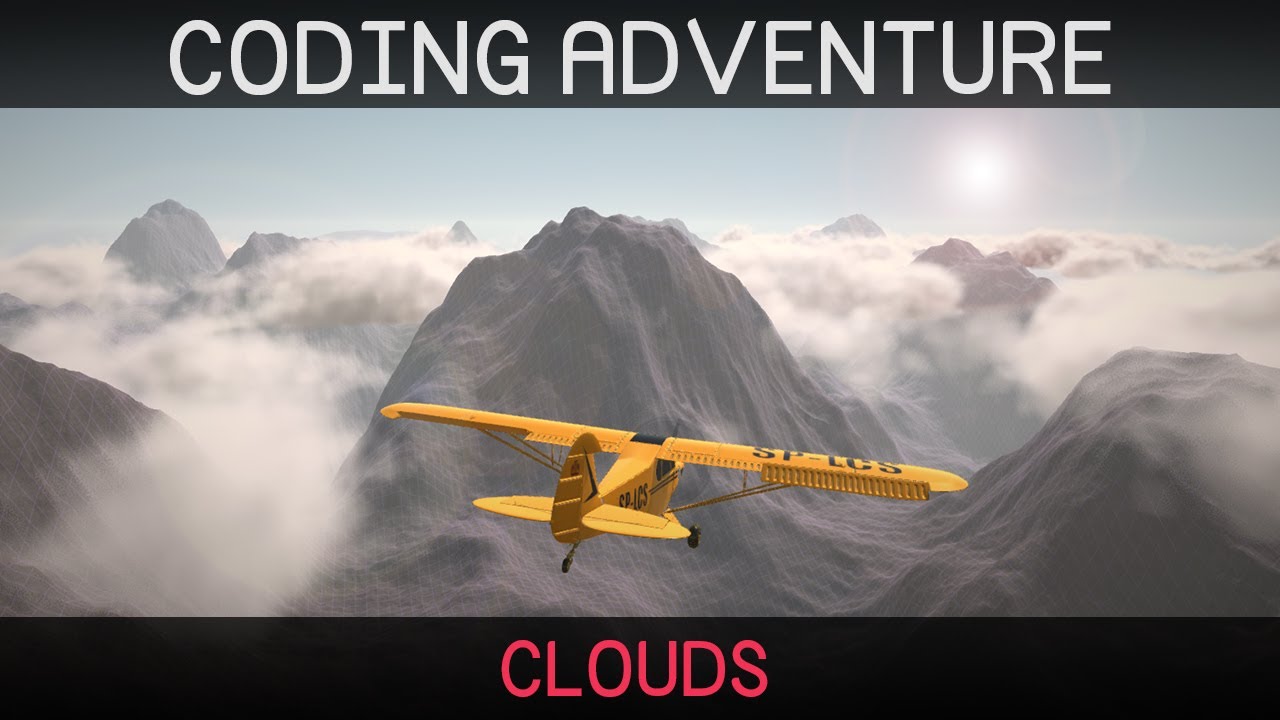
Clouds are lovely and fluffy and rather difficult to make.
In this video I attempt to create clouds from code in the Unity game engine.
Project source (Unity, HLSL, C#) is now out of early access:
https://github.com/SebLague/Clouds
If you'd like to support the creation of more videos like this, please consider becoming a patron:
https://www.pat...
if anybody has resources on how volumetric fog systems work, lmk!!
 native birch
 iron compass
dawn comet
Anybody super smart graphics programmers how fog like this is acheived? It seems...
iron compass
dawn comet
Anybody super smart graphics programmers how fog like this is acheived? It seems...
When it’s just fog that doesn’t involve absorption & scattering of light (as often seen with clouds) this can be achieved by adding a perlin noise to a regular depth + height fog.
 quartz pond
dim field
I'm working in a portal system and I'm rendering the portal camera to a RenderTe...
quartz pond
dim field
I'm working in a portal system and I'm rendering the portal camera to a RenderTe...
I've been working forever trying to get this to work myself but in HDRP, do you have any advice to help me out?
I haven't found a single thing on the entire internet about ANY HDRP related Portal Systems or Working Setups
dim field
quartz pond
I haven't found a single thing on the entire internet about ANY HDRP related Por...
I have never experimented with HDRP, only builtin and messing around with URP now
the only tricky part of URP mas calling the render camera method from code, which you do with the methods I mentioned there
as far as I've read I assume it's pretty similar to that on HDRP
quartz pond
dim field
as far as I've read I assume it's pretty similar to that on HDRP
I ended up purchasing Seamless Portals on Unity Asset store since it is the only tool/asset for Portals in HDRP, It works well but I'm just converting it to work with mirror now.
But it is very performance demanding so I'll have to fix that
 half relic
Hi. Maybe it's about URP, but my camera is not clearing the background and there's no clear flags option anywhere
 quartz pond
half relic
Hi. Maybe it's about URP, but my camera is not clearing the background and there...
quartz pond
half relic
Hi. Maybe it's about URP, but my camera is not clearing the background and there...
Ask ChatGPT, its pretty good at pointing you in a direction
half relic
Emm. Not really
placid laurel
half relic
Hi. Maybe it's about URP, but my camera is not clearing the background and there...
Pretty sure it's here now

Though it doesn't work consistently for me..
 sinful gorge
placid laurel
Though it doesn't work consistently for me..
sinful gorge
placid laurel
Though it doesn't work consistently for me..
Then file a bug report. it should
 faint night
Is there a way to make a URP camera give off light to only it's own view, so to speak? As in, there isn't actually a light there, but if viewed through that camera the objects do actually look brighter as if from a light in the same place as that camera?
marble vigil
faint night
Is there a way to make a URP camera give off light to only it's own view, so to ...
How would that be different from having a light on the camera?
faint night
marble vigil
How would that be different from having a light on the camera?
I dont want anything else to see or be affected by that light. And it's not unlikely that the player would be in a situation at least once where they would see the location that is seen by the camera that I want to see as if through a light, so just using a light itself would mean that they just see a light from out of nowhere. If it matters, the camera isnt intended to be looked through as a main cam or whatever, it outputs to a texture that the player can see
sullen dune
You want distance from the light to affect brightness I assume?
I believe a camera shader with a basic z-buffer based additive or screen effect would do the trick - though couldn't tell you the steps for that if so
But that still assumes some light exists in the scene for it to amplify. If its pure black you would need to use Render Layers have actually have a light source attached to the cam
 solar olive
quick question regarding an issue i've been having with urp lights
i'm using unity6, with the pre setup urp template; also i'm using forward+ rendering (this issue does not happen on forward or deferred, but i would like to use forward+ since i want to have a large amount of realtime lights)
(i also have a full screen renderer feature active, but that isn't the cause, even with it off, the issue still happens)
directional and point lights work perfectly, but spot lights cut out in a weird and pixelated way at specific angles
the issue happens both with shadows on and off
i'm assuming it's something with how the light gets culled, but i couldn't find any settings relating to light culling in the pipeline asset
attached some pictures (pic1 is it working correctly; 2 and 3 show the issue at different angles, and 4 is the issue happening without the fullscreen pass)
would appreciate it, if anyone could point me in the right direction (also sorry about the long message)


 marble vigil
solar olive
quick question regarding an issue i've been having with urp lights
i'm using uni...
marble vigil
solar olive
quick question regarding an issue i've been having with urp lights
i'm using uni...
I encountered something similar, seemed like a bug
Workaround was to increase clipping near plane to at least 0.1
solar olive
marble vigil
I encountered something similar, seemed like a bug
Workaround was to increase cl...
that fixed it immediately
thank you so much :)
marble vigil
faint night
I dont want anything else to see or be affected by that light. And it's not unli...
That's important context
Camera culling mask won't affect lights, and as far as I understand rendering layers for lights are per object, not per camera
You used to be able to use OnPreRender to disable lights per-camera, but I haven't gotten the SRP suggested methods to work
You can do all kinds of distance based highlighting or shadowing effects with per-camera post processing as emotitron suggests, though in my mind having a per camera light should be the simplest way
sullen dune
marble vigil
That's important context
Camera culling mask won't affect lights, and as far as ...
Yeah, I think for what he is trying to do they won't help. I was thinking of a different use case than his
marble vigil
sullen dune
Yeah, I think for what he is trying to do they won't help. I was thinking of a d...
I think it's a good option, though requires custom shaders
crude elk
Can anyone here tell me how to properly use channel packing with the urp lit shader? The documentation says it supports channel packing but I'm unsure how to actually do this.
https://docs.unity3d.com/6000.1/Documentation/Manual/urp/lit-shader.html
 marble vigil
crude elk
Can anyone here tell me how to properly use channel packing with the urp lit sha...
marble vigil
crude elk
Can anyone here tell me how to properly use channel packing with the urp lit sha...
This Shader uses channel packing, so you can use a single RGBA texture for the metallic, smoothness and occlusion properties. When you use texture packing, you only have to load one texture into memory instead of three separate ones. When you write your texture maps in a program like Substance or Photoshop, you can pack the maps like this:```yes, that is what the documentation says
I know what channel packing is
What i do not know is how that applies to the URP shader shown in the image i provided
marble vigil
The shader already requires metallic map alpha for smoothness (or albedo alpha if specified)
And since occlusion map is the only other one the mask map can have it would use metallic map green for occlusion if no occlusion map is provided separately
Or that's the theory anyway
crude elk
Im not sure how the shader would ‘know’ if no texture is there without branching. And even then i’ve used grayscale images without occlusion maps and didnt see any difference in occlusion :/
marble vigil
crude elk
Im not sure how the shader would ‘know’ if no texture is there without branching...
So in the case that you do have some varying data in metallic map green channel and no occlusion map assigned, it still doesn't seem to use the metallic map green channel?
crude elk
yes from what I’ve seen, which is why i was wondering what this excerpt is about.
dry willow
crude elk
Can anyone here tell me how to properly use channel packing with the urp lit sha...
I'd assume the idea is you can create one texture (with appropriate channels) and assign it to multiple slots (in this case Metallic Map & Occlusion Map). When sampling those it only uses specific channels.
Would still be two samples (though maybe more cache friendly?), but the wording in the docs seems to suggest both properties would point to the same area of memory.
crude elk
Well i assume it wouldn’t load the texture multiple times regardless, but that does seem more plausible.
 pure radish
crude elk
What i do not know is how that applies to the URP shader shown in the image i pr...
pure radish
crude elk
What i do not know is how that applies to the URP shader shown in the image i pr...
Ben Cloward has a channel packing tutorial on youtube and he shows it on shader graph
And the alpha of the normal map is also a potential source for packing as it's uncompressed
crude elk
pure radish
Ben Cloward has a channel packing tutorial on youtube and he shows it on shader ...
Oh well i dont really need a tutorial i can write my own shader that does it but just had questions about the documentation as it says there the lit material supports it
marble vigil
dry willow
I'd assume the idea is you can create one texture (with appropriate channels) an...
Is there some way we could know what it actually does?
Doesn't seem like great channel packing if it requires an additional texture sample anyway
 violet bison
I've got a Shader Graph. It uses the material type Unlit and renders a triangle.
How do I force the view of the material in the Project folder to show in 2D?
The 3D sphere view is quite horrible for looking at 2D materials.


 dark plover
Is this the right place to ask about textures/materials?
Is there a simple way to make a ground texture spanning a very big area look better?
I downloaded a free materials pack, but they all look terrible on large ground surfaces.
I'm using this now, which looks ok, but very plain/boring:

 pure radish
dark plover
Is this the right place to ask about textures/materials?
Is there a simple way t...
pure radish
dark plover
Is this the right place to ask about textures/materials?
Is there a simple way t...
Terrible how? If they are low res, you need to decrease the tiling (or increase if using triplanar) such that they are smaller but repeat more often
pure radish
dark plover
Is this the right place to ask about textures/materials?
Is there a simple way t...
Also, I see you're not using normal maps, neither smoothness or metallic maps. You need to use those unless the texture is very simplistic/cartoon/etc
dark plover
yeah this is just a color material I made myself, I have no idea what all of that is
pure radish
dark plover
yeah this is just a color material I made myself, I have no idea what all of tha...
What is the problem with the downloaded texture? Maybe it's too big so it looks low res.
Maybe it doesn't use all the texture maps. Can I see a picture of one of those with the material?
dark plover
pure radish
What is the problem with the downloaded texture? Maybe it's too big so it looks ...
I don't know, I tried a bunch and they all looked bad, it's fine for now, I'll try again later
thx though
they mostly just don't look anything like the preview
this is the one I used:
https://assetstore.unity.com/packages/2d/textures-materials/pbr-materials-sampler-pack-40112

Elevate your workflow with the PBR Materials Sampler Pack asset from Integrity Software & Games. Find this & more Textures & Materials on the Unity Asset Store.
pure radish
dark plover
they mostly just don't look anything like the preview
I guarantee you they will all look like the preview if you set them up correctly
I will need an in game screenshot with also the material on the right (like in the first screenshot)
dark plover
cool, I'll do some research about how to set them up then, thx
 unreal temple
hey, my materials on my player object are getting stripped on build and replaced by the gray "Lit" urp material


^ this is before and after build
how do i fix this?
 crystal forge
Hi, with Graphics.RenderMeshInstanced, the docs say that "You can only render a maximum of 1023 instances at once. The maximum depends on how much data you use for each instance." (https://docs.unity3d.com/6000.0/Documentation/ScriptReference/Graphics.RenderMeshInstanced.html). However in this video, he's absolutely rendering 10,000 instances with the one call (https://www.youtube.com/watch?v=6mNj3M1il_c&t=280s). So which is correct? Can this function be used for over 1023 instances or not?
 quartz yoke
@opal silo hey thank you for pointing out my triangle count lol I am struggling with it
is there anything you would like to recommand? I am generating the world in-real time
 twilit acorn
crystal forge
Hi, with Graphics.RenderMeshInstanced, the docs say that "You can only render a ...
twilit acorn
crystal forge
Hi, with Graphics.RenderMeshInstanced, the docs say that "You can only render a ...
I'd assume that it's just gonna break down into several draw calls on the GPU. Try it and see for yourself I guess.🤷♂️
You can confirm the draw calls with the frame debugger.
twilit acorn
unreal temple
hey, my materials on my player object are getting stripped on build and replaced...
Sounds like some custom script is doing that. I don't think that's a default unity behavior.
unreal temple
twilit acorn
Sounds like some custom script is doing that. I don't think that's a default uni...
you are right, i am using photon quantum, and removing one of the quantum components got it to work, thanks!
crystal forge
twilit acorn
I'd assume that it's just gonna break down into several draw calls on the GPU. T...
Right yeah, I guess I'll just try. I was more concerned that there may be cases where it just breaks and doesn't render anything at all... or fails on some hardware or something?!
twilit acorn
crystal forge
Right yeah, I guess I'll just try. I was more concerned that there may be cases...
I mean, in the worst case you'll get an error
crystal forge
twilit acorn
I mean, in the worst case you'll get an error
Ah I just remembered, if it splits into draw calls that won't work in my case as I have another array of colors to render the meshes with that I pass to the material. These colours are then looked up with the InstanceID in the shader, but if it's split into draw calls, they'll end up looking up the first 1023 elements of that array only. I think I'll just convert to an Indirect call.
twilit acorn
crystal forge
Ah I just remembered, if it splits into draw calls that won't work in my case as...
There's only way to tell: test and check the frame debugger🤷♂️
It could be that unity provides some kind of instance id offset in this case.
 orchid hedge
asked in #archived-shaders but i realise it might be a better question for this channel
im pretty new to shaders and stuff. i've gotten pretty confident in shadergraph. i wanted to see what else i can do with URP though. im wondering what i should learn next and what resources i can learn from
i've heard of render features, render graph and HLSL but i have no idea where to get started with them or where the documentation is.
twilit acorn
orchid hedge
im pretty new to shaders and stuff. i've gotten pretty confident in shadergraph....
Learning without a purpose sounds kind of meaningless to me.
Maybe set up some goals and learn while looking for ways to achieve it.
As for the resources, there is the unity manual and documentation. The features you mentioned should be covered decently. The docs can be found very easily by googling or looking through the manual pages.
If you really want to get deep into computer graphics, you'll need to learn beyond unity though. Unity abstracts a lot of the low level stuff away, making it harder to grasp the full picture. Which is why looking up engine independent resources might be a good idea.
orchid hedge
kk, thank you. i'll try and see what else i can find 
-# also just noticed i could've checked the pins lol 
 worn elbow
does anybody know how to use urp to render into a texture the depth buffer and use it in a shader? The only example I've found was using unity's camera.RenderWithShader which would do the job, but it's not supported in urp. To preface, I only need to render once.
marble vigil
worn elbow
does anybody know how to use urp to render into a texture the depth buffer and u...
Not sure if there's a better way to do it but I'd look into an RT camera with a Renderer that renders everything only with a Render Objects feature in material override mode
 tame python
Hey, really random question about smoothness on materials in URP; I really like the look of this shiny metal material in the light, as the smoothness makes it look nice and reflective with highlights, but in the dark, those highlights are still very much visible and it looks pretty ugly. The only way around this that I've found is to just turn down the smoothness, but then it looks less shiny in the light. Here's a few pics from my game to demonstrate the difference in the light and dark.

 twilit acorn
tame python
Hey, really random question about smoothness on materials in URP; I really like ...
twilit acorn
tame python
Hey, really random question about smoothness on materials in URP; I really like ...
Are you using a skybox? Does the rim glow go away if you remove the skybox and set the ambient/sky color to black?
tame python
twilit acorn
Are you using a skybox? Does the rim glow go away if you remove the skybox and s...
it seems to still be present when i do that

turning down the intensity multiplier does make it go away though
 ocean hinge
tame python
it seems to still be present when i do that
ocean hinge
tame python
it seems to still be present when i do that
Do you use Reflection Probes? Otherwise your metal thingy is reflecting more than just the dark cave.
twilit acorn
tame python
it seems to still be present when i do that
Set the environment reflections to something other than skybox
As well as environment lighting.
ocean hinge
tame python
I do not have reflection probes 😶
https://www.youtube.com/watch?v=zO2l0Fy7yDw i have made a tutorial a while ago which might help, its not exactly your problem but deals with dark indoor areas and reflection probes
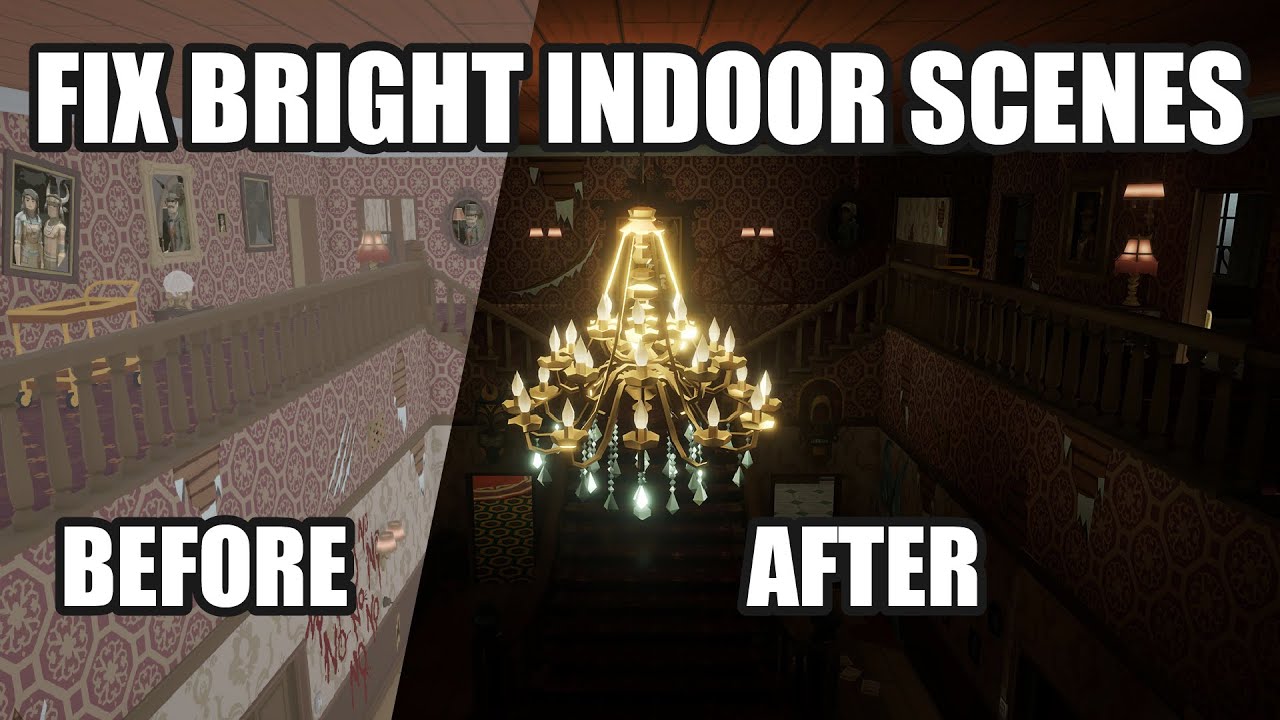
This video deals with the common problem of to bright indoor scenes people often face.
If you also have the problem that you cant get pitch black interior scenes for your horror game in Unity, this is the way to go!
Fixing the problem of too Bright Indoor Scenes for Horror Games in Unity.
Create dark indoor scenes in Unity.
If you are interest...
marble vigil
tame python
Hey, really random question about smoothness on materials in URP; I really like ...
This problem is somewhat unsolvable
Or rather it's a problem of fundamental nature
Realtime reflection probes would help
As would RTX reflections
Both typically have a prohibitive performance cost
If you can afford one or two realtime reflection probes, you could stop them from updating when the player is not in the area
It'd be better than nothing but there could be some accuracy issues you may have to conceal
Not that RTX is accurate either because it takes time to accumulate rays, and small details have low surface area so less space for rays to work
Screen Space Reflections also help and are cheap, but even more limited and not available for URP out of the box
The root of the issue is that baked reflection probes can't respond to a change in brightness
If you bake the probe in the dark, it'll just be black and specularity will only be direct from light sources so metallic objects are way too dark
If you bake it in the light, everything will sheen in the dark as we see because they're getting reflections from an environment that isn't actually visible
twilit acorn
marble vigil
If you bake it in the light, everything will sheen in the dark as we see because...
Isn't it from the skybox? Switching it to plain dark color should help, no?
marble vigil
It'll solve the issue of the sheen, but introduces the problem of no environment specular at all
May be a lesser evil but not ideal
Depends on the materials
Worst case for it is to have large objects made of a light colored relatively smooth metal
They'll be totally black, except for sharp direct reflections from the light source
twilit acorn
I see
marble vigil
It's technically possible to get really hacky with it with custom lighting models that attenuate specular cubemaps when the material is in the range of a light, or even some new type of reflection probes or environment reflections altogether
Which I think games that have extremely sharp darkness and PBR probably do, like RE7 and RE4Remake probably do
The typical workflow just isn't really cut for it
Which is why most games with realistic graphics try to avoid that kind of darkness with design by placing at least some lights around
And in those cases when there's none you usually can see in the dark a bit because of it
Metro 2033 for example, has almost no areas of total darkness despite being infamously dark
tame python
ocean hinge
https://www.youtube.com/watch?v=zO2l0Fy7yDw i have made a tutorial a while ago w...
this is incredibly helpful, thanks!!
tame python
marble vigil
The root of the issue is that baked reflection probes can't respond to a change ...
I appreciate the thorough information, ty!
My map is randomly generated so I can’t rely on baked light maps unfortunately, and I imagine putting a reflection probe in each room would be very costly since there are a lot of rooms in the map
sullen dune
tame python
I appreciate the thorough information, ty!
My map is randomly generated so I can...
Baking can still be an option, depending what is being randomly generated exactly
marble vigil
tame python
I appreciate the thorough information, ty!
My map is randomly generated so I can...
The problem occurs because of baked lightmaps
So with a dynamic map you have two reason they're inconvenient
And why some type of realtime reflections would be less inconvenient
As mentioned you'd only need a realtime reflection probe to be active when its room is visible
No point rendering the realtime probes when they're not in sight
Time slicing is also useful for optimizing them, especially for a probe that's in a room that's only partially visible
Not saying reflection probes are necessarily the best option, but there's ways to make them work in this kind of situation so probably worth trying out
 nimble shadow
Hey, returned to Unity after a while on a new machine and now I'm stuck trying to get decals working again. afaik I only updated minor unity versions
but I did switch from windows to linux as well, if that makes any difference
the issue I'm having is that decals won't render anymore and the unity editor started yelling at me:

however, opening the associated forward renderer shows:

there is only one graphics setting and it's selected in proj settings. my camera doesn't override it. proj settings has the correct settings assets selected.
sigh, appears that it's some linux+gpu+opengl problem. further googling helped "fix" it.
 winged sky
why is it pink?
 twilit acorn
winged sky
why is it pink?
twilit acorn
winged sky
why is it pink?
Shader incompatible with the render pipeline or has errors.
winged sky
twilit acorn
Shader incompatible with the render pipeline or has errors.
iv tried changing the pipe line but that still didnt manage to fix it, iv messaged the owner
twilit acorn
winged sky
iv tried changing the pipe line but that still didnt manage to fix it, iv messag...
What shaders does the object use?
winged sky
im brand new to unity so idk
twilit acorn
What material does the object use?
winged sky

Elevate your workflow with the Airport Terminal asset from weissegames. Find this & other Environments options on the Unity Asset Store.
ill chcek
 twilit acorn
winged sky
https://assetstore.unity.com/packages/3d/environments/airport-terminal-42930
th...
twilit acorn
winged sky
https://assetstore.unity.com/packages/3d/environments/airport-terminal-42930
th...
They don't say anything about render pipeline compatibility, so it's likely built-in render pipeline only.
winged sky
tried with no pipeline
twilit acorn
winged sky
That doesn't help. Select the object with a renderer component and take a screenshot of the material in the inspector
winged sky
 twilit acorn
That's a texture...
Select the pink object in the scene and take a screenshot of the inspector
winged sky
 twilit acorn
winged sky
twilit acorn
winged sky
Scroll down


 twilit acorn
winged sky
twilit acorn
winged sky
You also need to remove it in graphics settings
 twilit acorn
winged sky
twilit acorn
winged sky
Hmmm... Try removing it from all quality settings
 twilit acorn
winged sky
twilit acorn
winged sky
Well it has a urp asset assigned...😅
 ornate pine
Hi I want to add bullet hole decals to my game but I'm not sure which method to use. I'm making a VR game so performance is important.
I looked online and the URP Decal thing looked nice to use, but heard a lot about it causing a big performance hit. I also saw people use particle systems with a single not moving particle, or the transparent quad method.
So which would be the best choice??
dark plover
pure radish
I will need an in game screenshot with also the material on the right (like in t...

How do I make it not-tiled 😛
I tried a bunch of different sizes, but nothing really works
sullen dune
"not tiled"?
dark plover
sullen dune
"not tiled"?
it's really obvious the same pattern repeats over and over
 sullen dune
Still not following. Its going to repeat, because its repeating. You want it to just be white or black outside of exactly one square of it?
dark plover
I want it to look good and have no idea how to do that
sullen dune
If you want to hide the fact that its a repeating pattern, you usually have to get creative with layering materials
But a basic one texture material... is going to repeat... because it repeats
dark plover
so I need a material with multiple textures?
sullen dune
You have to solve for it yeah, there is no magic that changes the fact that you are using a single repeating texture
Lighting and reflections will mask it a bit, you have none of that yet
dark plover
I just downloaded this material, I have no clue how any of this works
dark plover
sullen dune
Lighting and reflections will mask it a bit, you have none of that yet
do you know of any packages on the unity store that have materials suitable for large surfaces of floor?
or where would I find something like that?
sullen dune
If you are doing large areas you are starting to get into terrain. I don't know of anything that magically does this but the asset store might have something. But you are going to be running into a lot of issues if you are looking for asset store items to solves game design problems. You are kind of reaching a point now where you have to actually learn how to use the tools.
dark plover
I'm happy to watch some tutorials on this stuff, I just have no clue what I'm looking for
sullen dune
Maybe Terrain is what you want to look into, depends what you are doing
dark plover
I'm not sure myself what I'm doing (on the graphical side)
I just know I have a huge floor rectangle that looks terrible no matter what I do to it lol
it's supposed to stay flat though
sullen dune
Terrain has some tools for layering textures, even if it is flat
As well as adding foiliage/grass/rocks to help randomize things
dark plover
can't a material consist of multiple textures? or does that not solve my issue?
I've been using free assets so far, maybe there's some better quality paid assets?
I saw some examples of a mask being used to randomly change/combine two textures, again I have no clue what all of this is or how it works
sullen dune
It can, if you make a custom shader and you make it handle multiple textures, but its not just putting two textures on a material. You have to define where one covers the other and where it doesnt, as well as any normal/height stuff. Its not basic shader stuff.
I have given you my answer, not much more I can say. Terrain is probably the took to be looking at.
You can do it with shaders, but its not going to be a simple drag and drop operation
dark plover
but terrain still uses materials to cover the ground not?
sullen dune
Terrain layers materials yes, and gives tools for controlling how they are painted/distributed - as well as objects like grass, rocks and trees
I feel like you are hoping for an easy "I just buy this, drag it in and I have a AAA looking scene"... that isn't really going to happen
Even with just basic PBR materials, you need to get your lighting and reflection maps right for them to look good
dark plover
where do I go to learn more about all of this?
sullen dune
Google and the Unity docs/tutorials
pure radish
dark plover
it's really obvious the same pattern repeats over and over
You can make it SEAMLESS but you can't make it not tile, because it's a texture
You would need to mix up different textures or increase the scale so it's less obvious or something
dark plover
So I found this yesterday:
https://discussions.unity.com/t/how-to-texture-large-surface/886540
They show an example of adding a detail map, which looks great.
How do I do this? Can't find any guides or tutorials for this
dark plover
Hmm, how does this look?
 ocean hinge
dark plover
Hmm, how does this look?
ocean hinge
dark plover
Hmm, how does this look?
like a prototype of a game? 😄
ornate pine
Does anyone know if transparent normal maps are a thing?
I want to make a bullet impact decal, and I tried using an image on a quad that I got from the unity particle pack asset. But that looks horrible.
Is it possible to have a transparent quad with a normal map on it, so anything that's behind it looks deformed? Not like a hole, but a dent.
orchid hedge
have you tried using a decal 
i believe how the dent looks would just depend on the texture. different materials would look deform in different ways. so there's not really a universal texture you could use, assuming you're going for realism at least. you could just use some generic dent texture and that would probably look fine for most games
iron compass
ornate pine
Does anyone know if transparent normal maps are a thing?
I want to make a bullet...
Yes, you can put a normal on a transparent material and use it to create refraction and texture effects only visible in speculative reflections. The normal map itself however is not transparent
 hoary wind
Has anyone ever tried using Unity and URP on Arch Linux?
Its like URP just doesn't work on Linux and Unity just tries using BuiltInRP instead.
On KDE Neon / Ubuntu everything is fine
This is Unity 6.1
twilit acorn
hoary wind
Has anyone ever tried using Unity and URP on Arch Linux?
Its like URP just doesn...
What exactly does it mean? Does it render urp shaders in pink?
hoary wind
twilit acorn
What exactly does it mean? Does it render urp shaders in pink?
No it just doesn't use URP at all and just uses BuiltIn. In PlayerSettings it things its using BuiltIn even though URP is installed in Packages. And it starts auto-generated BuiltIn setting asset files. It makes no sense
Its like its just ignoring the fact URP even exists.
Same project I pull from Git on KDE-Neon and everything is fine. Same for Windows and macOS.
Everything else works so idk why URP just fks up Unity on Arch
twilit acorn
hoary wind
No it just doesn't use URP at all and just uses BuiltIn. In PlayerSettings it th...
Did you try setting it up manually?
If you start a non urp template, it's not enough to just install the package
hoary wind
twilit acorn
Did you try setting it up manually?
No Its the default Unity 6.1 URP template.
And again the same project pulled from git runs on every other OS, just not Arch Linux
twilit acorn
Well, did you try making sure it's set up properly?
Is it really a urp issue or just a template issue?
hoary wind
twilit acorn
Well, did you try making sure it's set up properly?
If it works on every other system its setup correctly.
twilit acorn
That's not what I'm asking.
Is the urp asset assigned in graphics and quality settings?
hoary wind
twilit acorn
Is the urp asset assigned in graphics and quality settings?
No because it doesn't let you apply it
twilit acorn
What happens if you try?
Does it not let you drag the asset in? Or if you click the browsing button, is the asset not there? Or it's there but when you select it, it's not assigned?
hoary wind
Hold on wtf. Git-LFS didn't checkout the file pointers
twilit acorn
Sounds like a typical case of xy problem
hoary wind
twilit acorn
Sounds like a typical case of xy problem
yep, thank god it was just Git-LFS not doing its thing
I forget on some systems for some reason you need to invoke "git lfs install" once before it works
Others it just configures itself correctly without it
twilit acorn
hoary wind
yep, thank god it was just Git-LFS not doing its thing
Here's a tip for troubleshooting: always assume that the issue cause is on a higher level(human error, settings, missing files), confirm everything you can, even the most obvious of stuff. Only when you done with that, start thinking of the possibility it's a low level(engine) bug, issue or incompatibility(these would usually not go off silently but throw warnings, errors and pop up messages).
hoary wind
twilit acorn
Here's a tip for troubleshooting: always assume that the issue cause is on a hig...
I've been developing software for 20 years I know 🙂
Its the little things that stumble us sometimes
ornate pine
orchid hedge
have you tried using a [decal](https://docs.unity3d.com/Packages/com.unity.rende...
I heard that they use up a lot of performance, and I'm making a VR game so I rather avoid that.
marble vigil
ornate pine
I heard that they use up a lot of performance, and I'm making a VR game so I rat...
You may want to measure the cost to know for sure
Including overhead cost and how it scales
ornate pine
I tried using a transparent png with an impact normal map, but that didnt work sadly, but I understand why because it would only affect it's own texture and not the one behind it.
ornate pine
Ok I'm just going to use decals, they look way better and after a small test I don't think they impact performance that much. I'll just put them on the higher quality settings.
Also, will it be a problem if there are decals in the world and someone switches to another graphic setting that doesn't have decals enabled, what would happen in that case?
 queen cloak
Is there a way for me to check whether or not a project is using the old rendering path (e.g. Non RenderGraph rendering path) on runtime?
copper pilot
ornate pine
Ok I'm just going to use decals, they look way better and after a small test I d...
With urp decals, they just don't render when not available
And, to be fair, they are also sometimes do that when they should be 
 jolly quail
left camera present
Right no camera present
why the HDR color only work when there's camera in scene?

 marble vigil
jolly quail
left camera present
Right no camera present
why the HDR color only work when th...
marble vigil
jolly quail
left camera present
Right no camera present
why the HDR color only work when th...
Scene view uses the "Post Processing" field value from the active camera for its post processing
If there's none, I guess it can't do that
Scene window has its separate toggle for PP, but iirc that only can disable it after a camera has already enabled it
 coarse axle
Hi, long time lurker first time poster here! I'm working on a project with a custom URP pipeline but a builtin visual effect graph package, I had to update Unity from 2021.3.15f1 to 2021.3.45f1 and as a result I'm having the following issue with Particle Quad Output: Shader error in 'Hidden/VFX/FX_graph_StaticStars/System/Output Particle Quad': 'VFXApplyAO': cannot implicitly convert from 'float4' to 'struct ps_input' at /Projects/Unity/PROJECTNAME/Library/PackageCache/com.unity.visualeffectgraph@12.1.15/Shaders/VFXCommonOutput.hlsl(224) (on d3d11)
Does anyone know how to solve this issue?
 marsh wigeon
This is rendering nicely under Unity's URP, but I’m still not sold on how the hotspots behave. I’ll keep refining the user interaction aspect. Modeling, texturing, and materials are all still a work in progress. I still need to model the circuit traces.
 safe lotus
i know this is an incredibly open/generic question, but is there a way to reduce gpu heat from my game? whenever i run my game my gpu goes up to like 80c even though i only have a small scene and 144 target fps
i should also note my pc tends to get really hot on unity games in particular (ie. tabg, extricate), but is fine with most other games so it might just be an issue with my computer rather than my optimization
 ebon karma
safe lotus
i should also note my pc tends to get really hot on unity games in particular (i...
ebon karma
safe lotus
i should also note my pc tends to get really hot on unity games in particular (i...
looks like it's just uses the full power of your GPU, meaning you are not CPU limited
maybe in other games your GPU usage is around 80-90% and that's why it's not that hot
also, why do you need 144 target fps
safe lotus
ebon karma
maybe in other games your GPU usage is around 80-90% and that's why it's not tha...
this seems to be right yeah
i'm not good with technical stuff is there any easy fix for that?
ebon karma
safe lotus
i'm not good with technical stuff is there any easy fix for that?
in your own game, the only thing you could do is set the fps cap
(uh, actually you can do that in any game)
ebon karma
safe lotus
i know this is an incredibly open/generic question, but is there a way to reduce...
do you run the game in the editor?
or build
ebon karma
yeah
in editor you don't have Vsync enabled by default
meaning you probably getting way more fps than your monitor refresh rate
safe lotus
ahhh i see
is there a way to enforce an fps cap in the editor?
like with code or something
ebon karma
safe lotus
like with code or something
Application.targetFrameRate, but better enable VSync in the game window (Resolution - VSync)
safe lotus
weird, i have the targetFrameRate as 144
ok yea using vsync seems to fix it
thanks a bunch!!!
 merry radish
Can anyone point me in the right direction as for what Gfx.WaitForPresentOnGfxThread actually means in the profiler?
I've read a bunch around and everyone mentioned vsync (which I have turned off) and the GPU having too much work causing the CPU to wait for it to catch up.
I'm testing on a basically empty scene (4 primitive meshes, 1 camera and no lights) and I still get 88.9% on Gfx.WaitForPresentOnGfxThread
My scripts take around 5% which is mostly physics stuff. The profiler graph shows the peak being caused by the "Other" category.
Fps is usually above or at 330 but dips to below 60 for 1 frame when the Gfx.WaitForPresentOnGfxThread gets to around 85%
twilit acorn
merry radish
Can anyone point me in the right direction as for what Gfx.WaitForPresentOnGfxTh...
This is usually CPU waiting for GPU.
You should enable the GPU module of the profiler to see what it's doing during that frame.
It literally means "waiting for present/presentation". Present is the act of sending the rendered image to the monitor.
marble vigil
twilit acorn
This is usually CPU waiting for GPU.
You should enable the GPU module of the pro...
GPU profiler module is not supported in SRPs afaik
Not sure what the right tool for that type of analysis is in that case
twilit acorn
Are you sure? Pretty sure I've seen people use it with urp.
 twilit acorn
marble vigil
twilit acorn
marble vigil
Hmm... Weird.
It does seem to work to a degree. But the timings don't match.
 marble vigil
I guess the next best alternative would be RenderDoc? Though not sure if it had all the same timing information
And won't support all platforms
twilit acorn
Render doc, pix or the dedicated gpu/platform tools. They should provide more info than the unity profiler, but it can be difficult to make a capture, especially for beginners.
I do feel like it worked at some point though. Is it just in unity 6 perhaps?
merry radish
Unrelated to profilers, but
I've opened up a new blank project and this still happens.
Performance in the blank project is actually worse than the one with scripts running
marble vigil
merry radish
Unrelated to profilers, but
I've opened up a new blank project and this still ha...
You mentioned the performance is good, but it drops for one frame spikes?
That doesn't sound like a problem
Especially if it only happens in the editor
You can only get accurate information by profiling a built application
 woven raven
Does anyone know why this is happening? It occurs throughout the entire scene, in some random spots
merry radish
marble vigil
You mentioned the performance is good, but it drops for one frame spikes?
That d...
Yes, it only happens in the editor for now, and only lasts about 4 frames at most, but the stuttering is noticeable.
I'll keep on working as normal and profile a build every now and then to check if this gets worse
Thanks for the suggestions on what to use to profile the gpu anyway!
marble vigil
woven raven
Does anyone know why this is happening? It occurs throughout the entire scene, i...
Try to toggle lights you're using, any active renderer features, and test with a default URP lit shader to see if any of those have an effect on it
woven raven
marble vigil
Try to toggle lights you're using, any active renderer features, and test with a...
I'm using regular point lights with baked lighting in the scene. It seems like some point lights are simply turning off by themselves
marble vigil
woven raven
I'm using regular point lights with baked lighting in the scene. It seems like s...
"Regular" means what? Baked, realtime or mixed, with or without shadow casting?
woven raven
marble vigil
"Regular" means what? Baked, realtime or mixed, with or without shadow casting?
Sorry, is point lights, i typed wrong
And is all mixed
 haughty valve
Hello, does anyone know how to properly "blit" (for 2x blur passes) using the new RecordRenderGraph system?
The docs says to use this code, but it doesn't seem to work anymore. (https://docs.unity.cn/6000.0/Documentation/Manual/urp/renderer-features/how-to-fullscreen-blit.html)
RenderGraphUtils.BlitMaterialParameters para = new(source, destination, m_Material, 0);
para.material.SetFloat(k_IntensityID, m_Intensity);
renderGraph.AddBlitPass(para, passName: k_PassName);
So instead I am tried to use the renderGraph.AddRasterRenderPass by binding the output using builder.SetRenderAttachment, and the source as input to Blitter.BlitTexture, and using that I can see that the texture properly gets the correct input/output textures.
However, I still don't get the correct result, and by using PIX I can see the blitter is only drawing a 3 vertices ( a triangle) and not a fullscreen quad as the old cmd.Blit is doing. Do I need to somehow tell it to draw a fullscreen quad, or what could cause this?
 karmic iron
haughty valve
Hello, does anyone know how to properly "blit" (for 2x blur passes) using the n...
karmic iron
haughty valve
Hello, does anyone know how to properly "blit" (for 2x blur passes) using the n...
Welcome to the nightmare that is Render Graph API. Don't use BlitPass for that, at least I don't, AddRasterRenderPass is the way I do mine. Example:
                {
                  builder.AllowPassCulling(false);
                  passData.BlitMaterial = m_Material;
                  builder.UseTexture(123, AccessFlags.Read);
                   passData.SourceTexture = 123;
                    builder.SetRenderAttachment(12345, 0, AccessFlags.Write);
                    builder.SetRenderFunc((MyPassData data, RasterGraphContext rgContext) => ExecutePass(data, rgContext, 1));
}```Thanks 😄 I am relating on the nightmare..
That looks very similar to what I already got. Except I didn't have this builder.AllowPassCulling(false);
And inside ExecutePass all you do is just Blitter.BlitTexture ?
karmic iron
haughty valve
Thanks 😄 I am relating on the nightmare..
That looks very similar to what I alr...
Yep, just Blitter.BlitTexture inside
haughty valve
And this launches a shader where the fragment/pixel shader will run once for every texel in the textures for you? Assuming src and dest is the same size and format.
karmic iron
haughty valve
And this launches a shader where the fragment/pixel shader will run once for eve...
Yep, same as old Graphics.Blit(source, dest, mat, pass)
haughty valve
karmic iron
Yep, same as old Graphics.Blit(source, dest, mat, pass)
Odd.. why doesn't it for me 🙂↕️
Do you know if it uses a full screen quad? I only see 3 vertices, indicating either a bug or a fullscreen triangle
karmic iron
haughty valve
Odd.. why doesn't it for me 🙂↕️
Do you know if it uses a full screen quad? I ...
Can't recall off the top of my head but only other advice is look very closely into however you're getting/setting the textures for it
dry willow
BlitTexture draws a triangle. You need to use a specific vertex shader (there's one provided in a Blit.hlsl include file) for it to fill the screen
haughty valve
dry willow
BlitTexture draws a triangle. You need to use a specific vertex shader (there's ...
This was it! Thanks, now Blitter.BlitTexture works 😄
haughty valve
karmic iron
Welcome to the nightmare that is Render Graph API. Don't use BlitPass for that, ...
I have one more question! --> which is that as soon as I add the second AddRasterRenderPass of my 2-pass ScriptableRenderPass, then for some strange reason the first pass source texture is being overriden, it's no longer the the srcRtHandle that I clearly set in that first pass. 
Inside RecordRenderGraph
RTHandle srcRtHandle = RTHandles.Alloc(myRenderTexture);
TextureHandle srcRtTextureHandle = renderGraph.ImportTexture(srcRtHandle);
same for the intermediateTexture..
Inside the first renderGraph.AddRasterRenderPass(..)
builder.UseTexture(srcRtTextureHandle, AccessFlags.Read);
builder.SetRenderAttachment(intermediateTextureHandle, 0, AccessFlags.Write);
And then inside the ExecutePass(..):
Blitter.BlitTexture(cmd, srcRtHandle, ...);
I use this in my first RasterRenderPass with builder.UseTexture() and then builder.SetRenderAttachment() sets an intermediate texture, and it works fine.
However, as soon as I add a second AddRasterRenderPass pass that blurs from that intermediate texture back to the original, the first pass’s src gets overwritten unexpectedly.
Basically the second pass just swaps the input / output in UseTexture and SetRenderAttachment and then it performs the same ExecutePass function.
So it's a classic 2 pass blur effect where the input and output is swapped for the second pass.
Any idea what I am doing wrong, is Unity aliasing my texture memory in some way?
On all the examples I find people are mostly doing 1 AddRasterRenderPass so they wouldn't have this issue, as I only get it whenever I add the second pass.
 tranquil narwhal
hey chat

can I have 2 separate post processing volumes in one scene?
one for UI and the other one for... etc


anywhere I should look into?
sullen dune
tranquil narwhal
one for UI and the other one for... etc
You can using layers I believe
sullen dune
I don't recall off the top of my head, but I do it in my project. It's just not in front of me atm
tranquil narwhal
no problem
if you remember when you're in front of the pc 🙂
you can tag me or dm me ❤️
sullen dune
Just match the layers of the camera GO and the Volume GO
Just the regular Unity layer @tranquil narwhal
tranquil narwhal
got you
I'm trying that
I forgot I had a bug here, let me see if I solve it first...

even if I have all Post Processing Volumes, disabled
I still get effects, not sure where they come from
sullen dune
The volumes are overrides of your base volume that is an SO somewhere in the project
tranquil narwhal
oh welp
sullen dune

 sullen dune
Make an override and toggle everything off in it
And apply that to your camera with the Layer
Or disable everything in your default
And use overrides to specifically enable
tranquil narwhal
oh, cool
let me try that
okay that is good
the UI post processing affects both cameras when enabled

the Overworld_day postprocessing only affects the "Default" layer/camera like it should
they're both on the same layer

I see
it only happens when my overlay (UI) camera has Post Processing on

it affects everything in my screen
sullen dune
is your UI camera set as an overlay camera?
I was wrong btw, you have to set this for the Camera to tell it which volume layer to use @tranquil narwhal

Volume Mask
If you are overlaying cameras in a stack, the top volume is going to apply to that layer and everything under it from what I have experienced
So if you put a bloom on your UI overlay camera, its going to bloom everything
marble vigil
tranquil narwhal
it affects everything in my screen
This is expected
The overlay camera renders on top of the base camera, so it contains the rendered image of both cameras that then gets post processed
The alternative would be to use alpha processing, but let me know if you get it working because the instructions assume you already know what to do with it
haughty valve
haughty valve
I have one more question! --> which is that as soon as I add the second AddRaste...
@karmic iron
Okay more weirdness.. I found that in the end the issue is that inside my 2 passes. I overwrite the "_MainTex" property in my shader, as expected with the source of each shader respectively.
However, it seems like the "last" bind to .SetTexture("_MainTex", sourceTex); is overriding the .SetTexture call I did in the first pass. So basically both passes end up getting the same texture bound as source, which is wrong.
So.. do I have to use different _MainTex properties in the shader and bind different ones? Or use different materials? ^^
Both solutions would work but it feels very hacky and would be harder to maintain in the long run.
So inside the ExecutePass function it basically looks like this for both pass0 and pass1:
.SetTexture("_MainTex", sourceTex);
Blitter.BlitTexture(rasterCommandBuffer, sourceTex...
karmic iron
haughty valve
<@111104350486564864>
Okay more weirdness.. I found that in the end the issue i...
Use _BlitTexture instead of _MainTex, I ran into something similar, you don't need to pass it in by string name as I think Unity just assumes anything done with a Blit pass will be using _BlitTexture (or something along those lines- been a while)
marble vigil
Don't crosspost
 potent ice
 distant gale
hello there! Im tremendously new here, so i dont know how exactly things work, but ill try to post my question here, simple and fast
MAS or ORM (texture channel packing)
haughty valve
karmic iron
Use _BlitTexture instead of _MainTex, I ran into something similar, you don't ne...
That was it!
Thanks so much Alex, you saved me lots of headache 🙂
 lilac fractal
Yo, I was trying to change max shadow distance, since the default is quite low, and the option is just... not there? The Unity Documentation mentions Max Distance under Shadows, but there isn't even a Shadows menu.
 lilac fractal
It's also not under Quality

Oh it's here.

Thanks Unity, please subdivide the graphics settings into 3 different files in 20 different menus!
ebon karma
lilac fractal
Yo, I was trying to change max shadow distance, since the default is quite low, ...
Reading is really helpful
 lilac fractal
Oh is that the Universal Render Pipeline Global Settings asset? (URPGS)
Or the PC_RPAsset (Doesn't even have U in the title)
It's the second one.
Which is not even named URP.
tranquil narwhal
marble vigil
This is expected
The overlay camera renders on top of the base camera, so it con...
so Unity 6! thanks I'll check it out
I am using Unity 6, let's see


 cyan talon
Documentation
https://docs.unity3d.com/Packages/com.unity.render-pipelines.universal@latest/index.html
Configuration / Upgrade
https://docs.unity3d.com/Packages/com.unity.render-pipelines.universal@latest/index.html?subfolder=/manual/InstallingAndConfiguringURP.html
Shader Upgrade: https://docs.unity3d.com/Packages/com.unity.render-pipelines.universal@latest/index.html?subfolder=/manual/upgrading-your-shaders.html
URP 12.0 Converter: https://docs.unity3d.com/Packages/com.unity.render-pipelines.universal@12.0/manual/features/rp-converter.html
Forums
URP: https://forum.unity.com/forums/universal-render-pipeline.383/
Graphics Experimental Previews: https://forum.unity.com/forums/graphics-experimental-previews.110/
Github
Examples: https://github.com/Unity-Technologies/UniversalRenderingExamples
Graphics (All technologies): https://github.com/Unity-Technologies/Graphics
Tutorials
Weapon Rendering: https://www.youtube.com/watch?v=5AmI2yOx0Nc
Blog
Boat Attack Demo: https://blogs.unity3d.com/2020/02/10/achieve-beautiful-scalable-and-performant-graphics-with-the-universal-render-pipeline/
Roadmap
https://portal.productboard.com/8ufdwj59ehtmsvxenjumxo82/tabs/3-universal-pipeline
What's Next for SRPs: https://forum.unity.com/threads/what-is-next-for-us-at-unity-with-scriptable-render-pipelines.924218/
cyan talon
cyan talon
**Documentation**
<https://docs.unity3d.com/Packages/com.unity.render-pipelines....
 mystic delta
@empty path Keep it on topic, please.
 prisma condor
whats this channel for?
mystic delta
prisma condor
whats this channel for?
You can find that in the channel description and in the pinned resources for the channel in the message above.
prisma condor
Oh alright thanks
 slate steppe
can some1 pls tell me why i cant scale the material size in polybrush in urp?
mystic delta
not familiar what material it uses by default, make sure it's not in tiled mode perhaps.


 hardy rover
you can simply create your own tiling with shadergraph
There's no tiling option in the default shader that comes with polybrush
Look for Lit Texture Blend URP.shadergraph .. double click it, then add this two

connect it to the UV of sample texture 2d
 oak bough
hey guys, I always get this message and I am kind of giving up.. can somebody help me?

anybody?
please
 wet pelican

Hello guys. Recently I switched to URP and this lighting bug showed up.
I'm really inexperienced in lighting so I don't really where to even start fixing this.
Could anyone help me solve this issue?
As you can see the jaggy lighting on the red capsule and the werid artifacts on the cube model
wet pelican
Btw I'm usingg the default values in the Urp asset
cyan talon
oak bough
hey guys, I always get this message and I am kind of giving up.. can somebody he...
Enable decals in your render pipeline asset
 desert vault
Hi, i've been trying to get decals in URP, but the unity docs says i need to add a render feature to my URP renderer. when i try to, there's no such renderer feature available (only ambient occlusion and render objects are there)
how do i get decals?
cyan talon
What version of URP are you using
desert vault
10.2.2 december 8 2020
cyan talon
Well there's your issue. Decals were introduced in 12.0.0.
desert vault
oops
do i get that from the package manager or do i need to get it from online first
desert vault
thats what im thinking cuz i cant find it lol
hardy rover
URP 12 needs unity 2021.2 at least...
oak bough
cyan talon
Enable decals in your render pipeline asset
how? where?
cyan talon
oak bough
how? where?
It's the URP settings asset in your project
oak bough
you mean like this?
 cyan talon
Now click on the renderer, you should be able to add the decals render feature in there
@oak bough
oak bough
which renderer do you mean? I've still have this message when I open the decal projector

my Material
 cyan talon
oak bough
which renderer do you mean? I've still have this message when I open the decal p...
cyan talon
oak bough
which renderer do you mean? I've still have this message when I open the decal p...
The renderer in the screenshot I was replying to
oak bough
Wow! Thank you 🙂
 fossil junco
why wouldn't dynamic batching work on Android? I am sure my object meets all requirements, and it does batch them on editor. But on build, it doesn't. Frame debugger complains that GPU instancing isn't enabled on material? Why could that be?
 lethal jolt
Any1 has a clue why the URP create z-fighting shadow polygons when set to deferred rendering instead of forward rendering? Forward works fine, but limits the amount of lights i have on a model

 lethal jolt
it gets even worse when loading a quake map which has a full lit but small level. Only occurs on the deferred renderer

 grizzled iris
I'm not sure if this is the right place to ask this, but im looking for some guidance if anyone is familiar with SRP batching.
Im using custom render features, and I am manually drawing some meshes using cmd.DrawMesh. Is there any way for me to hook into the SRP batching pipeline? Or at least still use the draw mesh methods without unity having to call SetPass each time under the hood?
grizzled iris
lethal jolt
it gets even worse when loading a quake map which has a full lit but small level...
and you are certain there is no extra geometry?
it really looks like there are overlapping faces in those spots
lethal jolt
okay, ive set a higher shadow bias value, which made the problem disappear. however its quite obvious that using unity to render a trenchbroom .map file (above image is quake1 e1m1) and using all the pointlights with shadows is not practicable. While it works, i get slight fps drops on a 3090. So if there isnt any other shadow mapping unity plugin (im not aware of one?) which somehow is able to bake shadow maps but update them if the light or any mesh in range changes to get a better performance here, using 500 point lights on a map with full shadowing is a no-go.
ofcourse nowadays noone would light a scene as quake1 did. modern ways would be to add a skybox and a sun light, voiding a bunch of lights in the ourdoor areas, but when loading any old map file (quake1-3, half life and its derivates) the way maps are lit is not made for this 😄
 merry monolith
that quake map issue looks like either z-fighting (extra geometry) or some limitation with active dynamic light sources
lethal jolt
the generated shadow planes intersect with the map geometry, thats fixable with the shadow bias slider, which basicaly moves them a few units away from the surface. defenitely only appears on deferred renderer, but thats required for that amount of lights on a quake map 😄
marble vigil
Camera's near and far clipping planes being too far away from each other causes z-sorting inaccuracy
Still, I'd triple check that you don't have overlapping geometry
It's the problem in 95% of cases
 lament canopy
My URP Deferred Dither Transparency shader. It looks blurry due to dithering (it is cleaned with TAA). a single layer. so although it cannot be used instead of Forward Transparent
I use this for Deferred Clear coat.
 timid vine
My 3D projects saw a lot of performance improvement from switching to URP. I cannot say the same for my 2D projects. Is there any performance benefit using URP for 2D instead of plain going standard? If i include lights the performance is actually a lot worse than if i use standard with a third party light asset.
 ivory ore
i want to glow the borders of my wall so i used a shader and a bloom post processomg but still i cannot see the object glow
any idea why??
 slate falcon
ivory ore
i want to glow the borders of my wall so i used a shader and a bloom post proces...
slate falcon
ivory ore
i want to glow the borders of my wall so i used a shader and a bloom post proces...
There is toggle button at the top of scene window for effects may be its turned off by mistake.
 lofty bison
Hey! I've run in to this bug (or feature? 🤔) where some sprites are "responding" to the point light, and others are completely ignoring it. Screen shots to follow:
This first image is a enemy sprite working as expected (hidden until it reaches the light source)

And these enemies just show up, ignoring the darkness entirely

Figured it out. The enemy that was working correctly was created AFTER I installed urp. The one that was not working was created before and was using the Material "Sprite-Default" instead of "Sprite-Lit-Default"
 queen junco
Hey guys, how can I make GPU working?
I'm switched to URP and I don't know why, but GPU is seems to be almost not working, while on standard RP everything is working good:
This is no URP:

This is URP enabled:

I have the same FPS, but on PC my game's become more ripped, and you can see that on profiler graphs
queen junco
queen junco
This is no URP:
Looks like all job is done on CPU and integrated GPU
twilit acorn
queen junco
This is URP enabled:
It's just the profiler module. No clue why it wouldn't work with urp though...🤔
queen junco
twilit acorn
It's just the profiler module. No clue why it wouldn't work with urp though...🤔
but it's working, but seems to be GPU using with URP is very low
twilit acorn
Shouldn't you be happy about it?
ivory ore
slate falcon
There is toggle button at the top of scene window for effects may be its turned ...
Thanks
merry monolith
queen junco
but it's working, but seems to be GPU using with URP is very low
on your screenshot, gpu profiler clearly isn't working on URP. Just click on the gpu module and you should be able to read the error message
you can't have that showing all 0, it's not THAT efficient
 uncut shoal
I went google. This is an issue that is occured nobody knows why

what is basically Semaphore.WaitForSignal? It causes SO heavy spikes in profiler in rendering
OMG

I am using urp and I have a shader active during the game
cyan talon
it's the CPU waiting on the GPU
add a GPU profiler and you can see what the GPU is doing
uncut shoal
🙁 ok
daaamn

this hierarchy is endless thou
at the end of the list I have these things I hope

and how does it help me out?
cyan talon
You hope? Just look down the hierarchy and see what's contributing to your frame time.
Note that GPU profiling like this isn't the most accurate of things, but it can still help
 pallid mango
please can anyone tell me how to make a 3d low poly game look good
queen junco
merry monolith
you can't have that showing all 0, it's not THAT efficient
it's not showing 0, it's sometimes shows a little amount of data, and this yellow triangle is a disclamer:
 merry monolith
you can't have 0.1ms gpu time or you are hiding the real part
I mean, even if it's fully empty scene and you'd have the most powerful gpu out there, you'd only get like few thousand fps but that's not possible with any real content anymore
and I doubt anyone would try to benchmark renderer's efficiency without any geometry in it
or at least hope not because it would be a totally pointless test 🙂
queen junco
merry monolith
I mean, even if it's fully empty scene and you'd have the most powerful gpu out ...
that's the question, is it possible that's URP is just not using GPU at all?
according profiler, all GPU stuff is moved on CPU, and CPU usage become bigger
merry monolith
no, it's not possible
queen junco
Maybe using a integrated GPU ?
merry monolith
either something is hidden in profiler or profiler doesn't work proper, hence suggesting to click to the gpu module in case unity actually reports why this happens
queen junco
And why behavior changes? I mean frames became more ripped, but approximately same amount
merry monolith
no idea what you mean by ripped
queen junco
This is average CPU usage without URP:

this is with URP

and those spikes are making a microlags, it's feels when you play in VR
90 ripped FPS are worse then 60 smooth FPS
timings between frames are become various when using URP
and almost same equal without URP
merry monolith
you can click on the peaks with profiler and see what causes them
queen junco
Yeah I've did it
merry monolith
also... never do any serious profiling in editor
(in case those were from editor)
queen junco
yeah I have experience with profiler
I'm just curious what's different with URP in a rendering logic
as I know SRP batching is on CPU, that's why I've assumed that's dedicated GPU is not being used actively
And that's what's causing a spikes

It's a new camera stacking system, but previously cameras was fully on GPU, and now ( using URP ) they are on CPU
queen junco
queen junco
This is URP enabled:
and you can notice here, that's scripts chart become X3 times bigger with URP
from 1 ms to 3ms
 crisp void
Is there a way to calculate a value in the Vertex part of a URP Lit shader graph, and use its interpolated value in the Fragment shader?

More specifically: I have an algorithm to generate UVs... currently it's done per-pixel, but I'm hoping to reduce the shader workload by doing it once per vertex... because the only inputs are parameters, position, and normal.
Or is it one of those "Move the shader graph into a written shader" things?
crisp void
Apparently it's in 2021.2 Beta. ( https://portal.productboard.com/unity/1-unity-platform-rendering-visual-effects/tabs/7-shader-graph )
 vital condor
anyone have any luck with the quest 2 and URP? Im not sure its performing any better than BiRP
 empty path
queen junco
it's not showing 0, it's sometimes shows a little amount of data, and this yello...
empty path
queen junco
it's not showing 0, it's sometimes shows a little amount of data, and this yello...
Are you on mac or windows? And dx11 or else?
Some platforms/libs aren't supported for GPU profiling. Check the GPU profiling doc, it has a list of what's supported and what isn't
queen junco
empty path
Are you on mac or windows? And dx11 or else?
I'm on Windows , and yep, DX 11 is in use
but again, it's profiling on non-URP version of the project
 long hill
Trying to add URP to existing project that uses Material Property blocks.
Added Package, Created RenderPiplineAsset, assigned it in ProjectSetting Graphics, created a new standard URP/lit material, and assigned it to an object prefab.
However, now when I play the project- none of the instantiated objects change color as specified by material property block changes.
If I remove the RenderPiplineAsset from project settings, and revert the prefab to use the original (standard lit) material- color changes (via material property block), start working again when playing the project.
Does the standard URP lit shader use a name other that “_Color” for the color property? If not, what else could be causing this?
empty path
queen junco
I'm on Windows , and yep, DX 11 is in use
should be supported, weird
long hill
^ additional tests: I tried _MainColor and _BaseColor to no avail. but I created my own shadergraph- and gave it a color id'ed as "_Color"- and it worked. So not a URP problem - but just the std URP lit material specifically thats not working properly.
 crystal nebula
Is Virtual Texturing implemented for URP in the current 2022 alpha? Please tag me with the reply 🙂
fossil junco
is there any reason not to turn on GPU instancing for every material? Does it have overhead? Working on mobile
I skimmed that, but I don't see anything negative mentioned here, so is it all safe to use it? @young escarp
hardy rover
if you have only a couple of them, lets say 5- 10 same instanced objects it would bottleneck your cpu instead... The recomended use case for gpu instancing if you have hundreds at once.. such as grasses, rubbles etc
Also, SRP batcher doesn't play along well with gpu instancing at the same time
one good thread to further explain this https://forum.unity.com/threads/srp-batcher-and-gpu-instancing.833362/
Unity Forum
So I am playing with the SRP Batcher a bit and don't understand how it relates to instancing.
For one the 'Batch' and 'Save by batches' numbers seem...
 thin spire
Hey guys, so I just recently started working with URP and anytime I try to apply a image as a texture to something, it just throws it into a full-white material. Anyone advice? Thanks!
 clear sentinel
thin spire
Hey guys, so I just recently started working with URP and anytime I try to apply...
clear sentinel
thin spire
Hey guys, so I just recently started working with URP and anytime I try to apply...
what shader are you using
 orchid glen
Can I render one of the cameras in lower resolution in URP but stack it on a higher resolution camera base target?
merry monolith
GitHub
Purpose of this PR
⚠️ This PR depends on #6110 (so it needs to be merged after)
Included in this PR:
Implementation of the fullscreen sub-target for Universal
A new Render Feature for Fullscre...
orchid glen
That’s what I want @young escarp basically
orchid glen
merry monolith
https://github.com/Unity-Technologies/Graphics/pull/6142
Oooh
Yes!
I see.
Thanks.
 coarse stratus
I'm not sure why, but I'm having some weird issues with textures in my scene, where the quality drastically drops further away from the camera. I'm pretty sure it has to do with Mip map settings, or something similar, but I'm not super familiar with unity, and I apparently can't change the MipMap settings of assets imported from packages. This is what it looks like:
 coarse stratus
Thank you! I was looking for it in my URP settings, but never found it, so I just assumed I had to mess around with my import settings. Setting it to forced on fixed it :)
Yeah, it should be fine for what I'm doing now, but I can eventually migrate to setting it per texture if it causes issues in the future. Thanks again for the help :)
hardy rover
Looking at the roadmap for urp

very curious about this
I bet this would only work on a plain/flat surfaces only, and would not work for wall corners?
twilit acorn
Depends on the implementation.
 surreal basin
What is happening with my shadows? 😮
 hardy rover
tweak your shadow bias
surreal basin
@hardy rover I don't have that option:)
 hardy rover
Which render pipeline you're using?
surreal basin
Universal render pipline:)
 surreal basin
Correct. Do you have any idea why the shadow behave like that tho

i feel like it have with my terrain to do
copper pilot
Is the shadow map very low resolution in the bake?
 void frigate
Can anyone explain or toss me a resource that goes over the interaction between the two Base Map inputs in URP/Lit materials? I'm also not 100% sure what Mask and the second Normal Map, too.

 wooden kernel
1st one is the main base map for the shader, draws the base color
2nd one draws the detail base color, is kind of an overlay texture that you can place on the materials to get more... detail
Mask will set which areas will be affected by the detail mapping
@void frigate
void frigate
hmm, that ... makes some sense I guess, that explains why the Surface Input Base Map typically has more white when a detail map exists
 cinder kindle
void frigate
Can anyone explain or toss me a resource that goes over the interaction between ...
void frigate
cinder kindle
void frigate
Can anyone explain or toss me a resource that goes over the interaction between ...
void frigate
thank you
 wet agate
in 2021.2 I can no longer create an URP render asset in the create menu
where do I do it?
merry monolith
@wet agate you can, but there's been some issues with the menu item placement, it shows up in the very bottom on some versions
 shell pilot
Hi there! I am trying to find a way so I can have a triplanar shader with the terrain painting tools enabled in URP. What I found so far solves either one thing or the other. I have a URP shader graph for triplanar mapping, but doesn't allow to paint textures on it. Any idea about this?
 frigid willow
Hi! Just a simple question regarding URP and unlit shader graph shaders:
I can't seem to find how to turn on or off back/front face culling. Anyone know a way of doing that?
All I could find was turning on/off two sided materials
 hard ember
Anyone have any idea what I have done here? I imported an asset and this happened, i have removed the asset but not sure how to resolve this:
 frigid willow
hard ember
Anyone have any idea what I have done here? I imported an asset and this happe...
frigid willow
hard ember
Anyone have any idea what I have done here? I imported an asset and this happe...
I'd probably revert to a version of your project before you tried importing it just to make it as clean as possible again
otherwise.., hmm.., maybe reimporting all assets could work? not sure
hard ember
i have a save prior to importing but its throwing me the same errors 😦
frigid willow
can you try having the save in a completely different folder so no lingering weird files stay?
not sure if you're using git or something similar but it would be downloading your repo from scratch in a new location
maybe someone knows how to fix the actual problem itself but that's just what I would've done personally when confronted with that XD
you would think so.., but this is what I see.., is there another place I'm not looking at maybe?

so just to be clear.., What I'd like to do is "flip" my normals to get that classic cartoon outline effect
or in this case flip the culling
hardy rover
toggle on that two sided.. responding this to your original question
frigid willow
ok.., now it's not culling anything I guess.., now what? XD
hardy rover
you must flip it in your 3d software
I've no idea why you want to flip it tho.. but eh
frigid willow
hardy rover
you must flip it in your 3d software
I can do that if I write my shader without shader graph.., I'd just like to start using shader graph since it solves some other problems we have in production. Bummer if it's not possible =/
frigid willow
hardy rover
I've no idea why you want to flip it tho.. but eh
to get the classic outline effect by having a secondary shader pass on my geometry
not quite sure what you're asking but it's unlit shader graph
hmm.., that's a good point. Maybe I should check the tutorials since it's such a common thing
we started off doing it with a manual shader (not shader graph)
cinder kindle
It's strange that you only get an option for two sided but no flip
I thought it used to be possible
frigid willow
cinder kindle
I thought it used to be possible
right?.., seems like a mistake somewhere (either on my end or I dunno.., unity?)
hardy rover
no... it's the standard...
cinder kindle
Yeah might be. Check your package manager for URP version and SG version
frigid willow
10.5.1.., changelog has a recent change from this summer (this is referring to shader graph)
*looking it up in package manager as well
ooh.., so four months ago it wasn't possible? Sounds like an easy fix. I'll poke the rest of the team about it then 🙂
thanks
although.., I might be out of luck anyways.., there's an updated version for our choice of Unity (10.6.0) but it doesn't contain any mention of fixing this issue >_<
we're on unity 2020.3.13f1 and it's not likely they're going to change unity version just because of this
probably going for hand-written shader or maaybe checking out amplify shader editor again. But thanks for the help people!
frigid willow
hardy rover
no... it's the standard...
sorry missed this comment. What was this referring to?
hardy rover
I honestly forgot, with those text walls 🥲
frigid willow
hehe no worries 🙂
 limpid spire
frigid willow
so just to be clear.., What I'd like to do is "flip" my normals to get that clas...
limpid spire
frigid willow
so just to be clear.., What I'd like to do is "flip" my normals to get that clas...
You can flip normals in shader graph. Normal Vector Node -> Negate Node -> Vertex Normal Output

Just make sure your Normal Vector Node is set to object space since that is what the vertex output expects.
frigid willow
Tried that but it doesn't actually cull them (not that I expected it to but it was worth trying at least)
But thanks for the input. It does do what I requested but not in the way I really want it to do it if it makes sense ^^'
limpid spire
Wait so what do you want culled exactly?
frigid willow
The front faces
Your examplea surely only flips the normal in the pixel function or do I misunderstand?
limpid spire
It flips it in the vertex function. I just set the base color in the fragment to visualize the normals
But I don't think its culling. There might be a better way, but you could use alpha clip to hide the front faces
There is an "Is Front Face" node you can use to branch in the fragment stage
hardy rover
limpid spire
But I don't think its culling. There might be a better way, but you could use al...
*highFive
frigid willow
Yeah culling works directly before the vertex function and is based on the triangles vertex index order (clockwise or anticlockwise). At least as far as I understand it
limpid spire
hardy rover
*highFive
haha nice
limpid spire
frigid willow
Yeah culling works directly before the vertex function and is based on the trian...
yeah, I know it would be better to actually cull. Not sure off the top of my head how to do that
frigid willow
@soft lion also pointed this out. Great minds think alike :)
limpid spire
I actually thought culling was based on normals and view direction at vertex stage but clearly I'm wrong. Haven't needed to control culling for my project
hardy rover
I can see that this flipping normal thingy can be used in VR games
perhaps it's commond thing there, I don't know
frigid willow
It's like on of those early optimization tricks like early depth culling, stencil buffer shenanigans and so forth. I've mostly used culling for outlines and the occasional masking trick together with the stencil buffer
It's used heavily in Mario galaxy. I totally recommend diving through some let's plays and looking closely at shadows and other shader tricks in that game :)
limpid spire
Yeah, so after some digging it sounds like there is no way to switch to cull front in shader graph. Hopefully they add a checkbox to the graph settings like you were expecting.

@lestertusi Might be able to change the Event on the render feature, not sure.
By culling modes are you referring to Cull Front. Shader graph doesn't give access to it atm which is annoying for inverted-hull, but you can write one using code. Unity has one here : https://t.co/9fY4gFDED2
 Twitter
·
frigid willow
Twitter
·
frigid willow
Too bad. But thanks for the digging @limpid spire !
merry monolith
From new OculusXR package:

the real question is... how is Oculus going to maintain custom URP package after 2020.3 LTS?
I actually don't expect them to... it's pretty impossible task considering URP is part of Unity Core on 2021.1+
 tough finch
Hi, I'm trying to make the background from my game transparent (so that I can capture it in OBS and use it as an overlay with the allow transparency setting), I've tried setting the background to a color with alpha to 0, as well as disabling the volume to no avail- is there an obvious setting that I'm missing?
 cunning goblet
is urp / hdrp required for console game builds, or will the standard pipeline work?
merry monolith
all of them work for consoles, including built-in
only exception is that if you consider Nintendo Switch as console then that one is only supported by built-in RP and URP
@cunning goblet ^
cunning goblet
Thanks, saw urp had a section for PS5 etc. Couldn't find anything on it.
 proper tree
hey, anybody know how to exclude an object from the fog directly in the shader graph ?
frigid willow
proper tree
hey, anybody know how to exclude an object from the fog directly in the shader g...
what fog are you referring to?
proper tree
this fog
 frigid willow
what kind of shader graph are you creating? I think unlit has the fog off as default?
frigid willow
I don't know @proper tree. It's probably not easy to do it that way.., It might be easier to turn off fog completely and instead have your own shader graph function for custom fog that you have total control over
alternatively make an unlit shader and roll your own lighting in it (although the fog alternative sounds easier)
proper tree
yeah, i was thinking to create an unlit graph wich can receive light info
frigid willow
It's not super obvious to get light information in unlit btw.., I had to do custom code for it
I'd contemplate creating your own fog instead
but what do I know.., I haven't actually tried that. There might be weird cases with that as well
proper tree
i have tried but i had some weird issue, and i don't find any paper wich explain how to do it
frigid willow
yeah doesn't sound like a fun problem. Hope you find some nice workaround
proper tree
i hope too, if i find something i'll tell about it
placid laurel
So light cookies shipped but not forward+ eh.
I am surprised cookies did at all considering they were just as broken as forward+ in beta.
 halcyon fulcrum
I just added URP and the 2D stuff and all that
and I can add 2D lighs
but they have no impact on my sprites whatsoever
oh it didnt upgrade materials
 vague cove
Does someone know why i dont see this

but just this

I'm new to Unity so I have no knowledge of it and after an hour of trying how to change the render type to overlay I went to watch the tutorial and found that I was missing this option
IM trying to do camera stacking
vague cove
i have but mby i need to somehow put it there or i dont know

but its still same

@young escarp any other ideas why its not working?
okay thank u
 gilded urchin
does someone have any idea why this weird artifact happens? (the weird spots on the surfaces)

nvm figured it out
 mystic crescent
Hello. Is there any reason why emission wouldn't be contributing to bloom? I have a simple cube in my scene with a basic URP/Lit shader and the emission intensity cranked up to 10.
I have a bloom post processing volume set to global, and my camera is receiving post processing effects. If I increase the bloom intensity I can see the changes reflected in scene view, but no matter how high I increase emission, the bloom doesn't apply to my cube
Bloom intensity increased, and emission intensity at 10 (so you can see the object does contribute to bloom)

Emission intensity at 600, no different. Same thing happens if I set emission intensity to 0

 knotty forge
i watched some tutorial from 2019 for urp and when i created my urp asset everything turned pink.... can someone tell me how i can fix that?
mystic crescent
knotty forge
i watched some tutorial from 2019 for urp and when i created my urp asset everyt...
Go to Edit > Render Pipelines > URP > Upgrade project materials to URP
 knotty forge
i saw that in the video too but in Edit there is nothing called Render Pipeline
thats why i am so confused
mystic crescent
make sure you have the URP package installed and updated to the latest version. You can find it in Window > Package Manager
knotty forge
yea i have the latest version installed
 wise grail
Does post-processing on URP without any active volumes still consume resources?

 mystic delta
@young escarp No reaction gifs, please.
 delicate trout
Ok. I have this error:
Library\PackageCache\com.unity.render-pipelines.universal@12.1.0\Editor\UniversalRenderPipelineAsset\UniversalRenderPipelineAssetUI.Drawers.cs(109,138): error CS1525: Invalid expression term ')'
Anyone know how to fix that?
mystic delta
delicate trout
Ok. I have this error:
Library\PackageCache\com.unity.render-pipelines.universa...
Try uninstalling, clearing Library and reinstalling the package.
delicate trout
I tried that. It didn’t work.
mystic delta
Are you using adaptive performance package? https://issuetracker.unity3d.com/issues/urp-package-throws-compilation-error-cs1525-when-imported-together-with-adaptive-performance-package
delicate trout
And good news, it works!😃
🤨but every shader is being renedered an error.
The solution is to save the graph and it would be viewed properly. Anyone got any silver bullet solutions or one to reset them all?
 peak agate
anyone have any idea why my shadows are glitching and pulsating so much? i will send over any settings that you need, just ask

also tha water is wip :D


this happens if i increase shadow resolution
tried a different model

same
the edged of the model are bleeding through light
mystic delta
@peak agate One fix is to set in Lighting for the object Shadows to Two Sided.
delicate trout
Now with all the shaders dealt with, now I’m wondering why all my UI shaders are being viewed as black squares. Help!
 winged peak
Hi, I've been looking for resources to get toon/cel shading to work on 2D sprites through the URP but I've had very little luck getting it down. I followed a couple tutorials in 3D and tried to apply them to 2D to no avail. any help with this would be greatly appreciated.
To be clear about my goals, I have it working in Godot like so:


I'd like to make a shader that'd create a similar effect to this. I got this by adapting a toon/cel shader to my own needs, so that's the direction I tried to take with Unity as well.
 wicked trellis
Hello, if was wondering if reflection probe blending is available in the URP?
I can't seem to find where to activate it. I'm using Unity 2020.3.14f1. Thanks!
https://docs.unity3d.com/Packages/com.unity.render-pipelines.universal@12.0/manual/lighting/reflection-probes.html
wicked trellis
Ah right 🙂 We're only using the LTS versions. Thanks for the help
Nice, I'm not sure we will be going with a non LTS version, but I will discuss it with my team. Might be worth it depending on the updates. Thanks
delicate trout
Someone? Help? All my UI shaders are fucked. how do I fix it?

 pastel ice
hey guys, quick question: what is "CR" in context of graphics tablet?
 thick wagon
how can i make the scene render at one resolution but display at another resolution?
merry monolith
@thick wagon there's a scale value on urp asset
 lucid nymph

anyone knows how render objects work, please help
I've watched the brackeys video and unity's tutorial, didnt help
tried almost every combination
my guns are not clipping through walls anymore, that's great BUT
I can see the guns outside the container
lucid nymph
ok so I've kinda found a workaround

but I still have no idea how NOT to render the barrel of the gun before the wall
marble vigil
knotty forge
yea i have the latest version installed
The menu you're looking for has moved in newer URP versions
Find an up-to-date tutorial
empty path
knotty forge
yea i have the latest version installed
They changed the menu's location - you can find it by going to Window > Rendering > Render Pipeline Converter.
 ripe pumice
is there any way to trigger the converter on just the selected materials? the new ui is completely useless for this, since it doesn't sort by path and is too small to show more than 10 items at a time
 potent raptor
Hey guys. I am currently helping another student with a "Render Sort" problem. We have a scene with sprites, meshes and a terrain with grass details.
At one point there will be a Sphere which should be rendered on top of all other elements. We have solved this by applying a transparent material to the mesh and then sorting the rendering order with "Sorting Groups". That works.
Now my problem:
The terrain behaves differently.
If I use the transparent mode with the "standard shader" it won't render at all in game.
I've tried a custom transparent terrain shader, but that does not get affected by the "Sorting Group".
The same goes for the grass. Here I am using a custom mesh game object which also put in a "Sorting Group". But here nothing seems to work.
Do you have any insights on this?
Why does the terrain just not render with a transparent setting?
Why does the grass mesh, no matter what material I put on it, not get affected by "Sorting Groups"?
What other options do I have to affect the order of rendering?
empty path
potent raptor
Hey guys. I am currently helping another student with a "Render Sort" problem. W...
Terrain is different from normal meshes, many things that work on a mesh don't on terrains, same with grass. As to why or how to go around it while retaining the terrain, I don't really know 😄
One rather drastic workaround is to convert the terrain and all details to meshes. You can use an asset like Terrain to mesh 2021. You can split the terrain into any amount of meshes, with the same textures/look and so on. Not free though. You can also do it yourself, or find one online -- might need workarounds though to work on URP.
potent raptor
Here is another Caveat: We ar working on 2019.2f. Hehe. Lol.
It's a very messed up situation.
empty path
asset says 2019.4 and up is supported. Maybe as a last workaround if all else fails, try upgrading your version as required. Although to be honest, not sure why you'd use URP back in 2019. A lot is missing 😄
potent raptor
Not my project. I hopped on to help on VFX way later.
empty path
Yeah, the terrain is somewhat of a mess in unity. An upgrade is long overdue. Recently I was surprised to find out motion vectors don't work for instanced meshes, so all terrain grass and trees don't have motion vectors.
TAA didn't like that, and I ended up with crazy ghosting and blurriness 😄
HDRP though. URP yet to get TAA. I think instancing is part of core though so applies to both.
potent raptor
Do you know about other solutions to affect the Rendering Order? I think I am going to use two cameras and render them together, as it is really just one element that needs to be atop of all others at a certain point. Thanks for taking the time to answer ^^