#archived-urp
1 messages · Page 18 of 1
 hearty tundra
To properly hack this, you'd have to add a second render objects with ZTest set to LEqual.
 dry willow
Could do a prior depth-only pass, with vertex shader that adjusts z to far plane or write to SV_Depth, to reset the depth buffer. Then render normally
(this forum post shows the technique)
hearty tundra
Yeah. But just binding a separate depth target is simpler and requires to render only once.
dry willow
Agreed, but requires coding knowledge and not helpful the APIs keep changing
 iron compass
hearty tundra
Cause some of its faces will be overlapping and you'll get some odd artifacts wh...
iron compass
hearty tundra
Cause some of its faces will be overlapping and you'll get some odd artifacts wh...
this kind of thing typically comes up when drawing fx/ui/gizmos, which typically are transparent anyway, so this is a simple way to achieve the desired effect.
hearty tundra
I just never upgrade my projects 😆
hearty tundra
iron compass
this kind of thing typically comes up when drawing fx/ui/gizmos, which typically...
Well, this thing also comes up when making game items inspectable and also for body rendering in FPS games 👀
 brisk radish
I think writing a custom render feature is too complicated for me. So, I wonder if anyone knows which would be more performant:
- Second overlay camera that only renders the "always on top" layer
- Render Objects Renderer Feature (documentation)
 haughty garnet
brisk radish
I think writing a custom render feature is too complicated for me. So, I wonder ...
haughty garnet
brisk radish
I think writing a custom render feature is too complicated for me. So, I wonder ...
What are you trying to render on top? If it's like a gun or something so it doesn't clip into your geometry then a second camera usually works fine.
unless you do want that scene lighting then it's probably easier to use render objects
 compact sedge
i need a hand for my unity shader the shader is pink for some reason even though the color on the shadegraph isnt
compact sedge
fixed
brisk radish
In Unity 6, they mention URP has gotten performance improvements. Has anyone benchmarked prior version vs Unity 6 to see the performance differences?
 kind swallow
Not sure if this is the right place to ask but I'll try here first. I've added the ability to change the render scale during run-time to make my game look more pixelated and I've noticed that Render textures (Portals rendering what a camera is viewing) that would normally be rendering at the same resolution as the game appear blurry. If I'm using a shaderpack, there's some colour difference as well. Strangely, this issue doesn't occur in the original portal source code so I suspect it might be something I changed.
I've tried changing adjusting the aniso levels, Filter, Dynamic Scaling, mip maps and Post Processing on the portal cameras and the render textures still appear blurry.
I've provided 4 screenshots to better visualise what's going on. In that screenshot, I changed the materials to standard URP Lit to be sure and it still occurs. The Roof and Floor are where it's most obvious.
What settings would normally cause the blurriness? I'm using Unity 2022.


 cosmic marsh
brisk radish
In [Unity 6](https://unity.com/blog/engine-platform/unity-6-preview-release), th...
cosmic marsh
brisk radish
In [Unity 6](https://unity.com/blog/engine-platform/unity-6-preview-release), th...
I’ve seen many posts and videos showcasing the Unity 6 GPU resident drawer. A quick google search should reveal much. Here is one such link : https://www.youtube.com/watch?v=4Nep73ipIJQ . I don’t have a link handy, but have seen similar videos showcasing the benefits of the new occlusion culling available too. Seems like good performance gains all around for 3D games.

Although we officially support only LTS version with our asset packs... The temptation was too strong. The resulting speed up of GPU Resident Drawer is really great!
🌳 Key Highlights of the asset pack:
- Over 800 High-Quality 3D Models: Transform your game world with everything from whimsical mushrooms to majestic oaks.
- Versatile Terrain & P...
 cloud night
Hi, for some reason when I paint the terrain with any texture above the 4th layer, it looks fine with no lighting, but when lighting is activated weird artifacts appear, does someone how to fix this?


 marble wing
Is URP valid for Mobile devices if used properly with the right optimizations?
 soft lion
marble wing
Is URP valid for Mobile devices if used properly with the right optimizations?
soft lion
marble wing
Is URP valid for Mobile devices if used properly with the right optimizations?
Very much so. I'd refer to this page for in depth comparison https://docs.unity3d.com/2021.3/Documentation/Manual/BestPracticeLightingPipelines.html

 stoic cradle
Hi, I've changed my camera pixelRect to a smaller size, And I want to re-scale it on a later pass, but I dont find the way to tell Unity "This is the new color & depth texture for the camera", What is the way to tell Unity on a pass that this is the outcome?
 rich sierra
How do I make sure Graphics.RenderMesh() renders always on top (and only once per frame, as I am calling it in an editor script which might get called several times a frame)?
marble wing
soft lion
Very much so. I'd refer to this page for in depth comparison <https://docs.unity...
Thank you very much!
 teal locust
input system
 full torrent
making these transparent roads, but a thin line like this always remains. alpha clipping fucks with the texture too much and idk what to do. I import the texture to photoshop and move the eraser in that area with the line, but nothings removed
 soft lion
full torrent
making these transparent roads, but a thin line like this always remains. alpha ...
soft lion
full torrent
making these transparent roads, but a thin line like this always remains. alpha ...
Change texture wrap mode from Repeat to Clamp on the texture import settings. It's more than likely that the line is caused by the texture wrapping around the plane to the other side (only happens with bilinear/trilinear filtering but likely you don't want to touch that)

 trim scroll
kind swallow
Not sure if this is the right place to ask but I'll try here first. I've added t...
trim scroll
kind swallow
Not sure if this is the right place to ask but I'll try here first. I've added t...
This images you sent seem to be working properly. If you’re pixelating, I assume what it’s doing in the background is downsampling the color buffer with no blending. This means the amount of pixelation is the same no matter how far away the geometry is which is what it looks like is happening in your scene.
If you want the distant features to not be as blurry you can try to add some logic that the amount of blurring/influence of the unpixelated undownsampled value is influenced by the depth of the scene
kind swallow
trim scroll
This images you sent seem to be working properly. If you’re pixelating, I assume...
hmm, I might need to learn some shader coding sounds like. At least If I understanding what you mean correctly, I'm going to have to edit the Portal Shader to apply the scene depth to the render texture. Thanks for the insight
 swift verge
Is it possible to re-bind the main light shadow map (ideally without copying it entirely)?
I want to sample the raw depth from it, but certain platforms differentiate between textures bound with a comparison sampler and with a normal sampler.
 elfin escarp
On the left is the asset URP Stylized Water, which is a shader graph, the avatar skin is also a shader graph, and the gray on the right is a Lit material. Due to my setup, I've got an little bit of an antiliasing issue, which you can see around the hand over the water, and the edge of the gray ground and water. I have the Decal Rendering Feature (for blob shadows) with "Use Rendering Layers" checked (so my character doesn't show shadow). If I disable either, then the antialiasing issue goes, but then I don't have my feature. I don't have Depth Texture checked, but I did try that and it made no difference. Boat Attack water does not have this issue, but it's not a shader graph and not nearly as performant. I tried fiddling with the other settings but to no avail. Anyone have thoughts as to how to fix?
 soft lion
elfin escarp
On the left is the asset URP Stylized Water, which is a shader graph, the avatar...
soft lion
elfin escarp
On the left is the asset URP Stylized Water, which is a shader graph, the avatar...
One easy solution would be to use post processing AA instead of MSAA which causes these extrapolation artifacts (I assume that’s caused by MSAA, could be something else too)
 quick oak
Hi,
i want to import a material into unity using URP. There is a alpha texture and a displacement texture which i cant assign to any available material input which make it look weird. Does anyone know how to handle these two maps? I thought of using a different shader, currently it is URP/Lit
 marble vigil
quick oak
Hi,
i want to import a material into unity using URP. There is a alpha texture a...
marble vigil
quick oak
Hi,
i want to import a material into unity using URP. There is a alpha texture a...
Alpha goes into base texture alpha channel for transparency
URP Lit doesn't support displacement though
Afaik displacement is mostly meant for when you're authoring assets, not that much for in-engine materials
Because in game assets are too low poly for displacement to make a difference, or a positive one at any rate, so you'd rather bake details like those before exporting
It's useful for tessellation but tessellation is not a very popular effect
quick oak
Hmm i see thx. I got the material from a 3rd party addon for blender and hoped there is an easy Export-Import way. But of course not 
marble vigil
quick oak
Hmm i see thx. I got the material from a 3rd party addon for blender and hoped t...
It could be a "compatible" material even if it has extra textures/features that won't be needed
stoic cradle
using (var builder = renderGraph.AddRasterRenderPass<object>("TTexture copy to Camera.color", out var _, profilingSampler))
{
    builder.UseTexture(temporalTexture, AccessFlags.Read);
    builder.SetRenderAttachment(target, 0, AccessFlags.Write);

    builder.SetRenderFunc((object _, RasterGraphContext rgContext) =>
    {
        Blitter.BlitTexture(rgContext.cmd, temporalTexture, new Vector4(1, 1, 0, 0), 0, false);
    });
}
Does any one knows why the AddRasterRenderPass and examples have an object to "Pass Data"? I dont see any difference with using context variables
 distant pelican
--
Does anyone have any idea on why this simple fog RendererFeature script breaks all transparency in the scene and constantly throws
Unity OPENGL NATIVE PLUG-IN ERROR: GL_INVALID_OPERATION: Operation illegal in current state
On standalone Android ?
( knowing everything functions as expected in the editor )
||Been wasting tens of hours on this, any help would literally mean the world right now ..||
elfin escarp
soft lion
One easy solution would be to use post processing AA instead of MSAA which cause...
Thanks. Your solution works, but the performance hit might be more that what’s acceptable.
soft lion
elfin escarp
Thanks. Your solution works, but the performance hit might be more that what’s a...
what you mean by that?
elfin escarp
This is running on Quest 2, and switching to post processing AA causes the frame rate to drop more than having MSAA.
soft lion
elfin escarp
This is running on Quest 2, and switching to post processing AA causes the frame...
Did you test that yourself? Might be true but FXAA for example should be quite cheap AA method
 wise minnow
Hello,I added volume n bloom so an gameobject can glow, but its applying to the skybox sun too. How would I go about removing bloom from skybox and only have the gameobject glow. The 2 camera method didnt work
soft lion
wise minnow
Hello,I added volume n bloom so an gameobject can glow, but its applying to the ...
I think correctly executed 2 camera method should work though
wise minnow
soft lion
I think correctly executed 2 camera method should work though
The method I tried was pretty confusing and everywhere I seen said it wouldnt work to begin with. How would I go about this ?
soft lion
I can try to do it myself so I can explain if I succeed
wise minnow
okay, id highly appreciate it
soft lion
wise minnow
okay, id highly appreciate it
Weirdly enough you seem to be right on that, I can't find an easy way to do that. The problem is that once you render the scene with the post processing, it doesn't seem to be possible to render the skybox behind it. With custom shaders it might be possible but unity doesn't seem to offer much help with that. Is this really required though? Wouldn't sun having bloom around it make sense though?
wise minnow
yea but Im trying to turn it up on a single object
like a lot and its making the game impossible to see due to the sun of the skybox
soft lion
wise minnow
yea but Im trying to turn it up on a single object
can you show what the object looks like?
 soft lion
the arrows?
wise minnow
yea
soft lion
if that's the only object you really need bloom on, you could either fake it (with larger sprite with the bloom baked into it for example) or increase the intensity of those arrows enough so that it exceeds the suns intensity and increase the threshold so that the sun doesn't get affected
marble vigil
soft lion
I think correctly executed 2 camera method should work though
Even if the objects in the first camera were masked out from the render of the second bloomless sky camera, the bloom itself would be occluded by the sky I'm afraid
Unity 6 has technically some way to do it with Alpha Processing but it's almost entirely undocumented
soft lion
figured so
wise minnow
i dont think I have that option in my unity version
marble vigil
wise minnow
i dont think I have that option in my unity version
If your unity version is not specifically "6" then no
Even if it was I wouldn't be able to tell how to get that feature working
 fossil arrow
https://github.com/Math-Man/URP-PSX-FORKED any tutorial for this?

GitHub
PSX retro graphics plugin for URP with Shadergraph in Unity - Math-Man/URP-PSX-FORKED
soft lion
soft lion
if that's the only object you really need bloom on, you could either fake it (wi...
@wise minnow woukd this work thoughh?
 nocturne bramble
heyo! I recently upgraded an asset which I created to unity 6 preview (6000.0.18f1) and I am seeing these shadows, in the older version of unity it was looking ok. to get the similar result like the 2022 lts I have to change the Environment Lighting Source to color instead of skybox. have anyone else seen these issues? as unity6 is still in preview this can be a bug?

this is what it should look like (this is how it was looking in the 2022.3.27f1 lts release), to get this result I have changed the Environment Lighting Source to color instead of skybox
 marble vigil
nocturne bramble
heyo! I recently upgraded an asset which I created to unity 6 preview (6000.0.18...
marble vigil
nocturne bramble
heyo! I recently upgraded an asset which I created to unity 6 preview (6000.0.18...
In Unity 6 environmental lighting from the skybox no longer temporarily auto-generates to avoid confusion about its temporary nature
So to get the same result you need to make a new lighting settings asset and generate lighting
Baked and realtime GI can (and probably should) be disabled for that operation unless you want them as well
nocturne bramble
marble vigil
In Unity 6 environmental lighting from the skybox no longer temporarily auto-gen...
thanks for the info, since I am not making any production software right now, so I should be good to go even with Lighting Source to color, as it does fixed it when I ran baking process for a few hours (low end office laptop, it would takes literal hours baking the lights even with gpu)
marble vigil
nocturne bramble
thanks for the info, since I am not making any production software right now, so...
If you don't need baked lightmapping and disable it, generating the lighting should take only a couple of seconds
nocturne bramble
yeah thanks for helping me, it worked perfectly and it didn't took hours on my i3
 pure zinc
Hello, as you can see, I added a separate camera to make sure that only objects with a specific layer have the glow effect, and I assigned that layer only to the HUD you see above. However, despite this, the entire scene is glowing. I double-checked, and all objects are on the default layer except for the HUD on the canvas. Yet, everything seems to be using the glow effect. What should I do?


if you want i can sent much more detail
marble vigil
pure zinc
Hello, as you can see, I added a separate camera to make sure that only objects ...
PP always applies to the whole rendered image
Including cameras rendered before it in the stack, but not ones after
pure zinc
soo what should i do there is any way to do this
i only wanted to use the glow effect only spesific layers
i reseacred on internet but there is nothing about that i just found this camera method but also not working
marble vigil
pure zinc
soo what should i do there is any way to do this
To do what precisely?
You can exclude the HUD or other overlay cameras from post processing
But not practically the other way around
pure zinc
marble vigil
You can exclude the HUD or other overlay cameras from post processing
okey but i only want include the HUD i mean just the HUD part need to be glow
thats why i said is there any other way to do (just make the HUD glow it doesnt matter how i just want to be HUD glowing 🙂 )
marble vigil
pure zinc
okey but i only want include the HUD i mean just the HUD part need to be glow
Not normally possible
Unity 6 added an "alpha processing" feature that could do it but it may require making a custom post processing effect and it's barely documented
 lost basalt
I am losing my mind
        {

            builder.AllowPassCulling(false);
            UniversalResourceData resourceData = frameData.Get<UniversalResourceData>();

            UniversalCameraData cameraData = frameData.Get<UniversalCameraData>();
            UniversalRenderingData renderingData = frameData.Get<UniversalRenderingData>();
            UniversalLightData lightData = frameData.Get<UniversalLightData>();

            var filterSettings = new FilteringSettings();
            var drawSettings = RenderingUtils.CreateDrawingSettings(new ShaderTagId("Voxelize"), renderingData, cameraData, lightData, SortingCriteria.CommonOpaque);
            var rendererListParams = new RendererListParams(renderingData.cullResults, drawSettings, filterSettings);

            passData.rendererList = renderGraph.CreateRendererList(in rendererListParams);

            builder.UseRendererList(passData.rendererList);

            passData.targetBuffer = resourceData.activeColorTexture;
            builder.SetRenderAttachment(passData.targetBuffer, 0);

            var desc = new RenderTextureDescriptor(128, 128, RenderTextureFormat.ARGBHalf, 0, 0);
            desc.dimension = TextureDimension.Tex3D;
            desc.enableRandomWrite = true;

            passData.voxelBuffer = UniversalRenderer.CreateRenderGraphTexture(renderGraph, desc, "Voxel Buffer", true);
            builder.SetRandomAccessAttachment(passData.voxelBuffer, 1, AccessFlags.ReadWrite);

            if (passData.rendererList.IsValid()) builder.SetRenderFunc((PassData data, RasterGraphContext context) => ExecutePass(data, context)); ;
}```why does this
(raster render pass)
throw InvalidOperationException: Trying to use a texture (Voxel Buffer) that was already released or not yet created. Make sure you declare it for reading in your pass or you don't read it before it's been written to at least once. UnityEngine.Rendering.RenderGraphModule.RenderGraphResourceRegistry.Check
I don't get it, I am creating the texture with CreateRenderGraphTexture
Then I'm doing the SetRandomAccessAttachment
What am I missing? Is this just bugged and is impossible to do SetRandomAccessAttachment?
I tried it with UseTexture too
Just in case
lost basalt
Well it seems like it works with a RenderGraph.ImportTexture type of RenderTexture
I guess this is a bug then
 signal fractal
Does anyone have any idea why the normal vectors might be displayed when using a spectator camera? It's only visible on the screen, not in the VR Headset.
 pure zinc
marble vigil
Not normally possible
Unity 6 added an "alpha processing" feature that could do ...
pure zinc
marble vigil
Not normally possible
Unity 6 added an "alpha processing" feature that could do ...
ohh okey thank you
stoic cradle
lost basalt
Well it seems like it works with a RenderGraph.ImportTexture type of RenderTextu...
Does it fixes it if you do builder.SetRandomAccessAttachment(passData.voxelBuffer, 1, AccessFlags.Write); instead of ReadWrite access? Looks like the texture can't have the Read flag if it is just created
I've been a week trying to digest how this RenderGraph passes work, there is not enough clear documentation, it is really cool to do this thing, but there are so many classes and structures leftover that is a mess, there are like three or more texture hanlders types
And the explanations on the documentation could be improved by using less overhead of classes, for example Unity provides an object that is passed through from the moment the graph is created, to the renderer function that is executed in the moment the pass is made, but there is no real need to use this Data object, using contextual handlers would be much appreciated to know that there is no magic happening with this object passed
marble vigil
pure zinc
ohh okey thank you
A workaround might be to render the whole UI onto a rendertexture and use it as an additive material
But it does limit the style of UI you can have
pure zinc
marble vigil
A workaround might be to render the whole UI onto a rendertexture and use it as ...
i made a shader for the UI and it works very well thank you for your help
 livid violet
Hey, had a question about RenderGraph in Unity 6. I'm trying to write a base class for creating any number of render passes, where each feeds their final output texture to the next pass. I have the first pass working, it just blits a texture with a material. what I'm trying to figure out is how in subsequent passes I can read the previous pass texture. I know I can use ContextContainer.Get<T> . more info in docs here but that depends on a type and doesn't support duplicate instances (which I need to support). I could generate a bunch of global textures with unique names, but I'd like to avoid that for performance reasons. I've tried to use frame data, but none of it seems to contain data about the previous pass, I suppose because it's been cleared?
lost basalt
stoic cradle
Does it fixes it if you do `builder.SetRandomAccessAttachment(passData.voxelBuff...
I ended up using a RenderTexture asset, at least I can see what's being written into it that way. Thanks for the tip tho! I will check if Write works
lost basalt
livid violet
Hey, had a question about RenderGraph in Unity 6. I'm trying to write a base cla...
you could probably create a custom system for this, no? you can just store things in a static list and refer to the data with IDs or something like that
just make sure to call the UseTexture if needed so the render graph doesn't whine about it
or even better you could in your data object set the said list
or is that not allowed? multiple passes using the same data type?
and same data object
marble vigil
pure zinc
i made a shader for the UI and it works very well thank you for your help
What kind of shader solution did you arrive to?
livid violet
lost basalt
and same data object
interesting. not totally sure, but you've given me some good ideas I'll try. thanks
 urban sleet
My build size is being largely bloated by URP and I don't need a vast majority of its assets

is there a way I can better manage them or is that just how the package is?
marble vigil
urban sleet
My build size is being largely bloated by URP and I don't need a vast majority o...
have you located which ones of those are from URP
urban sleet
marble vigil
have you located which ones of those are from URP

it's a mixture of URP, test framework and input system
but a lot is URP
iron compass
urban sleet
but a lot is URP
You could just remove the feature they are used/referenced in.
 winged valve
Is there a way to tell URP to not render anything on its own? I'm making a custom render feature which renders only specific objects in the game world with a specific shader pass, however URP wants to render 2D lights and other stuff which I have no need for that specific camera.
 willow sable
Hey, I just added urp to my project. I changed all the materials to lit, changed urp assets in the settings etc etc
and yet for some reason my scene is still visible even without lights
(2D)
 sinful gorge
winged valve
Is there a way to tell URP to not render anything on its own? I'm making a custo...
sinful gorge
winged valve
Is there a way to tell URP to not render anything on its own? I'm making a custo...
Maybe use light layers or culling masks in a way?
sinful gorge
willow sable
and yet for some reason my scene is still visible even without lights
Could it be that there is a default ambient color?
Check the lighting settings and URP 2D lighting settinga
winged valve
Thanks for answering, I guess thats what I have to do but its a bit weird that theres not a way to control the render process better than that
iron compass
winged valve
Thanks for answering, I guess thats what I have to do but its a bit weird that t...
if you need actual control you are supposed to make your own custom render pipeline. That is the whole point of the system (so they can be lean and not overly complex by supporting every feature), URP and HDRP are "just" templates for specific purposes.
winged valve
Hm makes sense, however having to make an entire render pipeline just to toggle off a few features within the pipeline seems quite overkill
But since its not available I'm going to assume its just not easily doable without modifying the pipeline by a magnitude
 onyx lance
I have a shader (shader graph) that adds a bit of warping to the scene. It works perfectly fine, but when I swap to Android platform, the shader just becomes grey. Any advice?
willow sable
sinful gorge
Could it be that there is a default ambient color?
Check the lighting settings a...
 marble vigil
willow sable
Hey, I just added urp to my project. I changed all the materials to lit, changed...
marble vigil
willow sable
Hey, I just added urp to my project. I changed all the materials to lit, changed...
You specifically need to use the sprite lit material, and 2D lights if 2D lighting is what you want
willow sable
I use sprite lit everywhere
marble vigil
Lit sprites are full bright until 2D lights are added into the scene, once there's at least one light the sprites can show darkness
2D renderer has no "ambient" light, a global light 2D is the closest equivalent
willow sable
okay, i tried adding global light and it didnt work. Adding and removing spot light solved it
sinful gorge
onyx lance
I have a shader (shader graph) that adds a bit of warping to the scene. It works...
How is the shader made?
For full screen shaders, do you use render pass 0 or 1?
Blit has issues, so use draw procedural
 wicked siren
Ive copied over a shader i was using in unity 3d to 2d and now it doesnt wanna work and i think its something to do with my URP cause whenever i assign the shader material to the full screen pass renderer feature the whole screen goes black and i dont know why
 strange pier
In case someone else discovers this message in the future with similar issues:
I was able to solve my problem by changing the default graphics API for Windows from DX11 to Vulkan.
After the switch, players who were getting consistent GPU driver crashes in builds after playing for 10-30 minutes have reported no issues.
I still have absolutely no idea what the problem was... so it's a bit of an uneasy feeling, but I'll gladly take the workaround as a win. 😅
Helpful tags for future comment searchers:
DX11 error, build only crash, Nvidia GPU driver issue, VRAM memory bug
urban sleet
iron compass
You could just remove the feature they are used/referenced in.
I not sure where these things are being used. My project is so small and I've interacted with URP so little outside of camera settings that I don't know what these things are for
 vivid harness
Are aovs or render passes possible in urp for compsoiting cineamtics?
 uneven path
Hey I'm pretty new to renderer stuff, how do you use front and back face culling? Trying to do the thing in the image but I'm just kinda fumbling around with documentation and no real knowledge.
 haughty garnet
uneven path
Hey I'm pretty new to renderer stuff, how do you use front and back face culling...
haughty garnet
uneven path
Hey I'm pretty new to renderer stuff, how do you use front and back face culling...
Unity provides an option for face culling for their shaders, and if you were to use shader graph it's available through the panel for where you set the target pipeline.
cloud night
Hi, does someone know how to fix "Failed to Compile/Universal Render Pipeline/Lit"? Lit does not appear in Shader > Universal Render Pipeline. I'm also getting pink materials on those materials that use Universal Render Pipeline/Lit.


 little wharf
cloud night
Hi, does someone know how to fix "Failed to Compile/Universal Render Pipeline/Li...
little wharf
cloud night
Hi, does someone know how to fix "Failed to Compile/Universal Render Pipeline/Li...
Hey, basically the compiler failed to compile lit shader.
Solutions:
- You might need to create a new project and import your files to it.
- Use another shader.
cloud night
little wharf
Hey, basically the compiler failed to compile lit shader.
Solutions:
1. You mig...
How can I fix this? It happens very often and I cannot afford to reimport a whole +50GB project to a new one. I mean, there must be a fix?
little wharf
cloud night
How can I fix this? It happens very often and I cannot afford to reimport a whol...
Then you can reimport those shader's
cloud night
little wharf
Then you can reimport those shader's
How?
little wharf
cloud night
How?
I am actually not free today. Thats kinda a big thing to write can you dm me?
cloud night
little wharf
I am actually not free today. Thats kinda a big thing to write can you dm me?
If you have no idea about the topic, please don't "try" to help.
little wharf
cloud night
If you have no idea about the topic, please don't "try" to help.
bruh, it was 2am here and i needed to sleep badly. And you are talking these.
 soft quest
hi, everyone. Nice to meet you, can you help me?
little wharf
cloud night
How?
-
Cut the lit shader from your project and then past it back.
If this doesnt work then: -
Set your shader varient to 500 or some in project settings and player settings then import the production ready shader from shader graph in package manager (samples). Then navigate to lit shader graph. Thats the shader youll use. Or you can also change that in to shader code.
little wharf
soft quest
hi, everyone. Nice to meet you, can you help me?
What help do you need?
soft quest
thank you for your replay.
now I am going to implement the environment in unity 3D.
when I place the trees, the tree's color is gray, not green.
I want you to help me this problem.
little wharf
soft quest
when I place the trees, the tree's color is gray, not green.
Does the color change when you go close?
soft quest
nope, I'll send you screen.
little wharf
soft quest
nope, I'll send you screen.
That might be for material that the tree is using, change it that might fix it.

 soft quest
Could you explain how I can solve this problem?
little wharf
soft quest
Could you explain how I can solve this problem?
change those materials properties
soft quest
sorry, see you later. I have to go, and come back after 1 hour.
 noble moat
If anyone knows off the top, does URP use Per Pixel at this point, or Per Vertex? I assume per pixel
"while currently the LWRP, URP, and Shader Graph shaders all use per vertex, the HDRP’s built-in shaders use per pixel. In a future update to Shader Graph (7.2.0) it should be switching to per pixel, and URP’s built-in shaders sometime after that" this is from an older article
noble moat
this is from this article: https://bgolus.medium.com/generating-perfect-normal-maps-for-unity-f929e673fc57

Medium
And how to tell what’s wrong with your content pipeline.
soft lion
noble moat
If anyone knows off the top, does URP use Per Pixel at this point, or Per Vertex...
Per Pixel what? Lighting?
cloud night
noble moat
If anyone knows off the top, does URP use Per Pixel at this point, or Per Vertex...
As far as I know, if you are talking about lighting, you can select between Per Vertex or Per Pixel for additional lights in your URP settings.
 half storm
In a custom render pass, can I somehow replace the material of objects in the opaque queue with a transparent material?
I redraw the objects of a certain layer when they're occluded. I want it to be a blend of the color of the occluding object and black. I want to ditch the opaque texture if I can, so the idea was to give it a dark-semi transparent material
Currently it seems that attempting to give a transparent material override to a render pass in the opaque queue will render the objects as unlit white
noble moat
cloud night
As far as I know, if you are talking about lighting, you can select between Per ...
cool deal, thanks
noble moat
soft lion
Per Pixel what? Lighting?
it has to do with the Normals calculations, so i linked the whole article, otherwise i'd just be repeating the whole thing 🙂
 oblique briar
Do you suggest doing an additional material pass to render a decal of blood on a skineed mesh for a monster?
I mean, additional material on the same surface
lost basalt
half storm
Currently it seems that attempting to give a transparent material override to a ...
don't do it in the opaque queue
theres no reason why you couldn't just render them beforetransparents or aftertransparents
however
lost basalt
half storm
In a custom render pass, can I somehow replace the material of objects in the op...
what you are saying here is
you want to draw objects that are occluded
well
good luck with that, because afaik you can't query something like that from the culling api
reverse culling that is
 rare fossil
How do I go from Universal RP 14 to 16? When I look in the Package Manager there is no option to change versions
dry willow
rare fossil
How do I go from Universal RP 14 to 16? When I look in the Package Manager there...
They are tied to Unity versions. URP 16 would be 2023.2+
 maiden depot
Is there a way to make decals work with transparent objects?
iron compass
maiden depot
Is there a way to make decals work with transparent objects?
Not with built in decals
maiden depot
iron compass
Not with built in decals
you mean built-in RP?
iron compass
maiden depot
you mean built-in RP?
Not possible with the URP decals projector/shader
maiden depot
iron compass
Not possible with the URP decals projector/shader
damn...
rare fossil
dry willow
They are tied to Unity versions. URP 16 would be 2023.2+
Thank you! I was going crazy trying to figure out what I was missing
 nova parrot
Does anyone know how to order custom render passes in URP? There only an enum for "RenderPassEvent.AfterRenderingGbuffer" but it doesn't guarente exactly in whate order those run...
dry willow
nova parrot
Does anyone know how to order custom render passes in URP? There only an enum fo...
The enums have values at various intervals, so you can add small offsets, e.g. RenderPassEvent.AfterRenderingGbuffer + 1 would definitely render after
nova parrot
dry willow
The enums have values at various intervals, so you can add small offsets, e.g. `...
Oooh I did notice they were at various interval but I thought this was just for future proofing, I'm glad it's actually ordered like that, thanks!
rare fossil
Whats the best way to apply a shader to a Canvas?
I'm trying to apply a shader to the entire UI.
marble vigil
rare fossil
Whats the best way to apply a shader to a Canvas?
"Best way" depends, as always
What kind of shader and what kind of UI
rare fossil
Just experimenting right now but for example a CRT shader on the entire UI.
marble vigil
Unity 6 has Canvas graphs for Shader Graph
Sometimes you might prefer to render the UI to a render texture and apply a shader to that and render that on screen
CRT shaders are usually fully full-screen, but it's possible to make them affect only the UI with the above technique
rare fossil
I'm still new to Unity, coming from Unreal so please excuse my lack of knowledge but:
I would need to
- Create a new camera
- Capture the UI to RenderTexture
- Apply the shader to the RenderTexture
- Have the new camera render that RenderTexture?
so I would need two cameras in all my scenes? (one for the game, one for the UI)
marble vigil
rare fossil
I would need to
- Create a new camera
- Capture the UI to RenderTexture
- Apply ...
After step 3 you could display the RT texture as a full screen UI image on camera 1, or overlay it as a custom post process effect
Alternatively after step 2 could just place it on a quad in front of the camera that has a material with a CRT shader
Alternatively still, after step 2 you could look into "full screen blit" feature (or in Unity 6 the render graph API) for applying the shader and rendering the image
rare fossil
man I'm amazed it's this complicated to simply apply a shader to the UI as a whole.
It's like 2 clicks in literally every other engine
This is kind of enough to simply abandon the effect altogether
marble vigil
rare fossil
This is kind of enough to simply abandon the effect altogether
You be the judge of that
In Unity, UI is made of geometry, rather than an image so there's the extra steps of turning it into an image and then rendering it back
rare fossil
yup not worth it, atleast for my current project. Well thanks for the help!
maiden depot
Is there a way to make shader that ignores fog? I know that it is possible in built-in, but what about URP? A great addition would be if this is possible with shadergraph :3
 twilit acorn
maiden depot
Is there a way to make shader that ignores fog? I know that it is possible in bu...
twilit acorn
maiden depot
Is there a way to make shader that ignores fog? I know that it is possible in bu...
If you're working a shader manually, just don't include fog in the lighting calculation.
In shader graph, I'm not sure if it's possible, since unity would apply for as part of the lighting calculation. Maybe use an unlit shader graph.
Try it and see for yourself.🤷♂️
maiden depot
twilit acorn
If you're working a shader manually, just don't include fog in the lighting calc...
okay, thanks
marble vigil
maiden depot
Is there a way to make shader that ignores fog? I know that it is possible in bu...
Assuming you're using Lit since you need it disabled
Unlit doesn't implement any fog
maiden depot
yeah, just what I need 👍
 fickle ravine
i was following a brackeys tutorial to get the basics for URP but my sprites ar all bloby now

i got an error saying "Sprite Tiling might not appear correctly because the Sprite used is not generated with Full Rect. To fix this, change the Mesh Type in the Sprite's import setting to Full Rect
UnityEditor.EditorGUI/PopupCallbackInfo:SetEnumValueDelegate (object,string[],int)" but when i did that, the texture was the same except it was surrounded by a black box
 marble vigil
fickle ravine
i was following a brackeys tutorial to get the basics for URP but my sprites ar ...
marble vigil
fickle ravine
i was following a brackeys tutorial to get the basics for URP but my sprites ar ...
this happens if you make a custom sprite shader but exclude the sprite alpha
 nocturne yarrow
Could someone help with this strange error I've been dealing with for awhile?

The missing feature is ambient occlusion
and pressing the attempt fix button displays this message in the console:

thanks!
marble vigil
nocturne yarrow
The missing feature is ambient occlusion
If you delete the missing feature and re-add SSAO, does it work then
nocturne yarrow
marble vigil
If you delete the missing feature and re-add SSAO, does it work then
If you mean delete by removing the feature from the inspector and then adding it back, then no, otherwise I don't know how to delete it.
marble vigil
nocturne yarrow
If you mean delete by removing the feature from the inspector and then adding it...
Sometimes making a new urp/renderer asset helps also
Because they might get corrupted in some weird way
nocturne yarrow
marble vigil
Sometimes making a new urp/renderer asset helps also
Hm okay i haven't tried that yet, I'll give it a go and let ya know, thanks.
nocturne yarrow
marble vigil
Sometimes making a new urp/renderer asset helps also
Didn't work showed the same error.
oblique briar
Why every time I update Unity I need to recompile 13,000 shader variants in URP for several hours? This is unbearable
In addition I can't really use the PC while Unity takes 100% of my CPU
nocturne yarrow
nocturne yarrow
Could someone help with this strange error I've been dealing with for awhile?
Well anybody got any ideas? sorry for asking again.
Wait never mind I finally found the solution to this issue, if you have both urp AND hdrp on the same project, when you add SSAO to the renderer it adds the hdrp SSAO? I believe that's what happened because after removing hdrp and re-adding SSAO the problem was fixed. Found the answer here: https://discussions.unity.com/t/i-get-an-error-when-i-try-to-add-ssao/933881
 digital wharf
oblique briar
Why every time I update Unity I need to recompile 13,000 shader variants in URP ...
digital wharf
oblique briar
Why every time I update Unity I need to recompile 13,000 shader variants in URP ...
This happened to me before, and creating a shader asset variant seemed to help a lot
 radiant night
Hey! Does someone know if unity is using cluster or tile deffered rendering ?
 cyan swallow
Hi all, I can't seem to find an answer on the forums for this: Is there a way to create a RenderTexture from an RTHandle, where I can have a color and specify a bit depth for a depth buffer?
RTHandles can only be color or depth, but RenderTexture can be both. The reason I need to have a RenderTexture with a color and depth is because assigning a rendertexture output to a camera in URP will coerce the cameraTargetDescriptor to whatever depth the rendertexture has, so if I want to programmatically create a RenderTexture with support for render scale and reuse textures where appropriate (ie, RTHandle API) then I need the above
hearty tundra
@cyan swallow you could drop setting the target texture and set custom separate render targets and render objects you need from a custom renderer feature.
 queen cloak
anyone using URP 17 have experience with passing texturehandles from one pass to another? I have a situation where
RenderPass A
- Creates a ContextItem where I can pass a
TextureHandle
RenderPass B
- Attempts to retrieve's the frame ContextItem and sets a Read dependency onto the
TextureHandle
The problem is that when RecordRenderGraph is executed, Pass B is initialized before Pass A. This makes it difficult to set the Read dependency onto the TextureHandle and RenderGraph will pretty much fail
queen cloak
Worth noting that RenderPassA and RenderPassB live in 2 different files associated with the ScriptableRendererFeature
 crystal forge
Hi, if you have additional cameras rendering into rendertextures for VFX etc., would you typically setup specific renderer pipeline assets for these to disable anything you don't need?
queen cloak
crystal forge
Hi, if you have additional cameras rendering into rendertextures for VFX etc., w...
wdym?
like disable objects you don't want to be affected by the vfx?
crystal forge
queen cloak
wdym?
I mean general renderer settings. The camera has some settings of it's own, but also references the Renderer Asset, so presumably uses some of those values? (Quality settings, lighting, shadows). If you wanted to limit this for a rendertexture camera, I assume you might want a lower quality set renderer asset?
queen cloak
yea you can do that
crystal forge
is it the right way though?
queen cloak
i personally just do everything in 1 camera with renderer features
it really depends on what you're trying to achieve with a separate camera
since you're rendering to a render texture, in my head you can use a single camera, add the RenderObjectsPass and render it to the RenderTexture
then use the RenderTexture in w/e fashion you need
crystal forge
Yeah, but in that situation you're using that cameras setup too - position, orientation etc... I have some top-down orthographic cameras for rendering particles into a rendertexture for example.
queen cloak
your render feature can override the camera's projection
so you can render it from a diff pov
and just restore it back when you're done
not too familiar with using a separate camera approach atm, but your camera just default to a specific rendering asset
so i dont think it's an incorrect way either if you need lower fidelity
for an overhead ortho camera & render texture setup
crystal forge
ok, thanks
I remembered why I was asking now. I render a camera into a rendertexture, but I don't want it cleared each frame, so the effects accumulate. But the Renderer Asset had the Screen Space Ambient Occlusion render feature on it - and this was causing my RT to get cleared because this camera was using this asset. So I think I'll need one asset for the main game camera, and another for this RT camera that doesn't have have this SSAO render feature.
queen cloak
queen cloak
anyone using URP 17 have experience with passing texturehandles from one pass to...
https://docs.unity3d.com/6000.0/Documentation/Manual/urp/render-graph-pass-textures-between-passes.html for reference im trying to do this but add explicit read/write dependencies on the textures 🤔

but kind of inverse, where Pass B needs Pass A's RenderTexture for read access, not write
cyan swallow
hearty tundra
<@167003206151438336> you could drop setting the target texture and set custom s...
you can in 2023.3 / Unity 6, but not from 2022.3 and earlier (I need the full scene, not selective objects)
cyan swallow
queen cloak
anyone using URP 17 have experience with passing texturehandles from one pass to...
This should be fine, what order are you enqueing them in? are they on different renderpassevents?
queen cloak
same render pass events, AfterTransparents.
they're in separate renderer feature objects, so I can't rlly control when enqueued gets called
queen cloak
cyan swallow
This should be fine, what order are you enqueing them in? are they on different ...
i'll try out the same renderer feature
queen cloak
cyan swallow
This should be fine, what order are you enqueing them in? are they on different ...
well i can see the example in the link working, I'm still getting an issue where
-
RenderPass B: The Type <PassedContextData> has not been created yet.
-
RenderPass A: Is pretty much the RenderObjectsPass, the main difference is that it creates 2 resources for depth and color attachment to write to. The additional color attachment It's writing to is what needs to be passed to RenderPass B.
All in the same scriptable renderer feature with RenderPassEvents being AfterTransparents
- RenderPass A enqueued first
- RenderPassB enqueued second
ah nvm, think i got it, had to recreate my renderer asset. Looks like a lot of legacy stuff in my upgrade interefered
hearty tundra
cyan swallow
you can in 2023.3 / Unity 6, but not from 2022.3 and earlier (I need the full sc...
Wdym, pretty sure the API supported just getting a cull result list that includes all objects on the layers you specify and passing it to draw renderers API for literal years. It's what the premade Render Objects feature uses under the hood.
 prisma basin
Hi, I updated from 2021.3 to Unity 6, but now I'm getting these errors. I made sure I have the latest URP and Core packages but I'm still getting the same issues. Anyone ran into this or know how to fix it?

 thick hinge
when working with the Renderer2D in URP and writing a RenderFeature is there a way to insert a few custom draw renderers calls at a certain point in the 2d sorting?
 dark plover
Why is my camera doing this? Been trying all sorts of different things but can't figure out what is happening.
This happens when I turn on TAA, but if I turn it off, the edges of my hexagons are broken at some zoom angles / camera positions
This is with No Anti-aliasing, but MSAA turned on under Output
 marble vigil
dark plover
Why is my camera doing this? Been trying all sorts of different things but can't...
marble vigil
dark plover
Why is my camera doing this? Been trying all sorts of different things but can't...
First thing change game window zoom from 1.1 to 1
It's now scaled up to 110% which will cause distortions
dark plover
marble vigil
First thing change game window zoom from 1.1 to 1
looks slightly better with no anti-aliasing & MSSA but same issue with TAA

 lucid lantern
When do we need to use commandBuffer.SetGlobalTexture and material.SetTexture? I know the first one will set it globally and the second one will set it local to that material. So my question is; can we use the global thing in any scenario or what are the drawbacks?
thick hinge
well do you want it to be global or per material
lucid lantern
thick hinge
well do you want it to be global or per material
Well what are the drawbacks of using global? Maybe let me give more context. I have a feature that contains 1 pass and in that pass’ Execute function, i am calling different shaders in order (2 CS and 4 FS). I am trying to understand if it is possible to use my pass for multiple instances(multiple cameras) without any problem? Recently i read that unity will execute different cameras in different passes. But still, do i need them to be global or per material? Or this should not be an issue for multiple instances?
 ebon karma
dark plover
Why is my camera doing this? Been trying all sorts of different things but can't...
ebon karma
dark plover
Why is my camera doing this? Been trying all sorts of different things but can't...
TAA is TEMPORAL Anti-Aliasing. It jitters your camera and then smoothing frames to get rid of Aliasing
dark plover
that's nice to know, but doesn't really help me fix my issue
 obsidian basalt
lucid lantern
Well what are the drawbacks of using global? Maybe let me give more context. I h...
obsidian basalt
lucid lantern
Well what are the drawbacks of using global? Maybe let me give more context. I h...
The command buffer will be executed later, not at the same timing material.SetTexture executed. So if you need to set different textures for each camera pass, commandBuffer.SetGlobalTexture is needed. CS has commandBuffer.SetComputeTextureParam for this, but FS doesn’t.
lucid lantern
obsidian basalt
The command buffer will be executed later, not at the same timing material.SetTe...
You said: if you need to set different textures for each camera pass, cmd.SetGlobalBuffer is needed?
Why?
FS doesn’t have, what is the alternative?
What is the difference between Shader.SetGlobalTexture and cmd.SetGlobalTexture?
obsidian basalt
lucid lantern
You said: if you need to set different textures for each camera pass, cmd.SetGlo...
In SRP.Render, Shader.SetGlobalTexture runs immediately on main thread, cmd.SetGlobalTexture will be executed on render thread with other rendering command. So if you want to do something like 1.Set textureA, 2.Draw with a FS, 3.Set textureB, 4.Draw with a FS, you need cmd.SetGlobalTexture to submit the correct sequence for render thread. There is no alternative command to set the local texture of a material, with commandBuffer.
lucid lantern
obsidian basalt
In SRP.Render, Shader.SetGlobalTexture runs immediately on main thread, cmd.SetG...
Thanks @obsidian basalt for that! So running in global texture would be totally fine in my case because i have multiple shaders? And we need to execute them in order so we need the commandBuffer? And also, the Render will create unique instance of the shader so there is no conflicts between multiple instances? Am I correct?
obsidian basalt
lucid lantern
Thanks <@515233853946855443> for that! So running in global texture would be tot...
Using global texture with commandBuffer is fine for the case.
The Render doesn’t create unique material(shader) instance for each camera, but there is no conflicts. The draw call with a shader that samples global texture uses current set global texture. You can use one material instance to draw multi times with global textures, multi cameras.
cyan swallow
hearty tundra
Wdym, pretty sure the API supported just getting a cull result list that include...
sorry, to clarify - yes, you can schedule an extra pass via render features, but I am referring to redirecting the built in opaque, transparent and skybox passes to output them to a separate texture. I don't want to schedule an additional draw via render textures, because this duplicates the draw calls of opaque/transparent/skybox
The only reliable way to do that pre-Unity 6/2023.3 is to either get these passes and set attachments via reflection, or configure the camera to output to a texture. But the texture output can cause errors if the render texture doesnt have a depth buffer (eg because it represents an underlying RTHandle)
or well, other way really - because it was created from the RTHandle API and then you've called handle.rt
hearty tundra
But if you've got a separate camera rendering to a render texture, you're invoking the whole render pipeline as well @cyan swallow
cyan swallow
aye, which is suboptimal
hearty tundra
If you want to just copy existing color and depth, what's stopping you from copying them from the camera descriptors from a pass that's injected right before post processing(or after if that's what you need)?
cyan swallow
basically its for pixelated camera rendering, I support both methods at the moment - redirection of the Opaque/transparent/skybox to a render texture ('virtual' subcamera) or an actual physics second camera. The reason for needing to support both is because even if you do virtual redirection, things like decals or other screenspace effects can have issues - so its a balance between compatibility when users need it, or raw performance
ehhh long story short, you don't want to copy existing color and depth - you actually need to render the scene using different camera view and projection matrices to properly capture sub-pixel motion without creep
so there's a lot of other stuff going on, but the very particular issue at the moment is about trying to get a RTHandle with a depth buffer so you don't trigger errors in URP
hearty tundra
You could drop the rthandle support and use rts directly then, the likelihood of a pixelated game enabling URP's builtin resolution scaling is zero.
There is a way to go in a reverse way, you can create rthandles from rts you create yourself. I think it's somewhere in the rthandle manager API.
cyan swallow
hearty tundra
You could drop the rthandle support and use rts directly then, the likelihood of...
actually, I support renderscale while maintaining the world-space pixel size and using a pixel art AA filter - its useful for mobile
cyan swallow
hearty tundra
There is a way to go in a reverse way, you can create rthandles from rts you cre...
problem is the above - I really want the render scale support, doesnt seem worth dropping it for this one feature on 2022.3 (when people will b emoving to unity 6 soon anyway I guess)
people were more hesitant about moving to unity 6 when the runtime fee was there, but I expect more will migrate now
hearty tundra
It's gonna be raw and buggy for years just like every other Unity release 😆
cyan swallow
😛
renderPipelines.unify()
render graphs is a solid upgrade though, much as we grumbled about rewrite work its a good change
hearty tundra
I really doubt that making yet another pipeline is something other than long term wishful thinking for the next couple of years especially after the exodus of graphics devs from Unity.
cyan swallow
yes, telling that there were no concrete slides for it at unite
iron compass
hearty tundra
I really doubt that making yet another pipeline is something other than long ter...
its not gonna be a 3rd pipeline, they made that very clear in the roadmap talk
cyan swallow
I guess the fear is of incompatibility between prev URP/HDRP and whatever comes next though
iron compass
the whole idea is that there is no incompatibility
its all about authoring once, deploy anywhere, and to do that (apparently) they aim to make all pipelines use the same units and shader model
cyan swallow
yes, but because they don't at the moment that means breaking all currently existing custom shaders and passes
iron compass
on top of that they can then still use the implementations of URP/HDRP they have now, but the parts you as the dev care about are unified
cyan swallow
to be clear, I do think its good for unity in the long run, I'm just worried about having to rewrite all shader passes again so soon after the rendergraph change
iron compass
cyan swallow
yes, but because they don't at the moment that means breaking all currently exis...
there has been a long standing recommendation to not make custom shaders outside shader graph for that very reason
and because shader graph is so limited, there will be shader graph 2
cyan swallow
yes, but shader graph still does not support custom passes
so you are not able to follow that constraint the second you need a custom pass
iron compass
U7 (or whatever its called) will have block shaders
cyan swallow
also, there's a difference between shaders (shadergraph) and the render pass code
yes, and block shaders will require recreating all custom effects/shaders again
(done outside of SG)
iron compass
you are free to continue using the old APIs
cyan swallow
cyan swallow
also, there's a difference between shaders (shadergraph) and the render pass cod...
even though it has been clear for a few years at least that shaders must be in SG (whether you can stay within that constraint is your own risk), one of the strengths from day 0 of the SRPs has been the ability to make custom render passes and pipelines
iron compass
well, thats only a meaningful strength to large teams that can maintain that kind of thing
cyan swallow
iron compass
you are free to continue using the old APIs
only for projects where you control that - as an asset creator I have to support everything
iron compass
it was a very hollow feature in any practical sense
cyan swallow
there are a great number of assets that use it
and I think one of the strengths of unity has been in having an asset store to spread out some of the workload and allow some reuse of these things - obviously I have biases though 😄
iron compass
well, idk why you're complaining, the new system would simplify it for asset creators
if you've invested into solving unity's shortcomings and they are fixing them now, you can't really fault them
cyan swallow
in future, yes, but in the meantime I've had to rewrite my assets twice in past 18 months
iron compass
also this is still at least 2+ years in the future
cyan swallow
I know, to be clear I am not begruding them the change, unification will be good in the long term - but what I do begrudge is the head in the sand 'it will be painless' message that keeps being said. It wont be, it's going to suck hard for anyone who is using these features beyond more than just the superficial editor level atm
and of course, you go below the hood at your own risk, I know that
iron compass
i think no sane markeing person will go on stage and sell you on painful changes
cyan swallow
haha, very true
but it sucks literally finalising the rendergraph API changes this week to be told to do it all again in a short while
hopefully not too short as you say though!
iron compass
well, rapid changes also means you can sell more
(unless you are an altruistic seller that does generational updates for free)
hearty tundra
iron compass
well, thats only a meaningful strength to large teams that can maintain that kin...
Small teams need stylized lighting and effects as well, that's kinda a common feature in indie projects 👀
iron compass
hearty tundra
Small teams need stylized lighting and effects as well, that's kinda a common fe...
yes, but you can't realistically make a custom SRP or maintain complex custom passes as an idie team
cyan swallow
iron compass
(unless you are an altruistic seller that does generational updates for free)
yes this is unfortunately me 😄
5 years, no upgrade cost
iron compass
these stylized graphics should ideally be possible, to a large extent, with the available, integrated pipelines
cyan swallow
iron compass
yes, but you can't realistically make a custom SRP or maintain complex custom pa...
I think you can if you use assets, and I think unity does pitch itself somewhat as a small team/indie friendly engine where you can purchase the bits you cant make yourself
hearty tundra
iron compass
yes, but you can't realistically make a custom SRP or maintain complex custom pa...
Huh? Then what am I doing maintaining a bunch of custom rendering shenanigans on top of HDRP as the only tech artist on a team 🤔
iron compass
cyan swallow
I think you can if you use assets, and I think unity does pitch itself somewhat ...
you can go pretty far with assets in URP, even beyond HDRP in many way except lighting... but thats not the same as making a truly efficien t custom thing for your project
cyan swallow
agreed, but for most indie games I think efficiency is over-egged and they will get by with a substandard solution if it lets them get the visual style they want
iron compass
hearty tundra
Huh? Then what am I doing maintaining a bunch of custom rendering shenanigans on...
idk, sounds like questionable scoping, but maybe not.
cyan swallow
iron compass
yes, but you can't realistically make a custom SRP or maintain complex custom pa...
I feel this is somewhat of a 'no true scotsman' argument though
iron compass
i mean how much value does your project get from those custom things? is your project selling because of them or are they gratuitous?
cyan swallow
that's not for me to say, that's for the people using the asset store to decide
I gather unity does well off the asset store, so clearly it has some traffic or value for enough users
iron compass
cyan swallow
that's not for me to say, that's for the people using the asset store to decide
that was in response to bea
hearty tundra
iron compass
i mean how much value does your project get from those custom things? is your pr...
Kinda need to keep pushing things forward when you're selling a sim.
iron compass
cyan swallow
I feel this is somewhat of a 'no true scotsman' argument though
there is no clear definition of what indie is, so it will always be a scotsman argument.
cyan swallow
back to the original points, I do agree it's going to be better in the long run when there's more compatibility. And there's plenty of changes to be excited about. I'm just also expecting a bit more pain in the meantime
iron compass
hearty tundra
Kinda need to keep pushing things forward when you're selling a sim.
depends on the sim, supermarket simulator begs to differ 😉
 wanton harness
Can anyone explain why URP cannot exclude camera velocity from the Motion Vectors for motion blur?
Is it possible to work around this? Like storing the camera's velocity myself then subtracting it later.
 ivory ocean
Hi, is there any way to make only parts of my scene darker? I have the overworld and a dungeon in the same scene - the problem is I need to change the lighting depending on the environment you are in - but I cannot just disable the directional light, because my game utilized ingame cameras, so disabling the direcitonal light, would also influence the lighting on the overworld, which is not what I want
digital wharf
ivory ocean
Hi, is there any way to make only parts of my scene darker? I have the overworld...
Create two seperate directional lights and choose what layers they should affect
 slate grail
Is there a way to only render some layer. I want the hidden render to not render behind the player object but others like walls
rich sierra
If I want a line renderer to have a 9-sliced material (so it behaves like a sprite) do I have to create my own shader in shader graph? So far none of the materials in the URP-category seem to do the job. They all tile the whole texture.
 mighty cargo
Struggling on this but I'm trying to get better shadowing in my character's mouth cavity. Even when the mouth is fully closed I can't seem to get it fully shadowed.
I've set Shadow Resolution to 4k, lowered Max Distance to as low as 5m as well as messing with the Depth and Normal Bias. Is there anything else I can do?
I've also tried setting my mesh's shadow casting to Two Sided.
marble vigil
mighty cargo
Struggling on this but I'm trying to get better shadowing in my character's mout...
So what does the problem look like
mighty cargo
marble vigil
So what does the problem look like
All good, I managed to figure it out. I had another asset messing with the shadows and confusing things.
 stray scroll
is it ok to move the settings urp folder to a different folder in the unity project? (Instead of sitting at /assets).

it seems like all the editor settings reference it so it should be fine, unless anything is getting these using path...
marble vigil
stray scroll
is it ok to move the settings urp folder to a different folder in the unity proj...
Since they are assets I expect they have to be under /assets/
But you can have any sub path under that
queen cloak
hmm in a render graph architecture, how can I ensure that a renderer feature can be reused multiple times?
E.g if i have:
- Renderer Feature A write to a TextureHandle
- Renderer Feature B read from said TextureHandle
- Renderer Featurer A1 - which is the same as A, write to the same TextureHandle, but must occur after Renderer Feature B?
InvalidOperationException: Trying to use a texture (_ColorTargetTextureHandle) that was already released or not yet created. Make sure you declare it for reading in your pass or you don't read it before it's been written to at least once.
I get this issue because _ColorTargetTextureHandle is released/not created which comes from Renderer Feature B.
If I remove Renderer Feature A1, everything works as normal 🤔
was hoping to reuse the same resource but if i have to create a new resource 🤔
 hazy trail
I have an URP question... Why is my Unlit all white instead of textured properly?

I want to go 100% unlit and just static meshes, because I plan on having 500,000 space ships with collision not counting lasers... I've done this before with HDRP at 200,000
I want my URP as literal basic as possible for the fastest rendering possible... I've done 3 million non collision entities before, not optimized... I want to go as optimized as possible in URP
So unlit should be faster than lit... but I'd assume it'd have some sort of global illumination to get it at a solid texture... I've been trying to change from HDRP to URL since Aug 1, so it's been about 200 hours and 2 months work on this engine transfer from HDRP to URP... So I'm low key desperate for help to get the texture/coloration working on UNLIt. Thank you
 hushed dirge
It's all white because it's unlit... the shading comes from the lighting
 violet bison
hazy trail
I have an URP question... Why is my Unlit all white instead of textured properly...
violet bison
hazy trail
I have an URP question... Why is my Unlit all white instead of textured properly...
are you using the default Unlit in URP or did you make one yourself?
nevermind, I can see you're using the default.
Using the same shader and just applying a texture to the material was all I needed to get this to work.
I can see your base map is empty in this image though. How are you planning to shade the ship?

@hazy trail Looking at your HDRP-screenshot on top I don't see anything in the base-map there either, so I don't really know what's shading your ship. It could be like redwyre said, and the normal-data is what's shading the ship.
Normals of course need light to do anything useful.
 timber pagoda
Is there any way of changing the keybinds of the urp DebugManager without cloning the package? Having it be ctrl+backspace is the worst choice ever, lol
marble vigil
timber pagoda
Is there any way of changing the keybinds of the urp DebugManager without clonin...
I'd assume not
What's so bad about that particular combination?
timber pagoda
marble vigil
I'd assume not
What's so bad about that particular combination?
A lot of games have text input, and ctrl+backspace is the standard "Delete previous word" key combo
marble vigil
timber pagoda
A lot of games have text input, and ctrl+backspace is the standard "Delete previ...
That is a useful one, but ultimately just a convenience
I think other quick text editing methods still work? Like ctrl + delete and ctrl + arrow keys as well as ctrl + shift + arrow keys followed by backspace?
timber pagoda
yeah, but habits are hard to break, lol
lucid lantern
obsidian basalt
Using global texture with commandBuffer is fine for the case.
The Render doesn’t...
All what you said is wrong.. 😑
hazy trail
hushed dirge
It's all white because it's unlit... the shading comes from the lighting
Is there a way to have 0 lighting. No lighting at all, and everything globally illuminated at a static scalar ? This would save on processing speed.
hushed dirge
you could bake some shading into a texture but it's going to look weird
are you actually GPU limited?
hazy trail
hushed dirge
are you actually GPU limited?
I'm pushing the absolute envelope on MAXIMUM objects rendered in DOTS/ECS... I think I can get 5-10 million at 30 FPS, this is when I wasn't doing it well; https://www.youtube.com/watch?v=Ws-7rqluv6w
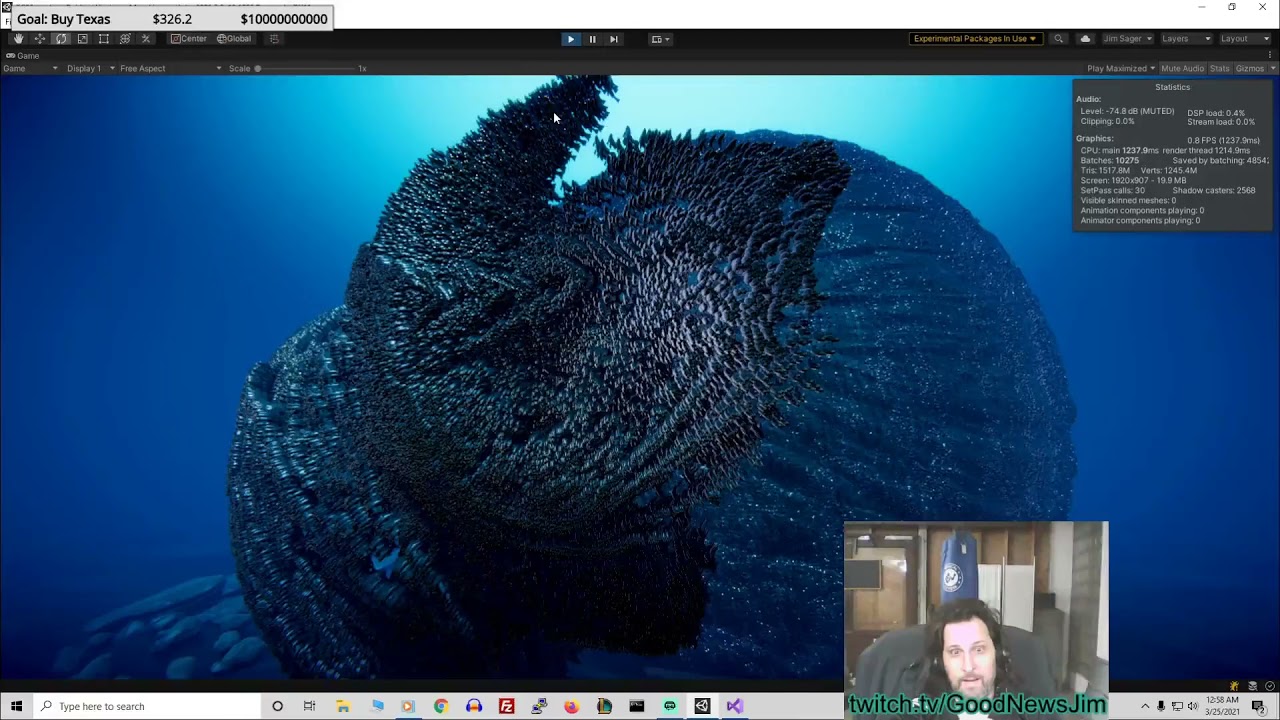
ECS DOTS lets you have 10-1000x as many poly on screen by unlocking cores. So as more and more people play these games, they'll buy CPUs with more and more cores. Maybe in 6 years we have 1024 cores and stuff, so then we are able to render 1000x-100,000 more objects.
Download ECS examples that you can import right into your UNITY hub, from th...
hushed dirge
If you don't know what is the limiting factor for performance is then you're just guessing what is going to be fast and potentially wasting effort
hazy trail
Chat GPT says I'm aiming for the "absolute minimum rendering cost", no shaders, no reflections, even a custom shader that's better than unlit is possible. This type of demo videos makes Unity look good to the public
hazy trail
hushed dirge
If you don't know what is the limiting factor for performance is then you're jus...
I know one limiter: The Graphics rendering package. When I went to HDRP, my FPS dropped by 8x, and only with finangling could I get it down to only drop 2.5x
hushed dirge
but do you know why?
marble vigil
chat gpt doesn't and cannot know what the limiting factor of your performance is
hazy trail
I think with URP, I can get it below 1x my initial, which could lead to 1.5 million things rendered at 30 fps, (in a playable game)
I know the limiter, the rendering.
I was asking a different question; How do I display an Unlit object yet still show the texture and color... I see many people on youtube using Unlit like this
I believe there's an ambient lighting setting
marble vigil
hazy trail
I was asking a different question; How do I display an Unlit object yet still sh...
Unlit does that, but you don't have a color texture as mentioned earlier
hazy trail
Is this true? In the Lighting Settings panel, under Environment Lighting, you can control the ambient light level.
hushed dirge
"rendering" covers a dozen different factors
hazy trail
Correct redwyre, I'm focusing on my unlit texture rendering like the lit version of it

The top is lit, button is unlit in URP
hushed dirge
I have told you why, there is no light, therefore no shading
hazy trail
So I need ambient light
hushed dirge
it will always be one solid colour
hazy trail
Red, I believe there's a texture on that graphic, can you review the top correctly rendered lit version?
marble vigil
This may take a while so you'll need a thread
hazy trail
Thank you Spazi & Redwyre. Back to coding... Tech is tough... You know how to tell time in elementary school digital and analog(This is like knowing coding), but you buy a foreign car and you can't set the clock (This is tech). Knowing how to code isn't the same as knowing someone's tech. I appreciate you guys highly.
A game developer's time must be managed between ramming your head against the wall (techs) and getting stuff productive(using the techs you know). It's like intelligence (knowing stuff), and wisdom(using the stuff you know). It's like gathering ingredients vs using ingredients to cook.
violet bison
violet bison
Using the same shader and just applying a texture to the material was all I need...
@hazy trail This is an answer to it no? You need a texture.
 twin yacht
hello i want to learn to make VFX for mobile games , i have some general knowledge in 3D softwares like blender & houdini, just getting into unity
what is the standart workflow of making VFX mobile games
correct me if im wrong but as i understand the visual effects nodes work only in HDRP?
soft lion
twin yacht
correct me if im wrong but as i understand the visual effects nodes work only in...
Works in URP too but just not on mobile devices. Therefore the good old particle system is your best bet when creating visual effects for mobile devices
twin yacht
soft lion
Works in URP too but just not on mobile devices. Therefore the good old particle...
I see, u have any suggested in depth tutorial about that?
soft lion
twin yacht
I see, u have any suggested in depth tutorial about that?
I don't. Any particle system tutorial should do
sinful gorge
soft lion
Works in URP too but just not on mobile devices. Therefore the good old particle...
If you use vulkan pretty much all VFX Graph features work on mobile as well. Just OpenGLES is not supported.
I have used it in production without any issues.
( @twin yacht )
Since mobile devices often are GPU limited, I do recommend to use regular particles or shader based effects whereever possible for best compatibility and performance
But if something only works in VFX graph, that might be interesting
soft lion
sinful gorge
If you use vulkan pretty much all VFX Graph features work on mobile as well. Jus...
Not long ago I saw a post by some unity staff telling that even high end mobile support is likely not happening in near future due to very inconsistent feature support by mobile devices, I think it was about ComputeBuffer support
@sinful gorge This one: https://discussions.unity.com/t/what-will-be-added-to-high-end-mobiles-for-vfx-graph/918745. Commented on june 2023 so very recently. It might work fine in some cases but there doesn't seem to be any guarantees about it working on even some high end devices
Don't really know what kind of difference the graphics library/interface will make but I assume some device manufacturer have created better support for some graphics features for some interfaces on their drivers
sinful gorge
soft lion
Not long ago I saw a post by some unity staff telling that even high end mobile ...
Yeah it is not 100% supported, in the sense they cannot guarantee support and test it internally.
But the hard requirements are compute shader support, which Vulkan definitely has. If a device does not support Vulkan, the play store should not list it.
Personally work a lot with Meta Quest and other VR headsets, so the internal hardware will be the same. So that is easy to test once and then know it works for consumers as well
soft lion
Might we worth trying if something essential just isn't possible with the good old particle system but on most cases the particle system is a safe bet
sinful gorge
Yeah definitely
 brisk dawn
Am i dumb or should this be rendering? Cause its not, no sprite appears.

Nvm, i figured it out
Nvm it doesnt work
It works when i manually add it, but for some reason when its instantiated in it doesnt? tf?
 winter oxide
sorting layer maybe?
marble vigil
brisk dawn
It works when i manually add it, but for some reason when its instantiated in it...
I would check the position where it's instantiated
Z position that's too high or too low can make it appear behind the camera, or behind other sprites
hazy trail
How do you set up your settings to be like 1996 PS1: No lighting, no shadows, no reflections, no fog. Just Texture and colors?
 oblique pier
hazy trail
How do you set up your settings to be like 1996 PS1: No lighting, no shadows, no...
oblique pier
hazy trail
How do you set up your settings to be like 1996 PS1: No lighting, no shadows, no...
Use Unlit shaders. About the fog - not sure how it is disabled in URP
Although, didnt a lot of games back then use fog to hide low render distances? 🤔
uneven path
Help how do I turn this into a urp shader

I switched to urp and now everything is purple
vivid harness
HELLLLLP
Been trying to use sequencer but now
anytime i try to creat e asequence
it breaks and saves gameobjec tnot found
vivid harness
this happens for any unity project i open
brisk dawn
marble vigil
I would check the position where it's instantiated
Z position that's too high or...
They are both at the exact same spot
brisk dawn
marble vigil
I would check the position where it's instantiated
Z position that's too high or...
Oh, and I did solve the not rendering issue - Now the issue is, even though the two sprites are the exact same resolution, and exact same scale, one is way larger than the other
marble vigil
brisk dawn
Oh, and I did solve the not rendering issue - Now the issue is, even though the ...
How did you solve the rendering issue?
brisk dawn
marble vigil
How did you solve the rendering issue?
Turned out I was an idiot and the y scale was set to 0... yeah, not my brightest moment
brisk dawn
marble vigil
How did you solve the rendering issue?
But now, the issue is this: The white and green sprite are both 256x256. They are both scaled the same, y and x are both the same. They are both positioned the same. But yet, one is larger than the other.
 marble vigil
brisk dawn
But now, the issue is this: The white and green sprite are both 256x256. They ar...
marble vigil
brisk dawn
But now, the issue is this: The white and green sprite are both 256x256. They ar...
They likely have different PPU values in the texture import settings
brisk dawn
marble vigil
They likely have different PPU values in the texture import settings
How do I change that?
marble vigil
in the texture import settings
brisk dawn
Alright, thanks, I'll try that
 humble ember
Is there any easy way to get the Maximum Shadow Distance in URP?
In built-in I can do QualitySettings.shadowDistance
But in URP im getting a random value
marble vigil
humble ember
But in URP im getting a random value
How random exactly
And how are you getting it currently
humble ember
It's 40, not sure why
humble ember
marble vigil
How random exactly
And how are you getting it currently
And getting it with the single line
QualitySettings.shadowDistance
humble ember
i cannot belive that I cant get the active rendering shadow distance
Like, i need to make a specific script for each render pipeline to just get that value???
 fast edge
why are the textures so squashed?!!?!?

i made them using a software called blockbench btw
oblique pier
fast edge
why are the textures so squashed?!!?!?
Wdym squashed? If you want sharp pixels, set Filter mode to None in the texture import settings
fast edge
alr alr i'll try later thanks for the advice
vivid harness
Hey does anyone have an issue wehre seqeunces won't create anything after creating th emaster sequence
its seems to have broken and is not working even after i ninstall and reinstall it

going a bit insane
 ornate tusk
I think I posted this in the wrong chat, does anyone think they can help me with it here?
 sharp shell
Im making a game where players can build maps at runtine and then play on those maps in the shooter mode, im using URP since its gonna be stylized.
My problem is that i obviously cant bake lights for something that doesnt exist and that the players will create, so i cant use mixed / baked lights, only leaves realtime lighting.
But realtime lighting looks very bad indoors / shadows look way too harsh, its like almost black indoors.
Is there a way to get light bounces or better environment light for realtime lighting in URP so that it looks better ?
Please reply-ping with an answer so that i can actually see it (incase i go to bed before someone answers)
 zenith prairie

idk how to explain it
but when i move my camera
the decal like
flickers
and dissapears
zenith prairie
fast edge
alr alr i'll try later thanks for the advice
set texture filter mode to Point (no filter) and compression to none
oblique pier
zenith prairie
flickers
That is called Z-fighting
You could spawn the decal a tiny bit outwards from the hit point
zenith prairie
ok thanks
soft lion
zenith prairie
Are you using the decal system or flat quads?
zenith prairie
decal
soft lion
I don't think decals should suffer from z-fighting assuming the wall is within the decal bounds
oblique pier
soft lion
I don't think decals should suffer from z-fighting assuming the wall is within t...
They do, at least in HDRP, when the bounds edge is exactly on the wall
That being said, @zenith prairie could also just adjust the pivot of the decal bounds instead of moving it out
soft lion
oblique pier
They do, at least in HDRP, when the bounds edge is exactly on the wall
That's what I meant by "wall within decal bounds". Edges tend to cause edge cases in general
wise minnow
helo, im stuck on urp 12. any ideas on how to update to urp 14

 open pasture
Heyo!
I’m trying to render the world position of a vertex displaced plane into a texture, in order to achieve this I want to use a render feature that renders a particular mesh with an override material without having to use a second camera. To do this I’ve made a custom Render Objects (experimental) render feature that allows me to set a render target, other than that it’s functionally the same.
The issue I have is that the vertex displacement doesn’t seem to apply before it renders to the target texture. If I render it normally and then use a grab pass render feature to blit the cameras render texture it works as expected, but naturally also renders the result to the scene which I don’t want. If I set the depth write to disabled on the regular render objects it also doesn’t displace the vertices before the blit, but changing that in my own custom render feature doesn’t seem to do anything.
Unity 2023.2


 hazy trail
I was told:
just remove the lightsources
and up the ambient brightness
For PS1 1997 rendering with no light
 fickle herald
hello, 'Post-Processing' option isn't appearing, I just recently installed the URP, do I need to restart or something?
edit: checked the pinned messages, issue solved.
sinful gorge
wise minnow
helo, im stuck on urp 12. any ideas on how to update to urp 14
Use Unity 2022.3+
If you already are, edit the manifest manually
wise minnow
sinful gorge
Use Unity 2022.3+
If you already are, edit the manifest manually
Thank you
 verbal forge
has anyone work with depth texture before? is it possible to get/create depth texture with some filters? (e.g. i only want to render depth texture for objects in layer "depth")
the code i'm working on for more context
public override void Execute(ScriptableRenderContext context, ref RenderingData renderingData)
{
    CommandBuffer cmd = CommandBufferPool.Get(nameof(OutlineRendererFeature));
    RTHandle cameraTargetHandle = renderingData.cameraData.renderer.cameraColorTargetHandle;

    // Clear Interactable RenderTexture
    cmd.SetRenderTarget(interactableRTHandle);
    cmd.ClearRenderTarget(true, true, Color.clear);

    // Draw Desired Objects to Interactable RenderTexture
    foreach (var inst in renderers)
    {
        if (inst == null) continue;
        cmd.DrawRenderer(inst, inst.sharedMaterial);
        Debug.Log("Drawing renderer" + inst.name);
    }

    renderers.Clear();

    // THE PROBLEM:
    // Instead of Blitting the Interactable RenderTexture, it should be "THE Depth" of Interactable RenderTexture
    cmd.Blit(interactableRTHandle, cameraTargetHandle, outlineMaterial, 1);

    context.ExecuteCommandBuffer(cmd);
    CommandBufferPool.Release(cmd);
}
 fleet orchid
so I put a little 2nd camera rendertexture into my game I'm making, and just noticed that I have a whole other DoRenderLoop thing going on, which when I delete the minimap rendertexture (it's a 6464 res no lighting single culled layer) goes away again... makes sense, I guess.... but this 6464 is adding an entire ms, very almost the same as my entire full game render screen covered in shaders, far higher res etc. Is this expecte behaviour? Can you just not even use a tiny rendertexture? Is there anything I can do to get around this?

 opal plover
I've got a material/shader that I apply to units in a custom layer by adding the material in the AfterRenderingOpaques event. Works great - but I'd like the shader to have a custom value per unit. Currently they all share the same value in the material.
How can I do this? Do I need to just add the material (manually) to all objects and change the value of the copy (via script)?
 ruby marsh
hey, I would like to have some text/stickers on this fire extinguisher of mine
I know stickers can be achieved by simply using decals, but I have no idea how to make sort of "decal text"

e.g. use TextMeshPro as decals
fleet orchid
fleet orchid
so I put a little 2nd camera rendertexture into my game I'm making, and just not...
I wound up doing this in a command buffer instead of a camera and it seems to have gone from 1ms to 0.1ms
oblique pier
opal plover
I've got a material/shader that I apply to units in a custom layer by adding the...
Does this help? https://docs.unity3d.com/ScriptReference/MaterialPropertyBlock.html
The other option is to instantiate thet materials, yeah.
 queen bronze
ruby marsh
hey, I would like to have some text/stickers on this fire extinguisher of mine
I...
queen bronze
ruby marsh
hey, I would like to have some text/stickers on this fire extinguisher of mine
I...
do you want something dynamic or could it be baked into the texture?
just using decals for an object that always has the same text is not a good idea
ruby marsh
best one could be dynamic, but I'll do with baking
queen bronze
then create an image with text in your image editor of choice and UV map it using blender / maya. For such a simple shape UV mapping should be fairly trivial and a good learning task
ruby marsh
ah, okay, I overcomplicated again
ruby marsh
queen bronze
just using decals for an object that always has the same text is not a good idea
why?
do they produce a lot of overhead? haven't used them yet
queen bronze
depending on your usecase it would be totally fine but especially if you want your object to move or have many instances its not a good idea to use decals
and just UV map it would be the standard way
ruby marsh
okay, thanks for the info!
opal plover
oblique pier
Does this help? <https://docs.unity3d.com/ScriptReference/MaterialPropertyBlock....
Hm, that's how I normally set my properties on a local or shared material.. I didn't know it could be used on the URP pipeline materials.. It does say "it will result in a drop in performance" and I've already got an issue with that (likely low hanging fruit to fix but I haven't bothered yet.. I actually think it might be my implementation of pathfinding but all things in due time). I will probably just do the local material approach since I'm a dinosaur and like having things under my control a bit, given two options
 deep skiff
Does anyone have the source for the built in "Render Objects" render feature?
I've got it mostly working for my needs but I need to tweak it slightly and would like to avoid rewriting the whole thing if possible
dry willow
deep skiff
Does anyone have the source for the built in "Render Objects" render feature?
Should be able to find it under the URP package (under RendererFeatures and Passes folders), though it might use some internal-only code so unsure if you can just copy it
 vale jacinth
I’m looking to use Unity for Apple macOS GameDev, and was wondering how I could I introduce native macOS MeshShader into the URP?
 past thunder
 modern oracle
converted everything in my project form brp to urp and most things went invisible, help!

the objects are still there just the textures are gone
the textures are still applied to the object and in the file explorer just not showing up in the scene at all
 light slate
does URP dynamic resolution (ScalableBufferManager.ResizeBuffers(...)) support upscaling filters? i have FSR selected in my render pipeline and it works with the "render scale" setting there, but if i set render scale to 1.0 and use ScalableBufferManager.ResizeBuffers instead i get nearest-neighbor filtering instead of FSR
sinful gorge
modern oracle
converted everything in my project form brp to urp and most things went invisibl...
Did you run the SRP upgrader already?
Is the terrain material working on URP and is it assigned in the terrain tabs?
 gilded mantle
Hello everyone. I've been trying to apply some post effects to UI, but i can't seem to find any good way to make it. Works "fine" in built-in render, but in URP stacked camera affects base camera with post-fx for some reason. Changing stack order results in world obstructing UI. Any suggestions?
 gilded mantle
...i was trying to make UI look like old terminal, maybe there's much easier way around idk...
bloom and lens distortion looked easy to make

 indigo knoll
looks nice
marble vigil
gilded mantle
...i was trying to make UI look like old terminal, maybe there's much easier way...
This is likely a render texture on a curved mesh
Much simpler and looks better than a fisheye shader
marble vigil
gilded mantle
Hello everyone. I've been trying to apply some post effects to UI, but i can't s...
In URP camera stacking, each camera's post processing affects all the ones below as the whole rendered image at that point in time is post-processed
Unity 6's Alpha Processing feature would be required to mask post processing out from layers below
 wraith wind
So I got an odd problem I ran into. So I'm trying to use a texture to make an object only be visible in a 3D space. I use a circle and I end up with a lopsided square.
To achieve the effect I made 3 rotations of the texture and clamp them to each other.


Any ideas on how to make it a sphere?
modern oracle
I converted my brp project to urp and only objects that were in prefabs are visible, help

 coarse tangle
Why is it that adding screen space shadows to my URP profile doesn't seem to actually activate them?
two screenshots, one with screen-space shadows disabled, the other with them enabled. the result is the same.
i've also tried forward+, and deferred modes, but all looked exactly the same.


(the colors on the building scroll)
ebon karma
coarse tangle
two screenshots, one with screen-space shadows disabled, the other with them ena...
I don't think S-S Shadow are even do something in URP
 fierce anvil
Render texture is not working on the URP WebGL build, there is only a black part at the bottom-left corner showing instead of the camera render, In editor Render texture is working just fine. how do fix this issue on Webgl?
 patent stone
Pretty sure that this is the right channel for this.
Why does my gameObject look like this in the scene view? i recently upgraded a urp so that i could do emission
 marble vigil
patent stone
Pretty sure that this is the right channel for this.
Why does my gameObject look...
marble vigil
patent stone
Pretty sure that this is the right channel for this.
Why does my gameObject look...
Why does it look like what
Any more details at all?
 drowsy hinge
This is probably a dumb question, but in the Unity 6 Preview URP, how can I simply just render a basic unlit shader to the camera?
marble vigil
drowsy hinge
This is probably a dumb question, but in the Unity 6 Preview URP, how can I simp...
What do you mean by "to the camera"?
drowsy hinge
marble vigil
What do you mean by "to the camera"?
so i have an unlit shader i made and i want it to be on the camera, if that makes sense. Im very new to shaders, so i am unsure how to do this. Previously in built-in, i would just just use OnRenderImage along with a Graphics.Blit to do this. However, i have since switched to using URP and have also switched to using U6 preview. I think i need to do somehting like a "render feature", but i have no clue how to do this.
marble vigil
drowsy hinge
so i have an unlit shader i made and i want it to be on the camera, if that make...
drowsy hinge
marble vigil
<https://docs.unity3d.com/6000.0/Documentation/Manual/urp/post-processing/post-p...
This method appears to only work with ShaderGraph, however the shader i want to use is written in ShaderLab. Is there a way to do this in ShaderLab, or do i need to re-write my shader in ShaderGraph?
marble vigil
drowsy hinge
This method appears to only work with ShaderGraph, however the shader i want to ...
Technically possible but it's quite a bit harder to write urp shaders than to make them in SG
drowsy hinge
marble vigil
Technically possible but it's quite a bit harder to write urp shaders than to ma...
aw ok, thanks for the help. Ill just re-write my shader in SG
marble vigil
drowsy hinge
aw ok, thanks for the help. Ill just re-write my shader in SG
Custom functions in SG are a good middle ground
coarse tangle
ebon karma
I don't think S-S Shadow are even do something in URP
that seems to be my impression, although the docs say otherwise.
marble vigil
coarse tangle
that seems to be my impression, although the docs say otherwise.
I don't see much any shadows in your screenshot, let alone screenspace ones
They are meant to supplement realtime shadows
coarse tangle
marble vigil
I don't see much any shadows in your screenshot, let alone screenspace ones
They...
they're highly aliased in this pic, and missing entirely from the smaller detail.
i should've taken a shot with shadows turned off for full reference
but the roof is untextured. whatever detail you see on it is from the shadows
so i think that 'screen space shadows' is something of a misnomer in that the technique it usually refers to is what unity seems to call 'contact shadows' in HDRP.
and i am bound to URP for my project
marble vigil
I'm not sure what kind of change you're expecting visually
Your shadows seem very faint and extremely low relative resolution
marble vigil
coarse tangle
so i think that 'screen space shadows' is something of a misnomer in that the te...
Actually it seems I was thinking of contact shadows, which are indeed called screen space shadows in other contexts
URP's screen space shadows is different, and not meant to cause any visual difference
To render screen-space shadows, URP requires an additional render target. This increases the amount of memory your application requires, but if your project uses forward rendering, screen-space shadows can benefit the runtime resource intensity. This is because if you use screen-space shadows, URP doesn't need to access the cascade shadow maps multiple times.
The Screen Space Shadows Renderer Feature doesn’t affect how shadows look.
coarse tangle
yep. that's a poorly named feature. thanks.
patent stone
marble vigil
Why does it look like what
Any more details at all?
On the thing on the right of the image it is supposed to be the two colours, light and dark blue, on the light blue part there are heaps of lines on it
ornate tusk
So if I didn't want my scene to have these kinds of shadows from the directional light, how would I turn them off?
 patent stone
ornate tusk
So if I didn't want my scene to have these kinds of shadows from the directional...
patent stone
ornate tusk
So if I didn't want my scene to have these kinds of shadows from the directional...
This would be in your directional lights light component
 ornate tusk
That's already set to no shadows and I'm still getting that highlight into shadow line
I basically want them to look lit from all directions no shadows
I'm using a full screen shader that is handling the lights for me but I get the soft shadow from the lit material and the hard shadow from my full screen cel shader
For example, this is the basic unlit shader using my fullscreen pass

Then once you make it lit it gets that nasty shadow through the middle

Now the obvious answer is to make them all unlit but then I wouldn't get emissives
patent stone
ornate tusk
Then once you make it lit it gets that nasty shadow through the middle
I have no clue i'm sorry, the light shadows was my only suggestion ahaha, does it look the same in gameview?
 umbral bison
hi i build the same project once without GPU resident drawer feature and once with, the one with the feature enabled has ~15 fps less, isnt it supposed to increase FPS? both URP, literally the same proejct, once with the feature on and once with it off
soft lion
umbral bison
hi i build the same project once without GPU resident drawer feature and once wi...
Assuming you got it to work in the first place, it's still not that simple. It is indeed supposed to improve performance but it all depends on your game. Let's say you had empty scene with nothing in it, draw call optimizer will obviously not increase your performance if there was no draw calls to optimize. It might just end up wasting resources trying to find things to optimize when there's none or little. Afaik GPU resident drawer is just a form of GPU instancing meaning it is useful mostly in large scenes with lot of similar objects in it
Same way you can't expect occlusion culling to magically improve your fps if you only have one huge detailed mesh in your scene which isn't split into smaller pieces. What happens to your FPS will depend on how much there is to optimize using the optimization method and what is its cost relative to its benefit
marble vigil
ornate tusk
So if I didn't want my scene to have these kinds of shadows from the directional...
This is not shadow exactly, but how the lit shaders light up polygons by their direction relative to light
Iirc some of newer URP's unlit shaders do support HDR color for the base map, but if you can't find any it's very simple to make a custom unlit shader in shader graph that includes an intensity multiplier or a separate multiplied emission texture field
umbral bison
soft lion
Assuming you got it to work in the first place, it's still not that simple. It i...
I understand, in my test scene i had a huge terrain with a bunch of drawn on grass, trees plants and rocks, and a bunch of handpalced objects.
From my observation the feature lost me 15 fps like I mentioned, in what could would this not happen?
for example, if i had more variet objects so gpu instancing would be less effecient, GPU residentdrawer would help in that scenario then?
soft lion
umbral bison
I understand, in my test scene i had a huge terrain with a bunch of drawn on gra...
Did you place the trees, grass and such using the terrain system or using individual game objects?
umbral bison
about 90/10, 10% handpalced id say
soft lion
I think the terrain system is already heavily utilizing GPU instancing so the resident drawer might not be able to help on that but if you have a lot of instances of the same mesh as a gameObjects, the resident drawer should be able to optimize those draw calls
 fair yew
I have an odd issue with Forward+. It seems to be culling some of my meshes based on distance even when visible, and no occlusion culling enabled. Doesnt do this on all meshes and i cant see much difference other than size between them. Does not do this on Forward or Deferred. On Unity 6 .21f. Anyone seen this?
fair yew
fair yew
I have an odd issue with Forward+. It seems to be culling some of my meshes base...
Posting on discord is always helpful, i seem to always fix it. Its as a result of the small-mesh screen-percentage set too high on the GPU resident Drawer
umbral bison
every few sec i get a huge lag spike, might be unity 6 related since it didnt happen in the earlier version, using urp

sometimes its just editorloop, no child, 213mc, empty scene, still stutter
enabled deep profile, now its fixed , even with deep profiling off
wtf, restarted editor, issue is back
 tranquil narwhal
sup gang
I started this project out as a 2D URP

but I decided mid project I want to use 3D objects

I see my camera's renderer is "Renderer2D"
but I don't have another option for it, neither know how to create my own renderer
halp plz
my 2d objects are always on top of my 3d ones
plz tag me for response
tranquil narwhal
 marble vigil
tranquil narwhal
but I don't have another option for it, neither know how to create my own render...
marble vigil
tranquil narwhal
but I don't have another option for it, neither know how to create my own render...
You can follow pinned instructions on this channel for urp setup which makes a 3D renderer
 tranquil narwhal
marble vigil
You can follow pinned instructions on this channel for urp setup which makes a 3...
tranquil narwhal
marble vigil
You can follow pinned instructions on this channel for urp setup which makes a 3...
do you have the link?
marble vigil
tranquil narwhal
do you have the link?
It's pinned on this channel
 marble vigil
"Configuration"
marble vigil
tranquil narwhal
btw these that are always on top, are sprites
Sprites always follow rules of 2D sorting whether your renderer is 2D or 3D
gilded mantle
Hello everyone. I'm looking for a way to make my UI look like... well, this. old monochrome display-style.
Slightly lens-distorted, bloomy, with various shimmering lines and stuff.
I'm new to URP and don't know how to make it properly, post-effects seems hard to apply to UI only.
Shader graphs? render texture? ways i don't know of?

 errant vessel
Hi guys,
I just upgraded my project to Unity6, but that made my custom universal rendering pipeline script to be broken.
Is there anyone who master on this topic?
I need help to refactor the code so that it works on Unity 6
My custom universal rendering pipeline is from this page:
https://github.com/Unity-Technologies/UniversalRenderingExamples

 karmic iron
errant vessel
Hi guys,
I just upgraded my project to Unity6, but that made my custom universa...
karmic iron
errant vessel
Hi guys,
I just upgraded my project to Unity6, but that made my custom universa...
You have to convert it to Render Graph, search up RecordRenderGraph on github/Unity manual and you'll see what you have to do to change it
errant vessel
karmic iron
You have to convert it to Render Graph, search up RecordRenderGraph on github/Un...
Too bad, I'm very new to this topic and don't have the time learn it...
Also, I just realized that the license is personal and non commercial purposes only, so.... 😄
I guess I'll need to use the official Unity Toon Shader (which has support for Unity 6) then
Thank you for the response btw!!
karmic iron
On the topic of Render Graph - trying to get compute shaders working for Post-Processing in it, but not sure if that is possible? According to scripting manual, I need an output buffer, but all I actually want is some TextureHandle references to pass around.
Trying to run my compute shader render pass that just uses TextureHandles and has no OutputBuffer, I get a debug output from RecordRenderPass but nothing shows up in the Render Graph Viewer, it kind of silently doesn't seem to run.
Edit: Got working
 sturdy spear
Anyone work with depth textures recently? I can't seem to get anything to work
 kind junco
Hi there. Idk if I am in the correct discord channel. But I have an issue with my 3D model and the material/texture. I downloaded the tree model from the web and it came with leaf textures. I added the .png's to the Base Map and Normal Map but the alpha channel isn't working properly. Any idea how to fix this? Thx a lot.
 ebon karma
kind junco
Hi there. Idk if I am in the correct discord channel. But I have an issue with m...
ebon karma
kind junco
Hi there. Idk if I am in the correct discord channel. But I have an issue with m...
set the surface type to transparent or cutout
 pliant vigil
anyone know why when I change the name of a render feature it gives a NRE?

this is a fresh project for testing, the only shenanigans is that I converted it to android to test if this all works on android, and then back to windows
then I restarted the program
I tested various things and only the renderfeature name is throwing NREs, none of the other options are
very odd behavior
pliant vigil
tested it by restarting unity, it saves the file just fine
so no idea what that's about lol
 lament iris
I have some 3d components in my scene that never move, and my camera never moves. Is there a way to bake the render or only render those parts once to improve performance?
 lone lantern
Hi, im wondering how i can make textures tile, but not stretch in URP?
soft lion
lament iris
I have some 3d components in my scene that never move, and my camera never moves...
That's called baked lighting
soft lion
lone lantern
Hi, im wondering how i can make textures tile, but not stretch in URP?
Could you give more context?
lone lantern
like in probuilder, when you scale the objects, the texture stays the same size and just repeats, but im not using probuilder
soft lion
lone lantern
like in probuilder, when you scale the objects, the texture stays the same size ...
It's up to the UVs to decide how the textures will get placed on the object. Probuilder maps the UVs in a way where the effect you are describing happens. You can do the UV mapping/unwrapping in whatever modelling software you are using. Especially if you are procedurally generating the mesh, you may want to take a look at triplanar mapping shaders which don't rely on UVs but rather the normal and position of each fragment
lone lantern
ok, thanks
modern oracle
I tried to convert my BRP materials to URP but everytime I do it the objects that don't have the icon in the image attatched turn invisible, please help

 stray jasper
Im using unity 2D URP and im trying to create a custom render pass that creates a render texture that i can then use inside my shader graph shaders. But i have a few questions:
-
All my sprites have to be on the very same render layer because we use Y-Based sorting. I have 2 types of objects - Trees and lights. Now, my render texture is supposed to be a mask for the lights. So my idea was to draw everything to the texture, where the trees just put '1' in the R-channel and the lights put a '0' in the R-channel. Is this possible to do with a custom render pass?
-
How do i correctly set the render taget? I currently use this:
ConfigureTarget(renderTexture);
ConfigureClear(ClearFlag.All, Color.clear);
but in the frame debugger, i dont see the correct RenderTarget
lament iris
soft lion
That's called baked lighting
I tried that but instead of the normal realtime lighting, when I bake it it looks awful at the area by the plant (the original is on the left)


I also fully generated lightmap uvs for everything here
 nova bear
errant vessel
Hi guys,
I just upgraded my project to Unity6, but that made my custom universa...
nova bear
errant vessel
Hi guys,
I just upgraded my project to Unity6, but that made my custom universa...
You can enable compatability mode to get it working temporarily, but it's reccomended to update to rendergraph
marble vigil
lament iris
I tried that but instead of the normal realtime lighting, when I bake it it look...
You have invalid texel artifacts and missing specular response
Otherwise I'd say it looks better
https://discussions.unity.com/t/lightmapping-troubleshooting-guide/895352
See chapters 5 and 15
soft lion
I'd also say it look a lot better
 hearty pine
Can someone explain shader stripping to me?
Like why do you need to do this. I don't remember built-in taking so much time to cook it's shaders compared to urp
What's different technically speaking and why do you have to exclude your shaders manually as opposed to depending on target platform build and existing materials in project
hearty pine
Dead chat rip
 sharp chasm
How much shaders do you have in your project? As far as I understand variant generation, it makes variants for every possible keyword combination, so the difference may not be noticeable if you have just a few shaders. But I may be totally wrong, if so a slapindaface would be appreciated
And compared to BRP, I guess urp adds a bunch of additional keywords
hearty pine
sharp chasm
How much shaders do you have in your project? As far as I understand variant gen...
Can't tell as I don't have the last project I worked on on my disk anymore and I haven't used urp since until and was considering trying it again now
I'd guess around ~50? The cooking time was several hours, up to 5 if I'm not mistaken. The progress bar and time estimate would just keep increasing so I left it overnight
sharp chasm
omfg thats hella lot of time.
hearty pine
Like there are millions of variants
I'm reading it right now and people are building for literal days
sharp chasm
does StripUnused help? ik the only chance to check it is to actually build 2 times with different settings but have no other idea how to check if its because of variants
pure logic suggests that's it
hearty pine
I'm gonna look into it and in general I'm reading up shader stripping right now
It still seems so weird to me
sharp chasm
or maybe you're using lots of inlined shader functions, inlining can increase build time according to internet, but idk how big is the impact
hearty pine
The implementation of URP really just seems to be not very good. I can't think of another render pipeline or engine that performs so poorly without manual intervention from the user
Afaik this isn't an issue with built-in or HDRP
sharp chasm
afaik URP is basically a default template setup for SRP, but imo these sick build times indicates that they made something really wrong with it xd
and writing srp from scratch feels too much hassle to just decrease that build times
anyways, im probably not the best person to ask about urp under-the-hoods so i'll let pros elaborate
hearty pine
I don't think most people even know this channel exists
sharp chasm
Conclusion - don't use urp 
Jk, unfortunately there's no support for ECS in built-in. Also I've read somewhere that urp has to be setup carefully to not harm performance. Feels like these two things kinda conflicts with each other
I'm starting to think that urp is just a reference to jump into writing srp
marble vigil
hearty pine
I'm gonna look into it and in general I'm reading up shader stripping right now
In my experience the two biggest causes is having a lot of rendering features enabled (which by default are) as listed here: https://docs.unity3d.com/6000.0/Documentation/Manual/urp/shader-stripping.html
As well as having a lot of different shaders/materials
Often I end up with a lot of clutter when testing various things so it's often quicker to make a new stripped down project to import the necessities into as a .unitypackage for building
hearty pine
marble vigil
In my experience the two biggest causes is having a lot of rendering features en...
Look helpful, alright ty
I wish they actually explained what some of those features do so it's easier to know if you can disable them
Fast sRGB to linear conversion, Accurate G-buffer normals, Render Pass and Additional lights specifically
marble vigil
hearty pine
I wish they actually explained what some of those features do so it's easier to ...
They are settings in the URP Asset and URP Renderer asset so the explanations are in those articles
https://docs.unity3d.com/6000.0/Documentation/Manual/urp/universalrp-asset.html
https://docs.unity3d.com/6000.0/Documentation/Manual/urp/urp-universal-renderer.html
Additional lights are any punctual light components besides the directional light, that one is not clearly explained there
 floral raft
guys please i need help
i had some materials which where pink, i decided to install universal render pipeline to convert the assets, i did that now most of my project is pink and i don't know how to revert
 dreamy stratus
floral raft
i had some materials which where pink, i decided to install universal render pip...
dreamy stratus
floral raft
i had some materials which where pink, i decided to install universal render pip...
Did you only convert the assets ? Didn't you also assign URP as the current renderer ?
Else, no, there is no URP to BuiltIn converter, you would have to revert the materials manually. It is always recommanded to make a project backup when doing such big changes.
 vast panther
Is there a way to convert materials back from urp? I want to move to the usual post processing
marble vigil
vast panther
Is there a way to convert materials back from urp? I want to move to the usual p...
See just a few messages above
 manic nacelle
Hello! Why does my lighting look like this? is there any way to get it smooth without all this jagged noise?
 marble vigil
manic nacelle
Hello! Why does my lighting look like this? is there any way to get it smooth wi...
marble vigil
manic nacelle
Hello! Why does my lighting look like this? is there any way to get it smooth wi...
If it's realtime light you can enable dithering on the camera to alleviate it
If you're also using the deferred rendering path you may need to enable accurate g-buffer normals for more precise gradients
If it's a baked lightmap, the issue may be lightmap texture compression
manic nacelle
marble vigil
If it's realtime light you can enable dithering on the camera to alleviate it
If...
Its baked, using the forward renderer and the lightmap compression is set to "none"
tranquil narwhal
^ sup gang, after that~ Not sure if this is the correct channel for it
I have post processing, but even when disabling it they still blur out on distance
everything is unreadable at distance, how should I work that out?

the card description or stats are very blurry
 marble vigil
manic nacelle
Its baked, using the forward renderer and the lightmap compression is set to "no...
marble vigil
manic nacelle
Its baked, using the forward renderer and the lightmap compression is set to "no...
It might just be the limit of the color depth of the lightmap texture
Such flaws are best concealed by giving the walls textures or other surface variance
manic nacelle
marble vigil
It might just be the limit of the color depth of the lightmap texture
Such flaws...
Alright will try to improve the textures
marble vigil
tranquil narwhal
the card description or stats are very blurry
It does not seem like a blur, nor anything to do with post processing, rather the effect you get when scaling down a texture/image that has no mip maps enabled
You can improve it by enabling bilinear or trilinear filtering and/or increasing aniso level
The result will be less distorted, but it will be blurred that time
tranquil narwhal
what about the text?
it's a text mesh pro object
is there any way I can make the text look sharp?

like it does when in the canvas
marble vigil
tranquil narwhal
what about the text?
Iirc TMP text should be antialiased pretty much in all situations by default
So I guess something else could be wrong
Make sure you're previewing the Game window at 1x zoom when testing for this
tranquil narwhal
yup
I tried in build too and it looks blurry

it's okay if the card texture/description image is not 100% readable
but I would love for the TMP to look as sharp as possible
I think I figured it out, I changed the TMP material from
Distance Field --> Distance Field SSD
and it's a lot sharper now

👌🏼
tranquil narwhal
marble vigil
Iirc TMP text should be antialiased pretty much in all situations by default
So ...
thx for that, you made me look the right way
 umbral harbor
Does anyone know if/ how it is possible to customize/inject into the URP lightmapping algorithm?
If it isn't possible, is there some way to view the lightmap algorithm source code?
Currently running into the problem of baking toon lighting, and I might be able to pull some shenanigans with a meta shader pass (which, correct me if I'm wrong, just changes how a surface looks to the lightmapper) if I know how the lightmapper works in detail and editing it isn't an option.
 cloud scroll
i have thousands of windows that i want to light up... on a building.. the windows all share the same mesh data and material. Whats the best method for doing this? I've tried... static batching, material property blocks (which i think the docs say, not to use because that breaks batching), instancing... i have yet to try a shader because im not exactly sure how to turn them on/off using that method...
..can someone point me to a good idiots-guide-to doing this?
karmic iron
cloud scroll
i have thousands of windows that i want to light up... on a building.. the windo...
By light up/turn on or off, you mean like there's a light inside? If so, would suggest looking into something simple like just using a shader that supports emission and changing their emission value, that way combined with bloom they could look "lit"
marble vigil
cloud scroll
i have thousands of windows that i want to light up... on a building.. the windo...
The preferred way in URP is to swap to a different material, or a runtime material instance if you need the material properties to change programmatically
cloud scroll
marble vigil
The preferred way in URP is to swap to a different material, or a runtime materi...
yea this is the method ive had most success with so far.. the problem was getting them to actually batch, instead of having thousands of batches.. but it appears like ive managed to get it work.. i think.. its down from 8000 batches to 150ish lol
marble vigil
cloud scroll
yea this is the method ive had most success with so far.. the problem was gettin...
You don't have to get them to batch because SRP Batching optimizes draw calls even if they can't be batched
It often beats gpu instancing in efficiency also, in scenarios that are impossible for gpu instancing due to different materials
cloud scroll
marble vigil
It often beats gpu instancing in efficiency also, in scenarios that are impossib...
i'll check that out in a bit, i just know i gained 100fps in the editor from all my faffing about, which is nice...
marble vigil
It's a bit of a pitfall since SRP batcher quietly made most of unity optimization guides made so far more or less obsolete
cloud scroll
so it's gone from 'not great fps' to 'better' -- so im happier, since it looks worse lol... but i'll read that and work out where i'm going wrong cheers
marble vigil
There's still a lot of techniques for optimizations, but you have to be analyzing different metrics than draw calls
cloud scroll
marble vigil
There's still a lot of techniques for optimizations, but you have to be analyzin...
ok, so.. 172 batches is not horrific then? -- i mean i dont know the fps seems 'fine' to me right now...
..you know what it's fine, its improved.. it still works, im happy.. i'll just keep plugging away and read what you've linked (ive probably read it twice already) and maybe ill be back asking more dumb shit. cheers
marble vigil
cloud scroll
ok, so.. 172 batches is not horrific then? -- i mean i dont know the fps seems '...
You should forget about the batch count, and preferably the stats window entirely when doing any serious optimization
Use analysis tools like GPU profiler and frame debugger
You'll want to do profiling in a build when you need accurate data
There are external GPU-specific profiling tools also that can produce more accurate breakdowns than the unity editor can
But mostly you just need to understand how much stuff you're rendering, how long it takes and what rendering features you're using and then measure their rendering cost
cloud scroll
marble vigil
You should forget about the batch count, and preferably the stats window entirel...
ok cheers, i guess i am being premature with my optimization but i wanted to check i wasnt doing it horribly 'wrong' in the first place --as i said im happy for now, its 'playable'
 steep chasm
Im looking for a way to render a TMP mesh in front of my other 3D objects - I found a few solutions describing something of this sort but I dont see how to translate this to URP - at least Im assuming me using URP is the reason these camera settings dont show/look differently for me
 marble vigil
steep chasm
Im looking for a way to render a TMP mesh in front of my other 3D objects - I fo...
marble vigil
steep chasm
Im looking for a way to render a TMP mesh in front of my other 3D objects - I fo...
URP uses the Render Objects renderer feature for this type of task
steep chasm
marble vigil
URP uses the Render Objects renderer feature for this type of task
can you elaborate on this just a tad? the example in the documentation is rather overwhelming given what I wanna do is a lot less complex
marble vigil
steep chasm
can you elaborate on this just a tad? the example in the documentation is rather...
The short version is that the renderer feature renders objects on a specified layer, at a specific point in render order, with some extra options if needed
If your text is on that layer, and you set the Render Objects to render it after transparents, it should appear in front of everything
Just be sure to disable that layer from Renderer Layer Mask if you don't want it rendered before the Render Objects renders it again
marble vigil
umbral harbor
Does anyone know if/ how it is possible to customize/inject into the URP lightma...
Unlikely to be possible
How would you edit it anyway? Toon lighting isn't usually compatible with baked lighting for practical reasons
umbral harbor
marble vigil
Unlikely to be possible
How would you edit it anyway? Toon lighting isn't usuall...
Right now, I am planning to mostly be simplifying stuff a lot. I don't really care too much about the extra detail that can be provided from lightmaps, I just want to reduce the number of dynamic light sources in my scene. I have made a toon lighting shader that works with multiple light sources for dynamic lights, and I essentially just want to be able to bake the diffuse from that shader into a lightmap.
steep chasm
marble vigil
The short version is that the renderer feature renders objects on a specified la...
Im a bit confused still, am I supposed to add this to an existing rendererasset or make a new one with the settings to render certain layers in a different order?
steep chasm
I seemed to have gotten it to work in some way - the text now always renders on top the 3D object it's a child of, but not other 3D objects
marble vigil
steep chasm
Im a bit confused still, am I supposed to add this to an existing rendererasset ...
The renderer must be in use to see the effects of the renderer features in it
You'd have to look into some documentation and or tutorials to understand the system, even if the task is simpler than most of the examples
steep chasm
yeah no all that I got working
steep chasm
steep chasm
I seemed to have gotten it to work in some way - the text now always renders on ...
just this last bit is giving me trouble
marble vigil
Right now, I am planning to mostly be
 normal sparrow
would URP be the preferred renderer pipeline for WebGL from unity 2022+ or would that still be standard pipeline? For performance reasons? I thought the performance is pretty close from 2022+?
marble vigil
normal sparrow
would URP be the preferred renderer pipeline for WebGL from unity 2022+ or would...
It can vary a lot by what stuff and how much of it you need to render, and what performance you're targetting
I think URP is easier to use and does a lot of the optimizations for you
But if you're really strapped for space and performance in your target device, from what I hear BiRP can be squeezed tighter if you handle the optimizations yourself strategically
normal sparrow
marble vigil
It can vary a lot by what stuff and how much of it you need to render, and what ...
Thanks a lot, birp? Is that the pre-urp one?
marble vigil
normal sparrow
Thanks a lot, birp? Is that the pre-urp one?
BiRP meaning the built-in render pipeline that the project has if no scriptable render pipeline is installed
It's not the "standard render pipeline" since it's no longer the standard, despite being default
And it'd be too ambigous with the SRP acronym
 digital plaza
(Forward+) As of right now, a custom RenderPass of mine uses CommandBuffer.DrawMesh. My issue is that the mesh gets drawn to every camera in the scene, including overlay cameras that are a part of the main camera’s Stack. Is there any way to limit the cameras that the RenderPass renders the mesh to?
 pliant gull
Hi, I bought this asset pack (image 1) but none of the materials seem to work or show up (image 2 and 3(pink ones don't have material at all but the grey ones do)) is there anythIng i can do to make this work again without refunding? I used the same editor version on the thing (unity 2021.3.35f1) and URP but it still doesn't work and their discord server is dead.
Thanks in advance.


(and for the grey ones it wont let me change this)

 sour nest
https://docs.unity3d.com/Packages/com.unity.render-pipelines.universal@7.1/manual/upgrading-your-shaders.html Trying to follow these instructions but the "Render Pipeline" option isn't present?

2021.3.44f1 if it helps
URP is installed and enabled

 sour nest
Tried to convert it using the winodw
and it broke
so I'm "rebasing" (in git terms) to a URP project and moving my game inside
I haven't touched settings so I should just need to copy my scripts and assets over
tranquil narwhal
sup gang
you got this my friend

I have "OnMouseOver" on my card objects
and buttons on my canvas
when I try to press those buttons, it prioritizes the "OnMouseOver" of the cards and drags them around
which closes my menu
I would like for my Canvas to block whatever is behind it
haughty garnet
tranquil narwhal
sup gang
OnMouseOver uses a physics raycast while the canvas uses a graphic's raycaster
tranquil narwhal
nice
what should I do then?
put a....
OnMouseOver()
{
if (IsPanelOpen) return;
//Do card stuff here
}```Is everything here on the canvas? Then consider using IPointer interfaces and crew
Otherwise yeah, need to check against each raycast selection
 tranquil narwhal
I wonder what camera I should use in that case
I want a camera that I can move with W and S
that goes from point A to B like in the curve there
haughty garnet
tranquil narwhal
they're 3d objects, not in canvas
Actually, IPointer does work with non-UI objects too, so you do run into a similar problem so that leaves you with checking a method like :
EventSystem.current.IsPointerOverGameObject()```which if true means it's over UI elements despite the very vague method naming.
 carmine gyro
Hello, I'm experiencing issues with a certain shader which uses URP. It's called Saturate, and it glows an object to be white when set.
The problem happens when URP ignores the alpha channel (and even dyes the alpha areas red). This doesn't happen in Scene, only through the Camera.
Here are images of the shader (which works in another project flawlessly) and the images of the object using the shader in question:


Thank you for your time.
sinful gorge
carmine gyro
Hello, I'm experiencing issues with a certain shader which uses URP. It's called...
Is it post processing? If so, in the URP settings you can enable the alpha channel for PP
Or is it an UI shader?
carmine gyro
unfortunately I don't see anything for it in my pipeline asset's settings. I tried looking in both places:

 sinful gorge
Ah then that's from a more recent version. But contact the asset developer, as this is an issue with their asset @carmine gyro
That probably gets a better response
 north glen
i want to get my transparent roof to affect the lighting inside the house, i make the roof material transparent and the light travels right through!, how do i get the transparent model to affect the lighting inside? i have made the alpha 200
sinful gorge
north glen
i want to get my transparent roof to affect the lighting inside the house, i mak...
Maybe cull the roof from the camera? Layers could be great for this (like a Camera culled layer)
tranquil narwhal
haughty garnet
which if true means it's over UI elements despite the very vague method naming.
I did try it and that didn't work but
let me try it again
it was always returning false or true, I don't remember
I was too sleepy xD
 tough burrow
I'm trying to use a few decals on my game, but they seem to be very transparent, even though (I think) I haven't messed with the decal shader, is there something I missed that could solve that? (opacity is maxed out, btw)


 vagrant jackal
It seems that post processing is working different in Universal Render Pipeline compared to the built in version. How can I make certain objects be effected by the Volume framework? For example only make certain objects glow
 halcyon kraken
vagrant jackal
It seems that post processing is working different in Universal Render Pipeline ...
halcyon kraken
vagrant jackal
It seems that post processing is working different in Universal Render Pipeline ...
I also want to do this. There are some ideas in this thread, but I was hoping for something simpler like layers. https://discussions.unity.com/t/assign-post-process-volume-to-a-objects-on-a-layer/872050/6
vagrant jackal
One solution would be to increase "threshold" under the "bloom" effect, so objects only glow if they emit more light than the threshold, but its not ideal
halcyon kraken
vagrant jackal
One solution would be to increase "threshold" under the "bloom" effect, so objec...
Yeah that and maybe manually modifying emissive dynamically
 errant cloud
Hello,
Not sure where this question should go exactly, but has anyone managed to get Billboard-type shaders to work with quads displayed via the BatchRendererGroup API?
I'm guessing there are some shenanigans due to how BRG handle Transformation Matrix data per instance, which Billboard-type shader need to manipulate, but I'm not sure how to fix it.
 plucky sapphire
Hello,
i have a few effects that could benefit from having a texture with all the sprites drawn so far, but only in specified sorting layers.
Is there a way to write sprites to separate texture, e.g. separate the textures per sorting layer?
current sorting layer texture only uses foremost sorting layer, while i don't want to use the far background layers. also would like to use the texture with whatever is drawn to it so far
Thought i could do it with CommandBuffer but seems they dont work in URP
Thank you in advance
vagrant jackal
halcyon kraken
I also want to do this. There are some ideas in this thread, but I was hoping fo...
i added a second camera as an overlay that only handles the bloom effect
halcyon kraken
vagrant jackal
i added a second camera as an overlay that only handles the bloom effect
Nice, I'll give this a try. I am guessing you used layers to choose which objects are rendered by the overlay camera?
 opal pine
How can I achieve an outline effect on certain objects? Like how unity outline's selected objects in the editor?
vagrant jackal
halcyon kraken
Nice, I'll give this a try. I am guessing you used layers to choose which object...
Yes, first I added a second camera to the main camera and positioned them so they overlap, maintaining a fixed relative position to each other. For the second camera, I set the Culling Mask to only render the "Bloom" layer and did the same for the Volume Mask, ensuring it only affects the "Bloom" layer. I also set the camera's Render Type to "Overlay" and added this overlay camera to the main camera's settings. For the main camera, I reversed the process by excluding the "Bloom" layer from its Culling Mask so it renders everything except that layer. Lastly, I assigned the objects I wanted to have the bloom effect to the "Bloom" layer. To apply the effect, I created an empty GameObject, added a Volume component to it, and set its layer to "Bloom."
halcyon kraken
vagrant jackal
Yes, first I added a second camera to the main camera and positioned them so the...
Cool, this worked out for me. I was able to get a "blur" layer working
 vagrant jackal
nice
 whole raft
Hello, does anyone know why in Unity 2022.3 and URP 14 the decals may be working in Editor but not in Build ? (with Screen Space)
 brazen ember
does anyone know how to make an unlit color material transparent?
marble vigil
brazen ember
does anyone know how to make an unlit color material transparent?
Create an URP Unlit material, set material type to transparent, decrease alpha of base color or assign a base map with alpha
brazen ember
i have an unlit color material with an alpha set to 0.5 then set it to a mesh renderer and its not transparent
any idea why?


Settings for the mesh renderer
 iron compass
brazen ember
Settings for the mesh renderer
iron compass
brazen ember
Settings for the mesh renderer
Do you have discord on the PC you are working on?
brazen ember
yes
iron compass
You may want to try making screenshots on that pc directly.
Also there is no mesh on that object you are showing and all other settings make no sense either.
 stable island
Hi I want to outline a selected object in the scene. I am guessing the easiest way is to render that item into the stencil buffer and use a post process to outline? It may have semi transparent elements which should be solid for outline. However I have never used the stencil buffer before!! Anyone seen examples of this or a better way to do it?
or maybe it is command buffers actually... or render pipeline :/
iron compass
stable island
Hi I want to outline a selected object in the scene. I am guessing the easiest w...
The easiest way is through a saturated blur effect as exemplified here. This is only recommended for thin outlines (1-4 px). More complicated techniques for thick outlines exist (google). https://github.com/Arvtesh/UnityFx.Outline

GitHub
Screen-space outlines for Unity3d. Contribute to Arvtesh/UnityFx.Outline development by creating an account on GitHub.
stable island
iron compass
The easiest way is through a saturated blur effect as exemplified here. This is ...
thanks - that goes back a few Unity versions but will give it a go
iron compass
stable island
thanks - that goes back a few Unity versions but will give it a go
its got an API incopatibility, but the principle is still the same. Easy enough to update yourself.
fleet orchid
what's the way to find out what is taking the gpu render thread time? I guess I want something like for the CPU where I can see how many ms what things take.... I know of the frame debugger but so far as I can see that doesn't say which call is taking the time...
hearty pine
Wow this channel is dead dead
Anyway if anyone knows how to use EnqueuePass in a similar fashion to old command buffers and set the queue please let me know. Specifically similar to how you'd set Rendering.CameraEvent.Before/AfterSomething to get it to draw in correct order
Alright I found it
dry willow
hearty pine
Anyway if anyone knows how to use `EnqueuePass` in a similar fashion to old comm...
Renderer feature or add methods to the static events in the RenderPipelineManager class
hearty pine
You need to modify the built-it property of your custom render pass (type ScriptableRenderPass)
customPass.renderPassEvent = RenderPassEvent.BeforeRenderingOpaques;
Right after your create it and before you enqueue
I should put all this obscure information in a blog or something I swear
 floral sundial
What can cause this black line flicker? it happens every few seconds (im using URP)
marble vigil
floral sundial
What can cause this black line flicker? it happens every few seconds (im using U...
A shader produces a NaN result
For example by dividing by zero
floral sundial
marble vigil
A shader produces a NaN result
interesting, how would i find which one is causing it?
marble vigil
floral sundial
interesting, how would i find which one is causing it?
Usually it's as simple as clicking on the thing to select it in scene view
Or disabling objects until only the problematic one remains
Kind of looks like it could be the skybox shader rather than any object but it's hard to tell when the video's fps is less than one
karmic iron
floral sundial
What can cause this black line flicker? it happens every few seconds (im using U...
If I had to bet on one thing I'd say it looks a bit like a bloom NaN
 noble stirrup
Hi, my friend with an rtx 2060 keeps trying to bake a lightmap, but either unity crashes or his entire gpu crashes. His gpu is fairly new and can play many games well. These are the lightmap settings

it is a fairly large scene so im not sure how to go about baking it
 strong aspen
noble stirrup
it is a fairly large scene so im not sure how to go about baking it
strong aspen
noble stirrup
it is a fairly large scene so im not sure how to go about baking it
for large scenes is better to use APV's and disable realtime lighting
 twin mulch
Im getting 20FPS higher ( lower CPU ms as well ) in deferred pipeline vs forward + in the new fantasy kingdom sample, despite the new GPU resident drawer cutting draw calls and triangles... Is this to be expected?
 clear goblet
twin mulch
Im getting 20FPS higher ( lower CPU ms as well ) in deferred pipeline vs forward...
clear goblet
twin mulch
Im getting 20FPS higher ( lower CPU ms as well ) in deferred pipeline vs forward...
What platform and hardware are you running on ?
twin mulch
MacOS in editor, M3 Pro @clear goblet
clear goblet
That would be kinda expected I would say.
twin mulch
How about your side? Is GPU resident drawer giving you better CPU ms? @clear goblet
clear goblet
I worked on the project and GRD gave us better cpu ms across all platforms. Deferred was never a consideration since of the mobile requirements of the project.
twin mulch
Guess, I should be looking forward to Deferred+ next year 😅
clear goblet
Keep in mind that deferred is not always better than forward.
twin mulch
Will all these still work in the new unified pipeline anyways? Unity 7 seems like a big jump
clear goblet
I would hope so ☺️
twin mulch
Hope so too! Looking forward to it, many popular and big features
 meager sedge
is there a way to make the shadow caster 2D component follow the shape of my character more closely when using sprite renderer as the casting source?
 noble stirrup
strong aspen
for large scenes is better to use APV's and disable realtime lighting
noble stirrup
strong aspen
for large scenes is better to use APV's and disable realtime lighting
whats an apv?
 strong aspen
noble stirrup
whats an apv?
strong aspen
noble stirrup
whats an apv?
Adaptive Probe Volumes
noble stirrup
please explain, im new to unity lighting and videos arent helping
noble stirrup
 noble stirrup
hello, how would i fix this?/

 digital pewter
im making a 2d platformer, when i run it in 4k its giving me 20-30 fps, is this supposed to happen considering its a 2d game
 thorn lake
Does anyone know if webgl build supports URP decal projectors? Desktop build looks fine but can't see the decals on webgl.
These kind:
 haughty garnet
thorn lake
Does anyone know if webgl build supports URP decal projectors? Desktop build loo...
haughty garnet
thorn lake
Does anyone know if webgl build supports URP decal projectors? Desktop build loo...
Double check that you're using the correct render profile when changing to webgl
because they do work
thorn lake
Thank you!
soft lion
digital pewter
im making a 2d platformer, when i run it in 4k its giving me 20-30 fps, is this ...
Yes, mobile can't handle that high resolutions too well
 echo fractal
I really need your help. I migrated to Unity 6.
I use 2D and 3D and URP, before Unity 6 :
- When moving to the front of a sprite, a trigger put the player behind it physically, so the sprites was upfront him, he was hided by the sprite.
- When leaving the trigger, he's at the start position, so he's no in front of the sprite
After Unity 6 I noticed that moving physically the player don't work anymore, the only way to put him in front, is to change the Order in Layer to negative, but the sprite will always be behind the player, even if he's physically behind that sprite. Do you have any idea ?? Here's what I need to replicate! Thanks!

 twin mulch
clear goblet
What platform and hardware are you running on ?
twin mulch
clear goblet
What platform and hardware are you running on ?
Actually even on Forward+ but with GRD disabled i get 10 FPS higher + 1 CPU ms lower than with GRD... @clear goblet
Batches and triangles have been reduced by a lot, but get worse FPS? hehe
clear goblet
How are you measuring the fps ?
twin mulch
Unity Stats
clear goblet
I never trust the game stats panel with SRP’s if you press tab a stats panel in the project should open up
Also having scene and game view open at the same time muddles the stats
twin mulch
I gtg for now be back in a few hours sorry
 solar patio
Hi, I'm new to URP (used builtin a lot) and I was looking for a blur effect on UI and not 3D or on screen space overlay type. I tried tutorials and other free assets but they are all not working.
 mystic delta
solar patio
Hi, I'm new to URP (used builtin a lot) and I was looking for a blur effect on U...
mystic delta
solar patio
Hi, I'm new to URP (used builtin a lot) and I was looking for a blur effect on U...
If you want effect on entire UI and and not just the font you'll have to put UI into camera space to be affected by post processing. Also render it with separate camera if you want only UI to be affected.
solar patio
Right now I'm using depth of field for blurring out
But I was looking for something that blurs the UI as whole or parts of it
Like if I add a material to an image it blurs (I have a similar asset in builtin)
noble stirrup
hello, why is this grey cube that represents asphalt not getting lit?

 twin mulch
clear goblet
I never trust the game stats panel with SRP’s if you press tab a stats panel in ...
twin mulch
clear goblet
I never trust the game stats panel with SRP’s if you press tab a stats panel in ...
Ok I tested it with the provided stat panel on the canvas
Fantasy Kingdom Sample GPU Resident Drawer (GRD) Test - MacOS in Editor URP Forward + M3 Pro
GRD on : FPS ~73 , CPU ~5.5ms GPU ~ 1.0ms
GRD off : FPS ~81 , CPU ~6.1 ms GPU ~ 0.2 ms -1.0 ms
😅
clear goblet
twin mulch
Ok I tested it with the provided stat panel on the canvas
*Fantasy Kingdom Samp...
Well I think fps should be higher with grd on. Submit a bug report.
Does the gpu tine increase ?
twin mulch
clear goblet
Does the gpu tine increase ?
GRD off has a strange GPU time, with it going from 0.2 to 1.0 in a loop
GRD on holds steady ~ 1ms GPU time
clear goblet
Those timings are way too small. Submit a bug report maybe something is wrong with the mac platform or Metal drivers or something
twin mulch
Its uploading the bug report now
Yeah, but regarding Unity on Mac, performance has been excellent thus far @clear goblet if GRD boosts it even more, that would be amazing
 naive holly
Hello, I switched to Unity 6 LTS yesterday, and I was wondering if anyone also had an issue when having 2 cameras in a scene, it works perfectly fine in the editor but on the Windows build after the Unity splash screen it stays on the splash screen background color... The scene seems loaded though, there's sounds and everything seems to work but there's nothing visually, just a gray uniform background
 cunning surge
hello, I was trying to learn render graph stuff with the urp samples but for some reason its not working properly. the BlitWithMaterial Render Feature when set to afterRenderingPostProcess render event doesnt work or show up in the frame debugger but when set to after rendering transparents or earlier it works fine and shows up. the render feature by default is set to after rendering pp. anything set to before rendering pp or after pp seems to not show up in frame debugger. I am sorry if this is something simple or known, please help out if you know.
is this happening because of how render graph can choose what to run and what not to for optimisation?
I have the blur render feature example from unity too and that runs fine and shows up in most events except for something like after rendering
sinful gorge
naive holly
Hello, I switched to Unity 6 LTS yesterday, and I was wondering if anyone also h...
Try a dev build and check for errors
And definitely file a bug report
Switching APIs (dx11 or dx12) could also help
 hoary hornet
Is it possible I accidentally deleted something important? I'm trying a shader tutorial and everything works great until it turns into this pink mess and that's what shows in game despite looking good until then.

I figured part of it out.. It's because I have nothing here. If I add it then this shader works and literally nothing else does.. hmm

 cyan talon
hoary hornet
I figured part of it out.. It's because I have nothing here. If I add it then th...
cyan talon
hoary hornet
I figured part of it out.. It's because I have nothing here. If I add it then th...
Then your project is not fully set up to use the render pipeline, and the above shader is
hoary hornet
I just copy/pasted a shader that is working and rebuilt it from there. Game releases Monday.. lol 😅
 feral cairn
Any thoughts on how to start converting this into the new format using Render Graph?

Some docs say for example to still use OnCameraSetup after converting (https://docs.unity3d.com/6000.0/Documentation/Manual/urp/upgrade-guide-2022-1.html) even though it's obsolete and I just don't understand if there's an error in the docs or what
dry willow
feral cairn
Any thoughts on how to start converting this into the new format using Render Gr...
There's a page here with an example, https://docs.unity3d.com/6000.0/Documentation/Manual/urp/renderer-features/create-custom-renderer-feature.html
I know there's some examples in the discussions thread here too
https://discussions.unity.com/t/introduction-of-render-graph-in-the-universal-render-pipeline-urp/930355
feral cairn
dry willow
There's a page here with an example, https://docs.unity3d.com/6000.0/Documentati...
Thanks, yeah, I've read through those and did some of the examples like the blur pass etc. I think I'm just slightly too noob to really understand what's going on to make anything custom and not just follow the tutorials
maiden depot
I am having a problem with lens flare for SRP. If I use Allow Off Screen, flare will "clip" through the walls, when it is slightly off screen, even though there is clearly a wall between camera and flare. I tried to experiment with occlusion settings, but couldn't get it right, can someone help?


 stone mesa
Hi, im kinda new to Unity, done a few projects. I have a problem with Synty fantasycharacterhero and unity 6, it says that the asset is compatible with URP but when i try to use it in unity all the textures are magenta
when i import the asset i get alot of these messages, "A polygon of Mesh 'Chr_Hips_Female_06' in Assets/PolygonFantasyHeroCharacters/Models/FixedScale/ModularCharacters.fbx is self-intersecting and has been discarded." do i need to somehow allow self-intersecting in my project?
naive holly
sinful gorge
Try a dev build and check for errors
And definitely file a bug report
Switching...
Thanks, found out that the issue could easily be fixed by just enabling the render graph compability mode
sinful gorge
naive holly
Thanks, found out that the issue could easily be fixed by just enabling the rend...
Please do still file a bug. The normal mode should perform better and should work, and if issues aren't reported they won't be fixed
naive holly
Okay I'll do that
 placid escarp
Hello everybody anyone knows why this could be happening? https://gyazo.com/d491538e51e1f5dadbc9f54e4b9a6d5f
Its really weird, its happening inside game and editor aswell

It happens randomly in certain meshes from certain positions and angles, already checked normals, z fightning, camera culling settings, but i think its nothing about that because it happens randomly to certain meshes
sinful gorge
placid escarp
It happens randomly in certain meshes from certain positions and angles, already...
Are you sure it is not ZFighting?
And how many realtime lights does your scene have? Could it be that you are surpassing the additional light limit?
 keen willow
I have a main camera and a camera that gives me Bloom. I want to put pixel perfect camera components in here, but I have 2 cameras, so it doesn't work, how do I solve it?
placid escarp
sinful gorge
Are you sure it is not ZFighting?
And how many realtime lights does your scene h...
Yeah 100% sure, double checked in blender and also if it was z fightning it happened more than it happens but its random
@haughty cliff
There is a light limit with deferred lightning?
sinful gorge
placid escarp
There is a light limit with deferred lightning?
There is a very big one haha
If you surpass that your PC probably is dead (;
Is Unity up to date?
Any screen space effects running?
Did you also double check for a random cube in Unity? Happened to me before
placid escarp
I have a lot of lights, but camera has a really low max distance of rendering (Rooms are really small) like 70 lights approx
No screen space effects running rn, unity up to date yes,.
i temporarily just solved it by activating GPU Instancing in that material, maybe its showing up again because its non sense lol
 maiden tundra
What causes this type of noise? Both in scene view and game view.
 soft lion
maiden tundra
What causes this type of noise? Both in scene view and game view.
soft lion
maiden tundra
What causes this type of noise? Both in scene view and game view.
I'm having really hard time trying to figure out what I'm looking at here. Regardless my best quess would likely be SSAO which is enabled by default
maiden tundra
Maybe this is clearer. The gray is the floor and the brown is a wall, perpendicular to the floor. SSAO sounds about right.
 soft lion
maiden tundra
Maybe this is clearer. The gray is the floor and the brown is a wall, perpendicu...
soft lion
maiden tundra
Maybe this is clearer. The gray is the floor and the brown is a wall, perpendicu...
Try to disable it and see whether the same happens
Being a screen space effect it's working with very little information and is prone to many artefacts. The default settings may not work very well on your specific case so might be worth playing with
maiden tundra
Default size cube and sphere also has the effect. Turning off SSAO did indeed solve the issue. Thanks!
 soft lion
maiden tundra
Default size cube and sphere also has the effect. Turning off SSAO did indeed so...
soft lion
maiden tundra
Default size cube and sphere also has the effect. Turning off SSAO did indeed so...
If you don't need ambient occlusion, you shouldn't obviously use it to begin with but if you do, you should be able to reduce the noise by changing the SSAO settings
maiden tundra
Yeah setting the quality to high made it better. I'm new to URP, so I just had to get accustomed to where to find the settings for it. Thanks for your help 🙂
 autumn cobalt
Anybody have any idea why im having issues trying to get multiple cameras to work with Unity 6 Render Graph enabled? I upgraded my project to Unity 6 and am trying to get Render Graph running (I had never wrote any custom passes or anything, so I figured it would be pretty simple). Anyways now im getting a grey screen and these errors if there are multiple cameras in the scene. I need multiple cameras in my camera stack for overlaying the held item and other stuff like that. Even if I just put a normal camera in as a second camera (not an overlay camera) it is breaking, but when I disable every camera except the main camera it works fine.

I got to thinking and was like "hmm seems like it would be anti-aliasing" anyways disabling anti-aliasing in my Render Pipeline asset fixed it
which is strange
sinful gorge
autumn cobalt
I got to thinking and was like "hmm seems like it would be anti-aliasing" anyway...
Definitely seems to be a bug, pleaese report it. Looking at the errors, it seems that UI Toolkit has not gotten the proper fixes yet. Are the packages up to date? (check changelog, not just the package manager)
 pale roost
autumn cobalt
Anybody have any idea why im having issues trying to get multiple cameras to wor...
pale roost
autumn cobalt
Anybody have any idea why im having issues trying to get multiple cameras to wor...
I built the game with Anti-Aliasing (MSAA) enabled in the PC_RPAsset, as well as Anti-Aliasing (SMAA) enabled in the Main Camera. After building and launching the game, I experienced the same issue.
It turned out that the problem was caused by a conflict between the two anti-aliasing methods. Disabling MSAA resolved the issue.
This might not be directly related to your situation, but I hope it helps.
 ebon quartz
Hey guys what could be causing this Z-Axis aligned reflection/highlight on all my materials?
 autumn cobalt
sinful gorge
Definitely seems to be a bug, pleaese report it. Looking at the errors, it seems...
autumn cobalt
sinful gorge
Definitely seems to be a bug, pleaese report it. Looking at the errors, it seems...
yeah, im on the latest version of everything
this does kinda suck though because now I just dont have anti aliasing
wonder why im getting this when im not even using TAA
 sinful gorge
autumn cobalt
wonder why im getting this when im not even using TAA
sinful gorge
autumn cobalt
wonder why im getting this when im not even using TAA
Checked both camera and all quality tiers?
autumn cobalt
yes
autumn cobalt
yeah idk 
but its spamming my console and its kinda annoying
project will probably end up in the graveyard anyways 💀
marble vigil
autumn cobalt
Anybody have any idea why im having issues trying to get multiple cameras to wor...
Tbqh camera stacking is not the greatest option for a viewmodel
I would instead prefer rendering the objects on top with Render Objects renderer feature, or the very simple squashed mesh technique
autumn cobalt
gotcha
umbral harbor
I'm having some trouble with shadows when trying to add Forward+ support to my shader. In Forward, I used TransformWorldToShadowCoord to get the shadow coordinate and passed that into GetMainLight in order to get the light's shadow attenuation stored in the returned light struct. In Forward+, this seems to cause issues, as the shadow stretches, squashes, and changes shape when moving the camera. I think this has something to do with me incorrectly handling shadow cascades in forward+, as it only seems to be an issue on cascades higher than 1. I've been having a lot of trouble finding much information on Forward+ shaders, so if anyone has pointers on where to look for how to handle this properly, it'd be greatly appreciated!

 ashen rain
Hello,
I recently initiated a new project using the Universal Render Pipeline (URP) that includes a terrain and some vegetation.
In play-mode I have observed some kind of flickering, particularly in distant areas, which appears to be related to anti-aliasing. I experimented with various anti-aliasing methods, but the default Temporal Anti-Aliasing (TAA) exhibited the least amount of jitter on my display, although not fully getting rid of it sadly.
Despite adjusting numerous quality and render pipeline settings, I have been unable to identify the cause of this jitter or find a solution to resolve it.
Could anyone provide guidance or suggestions on how to address this issue?
 tepid plaza
For anyone interested in adding surface properties (for example to do advanced lighting effects), here's how to add a new gbuffer to URP so your new surface properties work in Deferred Rendering: https://discussions.unity.com/t/adding-a-gbuffer-to-urp-example-project/1541024
 lethal panther
I'm so confused... I got a basic greyboxed level (that I use to test out my player controller), without GPU Resident Drawer, it hovers between 220-250 fps. If I turn GPU-RD on (and the bells an whistles), it dips down to 130-150. Tried with/without Gpu Collusion Culling, SRP Batcher, Dynamic Batching, Static Batching... doesn't really make a difference. Even a brand new project, without GPU-RD : 480-500fps... with it, around 380-430
Am I missing something here? Do i have to set the meshes to some variant of static or something?
signal fractal
This shader essentially just replaces the metallic and smoothness input with a 0 if the "Use PBR" boolean is false. My plan is to use two different materials depending on the platform. Will Unity generate a more performant version of the non-pbr version of the shader, or is it automatically optimized, or is there something else I have to change in order to create a more optimized non-pbr version of the shader?
sinful gorge
umbral harbor
I'm having some trouble with shadows when trying to add Forward+ support to my s...
If it's from the main light I suggest looking at the URP custom Lighting on GitHub
sinful gorge
lethal panther
I'm so confused... I got a basic greyboxed level (that I use to test out my play...
Interesting find. Was static batching also disabled? There is a warning for this in the URP asset if not.
Is this in Unity or in a build?
Bug reports are always appreciated if you find big ones. Occlusion culling could have some overhead, but RD should not have so much afaik
sinful gorge
signal fractal
This shader essentially just replaces the metallic and smoothness input with a 0...
Built in shaders do optimize depending on each setting.
In Shader Graph it depends how you make it. If you use keywords directly it should use static branching. If you use booleans, it might not
lethal panther
sinful gorge
Interesting find. Was static batching also disabled? There is a warning for this...
Yeah tried with static batching on or off. Made no difference. Could be specific to Metal on an m1 max (and it's in editor). Didn't try building tbh
sinful gorge
If you can make a bug report the Unity QA team can give it a go. I haven't encountered issues with it yet on Windows
lethal panther
Is there some guide that tells you all the options to turn on/off as per Unity's recommendations? There's quite a few options and the URP template doesn't set them.
signal fractal
sinful gorge
Built in shaders do optimize depending on each setting.
In Shader Graph it depe...
Alright, so Keywords do the trick, but does Unity optimize the shader if I just set the metallic and smoothness to 0, or do I have to tell it not to use environment reflections and specular highlights somewhere?
sinful gorge
signal fractal
Alright, so Keywords do the trick, but does Unity optimize the shader if I just ...
0 should be very fast, sadly there is no simple lit version
sinful gorge
lethal panther
Is there some guide that tells you all the options to turn on/off as per Unity's...
Sadly not
signal fractal
sinful gorge
0 should be very fast, sadly there is no simple lit version
Perfect, thanks
 eternal hawk
Hi, has anyone faced such a compilation issue when building game for release in Unity 6? 😄
 eternal hawk
(updated from 2023.2 and building on Windows for info)
 fierce spade
autumn cobalt
I got to thinking and was like "hmm seems like it would be anti-aliasing" anyway...
fierce spade
autumn cobalt
I got to thinking and was like "hmm seems like it would be anti-aliasing" anyway...
Hi, sorry to tag you, did you ever found out a fix that doesn't requires disabling MSAA? I'm experiencing the same issue with my 2 camera stacks
autumn cobalt
I ended up just getting rid of the camera stacks
Honesly was good optimization when I didnt really need them
I was able to just find way less expensive ways to do what I needed to them for
fierce spade
What way is that? i'm curious to see if i can use that on my FPS (i have a camera for rendering the first person model and other for the environment)
autumn cobalt
marble vigil
Tbqh camera stacking is not the greatest option for a viewmodel
I would instead ...
Ended up doing this
fierce spade
Thanks, i will take a look
autumn cobalt

umbral harbor
umbral harbor
I'm having some trouble with shadows when trying to add Forward+ support to my s...
In case anyone is looking at this in the future, managed to fix this though I'm not 100% how. Best guess is that upgrading between the unity versions that I did changes some stuff about shader graph when the project is being updated, and I was working on an asset copy and pasted into a newer version from an older version. Copy and pasting everything into the shader that was in the project when it was upgraded fixed things!
signal fractal
sinful gorge
0 should be very fast, sadly there is no simple lit version
I set up a boolean keyword for whether to use PBR, but how do I change it based on the platform? Is there something built in or do I just have to set up two different materials and switch between them?
sinful gorge
signal fractal
I set up a boolean keyword for whether to use PBR, but how do I change it based ...
You can set it via C# in Awake or in the build process
kind swallow
Out of curiousity, what's usually the more performant option for adding pixelisation to a game between using the URP Render Scale or using a Render Texture?
Currently, I use the former but may need to use the latter due to a fullscreen shader being affected by the render scale.
ebon karma
kind swallow
Out of curiousity, what's usually the more performant option for adding pixelisa...
Fullscreen Shader
kind swallow
So Render Texture has the better performance?
or do you mean to use fullscreen shader for pixelisation since it has better performance?
ebon karma
kind swallow
or do you mean to use fullscreen shader for pixelisation since it has better per...
I think the shader will have better performance
marble vigil
kind swallow
Out of curiousity, what's usually the more performant option for adding pixelisa...
I believe render scale is the cheapest, but you're stuck with the settings it gives you
The next best thing is a low resolution render texture, and while you pay the draw call cost of inserting into the render process, you can also freely determine the resolution and aspect ratio, though you may need to create or modify the RT textures at runtime to adapt to different user monitor sizes while keeping the resolution consistent
The least efficient way is to render a full resolution RT texture and then pixelate it in a shader, though with that method you can get absolute control over the pixelization effect and bundle other shader effects with it if needed
stray jasper
does 2D URP have a way of getting a Depth buffer that i can access in shader graph?
 deft stump
Any ideas what can cause this noise on textures? It's way more apparent on the edges of meshes.
URP, the light is mixed
soft lion
deft stump
Any ideas what can cause this noise on textures? It's way more apparent on the e...
My best guess would be SSAO (Screen Space Ambient Occlusion). It's enabled by default
deft stump
soft lion
My best guess would be SSAO (Screen Space Ambient Occlusion). It's enabled by de...
Yep, this is it. Thanks!
 slim hill
lethal panther
I'm so confused... I got a basic greyboxed level (that I use to test out my play...
slim hill
lethal panther
I'm so confused... I got a basic greyboxed level (that I use to test out my play...
GPU Resident Drawer introduces some flat overhead. So it's expected to have a bit worse perfs on something like an empty project. It should however scale much better when you start throwing stuff in your world. If you continue to see such difference for heavier scenes then that's a bug and should be reported. I would say 250 -> 150 fps is a bit shady.
You shouldn't need to do anything particular to setup GRD. Just enable it from the RP settings, set BatchRendererGroup shader variants to "Keep All" like the engine asks and that's it
slim hill
eternal hawk
Hi, has anyone faced such a compilation issue when building game for release in ...
I've already seen this. Are you building player for PC with Vulkan? At least I know an issue with similar symptoms is known and assigned to someone in my team
marble vigil
There's no need to crosspost
The root of the problem is that you lack the experience/care to follow the instructions we tried to give