#archived-urp
1 messages · Page 10 of 1
 west wing
How many cameras do you have in your scene?
west wing
It sounds like a script either overriding the far distance culling or the physics layer flags
Or you are working in a prefab and your changes aren't saved
 tepid turtle
When the mini camera appears, everything but the skybox stops rendering
I mean this one
 west wing
The mini camera might become the "main camera", something a script is relying on
tepid turtle
Could it be related to this script?
 tepid turtle
I don't really know. It just pops up when I select the main camera for the first time
west wing
It can be any editor script but if this is a component of your camera you can try to remove it
I am not familiar with this script but urp creates similar data component to lights and its harmless
tepid turtle
Here's the entire camera object if u wanna take a look

 west wing
Nothing stands out as odd, I'm not behind my pc so I can't check for you
Nothing apart from the cube gizmo at the camera anyway;)
Ah probably not a gizmo
tepid turtle
Well I'm stumped
 proven arrow
Hi can someone help with this? The first image is from Playmode eveything is as I intended but the later image is from final Build. The tree assets look weird. How do I fix?


 glass beacon
Nope completely new project. The error Didnt even come up until later
 inland spoke
hdr is already enabled. I think its a light/color grading issue where i should add dithering via post processing. But idk how to do that xd
it had almost no effect. Its using gamma rn
 left bronze
Hi guys, I am working on my 2D project with URP and it seems that Camera Culling Mask layers only work when default is included, it only shows black color.
Have anyone encountered this issue before?
 marble vigil
left bronze
Hi guys, I am working on my 2D project with URP and it seems that Camera Culling...
marble vigil
left bronze
Hi guys, I am working on my 2D project with URP and it seems that Camera Culling...
That's another 2022.3. bug
For an LTS there are a lot of them
left bronze
From my understanding, it also exists in 2023.
Do you have reference to the ticket?
marble vigil
left bronze
From my understanding, it also exists in 2023.
Do you have reference to the tick...
I don't know if it's been reported yet since I just now heard of it from you
I tested and the problem occurs in 2022.3.5f1, but not 2023.1.5f1
 main eagle
after updating from 2021 lts to 2022 lts, my procedural skybox broke. Has anyone seen this behaviour before?

 dry willow
main eagle
after updating from 2021 lts to 2022 lts, my procedural skybox broke. Has anyone...
dry willow
main eagle
after updating from 2021 lts to 2022 lts, my procedural skybox broke. Has anyone...
If it's a graph, Change the Surface Type under the graph settings to Transparent
main eagle
dry willow
If it's a graph, Change the Surface Type under the graph settings to Transparent
perfect, that did the trick! Thanks 😉
any idea why that happened with the new update?
dry willow
Don't know exactly, haven't really looked into it, I just know changing to transparent fixes it
So maybe something to do with opaque queue or depth writing
main eagle
That might be it. I’m also noticing flickering shadows on distant objects (with a shader) when using forward+ rendering
proven arrow
proven arrow
Hi can someone help with this? The first image is from Playmode eveything is as ...
Still unable to debug this one :( Its the only bug I'm having except this all is working fine
 lament pasture
hey is there a way to disable a lightmap for a specific scene? or do i need to make a shader that does it?
 sturdy dagger
hi guys, does anybody know how to apply this to sprites or UI images in URP? https://www.ryanjuckett.com/photoshop-blend-modes-in-hlsl/
RyanJuckett.com
I recently needed to mimic all of the Photoshop color blend modes on the GPU so here we are. These were written for simplicity and correctness rather than performance. That isn't to say they are guaranteed to be 100% perfect (e.g. I'm not sure if the implementation for Darker Color should use a < or <=), but they did the trick for me!
west wing
lament pasture
hey is there a way to disable a lightmap for a specific scene? or do i need to m...
just clear the lighting data
 mental maple
Hi guys, can you help me with this URP shader? I have a URP Lit material, and my goal is to change the tile value of the '_DetailAlbedoMap' in runtime. I've implemented the following code to achieve this:
internal void SetTexture(Texture texture, int tileSize = 10) {
baseMaterial.SetTexture(detailAlbedoMap, texture);
var tilingScale = new Vector2(tileSize, tileSize);
baseMaterial.SetTextureScale(detailAlbedoMap, tilingScale);
skinnedMeshRenderer.materials[0] = baseMaterial;
Debug.Log(baseMaterial.name);
}
The problem I'm facing is that although the value gets updated, the changes are not being reflected in the game's renderer (mesh) until I make some small changes in the editor. Is this a bug, or am I doing something wrong?

 paper scaffold
I am using URP and am wanting to add a sort of grunge/dirty look to some walls, it seems like the 2 avenues open to me here are to use decals and overlay them on the area I want to look dirty, or use a shader which I assume will do the same sort of thing.
Is there any benefit to using one approach over the other with URP? it felt like using the shader approach would potentially cut down on GO bloat in the scene and potentially make it easier to configure how the dirt/degredation should look, but assuming this is a common sort of scenario.
 low oracle
Is there any way to make the Shadows in the corners not as dark?
 marble vigil
low oracle
Is there any way to make the Shadows in the corners not as dark?
marble vigil
low oracle
Is there any way to make the Shadows in the corners not as dark?
Tweak SSAO settings, or disable it entirely
low oracle
marble vigil
Tweak SSAO settings, or disable it entirely
nice thanks
 fading flame
Is there a method to get the current rendering path in c#? (Deferred, Forward, Forward+).
 quartz scroll
even the slightest amount of bloom blows out the sun on my skybox

normally looks like this
 marble vigil
quartz scroll
even the slightest amount of bloom blows out the sun on my skybox
marble vigil
quartz scroll
even the slightest amount of bloom blows out the sun on my skybox
That's a lot like what viewing the sun is like isn't it
The bloom override should have a "clamp" setting to limit its maximum intensity
quartz scroll
damn i already implemented a system where if you stare at it you cant see anymore
oh well
marble vigil
The cause for this is likely that because bloom is relative to the brightness of the pixel, and because a HDRi is not really limited to how bright its pixels can be, this sky's sun is (probably realistically) incredibly bright
But anyway bloom clamp will help you
 old shard
Hey, I was trying to implement my custom scriptable renderer feature. I wrote simple greyscale shader and followed unity doc example. When I enable feature, screen resolution kinda decrease or maybe on some step antialiasing dissapear. I am using URP 14. Here is the results.I would be very happy if you can help. If any additional information needed I can provide like renderer feature class or shader script.


 radiant sonnet
hey all, following this tutorial on creating outlines with a render feature in urp: https://ameye.dev/notes/edge-detection-outlines/
but the article seems to be outdated. ive managed to update most methods that were marked as deprecated or got removed, but cant find any documentation on how to update the scriptablerendercontext.DrawRenderers method. its telling me to construct a renderer list, but cant find any information on how to do so. the documentation talks about a RendererList.Create method which does not seem to exist in 2023.1.2f1. any help would be appreciated : )

Drawing outlines as a post-processing effect in Unity.
dry willow
radiant sonnet
hey all, following this tutorial on creating outlines with a render feature in u...
Looks like the obsolete warning text in the screenshot explains it? It mentions ScriptableRenderContext.CreateRendererList
Could also take a look at how the RenderObjects feature handles it now, as that would be updated to use the new API too. https://github.com/Unity-Technologies/Graphics/blob/master/Packages/com.unity.render-pipelines.universal/Runtime/Passes/RenderObjectsPass.cs
radiant sonnet
dry willow
Looks like the obsolete warning text in the screenshot explains it? It mentions ...
wow, totally missed that.. but that link is extremely helpful, thanks!
 spring depot
im currently using 3 cameras to get a very specific look result but its tanking my performance and I can't seem to figure out how to replicate the exact appearance the 3 cameras are creating through the URP render data stack thing 🤔


camera 1 renders some scene assets to a texture
2 renders some scene assets that aren't in the render texture
camera 3 overlays 2 onto itself and renders post proccessing one only some specific assets
the render texture is applied to a plane in the scene itself that some but not all cameras see
 elfin forge
I started a new URP project, is it supposed to have this red tint?

Some of them seem to be cyan too

Please ping me if you have an answer
marble vigil
elfin forge
I started a new URP project, is it supposed to have this red tint?
Not supposed to, no
elfin forge
Fixed it, apparently its specific to Pop_OS and Wayland
Using -force-vulkan and -force-gl-core works
spring depot
in URP, how can I make bloom ignore specific assets? I do not want to see the bloom post proccess on certain scene elements (due to the picture it blows up)
I cannot set the material to a lower intensity, it has to be that intense.

I was able to 'cull' the bloom from that asset by using a second camera and compositing the camera that can or cant see bloom, but that was killing my performance so I need a non-multi camera sollution to not apply bloom to certain assets
spring depot

How can I cull one specific scene asset from post proccessing without the use of two cameras?
I need bloom and I need to not have two cameras and I need this asset to not be affected by bloom
and I can't find a configuration that supports all three of these things
managed to cull it, the problem was that the thing I was trying to cull was Opaque, making it Transparent let me still render it after post proccessing

 wooden nest
Working on a RendererFeature to Blit the content of a rendertexture to the screen. I thought I had done everything I need, but cmd.Blit(...) is not putting anything on my display. I have a camera with a null rendertarget that I use as a destination for my blit, and the active renderer settings has the feature added with serialized reference to rendertexture set. I debugged and verified that cmd.Blit(...) is called. Here is my code https://pastebin.com/8Rx8yt4n. Where should I look next for the problem?
 old shard
Hi, can you share a link or something to an example of a custom scriptable renderer feature using URP14? Even something simple like desaturation, blur, pixelation anything works. I find all working examples outdated for URP 14.
Even Unity's official example doesnt work properly 😦
wooden nest
old shard
Hi, can you share a link or something to an example of a custom scriptable rende...
I would share what I'm working on rn, but I'm using version 12.1. Have you tried this example?: https://docs.unity3d.com/Packages/com.unity.render-pipelines.universal@14.0/manual/renderer-features/how-to-fullscreen-blit.html
old shard
yeah actually "Even Unity's official example doesnt work properly 😦" that example 😄
wooden nest
Darn. I was hoping there was some other example.
old shard
old shard
Hey, I was trying to implement my custom scriptable renderer feature. I wrote si...
For example, the problem I had in that example was jittering.
wooden nest
I don't think I can help, but I want you to know I feel your pain with regard to the documentation.
dry willow
old shard
Hi, can you share a link or something to an example of a custom scriptable rende...
I have this article written for 2022 - https://www.cyanilux.com/tutorials/custom-renderer-features/
If you just want to apply a fullscreen effect to the screen, 2022.2+ also has the Fullscreen Graph and Fullscreen Pass Renderer Feature already built-in.
old shard
dry willow
I have this article written for 2022 - https://www.cyanilux.com/tutorials/custom...
Thank you very much! I want to learn how to write custom scriptable renderer features. Do I have to use Fullscreen Graph and Fullscreen Pass Renderer Feature or can I still write custom fullscreen effects with scriptable renderer feature.
I have this article written for 2022 - https://www.cyanilux.com/tutorials/custom-renderer-features/ this one is gem for me rn
Before you comment it I was just looking https://github.com/Cyanilux/URP_BlitRenderFeature this page 🙂
@dry willow I don't know how to thank


 lone coral
So i wanted to set one of these materials to a different (pbr) material but they are grayed out and wont let me do anything?


 sinful gorge
lone coral
So i wanted to set one of these materials to a different (pbr) material but they...
sinful gorge
lone coral
So i wanted to set one of these materials to a different (pbr) material but they...
They're still attatched to the model. Click the model and extract textures
 signal fractal
how do i import a custom urp like this one: https://github.com/StressLevelZero/Custom-URP/releases/tag/1.1.2
 marble vigil
signal fractal
how do i import a custom urp like this one: https://github.com/StressLevelZero/C...
marble vigil
signal fractal
how do i import a custom urp like this one: https://github.com/StressLevelZero/C...
It appears to be a package
Try adding it through the package manager via git url or from disk

 signal fractal
marble vigil
It appears to be a package
Try adding it through the package manager via git url...
signal fractal
marble vigil
It appears to be a package
Try adding it through the package manager via git url...
The issues also change depending on the version
marble vigil
signal fractal
The issues also change depending on the version
Do you know what editor version it's meant to be used with?
signal fractal
marble vigil
Do you know what editor version it's meant to be used with?
I'm researching that now
signal fractal
marble vigil
Do you know what editor version it's meant to be used with?
I thinks its 2021.3.5f1
sinful gorge
signal fractal
how do i import a custom urp like this one: https://github.com/StressLevelZero/C...
I think to add the folder in the Packages folder of your project. They also have a core RP repo which it might require
 sullen eagle
How can I get Material.Set...() and Shader.SetGlobal...() methods working with URP ShaderLab?
I'm in a process of porting a project to the URP, but the only info I could find about this topic covers ShaderGraph only.
sullen eagle
Nevermind, my problem occured because of URP's different structure compared to the built-in RP. Namely, it's lack of a direct substitute for Camera.OnPreCull() method.
I restructured my code and connected it to the RP's signals, and now the methods are actually being executed
 rotund ivy
if i want to have an orthographic background in URP how should i stack the cameras if overlay has no priority option?
should i have like 2 base cameras
elfin forge
elfin forge
Using -force-vulkan and -force-gl-core works
Update: it didn't work
Unity just gets stuck in a loop of crashing
So uhh no URP for Pop_OS Wayland users I guess ¯_(ツ)_/¯
 vital grove
Hello, I was looking to learn URP SRP scripting by reverse engineering this tutorial by Robin Seibold on screen space outlines: https://www.youtube.com/watch?v=LMqio9NsqmM
I think I'm mostly understanding what's going on after looking at the documentation, but I'm incredibly confused at one part. I was looking at the screen space outlines pass and cannot figure out exactly how it's passing the render texture from the previous view space normals pass into the current screen space outlines pass. When looking at the debugger I noticed that that a _sceneViewSpaceNormals texture is being passed in, but I have no idea where since it's never referenced directly in the outlines pass. I assume it has something to do with this onCameraSetup override:
public override void OnCameraSetup(CommandBuffer cmd, ref RenderingData renderingData) {
            RenderTextureDescriptor temporaryTargetDescriptor = renderingData.cameraData.cameraTargetDescriptor;
            temporaryTargetDescriptor.depthBufferBits = 0;
            cmd.GetTemporaryRT(temporaryBufferID, temporaryTargetDescriptor, FilterMode.Bilinear);
            temporaryBuffer = new RenderTargetIdentifier(temporaryBufferID);

            cameraColorTarget = renderingData.cameraData.renderer.cameraColorTarget;
        }```

But I can't figure out exactly how. I want to use a similar technique but before properly understanding how this texture is being passed I think I'll be stuck

The second devlog about my yet to be named cozy creature collecting and management game. This one covers the initial implementation of screen space outlines.
Some amazing write ups that helped me a lot:
Erik Roystan Ross's tutorial on screen space outlines
https://roystan.net/articles/outline-shader.html
Ignacio del Barrio's tutorial on custom ...
I can send a github link to the full feature if necessary
dry willow
vital grove
Hello, I was looking to learn URP SRP scripting by reverse engineering this tuto...
They use the RenderTargetHandle.Init function in the pass constructor (3m35 in video), which automatically sets a global texture reference too.
With the change to RTHandles in 2022 you usually handle it more manually with cmd.SetGlobalTexture
vital grove
dry willow
They use the RenderTargetHandle.Init function in the pass constructor (3m35 in v...
I assumed it had something to do with this, but I'm extremely confused how the 2nd outlines pass is getting the global reference. I searched the entire pass for "_SceneViewSpaceNormals" and came up with nothing

 tepid sundial
dry willow
vital grove
I assumed it had something to do with this, but I'm extremely confused how the 2...
tepid sundial
dry willow
vital grove
I assumed it had something to do with this, but I'm extremely confused how the 2...
It'll likely be referenced in the shader used in that next pass
vital grove
dry willow
It'll likely be referenced in the shader used in that next pass
Oh yup. It is. That answers my question. Thanks!
 compact stump
why the hell is he so bright? ive tried both the lit and unlit shader
 marble vigil
compact stump
why the hell is he so bright? ive tried both the lit and unlit shader
marble vigil
compact stump
why the hell is he so bright? ive tried both the lit and unlit shader
You only need to try the Lit shader
Looks like it's Unlit now
compact stump
hes still mega bright, even taking him further away from light
marble vigil
compact stump
hes still mega bright, even taking him further away from light
Can you show a screenshot of it with the lit shader, and the lit material properties in question
compact stump
 marble vigil
compact stump
marble vigil
compact stump
Emission is enabled and you have both a texture and a color there
compact stump

 compact stump
marble vigil
Emission is enabled and you have both a texture and a color there
compact stump
marble vigil
Emission is enabled and you have both a texture and a color there
lord thank yeh
marble vigil
Emission aptly refers to "light emission", so disable it
compact stump
why on earth would that be default?
marble vigil
I've never seen it be on by default
But it may have been set by whatever program generated the material
compact stump
thank you <3
 cyan swallow
is there an equivalent of LinearEyeDepth that works for both ortho and perspective?
dry willow
cyan swallow
is there an equivalent of LinearEyeDepth that works for both ortho and perspecti...
Afaik you need to handle both cases separately. You can use an if/ternary with unity_OrthoParams.w to test if orthographic (value of 1) or perspective (value of 0).
Use LinearEyeDepth for perspective, and I think this should be equivalent for ortho :
float orthoLinearDepth = _ProjectionParams.x > 0 ? rawDepth : 1-rawDepth;
float orthoEyeDepth = lerp(_ProjectionParams.y, _ProjectionParams.z, orthoLinearDepth);
Hmm scene depth node seems to also use this
if (unity_OrthoParams.w == 1.0){
    Out = LinearEyeDepth(ComputeWorldSpacePosition(UV.xy, SHADERGRAPH_SAMPLE_SCENE_DEPTH(UV.xy), UNITY_MATRIX_I_VP), UNITY_MATRIX_V);
}else{
    Out = LinearEyeDepth(SHADERGRAPH_SAMPLE_SCENE_DEPTH(UV.xy), _ZBufferParams);
}
So far I've been defining
            inline float getEyeDepth(float depthRaw) {
                if (unity_OrthoParams.w > 0.5) { // ortho
                    #if defined(UNITY_REVERSED_Z)
                        float depthLinear = depthRaw;
                    #else
                        float depthLinear = 1 - depthRaw;
                    #endif
                    return lerp(_ProjectionParams.y, _ProjectionParams.z, depthLinear);
                }
                else {
                    // perspective
                    return LinearEyeDepth(depthRaw, _ZBufferParams);
                }
            }
it just feels like there must be a neater URP way of doing this
(this is hlsl only)
thanks cyan, it seems odd there isn't an hlsl package function for this
dry willow
Yeah is a little odd there's not just a function that handles it. Also found float sceneZ = (unity_OrthoParams.w == 0) ? LinearEyeDepth(rawDepth, _ZBufferParams) : LinearDepthToEyeDepth(rawDepth); in particle shaders, might be a bit cleaner
cyan swallow
interesting, yeah
it's interesting how that seems to implement it's own lerp too
return _ProjectionParams.z - (_ProjectionParams.z - _ProjectionParams.y) * rawDepth;
@dry willow would you be interested in a tutorial on making your own shadergraph subtargets? I keep thinking about making one for cel shading that would match your custom lighting stuff neatly
(I'm using it to add custom passes to shadergraph atm)
dry willow
cyan swallow
<@357936113983291393> would you be interested in a tutorial on making your own s...
Sounds useful. I haven't looked into it myself, is it that difficult to setup? Does it require editing URP itself or just some scripts to go with it?
cyan swallow
dry willow
Sounds useful. I haven't looked into it myself, is it that difficult to setup? D...
The only cludge is that there's a bunch of utility functions that are marked internal, so the only hacky bit is that you need to embed URP/SG and then add a declaration of InternalsVisibleTo[YourProject]
which feels frustratingly simple for unity to fix in the future 😄
There's also a couple of utility functions which are defined as internal/private within different SubTargets. e.g. UniversalLitSubTarget defines a LitSubShader method which creates the SubShaderDescriptor for a lit shader, it would be nice if that wasn't private so you could use lit as a starting point more easily
under the hood though its very much as you'd expect - SubShaderDescriptors define all the keywords, includes, passes etc, PassDescriptors define the passes themselves
dry willow
cyan swallow
The only cludge is that there's a bunch of utility functions that are marked int...
I see. I knew there was internal stuff so expected something a bit hacky 😄
cyan swallow
It's a real shame that its internal, it could be such an awesome tool for building userfacing shader graph stuff
dry willow
A tutorial would be great though, sometimes I wish it was easier to add custom passes
cyan swallow
aye
custom passes has been the biggest drawback of SG for ages
https://forum.unity.com/threads/adding-custom-passes-to-shadergraph-via-custom-subtarget.1446595/ <- this was a bit of detail on the adventure
I've only tinkered with it a bit so far, but a lot of the blocks are pretty easy to see. One could very nicely modify the surface shader to use a custom lighting calculation
sullen eagle
Is it possible to make camera render to both color and depth render textures at once in URP?
cyan swallow
sullen eagle
Is it possible to make camera render to both color and depth render textures at ...
yes, you can bind a color and depth target separately
buffer.SetRenderTarget(Color, Depth);
or, if you prefer via ConfigureTarget, then ConfigureTarget(Color, Depth)
sullen eagle
cyan swallow
`buffer.SetRenderTarget(Color, Depth);`
What do you mean by a buffer?
Should i implement this as a ScriptableRendererFeature?
I'm pretty confused, because in built-in renderer this was done by calling a SetTargetBuffers method on a Camera, and I don't yet fully understand URP's structure.
 stuck palm
Hi! I'm not a programmer but trying to help out my friend with his game. I'm trying to add ambient occlusion but I get this error (URP, Unity 2022.3.3f1 version)


Is there any solution to this?
I cannot remove the feature, attempt fix does nothing
stuck palm
Reinstalling URP does nothing
 jolly quail
maybe try delete all of the URP pipeline then create new? (make sure to have back up tho)
cyan swallow
sullen eagle
What do you mean by a buffer?
yes, you'd need to implement a scriptable render feature and then create a command buffer during the 'execute' function
cyan swallow
stuck palm
I cannot remove the feature, attempt fix does nothing
is there a compilation error elsewhere in your project?
stuck palm
jolly quail
maybe try delete all of the URP pipeline then create new? (make sure to have bac...
Already did it, didn't fix anything
stuck palm
cyan swallow
is there a compilation error elsewhere in your project?
Nope, I'm not getting any other compilation errors
sullen eagle
cyan swallow
yes, you'd need to implement a scriptable render feature and then create a comma...
Is it possible to set this up in a way which will allow me to define textures, that will be used by this renderer, on each camera?
 upper wigeon
hey, i have a problem in urp where my main light casts shadows but others do not like this:

and i have this on

the light is also set to cast shadows
sullen eagle
sullen eagle
Is it possible to set this up in a way which will allow me to define textures, t...
I'm not sure why, but this doesn't seem to be working?
{
CommandBuffer cmd = CommandBufferPool.Get("DualOutputTexture");
DualOutputTexture dualOutputTexture = renderingData.cameraData.camera.GetComponent<DualOutputTexture>();
cmd.SetRenderTarget(dualOutputTexture.texture, dualOutputTexture.depthTexture);
context.ExecuteCommandBuffer(cmd);
CommandBufferPool.Release(cmd);
}```
I set the renderPassEvent to BeforeRendering gritty rock
Hello guys, can any of u help me with a problem I'm facing?
Basically, opaque materials are not being rendered on main camera for some reason (I've set opaque texture in my main camera's rendering component to "use setting from URP asset")
gritty rock
gritty rock
Hello guys, can any of u help me with a problem I'm facing?
Basically, opaque ma...
I've also tried changing it to "on", and also checked the opaque texture field at my URP asset
What Ic

What I should see
 sinful gorge
Opaque texture has nothing to do with rendering objects. Turn it off.
The color is the color you set for your background. Set it to skybox if you don't want it.
Try moving around the camera maybe? Idk what kind of 3d model it is and how it's set up etc.
Maybe just start with rendering a cube
@gritty rock
sinful gorge
upper wigeon
hey, i have a problem in urp where my main light casts shadows but others do not...
What do you mean with 'like this'?
Is shadows enabled on the additional lights?
 iron raptor
https://www.youtube.com/watch?v=zPTNrSgoJow
excuse me, is there any info where did i can get this urp scene?. it says coming at 2023 2b and 2022 LTS now this version allredy release but i didn't see any change of sample urp 3d scene. thankyou 🙏

In this session, you will discover how to build beautiful cross-platform games in the Universal Render Pipeline (URP). URP technical artists walk you through the new URP Sample Scene to teach you how to scale the graphics of your games and provide solutions for common scalability challenges. See technical rundowns of select graphics features suc...
gritty rock
sinful gorge
Opaque texture has nothing to do with rendering objects. Turn it off.
The color...
The color is proposal, and the object is a mesh. When I set the material to "transparent" instead of opaque it renders fine, but u know... I don't want to see through the object
sinful gorge
gritty rock
The color is proposal, and the object is a mesh. When I set the material to "tra...
Update Unity maybe, and again start with just rendering a cube and if that works change the material to the new one and if that works change the mesh.
 urban hedge
Can I sample the direction of a 2D light (for normal map) in shader graph?
upper wigeon
sinful gorge
What do you mean with 'like this'?
Is shadows enabled on the additional lights?
ye it is, also when i say like this i mean like in the image where the spotlight doesn't cast the pot's shadow
sullen eagle
Is it possible to output contents of RTHandle in ScriptableRenderPass to an external (attached to a script on the rendered camera) RenderTexture?
 tribal hill
after I installed urp the entire unity editor is just stuttering
does anyone know how i might fix that
 clear moss
Heyo just wondering maybe someone is faced with that problem. In built-in i'm getting 30 fps on mobile, but after upgrading URP im getting 14. URP is not supposed to be a performance friendly? (mostly CPU waiting GPU to render full scene while moving to next frame)
 elfin jackal
Anyone who knows writing shaders in URP? I'm trying to manually edit an existing URP shader from something I bought in the asset store (wanted to add a second texture) but it doesn't seem to work. In fact, I took the example minimal basic shader code that draws a texture from this page https://docs.unity3d.com/Packages/com.unity.render-pipelines.universal@12.1/manual/writing-shaders-urp-unlit-texture.html and even that doesn't work. Meanwhile, a new shader made in shadergraph works, but the generated shader code inside that seems to do it surface shader style, so I can't use that as reference.
even doing something as simple as return half4(1, 1, 1, 1); in the frag shader should output pure white, but it doesn't when I try it, the mesh just ends up being invisible.
dry willow
elfin jackal
even doing something as simple as `return half4(1, 1, 1, 1);` in the frag shader...
See answer here : https://www.cyanilux.com/faq/#urp-depth-priming
elfin jackal
dry willow
See answer here : https://www.cyanilux.com/faq/#urp-depth-priming
thanks
 jolly holly
Does anyone know why I'm seeing these seems of the mesh in the game view (play mode)?
something to do with anti-aliasing I assume ?

SOLVED: Changing Anti-Aliasing to Disabled fixed it
pt 2: here's a thread about solutions to this, has to do with the image texture sampling transparent pixels for the voxel model
https://www.reddit.com/r/Blockbench/comments/vqbhkx/how_do_i_get_rid_of_these_dreaded_lines_on_the/


reddit
5 votes and 1 comment so far on Reddit
tribal hill
after I installed urp the entire unity editor is just stuttering
does anyone know how i might fix that
when I say entire editor I mean the ENTIRE thing. even when I am not in play mode, everything just freezes every 5 secronds
 main rock
tribal hill
tribal hill
after I installed urp the entire unity editor is just stuttering
does anyone kno...
main rock
tribal hill
tribal hill
after I installed urp the entire unity editor is just stuttering
does anyone kno...
sorry its fuzzy
 marble vigil
tribal hill
sorry its fuzzy
marble vigil
tribal hill
sorry its fuzzy
The camera is jolting around but beyond that I can't spot stuttering
Gif isn't a video format and doesn't work for that purpose well at all
 soft lion
jolly holly
SOLVED: Changing Anti-Aliasing to Disabled fixed it
pt 2: here's a thread about...
soft lion
jolly holly
SOLVED: Changing Anti-Aliasing to Disabled fixed it
pt 2: here's a thread about...
Note that you can still use post processing AA like FXAA or TAA without getting those pixel lines, its just MSAA thats causing those
jolly holly
soft lion
Note that you can still use post processing AA like FXAA or TAA without getting ...
ohh really? can I change that in URP?
jolly holly
 jolly holly
soft lion
Go to the camera and `Rendering > Anti-aliasing`
jolly holly
soft lion
Go to the camera and `Rendering > Anti-aliasing`
hm yeah I have that set, I may have something set wrong elsewhere
soft lion
jolly holly
Pretty sure you still have MSAA enabled
Open a URP Asset in the Inspector. Navigate to Quality > Anti Aliasing (MSAA) and select the level of MSAA you want.
set that toNone
 soft lion
I assume you want some sort of anti aliasing so either FXAA, TAA or SMAA
jolly holly
thank you so much ! I spent all afternoon on thisss
 fickle fern
Hey, is it possible to have an overlay camera in my camera stack keep depth data from the base camera?
fickle fern
fickle fern
Hey, is it possible to have an overlay camera in my camera stack keep depth data...
I have clear depth on the overlay set to false but it's still rendering objects over that of the base camera
 rustic light
why are there blurry edges when i play the game?

everything gets low quality when i playtest it
 formal shadow
Hey so Like I used have both hdrp and urp enabled on one project and on the other only urp
I made alot of effects in the urp only one then sent them to the one with both. I promise the fact that both was enabled is a stupid mistake I should have fixed before getting this far into the project
marble vigil
rustic light
why are there blurry edges when i play the game?
Set this scale to 1 as the first thing
 formal shadow
the one with both after compiling it as an asset gave alot of errors I have nv seen
the errors are under a 'HDRP wizard' window. errors like: there is no HDRP asset assigned to the graphic setting
Only high quality lightmap supported
Default look Dev profile must be assigned in the HDRp setting. also for it to be edditable it should be outside of package
SRP batcher must be enabled
there's an 'update HDRP materials to latest version' button there but I just want to live the project till I'm sure that would help
 oblique blaze
anyone know how I can toggle this from code?
 sullen eagle
Is it possible to write to depth texture with shader?
 onyx turtle
Why is the lighting so uneven between faces of the same mesh? Is there a way to fix this?


 lunar bloom
onyx turtle
lunar bloom
onyx turtle
What are your light settings? Are the faces smooth shaded or flat shaded?
jolly quail
stencil buffer
lunar bloom
Can anyone please tell me how Image Effect shaders are meant to work in URP. I've done a bunch of shader stuff in opengl yet I can't seem to even get a simple camera shader to work at all in URP
It literally does nothing.
I create the default shader which inverts everything, apply it to the camera using a OnRenderImage and nothing happens.
 jolly quail
lunar bloom
jolly quail
lunar bloom
there's fullshader in shader graph
then you need to create cotume render feature
idk what unity ver already implement that
lunar bloom
jolly quail
there's fullshader in shader graph
What's that?
jolly quail
wait let me open my proj first
lunar bloom
I'm wanting to use a HLSL shader
I found this article from last year which basically spends half the article talking about how shit unity's support for shaders is

Febucci
Hi, I'm Febucci and I'm an indie games developer. Since 2018 I also write game development articles, sharing my own notes and experiences with you.
jolly quail
lunar bloom
What's that?
basically look like this
https://www.youtube.com/watch?v=4apbNiPC3yQ&ab_channel=GameDevBill

This video is a two-for-one special: How to create an old movie shader graph, and how to set up full screen shaders in the Universal Render Pipeline, or URP.
0:00 Overview
1:25 Full Screen Shaders in URP
3:18 Post Processing setup
4:05 Old Movie Shader Graph
The relevant articles on my site:
Old Move Shader Graph - https://gamedevbill.com/old-...
but if if remember correctly in unity 2022 it's already implemented so you dont need to add script to access this feature
idk about below unity 2022 tho
you only need to assignt the mats, so you dont need to use shadergraph if you dont want to

Games like Antichamber feature impossible geometry where multiple objects seemingly inhabit the same physical space, but only appear when viewed from certain angles. We can recreate the effect in Unity using stencil shaders and Universal Render Pipeline's special Renderer Features functionality!
👇 Download the project on GitHub: htt...
you dont need to creat render feature if you use Amplify
jolly quail
lunar bloom
https://www.febucci.com/2022/05/custom-post-processing-in-urp/
and if you want to create local effect area, you can just add trigger to turn off the render feature
marble vigil
lunar bloom
That's outdated
In more recent versions there are supported ways to make custom post processing volume overrides
https://docs.unity3d.com/Packages/com.unity.render-pipelines.universal@14.0/manual/containers/post-processing-custom-effect-low-code.html
lunar bloom
marble vigil
That's outdated
In more recent versions there are supported ways to make custom...
Yeah I stumbled upon that
I'm still wondering whether doing more complex stuff like raymarching is possible
Seems like using HLSL is harder than it was before
I don't really care for an extra layer of abstraction
marble vigil
I guess for HLSL you'd use custom function nodes or edit the generated shader code
No idea about more complex stuff
I think some have been selling an SSR solution and similar stuff for URP for a long while so it should at least be possible
lunar bloom
marble vigil
I think some have been selling an SSR solution and similar stuff for URP for a l...
yeah I need to mess around with it a bit. The lack of documentation and tutorials for this stuff is a bit obnoxious, this was introduced like late 2022 though
marble vigil
It is quite confusing at parts
I hope this improves soon
lunar bloom
marble vigil
It is quite confusing at parts
I hope this improves soon
yeah frankly this seems like a fucking nightmare compared to built in RP. I really don't see what was wrong with having 3 lines of code that allowed you to inject a shader onto the camera.
nor do I really understand why there's no direct replacement for image effect shaders. It seems like it should be possible to provide a simple interface to use the old ones. Now I have to rewrite so much of my old stuff to get it working in URP which I'm essentially forced to use for VR.
marble vigil
lunar bloom
nor do I really understand why there's no direct replacement for image effect sh...
Hmm why forced?
I agree a lot of stuff got way more complicated for seemingly no reason
lunar bloom
marble vigil
Hmm why forced?
As far as I can tell the Unity XR stuff depends on URP somewhat heavily (I could be wrong)
I think the stereo rendering is implemented into the URP pipeline though
though as I said could be wrong, I just remember reading from a few doc pages VR = URP
lunar bloom
marble vigil
Hmm why forced?
One question I will ask is how's the Built In Renderer feature wise and performance wise compared to URP these days? It's been a long time since I've used unity heavily
And as far as I was aware built in renderer isn't getting updated much anymore
I might just go back to built in lol (random guy on reddit is always correct right?)
 marble vigil
lunar bloom
As far as I can tell the Unity XR stuff depends on URP somewhat heavily (I could...
marble vigil
lunar bloom
As far as I can tell the Unity XR stuff depends on URP somewhat heavily (I could...
I have no experience with XR/VR stuff so I'm not sure
URP and BiRP are separate things so if BiRP did support them before, it still should
But if XR relies on packages that are developed in tandem with URP then I expect it won't be such a good experience with BiRP if it's an option at all
URP's thing is that it has a lot of back end optimizations for mobile devices and performance sensitive stuff like VR, but BiRP should still be usable for those purposes as it was before
lunar bloom
marble vigil
I have no experience with XR/VR stuff so I'm not sure
URP and BiRP are separate ...
Fair enough, thank you for your insight
marble vigil
In my experience those who vocally hate URP were usually running an engine's worth of custom stuff on top of BiRP which aren't compatible with URP in which case the pain they're feeling from it is understandable
lunar bloom
From what I've seen, when I do stuff within what URP allows things are really smooth. As soon as I try to venture outside of it though things seem to fall apart quickly
marble vigil
Though I'm not deep on the technicalities from what I understand URP stuff is different and complicated because of the optimizations they have to work with, which are the best part of it since those work out of the box
marble vigil
lunar bloom
From what I've seen, when I do stuff within what URP allows things are really sm...
That's true and also why it causes so much friction with experienced devs
Casual devs in turn are much more comfortable with it
lunar bloom
I think my ideal engine gives me easy ways to achieve common goals without restricting other ideas, but it seems the two seem to work against each other a lot.
I think unreal's featureset is unbelievable, but I have similar pains with them
especially due to awful docs
marble vigil
Another big part of URP seems to be future proofing to make it easier for them to develop than BiRP, and ultimately for us too, but it looks like they're always behind on resources
Especially with those big Unity layoffs that hit them really hard in particular
lunar bloom
marble vigil
Another big part of URP seems to be future proofing to make it easier for them t...
yeah it does help having a game like fortnite to serve both as your engine tech demo and cash cow
they really hit the jackpot with that, and honestly it showcases their new tech amazingly
Also while I have you here I wondered if you knew any good resources to learn about URP lighting in greater detail. I want to push pre-baked lighting a bit harder, similar to how a lot of games are doing these days like source 2
But I'm having issues getting bounce/indirect lighting to work
marble vigil
In a nutshell URP is not as bad as they say, but not yet the BiRP killer it's meant to be
They have different advantages
And all engines have their miseries
marble vigil
lunar bloom
Also while I have you here I wondered if you knew any good resources to learn ab...
Did Source 2 implement some particular type of lighting you're referring to?
lunar bloom
marble vigil
Did Source 2 implement some particular type of lighting you're referring to?
They just get the pre-computed pathtrace stuff really bang on with some ridiculously good performance
Just better indirect lighting is really what I'm interested in
And obviously colours bouncing off objects
marble vigil
Then it's probably similar to Unity's progressive lightmapper
https://docs.unity3d.com/Manual/Lightmapping.html
There's the docs that go over the concepts and also the official video tutorial
https://youtu.be/KJ4fl-KBDR8
And some unofficial alternatives that seem decent
https://youtu.be/XzJe4W96Mgc
https://youtu.be/okYhs6kQ0xw
And something you'll probably need is the troubleshooting guide
https://forum.unity.com/threads/lightmapping-troubleshooting-guide.1340936/
Beyond that I don't know if there's a guide for mastering it
There's many steps to the process and many potential issues
With practice you'll get better at it when you squash issues as they come
lunar bloom
Yeah, been getting pretty lackluster results with the progressive lightmapper currently but gonna keep working at it.
Try see what's what
Thanks for those
marble vigil
(It's also largely independent of render pipeline)
lunar bloom
marble vigil
(It's also largely independent of render pipeline)
😦
I think render pipeline is a new phrase to send me deep into depression
marble vigil
@lunar bloom Make some noise in the #archived-lighting channel if you want advice or feedback how to improve the bakes!
 placid laurel
Hello everyone, I'm looking for help creating volumetric fog in the URP render pipeline. If anyone has any resources or links they could share, it would be greatly appreciated. Thank you!
lunar bloom
placid laurel
Hello everyone, I'm looking for help creating volumetric fog in the URP render p...
From scratch or a resource?
Because I've been doing it, that's what triggered the discussion above.
Writing a camera shader for it is a nightmare
 ocean hinge
Cant help a software pirate! 😂
 mystic delta
ocean hinge
Cant help a software pirate! 😂
mystic delta
ocean hinge
Cant help a software pirate! 😂
Windows allows free use, it just adds this watermark and limits some functionality.
Please don't spam. And you might have better luck moving the question to #archived-shaders
dry willow
When you render the stencil window/portal, you still want to use depth testing
signal fractal
Does anyone know if apv (Adaptive Probe Volume) has an impact on performance?

This session will showcase the advantages of adaptive probe volumes over legacy light probes (automated placement, per-pixel lighting, reflection probe normalization, and lighting scenarios). How to set up the system and how to fix light leaking (tools for debugging and tuning APV) with multiple scene examples.
#unity #unity3d #lighting
 grave stag
signal fractal
https://www.youtube.com/watch?v=iU7X5xICkc8
grave stag
signal fractal
https://www.youtube.com/watch?v=iU7X5xICkc8
It has but not much.
Like you could possibly use it on current mobile unless you're target very low end
iron raptor
https://www.youtube.com/watch?v=zPTNrSgoJow
excuse me, is there any info where did i can get this urp scene?. it says coming at 2023 2b and 2022 LTS now this version allredy release but i didn't see any change of sample urp 3d scene. thankyou 🙏
In this session, you will discover how to build beautiful cross-platform games in the Universal Render Pipeline (URP). URP technical artists walk you through the new URP Sample Scene to teach you how to scale the graphics of your games and provide solutions for common scalability challenges. See technical rundowns of select graphics features suc...
signal fractal
grave stag
Like you could possibly use it on current mobile unless you're target very low e...
I target Quest 2
grave stag
Then yeah it's good enough.
lunar bloom
Hey, having difficulties getting my shader to work in scene view in URP. I have some simple code to invert the colours, which seems to work okay in game view, but in scene view gives me these strange artefacts:

                UNITY_SETUP_STEREO_EYE_INDEX_POST_VERTEX(input);
                float4 color = SAMPLE_TEXTURE2D_X(_BlitTexture, sampler_BlitTexture, IN.texcoord);
                return 1 - color;

}```that's my code
Should look like:

 vapid ether
lunar bloom
```half4 frag (Varyings IN) : SV_Target {
UNITY_SETUP_STEREO_EYE...
vapid ether
lunar bloom
```half4 frag (Varyings IN) : SV_Target {
UNITY_SETUP_STEREO_EYE...
is it possible that your blit texture has values larger than 1?
lunar bloom
vapid ether
is it possible that your blit texture has values larger than 1?
That was it thanks, still wondering why the scene and game view would differ, but I have solved it
 sinful notch
is a mask map pretty much the same as a specular map? (in 2D)
 fierce crown
Why is my volume not affecting my camera? I have post processing turned on my camera and in the urp settings.
 sinful gorge
fierce crown
Why is my volume not affecting my camera? I have post processing turned on my ca...
sinful gorge
fierce crown
Why is my volume not affecting my camera? I have post processing turned on my ca...
Is post processing mode in the urp asset set to SDR?
If so, put the threshold below 1.0 (pixel brightness is capped at 1 for sdr)
If you set it to HDR you have more post processing headroom.
This is just for the processing btw, not the hdr output!
 cloud grotto
I'm getting an error that's been bugging me since Weds and I've gotten no where with fixing it.
Unity 2021.3.29
URP 12.1.12
Android
Google Cardboard 1.21.0
It spams the console when VR is enabled, even with a scene that just has a few cubes/ sphere's. I haven't come across anything in my google searches that is relevant/ works for my case.
Everything was fine the week before, came to do a new build on Weds (after changing unrelated data in scriptable objects) and started getting this error.
I updated from 2021.3. 22 hoping that would solve it
Have updated Cardboard
Deleted library folder
Completely lost now
UnityEngine.Rendering.RenderPipelineManager:DoRenderLoop_Internal(RenderPipelineAsset, IntPtr, List`1)``` cerulean viper
fierce crown
Why is my volume not affecting my camera? I have post processing turned on my ca...
cerulean viper
fierce crown
Why is my volume not affecting my camera? I have post processing turned on my ca...
Do you have post processing enabled on the acmera ?
lunar bloom
Think I've discovered a bug in the editor, could someone else give this a try?:
using UnityEngine;

public class TextureFormatLogger : MonoBehaviour
{
    public TextureFormat textureFormat;

    void OnValidate()
    {
        Debug.Log("Selected Texture Format: " + textureFormat.ToString());
    }
}```I've found the value shown or selected in the editor does not match the actual format.
fierce crown
cerulean viper
Do you have post processing enabled on the acmera ?
Yes, i ended up solving it by enabling post processing on a child camera which did not render anything.
 night hornet
Im copying custom render texture A to custom render texture B. That works. Then i take B as input to a shader that alters A. Now i get a warning "Custom Render Textures contain a cyclic dependency. Update order will not be sorted." And A doesnt get updated. Both custom render textures are set to update on demand. Im using URP. All shaders are built using shader graph.
fierce crown
How do i make my reflections not look so bright in the dark. They are set to realtime.

Also how do i increase the max amount of reflection probes? I have 52
marble vigil
fierce crown
Also how do i increase the max amount of reflection probes? I have 52
Do you have 52 realtime reflection probes? In the same area?
fierce crown
Yes throughout my map
marble vigil
Are their volumes overlapping?
fierce crown
no
marble vigil
Even one or two realtime reflection probes tend to be expensive so 52 sounds like an incredibly high number
I'd look into disabling them when they're out of sight
And preferring baked probes
fierce crown
ok i will try to make a culling system for them
 sly moss
Hey everyone, is it possible to make a part of a Texture transparent through the Alpha? I have a Tile like in the screenshot, made from Shader Graph. It consists of a Lerp of two textures through a black-white mask (see picture). What i want is that the blue part of the final Texture is 50% alpha and the yellow part is at 100% alpha.

 gloomy tiger
does color space linear/gamma setting exist in urp?
 copper pilot
gloomy tiger
does color space linear/gamma setting exist in urp?
copper pilot
gloomy tiger
does color space linear/gamma setting exist in urp?
Yes
gloomy tiger
copper pilot
Yes
weird, I don't have it in Player settings

was it moved or smth?
I'm using 2021.3.6
oh, for some reason build platform was set to dedicated server(no clue why)
copper pilot
Ah, that'd do it I guess 😄
lunar bloom
sly moss
Hey everyone, is it possible to make a part of a Texture transparent through the...
Yes, it is.
Send a screenshot of your shader graph
 worthy cedar
Was anyone able to run URP in WebGL? Not sure where to write, but I tried to create a URP project from the template, switched to WebGL and tried to run it, but I'm getting errors. It runs if it's a Release build, but not a development one
 last wraith
Hello I'm doing the Creative Core Path at Unity Learn. There are several lectures involving HDR. Do I need a HDR monitor in order to go thru those parts of the course??... I mean to be able to see the results of the lessons
ocean hinge
last wraith
Hello I'm doing the Creative Core Path at Unity Learn. There are several lecture...
No ^^
HDR is just a color technique.
Normally colors can go from 0 to 1.
With HDR, Colors can go above 1 and will become brighter until they are white.
Some unity features like bloom will use this values > 1.
sly moss
@lunar bloom Got it working. I just had to set Alpha Source to "From Gray Scale" in my Texture Settings. Thank you!
 marble vigil
 tough nova
How might you solve this shadow issue?
tough nova
How might you solve this shadow issue?
Enable soft shadows, decrease max shadow distance, use shadow cascades
tough nova
Oh cool, didnt see that setting. I had it enabled on Dlight but ig the urp settings overwrite
 lime moth
Hi, my lightmaps are not baking, the timer just increases to infinity. Any ideas on what might be causing this?
 tough nova
lime moth
Hi, my lightmaps are not baking, the timer just increases to infinity. Any ideas...
tough nova
lime moth
Hi, my lightmaps are not baking, the timer just increases to infinity. Any ideas...
it says 1h right now, thats normal
 hard talon
heya, would anyone be able to help with my issue?
basically i'm using a library for drawing outlines based on layers (because i have meshes/etc. that need to be outlined together), and this worked up until recently but broke for a reason i'm not sure of

you can see it ignoring the transparency of a mesh (left) and a sprite (right)

using the frame debugger, this is what it's using as a mask texture, which seems to be the issue. it's not acknowledging the transparent areas

truthfully though i have no idea with this stuff, it's far out of my depth. these are the fragment shaders generating the mask texture
fickle fern
It seems that UnityEngine.Rendering.Universal.UniversalAdditionalCameraData.clearDepth is set to read only. is there any reason for this? is this a bug? why can't this be toggled during runtime?
additionally, changing the clear flags on the base camera do not cause any effect
marble vigil
lime moth
Hi, my lightmaps are not baking, the timer just increases to infinity. Any ideas...
Most often a symptom of trying to bake materials that use animated shaders
signal fractal
Anti-Aliasing breaks transparency for me. How can I fix that?
marble vigil
signal fractal
Anti-Aliasing breaks transparency for me. How can I fix that?
What type of antialiasing and how does it break exactly
lime moth
tough nova
it says 1h right now, thats normal
I wait 2 minutes and it shows 8h
it keeps increasing with progress at 1%
lime moth
marble vigil
Most often a symptom of trying to bake materials that use animated shaders
okay, thanks for the tip
signal fractal
MSAA and its just gone. Like every particle system using a transparent texture is just not beeing rendered.
 prisma field
Hello! Anyone know what the next best thing to screen space reflections would be for reflecting these puddles?

 carmine bough
prisma field
Hello! Anyone know what the next best thing to screen space reflections would be...
carmine bough
prisma field
Hello! Anyone know what the next best thing to screen space reflections would be...
The following article goes over a few ways that u could approach the problem. The specifics of what approach works best for you would depend on the details of your use case and what u think to be an acceptable look
https://unity.com/how-to/reflections-real-time-lighting-effects#reflection-probes

Unity
Create reflections and real-time lighting in Unity for PC and console games. Use the High Definition Render Pipeline to generate reflections on various surfaces as well as real-time lighting effects.
vapid ether
hard talon
could you try setting compression of the texture to none?
hard talon
that's what it's set to currently unfortunately
prisma field
carmine bough
The following article goes over a few ways that u could approach the problem. Th...
Will check it out
Edit: That article is for HDRP-features only
 low loom
Hi! I am working on a 2D game, but I am trying to add some scenes with 3D graphics in it (kind of like the map in celeste). The main game is 2D, so I'd like to keep it using the urp render asset 2D (since I am using 2D lights, effects-particles, etc; that aren't rendered in the 3D asset pipeline), but this is not good for rendering the 3D scene.
I tried simply changing the "renderer" on the camera of the scene but it doesn't let me change the asset. I also tried to change it programatically using:
GraphicsSettings.renderPipelineAsset = Resources.Load<RenderPipelineAsset>(RENDER_PIPELINE_ASSET_2D_PATH);
But it doesn't seem to do the trick either (it just keeps rendering like before.
There has to be a way simpler way to do this, right? 99% of the game is 2D, just the map and some sequences are 3D, I've been researching but there isnt that much help on this particular case. Anyone has an insight on this? Is there a simple way to achive this?
marble vigil
low loom
Hi! I am working on a 2D game, but I am trying to add some scenes with 3D graphi...
This is the script URP's official samples use to swap render pipeline asset, maybe it's helpful
placid laurel
please I really need help, I bake my lighting with GPU and it switches to CPU, it'll either switch when the baking is like 1 second away from being done or at the start
marble vigil
placid laurel
please I really need help, I bake my lighting with GPU and it switches to CPU, i...
Stick to the relevant channel please
marble vigil
Stick to just one relevant channel at a time anyway
low loom
marble vigil
This is the script URP's official samples use to swap render pipeline asset, may...
Thanks! I will check it out and see if I can get something from it
signal fractal
does it make a difference in performance when Post-Processing is enabled and there is a global volume in the scene, but its disabled on the camera?
low loom
marble vigil
This is the script URP's official samples use to swap render pipeline asset, may...
yep, using QualitySettings.renderPipeline intead of GraphicsSettings.renderPipelineAsset seems to work haha, thanks! I'll try to find out why
 brazen adder
I'm trying to use an asset that was meant for Unreal and I'm having trouble understanding the maps, what would a bump map be in the context of URP Lit?

I'm guessing it would be the height map but I don't know how to get that in the shader graph?
 strange apex
Hey! I am trying to achieve a magic portal effect in AR, I need to hide the elements inside the portal space if they are viewed from the side. I used to do it with the SpatialMapping Occlusion shader (Depth Mask), but I can't manage to make it work now, depending on the URP Settings it is either black or a smearing effect. The alternative is using the stencil buffer, but I want to animate an object to come out of the portal, and when viewed from the side, once it is out from the portal then it doesn't render. Do you guys know how to make this work?
 alpine aspen
whats the occlusion component do?
strange apex
alpine aspen
whats the occlusion component do?
it should hide objects behind it and not render, like an invisible occluder
alpine aspen
Add component > occlusion portal 😆
 final oak
hello my textures visible in editor mode but when i get an android build they are gone
carmine bough
Hello, Trying to learn abot gpu instancing and the docs said that the old methods were being deprecated for RenderMeshIndirect() and RenderMeshInstanced(). Ive been able to figure out how to get RenderMeshInstanced() to work but im sturggingling with indirect. Specifically the examples seem to be for BRP
https://docs.unity3d.com/ScriptReference/Graphics.RenderMeshIndirect.html
Is there any documentation on how to get an an example up in URP even better if there is docs on how to get RenderMeshIndirect to work with shadergraph materials
 lunar bloom
What could cause gaps in my water shader in urp? HDR is on:

Normals are clamped to 0 or 1
 desert vault
lunar bloom
What could cause gaps in my water shader in urp? HDR is on:
desert vault
lunar bloom
What could cause gaps in my water shader in urp? HDR is on:
turn off alpha clipping
 desert vault
alright. well i still can’t help you without seeing your actual shader
lunar bloom
desert vault
alright. well i still can’t help you without seeing your actual shader

Hope this is viewable
This is basically the problem section, no other inputs into the Lit material other than this fed into the normal
Removing the normal strength node at the end also doesn't fix anything
desert vault
well why are you assuming it’s an issue with normals
to me it looks like an issue with transparency
lunar bloom
desert vault
well why are you assuming it’s an issue with normals
Because it doesn't happen when the normals are turned off? And the gaps in it are clearly correlated with the normals

Ignore the vertex offsets, added them after that issue
desert vault
remove the normal clamping. you’re not doing it correctly plus the normal from height outputs a clamped vector anyway
lunar bloom
desert vault
remove the normal clamping. you’re not doing it correctly plus the normal from h...
Done
 desert vault
ok now show where you are calculating the alpha
lunar bloom
desert vault
ok now show where you are calculating the alpha
With alpha set to 1.

It's not an alpha thing.
desert vault
is your albedo color affected by your normals in any way?
 dry willow
It's the smoothness/reflection of grey from the lower part of the skybox. The normals might just be way too strong. Hard to tell really
lunar bloom
This is the mesh with a constant colour output, just set to blue
lunar bloom
dry willow
It's the smoothness/reflection of grey from the lower part of the skybox. The no...
This is it I think
Strange, as I didn't think it would reflect the bottom of the skybox being an upward facing plane
But turning down the smoothness from a 1 constant seems to fix
Keen eye, thank you
I should've noticed they werent holes, just flat grey
cerulean viper
Does double sided rendering take twice as long ?
marble vigil
cerulean viper
Does double sided rendering take twice as long ?
Take as long when?
 dire hatch
Greetings after installing the necessary packages for ecs 1.0 (entities, entities graphics) when I throw any model into the scene it looks correct, there is an animator component on it.
But when I put it in the sub scene and run it, the mesh game is distorted as it appears in the window.
At the same time, it says that the shader I use on the log side cannot do simple lit skinning, at this point, what should I do to return to normal work flow, that is, to be able to use animator and characters normally while using entities graphics in ecs 1.0, what is the cause of this error?
As a note, URP and other necessary packages are installed, Forward + is selected in URP Scriptable object settings and Vulkan is selected in Windows Graphics API.
Thanks

 fading edge
is anyone familiar with decal projecting
i need to use them but theres slight problem
i need to use layer occlusion for it
do anyone know how to make it possible in urp
or maybe theres an alternative workaround for the same result??
cerulean viper
marble vigil
Take as long when?
When enabled
 floral prairie
URP/ShaderGraph issue... worth a bump?
https://discord.com/channels/489222168727519232/1136517920202178620
marble vigil
cerulean viper
When enabled
Are you talking about rendering cost or something else
cerulean viper
marble vigil
Are you talking about rendering cost or something else
Yes, the difrence between front or double sided rendering in the material settings
marble vigil
cerulean viper
Yes, the difrence between front or double sided rendering in the material settin...
Polygons of one sided materials are culled when viewed from the back side
Double sided are not
But even with them only one side is rendered at any given time
So they're not more expensive to render per polygon, but usually they are more expensive per mesh
cerulean viper
Okay so it would be more usefull to just duplicate the one part of the mesh and invert the normals
marble vigil
cerulean viper
Okay so it would be more usefull to just duplicate the one part of the mesh and ...
Yes, that often works well ^^
spring depot
I asked in unity general chat but I thought I should check here as well in case different people frequent both 🤔
Are Material Property Blocks in any way mechanically different from multiple materials?
For extreme example - if I have 50,000 cubes in a scene that all reference one single material, but each individual cube has overriden some aspect of the material like color, did I just make 50,000 materials or is there some different performant distinction?
My ultimate XY question is - what is the most performant way to have a <large number> unique variations per instance of a material on an object in a scene without tanking performance
like say there's 10 cubes and I want each one more and more opaque, what is the correct inteligent perfect most optimal way to do this, because I assume copying the material 10 times and assigning more and more opaque values to it is not the answer
Do Material Property Blocks increase performance, when compared to clone materials, or are they the same thing with a different face?
glass beacon
hey im trying to make like a really big robot and when getting very close to it some parts disappear mind that i set the near alpha clipping to the lowest thing soo what do i do?
 heavy tusk
 fair arrow
Hey I'm having a very weird problem with URP in 2D.
I am using a shader graph to add an outline to a sprite, in order to control it per-sprite I was using a MaterialPropertyBlock but then I read that they were not recommended in URP and that just cloning the material with new Material(sourcemat) would be fine.
However when I assign the cloned material at runtime, the sprite is visible but not the outline, and the MainTex property at the bottom of the inspector is empty.
If I assign it to the texture of the sprite, the outline works
 lean sapphire
Hi, I am using Character Creator 3 still. We are switching our project from HDRP to URP 2023.1. I download the Unity URP package for Unity URP 2023.1 and up.
I get 45 errors and 114 warnins upon doing so. Does anyone know what the deal is with that? I fear Reallusion has converted all their packages to be Character Creator 4 so that is why. It could be a week or longer to get work back from Reallusion about it. I am even content developer there haha.
They have no documentation about legacy CC3 users packages working with the new Unity stuff. Anyone know of a work around or what the deal is?
Can you ping me please if you have info. I have this place muted or I would never clear the notifications. Thanks.
 sinful kernel
hi. i have an issue with baked objects. now we can see that the road mesh has baked map and unity is still baking. when baking completed, map looks great and if i click play everything turns black and i have to bake it again. what is going on? //alright i got it. my meshes were refreshing after each scene reload due to mesh generator script. now it works good

 grave sail
Have you enabled Post processing on your camera component?
maybe you can’t see the glow because there are no objects behind the gameobject
good luck
 solid flicker
Anyone have any idea why Unity has stopped incrementing even the patch version number of the URP package, even though they add code changes to it?
 hot river
Hello guys! I do not have URP rendering asset even though I initialize projects as 3D URP. I tried to uninstall and reinstall unity. I changed unity versions as well. I tried installing Universal RP package but I get errors, which are visible in the following picture (picture 1). I also get errors when initializing any project (picture 2) and when initializing URP projects I get those errors (picture 3). I managed to solve them by cleaning the chache and Reseting packets to defaults which is available in the Help menu. I do not know what else I can try or why it is not working.


 wispy sierra
I just upgraded my project from 23.0 (beta) to 23.1, and my shaders got broken in the process (I have a backup). The error message I get is:
Shader error in 'My Shader': undeclared identifier 'OUTPUT_SH4' at Magic/Library/PackageCache/com.unity.render-pipelines.universal@15.0.6/Editor/ShaderGraph/Includes/Varyings.hlsl(175) (on d3d11)
The shader is just a simple lit shader made in shader graph, but converted to .hlsl using the generated code. That means the Varyings.hlsl is just a default file from shader graph package, which I did not touch in any way. Is that a common issue? How to fix it?
 terse ledge
VertexPositionInputs GetVertexPositionInputs(float3 positionOS)
{
    VertexPositionInputs input;
    input.positionWS = TransformObjectToWorld(positionOS);
    input.positionVS = TransformWorldToView(input.positionWS);
    input.positionCS = TransformWorldToHClip(input.positionWS);

    float4 ndc = input.positionCS * 0.5f;
    input.positionNDC.xy = float2(ndc.x, ndc.y * _ProjectionParams.x) + ndc.w;
    input.positionNDC.zw = input.positionCS.zw;

    return input;
}
Why does this function calculate NDC coordinates as xy+w instead of xy/w?
And why NDC = HCS*0.5 first? Isn't NDC = HCS.xyz and then divide it by w?
 cyan oak
can someone tell me what's going on here?

i don't get why the override shader would also render transparents
isn't that what the render queue range is for? why does it ignore it?
dry willow
terse ledge
```
VertexPositionInputs GetVertexPositionInputs(float3 positionOS)
{
Vertex...
The function is expected to run in the vertex shader. Really all it's doing here is remapping into a 0 to w range, so that in the fragment shader after interpolation, you do ndc.xy / ndc.w to obtain a 0-1 range. That's how Unity defies it's "ndc" space, other engines/apis might vary slightly, I've also seen some use -1 to 1 instead.
 opaque thorn
Hello there, not the first time i got this problem but don't even know how to google it

 marble vigil
opaque thorn
Hello there, not the first time i got this problem but don't even know how to go...
marble vigil
opaque thorn
Hello there, not the first time i got this problem but don't even know how to go...
Looks like inverted normals
opaque thorn
marble vigil
Looks like inverted normals
okay thanks, i will at least have what to google now 👍
 shut gazelle
if i create a material it looks like that wtf and how can i change it ?
 cyan oak
shut gazelle
if i create a material it looks like that wtf and how can i change it ?
cyan oak
shut gazelle
if i create a material it looks like that wtf and how can i change it ?
Is that the shader you want selected?
shut gazelle
and if i make it standart it just goes pink
 shut gazelle
cyan oak
Is that the shader you want selected?
shut gazelle
cyan oak
Is that the shader you want selected?
no i just want a basic material to make a glow effect on post process
cyan oak
The standard one is probably not compatible with URP, to me standard is Universal Render Pipeline/Lit or Unlit
although I don't understand why you need a material like the standard one to make a glow effect in post process
shut gazelle
Why ? i always made a bit of emission on the material annnd done ?
is there another way ?
mhh i got the right material that nice ut my effect does not work now :/
cyan oak
shut gazelle
Why ? i always made a bit of emission on the material annnd done ?
i thought you meant something different with post process, there should be emission on the URP shader also
shut gazelle
Yeah i got it but i dont get anything glowy


my setup seems good maybe im missing something
dry willow
shut gazelle
Those post processing package components are not compatible with URP. It has it's own Volume script. see https://docs.unity3d.com/Packages/com.unity.render-pipelines.universal@16.0/manual/integration-with-post-processing.html
 tacit anchor
I've been goofing around with writing my own urp shaders for a while now, and I feel like I spend about 90% of my time trying to figure out which editor setting correspond to which shader keywords. Is there any documentation about this anywhere?
 mental kelp
Hey, so I've had a problem while building on a VR headset using android with URP, I have a black panel in front of my camera to make a nice little fade between scenes but in the headset it appears ugly green
I searched on the internet and no one appears to have the same problem
Using performant quality it's green but in high quality it's grey ish but I have 8 fps so using high quality is a big no for me but changing some parameters might be ok performances speaking
placid laurel
I can't find the option to enable Multithreaded Graphics in URP https://learn.unity.com/tutorial/optimizing-graphics-in-unity#5c7f8528edbc2a002053b5ad

Unity Learn
Rendering graphics in Unity is a complex task. This guide provides a better understanding of the underlying concepts related to rendering, and best practices for reducing the rendering workload on the GPU.
Does Windows not support Multithreaded Graphics?
 pliant smelt
Hello, I'm having pink material after updaing my render pipeline from HDRP to URP.

Those shaders are using shader graph and I've already added the urp target and removed the hdrp one
But it's still pink
Even changing to a default URP lit shader is pink
It's as if the RP change was not completed. There were some red errors after the change but I lost them due to closing Unity to try and relaunch it
How can I make sure the URP is active ?
I do have set the URP asset here

As well as urp settings jere

 hybrid pivot
Can anyone help me to fix this case?
I just add an assets to my 3D URP project, but I don't kow how to read shader files

 summer orbit
hi, im getting this result when im trying to export URP AR app to ios.
 marble vigil
hybrid pivot
Can anyone help me to fix this case?
I just add an assets to my 3D URP project, ...
marble vigil
hybrid pivot
Can anyone help me to fix this case?
I just add an assets to my 3D URP project, ...
This is not something you can practically fix by manually editing any shader
First make sure you're using URP shaders after converting to URP, then I'd make sure you're using forward rendering path, as deferred and forward+ can sometimes have visual problems similar to that
marble vigil
pliant smelt
I do have set the URP asset here
You may also need to define URP assets for quality levels in Quality tab of project settings
marble vigil
placid laurel
Does Windows not support Multithreaded Graphics?
Seems it would, but not all graphics APis do
placid laurel
marble vigil
Seems it would, but not all graphics APis do
Yeah it looks like neither directx11 nor 12 support it.
 deft veldt
Unity Discussions
Hello, I am experimenting and trying to learn how to correctly use the SRP on a project setup with URP. I have a ScriptableRenderFeature that enqueues multiple ScriptableRenderPass acting at different times on the pipeline (compute effect, compose the final image) my question is where I supposed to create my RTHandle for the texture I use as t...
I had the same question. Are there any good examples of using ScriptableRendererFeature that uses multiple ScriptableRendererPass which share render target between each other?
pliant smelt
marble vigil
You may also need to define URP assets for quality levels in Quality tab of proj...
That was it! This step was not mentioned in https://docs.unity3d.com/Packages/com.unity.render-pipelines.universal@7.1/manual/InstallURPIntoAProject.html :x Guess it's out of date. Thanks again!
marble vigil
pliant smelt
That was it! This step was not mentioned in https://docs.unity3d.com/Packages/co...
Use the dropdown to choose an URP version that matches your project/editor
The one you were looking at is a really old one
 marble vigil
The terminology can be a bit confusing
URP is the render pipeline your whole project is using
Volumes can be used to apply Post Processing Overrides to your camera, they will affect the whole image rendered by your camera no matter what
Bloom is based on brightness of the pixels, and Threshold property is a cutoff for brightness of pixels to affect
So, try decreasing the threshold first
Always
Since you can't simply exclude objects from post processing, you'd have to use some workarounds
Perhaps the simplest one would be to fake it with another sprite or a soft glowy particle system that uses the additive blending mode
In 3D URP you could increase a material's emission intensity to make it glow and optionally use bloom threshold to exclude less glowy objects from bloom
2D URP shaders however have no "emission" (who knows why not)
pliant smelt
marble vigil
Use the dropdown to choose an URP version that matches your project/editor
The o...
Got it, thanks
marble vigil
There are two ways to make glowy sprites though
First is to use 2D light masking with sprite mask textures, meaning you'll have a global light that affects only specific pixels of sprites as defined by their mask map
The second is to create a Custom Lit sprite shader that lerps between unlit and lit by your emission texture / mask tex
If you search online for emissive 2D urp sprites you will not find these two, but an incorrect third option that everyone keeps copying from each other without checking if it's correct
If you want to go with options 1 or 2 I can give more specific steps
Both require a secondary texture for masking the emission, but the difference is option 1 relies on an extra global light, whereas option 2 requires a custom shader
pliant smelt
Hello everyone, is it possible to regenerate lighting at runtime in URP ?
 toxic forum
At runtime, no. Could check for assets on the store though that might do something similar.
 glass siren
Are there any pointers to achieving Subsurface scattering in URP for skin? I can't find any resources on this topic. Does anyone have any experience with this?
sinful gorge
glass siren
Are there any pointers to achieving Subsurface scattering in URP for skin? I can...
It's not a default feature.
It's probably possible with (compute) shaders.
Or by faking it in a simpler shader (for example have a UV map with the thickness painted onto a model, but not sure how that would turn out)
shut gazelle
hi (: im trying to make a second overlay camera to render blood but for whatever reason it renders in black
 glass siren
sinful gorge
It's not a default feature.
It's probably possible with (compute) shaders.
Or by...
glass siren
sinful gorge
It's not a default feature.
It's probably possible with (compute) shaders.
Or by...
Is it possible to do it procedurally? (Without thickness painted onto a model)
sinful gorge
glass siren
Is it possible to do it procedurally? (Without thickness painted onto a model)
Probably with a lot of heavy (compute) shader work.
You can look at HDRP and how it does it. The render pipelines are on github
glass siren
sinful gorge
Probably with a lot of heavy (compute) shader work.
You can look at HDRP and how...
Great! It doesn't have to be too accurate, just something I can replicate in URP, either as a custom render feature or as a shader.
shut gazelle
shut gazelle
hi (: im trying to make a second overlay camera to render blood but for whatever...
fixed
lunar bloom
What are the best Auto LOD generation toolsets for Unity URP?
I know there's the very old experimental AutoLOD
and various asset packages
I'm surprised it's not built in, like Unreal
sinful kernel
Hello guys. I am using URP, Mixed Lights - I have static road, which is baked as I wanted. The problem is that it is no longer receiving shadows from dynamics objects (except for ones made by directional light). I saw on the internet that blob shadows are recommended but... projector doesn't work on URP. What would be the best way to get a shadow under my car?
 sinful kernel
i can add a realtime light but still no black shadow effect
 marble vigil
sinful kernel
Hello guys. I am using URP, Mixed Lights - I have static road, which is baked as...
marble vigil
sinful kernel
Hello guys. I am using URP, Mixed Lights - I have static road, which is baked as...
URP does have decal projectors
You can't otherwise cast "black" shadows because shadows aren't darkness
Rather they're areas that are occluded from specific light sources
lunar bloom
marble vigil
Rather they're areas that are occluded from specific light sources
Ambient Occlusion could be relevant here? Specifically SSAO, but I don't think you'll be satisified with the intensity of the effect, I'd say go blob shadows also
Depending on your game you don't even need a decal projector, just a plane with the texture below the car (decal projector is the better method imo tho)
marble vigil
lunar bloom
Ambient Occlusion could be relevant here? Specifically SSAO, but I don't think y...
Oh yea good suggestion
SSAO does draw "darkness"
lunar bloom
Problem is I don't think it's a cheap effect, plus it'll do more than just the car by default
marble vigil
It's surprisingly expensive for URP, and in some scenes can look quite rough
But worth a try definitely
lunar bloom
marble vigil
It's surprisingly expensive for URP, and in some scenes can look quite rough
But...
It's a shame there's no way to bake AO onto all models used in a scene. It's annoying to have to do it outside of unity.
But hey, not the worst thing in the world if you need it
marble vigil
lunar bloom
It's a shame there's no way to bake AO onto all models used in a scene. It's ann...
Actually the progressive lightmapper can do just that, but it's only designed to work with static geometry
lunar bloom
marble vigil
Actually the progressive lightmapper can do just that, but it's only designed to...
Oh, so it does. Didn't even realised I had it enabled, figured it was just a side effect of bounce lighting
I figured the lightmap quality would make it hard to do AO for small objects
marble vigil
Bounce lighting does naturally cause light occlusion
Not sure why it has the option to also bake AO specifically, but it does
Useful if need compensating for darked ambient shadowing I suppose
marble vigil
lunar bloom
I figured the lightmap quality would make it hard to do AO for small objects
Indeed, lightmapping in general is not good for any small or highly detailed objects, but luckily light probes work well with them and can be used as part of the light baking
lunar bloom
Yeah, I always put off placing light probes as long as possible
marble vigil
There's many different ways for baking lighting, all of them pretty complex
Nice that we have lightmaps and probe volumes now as well
In some cases you might want to bake to vertex colors which does require an external program
lunar bloom
Need to get doing that, I wish we had Adaptive probe volumes in URP
I don't honestly see why not, as it's a preprocessing thing
Not a realtime thing
marble vigil
APVs will be super useful many types of scenes once we get them proper ^^
lunar bloom

Apparently it's in 2023.1
With some limitations
(not that I really understand what they mean)
marble vigil
lunar bloom
Lightmap scenarios iirc are pre-baked APV sets which you could blend between to smoothly change the lighting
Reflection probe normalization would allow reflections from probes to be dimmed by APV data, which means that dark crevices will look way less glossy which is really cool

 lunar bloom
marble vigil
Lightmap scenarios iirc are pre-baked APV sets which you could blend between to ...
lunar bloom
marble vigil
Lightmap scenarios iirc are pre-baked APV sets which you could blend between to ...
I didn't realise reflections weren't currently affected by lighting properly
Those are both really cool
 wise dock
Can I get one single light source to affect multiple layers of a 2D project?
In my case I have a background layer and a level layer, and I want them to have the same lighting. Do I need to create multiple light sources or is there a way for one to affect an array of layers?
Let me correct myself, I have a light source that must only affect the background layer and one that must affect every layer of the foreground (like solid, transparent, decorations and so on...) is there a way for the second one to affect all those layers together?
 alpine eagle
Hi, has anyone else started getting exceptions on your Fullscreen Render Features in Unity versions < 2023.1.6f1
That's the latest version for me that doesn't have these issues.
 lunar bloom
alpine eagle
Hi, has anyone else started getting exceptions on your Fullscreen Render Feature...
lunar bloom
alpine eagle
Hi, has anyone else started getting exceptions on your Fullscreen Render Feature...
Yeah I get this all the time
Usually if I stop and replay it'll fix itself
I thought it was my own code
alpine eagle
Okay, It doesn't stop for me 😦
glass siren
So I have screen space shadows as a renderer feature in unity URP by default, but it doesn't do anything. I'm on Unity 2021.3.17f1. Do I have to update to access this feature?
 marble vigil
glass siren
So I have screen space shadows as a renderer feature in unity URP by default, bu...
marble vigil
glass siren
So I have screen space shadows as a renderer feature in unity URP by default, bu...
It's a weird one
URP 12 for 2021.3. doesn't list it as an available renderer feature at all
https://docs.unity3d.com/Packages/com.unity.render-pipelines.universal@12.1/manual/urp-renderer-feature.html
URP 13 does
https://docs.unity3d.com/Packages/com.unity.render-pipelines.universal@13.1/manual/urp-renderer-feature.html
But in my experience in both versions all it does is make shadows flicker and lag like crazy
Even when prodding at all the relevant settings like depth prepass and depth texture
glass siren
marble vigil
It's a weird one
URP 12 for 2021.3. doesn't list it as an available renderer fea...
Oh okay, thanks for letting me know! I was curious because I thought it was some sort of contact shadows feature. If in any case is there anything big graphic updates I'm missing if I do not update to URP 13?
marble vigil
glass siren
Oh okay, thanks for letting me know! I was curious because I thought it was some...
It's meant to be a contact shadows feature but no idea why it seems so glitchy
URP 13 / 2022.1. doesn't really add any features
You'd probably be looking into upgrading to URP 14 / 2022.3. if you're upgrading
New features come in 14 / 2022.2. but only the LTS releases of 2021 and 2022 are getting updates now so I wouldn't consider the ones in between a viable option
glass siren
marble vigil
It's meant to be a contact shadows feature but no idea why it seems so glitchy
Damn, a contact shadows feature was exactly what I was looking for!
marble vigil
glass siren
Damn, a contact shadows feature was exactly what I was looking for!
I tested it in 2023.1. but it didn't seem to work any better there
HDRP does have it though 
glass siren
marble vigil
I tested it in 2023.1. but it didn't seem to work any better there
HDRP does hav...
🤣 Ahaha, I'm becoming a little satisfied with URP at the moment. Seems like you were right about the lighting part. I also just needed to be a bit more patient with the results.
cyan swallow
Aside from reflection, is there a way to get either (i) a list of active passes on the URP renderer, or (ii) the opaque draw object pass?
Up to 2022.2 you could change the target of the draw objects pass by inserting a pass just before it that switched the render target, but that was largely exploiting a bug. The bug seems fixed in 2022.3, so I'm looking for a new way to redirect the opaque drawobjects pass to another target
 wanton elm
is there a way to make a blur background shader with URP on canvas? it was trivial with grabpass in built-in pipeline but I can't seem to find any way to do the same in URP
marble vigil
wanton elm
is there a way to make a blur background shader with URP on canvas? it was trivi...
I think the equivalent of "grabpass" is to sample the "scene color" texture
wanton elm
doesn't seem to work for me
to be clear - I need to apply blur to background on the same canvas
marble vigil
wanton elm
doesn't seem to work for me
Scene color node doesn't work, blur math doesn't work, or shader graph won't work on the canvas at all?
You should be able to test all three moving parts separately
marble vigil
Scene color must be enabled on the URP asset, but thinking about it it probably only includes opaque geometry, which canvases are not
wanton elm
I don't see scene color on urp asset
ok, I found it and yes, it doesn't work
it doesn't apply to stuff on canvas
it seems like I have to do scriptable render pass?
marble vigil
That stuff is way beyond me but maybe this will help
https://forum.unity.com/threads/grabpass-and-multi-pass-shaders-in-urp.1342121/
cyan swallow
Pulling my hair out at how hard it is to perform modifications to the depth buffer in 2022
Is there a way to get a RTHandle by name?
jolly quail
enabling opaque texture broke oculus VR stand alone,(UI didnt render (but can be still interacted)) tried it on Quest1,Quest2, and Quest Pro (when using MSAA and opengsl3 graphic API),which make me cant use scene color, did anyone have workaround for this? strangely it works for vulkan but sometimes using vulkan will freeze my game (unity 2021.3.13) so it's not an option for the moment
 marble vigil
 young temple
You can use the "baked lightmaps" tab to visually see how close the lightmap UV islands are and potentially spot something weird
That window also has a visualization mode for lightmap UV overlap as does the scene window, both of which are useful for tracking down the cause
young temple
marble vigil
That window also has a visualization mode for lightmap UV overlap as does the sc...
Thanks!
 carmine lotus
How can I turn on the anti-aliasing feature when I use URP project template?
 void egret
Hi, i want to exclude the photo object from URP Volume, i already tried using camera stacking with another overlay camera, but the problem is, it not render the object what i expected how can i do that ?
mental kelp
Hello,
I have this problem on a VR project, I'm using URP Performant preset because my app runs on a Vive Focus 3 and I have a black fade between my scenes but it appears dark green using said preset.
Using the high quality preset, the fade appears dark grey so a lot better but of course I get about 2 fps.
I tried all high quality settings on the performant preset and LUT size set to 32 instead of 16 seems to darken the green a little bit but it's still green instead of black.
There is a screenshot from inside the headset if you want to take a look, it's the result with LUT size 32 but nothing else seems to be doing anything so I'm kinda lost here.
Any idea on this issue? Thanks.

 eternal blaze
Heya! This might not strictly be a URP problem but one with my general Unity configuration, but here goes: I'm trying to create a Lens Flare effect, which I have been advised to do via Lens Flare SRP components, which are supposed to be bundled with the Standard Assets somehow. But they aren't included in my project, and I cannot find any way of adding them. I tried installing the latest LTS Unity version, importing or updating packages, and whatever else came to mind - but so far, I haven't managed to get those Lens Flares in any way. I'd appreciate some help.
marble vigil
eternal blaze
Heya! This might not strictly be a URP problem but one with my general Unity con...
If you want sample lens flares you can import URP samples through the package manager under URP>Samples
 eternal blaze
Indeed, they're right there when adding components in the editor. Is there any way to add them via script, though? UnityEngine.Rendering doesn't seem to contain them.
 wise gyro
Hey, i made a new git branch of my project and changed from URP back to standard.
I deleted the branch and went back to the original one.
Now my URP is gone and I can't seem to get it back
 jolly quail
wise gyro
Hey, i made a new git branch of my project and changed from URP back to standard...
jolly quail
wise gyro
Hey, i made a new git branch of my project and changed from URP back to standard...
delete library
wise gyro
lets see
wise gyro
jolly quail
delete library
Worked. thank you
 hallow breach
Hello, I believe I have found a bug in URP deffering pipeline reproduced in v14 and 15
This is the behaviour
The shadowmap seems to be completely wrong
Reproduced on empty URP project with rendering set to deffered
If anyone else ever experienced something similar let me know
I have also found some issues with shadow casting of big objects but I assume thats by design instead of a bug. This does not happen when the shadow caster on top is divided into smaller objects

 worthy burrow
hi, im getting this very hard shadows along some areas because of Normal map. tried different ways to resolve it but cant fiqure anything to resolve it. there is any setting for urp or shader or whatever in unity to fix it? asset in other game engine worked normally. but im new to unity and hard to fiqure out why it looks like this. how to solve solve it? or its ok for unity?

 vivid geyser
Enabling opaque textures in urp makes everything in the game completely black
why
 rustic salmon
hey guys i got a problem with post process:
the white object, as you can see on its top is blurred out because of depth of field.
the blue is not, this is because the white object has a transparent material applied.
so this means that post process does not count transparent shaders?
im using urp.
 marble vigil
rustic salmon
hey guys i got a problem with post process:
the white object, as you can see on ...
marble vigil
rustic salmon
hey guys i got a problem with post process:
the white object, as you can see on ...
DoF only affects opaques, so transparents will get the blur of whatever's behind them per pixel
floral prairie
How can I make the UI somehow use 3D depth, so if something is in front of it, then it gets rendered behind it.. username on the canvas, and uses WorldToScreenPoint to st its position on the canvas (second image, basically shows what would be not shown)


 prisma veldt
floral prairie
How can I make the UI somehow use 3D depth, so if something is in front of it, t...
prisma veldt
floral prairie
How can I make the UI somehow use 3D depth, so if something is in front of it, t...
Set the render mode on the canvas to screen space - Camera, then you can configure the distance of the plane. Here: https://docs.unity3d.com/2022.1/Documentation/Manual/class-Canvas.html if you scroll down you'd find it.
 sly pagoda
Do anyone know if you can get the effect to only render behind walls and not itself?


nvm, i figured it out
 echo token
Out of curiosity what did you do to fix the issue?
 jade briar
I have a somewhat small game but 242 shaders with 318 total variants. When I search project for t:Shader there's only 24 shaders. What are all these shaders? My build time is 30 min but it's just a smallish scene with mostly default lit shader
I do have Volumetric lighting but that seems to be about a dozen shaders
marble vigil
jade briar
I have a somewhat small game but 242 shaders with 318 total variants. When I sea...
wooden nest
I'm using a rendererfeature to call CommandBuffer.DrawMesh(RenderingUtils.fullscreenMesh, Matrix4x4.identity, _mat); to draw a rendertexture to the screen. It works fine until I switch away from the game view tab. When I switch back, the textures no longer render. Rendererfeature code can be found here https://pastebin.com/CXcG307M. I have confirmed that rendertexture.IsCreated() == true so now I'm wondering if there is some quirk of the renderer feature system that I missed. Any thoughts?
floral prairie
prisma veldt
Set the render mode on the canvas to screen space - Camera, then you can configu...
That works, but it also makes the size of the object relative to its distance, how would I make it stay a consistent size?
lunar bloom
is level design with decals too expensive for mobile? seems it costs a lot of draw calls from what I've read
want to know if i need to avoid before investing too much
marble vigil
lunar bloom
is level design with decals too expensive for mobile? seems it costs a lot of dr...
Projected decals? Probably, but you could do a stress test and profile it
If they're used in level design then the decals don't really need to be dynamic and could be meshes instead which are cheap
lunar bloom
marble vigil
Projected decals? Probably, but you could do a stress test and profile it
If the...
As in be just drawn on transparent quads?
I've just seen a lot of people use it for cracks, adding moss, blending meshes etc
in their level design
it looks fantastic, and in some engines it's very performant
But I'm not sure that's true in unity
I know it can't be baked or anything
marble vigil
lunar bloom
As in be just drawn on transparent quads?
Transparent, or opaque alpha clipped
They could also conform to the underlying geometry and be baked into static meshes if they're mesh decals, which you could implement yourself or use Blender's shrink wrap modifier or geometry nodes for it
I think none of URP's decal techniques use/generate mesh geometry, rather they're entirely shader based
lunar bloom
marble vigil
Transparent, or opaque alpha clipped
They could also conform to the underlying g...
Thanks I'm going to read that article
And yeah I'm pretty sure you're right on them being shader based
which doesn't seem very happy for performance
if you want to use them abundantly
marble vigil
lunar bloom
which doesn't seem very happy for performance
From what I understand they're more efficient than mesh decals if 1. there's a dedicated GPU to utilize and 2. the decals move at runtime
But that excludes mobile devices and static decals for level design which isn't super nice
But there are a lot of powerful external tools that do geometry like that for static meshes, like Blender and Houdini, so that may be why Unity didn't prioritize it
Though it'd be nice to have the option to generate them once at runtime with dynamic levels for example and then keep using them as statics
lunar bloom
marble vigil
But there are a lot of powerful external tools that do geometry like that for st...
doesn't doing that stuff in blender etc break instancing
marble vigil
lunar bloom
doesn't doing that stuff in blender etc break instancing
Not at all
Or depends what you mean by instancing?
lunar bloom
Hm I don't really get what you mean then
I meant gpu instancing of the mesh / material
if you've got tons of variants
pre-made
rather than editing them in-engine
marble vigil
lunar bloom
I meant gpu instancing of the mesh / material
If you've got the exact same mesh used multiple times all with the same material then they can be instanced together, but it doesn't matter if the mesh comes from Blender or elsewhere
lunar bloom
marble vigil
If you've got the exact same mesh used multiple times all with the same material...
I don't know enough on the decal subject other than what I've touched on with source2 tools, but I was of the impression that it's cheaper to have a smaller subset of "clean" meshes that you can then apply effects like moss, wear, cracks, etc to
not to mention more versatile in the context of your level
I think that kind of stuff might be a little out of scope for urp
marble vigil
Since you're on URP your first option would be to rely on SRP batching instead of GPU instancing
It doesn't have the requirement of same mesh and material, and in my tests beats GPU instancing in performance anyway
lunar bloom
marble vigil
Since you're on URP your first option would be to rely on SRP batching instead o...
I didn't know that second bit
thanks
marble vigil
lunar bloom
I don't know enough on the decal subject other than what I've touched on with so...
Not necessarily, actual best strategy depends on many factors including how many / how many different base meshes you have, how many different effect decals/meshes they need, how the engine handles instancing/batching and how the target platform supports them
I'm no pro at this topic but I think it used to be you tried to leverage static batching and GPU instancing as much as possible
Static batching meaning all your static meshes get combined into one mesh, and if they share the material they can share the draw call
In that situation it doesn't matter how different their geometry or UVs are
The downside is that since it's one big mesh for each material, the level file sizes and load times can get big
GPU instancing as we know renders the same thing multiple times in one go, so only the position, rotation and scale (and material property blocks I think) can differ between them
Very quick but relies heavily on the GPU which I don't think mobile platforms really have
There's also dynamic batching which is less practical in most situations
But now URP's SRP batching has changed the game quite a bit
Since it works by reducing the cost of draw calls significantly, whereas the other methods try to combine draw calls
It works with static batching (though despite the file size cost static batching may not show much benefit with it) and takes precedence over GPU instancing
 native basin
Hi there! I want to add a post processing effect only on one gameobject. So I decided to create a second camera that renders only that object (layer).
Problem is now that the second camera renders that object no matter what, even if there are other objects in front of that object.
Is is possible for the second camera to somehow use the depth buffer from the first camera? So the occlusion of my object still happens correctly?
(using Unity URP that's why I'm asking in this channel)
 thick hinge
could you just use the stencil buffer for this, and only 1 camera that does the post processing effect based on the stencil bit of that pixel
native basin
So use only one camera, create a stencil buffer for the layer of the gameobject I want the PP on. And then only run the post processing effect on the stenciled area?
That is possible?
thick hinge
not tried to dig into stencil buffer stuff in URP, but pretty sure it still works
but would have able to have the shader on that object write a stencil bit, then in the post processing shader have it only apply for fragments where that bit is set
native basin
I'll try that thanks!
thick hinge
obviously downside is if you want to use a pre-existing post processing effect, since this requires changes to its shader
otherwise yeah would compute the eye depth and discard on the mesh in camera 2
placid laurel
how to add parallax mapping to urp
marble vigil
placid laurel
how to add parallax mapping to urp
Already has it in the Lit shader via the "height map" slot
placid laurel
marble vigil
Already has it in the Lit shader via the "height map" slot
height map doesn't displace
marble vigil
No because it's not a displacement map
It definitely is parallax mapping, though not parallax occlusion mapping which may also be what you're looking for
It's a bit unclear which one of the three you're speaking of
placid laurel
marble vigil
No because it's not a displacement map
height map and displacement maps are the same thing
placid laurel
marble vigil
It's a bit unclear which one of the three you're speaking of
parallax occlusion mapping prolly
so it looks like it has more geometry and stuff but doesn't
marble vigil
placid laurel
height map and displacement maps are the same thing
"Height map" is just a height map, it alone doesn't give any clues how the shader utilizes it
Height maps are used for parallax mapping, parallax occlusion mapping and displacement mapping
I should've typed "not displacement mapping" rather than "not a displacement map"
marble vigil
placid laurel
parallax occlusion mapping prolly
so it looks like it has more geometry and stuf...
Both types of parallax mapping aim to do that, but POM can be occluded by itself
placid laurel
marble vigil
Both types of parallax mapping aim to do that, but POM can be occluded by itself
ok
this basically

there's a pom node but it's hdrp only
marble vigil
There's parallax occlusion mapping tutorials or resources to be found for URP Shader Graph I'm sure
placid laurel
marble vigil
There's parallax occlusion mapping tutorials or resources to be found for URP Sh...
so you can do it
marble vigil
Yes I used one some years ago
placid laurel
great
 visual bay
So whenever I launch into a URP project, I periodically get this error (usually when it reloads after updating a script) but then everything else works fine so i ignore it because I have no idea what to do about it, i tried removing burst and adding it back but that didn't help, it seems to be a minor issue that does not seem to interfere in my projects in any way (I hope!) here is the link to the error: https://gdl.space/unoyulokop.css
marble vigil
visual bay
So whenever I launch into a URP project, I periodically get this error (usually ...
If nothing seems to break it's probably nothing to worry about
I'd make sure I'm on the newest bugfix version of the editor
 gloomy bramble
anyone know why this is so buggy?
lunar bloom
gloomy bramble
anyone know why this is so buggy?
Looks like velocity tracking to me
Though I can't imagine that error spamming helps
You can smooth the movement in a few ways it never ends up perfect though
Instantaneous will solve it for you though
At the cost of functionality
gloomy bramble
How do I do that?
 frail tartan
why skybox is black?
Lighting settings do not affect

 viral breach
Hey has anyone tried using occlusion culling on Unity URP before? I got it working in the past but when I tried rebaking it after I added new models it just doesn't work properly anymore, can anyone help???
sinful gorge
viral breach
Hey has anyone tried using occlusion culling on Unity URP before? I got it worki...
define 'does not work anymore'
sinful gorge
frail tartan
why skybox is black?
Lighting settings do not affect
Share your lighting settings, camera settings, and skybox material.
frail tartan
sinful gorge
Share your lighting settings, camera settings, and skybox material.
I already fixed it
- You need to go into the prefab (in the context) and get errors. Everything is gray and nothing is visible
- Then enable "Context" mode - Normal or Hidden (not Gray).
Skybox is fixed, enjoy.

 sly bloom
First of all, good whatever it is for you, this is my first time posting here! Gotta say I feel a bit intimidated •^•
So, I have this pretty cool shader that makes stuff seem all pixely and it’s pretty cool, buuuut, I have an issue in which it kindaaaaaa doesn’t work on Android? I mean, the effect itself is applied, the problem, is that it either has a weird blob of black stuff blocking most of the view (always in a different pattern, btw)
Ooor, when you exit the level, and get into it again, it straight up simply turns white! It’s extremely weird, because it actually works on both the editor, and on the windows build… I have tried a bunch of stuff, but ended simply removing it on Android…
Thanks in advance for any help! I’m happy to provide whatever aids in this process ^^


If it helps, I don’t have a _MainTex or anything, I am using the URP data renderer feature thingy.
marble vigil
sly bloom
If it helps, I don’t have a _MainTex or anything, I am using the URP data render...
What thingy exactly and how are you using it
sly bloom
marble vigil
What thingy exactly and how are you using it
The “Universal Renderer Data” asset, I create a new feature in it.
marble vigil
sly bloom
The “Universal Renderer Data” asset, I create a new feature in it.
Which feature?
sly bloom
Ok, be patient with me here, please?
I create a new renderer feature, using another script, so that the shader is applied to the whole scene, the renderer feature is called “PixelizeFeature”
sly bloom
marble vigil
Which feature?
So… in shorter words, a “renderer feature”
marble vigil
sly bloom
Ok, be patient with me here, please?
I create a new renderer feature, using an...
Without knowing what this renderer feature does exactly or how the shader works I don't think there's much anyone here can say
Besides that most likely some part of the renderer feature or the shader are not supported by Android
sly bloom
marble vigil
Without knowing what this renderer feature does exactly or how the shader works ...
If I send you the code(s), could you help me? Sorry if I’m being annoying or too intrusive or whatever, but I’m a biiiiit desperate since I’m basically going against the clock.
marble vigil
sly bloom
If I send you the code(s), could you help me? Sorry if I’m being annoying or too...
I can't make any such commitment
I'd just attach the code files here or into #archived-shaders and hope someone spots the issue
sly bloom
marble vigil
I can't make any such commitment
I'd just attach the code files here or into <#4...
(Thx in advance) The Shader itself.
Shader "Hidden/Pixelize"
{
    Properties
    {
        _MainTex ("Texture", 2D) = "white"
    }

    SubShader
    {
        Tags
        {
            "RenderType"="Opaque" "RenderPipeline" = "UniversalPipeline"
        }

        HLSLINCLUDE
        #pragma vertex vert
        #pragma fragment frag

        #include "Packages/com.unity.render-pipelines.universal/ShaderLibrary/Core.hlsl"

        struct Attributes
        {
            float4 positionOS : POSITION;
            float2 uv : TEXCOORD0;
        };

        struct Varyings
        {
            float4 positionHCS : SV_POSITION;
            float2 uv : TEXCOORD0;
        };

        TEXTURE2D(_MainTex);
        float4 _MainTex_TexelSize;
        float4 _MainTex_ST;

        //SAMPLER(sampler_MainTex);
        //Texture2D _MainTex;
        //SamplerState sampler_MainTex;

        SamplerState sampler_point_clamp;

        uniform float2 _BlockCount;
        uniform float2 _BlockSize;
        uniform float2 _HalfBlockSize;


        Varyings vert(Attributes IN)
        {
            Varyings OUT;
            OUT.positionHCS = TransformObjectToHClip(IN.positionOS.xyz);
            OUT.uv = TRANSFORM_TEX(IN.uv, _MainTex);
            return OUT;
        }

        ENDHLSL

        Pass
        {
            Name "Pixelation"

            HLSLPROGRAM
            half4 frag(Varyings IN) : SV_TARGET
            {
                float2 blockPos = floor(IN.uv * _BlockCount);
                float2 blockCenter = blockPos * _BlockSize + _HalfBlockSize;

                float4 tex = SAMPLE_TEXTURE2D(_MainTex, sampler_point_clamp, blockCenter);
                //return float4(IN.uv,1,1);

                return tex;
            }
            ENDHLSL
        }


    }
}```The code that adds the Renderer Feature
using UnityEngine.Rendering;
using UnityEngine.Rendering.Universal;

public class PixelizeFeature : ScriptableRendererFeature
{
    [System.Serializable]
    public class CustomPassSettings
    {
        public RenderPassEvent renderPassEvent = RenderPassEvent.BeforeRenderingPostProcessing;
        public int screenHeight = 144;
    }

    [SerializeField] private CustomPassSettings settings;
    private PixelizePass customPass;

    public override void Create()
    {
        customPass = new PixelizePass(settings);
    }
    public override void AddRenderPasses(ScriptableRenderer renderer, ref RenderingData renderingData)
    {

#if UNITY_EDITOR
        if (renderingData.cameraData.isSceneViewCamera) return;
#endif
        renderer.EnqueuePass(customPass);
    }
}
And the last one is too large...
Huh
marble vigil
sly bloom
And the last one is too large...
If they're too large to paste you can attach the files directly
Or link them like so
So they don't take up so much space from that chat that way either

 ashen hatch
Any idea what might be causing this?
Scene 1 is a project on 2022.3.5f1 that was converted to use URP by following the docs.
Scene 2 is is a project on 2022.3.5f1 started with the URP template.
I can not find what the difference is, but something is breaking the lights in the converted project.
 wooden nest
Hey, I made this forum post https://forum.unity.com/threads/custom-renderer-feature-stops-working-when-hiding-the-game-view-tab-and-then-returning-to-it.1484499/ on the unity forums about a bug in my rendererfeature. No one on the forums has responded yet. Could someone here take a look at it?

Unity Forum
I'm working on a renderer feature that uses CommandBuffer.DrawMesh(RenderingUtils.fullscreenMesh, Matrix4x4.identity, _mat); to put a given...
sly bloom
Update: Managed to fix it.
marble vigil
sly bloom
Update: Managed to fix it.
What turned out to be the problem?
 shadow quartz
Hey, I'm working on stylized shader that requires me to somehow pass 3 different colors to deferred shader, I was thinking that since I'm not using specular part of gbuffer I could use it for one, and shadowmap one for the other, but it seems like urp won't pass the optional render targets even if I write something there. Any way to get that extra gbuffer space? Or maybe there's a different way to share those colors between passes?
 final hazel
i just imported URP into my project and this is greyed out?
final hazel
final hazel
i just imported URP into my project and this is greyed out?
Anyone?
marble vigil
final hazel
Anyone?
Read only assets are usually internal to packages
You should be able to simply make new Renderer Asset
And an URP Asset as well if need be
 long igloo
Can anyone advice for some useful and detailed guides on the URP? Or the official documentation is the best way?
marble vigil
long igloo
Can anyone advice for some useful and detailed guides on the URP? Or the offici...
Guides to what about it exactly?
long igloo
Well about everything will be good :)
I am a new one to URP and have only one year of experience working with Unity, so I need to learn a lot of things
marble vigil
long igloo
Well about everything will be good :)
I am a new one to URP and have only one ye...
URP's features have been in constant flux during its lifetime so you can't find many or any deep diving guides for it, at least not official ones
Or "best practices" either
I guess your best best would be to keep an eye on features that are being added and try to utilize them to the best of your ability
Many general guides to video game art and design are still translateable to URP even if they were originally intended for BiRP or even HDRP or other engines entirely
long igloo
Got it. Thanks a lot
marble vigil
The new feature overviews give you a good idea of what's possible, and and serve effectively as inspiration also:
https://docs.unity3d.com/Packages/com.unity.render-pipelines.universal@10.1/manual/whats-new/urp-whats-new-10.html
https://docs.unity3d.com/Packages/com.unity.render-pipelines.universal@12.1/manual/whats-new/urp-whats-new.html
https://docs.unity3d.com/Packages/com.unity.render-pipelines.universal@14.0/manual/whats-new/urp-whats-new.html
https://docs.unity3d.com/Packages/com.unity.render-pipelines.universal@15.0/manual/whats-new/urp-whats-new.html
Soon(ish) URP should be getting a new sample scene that intends to showcase much of its features the same way HDRP's sample scene does
long igloo
All that must be useful. Big thanks again!
sly bloom
marble vigil
What turned out to be the problem?
With the help of some guy, we analyzed and compared scripts, and we figured that Android doesn’t actually support the “Inline sampler”, so it was creating those black chunks since it couldn’t be processed.
Basically, the solution was replacing the shader for a simpler one.
placid laurel
Hey anyone know what is that? It says it wont get destroyed and taking the most space...
After a little bit investigating, ive found that the default quality set to ultra as we can see from the screenshot. It creates 4K shadow map since it is at Ultra...
I set to Low and it is gone. But i will search which option controls this thing.
I think Depth And Opaque texture options in that Scriptable Object seems to controls if it will be loaded or not. Well, i dont know what is the use case...

 modern kite
hi, what this weird shadow around the model, look like same model fliped
 frank flame
Using the Viking Village project from the asset store and getting pink material errors. Looks like I have an issue with the "Book of the Dead" assets any time I try to import them into one of my fresh URP projects, probably meaning my standard setup doesn't have something that the Viking Village project does. How can I configure my URP startup projects to properly handle other URP compatible projects?
ocean hinge
frank flame
Using the Viking Village project from the asset store and getting pink material ...
You can go to Edit > Rendering > Material > Convert Selected Materials to URP. That should fix the pink Materials in most cases.
 rugged latch
Anyone having issues with realtime reflection probes causing a memory leak?
In seconds of activating any realtime reflection probe in my scene memory shoots up dozens of GB and my PC locks up.
 nova bear
modern kite
hi, what this weird shadow around the model, look like same model fliped
nova bear
modern kite
hi, what this weird shadow around the model, look like same model fliped
Honestly, I've seen that before, can't remember when or why though. Try reporting a bug
 sterile saddle
guys anyone know about this problem? i already import the urp from package manager. But, the urp is neither in assets or in options
marble vigil
sterile saddle
guys anyone know about this problem? i already import the urp from package manag...
This video is not really showing anything to us
Can you show:
URP installed in the package manager
Graphics and Quality tabs of Project Settings
Attempting to create an URP asset into Assets folder
sterile saddle
oh nevermind i already did it hihi, by the way thanks for the answer
rugged latch
rugged latch
Anyone having issues with realtime reflection probes causing a memory leak?
In s...
Like this
frank flame
ocean hinge
You can go to Edit > Rendering > Material > Convert Selected Materials to URP. T...
Thanks!
ashen hatch
Posting this one more time:
Any idea what might be causing this?
Scene 1 is a project on 2022.3.5f1 that was converted to use URP by following the docs.
Scene 2 is is a project on 2022.3.5f1 started with the URP template.
I can not find what the difference is, but something is breaking the lights in the converted project.
Someone suggested the postprocessing, but I didnt have any luck there so far.
 rugged latch
ashen hatch
Posting this one more time:
Any idea what might be causing this?
Scene 1 is a...
rugged latch
ashen hatch
Posting this one more time:
Any idea what might be causing this?
Scene 1 is a...
Color space (gamma or linear) and post processing, in particular bloom, is the same in both?
ashen hatch
rugged latch
Color space (gamma or linear) and post processing, in particular bloom, is the s...
I will check now
rugged latch
ashen hatch
I will check now
I assume you converted from built in to URP.
Post processing in URP does not use the post processing stack you probably used with the original project. Make sure you are using the volume system.
modern kite
i imported my model into unity, but in animation dont show some part of the mesh, someone know what cause it?
cyan swallow
heads up - 2022.3.8 dropped recently and as far as I can see it has a huge memory leak bug in the RTHandles api
then again, I might just be using the API wrong - and I would be delighted to be told otherwise 🙂
but its a very clear change in behavior from 2022.3.7 to 2022.3.8, which leads me to assume its a bug
rugged latch
cyan swallow
https://forum.unity.com/threads/rthandles-api-introduced-catastrophic-memory-lea...
That might explain the crazy memory leak I got after upgrading. Reverted to 2022.3.7 and its not happening anymore.
cyan swallow
rugged latch
That might explain the crazy memory leak I got after upgrading. Reverted to 2022...
as far as I can tell from a quick look, 2022.3.8 URP starts using a pool to store RTHandle refs, and ReAllocateIfNeeded checks the pool to see if a target is available. Something changed in the logic, and it seems that sometimes that fails, and it ends up reallocating and not releasing the target
there is this tell tale line:
        {
            // We need to have a delay of a few frames before releasing resources for good.
            // Indeed, when having multiple off-screen cameras, they are rendered in a separate SRP render call and thus with a different frame index than main camera
            // This causes texture to be deallocated/reallocated every frame if the two cameras don't need the same buffers.
            return (lastUsedFrameIndex + s_StaleResourceLifetime) < currentFrameIndex;
}```the memory leak seems to occur when you have two viewports open in editor - e.g. scene tab and inspector preview window, scene tab and a camera selected (so that the inset preview of the camera is being drawn)
I suspect that lastUsedFrameIndex line gets messed up, so that it doesn't release resources because the cameras are on different frame indices and Unity mistakenly believes the previous scene tab RTHandles are still being used
anyway the RAM absolutely goes bonkers
if I'm not careful, the only time I find out is windows throwing a warning that 100mb is left on the disk because unity ate the 32GB of RAM and then allocated a 50+GB page....
cyan swallow
rugged latch
That might explain the crazy memory leak I got after upgrading. Reverted to 2022...
seen your post now too, it looks very similar
 little sedge
Hi! Is there a reason why a material that is almost black renders like this?

You can see the visible lines. They also move when the camera moves. It looks like some 16-bit game
placid laurel
Hello, i was wondering why the decal became like this. the render scale already 1, and i change it to 1.1 it turn okay, then i try playmode, it change back into this, and it the same when i change the value. i use unity 2022.3.5f1
 cyan swallow
rugged latch
That might explain the crazy memory leak I got after upgrading. Reverted to 2022...
cyan swallow
rugged latch
That might explain the crazy memory leak I got after upgrading. Reverted to 2022...
Bezoro, I've found the cause of the leak in the RTHandle API and I've submitted the fix here: https://forum.unity.com/threads/rthandles-api-introduced-catastrophic-memory-leak-bug-in-2022-3-8.1486035/#post-9260205 - it's just a single line that was missing, so it might be small enough to test for your problem
cyan swallow
cyan swallow
Bezoro, I've found the cause of the leak in the RTHandle API and I've submitted ...
the only thing I can't tell from your video is whether you have the inspector preview window open (and hence rendering) for the reflection probe when you are testing. For me it leaks with the preview window open, but not without
ocean hinge
placid laurel
Hello, i was wondering why the decal became like this. the render scale already ...
i cant see your problem there, try to describe it better pls ^^
 cloud night
Made a new project from scratch and got this, now the project doesn't opens.
 cyan swallow
cloud night
Made a new project from scratch and got this, now the project doesn't opens.
cyan swallow
cloud night
Made a new project from scratch and got this, now the project doesn't opens.
try deleting the file at that path and try again - something must have gone wrong in downloading the project template
placid laurel
ocean hinge
i cant see your problem there, try to describe it better pls ^^
That's okay, i already solve it. It works fine after i bake the light
By the way thank you
 hexed lava
guys, how to properly use urp, i placed a sprite shadow on tree, but it overlays not only tree, it overlays fence too.
How can i use shadow only on tree?

 rigid yew
modern kite
i imported my model into unity, but in animation dont show some part of the mesh...
rigid yew
modern kite
i imported my model into unity, but in animation dont show some part of the mesh...
looks cool, how do you create models so that the game retains colors and shadows? maybe there is some kind of tutorial?
modern kite
rigid yew
looks cool, how do you create models so that the game retains colors and shadows...
Its post processing, i used this tutorial

This tutorial is an explanation about dynamic lighting in Unity, and should help you make better looking scenes ! It will go over Skybox, Ambient, Reflection probes and post process.
NOTE : This tutorial is made with Unity 2019.x in mind, and the Built in render pipeline
this is NOT a tutorial for unity 2020.x or HDRP or URP. The theory is e...
 terse glade
Hi! TMP not affected by URP, How can I fix it?
 marble vigil
terse glade
Hi! TMP not affected by URP, How can I fix it?
marble vigil
terse glade
Hi! TMP not affected by URP, How can I fix it?
URP is the render pipeline
Do you mean canvas UI is not affected by post processing?
Canvas in screen space - overlay is drawn after post processing, screen space - camera and world space are drawn before so try them
terse glade
Nope, not canvas, like a object one with mesh renderer,
marble vigil
terse glade
Nope, not canvas, like a object one with mesh renderer,
Well, what do you mean by "not affected by URP" then exactly
It seems to be showing bloom at least
terse glade
marble vigil
Well, what do you mean by "not affected by URP" then exactly
It seems to be show...
:D Yes you are right I expressed myself a bit wrong. I want it to be affected by the light sorry for the misunderstanding
marble vigil
terse glade
:D Yes you are right I expressed myself a bit wrong. I want it to be affected by...
What light is it?
marble vigil
2D?
terse glade
Yep
marble vigil
That's what I wanted to know
@terse glade Basically you need a URP 2D Lit compatible TMP shader
If you can get a shader graph version of the Lit font shader, you can simply change its type to Sprite Lit from Lit
But I can't seem to find out if such URP Lit font shader is included by default anywhere or not
 gleaming parcel
It seems my Lens Flare (SRP) doesn't show the flare when the sun is directly in the middle of my view. This is after enabling Occlusion and configuring the settings to my needs. Anyone know what might be causing this?
terse glade
marble vigil
<@348460336967450624> Basically you need a URP 2D Lit compatible TMP shader
If y...
Thanks for help!
hexed lava
hexed lava
guys, how to properly use urp, i placed a sprite shadow on tree, but it overlays...
guys?
hexed lava
hexed lava
guys?
bruh
 marble vigil
hexed lava
bruh
marble vigil
hexed lava
bruh
Did you try "target sorting layers" option to exclude sorting layers from the shadow casting
hexed lava
aa... tree and fence a background layer = -=
fence and tree are both on background layer = -=
marble vigil
So, change that?
hexed lava
added new sorting layer, fence dissapeared
 marble vigil
hexed lava
added new sorting layer, fence dissapeared
marble vigil
hexed lava
added new sorting layer, fence dissapeared
Check the Layers as well
Sorting Layers do not affect culling as far as I know, unless something's blocking the visibility
hexed lava
uh, when i set BackGroundNear to biggest sorting layer (7) it's visible, but if i set it to any other sorting layers like 6, it's not visible
sinful gorge
 honest spoke
Does anyone know why?
honest spoke
Does anyone know why?
It can just be a side effect of the baked lighting. Experiment some in a small scene with different light settings and bake settings
honest spoke
Thx fixed it
glass siren
modern kite
i imported my model into unity, but in animation dont show some part of the mesh...
It is most likely there unless you have flipped normals. I've had a problem where it doesn't show up in the animation preview either. Play the animation in your editor instead of the preview and see if it shows up there. If it still doesn't show up, just click this on the skinned mesh renderer.

 royal tree
I have a new challenge. Attempting to make a URP flashlight (well blacklight to be exact) reveal effect. Bonus points to make it smooth so that it reaveals only the parts of the object under the cone of the light beam and not a true or false, on or off reveal effect. Any suggestions/tutorials/ideas would be greatly appreciated. Been at it a while now and struggling to make it work
 gritty marlin
you guys got any idea how to fix this? The ngui cam background for some reason is showing as solid color when it's supposed to be on uninitialized in the build ONLY for android. pc builds work fine

nvm its by design
 cosmic marsh
Howdy folks. I'm attempting to add a package to my project, and it requires Linear color space rendering. Changing to this caused my normal maps to stop working, and my 2D Lights no longer project in 360 degrees. I've poked a bit but its a bit beyond me what might be happening. Just thought I'd ask if this was something obvious? This is for Unity 2022.3.8f1 on Windows.
cosmic marsh
Oddly enough, the lights work and look properly in the editor scene view. Then go flat and break when I hit play.

The spot lights refuse to go 360
And the normal mapping is a very tiny percentage of what it was previously.
marble vigil
cosmic marsh
Oddly enough, the lights work and look properly in the editor scene view. Then ...
Sure your normal maps are marked as type: normal map?
cosmic marsh
They are added in the sprite editor and work properly in Gamma color space. So by all accounts they appear setup correctly. I'm just using the Default Sprite Lit material at the moment so nothing fancy shader or material wise going on.
marble vigil
cosmic marsh
They are added in the sprite editor and work properly in Gamma color space. So ...
Well, are the normal maps of type: normal map?
cyan swallow
cosmic marsh
They are added in the sprite editor and work properly in Gamma color space. So ...
if they are not marked normal map then the material sampler will perform conversion to linear colour space when sampling, and thus your normals will be different
Its the texture type you should check
cosmic marsh
Ok, I see what I was missing. It seems like most were of type normal map. A couple were not. I'll experiment with it later today, thank you for the idea. Any thoughts on why my spot light 2D isn't rendering 360? EDIT - ok it just fixed itself. That wasn't intuitive. Must've been the mis-classified normal map texture for the floor causing an issue with it somehow.
 opaque plume
whats going on here? is this an issue with the forward renderer?
it did go away after i switched to Forward+
marble vigil
opaque plume
it did go away after i switched to Forward+
That does suggest you were hitting the limit per object
marble vigil
opaque plume
oh the light limit is per object?
Per mesh renderer (or submesh I think) to be exact
hard talon
Is it possible to downgrade from URP 14 to 13? 14 has breaking issues for an outline renderer feature that I can't seem to fix otherwise. If not, I'd appreciate some guidance on trying to resolve it
marble vigil
hard talon
Is it possible to downgrade from URP 14 to 13? 14 has breaking issues for an out...
It should be, but be sure to take a backup
Ideally you'd use backups or version control when upgrading so all those changes can be reverted
 hot leaf
i'm looking for a decal shader that works with any mesh. i've looked into this https://github.com/ColinLeung-NiloCat/UnityURPUnlitScreenSpaceDecalShader, it only works with cubes. I dont know much about shaders or graphics.
marble vigil
hot leaf
i'm looking for a decal shader that works with any mesh. i've looked into this h...
Are URP's own decals an option?
hot leaf
marble vigil
Are URP's own decals an option?
urp decal projector? it's a cube as well but cant be scaled. I need to get any mesh intersection, not just from cube
marble vigil
hot leaf
urp decal projector? it's a cube as well but cant be scaled. I need to get any m...
Quite sure it can be scaled, but I'm not sure what a non-rectangular decal projector would look like
Do you have an example?
Even if the projector is rectangular, it projects on meshes of any shape
That's the point of the projector part
spring depot
Is it possible to set up render passes in the URP asset to simulate an XOR render equation?
By which I mean everything renders like normal, but if 2+ things overlap, neither of them render?
 little sedge
These two blocks are identical in every way, they are side by side. Why do they seem to reflect so differently???

 cyan talon
little sedge
These two blocks are identical in every way, they are side by side. Why do they ...
cyan talon
little sedge
These two blocks are identical in every way, they are side by side. Why do they ...
Perspective? It's impossible to say with this—practically zero—context
 wintry sluice
Is it possible to change the render scale at runtime via code?
 marble vigil
little sedge
These two blocks are identical in every way, they are side by side. Why do they ...
marble vigil
little sedge
These two blocks are identical in every way, they are side by side. Why do they ...
Very hard to guess with no info but shading differences are usually differences in normals, either vertex normals or normal maps
marble vigil
wintry sluice
Is it possible to change the render scale at runtime via code?
Did you find anything about it by searching
wintry sluice
marble vigil
Did you find anything about it by searching
Actually not, maybe fewer other options
There is a 'RenderSettings' class but has no useful things for my purpose
marble vigil
using UnityEngine.Rendering;
using UnityEngine.Rendering.Universal;
    ///
    public UniversalRenderPipelineAsset urpAsset;
    ///
    urpAsset.renderScale = value;
Plan B would be to clone the preset and change then value to the desired but then switching the entire render present doesnt seem ideal
Oh, thanks let me check it out
marble vigil
I would try this one
As far as I know there isn't a way to modify the "current" render scale or other settings without modifying the specific URP assets themselves
GraphicsSettings.renderPipelineAsset should refer to the currently active one
You may want to have something to store the original and modified values so you can track the changes and reset them as needed
wintry sluice
Ok so I can get that directly at runtime
the default should be 1 so that will be my failsafe value
For some reason I can't reach 'GraphicsSettings.renderPipelineAsset' tho
marble vigil
Did you include the namespaces?
wintry sluice
yes
using UnityEngine.Rendering;
using UnityEngine.Rendering.Universal;

do I need to do a cast?
marble vigil
Hmm not sure
This script is used by the URP samples to swap renderer in the asset
It should work at least, and maybe includes a step I missed
wintry sluice
I switched from 'UniversalRenderPipelineAsset' to 'RenderPipelineAsset' and the type seems valid

I'll dig more into the script u posted
@marble vigil Solved! To get it at runtime I had to do this kind of cast
 marble vigil
wintry sluice
<@166982635950702592> Solved! To get it at runtime I had to do this kind of cast
marble vigil
wintry sluice
<@166982635950702592> Solved! To get it at runtime I had to do this kind of cast
I'm not programmer enough to know why on earth that's necessary but it's good to know!
wintry sluice
marble vigil
I'm not programmer enough to know why on earth that's necessary but it's good to...
For now its just for testing purposes: I need to try how the renderscale affect the framerate on the build version so this method will help
marble vigil
wintry sluice
For now its just for testing purposes: I need to try how the renderscale affect ...
It should have a big positive impact when decreased and negative impact when decreased
If you're looking to have some kind of dynamic resolution feature, this could be helpful
https://docs.unity3d.com/Manual/DynamicResolution.html
 honest badger
I created this urp shader (lit shader graph) in 2021.3.29f1 personal, I created a new block node in fragment (alpha and alpha clip threshold) and as you can see, whenever I insert anything into them everything just gets greyed out, and whenever I try to use the shader unity just crashes
 spring depot
I am working on an XOR stencil buffer, I got it to physically work (pictured right) however to achieve that look I had to clone the meshes to have one set doing the stenciling and the other doing the rendering.
Is there some way I can combine this to not need to double it up?


 marble vigil
honest badger
I created this urp shader (lit shader graph) in 2021.3.29f1 personal, I created ...
marble vigil
honest badger
I created this urp shader (lit shader graph) in 2021.3.29f1 personal, I created ...
Have you installed and configured URP? Alpha and Alpha Clip are greyed out because they aren't enabled in the graph settings
honest badger
I installed it through the package manager like so. "configured"?

Oh!
Yes, they were disabled in the graph settings
marble vigil
honest badger
I installed it through the package manager like so. "configured"?
Check pinned messages for instructions how to configure it after installing
honest badger
Thanks! I configured it and it isn't crashing anymore after I apply my shader to my desired materials
 latent ember
Hello, I have some issues with my 3D URP project. So I have made a basic FPS Controller and then I rotated my camera in Scene view 180 degrees to match the player's model but whenever I start playtest it just rotates back to 0 I tried the same script on a regular 3D project and it worked fine, I looked everywhere but no one seems to have the same issue. Sorry if it is a simple option I had to change but I can't find the solution. Thanks
 void sparrow
i have a sprite with a custom shader to add those retrowave lines, but adding the shader makes the sprite 12-agonal instead of round

 marble vigil
void sparrow
i have a sprite with a custom shader to add those retrowave lines, but adding th...
marble vigil
void sparrow
i have a sprite with a custom shader to add those retrowave lines, but adding th...
You're not using the sprite texture's alpha in the alpha
latent ember
Do I need to provide code snippet?
void sparrow
marble vigil
You're not using the sprite texture's alpha in the alpha
still 12-agonal
unless i did it wrong, i just connected the sample texture 2d node to sprite mask alpha
marble vigil
void sparrow
unless i did it wrong, i just connected the sample texture 2d node to sprite mas...
"to sprite mask alpha"?
Connect A(1) of the sample texture node to Alpha(1)
You'll probably want to multiply your stripes node output with that as well
marble vigil
latent ember
Hello, I have some issues with my 3D URP project. So I have made a basic FPS Con...
URP doesn't have anything to do with camera rotations, or anything except rendering in general
It's more likely that something else you did setting up your camera system again fixed the issue
latent ember
I just copy pasted the cs script file
latent ember
Also, the script doesn't have to be attached to the camera, it resets rotation even without it
shadow quartz
My question is not really about URP but the SRP in general, but from what I see there is no dedicated channel for that so I'm writing here. I'm trying to write my custom rendering pipeline with deferred lighting, I'm able to allocate targets for my custom gbuffer with RTHandles but how do I set them as a render target for my gbuffer pass?
latent ember
I have come to the realisation that something in the script is resetting the y rotation of the camera but that's weird since it doesn't do that on the 3D template
hallow breach
Greetings chat, is the
camera.GetUniversalAdditionalCameraData().volumeStack
returning anything at all for anyone on the base camera?
I have been trying all day but no luck and the VolumeManager.Instance.stack is not ideal as I have multiple cameras rendering and they fight over the values.
latent ember
Is the way to make an fps controller in URP different than making one in normal 3D?
 wide shore
Anyone know why a "Point" texture look weird in the distance when seen by the Game camera, but appear perfectly fine when seen by the Scene camera?
Both camera have the same settings (bar CameraType, but toying with that break other stuff).
I vaguely think there must be some mipmap shenanigans here, but enabling or disabling them change nothing.
Any idea what the Scene camera does differently exactly, and how to get the Game camera to behave like it?
 latent ember
I have fixed the issue, it was that I used localeulerangles instead of local rotation and quaternions
marble vigil
wide shore
Anyone know why a "Point" texture look weird in the distance when seen by the Ga...
Most likely cause is that game view has multi-sample antialiasing, but scene view has none
Because the texture tiles are so adjacent, MSAA causes the shader to sample the wrong texture pixel at about half the time
wide shore
Ah yes. Forgot MSAA was on another line than Rendering/Antialiasing in the camera settings. Thanks.
lunar bloom
If my object has baked ambient occlusion from the lightmap and as a texture from blender for example, will the ambient occlusion be doubled?
With SSAO also, will it be tripled for static objects?
 raw thorn
Hello, is there a way to make motion blur ignore for specific objects?
marble vigil
lunar bloom
With SSAO also, will it be tripled for static objects?
I expect it will
marble vigil
raw thorn
Hello, is there a way to make motion blur ignore for specific objects?
I would try disabling the object's motion vectors from the mesh renderer component, but I doubt it'll look very good
lunar bloom
marble vigil
I expect it will
Yeah, I can't use SSAO anyway for performance, so I'm assuming occlusion maps for dynamic objects and doing it via lightmaps for big objects is probably best
I've seen a lot of 3d artists bake in AO even if there is ambient occlusion in the final render engine, which is confusing to me
marble vigil
lunar bloom
I've seen a lot of 3d artists bake in AO even if there is ambient occlusion in t...
Not all artists might be savvy to how different types of AO interact or work technically
But the different types tend to look different, and if they're using SSAO at all then physical accuracy probably isn't a goal anyway
SSAO doesn't consider object smoothness and tends to look all kinds of mushy
I think it even renders on top of fog
lunar bloom
marble vigil
Not all artists might be savvy to how different types of AO interact or work tec...
Fair enough, I think it's one of those things that's hard to notice, thanks for the input
marble vigil
lunar bloom
Fair enough, I think it's one of those things that's hard to notice, thanks for ...
But when it works it really works
Even though prebaked lighting can be of super high quality, SSAO is one of the few ways to make dynamic objects blend with it
lunar bloom
marble vigil
But when it works it really works
Even though prebaked lighting can be of super ...
Yeah AO looks fantastic, I think I'm just going to have to stick with the limited shadow offering
I'm already trying to do a quest build
So most of the fancy lighting stuff is out for that anyway
I'm hoping I can get away with some nice prebaked stuff though
marble vigil
Definitely not worth the cost
SSAO seems particularly expensive on URP
lunar bloom
marble vigil
Definitely not worth the cost
SSAO seems particularly expensive on URP
More expensive than HDRP? That's quite counterintuitive
marble vigil
lunar bloom
More expensive than HDRP? That's quite counterintuitive
I haven't compared them specifically, or done any empirical tests, but definitely seems like the most expensive feature in URP
Hopefully it's improved since but in one project it made my GPU use go from 10% to 30%
 lunar lion
hello friends, i made water shaders from yt tutorial and when i give water material on my Plane it gets a lot bigger and it moves too much. It's all shader problem and if someone could look at this and tell me why it looks like that?
https://imgur.com/a/laPdyxW
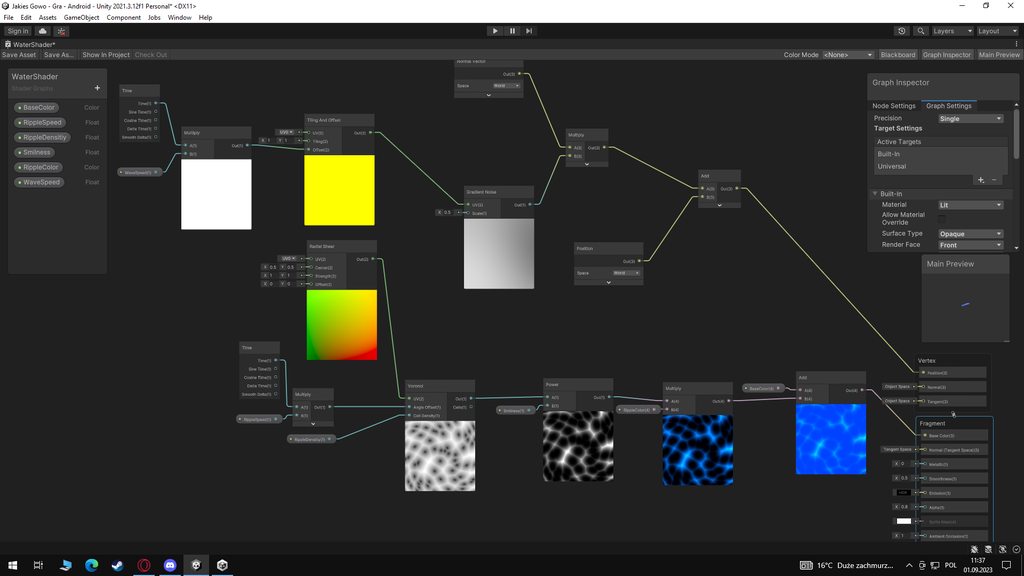 lunar bloom
lunar lion
hello friends, i made water shaders from yt tutorial and when i give water mater...
lunar bloom
lunar lion
hello friends, i made water shaders from yt tutorial and when i give water mater...
Is your graph exactly as the tutorial you're following?
I can see why it would expand the plane, but I also don't know exactly what you want it to do
Change your gradient noise to a constant for testing
From a glance it looks like it should displace vertices along their normals, so either your plane normals are bad, or it's the gradient noise being weird
cosmic marsh
Hey folks, I'm suffering from an issue with my Unity 2D URP v2022.3. game when running on mobile platforms and slower PCs, where zooming in close results in a massive increase in render time, namely the Semaphore Wait for Rendering to complete. The scene consists of a Tilemap which alone does not slow it down. It only slows down if a single SpriteRender is on the screen and I'm zoomed in enough for it to cover about a third of it. There are no Point Lights, no HDR, and I observed no performance increase changing to the Sprite-Unlit-Default material for everything. How could I go about sorting out what is the root cause here?
lunar lion
lunar bloom
Is your graph exactly as the tutorial you're following?
well, when i scale plane without water material it's normal, and expands more with water material + when i move my plane it goes far away from it's coords
and i want it to go on normal position
lunar bloom
lunar lion
well, when i scale plane without water material it's normal, and expands more wi...
Alright, it's time to learn some debugging techniques
lunar lion
here is how it looks https://imgur.com/a/3Nklwxa
 lunar bloom
Here's what you can do, add a float parameter, plug it into your multiply node instead of the gradient noise node
Disable all your fragment shader stuff for now
My suspicion is your plane has bad normals somehow
Is the plane your own you've imported?
lunar lion
well it works normal on other materials
plane is from 3D object
the problem is only on water material
lunar bloom
lunar lion
well it works normal on other materials
?????
lunar lion
so it's on shader
lunar bloom
Okay
I think I understand you
Again, add a parameter into the multiply node
disable your fragment stuff
lunar bloom
lunar lion
so it's on shader
Your vertex position is in object space
Set it to world space
In the vertex shader outputs
lunar lion
i don't understand anything
lunar bloom
lunar lion
i don't understand anything
Personally I think doing a shader graph basics course would help A LOT here, it's going to be impossible to debug yourself if you have no idea what you're doing

But here, click position, change it to world space instead of object space
You can see the other two are also in object space
(Or just put a transform node before to transform it into object space)
lunar bloom
lunar lion
i click on position and in graph inspectior?
I can't open unity rn, but I think so yes
 lunar bloom
lunar lion
lunar bloom
lunar lion
Node settings
Top
Not graph settings
I'm assuming you changed fragment normal space
change it back if so
 lunar bloom
Yeah just change all your positions and normal nodes to object space then
A post explaining how to move vertices in Shader Graph, providing examples such as swaying grass and animated fish and butterflies. Also includes info about recalculating normal vectors.
This is a good resource
 lunar bloom
lunar lion
lunar bloom
lunar lion
Yeah do your normal to object space as well dont forget
marble vigil
cosmic marsh
Hey folks, I'm suffering from an issue with my Unity 2D URP v2022.3. game when r...
Is the framerate also dropping, or is frame time simply increasing?
One cause for frame time to increase is that there simply isn't anything more to calculate, and it's waiting due to a capped framerate