#archived-urp
1 messages · Page 6 of 1
 marble vigil
 lofty lily
I just found out how to use them
you gotta call yourpass.ConfigureInput(ScriptableRenderPassInput.Motion); outside the pass
 proud badge
Hello 👋
I have implemented decals in my project Unity 2022 URP and everything works great in both scene view and game view.
However as soon as I build the project, the build does not show any decal…
Anyone has any clue on what I am missing so decals actually work in build runtime please? 🙏
marble vigil
proud badge
Hello 👋
I have implemented decals in my project Unity 2022 URP and everything ...
What build platform?
Decals aren't supported in all of them
Also, always remember to check the quality settings asset for the specific platform
proud badge
marble vigil
What build platform?
Windows
The build should be 1:1 with what I see in Unity editor
marble vigil
If it's the same quality asset too, then the culprit usuall seems to be shader stripping
Not sure how it works specifically but sometimes if a shader isn't assigned directly to object, the stripper gets rid of it and it'll be gone in the build
proud badge
I tried messing with shaders stripping parameters but no luck yet 😕
The decals I use are all using the same shader and a material using that shader is directly assigned to that decal (as a prefab)
I’m stuck and not sure where to look at to fix decals in builds
proud badge
proud badge
Hello 👋
I have implemented decals in my project Unity 2022 URP and everything ...
Ok Found it!
That was Instancing Variants which was set to "Strip All"

 austere bough
Do you have 'Stop NaNs' active on your urp camera?
 night current
Is there a way that I can increase the Gaussian Blur post process effect radius past 1.5?
1.5 does barely anything and I want an exaggerated blur effect
This is how it looks with Depth of Field off

and this is with 1.5

And that rectangle makes up a tiny fraction of the screen so it's barely noticable
How can I increase that?
 torn delta

Does anyone know what could be causing this crazy frame rate thrashing on static scene?
It seems to be triggered by disabling vsync, although not always
It's also more likely to get triggered in a standalone build
 placid laurel
Hi why has my terrain invisible texture when set to ground with URP?
 silk osprey
Hi all! I have an issue with Package Manager when trying to import into an empty URP project. Can somebody help? I am importing this: https://assetstore.unity.com/packages/essentials/tutorial-projects/foundations-of-audio-183075 And the error I get is: This Unity Package has Package Manager dependencies. When clicking "Install/Upgrade" nothing seems to happen. I then see the list of assets to import, but can't select most of them.


Get the Foundations of Audio package from Unity Technologies and speed up your game development process. Find this & other Tutorial Projects options on the Unity Asset Store.
 frank prawn
Can anyone point me in the right direction for creating a day night cycle with URP?
I can't seem to find anything regarding 3d
and I'm lookin gfor something that allows me to have dynamic lights
 amber bolt
I just swap to unity 3D URP and convert all martial to urp using the built in upgrade but one of my material become like this in photo 1, how to fix it?


 frank prawn
amber bolt
I just swap to unity 3D URP and convert all martial to urp using the built in up...
frank prawn
amber bolt
I just swap to unity 3D URP and convert all martial to urp using the built in up...
What shader was it using before?
amber bolt
I didnt change the shader, I just convert the martial to URP
frank prawn
amber bolt
I didnt change the shader, I just convert the martial to URP
afaik the conversion depends on what shader you were using before the conversion.
Which is why I ask what you were using before, cause maybe it was set to something that would make it act wonky after the face.
just my guess
amber bolt
the shader is legacy shaders/Particles/Alpha Blended
marble vigil
amber bolt
the shader is legacy shaders/Particles/Alpha Blended
Usually a bright cyan color means the shader is compiling
You should show the new material's properties if the issue persists
amber bolt
I dont get what you mean but I guess I can expand it.

 stoic sky
Hello guys, a question about decal inside URP 🙂
Any idea, why do i get this blue rendering on each diffuse texture containing grey or white ?
I'm in automatic for the decal rendering method, switching to Dbuffer or other, doesn't change the deal.
TY

 sinful gorge
Maybe the ambient lighting/reflection or shadow color (lighting settings - environment) @stoic sky
stoic sky
sinful gorge
Maybe the ambient lighting/reflection or shadow color (lighting settings - envir...
Hello. You're right, it was the environment lighting source. Thank you very much
 analog sentinel
Is camera stacking required in UPR or is just an available feature?
marble vigil
analog sentinel
Is camera stacking required in UPR or is just an available feature?
Required for what?
analog sentinel
marble vigil
Required for what?
to have UI render on top of your base camera that's used for a 3D scene/world
I'm having trouble getting some of my UI to show up
marble vigil
analog sentinel
to have UI render on top of your base camera that's used for a 3D scene/world
Canvas UI doesn't need any extra cameras to render on top of everything
It should do that by default when you first create it
marble vigil
analog sentinel
right, we have a separate UI camera we instantiate at start
Why a separate camera?
analog sentinel
originally it was so we could cull certain objects, FX and UI and some other meshes that needed the depth texture
it was originally to isolate the depth texture, which otherwise needs an extra draw per opaque object
URP has optimized that now though, so maybe we can do a different camera setup?
I think I sorted it
marble vigil
analog sentinel
URP has optimized that now though, so maybe we can do a different camera setup?
If you want to overlay cameras then the stack is the way to go, unless you have a reason to use something custom instead, I suppose
While the Canvas does overlaying to start with, there are some situations where using it with stacking could be convenient, such as world space UI elements that render on top
analog sentinel
marble vigil
If you want to overlay cameras then the stack is the way to go, unless you have ...
could you call the stacking feature a way to enforce render order?
analog sentinel
Is there anything that would cause the SRP batcher not to work? I'm just trying to batch some duplicated cubes together and it won't do that
if I tick dynamic on, it will batch them as I expect
does SRP batcher work differently, am I missing something?
it does absolutely nothing when I enable it
 iron compass
analog sentinel
Is there anything that would cause the SRP batcher not to work? I'm just trying ...
iron compass
analog sentinel
Is there anything that would cause the SRP batcher not to work? I'm just trying ...
there is a whole page about it in the docs https://docs.unity3d.com/Manual/SRPBatcher.html
 analog sentinel
iron compass
there is a whole page about it in the docs https://docs.unity3d.com/Manual/SRPBa...
analog sentinel
iron compass
there is a whole page about it in the docs https://docs.unity3d.com/Manual/SRPBa...
thanks, this didn't quite answer my question but led me to a forum thread that did
 tacit gulch
I was trying to use the HDRP/Nature/SpeedTree8 shader for grass textures I had so I could add them to the terrain and have the grass sway in the wind. I created a rectangular mesh in blender and got the texture on to it, but it did not sway in the wind. Looking at the "SpeedTreeWind" shader sub-graph then looking at "SpeedTreeWind.hlsl", it looks like it uses the 'w' value of the uv3 channel (compares it to ST_GEOM_TYPE_BRANCH, FROND, LEAF, FACINGLEAF). My question: I am on the wrong track? It is beyond my Blender skills to update the 'w' value of 4d coordinate values of the uv3 channel to see the vertex type...
 late pelican
Hey guys,
The picture above is how it looks while playing in the editor, bottom picture is how it looks in a windows build? could someone point me in the right direction to fix this? 😉
And its not only the colors, the cat model also looks weird in the build, its like the skinning is not correct for the build while it looks perfect in the editor..

 thorny horizon
late pelican
Hey guys,
The picture above is how it looks while playing in the editor, bottom...
thorny horizon
late pelican
Hey guys,
The picture above is how it looks while playing in the editor, bottom...
not sure about the shading / skinning but the different colors definitely have something to do with the skybox reflections / skybox ambient light not working correctly
same happens when you switch a scene sometimes, I just forgot exactly how to fix it
but at least you have a pointer now 🙂
 soft lion
thorny horizon
same happens when you switch a scene sometimes, I just forgot exactly how to fix...
soft lion
thorny horizon
same happens when you switch a scene sometimes, I just forgot exactly how to fix...
Baking the lights shold fix it (bakes the ambient probe)
 simple crypt
Where is the option for screen space reflections for urp? I was watching a Brackeys video but its pretty outdated and the option seems to have moved
soft lion
simple crypt
Where is the option for screen space reflections for urp? I was watching a Brack...
There isn`t
simple crypt
Yeah I just realized, it's pretty sad. I can only use URP since i'm making a portfolio that needs to be in browser
marble vigil
simple crypt
Yeah I just realized, it's pretty sad. I can only use URP since i'm making a por...
BiRP has SSR and runs in WebGL
I don't know if WebGL itself supports SSR though
 paper folio
Unity 2022.2.8f1, Universal RP 14.0.6, Mesa 22.3.6, Linux 6.2.1-arch1-1, Intel Comet Lake UHD Graphics, my scene view looks like this:
On an AMD GPU, I only have this issue: https://issuetracker.unity3d.com/issues/linux-urp-the-scene-view-flickers-when-hovering-over-it-with-the-cursor
Reproduction steps: 1. Open the attached “Spiders” project 2. Open the “Scenes/SampleScene” Scene in the Project window 3. Move your...
Game view has no issues
 void jungle
austere bough
Do you have 'Stop NaNs' active on your urp camera?
void jungle
austere bough
Do you have 'Stop NaNs' active on your urp camera?
Yeah, I tried it but it wasn't the cause of problem.
I was using a Power node in the shader, clamping the input to 0-1 fixed it.
paper folio
sinful gorge
I guess make a bug report and try other versions
I haven't tried another version on this computer but the flickering triangle issue didn't occur on early 2022.2.xf1 versions on my laptop with an AMD GPU. I'll try to find some time later to investigate.
night current
How can I create a really strong blur in 2D urp?
night current
night current
Is there a way that I can increase the Gaussian Blur post process effect radius ...
This is my original question
 nova wind
does anyone else get the error You can only call cameraColorTarget inside the scope of a ScriptableRenderPass. Otherwise the pipeline camera target texture might have not been created or might have already been disposed. with Atmospheric Fog Render Feature? Unity 2022.2.7f1
 rich oar
Hya, after updating to 2023.1.0 I got a lot of URP errors for missing namespaces, I tried reinstalling urp but this does not seem to go away
Anyone has any idea what I might be missing?

 cold ingot
hello guys, how do I get a sky that works as expected, as in the sun and moon move properly overhead instead of rotating the skybox resulting the sun moving side to side
im assuming it is an implementation specific to URP
and i cant get an answer in #💻┃code-beginner which this problem also might relate to because there is too many messages there lol
and I havent found anything on google when searching for my problem but maybe i forgor how to google so
sinful gorge
rich oar
Hya, after updating to 2023.1.0 I got a lot of URP errors for missing namespaces...
Maybe delete the library folder yo rebuild the cache? Also make sure visual studio is up to date and selected in preferences - external tools
 fading tinsel
cold ingot
and I havent found anything on google when searching for my problem but maybe i ...
fading tinsel
cold ingot
and I havent found anything on google when searching for my problem but maybe i ...
You could try asking bing chat or ChatGPT aswell.
marble vigil
fading tinsel
You could try asking bing chat or ChatGPT aswell.
Never suggest chatbots for problem solving
fading tinsel
marble vigil
Never suggest chatbots for problem solving
You're right. I meant for searching for information, not solving the actual problem itself.
marble vigil
fading tinsel
You're right. I meant for searching for information, not solving the actual prob...
If Bing's chatbot is the one that sources its claims, then it might not be entirely useless
ChatGPT on the other hand just produces convincing misinfo
fading tinsel
marble vigil
If Bing's chatbot is the one that sources its claims, then it might not be entir...
yea bing's chatbot is better at finding information than ChatGPT because it searches the web.
cold ingot
Isnt making a sky pretty common though? Why doesnt someone here know?
 polar glacier
People of the URP
I need your help
My decal isn't decaling
URP version is: Version 13.1.8 - May 25, 2022
unity version is: 2022.1.3f
I haven't encountered any other visual glitches
marble vigil
cold ingot
Isnt making a sky pretty common though? Why doesnt someone here know?
It is, but each procedural sky shader is kind of its own specific thing
What do you mean "move properly"
As far as I can tell the sun in the default skybox moves quite properly, though there's no moon
 white owl
I get this stuff when enabling SSAO (and completely gray screen when i enable scaled rendering)
 cold ingot
marble vigil
It is, but each procedural sky shader is kind of its own specific thing
What do ...
cold ingot
marble vigil
It is, but each procedural sky shader is kind of its own specific thing
What do ...
i have a custom skybox tho
so thats my problem im assuming
i want clouds etc
basically tldr: custom skybox with sun/moon moving correctly based on directional light in URP
thats the current objective
no clue how though
 regal yarrow
Anyone knows what could cause terrain textures not loading in on URP? I feel like i'm missing a basic option check or something to fix this, but google isn't of much help.
Edit: found the reason, unity URP doesn't support ortographic cam in some versions like 2022.1.24

 rare crystal
https://cdn.discordapp.com/attachments/497872424281440267/1080743985989029938/2023-03-02_10-20-27.mp4
how can i fix this? (URP Project)
marble vigil
cold ingot
i have a custom skybox tho
You'll have to be more specific
A "custom skybox" could be many entirely different things
 grim quiver
By chance anyone tried to use BatchRendererGroup with urp. I am currently struggle with shadow culling as it seems like it includes too many meshes compared to regular MeshRenderer.
 terse raven
In Urp Metallic smoothness map, white color gives more shine right?
iron compass
terse raven
In Urp Metallic smoothness map, white color gives more shine right?
Smoothness is in the alpha channel.
 analog sentinel
hey guys, am I interpreting this right? SRP is doing what the other setup is doing in 9 draws vs 65?
 marble vigil
analog sentinel
hey guys, am I interpreting this right? SRP is doing what the other setup is doi...
marble vigil
analog sentinel
hey guys, am I interpreting this right? SRP is doing what the other setup is doi...
I'm not sure but note that draw calls with SRP are not directly comparable to draw calls without it
Usually SRP batching shows much more drawcalls, but they're much cheaper on it
analog sentinel
marble vigil
I'm not sure but note that draw calls with SRP are not directly comparable to dr...
yeah, that's the bit I'm trying to figure out now. Because the initial numbers in the stats window with SRP was alarming but I'm learning that they're handled completely differently, which makes the stats window kind of useless?
the unity profiler doesn't seem to show drawcalls any differently than the stats window does for SRP either
I'm trying to figure out if the depth texture is cheaper on URP than BRP. In BRP there is an extra depth draw for each opaque object, to add it into the depth texture.. but in SRP draw calls aren't handled the same way, so how do I check it it's actually working or not. What is the metric to use in URP to check the depth texture performance?

like, this is essentially telling me it's way better isn't it? 10 VS 73?
marble vigil
analog sentinel
like, this is essentially telling me it's way better isn't it? 10 VS 73?
Well, does it run better?
My knowledge on this topic is quite limited, but from what I understand you'd need RenderDoc or some other external tool to actually measure how much time different parts of the rendering process are taking up
analog sentinel
marble vigil
Well, does it run better?
My knowledge on this topic is quite limited, but from ...
I don't think our game is expensive enough yet to really tell the difference on PC. I will make an expensive scene and build it to Android then I guess.
analog sentinel
URP doesn't do anything to optimize rendering skinned mesh renderers does it? afaik no
marble vigil
analog sentinel
URP doesn't do anything to optimize rendering skinned mesh renderers does it? af...
I haven't spotted any such optimizations
There are ways to batch or instance animations but they're custom and not specific to a render pipeline
analog sentinel
marble vigil
I haven't spotted any such optimizations
There are ways to batch or instance ani...
Yea, I'm using a plugin called MeshAnimator for this. It uses GPU instancing.
marble vigil
analog sentinel
Yea, I'm using a plugin called MeshAnimator for this. It uses GPU instancing.
Though if the optimization happens at shader level you'll need to check how it works together with URP's shaders and batching
GPU instancing for example is not compatible with SRP batching
However from what I've read about GPU animation instancing, it's not exactly the same thing as GPU instancing despite the name
analog sentinel
marble vigil
However from what I've read about GPU animation instancing, it's not exactly the...
I'm not sure how they're different if they are, I assumed they were similar enough though in that they're passing what is as good as a static object, but somewhere along the line the vertex shader as moved some of the verts around. So same object as far as the batching goes, but different presentation on screen.
I also read that SRP makes use of some sort of GPU instancing itself
Enabling GPU instancing on your material won't disrupt SRP's batching process will it? -- as far as I can tell it doesn't seem to
marble vigil
analog sentinel
I'm not sure how they're different if they are, I assumed they were similar enou...
Animation instancing indeed refers to using vertex deformation in the shader to move the vertices, as opposed to CPU deformation.
GPU instancing means rendering the exact same thing multiple times, which I assume means they have to be playing the same animation as well though am not sure.
"Static" in the realm of batching has a specific meaning referring to combining meshes into one which reduces draw calls if they also use the same shaders. (or shader variants /+properties specifically?)
Being "similar enough" doesn't alone do anything, but being similar in specific ways is often a prerequisite for specific types of batching or instancing.
SRP batching is totally incompatible with GPU instancing, and will take priority over it unless the renderer has been made incompatible with SRP batching.
 verbal light
does anyone know how I could copy a camera texture's buffer to a different part of the screen without using render textures? I've tried using a shader/blitter a custom render pass but when I try to move the UVs it makes the existing views smaller or cut off rather than moving them to the intended area

would really appreciate any suggestions or broad overview about how to even approach this problem in an efficient way
analog sentinel
marble vigil
Animation instancing indeed refers to using vertex deformation in the shader to ...
I think if the vertex positions are a property/array they can be instanced, like material property blocks. I know that the MeshAnimator plugin allows for your instanced characters to be in different animation states/poses, etc.
What I meant by static was not moving/inert, opposed to dynamic, like a skinned mesh renderer.
GPU instancing will take priority over SRP or the other way around?
cold ingot
marble vigil
You'll have to be more specific
A "custom skybox" could be many entirely differe...
its a cube skybox like 6 faces
and it has a moon in the texture
but i want to expand upon that idea obviously i just started with this
so i want a moon, a sun, and the ability to control the position of the moon/sun using the directional light rotation just like the default skybox
 hardy rover
analog sentinel
GPU instancing will take priority over SRP or the other way around?
hardy rover
analog sentinel
GPU instancing will take priority over SRP or the other way around?
SRP will be the priority... you can force it to be incompatible with SRP by using MaterialProperty block OR by exposing keywords in your shader
the latter can be checked if it's SRP compatible or not via your inspector
or the sucky way, by turning off the SRP in your urp asset (which you shouldn't)
 small hound
Is there a way I can have multiple light sources creating shadows? Or is it only possible to have one making shadows at once?
soft lion
small hound
Is there a way I can have multiple light sources creating shadows? Or is it only...
Only one directional light shadow map is supported, additional lights can have more shadow maps (well its technically single atlas)
small hound
soft lion
Only one directional light shadow map is supported, additional lights can have m...
I'm not using shadow maps, im using realtime lighting.
soft lion
small hound
I'm not using shadow maps, im using realtime lighting.
Realtime lighting uses shadow maps too, the shadow map is just updated at realtime
small hound
soft lion
Realtime lighting uses shadow maps too, the shadow map is just updated at realti...
Oh okay, so how do I create seperate shadow maps?
@soft lion
I have researched it and can't find what you are referring too.
soft lion
small hound
Oh okay, so how do I create seperate shadow maps?
Are you talking about directional lights or point or what?
small hound
soft lion
Are you talking about directional lights or point or what?
Directional
soft lion
Then you cant have more than one
small hound
So what do I do
soft lion
Its known limitation of urp, theres not much you can do about it
small hound
What about if I used one directional light and used another type of light for the other areas?
I have a world and a room, I need the light in the room to be separate from the light in the world
I have culling masks so that one light doesnt interfear with the other lights area
but shadows only work on one light
so what do I do
soft lion
small hound
What about if I used one directional light and used another type of light for th...
That should work, you can use one directional light and many additional lights
 dense yacht
Anyone knows how to fix this?
why some of my assets have edge glows even if I delete all the lightings

how can I fix the metallic issue here?
marble vigil
cold ingot
so i want a moon, a sun, and the ability to control the position of the moon/sun...
The default skybox can react to sun position because it's not composed of images, it's a shader that generates the skybox procedurally
If you want something similar, you'll have to get into shaders or find one that does that
marble vigil
analog sentinel
I think if the vertex positions are a property/array they can be instanced, like...
Material Property Blocks would work with GPU instancing, I think yes
In my experience GPU instancing usually loses out to SRP batching in performance, even in ideal conditions
dense yacht
I tried that already, and even without light, the edge is still glowing
 cinder kindle
dense yacht
Anyone knows how to fix this?
why some of my assets have edge glows even if I de...
cinder kindle
dense yacht
Anyone knows how to fix this?
why some of my assets have edge glows even if I de...
When you have objects with smoothness you should bake a reflection probe in your scene, or else they will reflect whatever you have set up as your environment reflections under lighting settings
dense yacht
I do have lightprobes, and they're still glowing
 cinder kindle
Reflection probe, not light probe
dense yacht
I'll try to understand this, thanks!
dense yacht
f these props, still glowing even without lights

 vagrant bough
if i have multiple lights on in my house at the same time(like 4 0r 5) Some of the lights start flickering.it feels like unity is trying to optimize it or something but doing it terribly because even if im staring a light directly it dosent work meaning theres no light but if i turn off a diferent light from anywhere it starts working
i was wondering if there is a way to up the number of lights that can be on at the same time
cinder kindle
dense yacht
f these props, still glowing even without lights
Do you have a reflection probe in the scene now?
This is just how specular highlighting works in unity
If you just want to avoid any sort of specular reflections on the objects disable this in the material
 cinder kindle
vagrant bough
if i have multiple lights on in my house at the same time(like 4 0r 5) Some of t...
cinder kindle
vagrant bough
if i have multiple lights on in my house at the same time(like 4 0r 5) Some of t...
Yes, on your render pipeline asset you can set the max number of lights. But it comes at a cost
vagrant bough
cinder kindle
Yes, on your render pipeline asset you can set the max number of lights. But it ...
i only need to increase it by 1 or 2 i dont think it will matter too much
vagrant bough
cinder kindle
Yes, on your render pipeline asset you can set the max number of lights. But it ...
hey sorry to bug you again but i cant find the max number of lights option you were talking about can you tell me exactly where it its
marble vigil
vagrant bough
hey sorry to bug you again but i cant find the max number of lights option you w...
URP asset, which is referred to in your project settings>quality>
By default in assets/settings/ folder
 marble vigil
vagrant bough
there are no setting here <@166982635950702592>
marble vigil
vagrant bough
there are no setting here <@166982635950702592>
You can see where the reference for the URP asset is
Click it and its location is revealed in project window
vagrant bough
marble vigil
You can see where the reference for the URP asset is
Click it and its location i...
it working now thank you
analog sentinel
dense yacht
Anyone knows how to fix this?
why some of my assets have edge glows even if I de...
looks like a rim light in the shader
marble vigil
Worth checking if it is
If it's just a lit shader then it requires a proper reflection probe as discussed
 whole fog
I can't find anything online. What's the analogous shadergraph node to "Color" in Photoshop / CSP / etc.

 cold willow
hey im following a tutorial for a simple glow/bloom effect.
in the tutorials theres a checkbox to enable renderpostprocessing, i dont have that on my camera.
on the left, the UniversalAdditionalCameraData script has a public field with that toggle, but unity doesnt show it in the inspector?
What am i doing wrong?


there has go to be a better way, right?
    void Start()
    {
        gameObject.GetComponent<UniversalAdditionalCameraData>().renderPostProcessing = true;
    }
It should be on the Camera component, not the additional data script
What does the camera component look when maximized
cold willow
oh lol its there
yeah, seems i just didnt see it on the camera. the inspector from the video looks quite different
cold ingot
marble vigil
The default skybox can react to sun position because it's not composed of images...
ok sure, any good terms to search?
marble vigil
cold ingot
ok sure, any good terms to search?
"procedural sky shader" I suppose
cold ingot
ok thanks
dense yacht
Yes, I will, it's just my deadline is yesterday and they gave me a task that I don't have any knowledge 😄
 dire trench
Guys i need help. I followed a field of view CodeMonkey tutorial
In his video at the end, he changes the ForwardRendererData and adds renderer features
i was able to add those features, but i don't find the option for "Default Rendering Layers" he has (he has an older version)
so URP is rendering them how it wants, ignoring my features
how do i change that

 stiff river
hi, i have a problem with the shadows. Sometimes the shadow caster on an object doesn't work (Look at the video).
https://www.youtube.com/watch?v=WmFaY5PhDQs

 brazen cradle
Hey guys, Box Projection on Reflection Probes doesn't seem to work on terrains in Unity 2021.3, URP. It works on regular meshes but on the terrain, no matter what I do, it just doesn't want to work. Is this a bug or am I missing something? Thanks a lot in advance!
dire trench
dire trench
Guys i need help. I followed a field of view CodeMonkey tutorial
In his video at...
i kinda solved that
 rain plume
Hello!
The Decal that my URP Decal Projector is projecting disappears depending on the viewing angle. Is anyone familiar with this? 🤔

 mild tiger
hello. I have made made a custom render feature for URP which is supposed to apply a material to the camera by Bliting the cameras texture to a temporary texture with a material and then Blitting back the temporary texture to the cameras texture. However when blitting back to the camera texture I get a null refferenc exeption.
I am using Unity 2022.2.9 and URP 14.0.6.
The error is on line 46 (tho the error itself is from the ScriptableRenderPass class but line 46 is casuing it. Blitting to the temporary rt works fine)
https://pastebin.com/ZQA1Qf5e
 languid crescent
Does anyone now how to use the Blitter class with the new RTHandle approach for the URP sample project?
https://github.com/Unity-Technologies/UniversalRenderingExamples/blob/master/Assets/Scripts/Runtime/RenderPasses/DrawFullscreenPass.cs#L75
// Can't read and write to same color target, create a temp render target to blit.
if (isSourceAndDestinationSameTarget)
{
    Blit(cmd, source, destination, settings.blitMaterial, settings.blitMaterialPassIndex);
    Blit(cmd, destination, source);
}
I tried to follow the https://docs.unity3d.com/Packages/com.unity.render-pipelines.universal@14.0/manual/renderer-features/how-to-fullscreen-blit.html guide but it does not to do what I want
Does
Blitter.BlitCameraTexture(cmd, m_CameraColorTarget, m_CameraColorTarget, m_Material, 0);
Supposed to be working ?
languid crescent
mild tiger
hello. I have made made a custom render feature for URP which is supposed to app...
If you didn't look at yet this page https://docs.unity3d.com/Packages/com.unity.render-pipelines.universal@14.0/manual/renderer-features/how-to-fullscreen-blit.html and this one https://docs.unity3d.com/Packages/com.unity.render-pipelines.universal@14.0/manual/renderer-features/how-to-fullscreen-blit.html might help you (as I far as I am concerned the render pipeline is a mess).
 solar coral
after having unity open for a while, rendering starts causing performance spikes consistently about once every couple seconds, these persist until unity is restarted or until play mode is entered and exited twice. This happens even if the scene is empty. Is this normal, and is there a workaround?
 mystic delta
Are you using any third party tools or drawing gizmos. And what editor version.
solar coral
mystic delta
Are you using any third party tools or drawing gizmos. And what editor version.
2022.2.9, dx 11. As far as i know I'm not using any third party tools, and I'm almost certain I'm not drawing gizmos. Also I am using Entity Graphics, which is dots/ecs stuff, so it may be related to that, although I doubt it is.
mystic delta
Do you have on the scene anything?
I'm on the same version with URP, but only working with 2d stuff, not noticing any problems
Profiler can be set to editor mode as well, you can track the problem
solar coral
mystic delta
Do you have on the scene anything?
only in play mode, in the editor i have literally 1 cube, the rest of the GameObject's aren't rendered
solar coral
mystic delta
Profiler can be set to editor mode as well, you can track the problem
oh cool, I'll try hunt it down then, thanks
 rotund shard
I get these errors
 dense yacht
Does URP have a cookie in light components? or is there an update?

ow ok, URP doesn't really have it
marble vigil
dense yacht
ow ok, URP doesn't really have it
Does have starting from URP 12.1 from editor version 2021.2.0b15+
dense yacht
oww, I'm using 10.6 URP :3

should I download the latest unity for that? I'm not seeing 12.1 here.
marble vigil
I assume you're using an old version of 2020.3. editor
There's very few reasons not to upgrade to 2021.3.
But as always do backups or use version control when changing major versions
dense yacht
copy that
I want to achieve the light rays of the window, If I can't use the cookie feature what is the other way round of it?
 marble vigil
dense yacht
I want to achieve the light rays of the window, If I can't use the cookie featur...
marble vigil
dense yacht
I want to achieve the light rays of the window, If I can't use the cookie featur...
I'm thinking decal projectors
They're another URP 12 feature though
dense yacht
owww, thanks for the term! I don't know that, Imma search right away!
ow in latest haha
marble vigil
Maybe tiny soft spot lights for the main colors, if you can spare that number of lights
dense yacht
I'm too excited that I forgot to read what's next 
dense yacht
marble vigil
Maybe tiny soft spot lights for the main colors, if you can spare that number of...
I tried that already but can't achieve the goal
marble vigil
URP 12 also introduced deferred rendering path which practically removes the limit and cost of lights (shadowless ones, with some drawbacks)
dense yacht
maybe I'll try to switch to 2021 for now
anyways thanks for the big help! I'll try continuing it in other version
 whole orbit
When making a new, "clean", Unity project, is the old built-in renderer still the default?
If not, is it still available?
If so, have they mentioned any plans to move entirely to the SRP?
marble vigil
whole orbit
When making a new, "clean", Unity project, is the old built-in renderer still th...
Yes, yes, no
Ultimately it's probably the intent to deprecate BiRP but practically it'll be years before they can seriously consider it
dense yacht
Thanks for the help @marble vigil , decal projector is the one that I'm looking for  , it's been 4 years since my last unity project, and I'm not updated 👺

Now just playing with post-process 
I can now sleep in peace @marble vigil arigathanks
marble vigil
dense yacht
Great! Looks awesome!
rich oar
Hi all, a question, is it possible for a render feature to draw "at" a specific sorting layer?
thorny horizon
rich oar
Hi all, a question, is it possible for a render feature to draw "at" a specific ...
if you are talking about the 2D sorting layers than no
rich oar
thorny horizon
if you are talking about the 2D sorting layers than no
Thanks for the answer, I figured that out and now searching for some way to render meshes under some sprites and above others, or in other words in a certain sorting layer, what is the best way to go about doing that?
It does not seem like that DrawMesh method has a way to specify a layer
thorny horizon
rich oar
Thanks for the answer, I figured that out and now searching for some way to rend...
in theory you could use the RenderObjects feature to split up your rendering by layers
but im not sure because i have not played around in 2D for a while
 slim root
In unity 2021.1, frame debugger doesn't show me any information? Used to though.. what could be wrong?
 sinful gorge
slim root
In unity 2021.1, frame debugger doesn't show me any information? Used to though....
sinful gorge
slim root
In unity 2021.1, frame debugger doesn't show me any information? Used to though....
Update to the 2021.3 lts. That version is really old
slim root
sinful gorge
Update to the 2021.3 lts. That version is really old
yes, I'm in the process of bringing our project up to 2022.2, but in the meantime, I wanted to fix broken batching in our prod builds 🙂
marble vigil
slim root
yes, I'm in the process of bringing our project up to 2022.2, but in the meantim...
Upgrading a production project, between major versions from one tech stream to another?
You fear nothing
slim root
marble vigil
Upgrading a production project, between major versions from one tech stream to a...
Hah. Took a couple days since we target windows, mac, ios, android, most android vr , hl2 and ml2 but it was pretty painless ( and now the fun part will begin by moving the non vr stuff into forward+)
ml2 required me to be on tech stream :/
sinful gorge
Vr doesn't support forward+ and 2022.2 has poor standalone VR performance.
I suggest LTS for anything VT related
slim root
yep, that's why I said non vr into forward+
and sure, however, I'm not going to start handling custom unity versions in our build pipelines because .2 has poor standalone performance ( but out of curiousity, how bad it is??). I'll just push everything up to a better more stable version when it comes.
sinful gorge
slim root
and sure, however, I'm not going to start handling custom unity versions in our ...
About 20%
Here are my test results:
2020:
Base: 90fps 86% GPU 32%CPU
Terrain: 65 fps 97%GPU 24% CPU
2021:
Base: 90fps 90%GPU 40% CPU
Terrain: 63fps 92% GPU 24% CPU
2022:
Base: 73fps 98% GPU 24% CPU
Terrain: 40fps 98%CPU 24%CPU
2023:
Base: 67fps 97% GPU 32% CPU
Terrain: 37fps 98% GPU 16% CPU
 plush fulcrum
Hi, I'm unsure which channel to post this in but I have a little issue with pink materials. Normally, I will convert materials from download assets to URP and it will work fine. However, I am using an asset pack and some materials convert as normal and some will stay pink. Has anyone had this before and could maybe point me in the right direction to fix it? Thanks.
A material like this converts fine, Im sure its to do with the shader but when i change it to standard and convert it the colour goes very weird
 marble vigil
plush fulcrum
Hi, I'm unsure which channel to post this in but I have a little issue with pink...
marble vigil
plush fulcrum
Hi, I'm unsure which channel to post this in but I have a little issue with pink...
The pipeline converter simply looks up from a table to match built-in RP materials with URP equivalents
If it doesn't find a match, it won't do anything
cold ingot
sinful gorge
About 20%
Here are my test results:
2020:
Base: 90fps 86% GPU 32%CPU
Terrain: 6...
What gpu do you have
sinful gorge
cold ingot
What gpu do you have
Quest 2 native
On PCVR it's not that big of an issue since they dont have tiled GPUs and are a lot faster
cold ingot
Isnt 65 fps still shit then
Dont you typically want at least 80 so motion sickness doesnt shred
sinful gorge
72 is standard on standalone VR, 90 is a good target but impossible for complex scenes
So yes 65 is shit, but the exact same scene is 40fps in 2022.2
cold ingot
Yeah
sinful gorge
That the start is lower than recommended doesnt matter much when its a comparative test
I did the testing for a bug report, so hopefully it will be confirmed and looked into
cold ingot
40 fps isnt a bug its a feature
sinful gorge
New cinematic view for VR xD
cold ingot
True
 tepid salmon
how do I convert my materials to URP materials?
Render Pipeline Converter doesn't work for me
it just spits out "failed" next to each material
I only need to convert the built in materials
simple crypt
How can I fix this issue? The lighting is super bright after a bake
Only light I have is directional and it's supposed to be dark with shadows since this is inside with only a bit of light leaking in

 static heron
simple crypt
How can I fix this issue? The lighting is super bright after a bake
Only light I...
static heron
simple crypt
How can I fix this issue? The lighting is super bright after a bake
Only light I...

Unity Forum
Hi All,
For some reason one GameObject (a torch) turns completely dark after I bake lights, see pic below. The walls and tables are from the same...
simple crypt
static heron
https://forum.unity.com/threads/one-gameobject-turning-dark-after-baking-lights....
His issue is the opposite of mine
slim root
sinful gorge
About 20%
Here are my test results:
2020:
Base: 90fps 86% GPU 32%CPU
Terrain: 6...
oof that's pretty bad not gonna lie.
slim root
that's with the default urp shaders yeah? ( ours are all custom, lots of things we don't need)
Anyway, I'll run some tests 🙂
sinful gorge
I tested with urp Lit and terrain shaders yeah
static heron
simple crypt
His issue is the opposite of mine

Stack Overflow
So I am baking Subtractive light in my VR build.
I have the models set to static, generated UV's for all of them and played a lot with the lighting settings.
The problem is that the sigle baked
simple crypt
static heron
like this https://stackoverflow.com/questions/65182889/unity-3d-baked-light-is-t...
The light isn’t really too dark, it’s actually really too light 😅
 balmy silo
Is there any way to bake or do anything with emissions and post processing so I can still get the neon effect when not looking directly at the object?
I want to make like light bars but the only way I found was with Post processing and emission which don't work when the material is not being looked at directly

 slim root
simple crypt
How can I fix this issue? The lighting is super bright after a bake
Only light I...
slim root
simple crypt
How can I fix this issue? The lighting is super bright after a bake
Only light I...
Can you show us your directional light settings and maybe screensots of the materials used in the scene inspector?) So many things can go wrong, but that would be a good place to start 🙂
slim root
balmy silo
Is there any way to bake or do anything with emissions and post processing so I ...
yes you can bake emissive materials. Have you tried a bake yet?
balmy silo
well that was the goal, no idea how
slim root
https://docs.unity3d.com/Manual/Lightmapping.html or https://www.youtube.com/watch?v=KJ4fl-KBDR8 good luck 🙂

In this video, we are going to take a look at Lightmapping in Unity 2020.1 to help you create fast and beautiful lighting in your scene.
Learn more about Lightmapping in 2020.1 from our Docs!
https://on.unity.com/2U7VQIX
Interested in the newest Graphics Features we added in 2020.1? Click here!
https://on.unity.com/2GHYGkR
Download the Spaces...
balmy silo
But what I think is the problem is that Post processing is applied after the scene is loaded, so it wouldn't fix my issue anyways
since the way I'm actually making it neon is bloom
slim root
Lightmapping will allow you to bake the GI emission into your scene as a separate texture map that gets blended in with your regular textures. It is exactly what you're looking for to fake the bounces that a light would emit at runtime. ( at least, in a very light way compared to runtime lightmapping)
balmy silo
does emission cause GI?
slim root
the post processing will just add the bloom on top
simple crypt
slim root
Can you show us your directional light settings and maybe screensots of the mate...

 slim root
yes. Any light source causes global illumination. ( basically, light photons bouncing around, usually controlled by a bounce parameter since you don't want it to go infinite or too high)
simple crypt
 balmy silo
slim root
yes. Any light source causes global illumination. ( basically, light photons bou...
balmy silo
slim root
yes. Any light source causes global illumination. ( basically, light photons bou...
well yes but the prooblem is is that it's not a light source
slim root
your albedo boost and intensity are WAY too high.
balmy silo
its just a lit material with emission turned on
 slim root
balmy silo
well yes but the prooblem is is that it's not a light source
slim root
balmy silo
well yes but the prooblem is is that it's not a light source
yes, that's why lightmapping will take the emissive surface and calculate photons from that surface bouncing around the scene, which will give you exactly what you need.
Take a look at the doc + video I sent earlier.
simple crypt
slim root
your albedo boost and intensity are WAY too high.
Yep, that sorted the issue. Thank you very much!
balmy silo
slim root
yes, that's why lightmapping will take the emissive surface and calculate photon...
I looked at that, but baking this reflection probe doesnt seem to do anything

this is what it looks like without PP btw
 slim root
not reflection probe. You need to bake a lightmap.
Again, take a look at the doc and video, or search for yourself on youtube, there are plenty of great lightmapping tutorials. Just follow them and you will get exactly what you want.
balmy silo
Alright, now I just have some mesh overlapping issues that I wasn't having before, could this be the "Max light sources to affect an object" problem? I've had that before but dont remember quite how it worked

 nimble mirage
Does Line Renderer color alpha not work in URP?
Seems like the material level alpha works with Transparent mode, but the LineRenderer does not register any changes to the alpha keys in the gradient
 spring depot
what are possible reasons why particles wont render in front of a plane in URP?

the particles show if I turn the plane off, but not otherwise. They are Z in front of the plane, between the plane and camera
the particles are URP\Particles\Simple-Lit shader material
the background is a urp lit shadergraph
I dont want to force them to render at all times, the geometry should occlude them like how geometry normally does
but currently they wont render at all
]

is there a setting wrong in here?
hm, messing with near and far value of soft made them show up
but it behaves completely differently to how it works in the scene view and I dont understand why
ah
the camera was set to orthographic and not perspective
do depth textures not exist in orthographic?
I kinda prefered how ortho looked for this
 desert vault
does anyone know why my render texture seemed to randomly stop working?
it was working fine before and im not sure what i changed to make it only render a white color
this is my class if it helps
Hastebin is a free web-based pastebin service for storing and sharing text and code snippets with anyone. Get started now.
marble vigil
spring depot
do depth textures not exist in orthographic?
I don't think they do
soft lion
spring depot
do depth textures not exist in orthographic?
Depth buffer does atleast, dont know about the texture one
simple crypt
Does anyone know how I can sort out this light bleed efficiently? I've been playing around with the settings but wanted to know if there is anything efficient
 marble vigil
simple crypt
Does anyone know how I can sort out this light bleed efficiently? I've been play...
marble vigil
simple crypt
Does anyone know how I can sort out this light bleed efficiently? I've been play...
Trying to fix it with biases will never fully solve it and will cause problems elsewhere
The most effective solution is to use shadows-only geometry to pad the walls, or to create an outside surface with some thickness for the walls to block the light
simple crypt
marble vigil
Trying to fix it with biases will never fully solve it and will cause problems e...
I tried this. I even remade the whole level with thicker walls. The only thing that I’ve found changes this for it to be minimal is the shadow distance
marble vigil
simple crypt
I tried this. I even remade the whole level with thicker walls. The only thing t...
Did you try padding the corners with shadow meshes?
simple crypt
marble vigil
Did you try padding the corners with shadow meshes?
I have not done that yet or know how to, I will do some research when I get back from gym
Thanks for the suggestion
marble vigil
simple crypt
I have not done that yet or know how to, I will do some research when I get back...
Take any mesh and set it to "shadows only", seal the inside of the corner with that
All there is to it
I prefer to use smooth shaded boxes since those are the cheapest and work the best with shadow casting
simple crypt
Thank you for this! I will have a look when I get back 😁
 daring cove
Hello guys, I'm trying to render a "character preview" into a render texture with a transparent background.
I tried to set solid color with an alpha of 0 for the camera, but I still see a black plane behind my character. I tried to uncheck "Post-processing" in my renderer settings, and it seems to work, but I don't think its a good solution? I want post-processing later in the game...
 simple crypt
marble vigil
Take any mesh and set it to "shadows only", seal the inside of the corner with t...
simple crypt
marble vigil
Take any mesh and set it to "shadows only", seal the inside of the corner with t...
I just tried it now, It's very effective. Thank you very much!
 rigid hinge
Hey all! I have been having a bit of trouble with URP/shaders. I figured out what my issue is after posting in #archived-lighting , but can't really figure out a solution on google. I have a tree asset from the asset store, and I have it urp/nature/seedtree8, this is the only shader that will correctly display the material. However, it does not correctly display shadows, as you can see in my recent post in #archived-lighting . Any help appreciated!
rigid hinge
update: it appears I fixed it.... I'm not exactly sure how but it may have been upgrading materials to URP in that broad menu
 sharp ingot
well can someone answer how to change the settings for a custom settings menu of an urp asset? I mean some things work via script like the shadow distance but others like shadow resolution seem to be not available via script
So my core question is if someone could answer this question from the forum which is basically the same:
https://forum.unity.com/threads/how-do-i-change-custom-urp-settings-via-script.1206034/
Unity Forum
Im trying to make a Settings menu for a videogame (kinda obvious if i ask this in this page xd).
[ATTACH]
SO the thing is, as u see i have this...
 ivory shore
So, the camera in my project isent rendering anything but the skybox. Any ideas?
The one that came by default on the empty new project didn't work, and so didn't the one I created later after deleting the default one
I'm using urp but i did click a button in the hub that said "upgrade"
simple crypt
What solutions do I have to make sure the reflections are accurate? I have to use URP since that's the only pipeline that is supported by webgl
 simple crypt
Nevermind, I have solved my problem. I never knew I could have Screen Space Reflections in URP

 south horizon
Hello. I've encountered a problem with camera overlays. I have one Main Camera for the game and one Overlay Camera for the UI. Despite the Overlay Camera being.. well, an overlay, Raycasts give precedence to the Main Camera. So, a Raycast from the Main Camera overwrites a Raycast from the Overlay Camera. Is there a way to fix this?
 surreal tangle
Hey all, I've got a problem with my back face culling or whatever you call it, I think it's an issue with the texture having transparent parts. I want it to render the front, but not show the back face. I just can't seem to find a good tutorial for this. Any help would be greatly appreciated!

 iron compass
surreal tangle
Hey all, I've got a problem with my back face culling or whatever you call it, ...
iron compass
surreal tangle
Hey all, I've got a problem with my back face culling or whatever you call it, ...
transparent shaders are not z-sorted by vertex, only by object position, so your sorting will depend on view angle and you cannot fix it with out of the box tweaks.
surreal tangle
iron compass
transparent shaders are not z-sorted by vertex, only by object position, so your...
what exactly are "the box tweaks?"
wait oh
sorry I just needed to read it again
 winged notch
just need a sanity check: recently learned that for URP, I'm not supposed to use MaterialPropertyBlock so as not to break SRP Batching. this means I use Renderer.material/materials, and then call explicitly Destroy on them when the Renderer is destroyed, right? @_@
marble vigil
simple crypt
Nevermind, I have solved my problem. I never knew I could have Screen Space Refl...
You can't, without a custom asset
I assume you mean a box-projected reflection probe in this case
marble vigil
winged notch
just need a sanity check: recently learned that for URP, I'm not supposed to use...
Yes, though note that you can also pool and reuse materials instead of destroying them, which could be useful if you'd be creating material instances very rapidly
simple crypt
marble vigil
You can't, without a custom asset
I assume you mean a box-projected reflection p...
That would be it, I didn't know this option would imitate SSR pretty well
 shell sluice
How to fix name space error?
 copper pilot
simple crypt
What solutions do I have to make sure the reflections are accurate? I have to us...
copper pilot
simple crypt
What solutions do I have to make sure the reflections are accurate? I have to us...
WebGL works fine with built in RP and PPS SSR
Better than URP, in fact.
slim root
Lights in edit mode let me switch the shadow bias to custom. However, at runtime lights shadow bias sets itself to UseRenderPipelineSetting and I would like to be able to override it on certain lights. However, I can't find a way to do it?

 dry willow
slim root
Lights in edit mode let me switch the shadow bias to custom. However, at runtime...
dry willow
slim root
Lights in edit mode let me switch the shadow bias to custom. However, at runtime...
It's a setting of the UniversalAdditionalLightData class (bool usePipelineSettings). Can get it by using light.GetUniversalAdditionalLightData().
I guess after setting that to false it would use Light.shadowBias and Light.shadowNormalBias instead.
slim root
Thanks!
 glacial pike
is there a simple way to make a duplicate of my shader graph that always appears on top of the other one if they're overlapping? for a simple fake decal quad (i don't want to use the decal system)
soft lion
glacial pike
is there a simple way to make a duplicate of my shader graph that always appears...
No theres not, but you can make custom decal shaders like this https://www.ronja-tutorials.com/post/054-unlit-dynamic-decals/ (you can create the same shader in shader graph)
dry willow
This should help for the reconstructing world pos from depth part : https://www.cyanilux.com/tutorials/depth/#mesh-perspective
austere bough
glacial pike
is there a simple way to make a duplicate of my shader graph that always appears...
You can add a slight offset in the direction of the camera in the vertex shader.
placid laurel
what 3D materials are transparency compatible
 rough galleon
I have this effect rendering on a different camera, but it looks like URP post processing isn't applied even though I have it checked on both cameras

PP is only applied on the base camera
actually, somewhere down the line I check some setting that completely broke bloom
actually it seems to be working in play mode, but PP is still not working on the second camera
found the solution after clicking random things...
I had to set the this "mask" option to "everything"

 cold gyro
For a low poly game with solid colors (no texture), is using "palette texturing" (having a single texture with all the colors present in the game, and then change the UV of the model to get the correct color) more efficient than having multiple URP standard materials with a different color (maybe with GPU instancing)?
marble vigil
cold gyro
For a low poly game with solid colors (no texture), is using "palette texturing"...
Almost always yes, especially if you re-use the palette texture across meshes
Though it probably won't be expensive either way
Although every new material slot is rendered as another mesh, SRP batching (not GPU instancing) makes it really cheap to have meshes with different materials as long as the materials are similar (in terms of features they use)
 torpid bison
I installed the URP package but it gave out a namespace error what can i do to fix it

 red tartan
Make a fresh URP project?
 proven hornet
Hi! I'm using URP in my project and trying to optimize my graphics. I downloaded the official SRP Batcher profiler to see how the batching effects the perfromance, the stats looks the standard path works with more calls. How can I optimize my shaders/meshes to get more out of SRP Batcher? Also the SRP Batcher path takes 0.00ms according to the profiler, is that ok?
 sinful gorge
torpid bison
I installed the URP package but it gave out a namespace error what can i do to f...
sinful gorge
torpid bison
I installed the URP package but it gave out a namespace error what can i do to f...
Delete the library folder maybe.
Otherwise try in a blank project first maybe
sinful gorge
proven hornet
Hi! I'm using URP in my project and trying to optimize my graphics. I downloaded...
In general try to use as many as the same materials using atlassing, etc.
Also using the same shader helps already if possible.
Other than that, doesn't look like you have any performance issues?
torpid bison
sinful gorge
Delete the library folder maybe.
Otherwise try in a blank project first maybe
I've tried it. Didn't work
sinful gorge
torpid bison
I've tried it. Didn't work
It doesn't work in a new project?
Also not if you use the latest LTS?
torpid bison
Yes
marble vigil
torpid bison
Yes
Your package/editor/hub installs may be incomplete, for example due to firewall or restricted file system access
rich oar
Hi, I just upgraded to the latest beta 2023 from 2022 and I'm having some issues.
I have a script that renderes a sprite to a renderTexture with Graphics.drawMesh, for some reason it seems to have stopped working, I dont get any errors or warrnings but the sprite does not show in the texture
Were there any changes made to that api?
sinful gorge
I suggest making a bug report @rich oar
Beta breaks things, and not much help can be offered to fix it (best bet is the forums)
rich oar
I've also posted in the forums ya
 prisma quiver
Is there a material or shader that textures objects based on their world position like in Source Hammer? I very recently got URP and have very little idea how the shaders work tbh
 cyan talon
You can make a triplanar shader for your material in shadergraph
prisma quiver
cyan talon
You can make a triplanar shader for your material in shadergraph
I'm surprised I haven't looked at shader graphs before. The texture aligning with worldspace works, but the normal map isn't working for some reason. Is there an input I'm missing? Am I using the right node?
 cyan talon
You need to sample the normal map using the triplanar node too
prisma quiver
Ahh
Uh, where do I link the nodes? I thought the triplanar's Out would go to the normal's Texture input but it doesn't let me
Oh wait, I just found the normal mode
copper pilot
cold gyro
For a low poly game with solid colors (no texture), is using "palette texturing"...
Yes, but using vertex colors will be even moreso.
cold gyro
copper pilot
Yes, but using vertex colors will be even moreso.
Oh thanks, didn't know about that! Should I then use the Lit URP material?
copper pilot
cold gyro
Oh thanks, didn't know about that! Should I then use the Lit URP material?
Well, the default material doesn't support vertex colour I believe.
But any vertex color supporting shader is fine.
cold gyro
Ok.. maybe I shuold make a custom material (it probably would be even faster because lighting and vertex color are the only things that I need in my material, no base map, normal map..)
copper pilot
Right.
Avoiding textures entirely is the main benefit there, especially memory wise.
marble vigil
prisma quiver
I'm surprised I haven't looked at shader graphs before. The texture aligning wit...
Normal From Texture node generates normal maps from height maps, you don't plug normal maps into it
marble vigil
prisma quiver
Uh, where do I link the nodes? I thought the triplanar's Out would go to the nor...
"Textures" in shader graphs refer to texture assets, after it's sampled by a node like Sample Texture or Triplanar, it produces a color which then you plug into the fragment stage block's normal input which also takes a color
 rigid roost
Okay, I've traced a segmentation fault to URP. Any ideas how to solve this?
Received signal SIGSEGV
Obtained 67 stack frames
0x00007ff75e24c052 (Unity) PrepareDrawShadowsCommandStep1
0x00007ff75e2433f7 (Unity) ScriptableRenderContext::ExecuteScriptableRenderLoop
0x00007ff75d79cd89 (Unity) ScriptableRenderContext_CUSTOM_Submit_Internal_Injected
0x000001cdc7ff5e91 (Mono JIT Code) (wrapper managed-to-native) UnityEngine.Rendering.ScriptableRenderContext:Submit_Internal_Injected (UnityEngine.Rendering.ScriptableRenderContext&)
0x000001cdc7ff5d33 (Mono JIT Code) UnityEngine.Rendering.ScriptableRenderContext:Submit_Internal ()
0x000001cdc7ff5c23 (Mono JIT Code) UnityEngine.Rendering.ScriptableRenderContext:Submit ()
0x000001cc2c74abc3 (Mono JIT Code) UnityEngine.Rendering.Universal.UniversalRenderPipeline:RenderSingleCamera
Where are vertices color stored in a fbx file? (because I am using a simplified 3d modelling tool and it doesn't seem to have a direct option to export with vertex colors, so I am writing a script to do it)
copper pilot
cold gyro
Where are vertices color stored in a fbx file? (because I am using a simplified ...
I dunno
Should be easy to look up though
cold gyro
Not finding anything.. (ok I've solved in another way)
cold gyro
Why are custom shaders made with shader graph more brighter than URP/Lit?
marble vigil
cold gyro
Why are custom shaders made with shader graph more brighter than URP/Lit?
"brighter" how?
The Lit Graph and URP/Lit have the exact same lighting calculations running underneath, but they may have different default properties

 cold gyro
marble vigil
"brighter" how?
The Lit Graph and URP/Lit have the exact same lighting calculati...
cold gyro
marble vigil
"brighter" how?
The Lit Graph and URP/Lit have the exact same lighting calculati...
Like more white as you can see
The vertex color of the right log is the same color as the base map of the URP/Lit one
marble vigil
cold gyro
The vertex color of the right log is the same color as the base map of the URP/L...
What color is that exactly?
cold gyro
marble vigil
What color is that exactly?
#ECB096
marble vigil
@cold gyro I recall something that inspector color field may be mixing gamma and linear color space for the colors it takes vs what it outputs, so that's the most likely explanation
If you want to accurately troubleshoot the problem you shouldn't be using vertex color in your graph, but a similar color field
If it's a texture instead of a color from the picker, the tone may as well be affected by color space and also texture compression and potentially color bleed due to UV mapping
cold gyro
marble vigil
<@428971179701698561> I recall something that inspector color field may be mixin...
oh damn.. I was doing this to try to optimize the game, I'll see what I can do
marble vigil
cold gyro
oh damn.. I was doing this to try to optimize the game, I'll see what I can do
You could convert the colors between gamma and linear space before applying
Or just eyeball them
If you use Lit shaders then using gamma space colors directly and expecting them to look exactly the same is kind of hopeless anyway
cold gyro
But I don't know where I should put the conversion.. because what I am doing now is picking all imported 3d models (which come with a material with a color) and replace them with my vertex color material.. And the color of my vertex shader is the same as the 3d model's one, maybe I should put there the conversion?
cold gyro
Because it seems like I first need to remove the gamma correction (which now I am already doing), then let the lighting do its calculation, and then add the gamma correction.. But I don't know how to add gamma correction after the lighting calculation in shader graph
marble vigil
cold gyro
Because it seems like I first need to remove the gamma correction (which now I a...
The gamma bug is only in the inspector's color picker, so you'd have to figure out what exactly it affects and if it's the real problem at all
Anyway, why are you optimizing now
Vertex colors are likely only marginally better than palette textures, if at all, considering how efficient texture sampling is and how small palette textures need to be
SRP Batching makes separate materials on a lot of submeshes mostly a non-issue too, something that most guides tell you to avoid since it produces a lot of drawcalls without SRP Batching
Before you commit to an optimization technique, identify a performance problem that optimization is a solution to
Then profile the different alternatives in a test scenario to figure out what produces the best results in your use case
cold gyro
marble vigil
Anyway, why are you optimizing now
Because I am rendering a ton of objects and it seems like it's a problem..
 marble vigil
Do this only when your project is far enough that you don't risk wasting time optimizing assets that don't get used, or optimizing for a use case that's no longer applicable in the future
marble vigil
cold gyro
Because I am rendering a ton of objects and it seems like it's a problem..
2.4ms for all geometry doesn't seem terribly concerning to me
Is the scene lagging in build with your target hardware?
cold gyro
I can't build because the lit shader is bugged 😆 https://discord.com/channels/489222168727519232/1076506881163530322 (that was even an excuse to try to build my game.. since I can't for now)
I know that I should profile in build.. but yeah
But ok, I'll continue using the lit shader for now
 limber peak
A unity light projector might work for that, and then feed it the video from the render texture
You should be able to drag the render texture into the image basemap input of the decal for URP too
 marble vigil
 rich drift
Looks like "shadow acne"
https://docs.unity3d.com/Manual/ShadowPerformance.html
You'll want to keep shadow bias settings reasonable
If you don't know what reasonable is, refer to default values
marble vigil
rich drift
only value I changed is shadow distance
How much?
rich drift
From 250 to 300
marble vigil
rich drift
From 250 to 300
I don't know what scale your world is meant to be viewed at, but with such a big value shadows are likely to glitch out up close
rich drift
Hmm
marble vigil
If you're making an RTS, a flight simulator or a similar game where they aren't viewed up close that might not be a problem
Otherwise you'll need to utilize shadow cascades efficiently
 gleaming perch
I'm having an issue where it seems like my materials are getting very desaturated in scene, but look fine in the shader graph preview. Especially when the light intensity hits 0, then they're just solid gray.
first image is in the shader graph preview, second is in scene


I've tried looking for anything mentioning this online but can't seem to find anything
 charred brook
gleaming perch
charred brook
gleaming perch
Looks like an ambient light setting
 copper raft
is the minimap black and white because of lighting?
 copper raft
what can be the reason that when i build the game in somephones the minimap is visible whereas in somephones its just a black circle?
 marble vigil
Choose for what purpose?
marble vigil
The "installing/configuring" link in pinned messages leads you to the most relevant page of the URP docs
URP assets store settings and a reference to an URP renderer
Renderer features are for inserting extra code to the rendering pipeline
 timid sand
Hey, what's up everyone? Can someone who understands 3D and rendering help me? I made this mesh but the lighting on it looks really strange, like the shadows are being calculated incorrectly. Where there should be light, there's shadow, and where there should be shadow, there's light.
Note 1: This mesh was generated via code, so I think it might be an issue with the normals, but I'm not sure what to do to fix it.
Note 2: I'm only using the Lit material without any textures in this image.
 sinful gorge
You can try to just call CalculateNormals and see if that works? If not, you might have to manually calculate them @timid sand
 smoky wind
is it possible to use lightlayers on cameras with urp?
timid sand
sinful gorge
You can try to just call CalculateNormals and see if that works? If not, you mig...
Yeah, using import mode calulcate normals fixed it, thanks
 clear totem
guys
i just upgraded to urp
lights are pretty weird
the scene is too dark
and the lights shows only when im sooo near to them
how can i fix tat
marble vigil
clear totem
guys
i just upgraded to urp
lights are pretty weird
the scene is too dark
and th...
Sounds like multiple issues
Could you demonstrate them in some way
When in doubt you can always create a project from the URP template scene to get pre-configured settings


 cold ingot
Im attempting to switch to Deferred rendering, but when i set it to that, my trees stop rendering, the asset store trees im using use their own shaders so that could be the issue, is there any way to make them compatible with both rendering paths if I hit some hard wall with deferred rendering that i didnt realize
and more important
how do i make it support deffered rendering in the first place
cold ingot
UHHH so i found this rendering debug menu
the Ctrl Shift Backspace one
and if i set any of these settings on
my trees start rendering again

any ideas?
cold ingot
rn deffered and forward perform about the same but im going to add a lot more lights to my scene
so making lights cheaper would be helpful
 polar light
Does anyone know how to deal with this error?
https://forum.unity.com/threads/urp-settings-errors.1298691/
https://cdn.discordapp.com/attachments/750329891383410731/1085072199544750110/what-the-heck.mp4
Unity Forum
2022.2.0a17
urp 14.0.3
CASE IN-7907
errors occurred if Opaque Texture enabled in pipeline settings:
[ATTACH]
ArgumentNullException: Value cannot...
 hushed sluice
is it normal that my ceiling doesn't make light? that the light is not visible?

 vocal fox
Hi,
does anybody know if you can access vertex weights and indices within URP shadergraph shaders?
ah, no worries, looks like you can access them using a custom function and
float4 boneWeight : BLENDWEIGHTS;``` shell scroll
Hey, trying to access motion vectors in URP, but having no luck
Do I have to do something special to get them running?
Roadmap seems to suggest they've been in URP for two years already, but I can't find much documentation about them or any examples or tests actually using them https://portal.productboard.com/unity/1-unity-platform-rendering-visual-effects/c/218-motion-vectors
vocal fox
vocal fox
Hi,
does anybody know if you can access vertex weights and indices within URP s...
Ah, no, that was naive and doesn't work. Not sure what hoops I have to jump through to get shadergraph to do something simple like this but I'm not the only one requesting this
https://forum.unity.com/threads/bone-indices-and-weights-node.972096/
Tried the technique/hack listed there but if gives me an error 'syntax error: unexpected token 'out'', the line number for which is useless.
Unity Forum
I'm working on my own DOTS Animation implementation and I'd like to use Shader Graph, but I can only do it using "Linear Blend Skinning" where it's a...
vocal fox
shell scroll
Do I have to do something special to get them running?
I'm having similar problems trying to get shadergraph to recognise simple things like vertex attribute weights and indices. I struggle to understand why the shadergraph designers thought people wouldn't want access to these things.
shell scroll
I actually managed to get something that looks remarkably like motion vectors in the end 😮
I'm still not out of the woods yet, but ... at least I'm getting somewhere
vocal fox
So many hoops to jump through though with shadergraph
cold ingot
cold ingot
Im attempting to switch to Deferred rendering, but when i set it to that, my tre...
bump, thanks to anyone who takes a look at this!
ivory shore
So, i can't see anything from the camera, I didn't get a solution before but it seems like my URP is broken, how do I solve it?
Nothing that has a URP material on it renders through the camera
Although, they do render on the editor
UI do render on both
sinful gorge
Can you send a screenshot? @ivory shore
ivory shore
sinful gorge
Can you send a screenshot? <@443073414333202433>
The conversation I had previously somewhat starts on that msg
 stone panther
is it possible to use ssr with urp?
 peak pike
Are there any known issues with geometry shaders on Linux? I get "Internal error communicating with the shader compiler process" on URP 12.1.10 with both OpenGL and Vulkan rendering.
 hard fable
Anybody knows how can I use fog linear on my custom URP shader? I tried multiple ways and looked up eberywhere but couldn't figure it out
soft lion
stone panther
is it possible to use ssr with urp?
No, theres no built-in way. You could find some asset that does it but urp doesnt come with ssr, not yet atleast
stone panther
soft lion
No, theres no built-in way. You could find some asset that does it but urp doesn...
Thanks Found the asset i need
white owl
Anyone knows why my screen goes completely gray in editor on macos in URP?
white owl
also this lol
copper pilot
white owl
Anyone knows why my screen goes completely gray in editor on macos in URP?
does your hardware support forward+?
white owl
I get similar glitches while trying to enable post processing or lowering the render resolution
this is M1 gpu so i assume everything should work
once i enabled postprocessing on the camera

 chilly token
Hi all, does anyone know which template to use for URP on mobile? Really baffled by the lack of template? Is it just the URP template?
ivory shore
sinful gorge
Do you use layers? <@443073414333202433>
Nope, everything was in default and i created new cameras (which i guess would come without layer masking for culling)
iron compass
hard fable
Anybody knows how can I use fog linear on my custom URP shader? I tried multiple...
You can sample the scene depth
iron compass
chilly token
Hi all, does anyone know which template to use for URP on mobile? Really baffle...
Templates are not required to make your project work for mobile. Use the empty or basic URP templates
shell scroll
Hey, got a very silly problem setting textures using CommandBuffer for a post-processing effect
I got a temporary render texture I want to sample in a shader. I know the data in the render texture is good, because if I blit it to source, it looks exactly as expected.
But if I use CommandBuffer.SetGlobalTexture to set it, I just get white.
What am I missing? Do I need to do anything special to that render texture?
 grizzled trellis
how can I make it that when I am behind any wall I won't see whats inside the rooms but if lets say I am around any of the up corners I would see the lightning that comes out of the room
 shell scroll
Ok so
How in the world am I supposed to change values on Volume components at runtime?
I set the values, and then they disappear again
Documentation is mysteriously silent about this
shell scroll
Great, figured that out
 neon verge
Hi,
Is it possible to enable ES 3.1 Preview in Unity ?
Thanks
cold gyro
If I have a large cube (like 200x3x3) is it more performant to have more smaller triangles or just 2 really big triangles for each face?
soft lion
cold gyro
If I have a large cube (like 200x3x3) is it more performant to have more smaller...
One should be better
stone panther
how do I change the resolution of the baked shadows

the baked shadows looks so low resolution
marble vigil
stone panther
how do I change the resolution of the baked shadows
It's the "Resolution" in your baking settings
Baked lightmapping is fundamentally inefficient at storing sharp direct shadows
An alternative would be to use mixed lights so direct light and shadow are rendered in realtime, and bounce lighting will be baked
stone panther
Thank you
cold ingot
How do I avoid really banded shadows like this? Also they are quiteeee blocky, so that would be nice to avoid as well

actually if i change shadow max distance it starts to look really nice EXCEPT that there is really painful fade just a little bit away, is there some kind of LOD for shadows so i can keep all my shadow budget for closer shadows but still render shadows far away? it would also be nice if i could just increase shadow atlas resolution
verbal light
Is there a way I can control how often a specific camera or render texture updates?
 modest horizon
I think you can disable the camera and manually call camera.render();
marble vigil
cold ingot
How do I avoid really banded shadows like this? Also they are quiteeee blocky, s...
What type of shadows are they exactly?
cold ingot
marble vigil
What type of shadows are they exactly?
Do you mean hard vs soft shadow? Or
marble vigil
cold ingot
Do you mean hard vs soft shadow? Or
Realtime or baked, or potentially some other method
cold ingot
I turned baked GI off
For now at leasf
I might have to leave it on realtime since im using a day night cycle and idk if you even can bake that
marble vigil
cold ingot
I turned baked GI off
Well, that doesn't confirm if a baked light cache exists or not and if that's what we're looking at
Banding happens when there isn't enough color data to display
That can happen because of global color space or lack of HDR, or it can happen per texture, such as in the case of lightmaps
cold ingot
How is that confirmed
I mean, when I change my URP settings for shadows it updates very obviously
Turning down shadow atlas res makes it looks worse
And turning down shadow max distance makes the shadows really sharp
marble vigil
cold ingot
How is that confirmed
I mean, when I change my URP settings for shadows it updat...
That suggests they are realtime shadows, but you can verify it by clearing baked light cache from the lighting window, in case you baked lights before
cold ingot
But then it looks ugly because the shadows fade so fast
cold ingot
marble vigil
That suggests they are realtime shadows, but you can verify it by clearing baked...
Like the baked lightmaps tab or what
There is npthing therd
There*
marble vigil
I would look into color space and HDR post processing if you mean the color banding
Though I may misunderstand and you mean the banding between shadow resolution levels by distance, aka shadow cascades
cold ingot
marble vigil
I would look into color space and HDR post processing if you mean the color band...
Shadow cascades fixed it
It was just really low res shadows ig
And changing how I allocated my shadow budget fixed it
hard fable
I have an issue with the decal shadow projector, instead of using the color of the texture I used it's using the linear fog instead
frank prawn
Is there a way to get shadow clipping plane to be a bit longer? My shadows for my buildings during sunset and sunrise have look awful at a distance. I can see the shadows closer to myself, but the closer the shadow is to the the bottom of the building, the more it fades.

Its super noticeable with the tree
I feel dumb, the solution was to edit the max distance in the URP Asset and not the near clip plane under my sun.
 dreamy surge
I usually create an entire spritesheet for each level of my 2d game for better performance with batching, though I have read that URP batches everything even if not on the same sprite sheet? is this true? can I now separate my sprite sheet to different images and still have the same performance?
copper pilot
Sprite batching is a thing, but it is separate from urp drawcall batching
marble vigil
dreamy surge
I usually create an entire spritesheet for each level of my 2d game for better p...
SRP batching doesn't batch drawcalls but makes them really cheap so practically yes
Besides that there's the sprite atlas which can be used to combine your sprites for you regardless of render pipeline
copper pilot
You can do both or either
dreamy surge
thank you
 granite galleon
hi, in my 2D URP project, how can I make the 2D global light also change the intensity of the camera? for example, if the intensity of the global light goes down, the camera will become darker and darker
solar coral
solar coral
after having unity open for a while, rendering starts causing performance spikes...
ok I've been hunting this from a while and i do notice a pattern where often when there are memory leaks (not from my code as far as I'm aware), then this issue occurs, so perhaps it is related?
 indigo ruin
anyone know why when I export my game to mobile i dont see any 2d meshes? ui canvas is there. I'm on urp. I have same project on builtin renderer and it exports fine to mobile
 grave rune
why can't i see my flare, and yes I do have a flare layer in my camera
 west fern
hey im messing around with a new asset i purchased but to make it work I need to mess with the rederer list and Im not to familiar with what that means, any help?
asset im using:https://assetstore.unity.com/packages/vfx/shaders/fullscreen-camera-effects/retro-look-pro-133193#content

Add depth to your project with Retro Look Pro asset from limitless unity development. Find this & more VFX options on the Unity Asset Store.
balmy silo
Hello! I tried to download the toon shader for URP but it spit out these errors, any ideas?

 keen anchor
Is it possible to change the shape of a ShadowCaster2D with code?
 fierce crown
Is it possible to make decal projector not affected by the normal maps? If so, how? Like I want to have small bullet holes and stuff but they get pretty messed up by my normal maps.

 nova bear
Have been pulling my hair out trying to get a simple URP project to look right, when setting ambient lighting to black randomly, I noticed that the shading on a default capsule was pixelated, and that disabling shadow settings and or generating lighting didn't do anything

Any Ideas? I don't even know where to start here, or what to even google.
iron compass
nova bear
Have been pulling my hair out trying to get a simple URP project to look right, ...
That looks like an artifact of the renderer, it’s inherent look (some sort of banding). Maybe try enabling dithering, avoid high contrast gradients like that, add a small amount of post processing noise or ignore and move on.
marble vigil
nova bear
Have been pulling my hair out trying to get a simple URP project to look right, ...
Reminds me of the kind of artifacts that appear with deferred rendering when not using "accurate G-buffer normals"
 cerulean viper
How can i make custom renderer features work in vr. Because of the whole thing with the game being rendered twice it kinda doesnt really work like usually and i cant find anything about it online
nova bear
marble vigil
Reminds me of the kind of artifacts that appear with deferred rendering when not...
That actually was it! Thanks. (Why wouldn't that option be on by default??)
dry willow
cerulean viper
How can i make custom renderer features work in vr. Because of the whole thing w...
What is the feature doing? If it's a blit :
cmd.Blit doesn't work well with VR but should be able to use cmd.DrawMesh to draw a fullscreen quad (e.g. https://github.com/Cyanilux/URP_BlitRenderFeature/tree/cmd-drawMesh), or use the newer Blitter API. (e.g. https://github.com/Cyanilux/URP_BlitRenderFeature/tree/2022.1)
Those examples might help, though I haven't properly tested them in VR.
cerulean viper
thank you so much, im going to try that
cerulean viper
dry willow
What is the feature doing? If it's a blit :
`cmd.Blit` doesn't work well with V...
i dont really undertsnad how the draw mesh funktion works does the mesh need the mesh i want to render or a mesh to render onto and how do i get a refrence to it. and what transform matrix does it need ?
 dry willow
cerulean viper
i dont really undertsnad how the draw mesh funktion works does the mesh need the...
dry willow
cerulean viper
i dont really undertsnad how the draw mesh funktion works does the mesh need the...
Again, it depends what you need your renderer feature to do. You may need to explain what it does or share the code.
But I gave some examples for replacing cmd.Blit since I know that doesn't work in VR (at least with single pass instanced). If your feature is using that, you could instead render a fullscreen quad using that DrawMesh function, with RenderingUtils.fullscreenMesh as the mesh, and matrix as Matrix4x4.identity. But that also assumes you set a render target and override the view projection matrices. Can view my BlitRenderFeature code I linked as an example.
If you're in 2022+ that should still work afaik, though the Blitter class is meant to be used.
marble vigil
nova bear
That actually was it! Thanks. (Why wouldn't that option be on by default??)
I'm guessing it has a cost and isn't necessary in all situations
The artifacts only tend to appear in very close-up shots
cerulean viper
dry willow
Again, it depends what you need your renderer feature to do. You may need to exp...
It will create screen space outlines. The code is supposed to show a material on the screen. The amterial uses normals and depth to detect edges and make lines there. The problem i srendering the normal based outlines on the screen with them enabled i get these artifacts, but the dpth based outlines work


here is my code
i fixed it by changicg when the effect is rendered
 scenic burrow
have you done a dev build and see if any error messages are output to the console?
 cloud sparrow
hi, ive been making a game in URP and i'm having an issue ive never had before. When I want to work on the project on my laptop and pull my changes from my desktop using github, URP just completely falls apart. All the URP assets are all missing scripts, all my materials are missing texture, even though URP is still installed through the package manager. When trying to reinstall URP, it just makes things worse and all the URP scripts say they cant reference various built in unity packages.
cold ingot
you probably have something wrong in your github
 tepid citrus
Opaque particles seem to write incorrect motion vectors, even if "Motion Vectors" is set to "Force No Motion". Googling didn't really help. Has anybody faced that issue?
stoic sky
fierce crown
Is it possible to make decal projector not affected by the normal maps? If so, h...
Inside your material decal you can select (via check boxes) which channels you want to be active (albedo/NM/metallic/...).
 half kiln
Hello, I'm getting this error: Library\PackageCache\com.unity.render-pipelines.core@12.1.8\Runtime\RenderGraph\RenderGraphBuilder.cs(39,69): error CS0246: The type or namespace name 'DepthAccess' could not be found (are you missing a using directive or an assembly reference?)
I tried reinstalling the URP package, tried new project, reimport, I updated the URP package, nothing work
I'm using 2021.3.14f1 editor, and URP Version 12.1.8
stoic sky
half kiln
Hello, I'm getting this error: Library\PackageCache\com.unity.render-pipelines.c...
Try to erased the package cache inside C://user/appdata/local low/unity.
Maybe that could fix the issue. Otherwise. Uninstall/repair your unity version.
 chrome epoch
when reading about renderer features, the docs say:
URP draws objects in the
DrawOpaqueObjectsandDrawTransparentObjectspasses
where can I find more information about the draw passes URP uses? seems to be absolutely no information anywhere about this
iron compass
chrome epoch
when reading about renderer features, the docs say:
> URP draws objects in the `...
You could look at the source code
 indigo sage
Hi Peeps, I am using Unity 2021.3.8 URP, to Upload to Spatial.io and have a question in regards to materials. I have multiple models with wooden decks with boards of multiple lengths that I need to use the same wood texture. This equates to hundreds of boards of various lengths. Do I need to create multiple materials for each length, for it to tile correctly, or is there some way to do this with one material? Notice how the longer board stretches the material.

 warped skiff
Youd have to make a shader that multiplies texture by position or something like that
I forgot the exact way to go about it but its called a triplanar so the texture is always uniform
nova wind
is there a shader graph version of the lit urp shader floating around?
soft lion
nova wind
is there a shader graph version of the lit urp shader floating around?
What is this supposed to mean?
sinful gorge
There is lit output in shader graph? Then you can simply sample the textures you need
 calm moat
game's colors changing in some devices after build. Don't know what causing it. Any solution ?

 iron compass
calm moat
game's colors changing in some devices after build. Don't know what causing it. ...
iron compass
calm moat
game's colors changing in some devices after build. Don't know what causing it. ...
Could almost pass as a feature
calm moat
yeah! but feature is too randomize. when change graphic settings, feature updates, and after relaunching game, the old black and white theme becomes feature.


 nova wind
sinful gorge
There is lit output in shader graph? Then you can simply sample the textures you...
nova wind
sinful gorge
There is lit output in shader graph? Then you can simply sample the textures you...
that's exactly what i didn't want to setup. just the metalic mask is a bit off now, and not looking the same as the default urp lot shader
sinful gorge
You can open the lit shader and see exactly what they use in their frag pass I guess
Then just reproduce
peak pike
Hi. I'm trying to make a Camera Fade effect with a custom Blit Scriptable Renderer Feature in 2021.3 and can't figure out why a material doesn't change at runtime.
I assigned a material to the feature, and the same material is assigned to a script that changes a float value with a coroutine. The unlit shader itself takes RGB from _MainTexture (as per Blit Scriptable Renderer Feature description) and uses the float value as alpha. But for some reason transparency changes only when I change the float value manually in the Inspector.
Yet Frame Debugger confirms that the renderer feature do have a correct float value in the material at the time of rendering. Should I refresh something at runtime once a shader value is changed?
 barren dragon
Does anyone know if its possible to use normal maps on a tilemap when using the tilemap in a 3D project?
marble vigil
barren dragon
Does anyone know if its possible to use normal maps on a tilemap when using the ...
Did you try it yet?
barren dragon
Honesty im not even sure where to find documentation. Since searching for using normal maps on tilemaps only provides info on 2D projects
marble vigil
barren dragon
Honesty im not even sure where to find documentation. Since searching for using ...
I recall you swapped your tilemap to use a material with 3d Lit shader
Doesn't a normal map logically slot into that?
barren dragon
It does but it give broken results, I assume because the UV's that the tilemap uses are different to the UV's I have for the sprite
 marble vigil
barren dragon
marble vigil
barren dragon
Right, the normal map can't have the same slicing information as the tilemap
barren dragon
marble vigil
Right, the normal map can't have the same slicing information as the tilemap
I guess the normal map should have the slicing that the tilemap has?
marble vigil
barren dragon
I guess the normal map should have the slicing that the tilemap has?
I think it may be necessary to either try to have it as a normal map, and try to sample it in a custom shader using the MainTex sprite UVs, or make it a sprite and do the channel swapping and color space conversion in shader which is normally done by the importer for normal maps
But I'm not totally sure
barren dragon
Hmm ok not the end of the world for now. Was just hoping it was an easy setup. Thanks for trying!
warped skiff
The 2d extras package had a tilemap shader that worked with normals
Its for built in tho
marble vigil
warped skiff
example of it working
In turn I get is an example of it not working 
 warped skiff
Weird
marble vigil
This is the kind of error one would expect when trying to do this in URP by having the normal map of type sprite instead of normal
I would've presumed the shader converts the sRGB sprite texture to a normal map, but in my end that's not happening
 river wolf
How would I make a shader that writes the maximum possible value to the z buffer?
rich drift
is it possible to implement portals using render textures in URP
I've been trying to for the past 3 hours or so
followed every tutorial out there, but it is broken
what I've done is:
- set up a script that transforms a camera relative to some "portal" which in this case a plane
- each camera has a render texture, connected to a material that only renders according to the screen position UVs
- each portal shows the other's render texture
this is what I get instead

what's so infuriating is that the player's camera has no render texture
where is it getting these pixels from?
river wolf
When stacking cameras, I can see how it's pretty easy to stop an overlay camera from clearing the z buffer, but is there anyway to also prevent it from clearing the stencil buffer?
Nevermind, I had something set up wrong, it doesn't clear.
river wolf
rich drift
what's so infuriating is that the player's camera has no render texture
I don't know if this will help (I've watched this video, but haven't actually tried setting it up like this myself), but I'd recommend checking out this video. https://www.youtube.com/watch?v=PkGjYig8avo

Portal is one of the most celebrated videogames ever, and its core mechanic certainly got people talking when it first released. In this video, I go over some of the core concepts you'll need for making your own portals in Unity! This project uses quite a lot of C# scripting and a couple of HLSL shaders, but I try and go over the core bits in de...
 polar trout
Hello, I am trying to get a transparent render texture in Unity 2021.3 URP. I have a second camera rendering to a render texture, but the background of the camera still shows in the render texture when I want it to be transparent.
For context, I am trying to render a Lens Flare in URP. But since I am making a 2D game, and lens flare does not render in orthographic mode, I have another camera set in perspective to render it. I previously had my camera stacked in overlay, but found it to affect the performance too much to render this static lens flare every frame. I am now trying to render it only once and overlay it as a render texture and ran into this problem. I have attached an image of the problem, the black part of the image is what I want to be transparent.
Any help regarding this would be very much appreciated

 terse osprey
So i just installed myself the fancy URP. But now my main camera is just showing all black in my game tab. Allthough it does render in the small preview window in the Scene editor.
Anyone got any clues?
 gentle flare
Hello Guys,
I am trying to update my matérials from built-in To Urp so i am getting that error for all materials:
There's not uppgrader to convert shader to selected render pipeline .
Actually my project is broken need help plz Thx

 sleek nacelle
can we set material props with MBP in URP? have been tryin to do it on shadergraph shader, but no luck 😦
dry willow
sleek nacelle
can we set material props with MBP in URP? have been tryin to do it on shadergra...
Technically it should work provided you use the same references (that's a field under the property settings, can be different from property name for display purposes)
Note that for MeshRenderers : MPBs will break the SRP batcher compatibility for those renderers so can affect performance greatly if you use it on many objects. You are instead meant to use different materials in URP. Can also create materials at runtime by referencing Renderer.material. https://docs.unity3d.com/ScriptReference/Renderer-material.html
If you're intending to use gpu instancing instead, this may help : https://www.cyanilux.com/faq/#sg-gpu-instancing
 knotty tiger
Any good volumetric fog assets for URP?
iron compass
knotty tiger
Any good volumetric fog assets for URP?
plenty, which one is best depends on your needs. The "default" choice would probably be https://assetstore.unity.com/packages/vfx/shaders/fullscreen-camera-effects/volumetric-fog-mist-2-162694

Add depth to your project with Volumetric Fog & Mist 2 asset from Kronnect. Find this & more VFX options on the Unity Asset Store.
sleek nacelle
dry willow
Technically it should work provided you use the same references (that's a field ...
my current need is I have a lots characters with same material but I need to change their color properties ( such as skin, hair color ) using the pixel replacement shader, do you have any advice to approach this kind of need in URP? thanks in advance!
placid laurel
Can anybody help me? im trying to add Decal Projector to make a flashlight but i dont understand how to configure it
knotty tiger
You dont need to add a Decal for the flashlight
Theres a "Light Cookie" propety in the Inspector of the Spot Light that you can attach an image to
placid laurel
hi guys i just moved to URP and have a question. How do i convert Default-Material to URP? I converted other materials but idk how to convert default ones
 placid laurel
knotty tiger
You dont need to add a Decal for the flashlight
placid laurel
knotty tiger
You dont need to add a Decal for the flashlight
oh
 stone plover
placid laurel
hi guys i just moved to URP and have a question. How do i convert Default-Materi...
stone plover
placid laurel
hi guys i just moved to URP and have a question. How do i convert Default-Materi...
Edit -> Rendering -> Update or Upgrade existing materials
placid laurel
stone plover
Edit -> Rendering -> Update or Upgrade existing materials
I cant find Default-Material
its not in assets folder
its this
 stone plover
These are materials auto generated by Unity. Right click one of your models, reimport. Let me know if it fixes the material
marble vigil
placid laurel
hi guys i just moved to URP and have a question. How do i convert Default-Materi...
The pipeline converter should be able to convert Unity's hidden materials
placid laurel
marble vigil
The pipeline converter should be able to convert Unity's hidden materials
where do i do that?
marble vigil
placid laurel
where do i do that?
https://docs.unity3d.com/Packages/com.unity.render-pipelines.universal@12.0/manual/features/rp-converter.html
Find instructions here for your specific URP version
 hasty warren
Hello, is this the right place to ask shadergraph related questions?
marble vigil
hasty warren
Hello, is this the right place to ask shadergraph related questions?
#archived-shaders is probably more fitting
knotty tiger
Can I change the default URP Terrain Grass Shader somewhere?
red tartan
Hi, I need URP wizards to help me with something, I upgraded from 2021.3 to 2022.2, and things were messed up in the move from RenderTargetHandle to RTHandle.
I can't figure out what Unity did to RenderTargetIdentifier in RTHandle, it seems completely evaporated.
 dry willow
If you're referring to shader graph, View Vector is a vector from the vertex/fragment position (Position node) to the camera position. View Direction is the same, but normalised.
 mellow inlet
Hello guys, I'm doing a portal effect for a VR game. On desktop with a basic camera (and with the preview in the game view when the headset is on) it works juste fine like on this screenshot.
But in the headset, only the left eye display the portal and the left eye just display nothing.
I'm on Unity 2021.3 URP, and I don't know how get each eye render and apply the portal effect on both eyes.
Someone has an idea ?
 mellow inlet
update, now the renderTexture is correctly diplayed on both eyes, but the camera aren't sync correctly and each eyes has a little offset on the opposite direction.
I'm not supposed to see the border on the right.

 lapis basin
hi
I don't know whats wrong with my camera
in the build its just a blue screen
butin editor play is perfectly fine
 placid laurel
Hello, i am building a game for android and the frames dont run smoothly. I already checked the profiler and it runs on 30 fps all the time so this isnt the Problem, it seems like the Frames lagging behind by a tiny bit. Any of you know what could be the Problem?
placid laurel
Its happens on many different phones 😦
stone plover
lapis basin
Are you sure the build is set to the right scene? You may have the wrong scene added in your player settings. It may not be the scene you're in on your editor.
stone plover
placid laurel
Its happens on many different phones 😦
If they're all being locked to 30FPS, maybe you'll need to write "Application.targetFrameRate = 60;" in a start method when you load up the game.
 errant isle
Can someone direct me to some ressources that explain these settings on the srp renderer asset in-depth? I have vague ideas of what the settings do and how they interact, and I can get about 90% towards achieving what I want. But there's rendering bugs that I will never be able to cleanly fix until I truly understand these settings 🥲 my google fu is failing me
 dry willow
errant isle
Can someone direct me to some ressources that explain these settings on the srp ...
dry willow
errant isle
Can someone direct me to some ressources that explain these settings on the srp ...
They are equivalent to the ZWrite, ZTest and Stencil operators in ShaderLab (shader code), so these docs might help
https://docs.unity3d.com/Manual/SL-ZWrite.html
https://docs.unity3d.com/Manual/SL-ZTest.html
https://docs.unity3d.com/Manual/SL-Stencil.html
 fickle helm
How does render features Render Objects work?
im attempting to make a worldspace canvas (with all children) render after post processing, but it's not doing anything.
pictures provided is what I'm doing. all children of this canvas have the same layer.

 dry willow
fickle helm
How does render features `Render Objects` work?
im attempting to make a worldspa...
dry willow
fickle helm
How does render features `Render Objects` work?
im attempting to make a worldspa...
I imagine you'd want Queue (under filters) to be Transparent since that's where UI would be. But no idea if the feature even works with UI.
fickle helm
you're a ⭐ Cyan

 dry willow
Nice!
dry willow
fickle helm
you're a ⭐ Cyan
Oh and you'd also want to remove the "No Post Processing Layer" from the default Transparent Layer Mask at the top of the Renderer asset, if you haven't already. Otherwise you'd be rendering the UI twice.
fickle helm
Ooo I see I see! Performance++ thank you once again
 rocky hawk
hey could someone help me with my URP lighting. I have deferred rendering on on but on 6 or so of my mixed light fixtures are rending in realtime.
https://youtu.be/uuGPMJSDbTI
 fickle helm
I've just noticed this dialogue box. How do you make cameras not use render features? for example I have my first person camera, and also a minimap camera.
 dry willow
fickle helm
I've just noticed this dialogue box. How do you make cameras *not* use render fe...
dry willow
fickle helm
I've just noticed this dialogue box. How do you make cameras *not* use render fe...
I guess with this feature in particular, you can put other cameras on a different Layer and remove that from the Camera Layer Mask there.
But to prevent other features from appearing on a second camera, you'd need to create multiple Universal Renderer assets, assign them to the list on the URP Asset. Then under the Camera component, there's a Renderer dropdown.
marble vigil
rocky hawk
hey could someone help me with my URP lighting. I have deferred rendering on on ...
Don't crosspost to multiple channels please
rocky hawk
marble vigil
Don't crosspost to multiple channels please
for sure
 calm furnace
Does anyone know why Shader Graph's Position (Object based) node are keep changed in specific view? (seems incorrect)
(2021.2.5f1 / URP : 12.1.2 / 2D Renderer with perspective based sorting, perspective view)
 calm furnace
Solved : It caused by dynamic batching
 novel creek
Can anyone tell me how can I get Sharp Shadows? My Render Texture and all other settings are set to point filter. (Left is Game view and right is Scene view)
 marble vigil
novel creek
Can anyone tell me how can I get Sharp Shadows? My Render Texture and all other ...
marble vigil
novel creek
Can anyone tell me how can I get Sharp Shadows? My Render Texture and all other ...
You can't normally get totally pixel sharp shadows because even with soft shadows disabled the shadow outline still exists and would be spread across multiple pixels
Perhaps you can mitigate it by using shadow cascades to guarantee that the shadow edge is drawn at a relatively high resolution to minimize the filtering between shadowmap pixels
It might not be possible to force shadows to use nearest-neighbor filtering without modifying URP itself
novel creek
marble vigil
Perhaps you can mitigate it by using shadow cascades to guarantee that the shado...
is it this?
 novel creek
marble vigil
It might not be possible to force shadows to use nearest-neighbor filtering with...
novel creek
marble vigil
It might not be possible to force shadows to use nearest-neighbor filtering with...
ohh okk
marble vigil
novel creek
is it this?
Yes, cascades are a tool for focusing more of the shadowmap resolution closer to the camera where it's seen most clearly
novel creek
Ok thanks I will play around with it hopefully it will somewhat work
novel creek
marble vigil
Yes, cascades are a tool for focusing more of the shadowmap resolution closer to...
Thanks for the help! 🙂
 marble vigil
novel creek
Thanks for the help! 🙂
marble vigil
novel creek
Thanks for the help! 🙂
frank prawn
If I had a material with, lets say a grass texture, but I wanted to apply a dirt or mulch texture on top of it, maybe for like the ground underneath bushes and things, what would be the best way to do it?
Or another example, like crosswalks on a road.
warped skiff
frank prawn
If I had a material with, lets say a grass texture, but I wanted to apply a dirt...
a terrain shader
frank prawn
warped skiff
a terrain shader
Does this work on any mesh? I't not a terrain I am trying to do this with
warped skiff
hm maybe
frank prawn
Did some more digging and found something called polybrush that might be a better solution perhaps
 cosmic marsh
Hey guys, been fighting Unity 2D URP sprite batching. Got the UI nice and batched, but my NPCs which all share the same sprites/animations are not batching due to "Having different materials". I've set them all to use Sprites-Default and still no luck. Doing extensive reading, I'd thought perhaps it was my Shadergraph with defined tint and color properties causing the issue. But that doesn't seem to be the case. Any ideas?
chrome epoch
cosmic marsh
Hey guys, been fighting Unity 2D URP sprite batching. Got the UI nice and batch...
afaik you can't pack sprites into an atlas if they use different materials. My understanding is that the whole point of reducing the draw calls via batching only works if they use the same material
unless you're saying the sprites are saying they're using different materials when they actually aren't?
copper pilot
chrome epoch
afaik you can't pack sprites into an atlas if they use different materials. My u...
You can pack them, but they still won't batch.
cosmic marsh
I've set them all to use Sprites-Default. That is the same material.
 tender wasp
@cold ingot
 cold ingot
turn on HDR
cosmic marsh
After much testing it appears that any sprite touched/affected by a point light is ineligible for batching but the error message is incorrect as to why.
cold ingot
and add tonemapper to your global volume
tender wasp
cold ingot
turn on HDR
It fixes it a little bit
cold ingot
tender wasp
It fixes it a little bit
send SS
tender wasp
cold ingot
send SS
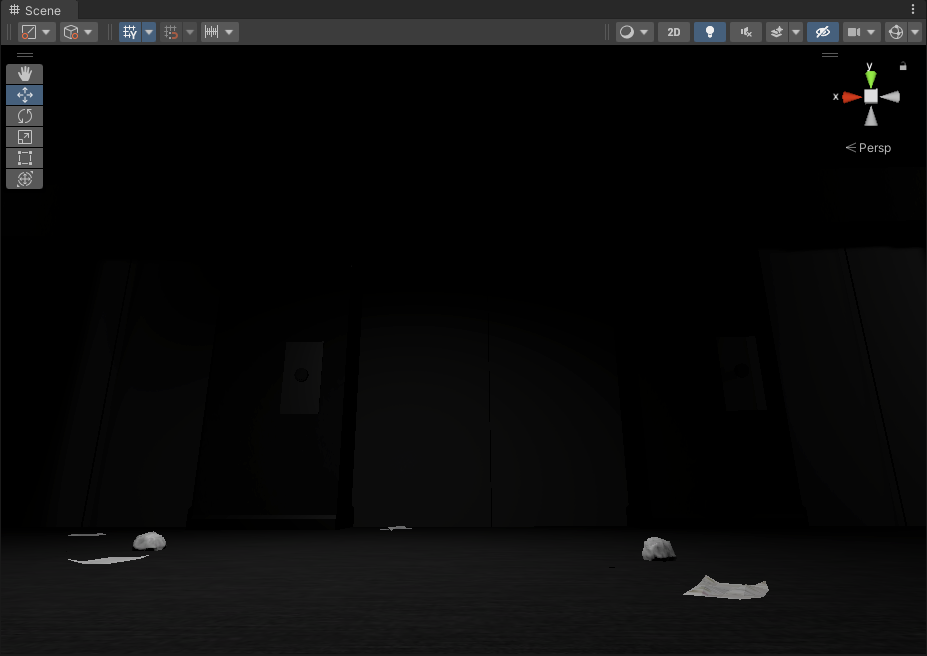
My screenshot software makes it look 10x dartker
let me try something else
cold ingot
yeah at some point it becomes a limitation of monitors
but
i think it can be fixed?
like a touch more
try adding the ACES tonemapper to your volume
tender wasp
Now it is completely dark in the room
tender wasp
Thanks for the help, i'll take a look on google, now that i know what its called
 celest pelican
I'm using the camera stacking feature for 3D skyboxes
but I'm also using cinemachine
a free look camera to be exact
and when I move my camera with a mouse, the 3D skybox objects move as well
any known fixes?
Also I noticed it's not just a cinemachine issue
every moveable camera seems to influence those objects
or at least a third person one
marble vigil
celest pelican
and when I move my camera with a mouse, the 3D skybox objects move as well
By this you probably mean that the skybox camera doesn't move
All the cameras in the stack must move in the same way
Either by using the same input, or by copying the motion and rotation precisely from the main camera
celest pelican
Okay, I'll try that
 wicked nacelle

 celest pelican
Okay, I'll try that
celest pelican
celest pelican
Okay, I'll try that
I don't think that's the issue actually
Because the overlay camera is actually moving with the normal game camera
But it does that in a sort of weird way
I'll prepare a video
I have no idea what to do about it (ignore the weird particle issues)
As you can see the rotation changes
but is it the fact it's not entirely accurate to the normal view camera?
I just checked
the rotation values are the same on both cameras
A first person free look camera seems to work just fine though
marble vigil
celest pelican
If you're copying transforms, you'll need to make sure it won't lag behind
Using LateUpdate could do it, though since cinemachine also uses it there still could be a script execution order issue
You're changing the main camera fov but not the skybox camera fov
celest pelican
I'm not copying transforms
I'm using the script that came with URP Samples
and it does that on it's own
marble vigil
celest pelican
I'm using the script that came with URP Samples
Well, does that copy the transforms?
marble vigil
You'll probably want the skybox camera get its transforms from the virtual camera rather than real main camera, because real main camera will also be moved in LateUpdate by the cinemachine's vcam
marble vigil
celest pelican
A first person free look camera seems to work just fine though
Or do that
The cameras will likely be synced if they have the exact same vcam settings and input
celest pelican
This is the script

I'll change it to lateupdate, and if that doesn't work I'll change the camera object to be the vcam
But there's one issue with that idea
The vcam object itself doesn't rotate
So that won't work, unless you meant duplicating the vcam for the skybox
It behaves slightly different now
But still has that weird moving effect
And I don't think it's just because of cinemachine
because I tried it with a different third person camera controller
and it does the same thing
what else can I do to solve this?
marble vigil
celest pelican
because I tried it with a different third person camera controller
It could be doing the exact same thing as cinemachine does which causes the problem
celest pelican
I see
But what could it do then just rotating a camera around a pivot?
Maybe I gotta sync the skybox with the player somehow
marble vigil
Depends how and when "rotating" happens
Did you try script execution order to make your skybox camera script run after cinemachine / the character controller
marble vigil
celest pelican
How could I set that up?
There's not much to set up, it's just a list field in the settings somewhere
celest pelican
Okay I'll check that
celest pelican
That didn't do anything
I also changed the cinemachine brain update method
still nothing
Oh though I did try another orbital camera controller script
and that worked
mellow inlet
Hi, is there a solution to exclude meshes from SSAO in URP 12.1.17 ?
I'm having weird behaviour when my hands (main character) comes near another mesh. I can see the SSAO cage and it's really bad looking.
I've tried to use overlay cameras to render my hands without post-processing. It worked but in exchange the hands are always render on top off everything and it's not a solution in a VR game.
Someone have an idea ?
iron compass
mellow inlet
Hi, is there a solution to exclude meshes from SSAO in URP 12.1.17 ?
I'm having...
Ssao is a post effect so not much you can do about it besides making your own variation of it that responds to stencil/object masks
mellow inlet
iron compass
Ssao is a post effect so not much you can do about it besides making your own va...
ok, thank you for your answer 
 hollow plinth
Hi i'm getting this trying to build:

This is with all of the latest packages including URP / Entities Graphics / etc on Unity 2022.2.12
mellow inlet
Hi, how do you setup a stereo rendering camera in URP 12.1.17 ?
I have setup the render mode to "Single Pass Instanced" in both OpenXR and Oculus.
Create a camera, have a headset setup, but when I debug.log if "Camera.main.StereoEnabled", it appears false (like the stereo isn't setup.
 dreamy gyro
Hey everyone! I just switched to URP and for some reason the shadows on my model is extremely pixelated and has holes in it, How do I fix this?
 iron compass
dreamy gyro
Hey everyone! I just switched to URP and for some reason the shadows on my model...
iron compass
dreamy gyro
Hey everyone! I just switched to URP and for some reason the shadows on my model...
Use soft shadows, make sure the shadow map resolution is high enough and tweak the cascades to match your camera distance
dreamy gyro
Alrighty thanks!
iron compass
dreamy gyro
Alrighty thanks!
To fix the holes you need to tweak the shadow normal bias and/or make it a double sided shadow caster
dreamy gyro
iron compass
Use soft shadows, make sure the shadow map resolution is high enough and tweak t...
I think I have it set high enough (4098) but it still looks kinda bad, also there are lines allover the floor sfor some reason

 iron compass
dreamy gyro
I think I have it set high enough (4098) but it still looks kinda bad, also ther...
iron compass
dreamy gyro
I think I have it set high enough (4098) but it still looks kinda bad, also ther...
You need to tweak the distance settings and biases
add more cascades too
dreamy gyro
Ahh yeah cascades did it
marble vigil
dreamy gyro
I think I have it set high enough (4098) but it still looks kinda bad, also ther...
Too low bias values result in this specific issue
https://docs.unity3d.com/Manual/ShadowPerformance.html
dreamy gyro
marble vigil
Too low bias values result in this specific issue
<https://docs.unity3d.com/Manu...
Gotcha, thank you.
I'll have to do some more research
I'm not the very artistic but I'm a solo dev, so I'm trying to find an art style I can do aha. Even experimenting with ai textures and such 🙂 lots to try
marble vigil
dreamy gyro
I'm not the very artistic but I'm a solo dev, so I'm trying to find an art style...
Any kind of texturing is a lot of work
I'd recommend you check out toon shaders on the asset store which can render lively patterns and outlines even on solid color meshes
dreamy gyro
Definitely something I've also been looking into
I was also looking into coronoid textures
Voronoi
I might also look I to a similar art style as RuneScape 2009 hd

This kinda textured yet not, look.
With a bit more cleaning probably aha
iron compass
dreamy gyro
I might also look I to a similar art style as RuneScape 2009 hd
This style is called ‘low poly with ugly/blurry textures’, there would only be sentimental reasons why you’d want that. A toon shader and crisp textures or controlled blur would be much more appealing and be an actual style, not a technical limitation.
dreamy gyro
iron compass
This style is called ‘low poly with ugly/blurry textures’, there would only be s...
I think that's very subjective to call it "ugly" I think a mixture of this and toon shaders could bring some nice effects but it'd be something to you around with
Haven't got around to shadergraph yet. Will look at toon shaders when I get home from work. Not looking forward to making the many hundreds of needed models ahahhaa.
iron compass
dreamy gyro
I think that's very subjective to call it "ugly" I think a mixture of this and t...
Absolutely, that’s why it works for sentimental reasons or ironically. But if you look at it from the perspective of what one would do absent the tech limitations that gave birth to it, you’d have a plethora of artistic choices that would be more expressive. So in my humble view, if this style isn’t the best way to solve a problem for the artist, it’s not a style, it’s appropriation (which is fine too, no feelings are being hurt by it)
 late monolith
I have a small question about the metallic/smoothness in a URP lit shader
so i assume the smoothness comes from the alpha in either the color map or the metallic map based on the source settings?
Does the slider just like make the value smaller like 1 = the value like it's given in the map and 0 is no smoothness
 dry willow
late monolith
I have a small question about the metallic/smoothness in a URP lit shader
so i a...
dry willow
late monolith
I have a small question about the metallic/smoothness in a URP lit shader
so i a...
Basically yes, it multiplies them together. map.a * _Smoothness
late monolith
dry willow
Basically yes, it multiplies them together. `map.a * _Smoothness`
thanks, gonna try and make a model in blender now and do the proper workflow with baking textures and all that
 frail tartan
what is UniversalRenderPipeline.RenderSingleCamera in frame debugger?
 frail tartan
.............. Frame debugger cleans up all collected data on the fly and replaces it with "RenderSingleCamera"
 muted oriole
Hello I installed URP to my game and for some reason it made everything very dark, I have tried switching to linear color space but it still looked bad is there anyway I could fix this?

Especially the tank, it was made in blender and looks like it just eats up all the light
muted oriole
nwm I fixed it after playin around with linear color space and light intensity it worked
dreamy gyro
Wandering if somethings just wrong with my model for some reason.. ever toon shader i use breaks the outline
 marble vigil
dreamy gyro
Wandering if somethings just wrong with my model for some reason.. ever toon sha...
marble vigil
dreamy gyro
Wandering if somethings just wrong with my model for some reason.. ever toon sha...
Did you try with other meshes?
It seems likely that the outline shaders are meant to work on smooth-shaded meshes
Additionally it might be that you have overlapping geometry or inverted normals
marble vigil
dreamy gyro
I dont THINK theyre either overlapping or inverted
Just the lighting looks pretty messed up so I'd guess there's some kind of problem with the geometry
dreamy gyro
hmm maybe
Honestly im wandering if there are just issues with my urp
testing out a water shader I found
and its different in the game window than in the scene viewer..

I tried ti in build aswell, same issue
Gonna make a from scratch urp scene.. See if thats the issue
 spark jasper
are there any must watch videos or must read articles about URP / SRP been wading through the docs and finding it difficult to get deferred rendering working
cant get the gbuffer to come up in the frame debugger
 solemn zodiac
spark jasper
are there any must watch videos or must read articles about URP / SRP been wadin...
solemn zodiac
spark jasper
are there any must watch videos or must read articles about URP / SRP been wadin...
watched this yesterday, probably most newbie friendly video about URP and SRP https://www.youtube.com/watch?v=9fa4uFm1eCE

Inspired by the release of Hi-Fi Rush by Bethesda, I wanted to see if I could get a similar vibrant and stylized aesthetic in Unity. Little did I know, it would swiftly lead me down a rabbit hole of custom rendering in Unity and, in turn, completely overhaul my entire perception of Unity's Scriptable Render Pipelines. This video is a showcase of...
spark jasper
i saw that too, is there more stuff like this?
 floral wolf
there is an article series by catlikecoding, which covers making an srp from scratch
though it’s somewhat outdated
cold ingot
solemn zodiac
watched this yesterday, probably most newbie friendly video about URP and SRP ht...
ahh i just saw this too. is there any good documentation for this anywhere? id really like to see if i can solve some problems with custom render passes like my UI getting an exposure effect but not the depth of field effect that i have
solemn zodiac
cold ingot
ahh i just saw this too. is there any good documentation for this anywhere? id r...
Not really, it is still pretty bad documentation vise, more likely you will find someone making their own projects etc. that have better docs and you will learn more than from official documentation.
 vocal skiff
i want to add "blit" render feature, to display shaders on camera, but i got split screen (two cameras), how do i display different blit material on the two cameras?
dry willow
vocal skiff
i want to add "blit" render feature, to display shaders on camera, but i got spl...
You can create multiple Universal Renderer assets for each camera, assign them both to the list on the URP Asset then change the Renderer dropdown on the Cameras.
vocal skiff
dry willow
You can create multiple Universal Renderer assets for each camera, assign them b...
here?

it shows only the asset i provide here under the camera's renderer option
vocal skiff
dry willow
You can create multiple Universal Renderer assets for each camera, assign them b...
oooh nvm i got it
thanks
 storm oriole
oof I´m having the weirdest problem - new urp project, camera won´t render anything but the skybox
second time this happened and I forgot what I did last time 😅
storm oriole
I got it down to opaque textures only being renderer in the scene view. (Transparent textures work) 🤔
edit: opaque materials appear when Depth Priming Mode is disabled.
marble vigil
storm oriole
oof I´m having the weirdest problem - new urp project, camera won´t render anyt...
Did you create it from the URP template?
storm oriole
I did, the 3d one (v 2.0.6)
Unity 2022.1.0b12
 scenic grove
how do i fix this weird lighting on my model?

 icy dagger
scenic grove
how do i fix this weird lighting on my model?
icy dagger
scenic grove
how do i fix this weird lighting on my model?
Please do not cross-post
 opaque ocean
Hey everyone, im not sure if asking in right place. But I've got some shading or rendering problem in URP.
For some reason as you can see on the screenshot, there are 2 drawers more whiter than the others any idea why it might be ?
 icy dagger
opaque ocean
Hey everyone, im not sure if asking in right place. But I've got some shading or...
icy dagger
opaque ocean
Hey everyone, im not sure if asking in right place. But I've got some shading or...
Is it possible that they are set to receive lighting from probes?
opaque ocean
With lights off
@icy dagger
- settings


Gizmos on to see where are the lights and where it is comming from

Also now i've noticed that the bottom one is getting whither too, from right side if you look
marble vigil
@opaque ocean You seem to have a warning about overlapping lightmap UVs
 icy dagger
opaque ocean
icy dagger
opaque ocean
What about your lighting settings? I see that you're using realtime lights 🤔
opaque ocean

normals of the faces are also ok, facing in correct direction

oh crap
u were right
Realtime global illumination caused it
But why is that ?
icy dagger
opaque ocean
But why is that ?
They are separate systems that need a lot of tweaking to not collide sometimes. It's best to either pick fully realtime or fully baked lighting.
opaque ocean
For point & click 3d adventure probably better baked one tho right ?
icy dagger
Yes I'd say so!
opaque ocean
Thank you for help! 🙂
marble vigil
icy dagger
They are separate systems that need a lot of tweaking to not collide sometimes. ...
I didn't know it was possible to have them on at the same time!
icy dagger
marble vigil
I didn't know it was possible to have them on at the same time!
It's a supported workflow, but not great. Usually just leads to weirdness because of how different their use-cases and technical designs are. The problem is that Enlighten is not an in-house tool, so we don't have the power to improve or refactor it as easily as the engine's needs change. 2024 LTS is the last version that will feature it as our RTGI solution.
 cursive owl
hi, Do we need to do anything special to our shaders in unity URP in order for them to be lit like the default shaders?
cursive owl
found it. they were set on custom sprite lit. I have no clue what this is suposed to be for but I switched it back to sprite lit and it works just fine now.
cold ingot
icy dagger
It's a supported workflow, but not great. Usually just leads to weirdness becaus...
Cannot wait for 2025 then
Very pog
 blazing gull
marble vigil
I didn't know it was possible to have them on at the same time!
blazing gull
marble vigil
I didn't know it was possible to have them on at the same time!
I wound up doing it by accident. It turned out to be pretty handy for a horror game I'm working on: realtime GI makes your flashlight illuminate the world more convincingly, whilst the baked GI makes all of the fixed lighting look good
It's a lot more performant than screen space GI (this is in hdrp, mind you)
cold ingot
blazing gull
I wound up doing it by accident. It turned out to be pretty handy for a horror g...
Does baked GI still work with moving shadows like the player?
blazing gull
I use mixed lights when I need shadow casting for moving objects
but that doesn't affect the baked GI
cold ingot
Also not specifically to you, is it possible to make volumetric fog in URP or at least some way of making cool looking lighting rays?
I wanna have good looking lighting without spending 1 billion hours on
A) configuring HDRP
B) trying to figure out why my fps is 10
marble vigil
cold ingot
Also not specifically to you, is it possible to make volumetric fog in URP or at...
You can get pretty good light rays with sprites, particles or geometry
marble vigil
cold ingot
Like what does pretty good mean
iron compass
cold ingot
Like what does pretty good mean
they are fake and need manual placement but look perfect if authored correctly
cold ingot
iron compass
they are fake and need manual placement but look perfect if authored correctly
I have a moving sun though, and I have nighttime
iron compass
cold ingot
I have a moving sun though, and I have nighttime
Time to buy an asset and start profiling/tweaking
iron compass
cold ingot
What asset do you mean?

Discover the best assets for game making. Choose from our massive catalog of 2D, 3D models, SDKs, templates, and tools to speed up your game development process.
 bold timber
is there any way to debug mimap view in urp?
sinful gorge
bold timber
is there any way to debug mimap view in urp?
What do you mean?


 novel schooner
It's my first time trying to edit any Unity source code and I've found I need to clone the graphics repository. My project uses URP 14.0.6, but on the github the most recent tagged branch is 10.10.1, am I looking in the wrong place? https://github.com/Unity-Technologies/Graphics

GitHub
Unity Graphics - Including Scriptable Render Pipeline - GitHub - Unity-Technologies/Graphics: Unity Graphics - Including Scriptable Render Pipeline
sinful gorge
@novel schooner
I think they use unity versions for later ones. So 2021.3 etc
novel schooner
sinful gorge
<@308991640020844544>
I think they use unity versions for later ones. So 2021.3...
Ah I see, so probably 2022.2.0a9.1292 should be close to 14.x.xthen?
blazing gull
I guess you want to pick the newest version of unit that's older than the one you're using
novel schooner
Good plan, using 22.2.11, so I guess 2022.2.0a9.1292 is pretty close. Just hope it's got all the correct features I've been using because I know Decal shaders didn't come into URP long before this build lol
sinful gorge
Check 2022.2 staging @novel schooner
Don't use alpha versions for no reason
Check branches instead of tags
novel schooner
I never even realised there were more which weren't tagged. I was just following the guide to cloning repository's on the git page and it tells you to reach by tag
rich drift
I honestly want to know why would you even try and edit the existing repository instead of building on top of it
through my experience making new passes or feature through the SRP is pretty straight forward
its lacking in documentation, but nothing that anyone at that level can't figure out
novel schooner
rich drift
I honestly want to know why would you even try and edit the existing repository ...
Specifically all I need to do is change the Decal render pass to after post processing so that it effects transparent shaders
rich drift
well, you can make this a render feature
so you can specify where exactly this pass happens
I did that once with a custom outline renderer, it had to be done before transparent
novel schooner
I'll have a look into render features before I clone the repository, I'm essentially following a solution someone else shared on the forums regarding an issue I was having
rich drift
I say follow through with that as far as you can
I think playing with the URP repo it self is a huge undertaking
novel schooner
I've discovered this also! I wasn't even aware I couldn't directly edit source files without them reverting automatically till I tried this today lol
rich drift
oh
well that makes more sense
I've tried that a bunch
they have it this way for a reason, so any bugs you encounter are easily replicateable
phrases such as "AS IS" comes to mind
fierce crown
How do I get my TMP material to work?
 novel schooner
rich drift
I did that once with a custom outline renderer, it had to be done before transpa...
novel schooner
rich drift
I did that once with a custom outline renderer, it had to be done before transpa...
You have sent me down a dark rabbit hole lol
So first I found by default (as far as I can see) you can only effect Opaque and Transparent layer within the custom render pass.
No problem I thought, instead of moving the decal layer forward, I'll move the transparent layer back. This actually worked(sort of)
The only issue (which would have been an issue anyway) is that now the decal mask is being applied on top of the opaque layer AFTER the transparent layer is drawn, so the opaque parts of the transparent textures are now also transparent in those areas.
The only solution I can think of is to find a way to create a custom render pass for the decal layer so I can perform 2 separate passes, one only for opaque then another later for only transparent. Is it possible to create passes for other layers?

I already tried changing rendering on light layers, but this doesn't work for transparent materials for some reason
 rare fern
Is there a way to render object using something other than layer?
since drawing doesn't support multilayers
My use case: I need to implement custom effects, like freezing, drawing objects behind others, highlighting and many other things
thus if multiple layers are required
I am out of luck
marble vigil
rare fern
Is there a way to render object using something other than layer?
Render Objects feature sounds a bit like what you're looking for
rare fern
marble vigil
Render Objects feature sounds a bit like what you're looking for
I was referring to it
marble vigil
Maybe also by drawing onto overlay cameras while masking by depth buffer of the base camera somehow
But it kinda also sounds like there could be simpler shortcuts to doing the effects you're thinking of
Freezing maybe could be done with the object's shader, or with a shader override
And as always fake it if you don't have to make it
rare fern
marble vigil
Freezing maybe could be done with the object's shader, or with a shader override...
that's the problem
either I create one big shader
that supports all of it
but degrades performance of everything dramatically
or I use additional render pass
but the limitations are painful
dry willow
rare fern
but degrades performance of everything dramatically
You could use multi_compile keywords/shader variants so it doesn't affect performance. Though would increase build times.
rare fern
eh, I just don't want to do it through shader
it really is something that SRP should be responsible for
and I'm looking for a way to achieve it accordingly
iron compass
don't we all want URP to implement photoshop
 twin forge
rare fern
Is there a way to render object using something other than layer?
twin forge
rare fern
Is there a way to render object using something other than layer?
I've used Renderer.renderingLayerMask
Unfortunately Render Objects feature doesn't support it (at least in 2021, not sure for modern versions)
but it's fairly easy to implement. FilterSettings https://docs.unity3d.com/ScriptReference/Rendering.FilteringSettings.html (this one you pass to ScriptableRenderContext.DrawRenderers) already contains a mask for rendering layer, it's just Render Objects feature not using it for some reason
I see there is a discussion (as usually leads to nowhere) https://forum.unity.com/threads/renderobjects-rendere-feature-is-missing-support-for-rendering-layer-mask.867391/
Unity Forum
Hi there, I was wondering if there was an ETA for this or if this was even on the horizon?
RenderObjects is very convenient! And Rendering Layer's...
rare fern
twin forge
I've used **Renderer.renderingLayerMask**
Unfortunately Render Objects feature d...
Does rendering layer mask support 32 multilayers?
twin forge
yeah
 rare fern
nice