#🧰┃ui-toolkit
1 messages · Page 17 of 1

 sullen bay
Can anyone help me with PickingMode?
    public ReplaceWeaponModal(): base() {
      // ...
      pickingMode = PickingMode.Ignore;
      Debug.Log("picking mode = " + pickingMode);
    }
 wind gorge
what's wrong?
 wind gorge
does it log the correct picking mode?
sullen bay
 wind gorge
you can try setting it on AttachToPanelEvent
sullen bay
Also base is called first
wind gorge
or GeometryChanged
sullen bay
But why...
 dreamy heath
Ah, I created my VisualElement with the name="menu-logo"
#menu-logo {
  background-image: url("svgs/mysvg.svg")
}
Is this correct? In my USS file
sullen bay
no, that's wrong
wind gorge
no, it shoule be like background-image: url('/Assets/Images/AR/BottomArrow.png');
dreamy heath
Oh I see!
wind gorge
alternatively you can put your svgs folder in Resources and reference it like resource('svgs/mysvg.svg')
dreamy heath
 sullen bay
dreamy heath
sullen bay
dreamy heath
Perfection
 wind gorge
it doesn't support effects
dreamy heath
Shit
wind gorge
only basic gradients
dreamy heath
Is there anything I can do to apply a drop shadow? Or create a glow effect?
sullen bay
dreamy heath
My glow is gone :/
Maybe better to import it as a regular sprite
Instead of SVG
Just use a big image
wind gorge
you'd need to separate the effects and convert it to a png
dreamy heath
Oh I see, so it would just be a huge png?
sullen bay
dreamy heath
Oh I see, so it would just be a huge png?
You can change the import mode probably
To sprite
dreamy heath
In the drop down?
sullen bay
Yeah, Texture2D
wind gorge
I doubt the import mode will keep the shadow
sullen bay
that assumes that the importer handles effects there
yeah, you're right
Bounce it out as a PNG. You can do it in Figma
wind gorge
yeah, just make your logo 0.0001% opaque in figma and export as png
dreamy heath
wind gorge
yeah, just make your logo 0.0001% opaque in figma and export as png
How come?
wind gorge
how come what
sullen bay
Why would you make it transparent?
 wind gorge
sullen bay
Why would you make it transparent?
wind gorge
sullen bay
Why would you make it transparent?
you can't make a drop shadow visible in figma if the actual element is fully transparent
dreamy heath
Oh, I think I get it
sullen bay
I think @wind gorge is suggesting you use the dropshadow as png and the log as svg
dreamy heath
So I keep my logo svg and only export the glow?
sullen bay
but why not just do the whole thing as png
wind gorge
if you don't care about the logo staying sharp at high resolutions then you can just convert svg to png on any site
dreamy heath
No, that's obviously way better now that I think about it
But for this solution I need to use to divs, right?
wind gorge
yes
dreamy heath
i mean visual elements
sullen bay
make the logo element a child of the glow
and set it to fill
height: 100%
or position absolute
For some reason my stylesheet is no longer resolving...
<ui:UXML
  xmlns:ui="UnityEngine.UIElements"
  xmlns:uie="UnityEditor.UIElements"
  xsi="http://www.w3.org/2001/XMLSchema-instance"
  engine="UnityEngine.UIElements"
  editor="UnityEditor.UIElements"
  noNamespaceSchemaLocation="..\..\..\UIElementsSchema\UIElements.xsd"
  editor-extension-mode="False"
>
  <Style src="Assets/_Game/Scripts/UiToolkit/Styles/Graybox.uss" />
  <es.ReplaceWeaponModal />
</ui:UXML>

nvm
was missing a leading slash
wind gorge
yes
sullen bay
wind gorge
you can use a shader
Oh really? The docs comparison said that was a limitation of UItoolkit
wind gorge
they use a shader to render the ui
they even have an internal method to set the shader for individual elements
so i just copy their shader and modify it
sullen bay
Ah nice, so you call that internal method?
wind gorge
yes
sullen bay
@wind gorge thanks for the tip 🙏
 charred zephyr
does anyone know if there is a first-child pseudo selector in uss?
wind gorge
There isn't
 gritty viper
charred zephyr
does anyone know if there is a first-child pseudo selector in uss?
gritty viper
charred zephyr
does anyone know if there is a first-child pseudo selector in uss?
There's an example of how to do that in the docs, but it's extremely cumbersome
 wind gorge
Wtf is this shit
 dire nova
How can I prevent children of the same visual element from affecting each other?
If both have the exact same style, I'd want them to be on top of each other instead of next to each other.
I also wouldn't want them to be affected when adding another child to the visual element.
charred zephyr
gritty viper
There's an example of how to do that in the docs, but it's extremely cumbersome
Yeah, thanks. Sad but true. Ended up doing some runtime bindings similar to pull off a button strip type control.

 gusty vapor
wind gorge
Wtf is this shit
gusty vapor
wind gorge
Wtf is this shit
it's a shitty version of c#'s xaml way of binding 😌
it's not there yet at least they're slowly turtling their way to the right direction (hopefully)
gritty viper
dire nova
How can I prevent children of the same visual element from affecting each other?...
Use absolute positioning
dire nova
gritty viper
Use absolute positioning
Thank you.
That puts them on top of each other but if I add another element they still get realigned
gritty viper
dire nova
Thank you.
That puts them on top of each other but if I add another element they...
Something else is probably going on then. This is what I tested and it shows you can stack as many as you want without any of them being aligned any differently to any of the others.

 dire nova
I meant when dynamically adding them, It's a custom element tho so it's definitely possible it's just something else
wind gorge
gusty vapor
it's a shitty version of c#'s xaml way of binding 😌
Why can't they just make it work like in all modern js frameworks
This is horrible
 dreamy scaffold
Does the url("") property value work with the addressables system, or full paths only?
dreamy scaffold
dreamy scaffold
Does the `url("")` property value work with the addressables system, or full pat...
 rain wind
https://docs.unity3d.com/Packages/com.unity.dt.app-ui@1.0/manual/index.html
how did i not know this existed?
 rough scarab
rain wind
https://docs.unity3d.com/Packages/com.unity.dt.app-ui@1.0/manual/index.html
how ...
rough scarab
rain wind
https://docs.unity3d.com/Packages/com.unity.dt.app-ui@1.0/manual/index.html
how ...
I feel like I saw a chinese version of this, and couldn't find english docs or anything so it was just inaccessible. I am also annoyed to see it 😛
gritty viper
Regarding AppUI.. Here be dragons. See the latest unity staff comment. https://forum.unity.com/threads/app-ui-unitys-ui-toolkit-framework.1544591/

Unity Forum
I accidentally came across this frame work. https://docs.unity3d.com/Packages/com.unity.dt.app-ui@1.0/manual/index.html Did anybody use it and is at a...
use it at your own risk
I guess that's normal though lol
rain wind
i spotted it because it was officially added to 2023.3.0b9 which makes that, not supported bit, a little awkward?
 gusty vapor
oh wow didn't know that, that's like.. I don't know... weird decision I think 😅
with the addition of that, we have a new workflow on top of the existing ones
why didn't they just improve what they already have? instead of releasing new package?
gritty viper
From the look of it, and their choice of the word "app" all through the documentation, it's designed to assist in the creation of applications that can leverage Unity's 3D capabilities (level editors, model viewers, etc etc) rather than games or editor focused interfaces.
I could see studios shipping those sorts of apps to their teams internally with greater ease than using a separate stack (web/desktop).
Who knows if that's actually what they're designing it for though.
wind gorge
rain wind
https://docs.unity3d.com/Packages/com.unity.dt.app-ui@1.0/manual/index.html
how ...
Using it for a project
Basically unusable without either copying their components or modifying their package
But has a lot of goodies, like box shadow, outline and support for modals, popups and whatnot
gusty vapor
wind gorge
But has a lot of goodies, like box shadow, outline and support for modals, popup...
those can be done in the regular uitoolkit today 😅
wind gorge
Yeah, but you don't have to spend time doing it yourself
dreamy heath
Hey people!

I can't find any 'gap' property here
like you would in CSS
That sets the gap between elements
Does USS have this feature? Or do I need to resort to using a spacer element? 🥲
 whole portal
I'm sorta confused because the third time i turned on Unity, everything was going fine until the toolkit or wtv vanished

Idk if i accidentally hid them
or if i deleted them somehow, and if so -
how do i reinstall?
 flint bough
I have a listview which is presented immeadiately when I run play in editor.
The first time I start the game after a fresh compile it works.
However if I start it again afterwards, the listview is non-reactive (no hover events, can't choose anything)
Does anyone have any idea what I could check to debug this?
wind gorge
dreamy heath
Does USS have this feature? Or do I need to resort to using a spacer element? 🥲
Gap isn't supported
 yeah, i looked it up
wind gorge
yeah, i looked it up
wind gorge
margin-bottom my beloved
dreamy heath
Yeah, or that
Also one more thing quickly

What's the difference between the two?
I don't quite understand it
wind gorge
No idea tbh, I couldn't get the first one to work, so i use the second one instead
Probably has an answer in the docs
dreamy heath

There's this
But I'm new to unity so i dont understand it :D
Are all font extensions supported? Or just ttf?
whole portal
whole portal
I'm sorta confused because the third time i turned on Unity, everything was goin...
I'm cooked 😭
wind gorge
Ttf only iirc
dreamy heath
I wasn't able to get fonts working via the resources folder, is this correct?
-unity-font-definition: resource("Resources/Font/Rajdhani-SemiBold.asset");
in my USS
I also tried -unity-font-definition: url("Resources/Font/Rajdhani-SemiBold.ttf");
I have no idea, I read the documentation, I did exactly like it was written there
I'm so confused lol
wind gorge
You need to reference the font asset, not the actual font
dreamy heath
wind gorge
You need to reference the font asset, not the actual font
As in the .asset file?
In my Resources folder?
wind gorge
Yes
dreamy heath
I see! I created my Resources folder and my .asset is under Assets\Resources\Font\Rajdhani-SemiBold.asset
How would my USS property look like?

Would this be correct? Sadly my font doesnt change
It's actually invisible, the text dissapears when I use this
wind gorge
Idk, try removing the resources folder in the url
 tranquil sigil
I am subclassing
ImmediateModeElement
And trying this:
// Somewhere else
private Material _abilityMaterial;
_abilityMaterial = new Material(shader);

protected override void ImmediateRepaint()
{
    _abilityMaterial.SetFloat(ICON_MATERIAL_FILL_PROPERTY_NAME, _bindedAbility.Cooldown / _bindedAbility.BaseCooldown);
    _abilityMaterial.SetTexture(ICON_MATERIAL_ICON_PROPERTY_NAME, _bindedAbility.AbilityData.AbilityIcon.texture);

    Graphics.DrawTexture(contentRect, _bindedAbility.AbilityData.AbilityIcon.texture, _abilityMaterial);
}
But its producing only black, am I doing something wrong?
Its an unlit shader graph shader, and I am using it as a UI Toolkit element.

The shader
wind gorge
you're gonna have to inspect it with renderdoc
it could be an unset uniform, the fact that you're using drawtexture in an immediate context or something else entirely
try using drawmeshnow instead
dreamy heath
Hey there lovely people!

Anyone got any idea why the gameview looks like this?
In figma/UI Toolkit GUI builder the opacity matches the number I entered, but for some reason in the game view it looks like dogshit
Because it's not as transparent, I literally have no diea why
I've been trying to figure this out for the last 2 hour but to no avail 😅
Is it because of linear/gamma color space?
If so can anything be done without changing the project's color space?
 manic surge
Hello.
I've followed this example: https://docs.unity3d.com/Manual/UIE-radial-progress-use-vector-api.html
But now i have this weird issue. If i add any css class to a radial when i use it in a view it just... Dissappears??
My workaround has been a hack where i modify the scale:
        button.Button.RegisterCallback<PointerDownEvent>(evt =>
        {
            button._holdTimer = 0;
            button._isDown = true;
            //HACK: This is a hack to make the radial progress visible. It should be done with classes, but when we add a class the whole element disappears...
            button.Button.Q<RadialProgress>().style.scale = new StyleScale(new Vector2(1.2f,1.2f));
        }, TrickleDown.TrickleDown);

        button.Button.RegisterCallback<PointerUpEvent>(evt =>
        {
            button._isDown = false;
            button._eventFired = false;
            button.Button.Q<RadialProgress>().style.scale = new StyleScale(new Vector2(0,0));
        }, TrickleDown.TrickleDown);
But as i understand, unity doesn't advice inline styling. Has anyone experienced this?
wind gorge
dreamy heath
Feature, not a bug
Ui builder only supports gamma
You can either stop using ui builder or make a custom shader that converts back to gamma
sullen bay
Is it possible to get anti-alising on SVG images in UIToolkit?
sullen bay
sullen bay
Is it possible to get anti-alising on SVG images in UIToolkit?
Unity Forum
Sorry, this will come down to my lack of knowledge. Why does this vector SVG image display with a jagged edged when applied as a background in UI...
rough scarab
Sadly not, wish it would be prioritised 😢
wind gorge
Maybe in 2027
gusty vapor
sullen bay
Is it possible to get anti-alising on SVG images in UIToolkit?
what package you're using for svg?
sullen bay
gusty vapor
what package you're using for svg?
com.unity.vectorgraphics
Is there another?
gusty vapor
sadly no, this thing is pretty much useless in uitoolkit https://docs.unity3d.com/Packages/com.unity.ui@1.0/api/UnityEngine.UIElements.VectorImage.html
sullen bay
gusty vapor
sadly no, this thing is pretty much useless in uitoolkit https://docs.unity3d.co...
That's the type it converts to, yeah
I'm rendering a VectorImage
gusty vapor
uitoolkit can export vectorimage but only if you draw them in uitk
sullen bay
looks like garbage
 sullen bay
gusty vapor
uitoolkit can export vectorimage but only if you draw them in uitk
sullen bay
gusty vapor
uitoolkit can export vectorimage but only if you draw them in uitk
that's right
we're in #🧰┃ui-toolkit now
gusty vapor
I've never tried this, but theoretically you can make your own custom importer if you somehow managed to get the vertexes out of SVG, there's a git repo to do this
and redraw them in uitoolkit via vector api
sullen bay
Ah... is that not what VectorImage is doing?
gusty vapor
yeah, but Im talking about natively doing it in uitk without external vector packages
sullen bay
VectorImage is not using the native API?
gusty vapor
sullen bay
VectorImage is not using the native API?
uitoolkit one? never really checked tbh, only peeked at the source(uitk's vectorImage) and basically nothing in there other than just container for vertexes
sullen bay
Ah well, not really looking to rewrite UIToolkit, I'd rather just export png
interesting if the vector API draws nicely. I wonder why SVG isn't.

that's the only image from the docs
doesn't look aliased tbh
pretty cool that this API exists though, thanks for bringing it to my attention @gusty vapor
gusty vapor
sullen bay
pretty cool that this API exists though, thanks for bringing it to my attention ...
yeah, it's a very nice api ngl I made my own drawing tool to export vectorimage with that api
 gusty vapor
sullen bay
gusty vapor
sullen bay
yeah no AA issue, here's my tool using vector api https://user-images.githubusercontent.com/64100867/235291530-592eec69-a165-4b67-b64c-a212e03291a9.gif

just a poc, I used skiasharp alot for some other projects and uitk's vector api is just right in my alley
sullen bay
Looks lovely
gusty vapor
it's a bit buggy 😂 well it's just for testing the vector api back then
dreamy heath
wind gorge
Feature, not a bug
Oh I see :/
Although it would be awesome if we could choose between the two
By the way, if I wanted to give my UI a blurred background, like in this example. Would I use a shader for that within the UI toolkit? Or would that be a separate canvas element?


We'll look at setting up and using a blur effect in Unity URP, this shader has a set of materials and has a render method to achieve the blur. You can set the strength and we'll look at making 3D objects render in-front of the URP blur.
This solution can be used for UI panels - blurring the scene behind them; or 3D scene objects such as windows...
I found this video, but unfortunately this is done with a canvas
dreamy heath
dreamy heath
By the way, if I wanted to give my UI a blurred background, like in this example...
Chatgpt wants me to use the ui:Image tag and then apply a shader to it, is that even possible? It sounds like total bs to me
But I'm still learning Unity so I honestly have no idea
Any help would be appreciated 🙏
dreamy heath
Gotcha! Thanks a bunch
gritty viper
They're actively doing a lot of work on everything though, including runtime. I'm using it for runtime and haven't really encountered anything major. It's also being used in commercially released games IIRC. They might not officially recommend it now, but that's where they are headed.
wind gorge
They've done a whole lot of nothing in 22 & 23, so I have doubts
Ui builder straight up just doesn't work in linear color space, that's a major blocked
gusty vapor
lots of unity stuffs are being worked on internally
dire nova
Why is this custom element resizing when creating another instance?
https://imgur.com/a/NlG0wNd
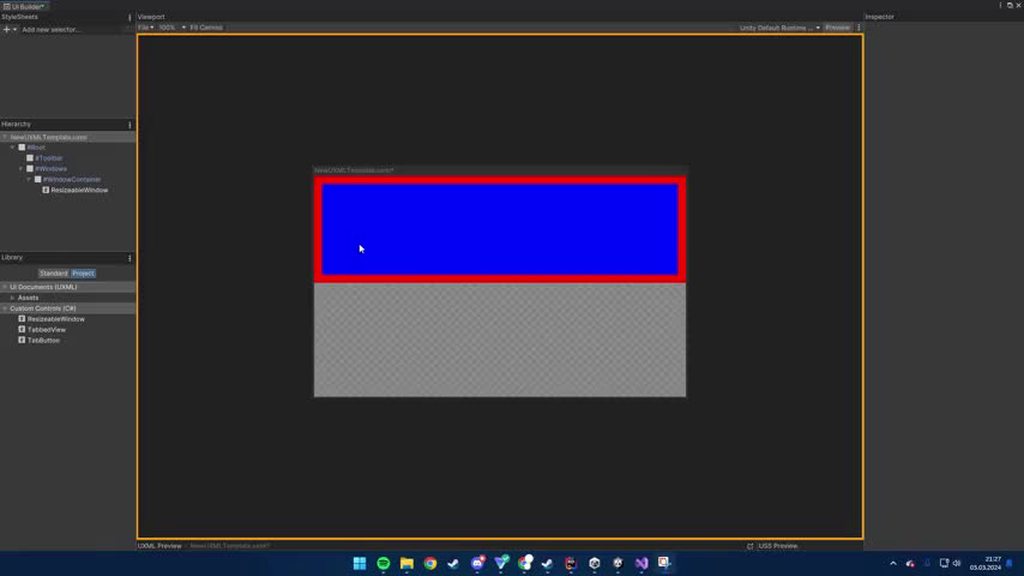
 uneven oyster
dire nova
Why is this custom element resizing when creating another instance?
https://imgu...
uneven oyster
dire nova
Why is this custom element resizing when creating another instance?
https://imgu...
I'm not an expert but perhaps when you add the second element, the parent is rebuilding its layout and enforcing its Flex rules?
dire nova
uneven oyster
I'm not an expert but perhaps when you add the second element, the parent is reb...
Sounds reasonable, do you know how I could prevent that?
dire nova
Can't figure out how to do that either ;-;
 tawny salmon
Does anyone know how to alter the style of the list view item that is clicked on? It currently turns white but I want to alter that
I instantiated the specific item for the list view in makeitem
 clever lava
I'm on the 2D Adventure Game Beginner's Course. In the UI Document the UI looks fine, but then when I view it in game mode, the health bar and portrait don't maintain their position. I followed the directions completely so I'm not sure what I'm missing.


 hollow nebula
Hi all, beginners UI Toolkit question here.
I'm trying to find a good way of making a movable UI element, i.e. the UI element will appear on the clicked mouse point.
So far, the only solution I've found is to set the VisualElement to Absolute, then adjust the top and right positions based on the clicked point (see Gif). Is there a better way of doing this?
 gusty vapor
yes, the absolute-position here is correct
you can use inversematrix to properly align the mouse position
there's an extension called ChangeCordinateTo and you can just chuck this in in there
var pos = viewTransform.matrix.inverse.MultiplyPoint(evt.localMousePosition);
Oh! I think that one for GraphView, if it is it should be similar tho
hollow nebula
Brilliant, thank you!
gusty vapor
or just use worldBound and get the center
 arctic sable
Hello everyone, I found a strange behaviour and wanted to ask if someone could help me with that:
I created a small chatbox, but it seems like the messages I send overwrites the last message.
private void ChatTFSend()
    {
        if (chatTF.text == "")
            return;
        Label chatMessage = new Label();
        chatMessage = chatOriginalMessage;
        chatMessage.text = chatTF.text;
        chatMessage.visible = true;
        chatFieldVE.Add(chatMessage);
        chatTF.value = "";
    }
It visually works in the UI Builder, so I'm very confused on what's going on.


Ok so right when I posted this I noticed, that "chatMessage" probably gets a reference to "chatOriginalMessage"
It works if I don't do:
chatMessage = chatOriginalMessage;
 rugged matrix
Anyone happen to know of a way or some repo that has made the Editor-only controls UI toolkit provides work at runtime too?
rugged matrix
also why tf can I look for the UI builder window in code?
 umbral sonnet
Hello, I am using default vertical scrollview component and every interation (drag, swipe, elasticity) is not smooth, but jumming. Game FPS are 100+. I found in some forums that scrollview runs on 30 FPS. It is somehow possible to create smooth scrollview? Thank you! 🙂
gusty vapor
I haven't got any issue with scroll view and I got hundreds of items, but it's possible due to mesh bug and it's sorta an ancient bug in uitoolkit and I wouldn't be surprised if this is fixed already
mind showing the link to the forum?
 valid bison
With the new binding system in 2023.2 its super easy to bind data, sure. How do you add an action binding, for example, a button's clicked event to some function in code without searching for the button by it's name in a script and subscribing to the event?
Like, am I missing something super obvious? Or is this just straight up still not supported?
 small wigeon
I'm not sure how much of it's supported in uitk, but this is a neat tutorial for learning flex styles: https://flexboxfroggy.com
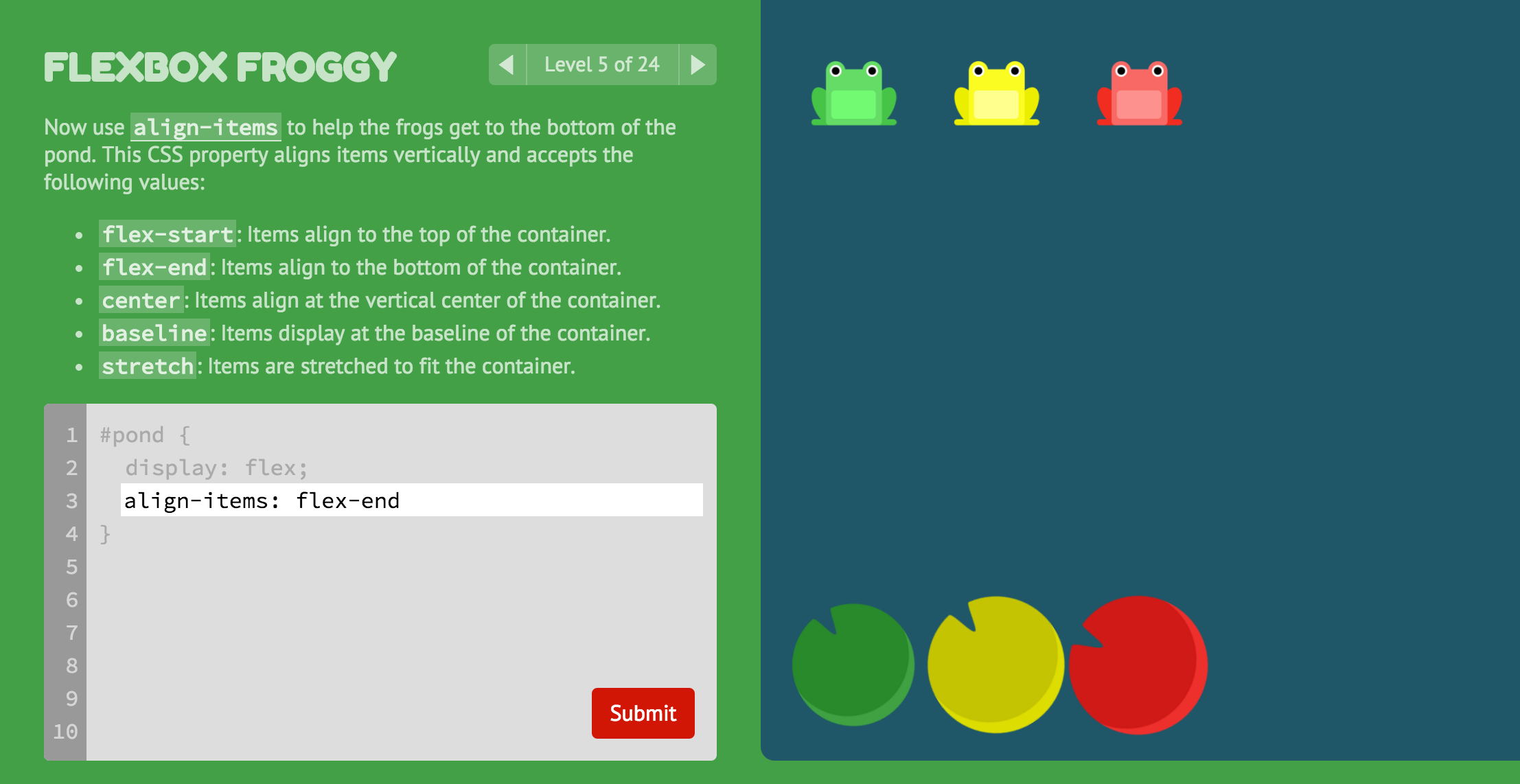
A game for learning CSS flexbox
gritty viper
valid bison
With the new binding system in 2023.2 its super easy to bind data, sure. How do...
As far as I know it's still required to use RegisterCallback on an instance of the button that you query through code, as shown in the example at the end of this page https://docs.unity3d.com/2023.3/Documentation/Manual/UIE-simple-ui-toolkit-workflow.html
gusty vapor
small wigeon
I'm not sure how much of it's supported in uitk, but this is a neat tutorial for...
flexbox layout system is a convention that web folks agreed upon, meaning it should be the same from one to another when adapted to non web stuff.
The thing is, this is Unity, so they might do it a bit differently 😅
 hybrid python
For a fully UI and menu-driven game (with many text rpg elements) and a simple button grid as a map, should I be using canvas UI or the UI Toolkit? Or are they pretty much on par? I do want some transitions, UI animations but fairly basic stuff. Game geared toward the 40+ crowd and primarily a vehicle for a story.
gusty vapor
those UItoolkit fixes https://unity.com/releases/editor/beta/6000.0.0b11
Unity
I wonder how many of them are backported to 2022 🤔
sullen bay
What's the best practise for overriding default unity styles? Specifically I'd like to remove the 50% opacity applied on disabled

Here it says "unity stylesheet", is that something I can fork?
Also is there any way to see which rule is applying it. The docs suggest there's a pseudo state called :disabled but I also see a unity-disabled class.
Cool. Seems I've been able to answer my own question here wrt the specifics of overriding disabled styles, but any insight into the debugger tool re: where the rules are coming form would be appreciated. 🙏
 rich frost
Hey anyone has any resources or guide for drawing my own UI elements (using MeshGenerationContext). I want to procedurally draw Tetris blocks.
gusty vapor
look up for vector api in uitoolkit
rough scarab
A link to the vector API is pinned
gusty vapor
rich frost
Hey anyone has any resources or guide for drawing my own UI elements (using Mesh...
a simple example :
        void OnGenerateVisualContent(MeshGenerationContext mgc)
        {
            var paint2d = new Painter2D();

            paint2d.BeginPath();
            paint2d.LineTo(new Vector2(100, 100));
            paint2d.LineTo(new Vector2(200, 200));
            paint2d.LineTo(new Vector2(150, 150));
            paint2d.ClosePath();
        }
you can see a complete example how to use it on my repo https://github.com/breadnone/UTKShapeGen-Custom-Shapes-Editor-For-UIToolkit/tree/main
it was just for proof-of-concept and never meant to be used for production
you can take a peek at the static UTKMeshUtil.cs on how to properly draw them
it's a bit messy for sure 😂
gusty vapor
you mean similar like gridlayout in css or xaml?
rich frost
yup, my use case is an inventory where most of time it will remain same unless any upgrades or changes.
gusty vapor
not that I know of, but I might be wrong here
even in css or xaml, you can replace gridlayout with a flexbox no problem
and unity has flexbox support for it's uitk... somehow
so just use that, wouldn't be too hard to make your own
rich frost
Okay i will try that
rich frost
I am trying to create a multi slot based inventory system, actually I already made it using the canvas based approach but I want a multi-shape items (so more than just rectangles) I can do it with using more gameobjects in the canvas approach to build my item containers but i thought using the toolkit I can draw my custom shapes easily.
Also is there any equivalence of drawing my own shapes in the Canvas UI?
gusty vapor
rich frost
I am trying to create a multi slot based inventory system, actually I already ma...
use vector graphic instead or SVG, then make your custom shapes in vector software such as : Illustrator, InkScape etc. Then import to Unity
then you can use this https://docs.unity3d.com/Packages/com.unity.vectorgraphics@2.0/manual/index.html
to import those SVGs into unity
why not just make your icons transparent instead? and add it as a background image on your uis?
uitk is a bit not non-coder friendly at the moment if you want to do fancy stuff with custom shapes and whatnot and is a bit limited compared to what the canvas ui can do
but I can see that they're working very hard for uitk to be artist/designer-friendly
no I meant the image/sprite, make them transparent via import settings
turn the alpha-transparency on so you don't need to deal with custom shapes and they will still visually look like they've custom shapes
the image must be png or psd
rich frost
I see, i actually I was talking about the container which the item (image is displayed) as you see in the video i have dark container around each item. I want that container to change shape not the item image itself
gusty vapor
yes It's can be easily faked with just transparent/alpha
rich frost
gusty vapor
yes It's can be easily faked with just transparent/alpha
The container image? ( I am sorry i am newbie)
im still unsure how can i create custom shapes proceduraly using that method
gusty vapor
procedural here is such a big word for UIs 😅
rich frost
so best bet is to use a lot of container prefabs for each type of shapes i suppose?
 raven plover
Hello. Can someone look into my thread and explain me why unregister callback doesnt work?
https://forum.unity.com/threads/unregistercallback-inside-geometrychangedcallback-does-not-work.1557194/
Thank you!
Unity Forum
Hello,
I have a GeometryChangedCallback function for positioning an ui element in the middle of the screen. This function should only run once so I...
sullen bay
raven plover
Hello. Can someone look into my thread and explain me why unregister callback do...
replied
raven plover
Thank you! I tried your solution but unfortunately it doesn't work
sullen bay
raven plover
Thank you! I tried your solution but unfortunately it doesn't work
Well it was surely a bug in your code regardless.
FWIW I was using the same pattern and it was working perfectly for me.
Just looked at your update, that's bizarre. Sure you're not subscribing somewhere else?
@raven plover oops, looks like i was wrong. currentTarget is the element that is raising the event, target is receiving it.
ah, no I'm double wrong. The wording is just ambiguous
raven plover
sullen bay
Just looked at your update, that's bizarre. Sure you're not subscribing somewher...
Yes. When i don't subscribe there it doesn't get called
raven plover
sullen bay
Well it was surely a bug in your code regardless.
I mean I checked the name of the element so it should be the same. The problem is in ecs it's not good to have managed fields inside of a system
But I mean it doesn't work either way
sullen bay
raven plover
I mean I checked the name of the element so it should be the same. The problem i...
Yep. Current target is correct and doesn't require holding a managed reference.
sullen bay
raven plover
But I mean it doesn't work either way
I can't explain it. It was working for me. Can you show the full code?
Both subscribe and unsubscribe
@raven plover oh you just got another reply on forum which sounds promising
raven plover
sullen bay
<@339020570396196864> oh you just got another reply on forum which sounds promis...
I don't have the right version 😦
raven plover
sullen bay
I can't explain it. It was working for me. Can you show the full code?
I added it to the thread
raven plover
sullen bay
I can't explain it. It was working for me. Can you show the full code?
I managed to it by changing the fuction to static. Thank you very much for your help
sullen bay
raven plover
I managed to it by changing the fuction to static. Thank you very much for your ...
That's so bad haha.
I mean it should be static anyway
But that is definitely a bug. I replied in the thread
 latent canopy
Hey so i have an issue where im updating this uitoolkit label using the function below called in Update
private void UpdateDocText()
{
        Label fuelText = screenDoc.rootVisualElement.Q("data").Q<Label>("fuel");
        fuelText.text = "FUEL " + (GameManager.instance.fuel / 10f) + "L";
        screenDoc.rootVisualElement.Q("data").Q<Label>("time").text = "EST ";

}
and instead of changing the text its overlaying the text rather than replacing it. I am using a panel setting to have the ui doc go to a render texture
rough scarab
latent canopy
Hey so i have an issue where im updating this uitoolkit label using the function...
Presumably your render texture setup is not configured to clear the texture when it renders
latent canopy
rough scarab
Presumably your render texture setup is not configured to clear the texture when...
Do you know how to do that
rough scarab
latent canopy
Do you know how to do that
The panel settings have Clear Settings that you should modify
latent canopy
rough scarab
The panel settings have Clear Settings that you should modify
kk thank you!
sullen bay
Unity keeps generating a file: Assets/UnityDefaultRuntimeTheme.tss, but it's not referenced by anything.
I also have identical file Assets/UI Toolkit/UnityThemes/UnityDefaultRuntimeTheme.tss which is referenced by Assets/UI Toolkit/PanelSettings.asset.
Is there some reason why I would need both of these files?
ah nvm, a forum thread exists. https://forum.unity.com/threads/unitydefaultruntimetheme-tss-keeps-getting-created-in-2022-2-0b8.1340948/
sullen bay
I don't seem to be receiving MouseEnterEvent and MouseLeaveEvent. Is there some trick to it? I'm trying to catch them on the root element.
rugged matrix
Is the root element an editor window?
sullen bay
No.
It's a runtime UI
MouseOver and MouseOut do work
but are the wrong events for what I'm trying to do
(because MouseOut is called when the cursor moves onto a descendent)
Ah nvm, it doesn't bubble. It's in the docs.
My approach will not work.
rugged matrix
Welp that would do it. Sadge
sullen bay
Yeah, I think I understand why though
The event would spam for every ancestor whenever the mouse enters/exits an element
sullen bay
Is there a click event or do we need to implement that ourselves?
wind gorge
Literally ClickEvent
sullen bay
oh... hm, not sure how I missed that.
Thanks!
was looking for things prefixed by Mouse etc.
will a click also raise a NavigationSubmitEvent?
wind gorge
No idea
sullen bay
Surpringly not. I guess it's different to the EventSystem concept of submit.
wind gorge
Wouldn't pointerup send those?
sullen bay
wind gorge
Wouldn't pointerup send those?
NavigationSubmitEvent doesn't seem to be raise by mouse interaction at all
I'll work it out later when I do gamepad support I guess
Maybe you need to handle both
or maybe they raise a click event from gamepad
wind gorge
You'll probably have to make a custom manipulator and send events yourself
ClickEvent is not great unfortunately
wind gorge
It seems to send clicks on the targetelement even if the pointer is not on the element
Ye, there's also Pressable
sullen bay
wind gorge
It seems to send clicks on the targetelement even if the pointer is not on the e...
it's working as expected for me
wind gorge
Guess this is mobile only behavior then
sullen bay
wind gorge
Ye, there's also Pressable
Ah, that's in a different package:
https://docs.unity3d.com/Packages/com.unity.dt.app-ui@0.4/api/Unity.AppUI.UI.Pressable.html
wind gorge
Oh, forgot it's unique to appui
 wind gorge
Yeah, I'm using it for an app and it's painful
sullen bay
pretty exciting
rugged matrix
Also using app UI for a thing but it's been pretty good so far
Def not fully developed like other packages but there's some good stuff in there imo
wind gorge
Yeah, it has a lot of goodies In the base package, but the other packages feel extremely wip
rugged matrix
Ah yeah def
@sullen bay afaik NavigationSubmitEvent gets triggered by key code presses (KeyCode.Return) and is determined by what's in your projects legacy input settings
rugged matrix
sullen bay
oh i guess they're rebuilding the unity interface with this?
No, it's supposed to be a package to more easily/solidly create runtime apps with UITK. Their Muze AI app runs on it afaik
sullen bay
rugged matrix
<@105859971064852480> afaik NavigationSubmitEvent gets triggered by key code pre...
Right, so there's no generic event that handles clicking, pressing enter etc?
rugged matrix
Maybe, but I don't know of one
Cuz usually these events are separated out between Mouse Events and Keyboard Events
 languid sorrel
how tf do i do so that my buttons are on top of my image
 delicate talon
Why is the UI Builder display different from my editor Window? I have a #RootContainer Visual Element with a min-height of 100% and it shows correctly in UI Builder but in my editor window it is not showing correctly
 delicate talon
I found out what was wrong I was instantiating the visualTreeAsset instead of cloning it 😅 Didn't know that mattered.
rugged matrix
Instantiating seems to create a template container who's style settings fuck up whatever it is supposed to look like I think
sullen bay
(must have clicked the wrong file, nvm)
sullen bay
Does anyone have any tips for modifying FontAsset properties? There is a tool in the TMP samples I used for this, but that's for TMP. UIToolkit has its own copy of the FontAset.
Currently this is the defaults I get for this particular font

this is the tool I'm referring to

Assets/TextMesh Pro/Examples & Extras/Scripts/TMP_TextInfoDebugTool.cs
rugged matrix
Not sure, but in case it might be relevant:
wind gorge
sullen bay
Currently this is the defaults I get for this particular font
Are you sure this is a font problem and not a layout problem?
sullen bay
wind gorge
Are you sure this is a font problem and not a layout problem?
Yeah other fonts are find
wind gorge
Looks like a line height issue, try cranking that up in the text settings
 grizzled bluff
Greetings!
I have recently started to use the ui toolkit over the old system and i have been porting over some old ui systems that i made for a personal package.
One of said systems is a debug console that i can use during runtime on a build to use cheats and get error logs on a built game.
I am having issues with 2 elements:
- Making the text cursor be white.
- Making the text field within the console window automatically be selected. Furthermore, the text field currently gets deselected when the user presses enter.
I have thus far found and tried the following but to no avail:
- TextField documentation: https://docs.unity3d.com/Manual/UIE-uxml-element-TextField.html
- This post: https://forum.unity.com/threads/how-do-you-detect-if-someone-clicks-enter-return-on-a-textfield.688579/
Finding answers/documentation on managing interactions on text fields has been very hard as there aren't as many forum posts or documentations disscusing this topic.
Hence my post here. How do i resolve the aforementioned issues?
Here's the C# implementation responsible for managing the console that i made thus far:
[RequireComponent(typeof(UIDocument))]
public class Console : MonoBehaviour
{
    struct ConsoleLog
    {
        public int count;
        public DateTime date;
        public LogType type;
    }

    private int linesInOutput = 30;
    private string userInput;
    private bool renderConsole;
    private Vector2 consoleScroll;

    private Dictionary<string, ConsoleLog> consoleLines;
    private List<string> autoCompletionOptions = new List<string>();
    private int selectedAutoCompletionIndex = 0;

    private TextField userInputField;
    private Label outputField;
    private VisualElement rootElement;

    private void OnEnable()
    {
        var doc = GetComponent<UIDocument>();
        doc.visualTreeAsset = UIToolkitUtility.GetUXML("UConsole.uxml");
        doc.panelSettings = UIToolkitUtility.GetPanelSettings("ExtendedUnity_PanelSettings.asset");

        rootElement = doc.rootVisualElement;

        rootElement.style.display = DisplayStyle.None;
        renderConsole = false;

        userInputField = rootElement.Q<TextField>("input_field");
        //Remant from the old system
        consoleLines = new Dictionary<string, ConsoleLog>();
        //Initializing basic commands used for the console
        CommandSystem.AddCommand("help", "Gives information on available commands", "help [command]", OnHelpCommand);
        CommandSystem.AddCommand("clear", "Clears the console", "clear", ClearConsole);
        //Registering an external method that allows me to intercept debug logs
        Application.logMessageReceived += HandleLog;

        userInputField.RegisterCallback<KeyDownEvent>(ParsingCommand, TrickleDown.TrickleDown);
    }

    private void ParsingCommand(KeyDownEvent evt)
    {
        //Attempted in modifying the submission event in hopes of achieving a way to re-select the text field
        //however, it doesnt work.
        if (evt.keyCode == KeyCode.Return)
        {
            userInput = userInputField.value;
            userInputField.value = string.Empty;
            UnityEngine.Debug.Log(userInput);

            evt.StopImmediatePropagation();
            evt.PreventDefault();
            userInputField.SelectAll();
        }
    }

    private void OnDisable()
    {
        Application.logMessageReceived -= HandleLog;
    }

    private void Update()
    {
        if (Input.GetKeyDown(KeyCode.Tilde) || Input.inputString.Contains("\u00A7"))
        {
            renderConsole = !renderConsole;
            rootElement.style.display = renderConsole ? DisplayStyle.Flex : DisplayStyle.None;
            userInputField.Focus();
        }
    }
}

Unity Forum
I'm working on a simple UI with an extremely basic interaction: user types in some text and presses "Enter/Return" to commit the text. I understand how...
rugged matrix
@grizzled bluff https://docs.unity3d.com/Manual/UIE-uxml-element-TextField.html should answer the cursor color problem
rugged matrix
@grizzled bluff managed to solve all thingies:
for the cursor color, simply add
.unity-base-text-field__input {
    --unity-cursor-color: white; //whatever color
}
to a stylesheet in use by your UI document
for the textfield losing focus on Enter/Return and the text selection, simply:
var textField = root.Q<UnityEngine.UIElements.TextField>();

textField.RegisterCallback<KeyDownEvent>(evt =>
{
    if(evt.keyCode == KeyCode.Return || evt.keyCode == KeyCode.KeypadEnter || evt.character == '\n')
    {
        textField.focusController.IgnoreEvent(evt);
        evt.StopImmediatePropagation();
        evt.StopPropagation();
        evt.PreventDefault();


        textField.textSelection.SelectAll();
    }
}, TrickleDown.TrickleDown);
It's an issue with the font asset having the wrong line height set etc
But without a visualizer how can I tune the 20 or so fields?
what are the text settings btw?
wind gorge
Pretty sure it updates in realtime when in playmode
sullen bay
wind gorge
Pretty sure it updates in realtime when in playmode
Do you know how to render the descender lines and whatnot?
wind gorge
Nope, no such thing for uitk iirc
sullen bay
wind gorge
Nope, no such thing for uitk iirc
Yeah, it doesn't update in realtime either
I'm testing it now
TMP does, but when I copied my TMP settings over it didn't behave
wind gorge
Hm, weird, it did for me when I had a broken font
sullen bay
wind gorge
Hm, weird, it did for me when I had a broken font
Ah, my mistake it does.
Well, "ascent line" does
line height doesn't, probably because the view has no newlines
If I had more time I'd convert that visualiser over. I could probably use the UITK line drawing API to do something similar
wind gorge
sullen bay
If I had more time I'd convert that visualiser over. I could probably use the UI...
Good luck with that one, they renamed tmpro to textcore and made literally everything private or internal
sullen bay
wind gorge
Good luck with that one, they renamed tmpro to textcore and made literally every...

It's all there
I guess the hard part is actually accessing the quads in the renderer
wind gorge
Yeah, I was referring to that
rugged matrix
Lmk if you figure out a way, I wasn't able to
sullen bay
looks like the text element calls MeshGenerationContext.Text
which is not defined in the mgc class itself
Perhaps an extension method...
vscode intellisense is busted in decompiled code currently so I can't easily get more info
rugged matrix
Yeah but all of that is internal or private, it goes all the way down to TextGenerator
sullen bay
Ah, below Painter.DrawText?
Yeah, even painter is internal IStylePainter
Well well well. Looks like this is the end of the line.
I'd probably have better luck editing the font files hahaha
or looking at the generate text souce and copying the math to overlay the data in the right place
either way it's not worth it
wind gorge
You can always use reflection/make an internal bridge
sullen bay
it's simply not worth it
wind gorge
But it won't survive for multiple versions as they seem to have moved everything to c++
wind gorge
Yeah, that's the correct attitude
sullen bay
appreciate you both saving me time though @rugged matrix @wind gorge
have a nice weekend.
rugged matrix
Aye
grizzled bluff
rugged matrix
for the cursor color, simply add
```
.unity-base-text-field__input {
--unity...
Huh, somehow i missed the textSelection field. Guess thats what happens when you loose track of time and work 4 am. Cheers for the examples!
grizzled bluff
grizzled bluff
Huh, somehow i missed the ``textSelection`` field. Guess thats what happens when...
@rugged matrix the line textField.focusController.IgnoreEvent(evt) doesn't seem to exist on my project. I am using the built-in UI Toolkit.
grizzled bluff
grizzled bluff
<@268398073431064577> the line ``textField.focusController.IgnoreEvent(evt)`` do...
Nvm, i figured out that your example is for 2023.2, not 2022.3 (which i am using)
rugged matrix
@grizzled bluff it might also still work without that line, of you haven't tried?
 velvet robin
Does USS support any units outside of px?
The documentation is sparce from what I've been able to find.
rough scarab
I'm not sure how it's sparse https://docs.unity3d.com/Manual/UIE-USS-PropertyTypes.html + https://docs.unity3d.com/Manual/UIE-USS-SupportedProperties.html
velvet robin
Because it is. CSS supports a bevy of units and a footnote is does not comprehensive documentation make.
rough scarab
What footnote are you talking about? The first page describes the syntax rules and associations with each unit, and the second page describes which property supports which units
It's comprehensive.
velvet robin
Sure.
rugged matrix
@velvet robin answer is no
Idk why vertx couldn't share that while also sharing his opinion on the docs but 
rough scarab
Because the answer is yes
velvet robin
rugged matrix
<@131949053150756864> answer is no
Idk why vertx couldn't share that while also...
Thanks
rugged matrix
rough scarab
Because the answer is yes
What alternatives to px are there then?
 rugged matrix
Yes but a percentage isn't an absolute unit
Unlike em, and other units used in webdev
gusty vapor
such as?
rugged matrix
 gusty vapor
well thats just ridiculous, this is gamedev, how often you see Centimeters, milimeters used in a game?
in graphics rendering (gpu/cpu), pixels are absolute
thus uitk mentioned this in the docs
 rugged matrix
That line refers to its size calculation
A pt is no less absolute than a px
When it comes to length
gusty vapor
rugged matrix
Unlike em, and other units used in webdev
you're in gamedev space, which often having to deal with world-local/local-world conversions, how one would quickly convert those centimeters, millimiters ?
One would argue, "you can just estimate them" which begs the next question, how efficient would it be?
(this is in the context of UIs)
rugged matrix
Sure, those are rarely used. But the others are seen more often, same for % being the only relative unit. It's very limited compared to what CSS, which USS tries to emulate, offers. Which was the question, are those other units supported to or does USS only employ px
gusty vapor
there's no similar thing like CanvasScaler at the moment in uitoolkit, well, there's but it sucks
And for those conversions you'd need to do it on your own. Trust me it's not hard to do
rugged matrix
Yes, again, not the point. They asked for alternatives for px in USS, and as of now, there are not.
grizzled bluff
rugged matrix
<@137592928133447682> it might also still work without that line, of you haven't...
I have tried, it causes an annoying issue where i have to press enter twice to be able to type again after i submit a line.
velvet robin
There are a lot of very good reasons why you don't want to use pixel units for UIs. Hence why most UI frameworks (Web, Android, iOS, etc) usually recommend against using absolute pixel values.
rugged matrix
@grizzled bluff but it retains focus?
grizzled bluff
rugged matrix
<@137592928133447682> but it retains focus?
I am not sure.
rugged matrix
So after you finish a line and press enter, you can't immediately start typing again?
grizzled bluff
Sadly not
Ima be honest, i didnt even realise that the newer versions of unity would have such a drastic change in functions for the ui toolkit.
I should have mentioned the unity version when i made my og post
rugged matrix
No worries, the reason I assumed it would work the same is because in my Unity version, evt.preventdefault() is marked as obsolete and to be replaced with focusController.IgnoreEvent. Hence I put in both, assuming that simply was a change in where we intercept the default functionality
I will try out some stuff on my end again when I get the time!
grizzled bluff
rugged matrix
No worries, the reason I assumed it would work the same is because in my Unity v...
Huh, good to know
rugged matrix
I'm on Unity 6 beta btw
grizzled bluff
rugged matrix
I will try out some stuff on my end again when I get the time!
Awesome, no rush though, i myself have been busy with getting the rest of the console to work (as well as do some other duties on my end).
rugged matrix
grizzled bluff
Awesome, no rush though, i myself have been busy with getting the rest of the co...
It looks pretty good tho!
Once those small things are ironed out it will be sweet
grizzled bluff
rugged matrix
It looks pretty good tho!
Cheers! The toolkit thus far has made the process of this a lot faster than the old UGUI system.
Ill see if i can upgrade to Unity 6 (gonna have to consider if i can even pay the new fee should i make a commercial game)
As i have seen, it would affect quite a bit of the console's function internally.
rugged matrix
grizzled bluff
As i have seen, it would affect quite a bit of the console's function internally...
You mean on retrieving your log data or the UITK end?
grizzled bluff
rugged matrix
You mean on retrieving your log data or the UITK end?
UITK end.
rugged matrix
Idt that much changed compared to previous versions tho
Some event propagation changes but not much else that is impactful
grizzled bluff
rugged matrix
Some event propagation changes but not much else that is impactful
That's actually really good to hear. Then i guess it wont be a problem!
rugged matrix
What is it that would be affected to most you think? Or what you're worried about
rough scarab
rugged matrix
Yes, again, not the point. They asked for alternatives for px in USS, and as of ...
% is an alternative unit, they didn't specify absolute.
They also didn't specify anything, so deg, grad, rad, turn, also units used in USS, all in the docs
grizzled bluff
rugged matrix
What is it that would be affected to most you think? Or what you're worried abou...
Mostly worried about new functionality conflicting with my existing implementation of the console (i.e. managing input, updating the list view, ect).
rugged matrix
rough scarab
% is an alternative unit, they didn't specify absolute.
They also didn't specify...
Thought the context of his message was pretty straightforward but sure
rugged matrix
grizzled bluff
Mostly worried about new functionality conflicting with my existing implementati...
I don't know of any changes to those things apart from some internal event propagation changes, but I don't think they'll affect much
grizzled bluff
rugged matrix
I don't know of any changes to those things apart from some internal event propa...
Awesome! Ill fix any bugs that pop-up should i decide to upgrade Unity versions anyway but atleast it wont be too much to change.
gritty viper
Anyone know if there's a way to detect when UITK is done loading in content at runtime? E.g. user performs some action which results in a USS class is added to an element that has a background image and some other attributes, then UITK takes a second to load the image and display the updated layout etc.
Can't see an event that would provide this information.
wind gorge
gritty viper
Anyone know if there's a way to detect when UITK is done loading in content at r...
no such thing there, the closest is GeometryChangedEvent
also there is no way uitk can be "done loading" an image
at worst it would load on the next frame
same with style changes, just wait for next frame
gusty vapor
ResolvedStyleChange event should do it, no?
gritty viper
gusty vapor
ResolvedStyleChange event should do it, no?
Do you mean CustomStyleResolvedEvent? I tried it but since I'm not pushing custom styles (I'm only applying classes, not changing styles directly) it doesn't appear to fire.
gusty vapor
gritty viper
Do you mean CustomStyleResolvedEvent? I tried it but since I'm not pushing custo...
yeah, some elements have embedded custom properties which you can attach to it, something with this prefix -- infront of them
or just make a dummy custom properties on your own just so you can use it
yeah it's dumb how it requires custom properties just to make it work, right
gusty vapor
wind gorge
when did they add it?
I'm still using ancient 2022.2 beta, it's there already, not sure when exactly tho
oh wow you're still using 2021? well, prepare to taste the wrath of obsolete stuffs in uitk when upgrading to 2022 😄 .. just like I did
the list of obsoleted apis even longer in 2023 iirc
wind gorge
I'm not gonna upgrade anything
that's just stupid
2021 already barely works
I can't even upgrade to the latest patch version
gusty vapor
wind gorge
2021 already barely works
mesh bug exists in 2021 in uitoolkit, you never encountered that?
wind gorge
what mesh bug, the one where custom mesh generation doesn't do anything?
gusty vapor
no, the one when you move the visualElement, your vertex counts would jump ridiculously high
due to broken tessellation
wind gorge
wasn't that an issue in the vertex count display?
gusty vapor
no
Unity Forum
Hi, while I was comparing performance between a UI Toolkit ui and a UGUI ui, I find that it seems like UI Toolkit is using way more vertices to render...
that
you'll be having fun profiling that 😄
My solution was to update to 2022 🙏
wind gorge
no such thing for me
gusty vapor
then lucky for you, just don't nest your elements too deep
wind gorge
this seems like an issue only if you're using transition: all
gusty vapor
just in case
wind gorge
I have ripple animations on all my elements and there are no spikes
only initialization lag is bad
wind gorge
gusty vapor
oh wow you're still using 2021? well, prepare to taste the wrath of obsolete stu...
updated to 2022 for fun and it's still shit

no changes required, everything worked out of the box
although there are a few warnings and errors
gusty vapor
nice 👍
rugged matrix
wind gorge
updated to 2022 for fun and it's still shit
I assume this is the initialize spike?
wind gorge
rugged matrix
I assume this is the initialize spike?
Yeah
 white raft
hey there, i dont know if im posting in the right section but hey here we go.
I m trying to work with the ui toolkit TreeView to make a simple file explorer,
I wanted to know if and how it was possible to lazy load the tree hierarchy, by using Lazy<T> for exemple.
I ve been searching but it seems like i m going in circles
rugged matrix
Anyone happen to have seen a UITK text field that does support rich text?
Unity for years has said it's coming but still no news so maybe there's third party textfields out there?
grizzled bluff
rugged matrix
Anyone happen to have seen a UITK text field that does support rich text?
Unit...
From what i have seen, nope
rugged matrix
Ahw 😦
gusty vapor
rugged matrix
Anyone happen to have seen a UITK text field that does support rich text?
Unit...
TextElement does support, no? in a limited way at least
https://docs.unity3d.com/Manual/UIE-supported-tags.html
rugged matrix
Don't think it supports rich text for non-read only fields
 muted geyser
Hi, If I keep trying to update Label.text with the same value all the time, will UI-Toolkit react to this? Is there some mechanism in UI-Toolkit to prevent the same value from being reset in Label.text?
grizzled bluff
muted geyser
Hi, If I keep trying to update` Label.text` with the same value all the time, wi...
Updating the .text value every frame will indeed update it.
The only instances that this does not apply is for the following: ListView and TreeView.
There might be more views that require rebinding/rebuilding but to my knowledge, those two require manual refreshes.
muted geyser
Ok, thanks. Then I have to either check the change or go in event driven approach with my score changing
grizzled bluff
grizzled bluff
Greetings!
I have recently started to use the ui toolkit over the old system an...
So, i'm doing a follow up on my last post here.
The console is delevoped further and i still have some issues with the text field.
The crux of the issue is the following: i want to remove the default events that affect the field.
What i mean by it is:
- I dont want to exit the field when submitting.
- I dont want to exit the field when pressing tab.
Furthermore, there is an issue where one of the ListViews keep displaying "List is empty when there are no options within the list.
I have searched on Unity's documentation for the Unity Version "2022.3" for both TextField and ListView:
- https://docs.unity3d.com/ScriptReference/UIElements.ListView.html
- https://docs.unity3d.com/ScriptReference/UIElements.TextField.html
I have gotten some help from @rugged matrix in relation to theTextFieldissue, but it doesn't seem to work as expected in the version that i am using.
As for theListViewthe aforementioned documentation does not fully explain all of the properties and methods do and their example is for an editor extension rather for a runtime ui example.
Here's the current implementation of the console:
https://hastebin.skyra.pw/kucelugudo.csharp
Would really appreciate if anyone here can point me to a good source of information in regards to how to work with TextField and ListView.
Cheers!
grizzled bluff
grizzled bluff
So, i'm doing a follow up on my last post here.
The console is delevoped furthe...
Here's how it looks like when im trying to submit/tab. The behaviour is very inconsistent and at sometimes, it doesnt work:
rugged matrix
@grizzled bluff which callbacks did you end up registering on the textfield?
grizzled bluff
rugged matrix
<@137592928133447682> which callbacks did you end up registering on the textfiel...
I am using the following ones:
private void OnEnable()
{
    CommandSystem.onFailedCommandExecution += HandleFailedCommands;
    Application.logMessageReceived += HandleLog;
    //Ended up using the KeyDownEvent callback
    userInputField.RegisterCallback<KeyDownEvent>(ParsingCommand, TrickleDown.TrickleDown);
    userInputField.RegisterCallback<ChangeEvent<string>>(OnInputChanged, TrickleDown.TrickleDown);
}
The OnInputChanged function is used to update the ListView that contains the auto-complete options.
Btw, the whole implementation is in the OG post above.
I had to use hastebin to send it here.
rugged matrix
Let's also try and intercept the following events on the textfield: NavigationSubmitEvent, NavigationCancelEvent,
And if possible, NavigationMoveEvent.
Register them as callbacks like you did with the KeyDownEvent and call evt.stoppropogation and evt.prevenrdefault in each of the callbacks.
grizzled bluff
rugged matrix
Let's also try and intercept the following events on the textfield: NavigationSu...
Aight, let me try it
rugged matrix
Additionally on the textfield, you can check if the tab character (I think '\t') was pressed or requested to be inserted (like we do with KeyCode.Return/'\n' ) and cancel the event stuff there, too
grizzled bluff
rugged matrix
Additionally on the textfield, you can check if the tab character (I think '\t')...
Doesnt the KeyDownEvent evt suffice for detecting input using the KeyCode enum?
grizzled bluff
rugged matrix
Additionally on the textfield, you can check if the tab character (I think '\t')...
Ok, so after i impemented the aforementioned navigation callbacks, i tried to press tab while typing on the input and it gave me this dump of an error:
 rugged matrix
Yes but I do it just in case there's some weird stuff in the bavkground
rugged matrix
grizzled bluff
Ok, so after i impemented the aforementioned navigation callbacks, i tried to pr...
Which one specifically seems to cause trouble?
I'm traveling for the next few days but when I get back I can try and troubleshoot some more
grizzled bluff
rugged matrix
I'm traveling for the next few days but when I get back I can try and troublesho...
No worries!
grizzled bluff
rugged matrix
Which one specifically seems to cause trouble?
The error gets caused by me typing in the TextField and pressing tab.
rugged matrix
Yeah but which of the navigation callbacks causes the error? Move, cancel, submit?
Assuming this error didn't pop up before we were registering to those callbacks
grizzled bluff
rugged matrix
Yeah but which of the navigation callbacks causes the error? Move, cancel, submi...
I am not sure. I removed the TrickeDown.TrickleDown enum argument on the callback on all of them and it seems to have resolved the issue. However, the behaviour of me tabbing/submitting seems to be unchanged.
rugged matrix
Yeah, it needs to happen on trickledown tho so
grizzled bluff
rugged matrix
Yeah, it needs to happen on trickledown tho so
So, i re-added the TrickeDown.TrickleDown back to each method one by one and the error does not appear.
I think its the Editor pulling a Fnaf jumpscare at me.
rugged matrix

grizzled bluff

also the behaviour is still weird.
When i submit something, the cursor dissapears but after i spam something on my keyboard, input resumes and i can see the text cursor again.
Tabbing sometimes makes me select a list element instead and other times, it selects the input text.
rugged matrix
Aight, dunno how and what then. Will take another look soon and try some stuff in the right version on my end
grizzled bluff
rugged matrix
Aight, dunno how and what then. Will take another look soon and try some stuff i...
Cheers! Sorry to take up your time! ❤️
flint bough
Can I somehow have a visualtreeasset as an attribute on a customcontrol?
I tried with [UxmlAttribute], but it does not seem to work. I can set it, but when accessing it later in code the property is null
grizzled bluff
flint bough
I tried with `[UxmlAttribute]`, but it does not seem to work. I can set it, but ...
Afaik, you need to load the asset by either Resources.Load(path) or AssetDatabase.LoadAssetAtPath(absolutePath)
Fields that you assign via Attributes tend to not be initialized in editor mode
However, if you can somehow get its path instead, it should be fine
flint bough
grizzled bluff
Afaik, you need to load the asset by either ``Resources.Load(path)`` or ``AssetD...
ListView somehow manages to implement the functionality of directly setting the visualtreeasset though
but I didn't manage to recreate it
 onyx sinew
flint bough
but I didn't manage to recreate it
onyx sinew
flint bough
but I didn't manage to recreate it
have you seen this? https://github.com/Unity-Technologies/UnityCsReference/blob/6a26bc151b158aa1bba01019d97d932710fd8d6e/Modules/UIElements/Core/Controls/ListView.cs#L116

GitHub
Unity C# reference source code. Contribute to Unity-Technologies/UnityCsReference development by creating an account on GitHub.
valid bison
is there any way to apply a strikethrough or other rich text formatting through USS?
flint bough
onyx sinew
have you seen this? https://github.com/Unity-Technologies/UnityCsReference/blob/...
Thanks, actually I haven't seen it. I checked this line before: https://github.com/Unity-Technologies/UnityCsReference/blob/6a26bc151b158aa1bba01019d97d932710fd8d6e/Modules/UIElements/Core/Controls/ListView.cs#L176, which uses CreateProperty. Do not really understand the difference though. I thought the UXMLTraits is outdated now?
onyx sinew
flint bough
Thanks, actually I haven't seen it. I checked this line before: <https://github....
I haven't gotten it working without UXMLTraits (and they seem to still be using it). What I just learned though is if you want the attribute to work, then you have to have a field on your control that has the same name of the attribute, but with camel casing. So, for an attribute named item-template, you need a field named itemTemplate OR a property named ItemTemplate with the [CreateProperty] attribute.
flint bough
onyx sinew
I haven't gotten it working without UXMLTraits (and they seem to still be using ...
ah ok, where did you learn this? Is there some discussion on the forum? Wasn't able to find it
but maybe I'll just go with string paths for now then, if this is such a hassle
onyx sinew
flint bough
but maybe I'll just go with string paths for now then, if this is such a hassle
it was a lucky google find. https://docs.unity3d.com/Manual/UIE-create-custom-controls.html To use your custom controls’ UXML properties in the Inspector of the UI Builder, you must match property names between UXML and C# script. Use standard kebab case notation for UXML, and camel case or Pascal case for C#. For example, a property named MyFloat or myFloat in C# should be my-float in UXML.
onyx sinew
flint bough
but maybe I'll just go with string paths for now then, if this is such a hassle
this seemed to work. i was able to set a visual tree asset in the inspector and it did set the attribute in the uxml https://hastebin.com/share/zusifosose.csharp
Hastebin is a free web-based pastebin service for storing and sharing text and code snippets with anyone. Get started now.
flint bough
onyx sinew
this seemed to work. i was able to set a visual tree asset in the inspector and ...
Thanks!
onyx sinew
and cuz i lack self control, i figured out how to do it with [UxmlElement] attributes instead of traits. much cleaner. https://hastebin.com/share/ecuyunomon.csharp
Hastebin is a free web-based pastebin service for storing and sharing text and code snippets with anyone. Get started now.
flint bough
onyx sinew
and cuz i lack self control, i figured out how to do it with `[UxmlElement]` att...
hahaha, thanks!
 unborn bluff
For the new UI toolkit is there a way to make it respect the viewport rect similar to the screen space - camera
the game uses a script to force the aspect ratio but still allow scaling
sullen bay
Is there any way to modify or generate USS at runtime?
rough scarab
sullen bay
Is there any way to modify or generate USS at runtime?
No
white raft
anyone knows if its possible to dynamically load a runtime ui toolkit treeview and expand its nodes ?
onyx sinew
have you tried something like? var visualElement = new VisualElement(); FileIcon.Asset.cloneTree(visualElement);
rough scarab
https://docs.unity3d.com/ScriptReference/EditorWindow.html
CreateGUI
CreateGUI is called when the EditorWindow's rootVisualElement is ready to be populated.
 merry schooner
Hi, when playing my game, if you click a ui button while the UI is over a gameobject, it triggers a raycast in a different class to see if you clicked on said gameobject.
I want the UI to block this raycast some way. I saw some answers online using EventSystem.current.IsPointerOverGameObject().
However, I am using UI Toolkit and while the UI is only on the sides of the screen, no matter where you click it will return true.
I used some Graphics Raycaster Code to try and check to see if I was clicking on a certain visual elemt or not, but it always just returns PanelSettings in a RaycastResults list.
Any ideas how I could find what UI elements I'm clicking on? I looked into PanelRaycaster but the documentation isn't that descriptive and it seems to work the same as GraphicsRaycaster
rough scarab
Why ignore my post?
#🧰┃ui-toolkit message
Oh sorry, I see you replied. Where are you appending to the root then (what method)? Because perhaps you are just doing it at an inopportune time
This wouldn't have worked because you didn't use the correct method #🧰┃ui-toolkit message which was where my comment was directed
rough scarab
It's not appearing in the hierarchy of the debugger, or is it there too?
It's weird that the whole hierarchy collapses
that might indicate that the whole thing is being rebuilt, perhaps via Live Reload—though you'll have had to supported it pretty robustly for it to also not just wreck your whole layout, so it's also unlikely to be that unless you think you've done everything to support Live Reload
Also annoying your layout isn't matching up against the view, but that's probably just a Unity version-specific bug
It's unlikely to be that then. But it is useful to know what Live Reload is. If you have it enabled whenever you change UXML or USS it will rebuild the hierarchy and call OnEnable on your UIDocuments. To support it well you have to rebuild your UI in OnEnable back to the current state, which can be a lot of work. But it does mean you can change USS and see it reflected in the view instantly at runtime

I have no idea what your issue could be though, I would try to reduce the complexity again and try to make a simple replication scene, hoping something becomes obvious
if you can't get that working, it does seem like something's buggy (due to the Debugger seeing the elements) so perhaps updating Unity might change something 🤷
Unless there's a second replica of the Explorer that you're appending to that is appearing in the layout but is behind everything...
Perhaps the Header has a Content and that's actually what you're adding to
I would walk the hierarchy in the debugger and check it's what you expect if you've not done that already
Interesting it moved when you moved the other one
merry schooner
merry schooner
Hi, when playing my game, if you click a ui button while the UI is over a gameob...
Found a work around.
PointerEventData pointer = new PointerEventData(EventSystem.current);
pointer.position = Input.mousePosition;

if (right.ContainsPoint(pointer.position) || left.ContainsPoint(pointer.position))
{
    Debug.Log("Over UI, Will not select");
}
Left and right are visual elements
onyx sinew
Just throwing this out there since it was mentioned that cloneTree is deprecated and I was confused because usually the IDE would warn me of that. Turns out not all overloads of cloneTree are deprecated. cloneTree(VisualElement target) is not deprecated; other overloads are.
 candid fable
Hey everyone! I'm setting some variables in uss using -- prefix. What is the best practice for setting variables derived from code? Is the best option to generate a USS file in C# and let that be the end of it?
Actually, come to think of it, I'd like these variables to be configurable through a settings menu, so the compiled game needs to be able to make these modifications... any thoughts?
gusty vapor
man I hate minmaxslider in uitoolkit
rugged matrix
@grizzled bluff I tried a simplified version of your setup on my end and the textfield works fine.
grizzled bluff
rugged matrix
<@137592928133447682> I tried a simplified version of your setup on my end and t...

 grizzled bluff
rugged matrix
am I missing something textfield wise that could affect it's functionality?
grizzled bluff
rugged matrix
am I missing something textfield wise that could affect it's functionality?
From what i have seen, not really
rugged matrix
And it still doesn't work on your end?
grizzled bluff
For returning/submitting: it sort of works as i need to press enter twice for it to focus the text field
as for tabbing, the behaviour doesnt work (it just selects another element).
rugged matrix
grizzled bluff
For returning/submitting: it sort of works as i need to press enter twice for it...
Id say that means it doesnt work heh
can you share the hastebin code again?
grizzled bluff
rugged matrix
can you share the hastebin code again?
sure, give me a second. 🙂
grizzled bluff
rugged matrix
can you share the hastebin code again?
here you go: https://hastebin.skyra.pw/ficudehumu.csharp
rugged matrix
in your ParsingCommand method, can you also check for evt.character == '\n'?
grizzled bluff
rugged matrix
in your ParsingCommand method, can you also check for evt.character == '\n'?
Not really, that check introduces a bug where for some reason, it detects the '\n' as input to be parsed, which is invalid behaviour for the console.
It causes a double submit essentially.
rugged matrix
you mean its added to the inputField.value?
grizzled bluff
rugged matrix
you mean its added to the inputField.value?
Correct, which then i read and in turn becomes an invalid command.
grizzled bluff
rugged matrix
Just to be sure, '\n' is never used in a command?
Ye
rugged matrix
ok so, lemme propose something
(just checking locally on my end to see if it will work one sec)
grizzled bluff
wait, hold up
private void ParsingCommand(KeyDownEvent evt)
{
    var hasSubmitted = (evt.keyCode == KeyCode.Return || evt.keyCode == KeyCode.KeypadEnter || evt.character == '\n');
    var hasTabbed = (evt.keyCode == KeyCode.Tab || evt.character == '\t');

    if (hasSubmitted || hasTabbed)
    {
        InteruptDefaultEvent(evt);
    }

    if (string.IsNullOrEmpty(userInputField.value))
    {
        return;
    }

    if (hasSubmitted)
    {
        var userInput = userInputField.value;
        userInputField.SetValueWithoutNotify(string.Empty);

        var sections = userInput.Split(' ');
        var command = sections[0];

        if (sections.Length - 1 > 0)
        {
            var args = new object[sections.Length - 1];
            for (int i = 1; i < sections.Length; ++i)
            {
                var arg = sections[i];

                args[i - 1] = ParseValue(arg);
            }

            ClearAutoComplete();
            CommandSystem.Execute(command, args);
            return;
        }

        ClearAutoComplete();
        CommandSystem.Execute(command, null);
        return;
    }

    if (hasTabbed)
    {
        AutoCompleteInput(autoCompleteField.selectedIndex);
    }
}
This works
The InteruptDefaultEvent function handles the StopPropagation and PreventDefault functions the same way you wrote it.
I did an overall check to see if any input is being pressed like you did
and then i checked if any specific input is pressed (provided the field is populated).
rugged matrix
nice!
grizzled bluff
That re-structuring managed to fix the behaviour
rugged matrix
so both the submit and tab behaviour is fixed?
grizzled bluff
Submit is fixed, and tab doesnt select another element.
Given the fact that i wanted to prevent default behaviours, id say that this works.
I can finally work on fixing auto-complete.
rugged matrix
anything regarding the tab that's still not working?
grizzled bluff
Not from what i can tell as i haven't really verified if my own logic works or not.
rugged matrix
aight, nice. well done!
grizzled bluff
Thank you so very much for your help. I managed to learn a crap ton about UITK and its inner workings
❤️
rugged matrix
no worries, learned stuff myself too by looking into this a bit further!
Did you fix the listview thing too, @grizzled bluff ?
grizzled bluff
rugged matrix
Did you fix the listview thing too, <@137592928133447682> ?
Yep, i found a forum thread from a few years ago where people recommended to apply some settings via C#.
So, whenever the list is empty, i simply hide it.
Works thus far.
rugged matrix
right, I thought you only wanted to hide the label that said "List is empy" but I guess that works too
grizzled bluff

rugged matrix
do you want to hide the label only? Think it's pretty easy
grizzled bluff
rugged matrix
do you want to hide the label only? Think it's pretty easy
That would be pretty ideal, i tried to search for any USS elements hide but i couldn't find any.
rugged matrix

 rugged matrix
now, you will want to run this piece of code when items are removed as they create a new label every time the list is found to be empty after a change to the items
grizzled bluff
rugged matrix
now, you will want to run this piece of code when items are removed as they crea...
so, on destroyItem?
I think i got an idea, give me a few seconds
(trying to bugfix my auto-complete)
rugged matrix
so whenever you (in your autocomplete method) get 0 results to present to the user, set the list to show those 0 items. That will create the label in the background. Then simply run that line of code that queries the label and hide it
so in your code, just swap these lines around and instead of hiding the entire list, query the label and set display to none
 grizzled bluff
rugged matrix
so in your code, just swap these lines around and instead of hiding the entire l...
grizzled bluff
rugged matrix
so in your code, just swap these lines around and instead of hiding the entire l...
Ofc, that was what i was thinking of doing.
rugged matrix
lesse go
grizzled bluff
Nice, i got auto-complete to some what work as well as included your suggestion on making the label used to indicate empty lists empty.
I have a minor detail to fix with tabbing, where atm i am using the textField.SelectAll() to force the cursor to move at the end. Ill do some research to see if i can manually move the cursorPosition somehow but for now, it works.
Again, thank you so much for your help making this console work! Let me know if you need some help in the future! 🙂
rugged matrix
grizzled bluff
I have a minor detail to fix with tabbing, where atm i am using the ``textField....
you should be able to just set the cursorIndex!
hmm read only apparently, could have sworn you can set it in newer unity versions
grizzled bluff
rugged matrix
hmm read only apparently, could have sworn you can set it in newer unity version...
Thats what i thought as well
velvet robin
Is nesting still woring on UIToolkit? The following code isn't working.
<engine:UXML xmlns:xsi="http://www.w3.org/2001/XMLSchema-instance" xmlns:engine="UnityEngine.UIElements"
             xmlns:editor="UnityEditor.UIElements" noNamespaceSchemaLocation="../../../UIElementsSchema/UIElements.xsd"
             editor-extension-mode="False">
    <engine:Label text="TestLabel" />
</engine:UXML>
I'm following the documentation on the following page: https://docs.unity3d.com/2021.3/Documentation/Manual/UIE-reuse-uxml-files.html
The ParentTest.uxml file has the following code:
<?xml version="1.0" encoding="utf-8"?>
<engine:UXML
    xmlns:xsi="http://www.w3.org/2001/XMLSchema-instance"
    xmlns:engine="UnityEngine.UIElements"
    xmlns:editor="UnityEditor.UIElements"
    xsi:noNamespaceSchemaLocation="../../../UIElementsSchema/UIElements.xsd"
>
    <engine:Template src="/Assets/Resources/ui/LabelTest.uxml" name="LabelTest"/>

</engine:UXML>
I have simplified the code a bit.
small wigeon
ok, is it possible to add a drop down to the add for a list like what ReorderableList does?
onyx sinew
If I'm creating a custom control in C#, where should I set default values? Specifically, I have a custom control where I'm creating a Button in the constructor. I'm also setting some default text as I create the button new Button{text="Whatever"}.
That mostly works... until I try to change it. Once I have a UI document that uses that control, it ignored any changes to that default text in the constructor, unless I unload the scene and reload it. (Which makes sense that it's not rebuilding all of the UI elements on every change.) (actually, reloading the scene doesn't always fix it.)
small wigeon
if you want to change it, you'll have to change the instantiated visual element
are you keeping a reference to the button?
onyx sinew
It's being used in a UXML document. I could set the value there. I don't think it's a big deal, because it eventually GCs and the constructor is called again. I was more asking for best practices for setting up a custom control with default values.
I guess making any change in the document uxml will cause it to recreate. So, that's not too bad.
 wicked wagon
Hey there,
i just tried importing my package which included uxml files inside another project. But for some reason i get this error message:
UI Builder Failed to open Packages/com.tecmaid.spatial-pathfinding/UXML/PathingManagerVisualTree.uxml asset. This may be due to invalid UXML syntax or UXML syntax the UI Builder does not yet support. Check console for details.
UnityEngine.Debug:LogError (object)
Unity.UI.Builder.BuilderAssetUtilities:ValidateAsset (UnityEngine.UIElements.VisualTreeAsset,string)
Unity.UI.Builder.BuilderToolbar:LoadDocument (UnityEngine.UIElements.VisualTreeAsset,bool,bool,string)
Unity.UI.Builder.Builder:LoadDocument (UnityEngine.UIElements.VisualTreeAsset,bool)
Unity.UI.Builder.Builder:OnOpenAsset (int,int)
UnityEngine.GUIUtility:ProcessEvent (int,intptr,bool&)
Anyone had this issue before?
 bleak halo
hey, I have a question about UI Toolkit. Just found out this thing exists, and I wanna know, how straightforward would it be to make a simple panel menu with tabs (like an internet browser, so it's clear what I mean), or a menu where after I click a button, the main window moves outside of the screen and a new one comes in.
I can relatively easily do that with just scripting the UI elements now, but it doesn't scale that nicely (as in, adding new stuff), and the UI Toolkit seems like a really nice tool
 fallow patio
bleak halo
hey, I have a question about UI Toolkit. Just found out this thing exists, and I...
fallow patio
bleak halo
hey, I have a question about UI Toolkit. Just found out this thing exists, and I...
You can add new stuff with new UXML files. Each UXML can have multiple StyleSheets (USS). I’d say it’s pretty straightforward for what you want
bleak halo
Just found out about USS, seems similar (or even identical) to CSS. Would it be the right approach, to just do classes for each state (like, window on the center of screen, off the screen to right, to left etc.) and just assign these to move certain windows out/in? (my web design experience is rather low, never did transitions in CSS so if it is identical, not sure if my thinking is correct here)
For the tabs, I think some display: none could be used, so this is not an issue
fallow patio
Yes. Always classes if possible
 median sphinx
https://docs.unity3d.com/2023.2/Documentation/Manual/UIE-runtime-binding.html
I was reading these docs on data binding and one question came to my mind. Ok now I don't need to query the ui elements to do stuff on them, but how do I bind button clicks? I mean, will I still need to query the button and bind a function to it?
gusty vapor
bleak halo
Just found out about USS, seems similar (or even identical) to CSS. Would it be ...
display : none is expensive, it will reconstruct the uielement each time you change from none to flex, it's the same cost like when you do new VisualElement(). Not sure if they already fixed this issue or not.
Instead make a dummy container and add/remove the visualElement from the hierarchy
sullen bay
bleak halo
Just found out about USS, seems similar (or even identical) to CSS. Would it be ...
I did this:
.ToggleLayer {
  position: absolute;
  top: 0;
  right: 0;
  bottom: 0;
  left: 0;

  --move-duration: 300ms;
  --move-ease: ease-in-out-circ;
  transition-duration: 0ms;
}

.ToggleLayer.-transition {
  transition-property: top, right, bottom, left;
  transition-duration: var(--move-duration);
  transition-timing-function: var(--move-ease);
}

.ToggleLayer.-hiddenUp {
  top: -100%;
  bottom: 100%;
}

.ToggleLayer.-hiddenRight {
  left: 100%;
  right: -100%;
}

.ToggleLayer.-hiddenDown {
  top: 100%;
  bottom: -100%;
}

.ToggleLayer.-hiddenLeft {
  left: -100%;
  right: 100%;
}
Can share the C#/UXML if you're interested.
I set the element to display: none when after it exits the screen.
small wigeon
when I use VisualTreeAsset.Instantiate() in MakeItem() for a ListView, it's creating a TemplateContainer with grow set to 0, is there a nice way to stop this?
rough scarab
Personally, unless the root has multiple items I tend to Instantiate()[0]
small wigeon
I thought the root couldn't have multiple items?
rough scarab
 small wigeon
hmm I must have got that mixed up with something else
then should I wrap it in a BindableElement if I'm using relative bindingPaths?
 pale comet
Are there any resources on keyboard/gamepad navigation in UI Toolkit?
I haven't seen anyone talk about it
Like, is this usable for console games at all
bleak halo
sullen bay
Can share the C#/UXML if you're interested.
Sure, would be nice to have a look. Thanks!
pale comet
pale comet
Like, is this usable for console games at all
OK, looks like it uses the same old event system (and input model for the input system)
sullen bay
bleak halo
Sure, would be nice to have a look. Thanks!

there is actually no UXML
It's just CS and USS
It uses UniTask for async API
but you don't need that. I wait for the transitions.
Example usage:
<ui:UXML
  xmlns:ui="UnityEngine.UIElements"
  xmlns:es="EffortStar.UiToolkit.Elements"
  xsi="http://www.w3.org/2001/XMLSchema-instance"
  engine="UnityEngine.UIElements"
  noNamespaceSchemaLocation="..\..\..\UIElementsSchema\UIElements.xsd"
  editor-extension-mode="False"
>
  <es:ToggleLayer hide-position="Top" visible="false">
    <es:Modal title="Select a weapon to replace">
      <es:EquipmentBox title="New weapon" class="ReplaceWeaponModal-newWeapon">
        <es:EquipmentInfo name="incomingWeapon" />
      </es:EquipmentBox>
      <es:SelectWeapon name="selectWeapon" />
    </es:Modal>
  </es:ToggleLayer>
</ui:UXML>
 scenic brook
LocalizedString from Localization package has a custom property drawer. After clicking Name dropdown, a window with an entry selection is displayed (as you can see in the screenshot). I was wondering how I could display it using UIToolkit. In the source code from LocalizedStringPropertyDrawer I've found something that looks more or less like this:
protected override void ShowPicker(Data data, Rect dropDownPosition)
{
 var provider = new StringTableSearchProvider();
 var context = UnityEditor.Search.SearchService.CreateContext(provider, FilterIds.StringTableProviderFilter);
 var picker = new LocalizedReferencePicker<StringTableCollection>(context, "string table entry", data.tableReference.Property, data.tableEntryReference.Property);
 picker.Show();
}
The annoying thing is that most of those methods and classes aren't public. Is there any equivalent of such a window in UIToolkit? Would you recommend making it from scratch, or somehow accessing the default one?
 bleak halo
sullen bay
https://gist.github.com/rhys-vdw/d31785309c612468a23900853c800318
bleak halo
sullen bay
https://gist.github.com/rhys-vdw/d31785309c612468a23900853c800318
Thanks, I'll check it out in-depth when I get access to my PC
sullen bay
bleak halo
Thanks, I'll check it out in-depth when I get access to my PC
sure thing. you can DM me if you have any Q's
fallow patio
I'm having an issue where, when removing field--active, the height updates automatically, with no animation. However, when adding, it works as intended
.container {
    max-height: 0%;
}

.container.field--active {
    max-height: 100%;
}

.animation--active > * .container {
    transition-property: max-height;
    transition-duration: .5s;
    transition-timing-function: ease-in-out;
}```This is very weird, because in both cases, the container's max-height values are animating.
small wigeon
how do I use TrackSerializedObjectValue when I'm using Bind? it just errors if I use both, and I get nothing with just it
(I'm trying to detect changes in a settings panel)
small wigeon
this works though
var dummy = new VisualElement();
dummy.TrackSerializedObjectValue(settings, SettingsChanged);
rootElement.Add(dummy);
rootElement.Bind(settings);
🙃
sullen bay
How do a dispatch a custom trickle-down event from my UI root element? Having trouble with the docs.
I essentially want to broadcast an event to all elements in the hierarchy.
 deft quartz
How do I add a transition when showing/enabling a UI document? I have a UI i want to pop up with an ease transition however the transition isn't working. I currently have a .ui:enabled class so that I can enable the parent element when I enabled the UI document but it doesn't run the transition. any ideas?
heres the enabling code:
using System.Collections;
using System.Collections.Generic;
using UnityEngine;
using UnityEngine.UIElements;

public class PlotScript : MonoBehaviour
{
    public GameObject farmUI;
    private UIDocument document;
    private VisualElement uiImg;
    // Start is called before the first frame update
    void Start()
    {
        document = farmUI.GetComponent<UIDocument>();
        document.enabled = false;
        uiImg = document.rootVisualElement.Q("guiImg");
        uiImg.SetEnabled(false);
    }

    // Update is called once per frame
    void Update()
    {
        Debug.Log(uiImg.enabledSelf);
    }

    private void OnMouseDown()
    {
        document.enabled = true;
        uiImg.SetEnabled(true);
    }
}
Show the CSS
deft quartz
sullen bay
Show the CSS
.farmText {
    align-self: auto;
    -unity-font: url("project://database/Assets/Extras/prstart.ttf?fileID=12800000&guid=34f5746350eb28345a15460450360003&type=3#prstart");
    -unity-font-definition: initial;
    -unity-text-align: upper-left;
    color: rgb(140, 110, 54);
    -unity-text-outline-color: rgb(114, 90, 44);
    -unity-text-outline-width: 2px;
}

.unity-progress-bar__background {
    border-radius: 5px;
    background-color: rgb(68, 68, 68);
    max-width: 350px;
    min-width: 350px;
}

.sunProgressBar .unity-progress-bar__progress {
    background-color: rgb(231, 152, 0);
}

.waterProgressBar .unity-progress-bar__progress {
    background-color: rgb(0, 130, 255);
}

.happyProgressBar .unity-progress-bar__progress {
    background-color: rgb(234, 237, 0);
}

.progressBar {
    width: 400px;
    rotate: 270deg;
    height: 50px;
    align-self: center;
    flex-direction: row-reverse;
}

.progressBar .unity-progress-bar__progress {
    border-radius: 3px;
}

.guiContainer {
    scale: 0.1 0.1;
    transition-duration: 0.35s;
}

.guiContainer:enabled {
    scale: 0.75 0.75;
}
No transition properties?
oh sorry, there it is.
So you're hoping to transition the scale?
Is it just snapping?
deft quartz
yeah
deft quartz
sullen bay
Is it just snapping?
the moment I enable it, it appears at the 0.75 scale instead of going from 0.1 to 0.75
rough scarab
don't you need to specify what properties are transitioned? Afaik it doesn't just automatically transition everything
Eg. transition-property: scale;
@deft quartz
Oh, apparently the default is actually all 🤔
The disabled container is still visible though, at 0.1 scale, no? Or are you hiding it somehow
deft quartz
ok so if I leave the ui disabled it appears as the 0.1 scale, so idrk why it doesn't play the transition
deft quartz
rough scarab
The disabled container is still visible though, at 0.1 scale, no? Or are you hid...
yeah it's still visible
rough scarab
Probably doesn't work because there was never a frame where it appeared at 0.1 scale
perhaps you should add a delay before you enable the element after enabling the document
deft quartz
rough scarab
perhaps you should add a delay before you enable the element after enabling the ...
like with a coroutine?
rough scarab
I would use an element's scheduler
uiImg.schedule.Execute(() => uiImg.SetEnabled(true)) (untested, but the gist of that)
deft quartz
alright, thanks. got it to work with a coroutine! i've never heard of an element's scheduler so I'll try that. thanks!
deft quartz
rough scarab
`uiImg.schedule.Execute(() => uiImg.SetEnabled(true))` (untested, but the gist o...
uiImg.schedule.Execute(() => uiImg.SetEnabled(true)).StartingIn(1); worked. thanks for the help!
unborn bluff
Hello, This is my first time using the UI Toolbox. I was following a Unity guide (https://docs.unity3d.com/6000.0/Documentation/Manual/UIB-getting-started.html), but I'm not able to get the UI to display. Clearly I am doing something wrong, but I have no idea.
I added a Visual Element and called it 'Background', and another with a List inside. The 'Background' has a background colour added, and the 'CharacterList' also has a colour added.
I clicked 'Preview' but no UI is displayed. I clicked 'Play' to check the Game view but also no UI displayed.
 unborn bluff
Hello, This is my first time using the UI Toolbox. I was following a Unity guide...
unborn bluff
unborn bluff
Hello, This is my first time using the UI Toolbox. I was following a Unity guide...
Ignore, alpha value was 0, which looks to be default when adding a Visual Element. The Unity guide didn't warn of this.
 vast temple
Heya - I've got 2 Documents in my scene. One is a soft-keyboard, that I want anchored to the bottom of the screen.
I've achieved this with flex-grow: 1 in my root, and a spacer VisualElement above the keyboard. Unfortunately, this is blocking input to the UIDocument behind my keyboard doc.
I don't want to go down an absolute positioning route for the keeb, but I can't seem to find a way to stop the spacer VE from blocking the input. Any suggestions?
vast temple
vast temple
Heya - I've got 2 Documents in my scene. One is a soft-keyboard, that I want anc...
Figured it out! Set flex-grow / shrink to 1 on my root, 0 on my container, and (most importantly) picking-mode to Ignore on the root!
 gritty crescent
trying to wrap my head around UI Toolkit.
If I wanted to swap between these 3 pre-defined USS settings on runtime, how could I do that? Is there a way to set a visual element's USS selected property?
#health-pip-full {
        background-image: url("project:/Assets/Art/UI/Images/HealthPip.png#Pip_Full");
}
#health-pip-half {
        background-image: url("project:/Assets/Art/UI/Images/HealthPip.png#Pip_Half");
}

#health-pip-empty {
        background-image: url("project:/Assets/Art/UI/Images/HealthPip.png#Pip_Empty");
}
 fast escarp
gritty crescent
trying to wrap my head around UI Toolkit.
If I wanted to swap between these 3 pr...
fast escarp
gritty crescent
trying to wrap my head around UI Toolkit.
If I wanted to swap between these 3 pr...
use "." not "#" then add/remove those class to ui element via script
function is AddToClassList if I remember correct
sullen bay
Could anyone explain what the 11 means here?

I also have another question around best practise with stylesheets, currently I am including them all in the root XML doc like this:
<ui:UXML
  xmlns:ui="UnityEngine.UIElements"
  xmlns:es="EffortStar.UiToolkit.Elements"
  xsi="http://www.w3.org/2001/XMLSchema-instance"
  engine="UnityEngine.UIElements"
  noNamespaceSchemaLocation="..\..\..\UIElementsSchema\UIElements.xsd"
  editor-extension-mode="False"
>
  <Style src="../Styles/Graybox.uss" />
  <Style src="../Styles/Daydream.uss" />
  <Style src="../Styles/EquipmentInfo.uss" />
  <Style src="../Styles/ToggleLayer.uss" />
  <Style src="../Styles/Modal.uss" />
  <Style src="../Styles/CharacterExperienceSummary.uss" />
  <Style src="../Styles/ReplaceWeaponModal.uss" />
  <Style src="../Styles/EquipmentBox.uss" />
  <Style src="../Styles/SelectWeapon.uss" />
  <es:CharacterExperienceSummary />
  <es:ReplaceWeaponModal />
</ui:UXML>
Alternatively I could include them all in their respective templates (i.e. i could put <Style src="../Styles/ReplaceWeaponModal.uss" /> inside of ReplaceWeaponModal.uxml) which would work fine. But if I mount the same element multiple times then this would mean duplicate Style tags. Will unity deduplicate them for me, or will this introduce some unwanted duplication in memory?
rough scarab
sullen bay
Could anyone explain what the `11` means here?
Using the UITK Debugger on a UITK debugger shows this.

It's probably some measure of specificity that refers to how it's overridden
sullen bay
rough scarab
Using the UITK Debugger on a UITK debugger shows this.
hahaha, took me a few reads to understand what that means.
Recursive sleuthing
rough scarab
Yeah, looking at the source is seems to be:
// This "score" is calculated according to the enclosing complex selector specificity
public int specificity
https://www.w3.org/TR/selectors/#specificity
I've just added a note to the docs to mention this 😉
sullen bay
rough scarab
<https://www.w3.org/TR/selectors/#specificity>
I've just added a note to the doc...
You're a docs maintainer now?
rough scarab
Just using my extension https://github.com/Developer-Notes-Extension/Unity-Notes/
sullen bay
The specificity score is pretty meaningless without info of which rule is being applied
sullen bay
rough scarab
Just using my extension <https://github.com/Developer-Notes-Extension/Unity-Note...
ah yes, I have it.
And I have added notes with it
rough scarab
I wish I could update their docs, but I suppose it's a good thing, they should pay me to do that 😄
sullen bay
They should pay you anyway
fallow patio
I'm having trouble adding an image with transparency to my visual element with var texture = new Texture2D(width, height, TextureFormat.RGBA32, false); and element.style.backgroundImage = new StyleBackground(texture);
wind gorge
element.style.backgroundImage = Background.FromTexture2D(texture)
fallow patio
wind gorge
element.style.backgroundImage = Background.FromTexture2D(texture)
    public static Background FromTexture2D(Texture2D t)
    {
      return new Background() { texture = t };
}``` This is the native code for that function. Basically the same solutionAll the pixels that should be Color.clear, are shown as black
for some reason, it's not accounting for the A value of RGBA
wind gorge
what format is the texture?
oh i see
what's the background for the texture?
are you testing it on a white background and it shows up as black?
fallow patio
any background, Color.clear shows as black
oh, I see. backgroundColor =/= backgroundImage, so background was Color.black and and the image was ontop.
 steep girder
is there an event/callback, for after our data has been bound/wired up, for Editors/PropertyDrawers? i'm getting unpredictable behaviour in CreateInspectorGUI when checking foldout values, subscribing to property change events, etc. using the scheduler helps somewhat, but is pretty hacky and is unreliable
small wigeon
in editors you can use VisualElement.TrackSerializedObjectValue() and I assume it would work the same with property drawers
Is there a way to group items in a list? I couldn't get a clean implementation in a tree view because the root nodes need to be the same as children
it looks like I'm going to have to do some shenanigans with a list of lists
 urban schooner
quick toolkit question, how do I set a sprite from a Multiple 2D sprite as background in my USS file?

I tried using the UI Builder, but that doesn't seem to work for me...
found a different solution, nvm 😄
small wigeon
Is there a way to debug binding errors?
I have implemented IBindable but my element is not getting a binding
ugh, you can't use INotifyValueChanged<Texture>, it has to be Object
gritty viper
small wigeon
Is there a way to debug binding errors?
Turn on binding logs on your Panel Settings
gritty viper
Ah not sure, I only use it for runtime. I imagine there would have to be an equivalent somewhere though
small wigeon
I don't understand how bindingPath with lists works, it seems like I have to set it manually for the elements in the list item to bind correctly
small wigeon
unless I don't use bindItem at all
has someone decompiled uitk and put the source somewhere?
gritty viper
No need to decompile it https://github.com/Unity-Technologies/UnityCsReference
GitHub
Unity C# reference source code. Contribute to Unity-Technologies/UnityCsReference development by creating an account on GitHub.
small wigeon
ah right, thanks
small wigeon
Ok ListViewSerializeObjectBinding sets the default make/bind if you don't set them and that does the binding
oh, calling Bind is what sets that up
please someone tell me there is a better way of adding a click handler to a bound list item
small wigeon
actually the working code for the list ended up as:
itemList.makeItem = () =>
{
    var templateContainer = list.Instantiate();
    var rootElement = templateContainer[0];
    rootElement.userData = -1;

    var removeButton = rootElement.Q<Button>("Remove");
    removeButton.clicked += () =>
    {
        var index = (int)rootElement.userData;
        var listProp = settings.FindProperty(itemList.bindingPath);
        listProp.DeleteArrayElementAtIndex(index);
        listProp.serializedObject.ApplyModifiedPropertiesWithoutUndo();
    };
    return rootElement;
};
itemList.bindItem = (element, index) =>
{
    element.userData = index;
    var bindableElement = (BindableElement)element;

    bindableElement.bindingPath = $"{itemList.bindingPath}.Array.data[{index}]";
    var prop = settings.FindProperty(bindableElement.bindingPath);
    bindableElement.BindProperty(prop);
};
itemList.unbindItem = (element, index) =>
{
    element.userData = -1;
};
you want to clear all events on unbindItem otherwise it might get called when the elements get recycled/reused
that's the sole purpose of unbind on ListView
small wigeon
this monstrosity is to handle that, you can't remove a lambda from an event
small wigeon
what
small wigeon
none of the solutions I saw (including from unity) mentioned that
but this is safe because the clicked uses the index stored in the userData
it's only ever added once
gusty vapor
buddy, trust me, you want to make sure to clear all events properly.. this is listview, they will be pooled, once they get recycled and the events aren't cleared there will be some funky stuff going on to those templates
small wigeon
yeah, it's specifically designed to handle that, the click handler stays forever, the userData changes

oh clickable?
gusty vapor
small wigeon
yeah, it's specifically designed to handle that, the click handler stays forever...
thus, you null the clickable
which is the superclass of clicked
I hate this whole unbind thingy on ListView, kinda unpractical. but eh
small wigeon
also creating closures everwhere sucks
small wigeon
hmm, I'm getting index errors doing it this way
and clicked is getting triggered multiple times
ffs, the unbind was using root of the settings panel to find the button so only ever unbinding the first button 🤦♂️
gusty vapor
small wigeon
and clicked is getting triggered multiple times
thus why I warned you about the listview's pooling above 😄
if you have lots of those events on the template, you can do ugly workaround with localFunction + delegate combo to clear them all.
Func<VisualElement> makeItem = ()=>
{
    var root = new VisualElement();
    void SomeFoo(ChangeEvent<string> evt){}

    somevisualElement.RegCall(SomeFoo);
    somevisualElement.RegCall(SomeFoo1);
    somevisualElement.RegCall(SomeFoo2);

    var unreg = Action(()=>
    {
      vis.UnregCall(SomeFoo);
      vis.UnregCall(SomeFoo1);
      vis.UnregCall(SomeFoo2);
    });

    root.userData = unreg;
};

Action<VisualElement, int> unbindItem = (e, i) => (e.userData as Action)?.Invoke();
it is ugly af I know, but it does the job
not sure if ListView has any callback for when it's starting unbinding in recent versions, if it does have then just use that
sullen bay
What is the difference between position absolute and relative if every element creates a new position context? It seems like you can't unset the position attribute at all (unlike CSS)

ah nvm, I can see the difference. I just wish I could unset the attribute so that I can use the position context of an ancestor element.
Hm, maybe there is a way to do this though. I want to have an element that is hidden by a progress bar using overflow: hidden
this is the goal
In HTML you could do it like this:
<div class="progressBar">
  <div class="textBg">100/100</div>
  <div class="fill">
    <div class="textFg">100/100</div>
  </div>
</div>
.progressBar {
  position: relative; /* create position context */
  background-color: black;
}
.textBg, .textFg, .fill {
  position: absolute;
  top: 0; right: 0; down: 0; left: 0;
}
.textBg { color: white; }
.textFg { color: black; }
.fill {
  overflow: hidden;
  background-color: white;
}
I get this behviour in USS 😢
okay, worked it out!
gusty vapor
sullen bay
What is the difference between position absolute and relative if every element c...
absolute means it ignores the parent's layout system
sullen bay
gusty vapor
absolute means it ignores the parent's layout system
yeah, it just doesn't have as much power as HTML/CSS
but yes, I see there is that difference. In CSS relative is often used to define a new positioning context for descendants
But this is not possible in USS (at present at least)
like in CSS any use of 'position: absolute' is relative to the closest ancestor element that used position: absolute or position: relative
but since everything is position: relative by default this is true but not useful
anyway, I did get a fix
    void HandleGeometryChanged(GeometryChangedEvent @event) {
      _labelFront.style.width = new(new Length(@event.newRect.width, LengthUnit.Pixel));
    }
just manually update the text element to the width of the progress bar
gusty vapor
you can just new Length there
sullen bay
Does it have an implicit cast?
gusty vapor
sullen bay
```cs
void HandleGeometryChanged(GeometryChangedEvent @event) {
_label...
this will be recursive I think
sullen bay
gusty vapor
this will be recursive I think
nope, it works fine
The event doesn't bubble https://docs.unity3d.com/ScriptReference/UIElements.GeometryChangedEvent.html
gusty vapor
you add the logic to do another layout-ing inside a geometrychanged, you should avoid that
sullen bay
gusty vapor
you add the logic to do another *layout*-ing inside a geometrychanged, you shoul...
I don't understand
does it trigger a redraw?
gusty vapor
yeah, thus I said recursive
sullen bay
So how would you?
gusty vapor
avoid putting algorithm/logic to change the layout in a geometrychanged
sullen bay
gusty vapor
avoid putting algorithm/logic to change the layout in a geometrychanged
I mean how would you achieve the result
it's not calling often
gusty vapor
you should check tho, in 2022 preview which I'm using it will trigger geometrychanged more than it needs to be triggered
I'm not sure whether its a bug or not, but staff on the forum said to avoid doing another layout-ing inside geometrychanged to the children
sullen bay
what is the correct time to do layout?
I can set a dirty flag
instead
and then force a redraw elsewhere
gusty vapor
I have a event pool which is a LIFO for this kind of stuff, it will cancel any previous events within 2 frame gaps
proly you could do the same
sullen bay
Like a debounce?
gusty vapor
sullen bay
what is the correct time to do layout?
the easy way is to schedule it ... there's vis.schedule().Later or something like that which will cancel if it's still within the time frame
sullen bay
gusty vapor
the easy way is to schedule it ... there's vis.schedule().Later or something lik...
ah yeah, nice. I'll try that
and that won't delay the update?
gusty vapor
it will, it will await until the insileStyle gets resolved
sullen bay
ideally the changes get rendered together with the original layout recalc
gusty vapor
sullen bay
I can set a dirty flag
or just consume the event
lotta janky ways in uitoolkit 😅
sullen bay
https://forum.unity.com/threads/how-to-create-a-layout-visual-element-lifecycle.661636/#post-4430704
This post suggests using the event as I am
Unity Forum
Hello,
I wanted to try to create a VisualElement that would control the positioning of its child elements. Following this documentation I added the...
gusty vapor
that's not, that's practically re-triggering re-draw by assigning dummy rect
and it's expensive
if you care about performance that is
sullen bay
well as I showed above the event only triggers twice
so I'm not particularly concerned about that
gusty vapor
yeah profile it, I'm using ancient 2022.2 preview still, so it might be fixed, so who knows
profile it
sullen bay
nah, it's not even in the game loop
gusty vapor
or just vis.schedule().Later() for safety
sullen bay
but I'll keep it in mind if I do anything more complex
gusty vapor
yeah it's easy to do accidental recursive via geometrychanged, what makes it worse it that it won't SOd
due to there's a 1 frame gap
sullen bay
like an infinite loop?
sullen bay
right, okay maybe I will defensively schedule then 😅
gusty vapor
yeah, vis.schedule().Later is our god and savior.. just for safety
sullen bay
    // Ensure text is centered in the progress bar (despite being a child of the
    // fill).
    void HandleGeometryChanged(GeometryChangedEvent @event) {
      var width = @event.newRect.width;
      schedule.Execute(() => _labelFront.style.width = width);
    }
👌
gusty vapor
you missed the .Later
sullen bay
gusty vapor
you missed the `.Later`
doesn't exist

 gusty vapor
sullen bay
gusty vapor
sullen bay
 gusty vapor
aight 👍
sullen bay
gusty vapor
aight 👍
@gusty vapor

    // Ensure text is centered in the progress bar (despite being a child of the
  // fill).
    void HandleGeometryChanged(GeometryChangedEvent @event) {
      UnityEngine.Debug.Log("geo change " + UnityEngine.Time.frameCount);
      var width = @event.newRect.width;
      // Defer redraw to next frame to avoid potential infinite loop.
      schedule.Execute(() => {
        UnityEngine.Debug.Log("later " + UnityEngine.Time.frameCount);
        _labelFront.style.width = width;
      });
    }
works. I do get one extra redraw this way too
gusty vapor
or you could just consume the event 🥹
sullen bay
gusty vapor
or you could just consume the event 🥹
what does that mean?
consume the event?
You mean stop prop?
gusty vapor
evt.StopImmediatePropagation but you need to wrap your logic around it too
sullen bay
gusty vapor
`evt.StopImmediatePropagation` but you need to wrap your logic around it too
nah, but it doesn't propagate
this event
sullen bay
sullen bay
The event doesn't bubble <https://docs.unity3d.com/ScriptReference/UIElements.Ge...
@gusty vapor remember?
gusty vapor
oh
sullen bay
that's what I'm saying
it's not possible for it to create an infinite loop that way
but also this comes in after the layout is calculated but before it's drawn
(it seems)
so I think applying the math immediately is probably best so I don't trigger a redraw
gusty vapor
sullen bay
<@726512159940411422>
this still bothers me 😅
gusty vapor
sullen bay
so I think applying the math immediately is probably best so I don't trigger a r...
you'll find a way for sure 🙏
 old badger
hello i need help in making a slider collapes on its self like a direction in the center any help i can get ?
 proven sluice
Hey all, I'm looking for someone to help out a bit with some Editor-UI work for Lattice (visual scripting solution for ECS). It needs a lot of love on the Editor UI-side, so trying to find someone with a lot of experience with UI Toolkit, Editor Tooling, GraphView, etc. Ideally you've built and shipped complex editor tools before. It'd be a short contract.
sullen bay
Is it possible to define and dispatch custom events? I couldn't find an example.
gusty vapor
dispatch? as in?
do you mean something like this ?
    public class MyEvent : EventBase<MyEvent>
    {
    }

    var evt = new Event()
    {
    //fill up keycode, modifier etc
    };

    using (MyEvent myEvent = MyEvent.GetPooled(evt))
    {
        myEvent.target = vis;
        vis.SendEvent(keyDownEvent);
    }
you need to override the Init too iirc, not on my desk so can't take a peek at it
sullen bay
gusty vapor
do you mean something like this ?
```
public class MyEvent : EventBase<MyEve...
Ah yes, like that. But I couldn't work out how to make it bubble.
bubble/trickle down
You can see there's a method with a DispatchMode option, but it's internal.

Seems that ends up with DispatchMode.Default

no idea what that is
gusty vapor
UITk has a whole page example just for event dispatching iirc
Tho it used to be pretty basic
not sure now
sullen bay
gusty vapor
UITk has a whole page example just for event dispatching iirc
ooh, cool. I certainly couldn't find anything in the manual
I found a lot on the built in events
but no examples of properly dispatching custom events
sullen bay
Yeah that's the page I was looking at
gusty vapor
much better now it seems
sullen bay
gusty vapor
much better now it seems
it lacks even a single example like the one you gave above
grizzled bluff
imagine having examples
sullen bay
grizzled bluff
imagine having examples <:pain:1181936623043215450>
I am!
gusty vapor
isn't trickle down/up is just related to the hierarchy stuff?
like this for trickle up : myEvent.target.parent; and this for trickle down you need to propagate them down the hierarchy
    foreach (VisualElement childElement in currentElement.Children())
    {
        SomePropagateMethod(childElement, myEvent); // Recursively propagate down to children
    }
Right, so what you're saying is that they haven't exposed this to the user?
we need to implement it based on the diagram?
sullen bay
gusty vapor
https://docs.unity3d.com/Manual/UIE-Events-Dispatching.html
(this diagram)
this is what I concluded after reading through everything, but it seemed ludicrous
gusty vapor
sullen bay
we need to implement it based on the diagram?
tbh idk, I was just saying my understanding regarding bubble up/down in uitoolkit I've never sticking my knee deep into it personally
sullen bay
yeah, i mean what you're saying seems to be true
the way events work in this are quite different to JS DOm
All events will trickle down and bubble up
unless you flag the event itself to not bubble
and also the event dispatcher sets currentTarget and target etc for you
I guess that's not particularly hard to write, its' just weird that they've done it and set it all internal
and not even acknowledging it in the docs
despite spending all this time talking about how it works
gusty vapor
see this @sullen bay
You need to trigger it from your custom event I think
I mean that makes sense
something like this
    public class MyEvent : EventBase<MyEvent>
    {
        protected override void Init()
        {
            base.Init();
            this.LocalInit();
        }

        private void LocalInit()
        {
            tricklesDown = true;
            bubbles = true;
        }
    }
lemme summon @gusty estuary
he most likely knows about this stuff
 gusty estuary
gusty vapor
he most likely knows about this stuff
gusty estuary
gusty vapor
he most likely knows about this stuff
I haven't touched it in a year 👴
sullen bay
gusty vapor
https://docs.unity3d.com/Packages/com.unity.ui@1.0/api/UnityEngine.UIElements.Ev...
Ah! Nice.
sullen bay
gusty vapor
do you mean something like this ?
```
public class MyEvent : EventBase<MyEve...
What is the purpose of the evt variable here?
gusty vapor
that's where you setup the event scuh as ; modifiers, type, keycode(if any), character etc
sullen bay
gusty vapor
https://docs.unity3d.com/Manual/UIE-Events-Synthesizing.html
hm, doesn't really make sense. I guess I can just cache a default one and use that repeatedly?
And I have to pick some type from this list
https://docs.unity3d.com/ScriptReference/EventType.html