#🧰┃ui-toolkit
1 messages · Page 8 of 1
 dark blade
 gusty estuary
try GeometryChangedEvent
I assume foldout is adding elements to it's own container
which changes layout
so geometry changed event should be triggered
allthough weird
are you sure that element simply doesn't have an event?
for when it's expanded
 gusty vapor
you can have as many valuechanged you want without INotify interface, you just need to point your event to your custom property
        public string customValue
        {
            get
            {
                return _customValue;
            }
            set
            {
                if (_customValue == customValue)
                    return;

                using (ChangeEvent<string> evt = ChangeEvent<string>.GetPooled(_customValue, value))
                {
                    evt.target = this;
                    SendEvent(evt);
                }
            }
        }
just do it in the setter of the default value property of INotify?
public bool value
{
  get{//something}
  set{
        isExapanded(value)
      }
}
you also need to do the same as my previous post to pool the events due to overriding the default impl
gusty vapor
gusty estuary
not custom
oh!, well 😂
 fiery hound
https://youtu.be/KPoeNZZ6H4s
8:55 How does he draw this graph?? I would love to be able to do this
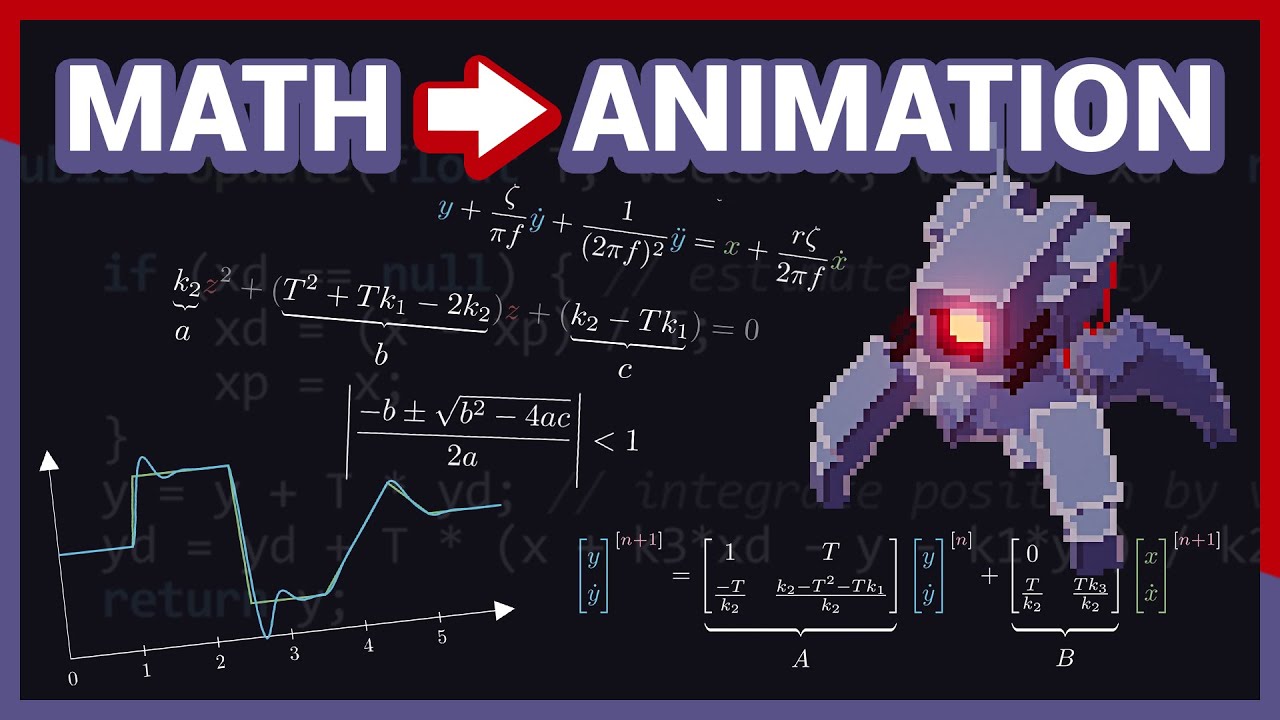
It's been a while since the last video hasn't it? I've made quite a bit of progress since the last update, and since one of the things I worked on was some procedurally animated characters, I decided to make a video about the subject. In particular, this video highlights the entire process from initial motivation, to the technical design, techni...
gusty estuary
fiery hound
https://youtu.be/KPoeNZZ6H4s
8:55 How does he draw this graph?? I would love to ...
not sure on his approach
but you can do it using vector API
available in 2022.1+
fiery hound
🙏 thank you
 torn blaze
hi, does anyone know how to add the cs-file to the ui on the gameview?
i built the entire ui in there, but it only obv only shows in the editor window, but i couldnt find that part it in the documentation
 dark blade
torn blaze
i built the entire ui in there, but it only obv only shows in the editor window,...
dark blade
torn blaze
i built the entire ui in there, but it only obv only shows in the editor window,...
you mean using UI Toolkit for runtime??, if that the case, you need to use UI Document(UXML) and if you right click on hierarcy in the UI Toolkit select UI Documet and drag your UXML there,
torn blaze
dark blade
you mean using UI Toolkit for runtime??, if that the case, you need to use UI Do...
Yes, so I can't code the UI as Visual Elements in C# if I want to use the UI in Runtime?
gusty estuary
torn blaze
Yes, so I can't code the UI as Visual Elements in C# if I want to use the UI in...
you can, but why?
might as well just use IMGUI 😅
at very least, styling part of code generated layouts will be painful
recompiling every time just to make slight changes and etc...
torn blaze
gusty estuary
might as well just use IMGUI 😅
Then I'll look into IMGUI 😂
gusty estuary

torn blaze
I'm new to making UIs in Unity haha
gusty estuary
then learn making UI properly
not through some homebrew approach
if you are after UI Toolkit - better literally read through all manual sections in docs for 2022.2
up until examples
torn blaze
Well I've tried everything except IMGui because in the documentation it was described as being for coding quick UIs during development process like dev settings or performance display
I'm just trying to find a workflow that's more consistent
torn blaze
Okay thanks
gusty estuary
in short:
uGUI - easy to make, hard to style. Average performance.
UITK - hard to make, easy to style. Very performant.
IMGUI - easy to make, hard to style. awful performance.
pick your poison
torn blaze
It's UITK then
What about adding interactivity? As in Mouse Events, Input Fields etc. Is one of these significantly better at that?
And thank you that already helped a lot
 viscid rain
Hi, I'm completely new with ui-toolkit so if my question is stupid don't bang your head on your keyboard (spoiler : ||it hurts||).
I'm trying to add dictionary support into my inspector (I need it but I also wan't to use this to understand the UI-Toolkit system for customizing editor), I've read the documentation, but couldn't understand clearly the way to create a working custom control for a generic structure.
Anyone have clear documentations or have time to explain it to me ?
PS: I try to do a generic dictionary control that will handle all serializable type of variables as key and value. (or at least, string as key and a custom serializable class as value)
gusty estuary
torn blaze
What about adding interactivity? As in Mouse Events, Input Fields etc. Is one of...
hard to make. At least harder than ugui.
But it is core part of any UI and uitk has it
 old gorge
I can't seem to get the default slider handle to not be transparent, this is the USS I have


What am I missing?
gusty estuary
old gorge
I can't seem to get the default slider handle to not be transparent, this is the...
use debugger
and see whether your style is overriden
most built in controls have ugly styles
which are not clear how to override
old gorge
gusty estuary
use debugger
How do I debug a runtime panel?
nevermind I found it
Setting opacity to 2 seems to fix it, don't know why since I thought its supposed to be between 0.0 and 1.0
old gorge
Oh its because I have an opacity set on a class in a parent element. Is it possible to apply a uss class to an element and not its children?
gusty estuary
old gorge
Oh its because I have an opacity set on a class in a parent element. Is it possi...
some styles are inherited
the way I see - you can create another style that overrides children
of specific class
but then
this will result in even more confusion
in case children want to have other style
why not just override opacity of root element for your slider?
old gorge
I want a background element to have an opacity, but I don't want the children to inherit the opacity. I'll just have to add another root element and have the background beside the other elements
gusty estuary
old gorge
I want a background element to have an opacity, but I don't want the children to...
Try overiding children approach
I guess that would be better
old gorge
gusty estuary
Try overiding children approach
That didn't seem to work, when I set the background opacity to 0.5 and the slider handle opacity to 1, it was still transparent. I guess the opacity property compounds
gusty estuary
old gorge
That didn't seem to work, when I set the background opacity to 0.5 and the slide...
You need to make a style that makes children of your main class opacity big enough to compensate for pare t
old gorge
Yeah that would work too
gusty estuary
It's what I have been suggesting all along 😅
old gorge
Lol my bad
 thorn summit
would someone know a tutorial on how to create an editor tab view?
 fickle dragon
hey all!
im trying to make a ui. i have units which are made of multiple child components, each has a sprite renderer. i want to get a ui image of the unit which should be all of the sprites if that makes sense. any idea how to do that?
 fiery mountain
anyone know if there is a ui toolkit way to display a model preview or even manipulate it? I want the inspector window and I don't want to create objects in the scene.
gusty vapor
fiery mountain
anyone know if there is a ui toolkit way to display a model preview or even mani...
Yes, you can use PreviewRenderUtility sadly it's undocumented https://www.blog.radiator.debacle.us/2016/06/working-with-custom-objectpreviews-and.html

Folks at #↕️┃editor-extensions can mostly help you out on how to use it
You can wrap it up in IMGuiContainer so it will be displayed in your uielement container
gusty vapor
thorn summit
would someone know a tutorial on how to create an editor tab view?
it can be done pretty easily,
A parent as a container consists of:
- VisualElement to contain all Labels. Add callbacks to those labels set as flex-row
- VisualElement as a display container where all your things would be shown when your press the tab

the trick is to change the opacity/colors of your labels when active/inactive
or just follow the official guide https://docs.unity3d.com/Manual/UIE-create-tabbed-menu-for-runtime.html
thorn summit
gusty vapor
it can be done pretty easily,
A parent as a container consists of:
1. VisualEle...
thanks
 fair gulch
I'm creating a custom inspector using UI toolkit in C# and I want to hide elements based on whether a specific boolean is true or false. It sort of does this already but I have to click off the object and then re-select it to see the changes. How would I do this at editor runtime?
dark blade
[SerializeField, Range(2, 11)] private int tubeCount;
        [SerializeField, Range(1, 2)] private int extraTube;
        [SerializeField, Range(4, 5)] private int ballCount;
``` here is my int variable in class, and im creating property drawer with ui toolkit simply for giving style as default style so boring, the thing is as you see there i have Range Attribute applied, if in property drawer im using IntegerField, those range were not apply, so im using slider int, even i did Bind the Property, the low and high value of slider isn't update, if im using property field then why i create property drawer???, i cant styling it...so what should i do??, do the only option are telling from uxml slider int low and high value? thanks in advancedhow to make RegisterValueChanged callback inline??, so if i make as methods its become
        private void AA(ChangeEvent<Enum> evt)
        {
            Debug.Log(evt.newValue.ToString());
        }
but how its looks if inline??, this are not worked
levelDificultyField.RegisterValueChangedCallback((evt) =>
            {
                Debug.Log(evt.newValue);
            });
works for me
look at compiler error
dark blade
there no compiler error for me _- , its just shown evt.newvalue null
gusty estuary
dark blade
there no compiler error for me _- , its just shown evt.newvalue null
go back to unity
and do ctrl + r
it should recompile and then show error what's wrong
and if no error - all good
dark blade
 dark blade

okay, looks like that become null unless i did something to changed the value
but here thing, allow me to show you what i want
           levelDificultyField.RegisterValueChangedCallback((evt) =>
            {
                if (evt == null)
                {
                    return;
                }
                switch ((ELevelDificulty)evt.newValue)
                {
                    case ELevelDificulty.Normal:
                        levelDificultyField.ToggleInClassList("property-enum__style--normal", levelDificultyClasslist);
                        break;
                    case ELevelDificulty.Hard:
                        levelDificultyField.ToggleInClassList("property-enum__style--hard", levelDificultyClasslist);
                        break;
                    case ELevelDificulty.Bonus:
                        levelDificultyField.ToggleInClassList("property-enum__style--bonus", levelDificultyClasslist);
                        break;
                }
            });
``` i want to change the enum text value color, to different color, base on its dificulty, normal= white, hard = red, bonus = green, and that toggleInClassList is extensions methods which looks like this
```cs

public static T ToggleInClassList<T>(this T target, string selectedClassName, params string[] classLists) where T : VisualElement
        {
            for (int i = 0; i < classLists.Length; i++)
            {
                target.RemoveClass(classLists[i]);
            }
            target.AddClassList(selectedClassName);
            return target;
        }
``` and i believe this are not a problem, so if you want achieve what i want how you will approach its?, thankscurrently its give this error
 gusty estuary
add cs to your code at the top
dark blade
which if i click on that error its goes to
                switch ((ELevelDificulty)evt.newValue)
                {
                    case ELevelDificulty.Normal:
                        levelDificultyField.ToggleInClassList("property-enum__style--normal", levelDificultyClasslist);
                        break;
                    case ELevelDificulty.Hard:
                        levelDificultyField.ToggleInClassList("property-enum__style--hard", levelDificultyClasslist);
                        break;
                    case ELevelDificulty.Bonus:
                        levelDificultyField.ToggleInClassList("property-enum__style--bonus", levelDificultyClasslist);
                        break;
                }
 dark blade
okay idid, sorry
gusty estuary
dark blade
which if i click on that error its goes to
```cs
switch ((ELevel...
which exact line?
also
the way you try to change style is just beyond weird
VisualElement has AddToClassList and RemoveFromClassList
which you should use instead
dark blade
switch ((ELevelDificulty)evt.newValue) is this line
 dark blade
gusty estuary
which you should use instead
dark blade
gusty estuary
which you should use instead
i want to toggle between 3 or whatever amount class list, so making its as extensions i believe its preferable, and i did check, its not a problem
anyway i did make sure if evt.new value is null, then return
gusty estuary
dark blade
```switch ((ELevelDificulty)evt.newValue)``` is this line
debug it
pretty sure
evt.newValue is not ELevelDificulty
thus you get throw on unsafe cast
dark blade
ooh, the problem again, at the first time, that evt new value is null, and that give an error
dark blade
the final code, although its looks stupid, but at least its worked

 flint wagon
Hi guys ! I am familiar with UIToolkit from building editor windows for tools but i am trying to get into using it for runtime game UI. For now, my UI is using uGUI, and it is an ui with a strong focus on opening/moving/closing windows that display data (character sheets, inventory and so on) with a lot of specific behaviours. I am thinking of switching to UIToolkit buuut... It kind of scares me. Especially since i like doing everything from C#, without creating prefabs and so on because i like to have things "modularly generated" if you will, depending on what i want to display. For example, i just started using it, and first thing i need is a way that my UI sets-up automatically in my scene (for uGUI i have a setup script that takes care of setting up canvas, event system and so on), but i struggle to do it from code with UIToolkit because i need to get some Pannel settings asset, Text Settings asset, Visual Tree Asset and so on. What are your takes on this? I am wondering if i'm maybe trying to use UIToolkit in a way it is not intended to and i might face more problems fighting with it to make it behave how it suits me than just stay with my old uGUI?
 static canyon
flint wagon
Hi guys ! I am familiar with UIToolkit from building editor windows for tools bu...
static canyon
flint wagon
Hi guys ! I am familiar with UIToolkit from building editor windows for tools bu...
I personally find UITK much better for this - specifically for me, having UI be a "view on the data" is what I care about.
Regarding grabbing resources like uxml's (VisualTreeAssets) - that's a bit of a pain. There are a few ways. My preferred is possibly MonoBehaviour references ScriptableObject which references the uxml. Ultimately though I recommend creating reusable components via custom UI elements comprised of just c#.
The other main thing missing from runtime is a binding system (they're working on one) but I kind of like having my own anyway - I know what my data is so I can make fewer generalisations.
Perhaps that's all a bit vague compared to what you're looking for.
gusty estuary
flint wagon
Hi guys ! I am familiar with UIToolkit from building editor windows for tools bu...
reworking UI heavy logic will be a lot of work
so better think twice if you want migrate
especially considering you don't know UITK yet

I recommend to read this through
especially on feature sheet
since UITK is purely panel based and has no depth at all - it's capabilities are very different to uGUIs
flint wagon
Welp basicly my game is an RTS with a lot of "management" functionalities. It is a Pirate Ship game where you manage and give orders to the crew in a top-down view. It has windows that can be moved, scaled, bring one to front or the other, units that have some windows in the style of a world of warcraft character sheet with stats and slots for items, i have inventories with drag and drop of items, tooltips, trading windows, abilities with ability bar that can be customized, some graph windows to display stats, then stuff like minimap that is procedurally generated on a render texture, compass, in-game chat, then everything about main menu with multiplayer lobbies, settings etc... What scares me the most is also that i have quite a few interactions between my UI and my 3D scene, like hovering over an object in 3D and display some tooltims in 2D UI at the cursor's position, aswell as some 3D space rendered UI (but i guess i can just keep using uGUI for this) and so on. What i am mainly interrested in by UITK is the hierarchy of nesting visual elements (which is the kind of system i implemented for my uGUI but that bring me some trouble for updating dimensions and positions, that leads to a headache labyrinth of events).
gusty estuary
is it Cursed Crew by any chance? 😅
flint wagon
it's a game i have been working on for past 4 years on my free time
flint wagon
Not really, but i have been doing some editor tools in Unity with UITK fot 3 months in my last tech artist position so i got "some" experience with UITK, just not for game ui and what i was doing was fairly simple, nothing as involved as an inventory with drag and drop and so on.
flint wagon
Yeah that's why i am weighting the pros and cons and wondering what you guys think about it
gusty estuary
it is quite good for UI heavy projects, but has enough limitations to still prefer uGUI
one for example: no custom material support
so if you are fine rendering only based of USS (clone of CSS) styles
then you MIGHT benefit from it
flint wagon
An other thing i am thinking about is to create some sort of "CSS" like components and better nesting system for uGUI that handles all this but i don´t know
gusty estuary
I suggest
to try UITK with some simple attempt to make some UI
for example
try to replicate your inventory stuff
but overall
expect to learn a LOT
flint wagon
Yeah i guess that's what i am about to do 🙂
Still need to figure out how to set it up for my scene from C# heheh
gusty estuary
I can recommend my framework as foundation as it fills many holes in UITK's current state
https://github.com/bustedbunny/com.bustedbunny.mvvmtoolkit

GitHub
Model-View-ViewModel Toolkit for Unity UIToolkit. Contribute to bustedbunny/com.bustedbunny.mvvmtoolkit development by creating an account on GitHub.
it's mostly about implementing data binding and localization into UITK
to minimize boilerplate code
flint wagon
do you think i can... get away with using UITK without having to set anything up in Unity Editor? Cause i am kind of "allergic" to this, i prefer to set-up everything via code based on the parameters that i want. (PTSD of previous work positions where managing the asset folder was the most project-killer factor).
gusty estuary
You'll need to create a bunch of settings asset, but it's 5 min work
also
UITK is XML based
meaning
you are meant to create it from XML
but there is UI builder
which is GUI for that kind of stuff
still, for UI heavy stuff you'll have to learn how UXML works
at some point
also, it's way more about having UI assets, isntead of code
even animations
those are done with styles
flint wagon
If i remember correctly, i used to not work with XML nor UIBuilder for building editor windows?
Can't i get away with just creating everything procedurally from C#?
gusty estuary
flint wagon
Can't i get away with just creating everything procedurally from C#?
then you better not use UITK
as you miss out all advantages
gusty estuary
flint wagon
If i remember correctly, i used to not work with XML nor UIBuilder for building ...
Editor is either IMGUI (old) or UITK (new)
but at some point you can make UI purely with C#
flint wagon
That's a bit of what i was scared about. It's not intended to be used that way and i think i will waste my time trying to work with it in a way it is not intended to
gusty estuary
but it's ok for editor
since it needs no styling
well yes, don't try to force your ways into it
instead learn it's way
and flow with it
😅
flint wagon
gusty estuary
Editor is either IMGUI (old) or UITK (new)
Yeah i was doing some editor windows in C# from UITK (even tho i have done some with IMGUI before).
Thing is, uGUI is fine for me. What made me think about UITK is that, at some point, my game "might" scale, and i might not be the only one to work on it anymore. And i doubt i would find artists that would get into making UI in C# the way i did and styling things in C# the way i did. So i thought i might get into UITK buuut it seems like it will be quite a hassle for me.
gusty estuary
yep, that's true
If you want a workflow where artist work is separated from coding work - my framework fits perfect
flint wagon
I'll give it a try this week-end and see what i can make out of it (and what i can learn)
gusty estuary
yeah, I have a sample
to look into
with tons of comments
on everything
but readme is a bit out of date
so if you'll need help - you can ping me
flint wagon
Nice, thank-you 🙂
gusty vapor
Any idea why B & C mouse events won't work there?
The callbacks registered successfully, and others with similar tress/structured worked flawlessly
 gusty estuary
you mean no mouseover?
gusty vapor
gusty estuary
you mean no mouseover?
Yes, I fixed it.. turns out the left container blocking the children on the right
gusty estuary
classic
gusty vapor
is it possible to get all top level children with Query?
gusty estuary
gusty vapor
is it possible to get all top level children with Query?
why query?
top level are in a list
gusty vapor
you mean this vis.Children().ToList()?
gusty estuary
or just Children()
 static timber
Hi, I've got a Question. I'm trying to add a onClick event to a Text-Mesh-Pro button, but when I'm trying to add the function to execute I can't select the method in the script.


What could I do to fix this?
gusty vapor
onClicks work on scene objects, meaning you can't dragndrop your script from asset folder
either way that's not uitk question
static timber
ohh sorry, I'm pretty new to unity and I though its a UI-tk question because its refering to UI.
But thank you anyways <3
 dense pendant
Hi. Does anyone know if there's a way to like ignore the automatic positioning? Like, I want to add a rectangle on top of a visual element but doing so it moves everything out of its place
dense pendant
okay thank you so much 😄
gusty vapor
nice
@gusty estuary is uitk has support for SVG ?
I mean without using the additiional vector graph package
gusty estuary
gusty vapor
<@331022224779771915> is uitk has support for SVG ?
Unity doesn't support SVG all together
they have some preview package
but it's not released
kekw
gusty vapor
well thats a shame
 light axle
Hello
I'm subscribing to a "clicked" event on a UI button.
When I disable the gameobject that this script is on, then re-enable it, the clicked event doesn't fire anymore.
Why not?
using System.Collections;
using System.Collections.Generic;
using UnityEngine;
using UnityEngine.UIElements;

public class PauseMenuManager : MonoBehaviour
{
    private Button _settingsButton;

    private void Awake()
    {
        VisualElement root = GetComponent<UIDocument>().rootVisualElement;
        _settingsButton = root.Q<Button>("ButtonSettings");
    }

    private void OnEnable()
    {
        _settingsButton.clicked += SettingsButtonClicked;
    }

    private void OnDisable()
    {
        _settingsButton.clicked -= SettingsButtonClicked;
    }

    private void SettingsButtonClicked()
    {
        Debug.LogWarning("Settings button clicked!");
    }
}
The button works when I first run the project, but then when I disable the menu gameobject and re-enable it, the button doesn't work anymore.
 gusty estuary
light axle
Hello
I'm subscribing to a "clicked" event on a UI button.
When I disable the g...
gusty estuary
light axle
Hello
I'm subscribing to a "clicked" event on a UI button.
When I disable the g...
Hierarchy is scrapped when uidocument is disabled
And gets rebuilt from scratch in onenable
light axle
ah, so I need to move this into OnEnable?
        VisualElement root = GetComponent<UIDocument>().rootVisualElement;
        _settingsButton = root.Q<Button>("ButtonSettings");
I'll try that
Yeah that worked, thanks @gusty estuary
gusty estuary
Keep in mind, this is slow if you switch enabled state often
 copper solar
For some reason after updating to unity 2023 (yes I know it is beta, but lets jus say there was a reason), I get
InvalidOperationException: Stack empty. at System.Collections.Generic.Stack`1[T].ThrowForEmptyStack () [0
Which is weird as it worked before update.
m_ListEntryTemplate here is just UXML template. Maybe anyone have any insights? did something changed on inniating methods ? as I cant find anything in documentation about that.
var newListEntry = m_ListEntryTemplate.Instantiate();
            // Instantiate a controller for the data
var newListEntryLogic = new TeleportListEntryController();
i dont get it, so its has warning, but from example in css and how the actual view looks, seems work

 copper solar
emmmm I am pretty sure you need to seperate scale and rotate.
gusty estuary
dark blade
i dont get it, so its has warning, but from example in css and how the actual vi...
they must be defined separated by , (or maybe some other symbol) and all values must be duplicated as well
fiery mountain
anyone know of a nice way to use the ScrollTo so it is animated and not so snappy?
gusty vapor
fiery mountain
anyone know of a nice way to use the ScrollTo so it is animated and not so snapp...
you can always peek at the source code https://github.com/needle-mirror/com.unity.ui/blob/bcaf41d4b8951d22b815239c497b34a6f9a4b79b/Core/Controls/ScrollView.cs
you can see how it's implemented there
fiery mountain
thanks
gusty vapor
it has built-in support to generate vector images
if you're working with vector api that is
kinda funny why they didn't make it to be globally supported in UItk
gusty estuary
backend of uitk is probably a big problem to Unity
so in order to release something they have to rework tons of stuff
 obsidian sedge
Hi everyone be any chance anyone know a way to change the position of a element in the hierarchy? i need to swap the MainCharacter with the other characters
 gusty vapor
you mean swapping them on runtime?
obsidian sedge
yes
So, I switched the character I'm playing with and now I gotta figure out how to make that change show up on the screen. I'm not really sure how to switch their positions though
 unborn bluff
How do I recieve events from selecting a button using gamepad?
The clickEvent doesn't really work for non-pointer based input
gusty estuary
unborn bluff
How do I recieve events from selecting a button using gamepad?
Button.clicked
unborn bluff
Is there a unified Event which can tell when a button is in focus (using gamepad) or just being hovered by a pointer?
I need to play an audio for buttons
gusty estuary
unborn bluff
Is there a unified Event which can tell when a button is in focus (using gamepad...
no unified
this is rather painful part of UI Toolkit
unborn bluff
A lot is undocumented as well
gusty estuary
not a lot
unborn bluff
Atleast proper examples are not there
gusty estuary
unborn bluff
Atleast proper examples are not there
of what?
unborn bluff
gusty estuary
of what?
All the different events and other use cases we may, the dragon example on assetstore is good but it's really takes along time to import
gusty estuary
unborn bluff
All the different events and other use cases we may, the dragon example on asset...
all events are documented in reference
(except for one group)
which is navigation I think?
don't remember
yeah, I guess it's navigaton events that are not documented
those are actually what you look for
kekw
allthough...
nvm
focus events should be way more useful for you
unborn bluff
gusty estuary
https://docs.unity3d.com/2022.2/Documentation/Manual/UIE-Events-Reference.html
I was searching for this page but I was looking at wrong place
gusty estuary
 static canyon
obsidian sedge
Hi everyone be any chance anyone know a way to change the position of a element ...
static canyon
obsidian sedge
Hi everyone be any chance anyone know a way to change the position of a element ...
BringToFront() might be what you want or possibly Insert()
unborn bluff
Hey, I just found that I can't navigate the button using my gamepad until I click on the screen first, (The game is in focus but still it doesn't work unitl I click somewhere on the screen using my mouse first)
I can't really assign anything to the First selected field of Event system as I could for unity UI system
obsidian sedge
static canyon
`BringToFront()` might be what you want or possibly `Insert()`
Insert() do the trick, thank you 
unborn bluff
For some reason my colors for buttons are different after I hover over them, they turn into a lighter shade of the color

Any idea why?
It only happens in game and not in UI-Toolkit preview
I have custom hover and focus class but they don't have this color
static canyon
unborn bluff
It only happens in game and not in UI-Toolkit preview
you should correctly see the hover state in UI Builder provided you have the theme correctly set and 'Preview' enabled
you can always use the debugger to find out why it behaves a certain way (though hover states can be a bit harder to spot)
unborn bluff
static canyon
you should correctly see the hover state in UI Builder provided you have the the...
It does work properly in UI-Toolkit preview
static canyon
unborn bluff
It does work properly in UI-Toolkit preview
as-in, it won't be different to game view
Although it's worth knowing there's a bug with UI Builder that (depending on Unity version I believe) when you switch theme it doesn't unload the previous theme - you need to reopen the uxml or trigger a save for it to refresh properly.
unborn bluff
static canyon
as-in, it won't be different to game view
Can you check on you machine if this happens once
Okay the .unity-button:hover is being added to these classes, is there a way to prevent it?
static canyon
unborn bluff
Okay the .unity-button:hover is being added to these classes, is there a way to...
change your style to eg
.pauseMenu-button.unity-button:hover { - though you will obviously need to override whatever value the other style is setting
unborn bluff
Even the debugger shows me no difference between them
Now I'm just confused
According to it all the colors are according to my style
But it clearly isn't
I guess this is just a bug
static canyon
possible but unlikely
unborn bluff
unborn bluff
The debugger shows all the same properties for these two buttons
I don't really know how else I should debug it
Also, it doesn't happen in UI-Toolkit preview so it's just hard to find the root cause
gusty vapor
there's is an issue with uielements can't be automatically focused on runtime when using NavigationEvent and it's derivatives.... you sorta need to force it to focus vis.Focus();
so navigating via gamepads or keyboards wouldn't be an issue
they're already working on fixing this
copper solar
Why on Unity 2023 I get error on webgl
- InvalidOperationException: Stack empty
when I call
VisualElement newListEntry = new VisualElement();
If I run it OnEnable or Start() then it works as intended. but I I run it in a function that was triggered by event I get this error.
gusty estuary
copper solar
Why on Unity 2023 I get error on webgl
```diff
- InvalidOperationException: S...
What event?
copper solar
gusty estuary
What event?
Just download JSON from API and making it into data I can use in project. In 2022 there were no issues with that part of the code and on editor in 2023 it works as intended. Now I am trying to replicate same issue on emty project. It could be some racing condition, but it is weird it appeared only after unity update. And always appears on exact same spot even if I add 10 second delay to it.
gusty estuary
What event is it?
copper solar
A delegate. Unity event
gusty estuary
UI toolkit should be called from main thread just in case
copper solar
If event was triggered not on main thread. The function which were called by the event will still run on main thread right?
I tested with just simple void and async void on triggered function, behavior was the same.
gusty estuary
No
Events are just continuation of trigger
Try uni task
And use Swithcing to main thread
This will ensure sync
Or wait
If it's 2023
It should be built in now
Awaitable api
copper solar
I am using Unitasks. But as Mentioned I tried puting all into simple void, the behavior were the same.
If it's 2023
It should be built in now
Awaitable api ```
emmmm? isnt it just for c++, and Threads still cant await normaly?simple void means it'll run on same thread it was called
Same for all uni task calls too
You need to switch to proper thread
await Awaitable.SwitchToMainThread()
copper solar
Oh, so if event triggers the void function, and that event was running not on same thread, then the void fucntion will continue on non main thread? As otherwise it should be main thread action.
will try your example with switching to main thread.
for unitask I should use await UniTask.SwitchToMainThread(); right?
gusty estuary
Yeah, it's expected that tasks will run on same thread where they were called
In normal c# you use synchronisation context
In unity it's much easier
gusty estuary
copper solar
for unitask I should use ``await UniTask.SwitchToMainThread();`` right?
Yeah
copper solar
gusty estuary
Yeah
I am building it again to confirm. But wouldn't this cause error on editor then as well? As uniTask async is anyways runs on main thread always on webgl.
copper solar
gusty estuary
await Awaitable.SwitchToMainThread()
Edited code with this. Still getting same error. So regardless if it runs on main thread or not I get this error.
copper solar
An update. I tried to start the same function with just delay instead of triggered by event. And that provided weird behavior. Delay was 20s, so all things must have been finished already. Out of 5 times, 1 time loaded correctly..............
gusty estuary
copper solar
An update. I tried to start the same function with just delay instead of trigger...
provide a full stacktrace
and code where it happens
copper solar
gusty estuary
provide a full stacktrace
https://pastie.io/btohrl.cs
Above is logs I get. Below is code that runs.
This is seperate new project, with this code there are no problems what so ever........ I dont understand....
copper solar
gusty estuary
provide a full stacktrace
This code returns error provided. This is simplified code to see exact problem. This code sometimes works, like 10% or less.
https://pastie.io/jdpygg.cs
Question I created totally separate project with this code:
https://pastie.io/yvjbrx.cs
Which works without problems.
I am bit confused.
gusty vapor
@gusty estuary how can we know if mouse is going up/down with mousemove event?
gusty estuary
?
gusty vapor
evt.start < evt.now?
gusty vapor
gusty estuary
?
i need to know if the move is move up or down
gusty vapor
yes
nevermind.. mousemoveevent works if mouse is within the element that's registered apparently
I think I need manipulators instead
I'm making this basically

so user can just drag up/down to increase the value
unborn bluff
Is there a state/selector for when a child element is in focus state?
gusty vapor
you can add callback to your visualElement https://docs.unity3d.com/Packages/com.unity.ui@1.0/api/UnityEngine.UIElements.FocusEvent.html
unborn bluff
gusty vapor
you can add callback to your visualElement https://docs.unity3d.com/Packages/com...
I was hoping there was a way using css selectors but yeah, this is how I am doing it right now
gusty estuary
unborn bluff
Is there a state/selector for when a child element is in focus state?
focused pseudostate
unborn bluff
gusty estuary
focused pseudostate
How do I propagate the state state change to a parent element?
gusty estuary
?
unborn bluff
Like I have a container with multiple buttons, so I want the container's color to change when a button is focused inside it
gusty estuary
oh
hm
take a look at selector manual
there are descendant/child selector options
unborn bluff
Okay let me see 🤔
 gaunt tiger
Where do I register a button's clicked event? It works in Awake-method, but if I SetActive(false) and SetActive(true) of that gameObject, it seems to no longer work. Are the events automatically unsubscribed somehow?
gusty estuary
gaunt tiger
Where do I register a button's clicked event? It works in Awake-method, but if I...
you register it when elements are created
if you rely on creation from within UIDocument - you must do it in OnEnable
they are not unsubscribed
they are literally discarded
UIDocument instantiates uxml file in OnEanble every time
gaunt tiger
Ah, I moved the code in question to the OnEnable-method and it works now, thank you!
fiery mountain
anyone know the optimal size for a ui document? I kind of ended up with a fairly large one that was for many different views. Those views themselves were their own uxml but were referenced in the main document. What are the general rules or guidelines on the amounts of elements? Or does it not really matter?
gusty estuary
fiery mountain
anyone know the optimal size for a ui document? I kind of ended up with a fairl...
There are no guidelines for this
just try to separate things that are not relevant
for example main menu hierarchy away from runtime hud
so that you can optimize and discard main menu from memory while it's unused
fiery mountain
Yeah, sadly i'll have to test stuff out. I trying to find a clean workflow for deciding things such as when to use templates and when to use custom control visual elements, among other things.
anyone have a nice way to use templates with custom controls? I have one that feel hacky.
As in loading a template into a custom control
gusty estuary
why not just instantiate template from within target uxml then?
fiery mountain
So I wanted to have the custom control have specific values and behaviors defined in code. I wanted a designer to come in and potentially modify the structure of the control without a developer needing to change the code.
gusty estuary
fiery mountain
So I wanted to have the custom control have specific values and behaviors define...
but if element can be done with other elements, why not just let designer decide how to do it?
fiery mountain
It isn't about using other elements it is more of allowing them to restructure the elements in the control how they would like. Like the designer could say it should have X Y Z. after those things are setup if they would need to change it to be X Z Y or maybe putting X Y into another visual element ( VE ) that's added to the root for different layout and then having Z also on the root then you have
root: {
VE: {
X,
Y
},
Z
}
code version is always
root: {
X,
Y,
Z
}
which structure changes would require a developer to come in and modify things
gusty estuary
I still don't get what code can do with structure, what uxml can't
fiery mountain
It is more about combining both and loading the UXML from the code of the custom element so that the UXML is defining the structure.
but the custom element still has all the behaviors and states
copper solar
Anyone knows which UI shaders are that causes error for me? This is webgl, on Editor it is fine.
Or what could cause these errors? Something with UI, but I cant find where. It is unity 2023
gusty vapor
@gusty estuary how'd you find rootVisualElement with query?
gusty vapor
thus I asked 😄 .. this for custom Editor
I just need to get the rootVisualElement without knowing them before
gusty estuary
then you don't have query
in the first place
no?
anyway
getting root is simple
gusty vapor
so I gues I can just recursively look for it backwards?
gusty estuary
get panel
it has root property
or
if not attached to panel
yeah, recursive will do
There might be a helper method for that as well
gusty vapor
gusty estuary
There might be a helper method for that as well
yes, I saw this in the source code awhile back, just can't find it now for whatever reason
gusty vapor
well this works
            VisualElement prevParent = null;

            for (int i = 0; i < len; i++)
            {
                VisualElement parent = null;

                if (prevParent == null)
                    parent = visualElement.parent;
                else
                    parent = prevParent.parent;

                if (parent != null)
                {
                    prevParent = parent;
                }
                else
                {
                    foreach(var f in prevParent.Children())
                    {
                        if(f.name.Contains("rootVisualContainer"))
                        {
                            return f;
                        }
                    }
                    return null;
                }
          }
lmao
gusty estuary
gusty vapor
well this works
```
VisualElement prevParent = null;
f...
why do you rely on name
sounds like bad solution
gusty vapor
bcos EditorWindow's rootvisualelement is not the ancestor
so there's a parent of rootVisualElement in EditorWindow
which you don't want to get
and they return random names for the rootVisualElement itself
e.g: "rootVisualContainer5 or 6 etc"

well GetMethod works too, but that's worse than via magic string
gusty estuary
👴
you could just get pre-last parent
if it's very very root
go one level below
gusty vapor
@gusty estuary is the Pixel size in UItk already based on screen's aspect ratio or not?
gusty estuary
only some styles are scaled
the way they scaled is defined in panel settings asset
gusty vapor
e.g : 300px in 1920x1080 resolution will be 300 x aspecRatio in 4k?
I'm doing that manually just in case
gusty estuary
by some I mean font size
gusty vapor
but planning to remove them if it's already calc by uitk
gusty estuary
most other don't
gusty vapor
oh ok
it's for lib so i need to make sure it would scaled properly across resolutions
(without having to rely to panel settings, bcos it would be used for custom editors as well)
 winged oak
Hi, i am trying to instantiate an item Slot (VisualElement), like this:
slots[i] = slotTemplate.Instantiate();
But my IDE says that Instantiate is not known, but in docs, it is referenced as new alternative to "CloneTree", seen here: https://docs.unity3d.com/ScriptReference/UIElements.VisualTreeAsset.CloneTree.html
winged oak
EDIT: solved, i was declaring the vartype as "VisualElement" which is wrong, i had to use "VisualTreeAsset".
fiery mountain
winged oak
EDIT: solved, i was declaring the vartype as "VisualElement" which is wrong, i h...
Are you trying to create the visual element of it? Otherwise you would want to use CloneTree() which will return a TemplateContainer which is a VisualElement
winged oak
fiery mountain
Are you trying to create the visual element of it? Otherwise you would want to ...
Hey thanks man, i have it working now with Instantiate(), but CloneTree() works too (i tested 👍).
 rough scarab
2023.2.0a11
UI Elements: Added icon support to the Button control.
Nice
gusty estuary
not clear what your question is about tbh
gusty vapor
@gusty estuary how can I get the center point of visualElement?

in the video as you can see, the generated lines does not spawned in the center of the grid
this is vector api btw
gusty estuary
gusty vapor
<@331022224779771915> how can I get the center point of visualElement?
rect?
you have layout
it has all data you need
gusty vapor
why vis.worldBound does not give the center position tho?
gusty vapor
aight, lemme try
gusty vapor
man, vector api feels like the exact copy of SkiaSharp 😄
gusty vapor
@gusty estuary
 gusty estuary
?
gusty vapor
testing generating vector graphics
 hard pewter
My input field has flex-grow: 1, but when I enter some value there, it grows despite having still ton of space left. Im a noob in ui-ux stuff, pls help ;-;
 hard pewter
meh i made flex-grow:0 and width in percentage. Not the same but it will do it
gusty vapor
0 = no grow
1 = yes grow
🙂
gusty vapor
it's a fun little project, just to test the vector api
 gusty vapor
@gusty estuary do you know how to move vertices programatically in uitoolkit?
gusty vapor
found it 😃
unborn bluff
Does anyone know how to resize the background of a VisualElement at runtime? When I set style.width and style.height, it changes the size of the VisualElement but not the Background
 gritty rose
This is interesting, does it actually generate the vector shapes even if it's outside of bounds (mask)?
Yes, there's a bunch of characters, but still really odd how it could accumulate so many verts / tris even if it's not even visible.
fiery hound
Can anyone point me to a not-outdated guide on how to make a list reorderable. I've found some resources on ReorderableList, which I believe is what I want, but most are outdated. I'm trying one now but I'm wondering if anyone might have a good resource :)
Or an asset package to just slap an attribute on a list to make it reorderable!
oh wait it's default behavior......
mb
Instead it's opt-out https://docs.unity3d.com/ScriptReference/NonReorderableAttribute.html
fiery hound
I assume UIToolkit, I didn't know about ListView, thanks!
fiery hound
    public class Range
    {
        private float _min;
        private float _max;

        public Range(float min, float max)
        {
            if (min > max)
                throw new ArgumentException("min must be less than or equal to max");
            _min = min;
            _max = max;
        }
    }
    [CustomPropertyDrawer(typeof(Range))]
    public class RangePropertyDrawer : PropertyDrawer
    {
        public override void OnGUI(Rect position, SerializedProperty property, GUIContent label)
        {
            // base.OnGUI(position, property, label);
            var min = property.FindPropertyRelative("_min").floatValue;
            var max = property.FindPropertyRelative("_max").floatValue;
            EditorGUILayout.MinMaxSlider(label, ref min, ref max, min, max);
        }
    }
Nothing is showing in my property drawer. What am I doing wrong?
ah I didn't put [System.Serializable]
rough scarab
This is IMGUI, not UIToolkit btw. Should have been asked in #↕️┃editor-extensions
fiery hound
Thank you
fiery hound
rough scarab
This is IMGUI, not UIToolkit btw. Should have been asked in <#533353544846147585...
If I'm trying to create a property drawer, would that be IMGUI too or is there a UIToolkit way?
rough scarab
There is a UIToolkit alternative, it's all in the property drawer docs
fiery hound
I've created a UXML file for my property drawer and just want to clone the tree in my code. I've seen people connect the reference for the UXML file to a public VisualTreeAsset field for use on a ScriptableObject but I don't know how I'd do this for a property drawer, as I can't just drag and the drop the reference since it's not an asset.
 limber elbow
Hey all, I'm attempting to learn the new UI builder as part of my honours project, I want to implement this type of menu into unity using the UI Builder but I have no idea on how to do it, my C# knowledge is limited and with the new system it's proven hard to grasp, any advice, videos, docs would be great, I've included a Adobe XD video of how the system should work :) If you need more info/vids just ask!
 gusty estuary
I hope they just finally use Jobs and Burst
Burst is heavily underused by Unity
and for some reason
some devs say that they plan to move something to C++ from C#
for performance
meanwhile burst 
gusty vapor
vector api botched connections... also those verts jump out of screen kind of unexplainable..
 gusty estuary
I'm honestly not sure what use case for that API even is
gusty vapor
wdym, if done properly you can do lots of things with it, custom shapes, dynamic charting system etc
similar to what SkiaSharp can do in c#
and lots of folks would tempted to make their own UI framework with it
fiery hound
fiery hound
I've created a UXML file for my property drawer and just want to clone the tree ...
12 hours later I'm still stuck on this D:
 solar zodiac
Hey, guys! It is possible to integrate a 9-slice sprite into UI Tookit? Example: button, pop-ups… Thanks in advance!
fiery mountain
anyone know what style classes exist or what vars exist that i need to override to change a unity toggle checkmark
or should i just go with a custom control to make life easier?
I got the styles changed to look decent but when the check is active it is always the default check mark sprite.
gusty estuary
fiery mountain
anyone know what style classes exist or what vars exist that i need to override ...
just inspect element in debugger or UI builder
and see all styles yourself
fiery mountain
I found it, it was the :checked
just really annoying you have to basically add every variant of the states as well
gusty vapor
@gusty estuary any idea why DragPerformedEvent won't work?
gusty estuary
gusty vapor
<@331022224779771915> any idea why DragPerformedEvent won't work?
no idea
barely touched editor stuff
gusty vapor
MouseMoveEvent works, but not dragperformed
gusty estuary
you use it in editor panel?
gusty vapor
yes
gusty estuary
no idea
gusty vapor
is that runtime thingy? I don't think it's runtime only
oh wow.. that's how supposed to be used

The name is very misleading tbh
in my head DragPerform is similar to MouseDown + MouseMove
crazy
gusty vapor
@gusty estuary I made dragging interface via PointerMove but if the mouse move quite fast the object can't follow the mouse and get detached from the event
do you know how to handle this?
gusty estuary
you mean mouse leaves object and that triggers your dragging to stop?
gusty vapor
yes
gusty estuary
then I think you need to handle stopping of dragging without relying on that event
on mouse button up
gusty vapor
on mouse button up, it will trigger other things which is not ok in this case
give me a sec
it's for this
 gusty estuary
I can't imagine why dragging shouldn't rely on mouse up for ending
gusty vapor
sadly the mouse icon didn't get recorded
but you can see there when the movement stops
in the middle of fragging
gusty estuary
why is it a problem to just stick element to mouse until button is released?
gusty vapor
hmm... pretty sure I tried that already
lemme check
wait no
... you'd still need to update the position which should be done via move events
gusty estuary
gusty vapor
... you'd still need to update the position which should be done via move events
why not rely on direct mouse input?
when you rely on events only
you are kind of limited
and introduce a lot of complexity
when they overlap
gusty vapor
overlapping would not be an issue here, I want to move things like you'd in the scene view but in custom editor 🙂
gusty vapor
oh, I think I can assign another PointerOut event so it would move to mouse pos if the dragging is still happening
rough scarab
I'm not sure what exactly you're doing but remember you can capture the pointer, which will enable you to force events be routed to your control
 hexed mirage
hello there, Im very new to UI toolkit; was wondering how should I handle different UI layouts, should I use just one UI document and enable the containers with the layouts I need or should I create a different UI document per layout I want?
for example I have this debugging UI which will be toggled with a key, and now I want to include a UI that contains the actual player UI (Inventory slots, etc)
 unborn bluff
What's the recommended way to way to have a color be synchronized all my elements right now?
Can it be done with something like the global variables available in UI toolkit?
dark blade
got this error, and seems like come from this place
#selection-grid__tittle-icon {
    width: 30px;
    height: 30px;
    background-image: url('project://database/Packages/com.unity.collab-proxy/Editor/Collaborate/Assets/Icons/added-file-light.png?fileID=2800000&guid=397fff6c3885f8343bb65714f0064b5d&type=3#added-file-light');
}
especially on this section
background-image: url('project://database/Packages/com.unity.collab-proxy/Editor/Collaborate/Assets/Icons/added-file-light.png?fileID=2800000&guid=397fff6c3885f8343bb65714f0064b5d&type=3#added-file-light');
what actually the problem??, if i commented that line the error gone
 rough scarab
dark blade
got this error, and seems like come from this place
```
#selection-grid__tittle-...
rough scarab
dark blade
got this error, and seems like come from this place
```
#selection-grid__tittle-...
what's the warning in the console say (you may have to re-save the asset to get it to trigger again)
dark blade
i just close the project, may i ping you later the error?, thanks
copper solar
why is so UIToolkit don't really wanna to make it for world space as well? is it because it is too difficult? Or what would be the reason? is it heavy on performance?
It is still under considerations from what I saw in road tree
dark blade
rough scarab
what's the warning in the console say (you may have to re-save the asset to get ...
here the error looks like
 rough scarab
dark blade
here the error looks like
rough scarab
dark blade
here the error looks like
I have no idea what ScalableImage is. Is SelectionGrid your asset?
rough scarab
dark blade
its just a uxml docment at the moment
Is there no actual warning on the USS that has the problem? That error is not the clearest thing
I think you should avoid using random icons from deprecated packages
dark blade
yeah i guess something like that, its the spesific icons problem, when im using other icons, no problem at all
thanks
gusty estuary
copper solar
why is so UIToolkit don't really wanna to make it for world space as well? is it...
because it's panel based
implementing it in world space is possible even now, it's rather clunky
but it'll always be flat panel
as it has no 3d transform
copper solar
Yea we can just render to texture and have it as UI, but i dont believe that is scalable. But isnt Canvas also 2D based in deep deep code?
gusty estuary
copper solar
Yea we can just render to texture and have it as UI, but i dont believe that is ...
Canvas is mesh/texture based
it's literally just game object renderers
not very good for performance in long run
copper solar
But now we end up with Canvas that is not performance friendly and Uitoolkit which in 3d space is not performant, but is performant in Overlay. so it is non performant anyways, but you at least wont need to use two text fonts assets that are up to 50mb or more on some languages 😄
dark blade
looks like UI Toolkit even already exists for couple years, still missing lot of thing compare the basic HTML CSS, and this just for editor purpose where visual(animation) doesnt need looks crazy, for clarification i have 0 knowledge on HTML CSS, but i dont think even if Unity apply neat stuff from CSS to USS, unity Animation to powerfull to be not used, so my question is, where i can see development progress of this UI Toolkit??
unborn bluff
unborn bluff
What's the recommended way to way to have a color be synchronized all my element...
Bump
gusty estuary
dark blade
looks like UI Toolkit even already exists for couple years, still missing lot of...
also, UITK has animations
gusty estuary
unborn bluff
What's the recommended way to way to have a color be synchronized all my element...
style
unborn bluff
gusty estuary
style
Can I change style values from scripts?
gusty estuary
unborn bluff
Can I change style values from scripts?
no, but you can change style
I mean
remove style from elements add another
What's the use case?
unborn bluff
gusty estuary
no, but you can change style
Can we create our own global variables like the default variable we can choose in ui toolkit
Because that's what I actually need, I need to have specific color I can adjust accross multiple style and elements
gusty estuary
unborn bluff
Can we create our own global variables like the default variable we can choose i...
I suggest to go through this to better understand how styling works
https://docs.unity3d.com/2022.2/Documentation/Manual/UIE-USS.html
and no, variables are not dynamic
once it's applied
can't be changed
dark blade
gusty estuary
https://docs.unity3d.com/2022.2/Documentation/Manual/UI-system-compare.html
using transition property?
unborn bluff
gusty estuary
I suggest to go through this to better understand how styling works
https://docs...
I understand all this
gusty estuary
dark blade
using transition property?
yeah, transition animations
unborn bluff
But this way it becomes a hassle if I want to update/experiment color pallet for my menus, I need to change color across each and every style I have defined all over my project 🤔
gusty estuary
unborn bluff
But this way it becomes a hassle if I want to update/experiment color pallet for...
what's the use case, sir?
dark blade
gusty estuary
yeah, transition animations
that sufficient for editor use, but runtime??, a simple animation like that really looks bad on runtime for me
dark blade
dark blade
that sufficient for editor use, but runtime??, a simple animation like that real...
like looping animation, sequence animation, etc
gusty estuary
all doable with transitions
unborn bluff
gusty estuary
what's the use case, sir?
I have a generic menu system that I use across multiple scenes, and I need to have unique color pallet for them in each of them, based on scene theme, right now I have to create new style for each and every one of them
gusty estuary
unborn bluff
I have a generic menu system that I use across multiple scenes, and I need to ha...
I really suggest to just go through all this once again.
https://docs.unity3d.com/2022.2/Documentation/Manual/UIE-USS.html
There are many USS selectors you can use to achieve this in a very simple fashion
dark blade
gusty estuary
all doable with transitions
any example on looping and sequence animation with Ui Toolkit??, really want to see how its actually setup
gusty estuary
dark blade
any example on looping and sequence animation with Ui Toolkit??, really want to ...
not that I know of
I never needed this
I only use transition for things like: mouseover, clicks and etc
user interactions basically
you can also animate stuff through code
unborn bluff
gusty estuary
I really suggest to just go through all this once again.
https://docs.unity3d.co...
Sorry for asking once more, but could you be a bit more specific which uss selector you think could be useful for this kind of case?
gusty estuary
unborn bluff
Sorry for asking once more, but could you be a bit more specific which uss selec...
child selector
you put class "menu-red" on root. and then create all sorts of styles that will affect children of menu-red
dark blade
gusty estuary
not that I know of
like simple popup settings menu(maybe the element drop one by one from outside pos to designated position, while on half time each drop color changing animation happens, then on all of that drop, background image opacity become 1, in split seconds, this one of super simple animation using Unity Animation, or Custom Tween Sequencer, but looks dificult if not impossible on UI Toolkit, and this just a normal animation happens on UI, not talkit more neat complex animation stuff
unborn bluff
gusty estuary
you put class "menu-red" on root. and then create all sorts of styles that will ...
Yeah that's kind of what I am doing right now, what I was actually saying is that in ugui it was much easier to reference said values from a script and update ui objects but I can't do it in ui element because I can't really do transition then
gusty estuary
dark blade
like simple popup settings menu(maybe the element drop one by one from outside p...
that looks simple enough to me
just make your animation styles specific to elements
and then apply that style to elements when you want them to fade-in
remove when you want them to fade-out
dark blade
gusty estuary
that looks simple enough to me
its might annoying to you, maybe 4 element drop one by one from outside pos to target pos, how will you apply in UI Toolkit??
gusty estuary
simple transform animation
but annoying part - you'll need 4 different styles for each delay amount
animation itself can be reused at the same time
gusty estuary
unborn bluff
Yeah that's kind of what I am doing right now, what I was actually saying is tha...
why can't you?
dark blade
gusty estuary
just make your animation styles specific to elements
i guess needed C# for that, to store total animation time, then on spesific time, add style to element??, like this
gusty estuary
everything about styles or elements is exposed to you in C#
there is even one crazy guy, who made a framework that creates UITK layout completely from C#
glad it's deprecated 😅
gusty estuary
dark blade
i guess needed C# for that, to store total animation time, then on spesific time...
no
everything about animation is defined in USS styles
dark blade
oo using delay property there?
gusty estuary
yes
there is delay
transition time
each can be defined for just specific properties
unborn bluff
gusty estuary
everything about styles or elements is exposed to you in C#
I'll try making a simple enough workflow that suits my use case 🤔
gusty estuary
so for example fade happens fast, and then position transition
gusty estuary
unborn bluff
I'll try making a simple enough workflow that suits my use case 🤔
better avoid going into inlined C# styles
unless it's really hardcoded (for example custom controls)
dark blade
ok thanks @gusty estuary might came again later
unborn bluff
It's just easier for me to use a global ui manager and change a few colors over there to see changes across all my elements than to update each style manually
gusty estuary
this is kind of a bad pattern generally
unborn bluff
gusty estuary
this is kind of a bad pattern generally
Oo, I didn't know that
gusty estuary
well, depends on use case ofc
unborn bluff
What's the recommended way then?
gusty estuary
what's the use case?
unborn bluff
Right now it just helps me prototype faster and experiment with my colors in each level faster
gusty estuary
I meant use case for your ui
but anyway
you shouldn't brutforce your own way into UITK
instead just learn it's way
and flow with it
unborn bluff
It works as an hud to show level info and all that
unborn bluff
gusty estuary
instead just learn it's way
Yeah I guess I should use ugui for some parts 🤔
gusty estuary
mixing uGUI and UITK for overlay will be painful 🙂
just stick to uGUI if you don't have enough time to invest into UITK. It's really different from uGUI to just jump into it and use in production
unborn bluff
gusty estuary
mixing uGUI and UITK for overlay will be painful 🙂
I think I should use ugui for overlay and UITK for menus 🤔
Just a quick question
Is there a way to define global variables/constant (even if we can't change them later)?
Like I have a few constant values but right now I have to enter them manually everytime
gusty estuary
unborn bluff
Is there a way to define global variables/constant (even if we can't change them...
constants only
gusty estuary
Yes, it is explain really well here 🙂
https://docs.unity3d.com/2022.2/Documentation/Manual/UIE-USS.html
unborn bluff
gusty estuary
Yes, it is explain really well here 🙂
https://docs.unity3d.com/2022.2/Documenta...
Sorry for troubling you and thanks for your time today 😅
gusty vapor
dark blade
using transition property?
you can lerp those styles now normally like any monobehavior with the new style transform api with inline code too..
gusty estuary
yeah, for looping animations, that's probably what I'd do too
gusty vapor
Having multiple animations on a single visualElement are pain in the buttocks with transition api, doing it inline is the way to go for now.
also iirc you can't can't cancel your animation if you're using uss/uxml
gusty estuary
gusty vapor
Having multiple animations on a single visualElement are pain in the buttocks wi...
why would you cancel?
you just transition to target
mouseover style not required anymore? animate back to non-mouseover version
gusty vapor
early termination is important for ui, like when you want to skip some fading etc
bcos users tend to move their mouse quickly from one point to another
gusty estuary
for example: you have buttons that grow slightly and change color on mouseover. user hover mouse over all of them quickly. They barely change color and size and as soon as mouse leaves - they just transition back from current state = really slightly.
it looks cool as well
gusty estuary
gusty vapor
or perhaps I just didn't know how to do it XD
this is so amusing to me. You work with advanced stuff and yet barely know basics 🤣
gusty vapor
I'm not doing ui stuff at work, I'm just digging the framework just for hobbies and make libraries for weekend projects 😄
imho UITk is a pretty cool as a concept, it's just it's not there yet now.. for now atleast
this form a fact I worked a lot with SkiaSharp at work for internal dev tooling for both ue and unity
by similar I mean, just the vector api
 sour hawk
after making a build I noticed that if I don't use English letters, the UIDocument element's text won't be displayed.
is there any way to support non English letters?
- it displays fine in the game tab of the editor.
gusty vapor
Try changing your font
Most likely it's the classic issue of a font not supporting other languages
sour hawk
indeed that fixed the issue,
added a default font asset.
 scenic matrix
for UI Builder is there a way to click and drag the UI when positioning it? or do I have to use Margins
also is there any way to set the viewport to 60-65% instead of just being forced to 50% or 75%?
copper solar
does anyone have example or resources to how to make UItoolkit create plac for list and it would act exactly like list in editor ui, like drag and drop elements to change order and etc
gusty estuary
copper solar
does anyone have example or resources to how to make UItoolkit create plac for l...
You can't add placeholders in UI Builder sadly
So when making lists - gotta check in runtime
or
you can create custom control
which queries that list
and fills it with your blank data
copper solar
Thanks. so I just need to create it via code and fill it via code.
Another question, how to access these buttons code?
listView.Q<Button>("unity-list-view__add-button").clickable = new Clickable( () => {}```
or there is normal way to do so?
this is listView
I am trying to make Editor window as a tool to help me out, but still strugling with finding correct materials to learn 😄
gusty estuary
copper solar
Thanks. so I just need to create it via code and fill it via code.
Another ques...
use debugger
to inspect hierarchy internal structure
copper solar
Oh okay, so just Query way, there is no default "ListView" footer references. thank you so much
reason I asked because by default it have some kind of event on it, and if I click it it gives error in console. So was afraid if just adding new event wont give same error and my code...
but just adding new value it seems old one is removed so all good.
copper solar
I am honestly suprised how UI Toolkit lacks of youtube turorials tho. Aka new ones, as not all old ones still shows best practices. Tho Unity project example is really nice.
gusty estuary
copper solar
I am honestly suprised how UI Toolkit lacks of youtube turorials tho. Aka new o...
it's not very popular
uGUI popularity snowballs it's usage
while UITK is a bit raw alternative that lacks possibilities compared to uGUI
copper solar
what about you, do you like uitoolkit more or uGui?
copper solar
ufffff
 gusty estuary
copper solar
ufffff
gusty estuary
copper solar
ufffff
this is probably documented for ListView
Backend for most uitk controls is barely documented
copper solar
yea, just trying to figure out how to bind data correctly. when I update data on UI to get updated on my list, which have custom element 😄
this does not help 😄
tho, my project documentation is even worse soooo I know 😄
gusty estuary
assign makeItem, bindItem, unbindItem/destroyItem (if needed)
and itemSource
then call RefreshItems when your collection changes
or RefreshItem(ind) when some item in collection needs updating
(it won't add or remove items though)
all of this
is in examples section
of manual
copper solar
to add remove i need to redraw everything? Yea I see example with label, but was not able to add data correctly yes, I guess maybe it was refresh items problem. But my case is not label, but need visual element that have two vectors 3 for rotation and position. so getting lost there
copper solar
thanks, will play now with refresh maybe it actually worked fine.
Sorry for disturb you, but how
Func<VisualElement> makeItem = () => new Label();
how to make make custom visual element instead of generic label.
            VisualElement transformDataVisuals = new();
            transformDataVisuals.Add(new Vector3Field( name = "position"));
            transformDataVisuals.Add(new Vector3Field( name = "rotation"));
I need something like that.
Func<VisualElement> makeItem = () => transformDataVisuals ;
Or I need to create like some new class with initialisation and etc?
private class TransformDataVisualElement : VisualElement {
            Vector3Field position = new Vector3Field();
            Vector3Field rotation = new Vector3Field();
        }
like something like that? or I need create
or I need to create template and then copy from visual tree?
gusty estuary
copper solar
Sorry for disturb you, but how
```c
Func<VisualElement> makeItem = () => new La...
in makeItem you provide constructor
something that creates new instance
rough scarab
You can return anything (appropriate) from the makeItem delegate, why not just return your "custom visual element"?
You should use bindItem to perform any configuration on that element
copper solar
Trying to do so in bind items to make assign correct values. Not tested yet, as realized that UItoolkit dont have Quaternion field and need to transform it to vector 3 first
 rough scarab
I often ask myself why people don't just use property fields/drawers, this is feeling like one of those times
copper solar
not that, it just in my custom element that I use array have Quaternion as data. and i just want to show that data in ui..
copper solar
rough scarab
I often ask myself why people don't just use property fields/drawers, this is fe...
most likely because they don't even know how to merge custom ui and property drawers together ^^
copper solar
thank you, will research on that.
tho was able to complete basic implementation thanks to you guys. Not perfect but at least working. Still can't correctly use property drawers in Editor window of custom UI toolkit but maybe will find out later, thanks anyways.
 rough scarab
You just need to call Bind with the SerializedObject on the root element that contains property fields when you're done, and it will populate them
copper solar
I know it must sound super simple for you guys, but for me it is still just connecting step by step.
[Serializable]
public class TransformData {
    public Vector3 position;
    public Quaternion rotation;
    public TransformData(Vector3 p, Quaternion r) {
        position = p;
        rotation = r;
    }
    public TransformData() {
        position = new Vector3();
        rotation = new Quaternion();
    }
}
So what is the best way to display List <TransformData> boothSpawnLocations;?
I know on editor just [Serializble field] will show it perfectly, but as I creating EditorWindow I get lost.
rough scarab
You can serialize things into Editors as they are just Scriptable Objects
You can then create a SerializedObject from the editor, and gets its properties, and use a PropertyField
 idle halo
Hello, i have problems to sliced an image in ui toolkit? is posible some help with this?
gusty vapor
Mirror mode for my shape gen tool for UIToolkit 🥳

Quadratic maths are pain in the buttocks 
any body knows how to reuse the vertexes without re-allocating in vector api?
 winged nexus
Hello all. So I understand USS doesn't currently support something like CSS' text-transform to a specify a Label's capitalization. It would be very useful to our team (complex UIs that need styling in various themes), but we can't really think of any workarounds that come with significant downsides.
Anybody have experience solving this issue?
gusty vapor
wdym with label capitalization?
winged nexus
gusty vapor
wdym with label capitalization?
Basically, whether text is rendered as-is, converted to upper case or lower case.

The text-transform CSS property specifies how to capitalize an element's text. It can be used to make text appear in all-uppercase or all-lowercase, or with each word capitalized. It also can help improve legibility for ruby.
gusty vapor
even if that's supported, proly it won't be as-useful as you may thought, at least to others
you can easily do your logic in c# for this
winged nexus
gusty vapor
you can easily do your logic in c# for this
Can you? The best we could come up with was to query the entire tree for any Labels with classes from a configurable list of "needs this capitalization", then convert the text in them.
But that seems quite error prone, and unlikely to play nice with any dynamic text or things like localization.
gusty vapor
Sure, something as simple as this
myLabel.RegisterValueChangedCallback(x=>{myLabel.text = x.newValue.ToUpperInvariant;});
thats for uppercase you'd need to adjust it to your needs
Don't do it like that if you can, instead make a custom Label of your own then do your logic internally there
winged nexus
Yeah, the unfortunate downside of that is that then the decision of whether to capitalize essentially gets saved to your UXML, which kind of goes against the idea of separating semantics and style.
In this case we need the same UI to sometimes have a capitalized style, sometimes not, depending on the theme.
gusty estuary
winged nexus
Similar to https://developer.mozilla.org/en-US/docs/Web/CSS/text-transform
It could be supported by rich text tags
<lowercase>
<uppercase>
winged nexus
gusty estuary
It could be supported by rich text tags
Hmmm, cool, but also bizarre how that's possible in rich text tags, but not in styling. Even so, doesn't change much, because you still have to go in and add the tags yourself, which is much the same as just ToUpper'ing it directly.
But thanks for the input everyone. Good to know we're not missing something obvious.
rough scarab
winged nexus
Hmmm, cool, but also bizarre how that's possible in rich text tags, but not in s...
It's been ported from Text Mesh Pro as a part of the Text Core internal package, which is why it supports rich text.
I'm sure they'll get around to adding it via styles eventually
winged nexus
Btw, found a slightly "cleaner" workaround for now. We use font assets anyway (the TextCore version), which also allows us to create a duplicate asset where the lower case characters are also mapped to the upper case glyphs. Then we can at least just use that different "font" where necessary.
 serene harbor
Hi everyone, I've recently started getting my head around the UI Toolkit and specifically the VisualElement class for running the code for UI logic. That said, what is best practice to use this for? Right now I have been putting the logic for button clicks, and input field change events in this class (subscribing to them on the callback of GeometryChangedEvent, which I have subscribed to from the constructor).
My first questions mainly is, is this the correct way I should be doing this? Or will doing it this way result in my subscribing twice to logic somehow if the on geometry change event is called twice (or can only one listener be active at a time with these?)
Secondly, I wanted to have a kind of splash screen where the UI pops up, shows a logo and then fades it out. Usually I would use a coroutine for this, start it on Start() and then doing yeild return while fading out the coroutine across a period of time. However I am unsure on if it is even possible to run logic like this in a visualElement, would I need a monobehaviour for this? And if so what would be the best way to set this up?
For a bit more detail on what I'm working on, its a UI driven app. That doesn't do any other logic in the game scene. Right now I have all UI's on a single UI Document, but on different Visual Elements that I was planning on disabling and enabling on pressing buttons, to navigate the app.
Honestly, any help on what is best practice for this sort of thing would be appreciated. I'm quite new to UI Toolkit and would like to learn a more robust way of doing things rather then relying on bodging things and developing bad habits.
rough scarab
serene harbor
Hi everyone, I've recently started getting my head around the UI Toolkit and spe...
why are you subscribing in GeometryChangedEvent and not the constructor or another place? What's the geometry changing got to do with subscribing to input?
Maybe I'm missing what you're trying to do, but it sounds confused. Just Query for the elements you care about in OnEnable from another component on your UIDocument and subscribe to input there. If you make any dynamic changes, (un)subscribe when they happen.
serene harbor
rough scarab
why are you subscribing in GeometryChangedEvent and not the constructor or anoth...
Hi Vertx, as I said I'm quite new. It just happened to be that the tutorials I was using to get my head around all of this where registering the call-backs in there. I've done a bit more research since posting that and it seems that there really isn't a specific way people tend to set things up.
Right now I'm instead using a MonoBehaviour for each "UI panel" that is just finding and subscribing to everything on awake. However, the initial video I'd watched seemed to want everything to be put on the custom VisualElement class, I think my confusing is coming from the fact that it is both possible and seems to recommended in a fair few cases online to do everything in VisualElements sub class, while other tutorials are mainly using mono-behaviours.
They also seem to only really show the setup of one panel. Not how other panels would necessarily interact. That said I do think I have made some progress now using just the MonoBehaviour approach. I still do feel like I'm doing things wrong, but potentially I'm just trying to over complicate things that don't need to be.
rough scarab
You should only need to subclass VisualElement if you want to make a completely custom visual element that behaves in a unique way
serene harbor
Ah okay, thanks. I'll avoid doing that for now then. I do have another question though related to setting up UI behaviour, In the case of the mono behaviours, is there an easy way to get listeners for on enable events for visual elements? For example I want to add on enable and disable logic for when I turn on or off one of my UI's but since the monobehaviour is always active in the scene it wont trigger anything. Is there a way to subscribe to the visualElement.SetEnabled(true) event?
rough scarab
serene harbor
Ah okay, thanks. I'll avoid doing that for now then. I do have another question ...
For when you enable and disable a UIDocument? Or something else?
serene harbor
The visual elements. So I have a single UI document in which has 5 "screens", just the groupboxes. These get enabled and disabled by navigating with the buttons. Since they aren't game objects though or mono behaviours I'm unsure on how to listen for them turning off and on.
(This is also something I am unsure on for being good practice, i have seen online that having all ui on one document can have some benefits (something to do with it being more performance as there are less draw calls) however I have also seen people use multiple ui documents for each screen.
Which is better in your opinion to do?
gusty vapor
I wish vector api has Vector.rotatetowards this operation kinda pain when doing it manually in vector api
 hazy coral
Is UI toolkit the best option for making UI? I tried making a main menu screen with it for my game yesterday, and it seemed really fast and easy to use for the visual side, but there are not a lot of tutorials / info on the scripting etc. I'm heavily relying on GPT4 for coding, and UI toolkit is newer than it's training data, so I'll have to paste in lots of documentation when I want to script something.
My game will basically have no in-game UI, only a main menu, esc menu, and a level selector with various options and tabs (there will be probably 50+ levels, so adding them to the list must be easy)
 languid pond
Hi. probably a question asked a several times, but I failed to find an answer in the web with my keywords I align with my issue. With the UI Toolkit, I'd like to prevent a raycast hit on game objects, when I click an ui toolkit element / button.
gusty estuary
languid pond
Hi. probably a question asked a several times, but I failed to find an answer in...
it's a thing by default
languid pond
gusty estuary
it's a thing by default
Mmmhh, really. It maybe is then because I use a different action map for my gameplay compared to the UI Input System Handler?
gusty estuary
what is?
languid pond
gusty estuary
what is?
I use action maps of the InputSystem I set up for my gameplay actions. In addition, I have the event system and InputSystemUIInputModule component on a gameobject. The latter is set to use the defaultinput actions. If I click a button of my UI Document it fires its clicked event but also a raycast is possible, that hits a game object.
gusty estuary
oh
for this you can use EventSystem.IsCursorOverGameObject
or write something more complex if method above does not suit you
you can manually check click against Panel
languid pond
gusty estuary
for this you can use EventSystem.IsCursorOverGameObject
Ah great, I'll try this. Thanks.
gusty vapor
hazy coral
Is UI toolkit the best option for making UI? I tried making a main menu screen w...
I know this is a UItoolkit channel, but if you just started there's nothing wrong using the ugui.. that said, there are learning curves when dealing with uitoolkit
languid pond
gusty estuary
for this you can use EventSystem.IsCursorOverGameObject
Tested, weirdly, the method returns true, although I hover a button of my ui document (checked in Update() method of my InputController component). The button is clearly touched, as it shows the hover state.
gusty vapor
I think he meant to say IsPointerOverGameObject instead of cursor
 muted fiber
hey so I'm just starting to learn the ui builder and i was wondering if anyone knows how to make the buttons inside of the ui builder play sounds when the mouse hovers over them, I can make it change color and transform it but it doesnt seem to have an option to add sounds. Anyone know if this is possible and how to do it?
hazy coral
I'm working on a level selector. I've made this so far. I'd like to have the #LevelList to contain a "gallery" of thumbnails of level packs in my game, with the name and possible other info underneath each thumbnail. I'd like a high-level overview of what I need to do to achieve this?
It doesn't seem to be possible to just add them as VisualElements into the listview manually, so I'm guessing I'll have to create some "template" level thumbnail in UI builder and then have some list of different level packs and their respective thumbnails to replace the template stuff and have them listed in the #LevelList?
 gusty estuary
hazy coral
I'm working on a level selector. I've made this so far. I'd like to have the #Le...
gusty estuary
hazy coral
I'm working on a level selector. I've made this so far. I'd like to have the #Le...
if you want to make premade list
just use normal visual elements
not ListView
hazy coral
Can that be scrollable?
gusty estuary
For scrollable use ScrollView
hazy coral
ListView has a ScrollView nested inside, what's the difference?
gusty estuary
list view generates items based on collection
scroll view is just normal container with scroll
hazy coral
So how do I add items into a ScrollView, I can't seem to just drag and drop VisualElements inside?
gusty estuary
you can
hazy coral
Well why doesn't it let me?
gusty estuary
works fine for me
hazy coral
Never mind, now it works for me too
gusty vapor
hazy coral
ListView has a ScrollView nested inside, what's the difference?
Another thing, you should be considerate on how things shown in ScrollView due to it it not being pooled
While ListViews are pooled by default
but I doubt you'd show hundreds of items in a scrolview at once 😄
hazy coral
Is the correct way to add images to set them as the background of a visual element? And if so, why does the image appear stretched no matter what scale mode I set? I'd like it to get cropped instead.
 gusty estuary
should appear exactly what you set
hazy coral
Yes but all of the scale modes stretch the image
gusty estuary
I don't think it's true
hazy coral
Here is what it should look like

The scale and crop doesn't actively stretch it when rescaling the label, but just setting that mode makes it horizontally stretched for no apparent reason.
The problem was apparently that I had this on

 dense scaffold
With UIToolkit ... is there a 'correct' way to register for changes on a PropertyField so that you ONLY get a callback when the value changes?
RegisterValueChangeCallback is called (by Unity) when nothing has changed - in particular: entering/exiting Playmode. With non-PropertyField fields I can look at the ChangeEvent and "if( previousValue == newValue ) return;", but since PropertyField's special listener breaks the ChangeEvent contract I can't see how to detect 'this is not a real changeevent'
gusty estuary
dense scaffold
With UIToolkit ... is there a 'correct' way to register for changes on a Propert...
not really, but I implemented a library that does it
GitHub
Model-View-ViewModel Toolkit for Unity UIToolkit. Contribute to bustedbunny/com.bustedbunny.mvvmtoolkit development by creating an account on GitHub.
dense scaffold
Thanks, that's an interesting project. Too much for me to use today, but good to know about for other projects. Are you using it any games already?
gusty vapor
dense scaffold
RegisterValueChangeCallback is called (by Unity) when nothing has changed - in p...
this doesn't look correct
pretty sure they added check to the setter like this if(_value == value) return; as their default
what unity version you're using?
yeah, that doesn't look correct

so only changed value would be notified
dense scaffold
2019 onwards I get changeevents where "value == value". Some disappeared in 2020/2021, but I still get them on PropertyField in particular when Editor switches to Play mode - it seems that when it (de-)serializes the GameObjects to switch into play mode it issues a 'change' for overwriting each value with ... the value it already had
dense scaffold
gusty vapor
what unity version you're using?
I'm using this in an asset, so it has to work in 2020-2021. Do you know when the change was made? (would be good to know, then at least any hack I put to workaround this for now I can put in an '#if ! UNITY_2024_1_OR_LATER' and delete the hack when Unity drops support for current versions
gusty vapor
gusty estuary
dense scaffold
Thanks, that's an interesting project. Too much for me to use today, but good to...
yes, I am developping it mainly for myself - so I can make my own games faster
dense scaffold
gusty vapor
this sucks.. those *internals* <:kekwait:1068131295483408394> https://github.co...
I gave up fighting it, and now use this to just accept Unity staff have an unhealthy obsession with abusing 'internal', and that we should ignore them and just expose all internals as standard: https://github.com/adamgit/PublishersFork/blob/main/EngineForks/WorkaroundUnityInternal.cs

GitHub
Unity3D core API fixes - NOT released by Unity, but heavily used by AssetStore publishers - PublishersFork/WorkaroundUnityInternal.cs at main · adamgit/PublishersFork
(It was XRInteractionToolkit that broke me - it was literally unusable in the first few releases without exposing internals, because half the bugs required you to invoke internal methods / use internal fields to fix/replace them)
gusty estuary
gusty vapor
this sucks.. those *internals* <:kekwait:1068131295483408394> https://github.co...
just use asmref trick
gusty estuary
dense scaffold
I gave up fighting it, and now use this to just accept Unity staff have an unhea...
it's not unhealthy
it lets stuff to be used among different assemblies
and if you want to use it
you can expose it even to your own
 daring schooner
Can someone tell me why is everything perfectly aligned and looking good in the simulator before play mode and gets completely messed up after clicking play?


 north verge
So, I have this list view that lists a series of serializable structs. When expanded it looks fine, but the list doesnt shrink down when elements are collapsed. Its probably due to how I'm setting it up, but I just don't know how to properly do it. This is the code i'm using to make the UI. ```cs
public override VisualElement CreateInspectorGUI()
{
root = new VisualElement();
var visualTree = Resources.Load(_resourceFilename) as VisualTreeAsset;
visualTree!.CloneTree(root);
var aliasesListView = root.Q<ListView>();
aliasesListView.fixedItemHeight = 90f;
return root;
}

 gusty estuary
north verge
So, I have this list view that lists a series of serializable structs. When expa...
gusty estuary
north verge
So, I have this list view that lists a series of serializable structs. When expa...
you have fxiedItemHeight
north verge
gusty estuary
you have fxiedItemHeight
Mhm, not sure what alternatives there are since the other item height stuff seems to be obsolete, and not specifying it just seems to result in this
 gusty estuary
north verge
Mhm, not sure what alternatives there are since the other item height stuff seem...
gusty estuary
north verge
Mhm, not sure what alternatives there are since the other item height stuff seem...
use dynamic
dark blade
``` selectedIndexField.SetValueWithoutNotify(clampValue);```` does set value without notify also not changing value display of integerfield?
gusty estuary
dark blade
``` selectedIndexField.SetValueWithoutNotify(clampValue);```` does se...
just check
it's a bit unclear, because value is internal to field itself
so who knows how unity implemented it
dark blade
        private void OnValueChanged_SelectedIndex(ChangeEvent<int> evt)
        {
            if (evt.newValue == evt.previousValue)
                return;


            var clampValue = Mathf.Clamp(evt.newValue, 0, bindProperty.arraySize - 1);
            if (clampValue == evt.previousValue)
                return;

            if (evt.previousValue != -1)
            {
                items[GetIndexFromRelative(evt.previousValue)].RemoveClasses(activeClassName);
            }

            selectedIndexField.SetValueWithoutNotify(clampValue);
            Debug.Log(selectedIndexField.text);

            items[GetIndexFromRelative(clampValue)].AddClasses(activeClassName);
            onUpdateSelectedItem?.Invoke(selectedIndexField.value);
            evt.StopPropagation();
        }
``` tbh the problem are not clear to me, in terms of what cause it, so i have integer field, and since there is no min and max in its uxml attribute, i check when the value change, maybe the way im implemented wrong too, but as from the code,
1.   If new value are same last then skip,
2.  then i clamp the value in between 0, and the size of Array SerializeProperty
3. again if results from clamp are same with last value then skip
4. if last value are not -1(did assign before) remove class from last element
5. now came to Setvalue notify, if my last value are 1, then i try to input 91, the value correct become 1 since my array only has 2 element(0, 1) at the moment, but if i put 17, the value still 17...what are the problem?don't set without notify
set normally
but check
whether new value is different from previous written
to avoid crash loop
do it in callback as you get value. Check if it's valid (clamped) if it's not, clamp and write again, but remember what you wrote
dark blade
i will try later then thanks
 pliant mortar
Hello, I'm tyring to change the background color of the uitoolkit canvas like this. But when I run the game the background is transparent (not red). Could you please tell me what is the problem ?
 gusty estuary
pliant mortar
Hello, I'm tyring to change the background color of the uitoolkit canvas like th...
gusty estuary
pliant mortar
Hello, I'm tyring to change the background color of the uitoolkit canvas like th...
create a visual element and make it red instead
no idea why canvas background doesn't work tbh
maybe it's editor only (?)
pliant mortar
gusty estuary
create a visual element and make it red instead
It works. Thanks 🙂
 ruby dome
Is rich text supported for text fields ?
gusty estuary
I guess there's only way to find out 🙂
ruby dome
I ask because i find it weird that the textfield does not propose to enable RT but its TextElement does..
gritty rose
Is this a bug with UI Toolkit viewport?
When I zoom in, the checkerboard disappears (from right to left) depending on the zoom
Using Unity version: 2022.2.1f1
 gaunt rock
Not sure if this is the right channel to ask but anyone have any tips on making ur UI look nice
more fluid like
gritty rose
gaunt rock
more fluid like
add animations
gaunt rock
do u have any suggestions on good looking animations for say a loading screen and other stuff free stuff i can just download and use?
its for a school project so i just want some quick decent looking stuff
also any suggestions on being able to keep UI properly scaled with resolution\aspect ratio
if anyone can help me out please dm me or @ me :)
gusty estuary
if you want quick - uitk is not good choice
gaunt rock
what would you suggest then?
gaunt rock
@gusty estuary
 sullen ledge
how do you (or can you?) add buttons to a ui toolkit ListView? I've added buttons to a list which is set as the items source, but that just shows up as text.
Relevant code:
        choiceList = explorationUI.rootVisualElement.Q<ListView>("choiceBox");
        for (int i = 0; i < 5; i++)
        {
            TemplateContainer template = buttonTemplate.Instantiate();
            Button btn = template.Q<Button>();
            btn.text = "Button" + i;
            //choiceList.Add(templat);
            choices.Add(btn);

        }

        choiceList.itemsSource = choices;

 mellow silo
Is there a good tutorial for how to UI toolkit out there somewhere? This just feels really unintuitive for even some of the most basic stuff (How do I get stuff to lock to the bottom of the screen instead of the top? Is there a way to let a child object be bigger than its parent, and if so, how? Is there a way to hide the default button background while keeping a background image? All three of these things are important for what I'm doing, and seem like they should be relatively easy to do, but I'm not seeing anything for any of them.), so any decent tutorial would be really helpful.
mellow silo
gusty estuary
Manual is best
I already tried looking in there, and it doesn't answer any of my three given questions, at least from what I've seen. I do admit that I might have been looking in the wrong place, though.
gusty estuary
If instead of diving into action you'll read manual from start to end
Most of yout questensions will be answered
It's mostly just first 2 sections
Uxml and style
serene harbor
Hi everyone, I was wondering. Is there a way to get UI Toolkits Size field to use vw, and vh as a value rather then just pixels, % or auto? I want to make a square button, that sits on my UI however I also want it to scale correctly in case the screen size changes. So for this I want a percentage. However, if I do it as a percentage of height, there is no guarantee that width will also have been changed to keep the same ratio. Is this possible?
gusty estuary
I made a square element
one sec
    public class SquareElement : VisualElement
    {
        private MainSide _type;

        public SquareElement()
        {
            RegisterCallback<GeometryChangedEvent>(GeometryChanged);
        }

        private void GeometryChanged(GeometryChangedEvent evt)
        {
            switch (_type)
            {
                case MainSide.Height:
                    style.width = resolvedStyle.height;
                    break;
                case MainSide.Width:
                    style.height = resolvedStyle.width;
                    break;
                default:
                    throw new ArgumentOutOfRangeException();
            }
        }

        public new class UxmlTraits : VisualElement.UxmlTraits
        {
            private readonly UxmlEnumAttributeDescription<MainSide> _side = new()
                { name = "Type" };

            public override void Init(VisualElement ve, IUxmlAttributes bag, CreationContext cc)
            {
                base.Init(ve, bag, cc);
                ((SquareElement)ve)._type = _side.GetValueFromBag(bag, cc);
            }
        }

        public new class UxmlFactory : UxmlFactory<SquareElement, UxmlTraits> { }

        private enum MainSide
        {
            Width,
            Height,
        }
    }
use it as root container for your squares
static canyon
serene harbor
Hi everyone, I was wondering. Is there a way to get UI Toolkits Size field to us...
Just wanted to mention that your PanelSettings has scaling options (Constant pixel size, scale with screen etc) - you may want to choose a setting appropriate for your use-case before you get too far into your layout.
serene harbor
Ah, @gusty estuary and @static canyon thank you both. I'll have a look at the code above and also into the panel settings ^-^
north verge
How can I make it so that these lists are collapsed by default?
 mellow silo
Is there a way to have only certain parts of a specific VisualElement be replaced in code? Take the attached mockup as an example; is there a way for me to replace the black in the image with an image without affecting the yellow?
 gusty vapor
if they're images then no?
Just make a VisualElement with yellow borders and a black backgroundColor
you can change the border color or the backgroundColor without affecting others
gusty vapor
north verge
How can I make it so that these lists are collapsed by default?
You can see in the debugger what that foldout called in the hierarchy then do Query and set value to false.. (assuming those are foldouts)
not quite sure if there's a built-in property for this.. My guess is none
gusty vapor
if there's no other foldouts in the hierarchy and only one of it you can just do
var f = vis.Query<Foldout>().First();
f.value = false;
and as said assuming it uses Foldout, otherwise... well
serene harbor
Hi everyone, I was wondering if there was a way to have a listener on a Visual Element being turned on and off, either through doing:
visualElement.Enabled(true);
visualElement.Enabled(false);
Or by changing its style to hidden
visualElement.stely.display = DisplayStyle.Flex;
visualElement.stely.display = DisplayStyle.None;
I have some mono behaviours in my scene that are controlling the logic of different elements on the UI, however I would like them to reset to a default state (for example clear a password field on enabling / disabling it). Is this possible?
gusty estuary
serene harbor
Hi everyone, I was wondering if there was a way to have a listener on a Visual E...
there's SetEnabled
this makes button inactive
serene harbor
I know sorry, I mean for other scripts to work as listeners. Kind of like how one script can turn a game object on and off but the actual objects monobehaviour calls OnEnable and OnDisable. So the idea is that I could have 30 different places that could navigate to a screen and turn it on, however on activating I want it to run some logic. I'd rather not have to put the call / reference to the monobehaviour that will run the code in all 30 places, rather have it done automatically
gusty estuary
so what exactly you want from uitk?
you should have game logic enable your screens on and off
not screens do that
serene harbor
What I have at the moment a MonoBehaviour linked to each screen, then on pressing different button on the screens they will navigate around. On these MonoBehaviours I have RegisterCallback<ClickEvent>'s for each button that then disables and enables the screens.
Since there are several places that button can take you back to the same screen, it seems silly to me to have to call a reset defaults on the monobehaviour in every instance, especially if I am already having to access the visual element to turn it on seperalty. So what I was thinking was to see if I could use the MonoBehaviour to have a callback for turning itself on, then calling its own OnEnable code for running reset defaults events.
gusty estuary
my approach on this is using messenger
everything connected to one message bus
and when anything sends a message
for example
"OpenMainMenu"
everything subscribed to it reacts
this is slightly more expensive than direct event subscription
but keeps architecture very modular
gusty vapor
or you can make your own OnEnable/OnDisable directly in your VisualElement
    private void OnGeometryChanged(GeometryChangedEvent evt)
    {
             if (evt.newRect == Rect.zero)
             {
                 // "Likely", DisplayStyle was set to None
             }
             else if(evt.oldRect == Rect.zero)
             {
                 // "Likely", DisplayStyle was set to None and is back to Flex
             }
    }
that is if you're using DisplayStyle
gusty vapor
serene harbor
Hi everyone, I was wondering if there was a way to have a listener on a Visual E...
yes you can see above
serene harbor
Ah brilliant, thank you both. I might look into the later option for now, and see if I can get it by creating a custom OnGeometryChanged event in the VisualElement class.
Thanks you ^-^
gusty estuary
serene harbor
Ah brilliant, thank you both. I might look into the later option for now, and se...
please don't
making you game logic rely on UI is such a bad move
I saw actual game production where units were updated by UI screens
this is so bad
serene harbor
Right now this is just for a simple app that doesn't have much functionality other then UI's I know it would be a bad idea to do proper game logic but for now its just something really simple. Is it really that bad an idea to do this though?
gusty estuary
serene harbor
Right now this is just for a simple app that doesn't have much functionality oth...
even for UI based apps
State of visual element
Must not be entry point
 sly atlas
gusty estuary
```cs
public class SquareElement : VisualElement
{
private MainS...
sly atlas
gusty estuary
```cs
public class SquareElement : VisualElement
{
private MainS...
I tried that block of code to test it out, because I'm trying to figure out extending from VisualElement myself. I'm getting an error with there being no UXML factory. any hints on how you go about fixing this?
gusty estuary
?
sly atlas
Sorry, never mind I was in the wrong namespace.
dark blade
public class SideBar : VisualElement
{
private readonly string ussFilePath = "Assets/Project Agni/PA UI Toolkit/Editor/Side Bar/SideBar.uss";
private const string ussClassName = "side-bar";
private const string tittleLabelClassName = ussClassName + "__tittle";
private const string buttonClassName = ussClassName + "__button";
private const string elementClassName = ussClassName + "__element";
private const string activeClassName = ussClassName + "--active";
private const string elementLabelClassName = elementClassName + "-label";
public new class UxmlFactory : UxmlFactory<SideBar> { }
public new class UxmlTraits : VisualElement.UxmlTraits
{
UxmlStringAttributeDescription m_sideBarTittle = new UxmlStringAttributeDescription { name = "sideBarTittle", defaultValue = "SIDE BAR" };
public override void Init(VisualElement ve, IUxmlAttributes bag, CreationContext cc)
{
Debug.Log("A");
base.Init(ve, bag, cc);
}
public override IEnumerable<UxmlChildElementDescription> uxmlChildElementsDescription
{
get
{
yield break;
}
}
}
``` where did i go wrong, why my ```UxmlStringAttributeDescription m_sideBarTittle = new UxmlStringAttributeDescription { name = "sideBarTittle", defaultValue = "SIDE BAR" ``` not showing up in inspector dark blade
anyone?
static canyon
dark blade
anyone?
as it uses reflection you have to conform to some pretty strict rules. I believe your SideBar class will need a string with a matching name - e.g. public string m_sideBarTittle;
 tawny flax
dark blade
anyone?
tawny flax
dark blade
anyone?
Try public new class UxmlFactory : UxmlFactory<SideBar, UxmlTraits> { }
fiery mountain
anyone know of a way to have an object field only show specified items when the user would click the circle on the field?
More filtered than just specified type. I might have objects with the same type but don't want those specific version to be available when selecting. I know i could do a value change check and not allow it and revert it. I would like to be able to do it beforehand.
dark blade
tawny flax
Try `public new class UxmlFactory : UxmlFactory<SideBar, UxmlTraits> { }`
forgot to say thanks, so its worked as you said, miss the UxmlTraits on UxmlFactory class, although its looks like this
and this is the code UxmlStringAttributeDescription m_sideBarTittle = new UxmlStringAttributeDescription { name = "Side Bar Tittle", defaultValue = "SIDE BAR" };
first problem althought its not important, why its Side bar tittle instead of Side Bar Tittle and second problem why default value are not applied?
 tawny flax
dark blade
tawny flax
dark blade
-_- dangit, forget that for a moment , is this a bug?


all my uxml UI builder are blank like that, but the uxml scripts still looks good
when i click all the error, its didnt go to anywhere
did commented all code did before, still the same
damn
fiery mountain
the name of the property isn't matching or something
can you show where you get it from the bag and the field/prop that it is assigned to?
dark blade
https://hatebin.com/qolrtswbsb im commented its out, still the error there
using unity 2021.3.16f1
tawny flax
Maybe it doesn't like missing element? You commented it out
dark blade
its seems like that, after remove the side bar from puzzle creator UXML the error gone, but could you help me what wrong with that script i share??, its the full scripts at the moment, i have zero clue where i am wrongh
https://pastebin.com/x7tzCDVM here all the side bar scripts
Pastebin
Pastebin.com is the number one paste tool since 2002. Pastebin is a website where you can store text online for a set period of time.
tawny flax
What do you mean what is wrong with it? What problem do you have with it? What should happen but doesn't?
dark blade
nah, fine for a while UxmlStringAttributeDescription m_SideBarTittle = new UxmlStringAttributeDescription { name = "SideBarTittle", defaultValue = "SIDE BAR" }; this where the problem before, isntead of name = "SideBarTittle", i do name = "Side Bar Tittle" no space allowed
https://pastebin.com/X0csn7tW worked nicely for now, thanks for the help....its frustating and fun at the same time haha...
Pastebin
Pastebin.com is the number one paste tool since 2002. Pastebin is a website where you can store text online for a set period of time.
tawny flax
dark blade
nah, fine for a while ```UxmlStringAttributeDescription m_SideBarTittle = new Ux...
Usually it's side-bar-title. Have you used your attributes in UXML?