#archived-code-advanced
1 messages · Page 202 of 1
 hoary pendant
 regal olive
so like this? ```cs
private i = 0
private max = 10
void Awake() {
function(max)
}
void function(int _max) {
if(i < _max) {
i++;
function(max);
}
}
 urban warren
regal olive
so like this? ```cs
private i = 0
private max = 10
void Awake() {
function(ma...
urban warren
regal olive
so like this? ```cs
private i = 0
private max = 10
void Awake() {
function(ma...
Exactly
 undone coral
your game looks nice
 compact ingot
dual contouring for mincraft style terrain makes no sense
then its not minecraft style
sharp features in DC are just estimations based on the neighboring voxels, they arent necessarily accurate to what the SDF formula can express, CD is still bound by the sampling resolution
sure, you can make it work
but a full DC implementation is actually quite heavy (computationally)... i'd actually not use it if performance is a concern
how big are your cells/chunks?
and have you parallelized it in any way?
ok
you'll probably also run into performance issues with the SDF sampling if it uses many geometric shapes
so those may need some optimization so you don't sample all of them all the time
 kind sigil
Editor scripting. I need to be able to look up a given instantiated GO and retrieve the Prefab asset that was used to prefabricate that GO. Is there API utility for this, if so, let me know.
 wind badge
Never tried this specifically but I'd look in the AssetDatabase docs
 misty glade
K so this might not be a code specific question, but... I've recently set my app up to automatically create a new account if a user connects with an unknown device ID. The app requires user input ("tap to login") to do so.. However, since I deployed this morning (internal track only) to google play, I've had several new accounts created. Does anyone know if google does some sort of automated device testing against private apps? I have some limited user metrics, they all come from a 10.240.. IP (I don't know if that's helpful) and have a variety of device types/OS


 fickle inlet
Hey, I am writing an announcer/messenger that notifies players on events in the game. I'd like to find some resources on best practices and design patterns? I have written mine but I am not satisfied, i'd rather read about similar topic and do it the right way
 sly grove
fickle inlet
Hey, I am writing an announcer/messenger that notifies players on events in the ...
sly grove
fickle inlet
Hey, I am writing an announcer/messenger that notifies players on events in the ...
I'd look into the observer pattern, and an event bus/queue kind of system
At the simplest - all you need is a queue of Notification objects, and then an object that is always pulling Notifications from the queue and displaying them one by one. The notifications can be "pulled" as in "check constantly for new notifications", or it can be a push/event system (which is where the observer pattern comes into play)
undone coral
misty glade
K so this might not be a code specific question, but... I've recently set my app...
there's a possibility they have automated testing, and this is the origin of what you're seeing. the private ip address range there is pretty idiosyncratic
whose login system is this? all yours from scratch?
misty glade
yeah, it's uh.. actually an azure IP since.. duh, it's behind azure perimeter stuff
yeah
(mine - from scratch)
i originally had a pretty robust username & password thing with tokens, hashcash and salted & hashed passwords, and my designer told me it's all not necessary, we'll just use device ID to track users so there's no forgot password or 'play your account on another device' needed
which sort of sucks because that effort was a good week
3/4 of the way through this article https://docs.microsoft.com/en-us/azure/architecture/example-scenario/gateway/firewall-application-gateway#application-gateway-before-firewall and I'm sort of giving up on keeping tabs on a client's IP
undone coral
misty glade
which sort of sucks because that effort was a good week
lol
it's okay
i think hashcash lost out because decoupling your login API from the rest of your backend has other advantages, besides managing DDoS better
also your designer is right
undone coral
misty glade
3/4 of the way through this article <https://docs.microsoft.com/en-us/azure/arch...
you can see that the firewall source nats traffic, which is why you don't see the client's ip
this is puzzling to me
imo, it shouldn't source nat since it's coming from the WAN
 real ivy
guys, could someone experienced with API calls gimme like 5 mins of his time
I need some guidance and got some questions, I would highly appreciate it
 chilly sun
real ivy
guys, could someone experienced with API calls gimme like 5 mins of his time
I ...
chilly sun
real ivy
guys, could someone experienced with API calls gimme like 5 mins of his time
I ...
Please define “API calls” further.
real ivy
chilly sun
Please define “API calls” further.
simply put, I am trying to use some Google Play store functions/methods, but I am unable to simply read or find more about it
such as this,
https://developers.google.com/games/services/common/concepts/leaderboards
here they mention methods such as ( Social.ReportScore() ) <-- this I found in a youtube Tutorial
but that's the only thing they mention, I want to read more about the Social class, where does one find these ? I understand the easiest asnwer would be to just keep looking , but honestly I feel lost here and am not able to find it
I need some guidance here with it
in addition to that
they use this weird syntax
Social.ReportScore(12345, "Cfji293fjsie_QA", (bool success) => {
        // handle success or failure
    });
where there is** =>** , what's this syntax called ?
 austere jewel
Lambda function
Not knowing basic language features doesn't feel very #archived-code-advanced, I would continue in #archived-code-general
real ivy
austere jewel
Not knowing basic language features doesn't feel very <#885300730104250418>, I w...
sure
 winged mirage
So, guys, I'm trying to make an enemy ai. According to my logic, it shouldve worked just fine, but the enemy just stays at its own position : /
https://paste.ofcode.org/rMsE4VCdEnhYPexdt2aymZ
and this is another piece of code, similar to it
https://paste.ofcode.org/t6sHS8PRdTdWpfMWZNBG32
but the problem here is :It doesnt stop patrolling when attacking the player. Basically, it looks at the player, attacks once, and then again it starts patrolling
Now, I've been working at it for 2 days straight, still couldnt find any solution : /
 pulsar raven
@winged mirage I used to write the state of the NPCs on a object so I could read it in the scene, I suggest you to see some guides about state machines and rewrite the code firing NPC functions. You are also firing raycast on update which is not that convenient. I don't know how your game is made and I just read the code briefly, what kind of bullet are you spawning? Is the bullet occluding the raycast to the player?
winged mirage
the bullet is fired from the attackpoint of the enemy to the forward direction when the raycast hits the player
umm, if it seems complicated, can i send you the whole project instead ?
winged mirage
winged mirage
and this is another piece of code, similar to it
https://paste.ofcode.org/t6sHS8...
it's the closest i could get to my goal. All it needs is to wait when attacking, instead of patrolling immediately after that.
pulsar raven
No, if it's not working rewrite it, test every function singularly, then work on the state machine your NPCs need. I used to control Coroutines by starting and stopping them accordingly (Usually 1 coroutine at a time). In the update function i just kept the movement interpolations.
winged mirage
I did use LookAt, while raycasting during Chaseplayer and attackplayer function, so, the enemy wouldnt patrol unless the player either goes out of range, or behind a wall
k imma get some debug.logs workin
pulsar raven
The routine would contain the action itself and run a function to get the action state (enemy near, occluded, ecc), if the action state would be different the routine would shut down and start the next one.
 upbeat path
winged mirage
k imma get some debug.logs workin
upbeat path
winged mirage
k imma get some debug.logs workin
why don't you use the VS debugging system and just step through your code?
pulsar raven
upbeat path
why don't you use the VS debugging system and just step through your code?
that's a good feature ❤️ used to make the most weird DrawOnGizmo graphs before knowing about it
upbeat path
pulsar raven
that's a good feature ❤️ used to make the most weird DrawOnGizmo graphs before ...
Anyone who doesn't use it is, imo, a complete idiot
winged mirage
shut
pulsar raven
Anyways I came here with a question too.
Has someone had experiences with Kotlin in Unity?
I have to hack myself trough an AR headset to grab the accelerometer data, sadly their Unity SDK doesn't reflect the whole API so I will have to implement a little part of their SDK in unity on my own.
The libraries used are in Maven (and I would like to know how to load them) - I had to add them to the baseProjectTemplate.grade to run their SDK is that enough.
I have to admit I don't really now anything about this kind of implementations nor how to debug them - I have highlighting only rn.
let's say I have this in my kt file
//these are in Maven
import androidx.lifecycle.MutableLiveData
import com.company.library.deviceClass
import com.company.library.deviceClassListener

class GetAccelerometer(
    val accelerometerData: MutableLiveData<FloatArray> = MutableLiveData()
) {
   init {
          deviceClass.getInstance()?.setDeviceClassListener(object : DeviceClassListener {
          override fun OnAccelerometerEvent(p0: long, p1: FloatArray?) { accelerometerData.postValue(p1?) }
          )
        }
    }
In Unity I'd write
using System.Collections;
using UnityEngine;

public class GetJavaAccelerometer : MonoBehaviour {

    AndroidJavaObject  accelerometerObject;
    float[] accelerometerData;

    void Start()
    {
        accelerometerObject = new AndroidJavaObject("com.unity3d.player.UnityPlayer.GetAccelerometer");
    }

    void Update()
    {
        accelerometerData = accelerometerObject .Get<float[]>("accelerometerData")
    }
}
I am concerned about the "com.unity3d.player.UnityPlayer.GetAccelerometer" part and anyways if this is ever going to compile
pulsar raven
So it's not importing anything from Maven, getting big gradle compilation errors. I wish I could read the code from the sdk but that's in a dll
 remote drift
Any idea internally you can add extension to async handles?
Basically if my game has it's own tick system and I would want to do TickDelay, is there any special options for it, or is it as simple as comparing finishTick == curTick? (which will be checked every frame by game)
 peak parcel
So I have an audiosource that is the output of Dissonance for the voice chat of my game. I want to output the output of this audio source to a different audio source that manages the character lip synching and make it play the exact same thing. I have a reference to both audio sources. How would I make this possible?
    AudioSource audioSource;
    [System.NonSerialized] public AudioSource speakerAudioSource; // The audio source that the instructor outputs and is fed into this script to manage the lip synch

    void Start()
    {
        audioSource = GetComponent<AudioSource>();
    }

    void Update()
    {
        audioSource.clip = speakerAudioSource.GetOutputData;
    }
 alpine adder
hey all do you have any recommendations for good resources when it comes to memory management? I just did a round of interviews and they went into a deep dive with structs vs classes in vs out the dispose classes and calls and serialization
compact ingot
alpine adder
hey all do you have any recommendations for good resources when it comes to memo...
this is a rather vast subject, most people would deal with it by understanding the fundamentals of memory and how a program is executed
upbeat path
alpine adder
hey all do you have any recommendations for good resources when it comes to memo...
Just read the Microsoft C# docs, they give you all the info you need
 calm ocean
    public abstract class RuntimeSet<T> : ScriptableObject
    {
        public HashSet<T> Items = new HashSet<T>();
    }
Suppose I wanted to turn a hash set into a scriptable object, and I wanted to be able to perform hash set methods on this class, would it be possible? Like
RuntimeSet<Integer> set0 = new RuntimeSet<Integer>();
set0.Add(0);
I know I could also just do set0.Items.Add(0), but I was wondering if it's possible to not have the .Items. in the middle.
compact ingot
implement ISet<T> by redirecting all methods to your Items
calm ocean
Ok thanks
Is there a way to instantiate a prefab and initialize a custom script that has an initialize method in one line? Say, for example, I got a "Human" prefab, that has a "Human" script. The script has an Initialize method that takes in a height and weight. Instead of doing:
GameObject newHuman = Instantiate(humanPrefab);
newHuman.GetComponent<Human>().Initialize(humanHeight, humanWeight);
I can do them both in one line?
I was thinking maybe give the Human script a static method that instantiates the prefab and does the initialization, and I would use this static method to do both steps in one. Thoughts?
upbeat path
What would be the benefit of this?
calm ocean
I noticed that my code has a lot of these Instantiate and Initialize, I was wondering if there was a way to clean that up
upbeat path
the end result in IL is the same. It just makes your code harder to read and debug when you concatenate lines
 plucky laurel
calm ocean
Is there a way to instantiate a prefab and initialize a custom script that has a...
plucky laurel
calm ocean
Is there a way to instantiate a prefab and initialize a custom script that has a...
yes you can write extension methods that do that
example of what i do
var obj = prefab.Clone<Script>().Init(this).Attach(transform);
Where does this line go?
calm ocean
What does prefab.Clone<Script>() do?
 obtuse remnant
alpine adder
hey all do you have any recommendations for good resources when it comes to memo...
obtuse remnant
alpine adder
hey all do you have any recommendations for good resources when it comes to memo...
Know what causes allocation, about boxing, and how to use span and pooling.
Know what goes on the stack vs the heap.
That should cover you for most deep dives.
plucky laurel
var obj = prefab.Instantiate<Script>().Initialize(this).SetParent(transform);
clearer example
upbeat path
plucky laurel
yes you can write extension methods that do that
example of what i do
```cs
var ...
And when you get a null reference exception how do you debug it?
plucky laurel
same way you debug anything
upbeat path
but you cannot step that code
plucky laurel
fine with me, those are rarely the places it throws
upbeat path
fine with you, you know what you are doing. Not so fine with people who do not
calm ocean
plucky laurel
```cs
var obj = prefab.Instantiate<Script>().Initialize(this).SetParent(transfor...
Why do I have to pass in this into Initialize()?
upbeat path
see what I mean?
plucky laurel
yeap
upbeat path
and this is code-advanced
plucky laurel
calm ocean
Why do I have to pass in `this` into Initialize()?
its best you dont do that
calm ocean
Don't pass in this or don't do the whole thing?
plucky laurel
like in general, wait before doing such things, you will shoot yourself in the foot
dont do the whole thing
calm ocean
Okay, thanks for the help anyway
plucky laurel
calm ocean
Okay, thanks for the help anyway
master the "standard" way of doing everything first
calm ocean
I currently have a valid way of doing things, I came here to ask if there was a better way, but if there isn't, then I will just stick to what I am doing.
plucky laurel
"valid" is relative, contextual, so the question is vague
same with "better"
in your case i deem that it is better to stick to standard ways
upbeat path
calm ocean
I currently have a valid way of doing things, I came here to ask if there was a ...
there is not a 'better way' there is a more source code efficient way. But you need to be very proficient before you try to use it
at the end of the day the executable code will be almost identical and that is what matters
undone coral
pulsar raven
So it's not importing anything from Maven, getting big gradle compilation errors...
there are a few approaches to creating android plugins
there's nothing special about kotlin versus java here
The libraries used are in Maven
so what do you really mean by that? are you saying they are on a website called maven.com ?
you might be confused because there's maven the build tool versus maven the package repository
your build tool is gradle, not maven. you'll have to add a reference to the package you are trying to use into gradle. this will look something like
dependencies {
 implementation "com.google:androidx.accelerometers:1.0.5"
}
@pulsar raven is that helpful?
the best way to set up a plugin for development in unity is an android library plugin
you should open andrtoid studio, create an android library project in a directory inside the assets folder, add an android .gitignore to this directory, and work out of that
hope that helps
 errant steppe
hey guys, can someone help me out how to make sucha system for pouring sauce using particle effects? (It'd be on the UI) https://youtu.be/5xPO7BBU94g?t=380
we can either discuss in a thread or DMs, thank you!!
the issue I have with it right now is if it goes too fast, it glitches through collision that's supposed to keep the sauce on top of the food, but primarily, the particles also start to disappear after some seconds - the max particle count and the lifetime are set to the highest values, though
also the particles have colliders, but collision shouldn't remove any lifetime either as I set the related properties not to do so

Watch the full walkthrough for the famous Papa's Hot Doggeria game, play it here:
http://www.gogy.com/games/papas-hot-doggeria
undone coral
errant steppe
hey guys, can someone help me out how to make sucha system for pouring sauce usi...
this is a really great effect
errant steppe
yeah it's amazing. I'm creating a similar game right now but am stuck on how to approach that properly - I'm guessing it's either particle systems or shaders somehow
undone coral
this doesn't use physics collisions. they are tweening a sprite they spawn to a randomly selected y point
errant steppe
but wouldnt you need like craptons of sprites for that?
undone coral
it's always individual sprites. the relish effect uses the sprites as a mask for the pickle texture, and also has an outline renderer over the mask
errant steppe
pickle?
undone coral
errant steppe
pickle?
sorry i meant relish, early in the example
errant steppe
oh gotcha
undone coral
the mustard effect is the most sophisticated imo - it looks like they are spawning a sprite that is a line segment
errant steppe
yeah the mustard is what I want to figure out
I can code the pouring of other stuff
errant steppe
that'd be extremely inefficient imo
undone coral
errant steppe
that'd be extremely inefficient imo
i think you are making a lot of assumptions about performance that are inaccurate
errant steppe
like 100+ game objects for a full line sound a lot to me
I mean, it could be simplified though, but it'd take more objects the more precise I want the line to be I presume
undone coral
errant steppe
like 100+ game objects for a full line sound a lot to me
let me illustrate for you
https://player.appmana.com/watch/wendysbasketball - this is a minigame i made in march. try shooting a basketball into the seats
how many seats do you think there are? each of them has a rigidbody
errant steppe
I mean my entire scene has <50 game objects lol
regal olive
hey can i have some help with unity Lmao
errant steppe
so like, in comparison to that I mean it sounds a lot
undone coral
errant steppe
so like, in comparison to that I mean it sounds a lot
did you open the link
errant steppe
its loading
cant load it

anyway so as I said, compared to my current scene structure and collider usage (which's closely equal to 0), it's tons. but if we move on with that idea, I guess I'd need to check where a particle lands on the food and spawn a small sprite there, right? and perhaps give it collision so that the sauce can stack up
undone coral
errant steppe
anyway so as I said, compared to my current scene structure and collider usage (...
my bad, try it again
it's important just so you can take a guess
errant steppe
woah yeah
I was hoping there'd be a convenient workaround using particle systems. I had individual sprite spawning on mind but wasn't sure whether I should go for it, for the that reason lol
but then imma try it with the good ol' horse sense, thank you!
undone coral
well
you haven't guessed yet
@errant steppe there are like 1,200 rigidbodies back there, with as many as 100 that wake up
errant steppe
holy heck
undone coral
and this is hdrp
errant steppe
I mean of course, unity can handle it, but it felt weird the way I had in mind is actually the approach taken lol
undone coral
you can still use a particle effect but i think it is redundant
well
i don't think there are rigidbodies on these spirtes
in the game you showed me
errant steppe
undone coral
you can still use a particle effect but i think it is redundant
I can't because of the issue I mentioned and it's really buggy with collision
undone coral
it isn't using physics
it's just tweening into position with an accelerating curve
an d the position is sort of faking the collision
the build up
errant steppe
oh youre right, I can simply increase the Y of them
yeah
I'm curious how that'll look, I appreciate the enlightenment haha
undone coral
this is also easy to do with the particle effect
but you'd have to know shuriken well
errant steppe
I dont really know about that so gonna do the horse sense approach
undone coral
as long as you have gpu instancing enabled on your sprite material (if you're using the default one, it is not), it is unlikely you will run into a performance issue showing many sprites
errant steppe
oh, that sounds like a huge benefit to have, didnt know thats a feature
thanks a lot!
 final dirge
has anyone managed to make VSCode work with Unity debugger? It's currently deprecated and I can't seem to find a way to make it work
hoary pendant
final dirge
has anyone managed to make VSCode work with Unity debugger? It's currently depre...
There are currently no plans to keep that project maintained, so only VS and Rider are supported with Unity debuggers at the moment. Maybe someone forked the project?
 buoyant vine
final dirge
has anyone managed to make VSCode work with Unity debugger? It's currently depre...
buoyant vine
final dirge
has anyone managed to make VSCode work with Unity debugger? It's currently depre...
community dropped support for it
so its ded
vscommunity or rider or configuration hell
final dirge
Ah! So I there is no way to debug in vs code currently?
buoyant vine
no and it wont be in future
as long as community stoped it
and they dropped it this year
hoary pendant
final dirge
Ah! So I there is no way to debug in vs code currently?
Not easily, you would have to attach your own debugger to the symbol information, but that's extremely unsupported and possibly buggy
buoyant vine
so doubt they pick it up this year again
final dirge
well that's unfortunate haha
buoyant vine
vscode has problems in itself
why it wont be as functional as rider or vscommunity
you can import in rider your vscode settings tho
final dirge
yeah I tried rider but I really don't like it
 nocturne tusk
vscode is a text editor
final dirge
I've been using VSCommunity for years and I wanted to try and change to vscode because it's lighter
buoyant vine
vs 2022 is as fast as vscode
final dirge
I have 2022 and it's def not as fast, although quite close to it
final dirge
haha
nocturne tusk
rider is the superior option if you do not mind the price tag
buoyant vine
i dont even use riders ful functinoality... most functionality i use in rider is my own live templates
final dirge
I've seen lots of people swear by rider but there's too much stuff I don't use
buoyant vine
mee too lol
final dirge
I just want snippets and intellisense
buoyant vine
yes then only use those?
snippets are called live templates in rider
pretty easy to setup
and intellisense works out of the box
final dirge
yeah but if I don't use anything else there's no point for me to use rider instead of vscommunity haha
buoyant vine
community has no live templates
i use intellij and rider so ... i know all shortcuts and so forth.. even when i dont use ful potential
final dirge
It does I have snippets on vs community
nocturne tusk
Do you not use the debugger in VS?
buoyant vine
these are custom snippets.. not the snippets microsoft thought you need... the snippets you created
nocturne tusk
final dirge
I don't I usually just print stuff since that's what I was used to haha
hmm yeah that's good for small projects but when the project gets large recompiling and running takes a while
final dirge
yeah that's why I need to start building that habit haha
buoyant vine
nocturne tusk
hmm yeah that's good for small projects but when the project gets large recompil...
just make proper assembly definitions...
undone coral
this might be a really stupid question
but is there a way to mark a game object as static with respect to some parent hierarchy?
for example, if i have a vehicle model, the model is static with respect to the vehicle's transform root, which would help a lot with shadows
sly grove
undone coral
but is there a way to mark a game object as static with respect to some parent h...
only if said parent hierarchy happens to be a whole scene
undone coral
sly grove
only if said parent hierarchy happens to be a whole scene
fudge
 worldly stratus
Not sure if this is the right section but I have no friends so ill ask here, its more of a math problem and im not doing this in unity but anyway...
I have a "snake" on a plane at 0,0,0 and a bird at 10,10,10 so the distance is roughly 17.3 points. the snake can only eat the bird within 15 points so I need to move the X and Z up to 10 points towards that bird.
I cant seem to recall or find the math to do this
regal olive
I am using ummorpg and trying to disable this component
GetComponent<CharacterController2k>().enabled = false;
// set new position
transform.position = destination;
GetComponent<CharacterController2k>().enabled = true;
I think it's not finding the cc
 orchid cedar
Does Application.onBeforeRender execute before the awake method on other scripts? I am unable to find much information about it online.
I'm trying to disable certain scripts in my scene on runtime but I'm not sure how to make sure a script execute prior to an Application.onBeforeRender callback would run. It appears script execution order makes no difference
undone coral
orchid cedar
Does Application.onBeforeRender execute before the awake method on other scripts...
Does Application.onBeforeRender execute before the awake method on other scripts? I am unable to find much information about it online.
no
onBeforeRender is called before the render loop (i.e., before something like camera.render is called on every camera)
that family of callbacks (i.e., a "subsystem") happens very nearly after the last late update (i.e., after WaitForEndOfFrame)
orchid cedar
Thanks, a forum post said the opposite and I thought it was wrong. Is there anything that could cause a script to run before it's disabled in an awake method?
undone coral
orchid cedar
Thanks, a forum post said the opposite and I thought it was wrong. Is there anyt...
can you link me to that forum post
what is your objective?
the best way to add specifically timed stuff is using the PlayerLoop class
the most confusing and poorly documented part about unity's internals is how the main thread and the render thread interact throughout the duration of all the player loop subsystems, i.e. collections of methods (like Update) that are all called in groups, one after another
undone coral
orchid cedar
Thanks, a forum post said the opposite and I thought it was wrong. Is there anyt...
it's weird that the docs are talking about vr inputs
it is true there is a subsystem specifically for the XR input system to update the transforms of objects tracking 3d positions, and it is right before the render loop
you are best off breaking on the getcurrentplayerloop() method's return and exploring the structure that is returned. it was very helpful to me
orchid cedar
https://forums.oculusvr.com/t5/Unity-VR-Development/Photon-PUN-2-Camera-freezes-in-the-Oculus-Quest-when-second/td-p/870964
The post in question is the first reply, although I think this may be me misunderstanding how the subscription to Application.onBeforeRender works

I'm building a Unity VR multiplayer application, following this course on Udemy. In the course, they use the Unity XR Interaction toolkit, but I've been using the Oculus Integration package instead. So far, this hasn't created any significant problems - until I begin testing with two players. I've ...
I've been trying to de-couple the initialization of an OVR camera rig from instancing a new version of my player prefab, for a multiplayer application. The camera gets initialized before any script can seemingly disable it but I may also be misunderstanding how Unity initializes a camera for stereoscopic rendering
Unity breaks seems to break the VR rendered view when there is more than one active camera in the scene
I've tried disabling the parent game object in an awake script of a parent of that object, and even moving that script to the top of the script execution order, to no avail. I've also tried keeping all components disabled, then enabling the relevant components as needed, but this seems to make no difference. I thought the issue would be because of the subscription to Application.onBeforeRender but since that executes on the back of the render thread it's definitely happening after the aforementioned awake script, so likely not the culprit
undone coral
orchid cedar
I've been trying to de-couple the initialization of an OVR camera rig from insta...
why not make a prefab variant with the ovr camera rig components removed
otherwise just make a local copy of the package and modify the script
EnsureGameObjectIntegrity is called in awake and creates the cameras
 strong harbor
I have a very specific question and I am really hoping someone happens to have either done this before me and knows of the answer.
I am currently working on a personal version of the Tiny Keep Generation Method for procedurally generating 2d levels with a form of pre set rooms.

It sucks to be stuck this early but the major first part of the method is to randomly generate rooms that specifically are not colliding or intersecting with each other at all.

Currently my set up is such that I have test prefabs that are an empty object with two tilemaps as children (1 is the walls with a collider2d, the other is the floor with no collider at all)

My main problem that i need help on, is I have been scouring the collider pages and the physics pages, but all my attempts at being able to in my script know if after instantiating a prefab if its colliding with anything has failed.
Does anyone happen to know how to solve this specific problem?
wind badge
If your colliders are all box colliders you may be able to simply use Physics2D.CheckBox() for every box collider in the prefab.
Alternatively you can try and fit your prefabs into discrete grid tiles to easier fit them together.
 thin mesa
don't crosspost. also not a code issue
 torpid hawk
sorry
 stuck onyx
is there any way i can detect when the game is using the less GPU?
i have some secondary camera rendering operations that i launch in background and i would like to launch them when the gpu is not overloaded to avoid causing overheads
can I somehow detect when would be the best moment to launch these operations?
 novel plinth
stuck onyx
i have some secondary camera rendering operations that i launch in background an...
novel plinth
stuck onyx
i have some secondary camera rendering operations that i launch in background an...
wut?
stuck onyx
i have a primary camera looking on a 3D map, but i have a secondary camera that takes portions of that 3D map from the top to create a 'map view'
novel plinth
Unity by default is doing it's own culling, unless you're not using it for some weird reason
stuck onyx
i update this portions while the user is playing, but they can be a little bit heavy sometimes, i have an array of 'areas' that need to be update and i can updated whenever I want.
so the operation is basically:
1.Move secondary ccamera to cooords x,y
2.Take a snapshot
3.Save it
i can do this while the user is playing
but i thought of just launching it if the GPU is not currently working a lot
maybe not necessary?
because the first step might take 30ms apro
if a launch that during a frame something heavy is happening might cause framedrops... correct?
So i thought maybe i can detect when the GPU is not very busy and do it there
launch it in that moment
is it stupid?
 obsidian glade
it's not stupid but I'm not sure it's possible to do explicitly at a hardware level - you could look into slicing the workload over several frames and have the routine run infrequently, or perhaps test to see what causes the biggest performance costs and make sure you only call the routine while those aren't happening
stuck onyx
obsidian glade
it's not stupid but I'm not sure it's possible to do explicitly at a hardware le...
yes thats what i want to do but additionally i was wondering if there's some sort of indicator that can tell me when the GPU is not working too much .... like... i don't know, number of meshes rendered in that moment or something...
For my side i know when the user enters some UI menu is the best moment but i was wondering if i could also find other moments during the game
obsidian glade
stuck onyx
yes thats what i want to do but additionally i was wondering if there's some sor...
you could look into https://docs.unity3d.com/ScriptReference/FrameTimingManager.html
 stuck onyx
obsidian glade
you could look into https://docs.unity3d.com/ScriptReference/FrameTimingManager....
stuck onyx
obsidian glade
you could look into https://docs.unity3d.com/ScriptReference/FrameTimingManager....
thanks!
yeah that annd this:
its what i was looking for i think
pulsar raven
undone coral
hope that helps
thanks pangloss, I had the luck to chat yesterday with the AR glasses developers they are holding me to do it because having two requests to the motion sensor would lock it
I read a bit and am starting to understand how the java thing is working. SO I'm ditching my code but will keep this notions for the future
 placid nest
Hi, does anyone know if it's possible to throw custom compiler errors? I want to check if a custom attribute is used in a certain class. If not throw an error, preferably in my code editor already, but just a compiler error in the unity console should be fine too
novel plinth
wdym? ... to throw your own exception you can do just this throw new Exception("My Exception!: Something went wrong!")
it's up to you how/when you want to throw it, either with try-catch it or just plainly throw it as you please
upbeat path
novel plinth
it's up to you how/when you want to throw it, either with try-catch it or just p...
He's talking about in the Editor before compile time, not at run time
placid nest
exactly
 agile yoke
You can produce actual compiler errors these days I believe, try googling for "Roslyn analyzers". Recent enough Unity versions support those I believe. I'm not sure how easy they are to write though.
novel plinth
unity has bunch of callbacks you can use in the editor... google them up real quick
agile yoke
Just looking for the attribute via reflection after every script recompile and Debug.LogErroring is probably easier if it's enough for you, yeah.
 mortal orchid
In the Move function, I have put the code to move the character Left and right in the 2.5D platformer although I am changing just the x position of the character the z position also changes slightly while movement does not understand the reason.

 carmine ermine
mortal orchid
In the Move function, I have put the code to move the character Left and right i...
undone coral
carmine ermine
mortal orchid
In the Move function, I have put the code to move the character Left and right i...
undone coral
has anyone seen an approach to developing a project template or library that would require the user to use strictly input system? I am trying to communicate to users that they cannot use Input. anywhere, and I would also want to prevent them from changing the backend to legacy input
placid nest
agile yoke
You can produce actual compiler errors these days I believe, try googling for "R...
alright thank you!
undone coral
is there a pre-existing way to schedule a call in OnEnable that should occur after all other objects have run Start?
i think library authors might also have this problem sometimes
alternatively, is there a way to set at editor time the script execution order programmatically?
novel plinth
undone coral
alternatively, is there a way to set at editor time the script execution order p...
there was an undocumented attribute you can use
[DefaultExecutionOrder(100)]
 modest drum
I have a dictionary in a class that is intialized like so...
[HideInInspector] public Dictionary<System.Type, Injury> injuries = new Dictionary<System.Type, Injury>();
But when I go to access the dictionary I get this error...

It was working completely fine before, what could have changed?
novel plinth
dictionary can't be serialized in unity
modest drum
Then how was it working before?
upbeat path
novel plinth
dictionary can't be serialized in unity
Irrelevant, the dictionary will be initialised with class instantiation so will be empty but not null
@modest drum Show CharacterStats code
 viral pilot
Is there any ways to know if a Mesh.MeshDataArray is already disposed ?
For NativeArray I can use the IsCreated but I can’t find anything similar for MeshDataArray
In my case I don’t want to use the Mesh.ApplyAndDisposeWritableMeshData and still need to dispose my MeshDataArray
novel plinth
lol, yeah.. I didn't read his question completely, so just ignore my answer
modest drum
upbeat path
Irrelevant, the dictionary will be initialised with class instantiation so will ...
Ok, it's kinda big.
upbeat path
Around line 196 is good
modest drum
Ok
Maybe this will be enough?
    public Injury Injure(System.Type type, float severity)
    {
        Injury injury;

        if (!injuries.ContainsKey(type))
        {
            injuries[type] = System.Activator.CreateInstance(type) as Injury;
        }

        injury = injuries[type];

        injury.characterPart = this;

        injury.ScaledSeverity = severity;

        return injury;
    }
So, you never check if
injuries[type] = System.Activator.CreateInstance(type) as Injury;
actually has worked
modest drum
It has worked before.
upbeat path
irrelevant. check
modest drum
The error is thrown at !injuries.ContainsKey(type)
upbeat path
ok so check injuries != null. Perhaps it is being nulled somewhere else
upbeat path
modest drum
It has worked before.
And if you pass in a type that cannot be cast to Injury?
you do not check anything you just assume
modest drum
upbeat path
And if you pass in a type that cannot be cast to Injury?
Well most of the time I'm using a generic function.
    public Injury Injure<T>(float severity) where T : Injury, new()
    {
        System.Type type = typeof(T);
        return Injure(type, severity);
    }
I don't see anywhere it's nullified.
upbeat path
then it is time to use the VS debugger and set breakpoints
modest drum
The error is thrown when I try to check for the key.
I think it has to be an initialization problem
Like the dictionary was initialized when I made it in the editor
upbeat path
That statement is a complete misunderstanding of how Unity and C# work
modest drum
When the class was created through an editor script the dictionary was initialized then.
upbeat path
no it was not
UnityEditor does not serialize dictionaries so the Editor ignores them
regal olive
Hey, uh, again. How can I recreate this in Unity?
upbeat path
At run time the script will be instantiated and an empty dictionary will be created
modest drum
upbeat path
At run time the script will be instantiated and an empty dictionary will be crea...
I will check again to see if it's nulled at any point.
upbeat path
easy enough, do a global search of your code for injuries
modest drum
Ok
upbeat path
VS has all of these wonderful features to help debug code both at runtime and in the VS editor, it really, really helps if you use them
modest drum
I'm pretty good with VS editor but I wish I knew how to use runtime better
Especially with all of the loops I make
modest drum
upbeat path
easy enough, do a global search of your code for injuries
Here's all that I found.

The dictionary is never set to null
By the way the reason some of them are lists is because that's my save class where the data is converted from list to dictionary.
 quiet bolt
Is it possible to check if a Method has been called from the same class or an outside class? For example ”if method is called from the same class, do this, else, do something else”
upbeat path
quiet bolt
Is it possible to check if a Method has been called from the same class or an ou...
yes, but you need to use Reflection to query the call stack, not a trivial thing
quiet bolt
I see
I did read about a stackoverflow thread about this and they also mentioned reflection
Problem is that they used derived clases in their situation which is not really what i want
upbeat path
Reflection should never be used in game dev unless absolutely necessary, it is slow and heavy
quiet bolt
I see
upbeat path
modest drum
Here's all that I found.
You are going to need to breakpoint this to see what is happening because, as far as I can see, injuries should not be null
modest drum
upbeat path
You are going to need to breakpoint this to see what is happening because, as fa...
I'm assuming I breakpoint when it checks for the key
upbeat path
yes
modest drum
And then check what the value of injuries is?
upbeat path
yes
modest drum
Ok, one sec
upbeat path
actually breakpoint the Debug.Log at 194 and step the code
modest drum
ok
For some reason it always asks me which instance to attach to
And I never know which one to do
upbeat path
which Unity version and which VS version?
modest drum
How do I see VS version?
upbeat path
Help->About
upbeat path
It should connect automatically, do you have multiple projects open?
 upbeat path
Ok. so at least Unity/Vs are not lying.
I think you need to post the CharacterStats script to a paste site
modest drum
Ok, can I just send it through a file?
upbeat path
ok with me, dont know about the mods and the 'rules police'
upbeat path
To start with, Unity really does not like having multiple classes defined within one code file
modest drum
Sorry yeah I know I need to fix that.
upbeat path
Does injuries really need to be public?
modest drum
Well I never thought about it but I think it does have to be accessed by my data saving class so yeah.
Actually
Maybe not
Wait no it does
upbeat path
I'm wondering if you are deserializing incorrectly and CharacterPart.injuries is being nulled during the deserialization
modest drum
You mean when I load the data?
upbeat path
yes
modest drum
Well the script is currently not being used so I don't think that would cause it
But I can send my data script just in case
upbeat path
I would be tempted to add this
if (injuries == null) injuries = new Dictionary<System.Type, Injury>();
above the containsKey.
something is corrupting the class but tracking it down is going to be a pain
modest drum
I added that before and it worked but yeah, it doesn't seem right.
I will say that the part class is NEVER created during runtime, it's only ever created in the editor
That could be what's causing it
upbeat path
the class must be instantiated at runtime otherwise you would not be able to use it
modest drum
Well maybe the engine does that part for me, but I never type new CharacterPart() through code
This is so I can use it in my custom editor to easily make parts for the character
upbeat path
CharacterPart part = new CharacterPart (characterStats)
from your CharacterStatsEditor code
 tired creek
When I create a dll for Unity in C# I can add UnityEngine to assemblies and use UnityEngine functions in my code. Can I do the same when developing dll in C++?
modest drum
upbeat path
```cs
CharacterPart part = new CharacterPart (characterStats)
```
from your Char...
Oh well yeah that's done through the editor
upbeat path
tired creek
When I create a dll for Unity in C# I can add UnityEngine to assemblies and use ...
C# dll, yes, no problem, C++, no
alpine adder
do you all have recommendations for how a unity dev can move into a c++ position? is it best to just create small projects to put on the resume?
compact ingot
alpine adder
do you all have recommendations for how a unity dev can move into a c++ position...
small but non-trivial projects are good to show in addition to what you have on your CV. It will depend a lot on what the C++ is looking for as it has a wide range of applications where even existing skills in C++ don't translate. Generally gamedev in C++ is looking for a rather low-level/advanced understating so you can build engine features / integrations, possibly the position is for engine tooling (which is an altogether different skillset). I'd expect most C++ to require some sort of "is comfortable with large existing codebase", and that skill comes from working in and reading a lot of C++ other people have written so you know all the different quirks and preferences people have.
 tulip lichen
Gravity seems to still be framerate-dependant despite being in FixedUpdate() rb.AddForce(Vector3.down * gravity);
compact ingot
tulip lichen
Gravity seems to still be framerate-dependant despite being in FixedUpdate() `rb...
gravity should be applied with ForceMode.Acceleration to make it independent from an object's mass
alpine adder
compact ingot
small but non-trivial projects are good to show in addition to what you have on ...
Very interesting so my situation is I am a lead developer for AR/VR application for my company and a previous full stack. I would like to make the move to lower engine c/c++ but not sure how to make that step
compact ingot
alpine adder
Very interesting so my situation is I am a lead developer for AR/VR application ...
i think its one of those things that have no clear cut answer, those positions are rare and require a lot of skill, suppose most people started as interns at one of the companies or have "always" been tinkering with they personal pet engine
tulip lichen
compact ingot
gravity should be applied with `ForceMode.Acceleration` to make it independent f...
Still, I'm only facing issues when switching framerates, even after setting it to Acceleration. I think my issue is when I'm lerping position rather than gravity tbh, but Vector3.Lerp() is also called in FixedUpdate so I'm not so sure. From what I can see, increasing the lerp t value reduces difference between framerates
compact ingot
tulip lichen
Still, I'm only facing issues when switching framerates, even after setting it t...
why/what are you lerping in a physics simulation?
tulip lichen
compact ingot
why/what are you lerping in a physics simulation?
For smooth movement
compact ingot
what exactly are you lerping?
tulip lichen
transform.position
compact ingot
that makes no sense
tulip lichen
transform.position = Vector3.Lerp(transform.position, newPos, lerpValue); like so
compact ingot
it would fight the physics engine's own interpoilation
yes, dont do this if the transform is also controlled by a rigidbody
tulip lichen
The thing is, I'm only using AddForce for gravity, everything else is through setting position manually
compact ingot
tulip lichen
The thing is, I'm only using AddForce for gravity, everything else is through se...
you cant do this
the systems will fight each other
misty glade
You either "use the entire physics engine" or you use none of it and set every position manually
it's.. typically not a mix and match sort of thing
tulip lichen
I guess that makes sense yeah, thanks, I'll see how I can apply gravity without AddForce then
misty glade
you don't even need to apply gravity... you just... configure gravity
compact ingot
also, use rb.MovePosition() if you want to use colliders of any kind (not transform.position = whatever)
 compact ingot
misty glade
check box, next feature
compact ingot
misty glade
check box, next feature
but thats specifically what will not work (nicely) when moving everything else with transform.position
tulip lichen
misty glade
check box, next feature
I find it easier to just script my own gravity than make that one not feel floaty and awful
misty glade
that's what I'm saying 🙂 turn off all your lerping and position fiddling and enable gravity instead (if gravity and physics are what you're trying to emulate)
if you want to roll your own physics, that's fine too
just a bit more work than most people want to tackle, i think
 violet wolf
tulip lichen
I find it easier to just script my own gravity than make that one not feel float...
violet wolf
tulip lichen
I find it easier to just script my own gravity than make that one not feel float...
but its only floaty if you don't work with it
Turning that on enables gravity, but that doesn't mean you do nothing with it
tulip lichen
I'm aware, I just find it simpler to make my own
compact ingot
violet wolf
Turning that on enables gravity, but that doesn't mean you do nothing with it
its probably the global constant that is applied to all objects equally, usually you want to make stuff selectively more snappy by setting gravity on an object by object basis
violet wolf
compact ingot
its probably the global constant that is applied to all objects equally, usually...
well true but that's why you can use multipliers, setup controllers with curves etc
I just feel like doing it all on your own is more work than its worth
I guess though that comes with my own bias 
compact ingot
it depends on the game and how much it aims to use simulated physics vs how many tweaks it requires
violet wolf
Yeah that's true, I guess if you don't need it then don't use it
compact ingot
a kinematic controller is a ton of (frustrating) work for sure
tulip lichen
So ignoring everything else I had wrong, putting an AddForce like so: rb.AddForce(Vector3.down * gravity, ForceMode.Acceleration); in FixedUpdate() should make it framerate-independent, is that at least correct?
viral pilot
Is there any ways to know if a Mesh.MeshDataArray is already disposed ?
For NativeArray I can use the IsCreated but I can’t find anything similar for MeshDataArray
In my case I don’t want to use the Mesh.ApplyAndDisposeWritableMeshData and still need to dispose my MeshDataArray
sly grove
viral pilot
Is there any ways to know if a Mesh.MeshDataArray is already disposed ?
For Na...
maybe Length becomes 0? Not sure.
undone coral
alpine adder
do you all have recommendations for how a unity dev can move into a c++ position...
you mean at e.g. a large game studio?
undone coral
viral pilot
Is there any ways to know if a Mesh.MeshDataArray is already disposed ?
For Na...
is there a native pointer for it? it will be intptr zero if it's disposed
is there a way to propagate clicks for all event receivers instead of the most foregrounded one?
do i have to modify event system or input module to achieve this?
strong harbor
is there a particular reason that after spawning an object on top of another both with box colliders, then running the boxcollider2d.cast function returns no results?
it has been ruining my mind attempting to just simply know if two prefabs are spawned on top of each other
sly grove
strong harbor
is there a particular reason that after spawning an object on top of another bot...
the first part of the question doesn't really seem relevant to the second part
If you want to know if a collider is inside a box you would use OverlapBox or CheckBox
strong harbor
hmm
let me see if I can elaborate
Right now the problem I have been having is that I am trying to spawn in a bunch of prefabs in @ random locations that all have box colliders (previously tilemap colliders), and the scripts goal is to only spawn a new prefab in at the random position as long as it isn't touching any already existing prefab.
undone coral
sly grove
If you want to know if a collider is inside a box you would use `OverlapBox` or ...
undone coral
strong harbor
Right now the problem I have been having is that I am trying to spawn in a bunch...
this is a pretty common problem
strong harbor
undone coral
this is a pretty common problem
that makes me very hopeful that there is a common solution
undone coral
you can read the box collider's bounds and perform an overlap box on the candidate position
strong harbor
can you do the same thing with a tilemap collider?
sly grove
strong harbor
Right now the problem I have been having is that I am trying to spawn in a bunch...
sure
so
do a Physics2D.CheckBox
if it hits something, don't spawn there
if it doesn't, spawn there
strong harbor
so i notice that checkbox only exists for Physics
or i cannot find any such function for Physics2D
sly grove
undone coral
🎶"Put the numbers on the box, and then you Overlap" 🎵
strong harbor
lets find out if this works
actually would the overlap box
return null
if nothing was hit?
or would the collider2d just be empty
sly grove
strong harbor
or would the collider2d just be empty
If only the docs covered this possibility... oh:
Null is returned if there are no Colliders in the box.
undone coral
🎵 Make sure you write this on the OverlapBox, and then you wait wait wait wait ...🎶
strong harbor
sly grove
If only the docs covered this possibility... oh:
> Null is returned if there are...
ok normally i am very good about reading documentation i genuinelly dont see that line but i trust you
oh wow its the last line
welp
reading the documentation explains the documentation huh
 spring flame
I wanted to use DOTS for pathfinding with thousands of agents, but I know the current DOTS system for Unity is still in an alpha phase, would you recommend trying to use it?
compact ingot
spring flame
I wanted to use DOTS for pathfinding with thousands of agents, but I know the cu...
any decently performant pathfinding solution will be implemented in a data oriented way, you do not need to use DOTS for it, it is (can be) completely separate from everything that needs to involve the engine
undone coral
spring flame
I wanted to use DOTS for pathfinding with thousands of agents, but I know the cu...
navmesh is really performant
you're confident you can't use it?
spring flame
undone coral
you're confident you can't use it?
Not at all, I think NavMesh should be usable but elsewhere I've received advice to look into Dots/ECS
regal olive
Have i just overcomplicated this or is this a good solution? https://paste.ofcode.org/uqA4SqpiP7guGjgwPrF8fx
 frigid cloud
if I am using terrainData.GetHeights what width and height correspond to 1 world unit within Unity? 1 is too small. does it depend on the terrain settings?
undone coral
spring flame
Not at all, I think NavMesh should be usable but elsewhere I've received advice ...
hmm
well what's your game?
spring flame
The vague idea is a total war clone
It's not meant to be a real game
Just a practice project
That's another reason I wanna try ECS and DOTS, to move out of my comfort zone
undone coral
spring flame
The vague idea is a total war clone
oh yeah
we discussed this before
it will be cool to try to do RTS
this way
i don't know if ecs & dots plays well with navmesh
but navmesh itself can do starcraft 2 movement as performantly as starcraft 2 does
because it's almost exactly the same technology
i'm not sure what total war's approach is
spring flame
The biggest issue I'm getting is getting agents to avoid colliding /merging into eachother
Notice how at the end they basically merge together
B/C right now I'm telling them "go to the enemy position". Which obviously isn't correct but I don't know any other solutions.
 fierce glacier
public class ObjectResource : MonoBehaviour {

    [SerializeField] private float _speed = 10;
    public GameObject cam;

    void Update()
    {

        //Movement Moment

        if (Input.GetKeyDown("space"))
        {
            print("space key was pressed");
            cam.transform.position += new Vector3(1, 0, 0) * _speed * Time.deltaTime; ;
        }

    }

}```

Is there any reason the camera won't transform?The print statement triggers, and its assigned
spring flame
Did you ever assign cam
Also check speed in the inspector, sometimes the inspector overides code for some reason
thin mesa
fierce glacier
```c
public class ObjectResource : MonoBehaviour {
[SerializeField] private...
not an advanced question. but do you have anything else that controls the camera's position like cinemachine?
fierce glacier
nope
And cam \speed are assigned in the inspector
Idk what happend, this code worked an hour ago
Im going to relaunch\reboot and hope lmao
hoary pendant
spring flame
B/C right now I'm telling them "go to the enemy position". Which obviously isn't...
Starcraft 2 handles collisions by not modifying the astar route of an agent, agents in the way of the moving agent will move out of the way to let them pass
spring flame
Interesting, do you have any resources that describe that further
hoary pendant
spring flame
Interesting, do you have any resources that describe that further
https://www.gdcvault.com/play/1014514/AI-Navigation-It-s-Not really good talk about industry approaches, and also, there is a lot of research about pathfinding as it is an issue outside of gamedev as well if you want to look into papers about those

So what you could do to emulate this is have agents in a settled state record their current position. While agents in a pathTo state when collided with settled agents, will modify the settled agents to an unsettled state to move away/pushed away, which after a delay will attempt to move back to its settled position. The unsettled state can cause a collision cascade to part large groups of settled units if an agent goes thru the middle
 vestal lily
Does anyone know how unity determines the angle between two vectors when you Slerp between them?
 untold moth
vestal lily
Does anyone know how unity determines the angle between two vectors when you Sle...
untold moth
vestal lily
Does anyone know how unity determines the angle between two vectors when you Sle...
Something like that probably
https://stackoverflow.com/questions/67919193/how-does-unity-implements-vector3-slerp-exactly

Stack Overflow
For my research I need to know, how exactly Unity implements the Slerp function for Vector3.
The Unity3D documentation descripes, that the input vectors are treated as directions rather than points...
vestal lily
untold moth
Something like that probably
https://stackoverflow.com/questions/67919193/how-do...
oh thank you ill see if its similar enough
 vale ginkgo
Any tips on having too many variables in a script? My player controller has 120 lines of variables, some of which are private, some are editable via the inspector. They are currently grouped by category, any other tips on managing them? Theres so many its starting to get hard. Thanks.
misty glade
break your classes into partial classes
and probably rethink how you've composed your objects.. 120 variables is fairly absurd
someone somewhere said each class should only have 2 public members, but .. i think that's hogwash as well.. but.. 120 is definitely grounds for refactoring
public class MyPlayer : MonoBehaviour
{
  public EntityMovementInfo MovementInfo { get; set; } // details like x/y, gravity, crouching/falling/swimming/climbing state, etc
  public PlayerCurrency Currency { get; set; } // player money
  public UpgradeInfo Upgrades { get; set; }
}
etc
misty glade
vale ginkgo
Any tips on having too many variables in a script? My player controller has 120 ...
 vale ginkgo
Thanks
vale ginkgo
misty glade
https://williamdurand.fr/2013/06/03/object-calisthenics/#8-no-classes-with-more-...
Ill look into it
misty glade
FWIW the article is very opinionated - lots of people will argue lots of points in that article.. but fwiw I use the "never use else" thing now and rather like it
most of my methods take the form
public void SomeMethod(int someInput)
{
  if (someInput == 0)
  {
    ComplainAboutInput();
    return;
  }
  if (someInput > MaxValidInput)
  {
    ComplainAboutInput();
    return;
  }

  DoSomethingWithInput(someInput);

}
instead of the "normal" way:
if (someInput == 0 || someInput > MaxValidInput)
{
  ComplainAboutInput();
}
else
{
  DoSomethingWithInput(someInput);
}
Thats interesting, I learnt at University to only ever have one return statement.
I also saw articles on the internet saying not to use partial classes
misty glade
I think opinions on that are mixed and valid in different contexts
my validation methods would be a nightmare if i didn't use the early return though
vale ginkgo
yeah, it gets like that. I was reading the article you sent, so the basic idea is to make a bunch of objects to encapsulate most of the required variables
misty glade

etc
could you imagine that method with nested ifs?

basically you check every way to fail
vale ginkgo
It would be horrible, yes. The idea with a single return statement is that the program flow is obvious and easy to follow
misty glade
and if nothing failed, succeed
i mean.. i would argue my validator is "easy to follow"
vale ginkgo
yes, its not misused. Theres no nested ifs there at all, which immediatly makes it harder to read
misty glade
yeah - i think having limited/no nested indentation AND the early return are sort of .. complementary
if you're doing all kinds of nested ifs and some early returns, that is definitely a pain in the ass to read and figure out
vale ginkgo
its more about consistency than strict rules you must use
misty glade
yeah.. as far as the whole "bunch of objects to encapsulate" - it's.. helpful but only if you don't go too wild, because otherwise it's a lot of paperwork and "what stupid class holds this variable"
as long as it makes sense for you it's fine
but 100+ variables immediately feels like too much unless they are incredibly cohesive or .. something
my player model has about 15 members and is probably already ripe for a refactor:

but in my mind, everything is relatively easy to find
ActualScreenTaps and DeviceId for example could probably go into some sort of meta-metrics object 🤷♂️
vale ginkgo
ok, thanks for the tips
regal olive
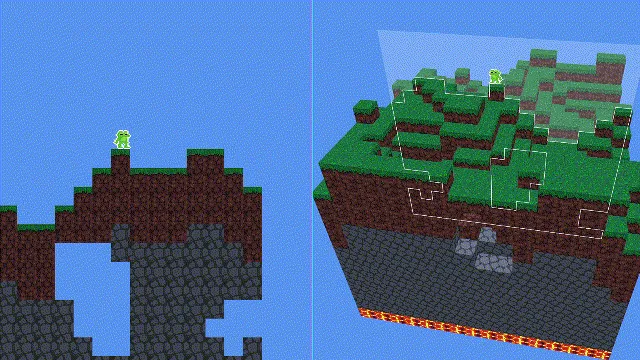
It has been a few days
I have no idea how to recreate this in unity. Can anyone help?
regal olive
Any help?
regal olive
regal olive
I have no idea how to recreate this in unity. Can anyone help?
Probably need to use some shader
 wary swift
since from the looks of it, it uses a 3d world as base, you'd first need to take an arbitrary direction, and then simply check if any lines of the blocks intersect with the "plane" (the transparent one), and then generate and store points where they intersect.
So lets say your plane is facing forward (0,0,1) that'd mean you want to essentially remove the z axis, and only grab points which z value is 0, but any x and y value is allowed, since those would always be on the same plane.
This is essentially the easy version
now it gets a bit more tricky when you have a plane facing in multiple coordinates, such as (0.577, 0.577, 0.577) which is a vector3.One normalized
for this you can use Vector3.Dot product (Vector3.Angle / Vector3.Project would also work) to calculate if they're on the same plane. store those values somewhere, generate a new mesh based on those points, texture it appropriately, and bam, after all that work you should end up with an effect like this.
a naive approach to doing this would be to simply rotate the camera around the character but this is extremely unlikely to work for a variety of reasons
i also noticed that this image belongs to some steam game called4D minerso i'm not sure how i feel about explaining all this 😂
Since a picture says a thousand words, this best showcases what i'm talking about when i meant grabbing the points that are on the same plane
 obsidian glade
wary swift
since from the looks of it, it uses a 3d world as base, you'd first need to take...
obsidian glade
wary swift
since from the looks of it, it uses a 3d world as base, you'd first need to take...
nice find on it being from the 4D Miner game 👍 confused why it wasn't included in the original question to begin with as the steam page does a great job of explaining the intent
 bronze summit
Let me know if this doesn't fit here:
I have a "pick the answer" section where the submit answer button appears partially on top of an answer tile.
If you hover over the button/tile overlap, the button doesn't detect you're over it. If you hover over the part of the button that doesn't overlap with the tile, it functions normally.
Does anyone know if this is a raycast thing fighting between physics and ui elements?
 long ivy
maybe the ray is being blocked by the tile's collider. Try changing your raycaster's BlockingObjects value
bronze summit
I'm not using a custom raycaster, but I am using one camera for the game world and another camera for the ui canvas
long ivy
And the graphic raycaster on your canvas, did you try changing the field I mentioned?
sly grove
bronze summit
Let me know if this doesn't fit here:
I have a "pick the answer" section where ...
Could be. You can set a layer mask for your event system
undone coral
does anyone have experience rendering in batchmode?
i am trying to figure out how to recreate the unity renderloop
and i am struggling with recreating the staggered behavior of the render thread finishing a frame after the next frame begins on the CPU thread
undone coral
on metal it works... and on directx it does not 😦
okay better question - how do i get insight as to why the main thread is waiting on the render thread?
bronze summit
long ivy
maybe the ray is being blocked by the tile's collider. Try changing your raycast...
The ui canvas is set to none atm
Whats strange is that if the distance from the ui button to the ui camera is shorter than the distance from the tile to the game camera, the button works as expected
bronze summit
sly grove
Could be. You can set a layer mask for your event system
I don't see a field specifying layer mask, unless you're talking about the layer field next to the tag field below the game object name
 woven kettle
Hello,
I want to create a spell that only affects people in front of the player in a 3d corn shaped area or any alternative shapes ( if it would be more optimized than the 3d corn shape )

as a compromise for a better performance, a simple cuboid shape like this one would work
( although , I don't allow the spell much , only 6-20 times per match )
 sly grove
bronze summit
I don't see a field specifying layer mask, unless you're talking about the layer...
sly grove
bronze summit
I don't see a field specifying layer mask, unless you're talking about the layer...
I'm talking about on the event system
bronze summit
sly grove
I'm talking about on the event system
Do you mean change the layer the event system is on? That's the only thing that mentions layer on my event system
sly grove
No
bronze summit
By my event system I meant the unity default event system
sly grove
Might be on the physics raycaster on your camera
Or the input module. One of those three
Im not at my computer right now
bronze summit
sly grove
Might be on the physics raycaster on your camera
Found it. I'll play with that
sly grove
There's a mask on the graphics raycaster too
undone coral
how might i do this? visibleReflectionProbes is a NativeArray
 bronze summit
For both the physics and graphics raycast, the source is the camera?
undone coral
alternatively is there anyone who can make heads or tails of how to use this approach to just... add an object to the culling results?

not seeing anything about render probes in https://github.com/alelievr/HDRP-Custom-Passes/blob/master/Assets/CustomPasses/SeeThrough/SeeThrough.cs

GitHub
A bunch of custom passes made for HDRP. Contribute to alelievr/HDRP-Custom-Passes development by creating an account on GitHub.
the context is the render probe gets culled out for some reason after my camera moves a distance away from the place it originated in the scene
undone coral
alright
i forked the hdrp package
now i just need some insight as to how to modify that value
custom passes won't help
undone coral
Unity Forum
Are you experiencing an issue where your reflection probes are flickering, turning on or off randomly, or otherwise glitching and misbehaving in HDRP?...
well i fixed it with a workaround
bronze summit
sly grove
There's a mask on the graphics raycaster too
Is there a priority system? Because while I have the button and game object triggering confusion, if I put a pop-up overlay blocking the screen, it'll successfully block the tap, and neither game object nor button will trigger
The pop-up also has its own camera
 wooden cedar
woven kettle
Hello,
I want to create a spell that only affects people in front of the playe...
wooden cedar
woven kettle
Hello,
I want to create a spell that only affects people in front of the playe...
We do this in one of our horror games for the flashlight. We rounded the end though a little bit so it didn't end so abruptly. It works great, just use it as a trigger
In our case the flashlight burns and kills the evil creatures, so we added two colliders a short range and a long range for different values of impact.
thin mesa
don't crosspost. also not a code issue
 finite merlin
Sorry but I need solution quickly
thin mesa
finite merlin
Sorry but I need solution quickly
then ask in an appropriate channel. this is a code channel, but your issue is with creating specific files in the editor. although you can just create the files in your IDE if you need a solution immediately and cannot wait or even just in your file explorer
finite merlin
Thanks man you solved it
regal olive
I have a game where I know the location and velocity of my target. I know my own location and the speed of my projectile. I want to Aim at moving target (or predicting target's position at time it takes for projectile to hit it)
 fresh salmon
Lots of math inbound
Search for "projectile leading" on Google
You basically need a formula that will calculate the intersection point of two moving objects
 errant plinth
Adding a bit of spread can make dodging harder
 icy smelt
Does anyone knows if the values in "HumanPose.muscles" are in the same range as the "MuscleHandle.SetMuscle" ones?
https://docs.unity3d.com/ScriptReference/HumanPose-muscles.html
https://docs.unity3d.com/ScriptReference/Animations.MuscleHandle.html
The docs says the "HumanPose.muscles" is:
A muscle value moves a bone for one axis in the range [min,max] define in Humanoid Rig. See Also: HumanTrait.
But says nothing about the values that "Animations.MuscleHandle" accepts
 hasty hinge
hello i need to code hp system
so i made a file that contains a class so it stores values of hp of multiple object in
but i get this error
"NullReferenceException: Object reference not set to an instance of an object"
any idea?
i want to send the code and see if somethings wrong
how can i do that?
 devout hare
See #854851968446365696 for how to post code. This is not an advanced issue, post it to #💻┃code-beginner
hasty hinge
using System.Collections;
using System.Collections.Generic;
using UnityEngine;

public class health_system
{
    bool dead;
    float Heal = 0, Damage = 0;

    public void Health(float hp,float max_hp)
    {

        float Health = Mathf.Clamp(hp+=(Heal-=Damage),0,max_hp);
        Debug.Log(Health);

    }
    public void HealDamage(float heal, float damage)
    {
        Heal = heal;
        Damage = damage;
    }
I said post to #💻┃code-beginner
hasty hinge
using System.Collections;
using System.Collections.Generic;
using UnityEngine;

public class HP : MonoBehaviour
{
    health_system health_system;

    void Awake()
    {
        health_system.Health(0, 200);
        health_system = new health_system();

    }


    void Update()
    {

        if (Input.GetKey(KeyCode.H))
        {
            health_system.HealDamage(20, 0);
        }
        if (Input.GetKey(KeyCode.D))
        {
            health_system.HealDamage(0, 20);
        }
        print(health_system);
    }
}
wtf
hasty hinge
devout hare
wtf
did i do something wrong?
hasty hinge
devout hare
wtf
i said before 2 files
devout hare
What part of "post to #💻┃code-beginner" was unclear?
hasty hinge
devout hare
What part of "post to <#497874004401586176>" was unclear?
sorry
repost was in rules so i was scared
icy smelt
Does anyone knows why the HumanBone muscle, position, and rotation are different from the ones expected in the MuscleHandle and AnimationHumanStream expect?
If I multiply the HumanBone muscle values by some factor like 0.01f and use them in the AnimationHumanStream, they work as expected
But idk why the values expected by the MuscleHandle are smaller
Maybe there is a ratio between the Muscle values and the avatar size, idk
Any idea?
undone coral
icy smelt
But says nothing about the values that "Animations.MuscleHandle" accepts
i don't think they are. it's going to be that you are importing an fbx from maya, where the units are 1cm, versus unity, where the units are 1m
that's why it's 0.01f
you are converting from unity to maya (model) units
icy smelt
I'm getting the muscle values from a humanoid using the HumanPoseHandler
Then I'm applying these values with an AnimationHumanStream
I'm getting the muscle values from a humanoid using the HumanPoseHandler
Then I'm applying these values with an AnimationHumanStream
These having nothing to do with FBX
I'm using animations imported from the editor
undone coral
what is your objective? animation retargeting
icy smelt
Sorta
undone coral
from that guy who authors all the assets for it
and trying ot use it in some motion matching* thing?
icy smelt
Nah
undone coral
well
what is it then
i don't mean specifically an fbx, but you're asking for a guess as to why the specific factor 0.01f works
icy smelt
I'm just making some tests. I'm reading the HumanPose from a character, generating some data, then using these data in animation jobs to reapply them to another character
undone coral
and my guess is because a resource is authored in maya
icy smelt
Yes, the 0.01f factor works, but it makes no sense
undone coral
i know maybe you didn't author it in maya
icy smelt
The HumanPoseHandler should not work different based on the source GameObject
undone coral
i think you are not going to succeed in doing animation retargeting
it isn't anywhere near as simple as you think it is
a lot of people have aspired to do something ismilar
something something, retarget humanoid animation from a source library
icy smelt
undone coral
i think you are not going to succeed in doing animation retargeting
I don't want to retarget specifically, I'm first testing if it could work to play legacy clips as humanoid. So far, by using the 0.01f scale, it works
undone coral
okay well i'm trying to say
that those legacy clips are a humanoid animation probably authored in maya
icy smelt
I see, the scale I use when importing FBX in runtime is (original scale / 100)
undone coral
thank you for listening to me
undone coral
but seriously you shouldn't try to do this it will not work
you will not succeed in retargeting animations
of course everyone wants to reuse humanoid animations. there's a middleware for that
you have to use the middlewares
it's unavoidable
icy smelt
Why are these scale values applied to muscle animation? It makes no sense
undone coral
icy smelt
Why are these scale values applied to muscle animation? It makes no sense
in one place you are querying the data as it was imported, and in other is the data as it exists in runtime
icy smelt
It makes sense for muscle values to be normalized
HumanPoseHandler queries imported data? It makes no sense, as I can change an entire humanoid hierarchy manually, and use an avatar created based on the same hierarchy
undone coral
alright let me put it differently
icy smelt
But the avatar could have these scale values internally
undone coral
you are querying a middleware
you don't nkow anything about how the middleware works, it's a black box
you can either do exactly something the middleware supports, or you can try to do arithmetic which will never work
anyway just htink about it
icy smelt
So you are telling me that these scale values are somehow stored in the avatar?
undone coral
ohh!
you're not doing retargeting you're authoring the thing that imports models at runtime
icy smelt
I do
undone coral
i guess you are trying to solve both problems
icy smelt
I'm implementing something to play legacy animation clips as humanoid ones, using animation jobs
I'm 90% sure it is possible
undone coral
i don't know anything really about avatars so i'm sorry i can't be more helpful
icy smelt
I've basically nailed it, besides the scale issue
But now that you said
The scale thing coming from the original model scale makes sense
Bc of the 100 / scale math I use when importing the models at runtime as well
The scale makes sense for muscles
But does not work for bodyPosition and bodyRotation
Rotation should not be scaled at all, as it makes zero sense to do so


TriLib 2.0 - More progress when playing legacy animations as humanoid ones. The "test" clip is imported as legacy and converted/played as humanoid at runtime (local root position and rotation not applied, that is why the animation still looks odd)
#trilib #unity3d
 Twitter
·
undone coral
icy smelt
So far:
https://twitter.com/realrickomax/status/1548352137490415616
Twitter
·
undone coral
icy smelt
So far:
https://twitter.com/realrickomax/status/1548352137490415616
look great!
undone coral
sorry i don't mean to be discouraging
it's just hard to know how sophisticated people are
icy smelt
The muscle scale is based on the original model scale while importing btw. I need to test it with clips I import myself (this one was imported in the editor as legacy)
In this case, I know the FBX scale is 100 / model original scale
The model local rotation is the same (rotation has no scale)
The local position (body position) can be stored relative to the avatar scale (normalized)
So when reading the animation values with the playable, I multiply it with the avatarScale coming from the playable stream
And I get the position fixed
Now I'll try to extract the root motion when converting the clip
I might release this stuff on GitHub, there are many other users who want to use this feature as well
 civic kestrel
I am having trouble adding slopes to my autotiles. Any Help?
 timber depot
I get two errors with that.
Top-Level statements must precede namespace and type declarations
The modifier 'public' is not valid for this item
misty glade
Not a #archived-code-advanced question if you don't know how. 🙂
Put the enum in a file by itself, put it in a namespace. Put the GetColor method in a class of your choosing - probably make it static as well:
/// ColorUtilities.cs
namespace Kei
{
  public enum MyColorEnum { ... }
  public class ColorUtilities
  {
      public static Color GetColor(MyColorEnum type) => type switch { ... }
  }
}
might be syntax errors in the above, just dashed it off, but you should get the idea.. get your color with:
using static Kei.ColorUtilities;
...
Color c = ColorUtilities.GetColor(Alice_Blue);
I got my self a design question again. This is mostly me not being able to make my mind up.
So I am making a node graph akin to ShaderGraph (but more 'live data' type thing than code gen). I am trying to figure out what the best way is for a input(destination) port to get the value of a connected output(source) port.
I see two options, I could either have it so that when the value of the source port changes it also sets the connected destination port's value.
class Port
{
  private object _value;

  public object Value
  {
    get { return _value; }
    set
    {
      _value = value;
      OnValueChanged?.Invoke();
    }
  }

  public event Action OnValueChanged;

  public void ConnectToDestination(Port destination)
  {
    OnValueChanged += () => destination.Value = Value;
  }
}

Port sourcePort = ..;
Port destinationPort = ..;

sourcePort.ConnectionToDestination(destinationPort);
sourcePort.Value = 5;
// destinationPort.Value now == 5 as well because of the OnValueChanged event.
Or I could have destination port store a reference to the source port, and get the value directly
class Port
{
  ..
  private Port _sourcePort;

  public object Value
  {
    get { return _sourcePort != null ? _sourcePort.Value : _value;
    set { .. }
  }

  public void ConnectToDestination(Port destination)
  {
    destination._sourcePort = this;
  }
}
The first way is more disconnected, but almost feels too disconnected, while the second option feels a bit messy/ridged...
 dusky carbon
urban warren
I got my self a design question again. This is mostly me not being able to make ...
dusky carbon
urban warren
I got my self a design question again. This is mostly me not being able to make ...
IMO the former seems simplest (but there is no reason you couldn't store the actual _destinationPort if you wanted to), the latter is awkward as you'll have yourself reaching backwards n times any time you want to read the value.
urban warren
dusky carbon
IMO the former seems simplest (but there is no reason you couldn't store the act...
That is a good point about 'reaching backwards'. Thanks.
 tender light
urban warren
That is a good point about 'reaching backwards'. Thanks.
tender light
urban warren
That is a good point about 'reaching backwards'. Thanks.
Hmmm. Also if you consider disconnecting from the destination port. I think its much simpler to just be able to remove a reference and not have to search for the delegate to unregister it.
 jolly verge
can anybody help me make enemies spawn and go straight down in my 2D game?
urban warren
tender light
Hmmm. Also if you consider disconnecting from the destination port. I think its ...
I actually have a Connection class that has a reference to both ports and has a method that it adds to the event. I just removed it from the code I posted to simplify it.
urban warren
jolly verge
can anybody help me make enemies spawn and go straight down in my 2D game?
That is a #archived-code-general or #💻┃code-beginner question 🙂
jolly verge
Ok thanks
 verbal steeple
I cannot for the life of me get this scrypt to reset the animations to frame 0 when I stop moving
Please help
public class TopDownController : MonoBehaviour
{
//Lets me plug unity things into the script and names the hitbox "body"
public Rigidbody2D body;
public SpriteRenderer spriterenderer;
//Gives the script access to the animations and assigns them to lists
public List<Sprite> Usprites;
public List<Sprite> Dsprites;
public List<Sprite> Lsprites;
public List<Sprite> Rsprites;
//Creates the public variables "Movespeed" and "Framerate" to mess with
//Note: Figure out a way to have framerate start at two and then always be double the movespeed
public float Movespeed;
public float Framerate;
float Idletime;
//Creates a "Vector2" (A value thing that has 2 axis) named Direction for you to mess with
Vector2 Direction;
// Update is called once per frame
void Update()
{
    //Assigns the cleaned up values from unity's built in input manager to Direction's X&Y, then "Normalizes" it so moving diagonally isn't twice as fast
    //I.e. X=1 from holding D and Y=1 from holding W equaling 2 and messing up everything
    Direction = new Vector2(Input.GetAxis("Horizontal"), Input.GetAxis("Vertical")).normalized;
    //Sets the velocity of the hitbox (That is named body now) to the normalised direction times the Movespeed variable
    body.velocity = Direction * Movespeed;

    Setsprite();

}


void Setsprite()
{
    List<Sprite> directionsprites = GetSpriteDirection();


    if (directionsprites != null)
    {
        float Playtime = Time.time - Idletime;
        int frame = ((int)(Playtime * Framerate) % directionsprites.Count);

        spriterenderer.sprite = directionsprites[frame];
    }
    else { Idletime = Time.time;
        spriterenderer.sprite = directionsprites[0];
    }
}


//Detects the direction of movement then chooses the correct Sprite list when asked
List<Sprite> GetSpriteDirection()
{
//Resets the spritelist and also allows it to return null value if not moving
List<Sprite> selectedsprites = null;
    //"if" the absolute value of x = 0 (i.e. you're going directly up or down) then:
    //"if" the y is above 0 (Up) then use up list, or"else" if the y is below 0 (Down) then use the down list
    if (Mathf.Abs(Direction.x) == 0)
    {
        if (Direction.y > 0) { selectedsprites = Usprites; }
        else if (Direction.y < 0) { selectedsprites = Dsprites; }
    }
    //since absolute value of x > 0 use either the left or right list
    else if (Direction.x < 0) { selectedsprites = Lsprites; }
    else if (Direction.x > 0) { selectedsprites = Rsprites; }

    //Run the check and give the resulting list/value (the "selectedsprites") when aksed
    return selectedsprites;
}
}
thin mesa
verbal steeple
public class TopDownController : MonoBehaviour
{
//Lets me plug unity things...
#854851968446365696 for code sharing guidelines
but also why are you animating it manually? why not just use the Animator?
verbal steeple
thin mesa
<#854851968446365696> for code sharing guidelines
but also why are you animating...
I don't know how to use it and figured it'd be easier to script
For the most part was, but holy cow it does not wanna reset
thin mesa
hint: it's not. this is also not an advanced issue
woven kettle
wooden cedar
We do this in one of our horror games for the flashlight. We rounded the end th...
thank you so much ❤️
 slow walrus
I have a stupid question that I think belongs here
What type do I give GetPixelData<> when the texture format doesn't have an equivalent type in C#? For example, when a texture has the format GraphicsFormat.R16G16B16A16_UNorm
dusky carbon
slow walrus
I have a stupid question that I think belongs here
What type do I give `GetPixel...
Looking at the source for GetPixelData , you might be able to create a struct with a size of 64 bits and use that for T. Maybe just a single ulong inside the struct, then you'll have to parse from that if you want to do something with it.
slow walrus
dusky carbon
Looking at the source for GetPixelData , you might be able to create a struct wi...
yeah, I've done a test where I've been able to use half4 without any errors but obviously the data gets garbled when I try to set it
would you know how I would have to parse that data? or any reading material you could point me towards?
dusky carbon
you can just use bitwise operators, if ulong mask = (1 << 16) - 1;, you can access R with val & mask, G with (val >> 16) & mask, B with (val >> 32) & mask, etc
btw I'm not sure if they are ordered in this way, it might be the reverse
slow walrus
I'm with you that far, at least in theory. And I maybe should've mentioned this initially, but my goal here is to write to this array
is there some definition of what a unsigned fp16 should look like - or how do I figure out what to actually set those bytes to?
dusky carbon
slow walrus
is there some definition of what a unsigned fp16 should look like - or how do I ...
https://docs.unity3d.com/ScriptReference/Mathf.FloatToHalf.html this maybe? and this for the other way around https://docs.unity3d.com/ScriptReference/Mathf.HalfToFloat.html
also reading this reminds me that ushorts exist so you could probably just make your struct { ushort r; ushort g; ushort b; ushort a; } and ignore bitwise math lol
slow walrus
oooh, I'll give this a go! I'm a little bit cautious about the bytes of a float and int being used in the same way, but maybe that's a thing?
dusky carbon
bytes are bytes, just think of ushort as a 16 bit container, sure when you do operations like + and - on them they are interpreted as integers, but you are free to interpret them however you wish
slow walrus
sure, but if the GPU or the rest of unity doesn't interpret them the same way then it gets a bit painful, right?
like if I don't assign them in the same way, then in theory I'd have to parse them on the shader side - meaning that only supported shaders would be able to read my texture?
dusky carbon
let's back up, why did you bring up fp16s? do you see documentation confirming that those are the types for each component in this color?
slow walrus
Ah, right you are. Sorry, I was dealing with floats earlier and got stuck in my thinking there
A four-component, 64-bit unsigned normalized format that has a 16-bit R component in bytes 0..1, a 16-bit G component in bytes 2..3, a 16-bit B component in bytes 4..5, and a 16-bit A component in bytes 6..7.
If I'm understanding this right, it doesn't say anything about what type of data they hold - just which ones hold which channel
dusky carbon
I saw that in the unity docs, but I don't have much certainty in what "normalized format" means
https://www.khronos.org/opengl/wiki/Normalized_Integer I think this is it, let's read
ok they are literally just ushorts, but in the context of being read by something that expects color values between 0 and 1 it is divided by 2^16-1
slow walrus
Ah, nice - then making a struct that holds 4 ushorts should 'just work'
thank you very much for the help!
dusky carbon
would like if you'd report back with success
slow walrus
will do! I'll let you know either way
 unborn bramble
Greetings, i am having trouble with Unity's meshFilter.sharedMesh.normals property where the property is giving me invalid normals. My goal at the moment is to get a normal for each side of a dice seen here:

However, what unity gives me in return is what the gizmos draw as seen here:

Here is the code responsible for fetching the normals and drawing the normals https://gdl.space/inururetid.cpp
slow walrus
looks to me like you're just grabbing the normal of the first 4 vertices and displaying those - which is probably not what you want
dusky carbon
yes, that mesh probably has way more vertices than the number of sides, I doubt it is just vertices at the corners, and even then there isn't a magic mapping between dice sides and vertices, you'll have to inspect the mesh in some meaningful way to determine which vertices lie in the faces.
slow walrus
dusky carbon
would like if you'd report back with success
So it wasn't working and I've been trying different things to make sure I wasn't being an idiot. I was just taking this screenshot to show you how it wasn't working when I thought I'd just verify a couple of values to make sure everything correct one last time

Sure enough, everything looked good... But the texture is suddenly correct??
 dusky carbon
wait is it incorrect or correct now? lol
slow walrus
after adding a couple of breakpoints it's now correct (2nd screenshot)
and I can't make it incorrect anymore
dusky carbon
confusion, but grats
slow walrus
Thanks!
I literally have no idea why
but I will take it
thanks again for the help!
dusky carbon
always feels good when an actual advanced problem gets a solution
unborn bramble
dusky carbon
yes, that mesh probably has way more vertices than the number of sides, I doubt ...
Indeed, i found out after some experimentation with a colleague
Is there a method to which i can get the normal of a face and not a specific vertex?
Since i would be near impossible for me to find the correct vertices to triangulate the normal myself, especially with the amount of vertices in the model.
slow walrus
unborn bramble
Is there a method to which i can get the normal of a face and not a specific ver...
It can be confusing because DCCs lie to you but faces don't have normals, they are per vertex
even if they did, your model looks to have a good number of triangles as well so it wouldn't make things much easier I'm afraid
my suggestion would be to create some custom concept of a surface/normal instead of relying on the mesh
just an array of vector3s that you can define in the editor
and then when you want to do whatever it is you're doing (checking which one is pointing up?), you multiply that vector3 by your dice transforms TRS
dusky carbon
unborn bramble
Since i would be near impossible for me to find the correct vertices to triangul...
i suggest: throw this script on your obj with the mesh, play around with selectedIdx in your inspector until it is on a face vertex, note the index and its corresponding die face number, then move onto the next face https://gdl.space/acosucelum.cs
slow walrus
that works too, but it's worth noting that everything will break horribly if the model is updated
dusky carbon
absolutely
and even then, it might not have vertices in the face to use depending on the mesh detail
slow walrus
for a quick and dirty solution, you can have a child transform per face that is oriented in the direction you want
then you can just get the transform "up" direction
but this is not the most performant solution because the child transforms have to be updated every frame
unborn bramble
Will test both when i have time, cheers ❤️
 scenic forge
Manual (https://docs.unity3d.com/2021.3/Documentation/Manual/CSharpCompiler.html) says init only setters and by extension record types are not supported, but can be worked around by declaring your own System.Runtime.CompilerServices.IsExternalInit.
What's the implication of doing so (2021 LTS, IL2Cpp)? I do want to use these features but I can live without them if it has negative impacts.
dusky carbon
presumably your custom System.Runtime.CompilerServices.IsExternalInit is in the path that produces the IL so I wouldn't think it would matter with respect to IL2Cpp
scenic forge
🤔
dusky carbon
Have you just tried declaring your own and seeing what happens when you use those features?
scenic forge
Nope, I was hoping to find more information but almost all mentions of System.Runtime.CompilerServices.IsExternalInit simply shows you the workaround but doesn't say much about how it works under the hood.
I'm assuming stuffs under System.Runtime.CompilerServices are all executed at compile time and has no runtime implication?
 fresh pollen
Quick question my dudes, is it worth creating a global cache of commonly used integers and floats like 1, 2, 3, 1.0f, 0.5f for the sake of not generating additional garbage?
For example, a "Numbers" class with a constant like Numbers.THREE_INT which would then be used in something like
if (shotsFired >= Numbers.THREE_INT) {
 // Doing something after the 3rd shot
}
Is that excessive? Does C# cache stuff like that automatically after compiling?
 tough knoll
dusky carbon
Looking at the source for GetPixelData , you might be able to create a struct wi...
tough knoll
dusky carbon
Looking at the source for GetPixelData , you might be able to create a struct wi...
Woah. I had no idea this was a thing
dusky carbon
my message there was a bad idea, we went with a custom struct with 4 ushorts
tough knoll
Oh
Okay, I scrolled past the middle and saw success at the end xD.
That's pretty cool though
I recently did some stuff with combining lightmap textures and I gave up entirely and wrote a c++ program to do it for me using openEXR
I bet this would have worked
dusky carbon
There's always next time I guess!
plus I bet your c++ program is performant as heck
tough knoll
its not for runtime 🤷♀️
dusky carbon
oh lol
tough knoll
fresh pollen
Quick question my dudes, is it worth creating a global cache of commonly used in...
I'm not a c# runtime expert, but like, would that not just be a constant pointing to another constant. I imagine this would actually get optimized away by the compiler, but what
Okay, so after googling, it does not get removed by the compiler because it needs to be accessible to reflection. So you'd just be adding garbage fieldinfo to no benefit
fresh pollen
tough knoll
I'm not a c# runtime expert, but like, would that not just be a constant pointin...
Thanks for the response homie. Aye, I see your point. And for integers that makes more sense, but surely there is some sort of garbage when checking against some sort of random float value like 0.05235, right?
fresh pollen
and 0.05235f gets compiled down to a const behind the scene?
tough knoll
Anything you type into an evaluation is a constant
Unless it's like
a struct you're creating in the evaluation
fresh pollen
Cool, thanks for the info @tough knoll, I really appreciate your time. 
novel plinth
fresh pollen
Quick question my dudes, is it worth creating a global cache of commonly used in...
If you knew you're going to do that often in your game, just pool them with ArrayPool https://docs.microsoft.com/en-us/dotnet/api/system.buffers.arraypool-1?view=net-6.0

Provides a resource pool that enables reusing instances of type T[].
even if you forgot to return it back to the pool, it will just be treated as regular allocation. Meaning, it's pretty much safe
austere jewel
The point of arraypool is to pool arrays, not to pool the values you store in them
if you moved some ints into arrays for no reason you'd be causing more waste than just using constants, which are extremely free
regal olive
hey i need help with making respawn points and make my respawns work public Camera playerCAM;
public dice pc;
// Start is called before the first frame update
void Start()
{
}

// Update is called once per frame
void Update()
{
    RaycastHit hit;
    bool clicked = Physics.Raycast(playerCAM.ScreenPointToRay(Input.mousePosition), out hit);
    if (Input.GetKeyDown(KeyCode.Mouse0) && hit.collider.gameObject == this.gameObject)
        pc.Respawn();


}
 peak plover
hey do somebody can help me in code-general or beginner? my LookAtMouse Script don't work😅
austere jewel
peak plover
hey do somebody can help me in code-general or beginner? my LookAtMouse Script...
Stop cross-posting, I've told you this already. Just repost your question in the one channel after a reasonable amount of time has passed.
peak plover
i didn't know that this was cross-posting, i only wanted to find someone who knows the answer
 hallow cove
ok so, I need my list of types to look like this

however it looks like this currently

and it's not that it's not sorted, that's not why they don't show up
Type[] types = a.GetExportedTypes();```this is my current way of getting the types
also the first example I showed also has stuff like data types

I'm basically just trying to make a way to define variables in my visual script editor
 flint sage
float[] isn't really a type
hallow cove
yeah I don't know the terms for many of these things
my end goal is to get a list of stuff like this

so I can display them in the inspector

and then drag them in the graph view that I have as an instance
 flint sage
Returns a Type object that represents an array of the current type.
You probably want to use this to create arrays of the list of types that you have
hallow cove
yeah I still don't know how I would get a list like that, where I can define floats, ints, and also references to components
flint sage
Which bit specifically? I don't know how that scripting solution works
hallow cove
what do you mean?
firstly, the example I want to copy looks like this for the Types category

mine doesn't contain like half of these, no animator
no animation type
idk why they're missing

 sage radish
Not all Unity types are in the Core assembly, where UnityEngine.Object is. It's split into modules.
novel plinth
like huge chunks of those are internals
sage radish
You have to combine all the types from all the Unity assemblies, but also filter out internal/inaccessible types.
flint sage
If you want to get all types then you can use AppDomain.CurrentDomain.GetAssemblies() to get all Assemblies, then you can use that to get all types
 flint sage
https://docs.microsoft.com/en-us/dotnet/api/system.type.makearraytype?view=net-6...
flint sage
flint sage
https://docs.microsoft.com/en-us/dotnet/api/system.type.makearraytype?view=net-6...
To get the array types you use this
hallow cove
flint sage
To get the array types you use this
doesn't this work tho?
Type[] types = assembly.GetExportedTypes();
hallow cove
nope it gives an error
the thing is
I want stuff from under the UnityEngine namespace
and not everything
and not just the core as previously stated
again I'm sorry for asking so much but I really have no idea what I'm doing 💀
flint sage
flint sage
If you want to get all types then you can use `AppDomain.CurrentDomain.GetAssemb...
See this
hallow cove
oh ok uhh
I added this
continue;```it's hacky but it gave the result-
let's see if it really works tho
well, I get this error from my method that tries to get an icon corresponding to a type:
UnityEditor.AssetPreview.GetMiniTypeThumbnail```Texture icon = EditorGUIUtility.ObjectContent(null, type).image;
I just followed unity's example
flint sage
Again, probably does not work for all types
hallow cove
yeah but how in the hell would I check for that
if is not object?
that's what it's asking for the in the parantheses
flint sage
Check the reference source probably or call AssetPreview.GetMiniTypeThumbnail yourself and check if the return value is null
flint sage
Out of luck, go figure out what the source does and change your code to adjust
hallow cove
ok that worked
flint sage
Catching a few thousand exceptions will probably be quite slow and you should consider figuring out why it's failing instead of putting bandaid on it
hallow cove
I can see
I will do that after I fix a small bug
I also still need to add umm
floats, ints, strings etc.
hallow cove
ok I'm back and I have one last problem, I see a lot of types that seem to be linked

there's a lot of NavMesh types for instance, and the search window is slow right now due to the sheer amount of objects in the list
I would like to group them, but I genuinely have no idea how
flint sage
Looks like it might be grouping based on namespace
hallow cove
no that's
that's me taking every type and making a group for that
and then adding the type and it's methods inside of the group
I just wish I knew how to group up let's say, all the NavMesh related items
flint sage
Well a part of those might be in unityengine.navigation
Not all though
There's no magic way
hallow cove
oh yeah
ok yeah that did not go as planned, it worked, but then I realized that the assembly names were confusing
anyways, thanks for the help!!
 sudden granite
@hallow cove maybe you can make use of null conditional operators to simplify your null checks https://docs.microsoft.com/en-us/dotnet/csharp/language-reference/operators/member-access-operators#null-conditional-operators--and-

Learn about C# operators that you can use to access type members.
hallow cove
oh yeah right
I forgot those existed
thanks a lot!
I will try them
currently the try catch system is very slow
sudden granite
yeah exception handling is extremely allocation heavy / the CLR does a lot of nonsense when it happens
undone coral
sudden granite
yeah exception handling is extremely allocation heavy / the CLR does a lot of no...
there is an extract stack trace method unity provides in order to reduce allocations
sudden granite
hmmm not able to find that - are you talking about Environment.StackTrace?
ah
UnityEngine.StackTraceUtility.ExtractStackTrace()
tough knoll
I has question
I have a special runtime property system
Each property object can have another property object as a parent
This is so that individual actors in the game can share some definitions (i.e all flying actors have some of the same properties)
Since properties are stored in dictionaries, this means accessing a property involves one dict lookup per "layer" of parenting
I wrote a quick class to cache a reference to a property conveniently, but I can't create the object in the field initializer since the properties are created when the owner object's init function is called some time after creation ( have to set it up and set it's type and data block etc.)
I've been using this pattern to declare cached properties conveniently:
    public float fixedHeight {
        get {
            if( m_PropertyFixedHeight == null ) {
                if( data == null ) m_PropertyFixedHeight = new Moros.CachedPropertyFloat( Moros.ProjectSettings.thingPropertyDefaults, "fixedHeight", true );
                else m_PropertyFixedHeight = new Moros.CachedPropertyFloat( properties, "fixedHeight", true );
            }
            return m_PropertyFixedHeight.value;
        }
        set {
            if( m_PropertyFixedHeight == null ) {
                if( data == null ) m_PropertyFixedHeight = new Moros.CachedPropertyFloat( Moros.ProjectSettings.thingPropertyDefaults, "fixedHeight", true );
                else m_PropertyFixedHeight = new Moros.CachedPropertyFloat( properties, "fixedHeight", true );
            }
            m_PropertyFixedHeight.value = value;
        }
}```While it totally works fine, it's extremely verbose and takes up shit tons of space at the top of my files. For something like this I would use a preprocessor macro but C# has no such thing ofc. Can anyone think of a better pattern for it?
dusky carbon
disregard this, probably not possible in unity
tough knoll
Wow
undone coral
does anyone know why
ID3D11ShaderResourceView* (UNITY_INTERFACE_API * SRVFromNativeTexture)(UnityTextureID texture);
is cursed?
tough knoll
tough knoll
While it totally works fine, it's extremely verbose and takes up shit tons of sp...
Wouldn't making everything an extendo object have some serious performance implications
I've never used this feature but it seems like the nuclear option
The preprocessor idea was because it's free, right
I know the C# property wrapper isn't "free", but it's pretty close
 light citrus
//Declara o que é o Struct Transições
public struct Transicao_Struct
{
public Transiction_Scr scrTransicao;
public string strState;
}
//Declara o que é o Struct Estados
[System.Serializable]
private struct Estados_Struct
{
    public Transicao_Struct transicoes;
}
//Declaração do Struct
[SerializeField] private Estados_Struct[] structEstados_ = new Estados_Struct[5];
does anyone knows how to make so that the Transicao_Struct appears inside the Estados_Struct?
 hollow garden
make it serializable
light citrus
the following is the only thing that appears and I don't wanna have to make two arrays for that because it looks ugly on the inspector
 light citrus
hollow garden
make it serializable
light citrus
hollow garden
make it serializable
already tried
hollow garden
well it has to be serializable for it to be serialized, obviously
 light citrus
hollow garden
well it has to be serializable for it to be serialized, obviously
light citrus
hollow garden
well it has to be serializable for it to be serialized, obviously
yep, did that, didn't work
tough knoll
is Transiction_Scr also serializable
hollow garden
so it did nothing? define didn't work
sly grove
light citrus
yep, did that, didn't work
you did what?
light citrus
hollow garden
so it did nothing? define didn't work
yes
sly grove
Right now Transicao_Struct is missing [Serializable]
light citrus
sly grove
you did what?
put serializable in the struct
sly grove
light citrus
put serializable in the struct
try again
it's not going to work without it
dusky carbon
also what is Transiction_Scr, is that serializable?
light citrus
//Declara o que é o Struct Transições
[SerializeField] public struct Transicao_Struct
{
public Transiction_Scr scrTransicao;
public string strState;
}
//Declara o que é o Struct Estados
[System.Serializable]
private struct Estados_Struct
{
    [SerializeField] public Transicao_Struct transicoes;
}
//Declaração do Struct
[SerializeField] private Estados_Struct[] structEstados_ = new Estados_Struct[5];
this is not the right attribute
tough knoll
aaargh
light citrus
changed nothing
tough knoll
BUT MY ACTUALLY ADVANCED CODE PROBLEM
light citrus
Thank you guys for the help, It worked
dusky carbon
@tough knoll so my idea from earlier should work if you somehow get postsharp working with the compiler used for unity, searching around I see some people finding success with that. In any case it shouldn't affect runtime performance because the interception should modify the actual generated code
tough knoll
I'm kind of not super into that idea because it would involve additional setup for other contributors if they want to use my codebase. I'm trying to make this framework for public use, so ideally it would have to be plug and play with unity
I also considered writing my own pre-processor but for same reason as above, since people don't expect preprocessor macros in C# I thought it might be confusing
I guess I could write an editor script to automagically setup postsharp but still
dusky carbon
unity uses roslyn right? this suggests there is something built in that it supports for source generation
flint sage
afaik not supported/well integrated yet
tough knoll
This is interesting though
reading now
I might be misunderstanding this, but it being additive only would mean that I couldn't use it to invisibly create those property wrappers since they have to be accessed by the code before compile time, right?
dusky carbon
it should just mean that it can't override getters/setters that you define. (so as long as the user doesn't specify getters/setters when using your attribute it should be fine)
tough knoll
ah
Okay
Yeah their example looks like exactly what I'm after
The fact that you declare fields instead of properties is even more what I want. I want like... float SomeFloat { // Totally a float and not pointer to a property's backing field, I swear }
 torpid pebble
Does anyone here have any experience using the BigQuery API (installed via Nuget) in their game? I got it to work, but it crashes whenever I try and build the game via WebGL.
 supple python
https://docs.unity3d.com/2020.1/Documentation/ScriptReference/Mesh.MeshData.GetVertexData.html
PLZ how to modify vertex data, from mesh data array, that can have different data layout (no normals or have uv2 in different meshes) ?
without using streams(i have only stream 0) and without structs(may have big number of layout variants)
sage radish
dusky carbon
it should just mean that it can't override getters/setters that you define. (so ...
The user would still have to define all their classes as partial. @tough knoll Unity has an undocumented way to programmatically modify code called IL Post Processing. Some Unity packages use it, like Entities and Burst, but Mirror also uses it for SyncVars, which is precisely converting fields into properties.
tough knoll
!!!
Docs??
Cant find on google
I'm in the midst of reading through source generators and it's like... Okay, must create external assembly, with associated XML files, then I have to create another XML file for the project, rulesets, create labeled files in unity... all for a measy #macro
Seems goofy that they're now looking into preprocessors after finally realizing that they have some use cases but they have to do it in the most oblique manner possible instead of just giving us macros

 sage radish
tough knoll
Cant find on google
sage radish
tough knoll
Cant find on google
A bit of information here, but best way is to just check how Unity's packages, like Unity.Entities, use it
https://forum.unity.com/threads/how-does-unity-do-codegen-and-why-cant-i-do-it-myself.853867/
Unity Forum
Hello!
Two things first:
Sorry if the title is confusing. I'll clear it up soon
And I'm also sorry if this doesn't really apply to the Entities stuff...
regal olive
i think i am onto something, cause i really dont understand whats going on. so in a function, i am checking if(inv.DragSlot.item.name == slot.slot.item.name)
i am getting NullReference on slot.slot.item.name i thought weird, maybe didnt initialize item correctly. But that aint it. when i check manually, the string is there and i even did a Debug.Log() with the context arg checking slot.slot.item since slot.slot.item.name gives Null like i said. can anybody PLEASE help me, this is really getting frustrating
regal olive
Please i need help
 humble loom
Set a breakpoint and check the values in situ
dusky carbon
I think he figured it out a long time ago in a code-general cross post
 grave bear
Mono.CecilX is a fork of Mono.Cecil right? any particular reason to use Mono.CecilX?
 vast bronze
I don't know if this is the right place to ask this but is it possible to set up Visual Scripting to make NetworkBehaviors? or is it strictly only able to create MonoBehaviors
specifically with Netcode for Gameobjects
i wasn't sure whether this belongs in #archived-networking or here
thin mesa
vast bronze
I don't know if this is the right place to ask this but is it possible to set up...
probably. you're better off asking where people are more familiar with visual scripting though #763499475641172029
tough knoll
hollow garden
<:Kappa:877867193604403231>
true
To my defense, I was literally getting dressed heading out the door reading your message
tough knoll
Man
This seems like it but it's gonna be some archeology hours if I have to copy from the packages\
;__;
hallow cove
I'm still having the same issue with getting icons for types
whenever I try this with some Types: icon = AssetPreview.GetMiniTypeThumbnail(type);
it gives me this exception: System.NullReferenceException: Object reference not set to an instance of an object
and I have no idea how to fix this without a try catch
austere jewel
you have a type named T?