#region READ AUDIO AMPLITUDE
            currentUpdateTime += Time.deltaTime;
            if (currentUpdateTime >= updateStep) {
                currentUpdateTime = 0f;
                micAudio.clip.GetData(clipSampleData, micAudio.timeSamples); //I read 1024 samples, which is about 80 ms on a 44khz stereo clip, beginning at the current sample position of the clip.
                clipLoudness = 0f;
                foreach (var sample in clipSampleData) {
                    clipLoudness += Mathf.Abs(sample);
                }
                clipLoudness /= sampleDataLength; //clipLoudness is what you are looking for
            }


            #endregion READ AUDIO AMPLITUDE

            #region MODIFY LOUDNESS


            //Get and modify loudness
            finalMicVolume = clipLoudness;

            float micMultiplier = Controls.instance.micMultiplier.value;

            if (micMultiplier == 0) {
                micMultiplier = 1;//Stop complete zero mic
            } else if (micMultiplier < 0) {
                finalMicVolume /= (micMultiplier * -1);//Divide by a positive number, incase mic is too loud
            } else {
                finalMicVolume *= micMultiplier;//Multiply by a positive number, incase mic is too quiet
            }

            //Do not talk if loudness is to loud or quiet, stop outside noise from talking
            if (finalMicVolume < Controls.instance.speakerStart.value || finalMicVolume > Controls.instance.speakerStop.value) {
                finalMicVolume = 0;
            }

            #endregion MODIFY LOUDNESS
#archived-code-advanced
1 messages · Page 166 of 1
 drifting tusk
 lavish plume
So we're making a mod loader for a game and we've made a project, ported the Assembly-CSharp.dll into it yadayada but we had to rename it to something else other than Assembly-CSharp.dll otherwise it'd scream at us and I think that's our issue. It all loads in fine but whenever we try to say load in an AssetBundle with a component from the renamed Assembly-CSharp.dll it'll say
The referenced script (InteractableObject) on this Behaviour is missing!

The referenced script on this Behaviour (Game Object 'Cube') is missing!

The referenced script on this Behaviour (Game Object 'Cube') is missing!
Anyone know what's up?


Any help is appreciated and we may or may not credit you if you want to be because we've been trying to figure this out for ages! Please ping me if you know of a way to maybe rename it without it erroring on us? Greatly appreciated
 sleek gulch
Are you renaming the assembly manually? That could be the reason the Behaviour references are broken. Can you use an ASMDEF so that the code you import won't conflict with the main Assembly-CSharp? https://docs.unity3d.com/Manual/ScriptCompilationAssemblyDefinitionFiles.html
 lavish plume
sleek gulch
Are you renaming the assembly manually? That could be the reason the Behaviour r...
lavish plume
sleek gulch
Are you renaming the assembly manually? That could be the reason the Behaviour r...
Indeed we were. Will check it out. Thanks!
lavish plume
sleek gulch
Are you renaming the assembly manually? That could be the reason the Behaviour r...
I think you might have just saved us decompiling around 300 maybe even more scripts and manually going in to fix the issues. This might be our jackpot lol. Am I able to ping you in-case something goes wrong?
sleek gulch
Sure.
 dreamy shoal
If anyone has used steam audio before, have they experienced an issue where generating probes/baking causes unity to crash?

Ive noticed that exporting the active scene prior to 'generating probes' processes fine but crashes everytime I 'bake'
 plucky laurel
ive had many issues with latest versions so i used some of the previous
before they rewrote some core stuff, check the changelogs
dreamy shoal
okay, what version do you recommend I use instead?
plucky laurel
valve is notorious for shoddy repository and project maintenance, not sure whats going on there
ill check which one worked
dreamy shoal
dope, downloading right now, thanks
plucky laurel
this may prove useful when working with steamaudio
    [UnityEditor.MenuItem("Tools/SetAudioDSPSize")]
    public static void SetAudioDSPSize()
    {
        AudioConfiguration config = AudioSettings.GetConfiguration();
        config.dspBufferSize = 4096;
        AudioSettings.Reset(config);

        config.dspBufferSize = 2048;
        AudioSettings.Reset(config);
    }
im searching online about this and would this help track down issues with audio delays and artifacts?
plucky laurel
cracking due to buffer overflow/underflow
basically needs to be fine tuned, ive no idea im not an audio guy i just know this mitigated some of the issues when you have heavy reverb due to occlusion/reflected sound
dreamy shoal
excellent, ill add it in anyways and mess around with it when I get in the thick of it with steam audio
 sly grove
Only one way to find out but yeah that seems like a lot
It's going to depend heavily on your networking framework, how many players there are, how much stuff is happening in each scene etc
And your hardware
Probably better to run each world in a separate server if feasible
 potent hinge
can someone help me out with eulerAngles because i know it can get pretty complex and i have an issue which i dont know how to resolve
 strange hornet
potent hinge
can someone help me out with eulerAngles because i know it can get pretty comple...
strange hornet
potent hinge
can someone help me out with eulerAngles because i know it can get pretty comple...
can you state the issue? lol
potent hinge
well first of all i shoot a ray on a object and then it starts a coroutine which is the following StartCoroutine(RotateOverTime(hit.transform, -36)); then i have the fucntion here ```private IEnumerator RotateOverTime(Transform hitTransform, float rotation)
{
if (!isTurning)
{
isTurning = true;
Vector3 startRotation = hitTransform.eulerAngles;
Debug.Log(hitTransform.eulerAngles + "----------");
float t = 0;
while (t < 1)
{
hitTransform.Rotate(0, rotation * Time.deltaTime * SpeedMultiplyer, 0);
t += Time.deltaTime * SpeedMultiplyer;
yield return null;
}
hitTransform.eulerAngles = startRotation + new Vector3(-rotation, 0, 0);
isTurning = false;
    }
    yield return null;
}```
what happnes is it rotate's the object by 36 degrees so it starts witch 18 than 54 than 90 than 126 but at the moment i hit 126 it goes back to 54
and it is in the X axis
dreamy shoal
plucky laurel
try latest v2
yup v2 isn't crashing and its baking properly
strange hornet
potent hinge
what happnes is it rotate's the object by 36 degrees so it starts witch 18 than ...
I think you're encountering gimbal lock, try using Quaternion.Slerp (spherical lerp)
plucky laurel
sometimes you just wish you had a second gimbal
drifting tusk
I tried using Nvidia Broadcast mic to get a cleaner noise free mic in Unity, but it causes Unity to end up in an infinite loop & have to be killed via task manager (Other mics work fine)
    /// <summary>Set mic manually and start running it</summary>
    public void SetMic(string mic) {
        micAudio.clip = Microphone.Start(mic, true, 10, 44100);
        micAudio.loop = true;
        while (!(Microphone.GetPosition(null) > 0)) {} //Reduce latency?
        micAudio.Play();

    }
try using a coroutine, also Microphone.GetPosition(null) < 0
while (!(Microphone.GetPosition(null) > 0)) {}
use coroutines
drifting tusk
I understand the point of coroutine so it is on a separate thread to not freeze Unity, but would that solve it when it freezes unity for over 10 minutes as it gets stuck in that while loop?
plucky laurel
its not on a separate thread, and it wont freeze unity
drifting tusk
That's not the issue im trying to solve. It is the fact that using Nvidia Broadcast (which works in every other game ive ever used) causes that while loop to just run infinitely
plucky laurel
    public IEnumerator SetMic(string mic) {
        micAudio.clip = Microphone.Start(mic, true, 10, 44100);
        micAudio.loop = true;
        while (Microphone.GetPosition(null) < 0))
        {
          yield return null;
        } //Reduce latency?
        micAudio.Play();
    }
With this, all I am doing is just spawning a separate thread stuck in an infinite loop
drifting tusk
This is the right way to start a cooroutine right?
    public void StartMic() {
        //SetMic(Controls.instance.GetMic();
        StartCoroutine(SetMic(Controls.instance.GetMic()));
    }
if GetMic returns a string then yes
drifting tusk
No mics work with that method...
And I think it is because it breaks the while loop instantly with that yield return
plucky laurel
it continues from there the next frame
if the condition is never true, the while loop will keep running
which means you have some issue, either with condition itself, or with something else related to the lib you are using
plucky laurel
never used that api
drifting tusk
the GetPosition seems to run potentially hundreds of times before it goes 'yup' and then continues on, but no other mic input has caused an issue like Nvidia Broadcast is (just a generic virtual mic; every other game and software recognizes it)
I guess I will just raise this to the forums for now, see if a dev or someone with in depth knowledge knows what I am doing wrong
drifting tusk
Oh, I did not find one earlier. It was hidden 'deep' in Artist Tools 🤦♂️
strange hornet
drifting tusk
With this, all I am doing is just spawning a separate thread stuck in an infinit...
that's what the yield return null is for, it'll return control to the app between iterations
drifting tusk
strange hornet
that's what the yield return null is for, it'll return control to the app betwee...
It runs infinitely is the issue- no amount of waiting and coroutine will solve it.
strange hornet
drifting tusk
It runs infinitely is the issue- no amount of waiting and coroutine will solve i...
like getPosition never returns?
drifting tusk
Correct. Every other mic I can use, including virtual ones, properly break true near instantly- but waiting 10 minutes straight after setting Nvidia Broadcast does nothing but stick in its infinite loop
plucky laurel
may be silly, but did you restart the machine after you installed it?
drifting tusk
Yes. It has been fully shut down several times since I first found this issue
Stupidly forgot about testing built version in case it was editor- but no, built version also gets stuck in infinite loop with just Nvidia Broadcast
 real plume
anyone here familiar with ML-agents? I've been reading this document and am trying to find out if it's possible to record an agent demonstration in a standalone environment executable https://github.com/Unity-Technologies/ml-agents/blob/main/docs/Learning-Environment-Executable.md

GitHub
Unity Machine Learning Agents Toolkit. Contribute to Unity-Technologies/ml-agents development by creating an account on GitHub.
or is there a discord that might be better for this?
real plume
thank you
 primal sinew
Anyone have any advice on a system of events and delegates being used in a more contained way?
I'm looking to have a simple class for health, which can fire a "HasDied" event.
I want to be able to tack other scripts on that can react to that event, but only if it was fired by our object.
Basically I don't want EnemyA to care when EnemyB dies so I can just reuse a bunch of code without coupling classes.
My understanding is events/delegates doesn't really work this way? And it does a full on broadcast, so I suspect events/delagates isn't the tool I should be using.
primal sinew
DM's open if anyone has any thoughts on the above.
primal sinew
Lastly: My current implementation that works, but I know could be better.
https://pastebin.com/yRkQRa6H
Pastebin
Pastebin.com is the number one paste tool since 2002. Pastebin is a website where you can store text online for a set period of time.
 undone coral
primal sinew
Anyone have any advice on a system of events and delegates being used in a more ...
undone coral
primal sinew
Anyone have any advice on a system of events and delegates being used in a more ...
don't use C# events and delegates
try unirx
events have clunky lifecycle management, ReactiveX (UniRx) has logical lifecycle management
undone coral
potent hinge
well first of all i shoot a ray on a object and then it starts a coroutine which...
you're trying to animate a rotation? use DOTween
 wicked pecan
Hey guys, what is the good way to save items data (inventory system) with or without save to a file
 flint zinc
So I was using named pipes and wanted to see if a pipe is active or not and I came across this:
[return: MarshalAs(UnmanagedType.Bool)]
    [DllImport("kernel32.dll", CharSet = CharSet.Auto, SetLastError = true)]
    private static extern bool WaitNamedPipe(string name, int timeout);

    public static bool namedPipeExist(string pipeName)
    {
        try
        {
            int timeout = 0;
            string normalizedPath = System.IO.Path.GetFullPath(
                string.Format(@"\\.\pipe\{0}", pipeName));
            bool exists = WaitNamedPipe(normalizedPath, timeout);
            if (!exists)
            {
                int error = Marshal.GetLastWin32Error();
                Debug.Log(error);
                if (error == 0) // pipe does not exist
                    return false;
                else if (error == 2) // win32 error code for file not found
                    return false;
                // all other errors indicate other issues
            }
            return true;
        }
        catch (Exception e)
        {
            Debug.LogError("Error While finding pipe: " + e.Message);
            return false; // assume it doesn't exist
        }
    }
This works fine on the .NET Core application. However it produces a wrong output on unity. (It goes to error == 2)
I've been wondering why that might be?
flint zinc
wicked pecan
Hey guys, what is the good way to save items data (inventory system) with or wit...
I'm a bit confused on how you'd wanna save inventory without saving it to a file. Is the inventory not persistent?
If so you could use a class with Array of inventory objects.
If you wanna use a file to save 'em, json would be sweet
 gilded wing
Physics.Processing is causing random 25ms+ CPU spikes of "self" time every few seconds without anything actually happening in the game, i've found some old bug reports that claim that a bug there would have been fixed but there's comments from people saying it still exists and it sure seems to
narrowing it down it seems to be caused by the mere presence of a single active collider component on an object .. though there is also a corresponding spike of activity in the EditorLoop at the same intervals even if i disable all of the colliders
this also started happening in my project for no apparent reason, there were no physics-related changes made and the project doesn't even use actual physics or even fixedupdate calls
the objects with the colliders don't even have to be moving
created a fresh project from the 3D template, added a single cube - these spikes (and even way bigger ones) happen every few seconds if the box collider is active, the orange is effectively all Physics.Processing

 long ivy
See if it's happening in an actual build. Profiling in the editor is best used as a general guideline and not for pinpointing issues like this
Are you moving the collider at all?
gilded wing
no, those are the only steps i took for the test project
i guess it could be my system resources somehow hitching elsewhere but the spike's exact correlation with the collider components being enabled is what's weird to me, there's PhysX items in the profiler hierarchy underneath Processing but they're all zeroes
gilded wing
hitches were visibly happening in a build too but restarting my web browsers cleared it up ... i guess it must have had something to do with graphics card resources and physx or something then, but what a weird interaction
 twilit jetty
Where i can disable these things from being genereated while build?```
RuntimeInitializeOnLoads.json
ScriptingAssemblies.json``` unity 2021.2
 quartz stratus
twilit jetty
Where i can disable these things from being genereated while build?```
RuntimeI...
quartz stratus
twilit jetty
Where i can disable these things from being genereated while build?```
RuntimeI...
You could write a post process build script that prompts you with the option to delete them
twilit jetty
but itself while these files are removed then game cant even launch
i didnt had these files on unity 2019
 compact ingot
twilit jetty
i didnt had these files on unity 2019
compact ingot
twilit jetty
i didnt had these files on unity 2019
why would you want to delete them?
twilit jetty
thats il2cpp build idk why that exists there than in gameassembly idk
undone coral
twilit jetty
but itself while these files are removed then game cant even launch
that should be signaling to you that they are used
why do you need these files removed?
undone coral
gilded wing
hitches were visibly happening in a build too but restarting my web browsers cle...
webgl is tricky
why are you building to webgl?
is this your game?
undone coral
flint zinc
So I was using named pipes and wanted to see if a pipe is active or not and I ca...
i don't know if this is ever going to work
flint zinc
undone coral
i don't know if this is ever going to work
How so?
undone coral
flint zinc
How so?
i think probably GetFullPath is differently implemented in the unity runtime
you can try copying and pasting the GetFullPath implementation directly from the microsoft .net reference source
it will probably fix your problem
not really a #archived-code-advanced question
flint zinc
undone coral
you can try copying and pasting the GetFullPath implementation directly from the...
Oh. I didn't know that.
I'll try it.
Thanks
 candid tide
sry where shoud i go with a question like this than?
undone coral
candid tide
ok thanks
flint zinc
undone coral
you can try copying and pasting the GetFullPath implementation directly from the...
Wait so that pops another question in my head. It's System.IO.Path.GetFullPath(). So wouldn't it be .Net anyways?
Or does unity implement the System.IO themselves?
gilded wing
undone coral
webgl is tricky
thing is i wasn't building to webgl, my browser totally unrelated to unity was just hogging some resources ... apparently, is my best guess, unless it was just a big coincidence
primal sinew
@undone coral Thanks for the tip on UniRx, looks neat and like it's exactly what I was after. I noticed it lets you do your standard collisions, updates etc with it. Is that worth doing? I'm pretty early in the project, in that I could switch to this in a day but I was wondering if it's worth the effort and figured I'd ask.
 high sluice
using System.Collections;
using System.Collections.Generic;
using UnityEngine;
using System.Runtime.Serialization.Formatters.Binary;
using System.IO;

public class SaveSystem
{
    public static void SavePlayer()
    {
        BinaryFormatter formatter = new BinaryFormatter();
        string path = Application.persistentDataPath + "/playerData";
        FileStream stream = new FileStream(path, FileMode.Create);

        PlayerData data = new PlayerData();

        formatter.Serialize(stream, data);
        stream.Close();
    }

    public static void LoadPlayer()
    {
        string path = Application.persistentDataPath + "/playerData";
        if (File.Exists(path))
        {
            BinaryFormatter formatter = new BinaryFormatter();
            FileStream stream = new FileStream(path, FileMode.Open);

            PlayerData data = formatter.Deserialize(stream) as PlayerData;
            stream.Close();

            EnterData(data);
        } else
        {
            Debug.LogError($"Save file not found in {path}");
        }
    }

    private static void EnterData(PlayerData data)
    {
        Debug.Log(data);
        Debug.Log("HI");
    }
}
using System.Collections;
using System.Collections.Generic;
using UnityEngine;

[System.Serializable]
public class PlayerData
{
    public static float money = 0;
    public static float exp = 0;
}
ive these 2 but for some reason, in my EnterData, i cant access data with data.money. whys that?
i kinda copied from https://www.youtube.com/watch?v=XOjd_qU2Ido but idk i felt i didnt have to create another class to store data, is there a way to do that while being able to access and change data in that class whenever?

Here's everything you need to know about saving game data in Unity!
► Go to https://expressvpn.com/brackeys , to take back your Internet
privacy TODAY and find out how you can get 3 months free.
● Easy Save: https://bit.ly/2BzgdXb
♥ Support Brackeys on Patreon: http://patreon.com/brackeys/
·····················································...
is there a better alternative than making money static? also, what does doing something like making savesystem static do?
 flint sage
<@&502884371011731486>
 frozen imp
!ban 652250371753902103 Scam
 thorn flintBOT
 YellowSnow#5650 was banned
 cyan forum
Would changing a spring joints Spring Value during Update() cause it to not work?
 somber swift
high sluice
i kinda copied from https://www.youtube.com/watch?v=XOjd_qU2Ido but idk i felt i...
somber swift
high sluice
i kinda copied from https://www.youtube.com/watch?v=XOjd_qU2Ido but idk i felt i...
Id not recommend doing binaryformatter based saving system. binaryformatter is found to be insecure and shouldn't be used for anything. either protocul buffer or json would work nicely
high sluice
somber swift
Id not recommend doing binaryformatter based saving system. binaryformatter is f...
whats protocul buffer? also do i save it with serialization or playerpref?
flint sage
protobuf is a serialization method
high sluice
does playerpref not work or? idk i saw somewhere it isnt rly too good for the purpose of saving game data? whys that
flint sage
Playerprefs sucks for anything more complicated
high sluice
hm? whys that, i was thinking of making the data into a json before saving it into playerpref originally?
flint sage
The place where lpayerprefs are saved are not intended for large amounts of data
Besides, you're just abusing the system to be lazy
somber swift
yeah, registery is not the best place to save data
high sluice
also, the player data, if i want to be able to access it globally, whats the best way to do it, making the variables and class static? or just the variables?
somber swift
id make the fields public and use singleton pattern to access them everywhere
high sluice
would the class itself be static?
somber swift
It doesn't need to be, you just make static field for the only instance of the class itself inside the class
high sluice
thanks
somber swift
I think its good to keep the amount of static fields/classes as small as possible
high sluice
hm, how would it be implemented then? im thinking money would be touched a lot by other functions
somber swift
I think the money should be inside some game manager script you can then access using the singleton pattern
@high sluice in case you're interested in protocol buffer, Id recommend this tutorial about how to use it in unity: https://blog.oliverbooth.dev/2021/04/27/writing-a-portable-save-load-system/#more-1316.
high sluice
thanks
 night hare
Hi guys, I am using Unity Cloud Diagnostics for my mobile game. I set that up using Unity Gaming Services. It auto logs any exceptions/errors to the Unity dashboard.
Problem is that as a free user I can only log 25 errors a day. Of course, I probably get more than that just during regular development through the Unity app. Which means I have no logging quota for when I am actually play testing on my mobile.
Do you guys know how I can prevent logging anything (analytics, error logging etc. ) to the Unity cloud while I am playing it through the IDE?
 split folio
hi. im not sure this qualifies as advanced enough but i feel feel like its kinda advanced so
im trying to get the "forward" vector no matter what rotation the camera or the bodypart has
but i noticed the forward vector fluctuates a little on the wrong axis (y axis right now) and not sure why or how to solve it
https://pastebin.com/Gv7ZMi4B
the small white ball is the visual of the "forward" vector im getting
the big white part is an arm to make it easier to see
the small white ball moves above and under the big white part, which it shouldnt
Pastebin
Pastebin.com is the number one paste tool since 2002. Pastebin is a website where you can store text online for a set period of time.
player body will rotate in all different directions so i cant rely on the player for any direction
camera will also rotate a lot so cant fully rely on the camera, only partly
undone coral
primal sinew
<@!247793168056057857> Thanks for the tip on UniRx, looks neat and like it's exa...
Yes, it’s better to use unirx for everything
The downside of reactive stuff is when you use it as a substitute for coroutines it can be hard to tell why something happens
Stacks can be confusing
As a substitute for stuff that takes place over time
primal sinew
It (appears) to just be like/similar to javascript callbacks
undone coral
Yeah
primal sinew
My job is in javascript land so I think that'll be fine
undone coral
gilded wing
thing is i wasn't building to webgl, my browser totally unrelated to unity was j...
Okay, so it’s probably a real bug. Try deep profiling.
primal sinew
Thanks for the heads up I'll start replacing things in my project. May have to come back to this events thing I still am not sure I'm going the correct direction on this, but I've spent half a day on this and am just gonna let it simmer for a minute
 honest creek
public class Rescources
{
public int Titanium;
public int Iron;
public int Nickel;
public int Gold;
public Rescources (int _Titanium, int _Iron, int _Nickel, int _Gold)
{
Titanium = _Titanium;
Iron = _Iron;
Nickel = _Nickel;
Gold = _Gold;
}
}```
how would i clamp the parameters so that their total can't be over 100? dense aspen
you could set the max of each resource to 100 / (number of resource type)
or while going down the list of property assignments, you could check if setting the new resource would bring the total over 100
honest creek
oh ok
 hollow garden
or you could do some math
and figure out that if you wanna clamp the total to 100 and keep the proportions the same
you need to divide each parameter by (a + b + c + d) * 0.01f
where a, b, c, d are your parameters
honest creek
thanks
 crystal zephyr
in what situations can this be null? I wasn't aware it could even be null.
 hollow garden
crystal zephyr
in what situations can `this` be null? I wasn't aware it could even be null.
hollow garden
crystal zephyr
in what situations can `this` be null? I wasn't aware it could even be null.
for example when the object is in the process of being destroyed, this would be null
and bare in mind Unity's == operator is overloaded in scripts
it doesn't check if it points to null it just checks if the object exists in the scene or something
crystal zephyr
so if its in some list of things that get Setup(), but then the scene changes without that list being cleared, that'd do it?
but then again, i am actually clearing the list...

 boreal knoll
Hi, i am having trouble adding/appending (as additional/second to an already existing) a new material to a gameObject. Replacing the already given material at Element0 is not a problem, but i want to add a new material at Element1.

(with "selectionRenderer.materials" i access the materials container seen in the inspector in the right)
 austere jewel
whenever you access the materials array it makes a copy
Additionally, the Append method from linq makes a copy
boreal knoll
so i should assign the copy as whole instead of trying to modify items
austere jewel
You should assign the copy back the the materials variable
boreal knoll
i believe i had tried that, but will give this another shot! thank you ✌️
austere jewel
Also you can consider using GetMaterials and SetMaterials, which might make it easier to understand and perform less allocations
boreal knoll
Thank you i will look into these next then, as i had no success with the method of assigning back the new array (incase you wonder, here is the code)

 zenith ginkgo
That is a funky theme
boreal knoll
Thanks, i made this on my own but if you want i can share it with you 👍 wanted to put it into vscode store soon anyways
zenith ginkgo
oh god no, i could not write code like that, but thank you for the thought
boreal knoll
np 😅 ✌️
I cant get this to work, SetMaterials seems deprecated (cant find it in docs anymore, while GetMaterials still seems to work- weird).
I wonder why unity does not allows me to use arrays in the normal way you would do when writing other c# software
Simplified; i want to read all materials from renderers materials list into an array, then i add another material. After that i simply want to write the new array with materials back to the renderer (but this didnt work as seen in the first screenshot)

here in the last example, i tried using GetMaterials()
austere jewel
Ah sorry, SetMaterials isn't a thing
You still haven't set the materials array back to the property as far as I can see
boreal knoll
in line 32 i try to
austere jewel
Ah, I see the error, you need to .ToArray(); that
You can use ListPool to reduce allocations further (not sure which version ListPool was introduced in though)
 boreal knoll
Ah this seem to have removed the error, thank you! It overwrites the old texture, but i believe that is a different error, atleast i now can write back stuff. But i will Look into ListPool aswell 👍
boreal knoll
Maybe if you alow me one last question for today,
when i try:
Debug.Log(materialsList.Contains("MAT_interact"));
I get the error:
cannot convert from 'string' to 'UnityEngine.Material'
How can i search for a material by it's name, within a list of materials? (list is of type list)
I could go with a "for each item" loop and access each single material by "material.name", but a way via "list.Contains()" or "list.Find()" would be more elegant
boreal knoll
EDIT; i was trying to find an item by string, in a list consisting of objects (that contain the string). By now, it is no surprise anymore that my above attempt didnt work. The currently only solution i see is to iter through the list of material objects, then touch each entry and convert its name to string, then do the match check.
undone coral
crystal zephyr
in what situations can `this` be null? I wasn't aware it could even be null.
it will never be null (ReferenceEquals(this, null) will always be false). however, this == null when it is destroyed. this is a well known unity idiosyncrasy
undone coral
boreal knoll
EDIT; i was trying to find an item by string, in a list consisting of objects (t...
what's your objective?
undone coral
split folio
hi. im not sure this qualifies as advanced enough but i feel feel like its kinda...
forward vector of what?
boreal knoll
@undone coral i was trying to build an item highlighter for item pickups. So when close to an item and hovering over it, it shall get highlighted and available for pickup. The current solution i have now "works", but its very ugly/buggy as for example when i am to close to the object, the raycasts fail, since the camera is reaching into the collider (well thats what i believe is the issue). Also when going away from a highlighted object to fast, it stays highlighted.

(the middle stone is slightly highlighted with an outline shader, the shader gets attached to the list of render materials and should be removed again when i hover away from the item)
 untold moth
boreal knoll
untold moth
boreal knoll
Mind sharing the code properly? Check #854851968446365696 on ways to share code.
boreal knoll
untold moth
Mind sharing the code properly? Check <#854851968446365696> on ways to share cod...
yes, sorry, here it is:
using System.Collections;
using System.Collections.Generic;
using System.Linq;
using UnityEngine;

public class Interact1 : MonoBehaviour
{
    [SerializeField] private string interactableTag = "Interactable";
    [SerializeField] [InspectorName("Material")] private Material highlightMaterial;

    private Renderer lastInteractable;
    private bool newInteraction = true;
    private List<Material> materialsList = new List<Material>();

    private void Update(){
        var ray = Camera.main.ScreenPointToRay(Input.mousePosition);
        RaycastHit hit;
        if (Physics.Raycast(ray, out hit, 2.7f)){
            var selection = hit.transform;
            if (selection.CompareTag(interactableTag)){
                if (newInteraction == true) {
                    var selectionRenderer = selection.GetComponentInChildren<Renderer>();
                    lastInteractable = selectionRenderer;
                    materialsList = selectionRenderer.materials.ToList();
                    List<Material> materialsTemp = selectionRenderer.materials.ToList();
                    materialsTemp.Add(highlightMaterial);
                    selectionRenderer.materials = materialsTemp.ToArray();
                    Debug.Log(materialsList.Count());
                    newInteraction = false;
                }
                if (Input.GetKeyDown(KeyCode.E)) {
                    Debug.Log("+1 stone");
                    GameObject.Find("PlayerModel").GetComponent<Updater>().stone += 1;
                    Destroy(selection.gameObject);
                }
            } else {
                if (newInteraction == false){
                    lastInteractable.materials = materialsList.ToArray();
                    materialsList = new List<Material>();
                    newInteraction = true;
                }
            }
        }
    }
}
For starters, I'd move some of the logic to dedicated methods, like SetTarget(Collider target) and cache the currently targeted object to be able to check it quickly.
I'd leave only the following in update:
- cast a ray
- if hit and the hit object is interactable, call Set target
- else set target null
boreal knoll
untold moth
For starters, I'd move some of the logic to dedicated methods, like `SetTarget(C...
I cache the last renderer in "lastInteractable", and colliders i did not want to use as i need to keep scaling in mind. For large open world, not every single of hundred thousands of stones should have extra collider ; )
untold moth
boreal knoll
I cache the last renderer in "lastInteractable", and colliders i did not want to...
How are you gonna detect them then?
boreal knoll
untold moth
How are you gonna detect them then?
By comparing tags, any interactable object in the world has "Interactable" tag
boreal knoll
untold moth
I'd leave only the following in update:
- cast a ray
- if hit and the hit object...
i shall adapt to your suggested structure
untold moth
That doesn't answer my question. You still need a collider for the raycast to detect.
Tags can only help you identify objects, not detect them.
And comparing collider references should be way faster than comparing tags.
At least as fast.
boreal knoll
ah yes, well for the raycast (that requires collider) i go with the mesh collider that most of the spawnable objects already have. But i didnt want to introduce a second collider (probably with trigger?) as in scale, this would mean a lot in terms of performance i guess?
untold moth
boreal knoll
ah yes, well for the raycast (that requires collider) i go with the mesh collide...
Why do you need a second collider. 1 is enough.
You just cache the detected collider.
boreal knoll
untold moth
You just cache the detected collider.
wait you mean collider or renderer here?
untold moth
boreal knoll
i have to rethink the whole current structure for that i guess
Not really. Just cache the hit.collider as the currentTarget if it passes all the conditions. Then when you want to set a new one, check if it's the same one or not.
untold moth
boreal knoll
wait you mean collider or renderer here?
Collider. I don't see what renderer has anything to do with it. If anything it's making your code slower.
boreal knoll
i thought you may mean renderer, as i cache this too in that code
untold moth
Ah, nvm. You need it to set the material
Then yes, cache both.
Only cache the renderer if you actually switch the target
This will save you unnecessary GetComponent calls.
boreal knoll
ok, thank you very much, i will apply what you wrote to my code ✌️
crystal zephyr
undone coral
it will never be `null` (`ReferenceEquals(this, null)` will always be false). ho...
so why does it print null, and the debugger tells me its null? im not doing an equality check
split folio
undone coral
forward vector of what?
Its not forward of what
Its a forward that i create for the player to follow
undone coral
boreal knoll
yes, sorry, here it is:
```cs
using System.Collections;
using System.Collection...
don't reinvent EventSystem
hover interactions are exceptionally challenging to do right
but they are easy to express once you know what to do. for example in unirx
public InputActionReference collectAction;
void Start() {
 var hovering = Observable.Merge(
    this.OnPointerEnterAsObservable().Select(_ => true),
    this.OnPointerExitAsObservable().Select(_ => false))
                .ToReactiveProperty();
 hovering
  .Subscribe(isHovering => { /* render highlight */ })
  .AddTo(this);

 collectAction
  .AsObservable()
  .Where(_ => hovering.Value)
  .Subscribe(_ => Debug.Log("+1 stone"))
  .AddTo(this);
}

// helper for UniRx
public static IObservable<InputAction.CallbackContext> AsObservable(this InputAction action) =>
Observable.FromEvent<InputAction.CallbackContext>(
    h =>
    {
        action.performed += h;
        action.canceled += h;
    },
    h =>
    {
        action.performed -= h;
        action.canceled -= h;
    });
@boreal knoll
observe how succinct your actual script can be
and how the concerns are separated
you can make a script for collecting items... or just don't. just write it in code. it's so expressive
if you want to do this outline effect... use a shader graph "uber" material
don't manipulate the materials array at all
create a new LitOutline shader that is just an hdrp lit with the toggleable (via a uniform) outline
so things you have to learn:
- unirx
- event system
- new input system
- shader graph
boreal knoll
wow this looks very different, seems more object orientated, i have to take my time to figure how this works, but i will definately check this out and compare to improve! This is extremly precious info, thank you very much ✌️ Just i understood right- unirx is a library or framework from the asset store, right?
 prisma fossil
I'm trying to recreate this camera system: https://www.youtube.com/watch?v=NutO1jzuVXU&ab_channel=t3ssel8r
I understand the overall concept and managed a basic implementation, but "jitter" is still present when moving in non integer intervals. Through some basic testing, float precision error seems to be the main culprit, but I'm not sure how to fix this problem

Date of Recording: 2020-10-10
Following the example of many 2D pixel art games, we render our scene at a low pixel art resolution (640x360) and upscale the result to the screen resolution for presentation. At render-time, the camera is snapped to the nearest "pixel", and when blitting to screen, the snap offset is corrected so that the camera i...
 violet schooner
just change your name
undone coral
prisma fossil
I'm trying to recreate this camera system: https://www.youtube.com/watch?v=NutO1...
are you saying you're trying to use the pixel perfect camera package in unity
to render a 3d scene in pixel art?
boreal knoll
undone coral
yes
I read again and this is very good help, i will take everything into account! I will look into each point you listed, thank you very much @undone coral
undone coral
that camera package doesn't work with non orthonormal camera angles (i.e., dimetric)
it will always jitter for non orthonormal angles
it's unavoidable in the implementation
same with unity's PIXEL_PERFECT shader symbol / subsystem
doesn't work when the camera isn't facing a cardinal direction (that's what i mean by orthonormal)
prisma fossil
Not exactly, what i'm trying to do is render a 3d scene at a low resolution to a render texture, and then upscale, which is similar to what the pixel perfect package does, but use a "subpixel" camera, which solves the issues upscaling has with jitter
this video explains it better than i can
undone coral
it's ill defined
prisma fossil
In this indie game devlog™, we explore an interesting technique of rendering pixel art games. It's a fusion between the traditional upscaling and normal rendering that comes with some cool benefits.
Support me on Patreon:
https://www.patreon.com/aarthificial
0:00 Introduction
1:38 Explanation
3:05 Final thoughts
Games at the beginning (left t...
undone coral
there just will sometimes be geometry that doesn't produce perfect lines / sizes
it's really challenging to do
prisma fossil
I understand that when changing camera angles, but my current issue is with still objects. I know the concept works, as its fine with integer intervals
It only jitters once I set movement speed to a float value
undone coral
you can solve for the step of the camera's translation
that would avoid this jitter
i wouldn't necessarily use the word subpixel but i know what you mean
the thing that is challenging is that there is no non-orthonormal camera angle
where the "voxel" has a unique representation in 2d on screen pixels
somewhere, that voxel will sometimes render with X*Y pixels, and somewhere else, that voxel will render with (X+-1) * (Y+-1) pixels
it's okay
it's just not possible* to have only one representation
as long as you're using polygonal raster rendering**
you can always use nurbs or SDF volumes
prisma fossil
Its been done by several people though, I just don't have the proper implementation currently.

Extremely inspired by: t3ssel8r (https://www.youtube.com/channel/UCIjUIjWig0r5DIixQrt6A3A)
The jitter I'm experienceing currently is a bit different to what I think you're describing
If I change the increments by integer values, the jitter isn't present. Of course, some lines change due to the nature of 3d to 2d projection, but I don't believe that's the cause.
high sluice
public static void SavePlayer()
    {
        BinaryFormatter formatter = new BinaryFormatter();
        string path = Application.persistentDataPath + "/playerData";
        FileStream stream = new FileStream(path, FileMode.Create);

        SaveData data = new SaveData();
        //string json = JsonUtility.ToJson(data);

        formatter.Serialize(stream, data);
        stream.Close();
    }```
how do i save data using json or protobuf. im trying to use json atm. currently this is the code that works using binaryformatter. some say binaryformatter isnt good tho.BinaryFormatter is terrible and is not recommended as it contains a bunch of security holes
high sluice
yea i know. im asking how do i use json or protobuf
crystal zephyr
high sluice
```cs
public static void SavePlayer()
{
BinaryFormatter formatter = ...
i made this save system that will write and read binary files you can try. it doesn't make easily readable files tho if that's what you want (depends on the game if readable save files are un/desirable).
https://github.com/thedudxo/SaveSystem/tree/main/SaveSystem
high sluice
i made a save system that uses binaryformatter. however, i want to build a save systen using json but idk how. can someone help me
how do i build a save system using json and NOT binaryformatter
flint sage
Idk what you're asking us to do, tell you how to make a save files from a to z with json?
Because that's pretty unreasonable
high sluice
high sluice
```cs
public static void SavePlayer()
{
BinaryFormatter formatter = ...
this is what ive done to save for binaryformatter. im guessing ive to change the formatter or something? not srue
high sluice
yea how do i use that
flint sage
Instead of using binaryformatter
 thin mesa
high sluice
how do i build a save system using json and NOT binaryformatter
thin mesa
high sluice
how do i build a save system using json and NOT binaryformatter
sounds like you shouldn't be in the advanced channel. I'm sure there are tutorials/documentation for the serialization library you want to use
high sluice
yea so currently theres this cs formatter.Serialize(stream, data);
whats the equivalent of this in json
cuz this formatter is from binary formatter
high sluice
doesnt that just say how to convert it to a json. how do i get from that to saving it
flint sage

Learn how to write a text file with C#. See several code examples and view additional available resources.
thin mesa
high sluice
doesnt that just say how to convert it to a json. how do i get from that to savi...
probably read the part that says "To convert the JSON back into an object"
flint sage
high sluice
doesnt that just say how to convert it to a json. how do i get from that to savi...
The 3rd snippet literally converts your object to "a json"
strange hornet
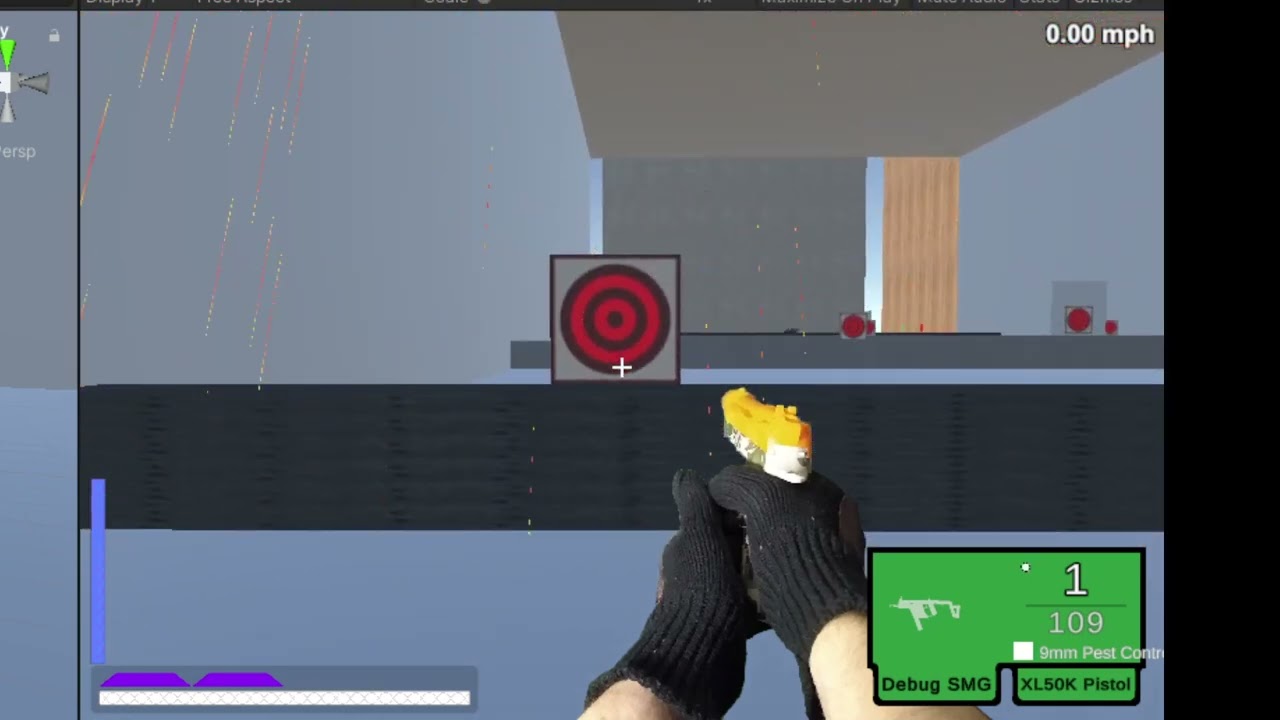
spent the weekend optimizing my bullets. Tried for a long time to get parallelized spherecasts in a job working but never got a worthwhile performance improvement out of it.
my current solution involves dynamically staggering the bullet updates based on the current frame rate. this probably has an impact on physics calculations but it doesn't seem too bad.
so basically if there's 1000 bullets and we're hitting 25fps, it'll try to hit 100fps by chunking them into 4 sets of 250 bullets spread across 4 frames. It looks a little weird but it no longer lags the game into oblivion
https://youtu.be/7Uoy5rNqDDw
 flint sage
Are your bullets gameobjects?
strange hornet
flint sage
Are your bullets gameobjects?
sort of. I keep all of the bullet data in my bullet manager as just a plain C# class, and they can optionally drive a gameobject's position/rotation.
the tracers are actually dynamic meshes. since most of the interesting movement happens way faster than the update speed, normal partical trails look very bad. Instead I cache a list of the intermediary points for each frame and then build a tube from them. and then the points just decay after 0.1 seconds
flint sage
then build a tube from them. and then the points just decay after 0.1 seconds
Pretty sure that's the performance cost
strange hornet
flint sage
> then build a tube from them. and then the points just decay after 0.1 seconds
...
I did a bunch of testing on it, I don't think it's actually that bad. spherecast is typically about 60% of the runtime. specifically the first spherecast, I think because it has to wait to access the scene.
0.1ms though, not the greatest
 flint sage
Well yeah doing sphere casts is not good either
strange hornet
literally 1/3rd of that 0.1ms is just converting world vectors to local space. probably could get a pretty decent improvement just from cleaning it up tbh

maybe a compute shader 😳
flint sage
Not sure if your measurements are correct tbh
strange hornet
flint sage
Not sure if your measurements are correct tbh
why wouldn't it be?
flint sage
How are you measuring it?
strange hornet
flint sage
How are you measuring it?
Time.realtimeSinceStartup before and after portions of the function
flint sage
realtimeSinceStartup returns time as reported by the system timer. Depending on the platform and the hardware, it might report the same time even in several consecutive frames. If you're dividing something by time difference, take this into account (for example, time difference might become zero).
Windows system timer iirc only has a 16ms precision
tldr: it's likely not accurate
I also wouldn't expect it to be updated in the same frame
So not sure where your differences are coming from
strange hornet
hadn't considered the precision issue but it seems fairly accurate. I have seen some anomalies with really small times but for the most part it's consistent. and roughly matches what the profiler reports
not my first rodeo. the log lines confound the results pretty bad but if you chunk it out correctly you can get a reasonable answer to where the performance is going
flint sage
👍
GO overhead is pretty big, especially if the hierarchy is somewhat complex
Preferably I'd switch those bullets over to pure particles or ECS
strange hornet
which appears to be... mostly spending 2ms waiting on the scene to be ready to accept a spherecast lol
honestly I wonder if I could cut down on the waiting just by making sure all the spherecasts happen in a row at the beginning of the update. In my testing I found that the first cast takes 10x as long as the second. and if you do 10000 spherecasts in a row, pretty much all of them after #1 get the fast execution time
but if you do any serious operations in between it tends to go back to to the 10x execution time
strange hornet
flint sage
https://docs.unity3d.com/ScriptReference/Physics.SyncTransforms.html
🤔 is that to say that editing physics transforms triggers a sync?
that would make sense, I think
flint sage
It's when you edit gameobject transforms, they're not automatically updated in the physics representation
strange hornet
flint sage
It's when you edit gameobject transforms, they're not automatically updated in t...
ah. so then when you go to cast again you have to wait another 2ms to update the physics scene... damn okay. That actually shouldn't be difficult to work around at all
honestly that's probably the key to most of my performance issues... 🤔 the audio spatialization and AI systems both use insane amounts of raycasts and they almost definitely are not separating casts from transform updates
 runic oriole
How would one check the volume of an intersecting plane against any type of collider (sphere, box or capsule)?
 torn kraken
Hi! Do you know a package with script to select type and method by inspector, so I can pass this information to another one? As MethodInfo or something?
torn kraken

gilded wing
any way to get around the editor console/vscode showing a warning that the "new" keyword is required for using the name "collider" in a monobehaviour but then when you build with the new keyword in place, the build gives a warning that it isn't necessary because it's not hiding anything? i guess it happens because the field is obsoleted and just gets fully disappeared for the build but this is a bit silly
... other than "use another name for the field", which is what i'll do if there's nothing smarter
 fresh salmon
Nothing else than renaming the field, the warnings are relics from old versions of Unity
sly grove
gilded wing
any way to get around the editor console/vscode showing a warning that the "new"...
Use another name
Use new
Suppress both warnings
fresh salmon
Where GetComponent wasn't a thing, ah the old days
gilded wing
ah the specific warning suppression #pragma stuff i didn't know about, thanks
 hushed fable
fresh salmon
Where GetComponent wasn't a thing, ah the old days
hushed fable
fresh salmon
Where GetComponent wasn't a thing, ah the old days
Weren't they just shortcuts?
real plume
hello, I'm trying to make a character game object that moves itself by pushing off the ground (like real legs) rather than direct addforce or transform etc. are there physics packages i should look at to get this done, or other addons, or is the base engine and physics suitable for this?
strange hornet
real plume
hello, I'm trying to make a character game object that moves itself by pushing o...
in theory the normal physics system should work for this, I think Boneworks does it. Although they actually may use some cheat methods by basically making bots operate like a segway. I think there's some videos on how they accomplished it on youtube
in general though, this is going to be extremely fucking hard so good luck 😄
real plume
strange hornet
in theory the normal physics system should work for this, I think Boneworks does...
published by Unity? the reason i'm needing to do it this way is for MLAgents. I need them to learn the legs for an experiment, essentially. yeah it will be very hard
strange hornet
real plume
published by Unity? the reason i'm needing to do it this way is for MLAgents. ...
oh, I've actually fiddled with that kind of thing before and I think ML people typically use some other premium physics engine. I don't remember what it's called
the default one has a lot of play that doesn't work great with ML
fresh salmon
hushed fable
Weren't they just shortcuts?
Yeah, basically to get components you referred to those properties (eg myScript.particleSystem), and Unity 5 came and introduced GetComponent
hushed fable
real plume
strange hornet
the default one has a lot of play that doesn't work great with ML
that's what I thought. hmm. it isn't havok is it? any idea where i'd find this info?
fresh salmon
hushed fable
<https://docs.unity3d.com/351/Documentation/ScriptReference/index.Accessing_Othe...
Ah it was the most common ones alright, didn't know GetComponent was a thing this early
strange hornet
real plume
that's what I thought. hmm. it isn't havok is it? any idea where i'd find thi...
I'm not 100% sure but I think it's MuJuCo https://mujoco.readthedocs.io/en/latest/unity.html
which is the standard for OpenAI
hushed fable
fresh salmon
Ah it was the most common ones alright, didn't know GetComponent was a thing thi...
Probably would have been difficult to work with script components without it
real plume
strange hornet
I'm not 100% sure but I think it's MuJuCo https://mujoco.readthedocs.io/en/lates...
thank you. appreciate the info. this at least confirms my suspicions. i'll scour for it xD
fresh salmon
Yeah fair enough
strange hornet
real plume
thank you. appreciate the info. this at least confirms my suspicions. i'll sc...
https://www.reddit.com/r/MachineLearning/comments/i98dti/d_unity_ml_agents_vs_mujoco/
I've also noticed recently that Unity has some official "robotics" physics constraints in the engine now, I don't know much about them but I think the intention is that they're more precise. Might be worth looking into
real plume
strange hornet
https://www.reddit.com/r/MachineLearning/comments/i98dti/d_unity_ml_agents_vs_mu...
oh, nice. thank you. i'll bookmark them all
undone coral
real plume
oh, nice. thank you. i'll bookmark them all
what's your objective?
undone coral
real plume
hello, I'm trying to make a character game object that moves itself by pushing o...
to what end?
drifting tusk
-__-
Trying to load images/textures from local folder during runtime, and for some reason File.ReadAllBytes just returns an empty array. I double checked that the file address is correct with the debug, and it brings up the proper image right away
    public void GrabImage(string loc, Texture2D dest) {
        if (File.Exists(loc)) {
            byte[] fileData = File.ReadAllBytes(loc);
            Debug.Log("[" + loc + "] " + fileData);
            dest = new Texture2D(2, 2, TextureFormat.BGRA32, false);
            dest.LoadImage(fileData);
        }
    }
 mellow copper
try using Resources and maybe put your images in streamingAssets?
or you want them to be encrypted?
drifting tusk
not encrypted, and user needs to be able to place the folder wherever they want (They decide where to locate the asset, not an option elsewise)
mellow copper
drifting tusk
not encrypted, and user needs to be able to place the folder wherever they want ...
like in any folder they want?
drifting tusk
yes. I am making a software, not a game.
drifting tusk
It's necessary for my software to have 3D rendering, so Unity easily fits the bill- thing is, I have done this long long before with File.ReadAllBytes with no issue. idk why this time, I am coming up with literally nothing
drifting tusk
its not null, its returning just byte[], from a triple checked correct file location (even File.Exists found the file)
mellow copper
have you tried using the debug build? to see if there's any error with the path on runtime?
drifting tusk
yeah. Throwing debug messages wherever i can
mellow copper
that's really weird
bc that must be a problem with the path...
or maybe not
bc you check if the path is valid soo...
can you show me a screenshot of the console in the runtime debug build? just to see
drifting tusk
 mellow copper
wait no i mean the runtime debug build
here

then build and there should be a small console showing you errors
drifting tusk
 mellow copper
it works?
mellow copper
so it's not a byte problem hmmm
wait
have you checked if the texture is null? or the image is null?
,ooo
i'm dumb
i didn't check you print method
so yes it is a byte problem
but it's really weird
drifting tusk
well, I guess the byte's weren't empty 🤦♂️ thought just sending byte[] straight to debug would probably shove length in there. But yeah, the texture2d has been null the entire time and my first thought was it was the File portion - but I guess maybe not
mellow copper
oh
drifting tusk
 mellow copper
i have to say tho your really smart for using unity for rendering, it gives you most of the hard job in 3D done!
so,
drifting tusk
ikr. And explosively saves a ton of time on some of the fancier things, for unity to do behind the scenes.
So, my issue then is it being converted from bytes to texture2D
the LoadImage line*
drifting tusk
The LoadImage wants a byte array
imma be mad if Texture2D has been passed like a normal string/int value and not a direct reference -__-
mellow copper
yeah mb
drifting tusk
testing that now, so gonna take a minute to add the new method of returning texture instead of altering existing
mellow copper
ok
drifting tusk
MF, I am a idiot- that was the issue. I wish Unity would make more of its native types act as references instead of just values :/
mellow copper
Oh
Sorry if im being a bit confused i never really worked with bytes image conversion
drifting tusk
//Doesn't pass a ref to dest, but instead grabs literal value
    public void GrabImage(string loc, Texture2D dest) {
        if (File.Exists(loc)) {
            byte[] fileData = File.ReadAllBytes(loc);
            Debug.Log("bytes: " + fileData.Length);
            dest = new Texture2D(2, 2, TextureFormat.BGRA32, false);
            dest.LoadImage(fileData);
        }
    }

//Returns a proper texture2d instead, since can't alter Texture2D parameter
    public Texture2D GrabImage(string loc) {
        Texture2D dest = new Texture2D(2, 2, TextureFormat.BGRA32, false);
        if (File.Exists(loc)) {
            byte[] fileData = File.ReadAllBytes(loc);
            Debug.Log("bytes: " + fileData.Length);
            dest = new Texture2D(2, 2, TextureFormat.BGRA32, false);
            dest.LoadImage(fileData);
        }
        return dest;
    }
Oohhhh
drifting tusk
its a nasty pitfall
drifting tusk
Right now, it is not much atm, but the ultimate goal after a long time of work is to compete with Live2D
undone coral
drifting tusk
-__-
Trying to load images/textures from local folder during runtime, and for so...
use UnityWebRequest to load files into textures
mellow copper
yeah i saw that too but i never worked with external Texture loading , what does it do?
boreal knoll
i see i can call "OnMouseEnter()" when the script is on the object itself, but assume we have no script on an object, can i still check for OnMouseEnter (from a different script, for example playercam) ?
mellow copper
#💻┃code-beginner but you cannot check OnMouseEnter for another object than the object attached to the script
 gleaming thistle
you'd need to raycast instead probably
boreal knoll
yes i have a raycast going, i though i can attach the object it hits maybe an yield OnMouseEnter() callback from there on, but looking at WAYxTREME's answer (tank you ✌️ ) it looks there is no known way to get the result from "foreign objects" (objects that do not have the script with OnMouseEnter() on them itself).
I was just confused about the point where unity docs say:
"OnMouseEnter can be a co-routine, simply use the yield statement in the function. This event is sent to all scripts attached to the Collider."
(taken from here: https://docs.unity3d.com/ScriptReference/MonoBehaviour.OnMouseEnter.html )
 wind badge
Does making the native Unity methods unsafe cause any issues?
Looks like the code is run fine but I'm not certain if it may cause memory leaks or anything the like, not 100% on how pointers function in C#
undone coral
wind badge
Does making the native Unity methods `unsafe` cause any issues?
not really
undone coral
mellow copper
yeah i saw that too but i never worked with external Texture loading , what does...
it can load textures from a file path asynchronously
undone coral
boreal knoll
i see i can call "OnMouseEnter()" when the script is on the object itself, but a...
use eventsystem
undone coral
boreal knoll
yes i have a raycast going, i though i can attach the object it hits maybe an yi...
ah... use the IPointerEnterHandler interface or this.OnPointerEnterAsObservable() from unirx
 novel plinth
wind badge
Looks like the code is run fine but I'm not certain if it may cause memory leaks...
novel plinth
wind badge
Looks like the code is run fine but I'm not certain if it may cause memory leaks...
Meaning you're not ready yet... and if it goes out of bounds it's your own fault 😃
 sterile meteor
Hi guys! 🙂 Do you have any idea how to calculate how much mesh renderer is covered by another in a given camera? Let's say I need to turn on xray, on an obscured object, only when it is 50% covered.
compact ingot
sterile meteor
Hi guys! 🙂 Do you have any idea how to calculate how much mesh renderer is cove...
you could render a utility texture with a special shader on all relevant meshes that encodes overdraw-information into a float3 and then count the pixels
 spring gorge
im not sure this is code or setting but which is the most simple way to make this?

 humble leaf
Stop crossposting this around the server.
It's likely not two separate objects, just a colour change on the name.
 olive lion
Can someone help me with rotating a transform component?
 ember granite
Hey all, I’ve got scriptable objects which represent a thing and i want to give players the ability to create an instance of that thing and add it to their inventory on a click of a button. Currently I’ve got a data class and item class. The data class is the scriptable object and the item class is a plain old class. When the button is clicked a new instance of the item class is created and the SO is passed into the constructor as a parameter of that item class where I set the values so I can instantiate the class initially and make changes to the property of this class without having to modify the SO itself. Is there a more efficient way to do this? I feel like there’s duplicate code when it comes to the item and scriptable object class but that’s only because I need to be able to create different instances of the item class based on the SO data.
 tough tulip
ember granite
Hey all, I’ve got scriptable objects which represent a thing and i want to give ...
tough tulip
ember granite
Hey all, I’ve got scriptable objects which represent a thing and i want to give ...
Should be good enough. Is there any limitation you're facing because of this?
ember granite
tough tulip
Should be good enough. Is there any limitation you're facing because of this?
No limitation as such at the moment, just a lot of duplication of code. I.e I have to duplicate the properties that are in the SO class into the item class.
 potent forge
im using getcomponent in loops
İs GetComponent expensive?
 sage radish
potent forge
im using getcomponent in loops
İs GetComponent expensive?
sage radish
potent forge
im using getcomponent in loops
İs GetComponent expensive?
I replied to your question in #archived-code-general
undone coral
ember granite
Hey all, I’ve got scriptable objects which represent a thing and i want to give ...
Create the item [Serializable] struct. Set the whole item as a field in the scriptable object, ie public Item item.
For ephemeral state, declare it as as a c# property so that it is not serialized
Only structs help you avoid writing code to do a copy
Since they are copy by default when assigned
Which is what you want
If there are arrays in the struct you can research how to copy those effectively
tough tulip
ember granite
No limitation as such at the moment, just a lot of duplication of code. I.e I ha...
other than the option suggested above, you can go for a serializable class approach instead of a SO since basically you have multiple instances of the class anyway.
one of the purpose of SO is to maintain a single instance of data, which you clearly dont need.
with serializable classes, you would be able to utilize ICloneable
ember granite
tough tulip
other than the option suggested above, you can go for a serializable class appro...
And if I was going this route I will have to create all the possible item instances I need via code to make it available for the player to interact with then is it
undone coral
sterile meteor
Hi guys! 🙂 Do you have any idea how to calculate how much mesh renderer is cove...
Lots of shaders do “minimum area” calculations. You can see how to do that in Shader Graph. It is very rare to do because on first blush it would require a pass - you’d query an object id channel
tough tulip
ember granite
And if I was going this route I will have to create all the possible item instan...
you need to create prefabs and a monobehaviour script which can contain that serializable data to modify the data from editor itself.
for user to clone data, you can simply use .nets clone if you implement ICloneable as mentioned above
ember granite
awesome stuff, a lot to think and try. Thank you guys for your input. Much appreciated!
 raw lily
Hey! So I had this weird problem, where an object, embeded in a prefab would react in a weird way when it was being resized. In that case it emitted glow and the color could no longer be changed from script after the scaling happen'd. The solution I found to this, is to load a Resource of the embeded part (as a prefab) and Instantiate it; that just fixed the issue. Anyone knows how that is?
 random goblet
How I can get www.downloadHandler.text.token (Check screenshot)?
I tried:
RootUser Response = JsonUtility.FromJson<RootUser>(www.downloadHandler.text);
Debug.Log(Response.token);
But return error CS1061: 'RootUser' does not contain a definition for 'token' and no accessible extension method 'token' accepting a first argument of type 'RootUser' could be found (are you missing a using directive or an assembly reference?)
 tough tulip
random goblet
How I can get `www.downloadHandler.text.token` (Check screenshot)?
I tried:
```c...
tough tulip
random goblet
How I can get `www.downloadHandler.text.token` (Check screenshot)?
I tried:
```c...
how does your RootUser class look like?
random goblet
tough tulip
how does your RootUser class look like?
using System;
using System.Collections.Generic;

[Serializable]
public class RootUser
{
    public UserData[] user;
}

[Serializable]
public class UserData
{
    public string id;
    public string username;
    public string email;
    public string server;
}
Do I need to create a class to receive the token or can I just add a string?
tough tulip
your class fields are not at all matching the fields in json. i would suggest you to google on how jsons work
 modest sparrow
I'm thinking maybe it makes most sense to go through ObjC, do you have any writeups of how it's done somewhere?
 eternal violet
I'm attempting to load a DLL & an addressable asset catalog at runtime; then pull a plugin registry asset from the catalog at runtime. However, I'm finding that despite calling Assembly.LoadFile, I'm having no luck with unity finding the MonoBehaviours at runtime.
Loading C:/Users/priva/Documents/Game dev shit/Builds/Big Top Bloodsports/Big Top Blood Sports_Data\Mods\External Mod\StandaloneWindows64\Mod.dll
The referenced script (ExternalMod) on this Behaviour is missing!
The referenced script on this Behaviour (Game Object '') is missing!
The referenced script (ExternalMod) on this Behaviour is missing!
The referenced script on this Behaviour (Game Object 'External Mod') is missing!
The referenced script on this Behaviour (Game Object 'External Mod') is missing!
I assume I need to inform unity of my MonoBehaviours somehow
Googling around I've had no luck coming to an answer; but I know this is possible (KTANE does it, KSP does it, etc.)
Anybody have any clues?
tough tulip
eternal violet
I'm attempting to load a DLL & an addressable asset catalog at runtime; then pul...
using il2cpp or mono?
eternal violet
Mono.
tough tulip
Does add component work?
eternal violet
Let me goof around and check.
tough tulip
Try to call a static method which creates a new gameobject and does add component within the dll.
 warm fulcrum
I'm seeing some weird behaviour with AsyncOperation from LoadSceneAsync - Whenever allowSceneActivation is false the AsyncOperation does not complete. It stops at progress = 0.9 and waits. While this can be rectified by checking for progress >= 0.9 instead of isDone, it doesn't make very much sense and seems like it might be unintended?
eternal violet
tough tulip
Try to call a static method which creates a new gameobject and does add componen...
I'm able to call functions within the DLL, yes.
I'd already thought of this route (just having a class inside my modding API to load classes from the new DLL) but I don't think that's a great experience from a mod developer's perspective
The end goal here is to get Unity to resolve the references itself-- if I have to do some fancy schizz to replace references at build time like that, then so be it, I guess.
 red osprey
modest sparrow
I'm thinking maybe it makes most sense to go through ObjC, do you have any write...
red osprey
modest sparrow
I'm thinking maybe it makes most sense to go through ObjC, do you have any write...
ObjC is just C. Use the DllImport attribute. Signature of function must match signature of external function. DllImport refers to a dylib in your project.
It's the typical Csharp syntax.
modest sparrow
but ObjC isn't just C
like if I put
@objc fubc whatever() {}
the compiler complaints
red osprey
Are you in objective c or swift?
modest sparrow
Swift
red osprey
Also, if the compiler, as in the objective c or swift compiler, complains, then that has nothing to do with the c interface
The interface of objective c is c
Sounds like you messed up the swift signature... It's weird. You sometimes need underscores and crap.
modest sparrow
@objc can only be used with members of classes, @objc protocols, and concrete extensions of classes
my function is not any of those
red osprey
That's a swift error. You are messing up the swift syntax
I should note that we always redirect through objective c. We don't directly expose swift as objective c. Not sure why.
modest sparrow
so you have your own objc headers?
red osprey
Yeah. Probably not necessary though.
modest sparrow
I've tried with @_cdecl but that's somewhat messy
as the header generator generate ObjC types
so it may be better to write a custom ObjC intermediary
red osprey
I am not the person to diagnose swift syntax. I struggle with it myself.
I think it's possible though, but not sure.
Might need to be static methods, etc.
C has no concept of classes.
modest sparrow
I mean, there's struct + function pointers, but besides that, no
red osprey
And the function pointer would need to have a parameter of type struct ("this"), yes.
modest sparrow
Do I just expose a function in my header, no extern C ?
red osprey
But yeah just wanted to make sure you knew that an instance method doesn't have a direct C equivalent that the compiler could just generate I don't think.
Anything that allows its signature to be accessible from a dylib. You can use the nm command to validate that your function is compiled into the dylib as something that can be called externally. https://stackoverflow.com/questions/4506121/how-to-print-a-list-of-symbols-exported-from-a-dynamic-library
modest sparrow
Oh nice!
red osprey
Note... you'll want to | grep :p
So that you're not looking through 3 pages of functions.
 regal olive
how do i make a slider that fills up over time? i currently have this but its not working. its filling but in the wrong timespan
using System.Collections;
using UnityEngine;
using UnityEngine.UI;

public class ButtonManager : MonoBehaviour
{
    public GameObject ChoppingButton;

    float timeperwood = 3.0f;

    public void ChopTree()
    {
        StartCoroutine(chopProcedure());
    }
    IEnumerator chopProcedure()
    {

        Slider progressBar = ChoppingButton.transform.GetChild(2).gameObject.GetComponent<Slider>();
        progressBar.maxValue = timeperwood;
        while (progressBar.value != progressBar.maxValue)
        {
            progressBar.value += 0.05f;
            yield return new WaitForSeconds(0.05f);
        }
    }
}
I think it's something like
nm -gU mylib.dylib | grep MyFunc
``` ... to search for MyFunction(int blah) etc. @modest sparrowi already tried using google but it doesnt give me the right result
modest sparrow
red osprey
I think it's something like
```
nm -gU mylib.dylib | grep MyFunc
``` ... to sear...
now to find out where Xcode spits out the dylib
red osprey
Your build folder... there will be an option in I think project top menu item to open it in finder.
red osprey
Yeah it gets dumped in your user folder deep dark places.
Of course you can script a build step, but whatever.
One person I know had a symlink folder point to his Unity asset folder.
modest sparrow
I made it all work, thanks!
undone coral
not really advanced code. use DOTween to animate to a rotation.
with 2d in the xy plane, you can do transform.right = targetPosition - transform.position to do a rotation, which is much simpler
undone coral
modest sparrow
I made it all work, thanks!
it's really hard to build a pipeline around stuff like this if it's all new to you. for unity plugins it's almost always best to make a separate C/C++ library that's just the plugin, and the .m/.mm file that does JUST the macOS/iOS specific stuff is only included in the build if it's on that platform
in my experience people people have the most success with CMake to define a C/C++ plugin (use CLion as your editor and AppCode for iOS/macOS specific stuff) and a build tool like Gradle or Bazel to tie it all together
if you are copying a .dylib out of derived data you might wind up with something that cannot be used anywhere but on your machine
you can get the right setup of a .dylib using CMake
out of the box
modest sparrow
undone coral
you can get the right setup of a `.dylib` using CMake
does CMake work with Swift? That's a big requirement
I don't need the C/++ stuff (or ObjC really to be honest)
This is all for a wrapper around a Swift-only Apple library they introduced last summer
undone coral
modest sparrow
This is all for a wrapper around a Swift-only Apple library they introduced last...
oh yeah you were writing about this earlier
remind me again which one it is?
modest sparrow
GroupActivities
undone coral
did you look at the prime31 plugins like i said?
zenith ginkgo
Don't suppose anyone knows the syntax / possablity of tweening URP post processing effects with DOTween?
undone coral
zenith ginkgo
Don't suppose anyone knows the syntax / possablity of tweening URP post processi...
use volumes 🙂
start by trying to animate the volume weight
modest sparrow
undone coral
did you look at the prime31 plugins like i said?
I missed that you encouraged that, apologies
undone coral
modest sparrow
I missed that you encouraged that, apologies
download the prime31 plugins because those guys know what they're doing
and you can always add stuff you need there
zenith ginkgo
i know how to do that. i want to use DOTween to lerp the intensity smoothly
modest sparrow
undone coral
download the prime31 plugins because those guys know what they're doing
Are you talking about the Game Center plugin?
zenith ginkgo
i could write a coroutine. But surely DOTween has the functionality, i just cant find it
undone coral
zenith ginkgo
i know how to do that. i want to use DOTween to lerp the intensity smoothly
you can just do DOTween.Tweener(...) or whatever it's called
modest sparrow
That's the only related I can find
modest sparrow
But GameCenter ≠ GroupActivities
undone coral
you can also look into the implementation of any of the DO... methods and see how they do it
undone coral
modest sparrow
But GameCenter ≠ GroupActivities
i know i'm saying
that you can use the skeleton of their plugin framework
undone coral
because it comes with source
yes.
because your questions are about, "How do I author Unity plugins well?" and Prime31 would be a good thing to look at to answer that question
modest sparrow
That'd have to wait I bit, I don't currently have the money for that 
But many thanks!
 muted widget
Anyone ever use ECS yet?
I was told to give it a shot
was wondering if this code is correct
It works okay and runs well
using Unity.Transforms;

public class CubeTranslationSystem : ComponentSystem {
    protected override void OnUpdate() {
        Entities.WithAll<CubeMoveSpeedComponentData>().ForEach((ref Translation trans, ref CubeMoveSpeedComponentData moveForward) => {
            trans.Value += moveForward.speed * Time.DeltaTime;
        });
    }
}```

```using System;
using Unity.Entities;

[Serializable]
public struct CubeComponent : IComponentData { }

[Serializable]
public struct CubeMoveSpeedComponentData : IComponentData {
    public float speed;
}```

```using Unity.Entities;
using Unity.Transforms;
using UnityEngine;
public class ECSCubeInstantiate : MonoBehaviour {
    private EntityManager _entityManager;

    [SerializeField]
    public GameObject Prefab;
    [SerializeField]
    public int NumberOfObjects = 1000;
    [SerializeField]
    public int XSpread = 10;
    [SerializeField]
    public int YSpread = 10;
    [SerializeField]
    public int ZSpread = 10;

    private void Start() {
        var settings = GameObjectConversionSettings.FromWorld(World.DefaultGameObjectInjectionWorld, null);
        _entityManager = World.DefaultGameObjectInjectionWorld.EntityManager;
        var entity = GameObjectConversionUtility.ConvertGameObjectHierarchy(Prefab, settings);

        for (var i = 0; i < NumberOfObjects; i++) {
            var position = new Vector3(
                Random.Range(-XSpread, XSpread),
                Random.Range(-YSpread, YSpread),
                Random.Range(-ZSpread, ZSpread));

            var entityInstance = _entityManager.Instantiate(entity);

            _entityManager.SetComponentData(entityInstance, new Translation { Value = position });
        }
    }
}```It just spawns 1000 objects and translates them.
modest sparrow
It's great fun, but it forces you to think in an entirely different way
muted widget
It's uh, sorta similar enough

runs okay
just wondering if I am doing it fine because uh, unity seems to change it a lot
and tutorials are hit or miss.
somber swift
muted widget
That batch count 😅
somber swift
But they all look the same so gpu instancing could work nicely
muted widget
yeah, but they won't always be
this is my game. Performance is lacking somewhat

so I want to improve it
somber swift
What your stats window looks on a regular scene like that?
 somber swift
Im just wondering how there can be 1k batches… there doesnt even seems to be more than 20 different game objects on the screen
Also that tris count is much
muted widget
Yeah I agree with all of that. I think post processing has a lot to do with the tri count
sly grove
I'd guess your draw distance is very far and there's no occlusion culling happening
somber swift
I dont think pp changes tris count
muted widget
Occlusion is realtime because my city loads procedurally
So baking is not an option.
sly grove
So are you using an asset for occlusion culling or it's just not happening at all?
Unity by default doesn't support realtime occlusion culling
muted widget

Use the GDOC — Dynamic GPU Occlusion Culling from Bear Roll Studios on your next project. Find this utility tool & more on the Unity Asset Store.
I'm using this but it is a bit old and outdated
it isn't the best.
sly grove
Ok - I also wonder if you've configured it properly or not
muted widget
But I also don't have any other option
yeah
it works somewhat but that's about it
somber swift
Doesnt seem to be doing its job too good
Do you use lod system to decrease tris count?
muted widget
Tris are very low. I don't even think I could make them any lower 😛
the city is modeled like a game from 1999
no 3d windows on buildings or anything
I will be adding it eventually to support it in the game, but right now, it probably wouldn't help much
somber swift
And still 10m tris?
somber swift
I think youre using some crazy large map with some crazy large far clipping plane value
muted widget
it is a good size map definitely
I'll check out the docs for the culling again and see what my camera render distance is
somber swift
Something seems to be missing cuz the scene looks pretty simple and still the batch count is very high
muted widget
I agree. I will go over rendering again tonight
somber swift
Unless the buildings for example are made out of 100 pieces each which could explain it
muted widget
I combined chunks for performance and to help with culling
 somber swift
Also using many different materials on one mesh leads to multiple submeshes and higher batch count.
muted widget
yeah, I have a few tex sheets on each building. The buildings use uh, maybe 10 tex sheets (2048x2048 sheets) with misc sheets of other details (for some bricks etc)
so, camera distance is 500
somber swift
Do you need that much?
muted widget
I have a lot of tall buildings in the city. Wouldn't it look odd otherwise?
muted widget
this is it at 400

yeah,I already do camera culling for small objects that are far away
somber swift
I think we got quite far from what this channel is meant for
muted widget
😛
undone coral
muted widget
your fps is 285... there isn't a performance problem here
undone coral
muted widget
you're profiling in editor... you have to profile in player
muted widget
yeah it's pretty good in there
undone coral
it's not measuring anything real right now
muted widget
well, players get a lower framerate than I'd like
and I already know a lot of optimizations can probably be made.
undone coral
the graphics are 89 fps
it's trying to tell you that rendering isn't the issue
you have to profile a player build
to get a baseline of what really matters
muted widget
For example, one user got +- 20/fs with his specs being
AMD Ryzen 4000H, NV GTX 1650ti
undone coral
the editor is good for relative measurements
muted widget
Of course
undone coral
do you have a profile of a player build?
muted widget
I do not. How do I go about doing that?
undone coral
muted widget
Anyone ever use ECS yet?
there aren't any games really that are shipped on ECS, it's a huge distraction
muted widget
I think it looks and works okay, but I think it's too eaerly to use it
red osprey
How to optimize in Unity is a huge topic... but it ultimately comes down to The Scientific Method. Have a hypothesis. Try to disprove it. The more you fail to disprove it, the more confident you are in it.
muted widget
Yeah absolutely. I think my culling system is not the greatest
I just don't know what to do with it (to replace)
since 99.9% are bake-only
red osprey
In terms of collecting data -- switching the profiler to Timeline helps quite a bit.
You can see the various chunks of your game (physics, animation, etc.) in a left-to-right graph
For CPU, look at the biggest chunk.
If you're GPU bound, then enable the GPU profiler if your platform supports it. Also use the frame debugger to look for weird draw calls.
muted widget
I will check that out. I think 10 mil tris is also too high
red osprey
That's suspicious, yes. Depends a bit on your GPU though.
Lots of shadow casters (those are drawn potentially several times by directional lights).
But like we could be messing around for hours only to find out that the physics stage is 50% of your frame time or something weird like that.
muted widget
yeah I gotcha. I will check out both now with the timeline part
red osprey
Big steps:
- Find out if you're CPU bound or GPU bound (for a given scenario on a given hardware -- this will change based on those factors).
- If CPU-bound, find out what stage is dominant.
- Look for culprits.
- Repeat.
- If GPU-bound, find out where.
- Look for culprits.
- Repeat.
muted widget
to get an idea
 red osprey
So half of your frame time is rendering... there's a fairly big coroutine too.
(On the left)
On the right, half of your rendering budget is spent culling.
At that point... I'm wondering if culling is a pessimization.
In my experience, it's hit or miss whether it actually helps.
(Especially if you replace it with careful batching and stuff.)
 red osprey
Correct, but there might be ways around it. Of course how much work that is depends.
muted widget
yeah I gotcha. The goal is for the user to do the least amount of work. They can make tracks/cities in Blender to export to GLTF format for the game
so anything I can omit for them not to do is a plus for simplicity in creating new mods for the game
so I would prefer not having them set up custom "room" style work for culling for example
red osprey
There's a lot of subtle things that you could do, but of course I can't make too many suggestions because it will massively affect workflow.
muted widget
Yeah I understand. Feel free to give some insight to what those things might be
red osprey
I'm curious how much garbage you're generating in a standalone build.
It's generally not too hard to get that down to zero per-frame (as in for code that runs every single frame).
(In a standalone build.)
(Editor scripts will often generate garbage.)
red osprey
Yeah the incremental one.
muted widget
Yup
red osprey
But yeah just keep up the trial and error.
Get data, figure out what parts are slow (ex: completely disable all renderers and see what your FPS is).
Then, from there, think of alternate methods. Try, error, repeat.
muted widget
Disabling water reflections puts 30 f/s back in the editor + 1200 --> 700 batches
but I think realtime water reflections are a must in any modern game.
It would be awfully cheap and in my opinion, bad, to have to remove that
red osprey
The point is to identify the costs and think of alternatives.
If 500 draw calls came from water, then you now know that X percent of your budget came from water reflections.
red osprey
Yeah shadow casters got me nervous.
muted widget
A guy told me to use ECS to iterate through all the meshes in my city and turn off shadows for objects far away
red osprey
Not sure how you're doing reflections, but you might be able to only reflect certain objects. That might help.
Alternatively, you might be able to do something where you slowly render reflections to a texture over the course of multiple frames... although a lot of those tricks likely require going into the bowels of graphics programming.
Or maybe a reflection probe is enough... only capture the static objects.
Lots of possibilities.
muted widget
turning off a lot of shadow casters reduces tri count a lot

as for a reflection probe.. that would be difficult to have a user set up if they wanted to use water
muted widget
red osprey
Not sure how you're doing reflections, but you might be able to only reflect cer...
yeah I am reflecting only the city
red osprey
muted widget
turning off a lot of shadow casters reduces tri count a lot
Yeah. Unity renders shadow casters multiple times so that you get progressively less resolution the further you are from the camera.
Of course that means that the CPU needs to render them multiple times (unless you're doing weird API stuff with multi-projections).
And then of course the GPU needs the bandwidth to push those vertices multiple times.
muted widget
Of course. I think turning off shadows for far objects is probably a must a this point
unsure how to do it with ECS yet tho
red osprey
Turning off or swapping them with a shadow-only simple, combined mesh.
Depends on how far you want to go.
muted widget
Well, ECS seems decent but I'll have to change a lot to get it to work properly
red osprey
And even then -- is it the dominant factor?
muted widget
Probably not. Reflections seem to do a good chunk.
undone coral
muted widget
to get an idea
you're still profiling in editor
you're worrying about shadow casters and tris and all of those things are relative
undone coral
i'm trying to say that the editor mode profiling
is so inaccurate
it doesn't give you an idea
it's only accurate relative to other editor profiling, but in absolute terms it isn't helpful
i know it says "EditorLoop" but tha'ts not really how long it is
so if you want helpful guidance you'll need to do that, you'll have to do the standalone profile
i think this is going to turn out to be your scripts code. your scene is so simple looking that it is unlikely to be that.
muted widget
It definitely is
I am only an average coder but am improving lately
but my code can use a lot of optimization that I don't know how/what to do just yet
undone coral
you can start by profiling standalone build with Deep Profiling (tracing)
and you'll see exactly what methods are responsible for taking up the most time
you can set graphics quality to zero to help you better understand which scripts code is responsible.
muted widget
I already know it's traffic AI using the most.
red osprey
undone coral
and you'll see exactly what methods are responsible for taking up the most time
It's rarely scripts though... unless those scripts make a synchronous call into something like animation or physics.
But that coroutine has me concerned.

It'd only be like a millisecond or two, but it sticks out.
muted widget
I actually don't know what that is. I'll play again and see
oh
it's the GDOC occlusion culling scanning the scene
 muted widget
No
Can't bake anything due to realtime stuff being loaded
It's a complicated situation 😛
red osprey
There are usually clean and simple solutions to these problems. Just takes finding out exact specifications.
muted widget
red osprey
There are usually clean and simple solutions to these problems. Just takes findi...
Yeah I agree.
So to give an idea of what my game is about.. it is inspired by Midtown Madness. My game features fully modifiable cities and tracks you can make in Blender. A big reason culling is difficult is because they're loaded at runtime. GDOC is the only realtime no-bake solution that I know of for culling like this
boreal knoll
undone coral
ah... use the `IPointerEnterHandler` interface or `this.OnPointerEnterAsObservab...
Thank you for the recommendation, i have not seen IPointer before, do you know maybe what the advantage is over OnMouseEnter() ? As for my script, i got the first version working, in this version i have now tried with Events (OnMouseEnter() ...an exit), in unirx i will look in the next/third version, "last level" as this is very abstract from the way i used to code, so its the most challenging for me 😅
EDIT: after some googling, i found the difference: "Basicly the OnPointer methods are for use with the UI elements. The OnMouse methods are to use with Colliders and GUI's. This means, if you use OnPointer on Colliders it won't work. And if you use OnMouse on UI elements it won't work." But i guess your advice was not about Pointer specifically, but more an example on how to use events. Currently i have my version with events running ✌️ Tanks
 honest hull
Hey so if this doesnt belong here lemme know and ill move it, but I have a bit of a problem
I have a Script that loads data into another class, lets call the class C1, then runs a script in that other class(all of this is in editor, not play mode)
Thing is, I have say 6 gameobjects with data that gets loaded into 6 C1's, one for each gameobject
I then also need to call a function in each C1 to do something with that data
Is there an easy way for me to offload the work into different threads instead of it all being done sequentially to be done all in parallel?
Oh also once every C1 has completed the function, I then have something in the origional script that modifies the data of each of the C1's(as this data change is dependent on the other C1's data)
Is there an easy way to do this in editor(not play) mode? Ive not ever SUCCESSFULLY done multithreading but would like to start learning
thank you!
boreal knoll
honest hull
Hey so if this doesnt belong here lemme know and ill move it, but I have a bit o...
"Is there an easy way for me to offload the work into different threads instead of it all being done sequentially to be done all in parallel?"
Check "coroutines" here: https://docs.unity3d.com/Manual/Coroutines.html
EDIT: i was wrong, it says in unity docs about coroutines: "However, it’s important to remember that coroutines aren’t threads. Synchronous operations that run within a coroutine still execute on the main thread."
honest hull
do coroutines work in editor? I thought they relied on the timestep of player
honest hull
just got tasks to work, but its probably unoptimized as heck cuz its my first attempt at anything mutlithreading but it do work
but it still kills main thread
and I wanna look into a way to get a progress percent while they are running, would help for when C1 could take upwards of an hours
hmmm i could do editorcoroutines but I thought that package was only verified to work in unity 2020?
austere jewel
I've honestly never used it
austere jewel
Coroutines don't exist for performance, they're utility methods that can wait upon things or loop conveniently. The job system is Unity's parallel processing library, but it's only useful for certain types of operations
Practically, things that involve raw data
If you just want to thread some stuff Task.Run is great, though with Unity you've got to be aware of what can even be threaded. Anything that involves UnityEngine.Object types and most UnityEditor/Engine API calls you can basically exclude
honest hull
ok
I just got task.run to work and jesus it is fricking amazing
I may have to look into further implementing it to see if it can bring down the hour long build times that some of my scripts take
is there a way to keep tasks off the main thread so it doesnt kill editor performance?
austere jewel
Task.Run threads the task
plucky laurel
what are you doing that it takes an hour?
austere jewel
Certainly should probably start there 😄
honest hull
building a binary BVH for a 3 million triangle mesh
austere jewel
I have no understanding of how the code behind that sort of thing works, but the job system is ideal for that sort of thing. It sounds like data-based operations that can be parallelised.
plucky laurel
- burst compiler
austere jewel
The benefits of the job system over just threading is that code can be compiled using the Burst compiler, which is Unity's compiler designed for processing vectorised data
ie. lots of data in an array, like that of a mesh 😄
If you already have an implementation though there is the hurdle of porting to things compatible with the job system, so you'd have to weigh that up
honest hull
indeed
but somehow the C++ code i was trying to copy from only takes about 20 minutes to do the same for a 12 million triangles split between around 20 meshes
plucky laurel
yeah youll get into the same ballpark with burst
austere jewel
Maybe better depending on how it goes
Is there a reason you can't use the C++ code? Or is it just a ways away from being compatible with Unity's mesh format
honest hull
Didn’t realize I could use c++ in unity
And theirs isn’t multithreaded far as I know
austere jewel
You can create a native plugin https://docs.unity3d.com/Manual/NativePlugins.html
honest hull
Huh didn’t know that thanks!
I think I will to mine tho for now at least because I’ve used this whole project to learn unity from scratch(previous versions I’ve coded before looking at others code)
 dry fiber
Hey all, I have a character moving in a circle and rotating in the direction it's moving, I'm trying to rotate in the current direction but it keeps going back and forth between 180f and 0f - any idea why?:
            Quaternion q = Quaternion.AngleAxis(_moveVelocity * Time.deltaTime, Vector3.up);
            transform.position = q * (transform.position - Vector3.zero) + Vector3.zero * Time.deltaTime;
            transform.rotation = transform.rotation * q * Quaternion.Euler(0f, 180f, 0f);
Tho i do have a problem where if I click on the game object that contains the main script that also has an array that contains each of the separate classes I’ve talked about, depending on how much data is stored in that array it can in extreme cases kill unity, or at least lag it to hell until I remove the game object from inspector
austere jewel
dry fiber
Hey all, I have a character moving in a circle and rotating in the direction it'...
you're rotating it by 180 degrees at the bottom there, am I missing something? Also, what's with these Vector3.zeros doing nothing
dry fiber
austere jewel
you're rotating it by 180 degrees at the bottom there, am I missing something? A...
right, what I mean is the rotation is correct every other frame, it keeps going back and forth
austere jewel
honest hull
Tho i do have a problem where if I click on the game object that contains the ma...
Mark it with [HideInInspector] perhaps, so it's not visible but still serialized (if you want that)
dry fiber
dry fiber
right, what I mean is the rotation is correct every other frame, it keeps going ...
Vector3.zero is just the origin we're orbiting around
honest hull
I’ve done that, it’s still a problem lol no change
It’s what I get for storing huge amounts of data in structs in lists in structs in lists in classes in arrays in a single game object
tough tulip
honest hull
I’ve done that, it’s still a problem lol no change
It’s what I get for storing h...
try NonSerialized attribute or change the fields to property to prevent them from being serialized
honest hull
But they need to be serialized to persist from editor to player?
tough tulip
oh if you need them to persist, you can try saving the data to a scriptable object, and then try not to ever click on them in project xD
whats the data type youre storing?
(if you have already mentioned about that, sorry i might have missed it)
honest hull
Nah your good
Can’t really explain it
I need to store... a lot of different data
But mostly really long lists of structs
sage radish
You could serialize and deserialize it to and from a byte array manually. You can probably make that faster than Unity's general serializer.
tough tulip
if you can convert all the data into a single byte array, or text format, it might be easier to convert the data to text.
and then at runtime, you can asynchronously convert the data back to non serialized list/structs/arrays whatever and then continue with your stuff.
this is infact a better approach because anyway unity will have serialized your data in some format, which it will reserialize back on main thread
oh wow
sage radish
:)
ISerializationCallbackReceiver will let you hook into when your object is serialized and deserialized on the loading thread so you can convert your stuff there
Unity's serializer is not efficient at serializing big arrays, because it duplicates every field name for every element
Or at least in text serialization, binary might be different.
honest hull
erm but would that really help?
the lag is only there if I click on the object that contains the script(so in this case I attatch it to the camera)
For example, one set of data I contain(which tends to be really long) is I have this struct
Its contained in a long list
that list is contained in a class
that class is contained in another class
and that final class is contained in an array in the overall script that is present in the camera gameobject
also in each class theres a ton of other data there
also do I need to worry at all about throwing away any data in say other classes called from say the second layer of classes that is only used in the construction in a different class that gets stored?
 austere jewel
that's a big struct 👀
sage radish
honest hull
erm but would that really help?
the lag is only there if I click on the object t...
Are those byte arrays always the same size or is it dynamic?
honest hull
same size but it wont let me declare their size in the struct
tough tulip
honest hull
erm but would that really help?
the lag is only there if I click on the object t...
the lag happens when you click on the object. the assumption here is that, unity is trying to populate the data in the script component in inspector which is not every efficient. unity tries to populate the data in inspector because the data is serializable.
Now i dont know if a custom inspector script will work or not. You can try and test it out.
If it still doesn't work the best bet is to avoid unity's serialization
honest hull
ok...
so theres not really any way around it
the lag gets soooo much worse if I actually expand any of the lists
austere jewel
how can you expand the lists if you marked it as [HideInInspector]?
Drawing huge amounts of data in the inspector will cause massive lag
even relatively large ones will tbh
honest hull
no if I dont mark it as HideInInspector and open them its even worse lag
if I do mark it as hideininspector I cant open it(which is fine) but it still lags the origional amount
sage radish
honest hull
same size but it wont let me declare their size in the struct
You can if you make the struct unsafe, but Unity probably can't serialize that.
public unsafe struct BVHNode8Data
{
    public fixed byte e[8];
}
if your ultimate data is lists of BVHNote8Data, its very much possible to flush all the data easily into a single binary file and back to array of this struct
plucky laurel
yeah hideininspector doesnt prevent it from being processed before deciding to draw or not, its a huge issue
honest hull
that seems.... not very smart
tho I do have a question, I have this
BVH2 is not stored after this is run, it is local to this function, and is only used to make BVH, which IS stored in this class
Do I need to worry at all about freeing up the memory BVH2 may have taken?
though the enclosing class here and the BVH8Builder class stores a large array of every triangle(through accessing the triangle list stored in BVH2Builder), though on BVH8Builder its private
tho also also I think that most of the time taken according to profiler(when it doesnt kill unity that is) is List.Add(making sure of this now)
Also one last question, is there a way to keep tasks off the main thread so it doesnt freeze unity
 tough tulip
honest hull
tho I do have a question, I have this
BVH2 is not stored after this is run, it i...
tough tulip
honest hull
tho I do have a question, I have this
BVH2 is not stored after this is run, it i...
if you don't need bvh2, just null it out or clear the lists. As long as you can access the list at any point of time, they will remain in the memory and GC will not free it up
Task.Run doesnt run in main thread. Anything you can with that runs on a different thread
honest hull
hmmmmm ok thanks!
tough tulip
you should worry more about triangles. Are they every needed later after creation of bvh2?
if not clear that first
honest hull
ye but they are all the same
so after im done with BVH2, can I set BVH2 = null?
also turns out the main thing that takes time rn is performing Max's and Min's on vector3's, but I should probably ask about how to optimize that in code-general correct?
though does this
Task.WaitAll(tasks.ToArray());
pause the main thread? I notice that unity still freezes when I run the script
austere jewel
I think you need to research how async works, you need to await that in an appropriate fashion
honest hull
hmmmm ok time to figure out await then
hmmm dont know how to set that up since the async function im calling is in a seperate class, thus to run it I do Run(() => mesh_datas[Index].Construct()) where construct is the async function, but the functions the Construct function calls are not async
 arctic robin
Hey guys!
So I have a problem that I believe events could fix, albeit I'm not too sharp on events and delegates.
I have a generic SequencerBase, which expands to both a Sequencer and SequencerDriver. A SequencerDriver can have both Sequencers and SequencerDrivers.
When any Sequencer in a SequencerDriver loops, I'd like to send an event to a master function that stops the driver.
If I have a UnityAction OnLoop in the Sequencer, and subscribe the SequncerDriver to that event, can I then subscribe to the same event of a parent class and still get the call?
I.e
SequencerDriver(the one I want to subscribe to) -> SequencerDriver(event SequencerLooped) -> Sequencer(UnityAction OnLoop)
arctic robin
In other words:
I have 12 things looping. When one of them loops (doesn't matter which one), I want to receive an event. How do I do that?
undone coral
arctic robin
**In other words:**
I have 12 things looping. When **one** of them loops (doesn'...
you can use UniRx and UniTask for reactive/evented/sequenced things
you don't want to use UnityEvent to build this abstract thing
are you building an asset store library?
undone coral
honest hull
erm but would that really help?
the lag is only there if I click on the object t...
reference a serialized asset instead of declaring BVHNode8Data on something that lives in the scene
unity doesn't recursively load referenced serialized assets
in its inspector
arctic robin
undone coral
are you building an asset store library?
Nope, just trying to create some sort of music sequencing tool for the HoloLens.
undone coral
arctic robin
Nope, just trying to create some sort of music sequencing tool for the HoloLens.
oh yeah
i think i've seen stuff youv'e been posting before
arctic robin
Basing it off another library, which is designed for a single loop. I want to dynamically create long loops.
Haha you know it
undone coral
yes
arctic robin
UniRx and UniTask didnt pop up in my searches, let me take a look.
undone coral
it's tough because audio is so sensitive to timing and latency
undone coral
i don't think unity events will help you, and not really unirx either. some other system is going to read what you're setting up so that it's audio in a low latency way. maybe unitask will.
arctic robin
Thing is, I got a solid endpoint now, just need to know how to combine it.
 undone coral
and you can learn a lot about how to model things that take time
yeah... it's hard to express
you'll see
because these Action (events) won't be timed correctly, you're not going to use them for executing code... you're going to try to introspect them
which is impossible
arctic robin
Just to be clear, the main sequencing code is in there already.
 undone coral
however, you CAN introspect stuff like
public IEnumerable<IStep> Loop(IEnumerable<IStep> Inner, int times) {
 return Enumerable.Range(times).SelectMany(i =>
     new [] {new LoopStart()}
      .Concat(Inner)
      .Concat(new [] {new LoopEnd()));
}
and then you would do
foreach (var step in RenderSequence()) {
 step.Play();
}
kind of hard to express here
what i'm getting at is you can't introspect events, but you can introspect a List<Step> or List<Sample> or whatever
you can't like, "know" what OnLoop() is going to call without an extreme amount of pain
arctic robin
Apologies, what do you mean by introspecting events?
undone coral
like knowing what actions are going to be executed by OnLoop()
arctic robin
Right.
undone coral
you would have to execute OnLoop. you can't just look at an Action and know what it is
you'd have to make a big type system around that which is weird and painful
whereas... you can just represent that stuff in the sequence itself
and something else can read that sequence and decide what to do
i wouldn't use the event to do that
you CAN introspect IEnumerable / IEnumerator easily (that's how coroutines work and you CAN introspect async await (that's how UniTask sort of works)
arctic robin
Are you suggesting remaking the whole thing using UniTask?
arctic robin
undone coral
you would have to execute `OnLoop`. you can't just look at an `Action` and know ...
I don't really care what calls OnLoop or what OnLoop eventually calls, I only care that 3 levels up I'd know when one of the potential 12+ candidates have looped, aka OnLoop.
undone coral
i'm more interested in seeing the code that interprets the "sequence"
rather than generates thes ound
arctic robin
Should I chuck it in here?
undone coral
just a snippet
i will be able to tell sort of from the outlines
you don't need the whole thing
arctic robin
for (int dataIndex = 0; dataIndex < data.Length; dataIndex++)
            {
                if (_backBuffer != null)
                {
                    for (int backBufferIndex = 0; backBufferIndex < _backBuffer.Count; backBufferIndex++)
                    {
                        data[dataIndex] += _backBuffer[backBufferIndex].data[_backBuffer[backBufferIndex].index];

                        _backBuffer[backBufferIndex].index += 1;
                        if (_backBuffer[backBufferIndex].index >= _backBuffer[backBufferIndex].data.Length)
                        {
                            _backBuffer.RemoveAt(backBufferIndex);
                            backBufferIndex--;
                            if (log) print("BackBuffer removed. Total: " + _backBuffer.Count);
                        }
                    }
                }

                if (_index != -1)
                {
                    data[dataIndex] += _clipData[_index];

                    _index++;
                    if (_index >= _clipData.Length)
                    {
                        _index = -1;
                    }
                }

                _progress = _currentStep * samplesPerTick + dataIndex;
sequence being an array
Not sure if this is what you're looking for.
arctic robin
He has hooked his own Actions up like this:
 if (sample + dataIndex >= _nextTick)
                {
                    //Refactored to increase readability.
                    AddToBackBuffer();
                    _nextTick += samplesPerTick;
                    if (++_currentStep > signatureLo)
                    {
                        _currentStep = 1;
                        if (OnLoop != null) _fireLoopEvent++;
                    }
                    _progress = _currentStep * samplesPerTick;
                    if (sequence[_currentStep - 1])
                    {
                        _index = 0;
                        if (OnBeat != null) _fireBeatEvent++;
                    }
                    else
                    {
                        _index = -1;
                    }
                    if (OnAnyStep != null) _fireAnyStepEvent++;
                    if (log) Debug.Log("Tick: " + _currentStep + " (%" + GetPercentage() + ")");
                }
Me adding the OnLoop one
undone coral
the first, which you are doing, is "i finally want to do a behavior other than sticking things into a timeline, and i'd like to specify the behavior with a nondestructive workflow"
arctic robin
Real quick, thanks so much for helping me out here 😄
Anyways Im listening
undone coral
the second, which i recommend, is, "if i want to let the user loop a clip 12 times, destructively write 12 copies of the item into the sequence. if they want something to happen after those 12 copies, it's up to the user to insert another clip /a marker to do that thing"
with the way this code works, it's going to be a colossal undertaking to introduce a nondestructive workflow
on the sequence itself
instead of onloop, create a "dummy" clip / marker
called "Loop Ended"
arctic robin
I see what you're getting at
arctic robin
I also thought about that approach. Basically funelling everything into a "master sequence" that is, idk, 124 steps long.
undone coral
but i wouldn't try to let the user change the number of items to 10 instead of 12. if they want that to happen, it's their responsibility to delete 2 clips and move the "Loop Ended" clip to the end of the 10th clip
arctic robin
hmm
undone coral
i can feel, through the screen, your brain rewarding you with sweet sweet dopamine
for realizing how much easier that is
and that it is basically the same UX
arctic robin
Hahah
undone coral
no one is asking for nondestructive editing righ tnow
it's a huge undertaking
make a big enum of special marker types
sometimes, insert those markers automatically
arctic robin
Thing is, I was hoping for dynamic "resolution" in the sequencers. Aka multiple clips being played simultaneously having different amount of steps, but playing for the same length. Easy to do with some bpm math
Give me a second
This is how the interface currently looks.

Each row being a sequencer, each block being a driver. Then the attempt was to have all blocks under 1 driver for each "field", and sequence them.
This would let me do dynamic resolution of notes easily. Making a master sequence would make that a bit harder.
Furthermore, what do you mean by "nondestructive editing"?
And there goes unity crashing again lmao
honest hull
ok so ive got some progress but some questions, I got this now, where the bottom while function theoretically should be active while the tasks are not all completed, but I need to free up the UI while this is doing its thing
how can I do that? I realize now that I cant just let it loose as the code after this relys on the results of the numerous tasks run
So I need something in between the two thatll let the tasks run to completion before going on to the next code, and not just use waitall as that will still freeze the UI
What can I put in the while loop that will let the UI update/run?
Tho also if the number of queued tasks is large, this will still incur lag, is there a better way to see if there are any tasks not complete?
 sly grove
honest hull
ok so ive got some progress but some questions, I got this now, where the bottom...
sly grove
honest hull
ok so ive got some progress but some questions, I got this now, where the bottom...
Can you use https://docs.microsoft.com/en-us/dotnet/api/system.threading.tasks.task.waitall?view=net-6.0 ?
That being said - if this is on the main thread - any kind of blocking operation, such as Thread.Sleep or WaitAll will freeze the game
The answer is just to check the tasks each frame or every so often in a coroutine
honest hull
yes it is on the main thread
would it be better to move all of this into another async function and call that?
sly grove
yes
strange hornet
so I did some more tests on sphere casting.
First test; just do 10000 spherecasts in a for loop. 23ms.
Second test; move a box collider right after each of the 10000 spherecasts. 2600ms
Third test; do 10000 spherecasts in a for loop, then move 10000 box colliders in another for loop. 30ms
Nearly 100x performance improvement by not moving colliders between spherecasts. holy shit
 honest hull
D:
Need to modify code so anything to do with... idk... isnt in the task
Which is a problem cuz it needs those verticies
wait
i can just move the sequential code into a task
wait no that wont work either
urrgg

I could do all the loading then callign but why is this not multithreaded

but this is?

How do I make it so that I can call the list of Tasks later and still have it multithreaded?
austere jewel
what are you programming in, it looks poorly formatted 🤔
honest hull
me?
doing in sublime text
austere jewel
Yeah that's not an appropriate way to code C# 😛
You really need to configure something proper using the instructions in #854851968446365696
honest hull
urg ok I will try, but cant do it tonight, dont got long before i gotta go
Ive been used to sublime text for years but im starting to warm up to visual studio just not quite transfered over to it quite yet
honest hull
ok so I did get it to call
however the function in question then later needs to call another function thats not async, I call it fine
but it doesnt do anything now
so if I call the function from the tasked function, it doesnt do anything(as in I have a loop that depends on mesh_datas.Length, and the async function modifies the data in that array)
but if I call that function manually(instead of the tasked function doing it itself) its fine
 terse rampart
 arctic robin
What's the recommended way of instantiating a prefab with parameters? E.g I want a square with 4 dots, or 8 dots, or 16...
honest hull
wait um so if tasks cant have refs
How do I get a value out of them to use as a progress bar?
honest hull
ok so i figured out to use the progress class
But why does my progressId keep going up?
undone coral
honest hull
wait um so if tasks cant have refs
How do I get a value out of them to use as a ...
huh
undone coral
honest hull
ok so ive got some progress but some questions, I got this now, where the bottom...
use unitask
you can modify the progress bar directly that way
UniTask.Void(async () => {
  DoWork();
  await UniTask.SwitchToMainThread();
  progressBar.value = 0.3f;
  await UniTask.SwitchToWorkerPool();
  DoMoreWork();
  ...
});
you're way overthinking this
you can also just... set a float value somewhere
then read it in an Update()
ember granite
Hey all, for the ListView control, why doesn't Refresh method not update the listview? currently, I have to keep reassigning the itemsSource for it to take affect.
ember granite
ember granite
Hey all, for the `ListView` control, why doesn't `Refresh` method not update th...
The ItemsSource is obviously a list of a class objects where the properties get updated.
honest hull
heck your right i could do that
but im already quite close, the only issue now is that for some reason EditorWindow wont remove items from a list if its inside an if statement
for some reason this will in fact not remove items from ProgIds ever
however if I move that RemoveAt[i] to outside the if then, it immediately deletes everything
dont wanna have to do a copy all items before and after to new list, then replace origional list with new list in editor window but oh well
nvm that doesnt work either
 flint sage
Is that in a lambda?
honest hull
lambda?
flint sage
() => {}
honest hull
which part?
flint sage
The RemoveAt
honest hull
no? never needed it before? what it do?
sly grove
It's a lambda and you're suffering from variable capture
Read this thread https://forum.unity.com/threads/adding-listeners-to-an-array-of-buttons-not-working.1165825/
Unity Forum
Hello there. I have searched for an answer to this but can't find anyone with my specific problem.
I am populating an array of buttons in a vertical...
honest hull
whats variable capture?
wait is it the thing where I need to do var i2 = i, then use i2 as the actual index for the removeat?
sly grove
Yes
flint sage
I don't know the api but your code sure as hell looks like it's in a lambda
flint sage
Can you show the whole not cut off code?
honest hull
hmmm its still not deleting
erm sure one sec
this is enclosed within a OnGUI and the ProgIds are a global list
 flint sage
And it's not deleting from ProgIds?
honest hull
no
nothing I do will remove an item from ProgIds so long as its in the if then statement
flint sage
Is it entering that If ever?
honest hull
yes because the Progress.Remove runs
side note for some reason that progress id is now 455, it doesnt go down
flint sage
What's the definition of ProgIds?
honest hull
it was a List<int>
now its a List<struct> where the struct is just 2 ints and a string
flint sage
Show me
honest hull

just thrown together for now
really I just want the name so I can use for nicer data output
flint sage
What about the list?
honest hull
EditorWindow for the window
not serialized just serialized the struct
ok im going back to single int for now
the struct just adds further complication
flint sage
Can you post the whole class somewhere?
honest hull
erm
the editorwindow
or the class where I origionally fill it with data(and then send to the editorwindow via this)
 flint sage
The EditorWindow
honest hull
ok lemme clean it up a little and put it in pastemyst
flint sage
The thing doing the progress things
honest hull
a powerful website for storing and sharing text and code snippets. completely free and open source.
thats the editorwindow that receives the progress Id's to listen in on and display it
flint sage
And that widnow never updates? or the assetmanager's list never updates?