#archived-code-advanced
1 messages · Page 149 of 1
 cedar ledge
Yeah there's a difference
 sly grove
I see
Yeah IDK I tend to avoid those "search the whole world" methods anyway
Probably better to have your own collection somewhere to track the instances yourself
cedar ledge
At least according to KyleStaves
GetComponent actually does work with interfaces 😉, just not GetComponents :(
"GetComponents: Possible to use with C# Interfaces? - Unity Forum" https://forum.unity.com/threads/getcomponents-possible-to-use-with-c-interfaces.60596/

Unity Forum
Attempting to do something like:
using UnityEngine;
using System.Collections;
public interface ICollide{
void PlayerHit(ControllerColliderHit...
I agree
 regal olive
I've been trying to add a sort of adaptive jump to my 2D Platformer game (if you hold the jump button longer the character jumps higher) and it works fine but only when I use "(Input.GetKeyUp(KeyCode.Space))", if I try to use the "Input.GetButtonDown("Jump"))" function than it just jumps normally, and not if I press jump longer or shorter. No idea why this is happening or how I can fix it.
regal olive
regal olive
I've been trying to add a sort of adaptive jump to my 2D Platformer game (if you...
The code itself is supposed to work as in if I press the designated button longer, the character will jump higher, and if I press it only quickly or for a second, the character should do a small jump.
cedar ledge
Post code
 misty glade
Does Unity mess with the solution file as well as the project files? I was thinking of putting all my projects into one solution but I'm worried Unity will muck with it
(I currently have a shared DLL project with models/domain logic and a server project with the console application, in addition to the unity projects)
 small badge
Unity generates VS solution files, certainly. It might modify them less often than the project files, but it will still need to change them whenever assembly definitions are added or removed and when it does I wouldn't expect any local changes to be kept.
cedar ledge
 misty glade
small badge
Unity generates VS solution files, certainly. It might modify them less often th...
misty glade
small badge
Unity generates VS solution files, certainly. It might modify them less often th...
K - but if I add my own projects to the solution, will unity "respect" that or overwrite it? I seem to recall there was some way of getting that to work
but my other projects have their own nonsense in there - post build scripts and stuff, which should be fine since they're in the .csproj; but I just want to make sure unity doesn't trash it
cedar ledge
Back it up and try it out
misty glade
yeah.. i could.. i hate doing these kinds of things because there's always some narrow configuration thing that I've not realized is important that gets messed up
these projects all have their own (different) github repos too, and I'm not sure where those settings are saved
ah, that's in ./.git/config
ah.. i'm think i'm going to dip my toe into this reconfiguration later/never, i'm scared. 🙂
cedar ledge
What is the benefit
misty glade
Pretty small - OCD - I want to have one VS window (i have three) and would like to build all instead of having to remember to build the shared DLL first then the other apps. Also, I recently unchecked the "only my code" option in debugging and added the microsoft source PDBs so i could dive into their source, and I didn't realize that allows me to step into my own source in the wrong project
which is ... maybe OK? but weird
 fresh salmon
Hm, with standard class libraries (non-Unity) what you do is create two projects in the same solution, the class lib, and a unit test project for example, and you tell the unit tests depends on the class lib, and when building it builds the class lib before
Not sure if you can do this with separate instances, or with completely different files.
Maybe a custom batch file that runs dotnet build two times, to follow the dependencies
small badge
You might be able to just use your own independent solution in a different location that references Unity's generated csprojs? Frankly that feels like it's unlikely to pay for its own maintenance costs in time saved, though.
misty glade
i think I'm going to leave the unity sandbox alone and not muck with it too much. I already have to jump through a couple hoops to get some of my libraries working with unity for various reasons
(ie, copy DLLs to plugins folder, copy generated source to unity's assets directory, etc)
I also don't like how visual studios implementation of preventing a user from viewing/editing the project settings is to just "snap close" it when you try to open properties
I thought something was broken with my VS, I didn't realize that's "working as intended"
 urban leaf
Hey guys! I want to create some kind of procedual Wall Creation that considers slope and inclines (picture for ref). But on the same time it should be modular - like if you decide to make the wall broader, it should merge the two walls to one (removing the battlement of the existing wall).
Do you have any tips what methods, topics, keywords I should search for? I'm thankful for every help! 😊

 compact ingot
urban leaf
Hey guys! I want to create some kind of procedual Wall Creation that considers s...
compact ingot
urban leaf
Hey guys! I want to create some kind of procedual Wall Creation that considers s...
you may want to follow @OskSta on twitter: https://twitter.com/OskSta, he has many references to all things dealing with stuff like what you describe. At the core of this stuff is almost always a table of model prototypes that get merged together with their neighbours in some sort of graph-structure. The trick is to reduce the state space as much as possible (so you have a change to create all the different models you need), and augment them with clever transformations of the prototype models to make the connections interesting. Depending on the visual quality you want to achieve you might want to look into procedural modelling with Houdini. The fundamental idea is illustrated well by marching squares algorithms (this can be extrapolated to 3D and non-uniform grids/graphs) https://en.wikipedia.org/wiki/Marching_squares
Marching squares is a computer graphics algorithm that generates contours for a two-dimensional scalar field (rectangular array of individual numerical values). A similar method can be used to contour 2D triangle meshes.
The contours can be of two kinds:
Isolines – lines following a single data level, or isovalue.
Isobands – filled areas betwee...
small badge
urban leaf
Hey guys! I want to create some kind of procedual Wall Creation that considers s...
Personally I would think of this as a problem for extrusion techniques rather than generalised procedural geometry? Make models of small segments of the wall (e.g. 1 crennelation+1 window in your image) and string them in a line, bending each one to match the curvature of your landscape. If you need to change the shape of the wall, either modify the cross section model (e.g. by scaling or even bone animation) or just replace it with a different model.
 glass wagon
Using Rider, what's the difference between Step Over and Step Into when in debug and having hit a break point?
 austere jewel
glass wagon
Using Rider, what's the difference between Step Over and Step Into when in debug...
austere jewel
glass wagon
Using Rider, what's the difference between Step Over and Step Into when in debug...
step into will enter methods and properties, step over will not
glass wagon
austere jewel
step into will enter methods and properties, step over will not
Cheers, do they both execute everything they go "over" and "into"?
glass wagon
austere jewel
Though they won't execute it until they pass it
Thank you. Yes, noticed this. Very annoying. I suppose these things are good to have, but they feel like 1990.
When I click on a variable in the code, whilst in debug mode, why doesn't the Threads and Variables pane automatically auto-select this variable from its list? If you have experience with 3D apps, like when you select a vertex in the UVW mapping window and the modelling window selects and shows the selection of the same vertex (or edge, or face, or faces, or edges, or vertices etc).
austere jewel
You should make an issue on their reporting site and they might add that, it sounds like the kind of thing they'd add.
sly grove
Most likely you have another copy of this script where you forgot to assign it
Not really an advanced coding question.
 vagrant stream
sly grove
Not really an advanced coding question.
vagrant stream
sly grove
Not really an advanced coding question.
k
 hollow wing
is there a good pattern when I want a DDOL GameObject exist only once, but add it to multiple scenes?
so Scene1 and Scene2 both have the GameObject in the hierarchy
but if Scene1 loads before Scene2 it's already created in Scene1 and set to DDOL
then Scene2 loads and I want to use the old one exclusively
 stable spear
You could use a static instance variable to keep track of the first one that gets Awake'd, and discard the others.
hollow wing
@stable spear thanks, I am trying that out right now
did you try this before? are there any potential problems that could arise with this?
so in my tries Start() was not called for the "others" - does this mean the GameObject is immediately deleted?
stable spear
If you Destroy() it in Awake, Start() shouldn't run
hollow wing
that is correct - that's how it happens for me currently
stable spear
the potential problems are in the implementation, it needs to be done carefully to avoid races / mistakes
hollow wing
but you don't know the details right off the top of your head?
it feels undefined to me
I'm getting weird results here
stable spear
show code?
hollow wing
one sec please
this should be it
class MyScript : MonoBehaviour {
  static MyScript myScript;

  void Awake() {
    if (myScript == null) {
      myScript = this;
      DontDestroyOnLoad(gameObject);
    } else {
      GameObject.Destroy(gameObject);
    }
  }
  IEnumerator Start() {
    while (true) {
      yield return new WaitForSecondsRealtime(1f);
      SceneManager.LoadScene("Scene");
    }
  }
}
(is there C# syntax highlighting?)
so this is basically what you were suggesting earlier right?
hollow wing
so what it does for me:
if I add Start, OnEnable, OnDisable, and OnDestroy and Debug.Log their names:
it's: OnEnable, Start, OnDisable, OnDestroy, OnDisable, OnDestroy, OnDisable, OnDestroy, .. in this order
what's good is that Start is not called again
but what's broken is that OnEnable is not called again / or that OnDisable and OnDestroy are called to often
stable spear
well, Destroy has a delay so it might not prevent the object from being enabled and disabled before destroy
You could see if DestroyImmediate() works better
Or otherwise, you can check in each of the functions if this is the right instance, and if not, exit
void OnEnable() {
  if (this != myScript) return;
  ..do stuff..
}
yes... are you seeing the combined entries for multiple different objects?
print out the gameObject id too
gameObject.GetInstanceID()
stable spear
actually, Unity might skip OnEnable if the object is being destroyed, and do OnDisable anyway. Wouldn't surprised me
Are the destroyed objects being enabled?
hollow wing
OnEnable 1, Start 1, OnDisable 2, OnDestroy 2, OnDisable 3, OnDestroy 3, OnDisable 4, OnDestroy 4 ..
(those are obviously not the ids, but this shows which ones are matching)
stable spear
yea so I guess destroying in Awake skips OnEnable, but not OnDisable
hollow wing
stable spear
actually, Unity might skip OnEnable if the object is being destroyed, and do OnD...
that seems to happen here. but it is problematic in my view
hollow wing
stable spear
Are the destroyed objects being enabled?
never - it would be logged if they were
is that worth a bug report?
after all they may not want to change it because it probably was like that for 5 years now 🤔
they might be aware of it and already have decided against fixing it
also thanks for trying to help
stable spear
not sure
I wonder if you do gameObject.SetActive(false) before Destroy, whether that will prevent it from calling OnDisable
stable spear
in any case, you can do the instance check this == myScript to protect against any method being called on the wrong one
oh ok
hollow wing
stable spear
in any case, you can do the instance check `this == myScript` to protect against...
for me personally the problem is that this code becomes difficult to maintain
like imagine revisiting code in 5 years and being slightly drunk 😉
stable spear
sober up
hollow wing
haha
stable spear
Do you actually need to override OnDisable anyway?
the main one will never be disabled unless you explicitly disable it
hollow wing
right now I don't
it'd get disabled on quit i think though? - just to mention that one exception
stable spear
yea, but I wouldn't recommend doing anything important there to handle quit. There's better ways
hollow wing
nice thanks
small badge
hollow wing
is there a good pattern when I want a DDOL GameObject exist only once, but add i...
The method I've found nicest is to have a spawner object in the scenes rather than the DDOL object itself. If the DDOL object doesn't exist the spawner creates it, if it does exist the spawner does nothing.
If the object needs to exist in edit mode as well I put it in its own scene that's set up to automatically load additively when the scenes are opened in the editor.
Means you never need to worry about the brief window when two copies of the object exist at once.
 viral frost
Feel free to @ or DM me if you're able to help me. I'm going to do more digging
 frigid cliff
Hey guys, I've got a very technical question that's more technical design-orientated rather than coding, i know that's not what this channel is about per se, but the solution will mostly be code, and it's only for advanced devs
basically, i wanna make a game like minecraft, i guess, on the surface (but without infinite dimensions in any direction)
however i want a big part of the game to be anti-gravity stuff, and i want the player to be mostly in caves building stuff with different directions of gravity to manipulate, because that sounds fun!

I figured to make that feel more natural, and less blocky (i know i can do graphics more justice than blocks so i dont really want the world to look that way either, it never looks fantastic)
i would do slopes - 0 degrees, 22.5, 45, 67.5, and 90 (increments of 22.5)
and so the "circle" image i just posted could maybe be a level layout in theory

and just for extra clarity for my idea, this is how the blocks would work on each of those angles
now the question: how to implement it
initially i thought "just make a block of 45 degrees and use one tilemap" but that got complictad really quickly so i think i might do something with 4 different tilemaps entirely, one for each angle
and stitch them together into one tilemap or something, later
not really sure how that stitching would work, maybe just stitch those 4 tilemaps into one mesh shape after the level generates, and then as the player mines out the block angles individually, it could take the mesh into its 4 angles again and then put them back together, im not sure
i do want this to be a 3d game though, so i rendered in blender hwo this would look

those are all the possible block angles on a 3d version of the above shape - but since 4 of those will be of the same rotation, it only needs 1/4 of the actual tilemaps shown there
i hope this is making sense
uh, so basically, yeah. that's my idea for a game, how do you think unity would like approaching this most?
DRG is made in unreal and faces a "similar" issue with caves, they used a method where it programatically approximates vectors to designs they put in

like this, to mine out a cave
maybe the whole blocks thing is bad and thats a better appraoch? maybe i should use 0, 30, 60, 90 instead of 0, 22.5, 45, 67.5, 90 because its a much simpler set of angles and is more performant?
what do you guys think.
final thing ill say is i do NOT mind a technical coding challenge - i have plenty of time to dedicate to this and enjoy the work
 gentle topaz
how would you have blocks not intersect, and not have any gaps between blocks? If two differently angled blocks are right next to each other—and they are angled towards each other, would they not intersect at some point? @frigid cliff
sounds weird to me, the more standard implementation of this kind of think would probably involve marching cubes
that would also allow for much more diversity
 hard lily
With enough height the gap will be huge too, I'm interested now too see how that can be connected
gentle topaz
like, in my terribly drawn example here, this is the issue I would imagine with your idea. If you are only using blocks, it would not be possible to connect them properly, meaning the player could not smoothly walk atop them

and inversely this would be the issue with inward angles

unless I am completely misunderstanding what you are saying
which is quite possible
regardless, I still advocate for marching cubes
 untold moth
Yeah. There's no neat way to fit right angle geometry(cubes) into a sphere. It's just logically doesn't make sense.
frigid cliff
gentle topaz
like, in my terribly drawn example here, this is the issue I would imagine with ...
no, you understand perfectly. that’s why i have the stitching idea
i considered that as a problem too
hmm..,
gentle topaz
I feel like the stitching idea is just a crude versions of what marching cubes already does
gentle topaz
https://youtu.be/M3iI2l0ltbE this is probably one of the better videos if you want to understand it
frigid cliff
alrigjt, ill go watch that
oh i think i have heard of these before, long memory
so you'd recommend one big tilemap (3d) of cubes, like minecraft has, but then using marching cubes to create different angles within that for a more smoothed look?
gentle topaz
well, it's less a 3d array of cubes and moreso a 3d array of points, then each of the points can either be a vertex in the mesh, or it can not be (for example if that particular point is in open space)
 midnight violet
Why not create the collider after creating the boxes, so you have one collider that is combining the vertices into a smart point 'cloud' for colliders instead of relying on the boxes being stitched together
frigid cliff
yeah, that makes sense too
gentle topaz
If you want some reference of games that have implemented this marching cube tech, you could look at Deep Rock Galactic
frigid cliff
i absolutely agree with Danon, though, that the entire thing sounds like a crude marching cubes algorithm
gentle topaz
and just see if its the kind of thing you are going for
frigid cliff
THAT'S WHAT DRG USES???
yes it absolutely is and i am definitely using marching cubes now
gentle topaz
most definitely
frigid cliff
internet's biggest mystery solved, i had no idea how they did that
i even included an example in my question of drg and how they did a similar thing, haha, what a coincidence
gentle topaz
they also did pathfinding on the procedural marching cube mesh, which is definitely beyond my skill level
DRG is pretty crazy
frigid cliff
yeah that sounds crazy
 gusty rivet
Anyone have any experience with using gmail to send bug reports? It keeps blocking the login attempts due to "being suspicious"
frigid cliff
but also beyond the scope of my game, i think
gusty rivet
I made an account just to send bug reports, I don't care who or where anyone connects to it from
frigid cliff
gusty rivet
Anyone have any experience with using gmail to send bug reports? It keeps blocki...
thats nothing to do with unity? but uh, try logging in and out or try using an alternate email address
oh, unity bug reports, lmao
gusty rivet
unity have a built in feature for receiving bug reports from users?
frigid cliff
@gentle topaz well, that sounds awesome. i dont know how many hours you just saved me by reminding me of marching cubes. thank you so much dude!
gentle topaz
frigid cliff
yeah that sounds crazy
Luckily, the content creator that I linked the video from always uploads all his projects to github for you to look through. The hardest part is actually generating the mesh, but the algorithm itself is very simple (due to the fact that its already all pre-determined based on a triangulation table that you dont need to make, you can just download it)
frigid cliff
still sounds like a fantastic starting point
gentle topaz
If you are trying to make this as a passion project long-term, then good luck! I would love to know if you actually figure it all out
frigid cliff
yeah!
very short summary but: since i got out of school in june, i've started work as an indie dev which ive always wanted to be and always been talented at, and i have until next august-september to get somethign working for kickstarter/early access
unfortnuately i had to scrap the game i was working on until a few days ago, because it was far too ambitious, but more importantlly, working on it focused on parts of the dev process that made me miserable (animating realistically) and i realised i wanted to enjoy the thing i was working on, alone, for my mental health
so i came up with a game inspired by a collection of: Outer Wilds, DRG, Factorio/Satisfactory, and maybe some Orcs Must Die in there too
gentle topaz
pure coding projects are always much more fun for people such as myself as well, the graphics part never comes out how I initially imagined it
frigid cliff
right?? so yeah im doing this now haha
 zenith ginkgo
I like how you removed the entire paragraph haha
frigid cliff
hah, sorry
just felt a little off-topic
dont wanna gum up the channel for everyone else
zenith ginkgo
This channel doesnt get alot of traction, to me it was on topic, you were explaining what you were wanting to do
zenith ginkgo
Truth
compact ingot
discussion here is either about high level stuff or bit twiddling so far
regal olive
I'm having an issue with DOTween working properly inside the Editor but not in an Android Build: https://github.com/Demigiant/dotween/issues/528
I am also suspecting other problems such as hidden exceptions, so I'll need some pointers on debugging using my mobile phone through Unity Editor properly (I have set up the Developer Build options but I'll need some help anyways).

GitHub
Offending Code internal void Init(in float initStartDistanceOffset, in float speedFactor) { Following = false; startDistanceOffset = initStartDistanceOffset; // mod-assign so the change is visible ...
 full shore
Hello,
When loading a theme scriptable object like this one below, will the three assets in the list also be loaded? We only load these objects when we need them for memory management, but was under the assumption that this list of objects will be loaded as dependencies.

The reason why I think its not loading the objects in the list is because when cycling through the appearances, there is a slight delay the first time it loads. This shouldn't happen if everything was loaded into memory properly right?
 flint sage
It's in memory when that SO is in memory
full shore
if instead its holding 3 memory addresses for those assets rather than loading them - is there a way to explicitly tell it to by looping through the list of TeamUniforms?
Oh really? Huh. Im basically referencing that list by index and applying the stored materials to my avatar
compact ingot
full shore
if instead its holding 3 memory addresses for those assets rather than loading t...
that kind of memory management isn't possible in unity, if its loaded, everything that it references is loaded also
if you want more control, you can use addressables
full shore
So as you state, the objects in the list are loaded into memory?
compact ingot
per default all referenced objects are loaded
unity objects and serialized ones that is
full shore
hmm, under that assumption, I'm unaware of anything else that would cause it to hiccup the first time I try to grab and apply these mats
flint sage
Could be gpu upload
full shore
list[0].hatMat = avatar.hatMaterialReference is kinda what im doing when I "cycle" through the appearance (other way around, but u get the point lol)
grabbing the object in the list and applying all the materials it is storing
@flint sage I see- ill research that
 glacial geode
Hello, im trying to write a code to handle events with "async" cause my intended goal is to, call my events i have registered, but also not cause hanging or micro freezing in my game due to main thread blocking or whatnot
but it seems even though im using async Tasks this still occurs so i am probably missing something
what are your advices on this?
compact ingot
glacial geode
what are your advices on this?
in unity plain async (i.e. async void Start()) still runs on the main thread it just doesn't block it, so if you do a lot of things in that async task or awaited methods inside it, you'll still have to deal with the CPU time that takes... if you use Task.Run() to put your task on the threadpool it will most likely run on a different core, but that blocks you from accessing most of the unity API
glacial geode
Thank you, ill try to go with that in mind as well
 nova glen
why is this happening? i'm using photon for the multiplayer
 dense frigate
Hello, I want to make character customization on my game. I'm working with Pixel Art. I know I can create mesh to select sprite and add animation but this way seen be not work because my player leggs animation is:
https://imgur.com/a/s7r9zzR
So I can't split leggs and anime individually.
Actually I've only 4 directions but I want to switch to 8 (diagonal).
In the case where the solution is to difficult, I'm looking for another solution to allow player to switch weapon (8 directions -> 8 animation per weapon * number of sprite animation)
My idea is to create skeleton and switch animator (example naked animator -> clothe animator). With this, I need only 8 * 6 frames = 48 animations for only one skin. It's to difficult. It's the same way if I split the body in multiple part. I'm little stuck with the way to do this.
I would like a result close to this game in terms of animation, and add a customization as far as possible
https://www.youtube.com/watch?v=Hp7tNAH9Ox0&t=63s
 formal lichen
How might I go about building a class at runtime and attach it as a component to a gameobject? Looking at https://stackoverflow.com/questions/3862226/how-to-dynamically-create-a-class

Stack Overflow
I have a class which looks like this:
public class Field
{
public string FieldName;
public string FieldType;
}
And an object List<Field> with values:
{"EmployeeID","int"},
{"Employ...
misty glade
formal lichen
How might I go about building a class at runtime and attach it as a component to...
I don't know if that's easily possible, although I'm pretty sure unity doesn't support code generation so that avenue is out
 sage radish
formal lichen
How might I go about building a class at runtime and attach it as a component to...
sage radish
formal lichen
How might I go about building a class at runtime and attach it as a component to...
Reflection.Emit doesn't work on AOT platforms (IL2CPP), so that might not be an option for you.
Why do you need to build a MonoBehaviour at runtime?
 gleaming thistle
rather than pasting a super long winded thing here, I'll just post my forum link: https://forum.unity.com/threads/hey-newbie-here-trying-to-make-player-turn-away-from-objects-and-walk-to-the-mouse.1200700/
I was just trying to make the player walk to the mouse pos using .position instead of any velocity and if it encounters an object, to turn and go that way. rinse and repeat. anyone able to help me out?
Unity Forum
Hello! I'm a complete newbie to unity, but I've been slowly learning.
I'm currently trying to make it so that the player walks to the mouse position...
if its seriously too messed up I may just completely rewrite the code, but idk where to start.
ps I am a beginner but i believe this code is considered advanced
compact ingot
that text is very annoying to read because of the formatting
gleaming thistle
sorry about that. any idea what I've done wrong though? I get the code is messy, but messy code doesn't necessarily mean not-working-code.
when I look through it I can't see any problems with the logic so I'm clearly missing something.
any help or tips at all would be greatly appreciated. sorry for the messy code. I'm still very new to this.
 fervent parcel
hey guys, say I am running a very large loop in Editor mode, and it feels like unity has crashed but it hasn't it just doing a very large calc, how do I go about showing a progress bar or something?
regal olive
I have this system for generating meshes for destructable assets, it works great! Except generating colliders for it is very slow, I can't seem to find a good method for doing so, any ideas? Mesh colliders work well but don't support 2d--
fervent parcel
 long ivy
<https://docs.unity3d.com/ScriptReference/EditorUtility.DisplayProgressBar.html>
long ivy
<https://docs.unity3d.com/ScriptReference/EditorUtility.DisplayProgressBar.html>
wow thanks, I didnt actually have any hope of finding an answer
long ivy
regal olive
I have this system for generating meshes for destructable assets, it works great...
how are you generating colliders for it now?
regal olive
Sorry should have specified, i'm using a texture to track the health of each pixel
And a custom quad tree system for tracking the alive state of each pixel
And generating tris based off of the quad tree,
Using the same system to genereate paths for the polygon collider, and just using way to many paths--
I couldn't figure out how to get any algorithm to work,
Thought of a ton of solutions, but they all failed,
long ivy
which part is slow? triangulation of the polygon collider? any way to reduce path (or vertex) count?
regal olive
Physics 2d.create shape is very slow,
Mesh generation is pretty slow as well,
But I had a idea for just writing a shader to handle it instead
So the mesh genration doesn't really matter,
It's mostly the collider generation
 kindred tusk
formal lichen
How might I go about building a class at runtime and attach it as a component to...
kindred tusk
formal lichen
How might I go about building a class at runtime and attach it as a component to...
It should be possible. Create the class and use the non-generic AddComponent method.
Sounds like a nightmare though
 royal timber
I need some help designing a proper climbing system for a SOTC-Like game. Currently, I have set up a skinned mesh collider which also accounts for normals and updates per frame. But, I appear to be stuck trying to integrate a system about clinging onto the deforming mesh and smoothly climbing it. Is there any way I could approach climbing and hanging onto an actively moving skinned mesh?
I need the clinging to be stable because the skins are likely to perform fast, distant movements, so simple velocity inheritance doesn't seem possible.

https://youtu.be/9IFaTBN9wIo?t=2143 I hope this gives an idea of what I'm trying to achieve. I have looked into some development papers on how they used deformable mesh colliders to match the skinned mesh, but never seemed to explain how to actually move and stick to one.

Shadow of the Colossus PS4 All Bosses and Ending on PS4 Pro.
0:00 - Valus
6:29 - Quadratus
14:15 - Gaius
22:14 - Phaedra
34:07 - Avion
40:39 - Barba
49:02 - Hydrus
59:24 - Kuromori
1:07:19 - Basaran
1:13:28 - Dirge
1:18:44 - Celosia
1:23:34 - Pelagia
1:33:30 - Phalanx
1:44:38 - Cenobia
1:53:53 - Argus
2:08:09 - Malus
2:17:07 - Ending
2:24:20 - D...
untold moth
royal timber
I need some help designing a proper climbing system for a SOTC-Like game. Curren...
In my opinion, you'd achieve better results with simple colliders and rb for different body parts.
royal timber
untold moth
In my opinion, you'd achieve better results with simple colliders and rb for dif...
I can't - the bodies will be too complex to have simplified primitives
It must use a skinned mesh
untold moth
How complex can it be? I'm sure you can approximate the shape with primitive colliders.
royal timber
Check the video - I might be making full humanoid monsters with lots of creases and curves
Also I need specified triangle data for this
So mesh colliders are the only practical option
untold moth
Okay. You could use raycasts to get points on the collider surface. The problem is when the collider deforms in such a way that the raycasts on the next frame might be completely off. Maybe use the collider vertices as reference point of where the character is relative to the mesh.
royal timber
That's the problem - If the mesh moves too fast the raycast will be incorrect
Maybe I could try a spherecast instead?
untold moth
Sphere cast would result in similar issues and more. For example, you'll need to make sure the cast starts some distance out of the surface. What if it hits another body part? And how do you know what to use as the origin point for the cast?
royal timber
Huh
untold moth
The problem that primitive colliders with rb solve is that you know the relative character position to a uniformly moving body part, so even if the body part moves to fast, you can simply take the position and rotation delta to find your correct character position in relation to that body part.
With a huge mesh collider that changes every frame you don't have such a reference point. Aside from maybe mesh vertices.
royal timber
I thought of moving the player by calculating the velocity of the nearest vertex and displacing the player by that
It's not difficult to just store the mesh from the last frame and read it back later
untold moth
royal timber
I thought of moving the player by calculating the velocity of the nearest vertex...
Yeah, that's what I was thinking too.
If so, then what's the problem?
royal timber
because I can't have the enemy move too much or else the raycast will go berserk and clip the player into a new place
untold moth
If you have the relative position, then you can cast rays with some offset from that relative position and they'll almost always hit in the right place.
royal timber
I do have the relative position but in barycentric coordinates
so literally the place inside the triangle
untold moth
Then you should be able to get the adjacent vertices positions too
royal timber
But then comes the climbing part - how could I move relative to the surface's normal across triangles without falling off?
untold moth
and from there get the world position of the point
untold moth
royal timber
But then comes the climbing part - how could I move relative to the surface's no...
Set the gravity for the character to point opposite to the normal of the surface
and rotate the character to always stay up right relative to the gravity direction
Then just move it forward as you usually do
royal timber
Alright, right now I have a half-assed system set up, so quick question - how do I move relative to the normal?
It sticks to the mesh by setting the position to a point inside a triangle - extremely accurate regardless of speed
triangle index is always the same unless moved
untold moth
if the character's up == normal direction, then it will move perpendicular to the surface.
royal timber
Yeah, but how?
untold moth
how what?
royal timber
How do I calculate the up relative to the normal?
untold moth
You just rotate your character. In the most crude form it's just transform.up = hit.normal.
Would probably want to get the rotation of the normal and lerp from current character rotation to that new rotation.
royal timber
Also I set a distance limit for the raycast so that if we end up hitting a ridiculously distant triangle, it will refuse to move
Making it so that we can only move to close, neighbouring triangles
untold moth
That shouldn't happen unless you have sudden holes in your mesh.
or curves. Like if you have a thin wall.
royal timber
I tried moving it under a crease, but in desperation it clamped to a different area of the mesh
So I introduced a distance limit
untold moth
you can also make several raycasts from different positions( in front-above of the character downwards and in front-below of the character backwards) to address these edge scenarios. If one of the raycasts return a position that's far away, you check the others to see if you have a sudden turn in geometry.
royal timber
I absolutely underestimated the complexity of this system
You sure I shouldn't just spherecast to allow for greater volume?
untold moth
You can do a spherecast, but it will have other problems that you'll have to tackle too.
royal timber
What problems?
untold moth
For example, if your character is on the edge of the geometry that takes a sudden turn in the opposite direction( like a wall or a fence) or a 90 degree turn in geometry, your sphere cast would not give you any info on that turn, so your character will either fall down or clip through geometry.
I mean, you can make several sphere casts instead of raycasts, but you'll need to think carefully of their radiuses.
royal timber
So I guess just stick to raycasts for simplicity?
It works perfectly when still, moving around is the real problem here
untold moth
Yeah, moving is the problem. The problem is that there are many different cases that one or even several raycasts can't handle and you'll have to write code that handles each of these edge cases individually. There's no generic solution. At least that's what I think.
royal timber
Because I depend on triangle and barycentric data for clinging, and moving around I will have to cross between new triangles
Man if only i just made some grappling hook
I could stop here because the hook would never change
Or maybe made the player jump and hope to God they land somewhere on the surface
Just kidding - I want to really push this far
untold moth
In one of my projects I implemented a wall climbing mechanic similar to what you have in spiderman.
royal timber
Yeah, that would be easy as you only stay on one part of the surface until you detach
But crossing inbetween triangles smoothly and safely is exponentially more difficult
untold moth
It was somewhat complex and using the things I've described so far, but it worked. At least with buildings that have right angled geometry(90 degrees angles or something close to it), but then we moved to use new assets and their collider geometry was way more complex. Had to write individual code for a lot of separate cases and even then it's still somewhat buggy.
royal timber
I guess that's why SOTC doesn't let you move along creases or when the colossus moves too fast
untold moth
Yeah, you've got to put some limitations.
That's how I handled some of the bugs. Just don't allow the player to get into this situations.
royal timber
https://youtu.be/9IFaTBN9wIo?t=2573 if you look REALLY closely, the player quickly snaps between 2 places of the fur (crease) before entering back again
Shadow of the Colossus PS4 All Bosses and Ending on PS4 Pro.
0:00 - Valus
6:29 - Quadratus
14:15 - Gaius
22:14 - Phaedra
34:07 - Avion
40:39 - Barba
49:02 - Hydrus
59:24 - Kuromori
1:07:19 - Basaran
1:13:28 - Dirge
1:18:44 - Celosia
1:23:34 - Pelagia
1:33:30 - Phalanx
1:44:38 - Cenobia
1:53:53 - Argus
2:08:09 - Malus
2:17:07 - Ending
2:24:20 - D...
And I could imagine being unable to move when the colossus starts vigorously moving was actually a technical limitation
untold moth
royal timber
https://youtu.be/9IFaTBN9wIo?t=2573 if you look REALLY closely, the player quick...
Yeah, because 2 surfaces were too close. The raycasts probably picked the other surface as the attach point.
royal timber
untold moth
Yeah, because 2 surfaces were too close. The raycasts probably picked the other ...
This
I am gonna take a break, but for now try reading this if you're curious
royal timber
Alright back
@untold moth
Right, so now I need to get normal-relative movement but my implementation doesn't seem to work
royal timber
Alright, did some work on the system and it's really beginning to work now. Rays are now safer with aggressive distance and triangle checks, per-triangle velocity is applied to the raycaster's position to allow for smooth movement on fast moving triangles, and now interpolation can be enabled for smoother movement.
Camera-relative movement is a bit wonky and it jitters on thin surfaces, but those can be ironed out with enough work.
I plan to add support for sharp corners soon
fervent parcel
Hey guys, what if I want to implement this progress bar, and the loop is not OnGUI, its on the target script?
https://docs.unity3d.com/ScriptReference/EditorUtility.DisplayProgressBar.html
nvm, found a work around
 dawn spire
Hi I´m trying to install a Unity Plugin (http://www.monobrick.dk/software/monobrick/) to connect unity wwith a Lego Minestorms EV3. I never installed a plugin, so my problem is: when I run it, it gives the error: 'Application.EV3' is missing the class attribute 'ExtensionOfNativeClass'! I have no Idea how to fix...
please Ping me thx
stable spear
@dawn spire Did you import the .dll into your assets folder?
dawn spire
in a Plugin folder yeah

or do I need another one to manage Plugins?
I think I read about a Native.dll file or something like this
 humble pasture
can somebody tell me how to connect mysql database with my unity project and read data?
the databse is on a root server
misty glade
humble pasture
can somebody tell me how to connect mysql database with my unity project and rea...
If you want to use C# to connect to a mySQL database there are hundreds of pages that answer that (google "mysql c#"). If you're looking to parse data to objects, google "object mapping" or "automapper". If you need help reading data from an existing sql database, google "SQL queries", or saving data to the database (UPDATE, INSERT SQL queries, CRUD operations). Your question is completely nonspecific and broad as it is though, unfortunately.
 cloud crag
Hello, can you tell me how to make elastic hands? I mean for example my characterr wants to punch enemies with them froom distaance. Or do you know any assset that might help me? thanks
humble pasture
misty glade
If you want to use C# to connect to a mySQL database there are hundreds of pages...
The problem is i googled many things and only shit turns out and i downloaded stuff and that stuff didnt work so yeah nvm
misty glade
I mean.. you're asking a pretty broad question.. Programming/developing isn't as easy as people think.. my metaphor is that it's like building a building from scratch. You have to know how to do the very small stuff like write a line of code, all the way up to the very big stuff like architect/blueprint/design your project.. Discord is good for the small / narrow stuff, and your question is... unclear what you're asking.. unfortunately
misty glade
Anyone ever seen this one before?
Failed to create CoreCLR, HRESULT: 0x80004005
No idea what it's related to. Recompiling didn't seem to fix.. Probably will just rebuild library and/or restart unity?
flint sage
Did you just update .net?
misty glade
Nope
Something weird is going on with my system though.. restarting unity fixed that but now I'm getting this one:
Internal build system error. Backend exited with code -1073740791.
STDOUT:
[116/162  1s] Csc Library/Bee/artifacts/500b0aEDbg.dag/UnityEngine.UI.dll (+2 others)
[120/162  0s] CopyTool Library/ScriptAssemblies/UnityEngine.UI.dll
[121/162  0s] Csc Library/Bee/artifacts/500b0aEDbg.dag/UnityEditor.UI.dll (+2 others)
STDERR:
tundra: error: Couldn't launch process
errno: 0 (No error) GetLastError: 1455 (0x000005AF): The paging file is too small for this operation to complete.```plenty of available memory, hard drive space
I suspect one of my visual studio extensions (CodeMaid) is not.. working properly with 2022 .. noticing some weird behavior with it since I upgraded (visual studio) last week
royal timber
The paging file is too small for this operation to complete.
This error apparently claims that your paging file is too small in size, not necessarily that it is full
compact ingot
humble pasture
can somebody tell me how to connect mysql database with my unity project and rea...
the easy way is using dapper, https://github.com/DapperLib/Dapper
the complicated way is using .NET EF, https://docs.microsoft.com/en-us/aspnet/entity-framework
the manual way is using the SDK provided by your DB vendor directly https://dev.mysql.com/doc/dev/connector-net/8.0/ which implements IDbConnection and helps with IDbTransaction.
Generally connecting to a database has nothing to do with unity, and unity provides no help whatsoever. That being said, getting data from anywhere and making it available in a unity project is no more difficult that in any other application written in C#.

GitHub
Dapper - a simple object mapper for .Net. Contribute to DapperLib/Dapper development by creating an account on GitHub.

 manic stump
I not sure if im in the right channel but is it possible to get some 1 on 1 help with Inverse Kinematics as i have alot of questions to ask about it. I know there is information on it on the internet but i can quiet get it to work on my project.
 dusky niche
hey, i have a question, is it better to go high memory or high cpu for an MMO? I'm thinking about going the high memory route, that way, server only has to deal with the calculations when the player goes pew pw or when a client requests validation, doesnt make sense to me why a server should have to handle all the graphic calculations. cause have a server hold a bson document cache for all the online players will never take more than a second to index through and all nessasary data should be super light weight that way. Thoughts??

bw, obviously editor is running up at least 10% of that cpu and the memeory, and this instance is self hosted btw.
 drowsy pewter
 humble leaf
Just ask your question
 wispy maple
I am trying to refactor(simply rename a class without any namespace or assembly changes) without breaking all the prefabs using it. I have found a MovedFrom attribute as a proposed solution but it doesnt do anything. When I refactor the class all dependencies/prefabs etc break in the editor.
Im i doing something wrong? Heres how I am trying to use it
[UnityEngine.Scripting.APIUpdating.MovedFrom(false, null, null, "EnemyWave")]
public class EnemyFormationWave : MonoBehaviour
{...}
MMO will always be bound by network traffic first, memory vs cpu depends on what exactly you want to do but generally, don’t worry about it until you have to. Creating a scalable architecture is the important bit.
compact ingot
wispy maple
I am trying to refactor(simply rename a class without any namespace or assembly ...
Rider and VS do that kind of refactoring very reliably. The api migration namespace is not involved in this.
wispy maple
compact ingot
Rider and VS do that kind of refactoring very reliably. The api migration namesp...
I am confused by your answer. The issue is within unity itself not the IDE. If you are referring to the actual renaming of the class from the IDE (in my case its VS 2022) then yes that's being handled correctly. The issue is in Unity especially prefabs that had the script on their component and specific values for each instance that now say they do not have such script

 drifting galleon
did you rename the actual file name too?
wispy maple
The class is exactly the same but the only thing i did was refactor its name from EnemyWave to EnemyFormationWave and all my prefabs are broken and they lose their reference to the script hence also their serialised field values
wispy maple
drifting galleon
did you rename the actual file name too?
VS does that automatically on refactor
drifting galleon
just asking, because it doesn't even recognize the file itself
wispy maple
propably because its still looking for EnemyWave.cs instead of EnemyFormationWave.cs :/
Thats kinda ridiculous from Unity not to have a solution for this. Just renaming a class I have to go back and fix a shit ton of prefabs....
 tropic lake
when this has happened i found renaming it to what it originally was then refactoring in ide helps
compact ingot
wispy maple
Thats kinda ridiculous from Unity not to have a solution for this. Just renaming...
as i said, this is not a unity issue, you are messing with assumptions that unity makes
internally unity references IDs not script names, so if the old .meta-file is there under the new name it should work
small badge
wispy maple
I am trying to refactor(simply rename a class without any namespace or assembly ...
Hard to know whether you have the parameters right without seeing a lot more context? MovedFrom should still work these days (you see it in packages from time to time) but I don't know how well supported it is; I don't think it's officially documented?
If you can't get it to work, the alternative would be to have both classes available at once and write a script that goes through all your scenes/prefabs, switching components and copying the properties over.
compact ingot
i'd expect MoveFrom is only necessary if the rename affects library/plugin code in other projects that would require use of the automatic API updater
you can also try [RenamedFrom("Something")] attributes
small badge
Though actually, this is a component, isn't it? In that case I would have thought the same as Anikki, that it's the .meta file and guid that matter and as long as that's maintained Unity should find the new behaviour.
The main use case I've seen recently for [MovedFrom] is when using [SerializeReference], since that references types by name rather than by GUID.
 dire viper
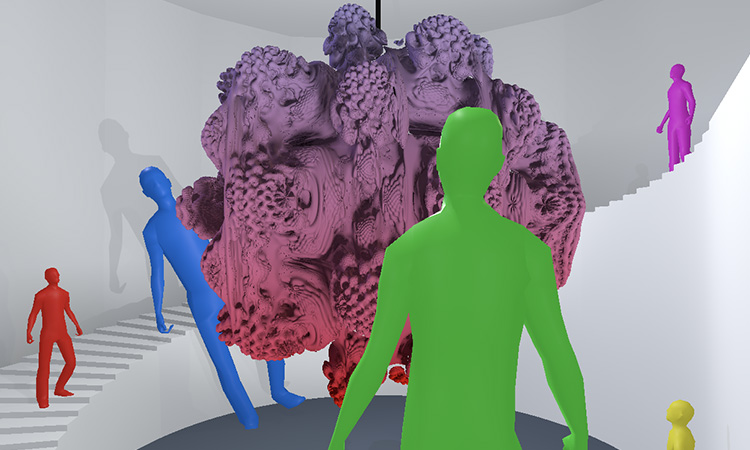
Hello guys, I would like to do a proejct like the cell phase into the game Spore. Something like the picture
But I don't know how to make this smooth sphere merging. I was looking into https://kev.town/raymarching-toolkit/ but it looks like it's not available anymore. Do you have any ideas or solution ?

playful shapes, infinite worlds made easy & fun
wispy maple
compact ingot
you can also try `[RenamedFrom("Something")]` attributes
I dont seem to have a package/library installed relating to that function. from a quick google search that seems to be related to the visual scripting/bolt package
compact ingot
dire viper
Hello guys, I would like to do a proejct like the cell phase into the game Spore...
look at MudBun or Clayxels in the asset store
dire viper
Thanks 🙂
 torpid token
Hi, I am trying to make a mechanic that is converting an array of coordinates to a brezier curved 3d mesh like in this video:https://www.youtube.com/watch?v=jEOFYhqEr4M

Draw Car 3D gameplay
► Suscríbete https://goo.gl/FQjSjC para más gameplays
You have never played a race like this before!
Draw your car and win the race!
Any drawing will become a car!
If you are stuck draw another car until you pass the obstacle!
Android download Google Play:
https://play.google.com/store/apps/details?id=com.GameFactory.Dr...
I have managed to use linerenderer's bakemesh method but it only bakes flat surfaces to 3d
I am trying to learn how to make it but all the resouces I found focuses on creating flat surfaces
compact ingot
torpid token
I am trying to learn how to make it but all the resouces I found focuses on crea...
3d works on the same principles
torpid token
Yes but I cant get my head around it. Where can I find resources to learn to generate a 3d mesh like that?
ProBuilders Brezier Tool is what I am looking for
but I want to learn how to do that
Maybe instead of generating mesh I can manipulate Brezier Shape Tool's position
wispy maple
compact ingot
internally unity references IDs not script names, so if the old .meta-file is th...
thanks for this info as it triggered a solution for me. Solution: Rename script file within Unity to the newClassName.cs . Open it in VS and instead of refactoring with ctrl+r+r just right click the class name, open quick actions and refactorings and choose the rename type to "filename"
compact ingot
the algorithm is this @torpid token:
- let PATH be your path-vertex list
- let SHAPE be a quad (or any planar shape) mesh
- let EXTRUDED be an empty mesh
- iterate over all PATH vertices P:
    - place the SHAPE at vertex P
    - orient SHAPE such that its normal points along the PATH-tangent in P with the
      PATH-cotangent defining 'up'
    - iterate over the SHAPE vertices S:
        - add the shape vertex S to the EXTRUDED mesh
        - create two triangles (a quad) in the MESH that connect the corresponding
          vertex P with its counterpart and neighbours at the previous P
That's right, I need to extrude
I was thinking the hard way thanks.
Thanks a lot, I will use this algorithm
 languid glacier
I'm pondering how you'd implement redstone-like energy systems in to a game where any active source will send a signal to game objects they're connected to within an x tile radius, ya know, like redstone. I'm not sure how you'd efficiently find all possible paths and update them when tiles are added or removed.
anyone have thoughts?
compact ingot
languid glacier
anyone have thoughts?
you need to build/maintain a graph of all connected tiles and use the usual graph algorithms to find paths. alternatively you can simulate it via cellular automata (i.e. on each 'Tick' of the simulation propagate a signal along the neighbouring tiles until they find a conflict (short-circuit) or their budget is exhausted (resistance), or some other condition)
 vestal lily
does anyone know if its more precise to represent two thirds as 2f/ 3f or 0.666f (precision has to be to the hundredth thousandths)
compact ingot
vestal lily
does anyone know if its more precise to represent two thirds as 2f/ 3f or 0.666f...
2.0f/3.0f will give you the most accurate representation of that ratio that is possible to represent as a float. 0.666f is ~0.00066666667f different from that number.
 dusty shell
ive been redirected to here sooo:
is it possible to ignore the scene view, inspector yada yada.. and create everything from code? the issue is that i want to dynamically load/unload levels read from .ini files.
i dont want to drag&drop static levels
compact ingot
dusty shell
i dont want to drag&drop static levels
maybe you have to explain a little more what exactly you need
 ember temple
compact ingot
maybe you have to explain a little more what exactly you need
ember temple
compact ingot
maybe you have to explain a little more what exactly you need
I think they want to create a level without using the scene editor(they are choosing to do it that way as a preference). They don't want to use the inspector either so I directed them here since I have no clue if you could even use scripts if they aren't on an object
compact ingot
@ember temple , @dusty shell Put an empty scene in the project and a class like this:
using UnityEngine;
public class App : MonoBehaviour
{
    [RuntimeInitializeOnLoadMethod]
    static void Init()
    {
        var app = new GameObject("App", typeof(App));
        DontDestroyOnLoad(app);
    }

    private void Awake()
    {
        Debug.Log("Awake");
        // continue from here
    }
}```Could also just put that game object into the empty scene with the component attached and continue with code-only things from there.
ember temple
compact ingot
Could also just put that game object into the empty scene with the component att...
Would it be possible for them to do that and unload whatever level from a .ini file.
compact ingot
since you are reinventing scenes, thats up to you to figure out
ember temple
I have no clue on why they want to do it that way, 🤷
compact ingot
what way?
ember temple
Loading levels off a .ini file
ember temple
I’m assuming it’ll just end up being an empty scene that just loads the entire game on play
compact ingot
i'd say it can be helpful to store a level design in an external file if the design is created in another tool
then unity would just build the level on-demand from the spec in that file.
but not using SOs/Scenes/Prefabs and other editor tools seems kinda pointless... why use unity in the first place then?
 hearty merlin
I need help with something on Unity 2019 I want to have it so where it shows the players speed on the screen but I can't find a answer for it that still works
misty glade
hearty merlin
I need help with something on Unity 2019 I want to have it so where it shows the...
Put a text element on the screen (like TextMeshProUGUI), link it in your script, and in your Update() method set the .text attribute of that component.
hearty merlin
I'm going to probably need a beet explanation of it such as code examples because I am good at tech and I don't understand that
dusty shell
compact ingot
Could also just put that game object into the empty scene with the component att...
basically i just want to load maps by script and not drag & drop aka hardcode each level
dusty shell
compact ingot
<@!666416313178259466> , <@!421364350234656768> Put an empty scene in the projec...
teye ill try that
tropic lake
hearty merlin
I'm going to probably need a beet explanation of it such as code examples becaus...
this probably isn't advanced code, it's just having a text component and setting that to whatever speed variable you have
 hollow veldt
public abstract class IVoxelStructure
{
public abstract void SetVoxels();
public abstract void GetVoxels();
}``` I want to create an interface for my voxel engine that will allow for interchangeable voxel structures but I'm not sure if this can retain performance benefits for both octree and predefined array structures when used in combination with generators and a universal mesher. Any inputs? Will be using jobs and burst where possible mint sleet
Hey!
    public class A
    {
        public int ID { get; set; }
    }

    public class B
    {
        public int ID { get; set; }
    }
I have two class. and I have 2 list from them.
flint sage
Nice
mint sleet
         List<A> listA = new List<A>();
         List<B> listAB= new List<B>();
how can I get the unique values of these lists's properties into a new list?
I mean they are not the same objects. But they might have the same value in the object and I want to compare them, if they have the same value, I will add it to my list
thanks
flint sage
Either write your own algorithm that adds the IDs to a hashset and checks whether it's already there or implement an interface that determines the shared values and then does DistinctBy
fresh salmon
Implement IEquatable, or as Navi said, use a HashSet, and override Equals and GetHashCode in both of these classes so you have your own equality checks.
flint sage
I would definitely not do that if there are other values in those types
gleaming thistle
ayo, I've been recently making an (albeit very rudimentary and a bit choppy) object avoidance script.
it works fine[enough] for me, but sometimes around the corners it stutters like it's having a seizure.
this of course makes the screen shake from the camera view.
so instead I want to hide the actual player and have a fake player that just follows the players positions.
I'm having trouble getting it to do that smoothly, without falling too far behind, and also without stuttering like the player does.
anyone deal with this type of issue before? I'm not really sure how to make it smoother.
fresh salmon
Uh what? That's what GetHashCode is for, to provide your own implementation of equality checking. I use it in a HashSet myself to remove duplicate values spanned across multiple instances and it works flawlessly
gleaming thistle
I set the transform.position directly
flint sage
fresh salmon
Uh what? That's what GetHashCode is for, to provide your own implementation of e...
Sure, but if you ever want to use a hash based collection somewhere else then your comparison might be fucked as it is not containing other fields on your object
fresh salmon
public override int GetHashCode() {
  return HashCode.Combine(field1, field2, field3 ...);
}
Yes indeed but that doesn't work if you only want to compare the ID field in Kurt's example
fresh salmon
In that case yeah, you need your own algorithm
Took the example a bit too literally
mint sleet
thank you all!
hollow veldt
I have an interface here ```csharp
[ExecuteAlways]
public abstract class IVoxelStructure
{
public static List<IVoxelStructure> structures = new List<IVoxelStructure>();
public string structureName;
    public IVoxelStructure()
    {
        structureName = RegisterStructure();
        structures.Add(this);
    }

    public abstract void SetVoxels();
    public abstract void GetVoxels();
    public abstract string RegisterStructure();
}``` that I'm using for multiple classes.. Is there a way that I can automatically call the constructor on each class that uses this interface, without having to hard-code it in? Instead of using the traditional ```csharp
new IVoxelStructureClass()
Yeah that naming is conflicting
hollow veldt
Shoot, you're right. Not an interface. I'm rusty
I guess I'll just have to code it in. I was hoping for complete automation
fresh salmon
And you could make a sort-of factory pattern for that, declare a VoxelStructure Create() method, that each implementor implements, that constructs instances of your types
small badge
hollow veldt
I have an interface here ```csharp
[ExecuteAlways]
public abstract class...
Are you saying you want to create one instance of every type that inherits from IVoxelStructure? Or am I misunderstanding?
hollow veldt
yes exactly
long ivy
hollow veldt
I have an interface here ```csharp
[ExecuteAlways]
public abstract class...
with reflection, yes. But you're headed for something that looks overengineered to me
hollow veldt
without having to call the constructor manually
I want the overengineering to stay internal so anyone who wants to write an extension can just do so easily without modifying any source code
fresh salmon
interface IVoxelStructure {
  IVoxelStructure Create();
}

class StrA : IVoxelStructure {
  public IVoxelStructure Create() {
    return new StrA();
  }
}
^ Factory
small badge
Generally the way to do that is to use reflection to get a list of all types in your assembly that inherit from your base class, and go through that list calling Activator.CreateInstance on each of them.
(Or across all loaded assemblies, if you want other code to add new inheriting classes.)
hollow veldt
fresh salmon
```cs
interface IVoxelStructure {
IVoxelStructure Create();
}
class StrA : IV...
and this doesn't require any external code whatsoever to construct? it's already live?
fresh salmon
It's your interface and your classes that implement it. Then use it like you want
hollow veldt
small badge
Generally the way to do that is to use reflection to get a list of all types in ...
I'll definitely look into this, thanks!
flint sage
hollow veldt
I'll definitely look into this, thanks!
Keep in mind that this increases complexity by a very large amount and if someone defines arguments you need to pass to the constructor then that's very difficult to handle
fresh salmon
Yeah this, reflection would not be the best solution here
Another way would be to make VoxelStructure an abstract class instead, and call it in the base constructor.
abstract class VoxelStructure {
  public VoxelStructure() {
    // Do something with 'this' here...
  }
}

class StrA : VoxelStructure {
  public StrA() : base() { }
}
I don't absolutely need to, but I do need a way to call the function when the program starts, both in play mode and editor without monobehaviour
flint sage
RuntimeInitializeOnLoad
hollow veldt
Awesome. Thank you all for the help! You've all given me plenty to think about. Appreciate you all!!!
dusty shell
i think ive gotta rephrase my question:
Can everything the scene viewer/editor and inspector can do, also be done by code?
 plucky laurel
Certain things are only available in editor
For example you cant bake lighting on runtime, you dont have access to editor libs
dusty shell
so i cant create luminiscent objects?
plucky laurel
i dont know what you mean by that, you can create an emissive material
it wont emit light using lightmaps
it will just be emissive
dusty shell
hm
flint sage
Are yo utrying to avoid the editor completely?
If so, I don't see why you'd use Unity
There's lightmapping solutions available that work at runtime
 livid kraken
dusty shell
i think ive gotta rephrase my question:
Can everything the scene viewer/editor ...
livid kraken
dusty shell
i think ive gotta rephrase my question:
Can everything the scene viewer/editor ...
If you want to recode everything the editor can do for you just roll your own engine no point in using unity
dusty shell
i dont want to re-do everything but i start to feel like unity is a drag drop editor for static level layouts
in which case its probably really not for me since i must create levels from code
livid kraken
You can 100% procedurally create your levels
dusty shell
how it feels like i MUST drag some 2d/3d object into the scene extrude it etc
dusty shell
livid kraken
You can 100% procedurally create your levels
not procedually but from .ini files
compact ingot
dusty shell
not procedually but from .ini files
They are effectively the same. It does not matter how you decide what to place where, only that you can do it procedurally. Even a regular unity scene spawns objects procedurally from the data stored in it
flint sage
Ini files are just as static as unity scene files
Except Unity scene files have better integration with the rest of the engine
dusty shell
but ini files can be added later and are thus not hardcoded
livid kraken
dusty shell
not procedually but from .ini files
Doesnt matter one bit if the data comes from an algo or a ini or a http web request
compact ingot
I think there is a vast misconception at play here on how a general purpose game engine like unity works
flint sage
So can scenes with assetbundles
compact ingot
Also, the editor is not the engine
The editor is for conforming/managing assets and serves as a fully integrated platform for tools. Basically for everything that would be too slow when done at runtime.
 pearl zealot
Hello Friends
Good morning
    void AddWrestler(string wrestlerName, string wrestlerAlignment)
    {
        using (var connection = new SqliteConnection(dbName))
        {
            // Open the database for queries.
            connection.Open();

            using (var command = connection.CreateCommand())
            {
                // We want prepared statements, to keep people from trying to inject bad data into the database.
                command.CommandText = "INSERT INTO Wrestlers (WrestlerName, WrestlerAlignment) (@WrestlerName, @WrestlerAlignment);";

                command.Parameters.AddWithValue("@WrestlerName", wrestlerName);
                command.Parameters.AddWithValue("@WrestlerAlignment", wrestlerAlignment);
                command.Prepare();

                command.ExecuteNonQuery();
            }

            // Close the database to save resources.
            connection.Close();


        }
    }
is there a reason why Unity doesn't like Prepare()?
SqliteException: SQLite error
near "(": syntax error
Mono.Data.Sqlite.SQLite3.Prepare (Mono.Data.Sqlite.SqliteConnection cnn, System.String strSql, Mono.Data.Sqlite.SqliteStatement previous, System.UInt32 timeoutMS, System.String& strRemain) (at <afb4049b8dec44e9b329b5b9ee3695f4>:0)
My bad, had to add VALUES between the tables and values
fervent parcel
hey guys, wth is happening here: this example works

but when I change it to this:

I am losing my mind
flint sage
I think it needs to reserve space in the layout event as well
fervent parcel
what do you mean?
I mean its the exact same code for both, just using a different way to turn on the bool
why would one bool be different than the other?

this seems to work
somthing wrong with that event
hmmm, maybe its spamming.. which shouldn't really make a difference but I will add a valve and see
plucky laurel
GetLastRect can break in some scenarios, list nested layouts afaik
google GetLastRect incorrect
fervent parcel
ok thanks bro
flint sage
IMGUI works in multiple passes, the layout pass figures out where to draw things and then the draw pass actually renders all the textures and stuff
Your helpbox is now being drawn but nowhere in the layout, this mismatch could be the source of your issue
fervent parcel
weird coz if I was to use it to change say the next GUI.Color it works
instead of drawing a help box
flint sage
Sure but GUI.Color doesn't change the layout, only the color of the next object
fervent parcel
yea I guess that makes sense
flint sage
Chances are it's enough to do (event == repeat || event == layout) && rect.contains(mouse)
fervent parcel
nop
flint sage
🤔
fervent parcel
layout isnt even getting called
flint sage
😕
fervent parcel
this is really annoying 😄
stuck on it for a day
I was going to convert all my info boxes this way to reduce clutter
flint sage
I'd try to help you more but unfortunately I'm quite busy at the moment 😅
fervent parcel
its ok, thanks a lot for the help
 minor crypt
Hello! I am using navmesh and I need to execute an event when the route has completed, the script may be disabled so checking the status in the update method is not workable, any ideas?
formal lichen
sage radish
Reflection.Emit doesn't work on AOT platforms (IL2CPP), so that might not be an ...
I'm just using this as an editor tool, so not actually building to any platforms with it
 quaint geyser
Hi! I am not sure if there is a topic specific about shader programming (havent seen it), so I guess advanced code could be the place for it haha
I have been some time looking for some kind of tutorial or documentation that could enlight me to develop a shader that allows a character to be seen behind structures or other characters
plucky laurel
stencil
quaint geyser
thanks! I will check it out
plucky laurel
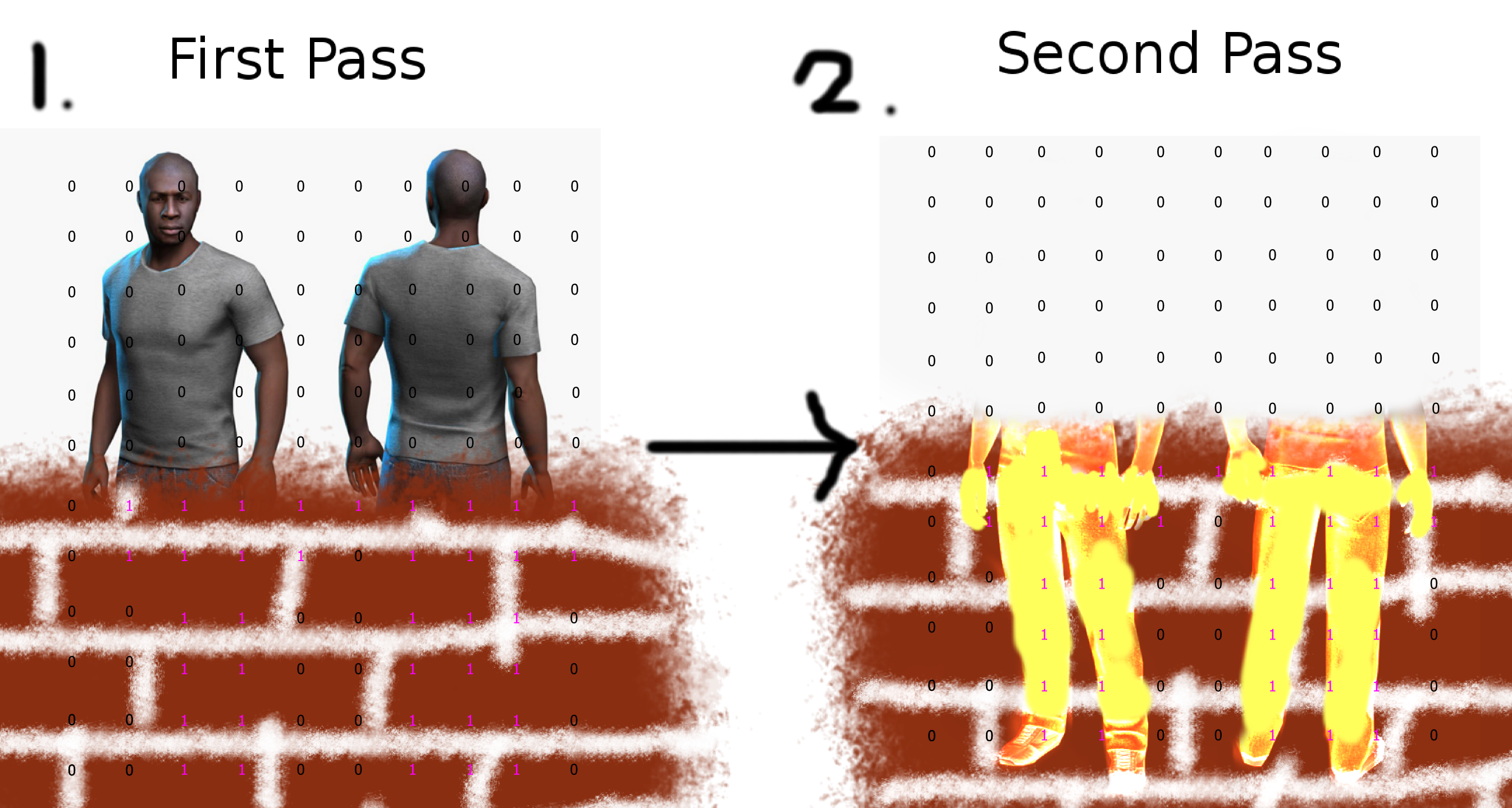
This article is about stencil testing: a functionality you can use when writing shaders. It will discuss what the stencil buffer is, and gloss over some possible applications of the technique. It a…
sage radish
formal lichen
I'm just using this as an editor tool, so not actually building to any platforms...
But do you need these generated classes to persist into builds? That wouldn't work either. The generated types will be lost as soon as the assembly reloads.
small badge
quaint geyser
I have been some time looking for some kind of tutorial or documentation that co...
If you're using URP, Unity have a tutorial for an alternative method that doesn't use any special shaders: https://docs.unity3d.com/Packages/com.unity.render-pipelines.universal@11.0/manual/renderer-features/how-to-custom-effect-render-objects.html
dusty shell
compact ingot
<@!666416313178259466> , <@!421364350234656768> Put an empty scene in the projec...
public class main : MonoBehaviour
{
    //Second Function to be called
    [RuntimeInitializeOnLoadMethod]
    static void Init()
    {
        new GameObject("Game-Client", typeof(main));
    }

    //First Function to be called
    private void Awake()
    {

    }

    //Called before Update
    void Start()
    {

    }

    // Called every frame
    void Update()
    {

    }
}
``` So this is okay for global always active loops, which are supposed to be independent of scenes?er, don't do this
dusty shell
how so
misty glade
Make an entity, put it in your scene, and put DDOL on it
dusty shell
thats the point i dont wanna work with the scene editor
misty glade
namespace KaimiraGames.UnityUtils
{
    public class SimpleDontDestroy : BetterMonoBehaviour
    {
        /// <summary>
        /// Simple behavior to persist an object between scenes. To use, attach this script to a
        /// game object (parent or otherwise) in Unity.
        /// </summary>
        private void Awake()
        {
            DontDestroyOnLoad(gameObject);
        }
    }
}
well, i mean, if you're creating unity objects.. the editor is typically how you do so
you aren't supposed to new up game objects
if you want to make an object, you Instantiate() it, but even then you need a prefab to do so
Game Objects aren't scripts or classes - they're objects that contain a number of components, one or some of which may be a script
dusty shell
i mean i dont want to work with the scene editor at all
like none
i wanna use the unity engine
misty glade
misty glade
```cs
namespace KaimiraGames.UnityUtils
{
public class SimpleDontDestroy : B...
And sorry - this is using my own monobehaviour class, just change BetterMonoBehaviour to MonoBehaviour
dusty shell
but entirely with code
misty glade
Erm, ok. Then.. if you want to create a complete object from scratch in code, you'll need to jump through some hoops, but it's possible.
dusty shell
i mean i wanna go as far as to say i want to create the scene by code
i want to call the scripts from code
i want to create and manage the entire scene and its inherited objects by code
misty glade
Sure, I mean, that's possible but it's sort of taking the hard way... but in any case - you'll need to create something that unity will create/execute. If you don't have anything in any scene or any objects in that scene, unity is just going to sit there
dusty shell
no drag drop or inspector at all
misty glade
That's an odd requirement, but it's mostly possible
you still need one object in your scene as far as I know
your actually I'm wrong, your RunTimeInitializeOnLoad attribute should do thatmain class is a component in the unity universe.. but there's no instance of the component so.. there's no way to start executing code on it
dusty shell
thats the code ive been given by another user
misty glade
I suppose that works
dusty shell
ive extended it
misty glade
I'm not going to lie - it is a very strange way of doing things, and it seems like you're really making it hard on yourself without a (good?) reason for doing so
dusty shell
managing everything by code ensures that stuff stays modular
if i start drag&dropping things itll be come a mess very quickly
misty glade
Patently false
compact ingot
misty glade
I'm not going to lie - it is a *very strange* way of doing things, and it seems ...
its a lost argument i'm afraid
misty glade
So, since you seem new to unity, I wouldn't start out by doing this - trust me when I say you don't lose any modularity in unity by working in the editor - but start out learning how the engine works, and then figure out best practices to do things in code
dusty shell
but how will i later add new objects in by say a map file?
misty glade
very easily
dusty shell
without recompiling the project
misty glade
Instantiate() is how you make new game objects in unity
Lemme put it another way.. let's say I have a game where I want to display like.. a mission to a user.. I pop open the editor and design something like this - called a prefab -

This takes like 5-10 minutes
it's ugly but whatever i'm not a designer
then in code, I wire it up so I can Instantiate() this panel whenever i want to show a mission to a user
I set all the labels text values, the icons, the buttons, the progress bars, whatever
If I wanted to design this dialog panel thingy in code, it would be HUNDREDS of lines of fragile, pain in the ass code
dusty shell
misty glade
If I wanted to *design* this dialog panel thingy in code, it would be HUNDREDS o...
thats not a problem for me
misty glade
manually setting anchors, instantiating dozens of game objects and attaching components to them
dusty shell
and not a hindering
misty glade
it's not a "challenge" or demonstration of your programming prowess, i'm sure you're an excellent programmer
I'm just saying, if you want to produce anything in the unity world, there are things that you can spend your time on that are productive, and things that aren't
and rolling your own component from scratch will be really tedious and .. not helpful
you want to design your component in the editor, and then instantiate it and populate it and do what you want to in code
dusty shell
i understand that its time consuming and probably not what unity was intended for but
if i were to made all unity objects by code, would the final result be inferior to the inspector and scene method?
dusty shell
performance wise?
misty glade
it would be fragile, full of difficult-to-diagnose bugs
misty glade
dusty shell
performance wise?
exactly the same
dusty shell
yes
misty glade
so .. if you came and said "how can I add a bunch of things to a data structure" i'd say to use a List<T>
you're basically responding with "i don't want to do that, I want to make my own"
you can absolutely do that .. but.. that's going to be a bit of work
and it's likely to just be worse than what already exists
small badge
misty glade
you aren't supposed to `new` up game objects
I don't think that's really true; Unity do it themselves in a bunch of their examples. There are a lot of Unity types you're not meant to create with new, but GameObjects specifically are fine.
misty glade
in the unity universe.. you can absolutely make anything you need to from code, from scratch, but it's really going to be a lot of work (like literally 10x as much work, and there's already enough work to do to make anything playable and complete) and with no benefit whatsoever
misty glade
small badge
I don't think that's really true; Unity do it themselves in a bunch of their exa...
Yeah - you're correct, I just haven't seen that pattern before where people new up a gameobject and add components to it by hand
sly grove
I wouldn't recommend it, but it's valid
Prefabs are much easier to manage in my opinion
misty glade
I don't have a use case myself for it, but I can imagine there's some situations where you want to new up an object and add a bunch of cool behaviours to it
dusty shell
im going to try all options before deciding how to start developing anyway thats what im here for to figure out whats best after all
misty glade
dusty shell
im going to try all options before deciding how to start developing anyway thats...
Sure, but maybe start with the community-recommended "normal" way of doing things before you start down a path that (I promise you) will be filled with blood, sweat and tears
small badge
To be honest the only real use case I've seen for it is creating objects in editor from the GameObject menu (since putting a prefab in a Resources folder just so your MenuItem can instantiate it is really ugly).
Play Mode tests might want to use it too.
misty glade
Not to belabor the point, but this is my hierarchy for a WIP scene - each of those boxes is a game object (the blue ones are prefabs so there'll be multiple of them depending on what's happening in the game). Each of those game objects have 1-5 components, and each of those components have 1-5 properties, in addition to 10-20 properties detailing the location/anchors/size of your object. You'll need to set these all with a line of code, in your use case. If you wanted to make this scene, this would be SEVERAL THOUSAND LINES of code just for the initialization. Then of course, you'll want to do stuff with it.

There's just so much going on in any game that.. dealing with the low level stuff is what Unity does for us. You focus on writing code that makes your game fun to play, and to be clear, designing objects in the editor doesn't mean you lose any flexibility or performance - you still need to dynamically create your objects during gameplay.
(and fwiw my game isn't even good or complex 👀)
dusty shell
i see and unity is not designed to manage low level accessability
misty glade
also untrue, you can absolutely manage it manually..
(you just don't need to)
Unity provides a framework for you to create "gaming" objects in a universe without needing to manually orchestrate updating them every game tick, or figure out physics and timestamps and collisions and audio and drawing sprites and networking (👀) and a host of other things, but you can do any of that manually if you want.. but if you want to do all of it manually then you should just not use unity and write your own game engine (and then write a game with it).. It sounds like you want to do more of the engine work then the writing a game work
But think of unity like a library - there's nothing forcing you to call methods on it or use it, if you want, just write your own, but if you want to use unity in whatever capacity, you can.. you can almost get away with writing very little code whatsoever in unity, or you can write nearly 100% of your game in code if you want, you decide
dusty shell
the problem is i dont want to write my own physics engine im happy with using primitive 3D objects and with how the collison, shadering, delta timing, controller input etc is managed
i just dont want to use a drag drop system for the levels instances
and its hard to get both
😅
gleaming thistle
assuming that I cannot or won't use the NavMesh, can anyone direct me to where I can get started learning about pathfinding algorithms for a 3d game in unity?
I tried to avoid it entirely by making object avoidance.. but it's not good enough in some cases. I need it to pathfind instead
sly grove
gleaming thistle
assuming that I cannot or won't use the NavMesh, can anyone direct me to where I...
be more specific about "3d game"
For example is it grid based?
gleaming thistle
I really thought 3d game covered it.
I intend to have things snap to a grid yes.
trying to make a runescape type game.
point and click to move, pathfinding around walls fences buildings etc
sly grove
gleaming thistle
I really thought 3d game covered it.
I intend to have things snap to a grid yes....
Well for example there are plenty of 3D games on which the gameplay is based on a 2D grid, like Chess or Fire Emblem
gleaming thistle
ah
yes it would be 2d grid based
similar to how runescape does it
I could probably find some script I could copy paste and have things work, but I'd like to know how it works, otherwise I can't really diagnose it if any issues arise.
sly grove
You can use well known pathfinding algorithms like Djikstra's algorithm or A*
And please do not mix up the A* algorithm with the "A* Pathfinding" asset that's floating around
gleaming thistle
see this is why I'd like to know how it works. lol
because I'd have no idea whats what
sly grove
gleaming thistle
see this is why I'd like to know *how* it works. lol
right
so start researching those algorithms
I'd say start with Djikstra's it's a little bit simpler
A* is basically Djikstra's algorithm with a small optimization
gleaming thistle
yknow any good videos on it in particular or should I just start googling things?
sly grove
not off the top of my head, no. I learned these algorithms in school over 10 years ago.
misty glade
what a youngun we have 🙂
@gleaming thistle PB's right though. A* is a good place (may not necessarily be for beginners, though, depending on your background in programming and/or math). It's somewhat of a "solved problem" though so .. depending on what you're trying to accomplish, I wouldn't try to reinvent the wheel too much. For a lot of things in game dev, it's OK to not know how the internals of a library/algorithm work and instead just invoke it.
as the meme goes.. https://img.ifunny.co/images/3af009ef9b752bcdf0beb0ced17a603548a4563ebfcadd70035364dee81989ca_1.webp

I (accidentally?) wrote my own tweening library when I first got started in game dev and now I'm a bit too pot committed to just use something better
gleaming thistle
I spent hours making an objectavoidance thing just to realize that in the right case of 3 walls and trying to move past the back one, it would never get to the spot. lol.
just does lil circles
and I get that I may not ever fully understand the path finding algorithm but I feel like I should at least try. that way if something goes wrong on my side, I can probably correct it
otherwise I may not have any idea what went wrong
misty glade
Yeah, definitely. Lemme dig up this video I watched recently on implementing A* and some challenges and solutions
It may or may not be super helpful but I enjoyed it.. standby a sec it was a few weeks ago (digs through youtube history)
again this may or may not be relevant, but it's an implementation of A* and a post mortem of how it worked for a really difficult AI pathfinding problem
watching it might just give you some insight into the algorithm to get started
(it's long, but I enjoy these videos while doing housework/cooking/commuting or whatever)
gleaming thistle
ironically I'm playing runescape while watching these videos rn lol
formal lichen
sage radish
But do you need these generated classes to persist into builds? That wouldn't wo...
Right now I'm saving the type to the file system
I've broken it up into two parts now. I generate a new class and save it to the file system. That part is done. The second part is getting that class and attaching it as a component to a gameobject. I run an assetdatabase refresh between these two steps so the assembly is aware of the existence of such a class
 cursive horizon
gleaming thistle
ironically I'm playing runescape while watching these videos rn lol
cursive horizon
gleaming thistle
ironically I'm playing runescape while watching these videos rn lol
https://www.redblobgames.com/
several pathfinding ones in there, depending on what you need
formal lichen
Was able to get it working. I can put in my editor the name of a script I want to generate. After generating, it finds the class in the project and then I call AddComponent(GetGeneratedType(state.StringName)) cs private Type GetGeneratedType(string asPresentationStateName) { // Get the type for the new generated class // This one liner gets every monoscript in the project. It is hideous. List<MonoScript> scripts = Resources.FindObjectsOfTypeAll(typeof(MonoScript)).Cast<MonoScript>().Where(c => c.hideFlags == 0).Where(c => c.GetClass() != null).ToList(); foreach (MonoScript script in scripts) { if (Regex.IsMatch(script.GetClass().Name, $"{asPresentationStateName}")) { return script.GetClass(); } } return null; } Any improvements welcome. Right now it works great and I think it's neat
 devout hare
$"{asPresentationStateName}" is the same as just asPresentationStateName
formal lichen
oh thank you, my brain always types out new strings like that since I do inline variables a lot
cursive horizon
formal lichen
Was able to get it working. I can put in my editor the name of a script I want t...
you might find https://docs.unity3d.com/2019.2/Documentation/ScriptReference/TypeCache.html useful
formal lichen
I think because I'm just generating a class using StringBuilder and writing it to a file Unity doesn't know the class derived from my Editor script, so GetTypesDerivedFrom is an empty list
 pulsar isle
What are some cases where C++ usage is justified when using Unity ?
 stuck onyx
pulsar isle
What are some cases where C++ usage is justified when using Unity ?
stuck onyx
pulsar isle
What are some cases where C++ usage is justified when using Unity ?
someone correct me if im wrong but for intensive cpu usage operations like pathfinding it might be useful
the library i am using is made with c++
small badge
pulsar isle
What are some cases where C++ usage is justified when using Unity ?
When you're talking to a library that only offers a C++ interface.
stuck onyx
This is the code for registering a product for IAP purchasing:
builder.AddProduct(myProductID, ProductType.Consumable);
this is the code to purchase:
m_StoreController.InitiatePurchase(product);```and this is the callback:
PurchaseProcessingResult ProcessPurchase(PurchaseEventArgs args)
the only thing args gives me is information about the productID that i registered in the store platform (ios,android...)
but what if i want to use that same productID to buy different items ?
like....
having an id called 'monthlyOffer5bucks'
how could i send info about my local product to the transaction?
i tried modifying the Product class adding a new parameter but since belongs to unity i cannnot modify
not sure i explained my self well
small badge
Surely the idea is that each product has its own unique ID? Or am I misunderstanding what you want to do?
stuck onyx
yeah that seems to be the idea but
i find it quite unlikable since some games have TONS and tons of different products
small badge
I'm sure they have different IDs for each of them.
stuck onyx
hmmm I see.... please if someone knows a bit more about this let me know i still refuse @small badge 's theory
😄
 mighty latch
Hey, I'm using the Jsonserializer to create assets and while the loading and saving process seems to work fine in my editor window, when assigning the created file to a component as a Text asset then deserializing it, it seems not to update properly, does saving a VERY LIGHT json file take time?
Or is because the Unity Editor needs to be manually refreshed?
 idle hill
Not really advanced I just didn’t want to interrupt other chats, but…
How complete is unity’s implementation of .net APIs? I needed a SortedSet and decided I didn’t need to implement my own so I’d use the built in one. There’s only one problem: SortedSet.Clear is not implemented! I checked my SortedSet right after calling Clear on it and it still has the previous values. Even the method’s documentation on VS says To be added.
Am I doing something wrong or did they really leave the method without implementing? I’m using 2020.3.23f BTW.
sage radish
idle hill
Not really advanced I just didn’t want to interrupt other chats, but…
How compl...
Are you sure you're not using some other class also called SortedSet?
 frozen imp
@worldly edge Collab/job posts forum links are in #📖┃code-of-conduct
idle hill
sage radish
Are you sure you're not using some other class also called `SortedSet`?
Not according to this

 worldly edge
frozen imp
<@!285439641354502144> Collab/job posts forum links are in <#497867528488484864>
worldly edge
frozen imp
<@!285439641354502144> Collab/job posts forum links are in <#497867528488484864>
thanks
idle hill
sage radish
Are you sure you're not using some other class also called `SortedSet`?
It magically started working, been having this happen where it starts working after adding a breakpoint or a print
Anyways thanks
dusty shell
is there a way to create a skybox from an image on the harddrive in runtime?
 thick birch
Is there a TCP connection to twitch that fetches Twitch profile pictures?
All the current twitch integrations only have chat name and messages
 iron pagoda
System.IO question ---> I'm making a script that outputs debug info to a file and backup file. It all works.
However, if the file does not exist, it is created, and it appears that if a file is created, then it cannot be accessed and the script will fail.
Run it again, and it will work fine, because the file now already exists.
Should I add a Coroutine delay, or is there a more elegant solution to this?
https://gdl.space/exakatayey.cs -- fixed formatting
long ivy
iron pagoda
System.IO question ---> I'm making a script that outputs debug info to a file an...
when you create the file, it returns a file stream which isn't disposed when you try to write it again. File.WriteAllLines creates or overwrites a file by itself, which it can't do because it's already open. AppendAllLines is similar. Deleting your File.Create calls is the easiest way to fix your problem
iron pagoda
long ivy
when you create the file, it returns a file stream which isn't disposed when you...
I see. Then I can avoid using the file stream and create, by simply creating a blank file with WriteAllText, and then Append
if I am to use the file stream, do I need to use the StreamWriter?
long ivy
you don't need to necessarily, but it would be easier than using the FileStream directly in your case yes
iron pagoda
Alright.
Hopefully, I'll get the functionality I want from this.
Might look more into StreamWriter later if I have to do this a lot.
Considering expanding this to mass-debug properties later on.
Right now, the script I linked finds a Game Object named "Canvas" and outputs the children's names and RectTransform anchors and pivot
Also, thanks for the response :)
mighty latch
Hey, does anyone know how to serialize "Color" or create a custom converter to handle similar "recursive" type of classes using JSON. NET for Unity? Thanks
I can of get how you can write custom converters for your own classes, but not how to do it when the class is from Unity and the variable is in another Unity class
misty glade
mighty latch
Hey, does anyone know how to serialize "Color" or create a custom converter to h...
You're looking for "object mapping". I haven't used it myself but AutoMapper is a pretty widely used tool for this problem. https://docs.automapper.org/en/stable/Getting-started.html
If you are converting one unity class to another, I'd write an extension method on both sides, perhaps. Like, say you want to convert a Color to an int (i dunno, just making it up):
public static int ToSharpingInt(this Color color)
{
    return (int)(color.r * 2); //whatever your logic might be
}
Then you can call:
Color c = new Color(1, 0, 0, 0);
int i = c.ToSharpingInt();
Ah thanks, I hoped there was a way to create a custom Serializer to handle the tricky types of data
For now, I will just go back to my method of separating my data into the info that needs to be stored on one side and the one that can be instantiated at runtime and contains the stuff that's tricky to serialize
misty glade
mighty latch
Ah thanks, I hoped there was a way to create a custom Serializer to handle the t...
You can, I mean.. I do, but I sort of hide that since my game designer prefers to use flat data
For example:
public decimal Cost1Mantissa { get; set; }
public int Cost1Exponent { get; set; }
Two fields in the spreadsheet to represent one data point (a BigDecimal - custom data structure).
I simply consume these in my app by adding a getter on this object:
public BigDecimal Cost1 { get => new(Cost1Mantissa, Cost1Exponent); }
So I'm not really serializing it per se, but transforming it into a useful object at run time. FWIW this object doesn't get written back to the database, so you'd need to do the opposite as well for that.
misty glade
(ie - write a setter on Cost1 that unpacked it and put the values into Cost1Mantissa and Cost1Exponent)
what are you trying to do exactly? maybe someone can help
mighty latch
I'm basically building a node graph to handle dialogue options, so a root node connected to at least one option which in turn is in connected to one or more option,... so a simple tree.
-I created a data class that contains all info pertaining to said dialogue : the text, every option and which dialogue option is connected to which.
-I also created a visual node class that basically presents that information in a decent way but can't be serialized
-I rebuild the graph at runtime any time it's needed
misty glade
Custom Class -> JSON: Use Newtonsoft or System.Text.Json to de/serialize
Custom Class -> Another Custom Class: Use Automapper or write your own
Custom Class -> Binary: Use MessagePack or Protobuf
I'd probably use MessagePack, then.. there's a little bit of a learning curve but it works pretty nicely
(this is just opinion, other people use different libraries)
MessagePack can take pretty much any object and convert it into a byte stream (and back)
mighty latch
My biggest issue is with dealing with recursive stuff
misty glade
I use it for serializing/deserializing data for transport over the network, but you could use it for your situation as well
it would handle all that just fine
So here's a TLDR of how it works:
You create your object and put attributes in front of anything you want it to "know about":
(finding a very trivial example)
    [MessagePackObject]
    public struct GridPoint : IEquatable<GridPoint>
    {
        [Key(0)]
        public readonly int X { get; }

        [Key(1)]
        public readonly int Y { get; }
    }
After you write your code, you'll run a "generator" on your code (so Unity can compile the source into its own build).
Then, you just serialize and deserialize it into a byte array
GridPoint gp = ...
byte[] packedUpObject = MessagePackSerializer.Serialize<GridPoint>(gp);
/// write/read the bytes to a file
GridPoint newGP = MessagePackSerializer.Deserialize<GridPoint>(byteArrayFromFile);
it just works for all primitive types on your objects, and if your objects have references to other custom types, you just put the attributes on those types as well and it just works, so you can serialize anything you want
It also comes with Unity "shims" so you can serialize unity types as well, in case you had any of those in your objects
In my use case, I can serialize an entire "player" object which contains their username/details, sub objects (dictionaries/hashsets/lists) of "generators" they own, subobjects of those generators with the details of each generator, etc.. a very large object with all the details about a player. It ends up being this really tiny byte array - like a few hundred bytes - and I can send it over the network and unzip it on the other end with one line of code.
I can also convert this object to a JSON object to debug it, but .. it pretty much just works, so I rarely have to look at raw JSON for anything.
mighty latch
Yeah, I think my biggest issue is that I have WAY too many objects that can't be serialized so separating them in two classes ends up not being any more complicated
misty glade
anything can be serialized 🙂
but yes, you might have to think about representative objects
like.. instead of sending an entire object across the network (or writing to disk), you just use a subset of that for a "DTO" - data transfer object
or your objects might come with a bunch of monobehaviour/unity stuff, so you'd want to create a "POCO" (plain old CLR object, I think?) and then assign that to your unity object, and only serialize the POCO
any of these are going to require you to think about how you format/consume your data, though, and naturally you're going to need to write a little bit of interface code when your objects need to change form or modify another object
I tend to put all of my data in POCOs and then each unity object that renders it has a reference to it - and pulls the data directly from that reference
mighty latch
@misty glade So basically combine everything into one class, don't serialize all the fields that are troublesome and initialize them at runtime?
misty glade
Oh, no, don't combine it all into one class.. you still want to break your POCOs into manageable objects
but any serialization framework can handle that
ie:
(this is greatly truncated but you should catch the gist of it)
    [MessagePackObject]
    public class PlayerModel
    {
        [Key(3)]
        public PlayerResourcesModel Resources { get; set; }
    }

    [MessagePackObject]
    public class PlayerResourcesModel
    {
        [Key(0)]
        public Dictionary<ResourceType, BigDecimal> Resources { get; set; }
    }

    [MessagePackObject]
    public struct BigDecimal : IEquatable<BigDecimal>
    {
        [Key(0)]
        public decimal Mantissa { get; private set; }
    }
The PlayerModel is a message pack object, which lets the MessagePack library know how to serialize it. It contains a PlayerResourcesModel which is also an MPO.. which contains a Dictionary (natively serializeable) of BigDecimal, which is also an MPO, which only contains primitives (in this case, just a decimal named Mantissa).
I can hold one PlayerModel in memory, do a bunch of stuff to it, then just serialize it into a byte array.. and write that byte array to the network, or to a file, whatever. When I want to recreate my PlayerModel, I just deserialize that byte array and a PlayerModel pops out, with all of the sub-objects automatically populated as they should be
Literally one line of code to save it to/from a byte[]
PlayerModel p = Deserialize<PlayerModel>(someBytes); //load
byte[] someBytes = Serialize<PlayerModel>(somePlayer); //save
decimal d = p.Resources.Resources[ResourceType.Energy].Mantissa; // after loading, this just works
Hope that helped. Gotta run. 🙂
mighty latch
Thanks! I understand what you example does but I'm not sure it can apply to my issue
I will read everything back when I'm less tired
 rain cipher
As an alternative to messagepack, 'ceras' is very similar but has some great features for handling complex dependency graphs and circular references, that are easy to run into with games
gleaming thistle
hello.
I'm making a script rn that runs through a loop making copies of an object.
I have a script IN that object that has float values.
from the first script I need to be able to access that specific copies script's float value[s].
I'm referring to each copy with GameObject Tile = Instantiate(theobjhere) as GameObject;
could anyone direct me to how I can access that Tiles script's values directly? if there was only one I could refer to it with private Thescriptsname thescript; and get values that way.. but there's going to be many.
stable spear
gleaming thistle
hello.
I'm making a script rn that runs through a loop making copies of an objec...
This is not advanced code... more like beginner code.
Tile.GetComponent<ScriptName>().floatValue
gleaming thistle
thank you I am just uber dumb sometimes. I thought it had to be done some other way because I tried to do that and forgot the ()'s.
thanks.
 pastel linden
I'm testing with compute shaders and for this test shader, it seems only a handful of points are being calculated, and I'm not sure why. I expected all points to be set to one, however only a small percent are set to this, the remaining values are untouched, left at their defaults. The compute shader:

It's a bit fragmented, but here's some compute shader data setup on the cpu

And I suspect the issue is here in the dispatch statement, I've checked the docs, and this feels right, but also seems sus

The input data is an array of length 512x512x512 (basically a flattened 3d array), and the size variable is (512, 512, 512)
sage radish
pastel linden
I'm testing with compute shaders and for this test shader, it seems only a handf...
Are you certain your math to generate the flattened index in the compute shader is correct?
pastel linden
I believe so yes
but even if the order used on the gpu was different to the one used on cpu, it should still cover all positions right? Wouldn't explain why a bunch of points aren't touched
pastel linden
sage radish
Are you certain your math to generate the flattened index in the compute shader ...
or are you suggesting something else?
sage radish
pastel linden
or are you suggesting something else?
I can't confirm it from just looking at it, but it could explain why some points are missing. It's not just the order that might be different.
pastel linden
sage radish
I can't confirm it from just looking at it, but it could explain why some points...
I just tried running this equivalent code on the cpu (same index), and it works as expected. Is there any other code I could show you to help?

 agile yoke
In the Dispatch call, are you sure the size there is the same as pointMatrix.settings.size in the other snippets?
sage radish
pastel linden
I just tried running this equivalent code on the cpu (same index), and it works ...
Well, incorrectly set up numthreads and Dispatch definitely can cause this type of error. Your setup looks correct to me though and all the numbers nicely divide into the threads.
pastel linden
agile yoke
In the `Dispatch` call, are you sure the `size` there is the same as `pointMatri...
yes that is the same, sorry it's a bit dis-jointed
agile yoke
hm
I can never remember how/if this works, but could it be because you declare the resolution as an uint3 in the compute shader but all the SetVector functions take float-based vectors?
Try using float3 for the resolution too perhaps
pastel linden
agile yoke
Try using `float3` for the resolution too perhaps
Ahh that was it, thank you so much!
agile yoke
awesome :)
pastel linden
I'm surprised that worked for some points but not all of them, I wonder how that was actually set on the gpu?
agile yoke
I really wish there was a SetIntVector instead of just SetInt :/
It probably just interpreted the same bytes, that give the right numbers when viewed as float, as uint giving some very different numbers, I think
The result depends on the exact numbers, but it seems quite possible that your if then passed for some id values but not for others
pastel linden
right, well thanks again for your help!
 hallow cove
hello
so, I have a canvas, and I wanna align some items in the middle of the screen
instantiate them so they're horizontally aligned in the middle
one next to each other
it's a pretty simple thing ngl, shouldn't really be in #archived-code-advanced, but I'm too tired to actually manage to do it
fresh salmon
No need for code, when you have the Horizontal Layout Group component
hallow cove
yeah but I wanna add some fancy animations
actually
I could just have that
instantiate a "move to" transform
and yeah
ok that actually helped thanks!
one more problem
after instantiating the UI elements, they don't scale according to the 4k resolution I gave to the canvas
dusty shell
is the job system actually multi threading or do i need to use the c++ winapi multithreading if i want to realise an UDP client running parallel to the game?
 drowsy estuary
What is the name for this kind of "indexing"?
All I know is that this is what its supposed to look like, but i'm clueless as to what to use as search terms if I want to learn more about it.
 agile yoke
dusty shell
is the job system actually multi threading or do i need to use the c++ winapi mu...
agile yoke
dusty shell
is the job system actually multi threading or do i need to use the c++ winapi mu...
The job system can do proper multithreading. It's usually used for "jobs" though, in the sense of relatively quick to end units of work you schedule. I'm not sure how well a UDP client presumably running over a longer time would fit, but perhaps one can make it work.
Not sure why your other alternative is dropping all the way down to direct winapi calls though? Just using normal C# multithreading is also always an option.
dusty shell
because ive already written c++ applications for multithreading and id be only a wrapper dll required
to make it work in unity
agile yoke
drowsy estuary
What is the name for this kind of "indexing"?
All I know is that this is what it...
I think this is what you want? https://en.wikipedia.org/wiki/Z-order_curve
dusty shell
back then it sadly didnt work tho because the other API required single threading xD
drowsy estuary
agile yoke
I think this is what you want? <https://en.wikipedia.org/wiki/Z-order_curve>
Excellent!! 😄 Thank you so much
agile yoke
Ah, being able to take advantage of existing work may make that worth it, I see.
dusty shell
and since ive read that unitys UDP API ain't great for grand scale projects
i thought i could just as well do the entire networking low level
and use an interface between unitys c# and the networking code then
but maybe im mistaken about this
im still trying to figure out whats the best way to do things before diving in half way to the finishing line just to realise that months of work are best to be wiped
agile yoke
It should be possible for sure. It should also be possible to just write it in C#, using normal C# / .NET APIs though, which would usually be easier. Which one makes more sense for you depends entirely on how much you already have in existing code, and how easy to wrap and use it'd be, which only you can really judge ^^
(Side note: I don't know anything at all about Unity's own networking solutions, so I'm sort of ignoring them here)
dusty shell
well ive got most of the work that needs to be done from previous projects ive scrapped for other reasons already done in c++
e.g multithreading, .ini parser, dll injection for .dll plugins
agile yoke
If you've never done it, perhaps it's worth trying to wrap and interface with a relatively small existing piece to try it out.
It's definitely also some effort and not exactly seamless.
(e.g. you can generally only bind C APIs, not real C++ APIs)
dusty shell
iknow but ive figured out you can
to a degree
but all datatypes have to have the same size in memory or you crash the program
but im still experimenting on how far i can go
 whole viper
how can i have list of interfaces?
i have skill scripts with ISkill interface
and i want to store them in a list
so when i press 3rd button, i want 3rd skill to function
i can do it but it is not serializable, so cant attach them in the list
sly grove
whole viper
and i want to store them in a list
Make a List<ISkill>
sly grove
Do you need to see it in the inspector?
whole viper
so i can attach scripts?
sly grove
Pretty sure you can drag references to them into a List<ISkill> no problem
of course they have to exist and be attached to a GameObject somewhere
whole viper
whopsie


i want first element to be healing skill
how can i achieve it without attaching to a gameobject
:/
should i try another approach?
sly grove
You can't, not if it's a MonoBehaviour
MonoBehaviours must be attached to GameObjects at all times
whole viper
oh
sly grove
they can't exist otherwise
whole viper
alternative to monobehaviour? 😄
sly grove
Just... don't make it a MonoBehaviour
whole viper
sorry to bother you but it is not serialised in the inspector now
when i remove the monobehaviour 😄
sly grove
right it won't be

 cursive horizon
whole viper
whole viper
cursive horizon
whole viper
whole viper
thanks ill read that 🙂
 odd ridge
I have a Player subclass that inherits the Entity root class. I would like to have a function that takes the Entity root class and then detect if the specific Entity class is a Player subclass. Once detected I then want to cast the Entity class into a Player class to modify.
Is this possible? I remember doing something like this before but I can't seem to find it
cursive horizon
odd ridge
I have a Player subclass that inherits the Entity root class. I would like to ha...
are you just looking for:
if (entity is Player playerEntity) {
// do stuff with playerEntity
}
?
odd ridge
Yes! Thank you
 plush lion
Anyone has a way to find the size (in distance unit) of a text mesh pro with a given string ? I want to make a field that adapt to the size of my text
 kindred lynx
Hey, I am using new unity input system so I replaced all my OnMouseEnter on colliders with IPointerEnterHandler and added to main camera component PhysicsRaycaster. My problem is that canvas is blocking raycasts from PhysicsRaycaster even I set event mask to dont react with UI layer, but it still is blocked by UI. It is a bug or I need to do something extra to ignore UI layer? Ignoring other layers works with no problem.
 drifting galleon
kindred lynx
Hey, I am using new unity input system so I replaced all my OnMouseEnter on coll...
drifting galleon
kindred lynx
Hey, I am using new unity input system so I replaced all my OnMouseEnter on coll...
do not crosspost
dusty shell

this is what happens when i try to run this line of code in runtime

in my build. however during debug mode when i run it in unitys implemented environment this does not happen and the skybox is created correctly
any idea why?
the try catch is only there because ive isolated the line of code thats causing trouble so i put it into try catch to get the exception printed out quickly
so this only happens when i finalize a build* (Build and Run)
why does the game not find the shader in build mode?
dusty shell
 wicked idol
might need to add it to list of included shaders ?
wicked idol
might need to add it to list of included shaders ?
ahhhh ya ty ive already found a post about that
amplifies the means to try that
is there no other way?
wicked idol
make a ScriptableObject that you include in the build that refers to it
dusty shell
first of all adding that shader to the build resources worked thanks
dusty shell
wicked idol
make a ScriptableObject that you include in the build that refers to it
ill try that now
 odd gust
does any one know why my bullet some times passes through the wall
sly grove
odd gust
does any one know why my bullet some times passes through the wall
Probably your run of the mill tunneling
odd gust
??
sly grove
odd gust
??
Great explanation here https://gamedev.stackexchange.com/a/192403

Game Development Stack Exchange
I have recently had an issue where sometimes a collision would not be detected. Someone told me that maybe I had an tunneling issue.
In the context of game development using physics, what is tunnel...
 young path
Is there a reason why a coroutine fails and suddenly calls an unrelated object's code?
Door B->A Unloads Scene2 then loads Scene 1 as it should then it fails and suddenly door B -> C code is executed?
 sly grove
young path
Is there a reason why a coroutine fails and suddenly calls an unrelated object's...
sly grove
young path
Is there a reason why a coroutine fails and suddenly calls an unrelated object's...
The code does exactly what you wrote it to do. Step through line by line to see what's happening
young path
Then how is it possible it takes a different objects code?
midnight violet
young path
Then how is it possible it takes a different objects code?
the error details also shoudl show you the line where it happens
 hallow elk
Hey all. Got a weird one. I have a world space canvas being used as a HUD, where UI objects highlight objects on the far side of the canvas. I need to be able to find the point where a line drawn from the camera, toward a target object, intersects with the canvas so I can move a UI element there.
I've tried a handful of things, which haven't worked...most HUD tutorials are focused on screenspace canvases.
the world space canvas 'floats' in front of the player in this case.
mint sleet
Hey. It is weird. I could not find the logic.
I have an update method and there is a value changing per frame.
In one second, I have to take 3 of the values and take average of them.
I could not find the proper way to grab those values in update method with good practice.
any idea?
cursive horizon
mint sleet
Hey. It is weird. I could not find the logic.
I have an update method and there ...
sounds like you want a ring buffer which holds 3 values, and you can push a value in every .33 seconds and then average what's in there when you need to?
 worthy vale
hallow elk
Hey all. Got a weird one. I have a world space canvas being used as a HUD, where...
worthy vale
hallow elk
Hey all. Got a weird one. I have a world space canvas being used as a HUD, where...
could something like this help?
https://docs.unity3d.com/ScriptReference/Physics2D.GetRayIntersection.html
cursive horizon
i'm not sure on the '3 values in one second' part
maybe you can just average the values every second and read that
hallow elk
worthy vale
could something like this help?
https://docs.unity3d.com/ScriptReference/Physics...
Not sure. The canvas doesn't have a collider. Should it?
Also, not sure if that would be good for optimization, given this is updating every frame
worthy vale
hallow elk
Not sure. The canvas doesn't have a collider. Should it?
maybe you could have a Plane that occupies the same space as the canvas and use this https://docs.unity3d.com/ScriptReference/Plane.Raycast.html
mint sleet
After the image tracker is found, I try to put the 3D object into AR Anchor. But AR Anchor works like that:
  foreach (ARTrackedImage image in eventsArgs.added) {}
   foreach (ARTrackedImage image in eventsArgs.updated) {}
``` @worthy vale so I need to grab values from "updated" argument. because added gives me only zero.then you would have to do some math to figure out the exact point on the canvas though
hallow elk
I'm actually using plane raycast, but it it not working properly, and the UI element flies around for no reason
This is what I have. https://pastebin.com/Mnc0CRPx
worthy vale
hallow elk
I'm actually using plane raycast, but it it not working properly, and the UI ele...
perhaps you will need to convert the position vector from worldSpace to screenSpace?
hallow elk
nothing involved is screenspace. it's all worldspace.
I need to get the point at which a raycast from the Main Camera intersects the canvas, and position the UI element marker at that location.
worthy vale
oh.. then.. I am not sure, sorry. Your code seems ok to me, but you might need to put in some Debug.Logs and try to find out why it is acting in this way.
hallow elk
Have done that, and I can't figure it out, still.
Should I just be using a physics raycast? Will that be a problem if I'm calling this once a frame? Especially since the use case involves several of such UI elements all updating on the same canvas?
I feel like there should be a simple answer here, but I can't find it.
cursive horizon
hallow elk
Have done that, and I can't figure it out, still.
if you want to hit the canvas, you want to use a GraphicRaycaster
abstract performance questions are pointless -- implement it then profile
hallow elk
I tried implementing it via a screen space canvas, but now the blip floats above the object.
cursive horizon
a screen space canvas sounds to me like what you want, based on what you are describing
hallow elk
It's really not. The screen in question is in world space. I want to highlight an object viewable through the screen, from the perspective of the camera.
cursive horizon
maybe a screenshot would help
if that's the case though, i think the plane approach sounds good
a plane to match the screen and then you raycast to the object, hitting both in the proper place
hallow elk
What's the syntax to make a plane that matches the screen?
cursive horizon
well you said the screen is in world space
is it not a plane? if not, add a plane to it and use that
compact ingot
maybe this is all you need: https://docs.unity3d.com/ScriptReference/RectTransformUtility.ScreenPointToWorldPointInRectangle.html
cursive horizon
oooh that is handy
hallow elk
It's a Canvas. What's the syntax? In the code I posted above, I create a plane based on the camera, but if I can make a plane that matches the screen that's even better.
m_plane = new Plane(Vector3.forward, m_distanceFromCamera);
compact ingot
maybe combine with Camera.WorldToScreenPoint
hallow elk
How do I use ScreenPointToWorldPointInRectangle?
cursive horizon
honestly i would probably add a quad to the prefab instead of making a plane in code
and then just raycastall, get both hit points, call it good
or actually, what i'd do is just put these 'ui' elements in world space as normal objects and float them slightly above the thing you are selecting
and not have to deal with most of this
hallow elk
I'm fine with that, too, but it's not working
cursive horizon
have you noticed that for every suggestion, all you say is something vague like 'it doesn't work' or 'it moves around for no reason' such that nobody can offer any further help?
hallow elk
Yes, I have been working on this for several days and have tried most of this. I am also trying to get you info you need, but get different suggestions and don't want to confuse you
cursive horizon
then why have you still not posted a screenshot?
hallow elk
I am trying to get you one, and include the info you need.
compact ingot
this somehow sounds like something a manager would say
hallow elk
Well, I'm a project manager by trade, so.

OK, let's say the target is the red container. I have this UI element that sits over where the container is in the screen. If I take a step to the right...
I want the UI element to move accordingly.
 compact ingot
well, the solution to what i think you want to do is using Camera.WorldToScreenPoint together with RectTransformUtility.ScreenPointToWorldPointInRectangle
and put your blip at that position in the canvas you have there
hallow elk
@cursive horizon Does that work for you? Sorry for the delay on a screenshot; I wanted to make sure it was clear what I'm looking to do
compact ingot
gotta tweak the anchor/pivot/size settings, but thats just details
hallow elk
I'm willing to try that, I just don't know how to implement anything related to RectTransformUtility.
compact ingot
there is plenty of documentation at the link posted above
hallow elk
It doesn't have any examples, and attempts to include RectTransformUtility are throwing unhelpful errors.
Do you have any suggestion (from the script I initially posted) how I might implement RectTransformUtility.ScreenPointToWorldPointInRectangle?
Prakkus, are you still here?
cursive horizon
I'm redudant if Anikki is around 🤷♂️
it seems like what you really want is for people to write your code for you, but that's not really what we do here, and your method of asking is sort of...time wastey
so i wish you luck, but I think Anikki's got you sorted already
hallow elk
I'm not asking anyone to write my code for me. I posted my code already, with the work I've already done.
Now i recognize that nobody is 'entitled' to get help, but you asked me for screenshots that I provided to you, and now you're kinda blowing me off. I'm not sure why.
I've already done masses of troubleshooting and gone through documentation for a couple days and have not had any luck.
@compact ingot Ok, so this is what I wrote, I'm testing it now.
    {
        Vector2 ScreenPos = sourceCamera.WorldToScreenPoint(targetRenderer.transform.position);
        Vector2 localPoint;

        if(RectTransformUtility.ScreenPointToLocalPointInRectangle(hudCanvas, ScreenPos, sourceCamera, out localPoint))
        {
            testblip.localPosition = localPoint;
        }
}```The screenshots would have been great at the beginning. Next time lead with them! But by then I'd already spent a bunch of time with you without them (after you ignored my initial request for some).
I would just say the same thing Anikki did, though, so I'm not sure what more you want from me. I'm blowing you off because I do this for fun, and I'm not having any fun helping you 🤷♂️
hallow elk
after you ignored my initial request for some
I didn't, actually. I had to take a couple minutes to set up the scene so that the screenshot I provided would be useful.
But again, you've made it clear you feel your time has been wasted and you don't want to assist anymore. That's your right. Nobody's forcing you to help.
Hey @compact ingot that did it, I think! Going to do more testing but it's looking correct
gleaming thistle
ello. I'm currently trying to do pathfinding. I'm having trouble understanding how to set what where in terms of "weight".
I create a grid in a spiral out from the player, checking each one for if it's free or if there's a collision.
once I have that, I set the weight of that gridtile depending on the distance from the player.
then I need to increase or decrease the weight of the tiles relating to the tiles before them, starting from the tile closest to the endpoint? I think? I haven't been able to find code that I could apply directly to this regarding A* pathfinding or anything. maybe I'm just searching incorrectly. I would've simply taken a working example and modified it to fit what I'm trying to do.. but I haven't been able to find it.
basically I need to loop through all of the grid and determine if I need to increase or lower the weight of that gridtile. but I'm at a loss for how to determine that. should I have generated the grid differently or something? any advice at all is appreciated, as I am stuck lol. I've been trying to wrap my head around this for days but I guess my brain is not able to process how this is supposed to work.
higher weight = worse, lower weight = better, of course. from this information I should be able in the end to get a path back from the endpoint to the start.
cursive horizon
gleaming thistle
ello. I'm currently trying to do pathfinding. I'm having trouble understanding h...
compact ingot
cursive horizon
i point everyone here: https://www.redblobgames.com/pathfinding/a-star/introduct...
these are beautiful 😄
cursive horizon
Amit is the man
gleaming thistle
explained wonderfully.
but it's hurting my head.
I've been yet to be able to figure out how to translate this information into unity and onto my graph. :L
I'm struggling lol.