#archived-code-advanced
1 messages · Page 125 of 1
 stuck plinth
 echo coral
il2cpp works just fine, supports basically everything and only has rare issues with things that require runtime JIT
stuck plinth
there's the usual AOT caveats about preserving code that's only used via reflection and stuff like that but it's all well documented
 exotic trout
Probably not relevant here but worth noting that IL2CPP kills any practical possibility for community driven modding compared to Mono
echo coral
there are many community made tools that support il2cpp modding
 thorn star
Right, ok... we'll give it another shot then. Yes, modding was something that was brought up as a negative of using il2cpp, but not a dealbreaker.
 novel wing
Is there any plugin for Rider that does namespaces better than the built in solution? It's almost like the namespace providers are reset all the time. It's very annoying that I always get my /Code/ folder included in the namespace
 regal lava
Command Buffers should work on WebGL builds, right?
Or what would be the best to go about coloring vertex data when retrieving bones. We're talking like 2-5k verts per bone
 untold moth
regal lava
Command Buffers should work on WebGL builds, right?
untold moth
regal lava
Command Buffers should work on WebGL builds, right?
Yes. At least it wouldn't make sense if they don't.
regal lava
yeh just double checking ;p
untold moth
Compute shaders might not though. Or I'm hallucinating.
regal lava
They dont. You'd need WebGPU for that
untold moth
Yeah
regal lava
Blah, maybe I do need compute shader. I need some instructions to set specific verts to a color and the only thing I'm seeing here is iterating on the CPU and using the Mesh API
regal lava
I guess a better idea is to make a texture that represents all the verts and somehow group them by bone numbers then run it through the shader, but no idea how to group that all up
untold moth
regal lava
I guess a better idea is to make a texture that represents all the verts and som...
Maybe a buffer instead of a texture. Store the bone index or any other data you might need in each struct element that represents the vertex.
regal lava
Buffer would require compute shader, no? Not sure if I can store indicies like that on the GPU but otherwise I do probably an idea how to do it
I'm always told to use textures for data like that
untold moth
regal lava
Buffer would require compute shader, no? Not sure if I can store indicies like t...
No. Buffers are not limited to compute shaders.
The issue with textures is that they are of fixed size and usually need to be of specific aspect ratio. With a buffer you are lore flexible.
Also because textures don't allow storing more complex data. Mostly just floats and sometimes u/ints
regal lava
The best case scenario here is just telling the GPU to grab the weights and get all verts from that, and all I would have to do is give it a bone ID and a color to dispatch, but that requires some specific instructions.
^ and modify the mesh data directly
untold moth
regal lava
The best case scenario here is just telling the GPU to grab the weights and get ...
Not entirely sure what you mean by that. Grab the weights from what? Get all verts how? At what shader stage?
regal lava
Mesh data bone weights from the mesh data directly
Weights corresponds to the verts which then can be used to change the vertex colors
untold moth
GPUs have a sort of fixed workflow. Since WebGL doesn't support compute, you're locked to vertex -> pixel. + Some stages you don't have control over.
The vertex shader gets access to the vertex stream, but data that can be put there is limited afaik.
regal lava
Thing is I want to use both surface shaders and vertex coloring, so I'd like to use the shader graph, so instead of a vertex coloring shader (which I can't make in shader graph) I was thinking of modifying the mesh data directly
untold moth
Are you sure you can't do vertex coloring in shader graph?
regal lava
You can grab vertex colors, but you can't modify them
untold moth
Yeah, you'll need to modify them on the cpu side.
regal lava
Well, there's a few problems with shader graph too is that I would need to send this information in as a texture as well
since it doesnt like arrays
because I would just make the texture itself represent the vertex colors
untold moth
You can load buffers easily with a custom function node.
regal lava
Yeah I heard about those. Maybe I'll look into them. Honestly the texture idea is probably fine but no idea how to construct it
untold moth
Just set the pixels to the desired color on the CPU.
But that would be more or less the same as modifying the mesh data.
regal lava
That's the easiest way yeah, but I'm dealing with 20k verts skinmesh render
so iterating over 20k verts in a frame cpu side doesnt seem like that'll do well
untold moth
Maybe do it over several frames?
regal lava
Yeah, true. I guess I could coroutine it somewhat
untold moth
Jobs and multithreading is not supported in WebGL as well, right?
regal lava
Yeah, very limited. I may just do a webgpu build honestly
problem is a lot of browsers still dont have it supported
I think the best way to really do a lot of this though is just uv map perfectly and structure them in quadrants that make sense in a 3D environment
Was just doing vertex colors since it's easier to get a large amount of surface area of a mesh to color
 steel snow
why does Graphics.RenderMesh() not work when looking at a prefab? very annoying as i need to see the meshes in prefab mode
untold moth
steel snow
why does Graphics.RenderMesh() not work when looking at a prefab? very annoying...
Are you sure it is being called?
steel snow
yeh i debug logged
untold moth
Then no clue.
steel snow
could it be that call it will render to scene but not prefab scene?
untold moth
Possibly. Honestly, no clue how unity handles the prefab mode rendering.
I'd assume it has its own camera, and like rendering context.
Where do you call it from?
steel snow
im using [ExecuteAlways] and call it in the Update function
untold moth
steel snow
im using [ExecuteAlways] and call it in the Update function
Does it work with Prefab Mode in Context?
https://docs.unity3d.com/Manual/EditingInPrefabMode.html#:~:text=When you open Prefab Mode,opens Prefab Mode in Context.
untold moth
It might not be possible when isolated then.
echo coral
execute always should always work. Execute in edit mode does not work in prefab stages
untold moth
It's not a matter of where it is called, but what's happening with rendering and what context your Graphics API calls would go.
echo coral
i didnt read that part of the conversation mb
 modest solstice
ok please I need some help, my head has been spinning on this for a few days already now, earlier I asked a question regarding help on a spherical harmonic realtime thing I was doing, where the general goal is basically to iterate over every pixel of said texture to get a sum. I decided to put a pause on that and just go to the basics and try to see if I can just write a simple script/shader to sum up all pixel values of a given texture on the compute shader and return a coresponding float3... but apparently I can't even get that to work
here is the C# script portion
public static float ConvertUint32ToFloat(uint value) => BitConverter.ToSingle(BitConverter.GetBytes(value), 0);

[ContextMenu("GPU: SumTest")]
public void SumTestGPU()
{
    double startTime = Time.realtimeSinceStartupAsDouble;

    int kernel = sumTestShader.FindKernel("CSMain");
    sumTestShader.GetKernelThreadGroupSizes(kernel, out uint x, out uint y, out uint z);

    int threadX = Mathf.CeilToInt(texture.width / (int)x);
    int threadY = Mathf.CeilToInt(texture.height / (int)y);
    int threadZ = (int)z;

    ComputeBuffer uint3Buffer = new ComputeBuffer(1, 12);
    uint[] uint3Data = new uint[3];
    uint3Buffer.SetData(uint3Data);

    sumTestShader.SetTexture(kernel, "Result", texture);
    sumTestShader.SetBuffer(kernel, "Sum", uint3Buffer);
    sumTestShader.Dispatch(kernel, threadX, threadY, threadZ);
    uint3Buffer.GetData(uint3Data);

    float sumR = ConvertUint32ToFloat(uint3Data[0]);
    float sumG = ConvertUint32ToFloat(uint3Data[1]);
    float sumB = ConvertUint32ToFloat(uint3Data[2]);

    Vector3 sumTest = new Vector3(sumR, sumG, sumB);
    Vector3 averageTest = sumTest / (texture.width * texture.height);

    Debug.Log(string.Format("GPU: SumTest {0} | Average Test {1} | Time: {2}", sumTest, averageTest, Time.realtimeSinceStartupAsDouble - startTime));
}
and compute shader portion
uint2 Resolution;

Texture2D<float4> Result;

RWStructuredBuffer<uint3> Sum;

#pragma kernel CSMain
[numthreads(8,8,1)]
void CSMain (uint3 id : SV_DispatchThreadID)
{
    InterlockedAdd(Sum[id.z].r, asuint(Result[id.xy].r));
    InterlockedAdd(Sum[id.z].g, asuint(Result[id.xy].g));
    InterlockedAdd(Sum[id.z].b, asuint(Result[id.xy].b));
}
the end goal is simple, iterate through every pixel on the texture to get a Sums value
I can do that just fine on the CPU end via the Texture2D.GetPixel/GetPixels API but obviously its too slow
trying to do it on a compute shader and idk how but logic seems to fly out the window, I don't get whats going wrong here
 lament salmon
Isn't Sum (uint3Buffer) empty when you send it into the shader?
modest solstice
it is, and that is intentional, when its empty its 0, 0, 0
when you do a sum obviously you want to start from 0
since when you go throug hevery pixel/component you'll be adding onto it
the compute shader is what is feeding it the true value
lament salmon
Ah I didn't realize that InterlockedAdd is (dst, src) not (src, dst)
You naming the texture "Result" threw me off a bit
modest solstice
yeah thats just me being a bit sloppy quickly throwing this together
for context this is a smaller task that in general is doing something conceptually that I need to do on another problem, but getting issues there so I boiled it down into this core chunk which is the problem
again, the high leve lgoal is simple, get every pixel on a given texture, and sum it up into a single variable that will be output to the CPU to be used elsewhere
 slate wing
what's the best way to setup a two-character system (like genshin or hsr)
should I have two meshes with animations and render them based on which one is being requested?
(each character has their own set of animations too)
 dusty wigeon
slate wing
what's the best way to setup a two-character system (like genshin or hsr)
shoul...
dusty wigeon
slate wing
what's the best way to setup a two-character system (like genshin or hsr)
shoul...
I do not think there is a "best way". Also, do not be deceive by the end product, sometimes there is a lot of effort that went into making it.
That being said, what I would look for is to sync the animation of the walking/run of each Character. Whatever the method you use, you will probably need to manually copy/paste the animator state value. (and even then, I believe Genshin Impact, etc. does not even care and they put you back in a "idle" state.)
untold moth
modest solstice
```
uint2 Resolution;
Texture2D<float4> Result;
RWStructuredBuffer<uint3> Sum;...
What kind of result are you getting?
I'd imagine that adding floats interpreted as ints is not gonna provide the same result as adding floats, even if you interpret the result as a float later.
If you need to get the sum or average of all the pixels, youd usually do several passes of downsampling.
modest solstice
untold moth
What kind of result are you getting?
I'd imagine that adding floats interpreted ...
 modest solstice
untold moth
You're trying to apply CPU logic to GPU. That's not gonna work
modest solstice
untold moth
You're trying to apply CPU logic to GPU. That's not gonna work
ok... so what can I do instead?
untold moth
modest solstice
ok... so what can I do instead?
Several passes of downsampling. That's usually what is done in this situation.
Assuming you need it done on the GPU.
modest solstice
I don't follow fully on the specifics, so given a render texture, generate mips on it, and then what?
or do I do my own mip filtering so to speak?
and then what on the final mip kernel, just read one or a few of the pixels and output that to a struct that I then read on the CPU?
and its a sum also, not averaging
untold moth
Sort of. Each pass would take the a source texture and a destination texture half the size. The shader would sample 4(2x2) nearby pixels, do whatever math you want on them, and write it to the destination texture. Do that several times until you have 1 pixel wide texture. Then sample it on the CPU.
modest solstice
right I can see that, and in this current context that makes sense
since I boiled it down to just testing on an entire texture since that is what I need to do conceptually
untold moth
You can do sum or averaging. Anything would work.
modest solstice
but hear me out and I'll elaborate more on the bigger picture of what I'm trying to do in the end past this little hiccup mess
are you familiar with spherical harmonics?
untold moth
Not much. Aside from knowing that they're related to lighting.
modest solstice
ok just know that the basic idea is that, sphericla harmonics can take a full spherical signal (i.e. a 360 degree cubemap for example), and project it into SH basis functions. There is some fancy-ish math involved but its like a frequency or fourrier series in a way. the idea is that you project it dpeending on the orders that you are using (usually 2nd order for SH), which gives you 9 sets of RGB Float3 Coefficents
you can use that to reconstruct the original spherical signal, with only 9 float3's
bit of context, but anyhow here is where it gets a little tricky
you have to take the input signal, and project each facet of it (in this case a texture, so every pixel) into an SH basis. Its a sum so you add everything essentially
now here is the bigger picture thing here, and mabye you'll spot something here I don't but

here is a precomputed texture I have
and if you don't understand it that is fine, this might help

its a layout of 49 squares if I remember? and going from left to right its using the same cubemap face 9 times
9 times because this is 2nd order sh, so 9 coefficents
then on to the next strip, X- cubemap face, multiplied with the 9 SH coefficents
yatta yatta nad so on
now the layout here is all perfect squares
and I opted for this because this is effectively a reconstruction of a graphics technique I saw in game that got me intrested in the first place
modest solstice
modest solstice
but they generate a mip chain of this final texture here
and somehow from that they are able to get SH coefficents of a cubemap in realtime fairly cheaply
so you following? @untold moth
I'll do my best to explain some of this stuff, but this is again just the bigger picture here that I'm trying to achieve with this smaller thing
untold moth
modest solstice
So you want all these tiles to be reduced to 1 pixel?
modest solstice
untold moth
So you want all these tiles to be reduced to 1 pixel?
sorta, this is where it gets funky
because normally on the CPU side as I illustrated, you iterate over the entire cubemap texture and you wind up with that single 9 set of float3s, but in this case if you just use a mip, you'll still need to go in and add the remaining faces, so its a bit awkard...
because each basis function is mapped out, and its also split up by cubemap face, so 6
and if it helps I found the screenshots from the rednerdoc analysis I did a while back that sparked the inspiration but here

this was their full res
and mip chained
if you go down to a specific mip level

the squares are perfectly aligned
now I tried this initally and it didn't work, but I believe and thinking about it now, its because naturally with mips you are "Averaging", not "summing up" the entire total of the region
you get me?
54* squares
correcting myself there
512x512 texture, each cubemap face is 64x64
modest solstice
modest solstice
the mip level here is 8x8
hmm I mean that downsampling method might be just the way to go about it
it would whittle down the number to 8x8 = 64 threads, and its a small enough chunk to work with where any potential race condition or any shenangins like that should be minimized
untold moth
So, yes, you should be able to do that with downsampling. Just control what region you are averaging/summing pixels in.
modest solstice
so ok... like I'll be generating my own mips, but working off of mip 0, and for mip 1 just take 4 samples in a 2x2 region, and sum it all up (no averaging)
and do that progressively lower and lower in the mip chain until I reach the 8x8 for a "sums" for each square
yeah?
seems like it, I'll see what I can do and give it a shot
untold moth
modest solstice
and do that progressively lower and lower in the mip chain until I reach the 8x8...
Kind of. It's important to make sure you're not mixing up pixels from the neighboring regions(tiles) that your texture is split into.


 untold moth
Are you sure adding is what you want? You'd just end up with white most of the time.
The one in the render doc looks like it's doing average.

 untold moth
I'm not sure how you're determining if it's working or not, but if you say so, then it must be working.
Just to note: you never showed what it looks like when it's not working alright.
modest solstice
untold moth
Just to note: you never showed what it looks like when it's not working alright.


it would look like this, and it would change every frame
or atleast every time the "get coefficents" function I had ran
untold moth
In the end is it not supposed to represent a reflection of the environment?
modest solstice
untold moth
In the end is it not supposed to represent a reflection of the environment?
no its irradiance, meaning diffuse light
spherical harmonics are really blurry by default, which lends itself well to diffuse lighting which is natrually also really blurry and "diffuse"
SH can also be used for reflections too
untold moth
Shouldn't it at least match the color of the light?
untold moth
It looks entirely black and white to me though
Shouldn't it be greenish from the bottom?
modest solstice
it should but it looks funky there due to ringing, which is a side effect of spherical harmonics
if you have really high contrast signals, you'll get ringing which will skew things a bit

L2 SH is the spherical harmonics in the middle
note that its close to ground truth, but somehow the back has a hotspot


right now its L1 so its really blurry, L2 will look a little sharper
still getting in these coefficents
in spherical harmonics, the higher the order the better the quality and less "blurry" but at the cost of needing more coefficents, and also more math = more instructions = bad perf

there it is
its working, yay!!!
thank you @untold moth
slate wing
dusty wigeon
I do not think there is a "best way". Also, do not be deceive by the end product...
thank you so much! this helps me a lot more than it appears lol
 limber sigil
Does anyone know if there's any good tutorials on how to implement some voxel destruction to some enemies. I've tried to find some and found nothing
 kindred spindle
I am using a job system to render my voxels, but I need to run my face data in the main thread. The key problem I keep having with the job system is I cannot seem to get it synchronized with the main thread.
Either the burst runs too fast, or too slow to work together with my main thread. Is there a way to keep all of my code synchronized while still using the job burst system for the computation needed for my voxel engine?
 long ivy
what's wrong with the standard .Complete?
echo coral
yea you use the event or await it to then read the data on the main thread
kindred spindle
I will try out using complete
 coral reef
this is so idiotic -_-
https://pastebin.com/M13xLR2h, so in short i make custom editor window for creating script(and later make any scriptable object too), but the way my scriptgenerator is just meh, what kind of code pattern to make something like this?,
regal lava
https://docs.unity3d.com/6000.0/Documentation/ScriptReference/Rendering.CommandBuffer.Blit.html
So I had a question on this method. I'm currently trying to make it such that I can append to a painting mask that I can draw on, then overlay it onto my actual mesh texture, which I think is how to do that without using SetPixels() and Apply() . But, what I'm confused about is how do I go about blitting the data only from the mask and not the texture AND the mask so I can reuse only the mask data the next time I paint to append to?

I assume that's the idea of it right? Whatever the shader outputs is written to this render texture
But the thing is, in my shader I am combining both the mask and the texture of the mesh to output to _maintex which would render everything to the render texture when I only want the mask
 mighty shore
Pastebin
Pastebin.com is the number one paste tool since 2002. Pastebin is a website where you can store text online for a set period of time.
Can anyone help me with this? The multi-threaded code is always slower
it doesn't matter how big I create the amount of work per worker needs to do. The multithreaded code will always be slower than done by a single worker.
long ivy
your workers hardly do any work that isn't directly accessing that dictionary, so you have a massive memory contention problem
long ivy
it's a ConcurrentDictionary, not an array. You're not accessing indices, you're accessing keys. Only one thread can access the dictionary at a time
mighty shore
then I should get speedbumb if I just made it Dictionary (risking unsafe) ?
long ivy
mighty shore
then I should get speedbumb if I just made it Dictionary (risking unsafe) ?
what are you actually trying to do? you'd get a huge speed improvement using NativeArrays + jobs + burst instead of whatever this is
 novel plinth
mighty shore
https://pastebin.com/YVGP2YQ0
novel plinth
mighty shore
https://pastebin.com/YVGP2YQ0
note, System.DateTime.UtcNow will always be faster than System.DateTime.Now at least 2+ order of magnitudes
mighty shore
I have large data stored by key in dictionary that cannot fit inside NativeArrays
so I am using Dictionary to direct myself to the array that the data is stored
this code is rough sketch of my original project
novel plinth
try eliminate those ToString
mighty shore
novel plinth
try eliminate those ToString
I used just int as key for dic
yes it's faster multi-threaded code is now faster
long ivy
mighty shore
I have large data stored by key in dictionary that cannot fit inside NativeArray...
why not? there are other native containers you can use, ex https://docs.unity3d.com/Packages/com.unity.collections@2.6/api/Unity.Collections.NativeHashMap-2.html
mighty shore
So the major overhaul was at dictionary look up translating string to hash code I guess? But why is it slower in multithread? even if it is a slow process, shouldn't I be doing it faster in multithread?
novel plinth
multithreads would unlikely making it faster, it would need extra work for synchronization
mighty shore
long ivy
why not? there are other native containers you can use, ex <https://docs.unity3d...
can the TValue reference type?
long ivy
it needs to be a blittable type, if that's what you're asking
mighty shore
I feel like I am almost so close to solving my issue
result[j] = dict[""+j];```
```ConcurrentDictionary<int, int> dict = new ConcurrentDictionary<int, int>();
result[j] = dict[j];```If my multithread runs the first code, they will always finish the work SLOWER
but if my multithread runs the second code, they will always finish the work Faster
It doesn't matter whether it is Concurrent dictionary or dictionary.
the complexity of the key seems like determining factor. Why is that
does dictionary have internal some sort of synchronization when accessing? I doubt it because the result is the same when used unsafe-just-plain-dictionary
novel plinth
mighty shore
does dictionary have internal some sort of synchronization when accessing? I dou...
it would need them still, they're atomic
mighty shore
it would need them still, they're atomic? what do you mean it would need them? l am not following.
novel plinth
if you don't mind for your dictionary to be unsafe
ref var unsafePointer = ref CollectionsMarshal.GetValueRefOrNullRef(dict, myKey);

//if you sure, you can comment the pointer check here to gain a bit perf
if(!Unsafe.IsNullRef(unsafePointer))
{
   //DO YOUR THING
}
note, while that would make it faster, it sorta beats the purpose of your ConcurrentDictionary to handle synchronization
again, its unsafe especially when you access them from multiple thread, like what you're doing
novel plinth
mighty shore
it would need them still, they're atomic? what do you mean it would need them? l...
for collections to be thread safe they need to handle synchronization under the hood, without you having to roll your own locking mechanism for it to be perhaps-safe.. that what ConcurrentCollections are for
mighty shore
I really do manage ( I think ) threads safety. So I really wana do what you just suggested. I am having trouble doing CollectionsMarshal
let me test this. If it can run faster it would solve most of all my issues
novel plinth
mighty shore
let me test this. If it can run faster it would solve most of all my issues
most likely it will introduce another issue... as said.. it's unsafe.. especially for your scenario
but for learning purposes, you can do whatever
mighty shore
novel plinth
if you don't mind for your dictionary to be *unsafe*
```cs
ref var unsafePointer...
urgh how do I access "CollectionsMarshal"?
I can't find it in the system
mighty shore
yes.. I feel like dumb. Why can't I find it
am I using an outdated version or something
novel plinth
also your method of profiling perf is a bit meh here, just saying
mighty shore
r u saying the code is generally ugly?
I agree
lol
I don't know if there is a better way. If you can suggest me I am willing to take that newly learned method for next code!
I can't find "CollectionsMarshal"
maybe I don't have it installed
novel plinth
mighty shore
am I using an outdated version or something
now that you mentioned it, iirc Unity doesn't expose this for a good reason(they do've their own Collection.GetRef internal api iirc)
that said, I'm using a heavily polyfilled Unity version, so I can do stuff in c# > ns 2.1 👀 .. illegally
mighty shore
Ah ha!
I am still a bit confused. Are you saying that there is lock inside dictionary/conccurrentdictionary when accessing? @novel plinth
novel plinth
mighty shore
I am still a bit confused. Are you saying that there is *lock* inside dictionary...
I said it as in general terms, but they're a complicated atomic operations under the hood for synchronization, that's all I can say
mighty shore
understood
there are some complicated stuff going on that makes it act like locked object
is, watered down explanation I guess?
and this weird behavior gets more prevalent the longer the key is (because the longer the key, the more time for multithreaded codes take)
novel plinth
longer keys make it slow? that's just incorrect
mighty shore
if the keys were just int, the multithreaded code is faster than single-thread code
if the keys were string, the multithreaded code is slower than single-thread code
novel plinth
your previous original snippet tanked was due to generating strings on the go when you're accessing the dictionary
mighty shore
are you saying the code is slowing down when I turn int to string? then the multithreaded code should be faster than single-thread code because it's just more work? but it is slower
novel plinth
novel plinth
multithreads would unlikely making it faster, it would need extra work for sync...
☝️
also I dont get why you need to multithread them at all tbh
mighty shore
This is just an example code. I don't actually have this code. I wrote them to learn
novel plinth
ain't you already told to NOT multithread it sometimes ago?
mighty shore
oh yeah so I did remove many multithreads
mighty shore
I am trying to learn why this multi-thread code is slow. If thread management is the problem shouldn't the code run fast if there are tons more work?
because the synchronization u mean the cost of launching and waiting for threads to finish
novel plinth
some stuff would be worse, some stuff would slightly get a perf out of it
hard to say
mighty shore
I think it just clicked in me
so I think sometimes a work is faster when actual calculations are done per thread but when I am mostly just accessing memories here and there instead actually doing a job, I think multithreading can actually slow you down (even though there is no memory lock)
that means there is benefit you do by doing calculation per worker but also slow-down-ness per amount of memory access per worker
some stuff would be worse, some stuff would slightly get a perf out of it. hard to say
that makes total sense now
so in my case, per worker is doing lots of memory access instead of actual calculation, I am not seeing much benefit at all
💡
novel plinth
thats incorrect as well, but lets keep it for now. need to go brb
mighty shore
oh i did it : D!!!!
 hardy sentinel
Morning! Do you guys find .asmdefs useful for structuring your project?
 sly grove
Yes,.mostly into editor, test, and gameplay assemblies
hardy sentinel
I am gonna spend today doing a test run on how I can restructure it with Core, UI, Game
Core:
- Contains all logic for models
- References: UnityEngine
UI:
- Contains Views
- References: UnityEngine, Core
Game:
- Contains logic that updates models + binds UI to services
- References: UnityEngine, Serialization, Core, UI
hardy sentinel
sly grove
Yes,.mostly into editor, test, and gameplay assemblies
yeah that's how I've been going so far as well :/ Although I've not switched to new UI stuff and Views take up A LOT of AutoComplete space. I'd like to declutter that.
for example this new UI panel I'm working on has 4 different presenters for GameUnit. I only wanna view so much in AutoComplete when I type GameUnit
novel plinth
hardy sentinel
Morning! Do you guys find `.asmdef`s useful for structuring your project?
it can boost domain reloading by tons, so why not
hardy sentinel
I know its theoretical strengths. My question is: Is it actually useful for your project? Like in real world.
I'm gonna give it a try and find out, but right now there's a minor annoyance which I don't wanna live with -- it's that the enumeration in Solution Explorer starts from /Assets instead of asmdefroot...

 jolly token
hardy sentinel
I'm gonna give it a try and find out, but right now there's a minor annoyance wh...
jolly token
hardy sentinel
I'm gonna give it a try and find out, but right now there's a minor annoyance wh...
Rider does better on this 
hardy sentinel
it does? 👀
regal lava
public void Paint(RaycastHit hit)
{
    if (paintColor == null || paintedTexture == null) return;

    Vector2 uvCoords = hit.textureCoord;
    //Debug.Log("UV Coords: " + uvCoords);

    paintMaterial.SetVector("_BrushPosition", new Vector4(uvCoords.x, uvCoords.y, 0, 0));
    paintMaterial.SetFloat("_BrushRadius", brushPixels / textureWidth);
    paintMaterial.SetColor("_BrushColor", paintColor);
    commandBuffer.Clear();

    //Debug.Log("Brush Pixels " + brushPixels / textureWidth);

    commandBuffer.SetRenderTarget(paintedTexture);
    commandBuffer.Blit(paintedTexture, paintedTexture, paintMaterial);

    Graphics.ExecuteCommandBuffer(commandBuffer);

    //Debug.Log("Width is: " + paintedTexture.width);
    //Debug.Log("height is: " + paintedTexture.height);
}
How do I go about preventing the previous blit render texture from clearing after being copied onto again? I've set the shader up so it actually will sample itself as it writes to mainTex but doesnt seem to work
I can't imagine needing another mask to juggle them because it should be new data being written to it each pass
jolly token
hardy sentinel
it does? 👀
It has "Unity" solution view which aggregates those into single folder tree
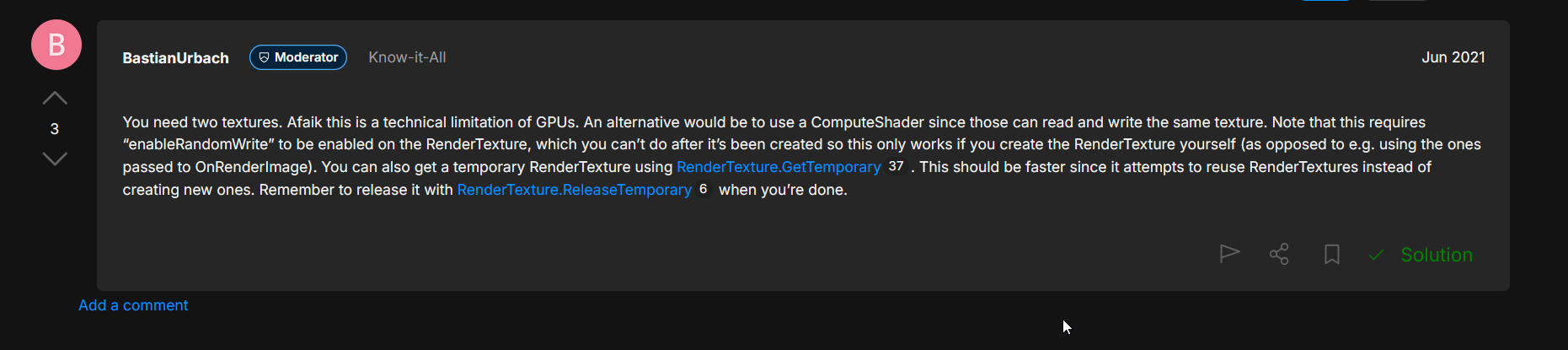
 fossil lava
Hi, is unitynuget-registry down ?
https://unitynuget-registry.azurewebsites.net/
My editor is failing to resolve this scoped registry, while it was working yesterday.
jolly token
fossil lava
Hi, is unitynuget-registry down ?
https://unitynuget-registry.azurewebsites.net/...
 warped flint
does anyone here uses firebase unity authentication, did someone here expereince firebase login when exported to physical phone its not working however in built in unity simulator or game, its working
jolly token
Check the logs?
long ivy
did you add the sha1 fingerprint of your signing key to your Firebase project? that's the usual mistake
warped flint
i did sir, is this too much detailed


i was able to login in unity build in simulator or game but not in my physical phone


i spending 3 weeks for this and no issue still
long ivy
this doesn't look like a Firebase issue, but a code issue on your end. Line 160 isn't in your CreateUser method. Add more logging in there
warped flint
ohhhh
long ivy
also !code next time please
 thorn flintBOT

Posting code
📃 Large Code Blocks
Use links to services like:
https://paste.mod.gg/, https://hastebin.skyra.pw/, https://paste.ofcode.org/, https://paste.myst.rs/, https://scriptbin.xyz/
📃 Inline Code
Surround code with three backquotes. Not quotation marks.
To format as C#, add cs to the first line:
```cs
// Your code here
```
Add a comment with a line number if there is an error message.
warped flint
wait sir watchu mean in my line 160 (im sorry sir im beginner in unity)
 long ivy
that's what I mean, your exception is being thrown on line 160 with a stack trace of being in CreateUser but your snippet doesn't match. Did you change the code? Something in CreateUser is throwing a nullref and without accurate lines, you need to either post the correct snippet or add some debug logging in there to find out what's happening
warped flint
this is the updated error sir mb previous error was 1 day ago
 warped flint
jolly token
This is “advanced” channel btw, something like <#534632293520769024> would be be...
warped flint
jolly token
This is “advanced” channel btw, something like <#534632293520769024> would be be...
okok thank you
warped flint
warped flint
code still the same
hardy sentinel
your issue would have been resolved within minutes in #💻┃code-beginner
is what cathei's saying
people here are looking for the most challenging of tasks to invest time in debugging/resolving
or, you know, answer my questions regarding project structuring 🤣
long ivy
warped flint
code still the same
new error looks like something isn't right with your android dependencies. Re-resolve them with EDM4U and do a clean build. Cathei's right though, you'll get better support in #📱┃mobile
fossil lava
jolly token
Try <https://unitynuget-registry.openupm.com> ?
Thanks a lot 😄
 hybrid belfry
I am loading Image textures at runtime locally and this works fine. I also need to accommodate downloading and assign them which I'm having a bit of trouble with. . How can I assign using a downloaded Texture2D?
This is my code for local files which works perfectly
if (imageTexture.LoadImage(File.ReadAllBytes($"{fName}")))
            {
                cachedImages.Add(Sprite.Create(imageTexture, new Rect(0F, 0F, imageTexture.width, imageTexture.height), Vector2.zero));
                cachedImages[cachedImages.Count - 1].name = fileName;
                tempSprite = cachedImages[cachedImages.Count - 1];
                hotspotPage.sprite = tempSprite;
            }
there is a special unity web request for textures: https://docs.unity3d.com/6000.0/Documentation/ScriptReference/Networking.UnityWebRequestTexture.html
regardless of how you get a texture 2d its going to be the same after if you wish to create a sprite for it
 untold grove
Does anyone have this problem with the new Github, i have a fresh system but unity triggers a Git Sign in.
but it wont login on the browser, any idea?
 echo coral
untold grove
Does anyone have this problem with the new Github, i have a fresh system but uni...
echo coral
untold grove
Does anyone have this problem with the new Github, i have a fresh system but uni...
github auth will always do this now with modern git. when you do "sign in with browser" what happens?
untold grove
nothing it shows black page
is there more than just this installer: https://git-scm.com/downloads/win
?
echo coral
nah thats the correct git installer
it should open a web page to either sign in to github and then tell you its doing something
untold grove
im logged in already in the browser
maybe i log out
no still black
windows edge also says

do i have to install the git desktop tool as well?
echo coral
github desktop may help you set up auth for github actually but it depends if it uses your system git or its embedded git
untold grove
i try now, once its solved this will be the moment i make a post in unity forum, i think many will have this problem 🙂
echo coral
If you need to reset your auth you can open the windows credential manager and delete the github ones.
untold grove
echo coral
If you need to reset your auth you can open the windows credential manager and d...
good advice,
its weird windows desktop git client was abel to login but the one that unnity triggers still not
Unity is stuck in this loop ^^
echo coral
annoyingly most programs now bundle git so its not using your system git
some do let you change to use the "system git" however
e.g
 untold grove
echo coral
annoyingly most programs now bundle git so its not using your system git
untold grove
echo coral
annoyingly most programs now bundle git so its not using your system git
do you maybe know what this IP is all about the unity git window tries to reach a ip
 echo coral
untold grove
echo coral
untold grove
yea its hosting a local web server to do the auth.
127.0.0.1 is localhost which is your pc
untold grove
echo coral
yea its hosting a local web server to do the auth.
well after resetting these credentials in windows for once i was reaching the login panel in the bvrowser, then unity tried to continue and is stuck right away where it was before 😶🌫️
echo coral
restart everything and see if it helps?
untold grove
i did 🙂
but i reset and do again
ah there is no git credentials anymore in windows ^^''
ok i restart
untold grove
echo coral
restart everything and see if it helps?
the only wy it worked was to generate a token (classic)
echo coral
strange but at least thats working
untold grove
echo coral
strange but at least thats working
kinda
it pops up again and again
until it fails again
i think im uninstalling all git things
lol now i cant start unity becuase of git XD
untold grove
echo coral
strange but at least thats working
okay so in the unity forum one user was ansering me with this:
Ive not seen this, but then I dont think I tried using private repos
I then tried another Project and its not having any login dialogs...
so this means ther is a git packet that is private that is why the login appears 🙂
 marsh lotus
In my inventory system, I have it destroy the item instance when it's removed from the inventory, and instance it when it's added. That works fine except it will randomly not destroy itself. I added log messages and I can see it's getting the signal to destroy itself (I made a method, DestroySelf which sets a variable _isDestroyed to true and then logs "DestroySelf called on item {Item.Id}" before calling Destroy(gameObject);). I can see that the log message is being put in the console, but it then gives me a MissingReferenceException in the console, saying that the object has been destroyed but I am still trying to access it, however the object is clearly still there and its OnDestroy method was not called... Additionally, in the DestroySelf method, it sets _isDestroyed = true; as I mentioned, but when I check in the inspector in debug mode, _isDestroyed is false...even though it was set to true?! I've tried giving it a delay in the Destroy(gameObject call and even putting it in a coroutine and waiting until the next frame. The coroutine approach just doesn't fire at all, and the delayed has the same issue. The weird thing is it's only sometimes, and I've made sure it's getting the signals in the correct order... Does anyone have any clue why it wouldn't be destroying it when I tell it to?
 midnight violet
marsh lotus
In my inventory system, I have it destroy the item instance when it's removed fr...
midnight violet
marsh lotus
In my inventory system, I have it destroy the item instance when it's removed fr...
how about some code 🙂
 tropic vigil
marsh lotus
In my inventory system, I have it destroy the item instance when it's removed fr...
tropic vigil
marsh lotus
In my inventory system, I have it destroy the item instance when it's removed fr...
If the state of your Inspector differs from the state displayed on logs, there is a chance there are multiple instances of the same script instanced. For testing purposes, I would suggest commenting out the Destroy line and inserting a Debug.Log(name, gameObject);. The second parameter will automatically highlight the gameObject in the hierarchy after clicking the log in your console. Alternatively you can just log GetInstanceID() and compare it with the instanceID of the object that should be destroyed - if it's different, then script was referencing the wrong object.
echo coral
marsh lotus
In my inventory system, I have it destroy the item instance when it's removed fr...
You could be destroying a component instead of the gameObject? Share code and the whole exception. Use a debugger too 😎
marsh lotus
private void DestroySelf()
{
    if (_isDestroyed) return;

    _isDestroyed = true;

    Debug.Log($"DestroySelf called on item {Item.Id} - instance ID: {GetInstanceID()}");

    Unsubscribe();
    Destroy(gameObject);
}```

Upon logging the instance ID and comparing it to the one that didn't delete itself, it's different... So clearly it's not that one, but I'm still not sure why it would be being referenced. The only way that method is called is through events/actions. I subscribe to them in the `Initialize` method:

```cs
public void Initialize(InventoryContainerFrontend containerFrontend, InventoryItem item)
{
    InventoryContainer = containerFrontend.InventoryContainer;
    Item = item;

    // Register this item with the inventory manager
    InventoryManager.Instance.FrontendItems[item.Id] = this;

    // Update the size based on the item size
    FixSize();

    // Subscribe to the item's events
    Item.OnQuantityChanged += OnQuantityChanged;

    // Subscribe to the inventory manager's events
    InventoryManager.OnItemRemovedFromGrid += OnItemRemovedFromGrid;
    InventoryManager.OnItemRemovedFromEquipmentSlot += OnItemRemovedFromEquipmentSlot;
    InventoryManager.OnItemDestroyed += OnItemDestroyed;

    // Update the display-related stuff
    UpdateLabels();
    UpdateRotation();
}```

And then I unsubscribe before it's destroyed in the `Unsubscribe` method:
```cs
private void Unsubscribe()
{
    // Unsubscribe from the item's events
    Item.OnQuantityChanged -= OnQuantityChanged;

    // Unsubscribe from the inventory manager's events
    InventoryManager.OnItemRemovedFromGrid -= OnItemRemovedFromGrid;
    InventoryManager.OnItemRemovedFromEquipmentSlot -= OnItemRemovedFromEquipmentSlot;
    InventoryManager.OnItemDestroyed -= OnItemDestroyed;
}```

I'm also not sure why the event would not be firing for the actual, active item since I ensure that the event is connected, and it works when I move the item once more.which line exactly is giving you a MissingReferenceException?
marsh lotus
sly grove
which line exactly is giving you a MissingReferenceException?
Destroy(gameObject); and it was also happening in a Debug.Log when I was trying to log the gameObject or name.
sly grove
marsh lotus
`Destroy(gameObject);` and it was also happening in a `Debug.Log` when I was try...
silly question but is _isDestroyed a plain variable or a property?
Also where are you calling DestroySelf from?
marsh lotus
sly grove
silly question but is `_isDestroyed` a plain variable or a property?
private bool _isDestroyed; I believe it's a property.
sly grove
marsh lotus
`private bool _isDestroyed;` I believe it's a property.
that's a field
not a property
which is good
marsh lotus
Oh, my bad.
marsh lotus
sly grove
Also where are you calling DestroySelf from?
private void OnItemRemovedFromGrid(int containerId, int itemId)
{
    if (_isDestroyed) return;
    Debug.Log(
        $"{GetInstanceID()} (item {Item.Id} got item removed from grid (container: {containerId}, item: {itemId})");
    if (itemId != Item.Id || containerId != InventoryContainer.Id) return;

    DestroySelf();
}

private void OnItemRemovedFromEquipmentSlot(int containerId, int itemId, int slotId)
{
    if (_isDestroyed) return;
    Debug.Log(
        $"{GetInstanceID()} (item {Item.Id} got item removed from equipment slot (container: {containerId}, item: {itemId}, slot: {slotId})");
    if (itemId != Item.Id) return; // TODO: Additional verification so it doesn't delete the wrong instance

    DestroySelf();
}

private void OnItemDestroyed(int itemId)
{
    if (_isDestroyed) return;
    if (itemId != Item.Id) return;

    DestroySelf();
}
It's worth investigating if multiple scripts could create the object. If, by accident, you have 2 instances of item spawning scripts, then destroying an item from one instance won't destroy the other item.
sly grove
marsh lotus
```cs
private void DestroySelf()
{
if (_isDestroyed) return;
_isDestroy...
When you said it was Destroy(gameObject) that was throwing the MRE, it was the one in DestroySelf? Or somewhere esle?
marsh lotus
sly grove
When you said it was Destroy(gameObject) that was throwing the MRE, it was the o...
The one in DestroySelf.
sly grove
that doesn't seem possible then
The only way this happens is you have some other code calling Destroy on the object
besides DestroySelf
Or you have some code doing _isDestroyed = false somewhere
marsh lotus
No, it's only set to true when I call that method and queried in other methods, nothing sets it to false except an implicit initializer (private bool _isDestroyed;).
sly grove
marsh lotus
No, it's only set to true when I call that method and queried in other methods, ...
can you show the full stack trace for the MissingReferenceException?
marsh lotus
Your script should either check if it is null or you should not destroy the object.
UnityEngine.Object+MarshalledUnityObject.TryThrowEditorNullExceptionObject (UnityEngine.Object unityObj, System.String parameterName) (at <e6aa588f9882420485fca490ded58a72>:0)
UnityEngine.Bindings.ThrowHelper.ThrowNullReferenceException (System.Object obj) (at <e6aa588f9882420485fca490ded58a72>:0)
UnityEngine.Component.get_gameObject () (at <e6aa588f9882420485fca490ded58a72>:0)
Inventory.Frontend.InventoryItemFrontend.DestroySelf () (at Assets/Scripts/Inventory/Frontend/InventoryItemFrontend.cs:205)
Inventory.Frontend.InventoryItemFrontend.OnItemRemovedFromGrid (System.Int32 containerId, System.Int32 itemId) (at Assets/Scripts/Inventory/Frontend/InventoryItemFrontend.cs:61)
Inventory.InventoryManager.InventoryItemRemovedFromGrid (System.Int32 containerId, System.Int32 itemId) (at Assets/Scripts/Inventory/InventoryManager.cs:384)
Network.HandleInventoryItemRemovedFromGrid (Riptide.Message message) (at Assets/Scripts/Network.cs:224)
Riptide.Client.OnMessageReceived (Riptide.Message message) (at ./Library/PackageCache/net.tomweiland.riptide@78a210a525b1/Runtime/Core/Client.cs:386)
Riptide.Client.Handle (Riptide.Message message, Riptide.Transports.MessageHeader header, Riptide.Connection connection) (at ./Library/PackageCache/net.tomweiland.riptide@78a210a525b1/Runtime/Core/Client.cs:252)
Riptide.Peer.HandleMessages () (at ./Library/PackageCache/net.tomweiland.riptide@78a210a525b1/Runtime/Core/Peer.cs:154)
Riptide.Client.Update () (at ./Library/PackageCache/net.tomweiland.riptide@78a210a525b1/Runtime/Core/Client.cs:241)
Network.FixedUpdate () (at Assets/Scripts/Network.cs:459)```seems you didnt un sub the correct mono instances then
sly grove
marsh lotus
```MissingReferenceException: The object of type 'Inventory.Frontend.InventoryIt...
Looks like this is some kind of RPC or something?
echo coral
must be due to you doing this.gameObject
marsh lotus
echo coral
seems you didnt un sub the correct mono instances then
That's what I'm thinking, but I tell it to unsubscribe in my DestroySelf method so I'm not sure why it wouldn't be.
sly grove
Are there any other exceptions?
marsh lotus
sly grove
Looks like this is some kind of RPC or something?
Yeah, it's a networked system.
marsh lotus
sly grove
Are there any other exceptions?
No.
sly grove
marsh lotus
Yeah, it's a networked system.
Is the object being destroyed a networked object?
And is the exception happening on the client or the server? And who is sending the RPC to who?
echo coral
you can access other fields in the monobehaviour still so use a debugger to break on this exception so you can see what object it really is
marsh lotus
sly grove
And is the exception happening on the client or the server? And who is sending t...
No, the only thing the network does is send a message to invoke the events. The client requests and item to be moved to a certain grid square or equipment slot and the server validates it, performs it, and tells the client "this item was moved to x slot" which then invokes the event which the item handles, which is where the exception is happening. The odd thing is it only sometimes happens.
Curious - is it okay to unsubscribe from an event that I haven't subscribed to, or unsubscribe multiple times, or could that cause issues?
echo coral
if you need to make extra sure you dont destroy an already null object you can do if(this != null) in the monobehaviour.
or use destroyCancellationToken
sly grove
marsh lotus
Curious - is it okay to unsubscribe from an event that I haven't subscribed to, ...
it's fine
if I were you I would do another search of your code for calls to Destroy just to double check we're not missing something
echo coral
it would be safer to unsub using OnDestroy() too
marsh lotus
echo coral
it would be safer to unsub using OnDestroy() too
Yeah, I just added that to the OnDestroy method as well as DestroySelf.
sly grove
Hmm are you reloading any scenes?
It could in fact be that you had a scene unload and therefore some of these objects got destroyed without DestroySelf() getting called
echo coral
you are over thinking it..
marsh lotus
sly grove
if I were you I would do another search of your code for calls to `Destroy` just...
So the only other one that could be affecting this is when the user closes the inventory: foreach (Transform child in equipmentContent) Destroy(child.gameObject); but it's happening even before I close it.
marsh lotus
sly grove
Hmm are you reloading any scenes?
No.
sly grove
marsh lotus
No.
Are you starting and stopping the game in edit mode, and these are static events?
Because yeah if you weren't unsubscribing when you reload the game static events could potentially still hold onto their subscriptions
echo coral
only if domain reloading was disabled as it happens when you go to play again
marsh lotus
sly grove
Are you starting and stopping the game in edit mode, and these are static events...
I'm not starting and stopping the game in edit mode, the same thing happens in play mode, and yes they're static events but I can make them non-static if I need to.
sly grove
marsh lotus
I'm not starting and stopping the game in edit mode, the same thing happens in p...
I mean in the editor
marsh lotus
I mean I do hit play and then stop it, but I never pause it if that's what you're referring to.
sly grove
I never said pause no
So yeah it doesn't sound like you had proper unsubscribing of the events set up
Unsubbing in OnDisable and/or OnDestroy would be appropriate
marsh lotus
And it just randomly stopped happening. 🙃
I'm going to try it a few more times but the change I made was calling the unsubscribe method at the top of OnDestroy, so that may have been it. 🤞
Coming back to Unity from Godot, I'm not quite used to having to "unsubscribe" otherwise it causes issues like this.
sly grove
marsh lotus
And it just randomly stopped happening. 🙃
I'm going to try it a few more times...
Yeah that's not random
you changed something
Do you have domain reloading disabled?
marsh lotus
I'm not quite sure what that is, so it's probably the default.
echo coral
You should unsubscribe monobehaviours because the managed class still exists and will still get called (but the gameobject it was on is gone hence error)
doing this == null is actually using a unity overload that ALSO checks if the monobehaviour was destroyed
same for gameObject == null
marsh lotus
private void OnDestroy()
{
    Unsubscribe();

    if (Item is null) return; // Ensure that this item was initialized

    // Ensure that the frontend item for this item is this (that's confusing the read, I know)
    if (InventoryManager.Instance.FrontendItems.ContainsKey(Item.Id) &&
        InventoryManager.Instance.FrontendItems[Item.Id] != this) return;

    // Unlink this from the inventory manager
    if (InventoryManager.Instance.FrontendItems.ContainsKey(Item.Id))
        InventoryManager.Instance.FrontendItems.Remove(Item.Id);

    if (InventoryManager.Instance.DraggingItem == this) InventoryManager.Instance.DraggingItem = null;
}```
I added it at the top when before I had it after the `if (Item is null) return;` block, which must have been stopping it from unsubscribing correctly.you can remove without checking if its in there
and you can also use TryGetValue() to avoid checking if it exists AND getting the value.
marsh lotus
Alright yeah, that seems to have done it. I rebuilt and restarted it 3 more times and it hasn't happened at all, thank you for the assistance!
marsh lotus
echo coral
you can remove without checking if its in there
Yeah, that was just an oversight, thanks.
sly grove
marsh lotus
```cs
private void OnDestroy()
{
Unsubscribe();
if (Item is null) retur...
What you really do need to do here is make sure InventoryManager.Instance isn't null or you'll get NREs sometimes. Because Unity doesn't destroy objects in any given order, sometimes the manager will be destroyed first.
marsh lotus
sly grove
What you really do need to do here is make sure InventoryManager.Instance isn't ...
InventoryManager is a persistent Singleton, so it should never be null.
sly grove
marsh lotus
InventoryManager is a persistent Singleton, so it should never be null.
when you stop the game it will be destroyed
along with everything else
and the order in which that happens is not deterministic
marsh lotus
Okay, true. I'll make sure to check if it's null before trying to access it, thanks.
echo coral
its going to be safe, only an issue if you wanted to say do Instance.transform and the mono was actually destroyed
hardy sentinel
marsh lotus
```cs
private void OnDestroy()
{
Unsubscribe();
if (Item is null) retur...
How deep are you in this project already?
hardy sentinel
marsh lotus
```cs
private void OnDestroy()
{
Unsubscribe();
if (Item is null) retur...
if (Item is null) is not what you wanna do in Unity. if (Item == null) is the correct way
but honestly the mini snippet you posted suggests your single script handles behaviours of what should have been... 5, 6 systems?
novel plinth
echo coral
and you can also use TryGetValue() to avoid checking if it exists AND getting th...
TryGetValue is actually checking if it exists 🙂..
(but a single lookup still)
 silver schooner
Does anyone here know anything about merging AnimatorOverrideControllers?
Imagine you have two characters who need to physically interact with one another. Each uses a base animator, with AnimatorOverride controllers for slot 0 and slot 1 that have different animations for the body.
Now imagine each of these characters can be any sort of avatar, male or female or monster. So, in addition to having the default AnimatorOverrideControlers for slot 0 and slot 1 of these two characters interacting, I also need to have custom AnimatorOverrideControllers for each avatar which have custom animations to adjust body shape, clothes, etc.
I don't want to have to make two AnimatorOverrideControllers for every character, one for slot 0 and one for slot 1, for various reasons, like having to update every single avatar every time I add new animations that these pairs of avatars can play together, or for ease of players adding new avatars to the game.
So, what I am trying to do is merge the base AnimatorOverrideController for slot 0 and slot 1, with the custom AnimatorOverrideController per avatar. And then have the avatar's animator successfully play that merged controller.
But nothing I do seems to work. My Debug Logs SEEM to indicate that the animations are being copied over to avatar's CustomOverrideController successfully. But in game, the avatar is not playing those animations, and while the states are changing as I change the animator parameters, when I click on those states, they're still showing the default animation names. Which may or may not be normal, I'm not sure. But if it is normal it leaves me no way to know if the animator was actually updated correctly with the new animations, which are clearly not playing because nothing is changing. For example, I have one layer to open and close the mouth, but the mouth is not opening and closing despite the states changing.
    {
        if (sourceController == null || targetController == null)
        {
            Debug.LogError("One of the AnimatorOverrideControllers is null!");
            return;
        }

        // Get overrides from both controllers
        List<KeyValuePair<AnimationClip, AnimationClip>> sourceOverrides = new List<KeyValuePair<AnimationClip, AnimationClip>>();
        sourceController.GetOverrides(sourceOverrides);

        List<KeyValuePair<AnimationClip, AnimationClip>> targetOverrides = new List<KeyValuePair<AnimationClip, AnimationClip>>();
        targetController.GetOverrides(targetOverrides);

        // Create a dictionary for easy lookup from targetController
        Dictionary<AnimationClip, AnimationClip> targetOverrideDict = new Dictionary<AnimationClip, AnimationClip>();
        foreach (var pair in targetOverrides)
        {
            targetOverrideDict[pair.Key] = pair.Value;
}``` List<KeyValuePair<AnimationClip, AnimationClip>> mergedOverrides = new List<KeyValuePair<AnimationClip, AnimationClip>>();
foreach (var pair in sourceOverrides)
{
// Get the original clip from the target controller (if exists)
AnimationClip originalClip = targetOverrideDict.ContainsKey(pair.Key) ? targetOverrideDict[pair.Key] : null;
// If the source has a valid animation (pair.Value), and we are overwriting an existing clip or inserting into a slot with no clip
if (pair.Value != null)
{
if (originalClip != null)
{
Debug.Log($"Overriding '{originalClip.name}' with '{pair.Value.name}' for key '{pair.Key.name}'.");
}
else
{
// If destination is null, show that we are inserting into an empty slot
Debug.Log($"Overriding 'Null' with '{pair.Value.name}' for key '{pair.Key.name}'.");
}
}
// Add to the merged list (use the source animation or the target animation if the source is null)
AnimationClip finalClip = pair.Value ?? originalClip;
mergedOverrides.Add(new KeyValuePair<AnimationClip, AnimationClip>(pair.Key, finalClip));
}
// Apply merged overrides to the target controller
targetController.ApplyOverrides(mergedOverrides);
}``` {
// Get the Animator component
var animator = avatar.GetComponent<Animator>();
if (animator == null) { Debug.LogError($"Avatar '{avatar.name}' is missing an Animator component!", avatar); return; }
// Get the currently assigned runtimeAnimatorController
var currentController = animator.runtimeAnimatorController as AnimatorOverrideController;
if (currentController == null) { Debug.LogError($"Avatar '{avatar.name}' does not have an AnimatorOverrideController assigned!", avatar); return; }
// Get the AvatarDescriptor for custom animations
var descriptor = avatar.GetComponent<AvatarDescriptor>();
if (descriptor == null) { Debug.LogError($"Avatar '{avatar.name}' is missing an AvatarDescriptor!", avatar); return; }
if (descriptor.customOverrideController == null) { Debug.LogError($"Avatar '{avatar.name}' is missing a custom override controller!", avatar); return; }
// Merge overrides
MergeOverridesDebug(descriptor.customOverrideController, currentController);
}```And here's how I'm resetting the animators. I recently added Rebind() in the hopes this would update the states to use the animations from the modified CustomOverrideController but it doesn't seem to help.
    {

        // Setting an avatar inactive and then active, or doing rebind() will not only make the animator return to the entry state, it also resets all the parameters in the animator to their default values.

        for (int slot = 0; slot < 2; slot++)
        {

            GameObject avatar = SelectedAvatar[slot];

            if (avatar != null)
            {
                Debug.LogError($"Resyncing animators for Avatar '{avatar.name}' in slot {slot}!", avatar);

                Animator animator = avatar.GetComponent<Animator>();

                animator.Rebind(); // Update the animator to include any changes that have been made to the animations in its override controller.
                animator.SetInteger("Sequence", SelectedSpawnpoint.GetComponent<Spawnpoint>().Animation); // Specify the animation that should be playing for all avatars. Each spawnpoint plays a specific animation on the avatars attached to it.
                animator.SetTrigger("Reset"); // Tell AnyState to transition to the selected sequence. This is automatically reset once the transition occurs.
                CopySelectorParametersToAnimator(slot); // Copy all the animator parameters from the HorizontalSelectors for this slot to the avatar's animator.
                animator.Update(0f); // Reset the timeline for the animator to the beginning.

            }

        }

}```I'm fairly deep in the project. Item is a separate class, not a MonoBehaviour. I'm not quite used to the is keyword yet, but Rider kept telling me to use it instead, at least in that instance. The item frontend class only handles itself. I mean it handles linking and unlinking from the inventory manager, but I'm gonna change that. Things like instantiating and moving items are handled by other systems, it's not all that class. 🙂
echo coral
marsh lotus
I'm fairly deep in the project. `Item` is a separate class, not a `MonoBehaviour...
For GameObjects, assets and monobehaviours you need to do == null as if the object is not really null the comparison is overridden to return true when it was destroyed in a scene/unloaded.
I expect rider to be correct when it tells you as it should know about this and it even warns you when you use the null coalescing operator ?
marsh lotus
echo coral
I expect rider to be correct when it tells you as it should know about this and ...
Yeah, it informed me of the Unity equality overload so I try to use == instead of is for anything Unity-related like GameObjects and such, but for just plain classes I was seeing that is is just the same thing but more readable in some cases, especially is null or is not null. Is that wrong, should I be using == for everything?
echo coral
marsh lotus
Yeah, it informed me of the Unity equality overload so I try to use `==` instead...
nah for non unity objects and classes its fine. Its only because of how unity override Equals() and how the other null checks bypass Equals() that this is a problem.
I cant blame them though because they cant just delete a managed object
hardy sentinel
marsh lotus
Coming back to Unity from Godot, I'm not quite used to having to "unsubscribe" o...
Well, consider unifying it in some way to avoid any and all issues 🙂
Here's what I'm using in my current project:
/// <summary> Base class for UI components [...]. </summary>
/// <remarks> Implements <see cref="ISubscriber"/> to allow managed subscriptions to <see cref="ReactiveProperty{T}"/>. </remarks>
public abstract class ViewBehaviour : MonoBehaviour, ISubscriber {
    protected SubscriptionList _subs;
    SubscriptionList ISubscriber.Subscriptions => _subs ??= new();

    public new RectTransform transform => (RectTransform) base.transform;

    protected void ClearSubscriptions() {
        _subs?.Clear();
    }

    protected virtual void OnDestroy() {
        (this as ISubscriber).Dispose();
    }
}
are you abusing interface default implementations 😐
hardy sentinel
echo coral
I cant blame them though because they cant just delete a managed object
yeah it's pretty cool what they do 🙂 Everything is super easy to add anyway! Like public event Action ObjectDestroyed; callbacks or whatever
hmm I don't think so... do you think I am?
 echo coral
From what I read, its there to aid in adding to an interface but not breaking existing implementors.
c# not having multiple inheritance i guess makes this quite useful
hardy sentinel
yeah technically I would think abusing would be from this level onwards:
public interface ISubscriber : IDisposable {
    SubscriptionList GetSubscriptions() => ServiceLocator.Get<SubscriptionsManager>().GetOrCreateSubscriptionsList(this);

    void IDisposable.Dispose() => GetSubscriptions()?.Dispose();
}
 vast forge
Hello! I've got a PlayerController, and in this I've got my basic movement stuff like inputs, locomotion etc. I've also added swimming. Now, because it was possible for my character to keep jumping while holding spacebar, I added a coyote timer and jump buffer. Which then in turn caused my character to jump endlessly when jumping out of the water. Except, now my character cannot jump out of the water.
I was hoping that anybody could have a look into the code and advice me on how to solve this issue.
Pastebin
Pastebin.com is the number one paste tool since 2002. Pastebin is a website where you can store text online for a set period of time.
hardy sentinel
vast forge
Hello! I've got a PlayerController, and in this I've got my basic movement stuff...
Sorry, but this is a complete beginner issue, or am I missing something?
also, I wouldn't just post a 400-line-long script and expect people to read through it
vast forge
hardy sentinel
Sorry, but this is a complete beginner issue, or am I missing something?
Sorry, I am not sure what is beginner or what is advanced. 😦
For me it felt like advanced.
vast forge
hardy sentinel
also, I wouldn't just post a 400-line-long script and expect people to read thro...
I would post only bits but I am not sure what is relevant to know. But sorry.
I will try asking in beginner.
dusty wigeon
silver schooner
Does anyone here know anything about merging AnimatorOverrideControllers?
Imag...
You change the AnimatorOverrideController, but is it assigned ? (animator.runtimeAnimatorController) I made a similar script in the past where we added attack of the weapon dynamically and it worked correctly.
Also, have you tested the example ? https://docs.unity3d.com/6000.0/Documentation/ScriptReference/AnimatorOverrideController.html
silver schooner
dusty wigeon
You change the `AnimatorOverrideController`, but is it assigned ? (`animator.run...
What do you mean?
In MergeCustomAnimations():
I get the currently assigned runtimeAnimatorController:
var currentController = animator.runtimeAnimatorController as AnimatorOverrideController;
Then that is passed to:
MergeOverridesDebug(descriptor.customOverrideController, currentController);
Which is defined as:
private static void MergeOverridesDebug(AnimatorOverrideController sourceController, AnimatorOverrideController targetController)
So sourceController is my avatar specific custom AnimatorOverrideController.
And targetController is currentController.
An in there, I create:
List<KeyValuePair<AnimationClip, AnimationClip>> mergedOverrides = new List<KeyValuePair<AnimationClip, AnimationClip>>();
In which I merge sourceController and targetController.
And t the end of MergeOverridesDebug() I do:
targetController.ApplyOverrides(mergedOverrides);
So, unless I'm not understanding something right about how things work in C#...
targetController is currentController, which is animator.runtimeAnimatorController.
So:
targetController.ApplyOverrides(mergedOverrides);
is the same as
animator.runtimeAnimatorController.ApplyOverrides(mergedOverrides);
And thus there is nothing that should need to be assigned because I am merging the overrides directly into the existing AnimtorController.
(Which should be an AnimatorOverrideController. If it were not, I'd be getting an error because the cast would return Null. I set it to be the slot's default AnimatorOverrideController when the avatar is selected.)
silver schooner
            // Retrieve and log current overrides
            List<KeyValuePair<AnimationClip, AnimationClip>> baseOverrides = new List<KeyValuePair<AnimationClip, AnimationClip>>();
            currentController.GetOverrides(baseOverrides);

            foreach (var pair in baseOverrides)
            {
                Debug.Log($"Base slot override: {pair.Key?.name} -> {pair.Value?.name}");
            }

            // Retrieve and log custom overrides
            List<KeyValuePair<AnimationClip, AnimationClip>> customOverrides = new List<KeyValuePair<AnimationClip, AnimationClip>>();
            descriptor.customOverrideController.GetOverrides(customOverrides);

            foreach (var pair in customOverrides)
            {
                Debug.Log($"Avatar custom override: {pair.Key?.name} -> {pair.Value?.name}");
            }

        // Merge overrides
        MergeOverridesDebug(descriptor.customOverrideController, currentController);

            // Retrieve and log merged overrides
            List<KeyValuePair<AnimationClip, AnimationClip>> mergedOverrides = new List<KeyValuePair<AnimationClip, AnimationClip>>();
            currentController.GetOverrides(mergedOverrides);

            foreach (var pair in mergedOverrides)
            {
                Debug.Log($"Final merged override: {pair.Key?.name} -> {pair.Value?.name}");
            }
I added some debug code just to double check that currentController aka animator.runtimeAnimatorController, has been correctly updated to include the new overrides, and everything looks correct.
Hm... I think there is something wrong after all. Normally I try to populate slot 0 with an avatar, and then debug that. But slot 0's custom override controller is empty, because all the animations match those in the original animator. However slot 1's custom override controller contains many animations. The thing is, when I ran the above code just now on my avatar in slot 1... I don't see any of those custom base animations for slot 1 showing up. The list is just empty as it would be for slot 0.
So I guess I need to look into this some more and figure out where I was applying those base custom animations and why they're not appearing in this code. I don't think I apply them after I do the merge. But I need to double check that.
public RuntimeAnimatorController[] AvatarAnimator = new RuntimeAnimatorController[avatarSlots]; // The second animator should always be set to an animator override.
So this is my public variable that contains the Animator Override Controllers for slot 0 and slot 1.
I have verified it is populated.
    // It is also called when a new Avatar is chosen for a particular slot.
    void ResetAvatars()
    {

        for (int slot = 0; slot < avatarSlots; slot++) // Destroy all the avatars to reset them, and then recreate them.
        {

            // Destroy the avatar in this position/slot.
            if (SelectedAvatar[slot] != null) { Destroy(SelectedAvatar[slot]); }

            // Instantiate a clone of the desired avatar in this slot.
            SelectedAvatar[slot] = Instantiate(Avatars[slotIndex[slot]]);

            // Clone the slot's default animator override controller so we can safely modify the clone, and set the avatar's animator to the cloned controller.
            SelectedAvatar[slot].GetComponent<Animator>().runtimeAnimatorController = new AnimatorOverrideController(AvatarAnimator[slot]);

            // Copy the avatar's custom animations from its customAnimatorOverride to the cloned animatorOverride.
            MergeCustomAnimations(SelectedAvatar[slot]);

            // Set the collision layer for the avatar.
            SelectedAvatar[slot].layer = 10 + slot;

            // Parent the avatar to the slot that corresponds with it on the currently selected spawn point, and show it.
            // If there's no corresponding spawn point for this avatar slot, hide the instantiated avatar.
            ShowSelectedAvatar(slot);

        }

        // Restart and resync the animators for both avatars, and transition them to the desired sequence.
        ResyncAnimators();

}```And here's the code which:
-
Clones the original copy of slot 0 ot slot 1's base Override Controller like so:
SelectedAvatar[slot].GetComponent<Animator>().runtimeAnimatorController = new AnimatorOverrideController(AvatarAnimator[slot]); -
Merges the avatar's own custom override controller that is stored in descriptor.customOverrideController with the cloned base override controller for this slot:
MergeCustomAnimations(SelectedAvatar[slot]);
But there's still the issue that I don't see the base animations in the list as I expect to for slot 1 (slot 0's would be empty). So I don't know what's going on there.
novel plinth
hardy sentinel
hmm I don't think so... do you think I am?
you need to properly schedule this, I forget the order or when tbh but you can dump the default PlayerLoop and inspect it from there and make your own OnDestroyed callback subscription etc.
I think I still got the dumped file...let me see
i don't believe that's a complete list either, might be there might be not, I forget 😌
hardy sentinel
hardy sentinel
yeah it's pretty cool what they do 🙂 Everything is super easy to add anyway! L...
@novel plinth well you can't add this ^ with the custom player/event loop tho 😛 just gotta built it on top of MonoBehaviour
novel plinth
hardy sentinel
<@726512159940411422> well you can't add *this ^* with the custom player/event l...
well, you can
we used custom playerloop here all the time
you can even remove some you dont want from the default playerloop list if you want
hardy sentinel
I used to just have a public class MonoBehaviour : UnityEngine.MonoBehaviour until Unity made it force-pop an info message when the project opens 😒
novel plinth
PlayerLoop is just array of structs
hardy sentinel
novel plinth
well, you can
It wouldn't even compile...... and how would someone subscribe to it?
novel plinth
hardy sentinel
It wouldn't even compile...... and how would someone subscribe to it?
you're making your own PlayerLoop in this case, by injecting your custom struct into the default PlayerLoop list
note list here is actually an array
note if you want to dig the rabbit hole of Unity's PlayerLoop, your best bet here is by peekin at their source code
the docs for PlayerLoop is super duper shitty
hardy sentinel
PlayerLoopSystem just allows you to add magic methods
so I can't really understand what you're on about regarding adding an event delegate
on top of that, I also don't understand how one would access it to subscribe to it from another object
novel plinth
hardy sentinel
so I can't really understand what you're on about regarding adding an event dele...
it is very easy actually, as said, by injecting your custom struct, make a method in that struct that execute external method/s.. this way you're in your own PlayerLoop but 100% sync with the engine
that custom struct will be inorderly executed, and yes you must determine their order in the array before injecting it
they even allow us to assign a delegate to it, but we never did that, nor do we know how it'd behave simply bcos the docs is pretty much non-existent
so we prefer to just inject a custom struct and make that struct execute external methods
bammm! you can do your own event/delegate subscribing or whatevs
hardy sentinel
so, event Action ObjectDestroyed; would be like, what, a member of a struct in the low level player loop, right?
-- first, you know what that public event Action ObjectDestroyed; is right? And how one would use it? (no offense, just to clear this out)
novel plinth
1st thing 1st, you must know from that list I posted, in which order the OnDestroyed unity is doing internally
novel plinth
no no, you must know the order 1st thats the key
thats the whole point of playerloop
if you don't know when the flushing happenning there's no point making your own custom loop for destroying here
hardy sentinel
mate I really tried -- but I just think you're trolling
hardy sentinel
because events would be supposed to be used like this: someObj.someEvent += myDelegate
novel plinth
hardy sentinel
so, `event Action ObjectDestroyed;` would be like, what, a member of a struct in...
they're structs, to know which one is which you'd need to inspect them one by one
hardy sentinel
for example a use case would be something like:
public class InventorySlotUI : MonoBehaviour {
    public void AddItem(Item item) {
        item.SetParent(this.transform);
        item.OnDestroyed += () => Debug.Log("This slot is empty again");
    }
}
I dont see why this is an issue here tbh, here just peek at how I'm doing it
https://github.com/breadnone/UPlayerLoop
hardy sentinel
it's an issue because HOW do you access someEvent (/OnDestroyed) without adding another layer of a class?
novel plinth
hardy sentinel
it's an issue because HOW do you access `someEvent` (/`OnDestroyed`) without add...
could you pls slowdown a bit and see the link above, trust me it's not really that complicated
novel plinth
hardy sentinel
it's an issue because HOW do you access `someEvent` (/`OnDestroyed`) without add...
you dont need a class, playerloop is just a list of structs
hardy sentinel
I went through the code, alright
hardy sentinel
hardy sentinel
it's an issue because HOW do you access `someEvent` (/`OnDestroyed`) without add...
still doesn't answer this question
how can I access an event member that's injected in the player loop?
from, say, InventorySlotUI that wants to subscribe to Item.OnPostDestroyedEvent (naming it like that just so we're clear lol)
novel plinth
hardy sentinel
how can I access an event member that's *injected* in the player loop?
prly you skipped peeking at it 😄...
PlayerLoop list is basically a tree like structure of arrays.... like InventorySlotUI here as you mentioned, you can inject your struct into the array belongs to the InventorySlotUI, so now you're working in that InventorySlotUI space, how? you can iterate and find their type, all of them structs there afair must be unique
hardy sentinel
no I don't see how
someone would need to raise the OnPostDestroyedEvent
even if I hack my way into finding it
novel plinth
hardy sentinel
no I don't see how
as said, you need to inspect which methods in that list that are doing this, and put your custom struct right under it
also as said, there's a delegate you can attach BUT as also said, it's still a mystery how their behaviours are like you may want to peek the source directly
dont rely on that list above, that was dumped from unity 2022 beta iirc, I don't think unity 6 would have the same structure tbh
just to be safe
novel plinth
novel plinth
I dont see why this is an issue here tbh, here just peek at how I'm doing it
htt...
also iirc I made that for edit-mode only, so in case any of you want to use it dont forget to put that in editor folder only
i y'all neeed for runtime, just guard clause them with if-directives or whatevss
hardy sentinel
Have a look at this class:
public abstract class DroppableSlot<T> : MonoBehaviour, IDroppable {
    public T HeldObject { get; private set; }
    public DraggablePresenter<T> HeldPresenter { get; private set; }

    public event System.Action<T> OnSlotContentChanged;

    public virtual DraggablePresenter<T> AddObject(T obj) {
        // ...
        OnSlotContentChanged?.Invoke(HeldObject);
        return HeldPresenter;
    }

    public virtual void SetSlotAsEmpty() {
        // ...
        OnSlotContentChanged?.Invoke(HeldObject);
    }
}
from my point of view, you're implying I should hook a public event System.Action<T> OnSlotContentChanged; without making a custom class that derives from MonoBehaviour, and add it to the player loop
and classes/object that need it will be able to access it through the player loop and subscribe to it, and it'll also be raised on the proper times
(yes I know OnSlotContentChanged<T> is exaggeration -- what you claimed was the ObjectDestroyed callback, but I only have this example available lol)
and what I'm saying is that the biggest issue would be accessing the event through another type/object and subscribing to it with OnSlotContentChanged += (f) => Debug.Log($"{f} is the new held object");
novel plinth
hardy sentinel
and what I'm saying is that the biggest issue would be accessing the event throu...
you'd need a something to bridge them, thats the point. Your custom struct would just be a medium of executing external methods... that's all it
what methods? whatever you're expecting how you handwired them to be an event/delegates subscription or even something else, it's up to you
why is thi becoming so complicated idk why 😂
also pls take a peek at the source, you might have a better grasp doing so... also english isn't my 1st language so what I'm saying may not be what I meant
also I made asilly mistake here

those dummy classes should definitely be structs, it will still work but if you want to recover from playMode back to edit-mode they won't be copied. so yeah change them to structs
hardy sentinel
well yes I've played with PlayerLoopSystem and believe I have a solid understanding on how it works and what it can do
my first thought was "maybe I'm missing something"
but then I started worrying that you just have too much faith on it and will go to extremes just so you use it xD
novel plinth
PlayerLoop is very powerful, you can make your own entirely different Unity engine with it
hardy sentinel
hardy sentinel
well yes I've *played* with `PlayerLoopSystem` and believe I have a solid unders...
that understanding btw is just that PlayerLoopSystem just allows you to add more magic methods
novel plinth
hardy sentinel
well yes I've *played* with `PlayerLoopSystem` and believe I have a solid unders...
or if you think my code look super messy, you can check how UniTask doing it...
yes lotta stuff need PlayerLoop for much better control
we used to use reflection for it, since 2020 they really exposed it so thats a W
but yeah, the it's pretty much 0 docs
you're on your own
hardy sentinel
I use reflection and it's 100% ¯_(ツ)_/¯
it pushes me towards using an architecture that keeps MonoBehaviours just for Views, so that's very nice too
hardy sentinel
novel plinth
we used to use reflection for it, since 2020 they really exposed it so thats a W
how come you changed from Reflection to custom PlayerLoop btw? And do you actually find it better? 😮
if so I may be actually missing bunch of functionality about it lol.. for my tests the use was fairly straightforward, but I guess you could hook whole systems inside an event (with the struct you mentioned)
novel plinth
hardy sentinel
how come you changed from Reflection to custom PlayerLoop btw? And do you actual...
why do you want reflection when it's already officially exposed?
hardy sentinel
well, MonoBehaviour class is bloated -- autocomplete-wise 😄
I can't be asked to type this. and see didAwake pop up in autocomplete 😅
hardy sentinel
hardy sentinel
I am gonna spend today doing a test run on how I can restructure it with `Core, ...
fyi @sly grove @jolly token separating the UI into its own assembly that's not referenced in core game logic was the best thing ever DX/QOL-wise 🥳
 fringe heart
As a beginner unity developer this place is absolutely scary
silver schooner
    {

        for (int slot = 0; slot < avatarSlots; slot++)
        {

            // Destroy the avatar in this position/slot.
            if (SelectedAvatar[slot] != null) { Destroy(SelectedAvatar[slot]); }

            // Instantiate a clone of the desired avatar in this slot.
            SelectedAvatar[slot] = Instantiate(Avatars[slotIndex[slot]]);

            // Clone the slot's default animator override controller so we can safely modify the clone.
            SelectedAvatar[slot].GetComponent<Animator>().runtimeAnimatorController = new AnimatorOverrideController(AvatarAnimator[slot]);

                Debug.Log($"ResetAvatars(): Slot {slot}");

                List<KeyValuePair<AnimationClip, AnimationClip>> runtimeOverrides = new List<KeyValuePair<AnimationClip, AnimationClip>>();
                AnimatorOverrideController runtimeController = SelectedAvatar[slot].GetComponent<Animator>().runtimeAnimatorController as AnimatorOverrideController;
                runtimeController.GetOverrides(runtimeOverrides);

                foreach (var pair in runtimeOverrides)
                {
                    Debug.Log($"ResetAvatars(): Base slot override: {pair.Key?.name} -> {pair.Value?.name}");
                }

            // Copy the avatar's custom animations from its customAnimatorOverride to the cloned animatorOverride.
            MergeCustomAnimations(SelectedAvatar[slot]);

            // Parent the avatar to the slot that corresponds with it on the currently selected spawn point, and show it.
            // If there's no corresponding spawn point for this avatar slot, hide the instantiated avatar.
            ShowSelectedAvatar(slot);

}```This doesn't make sense...
In the code above:
AvatarAnimator[slot] is has an AnimatorOverrideController in slot 0 and slot 1.
The one for slot 1 is populated with a bunch of animations. I verified this is correct just now.
Yet the debug log output for this shows the following:
ResetAvatars(): Base slot override: Build.0 ->
As if pair.Value?.name for every entry is Null. Which they shouldn't be.
What's going on here?
Is there something wrong with my assumptions here?
// 1. Set the avatar's runtimeAnimatorController to a new AnimatorOverrideController which is a clone of the AnimatorOverrideController in AvatarAnimator[slot]AvatarAnimator[slot]:

SelectedAvatar[slot].GetComponent<Animator>().runtimeAnimatorController = new AnimatorOverrideController(AvatarAnimator[slot]);

// 2. Create a list to hold the key and value pairs in the AnimatorOverride controller:

List<KeyValuePair<AnimationClip, AnimationClip>> runtimeOverrides = new List<KeyValuePair<AnimationClip, AnimationClip>>();

// 3. Get a reference to the AnimatorOverrideController now in AvatarAnimator[slot], and store it in temporary variable runtimeController:

AnimatorOverrideController runtimeController = SelectedAvatar[slot].GetComponent<Animator>().runtimeAnimatorController as AnimatorOverrideController;

// 4. Copy the overrides from the temporary runtimeController variable to the runtimeOverrides list:
runtimeController.GetOverrides(runtimeOverrides);
I don't get it. This seems like it should be working.
In fact, I know parts of it must be working because the avatars in slot 0 and slot 1 have been playing the base animations correctly.
Hold on.. I just decided to double check that that part was still working, and it's not.
The avatar in slot 0 is playing the correct animations, which makes sense since its AnimatorOverrideController is completely empty and its just using the default AnimatorController's animations.
But the avatar in slot 1 is no longer playing any custom animations, it too is playing the animations for slot 0. What the heck is going on?
I'm gonna remove the MergeOverrides code and see if that changes anything, but given that the override controller appears empty from the debug log, I don't think that is the cause of this. Which makes this issue especially confusing because where else could the problem be?
[Edit]
Okay so I commented out MergeOverrides, but the issue persists. Hm...
hardy sentinel
@silver schooner could you summarize the actual issue in a few sentences? 😛
still having my coffee here the posts are scary long 😅
hardy sentinel
silver schooner
Is there something wrong with my assumptions here?
```
// 1. Set the avatar's r...
you probably should Instantiate(AvatarAnimator[slot]) instead of calling new()
but since it has an overload for new() maybe it will work, hm..
hardy sentinel
hardy sentinel
<@292387750152241160> could you summarize the actual issue in a few sentences? �...
nvm I read it by now 😄
silver schooner
hardy sentinel
<@292387750152241160> could you summarize the actual issue in a few sentences? �...
Hmm...
I have two avatars. They need to play animations in sync.
I have one animator controller, and two override controllers. One for slot 0 and one for slot 1.
Slot 0 overrides are just empty because the animator is populated with the default animations.
Slot 1 has a list of base overrides.
This has, thus far, been working fine.
Then, I decided I wanted each avatar to be able to have its own set of custom animations that can be merged into the original slot 0 or slot 1 OverrideControllers.
For example, an avatar might need to be fat or thin, but different avatars have different blend shapes to control that, so they all need their own custom animations for that, but not for say, swordfighting, hence the default animations for each slot that are the same across all avatars put in that slot.
But now eveything has gone to hell and not even the original overrides are playing correctly. Slot 1 is not being overridden and is just playing slot 0's animations.
silver schooner
hardy sentinel
but since it has an overload for `new()` maybe it will work, hm..
I will look into that. I'm not sure how they differ.
I meant the Instantiate thing I replied to the wrong reply.
hardy sentinel
  void ResetAvatars()
    {

        for (int slot = 0; slot < avatarSlots; slot++)
        {

            // Destroy the avatar in this position/slot.
            if (SelectedAvatar[slot] != null) { Destroy(SelectedAvatar[slot]); }

            // Instantiate a clone of the desired avatar in this slot.
            SelectedAvatar[slot] = Instantiate(Avatars[slotIndex[slot]]);

// Cache the current (old) controller and retrieve the overrides
var runtimeOverrides = new List<KeyValuePair<AnimationClip, AnimationClip>>();
var runtimeController = SelectedAvatar[slot].GetComponent<Animator>().runtimeAnimatorController as AnimatorOverrideController;
runtimeController.GetOverrides(runtimeOverrides);

// Create a new controller, apply the overrides, and assign it
var newController = new AnimatorOverrideController(AvatarAnimator[slot]); // or new AnimatorOverrideController(runtimeController)
newController.ApplyOverrides(runtimeOverrides);
SelectedAvatar[slot].GetComponent<Animator>().runtimeAnimatorController = newController;


                foreach (var pair in runtimeOverrides)
                {
                    Debug.Log($"ResetAvatars(): Base slot override: {pair.Key?.name} -> {pair.Value?.name}");
                }

        }
Okay so Instantiate makes a new copy of an object.
Whereas in my code, I'm doing new AnimatorOverrideController(AvatarAnimator[slot]); which is supposed to basically do the same thing.
hardy sentinel
hardy sentinel
```cs
void ResetAvatars()
{
for (int slot = 0; slot < ava...
yeah np just try this thing instead ^
silver schooner
I will try that now.
hardy sentinel
you can skip the SelectedAvatar[slot].GetComponent<Animator>().runtimeAnimatorController = newController; part if that's not your intended behaviour
my whole goal with this code was properly copying over the overrides for the debug log
silver schooner
I tried your method, but it just broke completely. Now the avatars don't even appear.
runtimeController.GetOverrides(runtimeOverrides); is causing a Null reference exception.
Also, the thing I'm concerned about is you removed the bit which clones the runtimeAnimator controller seperately.
I don't know that Instantiate does that, and if it doesn't then I'll be modifying the template avatar, and all changes to its AnimatorOverrideController will carry over to every copy.
This may be bad. I need to think about it some more to be sure though.
I think what you missed was this:
        // Clone the slot's default animator override controller so we can safely modify the clone, and set the avatar's animator to the cloned controller.
        SelectedAvatar[slot].GetComponent<Animator>().runtimeAnimatorController = new AnimatorOverrideController(AvatarAnimator[slot]);
AvatarAnimator[slot] is an array with two AnimatorOverrideControllers. One that is used for avatats in slot 0, and one for avatars in slot 1.
Imagine a guy with a sword stabbing someone. The guy with the sword is in slot 0, the guy being stabbed is in slot 1.
They're both using a copy of the same animator with the same states. But one is overridden to play the being stabbed animations instead of the stabbing animations, and the two animators are synced.
So your code instantiated a copy of the avatar, but where controller was set to the base Animator rather than to an AnimatorOverrideController.
With no AnimatorOverrideController,
var runtimeController = SelectedAvatar[slot].GetComponent<Animator>().runtimeAnimatorController as AnimatorOverrideController;
Would return Null and:
runtimeController.GetOverrides(runtimeOverrides);
Will give a Null reference exception.
dusty wigeon
silver schooner
What do you mean?
In MergeCustomAnimations():
I get the currently assigned ru...
It is not what the example is doing. So, you either make the example work, then scale from there or continue to search blindly what is your issue. Starting from something that works it usually easier then trying to figuring why something is not working.
        animatorOverrideController = new AnimatorOverrideController(animator.runtimeAnimatorController);
        animator.runtimeAnimatorController = animatorOverrideController;

        clipOverrides = new AnimationClipOverrides(animatorOverrideController.overridesCount);
        animatorOverrideController.GetOverrides(clipOverrides);
"It is not what the example is doing."
WHAT is not what WHAT example is doing?
"So, you either make the example work, then scale from there or continue to search blindly what is your issue."
My code was working... And I was scaling from there. But my changes weren't doing anything. Now I'm trying to scale things back, and I have found that what was working before, is now no longer working. So I now need to figure out what I did to break it.
If this is the example you mean:
animatorOverrideController = new AnimatorOverrideController(animator.runtimeAnimatorController);
animator.runtimeAnimatorController = animatorOverrideController;

clipOverrides = new AnimationClipOverrides(animatorOverrideController.overridesCount);
animatorOverrideController.GetOverrides(clipOverrides);
Then that's not all that different from...
Wait... what's this?
clipOverrides = new AnimationClipOverrides
That can't be right.
https://docs.unity3d.com/6000.0/Documentation/ScriptReference/AnimatorOverrideController.html
{
    public AnimationClipOverrides(int capacity) : base(capacity) {}

    public AnimationClip this[string name]
    {
        get { return this.Find(x => x.Key.name.Equals(name)).Value; }
        set
        {
            int index = this.FindIndex(x => x.Key.name.Equals(name));
            if (index != -1)
                this[index] = new KeyValuePair<AnimationClip, AnimationClip>(this[index].Key, value);
        }
    }
}```

That's a custom class.. But what is that doing there? And why is it being fed into GetOverrides?

https://docs.unity3d.com/6000.0/Documentation/ScriptReference/AnimatorOverrideController.GetOverrides.html

public void GetOverrides(List<KeyValuePair<AnimationClip,AnimationClip>> overrides);

I don't understand why it is doing things this way. But I overlooked this before, so I'll look into it now.I cannot really help you more then suggest way to debug. As I said, you do not seem to be doing exactly the same as what the example is doing. There is potentially some black magic going on resulting in you not have the right instance or the animator not being correctly refresh.
silver schooner
dusty wigeon
I cannot really help you more then suggest way to debug. As I said, you do not s...
Well, that class appears to exist just to let the person who wrote the example access clips by name in the override controller:
clipOverrides["SingleAttack"] = newClip;
I don't see that that code is relevant to what I'm doing. I don't need that capability.
But regardless, the problem I seem to be having is not that my code to merge the override controllers doesn't work, but rather my code to clone my override controllers stopped working somehow... Because even when I strip out the call to the merge function, my slot 1 avatar is no longer playing the base override controller animations it should be playing.
dusty wigeon
silver schooner
Well, that class appears to exist just to let the person who wrote the example a...
Have you consider the assignation of the animator ? Because you get the AnimatorOverrideController and modified it, but they create a new instance of it by copying the current animator controller.
silver schooner
dusty wigeon
Have you consider the assignation of the animator ? Because you get the Animator...
I don't know what you mean.
Here's their code:
  animator.runtimeAnimatorController = animatorOverrideController;```

And here's my code, which is equivalent:

```            // Clone the slot's default animator override controller so we can safely modify the clone, and set the avatar's animator to the cloned controller.
            SelectedAvatar[slot].GetComponent<Animator>().runtimeAnimatorController = new AnimatorOverrideController(AvatarAnimator[slot]);
And used to work, but now it isn't? I think?
I need to go look at one of my backups and see how I altered that function.
hardy sentinel
silver schooner
I tried your method, but it just broke completely. Now the avatars don't even ap...
can you copy-paste the code?
or even better, actually just send a screenshot of what you currently have
silver schooner
Okay... This is the current code. I removed the debug log stuff for clarity:
    {

        for (int slot = 0; slot < avatarSlots; slot++) // Destroy all the avatars to reset them, and then recreate them. Slot 0 = Top, Slot 1 = Bottom
        {

            // Destroy the avatar in this position/slot.
            if (SelectedAvatar[slot] != null) { Destroy(SelectedAvatar[slot]); }

            // Instantiate a clone of the desired avatar in this slot.
            SelectedAvatar[slot] = Instantiate(Avatars[slotIndex[slot]]);

            // Clone the slot's default animator override controller so we can safely modify the clone, and set the avatar's animator to the cloned controller.
            SelectedAvatar[slot].GetComponent<Animator>().runtimeAnimatorController = new AnimatorOverrideController(AvatarAnimator[slot]);

            // Copy the avatar's custom animations from its customAnimatorOverride to the cloned animatorOverride.
            //MergeCustomAnimations(SelectedAvatar[slot]);

            // Set the collision layer for the avatar.
            SelectedAvatar[slot].layer = 10 + slot;

            // Parent the avatar to the slot that corresponds with it on the currently selected spawn point, and show it.
            // If there's no corresponding spawn point for this avatar slot, hide the instantiated avatar.
            ShowSelectedAvatar(slot);

        }

        // Restart and resync the animators for both avatars, and transition them to the desired sequence.
        ResyncAnimators();

}```And this is the old code which worked:
    {

        for (int slot = 0; slot < avatarSlots; slot++) // Destroy all the avatars to reset them, and then recreate them.
        {

            // Destroy the avatar in this slot.
            if (SelectedAvatar[slot] != null) { Destroy(SelectedAvatar[slot]); }

            // Instantiate a clone of the desired avatar in this slot and assign the animator to it.
            SelectedAvatar[slot] = Instantiate(Avatars[slotIndex[slot]]);
            SelectedAvatar[slot].GetComponent<Animator>().runtimeAnimatorController = AvatarAnimator[slot];

            SelectedAvatar[slot].layer = 10 + slot;

            // Parent the avatar to the slot that corresponds with it on the currently selected spawn point, and show it.
            // If there's no corresponding spawn point for this avatar slot, hide the instantiated avatar.
            ShowSelectedAvatar(slot);

        }

        // Restart and resync the animators for both avatars, and transition them to the desired sequence.
        ResyncAnimators();

}```and if it worked why change it?
void ResetAvatars() {
        for (int slot = 0; slot < avatarSlots; slot++) {
            // Destroy the avatar in this position/slot.
            if (SelectedAvatar[slot] != null) { Destroy(SelectedAvatar[slot]); }

            // Instantiate a clone of the desired avatar in this slot.
            var newAvatar = Instantiate(Avatars[slotIndex[slot]]);
            var newAnimator = newAvatar.GetComponent<Animator>();
            newAvatar.layer = 10 + slot;

            // [CHANGES]
            var oldController = (AnimatorOverrideController) newAnimator.runtimeAnimatorController;
            var newController = new AnimatorOverrideController(AvatarAnimator[slot]);
            var overridesList = new List<KeyValuePair<AnimationClip, AnimationClip>>();
            oldController.GetOverrides(overridesList);
            newController.ApplyOverrides(overridesList);

            // Finally, assign the controller
            newAnimator.runtimeAnimatorController = newController;

            // Copy the avatar's custom animations from its customAnimatorOverride to the cloned animatorOverride.
            MergeCustomAnimations(newAvatar);

            // Parent the avatar to the slot that corresponds with it on the currently selected spawn point, and show it.
            // If there's no corresponding spawn point for this avatar slot, hide the instantiated avatar.
            SelectedAvatar[slot] = newAvatar;
            ShowSelectedAvatar(slot);
        }

        // Restart and resync the animators for both avatars, and transition them to the desired sequence.
        ResyncAnimators();
}
This is the code (Edited names for clarity)
silver schooner
So the main difference is...
I used to do this:
SelectedAvatar[slot].GetComponent<Animator>().runtimeAnimatorController = AvatarAnimator[slot];
And then I changed it to this:
SelectedAvatar[slot].GetComponent<Animator>().runtimeAnimatorController = new AnimatorOverrideController(AvatarAnimator[slot]);
The reason I did that was because all the avatars reference one of the two base overridecontrollers in AvatarAnimator[slot].
In other words, all avatars are either a guy with a sword in slot 0, or a guy being stabbed in slot 1.
But the avatars could be fat or thin or whatever, so I need to merge avatar-specific override controllers with those base conttrollers to make a new controller that has all the necessary animations.
I want to do that in code rather than manually creating them all, because otherwise any change I make to the base animations has to be propograted across all avatars and it prevents me from allowing users to easily customize them.
Anyway, if I were to modify AvatarAnimator[slot] directly, it would modify the base override controllers that I am cloning to all the avatars and modifying. This would probably be bad.
hardy sentinel
gotcha. can you copy-paste what I posted and give it a try?
if it throws on the (AnimatorOverrideController) cast it means your prefab is not set up correctly
silver schooner
hardy sentinel
gotcha. can you copy-paste what I posted and give it a try?
Specified cast is not valid:
var oldController = (AnimatorOverrideController)SelectedAvatar[slot].GetComponent<Animator>().runtimeAnimatorController;
But that makes sense.
I have a scene with several avatars in it. These are the ones I clone.
Each of these has the base animator assigned to it.
At runtime, I clone these avatars into either slot 0, or slot 1.
Then I assign either AvatarAnimator[0] or AvatarAnimator[1] to them. These are my slot 0 and slot 1 base override controllers. They are assigned to the array in the inspector.
So you're trying to cast an Animator to an AnimatorOverrideController here:
var oldController = (AnimatorOverrideController)SelectedAvatar[slot].GetComponent<Animator>().runtimeAnimatorController;
You haven't yet assigned AvatarAnimator[slot] to the avatar's runtimeAnimatorController.
hardy sentinel
yes, as I suspected, your prefab is not set up correctly
the prefab's runtimeAnimatorController should already be an AnimatorOverrideController
silver schooner
But why?
I can assign one to it at runtime before I clone it.
Or I should be able to after too.
hardy sentinel
sure, but it makes code dirtier
silver schooner
Okay but that has nothing to do with it not working...
hardy sentinel
if you wanna do that, just do that as a step like var oldController = ....GetDefaultOverrideAnimatorController();
it currently doesn't work because you don't have access to the AnimatorOverrideController you want to use.
if you get a reference to that, it'll wokr no problem.
actually
yeah
silver schooner
hardy sentinel
if you wanna do that, just do that as a step like `var oldController = ....GetDe...
Yes your code doesn't work for that reason... But my code did that.
// Clone the slot's default animator override controller so we can safely modify the clone, and set the avatar's animator to the cloned controller.
SelectedAvatar[slot].GetComponent<Animator>().runtimeAnimatorController = new AnimatorOverrideController(AvatarAnimator[slot]);
I'm not saying I can't fix your code. I'm just explaining why the cast didn't work in your code.
hardy sentinel
yes but it doesn't have any overrides assigned, because it's not an override controller
and you described your issue being "The overrides are null"
as far as I'm concerned, the reason it doesn't work is because the prefab is not working correctly 😄
It's just so easy to create an override controller to have as a default, anything else would be overengineering
 silver schooner
hardy sentinel
yes but it doesn't have any overrides assigned, because it's not an override con...
silver schooner
hardy sentinel
yes but it doesn't have any overrides assigned, because it's not an override con...
"yes but it doesn't have any overrides assigned, because it's not an override controller"
In theory, I think you're wrong.
SelectedAvatar[slot].GetComponent<Animator>().runtimeAnimatorController = new AnimatorOverrideController(AvatarAnimator[slot]);
AvatarAnimator[slot] is an AnimatorOverrideController. Assigned in the inspector.
So why shouldn't SelectedAvatar[slot].GetComponent<Animator>().runtimeAnimatorController have overrides assigned, if there is a populated AnimatorOverrideController in AvatarAnimator[slot], and a copy is being made of that, and assigned to SelectedAvatar[slot].GetComponent<Animator>().runtimeAnimatorController?
hardy sentinel
gotcha, so instead of assigning it to the prefab, you've assigned it on AvatarAnimator
then your variable could be var oldController = (AnimatorOverrideController) AvatarAnimator[slot];
silver schooner
hardy sentinel
as far as I'm concerned, the reason it doesn't work is because the prefab is not...
"It's just so easy to create an override controller to have as a default, anything else would be overengineering"
Well that is certainly something I can try, but you're creating an extra step for no reason.
Let's say I have Avatar prefab: MUSCLEMAN
Avatar muscleman could have AnimatorOverrideController SwordsMan.
Or he could have AnimatorOverrideController Villager.
If I assign an AnimatorOverrideController to the MUSCLEMAN prefab, I'm still going to have to replace that with either SwordsMan or Villager at runtime.
I don't know which he will have until runtime.
hardy sentinel
it's worth it imo
follows concepts of inheritance
so if MUSCLEMAN has MAN_WALK etc for MOVEMENT, and MAN_PUNCH for ATTACK
your SwordsMan just needs to override the ATTACK with a SWORD_HIT animation
silver schooner
That's what I'm doing.
Muscleman has an Animator in its Animator.controller slot by default.
And this would be fine, if it were only ever a SwordsMan, because the Animator is set up with all the animations for a Swordsman.
But it also needs to become a Villager.
So I have an empty Swordsman AvatarOverrrideController.
And I have a populated Villager AvatarOverrrideController.
And then at runtime I assign one of those to Animator.controller:
SelectedAvatar[slot].GetComponent<Animator>().runtimeAnimatorController = new AnimatorOverrideController(AvatarAnimator[slot]);
Or rather, I assign a COPY of one of those to it.
Then.. I merge that copy with another AnimatorOverrideController that has animations specific to MUSCLEMAN.
But right now... that's not important. I think that marge code works.
Right now my issue is... for some reason, my new function is broken, while my old function works.
The only difference is that my old function used the base SwordsMan and Villager AvatarOverrrideControllers directly... Assigning one of them to .runtimeAnimatorController on the instantiated avatar.
But the new function CLONES one of those AvatarOverrrideControllers.
But for some reason... the clones appear to be empty!
I still have not tried using Instantiate to make those clones instead of New, but there is no reason why New should not work. But I think I will try that now before I forget to again.
hardy sentinel
Instantiate would clone the whole GameObject
hardy sentinel
hardy sentinel
then your variable could be `var oldController = (AnimatorOverrideController) Av...
this is probably what you want then ^
silver schooner
I don't understand where you want me to put that.
That seems like it would assign the base Animator on the avatar to oldController, while casting it to an AnimatorOverrideController.
But what's the purpose of doing that?
I'm not sure if that is just creating a new pointer to avatarAnimator[slot] which is of type AnimatorOverrideController.
Or, if it is secretly making a clone of avatarAnimator[slot].
But if it were the latter, I'm not sure what would end up inside oldController, since avatarAnimator[slot] is an Animator. A correct override controller for that could be completely empty, or could have all the default animations in every override slot.
hardy sentinel
it's just a reference, naming it just for clarity..
silver schooner
Progress! It was new!
            //SelectedAvatar[slot].GetComponent<Animator>().runtimeAnimatorController = new AnimatorOverrideController(AvatarAnimator[slot]);
            SelectedAvatar[slot].GetComponent<Animator>().runtimeAnimatorController = Instantiate(AvatarAnimator[slot]);
New doesn't copy the animation overrides!
What the hell!
Why does new AnimatorOverrideController(AvatarAnimator[slot]) even take a parameter if it doesn't copy the template object in the parentheses!?
https://docs.unity3d.com/6000.0/Documentation/ScriptReference/AnimatorOverrideController-ctor.html
I found the docs.
public AnimatorOverrideController(); says it "Creates an empty Animator Override Controller."
But...
public AnimatorOverrideController(RuntimeAnimatorController controller);
Does not mention the result will be empty if an Animator Override Controller is specified. So I thought it was making a clone of it.
silver schooner
Sigh. I'm losing my damn mind here.
So as far as I can tell, everything is being set up correctly now. Using Instance the AnimatorOverrideController is being copied with all its clips intact. And the MergeOverrides() method is functioning properly, and I see the new runtime created AnimationOverrrideController assigned in the inspector for the avatar, and I can double click it and see all the overridden animations there.
But something screwy is still going on, because no matter what I do, the custom avatar animations won't play.
For example, I have an aimation which is supposed to change a blendshape to change the shirt a character is wearing.
I have a parameter in the animator called Clothes.
When I click a HorizontalSelector to choose clothes, I can see the parameter updated in the animator.
I have a base layer at the top of the animator set to Override. This plays the base idle animation.
The base idle animation never touches he clothing blendshape. So it should not matter the idle state is set to Write Defaults or not, if I understand how that works. But I tried disabling it anyway, and that didn't help. I also tried setting the base layer to Additive, but that made the character go into a bicycle pose and didn't solve the clothing issue, so I changed that back.
In my clothes layer I have any state transition to various states depending on the value of the Clothes parameter.
I can see that in the Clothes layer, which is set to Override (but I have tried Additive on this as well and it did not help), it's transitoning correctly from AnyState to the the state for Clothes 1 when I set that.
Initially it was retriggering the transition to Clothes 1 over and over again. I didn't think this should hurt anything since the animation was just a single keyframe to set the blend shape to 100 but I changed Can Transition to Self to false, just in case. Now it just transitions once.
I also made sure the animation for this was set to Loop.
I also tried adding a second identical keyframe after the first because I know VRChat used to need that for it to work properly with certain animations. No dice there either.
I tried disabling Write Defaults on this state as well. Still nothing.
I even tried adding this clothes animation to the original base animator for this state just in case the override controller was still broken somehow. But not even that worked.
I can select the avatar while the game is running however, and see in its animation window the clothes animation is there. AND if I click, it, and click preview, it does in fact change the avatar's clothes as desired. So the animation itself is fine, and the references to it seem to be correctly attached to the spawned avatar.
This has gotta be an issue with the animator being set up incorrectly. But I have made a hundred custom avatars for VRChat and I have never encountered an issue like this before where I was unable to get the state machine working no matter what I did.
Let's break this down into something simple...
Let's say I have a 'base' layer at the top of the animator with an idle animation. This idle animation doesn't have any keyframes that change blendshapes.
And let's say I have another 'clothes' layer that allows me to add or remove glasses from a character by setting a blend shape to 0 or 100 with an animation.
I assume that neither of these layers should be set to Additive.
I also assume that it should not matter if either of these layers has Write Defaults enabled in any of its states, because the layers have nothing in common in terms of which things they animate on the avatar.
I do not know if it matters if Can Transition to Self is enabled for the transition to Glasses On.
The Glasses On animation is set to loop. It was not initially, but I thought maybe this would help if WriteDefaults was screwing something up somewhere.
The Glasses On animation had a single keyframe at the start that se tthe Glasses blendshape to 100. But now I have added a second keyframe immediately after it which also sets it to 100, because VRChat used to require this, and I don't know why, but I'm just throwing anything at the wall to see what sticks.
The Glasses On state has WriteDefaults disabled. I don't think this matters, but I know it can sometimes cause problems.
I also have WriteDefaults off on the idle animation state on the Base Layer. Again, just in case but I don't think there's any issue there with it being on.
Does any of this sound wrong to anyone?
Are you kidding me...
I just pasted all that into ChatGPT and it spit out a bunch of ideas.
But one thing it suggested was that the Clothes layer weight might be set too low...
Clothes layer weight? Huh? There are layer weights?
It's set to zero. ARE YOU KIDDING ME?!
Why does a hidden weight parameter in the animator DEFAULT TO ZERO?!

And of course the base layer defaults to 1, because why not have the base layer default to 1 so it works but then when you create other layers its different so you don't know why animations aren't working when added to those new layers? It makes perfect sense! GRITS TEETH
Well, I'm tired now but after I've had a nap at least I have a new angle from which to attack this. This wouldn't have been the problem all along because using New instead of Instance was also an issue that was not copying over the override controller animations, but this was probably the last thing standing in the way of making this work... I hope.
 honest hull
Has there been a way discovered yet to stop the inspector from lagging when you select a gameobject with a script that contains more than like 500mb of data?
Yes I do require that data to be stored in the script locally but accessible publicly from other scripts(not from user though)
I have already tried:
A few different ways to do a custom inspector that completely hide the data/prevents even drawing anything
[HideInInspector]
Saving it in a file so it’s not in the gameobject is not feasible as I can have thousands of gameobjects with this script
sly grove
honest hull
Has there been a way discovered yet to stop the inspector from lagging when you ...
Custom inspector is a good idea but you're serializing 500 mb regardless
honest hull
sly grove
Custom inspector is a good idea but you're serializing 500 mb regardless
correct
but is there ANY way to stop it from serializing it every time I select/interact with the inspector? it doesnt affect me as long as I DONT select the gameobject with this script attatched so I feel like theres gotta be a way
Since opening the inspector for it doesnt actually do anything for me
its driven me nuts for genuinely years
as I feel like theres GOTTA be a way given that the user doesnt interact or even able to view this data in the slightest
the main reason I still want to be able to select this gameobject btw is to adjust the transform
sly grove
One workaround is to put the 500mb of data in w ScriptableObject instead that you merely reference from this script
honest hull
yeah but then wouldnt I need to save like 5000 scriptable objects? (I can have thousands of these gameobjetcs with this script)
echo coral
honest hull
yeah but then wouldnt I need to save like 5000 scriptable objects? (I can have t...
The solution is to not serialize this data with unity because you cannot expect serializing and de serializing 500mb to be quick...
At that point you need to split it up into manageable chunks or use something like sqlite
honest hull
its basically raw TLAS/BLAS raytracing data so I cant really
 light vine
Can't you override the serialization callbacks and make it only serialize it when you need it to?
But at that point what Rob was saying makes the most sense, why even manage the serialization through Unity if you can serialize it to a file and deserialize it when you need to.
sly grove
honest hull
yeah but then wouldnt I need to save like 5000 scriptable objects? (I can have t...
You have 5000 500 mb objects?
honest hull
I can yeah
sly grove
That's like 2.5 terabytes of data
The amount of data wouldn't be any different from what you have now
honest hull
true
I can have a lot of objects, some of them can reach 500mb
but most arent
that was a worst case I thought up arbitraryil that turns out isnt veyr accurate
sly grove
Yeah Rob's comment is spot on this sounds like something you should be managing yourself in a more controlled way
honest hull
I cant split it
I am just confused as this issue ONLY appears when selecting the gameobject and looking at the (empty) inspector window for the object
light vine
When you select a gameobject it needs to load the serialized data of the selected object for the inspector to be able to draw its ui
We're not suggesting you to split it
We're suggesting you to do the serialization and file management yourself
light vine
light vine
When you select a gameobject it needs to load the serialized data of the selecte...
^ this happens before any gui calls are actually made by the inspector
honest hull
AHHH I see ok
I can look into that more then, thanks!
I have been trying to figure out a way to stop it from serializing all of the data but sitll have it able to be carried though the conversion from scene view -> play mode
honest hull
light vine
^ this happens before any gui calls are actually made by the inspector
that makes sense
light vine
You could make a dirty solution using ISerializarionCallbackReceiver but it's a horrible idea and it's best to listen to Rob's initial feedback. The scriptableobject idea by Praetor would be a better quick and dirty fix but again not a solution
honest hull
mhm!
 velvet shard
Anyone here knows how to make recording cameras? like content warning does? i know few APIs, but they're all paid, is there any free option?
 tall ferry
velvet shard
Anyone here knows how to make recording cameras? like content warning does? i kn...
tall ferry
velvet shard
Anyone here knows how to make recording cameras? like content warning does? i kn...
Dont crosspost #📖┃code-of-conduct
velvet shard
tall ferry
Dont crosspost <#497867528488484864>
yeah i saw it my bad
 slender stirrup
I've trying to make an external velocity management system for my FPS movement controller, but it feels really rigid and doesn't allow momentum conservation in it's current state: https://scriptbin.xyz/xadevahihi.cs
Can anyone suggest improvements for this method, or any better alternatives?
Use Scriptbin to share your code with others quickly and easily.
 stiff wasp
velvet shard
Anyone here knows how to make recording cameras? like content warning does? i kn...
stiff wasp
velvet shard
Anyone here knows how to make recording cameras? like content warning does? i kn...
Do you mean a screen recorder?
Or an actual camera in a game that records?
velvet shard
stiff wasp
Or an actual camera in a game that records?
this
pretty much what content warning does
stiff wasp
velvet shard
pretty much what content warning does
well I haven't played content warning so i'm not sure what it has but if you just want the camera to record in the game you'd use a render texture with a separate camera that acts as the recorder I suppose and maybe use ffmpeg to save frames and encode it to a video if you want replayability. i've never seen games with actual recording cameras as part of the game so not entirely sure tbh
novel plinth
honest hull
Has there been a way discovered yet to stop the inspector from lagging when you ...
that lotta MBs, yeah virtual collection such as ListView is your best buddy here
 steep oasis
What's the best way to make an isometric grid with interactable tiles
lament salmon
steep oasis
What's the best way to make an isometric grid with interactable tiles
I don't know about "best" but unity has built in tools for that
https://docs.unity3d.com/6000.0/Documentation/Manual/tilemaps/work-with-tilemaps/isometric-tilemaps/create-isometric-tilemap.html
honest hull
novel plinth
that lotta MBs, yeah virtual collection such as ListView is your best buddy here
oh?
I will check them out
I do some cursed shit with nativearrays rn tho
I create in main thread
and dispose in an async task
or I create and dispose in the async task
or I create in the async task and dispose on main
will a fallback in case the async gets canceled or fails
 slow jay
How can I make an efficient flood fill for a coloring book game where I am using RenderTexture? The way it works currently, is that the player sees a RenderTexture, and before the algorithm starts it is converted to a Texture2D and the pixels are obtained via GetPixels, and it happens on the main thread and causes frame freezes
echo coral
compute shader
or use a burst job
and you can write to pixels on a normal texture so why do you have a render texture?
regal lava
I was just doing a color-theme project and yeah you want to use compute shader/command buffers
The Mesh API is terrible for this stuff (for vertex colors, but similarly the Texture2D methods are slow as arse too)
 fickle mango
It might look better if the fill happens over multiple frames anyway.
 sinful beacon
Looking for free tools or add-on like simple mesh combine to reduce set pass calls and make level more optimized
 abstract hill
Hi everyone, I was wondering if anyone could maybe spot anything wrong with the lines below, I'm writing a Burst compiled job where I am incrementing a coordinate array. I'm using pointers for this for performance reasons.
The main take away from the code is that the different instances of the parallel job will call this to add to the array, however since this could run into race conditions I have the while(true) and Interlocked.Exchange locks.
This means that the different instances will be looping while waiting for Interlocked to be true to continue their execution. However this is still running into race conditions?
Adding a debug log inside the loop fixes these, but that isn't a solution. Does anyone have any ideas on why this interlocked.Exchange lock isn't working?
while (0 != Interlocked.CompareExchange(ref _newChunkArrayLock, 1, 0)) Debug.Log("Waiting: 1");

(*newChunkCount)++;
newChunkCoordinates[*newChunkCount - 1] = coordinate;

Interlocked.Exchange(ref _newChunkArrayLock, 0);
Okay so I'vebeen doing some testing, and its defiantly clear now that the Interlocked.CompareExchange is never effecting anything.
My guess is that each instance of the job has its own _newChunkArrayLock.
This is a private field within the Job struct itself, do different "executions" of a job use different memory?
I've output the pointers by fixing the field, though I am unsure on if this moves it in memory by doing so, their does seem to be descrepences with the memory addresses.

How should locks like this be done inside of a burst parallel job, given they can' support static fields?
 boreal mica
Hej all! I have stumbled into a hard one. I have used AI's Grok, Claude, ChatGPT, Gemini hehe, forums, manuals, you name it, oh Google as well. I have an SQL database that I have a c# winforms application running on, it scans images and uploads to the database, the images are all .JPG. I am using Unity now trying to retrieve those images but no matter what I try I can not retrieve them. "Failed to load image from byte array" is one out of many errors I have encountered. Any good database gurus out there pls?
I think only readonly/writeonly marked fields will be shared? You may need to verify this https://docs.unity3d.com/6000.0/Documentation/ScriptReference/Unity.Collections.ReadOnlyAttribute.html
i know i've used [WriteOnly] for output data on a burst job before
stuck plinth
boreal mica
Hej all! I have stumbled into a hard one. I have used AI's Grok, Claude, ChatGPT...
are you sure this is a database problem at all? can you try saving the byte array to disk and comparing the contents with what you expect to be in the table?
long ivy
abstract hill
Hi everyone, I was wondering if anyone could maybe spot anything wrong with the ...
hopefully your coordinate array is massive and/or the job doing this operation has expensive work to do, because otherwise you've probably overcomplicated this and tanked your performance vs using a single writer job
echo coral
If using burst already I dont think its worth trying to use unsafe and pointers too
abstract hill
echo coral
I think only readonly/writeonly marked fields will be shared? You may need to ve...
Ah that sucks, since i need to read and write its a bit of a pain, I found a work around with passing it in as a pointer then dereferncing it directly before the ref keyword, this seems to keep the references correctly updated.
echo coral
i wonder if the unsafe variants of the collections will let you do this
abstract hill
long ivy
hopefully your coordinate array is massive and/or the job doing this operation h...
I'm keeping the coordinate array over multiple frames, then incrementing it if I ever need it to be larger.
abstract hill
echo coral
i wonder if the unsafe variants of the collections will let you do this
This is actually converted code from NativeHashSets, the reason being is that their was alot of slowdown with enumerating over these collections on the main thread after the job.
It is a more comlplicated and wasteful (in some ways) solution, however its just because the alternatives with the NativeArray / List and HashSet don't really work in this situation
Thats one thing I have notived with the NativeCollections, is that they are very slow to use outside of jobs.
long ivy
we don't have the full context but my impression is you're going about this in the wrong way. Hopefully you profiled in a build and not in the editor where a bunch of extra safety checks are happening
abstract hill
Build wise this is actually pretty fast, but editor wise its too slow. This is part of the rendering logic and before even having other game mechanics added (which are going to be very heavy on performance as this is for a simulation / cellular automata game) the performance is already dropping alot.
So I do agree its not really needed for the build, but in terms of development the editor slowdown is way to much and is hindering development.
I guess this then opens the question, would this actually be slower then the alternative on the build?
echo coral
Use the unsafe variant to bypass the checks or disable checks
abstract hill
echo coral
Use the unsafe variant to bypass the checks or disable checks
I have tried using [NativeDisableUnsafePtrRestriction] before, and then getting the raw pointer data, however some collections dont allow for this like the HashSet.
echo coral
well for a collection that can be resized you cant safely work with pointers to an element
unless you are getting the "stored pointer"
abstract hill
Is their a direct benefit to using the native collections then just pointers (over then code complexity), like I know Burst is optimised for SIMD but does the use of the containers effect this?
echo coral
Well most managed types just don't work with burst. Native collections do.
sometimes I do wonder if its easier to just write some things in c/cpp/rust/go and just use it as a lib 😐
abstract hill
Actually, would that be better on performance? (not for this case, just in general) As wouldn't calling the function from the .lib be slower, or does the lib get compiled into the program too? (Sorry probably an obvious question xD)
echo coral
I guess there is convenience with burst as its going to compile to native code usable on the target platform for you. Otherwise you need to build a shared lib usable on platforms you want to use (inc your editor platform)
it can build cpp for ios/android though for you (i have used this before and it seems to work well)
abstract hill
Ah yeah good point, I forgot you would need a different lib for different archtecture, I've used them before as API's but I've never written one myself.
echo coral
I did this one before, I built the code for windows, linux and mac for editor use. Also included the src in project for ios/android calling.
Any lang that can export a function via the C ABI should work.
Anyway id think trying to use burst correctly would be the ideal solution
abstract hill
Yeah, I guess then my last question is, is their a way to disable the safety code the editor uses with Native Collections outside of jobs to align it closer to the build? As right now that it my biggest reason to move away from native collections.
echo coral
there is a menu option to disable safety checks so hopefully that does it?
abstract hill
I'll have a look! Thanks ^-^
boreal mica
stuck plinth
are you sure this is a database problem at all? can you try saving the byte arra...
When I save it to disk, the images open up fine, I dont think it's a DB issue but how Unity opens the images into the program but for some reason all AI's keep saying it's a DB issue hehe. I am not super good at database and imiging in 2d.
 hot lintel
Question; If you do Mesh.GetVertices() and change the Vectors in the list, does that reflect to the Mesh?
Or would you need to reapply the vertices to the mesh and then recalculate normals?
Like am I forced to do this for it to be reflected? (vertices.ToArray() takes the list I create with GetVertices in Start)
mesh.vertices = vertices.ToArray();
sly grove
hot lintel
Question; If you do Mesh.GetVertices() and change the Vectors in the list, does ...
you would need to reapply
hot lintel
Ah. Okay. I was hoping there was a non-allocating way of doing it.
But that doesn't seem to be possible.
sly grove
hot lintel
Ah. Okay. I was hoping there was a non-allocating way of doing it.
Yes there is, you can use this https://docs.unity3d.com/6000.0/Documentation/ScriptReference/Mesh.GetIndexBuffer.html
hot lintel
Oh. Never tried that before.
Is that just like a span into the buffer and so you just change the vertices directly or?
sly grove
it's not as easy to work with. You need to look at the format https://docs.unity3d.com/6000.0/Documentation/ScriptReference/Mesh-indexFormat.html and interpret the data as such
hot lintel
Ah okay..yeah I guess that would allow for non-alloc. Thanks!
sly grove
hot lintel
Ah okay..yeah I guess that would allow for non-alloc. Thanks!
read the caveats on the documentation carefully too. That's direct access to the GPU buffer so the CPU-side data won't be affected.
hot lintel
Thanks @sly grove
 paper grotto
I have an OnPreprocessBuild function that ensures certain scenes are included in the build. When I execute EditorBuildSettings.scenes[0].enabled = true;, logging Debug.Log(EditorBuildSettings.scenes[0].enabled); still returns false. I don't understand why this is happening.
sly grove
paper grotto
I have an OnPreprocessBuild function that ensures certain scenes are included in...
most properties in the Unity API that return arrays return a copy of the array.
Most likely you need to do this:
var scenes = EditorBuildSettings.scenes;
scenes[0].enabled = true;
EditorBuildSettings.scenes = scenes;```any api property that goes to native code will do this but its usually mentioned in the docs
 finite dome
i wanna implement a smooth building system like townscaper or tiny glade but have no idea how to approach it. Is it procedural mesh generation, compute shaders? or something else?
lament salmon
finite dome
i wanna implement a smooth building system like townscaper or tiny glade but hav...
Don't know about tiny glade, but townscaper's creator Oskar Stålberg has given numerous technical talks about the game, you can find them on youtube
Do you need it to use an irregural grid?
finite dome
lament salmon
Do you need it to use an irregural grid?
thanks, a normal grid will do fine. id like the mesh to change based on its scale (blocks x blocks)
lament salmon
Neither procedural mesh generation or compute shaders are necessary here but can be useful if you need to do something more dynamic
 flint sage
Look into wave function collapse and indeed oskar's resources
lament salmon
finite dome
thanks, a normal grid will do fine. id like the mesh to change based on its scal...
Sounds like you can just use prefabs that you swap based on some rules according to their neighbors
flint sage

Robert Heaton
The Wavefunction Collapse Algorithm teaches your computer how to riff. The algorithm takes in an archetypical input, and produces procedurally-generated outputs that look like it.
finite dome
thanks @flint sage ill check it out. @lament salmon maybe just prefabs is the best way, i dont want anything too complicated but would like the stuff tiny glade does with windows, ceilings, walls etc
 plain abyss
"Wave Function Collapse" is a very scary sounding term for what it turns out is actually pretty simple - "Sudoku Solver for Tiles"
finite dome
indeed lol
 indigo dirge
How would you proceed to program inverse kinematics with pixel art in unity (a bit like what rain world did)
 soft reef
indigo dirge
How would you proceed to program inverse kinematics with pixel art in unity (a b...
soft reef
indigo dirge
How would you proceed to program inverse kinematics with pixel art in unity (a b...
apply a shader for the pixel effect no?
indigo dirge
Si like you’d draw the asset by hand like a normal 2D art and rig it like any normal model, then apply the filter?
indigo dirge
indigo dirge
Si like you’d draw the asset by hand like a normal 2D art and rig it like any no...
@soft reef
abstract hill
Hi everyone, is their a way to remove only a partial portion and add to an already existing Matrix4x4 array from the GPU?
Right now I am precache the transforms of instanced meshes on a per-chunk basis, however this means that if I am rendering 500 chunks and most of them have the same meshes inside, I am calling the Graphics.RenderPrimitives 500 times.
I was thinking, a better approach would be to combine the matrices and then only call the Render function once, however this then has the effect that each frame I need to combine the matrices, and then upload the whole array again to the GPU (which could be very large) instead of pre-caching it on their like the current approach
Ideally I would like a solution that sits in the middle, a collection I can only upload and dispose of the changes to it.
Is this possible?
sly grove
abstract hill
Ideally I would like a solution that sits in the middle, a collection I can only...
Wouldn't you use e.g. https://docs.unity3d.com/6000.0/Documentation/ScriptReference/Graphics.RenderPrimitivesIndexedIndirect.html and just make modifications to the GraphicsBuffers?
abstract hill
This is what I am doing I think, though without the indexing. I am creating a RenderParams when the chunk gets created, then uploading the RenderingParameters on the chunk coming into view, then after which don't touch it as the data is already on the GPU, once I look away I then call dispose on everything, (but keep the RenderParams on the CPU ready to be reuploaded once the area is returned too).
Each frame I then iterate over the chunks and call each meshes renderParams inside the RenderPrimitives function.
Graphics.RenderPrimitives(subMeshParameters.renderParameters, MeshTopology.Triangles, subMeshParameters.VertexCount, renderGroup.Instances);
What do you specifically mean by modificatoins? Do you mean overwritting the whole buffer?
As that is what I am trying to avoid
Or is this something specific to IndexedIndirect?
Or am I missunderstanding how RenderPrimatives works, does the renderParams just store its buffers CPU side and then upload all its data each frame its called to render anyway?
soft reef
indigo dirge
<@832110269554884608>
thats prob what i would try, I watched a video on second order dynamics once where the guy was using a normal 3d modeled character and applying a filter to make it look like 2d pixel art
 opal sparrow
Does anybody know how Unity resolves MonoBehaviour types during player runtime?
In the editor it's really straight forward, each script has it's guid in the meta file, and all prefabs/scenes just reference that guid
But how does the built player deside which class to get from the loaded Assembly-CSharp.dll domain and to attach as a component?
exotic trout
opal sparrow
Does anybody know how Unity resolves MonoBehaviour types during player runtime?
the name
the full type name iirc
opal sparrow
Well, if that's the case, then this certainly makes my life easier
I am recompiling Assembly-CSharp.dll as a form of text-based patching mod support, and I was afraid it was doing some guid trickery underneath
If it's just using full type names, then if you got valid in-editor references - everything should be properly resolved
Thanks for the info @exotic trout
exotic trout
My answer was gained from modding 😛
Can’t elaborate too much on this server but at the end of the day when unity deserialises stuff if the assemblyname, namespaces, classname etc. match 1:1 it won’t notice the difference
 serene jetty
is there a way to do a raycastall equivalent for jobs
hardy sentinel
serene jetty
is there a way to do a raycastall equivalent for jobs
Could run your custom raycaster. I haven’t been keeping up with entities but last I checked there wasn’t a built-in method for that.
serene jetty
it looks like theres a maxhits property for raycastcommand so that might be it
untold moth
abstract hill
What do you specifically mean by modificatoins? Do you mean overwritting the who...
They mean just writing the data to the existing array without recreating it. How are you writing to it now?
 merry cedar
Quick question, I am looking for the event that is triggered from unity when I change something in the inspector. I tryed OnValidate but it's not called every time. Any help would be great!
untold moth
merry cedar
Quick question, I am looking for the event that is triggered from unity when I c...
On validate should be called every time you apply the changes(if it's a text field, that would probably be when you press enter or click outside the field).
merry cedar
untold moth
On validate should be called every time you apply the changes(if it's a text fie...
Humm, It does not look like it's called all the time thought. I am looking for the event that is triggered like if I am editing an item in the inspector like changing the color, on a button it would then call something to update the visual of the actual button.
What I would like to do is if I change the color on a script in the inspector it would then call the event that it was updated, and update the color on another script to be the same as that one. This would all be handled in edit mode.
untold moth
merry cedar
Humm, It does not look like it's called all the time thought. I am looking for t...
Yes, it should be called when you're editing the object in the editor.
untold moth
merry cedar
What I would like to do is if I change the color on a script in the inspector it...
If you need more control, you might need to write a custom editor script.
merry cedar
Maybe, I think I might end up doing that any ways.
Ah, I see the problem now or narrowed it down more, OnValidate is updating when I change a value but its updating way to many times. What I would actually be looking for is the event that is called after you are done editing something so if I update the color then click out of the field it should call something once to handle the exit event.
untold moth
merry cedar
Ah, I see the problem now or narrowed it down more, OnValidate is updating when ...
Hmm... From my memory it worked exactly like that, but I might be mistaken.
Anyways, being called too often can be dealt with in your code.
Other than that, your only option is a custom editor/inspector.
merry cedar
Got ya! Ya when you change a color filed it calls it like every few seconds as your changing the color. but thank you for the help.
 lavish flare
Hey folks, I need some help. I'm making a game in the style of XCOM, and I'm not sure what algorithm I should use for the AI. I considered Q-Learning, but I think the game's style is too complex for Q-Learning to work well. I also thought about using ML-Agents, but it seems like it would take a long time to train. What do you think? Has anyone worked with either of them? Or does anyone have another idea?
untold moth
lavish flare
Hey folks, I need some help. I'm making a game in the style of XCOM, and I'm not...
This kind of ai in games usually uses state machines, behavior trees or some kind of action planners(like GOAP). Basically, handcrafted and deterministic.
It's very rare for machine learning algorithms(which q-learning is as well it seems) to be used for regular in game ai.
lavish flare
I'll research the ideas you gave me, ty
 ripe kite
Hey everyone. I'm making a pathfinding system for my game and I want to make it multithreaded. I'm not sure right now how many checks it will perform since the map is tiled and can potentially be pretty big (512x512 or even more). What shell I use, awaitables or jobs? I've heard jobs are not made for long processes.
untold moth
ripe kite
Hey everyone. I'm making a pathfinding system for my game and I want to make it ...
Jobs provide race conditions free solution, but are expected to be complete before the end of the frame afaik.
With async, and custom threads the thread safety is up to you to manage, but your logic can run indefinitely without being locked to the game loop.
 austere bronze
ripe kite
Hey everyone. I'm making a pathfinding system for my game and I want to make it ...
austere bronze
ripe kite
Hey everyone. I'm making a pathfinding system for my game and I want to make it ...
How many objects need to be calculating paths at once, and does it need to be real time, or is it turn based?
ripe kite
It could be up to a hundred objects at a time and it will be realtime. I can use swarming behavior to optimize for the number of concurrent path searches.
austere bronze
ripe kite
It could be up to a hundred objects at a time and it will be realtime. I can use...
If you're going with hundreds on an arbitrarily large grid in real-time, you'll probably want to thread it, otherwise you could get some lag as it calculates.
Depending on the maps in question, you could pre-computer 'common' paths that the objects can move towards while they are calculating their optimum path in the background, so that way you don't need to wait for them to finish pathfinding before they start moving
 livid kraken
Anyone know how to suppress the auto script update msg when doing a build from script ?
echo coral
ripe kite
Hey everyone. I'm making a pathfinding system for my game and I want to make it ...
A burst job may be the fastest but has more limitations vs a managed job/thread.
I don't think there is an issue with a job taking longer as there is no guarantee it will be scheduled immediately anyway. You can just await the completion (unitask lets you anyway).
abstract hill
untold moth
They mean just writing the data to the existing array without recreating it. How...
Right now I am creating the buffer, setting it to the material property block, then setting its data:
_meshMatricesBuffer = new GraphicsBuffer(GraphicsBuffer.Target.Structured, _transformationMatrices.Length, 16 * sizeof(float));
_materialPropertyBlock.SetBuffer(ObjectToWorldMatricesProperty, _meshMatricesBuffer);
_meshMatricesBuffer.SetData(_transformationMatrices);
This is then kept for the lifetime of the chunk, once the chunk is removed from site the material buffer gets disposed, and when the chunk comes into view again the buffer is recreated.
This would be overwriting the initial data (or really creating it from scratch as by this point the data is disposed of), how would I modify the buffer without overwriting the whole thing?
untold moth
abstract hill
Right now I am creating the buffer, setting it to the material property block, t...
Don't dispose of it. Just write new data to the same existing buffer.
Instead of having a buffer linked to a world space chunk, have a constant amount of buffers for chunks that should be in view/loaded in local space (around the player I guess?), and overwrite them with data from new chunks when the player moves.
You could even use one huge buffer for all the visible chunks and just handle the data offsets for each chunk.
abstract hill
Would that not involve shuffling and overwriting the buffers each every time the players moves? Or do you mean to do this on the GPU and then just uploading the bits that are missing with the new chunk data?
abstract hill
untold moth
You could even use one huge buffer for all the visible chunks and just handle th...
This is what I mainly want to do, but since the size of transform list is unknown (it could be anywhere from 0 to 4096) per chunk in each type of rendering actually keeping track of that becomes very difficault, and it also wastes alot of memory on the GPU:
(16 * 4 * 4096) * how many instances * chunks rendered
(floatsInMatrix * sizeof(float) * maxPossibleSize) * how many instances * chunks rendered
(262144) * how many instances * chunks rendered
Assuming I am rendering 100 chunks, which is prettly low in the grand scheme of things, and I have 20 different cells I need to render that then becomes
(262144) * 20 * 100 = 524,288,000
Which, while lowballing the amount of cells and chunks is already half a gig in VRAM.
This is why I'm overwriting the buffers with only the needed data (lowering the 4096), to 0 in most cases and as such the buffers are never created. This also means that I would only ever need to use 1 instance per submesh too).
Right now I have the 'n' buffers per chunk (types of cells, in the maths above its the 20 but usually its only 0 -> 5ish), these buffers are rendered from each frame but are only ever the size they need to be.
I would like to have as you describee same as one huge buffer but 1 per cell submesh and then I write to those buffers.
However given I do not know how many cells would be in this, I also don't know how large I need to set the size of this buffer or how to remove and reshuffle the buffer once I do remove elements at the start or in the middle of it.
This is why I was saying I would need to resize and re-upload every transform per frame (or at least each time a chunk is allocated or disposed of)
untold moth
abstract hill
This is what I mainly want to do, but since the size of transform list is unknow...
Why would you need more buffer size than what you use now + some extra just in case?
You could also implement some kind of lod system to use smaller size data for chunks that are further away
untold moth
abstract hill
Right now I have the 'n' buffers per chunk (types of cells, in the maths above i...
You could use some additional buffers that describe the layout in the big buffer. For example, a buffer of structs that correspond to each chunk and tell the gpu what indices in the big buffer belong to the chunk. Could also describe LOD level and other "meta" data.
If you go with LOD approach, you might need several big buffers for different LOD levels.
abstract hill
untold moth
Why would you need more buffer size than what you use now + some extra just in c...
If I initialise a chunk an have 15 cells that are currently visible I would create the buffer exactly for that then upload it the data.
If instead I was writing to a shared buffer, I would need to know before creating the buffer how many cells would be in it across all chunks. Hence why I said about needing to take the upper bound of the possibilities, to garentee that I wouldn't run out of memory. Elsewise I would Either need to recreate the buffer every time their is a change and then re-upload all data instead of just the change. Or have a buff that acts more like a list, and can grown and shrink in size.
Meta data wise would work for describing the index positions for the different cells, but I still see it causing issues with buffer capacity.
I may need sometime to think through what you've said here to properly understand it, but I do agree that I should also be looking into LOD too to decrease the reliance on single cell based buffers, (combing groups of cells into 1 and rendering them with a larger mesh then just 1m^3 would save a lot of time and memory).
 humble loom
hey i'm curious, for those of you that work on custom packages/asset store tools and stuff, how do you maintain your repos? I started doing it the "proper" way where my repo is laid out in a UPM compliant way so i can add it via git, but clear and present becomes the problem of like, i'm in rider, working on a project and i want to make a change to the package, do i really just have to open up another rider instance and edit that repo? i thought there was context switching but i can't seem to figure it out
echo coral
humble loom
hey i'm curious, for those of you that work on custom packages/asset store tools...
you can have a local version of the package in Packages/ and it will be editable in that project
I had menu option to clone it into there/delete it so i could easily "edit" the package
humble loom
echo coral
I had menu option to clone it into there/delete it so i could easily "edit" the ...
can you show me that menu option or tell me how you got to it?
echo coral
I made my own, if the package is local we delete it (if there are no unpushed changes or working copy changes)
Otherwise we clone into Packages/.
humble loom
heard about like declaring the repo as a submodule and specifying the directory mapping to go to the packages folder or something like that, so it's basically telling git "this repo has permission to edit that repo"
oh ok
echo coral
its no fuckery, unity supports this. If a package is in Packages/ it still works and is mutable
You can btw enable for other package code to be included in your ide but other packages wont keep changes, only "local packages" do
 humble loom
oh ok i'll have to check to make sure i have that enabled
echo coral
You can try this rn, clone your package into Packages/ for a project and in the inspector you will see assets are edit-able.
If you want to automate this, you can check if the package is embedded or not via: PackageInfo.GetAllRegisteredPackages().FirstOrDefault(x => x.name == "MyPackage").source == PackageSource.Embedded
Clone it into: Path.Combine(Application.dataPath, "..", "Packages")
humble loom
echo coral
You can try this rn, clone your package into Packages/ for a project and in the ...
this just added the entire repo as unversioned files in my existing repo though
sec
it was just the directory
echo coral
If your package is a seperate repository + you git ignore folders in Packages/ it will be fine.
The point of this is to simplify editing the package
its easier to edit it in the context of a project its used with
humble loom
added a comment to both of these files but it's not being tracked in the cloned repo


 echo coral
if your package is a git repo then this is expected behaviour
 abstract harness
@obtuse jewel ciao bello
humble loom
echo coral
if your package is a git repo then this is expected behaviour
so my original question was asking if there was a way to maintain both repos from one context and this literally isn't that lol. i can open it and mess with it but i can't track the changes, pull latest, etc
just as useful as having it cloned separately and just having a file path specified in the manifest
echo coral
You can still interact with the other repo other ways but I'm done with this convo now
humble loom
with another context of rider open or a separate terminal just for git
 copper patio
Hello Alll! I jsut have questions regarding around portability between Android, ios, and PC. Question on this is are there any consideration for how buttons works and image/art resizing or does anyone have good video references to address this. I've never moved a game to android or ios from PC games and wanted to confirm if there is anythign i should look out for!
austere bronze
There'll be UI considerations due to the different screen resolutions of each device. You'll probably want to play with anchoring to have your UI scale properly.
In terms of buttons, there's no 'hovered' state on mobile, so plan your UI accordingly
humble loom
you should put good care into designing constraint-based ui's. ie everything is anchored to everything contextually relevant. that way you can scale to anything and it'll look right
humble loom
figured it out btw
if you go to settings -> version control -> directory mappings, make sure the root folder of every repo is in there, and then when you go to commit view, change it to group by repo


then you get this dialog on commits

 crisp temple
Anyone bumped into lots of issues with IL2CPP and serialization libraries before?
I was using Protobuf (according to Unity: 'Should' work with IL2CPP but definitely still has errors in complex setups), then swapped to VYAML which is apparently specifically written for Unity, again more IL2CPP issues. Wondering if there's some setting somewhere I'm missing somewhere. I know it's IL2CPP because all Mono builds work perfect, then in IL2CPP builds I'm getting hard crashes and errors deep in the serialization of things.
stiff wasp
crisp temple
Anyone bumped into lots of issues with IL2CPP and serialization libraries before...
I noticed IL2CPP tends to break a lot of third party libraries due to AOT restrictions and some more stuff i’m not sure about. I’d check the AOT stubs in your player logs after attempting the build
flint sage
Protobuf should work just fine as long as you pre-generate the serializer
No idea what kind of complex setups you're doing, but I've used it in the past just fine
crisp temple
flint sage
Protobuf should work just fine as long as you pre-generate the serializer
I don't recall doing that specific step, is that the same as tagging the classes correctly with [ProtoContract] etc or something totally different?
flint sage
crisp temple
I don't recall doing that specific step, is that the same as tagging the classes...
Depends on the library, if it has good unity integration it might generate that automatically for you
crisp temple
flint sage
Depends on the library, if it has good unity integration it might generate that ...
I was using pretty vanilla Protobuf.net so I don't think it had that by default
But weirdly, some stuff did serialize properly (most stuff, in fact)
flint sage
Then I'm guessing it did generate it or was using some fallback
thorn flintBOT
Posting code
📃 Large Code Blocks
Use links to services like:
https://paste.mod.gg/, https://hastebin.skyra.pw/, https://paste.ofcode.org/, https://paste.myst.rs/, https://scriptbin.xyz/
📃 Inline Code
Surround code with three backquotes. Not quotation marks.
To format as C#, add cs to the first line:
```cs
// Your code here
```
Add a comment with a line number if there is an error message.
 dry egret
Hi everyone. I need to use a lot of code generation in my project. To do this, I use source generators and add DLL libraries to the Packages folder. However, Unity generates strange errors in the code: error CS0103: The name '...' does not exist in the current context and error CS1001: Identifier expected. For example for this code https://paste.mod.gg/lavxezxmvouu/0 Unity throws compiler errors like:
(25,94): error CS1001: Identifier expected
(33,46): error CS1001: Identifier expected
(37,46): error CS1001: Identifier expected
(26,43): error CS0103: The name 'token' does not exist in the current context
(34,65): error CS0103: The name 'next' does not exist in the current context
(38,65): error CS0103: The name 'last' does not exist in the current context
Moreover, if you insert this code together with the usual one, then this error will not appear in any way and the project will start. I had a similar problem before, but it was solved by replacing the keywords like string, byte and others with the full name of the type, but now it has no effect and errors still continue to interfere with compilation. I'm sure it's not just a global problem with the wrong code, but some feature of Unity and its compiler, because everything works fine and runs in a normal console project.
A tool for sharing your source code with the world!
humble loom
dry egret
Hi everyone. I need to use a lot of code generation in my project. To do this, I...
what .net version? you can also add code generators to the unity project itself to run as editor scripts, or you could generate the code and use it as a local unity package instead of a DLL that way you're not relying on the brittle collaboration of however the DLL was compiled
flint sage
Source generators should be supported just fine (and I've used them before)
I'm guessing, since the line numbers don't match up, the code you're looking at is wrong
And it is generating something incompatible due to different C#/.net versions
humble loom
or god forbid .net core
if it's your source code gen logic then idk why you wouldn't just put it in unity though
 elfin carbon
hi i have a question
since im new how can i reset the whole editor ? i cant find most of the stuff im LOST 😭
humble loom
https://github.com/stropheum/NisGab/blob/main/Runtime/Scripts/InputActionGenerator.cs
that's what i did here
elfin carbon

 leaden lagoon
elfin carbon
since im new how can i reset the whole editor ? i cant find most of the stuff im...
leaden lagoon
elfin carbon
since im new how can i reset the whole editor ? i cant find most of the stuff im...
First off, check if choosing the "Default" Layout here solves your problem.
 flint sage
humble loom
https://github.com/stropheum/NisGab/blob/main/Runtime/Scripts/InputActionGenerat...
flint sage
humble loom
https://github.com/stropheum/NisGab/blob/main/Runtime/Scripts/InputActionGenerat...
The benefit of source generators is that it is not a separate step you have to invoke from the menu, it's part of the compiler instead, which means if you rely on the code generated, you can't ever get out of sync
elfin carbon
leaden lagoon
First off, check if choosing the "Default" Layout here solves your problem.
Thanks man XD i was really lost im trying to make a Horror game but its going really hard 
leaden lagoon
elfin carbon
Thanks man XD i was really lost im trying to make a Horror game but its going re...
Also it was technically a #💻┃unity-talk question I believe
humble loom
indy horror is like THE hardest thing to do well
elfin carbon
got it
humble loom
glhf
elfin carbon
humble loom
glhf
i feel im cooked
humble loom
because like, horror requires you to keep the person engaged exactly how you want them to, which is really hard for games which are inherently allowing the player to do what they want more or less
on top of that every little thing has to NOT pull you out of the moment
because then just boom not scary
 austere jewel
Take it to #archived-game-design if you want to discuss it further
elfin carbon
you mind tell me where can i find a good youtuber to tell me how to make basic Stuff ? llike enviorment and house and Blah blah blah
humble loom
but yeah i've never personally hooked into prebuild events in unity but i think that would achieve what you want no? every time you build the code is generated a la carte
elfin carbon
humble loom
but yeah i've never personally hooked into prebuild events in unity but i think ...
i cant even use a texture pack XD i dont know how XD
humble loom
that link i posted. IPreprocessBuildWithReport
 scenic forge
That only triggers when you build, so it wouldn't work if you need the generated code in play mode or for editor tools.
And editor generated code is still not ideal for lots of use cases, the generated code pollute your source control, they only regenerate when triggered by Unity editor (so you don't get immediately update in IDE unlike SG).
humble loom
scenic forge
The second message still applies. Editor scripts and SG both have their places in Unity.
humble loom
oh yeah. but you can use SG in Unity code still idk why relying on a DLL is necessary or even beneficial
in fact i should probably refactor my tool to use SG
oh sorry you mean the generator as a DLL I was thinking you were talking about the generated code itself being packaged
my bad
yeah we got into the weeds on useless stuff cause of me sorry. but the answer is the code you shared has to be different from what is compiled. in addition to that it's probably a .net version mismatch
or you're type aliasing or something
 fallow dune
Hey everyone,
I’m running into a frustrating desync issue and could really use some guidance.
Setup:
My crosshair is on a canvas, and I raycast from the center of the screen to get a world aim position.
My character uses 4-way aim offset animations, driven by the X and Y of the input look vector.
The Problem:
There’s a noticeable sync issue between the aim offset animation and where the character is actually aiming in the world.
The character does try to rotate towards the crosshair, but it always feels slightly off — especially in motion.
What I Think Might Be Causing It:
It’s a 3rd-person over-the-shoulder setup.
The raycast is coming from the camera, which has a different pivot and rotation than the character.
I suspect the mismatch in pivots, rotation speeds, and angles between camera and character is causing this desync.
Has anyone tackled this kind of problem before? I’m looking for advice on how to properly sync aimOffset animations with world-space aiming in a third-person, over-the-shoulder camera setup.
Thanks in advance!
leaden lagoon
fallow dune
Hey everyone,
I’m running into a frustrating desync issue and could really use s...
This is a well-known problem. I think I saw a great video about just this not very long ago but for some reason I can't remember enough to find it easily  I'm not an expert myself but I'll share my thoughts:
But a few tips:
- Focal Point: Make sure the "focal point" that the gun should target is far in front of the camera. So take the camera's Ray and do
ray.GetPoint(1000)or something like that. You are likely doing this or something similar, but the distance should be long. - Pivot: Where is your pivot point currently? And what exactly is pivoting around that? If you're using some IK system you might need to force the gun into the correct position/angle you want and then force the hands to follow that.
- Gun direction: The important part to align here is the gun barrel, right? That's ultimately the deciding factor for which direction a real bullet would travel. So the gun barrel must align somewhere on the line between the pivot and focal points. The only variable here would be how far along the line the gun is. I.e. closer or further from the character.
I don't know where the pivot is though. If you're using ADS (Aim Down Sight) then pivot should be on (or right below) the character's aiming eye.
If it's not ADS, perhaps it could be a bit more flexible, not sure how I would program that.
I guess you could try have the pivot point just be the back of the gun, and then only concern yourself with the rotation of the gun itself and not it's position This way the gun is free to move around and not follow any pivot on the character itself.
fallow dune
leaden lagoon
This is a well-known problem. I think I saw a great video about just this not ve...
Thanks so much for replying to my question.. You make a lot of sense . Currently there is no IK and the Cinemachine camera is somehwat behind the player as you can see in the video .. There is a gameObject that I am rotating about to get the camera to follow . Another option I was thinking about is actually parenting the ADS/Over the shouler aim camera toe the right shoulder , arm , hand of the character. I then drive the animations directly instead of the camerea. this way the parent will be the actual animation Forward direction instead of the camera.. So, Animation driving the camera direction intestate of the camera driving the animations. Thoughts on this approach ?
leaden lagoon
#🤖┃ai-navigation I think it the right channel for that
 random barn
Could this quake movement script be changed to use RigidBody instead of Character Controller? https://paste.mod.gg/ueboooydtxel/0
A tool for sharing your source code with the world!
leaden lagoon
fallow dune
Thanks so much for replying to my question.. You make a lot of sense . Currentl...
Oh I see I didn't realize the setup entirely but I see now what you mean that it's not IK. Okay so you are using rotation of what I guess is one of the torso bones or something that controls the upper body, and the camera is linked to that same rotation.
But the character animation seems to not purely follow that rotation, like there are some constraints maybe on how it's allowed to move, and also it looks like during the aim up and down animations the number of bones in his torso that moves seem to change. Like small rotations it's just one bone, but if you aim further then a 2nd and 3rd bone seems to start moving. This means the rotation pivot changes at multiple stages during aiming.
I'm not sure how you're mapping the rotation angle to the animation time / blend factor tbh and I think there are som incorrect assumptions along those lines about how well they map to each other.
If you don't have IK yet maybe IK is what you want IK is specifically meant to tackle this type of issues tbh. I have no experience with doing though, but I believe both Blender and Unity supports that type of stuff.
leaden lagoon
random barn
Could this quake movement script be changed to use RigidBody instead of Characte...
!code
thorn flintBOT
Posting code
📃 Large Code Blocks
Use links to services like:
https://paste.mod.gg/, https://hastebin.skyra.pw/, https://paste.ofcode.org/, https://paste.myst.rs/, https://scriptbin.xyz/
📃 Inline Code
Surround code with three backquotes. Not quotation marks.
To format as C#, add cs to the first line:
```cs
// Your code here
```
Add a comment with a line number if there is an error message.
fallow dune
leaden lagoon
Oh I see <:PepoThink:916873361504755732> I didn't realize the setup entirely but...
Alright!! Perfect, you are not far off with your assumptions.. Currently I move the camera independently , and I then take the camere input and just map it to the inputX and inputY of the animations. So esentially Camera driving the animations . My idea is to perhaps have the animations drive the camera . Lock the camera to the shoulder and have the animations do the work.
If this does not work then I will 100% need to take the IK route.
random barn
leaden lagoon
!code
thanks
leaden lagoon
random barn
Could this quake movement script be changed to use RigidBody instead of Characte...
Hmm, I guess. It looks like that script is already trying to do some of the things that the CharacterController does, like checking if the character is grounded etc. Afaik there are 3 things I'm concerned with when comparing RigidBody and CharacterController:
- IsGrounded // CC has this, RB does not.
- Frozen upright position // CC forces this I think, RB you can control which axis rotate
- Forces vs Movement // CC adds "Move" methods with extra logic that does a lot of extra checks and things if I'm not mistaken. If the script you posted already includes this then maybe you don't need the CC part and you can just operate on RB's more basic "AddForce" and "AddTorque" options.
 paper plaza
Hi! I have a couple questions about object pooling. I'm starting to make a projectile system for my game, and I heard that object pooling is really good. I saw that the goal of it is to avoid instantiating and destroying template objects, and I'm wondering if this applies to components as well. Should I:
- Make my system so that one projectile type is good enough and you make scriptable object children that have functions to manage the object they're on so you just need to swap out the scriptable object if you want to change the functionality of the projectile?
- Make children of a ProjectileScript class that handles all of that, and add/destroy that script when I want to move projectiles to/from the game from/to the pool?
In other words, I'm asking if adding/removing components on gameobjects to change their functionality defeats the purpose of object pooling. Thanks!
leaden lagoon
paper plaza
Hi! I have a couple questions about object pooling. I'm starting to make a proje...
Adding/removing components is as you said defeating part of the purpose of pooling. You can get away with "enabling/disabling" as that is not so much a loading/instantiating thing and it's must more just stopping some code from running.
But re: Behaviours - If your SO doesn't need to be duplicated that's definitely a good way of changing behaviours. Let's say if the SO only holds the methods, but all the data is a part of the projectile. Sure. If you want them to store data then you're once more instantiating new ones if you switch behaviour, again defeating purposes.
humble loom
paper plaza
Hi! I have a couple questions about object pooling. I'm starting to make a proje...
you could use one pool if you have a generic ammunition type that's configurable via scriptable object. when you chang weapon i would probably wipe the pool and start over though. just set your OnCreate to slap on the correct SO so the instantiated bullet will be ready with the right configuration
if you're doing things like swapping meshes or calling removecomponent and addcomponent, you're incurring GCAllocs anyway so trying to recycle the bullet is kinda needlessly futile
paper plaza
leaden lagoon
Adding/removing components is as you said defeating part of the purpose of pooli...
In terms of storing data on the projectile, projectiles would have fields in their script for holding onto the data from the SO and from where they're instantiated. Things like damage, bounce count, pierce conut, etc. If I filled those fields in from where it's instantiated, I should avoid unnessecary instantiations.
leaden lagoon
The quickest way of changing a behaviour is if you can
- (A) change which if/else case is used with some bool
- (B) switch which case is used by changing an index or an enum value (like a drop down for behaviour options) or
- (C) a behaviour lookup using indexing, say if you have a List of SO behaviours and you can just switch which ones run by changing a number.
paper plaza
humble loom
you could use one pool if you have a generic ammunition type that's configurable...
Yeah, that's what I would do.
leaden lagoon
paper plaza
In terms of storing data on the projectile, projectiles would have fields in the...
If that works then that is a good solution
humble loom
yeah if the only state the bullet has is the SO reference then a single pool is perfect
paper plaza
Thanks for the help!
paper plaza
leaden lagoon
The quickest way of changing a behaviour is if you can
- (A) change which if/els...
I'd do C, and just pass in a reference to the SO whenever it's created.
leaden lagoon
The complication with that is if each SO have different data fields. Like one has "Height" and the other uses "Turnspeed" and the third is "FireColor" - then suddenly you need to have many data fields that you only selectively use sometimes based on which SO is in use
paper plaza
So the weapon it's on would have a SO that holds the projectile "type" and would just pass it to the projectile whenever it's made.
paper plaza
leaden lagoon
The complication with that is if each SO have different data fields. Like one ha...
I think I'll be able to work around it.
leaden lagoon
👌
humble loom
paper plaza
I'd do C, and just pass in a reference to the SO whenever it's created.
what happens when it returns to the pool? it'll be sitting there with the SO reference. you'd probably have to apply it OnGet not OnCreate
because you also have to keep in mind what happens if you switch guns while firing
paper plaza
humble loom
what happens when it returns to the pool? it'll be sitting there with the SO ref...
For my uses, OnGet would be integrated with OnCreate
probably
leaden lagoon
humble loom
what happens when it returns to the pool? it'll be sitting there with the SO ref...
It's good practice to reset pooled objects when they return
Edit: Yes you're right that OnGet over OnCreate is needed. I see what you mean now, agreed
humble loom
yeah but OnCreate only happens once. if you switch guns it won't reapply the SO to the existing pooled objects
paper plaza
it will be applied once it's fired, as opposed to when it's "loaded"
humble loom
would be a good sanitation thing to remove the SO when it gets returned to the pool though
so they exist in the pool generically
paper plaza
oh yeah
ofc
objects in the pool should always be empty just in case we forget somewhere to assign something thinking its empty already
humble loom
also make sure to not fuss with the bullets that are already "gotten". because if you do something like setting the SO of all spawned bullets on weapon switch, you could say fire an automatic gun, swap to a shotgun, and your 50 midair bullets are now shotgun shells
paper plaza
the architecture im using should allow for nothing to have references to projectiles
they would have references to everything else
the projectile's job is just to move and tell the player/entities when they were hit and for how much damage
no need for other scripts to mess with those projectiles
humble loom
how you gonna return the bullet to the pool
leaden lagoon
The "Fire and forget" principle - literally named after projectile behaviour
paper plaza
humble loom
how you gonna return the bullet to the pool
it stores a reference to it and returns to it once done
humble loom
the missile knows where it is because it knows where it isn't
paper plaza
the pool doesnt need to have references to projectiles that arent in it
paper plaza
humble loom
the missile knows where it is because it knows where it isn't
yea lol
anyway, thanks a bunch guys
humble loom
https://www.youtube.com/watch?v=_LjN3UclYzU obligatory one of my favorite videos

Taken from 4chan, uploaded here because it's beautiful.
All ad revenue from this video goes directly to EMG so I encourage you to use adblock.
serene jetty
do the cooking option for mesh colliders not do anything if it nots convex? i just need to get rid of duplicate verts
 fleet flare
hey, i'm trying to implement a marching cubes system in the unity Jobs system but I just found out it doesn't support multidimensional arrays, and all the lookup tables i've seen for the marching cubes algorithm are 2d int arrays. is there a workaround?
the lookup table is static and needs to be declared beforehand
sly grove
fleet flare
hey, i'm trying to implement a marching cubes system in the unity Jobs system bu...
use a one dimensional array. 2D arrays are all just 1d arrays in memory anyway
it's simple math to convert x, y to a single index
fleet flare
ok i get that but then i'd have to recalculate a marching cubes lookup table from scratch in 1d form and that's nontrivial
sly grove
like:
int x = index / columnCount;
int y = index % columnCount;```I don't think you would need to change anything at all about your marching cubes algorithm
fleet flare
ok
Pastebin
Pastebin.com is the number one paste tool since 2002. Pastebin is a website where you can store text online for a set period of time.
sly grove
and the other way:
index = x * columnCount + y;```like this
fleet flare
you're not understanding me, i have to look up from a table that already exists in 2d
sly grove
Well you can't use managed arrays whatsoever in jobs/burst
so you would need to be flattening this anyway
flatten the array.
int elementCount = TriangleTable.Length;
NativeArray myNativeArray = Idontrememberhowthisworksrightnow(elementCount);
int i = 0;
foreach (int thing in TriangleTable) myNativeArray[i++] = thing;```another option is to use NativeHashMap<int2, int>
but the array will be faster
 frank dirge
I was making a prototype for a game, and I have made UI using UI toolkit. The problem I am facing is whenever I play game in play mode, all the UI things at their place, but whenever I make a web build and play it, all UI is messed up, note that I am using same resolution (960 x 600) for both of them, for reference I am sending two images here.
This one is play mode one.


This one is Web build one.
sly grove
frank dirge
I was making a prototype for a game, and I have made UI using UI toolkit. The pr...
Not code
frank dirge
I am using Unity 6000.0.40f1.
frank dirge
sly grove
<#892762498464374796>
Thanks. Sorry.
livid kraken
Does anyone know of a way to suppress the auto updater when running a build from script in the editor. There is a way when launching in batch mode but I cant find anything for my case
 bold bronze
I am trying to create a simple shadow casting. So far what I am doing is to raycast to each vertex and detect if the vertex is lit and out of those vertices I construct a yellow polygon. However it doesn't cover all the area. Does anyone know a solution on how to detect which vertices are "edges" so I can continue raycasting outwards from that vertex?
I already know a few possible solutions. One solution is once you find a lit vertex, raycast two more times with a small angle offset to the left and right and add a new vertex position where the ray hits.
Another solution (which I don't know will work) would be to check if the neighbouring vertices are unlit and if so, continue the raycast

 leaden lagoon
serene jetty
do the cooking option for mesh colliders not do anything if it nots convex? i ju...
leaden lagoon
serene jetty
do the cooking option for mesh colliders not do anything if it nots convex? i ju...
I don't know the inner workings but I can only guess that probably not? I also don't think clearing dupes is technically something the Mesh Collider would try to do specifically. It would probably be a side-effect of how convex mesh generation work though.
There are some really neat mathematical properties of convex shapes that allows certain shortcuts.
Here's the ones I can think of immediately:
- Guaranteed straight lines: Any point inside a convex shape can reach any other point inside with a straight line. There are tricks like this one used when creating paths on NavMeshes for example.
- Simplified shell geometry: If the mesh isn't convex but is to be converted to one it's "easy" to make an outer bounds shape as you can always ignore any internal geometry after doing "simple" inside-or-outside checks.
Now for non-convex shapes, checking if something is inside or outside is much more complicated, and my best guess here is that non-convex colliders forces the physics engine to check every individual tri/quad/poly/surface for collisions instead of just the bounding shape surfaces - so collision performance scales with number of tris/polys.
But to maybe help you - I think if you select the 3D file itself (.fbx or .obj etc), on the Import Settings you might find some "Optimize Geometry" options, and I believe this setting is more specifically targeting what you seek, to clean and simplify the model when importing it.
lament salmon
@leaden lagoon Vertex welding is an option https://docs.unity3d.com/6000.0/Documentation/ScriptReference/MeshColliderCookingOptions.WeldColocatedVertices.html
(And @serene jetty but I assume you already knew)
leaden lagoon
lament salmon
<@166960888283267072> Vertex welding is an option <https://docs.unity3d.com/6000...
Oooh, that seems like a neat thing. Good to know!
 shut wing
I am currently developing a hyper-realistic car simulation game, similar to EA's driving titles, featuring advanced vehicle systems such as gears, ABS, and realistic physics. However, I have encountered a persistent issue that I am unable to resolve.
The problem occurs when the player makes significant turns with the car. After a certain point, it seems that an interaction between the Wheel Colliders and the ground friction causes the vehicle to gradually come to a stop. Once this happens, the car no longer moves, even though the wheels continue to rotate when viewed in the scene while the game is running.
I would greatly appreciate any insights or advice on diagnosing and resolving this issue. Thank you in advance for your help!
dusty wigeon
shut wing
I am currently developing a hyper-realistic car simulation game, similar to EA's...
Wheel Colliders and advanced vehicle systems, realistic physics does not really go well together...
shut wing
true haha
serene jetty
lament salmon
<@166960888283267072> Vertex welding is an option <https://docs.unity3d.com/6000...
yeah the problem seems to be that it just doesnt do anything unless its convex, which would be nice to see in documentation unless i missed it.
serene jetty
leaden lagoon
I don't know the inner workings but I can only guess that probably not? I also d...
and sadly im using procedural meshes for terrain so i cant use optimize geometry on them
lament salmon
Yeah quirks like this should be in the docs but I didn't see anything about it either
 abstract ermine
anyone here very experienced with GOAP?
tall ferry
abstract ermine
anyone here very experienced with GOAP?
!ask
thorn flintBOT
:thinking: Asking Questions
:mag: Search the internet for your question!
:book: Use the API Scripting Reference and User Manual and this troubleshooting site for commonly posted issues.
:wrench: Attempt to debug your issue.
:thought_balloon: Find an appropriate channel by reading the name and description in #🔎┃find-a-channel
:grey_question: And don't ask to ask, ask a full question illustrating with screenshots if needed.
-# For more posting guidelines, go to #854851968446365696
 old swallow
Question
I have a bit under 7 years of casual experience in Unity (mostly rendering and shaders), but I am heavily struggling with designing a good architecture for a Dungeon Keeper type game prototype. I have always worked on systems where my team members would give me rough idea of that it should do and most importantly the inputs and outputs of the system. Now I feel so far ahead of most people using Unity yet so behind that I can't even make a simple game prototype.
I have these requirements for the game:
- Preferably a Server-Client view of the world to make networking easier later (I know how hard it is to convert a game to netcode)
- A fog of war system where tiles that are in direct line of sight are shown as they are & tiles that are close enough start at a fake state (like showing gold where is actually a enemy room) and don't update if discovered (set to true state) before+ fade out over time & the rest are just black (I have made a DDA based line of sight check that iterates over angles in a frustum based on the edges of blocks that can hide other tiles that works perfectly for this)
- Worker system where I can queue up tasks and a pool of workers try to finish a task and if successful removes it and if failed queues it up again (made something similar before but not in the same way, might need some thinking)
- Pathfinding witch is just simple A*
- Room building, just input into the worker system
- General resource, enemy, room management. Where they sleep how happy they are, state machines and such. (never done this)
- Rendering the world using GPU based culling and rendering (favorite part, no problem)
But... how do I hook everything up!? What clases should have ownership over what. How do I Manage the tiles in the world? I just really suck on the grand scale of a game, I just do the little things.
regal lava
You seem to have the idea. Just knock them out one by one. Preferably get an idea on the network architecture first, but usually rts stuff is relatively simple to implement if you focus on server authority for everything but the players camera for most cases.
 proud finch
 private void tween_camera(Vector3 axis) {
        System.Action<ITween<float>> circleRotate = (t) =>
            {
                transform.rotation = Quaternion.identity;
                transform.Rotate(axis, t.CurrentValue);
            };

            float startAngle = transform.transform.rotation.eulerAngles.x;
            float endAngle = startAngle + 90;

            // completion defaults to null if not passed in
            transform.gameObject.Tween("RotateCircle", startAngle, endAngle, 0.35f, TweenScaleFunctions.CubicEaseInOut, circleRotate);
    }
```Heyo, I have a tween library, but I can't seem to figure out why it doesn't work properly if i remove the```c#
transform.rotation = Quaternion.Identity```I'm trying to rotate on top of the current rotation, but the identity resets the rotation that's why I tried removing it, but it breaks the tween completely. I've attached a video of the issuetransform.Rotate(axis, t.CurrentValue); Transform.Rotate is ADDITIVE