#archived-code-advanced
1 messages · Page 31 of 1
 lament briar
 undone coral
whether or not to use carving is empirical
 pale zinc
theoretically yes; but I understand it's A) a lot of trees and B) the navmesh is constantly being updated anyway
profile it
undone coral
pale zinc
theoretically yes; but I understand it's A) a lot of trees and B) the navmesh is...
it's empirical, but almost certainly it is best to use obstacles
lament briar
pale zinc
theoretically yes; but I understand it's A) a lot of trees and B) the navmesh is...
yeah
pale zinc
anyway I didn't know you wanted destructible trees. Not sure if carving is better in that case
 knotty sage
See, there's the problem - you're making a lot of assumptions about relative experience here. I do have gaps in my knowledge regarding unity, I'm much more comfortable in C++ but I'm far from inexperienced - I'm sure you're super experienced yourself and I'm sure I have plenty of scope to make errors but I'd rather not assume anything 🙂
undone coral
knotty sage
See, there's the problem - you're making a lot of assumptions about relative exp...
so is that a yes or a no
are you making mistakes or not
lament briar
pale zinc
anyway I didn't know you wanted destructible trees. Not sure if carving is bette...
man, the worst part is that I'll add (later) tools that will increase or decrease my terrain's height
this world is a sandbox ahah
was way harder than what I thought to code it, not gonna lie
but I'm almost there, saving, world gen etc works, I can even change biome under my feet (like in Don't Starve)
knotty sage
so is that a yes or a no
undone coral
it's okay @knotty sage i just want you to thrive. are you using source control? just a simple yes or no
i don't mean to bully
undone coral
lament briar
man, the worst part is that I'll add (later) tools that will increase or decreas...
a lot of this complexity came from your own terrain generation
lament briar
by the way thanks a lot, really. If I've understood correctly how to manually carve and if creating a path in this HUUUGE navmesh doesn't lag, I've resolved one of my biggest problems. @pale zinc and @rugged radish you're my hero
undone coral
which i'm sure you had a reason to do
lament briar
yeah, well, it's the game
pale zinc
good luck!
lament briar
❤️
 rugged radish
lament briar
by the way thanks a lot, really. If I've understood correctly how to manually ca...
rugged radish
lament briar
by the way thanks a lot, really. If I've understood correctly how to manually ca...
yw 👍
 still glade
Can anyone help me in the thread please? #archived-code-general message
 hybrid condor
Anyone knows of a method to have access to the NET_STANDARD conditional compilation symbol from inside tests? For whatever reason it is not passed to tests.
I need to write a library that will have a slightly different behavior in .NET Standard and .NET Framework settings. A specific part will not compile in .NET Standard, so I can't just use a regular if(...)
undone coral
hybrid condor
Anyone knows of a method to have access to the `NET_STANDARD` conditional compil...
sounds like you need to file a ticket with unity 😦
you can add and remove symbols many ways programmatically / through structure. one is in the asmdef files, another is in the csc files, another is via player settings scripting defines
hybrid condor
undone coral
sounds like you need to file a ticket with unity 😦
hmm, yeah I guess I'll do that for the sake of the future generations. Will need to come up with some ugly work around
undone coral
hybrid condor
hmm, yeah I guess I'll do that for the sake of the future generations. Will need...
why not target only .net standard
what does the library do?
.net framework is getting deprecated by the time your ticket will get fixed (9mos) from now anyway, so they'll maybe even say wontfix
hybrid condor
It's a library that's meant to target different projects. I have to support both depending on what someone uses
Yeah, it's true, framework gets deprecated, but lots of people still use it
 split sierra
Hey, how do I copy a list with out reference?
I have a list called Items and then I want to create a new list called copyItems where I save a copy of my list and then I want to update my items list but not the copy so after the update the copyItems list should be different from the item list I tried it that way:
copyItems = new List<string>(items);
but that way when i update my items list the copy also updates
undone coral
split sierra
Hey, how do I copy a list with out reference?
I have a list called Items and the...
#💻┃code-beginner you don't mean that the copy of the list updates when items gets new items, which it doesn't. the objects themselves update. you can look up deep copy list c# on google for some info
hybrid condor
For those interested, I had to resort to hooking up to UnityEditor.Compilation.CompilationPipeline.compilationStarted and setting the symbol manually via PlayerSettings.SetScriptingDefineSymbolsForGroup. Ugly, but it works
undone coral
so does anyone have an approach for C:/MyStandalonePlayer/mystandaloneplayer.exe -batchmode called from a terminal or command line (1) outputting the logs to the console on Windows like it does on linux and macOS and (2) quitting when the user hits Ctrl+C
 sly grove
undone coral
so does anyone have an approach for `C:/MyStandalonePlayer/mystandaloneplayer.ex...
sly grove
undone coral
so does anyone have an approach for `C:/MyStandalonePlayer/mystandaloneplayer.ex...
- Use Console.WriteLine to output to stdout
- ctrl c is a thing handled by your "terminal" application which usually is cmd for windows right
https://superuser.com/a/1660884
Maybe there's a way to change the keybinds, idk. You could use something like git bash or ubuntu subsystem for windows if you want more unix-like behavior

Super User
I just upgraded to Windows 10 for a few days and have this error. I'm really sure that my computer doesn't have any program that takes control of Ctrl + C. How do i solve this and back to normal ki...
 umbral trail
undone coral
so does anyone have an approach for `C:/MyStandalonePlayer/mystandaloneplayer.ex...
umbral trail
undone coral
so does anyone have an approach for `C:/MyStandalonePlayer/mystandaloneplayer.ex...
the editor uses -logfile - to output to stdout, not sure if that works for the player
undone coral
umbral trail
the editor uses `-logfile -` to output to stdout, not sure if that works for the...
not on windows
-logfile - and -logfile CONOUT and everything else i tried do not work
undone coral
yeah but i want the actual unity logs
like the ones where it says "DirectX 12 jobified=1 threadified=1 unified=1 poopified=1"
umbral trail
keep a copy of the old handler and pass everything to it
undone coral
what do you mean? i don't think Debug.Log is the same as Debug.unityLogger, and i don't think however unity emits its other messages to the console go through it
 ivory dome
Hey, is there a way of determining if a field has [SerializeField] in front of it ? Using FieldInfo or SerializedProperty?
 midnight violet
ivory dome
Hey, is there a way of determining if a field has [SerializeField] in front of i...
midnight violet
ivory dome
Hey, is there a way of determining if a field has [SerializeField] in front of i...
Codewise?
ivory dome
Yes! I'm working on a custom editor window
midnight violet
ivory dome
Yes! I'm working on a custom editor window
Maybe this gets you somewhere: https://learn.microsoft.com/en-us/dotnet/api/system.attribute.getcustomattribute?view=net-7.0

Retrieves a custom attribute of a specified type applied to an assembly, module, type member, or method parameter.
ivory dome
midnight violet
Maybe this gets you somewhere: https://learn.microsoft.com/en-us/dotnet/api/syst...
This is exactly what I needed, thanks a lot!
 rain stone
because it is for web recognition: an app that read your mobile screen, and when an object appears (like a heart on instagram web) does something.
undone coral
rain stone
because it is for web recognition: an app that read your mobile screen, and when...
are you saying you want to interact with the webcam feed inside unity
 slim breach
hey all, out of curiosity do I need to be on a mac device to generate a osx asset bundle?
undone coral
slim breach
hey all, out of curiosity do I need to be on a mac device to generate a osx asse...
no
slim breach
i am trying to generate an standaloneosx bundle from my windows pc and it does not seem to be working. It generates a file but that file is black when I try and load in the scene
slim breach
undone coral
no
here is my current code ``` static void BuildStandaloneOSX(Object assetObject)
{
string assetBundleDirectory = "Assets/_GeneratedAssets/AssetBundles/OSX";
if (!Directory.Exists(assetBundleDirectory))
{
Directory.CreateDirectory(assetBundleDirectory);
}
    AssetBundleBuild bundleBuild = new AssetBundleBuild
    {
        assetBundleName = $"{assetObject.name}.assetbundle",
        assetNames = new string[] { AssetDatabase.GetAssetPath(assetObject) }
    };

    AssetBundleBuild[] buildMap = new AssetBundleBuild[] { bundleBuild };
    BuildPipeline.BuildAssetBundles(assetBundleDirectory, buildMap,
                                    BuildAssetBundleOptions.None, BuildTarget.StandaloneOSX);
}```
and they currently drage and drop in a sceneasset file from a little gui i made
but that file is black
i'm not sure what that means
i'm not familiar with asset bundle building, but you can build an macOS targeted asset bundle on any platform
slim breach
I upload a scene as an asset bundle. when I download to play the scene I jsut get a black screen
undone coral
slim breach
I upload a scene as an asset bundle. when I download to play the scene I jsut ge...
i think you need to find the error message that unity is trying to communicate to you
and start there
undone coral
slim breach
here is my current code ``` static void BuildStandaloneOSX(Object assetObject...
ther eisn't anything obviously wrong with this. i assume if it works when BuildTarget.StandaloneWindows64 is set (or hwatever it is) the code is fine
undone coral
slim breach
so are you thinking it could be on the download side then?
i think you need to find the error message that unity is trying to communicate to you
undone coral
slim breach
so are you thinking it could be on the download side then?
do you have a macOS device to test on?
slim breach
I have a macbook air im trying
I basically downloaded the standalone app onto it
and am trying to download the asset bundle too it from the clouud
undone coral
i get it
lol
you're repeating yourself
follow up when you've found the error
i'm sure it's telling you something in the logs
slim breach
but I am worried that unity wont work on it
undone coral
i think you should see the error first* before you try building on the air
is this an ancient macbook air?
you kind of need a modern macOS device to test on
slim breach
just found a log and it said connection refused
going to dig deeper from here!
thank you for the help!
 true grotto
Hi guys, I don't really know if this is advanced but anyone knows how to check if a Camera is seeing ANYTHING? Already checked GeometryUtility.TestPlanesAABB function but I don't want to compare any bounds... Maybe I should create a BoxCast in the Camera range or something like that?
and OnBecameVisible is only for the objects and I don't really like to use it in every object
 winged jasper
static void BuildMapABs()
    {
        // Create the array of bundle build details.
        AssetBundleBuild[] buildMap = new AssetBundleBuild[2];

        buildMap[0].assetBundleName = "Cover";

        string[] coverAssets = new string[2];
        coverAssets[0] = "Assets/Maps/DancingDivaCHN/DancingDivaCHN_Cover_2x.png";
        buildMap[0].assetNames = coverAssets;
        buildMap[0].addressableNames = new string[2] {"Cover", "Cover"};

        BuildPipeline.BuildAssetBundles("Assets/AssetBundles", buildMap, BuildAssetBundleOptions.None, BuildTarget.Switch);
    }
does anyone know why the addressable name ends up being lowercase?
 winged jasper
anyone?
 magic acorn
winged jasper
anyone?
magic acorn
winged jasper
anyone?

Unity Forum
Why does BuildPipeline.BuildAssetBundles() change the filename given in AssetBundleBuild[].AssetBundleName to lower case?
The rest of the...
it's just a thing apparently
winged jasper
hmm...
because somehow the devs managed to do it, and i'm trying to do it accuretly

 vestal nimbus
Hi ya'll. I was wondering if it was possible to access the SpriteRenderer's keyframes in an AnimationClip at runtime. My goal is writing a mod for a game that allows custom texture packs to be loaded. Changing static Sprites in SpriteRenderer and Image is easy but the part I am stuck on is the animations, since from my knowledge there isn't a way of extracting/changing the keyframes of an animation clip at runtime
 silk sable
I want to make an editor script where in my code I spawn a bunch of objects, and I want to be able to change the code and regenerate the objects, so that the old ones disapeared.
Am I forced to keep track of every object I spawned to destroy it, or is there some way I don't know
silk sable
vestal nimbus
Hi ya'll. I was wondering if it was possible to access the `SpriteRenderer`'s ke...
https://docs.unity3d.com/ScriptReference/AnimationClip.SetCurve.html
did you check that ? seems like it could work..
I'm sure you can find some user made open source animation systems also
 vestal nimbus
yes, but I need to copy over the rest of the animation clip
e.g. transform changes
also since I am making a mod, I can't just go into the editor and change the way the game handles animations
vestal nimbus
silk sable
I want to make an editor script where in my code I spawn a bunch of objects, and...
I'd just keep track of the object, since having stuff like a ToBeDeleted component or a reserved tag is slower than just keeping track of the objects
 warm forum
Is there a way to save profiler data on Android phone? using Profiler.enabled or something else.
 weary adder
Source Generators and asmdef Scoping problems!
winged jasper
magic acorn
https://forum.unity.com/threads/buildassetbundles-changes-filename-case.436739/
but thats for asset names
im talking about the addressable in container being lowercase
undone coral
warm forum
Is there a way to save profiler data on Android phone? using Profiler.enabled or...
you can save the collected profiler data in the editor using the save button
undone coral
true grotto
Hi guys, I don't really know if this is advanced but anyone knows how to check i...
#💻┃code-beginner this is an xy problem, go to code beginner and ask how to achieve specific gameplay you have in mind
warm forum
undone coral
you can save the collected profiler data in the editor using the save button
So the issue is that i want to start recording the profiler at a specific point in the code and stop it at a specific point. i am able to get the save .raw file when i run the game in editor but not when i run it on the android.
My game is taking a long time on the splash screen and i want to see what might be happing in the game when its stuck. that the reason I am doing this.
vestal nimbus
https://docs.unity3d.com/Manual/profiler-profiling-applications.html
Have you tried connecting the profiler via the adb?
The section "Profiling on mobile devices" gives you help on how to connect the profiler
undone coral
My game is taking a long time on the splash screen and i want to see what might be happing in the game when its stuck. that the reason I am doing this.
create a new scene with a button to load your game scene. start in this new scene. start the game. attach the profiler in this new scene. then click the button and see what happens. good luck on your profiling journey!
vestal nimbus
vestal nimbus
Hi ya'll. I was wondering if it was possible to access the `SpriteRenderer`'s ke...
also yes I know that all the methods that the Animation Clip has for accessing the curves and what not are set only from the underlying Unity functions, but is there a way to still just read the values
warm forum
vestal nimbus
https://docs.unity3d.com/Manual/profiler-profiling-applications.html
Have you tr...
Yes, i have done that. it still doesn't work.
warm forum
undone coral
> My game is taking a long time on the splash screen and i want to see what migh...
Oh thats a good idea, i will do that. Thanks man cheers
 hybrid trout
Hello I am having a problem with my code but it is hard to explain I am making a prestige system but it isn't working how it is supposed to```cs
public void PrestiageSaveData()
{
    Coins = 50;
    FactoryAmount = 0;
    HowMuchAdded = 10;
    CurrentSpriteIndex = 0;
    CPS = 0;
    NumOfPrestiage++;
    NextSTar();
    NextMoney();
    Save();

}
void NextSTar()
{
    StarAmount = NextStarAmount;
    Random r = new Random();
    RandomIndexStar = r.Next(PossibleStarIncreases.Length) + 1;
    double AfterStar = Saving.instance.StarAmount + PossibleStarIncreases[RandomIndexStar];
    Debug.Log(RandomIndexStar);
}
void NextMoney()
{
    CoinsMultiplier = CoinsMultiplierAfter;
    Random r = new Random();
    RandomIndexMoney = r.Next(PossibleMoneyIncreases.Length) + 1;
    double AfterMoney = Saving.instance.CoinsMultiplier + PossibleMoneyIncreases[RandomIndexMoney];
    Debug.LogError(RandomIndexMoney);
}
 shadow orchid
use Random.Range and map the values to 0.5, 1, 1.5?
 plush hare
Is there a single assembly that I can reliably use to look through all user scripts/classes with reflection?
so I can skip all of the unity backend assemblies?
 upbeat path
plush hare
Is there a single assembly that I can reliably use to look through all user scri...
upbeat path
plush hare
Is there a single assembly that I can reliably use to look through all user scri...
No. Source code in unity goes into the Assembly-CSharp dll but external code may use their own dlls
plush hare
upbeat path
No. Source code in unity goes into the Assembly-CSharp dll but external code may...
So I mean, if it's just regular C# class files stored inside of the Assets directory, it should pretty much be inside Assembly-CSharp?
I'm not sure what you mean by external code in this sense
 austere jewel
Unless you are using assembly definitions
And editor code is in a different assembly
upbeat path
plush hare
So I mean, if it's just regular C# class files stored inside of the Assets direc...
Yes, all used code goes into the Assembly-CSharp dll. By external code I mean code from assets which either have their own ASM Defs or are supplied in dll format rather than source code
plush hare
alright thanks
 pastel wagon
I need to cut out convex shapes from arbitrary meshes at runtime. I found a CSG library that works in some cases but it fails often when the target mesh is not manifold. I think I know how to build such an algorithm, but does anyone know of a library or anything built in to Unity that would help?
Is there a method in unity for getting the edges of a convex hull?
Or even fetching the planes of the hull (meshcollider)
 tired wyvern
pastel wagon
I need to cut out convex shapes from arbitrary meshes at runtime. I found a CSG ...
tired wyvern
pastel wagon
I need to cut out convex shapes from arbitrary meshes at runtime. I found a CSG ...

 compact ingot
pastel wagon
I need to cut out convex shapes from arbitrary meshes at runtime. I found a CSG ...
compact ingot
pastel wagon
I need to cut out convex shapes from arbitrary meshes at runtime. I found a CSG ...
there is no reliable algorithm for boolean operations on polygon meshes, if you need boolean operations you need to use a constructive solid geometry modeller (i.e. CAD software) and convert that CSG geometry to a mesh.
undone coral
pastel wagon
I need to cut out convex shapes from arbitrary meshes at runtime. I found a CSG ...
poseidon CSG works well
for this narrow use case.
you can use a voxel based one like mudbun
pastel wagon
tired wyvern
What is this from? Mesh.Cut doesn’t seem to be part of unity (or I’m looking in the wrong place). But the whole problem is that the target is not always manifold
undone coral
pastel wagon
What is this from? Mesh.Cut doesn’t seem to be part of unity (or I’m looking in ...
mesh.cut isn't from anywhere, it doesn't exist
pastel wagon
undone coral
well what csg library are you currently using

GitHub
A C# port of CSG.js by Evan W (http://evanw.github.io/csg.js/). - GitHub - karl-/pb_CSG: A C# port of CSG.js by Evan W (http://evanw.github.io/csg.js/).
undone coral
pastel wagon
https://github.com/karl-/pb_CSG
did you look at poseidon?
pastel wagon
Not yet, I’ll check it out
That one works like 90% of the time, but when it fails it’s pretty bad
undone coral
you can also convert non-manifold to manifold geometry
pastel wagon
But it’s doing full csg intersections, while I need something slightly sinmpler
undone coral
pastel wagon
But it’s doing full csg intersections, while I need something slightly sinmpler
well what is your game
pastel wagon
It’s a mod for KSP that lets you move between the inside of parts. The meshes weren’t designed for this so I need to cut out holes to connect them
I can’t just ship edited meshes
As I said, the existing library mostly works but falls apart in some cases. Maybe Poseidon will be better
 stoic compass
Question to all you advanced programmers: Do you use only the keyboard when programming? Do you use the mouse at all, or no?
midnight violet
stoic compass
Question to all you advanced programmers: Do you use only the keyboard when prog...
Copy pasting specific parts to pick out, I use the mosue sometimes, but besides that, I almost only use keyboard if possible
compact ingot
stoic compass
Question to all you advanced programmers: Do you use only the keyboard when prog...
use the mouse for all functions that i can't recall the shortcut for
stoic compass
midnight violet
Copy pasting specific parts to pick out, I use the mosue sometimes, but besides ...
What about switching classes or navigating through classes?
compact ingot
100% keyboard
stoic compass
oh wow
 flint sage
Depends really what I'm doing
midnight violet
stoic compass
What about switching classes or navigating through classes?
You can navigate through tabs
or use quicksearch to find the class
flint sage
Writing completely new code that doesn't need to reference anything else, keyboard 100% (or close to)
 south ibex
What has RendererConfiguration been changed to in the Scriptable Render Pipeline API? I'm trying to follow this: https://catlikecoding.com/unity/tutorials/scriptable-render-pipeline/lights/
but
rendererConfiguration = RendererConfiguration.PerObjectLightIndices8
No longer works because RendererConfiguration no longer exists. I can't seem to find what has replaced it (if anything) through docs, google, etc.
stoic compass
I've been using keyboard more, but it seems difficult to navigate down to the specific method I want and then to the specific part of the method I need to change or add
compact ingot
stoic compass
I've been using keyboard more, but it seems difficult to navigate down to the sp...
you would typically use contextual naviation (jump to definition, jump to usage, jump to last edit), maybe the first time you jump into code you use the mouse
midnight violet
Not sur eon windows, but on mac in VS, you can just use command + . and just type the Class in to jump to it
Same for functions or variables
It just jumps there in code
compact ingot
also there should be a shortcut to jump from member to member in a class (alt + arrows in Rider)
stoic compass
K I'll start grinding keyboard only, lol
midnight violet
compact ingot
also there should be a shortcut to jump from member to member in a class (alt + ...
YOu can add your own shortcuts
compact ingot
in RIder there is this Naviage Menu, those are your produtivity boosters
 south ibex
What has RendererConfiguration been changed to in the Scriptable Render Pipeline...
south ibex
south ibex
What has RendererConfiguration been changed to in the Scriptable Render Pipeline...
Anyone know?
 lyric raptor
does anyone have any experience with streaming audio from a website radio?
compact ingot
 brazen storm
Are there built-in acceleration structures?
brazen storm
Are there built-in acceleration structures?
what is an acceleration structure?
brazen storm
A data structure that optimizes finding data
Usually spatial data structures, often used in physics and rendering
You've probably heard of a quad-tree
Or an octree
Or (most commonly used in ray tracing) a bounding volume hierarchy
compact ingot
then no
spatial lookup is a very situation specific problem, especially when it is supposed to be fast, that it would make little sense to include one
brazen storm
what
south ibex
so I'm guessing no one knows the solution to my problem?
compact ingot
brazen storm
what
thats the reason why there isn't a built-in one that is not specific to or part of a system like physics or rendering
south ibex
south ibex
so I'm guessing no one knows the solution to my problem?
god I really despise working with the new render pipelines and unity in general nowadays. Can't use built-in because the stuff I want seem to only exist in URP/HDRP, don't want to use URP/HDRP because I want more control over rendering, making my own render pipeline is basically impossible due to out-of-date tutorials that use old API
great engine 👍
compact ingot
good luck finding a more customizable one
brazen storm
compact ingot
spatial lookup is a very situation specific problem, especially when it is suppo...
had to collect myself for a moment after reading this
but you're wrong
acceleration structures absolutely make sense to include
south ibex
compact ingot
good luck finding a more customizable one
Good luck finding any up-to-date resources on how to customize it too, apparently!
compact ingot
south ibex
god I really despise working with the new render pipelines and unity in general ...
you should use the 2018 engine if you follow a tutorial thats made specifically for that
This tutorial is made with Unity 2018.3.0f2.
south ibex
love having to use an out-dated version of the engine so I can use an old, out-dated, and experimental API
brazen storm
Just because the structure isn't as optimized as it could be, which is an entire science on its own, doesn't mean having a generalized one isn't useful
compact ingot
south ibex
Good luck finding any up-to-date resources on how to customize it too, apparentl...
is this doc outdated? https://docs.unity3d.com/2021.3/Documentation/Manual/srp-custom.html
brazen storm
south ibex
love having to use an out-dated version of the engine so I can use an old, out-d...
Why don't you look for information in the official unity docs?
south ibex
I already said I have and couldn't find anything on what replaced RendererConfiguration
brazen storm
no, I mean
compact ingot
brazen storm
but you're wrong
i'm just telling you what everyone making widely used framework has figured out, there also isn't one in all of .NET
brazen storm
Why not look at the unity docs for how to setup a custom pipeline
I generally don't look at tutorials outside of the docs because they're usually outdated or just bad
compact ingot
you can get plenty of decent R-, KD, Quad-, Oct-Trees on github
brazen storm
compact ingot
i'm just telling you what everyone making widely used framework has figured out,...
Of course there isn't one in the base language library, that's a given. I am asking if there's one in Unity. Or even if Unity has official add-ons packages with various acceleration structures.
south ibex
brazen storm
Why not look at the unity docs for how to setup a custom pipeline
doesn't seem to go as far or as deep as the tutorial I'm currently following.
compact ingot
brazen storm
Of course there isn't one in the base language library, that's a given. I am ask...
not really, the optimization packages it has are meant to enable you to DIY such things in a performant way
brazen storm
south ibex
doesn't seem to go as far or as deep as the tutorial I'm currently following.
Then try to see if you can somehow piece them together, or end up trying to figure it out by trial and error.
brazen storm
compact ingot
not really, the optimization packages it has are meant to enable you to DIY such...
You don't really DIY a performant acceleration structure that easily. There's a reason Intel has a BVH library that's worked on by a dedicated team to make it as fast as possible.
compact ingot
brazen storm
You don't really DIY a performant acceleration structure that easily. There's a ...
never said it is
brazen storm
lyric raptor
does anyone have any experience with streaming audio from a website radio?
You mean a web radio like an icecast instance?
weary adder
brazen storm
Then try to see if you can somehow piece them together, or end up trying to figu...
This is the way, I barely look at anything but docs for most libraries, just pop open the debugger and manually check the types out live, see how the execution flow works. Running code is the ultimate and real documentation.
lyric raptor
brazen storm
You mean a web radio like an icecast instance?
yess
brazen storm
lyric raptor
yess
What is your question?
lyric raptor
brazen storm
What is your question?
well i'm not entirely sure its casting from a radio station but i'm trying to retrieve a generated mp3 from amazon polly that it generates and streaming it straight into an audio source
its a bit confusing with the awssdk they provide but i've gotten to this step but it only generates a mp3 file, i was wondering if i could possibly just stream it directly from the source rather than processing it into a local file
 brazen storm
what is that audiostream object?
you could probably just copy the data to a dynamic audio source
 quiet bolt
lol didn't know "not" is a keyword
lyric raptor
 it probably isnt i haven't ran the code fully yet
i mean i learned that it is
but i never used it lol
lyric raptor
brazen storm
what is that audiostream object?
i'm not entirely sure myself that's what i've been trying to figure out, its not in the documentation for what exactly it does, when i try to copy it to a dynamic audio source it says it cant "convert stream to" whatever audio source i try to output to

i think im missing some inbetween step
brazen storm
you need to create an audioclip from the stream
this is more #💻┃code-beginner though
lyric raptor
ah, sorry lmao
 sterile snow
So I have a question, I have a property here of a type I've called "Entity" for some payload class, however there are occasions where I want the precise type and not just it in the form of Entity. For example, "Actor" in my codebase inherits from Entity and has some things I really want from it specifically, but since it's being assigned as Entity, these things I want are being hidden. Is there a way around this?
I have tried making the payload into a generic class but this wasn't really possible with the use cases I require from it.
I technically have a "workaround" as it stands by just saving the exact type underneath as "Actor" but I'm already running into maintenance problems since it's hardly the only type deriving from "Entity" I want to be able to extract from the payload.
magic acorn
does unity not give the little checkmarks next to tested methods?
 hot gale
Right lads, I need some big brains to help me with an issue I've been working on for a bit
I have 2 colours,

I'm trying to change these 2 colours to the same colour; but with the darker shade being darker of course.
Previously I was using HSV Colourspace but that only allowed me 360 colour options
weary adder
sterile snow
I technically have a "workaround" as it stands by just saving the exact type und...
If you are sure that particular instance will always be an "Actor" inheritor, you can recast its type in one of a few expressions, including some fancy type gating
Actor actor = (Actor)entity;
Actor actor = entity as Actor;
if(entity is Actor actor)
   DoSomethingWithActorCast(actor);
Oh that's actually a great solution! Well let's say I want to check if it is precisely "Actor" before I recast it. Would that check look like this?
entity.GetType() == typeof(Actor)
Keeping in mind that at this point, the property saved it as type "Entity", which Actor inherits from.
weary adder
sterile snow
Oh that's actually a great solution! Well let's say I want to check if it is pre...
Thats the 3rd example, you can just straight up check if its whatever type:
if(thing.entity is Actor) DoThing();
else if (thing.entity is OtherThing otherThing) DoOtherThingWithRecastedMember(otherThing);
else DoNotSupport();
Oh excellent, much appreciated!! Guess it was much simpler than I thought it would be.
weary adder
Yeah, no problem! C# handles types really well imo, wish some of these features were a bit more popular
sterile snow
Believe it or not I was just a moment ago trying to hack something together using generic methods and dynamic type, but this makes it so much less annoying lmao
weary adder
hot gale
I'm trying to change these 2 colours to the same colour; but with the darker sha...
Wait, are you trying to make them the same color, or keeping the darker part darker (therefore still having 2 colors)?
hot gale
weary adder
Wait, are you trying to make them the same color, or keeping the darker part dar...
Like a Hue shift, but using hues before created some issues
weary adder
hot gale
Like a Hue shift, but using hues before created some issues
Gotcha, how you go about this is really determined where and what for your doing it, is this a texture on a model, or some sort of a datasource for another process?
hot gale
It's for colourising pixel art so I dont have to make a new file for each skin
weary adder
hot gale
It's for colourising pixel art so I dont have to make a new file for each skin
Ah, would recommend the tried and true making base texture grayscale and using a simple color property on a shader to tint (think this works on the built-in ones), so you can adjust it very efficiently on the fly. Throw in some draw instancing, and you can have a bunch with their own unique colors off the one texture
 lament salmon
Yeah a simple shader is the way to go here
hot gale
I made a Sprite Mask and simply multiplied it by the colour I wanted
Inside of a Shader Graph
sly grove
So... OnControllerColliderHit gets called as part of you calling move. So you could do something like:
bool isTouchingAWall = false;
Update() {
  isTouchingAWall = false;
  cc.Move();

  if (isTouchingAWall) {
    // slow movement this frame.
  }
}

void OnControllerColliderHit(ControllerColliderHit hit) {
  bool isWallHit = (hit.collisionFlags & CollisionFlags.CollidedSides) != 0;
  isTouchingAWall |= isWallhit;
}
Actually from your question I'm not sure I understand how the wall normals come into play here but this general approach can be used for whatever you need I believe.
sly grove
that's not much more complex
in fact it's less complex
Vector3 velocity;
Update() {
  velocity = <whatever>
  cc.Move(velocity);
}

void OnControllerColliderHit(ControllerColliderHit hit) {
  bool isWallHit = (hit.collisionFlags & CollisionFlags.CollidedSides) != 0;
  if (isWallHit) {
    velocity = Vector3.ProjectOnPlane(velocity, hit.normal);
  }
}```no?
you already solved it
bool isWallHit = (hit.collisionFlags & CollisionFlags.CollidedSides) != 0; that's what this is for
wdym
not sure I follow
Do you not get a separate OnControllerColliderHit for each collider you hit?
yes
it should get called once for each collider you hit
how does it not? You ignore the hits on the floor, and adjust the velocity when it's a wall hit
With the line of code we discussed like 3 times already...?
sly grove
sly grove
`bool isWallHit = (hit.collisionFlags & CollisionFlags.CollidedSides) != 0;` tha...
this one
well i mean if you're getting a hit normal couldn't you also just use that?
e.g. cs float threshold = 5f; if ((Vector3.Angle(Vector3.up, hit.normal) - 90) < threshold) { // it's a wall hit }
you keep adding new complications 😛
So you did, that was a while ago 🙂
I also just realized that the collision flags are on the Controller not on the struct you get in the callback
which is not super useful
Can you just give a specific tag and/or component to your "wall" objects
and look for that?
I actually also have no idea how CC handles step offset with ControllerColliderHit
do you get a callback when it goes up a step?
Could you use ramps instead of steps?
or does that break other stuff
wdym? Use them for what
You use it for what though?
A raycast or something?
I'm just not sure what you mean by multiple layermasks tbh
Your layermask can contain multiple layers
 young wraith
Hi what is the module for AsynchronousOperation? I'm getting an error "The type or namespace name 'AsynchronousOperation' could not be found"
 somber swift
young wraith
Hi what is the module for AsynchronousOperation? I'm getting an error "The type...
somber swift
young wraith
Hi what is the module for AsynchronousOperation? I'm getting an error "The type...
Show the code
 pulsar tundra
Hey, I was wondering if anyone could help me with 3d Perlin?? I would like to create spherical or elliptical shapes when marching my cube, I understand that I need to define a radius whereby the points are kept if they're within the radius and discarded if not, I'm just not sure how I would implement that
 stuck onyx
I have this simple monorail, the car AI simply follows the waypoints in the curves, and when gets to the waypoint ask for the next one and turns.....

now.... I want to add wagons to the engine car..... am I going to need to add 1 carAI for each wagon?
I dont see any other way of doing so but seems a bit stupid
i mean the engine knows when has to change direction because it has a check method in the AI Update method that tells when has arrived to the waypoint but howelese can i tell the wagons to turn (rotate) if its not having also an AI that checks if has gotten to the waypoint?
 pliant crest
stuck onyx
i mean the engine knows when has to change direction because it has a check meth...
pliant crest
stuck onyx
i mean the engine knows when has to change direction because it has a check meth...
just have a destination list
once you reach here turn or something
might not even have to be a list tbf
stuck onyx
pliant crest
just have a destination list
yeah but what i mean is each wagon would need to be checking that
stuck onyx
hmm yeah i guess so
i thought it was a waste of resources but its just an object moving to a point in the end
stuck onyx
true
stuck onyx
yeah, thanks
 livid kraken
How can I make a TextMeshPro Input Field consume keyabord events so that typing in the box does not trigger other hotkeys. I'd really hate to have to write a manager and check bools everywhere if the search box is selected.
 orchid marsh
livid kraken
How can I make a TextMeshPro Input Field consume keyabord events so that typing ...
orchid marsh
livid kraken
How can I make a TextMeshPro Input Field consume keyabord events so that typing ...
Probably could do so with the new input system and removing/adding delegates when appropriate.
livid kraken
orchid marsh
Probably could do so with the new input system and removing/adding delegates whe...
yep, but unfortunately the new input system is currently out of scope for this project
orchid marsh
Input Manager with an event based input detection where all input would be funneled through this class - observer pattern.
ie reinventing the new Input System (wheel)
livid kraken
sadly it looks like I would have to slap a Action and use that. The old Input static class that is being used seems to have no connection to the event system. The input field itlsef is consuming the BaseEventData object already

 devout hare
#💻┃code-beginner but transform.eulerAngles
if you want values from -180 to 180 you have to subtract 360 from each individual axis if they're over 180
 inland prairie
devout hare
if you want values from -180 to 180 you have to subtract 360 from each individua...
inland prairie
devout hare
if you want values from -180 to 180 you have to subtract 360 from each individua...
Yeah tried that and works well for axis x and z but spinning axis y makes the other axes to change
devout hare
Euler angles aren't unique, each rotation can have (infinitely) many Euler angle representations
inland prairie
devout hare
Euler angles aren't unique, each rotation can have (infinitely) many Euler angle...
Yes, that is the tricky part and why this is not a beginner question, I know the inspector is doing some manipulation behind the scenes with a property only available with reflection called m_LocalEulerAngles
However reflection is too expensive to call every update so I want to know how to calculate the value displayed in the inspector
devout hare
There shouldn't ever be a real need to do that
Have a separate variable that tracks the rotation you want, you shouldn't rely on what the calculated Euler angles are
inland prairie
That is the challenge, when I isolate variables with each angle, it works like charm for x and z
but there is no way to spin Y without it making the other angles to change
flint sage
Use quaternions instead
devout hare
If it's your own variable then it's impossible for the other values to change
flint sage
You're running into gimbal lock
inland prairie
devout hare
If it's your own variable then it's impossible for the other values to change
They are changing because the value I get from eulerAngles changes
devout hare
inland prairie
They are changing because the value I get from eulerAngles changes
And I'm saying don't get the values from eulerAngles
use your own variable
inland prairie
devout hare
use your own variable
Once I have my own variable, where do I get the angles from?
devout hare
The variable is the angle
inland prairie
flint sage
It's a quaternion
How can I transform this quaternion to display the values as displayed in the Unity Inspector?
flint sage
Why do you want that
inland prairie
devout hare
The variable is the angle
Same thing, when I get each angle, rotating Y will make the other angles to change
devout hare
🤦
inland prairie
inland prairie
Same thing, when I get each angle, rotating Y will make the other angles to chan...
I need to get the x,y,z angles from somewhere, problem is that when I spin Y, when I retrieve the X and Z they are not 0
devout hare
Vector3 myRotation = new Vector3(10, 0, 42);

void Update()
{
    myRotation.y += Time.deltaTime * 10;
    transform.eulerAngles = myRotation;
}
I can guarantee that myRotation.x and myRotation.z do not change
inland prairie
flint sage
Why do you want that
I have an API that provides euler angles the same way the inspctor does
I need to compare those angles with my object's rotation
devout hare
well that's a completely different issue
you can't compare Euler angles with each other
inland prairie
I intent to compare the value of each axis on an euler angle
inland prairie
but mathematically and logistically is possible
devout hare
no, it's specifically impossible mathematically
inland prairie
those are values stored in memory that I can compute the same way and should match
which bring me back to my original problem, how can I compute the value the same way Unity does to obtain m_LocalEulerAngles
if they do it in a deterministic way which they do, then the algorithm can be replicated and I should be able to get the same value
this is what Im looking
devout hare
Is that how the API does it?
inland prairie
I think so, I think they read m_LocalEulerAngles
but they do it not in update
problem is reading that in Update takes too much time
instead of reading it I want to calculate it
devout hare
And that would be faster somehow?
inland prairie
ofc, math operations are a lot faster than using reflection
devout hare
that's... not true
inland prairie
okay...
devout hare
Calculating 100 million prime numbers is a math operation. Getting the value of one variable with reflection is a bit faster than that.
(and yes, it's not exactly the same thing, no need to point that out)
inland prairie
so you have to bring an example that requires 100 million operations to prove your point x)
I thought you were being realistic
devout hare
inland prairie
If unity is doing it for the inspector Im sure they dont do 100 M operations
devout hare
The point being that "math operation is a lot faster" is obviously not true
inland prairie
ok, you are saying than an arithmetic operation is slower than a reflection call?
devout hare
Are you saying that you can convert a quaternion to Euler angles with one arithmetic operation?
inland prairie
Please lets see facts
A call using reflection to get m_LocalEulerAngles is taking several milliseconds
Unity displayng the values in the inspector is not causing any extra time
given those facts I know whatever operation to calculate them is faster than reflection since they are already doing it every update to show them in the inspector
devout hare
but they're not doing that
inland prairie
they do, they added it on 5.3 to make easier animating similar to animating euler angles
but thats ok, thanks for the help, later will show you some profiling
sly grove
inland prairie
Hello, how can I get the angle values as shown in the inspector?
This is kind of an XY problem. Getting these inspector numbers is almost certianly not the best way to solve whatever problem you have.
inland prairie
sly grove
This is kind of an XY problem. Getting these inspector numbers is almost certian...
I totally agree for most problems is preferable to work with quaternions and I would prefer so, however this problem in particular is in essence to display this values in a UI on a build for non technical people such as animators
Is in fact the same reason Unity added support to animate m_localEulerAngles, to make it easier for animators to animate in values they are familiar# from other 3D editing soffware
compact ingot
inland prairie
Is in fact the same reason Unity added support to animate m_localEulerAngles, to...
its not just for animators, quaternion values are meaningless (i.e. too complex) even to someone understanding how they work
inland prairie
compact ingot
its not just for animators, quaternion values are meaningless (i.e. too complex)...
Indeed, is already hard to do math with 3 dimensions vectors much more complicated to work with an imaginary extra dimension >__<
compact ingot
are you sure the inspector shows different values then what rotation.eulerAngles returns?
inland prairie
compact ingot
are you sure the inspector shows different values then what rotation.eulerAngles...
Im away from my computer now but will try again in a a couple of hours, I appreciate the help
compact ingot
m_LocalRotation is not a field on a Transform (it shows it in the inspector debug mode, but it doesn't really exist if you decompile the Transform class)
this is the implementation of eulerAngles```cs
private static Vector3 Internal_MakePositive(Vector3 euler)
{
float num1 = -9f / (500f * Math.PI);
float num2 = 360f + num1;
if ((double) euler.x < (double) num1)
euler.x += 360f;
else if ((double) euler.x > (double) num2)
euler.x -= 360f;
if ((double) euler.y < (double) num1)
euler.y += 360f;
else if ((double) euler.y > (double) num2)
euler.y -= 360f;
if ((double) euler.z < (double) num1)
euler.z += 360f;
else if ((double) euler.z > (double) num2)
euler.z -= 360f;
return euler;
}
/// <summary>
///   <para>Returns or sets the euler angle representation of the rotation.</para>
/// </summary>
public Vector3 eulerAngles
{
  [MethodImpl((MethodImplOptions) 256)] get => Quaternion.Internal_MakePositive(Quaternion.Internal_ToEulerRad(this) * 57.29578f);
  [MethodImpl((MethodImplOptions) 256)] set => this = Quaternion.Internal_FromEulerRad(value * ((float) Math.PI / 180f));
}
euler angles are also not computed automatically when a transform updates, they are implemented as properties using the above code to do the calculations
    /// <summary>
    ///   <para>The rotation as Euler angles in degrees.</para>
    /// </summary>
    public Vector3 eulerAngles
    {
      get => this.rotation.eulerAngles;
      set => this.rotation = Quaternion.Euler(value);
    }

    /// <summary>
    ///   <para>The rotation as Euler angles in degrees relative to the parent transform's rotation.</para>
    /// </summary>
    public Vector3 localEulerAngles
    {
      get => this.localRotation.eulerAngles;
      set => this.localRotation = Quaternion.Euler(value);
    }
Indeed, thx for this, will try again looking at how this was implemented
 fickle ether
hey everyone, i just wanted to ask that is it good if i use IEnumerator with while function for my UI lerp animations instead of LateUpdate void?
is it more performance ?
livid kraken
It is not more performance
fickle ether
so then i should keep it up on LateUpdate ?
i mean, update void is always updating it every frame, but IE won't
then what is the best solution for this, what function is most preformance for this ?
livid kraken
LateUpdate will also update it every frame so will IE
fickle ether
yes but only if i call it... like only when i wanna change the color
and then i can stop it
livid kraken
Well yes but during the actuall change it doesnt matter if you do it in update or lateupdate or a coroutine where you add delta time and check the time. In fact a coroutine will generate more garbage for the garbage collector
fickle ether
soo... then i should just keep it on update ?
but sadly update is always keeping update the color value... but IE won't
what do you prefer for this solution ?
undone coral
fickle ether
what do you prefer for this solution ?
you should be using DOTween to do tweening #archived-code-general correctly implemented there's no meaningful difference between these three approaches for doing work every frame from a performance perspective
undone coral
livid kraken
How can I make a TextMeshPro Input Field consume keyabord events so that typing ...
BaseEventData has a used property. however, that's moving the cheese - now you have to check if an event is used 🙂
livid kraken
undone coral
BaseEventData has a `used` property. however, that's moving the cheese - now you...
We just went with raising a Action when then inpit is selected
undone coral
stuck onyx
I have this simple monorail, the car AI simply follows the waypoints in the cur...
this looks nice
fickle ether
undone coral
you should be using DOTween to do tweening <#763495187787677697> correctly imple...
thanks
 regal olive
 public Quaternion anguloW = Quaternion.Euler(0f, 0f, -10f);
 public Quaternion anguloS = Quaternion.Euler(0f, 0f, 10f);

void Rotation()
    {
        float angleZ = transform.eulerAngles.z;
        angleZ = Mathf.DeltaAngle(0f, angleZ);

        if (verticalInput == 1 && angleZ <= 34f)
        {
            transform.rotation *= anguloW;
        }

        if( verticalInput == -1 && angleZ >= -34f)
        {
            transform.rotation *= anguloS;
        }
The anguloW rotates faster than the anguloS rotation, does anyone know why, and how to solve it?
 jolly token
inland prairie
I have an API that provides euler angles the same way the inspctor does
jolly token
inland prairie
I have an API that provides euler angles the same way the inspctor does
This requires editor-only information and not possible to obtain it in runtime 😛
In editor you can obtain with TransformUtils.GetInspectorRotation
 scenic sapphire
Wonder how do you guys debug graphic raycast looking for unwanted raycast blockers when EventSystem shows blank selection on the editor window?
 unique ermine
Can anyone point me into the right direction when it comes to write and read from JSON to a class?
I have a class that contains custom classes as attributes and I somehow want to write that class to JSON but with custom write functionality.
Let's say I have an attribute called 'Animal' which is from type 'Animal' which is a scriptable object.
I now want to only write the ID of that scriptableobject if I want to write to JSON with that class, is that possible?
Obviously when trying to get that class from JSON I would need additional read logic which would convert that given animal ID into the correct ScriptableObject.
Is that possible?
Any articles or anything would help :))
edit: My current solution is a bit odd in my opinion where I made an extra class for each class I want to serialize via JSON.
jolly token
unique ermine
Can anyone point me into the right direction when it comes to write and read fro...
How to do this depends on what kind of json converter library you are using. Are you using Json.NET?
regal olive
?
unique ermine
jolly token
How to do this depends on what kind of json converter library you are using. Are...
Due to me redoing my backend I'm pretty much using none anymore
so if anything suits I would pick that.
what I mean is I'm not depending on any library atm
jolly token
unique ermine
Due to me redoing my backend I'm pretty much using none anymore
so if anything s...
For Json.NET you'd write custom converter:
https://www.newtonsoft.com/json/help/html/CustomJsonConverterGeneric.htm
unique ermine
jolly token
For Json.NET you'd write custom converter:
<https://www.newtonsoft.com/json/help...
Alright, I'll have a look at it.
It does look like I need it
inland prairie
jolly token
This requires editor-only information and not possible to obtain it in runtime �...
Actually using reflection to get this information works on compiled builds just fine, except that this call is expensive
jolly token
inland prairie
Actually using reflection to get this information works on compiled builds just ...
m_LocalEulerAngles is not an actual field according to unity cs code, and typeof(Transform).GetField("m_LocalEulerAngles", BindingFlags.Instance | BindingFlags.NonPublic) is null. What do you mean by you are accessing with reflection?
inland prairie
jolly token
`m_LocalEulerAngles` is not an actual field according to unity cs code, and `typ...
like this:
SerializedObject serializedObject = new UnityEditor.SerializedObject(transform);
SerializedProperty serializedEulerHint = serializedObject.FindProperty("m_LocalEulerAnglesHint");
Debug.Log(serializedEulerHint.vector3Value);
This is unity serialization, and SerializedObject is editor-only API
So I doubt "works on compiled builds" is true
inland prairie
For some reason this is working fine on a non dev build, even CLoud build compiles just fine, but I do know is not good to use this private API since this might eventually change
That is why Im trying not to use it
jolly token
inland prairie
For some reason this is working fine on a non dev build, even CLoud build compil...
The type or namespace name 'SerializedObject' does not exist in the namespace 'UnityEditor' (are you missing an assembly reference?)
That gives this when you try to build
Even if you get it working, m_LocalEulerAnglesHint is something editor set when you change rotation through inspector
Not usable with all other rotation change happening in runtime
inland prairie
jolly token
```
The type or namespace name 'SerializedObject' does not exist in the namespac...
If thats the case maybe there was something else when I tested it, however is not worth investigating because that is the exact thing I dont want to use
I tried a few things and one of them was working on a build, however it was just as PoC as I never intended to use private API
jolly token
inland prairie
I tried a few things and one of them was working on a build, however it was jus...
Yeah anyways obtaining m_LocalEulerAnglesHint is not what you want, as it only set when you changed via inspector/gizmos from editor
inland prairie
jolly token
Yeah anyways obtaining `m_LocalEulerAnglesHint` is not what you want, as it only...
yep, this is what I said from the beginning 🙂
Im trying to calculate these angles myself the same way the Unity inspector does
I just cannot figure it out
sometimes I feel I get it but there is always one scenario when it doesnt work
jolly token
Because you can't without saving euler angles as separate variable
And that's what inspector does with the hint information
inland prairie
yeah, I will need to go back and have separate axis convertion of euler angles so each one of them is calculated idnependently of each other
started like this but didnt got it quite right so I moved to some other operations like Vectr3's SignedAngle methods and other things
but will revisit again my euler angle logic and see if I can get it right this time
pastel wagon
undone coral
well what is your game
ended up making my own...seems to work ok in simple tests at least:
 jolly token
inland prairie
yeah, I will need to go back and have separate axis convertion of euler angles s...
jolly token
inland prairie
yeah, I will need to go back and have separate axis convertion of euler angles s...
Sounds like it will cause gimbal lock .. anyways
This may be what you want, not tested myself
https://forum.unity.com/threads/quaternion-to-three-hinge-joints.552892/#post-6375027
inland prairie
yeah the gymbal lock is what Im mostly dealing with
I cannot find a deterministic way to know when I should substract 180 from the other axis to zero them when one axis is spining and after some point gets into a gymbal lock and changes the value of the other axis
inland prairie
jolly token
Sounds like it will cause gimbal lock .. anyways
This may be what you want, not ...
I already tried this but has the same defect
jolly token
inland prairie
I cannot find a deterministic way to know when I should substract 180 from the o...
Well good luck, I don't think Unity does it with algorithm, I'm pretty sure it is only possible in Unity because user uses gizmo handle which gives specific axis they are willing to rotate. In runtime we don't have such information
inland prairie
jolly token
Well good luck, I don't think Unity does it with algorithm, I'm pretty sure it i...
Thanks, well, will see because calling this internal m_localEulerAngles seems to compute it at that time
inland prairie
I also know other 3D software have their own logic to display this info on the editors and I think they have come to a standard
inland prairie
 tribal willow
what exactly are you facing?
tribal willow
what exactly are you facing?
Oh, I am trying to calculate the values of each axis of a rotation as shown in the Unity inspector
it sounds simple but the challenge is when Unity has to rotate the other axes by 180 to avoid gimbal lock, but on the inspector they still show as zero since they are doing some internal manipulation to show it like that
tribal willow
In Unity, when you rotate a GameObject, the rotations on each axis are stored as Euler angles in a Vector3 object. You can access the current Euler angles of a GameObject by using the transform.eulerAngles property.
inland prairie
tribal willow
In Unity, when you rotate a GameObject, the rotations on each axis are stored as...
thats right, but the euler angles do not represent what is shown on the inspector
tribal willow
However, it's important to note that the Euler angles shown in the inspector are not always accurate when it comes to gimbal lock. This is because when Unity encounters gimbal lock, it will automatically rotate the GameObject on one or more axes to avoid the issue. This means that the Euler angles shown in the inspector may not accurately reflect the actual rotations of the GameObject in the scene.
inland prairie
tribal willow
However, it's important to note that the Euler angles shown in the inspector are...
That is precisely the problem I am facing
tribal willow
To get the actual rotations of the GameObject, you can use the transform.rotation property, which returns a Quaternion object representing the rotation. You can then use the Quaternion.ToEulerAngles method to convert the Quaternion to Euler angles, which will give you the true rotations of the GameObject, even in cases of gimbal lock.
inland prairie
Yeah, however I don't need the real rotation, I need the values as shown in the unity inspector
This is for a dev tool for non tech people like animators where they will provide values as shown on the inspector, they need to see them on a build
tribal willow
inland prairie
Yeah, however I don't need the real rotation, I need the values as shown in the ...
// Get the Euler angles as shown in the inspector
Vector3 eulerAngles = transform.eulerAngles;

// Print the Euler angles to the console
Debug.Log("X: " + eulerAngles.x + ", Y: " + eulerAngles.y + ", Z: " + eulerAngles.z);
That is correct, but this wont always reflect what the inspector shows
tribal willow
the Euler angles returned by transform.eulerAngles will be in the range of 0 to 360 on each axis, so you may need to adjust the values if you want them to be in a different range. Also, as mentioned earlier, the Euler angles shown in the inspector may not always accurately reflect the actual rotations of the GameObject in the scene, so you may want to use the transform.rotation and Quaternion.ToEulerAngles methods instead if you need the true rotations of the GameObject.
inland prairie
Precisely my problem, it doesn;t seem to be deterministic
tribal willow
what about
Vector3 eulerAngles = transform.localEulerAngles;
inland prairie
tribal willow
the Euler angles returned by transform.eulerAngles will be in the range of 0 to ...
Yeah but that is ok, I don;t want the actual rotation values, I need to obtain the values as shown in the inspector
tribal willow
try
Vector3 eulerAngles = transform.localEulerAngles;
 thin mesa
tribal willow
the Euler angles returned by transform.eulerAngles will be in the range of 0 to ...
thin mesa
tribal willow
the Euler angles returned by transform.eulerAngles will be in the range of 0 to ...
the angles returned by transform.eulerAngles aren't only unsigned angles, they can be signed angles as well. it really depends on how they are interpreted from the quaternion
inland prairie
tribal willow
try
Vector3 eulerAngles = transform.localEulerAngles;
this will present the same problem when unity avoids the gimbal lock
tribal willow
inland prairie
this will present the same problem when unity avoids the gimbal lock
// Get the current Euler angles of the GameObject
Vector3 eulerAngles = transform.eulerAngles;

// Rotate the GameObject on each axis by the same amount as shown in the inspector
transform.Rotate(-eulerAngles.x, -eulerAngles.y, -eulerAngles.z);

// Get the new Euler angles of the GameObject
Vector3 correctedEulerAngles = transform.eulerAngles;
``` this could work thenit does
I was thinking something around that, however at some point and it doesnt seem to be deterministic, one angle will stop matching
tribal willow
// Get the current rotation of the GameObject as a Quaternion
Quaternion rotation = transform.rotation;
// Convert the Quaternion to Euler angles in the range of 0 to 360 on each axis
Vector3 eulerAngles = Quaternion.eulerAngles;
inland prairie
tribal willow
// Get the current rotation of the GameObject as a Quaternion
Quaternion rotatio...
Tried that but if the object was rotated to avoid gimbal lock then some axis wont match what is on the editor
tribal willow
well i dont see more solutions
inland prairie
most difficult is to know when an axis was rotated so I can account for it in my computation
because for a Quaternion, there are multiple ways to resolve
tribal willow
use the Quaternion.ToEulerAngles method, which converts a Quaternion rotation to Euler angles in the range of -180 to 180 on each axis. This means that the values returned by Quaternion.ToEulerAngles`??
will match the Euler angles shown in the inspector,
inland prairie
let me try that
it works 100% for 2 axes, is always one of them when I spin it at some point other axis will change, this is because I calculate all of them on Update
tribal willow
inland prairie
let me try that
what happened 💀
inland prairie
tribal willow
what happened 💀
I need to figure out if I need to multiply each axis for Pi or 180 or something else because Quaternion.ToEulerAngles is giving me some values between -Pi and Pi
just need to convert it to Degrees
tribal willow
The Quaternion.ToEulerAngles method returns Euler angles in the range of -180 to 180 on each axis. This means that you do not need to multiply the values by Pi or 180 to convert them to the correct range. The values returned by Quaternion.ToEulerAngles are already in the correct range and can be used as-is.
inland prairie
I need to convert it to Degrees like this:
eulerAngle = new Vector3(eulerAngle.x * 57.2958F, eulerAngle.y * 57.2958F,eulerAngle.z * 57.2958F);```To convert the values returned by Quaternion.ToEulerAngles from radians to degrees, you can simply multiply each value by 180 and divide by Math.PI. This will convert the range of -Math.PI to Math.PI to the range of -180 to 180, which is the same range as the Euler angles shown in the Unity inspector.
inland prairie
yep
tribal willow
inland prairie
```eulerAngle = Quaternion.ToEulerAngles(this.transform.rotation);
euler...
yeah works
 tribal willow
// Get the current rotation of the GameObject as a Quaternion
Quaternion rotation = transform.rotation;

// Convert the Quaternion to Euler angles in the range of 0 to 360 on each axis
Vector3 eulerAngles = rotation.eulerAngles;

Vector3 eulerAnglesDegrees = new Vector3(
    eulerAngles.x * 57.2958F,
    eulerAngles.y * 57.2958F,
    eulerAngles.z * 57.2958F
);
this is close
tribal willow
what did u do?
inland prairie
but I need to keep track on how many spins it has done

I did the last thing you suggested
tribal willow
u want to keep track?
 tribal willow
// Initialize counter variables for each axis
int xSpinss = 0;
int ySpins = 0;
int zSpins = 0;

// Get the current rotation of the GameObject as a Quaternion
Quaternion rotation = transform.rotation;

// Convert the Quaternion to Euler angles in the range of 0 to 360 on each axis
Vector3 eulerAngles = rotation.eulerAngles;

// Increment the counter variables if the Euler angles on each axis exceed 360 degrees
if (eulerAngles.x > 360) xSpins++;
if (eulerAngles.y > 360) ySpins++;
if (eulerAngles.z > 360) zSpins++;

// Convert the Euler angles from radians to degrees using the formula provided
Vector3 eulerAnglesDegrees = new Vector3(
    eulerAngles.x * 57.2958F,
    eulerAngles.y * 57.2958F,
    eulerAngles.z * 57.2958F
);
If the Quaternion.eulerAngles property is not giving you the correct Euler angles on some axes, it is likely because the Quaternion rotation of the GameObject is not in the range expected by the eulerAngles property. This property expects the Quaternion rotation to be in the range of 0 to 360 on each axis, and if the Quaternion rotation is outside of this range, the eulerAngles property may not give the correct results.
inland prairie
still doesnt work, it seems eulerAngles is not going over 360
however the Inspector knows how many spins it has done somehow
probably getting that info from the gimbal widget in the editor
they probably keep track of a separate variable for the user input rotation
then convert that to their object rotation but still display the input the user is using on the inspector
if that is actually what they are doing then this problem has no solution
tribal willow
// Get the current rotation of the GameObject as a Quaternion
Quaternion rotation = transform.rotation;

// Convert the Quaternion to Euler angles in the range of -180 to 180 on each axis
Vector3 eulerAngles = rotation.ToEulerAngles();

// Adjust the Euler angles to match the values shown in the inspector
eulerAngles.x = eulerAngles.x % 360;
eulerAngles.y = eulerAngles.y % 360;
eulerAngles.z = eulerAngles.z % 360;

// Convert the Euler angles from radians to degrees using the formula provided
Vector3 eulerAnglesDegrees = new Vector3(
    eulerAngles.x * 57.2958F,
    eulerAngles.y * 57.2958F,
    eulerAngles.z * 57.2958F
);
same issue

I think that is actually how they are doing it so there is no solution
tribal willow
You are correct that the Quaternion.eulerAngles property does not take into account the number of full revolutions (or "spins") that a GameObject has made when converting a Quaternion rotation to Euler angles. This property only returns Euler angles in the range of 0 to 360 on each axis, and any rotations beyond this range will be wrapped back into the 0 to 360 range.
inland prairie
they must have a separate varialbe storing what the user entered, lets say 540 degrees
then they convert those 540 degrees to a rotation on the object which is 180
and then there is no way to obtain from the object what the initial user intention was, you cannot know if they input 180, or 540 or 900, all you can know is that the object is rotated 180
only the editor is keeping track of that user input and that is what they are showing on the inspector
tribal willow
{
    // The Euler angles entered by the user in the inspector
    public Vector3 eulerAngles;

    // The current rotation of the GameObject as a Quaternion
    private Quaternion rotation;

    void OnValidate()
    {
        // Update the Quaternion rotation of the GameObject when the user
        // changes the Euler angles in the inspector
        rotation = Quaternion.Euler(eulerAngles);
    }

    void Update()
    {
        // Update the rotation of the GameObject with the calculated Quaternion rotation
        transform.rotation = rotation;
    }
}
```Unity may use a separate variable to store the Euler angles that are entered by the user in the inspector, and then convert these values to Quaternion rotations for the GameObject in the scene.that seems to be what is happening
tribal willow
// Get the user-input Euler angles in the range of 0 to 360 on each axis
Vector3 eulerAngles = transform.localEulerAngles;
inland prairie
This is probably why using reflection to get the user input value was the only way to get that value in the inspector, but this will not work on a build
tribal willow
the only way to get the user-input Euler angles in a build is to use the Transform.localEulerAngles property, which returns the user-input Euler angles in the range of 0 to 360 on each axis. This property is supported in Unity builds and can be used to get the user-input Euler angles without using reflection.
inland prairie
tribal willow
the only way to get the user-input Euler angles in a build is to use the Transfo...
that is almost true
however if the user inputs -1 on the inspector
euler angles will still return 359
Im referring as user input as the input the dev user enters on the inspector or by using the gimbal widget
Yeah, need to create a tool that reflect this values so animators and non tech people can give specs to developers
regal olive
To get the correct Euler angles on all axes in these cases, you will need to use a different approach. One way to do this is to use the Quaternion.ToEulerAngles method, which converts a Quaternion rotation to Euler angles in the range of -180 to 180 on each axis. This method is more flexible than the Transform.localEulerAngles property and can handle Quaternion rotations outside of the 0 to 360 range.
compact ingot
inland prairie
euler angles will still return 359
FYI, the inspector representation of the rotation makes a call into native code with a rotation order parameter
    [MethodImpl(MethodImplOptions.InternalCall)]
    private extern void GetLocalEulerAngles_Injected(RotationOrder order, out Vector3 ret);

  internal enum RotationOrder
  {
    OrderXYZ,
    OrderXZY,
    OrderYZX,
    OrderYXZ,
    OrderZXY,
    OrderZYX,
  }
interesting, this explain why it seemed to be non deterministic because there are many scenarios and I could not cover all f them
compact ingot
and rotation order seems to be an Editor only thing even in native code
    [NativeMethod("GetRotationOrder")]
    [NativeConditional("UNITY_EDITOR")]
    [MethodImpl(MethodImplOptions.InternalCall)]
    internal extern int GetRotationOrderInternal();
but ofc it has to be deterministic
compact ingot
you could ofc make your own logic for consistently displaying a quaternion like the editor does
inland prairie
compact ingot
you could ofc make your own logic for consistently displaying a quaternion like ...
yeah but there is a big problem I explained before
tho is more a problem that can be avoided
because there is no way to know if the intended rotation was -1 or 359, the inspector can show either -1 or 359 and in a build you would not know this
but this is a silly problem because we can just tell the animators and designers to only use values between 0 and 360
if a non tech person sees the dev used -1 when looking at the inspector but in the specs it says 359 they might get confused
but again, is not a real problem as long as we tell them to only use values between 0 and 360
compact ingot
there is some argument to be made for allowing any value in euler angle fields in a UI
inland prairie
compact ingot
there is some argument to be made for allowing any value in euler angle fields i...
it is
compact ingot
constraining it to 0..360 is very annoying
inland prairie
specially if an animator designer wants to animate in certain direction
compact ingot
for anyone
inland prairie
is more clear to say animate from 0 to -10 than from 0 to 350
compact ingot
its silly to add a keyframe to go form 360 to 0 smoothly just because you cant use a value that would rollover
compact ingot
inland prairie
is more clear to say animate from 0 to -10 than from 0 to 350
not the same thing
inland prairie
compact ingot
not the same thing
yes this is what Im trying to say
compact ingot
0 to -10 is 10°, 0 to 350 is 350 degrees
inland prairie
this is why I wanted to match what the inspector shows in a build
compact ingot
and it has to duplicate the editor behaviour exactly?
inland prairie
if possible because this tool will help them define the angles the devs should be using
compact ingot
well, if you can live with a somewhat custom behaviour you should be able to DIY something similar to what the editor does internally
inland prairie
Im thinking I will need to know the velocity the animator is rotating the object in a build in order to determine if the angle is intended to be 359 or -1
compact ingot
inland prairie
Im thinking I will need to know the velocity the animator is rotating the object...
you need to see the next keyframe to figure that out
inland prairie
compact ingot
you need to see the next keyframe to figure that out
yeah, or the previous frame
inland prairie
but I cannot see the future =S
compact ingot
its in the data, ofc you can
inland prairie
I mean
they are not creating animations with this tool
they are only prototyping
they move things and place them with certain rotation and positions then they take note of the values they see on the inspector
but using the Unity Editor creates overheat for them
compact ingot
thats fine but then they are also not capturing any information about direction
inland prairie
so we want to make a build
compact ingot
so you need to tell them to add that data
inland prairie
yeah
compact ingot
dont infer it from some weird assumptions
inland prairie
that or I try to get their intention by looking the direction they are rotating things
compact ingot
you can give them handles like in a animation editor to define the direction
inland prairie
yeah
compact ingot
inland prairie
that or I try to get their intention by looking the direction they are rotating ...
dont do that, use handles, way fewer edge cases
inland prairie
that is true
compact ingot
inferred stuff like that is always annoying when its not 100% predictable
inland prairie
I have separate data from the input they will use regardless, I can use this data to know their intention
compact ingot
i'd abandon the notion of their intent
make them specifiy it explicitly
don't omit data because you think you can infer what a designer was thinking
inland prairie
Well, the input is specific, the intention is what is only certainty inside their heads
inland prairie
if they moved the joystic left to rotate, this input will tell me I should use a negative degree
compact ingot
no
this will fail
it will be unreliable and your designer will not trust the system works
there is just no way to do this reliably for all possible edge cases
inland prairie
that is possible because they might had overdone it and want to reduce the angle by moving the joystick to the right
regal olive
bro how long u can be stuck on this one
leave behind if its their problem like the unity
compact ingot
you should indeed stop overthinking it
and ditch all ideas of inferring designer intent
inland prairie
Well, point is that I am paid to design a system that will make their lifes easier by doing most things for them
making them not use the editor anymore
compact ingot
inland prairie
Well, point is that I am paid to design a system that will make their lifes easi...
you are making it worse if you start inferring stuff
they will hate your tool if they cant spec stuff explicitly
inland prairie
yeah, so will instead somehow request they capure data such as direction explicitly
compact ingot
yes
also take a step back and look at your design of the tool from the POV of a cynical observer, explain exactly why it isnt a dumb overcomplication
mind that the actuall boost to productivity is usually not in making a nice tool to record or construct something, its in putting tools in there to go back and edit/fix/test changes efficiently
inland prairie
for the most part it is done, they are actually happy with it but the biggest feature request is for angles to match what a dev will enter in the editor
compact ingot
inland prairie
for the most part it is done, they are actually happy with it but the biggest fe...
tbh this seems like a flawed workflow
inland prairie
yeah, but that is out of my scope =/
regal olive
@tribal willow gave a lot of sample you could do some adjustments to get it working
inland prairie
I tried to push for a system where they would not write down specs and instead export those data and import them into unity directly
but received push back, they want to still capture this data in redline documents to share with devs and execs I think
inland prairie
regal olive
<@548555355911880715> gave a lot of sample you could do some adjustments to get ...
for the reasons we explored there is no actual solution for that, as we have come to realize is that we need to capture the direction and amount of spins
because that data is only available on the editor
inland prairie
regal olive
maybe read it from memory idk
we can, but only in the editor x)
once the build is compiled, that Editor API is stripped out
regal olive
):
inland prairie
compact ingot
you are making it worse if you start inferring stuff
Come to think of it, this is exactly what happens when animating on Unity, if you make a key frame with rotation 0 and another key frame with rotation 180, who knows what is the direction it will animate x) Being explicit on direction is the key
compact ingot
exactly
regal olive
unreal engine is shining for you sir. maybe its the only solution
inland prairie
LoL
weary adder
Wut, how did I miss C# 8 has special indices operators? Let’s you do things like instantly select last element and what looks like spread/range selection
https://learn.microsoft.com/en-us/dotnet/csharp/language-reference/proposals/csharp-8.0/ranges
This feature specification describes the syntax for ranges and indices, which support indexing individual elements of a sequence or a range of a sequence from the start or end of that sequence.
austere jewel
No idea, pay attention more 😛
It's wonderful in combination with spans, having read-only stack-only slices of things like strings save you so much overhead
 eager glacier
Working on a 2d puzzle game and implementing puzzle completion. For example, the user completes a puzzle, a bunch of gears start turning, they can't move the puzzle anymore, music begins to play, after a few seconds the screen darkens, and then the next scene is loaded.
I was writing my own set of components for doing the sequenced stuff. But then I decided to look around to see what already existed and found the timelines package. It works pretty well, despite the sparse documentation, and I soon had my scene converted to use timelines.
But then I noticed an issue, while I could use signals and a signal receiver on one object to trigger some of the end of level changes, i.e. disabling user input scripts and loading the next scene after a few seconds. There doesn't seem to be a way to broadcast a signal to a bunch of disparate GameObjects with their own SignalReceivers. I started writing my own set of components that would retransmit a signal from the PlayableDirector object to other objects with just SignalReceivers, but I wanted to know if there was something I was missing.
 keen cloud
Is there a method to calculate space complexity of a function
in c#
i found one for python but not c#
ie https://stackoverflow.com/questions/59114941/is-there-a-python-method-to-calculate-space-complexity

Stack Overflow
Calculating time complexity in Python is very easy by comparing the time it takes to run an algorithm vs the size of the input. We can do something like:
import time
start = time.time()
<Run the
sly grove
keen cloud
Is there a method to calculate space complexity of a function
Is that not just telling you to use a memory profiler?
keen cloud
hm
keen cloud
sly grove
Is that not just telling you to use a memory profiler?
yeah thank you im bad
inland prairie
Hi again, I moved into another topic but still dealing with Quaternions, this time I try to find the middle angle of 2 quaternions using
Quaternion.Lerp(angleA.rotation, angleB.rotation , 0.5f);
However you can see on the gif, the middle angle jumps to the other side as soon as the angle is more than 180, I cannot figure out how to still give me the middle point
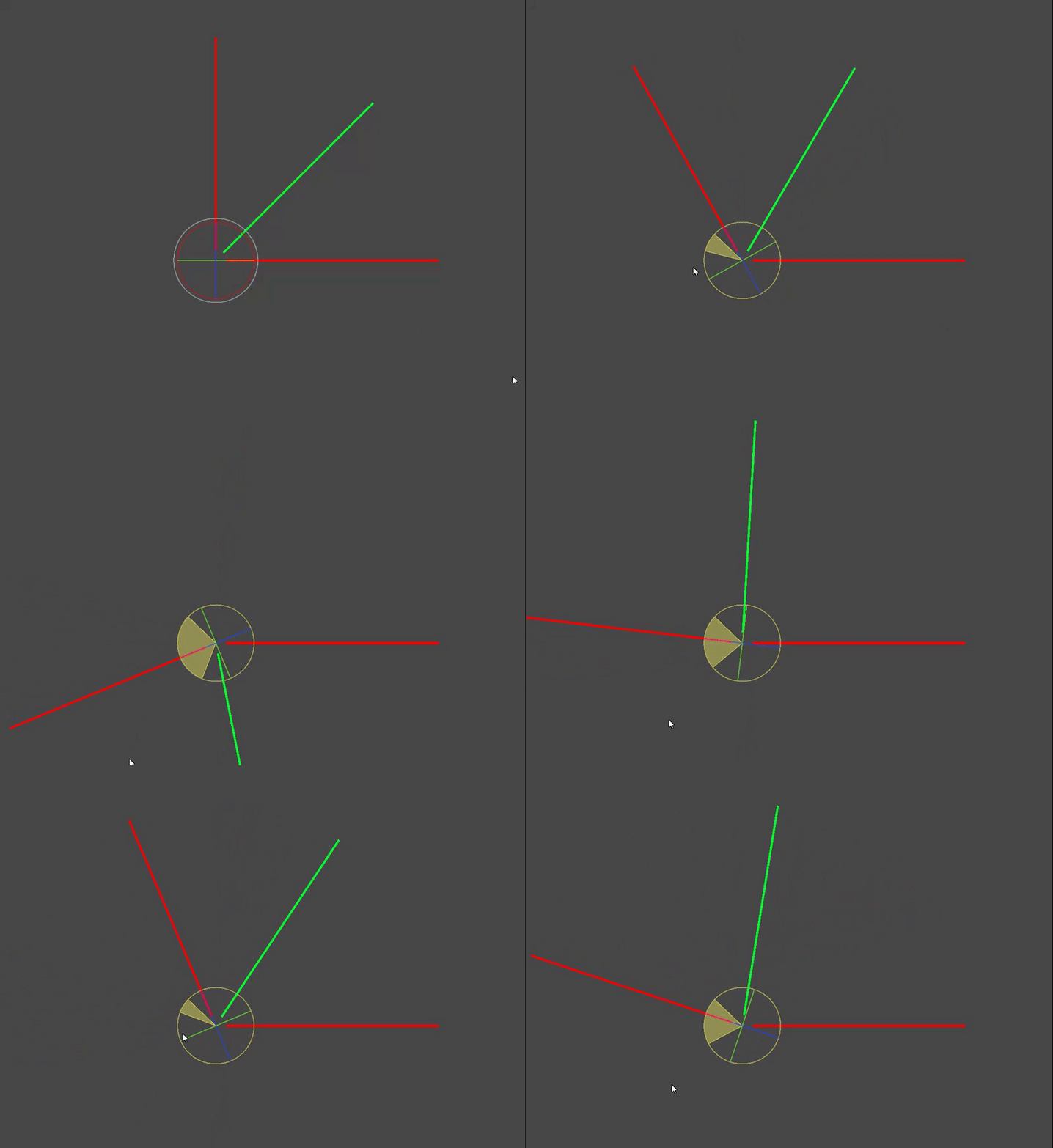
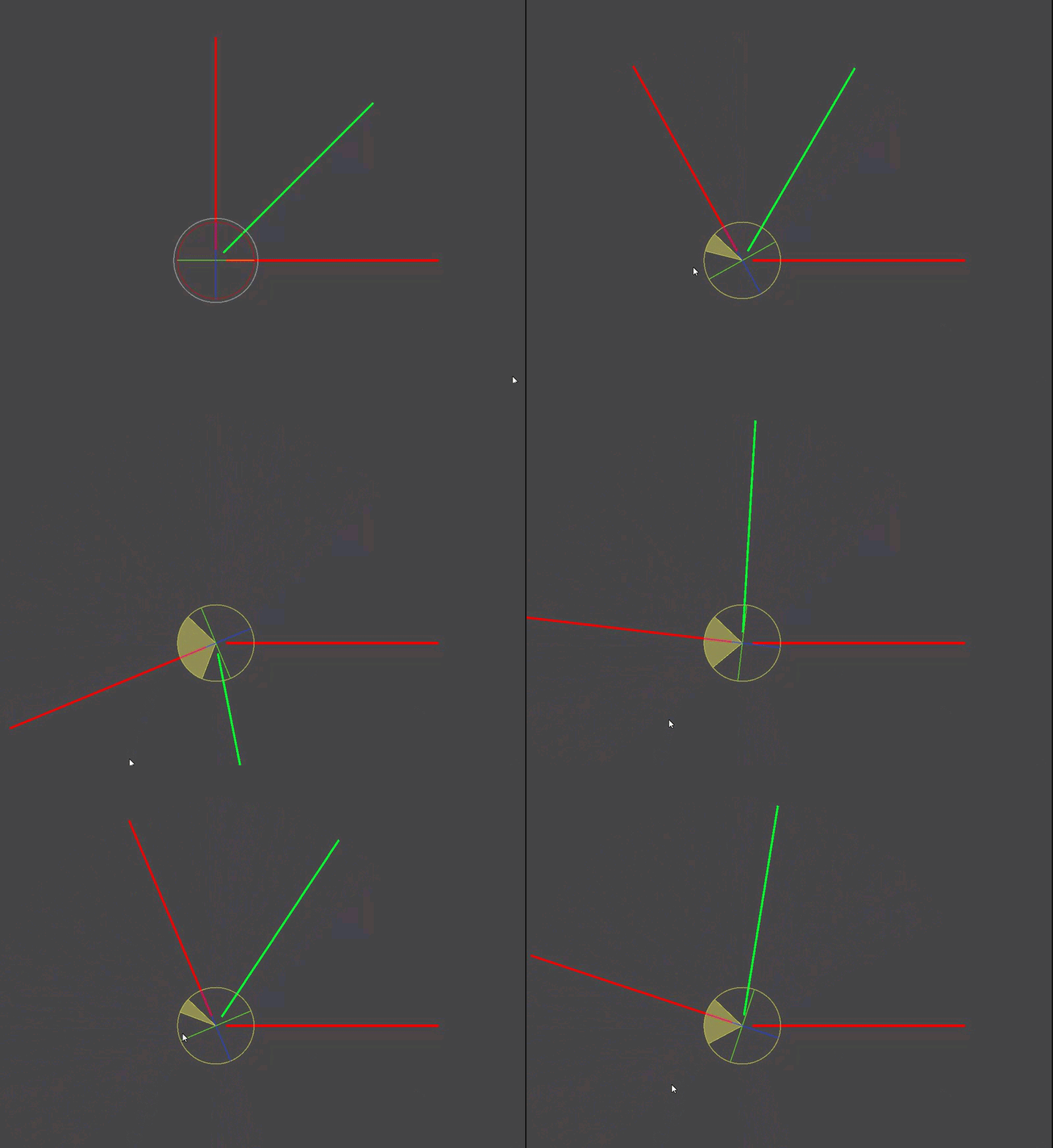
Appreciate any help
austere jewel
inland prairie
Hi again, I moved into another topic but still dealing with Quaternions, this ti...
Don't use quaternions
Quaternions do this fundamentally
inland prairie
If I dont use them wont I get into gimbal lock issues of euler angles?
austere jewel
I have no idea what your setup is, but gimbal lock is about compound rotations, if this is only rotating on one axis, then if that axis isn't squashed by freely rotating the transform on many axes, then it's fine
Quaternions are all about "the shortest path", and don't over-rotate
inland prairie
Ok, so using euler angles do you know how to get the middle rotation between 2?
austere jewel
Ideally you would be storing the single angle used to create that rotation as 0->X and you'd just divide that number by 2
inland prairie
I do have 2 gameobjects each with their rotations
austere jewel
but if you've just got that rotation expressed as a transform because you're dealing with other systems, then use https://docs.unity3d.com/ScriptReference/Vector3.SignedAngle.html (and a little bit of maths to convert from -180->180)
inland prairie
Want to find the middle angle
No, I do have 2 transforms so Im trying to find the middle angle between them
austere jewel
Those transforms have two directions, your two red rays. You need a perpendicular vector (which you could use the cross product to get), axis, and that function should help you to produce the green direction, by rotating the first direction in axis by that result.
I'm honestly not sure if there's some easier functions to wrangle it with, that's just the route I would go
inland prairie
austere jewel
Those transforms have two directions, your two red rays. You need a perpendicula...
Thanks, will try that
sterile snow
So I'm running into an interesting performance issue and I'm looking for some thoughts. I'm making a text adventure game that supports scrolling back through the text (all the way to the beginning if the user desires) and each message is its own object, organized down a scroll rect. But eventually the messages will start making the framerate drop, especially as I have installed Text Animator to give these messages additional flavor.
I'm not sure what my options are for tackling this, other than selective enabling and disabling of the message objects perhaps. Though that fucks with the scroll rect, and I wouldn't know how exactly to figure out which ones to enable and which not to.
 stone jewel
could put the text in "chunks" similar to how minecraft loads chunks only when visited insted of having everything loaded at once, hope it makes sense
undone coral
sterile snow
So I'm running into an interesting performance issue and I'm looking for some th...
you can use the Optimized Scroll Adapter from the asset store to tackle this issue.
the technique is called recycling
good luck!
undone coral
inland prairie
what is this actually for? unity has animation tools, that permit you to keyframe euler angles, that behave like maya's graph, and i think it Just Works
unique ermine
https://www.reddit.com/r/Unity3D/comments/zc9ued/write_custom_classes_into_json/
If anyone can help me regarding JSON ^^^
A much detailed explanation of my problem in my post
compact ingot
unique ermine
https://www.reddit.com/r/Unity3D/comments/zc9ued/write_custom_classes_into_json/...
your solution is on the right track, what you are doing is exactly what you should do, you could however avoid the duplication of AnimalCurrentHealth by storing the data struct in a field on AnimalCage
unique ermine
compact ingot
your solution is on the right track, what you are doing is exactly what you shou...
With the custom class representing the data that's supposed to be saved?
compact ingot
unique ermine
With the custom class representing the data that's supposed to be saved?
yes, as in the edit above: make that data the actual data that the class uses, avoid the duplication but definitely make these data structs, its a very good thing in general if you need to exchange state between systems without coupling the object instances
unique ermine
compact ingot
your solution is on the right track, what you are doing is exactly what you shou...
can you explain the duplication prevention a bit more? I don't get it rn.
do you mean that for the fields that I'm going to have in both theses classes I could combine into a extra class and use that instead?
compact ingot
public class AnimalCage : Monobehavior
{
    public Animal StoredAnimal;
    public AnimalCageData stateData; // use this to serialize state and rediscover StoredAnimal
}
ohhh
that makes so much more sense
Thanks! Good suggestion
Guess I was on the right track then, thought there was a better way
compact ingot
this is the better way 😄
its half way to data oriented programming and a life lived in happiness
specifically (here) this is composition
unique ermine
yeah I'm trying to make my code rn much better and cleaner.
Also working with the SOLID principal and proper naming conventions finally haha.
We all start somewhere
regal olive
Hi does anyone know why the rotation counterclockwise is faster than clockwise?
    public float speed = 100f;
    public float speedY = 0f;
    private float verticalInput;

    public Quaternion anguloW = Quaternion.Euler(0f, 0f, -10f);
    public Quaternion anguloS = Quaternion.Euler(0f, 0f, 10f);


    private void Start()
    {
        transform.eulerAngles = Vector3.zero;
    }
    void Update()
    {
        verticalInput = Input.GetAxisRaw("Vertical");
        Rotation();


    }
    // Update is called once per frame
    void FixedUpdate()
    {


        gameObject.transform.position = gameObject.transform.position + new Vector3(speed * Time.deltaTime, verticalInput * speedY * Time.deltaTime, transform.position.z);


    }


    void Rotation()
    {
        float angleZ = transform.eulerAngles.z;
        angleZ = Mathf.DeltaAngle(0f, angleZ);

        if (verticalInput == 1 && angleZ <= 34f)
        {
            transform.rotation *= anguloW;
        }

        if( verticalInput == -1 && angleZ >= -34f)
        {
            transform.rotation *= anguloS;
        }
 midnight venture
@regal olive I don't see anything wrong in code, so it's likely just analog controller going farther left than right
I'm not sure if there is some recommended range, but in general you can't assume analog controller can reach full range on any axis, or zero
 wooden egret
@regal olive Quaternion.Euler(0f, 0f, 10f); is really all you need. You could *= that value negatively with a - next to it. like transform.ratation *= -anguloW. Also Try the rotation method in FixedUpdate.
Dang it. I typed it wrong.
midnight venture
Oops, nvm you are actually checking if it’s exactly 1/-1 so I guess it’s not analog after all
 tired fog
Hellu, I'm trying to generate a bunch of meshes through the job system and the new advanced mesh api. I got the whole system working with a single mesh data extracted from Mesh.AllocateWritableMeshData(1), which is pretty nice. Now I wanted to generate multiple of those, so my plan was to change that 1, to let's say 10, create a single jobhandle for each of the items on the array, and then via JobHandle.CompleteAll or JobHandle.CombineDependancies(thearray).Complete() run each of the jobs
However, im getting an error like this, and I don't quite understand, how is that possible, the error comes from assigning data to the meshdata of the job

Are each of those meshdata not independent from each other? (so that modifying one doesn't affect the others), or must it be done another way? (instead of passing the mesh data to the job, pass the mesh data array as a whole)
As for reference
 sly grove
tired fog
Are each of those meshdata not independent from each other? (so that modifying o...
sly grove
tired fog
Are each of those meshdata not independent from each other? (so that modifying o...
They are independent but typically they expect you to be modifying the entire array in parallel in your job
SO it's assumed unsafe for two jobs to be working on the same array at once
Actually kinda curious why you have 10 different jobs?
instead of one job doing the operations in parallel
If you really have 10 different parallel operations each doing a single mesh, you can typically use https://docs.unity3d.com/ScriptReference/Unity.Collections.LowLevel.Unsafe.NativeDisableContainerSafetyRestrictionAttribute.html to disable the safety restrictions as needed. You just need to be really, really sure you know what you're doing
This is only feasible if:
- None of the jobs are touching other jobs' meshdatas
- None of the jobs are dependent on results of another
tired fog
Well, one job handles a single mesh, and is actually made of multiple job handme to generate that single mesh.
Yeah, that would be the case, aka disabling it should be good
But i will look into instead of working per mesh, work with the whole array, but i can't think of an easy way to do that
All of the steps to generate a single mesh are parallelized through a vectorization of the vertexs
Can a job handle be executed inside an execute of a job?
 past talon
I have objects, which simultaneously change their color and play an sound clip. audioSource.Play() plays a sound clip with some delay. Any guess why?
sly grove
past talon
I have objects, which simultaneously change their color and play an sound clip. ...
make sure there's no dead air at the beginning of your sound clip
past talon
@sly grove i removed any
 silk junco
Hello I have a problem if anyone can help. I have a list of points that defines the outside edges of a shape (Convex Hull). What I need help with is getting every point inside of that shape to fill it in. The positions are local so the each middle is (0,0)

This is what it should look like
 undone coral
tired fog
Can a job handle be executed inside an execute of a job?
undone coral
tired fog
Can a job handle be executed inside an execute of a job?
you should try to create all the jobs up front, so that unity is aware of how they are related to one another and schedules accordingly
ideally, you are authoring your jobs to be burst compilable
undone coral
tired fog
However, im getting an error like this, and I don't quite understand, how is tha...
this is a bug in your code
undone coral
tired fog
Are each of those meshdata not independent from each other? (so that modifying o...
this is odd. you don't need a native array of jobhandles...
they can be created on the stack
sly grove
silk junco
This is what it should look like
I think there's a ton of hard-to-decscribe assumptions baked into this concave hull result you've got here
if it was convex, it'd be easy
silk junco
sly grove
I think there's a ton of hard-to-decscribe assumptions baked into this concave h...
The only way I can think of it working is by drawing a line left to right if there is an end point already defined then do same up and down. then keep doing it until no more missing spots.
sly grove
silk junco
The only way I can think of it working is by drawing a line left to right if the...
but then wouldn't you end up filling in stuff like this?

unless I'm misunderstanding your algorithm
silk junco
sly grove
but then wouldn't you end up filling in stuff like this?
So if they are at least 2 existing points on the row/column fill in between them. Alternated from left to right / top to down


etc
 magic scroll
Hello, Is there any option in Unity Localization to load stringtable in format of json file on runtime?
tired fog
undone coral
this is a bug in your code
It shouldn't be, the code works just fine if I complete the job individually at the point of creation, and every mesh data (the one the error references) is/should be independent, i don't touch anything outside the same job (every single job is independent from each other)
tired fog
undone coral
this is odd. you don't need a native array of jobhandles...
I'm using the native array of job handles to prepare multiple independent job handles, its the way most of the documentation does it (or via native list (that doesn't exist anymore) or via job handle. Complete all)
tired fog
undone coral
you should try to create all the jobs up front, so that unity is aware of how th...
Okay, so that's the plan, create all jobs, and call a single complete, so that unity can optimize and organise as needed, but by doing complete on all the independent arrays, unity doesn't like it
The problem in theory comes from the fact that each object from meshdata array is considered dependent, so, what i understood js, or i disable safety features, or i create a job to work with mesh data array
 fading quiver
good evening everyone. a suggestion please: I am practicing in VR script. I have a numeric keypad, from 0 to 9. I would like to associate "buttonNumber" variables to each key with the corresponding number. How should i proceed in your opinion?
weary adder
tired fog
I'm using the native array of job handles to prepare multiple independent job ha...
Wait, what about NativeList not existing?;
https://docs.unity3d.com/Packages/com.unity.collections@1.4/api/Unity.Collections.NativeList-1.html
tired fog
Weird, doesn't exist on my Unity, I'm on the lts everything
But anyway, i don't really need it either
 signal reef
Is it possible to "delegate" a collision event so other classes can listen to the same collision event without tight coupling all the scripts to the object with a collider?
Making so that I can notify other scripts functionalities
thin mesa
use an event
sly grove
There's a reason they're called delegates in C# 😉
south ibex
https://www.youtube.com/watch?v=Lm5tRVNQxFs Trying to get a result similar to this.

Date of Recording: 2020-10-05
For typical isometric pixel art blocks, shading is performed with a color ramp filter on a standard BRDF. To get the edge highlight and shadow effects, the depth buffer is sampled for adjacent points, and the pixel is brightened or dimmed based on whether it is closer or further to the camera than its neighbors.
G...
They seem to be using an edge detection algorithm to create the highlights on the blocks
This is the closest I've gotten so far but it's still pretty undesirable

Uneven thickness, as-well as pixels disappearing depending on camera angle, outlines flickering, etc
This is the shader code for the edge detection
void Outline_float(float2 UV, float OutlineThickness, float DepthSensitivity, float NormalsSensitivity, float ColorSensitivity, float4 OutlineColor, out float4 Out)
{
    float halfScaleFloor = floor(OutlineThickness * 0.5);
    float halfScaleCeil = ceil(OutlineThickness * 0.5);
    float2 Texel = (1.0) / float2(_CameraColorTexture_TexelSize.z, _CameraColorTexture_TexelSize.w);

    float2 uvSamples[4];
    float depthSamples[4];
    float3 normalSamples[4], colorSamples[4];

    uvSamples[0] = UV - float2(Texel.x, Texel.y) * halfScaleFloor;
    uvSamples[1] = UV + float2(Texel.x, Texel.y) * halfScaleCeil;
    uvSamples[2] = UV + float2(Texel.x * halfScaleCeil, -Texel.y * halfScaleFloor);
    uvSamples[3] = UV + float2(-Texel.x * halfScaleFloor, Texel.y * halfScaleCeil);
    for(int i = 0; i < 4 ; i++)
    {
        depthSamples[i]  = SAMPLE_TEXTURE2D(_CameraDepthTexture, sampler_CameraDepthTexture, uvSamples[i]).r;
        normalSamples[i] = DecodeNormal(SAMPLE_TEXTURE2D(_CameraDepthNormalsTexture, sampler_CameraDepthNormalsTexture, uvSamples[i]));
        colorSamples[i]  = SAMPLE_TEXTURE2D(_CameraColorTexture, sampler_CameraColorTexture, uvSamples[i]);
    }

    // Depth
    float depthFiniteDifference0 = depthSamples[1] - depthSamples[0];
    float depthFiniteDifference1 = depthSamples[3] - depthSamples[2];
    float edgeDepth = sqrt(pow(depthFiniteDifference0, 2) + pow(depthFiniteDifference1, 2)) * 100;
    float depthThreshold = (1/DepthSensitivity) * depthSamples[0];
    edgeDepth = edgeDepth > depthThreshold ? 1 : 0;

    // Normals
    float3 normalFiniteDifference0 = normalSamples[1] - normalSamples[0];
    float3 normalFiniteDifference1 = normalSamples[3] - normalSamples[2];
    float edgeNormal = sqrt(dot(normalFiniteDifference0, normalFiniteDifference0) + dot(normalFiniteDifference1, normalFiniteDifference1));
    edgeNormal = edgeNormal > (1/NormalsSensitivity) ? 1 : 0;

    // Color
    float3 colorFiniteDifference0 = colorSamples[1] - colorSamples[0];
    float3 colorFiniteDifference1 = colorSamples[3] - colorSamples[2];
    float edgeColor = sqrt(dot(colorFiniteDifference0, colorFiniteDifference0) + dot(colorFiniteDifference1, colorFiniteDifference1));
    edgeColor = edgeColor > (1/ColorSensitivity) ? 1 : 0;

    float edge = max(edgeDepth, max(edgeNormal, edgeColor));

    float4 original = SAMPLE_TEXTURE2D(_CameraColorTexture, sampler_CameraColorTexture, uvSamples[0]);
    Out = ((1 - edge) * original) + (edge * lerp(original, OutlineColor,  OutlineColor.a));
}
This may be better asked in #archived-shaders ...
south ibex
Is it possible to improve it to avoid these issues?
 fringe apex
how do I get procedural world generation with (colored terrain) using Perlin noise
sly grove
fringe apex
how do I get procedural world generation with (colored terrain) using Perlin noi...
Please read #854851968446365696
fringe apex
using UnityEngine;

public class TerrainGeneration : MonoBehaviour
{
    public int width = 256; //x-axis of the terrain
    public int height = 256; //z-axis

    public int depth = 20; //y-axis

    public float scale = 20f;

    public float offsetX = 100f;
    public float offsetY = 100f;

    private void Start()
    {
        offsetX = Random.Range(0f, 9999f);
        offsetY = Random.Range(0f, 9999f);
    }

    private void Update()
    {
        Terrain terrain = GetComponent<Terrain>();
        terrain.terrainData = GenerateTerrain(terrain.terrainData);
    }

    TerrainData GenerateTerrain(TerrainData terrainData)
    {
        terrainData.heightmapResolution = width + 1;
        terrainData.size = new Vector3(width, depth, height);

        terrainData.SetHeights(0, 0, GenerateHeights());
        return terrainData;
    }

    float[,] GenerateHeights()
    {
        float[,] heights = new float[width, height];
        for (int x = 0; x < width; x++)
        {
            for (int y = 0; y < height; y++)
            {
                heights[x, y] = CalculateHeight(x, y);
            }
        }

        return heights;
    }

    float CalculateHeight(int x, int y)
    {
        float xCoord = (float)x / width * scale + offsetX;
        float yCoord = (float)y / height * scale + offsetY;

        return Mathf.PerlinNoise(xCoord, yCoord);
    }
}
 shadow seal
Coloured Perlin Noise?
 abstract folio
My asset appears to be changing value when I save it. check out this log , and the code that generates it... https://hatebin.com/tqeoqfplib looks like it's reassigning the default value to the member, but I don't see why.

possibly relevant, the map object containing the RenderInfo is a ScriptableObject.
Any ideas why it might be changing when I try to save it?
jolly token
abstract folio
My asset appears to be changing value when I save it. check out this log , and...
Which code is assigning the value to 200?
abstract folio
not shown, it is done in a momonbehavior, which calls the Save function shown, when done.
note that before I save the asset the HeightScale member has value of 200, and after I save it, one line later, the same member has a value of 300
jolly token
abstract folio
not shown, it is done in a momonbehavior, which calls the Save function shown,...
You should show that code, why is assignment logged between presave and postsave logs
abstract folio
why? to debug this problem.. this is the closest I got to where the value changes without an assignment.
this is that code: Debug.Log("Assigning HeightScale: "+ heightScale); map.renderInfo.HeightScale = heightScale; Debug.Log("confirming HeightScale: " + map.renderInfo.HeightScale); I'll show the log it generates too.. one mo
 jolly token
abstract folio
My asset appears to be changing value when I save it. check out this log , and...
jolly token
abstract folio
My asset appears to be changing value when I save it. check out this log , and...
I mean the log from your property setter here is logged between presave and postsave
So something is setting that when you call SaveAssets();
jolly token
ik, but suspicious that something unintended is happening
abstract folio
lemme check the stack trace
it's the OnEnable for the map ScriptableObject. Intended to resassign the materials.. here is the code called: public void ReAssignCurrentValuesToMats() { HeightScale = HeightScale; SlopeOffset = SlopeOffset; WorldCurvatureRadius = WorldCurvatureRadius; } which is a janky way to calls the setters (which assign the value to materials)
wierd I know.. but it does show the correct values...in the logs, so thats not whats causing the value to change, or ya think it is somehow?
(I do NOT understand why this would call OnEnable tho- but perhaps thats secondary)
jolly token
abstract folio
it's the OnEnable for the map ScriptableObject. Intended to resassign the mater...
So it's calling the OnEnable again 🤔
I would check other codes that uses OnEnable or such, maybe it's loading or creating map again for example?
Also I'd do SetDirty when change the value
abstract folio
            map.SetDirty();
            UnityEditor.AssetDatabase.SaveAssets();
            Debug.Log("postsave Assets- heightscale is:" + map.renderInfo.HeightScale);```
that was it.. SetDirty
thank you @jolly token!
abstract folio
jolly token
Oh that also removed OnEnable ? SO are weird 😛
good spot, yeah still no idea WHY this happened/is necessary- but whatever- moving on,lol Cheers
 short vigil
||https://github.com/Matthew-J-Spencer/Formations/blob/main/Scripts/ExampleArmy.cs
https://github.com/Matthew-J-Spencer/Formations/blob/main/Scripts/BoxFormation.cs||
I've been using these two scripts for a project in spoilers.
Everything works fine and dandy but when I turn the formation it doesn't well, turn. This means I can't turn the formation diagonally as it always corrects itself to be straight.
Video of what I want to happen
GitHub
Some simple scripts to create formations in Unity. Contribute to Matthew-J-Spencer/Formations development by creating an account on GitHub.
Video of what actually happens:
undone coral
short vigil
||https://github.com/Matthew-J-Spencer/Formations/blob/main/Scripts/ExampleArmy....
can you uh, say in words what your bug is
the video looks glitched
i don't think this library is sufficient for the problem you're trying to solve
there's no such thing as a "simple" script for this
 fervent sage
Data-structure suggestions:
What's the "best" way to store tile data for an infinitely growable map?
So we start at 0,0 and can move in any direction and discover "tiles" which are randomly generated.
If I use List<List<>> I'd be having to store the origin index and constantly add things to the start. I feel like using a dictionary/map for the index would be more intensive though for the same result really.
Any thoughts? Maybe have four List<List<>> for all 4 sectors of the map?
midnight venture
Never-done-this-kind-of-thing-answer on gut feeling: I would go with two dimensional arrays of appropriate size and then have two dimensional list where you store the arrays
Makes the adding something into the middle problem less of an issue and manipulating the array of specific size will be fast
And even if the list manipulation will potentially be slow, it’ll be so rare event you don’t have to worry about it much (and you can also predict when it will likely happen)
pliant crest
fervent sage
Data-structure suggestions:
What's the "best" way to store tile data for an infi...
you wouldn't
storing infinite data is a bad design pattern
just store the cached loaded area around the player
fervent sage
pliant crest
just store the cached loaded area around the player
Uh, isn't this the same thing?
fervent sage
pliant crest
its a predefined size
Well, I can't just "not do this", e.g. Minecraft. How do you store the chunks there?
pliant crest
what do you mean?
fervent sage
Even if I only care about the few close tiles I still need to store the whole map
pliant crest
minecraft doesn't load the whole map into memory
you store the map on disk
and stream the segments you need
and preload the segments you might need
fervent sage
Ok sure, well then for arguments sake lets say I do the same, but in practice this wouldn't really be needed, at least for now
It won't grow that big in practice
fervent sage
pliant crest
if thats not a problem
then how would you store in memory the other chunks?
fervent sage
No I'm asking about the data structure
fervent sage
Say I am doing chunks
Would you have chunks saved by co-ordinate?
and access the new ones you need*
pliant crest
you'd make a grid of grids basically
fervent sage
pliant crest
you'd make a grid of grids basically
Sure, but that first grid can grow infinately in any direction
pliant crest
thats fine
fervent sage
Its the same issue just in chunks, so how best to represent that?
pliant crest
like if i was to do it something like the hash of the vector2/3 value
of the grid of grid's coordinate
or you can just use a string
store that as the file name, then store the grid data as serialized
from your cell data
that way you can easily find the grid of your current segment
and know the offset
otherwise generate it
tired fog
Can someone explain this to me better?

I'm starting to hate the fact that meshdataarray is considered a single object
How is one supposed to do a per vertex job, per mesh, when you can't parallelize it since you can only use a mesh data inside a job?
undone coral
tired fog
How is one supposed to do a per vertex job, per mesh, when you can't parallelize...
you can open the Burst settings and enable debugging
so that you get real stack traces
my guess is: this is a real bug in your code and that you have surmounted the issues with mesh data
undone coral
fervent sage
Data-structure suggestions:
What's the "best" way to store tile data for an infi...
no one data structure can solve all problems for 2d games. tilemaps scale a very long way though. how large does the map really have to be?
tired fog
undone coral
my guess is: this is a real bug in your code and that you have surmounted the is...
Meh, I don't understand unity anymore. I enabled the debugging and now there are no errors anymore lmao
I guess it needed to recompile or something, not sure why now is working
undone coral
tired fog
Meh, I don't understand unity anymore. I enabled the debugging and now there are...
unfortunately the guy who created Burst also maintains 5 other things
that are all very important in unity
so while he is a genius, there are going to be bugs and limitations
you can post the code to the forums and maybe he'll help you out
undone coral
tired fog
Meh, I don't understand unity anymore. I enabled the debugging and now there are...
since you are doing some kind of random generation, i think the bug is real
and if you author a test for example, that runs a thousand times, you will find the bug
a good approach for this sort of thing is to get a 100% correct implementation in plain C# first
tired fog
I doubt it, the bug has never appeared before. I have it working really nicely with a single meshdata, Just allocate one writable mesh data and use that one. And it worked. The only change later was that, instead of allocating one, allocate let's say 10, and create a new object from scratch to handle each of those 10. So each one of the meshes are literally and hard-coded separated to each other
The only bug that I think I found was during the generation of the meshes, where it was setting the buffer per mesh, and that was affecting the other meshes. After generating first all meshes, and then doing the generation the code works
So I guess that thanks @undone coral since you made me looka bit more carefully to how the meshes where generated
 light falcon
who can help me figure out why DOTween is messing with one of my settings menu's volume sliders? The settings menu doesn't even have any DOTween logic attached to it and the slider is only referenced and modified by the settings menu
 undone coral
light falcon
who can help me figure out why DOTween is messing with one of my settings menu's...
undone coral
light falcon
who can help me figure out why DOTween is messing with one of my settings menu's...
do you think you have a bug in your own code, maybe in how you are using DOTween?
light falcon
haha wow what a major bug this is
if my slider's function is anything but 'SetMasterVolume', it works fine
undone coral
hmm
i don't think there is going to be a bug in DOTween here
but you can post a snippet and maybe we can help you find what may be weird in what you are doing
light falcon
nothing else in my code or in my UI references this SetMasterVolume function
as soon as I change the name and set the slider's function to the new name, it works perfectly, as long as the name isn't exactly 'SetMasterVolume'
and by changing the name I do not mean refactoring it so all references are updated as well, no, I mean literally changing it
jolly token
light falcon
as soon as I change the name and set the slider's function to the new name, it w...
Is something calling it by name? e.g. UI or animation event?
Stacktrace says DOTween is tweening your slider, and when slider value change your method is called via event
light falcon
jolly token
Stacktrace says DOTween is tweening your slider, and when slider value change yo...
I know, but nothing is calling the function other than the slider itself. After adding dotween I haven’t touched the settings menu, so it’s impossible that I referenced it with dotweens somewhere. Solved it by changing the name of the function. Weird stuff…
jolly token
light falcon
I know, but nothing is calling the function other than the slider itself. After ...
What does InGameOverlay.cs line 133 do? That's where the DOTween calls
light falcon
jolly token
What does InGameOverlay.cs line 133 do? That's where the DOTween calls
_saveButton.GetComponent<UIButtonLogic>().SetInteractable(false); - a totally different script
jolly token
light falcon
``_saveButton.GetComponent<UIButtonLogic>().SetInteractable(false);`` - a totall...
Probably the script changed since stacktrace logged 😌
jolly token
Is it in the SetSliderValue method?
light falcon
that line however, does use dotween, but that is called in the other script UIButtonLogic
jolly token
Stacktrace seems like it's lambda inside of SetSliderValue
light falcon
something messes with dotween but I can't think why
not sure what the issue is, but I blame dotween for it
and a simple rename has fixed it without giving any nullreference errors, so it's no longer an issue
jolly token
light falcon
something messes with dotween but I can't think why
I'd say that's unlikely and there is probably hidden bug that you didn't notice..
weary adder
I'm throwing it out there again, anyone have any experience with getting C# Source Generators scoped to an asmdef?
The docs are pretty clear about them working under a asmdef, and while I can get the generator to run globally, I can't seem to get it to work while scoped, wondering if I'm just missing something, or its just broke for now?
https://docs.unity3d.com/2022.2/Documentation/Manual/roslyn-analyzers.html#analyser-scope-anchor-link
undone coral
is there a way to find all references to a component at runtime?
jolly token
undone coral
is there a way to find all references to a component at runtime?
What kind of result are you expecting? Reference from.. where?
undone coral
any other component in the scene
jolly token
undone coral
any other component in the scene
There wouldn't be performant way.. you can check all the fields of all the components 😛
jolly token
You can have a component as wrapper and changes inner implementation
undone coral
i'm trying to replace UGUI components
maybe i can achieve this
for canvas scaler
it became super tedious
jolly token
undone coral
i'm trying to replace UGUI components
Maybe UI toolkit is better for.. 'adaptive UI' I assume
 abstract hill
Hi everyone,
I'm looking into async and how its used and I am a bit stuck with a specific implementation. My work is using an API in which a request to a server is being made, this request is not async. I would like to make an async function that can have a cancelation on if this request takes too long, everything online seems to have the cancelation checks set during smaller steps of the exceution, however since this is a single function being called from the API I cant do this, is there a way to have a cancelation in this case?
jolly token
abstract hill
Hi everyone,
I'm looking into async and how its used and I am a bit stuck with ...
Surely your http (assumed) client would have timeout option?
abstract hill
It does have a timeout built into it, but we can't control its length.
Its a bit frustrating but the level of access I have on this API (without me going into the project which I'm not sure my work will allow) is to call a GetLicesnse() function, in which a license object will be returned to say if its valid or not. It doesn't however say if it timed out or not.
I'd like to have the ability to define the error or timed out due to bad connection, or wrong license key inputed but right now without manually having our own timeout function which is shorter then the built in one I'm not sure its possible.
jolly token
abstract hill
It does have a timeout built into it, but we can't control its length.
Its a bit...
Hmmm you cannot cancel the blocking API this way, you'd need to modify their code to support cancellation
abstract hill
Ah thank you. I thought this might be the case but was holding out hope!
Thanks ^-^
jolly token
abstract hill
Ah thank you. I thought this might be the case but was holding out hope!
If you are okay with running it on other thread you could consider this, but will get messy
https://learn.microsoft.com/en-us/dotnet/api/system.threading.thread.interrupt?view=net-7.0
abstract hill
Thank you, ill have a look!
undone coral
abstract hill
Hi everyone,
I'm looking into async and how its used and I am a bit stuck with ...
a while ago i wrote an answer... to the guy building the city simulation game, about async await limitations, thread interruptibility, etc. standby and i'll share it with you. it will illuminate something importanta bout asycn await
undone coral
abstract hill
Thank you, ill have a look!
i hope this will be helpful. cancelation is a complex topic
tired fog
So, if I don't put that Job.Complete, unity throws errors, any idea how is that possible?
 abstract hill
undone coral
i hope this will be helpful. cancelation is a complex topic
abstract hill
undone coral
i hope this will be helpful. cancelation is a complex topic
Thank you! Sorry for the late reply, I was having dinner ^-^
undone coral
tired fog
So, if I don't put that Job.Complete, unity throws errors, any idea how is that ...
hmm
it's pretty self explanatory to me... so i am worried you have gotten pretty deep into not understanding how this stuff works 😦
you have done something really weird here
the whole snippet is weird
tired fog
I thought the deal of Job.IsCompleted was supposed to be true once the job is done, so that Job.Complete shouldn't be called
undone coral
i saw earlier that you allocated the mesh array data as temp
that's really significant
tired fog
I'm not sure where you saw that
undone coral
did you?
tired fog
I did not, no
undone coral
hmm
it's too bad you keep sharing htis as screenshots
because it would be easy to find
so what is your goal?
tired fog
Mmm, true
undone coral
the syntax is odd
it sounds like you want to generate meshes
what are they? what's the game?
just state plainly and succinctly what you've been trying to do
tired fog
I'm doing some procedural world generation through diferent noise functions with Jobs, Burst and Advanced Mesh API
I did a version with plain C#, I switched my code (with, as far as I know, the appropaite tweaks) to work with the packages mentioned before
fervent sage
undone coral
no one data structure can solve all problems for 2d games. tilemaps scale a very...
Tile map? And probably no more than 30 tiles accross
undone coral
tired fog
I did a version with plain C#, I switched my code (with, as far as I know, the a...
okay
so that wasn't a very helpful answer
what is the game?
tired fog
There's no game
tired fog
The goal is to generate a procedural world
tired fog
undone coral
i'm not trying to be annoying
Nono don't worry, im also trying to explain myself so we can understand each other :))
undone coral
can you paste the first 5 lines of the job struct and the public void Execute(int index)you've authored? something like
        [BurstCompile]
        internal struct MyMeshGenerationJob : IJobParallelFor
        {
            [ReadOnly]
            public NativeArray<float4> InputBuffer;

            // Output spectrum buffer
            [WriteOnly]
            [NativeDisableParallelForRestriction]
            public NativeArray<float4> OutputBuffer;
            ...
            public void Execute(int index) { ...
        }
Mmm, let me see
So the job is actually made of JobHandle.CombineDependancies(list of jobs per chunk)
The most basic job scheduled looks like this
tired fog
(how did u make that code box?)
undone coral
hmm
you make it by wrapping your code in 3 backticks
so
do you have anything of the form
        [BurstCompile]
        internal struct X : IJobParallelFor { ... }
[BurstCompile(FloatPrecision.Standard, FloatMode.Fast, CompileSynchronously = true)]
public struct Displace<N> : IJobFor where N:struct, INoise{
    [ReadOnly] NativeArray<Vertex4> vertices;
    [WriteOnly]    NativeArray<Sample4> outputNoise;

    [ReadOnly] Settings outputNoiseSettings;

    float2 offset;
    int seed;

    public void Execute (int i) { ... }
okay
tired fog
They are scheduled like this
    public static JobHandle ScheduleParallel (NativeArray<Vertex4> vertices, NativeArray<Sample4> outputNoise,
        Settings noiseSettings, Vector2 offset,
        GenerationSettings generationSettings, JobHandle dependency
    ) => new Displace<N>() {
        vertices = vertices,
        outputNoise = outputNoise,
        outputNoiseSettings = noiseSettings,
        offset = offset,
        seed = generationSettings.Seed
    }.ScheduleParallel(vertices.Length, generationSettings.Resolution, dependency);
This workflow to make the jobs was from catlikecoding.com tutorials, mainly where I learnt how to use the advanced mesh api and jobs and such
undone coral
okay
tired fog
Not sure if there's any advantage to have a job and schedule parallel or jobparallel and normal schedule
undone coral
also, you can write cs after the first three backticks to enable code formatting
so have you ever looked in the profiler
to see how things are executing?
tired fog
I have tried, but I can't quite understand what I see
tired fog
Yeah, so In theory what I have achives the same result
undone coral
hmm
why did you declare displace a generic?
anyway
i think i know why
so let's ask some bigger picture stuff
tired fog
N is a struct of type INoise, that contains a static method to generate a specific noise function. So i can use diferent functions
Lets see
undone coral
is the idea that the game should keep rendering while you generate the terrain?
tired fog
Yes, the idea is that the game doesn't get stuck while loading the terrain chunks
undone coral
like when do you need the terrain
tired fog
I load the terrain in relation to certain distance to the player, with a maximum treshold
It checks distance, it stores all the positions that need to generate a chunk. It prepares all the jobs needed for those chunks and schedules
Then it waits until the jobs are completed and assings the mesh and texture to the chunks
undone coral
okay
tired fog
(by waiting means that it checks the job until is completed, otherwise continue doing whatever is doing)
undone coral
okay
undone coral
tired fog
Yeah, so In theory what I have achives the same result
Yeah, so In theory what I have achives the same result
well, it does not. what more can i say
it sounds like you haven't yet successfully generated a mesh, right?
have you managed to generate any mesh?
tired fog
I generate plenty
 tired fog
Yup
undone coral
what errors?
this all feels very blub
you've written a lot of code, and kind of blubbed through a lot of errors
tired fog
I have an error if I don't put the complete after checking if isCompleted
undone coral
and i don't really comprehend the parts of the picture in between teh very bottom and the very top
tired fog
Most of the errors from before I managed to fix them one way or the other
tired fog
undone coral
and i don't really comprehend the parts of the picture in between teh very botto...
The picture I just took it rn while it was generating. It was still missing some chunks
tired fog
undone coral
do you ever call `JobHandle.ScheduleBatchedJobs`?
I do not
undone coral
okay
well you have to call Complete in order to interact with the job's data
have you read https://docs.unity3d.com/Manual/JobSystemTroubleshooting.html ?
Call JobHandle.Complete to regain ownership
Tracing data ownership requires dependencies to complete before the control thread can use them again. It is not enough to check JobHandle.IsCompleted. You must call the method JobHandle.Complete to regain ownership of the NativeContainer types to the control thread. Calling Complete also cleans up the state in the safety system. Not doing so introduces a memory leak. This process also applies if you schedule new jobs every frame that has a dependency on the previous frame’s job.
it actually talks about the explicitly
tired fog
I see, I did not read that neither found it before until now