#🤖┃ai-navigation
1 messages · Page 14 of 1
 leaden sable
 real sonnet
yes but the "distance to cover" is dynamic
like your "Reloading?" node in your graph. I assume it's a boolean ? I would rather go for the inverse of the ammo count. Otherwise it's just an if statement. That's the beauty of Utility AI, you get nice transition in utility
leaden sable
Ahh so they could be more likely to run for cover the lower the ammo gets as opposed to right when they begin reloading
Makes sense
real sonnet
also depending on how bullet-spongy or not your enemies are, by the time their find themselves out in the open and with an empty ammo magazine, they might not even have time to reach cover and behing defenceless all that time.
leaden sable
In the context of this game, everything is dynamic. So the players could be super quick to kill, or super bullet spongey. I have to plan for the general case
real sonnet
Actually I would even rather have some "threat level" consideration instead of ammo in my gun. My agent would probably need to protect himself no matter he can retaliate or not.
But again that's my opinion and depends a lot of your game. Maybe you do want them to be easy targets ^^ I'm thinking too far here
leaden sable
Is there a benefit to having this threat level metric over a bunch of smaller considerations like ammo, hp, "bravery", etc?
The game itself is AI vs AI. They just need to convincingly fight each other lol
real sonnet
leaden sable
Oh, I'd never heard of this paradox. Can it happen in AI? I would imagine it wou...
yes it can happen like when you describe 2 actions score the same amount. In this case depending on how you sort them you could ping-pong between those 2 actions. Usually uyou would have some kind of "commitment" consideration, where you add a bonus to the selected actions if it's already the current one.
leaden sable
Ohh I see what you're saying. Wow I hadn't considered that, but the bonus thing is a good idea
Thanks for the help with this AI stuff 😄
real sonnet
leaden sable
Is there a benefit to having this threat level metric over a bunch of smaller co...
Not especially one instead of the other. You could have a smaller "brain" that computes the threat level separately. Then you use that threat level as a scorer 🙂
can help simplify the abstraction, thus the reading, of your AI
of your graph
real sonnet
leaden sable
The game itself is AI vs AI. They just need to convincingly fight each other lol
yeah that's a nice guideline to keep in mind. Obviously all this complex stuff is useless if you AI lifetime never exceed a few seconds on screen 😄 so again, depends on the game
I bet call of duty AI is very dumb
leaden sable
It's complicated but essentially the player is designing a FPS game which AIs play. Since the AI health, weapon damage, etc is up to the player, the fights could either look like quick cod gunfights or epic boss battles with spongy enemies.
real sonnet
oh I see. something like totally accurate battle simulator then ?
leaden sable
Yeah kind of, but with more management aspects
These AI will have a skill level that gets better as they play, so if two unskilled players get into a battle, it might last longer as they miss more often
real sonnet
yeah you will need even more balancing work than UAI itself already requires in the first place.
Or you can totally embrace the sandbox aspect of it and laugh when players end up with weird behaviour
That can be the formula of fun of your game, can totally work out pretty well
leaden sable
Haha I expect there will be some weird behavior for sure, but I do want these AIs to act like players and so far utility AI seems like the best way to get that outside of a crazy machine learning solution
real sonnet
In this case I would focus on the extremes, the minimum and maximum values, but yeah, lot of play test to come.
and probably involve the community in early access so you'll get mass beta-test
leaden sable
yeppp, just gotta get through this complicated stuff. It seems like 95% of AI work is conceptualizing it
I've spent way more time in Lucidchart than visual studio lately lol
real sonnet
leaden sable
Haha I expect there will be some weird behavior for sure, but I do want these AI...
I think I get what you're after, I love close to realistic simulations too
🙂
real sonnet
leaden sable
I've spent way more time in Lucidchart than visual studio lately lol
looks good to me, on the right track buddy 👍
leaden sable
Thanks! You've given me a lot to consider.
real sonnet
but don't forget to test often ^^ so you don't get too far before realizing you're going to far ^^ anyway i'm typing too much
2 last advice
- did you study the work of Dave Mark (and other colleagues) ? Pretty good stuff for UAI
- have fun (not an advice I know :P)
leaden sable
I've been watching a tutorial for Utility AI which has explained most of the concepts but I have not heard of Dave Mark. I'll look him up! And definitely good on #2. Seeing the little Ais come to life is always fun!
real sonnet
Definitely 🙂 good luck mate !
leaden sable
Here's one of the current dumb ones lol

They only walk in a straight line and use a FSM to decide when to attack other ones. Definitely due for an upgrade!
And thanks for all the advice 😄
 queen needle
No
In a new project this error not happen
queen needle
How can I solve this error?
I'm trying to install NavMesh, but this error appear

 small trench
Anyone used the Unity Ai game tester yet?
 alpine glacier
queen needle
No
In a new project this error not happen
alpine glacier
queen needle
No
In a new project this error not happen
okay i import it and no error happend

I dont know why calculate Path is true, it must be false or understand i something wrong

Ship stops but Calculate Path says its valid -.-


 stone owl
alpine glacier
Ship stops but Calculate Path says its valid -.-
stone owl
alpine glacier
Ship stops but Calculate Path says its valid -.-
are you debugging the path itself? CalulatePath may have just calculated to the nearest point..
so it would be valid in that case, yes?
at least from this code, what you're calculating and what your agent is using as a path are different.
eg where in the world is pos , lots of questions.
alpine glacier
stone owl
are you debugging the path itself? CalulatePath may have just calculated to the...
I generate a Point then i will check is the point in the red zone. if the point is in the red zone i will create a new point. the red zone is in a terrain. I will check is the point a inside this area and can the navmesh move from a to b. i would expect the navmesh to say it is invalid because no progress is possible at point x


 unreal quest
What did I do wrong?
I have checked navigation statics
I clicked bake
and nothing happens
unreal quest
Pleaseeeee
 unreal quest
alpine glacier
Is this set to walkable ?
unreal quest
alpine glacier
Is this set to walkable ?
Yes
Ohhh
I had the radius set to 0.5 in bake tab and 0.2 in NavAgent
 errant sorrel
What can I do about this navmesh glitch? The AI will use it to "cheat" and walk up the platform from the side in mid-air, without using the stairs.

And I thought there would be jump points all around the platform, maybe the glitch has something to do with that?
stone owl
errant sorrel
And I thought there would be jump points all around the platform, maybe the glit...
I think what that glitch is basically you need to configure the agent height
with a platform that low, you should not have navmesh generating below it
configure the agent height in the navmesh settings + components
additionally the Step height is probably too high if it's generating up an elevation like that (mid air)
errant sorrel
stone owl
with a platform that low, you should not have navmesh generating below it
But I am allowed to walk below it, and my character has a Character Controller height of 1.3, and I made sure the agent has this same height. Maybe it's a case of not having platforms at that particular height. I will raise it a bit and see. it should probably match the standard height I chose of 3 for a minimum floor to ceiling height of a building interior. I will try this now.
I did make that platform in early days
errant sorrel
stone owl
additionally the Step height is probably too high if it's generating up an eleva...
Are you referring to the navmesh directly over the stairs? I have no idea what that should look like (this is my first navmesh). But I don't have that "stairs" checkbox enabled, I'm happy for them to slope up the stairs if it helps performance.
errant sorrel
stone owl
with a platform that low, you should not have navmesh generating below it
Ok adjusting the height worked 🙂 thankyou. And what about the jump points only being placed at the end, like a diving board? Is that also normal? That's OK I guess, just making sure I'm not doing anything wrong.
 stone owl
errant sorrel
Are you referring to the navmesh directly over the stairs? I have no idea what t...
stone owl
errant sorrel
Are you referring to the navmesh directly over the stairs? I have no idea what t...
No the slope on the stairs is fine. Step height as in how high the navmesh will try generate based on the needs of your agent
errant sorrel
Kinda weird that it's allowing jump points off the bottom steps but nowhere else until the end of the platform
stone owl
errant sorrel
Ok adjusting the height worked 🙂 thankyou. And what about the jump points only ...
Hmm honestly have not tried jump points at all in my games, but I'm sure that question has been asked maybe poke around on google a bit if you haven't.
errant sorrel
I will, I have a much better idea of things already. Thank you.
stone owl
errant sorrel
Kinda weird that it's allowing jump points off the bottom steps but nowhere else...
it's a big strange yes, maybe it's requiring the jump points to be far from any geometry that could block it's jump (the stairs) which is a bit silly but.. who knows how these things work
errant sorrel
Ideally I'll find out eventually as I develop the game, or design around it XD
stone owl
then again it looks like you have jump points at the beginning of the first steps.. lol yeah I'm clueless
errant sorrel
Being afraid of heights doesn't explain it, since it seems perfectly fine to jump off the end of the "diving board"
alpine glacier
Could someone tell me how to make a simple AI that just follows the player and stops when he touches him i used to use movetowards but now that i added random generation i need ai but cant make it work im using A*
or link a video
i cant seem to find any mys elf that work
like brackeys and codemonkey
i could use The navMesh since i just read about it but have no idea how to use it
Note: game is in 2D
alpine glacier
alpine glacier
Could someone tell me how to make a simple AI that just follows the player and s...
yournavmesh.setdestination(player) , then check [collider Collider[] hitColliders1 = Physics.OverlapSphere(transform.position, 0.1F);
foreach (var hitCollider in hitColliders1)
{ if(hitCollider == "yourplayer"){ then set destination at position from your object}}
alpine glacier
alpine glacier
yournavmesh.setdestination(player) , then check [collider Collider[] hitCollider...
Some people are saying NavMesh doesnt work for 2D
ill still give it a shot
ah okay you work with 2D, there i dont know how it works.
the check with the collider you can use in 2D but i dont know how pathfinding work in 2D
thanks for at least trying
ill try and figure out A*
 quick birch
I have an inquery about an ai/physics problem
I have a nav-mesh, i have a-star, but now i need my ai to figure out how to not overshoot the nav-points since im using force applied to a rigid body. I've been trying to brain storm the most efficient approach and wondering if anyone had any tips
 tacit lark
Hello,
I'm a High School Student and I have experience in Unity & C# & Python & OpenCV and make many games and published them.
I need an project idea for a Contest in field of AI & Computer Vision and this idea should be practical and not repetitive.
If you have an idea, please guide me. 🙏
real sonnet
tacit lark
Hello,
I'm a High School Student and I have experience in Unity & C# & Python & ...
I'm thinking some kind of vehicle blind-spot coverage to help our seniors and tired truck drivers 😛
 leaden cosmos
I'm trying to make a game with an RL agent that learns during play time
Is that possible with Unity? Or is only inference possible?
(basically I'm asking if online learning is possible)
leaden cosmos
I'm being answered in unity talk, so never mind
alpine glacier
can anyone just give me an player with guns and with ai on it
 noble fog
@alpine glacier Don't spam channels with script requests. Next time will be a warning. Make an effort, learn about the subject. It's an involved process.
 hoary linden
i got a question about navmeshes, does the mesh have to be a cylinder bcs im thinking abt making animal ai's and the cylinder wouldnt work from what im thinking abt
 jaunty raft
hoary linden
i got a question about navmeshes, does the mesh have to be a cylinder bcs im thi...
jaunty raft
hoary linden
i got a question about navmeshes, does the mesh have to be a cylinder bcs im thi...
make it a sphere/circle/cylinder with a low height that is the size of the length of your agent(animal), usually a navmesh has no concept of a directional shape used for an agent
hoary linden
jaunty raft
make it a sphere/circle/cylinder with a low height that is the size of the lengt...
hmmm ok
hoary linden
jaunty raft
make it a sphere/circle/cylinder with a low height that is the size of the lengt...
so im wondering, can i put any type of mesh on a navmesh and just use the actual navmesh to move it? cuz i wanna make a dragon that can put its head underbridges for example
 mortal narwhal
is anyone here familiar with A* pathfinding? I set up an empty gameobject with the pathfinder script on it and assigned it an obstacle layer mask, but when I hit scan, nothing gets marked as an obstacle
noble fog
A* can have different implementations, it's not a singular, unique thing. If you want an out of the box solution for pathfinding use NavMesh, you can find tutorials for it on Unity Learn
 pseudo pawn
 carmine bronze
reckon you need to create a flowchart to design an AI?
carmine bronze
reckon you need to create a flowchart to design an AI?
might make figuring out the logic easier
carmine bronze
also, to program an AI, we basically mainly just program dem animation states?
i mean, determine what animations to play though, like for NPCs
 cobalt wigeon
Having some trouble with NavMeshSurface, can't find much information online about my use case. I have a scene that I load additively which contains a NavMeshSurface on it. When it gets loaded a 2nd time I get a warning, Duplicating NavMeshSurface does not duplicate the referenced navmesh data
I'm having trouble figuring out how to duplicate the data properly for the duplicate scene. What's the proper way to re-use NavMeshSurface data?
cobalt wigeon
Found out I can do a
NavMeshData duplicateData = Instantiate(navMeshSurface.navMeshData);
navMeshSurface.RemoveData();
navMeshSurface.navMeshData = duplicateData;
navMeshSurface.AddData();
Essentially used instantiate to create a duplicate and remove the original and add the duplicate in it's place.
Not sure if this is a better or worse option compared to re-baking during run time. I assume this is better because it more than likely takes less effort.
 karmic sierra
Hi everyone, currently I'm interested in NPC/AI behaviour in Unity, usually, I only used a simple event with on trigger enter with collider to address the NPC state and the boolean variable to use them. Lately, I learn to use state machines by writing the script manually in the mono behaviour class and using on trigger enter or timer in it to change the state, but I found it is quite difficult to change to animation same as the previous way. Plus it's difficult to make it modular in case I want to use it again. And my question is what is the best way to make NPC behaviour in game development or in this case with Unity engine
Thanks, everyone
alpine glacier
karmic sierra
Hi everyone, currently I'm interested in NPC/AI behaviour in Unity, usually, I o...
I saw some people using the unity animation controller to make ai, so instead of writing the states in code, you have your animator control the state, and you just give it the parameters, I haven't tried it, but I tried doing other things with unity animator, and it can do things other than animations.
You can also create a node graph, there are tools like "UI builder" in the asset store to help you create it, or you can use unity's default graph view, it's in UnityEditor.Experimental.graphview
There are some tutorials In youtube about it
karmic sierra
alpine glacier
I saw some people using the unity animation controller to make ai, so instead of...
Thank I would try that one🙏
karmic sierra
alpine glacier
You can also create a node graph, there are tools like "UI builder" in the asset...
Sound interesting, I've seen unity tutorial with behaviour tree but it cost money for the package. I just realize that ui builder can be use for something like that. Thanks man
alpine glacier
You are welcome
 flat granite
Hallo, is it possible somehow to let a group of NavAgents ignore another group?
so they don't try to do the avoidance/collision
 white junco
hello, Im using A* algorithm to implement pathfinding in my 2D top down game, I ran into problem, I cant scale up the grid and I cant view borders. Also, note that Im following brackeys tutorial and using free version of A*.
 alpine glacier
white junco
hello, Im using A* algorithm to implement pathfinding in my 2D top down game, I ...
alpine glacier
white junco
hello, Im using A* algorithm to implement pathfinding in my 2D top down game, I ...
First, to scale up your grid you have to increase, the width and height, for gizmos, click the grey buttons on the bottom
I will also send you some pics
just wait a bit
white junco
alpine glacier
just wait a bit
ok
 alpine glacier
you can edit width, height, node size and more
the button saying show "thing" in the bottom
and for the size, you can just change the value of the width, height
white junco
no
alpine glacier
make sure to enable gizmos

click the gizmos button on the max right
it will enable gizmos

I meant this one
white junco
ok, enabled gizmos
alpine glacier
does it show up?
white junco
alpine glacier
does it show up?
yes, thank you!
alpine glacier
welcome
watch some tutorials
Let's learn how to make 2D pathfinding using A* with and without code!
● Check out Skillshare! http://skl.sh/brackeys17
● A* Pathfinding Project: https://arongranberg.com/astar/
····················································································
♥ Subscribe: http://bit.ly/1kMekJV
👕 Check out Line of Code! https://lineofcode...
this is a good tutorial to understand basics
white junco
yeah, im folowing that
white junco
alpine glacier
watch some tutorials
Hey, sorry for ping, but now, at random times it just decides to stop and shows this message...
 alpine glacier
white junco
Hey, sorry for ping, but now, at random times it just decides to stop and shows ...
alpine glacier
white junco
Hey, sorry for ping, but now, at random times it just decides to stop and shows ...
Haven't seen this error before, make sure you do a scan after setting the Pathfinding grid parameters
white junco
alpine glacier
Haven't seen this error before, make sure you do a scan after setting the Pathfi...
yeah, I scanned but it shows this error
alpine glacier
white junco
yeah, I scanned but it shows this error
I think you need to put your AI characters on the grid for it to work, also, to make sure that there is a walkable area in the grid, make sure there is a blue color, blue means the node is walkable, if no color, than the node isn't walkable, so make sure a blue color showed up after you scanned, if there is none, just tell me.
white junco
alpine glacier
I think you need to put your AI characters on the grid for it to work, also, to ...
there is blue, and it is working properly, but at some times it just sends this message, when you try to run from it, and it dosent work anymore..
If you want I can send you private youtube video link in dm
also after it initiates die() it rests and works..
player.SetActive(false);
player.transform.position = spawn.transform.position;
addHealth(10);
this is literally die() function, and it initates if healt is <= 0...
alpine glacier
why would you deactivate player object, aren't you trying to respawn the player in the spawn?
alpine glacier
white junco
also after it initiates die() it rests and works..
.
white junco
alpine glacier
why would you deactivate player object, aren't you trying to respawn the player ...
umm, idk why I wrote that there..
fixed it
That dosent solve the issue tho
white junco
how do I fix this, as you can see it got stuck and then I noticed my character is far from map (it moved my player to that location when I started game, it wasnt there before) and after I moved player towards map AI started working again...
so, it is my movement script that is making problems
alpine glacier
white junco
so, it is my movement script that is making problems
Seems you are moving the character's z axis, while the game is 2D, so z axis is not needed, make sure that the z axis is always 0 when you are making a 2D game, because in most times, it will cause problems
white junco
alpine glacier
Seems you are moving the character's z axis, while the game is 2D, so z axis is ...
yeah
I used Vector3 instead of Vector2
Thank you for helping me
alpine glacier
white junco
Thank you for helping me
You are welcome
 round socket
hey hey is anyone around an expert on GOAP and willing to have a lil chat about it?
 nocturne scarab
For a game like WorldBox would it be better to use FSM or Behaviour trees for the AI ?
round socket
well behaviour trees are more powerful for complex behaviour but also harder to implement. Why not try an fsm first since it's quick to implement and see if it fulfils your needs?
 shell acorn
hello! I have this issue when using NavMesh where my enemies sometimes, they reach the end of the NavMeshSurface but instead of choosing a new destination inside the surface they keep trying to move to the same side, outside of the surface, making them play the move animation while the stay at the same point at the edge of the surface. Anyone knows how to fix that? I m thinking that i should find a way to detect if the agent is at the edge of the surface and if it is to rotate it and make it choose a new destination inside the surface.
 hollow prism
how hard is to make an ai that avoids certain areas and shoots at the player at sight ? Its for a top down shooter.
 formal arrow
hey does anyone have a solution for my nav mesh agent leaving its body? ive been looking for a bit now to no avail, thx and adv
 formal arrow
ah ive fixed the issue by using agent.nextposition = transform.position
 clever elm
what exactly do you mean?light blue is walkable ... seems reasonable?
 median torrent
Is there a way to make my 2D enemies not eventually just occupy the same space when chasing the player?
For reference, this is a 2D top down bullet hell game.
I tried a method that I'll paste in just a second, but it just made them not move at all.
{
for(int i = 0; i < enemies.Count; i++)
{
if(i == 0)
{
continue;
}
if(Vector2.Distance(enemies[i].position, enemies[i - 1].position) < 1f)
{
Vector3 repelDir = (enemies[i].position - enemies[i - 1].position).normalized;
transform.Translate(repelDir * repelSpeed * Time.deltaTime);
}
Vector3 targetDir = (player.position - transform.position).normalized;
transform.position += targetDir * moveSpeed * Time.deltaTime;
}
}``` tribal agate
median torrent
```private void FollowPlayer()
{
for(int i = 0; i < enemies.Count; i...
tribal agate
median torrent
```private void FollowPlayer()
{
for(int i = 0; i < enemies.Count; i...
its kinda weird that you're mixing transform.Translate and transform.position += , but that shouldn't make them not move
though this would make the first enemy not move because of the if(i == 0) continue;. That skips both the repel and the chasing for the first enemy
 blazing mortar
I wish Behvior Trees were included for free in Unity. This would reduce redundancy for assets & standardize things.
You can't mix & match different AI asset code because they all use different decision making systems
Also, every dev has to reimplement AI decision making systems like FSM or BT separately.
Unreal has tons of assets or templates with good AI included because in Unreal, both Third Person Character Controller & Behavior Trees are included in the Engine for free.
jaunty raft
blazing mortar
I wish `Behvior Trees` were included for free in Unity. This would reduce redund...
It takes half a day to implement a behavior tree yourself. Also experience teaches that tree-like datastructures are practically impossible to generalize. This is where the unreal tools regularly fail and constitute a barrier much higher than unity‘s absence of the feature with much easier api to implement one yourself.
alpine glacier
I need some help calculating the rotation of my AI to activate a turn animation in a blend tree, I need to calculate the left turn to -1f, and the right turn to 1f. is there anyway I could do this?
I already have my animator set up I just need too calculate the rotation to change the float.
 atomic bronze
So how can i make my navagent back a little when player is close but then go for the attack distance again, it look so mutch cleaner if they can back a little when im to near?*
i can provide code
i cant just minus the navagent.setdestination
so what to do?
can somebody lead me to the right way
alpine glacier
There's no right way, haha, there's your way to do it. Believe in your code. I was making some progress with AI by myself with some first try code, and man, it was hilarious how things got wrong sometimes
I migrate the code to Command Pattern with State Machine for the basic commands, Chase, Attack and None for some attacking troops
Them I find myself with some problems with some enemies hight and how big the models were supposed to be, long story short: I've encountered the same problem as u
To handle my, your, our problem I did a real quick math to get the point before the real destination when the agent wanted to move. Something like Vector3 _desiredPos = target.position - (target.position - transform.position).normalized * interactionRange;
That would return to me the point within the interaction range I gave for my troop, just in the range of the target position
Hope this help u :D
atomic bronze
alpine glacier
There's no right way, haha, there's your way to do it. Believe in your code. I w...
Thanks man gonna take a look i know this is hard to fix with navmesh
 crisp sigil
Haven't worked much with AI so I'm sure this is a simple code that I'm just not wrapping my head around.. I was just trying to modify a simple AI that would attack a player, but I want it to be a friendly AI that attacks anything with the "Enemy" tag.. This "Friendly object" is attached to the player so it just follows along.
 eternal stag
sounds good
crisp sigil
eternal stag
sounds good
Lol, I'm asking for help.
eternal stag
what's the question?
crisp sigil
I asked it lol
eternal stag
I don't see anyquestion
crisp sigil
I was just trying to modify a simple AI that would attack a player, but I want it to be a friendly AI that attacks anything with the "Enemy" tag.. This "Friendly object" is attached to the player so it just follows along.
which part is the question?
crisp sigil
Lol
eternal stag
what do you need help with?
 wary ledge
What are most folks using as an AI base for movement? Specifically I suppose movement patterns?
alpine glacier
wary ledge
What are most folks using as an AI base for movement? Specifically I suppose mov...
I think it depends on how your troops move along your map. I'm using navmesh agents for a prototype that uses navmesh for handling movement in the map. But for another protoype in a tile based map I needed to create my own AI movement with the my GridManager handling moves towards the tiles.
alpine glacier
crisp sigil
```cs
I was just trying to modify a simple AI that would attack a player, but I ...
Still need help with? Share more about what u have and what u want
crisp sigil
alpine glacier
Still need help with? Share more about what u have and what u want
I think I have what I need, I didn't need anything special because it's an ability. So I just made it when I activate the ability the companion appears and if an enemy hits a collider I placed infront of it, it'll destroy it. It's a play on an infinite runner meets a platformer.
alpine glacier
Nice
 calm isle
hey wrote this script that makes ai avoid/walk around player, but the navmeshagent get stuck in the corner, any ideas how to solve this? fixed
 hearty patio
I'm trying to override the NavMeshSurfaceEditor.. does anyone know the proper way to get the type for the existing editor?
this does NOT work:
System.Type type = Type.GetType( "Unity.AI.Navigation.Editor.NavMeshSurfaceEditor, UnityEditor.Editor" );
(NavMeshSurface and tools are currently installed as a package).. thanks
hearty patio
here i'll answer my own question in case someone comes searching for the same thing.. this is it:
System.Type type = Type.GetType( "Unity.AI.Navigation.Editor.NavMeshSurfaceEditor, Unity.AI.Navigation.Editor" );
calm isle
hearty patio
here i'll answer my own question in case someone comes searching for the same th...
but is this editor code? will that even run after build?
tribal agate
calm isle
but is this editor code? will that even run after build?
it looks like they're trying to override other editor code, so presumably it doesn't matter whether it runs in a build or not
 livid viper
How can i setup neural network in c#?
 obtuse solar
Does line of sight algorithms fall under AI ?
eternal stag
I would say no
real sonnet
I would say yes, because a line of sight is a technical implementation for an AI sensor
eternal stag
What about rendering?
It's also a technical implementation for an AI sensor
Line of sight isn't related to ai, it can be used by ai sure
The same way floodfill can be used for ai
Or distance comparaison
tribal agate
eternal stag
The same way floodfill can be used for ai
the same logic could be applied to a FSM. FSM have tons of applications outside of AI. It's just a general programming pattern
but because it has applications in the AI context, it is appropriate here
livid viper
How can i setup Self learning AI
eternal stag
Look at mlagent tutorials
alpine glacier
the ai has lost its mind
whenver this cursed navmesh touches the player it throws the player to 0,0
there is NO CODE that even has a collision check for this to be possible
it just does it out of NOWHERE
nvm fixed
eternal stag
@alpine glacier lol what was it?
alpine glacier
I had a collider that wasn’t a trigger on my Post processing volume
 keen quiver
does anyone know why having NavMeshLink causing my performance to go REALLY bad? the scene takes around 5 minutes to load. I'm trying to generate procedural world out of small prefabs, the prefabs have prebaked NavMeshSurface from the Github Nav Components repository. They work, generating procedurally with just that takes a couple seconds max. But the agent does not move, I researched further and it stated that I had to use NavMeshLinks, I did so, It worked with having like 3 or 4 per scene but procedurally generating with over 500 prefabs NO?
how else am I supposed to have procedural world..
 copper current
@pure scarab its been a year
 pure scarab
copper current
<@287596891275788288> its been a year
pure scarab
copper current
<@287596891275788288> its been a year
Seems like you had a wild lag spike
3.156e+10 ping
copper current
pure scarab
Seems like you had a wild lag spike
yeah man
got a new pc
new wifi too
now i have a good pc but mid life
pure scarab
Dw my laggy friend ittl be better
 broken geode
Hi im making walking AI (with tutorial) but for some reason if i hit Bake nothing is happening, why is that? Anyone can tell?

 timber musk
U messed up?
tribal agate
broken geode
Hi im making walking AI (with tutorial) but for some reason if i hit Bake nothin...
Are the surfaces you want to be baked marked static?
broken geode
tribal agate
Are the surfaces you want to be baked marked static?
where can i see it?
tribal agate
broken geode
where can i see it?
The checkbox in the upper right corner of the inspector
broken geode
tribal agate
The checkbox in the upper right corner of the inspector
it works now, thank you!
alpine glacier
For an AI what functions do you think makes it smart
It has vision, pathfinding, hearing to listen to the players footsteps
gonna try to make it mess around with light switches and closing doors
Any functions anyone can think of which shows it's smart?
Any input/advice would be helpful
real sonnet
Usually AIs are more dumb and simple than non-coder players assume they would be.
It's not about how smart you can code your AI, but more about which behaviour your players witness and interpret as intelligence
For example this talk could explain better than me https://www.youtube.com/watch?v=1xWg54mdQos

In this GDC 2015 talk, Radial Games' Kimberly Voll shows how to build AI that aren't necessarily brilliant, but are certainly believable, in order to convince players that the world they're playing in is inhabited by compelling characters.
GDC talks cover a range of developmental topics including game design, programming, audio, visual arts, b...
alpine glacier
real sonnet
Usually AIs are more dumb and simple than non-coder players assume they would be...
I've seen a couple of talks/lectures about not making the AI actually smart. However, this is not for a game more of a university project
But ty anyway
 nocturne bison
What solutions do you guys use for making behaviour trees in the editor? I'm having a hard time finding one that's free and not broken so I'm considering to buy one off the asset store
I tried BonsaiBehaviourTree but it takes a dump every time I edit a node's code and deletes the entire tree so it's not viable
tribal agate
nocturne bison
What solutions do you guys use for making behaviour trees in the editor? I'm hav...
KiwiCoder on YouTube has a decent tutorial for making a BT editor. I think he also released the finished version of it
 dapper remnant
Hi I have a quick question about how to get if the enemy is moving so I wanted to know if I can do that with the velocity component of the NavMeshAgent
Ping when replying please
 granite spire
I'm making a car race game with ai's and I want the cars to avoid each other how can I do that
 lavish sinew
I have implemented a nav mesh agent for an enemy AI to attack a target. When it gets to the target it instantiates projectile and attacks. My issue is the agent gets kinda stuck when at target and shakes vigorously trying to move like it's stuck on the target radius.
 velvet arrow
lavish sinew
I have implemented a nav mesh agent for an enemy AI to attack a target. When it ...
velvet arrow
lavish sinew
I have implemented a nav mesh agent for an enemy AI to attack a target. When it ...
have you set the "Stopping distance" to far enough so it doesn't collide with the target object?
lavish sinew
How would I introduce the stopping distance and add it to my script Im fairly new with all this.
?
granite spire
https://paste.myst.rs/nvfwcrkl It keeps telling me out of array bounds but I make it if it's bigger before it's applied to reset
a powerful website for storing and sharing text and code snippets. completely free and open source.
 austere fox
Could you rephrase the last half of that
granite spire
found how
 broken sequoia
can someone help me make a ai neighbor for my hello neighbor rip off game (im making a sequel to it bc i loved watching a youtuber playing when i was 8 :)** **
 wary tide
broken sequoia
can someone help me make a ai neighbor for my hello neighbor rip off game (im ma...
wary tide
broken sequoia
can someone help me make a ai neighbor for my hello neighbor rip off game (im ma...
thats kinda easy, i think. so im going to assume ur using nav mesh, just setup navmesh like usual. make the guy's property where he wants to walk or rather where he's able to walk and roam around if that's what you want, so draw a sphere on the neighbour
so something like this:
    private void OnDrawGizmosSelected()
    {
        Gizmos.color = Color.red;
        Gizmos.DrawWireSphere(transform.position, attackRange);
        Gizmos.color = Color.yellow;
        Gizmos.DrawWireSphere(transform.position, sightRange);
    }
do something like this
playerInSightRange = Physics.CheckSphere(transform.position, sightRange, whatIsPlayer);
playerInAttackRange = Physics.CheckSphere(transform.position, attackRange, whatIsPlayer);
as bools
than create if statements like such
        if (!playerInSightRange && !playerInAttackRange) Patroling();
        if (playerInSightRange && !playerInAttackRange) ChasePlayer();
        if (playerInAttackRange && playerInSightRange) AttackPlayer();
create those functions yourself which would just be the agent setting a walk point and setting its destination the walk point, if the player is in the sphere set the destination of the agent the player, in those if statements you could add a bool so for example hiding and make that a factor to whether he'll chase the player, if the player is in the neighbor's attack range let's just say you'll reset the scene
you could also add a raycast so the neighbor isnt able to spot the player behind walls and incorporate that into your if statement
    void DrawRayCastToClosestEnemy()
    {
        distance = (player.transform.position - this.transform.position).normalized;

        Debug.DrawRay(this.transform.position, distance * 40f, Color.red);
        wallDetectionRay = new Ray(this.transform.position, distance * 40f);
    }
its not my intention to spoon feed you everything except the physics parts
im intentionally leaving everything else out
happy developing ;), always remember that youtube tutorials still hold the information you want usually even if the setup of the youtuber isn't tailored to you
lavish sinew
I've worked out how to stop nav mesh agent when it reaches a target, but this also stops projectile instantiation, how can i have it stop but continue to fire projectiles?
wary tide
lavish sinew
I've worked out how to stop nav mesh agent when it reaches a target, but this al...
that shouldn't be happening?
are you stopping it via sphere?
the way i do it is
create a sphere, check if the sphere collided with the enemy, if so set the position to transform.position
and then instantiate the bullet, look at the enemy, etc
that's just the way i do it
lavish sinew
wary tide
that shouldn't be happening?
lavish sinew
wary tide
that shouldn't be happening?
The enemy just instantiates one projectile and not anymore. Before I put the 'is.stopped' code in the enemy kept on firing.
wary tide
lavish sinew
The enemy just instantiates one projectile and not anymore. Before I put the 'is...
as i said
i do it in a different way than from you do
so i can't be much help
lavish sinew
is there no way to just stop movement, instead of all of its actions ?
wary tide
lavish sinew
is there no way to just stop movement, instead of all of its actions ?
set its destination to
lavish sinew
you know a simple stop movement of object when it reaches target?
wary tide
transform.position
CREATE A SPHERE IF WHAT EVER YOU WANT IT TO SHOOT COLLIDES WITH THE SPHERE SET * sorry caps
agent.SetDestination(transform.position);
transform.LookAt(whatyouwant.transform.position);
hang on
wary tide
wary tide
```
private void OnDrawGizmosSelected()
{
Gizmos.color = Color.r...
^you can see how to check collision and create a sphere up there
wary tide
lavish sinew
because I have coding similar to that already
ya
i use that code as an example
since the code is quite easy for new programmers to understand
lavish sinew
but ive got all that code which was hard enough finding and altering, and adding code based on my needs.
i really dont want to have to change it all to mess the game up
sorry if that doesnt help you help me
wary tide
ask someone else ig
i wont be of help then, sorry
i try to do the bare minimum while helping as to not rewrite your code for you
lavish sinew
yea im all for bare minimum i cant stand lines and lines of code
wary tide
if you want alter your code so it fits how i presented it
if not, that's fine, your choice
lavish sinew
so when you say create a sphere, do you mean a game object or like a mesh that the enemy goes over as a trigger?
lavish sinew
oh god wouldnt even know where to put it in script lol
lavish sinew
do i need the gizmo colours part?
wary tide
no
lavish sinew
but add the player in sight range draw wire sphere etc lines ?
lavish sinew
okay thank you
hey thanks worked, sorry to have been dramatic, thanks for your help
 thorny pasture
How can I make trees on terrain influence nav-mesh
granite spire
Does navmesh run on mobile
 molten sequoia
granite spire
Does navmesh run on mobile
molten sequoia
granite spire
Does navmesh run on mobile
Yes.
molten sequoia
thorny pasture
How can I make trees on terrain influence nav-mesh
Afaik Terrain trees should carve navmesh by default.
If you are using NavMeshSurface, you might need to use this https://github.com/Malikir324/Unity-NavMesh-adding-Obstacles-To-Terrain-Trees?
 dusty harbor
how do i import navmesh to my unity project?
tribal agate
dusty harbor
how do i import navmesh to my unity project?
iirc the basic NavMesh is part of the core editor and doesn't need a package. Just open the navmesh window via Windows > AI > Navigation
If you want the NavMeshComponents package, instructions are here: https://docs.unity3d.com/Packages/com.unity.ai.navigation@1.0/manual/index.html
dusty harbor
tribal agate
iirc the basic NavMesh is part of the core editor and doesn't need a package. Ju...
i need navmeshSurface
dusty harbor
tribal agate
If you want the NavMeshComponents package, instructions are here: https://docs.u...
i dont get it
i dont see package

 clever crag
EDIT: Solved; you need to add NavMesh modifiers to any components that should be modified.
Hi everyone, been struggling with something for the past few hours and figured I'd come here because my understanding doesn't seem to make sense and I'm hoping I'm wrong 🙂
Basically, I have a city which has randomly generated roads, consisting of road tiles. The road tiles also have a sidewalk on each side. There's two navmesh surfaces which are baked after the roads are generated, creating a navmeshsurface of road and another of sidewalk. Then, navmesh agent cars and people move along them as appropriate. This has all been working fine for months. The actual navmeshes are based on box colliders as my roads are just planes with textures.
However, today I wanted to add cost. I was making a parking lot and wanted my pedestrians to be able to cross it, but to prefer the sidewalk around it instead. However, it seems you can't add a cost to a navmesh surface, only to static baked navmesh objects. And those static baked navmesh objects are based entirely around one single agent type.
Is it correct that you can't assign cost on navmesh surfaces? That seems like a major flaw in the system. At worst I can use the static one for my pedestrians and a navmesh surface for vehicles but I'd really like cost to be usable on navmesh surfaces if possible.
Please ping me if you reply!
dusty harbor
tribal agate
iirc the basic NavMesh is part of the core editor and doesn't need a package. Ju...
why cant i get navmeshsurface?
 dusty harbor
@tribal agate https://github.com/Unity-Technologies/NavMeshComponents i downloaded this file as a zip

GitHub
High Level API Components for Runtime NavMesh Building - GitHub - Unity-Technologies/NavMeshComponents: High Level API Components for Runtime NavMesh Building
extracted
it
now what do i do?
 real sonnet
Then menu GameObject > AI > NavMesh Surface
dusty harbor
 real sonnet
dusty harbor
real sonnet
dusty harbor
from git url
 real sonnet
use com.unity.ai.navigation as the git url
not the displayed web browser url from the github
dusty harbor
real sonnet
use `com.unity.ai.navigation` as the git url
then why is it called the git url?
it is confusion
 jolly crater
why does my navmeshagent not want to collide with my target?
I don’t want it to avoid it, I need it to trigger a game over screen and instead it just stops right before touching the player.
Unity is the ultimate game development platform. Use Unity to build high-quality 3D and 2D games, deploy them across mobile, desktop, VR/AR, consoles or the Web, and connect with loyal and enthusiastic players and customers.
 vital parcel
im trying to make a AI for the enemy in my game and its the first time ive done so, and it keeps giving me this error and i cant seem to find the cause https://docs.google.com/document/d/1iQnvoLsIxJ08o-OfbYdJtDuNq3DQFjvbVbwMpoCGtl0/edit?usp=sharing the error is a argument index out of range exception on line 176
Google Docs
using System.Collections; using System.Collections.Generic; using UnityEngine; using System.Linq; public class EnemyAI : MonoBehaviour { GameObject player; float nextTimeToCheck = 1; float rateOfCheck = 1; [SerializeField] [Range(0,100)] int enemyVeiwDistance; bool e...
tribal agate
vital parcel
im trying to make a AI for the enemy in my game and its the first time ive done ...
look at #854851968446365696 for how to post code. Google docs is a... creative... solution.
If you're getting an index out of range exception, you are probably either:
- looping through an array/list and going 1 spot too far (ie
myList[myList.Count]as your last element instead ofmyList[myList.Count - 1]) - Looking backward in your array and doing it on the first element, ending up looking at an element with a negative index
- modifying your collection while looping through it, screwing up all your indices.
vital parcel
(i fixed the errors that unity was giving me) so ive been working on my enemy pathfinder that uses A* for a while now and cant seem to get it to work i was using https://www.geeksforgeeks.org/a-search-algorithm/ this site to find pseudocode for the algorithm to base my code on but when run it doesn't path find to the player like i want it to if someone could try to find what I've done wrong id appreciate it

GeeksforGeeks
A* Search algorithm is one of the best and popular technique used in path-finding and graph traversals.
 rigid imp
anyone have any idea why my agent says it's not placed on a NavMesh? (it is)
eternal stag
it'S not
rigid imp
eternal stag
it'S not
very helpful...
it was actually that I was using a custom agent type instead of the default humanoid
 hearty sphinx
Hello, I am creating a car racing game, would you have a video to help me for code AI racer, and as a bonus with the possibility of choosing different level of performance?
 brittle galleon
Question about the NavAgent... Is it deterministic enough, that it will simulate the same path EVERY time? If I boot up 10 applications, and start the agent in the exact same place in world space in each application...and feed it the same destination in each application...will all 10 take the EXACT same path?
tribal agate
brittle galleon
Question about the NavAgent... Is it deterministic enough, that it will simulate...
here's a thread on the subject: https://forum.unity.com/threads/controlling-when-the-navmeshagent-updates.1068626/

Unity Forum
Hi all,
I am currently working on a unity project where I am creating a crowd evacuation simulation. I currently have a problem with creating a...
clever crag
How can I make a navmesh agent not attempt to path around other agents, but still be able to collide with them? I want to handle the avoidance myself but if I set obstacle avoidance to none they can just travel through eachother. The docs say "Setting avoidance to none, will only resolve collision" but they just phase into eachother right now.
I do have a rigidbody and box collider on them, but removing those made no difference. Ideally I want to know about the collision as well
 rain summit
Hello, how can I force some agents to not use NavMesh links? Is this possible at all? This part of the code is not helping
 rain summit
Fixed it by turning it false on the prefab. For some reason this code is not working
clever crag
Sorry, me again 🙂
Can I make it so my agents can't be pushed? Currently if one agent is stationary and another agent collides with them, the first agent gets moved. I dont want that. Both agents are the same type
nocturne bison
look into dwarf fortress
jaunty raft
the basis to solving this is coming up with a computational model (algorithm + datastructures + semantics) of what "developing a society" means and then just running that model (likely a simulation) over as many iterations as it takes to reach a state that is plausible and interesting for the purposes of your game, this is what dwarf fortress does and in it you can explore every detail of the generated society from character biographies to events and inscriptions in artefacts, settlements and mythology.
most of that stuff is seeded by a random number generator, some basic noise functions and filters on top of those. i.e. there is a noisy initial state that gets "carved" into meaningful shape by the simulation/model
Also check out the dev-log of Ultima Ratio Regum (Mark R Johnson)
 hoary shell
I want enemies to avoid each other so I gave each a navmeshmodifier and set it to not walkable, but they still all group up in hallways instead of taking another hallway. So is there a better way to do this?
 frosty knoll
Hey all! First time posting here. I appreciate your patience.
I have been working with mlagents and have been through a few of the tutorials. Now I am building my own from "scratch" to perform ICP ( iterative closest point ), however, I am running into this issue where the agent doesn't seem to be properly adding the observations properly. I keep getting this error:

although, I have set the vector observation space to 4, ( 1 vector3 for the position, and another for the cumulative loss of the ICP, which is a float )
`
public override void CollectObservations(VectorSensor sensor)
{
    Debug.Log("Adding observations");

    getPointCloudDiff();
    sensor.AddObservation(targetObject.transform.position);
    sensor.AddObservation(pointCloudDiff);
    //Debug.Log(sensor.GetObservationSpec());
    //Debug.Log($"Getting observation: {pointCloudDiff} {targetObject.transform.position}");

}
`
alpine glacier
i have a problem with astar.. the ai isnt a square, its a rectangle, thus the hitbox isnt optimized. it moves throught blocks with the head and the destination is also calculated from the center. any way to fix that?
 granite osprey
I'm trying to set up my nav mesh at run time. I've watched like 4 videos, but the problem is that I'm using an asset pack that procedurally generates my map using the tiles that I've created, however it seems that no matter what I do, I cannot get unity to generate a NavMesh using NavMeshSurface components (tied to all of my floors).
The map generates on start at the moment. I had my Bake function (attempt) happening right after it and it didnt work (gave an error), and I also tried invoking it (also added a Debug.Log to see if this part of the code ran) and it doesnt even run the Debug.Log
    public void Bake()
    {
        PathableArea();
        surface[1].BuildNavMesh();
        Debug.Log("WORKING");
    }

    void PathableArea()
    {
        surface = GameObject.FindObjectsOfType<NavMeshSurface>();
}``` this is my latest attempt, of which didnt workI've also tried serializing the surface field (like in the video), but since my map is generated at start, i cant serialize it, i need it to grab the "floor pieces" after generation. Additionally, through experimentation I find that I only need one NavMeshSurface to build the NavMesh, so I've tried to specifically declare one (on my level generator, that holds my generation scripts) and having it build the NavMesh after map generation and it still won't build the NavMesh
alpine glacier
Can I just get a quick easy ai for a monster horro game thanks
tribal agate
alpine glacier
Can I just get a quick easy ai for a monster horro game thanks
quick AND easy!
public class Monster : Monobehavior
{
  [SerializeField] private float MoveSpeed;
  [SerializeField] private float AttackRange;
  [SerializeField] private GameObject Player;


  public void Update()
  {
    if(Vector3.Distance(Player.transform.position, transform.position) < AttackRange)
    {
      Debug.Log("The monster got the you! You're dead");
      return;
    }

    transform.position = Vector3.MoveTowards(transform.position, Player.transform.position, MoveSpeed);
  }
}
 severe seal
god bless your soul
severe seal
tribal agate
quick AND easy!
```cs
public class Monster : Monobehavior
{
[SerializeField] p...
how do i use it? Ive made the script and put it on a capsule and it doesnt move?
alpine glacier
is this a good ai for patrolling and chasing player? i just took it from yt and edited it
credits to Dave / GameDevelopment
hoary shell
Is there a way to make an object face towards the point they are walking to (so always looking to the point of their velocity)?
hoary shell
alpine glacier
is this a good ai for patrolling and chasing player? i just took it from yt and ...
Just skimming over it it looks fine and simple (I just would make all my values public)
severe seal
alpine glacier
is this a good ai for patrolling and chasing player? i just took it from yt and ...
which video did u find it from?
tribal agate
hoary shell
Is there a way to make an object face towards the point they are walking to (so ...
transform.forward = rb.velocity;
jolly crater
vital parcel
(i fixed the errors that unity was giving me) so ive been working on my enemy pa...
my tip would be to use navmeshagent instead, it has some funny problems but it works way better and is easier to get into.
that's only if you're not too far into the project
 unkempt stratus
need help: the nav mesh agent is working and moving to the target position but when he stops there and i set a new target position through a on trigger enter he is not moving anymore ... maybe i am just stupid
hoary shell
tribal agate
transform.forward = rb.velocity;
I use nav mesh agents, they don't have a rb.
Unless nav mesh agent has velocity, I can check that later.
 patent mesa
How do I use the Nav Mesh AI for a level that is made from scripts. Ie. the FPS shooter learning project (the one inside the body)? I tried looking up videos and was struggling, the blue walk areas were not as well layed out as what I saw in videos
noble fog
There was a live session course that was published on Unity Learn about creating dynamic navmesh, also searchable on youtube. It is quite good. As long as you generate your level in a cohesive way dynamic navmesh generation should work fine.
 crisp musk
Hi, I have an issue with NavMeshAgent, that is driving me nuts. When I instantiate a prefab with a NavMeshAgent component, I set the transform.position of the gameobject holding the component and also destination. But instead of starting at the transform.position, the agent starts at another position far away but nearer to the destination (at an edge of the NavMesh). I sample the position I set as transform.position to ensure, it is on the mesh. updatePosition=true, but should IMHO not cause the issue.
severe seal
crisp musk
Hi, I have an issue with NavMeshAgent, that is driving me nuts. When I instantia...
use this i think https://hastepaste.com/view/hcnxu4Zcy

Service to share files/parts of a file with others.
add the script to whatever you want to do the chasing
then drag the thing you want to be chased to the inspector script named "enemy dest"
make sure to have nav mesh on it
and i think itll work
tribal agate
crisp musk
Hi, I have an issue with NavMeshAgent, that is driving me nuts. When I instantia...
You may have to warp the agent to the correct position when you initially set it. https://docs.unity3d.com/ScriptReference/AI.NavMeshAgent.Warp.html
granite osprey
Should I be concerned that my code (which was completely find and returned no red squiggles or anything two days ago when I wrote it) now seemingly has errors in every script (imported and written by me) that uses these NavMesh components seems to have issues now?

and even moreso peculiar, my game still runs exactly the same, none of these seem to be reflected in unity when i press play
tribal agate
granite osprey
and even moreso peculiar, my game still runs exactly the same, none of these see...
sounds like the problem is in your vs code project files. In Preferences > External Tools there is a button to Regenerate project files if you're using VS. I don't know whether a similar option exists for vs code, but if it does, try that. If not, you could just delete the project files and let vs code regenerate them when you open a script. You'll lose your open vs code tabs, but it shouldn't matter other than that.
granite osprey
tribal agate
sounds like the problem is in your vs code project files. In Preferences > Exter...
ty
crisp musk
tribal agate
You may have to warp the agent to the correct position when you initially set it...
Thanks. That did the trick. With warp, the synchronisation between the agent and go seems to work with updatePosition, as I tell the agent the starting position and it does not get overriden by it initially. At least that is my assumption, why it works now 😛
 steel vine
How do you make an Ai that circles around player like in combat games
 heady chasm
Hi, I was looking for a way to make my navmeshagent run away from the player and found this:
    public float multiplyBy;
(...)
        fleeStartTransform = transform;
        transform.rotation = Quaternion.LookRotation(transform.position - player.transform.position);
        Vector3 runTo = transform.position + transform.forward * multiplyBy;
        Debug.Log("runTo = " + runTo);

        NavMeshHit hit;
        NavMesh.SamplePosition(runTo, out hit, 5, NavMesh.AllAreas);

        transform.position = fleeStartTransform.position;
        transform.rotation = fleeStartTransform.rotation;

agent.SetDestination(hit.position);```It looks very useful but I tried it and the agent just faces away from the player, doesn't actually run. I also don't understand some parts: what the "multiplyBy" is for, and why we set the transform to the startTransform before setting the destination. I would like some help to understand these lines and to make it work ^^
**Actually, I just realized it actually moves, it follows a really short path and stops again, but doesn't run constantly
 lost verge
granite osprey
Should I be concerned that my code (which was completely find and returned no re...
lost verge
granite osprey
Should I be concerned that my code (which was completely find and returned no re...
It tells you in the bottom right corner
VSCode can't find dotnet
tribal agate
heady chasm
It looks very useful but I tried it and the agent just faces away from the playe...
multiplyBy should be called fleeDistance. That determines how far it runs.
vital parcel
So iv been following https://www.youtube.com/watch?v=alU04hvz6L4 this tutorial to implement pathfinding for my game but the ai seem to work just wont ever take the shortest path ive attached the code if someone could look through it and find the problem id be very grateful


✅ Get the Project files and Utilities at https://unitycodemonkey.com/video.php?v=alU04hvz6L4
Let's implement A* Pathfinding in Unity and visually see the inner workings of the Algorithm in action.
Grid System in Unity
https://www.youtube.com/watch?v=waEsGu--9P8
Powerful Generics Added! Grid System in Unity
https://www.youtube.com/watch?v=8jrAW...
real sonnet
vital parcel
So iv been following https://www.youtube.com/watch?v=alU04hvz6L4 this tutorial t...
Looks like your AI absolutely NOT want to go straight horizontal 🤔
Here it is, you never evaluate right neighbor
need a x + 1, not x - 1

your AI should then go straight to the right instead of that zigzag pattern 😛
vital parcel
Thanks
 dark hamlet
ok so here's a weird one.
I have a player model that has IK Targets (red balls). It also has NavMeshAgent and Animator components.
For the Animator, update mode is set to Animate Physics. For NavMeshAgent, area mask is set to Everything.
When I play the game, the IK Targets start falling through the floor. If I change from Animate Physics to Normal Mode, the IK Targets stop falling. Likewise if I change area mask to None, the IK Targets stop falling.
Anyone know what's going on? It's not affected by Rigidbody gravity because I turned that on/off and no changes were seen.

I require Animate Physics to be enabled, otherwise my root motion causes the model to float away. And the issue with IK Targets falling through the floor is that it's causing my colliders to stop working..
dark hamlet
nvm solved it. needed to bake Height Mesh along with the navmesh in advanced settings
alpine glacier
"SetDestination" can only be called on an active agent that has been placed on a NavMesh.
thats the only error i get. no details. help
vital parcel
vital parcel
So iv been following https://www.youtube.com/watch?v=alU04hvz6L4 this tutorial t...
the solution i received solved the problem going diagonally but when going up it also prefers to zigzag instead of going straight
tribal agate
vital parcel
the solution i received solved the problem going diagonally but when going up it...
In your if statement checking for the up node, you are checking whether the node is above the top of the grid. You should be checking if it is below the top of the grid.
vital parcel
thanks
 wheat copper
If I have two additive physics scenes loaded, each with their own set of walkable/unwalkable areas and obstacles, each baked separately, and they overlap in world space, and the agent is in one of those physics scenes, how do I get the agent to ignore the navmesh in the other scene, and only concern itself with what's in it's own physics scene?
 humble oyster
what is the AI planner? The linked page in the pins seems to be missing
real sonnet
If I remember well, it'a an experimental package for some kind of GOAP AI
link of package is https://docs.unity3d.com/Packages/com.unity.ai.planner@latest/index.html
 deep socket
quick question, whats better waypoint system or navmesh Ai for a towerDefense game?
jaunty raft
deep socket
quick question, whats better waypoint system or navmesh Ai for a towerDefense ga...
They are essentially the same. A navmesh is just a more general and flexible version of a network of waypoints
deep socket
jaunty raft
They are essentially the same. A navmesh is just a more general and flexible ver...
wont affect too much of performance?
jaunty raft
depends on what you do with it
broken geode
Im making navmesh (the orange area on the map) but it only bakes half of the thing i need. Anyone can tell why is that?

 tribal agate
broken geode
Im making navmesh (the orange area on the map) but it only bakes half of the thi...
tribal agate
broken geode
Im making navmesh (the orange area on the map) but it only bakes half of the thi...
Is the stuff that's not being baked marked static?
broken geode
tribal agate
Is the stuff that's not being baked marked static?
Yes its 1 object
vital parcel
the ai i just finished can path fine i just cant get walls to work i added the enemy ai script i made which just generates a random point on a grid to path to then set that as the position when you left click and the pathfinder script which makes that path the enemy ai script set the point as unwalkable on line 36 and pathfinder script handles it on lines 59-64
real sonnet
vital parcel
the ai i just finished can path fine i just cant get walls to work i added the e...
 void SetUnwalkable(int x, int y)
    {
        pathfinder.GetNode(x, y).SetIsWalkable(!pathfinder.GetNode(x, y).isWalkable);
    }
This doesn't make a node unwalkable everytime. It inverts the boolean
But I assume isWalkable is initialized to true
though everytime you click you switch your node between walkable or not if I read well
Also not related but here you pick a random x on the vertical, and a y on the horizontal axis. Should be okay with a square grid but please try with another shape of grid to be sure
x = Random.Range(pathfinder.GetGrid().GetHeight() - 4, 0);
y = Random.Range(pathfinder.GetGrid().GetWidth() - 4, 0);
I'd just invert x and y here just to stay consistent
I didn't dig further but try to see if that makes sense at first :p
going to bed, good luck
vital parcel
that was the problem another one was i was getting rid of path line after 1 sec so i couldn't see if it was avoiding that cell so it works now 🙂
real sonnet
Nice, happy coding 👍
 trim tapir
I was following along with an AI behaviour tree tutorial from KiwiCoder to get to grips with BTs and to learn to create a UI for editing them, his system works well and although I can't claim to understand the entire thing just yet, I was wondering whether it was actually a good idea to follow his method
Notably, his trees and nodes are instances of scriptable objects, which makes sense in terms of editing the behaviour tree using a GUI, however the Unity docs say that you shouldn't be using ScriptableObjects to call functions, and yet both the tree itself and the nodes have functions within them
Is this ok? Obviously if it works, it works, but I don't want to build a system relying on KiwiCoder's method and then in future engine updates find that you can no longer use functions within ScriptableObjs, for example...
Any thoughts? :)
jaunty raft
trim tapir
I was following along with an AI behaviour tree tutorial from KiwiCoder to get t...
you will always be able to call function on and from scriptable objects, the unity recommendation can be safely ignored if you understand exactly how SOs operate. Unity has introduced SOs for a specific purpose that has long been extended by people using them for all sorts of creative things
trim tapir
jaunty raft
you will always be able to call function on and from scriptable objects, the uni...
Ah so it's more of a suggestion that you don't use functions, and not a limitation?
jaunty raft
if you want a proper BT solution you will need to come up with a custom UI in a custom window
jaunty raft
trim tapir
Ah so it's more of a suggestion that you don't use functions, and not a limitati...
correct
trim tapir
jaunty raft
if you want a proper BT solution you will need to come up with a custom UI in a ...
I've got that part sorted, I was just making sure I didn't mess up the project before I'd properly started on the AI!
trim tapir
jaunty raft
correct
Thanks for your help :D
jaunty raft
i would not worry too much about how you represent your nodes, there are many approaches that work well, and you probably will rewrite bits of it no matter which option you pick
if you want to gain perspective, i'd have a look at some of the established BT assets and compare their architecture style to yours
 median sage
hello, could anyone help me, I setup navmesh and added script to move my agent, it moves but it rotates and now its on its side and I cant do anything to stop it
using UnityEngine;
using UnityEngine.AI;

[RequireComponent(typeof(NavMeshAgent))]
public class Cheese : MonoBehaviour
{
    protected NavMeshAgent Agent;
    [SerializeField] GameObject player;
    [SerializeField] private float rotationSpeed = 6.0f;

    void Start()
    {
        Agent = GetComponent<NavMeshAgent>();
    }

    void Update()
    {
        MoveAndRotate();
    }

    private void MoveAndRotate()
    {
        Agent.SetDestination(player.transform.position);
        // Vector3 direction = (player.transform.position - transform.position).normalized;
        // Quaternion lookRotation = Quaternion.LookRotation(direction);
        // transform.rotation = Quaternion.Slerp(transform.rotation, lookRotation, Time.deltaTime * rotationSpeed);
    }
}
NavMesh agent settings:

 cloud siren
This shit doesn't work like ever. mf doesn't consider walls at all. Tries to walk through gaps in walls.
alpine glacier
My character is floating halfway through the navmesh while moving around - like he's playing the "fall" animation. It's on terrain. I've tried adjusting colliders and base offset. It changes depending on where I walk. Any ideas on what to do?
 fluid cave
Anyone know of a method to check whether a NavMesh agent's path requires an OffMeshLink to reach it's destination? I tried using NavMeshAgent.NextOffMeshLinkData, but from what I can tell it will show for any OffMeshLinks that the path happens to intersect, regardless of it intends to use it
 lucid cradle
How performance heavy if i mark all my nav agents as also Obstical ?
 pastel fox
Hi all. I have a NavMeshAgent that I want to control the position and rotation of via root motion in my animations. I have set up most of it and it works well, I'm just struggling with the rotation. While the agent is moving towards the target, I obviously want it to rotate correctly as it's following the path. So as I'm calculating the required rotation to pass to the animator parameter, what should I be using as the target? I thought it might be steeringTarget, so the rotation is constantly causing the agent to face the next point on the path. Does this sound right or is there other things at play that I should be considering (such as nextPosition or transform.forward)? Thanks!
pastel fox
Aha, got it:
Vector3 targetDir = agent.steeringTarget - transform.position;
float angle = Vector3.Angle(transform.forward, targetDir);
Thanks to https://docs.unity3d.com/ScriptReference/Transform-forward.html
 young quail
how can i check if my navmeshagent's destination is out of bounds?
stone owl
out of bounds to what ? 🤔
you can check if it's reachable by calculating a path to the destination
alpine glacier
How does one remove the deceleration when a navmeshagent is close to their target, as I would rather have an instant stop.
 lost quarry
So I have been trying to implement a* pathfinding for 2D and when I try to move to an inaccesible space the game crashes
this is happening because its looping through the entire grid trying to find a path, forever. Whats the best way to fix this? set a limit to how far it will go, or is there a better solution?
tribal agate
lost quarry
So I have been trying to implement a* pathfinding for 2D and when I try to move ...
sounds like you have a bug in your a* implementation. You should be removing nodes from your open set as you check them, and if nodes are in the closed set already you shouldn't add them back into the open set, so you never get an infinite loop. When you run out of nodes in the open set to check and haven't found a path, you just return null or w/e your failure condition is.
lost quarry
tribal agate
sounds like you have a bug in your a* implementation. You should be removing nod...
thats not the problem, the problem is i never run out of open nodes
like there are infinite nodes to go through
But it doesnt go through nodes it already "processed"
tribal agate
lost quarry
thats not the problem, the problem is i never run out of open nodes
Is your grid infinite? If not, then either you're rechecking nodes you've already checked or... 🤷♂️
If you're grid is infinite, then yeah, you should probably just set a limit on the total path length
lost quarry
tribal agate
If you're grid is infinite, then yeah, you should probably just set a limit on t...
alright thanks
 slow ferry
Hey, how can I make a navMeshAgent only go up, down left or right.
For now I snap the velocity vector to the closet one but that makes a zig-zag if the angle wanted is too close to 45°
stone owl
slow ferry
Hey, how can I make a navMeshAgent only go up, down left or right.
you could try A*?
lucid cradle
How can i stop my agent (Navmesh) from looking at its destination, While its moving to destination, i want it to look at a specific transform. i've wrote this code, but it looks like whatever SetDestination does, it overrides it.
stone owl
lucid cradle
How can i stop my agent (Navmesh) from looking at its destination, While its mov...
might want agent.updateRotation = false;
lucid cradle
stone owl
might want ``agent.updateRotation = false;``
Thank you:)
tribal agate
no, navmeshagents don't have a built in waypoint system (as far as I know)
alpine glacier
It’s easy to make one though
stone owl
There is even an example in unitys documentation lol
brittle galleon
Anybody know why there is an "Agent Radius" setting on the Navigation Bake settings, but then there's also a "Radius" under "Obstacle Avoidance" on the NavMeshAgent itself?
 brisk cairn
brittle galleon
Anybody know why there is an "Agent Radius" setting on the Navigation Bake setti...
brisk cairn
brittle galleon
Anybody know why there is an "Agent Radius" setting on the Navigation Bake setti...
Hello, I was wondering the same thing few weeks ago and I believe the one in the bake panel is more a kind of precision, to calculate the navmesh precision (so it should correspond to your smallest radius used if you have many agent radius) then your agent radius is used to find walkable areas as well as avoiding corners/walls collisions for examples.
alpine glacier
Heyy, so... I'm having an issue with the script "NavMeshSurface". So I've checked every gameobject and child and Cleared the Bake and deleted all the scripts for it but there is still a blue bound where AI can walk and it's somewhere where it would be game-breaking. Any help? 🙂
This is with all of the scripts deleted in the game objects
 stone owl
alpine glacier
This is with all of the scripts deleted in the game objects
stone owl
alpine glacier
This is with all of the scripts deleted in the game objects
Your AI can't reach the top of the roof anyway so I wouldn't worry about it too much.. but you can always place a Navmesh obstacle
alpine glacier
stone owl
Your AI can't reach the top of the roof anyway so I wouldn't worry about it too ...
I'll try placing a nav mesh obstacle because my survivor AI always teleports from the bottom onto the top
 fringe sky
Hi, I implemented a "follow" steering behavior but I'm having a problem when a path has a 90 degree or > change in direction. The character turns in the opposite direction (like it mirrored the vector of the new segment). See the image / video https://www.youtube.com/watch?v=m9Jztb6ml8s. Not sure if this is something normal I should be correcting for or if my approach is wrong. Please help. Here is my code for Follow() and FindProjection()```internal float3 Follow(float3 segmentStart, float3 segmentEnd, float speed, float lookAheadDistance, float reachDistance, out bool segmentEndReached) {
var predictedPosition = this.velocity * lookAheadDistance + this.position;
currentWaypointDistanceSqr = math.lengthsq(segmentEnd - this.position);
if (currentWaypointDistanceSqr < reachDistance) nearSegmentEnd = true;
if (nearSegmentEnd && currentWaypointDistanceSqr >= previousWaypointDistanceSqr) {
    // Reset values for the next segment
    previousWaypointDistanceSqr = 0;
    nearSegmentEnd = false;
    segmentEndReached = true;
} else {
    previousWaypointDistanceSqr = currentWaypointDistanceSqr;
    segmentEndReached = false;
}

var target = FindProjection(segmentStart, predictedPosition, segmentEnd);

return Seek(target, speed);
}
internal float3 FindProjection(float3 segmentStartPos, float3 predictedPos, float3 segmentEndPos) {
var v1 = predictedPos - segmentStartPos;
var v2 = math.normalize(segmentEndPos - segmentStartPos);
var projection = math.dot(v1, v2);
v2 *= projection;
return v2 + segmentStartPos;
// Same result when using unity's projection
//var projection = math.project(v1, v2) + segmentStartPos;
//if (showProjectionData) Debug.Log("FindProjection()   v1: " + v1 + "   v2: " + v2 + "   projection: " + projection);
//return projection;
}```


 smoky stump
alpine glacier
smoky stump
alpine glacier
So I was using the navmesh system and I added a navmesh modifier to walls and clicked override area and set it to non walkable but that only eliminates the top. how do i eliminate the floor inside of the walls? no the walls are not hollow


the first pic is the inside of the wall and the bottom is right to the left of the wall
alpine glacier
any tips on making it so NPCs dont hug walls
lucid cradle
How can i let my navmesh agent know that theres an object higher than the floor, so they cany navigate to it (if the top of their agent bounds touches it ect?)

 alpine glacier
any tips on making it so NPCs dont hug walls
alpine glacier
alpine glacier
any tips on making it so NPCs dont hug walls
You dont have to edit your actually NPC but you can go to the humanoid agent or whatever agent your using and alter the radius/height which doesnt change visuals but it can create kind of a gap between the wall and your hallway
like this

oh very nice
 stoic kestrel
why i don't have nav mesh surface component ?!
real sonnet
Did you install the package ?

 nova stump
why does unity take sooo long to open
stone owl
nova stump
why does unity take sooo long to open
wrong channel
nova stump
stone owl
wrong channel
where?
stone owl
I don't know maybe #💻┃unity-talk
stone owl
lucid cradle
How can i let my navmesh agent know that theres an object higher than the floor,...
In case you haven't already solved this, have you tried changing the agent settings in the bake tab?
bake settings should sync up with the agent component itself, the height and radius etc
vital parcel
So i made an ai that can path to a game object and it works fine but when the object its pathing to moves it slows down and i cant find why. heres the code https://paste.ofcode.org/KxP4L7ctRusaa4hydh3Rnv
 upper grail
hey guys, is there a way I can make the nav mesh bake certain areas of a terrain? I have large underwater section that I dont not want to bake so I can save bake time
 meager lichen
I need some help. I am making a game where a lumberjack and miner ai is needed but I can not get it to work I have started over at least 8 times
 spark bolt
Idk if u solved but i think u need to adjust the node size in the pathfinder
meager lichen
I need help with ai pathfinding. Oh and can a gameobject be used as a node
 mighty folio
Is it true that nev mesh does not work with terrain?
mighty folio
meager lichen
I need help with ai pathfinding. Oh and can a gameobject be used as a node
people usaully help more if you say what precisely your problem is
meager lichen
a ai that can move to a tree, cut down the tree and bring it to a truck
 quaint bridge
I am getting an error where the "Behavior Parameters" script says
Object reference not set to an instance of an object
and I cannot prevent it from throwing that error
any fixes, I am on unity version 2021.3.2f1 and ML Agents version 2.0.1, thanks!
 rotund ginkgo
anyone have steering avoidance tutorials? i cant find a good one for the life of me
im using A* for pathfinding and I was hoping theres a tool for steering that would pair with it
tribal agate
rotund ginkgo
im using A* for pathfinding and I was hoping theres a tool for steering that wou...
I found this website really helpful when I was working on steering: https://gamedevelopment.tutsplus.com/series/understanding-steering-behaviors--gamedev-12732

Game Development Envato Tuts+
lucid cradle
I have a lava lake that is sitting above some floor, How do i disregard this lake for Navmesh, and use the floor beneath it instead?
it also gens on my roofs, Not really a problem but it probably takes more time, which i'd like to avoid

 valid ember
Sent the objects you don't want to be walkable put them in a layer then make the layer non walkable.
 ivory cradle
Anyone here familiar with Lip Syncing a 3D character?
 loud goblet
I'm working on an simple AI for a ranged attack type character that wants to maintain a minimum distance from the player (on a navmesh). I was just doing simple vector math: calculate the distance to the player, if it's too small, calculate how far away we need to move to make up the minDistance, then navmesh.raycast backwards and set that as the destination. That works okay other than it tends to back itself up against a wall and stay there instead of moving somewhere else as the player approaches, or get stuck because it wedges itself so hard against somewhere in the terrain that it can't seem to escape. Any thoughts on an algorithm to try and be a little more intelligent about picking places as the player gets closer?
 lunar plover
damn im doing that too
median sage
how do I check if my agent reached right/correct destination
 spice bobcat
loud goblet
I'm working on an simple AI for a ranged attack type character that wants to mai...
spice bobcat
loud goblet
I'm working on an simple AI for a ranged attack type character that wants to mai...
You could check if the player approaches too close like a dangerZone with the value close to the player melee range, and when the player is in the dangerZone find a new point on the navmesh that is very far from the player but the AI should ignore the player to allow it to escape
spice bobcat
median sage
how do I check if my agent reached __right/correct__ destination
Store the desiredPosition, determine a minReachedDistance, and when the distance between the agent and desiredPosition is less than the minReachedDistance you can consider that the agent has reached the correct destination
median sage
spice bobcat
Store the desiredPosition, determine a minReachedDistance, and when the distance...
I was doing that but it turned out that I can't compare y position as it is offset by some small amount
spice bobcat
median sage
I was doing that but it turned out that I can't compare y position as it is offs...
You could add the offset to the desiredPosition to correct it
median sage
spice bobcat
You could add the offset to the desiredPosition to correct it
this is my current function
    private bool IsOnDestination(Vector3 destination)
    {
        return (agent.pathEndPosition.x == destination.x && agent.pathEndPosition.z == destination.z);
    }
I think this is a bit too strict to check perfect equality with ==
You should add a minReachedDistance and compare the distance instead of the exact coords
median sage
    private bool IsOnDestination(Vector3 destination)
    {
        return Vector3.Distance(agent.pathEndPosition, destination) <= 1.0f;
    }
this?
spice bobcat
median sage
this?
Yes exactly, then you could make the 1.0f a variable instead of having it hard-coded
median sage
thxx
spice bobcat
median sage
thxx
Also you could add a gizmos with OnDrawGizmo, to show the radius with the minimum distance variable as radius, https://docs.unity3d.com/ScriptReference/MonoBehaviour.OnDrawGizmos.html
And change the color when IsOnDestination is true like red to green
median sage
this only shows in editor, right?
spice bobcat
Yes
median sage
thx
alpine glacier
is anyone here familiar with the A* project?
I would like to know how I can dynamically update grid nodes tag the same way I can move a dynamically updating grid obstable
and how to use the built in local avoidance
documentation for a* project is hard to follow
 real kelp
alpine glacier
is anyone here familiar with the A* project?
real kelp
alpine glacier
is anyone here familiar with the A* project?
I created different games where I implemented the A* algorithm
alpine glacier
real kelp
I created different games where I implemented the A* algorithm
do you know how to dynamically update the tags on the grid?
I have a way of doing it. But I don't like how I do it
alpine glacier
anybody know what my issue is here? It's only happening in this building I just made
https://imgur.com/a/eqLKDhM
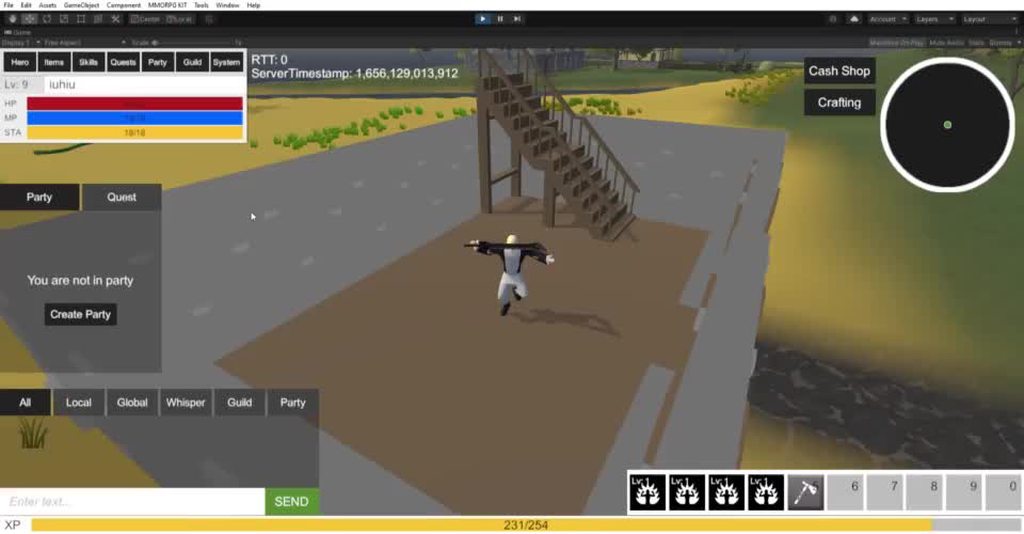 real kelp
alpine glacier
do you know how to dynamically update the tags on the grid?
real kelp
alpine glacier
do you know how to dynamically update the tags on the grid?
With the tags what do you mean? The type of node?
spice bobcat
alpine glacier
anybody know what my issue is here? It's only happening in this building I just ...
Maybe you have a isGrounded check that when false play the fallLoop animation and your building don't have the layer or tag well set
alpine glacier
real kelp
With the tags what do you mean? The type of node?
the penalty tag for the node. anyway I have a solution use a queue
 distant valve
alpine glacier
anybody know what my issue is here? It's only happening in this building I just ...
distant valve
alpine glacier
anybody know what my issue is here? It's only happening in this building I just ...
He thinks he’s falling, make sure the floor counts as the ground
alpine glacier
@spice bobcat @distant valve thanks I’ll check the tags and layers
distant valve
np
upper grail
hey guys just wondering would it be possible to generate the navmesh around the player in a certain radius as the player moves instead of all at once because I want like a 500sqkm map and the nav mesh takes hours to generate any tips?
real sonnet
upper grail
hey guys just wondering would it be possible to generate the navmesh around the ...
Yes you can. The navmesh components have an API to query at runtime.
I'd suggest watching the GDC talk on Death Stranding. You won't see code, but they did this + some other tricks to build navmeshes at runtime for their huge open world. So could give you some nice inspiration 🙂 and see where they struggled (like enemies following you and such...)
- I'm sure if your Google-fu is top notch you can find other studios sharing their implementation, as I can assume it makes sense for a lot of games
My bad it's not a GDC talk, but a Tommy Thompson video. He talks a lot about AI in games, I recommend the whole channel, but here you go for the specific video https://www.youtube.com/watch?v=oOdaUUHRcJI

Support AI and Games on Patreon:
http://www.patreon.com/ai_and_games
Death Stranding is all about walking. The AAA walking simulator tasks players with delivering packages to isolated corners of a post-apocalyptic United States. It presents a rich and challenging environment for players to navigate, and this leads to the biggest problem de...
Old code repo : https://github.com/Unity-Technologies/NavMeshComponents
Which is now officially supported as a package, here's the manual: https://docs.unity3d.com/Packages/com.unity.ai.navigation@1.1/manual/index.html
Hope all of this helps !
upper grail
Thank you so much @real sonnet This is beyond anything I could ever ask !!!!!!!! I will love learning all of this more in depth !
real sonnet
Awesome 👌 Happy coding !
wary ledge
Just curious if anyone has any good generic AI solutions using unity's navmesh agents.
I'm just talking about some basic things like moving close to the player, idle walking around the player while shooting, etc. Things like that I suppose.
 grand quartz
When I try to bake a Navmesh on a cube (50-.5-50 in dimensions) that has been set as walk able, nothing shows up. What should I check for?
 glossy sundial
Hey! General question: What would be the best approach to making enemy AI. I literally need something like Metal gear solid.
Enemy Patrol
Enemy Loafing off (sleeping , talking to themselves, eating etc)
chase. If they see you chase if you are not close
Attack if near by.
I need hearing and perception as well
I was thinking finite state machine 🤷♂️
grand quartz
grand quartz
When I try to bake a Navmesh on a cube (50-.5-50 in dimensions) that has been se...
Fixed, just needed to activate gizmos
real sonnet
glossy sundial
Hey! General question: What would be the best approach to making enemy AI. I lit...
Yes FSM is enough.
Hearing and perception/sensor can be achieved with trigger collider or distance check. Those would activate a transition from one state to another.
glossy sundial
Alright. perfect. Thank you.
real sonnet
You're welcome but looks like you already figured it out on yourself. Just needed a sanity check maybe ? 🙂 have fun !
glossy sundial
hahah Ya, was just curious if there where more simpler better approaches . A little tired of working on the my inventory system. Need to work on something different for the game
 winged cloak
Evening chaps. Any idea why my Zombies love to get stuck in the same corner all the time xD

Seems to be all my zombies! 😦

 craggy wadi
Hi, I want to ask, where do you start learning AI?
molten sequoia
craggy wadi
Hi, I want to ask, where do you start learning AI?
The if else section of a C# programming guide 😛
While there are a lot of approaches for AI like statemachines, GOAP and HTN, a lot of AI can be done with very straightforward logic and state, especially if you are just starting out.
molten sequoia
winged cloak
Evening chaps. Any idea why my Zombies love to get stuck in the same corner all ...
How are you positioning them? There isn't a lot of info to go on.
winged cloak
molten sequoia
How are you positioning them? There isn't a lot of info to go on.
Yeah sorry, very good point. I'm using some basic AI I took from a Udemy course
The main bits concerned are the wander behavior state, and the find new location method as the issue arises when they are wandering
Share live code snippets with anyone, anywhere. Aand keep control of it.
I could share more code if you like but my guess is the issue is in there somewhere.
molten sequoia
Looks like you aren't adding position to the direction, so the position target will always originate from 0,0,0.
Or in other words, using direction itself as the world position
winged cloak
Sorry, I'm not quite getting it. The code should find a new 'position' within a sphere from the gameobject (zombie), defined by the wander radius
Why is it looking over at 0,0,0?
winged cloak
Ok I've googled it and added the transform position and I think that should work?
Vector3 randomDirection = (Random.insideUnitSphere * wanderRadius) + transform.position;
molten sequoia
winged cloak
Ok I've googled it and added the transform position and I think that should work...
Yea. You also probably want to do something about the fact that once your AI is on a corner, only a relatively small slice of directions will point within the room.
winged cloak
molten sequoia
Yea. You also probably want to do something about the fact that once your AI is ...
I have no idea how to fix that :3
alpine glacier
Hi, I'm new here. I've got a problem for my edu game. I need to teach children to stay in column, when leaving a building after a fire alarm started. The player, last child of the column , must stay near the npc child before him, let's say no more than two meters behind. The npc child is following a pre-calculated path (as other npc children in column are doing ). Please, can someone help me? I think I should use some sort of raycasting but I don't grasp the matter very well
I forgot to say that the escape path is not straightforward, it has turns and stairs, like any school
 jovial creek
Use Ontriggerexit
 uneven cave
hi, i m using navmeshAgents as kind of a zombies, but when they get shoot ( they also get a knockback) , they get bugged for some reason instead of continuing finding the player. Is this normal and i have to change the mechanic or i need to add some sort of function to refresh the agent path?
alpine glacier
jovial creek
Use Ontriggerexit
This could be useful if it could check that no one is inside it, that all the NPCs exited the trigger area
nocturne bison
alpine glacier
Hi, I'm new here. I've got a problem for my edu game. I need to teach children ...
if(Vector3.Distance(npc, playerChild) > maximumDistance)
i dont know what you exactly want to do when the child is too far away; do you want to force them to teleport to the npc, or prompt them to move faster?
 muted viper
hi, i would just like to say, that this is the last day to get my AI asset for a cheap price, tomorrow (or in 2 days) the price is going to increase
link to asset: https://assetstore.unity.com/packages/tools/ai/alek-ai-system-213920#description
wary ledge
For some reason, my Navmesh agents, even though they have room, AND the Navmesh states they can walk there, will not go to the second floor of my level...
Any idea as to why thsi might be happening?
wary ledge
Nvm I figured it out and I dont know why this is doing this...
 alpine glacier
nocturne bison
i dont know what you exactly want to do when the child is too far away; do you w...
alpine glacier
nocturne bison
i dont know what you exactly want to do when the child is too far away; do you w...
Thanks for your suggestion, I want the player (a real child simulating a fire alarm in its school) not to lose contact at least with one of the children in its class while escaping, the latter being represented by npcs leaving the building in an approximate column, or if it happens , it should last for a very short time, let's say a couple of seconds. The npc in sight within a maximum distance of two meters could be the last one of the column or any other one inside the column.
I was wondering if keeping an account with an integer of the npcs enter/exit in a trigger centered on player and checking if not equal zero for a few seconds in a row could work, but it seems to me being a little complicated about its proper implementation, when it comes to check the time of trigger emptyness
 potent harness
Is there currently any built in way of baking nav mesh during runtime?
potent harness
potent harness
Is there currently any built in way of baking nav mesh during runtime?
I figured it out using navmeshSurfaces
 ancient solstice
anyone here know a simple way to make a goalkeeper ai?
jaunty raft
ancient solstice
anyone here know a simple way to make a goalkeeper ai?
have it match the position of the ball in the plane of the goal's frame, add some latency and a maximum speed it can use to adjust its position so it doesn't block all shots
alpine glacier
Gas anyone the Code from Game of live
 verbal grove
Uh i think this is correct channel. So i need a pathfinding in my game. So thr problem every tutorial in unity 2d for pathfinding is grid-based pathfinding. But i want the AI to avoid some GameObjects. I find a thing that called "Nav Mesh Obstacle" i think that what i need, but looks like its for 3D, so how do i make it in 2D?
verbal grove
verbal grove
Uh i think this is correct channel. So i need a pathfinding in my game. So thr p...
nvm look like a found a solution
 acoustic gazelle
Would anyone be interested in helping me out with my Goal Oriented Action Planning (GOAP) setup. It currently works perfectly fine with the priorities setup. GetCost functions are also setup, but I currently have no way of chaining these actions and goals together to complete the original goal, and I am not sure how this setup is done best :-)
acoustic gazelle
acoustic gazelle
Would anyone be interested in helping me out with my Goal Oriented Action Planni...
Just a bump on this :-)
 timid cedar
I made goals into components that can be attached just like actions.
actions have prerequisites. so if gameobject has enough of the right actions they can work backward through the tree of goals and figure out the course of action.
I'm using a modified version of GOAP from https://github.com/sploreg/goap

GitHub
Goal Oriented Action Planning AI in Unity. Contribute to sploreg/goap development by creating an account on GitHub.
grand quartz
I am trying to make units move in cohesive formations for an rts project (Like total war games). The issue I am running into is having "soldiers" find an efficient position to set their destination to for the most efficient collective movement.
https://paste.ofcode.org/qH25jCHSJiYRhVbVP69xaU
This works fine at generating points, but the problem is getting individual subunits soldiers) to pick the optimal position to head to. Currently they just go down the list, the first subunit goes to the first position, the second to the second, etc.
The problem of course is that when you change the formations rotation or dimensions, the organization of the units messes up. Is there an algorithm or method to calculate the optimum unit placement?
grand quartz
grand quartz
I am trying to make units move in cohesive formations for an rts project (Like t...
Update, I found a solution to this problem, implementing the Hungarian Algorithm: https://kandi.openweaver.com/csharp/antifriz/hungarian-algorithm-n3
hungarian-algorithm-n3
 vocal nest
Hello everyone. I have a question regarding NPC with Normcore, can someone help me? does anyone know normcore 😅
real sonnet
vocal nest
Hello everyone. I have a question regarding NPC with Normcore, can someone help ...
They have their own discord and forums. I would try there first
 covert hazel
Hey, what would be the best way to make realistic animals in Unity? Should I make behavioural scripts - which might take wayyyyy too long because there are a ton of animals - or should I use AI - which might be too resource intensive, and might not even work?
wary ledge
covert hazel
Hey, what would be the best way to make realistic animals in Unity? Should I mak...
Depends on what you mean by Realistic Animals? What are you looking for? Its a very broad question.
A FSM realistically should cover most animals.
covert hazel
We have an insane amount of different animals, but I think behaviour scripts will be easier
winged cloak
Hello all. My AI, which uses the navmesh, seems to be bouncing off corners if he gets too close which sends him sliding and flying around, basically rendering him useless after that point
Any idea whats causing it?
Doesn't seem to happen to my other AI zombies
 stoic tulip
I want my enemies to move like NPC in a predetermined path and when the player comes near they all should be alerted and hunt down the player like spy games
is there any tutorial for that type of enemy ai?
real sonnet
yes, look up something like unity finite state machine
you will learn how your AI can have a patrol state, following player state, attack state, and so on
 ionic pond
Is there a way to drive a NavMeshAgent with Root Motion animator? Thanks in advance 😄
stoic tulip
real sonnet
yes, look up something like `unity finite state machine`
Could u pls send some online resource links or yt tuts
 stable saddle
@stoic tulip https://www.youtube.com/watch?v=UjkSFoLxesw
stoic tulip
stable saddle
<@893831444256931850> https://www.youtube.com/watch?v=UjkSFoLxesw
Thanks will chk
jaunty raft
ionic pond
Is there a way to drive a NavMeshAgent with Root Motion animator? Thanks in adva...
No
 autumn dock
Hello, does unity have any tools for AI like unreal engine has, or do I write custom code for behaviour trees and AI using scripts?
jaunty raft
autumn dock
Hello, does unity have any tools for AI like unreal engine has, or do I write cu...
there are plenty of assets for behaviour trees and similar things (with visual tooling), unity itself has NavMesh and ML agents
 onyx echo
how do I learn about AI and how to make good and smart AI for a game?
jaunty raft
onyx echo
how do I learn about AI and how to make good and smart AI for a game?
plenty of books have been written about it, starting with these, any amazon search will turn up loads of others http://www.aiwisdom.com/
AIWisdom.com - Game AI Articles & Research
onyx echo
jaunty raft
plenty of books have been written about it, starting with these, any amazon sear...
man i hate programming books
jaunty raft
onyx echo
man i hate programming books
alternatively you can wait for a youtuber to read the books and make a video that teaches everything in them in 1h
real sonnet
onyx echo
man i hate programming books
Just to be clear, those are not programming books. They are articles from professionals in the industry. They share where they struggled. Very valuable. Hard to find a better source.
Same for http://www.gameaipro.com/
jaunty raft
there is some code in them though (which i find helpful)
 rotund dragon
the zombies are trying to reach the player through the open doors, but for some reason they are stuck. i disabled the walls to make it clearer. does anyone know why this happen?

 floral sleet
rotund dragon
the zombies are trying to reach the player through the open doors, but for some ...
floral sleet
rotund dragon
the zombies are trying to reach the player through the open doors, but for some ...
Your navmesh looks very small at the doors. Your zombies are too fat to get through.
 crystal karma
onyx echo
how do I learn about AI and how to make good and smart AI for a game?
crystal karma
onyx echo
how do I learn about AI and how to make good and smart AI for a game?
Try to write down what you want your AI to do instead of how you want to implement it into the game. Make flowcharts (Neutral state, AI walks around -> Combat state, AI seeks targets in a circle around itself)
Play games and try to manipulate their AI to understand what they did
 upper canyon
Could someone advise me... what step to take to sync the root animation and the ai navmesh agent?
 hardy grail
Hello guys, looking for help, mainly by pointing me into right direction, not really for full solution. I am making Top-Down ARPG and I have problems achieving good solution for player & enemies movement. My best reference of what I want to achieve would be diablo 3, so:
- Click to move (pathing, not just direction)
- AI Pathing for enemies
- Enemies shouldnt push eachother (can stay behind other if cannot reach target well)
- Enemies shouldnt push player at all
- Player shouldnt be able to move through enemies
I am trying to achieve it with built in Nav Mesh Agents, but my results are far from perfect. I do not mean it is not good solution, there might be some tweaks I need to do (navmeshobstacle + carve when enemy stationary?) But so far I couldn't achieve "good feeling of movement for player & enemies". And my question here is: are there some good materials (books, youtube, courses) that teach how to handle expected behaviour? Did anyone maybe resolved it well and might share some tips? Thanks in advance!
wary ledge
I know I could build a FSM from scratch, however, does anyone have any good already made plugins/git repos?
I just stumbled on HFSM that seems somewhat decent, but yeah.
 mental steppe
wary ledge
I know I could build a FSM from scratch, however, does anyone have any good alre...
mental steppe
wary ledge
I know I could build a FSM from scratch, however, does anyone have any good alre...
What are you looking for? An editor based workflow, scripting only or majority, Scriptable objects?
 flat shell
Hey!
So I am trying to make a car simulator and I am currently working on a 1 file road. My AI move by using NavMesh and a waypoint system. I also made a detector that can detect the car I'm driving. However, I started coding this summer and don't know how to make the AI drive to the side and stop when detecting my car. Thankful for all suggestions and tips!
wary ledge
mental steppe
What are you looking for? An editor based workflow, scripting only or majority, ...
At the end of the day anything, but preferably something with less coding experience can use to make AI.
I don't mind doing the scripting/coding heavy lifting
mental steppe
wary ledge
At the end of the day anything, but preferably something with less coding experi...
I have a library on my GitHub linked, however it's unfinished at the moment and mostly undocumented as I've been fighting with Unity for 3 months to introduce custom update loops, otherwise I do know of a few decent tutorials online which have some decent systems, Jason Weimann covers them pretty well
 bronze field
does anyone know why its still running into the wall


 fringe eagle
bronze field
does anyone know why its still running into the wall
fringe eagle
bronze field
does anyone know why its still running into the wall
I'm not into AI but I think using Rays is kinda better way for the AI to detect obstacles.
bronze field
fringe eagle
I'm not into AI but I think using Rays is kinda better way for the AI to detect ...
idk im not too good at scripting
fringe eagle
bronze field
idk im not too good at scripting
It's fine, if you get started by now you'll get better. It's not late. It's my six day and these been going fine.
bronze field
fringe eagle
It's fine, if you get started by now you'll get better. It's not late. It's my s...
do you think you could direct me to a like a thread or somewhere to get started
fringe eagle
bronze field
do you think you could direct me to a like a thread or somewhere to get started
First, learn basic coding from YouTube! Search:
Unity C# basics!
Or if you want some links then I'll give you a list of playlists on YouTube.
bronze field
ok ill serch some up
fringe eagle
Yeah.
bronze field
fringe eagle
Yeah.
ive already finished the unity junior programer pathway should i just watch youtube now?
fringe eagle
Aha, I've also finished Junior but didn't get to the next lesson.
First, plan what are you making!
bronze field
fringe eagle
First, plan what are you making!
my game?
fringe eagle
2D or 3D? What's the genre/category of your game?
fringe eagle
bronze field
its a player vs ai tank battle game
So, it's action. Does the player hold any guns or something?
bronze field
fringe eagle
So, it's action. Does the player hold any guns or something?
the tank can shoot missles
fringe eagle
bronze field
the tank can shoot missles
Oh, your both tanks!
bronze field
fringe eagle
Oh, your both tanks!
yes
fringe eagle
So, the tank just drives left, right, forward, backward. And also shoots the ball! I think it's really simple!
bronze field
fringe eagle
So, the tank just drives left, right, forward, backward. And also shoots the bal...
yep
fringe eagle
Going with that, you need Car Control video! Plus with Projectile, which shoots the ball of the tank barrel.
bronze field
ok
fringe eagle
Tank Controls.

In this mini series we are going to look at how we can set up a basic Tank controller, using Unity's Rigidbody component. This series really started out from a request from one of the subscribers to this channel. They had asked how I did the reticle for the tank in the Top down Camera series. So I decided to put together a whole series on how...
bronze field
cool
fringe eagle
Shooting ball(bullets).

Gun Script - https://pastebin.com/Y4DtY5z2
MoveBullet Script - https://pastebin.com/a3PpXHyK
Health Script - https://pastebin.com/w3FPNimE
If you enjoyed this video make sure you get subscribed and leave any questions you have in the comments.
There are more of them on YouTube/Internet if you didn't like these two!
alpine glacier
bronze field
its a player vs ai tank battle game
That seems way too hard for a beginner
Do something simpler
bronze field
alpine glacier
That seems way too hard for a beginner
well i was going to use the built in ai system
alpine glacier
Tank controls aren’t easy, AI is even harder
Doesn’t matter, still very hard
Make some cube game
alpine glacier
alpine glacier
Tank controls aren’t easy, AI is even harder
whats so difficult about tank controls
try making some good tank controls and youll see lol
it just moves forward and has to apply a bit of rotation
good controls
seriously what else do we need
oh u mean the pathfinding?
alr then
alpine glacier
alpine glacier
seriously what else do we need
wheel colliders
i dont think that falls under controls
you need to control wheel colliders
the model would be simply animating
 forest phoenix
how do i make a monster that roams around the map and chases a player when in sight and a jumpscare when killed with animations?
lunar plover
should i use astar?
floral sleet
lunar plover
should i use astar?
For what exactly? Unity has a Navmesh system and uses A* to calculate shortest paths.
floral sleet
forest phoenix
how do i make a monster that roams around the map and chases a player when in si...
"How" is a big question. There are a lot of things to do and we can't cover them all off here. Best thing to do is start with something simple, make a character around the screen, then when you feel ready, you can move on to A.I.
There's a great Beginners A.I course on Udemy by Penny De Byl, but you should get some C# skills under your belt first.
lunar plover
for monsters to pathfind u and attack
floral sleet
lunar plover
for monsters to pathfind u and attack
Yeah, then just use navmesh.