#🤖┃ai-navigation
1 messages · Page 7 of 1
 pastel sparrow
 torn pelican
 amber junco
Quick question out of curiosity. Does the Unity Navmesh and Agent tools have any capable of a runtime cutter similar to what is in the Aron Granberg's A* asset?
 molten sequoia
amber junco
Quick question out of curiosity. Does the Unity Navmesh and Agent tools have any...
molten sequoia
amber junco
Quick question out of curiosity. Does the Unity Navmesh and Agent tools have any...
Navmesh can be generated and carved out at runtime.
 sinful belfry
Super random question, but my navmesh character is overriding my capsule colliders, and my character is "hovering" above my tagged ground plane by a few inches.
I'm assuming it has to do with the navmesh height settings for my enemy type I set up?
I have a regular humanoid enemy that works fine and even a small "chicken" nav character that I made without issue.
It seems like this larger character type is slightly broken or I baked the nav wrong for it?
Any help would be appreciated. New to the AI NavMesh system, and while I have it working there's some nuances I'm missing.
 old timber
sinful belfry
Super random question, but my navmesh character is overriding my capsule collide...
old timber
sinful belfry
Super random question, but my navmesh character is overriding my capsule collide...
The navmesh agent will snap to the navmesh surface no matter the collider, sounds like you need to adjust the agent base offset
sinful belfry
old timber
The navmesh agent will snap to the navmesh surface no matter the collider, sound...
"agent base offset" eh? Maybe I accidentally messed with the value when building that specific enemy agent. I'll take a look at it when I'm at my work station tonight. Thank you!
torn pelican
 bleak bluff
Has anyone else got the issue with unity AI where it keeps saying the points will refresh each month, but it is not doing it for me not sure what is going on?
 raw flint
bleak bluff
Has anyone else got the issue with unity AI where it keeps saying the points wil...
raw flint
bleak bluff
Has anyone else got the issue with unity AI where it keeps saying the points wil...
 stark gale
How do you usually handle pathfinding in 2D?
Im currently using this A* implementation from this site:
https://www.arongranberg.com/astar/
I know Unity has its own methods for pathfinding, but I find this one to be more intuitive
stark gale
I decided to switch to Unitys in built system, and I have an issue:
Does Navigation Modifier not work with polygon/edge colliders?
Why does the enemy just stop moving for a moment before resuming?
molten sequoia
stark gale
I decided to switch to Unitys in built system, and I have an issue:
Does Navigat...
Check out https://github.com/h8man/NavMeshPlus for improved 2D support with the built-in navigation.
stark gale
molten sequoia
Check out <https://github.com/h8man/NavMeshPlus> for improved 2D support with th...
Already have this
molten sequoia
stark gale
Why does the enemy just stop moving for a moment before resuming?
Odd that pathfinding is taking that long. I generally use my own movement and only get paths from NavMeshAgent or NavMesh for more control. You could keep using the old path while new path is being calculated.
stark gale
molten sequoia
Odd that pathfinding is taking that long. I generally use my own movement and on...
I already found a solution to this and the other problem
 tranquil valley
is there a way to get a more accurate representation of NavMesh to build a mesh out of it from a method that isn't NavMesh.CalculateTriangulation;? that method seems to give a simplified version of what the editor/actual navmesh is, and isn't the most helpful for my visualisation since the terrain can be very varied
torn pelican
tranquil valley
is there a way to get a more accurate representation of NavMesh to build a mesh ...
What detail/difference are you lacking / looking for?
eg. if you have comparison pics
tranquil valley
ill get a screenshot but especially on slopes it becomes super inaccurate where the NavMesh actually is, sometimes some parts of it also seem to be missing
I'm not sure if this is super clear, but this is my Visualisation result, the navmesh is visually a lot higher than it actually is (ill get how it's supposed it be from the editor in a sec)


difference between first and second screensshot is i just moved a bit further to show that the navmesh is above where i was looking
in editor it tracks the ground a lot more accurately (screenshot isn't real;y that good but i blame the bad transparency of navmesh in editor)

spawning agents to track me also shows that they follow the editor navmesh, which makes sense to me
torn pelican
fair, might not be able to help but probalby worth sharing the code used to make the mesh too for anyone looking by
tranquil valley
yeah sure i can do that in a sec
    private void VisualiseNavMesh()
    {
        if (!_updateNavMesh)
        {
            if (_navMeshObject != null)
            {
                Destroy(_navMeshObject);
            }
            return;
        }

        if (_navMeshObject != null)
        {
            Destroy(_navMeshObject);
        }

        _navMeshObject = new("NMVisual");

        NavMeshTriangulation triangulation = NavMesh.CalculateTriangulation();
        Vector3[] points = triangulation.vertices;

        MeshFilter meshFilter = _navMeshObject.AddComponent<MeshFilter>();
        MeshRenderer meshRenderer = _navMeshObject.AddComponent<MeshRenderer>();

        Dictionary<int, List<int>> submeshIndices = [];

        for (int i = 0; i < triangulation.areas.Length; i++)
        {
            if (!submeshIndices.ContainsKey(triangulation.areas[i]))
            {
                submeshIndices.Add(triangulation.areas[i], []);
            }

            submeshIndices[triangulation.areas[i]].Add(triangulation.indices[3 * i]);
            submeshIndices[triangulation.areas[i]].Add(triangulation.indices[3 * i + 1]);
            submeshIndices[triangulation.areas[i]].Add(triangulation.indices[3 * i + 2]);
        }

        Mesh mesh = new()
        {
            vertices = points,
            subMeshCount = submeshIndices.Count
        };

        int index = 0;
        foreach (KeyValuePair<int, List<int>> entry in submeshIndices)
        {
            mesh.SetTriangles(entry.Value.ToArray(), index++);
        }

        meshFilter.mesh = mesh;
        mesh.RecalculateNormals();
        mesh.RecalculateBounds();

        List<Material> materials = [];
        foreach (KeyValuePair<int, List<int>> entry in submeshIndices)
        {
            materials.Add(NavMeshMaterials[entry.Key]);
        }

        meshRenderer.SetSharedMaterials(materials);
    }
this is what i currently have, a good chunk of it did come from a forum post i saw for the multi material stuff for areas lol
torn pelican
tranquil valley
```cs
private void VisualiseNavMesh()
{
if (!_updateNavMesh)
...
forgot about this, if your still running into issues maybe try skipping the fancy submesh shit and index optimisation
see if it's actually the info your getting from the navmesh thats the problem or how your managing it
just create a list of normals full of vector3.up's and chuck the verts and inds off the navmeshtriangulation in
torn pelican
https://docs.unity3d.com/2020.1/Documentation/Manual/class-NavMeshModifier.html
https://docs.unity3d.com/2020.1/Documentation/Manual/class-NavMesh-ModifierVolume.html

im afraid you won't find what your looking for
probably a valid concern
Yeah unfortunately I don’t think thats a vibe
Unless maybe there’s a route where you handmake meshes that exist purely for the navmeshsurface to bake against and/or modify against?
But at that point probably better to run your own solution or something aha
 elder hull
Hi
 brittle parcel
Can someone help me setting up navmesh for 2d isometric? I have tried following tutorials but couldn't get the results like baking doesn't show up or agent cant find the navmesh area issues.
Tried: Unity provided AI navigation aswell as NavMeshPlus repo
 wanton socket
Does anyone know why my Client AI keeps falling down or up when I set Base Offset = 1 or Base Offset = 0?
How to fix this so that AI runs normally?


 pliant forum
any idea why updating the navmesh to put areas of higher cost under npcs causes them to suck at pathfinding?
im using edited versions of https://github.com/Unity-Technologies/NavMeshComponents/blob/master/Assets/Examples/Scripts/LocalNavMeshBuilder.cs and https://github.com/Unity-Technologies/NavMeshComponents/blob/master/Assets/Examples/Scripts/NavMeshSourceTag.cs
GitHub
High Level API Components for Runtime NavMesh Building - Unity-Technologies/NavMeshComponents
GitHub
High Level API Components for Runtime NavMesh Building - Unity-Technologies/NavMeshComponents
like
        foreach (var volume in m_ModifierVolumes)
        {
            if (volume == null) continue;

            var source = new NavMeshBuildSource()
            {
                shape = NavMeshBuildSourceShape.ModifierBox,
                sourceObject = volume,
                transform = volume.transform.localToWorldMatrix,
                size = volume.size,
                area = volume.area
            };
            sources.Add(source);
}```it seems to mess with their pathfinding somehow
static areas work, im wondering if the area updating too much is causing problems

like if i need to have it so the area only moves every X frames
ok i think that actually worked

 crimson oxide
I just wanted to make sure I'm not missing something, but there is no auto-generate offmesh link feature in the Navmesh Component system?
 vital lodge
hi
somebody else is having problems with the new navigation system and rotated objects? what went wrong? i have to rotate all my blender objects otherwise they're not taken into account by the navigation system
specially the big ones
that wasn't a problem in the previous navigation system
raw flint
vital lodge
somebody else is having problems with the new navigation system and rotated obje...
What exactly do you mean? Are you saying the navmesh baking doesn't take the rotion of the objects into account and therefore doesn't match the scene geometry? If so, how are you baking the navmesh?
vital lodge
yep
raw flint
Could you share a screenshot or recording of that happening just to make sure we are talking of the same thing. The navmesh baking should definitely take rotations into account, there shouldn't have been any changes to that in the new navmesh implementation. Could be a bug with unity. If you are baking based on colliders (Use Geometry of Physics Colliders), are you sure those match the objects when they are rotated?
wanton socket
Hi, I have a problem with my AI client, when my client respawns he falls down, can anyone help me how to fix it?
raw flint
wanton socket
Hi, I have a problem with my AI client, when my client respawns he falls down, c...
Does the AI have a rigidbody on it? If not, what could move it?
wanton socket
has a rigidbody
raw flint
wanton socket
has a rigidbody
Do not use rigidbody on NavMeshAgents. Generally bad things happen when you have two unrelated components fighting over the control of an object.
Is there some specific reason you put it there in the first place?
wanton socket
I removed the rigidbody and it still drops down
wanton socket
raw flint
Do not use rigidbody on NavMeshAgents. Generally bad things happen when you have...

 raw flint
wanton socket
raw flint
wanton socket
Then Client AI would be my best bet for causing that. The NavMeshAgent component alone should not do much of anything
wanton socket
If I send you the code, could you check it for me?
raw flint
wanton socket
If I send you the code, could you check it for me?
If it's is not too long, you can send it here as a code block, otherwise use a paste site and post the link
Actually regarding the rigidboy, if it is kinematic, then using it is totally fine and sometimes preferred (if you want the agent to push around physics objects in the scene)
Kinematic rigidbodies do not move the object itself so it's not fighting for any control
raw flint
I don't see anything there that could cause such behavior. Try to disable that script and see if that still happens
wanton socket
raw flint
I don't see anything there that could cause such behavior. Try to disable that s...
I turned it off and it's still going down
raw flint
wanton socket
I turned it off and it's still going down
Then it's something else. Are there any other scripts in the scene that would be moving the client? You could also disable the NavMeshAgent to be sure it's not that either
wanton socket
raw flint
Then it's something else. Are there any other scripts in the scene that would be...
It's because of the Nav mash agent, I turned it off and it stayed in place
raw flint
wanton socket
It's because of the Nav mash agent, I turned it off and it stayed in place
Try to disable obstacle avoidance. The only thing that I could come up with would be that it is constantly trying to avoid itself or something else that is following it so it pushes it around
In case that solves the issue, you need to look what's parented under the client object. Maybe something that could be considered obstacle? The collider on the object itself afaik shouldn't cause problems
wanton socket
raw flint
Try to disable obstacle avoidance. The only thing that I could come up with woul...
I turned off obstacle avoidance and it didn't help
raw flint
wanton socket
I turned off obstacle avoidance and it didn't help
At what point did this start happening? If there was something specific that you did before that, you could look into that. If that doesn't help, I'm quite out of depth. Maybe you could make a new gameObject with only a newly added NavMeshAgent component and see if that object also struggles with the same problem. If not, could try to copy the component properties from the broken agent. I'm still struggling to understand how a NavMeshAgent alone would cause a moving like that
wanton socket
raw flint
At what point did this start happening? If there was something specific that you...
I created a new cube object and added nave mesh agent and bake and still the same
raw flint
wanton socket
I created a new cube object and added nave mesh agent and bake and still the sam...
Why bake?
 raw flint
wanton socket
and i have this
raw flint
wanton socket
and i have this
Wait what is calling that RemainingDistance? If that is the new object what would that be?
wanton socket
I added the client AI script there
rather, it only falls to the bottom when there is a bake
raw flint
wanton socket
I added the client AI script there
What if there's nothing more than a transform and the NavAgent?
wanton socket
If I create a clean object and add a nav mesh agent, the object stands still, but if I add a bake, it falls down and I get something like this in the console
 wanton socket
raw flint
What if there's nothing more than a transform and the NavAgent?
wanton socket
raw flint
What if there's nothing more than a transform and the NavAgent?
this is my navigation
 wanton socket
raw flint
Where's the navmesh area component?
wanton socket
raw flint
Where's the navmesh area component?
I don't understand
raw flint
wanton socket
I don't understand
From where are you baking the navmesh?
wanton socket
Nav Mesh Surface
raw flint
wanton socket
Nav Mesh Surface
Oh yeah that, not Area, forgot the name. Is the Surface object stationary?
torn pelican
raw flint
Oh yeah that, not Area, forgot the name. Is the Surface object stationary?
Why?
raw flint
torn pelican
Why?
Well they have an object which the NavMeshAgent apparently moves on it's own without any apparent reason. If the NavMeshSurface was moving for some reason, that could explain it
The only other possible reason I could think of would be something to do with collision avoidance/NavMesh Obstacles (even though disabling obstacle avoidance didn't help). If these don't help, I would make an empty scene and try to recreate this with the most minimal setup possible. If it still happens with only like the simplest possible navmesh surface and a single nav mesh agent without any external scripts, then I'm quite confident an engine bug is the only possible reason and that scene could be used as a mean of reproduction in the bug report
wanton socket
so how do I fix it?
raw flint
wanton socket
so how do I fix it?
I would make a new scene with nothing in it and make the simplest possible navmesh set up there (with like a single cube to bake the navmesh from and a single agent). See if the same problem happens there too with nothing more than the unity navmesh components (without any of your own scripts). If it does, then it is likely a bug
I often like to work the other way around by removing stuff until a problem goes away but I wouldn't recommend that if you don't have the current state of the project backed up in version control or otherwise
wanton socket
i fix this
raw flint
wanton socket
i fix this
Did you already fix it or are you going to?
wanton socket
I already fix
raw flint
wanton socket
I already fix
What was it?
wanton socket
raw flint
What was it?
I don't really know what I did haha
pliant forum
any idea what the orange dotted lines mean
 glossy mountain
is there a way to select a random point within a navmesh cleanly, without prioritizing edges?
or so I have to pick a random spot within the bounds and retry if it misses?
raw flint
glossy mountain
is there a way to select a random point within a navmesh cleanly, without priori...
I’m not aware of any method that would directly return random position on the surface. Shame since it’s very common to want that. If your navigation surface is static (no obstacles that carve the navigation mesh or enabling and disabling surfaces at runtime), you could store the mesh returned by NavMesh.CalculateTriangulation, pick one triangle at random and then pick random position from the triangle. For even distribution of points, you would have to weight the triangle choise by the area of each triangle so larger ones get a higher change. If there are a lot of triangles in the nav mesh, the ”alias method” could be used to pick the triangle based on the weights in O(1) time. If it’s not static and you need to constantly calculate the triangulation, that could be bit slow performance wise. The alias method is also mostly useful when the data can be prepared beforehand and then used forever.
 sudden cradle
does anyone know how i would set up a navigation for a spider ai where it doesnt take the shortest path to a target but instead moves towards the target in a semi random way. for example side to side slightly but still moving towards its target. I want to replicate how a bug would move,
 mystic edge
when i try to generate a navmesh surface it does this to the walls but not the floor. Ive done most possible fixes. If anyone knows a fix please reply.

 minor prairie
mystic edge
when i try to generate a navmesh surface it does this to the walls but not the f...
minor prairie
mystic edge
when i try to generate a navmesh surface it does this to the walls but not the f...
It's because the object you're using for the surface is rotated 90 degrees. Unity has covered this in a tutorial and I have discovered this yesterday. The yellow point (Y Axis) is the top of the navmesh surface. What you have created is called a Vertical NavMesh
Simply:
Rotate the object with NavMesh Surface 90 degrees so that the local Y Axis(green arrow with move tool) is facing upwards
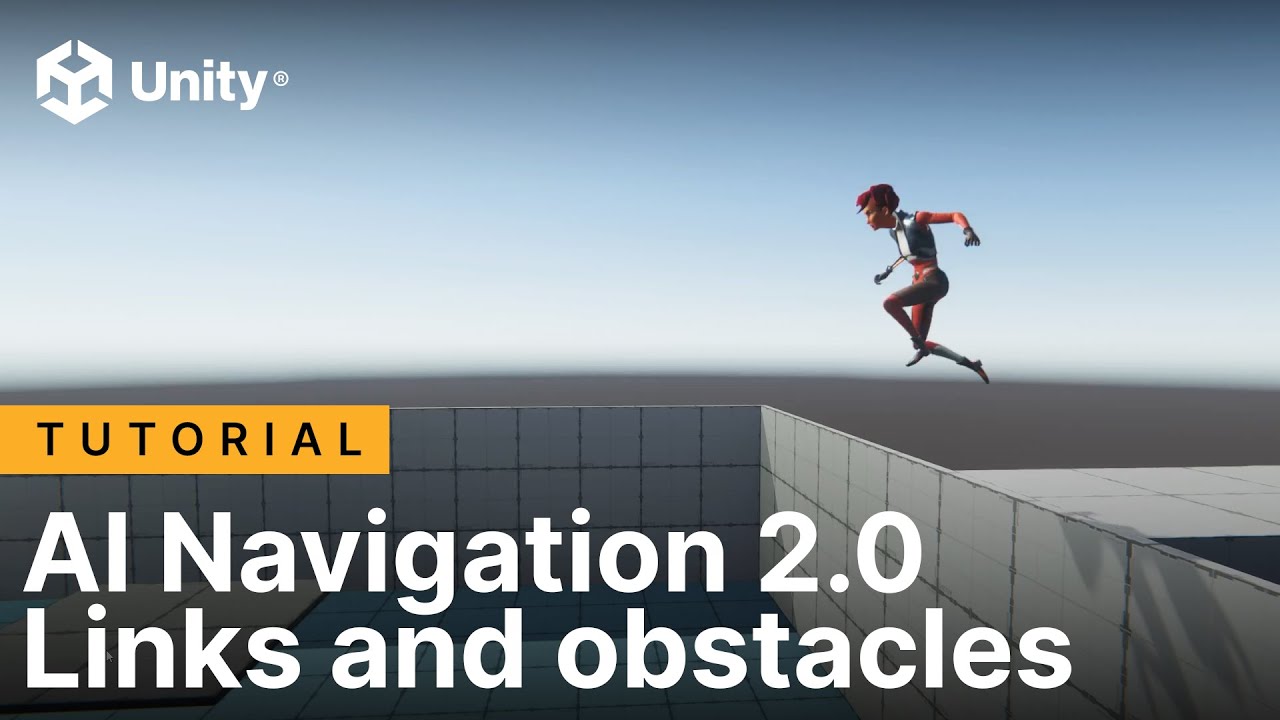
In this video you’ll learn how to work with NavMesh links to get AI characters jumping, bake a NavMesh surface onto vertical surfaces, such as walls, linking multiple NavMesh surfaces together, and scripting to add conditions when an AI character loses sight of its target.
If you want to follow along with the video, make sure to install the A...
You can find more info in this video ^
I've managed to do this myself as well (on purpose) and adding a few NavMesh Links added a lot of new movement options to my enemy.

 wispy gate
Possibly something obvious I’m missing but how can I drag navmesh info that I’ve already baked into this box?
I keep baking a navmesh that I want and then for some reason after a while it just removes itself somehow even tho I still have the file generated by the bake
 minor prairie
wispy gate
Possibly something obvious I’m missing but how can I drag navmesh info that I’ve...
minor prairie
wispy gate
Possibly something obvious I’m missing but how can I drag navmesh info that I’ve...
are you adding NavMesh Surface to every surface or just one object?
wispy gate
minor prairie
are you adding NavMesh Surface to every surface or just one object?
Just one object
minor prairie
wispy gate
Just one object
Okay I'm out of smart words :/
wispy gate
Dam
 tardy junco
wispy gate
Possibly something obvious I’m missing but how can I drag navmesh info that I’ve...
tardy junco
wispy gate
Possibly something obvious I’m missing but how can I drag navmesh info that I’ve...
I'm not quite sure you can reassign it. In fact, it disappearing isn't normal either. Is that a prefab perhaps and you bake the data in a scene?
wispy gate
tardy junco
I'm not quite sure you can reassign it. In fact, it disappearing isn't normal ei...
its not a prefab its just a plane i have a navmesh component on
tardy junco
Can you try to pay attention as to when it removes the reference? Maybe there's some trigger to it.
Perhaps you just forgot to save the scene?
 tall lagoon
sigh anyone know how to help me please, I been stuck hours watching every guide tryna get things from the github to correct this, anything helps everytime i try to bake with All game Objects or even Volume , it does not bake properly. I know its not working cause the nav mesh should be baking right beside this npc and i cannot see the actual bake (blue area like i see in tutorials) thanks in advance


 tall lagoon
If anyone has this issue in the future, the bake not showing up or working. message me i can show you the solution it was not easy
 slim oriole
Why I can't see the blue surface of the navmesh?
I have gizmos enabled, "show navmesh" set to true, baked the mesh
 tall lagoon
i just had that problem
u have to uninstal the package
and bring it in through github
fixed it for me
 noble fog
Wrong channel
 empty ridge
noble fog
Wrong channel
empty ridge
noble fog
Wrong channel
were can i test it out tho?
noble fog
Please read the channel descriptions
empty ridge
ah oki my bad
 foggy ridge
Hi! So all I wanted to know, is how advanced can I make the built-in AI navigation go? Like for example a game with moving obstacles, estimating where the player will be, learning player hiding spots and so on. Or would someone have to build their own AI navigation system or find one that suits their needs?
Because I do hear people saying it can be better to make/find a better one
torn pelican
foggy ridge
Hi! So all I wanted to know, is how advanced can I make the built-in AI navigati...
"learning" is not supported whatsoever
foggy ridge
torn pelican
"learning" is not supported whatsoever
Okay thanks
minor prairie
tall lagoon
sigh anyone know how to help me please, I been stuck hours watching every guide ...
I'm pretty sure that AI NavMesh is a 3D thing
-# it's a navMESH and not a navSPRITE
old timber
minor prairie
-# it's a navMESH and not a navSPRITE
Uhm actually ☝️ 🤓 sprites are rendered as 2D meshes
But yeah Unity doesn't support 2D navigation out of the box
 still gate
coming here with question. How to handle player detection for enemy?
tardy junco
still gate
coming here with question. How to handle player detection for enemy?
Not really related to navigation.
Physics queries, like overlap sphere, maybe trigger colliders, or a simple distance check. Depends on how complex you need it to be.
Anyways, unless this is related to navigation specifically, I'd recommend posting in #💻┃code-beginner
noble fog
In any case should post less general questions and provide actual details.
 fiery knoll
any way to stop auto gen drop down links from clipping through geometry?

 stuck pulsar
Good morning 👋
I have a click-to-move player controller. My player is a Navmesh Agent and I set a destination to walk to via click on the ground (which is a terrain).
Transitions between walking and idle worked well until this morning, where I attempted to fix the floating-above-ground-issue my navmesh agents experience, by enabling the Height Mesh inside the surface controls.
Now, I get these stupid jitters all the time when my player reached the area. If I uncheck height mesh and rebuild, everything works as expected again, just that my character floats once more.
Is there a common fix for this I haven't managed to find yet?

 feral silo
Currently running into a capacity limit trying to connect my claude code CLI to the unity MCP server. saying i have hit a capacity limit despite no other connections existing. not sure where else to ask but any help is appreaciated ❤️
feral silo
figured it out over at #1500182054200148069
 peak dew
Is there a room to talk about Unity AI
 sour spade
Nav Mesh won't bake or show up in any toggles, I have reset Unity multiple times, rebaked everything, made the appropriate surfaces static.


Alongside this, the player that's supposed to navigate to the point does not move. I do have the code inserted into the player
 golden brook
sour spade
Nav Mesh won't bake or show up in any toggles, I have reset Unity multiple times...
golden brook
sour spade
Nav Mesh won't bake or show up in any toggles, I have reset Unity multiple times...
I just had this problem earlier. Make sure your surfaces are static. If you're using NavMeshPlus, make sure all desired objects have the NavigationModifier component and that it's settings are all correct. If you are using NavMeshPlus, it's also important to use the NavMeshSurface component that that package provides, NOT the built in Unity component.
Also, when you ask questions make sure to provide lots of info. With what you provided your problem could literally be anything. I just stated what worked for me :/
Anyways, I'm making the AI for my game's monster, but I want the AI to be simple and retro. Changing directions instantly, staying in the middle of the path, constant speed, etc. One thing I'm having trouble fixing are the smooth corners that are automatically created when a NavMeshSurface is baked. they cause the AI to take corners too smoothly for the game, and I'd much rather get rid of them if possible. How would I do this? If unclear, the result I am looking for is visualized in the image attached. If NavMesh isn't the best solution for something like this, where should I go?
 pliant forum
any idea what determines the order that navmesh agents pathfind?
like, im updating the navmesh asynchronously, and it resets the pathfinding with setdestination and the agents that were instantiated first always pathfind first
which is really annoying
because it means if you spawn enough agents, the ones spawned last can end up stuck, never finding a path
wheras if it did something like, going start to finish, then finish to start it would avoid this
pliant forum
it seems really dumb to me that if NavMeshAgent.SetPath fails it resets the agents path
like why would you want that
and theres no version that doesnt do that as far as i can tell
 marsh lintel
Hi guys, I'm struggling a lot with pathfinding. I'm upgrading my AI system and for some reason the path sometimes is updated with a longer path, creating unstable loops where the enemy follows a path, then somehow another one is faster (even if it's really not), so he turns around, the previous one becomes again the faster and is just stuck in a loop like that.
What am I doing wrong?

a simple pastebin.
I've created a very simple script which has the same script to calculate the path of the enemy, and as you can see it simply... calculates the path.
(the enemy script has more than 1k lines, and the only problem is precisely that one, you can see it in the video)
marsh lintel
marsh lintel
The game is in 3d, I've set it with a top view to let you understand better the path problem
 gilded lichen
hey, im making a horror game and I did setup my nav mesh agent, navmesh surface, baked navigation obsolete, but my enemy just wont move
could anyone help me?
tardy junco
gilded lichen
hey, im making a horror game and I did setup my nav mesh agent, navmesh surface,...
- Make sure you're setting the destination with enough time between the setting for the agent to calculate the path and start moving.
- Make sure there are no errors/warnings in the console.
 polar epoch
Hello does someone know the origin of this drifting issue with my navMesh agent
minor prairie
Is it possible to change the speed of a NavMesh link?
old timber
minor prairie
Is it possible to change the speed of a NavMesh link?
https://docs.unity3d.com/ScriptReference/AI.NavMeshAgent-isOnOffMeshLink.html
use this to check if the agent is on a link and decrease the speed of the agent if it is
minor prairie
old timber
https://docs.unity3d.com/ScriptReference/AI.NavMeshAgent-isOnOffMeshLink.html
u...
Haven't thought of that. Thanks!
minor prairie
polar epoch
Hello does someone know the origin of this drifting issue with my navMesh agent
It would be GREAT to SEE the problem
Since I can't exactly see what you mean, I'm gonna assume it's either angular speed or acceleration speed in the agent component
 buoyant lynx
is there a headache free way to get rid of small navmeshes?

Minimum Region Area don't help
buoyant lynx
tbh I won't mind even a way with headache
apparently navmesh obstacle does not affect navmesh baking?
also why does it bake through rocks given those settings


 narrow bridge
how is it with multiple nav mesh agents on one nav mesh surface? It doesnt work for me
torn pelican
what doesnt work
narrow bridge
this pops up. No idea why but i baked, added navmeshagent and navmeshsurface for each enemy

works for the other agent tho
torn pelican
are the agents active and are they on a navmesh
narrow bridge
torn pelican
are the agents active and are they on a navmesh
Yes.
torn pelican
maybe post a screenshot of the navmeshagent throwing that error on the navmesh with all the gizmos and stuff showing

 torn pelican
its hard to make out but that looks like its under the navmesh?
narrow bridge
 narrow bridge
torn pelican
its hard to make out but that looks like its under the navmesh?
narrow bridge
torn pelican
its hard to make out but that looks like its under the navmesh?
i tried different positions. Nothing worked.
torn pelican
well it does need to be above it
narrow bridge
 narrow bridge
torn pelican
well it does need to be above it
narrow bridge
torn pelican
well it does need to be above it
Whatever the position it doesnt work
it responses when bigger tho
but i dont want it this big
torn pelican
how small is it
narrow bridge
 torn pelican
that is probably too small
narrow bridge
well when i put the other component on it, it works then
i just tried that too
the navmesh agent for my other agent
i have 2 agents
2 different types atleast
torn pelican
is that other agent bigger
torn pelican
generally you wanna avoid working with scales that small
a few things start to break
narrow bridge
Well it works with the other navmeshagent on it. Dont know why it doesnt for this one. Too late to change it 😛
one navmeshagent is called torpedo, the other is ai ship
ai ship works
torpedo doesnt
yeah the radius on 2000 works
fuckery of fuckeries
it looks like the fucker is too small then
gotta do something about that
 modern crescent
I'm using Unity's Behavior graph and I'm trying to use a Start On Event Message node to grab when the NPC's current goal has changed. I was struggling to get it to trigger with C# code so I tested it with a node where both nodes are using the same channel. It still never triggers though. Does anyone know why?
modern crescent
I seem to have gotten it working but I'm not sure why it wasn't working to start with... Aw well
 misty panther
Question im using unity 22 , nav mesh im trying to simply make my monster chase me inside a house it works good so far i added a script for him to open doors when he is close but he always get stuck in walls instead of following the mesh he follows the closest path which leads to a wall I understand that's how it supposed to work but what are the fixes you guys have for this? im a C# programmer but im new to unity so i dont understand how this works or how can this be fixed
 regal ingot
modern crescent
I'm using Unity's Behavior graph and I'm trying to use a Start On Event Message ...
regal ingot
modern crescent
I'm using Unity's Behavior graph and I'm trying to use a Start On Event Message ...
 rapid sorrel
can someone help me with this it randomly started doing this 💔

 distant heart
rapid sorrel
can someone help me with this it randomly started doing this 💔
distant heart
rapid sorrel
can someone help me with this it randomly started doing this 💔
Without further info about the exact situation, I'm not sure anyone can help. Someone on Reddit posted a similar image not too long ago though...
https://www.reddit.com/r/Unity3D/comments/1tfxt2r/cant_use_unity_because_activation_of_license/
rapid sorrel
distant heart
Without further info about the exact situation, I'm not sure anyone can help. So...
thats really odd
distant heart
This other person solved their issue by clearing their steam cache... https://www.reddit.com/r/unity/comments/1pjuj4v/help_activation_of_your_license_failed/
I suggest you check your logs.
rapid sorrel
okokk
rapid sorrel
distant heart
This other person solved their issue by clearing their steam cache... <https://w...
at the bottom of that reddit they said 1day ago they have not figured out there issue
nvm i didnt read it all the way
rapid sorrel
distant heart
This other person solved their issue by clearing their steam cache... <https://w...
i have fixed it!
 devout badge
Uh, hello. I am having trouble with navigation. Could anyone help? So basically, the enemy is just trying to go straight for the player after they jump down to a lower area instead of finding a new path.
 celest linden
Having an odd Unity AI entitlement issue on Unity 6.4. My AI subscription is active, seat assigned, org settings enabled (Assistant + Generators both toggled on), and the com.unity.ai.generators package loads successfully. Some AI windows open, but the AI menu still says “Your organization has disabled the use of Unity AI” and Assistant/Generate New remain greyed out. Already tried full Hub/editor sign-out/sign-in, reinstalling Unity, and reopening the project. Anyone run into this before?
celest linden
celest linden
Having an odd Unity AI entitlement issue on Unity 6.4. My AI subscription is act...
I just checked and for some reason the assistant was toggled off through the dashboard. Is there any idea how long it takes to take effect on the account? I enabled it, restarted unity and its still now taking effect. Wondering if there is a grace period before it takes effect.
celest linden
I got it working finally. Sorry for any confusion.
torn pelican
celest linden
Having an odd Unity AI entitlement issue on Unity 6.4. My AI subscription is act...
#1202574086115557446 in the future
 lament cosmos
Hi, I am doing a project using Sentis & GNN to make deformation on 3D model. But the model i am using which exported from Character Creator 5 is Skinned Mesh. How to turn it into normal mesh. My GNN works, Sentis works but no deformation when Play.
torn pelican
lament cosmos
Hi, I am doing a project using Sentis & GNN to make deformation on 3D model. But...

 eager moth
i have the stairs where like i made inclined cubes and marked them static there are 4 cubes 2 for stairs and 1 for the area btw wo stairs and the other is highlighter in the picture . the problem is she gets stuck at that place like the ai can climb down but not climb up im so annoyed if any help i get that would be great

 grave surge
hi, i am using nav mesh ai on my npc, but they keep walk(block) into the player or each other, how do i fix that?
 atomic hamlet
Hello, guys! Btw, I have started practicing Behavior Trees a lot right now and to tell you the truth they aren't so hard to implement if you get the foundation and the logic. Can you share some knowledge with me about BT's?
 sage valve
Hey, quick question, is there a elegant method of updating a chunk of navmesh surface without having to recalculate the full map, but without loosing the rest of the mesh?
For example I have a map with navmesh baked surface, but I need to update only in a small area while the rest of the mesh persists
I tried a version where only a chunk gets updated, but it results in the loss of the rest of the mesh
buoyant lynx
grave surge
hi, i am using nav mesh ai on my npc, but they keep walk(block) into the player ...
if you want them to pass through each other, set Obstacle Avoidance Quality to none
 wet quartz
I have an NPC with a Nav Mesh Agent and an animator. I have setRotation turned off and my NPC is a child of the agent. Once I start the animation, my NPC always faces the same direction (not the one I want) no matter how I rotate the child (or parent). When I turn setRotation on, the NPC always faces (0,0,0), which is not what I want either. How to I get my NPC to face its current destination?

I want the dog to walk down the carpet.
old timber
The navmesh agent should automatically rotate to the walking direction
wet quartz
It moves down the carpet, but at an angle.
old timber
make sure you dont override the roation in any way and the mesh axis is correct
wet quartz
how do I check the mesh axis?
buoyant lynx
you said NPC is your agents child, so, rotate it?
old timber
select your mesh and set the handle to local, see where the arrows are pointing
it should be Z (blue) forward, Y (green) up
wet quartz
rotating the child does nothing once the animation starts
buoyant lynx
I can't imagine conditions where it won't turn animation aswell unless it's root motion or something (idk I never used it)
prolly even this case it should turn
old timber
make sure you dont have any keyframes in your animation that rotates your model
buoyant lynx
how does your structure looks like?
I would assume it's GameObject with an agent component haivng FBX GameObject and bones and stuff as a child
just double checking
wet quartz
old timber
make sure you dont have any keyframes in your animation that rotates your model
I have reviewed the animation and I see no rotation
wet quartz
buoyant lynx
how does your structure looks like?
I would assume it's GameObject with an agent...
Yes
The idea is that I keep the parent location and rotation at (0,0,0) and only transform the child. Is that correct?
buoyant lynx
that is probably not what you want
wet quartz
and the nav mesh agent is attached to the parent
wet quartz
buoyant lynx
that is probably not what you want
Ah. Then I am misunderstanding something.
buoyant lynx
it does not make sense to turn model if an agent is on parent with setRotation on
wet quartz
setRotation is off
buoyant lynx
but after that you turn it on?
wet quartz
The NPC autorotates towards (0,0,0) if I turn setRotation on as a test
What should I use the parent and child transforms for to get this work as expected?
buoyant lynx
can you describe the full picture of what are you doing and what you want because I am confused
wet quartz
I have a model and I am trying to get it to walk down a carpet from point A to point B. That works. But the model rotation is off by about 45 degrees.
So the animation basically crab walks.
buoyant lynx
wet quartz
What should I use the parent and child transforms for to get this work as expect...
in case you don't write your custom rotation while moving (which you would probably will be forced to do in distant future because default Unity agent is $#6&%) the only point of that would be to turn children so it's visual forward matching parent's forward axis in case you have incorrectly imported the model
wet quartz
No matter what I change, once the walk animation starts, the model always has the same (wrong) rotation.
buoyant lynx
only reasonable explanation I can think of right now is that your animation turn model aswell
should be easy to test
just put it in your scene and force it to play an animation after a small time or something
without nav mesh agent component or anything
wet quartz
If I don't turn on the walk animation, the model does face the correct direction but of course it looks like it is floating.
Sure, I can test that.
buoyant lynx
and by turn I don't mean gradually
wet quartz
Exactly the same thing happens. It appears that the animation has a fixed rotation of 45 degrees and rotating the model does not fix this. So I guess this is an animation problem rather than a nav mesh problem. Does anyone know how to fix this in Unity?
Basically how to rotate the animation
Just tried turning on Bake Axis Conversion.
wet quartz
Unfortunately that just rotated the animation by 180 degrees but it still has a fixed rotation that I can't change by rotating the model. Does anyone have suggestions for a fix? I don't want the animation to set the model rotation.
wet quartz
Maybe will move this to the animation thread.
 random dew
Hey guys. Wondering, I'm in Unity 2022.3, using AI navigation package 1+ . I generate a navmesh AND height mesh for a certain terrain. The height mesh is supposed to be similar to the terrain one, but when I disable NavMesh visibility and show only height mesh, nothing is displayed
It used to be displayed, now it doesn't show up after baking.
Is this a bug? Sounds like it... I can't see anything here.
Or there's no height mesh at all... which is surprising

If I leave only HeightMesh I see nothing like I did before doing the bake... O_O
If I select the bake asset, it says: Heightmaps = 1, Height Meshes = 0 ???¿¿ why no height meshes?
random dew
I baked outside the prefab. On a normal gameobject. And I get a flat height map of a single face covering the whole map at 0 height, then a navmesh over the terrain perfectly aligned. O_O
Shouldn't the height mesh be similar to the navmesh?
noble fog
Please read the channel description.
 keen moon
Cool!
 regal rivet
Cool indeed
 rustic obsidian
Documentation
Navigation and Pathfinding: https://docs.unity3d.com/Manual/Navigation.html
AI Navigation Package: https://docs.unity3d.com/Packages/com.unity.ai.navigation@latest
Tutorials
AI for beginners: https://learn.unity.com/course/artificial-intelligence-for-beginners
NavMesh: https://learn.unity.com/tutorial/unity-navmesh
External
Pathfinding: https://www.redblobgames.com/pathfinding/
Roadmap
Navigation & Game AI: https://resources.unity.com/unity-engine-roadmap/navigation-game-ai
rustic obsidian
rustic obsidian
**Documentation**
Navigation and Pathfinding: <https://docs.unity3d.com/Manual/N...
Please as usual lmk if there's stuff to be pinned (generally try to keep it authored by Unity, but some flex there)
molten sequoia
Might be a bit early in the dev cycle, but Unity is working on this pretty fancy AI package:
AI Planner: https://docs.unity3d.com/Manual/com.unity.ai.planner.html
 weary meteor
Unforunately hasn't been updated in 5 months
 warm niche
Hi! I have a question (i'm a little.. newbie): i'm using an Utility AI package (free on github, nice and easy, i can give the link, i think is famous) and i was thinking how i can trigger animations on my animator without doing all the transitions, wi the crossfade functions maybe?
 lilac stag
You might wanna look up the animancer plug-in @warm niche
warm niche
You might wanna look up the animancer plug-in @warm niche
@lilac stag i will! Thanks. I'll let you know in case
 delicate zephyr
 rotund pasture
Anyone here good with astar pathfinding?
 robust crypt
@rotund pasture im decent with it, what do you need?
rotund pasture
@robust crypt I am trying to make a wipeout style racing game and currently using the point graph to move my ship from one node to another,but on certain spots on the track the ship will clip through the track and freak out
robust crypt
are you rounding to nearest ints to form a grid?
rotund pasture
@robust crypt Kind of hard to explain let me show u pics on discord to show u what i am talking about
robust crypt
is your game grid based?
 winged zinc
how do i fix this? 'Random' is an ambiguous reference between 'UnityEngine.Random' and 'System.Random'
please ping
lilac stag
Look at the suggestion from your IDE
most likely you don’t need using System; at the top of the document
 manic elbow
I'm currently in the planning stages for making a Behavior Tree for my AI. I'm reading a ton of info on the subject, but one thing is bothering me immensely:
Say, in a sequence, I want for my AI to go from "Am I hungry?" to "Food eaten".
Would I do every single step in that sequence as a leaf node? Example: Sequence start- "Am I hungry?" -> "Is there food within sight?" -> "Can I reach the food?" -> "Is it safe near the food?" -> "Move to food and eat, food eaten".
OR, would it be more prudent to compact the leaves as much as possible?
Example: Sequence start- "Am I hungry?" -> "Is there food within sight & can I reach the food & is it safe near the food?" -> "Move to food and eat, food eaten".
I realize that option A is better if I have a ton of behaviors that I want to reuse, I'm just wondering if I should plan ahead for that or split the leaves as I need them
 nimble phoenix
Your condition logic shouldn't be too much of an overhead. I suggest going for what is easiest to understand and debug, make each node as reusable as possible, and as flexible as possible so if you do decide later you want to restructure your trees, it will be easier
Premature optimization is bad
 steady merlin
Somehow is the navmesh a bit cutted and weird. What can i do against it? And how can i avoid those small navmesh fields that are under the collider? and how can i add a Navmesh to a Object? - even when i move it?
 full sierra
@manic elbow I went through this awhile back. I found that the reason you use trees is so you can visually troubleshoot your state (essentially trees are like a visual bluerpint approach to state machines) The more I compacted code within a single leaf, the more classic troubleshooting I had to do and less visual.
 river tide
Hey guys do you know any resources/have used any resources that help in labeling data sets based on natural language processing?
I know snorkel is one but is there anything else y’all have used in the past?
 knotty egret
I'm looking at the BT implementation from the 2D Game Kit and there's a RunCoroutine node which expects a Func<IEnumerator<BTState>> coroutineFactory, I was wondering if there's some way to wrap it so that I can use WaitForSeconds etc, but I can't get my head around iterator functions :\
 oak orbit
Hey guys, how do we find the area of the baked NavMesh?
 leaden juniper
you could read the navmesh mesh and calculate the area of each each face
@oak orbit
 last mist
Hey! I created an open source tool for working with Behavior Trees and thought I'd share.
If you are not familiar, Behavior Trees are a fantastic way to write modular AI that can scale in complexity. Unfortunately, it can be quite hard to visualize how your tree is being executed which makes it difficult to debug potential failure points. The Behavior Tree Visualizer tool was created to solve these problems! The tool will scan for active behavior trees in your scene and group them in a drop down for easy toggle. A graph will be drawn, and nodes will light up, showing you which part of the tree is currently running.
Features
- Customize the graph by choosing the title bar color, the icon, amount to dim inactive nodes and more.
- Robust debug messages can be viewed directly on the graph. Surface anything you want to see.
- Includes basic node types to help you get up and running quickly. No need to write a sequencer, selector, inverter, or more!
- Right click on any node to view the script(s) that drive the behavior.
This package comes with...
- Behavior Tree Visualizer tool built with Unity Toolkit (formerly UI Elements)
- Standard Behavior Tree nodes to get you up and running quickly
- Sample project to demonstrate the implementation
Quick Links
- GitHub Repository: https://github.com/Yecats/UnityBehaviorTreeVisualizer
- Documentation: https://github.com/Yecats/UnityBehaviorTreeVisualizer/wiki
- Release Notes: https://github.com/Yecats/UnityBehaviorTreeVisualizer/releases
- Package Import URL (select git as source): https://github.com/Yecats/UnityBehaviorTreeDebugger.git?path=/com.wug.behaviortreevisualizer
@manic elbow , I just saw that you are making a behavior tree! I wanted to make sure you saw the tool above in case it is useful to you. If you have any feedback please let me know. 🙂
oak orbit
Thanks @leaden juniper. I’ll check out this approach
manic elbow
@full sierra Thank you, that's a great way of thinking about it 🙂
@last mist I'm definitely going to check this out! I've been playing with xNode, which seems awesome but not so good for prototyping unless you've become really familiar with making nodes quickly. BTV looks closer to what I was searching for, I'll let you know how it pans out and if I make anything cool with it 😄
last mist
@manic elbow Sounds great! I can't wait to see what you make.
I've used it in my own game and got it going on my husband's prototype as well.... But I'd love to get feature requests/bugs/etc. from someone that is not myself. :D
 vital pawn
hi so im trying to make this robot from dani but im really confused about how to animate it and make it walk like that with the weird physics https://www.facebook.com/DaniMilkman/videos/i-added-billy-the-robot-to-my-game/192689341964376/
Facebook
Log into Facebook to start sharing and connecting with your friends, family, and people you know.
 stone owl
@vital pawn I would check an animating tutorial or two honestly, it's not something you can really teach in a discord format unless you already know the terms in which- you would have already done them
maybe someone can help though
 eager jay
You watch dani?
Noice.
oak orbit
@leaden juniper Seems like we can't access the mesh from the NavMeshData. If you happen to know a way, do let me know!
leaden juniper
@oak orbit this looks like a way to get the mesh data
https://docs.unity3d.com/ScriptReference/AI.NavMesh.CalculateTriangulation.html
 timber juniper
So I’m having issues getting a nav mesh surface to bake on simple 3D plane. What are the common errors i might be making?
manic elbow
@last mist In BTV, is there a built-in way to get the parent object (that the class with the graph is attached to)? Or would this be something I need to implement myself?
I'm trying to make everything aside from the nodes and methods such as GetNearestFood() "on board" my NPCs. Was having some trouble getting multiple to work while following the sample projects
Example: In my nodes I'd like to have something like this.parentGraphClass.gameObject.GetComponent<Animator>().SetTrigger("idle"). Right now I've had to implement a static NPC class that tracks all the NPCs in a list, but it's getting confusingly interwoven :S
weary meteor
Ive actually run i to problems specifically with the plane in unity
It doesn't seem to affect other cases though
Thats wrt navmesh not working against planes
last mist
@manic elbow This is something that you'd need to implement yourself. I've done this two ways:
The first (done in the sample project):
I pass parameters into the nodes when they're first constructed. So, for yours the constructor of GetNearestFood() would probably be GetNearestFood(Animator animator, string animationName). I would not do a GetComponent call on the Run method of the Node as much as possible - the nodes run frequently during evaluation and that call is expensive. In this scenario, I'd rely on the class that is storing the BehaviorTree to pass in the reference to the animator or I would store a reference to the component on the construction.
The second (done in my personal project):
I have a generic ContextNode class that is passed to the behavior tree on creation. The OnRun method takes the ContextNode as a parameter and can read from it for any references that it needs, such as an animator component in your case.
Here's some examples of the code:
public abstract class Node : NodeBase
{
    public virtual NodeStatus Run(ContextBase context)
    {
       //Execute the node's actual logic
        NodeStatus nodeStatus = OnRun(context);

        //Triggers BTV to draw the latest status
        if (LastNodeStatus != nodeStatus || !m_LastStatusReason.Equals(StatusReason))
        {
            LastNodeStatus = nodeStatus;
            m_LastStatusReason = StatusReason;
            OnNodeStatusChanged(this);
        }

        EvaluationCount++;

        if (nodeStatus != NodeStatus.Running)
        {
            Reset(context);
        }

        return nodeStatus;
    }
}
This is the animation class that I have (wasn't fully implemented, so I've written it on the fly):
    public class AnimateMinion : Node
    {
        private string animationName;

        public AnimateMinion(string Animation)
        {
            animationName = Animation;
        }

        protected override void OnReset(ContextBase context) { }

        protected override NodeStatus OnRun(ContextBase context)
        {
            if (animationName.Equals(""))
            {
                StatusReason = "Animation string is null";
                return NodeStatus.Failure;
            }

            MinionContext nodeContext = context.GetMinionContext;

            if (nodeContext == null)
            {
                StatusReason = "Node Context is null";
                return NodeStatus.Failure;
            }

            nodeContext.Animate.SetTrigger(animationName);
            return NodeStatus.Success;
        }
    }
Okay, I've got it working (in it's most basic form), not sure if this is a good way though. By all appearances this is what I wanted, let me know if there's anything wrong with it:
public class Animate : Node
    {
        public Animate(Animator animator)
        {
            Animator = animator;
        }

        public Animator Animator { get; set; }
        protected override void OnReset() { }

        protected override NodeStatus OnRun()
        {
            if (!Animator.GetCurrentAnimatorStateInfo(0).IsName("Walk"))
            {
                Animator.SetTrigger("Walk");
            }
            return NodeStatus.Success;
        }
    }
}```The main problem that I was having was that I had seen constructers before, but didn't know what exactly they were doing. I had read about {get; set;}, and assumed that they had something to do with that. You've opened a whole new world to me just with that, so I thank you 😄
steady merlin
heey - can i predefine navmeshes that are sticked to prefabs? 😄
molten sequoia
@steady merlin Should be able to with NavMesh Components, which can be found from Unity's github
steady merlin
yeah i need to it - i thought i can avoid runtime navmesh building
but i get somehow problems with baking
Those are just the meshes
steady merlin
Thanks c:
 small current
is there a way to use NavMeshs for 2D navigation?
molten sequoia
@small current https://github.com/h8man/NavMeshPlus
small current
thanks
i set it up but it always says "Failed to create agent because it is not close enough to the NavMesh, the agent is at the same position as the NavMesh
last mist
@manic elbow Looks good! Is this a node that you want to return Success even if it doesn't change the walk state? If you want it to only return Success if the walk state is changed, you'd probably want to rework your OnRun to be something like:
        protected override NodeStatus OnRun()
        {
            if (!Animator.GetCurrentAnimatorStateInfo(0).IsName("Walk"))
            {
                Animator.SetTrigger("Walk");
                return NodeStatus.Success;
            }
            return NodeStatus.Failure;
        }
Happy I could help with the topic of constructors. 🙂
 alpine glacier
So how in the world should aiming work in a behaviour tree? How do I organize tasks so I can have Aim Along Velocity while moving to a general point while also allowing strafing i e running another aim mode instead without splitting aim mode start/reset into separate tasks? Suppose I have a AimAlongVelocity task that sets the mode in OnExecute and resets in OnStop and never returns succesd or failure status. So it is infinite by itself and some composite node up top had to interrupt it. The q is how?
So basically I need to run aim in parallel with move to and interrupt aim when it's done.
And I don't know how cause there are so many node types in NodeCanvas.
last mist
@alpine glacier I'm not using NodeCanvas, but what you're describing sounds like you should be running each of those actions with a Parallel composite. I am assuming that NodeCanvas has one out of box.
alpine glacier
Yeah, the problem is parallel requires each node to return a ststus.
And since it's infinitely running, it never returns Failed or Success.
@last mist oh, could it be that parallel completes on first status received from any child?
It worked. The vague description of parallel modes confused me but it worked. Thanks.
last mist
@alpine glacier Parellel runs all of the children at the same time. It will complete when all of the children complete, or it can be configured to terminate all of the children if one fails (just like a Sqeuencer). This is more the theory behind a Parallel, of course. I do not know how NodeCanvas built theirs.
alpine glacier
@last mist well, I am getting weird results so you do have a point.
stone owl
Opsive's "Deathmatch AI" is being revived, super stoked about that
alpine glacier
Has anyone ever experienced baking a navmesh overrides the other one? if so how did you solve it
Running into this bug, can't find a way to solve it
https://youtu.be/qg2Epo2ijIk

(please @ me if you reply to this)
 clever swallow
idk if it should go here, or in #archived-code-general, but im wondering if anyone has a general idea for how to get the two farthest points from eachother on a navmesh
last mist
@clever swallow I haven't tried this. But quick google search looks like this might be of help: https://docs.unity3d.com/Manual/NavMesh-BuildingComponents-API.html
clever swallow
i looked through that earlier, i didnt really see anything in there that would be massively helpful
 remote ingot
Hi all, anyone know any algorithm for AI crowd monster (move, avoid each other,...) like Alien shooter game.
Please suggest me, many thanks!
weary meteor
I often hear people complain about the Unity Nav Mesh scalability
Are there any examples that demonstrate its capabilities at scale, what its performance cost is?
I'm looking to see the facts vs the opinions
stone owl
@weary meteor check out A* pathfinding. I don't know of anyone stress testing unity's navmesh because I think it's just common knowledge unity's navmesh isn't the greatest
"why that" I'm not smart enough to say lol
weary meteor
Thats why I want to investigate it
 blazing fossil
Hey! Anyone have some good tutorials for starting with ML Agents in Unity?
nvm there was a link pinned on this server ^^
 solar torrent
Hey guys. I'm using the NavMeshSurface Components to bake the NavMesh at runtime. Does someone know if there is a way to merge NavMeshes together to a bigger one? Or to just update a part of a big navmesh? Or do I have to Implement a whole custom Navigation System? Big thanks!
 dusty moat
Mmm I worked a little bit with navmesh surface but I think that if you have two areas and they get close enough you don't need to merge them, the agents would pass from one to the other
solar torrent
tried that, didnt work
dusty moat
Mmm I don't no so
solar torrent
mh thanks anyways
dusty moat
Did you tried to use navmesh links?
dusty moat
Ohh I see
solar torrent
ye might implement my own custom navigation system then
dusty moat
A* can be pretty effective
solar torrent
I could allways update the big navmesh, but the game always freezes when I do that, because the map is quite big
ye
thanks though
dusty moat
Your welcome, hope you find a aolution
alpine glacier
Is there a way to tell a navmeshagent to stop NEXT to his destination if walkable?
dusty moat
You can check if the distance between the goal and the agent is less than X, so if the distance is less than 2 (for example) tell the agent to atop
alpine glacier
I already have that in place and unfortunately due to the pathing system he will just stop behind the target
anyway I think i can do it by code but nvm it is a mobile game after all lol
dusty moat
The agents stops behind the target? That seems weird, how do you check the distance between the objects? Do you use Vector3.Distance?
alpine glacier
there is a stop distance to avoid collision
 timber talon
i'm having some trouble with a navmesh agent. I want this agent to move toward the player, like chasing the player. However, when the player moves, the agent almost always stands still, or moves very slowely. Is there a way i can fix this?
stone owl
@timber talon
Could be a number of things, first I would check your nav agents speed etc, but code snippet would be more helpful
You're saying he moves fine until the player moves?
timber talon
Exactly
When the player moves, the agent moves either very slowly, very glitchy, or doesn’t. I think this is because of the calculation?
Of the path
stone owl
Yea I would be curious to see how you're setting that
timber talon
I will send the code in a second, discord is starting on my pc
stone owl
Cool, another thing I've seen is obstacle avoidance quality messing with speed etc
Map might have something to do with it
Rotational speed being too slow to update to the faster moving players new position
timber talon
void Update()
    {
        InvokeRepeating("ChasePlayer", 2, 2f);
    }

void ChasePlayer()
    {
        agent.SetDestination(Player.transform.position);
    }
Map might have something to do with it
@stone owl the map is a procedurally generated maze, so the navmesh is generated on round start
stone owl
Invoke repeating in update might be something to consider, not 100% I've just not used it that way before, calling destinations
Might be your nav generation but my two cents, call in update instead of invoking to see if a more precise calculation does anything
timber talon
that's what i did before. same effect. I did this to not put too much strain on cpu's
stone owl
Yea just to see if best case was doing any better at finding the player, might be good to check path before calling
timber talon
hmmm
stone owl
Sample position/ path status? Weird
I'd calculate it beforehand since you're invoking for performance anyhow
Looking at your generated nav it looks all good?
timber talon
yea the navmesh is fine
dusty moat
You wouldn´t need to call agent.SetDestination every frame, with one is good, you can call it from start method and use the update to check the remaining distance for example, that would be more optimal.
alpine glacier
@timber talon InvokeRepeating will never stop repeatedly invoking so every Update you're calling ChasePlayer more and more and more...
timber talon
so how do i stop it?
dusty moat
You can stop the agent with agent.Stop();
 iron pagoda
Hey people! Is it possible to make NavMesh Agents go through buildings that are separate 3D-Models that have meshcolliders?
Im new with AI and that kind of stuff so I personally have no idea :/
alpine glacier

Does anyone know why when using navmeshsurface to bake my navmeshes on runtime each thing has gaps between it
so my agents cant go from mesh to mesh
noble fog
Return to the part where this object class is being created.
 gentle bay
wdym?
noble fog
The class has to be created first to use it
noble fog
Follow the tutorial from the beginning
molten sequoia
AIPath should be in Pathfinding namespace, which comes from A* Pathfinding Project
 valid hollow
I'm trying to figure this out for a little while now and I can't figure something out. How would I set a random destination on a NavMesh so an agent would travel to that position?
My ultimate goal is to have an AI that wanders through a maze, and if it sees a player, it'll chase them to their last known location
dusty moat
There is something called Navmesh.Raycast, with which you can set a random position and if the position is outside the navmesh, it will be recolocated to the edge
That´s one form, but maybe not too optimal, another could be to make a script with which you have a radius and you get the next position with the character position + (value inside the radius).
weary meteor
I'm doing some work where I'm trying to take a navmesh and convert it into data for a game, and in a step in that, I need to add values to the links between vertices that determine which agents can cross the link
So the basic idea I've setup si that I generate a NavMesh for the smallest agent, and thats the raw graph that will be used, and I convert it from a mesh data structure into the games specific data structure
then I'll generate a nav mesh for each of the 2 larger Agents and look at the links from the original mesh and I'll add the agent to the link if both vertices of the link are within the NavMesh generated for that agent
What isnt' clear to me is what I should use to make that evaluation
I basically want to check if a vertex is on the NavMesh, but I'm not quite sure how to do that, is there a NavMesh method I can use to check if a point is effectively on the NavMesh?
dusty moat
@weary meteor You could use the Navmesh.Raycast to detect that
 odd smelt
Hey guys, I wanted to create some npc movement where the npc travels on a specific path. I was wondering what documentation I should read on this? I've notice some ppl use an XML or JSON to handle all this data but im a little confused as to where to start with all this. If someone can direct me on the right path that would be super appreciative 🙂
 vapid cliff
guys i have troubles with my Ai script, my animations don't switch, i already prepared all in the animator blueprint. https://pastebin.com/yGA9PYhG
(I posed it in beginner code, this is the correct section, sorry)
Pastebin
Pastebin.com is the number one paste tool since 2002. Pastebin is a website where you can store text online for a set period of time.
odd smelt
@stone owl Thank you David! ill take a look into NavMesh 🙂
 zealous python
Hello everyone im using unity MLagent lib , and I am trying to do an agent that walks around in a continuous space plus a discrete action that triggers a jump. do you know any way to get the action space working for this ?
 wanton sphinx
Heya, I need some help figuring out why my AI goes all twitchy when chasing the player XD
https://hatebin.com/qkwuisqrwg
So the AI has a 'AI Destination' gameobject that it follows around the map. What should be happening, is that when the AI spots the player, they're following the player's position instead, and the AI Destination should be deactivated.
When the player gets out of range, it should trigger PlayerSearch() and have the AI rotate and wonder around the space, making it look like they're searching for 15 seconds. Once 15 seconds have passed, it should return to the Wandering() function and reactivate the AI Destination, then not use PlayerSearch() until the player is spotted again.
However, the AI starts spinning/rotating while still following the AI Destination, even though it should be inactive during this.
I've gone over this a few times and I'm not sure why the AI continues to rotate when the PlayerSearch() should be deactivated once the WaitForSeconds(15) is up P:
Does anyone know what could be causing this?
stone owl
I'm planning an AI that needs to take different paths to their objectives- what do you guys think is the best way of doing this?
(Navmesh
 mossy comet
I'm making tree NPC so he wont move necessary, but i like the player to talk to the NPC. how would you fellow game devs go about this?
stone owl
@mossy comet an NPC that does not need to move is quite simple- just transfer the dialogue logic when the player triggers it with a collider set to trigger
stone owl
@mossy comet check out CineMachine:
https://unity.com/unity/features/editor/art-and-design/cinemachine
"Tween" is probably better for smaller projects though
Definitely suggest starting with a youtube tutorial @mossy comet
mossy comet
Oh, ok thanks
 undone ore
how to i make an ai just shoot at me not moving or anything but just shoot in 3d ?
 proper marlin
nevermind im following tutorial
stone owl
@undone ore do u know how to code? That'll be where you want to start
undone ore
Yeah i do know
stone owl
Alright make player a variable, get a way to trigger attack like a collider set to trigger, if player enters trigger, rotate to him, (lookat) on the Y axis, instantiate bullet prefab at barrel spawnpoint(attached to enemy)
Give it forward force, or simply give it a direction and speed to go along.
Is how I usually see that done
If bullet prefab collides with player tag ( script on bullet) colliderofplayer.GetHealth -= damage amount
Ofc u want to give shooting delay
And all the extra bs
proper marlin
my A.I is to acurate to shoot
 molten flume
Anyone know how to make a navmesh agent stop short of target? Is there any native functionality or will I have to constantly check distance?
 dreamy sparrow
built-in stop distance?
molten flume
I'm having to do this because the setting the destination to SamplePosition causes the agent to become stuck. The simplest way I figured to fix that is to have the agent stop short of the SamplePosition when navigating to it.
 sonic mortar
It's probably not the cleanest way but I'm currently using SetDestination, Vector3.Distance, and setting isStopped to true once it meets the threshold
 fluid tree
so I'm getting "NullReferenceException: Object reference not set to an instance of an object
EnemyController.Update () (at Assets/EnemyController.cs:21)" on my A.I Code, I've tried looking it up but I haven't found anything for the specific problem causing it https://hastebin.com/vezivexaci.cpp here's the code
 bitter remnant
looks like there may be an issue detecting the player from your playermanager script
fluid tree
I'm just not sure why the player isn't being detected
bitter remnant
How do you get the reference to the player for the playermanager to detect it?
fluid tree
uhm
Okay for reference I got this code from a tutorial
but I'll copy that code over
using System.Collections.Generic;
using UnityEngine;

public class PlayerManager: MonoBehaviour
{
    #region Singleton

    public static PlayerManager instance;

    void awake (){
        instance = this;
    }
    #endregion

    public GameObject player;

} ```Just what I was about to say haha 😆
fluid tree
I'm still getting the error
bitter remnant
Are you placing the payermanager script on the player?
fluid tree
should I?
just tested that and it didn't do anything
I'm putting it on an empty object called "gameManager" to store code
sonic mortar
You can drag it on the inspector
Or just do playerManager => gameObject.GetComponent...etc
Or if it's in another object then GameObject.Find
fluid tree
so
I think what's getting me is I don't know what part to debug
it's not telling me what line is causing the error
bitter remnant
on the playermanager script is there a field in the inspector to be filled that is empty?
fluid tree
Not at all
I put the PlayerController in that
oh wait
Hm
I just realized in the tutorial they used "player" and not "PlayerController"
wait nvm, it's not that
bitter remnant
Can you show a pic of the inspector on the playermanager?
bitter remnant
No the first was right, I was just curious if the playercontroller object is the main object of the player?
fluid tree
It's the parent object
bitter remnant
alright cool, wanted to make sure
fluid tree
I'm also getting a new error all of a sudden
bitter remnant
What's that?
bitter remnant
lol
fluid tree
so the original error is still occuring
bitter remnant
Try making the target variable in the enemycontroller public and filling that in with the player to make sure that is working. It should, just covering bases
fluid tree
didn't work :/
bitter remnant
Did you comment out line 21? Sorry for not mentioning it if you hadn't
fluid tree
how do I do that again?
bitter remnant
// at the front of the line
fluid tree
"Assets\EnemyController.cs(11,15): warning CS0649: Field 'EnemyController.target' is never assigned to, and will always have its default value null"
I got this trying to do that
bitter remnant
Did you assign it in the inspector of the enemycontroller?
fluid tree
okay
bitter remnant
on line 10 do - public Transform target; Then assign the player to target
fluid tree
gimme a sec
it did this for some reason
like when I start the game it goes into the ground
bitter remnant
Looks like the enemy controller object is above the enemy graphics object
fluid tree
hm
yeah but if I add it to the graphics object it goes through the ground
like falls into the void
bitter remnant
If you have the graphics as a child to the enemycontroller you can just move the graphics object up
bitter remnant
Right, just move the GFX object up on the Y axis. Shoudl fix that
bitter remnant
That would do it too haha
Do you have collision on the gfx or the enemycontroller?
fluid tree
the enemycontroller
bitter remnant
I would still move the gfx up on Y then
fluid tree
I guess because the GFX is supposed to be placeholder
Oh my gosh it fell over xD
it works but the collision is still off center
even though I changed the scale
the green box is the collision
BUT, the plus side is the AI works :D
bitter remnant
The gfx is just a visual rep of the enemy the enemycontroller object should contain all logic and collision on itself.
Also, if it's a rigidbody object you can disable rotation on the rigidbody component
If it's still off you can try to tweak some of the positions of objects and the collider component to make it look right
fluid tree
I put the collision on the enemyController
bitter remnant
Right, it should be there the way you have it setup
fluid tree
also the only reason it fell over was because the GFX had the collision
I guess I should remove the collision on the GFX too then?
bitter remnant
ooh. Yes, gfx should only have mesh components like the renderer and such
fluid tree
it's still going halfway into the ground
bitter remnant
Did you try to move the gfx up on y axis under the postion on it's transform component?
fluid tree
I decided to offset the collision box and the gfx and it worked out
I guess for some reason the controller moved further down than it should have
bitter remnant
If you have it on a navmeshagent, then the movement is set to be at the bottom of the agent. In this case the parent object of the enemy
fluid tree
huh
I'll upload a video real quick to show how it's working so far
it seems to be acting really weird with the navmesh
bitter remnant
Did you wanna jump in a call and share your screen, if you're able?
fluid tree
yeah, I will need to disable the shader on the game though
unless you want to see an incredibly pixelated view of the game xP
bitter remnant
That don't matter lol
fluid tree
I won't be able to talk though
bitter remnant
All's good I won't either. Just want to see stuff for myself to see what's goin on
fluid tree
Thanks for the help!
 fast slate
Hey, I use NavMeshSurface to create NavMesh in runtime, but it creates islands inside colliders. Is there a way to remove this islands ? I cant use NavMeshObstacle because i have MeshColliders.
 drowsy bobcat
What's a good resource to learn more about AI for programming?
stone owl
gamasutra / gdc talks I find can be really helpful @drowsy bobcat
 balmy temple
how do I mark a object as non-walkable in the Navmesh system?
 rugged garnet
stone owl
rugged garnet
stone owl
@balmy temple lots of tutorials on baking navmesh
best to try yourself before asking for help
 signal tree
Any recommended assets that already have built in AI for Zombies.
stone owl
@signal tree there was an old asset (no longer being developed / now free) called "Breadcrumb AI" might be worth checking out
signal tree
Thank you, will check it out.
balmy temple
I wanna upgrade my NavMesh by having it randomly move around untill it spots the player.(no im not putting off doing combat wdym) how do I just set the navmesh's destination to a random spot?
stone owl
@balmy temple you want to define a radius around the agent you want to sample, then use nav's built in "sample" feature to check if the chosen point is walkable, then set its destination to that point
molten flume
What the best way to handle Set Destination -> then do something on arrival?
with navmesh agents that is
stone owl
@molten flume
call destination set, and check, through an update of some kind, so we are current with our remaining distance check, as well as updated if target position moves.. you can also do a agent.velocity check, if you really have to but this works for my needs
void Update()
{
  if(target) NewDestination();
}

void NewDestination()
{
    agent.SetDestination(target.transform.position);
    // (use 0.2 as min stopping distance,  but use the agent's
    // "stoppingDistance" for this instead ofc so it fits ur needs)
   if(agent.pathPending == false && agent.remainingDistance < 0.2f)
   {
      //  do something on destination reached
   }
}
if anyone has a better way feel free
wanton sphinx
Alrighty, so I've got a new AI script and it's working for the most part, except for one detail:
The AI walks to the same object, sticks to it and doesn't move on from it, then though it should be, so I'm wondering if I've gone wrong somewhere in the tutorial P:
Here's the script: https://hatebin.com/elndgurknl
And the tutorial I'm following (just in case it helps)
https://www.youtube.com/watch?v=8eWbSN2T8TE&ab_channel=Blackthornprod
I've decided to go with multiple 'marker's instead of the teleporting cube, but I'm not really sure why the AI is getting stuck P: Any ideas? Have I missed a step?

In this Unity tutorial, I will show you how to code a simple patrol script in C# that can then be used in what ever 2D or 3D game you are currently developping !
Basically we will get a character randomly moving around a scene, wait X amount of seconds before moving somewher...
wanton sphinx
I got the issue sorted, the markers were too high ^-^;
 strong karma
When I stop my navmesh using
GetComponent<NavMeshAgent> ().isStopped = true;
and then resume it by using
GetComponent<NavMeshAgent> ().isStopped = false;
I get this error
UnityEngine.AI.NavMeshAgent:set_isStopped(Boolean).```
Why is my NavMeshAgent suddenly not on a navmesh.i did. It just doesnt work when I do resume
alpine glacier
Anybody got a Ai script like a Flying Cube that follows you? Type of thing
 winged bramble
Anybody got a Ai script like a Flying Cube that follows you? Type of thing
@alpine glacier 2D or 3D?
winged bramble
Hmm

This video will cover how to make an enemy follow our player using unity's navmesh component.
Download My Game
https://play.google.com/store/apps/details?id=com.nullpoint.RainingBoulders
Download Standard Assets
https://assetstore.unity.com/packages/essentials/asset-packs/st...
@alpine glacier
alpine glacier
Thankls
alpine glacier
how to make self learning ai?
iron pagoda
@alpine glacier That can go wrong very quickly
The next thing you know youve created skynet
just kidding, I have no idea
alpine glacier
just kidding, I have no idea
@iron pagoda LOL
 atomic timber

 abstract pollen
it may help if you only activate the jumps between doors when the door is open.
Assuming that the doors count as obstacles and you are using bridges between them
 uneven moon
how does your ai see the environment by raycast or what
 silent comet
https://paste.myst.rs/bl9qtarf
Hey so i have recently come across a point of inefficiency in my game and want to make some changes specifically to the enemy attack mechanic in the game. Currently what i am doing in the damage player function (near the end of the script) is checking if the player is within 0.9 f units of the enemy and if it is it then attacks after a set time value, but this is extremely in efficient as the player can go in and out of the 0.9 f range and the enemy will not hit. So i attempted to check collision instead with the player but that was to no avail, using the on collision enter 2D function. Could you please help me refine the combat system as i feel it is extremely sloppy as of now. If you want to see a video in action of how the enemy ignores the player please do ask and ill be happy to make one and send it.
a powerful website for storing and sharing text and code snippets. completely free and open source.
a powerful website for storing and sharing text and code snippets. completely free and open source.
tardy junco
@silent comet instead of invoking your functions, try putting them in update or a coroutine. Have some attackCooldown timer for your enemy and count it down in update. When it reaches 0, make distance checks every frame and attack as soon as the player is in range + reset the timer to its original value. It can be done entirely in update, a coroutine or a mix of both.
 glacial citrus
how to make self learning ai?
@alpine glacier AI need a goal and a way to measure how much they have progressed and whether they screwed up or not. What do you mean by self learning? Trying to learn english? Learning to create copies of itself? Trying to play ping pong? Well atleast in the ping pong case you are probably better off just using maths to calculate where the ball will go and move the enemy to that location.
alpine glacier
@alpine glacier AI need a goal and a way to measure how much they have progressed and whether they screwed up or not. What do you mean by self learning? Trying to learn english? Learning to create copies of itself? Trying to play ping pong? Well atleast in the ping pong case you are probably better off just using maths to calculate where the ball will go and move the enemy to that location.
@glacial citrus learn how to walk
 thin pollen
Hello Guys
have you ever had this problem with Nav Mesh Agents?
When i walk into them they just slide away endlessly
The Nav Mesh Agent settings havent been changed.
With code i make them follow the first objects that walks into their trigger sphere
with this windows you can bake a 3d nav mesh
@lapis spindle
and here are the options and the view
if thats the thing you were searching for
 lapis spindle
@thin pollen yea i wasnt at my pc while u typed that
no thats not it
i need a pathfinder where u can move in all 3 dimensions (fly)
 broken wharf
Soo...Can you no longer filter things from the NavMesh by using layers?
broken wharf
I'm making an in game cust scene and I want to use some AI pathfinding in a small part of a larger map. I want the NavMesh to incluse only a small amount of meshes that I have set up spesifically to be the ground, walls ect and ignore everything else.
You used to be able to put things on a layer and then choos which layers to bake and with to ignore but this dose not seem to be a thing anymore.
 lavish gale
How can I fix this?
alpine glacier
wait is that house party that one porn game lol
stone owl
@lavish gale looks like you need more detail for your navmesh, it's scraping by on bare minimum looks like
reset settings to default and slowly increase
 spice sigil
Hello everyone, I have a problem here, when I want to follow an AI system like Bracky on youtube. But there is a problem on the Consol that says "" SetDestination "can only be called on an active agent that has been placed on a NavMesh.
UnityEngine.AI.NavMeshAgent: SetDestination (Vector3)
EnemyControler: Update () (at Assets / Scripts / EnemyControler.cs: 26) "" Help Me Please
tardy junco
@spice sigil did you bake the navmesh?
 supple scarab
This^
spice sigil
@spice sigil did you bake the navmesh?
@tardy junco
Geez thanks for reminding me ^^
 past pawn
Can anyone explain to me why my zombie ai starts in the ground like this?
Also ive had another problem where i cant shoot my ai and i can also walk through them
 latent ingot
you have box collider?
stone owl
uhh what?
 near lodge
hi hello everyone! Quick question, is it possible to get the remaining path distance to a point without setting it as the navmeshagent's destination? I'm trying to iterate and find the closest point in a patrol path, and while Vector3.Distance works, i do need to be a little more nuanced than that because the closest straight line path may not always be the closest point on the path
stone owl
@near lodge I've used a secondary path for agents before and it's worked well, you could even do what I did and give it a nice arrow trail like some games have
that way you're not sending the primary agent anywhere, but have complete control over possible paths + can be easily visualized to players
near lodge
that's a smart idea. i'll definitely check it out
stone owl
so I'd send it quickly to the tested destination, once reached tp instantly to start so we can test again from new position so on you get it
cool
🙂
 tranquil ingot
i need help with ai is this the right channel?
ok can someone help why is the enemy not facing the player?
does anyone know what I did wrong?
even when I move they stay in the same rotation
anyone?
no?
hello?
noble fog
@tranquil ingot Please take a look at some of the tutorials pinned on top of this channel.
 upbeat flume
The least helpful advice
@tranquil ingot Question: Why not just rotate the object yourself in the studio
Why do you want to do it wih code
 atomic spruce
This isn't a live helpline, also doesn't have much to do with AI, at least in my opinion.
upbeat flume
^
tranquil ingot
because if i move the player the enemy has to rotate towards it
noble fog
@upbeat flume Please don't spam the channel.
tranquil ingot
ok sorry
upbeat flume
I'm not spamming the channel, all i did was ask a question
I'm helping James
You seriously act like a bot, warning people for no reason, for the dumbest of reasons.
atomic spruce
@tranquil ingot Try asking in #💻┃code-beginner or #archived-code-general for example
tranquil ingot
ok thanks
noble fog
@tranquil ingot If you take a look at the tutorials you will find out how to implement AI properly.
tranquil ingot
okay
noble fog
They describe how to use navigation system in conjunction with logic to achieve what you want.
 limber nebula
I need help with my navmeshsurface
Its a race game, and I set a navmeshobstacle on the finish line, which is a separate object
How do I force a car to go all around the race track to get to the finish
broken wharf
Hey people, dose anyone know how to tell how fast the NavMeshAgent is going. There is a veriable called velocity but... I can't seem to get any output from it.
Ah! It's a vector 3 not a float!
 indigo kindle
any body here to help```cs
public Transform Inemy;
public Transform player;
public float Radius = 100;
public CharacterController controller;
public float speed = 6f;
void Update()
{
    if ((Inemy.transform.position - player.position).sqrMagnitude < Radius)
    {
        Debug.Log("enemy is attacking");
        Vector3 move = player.transform.position;
        controller.Move(move * speed * Time.deltaTime);
    }
}```
why the enemy is moving away of the player not toward it
that script is attatched to enemy
 dapper musk
You want to use a direction (to - from), not a position, for the move Vector.
You'll also want to normalize that direction so it will look something like:
// You have a typo with Inemy and no need to use .transform because they are already Transforms.
// 'to enemy from player'
Vector3 move = (enemy.position - player.position).normalized;
Also be careful with the Radius, you should name it as RadiusSquared or change the code to < Radius * Radius because the current name is misleading.
@indigo kindle
indigo kindle
ok thx i will try it
strong karma
So I have a collider on my NavMeshAgent. I am checking for a trigger collision on a different object, but it is not detecting a trigger collision. It detects trigger collisions when my player goes into it, but not my NavMeshAgent. What is the issue ?
 lost verge
So I'm creating an AI with Unity, and I want the AI to move around the map (which is a bunch of corridors) randomly. I also want the AI to look as natural as possible, so should I use the built-in NavMesh, a third party library such as A*, or my own custom solution?
 blissful panther
lost verge
So I'm creating an AI with Unity, and I want the AI to move around the map (whic...
blissful panther
lost verge
So I'm creating an AI with Unity, and I want the AI to move around the map (whic...
the built in navmesh is A*
lost verge
Oh really?
blissful panther
yep 🙂
lost verge
so then that layer over the walkable areas is just for representation?
blissful panther
no, that's the node graph it uses?
A* is a way of finding the fastest possible route through a set of nodes. "Baking the navmesh" is basically creating that node graph, and navmeshagents traverse that graph
blissful panther
to be fair, most people see A* as a grid-based pathfinding tool, because most of the tutorials do it on a grid 😛
but the grid is actually a node graph 🙂
lost verge
Is there a way for an ai to take the centermost route to a destination?
Like for example, if the ai is walking thru a corridor
The black is the walls, the red is where the ai would normally go, and the green is where I want the ai to go
Now I know that someone might tell me to increase the radius of the ai, so that when the navmesh generates, it's further from the walls
but there's a problem with that
Along with these corridors, there's doorways that I want the ai to be able to get through that the ai can just barely fit through
and if I increase the AI's radius, they won't be able to fit through them anymore
 visual osprey
gotta know if its gonna turn left or right in a futur iteration, if yes, instead of having position of ai to center, move it right or left a bit
so if your going vertical, check in the point list for a change in x, if the change is minus or greater you know where hes going, same for horizontal
that is if your "road" is 1 tile only, multiple tile he should go in the shortest way from the start
 tame smelt
Hello my ai rejected wall and go into wall for searching player how fix it?
lost verge
@tame smelt Wym rejected wall?
tame smelt
@tame smelt Wym rejected wall?
@lost verge thats my question
lost verge
But what are you saying?
What does it mean to "reject a wall"
Ohh you mean like the collider isn't working?
tame smelt
Yess
tame smelt
have box colider
lost verge
Does your wall have a collider?
tame smelt
So wait why is your AI going towards the wall anyways?
@lost verge yes
Have you baked a nav mesh?
@lost verge no how?
lost verge
that's not a yes or no question lol
Look up a tutorial on how to create AI in unity
It tells you everything
tame smelt
Persian
lost verge
Huh cool
tame smelt
Thanks
lost verge
lol welcome
tame smelt
😁
tame smelt
@lost verge Bro Thank you fix it Thanks a lot
lost verge
Cool you're welcome
steady merlin
got a problem with the navmesh from the navmeshcomponents but somethow it creates weird navmeshes
 lime gust
Hi! So I have some enemies that follow the player. They have a rigidbody, a collider, and a script that uses NavMesh.CalculatePath, the thing is that it will not avoid other enemies so they will try to push them. What could I do?
 short mortar
Can anyone tell me if there's a course or tutorial out there that teaches steering behaviors in detail specifically in regards to Unity? I've found plenty of examples in other languages (Nature of Code among other things) as well as countless demos of other people's implementation of seeking behaviors, but I'm really looking for something to go through step by step, hopefully explaining the context as to the why and how some of these things are related.
 real sonnet
Actually I find Nature of Code, and the Boids work it's based on, would be pretty difficult to beat by another tutorial. It gives you anything you need to know. At this point you're looking for the source of an implementation to dig through ?
The unity part is not really relevant, it's "just" Vector maths IMO
On a side note, Unity made a Boids demo open source in DOTS, but if you dont care about DOTS, it might be overkill
When I said DOTS I meant ECS sorry
short mortar
@real sonnet Yes the content in Nature of Code is great -- its the translation to Unity's C# that I struggle with. For instance it includes its own velocity values, etc. but if I'm using a rigidbody, my assumption is I should be using the rigidbody's velocity, but maybe not?
I see plenty of examples of people implementing this, but virtually none of them are the same and my limited experience programming has shown there doesn't seem to be much room for assumptions when it comes to using the correct components and variables. It either works or it doesn't. I'm hoping there's a resource that can make it easier to apply these concepts within Unity.
real sonnet
Ok I kinda assumed you would go all the way with vectors only, not rigidbody
You can still apply this learnt vector knowledge
Compote them all in 1 final compound vector, then you can apply the force to the rigidbody
https://docs.unity3d.com/ScriptReference/Rigidbody.AddForce.html for example and its alternatives
That's a starting point
short mortar
@real sonnet Can you go all the way with vectors only while accounting for collisions? I assumed this could only be done when using rigidbodys
real sonnet
Oh so not only steering but also physics. I see. Your AI could compute the desired Vector and apply to the rigidbody. Then yeah let Unity handle collisions. So I guess not all the way with vectors. Unless you code your own collision system.
 waxen ether
how do i learn ai?
real sonnet
Hey, look at the sticky post for some links
stone owl
Is FSM still the primary use for ai?
I brought up behavior trees one time and it was like I was alien lol- for even semi advanced modular Ai I can't imagine going back to fsm, whats the deal these days anything better?
real sonnet
I'm more an Utility AI guy, but I know there are only a few of us
I'd say yeah FSM and Behaviour trees are pretty standard, dunno why you were looked strangely for bringing that up ^^
Then for more advanced patterns you have GOAP, Hierarchical Tasks Networks, ...
In the end it's just whatever does the job efficiently in your context, you shouldnt be judged for your choice :p
 wicked sonnet
hello i need a help with enimy patrol platform 2d
 drowsy stream
hi im newbie and i need some help with 2d Topdown game
currently just finished Enemy AI pathfiding and stuffs.
Next step is agro range
is there any basic script that i can learn about it?
stone owl
Raycast / trigger would be my guess at what you're after for aggro range @drowsy stream

✅ Get the Project files and Utilities at https://unitycodemonkey.com/video.php?v=db0KWYaWfeM
Let's make some Basic Enemy AI using a simple State Machine. Idle, Chase, Attack!
I made a Top-Down Shooter in 7 Days!
https://unitycodemonkey.com/game.php?g=topdownshooter
https://www.youtube.com/watch?v=Eyx3EfqqfMw
Aim at Mouse in Unity 2D
https://ww...
 pliant steeple
I'm researching HTN and I found a book that runs through examples using depth first searching to decide priority rather than weights. They make good reasons for it; it's easier to tune, it's more efficient, it's more readable. I do like the idea of using depth first, but there's a part of it I just can't see handling choices well at all and I was wondering if I'm wrong on this.
For something like moving a distance, weights are really good for representing the non linearity of that. You can change the weight based on how far they'd actually have to travel for whatever the goal is. Depth first doesn't do that. It just works with hard boundaries. You could make preconditions try do something similar but at that point it seems like weights but dodgy.
Thoughts? (Also any code examples of HTN would be greatly appriciated because I can't find much and I'm honestly jumping in pretty deep on AI here 👀 )
real sonnet
I guess you would have a precondition based on distance yeah. Like you said it's kinda binary unfortunately. Weights scoring is one of the reasons why I love Utility AI better.
BUT ! You planner is not supposed to care about the implementation. It should just select a plan, hoping for the best, even if it doesnt know if distance will be ok. Likewise, you can have plans that are valid so are selected on one frame, but invalidated the next frame (because i.e. target died, or distance in your example). This case also shouldnt stop your planner from taking a decision based on the context it is aware of at that frame. See where I want to go with that ?
I never implemented my own HTN so excuse any pitfall I wouldnt see, but here's how I would do in a few words
- Have a sensor for your target distance. This could update an enum in your Blackboard, like
DISTANCE_MELEE || DISTANCE_RANGE || ...Eventually implemententing weights to pick one, whatever ! The key is here, your planner doesnt know how and couldnt care less ;) - Have a task precondition ckecking this enum. You came back to binary decision making, but still had nuance in the world perception side.
Hope that answers the question and helps !
pliant steeple
Ye. I've had a discussion with a friend and it looks like this is just where costs shine compared to DPS. Gonna have to do some hard thinking of what I actually need for this system. I'm pretty new to AI so wish me luck 😅
real sonnet
Yay good luck it's a never-ending hole, but so interesting :) Happy coding !
On a final note , you dont have to stay stucked on one framework or pattern, you can pick whatever good ideas you see fit your needs and mix them. Have fun !
pliant steeple
@real sonnet Think it's reasonable to go with DFS first then if needed convert that to weight based? It seems like a relatively simple change. Just using the thing that gets a lot harder.
real sonnet
Yeah but I dont see converting the whole decision making framework to weight based. Otherwise just go straight up to Utility AI for example.
Maybe just the preconditions check could be a weighted score ?
Or just the subtasks ? Actually scratch that, it might be overkill
Bu the idea yeah is maybe start from HHTN and adjust slightly to suit your needs when stucked
Also, I've seen something similar with Behaviour Trees having weighted-based scorers to fight the linearity 🙂
weighted-based selectors I mean
pliant steeple
Ye I'm not entirely sure on that myself. Here's the sort of scenario I'm thinking of where this would come in handy the most. Running into melee range cost will be somewhere between 5 and 10 depending on the distance. Ranged attack costs lets say 7. DPS says it's not in melee range so just does ranged. Weights say in some scenarios it's better to run closer.
real sonnet
Yeah in this case you would even go further and separate the getting close task from the attack itself. Could be a good idea
 unkempt ocean
is there any good ai tutorials??
real sonnet
Did you already check pinned message on this channel ?
pliant steeple
I just want to clarify how HTN could use weights because of inexperince. Giving each action a weight and then having the compound actions branch based on which method has the lowest cost. It seems straight forward, but I know there's several ways to go about it and it can really start to blur the line between HTN and GOAP so I was hoping for anothers input.
real sonnet
Usually you'll do a A* search
People use A* mainly for grid-based search, but it works also for graph-based
 crude nebula
#archived-machine-learning idk if my question from there should go here
real sonnet
def in machine-learning channel
 tiny holly
Hey guys need a bit of help trying to figure this bit of trickery: 2d beat-em-up style game. What i want is to be able to knock enemis off the stgae into a pit
Right now, i can't quite get the enemy to "jump" to the nave mesh link to the off screen area, where i would kill it. The behaivour im expecting is that when i "kick" the enemy into the area with the navmesh link, it will automagically take it, but it doesn't seem to work that way
public class Enemy : Character
{
    private NavMeshAgent agent;

    /// <summary>
    ///
    /// </summary>
    [ReadOnly]
    public Vector3 nextPositon;

    private void Awake()
    {
        agent = GetComponent<NavMeshAgent>();

        agent.speed = Stats.Speed;
        agent.updateRotation = false;
        agent.autoTraverseOffMeshLink = false;

    }


    public override void Knockback(Vector3 direction, float force)
    {
        Debug.Log($"{name} has been knocked back!");

        nextPositon = new Vector3(transform.position.x + force, transform.position.y);
        StartCoroutine("Moveback");

    }
    IEnumerator Moveback()
    {
        agent.SetDestination(nextPositon);
        agent.autoTraverseOffMeshLink = true;
        yield return new  WaitForSeconds(2);
        agent.autoTraverseOffMeshLink = false;
    }


}
current code for getting knocked backed
real sonnet
Uhm, navmesh are more suitable for pathfinding.
Did you consider knocking him back with physics? Or Lerp() its position ?
 woeful hull
try stoppingDistance bigger than 0
 low yacht
I'm having an issue with baked NavMesh Data. I've duplicated a scene and would like to re-bake all the NavMesh Surfaces in the new scene. Whenever I try to do this, however, the NavMesh Data Asset in the old scene get's deleted and recreated in the new scene's folder... with the same name. Renaming the GameObject doesn't work. Duplicating the GameObject doesn't work. Clearing the baked data reference and re-baking doesn't work... Any ideas on how to accomplish this?
low yacht
Okay, answered my own question thanks to source code. It appears that the powers that be didn't consider this approach. The Clear button will Delete the existing asset. The Bake button will Delete the existing asset and then create a new asset. The asset link field (visible in the Inspector) is disabled and cannot be clicked to simply set that value to None. The two options for workarounds are:
- Modify the scene file directly to remove the links (doable when serialized as text).
- Put the Inspector into Debug mode and set the Nav Mesh Data reference to
None.
Then Bake the NavMesh Data again.
sigh
[Source: https://github.com/Unity-Technologies/NavMeshComponents/blob/2019.4/Assets/NavMeshComponents/Editor/NavMeshAssetManager.cs]
proper marlin
can someone help me why my A.I. didn't move?
here is the code
using System.Collections;
using System.Collections.Generic;
using UnityEngine;
using UnityEngine.AI;
public class Enemy : MonoBehaviour
{
public NavMeshAgent enemy;
public Transform Player;
// Start is called before the first frame update
void Start()
{
}

// Update is called once per frame
void Update()
{
    enemy.SetDestination(Player.position);
}
}
i already add navmeshagent but still not work
 prisma prawn
Whaddup guys is there any forum that has already made AI script?
 tulip valley
proper marlin
can someone help me why my A.I. didn't move?
tulip valley
proper marlin
can someone help me why my A.I. didn't move?
Is it on a navmesh 🧐
proper marlin
I already add navmeshagent
Its from this video https://youtu.be/UvDqnbjEEak
This video will cover how to make an enemy follow our player using unity's navmesh component.
Download My Game
https://play.google.com/store/apps/details?id=com.nullpoint.RainingBoulders
Download Standard Assets
https://assetstore.unity.com/packages/essentials/asset-packs/standard-assets-for-unity-2017-3-32351
📺SUBSCRIBE TO THE CHANNEL TO LEA...
 lime crater
QUESTION — what is a good course to follow to get a relatively good understanding of ai? I found a 15 1/2 hour course but I haven’t started it yet. Thanks
proper marlin
Why i cant bake the navigation???
 whole umbra
Does anyone know of any other types of flocking/crowd behaviour other than boids?
 pallid sparrow
Could anyone possibly help me with a ai that works on a spherical planet?
just sort of a little pig or something on a spherical world
real sonnet
Did you try to follow at least 1 tutorial ? Where are you stuck ?
 floral ether
Hi All, I have recently made the FSM by following the tutorial on the Tanks project at Unity. But I had some questions: a) in that tutorial the main logic that sits on the Monobehaviour also has a lot of dependencies with the tanks, but say that I wanted to make flyers with lots of different AI states, how would I do that? Create a new State Machine over and over again? and B) is this type of pattern also good for a PlayerController (that changes between Ground, Climbing, Swimming, Attack,...)?
 frank mesa
floral ether
Hi All, I have recently made the FSM by following the tutorial on the Tanks proj...
frank mesa
floral ether
Hi All, I have recently made the FSM by following the tutorial on the Tanks proj...
I didn't quite get the first question, but about the second question, state machine is great to handle the character controller, i'm currently implementing one following Bardent's tutorials on youtube http://shorturl.at/rBHT5
floral ether
frank mesa
I didn't quite get the first question, but about the second question, state mach...
as far as I skimmed through the youtube film already: the first part I'm trying to ask (but maybe is answered in the video as well). Say that I want a StateMachine for my player and a StateMachine for more Enemy AI related stuff.... I wasn't able to actually figure out how to do this (as the Unity Tutorial was on AI specific and the base class that ran on the Enemies, just had too many dependencies, I tried removing them and use inheritance but I didn't get there, yet)
frank mesa
I i'm still a bit far from implementing enemy ai, but for what i have now i cannot see any way of reusing the same SM code for character controller and enemy ai.
floral ether
neither can I and from what I've heared on the video he actually indeed has a Player base class that runs the State Machine for his player (as he also just created PlayerSate), but thanks for the info!
 tawdry dawn
hello! i confused with 1 problem. I use nav mesh agent and I try to pass from one object to another, my player baged, why?
but sometimes when I go from the game tab to the scene tab, the object passes
remote ingot
Hi everyone.
Do you know what is name of AI algorithm that make enemies in Cadillacs.
https://www.youtube.com/watch?v=pytxlBccUM8

Another Capcom arcade beat-em-up that delivers...
New SNES-related video every Tuesday, and something else (Genesis, Game Boy, whatever) on Thursdays
SNESdrunk's Patreon page, if you're into that sort of thing: https://www.patreon.com/snesdrunk
Binge watch SNESdrunk: https://www.youtube.com/playlist?list=PLib8CA6AKJM8KLkWy4JGGYP0d4E-JYZOa
Thank you
real sonnet
a simple Finite State Machine would do the trick
Heck even a bunch of If statements could be enough
remote ingot
I don't think just FSM is enough. Enemies move around player and attack, wait another enemy attack,...I want to make it so interesting so looking another algorithm.
real sonnet
so 3 states ? "MovingToPlayer" "Idle" "Attack"
your AI will live on the screen only for a few seconds, no need to overkill it
but that's my own opinion
the step above is Behaviour Trees. Not the most powerful pattern but in this case I find it's already too much
THose games are old, they didnt have anything more powerful back then anyway
real sonnet
NO
stone owl
I wonder if there is a particular reason why halo never had multiplayer AI?
It used behavior trees as some point (time of reference, 3 maybe?),
and I'm currently using it, but I'm wondering how bad performance to FSM is in comparison.
For example with a tree you are syncing branches but you're not having to reference each individual state and check the dependent state at the same time, I would think this would make it better? 🤔
this is more network based I guess, but in terms of optimized (simple and performant, low dependency) AI is there a particular system that stands out as the best?
real sonnet
Good question. Maybe they didn't had time, maybe they knew they wanted to go e-sports (but what about Halo2 then, that was early and still no bots), maybe they dont find it funny and didnt want that experience
Tommy Thompson of AI and Games did a Youtube video on the Behaviour Trees, mainly sourcing Halo3 for reference, though I cant remember if he talked/knew why no bots.
Not any system stands out as best as a definitive rule, a FSM could be enough based on your needs. But sure BT are slightly better when your FSM gets congested. You can also mix best of both worlds, it's often forgotten.
Not sure network is relevant for your AI choice. For network it's mainly about the smallest data footprint I'd say. But yeah your AI architecture can bias your data model so I guess in some way network is involved.
As a conclusion, I'd say the better AI (in terms of optimization) is the dumbest one.
Namely, the dumbest one you can achieve that stills showcase the intended behaviour, of course
real sonnet

Unity Learn
In this course, Dr Penny de Byl reveals the most popular AI techniques used for creating believable game characters using her internationally acclaimed teaching style and knowledge from over 25 years researching and working with games, computer graphics and artificial intelligence. Throughout, you will follow along with hands-on workshops design...
real sonnet
❤️
 lilac flame
real sonnet
❤️
lilac flame
real sonnet
❤️
Original message was deleted
THE SACRED TEXT
 weak gull
Looking for a bit of help. I'm using a navmesh agent in my world. I added a tile generator. I cant seem to figure out how to bake a new navmesh at runtime. A workaround solution I was thinking is create a an invisible plane with the navmesh baked on that with areas outside the tiles being obstacles. My characters does a a strange jitter animation tho when I try to layer the invisible mesh at -0.1, and it doesnt work when I make 0.1 Anyone have any ideas on what I should do?
stone owl
@weak gull there is a solution in the unity repo on github, and other places showcasing runtime navmesh, just google "runtime navmesh unity"
weak gull
thanks. The documentation on the navmesh components from the github seemed a bit confusing. But after another readthrough it seems pretty straightforward.
weak gull
Ive added NavMeshSurface to my tiles. As they were created I added them into a list. I made a for loop in a script (using UnityEngine.AI;) that would BuildNavMesh(). Its still not working. My main question though is what do these icons inside my tiles mean?
Cant find documentation on NavMeshPrefabInstance... wondering if I need that?
weak gull
Getting a "Failed to create agent because it is not close enough to the NavMesh"
...I dont exactly understand.
Should I have the mesh baked into the tile before instantiating and calling BuildNavMesh()? Also I notice that baking the tile also creates a mesh prefab. Do I have to pass this into my baker too?
weak gull
Well, I'm trying to to just BuildNavMesh as each block gets instantiated. But its locking up Unity lol. I'm only trying to instantiate like 600 blocks
tardy junco
weak gull
Well, I'm trying to to just BuildNavMesh as each block gets instantiated. But it...
Are these separate GameObjects?
weak gull
I've abandoned this idea. I just created a plane slightly offset from the ground to be my nav mesh. I'll just instantiate blockers at the edges.
I also couldnt figure out why my player was jittering. Turns out you turn players rigidbody to kinematic to solve that
 calm marsh
if someone can help me that would be great
for unity 2d
im trying to make a boss
and I want the boss to automatily aim at the player
but what ever try it wont work
real sonnet
Not enough info. When you say aiming at the player, do you mean you want the Vector2 from the boss to the player ?
Also showing at least a little something of what you tried to do, even if this doesn't work, will make more people react to your question.
 unkempt void
guys can i get some simple advice on how to make 3 simple npc that work together to do tasks and move around and stuff
just how do i do 1 npc and i can tweak it from there
real sonnet
You might be interested in links posted in pinned messages of this channel
 little nymph
Hey there! I'm trying to figure out if ECS would be needed to achieve a 500vs500 battle with navmesh in urp? Any ideas?
The AI themselves are literally 3 cubes
plus a gun fireing projectiles
molten sequoia
Probably not required, but you likely have to be careful about how you put it together.
And obviously depends on what sort of hardware you are targeting
You should be able to test this pretty easily. Download some models that match the fidelity you are going for, tell them to navigate somewhere and start spawning projectiles.
little nymph
I can currently get pretty decent frames at 200v200 (400 total units all finding targets and shooting)
real sonnet
You can also jobify + burst without ECS
Your finding algo could benefit from it I guess, usually does
little nymph
not familiar with jobify
molten sequoia
Part of DOTS
real sonnet
I mean use Jobs
molten sequoia
Switching to more RTS friendly pathfinding is probably helpful
little nymph
How much time would that take to convert to from navmesh
molten sequoia
Make sure to profile to see where the bottlenecks appear
real sonnet
ECS use Job and Burst (the same one) but you don't HAVE TO use ECS if you already have your game
little nymph
My main bottleneck is checking for targets
currently I use overlapsphere with a layermask every x seconds
5 seconds currently
maybe I need to increase the delay between searching
real sonnet
Sure, try that, see if that still works for your game without making your AI dumb.
If you still need to optimize, consider spatial queries patterns
(not the real name, dont google that)
real sonnet
more like "spatial tree search" smthg like that
quadtrees, octrees, ... any partitionning system
coupled with an index lookup
like a grid system, see what I mean ?
https://en.wikipedia.org/wiki/R-tree an example
R-trees are tree data structures used for spatial access methods, i.e., for indexing multi-dimensional information such as geographical coordinates, rectangles or polygons. The R-tree was proposed by Antonin Guttman in 1984 and has found significant use in both theoretical and applied contexts. A common real-world usage for an R-tree might be to...
and infinite implementation examples on the internet
little nymph
Huh
What about making only 3 enemies target the same guy at a max
so if 3 are targeting this same guy, others wont attack him as awell
real sonnet
That's not the same behaviour. You switch from a distance priority to a..."spot reservation" system let's say (🤷 ).
Would act as a DirectorAI (a supervisor like a squad leader)
And you still need to compute the closest target anyway ? Because what if your super squad leader assigns targets to enemies on the other side of the map? Won't look so smart.
little nymph
my overlapsphere call is costing 57.3%
sometimes 60%
    {
        Transform bestTarget = null;
        float closestDistanceSqr = Mathf.Infinity;
        Vector3 currentPosition = transform.position;
        Collider[] hitColliders = Physics.OverlapSphere(transform.position, searchRadius, targetsMask);

        foreach (Collider potentialTarget in hitColliders)
        {
            Vector3 directionToTarget = potentialTarget.transform.position - currentPosition;
            float dSqrToTarget = directionToTarget.sqrMagnitude;
            if (dSqrToTarget < closestDistanceSqr)
            {
                closestDistanceSqr = dSqrToTarget;
                bestTarget = potentialTarget.transform;
            }
        }
        target = bestTarget;

        return bestTarget;
}```You can remove target = bestTarget;, other than that, code is good. 👍
But yeah, if each agent needs to check collision with hundreds of enemies.......
little nymph
Someone recommended using nonalloc version of overlapsphere
real sonnet
Yeah forgot about that one. Could be good for you, you already know number of agents you need to track. Go ahead try it.
Well actually...
best case scenario for the non-alloc version would be to have a static colliders array and re-use for each enemy. But because you check them all at the same time you cant recycle the array.
You wont see awesome improvement I reckon.
I still think Jobs would give you better results if you fancy the additionnal work to build them.
 silk wing
Can anyone please help me with making a checkers/draughts AI for Unity? I've found a few python scripts for it but dunno how to bring it to Unity. Can't seem to find anything for c#.
stone owl
@silk wing Can't seem to find anything for c#.
it seems to be everywhere;
https://forum.unity.com/threads/how-to-make-an-ai-for-a-checkers-game.336807/
https://www.reddit.com/r/gamedev/comments/6l8tdo/c_unity_checkers_ai/
 clear frigate
Hi I have a problem in my neural network that I build in C#
I get an error when I want to assign the input values to the first layers of neurons
 dire bane
it is probably so much harder to make ai on unity then on scratch
little nymph
Hey all! I have a question on how to prevent navmesh agents from targeting the same enemy. I have a game where the player sets the enemy and friendly unit amounts. The AI do a overlapsphere to get the closest enemy, then set their destination. However, this leads to always targeting the front man. I would like to make the enemies notice when the enemy they chose is already being attacked. I've tried setting a bool to true when an enemy has been targeted, but this leads to null reference errors. Any ideas? Thanks!
real sonnet
You could use overlapsphereAll instead of the simple one. Dunno how many agents in your scene, but keep an eye on performance.
Then do a random from the list of enemies you get. Or yeah your bool idea, you should be able to make it work.
 sharp inlet
I'm trying to use a NavMeshSurface, in unity 2019.4.13.f1. On the github, I downloaded the 2019.4 version, but when I try to apply it to a terrain in my project, and I click the "bake" button, Unity crashes. Any ideas why? Thanks.
lost verge
@sharp inlet Can I see this github link?
sharp inlet
yeah it's the navmesh components in the pinned messages

GitHub
High Level API Components for Runtime NavMesh Building - Unity-Technologies/NavMeshComponents
sharp inlet
nvm i got it, it was trying to include lights and cameras and whatnot into the navmesh
lost verge
How does unity (and other game engines) handle Y movement since it uses A* pathfinding? Like if I have a grid of points and a ramp, and the points don't exactly line up with the ramp, how does unity calculate how the AI will move?
tardy junco
A* doesn't care what data you feed it as long as it's a node graph. In a grid based game your nodes would be grid cells for example. Unity uses navmesh for it's navigation. In this case, a mesh representing the surfaces is created and each of it's vertices are nodes in the node graph that is used in A* calculations. Then the navmesh agent handles movement between on a calculated path.@lost verge
steady merlin
Does somebody know how to implement context based ai movement in 3d as navmeshagents
molten sequoia
@steady merlin Seems a bit vague. Some examples of the actual use cases would probably be helpful
 late thunder
Hello guys. I am using Unity for a CS project to do some stuff with neural networks and evolution. However, there is this one bug where, instead of mutating the whole population except one, it still mutates that one entity. I have spent at least 10 hours trying to solve this bug, I am getting desperate now. If anyone could hop into a call with me and give a second opinion that would be great.
(not sure if this is allowed, pls ignore if it isnt =>) I will pay you $40 if you fix the bug.
real sonnet
Feel free to share a snippet of code from where you think the problem is located, people will happily react here if they see something wrong
late thunder
https://hastebin.com/odixitulis.csharp
Sorry, the comments are in Dutch 😦
This is my genetic algorithm
im using a custom library for the neural network
real sonnet
So, the if block line 146 applies the mutation also to your first car in the list ? That's weird, the for loop is fine
Are you sure or are you assuming ? Did you debug it ?
late thunder
real sonnet
So, the if block line 146 applies the mutation also to your first car in the lis...
No, only to i > 0 (so not 0)
but its more weird
when I comment the mutateBrain out, it keeps happening
real sonnet
yeah that's what you want. But you're saying that it also applies to the first one. Are you sure about that ?
late thunder
real sonnet
yeah that's what you want. But you're saying that it also applies to the first o...
no, apparently it generates a new random brain
but ive debugged a lot and still dont know where or how it does that
real sonnet
Ok so you might have a mutation (not an evolution one, a computer memory one) elsewhere maybe
late thunder
yeah, thats what i thought so I made an isEqual function to check if all the weights and biases are exactly the same
and they are
but somehow it behaves differently?
or it gets replaced somewhere
real sonnet
ok so SetBrain and GetBrain clone values ? they dont pass references ? I see you use c1 as both parents for the genes
late thunder
This happens:
1. Random population
2. I manually pick the car I want to clone (copy to the next gen.)
3. All cars should now behave exactly the same, since I commented the mutateBrain function out
4. It apparently generates a random brain or something, then it dies
5. I pick THAT newly generated brain, and somehow THAT one doesnt fail to behave exactly the same the following generation
yeah the idea was to get the fittest 2
but i was just debugging with 1
real sonnet
yup
late thunder
real sonnet
ok so SetBrain and GetBrain clone values ? they dont pass references ? I see you...
Yeah, Setbrain sets the weights and biases manually
real sonnet
alright lemme check points 4 and 5
late thunder
and getbrain generates a new one if there is no brain, otherwise it returns this.brain
aight thx for the effort
tardy junco
Donno much about ML, but this part seems kinda suspicious:
    List<CarController> CloneSelection(CarController[] selection, int size, GameObject prefab)
    {
        List<CarController> clonedList = new List<CarController>();

        for (int i = 0; i < size; i++)
        {

            GameObject Clone = Instantiate(prefab);

            CarController CloneCC = Clone.GetComponent<CarController>();
            CloneCC.SetBrain(selection[i%2].GetBrain());

            Clone.SetActive(false);
            Destroy(Clone);

            clonedList.Add(CloneCC);

        }

        return clonedList;
    }
You get a component of an object, then destroy it(meaning the component is also destroyed), then add it to a list..?🤨
real sonnet
well you give the brain from the parents
Yeah they all get c1 brain even without being mutated
late thunder
tardy junco
Donno much about ML, but this part seems kinda suspicious:
```cs
List<CarCon...
yeah im trying to get a deep copy
not sure if this is the best way in unity
tardy junco
What do you mean by "deep copy"?
tardy junco
Your list should be full of null references if I get it right.
late thunder
no it works right now
tardy junco
You sure? I'd debug that clonedList to see what it contains.
late thunder
alright
they all contain the same brain it seems
(the number is the weight of a very specific place in the brain)
tardy junco
How does the debug look like? Or rather the updated code.